#game-development
1 messages · Page 106 of 1

 potent sleet
I'm working on a simple text based game right now using python
it's an excuse for me to learn how the cmd2 library works, really
 versed charm
Hello everyone, I need help for my program( it's a kind of akinator version youtubeur ) since earlier i have a problem with syntax it no longer recognizes a function def whereas before the program worked very well i do not understand: here is the program


And I just started :)
 vagrant saddle
maybe put the code on a paste/gist so we can test what's wrong
 balmy aurora
versed charm
balmy aurora
versed charm
It's a typo - try running it in Python 3.10 and it will tell you the correct spelling
 broken citrus
versed charm
broken citrus
versed charm
ur calling accueil while the function is called acceuil
 fathom inlet


 cold storm
https://www.youtube.com/watch?v=qFU54O6NQ_M realtime snow in upbge / blender game engine

[GEOMETRY NODES] - RESULT - Precipitation mathmatics
I am using timeline here, to use in game we just use a driver based on a empty position instead and move it with logic / py
broken citrus
anyone know how i can add a "sun" lighting in Panda3d?
 normal silo
broken citrus
anyone know how i can add a "sun" lighting in Panda3d?
normal silo
broken citrus
anyone know how i can add a "sun" lighting in Panda3d?
The docs cover all the basics: https://docs.panda3d.org/1.10/python/programming/render-attributes/lighting
broken citrus
normal silo
The docs cover all the basics: https://docs.panda3d.org/1.10/python/programming/...
yea but im nto sure how to edit the strength of the light
normal silo
broken citrus
yea but im nto sure how to edit the strength of the light
Try changing the color, or the temperature.
broken citrus
temperature?
normal silo
broken citrus
temperature?
It's explained in the lighting section of the docs linked previously.
 vagrant haven
what exactly happens in your code when you press space?
vagrant haven
ok, I see actually
broken citrus
fuckit im using unity
 spiral pebble
I have this code to create multiple pages:
https://paste.pythondiscord.com/uquwukawil
The problem is that if I wanna quit the game I need to click out of every game loop I entert befor (If I pres button 1 and 2 I need to press the X 3x)
versed charm
@broken citrus oh lol, thank u i didn't see the error
 dawn quiver
broken citrus
fuckit im using unity
dawn quiver
broken citrus
fuckit im using unity
!pypi fuckit
 frank fieldBOT

The Python Error Steamroller

 haughty smelt
emm
 river elk

 old hill
I want to load an image to in pygame, but I get this error:
pygame.error: Failed loading libwebp-7.dll: the given module was not found.
This is my code:
self.image = pygame.image.load(os.path.join(dirname, img_name))
dirname is the path to the python script an img_name is the name of the image.
I would be very glad if anyone would help me.
 keen phoenix
Ok so I have another problem with raycasting. I have successfully implemented the DDA algorithm but sometimes it goes through walls and the textures appear wrong. In the picture I have shown what's wrong. The area highlighted with a ? should be another texture, not bricks. Here's my code: https://paste.pythondiscord.com/tapefubasi. The problem is in the top segment. cos_a is the cosine of the current angle, sin_a is the sine of the current angle, TILE_SIZE is 22 in this case, ox is player x, oy is player yxm and ym are the mapping(ox, oy), WINDOW_SIZE is a tuple with (window_width, window_height) and LEVEL_POS is a set of grid beginnings.

 scenic dome
keen phoenix
Ok so I have another problem with raycasting. I have successfully implemented th...
scenic dome
keen phoenix
Ok so I have another problem with raycasting. I have successfully implemented th...
Your rays seem to be going into the wrong places. The light can't dig into the bricks or wood, and doing so is giving this wrong result. The ray can only collide with exposed faces of the blocks.
keen phoenix
How do I fix that? I used the same raycasting code as this: https://github.com/StanislavPetrovV/Raycasting-3d-game-tutorial/blob/master/part %233/ray_casting.py
GitHub
for youtube Raycasting tutorial. Contribute to StanislavPetrovV/Raycasting-3d-game-tutorial development by creating an account on GitHub.
scenic dome
What happens if you replace the floor with ceil? It still won't work but it may give us a hint.
scenic dome
keen phoenix
How do I fix that? I used the *same* raycasting code as this: https://github.com...
If you are still struggling, can you give me your whole demo so I can play with it? Maybe actually seeing it in action can help me debug it.
keen phoenix
scenic dome
If you are still struggling, can you give me your whole demo so I can play with ...
Maybe later, I am not at home rn
keen phoenix
scenic dome
What happens if you replace the floor with ceil? It still won't work but it may ...
Tried that before, didn't change anything.
Tried round, math.floor and math.ceil
But before I got the opposite result. The verticals worked but the horizontals didn't
But just can't seem to remember the code
And when it was ceil, some rays were just glitching and rendering the opposite of the player
 rancid stone
anyone work with pil here before?
broken citrus
rancid stone
anyone work with pil here before?
yes
rancid stone
i need help with optimisng a code for making a gif using pil
can i ask here or in dms?
 true trail
class Char(pygame.sprite.Sprite):
    def __init__(self):
        super().__init__()
        self.counter = 0
        char_1 = pygame.image.load('assets/character/char1.png').convert_alpha()
        char_2 = pygame.image.load('assets/character/char2.png').convert_alpha()
        char_right = pygame.image.load('assets/character/char_right.png').convert_alpha()
        char_left = pygame.image.load('assets/character/char_left.png').convert_alpha()

        self.char_side = [char_1, char_2, char_right, char_left]
        self.char_index = 0

        self.image = pygame.transform.scale(self.char_side[self.char_index], (80, 80))
        self.rect = self.image.get_rect(center = (width/2, height/2))

        self.imageh = test_font.render(f'{self.counter}', False, (0,0,0))
        self.recth = self.imageh.get_rect(topleft = (730,32))

    def movement(self):
          ....

    def counting(self):
        for i in money:
            if self.rect.colliderect(i):
                self.counter += 0.1
                #print(self.counter)

    def drawing(self):
        self.imageh = test_font.render(f'{format(self.counter, ".2f")}', False, (255,255,255))
        screen.blit(self.imageh, self.recth)

    def update(self):
        self.movement()
        self.counting()
        self.drawing()

i wanna print the counter of class Char
any advice?
old hill
true trail
i wanna print the counter of class Char
do you want to print the counter in the console?
true trail
old hill
do you want to print the counter in the console?
for now yes, then i wanna use in other way
but i just would like to knoow how i can use the self.counter of class Char in another class
old hill
you could maybe pass the instance of the Char Class to the update method of the other class and contain it like that
true trail
old hill
you could maybe pass the instance of the Char Class to the update method of the ...
okay(?), the problem is that i dont really know how to do 😦
frank fieldBOT
Hey @old hill!
It looks like you tried to attach a Python file - please use a code-pasting service such as https://paste.pythondiscord.com
old hill
true trail
```py
class Char(pygame.sprite.Sprite):
def __init__(self):
super()....
how did you send the code like this?
old hill
`
import pygame
class Char(pygame.sprite.Sprite):
def init(self):
super().init()
self.counter = 0
char_1 = pygame.image.load('assets/character/char1.png').convert_alpha()
char_2 = pygame.image.load('assets/character/char2.png').convert_alpha()
char_right = pygame.image.load('assets/character/char_right.png').convert_alpha()
char_left = pygame.image.load('assets/character/char_left.png').convert_alpha()
    self.char_side = [char_1, char_2, char_right, char_left]
    self.char_index = 0

    self.image = pygame.transform.scale(self.char_side[self.char_index], (80, 80))
    self.rect = self.image.get_rect(center = (width/2, height/2))

    self.imageh = test_font.render(f'{self.counter}', False, (0,0,0))
    self.recth = self.imageh.get_rect(topleft = (730,32))

def movement(self):
      ....

def counting(self):
    for i in money:
        if self.rect.colliderect(i):
            self.counter += 0.1
            #print(self.counter)

def drawing(self):
    self.imageh = test_font.render(f'{format(self.counter, ".2f")}', False, (255,255,255))
    screen.blit(self.imageh, self.recth)

def update(self):
    self.movement()
    self.counting()
    self.drawing()
class OtherClass(pygame.sprite.Sprite):
def __init_(self,counter_from_other_class):
    super().__init__()
    self.image = ...
    self.rect = ...

def update(self, counter_from_other_class):
    self.other_counter = counter_from_other_class
´
hmm
old hill
old hill
`
import pygame
class Char(pygame.sprite.Sprite):
def __init__(self):
...
didn't work😓
oh ok
thank you!
old hill
old hill
`
import pygame
class Char(pygame.sprite.Sprite):
def __init__(self):
...
maybe my code helps you to understand what i mean
everytime you update the other sprite you can pass the counter to the sprite
true trail
"counter_from_other_class" has the value of self.counter of the class Char?
old hill
yes you can name it everything you want
when you call the update method you need to pass it in the ()

 true trail
old hill
when you call the update method you need to pass it in the ()
true trail
old hill
when you call the update method you need to pass it in the ()
im really confused, because i dont understand how to pass the self.counter of the def(counting) of Char(), in the class Money()
old hill
true trail
im really confused, because i dont understand how to pass the self.counter of th...
I can futher help you in about 2 to 3 hours.
true trail
old hill
I can futher help you in about 2 to 3 hours.
ofc, can i write to u in pvt?
old hill
true trail
ofc, can i write to u in pvt?
Yes no problem
rancid stone
umm i need a bit of help with a pil code is anyone proficient with pil?
 formal pendant
does anyone know how developers retrieve the information from games such as hearthstone to create deck trackers and stuff?
 proper peak
formal pendant
does anyone know how developers retrieve the information from games such as hear...
proper peak
formal pendant
does anyone know how developers retrieve the information from games such as hear...
That's what APIs are for. Googling heartstone api gives me:
https://develop.battle.net/documentation/hearthstone/game-data-apis
Hearthstone game data APIs provide endpoints for Hearthstone cards, decks, and related information.
so looks like that can totally be used for what you describe.
 sly radish
dawn quiver
sly radish
dawn quiver
anyone able to help me with tkinter?
scenic dome
dawn quiver
anyone able to help me with tkinter?
I played with tkinter a bit a long time ago. What is your problem?
dawn quiver
scenic dome
I played with tkinter a bit a long time ago. What is your problem?
just a bit confused on how to clear and redraw each widget
scenic dome
dawn quiver
just a bit confused on how to clear and redraw each widget
Do you have code that isn't working correctly?
dawn quiver
scenic dome
Do you have code that isn't working correctly?
yea its an assignment im working on
i have all the classes and methods laid out
but cant figure out how to construct the widgets
scenic dome
dawn quiver
yea its an assignment im working on
So you call pack() and mainloop() and nothing shows up?
dawn quiver
nah im not even at that point yet
scenic dome
dawn quiver
nah im not even at that point yet
It's hard to know where you are stuck. Did you get the hello world example working?
dawn quiver
scenic dome
It's hard to know where you are stuck. Did you get the hello world example worki...
well its complicated
the assignment throws me straight into the thick of it and had me create classes for the level, stats, and inventory views; its not really something that builds up from something simple like that so im having a hard time seeing how it all comes together
I really just need to know how to create the widgets I need for each view, and how to update them
end result looks like this
 scenic dome
dawn quiver
well its complicated
the assignment throws me straight into the thick of it and ...
scenic dome
dawn quiver
well its complicated
the assignment throws me straight into the thick of it and ...
First you set up the loop. I recommend the accepted answer to
https://stackoverflow.com/questions/29158220/tkinter-understanding-mainloop

Stack Overflow
Till now, I used to end my Tkinter programs with: tk.mainloop(), or nothing would show up! See example:
from Tkinter import *
import random
import time
tk = Tk()
tk.title = "Game"
tk.res...
dawn quiver
yes I have the mainloop implemented
main() goes into play_game(), which creates the interface and of course it stops there cuz theres no widgets
scenic dome
dawn quiver
yes I have the mainloop implemented
Lets break it down! First create a ball that moves one step when you press the arrow keys. Nothing else. No inventory. No enemies. No walls. Those will be added later.
keen phoenix
scenic dome
If you are still struggling, can you give me your whole demo so I can play with ...
Google Docs
It has a virtualenv but I provided the requirements.py file.
frank fieldBOT
Hey @scenic dome!
It looks like you tried to attach a Python file - please use a code-pasting service such as https://paste.pythondiscord.com
scenic dome
keen phoenix
It has a virtualenv but I provided the `requirements.py` file.
Fixed main.py:
https://paste.pythondiscord.com/kihixuloco
Graphics fixed and smoother collisions (you can slide along walls and past corners if you hit them at an angle, but you cannot actually clip through any walls themselves).
keen phoenix
o
scenic dome
keen phoenix
o
Test it on your end and see if it works properly.
keen phoenix
What did you exactly change in the raycasting algorithm?
scenic dome
The horizontal scanline loop would overwrite target_pos from the vertical loop, making bugs if the vertical loop wasn't used. So I made seperate target_pos_h and target_pos_v.
scenic dome
keen phoenix
What did you exactly change in the raycasting algorithm?
Correction: The horizontal scanline loop would overwrite target_pos from the vertical loop, making bugs if the *horizontal loop found a hit but wasn't used. So I made seperate target_pos_h and target_pos_v.
keen phoenix
ooh
I get it now
but the music is very bad quality
oh I removed the pre-init function and it plays fine
keen phoenix
Thank you anyways bro!
 frozen knoll
PyconUS talk on using the GPU if anyone is interested:
https://www.youtube.com/watch?v=JP6EnuQT2wA

This talk will show the impressive graphics you can create with OpenGL shaders. The Arcade library makes it easy to take many of the examples shown on the popular www.shadertoy.com website and run them under Python. We'll explain how shaders work, why they are so fast, and how to get started integrating shaders into your own Python programs.
vagrant saddle
and python games with pygame directly in the browser client side https://youtu.be/oa2LllRZUlU?t=2123

Speaker:: Christian Heimes
Track: PyCon: Programming & Software Engineering
Python 3.11 alpha comes with experimental support for Web Assembly and can be built to run in modern web browsers or Node.js out of the box. I’m going to show how we achieved the goal, which obstacles we faced, and what is missing to have fully working “Python for the w...
dawn quiver
@scenic dome hey are you available rn? I figured out most of it now, I just have a question about button callbacks
scenic dome
dawn quiver
<@312306320307126272> hey are you available rn? I figured out most of it now, I ...
Yes, ask the question.
dawn quiver
scenic dome
Yes, ask the question.
so the inventory is a list of buttons that should call apply_item(item_name) when clicked
how do i set the callback for the whole frame with the parameter item_name
    def set_click_callback(self, callback: Callable[[str], None]) -> None:
        """ Sets the click callback function for the inventory buttons """
        self.bind("<Button-1>", callback)
this is what i have rn
self refers to the inventory frame
callback is simply equal to the apply_item function in another class
scenic dome
dawn quiver
```py
def set_click_callback(self, callback: Callable[[str], None]) -> None:...
You can make a function that calls apply_item like this:
<Code>
def make_item_button:
# code that makes button.
def my_item_callback(*args):
apply_item(item_name)
set the callback to my_item_callback
</Code>
dawn quiver
how can it get the item_name argument
scenic dome
dawn quiver
how can it get the item_name argument
The make_item_button function that makes the button needs to know the item_name.
 hot willow
Hey, is there a writeup for this? I'm having trouble understanding most of this webpage...
 tiny zealot
dawn quiver
tiny zealot
dawn quiver
@scenic dome Finally finished it, thanks for your help!
vagrant saddle
hot willow
Hey, is there a writeup for this? I'm having trouble understanding most of this ...
that wiki https://saketkunjathur.github.io/wiki/pygbag/ will be committed soon to pygame-web org but you can get on pygame community discord for more
SaketKunjathur.github.io
 torn jackal
hey guys i am making a vg and i was wondering if some1 could makes me a dash song
hot willow
vagrant saddle
that wiki https://saketkunjathur.github.io/wiki/pygbag/ will be committed soon ...
I joined last night, I do have some questions when I get a second, I will ask there.
 oak bay
Hi, I'm somewhat sure I should ask this question here: I use pygame to create a fullscreen application that is clickthrough, so that I can have something displayed on the desktop while I still work with it.
Now, recently the behaviour changed so that when I click on other windows, the fullscreen application goes into background. It should stay at the top with the window attribute HWND_TOPMOST and me calling it into focus everytime the mouse moves or a button is pressed. But it just won't.
oak bay
I'm asking this in the pygame discord. Don't answer :)
 grim abyss
torn jackal
hey guys i am making a vg and i was wondering if some1 could makes me a dash son...
grim abyss
torn jackal
hey guys i am making a vg and i was wondering if some1 could makes me a dash son...
hello. what kind of video game?
torn jackal
@grim abyss no finnally i found another solution dont worry
frank fieldBOT
Hey @grim abyss!
It looks like you tried to attach file type(s) that we do not allow (.mkv). We currently allow the following file types: .gif, .jpg, .jpeg, .mov, .mp4, .mpg, .png, .mp3, .wav, .ogg, .webm, .webp, .flac, .m4a, .csv, .json.
Feel free to ask in #community-meta if you think this is a mistake.
torn jackal
😂
grim abyss
no mkv? sheesh
grim abyss
torn jackal
😂
 torn jackal
quieres ?
grim abyss
torn jackal
quieres ?
???
torn jackal
what
grim abyss
what does quieres mean?
 grim abyss
lol
grim abyss
grim abyss
https://youtu.be/Pw0Fx9xUSAU
this is a video of some of my keyboard melodies...
torn jackal
Okay thanks 👍 👍 👍
 fair elm
Hello was wondering if anyone could possibly help me I used to play this game called legion of heroes was a great game but the servers have been down since 2020 I was wondering if anyone could help me make a server and I could connect it to the game code I don't exactly know what type of code it is yet but if anyone could help that would be great thumbsup dm or @ me if u wanna help I would be running the server from my computer
 sleek nebula
yo friends
i wanna set the taskbar icon
in pygame
?
it always comes default
how can i change that
ping me if u all know the solution
thanks
dawn quiver
sleek nebula
i wanna set the taskbar icon
Well you can change the window icon with pygame.display.set_icon
The taskbar icon is the application which is running
Which is CPython
So I only change it in releases, after packaging it as a native binary with pyinstaller, and the passing that exe into a setup wizard tool like izzo wizard, then I specify the icon I want
 thin knoll
can someone help me work on a hp system? dm me for the code so far
 vivid hinge
Hello, I'm learning pygame and would like to know what the best way to handle to player sprites on the same screen is. I'd like them to have separate inputs. Thanks!
 potent ice
vivid hinge
Hello, I'm learning pygame and would like to know what the best way to handle to...
potent ice
vivid hinge
Hello, I'm learning pygame and would like to know what the best way to handle to...
Normally with multiplayer you use the gamepads
potent ice
You can also split the keyboard in two or something. AWSD for player 1, arrow keys for player 2
old hill
Does someone know how I can convert my pygame project into an executable file? I know I can create such files with pyinstaller but the script can't find files to load.
I would be really happy if someone could help me.
 arctic loom
hi guys, i've created a 2d hockey game and implemented the physics by hand in python. What library would you recommend to display the game ? I would only need to draw the stadium, the players (which are discs) and the ball
have checked ursina and find it pretty neat, do you think using it is fine or is there a better alternative for my use?
 lunar venture
I think any graphics library is good for this type of game
Honestly, even tkinter unless it doesn't look good enough for you, because I know that it sucks at quickly redrawing shapes (haven't checked images, but it's probably the same)
If you can, make the game using all of the libraries you think are good and compare what you like
arctic loom
ok i see, thanks for the quick answer, will start with ursina. I have remade the game also in C# and Unity and I liked it, and since Ursina kinda looks close to it, I'll try it first and maybe others will follow if I have time
 summer thorn
Hello!
 next iris
torn jackal
👍 🇫🇷
next iris
torn jackal
👍 🇫🇷
Russia?
potent ice
next iris
Russia?
Please stay on topic here.
next iris
potent ice
Please stay on topic here.
Sorry
 plush stag
Imagine making games, i only code discord bots.
potent ice
Discord bots can be games as well
plush stag
Not really,
 pine plinth
russia good 👍
torn jackal
France is better
 sly fulcrum
torn jackal
France is better
sly fulcrum
torn jackal
France is better
Python is better

 modern frigate
What’s the purpose ?
 fathom magnet
dawn quiver
it's pretty basic right now because i just started on it
fathom magnet
dawn quiver
it's pretty basic right now because i just started on it
you say yours is basic but mine still looks like this
kAtk = 10
kDef = 2


def Fight():
  pass
def Act():
  pass
def ItemMenu():
  pass
  def Spare():
  pass
  def Defend():
  pass
input_dict = {"f":Fight, "a":Act, "i":ItemMenu, "s":Spare, "d":Defend}
answer = input("FIGHT/ACT/ITEM/SPARE/DEFEND (f/a/i/s/d)")
input_dict[answer]()```lol well good luck with ur gamedev journey, i recommend learning pygame and you can use godot-python game engine if you're into game engines. but i despise game engines and always use pygame.
dawn quiver
dawn quiver
For some reason it gives really nice vibes, is that your art?
dawn quiver
dawn quiver
For some reason it gives really nice vibes, is that your art?
nope, but i saw this on pixabay and itch.io and i was like "what is that doing outside of a game?" and just put it in. i could have made my own art, but i'm kinda attached to the little owl guy.
Looks great, good luck with the game 
dawn quiver
dawn quiver
Looks great, good luck with the game <:ducky_regal:637883439185395712>
thanks!
sleek nebula
ok
dawn quiver

 brisk skiff
torn jackal
sly fulcrum
Python is better
brisk skiff
torn jackal
sly fulcrum
Python is better
Ofcourse
dawn quiver
Finally got some sword mechanics in, heh
dawn quiver
hey i also want to add effects to the games i make
dawn quiver
dawn quiver
Finally got some sword mechanics in, heh
can u suggest me some tutorial or some reference to do that
btw your game looks awesome
its mostly just getting more familiar with the tool you use and making your own things across multiple games
dawn quiver
dawn quiver
btw your game looks awesome
thanks!
did u find those bubble making and shiny effects by yourself?
i made them, yeah
the music and some of the art was done by my friend IRL
Nice Dude
i also made some games
but they look dull af
 desert forge
pygame vs pyglet for a top down 2d game
vs any other that is fast and has good support for 2d
 sage cloak
dawn quiver
Finally got some sword mechanics in, heh
sage cloak
dawn quiver
Finally got some sword mechanics in, heh
loooks great
dawn quiver
thanks!
potent ice
desert forge
vs any other that is fast and has good support for 2d
pygame, pyglet, arcade and ursina
Kind of sorted from low to high level
pygame can run on more platforms and hardware. The rest are gpu based. Pick what makes sense for you
desert forge
potent ice
pygame can run on more platforms and hardware. The rest are gpu based. Pick what...
all i want is speed and not multi platform compatibility
the fastest with least amount of work to do on physics would be the best
but all i have used is pygame and ursina so i am not sure about the other libs
potent ice
Then arcade or ursina
potent ice
You can use it for 2D as well.
desert forge
but wont it hurt the performance
potent ice
No
potent ice
Should not make much of a difference
I would just look at both arcade and ursina and pick one.
desert forge
arcade is something that i heard for the first time
potent ice
I suspect usrina might be a bit faster, but it might be faster to get something up and running with arcade.
Both support custom shaders and whatnot.
 royal hawk
The best thing to describe me as would probably be a deer in the headlights waiting to be run over. I'm completely clueless on what needs to be done in game development. I don't know crap about rendering, about networking, about anything in its mother's name.
Can someone please save my life?
Oh thank god someone is here
potent ice
royal hawk
The best thing to describe me as would probably be a deer in the headlights wait...
Take a look at arcade if you are beginner : https://api.arcade.academy/en/latest/
There is also a link to the arcade discord server on the front page
Lots of docs and tutorials
royal hawk
potent ice
Take a look at arcade if you are beginner : https://api.arcade.academy/en/latest...
Can I explain my situation for you, so that I can get more personalized recommendations? If not that's okay.
potent ice
Go ahead
royal hawk
I started out with Java, and I got quite used to it because I have a pretty nifty IntelliJ environment setup with a snazzy theme aptly named "Fireworks".
All was well, until one day
I realized I needed to bid goodbye to the terminal (not necessarily, logging is prime)
And I turned to Swing, Java's second-in-line GUI toolkit
Oh god
potent ice
That still exists? I used that in like 1998.
royal hawk
potent ice
That still exists? I used that in like 1998.
It does, it does.
potent ice
There are lots of resources for learning sockets and/or websockets with python if you look around. Why not start with that?
Set up vscode with python plugin or use pycharm
royal hawk
I will start with a project right now, do you mind looking through it and help me (little bits here and there)?
potent ice
Just ask in the appropriate channels when you need help. Whatever is related to game development goes here.
royal hawk
potent ice
Just ask in the appropriate channels when you need help. Whatever is related to ...
Oh I realized I'm filling this entire channel up. Sorry, thank you for your help man.
potent ice
No problem. Just ask when you get in trouble and you'll be fine. Don't worry about filling the channel.
keen phoenix
Do you know any simple Panda3D tutorials? That library is very complicated for me
potent ice
keen phoenix
Do you know any simple Panda3D tutorials? That library is very complicated for m...
Then use Ursina and slowly learn panda3d through that?
You can look at the ursina source code as well to understand how things are working
keen phoenix
potent ice
Then use Ursina and slowly learn panda3d through that?
So I guess Ursina is easier?
dawn quiver
If you want to use Panda3D I would just use Ursina, it's really performant and well done
dawn quiver
PyGame + PyOpenGL
dawn quiver
dawn quiver
PyGame + PyOpenGL
Cool stuff!
Dari gets to use jetpacks now
        if self.countdown < 10:
            color = "green"
        if self.countdown < 5:
            color = "yellow"
        if self.countdown < 3:
            color = "red"
hmmm yes very good code 
Now that I think about it, I wonder what a nicer way to achieve that would be
dawn quiver
dawn quiver
```py
if self.countdown < 10:
color = "green"
if sel...
No clue if this works
def Colour():
    switcher = {
        0: "green",
        1: "yellow",
        2: "red",
    }
if self.countdown < 10:
   Colour=0
elif self.countdown < 5:
   Colour=1
elif self.countdown < 3:
   Colour=2
Maybe a nice little lambda
countdown_colors = {
    "green": range(5, 10),
    "yellow": range(3, 5),
    "red": range(1, 3)
}
return_color = lambda countdown: sorted([color if countdown in c_range else "" for color, c_range in countdown_colors.items()])[-1]
You aren't using your Colour function though
My bad
pine plinth
dawn quiver
No clue if this works
```python
def Colour():
switcher = {
0: "green...
Wtf is that
Why are you assigning to function? Why u use global variable self? Also if countdown<10 u always get Colour==0, u never fall into second and third if
pine plinth
dawn quiver
Maybe a nice little lambda
```py
countdown_colors = {
"green": range(5, 10)...
sorted is slow for this purpose
dawn quiver
I know, that was an overcomplicated light hearted solution.
Even if my actual code is more basic, that's better, it is simpler & easier to understand. And performs the task much faster.
pine plinth
lambda countdown: next(color for color, rng in countdown_colors.items() if countdown in rng, None)```This is faster, because it doesnt create list and doesnt sort it
dawn quiver
Still slower than the plain 3 if statements.
dawn quiver
dawn quiver
Even if my actual code is more basic, that's better, it is simpler & easier to u...
^
pine plinth
dawn quiver
Still slower than the plain 3 if statements.
Yes, but it is more configurable
dawn quiver
pine plinth
Wtf is that
Why are you assigning to function? Why u use global variable `self`?...
Because I didn't know better ✨
dawn quiver
pine plinth
Yes, but it is more configurable
I don't see why this particular system would need further configuration.
dawn quiver
For what? The 2-1 second range?
It doesn't make much sense, and I'd still argue my solution(the code that is being used) is more readable & easier to understand.
There is no point on over-optimising or over-engineering something so simple
dawn quiver
dawn quiver
No clue if this works
```python
def Colour():
switcher = {
0: "green...
Was this a lighthearted solution?
dawn quiver
dawn quiver
Was this a lighthearted solution?
Yeah, I didn't spend more than 10 seconds on it
No I was asking if you would genuinely write code that way, or if you were using sarcasm/satire.
Just saw you weren't using elif so I threw it out there
Oh no, I wouldn't
elif wouldn't make sense here. But also @pine plinth made some good points
Anyways I'm off to bed now
GN
If I were to write something I'd definitely spend more time on actually looking into the best method
Goodnight
 cyan lark
I'm making a game for my coding class, what would be something not that difficult
im thinking about doing go fish
dawn quiver
cyan lark
I'm making a game for my coding class, what would be something not that difficul...
Flappy Bird?
I know a Minecraft clone in Ursina is really easy to make as well
Clear Code has a lot of really good tutorials
I recommend either PyGame, Ursina, or UPBGE (Blender) as your engine
You can also use Godot with Python I think, but that’s more complicated
I think the more extravagant the engine, the more impressive of a game you can make without too much effort
cyan lark
thank you ill try my hand out in these
 serene inlet
Game development channel how would I start making my own pixel art for characters?
I realized I can code a bit but have no images of my own I can use to create characters
dawn quiver
Tool wise I'd recommend either gimp or photopea, both are decent
Rest is just practice, as long as it is original I dont really care much about whether it looks good, I try to make it look good within the game
Also I would probably recommend starting with a low res
16x16 could be a good start
Keeping your pixels consistent is pretty important when making a nice looking game, so dont scale indiviudal sprites
 teal gulch
Can someone introduce me to game dev
potent ice
teal gulch
Can someone introduce me to game dev
You could look at arcade : https://api.arcade.academy/en/latest/
It's a very beginner friendly library with lots of example code and docs

 glossy rose
Clone of Battle Realms?
dawn quiver
glossy rose
Clone of Battle Realms?
nope
glossy rose
I would like to do a clone of Battle Realms but im not development 😢
I start to study pygame
 sick widget
@glossy rosehello
glossy rose
sick widget
<@917785880364711966>hello
Hello
grim abyss
dawn quiver
more grass please!
grim abyss
dawn quiver
*surely * some of those leaves from the trees have fallen on the ground?
dawn quiver
grim abyss
more grass please!
how much? it's literally growing on the house, but ig it would be fun to cover the house entirely
dawn quiver
grim abyss
*surely * some of those leaves from the trees have fallen on the ground?
nope
but i'm planning to add that actually
grim abyss
dawn quiver
nope
leaves on the ground = more immersive scene
 potent ice
dawn quiver
hmm ur right
potent ice
dawn quiver
hmm ur right
I would focus on the bigger picture. Leave the polish for later
dawn quiver
dawn quiver
Looks great!
keen phoenix
dawn quiver
If you want to use Panda3D I would just use Ursina, it's really performant and w...
Ok, thank you very much!
 vagrant sierra
Im having a hard time coming up with fun little game ideas and google aint helping me much. All i can find is things like "observer the world around you", "make a mindmap" or something like that. Does anyone have any advice for me?
Pls ping me when respondig btw
 tranquil girder
kind of hard when you never say what the problem is :|
 earnest cloud
Less a question about game development as it is about pygame in general, but has anyone attempted to simulate accurate kinematics before? Kinetic energy always decreases in collisions, even though they are perfectly elastic. The only reason I can assume this happens is simply because pygame is too slow when detecting collisions between bodies. Do I need to do this in C?
 normal silo
earnest cloud
Less a question about game development as it is about pygame in general, but has...
normal silo
earnest cloud
Less a question about game development as it is about pygame in general, but has...
You don't need to do it in C.
 vapid wagon
Little question guys, do you know how to do HTTP Requests with Threads and that it can give the result text to the normal Pygame loop?
 latent stone
earnest cloud
Less a question about game development as it is about pygame in general, but has...
latent stone
earnest cloud
Less a question about game development as it is about pygame in general, but has...
Whenever you model a continuous process iteratively, you will have inaccuracies. To get something closer to the truth, you could decrease the time interval between calculations, or use what you know the KE should be to adjust the results of your calculations at each step.
serene inlet
dawn quiver
Tool wise I'd recommend either gimp or photopea, both are decent
Rest is just p...
Thanks
 toxic widget
how much knowledge of python does it take to start pygame and how far can we go with pygame
dawn quiver
dawn quiver
toxic widget
how much knowledge of python does it take to start pygame and how far can we go ...
it takes a decent bit of knowledge about python; you need to know object oriented programming (i would recommend the tech with tim tutorial on it), some basic physics concepts like delta time, you need to learn to use spitesheets (and maybe animated gifs which i use) in pygame, and one of the most common systems to store data in python is using json, so you'll probably have to learn how to use json as well unless you're using some other system to store game data. you should also obviously know how to define and use functions and global variables.
as for how far you can go with pygame, pretty much anything that can be imagined in 2d (or 3d if you're really going to push the limits of pygame, although i would recommend using a game engine for large 3d games) can be done with it
dawn quiver
dawn quiver
this whole animation was in pygame, which i made by playing many gifs simultaneously on the screen
dawn quiver
dawn quiver
Oh isn't this those planets from itch.io
dawn quiver
toxic widget
how much knowledge of python does it take to start pygame and how far can we go ...
I mean you can go pretty far with pygame, it's less about the tool and more about how you use it
Here's the project I'm working on ^
(Using PyGame)
The art & music is original, my IRL friend does some of the art and all of the audio
I write the code
There are better projects out there, I've seen a lot of amazing stuff being done by the devs in the PyGame community discord server
As for prerequisites I'd say understanding some control flow, being familiar with carrying data across functions and instances of your custom types, and generally being familiar with how you handle paths in Python can help a lot(most loading functions, image.load and pygame.mixer.Sound follow a very generic pattern)
They even support pathlib.Path objects
I've made two contributions to the PyGame repository now, nothing too grand one of them was refactoring an example(pygame.examples.textinput) and the one I made more recently is removing some Python 2 support
https://github.com/pygame/pygame/pull/3050
https://github.com/pygame/pygame/pull/3194
dawn quiver
dawn quiver
Oh isn't this those planets from itch.io
yeah
made with an open source planet generator tool
Yeah I saw another cool project using those

Oop I forgot this server's upload limit is 8mb because it is partnered
discord's upload limit is 8mb except for nitro users
Nope.
Level 2 servers get 50MB uploads, and level 3 servers get 100MB uploads.
Shall we move to OT?
hmm k
 scenic dome
earnest cloud
Less a question about game development as it is about pygame in general, but has...
scenic dome
earnest cloud
Less a question about game development as it is about pygame in general, but has...
If you have more than one physics object no "simple" solution such as "reverse the velocity on collision" works well and a complex physics engine such as pybullet is needed. But the downside is they are imperfect: objects can press into eachother a little and they tend to jitter around in a stack (sometimes objects are automatically paused when they settle down, but you usually see some minor artifact).
So it's up to the constraints of your game what you want to do.
proper peak
Forever losing kinetic energy on collisions is a bit weird, and might mean you need something like CCD to accurately calculate the collision point
the best way would be to use a proper physics engine, one that has CCD as a feature
 warm fjord
Hello everyone, I am new here. I just finished my game and I want to know what you guys think of it. I spent a lot of time working on the style so I hope you at least like it. It is called "I Am Sorry" because it is about re-gaining trust from someone in the game! Here is the trailer: http://bit.do/I-Am-Sorry . Honest opinions please, even if it is harsh.
dawn quiver
dawn quiver
Woah thats nice.
dawn quiver
Anyone can help me display a text inside of the pygame window?
Something like this?
How would I put "Super Mario Bros."?

 icy valve
exactly as in this image?
dawn quiver
No just need it to display text
icy valve
i know 2 forms
 solid bison
you could just take a screenshot of that text and display it
grim abyss
dawn quiver
Anyone can help me display a text inside of the pygame window?
Something like t...
icy valve
1 dysplaying text for a text dialog but ju have to adjust yourself to to fonts of hte system
dawn quiver
solid bison
you could just take a screenshot of that text and display it
im making my own title screne but now that I think abt it, that could probably work.
icy valve
2 making the words 1 by 1 and puting in the dysplay as objects
dawn quiver
grim abyss
https://pygame.readthedocs.io/en/latest/4_text/text.html
Ty
I have like 50 tabs open rn, so stressed
icy valve
let me send you and image of how looks in my game the text
dawn quiver
👍
icy valve
i cant run my game right now im in windows and dont have the libraries here
dawn quiver
its fine
icy valve
o well look at this it seem this wasnt so bad to upgrade to run my game in windows

the big words cant be seen bacause of my monitor resolution
 dawn quiver
Ah
frozen knoll
earnest cloud
Less a question about game development as it is about pygame in general, but has...
You can often do a lot of algorithmic tricks that will buy you more speed than C. For example, the Arcade library offers options to use spatial hashing. Arcade also lets you off-load collision detection to the GPU if you have a lot of moving objects.
dawn quiver
IDk what I even want to make honestly
I have a vivid idea
Main Screen So Far

Simple since I dont even know what I want to make yet
grim abyss
frozen knoll
You can often do a lot of algorithmic tricks that will buy you more speed than C...
Time for a "bullet hell" shoot em up game. I love Thunder Force from the genesis...
grim abyss
Thunder Force 4
 icy valve
i made a game it also has coffe as a principal mecanic
dawn quiver
Idk what to make
I wanted to make something like a 2D horror game as a barista
something similar to the closing shift game
icy valve
in my case a made a game about economy using coffe as a reference of a price and how the money can goes up or down basiclly wallstreet simulator
icy valve
dawn quiver
I wanted to make something like a 2D horror game as a barista
so 2d horror game as barista so you have to make coffe for your clients but were is the horror in the concept?
making coffe ok not dificult
maybe someting like the minigames of fnaf
dawn quiver
You work the night shift and a customer comes in the game but later in the game you find out he starts stalking you and then even later in the game you find out that the locked door behind the cafe is where he sleeps. Then he trys to aggressivly kill you while you investigate.
But I might just make something else
icy valve
ok sounds easy to program but long to create
good concept a little cliche but fine
the story could be good and intersting
you have to give the characters carisma to be good characters
even the bad ones
and you wanted to make this in python3 or 2?
icy valve
dont worry that is how inspiration works
im developing harware to make my game in vr
the game you saw is just a matematical prototype to see if i can make a 3d worl even in a 2d vition and to see how much easy is to make
now i have to move it to unity or godot in vr and made the animations and finish to write the story
dawn quiver
wow
icy valve
its just the must for making my idea comes true
i had working for the last 3 years just to buy the oculus quest 2 and a computer can run vr decentlly
dawn quiver
figures
 crimson pelican
I keep getting the error "TypeError: points must be number pairs" when trying to draw 3d polygons using pygame.draw
icy valve
i tink i the example they are using a number end in 5 or 3
change it
the errors means you need to make a poligon whit dimentions ending in pair number
2 4 6 8
crimson pelican
so I need to check if it ends with 5 or 3 and then change it to a pair number?
grim abyss
crimson pelican
I keep getting the error "TypeError: points must be number pairs" when trying to...
A point in 3D space must consist of {X: 100, Y: 250, Z: 325} so three coordinates. X, Y, and Z is a single point...
crimson pelican
Ik but whenever I try to load a obj file it says that
crimson pelican
no
grim abyss
crimson pelican
no
ok...
crimson pelican
its just a file with code inside it
dawn quiver
Hey can anyone explain me why pygame.Surface increases the size of images
after we render it on whole Main Window
by pygame.transfrom.scale method
dawn quiver
You want to know the implementation behind pygame.transform.scale?
As given in the name, that function is supposed to scale the image.
So if you scale a pygame.Surface with a larger size, and then blit it on the display Surface, it will indeed be larger
dawn quiver
by how much does the size of image increases if we change the ratio of display_width and display_height by 1/2
It doesnt have to change. Depends on your set_mode configuration.
dawn quiver
Thanks for the help
serene inlet
@dawn quiver Thanks for helping before managed to make this simple pixel art
 dawn quiver
with photopea? looks great!
serene inlet
dawn quiver
with photopea? looks great!
I looked online for aseprite app was also recommended used that
and thank you
dawn quiver
aseprite is great yeah
serene inlet
But yeah the 16x16 was good advice
I'll start with simple shapes
But I just duplicated up to 64x64
serene inlet
I think I got carried away...
 normal silo
earnest cloud
Less a question about game development as it is about pygame in general, but has...
normal silo
earnest cloud
Less a question about game development as it is about pygame in general, but has...

Gaffer On Games
Introduction Hi, I’m Glenn Fiedler and welcome to Game Physics.
If you have ever wondered how the physics simulation in a computer game works then this series of articles will explain it for you. I assume you are proficient with C++ and have a basic grasp of physics and mathematics. Nothing else will be required if you pay attention and study th...
 frosty cedar
dawn quiver
frosty cedar
dawn quiver
I really feel like the grass could be a darker colour
 chilly nexus
If I want to delete one element of a specific value in a one-dimensional element of numpy, what should I do?
If I use delete, all elements will be deleted.
 ionic plume
can someone help me with my pygame?
seems everyone is busy in the general chat and the I discovered this.
I struggle mostly with determining what goes in the while and for loops.
I'm trying to make a square move accross the screen.
import pygame
pygame.init()
#window
size =(700, 500)
screen = pygame.display.set_mode(size)
pygame.display.set_caption("1999")
clock = pygame.time.Clock()
#colors
red = ((153,0,0))
black = ((0,0,0))
white = ((255,255,255))
rect_x = 50
rect_x += 1
rect_y = 50
rect_y += 1
pygame.draw.rect(screen, white, [rect_x,rect_y,50,50])
#font of the text
font = pygame.font.Font("C:/Windows/Fonts/CHILLER.TTF", 100)
font = pygame.font.Font("C:/Windows/Fonts/CHILLER.TTF", 55)
font = pygame.font.Font("C:/Windows/Fonts/CHILLER.TTF", 55)
#text
text = font.render("1999", True, red)
text_2 = font.render("The Cursed Game: ", True, red)
text_3 = font.render("Enter if you Dare! ",True, red)
screen.blit(text,[300,100])
screen.blit(text_2,[220,150])
screen.blit(text_3, [230, 200])
exit_window = False
while not exit_window:
for event in pygame.event.get():
if event.type == pygame.QUIT:
exit_window = True
#background color
screen.fill(black)
pygame.display.update()
clock.tick(20)
pygame.quit()
grim abyss
ionic plume
import pygame
pygame.init()
#window
size =(700, 500)
screen = pygame.display.se...
!code
frank fieldBOT
Here's how to format Python code on Discord:
```py
print('Hello world!')
```
These are backticks, not quotes. Check this out if you can't find the backtick key.
grim abyss
ionic plume
can someone help me with my pygame?
seems everyone is busy in the general chat a...
 grim abyss
ionic plume
can someone help me with my pygame?
seems everyone is busy in the general chat a...
grim abyss
ionic plume
can someone help me with my pygame?
seems everyone is busy in the general chat a...
 grim abyss
ionic plume
can someone help me with my pygame?
seems everyone is busy in the general chat a...
grim abyss
ionic plume
can someone help me with my pygame?
seems everyone is busy in the general chat a...
if you want to move something across the screen you need to update its coordinates on the screen in the game loop...

so call surface.blit(some_object, (n, n)) where n are the updated cordinates...
@ionic plume https://realpython.com/lessons/using-blit-and-flip/

In this lesson, you’ll start using .blit() and .flip(). How do you get your new Surface that you just created to appear? The method .blit()—blit stands for Block Transfer— and it’s going to copy the contents of one Surface onto another Surface. The…
@ionic plume https://python-forum.io/thread-30653.html

Welcome to python-forum.io
why when I put the second argument of the blit() method with surf.get_rect() the image becomes in the upper left corner of the screen? When I change the integer value it remains at the top left corner of the screen ... but when I replace the argument...
 lyric pawn
https://cdn.discordapp.com/attachments/576022536140226571/981178983917944842/unknown.png WIP Procedural Minecraft-like Terrain Generation
 grim abyss
lyric pawn
https://cdn.discordapp.com/attachments/576022536140226571/981178983917944842/unk...
grim abyss
lyric pawn
https://cdn.discordapp.com/attachments/576022536140226571/981178983917944842/unk...
very neat! I see you're using Harfang. How is it? Performant?
lyric pawn
grim abyss
very neat! I see you're using Harfang. How is it? Performant?
Thanks a lot 🙂 I have been using it for a few projects already and I find it a lot better than unity in terms of performances and render (unreal might be on top in terms of render but not performances), it also has a high level api in python and they are posting new tutorials very often. Their 3D Editor will also be released in a week or two.
dawn quiver
lyric pawn
https://cdn.discordapp.com/attachments/576022536140226571/981178983917944842/unk...
Cool stuff
lyric pawn
this is how I advanced so far, chunks system is well implemented, they do not load instantly to improve launchtime performance, I will be posting updates frequently here 😉
 snow hill
lyric pawn
this is how I advanced so far, chunks system is well implemented, they do not lo...
snow hill
lyric pawn
this is how I advanced so far, chunks system is well implemented, they do not lo...
how many cubes total ?
lyric pawn
snow hill
how many cubes total ?
The matrix containing the loaded world has 8 million entries (20x20x20 chunks of 10x10x10 blocks) and I do not know how many are rendered on this example
 echo wadi
spooky in its applications
dawn quiver
Does anyone know if pygame will be hosting a community jam this year?
dawn quiver
lyric pawn
this is how I advanced so far, chunks system is well implemented, they do not lo...
The shadows 😩
 daring yacht
is anyone here good with physics, especially rockets, and also proficient in pygame, if so dm me and I will give you the details of project
serene inlet
If someone uses aseprite and know how I can ignore transparent areas with the selection tool?
Also not using magic wand i'm trying to select an area and fill it in with color the whole picture right now is a solid color
dawn quiver
why doesn't this work?
def Button():
  if pygame.mouse.get_pressed(start_img):
    print('Clicked')
what is start_img ? you're not supposed to be passing that are you?

are you calling pygame.event.get() before that function?
dawn quiver
Oh, yeah I forgot to make it an event
dawn quiver
grim abyss
what is ``start_img`` ? you're not supposed to be passing that are you?
Its a sprite button
grim abyss
dawn quiver
Its a sprite button
it's also an invalid parameter to be passing to that function...
dawn quiver
whats the diff between .get_grab() & .get
dawn quiver
grim abyss
it's also an invalid parameter to be passing to that function...
So how would I tell the code that if this image is pressed print this?
grim abyss
dawn quiver
So how would I tell the code that if this image is pressed print this?
what is the image? a sprite?
dawn quiver
yes
grim abyss
I'm not that well versed with PyGame but all you should need to do is check if the mouse is at anytime within the boundaries of the sprite and if the mouse button was clicked while within the sprite...
surely there's a method on the sprite that can help with this...is there a on_click method for sprites?
dawn quiver
grim abyss
~~surely there's a method on the sprite that can help with this...is there a ``o...
I think they call it mouse.get_pressed()
dawn quiver
dawn quiver
why doesn't this work?
```py
def Button():
if pygame.mouse.get_pressed(start_...
No
grim abyss
this should help...you need a rect though...
 dawn quiver
pygame.Surfaces dont contain position related data
Instead, pass a position into your constructor
english?
grim abyss
dawn quiver
I think they call it mouse.get_pressed()
which has nothing to do with sprites... mouse.get_pressed()
dawn quiver
Then create a rectangle around the image and set the center to that position
self.rect = img.get_rect(center=pos)
In the update method, you can check if it is being clicked on
if self.rect.collidepoint(pygame.mouse.get_pos()):
    hover = True  # Might want to make this an attribute

for event in events:  # Pass events to the update method
    if event.type == pygame.MOUSEBUTTONDOWN and hover:
        print("I was clicked!)  # I normally make an is_clicked attribute
there ya go ^^^
dawn quiver
ok
ill try it thx
You might want to consider using pygame.sprite.Sprites eventually, they are convenient
👍
serene inlet
Ball
 serene inlet
dawn quiver
I like the subtle glare on top
serene inlet
dawn quiver
I like the subtle glare on top
Thank you i'm trying to draw simple things and trying out shading I was never that great with drawing
The curve tool helps with perfect line shading
dawn quiver
Now it just keeps saying event is not defined U_U
serene inlet
dawn quiver
Now it just keeps saying event is not defined U_U
?
dawn quiver
dawn quiver
Now it just keeps saying event is not defined U_U
Share the code maybe
dawn quiver
dawn quiver
Share the code maybe
def Button():
  pygame.event.get()
  if event.type == pygame.MOUSEBUTTONDOWN:
    print('I was Clicked!')
def Button():
  py_event = pygame.event.get()
  if py_event == pygame.MOUSEBUTTONDOWN:
    print('I was Clicked!')
``` ?oh lol
so you'll have to iterate over them...
dawn quiver
Which is pumped asynchronouslyin the background and given out between each call
dawn quiver
dawn quiver
Then create a rectangle around the image and set the center to that position
```...
Yes, events is the output from pygame.event
get
I recommend a class for this @dawn quiver
dawn quiver
dawn quiver
I recommend a class for this <@456226577798135808>
Honestly I dont undderstandc lasses I try to avoid them
Well you should have a decent understanding of how objects in python work if you want to use them from a framework
So I'd recommend Corey Schafer's tutorial series on YouTube
grim abyss
dawn quiver
Honestly I dont undderstandc lasses I try to avoid them
classes you need to understand. it's making it more difficult for you to interact with a library(PyGame in this case) because you lack this basic understanding...
dawn quiver
Seems like a nice game framework
I don't like the false comparison page though, I've only drawn a circle with arcade before, so yeah I haven't really explored it
Going to be exploring ECS today
By making a little puzzle game
grim abyss
Yeah, I haven't really messed with PyGame or Arcade. Both seem interesting. ECS seems highly interesting...
dawn quiver
Would highly recommend esper if you are going to use ECS
 limpid lark
Guys i am thinking of making a terminal game like the dino in Google
So is there a way to convert an image to ASCII format??
dawn quiver
Yeah
limpid lark
How?
dawn quiver
Is one way I suppose
There are definitely more effective methods
I found this video in another server, thought you may find it useful
ionic plume
@grim abyss i don't have any images in my directory. 😭😭
ionic plume
@grim abyss with the code you fixed for me, I keep getting,
"FileNotFoundError: No such file or directory"
grim abyss
ionic plume
<@707694911356534837> with the code you fixed for me, I keep getting,
"FileNotF...
i don't even remember but paste the code in question that's giving the error
 grim abyss
ionic plume
The python variable is giving me trouble
grim abyss
ionic plume
The python variable is giving me trouble
now i remember and isn't this the image I previously sent you? show your code....damn lol
ionic plume
import pygame
pygame.init()

#window
size =(700, 500)
screen = pygame.display.set_mode(size)
pygame.display.set_caption("1999")
clock = pygame.time.Clock()

#colors
red = ((153,0,0))
black = ((0,0,0))
white = ((255,255,255))

rect_x = 50
rect_x += 1
rect_y = 50
rect_y += 1
pygame.draw.rect(screen, white, [rect_x,rect_y,50,50])

#font of the text
font = pygame.font.Font("C:/Windows/Fonts/CHILLER.TTF", 100)
font = pygame.font.Font("C:/Windows/Fonts/CHILLER.TTF", 55)
font = pygame.font.Font("C:/Windows/Fonts/CHILLER.TTF", 55)

#text
text = font.render("1999", True, red)
text_2 = font.render("The Cursed Game: ", True, red)
text_3 = font.render("Enter if you Dare! ",True, red)
screen.blit(text,[300,100])
screen.blit(text_2,[220,150])
screen.blit(text_3, [230, 200])

exit_window = False
while not exit_window:
    for event in pygame.event.get():
        if event.type == pygame.QUIT:
            exit_window = True

#background color
screen.fill(black)
pygame.display.update()
clock.tick(20)
pygame.quit()
This the original code I was working on and I wanted to make a little square move anywhere.
grim abyss
!code
frank fieldBOT
Here's how to format Python code on Discord:
```py
print('Hello world!')
```
These are backticks, not quotes. Check this out if you can't find the backtick key.
ionic plume
import pygame
pygame.init()
#window
size =(700, 500)
screen = pygame.display.set_mode(size)
pygame.display.set_caption("1999")
clock = pygame.time.Clock()
#colors
red = ((153,0,0))
black = ((0,0,0))
white = ((255,255,255))
rect_x = 50
rect_x += 1
rect_y = 50
rect_y += 1
pygame.draw.rect(screen, white, [rect_x,rect_y,50,50])
#font of the text
font = pygame.font.Font("C:/Windows/Fonts/CHILLER.TTF", 100)
font = pygame.font.Font("C:/Windows/Fonts/CHILLER.TTF", 55)
font = pygame.font.Font("C:/Windows/Fonts/CHILLER.TTF", 55)
#text
text = font.render("1999", True, red)
text_2 = font.render("The Cursed Game: ", True, red)
text_3 = font.render("Enter if you Dare! ",True, red)
screen.blit(text,[300,100])
screen.blit(text_2,[220,150])
screen.blit(text_3, [230, 200])
exit_window = False
while not exit_window:
for event in pygame.event.get():
if event.type == pygame.QUIT:
exit_window = True
#background color
screen.fill(black)
pygame.display.update()
clock.tick(20)
pygame.quit()
Hey it worked! :D
Trying to make a square appear and move
 ionic plume
What's wrong with my code?
I can make a shape appear but not move on its own.
Or move the text slightly up and down like a grainy horror movie
serene inlet
ionic plume
Or move the text slightly up and down like a grainy horror movie
Why's your fps so low?
Also not sure how you can see anything the update and others are outside the game while loop
ionic plume
Oh im following a tutorial that set fps that way.
If it rings a bell, on YouTube,
"Professor Craven"
ionic plume
Okay. Still doesn't move my little square.
 ionic plume
Oh uh, put the:
rect_x = 50
rect_y = 50
rect_x += 1
rect_y += 1

And


Pygame.draw.rect(screen, green,[rect_x, rect_y, 50, 50])
pygame.display.update()
clock.tick(60)
in the while loop.
And that's as far as I've gotten. 😔
 wraith flax
import pygame
from time import sleep
pygame.init()
#window
size =(700, 500)
screen = pygame.display.set_mode(size)
pygame.display.set_caption("1999")
clock = pygame.time.Clock()
#colors
red = ((153,0,0))
black = ((0,0,0))
white = ((255,255,255))
rect_x = 50
rect_x += 1
rect_y = 50
rect_y += 1
pygame.draw.rect(screen, white, [rect_x,rect_y,50,50])
#font of the text
font = pygame.font.Font("C:/Windows/Fonts/CHILLER.TTF", 100)
font = pygame.font.Font("C:/Windows/Fonts/CHILLER.TTF", 55)
font = pygame.font.Font("C:/Windows/Fonts/CHILLER.TTF", 55)
#text
text = font.render("1999", True, red)
text_2 = font.render("The Cursed Game: ", True, red)
text_3 = font.render("Enter if you Dare! ",True, red)
screen.blit(text,[300,100])
screen.blit(text_2,[220,150])
screen.blit(text_3, [230, 200])
exit_window = False
#background color
screen.fill(black)
rect_x = 50
rect_y = 50
while True:
pygame.draw.rect(screen, "green", [rect_x, rect_y, 50, 50])
pygame.display.update()
rect_x += 1
rect_y += 1
clock.tick(60)
try this code
frank fieldBOT
Hey @wraith flax!
It looks like you tried to attach a Python file - please use a code-pasting service such as https://paste.pythondiscord.com
Hey @wraith flax!
It looks like you tried to attach a Python file - please use a code-pasting service such as https://paste.pythondiscord.com
wraith flax
import pygame
from time import sleep
pygame.init()
#window
size =(700, 500)
screen = pygame.display.set_mode(size)
pygame.display.set_caption("1999")
clock = pygame.time.Clock()
box_list= []
#colors
red = ((153,0,0))
black = ((0,0,0))
white = ((255,255,255))
rect_x = 50
rect_x += 1
rect_y = 50
rect_y += 1
pygame.draw.rect(screen, white, [rect_x,rect_y,50,50])
#font of the text
font = pygame.font.Font("C:/Windows/Fonts/CHILLER.TTF", 100)
font = pygame.font.Font("C:/Windows/Fonts/CHILLER.TTF", 55)
font = pygame.font.Font("C:/Windows/Fonts/CHILLER.TTF", 55)
#text
text = font.render("1999", True, red)
text_2 = font.render("The Cursed Game: ", True, red)
text_3 = font.render("Enter if you Dare! ",True, red)
screen.blit(text,[300,100])
screen.blit(text_2,[220,150])
screen.blit(text_3, [230, 200])
exit_window = False
#background color
screen.fill(black)
rect_x = 50
rect_y = 50
while True:
pygame.draw.rect(screen, "green", [rect_x, rect_y, 50, 50])
pygame.display.update()
rect_x += 1
rect_y += 1
clock.tick(60)
screen.fill(black)
ionic plume
@wraith flax I wholeheartedly appreciate you helping. Me but I gotta get to bed.
I already turned off my computer.
I'll get back. To you when I'm back, yes? 💤💤😴😴😪🥱🛌
wraith flax
bye
lyric pawn
terrain generation is getting better and better 🙂
 grim abyss
lyric pawn
terrain generation is getting better and better 🙂
grim abyss
lyric pawn
terrain generation is getting better and better 🙂
I'm impressed with your project. Your math-fu must be strong indeed...
@lyric pawn increase the draw distance.
it looks like there is LOD...
lyric pawn
grim abyss
<@254986904133435394> increase the draw distance.

I do run it in AAA mode with the Harfang Engine so yeah I guess there is some sort of LOD, and there is an integrated frustum culling using the engine's nodes
grim abyss
lyric pawn
are the hills composed out of individual blocks?
grim abyss
neat
potent ice
Don't tempt me to start working on my voxel engine again. Don't have time 😄
 cedar steeple
I wanted a code of 6 pages for any game.... Does anyone have
tranquil girder
what is a code of 6 pages?
dawn quiver
dawn quiver
So I'd recommend Corey Schafer's tutorial series on YouTube
The documentations helped me better understand. I somewhat fixed the issue.
dawn quiver
Why isn't this registering the click?
class Button():
  def __init__(self, x, y, image):
    self.image = image
    self.rect = self.image.get_rect()
    self.rect.topleft = (x, y)

  def draw(self):
    surface.blit(self.image, (self.rect.x, self.rect.y))
    pos = pygame.mouse.get_pos()

    if self.rect.collidepoint(pos):
      if pygame.mouse.get_pressed()[0] == 1:
        print('Clicked')

start_button = Button(-5, 100, start_img)
options_button = Button(5, 145, Options_img)
 shut bolt
dawn quiver
shut bolt
dawn quiver

i'm participating in the metroidvania month game jam... this is level 1 for my game

there's an optional theme for the jam (shapeshifting) which i'm applying to the game
and no story, cuz this is for a game jam and i have like a couple of weeks or less to finish the whole thing
dawn quiver
dawn quiver
also, i'm making this whole game in pygame
just to show those people talking about game engines being somehow way more capable than pygame for 2d games and acting like pygame is of no use for serious commercial projects (there are a lot of people online who act like pygame somehow won't cut it for commercial games)
dawn quiver
daring yacht
is anyone here good with physics, especially rockets, and also proficient in pyg...
haha
I'm okay at physics
especially rockets
dawn quiver
cedar steeple
I wanted a code of 6 pages for any game.... Does anyone have
what does that mean
cedar steeple
dawn quiver
what does that mean
Just need suggestion
next iris
lyric pawn
Wow, how did you do that?
lyric pawn
I am generating the terrain by passing the x y z positions into a noise function, then choosing a material corresponding to it's value (the result from the noise function)
next iris
lyric pawn
I am generating the terrain by passing the x y z positions into a noise function...
which library did you use for create this game?
lyric pawn
next iris
which library did you use for create this game?
I am using the Harfang 3D Engine (pip install harfang) - https://harfang3d.com/en_US/
HARFANG® 3D
HARFANG® is a software framework for modern multimedia application development.
next iris
lyric pawn
I am using the Harfang 3D Engine (pip install harfang) - https://harfang3d.com/e...
Thanks
lyric pawn

I have went a little bit further today, better terrain generation and few optimizations regarding the world matrix and the way to store modified blocks
dawn quiver
lyric pawn
https://cdn.discordapp.com/attachments/576022536140226571/981858488714162217/unk...
how. just how did you make this in python.
dawn quiver
If anyone interested in a game jam.
https://itch.io/jam/exos-medical-game-jam-2022
itch.io
A game jam from 2022-06-10 to 2022-06-14 hosted by ExoAMV. Welcome to the Medical Game Jam 2022! The Medical Game Jam is an event where collaborative teams or teams of 1 can make a game based on a theme in onl...
 ember glade
Anyone heard of this library? https://ppb.dev/
Was messing around with BeeWare and it mentioned it as a GUI library. I hadn't heard the name before
I'd heard of Ursina but not this
potent ice
ember glade
Anyone heard of this library? https://ppb.dev/
Never tried it, but it looks very nicely designed. Performance might not be the best (but that might not be an issue). I'm guessing since they use SDL2 it could be a project that would actually be able to run on the web with WASM or other solutions.
ember glade
Yeah seems really clean. Might be worth taking for a spin
 small vine


Roblox terrain
Map made by me, an average builder
No fps issues as well

Time taken - 4 hours
 still quartz
dawn quiver
still quartz
dawn quiver
what are you using to make the gui?
 high rapids
small vine
high rapids
small vine
Sick
 autumn wasp
small vine
autumn wasp
small vine
How u make this in python?
if thats all python then thats very impressive
small vine
roblok
small vine
small vine
Roblox terrain
grim abyss
lyric pawn
https://cdn.discordapp.com/attachments/576022536140226571/981858488714162217/unk...
More variance...is Perlin Noise doing this?
Could you show the noise function?
lyric pawn
grim abyss
More variance...is Perlin Noise doing this?
Yup I am using a perlin noise 3 function
                                    y/scale, z/scale,
                                    octaves=octaves,
                                    persistence=persistence,
                                    lacunarity=lacunarity,
                                    repeatx=1024,
                                    repeaty=1024,
                                    repeatz=1024,
                                    base=40)
                material = 0
                if v < -0.1:
                    material = 2 #water
                elif v < 0.02:
material = 1 #sand```I'm curious what this would look like propagated around the inside of a sphere. Think inside of a cave but larger...in the frame...
With the water of course...
Same light level. Maybe a touch darker
proper peak
grim abyss
I'm curious what this would look like propagated around the inside of a sphere. ...
that'd be a little hard since you'd need a 2d perlin noise that's periodic over a sphere
grim abyss
It shouldn't be too difficult. As it stands the terrain propagates on the outer surface of a sphere? Is it naive to think its just a matter to invert the propagation to the inner surface?
But scaled down so you can see it "wrapping" up over your head....
Idk know much about perlin noise with 3D so....
proper peak
As it stands the terrain propagates on the outer surface of a sphere?
wait, is it a sphere?
grim abyss
proper peak
that'd be a little hard since you'd need a 2d perlin noise that's periodic over ...
When you say "...need a 2d perlin noise that's periodic over s sphere" I have no idea lol
proper peak
the picture looks flat to me, I don't see any global curvature
grim abyss
proper peak
the picture looks flat to me, I don't see any global curvature
He's not up high enough 😛
proper peak
grim abyss
When you say "...need a 2d perlin noise that's periodic over s sphere" I have no...
If you just do 2d perlin noise over a rectangle and wrap that rectangle around a sphere, there'll be a discontinuity between the former left and right sides (because why would the left side of a perlin noise rectangle be similar to the right side?)
proper peak
ah, there we go. TIL that apparently, this is a known problem and what you do to solve it, instead of figuring out a periodical noise function, is to generate a 3d noise field of which you'll only use a tiny part:
https://stackoverflow.com/a/14058306
that seems to be what Clem is doing, hence 3d noise despite generating a 2d surface
grim abyss
I would try to use the "poles" instead of the center of the sphere...
lyric pawn
grim abyss
I'm curious what this would look like propagated around the inside of a sphere. ...
That would be hard to do
I will explain the way I have done it
I have started by using 2d noise and creating a color map (you might want to read this first : https://medium.com/@yvanscher/playing-with-perlin-noise-generating-realistic-archipelagos-b59f004d8401)
Then i used the 3d noise function (noise2 -> noise3), took the value of the noise * 100, and for each chunk i check if the y value is close to the rounded noise * 100 and if yes, i decide to put a block here and choose the material the same way (noise value)
grim abyss
"3d sphere inner surface terrain generation" and "perline noise terrain generation inner surface of 3d sphere" I have googled. Why are there no images of this showing up?
lyric pawn
What you want to do, is generate the world and limit the generation to the radius of a sphere right ?
grim abyss
lyric pawn
What you want to do, is generate the world and limit the generation to the radiu...
yeah that's what I'm talking about (don't bet on me doing it anytime soon though, lol) along the diameter of the sphere on the inside...
 cold cloud
idk if this is the right place to come but I really want to learn pygame on the side to help with my programming skills (currently use a game maker to make games but want to switch) whats the best way to go about doing this, I already know python
grim abyss
cold cloud
idk if this is the right place to come but I really want to learn pygame on the ...
pip install pygame then https://www.pygame.org/docs/
cold cloud
grim abyss
``pip install pygame`` then https://www.pygame.org/docs/
thanks
dawn quiver
solid bison
is the font supposed to be like that
like changing
otherwise the buttons look cool
grim abyss
solid bison
is the font supposed to be like that
it's a lil off putting ain't it...
grim abyss
dawn quiver
yeah
would be cooler if the font morphed in place
dawn quiver
solid bison
Turn the bullets into muffins
Then name it "Muffin Defence" or something like that
Works every time
grim abyss
dawn quiver
what's all that jittering along the X axis on the platforms when the player character stops moving? it's subtle but noticeable... looking good though! 🙂
solid bison
dawn quiver
You should render the player at the same Y level the chests are at to make it blend in more
grim abyss
@lyric pawn https://www.youtube.com/watch?v=TZFv493D7jo
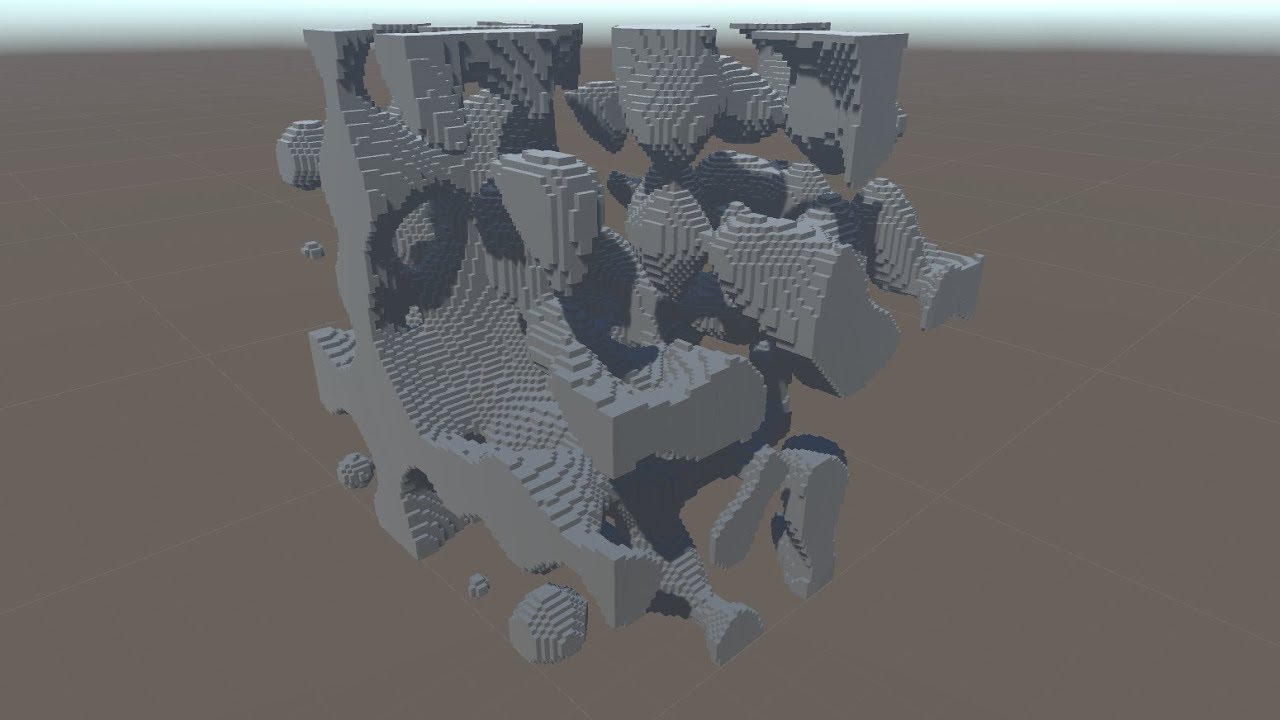
My adventure with 3D perlin noise. I'll go back to working on my game now...
Revised and commented script: https://drive.google.com/open?id=1lGjJvXvfuJHM2sV99gcQqcvCbzBhPjnm
Directions:
- Create new GameObject and apply script (set block prefab to unity's cube and material to a new material).
- Start game and press "G" to generate.
Notes:
- T...
grim abyss
cool video
change the bullets into smart rounds. there's the typical tracer rounds ofc. napalm rounds that spew fire everywhere upon impact. liquid fire no less... explosive rounds. "grounding rod" rounds which create a path for a lighning bolt from the sky to hit! you could have variations on these for days...
 deep crest
I just started out with python and ive been trying to make a rps game but its making me win all the time.


if it makes me post the pic
grim abyss
 potent ice
deep crest
I just started out with python and ive been trying to make a rps game but its ma...
potent ice
deep crest
I just started out with python and ive been trying to make a rps game but its ma...
Better to share code here : https://paste.pythondiscord.com/
 sharp ruin
anyone has a nice and smooth friction fonction in pygame ? i'm trying to lauch a ball and slowing it down but it doesn't work. keep in mind that i can shoot in any direction, not just 90° and 45°
grim abyss
sharp ruin
anyone has a nice and smooth friction fonction in pygame ? i'm trying to lauch a...
lyric pawn
dawn quiver
how. just how did you make this in python.
I have done it using the Harfang 3D Engine, generating the world from perlin noise then creating chunk models and materials depending on the noise value. Each chunk is a node (chunk size is 10 by default but is fully customizable) and the engine has an integrated frustum culling using nodes. If you want to check the code or learn more about the way I have done it my DM’s are open 😉
 ember sail
ej I need power to program the plot system who will help in roblox studies why roblox sudi because I want to start there and then go to new levels
pine plinth
sharp ruin
anyone has a nice and smooth friction fonction in pygame ? i'm trying to lauch a...
-k * v = m * dv/dt
``` use that delicate prairie
grim abyss
delicate prairie
grim abyss
!d pygame.mouse.get_pressed
frank fieldBOT
pygame.mouse.get_pressed()```
 get the state of the mouse buttons get\_pressed(num\_buttons=3) -> (button1, button2, button3) get\_pressed(num\_buttons=5) -> (button1, button2, button3, button4, button5)  Returns a sequence of booleans representing the state of all the mouse buttons. A true value means the mouse is currently being pressed at the time of the call.

Note, to get all of the mouse events it is better to use either `pygame.event.wait()` or `pygame.event.get()` and check all of those events to see if they are `MOUSEBUTTONDOWN`, `MOUSEBUTTONUP`, or `MOUSEMOTION`.

Note, that on `X11` some X servers use middle button emulation. When you click both buttons `1` and `3` at the same time a `2` button event can be emitted.yes? 🤔
sharp ruin
pine plinth
```
-k * v = m * dv/dt
``` use that
Could you translate that with words please 😅
grim abyss
sharp ruin
Could you translate that with words please 😅
This silence brought to you by: Math - Let a physics engine handle these nitty gritty details that induce headaches! - http://www.pymunk.org/en/latest/index.html

Videos on the site that show you how to apply it and everything...
 dawn quiver
If anyone is interested in entering a game jam DM me starts June 10th 7am EST
grim abyss
sharp ruin
Could you translate that with words please 😅
Look, it's the solution to your problem!

if you can't leverage libraries you're shooting blanks...
have the balls bouncing off the walls and everything...

A vehicle simulator coded in Python using the popular Pygame game-creation library and the Pymunk physics-engine library. Only two vehicles are shown in the demo but I'm currently working on adding some more. Each vehicle has it's own custom map. In this case, the tank has a much fancier map than the sportscar. If you have any questions or comme...
dawn quiver
def event():
  events = pygame.event.get()
  if events[0].type == pygame.KEYDOWN:
    print('Starting gaming')
  elif events[0].type == pygame.KEYUP:
    print('Key was released')
  if events[0].key == pygame.K_UP:
    print("The up arrow key was pressed!")
  elif events[0].key == pygame.K_DOWN:
    print("The down arrow key was pressed!")
  elif events[0].key == pygame.K_q:
    print("The letter q was pressed!")

event()
   if events[0].key == pygame.K_UP:
AttributeError: 'Event' object has no attribute 'key'```
Why am I getting this error?Oh wait nvm
wrong event name
potent ice
dawn quiver
```py
def event():
events = pygame.event.get()
if events[0].type == pygame.K...
Would it not be better to loop all the events instead?
def process_events():
    for event in pygame.event.get():
        if event.type == pygame.KEYDOWN:
            print("Key down")
 strange prawn
can input in python be keyboard input from down arrow?
sharp ruin
strange prawn
can input in python be keyboard input from down arrow?
for event in pygame.event.get():
If event.type == pygame.KEYDOWN:
if event.key == pygame.K_DOWN:
.............
sharp ruin
grim abyss
Look, it's the solution to your problem!
Thanks 🙏🏻🙏🏻🙏🏻
Hey but what if my 2D game is Seen from above
Like a mini-golf game
Does it still work ?
grim abyss
yes if you set it up correctly
 low turtle
hello im making a game where pizzzas have to mveo from one side of the screen to another, but my pizzas are not getting of the screen when they reach the end. can someone help me my code is https://paste.pythondiscord.com/razibiziba
sharp ruin
strange prawn
is .keydown something recognized by python?
Well it is recognized by pygame, but tell me what youre trynna do i'll try to help
sharp ruin
Oh i see
Well keydown is a pygame founction that detects if a key is pressed
Pygame is just a library that you can import in your code to create games
!d pygame
grim abyss
sharp ruin
Well it is recognized by pygame, but tell me what youre trynna do i'll try to he...
yes and you check against keys in pygame.locals
of course no pygame

 dawn quiver
screen = pygame.display.set_mode((screen_x, screen_y))
pygame.display.set_caption("Deception Discharge")
clock = pygame.time.Clock()
gui_font = pygame.font.Font(None, 30)
screen.fill(Black)


class Button:
    def __init__(self, text, width, height, pos):
        #Top Rectangle
        self.top_rect = pygame.Rect(pos, (width, height))
        self.top_color = Black

        #Text
        self.text_surf = gui_font.render(text, True, White)
        self.text_rect = self.text_surf.get_rect(center=self.top_rect.center)

    def draw(self):
        pygame.draw.rect(screen, self.top_color, self.top_rect)
        screen.blit(self.text_surf, self.text_rect)


#images
Eyes = pygame.image.load("Eyes.jpg")
Eyes_x = 15
Eyes_y = 0
screen.blit(Eyes, (Eyes_x, Eyes_y))
Title = pygame.image.load("Title.png")
Title_x = -120
Title_y = -132
screen.blit(Title, (Title_x, Title_y))
pygame.display.update()

button1 = Button('Start', 200, 40, (screen_x / 2, screen_y / 2))


def main():
    run = True
    while run:
        for event in pygame.event.get():
            if event.type == pygame.QUIT:
                run = False
    button1.draw()

    pygame.quit()
Why wont this work?
Keeps saying font isn't initialized
 celest sparrow
Pygame question:
Hey, In the pygame documentation, it says that whenever I draw a rectangle with a width, the outline will grow outside the boundary of the rect.
Why isnt this working ???? Whenever I try to bigger the thickness of the border, it grows inside of the rect and not outside. Is there a reason ?
 regal sinew
getting this error in godot
ERROR: Condition "!p_state_machine->states.has(p_travel)" is true. Returned: false
at: _travel (scene/animation/animation_node_state_machine.cpp:177)
 knotty hamlet
celest sparrow
Pygame question:
Hey, In the pygame documentation, it says that whenever I draw ...
knotty hamlet
dawn quiver
Keeps saying font isn't initialized
knotty hamlet
celest sparrow
Pygame question:
Hey, In the pygame documentation, it says that whenever I draw ...
knotty hamlet
dawn quiver
Keeps saying font isn't initialized
Usually people use pygame.init() to initialize pygame's modules. If you don't, it may complain that modules aren't initialized
torn jackal




 is it a python's server or a gay server ???
potent ice
torn jackal
<:flag_asexual:585954608929570836> <:flag_bisexual:585954608346824731> <:flag_in...
How is this related to game development? You're in the wrong channel for this.
torn jackal
potent ice
How is this related to game development? You're in the wrong channel for this.
i was just asking
potent ice
Wrong channel
torn jackal
what is in commun btw Python and that
potent ice
torn jackal
what is in commun btw Python and that
You should try #python-discussion or you can send a message to contact admins and <@&831776746206265384>. This channel clearly states it's about game development and nothing else.
 paper zenith
hmm?
@torn jackal We celebrate a number of events throughout the year. We are currently celebrating Pride Month.
torn jackal
ok thanks
dawn quiver
Going to share some progress on making an ECS game using esper in a bit 
potent ice
dawn quiver
Going to share some progress on making an ECS game using `esper` in a bit <:lemo...
Great. Esper is nice 🙂
dawn quiver
potent ice
Great. Esper is nice 🙂
Yeah I like it so far, not as used to the paradigm and I have a lot to learn 😄
The art is questionable, but that's fine, this is just a test game to explore ECS with 
I got some entities spawning, now to make them move!
This is probably the first game of mine in which the pixels are consistent, and I take advantage of the powerful pygame.SCALED flag.
 atomic tide
Are y'all only able to create games using pygame w/ python, or are there any other platforms that let you use this language?
 lean cosmos
@atomic tide if I'm right i think the game engine Godot has their own language called GDscript which is pretty much python, might go check that out I heard that its a pretty good engine for 2d games.
atomic tide
Ah neat, thanks @lean cosmos
 devout sparrow
Hello, I have a question.
Is it possible to stop a function using the time module (time.sleep() command)? When I use time.sleep(x) in a function, it works, but it delays the whole program. Is there any way to make this apply only for a specific function, and not the entire program?
Example:
def object_animation():
if object.hit(player):
time.sleep(0.3) player # (The 'player' is supposed to be asleep/delayed in this instance, but it does not seem to work. I know this approach is wrong, but this was the only example I had in mind...)
Thank you in advance.
 deep knot
atomic tide
Are y'all only able to create games using pygame w/ python, or are there any oth...
deep knot
atomic tide
Are y'all only able to create games using pygame w/ python, or are there any oth...
@atomic tide look at Panda3D and Python Arcade https://api.arcade.academy/en/latest/#
 granite snow
How would you calculate collision using separate axis theorem if the object is surrounded but not touching?
 glass skiff
How can i make a way to restart the game?
dawn quiver
knotty hamlet
Usually people use `pygame.init()` to initialize pygame's modules. If you don't,...
oh
celest sparrow
knotty hamlet
See https://www.reddit.com/r/pygame/comments/szbzlz/help_with_drawing_rectangles...
thanks a lot
 proven shore
glass skiff
How can i make a way to restart the game?
proven shore
glass skiff
How can i make a way to restart the game?
You can create a function that creates and restart all the variable
Something like:
def start_game():
    p1 = Player()
    map_world = Map_World()
    score = 0
Ok!, thanks
snow hill
atomic tide
Are y'all only able to create games using pygame w/ python, or are there any oth...
What is missing right now to Python game devs is a good 3D editor to setup objects, materials, lights, scenes, animations
But that might change in the near future 🙂
dawn quiver
atomic tide
Are y'all only able to create games using pygame w/ python, or are there any oth...
pygame isnt the only library you could use, no
There is arcade, wasabi 2d, pyglet and more
torn jackal
hey guys i would like to put a py file into a exe file so i did pyinstaller file.py
but it just created me .spec file
what do i have to do after ?
Forget it i found
tranquil girder
snow hill
What is missing right now to Python game devs is a good 3D editor to setup objec...
I'm working on a level editor for ursina
But you were probably hinting to harfang's right? ;)
grim abyss
tranquil girder
I'm working on a level editor for ursina
very cool!
tranquil girder
ursina
 proud thorn
I want to learn python and create a similar game of that I play on PC for mobile, is that possible?
And also can you name me some mobile games built in python?
Thanks.
potent ice
proud thorn
I want to learn python and create a similar game of that I play on PC for mobile...
Python is not really used much on mobile (yet). Still, making desktop only games is a great way to learn. Even just with python.
 eager swift
pygame?
eager swift
wut can i use if i dont use pygame?
knotty hamlet
Ok, but does PyKyra actually exist?
I have a theory that some article was written claiming PyKyra was a thing that people use and it's just bouncing around other article sites since then
There's no PyKyra on pypi
This page claims it was last updated in 2002: http://freshmeat.sourceforge.net/projects/pykyra
Several pages say this is the homepage: http://www.alobbs.com/pykyra, but it's a 404
knotty hamlet
eager swift
wut can i use if i dont use pygame?
Why not use pygame? (Maybe I missed some earlier conversation context)
 signal frost

╔══════════════════ஜ۩☢۩ஜ═════════════════╗
║ ▓▓▓▓▒▒▒▒░░░░| Open This Description |░░░░▒▒▒▒▓▓▓▓ ║
╚══════════════════ஜ۩☢۩ஜ═════════════════╝
▬▬▬▬▬▬▬▬▬▬▬▬▬▬▬▬▬▬▬▬
Huge Thank You To Our Channel Members & Sponsors
1: CrazyBoss V31 - Legendary God Member
YouTube: https://bit.ly/3zI5pAP
Discord: https://discord.gg/CSDDbfxnbX
2: WEZ G NZ GAMING -...
vagrant saddle
proud thorn
I want to learn python and create a similar game of that I play on PC for mobile...
if you want to run game on mobile right now the easy way for 2D you have pygame-wasm with https://github.com/pygame-web/pygbag and for 3D Panda3D experimental webgl port https://rdb.name/panda3d-webgl/editor.html.
proud thorn
vagrant saddle
if you want to run game on mobile right now the **easy way** for 2D you have py...
Oh no I mean is there any mobile game made by python.
dawn quiver
eager swift
wut can i use if i dont use pygame?
Many other options
Arcade for one
Pyglet, wasabi 2d
vagrant saddle
proud thorn
Oh no I mean is there any mobile game made by python.
do you mean you want example with source code of a mobile app written in python, or you just want to know if it exists ( there are but they probably got converted with nuitka/cython to full binary )
proud thorn
vagrant saddle
do you mean you want example with source code of a mobile app written in python,...
Yeah I mean is there any 3D mobile game made by python.
Not source code or anything
vagrant saddle
there was once a game dev 3D studio on android built around panda3D but it was kicked out of the store for some reason, see the watch photo here https://www.panda3d.org/blog/february-2018-development-update-2/
proud thorn
ty
torn jackal
proud thorn
I want to learn python and create a similar game of that I play on PC for mobile...
U can download pydroid
On android
To create vidéo games with Python on mobile
 idle dome
Hey guys what software do people typically use for mobile games?
potent ice
idle dome
Hey guys what software do people typically use for mobile games?
Python and mobile are still not that great, but you can look at Kivy maybe?
I know pygame can also technically run on android with some hassle
 oblique pier
ive got a quick question
while time.time() < t_end:
for i in stickman3:
print (i)
time.sleep(.5)
os.system("cls")
        for i in stickman4:
            print (i)
        time.sleep(.5)
        os.system("cls")

        for i in stickman5:
            print (i)
        time.sleep(.5)
        os.system("cls")

        for i in stickman4:
            print (i)
        time.sleep(.5)
        os.system("cls")
i need to make a stickman waving his hand up and down
but end up getting this

stickman0 = [" O", "/|\" ,"/ \"]
stickman1 = ["O", " | " ,"/ \"]
stickman2 = ["\O/", " | " ,"/ \"]
potent ice
You could make a simple global event input system. Add all the objects that wants events to a queue or list and call a standard method on all the objects.
Start from the the most recently added object and move down the list or queue
Sure. You will have to keep track is states, but you can block the event for propagating down the system by returning a True or False value for example
Sure you can make your own system. The pygame events are super simple and really just exposes the underlying SDL2 events
A queue/list of objects wanting events is the simplest way at least. You can get pretty far with that.
It depends how complex it is of course.
You are already popping events from a queue in pygame/SDL
What matters is how you distribute the events
Maybe you are talking about signals?
emit_signal("stuff_happened", value)
Then some object can subscribe to "stuff_happened" and a method is called
That is the short story, but signals can be made in many ways
Emitting a signal will in effect notify every instance listening to it calling a function on them. That makes it easier to communicate with various parts of the code base
It can have some overhead depending on how many events and subscribers you have... like anything else
Usually you emit with a name and a value. The value can be a more complex object containing more information. A dict is probably fine if needed
Pygame or not doesn't matter. It should work anywhere 🙂
Yeah. It's something you make
The container for signals can just be a singleton / module unless you need something crazy complex.
Keep a dict with signal name and objects to notify or something
pygame.math.Vector2?
Just don't end up over-engineering. Try to simplify is possible 😄
If the instances needing events are more or less static it's a lot easier
The second you start needing weak references storing things that need events it has gotten out of hand
(Becase weakrefs are slooooow)
potent ice
BUT.. they are maybe 4-5 slower to access. Usually not a problem, but if you access lots of them it can definitely matter
Especially in games were you need your 30 or 60 fps
It's part of the python standard library
Not that I know of.
.. but python garbage collector is pretty good. It will find and destroy objects with a circular reference if those two objects are not referenced by anything else.
yeah just look at your program as a chaotic tree of references. If some structure(s) are disconnected from that tree it will be gced
It's probably a lot more complicated, yes 😄
A python object itself has a reference counter.
It's probably a lot more complicated, yes. I don't know how it efficiently detects orphaned objects with circular refs
But it's definitely related to their connections in some way
It's things that are good to know about a least 🙂 (and fun to play with)
 green pagoda
dawn quiver
green pagoda
dawn quiver
I have question which language is best for developing games? 2022.
potent sleet
it depends on what you mean by "best"
are you just wanting to make a small game yourself as a project? do you want to become a game developer at a large studio and so you are wondering what to learn? are you trying to target a specific platform/os/device? etc etc
if you want to make a game yourself, and you are just starting, Python is not a bad choice
 split thicket
how do you normalize a vector?
potent sleet
you find a vector in the same direction of length one
divide it by it's magnitude (length) to scale it
do you know the Pythagorean theorem?
split thicket
potent sleet
you find a vector in the same direction of length one
I have this code:
target_vector = (math.sin(math.radians(self.angle)), math.cos(math.radians(self.angle)))
self.x += target_vector[0]/100
self.x += target_vector[1]/100```I think the reason it's only going left or right no matter what I change the angle to is because i'm not normalizing
I want to be able to set the angle to zero and have it go right, 90 and have it go up, 180 left, 270 down, and 360 right again
i'm dividing by 100 to slow it down so I can see it
potent sleet
yeah, I dunno... I'll say that normalizing a vector won't change its direction, you might want to start a channel #❓|how-to-get-help
split thicket
wait something isn't right, my target vector is this at 0
(1.0,0.0)```but it's this at 90
(6.123233995736766e-17, 1.0)```self.x -> self.y last line.
normal silo
split thicket
but it's this at 90
That is basically (0, 1.0). Floating point rounding errors and such.
torn jackal
Hey guys I have a code that I coded with Pygame and it is working on PyDroid3 (Python App for Android) Does someone know if I must use kivy module in my program to after pu my game into APK (using buildozer) ? Here is the code : github.com/EdouardVincent/The-Cube
vagrant saddle
torn jackal
Hey guys I have a code that I coded with Pygame and it is working on PyDroid3 (P...
maybe you could make it mobile+web with pygame-wasm
vagrant saddle
then you need only python-for-android a subproject of kivy
vagrant saddle
torn jackal
Thanks man
vagrant saddle
it may require linux
vagrant saddle
i don't think there's android ndk for arm/arm64
torn jackal
vagrant saddle
i don't think there's android ndk for arm/arm64
What is it 😅
vagrant saddle
the google compiler toolchain to build cpython for android
torn jackal
Mmh okay
vagrant saddle
there are no ready made binary for cpython with pygame atm
beeware does not have pygame, neither panda3d so you need python-for-android build with pygame option
torn jackal
Woaw you look now everything about that, thanks à lot
dawn quiver
i looking for group/team who want to pygamejam
 mint zenith
@maiden heath You need to indent the try:except at the end so it goes under the if statement. Right now it's outside the if statement, so it's executed when any key is pressed.
snow hill
Since today HARFANG 3D 3.2.2 is available on Pypi for Linux (Intel) machines, using a simple pip install harfang.
Please note that you will need the following packages on your system, though:
- ubuntu: uuid-dev, libreadline-dev, libxml2-dev, libgtk-3-dev
- centos/fedora: uuid-devel, readline-devel, libxml2-devel, gtk3-devel
 ruby cobalt
Hello i am a new python learner and i am in the part of my book where i learn about pygames can someone help me set up pygame
 lyric gale
Hello
 dry crescent
ruby cobalt
Hello i am a new python learner and i am in the part of my book where i learn ab...
dry crescent
ruby cobalt
Hello i am a new python learner and i am in the part of my book where i learn ab...

GitHub
The 28th of October 2020 is the pygame 2.0 release date, because pygame turns 20 years of age.
,--.
| oo|
| ~~| o o o o o o o o o o o o o
|//|
python3 -m pip install pygame...
python3 -m pip install pygame
does anyone have a video demonstrating real projects made in pygame?
ruby cobalt
ok thank you < 3
dry crescent
lyric gale
does anyone have a video demonstrating real projects made in pygame?

Here are some of my Pygame projects that I worked on in 2020!
The first 3 projects (all of which were made in under 48 hours) can be found here:
https://dafluffypotato.itch.io/
The lighting from the tech demo can be found here:
https://github.com/DaFluffyPotato/pygame-shadows
The cloth from the tech demo can be found here:
https://youtu.be/zI...
split thicket
how do you check if a line intersects a circle in pygame?
vagrant saddle
lyric gale
does anyone have a video demonstrating real projects made in pygame?
better than video, you could try some pygame games directly in browser thank to pygame wasm port see https://pmp-p.github.io/pygame-wasm/ and https://pmp-p.itch.io/stuntcat
split thicket
what if I turned the line into a very thin pygame rect?
could I then use a built in pygame collision function on the rect and the circle?
cedar steeple
Does anyone have a video related to how to make a chess game in python
normal silo
split thicket
how do you check if a line intersects a circle in pygame?
Project the circle center onto the line, then check if the point on the line is also on the line segment specifically (rather than just somewhere on the infinite line). Then check if the distance between the projected point on the line segment and the circle's center is less than or equal to the radius, if it is, it's colliding.
split thicket
normal silo
Project the circle center onto the line, then check if the point on the line is ...
thanks for your help, but I figured that out. I would like to pick your brain on some Q learning concepts I'm struggling with in the data-science channel though
if that's cool
normal silo
split thicket
thanks for your help, but I figured that out. I would like to pick your brain o...
Just ask the questions in the DS channel, I may answer them.
split thicket
ok
 paper spindle
does anyone have any good resources on how to make a moving object look like its falling when its moving vertically on a 2d plane
so if I have a ball that moves vertically (but its technically moving forward from the perspective), how do I program the movement so it looks like its falling in its trajectory
grim abyss
paper spindle
so if I have a ball that moves vertically (but its technically moving forward fr...
???
potent ice
paper spindle
so if I have a ball that moves vertically (but its technically moving forward fr...
Like simple gravity?
torn jackal
@vagrant saddle hey I am putting my game into APK but I get an error and it asked me to upgrade Python at the 3.6 version at least. Do u know how 2 do that on rpi4 ??
vagrant saddle
torn jackal
<@334096250897170433> hey I am putting my game into APK but I get an error and i...
no, you should try the buildozer vm
torn jackal
vagrant saddle
no, you should try the buildozer vm
buildozer vm ?
vagrant saddle
well it should have been there https://kivy.org/doc/stable-1.10.1/guide/packaging-android-vm.html#
torn jackal
okay and do u think it s gonna to supress the error
vagrant saddle
i'm quite sure you cannot build p4a on a rpi4 in a simple way, you should use a linux virtual machine or ask for android help in kivy discord
torn jackal
okay thank u very much
vagrant saddle
and anyway python3.7 is the minimal version for p4a, 3.6 never supported android with google ndk
torn jackal
do u have a link to join kivy discord ?
torn jackal
thanks !
 shell scroll

ROTA on Steam - https://store.steampowered.com/app/1993830/ROTA/
ROTA on itch.io - https://harmonyhoney.itch.io/rota
Tweets - https://twitter.com/harmony_hunnie
My site - http://hhoney.net
ROTA is a gravity bending puzzle platformer game I released on steam last month!
In this postmortem devlog I dive into the development process, beginning wit...
just released a video going into detail on the 4 years from the kickstarter demo, to releasing on steam last month!
grim abyss
looks cool. hope you're doing well on sales...
 tidal drift
Hi gamedevs! I made a library that might be good for game development. It is for handling OpenGL 3.3 in a bit more robust way than just using opengl directly.
It is available on pypi https://pypi.org/project/zengl/. there are plentry of examples in the github repo.
 grim abyss
tidal drift
Hi gamedevs! I made a library that might be good for game development. It is for...
grim abyss
tidal drift
Hi gamedevs! I made a library that might be good for game development. It is for...
interesting...
shell scroll
ty!
 lilac siren
tidal drift
Hi gamedevs! I made a library that might be good for game development. It is for...
lilac siren
tidal drift
Hi gamedevs! I made a library that might be good for game development. It is for...
It looks so dope!
 rotund badge
Hello
i looking for the way to program the viewer for loading the 3d model?
how could i do it?

The goose situation is getting out of hand. Now it started to mess with my life! I can't even write normally without the goose being a jergmvnjmcdk nvdmjbgnvk dmcjdbgvjkmd..............
------------------------------------------------CHAPTERS-----------------------------------------------------
[00:00] 11:33 AM
[01:14] 1:07 PM
[02:16] 1:20 PM
...
i want to do a similar desktop pet to this goose
but using the 3d model
how could i load the 3d model first?
can u help me with this pls?
 old hinge
Please help, I'm studying beginner python and this assignment is due tommorow, can someone please tell me the proper coding for this because I genuinely have no idea how to do this

 abstract gull

 lyric pawn
(W.I.P) Automatic chunk loading system, loads chunks around the player within a block range, will add a chunk limit tomorrow and a system to delete chunks that are too far/not in the frustum, and if there are no chunks to load it will automatically expand until limit is attained.
keen phoenix
lyric pawn
(W.I.P) Automatic chunk loading system, loads chunks around the player within a ...
What engine are you using? Pure OpenGL or maybe Panda3D?
keen phoenix
ooo