#game-development
1 messages · Page 97 of 1
 dawn quiver
 fathom jackal
Does anyone have recommendations for intros to node based pathfinding in a 2D space? Specifically utilizing known good X,Y coordinates as valid paths
For context: I have a 2D Space of 0,0 to 100,100 and have a list of known good locations within that space, (1,1) (1,2) (2,.2) (2,3) (2,4) 2,5) (3,5) (3,6) (4,6) as well as (1,2) (1,3) (1,4), (1,5) (2,5) (2,6) (3,6) (4,6) - I'd like to try to path find to (4,6) from (0,0) but I'm not really sure where to start.
 proper peak
"Known good" being what?
And what cells are connected - a cell to 4 neighbours, or 8?
 potent ice
Good old A* sufficient? https://en.wikipedia.org/wiki/A*_search_algorithm
fathom jackal
proper peak
"Known good" being what?
A cell connected to 8 neighbors. Known good should maybe be referred to as preferred paths? , I would like to use these as the locations that are available to travel, rather than the entire open space.
I could start with A* and work from there if I need more performance; I've just never tried to implement this before and wasn't sure where to start 🙂
proper peak
Oh, so just pathfinding on a limited set of nodes rather than on a grid. Yeah, use any graph pathfinding algorithm like A*
start with dijkstra, it's a limited version of A*
(it's equivalent to A* with a constant h-function)
fathom jackal
Thank you, I'll start there and see what I can come up with. Appreciate it!
proper peak
here's them compared
left is A*, right is dijkstra
the difference is that A* "knows" what direction it should generally be searching in, and so explores less nodes while still being guaranteed optimal
On the other hand, you can also see on this pic why many games use a non optimal algorithm instead - because even A* explores a ton of nodes it could have not explored if it was fine with a "close enough to optimal" solution
fathom jackal
Yeah, I can see that - I think with my limited dataset, A* should be fine. I just need to figure out the actual implementation for my purposes and the best way to store and load the navigation grid
 cold storm
You can change the weights of a graph in realtime
For a* check redblob games
They have code even you can use in py
proper peak
for Python, the common way to store graphs is as, say, a dictionary mapping a node's index to a list of all nodes it's connected to.
proper peak
e.g a 1-2-3 undirected graph would be
graph = {
    1: [2],
    2: [1,3],
    3: [2]
}
Thanks, I'm trying to wrap my brain around this. It seems like, on bigger projects, mapping each node to tell the system how it connects would be slow and a very manual process
Surely you don't map out each option in a 100,100 grid by hand
cold storm
I do it with py
And I use object faces in blender
Upbge has a sprite node for eevee
Also check this out
You can have a pathfinding graph that is each "tile" and it's connection to other tiles
Then when you pathfind them you use it to build a graph from "stubs" of just those tiles
And pathfind it
It's a bit like a octree
fathom jackal
oooh, yeah, that's what I was thinking of when I was thinking of pathfinding
cold storm
Basically when you add the dictionary together for the tiles
You strip out any links to tiles not in the set
I ended up storing nodes as
(tile_index, face)
To make it easier
Then we use a table to convert to ints
Like
Table[(tile, face)]
Will spit out the node* index
And it's position in space
fathom jackal
Awesome, thank you
 mental jetty
Anybody who uses pygame
You all have any idea why the transparent background of my image after I converted it and set the color key is still black?
 lament gyro
Hello i want to make a popup with input you cant click away from does anyone know how to do that?
 rose folio
module 'arcade' has no attribute 'AnimatedTimeSprite'
when i run my code i get this
how to fix
imports are
import arcade
import random
fathom jackal
rose folio
module 'arcade' has no attribute 'AnimatedTimeSprite'
arcade.AnimatedTimeBasedSprite - looks like a typo on your part?
 inner wigeon
mental jetty
You all have any idea why the transparent background of my image after I convert...
inner wigeon
mental jetty
You all have any idea why the transparent background of my image after I convert...
Maybe because your background screen colour is black?
 cloud parcel
In games like warcraft 3, certain parts of a units texture would change color based on the assigned value (not the whole texture, just a part of it)
How was this accomplished, did the textures have a specific "blank" value that would be replaced with the set value ?
cold storm
drivers mixing stuff @cloud parcel
like you can use a mask + object color in upbge
and show the object color only where the mask is painted
you can accomplish this in games by passing uniforms per object
 bold wadi
cold storm
bold wadi
cold storm
like a single float 0-1 can make a rainbow of colors
 astral dagger
In pygame my rect is bigger than the img. I used same scale for both. Any suggestions how to make img size same as rectangle size?
 covert zinc
lament gyro
covert zinc
lament gyro
I am trying to create a game using pygame but for some reason the screen doesnt show the image/sprite i want it to render this is my code:
import pygame, sys

clock = pygame.time.Clock()

from pygame.locals import *
pygame.init()

pygame.display.set_caption('Platformer_Toturial')

WINDOW_SIZE = (400, 400)

screen = pygame.display.set_mode(WINDOW_SIZE,0,32)
Crosshair_Position = [50, 50]
Crosshair = pygame.image.load('player.png')

while True:

  screen.blit(Crosshair,Crosshair_Position)

  for event in pygame.event.get():
    if event.type == QUIT:
      pygame.quit()
      sys.exit()

  pygame.display.update
  clock.tick(60)
 wheat ivy
which framework should i start with ?
 steel prism
how to make my player jump and disable the running animation
 tough kayak
u can create a game for seas
like picking up the waste products from the seas not a complex one just a simple one after picking the waste u can add a reward system
u can make it using pygame
lament gyro
lament gyro
I am trying to create a game using pygame but for some reason the screen doesnt ...
Does someone know why this is not working?
 tranquil girder
I think update should be update()
So it actually gets called
pygame.display.update()
lament gyro
tranquil girder
I think update should be update()
oh yeah how didnt i see that
 fathom inlet
like hide some object in pygame
potent ice
Usually by not drawing it
potent ice
You need to some state deciding when it should be drawn or not
If you share a little more info it's easier to help
fathom inlet
ok
potent ice
The focus should be on the first problem. How you decide if something should be drawn or not, and for what reason.
dawn quiver
Does any1 use blender?
I'm wondering how to make something first person vire
Viee
View
I wanna make a 3d platformer with a jumping first person character
dawn quiver
dawn quiver
I wanna make a 3d platformer with a jumping first person character
@tranquil girder has a semi-simple 3D engine that can be used to make that kind of game.
https://github.com/pokepetter/ursina
And no, I do not know much about Blender scripting, but there are definitely many people here that know how to do that.
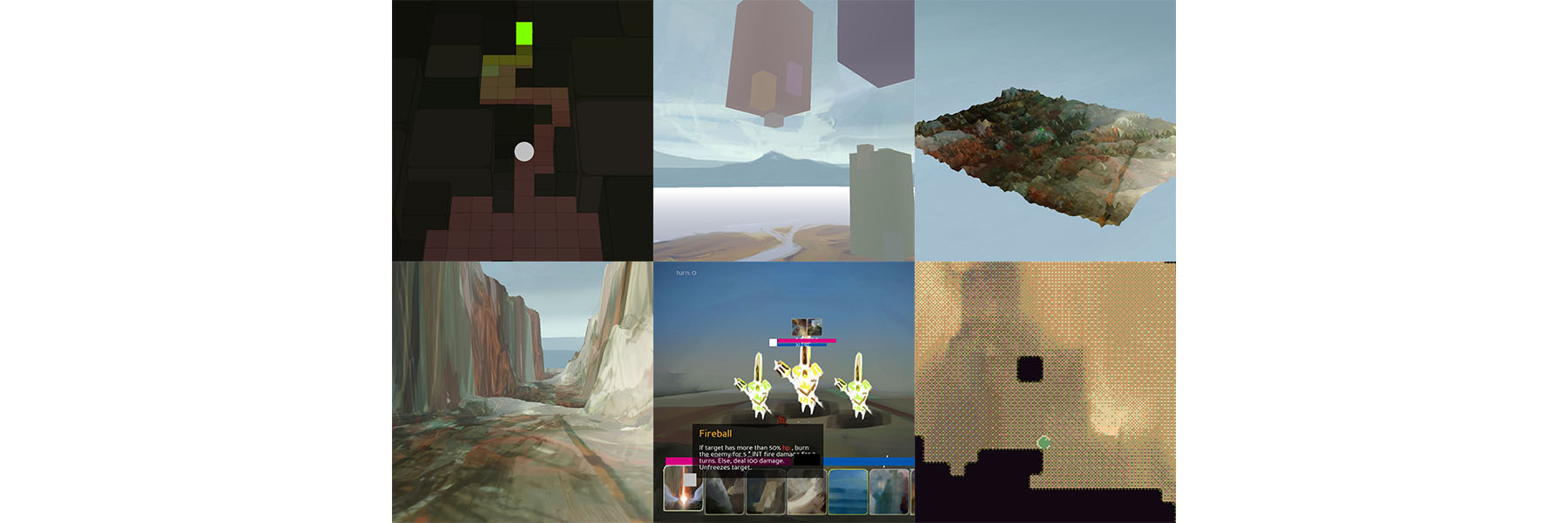
GitHub
A game engine powered by python and panda3d. Contribute to pokepetter/ursina development by creating an account on GitHub.
i dunno man i just wanna use blender i have no idea how any other 3d graphics or game engines or any of that stuff
I'm not rly good with any 3d things either
dawn quiver
wheat ivy
which framework should i start with ?
probably pygame
there is also pyglet, ren'py, cocos2d, panda3d (for 3d), and some others
pygame be good
Or u could be like me and make console (meaning cmd prompt) based games
yes
i mean those r cool
but i wanna try 3d graphics
theres a pretty cool cheap game on pc i seen people play it b4 where u r a king and u make decisions and ur 4 bars go up or down and some decisions lead to others
like that?
oh i remember the game name
reigns
potent ice
dawn quiver
but i wanna try 3d graphics
Why don't you install ursina and play around with some of the examples?
dawn quiver

Swipe right to reform the church and divide the population. Swipe left to give the Pope a hug
~Watch more videos like this: https://www.youtube.com/watch?v=rTYYO_803Zg&list=PLliBvQE3gg9cX0xZGSZp_qwzfYcZntjC4
~Twitch Channel: http://www.twitch.tv/rtgame
~Merch Shop: https://freshmerch.fm/collections/rtgame
~Twitter: https://twitter.com/RTGameCro...
whats ursina
potent ice
dawn quiver
whats ursina
dawn quiver
thanks
how hard is it
how do i get it once i clicked on the link never used github
potent ice
dawn quiver
how do i get it once i clicked on the link never used github
pip install ursina
https://www.ursinaengine.org/#Getting Started covered here and in docs
dawn quiver
^^
thanks
im linux user btw
chromebook
oof
I have experience with chromebooks
potent ice
hmm not sure if that runs on chromebook. You can always try to install it
potent ice
Yeah, but depends on hardware.
dawn quiver
dawn quiver
Chromebook works as linux
Theres a linux virtual machine that is meant for developers
I've never tried ursina on chromebook tho
do i just slap pip install ursina into the shell
i use idle python
dawn quiver
dawn quiver
im linux user btw
Try to eventually get a windows or a non-chromeOs linux computer. It will make the development process much easier and faster.
I would 4 gb raspberry pi if u want to continue on linux, or u can buy a better laptop, or build a PC
dawn quiver
dawn quiver
do i just slap pip install ursina into the shell
I think on chromebook u have to use virtual environments
to use pip
does ur pip work without?
theres a linux vm
ik
what do i do now
try running:
pip install ursina
It will probably say that u don't have pip
just says invalid syntax in the shell
dawn quiver
dawn quiver
theres a linux vm
I mean run it in terminal
oh terminal
pip command not found
ye
so
virtual environments
venv
u need a venv
please explain im a noob at linux
I don't remember how to do venvs
is the command right
no
But that gave me another idea
u could just download from github. and put that in ur linux directory
and unzip it using like:
unzip master.zip
then u could import from the master folder
tranquil girder
you should do python3 -m pip install ursina
dawn quiver
I'm on mobile so Im very lazy with typing
oh the creator is here
wassup
do what he said
wait what linux directory
with pip cmds it doesn't matter
says theres no modual called pip
tranquil girder
you should install it first then
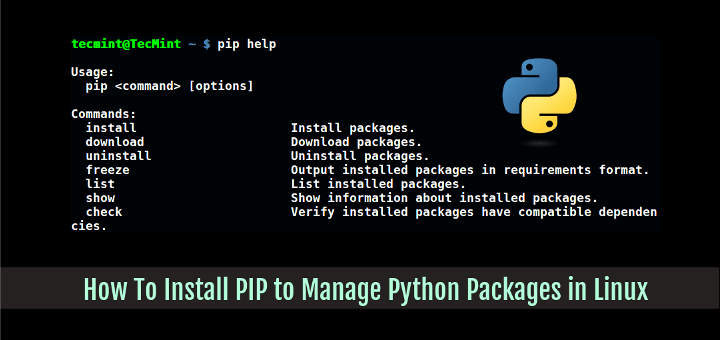
Pip (recursive acronym for “Pip Installs Packages” or "Pip Installs Python") is a cross-platform package manager for installing and managing Python packages that comes with Python 2 or Python 3 binaries.
dawn quiver
thanks
actually on chromebook u would do pip3
i forgot that
progress 5% im just downloading it
does ursina work for large multiple people projects or just small projects
i dont intend to make very large projects but itd be nice to know
technically multiple people could make any type of code together
the first step is a 2d among us platformer
how can..
nvm
i ment 3d
 rigid canopy
lol
dawn quiver
aight running the ursina install command that poke told me to use
tranquil girder
dawn quiver
does ursina work for large multiple people projects or just small projects
Yes, it doesn't get slower with project size lie Unity does for example, since you can only the file you want. Of course if you import everything else in the game it will slow down.
I terms of multiple people, it's the same as every other code projects. But since everything's in code files, it's easier to merge than a scene file for instance
dawn quiver
like a +
dawn quiver
running setup.py bdist.wheel for numpy
I want to play with Ursina again sometime... Also Mr. Petter, your Life is Currency game is confusing
stuck on this
is this supposed to happen as in being stuck on this line
tranquil girder
dawn quiver
I want to play with Ursina again sometime... Also Mr. Petter, your Life is Curre...
Well, it was for a 48 hour game jam :P
tranquil girder
Thanks ^^
tranquil girder
stuck where?
dawn quiver
on a line in the linux terminal nothing is happening
tranquil girder
yeah, but what does it say?
dawn quiver
running setup.py bdist_wheel for numpy . . . || -
Ursina is very large since it is based off of Disney's massive 3d engine: Panda3d
that explains more
tranquil girder
dawn quiver
running setup.py bdist_wheel for numpy . . . || -
might be compiling or something
You don't actually need numpy though
dawn quiver
tranquil girder
might be compiling or something
You don't actually need numpy though
its probably useful
whatever it takes to make amongus themed games and send them to my friends
: )
installing be de ez part...
im aware
i understand python 3 pretty well but my only graphics experience is tkinter which is some 2003 shit
I gtg, busy with school
cya
 misty estuary
class App:
    def __init__(self):
        pyxel.init(128, 128, caption='SeaJam Python', fps='60', scale=8)
        pyxel.load('assets/resources.pyxres')
        pyxel.run(self.update, self.draw)
        self.move_speed = 5

def draw(self):
  print(self.move_speed)
AttributeError: 'App' object has no attribute 'move_speed'
why does it do this
tranquil girder
dawn quiver
aight ive done that and its installed now what <@!247461552888741888>
You go here: https://www.ursinaengine.org/documentation.html and read the Introduction tutorial, Entity Basics, Coordinate System, Collision, and maybe look at some if the example projects
dawn quiver
thanks but im having issues even doing the first bit lmao once of downloaded it
`from ursina import *
app = Ursina()
player = Entity(model='cube', color=color.orange, scale_y=2)
def update():
player.x += held_keys['d'] * .1
player.x -= held_keys['a'] * .1
app.run()`
is in the code and it should be all right but aparently the modual doesnt exist
tranquil girder
if you're on linux, use python3
dawn quiver
im using python 3 right now
tranquil girder
it just means the python you tried to run is not the same you installed the ursina module to
tranquil girder
ok, but which python did pip install to?
tranquil girder
I think you can add the version number too, if you want to be specific
like python3.7.3 -m pip install ursina
and
python3.7.3 main.py``` lunar venture
misty estuary
```py
class App:
def __init__(self):
pyxel.init(128, 128, caption='S...
lunar venture
misty estuary
```py
class App:
def __init__(self):
pyxel.init(128, 128, caption='S...
You probably have something like App.move_speed
You need to create an instance
tranquil girder
and I think you have to add --user to the pip install command or something on linux, or use sudo before
dawn quiver
not found
i cba
il try -- user before the command sudo didnt work
actually aids linux downlaod
never works
tranquil girder
what does pip3 list say? also, pip --version and python3 --version
dawn quiver
asn1crypto 0.24.0 chardet 3.0.4 cryptography 2.6.1 entrypoints 0.3 keyring 17.1.1 keyrings.alt 3.1.1 numpy 1.21.4 panda3d 1.10.10 panda3d-gltf 0.13 panda3d-simplepbr 0.9 pip 18.1 pycrypto 2.6.1 PyGObject 3.30.4 pyperclip 1.8.2 python-apt 1.8.4.3 python-debian 0.1.35 pyxdg 0.25 screeninfo 0.7 SecretStorage 2.3.1 setuptools 40.8.0 six 1.12.0 wheel 0.32.3
is the resut of pip3 list
tranquil girder
doesn't look like you installed it
dawn quiver
i typed in what u told me
should i type it again or somethin
if i cant download this in the next hour im moving to blender again
lunar venture
Maybe use a flag.
misty estuary
lunar venture
You probably have something like `App.move_speed`
ah imma try it when i get back thanks
 balmy sluice
I want to make the code stop running when I lose or win, what is just the code to make it stop again?
dawn quiver
Command "/usr/bin/python3 -u -c "import setuptools, tokenize;file='/tmp/pip-install-asazpcis/pillow/setup.py';f=getattr(tokenize, 'open', open)(file);code=f.read().replace('\r\n', '\n');f.close();exec(compile(code, file, 'exec'))" install --record /tmp/pip-record-sy48hm9e/install-record.txt --single-version-externally-managed --compile --user --prefix=" failed with error code 1 in /tmp/pip-install-asazpcis/pillow/
is the error i get when i try download ursina
i dont know why this happens but it prevents me from accessing the modual in python
tranquil girder
looks like installing pillow fails and the installation never finished
tranquil girder
dawn quiver
i dont know why this happens but it prevents me from accessing the modual in pyt...
maybe try with: sudo python3 -m pip install --upgrade Pillow
dawn quiver
ok
its the same error as last time
@tranquil girder is this a normal error for 3.7.3 python or chromebook linux
has to be something strange
ngl
tranquil girder
no, it's not normal
steel prism
any thoughts on pymunk?
dawn quiver
tranquil girder
no, it's not normal
have u seen any other person in my circumstances have this error
pillow is just dead
tranquil girder
nope, it's probably because of the chromebook or the OS
dawn quiver
so how am i supposed to fix it
i dunno why it shouldnt work on chromebook its still linux
tranquil girder
welcome to linux hell
it's a really common module though, surely someone's had the same issue
if all else fails, you could always build from source
dawn quiver
i dont understand how to do that im not well versed in linux hell
i came from idle python games and gimmicks like translators in windows
tranquil girder
you could try installing ursina this way:

and skip pillow
since you only need it if you want to edit textures anyway
git clone https://github.com/pokepetter/ursina.git --depth 1
python3 setup.py develop
il type that in
well it worked i think
loning into 'ursina'... remote: Enumerating objects: 302, done. remote: Counting objects: 100% (302/302), done. remote: Compressing objects: 100% (267/267), done. remote: Total 302 (delta 38), reused 132 (delta 27), pack-reused 0 Receiving objects: 100% (302/302), 7.36 MiB | 2.21 MiB/s, done. Resolving deltas: 100% (38/38), done.
was the result
so is it working?
so now i slap `from ursina import *
app = Ursina()
player = Entity(model='cube', color=color.orange, scale_y=2)
def update():
player.x += held_keys['d'] * .1
player.x -= held_keys['a'] * .1
app.run()` into the code and run it?
tranquil girder
yes
dawn quiver
will do
Traceback (most recent call last):
File "/home/octane22/python/ursina_game.py", line 1, in <module>
from ursina import *
ModuleNotFoundError: No module named 'ursina'
theres no way man
this is some strange stuff
i typed it in correctly
tranquil girder
you should check if pip3 --version and python3 --version are the same
dawn quiver
how do i do that
tranquil girder
you paste those commands into the terminal
for example, I get
pip --version
pip 20.2.4 from c:\python39\lib\site-packages\pip (python 3.9)

python --version
Python 3.9.2
octane22@penguin:~$ python3 --version
Python 3.7.3
octane22@penguin:~$ pip3 --version
pip 18.1 from /usr/lib/python3/dist-packages/pip (python 3.7)
is my result
tranquil girder
try which python
or ```whereis python3.7
on linux systems there's often a python used by the operating system, and a python for the user
also, try python3 -m pip list too
to see if it's the same as pip3 list
tranquil girder

 violet grove
tranquil girder
violet grove
tranquil girder
Cool
 gentle pagoda
I also want to make game...can we use python for that??
proper peak
That's why we have a #game-development channel on this server, yes.
dawn quiver
from pygame import *
from math import *

init()

screen = display.set_mode((800,600))
icon = image.load("/home/ceyhun/code/maybegame/space-travel.png")
display.set_icon(icon)
display.set_caption("First Game")

playerImg = image.load("/home/ceyhun/code/maybegame/spaceship.png")
#creating char

class player():
    def __init__(self,sprite):
        self.playerx = 350
        self.playery = 400
        self.sprite = transform.scale(sprite,(100,100))
        self.rectangle = self.sprite.get_rect()


    def main(self):
        self.collide = self.rectangle.colliderect(obstacle)
        color = (255, 0, 0) if self.collide else (255, 255, 255)
        screen.blit(oyuncu.sprite,self.rectangle)
        draw.rect(screen,color,obstacle,3)


#karakterler ve cisimler

cisim = Rect(300,300,80,80)
oyuncu = player(playerImg)
obstacle = Rect(200,200,40,40)


#oyuncu speed
vel = 1

#game loop

running = True

while running :

    for Event in event.get():
        if Event.type == QUIT:
            running=False

    inputt = key.get_pressed()
    if inputt[K_LEFT]:
        oyuncu.rectangle.x -= vel
    if inputt[K_RIGHT]:
        oyuncu.rectangle.x += vel
    if inputt[K_UP]:
        oyuncu.rectangle.y -= vel
    if inputt[K_DOWN] :
        oyuncu.rectangle.y += vel


    screen.fill((0,255,0))
    vel = 1

    oyuncu.main()
    display.update()
hi
problem is I created a rect named "cisim"
tried to add collision but cant figure it out
I want to "cisim" be like a wall, my char "oyuncu" shouldnt walk through it
 wraith oriole
Hi ! Can you know good version of street of rage or metal slug in python? I dont want full game just first stage
fathom inlet
btuh
tranquil girder
 dawn quiver
tranquil girder
dawn quiver
tranquil girder
mmmm yummy
Cool!
Did u make it with blender python or blender python ursinq
Ursina
dawn quiver
dawn quiver
I want to "cisim" be like a wall, my char "oyuncu" shouldnt walk through it
I made a 2 day stick man game requiring collision
I compared coords and added a small 1 pixel pushback
Which can prevent glitches in more advanced 3d games
dawn quiver
Nice
dawn quiver
dawn quiver
I compared coords and added a small 1 pixel pushback
Do you share your code in github etc?
nah
its relatively easy and used in alot of borders in games imo
 dusky holly
hi so i tried to make a platformer but when i jump the colision with the platform is disabled
dawn quiver
dusky holly
hi so i tried to make a platformer but when i jump the colision with the platfor...
how r you doing the collision
like with coords bumping eachother?
potent ice
@dusky holly You might want to add some spacing to that code. When it's this compact it can be much harder to read. Not a 100% must. Just a general suggestion.
dusky holly
what is spacing?
potent ice
add some newlines separating parts of the code where it makes sense
dusky holly
oooh ok
potent ice
For example : https://paste.pythondiscord.com/uwekalaqej.properties
That's a small start
potent ice
yeah that's much better
potent ice
Maybe also group the variables you declare on the top into smaller blocks
potent ice
Small things like that make your life so much easier. When you look back at your code in a couple of weeks/months it's much easier to understand. Also easier for others to look at quickly
dawn quiver
if player.colliderect(platform):
if abs(player.bottom - platform.top) < colision_tolerance :
isgrounded = True
player.bottom = platform.top
if abs(player.top - platform.bottom) < colision_tolerance :
isgrounded = True
player.top = platform.bottom
is the bit we focus on
i personally used tkinter for my first platform projecr
it had 4 points on the rectangle labled as "collision corner" 1, 2, 3, 4 respectively
just compared coords with other object corners
dusky holly
ok thx for the advice
dusky holly
Yes pls
Because this solution didn't work
I don't know if its a solution but i have decreased the jumpforce and now
The characters does'nt go throw thé platform
dawn quiver
aight give me 15min
def drawbounce(self): self.canvas.move(self.id, self.x, self.y) pos = self.canvas.coords(self.id) if pos[1] <= 0: self.y = 1 if pos[3] >= self.canvas_height: self.y = -1
this is a bit of a code i used for a tennis kind of game
i use tkinter (canvas is basicly size of ur window and self.id is the object which ive made beforehand and its corners (inside the tkinter object making thingy)
so like im comparing pos[3] which is the final position of the object i made before hand
and u basicly do that with an object coords instead of the canvas height
the self.canvas_height is a veriable for window height and i dont want the ball to go out the screen
i could have named pos[] something else like characterpos[] and make another position set for another object like a platform called platformpos[]
@dusky holly theres prolly more ways to do it but this is the way i did it and its probably overly complex as i dunno how pygame works and it probably has something better then this
dawn quiver
im having a problem with ursina models
`from ursina import *
application.development_mode = False
window.fullscreen = True
window.borderless = False
app = Ursina()
maze = Entity(model = 'mazeBeta', color = color.rgb(200,100,133), texture = 'brick', position=(0,0,0), rotation = (0,0,0), scale = (2,2,2))
EditorCamera()
app.run()` is my code
mazebeta is a maze structure which i made a stored to the correct place for use in ursina
its made with blender
for some reason it wont work, it stays on a small black loading screen but when i put a file name which 100% doesnt exist it opens a full grey screen with nothing on it
i doubled checked that i saved it correctly and the code looks correct so i dont know what it is
tranquil girder
dawn quiver
i doubled checked that i saved it correctly and the code looks correct so i dont...
what does the terminal say?
cold storm
using py to set data from the evaluated mesh back to the original mesh - using geonodes as a game engine 😄
 lean cosmos
Screenshot of the new engine im working on

 untold sentinel
lean cosmos
Screenshot of the new engine im working on
untold sentinel
lean cosmos
Screenshot of the new engine im working on
You're building an engine? Hows it work?
lean cosmos
Well what part are you asking about
untold sentinel
Are you writing the drawing/rendering algorithms from scratch?
Or is it a UI around another engine? In either case, super cool!
untold sentinel
I'm working on a graphics engine myself
Basically a remote-controller for a webbrowser which controls the DOM using a pythonic clone of it
 warped dove
def meteorrain():
    meteorss = pygame.image.load(os.path.join("Assets", "meteor.png"))
    meteorssresize = pygame.transform.scale(meteorss,(50, 50))
    meteorssrotate = pygame.transform.rotate(meteorssresize,-40)

    random_at_y = random.randint(0, 660)
    Window.blit(meteorssrotate, (495, random_at_y))
    pygame.display.update()

def main():
    #Size and position
    yellow = pygame.Rect(100, 300, 10, 10)

    clock = pygame.time.Clock()
    running = True
    while running:
        clock.tick(FPS)
        for event in pygame.event.get():
            if event.type == pygame.QUIT:
                running = False

        key_pressed = pygame.key.get_pressed()
        playermovements(key_pressed, yellow)
        draw_window(yellow)
        meteorrain()
can someone help me how to slow down the spaawning time like this
FPS = 60
 twin hawk
dawn quiver
twin hawk
dawn quiver
heyy someone at #help-pear please
gentle pagoda
I wanna make game like PUBG
dawn quiver
everytime i try to import the pygame module it gives me a circular import error 😔
 distant mirage
dawn quiver
everytime i try to import the pygame module it gives me a circular import error ...
distant mirage
dawn quiver
everytime i try to import the pygame module it gives me a circular import error ...
A circular import is exactly what it sounds like
You probably are importing a module which also imports from the file you are working on
dawn quiver
distant mirage
A circular import is exactly what it sounds like
You probably are importing a mo...
ah okay thanks :D
 fervent herald
Pygame
Is this rotate code is correct, u der roatate function, if yes then there is a problem that my image got ripped off when rotated more and more in loop

I am learning pygame thorugh a tutorial of flappy brid
And my bird on continuous rotation looks like that
 dawn quiver
Traceback (most recent call last): File "/home/octane22/python/ursina_game.py", line 9, in <module> maze = Entity(model = 'mazeBeta', color = color.rgb(200,100,133), texture = 'brick', position=(0,0,0), rotation = (0,0,0), scale = (2,2,2)) File "/home/octane22/ursina/ursina/entity.py", line 105, in __init__ setattr(self, key, kwargs[key]) File "/home/octane22/ursina/ursina/entity.py", line 201, in __setattr__ m = load_model(value, application.asset_folder) File "/home/octane22/ursina/ursina/mesh_importer.py", line 66, in load_model if compress_models(path=path, name=name): File "/home/octane22/ursina/ursina/mesh_importer.py", line 192, in compress_models blender = get_blender(blend_file) File "/home/octane22/ursina/ursina/mesh_importer.py", line 163, in get_blender raise Exception('error: trying to load .blend file, but no blender installation was found. blender_paths:', application.blender_paths) Exception: ('error: trying to load .blend file, but no blender installation was found. blender_paths:', {})
is the result i get from terminal
@tranquil girder
which is strange cuz i made the file
and saved it into the game folder
tranquil girder
dawn quiver
and saved it into the game folder
It finds the file, just not Blender, which is needed to convert the file. It should use the which blender command to find it automatically.
It's possible to give that path manually with application.blender_paths['default] = Path('path_to_blender_executable')
Or you can export manually from blender, as .obj or .glb.
dawn quiver
so i gotta type that
application.blender_paths['default] = Path('path_to_blender_executable')
right
fervent herald
U making blender addon?
tranquil girder
Yes, but write the path to blender. Idk where you installed it
fervent herald
Program files
tranquil girder
He's on linux lol
fervent herald
Blendee foundation
dawn quiver
i mean the linux command
fervent herald
Oops
tranquil girder
which blender maybe? But then I don't know ursina wouldn't find it
dawn quiver
doesnt even bring anything
up
lmao
il try find blender
no such file or directory bruh
i dont know the full name of my blender file
how am i supposed to find it
tranquil girder
open blender and look at the terminal. it probably will give you a hint
dawn quiver
python terminal for blender yeah ok
wont copy and paste for some reason
blender-2.93.5-linux-x64/
i think this is the name
when i try open it through linux thats what i see
tranquil girder
doesn't look like the full path to me
dawn quiver
i dont know how to find it
or any idea of how 2
'error: trying to load .blend file, but no blender installation was found. blender_paths:', {})
how can it not see my blender
dawn quiver
u can get blender on a chromebook???
dawn quiver
yeah
download tar file from the website for linux
locate file
do tar -xf (name of blender file and location)
oof
dawn quiver
i literally cannot find a solution to the error
or find the path
@tranquil girder what would u do to find the path
tranquil girder
I'd google how to find the location of programs on gentoo linux
dawn quiver
i googled that but i tried the 3 options i found and they dont work
search path
file names to search
dont work
and the other one is bs
i havent found the path but i found out that my file is in the correct location for ursina to run
File "/home/octane22/python/ursina_game.py", line 9, in <module> maze = Entity(model = 'mazeone', color = color.rgb(200,100,133), texture = 'brick', position=(0,0,0), rotation = (0,0,0), scale = (2,2,2)) File "/home/octane22/ursina/ursina/entity.py", line 105, in __init__ setattr(self, key, kwargs[key]) File "/home/octane22/ursina/ursina/entity.py", line 201, in __setattr__ m = load_model(value, application.asset_folder) File "/home/octane22/ursina/ursina/mesh_importer.py", line 66, in load_model if compress_models(path=path, name=name): File "/home/octane22/ursina/ursina/mesh_importer.py", line 192, in compress_models blender = get_blender(blend_file) File "/home/octane22/ursina/ursina/mesh_importer.py", line 163, in get_blender raise Exception('error: trying to load .blend file, but no blender installation was found. blender_paths:', application.blender_paths) Exception: ('error: trying to load .blend file, but no blender installation was found. blender_paths:', {})
took a look at the error message and i dont find anything
whereis blender just brings up blender
find doesnt work
i have no idea how to do this ive been googling
tranquil girder
how do you open it then?
dawn quiver
so its inside cd blender-2.93.5-linux-x64
now i somehow make sure ursina can see that
how tf am i supposed to do that
tranquil girder
it would be something like "/home/Desktop/blender-2.93.5-linux-x64/blender"
if you're not sure what file paths are, I suggest you learn about that first
dawn quiver
damn so i gotta put that into the code or something
i will cuz it will probably help with linux
and im a noob at using linux
and file management and shit
tranquil girder
yes, read my first answer
if you don't want to set it up you can export to obj manually instead
but that not fun if you have to do it often
dawn quiver
what bout exporting obj
do i just convert the file format and slap it on the end of "mazeBeta"
tranquil girder
you export it from blender
dawn quiver
holy shit i did it im so happy
turns out i was ticking the wrong options when saving lol
and python can finally read the files
im so happy
cold storm
dawn quiver
tranquil girder
it would be something like ```"/home/Desktop/blender-2.93.5-linux-x64/blender"``...
change the folder name or move the file with mv
Its solved
De
 soft bison
Hi I am looking for help. I have created a snake game but for some reason the body parts are not showing except the tail. It did work previously and all the files are in the same folders.
All the other functions of the game work it’s just this final issue.
Any help would be great thanks


 steel lintel
Hi I was wondering if it was possible to have multiple eg. "self.rect = self.image.get_rect(midbottom = (self.x, self.y))" for my sprites based on key conditions?
in pygame ^
 sharp crest
'
 dawn quiver
thats true
dawn quiver
@steel lintel wdym
Like a different shape every different key?
Or different parameters
steel lintel
okay so basically I have a sprite
which ive put into a class
but i cant seem to be able to move it to the left and right
so i was wondering that if i used a conditional of key presses which would change its getrect position it would move
but it doesnt seem to working
and now im stuck on what to do
steel lintel
wdym?
keys = pygame.key.get_pressed()
if keys[pygame.K_a]:
self.rect = self.image.get_rect(bottomright = (150, 700))
elif keys[pygame.K_d]:
self.rect = self.image.get_rect(bottomright = (450, 700))
else:
self.rect = self.image.get_rect(midbottom = (self.x, self.y))
this is how im trying to change it currently in my class
dawn quiver
i dont know how to use pygame but if i understand what u are trying to do it seems correct
so with the a and d keys ur changing the position of the rectangle
maybe do more then just bottomright
and add like top left, top right, bottom left.
worked for me when i made a game where u moved a rectangle
 steel reef
hi
cold storm
 dawn quiver
sadly i want to but my pc dont support
 shy remnant
i'm using blender game engine as my game dev software do you think it's a good idea?
it supports python
tranquil girder
upbge? I'm sure at least someone here approves ;)
potent ice
If it works, it works 😉
I'm not that familiar with it, but I assume it has advantages and disadvantages like any other game library or engine.
 candid mica
hello
im trying to develop something and dispoay overlay text but struggling to do this easilly and re-usable
tried this simply and stupidly :
import tkinter as tk

root = Tk()
frm = ttk.Frame(root, padding=10)
frm.grid()

def text(n):
    ttk.Label(frm, text=str(n)).grid(column=0, row=0)


text("starting in 5sec")
text("other text")
I found this example on the web which jsut puts random letters & colors, but im struggling to refactor it into a re-usable function throughout my big script
:
import tkinter as tk
from random import seed, choice
from string import ascii_letters

seed(42)

colors = ('red', 'yellow', 'green', 'cyan', 'blue', 'magenta')
def do_stuff():
    s = ''.join([choice(ascii_letters) for i in range(10)])
    color = choice(colors)
    l.config(text=s, fg=color)
    root.after(100, do_stuff)

root = tk.Tk()
root.wm_overrideredirect(True)
root.wm_attributes("-transparentcolor","white")
root.geometry("+512+312".format(root.winfo_screenwidth(), root.winfo_screenheight()))
root.bind("<Button-1>", lambda evt: root.destroy())

l = tk.Label(text='', font=("Arial", 30))
l.pack(expand=True)

do_stuff()
root.mainloop()
 noble wave
I made 2d minecraft lol
 exotic laurel
noble wave
I made 2d minecraft lol
exotic laurel
noble wave
I made 2d minecraft lol
Procedurally generated terrain?!
That's pretty cool
exotic laurel
ahh I see
noble wave
But, yes, kind of procedurally generated
I took the long way
Cause i didnt get expected results
exotic laurel
mhm
shy remnant
tranquil girder
upbge? I'm sure at least *someone* here approves ;)
yes
dawn quiver
Hey, pretty new to all of this. Anyways what do yall use for making games? I want to make a 2D mobile game and I've heard good things about kivy and kivent, so that's what I am learning rn. I'd like to know though if there are alternatives/better options? Thx in advance.
 green plover
cold storm
green plover
cold storm
cool
dawn quiver
shy remnant
i'm using blender game engine as my game dev software do you think it's a good i...
U can make some pretty sick creations with blender
Also question: if I want a ui stylised for a medieval RPG game what would u guys recommend
Pygame perhaps? Idk how to use anything but ones that dont work so preferably not 2 hard to learn
dawn quiver
Why is this game dev channel so creepy. Sometimes when I work on pygame projects, I see pygame stuff here. And just now, I'm working on a tkinter project, and what do I see: Tkinter projects!
dawn quiver
shy remnant
i'm using blender game engine as my game dev software do you think it's a good i...
wait what
how
shy remnant
dawn quiver
wait what
there is a game engine for blender it was scrapped
but there is a remake addon
called UPBGE
which what i'm using
shy remnant
you can even turn it to photoshop
with tricks.
it's even for 2D animations. and more
it's a one man army software
dawn quiver
3d game with python?
shy remnant
yeah sure
dawn quiver
sounds impossible
dawn quiver
gotta try it fr
shy remnant
here is a example, this is a test for a game i'm making
made the quality low res so i can send it without discord telling me i need a nitro boost or something
- it's open source!
dawn quiver
damm I really need to try that, I was gonna start learning C# just so I could make games with unity, but now that I can make them with python its perfect
shy remnant
dawn quiver
damm I really need to try that, I was gonna start learning C# just so I could ma...
yeah this software is cool
you can program also with c++
dawn quiver
dawn quiver
I thought it was only for modeling
theres animation and python integration and integration with engines
dawn quiver
dawn quiver
damm I really need to try that, I was gonna start learning C# just so I could ma...
yeah u can make cool 3d games with python believe it or not
 viscid coyote
Death Stick is a game in which you bring your Hero to fight for the survival of your world. Become imbued with power from your Aspects and equip yourself with your Factions' legendary gear in this next-gen, action-packed, third-person game.
My game
 real rock
MY question is not very much into game development but i am using pygame module and it does not play mp3 files is there any fix to it?
 desert kernel
PyOrge 🙂
 frozen knoll
@voy Try Arcade: https://arcade.academy for 2D games.
 meager kraken
#help-rice someone pls help, its prob a simple solution to my problem, but idk what it is since im kinda new xD
 junior kelp
does anyone know how to make a gun shoot animation or can insert
junior kelp
you can go tho the pygame discord server
 kind wing
junior kelp
you can go tho the pygame discord server
kind wing
junior kelp
you can go tho the pygame discord server
can u send me an invite ?
junior kelp
kind wing
can u send me an invite ?
dm?
kind wing
junior kelp
dm?
yes please
 spice tide
running=True

while running:
    for event in pygame.event.get():
        if event.type==KEYDOWN:
          if event.key==K_ESCAPE:
              running=False

          if event.key== K_UP:
              block_y-=10
              draw_block()
          if event.key==K_DOWN:
              block_y+=10
              draw_block()
          if event.key==K_LEFT:
              block_x-=10
              draw_block()
          if event.key==K_RIGHT:
              block_x+=10
              draw_block()

        elif event.type==QUIT:
running=False```why is the block not moving
 grave vigil
spice tide
why is the block not moving
grave vigil
spice tide
why is the block not moving
Maybe a little more context? Dumb questions aside (like, “Are you pressing the keys?”) are your enums correct? What’s in draw_block()?
 shrewd light
shy remnant
here is a example, this is a test for a game i'm making
shrewd light
shy remnant
here is a example, this is a test for a game i'm making
this blows my mind i have no idea how you made this whats the game about anyway
spice tide
grave vigil
Maybe a little more context? Dumb questions aside (like, “Are you pressing the k...
sry managed to do it
 stone marsh
Hello everyone, i'm completely new to python, i want to try to make some Simple games on my mobile (i mean use qpython on mobile to make games on my android) first question - is there any tut that gives me def. of all commands other than built-in qpython help()?
It's pain on mobile to learn from scratch
lunar venture
Another helpful built-in function is dir() which returns a list of the attributes the object you pass it has
And, obviously, print() which prints text on the screen (if you pass any object that's not a string it will try to call its __repr__() method, or __str__() if the former is not available)
Other than that, learn the basics somehow and learn kivy which I know is included with QPython
 arctic seal
Howdy to all! Please help me with virtual environment on python. I can create venv and use this without python on other PC on windows? (Sorry if the chat doesn't work with)
OwO i'm stupid cat, i guess. python.exe in folder scripts. I don't need any more help
arctic seal
And no, for some reason it didn't work out for me, damn it
Another PC all the same, somehow trying to get python from my folder
 upbeat hollow
dawn quiver
people that say "OwO" should not be allowed into this community
upbeat hollow
dawn quiver
people that say "OwO" should not be allowed into this community
agreed lol
dawn quiver
furry aswell
arctic seal
dawn quiver
people that say "OwO" should not be allowed into this community
You think that people should be allowed into this community who, instead of helping, point to a smiley?
Does communication style matter at all?
dawn quiver
if only you knew what others think bout furries/people who act like them lmao
anyway not the right channel for this pce
arctic seal
dawn quiver
if only you knew what others think bout furries/people who act like them lmao
I'm from a non-English speaking country at all
arctic seal
dawn quiver
anyway not the right channel for this pce
I don't think I said something wrong. Tell me, which channel can be suitable for this question?
dawn quiver
just dont say OwO please its so cancerous
arctic seal
why it's cancerous?
junior kelp
how can i make my py file into a exe file
 light vessel
please opinion on my game https://github.com/adammaly004/Gravity_run

GitHub
Game in pygame. Contribute to adammaly004/Gravity_run development by creating an account on GitHub.
arctic seal
junior kelp
how can i make my py file into a exe file
pyinstaller
Look here: https://www.pyinstaller.org/
But in short:
pip install pyinstaller
pyinstaller "py_file_directory"
You can also put a flag, for show console:
pyinstaller --console "py_file_directory"
You can find the finished file with secondary along the path: "C:\Users\%user_name%\dist"
 junior kelp
thanks
 foggy portal
Anyone know how to collect words in pygame and at the end the screen will show the words collected?
junior kelp
do you mean a game over screen at the end
junior kelp
how to add a switch for my weapon animation

 royal hawk
I might be asking for too much here, but is there a game dev package / framework (of any language) that:
1. Lets the user define an exposed event loop, letting the user handle everything, that follows the syntax of while True: for event in pollEvent()
2. Does NOT come from SDL2
 normal silo
royal hawk
I might be asking for too much here, but is there a game dev package / framework...
normal silo
royal hawk
I might be asking for too much here, but is there a game dev package / framework...
SFML
potent ice
royal hawk
I might be asking for too much here, but is there a game dev package / framework...
You can define your own main loop in pyglet if needed
while window_open:
    clear screen
    pull events (triggers window and input callbacks)
    draw stuff
    swap buffers
That's also possible in arcade
BUT.. you of course need to be in charge of framerate pacing and a few other things.
 round obsidian
@royal hawk Motion seconded on Arcade/Pyglet
royal hawk
potent ice
```py
while window_open:
clear screen
pull events (triggers window and i...
does the "pull events" section allow for even more customization?
royal hawk
potent ice
That's also possible in arcade
and is it also the same in arcade?
potent ice
What kind of customization? You can define callback functions for each event type
This is standard across most windowing libraries
If not all
Arcade is using pyglet so the approach should be the same for both I think
@royal hawk
royal hawk
potent ice
What kind of customization? You can define callback functions for each event typ...
you can bind custom functions to each event type? Can you show a small snippet of how that works?
potent ice
You can just assign callable to each event type as long as the signature is correct
potent ice
royal hawk
you can bind custom functions to each event type? Can you show a small snippet o...
window.event(on_key_press_func)
window.event(on_key_release_func)
As long as the func passed is a callable accepting the right parameters it will be fine
royal hawk
potent ice
As long as the func passed is a callable accepting the right parameters it will ...
Oof, thanks a ton lot!
potent ice
@royal hawk ```py
while blah:
window.dispatch_events() # triggers inout and event callbacks
<draw stuff here>
window.flip()
You can look at my pyglet wrapper in moderngl-window as a reference : https://github.com/moderngl/moderngl-window/blob/master/moderngl_window/context/pyglet/window.py#L64
Just be aware that you might get 3000 fps unless you force enable vsync or add some throttling using perf_timer
There might also be things like joystick/gamepad input that would need special handling with custom loop
@royal hawk What's the reason for needing custom loop just so I understand you better. I do use both depending on the situation.
You might be looking at something close to this. Not saying you need to use it, but it shows the simplicity of just using custom main loop and assigning functions to various callbacks : https://github.com/moderngl/moderngl-window/blob/master/examples/custom_config_functions.py
In pyglet, even if you do have the default callbacks in a window subclass you can use push_handlers(..) to move the callbacks to other modules/classes temporarily
It's a fairly flexible system
You could also use plain glfw, but that assumes you are doing all the low level rendering yourself. Pyglet have A LOT of things built in making your life a lot easier. Batches, shapes, sprites, media player, resource loading etc etc
 snow hill
Hi,
I was unsure if this is post was better suited for this gamedev channel or rather for the data science but here we are... as science visualization & robotics are using more and more gamedev technologies nowadays...
Anyway, I'm glad to share this project here, as our team is working on improving the rendering quality of digital twins, especially for Python developers.
Our first attemps was on the Poppy Ergo Jr, with a simple POC that shows how easy it is to both
- control a poppy from Python

- render a 3D twin of the physical robot and make it look as realistic as possible to match nowadays users expectations in terms of 3D HMI 🙂

The result can be found here :
https://github.com/harfang3d/python-digital-twin
Next items on our list :
- activate the compliance mode, so that manipulating the actual robot is reflected by the digital twin
- implement the next level of 3D digital twin, using our python VR API, this time on a far more elaborate robot, the "Reachy" 🦾
Ask me if you're not familiar with robotics notions, I'll try to explain as much as I can 🙂
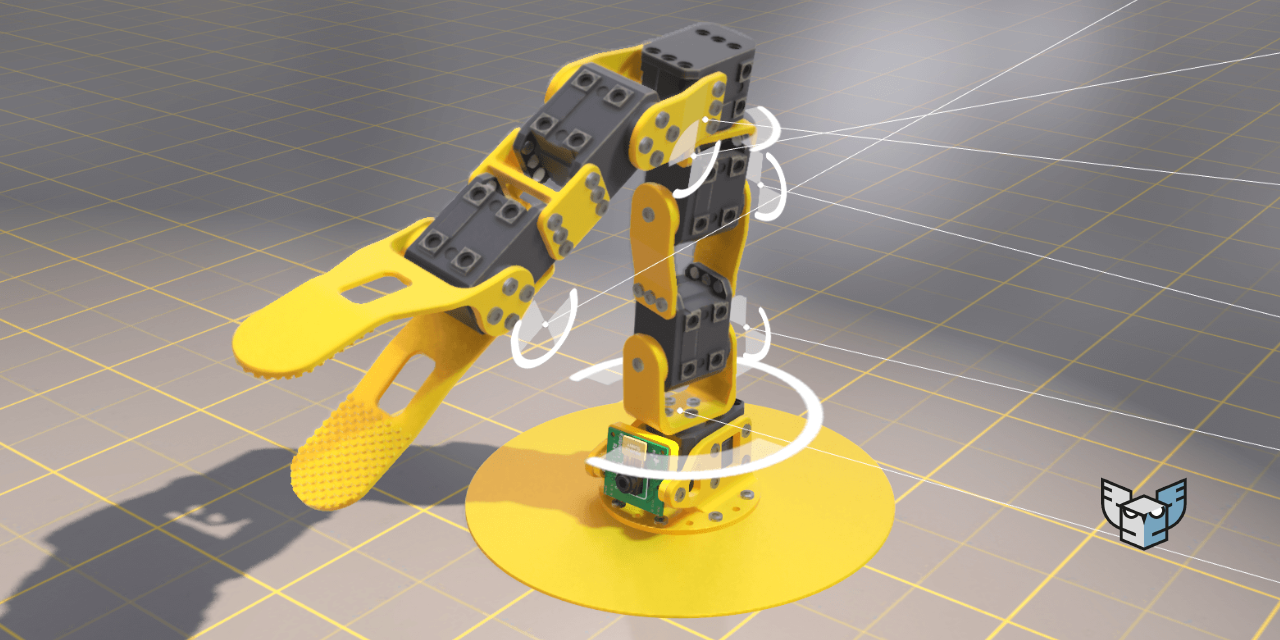
GitHub
3D Digital Twin of a Poppy Ergo Junior robot, in Python - GitHub - harfang3d/python-digital-twin: 3D Digital Twin of a Poppy Ergo Junior robot, in Python
(works on Windows & Linux)
 junior kelp
nice
 still hedge
so im interested in trying to make a tactical rpg, something sort of xcom-like. im kind of looking between pygame, kivy and arcade right now. it would be a top-down 2d sprite sort of thing, laid out on a grid. which one would you all say is best for that sort of thing?
junior kelp
how can i hide my object if a press a key
 safe spade
hi, i was programming a game when i hurt a problem. For info i'm using ursina. The problem is the perfomance, ursina is not able to make big cumputation(i think). So anybody as idea to solve that or a another librarie for 3D game developpement.
snow hill
safe spade
hi, i was programming a game when i hurt a problem. For info i'm using ursina. T...
how did you diagnosed this computation issue?
is the framerate below 30 frames per second, for example ?
snow hill
still hedge
so im interested in trying to make a tactical rpg, something sort of xcom-like. ...
probably pygame?
safe spade
no the frame rate is normal but i can't do big thing
 frank fieldBOT
Hey @safe spade!
Uh-oh! It looks like your message got zapped by our spam filter. We currently don't allow .txt attachments, so here are some tips to help you travel safely:
• If you attempted to send a message longer than 2000 characters, try shortening your message to fit within the character limit or use a pasting service (see below)
• If you tried to show someone your code, you can use codeblocks
(run !code-blocks in #bot-commands for more information) or use a pasting service like:
junior kelp
how to make 2 animations in one object if the are the same object but other file? or can i make it so if i press a button that the visible of that object is false
 cinder steppe
I use python scripts in my game using UPBGE, it can run them three different ways.
 plucky mural
😎 +
 clear jewel
Can anyone suggest a good tutorial on c++ with unreal engine
junior kelp
cinder steppe
I use python scripts in my game using UPBGE, it can run them three different way...
which game engine do you use
 hardy kite
is there any game jam for python rn
junior kelp
that now is running
snow hill
hardy kite
is there any game jam for python rn
yes, you should look at the PyWeek gamejam 🙂
snow hill
clear jewel
Can anyone suggest a good tutorial on c++ with unreal engine
I'm not sure a Python discord server is the best place to get this kind of information 🙂
Sorry, I can not help 🙂
cinder steppe
junior kelp
which game engine do you use
UPBGEv0.2.5b-b2.79Windows64 used 2.4 to make but updated, 2.5b is really good so far, there is UPBGE-0.31-Alpha-Windows-x86_64 if you are looking for new features. it's on Linux64 and MacOS as well.
hardy kite
snow hill
yes, you should look at the PyWeek gamejam 🙂
Thx
junior kelp
how can i make my bullet if a shoot that it not only go forward but where my gun aim on
frank fieldBOT
Hey @cinder steppe!
It looks like you tried to attach file type(s) that we do not allow (.blend). We currently allow the following file types: .gif, .jpg, .jpeg, .mov, .mp4, .mpg, .png, .mp3, .wav, .ogg, .webm, .webp, .flac, .m4a.
Feel free to ask in #community-meta if you think this is a mistake.
 shell scroll


 foggy python
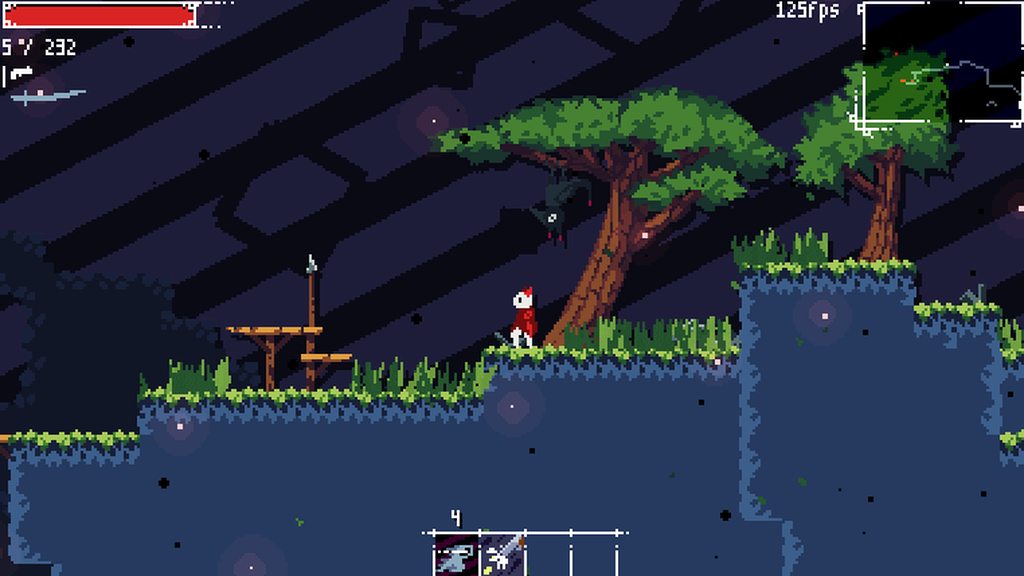 cinder steppe
foggy portal
cinder steppe
foggy portal
does anyone know how can i print words in between the pipes and will show the words at the top left corner after the orange ball collided with the words?
 dawn quiver
@waxen elbow hi
dawn quiver
foggy python
https://i.imgur.com/wHlPFjQ.mp4
sup fluff
nice program. any way to make a simple walking square in python?
 waxen elbow
dawn quiver
<@!682937669583372298> hi
waxen elbow
dawn quiver
<@!682937669583372298> hi
hi
waxen elbow
dawn quiver
nice program. any way to make a simple walking square in python?
walking square does it have legs
 mellow spindle
foggy portal
does anyone know how can i print words in between the pipes and will show the wo...
mellow spindle
foggy portal
does anyone know how can i print words in between the pipes and will show the wo...
OMG
So Cool
Bro
You So Pro
How You can make?
 sinful trout
does anyone know how to implement the board game Go (similiar to checkers) in Python and can help me out a bit? I have a question about the scoring
 surreal ibex
 dusk spruce
Hello everyone, I am planning to create a 3d game, but I don't want to spend time on learning blender and animations. Is there any place we can find free models with animations included?
 summer breach
is unreal engine python included? im trying to make a game similar to phasmophobia
 past geode
Hello! I am trying to make a 3d game using python, but stuck on which engine to use. I did some research and deemed Ursina and Panda3d to be the best one out there currently.
So, I was wondering which would be a better choice? It would help a lot if you gave some comparisons too! If you know something better, then that'd be great too!
foggy python
or raylib
 autumn pilot
dusk spruce
Hello everyone, I am planning to create a 3d game, but I don't want to spend tim...
autumn pilot
dusk spruce
Hello everyone, I am planning to create a 3d game, but I don't want to spend tim...
Eventually you'll need to hire someone to do it, even when buying models.
 long fox
i dont understand how a game like pubg was made using python!
proper peak
Why do you think that PUBG uses Python?
potent ice
I think they are confusing UPBGE and PUBG
 rocky path
@@inland schooner what function does the javascript serve in conjunction with the python code for your game? i'd love to make use of such techniques myself
 golden fox
Hi, I want to start making a game that uses midi as an input. so does anyone know of a good python library for midi inputs?
dawn quiver
Can someone help i have been using python for while now , and i was following a tutorial about making the pong game, and when i was coding the ball movement i used this code:
# Move the ball
ball.sety(ball.ycor() + ball.dy)
ball.setx(ball.ycor() + ball.dx)
And when i run the game it give me an error
btw the error is:
ball.sety(ball.ycor() + ball.dy)
AttributeError: 'Turtle' object has no attribute 'dy'
Press any key to continue . . .
Can someone help me?
rocky path
golden fox
Hi, I want to start making a game that uses midi as an input. so does anyone kno...
something like this? https://www.pygame.org/docs/ref/midi.html
rocky path
dawn quiver
Can someone help i have been using python for while now , and i was following a ...
where's the rest of the code? we need to see what objects Turtle has
dawn quiver
rocky path
where's the rest of the code? we need to see what objects Turtle has
I will send you the whole code
in a pm
golden fox
rocky path
something like this? https://www.pygame.org/docs/ref/midi.html
I tried to use pygame's midi but it doesn't seem to work for me
rocky path
darn i should've figured you already thought of that 😭
have you had any luck with anyone from pygame support? i don't know of any other besides pygame unfortunately
golden fox
rocky path
darn i should've figured you already thought of that 😭
have you had any luck w...
wdym pygame support?
rocky path
discord. not sure if there was another method i used to contact other users there before
golden fox
I only tried to get help in this server a while back with no success, but I think I'll just keep trying to find a different library. thanks for the help
junior kelp
how can i add a other model as my ground without that i glitch in
 vestal jewel
golden fox
Hi, I want to start making a game that uses midi as an input. so does anyone kno...
vestal jewel
golden fox
Hi, I want to start making a game that uses midi as an input. so does anyone kno...
Mido/python-midi
golden fox
vestal jewel
Mido/python-midi
I'll check it out, thank you
 barren torrent
so I've got some questions about good... I wouldn't call this "game design" exactly, but... I am approaching a system within the game's architecture and pondering the best options for how to pull it off with code logic...
AHEM.
So, I am currently converting an ancient MUD based on ye olde CircleMUD 3.5 to modern Python.
And, in studying it, I realized it has some interesting features and ways of handling them.
For instance, most game entities - such as NPCs/player characters, rooms, items, etc, have "flags" that alter their behavior. And in the case of items, items have an "item type" which is effectively an enum (is it a container? a weapon? clothing? a drink container? something edible?)...
Under the hood these are just tracked as things like a set() of numbers for the flags. the NAMES of those flags are stored elsewhere in the C code as simply an array of strings that it can refer to if it wants to display it...
I'm wondering how I might improve upon this design. What other approaches there are for breaking down the things that define game content's traits. The properties of items or NPCs and so on.
are there any good resources on this subject?
proper peak
barren torrent
So, I am currently converting an ancient MUD based on ye olde CircleMUD 3.5 to m...
You could use enum.Flag in Python as a way to have a bunch of named properties that can be combined and stored as an int.
not sure what would be the best way to move away from such an approach entirely
barren torrent
well
I can't actually change the ARCHITECTURE for this conversion at this point.
But I'm wondering about the best ways to handle the relational aspects - to create something which represents the flag, and then be able to serialize/deserialize etc
*examines enum.Flag
proper peak
If you're not worried about efficiency too much, you could outright have each property be a boolean attribute - then (de)serialization can be done with JSON.
barren torrent
eww IntEnum not so hot...
I'm probably gonna have to do something like....
@dataclass_json
@dataclass
class Flag:
    num: int
    name: str
And then create a container of these things. load them from a JSON file...
 echo quarry
Hey, I implemented a game state using a tutorial, I get the general gist of it but honestly I have no idea how to start implementing my working sorting visualizer in it..
https://github.com/ChristianD37/YoutubeTutorials/blob/master/Game States/game.py
this is what I was using
I got pretty much the same main code(game.py) and this:

But im not sure how to proceed here..
https://pastebin.com/jtrb9LsL
here is my visualizer, works by itself
Pastebin
Pastebin.com is the number one paste tool since 2002. Pastebin is a website where you can store text online for a set period of time.
not a game but using game.py
Im lost..
 valid marsh
window thingy made for a future project (map editor and sprite sheet maker)
:)
currently i can handle text elements, scrollable elements, drawing elements(this is just a surface) (all inherit from a base element) and a moveable window
 stable chasm
I've just found out about the ursina engine and it seems dope are there any downsides
 pearl panther
Hey so i put some text on the screen, and i'd like to delete it when a certain condition is met. I've looked online and they all say to wipe the whole screen/surface, but i have other stuff on the screen that i want to keep and just want to remove this particular text, how can i do it?
dawn quiver
does somebody have the code for pacman using pygame for AI
pls help me
i found the code for pacman in github
but i want the one that is used in ai projects
snow hill
pearl panther
Hey so i put some text on the screen, and i'd like to delete it when a certain c...
You have several ways:
- old method: save your background behind the text before you draw it so that you can clear the text and restore what’s behind
- immediate method: clear all then redraw what’s needed, all the time
snow hill
stable chasm
I've just found out about the ursina engine and it seems dope are there any down...
Are you looking for a 2D or a 3D engine ?
pearl panther
snow hill
You have several ways:
- old method: save your background behind the text before...
oki, thank you.
 worthy fiber
dm me if u can make a game
 granite kettle
Is there a way to tell the difference between a numpad key pressed and the arrow keys, if numlock is off? Like for differenciating inputs
 glossy tusk
Hello everyone I am thinking of developing a game using python.
Please suggest me some ideas,it will be my minor project.
lunar venture
Angry birds
glossy tusk
lunar venture
Angry birds

cold storm
@glossy tusk I suggest checking out upbge
we can create - rig - animate - and use python to do all of it in blender
we can use geometrynodes now to animate sprites too
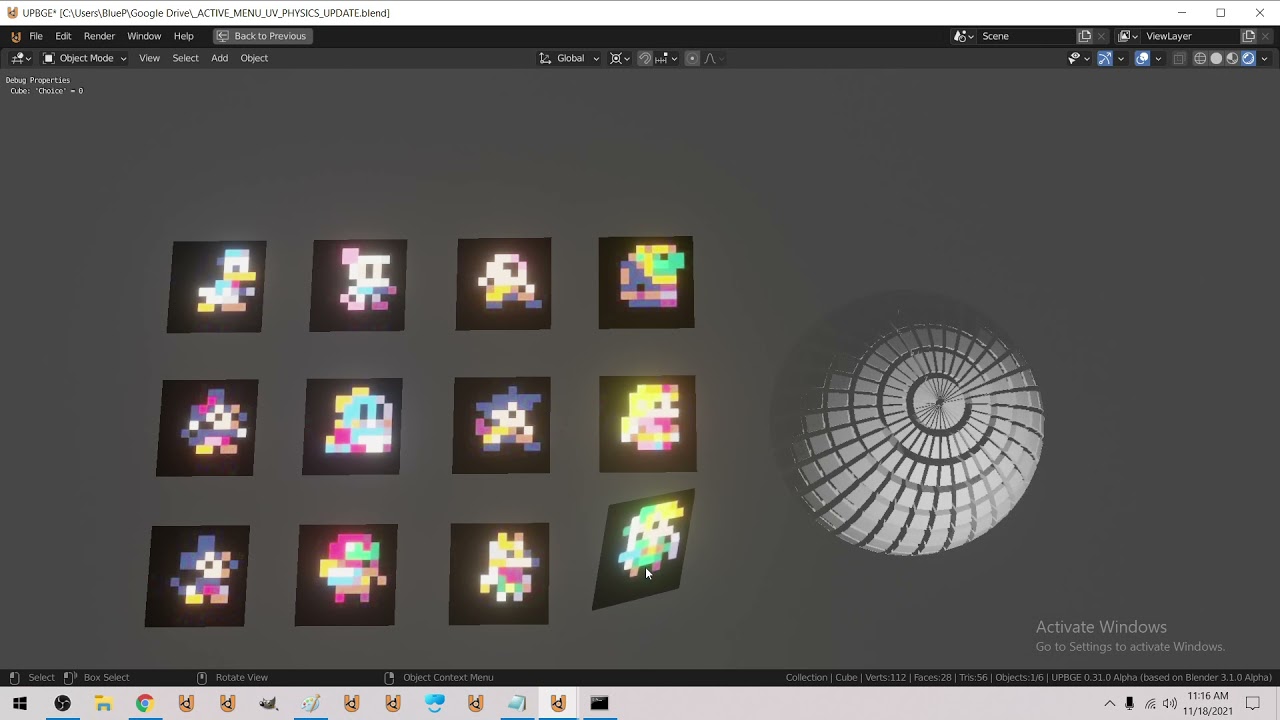
Menu system using Geometry Nodes !
we can call up the blender bpy / bmesh api in game / mathutils is like a treasure trove

Further application of bmesh bisect in game :D
 late spindle
hello
I have a glitch that when I change keypress my character goes both ways
dont know how to describe it
frank fieldBOT
Hey @late spindle!
Uh-oh! It looks like your message got zapped by our spam filter. We currently don't allow .txt attachments, so here are some tips to help you travel safely:
• If you attempted to send a message longer than 2000 characters, try shortening your message to fit within the character limit or use a pasting service (see below)
• If you tried to show someone your code, you can use codeblocks
(run !code-blocks in #bot-commands for more information) or use a pasting service like:
late spindle
late spindle
late spindle
I have a glitch that when I change keypress my character goes both ways
when I am for example pressing s and d and I let go of d it goes wobbily downwards
late spindle
tag me if you answer pls
tranquil girder


and some water foam so we can see the shoreline properly :D https://t.co/UhWQxKPn7r
 Twitter
·
Twitter
·
 trim meadow
so i am doing code combat game development 2 i do not know what is wrong with this code

Destroy at least 50 defeated ogres.
This spawns and configures an archer.
def spawnArcher(x, y):
archer = game.spawnXY("archer", x, y)
archer.behavior = "Defends"
archer.attackDamage = 20
This spawns and configures an ogre.
def spawnMunchkin(x, y):
ogre = game.spawnXY("munchkin", x, y)
ogre.behavior = "AttacksNearest"
Spawns some archers in a row.
def spawnArcherWall():
spawnArcher(30, 12)
spawnArcher(30, 23)
spawnArcher(30, 34)
spawnArcher(30, 45)
spawnArcher(30, 56)
Spawns an ogre wave with a random offset for variety.
def spawnOgreWave():
offset = game.randomInteger(-6, 6)
spawnMunchkin(80, 16 + offset)
spawnMunchkin(80, 22 + offset)
spawnMunchkin(80, 28 + offset)
spawnMunchkin(80, 34 + offset)
spawnMunchkin(80, 40 + offset)
spawnMunchkin(80, 46 + offset)
spawnMunchkin(80, 52 + offset)
def onDefeat(event):
unit = event.target
# Increase the game.defeated counter by 1.
game.defeted+=1
# Use unit.destroy() to destroy it.
unit.destroy()
Set "munchkin"s "defeat" event handlers to onDefeat.
game.setActionFor("munchkin", "spawn", onDefeat)
game.defeated = 0
game.spawnTime = 0
Add a manual goal.
goal = game.addManualGoal("Defeat 77 ogres.")
ui.track(game, "defeated")
def checkSpawnTimer():
if game.time > game.spawnTime:
spawnOgreWave()
game.spawnTime += 1
def checkGoal():
# If the game.defeated counter is greater than 77:
game.defeated > 77:
# Set the goal as successfully completed.
game.setGoalState(goal, True)
pass
spawnArcherWall()
while True:
checkSpawnTimer()
checkGoal()
tranquil girder
you forgot the if, @trim meadow
dawn quiver
hi , i am cherylyne but you can call me cherry. i just started learning python.
glossy tusk
@cold storm thanks blue it really is a great idea
 oak narwhal
Is there any stable gui automation library?
warped dove
what's a good 3d game engine for python?
cause someone said it to me Ursina engine is both 2d an 3d
 narrow radish
oak narwhal
Is there any stable gui automation library?
narrow radish
oak narwhal
Is there any stable gui automation library?
pyautogui?
oak narwhal
narrow radish
pyautogui?
It seems pyautogui can't find and target a specific window
narrow radish
you should look into platform specific stuff then, I know windows is really good for that stuff (good builtins)
linux not so sure, your wm might be able to help you out, otherwise there's always X
oak narwhal
narrow radish
linux not so sure, your wm might be able to help you out, otherwise there's alwa...
👍
narrow radish
Is there a specific use case you have in mind?
narrow radish
oak narwhal
Is there any stable gui automation library?
curious what you're trying to automate
oak narwhal
narrow radish
curious what you're trying to automate
I 'm working on a "cloud desktop" project. Some bugs will cause no video input in the client side after about 20mins operations.
So I don't want to operate for such long a time. Need some automations
narrow radish
oak narwhal
I 'm working on a "cloud desktop" project. Some bugs will cause no video input i...
Huh interesting
Strange that you get bugs after 20 minutes
Is it that the screen saver is kicking in or something haha
no idea what would cause that
oak narwhal
I haven't found the reasons 😦
I have worked on it for one week but without any progress. If I didn't solve it this week, my boss would get angry I guess.🤣
oak narwhal
narrow radish
Don't have much of a choice then
Yes. I will go back to work. Thanks for answering:)
 sinful slate
@late spindle do you mean the combined motion that makes it go once sideways once down or up ?
in a slope
sinful slate
late spindle
I have a glitch that when I change keypress my character goes both ways
not a glitch, you coded it lmaooo
 late spindle
thanks for laughing at me
but that actually made it better because it used to do the glitch in both dimensions
with that I could move diagonally without wiggling around
@sinful slate
tranquil girder
you should get the input direction as a vector2
normalize it, so it's inside a circle and not a square, so you don't move faster diagonally
and then you add that to the velocity
late spindle
will that also fix the wiggling issue
tranquil girder
yes
late spindle
i’ll try it when I get home
but how would I even do that
this is one of my first times using pygame
 late spindle
right now I did this py self.acc.x = pygame.math.Vector2(1, 0).normalize() I'm assuming this is wrong usage because it crashes when I try to use it must be a real, number not pygame.math.Vector2
proper peak
pygame.math.Vector2(1, 0).normalize() is a vector, so what do you expect to happen when assigning it to a component of a vector?
late spindle
proper peak
`pygame.math.Vector2(1, 0).normalize()` is a vector, so what do you expect to ha...
to change the values of the vector lol
proper peak
well, assign to acc then (the entire vector), not to acc.x (a single component)
late spindle
oh ok
proper peak
pygame is actually being really good here by throwing an error immediately, rather than allowing you to do this and throwing an error later when you try to do operations with that corrupted vector
late spindle
Ok thanks
Do you know how to help me fix this glitch tho
1 sec
and I cant move vertically lol
proper peak
What you want to do is to take a zero vector, and for every direction the player presses, add/subtract one to the correct axis of that vector.
then normalize the vector and assign to the player's acc.
(This is in fact a very common pattern in simple games like this)
late spindle
isn't that what I already have though
proper peak
No. Your acc always ends up a vector in one of the cardinal directions (the direction among the pressed ones that you check last).
while using that pattern, you can end up with a diagonal vector, too.
late spindle
Oh you think the character shouldnt be able to go sideways
yeah maybe thats a good idea
proper peak
huh?
late spindle
I don't get it
proper peak
What you are currently doing can never result in diagonal motion.
the way I'm proposing can
tranquil girder
you can use the variables left_axis, up_axis and so inside the vector2
for x it would be right_axis - left_axis
and do the same for the second value in the vector2, but with up and down
late spindle
these are those values though left_axis = pressed_keys[K_LEFT] or pressed_keys[K_a] or pressed_keys[K_q] or pressed_keys[CONTROLLER_BUTTON_DPAD_LEFT]
tranquil girder
convert it to a float or int then
late spindle
this is just when a key is pressed
tranquil girder
yes, exactly
here's an example from my 3d game

different engine, but you get the point hopefully
late spindle
oh ok
I'll try that
ok so I did this ```py
self.acc = vec(int(right_axis) - int(left_axis), int(down_axis) - int(up_axis)).normalize()
It works :)
tranquil girder
yay :)
 kind viper
dawn quiver
kind viper
dawn quiver
im new to pygame and im trying to make a button that when clicked it takes the user to a new screen. I have the screen ready but i cant make it so when the button is clicked it takes them there
self.state = 'theme'```theme is the screen
any suggestions?
dawn quiver
nvm
cold storm
@warped dove upbge
cold storm
yeah as a game engine
EEVEE is in full rewrite and it's going to be amazing for games
Vulkan port is also ongoing
 visual latch
warped dove
cold storm
EEVEE is in full rewrite and it's going to be amazing for games
visual latch
warped dove
cold storm
EEVEE is in full rewrite and it's going to be amazing for games
hmm., do you have any vids/toturials learning this though xdd, I cant seem to find a good vid on youtube
warped dove
cold storm
yeah as a game engine
do you have vid toturials about this upbge though xd, pls xdd
if you do pls do send it to me in dms
if you dont, just say xd
 alpine belfry
hello i need help in pygame, I'm working on a mobile game, how can I make my app landscape automatically?
cold storm
@warped dove search for bge, most old tutorials are still good except for mesh editing and materials, to edit mesh in game we use bpy / bmesh modules,
To learn about materials check eevee tutorials
warped dove
cold storm
<@466528033638055936> search for bge, most old tutorials are still good except f...
ok ok thx
cold storm
geonodes are brand new, but they work also
 golden basalt
learned classes, so decided to make a snake game in terminal with "pure" python (without external libs)
frozen knoll
If you are looking at making 2D games, don't forget to check out Arcade: https://api.arcade.academy/en/latest/
 feral atlas
@frozen knoll @frozen knoll @frozen knoll
potent ice
@feral atlas Please do not ping people randomly
 versed ibex
guys what the difference between pygame.sprite.Sprite and pygame.sprite.Group?
potent ice
versed ibex
guys what the difference between pygame.sprite.Sprite and pygame.sprite.Group?
https://www.pygame.org/docs/tut/SpriteIntro.html (explains it better than I can)
 serene marten
Criteria:
The animation should show a clearly visible square at the start and the movements have to be smooth and clear
Does this video achieve the criteria?
 ebon birch
 oblique aspen
for pygame do i really need to know a ton of advanced mathematics like the quadratic formula or stuff like that
 opal thorn
More math allows for games that require more math
If you're making a card game, you likely aren't calculating trajectories and dealing with AI pathing
oblique aspen
alright, thanks for the basic rundown, much appreciated.
cold storm
matrix math is handy for parenting type relationships
in 2d and 3d
modulo is handy all over the place
so is sine() and dot()
cross() is useful, but less useful then most of the other math
 loud sedge
Hey, so I've been working on a global latency measurement platform specifically designed for use in multiplayer games.
If you're interested, I threw together a Youtube channel and posted a video explaining the project: https://youtu.be/NHscuLa1IRI

If you've spent any time on online games then you know Lag is the most annoying issue, and could actually be killing your game. Let's do something about that!
Developing Games is hard enough, but it doesn't matter how good your netcode is if the hosting providers you work with are not the best choices for your players. To fix this we need real-...
Don't worry, I'm not going to spam this channel, I just thought it might be interesting to a handful of folks here. I tend to prototype in Python, and consider Python to be my primary language - which is why there's even a python library for it coming to pypi soon!
 tiny vault
Hi. Not sure if this is the right question to ask this in, but here it is. If this isn't the right channel, please direct me to the right one.
I'm trying to make a Christmas-related command for the Sir Lancebot project here on PyDis (sir-lancebot#937). I'm trying to read the docs for Pillow, and I understand a lot of it. What I'm trying to do right now, mainly, is mess around with Pillow and see how I can play around with it. Even though I understand most of the Pillow docs, I can't seem to fully understand how to actually make something cool out of this program. Here is my code: https://paste.pythondiscord.com/wofilokama.py
These are the docs I read: https://pillow.readthedocs.io/en/stable/reference/Image.html#examples
I would appreciate some help with this. Thanks so much!
 twin pelicanBOT

 charred citrus
anyone know why this is not printing?
        if events.type == pygame.KEYDOWN:
            if events.key == pygame.K_SPACE:
                for i, o in enumerate(self.t.Objects):
                    print('loop')
 errant gale
hey
I try to make pong game with turtle from freecodecamp.org
but I geeting some error
https://paste.pythondiscord.com/pukeqikewu.apache
Here the code
I didn't understand the last two lines of code and also error in there
 vivid echo
ATTENTION ALL STARTING PROGRAMMERS
I am starting pygame zero and want a group to study and make friends with soooo
yeah
foggy portal
        show_words = font.render(words, True, red)
        screen.blit(show_words, (text_box.x + 4, text_box.y + 6))
    else:
        show_words = font.render(showed_words, True, white)
        screen.blit(show_words, (text_box.x + 4, text_box.y + 6))
can anyone tell why isnt the words changing into red?
 wanton lodge
hello can someone recommend me a platform that contains non copyrighted art? i'm not really good at art and i need some resources in my game
cold storm
@foggy portal - if words in idioms
you don't need the is True bit
as long as idioms is a list
frank fieldBOT
Hey @normal berry!
It looks like you tried to attach a Python file - please use a code-pasting service such as https://paste.pythondiscord.com
 normal berry
print("Hello world")
Destroy at least 50 defeated ogres.
This spawns and configures an archer.
def spawnArcher(x, y):
archer = game.spawnXY("archer", x, y)
archer.behavior = "Defends"
archer.attackDamage = 20
This spawns and configures an ogre.
def spawnMunchkin(x, y):
ogre = game.spawnXY("munchkin", x, y)
ogre.behavior = "AttacksNearest"
Spawns some archers in a row.
def spawnArcherWall():
spawnArcher(30, 12)
spawnArcher(30, 23)
spawnArcher(30, 34)
spawnArcher(30, 45)
spawnArcher(30, 56)
Spawns an ogre wave with a random offset for variety.
def spawnOgreWave():
offset = game.randomInteger(-6, 6)
spawnMunchkin(80, 16 + offset)
spawnMunchkin(80, 22 + offset)
spawnMunchkin(80, 28 + offset)
spawnMunchkin(80, 34 + offset)
spawnMunchkin(80, 40 + offset)
spawnMunchkin(80, 46 + offset)
spawnMunchkin(80, 52 + offset)
def onDefeat(event):
unit = event.target
# Increase the game.defeated counter by 1.
game.defeted+=1
# Use unit.destroy() to destroy it.
unit.destroy()
Set "munchkin"s "defeat" event handlers to onDefeat.
game.setActionFor("munchkin", "spawn", onDefeat)
game.defeated = 0
game.spawnTime = 0
Add a manual goal.
goal = game.addManualGoal("Defeat 77 ogres.")
ui.track(game, "defeated")
def checkSpawnTimer():
if game.time > game.spawnTime:
spawnOgreWave()
game.spawnTime += 1
def checkGoal():
# If the game.defeated counter is greater than 77:
game.defeated > 77:
# Set the goal as successfully completed.
game.setGoalState(goal, True)
pass
oblique aspen
for bullet in bullets:
        if  bullet.y - bullet.radius < enemy.hitbox[1] + enemy.hitbox[3] and bullet.y + bullet.radius > enemy.hitbox[1]:
            if bullet.x + bullet.radius > enemy.hitbox[0] and bullet.x - bullet.radius < enemy.hitbox[0] + enemy.hitbox[2]:
                    if score >= 5:
                        EBlock.health = 20
                    else:
                        EBlock.health = 10
                    if EBlock.health > 0:
                        EBlock.health -= 10
                        if EBlock.health == 0:
                            enemy.x = random.randint(0, 300)
                            score += 1
bullets.pop(bullets.index(bullet))``` anyone know why the health wont go up and the bullet just goes through?Bump
tranquil girder
how can a square touch a color when colors don't have shape
 neon tinsel
how should i store class objects? like what file type?
If I’m storing my users as class objects, how would I go about storing them?
dusk spruce
autumn pilot
Eventually you'll need to hire someone to do it, even when buying models.
oh no no... It is just a hobby project. I don't want to hire or buy anything. But I expected there should be some open source/free models
tranquil girder
dusk spruce
oh no no... It is just a hobby project. I don't want to hire or buy anything. Bu...
frozen knoll
Space Invaders: https://github.com/pvcraven/space_invaders

80s look via a CRT OpenGL filter.
dawn quiver
my main player flickers and i dont like it
is their any fix
it flickers when it moves because it has to redraw the background
and it has to go thru a list with 7000 - 15000 rect objects in it
(not draw every single one ofc just the ones on screen)
but idk how to fix t
 solar coral
oof game dev is hard
 unreal carbon
 dusty crypt
hi everyone, are there any python libraries to design playing cards (like board games ones)? i imagine applying some schema and rules of cards design, sourcing images and automatically scaling it to fit the paper. thanks.
frozen knoll
@dusty crypt This might help: https://api.arcade.academy/en/latest/tutorials/card_game/index.html
Not specific to cards, but more a generic 2d library.
 steel hazel
Guys I'm trying to make a Pygame project, but when I run it, the image doesn't show up, and when I close it, it appears for a small amount of time, how do I fix this?
dusty crypt
frozen knoll
<@!272835973178458114> This might help: https://api.arcade.academy/en/latest/tut...
thank you!
dawn quiver
oblique aspen
```py
for bullet in bullets:
if bullet.y - bullet.radius < enemy.hitbox...
Brainstroke += 100000000
potent ice
steel hazel
Guys I'm trying to make a Pygame project, but when I run it, the image doesn't s...
Share your code: https://paste.pythondiscord.com/
 tawdry portal
Hi, i have to create game (Tic tac toe) with minmax alg. I am thinking what should be a structure of classes. Right now i think the minimum is State, Move, Player, Game. I am considering add a Board class too. Is it a good idea to choose pygame for it? Or maybe tkinter will be easier?
frozen knoll
Either should work. I just had someone share that same project with me written in Arcade just recently. You could even do it with a text interface.
 lunar venture
 fiery kraken
If anyone needs pixel game characters lmk I'm a pixel arter
fiery kraken
If anyone needs pixel game characters lmk I'm a pixel arter
!rule 6
dawn quiver
does anyone have a programming / code for Tic Tac Toe? i want the code for tic tac toe
tranquil girder
dawn quiver
does anyone have a programming / code for Tic Tac Toe? i want the code for tic t...
 fringe pebble
hi, im being dumb and i need help :)
im making a score counter when you click on a rectangle
but whenever i click it goes up by one but overlaps and doesnt update
so uh heres the code for the text:
Green=(0,255,0)
font=pygame.font.Font("C:\Windows\Fonts\Arial.ttf",25)
text=font.render(f"{SCORE}",True,Green)
win.blit(text, (22, 0))```Are you creating a new one every time?
tranquil girder
nvm, this is pygame
fringe pebble
y- yes..
tranquil girder
usually you clear the screen manually
 teal ember
fringe pebble
but whenever i click it goes up by one but overlaps and doesnt update
teal ember
fringe pebble
but whenever i click it goes up by one but overlaps and doesnt update
overlaps with the rect?
teal ember
fringe pebble
so uh heres the code for the text:
```py
Green=(0,255,0)
font=pygame.font.Font("...
you can move the font=pygame.font.Font("C:\Windows\Fonts\Arial.ttf",25) out of the game loop if you havent, this does not need to be called each frame
 normal anvil
fringe pebble
so uh heres the code for the text:
```py
Green=(0,255,0)
font=pygame.font.Font("...
normal anvil
fringe pebble
so uh heres the code for the text:
```py
Green=(0,255,0)
font=pygame.font.Font("...
whats the color of the button
 dreamy grove
honestly just use unity why use pygame? I mean performance and unity's more productive. you could even use unreal
tranquil girder
honestly, why use unity and not just use ursina
 potent ice
dreamy grove
honestly just use unity why use pygame? I mean performance and unity's more prod...
potent ice
dreamy grove
honestly just use unity why use pygame? I mean performance and unity's more prod...
You do realize this is a python programming server, right?

 idle yacht
 graceful lance
What are some good game engines for python besides pygame? (Or is that the only good one?)