#game-development
1 messages · Page 94 of 1
 cunning shadow
Question, I'm having some issues with pygame
I wish to create a dialgoue type box, but it won't blit the way I want
def load_dialogue(self, pygame, screen, eh):
        pygame.display.flip()
        if self.dialogue:
            surface = Surface((int(SCREEN_WIDTH * 0.8), int(SCREEN_HEIGHT * 0.3)))
            for item in self.dialogue:
                eh.check_for_events()
                # screen.blit(item[0], item[1])
                pygame.display.update(screen.blit(surface, surface.get_rect(center= (
                    int(SCREEN_WIDTH * 0.5),
                    int(SCREEN_HEIGHT * 0.8)
                ))))
                pygame.display.update(surface.blit(item[0], item[1]))
                pygame.time.delay(4000)

        self.dialogue.clear()```
All I get is a black box (Surface) on the screen, but the text doesn't go on it for some reasonI tried flipping around the order of the updates, I tried calling both flip and update with and without args
I don't know anymore
 prisma badger
cunning shadow
```py
def load_dialogue(self, pygame, screen, eh):
pygame.display.flip()...
prisma badger
cunning shadow
```py
def load_dialogue(self, pygame, screen, eh):
pygame.display.flip()...
i copied your code to find the problem on my editor and fix it but i got the same block surface or whatever problem there imma ty some other stuff if the proble wasnt solved already
surface is not defined
cunning shadow

Surface is defined on line 3
I imported it asfrom pygame.surface import Surface
prisma badger
so you solved it already ?
prisma badger
okay
cunning shadow
This is what it looks like if I just blit the Font Surface to the screen
 prisma badger
i fixed some problems with the screen width and length that apeared on my ide
cunning shadow
But I didn't know how I would overwrite it, so I thought I could just put it on another surface
But when I try to put it on the other surface
prisma badger
hmm
cunning shadow
cunning shadow
This is what it looks like if I just blit the Font Surface to the screen
screen.blit(item[0], item[1])
I can't send the ss for some reason 
Yea, I searched all around on stack overflow, but wasn't seeing this
prisma badger
oh hmm
cunning shadow
 prisma badger
it told me i might have missed a comma
cunning shadow
Right, when I try to blit the Font to the surface I create
    def load_dialogue(self, pygame, screen, eh):
        if self.dialogue:
            pygame.display.flip()
            surface = Surface((int(SCREEN_WIDTH * 0.8), int(SCREEN_HEIGHT * 0.3)))
            for item in self.dialogue:
                eh.check_for_events()
                surface.blit(item[0], item[1])
                screen.blit(surface, surface.get_rect(center= (
                    int(SCREEN_WIDTH * 0.5),
                    int(SCREEN_HEIGHT * 0.8)
                )))
                pygame.display.flip()
                delay(4000)
def write_dialogue(self, text):
        text = self.set_render_text(text, 30, 0.5, 0.8, (200, 200, 200))
        self.dialogue.append(text)
        return text

    def set_render_text(self, text, font_size=31, width_percent_offset=0.5, height_percent_offset=0.5, colors=(150, 150, 150), background=None):
        font = Font("freesansbold.ttf", font_size)
        words = font.render(text, True, colors, background)
        word_rect = words.get_rect(center= (
            int(SCREEN_WIDTH * width_percent_offset),
            int(SCREEN_HEIGHT * height_percent_offset)
        ))

        return (words, word_rect)
This is for getting the Font obj text ig
prisma badger
perhaps you could search for the indian guy on youtube
cunning shadow
Well... I just fixed one issue 😅
prisma badger
have you debugged the code ?
cunning shadow
I don't need the surface anymore, I just realized why it was overlapping
prisma badger
no problem i guess problem solved imma go delte my code tab
delete* sorry im always on rush writing stuff
cunning shadow
🙏
prisma badger
lol
what s the title of your game your developing
contact me if you want a game tester once the beta is done 😉
cunning shadow
prisma badger
contact me if you want a game tester once the beta is done 😉
Thank you 🙇♂️
cunning shadow
prisma badger
what s the title of your game your developing
Your Journey
prisma badger
why so much thanking are you trying the japan style of thanking ?
ohh cool
i actually started my own business
for app developing
cunning shadow
I made this harder than it needed to be... I could have just made a sprite... and I should have been fine 
prisma badger
not advertising though
prisma badger
i have 10 employees now and thank you
cunning shadow
Niceeeeee
prisma badger
if you need help with the gae just ask me
cunning shadow
Okie
cunning shadow
FINALLYYYYYYYYYYY
cunning shadow
prisma badger
if you need help with the gae just ask me
Got it done...
Realized that instead of trying to actually blit the text onto the surface, it made more sense to just blit it onto the screen on the Coords ontop of the surface 
def write_dialogue(self, text, display, screen):
        text = self.set_render_text(text, 30, 0.5, 0.8, (200, 200, 200))
        dbox = Surface((int(SCREEN_WIDTH * 0.8), int(SCREEN_HEIGHT * 0.4)))
        dbox_rect = dbox.get_rect(center=text[1].center)
        screen.blit(dbox, dbox_rect)
        screen.blit(text[0], text[1])
        display.flip()

        delay(4000)
Another 3 hours of my life wasted on such a minor issue 
 sick latch
can somebody give a link of a really good pygame tutorial?
 simple beacon
ook

In this tutorial you will learn to create a runner game in Python with Pygame. The game itself isn't the goal of the video. Instead, I will use the game to go through every crucial aspect of Pygame that you need to know to get started. By the end of the video, you should know all the basics to start basically any 2D game, starting from Pong and ...
tells you almost everything you need to know
 true cedar
yo guys for some reason pygame doesn't check for rectangle collisions event tho it happened and was suppose to check if it happened ```def bullet_h(YELLOW_BULLETS, RED_BULLETS, yellow, red):
for bullet in RED_BULLETS:
bullet.x + BUL_VEL
if yellow.colliderect(bullet):
pygame.event.post(pygame.event.Event(yellow_hit))
RED_BULLETS.remove(bullet)
elif bullet.x > WIDTH:
RED_BULLETS.remove(bullet)
for bullet in YELLOW_BULLETS:
    bullet.x -= VELO
    if bullet.colliderect(red):
        YELLOW_BULLETS.remove(bullet)
        pygame.event.post(pygame.event.Event(red_hit))
    elif bullet.x <0:
        YELLOW_BULLETS.remove(bullet)```
 patent urchin
that collision is what you have to program on your own
true cedar
patent urchin
that collision is what you have to program on your own
wait wdym
patent urchin
yes
like how i told that we need to create hovering on our own
this collision also is to be done by us, at least that is what i do
true cedar
but then the bullet is moving at the speed of about 9 pixels per while loop
so shouldn't it travel and hit the yellow/red rectangle
so you wouldn't be confused red and yellow is a rectangle
patent urchin
um
see
when it is hitting it, you must add a logic to stop it
i am telling to create your own function which searches for a hit on the rectangle
dont use pygame one
true cedar
hmm ok so i make a new function just to search for the bullet?
true cedar
so something like
def collide(YELLOW_BULLETS, RED_BULLETS, red, yellow):
something like that first then the logic?
patent urchin
ya you can do that
true cedar
wait i realized that if i change the yellow.colliderect(bullet) to red.colliderect(bullet)
it will work
why tho
patent urchin
ok but later
true cedar
aight
 silk hinge
On PyGame Docs, it tells me that pygame.display.set_mode parameters are just requests/hints to the OS. Does that mean that when writing my PyGame logic, I shouldn't program as if the screen size was the thing I actually passed into set_mode and instead call pygame.display.get_window_size to get the size? I'm asking because I haven't seen other people do it this way so I'm not sure

 round obsidian
@silk hinge generally, that means if the request fails, there will be an error delivered
like, if you ask for a 10000x10000 display and you don't have one, it'll error out
silk hinge
round obsidian
<@!614056212803092480> generally, that means if the request fails, there will be...
but is it possible that the OS goes "I'll give it a 9000x9000 display because ..."
@round obsidian
 cold storm
Hey all
update !

Wrectified Planet Streaming System 🧐
round obsidian
silk hinge
but is it possible that the OS goes "I'll give it a 9000x9000 display because .....
possible? yes. Likely? no.
 dawn quiver
Hey can smoene help me to shrink a sprite?
Im really lost right now trying to develop a platformer because my tile sprite is bigger then I want by like 100x
and got no clue ho to shrink it
sick latch
dawn quiver
Hey can smoene help me to shrink a sprite?
pygame.transform.smoothscale for smooth scaling and pygame.transform.scale for regualar scaling
 normal silo
silk hinge
but is it possible that the OS goes "I'll give it a 9000x9000 display because .....
normal silo
silk hinge
but is it possible that the OS goes "I'll give it a 9000x9000 display because .....
You need to take into account that the user may resize the window in any way they like. To facilitate this, you need to make your game logic operate on its own unit system which is then scaled to the current screen size.
Which may also require letterboxing and pillarboxing. https://en.wikipedia.org/wiki/Letterboxing_(filming)

Letterboxing is the practice of transferring film shot in a widescreen aspect ratio to standard-width video formats while preserving the film's original aspect ratio. The resulting videographic image has mattes (black bars) above and below it; these mattes are part of each frame of the video signal. LBX or LTBX are identifying abbreviations fo...
(Pillarboxing is what you see in all the modern videos shot vertically on phones (bars on the sides))
This covers it all nicely for games: https://felgo.com/doc/felgo-different-screen-sizes/
Android resolution and iOS resolution are completely different. So how should you create an app or a game that fits all? Learn more with the Ultimate Guide.
 woven sierra
hi i have doubt before i work on my new project :-
i used to do python script editing on a game which is for android that game have geather mode (online mode)
to make server i have to edit its script and add mods
and it runs on ec2 ubuntu aws server
- my doubt is can i run google admob ads or any commercial ads into that? before joining players they have to see ads
 gaunt badger
Hi, have an issue with pygame "reseting" my on screen selector if I move my mouse.
any guides to avoid this?
 rustic beacon
hello everyone
i have trooble
I'm trying to make a game and it's gives me error saying:
    self.image = self.animation_list[self.action][self.frame_index]
IndexError: list index out of range```but i have a function to stop this
so i don't understand
here is my code:
the error takes place in the Soldier class and the if in_air: in the game loop
patent urchin
hey i am trying to solve your problem
but for that can you provide me with the pictures?
of the sprites?
@rustic beacon
silk hinge
normal silo
You need to take into account that the user may resize the window in any way the...
they arent supposed to be able to resize it anyway
rustic beacon
patent urchin
<@!548591112143634439>
I'm very sorry, right now I cannot get to my main computer with the sprites, but if there's anything I can tell you that doesn't need it I can
rustic beacon
I should be able to in about 2 hours, is that good?
 rich folio
how do I draw and ellipse on a surface?
 rich sand
rich folio
how do I draw and ellipse on a surface?
rich sand
rich folio
how do I draw and ellipse on a surface?
use pygame.draw.ellipse(surface, color, rect)
check out the docs
patent urchin
rustic beacon
would you like screenshots to see the locations?
ok


 spark plover
dawn quiver
spark plover
dawn quiver
which gamedev software is best for python language
 charred bobcat
 patent urchin
rustic beacon
patent urchin
rustic beacon
but i would need the photos themselves
 dense creek
Start with Arcade or Pygame
Personally recommend Arcade (https://arcade.academy). although I never used it, its quite beginner-friendly from what I've heard.
 cloud shell
What is the best game development framework for developing 3D games?
Should I even use a framework? Or should I use an engine like Unity
If so, what engine should I use?
Also don't games uses a different language?
dense creek
cloud shell
What is the best game development framework for developing 3D games?
Personally recommend Panda3D.
Uses Python as the main scripting language. You can also use C++ for programming in place of Python.
dense creek
cloud shell
What about using an engine? <@703971195103608832>
That's completely up to you. Panda3D is what i recommend.
dense creek
cloud shell
Also why ur name a useless infinite loop?
I honestly don't know at this point.
cloud shell
dense creek
That's completely up to you. Panda3D is what i recommend.
When should I use one over the other?
Or rather why?
 glossy umbra
Hi friends, who can help me ?
how can i implement two fishes and bubbles on my aquarium
import pygame
from pygame.locals import *
from sys import exit
from pygame import Vector2
background_image_filename = 'aquarium.png'
sprite_image_filename = 'fugu.png'
pygame.init()
screen = pygame.display.set_mode((640, 480), 0, 32)
background = pygame.image.load(background_image_filename).convert()
sprite = pygame.image.load(sprite_image_filename).convert_alpha()
clock = pygame.time.Clock()
position = Vector2(100.0, 100.0)
speed = 250
heading = Vector2()
while True:
for event in pygame.event.get():
    if event.type == QUIT:
        pygame.quit()
        exit()
    if event.type == MOUSEBUTTONDOWN:
        destination_x = event.pos[0] - sprite.get_width()/2.0
        destination_y = event.pos[1] - sprite.get_height()/2.0
        destination = (destination_x, destination_y)


        heading.from_polar(destination)
        heading = heading.normalize()

screen.blit(background, (0,0))
screen.blit(sprite, (position.x, position.y))

time_passed = clock.tick()
time_passed_seconds = time_passed / 1000.0

distance_moved = time_passed_seconds * speed
position += heading * distance_moved
pygame.display.update()
>>> from pyganim import getImagesFromSpriteSheet as gifss
>>> images = gifss("./Assets/sprites/player.png", width=32, height=32)
Traceback (most recent call last):
  File "<stdin>", line 1, in <module>
  File "C:\Users\zelda\projects\game\.venv\lib\site-packages\pyganim\__init__.py", line 83, in getImagesFromSpriteSheet
    rects.append((x, y, width, height))
AttributeError: 'NoneType' object has no attribute 'append'
For some reason, this isn't working. Using pyganim to load my images from my sprite sheet. Any idea why this error is ocurring?
glossy umbra
@cunning shadow , thank u , i will try
cunning shadow
?
glossy umbra
Ooops, sorry
cunning shadow
I'm not sure about vectors... but for sprites, I recommend making a class, and inheriting from pygame.spirte.Sprite
Then in your main while loop... you can handle creating sprites and stuff
Example:
import pygame
from random import randint
class Fish(pygame.sprite.Sprite):
  def __init__(self):
    # The position arg is if you
    super(Fish, self).__init__()
    self.surf = pygame.image.load("path").convert()
    # Gets rid of the white background
    self.surf.set_colorkey((255, 255, 255))
    # Say you want the fish to spawn in a random 100 x 100 area
    position = (randint(range(0, 100), range(0, 100)))
    self.rect = self.surf.get_rect(center=position)
Then in while loop
fishies = []
while True:
  if len(fishies) < 2:
    new_fish = Fish()
    fishies.append(new_fish)
    # or fishies.append(Fish())

  # Then whenever you blitting your sprites
  [screen.blit(fish.surf, fish.rect) for fish in fishies]
  """ Or for readability purposes
  for fish in fishies:
    screen.blit(fish.surf, fish.rect)
"""
@glossy umbra
glossy umbra
Thank u i will try
before your help, i try using my code, but two fishes desappears on the aquarium

Now i will try your code
cunning shadow
glossy umbra
before your help, i try using my code, but two fishes desappears on the aquarium
oh?
You have to draw them every frame
in the while loop
glossy umbra
@cunning shadow , i dont know where i need to change the code
iam more confused
cause i need to change the background too like a aquarium
 reef stone
hey! maybe this would be a good channel to ask an optimization question.
I'm trying to optimize this numpy-based code:
_NUM_ELEMENTS = 1000000
_N_PLANES = 6

all_planes = np.random.normal(size=(_N_PLANES, 4))
elem_bbox_min = np.random.normal(size=(_NUM_ELEMENTS, 3))
elem_bbox_max = np.random.normal(size=(_NUM_ELEMENTS, 3))

planes_normal = all_planes[:, :3]
planes_greater_than_zero = planes_normal > 0


def is_bbox_contained_or_intersects_for_all_elements(planes, bbox_min, bbox_max):
    bbox = np.where(planes_greater_than_zero[:, None, :3], bbox_max, bbox_min)
    multiplied = planes_normal[:, None] * bbox
    dot = multiplied.sum().transpose()
    return ~np.any(dot < -planes[..., 3], axis=-1)

contained = is_bbox_contained_or_intersects_for_all_elements(all_planes, elem_bbox_min, elem_bbox_max)
runs in ~300ms on my laptop.
vmprof relevant call graph:

Anyone has any pointers that can help or is this as good as it gets?
cunning shadow
glossy umbra
<@!493839592835907594> , i dont know where i need to change the code
Uh... Sorry for the late response
If you are already able to get the fish to load...
and if you're storing them in a list like you should be
somewhere in your while loop... just have
for fish in list_that_contains_fish:
  screen.blit(fish.surf, fish.rect)
Wait... looking at your code... what do you mean that it's disappearing
cunning shadow
cunning shadow
```py
>>> from pyganim import getImagesFromSpriteSheet as gifss
>>> images = gif...
Fixed it... apparently you had to pass at least an empty list to the rects keyword of the func 🤢
glossy umbra
Hi, iam here again, i had a problem with my PC
On my aquarium the fishes after swiming disappearing on the aquarium
 exotic laurel
glossy umbra
On my aquarium the fishes after swiming disappearing on the aquarium
exotic laurel
glossy umbra
On my aquarium the fishes after swiming disappearing on the aquarium
What game engine are you using? or.. is it your irl aquarium (also is there an error)
glossy umbra
aquarium is my background
Now its works, but i need put two fishes on my aquarium
background_image_filename = 'aquarium.png'
sprite_image_filename = 'fish1.png'
import pygame
from pygame.locals import *
from sys import exit
pygame.init()
screen = pygame.display.set_mode((640, 480), 0, 32)
background = pygame.image.load(background_image_filename).convert()
sprite = pygame.image.load(sprite_image_filename).convert_alpha()
clock = pygame.time.Clock()
x, y = 100., 100.
speed_x, speed_y = 133., 170.
while True:
for event in pygame.event.get():
    if event.type == QUIT:
        exit()

screen.blit(background, (0, 0))
screen.blit(sprite, (x, y))

time_passed = clock.tick(30)
time_passed_seconds = time_passed / 1000.0

x += speed_x * time_passed_seconds
y += speed_y * time_passed_seconds

#到达边界则把速度反向
if x > 640 - sprite.get_width():
    speed_x = -speed_x
    x = 640 - sprite.get_width()
elif x < 0:
    speed_x = -speed_x
    x = 0.

if y > 480 - sprite.get_height():
    speed_y = -speed_y
    y = 480 - sprite.get_height()
elif y < 0:
    speed_y = -speed_y
    y = 0.

pygame.display.update()
i dont know how i configure to two fishies, only one


 glossy umbra
my while not works for two fishies
while True:
for event in pygame.event.get():
    if event.type == QUIT:
        exit()

screen.blit(background, (0, 0))
screen.blit(sprite1, (x, y))
screen.blit(sprite2, (x, y))
time_passed = clock.tick(30)
time_passed_seconds = time_passed / 1000.0

x += speed_x * time_passed_seconds
y += speed_y * time_passed_seconds

#
if x > 640 - sprite1.get_width():
    speed_x = -speed_x
    x = 640 - sprite1.get_width()
#
    if x > 640 - sprite2.get_width():
        speed_x = -speed_x
        x = 640 - sprite2.get_width()
elif x < 0:
    speed_x = -speed_x
    x = 0.

if y > 480 - sprite1.get_height():
    speed_y = -speed_y
    y = 480 - sprite1.get_height()
#
    if y > 480 - sprite2.get_height():
        speed_y = -speed_y
        y = 480 - sprite2.get_height()

elif y < 0:
    speed_y = -speed_y
    y = 0.

pygame.display.update()
 finite solar

 solid meteor
Yes. Pygame uses Surface objects to draw things to the screen.
 proper basalt
hello. Recommend a good book or video course about pygame
true cedar
solid meteor
Yes. Pygame uses Surface objects to draw things to the screen.
so i should learn it right?
solid meteor
true cedar
so i should learn it right?
Yeah, object orientation is important for a lot of coding with Python (and it's important for Pygame)
true cedar
solid meteor
Yeah, object orientation is important for a lot of coding with Python (and it's ...
can u send me a tutorial for like OOP in pygame? and how it works
 real trench
Not sure if this goes here. But what would be the best ai to use if the player and computer got diffrent movements?
 stray canyon
This is my first time doing 3d rendering and I have no clue what the "right" thing to do is. Im using panda3d to make a load of cubes (nothing else atm, maybe a ui and some transparent cubes in future). All they need to do at the minute is show and hide (though colour changing might be something to do later). Is it better to make one geom and work out where the corners are and modify the geom on the fly or make a load of cubes and .show() and .hide() when needed?
Also Idk if its better to put this in a help channel, if its just lmk and ill delete and move it
 tranquil girder
one geom is much faster to render
stray canyon
Including the performance impact of modifying it often?
cold storm
each geometry is a drawcall in bge
I don't know about if panda3d has static drawcall batching automated or not
 frozen knoll
@true cedar You might want to look at https://programarcadegames.com
 gritty moat
frozen knoll
gritty moat
frozen knoll
Try Arcade: https://arcade.academy
cold storm
I think UPBGE
it ties everything together in 1 package
you can make sprites too using the new sprite node
drive the frame with object color, and you can keyframe sprite animations that can play per actor
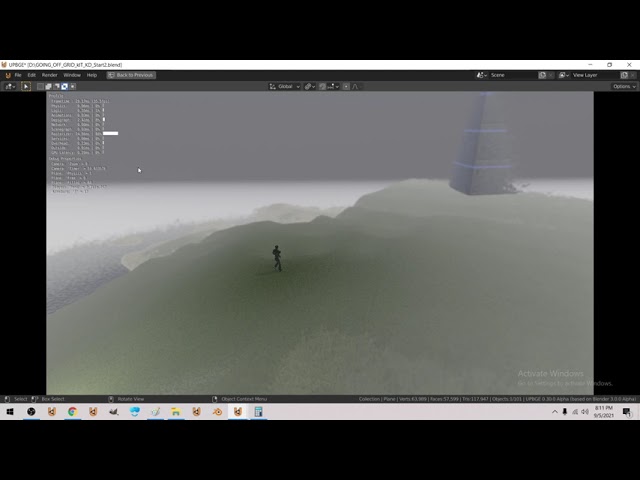
optimized physics / depsgraph / rasterizer a bit more - suspending Free tiles physics / enabling just before reinstance physics of the tiles
This is my own project
 hot torrent
frozen knoll
hot torrent
frozen knoll
Arcade or Pygame are some of the most popular choices. If you haven't done anything yet, I'd recommend Arcade. See https://arcade.academy and the examples to see if it is what you are looking for.
Documentation for Pygame is at https://pygame.org
Both are good.
 finite parcel
Can someone help me in #help-cupcake it is about pycharm.
 modern scarab
finite parcel
Can someone help me in <#775507084288065557> it is about pycharm.
modern scarab
finite parcel
Can someone help me in <#775507084288065557> it is about pycharm.
answer there: #help-cupcake message
true cedar
just wondering anyone know how to make a rectangle jump in pygame?
dawn quiver
anyone want to make a game with me?
proper basalt
@dawn quiver What the game you want to make?
dawn quiver
proper basalt
<@456226577798135808> What the game you want to make?
its a puzzle game i made up
How complicated is the code, because I really need something to do, so if it isn’t too hard, then I would be happy to help/take part
 viral latch
Guys I am having a problem with pygame
 gray vapor
viral latch
Guys I am having a problem with pygame
gray vapor
viral latch
Guys I am having a problem with pygame
Explain
gray vapor
Ok
viral latch
I accidentally wrote display as diplay
gray vapor
Intrestin
 weary haven
 dawn quiver
what should i choose if i am making a free space educational game
rich folio
dawn quiver
what should i choose if i am making a free space educational game
do you want to use a game engine or a library?
Hey guys, is it possible to achieve I scribble style kind of line in pygame?

like the scribble on the eyebrows
like are there different drawing "font"?
dawn quiver
rich folio
do you want to use a game engine or a library?
idk
because i have no experience
rich folio
well if you already know how programming works, and don't want to create a game in pure code, you can use the Godot game engine
it uses a Python inspired language
rich folio
if you want to learn some programming and like writing in pure code, you can use pygame
rich folio
dawn quiver
is it oss(open source software?)
yeah
cold storm

Testing Roads, Fences, and building kits together
100% python
BGE + BPY in harmony
 tepid hamlet
Does pygame.Rect have a method similar to get_rect
 versed turret
Prob
 last moon
rich folio
last moon
rich folio
you could probably try to use fourier transforms to draw it, but you'd have better luck just using a texture
last moon
depends which library but you need to provide the path to your texture and load it onto/associate a sprite with it
rich folio
last moon
depends which library but you need to provide the path to your texture and load ...
pygaem
pygame
ohh you mean load an image?
no I can't do that
because I'm using face landmarks
that's why I'm using pygame.draw
last moon
landmarks?
last moon
rich folio
no I can't do that
if you want to generate similar images, pygame isn't the library
 last moon
what's your endgoal? animation?
last moon
im not at home rn but is it animated?
rich folio
not really
I mean you gotta see the video to understand
it's not a sprite
dunno how to explain
rich folio
will that be soon? I don't want to mislead you with my explanations:D
It's kind of like creating a snapchat filter but with pygame
pygame.draw
last moon
oh ok so like a mask?
last moon
rich folio
because that's what that looks like to me
rich folio
yeah kinda
rich folio
last moon
because that's what that looks like to me
oh that was just showing what landmarks are
last moon
similar to a vtuber?
rich folio
yeah :DDDDDDDDD
last moon
ok then ya pygame is 100% not the library
rich folio
The guy in the video did it with pygame
last moon
you probably could but it wouldn't be accurate
it'd also lock you to running python whenever you need it
unless pygame can render videos ig
last moon
rich folio
watch the video when you can
my point still stands https://youtu.be/2mwK5H4xsuI?t=488 that's super inaccurate and im pretty sure he's still locked to a pygame window
the tensorflow aspect would've been nice to know
but i'd use it in conjunction with scikit (https://scikit-image.org/)
last moon
opencv != scikit in the slightest
also a filter after it goes through the model would be helpful to smooth out the transitions between emotions
not too sure how you'd accomplish that but im sure it's out there
rich folio
last moon
opencv != scikit in the slightest
how come?
last moon
opencv is image detection, scikit-image is image processing
actually I think I worded my argument wrong
you can 100% do it this way and achieve minimal results but you're essentially animating a video based on a select number of datapoints (face position in 3d + tf output) which means you'll be limited to what emotions you train tf and draw
rich folio
I'm not using tensorflow personally, I'm using a library "mediapipe"
last moon
but if you want 100% (+/- a bit) of it drawn, without those limitations you should focus more of mapping your face on to a image that you're manipulating in real time
still the same concept regardless
rich folio
whoa this is a little complicated
rich folio
last moon
but if you want 100% (+/- a bit) of it drawn, without those limitations you shou...
how do I map my face to and image
wait so you're suggesting that instead of drawing, I should litterally attach the image (my pfp) to my face and stretch it accordingly?
last moon
image manipulation not just stretching
so formatting shapes + features according to the data recieved
it's probably somewhat doable algorithmically with scikit
if you dont want to train your own neural net
rich folio
duuude this sounds so interesting but sooo complicated
do you know any tutorials similar to what I'm trying to do with scikit
?
last moon
I don't but there's gotta be, I've only used scikit-learn and only a little bit but im sure you'd be able to find help in #data-science-and-ml
or do some research into facial tracking
(concepts not just python)
rich folio
okay thanks for the help!
last moon
keep me updated, sounds like a cool project regardless of which method you use
rich folio
okay I asked in #data-science-and-ml but I just realised I don't really understand how this would work at all. I mean, you can stretch images in pygame, so what would I be using scikit for
@last moon
 drifting ruin
drifting ruin
drifting ruin
drifting ruin
drifting ruin
Making a game where you can control it using your hands.
drifting ruin
I will upload full game after completing it
drifting ruin
 lunar venture
That's so cool!
lunar venture
That's so cool!
Thanks
lunar venture
How did you do this?
drifting ruin
lunar venture
How did you do this?
Python Image processing + JavaScript game
lunar venture
With what library did you do the image processing
lunar venture
Okay cool
drifting ruin
Also used Matter physics engine for game
rich folio
drifting ruin
Making a game where you can control it using your hands.
that's very similar to what I'm trying to do, I'm also using mediapipe. Very cool!
drifting ruin
rich folio
that's very similar to what I'm trying to do, I'm also using mediapipe. Very coo...
Share it when you're done. Would love to see it.
rich folio
drifting ruin
Share it when you're done. Would love to see it.
yeah but I've kind of hit an obstacle. Don't know how to do it exactly. You can see if you scroll up a little
drifting ruin
rich folio
yeah but I've kind of hit an obstacle. Don't know how to do it exactly. You can ...
I see. The idea seems to be really cool.
I got stuck at many parts too. Don't worry, everything has a solution.
rich folio
Yeah
cold storm

Added swimming animations (float/idle and swim)
Added the ability to swim 😄
still need to polish it up a bit
 surreal talon
I was recently looking through the pygame release 2.0.0 and couldn't help but notice it saying Android support through python for android (fork of pygame subset for android). Better documentation, and better support will come in future releases. Does this mean we can deploy pygame apps to Android?
https://github.com/pygame/pygame/releases/tag/2.0.0

GitHub
The 28th of October 2020 is the pygame 2.0 release date, because pygame turns 20 years of age.
,--.
| oo|
| ~~| o o o o o o o o o o o o o
|//|
python3 -m pip install pygame...
solid meteor
It's a browser message, so no. You could zip the exe, though
 grim abyss
cold storm
https://www.youtube.com/watch?v=6IHazfYcf6c
grim abyss
cold storm
https://www.youtube.com/watch?v=6IHazfYcf6c
wow, dude. what engine is that? unity?
grim abyss
cold storm
UPBGE
it uses python? link? i found it....
I take it your math is up to par eh? lol mine's not
cold storm

GitHub
UPBGE, the best integrated game engine in Blender. Contribute to UPBGE/upbge development by creating an account on GitHub.

Added Jump State, Add sprint State in video (needs transition to 2nd anim)
Just added a jump animation and jump state etc
and the world litterally runs on py here
grim abyss
cold storm
https://www.youtube.com/watch?v=3CLjXFFwz3M
what's up with the haze over the entire scene ?
cold storm
it's fog
grim abyss
cold storm
it's fog
intended?
grim abyss
cold storm
yeah
ahh
cold storm
things emerge out of the fog at the ege of the screen
it's volumetric scattering

there is a world shader, a water shader, and a terrain shader at work
Terrain

I made a 'triplanar splat atlas'
uses a single texture sheet for all the terrain splatting

 frank fieldBOT
Hey @cold storm!
Uh-oh! It looks like your message got zapped by our spam filter. We currently don't allow .txt attachments, so here are some tips to help you travel safely:
• If you attempted to send a message longer than 2000 characters, try shortening your message to fit within the character limit or use a pasting service (see below)
• If you tried to show someone your code, you can use codeblocks
(run !code-blocks in #bot-commands for more information) or use a pasting service like:
grim abyss
@cold storm interesting. do you lurk in here often?
 vapid drum
.
dawn quiver
looks like a gun
 white vector
which one the pistol operator or the rifle operator?
Respectively, they grab the only element and grab the first element
Oh
The actual code itself
Yeah kinda i guess
That function no longer looks like that its far more optimized now aha
Now if you don't mind im trying to watch tiktok and sleep at the same time so bye
 woeful crest
Hey! I recently started learning pygame but I've had an error which shows pygame not responding after some time. It would really help if someone could find my bug! Here's my code:
(Ignore my indentation, I had problems with pasting the code)
import pygame
pygame.init()
screen = pygame.display.set_mode((800,600))
pygame.display.set_caption("Space Invaders")
BLUE = (0, 0, 255)
def player():
pygame.draw.rect(screen,BLUE,(200,150,100,50))
running = True
while running:
for event in pygame.event.get():
if event.type == pygame.QUIT:
running = False
screen.fill((0,0,0))
pygame.display.update() ``` midnight locust
pygame BLEND_RGBA_ADD does not seem to do well with alpha values

anyone know if there is a way to fix this?
def do_bloom(self, image):
image2 = pygame.transform.smoothscale(image, (image.get_width() // 10, image.get_height() // 10))
image.blit(pygame.transform.smoothscale(image2, (image.get_width(), image.get_height())), (0, 0), special_flags=pygame.BLEND_RGBA_ADD)
image3 = pygame.transform.smoothscale(image, (image.get_width() // 5, image.get_height() // 5))
image.blit(pygame.transform.smoothscale(image3, (image.get_width(), image.get_height())), (0, 0), special_flags=pygame.BLEND_RGBA_ADD)
return image
``` I am using this for now. rustic ferry
hello
heello, i want to work together with a team who knows about 2d graphics game (pixel art ...), with pygame library , pls if you want dm me
cold storm

Game Dev Thesis 3 - 'dynamic object component entity' 'Doc'
 molten canyon
hi guys. im using pygame for first time and just made my first animation. Should I format it as a sprite sheet for use in pygame?
woven sierra
client id - whenever they rejoin server its renew
unique id - 1 email = 1 unique id
i used to edit in game server . i want help
their is chat box and i have power to ban somone by typing /ban (id/name/clientid) (time) (reason)
which stores their unique id in my data base
but i want more secure . even if they change their gmail or make new id .their id should same . how do i tie a id with their android device if thats possible . in client servers
 wintry cove
 lusty granite
How is game development done using python??
 teal ember
lusty granite
How is game development done using python??
teal ember
lusty granite
How is game development done using python??
popular libraries are there which interact with C/C++ wrappers for rendering, and adding more features for it on top of them, some are there which wrap over these already existing python ones, which can be used to make games, you can check out some popular ones, arcade, pygame, pyglet, panda3d, ursina
teal ember
there are bindings to existing game engines like godot
some of the libraries already are high level and can be considered close to a game engine
teal ember
lusty granite
or we have to do all the code?
you need to do more things yourself as opposed to using a game engine, really your choice on what you want to use and what you prefer
dawn quiver
Is it possible to make a game in raw python without using any other framework?
 wispy frigate
dawn quiver
Is it possible to make a game in raw python without using any other framework?
wispy frigate
dawn quiver
Is it possible to make a game in raw python without using any other framework?
You can use something like PyOpenGL, but it is not a good idea.
 abstract crypt
hey if anyone can give me 5 min i need someone who has experience with code i have a gps intergartion idea if anyone wants to help me out , its a app as well dm me
its a brillant idea dm me its a cool concep
it would be greatly appreciated
normal silo
lusty granite
like is there any game engine for it
Ursina is built on Panda3D which is a full game engine, but it does not come with an editor. Although some has made their own editors in python with Ursina.
There is also https://upbge.org/ which is Blender's game engine which they removed in the latest version but this branch kept it. It uses python for scripting and flow diagrams.
 digital mist
anyone there?
 lethal parrot
Does anyone here have experience in making a WoW bot? Not planning on using it much, just a fun little project. I have a few questions if so. Thanks 😄
 main bay
I want to learn creating games in pygame. aby suggestion for tutotials
dawn quiver
main bay
I want to learn creating games in pygame. aby suggestion for tutotials
dafluffypotato, look it up on youtube
 shut bramble
Hi , I want to create a button in my game that can control the background music on and off. The first click will stop the background music, and the second click can bring back the music. Now my button can control the music on and off, but I need to click multiple times to make it work, it seems that the click event is not captured every time, also i have 2 separate images for when music off an on and i want switch between them when the button is clicked (like if mute the unmute image .. and vice versa ) , but currently it only displays the mute button and when i click the button it displays unmute for 1 second ...
    if Main_menu is True:
        if Moving_BG is True:
            screen.blit(title, (480, 100))
            screen.blit(title_logo, (742, 130))
            if player.display_image():
                Exit_window = False
                Main_menu = False
            if start_button.draw():
                Exit_window = False
                Main_menu = False
            if exit_button.draw():
                Exit_window = True
            if X_exit_button.draw():
                Exit_window = True
            if soundoffbutton.draw():  # Here
                pg.mixer.music.pause()
                soundoonbutton.draw()
            else:
                pg.mixer.music.unpause()
                soundoffbutton.draw()

        if Main_menu is False:  # add your game code from here
            screen.blit(Start_Background, (0, 0))
            pygame.mouse.set_visible(True)
            mixer.music.stop()
 short silo
Im working on ursina. I just realized that the input() function has a lot of errors. Is there any module I can use instead?
 humble vault
Hi, i've just recently started on Ursina. I've installed everything properly all requirements are installed. But I have a problem wherein name 'Ursina' is not defined. Is there anything I can do to fix that? Thanks.
short silo
Show the error
 native wave
Hello, I've trying to add a video to my mod and I can't, I tried a lot of things but nothing works. I read the renpy site where there it explains you how to add videos, I tried and nothing happens, what I want to do is adding a video, like, as a background? So a text box appears. Sorry for the bad english, it isn't my first language
`[code]
I'm sorry, but an uncaught exception occurred.
While running game code:
File "game/script.rpy", line 49, in script call
call ch0_main
File "game/script-ch0.rpy", line 11, in script call
call ch5_main
File "game/script-ch5.rpy", line 219, in script call
call surprise
File "game/script.rpy", line 49, in script call
call ch0_main
File "game/script-ch0.rpy", line 11, in script call
call ch5_main
File "game/script-ch5.rpy", line 219, in script call
call surprise
ScriptError: could not find label 'surprise'.
-- Full Traceback ------------------------------------------------------------
Full traceback:
File "game/script.rpy", line 49, in script call
call ch0_main
File "game/script-ch0.rpy", line 11, in script call
call ch5_main
File "game/script-ch5.rpy", line 219, in script call
call surprise
File "C:\Users\54116\Desktop\shrk0\Nueva carpeta (2)\DOKI DOKI DANGANRONPA\renpy\ast.py", line 1322, in execute
rv = renpy.game.context().call(label, return_site=self.next.name)
File "game/script.rpy", line 49, in script call
call ch0_main
File "game/script-ch0.rpy", line 11, in script call
call ch5_main
File "game/script-ch5.rpy", line 219, in script call
call surprise
File "C:\Users\54116\Desktop\shrk0\Nueva carpeta (2)\DOKI DOKI DANGANRONPA\renpy\script.py", line 858, in lookup
raise ScriptError("could not find label '%s'." % str(original))
ScriptError: could not find label 'surprise'.
Windows-8-6.2.9200
Ren'Py 6.99.12.4.2187
DDLC: Super Danganronpa 2.4.7
[/code]
`
 sinful sphinx
dawn quiver
normal silo
There is also https://upbge.org/ which is Blender's game engine which they remov...
sinful sphinx
dawn quiver
normal silo
There is also https://upbge.org/ which is Blender's game engine which they remov...
like armory3d but in py
 sour plume
Hello, does anyone know Ursina?
gray vapor
 tribal moss
Anyone?
tribal moss
Anyone?
Make hitboxes for both objects and check for collisions
 nova lynx
anyone intrested in making a voxel sandbox game for me? i got something for you to use to start coding from! :3
its 3D
 clear jewel
Is there a way to publish a game made on pygame on google play store
native wave
hello I found the solution to my problem :)
 steel reef
viral latch
steel reef
viral latch
hello?
viral latch
@gilded barn
 gilded barn
Hi
viral latch
Hi
so this is happeninh

this error
i am following the pygame in tech with tim video
 gilded barn
Oh
viral latch
altho the game works perfectly fine
gilded barn
U doing something wrong
viral latch
gilded barn
U doing something wrong
but the game works just fine
will I send you the code?
gilded barn
viral latch
but the game works just fine
Send ss
viral latch
gilded barn
Send ss
wdym by ss?
viral latch
oh
frank fieldBOT
Hey @viral latch!
It looks like you tried to attach file type(s) that we do not allow (.rar). We currently allow the following file types: .gif, .jpg, .jpeg, .mov, .mp4, .mpg, .png, .mp3, .wav, .ogg, .webm, .webp, .flac, .m4a.
Feel free to ask in #community-meta if you think this is a mistake.
viral latch
also u gotta use pip install pygame
viral latch
frank field
Hey <@756579224717885571>!
bruh
gilded barn
Yeah
gilded barn
Yeah
viral latch
frank field
Hey <@756579224717885571>!
i have never even heard of .flac, .m4a, .wav. You allow those but not a rar
gilded barn
Oh
 proper peak
viral latch
i have never even heard of **.flac**, **.m4a**, **.wav**. You allow those but no...
proper peak
viral latch
i have never even heard of **.flac**, **.m4a**, **.wav**. You allow those but no...
Well, yes. Because these are multimedia files, not an archive that can have anything.
Also, the list of extensions allowed is pretty much the list of extensions Discord can embed.
viral latch
proper peak
Well, yes. Because these are multimedia files, not an archive that can have anyt...
Ah man. I thought you would help me with my error
 normal comet
Nice
tribal moss
hey im making a patethic projet and i need help
viral latch
tribal moss
hey im making a patethic projet and i need help
describe the project please
 onyx abyss
anyone know how to make a simple button
tranquil girder
def start_game():
    print('start')
Button('Start', scale=(.2,.1), on_click=start_game)
that's with ursina though, I don't know which library you're using
tribal moss
viral latch
describe the project please
its a pong game
i just started with pygame like 5 days ago
tribal moss
i cant figure out a right way to give collisions between the ball and the paddles
 ruby crest
I want to learn game development
tribal moss
good for u
dawn quiver
tranquil girder
that's with ursina though, I don't know which library you're using
Pygame
tribal moss
i used the self.rect for the paddle
should i change that?
paddle2 = paddle(screen, black, (880, 200, 15, 100))```then
so like i give them like hitbox?
oh
nah ty bro
dawn quiver
Is there anyone know about pygame properly
Ok good
So can u tell me how to make boundry or space where player can move
A small game of jumping
Ya
Basic player movement
Ok
500,500
Ya
Ok
Ok
Hmm
But why we can't player y=500 to the left also
Hmm
Ya ya
Ok
Ok
Ok
dawn quiver
No problem
Hmm but what if player didn't come down
Ok
Hm
Ok
running = True
while running:
    # Other Stuff
    for event in pygame.event.get():
        if event.type == pygame.QUIT:
            running = False
pygame.quit()```Why u can't make that
Lol
Ok
Hmm
Ok
Ya I know that maybe
Ok
Yess
Ya I know
Hmm
Ok
I understand know
Hmm
I am gonna copy it
😆
Ok so wrote all then I will copy 😆
Ok
Oo now we go into physics
Ok lol
Why u didn't try python game jam
Ya
I want
Ooo so u also have YouTube channel
Ok bhai
Ok
No nothing leave it
I mean
Ok bro
I am begginer or new in python
So... U can understand I know nothing
Ok
 open elbow
print("i made subway surface")
 ionic thorn
hey guys I'm relatively new to coding in general but have decided to try and code a checkers game. im currently having bugs regarding
ModuleNotFoundErrors in VS studio
as well as an error with missing attributes but I believe that error is simply because its not importing properly


so then when i run the main.py file it gives an Attribute error.
does anyone have an idea of what is going on and how to fix it. I am very new to using VS studio as well so forgive my lack of knowledge on a solution. I believe it has something to do with the pathing
but again im not quite aware of a solution to that type of issue
....
i see that i have violated some rules on here with regards to asking questions. please differ to help pretzel where i will format this better
 steep cliff
I know yall might get mad but i want to start making games but dont know where to start you think anyone could help?
steep cliff
steep cliff
I know yall might get mad but i want to start making games but dont know where t...
like is there a certain program i need or is there a video i should watch ex:
round obsidian
@steep cliff If you want to start with PyGame, the official PyGame site has a tutorial
Another library, Arcade, also has a tutorial http://arcade.academy/
steep cliff
round obsidian
<@!730826252742557697> If you want to start with PyGame, the official PyGame sit...
Thank you ima start right now 🙂
im having trouble making a acount on pygame its saying registration disabled and asking me to confirm my account when im positive i dont have a account
 solar heron
@steep cliff check out pyarcade as well 😉 The APIs are simple and they have some fantastic examples.
They also have a discord server full of helpful people who answer questions about arcade
steep cliff
ok so sorry for bothering
solar heron
No problem, this is the game I’m currently building with arcade 😉

 tribal moss
so u were able to make a game like that and im here strugling to give my PONG game a scoring system that dosent bug out whenever the ball passes my paddles
good4u
dawn quiver
Which is better arcade or pygame
I wanna start game dev with python but can't choose between the two
 potent ice
I would say arcade is higher level providing a lot of features out of the box. It's a game library
pygame is lower level. You have to do a lot more of the work yourself
BUT that might not be a bad thing of course
Drawback with Arcade is that it requires a semi-modern gpu to run, but that might not be a problem
dawn quiver
Oh
potent ice
While pygame can run on more pltaforms with cpu only
dawn quiver
So pygame is the better choice??
potent ice
On the other hand.. since arcade is using your graphics card it's a lot more powerful
Depends what it important to you
I'd say arcade has superior docs at the very least
dawn quiver
Hmmm
potent ice
You can't run arcade on a rasberry pi. If that is important.. use pygame
If win/linux/osx desktop is enough you can use arcade
dawn quiver
What about mobile
potent ice
I know pygame can run on android, but it's not that straight forward
dawn quiver
Is arcade good for mobile
potent ice
no
dawn quiver
So pygame is the best choice for mobile?
potent ice
I don't know the state of mobile stuff for pygame to be honest, but It's possible to make games for android
I would guess kivy might be easier for mobile
potent ice
Games are also apps 😄
dawn quiver
Oh true


 willow sage
anyone tryna create basic tic tac toe with me?
willow sage
anyone?
tranquil girder
what do you mean?
grim abyss
solar heron
No problem, this is the game I’m currently building with arcade 😉
Looks interesting
 solar heron
@tribal moss and @dawn quiver pyarcade all the way. It has an amazing community (via discord), the docs/examples are solid, and the API is easy.
@tribal moss if you need help with game programming, I can help. 😉
dawn quiver
solar heron
<@!675774974866227240> and <@456226577798135808> pyarcade all the way. It has an...
Oh wow
Is it good for beginners
Or at least people with a little experience
solar heron
Yes, it is. They have a discord too so if you get stuck people like me can help you out on it 😛
solar heron
Anytime. Game dev is something I do for fun after I code all day for work lol
dawn quiver
Dang
dawn quiver
Ty
 lusty canyon
How do i force button presses on the ps4 controller in python Windows 10?
More details:
I want to be able to make a script that presses for example x button on the PS4 controller without any human for set amount ot time.
Like PS4_triangle_click every 1 second if I pressed R2 for example.
 patent niche
I'm looking for someone to make me a uk university campus, can someone help? DM me if interested
tribal moss
i dont find lot of tutorials on pyarcade
potent ice
Look in the official docs
teal ember
oh btw, can you use compute shaders with arcade?
potent ice
There are no wrapper for it, but you can use pyglet's bindings
I might make a wrapper for it, but we don't really use compute shaders in arcade yet
There is so much you can do with GL 3.3 core anyway
However.. moderngl do have a nice wrapper for compute shaders
The arcade wrappers are very similar to moderngl
teal ember
ohh, alright
teal ember
potent ice
There is so much you can do with GL 3.3 core anyway
weren't compute shaders 4.2+ ?
potent ice
They are 4.2+ yes
But you can override min gl version in arcade if you want to
can even use moderngl with arcade if needed
It will find the context pyglet makes
It hasn't been requested before, but I might just add it no next version
 potent ice
Left player is too good?
dawn quiver
https://paste.pythondiscord.com/iqejifamuh.lua
Someone please tell me why the sprite is not there anymore
I changed the code and now the sprite is not appearing pls help
and when you do @ me so i read your message

 potent ice
Don't ping
 hushed umbra
Pls help me
potent ice
Your indentation is wrong
potent ice
def game():
    while True:
        ...
 potent ice
Everything from while to pygame.display needs to be moved 4 spaces out
for it to be part of the game function
hushed umbra
Ok
do one thing @potent ice give me the updated code and I will paste that one
@potent ice @potent ice
frank fieldBOT
:incoming_envelope: :ok_hand: applied mute to @hushed umbra until <t:1631764591:f> (9 minutes and 59 seconds) (reason: duplicates rule: sent 4 duplicated messages in 10s).
 shut onyx
@hushed umbra Don't spam ping people
potent ice
Yes. Please don't. I can't be bothered to re-type code from a tiny screenshot on my phone.
 unreal dove
i use GMS2 for making games i've not made one coz it requires c++
 ruby forge
unreal dove
i use GMS2 for making games i've not made one coz it requires c++
ruby forge
unreal dove
i use GMS2 for making games i've not made one coz it requires c++
SDL and raylib are also great and much simpler to start with
 fiery hornet
I am using Ursina Engine
My textures aren't working for some reason
no error
they just don't show
unreal dove
ruby forge
SDL and raylib are also great and much simpler to start with
ok thank you!
unreal dove
fiery hornet
I am using Ursina Engine
i did't knew there are somany engines for making games
fiery hornet
unreal dove
i did't knew there are somany engines for making games
ursina engine is only python
unreal dove
sorry i thought it is sdl
 wary spear
Hello I m starting in a pygame game Turn by Turn projet but I dont now how to do the deplacement for the player (knite) look me code 👇


I m starting
 past stream
can i do something like this in pygame, where this arrows are all connected but all have different rotations... if so how can fix the end of the arrow to other's end...

like the yellow ones fixed at center
I don't know how to attach the tail
 crimson hound
!ban 742054154201202768 low-effort troll
frank fieldBOT
:incoming_envelope: :ok_hand: applied ban to @foggy merlin permanently.
 wheat wolf
can i test some games
tribal moss
these things exist nowdays
https://www.sanfransentinel.com

You will never believe this unbelievable breaking news.
 grand gate
Does anyone have a simple Python program I can make to get some practice?
 willow pine
 severe saffron
grand gate
Does anyone have a simple Python program I can make to get some practice?
severe saffron
grand gate
Does anyone have a simple Python program I can make to get some practice?
what kind of level are you at
grand gate
So I'm a PHP / Web programmer and getting into Python. It looks fun. I can print something a number of times, use the math module. I guess I'm looking for a practical application for some practice
severe saffron
sure, sounds like a good idea
try making a program which asks the user for a number, then prints a staircase like this
|_
  |_
|_``` with that number of stepsmight take a bit more learning and some trial and error but
hopefully it'll be rewarding
grand gate
nice! That's a good one 🙂
so I would take the input and then output the spaces and characters. Sounds fun
limiting the number of input numbers
severe saffron
well constraining to 0 or above and integer
grand gate
yea but not like 100, maybe 10
 graceful yew
is pygame a good entry level game engine to try my hand at an isometric turn-based game? currently I am following a pygame tutorial and I'm starting to wonder about other engines
potent ice
graceful yew
is pygame a good entry level game engine to try my hand at an isometric turn-bas...
You can take a look at arcade : https://api.arcade.academy/en/latest/
potent ice
tribal moss
whats a SPRITE

In computer graphics, a sprite is a two-dimensional bitmap that is integrated into a larger scene, most often in a 2D video game. Originally, the term sprite referred to fixed-sized objects composited together, by hardware, with a background. Use of the term has since become more general.
Systems with hardware sprites include arcade video games ...
graceful yew
potent ice
You can take a look at arcade : https://api.arcade.academy/en/latest/
that's pretty nice, haven't seen this one on those "x best python game engines in 2021" sites that google spits out
tribal moss
potent ice
https://en.wikipedia.org/wiki/Sprite_(computer_graphics)
isnt that the boss from broforce?
 sinful lodge
!e
import os
print(os.listdir(os.getcwd()))
frank fieldBOT
@sinful lodge :white_check_mark: Your eval job has completed with return code 0.
['Pipfile', 'Pipfile.lock', 'config', 'snekbox', 'user_base', 'tests', 'LICENSE']
!e
import os
os.remove('Pipfile.lock')
frank fieldBOT
@sinful lodge :x: Your eval job has completed with return code 1.
001 | Traceback (most recent call last):
002 |   File "<string>", line 2, in <module>
003 | OSError: [Errno 30] Read-only file system: 'Pipfile.lock'
Wtf
lunar venture
All of the files are read only
frank fieldBOT
@sinful lodge :x: Your eval job has completed with return code 1.
001 | Traceback (most recent call last):
002 |   File "<string>", line 1, in <module>
003 | OSError: [Errno 30] Read-only file system: 'testtttt.txt'
Wtf
dawn quiver
Hi id like to make an ECS in pure python. Im thinking of using archetypes. Does anyone have general guidance. Ive always struggled with this.
potent ice
dawn quiver
Hi id like to make an ECS in pure python. Im thinking of using archetypes. Doe...
Esper can probably give you some ideas : https://github.com/benmoran56/esper

GitHub
An ECS (Entity Component System) for Python. Contribute to benmoran56/esper development by creating an account on GitHub.
proper basalt
Pygame just for fun or is there a way to distribute the game somehow?
 viral summit
you can make the game to exe in pyinstaller and publish it
dawn quiver
Help plz!
Traceback (most recent call last):
File "/home/daniltheuser/PycharmProjects/Fprox The FR/code/Menu.py", line 13, in <module>
menu = pygame_menu.Menu('Welcome', 400, 300,
File "/home/daniltheuser/PycharmProjects/Fprox The FR/bin/lib/python3.9/site-packages/pygame_menu/menu.py", line 249, in __init__
assert not hasattr(pygame, 'get_init') or pygame.get_init(), \
AssertionError: pygame is not initialized
pygame 2.0.1 (SDL 2.0.14, Python 3.9.5)
Hello from the pygame community. https://www.pygame.org/contribute.html
pygame-menu 4.1.4
Process finished with exit code 1```
What did I do wrong? lunar latch
hello i'm new to pygames and i was wondering if its possible to create a game like the ultima or diablo series with pygames alone
frank fieldBOT
Hey @dawn quiver!
It looks like you tried to attach file type(s) that we do not allow (.mkv). We currently allow the following file types: .gif, .jpg, .jpeg, .mov, .mp4, .mpg, .png, .mp3, .wav, .ogg, .webm, .webp, .flac, .m4a.
Feel free to ask in #community-meta if you think this is a mistake.
 gusty mason
 tribal moss
hey
in a space version of flappy bird what can you replace the pipes with?
 tawny monolith
is this ur game ?
u can fix the rotation of the image
to rotate around its center
 kind dagger
how do u make games through python :3
tribal moss
good question
tribal moss
how do you make a BG scroll upwards?
 grand canopy
import pygame

# initializing
pygame.init()

# create the screen
screen = pygame.display.set_mode((800, 600))

# Title and Icon

pygame.display.set_caption("Flappy bird")
icon = pygame.image.load("bird.png")
pygame.display.set_icon(icon)

# Player
Playerimage = pygame.image.load("bird.png")
Playerx = 500
Playery = 700

def player():
    screen.blit(Playerimage, (Playerx, Playery))

# Game loop

running = True

while running:
    screen.fill((255, 200, 100))
    for events in pygame.event.get():
        if events.type == pygame.QUIT:
            running = False


    player()
    pygame.display.update()
the playerimage is not showing on the screen
cold storm
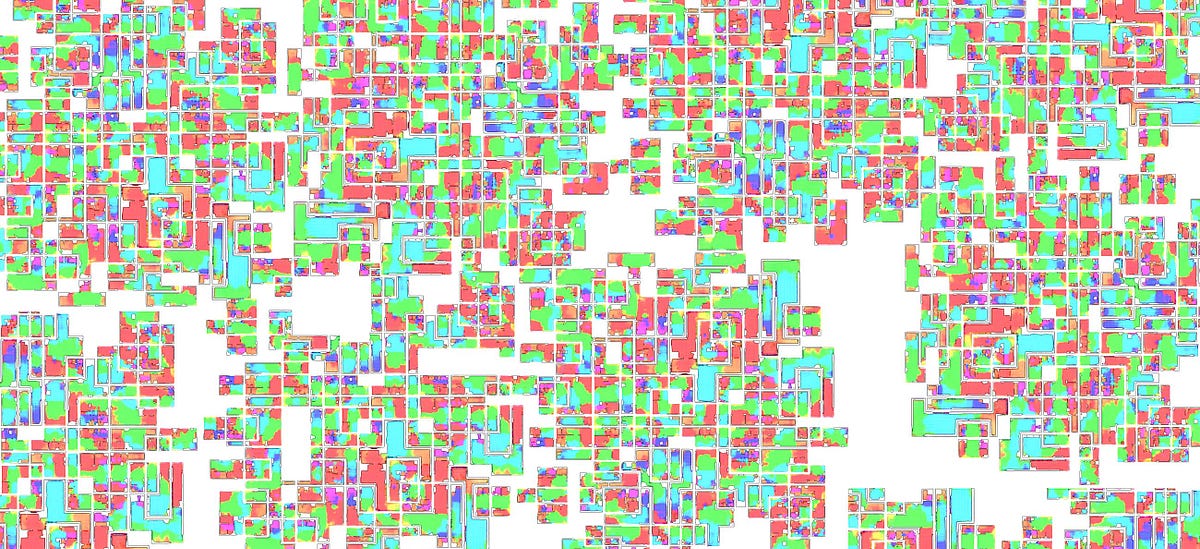
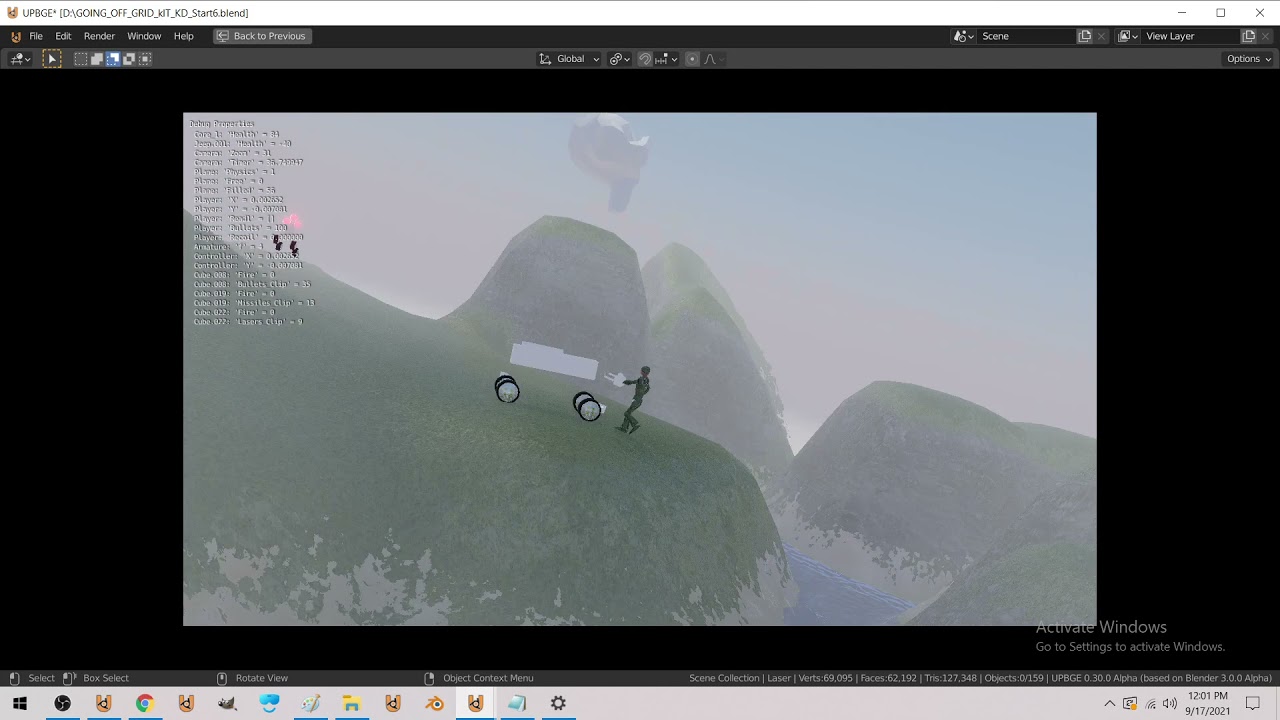
added lasers + refined ammo reload system (was only working with certain length words :P)
dawn quiver
Im working with some junior developers. They are new to game programming. I want them to understand my code but im writing an ecs and im not sure if this is a good idea for people just starting out.
What should i do to build up thier knowledge?
potent ice
That might be a next step after understanding whatever library you are using for your game
If you're new to game programming I think ECS is very overwhelming
I think you need to at least understand the game library before moving to ECS
I might be wrong...
dawn quiver
potent ice
That might be a next step after understanding whatever library you are using for...
mind looking at what ive got so far? I might switch to something simpler for their sake. Ive also suggested for them to make a simple game like snake or tetris first.
class Component:
    pass


class Archetable:
    def __init__(self):
        self.entities = []
        self.type = set()

    def __iter__(self):
        for entity in self.entities:
            yield entity

    def over_components(self, *Components):
        for components in self.entities:
            entity = []
            for component in components:
                if type(component) not in Components:
                    continue
                index = Components.index(type(component))
                entity.insert(index, component)

            yield entity


class Camera(Component):
    def __init__(self):
        self.id = 0


class Controller(Component):
    def __str__(self):
        return self.__class__.__name__


arche = Archetable()
arche.entities.append([Controller()])
arche.entities.append([Controller()])
arche.type.add(Controller)
arche.type.add(Camera)

for controller, in arche.over_components(Controller):
    print(controller)
Don't use an ECS, ECS is overkill for almost every situation. Unity uses an ECS because they have to be a super generic game engine that needs to work for everyone and still be fast.
dawn quiver
oh ok so what should i do instead?
normal silo
Make a game, not an engine.
dawn quiver
just have a big array of game objects
well its not really an engine its a framework its a way of structuring code.
normal silo
Yeah, just do whatever the specific game wants you to do. No frameworks.
After you have done that a lot, you can approach the idea of a framework.
dawn quiver
hmm alright. That actually requires a bit more thinking than just mindlessly making an ecs.☺️
partly becuase im not sure exactly what they want. So i need to make some decisions myself
normal silo
Yes, but that's because you are solving the actual problem, making a game. When someone says they want to make a framework, it's really code word for "I don't want to solve the actual problem so I made up this other more ideal problem to work on instead".
Game engines come into play when you need to make something actually big, with many moving parts, so you need a communication system for the various systems, which often comes in the form of Entities/GameObjects.
(To track the shared data)
dawn quiver
alright ill see what i can do. Do you mind if i add you as a friend and can i share in dm some of my code?
normal silo
No, don't add me.
In short, I recommend the No Engine (tm) game engine.
For beginner game programmers, start with games that have no graphics (just in the terminal). Then recreate them with graphics with something like arcade.
After that, move on to real-time games (that can't exist in the terminal unless you do pseudographics in it).
(What can't really be a board game IRL)
dawn quiver
i think one of my first games was mancala in the terminal
normal silo
To transition to the idea of Entities, just show how one of the games they already made can be thought of as a bunch of entities (such as each tetrimino in tetris being an entity).
(and that various entities can interact with each other)
dawn quiver
i cant think of a way to do it without entities or objects. Not entities in the ecs sense. Like wouldnt it be needlesy hard to do it without classes?
normal silo
Yes exactly, tetris is too simple for a game engine. It has 1 system.
Just do the direct thing first.
In fact an ECS is just trying to recapture this direct route while being very generic and allowing for multiple people to work on different systems in parallel.
But for a single person it will only add more work. Yet, a single person will still use say, Unity because it has all this other work done for you (like graphics, physics, etc).
And they use an Entity system so they can keep adding more to it.
(they don't know what you want/need, nor which game you are making (only general things you might want))
dawn quiver
they wont like some of this. Like making terminal games might bore them. but its how i started out.
normal silo
That's why it's important to transition quickly from the terminal games.
These days there are so many good libraries for making that easy.
Things get more fun the further one goes. Especially once one understands some of the basic game mathematics used. Then all sorts of real-time physics-y games can be made which are often very popular.
For the maths I highly recommend this series: https://www.youtube.com/watch?v=MOYiVLEnhrw

Welcome to my four part lecture on essential math for game developers 💖 I hope you'll find this useful in your game dev journey!
This course will have assignments throughout, if you want to maximize your learning, I recommend doing them!
If you are enjoying this series, please consider supporting me on Patreon!
🧡 https://www.patreon.com/acegik...
(There is also a shader series)
dawn quiver
Thanks for the advice. Ill see what i can do.
i like the math portion of it. Like taking the dot product can tell if somerthing is facing the same way as something else. Ive also made a SAT collision system
n++ uses SAT.
normal silo
Yea, combined with some simple shaders, one can get very nice looking and very interactive games.
dawn quiver
Ive just always struggeled with how i should code it. How should i strucutre it.
so thats why i looked to ecs
normal silo
(just don't touch networking, it's a far too advanced topic and is something one does after already understanding many things)
dawn quiver
yes i told them we should make it stand alone first
normal silo
One of the most simple structures is that everything is an Entity and Entities are god objects (they have everything in them, don't worry about wasting memory).
Like a much more simple ECS.
Entities just have flags (like ENTITY_FLAG_GRAVITY, which makes it fall if enabled).
dawn quiver
and update logic too?
normal silo
The update logic is the same for every entity.
1 function, it just checks which flags are enabled and does the stuff.
This setup also allows level designers to play around by playing with flags and starting values.
dawn quiver
oh i never thought of that. What i usually do when not thinking about ecs is to make my entities have data and update and render methods specific to what type of object they are
normal silo
(Entities can be stored in TOML files).
dawn quiver
but this flag system seems interesting
normal silo
dawn quiver
oh i never thought of that. What i usually do when not thinking about ecs is to...
That works, but this composition way allows for more play by the designers.
It's a really old method, just like ECS.
Don't allocate entities, just pre-allocate some N entities upfront and re-use them. This way the game's memory usage is near constant (if programmed in C, it could be constant).
And now you also have a well defined upper bound on allowed number of entities.
dawn quiver
I got to go to sleep but ill be up tommorow to ask more questions
normal silo
good night
normal comet
good night
dawn quiver
normal silo
good night
Do you mind joining a discord server? Its just a group of junior devs who want to make a game.
I was wondering if you could help me teach them
 karmic hound
import pygame

# intialize the pygame
pygame.init()

# create the screen
screen = pygame.display.set_mode((800,600))

# Title and Icon
pygame.display.set_caption("Space Invaders")
icon = pygame.image.load('ufo.png')
pygame.display.set_icon(icon)

# Player
playerImg = pygame.image.load('spaceship.png')
playerX = 370
playerY = 480
playerX_change = 0
def player():
  screen.blit(playerImg, (playerX, playerY))

# Gun
GunShotImg = pygame.image.load('ufo.png')
GunShotImg_Rect = GunShotImg.get_rect()
gunX = playerX + 15
gunY = playerY - 10
gunY_change = 0
gunX_change = 0

def Gun():
    screen.blit(GunShotImg, (gunX, gunY))


# game Loop

running = True
while running:
  gunX += playerX_change
  # RGB - Red, Green, Blue
  screen.fill((0, 0, 0))

#Quit

  for event in pygame.event.get():
    if event.type == pygame.QUIT:
      running = False

# Keys

    if event.type == pygame.KEYDOWN:
      if event.key == pygame.K_LEFT:
        playerX_change = -1
      if event.key == pygame.K_RIGHT:
        playerX_change = 1
      if event.key == pygame.K_SPACE:
        gunY_change += 0.01


    if event.type == pygame.KEYUP:
      if event.key == pygame.K_LEFT:
        playerX_change = 0
      if event.key == pygame.K_RIGHT:
        playerX_change = 0


  #imp var
  playerX += playerX_change
  GunShotImg_Rect.y -= gunY_change
  gunY -= gunY_change
  Gun()
  player()
  pygame.display.update()
when i type K_SPACE then also to fire gets controlled with arrow keys with the ship :!
dawn quiver
karmic hound
```py
import pygame
# intialize the pygame
pygame.init()
# create the screen
s...
Are you complaining that you can fire while moving?
I dont understand what you mean
 supple cargo
Me has a question, in pygame do people only use images for everything
ever tutorial i see requires me to use images
cant we just simply draw squares and recatangles
??
dawn quiver
supple cargo
Me has a question, in pygame do people only use images for everything
yes you can draw rectangles and other shapes.
pygame.draw.rect(window, [255, 255, 255], Rect(0, 0, 20, 20))
supple cargo
hmm oka thank you
and what is wrong here
me is new
import pygame

pygame.init()

screen = pygame.display.set_mode((800,600))

running = True
while running:
    for event in pygame.event.get():
        if event.type == event.QUIT:
            running = False
looks fine to me are you getting any errors?
supple cargo
pygame 2.0.1 (SDL 2.0.14, Python 3.9.4)
Hello from the pygame community. https://www.pygame.org/contribute.html
Traceback (most recent call last):
  File "D:\Pygame\1v1 game\main.py", line 13, in <module>
    if event.type == event.QUIT:
AttributeError: 'Event' object has no attribute 'QUIT'
[Finished in 1.2s]
oh not event.QUIT but pygame.QUIT
supple cargo
dawn quiver
`pygame.draw.rect(window, [255, 255, 255], Rect(0, 0, 20, 20))`
and in this what is Rect and what is Window
dawn quiver
window is what you get from this line of code window = pygame.display.set_mode([640, 480])
Rect should actually be pygame.Rect(0, 0, 50, 50)
supple cargo
import pygame
import math
import sys

pygame.init()

screen = pygame.display.set_mode((600,600))

clocl = pygame.time.Clock()


#Making Snake Head
class snake(object):

    def __init__(self):
        self.rect = pygame.rect.Rect((0, 0, 25, 25))

    def keybinds(self):
        key = pygame.key.get_pressed()
        dist = 1

        if key[pygame.K_w]:
            self.rect.move_ip(0,-1)
        if key[pygame.K_s]:
            self.rect.move_ip(0,1)

    def draw(self, surface):
        pygame.draw.rect(surface,(255,0,0), self.rect)


running = True
while running:
    for event in pygame.event.get():
        if event.type == pygame.QUIT:
            running = False


    snake.draw(screen)
    snake.keybinds()


    pygame.display.update()

    clock.tick(60)
Error:
TypeError: draw() missing 1 required positional argument: 'surface'```Like when i fire and the bullet that goes i can move it with arrow keys as well :|
dawn quiver
oh
karmic hound
But i just increased the speed so its not that visible now
But i would still like to learn
I will most probably be offline you can dm me if you want my dms are always open 🙂
dawn quiver
gunX += playerX_change line is the culprit. You are relying on it to position your bullet correctly. make it so that while the bullet is alive or active the bullet x position does not follow your ship. and when the bullet is dead make it follow the ship.
karmic hound
O
dawn quiver
There are better ways of doing this though
but that requires you to learn about classes
which is esential
karmic hound
Yea pls help me
dawn quiver
very important
dawn quiver
sure ill help later. for now id read up on a python text tutorial about classes or just python in general
karmic hound
Oh okay
dawn quiver
im just tired right now
karmic hound
Ty
karmic hound
dawn quiver
im just tired right now
Its okay lol me 2 btw its 10:25 pm here so yea.. sleep time go brrrr..
dawn quiver
ive heard good things about the book automate the boring stuff with python which is a free online book
karmic hound
O okay i will have a look tysm btw 💗
dawn quiver
https://realpython.com/ also another great resource

Learn Python online: Python tutorials for developers of all skill levels, Python books and courses, Python news, code examples, articles, and more.
karmic hound
Tysm.
dawn quiver
someone know?
 tranquil girder
don't do it inside Sky()
tepid hamlet
For some reason, in the code below, character’s y position gets decremented by 120 after the delay. Why is that?py character.y -= 120 pygame.time.wait(1500)
 spring bloom
To make games in python do u need to know advance maths
Cause I kinda suck at maths
potent ice
spring bloom
To make games in python do u need to know advance maths
Not really, no.
frozen knoll
The drawing doesn't happen until after the wait.
potent ice
spring bloom
To make games in python do u need to know advance maths
You might have to learn some simple things, but that's at least a lot more fun when working on a game
tepid hamlet
frozen knoll
The drawing doesn't happen until after the wait.
If that was for me, is there a way to get around it?
potent ice
tepid hamlet
If that was for me, is there a way to get around it?
You need to find a way to do it without the waiting
For example start some kind of timer and keep drawing your frames until a 1.5 seconds have passed
Or.. if you are fine with the 1.5s stall .. wait after things are drawn
tepid hamlet
potent ice
For example start some kind of timer and keep drawing your frames until a 1.5 se...
Would putting an if statement checking whether its y axis is equal to a certain number, and if true, then it starts the wait?
potent ice
You know that wait() will pause the entire program, right?
Can you actually get away with doing that? I don't think so.. usually at least
tepid hamlet
potent ice
You know that `wait()` will pause the entire program, right?
I thought it runs the other code not associated with the block of code trying to be waited. Then is there a difference between wait and delay?
potent ice
try that```py
print("A")
pygame.time.wait(1500)
print("B")
pygame.time.wait(1500)
print("C")
It will sleep the entire process according to docs
Another way is to use timers. You can store a future event with some duration
pygame.time.get_ticks() will tell you the current time
- 1500 is 1.5 seconds later
You check every frame if this duration has elapsed
I might not fully understand why you are using wait() here in the first place.. but at least.. never stall your game like that.
tepid hamlet
potent ice
try that```py
print("A")
pygame.time.wait(1500)
print("B")
pygame.time.wait(1500...
Why isn’t my code running like the way this does?
tepid hamlet
A gets printed right when the code gets run
potent ice
Correct
Your characer.y will change immediatly
but you don't see the consequences of changing character.y until the sleeping is done
I'm assuming you are looking at what happens in the screen. What you draw will be 1.5s delayed
So it will happen when B is printed
potent ice
Think of wait() as your entire program freezing in time. Nothing happens until 1.5s have passed
Usually it means you need to find another way to solve this
lunar latch
Hello how many game engines are available in python?
past stream
past stream
can i do something like this in pygame, where this arrows are all connected but ...
.
hushed umbra
pls tell me how to fix the error in the terminal called pip was not recognized
 late kiln
import pygame
from sys import exit
pygame.init()
screen = pygame.display.set_mode((800,600))
pygame.display.set_caption('zoomerz')
clock = pygame.time.Clock()
background_surface = pygame.image.load("C:/Users/admin/Downloads/graphics/sky.JPG")
background_surface = pygame.Surface((100,200))
while True:
for event in pygame.event.get():
if event.type == pygame.QUIT:
pygame.quit()
exit()
    screen.blit(background_surface(0,0))


pygame.display.update()
clock.tick(60)
CAN i know what is wrong here?
this has been bugging me for long
nvm
ill figure it out
supple cargo
@late kiln what error are you getting
one I would recommend that you first make a folder and in that folder keep the .py file and all the images
that way you wont have to write this "C:/Users/admin/Downloads/graphics/sky.JPG"
supple cargo
late kiln
import pygame
from sys import exit
pygame.init()
screen = pygame.display.set_mo...
second the loop is a weird way, you are keeping it True while exiting it, i dont know if this would create problems but the better way of doing it is like :
running = True
while running:
    for event in pygame.event.get():
        if event.type == pygame.QUIT:
            running = False

pygame.quit() #This has to be outside the loop because when the loop ends then only will this line be executed
and the BIGEST mistake is
you are changing background Surface
background_surface  = pygame.image.load("C:/Users/admin/Downloads/graphics/sky.JPG")


background_surface = pygame.Surface((100,200)) # Whyyy ????? and what is pygame.Surface???
And moving ahead there is a small syntax mistake
screen.blit(background_surface(0,0))```

It is supposed to be ```screen.blit(background_surface, (0,0))```Depends how fancy you want it to be
and it depends on the details of your use case I guess
tribal moss
        ASTEROIDS_X = random.randint(0, WIDTH)
ASTEROIDS_Y += -25```i dont know waht im doing wrong here
 olive ravine
Hey everyone! I'm super new to python and started reading about creating games in python only problem is that I don't know if I've even installed the rights programs. After installing python I have the IDLE running and I've used VS code but what do I do for pygame zero?
Feel alittle embarrassed but hey, gotta start somewhere.
late kiln
supple cargo
and the **BIGEST** mistake is
you are changing background Surface
```py
back...
pygame.Surface is valid
the mistake i made was that
screen . blit (balab, ............thinng
btw th ffor answering
dawn quiver
I don't know how i should organize my code. My camera has a target that it follows. My player has a camera that it gets drawn relative to. So there is this kind of dependency loop that i dont know how to resolve.
 solid agate
olive ravine
Hey everyone! I'm super new to python and started reading about creating games i...
solid agate
olive ravine
Hey everyone! I'm super new to python and started reading about creating games i...
Learn how to use Pygame to code games with Python. In this full tutorial course, you will learn Pygame by building a space invaders game. The course will help you understand the main game development concepts like moving characters, shooting bullets, and more.
💻 Code: https://github.com/attreyabhatt/Space-Invaders-Pygame
🎥 Course created by bu...
it helped when i started
 balmy sluice
Making a super simple game, at the moment when I hit into titles that do damage it does dozens of damage to my character instead of just one. How do I put a "timer" on how many times it checks for damage per second or something similar?
proper peak
Store in your character object the last tick it took damage at. Don't apply new damage unless that last time was long enough ago.
 jade notch
 clear loom
Any portuguese speaking that wants to help with my project?
clear loom
Any portuguese speaking that wants to help with my project?
if you know spanish i can help you
 fast grove
any good tutorials out there for multiplayer networking with actual source code available
clear loom
jade notch
if you know spanish i can help you
I dont but
The thing is most variables and the game itself are on portuguese
But i think maybe a spanish speaker can understand it at some level
Could i send ypu the code?
 restive chasm
hey yo can someone help me finish my game
https://github.com/qwe123coder/Spaceflight2d/issues/5
this is like a competition from my school and I have to submit it soon
GitHub
add sun mars ect and the gravity for them (so we can land on them and things) also make them show on the screen when moved next to it + also in the map
and i got sick
so pls pls help me
frank fieldBOT
Hey @tropic kayak!
It looks like you tried to attach a Python file - please use a code-pasting service such as https://paste.pythondiscord.com
Hey @tropic kayak!
It looks like you tried to attach a Python file - please use a code-pasting service such as https://paste.pythondiscord.com
 tropic kayak
import time
wizard simulator
#start
print('Welcome to the wizard simulator')
time.sleep(5)
print('Oh no, an enemy has appeared')
time.sleep(2)
print('Choose a spell')
time.sleep(1)
print('fire blast(f)')
time.sleep(0.5)
print('_________________')
#atack
import keyboard
keyboard.wait("f")
print('You roasted the enemy!')
my first "game" 🙂
restive chasm
<@&831776746206265384> ⬆️ (he ignored the https://paste.pythondiscord.com/ and he did not use this )