#game-development
1 messages · Page 90 of 1
 dawn quiver

Here are some of my Pygame projects that I worked on in 2020!
The first 3 projects (all of which were made in under 48 hours) can be found here:
https://dafluffypotato.itch.io/
The lighting from the tech demo can be found here:
https://github.com/DaFluffyPotato/pygame-shadows
The cloth from the tech demo can be found here:
https://youtu.be/zI...
im not entirely sure why i should use sublime and not just python
in Geany you write a code and if you press f5 the code pops up and runs in your system console
this guy is the best at pygame
dawn quiver
dawn quiver
im not entirely sure why i should use sublime and not just python
you are using python
in sublime
yes yes but
just that
its nicer
okay one second
lets say i type PH = 100
how do i tranfere that into my python project
lol
are you trolling?
this is how a text editor looks

wait
mine doesnt look liek that
this is how what ex suggested looks
 dawn quiver
mine doesnt look liek that
dawn quiver
dawn quiver
mine doesnt look liek that
yeah im using a different theme
but you can change your theme
how
your looks much more better
yeah
because
ive been using it for a while
so i kept changing it to look better
alright
and also im using vs code not sublime
but nr.1
anhyways
send me screen shot
of where you wrote your print('hello world')
one sec
okay i gotta go now

sorry for the bad quality lol
i recommend watching this video
o
okie
dawn quiver
dawn quiver
you see that box below
yes
thats where it will show
if you type it correctly
okay
but
also your not in a python file
you are in an untitled file
:(
anyways
watch that video
u will understand
okie
ok bye
ping me when you can help mire
more
my recommendation for learning is to read and work out python crash course or just do this video https://www.youtube.com/watch?v=UZg49z76cLw

This is an introduction to game development in python. We will use the pygame library to create Flappy bird and this will cover all the basics of pygame so that you can make most 2D games.
Sequel: https://youtu.be/XRw1FUEsSv4
Timestamps:
0:00:00 - Intro
0:00:33 - How games work
0:03:07 - Getting started in pygame
0:13:56 - Images and surfaces...
I do that and crash course Alien Invasion atm
thanks
 wicked lintel
i have a question about arcade:
is there a way to use multiple surfaces within one window?
so that i can just move the whole surface around and don't have to give everything on it a new offset
(i'm planning to have a surface for ui, for the main game etc)
dawn quiver
Hey guys, i'm trying to make hitboxes for my game and I don't arrive, I do that but it does not work :
Laser1_rect = laser.get_rect(topleft = (Laser1.pos_x_laser, Laser1.pos_y_laser))
Laser2_rect = laser.get_rect(topleft = (Laser2.pos_x_laser, Laser2.pos_y_laser))
Laser3_rect = laser.get_rect(topleft = (Laser3.pos_x_laser, Laser3.pos_y_laser))
if Laser1_rect.collidepoint(x_courant, y_courant):
die = 1
if Laser2_rect.collidepoint(x_courant, y_courant):
die = 1
if Laser3_rect.collidepoint(x_courant, y_courant):
die = 1
idk why, pls help me !
if you want all the code : https://github.com/EdouardVincent/The-next-of-the-game/blob/main/Code_Mario_Jeu_Beta.py

GitHub
the next of the first test : https://github.com/EdouardVincent/A-Mario-game-first-test- - EdouardVincent/The-next-of-the-game
 frozen knoll
@wicked lintel You can use the viewport, or you can try using the new experimental camera out of the dev branch.
wicked lintel
dawn quiver
Hey guys, i'm trying to make hitboxes for my game and I don't arrive, I do that ...
can you put this into a code block (using ```py <code> ```) and state which engine u are using?
wicked lintel
frozen knoll
<@!311948048496328705> You can use the viewport, or you can try using the new ex...
i mean, that i have some sort of container / surface one set of sprites are painted on, and another one for a differnet set of sprites. where i can paint these surfaces onto the window. where the sprite positions are relative to the surface and not the window.
basicly similar to surfaces of pygame
frozen knoll
The camera is supposed to be able to that, so you can draw a GUI without having to 'scoll' it along with the rest of the playing field. I haven't used it myself yet.
The 'defender' example showed how to do a mini-map where you drew to a completely different surface. That part is changing for 2.6. If you hop on the Arcade server einarf might be able to help you with one or the other.
wicked lintel
what is the easiest way to draw a sprite list with an offset of the sprites position?
 blissful cape
hey guys is there anyone who could help me with moving objects
frozen knoll
You can do this with from arcade.experimental.camera import Camera2D
Create two cameras:
        self.camera1 = Camera2D(
            viewport=(0, 0, self.width, self.height),
            projection=(0, self.width, 0, self.height),
        )
        self.camera2 = Camera2D(
            viewport=(0, 0, self.width, self.height),
            projection=(0, self.width, 0, self.height),
        )
Set one camera to be the offset:
self.camera1.scroll = (50, 50)
Then use both cameras:
        self.camera1.scroll = (50, 50)
        self.camera1.use()
        arcade.draw_line(0, 200, SCREEN_WIDTH, 200, arcade.color.RED, 2)

        self.camera2.use()
        self.camera2.scroll = (0, 0)
        arcade.draw_line(0, 200, SCREEN_WIDTH, 200, arcade.color.BLACK, 2)
You might need to use the dev branch for this, I can't remember.
Arcade + Pymunk
dawn quiver
frozen knoll
Arcade + Pymunk
i dont like how the shooting works but thats some nice physics implementation!
 west egret
you don't have your if statement indented inside your other one
as in, there's no content inside the if event.keyaym == 'Up': if statement
do you know how to use indentation in python?
as in, where things are supposed to be indented?
west egret
ok. So if you want any code to be inside anything else (for example, code being inside an if statement, or code being inside a function), then it needs to be indented. Being indented means that it has a tab before it. So, of the four if statements below your function, only the first one is actually inside it because it's the only one that's indented.
Not sure what exactly you want help with here
wicked lintel
how do i empty out / clear an arcade sprite list?
preferable being O(1) and not O(n) (which would be poping everything manually)
frozen knoll
Just create a new one? That would be the most efficient.
wicked lintel
i have to pass the list into other objects and if i create a new one the passed objects don't get updated
also i have the following code:
the default value of hitbox_color is arcade.csscolor.RED but i change it to arcade.csscolor.GREEN somewhere else.
so now the hitboxcolor (and output) say (0, 128, 0) but the hitbox is still drawn in red for some reason. does anyone have an idea why?
    def draw(self, **kwargs):
            print(self.hitbox_color)
            self.draw_hit_box(self.hitbox_color, 2)
Hey, I need some help if u can help me
wicked lintel
 frank fieldBOT
assets.py lines 191 to 198
def draw(self, **kwargs):
    if self.selected:
        self.range_detector.draw_hit_box((255, 0, 0), 2)
    if not self.activated:
        print(self.hitbox_color)
        self.draw_hit_box(self.hitbox_color, 2)
    self.bullets.draw(**kwargs)
super().draw()```don't ask to ask, just ask
dawn quiver
I'm developping a game in Python on PyCharm, it's a project I send to myself to but now I block on something, there it is (only got this on information)
File "C:\Users\Ex0Ma\PycharmProjects\Pygemon\Game.py", line 22, in init
player_position = tmx_data.get_object_by_name('player')
frank fieldBOT
Please provide a full traceback to your exception in order for us to identify your issue.
A full traceback could look like:
Traceback (most recent call last):
    File "tiny", line 3, in
        do_something()
    File "tiny", line 2, in do_something
        a = 6 / 0
ZeroDivisionError: integer division or modulo by zero
The best way to read your traceback is bottom to top.
• Identify the exception raised (e.g. ZeroDivisionError)
• Make note of the line number, and navigate there in your program.
• Try to understand why the error occurred.
To read more about exceptions and errors, please refer to the PyDis Wiki or the official Python tutorial.
dawn quiver
Traceback (most recent call last):
  File "C:\Users\Ex0Ma\PycharmProjects\Pygemon\Main.py", line 9, in <module>
    game = Game()
  File "C:\Users\Ex0Ma\PycharmProjects\Pygemon\Game.py", line 22, in __init__
    player_position = tmx_data.get_object_by_name('player')
  File "C:\Users\Ex0Ma\AppData\Local\Programs\Python\Python39\lib\site-packages\pytmx\pytmx.py", line 711, in get_object_by_name
    return self.objects_by_name[name]
KeyError: 'player'
 last moon
so self.objects_by_name (im assuming it's a dict?) doesn't have a key named player
meaning you're not storing anything called 'player' in your tmx data
dawn quiver
The last I don't know from where it come, not something I wrote
I only wrote 45 line of codes ;-;
dawn quiver
Ow k uwu but for the 2 first I don't know
last moon
what does your tmx file look like?
dawn quiver
Tiled then ?
last moon
sorry?
dawn quiver
Nevermind, I only got a map that I made on Tiled on .tmx file
last moon
ah sorry ive never used that, give me a sec ill try to figure out how it works
dawn quiver
Np thanks u so much to try to help me uwu
dawn quiver
In Tiled ? or in Pycharm
last moon
in your script
wait actually sorry no I got confused lol
object types in tiled
and try using "Player" instead of "player" in your script
dawn quiver
What are set as Object is in .tmx so in Tiled
It only change the Key Error at ; Key Error "Player"
last moon
ah dang ok
 last moon
ohh ok so get_object_by_name is for getting an object from your tmx, im not really sure how Tiled handles them but basically it's a collection of tiles put together that you can give properties and that sort of stuff
actually lol maybe not sorry
dawn quiver
Well that's what I learn to
last moon
I was thinking maybe it's a property of your map but idk if that's right
dawn quiver
The map come well and I can even zoom on it, I finish the lines for introducing the player, but not the place to spawn him and place it on him
last moon
@dawn quiver if you go to objects, it looks like a point is stored as a object inherited by another object, try getting the first object (with get_object_by_name) and then getting player (with the same method)
 dawn quiver
Wait, did u really install it and try just to see what it does ?
last moon
yep
dawn quiver
Thanks u so much uwu
Gonna see
Uh no it dont ike u
Well I got it
it name's "player"
last moon
can you send a screenshot?
dawn quiver
Yes
dawn quiver
 dawn quiver
last moon
<@456226577798135808> if you go to objects, it looks like a point is stored as a...
dawn quiver
last moon
<@456226577798135808> if you go to objects, it looks like a point is stored as a...
Nothing come up
wicked lintel
wicked lintel
also i have the following code:
the default value of `hitbox_color` is `arcade....
does anyone have an idea?
last moon
object_layer = tmx_data.get_layer_by_name("Objects")
player_position = object_layer.get_object_by_name("player")

# or
player_position = tmx_data.get_layer_by_name("Objects").get_object_by_name("player")```try that
dawn quiver
Uh not for me sorry
Thanks gonna try
Nope
But when the 2 where not in only one sentence, only the second was an error
last moon
the first one works?
last moon
what do you get when you print player_position?
dawn quiver
Only that ?
last moon
ya
dawn quiver
NameError: name 'player_position' is not defined
last moon
object_layer = tmx_data.get_layer_by_name("Objects")
player_position = object_layer.get_object_by_name("player")

print(player_position)```
after you define it 😄File "C:\Users\Ex0Ma\PycharmProjects\Pygemon\Game.py", line 23, in init
player_position = object_layer.get_object_by_name("player")
last moon
keyerror?
dawn quiver
Nothing
last moon
dawn quiver
File "C:\Users\Ex0Ma\PycharmProjects\Pygemon\Game.py", line 23, in __init__
...
didn't you get an error?
dawn quiver
Only this
last moon
how are you loading in your tmx data?
import pytmx

tile_map = pytmx.pytmx.TiledMap("c:/Users/owner/Desktop/untitled.tmx")
point = tile_map.get_object_by_name("point")

print(point)

>>> <TiledObject[1]: "point">```
this works for meYup at the second line uwu
File "C:\Users\Ex0Ma\PycharmProjects\Pygemon\Game.py", line 27
>> > < TiledObject[1]: "point" >
^
SyntaxError: invalid syntax
last moon
get rid of that line, that's just my output
dawn quiver
Okay uwu
"(unicode error) 'unicodeescape' codec can't decode bytes in position 2-3: truncated \UXXXXXXXX escape" What's that ?
last moon
which line is it from?
dawn quiver
tile_map = pytmx.TiledMap("C:\Users\Ex0Ma\PycharmProjects\Pygemon")
last moon
so with paths in python, you need to use / or \\, \ is an escape character ie:
!e
print("this is an \n escape char")
@last moon :white_check_mark: Your eval job has completed with return code 0.
001 | this is an
002 |  escape char
PermissionError: [Errno 13] Permission denied: 'C:\Users\Ex0Ma\PycharmProjects\Pygemon'
last moon
is Pygemon your tmx file?
last moon
you need to load the tmx, so path/to/tmx/file_name.tmx
with your own path + file_name of course
last moon
in the same spot?
dawn quiver
line 23, in init
point = tile_map.get_object_by_name("player")
last moon
do you mind opening a help channel and pinging me, we're kind of monopolizing the channel 😄
dawn quiver
Well yeah that's would be better xD
frank fieldBOT
Hey @low jasper!
It looks like you tried to attach file type(s) that we do not allow (). We currently allow the following file types: .gif, .jpg, .jpeg, .mov, .mp4, .mpg, .png, .mp3, .wav, .ogg, .webm, .webp, .flac, .m4a.
Feel free to ask in #community-meta if you think this is a mistake.
dawn quiver
dawn quiver
"(unicode error) 'unicodeescape' codec can't decode bytes in position 2-3: trunc...
You need to have r before the entire path
blissful cape
anyone able to help me with moving objects up and down after a certain score
please @ me or dm me if you can help
 novel flower
blissful cape
please @ me or dm me if you can help
novel flower
blissful cape
please @ me or dm me if you can help
which language
blissful cape
novel flower
which language
pygame
novel flower
blissful cape
pygame
stak overflow might help you out
novel flower
blissful cape
pygame
i am not good at the pyGame
blissful cape
yeah I have looked there but can’t really find anything
novel flower
blissful cape
yeah I have looked there but can’t really find anything
hmmm serius problem
novel flower
blissful cape
yeah I have looked there but can’t really find anything
you can see the py Game documentation
that might help you out
dawn quiver
guys, do you guys know Ursina? I found this game engine out of nowhere, and tested it by making a 3d game with it, it looks pretty good
 dry valve
Hello friends! Not sure if this is the place to put this, it's more of "Game Integration" but I'll give it a shot. I want to hook into a game called League of Legends, and ideally run 2 instanced on my pc. 1 being GUI, the other being CL. Basically I want to play 2 champions at once. Is this possible? Am I even in the right place?
wicked lintel
dry valve
Hello friends! Not sure if this is the place to put this, it's more of "Game Int...
maybe rather open a help channel for this one
dry valve
Can do! It was more of just a generic "can this be done/has anyone done something similar" than a "I have a very specific issue in my code that wont work"
wicked lintel
how can i draw text/numbers using images as letters in arcade?
wicked lintel
ok, how do i load a ttf font into arcade?
wicked lintel
wicked lintel
ok, how do i load a ttf font into arcade?
found it out,
just put "./path/to/file" as font_name (WITHOUT the ttf, it gets added by arcade)
frozen knoll
I'll look to add the O(1) clearing of sprites to the next version of Arcade. I opened an issue to track:
There isn't anything built into arcade to support raster-based fonts if that's what you're looking for.
Text support will change from 2.5.7 to 2.6, as Arcade will use Pyglet to render text, rather than Pillow.
wicked lintel
random asumption, but cant one 'just' reset the following things and would be done?
self.sprite_list = []
self.sprite_slot = dict()
self._deferredc_sprites = set()
maybe some more, but i have no idea
source: https://github.com/pythonarcade/arcade/blob/development/arcade/sprite_list/sprite_list.py#L78-L91
frank fieldBOT
arcade/sprite_list/sprite_list.py lines 78 to 91
self._sprite_buffer_slots = 0
# Number of slots used in the index buffer
self._sprite_index_slots = 0
# List of free slots in the sprite buffers. These are filled when sprites are removed.
self._sprite_buffer_free_slots: Deque[int] = deque()
# Sprites added before the window/context is created
self._deferred_sprites: Set[Sprite] = set()
# List of sprites in the sprite list
self.sprite_list: List[Sprite] = []
# Buffer slots for the sprites (exclusing index buffer)
# This has nothing to do with the index in the spritelist itself
self.sprite_slot: Dict[Sprite, int] = dict()``` sterile jewel
i want that my programm send hey to my mc server i tried this
import os
os.system('screen -r server say hey')
but it doesn't work
how i have to improfe my code
 white fog
does anyone use ursina? becuase i have questions on it
 charred bobcat
Trying to get my hands on PyGame and make a Pong clone. The doc looks... old.
By that I mean it looks like it came from Python 2.x era
frozen knoll
Try Arcade if you are looking for something with a newer API.
@wicked lintel Each sprite has a reference to what list it belongs to. That needs to be cleared. There is a sprite atlas that holds images of each sprite in the list, and some buffer data sent to the GPU. A bit of research is needed.
dawn quiver
Heya need help for a part of my code, I'm trying to add some collisions on PyCharm, with a map I made on Tiled
#déninir une liste qui va stocker les rectangles de collision
self.walls = []
for obj in tmx_data.objects:
if obj.type == "collision":
self.walls.append(pygame.Rect(obj.x, obj.y, obj.width, obj.height))
def update(self):
self.group.update()
#vérification de la collision
for sprite in self.group.sprites():
if sprite.feet.collidelist(self.walls) > -1:
sprite.move_back()``` echo wadi
Arcade - can some one tell me how its improved over Pygame
wicked lintel
echo wadi
Arcade - can some one tell me how its improved over Pygame
hitboxes and collisions are far more advanced
comes with prebuild physics engine (if you want to have one)
rendering is more efficient (if i understood it correctly)
pre implemented functions for moving sprites, even at angles
pre implemented a* algorithm (never used it tho, just found it while looking though the docs)
sprite animation support
particle system
to name a few
echo wadi
thanks for telling me - i do appreciate it , im just a simple gremlin in front of a compuuter
wicked lintel
i have a question about arcade:
for drawing text, is there a way to do automatic line breaks if the text exceeds the width?
@echo wadi an example of what i'm currently doing with arcade. (don't mind the text on the right, that's the thing i'm trying to fix rn)
wicked lintel
:3
yes, but just my normal pc, which i called big rpi. my laptop is medium rpi, and my rpi is just rpi
^^
btw, you can check out the whole code on github
echo wadi
do you have a fast link - i get distracted so easy
i was considering , debian on a raspi3b+
wicked lintel
GitHub
A small tower defence game made for a game jam. Contribute to KommentatorForAll/Binary-defence development by creating an account on GitHub.
echo wadi
kool
im just used to microcontrollers and such...
but need better graphics -- for everything
wicked lintel
...
echo wadi
GUI interfaces for control / feedback . graphical display of data , Tkinter and Python 3
 sacred nacelle
hi
dawn quiver
hi
dawn quiver
When i gotta use self?
wicked lintel
i'm having an issue with drawing hitboxes in arcade:
self.draw_hit_box(arcade.csscolor.GREEN if self.placeable else arcade.csscolor.RED, 3)
i have this in my draw function, but if i change self.placeable, nothing happens. it either continues to draw red or green (but is stuck at each color)
even though it prints out the correct one, if i put the statement in a pron
 viscid dirge


 ionic valve
Help me please,Tkinter when I turn off resizable, the task manager disappears.
 reef pine
Hello guys i found this code for parallax background but i don't know how to scale the photos to my dimesions any ideas?

 dawn quiver
o
well when your loading the image
you just need to do img_name.pygame.transform.scale(width, height)
:)
reef pine
thx axis my game is 100 times better than last time i spoke to you
reef pine
when i finish it i will sent you my github bcs you helped me a lot when i started
dawn quiver
yeah
like
below where you did try: image=
just make image = image.pygame.transform.scale(width, height)
reef pine
 reef pine
but the problem is that i have to set custom dimesion
dawn quiver
also make it image = image.pygame...
reef pine
like the clouds don't have the same dim with sky
dawn quiver
reef pine
but the problem is that i have to set custom dimesion
Oh, then add it as a parameter of the function
def add(self, width, height)
reef pine
can you come voice?
dawn quiver
no :(

 dawn quiver
which error
whats the error
oh one second
sorry
its not that]
its
image = pygame.transform.scale(image, (1500, 100))
oh yeah my bad
frozen knoll
@wicked lintel Arcade 'caches' the hitbox when you draw it. It can batch-draw it again later really fast this way. It isn't expecting the color or line thickness to change.
If you set my_sprite._hit_box_shape = None it should clear the cache.
reef pine
dawn quiver
its
yeah it works but i don't how to add custom for every pictur
dawn quiver
like i said
dawn quiver
dawn quiver
`def add(self, width, height)`
here
add width and height as params
then when you add, just do .add(1500, 100) or any other values for each of them
 dawn quiver
:(
wicked lintel
frozen knoll
<@!311948048496328705> Arcade 'caches' the hitbox when you draw it. It can batch...
i worked :3
thanks a lot!
 wicked lintel
optional arguments must be last
put the size=None at the end and it will be fine again
reef pine
oh thanks
wicked lintel
got (yet another) question about arcade: i have a gui.uiimagebutton and when i click it, the press texture gets selected but never deselected. it just stays pressed for ever. how can i fix that?
wicked lintel
ok, my bad, i had to call super().on_release()
even though i call it somewhere else now, to keep the button pressed during on going waves, to signalize that one cannot press said button :3
reef pine
I am working on a Python Game with pygame and looks good
 delicate spruce
Ok
 graceful dock
delicate spruce
What game engine is used for python game development
graceful dock
delicate spruce
What game engine is used for python game development
u can use the pygame package for that purpose brother
graceful dock
delicate spruce
What game engine is used for python game development
recently I have been working on a pygame project
graceful dock
delicate spruce
What game engine is used for python game development
with the help of pygame, u can make very amazing games
 normal silo
wicked lintel
i have a question about arcade:
for drawing text, is there a way to do automatic...
normal silo
wicked lintel
i have a question about arcade:
for drawing text, is there a way to do automatic...
Arcade seems to use PIL for rendering text and for some reason PIL does not seem to have word wrapping, so the best option is to add line breaks to the text manually.
frozen knoll
Squiggle is correct. Although in Arcade 2.6 (current dev branch) Arcade uses Pyglet for text rendering and will support text wrapping.
@delicate spruce You can also check out Arcade at https://arcade.academy.
reef pine
I imported some code for parallax background but the screen does this Any idea i can send code
solved it by deleting pygame.flip()
wicked lintel
how do i set an window icon in arcade? (the one showing up in the task bar)
 maiden lynx
Hi can someone help me with my score code. I'm running a computer from 2014. I can't put an engine on my computer. Trying to make it a apk.
wicked lintel
is there a way to scale UIImageButtons from arcade.gui?
frozen knoll
Arcade subclasses the pyglet window. So see https://pyglet.readthedocs.io/en/latest/programming_guide/windowing.html#icon
wicked lintel
for some reason, it doesn't work.
i load in a 16x16 image, but the icon stays blank
dawn quiver
delicate spruce
What game engine is used for python game development
I recommend pygame as well
dawn quiver
reef pine
I imported some code for parallax background but the screen does this Any idea i...
Yoo the game looking way better now
Is anyone here
very good at pixel art
but not into programming
i can be your programmer
and you can be my artist

 blissful root
reef pine
dawn quiver
Yoo the game looking way better now
blissful root
reef pine
dawn quiver
Yoo the game looking way better now
Thx
 dawn quiver

 white vector
also, which looks better, untouched squares being white, or this?
 maiden lynx
Hi
I just learned python two months ago
I have a problem with my code I have to add a # for it to be registered. I don't know if it's because I'm freelance or what. Trying to make a rpg
 solid meteor
white vector
also, which looks better, untouched squares being white, or this?
solid meteor
white vector
also, which looks better, untouched squares being white, or this?
I prefer this one
frozen knoll
Defining a path with the Tiled map editor:

...and then have your character follow it.
dawn quiver
frozen knoll
:0
frozen knoll
wicked lintel
is there a way to change the font of arcade.gui elements?
wicked lintel
thanks :3
last moon
frozen knoll
See line 14:
there's a github preview thing if you weren't aware https://github.com/pythonarcade/arcade/blob/development/doc/tutorials/user_interface/labels_02.py#L14-L20
frank fieldBOT
doc/tutorials/user_interface/labels_02.py lines 14 to 20
style_data = {"label": {"font_size": 40,
                        "font_color": arcade.color.WHITE,
                        "font_color_hover": arcade.color.YELLOW,
                        "font_color_press": arcade.color.RED,
                        "font_name": ["CENSCBK", "Arial"]
                        },
}```That's cool, thanks!
wicked lintel
for some reason, it sais that arcade.gui has no attribute 'UIStyle'
neither are enable() and disable() recongized.
(am using the 2.5.7 version of arcade)
btw, is there a arcade specific discord server?
frozen knoll
There is a discord, linked on the main page.
register_handlers / unregister_handlers was renamed to enable / disable in 2.6.
Can't remember out UIStyle.
frozen knoll
Well, I think someone can chime in with an easier way, but here's what I do:
Have a directory for your projects: cd my_projects
git clone https://github.com/pythonarcade/arcade.git
git clone https://github.com/pyglet/pyglet.git
cd name_of_my_project
pip install -e ..\pyglet
pip install -e ..\arcade
Then I can always go into the pyglet or arcade directory and do a git pull to get the latest.
 flat aurora
You can pip install directly from the git repo with pip install https://github.com/pythonarcade/arcade/tarball/development as well
That will install the development branch at whatever commit it's currently at
This has the advantage of giving you a specific point in time, but obviously you'll have to re-run this to update it if there are changes you want to get, Paul's method is more flexible and that's what most of us do while developing against Arcade's dev branch but installing straight from GitHub is a bit simpler
You should be able to use that installation method for any project that's on github and setup to install via setuptools
 wicked lintel
ok here we go again, neither pycharm nor vsc finding the interpreter i'm using via the terminal
because aparently /usr/bin/python3, according to the terminal points to 3.8.10 and according to pycharm and vsc to 3.8.8
reef pine
so what should i do?
frozen knoll
Using GPU-based lights in Arcade.
 vapid fulcrum
nice
 analog barn
Am I just seeing things, why is the bottom row taller lmao

    def draw(self):
        for row in range(8):
            for col in range(8):
                color = 'slate gray' if (row+col)%2 else 'beige'
                x = col * self.sq_size
                y = row * self.sq_size
                pg.draw.rect(self.app.screen, color, (x, y, self.sq_size, self.sq_size))
                print(x, y, self.sq_size)
 proper peak
analog barn
Am I just seeing things, why is the bottom row taller lmao
proper peak
analog barn
Am I just seeing things, why is the bottom row taller lmao
You are just seeing things.

(a border around the window would probably reduce the severity of this illusion)
analog barn
oh what tool/software did you useto draw that?
proper peak
Paint 🙂
analog barn
lol ofc
ah ok I did it too, definitely just a weird illusion, good idea to use a line
 random cypress
how long have you all been on python?
i started like a year ago but then took a break, but I hope to restart soon
dawn quiver
I started when I was 5 then kept on doing it until I was 7
and now I forgot mostly everything
I learned
 dawn quiver
analog barn
That's the easy part done...
dawn quiver
analog barn
That's the easy part done...
Here comes the movement physics
Can you make this open source so i can contribute please
or make a private repo, i want something to work on
analog barn
https://github.com/Rebeljah/Chess/tree/dev hack away 🙂
 dawn quiver
analog barn
https://github.com/Rebeljah/Chess/tree/dev hack away 🙂
dawn quiver
analog barn
https://github.com/Rebeljah/Chess/tree/dev hack away 🙂
Thanks~ But why hack, i dont hack 😦
i just want to contribute yk 
Anyways, so how about this, when someone wants to move the horse, ill add a green tile where they can move it
and it will get placed there
shall i add that?
analog barn
hack as in work xD Impressive, I have always wondered how to do collision like that. Are you just checking for rectangle collision? An yeah that would be awesome to add, I want to eventually show possible moves.
dawn quiver
Ok ill add that then
dawn quiver
analog barn
hack as in work xD Impressive, I have always wondered how to do collision like t...
Yes rectangle collision
As for the gravity thats pretty simple as well, however this could probably be optomized
anyways ill get working on this in a few hours
im in middle of school rn
 sinful lodge
analog barn
That's the easy part done...
sinful lodge
analog barn
That's the easy part done...
hard part is the logic
wait is the logic part hard
movement logic
dawn quiver
Not that hard but still yeah
whats going to be even harder is the attack logic
When you want to kill a piece
Its okie, me and Rabeljah will manage
last moon
movement logic gets super complicated unless you ignore discovered checks + let the player make whatever move they want
id suggest looking at implementations, altho in all honestly python probably isn't the language to do it
what I had done was having the pieces as objects + the board as a dict
and then computing intersections with .get
but it was slow to begin with and I had no way of telling if the player was in checkmate or if there was a draw
that's where it gets super complicated and if you have a bad implementation (like I did), the amount of recursion you need isn't fesable
https://www.chessprogramming.org/Bitboard_Board-Definition this how modern chess games store the game state (im 80% sure pychess uses it but I can't understand their code)
not to say you couldn't store the ULL in a list, but you have to manually do the insertion + unions + intersections + etc
the logic becomes a bit less intuitive too even if you completely understand the game logic (abstraction from the bit boards for piece moves/calc helps a bit but not a lot)
also chessprogramming.org has pretty much everything you need in terms of figuring out how to do it
last moon
the basic premise of it tho is to store all your piece types (king, queen, etc) as well as all white/black pieces in separate bit arrays:
kings: ULL // unsigned long long -> uint64_t
queens: ULL
...
white: ULL
black: ULL

// then when you need to get a certain set of pieces
white_kings = kings & white
white_pieces = (white & kings) | (white & queens) | ...
@analog barn im starting the work!
Ah..
for some reason the Python files didnt get cloned'

Right..
you havent merged to the main branch
:(
 flint yew
I have a screen that is 800, 600
how can i calculate the player position? like if he press d he goes to the right by a value, i wanna know how to calculate this value
like 5,6,10
dawn quiver
flint yew
I have a screen that is 800, 600
how can i calculate the player position? like ...
player_img = pygame.image.load('path')

player_pos = player_img.get_rect()
not this what i want, i wanna the (x,y) how it's been calculated on the screen
dawn quiver
Thats the x,y.
dawn quiver
flint yew
not this what i want, i wanna the (x,y) how it's been calculated on the screen
Ok, so basically
you blit an image on the screen
then you move the images position
so like this
player_img = pygame.image.load('path')

x = 0
y = 0

while run:
    x += -1

    screen.blit(player_img, (x, y))
You see what i mean?
flint yew
Not this, my explanation is weak, I will use a translator
We have the player standing in the middle of a screen whose measurements are (800, 600)
For example, I want the player to press D, but I don't know how to estimate his new coordinates
dawn quiver
flint yew
Not this, my explanation is weak, I will use a translator
We have the player st...
well how are you changing his coordinates?
send the code
flint yew
I'm still writing
but when for example press d, his new (x) += (by a value)
this new value idk how to calculate it
 civic surge
Free Bot ☹️
dawn quiver
 magic wadi
!Resources
frank fieldBOT
Resources
The Resources page on our website contains a list of hand-selected learning resources that we regularly recommend to both beginners and experts.
https://pythondiscord.com/pages/resources
dawn quiver
 mental jetty
Does anyone knows how to use spritesheet in pygame
mental jetty
Does anyone knows how to use spritesheet in pygame
Yes

In this video I will explain how to extract individual images from a spritesheet in PyGame. I am going to explain how to load a spritesheet, create a function to extract an image from it and finally create a class that can be imported into project
Code and assets on github:
https://github.com/russs123/pygame_tutorials/tree/main/sprite_tutoria...
This one is very good
mental jetty
dawn quiver
This one is very good
Ok thank you so much
dawn quiver
mental jetty
Ok thank you so much
Heres my class incase you want
# Sprite sheets
zombie_ss = pygame.image.load('images/Zombie.png').convert_alpha()
sprites_ss = pygame.image.load('images/Zombie_Sprites.png').convert_alpha()
players_ss = pygame.image.load('images/players.png').convert_alpha()


class SpriteSheet():
    def __init__(self, image):
        self.sheet = image

    def get_images(self, rows, columns, width, height, scale):
        images = []
        fixer = 4

        for i in range(rows):
            for e in range(columns):
                image = pygame.Surface((width, height)).convert_alpha()
                image.blit(self.sheet, (0, 0), ((e * width), ((i*fixer) * columns), width, height))

                images.append(image)

        return images

    def scaler(self, extract, width, height):
        scaled = []

        for i in extract:
            scaled.append(pygame.transform.scale(i, (width, height)))

        return scaled

    def turn_left(self, extract):
        left_images = []

        for i in extract:
            left_images.append(pygame.transform.flip(i, True, False))

        return left_images


spritesheet = SpriteSheet(sprites_ss)
sprites = spritesheet.get_images(8, 8, 32, 32, 3)

players = SpriteSheet(players_ss)
p_sprites = players.get_images(1, 4, 12, 21, 3)
Never gotten to learn classes yet but it looks fairly easy. Thx so much again axis
dawn quiver

analog barn
dawn quiver
you havent merged to the main branch
I just merged, https://github.com/Rebeljah/Chess.git. I got the code in for validating pawn moves
civic surge
Heres my class incase you want
Sprite sheets
zombie_ss = pygame.image.load('images/Zombie.png').convert_alpha()
sprites_ss = pygame.image.load('images/Zombie_Sprites.png').convert_alpha()
players_ss = pygame.image.load('images/players.png').convert_alpha()
class SpriteSheet():
def init(self, image):
self.sheet = image
def get_images(self, rows, columns, width, height, scale):
    images = []
    fixer = 4

    for i in range(rows):
        for e in range(columns):
            image = pygame.Surface((width, height)).convert_alpha()
            image.blit(self.sheet, (0, 0), ((e * width), ((i*fixer) * columns), width, height))

            images.append(image)

    return images

def scaler(self, extract, width, height):
    scaled = []

    for i in extract:
        scaled.append(pygame.transform.scale(i, (width, height)))

    return scaled

def turn_left(self, extract):
    left_images = []

    for i in extract:
        left_images.append(pygame.transform.flip(i, True, False))

    return left_images
spritesheet = SpriteSheet(sprites_ss)
sprites = spritesheet.get_images(8, 8, 32, 32, 3)
players = SpriteSheet(players_ss)
p_sprites = players.get_images(1, 4, 12, 21, 3)
player_img = pygame.image.load('path')
x = 0
y = 0
while run:
x += -1
screen.blit(player_img, (x, y))
So I made an unexpectedly satisfying game of minesweeper in the terminal, with just ascii range 128 and dynamic escape sequences for color;
there is a pointer, wasd to move, space to select, tab to flag or unflag, the pointer skips squares that are already selected, etc.
The problem is my wasd algorithm with qezx for diagonal movement, while it tries to guess where the player wants to go, it is a bit bug prone and due to the last part of above description some squares might be hard to access, especially later on in the game when an unselected square might not align with any other selectable square.
Being able to select a selected square means I'll have to add some tedious escape sequencing and lambdas, and check for selectibility, and overall is not much improvement.
What are your thoughts on a wasd protocol.
And while I'm at it, should I use backspace key to select the smiley face?
Okay I just saw a x += -1 so I'm just gonna go back to hiding in #esoteric-python
dawn quiver
analog barn
I just merged, https://github.com/Rebeljah/Chess.git. I got the code in for vali...
nice
dawn quiver
civic surge
Heres my class incase you want
# Sprite sheets
zombie_ss = pygame.image.load('im...
thats my class wtf
🙄
dawn quiver
dawn quiver
Heres my class incase you want
```py
# Sprite sheets
zombie_ss = pygame.image.lo...
its literally right here
 untold jolt
help please?
pygame.draw.rect(screen,(0,0,0),(self.row_1[0][0],self.row_1[0][1]),(self.row_1[0][0]+160-1, self.row_1[0][1]+120-1))
TypeError: an integer is required (got type tuple)
 spiral basin
All 4 pos arguments as one tuple only
Like this:
pygame.draw.rect(screen,(0,0,0),(self.row_1[0][0],self.row_1[0][1],self.row_1[0][0]+160-1, self.row_1[0][1]+120-1))
The error is there as the forth argument is "width" Which should be a int but you are passing a tuple there
untold jolt
spiral basin
The error is there as the forth argument is "width" Which should be a int but yo...
ohhhhhhhhhhhhhhhhhhhhhhhhhhhhhhhhhhhhhhhhhhhhhhhhhhhhhhhh okay thanks got it
 young axle
so I'm hosting a server that have leaderboard and clubs working but
I'm using tinydb as database
so db was getting corrupted because of multi thread
I had to redo some stuff in the DatabaseManager.py to make each account have a separate file but
with that, leaderboard stopped working
clubs too
how to use loop to make it take accounts names from all files in a directory?
 plain belfry
Any thoughts on making multi player poker? I was thinking either using a REST api where users can pull their hands from, post their bets etc. Alternatively, the ones I am more likely to go for is something like an SNS topic there it’s all event driven. Users/server post to the topic and both handle it in an event driven manner. Everything encrypted with private/public keys so that one user cannot see another users hands etc.
dawn quiver
plain belfry
Any thoughts on making multi player poker? I was thinking either using a REST ap...
This would be a better question to ask in #networks
 sick raft
Hey
dawn quiver
Hello, I went to this site for some small beginner projects: https://github.com/karan/Projects
Where will I find the exercises?
sick raft
so poeple who know stuff bout game development discuss stuff here?
dawn quiver
sick raft
so poeple who know stuff bout game development discuss stuff here?
Python game development, Yes
sick raft
oh
 tidal stag

Gist
Non-graphical turn-based combat game with Tkinter. GitHub Gist: instantly share code, notes, and snippets.

 dawn quiver
Any resources for solar system interactive rp
dawn quiver
wot
 sick gust
this might be the dumbest question but .... is python really used in game development?? Like in big games like bf1, GTA V and others??? As far as i know complex languages like C# and C++ are used for those if im not wrong...
proper peak
sick gust
this might be the dumbest question but .... is python really used in game develo...
Like in big games like bf1, GTA V and others???
not really, no
for FPS games you really need every scrap of performance you can get, which pretty much means only C++. (There's other compiled languages like C and Rust, but C is more of a pain to write in for basically no gain, and Rust is a relatively new language so there's less libraries for it).
It's possible to have an engine written in C++ and scripted by a slower language like C# - that's the approach of game engines like Unity. I don't think I've heard of Python being used in that way for AAA games, though it's certainly possible to do (don't know about Unity, but Godot (unofficially) supports Python).
reef pine
Hello i'm working on a game and after the player reach the next level i want to display a fade animation but it is not working any help?
            levelupFade.fade()
            level+=1
            if level<=maxLevel:
                #go to next level
                worldData=[]
                world=resetLevel(level)
                gameOver=0
            else:
                if restartButton.draw():
                    score=0
                    level=1
                    worldData=[]
                    world=resetLevel(level)
gameOver=0```it only works for the last level
and also for when i click start on main menu while run: clock.tick(fps) if mainMenu==True: screen.blit(menuBg,(0,0)) #name.draw() if startButton.draw(): mainMenu=False if exitButton.draw(): run=False else: menuFade.fade() screen.blit(bg,(0,0)) world.draw()
what do you need?
you can slow the ball by setting the fps
i'm not an expert i'm learning pygame too but sure i'll try to help
i don't know anything about turtle
i think it is easier to make to pong with pygame
in pygame you can use clock.tick(fps) in your main loop
and set the fps whatever you want
reef pine
can someone help me with the transitions?
white vector
Lol youse use guis.
I use terminal with ascii and wasd
Well, it works beautifully but the source code looks like I crafted it from hellfire and brimstone.
Pep 8 is long forgotten, and one of the methods appears to be center aligned...
But it's a very addictive game of minesweeper ;)
 winged onyx
reduce the magnitude of ball.dy and ball.dx
those variables control the speed of the ball in turtle
winged onyx
white vector
Lol youse use guis.
I use terminal with ascii and wasd
u have to use curses (module) for that then
- NOT BEGINNER FRIENDLY *
white vector
winged onyx
u have to use curses (module) for that then
i didn't use curses
I cursed it myself!
winged onyx
yeah for clearing the screen right ?
winged onyx
ooh
white vector
the rest of the time, i use \x1b[u to go back to the start and overwrite the board
winged onyx
do you use linux ?
winged onyx
hmmm ok
white vector
it's like windows minesweeper, only in the terminal
i'm thinking about making the top line closer to the classic appearance rather than just a simple left aligned status
frank fieldBOT
Hey @winged onyx!
It looks like you tried to attach a Python file - please use a code-pasting service such as https://paste.pythondiscord.com
white vector
but at the moment im cleaning up the code a little cos it looks like i pulled it out from where the sun don't shine
winged onyx
from os import system
try :
    import cv2
except ModuleNotFoundError:
    system('pip install opencv-python')
    import cv2

from time import time , sleep

#190,54
X,Y = 130,54

def clear():
    #system('clear')
    system('cls')
    screen = [[' ' for x in range(X)] for y in range(Y)]

screen = [[' ' for x in range(X)] for y in range(Y)]
string = '.,!=#$@'

def display(screen):
    for y in range(len(screen)):
        for x in range(len(screen[y])):
            print(screen[y][x] , end = '')
        print()

video = cv2.VideoCapture(0)

def update(frame):
    global screen, string
    for y in range(Y):
        for x in range(X):
            r = sum(frame[y][x])/(255*3)
            try:
                screen[y][len(screen[0])-x-1] = string[int(r*len(string))]
            except IndexError:
                pass

while 1:
    #video.read()[1]
    frame = cv2.resize(video.read()[1],(X,Y))
    update(frame)
    clear()
    display(screen)
    sleep(0.02)

video.release()
cv2.destroyAllWindows()
try running this
winged onyx
the code is clear bro XD
white vector
flags = sum(self[a]==2 for a in self)
my code isn't ;)
white vector
white vector
`flags = sum(self[a]==2 for a in self)`
my code isn't ;)
this line counts how many spots have been flagged to get the number to subtract from n for the number in the top left of classic windows minesweeper
winged onyx
it takes cam input and converts in into ascii chars
 white vector
alright i have a question about minesweeper
when i hit a zero should i keep the satisfying but slow updating the board for each iteration of autoselecting neighboring squares, or should i just update the board when it's finished?
actually i like it when it instantly loads
white vector
sweep mode was unexpectedly easy to implement, but it makes it too easy
 white vector
this cursed monstrosity is just to get the classic windows minesweeper look at the top :/
    def title(self, message='', bombs=0, smiley=':)', time=0):
        x,*_ = self.xyn
        self.terminal.log(f'{message}\n{f"{chr(27)}[91;40m{bombs:0<3d}{chr(27)}[30;47m": <{2*x-2}}\x1b[100m {smiley:s} \x1b[47m{f"{chr(27)}[40;91m{time:d}{chr(27)}[30;47m": >{2*x-1}s}')
but now the board printing looks like
            flags = sum(self[a]==2 for a in self)
            self.board = f"\x1b[A\n\n{c}{c.join([b]*x)}{c}\n"
            self.board+= f.join([a+a.join([self._get(i,j)for i in range(x)])+a for j in range(y)])
            self.board+= f"\n{c}{c.join([b]*x)}{c}\x1b[u"
            self.title(self.board,max(n-flags,n*self.dead),[':)','X('][self.dead],self.t)
very soft coded
soft coded beyond readability, probably
but now it looks like windows minesweeper at a glance

 river root
hey everyone! Does anyone know how one can ensure/check if there is a stable internet connection between two players in game!
 mint zenith
Maybe look into detecting packet loss, if you haven't already heard of that.
river root
do you have any refs for that, I am sorry, newbie in this field!
mint zenith
No I don't. It's just a term I'm familiar with from multiplayer games I've played
 rare ferry
is it possible to make 2 things happen at once? For example, a stream of numbers is running, increasing by one each time and you click a button which makes a noise. This would cause the numbers to stop increasing by 1 until the noise ends. Is there a way to keep the stream running while the sound is being played?
I'm using ursina module, i want a sound to play when a box is destroyed, but the entire thing freezes in order to play that noise
pls answer when u see this message
 tranquil girder
with ursina you just do
Audio('your_sound')
 viral dirge
Hello, what game engine should i use as a beginner?
frozen knoll
Lots of options. I suggest Arcade https://arcade.academy. Pygame is also popular.
Kivy, ursina, pyglet...
 autumn pilot
I'm working on path finding for a bot. Heading(facing which direction) is a float that starts at 0 facing north, then increases when turning left all the way up to 512 then resetting right back at 0.
How can I represent this as degree? Or even cardinal directions?
last moon
how are you getting 512 and by "increases when turning left all the way up to 512", are you talking about the rotation metric you're using?
if so rotation / 512 * 360 should give you degrees (normalization to [0, 1] then * 360 to get degrees ?)
as for cardinal directions you'd just need to define ranges/limits for every step ie: -64 -> 64 is north, 64 -> 192 is west, etc
the specificity of your step depends on how much directional control you need
rare ferry
tranquil girder
with ursina you just do
```
Audio('your_sound')
```
Thank you
white vector
who here has windows?
I made windows minesweeper without a gui

mixing f-string formatting and escape sequences was a bit of a pain.
I had to soft adjust the top line to get it aligned like that
 lament condor
did you use curses
white vector
windows doesn't have curses
it's windows minesweeper, it uses i think it's called MicroSoft Visual C RunTime
msvcrt
also it's already cursed enough it doesn't need more curses ;)
lament condor
oh nice
white vector
that innocent looking top line is generated with
    def title(self, message='', bombs=0, smiley=':)', time=0):
        x,*_ = self.xyn
        bombs = f"{chr(27)}[91;40m{bombs:0>3d}{chr(27)}[30;47m"
        smiley = f'{chr(27)}[100m {smiley:s} {chr(27)}[47m'
        time = f"{chr(27)}[40;91m{str(time).zfill(3):s}{chr(27)}[30;47m"
        self.terminal.log(f'{message}\n{bombs: <{2*x+len(bombs)-5}}{smiley:s}{time: >{2*x+len(time)-4}s}')
discord struggles to parse the colouring of these format strings
it comes with classic mode, shown above, or sweep mode, which does this:
EDIT: you might notice it didn't finish clearing the safe squares. The moment it detects the game is won it ends right there

it also comes with every classic windows minesweeper feature i can think of, just with keyboard buttons
backspace selects the smiley face, resetting the board, including the timer
the smiley face updates on click, :) for safe, :O while pressing and X( when dead
number on the left counts down when you flag a spot, flags are counted with ```py
flags = sum([self[a]==2 for a in self])
use the h key if you get stuck, or r to pick a random spot
white vector
also there's a sudoku engine.
also ascii instead of gui
and just command line interface
white vector
white vector
also there's a sudoku engine.
For this code if you use Linux, make a separate file called msvcrt.py and use curses to implement kbhit and getch
white vector
ah so close ;-;
anyways i'm struggling a bit with the graphics, as i seem to be stuck with ordinals in the range 256

and neither the flag nor the bomb fall within the printable range, so i gotta use a ! for flag and * for bombs
 analog latch
What are some ways to reset a game in pygame that don't include a main() function?
white vector
my reset methods usually look like self.__init__(self.args)
dawn quiver
dawn quiver
<@456226577798135808>
How would you do something similar to a ball though? I was able to do it for the ball only going side to side but I need it to change angles when you hit it with the bat at a certain direction
Ah
And I don't get how
For that you would use Vectors
Are you familiar with Trignometry?
Yea
This is where math gets involved in Game dev
I know a good amount of trig
I didn't know I would use it in pygame tho
dawn quiver
dawn quiver
Yea
Right, so you know what Sine and cosine are
Yea
I do
@dawn quiver
Okay
One sec
ok nvm, i gtg to school now, i cant explain unfortunately 😔
i hope someone else will come along the way and help
Oh alr it's all good
 round pawn
from pyglet.gl import *
class Window(pyglet.window.Window):
def init(self, *args, **kwargs):
super()
self.set_minimum_size(1000, 1000)
if name == "main":
Window(width = 500, height = 500, caption = "game", resizable=True)
pyglet.app.run()
Does anyone know why this doesnt work?
white vector
!paste
frank fieldBOT
Pasting large amounts of code
If your code is too long to fit in a codeblock in discord, you can paste your code here:
https://paste.pydis.com/
After pasting your code, save it by clicking the floppy disk icon in the top right, or by typing ctrl + S. After doing that, the URL should change. Copy the URL and post it here so others can see it.
reef pine
Do you know where i can find some awsome free assets?
reef pine
 teal ember
<https://opengameart.org/> <https://itch.io/game-assets> <https://kenney.nl/asse...
teal ember
<https://opengameart.org/> <https://itch.io/game-assets> <https://kenney.nl/asse...
thx
 merry cedar
!e code class Person:
def init(self, name, age):
self.name = name
self.age = age
def person_name(self):
return f"Hello there {self.name}"
def person_age(self):
return f"You are {self.age} old"
person = Person("John", 15)
print(person.name())
print(person.age())
frank fieldBOT
@merry cedar :x: Your eval job has completed with return code 1.
001 |   File "<string>", line 1
002 |     code class Person:
003 |          ^
004 | SyntaxError: invalid syntax
Hello guys i'm working on a pygame project can but my transitions are not working can someone help i can send github repo?
autumn pilot
Does anyone have experience making game trainers in Python via reading/writing to another process memory? What does your workflow look like? What libraries do you use?
white vector
Game trainers?
Ok I have an interesting issue, pc app says "You do not have permission to send messages in this channel" for this channel, but it's working fine on phone
nvm it helps when i turn internet on
dawn quiver
white vector
nvm it helps when i turn internet on
.
dawn quiver
reef pine
Hello guys i'm working on a pygame project can but my transitions are not workin...
Sure
Also send an image of the current transition
spiral basin
wdym "crack programs"
rare ferry
guys how can i change this in order to change the function of the left click to place "RamyBox" when "g" is pressed? `app = Ursina()
Sky()
player = FirstPersonController()
boxes = []
for n in range(8):
for k in range(8):
box = Button(
parent= scene,
model= 'cube',
color= color.orange,
origin_y= 0.5,
texture= 'white_cube',
highlight_color= color.lime,
position= (k,0,n)
)
boxes.append(box)
def input(key):
for box in boxes:
if box.hovered:
if key== 'left mouse down':
NewBox = Button(
parent= scene,
model= 'cube',
color= color.cyan,
origin_y= 0.5,
texture= 'white_cube',
highlight_color= color.lime,
position= box.position + mouse.normal
)
boxes.append(NewBox)
if key== 'right mouse down':
Audio('Click1.mp3')
boxes.remove(box)
destroy(box)
        if key== 'g':
            RamyBox = Button(
                parent= scene,
                model= 'cube',
                color= color.cyan,
                origin_y= 0.5,
                texture= load_texture('IMG.jpg'),
                highlight_color= color.lime,
                position= box.position + mouse.normal
                )
              boxes.append(RamyBox)
app.run()`
?
So basically, left click creates a "NewBox" and g creates a new "RamyBox", how can i change that to make g's function replace the left click's function?
Thank you!
tranquil girder
you want left click to place a ramybox?
rare ferry
Kind've, i want it to place a NewBox but ever after g is pressed i want it to place a RamyBox
rare ferry
tranquil girder
you want left click to place a ramybox?
U get what i mean?
tranquil girder
oh, so you want to change block type?
rare ferry
So if u think abt it like minecraft, pressing g changes the block that is placed when left click is clicked
rare ferry
tranquil girder
oh, so you want to change block type?
Function of left click: place NewBox, Function of left click after g is pressed: place ramybox
That's how i want it
Hello?
Or is that impossible?
tranquil girder
you can store the block type in a variable
rare ferry
Hmmm... Ok
tranquil girder
something like self.current_block = 'brick'
and then set it to self.current_block = 'grass' when you press 'g'
as an example
rare ferry
tranquil girder
something like self.current_block = 'brick'
and then set it to self.current_bloc...
Oh ok thank you so much for the help
tranquil girder
on on left click you place self.current_block
you can maybe try duplicate(entity) for this, since you could do
if key == 'left mouse down':
    block = duplicate(self.current_block, position=(xyz))
but current_block should be entities
not strings like in my example
but focus on one thing at a time
dawn quiver
Hey can I have some help pls ?
 self.enter_house.rect = pygame.Rect(enter_house.x, enter_house.y, enter_house.width, enter_house.height)
AttributeError: 'Game' object has no attribute 'enter_house'```do you ever assign self.enter_house?
dawn quiver
tranquil girder
do you ever assign `self.enter_house`?
Well how can I do it ?
I was thinking about assigning it too but don't know how TvT
tranquil girder
usually you do that in __init__
 next sun
can anyone tell me what to do here, I am using librosa to play the music and prompt_toolkit to display the game, when i play the music it stops the screen updatation, so i am thinking of using threading or multi processiong, i think loading file from a directory is iobound and doing the screen updatation is cpu bound what shall i use?
frozen knoll
Easy camera shaking coming to the Arcade library in version 2.6
Rendering directly onto a sprite coming in Arcade 2.6
This is great for creating minimaps and customized on-the-fly sprites.
 lunar venture
What do you mean rendering onto a sprite?
frozen knoll
Like 'surface' in pygame, but done at the GPU level for more flexibility, speed, and easy scaling.
lunar venture
Oh.
frozen knoll
You can render onto a sprite, just like you would a screen. Then render the sprite.
 proven fractal
Sorry to interrupt but can someone teach me how to properly implement a toggle fullscreen in pygame?
lunar venture
Would you recommend PyGame or Arcade?
frozen knoll
Both are great choices.
PyGame is more raster-graphics, old school manipulate the bits type of library.
Runs on anything.
Been around forever.
Arcade is more OpenGL based.
Both are easy to use.
lunar venture
@frozen knoll can you tell me more about batch drawing?
frozen knoll
What would you like to know?
lunar venture
How does it differ from normal drawing?
frozen knoll
'Normal' drawing, if you have 100 sprites, you have a loop that draws those 100 sprites.
If your game runs at 60 fps, then you draw 6,000 sprites per second.
With 'batch' drawing, you load those sprites onto the graphics card to begin with.
Then you tell the graphics card to draw all the sprites in one call. The GPU takes the heavy-lifting.
So you end up with 60 drawing calls per second instead of 6,000.
If you want to move a sprite, you just send the new sprite coordinates to the graphics card. Not all the image data again.
lunar venture
GPU.. more like.. Great CPU.
frozen knoll
Your graphics processor (GPU) has a lot of horsepower for running calculations. If you can write in a manner that has the CPU doing less, and you offload that stuff to the GPU, you get faster graphics.
dawn quiver
frozen knoll
Easy camera shaking coming to the Arcade library in version 2.6
I woudnt use the built in implementation of it
takes away too much from doing it by yourself
which is why i use Pygame
rare ferry
I have an issue, i cannot use modules unless i take them to the same directory/folder as the python file, is there a way to fix that? Because otherwise it would say "No module named..."
 mossy dust
Hi people. This is Jaume, a 20-year-old boy with Asperger and a freak of computing. I'm from Spain, and i'm working in a BRSAR editor that can edits all versions, even the old ones. BRSAR is a property file of Nintendo Wii which includes samples, sequences, sound effects... There's an editor for that file called BrawlCrate, but it doesn't support old BRSAR files because is a pretty hard file and I've made a long research for the file and it will help a lot for Wii modding. If someone will be willing for collaborate with me, please DM me. Thank you for your patience 🙂
frozen knoll
Simple defender code, but with a background rendered by the shader. Shader code was taken from https://www.shadertoy.com/view/Wt33Wf and rendered with the ShaderToy class in Arcade as a background to the game.
 gilded barn
Hi,Can any one suggest me course of pygame development 😅
i'm not very well in pygame development
frozen knoll
Or if you aren't locked into pygame, https://learn.arcade.academy teaches the Arcade library.
lunar venture
frozen knoll
Simple defender code, but with a background rendered by the shader. Shader code ...
Wow that's some 3D angle shit
analog barn
is 0.000149 seconds to generate possible moves for one color on the board fast enough for a minimax chess algorithm? Getting the available moves 10,000 times takes 1.47 seconds. How many times will I need to generate moves in a normal minimax tree to choose a move with say.. depth 4?
 clear trellis
maths
frozen knoll
CRT Monitor Filter
CRT monitor filter, complete with a 'bend' to the screen to give your game that 80's feel.
I'm really enjoying messing around with shaders.
proper peak
analog barn
is `0.000149` seconds to generate possible moves for one color on the board fast...
0.1 millisecond to consider one state does sound pretty high. For contrast, Stockfish (the current best non-ML chess engine) analyses ~5 million positions per second on a modern computer with 4 cores (source:https://chessify.me/blog/nps-vs-time-to-depth-what-you-should-look-at-when-analyzing-with-stockfish/), whereas you get 6800 nodes per second (on one core) (though a branching factor of 10 is significantly lower than one usually gets in chess - google tells me 35).
For unpruned minimax, one needs to analyze all the possible actions of both players for one ply. If there's 10 possible moves per position (on average), one ply would be analyzing, for each of the 10 possible moves by the AI, all 10 of the possible moves by the enemy, for a total of 1 + 10 + 100=111 positions considered (let's round that down to 10^2). For two ply, this number rises to 11111 (~10^4), which you can calculate in around 1.5 seconds, so you're currently looking at about depth-two prediction, and depth-4 will take analysing around 10^8 positions.
Alpha-beta pruning should improve that a lot, but if you could speed up the analysis of each node, that'd be a good idea.
 untold sentinel
What's everyone's take on GOAP?
I've always been curious about it
When my current project is done, I want to sit down and build a 4X with a really, really sophisticated AI and I think some sort of a GOAP implementation is going to be the way
Oh! On the topic of a 4x. How'd you all go about programming a half decent diplomacy algo?
 proven olive
Can you use python to develop an app for iOS? Or can swift only do that
 hallow island
i think only swift
 wary cairn
i need help
with my pygame
so i want to send my pygame to my friends that dont use python is there a way i can send my game to them without having to install anything but my game
 south thunder
im confused because there are many tutorials online that say like "iOS app with Kivy"
white vector
I used kivy before it's kinda okay. Actual mouse events and all
south thunder
is it possible to publish to the app store?
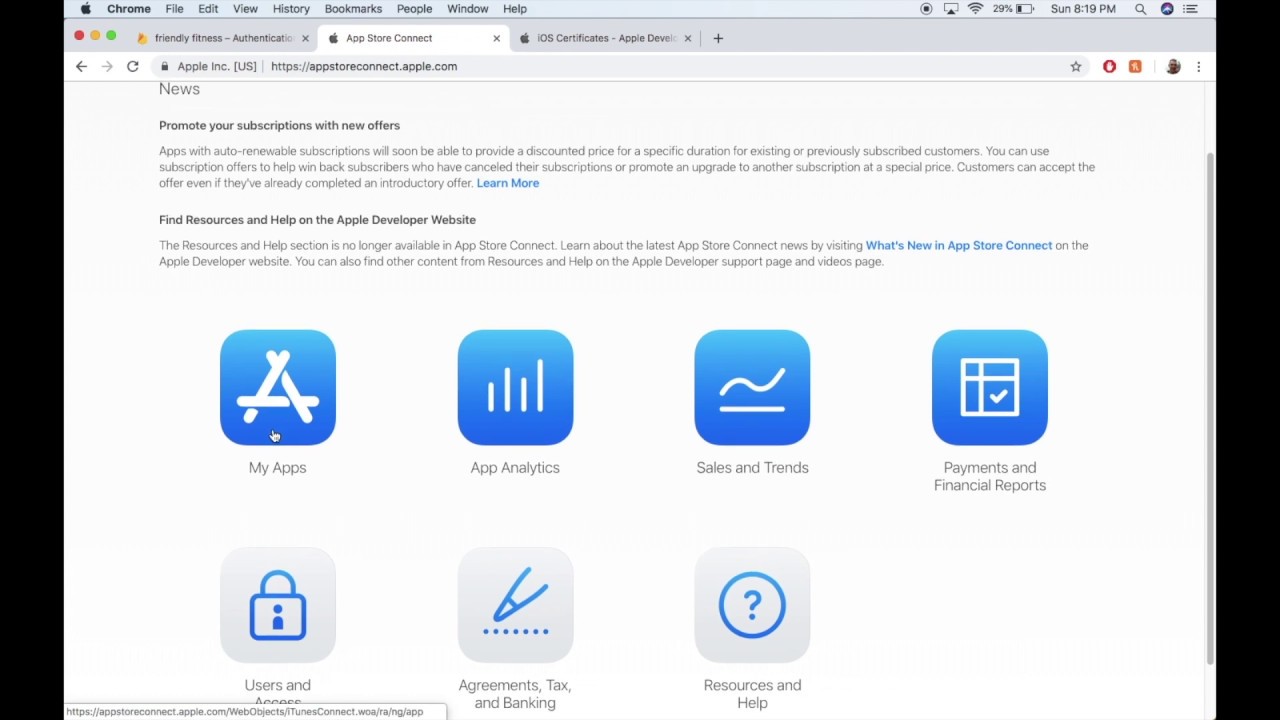
The last part of the Friendly Fitness iOS app in Python with Kivy tutorial
👇 LINKS AND INFO! 👇
Consider donating to me if you are able to and appreciate my content: https://www.paypal.me/eriksandbergsoftware
Here I show you the process to archive your app and then send it around to your friends / coworkers for beta testing using TestFlight. I...
it looks like we can...
graceful dock
what is the best way to display text on screen and update it?
every time i do, the screen freezes
i use time.sleep()
tranquil girder
label = Text()
some_var = 123

def update():
    label.text = str(some_var)
time.sleep() suspends your whole program including your game loop, if you need a timer, you can use asyncio.sleep() to create a timer on a 'separate' thread (or use multithreading) or use the time delta you get with your update method ie:
class Game:
  TEXT_ON_SCREEN_CONSTANT: float = 5
  text_on_screen_length: float = TEXT_ON_SCREEN_CONSTANT

  def update(self, dt):
    self.text_on_screen_length -= dt
    if self.text_on_screen_length <= 0:
      # update text
      self.text_on_screen_length = TEXT_ON_SCREEN_CONSTANT
or im misunderstanding the question ig
 sinful radish
hi
can you help me check the code and see if its open source and no one can steal my informations when I use this
https://github.com/snipesmarter/smart-sniper

GitHub
Official Smart Sniper release. Contribute to snipesmarter/smart-sniper development by creating an account on GitHub.
heres the code
GitHub
Official Smart Sniper release. Contribute to snipesmarter/smart-sniper development by creating an account on GitHub.
 weary mist
how can i know what key I've pressed without using many if statements ??
for press in pygame.key.get_pressed(): if press.type == pygame.KEYDOWN: print(pygame.key.name(press.key)
this seems to work but the problem being that I have to keep holding down the key for a short time for it to be registered
last moon
weary mist
how can i know what key I've pressed without using many if statements ??
`for ...
I'm not sure how pygame handles input but I used this for a game using arcade:
    def on_key_press(self, symbol: int, modifiers: int):
        if symbol == arcade.key.ESCAPE:
            arcade.close_window()

        if symbol in self.key_dict:
            signal = Signal(name=self.key_dict[symbol],
                             value=True,
                             modifier=self.mod_dict.get(modifiers - 256))
            self.bus.emit("key_press", signal)
            self.signal_processor.signal_queue.put(signal)

      def on_key_release(self, symbol: int, modifiers: int):
        if symbol in self.key_dict:
            signal = Signal(self.key_dict[symbol], False)
            self.signal_processor.signal_queue.put(_signal)
basically if the key is in a predefined dict of keys that are being used, put the key signal in a queue being processed by a controller, if it's released do the same
mental jetty
Question
How can I make an ai for a game
Like the basic concepts of making a game AI
normal silo
sinful radish
can you help me check the code and see if its open source and no one can steal m...
Wrong channel, ask in security. Also from a quick glance I don't see it using https (in some parts) which is big red flag.
It also interacts with this website: http://api.coolkidmacho.com/ made by some random person on the internet.
The best droptime api! Constantly updated.
(again, no https)
dawn quiver
@mental jetty watch 'ai plays flappy bird' tutorial by tech with tim
dawn quiver
I'm new to coding in general. I'm looking at learning and seeing where it goes from there. would anyone be able to give me advice and some materials to help with learning?
mental jetty
dawn quiver
<@772271073055473705> watch 'ai plays flappy bird' tutorial by tech with tim
Ok thanks so mucj
 sharp burrow
will someone here be interested to develop a game?
 final bolt
@sharp burrow Yes
sharp burrow
@final bolt DM please
final bolt
Ok
 finite briar
Uhhh okay.. So... In
class Player(pygame.sprite.Sprite): what is the 'pygame.sprite.Sprite'?
Whats that called?
frozen knoll
@finite briar See chapters 12 and 13. http://programarcadegames.com/
finite briar
frozen knoll
<@!308824970107289610> See chapters 12 and 13. http://programarcadegames.com/
Okay, thank you :0
graceful dock
last moon
`time.sleep()` suspends your whole program including your game loop, if you need...
Exactly. I need a timer type thing, which can help me to detect time intervals.
tranquil girder
You can use this pattern, @graceful dock
t = 0
def update():
    global t
    t += time.dt
    if t > .5:  # do every half second
        t = 0
        do_something()
is there another function to copy directories rather than shutil.copytree?
it just give me "Operation not permitted" error
 gaunt wadi
How i do a ground in pygame?
gilded barn
How i add 3d snake in pygame
white vector
next: making the smiley face yellow.
IT MUST BE PERFECT!
 lunar venture
@white vector can you click on the console or is it just getchs
white vector
it's just getchs
both options for yellow look gross
it's either faded yellow or gold
lunar venture
Why don't you use RGB ANSI escape codes
white vector
there's RGB ANSI escape codes?
lunar venture
Yeah
white vector
i've been using array and m
lunar venture
:|
lunar venture
"\x1b[38;2;r;g;bm"
lunar venture
It's either that or you just flip the 2 and the 38
dawn quiver
white vector
next: making the smiley face yellow.
IT MUST BE PERFECT!
hey.. is that the... curses library.
white vector
nope
dawn quiver
then what is it
lunar venture
dawn quiver
hey.. is that the... `curses` library.
Nope 😃
msvcrt.getch
And prints
I assume
white vector
MY CODE IS CURSED ENOUGH IT DOESN"T NEED CURSES
yeah that
prints?
like prints or prints?
lunar venture
You can move the printing cursor using just prints did you not know that
white vector
XD
lunar venture
I mean the built-in function
white vector
yeah ^[[s blah blah blah ^[[u
lunar venture
Da phaq
It looks shorter than the ANSI escape codes I know
Somebody's writing a paragraph
white vector
correction due to line buffering ```py
from time import sleep
import('os').system('')
print('\x1b[s:)',end='\x1b[u')
s = 0
def main():
s=0
print('\x1b[s:)',end='\x1b[u')
while True:
sleep(0.2)
s = not s
print(f'\x1b[u\x1b[{31*s}m:\x1b[0m)')
main()
 past pecan
what is the code of gravtity in python
dawn quiver
freee
 fervent rose
Hey @dawn quiver, what was that token?
 unkempt wren
dawn quiver
bot
unkempt wren
dawn quiver
bot
You can't just give away bot accounts. Using a random token will likely involve breaking the terms of service in some way.
dawn quiver
do u guys think pygame should incorporate systems like the ecs , scene systems etc ?. if yes, what will u suggest them. i am asking this for a reason
 sweet elbow
very impressive
 potent ice
@dawn quiver I think that's a bit out of scope for the pygame project itself. There are already projects like https://github.com/benmoran56/esper
white vector
https://www.askpython.com/python/examples/create-minesweeper-using-python
this causes me physical pain.
when i have this to compare it to:

 round obsidian
OK, this makes me happy

I'm in the middle of rewriting my game, and the game loop itself doesn't even make a dent in my total frame budget
I do want to try this on a less powerful machine to see what the difference is, but I'm impressed
round obsidian
Exactly what I had in mind
I have a VERY low-end notebook PC I can use for this kind of thing, and a vintage 2014 notebook as well.
The whole project packs into a 7MB .zip, and a good half of that is the music files, haha

The actual gameplay also barely makes a dent (at least so far)
white vector
that's a wasd game?
round obsidian
WASD but also twin sticks
white vector
twin sticks?
round obsidian
@white vector one to move, one to shoot
round obsidian
Right, or left and right analog sticks
white vector
Ii make raw terminal games ;)
dawn quiver
potent ice
<@456226577798135808> I think that's a bit out of scope for the pygame project i...
lol,, i was to thinking to develop a ecs for pygame. sad that it is already developed
round obsidian
Just tried it out on my older (vintage 2014) notebook. About the same stats!
I'm also mulling a project that would make it easier to distribute games written in Pyglet.
teal ember
round obsidian
WASD but also twin sticks
oh what did you do to add 1 player gameplay to conway's game of life haha
round obsidian
teal ember
oh what did you do to add 1 player gameplay to conway's game of life haha
Bullets.
teal ember
oh
round obsidian
I like twin-stick shooter games, and I got the mad idea to merge that with Conway's Life
AND IT WORKS
last moon
dawn quiver
i am confused that almost no one uses pymunk for physics
pymunk/any physics engine adds a lot of boilerplate that you may or may not use + using someone else's physics means you'll be limited in what you can do, meaning if you need anything custom you'll have to implement it yourself anyways
pygame uses it but iirc most other frameworks have their own
dawn quiver
last moon
pymunk/any physics engine adds a lot of boilerplate that you may or may not use ...
yes but.. if we talk about other engines.. they have their builtin physics engine
last moon
doesn't mean you have to use them?
@chilly vine idk if what you're doing fits in here or not but i've found sending input to a queue and handling it with a controller can make it a lot smoother
multithreading the controller would improve it even more
white vector
should I make 4d minesweeper?
last moon
5d you wont
white vector
my screen is tiny i get laptop upgrade tomorrow
white vector
ND minesweeper?
1d is not even solvable
if any dimensions are <= 2 it's not solvable
white vector
if the number of bombs > reduce(int.mul,dims)-9 it's not mathematically solvable
if the number of bombs < reduce(int.mul, dims)**(1/len(dims)) it's too easy
higher dimensions I could do, just not with a gui. purely command line or API interface
then it would be almost impossible highly improbable for human to solve
last moon
wouldnt it just be multiple 3+d layers together?
white vector
so i can just keep the internal minesweeper engine without the update_board mechanism
white vector
last moon
wouldnt it just be multiple 3+d layers together?
the screen is 2d
last moon
really
white vector
to see every cell you stack either up or right
otherwise you'll need extra gui controls to rotate a 3d space
last moon
which isn't too difficult
white vector
very difficult in terminal user interface
last moon
ah ya you lost me there
white vector
i think i need to restart my pc
http://gravitation3d.com/xezlec/ see how this dude does it
 torpid bloom
hello, and a pygame question!
I am curious about pygame.time.clock.tick().
When I put that in print(), it prints a real number
and I want to know why, and what that real number means
potent ice
@torpid bloom It's how you control framerate in pygame. You can read more about it in the official documentation : https://www.pygame.org/docs/ref/time.html
For example ```py
while True:
# Make sure game doesn't run at more than 30 frames per second
time_delta = clock.tick(30)
# Handle events
# Draw stuff
It's also used to give you the time delta since the last time you called it
It will only wait if you pass in the framerate argument (like stated in the docs)
Probably more flexible to not pass in a framerate and instead move things based on time delta
torpid bloom
potent ice
It's also used to give you the time delta since the last time you called it
Oh, it does. I set FPS to 60 and it printed 16 or 17, and it meant milliseconds.
1000 / 60 = 16.67
Thanks!
potent ice
I do think it's more common to not limit framerate at least in development and move things based on the reported delta time so you can measure performance better
Also, you can usually find the answers in the official docs/tutorials 🙂
torpid bloom
My english skill is not perfect, so I needed easier explanation
sharp burrow
hello fellas
proven fractal
I'm trying to adapt the sizes of my drawings in pygame according to the resizing of the window
I have a file which displays the screen and another file which draws the elements
but to update the drawings I need the info about the new width and height of the screen which is in the main file
and I can't import both files in each other
how do I do?
 hidden holly
are you copying this from the freeCodeCamp tutorial
dawn quiver
All you need to do is
screen = pygame.display.set_mode((900, 600), pygame.SCALED + pygame.RESIZABLE)
@proven fractal
proven fractal
dawn quiver
All you need to do is
```py
screen = pygame.display.set_mode((900, 600), pygame...
I can't resize the window when I add the SCALED flag
dawn quiver
then try without it
screen = pygame.display.set_mode((900, 600), pygame.RESIZABLE)
yeah I can resize the window without it
proven fractal
but I don't really get the point of scaled flag tbh
if it's going to disable the resizing
round obsidian
Just tried out my game on much older hardware. It's not even using 0.1% of the available FPS!
 magic jay
if player_choice == "1" :
print("Attack") When I print attack It doesnt show any idea why?
round obsidian
magic jay
if player_choice == "1" :
print("Attack") Wh...
is player_choice a string?
magic jay
round obsidian
is `player_choice` a string?
I figured it out I just had to type out 1 😄
tidal stag
This is my first pygame demo, written in Python 3.8.10.
Truth be told, it is not as impressive as others' demos, but it is likely that it will make you interested.
If you have any questions - please let me know.
As promised, here is the link to my demo:
https://github.com/KatsumiKougen/pygame-demo
NOTE: Make sure you have Python 3.8+ and pygame...
 dawn quiver
tidal stag
https://youtu.be/s_CrPZKU0rs
dawn quiver
tidal stag
https://youtu.be/s_CrPZKU0rs
that was.. epic
tidal stag
dawn quiver
that was.. epic
Thanks!
 torn patrol
How to import uv map to a. Png file for adding texture for a cube in python ursine
tranquil girder
The uvs are part of the 3d model, @torn patrol
tranquil girder
 clear glacier
If you're using pycharm, I think you have to use pycharm to install the module. Might be a venv or something too
 frozen crest
clear glacier
Hey how can i use ursina?
frozen crest
clear glacier
Hey how can i use ursina?
did you pip install ursina?
clear glacier
frozen crest
did you pip install ursina?
Yes i did
frozen crest
did you restarted the ide?
clear glacier
tranquil girder
If you're using pycharm, I think you have to use pycharm to install the module. ...
i'm using vscode
clear glacier
frozen crest
did you restarted the ide?
many times
tranquil girder
clear glacier
i'm using vscode
then follow VSCode's instructions for installing python modules
they like to make it easy for you (read: complicated)
tranquil girder

 still anvil
dawn quiver
then try without it
```py
screen = pygame.display.set_mode((900, 600), pygame.RE...
still anvil
dawn quiver
then try without it
```py
screen = pygame.display.set_mode((900, 600), pygame.RE...
do you mean that you can change the size of the window by using your mouse to drag the boarders to change the size?
tranquil girder
Entity(model='your_model', texture='your_texture') and it should export the model automatically
There's also load_blender_scene() which loads every object in blender as a separate entity, so you can use it as a level editor
 civic halo
can anyone help me with pygame dm me
untold jolt
is there any way I can pygame.time.wait(500) without stopping the damn timer?
dawn quiver
still anvil
do you mean that you can change the size of the window by using your mouse to dr...
Yes.
and all it takes it so add that parameter 
potent ice
You need a timer for that. Store the current time and detect when 500 has ellapsed.
civic halo
yo
looking for people to be a team(not for any things like jams but we can get into it) I just wanna have some with the gang and create games from python
dawn quiver
proven fractal
if it's going to disable the resizing
You can have a resizable scaled window by using a bitwise operator :
pygame.display.set_mode((w, h), flags=pygame.SCALED | pygame.RESIZABLE)
still not working
can you test it?
dawn quiver
proven fractal
can you test it?
I'm not on my PC right now so can't test it but I can check the code.
proven fractal
dawn quiver
I'm not on my PC right now so can't test it but I can check the code.
import pygame as pg
from pygame.locals import*
import sys


pg.init()

WIDTH = 1200
HEIGHT = 650
FPS = 60

screen = pg.display.set_mode((WIDTH, HEIGHT), pg.RESIZABLE)
screen.fill((255, 255, 255))
pg.display.set_caption("test")

monitor_size = [pg.display.Info().current_w, pg.display.Info().current_h]

def main():
    fullscreen = False
    clock = pg.time.Clock()

    while True:
        screen.fill((255, 255, 255))

        for event in pg.event.get():
            if event.type == QUIT:
                pg.quit()
                sys.exit()
            if event.type == KEYDOWN:
                if event.key == K_ESCAPE:
                    pg.quit()
                    sys.exit()
                if event.key == K_f:
                    if fullscreen == True:
                        pg.display.set_mode((WIDTH, HEIGHT), pg.RESIZABLE)
                        fullscreen = False

                    elif fullscreen == False:
                        pg.display.set_mode(monitor_size, pg.FULLSCREEN)
                        fullscreen = True

        pg.display.update()
        clock.tick(FPS)

if __name__ == "__main__":
main() ```-
I can see that you're calling display.set_mode() many times but you need to do that only once as you need a single screen.
-
There is a function called pg.display.toggle_fullscreen() which can be used to switch between fullscreen and windowed mode so you don't need a full screen variable now.
Try modifying your code as shown below :
import pygame as pg

screen = pg.display.set_mode((w, h), flags=pygame.SCALED | pygame. RESIZABLE)

# In main function under event loop in keydown events

if event.key == pg.K_f:
    pg.display.toggle_fullscreen()
The above code will do the work.
Remove all the calls to pygame.display.set_mode() (excluding screen = ...)
Also, remove monitor_size and full screen flag.
proven fractal
dawn quiver
1. I can see that you're calling display.set_mode() many times but you need to d...
I tried the toggle_fullscreen() function as well but it says unsupported pixel format or smth like that
dawn quiver
Hmm...
Try modifying your code as given above once, it should solve such a problem.
proven fractal
It works somewhat with a blank screen
now idk why it sends me an error even though I didnt change anything
pg.display.toggle_fullscreen()
Have you removed all of the set_modes other than screen ?
proven fractal
yes
import pygame as pg
from pygame.locals import*
import sys

pg.init()

WIDTH = 1200
HEIGHT = 650
FPS = 60

screen = pg.display.set_mode((WIDTH, HEIGHT), pg.RESIZABLE)
screen.fill((255, 255, 255))
pg.display.set_caption("test")

def main():
    clock = pg.time.Clock()

    while True:
        for event in pg.event.get():
            if event.type == QUIT:
                pg.quit()
                sys.exit()
            if event.type == KEYDOWN:
                if event.key == K_ESCAPE:
                    pg.quit()
                    sys.exit()
                if event.key == K_f:
                    pg.display.toggle_fullscreen()
        pg.display.update()
        clock.tick(FPS)

if __name__ == "__main__":
    main()
 shell scroll
PICO-CRATE is out now!!!
http://harmony-hunnie.itch.io/pico-crate
a cute little platformer game made in PICO-8
I hope you all enjoy!! <3 (:

made possible with python script hehe
 mint pebble
I want to enter a game jam eventually and be on a team. What are some skills I should develop before doing that ? Any insight to game jams would be helpful as well. Thanks for the help in advance!
dawn quiver
had a question on pyautogui, need to to make a simple combat script in a runescape private server is this do able?
last moon
mint pebble
I want to enter a game jam eventually and be on a team. What are some skills I s...
understanding/properly managing the game loop and entities are pretty essential, after that the logic is more dependent on what sort of genre the game is (ie: for a platformer you need basic movement, boundaries, enemies, combat, a win/lose condition, score/ui elements, etc)
camera/perspective aren't essential to learn as most frameworks do it for you, but it doesn't hurt to learn either
round obsidian
mint pebble
I want to enter a game jam eventually and be on a team. What are some skills I s...
one thing I'm gonna really emphasize is MANAGEMENT OF GAME STATE
mint pebble
Thanks so much! I’ll look into these things!
Also, thank you for nump[ee] I completely agree with the pronunciation, although seeing the merit in num-PIE
torn patrol
how should i load a blender model and texture and uv maps into python for the ursina i am making a game
tranquil girder
untold jolt
potent ice
You need a timer for that. Store the current time and detect when 500 has ellaps...
no understand
# got it from stack overflow lol
    def timer(self):
        pygame.time.wait(0)
        ticks=pygame.time.get_ticks()
        millis=ticks%1000
        seconds=int(ticks/1000 % 60)
        minutes=int(ticks/60000 % 24)
        out='{minutes:02d}:{seconds:02d}:{millis}'.format(minutes=minutes, millis=millis, seconds=seconds)
        font=pygame.freetype.SysFont(None, 34)
        font.render_to(screen, (100, 100, 100), out, pygame.Color('blue'))
Everytime pygame.time.wait(500) it stops the timer
clear glacier
hey i have an error
on pygame
import pygame as py

py.init()

size = (500, 300)

screen = py.display.set_mode(size)

while True:

    for ev in py.event.get():

        if ev.type == py.MOUSEBUTTONUP:

            pos = py.mouse.get_pos()

            col= (0, 255, 255)

            py.draw.circle(
                screen, col, pos, 20, 5
            )
            py.display.update()
your py.display.update() not in line i think like it’s inside the event loop
i’m on phone now
clear glacier
Traceback (most recent call last):
File "c:\Users\AhmetFurkan\Desktop\Python Çalışmaları\pygame.py", line 1, in <module>
import pygame as py
File "c:\Users\AhmetFurkan\Desktop\Python Çalışmaları\pygame.py", line 3, in <module>
py.init()
AttributeError: partially initialized module 'pygame' has no attribute 'init' (most likely due to a circular import)
PS C:\Users\AhmetFurkan\Desktop\Python Çalışmaları>
that's
