#game-development
1 messages · Page 89 of 1
 limber veldt
 buoyant sequoia
ok thank you will do that
limber veldt
Fonts are all drawn, yay, that's a grind
Images for all the letters and numbers
I need to come up with a human controller. Liek I don't want all of a level's humans to be capturable from the start or the first wave of landers would just come snag them all at almost the same time and, no matter how good the player is, some of them would mutate by reaching the top of the screen
So, no matter how many humans remain alive, I only want one or two of them to be capturable at a time
Add all humans that are walking (on the ground, not captured, falling or being saved by the player) to a list, choose a couple randoms and enable their capturable flag
 dawn quiver
in py
dawn quiver
dawn quiver
in py
well you can make 2d games
i recommend pygame ebcause thats what i use
limber veldt
You start with a game or an idea for a game and start learning whatever it takes to make that game
limber veldt
I think I'm gonna take arcade for a spin and see if I get scroll a shooter with it
Its hardware acceleration might be worth a try
dawn quiver
dawn quiver
well you can make 2d games
only 2d?
u cant make 3d games?
with python?
limber veldt
Let's put it this way, you can make game logic and all that for any game with python but when it comes to drawing things fast enough for 3d, just not fast enough
limber veldt
Hmm, that's still conditional. Blender does 3d with a python API, but that's not python doing the drawing, it's Blender with its C or C++ code
dawn quiver
why r u taking so long time to answer
 pine marlin
because its not a yes or no thing, you can make 3d games with python but dont expect some AAA level quality
limber veldt
Yeah, wtf, it's not like you deserve a definite answer, there isn't one
 tranquil girder
dawn quiver
u cant make 3d games?
tranquil girder
dawn quiver
u cant make 3d games?
yes, you can
 south slate
So I wrote question on here yesterday and did not receive a response. Completely understandable since I am unable to offer anything in return for the help I am asking for. Can anyone possibly tell me where I might be able to post a question that will be possibly answered?
limber veldt
True determines if the set of points are closed, I assume by making a line or not from the end back to the start point of the provided list of points
And yes, that's the case...
closed (bool) -- if True an additional line segment is drawn between the first and last points in the points sequence
Pygame docs answered that question in seconds, just sayin'
Or, of course, you could try the code, and set it to False then compare the difference, surely then it would be obvious what it does
Don't be afraid to poke around with the code you're working with, it can always be fixed if you mess it up or even done better...maybe
south slate
Thanks for your assistance. I looked at pygame docs but didn't see anything relevant. It is possible I just did not adequately understand what is written there. I tried removing the bool altogether but did think of changing it False. I really appreciate your help.
limber veldt
Like I've been working on this game for over a month, it's working great but I wasn't totally satisfied with player movement....I just totally deleted the entire player movement method and started over
And it's ok, because I will write it better this time
south slate
Gotcha, I will try to be more willing to take risks and change up the code
limber veldt
Of course, I saved a backup of the working code but still, it's a good idea, at least for me, to refactor and redo sometimes
It's like as a piece of code I'm working with evolves, I gain a better understanding of the essential logics and can almost always write it better
Especially when writing long algorithms. I code out step by step then realize about 900 lines later that I'm only changing a couple of variables and can then understand how to set up a function or method to do it in 10 lines
lol
dawn quiver
Im having an issue where the player sprite collides with the platform sprite but it stops in the middle of the platform, im trying to make it so it stops on top of it
 south slate
sst, lol
Thanks again, sst! I'm able to see the difference when I set the bool to False.
dawn quiver
https://hastebin.com/usigenibih.rb thats my code btw
limber veldt
Have fun man
limber veldt
dawn quiver
Im having an issue where the player sprite collides with the platform sprite but...
What are the dimensions of your two images, the player and the block?
limber veldt
Hmm, that's a tough one @dawn quiver
But I was watching a long tut this morning...
This is it. Sorry I can't help you more directly at the moment but I know that this covers what you need: https://www.youtube.com/watch?v=DHgj5jhMJKg

In this Python tutorial I code a Scrolling Shooter Game using the PyGame module. I'm going to cover the initial game setup and how to create the player
Code and assets on github:
https://github.com/russs123/Shooter
Credits for assets used:
https://mtk.itch.io/grenades-16x16
http://gushh.net/blog/free-game-sprites-explosion-3/
https://erayzes...
dawn quiver
okay thank you
limber veldt
And is really well done
He builds the code as he needs it and describes why he's doing what he's doing really well
Beginner friendly but for someone just looking for why their collision is messed up, it's kinda long
limber veldt
Excuse me but....I fuckin did it! Recreated the player/map movement!
The switching direction thing is tricky
Because the player and map both have to move in relation to each other as the player sweeps across the map during the direction change
But I'm pretty sure I got the original algorithm, if not, really really close to it
And oh man does it feel good, feels right
I've only been trying to hammer this out for two or three days
Among other things, this has been lurking and being tweaked
limber veldt
The key was adding a flag to signal when the player is transitioning from left to right side of the screen and adjusting player speed (actually map speed) according to it
Or right to left, for that matter
Adjusting map speed relative though, not absolute
So good, so glad I got that working right
I mentioned earlier tha tI deleted it, well some made it back into the refactor but it has all new movement code
During player update(), it also has to update the siren surface on the player sprite so it changes colors and looks kinda like a siren
Also, if the player has human cargo, check if he's at the ground and drop them off
 low lagoon
Here's how i'm handeling collisions.
basically, you have the bounding box of the player, and then you loop over the inside of the box and use a texture to define to collisions, and then create a bounding box for the collision parts inside the player. then get the closest points with the player and the collision, then get a vector between those two points and move the player with that vector

here's the result
Not the best, right?
here's the code for getting the closest point
    closestP = [0,0]
    insideX = Center[0]-Bounds[0] < P[0] and P[0] < Center[0]+Bounds[0]
    insideY = Center[1]-Bounds[1] < P[1] and P[1] < Center[1]+Bounds[1]
    pointInsideRectangle = insideX and insideY
    if not pointInsideRectangle:
        closestP[0] = max(Center[0]-Bounds[0], min(P[0], Center[0] + Bounds[0]))
        closestP[1] = max(Center[1]-Bounds[1], min(P[1], Center[1] + Bounds[1]))
    else:
        distanceToPositiveBounds = [Center[0]+Bounds[0] - P[0], Center[1]+Bounds[1] - P[1]]
        distanceToNegativeBounds = [-(Center[0]-Bounds[0] - P[0]), -(Center[1]-Bounds[1] - P[1])]
        smallestX = min(distanceToPositiveBounds[0], distanceToNegativeBounds[0])
        smallestY = min(distanceToPositiveBounds[1], distanceToNegativeBounds[1])
        smallestDistance = min(smallestX, smallestY)

        if smallestDistance == distanceToPositiveBounds[0]:
            closestP = [Center[0]+Bounds[0], P[1]]
        elif smallestDistance == distanceToNegativeBounds[0]:
            closestP = [Center[0]-Bounds[0], P[1]]
        elif smallestDistance == distanceToPositiveBounds[1]:
            closestP = [P[0], Center[1]+Bounds[1]]
        else:
            closestP = [P[0], Center[1]-Bounds[1]]
return closestP```then the collision check
    global groundPos
    sizeX = abs(x2-x1)
    sizeY = abs(y2-y1)
    inputMiddleX = x1+sizeX/2
    inputMiddleY = y1+sizeY/2
    lowestX = 50000
    heighestX = 0
    lowestY = 50000
    heighestY = 0
    closestPoint = [0,0]
    closestPoint2 = [0,0]
    unintersectVector = [0,0]
    ColSize = [0,0]
    ColMiddle = [0,0]
    colDetectected = False
    stepsize = 5
    for i in range(int(x1), int(x2), stepsize):
        for j in range(int(y1), int(y2), stepsize):
            x = i
            y = j
            value = collisionMask[y][x][0]/255
            if int(value) < 0.5:
                if x > heighestX:
                    heighestX = x
                if x < lowestX:
                    lowestX = x
                if y > heighestY:
                    heighestY = y
                if y < lowestY:
                    lowestY = y
                groundPos.append([i,j])
                colDetectected = True
    if colDetectected:
        ColSize = [math.sqrt((heighestX - lowestX) * (heighestX - lowestX)), math.sqrt((heighestY - lowestY) * (heighestY - lowestY))]
        ColMiddle = [lowestX + ColSize[0]/2, lowestY + ColSize[1]/2]
        closestPoint = findClosestPoint([inputMiddleX, inputMiddleY], ColMiddle, [ColSize[0] / 2, ColSize[1] / 2])
        closestPoint2 = findClosestPoint(closestPoint, [inputMiddleX, inputMiddleY],
                                         [playerSize / 2, playerSize / 2])
        unintersectVector = [closestPoint2[0] - closestPoint[0], closestPoint2[1] - closestPoint[1]]
return colDetectected, unintersectVector, closestPoint```I've also got some other stuff for sliding and bouncing
            Jumps = 2
        GroundNormal = [PlayerCenter[0]-PhysicsCheck[2][0], PlayerCenter[1]-PhysicsCheck[2][1]]
        GroundNormal[0] = (numpy.array(GroundNormal)/numpy.linalg.norm(numpy.array(GroundNormal)))[0]
        GroundNormal[1] = (numpy.array(GroundNormal)/numpy.linalg.norm(numpy.array(GroundNormal)))[1]
        b = numpy.empty_like(GroundNormal)
        b[0] = -GroundNormal[1]
        b[1] = GroundNormal[0]
        SlideVec = [numpy.dot(playerVel, b) * b[0], numpy.dot(playerVel, b) * b[1]]
        factor = -2 * numpy.dot(GroundNormal, playerVel)
        BounceVec = [factor * GroundNormal[0] + playerVel[0], factor * GroundNormal[1] + GroundNormal[1]]
        Bounciness = 0.05
        playerVel = [BounceVec[0]*Bounciness + SlideVec[0]*(1-Bounciness), BounceVec[1]*Bounciness + SlideVec[1]*(1-Bounciness)]
    playerVel[0] += inputAxis[0]
    playerVel[0] = max(-PlayerSpeed, min(playerVel[0], PlayerSpeed))
    if playerVel[0] != 0 and inputAxis[0] > 0:
        if playerVel[0] > 0:
            playerVel[0] -= playerVel[0]/5
        else:
playerVel[0] += playerVel[0] / 5 ```You can. But you need to use something else to draw the 3d mesh.
PUBG using python
but they use C++ to draw the characters
its basically like front end and backend
Like always another language is used for the frontend of the game, and python is used for the backend
 rotund niche
Wow
dawn quiver
dawn quiver
PUBG using python
For the logic(if player collides with this what happens)
dawn quiver
dawn quiver
For the logic(if player collides with this what happens)
Just incase you didnt know what logic means :)
 autumn pilot
I'm automating EverQuest with Python(which isn't against TOS surprisingly). I'm wondering how to handle movement and navigation. I'm able to receive my coordinates and direction I'm facing in a particular zone using a command. But I'm wondering how to go about actually moving from one set or coordinates to another? How should I navigate around objects and such? Here's an example of a zone/map http://www.zlizeq.com/ZlizEQ_Projects-ZlizEQMap
Read about ZlizEQMap on Zliz's EverQuest Compendium: A complete guide to the MMORPG EverQuest 1. Learn about game mechanics, read guides, technical tips and references.
 analog latch
So I just installed pygame on Visual Studio Code with pip3 install pygame and when I went to run my source code, this came up:
Traceback (most recent call last):
File "pygame.py", line 1, in <module>
import pygame
File "/Users/me/Desktop/Python/pygame.py", line 3, in <module>
pygame.init()
AttributeError: 'module' object has no attribute 'init'```
What does it mean and how can I fix it? last moon
because the file you're working in is called pygame.py, it's trying to import itself
try renaming it
analog latch
I got the same error
 teal ember
 idle seal
I run out of idea :)
idle seal
I run out of idea :)
you can also think of multiplayer games
or 2 player games, p2p
like online pong, air hockey, pinball
dawn quiver
idle seal
anyone can give me some game idea?
hmm
normally i brainstorm with what i can 75% do
so that i can learn the other 25% :D
i list out 10 games
and decide which ones seems the most fun >///<
this time i decided on a full fledged zombie shooter platfromer type game
 velvet plank
nice
limber veldt
My best player class for a space alien side scrolling shooter ever: https://pasteall.org/wg6k
My margins are hardcoded at the moment, but that's just a matter of defining additional constants and using them instead, basically the same thing
So, self.x carries the float of player location x, and self.rect.x is an int. What's cool about that is that I can move player around the screen by its rect without changing its actual x location. Meaning that I can add movement effects without influencing the underlying floats
Want player ship to vibrate as it picked up speed? No problem, shake rattle and roll its rect anywhere you want, the floats and the math with them will remain consistent
So I still have to work out that additional thrust code and implement some very subtle high speed shaking
As thrust is applied to the player ship, the ship slowly moves forward on the screen while the world whips by at top speed
To further enhance the feeling of movement and speed
Still have to work that out too
limber veldt
Just realized that I could make kill_all() and shoot() staticmethods, neither of them reference self at all
 wicked lintel
about the page being 'bugged'
 low lagoon
here's the result
low lagoon
low lagoon
here's the result
update, i got it kinda working, but now it's sticky
if not DesireCheck[0]:
playerPos = desiredPos.copy()
playerVel[1] += 5
else:
playerVel[1] += 5
AvePos = [0,0]
for pos in groundPos:
AvePos[0] += pos[0]
AvePos[1] += pos[1]
AvePos[0] /= len(groundPos)
AvePos[1] /= len(groundPos)
GroundNormal = [playerCenter[0] - AvePos[0], playerCenter[1] - AvePos[1]]
GroundNormal /= numpy.linalg.norm(GroundNormal)
canvas.create_line(playerCenter[0], playerCenter[1], playerCenter[0]+GroundNormal[0]*15, playerCenter[1]+GroundNormal[1]*15)
print(numpy.dot(numpy.array([0,-1]), numpy.array(GroundNormal)))
if numpy.dot(numpy.array([0,-1]), numpy.array(GroundNormal)) > 0.5 and numpy.dot(numpy.array([0,-1]), numpy.array(GroundNormal)) < 1.5:
Jumps = 2
factor = -2 * numpy.dot(playerVel, GroundNormal)
bounceVector = [factor * GroundNormal[0] + playerVel[0], factor * GroundNormal[1] + playerVel[1]]
b = numpy.empty_like(GroundNormal)
b[0] = -GroundNormal[1]
b[1] = GroundNormal[0]
slideVector = [numpy.dot(playerVel, b) * b[0], numpy.dot(playerVel, b) * b[1]]
bounciness = 0.1
playerVel = [slideVector[0] + (bounceVector[0] - slideVector[0]) * bounciness, slideVector[1] + (bounceVector[1] - slideVector[1]) * bounciness]``` undone wren

#Matplotlib #Python #Math
This tutorial shows how to make a simple 2048 game using Matplotlib. We use the Rectangle class of matplotlib.patches to visualize each cell, and we use the canvas' mpl_connect method to make the swipe interaction.
Code: https://github.com/anbarief/2048matplotlib
Facebook: https://www.facebook.com/Mathematical-Scienc...
 opaque fox
How to make a jumping mechanism in pygame?
 wild lagoon
limber veldt
wild lagoon
limber veldt
The game keeping 50 baiters spawned at all times, they eventually fall into this kind of pattern. Kinda how they should
So long as I don't move, they shouldn't change their flight pattern
My velocity on both axes is added to theirs. If I have no velocity, they fly a pattrn like those
That's why they can never be outran
They pull in front of you and go into the pattern at whatever speed you're going and if your speed changes, they react to it three times per second
So they have a reaction time
Which can make them hard as fuck to shoot sometimes
Because if they're just above your line of fire and you go up to make the shot, they might react to it fast enough for you to miss and draw you into a chase
Up the screen
Those enemy AIs are a pain in the backside to work out but when they work is totally worth it. I could tweak those guys some but they good for now anyway
limber veldt
Not a very talkative bunch in here, that's for sure. This is a chat, right?
 grim abyss
limber veldt
Not a very talkative bunch in here, that's for sure. This is a chat, right?
grim abyss
limber veldt
Not a very talkative bunch in here, that's for sure. This is a chat, right?
What's happening bud!
limber veldt
grim abyss
What's happening bud!
Not a lot, chillin, coding this game
Adding player lives, he can now explode
And die
And respawn
Next, adding a game over screen for when player is out of lives
Messing with sounds at the moment though
Can I not access a subfolder of my main without using os when loading the sound files?

 random arch
For older versions of libraries, namely pygame 1.9.6, how does one tend to find documentation for it, given the website documentation is updated to the newest version?
dawn quiver
low lagoon
damn thats good, if you make a huge map and pick a better more lofi relaxing colour pallet, purple and pink, or look at a game like 'Alto' this would be a great game!
dawn quiver
limber veldt
Not a very talkative bunch in here, that's for sure. This is a chat, right?
Well you spitting paragraphs of the logic behind your games is kinda hard to respond to 🙄
limber veldt
I don't know why, it's a game channel, people talk about games here, not just post promos or answer questions
I mean, seems like other game makers would be interested in how one person is doing it. I know I'm interested in how other people might do some of the things I talk about
But nobody talks
No biggie
Single player coding is just as fun
dawn quiver
Its a game channel where we discuss our games yes
not write paragraphs about the details of its logic
unless someone was making the exact same game, no one would be interested nor would they know how to respond 😄
dawn quiver
low lagoon
update, i got it *kinda* working, but now it's sticky
This is how the description should be
A nice photo/video and then what they are working on
low lagoon
:)
dawn quiver
limber veldt
My velocity on both axes is added to theirs. If I have no velocity, they fly a p...
Not the entire logic behind the code
low lagoon
eh, i disagree with that
dawn quiver
So ofc i would respond if you just said "Yep the swarmers are going at him now"
but when you try to explain the velocity and particle collision behind it, i woudnt know how to respond unless i read the entire parah or the ones before 🙄
what your doing is making a documentation of your updates
github is there for that
Here is more about where we discuss our game dev, not explain the entire thing unless anyone asked 😔
low lagoon
I'd say it's good to just explain the concepts behind your code in case someone knows a more efficiant way
dawn quiver
well you do you, but dont expect but of a response
low lagoon
that is comepletely fair
dawn quiver
Anyways
eh i have exams so i cant continue the dev on my game

after the exams i will tho
:D
dawn quiver
 next estuary
are those mushrooms?? 
next estuary
some of them yes
limber veldt
I like bouncing ideas around, follow me or not, I'll probably still do it
So meh
Sometimes it even helps me
grim abyss
limber veldt
I like bouncing ideas around, follow me or not, I'll probably still do it
i hope so
throwing ideas around is great
limber veldt
Sometimes I hope someone says, "no man, there's a much better way" and teaches me something
grim abyss
exactly
limber veldt
Like actual game devs in here spewing ideas would be awesome, but no, just me and I barely know wtf I'm doing
Well, sometimes others
How to set up game logic to handle level progression is the next difficult hurdle for this project
grim abyss
character level progression or stage progression ?
i wanna hook up with a decent artist and start doing a metroidvania
using the arcade game engine library...
limber veldt
Stage progression
When to spawn what and end level conditions
Like spawn three waves of five landers in each one. When those are all dead, the level ends and add bonus points for number of humans remaining alive
On the next level, spawn four waves and add one more of the harder enemies, and so on, slightly increasing game difficulty for each level
grim abyss
that sounds relatively easy
but I can see how it would be difficult to add it in if your design was structured to not anticipate supporting it. then it would be not fun....
 glossy quarry
so I'm making pong rn but how do I add sound effects to my game???
I'm using pycharm as my IDE and I'm using turtle btw
limber veldt
Pong can be quite challenging
If you want to do more than move a ball slowly around the screen
Fast moving things can ghost right through walls
And player paddles
dawn quiver
glossy quarry
so I'm making pong rn but how do I add sound effects to my game???
I'm using pyc...
os.system("afplay jumping.wav&")
use os
this is the pong game i made with turtle ^^
limber veldt
I once set up an a priori collision model with pong, it could handle massive magnitude vectors, way wider than the player paddles
 bitter blaze
for event in pygame.event.get():
        if event.type == pygame.MOUSEBUTTONUP and event.button == 1:
            (x ,y) = pygame.mouse.get_pos()

            if (870-x)**2 + (650-y)**2 < 325**2:
                puppychow += click

                count1 += 1
                if count1 < 3:
                    text(50, "+1", white, x, y)

                if count1 > 3:
                    count1 = 0
``` why no workapparently it won't work, that was for MAC only, but no worries I found out that I need to use winsound for windows so it's solved
limber veldt
It calculated where the ball would hit before it got there and if the player paddles wasn't there at the calculated time, player lose
bitter blaze

dawn quiver
glossy quarry
apparently it won't work, that was for MAC only, but no worries I found out that...
oh yeah
sucks that there are different types of osses
would be nice if there was a universal one yk
 agile ore
next estuary
agile ore
next estuary
Omg it's beautiful
 tawny crystal
How to keep up motivation for game dev? :(
dawn quiver
next estuary
what lib are u using btw
dawn quiver
tawny crystal
How to keep up motivation for game dev? \:(
:(
i honestly dont know
if i dont like making games
i would just stop
tawny crystal
good one
dawn quiver
and practise my DSA cause my end goal is ML
dawn quiver
i was really just using Game Dev as a mode of translation or dev tool
tawny crystal
rn I'm trying to hone my pixel art skills
glossy quarry
alright good luck
dawn quiver
dawn quiver
i was really just using Game Dev as a mode of translation or dev tool
Sorry, those are my own terms
Mode of translation: A library/programming language which you can use to learn new ones since you are very fluent in many concepts and in the functions/syntax of that library/programming language
Developer tool: A powerful "tool" that you have created by becoming very good at a specific topic/field, For example game dev, discord bot or mobile apps
You could use a dev tool to potray your ML into something presentable
next estuary
dawn quiver
what lib are u using btw
For what specifically?
dawn quiver
for example with game dev you could potray your ML as a game ai
for a discord bot it could be a chat bot
ect.
dawn quiver
next estuary
For what specifically?
the rendering
next estuary
Ursina is the game engine
next estuary
All the biome stuff is done with OpenSimplex
Why sad?
It's wicked fast considering it's python
dawn quiver
Because ursina does most of the work for you :)
next estuary
Lol
tawny crystal
next estuary
It's wicked fast considering it's python
no shot
dawn quiver
tawny crystal
no shot
exactly man
im so happy
there are actual game devs here
who understand that "oH Lol You cANt ever mAke aNy fORm of Game with pyTHon that iS pLaYABle, I hAVENT triEd gamE dEv But i juST KnoW BEcause ThatS WHat EVERYONE says" is false
and it really spreads false info
next estuary
@dawn quiver bs there was so much work that went into dynamic chunk loading, biome generation, particle tracking, etc. Making meshes with pure math isn't easy.
tawny crystal
lmao true
dawn quiver
that you cant make games at all with python
yk PUBG using python for its logic?
C++ for its rendering
also python for its cyber security cause so many fucking hackers
dawn quiver
next estuary
<@456226577798135808> bs there was so much work that went into dynamic chunk loa...
Sure, but no. I would have consdiered it cool if you had done it without a 3D 'engine' and instead used something like opengl
tawny crystal
next estuary
Complex biome generation using OpenSimplex for a game
this looks promising, good luck :>
dawn quiver
and done all the 3d perspective yourself
next estuary
It's doable, I started with opengl sec
This whole project started out with me wanting to render snow actually
next estuary
ursina was just far easier since you could build a point mesh then render each point as a billboard particle
Thanks I will 🙂
I'm working on seemless portals between the procgen worlds next
next estuary
it doesn't the rotation is just way faster than the snow falling
so it's kinda hard to track the falling
also the fps drops
dawn quiver
:0
dawn quiver
next estuary
also the fps drops
oof
dawn quiver
i did a lot of 2d games with pygame
like 30
only fully finished 7 or 8 tho lmao
so i was thinking
i could do 3d
next estuary
dawn quiver
thats a nice game
wait lemme show what im working on
@next estuary
i tried so many things for a moving background lmfao
like
so many
such as changing the matrix
so if i clikc right
the list will pop and append
but that would look trash af
eventually i got the idea
of just
making a new tile with the changed position
now the idea was correct
but my implementation was fucked
at first it accelerated
cause i forgot to set the relative x value back to 0
later i figuered it out
and it worked
next estuary
I use move_ip on the player so everything moves relative to the player
Old video so it has a bug where the screen doesn't go down until farther down
limber veldt
I need to learn how that works, the move_ip() thing
limber veldt
It's only been two days and I'm already tired of rain rain rain
opaque fox
Hey yo
Do you know how to make platforms
I already made the jumping mechanism
Let me show you
`if player.IsJump is False and key_pressed[pygame.K_SPACE]:
player.IsJump = True
    if player.IsJump is True:
        player.PlayerY -= player.PlayerYvel*2
        player.PlayerYvel -= player.Gravity

        if player.PlayerYvel < -10:
            player.IsJump = False
            player.PlayerYvel = 10`
IsJump = False
`class Player:
def init(self, PlayerX, PlayerY, width, height):
self.PlayerX = PlayerX
self.PlayerY = PlayerY
self.width = width
self.height = height
self.PlayerVel = 5
self.PlayerYvel = 10
self.Gravity = 0.5
self.IsJump = False
self.OnPlat = False
def Player_Creation(self, WIN):
    PlayerRect = pygame.Rect(player.PlayerX, player.PlayerY, player.width, player.height)
    Player = pygame.draw.rect(WIN, (255, 0, 0), PlayerRect)

def Player_Movement(self, WIN):
    key_pressed = pygame.key.get_pressed()

    if key_pressed[pygame.K_d] and player.PlayerX <= 765:
        player.PlayerX += player.PlayerVel

    if key_pressed[pygame.K_a] and player.PlayerX >= 5:
        player.PlayerX -= player.PlayerVel


    if player.IsJump is False and key_pressed[pygame.K_SPACE]:
        player.IsJump = True

    if player.IsJump is True:
        player.PlayerY -= player.PlayerYvel*2
        player.PlayerYvel -= player.Gravity

        if player.PlayerYvel < -10:
            player.IsJump = False
            player.PlayerYvel = 10`
 frozen knoll
@opaque fox you might want to look at http://programarcadegames.com/python_examples/en/sprite_sheets/ for ideas
limber veldt
Attract mode demo, not bad:
limber veldt
Just a matter of adding more behaviors to the enemies if the game is in demo mode
And shooting at just the right times
Still a bit of work in progress but close!
agile ore
goodluck sir
dawn quiver
limber veldt
Just a matter of adding more behaviors to the enemies if the game is in demo mod...
Nice!
teal ember
does anyone know optimizations for multi body collision
looked up spatial partitioning methods like sweep and prune but i am having trouble understanding those
agile ore
is it okay to ping the helpers?
 rigid parrot
have you tried using the help channels
 normal silo
teal ember
does anyone know optimizations for multi body collision
normal silo
teal ember
does anyone know optimizations for multi body collision
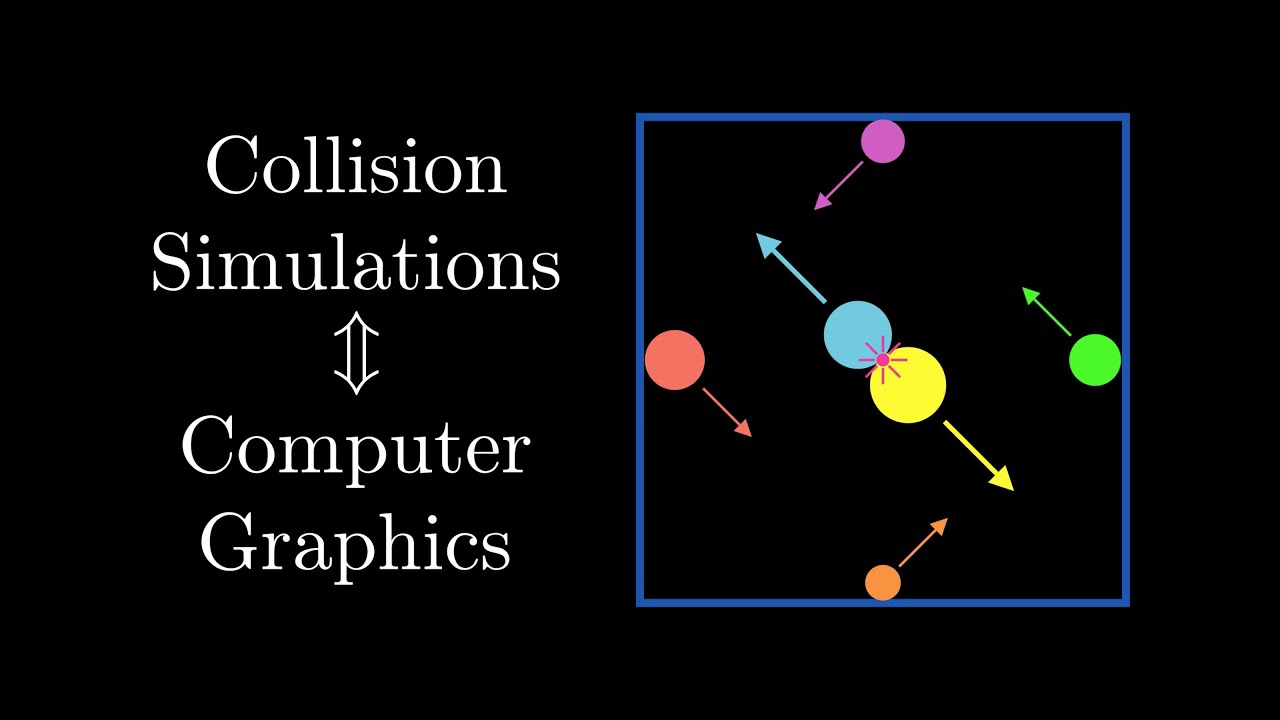
Collision detection systems show up in all sorts of video games and simulations. But how do you actually build these systems? Turns out that the key ideas behind these systems show up all over a field of computer science called computer graphics.
We start off with the basics of animation and then branch off into ideas in discrete and continuous...
teal ember
thanks, that helps
sweep and prune seems simple to implement
i thought it was more complex
 astral sundial
Hi i have a menu and a game and at the moment when i press start playing it will say "thanks for playing" which is fine but i need to link it up to my game instead
!py
!pyp
!pypi
 frank fieldBOT
Missing required argument
package
astral sundial
def game_loop(self):
while self.playing:
self.check_events()
if self.START_KEY:
self.playing= True
self.display.fill(self.BLACK)
self.draw_text('Thanks for Playing', 20, self.DISPLAY_W/2, self.DISPLAY_H/2)
self.window.blit(self.display, (0,0))
pygame.display.update()
self.reset_keys()``` snow hill
Python Gamedev (for an Amiga game)
Not exactly a game implemented in Python, but some part of the project I worked on for 3 years are heavily based on a Python toolchain of my own.
This is the game : Athanor 2, for the Amiga computer (a computer that went to the market circa 1985, powered by a 16/32bits CPU running at 7.14MHz)
The game itself is entirely written in C, BUT :
- all the texts, graphics, musics and audio fx are pre-processed from modern formats (png, wav, ...) to a more suitable format, thanks to a set of Python tools I created
- the scenario & game logic was written in a very simple (yet turing-complete) language (made of basicaly 3 or 4 instructions). I relied on Python to transpile this game logic scripts into C.
This is what the game looks like (it should be available in a matter of weeks now) :
https://www.youtube.com/watch?v=3H4jfGa0ImU
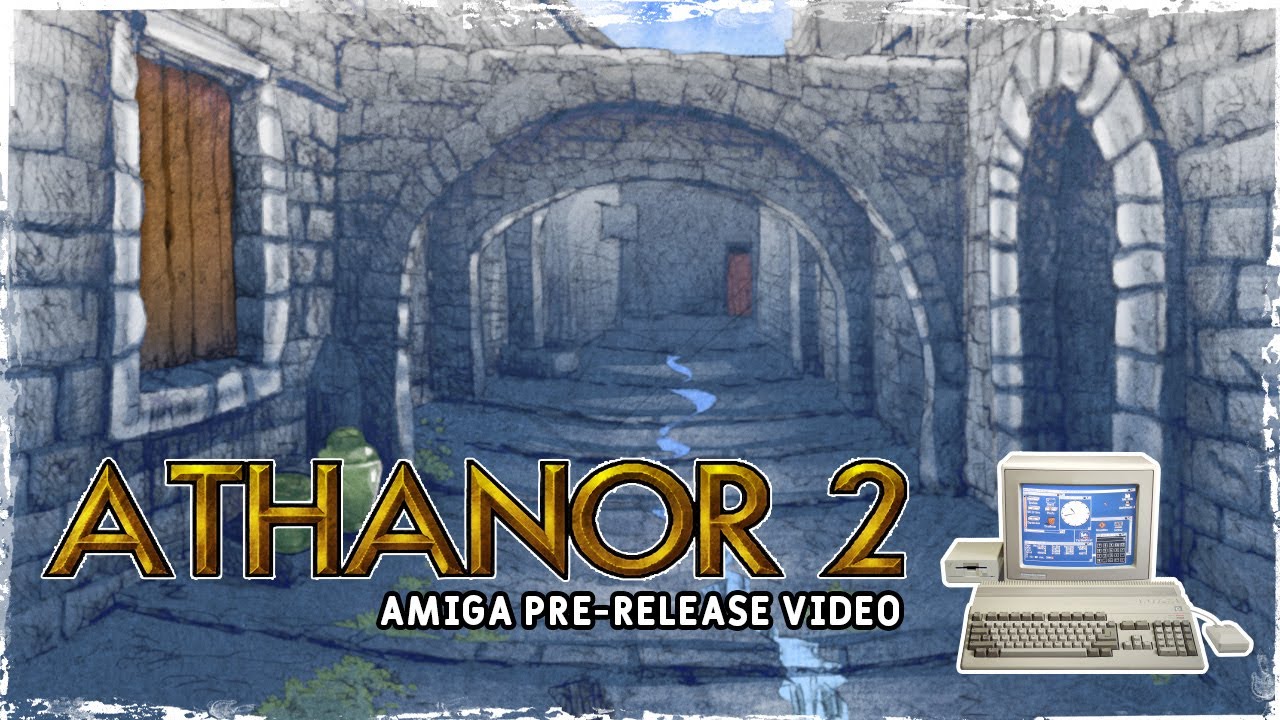
Here it is, the Amiga version of Athanor 2 - Legend of the Birdmen
The final countdown has started !
The Amiga version will be available very soon now.
Some spoilers in this video but not more than the Atari Version !
Thanks to François Gutherz for the Capture on vAmiga and this Amiga conversion of course.
Stay tuned
Twitter : https://twitt...
the Python transpiler takes the langage on the left, here, and translates it into C, on the right :

approximately 30% of the C source code of the game is generated by a Python script
the texts (descriptions, dialogs...) are processed by Python, using many of the available tools, including a hyphenation module that is very handy (the game is both in French & English, and I wanted to pre-hyphenate the texts, so that the Amiga don't have to do it)
it reaaaaally easier to deal with encoding in Python (the original files are in DOS CP 437 for some reasons, and the Amiga works in Latin-1)
all the graphics & audio files were processed by calling either Image Magick or SOX, using popen ❤️
and I relied on a CRC16 Python module to generate unique IDs (needed that to make the save/load routine future-proof)
my conclusion
Even for retro-machine gamedev, Python is a real asset!
(some more technical details about the native plaftorm here : https://www.amigalife.org/index.php?topic=158.0)
limber veldt
Python is great for retro gamedev
I've done a few big retro arcades with python
This current project is probably my most completed
Or most like the original
snow hill
like this one ?

Bug Fixing and refactoring this weekend, so instead of posting new features, I offer you a race between the original #AtariST Drones (Yellow and Green) and the PySprint Drones I have written from scratch, by just eyeballing the original game (Red and Blue). Close enough? #pygame https://t.co/QUH6FlVAKT
 Twitter
·
limber veldt
snow hill
https://twitter.com/salem_ok/status/1409058538933133312
Twitter
·
limber veldt
snow hill
https://twitter.com/salem_ok/status/1409058538933133312
hah, that was a fun one, would be fun to remake too
That's hard to do, those drones
How are they finding the path?
dawn quiver
snow hill
**Python Gamedev** (for an Amiga game)
Not exactly a game implemented in Python...
woah thats realy cool
dawn quiver
limber veldt
How are they finding the path?
Path finding algorithims
limber veldt
Oh really?
dawn quiver
Mhm
dawn quiver
Well then
Why ask?
You could just learn
ML
Instead of saying you dont know how they are finding the path
😄
limber veldt
There are at least a dozen path finding algs, path finding algs doesn't tell me shit
dawn quiver
Its up to you to pick one?
limber veldt
I asked about what he/she was using
snow hill
limber veldt
How are they finding the path?
the source code is here, it prolly starts with some sort of collision detection, then a routine to find the best way to avoid the collision (against the track borders)
limber veldt
Not what I'm picking
snow hill
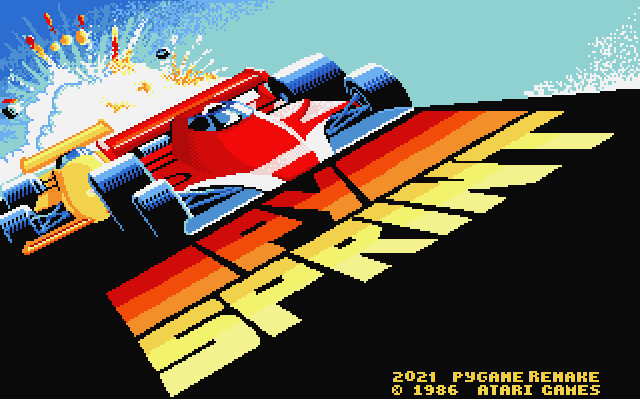
GitHub
Recreation of Super Sprint with Pygame. Contribute to salem-ok/PySprint development by creating an account on GitHub.
dawn quiver
Well why dont you go learn some DSA, ML and then come back so that you woudl know what to do
teal ember
chillll
limber veldt
Especially not yours
dawn quiver
Okay
your loss then
For someone who only knows game dev thats pretty cocky
And that too a 2d arcade game being all they made
limber veldt
I know about path finding algs, I've coded some of them myself
dawn quiver
Well then, shoudnt you know how they are finding the path? Or do you just want to know the specific alg they are using 🙄
snow hill
yeah, calm down, folks 🙂
dawn quiver
snow hill
yeah, calm down, folks 🙂
I guess theres no point arguing with that person
Ill stop wasting my time
limber veldt
Stop wasting my time, too
Thanks
I asked someone what they were using and you have some cocky reply "path finding", like no shit sherlock
You're a genius
snow hill
i'm not sure there's a path finder, here
probably it's far more naive than that, something like "trying to avoid the walls in the next meters"
the track is described as 2D vectors, easy to check is there's a collision incoming
teal ember
pretty sure a path finding algo will look too janky
unless you lerp the shit out of it
limber veldt
Looks like it's just aiming for the next gate all the time
While avoiding walls
Which gives some insight as to how it's working
The track has multiple 'gates'
And the AIs are always just driving to the next one with some adjustable params along the way in their personalities
I've read and heard it a few times, the simpler the better for AIs
I totally don't know how to code game AIs
limber veldt
For that demo mode, I created an object that runs it and triggers events based on the object's age
I don't know how else to schedule things
So it's basically a chain of if self.age == statements followed by things to do
opaque fox
frozen knoll
<@!774182544756834314> you might want to look at http://programarcadegames.com/p...
Still didn't get it pal
How can you make a platform in pygame
I already made the platform
And the collusion of it
class Platform:
def init(self, PlatformX, PlatformY, width, height):
self.PlatformX = PlatformX
self.PlatformY = PlatformY
self.width = width
self.height = height
def Platform_Creation(self, WIN):
    self.PlatformRect = pygame.Rect(platform.PlatformX, platform.PlatformY, platform.width, platform.height)
    self.Platform = pygame.draw.rect(WIN, (GREEN), platform.PlatformRect)

def Platform_Collusion(self, WIN):
    global On_Plat
    PlayerRect = pygame.Rect(player.PlayerX, player.PlayerY, player.width, player.height)
    Player = pygame.draw.rect(WIN, (255, 0, 0), PlayerRect)

    if platform.PlatformRect.colliderect(PlayerRect):
        print('platform has been touched')
Right now it's printing a string value whenever a collusion happens
So how to make something stand on it?
dawn quiver
opaque fox
So how to make something stand on it?
You would need to stop the x or y value from proceeding
its simple
normally when you click right/left it moves x by a certain amount
so you just need to say, that when its colliding your relative x becomes 0
for example
isntead of directly changing the value of x
just change some other value
let me show u the pseudo code
relative_x = 0
x = 300

if clicking right:
    relative_x += 3
elif clicking left:
    relaive_x -= 3

x += realive_x

screen.blit(image, (x, y))
Now what you need to do is basically before blitting it, you need to do one last "check"
relative_x = 0
x = 300

if clicking right:
    relative_x += 3
elif clicking left:
    relaive_x -= 3

# Last check
if colliding with wall:
    relative_x = 0

x += realive_x

screen.blit(image, (x, y))
Now guess what would happen
now the characters x position woudnt change when colliding with the wall
as for jump mechanics
Basically, theres a 'main' loop which runs most games
And we need to define how many times the loop, loops in a second
This called as the FPS, lets say the FPS is 60
During a jump, the y position of the character increasing by a few pixels through every time it goes through the loop(every iteration)
And once the y position has reached a certain maximum value after its initial point, we just make character STOP
Now you may be wondering, if the character has stopped, why does it fall down after a jump and reach the ground?
Well this is because throughout the entire loop, we are infinetly reducing the characters y position
and the reason it doesnt go below the ground, is that we say that it cant go through a certain 'floor'
This is how a jump works in a 2d game
Try reading the pygame docs and implement it :)
in cases like this i recommend reading some nice source code of a platformer
and get to see how others do it as well

GitHub
a platformer with pygame by coding with russ. Contribute to formazione/platformerRuss development by creating an account on GitHub.
This is some good source code
limber veldt
Uh oh, everyone be quiet, the genius is talking...oh wait, there wasn't anyone typing anyway, carry on
 crisp belfry
hi
need help in making discord bot
need testers too
dm me for any testers and helpers
opaque fox
Well
You first have to make a function
def Player_Movement():
inside it
Do as follow
key_pressed = pygame.key.get_pressed()
if key_pressed[pygame.K_RIGHT]:
(Your player X value) += (The amount of pixels you want to change)
Easy
@dawn quiverYou first have to define a function that will controll all of this
 valid seal
Can you not update the colour of SpriteSolidColor? Inside on_update I've changed the colour of a sprite within an inner sprite list using self.grid_sprite_list[column][row].color = color. And that works just fine, no errors or anything.
However, when I try to then draw the sprite, no changes visually appear even though the attribute now has another colour
Anyone know how I can fix this?
Solved: By using a Sprite instead, with the image being a white square, changing the color attribute just tints the white to whatever colour you want it to be
(this is in arcade just to be clear)
 thin iris
is it possible to design a game using python?
dawn quiver
limber veldt
Uh oh, everyone be quiet, the genius is talking...oh wait, there wasn't anyone t...
Pretty immature
Well i cant expect much from a 12 year old breaking ToS
limber veldt
lol, some people just don't get the social thing, there's one of them
dawn quiver
I doubt someone who sits in their room the whole day would understand what socialism means 
 safe sparrow
sure
limber veldt
Apparently some of us don't even have a vocabulary, socialism is not socializing
 shut onyx
That's enough, there's no need to continue sniping at each other
limber veldt
Yeah, that is enough
dawn quiver
Okay, :D
limber veldt
People talk about how awesom the python community is, it's quite a disappointment really when we have smart ass know it all know nothing kids running their mouth
dawn quiver
:(
limber veldt
I just sit here filling the channel with paragraphs of my game logic and struggles/accomplishments and this kid wants to be a dickhead by confronting me about spewing the channel? It's a chatroom channel, speak!
dawn quiver
I was just trying to say that it would be nice if you kept the description shorter.. 😔
😦
 fading whale
!mute 355791171231940620 "1 hour" You were instructed to stop this by a mod.
frank fieldBOT
:incoming_envelope: :ok_hand: applied mute to @limber veldt until 2021-06-28 16:44 (59 minutes and 59 seconds).
fading whale
Same goes for you Axis if you gloat about this.
tawny crystal
game development
 quick dew
Anyone present with experience in nongeographical mapping?
dawn quiver
can someone send me a link for a sample code for akinator game?
 brisk monolith

This is a tutorial to make button in pygame,
If the coder has given height and width for the pygame window then why he is using
width = screen.get_width()
height = screen.get_height()
```??If the window is resized.
 real solar
    for event in pygame.event.get():
        if event.type == pygame.QUIT:
            run = False
        if event.type == pygame.KEYDOWN:
            if event.key == pygame.K_a:
                x -= vel
            if event.key == pygame.K_d:
                x += vel
            if event.key == pygame.K_w:
                y -= vel
            if event.key == pygame.K_s:
                y += vel
``` How so I set up boundries here?Ping me when you help thanks!!!
 ebon pawn
Hello everybody!
I'm so interesting about coding video games
I'm just a beginner and I'd love to create a server with 5 peoples to code
Hello Can u help me to install all the python packages for coding games ?
Hello Can somebody help me to install all the python packages for coding games ?
 restive axle
hello
ebon pawn
hello
ebon pawn
easy games like super mario etc
restive axle
ok so casual
ebon pawn
its just the begging for me
restive axle
ok what engine do you want to use
restive axle
for just starting out unit or godot are both really good ones
restive axle
ebon pawn
i will try unity
2d or 3d
restive axle
do you want your first game to be a platformer
restive axle
im asking
ebon pawn
restive axle
im asking
?
restive axle
you responded with ok for a question
ebon pawn
restive axle
you responded with ok for a question
yes
restive axle
why do you want to make games
ebon pawn
just for fun
ebon pawn
yes
restive axle
did you make anything?
ebon pawn
restive axle
did you make anything?
i create a 3d game with blocks and coins
restive axle
cool
ebon pawn
i create this game on my old pc
but i dont now why i cant login or sing up on a new acc on unity
restive axle
what questions do you have about developing a new game
restive axle
yes
ebon pawn
whats is the best code program to code games visual studio or py charm
restive axle
that one is perfect for what you want to do
ebon pawn
restive axle
that one is perfect for what you want to do
what game
restive axle
?
ebon pawn
what u mean
ebon pawn
and i create a simple calculator
restive axle
ok
dawn quiver
Kik lmfao
ebon pawn
dawn quiver
Kik lmfao
what
dawn quiver
ebon pawn
what
Wat
 dense galleon
Make a racing game like fast-track with low size
dense galleon
idle seal
???
.
idle seal
ok thank
 pliant grove
can python be used in unity?
tranquil girder
no
I think there's there's a thing focused for the film industry, but not really no
frank fieldBOT
Hey @dawn quiver!
It looks like you tried to attach a Python file - please use a code-pasting service such as https://paste.pythondiscord.com
dawn quiver
Hey guys m working on a snake game and I don't know how to increment the size of the snake when it eats food below linked is the code i implemented. It isn't very efficient. Someone please look into it and help
https://paste.pythondiscord.com/eyewovugib.apache
 torn torrent
Can you take a look at my game?
https://fixcode.itch.io/survivemaster-page

 kindred badge
Guys Can I use ursina for making minecraft?
 slim parcel
kindred badge
Guys Can I use ursina for making minecraft?
slim parcel
kindred badge
Guys Can I use ursina for making minecraft?
I've done it on a small scale but I wouldn't simply because ursina uses voxels and they tend to be pretty laggy on a large scale but small worlds and building is perfect with ursina
kindred badge
slim parcel
I've done it on a small scale but I wouldn't simply because ursina uses voxels a...
I mean then can I use kivy?
slim parcel
ive never personally used kivy so idk
Im not hating on ursina its still good for game developement
kindred badge
I have used but I think its only used moblile apps and fast 2D and 3D games
slim parcel
ursina is better for 3d games in my opinion
kindred badge
but the problem is if you wanna develop games like Minecraft you have to use Ursina because it has better support for 3D games.(and apps maybe!)
but yeah thnx @slim parcel
slim parcel
yeah i wish there were more options
kindred badge
slim parcel
yeah i wish there were more options
I guess you are having wrong opinion(no offense)
coz I just googled for great 3d game dev and there is showed this
slim parcel
kindred badge
coz I just googled for great 3d game dev and there is showed this
what did you find
kindred badge
see this
 kindred badge
lemme give a link to the article
slim parcel
ok
kindred badge

Popular video games like Battlefield 2 and Pirates of the Caribbean use Python programming for a number of its functionalities and add-ons.
kindred badge
kindred badge
https://analyticsindiamag.com/top-9-python-frameworks-for-game-development/
check it out!
 sacred vault
Is there a builder (possibly web based) that I can use to build Pygame GUIs? Then after I finish the GUI it'll give me the co-ords of all the shapes i drew?
Im asking because i've spent the past 2 days building a GUI, most of which were spent tweaking co ords
this is starting to get cumbersome and time consuming so im wondering if there's a way or a tool that I can use to speed tihngs up?
slim parcel
sacred vault
Im asking because i've spent the past 2 days building a GUI, most of which were ...
are you using classes for the objects
sacred vault
yes
sacred vault
no. Blender and Pygame use co ords differently right?
slim parcel
on the web it notes them being compatible
tranquil girder
kindred badge
Guys Can I use ursina for making minecraft?
yes, but you have to make it the proper way with chunks and stuff if you want it to run fast, not like in the famous video tutorial
sacred vault
slim parcel
on the web it notes them being compatible
ah ok.
real solar
Trying to detect collisions
        if player.colliderect(player_2):
            print("oof")
``` I tried this but this gave me the error,
if player.colliderect(player_2):
AttributeError: 'pygame.Surface' object has no attribute 'colliderect'
I'd love to but my computer is running OS X :/
 gentle whale
Is anyone able to help with adding a turnaround animation to a character sprite?
dawn quiver
torn torrent
Can you take a look at my game?
https://fixcode.itch.io/survivemaster-page
Gladly
brisk monolith
how to change screen in pygame? Like moving slides in PowerPoint
Like the 1st slide will contain start button if the user click it then it'll move to slide 2 where he will be asked to enter name and wicket and then it'll move to 3rd slide where he will enter the commands for game
Wicket = number of trials (a cricket 🏏 term)
frank fieldBOT
Hey @lucid fog!
Uh-oh! It looks like your message got zapped by our spam filter. We currently don't allow .txt attachments, so here are some tips to help you travel safely:
• If you attempted to send a message longer than 2000 characters, try shortening your message to fit within the character limit or use a pasting service (see below)
• If you tried to show someone your code, you can use codeblocks
(run !code-blocks in #bot-commands for more information) or use a pasting service like:
 lucid fog
dawn quiver
Hey guys m working on a snake game and I don't know how to increment the size of...
lucid fog
dawn quiver
Hey guys m working on a snake game and I don't know how to increment the size of...
lol roasty
ill dm my code if u want
dawn quiver
lucid fog
ill dm my code if u want

dawn quiver
lucid fog
ill dm my code if u want
yes please
 wanton lodge
can i post my shitty game here
dawn quiver
hello
i just quit making a game i was working on
;(
im going to start afresh after exams
:D
wanton lodge
ello
 void flame
why would u make an game in python and not just use unity and cs, what r the pros?
tranquil girder
you can fix bugs yourself instead of being the mercy of unity
you don't have to use a slow and unstable editor
less waiting for compilation and asset importing
you can control the asset pipeline yourself
you might like python better than c#
unity isn't free or open source
you have access to the whole python ecosystem, all the packages
teal ember
also making things from bare minimum is fun
tranquil girder
And even just economically. There's a lot of waiting when making bigger projects. And if every member of your team have to spend an hour every day just waiting for unity to import assets and such, that's a lot of money wasted. You'll need a really beefy computer
Of course, there's a lot of upsides to unity too, like cross platform support
void flame
wdym unity isnt free
tranquil girder
if your company earns more than a certain amount of money, you have to subscribe
void flame
100k in one financial year
 simple belfry
hey, I'm looking for a good python library, to make a roguelike. Do you know any?
 willow canyon
Is there any python lib to make a 3D multiplayer FPS ? (In the same network, i might use socket)
 fiery geode
willow canyon
Is there any python lib to make a 3D multiplayer FPS ? (In the same network, i m...
fiery geode
willow canyon
Is there any python lib to make a 3D multiplayer FPS ? (In the same network, i m...
There is,wait i will find its name
Ursina Engine
 signal hinge
pn me
 true robin
can anyone tell me how to get the suggestions like in this photo?

like how do i get the suggestions window after typing pygame.
 nocturne nova
well this is if you use pycharm i think and it just happens automatically
Do you use pycharm?
frozen knoll
@brisk monolith If you aren't tied to Pygame yet, Arcade has something like that built-in: https://arcade.academy/tutorials/views/index.html
nocturne nova
brisk monolith
how to change screen in pygame? Like moving slides in PowerPoint
When i used to make my code in repl.it i could easily make different modules and just import the different 'slides' i dont really know how to do that without repl.it. But what i do now is i'll make these if statements like if game-start equals True then you can do all the code for that slide and like if you press the button that equals play or something and then it will have all the code for that slide. This is my code from repl.it (just an online website to code) https://replit.com/@815398/data-base-7#main.py. (the password is just 123). I am dutch by the way if you don't understand the words

so the other way is for example; if start_game == False: and then the code for that slide. and then if you make a button and you click on it it wil become true. and then you can type else: and the code for the next slide
hope that might help
agile ore
Guys does this work?
import pygame as py
py.init()
size = (500, 300)
screen = py.display_setmode(size)
while True:
for ev in py.event.get():
if ev.type == py.MOUSEBUTTONUP:
pos = py.mouse.get_pos()
col = (0, 255, 255)
py.draw.circle(
screen, col, pos, 20, 5
)
py.display.update()
🤯 
nocturne nova
screen = py.display_setmode(size)
that has an error it says that pygame has no attribute 'display_setmode'
import pygame as py
py.init()
SCREEN_WIDTH = 500
SCREEN_HEIGHT = 300
display_output = [SCREEN_WIDTH, SCREEN_HEIGHT]
screen = py.display.set_mode((SCREEN_WIDTH, SCREEN_HEIGHT))
while True:
for ev in py.event.get():
if ev.type == py.MOUSEBUTTONUP:
pos = py.mouse.get_pos()
col = (0, 255, 255)
py.draw.circle(
screen, col, pos, 20, 5
)
py.display.update()
this does work
autumn pilot
Are there any libraries like PyMem or ReadWriteMemory, but Linux compatible?
rigid parrot
autumn pilot
Are there any libraries like PyMem or ReadWriteMemory, but Linux compatible?
RWM's setup.py classifier lists 'Operating System :: POSIX :: Linux'
but their documentation is rather lacklustre
brisk monolith
frozen knoll
<@!767245280004407296> If you aren't tied to Pygame yet, Arcade has something li...
Thanks
brisk monolith
nocturne nova
When i used to make my code in repl.it i could easily make different modules and...
So basically you have divided your game code into different modules right?
I've my project submission on 6 and I've created the text based version but I'm struggling to add graphics because I haven't learnt OOP and the pygame button tutorials on YouTube uses OOP. All I need is gui buttons and display for scoreboard and now currently I'm thinking of using tkinter cause it contains builtin button
 torn elm
so can you help me understand why this doesn't work?:
    joysticks = []
    for i in range(pygame.joystick.get_count()):
        joysticks.append(pygame.joystick.Joystick(i))
    for joystick in joysticks:
        pygame.joystick.init()
        print(pygame.joystick.get_init())```
let me explain a bit more
it does not give an error but also isn't moving my character like it should from this part:
```py
            if event.type == pygame.JOYAXISMOTION:
                analog_keys[event.axis] = event.value
                print(analog_keys)
                if abs(analog_keys[0]) > .4:
                    if analog_keys[0] < -.7 and player.x - player_vel > 0:
                        player.x -= 7
                    else:
                        continue
                    if analog_keys[0] < .7 and player.x + player_vel + player.get_width() < WIDTH:
                        player.x += 7```
here is full code:
python file: https://hatebin.com/jwjvpedeng
json file: https://hatebin.com/dgqtvahqqrI have to go but please respond with possible solutions and I will come back and respond ASAP
someone on stack overflow told me to try this:
        for event in pygame.event.get():
            if event.type == pygame.QUIT:
                run = False

        if joysticks:
            joystick = joysticks[0]
            axis_x, axis_y = (joystick.get_axis(0), joystick.get_axis(1))
            if abs(axis_x) > 0.1:
                player.x += 7 * axis_x
            if abs(axis_y) > 0.1:
                player.y += 7 * axis_y```
so I will be trying that as wellThank you kind sir or ma'am
dawn quiver
Hey
 rich coral
is there some way i can call c# events, such as Unity functions, from python? I would like to use python's NEAT play a game I made
 proper peak
rich coral
is there some way i can call c# events, such as Unity functions, from python? I ...
proper peak
rich coral
is there some way i can call c# events, such as Unity functions, from python? I ...
So you have a Unity game and you want to use a Python AI with it? From what google tells me, it's possible (unofficially) to script Unity with Python, so that'd probably be the way to go.
autumn pilot
When using GDB and attaching to a process it freezes it, is it possible to avoid this?
willow canyon
fiery geode
Ursina Engine
Thanks, ill take a look !
torn elm
torn elm
someone on stack overflow told me to try this:
```py
for event in pygame...
nvm
so I'm trying to make a boost functionality to TechwithTim's space invaders pygame video but everytime I click the boost button it crashes the game from over loading it here is my code:
       if left_trigger_axis > 0:
            boost = True
            while boost == True:
                t = 15
                time.sleep(1)
                t -= 1
                print(t)
                if t > 0:
                    player_vel = 15
                elif t <= 0:
                    player_vel = 7
                    boost = False ```
yes I'm using a controller the button works fine its the boost parts that don't work
the print always prints 14t = 15
time.sleep(1)
t -= 1```
you're overwriting `t` each loop(also while boost == True: can just be written as while boost)
 patent elk
last moon
torn elm
so I'm trying to make a boost functionality to TechwithTim's space invaders pyga...
patent elk
last moon
torn elm
so I'm trying to make a boost functionality to TechwithTim's space invaders pyga...
also also it won't do what you want it to, because you're running the loop inside your game loop, this loop will run first, then continue to the next update cycle
on top of that time.sleep blocks your program from running anything so your game wont update
easiest fix would be to set t as a higher value, (in your game loop) check if the trigger is > 0, check what value t is, set player speed and decrement t
or you could also set up a async timer (or compare time between frames) which will decrement t every x seconds
torn torrent
Can you take a look at my game? There will be an update today!
https://fixcode.itch.io/survivemaster-page
dawn quiver
Hey
I wanted help in pygame
import os
import pygame
WIDTH, HEIGHT = 900, 500
WIN = pygame.display.set_mode((WIDTH, HEIGHT))
pygame.display.set_caption("Testing")
CYAN = 60, 123, 240
FPS = 60
YELLOW_SPACESHIP_IMAGE = pygame.image.load
(os.path.join('spaceship_yellow.png'))
RED_SPACESHIP_IMAGE = pygame.image.load
(os.path.join('spaceship_red.png'))
def draw_window():
WIN.fill(CYAN)
WIN.blit(YELLOW_SPACESHIP_IMAGE, 300,100 )
pygame.display.update()
def main():
clock = pygame.time.Clock()
run = True
while run:
clock.tick(FPS)
for event in pygame.event.get():
if event.type == pygame.QUIT:
run = False
    `draw_window()`

`pygame.quit()`
if __name__ == '__main__':
main()
win.blit isn't working
what's wrong in this ?
 sinful lodge
wuts the erorr
dawn quiver
one sec i will send
sinful lodge
um add a pygame.init()
dawn quiver
ok

 sinful lodge
also
dawn quiver
 sinful lodge
pygame.image.load()
i think theres a
break or smth
can u retype that
pygame.image.load(os.path.join('spaceship_red.png'))
do the same for yellow spaceship
dawn quiver
it is thinking 300 is also the source
 sinful lodge
pygame.image.load(os.path.join('spaceship_red.png'))
sinful lodge
sinful lodge
pygame.image.load(os.path.join('spaceship_red.png'))
YELLOW_SPACESHIP_IMAGE =
 sinful lodge
np
 meager pendant
can a good 2d game be made with python?
teal ember
yes
last moon
meager pendant
can a good 2d game be made with python?
https://learn.arcade.academy/ and https://arcade.academy/ are great places to start
sinful lodge
meager pendant
can a good 2d game be made with python?
no
sadly python is limited to printing outputs in consoles
if you want to make a good game
learn something like brainf
or assembly


 blissful cape
hey guys is there anyone who might be able to help me out with a problem i am struggling with in pygame?
tranquil girder
how would they know without knowing what the problem is?
torn elm
so I have a new problem when I was trying to make it so the player couldn't fly off the screen I made them get stuck to the wall when they touched it any idea why this happened?:
        axis_x, axis_y = (joystick.get_axis(0), joystick.get_axis(1))
        right_trigger_axis = (joystick.get_axis(5))
        left_trigger_axis = (joystick.get_axis(4))
        if abs(axis_x) > 0.1 and player.x - player.vel > 0 and player.x + player.vel + player.get_width() < WIDTH:
            player.x += round(player.vel * axis_x)
        if abs(axis_y) > 0.1 and player.y - player.vel > 0 and player.y + player.vel + player.get_height() + 15 < HEIGHT:
            player.y += round(player.vel * axis_y)
if you couldn't tell already this is in pygame
please @ me if/when you respond
blissful cape
is there anyone who could help me with making my left mouse click also a key in my game right now i can only make keyboard controls work but i cant find a way to add my left mouse click
if you can help me pleas @ me or send me a dm
torn elm
blissful cape
is there anyone who could help me with making my left mouse click also a key in ...
so this is what I did in my pygame for a main menu type thing:
            if event.type == pygame.MOUSEBUTTONDOWN:
                #what you want to happen
yes look
 while True:
    for event in pygame.event.get():
        if event.type == pygame.QUIT:
            pygame.quit()
            sys.exit()
        if event.type == pygame.KEYDOWN:
            if event.key == pygame.K_SPACE and game_active:
                bird_movement = 0
                bird_movement -= 7
                flap_sound.play()
            if event.key == pygame.K_SPACE and game_active == False:
                game_active = True
                pipe_list.clear()
                bird_rect.center = (100, 512)
                bird_movement = 0
                score = 0
but I believe this is every button on the mouse though
so instead of KEYDOWN do MOUSEBUTTONDOWN
blissful cape
then i get this error
if event.key == pygame.MOUSEBUTTONDOWN and game_active:
AttributeError: 'Event' object has no attribute 'key'
torn elm
it should be event.type as well sorry
torn elm
 while True:
    for event in pygame.event.get():
        if event.type == pygame.QUIT:
            pygame.quit()
            sys.exit()
        if event.type == pygame.MOUSEBUTTONDOWN:
            if game_active:
                bird_movement = 0
                bird_movement -= 7
                flap_sound.play()
            if not game_active:
                game_active = True
                pipe_list.clear()
                bird_rect.center = (100, 512)
                bird_movement = 0
                score = 0
I believe that should work
oh wait
let me edit that and fix something
there we go
blissful cape
lemme try
yeah
that works
but how do i
mka
make
space and mouse work?
so i can use both
torn elm
make another one with the space bar
blissful cape
so like i had before?
torn elm
yes
blissful cape
doesnt work
what do you mean
make another one
i copy pasted my old code
underneath it
torn elm
so it should be this:
 while True:
    for event in pygame.event.get():
        if event.type == pygame.QUIT:
            pygame.quit()
            sys.exit()
        if event.type == pygame.MOUSEBUTTONDOWN:
            if game_active:
                bird_movement = 0
                bird_movement -= 7
                flap_sound.play()
            if not game_active:
                game_active = True
                pipe_list.clear()
                bird_rect.center = (100, 512)
                bird_movement = 0
                score = 0
        if event.type == pygame.KEYDOWN:
            if event.key == pygame.K_SPACE and game_active:
                bird_movement = 0
                bird_movement -= 7
                flap_sound.play()
            if event.key == pygame.K_SPACE and game_active == False:
                game_active = True
                pipe_list.clear()
                bird_rect.center = (100, 512)
                bird_movement = 0
                score = 0
I believe
blissful cape
this makes it work
but
also right click works now
and i only want left click to work
 sharp lily
@blissful cape check the result of event.button
1 - left click
2 - middle click
3 - right click
4 - scroll up
5 - scroll down
blissful cape
sharp lily
<@424637820569780225> check the result of event.button
Where is the event.button?
sharp lily
Check that field when you check if event.type is mouse button down to determine which mouse button it is
And you can only perform the action if the left button is clicked
 cold owl
hi
 proud remnant
hi
blissful cape
sharp lily
Check that field when you check if event.type is mouse button down to determine ...
Yeah I did this but then I changed if game_Active to if event.button == 1: but idk if that’s bad that I removed the game_active
sharp lily
@blissful cape you can always use and to check both ¯_(ツ)_/¯
blissful cape
how i do this @sharp lily i dont understnad what you are saying
sharp lily
if game_active and event.button == 1:
The if statement will only execute if both expressions on each side of the “and” are true.
sinful lodge
tips for improving/maximizing pygame performance?
proper peak
does pygame even work with pypy?
proper peak
I think it refused to launch when I tried, but that was back on Pygame 1.*
wicked lintel
I am trying to use arcade, but when trying to impot it, it throws the error that there is no lib called 'GLU'
i have arcade itself installed (duh), as well as opengl 4.6, mesa-utils and freeglut-dev.
i tried following tutorial online, but it still doesn't work, it continues to throw said error
wicked lintel
(I'm a lefthander)
teal ember
who uses ijkl 
wicked lintel
me, when having ground control for planes in trailmakers. but thats it. (wasd for pitch and roll, ikjl for car like controls)
teal ember
not ijkl
wanton lodge
i know
wicked lintel
just use wasd
wanton lodge
wouldn't the game control be worse if the main hand is left and you're using wasd?
 tired steppe
Hi
wicked lintel
no
wanton lodge
have you tried ijkl
wicked lintel
bc we use the mouse with the right hand still
wanton lodge
ok sure
wicked lintel
at least most of us. the others can go to hell figure it out for themselves
wanton lodge
i thought left handed uses left hand to control mouse
wicked lintel
nope
wicked lintel
wicked lintel
I am trying to use arcade, but when trying to impot it, it throws the error that...
anyone having an idea?
... it works fine, when executing it via the terminal
just not via pycharm
 crisp junco
use vscode , pycharm sucks (atleast for me)
 lament condor
i am
 kind chasm
What tech stack?
Like what modules are you using?
Im using django + html + bootstrap css
lament condor
python and not much else
it's a text based game
gonna be playable in the terminal
kind chasm
ah nice
Mines basically a text based but you click your way through
its about robots
lament condor
nice
lament condor
nah i don't think i'll add that
it's kinda based off this game (gimme a sec)
You're eight years old. You wake up in the middle of the night to use the bathroom. But you soon realize that not everything is as it seems in this house tonight. Where has everyone gone? Things look different in the dark.
BE AWARE! Uktextadventures will time out your session if you're not logged in. Download is recommended for best experien...
which was pretty dope
lament condor
same here, but im not even making the story or anything yet
what i'm making is the game system itself and then i can use that to make as many maps/levels as i want
lament condor
cool
kind chasm
So basically the system can be for turn based anything
like final fantasy or pokemon style
I am still thinking about how it will work though.. because idk if i really need websockets for the battles
For sure I want ajax request though because I don't want the page to re-render every time
 chilly vine
https://paste.pythondiscord.com/musasoduse.py
In this pygame program, how do I make the scroll wheel flash last for three frames consistently? Right now, sometimes it lasts for 4 frames.
The relevant parts are from lines 42 to 55 and lines 129 to 141.
Also I don’t want to use pygame.time.delay because it causes 100% CPU core usage
*I changed the flash time to 42 because that's right between 33.3 milliseconds and 50 milliseconds, 2 frames and 3 frames. It seems like it improved it, but I'm still not sure if it's a good solution.
kind chasm
Are you saying: waited_time = pygame_time_wait(1)
is 4 frames?
Which function specifically is it?
@chilly vine
 opaque crow
chilly vine
kind chasm
Are you saying: waited_time = pygame_time_wait(1)
is 4 frames?
opaque crow
chilly vine
kind chasm
Are you saying: waited_time = pygame_time_wait(1)
is 4 frames?
50 milliseconds is 3 frames
But if I have the flash last that long, sometimes it's shown for 4 frames
 frank marsh
What do you guys use to develop the game other than python itself (what do you do for the visual and audio part) ping me. (Im a little new to game development)
last moon
frank marsh
What do you guys use to develop the game other than python itself (what do you d...
You can use arcade, pyglet, pygame, panda3d, etc, for games/visuals. Most graphical libraries included graphics + audio
 static dew
Why doesn't my arrow keys work? https://paste.pythondiscord.com/oqoyogunoz.py
 spring carbon
static dew
Why doesn't my arrow keys work? https://paste.pythondiscord.com/oqoyogunoz.py
spring carbon
static dew
Why doesn't my arrow keys work? https://paste.pythondiscord.com/oqoyogunoz.py
Umm... because you are always drawing at (SCREEN_WIDTH/2, SCREEN_HEIGHT/2)?
I may have got it wrong tho 😬
static dew
spring carbon
Umm... because you are always drawing at `(SCREEN_WIDTH/2, SCREEN_HEIGHT/2)`?
👍 I edited it to: screen.blit(player.surf, player.rect)
It's always such simple mistakes that I always overlook 🤣
frank marsh
last moon
You can use `arcade`, `pyglet`, `pygame`, `panda3d`, etc, for games/visuals. Mos...
THANKS
I REALLY NEEDED SOMETHING LIKE THAT
e
Does blender work too?
 livid belfry
Blender just makes 3d graphics and animations
last moon
frank marsh
Does blender work too?
I can never remember the name of the library for the life of me 😄 but there is a framework for working with blender
I’d also assume you’d be able to load models in the 3D libraries but I’m not sure about that
proud remnant
frank marsh
Does blender work too?
You can load blender projects with pyunity
wicked lintel
how can i change the scaling algorithm in arcade to none?
it uses cubic (or bipolar) as default, but I'm making a pixel art game, so everything just looks reallly blurry
frank marsh
proud remnant
You can load blender projects with pyunity
Ah I see
so anything you people would recommend for my FIRST graphical library for python?
last moon
https://arcade.academy/ and https://learn.arcade.academy/ are great places to start
last moon
frank marsh
Ah I see
Also if you’re working with 3D models/animations it looks like panda3d has native support for it
proud remnant
frank marsh
so anything you people would recommend for my FIRST graphical library for python...
i recommend pygame
because thats what i use
 lament prairie
Hello everyone, I am coding in pygame and I would like to know how to make an image resize to fit the screen size please?
last moon
frank marsh
ive heard arcade is better?
it's somewhat subjective but arcade's docs are a lot nicer
that being said, you'll find a lot more tutorials/examples for pygame
last moon
You don’t have to, but a strong foundation in it will help a lot
proper peak
wicked lintel
how can i change the scaling algorithm in arcade to none?
it uses cubic (or bip...
You need the NEAREST interpolation then.
searching in the docs, I see that the Context objects (representing an OpenGL context) have interpolation modes
where do you set it, hmm...
@wicked lintelAh, there we go:
https://arcade.academy/tutorials/edge_artifacts/index.html?highlight=nearest#aligning-to-the-nearest-pixel
If instead you want a pixel-look, you can use a different filter called “nearest.” This filter also reduces issues with edge artifacts. First, import the filters at the top of your program:
from pyglet.gl import GL_NEARESTThen, in your
on_drawupdate the drawing of your sprites with the filter:def on_draw(self): self.my_sprite_list.draw(filter=GL_NEAREST)
wicked lintel
ah thanks :3
i already figured that i needed nearest, but i didn't know how to get it to draw like that
(nearest and none are the same right?)
proper peak
well, the only way to not have any interpolation is to not resize your textures at all 😛
if you want the texture to "look the same but larger", that's nearest
 severe saffron
ive seen point sampling called 'nearest', 'pixel', 'none'
nearest neighbour for downscaling
 mental jetty
Does it have any way you can use a spritesheet in python without Json?
 twilit frost
haii I want to make a 2d platformer kind a game for the web a simple game any suggestion on what frame workks i can use?
its fine if its javascript also
 ivory burrow
twilit frost
haii I want to make a 2d platformer kind a game for the web a simple game any su...
ivory burrow
twilit frost
haii I want to make a 2d platformer kind a game for the web a simple game any su...
scratch😂
 tidal magnet
hi, im using pygame and im blitting an image but its not blitting anything but i have another for loop which when the coin (the image that isnt blitting) hits the player then the coin will disappear and print('col') i dont see the image on the screen but it is touching the coin and printing col?
code:
for f in foods:
        screen.blit(food,(f[1], f[2]))
        print(f)
        pass```

```py
#making the image move downwards
for j in range(10):
        for f in foods:
            f.y += j / 9
        pass
#when the player touches the coin
    for f in foods:
        if player_rect.colliderect(f):
            if enter == True:
                print('col')
                lives -= 1
                print(lives)
                foods.remove(f)
                enter = False
            else:
                enter = True
            if lives < 1:
                lives = 0```
pin me if u have the answer@twilit frost Try arcade. Here's a tutorial for a simple platformer to get started: https://arcade.academy/examples/platform_tutorial/index.html
Question for everyone, I'm trying to improve API docs for the Arcade library. I've got this as a quick index to look up Arcade commands:
Any suggestions on improvements? Other libraries that do it better?
 surreal willow
I have a question, I installed Kivy on vscode using pip, and it was when I have venv activated. So would Kivy continue to operate if I deactivate venv?
twilit frost
frozen knoll
<@!411521949270016002> Try arcade. Here's a tutorial for a simple platformer to ...
Can i use it on the web?
 dawn quiver
hey
dawn quiver
dawn quiver
Basically, theres a 'main' loop which runs most games
And we need to define how ...
Hello
Wassup
so whats the issu
e
so i copy pasted the thing but where do i start programming
imma add my variables
You would need a text editor
or an IDE
i recommend starting off with sublime
as beginners do not need an IDE
elaborate
dawn quiver
dawn quiver
elaborate
Available on Mac, Windows and Linux
thanks
so i download this
and then i transfere it to my python?
once you download
wait should i have the explorer context menu

In this Python Tutorial, we will be setting up a development environment in Sublime Text 3. We will walk through how to install Sublime Text, install Package Control, install Packages, and much more. Let's get started.
GitHub Sublime Settings - https://github.com/CoreyMSchafer/dotfiles/tree/master/settings
Source Code Pro Font - https://fonts.g...
Here
i use geany
works like train toilet
where does the script go?
i just tested by doing Print ("Hello World")
dawn quiver
like if i do Print ("Hello World")
where does hello world go
where can i see it
you should be able to see a console
 sour bronze
so like, let's instead of thinking about scripts
let's open up command prompt
and type python and hit enter
sour bronze
Axis, are you being serious?
dawn quiver
@dawn quiver Use a text editor
dawn quiver
sour bronze
Axis, are you being serious?
Are YOU being serious?
sour bronze
but what?
sour bronze
ok cool, axis will take it from here chonk, gl have fun
sour bronze
ciao
dawn quiver
ok so