#game-development
1 messages · Page 87 of 1
 limber veldt
 nocturne nova
no they don't do anything if you open my link you can see what it does
limber veldt
That's the True, True part, if those are both True, both objects should die on collision
nocturne nova
i put this in my while loop btw
limber veldt
Lemme cruise the code for a sec....
 dusky venture
Hi, I am participating in a code-jam but I don't know pygame, I am intermediate in python and a quick learner, please give some good resources to learn pygame
nocturne nova
thank you i really appreciate the effort
nocturne nova
dusky venture
Hi, I am participating in a code-jam but I don't know pygame, I am intermediate ...
well i just follow projects on youtube that show every step of the way when they're making the games
dusky venture
nocturne nova
well i just follow projects on youtube that show every step of the way when they...
Can you please link the video you watched?
nocturne nova
alright i don't know exactly what type of thing you want to make, but if you want to make a platformer game i recommend this series on youtube: https://www.youtube.com/watch?v=DHgj5jhMJKg&t=912s

In this Python tutorial I code a Scrolling Shooter Game using the PyGame module. I'm going to cover the initial game setup and how to create the player
Code and assets on github:
https://github.com/russs123/Shooter
Credits for assets used:
https://mtk.itch.io/grenades-16x16
http://gushh.net/blog/free-game-sprites-explosion-3/
https://erayzes...
it has gotten me a long way up until this point
 grim abyss
@nocturne nova another great resource! Have anymore ? Not videos specifically but other 'cool' shit
dusky venture
nocturne nova
alright i don't know exactly what type of thing you want to make, but if you wan...
Thanks 
nocturne nova
no problem
nocturne nova
grim abyss
<@!697353852504244294> another great resource! Have anymore ? Not videos specifi...
i cant think of any at the moment but if i do i will let you know
nocturne nova
ok i'll try my best to spot any mistakes
i cleaned up the code a bit so that all the unnecessary parts are gone
limber veldt
heh, I'm constantly finding parts that are no longer necessary in mine
Like I make some changes and forget about the code that needed what I had before
nocturne nova
Can the code work without the True, True) part?
without is it says this i don't know if that helps
 limber veldt
If you don't want True, True, put False, False, or a mix of the two...see what happens
nocturne nova
shouldn't true have a variable like true = ....
limber veldt
No, they are just flags to indicate whether the objects collided should die or not
nocturne nova
oh ok
nocturne nova
limber veldt
If you don't want True, True, put False, False, or a mix of the two...see what h...
tried this doesn't do anything
limber veldt
One for each object, the first True would be for your player_group object (DINO) to die, the second True is for the asteroid to die, I don't know why that isn't working though
nocturne nova
oh ok thanks, you know i have programming at school so my teacher can help me (She has been for the past 3 weeks or so) but i think that we have made some progress so i could just ask her you don't have to keep trying if you don't really want to
Either way thankyou very much for all your help
grim abyss
@limber veldt could you look at something and tell me if any one the methods apply to what i'm trying to do? vector translation to screen space and plot within a view.....
https://pythonhosted.org/planar/bboxref.html and https://pythonhosted.org/planar/affineref.html and finally https://pythonhosted.org/planar/vec2arrayref.html . I'm not familiar with alot of the 'terminology' used...
 vague spruce
Is it possible to reorder screens surfaces with pygame? I have text blitted onto a screen, but it's behind another image right now (instead of on top of it)
e: wrong terminology
nocturne nova
yes that is possible
that is the way to fix your problem
just put your text last after all of your images then it should appear on top
 lunar creek
Does anyone have an idea of how to make a grappling gun
 gritty moat
why i can't import or use mouse in pyglet ?
 versed turret
does anyone have an example game in their github or sum
limber veldt
versed turret
does anyone have an example game in their github or sum
Tic tac toe, my contribution to sample games: https://pasteall.org/G2th
lunar creek
lunar creek
Does anyone have an idea of how to make a grappling gun
No one?
 solid meteor
lunar creek
No one?
solid meteor
lunar creek
No one?
It depends on what you're using to make it. A kinda simple version might take the vector of player to mouse click and move the player along it (maybe not normalizing to increase strength as the click is further away).
 stark wharf
Using the turtle module, could anyone define .dx and .dy?
For example, I'm building my first ever ping pong game:
Ball = turtle.Turtle()
Ball.shape("circle")
Ball.speed(0)
Ball.color("white")
Ball.goto(0, 0)
Ball.penup()
Ball.dx = 2 -- What is this?
Ball.dy = 2 -- What is this?
 dawn quiver
I believe the directory angles
 tawny crystal
?
limber veldt
Hah, all exploding enemies are now actually images of themselves as particle explosions so it looks like them blowing up

My bullets and their particle tracers are pretty close to the original, too
 peak scarab
is pygame in demand
 pine marlin
anyone having issues with pygame.image.load(), i always get a FileNotFoundError even with file structure that should be fine

my other pygame project also no longer works due to the same error despite working fine previously
can someone also run the menu.py file on my pong project as this is the other project that is no longer working
https://github.com/Asianguy123/Pong/tree/main/

GitHub
Pong in pygame. Contribute to Asianguy123/Pong development by creating an account on GitHub.
i see no reason for it be causing an error
the .exe version still works for me, unlike the .py
pine marlin
-_-
i just restarted vscode and it worked
these are the moments in which i want to punch my computer for being so smart yet so stupid
limber veldt
Smartbomb = everything go boom!

lol
Everything on screen blown up at the same time, maybe 20 or so enemies bits scattering about
The easiest code I've written so far today```py
if event.type== pygame.KEYDOWN and event.key == pygame.K_SPACE:
on_screen_enemies = [e for e in enemy_group if e.rect.x > 0 and e.rect.x < 1080]
for enemy in on_screen_enemies:
enemy.kill()
 proper peak
lol, nice
limber veldt
Yeah, and I has infinites of them
lmao
Godmode and infinite smartbombs
Eventually they'll both be abstracted out to a global variable for dev mode
31 classes so far, most of them pygame.sprite.Sprite()s
I might eventually make a generic enemy generator but that complicates each having individual behaviors
The enemy AI's are, as I knew they would be, a struggle for me
Each of my enemies currently has it's own spawning animation. I'ma put those into a single object and just pass the x, y and image
 shut spruce
Is game development easier than software engineering
What programming languages would i need to create a game on a website
I wanna use python and java
limber veldt
Games are kinda hard, actually, a lot of logic to keep up with
Depends on the game, really
But in general, like shooter games and games with physics of any kind
 analog latch
can someone help me detect collision? I put two rectangles around my images to detect mouseclicks but now I need collision. I tried colliderect() but it's not working as expected. Nothing happens.
 if egg_rect.colliderect(fire_rect) or fire_rect.colliderect(egg_rect):
    dragon = pygame.image.load("dragon.png")
    dragon = pygame.transform.scale(dragon, (100,100))
    dragon_x = egg_x
dragon_y = egg_y```https://www.youtube.com/watch?v=hDu8mcAlY4E Kind of long, but goes over collisions with cursor position and sprites
A tutorial about how to use the sprite class in Pygame. We will use Python and python classes in particular for all of this. Specifically, we are going to create a shooting range game that has a crosshair and targets, all of which are created with pygame.sprite.Sprite(). We will also cover how to use groups (pygame.sprite.Group() and how to chec...
tawny crystal
Where to learn pygame?
analog latch
limber veldt
https://www.youtube.com/watch?v=hDu8mcAlY4E Kind of long, but goes over collisio...
tysm
analog latch
yeah, i'm watching it now. So far hasn't answered the question but I think it's getting there. Def showed a new way to organize my stuff
limber veldt
Yeah, just make update() methods, let the sprite.Group draw them, no need for draw() methods at all
analog latch
yep
analog latch
I started making classes and such but the images aren't loading, just the rects which are the black boxes.

Anyone know how to fix that?
 wise vine
Can somebody help me draw multiple lines at the same time in pygame?
I want to draw separate straight lines. I know about the pygame.draw.lines and pygame.draw.aalines but that is not what I want. Those lines connect them.
I have separate coordinates for lines and i want to draw all of them simultaneously.
For example:
(0, 0) --> (1, 1)
(2, 2) --> (3, 3)
Those are two lines and I want to draw them both at the same time. How would I go about doing that? Thank you.
 frank fieldBOT
Hey @wise vine!
It looks like you tried to attach a Python file - please use a code-pasting service such as https://paste.pythondiscord.com
Hey @wise vine!
It looks like you tried to attach a Python file - please use a code-pasting service such as https://paste.pythondiscord.com
Hey @wise vine!
It looks like you tried to attach file type(s) that we do not allow (.ttf). We currently allow the following file types: .gif, .jpg, .jpeg, .mov, .mp4, .mpg, .png, .mp3, .wav, .ogg, .webm, .webp, .flac, .m4a.
Feel free to ask in #community-meta if you think this is a mistake.
wise vine
Oh crap.
My bad lmao.

The relevant files are word_search_gui.py, word_search.py, colors.py and the text files.
Hopefully, my code is clean enough for people to realize what I'm doing.
Thank you in advance.
analog latch
Here's my code. It detects if two rects collide and if so, it causes the two rects to disappear/not be shown. I've played around with time in all the lines here and I'm not sure where to put it. The two rects immediately disappear when they touch. I want it so you can see them collide inside of each other before they disappear. Where should I put time? Or is there another way?
  if egg_rect.colliderect(fire_rect) or fire_rect.colliderect(egg_rect):
    dragonspawn = True
egg_fert = False```If I put it before the if statement, it will slow the movement of the rects.
 vocal hill
Please help me I can not import pygame
It shows me no module named pygame
Please help me
 granite shard
hey guys im working on a pygame project(snake), i dont know where to start does anyone have any ideas or tips...
tawny crystal
@vocal hill did you installed it?
vocal hill
Yes I have installed it in my anaconda promt using 'pip install pygame'
lunar creek
class Player(pygame.sprite.Sprite):
    def __init__(self):
        super().__init__()
        self.image = pygame.image.load("./hi.png")
        self.rect = self.image.get_rect(center = (250, 250))
        self.vel = Vector2(0, 0)
        self.camera = Vector2(0, 0)
    def create_bullet(self):
        return Bullet(self.rect.x + 10, self.rect.y + 25)
    def update(self):
        keys = pygame.key.get_pressed()
        if keys[pygame.K_LEFT] or keys[pygame.K_a]:
            self.vel.x = 1
        else:
            self.vel.x = 0
        if keys[pygame.K_RIGHT] or keys[pygame.K_d]:
            self.vel.x = 1
        else:
            self.vel.x = 0
        if keys[pygame.K_UP] or keys[pygame.K_w]:
            self.vel.y = 1
        else:
            self.vel.y = 0
        if keys[pygame.K_DOWN] or keys[pygame.K_s]:
            self.vel.y = 1
        else:
            self.vel.y = 0

        self.rect.x += self.vel.x
self.rect.y += self.vel.y ```@limber veldt
my whole player class
limber veldt
What happens if you just make your self.vel a two item list, like [0,0] without it being a Vector2?
limber veldt
Plus you can do math with them, yeah
Rotate them, whatever
Which is what you might aslo try doing, instead of assigning values directly to it, rotate it
You'll have to also change your self.rect.x and y addition to self.vel[0] and self.vel[1], of course
lunar creek
yes
limber veldt
Worth a shot, just a few lines to change
I'm no pro at it, but might know a few things to try. There's probably some already worked out modules or methods for doing these things anyway
lunar creek
limber veldt
Worth a shot, just a few lines to change
still same case
ima change back to my original code that works
limber veldt
That's not an error, just pylance complaing. Try writing some code and see if it runs, or grab some working sample from stackexchange and run it, see if it works
limber veldt
lunar creek
ima change back to my original code that works
Ok
lunar creek
limber veldt
Ok
do you know how to do camera movement?
limber veldt
Camera movement in a 2d space?
lunar creek
yes
limber veldt
Know how? No. Could work it out? Yes
lunar creek
how should I do it?
limber veldt
In general...instead of moving the player, camera movements move everything
So if your player stays in one place as you move, everything moves instead of the player
Or you can set up margins for your player to move around in and once outside those margins, move everything else (the camera)
lunar creek
i see where you are going with that but it seems pretty weird
limber veldt
Sure...
lunar creek
camerax= 0
cameray=0
win.blit(image, (10+camerax, 10+cameray))```and when you move x
limber veldt
!paste
frank fieldBOT
Pasting large amounts of code
If your code is too long to fit in a codeblock in discord, you can paste your code here:
https://paste.pydis.com/
After pasting your code, save it by clicking the floppy disk icon in the top right, or by typing ctrl + S. After doing that, the URL should change. Copy the URL and post it here so others can see it.
lunar creek
camera x = -1
limber veldt
Tic tac toe, sample code: https://paste.pythondiscord.com/epudowuhoz.py
lunar creek
limber veldt
Tic tac toe, sample code: https://paste.pythondiscord.com/epudowuhoz.py
do you know how to make multiplayer games
limber veldt
Depends what you mean, multiplayer over networks no. Two people taking turns playing tic tac toe, yes
lol
Ok then maybe you didn't install pygame for your current version of Python
See in the bottom left of that window, it says Python 3.9.5, click that and see if it shows any other python versions on your system
This screenshot...
See that?
See in the bottom left of that window, it says Python 3.9.5 64-bit, click that and report your findings
Are there multiple choices in the menu that opens at the top of VSC?
Like this

If yes, then try selecting another version and running the code again
pip definitely installed pygame, your screen shows it, but maybe not for the same python version to which your VSC is pointing
limber veldt
lunar creek
i see where you are going with that but it seems pretty weird
At its base, that's what viewports do, move everything else in relation to a player or some thing else
Racing games? Notice the player's car really never moves from the center of the screen, everything else moves
Top down or any kind of scrolling games. The player usually moves within some margin then everything else moves
It's almost always an illusion of player movement
And it's totally ok for something to be way outside the viewport boundaries and move into it while a player shows some walking animation, totally gets the illusion of player movement
Tile based scrolling usually has some tile management set up to move tiles into and out of the viewport
 brisk monolith
Hi I've a project and I'm making a python game and I want to make graphical scoreboard so what should I choose pygame or tkinter ? Considering that it is my 1st project and I have 2 weeks to learn tkinter or pygame
wise vine
brisk monolith
Hi I've a project and I'm making a python game and I want to make graphical scor...
Pygame
solid meteor
brisk monolith
Hi I've a project and I'm making a python game and I want to make graphical scor...
For a 2 week project, pygame would likely be easier and faster. Tkinter is great to learn, at some point, for lower level graphical effects.
brisk monolith
solid meteor
For a 2 week project, pygame would likely be easier and faster. Tkinter is great...
It only has text and number that s why I need scoreboard it doesn't have any animation
solid meteor
brisk monolith
It only has text and number that s why I need scoreboard it doesn't have any ani...
Even without animation, pygame is still probably a simple choice.
 gilded kestrel
how can i rotate camera (like in fps) in pyopengl?
limber veldt
Nice, all my enemies now spawn from particles of themselves and explode into them
So the effects are pretty sweet
tawny crystal
send video???
limber veldt
Once I set up a wave spawner, I probably will
tawny crystal
thanks, I kinda need some motivation.
limber veldt
So any time there are less than N number of a enemy landers, spawn five more
tawny crystal

limber veldt
Spawn five every time there are less than four of them, that way they come in waves
proper peak
reminds me of Particle Fleet
limber veldt
My code's blown up to over 1600 lines
But I have a lot of shit going on here
Needs refactoring though, to be sure
limber veldt
I mean, I can post a copy of the code as it is now if someone wanted to check it out but I make no promises about it at all. It's still a mess but it's a working mess that, like I mentioned, I still need to clean up
Kinda requires a numpad to play with the current key setup
I found that the most comfy place use right hand controls. numpad 1 for thrust, left arrow for fire, down arrow for reverse, w for up, s for down, space for smartbomb, very closely mimics the game's original arcade cabinet layout
When first writing, I had coded go left and go right movement keys
But that's not how the game works
Only has a thrust and a reverse key
Wanna go the other way, hit reverse but thrust is still thrust, no direction
Remnants of old codes or ideas, ugh
tawny crystal
well don't rush, do it when you have the time.
limber veldt
I wonder if I actually have a rom for this game in the old MAME collection
Doubt it
limber veldt
!paste
frank fieldBOT
Pasting large amounts of code
If your code is too long to fit in a codeblock in discord, you can paste your code here:
https://paste.pydis.com/
After pasting your code, save it by clicking the floppy disk icon in the top right, or by typing ctrl + S. After doing that, the URL should change. Copy the URL and post it here so others can see it.
limber veldt
Don't rip it apart too much, I'm quite proud of what I have so far as this thing continues to evolve: https://paste.pythondiscord.com/egamokinur.yaml
Learning how to do as I do
And that's all testing phase, no where near a complete game yet
dawn quiver
so uhm, stack overflow seems to have messed me up 
https://paste.pythondiscord.com/pusucikubo.py
trying to make a scrolling background with pygame
screen just flickers like hell
limber veldt
dawn quiver
screen just flickers like hell
This gets it close, maybe depends on your BG image to get it just right```py
import pygame
pygame.init()
screen = pygame.display.set_mode([900, 900])
bgrnd = pygame.image.load("background.png")
bgrnd_size = bgrnd.get_size()
bgrnd_rect = bgrnd.get_rect()
w,h = bgrnd_size
x = 0
y = 0
x1 = 0
y1 = -h
running = True
while running:
for event in pygame.event.get():
if event.type == pygame.QUIT:
running = False
y1 += 5
if y1 > h:
y1 = -h
screen.blit(bgrnd, [x1, y1])
pygame.display.flip()
pygame.display.update()
pygame.quit()```
At some point, even through out the scrolling portion of your code, you're probably going to need two images of your background so you can scroll through one and slightly into the other so as to hide the transition back to the start of the image
dawn quiver
thanks, I'll try/look into that
analog latch
I have this class:
class Object(pygame.sprite.Sprite): # makes a sprite - image + rect
  def __init__(self, image, width, height, pos_x, pos_y):
    super().__init__()
    self.image = pygame.image.load(image)
    self.size = pygame.transform.scale(image, (width,height))
    self.rect = self.image.get_rect() # puts rect around image
    self.rect.center = [pos_x, pos_y]
  def update(self):
    self = self
egg = Object("egg.png", 100, 140, 250, 250)
fire = Object("fire.png", 100, 100, 400, 400)
But then this error shows up:
  File "/tmp/sessions/041bd29497c11da4/main.py", line 26, in <module>
    egg = Object("egg.png", 100,140,250,250)
  File "/tmp/sessions/041bd29497c11da4/main.py", line 13, in __init__
    self.size = pygame.transform.scale(image, (width,height))
TypeError: argument 1 must be pygame.Surface, not str```
Not sure what to do.Ok, I changed self.size to be self.size = pygame.transform.scale(self.image, (width, height)) and no error appeared, but the images still aren't the right size...
 ancient marsh
That's because you are storing the resized image in self.size, instead you might want to do something like this:
_img_resized = pygame.transform.scale(pygame.image.load(_img).convert(), (_width, _height))
Oh yeah, it should be self.image being resized
 odd phoenix
does anyone know a way to stop pyboy from starting an external window and only use client.botsupport_manager().screen().screen_image() to get the game screen frame by frame?
 foggy python
wip

 frozen knoll
First-rate!
limber veldt
foggy python
wip
Sweet!
I have so much work to do on mine to make it a game
Just randomly spawning enemies and shooting them is fun but the game's going to need an attract mode, game start, levels, level endings, all the things that make it a game
foggy python
limber veldt
Using Arcade, PyGame?
Pygame
limber veldt
Looks great
Smartbomb on about 25 baddies, can you tell I like particle effects?

They each break into about 30 particles
Some fewer, most 32
analog latch
limber veldt
Oh yeah, it should be self.image being resized
thanks!
dawn quiver
lunar creek
@limber veldt i need help
so I want one of my objects to go down when the key is pressed but then a second later go back to its original position
how do I do that?
pine marlin
yes with panda3D, ursina etc., although 3D games are better off being made in something like C# or C++
lunar creek
and game engines
limber veldt
Is your object a class instance and does it have an update() method that's constantly running?
It's always convenient to give objects a self.age attribute and increment it in the object's update() method
If you have that, you can check the object's age when it moved down and put it back to its original position after its age reaches something higher than when it went down
Or you can start a pygame timer which is something a little more complicated that I haven't really learned yet
But you can make a timer that raises an event in the normal event loop then read it from there
 young hill
Quick question about arcade if anyone could help. I have been trying to make text fade in over a second or two. I have a timer working fine, but getting the transparent value is a problem. I can initially set the text to be transparent (3 RGB Values, Transparent value), but i cant change it afterwards if that makes sense. (I cut parts of the code out as it was irreverent stuff like fonts)
self.text[0] = arcade.draw_text("Test", ((73, 151, 208, 255))) # In draw, works fine
self.text[counter].color = ((73, 151, 208, self.temp_time_text_new)) # in update, doesn't work for last value
self.text[counter].color only lets me change the first 3 values (which it does fine) but will not let me change the transparency value
printing self.text[counter].color only gives me the 3 rgb values, with no mention of the transparency
dawn quiver
hey guys I need the point of view of a very good programer in python, I want to begin to make videogames in 3d, what is the best motor 3d btwn Ursina and panda (I know use ptgame and I'm not bad with python)
 tidal magnet
hi i need help i am trying to use a for loop to put 5 images next to each other 50 pixels away but i m having trouble can anyone help here is my code
def draw2():
for i in range(5):
print('hi')
for j in coordinates:
screen.blit(heart,(heart_rect.x + j,heart_rect.y,heart_rect.width,heart_rect.height))
print()
pass
draw2()
limber veldt
Thrusters that actually stay tight to the ship!

I was trying to add another rect and keep updating its position from the player's position but the time between all the updates was enough to make the thruster lag behind ship movement, very annoying
But I worked it out
Put the thruster rect and the player rect both in the same group, they get updated and drawn at the same time
Should work here...
Collision with the player is just one line commented out for now
 gloomy dawn
how do i make a game
 junior lion
@gloomy dawn pygame
gloomy dawn
junior lion
<@802775259212152883> pygame
what about it
 rocky ingot
gloomy dawn
what about it
rocky ingot
gloomy dawn
what about it
@@
limber veldt
Such an open question, so many answers, no one reply is correct
First, you learn a programming language and learn how to code non-games. Then you go to school or take a course or spend years trying to learn all the math you need to do what seem like simple things that every game does
Got enemies on the screen and want them to follow a circle or a path or a square or avoid obstacles, math is the answer
Making games without any kind of AI is easy. Like tic tac toe for two players is a LOT easier than tic tac toe for 1 player vs the computer
limber veldt
New thruster, I like them more

Player ship explosion (manually triggered here)
That's really close to the original game's ship explosion, too
Particles are smaller and I probably have just a few more of them
 feral frigate
Maybe use 2D but the sprite is a render of 3D?
 sly river
Just finished chapter 3 of AtBS - Python to prep for first college CS course. Created this guessing game and wanted to know if there is a more practical way I can go about it.

 somber hinge
hey python community I wanted to know which is the best module for starting game development with python ?
as well as how would you rate game development in python compared to unity ?
 nimble cloak
python has pygame for 2D and ursina for 3D. python is python and unity is either C# or c++, i cant remember. if youre going for game development with python, learn GDScript and use GoDot
 faint berry
I think start with Pygame from stracth everything about game developing/making.
 soft cosmos
I have a 2d array containing on/off of my pixels and I want to scale this to draw on a larger canvas. I already have my draw loop but of course, the output is the size of the 2d array (64x32), thus tiny.
I am manipulating pixels and am trying to find the right technique to scale as I iterate over my x/y loops. Anyone have good reading material/references for such a thing?
 robust estuary
Hey i am interested in the coding the game logic behind a game like Civilisation . Does anyone know any good source on learning the basics behind game logic of a strategy game related to the python language? Please ping me when you response 😄
 icy tundra
im wondering how to download unity on chromebook
dawn quiver
does anyone know a good tutorial to implement 2D raycasting ? I'm coding a top down environment where an agent evolves in a map composed of a grid, just like so :

the brown squares are walls, and the car has to reach the blue dot
now as you can see I'm trying to create rays to evaluate the distance between my car and the nearest wall
but I don't really know how to approach the problem
lunar creek
@limber veldt do you have time to help me
limber veldt
dawn quiver
now as you can see I'm trying to create rays to evaluate the distance between my...
This is a problem for A* path finding
Hey nubby, just sat down, got home from work, chillin for a few
Or one of the many path finding algs, some demonstrated here: http://qiao.github.io/PathFinding.js/visual/
 frank bridge
i love pygame!
limber veldt
Me too!
Well, it's been great
I'm sure it has loads more functionality than what I'm even tapping into
Just in the sprite class alone
I'm only a month or two into learning pygame, kinda know python already
So I have my player ship. It's a sprite. Then, for my thruster, I have another sprite that keeps updating its position from the player position. To keep both sprites as tight as possible, they both need to update as close to the same time as possible. So my solution so far has been to simple add the thruster sprite to the player_group, since they will update at very close to the same time that way
But I'm not sure I like that solution
I suppose it's ok as long as I don't call groupcollide on the player_group but only on the player sprite
So use spritecollide() instead of groupcollide()
But there must be a better way to do my thruster, it took me quite a while to even come up with that solution
The 'drifty' relationship before I did that^ was driving me insane
So now I just blit the particles to that thruster surface instead of to the screen
Well, I don't blit them, pygame's group.draw() does for me
I'm thinking they have some optimizations under the hood there because the drawing is faster than I can do it manually
dawn quiver
limber veldt
This is a problem for A* path finding
I'm sorry but I don't think you understood my problem here, this is not pathfinding at all, just raycasting
I don't need to find a path but know the distance between two points
that's basically just maths
tawny crystal
im learning pygame
limber veldt
If you can follow Coding Train, I've seen his ray tracing vid in my feed a few times...but he's not using python.
dawn quiver
yeah, I guess I will take a look at it :)
limber veldt
His explanation alone of some path finding shit was enough for me to do it in python, I just needed the alg
I got it. Make another object that just moves on the map and is the 'parent' for all swarmers. The swarmer's distance from parent is set to a radius in the parent. Increase/decrease radius in a sine wave over time will give the swarm the ability to re-group nice and smooth like 🙂
Just had to write that down
 true stag
Hey i'm using pygame and i have a question. Is it possible to draw an unfilled circle ?
without drawing 2 circles
dawn quiver
dawn quiver
that looks interesting
dawn quiver
true stag
Hey i'm using pygame and i have a question. Is it possible to draw an unfilled c...
this will tell u whether u can or not
true stag
nice thx
 limber veldt
true stag
Hey i'm using pygame and i have a question. Is it possible to draw an unfilled c...
limber veldt
true stag
Hey i'm using pygame and i have a question. Is it possible to draw an unfilled c...
Yes
Just add an extra thickness value at the end of the args
dawn quiver
yo guys I installed panda 3D and it's not working :
when I write from panda3d import*, I have no error but I saw a tutorial on yt and the man told that I need to write this : from direct.showbase.ShowBase import ShowBase
to create a window, but I have an error : ModuleNotFoundError: No module named 'ShowBase'
I just don't understand, I installed the version 64 bits (maybe that I had to install the 32 bits) please help me
(I'm on Linux) rpi
 opaque fox
How to remove an object in pygame when a event happens
solid meteor
opaque fox
How to remove an object in pygame when a event happens
Depends on how you've created/stored that object. A simple method could just be:
for event in pygame.event.get():
    if event.type == #some type:
        del obj
I tried
solid meteor
what does your code look like?
opaque fox
Wait
frank fieldBOT
Hey @opaque fox!
Uh-oh! It looks like your message got zapped by our spam filter. We currently don't allow .txt attachments, so here are some tips to help you travel safely:
• If you attempted to send a message longer than 2000 characters, try shortening your message to fit within the character limit or use a pasting service (see below)
• If you tried to show someone your code, you can use codeblocks
(run !code-blocks in #bot-commands for more information) or use a pasting service like:
opaque fox
!code-blocks
frank fieldBOT
Here's how to format Python code on Discord:
```py
print('Hello world!')
```
These are backticks, not quotes. Check this out if you can't find the backtick key.
Hey @opaque fox!
Uh-oh! It looks like your message got zapped by our spam filter. We currently don't allow .txt attachments, so here are some tips to help you travel safely:
• If you attempted to send a message longer than 2000 characters, try shortening your message to fit within the character limit or use a pasting service (see below)
• If you tried to show someone your code, you can use codeblocks
(run !code-blocks in #bot-commands for more information) or use a pasting service like:
solid meteor
You might need to shorten it if it's too long
 next estuary
Anybody have a recommendation for free online classes for story development? I have a procedurally generated world engine I've been working on but no idea what to do with it
 tender pier
dude you can jus make game
lunar creek
next estuary
make its multiplayer battle royale
 tranquil girder
lunar creek
make its multiplayer battle royale
lunar creek
tranquil girder
lunar creek
make its multiplayer battle royale
lunar creek
why is my pygame game lagging so much
there are periodic lagspikes when the image is moving
and this never happened to me before
 teal ember
next estuary
Anybody have a recommendation for free online classes for story development? I h...
teal ember
next estuary
Anybody have a recommendation for free online classes for story development? I h...
try making life simulations
an ecosystem
 simple belfry
what is better: pygame or arcade?
next estuary
@teal ember that would be cool but with the limited render distance it would be lacking space I think
limber veldt
simple belfry
what is better: pygame or arcade?
Depends what you need. Pygame has things Arcade doesn't and Arcade has things that pygame doesn't
Just from my own general skimming over the docs in the past couple of week, it looks like pygame handles multiple surfaces better and arcade handles particles better. Surely both are quite capable though
simple belfry
limber veldt
Depends what you need. Pygame has things Arcade doesn't and Arcade has things th...
ok thanks
limber veldt
Game coding gold right here, not python but it doesn't matter: https://www.youtube.com/watch?v=okfZRl4Xw-c
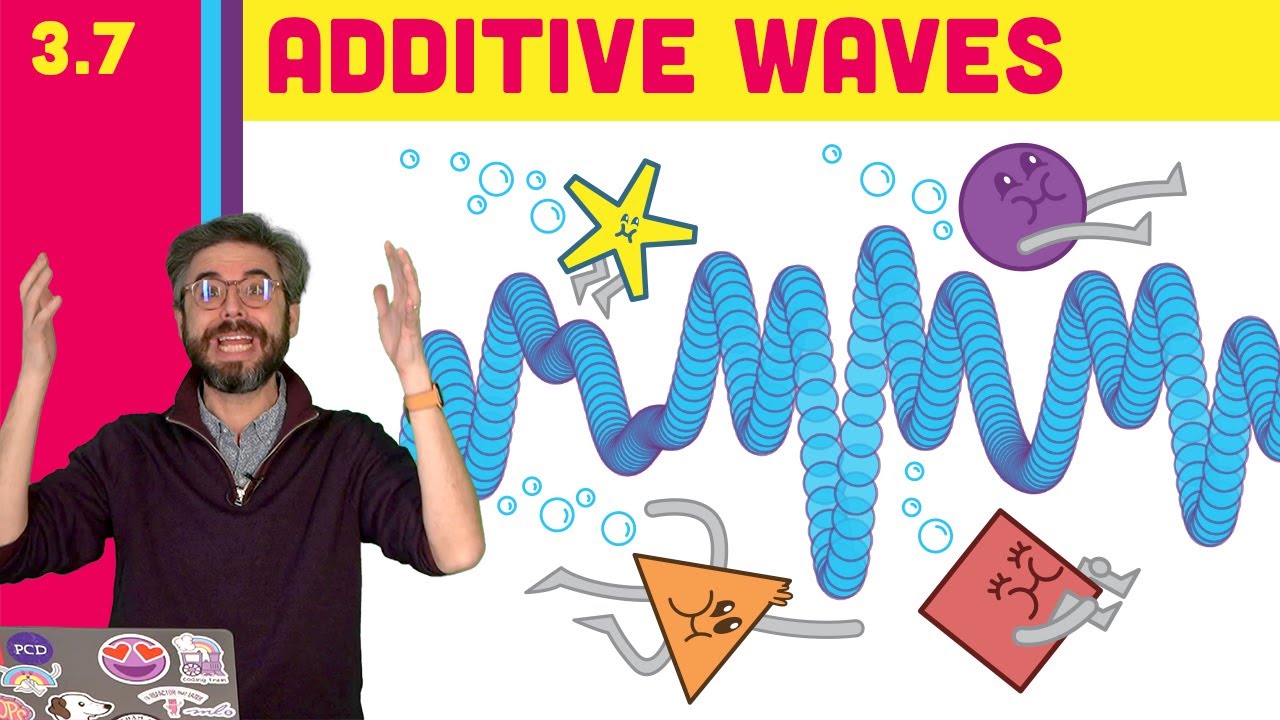
This video builds on the previous sine wave visualization in p5.js example. Here, I build a Wave class with variables for period, amplitude, and phase, and demonstrate how to add multiple wave patterns together! https://thecodingtrain.com/learning/nature-of-code/3.7-additive-waves.html
🕹️ p5.js Web Editor Sketch: https://editor.p5js.org/codingt...
opaque fox
Does anyone knows here how to make a game pause without freezing the whole window and how to restart the game?
limber veldt
Yeah...
Make a global variable, I called mine paused, and set it to False in your game's initialization...
paused = False
In your event loop check, ask for this and do this```py
if event.type== pygame.KEYDOWN and event.key == pygame.K_r:
paused = not paused
Just toggle, all it does is toggle paused from True to False and False to True every time I hit the R key
Then in my main while loop, something like this```py
if not paused:
    draw_screen()
    # and do whatever other updating things you're doing there
So it basically just stops your main while loop unless paused == False...that is
Anything in your main while loop that you don't want to pause, just don't include it in the if not paused: codeblock
And...by the way, I have some beautiful waves going here
Those are the things I always forget between projects, the trig tricks
Just don't do them enough, it's simple stuff
limber veldt
I think I've finally got it, an alg for one of my enemy behaviors
They're called swarmers, and like their name implies, they fly in a loose group until they get behind you then speed up to get in front by a few hundred pixels and, as they do, become a tighter group then fling themselves as a tighter group headfirst into the player
You better be shooting
So I have wave generator objects to calculate y positions and that generator has attributes for amplitude, period, and phase. So I can assign each of these swarmers its own wave function with unique attributes and, as they're in 'catch_up' mode, as when they're trying to pass the player from the rear, I can slowly constrain their self.amplitude
opaque fox
thx mate
limber veldt
So that no matter where they are in the group, they will come back to being closer together
I can even play with their phase to give them some more randomness
Pretty sure this is the kind of algorithm that was used on the original game
Something like that
Those guys were math wizkids
Nothing like the major 3d coding today, but pioneers coming up with how to make these enemies behave
AI coding is always my most difficult stuff
 finite ether
can someone help me fix my pygame code because it gives this error https://pastebin.com/mSwS85FX code https://pastebin.com/Lkd8wxmC
Pastebin
Pastebin.com is the number one paste tool since 2002. Pastebin is a website where you can store text online for a set period of time.
Pastebin
Pastebin.com is the number one paste tool since 2002. Pastebin is a website where you can store text online for a set period of time.
limber veldt
finite ether
can someone help me fix my pygame code because it gives this error https://paste...
Just glancing at it here, try changing this```py
pygame.Surface.blit(self.sur,self.screen)
to this...
screen.blit(self.sur, self.pos)```
limber veldt
No clue
opaque fox
This guy need a big clap
limber veldt
It has a few issues, yeah
self.sur = pygame.Surface(pos)
```pygame.Surface() expects a size for the surface, not the positionI'm not sure what this ispy self.rect = Rect(self.pos,self.size) but self.rect needs to be a rect of the new surface, like so```py
self.rect = self.sur.get_rect()
Among many other issues
And I think they Square() class is supposed to be inheriting from something like```py
class Square(pygame.sprite.Sprite):
Too many issues to point out all of them, sorry
finite ether
ok
limber veldt
Holy shi, help(pygame) is massive
opaque fox
Pygame:
Original author(s) Lenard Lindstrom, René Dudfield, Pete Shinners, Nicholas Dudfield, Thomas Kluyver, and others
Repository github.com/pygame/pygame/
Written in Python, C, Cython, and Assembly
Operating system Cross-platform
Type API
These are the people who created pygame
Lenard Lindstrom, René Dudfield, Pete Shinners, Nicholas Dudfield, Thomas Kluyver, and others
limber veldt
Really really close to the kind of behavior I need. Notice how they sort of regroup as they pass and come back at the player
The little red guys, the swarmers
solid meteor
limber veldt
Really really close to the kind of behavior I need. Notice how they sort of regr...
They kinda look like boids
limber veldt
Yeah, they kinda do
I need to work out tightening them horizontally when they regroup as they drift apart along the x the longer they keep attacking
In a real game against them, that won't matter as much since the player is going to be shooting them or dying
So their lifespans won't be very long anyway
limber veldt
Now I've made them track a vertical target that slowly tracks the player's vertical position, giving the player a change to dodge their attacks but still have them come toward a player who doesn't dodge
We can see the vertical target tracking the player on the left, of course that won't be visible in the game
And I'm getting that annoying wobble at 0 vertical velocity, bug to be fixed
Already fixed
If player's not moving up or down and its y is greater than player y - 2 and less than player y + 2, velocity = 0
limber veldt
With a few more of them out there, we can better see what kind of pattern they fly
tawny crystal
limber veldt
Really really close to the kind of behavior I need. Notice how they sort of regr...
this gives me some motivation for working on my game :) thanks
limber veldt
No problem, it sure is fun!
Enemy AIs drive me insane, actually, but the rest of it is fun af
tawny crystal
:o what exactly are you working on?
limber veldt
It's difficult to make them not seem robotic
Defender, the classic arcade game remake
tawny crystal
link me to it when it's playable 🙂
limber veldt
I dunno, I don't think it's well written yet either, needs a lot more work to make an actual game out of what I have
tawny crystal
That's ok, don't rush
limber veldt
But I'm probably my harshest judge
tawny crystal
damn
limber veldt
I need to make things more consistent throughout. Some class variables smaed this, others that, kinda messy. I always focus on functionality before form though, so I'll eventually go through and refactor all of it
I dunno how I typed named so bad, but there it is
Some really awesome logic built up so far
Just getting the screen to scroll, enemies to keep pace with it, velocities to be waves or smooth ramps for smooth movements on everything
The next biggest hurdle is AIing the enemy landers who try picking up humans from the ground and ascending the screen then, once at the top, turn into mutants that just go fast wobbly paths straight at the player
But I pretty much have the enemies who depend entirely on the player's movements coded, they need some tweaks still
 dawn quiver
limber veldt
Really really close to the kind of behavior I need. Notice how they sort of regr...
dawn quiver
limber veldt
Really really close to the kind of behavior I need. Notice how they sort of regr...
hey thats a pretty nice game!
dawn quiver
tawny crystal
ok it starts here
the exact same way i code, except a different OS 😌
dawn quiver
tawny crystal
ok it starts here
hey man that code you used to open a window
just copy and paste in one file
so that when your starting another project
you can use the same standard code
and build your way from there
thats what i do
dawn quiver
limber veldt
And I think they Square() class is supposed to be inheriting from something like...
okay so first its pygame.sprite.Sprite
and second, thats basically a way to make a group of sprites, so lets say you wanted a group of 10 blobs on the map with all the same properties:
class Enemy(pygame.sprite.Sprite):

    def __init__(self, x, y):
        pygame.sprite.Sprite.__init__(self)
        self.image = pygame.image.load("Sprites/blob.png")
        self.rect = self.image.get_rect()
        self.rect.x = x
        self.rect.y = y
        self.move_direction = 1
        self.move_counter = 0

    def update(self):
        self.rect.x += self.move_direction
        self.move_counter += 1
        if self.move_counter > 50:
            self.move_direction *= -1
            self.move_counter *= -1
and then to make a group out of it: blob_group = pygame.sprite.Group()
dawn quiver
limber veldt
I'm not sure what this is```py
self.rect = Rect(self.pos,self.size)
```but self....
You can draw a rectangle with pygame which creates a surface for yo with pygame.draw.rect() which will create a surface for you
But i think what you want is a rect to check for collision and position, so yes self.sur.get_rect() would return a rectangle that is basicallygoing to be invisible and always on top on a certain surface, using that you can get the position of the surface, and you can check for collision
tender pier
limber veldt
Now I've made them track a vertical target that slowly tracks the player's verti...
super awesome
dawn quiver
anyone know a good tutorial on how to work with sprite sheets in pygame?
tender pier
i can
 old dune
import turtle
from turtle import *
from random import randrange
from freegames import square, vector

food = vector(0, 0)
snake = [vector(10, 0)]
aim = vector(0, -10)


def change(x, y):
    "Change snake direction."
    aim.x = x
    aim.y = y

def inside(head):
    "Return True if head inside boundaries."
    return -200 < head.x < 190 and -200 < head.y < 190

def move():
    "Move snake forward one segment."
    head = snake[-1].copy()
    head.move(aim)

    if not inside(head) or head in snake:
        square(head.x, head.y, 9, 'red')
        update()
        return

    snake.append(head)

    if head == food:
        print('Snake:', len(snake))
        food.x = randrange(-15, 15) * 10
        food.y = randrange(-15, 15) * 10
    else:
        snake.pop(0)

    clear()

    for body in snake:
        square(body.x, body.y, 9, 'green')

    square(food.x, food.y, 9, 'red')
    update()
    ontimer(move, 100)


hideturtle()
tracer(False)
listen()
onkey(lambda: change(10, 0), 'Right')
onkey(lambda: change(-10, 0), 'Left')
onkey(lambda: change(0, 10), 'Up')
onkey(lambda: change(0, -10), 'Down')
move()
done()
is this gud? i made it by myself :D
run this in python shell
tender pier
dawn quiver
okay so first its `pygame.sprite.Sprite`
and second, thats basically a way to ma...
awesome it will run
limber veldt
dawn quiver
You can draw a rectangle with pygame which creates a surface for yo with `pygame...
Thats to draw rect, not necessarily to get the rect size
dawn quiver
dawn quiver
You can draw a rectangle with pygame which creates a surface for yo with `pygame...
@limber veldt
limber veldt
Of course, it can be used to draw on since it's a surface too, but get_rect() only to give self.rect a value since pygame sprites must have a rect
dawn quiver
is what get rect does

or rather
thats what get rect is
it was there regardless of get rect
but basically thats a visual representation of whats going on
your getting the position of that little white box around the sprite
limber veldt
Tried running a sprite without a rect attribute, it won't work
dawn quiver
wdym
limber veldt
in <genexpr>
surface.blits((spr.image, spr.rect) for spr in sprites)
AttributeError: 'EnemySwarmerSmall' object has no attribute 'rect'
That's an error in the draw for pygame, not my code. I just removed assigning a rect to one of my sprites
And by the way, the rect, more accurately, is an axis aligned bounding box defining a surface's rect size
We could probably use self.rect = pygame.draw.rect() but that's more than we need to simply create a surface
Which I'll have to try
But self.image needs to be the actual surface, self rectt is only the rect
limber veldt
dawn quiver
okay so first its `pygame.sprite.Sprite`
and second, thats basically a way to ma...
Pretty sure that's what I said, pygame.sprite.Sprite
dawn quiver
limber veldt
in <genexpr>
surface.blits((spr.image, spr.rect) for spr in sprites)
Attribu...
blits?
limber veldt
And I have worked out how to do these things already, though I appreciate your effort
Yeah, when you call group.draw(), that's what pygame does
dawn quiver

limber veldt
The entire object, has no update(), no draw(), just the constructor for the things it must have plus addition to the grouppy class EnemySwarmerSmall(pygame.sprite.Sprite): def __init__(self, x, y, image): super().__init__() self.image = pygame.transform.scale(image, (6, 6)) self.rect = self.image.get_rect() self.rect.x = x self.rect.y = y tiny_enemies_group.add(self)
It's drawing will be handled by its parent
Well, it's position, I should say, where to draw : )
Pygame sprite group.draw() will draw him
And it's national eat your veggies day, get your brussel sprouts on!
limber veldt
Those scaled images are used in the game's minimap, they work really well but are a little too detailed for me
The original game's 'pixels' were actualy groups of four or maybe even nine pixels
So having a fairly detailed 6x6 actual pixels image is kind of too much detail to represent the original
 sweet condor
Anybody know a graphics library/graphics library wrapper that is compatible with the python 3.10 beta yet? If so @ me
limber veldt
So we can't make self.image = pygame.draw.rect(), we have no surface on which to draw it
tawny crystal
dawn quiver
you can use the same standard code
Hmm thanks for the advice!
dawn quiver
Hehe giving my character some gun

@limber veldt thanks for the advice on sprite sheets btw
limber veldt
Trying to find clear rules as to the behavior of these swarmers is an exercise in futility, ugh
I can get them close but it's not good enough for me
dawn quiver
limber veldt
Trying to find clear rules as to the behavior of these swarmers is an exercise i...
i liked those swarmers-
limber veldt
At certain times, their movement looks unnatural as they react to player movements
The rules for its horizontal behavior seem totally separate from those of its vertical
 golden gazelle
This is not specifically game development but it's something I'm using for a game, is there any good way to make coordinate based noise that is purely random. So just random noise that you can return to and have it be the same. The only way I can think of is each time combining the two coordinates of each pixel to a seed, and then using that seed for a random number generator to give me the value but it just seems a little clunky
limber veldt
The vertical behavior isn't too hard, just have them fly sine waves but their horizontal behavior depends on player speed and their current state
dawn quiver
golden gazelle
This is not specifically game development but it's something I'm using for a gam...
perlin noise may be good for this
check it out
its a library
dawn quiver
golden gazelle
This is not specifically game development but it's something I'm using for a gam...
Oh wait
what your asking is the other way around ahah
You want to make some sort of noise with pixel coordinates?
golden gazelle
Yeah, instead of nice noise, I just want random but procedural
golden gazelle
No, I do still mean the map kind of noise, but just random instead of smooth like perlin
limber veldt
I tried doing some of that
The faster my player ship moves, the more it vibrates, kinda
But I couldn't work it out
Because the vibration was causing drift
golden gazelle
I'm using perlin for the proper terrain noise but I am trying to make a bit of noise to add trees to the world, and have the probability weighted in a sort of if randNoise(x, y) > threshold: #make a tree here
My issue is that if I did it purely randomly, when you return there would be different trees, but the world is also infinite so storing the locations isn't an option
Actually, don't worry. I've got it
dawn quiver
Hey
So i made a tileset
and exported it as png
then i tried opening it
but all it has is the background layer

Its missing all of these

How do i reopen those layers?
limber veldt
Hmm, not sure...I was working on my low altitude, like as low as possible, 360 rolls with my 3 incher quad
Lovely day
I can get them fast and smooth pull outs at about ten feet, lower too but not as smooth
Gotta be more abrupt on the controls and lose smoothness
It's fun to lose some altitude on purpose that way though. Like come over something high-ish (my house for example) and roll into the drop to about a foot off the ground
Without changing forward velocity, makes it even smoother
I suppose I'll never be Mr Steele
Questions Check here V
NEW MR STEELE DISCORD SERVER https://discord.com/invite/QvRxCvf4S4
Ready To Fly Mr Steele Drone - https://bit.ly/2RMwbET
ETHiX is my Company & we aim to refine FPV.
Please check us out - https://ethixltd.com
_ ETHIX APPAREL _
- Triple E Hat - https://bit.ly/2zxBx0g
- Black Ethix - https://bit.ly/3fE0RCq
- T Shirt - ht...
Reflexes of a fly, I suspect he's been genetically modified
But, he does mess up
Last time I did, was in a thorn tree, you know the kind with little catclaw shaped thorns all over them
 umbral nymph
hey im putting this in here, not FOR a game, but i know it happens in games like minecraft and its skins. but is their a software i can use with code to take a 3d object and break it down into a net like the old surface area things(pic below) ?

or an easy way to do it with some library
limber veldt
umbral nymph
Called UV Unwrapping, most 3d modeling software has tools for it
As far as I know, there is no code to automatically do it perfectly for every object every time, but auto unwrapping is a thing, just depends on where the cuts are made
Some corners of a convex shape can just be flattened out into 2d but not all of them, some will have to be cut to make seams
 verbal glade
Hey
limber veldt
umbral nymph
hey im putting this in here, not FOR a game, but i know it happens in games like...
Take a dive into Blender, open source and excellent unwrapper
Among other things
verbal glade
Anyone here good at pygame? If so would you be able to help?
limber veldt
Not sure about being good at it, but shoot
verbal glade
I am having trouble changing screens/a menu. i
It would be nice to just see a basic working template to see how to go about it
limber veldt
I'm unsure what you mean @verbal glade , but maybe you're creating two surfaces and want to swap between them or show one atop the other? Like a menu on a screen
verbal glade
Yeah. Doesn't it make more sense to swap between them?
limber veldt
Hmm, an if condition in a draw loop could tell us which screen to be using. but I'd have to work through that logic to see how to set it up
Plus, if it's a menu screen, it'll need user inputs
verbal glade
limber veldt
Plus, if it's a menu screen, it'll need user inputs
Clicking the buttons would be inputs
At the mo I am just going over my dodgy code and I think my errors are to do with the game loop maybe.
We will see ..
limber veldt
Well, I can see how to work that out
screen.fill(WHITE)
if paused: # pause screen
    pos = pygame.mouse.get_pos()
    deal_button.draw(menu_screen, BLUE)
    print(deal_button.isUnder(pos))
    screen.blit(menu_screen, [0, 0])
else: # normal game screen
    for i in range(3):
        for j in range(3):
            grid[i][j].show()
pygame.display.update()```An exampleThe indenting is messed up...
So generally, one can swap between screen easily enough by blitting the new screen over the old but maybe there's a betterer way
That maybe the way to do it as I can't think of a way to use two actual display devices as we do with one like sopy screen = pygame.display.set_mode([width, height])
Blitting the menu surface over the screen is good
And I can enable/disable buttons on that screen
Maybe Tech with Tim, or someone else, has a video on game menus using pygame
 finite solar
Made this in Ursina: https://youtu.be/zZtnMO16DxU
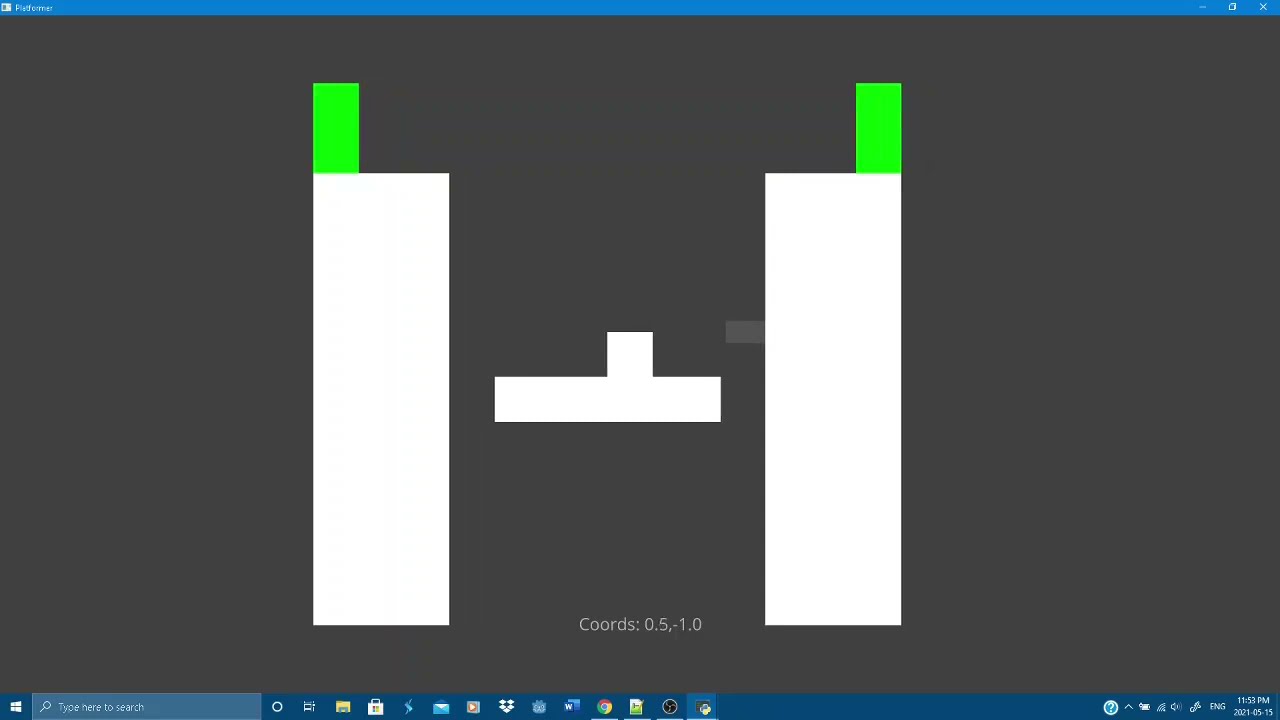
Pretty damn amazing if you ask me
(made in ursina btwn)
dawn quiver
Yes conditions work the best to make multiple screens
You just need to blit different things based on conditions


Something like this is what i think you mean
 ivory barn
Hey, I have 2 images, one is above the other and it's a circle. It's supossed to draw the circle (image) according to the timer. I have an image here to explain it better. Where can I get some help?
 narrow haven
how did you know that
 olive timber
I want to develop a game using python....and I am a beginner....pls some tell me how to download pycharm...
Pls ping me during reply
dawn quiver
olive timber
I want to develop a game using python....and I am a beginner....pls some tell m...
Hello
Yeah pygame is great
But i dont recommend trying to do it before learning some python first
So i suggest learning python well first
dawn quiver
pygame is v sensitive when it comes to placement order
limber veldt
Draw order?
dawn quiver
Aight finished sprite sheets, now ima make the game
 limber veldt
Nice, you got through the PNG image issues
Let's see him animated
I'm thinking about doing that for some of my sprites but I don't really think I'd see a speedy performance increase
Probably takes about the same amount of time to draw a line on a surface as it does to replace the entire image on a surface
dawn quiver
heyyy guys
i just made
an amazing
sprite sheet convertor
zombies = []
def get_images(sheet, size, scale, rows, columns, dump):
    for i in range(rows):
        for e in range(columns):
            image = pygame.Surface((size, size)).convert_alpha()
            image.blit(sheet, (0, 0), (i, size*i, size, size))
            scaled = pygame.transform.scale(image, (scale, scale))
            dump.append(scaled)

    return dump


zombies = get_images(zombie_ss, 32, 150, 6, 13, zombies)
here incase anyone is interested
limber veldt
All of my sprites are animated but just by cycling colors of some parts or changing shape
 dawn quiver
limber veldt
All of my sprites are animated but just by cycling colors of some parts or chang...
dawn quiver
limber veldt
All of my sprites are animated but just by cycling colors of some parts or chang...
:0
niceu
nvm
limber veldt
That's the only thing I had help with from stack on this project, a color cycler, it's awesome
dawn quiver
limber veldt
That's the only thing I had help with from stack on this project, a color cycler...
nice
limber veldt
I can give it a list of colors to cycle through and it fades from one to the next in the list
Not just change, but actually fades
I use it in a couple of objects. My ship's lasers change color over time and when ship blows up, I fade its particles from white to orange to red just as they alpha fade out

 limber veldt
Ship go boom
dawn quiver
zombies = []
def get_images(sheet, size, scale, rows, columns, dump):
    for i in range(rows):
        for e in range(columns):
            image = pygame.Surface((size, size)).convert_alpha()
            image.blit(sheet, (0, 0), (i, size*i, size, size))
            scaled = pygame.transform.scale(image, (scale, scale))
            dump.append(scaled)

    return dump


zombies = get_images(zombie_ss, 32, 150, 6, 13, zombies)
is the correct code ^^
dawn quiver
limber veldt
Ship go boom
oof
limber veldt
The meat of this color cycler, I still don't yet follow exactly what it's doingpy self.current_color = [x + (((y-x)/self.number_of_steps)*self.step) for x, y in zip(pygame.color.Color(self.base_color), pygame.color.Color(self.next_color))]
dawn quiver
ive never used zip so neither would i 
List comps are nice tho
:D
often used in pygame
limber veldt
So zip takes one value from each of the iterables and makes a two element list from them
pygame.color.Colrs are in the format of (R, G, B, A) so take the R from base color and R from next color
But the list comping throws me off
Here's the whole thing```py
class ColorCycler:
def init(self, color_list):
self.age = 0
self.change_every_x_seconds = 1
self.number_of_steps = self.change_every_x_seconds * FPS
self.step = 3
self.colors = itertools.cycle(color_list)
self.base_color = next(self.colors)
self.next_color = next(self.colors)
self.current_color = self.base_color
def update(self):
    self.step += 3
    if self.step < self.number_of_steps:
        self.current_color = [x + (((y-x)/self.number_of_steps)*self.step) for x, y in zip(pygame.color.Color(self.base_color), pygame.color.Color(self.next_color))]
    else:
        self.step = 3
        self.base_color = self.next_color
        self.next_color = next(self.colors)
create instance of ColorCycler
self.color_cycler = ColorCycler(['white', 'white', 'white', 'orange', 'red'])
usage
def update(self):
self.color_cycler.update()
self.color = self.color_cycler.current_color
There's that itertools coming in with more awesomeness
dawn quiver
:0
limber veldt
The effect is really nice with my lasers, along with the particle trails
I finally worked out how to make my ship stay at the margins but still be able to thrust away from them
If the ship is facing to the right,, self.rect.x -= 10 no matter what then use min/max to constrain the value
And the opposite for the ship facing to the left. self.rect.x += 10
Then set up one button to toggle ship facing left or ship facing right
That exactly mimics the original game's behavior
Like so. I'm not satisfied with the linear application of the thrust but it'll be easy to change with a better velocity += acceleration method
But, alas, I'm still stuck on trying to more closely mimic those damn swarmer behaviors
The flying saucer behaviors aren't too bad, kinda close to the original and have the same affect acting like the police of the chase
And I picked up on a little trick the original does...When using a smartbomb (kills everything on screen), it's actually deployed twice, one right after the other
The enemy shown in the thumb for that vid, the purple-ish star-shaaped thing in the upper left, the enemy pod, when shot breaks into 5 to 7 enemy swarmers. To make sure the smartbomb is effective against those, they just do two smartbombs in a row. One to kill the pod, the next to get any swarmers that spawned from the pods
And you can see it happen in the youtube vids of the game because the screen flashes white for a split second when each smartbomb happens
And, sure enough, we see two quick white flashes
Original: https://youtu.be/wAKxa5C9jHY?t=2937

This is Williams Defender green label on MAME, factory settings. On wave 1 I pick up all ten and force 5 through to the top of the screen. This is a bug and I always wondered what happens as they start to crawl down the screen when they reach the bottom. Gary Whittingtham has done this and I wanted to do the same myself. You can see they eventua...
Time stamped
That guy's extremely good at it
We can see the laser color and the score color are using the same color cycler
I'ma have to create those fonts on surfaces too
For the numbers
dawn quiver
so
class SpriteSheet():
    def __init__(self, image):
        self.sheet = image

    def get_images(self, rows, columns, width, height, scale, colour):
        images = []

        for i in range(rows):
            for e in range(columns):
                image = pygame.Surface((width, height)).convert_alpha()
                image.blit(self.sheet, (0, 0), ((e * width), (i * columns), width, height))
                image = pygame.transform.scale(image, (width * scale, height * scale))
                image.set_colorkey(colour)

                images.append(image)

        return images
is more accurate
dawn quiver
limber veldt
Original: https://youtu.be/wAKxa5C9jHY?t=2937
oh..
limber veldt
Looks great, gives you the 0,0 pixel of each image in the sheet
dawn quiver
you werent doing this yourself..
dawn quiver
i see..
limber veldt
Or wannabe total recreation, lol
That's why I'm so picky about the enemy behaviors
They have to be reasonably close to that
Finding any kind of article with details about behaviors is a needle in a haystack search
So all I can do, all I've been doing, is watching vids like that
Trying to gain some insight
limber veldt
No
dawn quiver
or recreating the game-
ohhhH
thats not bad
recreating is good
i thought you were following a tutorial
limber veldt
There is no tutorial on how to replicate an arcade classic
dawn quiver
haha
limber veldt
lol
dawn quiver
really nice work in that case
so i have a problem
my right images seem to be working
so basically
this is my sprite sheet

the first 4 images are working correctly
but when i try using the 2nd columns 4 images(the guy with the gun)
it comes like this

can you see that little black dot below
thats the guy with guns head
only the guy with guns head is comming
😭
which means its not moving down further enough
dawn quiver
class SpriteSheet():
    def __init__(self, image):
        self.sheet = image

    def get_images(self, rows, columns, width, height, scale):
        images = []
        fixer = 0

        for i in range(rows):
            for e in range(columns):
                image = pygame.Surface((width, height)).convert_alpha()
                image.blit(self.sheet, (0, 0), ((e * width), ((i*fixer) * columns), width, height))
                image = pygame.transform.scale(image, (width * scale, height * scale))

                images.append(image)
            fixer += 4

        return images

A bad way to fix it but it works now lmao
im worried about the bottom rows tho 👀
limber veldt
Not the problem, looking closely at the sheet, we can see the lower row is drawn more up the image than the top row
dawn quiver
limber veldt
Not the problem, looking closely at the sheet, we can see the lower row is drawn...
also true
but ive kinda fixed it now
oh well
limber veldt
You have almost two full alpha blocks shown in the upper row and just over one in the bottom row
limber veldt
Above the player's head, that is...56
dawn quiver
aight
let me check
everything works like a charm

perfection
the fixer was the solution
just that
limber veldt
Yeah, fix it with your y calc
dawn quiver
its not fixer += 4, its fixer = 4
dawn quiver
limber veldt
Yeah, fix it with your y calc

anyways
i need to study now
rip, but gotta do what u gotta do
limber veldt
I should have gone to work today
dawn quiver
class SpriteSheet():
    def __init__(self, image):
        self.sheet = image

    def get_images(self, rows, columns, width, height, scale):
        images = []
        fixer = 4

        for i in range(rows):
            for e in range(columns):
                image = pygame.Surface((width, height)).convert_alpha()
                image.blit(self.sheet, (0, 0), ((e * width), ((i*fixer) * columns), width, height))
                image = pygame.transform.scale(image, (width * scale, height * scale))

                images.append(image)

        return images
is the correct version
finally
lmao
5 hours
i spent 5 hours...
lmao
 limber veldt
Bug squashed
dawn quiver

dawn quiver
limber veldt
Bug squashed
hm?
limber veldt
Just didn't feel well this morning
dawn quiver
oh
limber veldt
Your bug
dawn quiver
r u feeling better now
dawn quiver
:0
limber veldt
Stormy morning, good day to stay inside and work out these damn codes
limber veldt
Have fun with that, good times
Peace man
I suppose what I need is a little shady
But a MAME ROM of the original game
I have some of those stashed away from twenty years ago on an optical disk but I have no optical readers anymore, like none
That could certainly help me more closely analyze the enemys' behaviors
Godmode for it would be ideal
dawn quiver
 wanton lodge
hi, i have an idea of a game, but i do not know how to implement it here's the idea:
*code = skill in game
*code to obtain skill
the player can create and edit code, giving another player his code
but i cannot make it possible because it'll be very unfair to the other player if they can mess up with the damages, things in game stats.
limber veldt
limber veldt
Godmode for it would be ideal
Welp, I've done exactly that
Now I can watch those damn swarmers in their natural habitat
dawn quiver
wanton lodge
hi, i have an idea of a game, but i do not know how to implement it here's the i...
You mean expecting the player to create the game as they go?
thats a great idea
But i recommend making commands to make things instead of expecting them to code
so instead of expecting them to use pygame, just use commands like create block
since that would make things more playable
and then they can add stats
but i cannot make it possible because it'll be very unfair to the other player if they can mess up with the damages, things in game stats.
Well just keep a stats cap, like dont allow them to keep damage over 'x' value
its a fun idea
and also make it such that they have to fight against someone as well
dude this is actually a good idea..
aight... thanks for the idea i gues.. .. :>
limber veldt
dawn quiver
nice
A huge step forward in my ability to code these things
dawn quiver
wanton lodge
ty for implementing that idea
:>
limber veldt
And it looks like they follow the one rule of all AIs...make it simple and let the nuances create character
Make it too complex and it starts feeling less organic
opaque fox

Hey got a question lads
How to start the game when I press the button
Or the text to be more specific
I need an answer
limber veldt
I'm so on these swarmers now...
opaque fox
limber veldt
I'm so on these swarmers now...
What?
limber veldt
Oh I'm just coding some enemy behaviors, they're called swarmers
The lurkers here probably getting tired of my talking about them but they've been quite a challenge
opaque fox
limber veldt
Oh I'm just coding some enemy behaviors, they're called swarmers
That looks
Cool
My enemies are dipshit
But now I gotta figure out how to make this main menu work
limber veldt
So, what keeps the swarmers ina swarm is not the result of them looking at each others positions, it's because of their x velocity and acceleration rules, much simpler than I thought
proper peak
that's probably the case, yes
though you can always go nuts and make them be boids 😛
limber veldt
I considered that route, looked at a couple of times in some vids
I got them working pretty good now just to add some randomness to their initial velocities
Yay, I can finally move on from them
They could use a tweaking here and there but good nuff for now
Getting them done in the hour or so since I deleted their entire update() method wouldn't have been possible had I not DLed the game and been able to really see what they're doing without a random player playing the game
dawn quiver
aight games comming together

the colours turned out to be perfect for a zombie shooter 😮
tawny crystal
\😳
 cerulean moat
whats the most easy to use game engine in python thats not pygame?
proper peak
arcade?
limber veldt
I said earlier, there are no tutorials for replicating classic arcade games but there's an exception...maybe not full tuts but Pacman has dozens of enemy behavior breakdowns scattered around the internets
limber veldt
I figured a really cool addition to my swarmer alg and how to make them focus on the player more instead of just randomly bobbing up and down within some margin on either side of the player...give them slightly more acceleration toward the player than away from him
Like when they're going up an are already above the player, apply more force to slow them down and turn them around than the force would be if he's going down and above the player
I need to give them some minimum vel[1] though
Because with that ^ setup, they will eventually match the y of the player and stay there...how often does a player stay completely still though?
 subtle vessel
 wanton lodge
the graphics look nice
dawn quiver
yep the pixel art looks pretty neat
frank fieldBOT
Hey @brave lake!
Uh-oh! It looks like your message got zapped by our spam filter. We currently don't allow .txt attachments, so here are some tips to help you travel safely:
• If you attempted to send a message longer than 2000 characters, try shortening your message to fit within the character limit or use a pasting service (see below)
• If you tried to show someone your code, you can use codeblocks
(run !code-blocks in #bot-commands for more information) or use a pasting service like:
 formal basin
hello im new to python programming, but i know basics, im making a pygame, i have created a window and added an button image, but what i want is that when u press the button it spits out jokes, how can i do this? can someone quickly show me now??
limber veldt
First thing's first, learn to make a pygame button yet?

In this video I explain how to create a button in pygame using python. This is really easy and simple. Just copy and paste the code down below and follow the instructions I give in the video. Feel free to leave me a comment with any questions.
Please leave a LIKE and SUBSCRIBE for more content!
LOOK IN THE PINNED COMMENT FOR THE CODE.
Tags:
...
So far as it showing jokes when you ckick it, that's just putting a bunch of jokes in a list and using random.choice() on that list to choose one of them then display it on the screen
 potent scroll
I was using pyinstaller for converting my python script into exe, but when executing the exe it crashes, no errors shown. pyinstaller --onefile -w filename.py this was the command i used. The script is only 1 python file, but it accesses images from another file. Is there something wrong with the command i used to convert it or is it something else. I am making a game with pygame.
limber veldt
I haven't tried converting to exe before but it seems like images in another file could be a problem
But who knows? I know nothing
potent scroll
limber veldt
But who knows? I know nothing
i tried py2exe, and it says that something is wrong with accessing fonts.
so for the fonts i had set it like this font1 = pygame.font.SysFont(None, 25)
formal basin
limber veldt
So far as it showing jokes when you ckick it, that's just putting a bunch of jok...
ok
limber veldt
There must be some way with those converters to properly deal with external resources, unfortunately, I don't know what that is
potent scroll
now i set it a ttf file instead of None, let me see if it works now.
limber veldt
Or use one of the names of a font from the list you get with thispy print(pygame.font.get_fonts())
Like sopy font = pygame.font.SysFont('comicsans', 22)
potent scroll
yep let me give it a try
potent scroll
@limber veldt Thanks for suggesting that, it did work now. It was the font that was messing it up. I used py2exe before and it did say it was something with the font. It works as an exe now.
limber veldt
Lovely
potent scroll

limber veldt
Just curious, are you on windows?
potent scroll
I was making an OS simulation inside of a game. Just for practicing around with different menus and stuff
potent scroll
limber veldt
Just curious, are you on windows?
ofcourse 😅
potent scroll
yeah giberish
limber veldt
They're like 130 characters long
potent scroll
true
potent scroll
Standard font names
limber veldt
Yeah
I wonder how widely available they are across different platforms. Like if I share a file with a linux, will they likely have the same fonts on their system? Probably not
Speaking of fonts, I gotta make my own for the alphabet and numbers 0 through 9
That's gonna be a grind
potent scroll
Let me try using one of those
limber veldt
They'll just be like 24x24 bitmaps
Maybe I can find a PNG sprite sheet of the fonts that I need...or make one myself
Maybe I'd rather have all resources internal
I dunno, it's too early
Internal would be easier to do the color fades that I need
 brave lake
I am trying to make a game and I have almost finished it but the thing is that I want the game to have 5 stages and each with 2x more
speed of alien bullets than the previous stage. Can you guys please help? https://drive.google.com/file/d/1iaSj1t4nxexhR7JIfn2pNjXYh0Echa-V/view
Google Docs
limber veldt
hah, functions in a list, yay!
Well, methods
self.funcs = [self.draw_zero, self.draw_one, self.draw_two, self.draw_three, self.draw_four, self.draw_five, self.draw_six, self.draw_seven, self.draw_eight, self.draw_nine]

number = '9'
digit = int(number)
self.funcs[digit]()```Mistake there, but don't mind that
Fixed
It's for redrawing my fonts in the color cycler's current color
dawn quiver
limber veldt
```py
self.funcs = [self.draw_zero, self.draw_one, self.draw_two, self.draw_thre...
0_0
i think we need more game developers
python game developers*
teal ember
simulations are better than games 
limber veldt
Give a simulation a score keeper, it's a game
teal ember
more of a mathematical and physics simulations
limber veldt
Color changing score keeping, yay!
limber veldt
Too easy, extra ships and smartbombs remaining added to UI
It's now at a point that if I showed someone who knows the arcade game, I'd hope they'd immediately recognize it and maybe even have a hard time telling the difference
 north crane
I just wanted to thank everyone in this discord for their help on a project I was working with. It was basically a Rock Paper Scissors simulator that basically turned into a Final Fantasy Boss battle. Meanwhile, though, it logs how you play rock paper scissors to feed it into a simulator that can pit you against other players of the game to see who would win in million+ round games of rock paper scissors (who doesn't want to know that lol). It was far bigger than my prior beginner projects, and you all helped me work through some big hurdles!
I'm sure I'll ask more dumb questions, but I've learned a lot!
Maybe one day I'll figure out who to actually make the whole thing playable on someone else's computer!
limber veldt
wanton lodge
gj, keep going
Thanks, getting closer
limber veldt
This will be a challenge, I have no idea how to animate that williams logo like that
limber veldt
Separate images or surfaces for the whole animation
dawn quiver
play each frame
limber veldt
Right
dawn quiver
at a higher frame rate
then
switch to a lower frame rate
for the rest of the code
also
you dont need to play each frame
just play a .gif file
¯_(ツ)_/¯
pygame allows .gif s
first you would need to make that into a gif tho
limber veldt
I won't be able to get it in a usable resolution though, well, it'll be a struggle
The original game had 292x240 res
But its pixels were the size of a 3x3 square of today's pixels
Maybe even a 4x4 square
dawn quiver
does pygame accept gifs for objects
 thin violet
nive
limber veldt
Hmmm, I just need a way to turn an image into a list of pixel colors
opaque fox
Wait pygame allow gifs?
limber veldt
Just had to try an idea, it's not very convincing but it is a fill
tranquil girder
no, not animated gifs, just static ones.
ursina does though ;)
limber veldt
limber veldt
Just had to try an idea, it's not very convincing but it is a fill
Breadth first fill, not quite the same as the animation in the real game
It isn't really a lot of 3x3 pixels. I could put all their x/y locations in a list and order the list in the order I want to draw them
Needs touchups on the artwork but I made an editor for creating it, making changes won't be difficult
limber veldt
limber veldt
It isn't really a lot of 3x3 pixels. I could put all their x/y locations in a li...
Which is probably what they original game did
dawn quiver
looks good
limber veldt
Where there's a will, there's a way
Just a little change to my editor an a half hour of grinding clicking the pixels in the order I needed
There in the editor I have the cells (pixels) blown up to 8x8 actual pixels. In the game, they'll be 3x3 cells
Save the click location translated to grid coordinates, click, click, click, click, appending the location each time, eventually have a list of grid locations in the order that they were clicked
Iterate that list changing cell color as you go and viola! animated
I have a delay to slow it down more than usual for that animation, easy to change that though
limber veldt
Like so in the game, the beginning of a title screen
 marble bison
limber veldt
Where there's a will, there's a way
marble bison
limber veldt
Where there's a will, there's a way
loading screen also how do u guys make these games and animations
limber veldt
Painstakingly drawing on surfaces dot by dot, finding the coordinates of each dot...and so on, it's a lot of grinding
marble bison
limber veldt
Painstakingly drawing on surfaces dot by dot, finding the coordinates of each do...
yeah me and my friend wanna make a cool game
marble bison
limber veldt
Painstakingly drawing on surfaces dot by dot, finding the coordinates of each do...
and ur thing would make a nice cool loading skin
dawn quiver
okay so i was thinking about it
and
i realised
if you truly want to recreate the game
you cant just
gif the intro
you need to remake it
dawn quiver
limber veldt
Where there's a will, there's a way
yes something like this
limber veldt
limber veldt
Like so in the game, the beginning of a title screen
I got it pretty close right there
dawn quiver
limber veldt
Where there's a will, there's a way
how did you implement this btw
you just stated the position of each pixel?
that must have been hard
limber veldt
Well, I made an editor to draw the image then filled it while adding the coords one at time to a list. Then can iterate that list to redraw the image
So, I have 8x8 cells to click with the mouse. Left click makes the cell red, middle click makes it yellow, right click makes it white. Once i have an image drawn, I hit the W key and it prints a list of coords for all red cells and all yellow cells. Using that list, I can redraw the image on pixels instead of 8x8 cells
Here my current thing in the editor, done, now I just have to copy those coords to my game's attract mode object and write a little code to draw them on the screen where ever I want
 dawn quiver
:0
limber veldt
def update(self):
        self.age += 1
        self.color = self.color_cycler.current_color
        # if self.color == [255.0, 8.25, 0.0, 255.0]:
        #     print(self.color, self.age)
        if not self.age % 797:
            self.run_once = False


    def draw(self):
        for coord in self.coord_list:
            x = coord[0]
            y = coord[1]
            pygame.draw.line(screen, self.color, [self.x + x * 3 + 1, self.y + y * 3], [self.x + x * 3 + 1, self.y + y * 3 + 3], 3)
            if not self.run_once:
                pygame.time.delay(4)
                pygame.display.flip()
self.run_once = True```The update() and draw() for the Williams animation
That's it
For that screen, I'm making the cells 3x3 pixels, hence the * 3 in the coords
So I'm not drawing every pixel, just drawing lines of width 3 that are 3 pixels long, that creates a 3x3 cell
According to those coords
So a little math and viola
The % 797 check, that just happens to be when the color cycler comes back to red after cycling about eight times. So I stop it there by setting a variable to True and retriggering the animation in the draw() method
So it just keeps repeating
Animate the writing, cycle colors eight times, clear the screen, repeat
dawn quiver
I have a lot of assignments to do, and its already past due date, but i can still submit it, but i want to continue my development on my project, idk what to do 😞
limber veldt
More better title screen!
See how easily I was able to implement what I just showed you a few minutes ago that I was just finishing at the time? Between then and now, I implemented that artwork into the game
I'll work later on animating the logo, it particle implodes onto the screen
Instead of just appearing
My game's gonna be so much like the original that people are going to accuse me of stealing the code from the author, lol
All those datas and we're well over 2k lines so far
Copy and paste the yellows and reds lists, assign them to variables, add one line to my draw() method to call the new draw_logo() method```py
def draw(self):
for coord in self.coord_list:
x = coord[0]
y = coord[1]
pygame.draw.line(screen, self.color, [self.x + x * 3 + 1, self.y + y * 3], [self.x + x * 3 + 1, self.y + y * 3 + 3], 3)
if not self.run_once:
pygame.time.delay(4)
pygame.display.flip()
self.run_once = True
self.draw_logo()
def draw_logo(self):
    for coord in self.yellows:
        x = coord[0]
        y = coord[1]
        pygame.draw.line(screen, YELLOW, [self.x + x * 3 + 1, self.y + 100 + y * 3], [self.x + x * 3 + 1, self.y + 100 + y * 3 + 3], 3)
    for coord in self.reds:
        x = coord[0]
        y = coord[1]
        pygame.draw.line(screen, RED, [self.x + x * 3 + 1, self.y + 100 + y * 3], [self.x + x * 3 + 1, self.y + 100 + y * 3 + 3], 3)```
The key to the whole workflow is the most simple class I've ever used, or one of them, ready?```py
class Spot:
def init(self, x, y):
self.x = x
self.y = y
self.color = WHITE
def draw(self):
    pygame.draw.rect(screen, self.color, [self.x * wr, self.y * hr, wr, hr])```
Where wr and hr are the size of the cells I need
width and height
Then I can instantiate a 2d list of them like so....py cols = 30 rows = int(1200 / 8) grid = [[Spot(i, j) for j in range(cols)] for i in range(rows)]
And use them to do all kinds of things, art editor for one
And that's just for the editor code, int he game, I just have to draw the lines according to the coords the editor spits out to me
Reminds me of an old Blender trick I used to get all the vertex positions of a 3d model into a list for my rubik's cube code to use in drawing the same cube with a button click
Soooo tricky
I watched a tut on how to do it, the guy was a genius
Huge long lists of verts and faces, he had ways to automatically dump them to the actual script
Kinda shows the coords I get, they're in grid object coordinates

So I can draw on the canvas using the mouse buttons to put red or yellow cells then get a list of coords for each of them
And that's how I implemented that, lol...too late for the long story warning
I just used a slight variation of it for the Williams animation, drew red cells, got a list of all the coords, pasted them into the code so I could draw it at will, then adjusted the code so that every time I painted a new pixel onto that image, it added the coords to a list. I then had a sequential list of coords to animate the Williams thing
So not just an x,y or i,j list, a list with a specific order
I had to paint those cells manually and that was a bit of a grind but not bad, half hour or so and it was done
One by one, making sure not to mess up because I have no undo
But there isn't that many cells in the Williams animation
See, one just makes his own tools sometimes
 timber kayak
I have installed the Pygame module, but pygame.init() don’t work, anyone know why?
limber veldt
Did you import pygame?
limber veldt
And do you have multiple versions of python on your system?
timber kayak
limber veldt
And do you have multiple versions of python on your system?
I have python 3.8
limber veldt
Are you using VSC?
timber kayak
limber veldt
Are you using VSC?
Nope, pycharm lol
limber veldt
Oh dang, I know very little about that
timber kayak
Python 3.8 is the latest version, right?
limber veldt
Maybe though, you have multiple versions of python and the version to which you installed pygame isn't the one being pointed at by your pycharm?
3.9.5 or so now
What is the error, by the way?
Because you'd see an import error if the problem was with that, so yeah, what's the error?
timber kayak
AttributeError
frank fieldBOT
Here's how to format Python code on Discord:
```py
print('Hello world!')
```
These are backticks, not quotes. Check this out if you can't find the backtick key.
limber veldt
And let's see a copy paste of the error
frank fieldBOT
Hey @neon portal!
It looks like you tried to attach file type(s) that we do not allow (.bat). We currently allow the following file types: .gif, .jpg, .jpeg, .mov, .mp4, .mpg, .png, .mp3, .wav, .ogg, .webm, .webp, .flac, .m4a.
Feel free to ask in #community-meta if you think this is a mistake.
limber veldt
Because there is no error in those two lines
timber kayak
I’m so sorry, my discord isn’t loading on my pc, rn I’m using my mobile device.
But it says:
limber veldt
If that's all you have in a file, it won't do anything, but it won't error
frank fieldBOT
Hey @neon portal!
It looks like you tried to attach file type(s) that we do not allow (.rar). We currently allow the following file types: .gif, .jpg, .jpeg, .mov, .mp4, .mpg, .png, .mp3, .wav, .ogg, .webm, .webp, .flac, .m4a.
Feel free to ask in #community-meta if you think this is a mistake.
limber veldt
<@&831776746206265384> can we get someone in here with a hose please?
dawn quiver
!ban 828518946675228683 Troll
 tropic lantern
!mute 828518946675228683
frank fieldBOT
:incoming_envelope: :ok_hand: applied ban to @neon portal permanently.
:incoming_envelope: :x: failed to apply.
timber kayak
Traceback (most recent cell last):
File “D:/PycharmProjects/GUIWIN/pygame.py”, line 1, in <module>
import pygame
File “D:\PycharmProjects\GUIWIN\pygame.py” line 3, in <module>
pygame.init()
AttributeError: partially initialized module ‘pygame’ has no attribute ‘init’ (most likely due to a circular import)
I typed this whole thing out by hand lol
@limber veldt
limber veldt
That's very strange, never seen it before