#game-development
1 messages · Page 85 of 1
 desert forge
 grim abyss
@potent ice So I FINALLY have my code working with Python 3. I don't know why but the import system has changed and that really messed me up. I guess the Turtle module has changed as well......
anyway, I can start on working this problem now...
 dire garnet
@rose widget excuse me?
 rose widget
you read it now answer
dire garnet
!ban 802032379396489287 joking about rape is not appreciated here.
 frank fieldBOT
:incoming_envelope: :ok_hand: applied ban to @rose widget permanently.
 finite briar
dire garnet
!ban 802032379396489287 joking about rape is not appreciated here.
finite briar
dire garnet
!ban 802032379396489287 joking about rape is not appreciated here.
Thank you.
img = pygame.image.load("pic.png").convert_alpha()
rect = img.get_rect()
img_clean = img.copy()
rot = 0 # degrees
# game loop
while True:
# ...
rot += 10
img = pygame.transform.rotate(img_clean, rot)
rect = img.get_rect(center=rect.center)
screen.blit(img, rect)
``` errmmmmm what's the point of blitting both the `img` and the `rect`? quasi valley
the rect isnt something to be drawn, its the coordinates to draw it on
so the image's rect is where on screen it will be drawn, in this case
finite briar
so in rect = img.get_rect(center=rect.center) what's rect.center? i presume that's the coordinates of the rect
 rare lily
I created a small Tutorial on how you can convert any image to 8-bit Pixel art. So this is for all the gaming fans 🙂
https://geekyhumans.com/convert-images-to-8-bit-images-using-python/
Feedbacks are welcome.
Thanks

You can also convert images to 8-bit images using Python, sounds good right? So, to bring your childhood back we have created this tutorial
finite briar
rare lily
I created a small Tutorial on how you can convert any image to 8-bit Pixel art. ...
Dm me that so i can look at it later please ;-;
 ancient marsh
!rule 6
frank fieldBOT
6. No spamming or unapproved advertising, including requests for paid work. Open-source projects can be shared with others in #python-general and code reviews can be asked for in a help channel.
 dawn quiver
!tempmute 818822071030775848 3d You've been told to stop offering work for pay here, please stop doing it.
frank fieldBOT
 :ok_hand: applied mute to @dawn quiver until 2021-04-29 07:19 (2 days and 23 hours).
dawn quiver
pandas3d
 woven compass
hi
 scarlet cloud
guys
how do i get transparent pictures in pygame?
the transparent area just turns black
woven compass
hi
 mortal harbor
hey
not able to download pygame
it says module does not exist
hello?
anyone?
 tranquil girder
ok
 frail spade
mortal harbor
it says module does not exist
frail spade
mortal harbor
it says module does not exist
but it exists xD
 scarlet tapir
im getting the error
pygame.error: font not initialized
even though i am initiating the font
 flint trail
i need help
its no diplaying the "Score"
i got no error messeges
is it the
    score_surface = game_font.render('Score',True,(255,255,255))
    score_rect = score_surface.get_rect(center = (288,100))
    screen.blit(score_surface,score_rect)
ot noy>
 sage furnace
anyone wanna make minecraft in python?
sage furnace
flint trail
i need help
finite briar
sage furnace
anyone wanna make minecraft in python?
You'd get copyrighted out the frame
 trail ice
Hi I needed some help with my a function, its supposed to take in a tileset a map list and a surface, go through the map list and blit the correct tile in the correct coords:

The main.py compiles fine, but the tiles arent blited onto the surface
I think it has to do with the map list though

but when I take the function out and test it individually it works fine
Everything works fine so I think im missing a stupid mistake, am incredibly lost either way
finite briar
Rect_1 = rotated_surface.get_rect(center=500,500) I've looked around, but as far as i know this creates a rectangle for the surface at those coords? Does that move with the surface? I need to work on collision (Like when a bullet hits a sprite) and i dont know how to detect the collision or how to make the bullet dissapear, i guess I'd break the function from the while loop? Cant say I'm sure how I'd do that but i guess I'd put the whole loop inside of the function?
 lucid sapphire
Can anyone tell which is best python module to make mobile games?
 solemn flame
I’ve been taking a Coding Class this past year, and my final project is to make a Text-Based Adventure Game.
It’s so weird cuz like....I’m learning about the History of Gaming and Game Design? Like....I spend all my free time watching game reviews and playing them.
Never thought I’d learn about how “Modern games such as Half-Life and Kingdom Hearts have rivaled movies in terms of graphics and details....”
 quiet salmon
i wanna make a game
tranquil girder
same
 vapid osprey
solemn flame
vapid osprey
solemn flame
Well I get to make my first video game , fun
 royal nacelle
solemn flame
Well I get to make my first video game , fun
royal nacelle
solemn flame
Well I get to make my first video game , fun
Good luck, and if possible, I'd like to see your project!
solemn flame
Thanks! I'm required to make it a text-based choose-your-own adventure game. So far, i'm envisiong like a "Horror" game with a taxi driver that makes the player uncomfortable with their questioning. It'll have a couple endings and a secret, final ending. That's the plan anyways
 loud schooner
I am trying to make a shop for my text adventure game. Can anyone tell me how because whenever I try, I get a syntax error
quiet salmon
i wanna make a game
 fervent horizon
quiet salmon
i wanna make a game
fervent horizon
quiet salmon
i wanna make a game
be more specific?
quiet salmon
like am shooting one
fervent horizon
3d games are not that good on python. I would recommend you to use unity with java or smthg. if you still want to do it I cant help you cause I dont know how 3d games work.
quiet salmon
so by 2d
do you mean games like mario
fervent horizon
yeah
quiet salmon
ohk
quiet salmon
but are there any specefic coding like python for a 3d game
for eg c++
quiet salmon
ok
finite briar
quiet salmon
ok
you can make a 3d game with Pygame, but yeah Python wouldnt be nessicarily the best language to make a 3d game out of.
quiet salmon
IS pygame a proggrame
finite briar
quiet salmon
IS pygame a proggrame
pygame is a python module, just like Tkinter and Random and Webbrowser
 thorny jungle
scarlet cloud
how do i get transparent pictures in pygame?
thorny jungle
scarlet cloud
how do i get transparent pictures in pygame?
https://devdocs.io/pygame/ref/surface
you need to create a surface with the alpha-flag
like this: pygame.Surface((int(width),int(height)),pygame.SRCALPHA)
and then draw your picture on this surface
 opal parcel
 last moon
finite briar
you can make a 3d game with Pygame, but yeah Python wouldnt be nessicarily the b...
last moon
finite briar
you can make a 3d game with Pygame, but yeah Python wouldnt be nessicarily the b...
Panda3D/Ursina and pyglet work pretty well for 3D
finite briar
last moon
Panda3D/Ursina and pyglet work pretty well for 3D
Not as good as say Java i dont think though
last moon
finite briar
Not as good as say Java i dont think though
I'm not sure about panda3d but pyglet/modernGL uses opengl hooks
finite briar
last moon
I'm not sure about panda3d but pyglet/modernGL uses opengl hooks
Good point, It's not the worst language for it i suppose but there are better yet
frank fieldBOT
:incoming_envelope: :ok_hand: applied mute to @hoary dirge until 2021-04-28 00:12 (9 minutes and 59 seconds) (reason: duplicates rule: sent 4 duplicated messages in 10s).
dawn quiver
Yo anbody here knows how to put images as FOREGROUND in tkinter?
 marsh wadi
anyone know why im getting this error in pygame
pygame.error: File is not a Windows BMP file
quiet salmon
are 3d games good on python
finite briar
quiet salmon
are 3d games good on python
as we said above, It's not bad but there are better
import pygame
from Colors import *
pygame.init()
screenh = 500
screenw = 500
Ship_x = 250
Ship_y = 250
key = pygame.key.get_pressed()
def Movement(Ship_x, Ship_y):
if key[pygame.K_LEFT]:
Ship_x += 5
if key[pygame.K_RIGHT]:
Ship_x -= 5
if key[pygame.K_UP]:
Ship_y -= 5
if key[pygame.K_DOWN]:
Ship_y += 5
screen = pygame.display.set_mode((screenh, screenw))
Bullet = pygame.image.load("C:\\Users\Felix Laptop\Downloads\Roughbullet.png")
Ship = pygame.image.load("C:\\Users\Felix Laptop\Downloads\Ship.png")
Clock = pygame.time.Clock()
Clock.tick(60)
A = True
while A:
for event in pygame.event.get():
if event.type == pygame.QUIT:
pygame.quit()
screen.fill(purple)
screen.blit(Ship, (Ship_x, Ship_y))
Movement(Ship_x, Ship_y)
pygame.display.update()
``` Heyo okay so I'm trying to be able to move my sprite but it's not moving? When i move the sprite with the arrow keys nothing happens, is this because I'm calling the function wrong or the data is getting overwritten or something? chilly charm
is there a collidepoint attribute for pygame.surface
because when i try to implement it in my program i get an attribute error that says there is no collidepoint attribute for pygame.surface
and if there is not one then are there any python 3.9 working alternatives?
 torn ether
Can I make games with the tk library or do I need pygame or turtle?
@sage compass teacher, you are everywhere
 sage compass
?
sage compass
torn ether
<@!714142949436555375> teacher, you are everywhere
🙂
torn ether
Can I make games with the tk library or do I need pygame or turtle?
sage compass
what you want use them it does not matter much but pygame a bit suitable for game
torn ether
Is it possible to create a button with pygame?
sage compass
👍
 long kestrel
HI! im new in dev. I m using pygame to make my first game
 lofty adder
chilly charm
is there a collidepoint attribute for pygame.surface
lofty adder
chilly charm
is there a collidepoint attribute for pygame.surface
There isnt. But you can get the rect of a surface with surf.get_rect() and use collidepoint on that. Dont forget that the rect returned has a position of (0, 0).
chilly charm
yea i figured it out last night i just needed to determine whether a sprite was being clicked or not, so i drew a rect behind the sprite and used that as the handler
 dull nymph
bros, how can i make a sprint turn to the mouse? its pygame
long kestrel
dull nymph
bros, how can i make a sprint turn to the mouse? its pygame
inside the loop:
var = pygame.mouse.get_pos()
cord_X = var[0]
cord_Y = var[1]
dull nymph
lol
 junior trench

Colours
Similar to Guitar Hero. Red, yellow and green coloured dots will move across the screen (L to R) towards similarly coloured zones. You must tap the corresponding coloured button on your keyboard when the dots reach their matching coloured zone.
Letters
A 4-6 letter sequence will appear for roughly 5 seconds which you must memorise. After a short delay, you will be shown 4 sets of letters in each corner of the screen, and you must select the sequence of letters which match those that you memorised.
Numbers
Simple mental maths. Quickfire questions to test your multi-tasking. Addition, subtraction, division and multiplication.
Any tips on making this
 pale raptor
# Import required library
import turtle

# Create screen
sc = turtle.Screen()
sc.title("Pong game")
sc.bgcolor("white")
sc.setup(width=1000, height=600)


# Left paddle
left_pad = turtle.Turtle()
left_pad.speed(0)
left_pad.shape("square")
left_pad.color("black")
left_pad.shapesize(stretch_wid=6, stretch_len=2)
left_pad.penup()
left_pad.goto(-400, 0)


# Right paddle
right_pad = turtle.Turtle()
right_pad.speed(0)
right_pad.shape("square")
right_pad.color("black")
right_pad.shapesize(stretch_wid=6, stretch_len=2)
right_pad.penup()
right_pad.goto(400, 0)


# Ball of circle shape
hit_ball = turtle.Turtle()
hit_ball.speed(40)
hit_ball.shape("circle")
hit_ball.color("blue")
hit_ball.penup()
hit_ball.goto(0, 0)
hit_ball.dx = 5
hit_ball.dy = -5
thanks your code actually help me
junior trench
does anyone have the code for a calculator?
dawn quiver
i think this is right channel for my question
so, i wanted to learn pygame, i know the fundamentals of python and a bit about OOP
i am looking for nice good docs to learn pygame, where can i find them?
long kestrel
dawn quiver
so, i wanted to learn pygame, i know the fundamentals of python and a bit about ...
i think a channel called TECH WITH TIM its a good option.
dawn quiver
i found one of his tutorial playlist
it was uploaded in 2017
should i find a newer one or go with it?
also, if you can link a few tuts that will be great!
thanks
 normal silo
dawn quiver
also, if you can link a few tuts that will be great!
normal silo
dawn quiver
also, if you can link a few tuts that will be great!
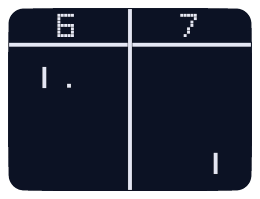
101 Computing
This tutorial is the first tutorial in a series of five Pygame tutorials: Pong Tutorial 1: Getting Started Pong Tutorial 2: Adding the Paddles Pong Tutorial 3: Controlling the Paddles Pong Tutorial 4: Adding a Bouncing Ball Pong Tutorial 5: Adding a Scoring system Extra: Pygame How To's? Pong is one of the earliest arcade video games, first rele...
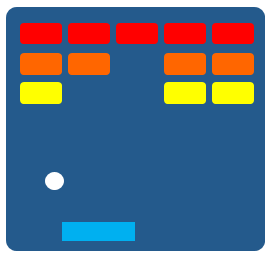
101 Computing
This tutorial is the first tutorial in a series of five Pygame tutorials: Breakout Tutorial 1: Getting Started Breakout Tutorial 2: Adding the Paddle Breakout Tutorial 3: Controlling the Paddle Breakout Tutorial 4: Adding a Bouncing Ball Breakout Tutorial 5: Adding a Brick Wall Extra: Pygame How To's? Breakout is one of the earliest arcade video...
dawn quiver
Thanks mate!
dawn quiver
Hello, I’m trying to develop a sound level meter. I have a raspberry Pi with the code on it and a mic . Is it possible to have the Pi in one spot while seeing the volume on your computer?
If someone can help me that would be great
 arctic valve
i just made first little game
😄
it took me 6 hours to program and stuff but it works
 olive parcel
Good job 🙂
 soft escarp
Is there any way in py3 to end input after getting single char? 🧐
frank fieldBOT
Hey @gleaming vessel!
It looks like you tried to attach a Python file - please use a code-pasting service such as https://paste.pythondiscord.com
pale raptor
which is easier pygame or python (turtle)
i like the turtle becuase you can setup everything very quickly
but if you learn turtle
then pygame would be easier
 craggy acorn
I prefer pygame, I have tried both but still prefer pygame
 lethal cloud
@arctic valve That's nice, What will you be working on next. Just curious.
 hollow zephyr
so, i started to learn some pygame on youtube about a guy doing a fast flappy bird in pygame
i am having fun chaging values and understanding how it works, but the games ends with a Crash because of a "Input()"
how can i draw a new window to say something like "you lose" and close the game without needing to call the process manager
https://paste.pythondiscord.com/wojuzidama.rb this is the game
frank fieldBOT
Hey @hollow zephyr!
It looks like you tried to attach file type(s) that we do not allow (.rar). We currently allow the following file types: .gif, .jpg, .jpeg, .mov, .mp4, .mpg, .png, .mp3, .wav, .ogg, .webm, .webp, .flac, .m4a.
Feel free to ask in #community-meta if you think this is a mistake.
hollow zephyr


and this is the sprites
i hope i am not bothering the chat with those big images
 hybrid sun
hi
 supple cedar
in unity why is it called an IEnumerator?
arctic valve
lethal cloud
<@!642736962171699231> That's nice, What will you be working on next. Just curio...
i think il be pollishing up the game with some ascii art
scarlet cloud
How do i get coordinates of the window sides
the game i'm making is a 2d platformer with the camera following the player
dawn quiver
scarlet cloud
How do i get coordinates of the window sides
Generally the coordinates are the window resolution
scarlet cloud
dawn quiver
Generally the coordinates are the window resolution
no but those coordinates are always the same
i mean coordinates in relation to the player
because i wanna make an object disappear when it's no longer on screen
dawn quiver
There pygame might be a function for that (iirc) otherwise you could check if the object (e.g. player) are outside the bounds of the window coordinates
 dull heron
i want to make a game with graphical ui
i do not know how to do it on python however
jk
i just wanted to see how many people would help
looks like no one
dawn quiver
anyone ever done collision detection without pygame ?
tranquil girder
Yes. Circles, spheres and axis aligned boxes are quite easy to implement
For a circle you just need to find the distance and know the radius
desert forge
whats perlin noise?
dawn quiver
tranquil girder
Yes. Circles, spheres and axis aligned boxes are quite easy to implement
For a c...
were you answering me ??
tranquil girder
Yes
arctic valve
anwser = input("would someone be interested in testing my little game i made")
if anwser = 'yes':

pls dm any feedback
about the game
 terse elk
Hey everyone! Has anyone worked with panda 3D?
 halcyon shuttle
junior trench
does anyone have the code for a calculator?
halcyon shuttle
junior trench
does anyone have the code for a calculator?
Elaborate? Your machine itself is a calculator.
junior trench
@halcyon shuttle basic python calculator with a GUI preferably in pygame
 coarse kayak
so im making tic tac toe in python with tkinter, and im useing overredirect(1) to hide the title bar, but now if you alt tab that its gone and you cant accsess the window
 brittle siren
dawn quiver
brittle siren
dawn quiver
Im making a racing game with online multyplayer servers
 stray obsidian
i am writing kind of paint program with pygame .

but if i move the mouse to fast it draws with gaps

can someone help me fix this
 proper peak
well, you can store the previous mouse position too, and draw a line between the positions.
ancient marsh
You might need to increase the speed of your clock as well?
stray obsidian
proper peak
well, you can store the previous mouse position too, and draw a line between the...
how can ii do that
stray obsidian
ancient marsh
You might need to increase the speed of your clock as well?
it moves faster if i remove the clock
 shrewd copper
clock.tick(x)
stray obsidian
when i use clock it shows more gaps🤔
ancient marsh
Afaik the clock sets your TPS, so a higher number should result in more updates.
Otherwise, the method suggested above is good too, although you might get less smooth lines as a result.
stray obsidian
so what should i set it to
ancient marsh
I think for my game I set the clock to 120 and made it independent from my FPS
normal silo
ancient marsh
Afaik the clock sets your TPS, so a higher number *should* result in more update...
By default a loop will run as fast as it can. Adding a clock ticking can only slow it down.
stray obsidian
normal silo
By default a loop will run as fast as it can. Adding a clock ticking can only sl...
ya
ancient marsh
Yes, I'm aware. I assumed they were already using one but had it set to something like 60 or so
normal silo
Also pygame's clock tick is approximate, it will not get you a perfect constant ticking.
proper peak
The problem is, I feel like they wouldn't be able to get enough FPS to draw smoothly.
Just because pygame isn't very fast, and you can move your mouse quite fast indeed. Even if 120 FPS is possible, is that actually enough to not have gaps in a quick movement across the screen?
normal silo
The problem is often not the fps, but actually the input event rate, which is often lower than the max fps your cpu can do.
proper peak
ah, that's fair too, pygame's event loop is likely only so fast
stray obsidian
so can i do something
normal silo
But it's fast enough, but still, you want to add interpolation. Linear is the most simple but you can do better, since it's for drawing and should be worth the extra compute.
proper peak
proper peak
well, you can store the previous mouse position too, and draw a line between the...
^ would be my approach
stray obsidian
proper peak
^ would be my approach
hmmmm how do i do that 😅
proper peak
well, have a variable storing the last mouse position, and look at it when you need to draw. To draw a "rounded line" (of circles), you can just draw many circles close to each other along the line, though perhaps pygame.draw has a better method for that
normal silo
You can draw a rotated rectangle between the points and then draw two circles at the ends.
shrewd copper
Is anyone here experienced with pyglet?
stray obsidian
proper peak
well, have a variable storing the last mouse position, and look at it when you n...
how do i get the last mouse position here
 indigo viper
can I get some easy ideas for discord.py game ?? (please give easy ideas new to discord)
 simple belfry
snake game?
it's quite, I saw on youtube guy that was making it in javascript so for sure it's also possible to do in python @indigo viper
indigo viper
simple belfry
snake game?
sir I have made it in a normal .py but never in discord.py
but will try to make it
thnx for your help
 zenith vessel
anyone do gamedev with unity?
 pine marlin
zenith vessel
anyone do gamedev with unity?
pine marlin
zenith vessel
anyone do gamedev with unity?
better off asking in the c# server for unity stuff
zenith vessel
pine marlin
better off asking in the c# server for unity stuff
just asked
i dont need help
simple belfry
Which library is better: pygame or python arcade?
 faint berry
simple belfry
Which library is better: pygame or python arcade?
faint berry
simple belfry
Which library is better: pygame or python arcade?
A wrapper over OpenGL 3.3 core making OpenGL more reasonable to work with and easier to learn.The API is based on `ModernGL <https://github.com/moderngl/moderngl>`_ implementing
If you don't have a card supports open gl 3.3, you can not use pyglet
Just like me!..
take this in a consideration
but i can work with pygame which uses sdl.
 ashen flame
if two_num = True:
    D_2 = (int(num_2_2) - int(num_1_2))
    new_num_two = (int(num_2_2) + int(D_2))
    new_num_two_two = (int(new_num_two) + int(d_2))
print((num_1_2) + (",") (num_2_2) + (",") (new_num_two) + (",") (new_num_two_two))```is something wrong here>
?
 pliant summit
def main():
    start_screen_1 = True
    while start_screen_1 == True:
        starting_screen()
        for event in pygame.event.get():
            if event.type == pygame.MOUSEBUTTONDOWN:
                mouse_pos = event.pos
                if button.collidepoint(mouse_pos):
                    draw_window()
                    run = True
                    start_11 = False
                elif event.type == pygame.QUIT:
                    pygame.quit()

    while run:
        for event in pygame.event.get():
            if event.type == pygame.QUIT:
                run = False

pygame.quit()```whats wrong in my code?
olive parcel
@ashen flame what's with all the unnecessary parentheses and int() calls? But the problem is you have = True which is an assignment and not a comparison.
ashen flame
im making a calculator
ashen flame
olive parcel
<@610382263347052545> what's with all the unnecessary parentheses and int() call...
i dont think int() is unnecessary
olive parcel
It obviously is, D_2 and new_num_two are already ints, why convert an int to an int
 crisp junco
olive parcel
<@610382263347052545> what's with all the unnecessary parentheses and int() call...
crisp junco
olive parcel
<@610382263347052545> what's with all the unnecessary parentheses and int() call...

olive parcel
The + operator doesn't turn an int into something else
Only the division operator can do that.
ashen flame
oh yea
im making a sequence calculator so when i type the list of numbers it automatically continues the list oif numbers
crisp junco
pliant summit
```py
def main():
start_screen_1 = True
while start_screen_1 == True:
...
#[...]
while run:
  for ....:
    if ...:
      run = False
pygame.quit() #<-- indentation
f example list: 1,3,5,7,9,11.....??
asnwer 1,3,5,7,9,11,13,15,17,19
faint berry
ashen flame
```python
if two_num = True:
D_2 = (int(num_2_2) - int(num_1_2))
new_num...
if two_num = True:
    print(str(num_1_2) + "," + str(num_2_2) + "," str(new_num_two) + "," + str(new_num_two_two))
use type transformations like str(num_2_2) for printing integers, booleans or adding other str variables. And give us information about the types of your variables which can help us for more fast to help your code.
olive parcel
That is still invalid, it should be if two_num: or if two_num is True: or at the very least ==
And concatenating strings is not recommended, it is cleaner to use string formatting:
print(f"{num_1_2},{num_2_2},{new_num_two},{new_num_two_two}")
 austere schooner
Does anyone have a simple game idea?
I started python a couple weeks back and want to jump right in
dawn quiver
Can I develop an Action game like Gangster Vegas in python
austere schooner
I guess?
 halcyon frigate

Support the stream: https://streamlabs.com/wr3ck3r_fn
 wise flame
!warn 706905440474103948 We do not allow advertising on this server. Please refer to our #rules.
frank fieldBOT
:incoming_envelope: :ok_hand: applied warning to @dawn quiver.
pliant summit
!resources
frank fieldBOT
Resources
The Resources page on our website contains a list of hand-selected learning resources that we regularly recommend to both beginners and experts.
https://pythondiscord.com/pages/resources
 dusty wyvern
i think i did gravity wrong...
 blissful root
why is unity soo hard to use 😩
faint berry

I am trying to use Utils.py module in developer/cli/dcli.py module
But I am getting this error: py Traceback (most recent call last): File "dcli.py", line 13, in <module> from .. import Utils ImportError: attempted relative import with no known parent package
But when I use Utils.py in another folder like render/Character.py
It doesn't give error?
I couldn't understand what it want me to do
crisp junco
I guess that's not python , it's C# isn't it?
 sinful lodge
how does unity work
ancient marsh
sinful lodge
how does unity work
Maybe you can join the server right above, the people there can help you. This isn't the right channel for Unity.
 analog turret
Hi everyone, I wanted to ask a question about Unity, I'm going to work on a project of a strategic game based on the google maps map, do you know how to import the google map on unity? no other map has such precision about streets and buildings 😦
 floral ermine
Hi, I made a game using Processing.py but it is slow whether in the pc (processing ide) or the phone (trinket.io), I am thinking of remaking the game in another module, so Pyglet or PyGame
?
faint berry
analog turret
Hi everyone, I wanted to ask a question about Unity, I'm going to work on a proj...
search extension includes using google map data like that
faint berry
floral ermine
Hi, I made a game using Processing.py but it is slow whether in the pc (processi...
if your pc is old or slow
use pygame i think
my pc is older than me, about 20 age
and I can use pygame with sdl2
but If I use others with GL
I cannot use and get error.
briefly, I sugget pygame.
use alt+96 for using code blocks when sharing your code
window = Canvas(window, width=450, height=450)
theStack = [(pos[0], pos[1])]
oldColor = screen.get_at((pos[0],pos[1]))
while len(theStack) > 0:
x, y = theStack.pop()
if screen.get_at((x,y)) != oldColor :
continue
        screen.set_at((x,y),color)
        pygame.display.update()
        theStack.append( (x + 1, y) )  #
        theStack.append( (x - 1, y) )
        theStack.append( (x, y + 1) )
        theStack.append( (x, y - 1) )
making the buket fill function
but after i use it shows python not responding and freezes
 fervent ermine
Does anyone use pygame?
 odd scroll
Yea I do
 sinful lodge
any simple way to store data on a server
cuz if data stored on client then client can manipulate it
 worldly trail
Hey guys I made a new game that is sure to burst your Nostalgia
Check it out here

GitHub
Have a nostalgic experience with a super dope game! - arghyagod-coder/STAR-WARS-MINIGAMES
 wild flare
Anyone got a lightweight 3D-rendered environment executable that uses DirectX?
I'd rather if it wasn't in Python.
dawn quiver
i need help do yall know pygame
 normal zealot
 rapid tulip
why pygame is giving this error
rapid tulip
why pygame is giving this error
you might need to “pip install pygame”
rapid tulip
I installed already
dawn quiver
@normal zealot can you help me with pygame
normal zealot
If you have pip installed then go to command line interface and type “pip install pygame”
If you need to install pip then use this website: https://www.liquidweb.com/kb/install-pip-windows/
normal zealot
rapid tulip
I installed already
Then I’m not sure?
 mild jewel
Is there a similar library like pygame for cpp??or any other lang??
tranquil girder
SDL
mild jewel
normal silo
SFML
Thanks
faint berry
@dawn quiver Try this;
image = PhotoImage(file="C:\\users\\wahid\\Pictures\\Roblox\\th.png")
If error still going
image = PhotoImage(file="th.png")
Move the image into your code/module's folder and try this again
 somber bramble
guys
how are you doing
any idea of how a combat system works?
for multiple units battling?
could anybody give me some "north" on where to look for?
 robust vapor
Does anyone know how to make a character move without any keypress in panda3d?
analog turret
Sorry guys but google maps SDK is free? I would need it for a project but I didn't understand if it's paid or it's accessible to everyone for free

 charred bobcat
analog turret
Sorry guys but google maps SDK is free? I would need it for a project but I didn...
charred bobcat
analog turret
Sorry guys but google maps SDK is free? I would need it for a project but I didn...
Google Maps requires an API key and I think it's freeware. if you want a purely open source map service, look for OpenStreetMaps instead. Libraries like Folium or Plotly use them a lot
 orchid torrent
almost-finished game i coded over a couple of days, very happy with the result
done with pygame libraries
 true trail
hi guys i would like to code space invaders, i'm a beginner programmer, i'm trying to show the lasers

the last line
yellow_laser = pygame.transform.scale(pygame.image.load(os.path.join("assets", "pixel_laser_yellow.png")),(50, 30))```this is the image i would like to show
someone can help me pls?
dawn quiver
yall know pygame?
faint berry
true trail
the last line
and what's the problem?
true trail
faint berry
and what's the problem?
idk how to show the bullets
faint berry
everything seems true
faint berry
because you are cleaning surfaces
true trail
yeah i know but i don't know ho w to resolve
faint berry
if you want them to dont disappear try using sprite and groups with their own surfaces and check bullets whether in display size if not delete it's surface
or do without sprites and groups but like that
true trail
yeah i'm not very good with "sprite"
and neither class
def main():
    run = True
    fps = 60
    level = 1
    lives = 5
    main_font = pygame.font.SysFont("comicsans", 50)

    clock = pygame.time.Clock()

    x = 375
    y = 700

    x1 = 325
    y1 = 650

    def ship():

        win.blit(yellow_space_ship,(x1,y1))

    def lasers():

        vel_lasers = 620
        win.blit(yellow_laser,(x1,vel_lasers))

    def redraw_window():
        #draw bg
        win.blit(bg, (0,0))
        #draw text
        lives_label = main_font.render(f"Lives: {lives}", 1, (255,255,255))
        level_label = main_font.render(f"Level: {level}", 1, (255,255,255))

        win.blit(lives_label, (10,10))
        win.blit(level_label, (width - level_label.get_width() - 10,10))

    while run:
        clock.tick(fps)
        redraw_window()

        for event in pygame.event.get():

            if event.type == pygame.QUIT:
                run = False

            if event.type == pygame.KEYDOWN:

                if event.key == pygame.K_LEFT:
                    if x1 > 0:
                        x1 = x1 - 30
                if event.key == pygame.K_RIGHT:
                    if x1 + 60 < 750:
                        x1 = x1 + 30
                if event.key == pygame.K_UP:
                    if y1 > 0:
                        y1 = y1 - 30
                if event.key == pygame.K_DOWN:
                    if y1 + 70 < 750:
                        y1 = y1 + 30
                if event.key == pygame.K_SPACE:
                    lasers()


        ship()
        pygame.display.update()

main()
this is my code
pine marlin
is it better practice to use image sprites or to have code to create the sprites
faint berry
when you create a bullet add his surface and positions a bullet list and read them in for statement check their size
or use your own class without sprite
I use sprite but I dont use groups
true trail
probably i should learn something more
faint berry
class Bullet(pygame.sprite.Sprite):
    def __init__(self, surface, x, y, rot):
        pygame.sprite.Sprite.__init__()  # i dont remember whether it wants 'self' var, if gives error try adding self
        self.surface = surface
        self.position = pygame.math.Vector2((x, y))  # or just  x, y
    def update(self):
        # if position >= surface.get_size()
        # check position in here like that
omg
faint berry
and create this class and call update method in your game loop
faint berry
or modify this and keep list of bullets and create one main class
faint berry
true trail
i'm a beginner
me too but... do you know completely python?
true trail
nono
faint berry
if you can't create your own class you must learn python before.
It is essential for learning fundementals of python before staring game development 👍
true trail
faint berry
It is essential for learning fundementals of python before staring game developm...
thank u very much, i will follow your advice
:))
faint berry
you're welcome
for more help, I can suggest coming official pygame discord, they can help you fastly
 cold storm

this is for upbge - blender's game engine fork - that has python components and logic bricks that can run py, and callbacks.
as well as blender itself, which uses python in it's scripting system
allowing for creation of new tools for your workflow

Home of the Blender project - Free and Open 3D Creation Software
 surreal surge
yo guys anyone know how to learn python modules specifically the chess one?
true trail
faint berry
for more help, I can suggest coming official pygame discord, they can help you f...
i don't find 😦
faint berry
Ah my bad it wasn't @true trail
But there is community server
idk I can share link but...
You can search Pygame Community on net
If I give link, it can be breaking the rules
 dusky adder
Hello
true trail
faint berry
Ah my bad it wasn't <@325305709833093121>
@faint berry can i write to u in private?
faint berry
I am sorry, but I have exam in 1 month so i cant help you in this period, so ask your questions here
true trail
faint berry
I am sorry, but I have exam in 1 month so i cant help you in this period, so ask...
yeah ofc, sorry
mild jewel
Is sdl2 fast enough for multiplayer games?
normal zealot
Is there any game engines or library in python as fast as these C languages? Thanks !?!?
mild jewel
normal zealot
Is there any game engines or library in python as fast as these C languages? Tha...
No my friend
pliant summit
i need help
import pygame

pygame.init()
pygame.font.init()

window = pygame.display.set_mode((1280, 720))
rect = pygame.Rect(*window.get_rect().center, 0, 0).inflate(100, 100)

# colors

RED = (255, 0, 0)
WHITE = (255, 255, 255)
BLACK = (0, 0, 0)


money = 0

run = True
while run:

    point = pygame.mouse.get_pos()
    collide = rect.collidepoint(point)
    for event in pygame.event.get():
        if event.type == pygame.QUIT:
            run = False

        if event.type == pygame.MOUSEBUTTONDOWN:
            if collide:
                money += 1
                print(money)

    if collide:
        color = (RED)

    else:
        color = (WHITE)

    window.fill(BLACK)
    pygame.draw.rect(window, color, rect)
    pygame.display.update()

pygame.quit()```how do i display 'money' as a text on the top left corner
:/
pls halp
ping when answering
normal zealot
Is there simply just nothing that’ll be suffice?
craggy acorn
How could you do this with pygame? And also make it so you can choose multiple options

is there any documentation?
or tutorials
 nova lance
I would say find the cursors position and do some maths to check if the cursor position is hovering over a certain “hit box” per say and then just change some colours
You would be able to select everything with that hit box positioned over it
I’m not sure how to word it better
craggy acorn
I understand what you mean but I was hoping that you could just do a blit command and just add options but sadly thats not a thing
nova lance
It would make life a lot easier if it was
craggy acorn
yeah
 wispy lily
def check_collision(pipes):
    for pipe in pipes:
        if flappy_rect.colliderect(pipe):
            return True

while Running:
    if main_menu:
        pygame.mixer.music.pause()
        win.fill((0, 0, 0))
        play = pygame.draw.rect(win, (29, 0, 0), (218, 512, 150, 70))
        win.blit(Title, (90, 90))
        win.blit(text, (218, 512))
        pygame.display.update()
        for event in pygame.event.get():
            if event.type == pygame.QUIT:
                Running = False
            if play.collidepoint(pygame.mouse.get_pos()):
                pygame.mouse.set_cursor(pygame.SYSTEM_CURSOR_HAND)
            else:
                pygame.mouse.set_cursor(pygame.SYSTEM_CURSOR_ARROW)
            if event.type == pygame.MOUSEBUTTONDOWN:
                if event.button == 1 and play.collidepoint(pygame.mouse.get_pos()):
                    jump.play()
                    main_menu = False
    else:
        pygame.mixer.music.unpause()
        win.fill((0, 255, 123))
        win.blit(background, (0, 0))
        flappy_rect = flappy_bird.get_rect(center=(100, 512))
        pipe_list = move_pipes(pipe_list)
        draw_pipes(pipe_list)
        draw_floor()
        floor_x -= 1
        bird_movement += gravity
        flappy_rect.centery += bird_movement
        # the rectangle outside our bird
        win.blit(flappy_bird, flappy_rect)
        main_menu = check_collision(pipe_list)
        button_exit = pygame.draw.rect(win, (0, 0, 0), (0, 0, 130, 59))
        win.blit(Exit, (0, 0))
pygame.display.update()```if floor_x <= -576:
floor_x = 0
for event in pygame.event.get():
if event.type == pygame.QUIT:
pygame.quit()
if button_exit.collidepoint(pygame.mouse.get_pos()):
pygame.mouse.set_cursor(pygame.SYSTEM_CURSOR_HAND)
else:
pygame.mouse.set_cursor(pygame.SYSTEM_CURSOR_ARROW)
if event.type == pygame.MOUSEBUTTONDOWN:
if event.button == 1 and button_exit.collidepoint(pygame.mouse.get_pos()):
jump.play()
main_menu = True
if event.type == pygame.KEYDOWN:
if event.key == pygame.K_SPACE:
bird_movement -= 90
if event.type == SPAWNPIPE:
pipe_list.extend(create_pipe())
pygame.quit()```I'm making a flappy Bird copy. When the player hits a pipe he/she is sent to the main menu. But when he/she hits the play button to play again, nothing happens. How do I fix this?
dawn quiver
A While True perhaps?
dawn quiver
I dunno, I'm not much on pygame, but you want something to continue then while True is your friend
 torn patrol
guys getting this error when i run the code
Traceback (most recent call last):
File "C:/Users/Ashish/Desktop/New folder/pygame.py", line 1, in <module>
import pygame
File "C:/Users/Ashish/Desktop/New folder\pygame.py", line 3, in <module>
pygame.init()
AttributeError: module 'pygame' has no attribute 'init'
HeLLo AnYoNe HeRe ?
torn patrol
orchid torrent
almost-finished game i coded over a couple of days, very happy with the result
 tranquil girder
torn patrol
Traceback (most recent call last):
File "C:/Users/Ashish/Desktop/New folder/py...
tranquil girder
torn patrol
Traceback (most recent call last):
File "C:/Users/Ashish/Desktop/New folder/py...
don't call your file pygame.py
 vast plaza
input:invalid {
border: 2px solid red;
}
input:invalid + span::before {
content: '✖';
color: red;
}
input:valid + span::before {
content: '✓';
color: green;
}
oh wait
crap
sinful lodge
craggy acorn
I understand what you mean but I was hoping that you could just do a blit comman...
maybe u could make a library for it
torn patrol
tranquil girder
don't call your file pygame.py
Okw
 still trout
GitHub
Contribute to tr1GG3r0p/Aim-Trainer-Using-Pygame development by creating an account on GitHub.
analog turret
hi, I downloaded mapbox for unity 2018, and set location-based game. Seeing a video of a Unity conference I saw that the map should automatically come out but it doesn't happen to me? How come? i don't think they're problems of my pc

 dawn quiver
im like floating... maybe it is a border? if it is, how do i remove it? (i am new to ue)
 dawn quiver
im like floating... maybe it is a border? if it is, how do i remove it? (i am ne...
dawn quiver
dawn quiver
im like floating... maybe it is a border? if it is, how do i remove it? (i am ne...
ping me at answer pls
 blissful depot
Hi, I've been wondering if you can edit tmx files with pytmx
For example, I want the player to be able to make and destroy blocks. I think that a way I could do that is to have pytmx edit the tmx file, but I'm not sure if that is possible.
shrewd copper
blissful depot
For example, I want the player to be able to make and destroy blocks. I think th...
You can do that. The way I would do it is
1: Use the objects tool in tiled map editor to place objects in the map that will end up being the blocks.
2: Load the map in using pytmx
3: Create your block class in pygame
4: Write some code to set each object you created in tiled map editor as an instance of your block class. Your code might look something like this
for object in tiledMap.tmxdata.objects:
  if object.name == 'block':
    block = Block(object.x, object.y)```
To have your player create blocks, just write a function for your player to be able to spawn an instance of your block class. And likewise, to destroy these blocks, write a function to either manually remove the blocks from the groups they're in, or use pygame's convenient function `sprite.kill()`from microbit import *
import random
#'player' is the x co-ordinate of the player
player = 2
display.set_pixel(player, 4, 9)
alive = True
while alive == True:
if button_a.was_pressed() and player != 0:
display.set_pixel(player, 4, 0)
player -= 1
display.set_pixel(player, 4, 9)
elif button_b.was_pressed() and player != 4:
display.set_pixel(player, 4, 0)
player += 1
display.set_pixel(player, 4, 9)
def enemy():
emeny_cord = random.randint(0, 4)
display.set_pixel(enemy_cord, 0, 5)
sleep(300)
display.set_pixel(enemy_cord, 0, 0)
display.set_pixel(enemy_cord, 1, 5)
sleep(300)
display.set_pixel(enemy_cord, 1, 0)
display.set_pixel(enemy_cord, 2, 5)
sleep(300)
display.set_pixel(enemy_cord, 2, 0)
display.set_pixel(enemy_cord, 3, 5)
sleep(300)
display.set_pixel(enemy_cord, 3, 0)
display.set_pixel(enemy_cord, 4, 5)
if player == enemy_cord:
global alive
alive = False
while alive == True:
enemy()
sleep(100)
def gameover():
display.clear()
display.scroll("GAME OVER!")
sleep(100)
display.scroll("SCORE:")
display.scroll(str(get_presses()))
while alive == False:
gameover()
break
When I put it onto the microbit, the enemies don't spawn
dawn quiver
junior trench
@dawn quiver py while alive == True: emeny()
dawn quiver
junior trench
<@456226577798135808> ```py
while alive == True:
emeny()```
Oh yeah
junior trench
that might be why
dawn quiver
junior trench
that might be why
I have that fixed now
junior trench
nice
dawn quiver
junior trench
nice
from microbit import *
import random
import asyncio
def restart():
    global player
    player = 2
    display.set_pixel(player, 4, 9)
    global alive
    alive = True
    global score
    score = 0
async def enemy(player_cord):
    enemy_cord = random.randint(0, 4)
    display.set_pixel(enemy_cord, 0, 5)
    await asyncio.sleep(0.3)
    display.set_pixel(enemy_cord, 0, 0)
    display.set_pixel(enemy_cord, 1, 5)
    await asyncio.sleep(0.3)
    display.set_pixel(enemy_cord, 1, 0)
    display.set_pixel(enemy_cord, 2, 5)
    await asyncio.sleep(0.3)
    display.set_pixel(enemy_cord, 2, 0)
    display.set_pixel(enemy_cord, 3, 5)
    await asyncio.sleep(0.3)
    display.set_pixel(enemy_cord, 3, 0)
    display.set_pixel(enemy_cord, 4, 5)
    if player_cord == enemy_cord:
        global alive
        alive = False
    else:
        display.set_pixel(enemy_cord, 4, 0)
def gameover():
    display.clear()
    display.scroll("GAME OVER!")
    sleep(100)
    display.scroll("SCORE:")
    display.scroll(score)
    sleep(100)
    display.scroll("Press to play again")
    if button_a.was_pressed or button_b.was_pressed:
        restart()
display.scroll("Pixel Wars!")
restart()
while alive == True:
    if button_a.was_pressed() and player != 0:
        display.set_pixel(player, 4, 0)
        player -= 1
        display.set_pixel(player, 4, 9)
        enemy(player)
        score += 1
    elif button_b.was_pressed() and player != 4:
        display.set_pixel(player, 4, 0)
        player += 1
        display.set_pixel(player, 4, 9)
        enemy(player)
        score += 1
while alive == False:
    gameover()
break```The main issue now is that I can't move the player whilst a pixel is falling because of the nature of the sleep() function. And async doesn't work with the text editor you need for this
junior trench
honestly i have no clue, im struggling with making a basic arithmetic test in pygame LMAO
dawn quiver
junior trench
honestly i have no clue, im struggling with making a basic arithmetic test in py...
haha
junior trench
i have remade the entire code four times trying to get it to work how i want
first in turtle then without a GUI then pygame then pygame_functions
and this is the easy part
 frigid stag
whats a good library or framework for some fun game development with python? Would pygame be the best option?
pine marlin
Pygame for 2d games
Its relatively simple and fun
If you wanna do 3d maybe look at using ursina engine or maybe panda3d
frigid stag
thanks
will probably just start out with pygame
do you know a good resource for some first projects with it?
 blazing marsh
What text editor do u use
quiet salmon
hiii
still trout
frigid stag
whats a good library or framework for some fun game development with python? Wou...
pygame would be best for making 2d games as far as i know
 potent ice
It really depends what game you are making and your skill level
 lusty trout
hi guys
im using pygame with my graphical interface
i need to draw rectagnles over and over but im not clearing them, instead of i always screen.fill(background)
so after 2-3min of using my interface it starts lagging, how i clear old draws?
faint berry
I think We can't remove surfaces just paint them and redraw all object onto it.
cold storm
 blissful depot
shrewd copper
You can do that. The way I would do it is
1: Use the objects tool in tiled map e...
blissful depot
shrewd copper
You can do that. The way I would do it is
1: Use the objects tool in tiled map e...
Thanks a lot!👍
blissful depot
frigid stag
do you know a good resource for some first projects with it?
I think tech with Tim talks about some projects for Pygame.
dawn quiver
Hi there I am having some issues with this game
frank fieldBOT
Hey @dawn quiver!
Uh-oh! It looks like your message got zapped by our spam filter. We currently don't allow .txt attachments, so here are some tips to help you travel safely:
• If you attempted to send a message longer than 2000 characters, try shortening your message to fit within the character limit or use a pasting service (see below)
• If you tried to show someone your code, you can use codeblocks
(run !code-blocks in #bot-commands for more information) or use a pasting service like:
dawn quiver
from microbit import *
import random
player = 2
def start():
    display.scroll("Pixel Wars!")
    global player
    player = 2
    display.set_pixel(player, 4, 9)
    global alive
    alive = True
    global score
    score = 0
    global ready
    ready = True
def gameover():
    display.clear()
    display.scroll("GAME OVER!")
    sleep(100)
    display.scroll("SCORE:")
    display.scroll(score)
    sleep(100)
    display.scroll("Press to play again")
    if button_a.was_pressed or button_b.was_pressed:
        restart()
def enemy(player_cords):
    global ready
    ready = False
    enemy_cord = random.randint(0, 4)
    display.set_pixel(enemy_cord, 0, 5)
    a = running_time()
    while True:
        if running_time() + 300 < a:
            display.set_pixel(enemy_cord, 0, 0)
            display.set_pixel(enemy_cord, 1, 5)
            break
        break
    b = running_time()
    while True:
        if running_time() + 300 < b:
            display.set_pixel(enemy_cord, 1, 0)
            display.set_pixel(enemy_cord, 2, 5)
            break
        break
    c = running_time()
    while True:
        if running_time() + 300 < c:
            display.set_pixel(enemy_cord, 2, 0)
            display.set_pixel(enemy_cord, 3, 5)
            break
        break
    d = running_time()
    while True:
        if running_time() + 300 <d:
            display.set_pixel(enemy_cord, 3, 0)
            display.set_pixel(enemy_cord, 4, 5)
            break
        break
    if player_cords == enemy_cord:
        global alive
        alive = False
    else:
        display.set_pixel(enemy_cord, 4, 0)
    global ready
    ready = True
start()
while alive == True:
    if button_a.was_pressed() and player != 0:
        display.set_pixel(player, 4, 0)
        player -= 1
        display.set_pixel(player, 4, 9)
        score += 1
    elif button_b.was_pressed() and player != 4:
        display.set_pixel(player, 4, 0)
        player += 1
        display.set_pixel(player, 4, 9)
        score += 1
        enemy(player)
def enemy_controller():
    ready == False
    enemy(player)
while ready == True:
    enemy(enemy_controller())
while alive == False:
    gameover()
break```The enemy doesn't spawn until I click, then it doesn't move down, I press again the top row completely fills up and I can't move anymore
blissful depot
blissful depot
Thanks a lot!👍
oh wait, one more thing: Is it possible to save it as a tmx file again?
tranquil girder
sounds like they have to be in a directory called 'images'
 lament carbon
don't know if this is the right place to ask but does anyone know if it is possible to interact with closed captions on a google meet(google classroom application)? for example, could you look for a word in the CC and when it pops up, say it's "apple" the code would output something?
 boreal python
what do you think of this animation I did and this post format for my instagram?
simple belfry
hey, I want to learn how to make a top down game with python, where I can find some good playlists to it, for example on youtube, or somewhere else?
dawn quiver
Actual logic
number = IntVar()
number = 15
valueLabel = Label(text=number)
valueLabel.grid(padx=30, pady=50, row=5, column=3)
while number <=0:
    v = number
    if selectTurn.current() == 0:
        v = v-1
        number.set(v)
    elif selectTurn.current() == 1:
        v = v-1
        number.set(v)
    valueLabel['text']= number
unable to modify value of valueLabel
blissful depot
LOL that is literally what I used to be confused about in Pygame Zero until I went searching through the documentation
 tulip tulip
Hey guys - so I am using pygame for the first time and as an exercise I decided to make a chess game.
I created a subclass to pygame.sprite.Sprite named "ChessPiece". The Objects created from this class get put into a pygame.sprite.Group object
my problem is that when I iterate over that group the iterator gets assign the "Sprite" class which causes me to lose access to the methods of my "ChessPiece" class.
Is there a way to create a subclass from pygame.sprite.Group and change the type for the list (or whatever data structure that it uses) or to tell python that this is in fact not a "Sprite" but a "ChessPiece" or better yet is there a method in pygame.sprite.Group that I missed?
I searched for a while but came up empty - any help is greatly appreciated!
just fyi I did create a workaround by just creating a static method for it - pycharm does give a warning that it is expecting "ChessPiece" and not "Sprite" but it works.
However that solution is hella ugly xD
dawn quiver
Hey is the Ursina game engine any good?
dawn quiver
tranquil girder
Why don't you try it
It's kinda some unknown waters for me.
potent ice
dawn quiver
Hey is the Ursina game engine any good?
That might depend on what you are planning to make (like with any other engine/library)
 terse storm
Pog Game Dev
 sterile elbow
Hi, I am developing a game using Kivy on MacOs. I want to deploy this as an Andriod App. When I run -- buildozer -v android debug, I get below error:
error: implicit declaration of function 'sendfile' is invalid in C99 [-Werror,-Wimplicit-function-declaration]
ret = sendfile(in, out, offset, &sbytes, &sf, flags);
^
1 error generated.
make: *** [Modules/posixmodule.o] Error 1
make: *** Waiting for unfinished jobs....
1 warning generated.
 regal oak
does anyone here know pygame?
 sick dust
 stuck cobalt
Hello, I just need some advice regarding what i should do to get into game development using python. I am new to python but I did finish a few courses regarding python basics. If you could I would really appreciate it if you could point the way to specific projects to improve too. Thank you.
dawn quiver
anyone with low end pc willing to test game smoothness?
blissful depot
stuck cobalt
Hello, I just need some advice regarding what i should do to get into game devel...
There is Pygame, if that's what you're asking. It is a game library.
But if you just want project ideas, you might find some cool stuff at Tech With Tim.

In this video I show 11 python project ideas. These are all games you can make with python and great programming projects you can work on in python. Hopefully I can give you some programming project ideas and inspire you to create some of your own python projects. All of these python projects are games written with the module pygame!
⭐️ Thanks ...
I think that is the video.
blissful depot
blissful depot
There is Pygame, if that's what you're asking. It is a game library.
But if you...
You can also use Godot which is a real game engine but it uses GDScript and not Python (though I've heard that GDScript is similar to Python).
Panda3D and Ursina are both pretty good game libraries for 3D projects.
 lament orbit
hi, i just wanna show my animation on pygame, hope u like it. https://paste.pythondiscord.com/buwowipilo.properties
sterile elbow
Is Kivy a good alternative for pygame?
 split temple
In pygame what is the best way to subsection the screen automatically?
For example in tic-tac-toe how would you automate creating squares where events can occur if you click on them. If you wanted to do a 9x9 and not create 81 individual squares
tranquil girder
Something like this maybe? https://stackoverflow.com/questions/2272149/round-to-5-or-other-number-in-python
terse storm
Just a question, Does PYgame have its own Python language
so it uses python but there are codes that aren't in regular python
pine marlin
terse storm
so it uses python but there are codes that aren't in regular python
yes like any external library, pygame has its own commands that are used to use that library that arent in standard vanilla python
its written in Pygame, C and Cython though, but its all accessed using python
stray obsidian
I want to get a list of rects of random heights each time I press "r" but this only works one time
NEED HELP
robust vapor
Anyone in here that has experience with Panda3D?
lament orbit
split temple
For example in tic-tac-toe how would you automate creating squares where events ...
U can draw 9 squares from left up corner ( like 1x1, 2x2, 3x3 , etc ) and 9 squares from right bottom corner, and they will be intersects into 81 squares
pine marlin
stray obsidian
I want to get a list of rects of random heights each time I press "r" but this o...
Put the pygame.display.update in the for loop on the same indentation as the ifs
lament orbit
maybe pygame.display.flip()?
 wheat ember
how can I pygame.quit() after 120secs
lament orbit
wheat ember
how can I pygame.quit() after 120secs
u could save and check time in ur while loop, if it is
wheat ember
What am trying to do is if 120 secs passed and the game is still going on, the game will rest, but in my situation I couldn't make rest game so I want to pygame.quit bcz is easier for me
stray obsidian
arr = []
gap = 20
screen.fill((0 , 255 , 255))
def draw_random():
global gap
for i in range(10):
gap += 40
ran_height = random.randint(180 , 450)
arr.append(pygame.Rect(gap , 0 , 20 , ran_height))
pygame.draw.rect(screen , (255 , 0 , 80) , arr[i] )
def sort():
for i in range(len(arr)):
for j in range(0 , len(arr) - 1):
if arr[j].height > arr[j + 1].height:
arr[j].x ,arr[j + 1].x = arr[j + 1].x , arr[j].x
using pygame to make bubble sort visualizer but this won't work
 silk agate
I've been trying to use pygame but I keep having this error show up in my code:
import sys
sys.path.append() # adds the directory to pygame into the pythonpath
import requests # this works with no issue and its in the same directory as pygame
import pygame # error
ModuleNotFoundError: No module named 'pygame.base'
I want to be able to use pygame to get started in making games but i cant find anything online as to why i cant even import it
i checked and there is a base file inside the pygame folder as well so idk why it says it doesnt exist
ancient marsh
silk agate
I've been trying to use pygame but I keep having this error show up in my code:
...
Make sure your Python file is not called pygame, it can cause errors.
silk agate
i looked a bit more and the error is from the init file?
from pygame.base import * # pylint: disable=wildcard-import; lgtm[py/polluting-import]
ModuleNotFoundError: No module named 'pygame.base'
omg i just found out the problem im sorry my IDLE was on python 3.6 for some reason and it wasnt working properly
ty for the help anyways
 tranquil robin
Can someone help me with threading?
 muted hearth
tranquil robin
Can someone help me with threading?
muted hearth
tranquil robin
Can someone help me with threading?
What is your question specifically?
tranquil robin
I have a text game running in vanilla python and I want to use a separate pygame window to update and display certain sprites when certain things in the text game happen
 wind torrent
pygame question
Is there a built-in way to get an intersecting Rect or Mask between two Mask objects,
something similar to Rect.clip(...), while taking transparency into account?
I did some research on Google and read some posts but couldn't find something useful :/
Attached an example image, white and grey representing actual filled pixels, blue and red being the rect of my sprite. I am trying to get the green area but keep getting the yellow one.
 proper peak
Are you doing overlap_mask?
terse storm
is Pygame a module?
crisp junco
terse storm
is Pygame a module?
yeah
terse storm
oh ok thx
 ruby relic
terse storm
is Pygame a module?
ruby relic
terse storm
is Pygame a module?
yep
Python is really buggy and slow not good for game dev pls delete this channel #game-development
Reall game dev is on unity or unreal
terse storm
Bro, Just because python is not meant for Game dev, doesn
t mean just delete the channel
ur actually acting like you know Everything dude
 plain axle
How do i fix
SyntaxWarning: "is" with a literal. Did you mean "=="?
quiet salmon
syntax error is horrible
quiet salmon
ruby relic
Python is really buggy and slow not good for game dev pls delete this channel <#...
python isnt generally used for games
ever heard of C++
dawn quiver
I am trying to create a simple but custom game and trying to create an input("Tell me your name: "), where when they type their name in, i need to get the inputted name and change the name next to the score. I usually use pen.write("Player A: 0 Player B: 0", align = "center", font = ("Courier", 24, "normal")) , but this way I set the names, thus this way is permanent until I change it. I want it to be custom. How can i do that? Do i need to get the name and parse it into a list so i can change it or... what? The Library I'm using is Turtle ; I tried doing something with a for or while loop, getting the input and trying to change it but i am always in a somewhat of a roadblock.
wind torrent
@proper peak
Hey, hope it's OK to ping you, sorry if it's not.
Yes, I tried it with overlap_mask, but that gives me the yellow area instead of the green one
In regards to python not being good for game dev, I partially agree. I am using Unity for some years now, and it's a great engine, if I'd want to make a serious game I'd always prefer it over anything with python, but in my current situation I just want to write a very small game that's supposed to run on a RaspberryPi and receiving its Input via Buttons, a GameEngine would be definitely overkill, and I also doubt that it's possible to access RaspberryPi GPIO Pins from inside Unity, so pygame is my way to go.
Correct me if necessary.
Also, I have no idea why/how python should be buggy, it's just a language like any other one. If you've made buggy experiences with python, it's probably because of your own code, not because python is buggy 🤨
 fervent rose
ruby relic
Python is really buggy and slow not good for game dev pls delete this channel <#...
fervent rose
ruby relic
Python is really buggy and slow not good for game dev pls delete this channel <#...
If you are just here to troll, feel free to leave
tranquil robin
    global location
    #print(room.get('Main Hall', 'item'))
    while adventure == True:
        for x in npc:
            print(x)
            npc_Action(x[0])
        desc = room.get(location, 'desc')
        exits = room.get(location, 'exits')
        if room.get(location, 'visit') == "False":
            globals()[room.get(location, 'event')]()
        print(desc)
        print(exits)
        global advaction
        advaction = input('>')
        if advaction == "quit":
            sys.exit(0)
        print(advaction)
adventure_Commands()``` This is the main loop in my gameHow can I have a pygame thread attached to this?
ruby relic
terse storm
ur actually acting like you know Everything dude
no man i dont doing like this because i love game dev but i dont understand that pyshics in that game dev so i hate that part so i dont even like pygame due to it so i want to delete this channel
ruby relic
fervent rose
If you are just here to troll, feel free to leave
and u too
fervent rose
?
ruby relic
fervent rose
?
?
ruby relic
wind torrent
<@266216750876459008>
Hey, hope it's OK to ping you, sorry if it's not.
Yes, I t...
ok good dont delete this channel then #game-development
fervent rose
Alright, this is an on-topic channel, please keep it related to game dev
ruby relic
ok
ruby relic
wind torrent
<@266216750876459008>
Hey, hope it's OK to ping you, sorry if it's not.
Yes, I t...
yes unity can do that but take output not input signals
tranquil robin
tranquil robin
```def main_Loop():
global location
#print(room.get('Main Hall', 'item')...
I believe the best way to thread is with a queue can someone tell how to implement a queue into this?
dawn quiver
I am trying to create a simple but custom game and trying to create an input("Tell me your name: "), where when they type their name in, i need to get the inputted name and change the name next to the score. I usually use pen.write("Player A: 0 Player B: 0", align = "center", font = ("Courier", 24, "normal")) , but this way I set the names, thus this way is permanent until I change it. I want it to be custom. How can i do that? Do i need to get the name and parse it into a list so i can change it or... what? The Library I'm using is Turtle ; I tried doing something with a for or while loop, getting the input and trying to change it but i am always in a somewhat of a roadblock.
 hard sky
import pygame
from pygame.locals import *

pygame.init()

win_height = 600
win_width = 800

screen = pygame.display.set_mode((win_width, win_height))

ship = pygame.image.load(('ship.png'))
ship = pygame.transform.scale(ship, (32, 32))
ship_x = 385
ship_y = 285

key_pressed = pygame.key.get_pressed()

running = True
while running:
    for event in pygame.event.get():
        if event.type == pygame.QUIT:
            running = False

    screen.fill((30, 30, 30))
    screen.blit(ship, (ship_x, ship_y))

    if key_pressed[pygame.K_LEFT]:
        ship_x -= 2
    if key_pressed[pygame.K_RIGHT]:
        ship_x += 2
    if key_pressed[pygame.K_UP]:
        ship_y -= 2
    if key_pressed[pygame.K_DOWN]:
        ship_y += 2

    pygame.display.update()

pygame.quit()
why does my sprite(ship) doesn't seem to moving when I press down the arrow keys....
pls help
thanks
normal silo
hard sky
```py
import pygame
from pygame.locals import *
pygame.init()
win_height = 600...
You are getting the state of the keyboard ONCE, outside of the main game loop.
hard sky
ok...
so where should I include the keyboard inputs...
again should I move the sprites through its rect...
or just its x and y pos...
normal silo
A game loop is as follows: Get input (all events), Update game state (e.g. compute new ship position), and Render output (e.g. draw the ship). Thus you need to get the keys pressed in every iteration (get input phase).
normal silo
hard sky
again should I move the sprites through its rect...
Does not matter.
hard sky
so both are fine...
normal silo
If it moves the ship, it's fine.
 oblique quest
dawn quiver
And how can you send your code
oblique quest
dawn quiver
And how can you send your code
!code
frank fieldBOT
Here's how to format Python code on Discord:
```py
print('Hello world!')
```
These are backticks, not quotes. Check this out if you can't find the backtick key.
sinful lodge
dawn quiver
How can I do collision with two images
if u want square hitboxes u can do this
bullethitbox=pygame.Rect(bullet.x,bullet.y,bullet.width,bullet.height)
playerhitbox=pygame.Rect(x,y,width,height)
if bullethitbox.colliderect(playerhitbox):
    health-=10
 acoustic matrix
so on the scale from 1 to 10 how python crappy for game developing?
 fierce wraith
great for prototyping in 3D if you know what you are doing, but if you want to create a polished 3d game quickly a game engine is the way to go
 median flame
dawn quiver
How can I do collision with two images
median flame
dawn quiver
How can I do collision with two images
for collision i usually do this:
Eg:
bullet_img= pygame.image.load("bullet.png")
bullet_rect = bullet_img.get_rect(center = (bullet_x, bullet_y))
target_img= pygame.image.load("target.png")
target_rect = target_img.get_rect(center = (target_x, targety))if bullet_rect.collide_rect(target_rect):
target_state = 'destroyed'
 lofty viper
I have one question do you use turtle graphics to make also some little games
proper peak
Turtle graphics would be approximately the worst way to do games.
Possible, of course, but nearly anything else would be preferable. Check out pygame or arcade.
lofty viper
ok
charred bobcat
Is PyGame the only game engine for Python or is there something else more trendy?
proper peak
there are plenty
arcade, for one, is mostly in PyGame's niche but more powerful
and there are even 3d engines
charred bobcat
proper peak
and there are even 3d engines
I've only heard of 2D engines and considered another language for gamedev like C++ or C#
proper peak
that's pretty fair, but they do exist. There's panda3d, say - a game engine written in C++ that has bindings for Python
charred bobcat
Idk if I should go for Lua and LOVE2D or stick with PyGame. Especially when Lua is relatively easy to use when you come from a Python/JS background
 sleek cairn
 golden vale
charred bobcat
Idk if I should go for Lua and LOVE2D or stick with PyGame. Especially when Lua ...
golden vale
charred bobcat
Idk if I should go for Lua and LOVE2D or stick with PyGame. Especially when Lua ...
Me and my friends used love2d for some game jams and enjoyed it
very easy to get started and it's a nice API, although u start from scratch, which is both challenging and fun
charred bobcat
Yeah, I'm kinda new and i'd like to have some start that doesn't involve many assets
 dusk loom
Anybody want to try my game and give me some feedback?
dawn quiver
anyone have a short basic game i can use that works as a refrence i am trying to learn how to use python for games?
proper peak
dawn quiver
anyone have a short basic game i can use that works as a refrence i am trying to...
you can check the past pyweeks, maybe. https://pyweek.org/
 glass dagger
charred bobcat
Is PyGame the only game engine for Python or is there something else more trendy...
glass dagger
charred bobcat
Is PyGame the only game engine for Python or is there something else more trendy...
There's Tcod which is the same thing they used for dwarf fortress. There's even a good tutorial for it to make a rogue like https://python-tcod.readthedocs.io/en/latest/
I think it's written in C++ as well
 keen willow
charred bobcat
Is PyGame the only game engine for Python or is there something else more trendy...
keen willow
charred bobcat
Is PyGame the only game engine for Python or is there something else more trendy...
theres also Ursina which is a newer engine that does both 2d and 3d
dawn quiver
!warn 839076545493467216 Please not spam here.
frank fieldBOT
:incoming_envelope: :ok_hand: applied warning to @dawn quiver.
potent ice
<@&831776746206265384> followup spam
 weary wren
 mortal narwhal
is there any good AR libraries for python?
 floral ginkgo
Hello all
Someone have some proof that Pygame use tkinter libs because I found it but I want article not to go found in libs ???
dawn quiver
                if keys[pygame.K_LEFT]:
                    self.dirnx = -1
                    self.dirny = 0
                    self.turns[self.head.pos[:]] = [self]

                if keys[pygame.K_RIGHT]:

                if keys[pygame.K_UP]:

                if keys[pygame.K_DOWN]:```

Can someone explain to me why do i need this function? self.turns[self.head.pos[:]] = [self], and more particularly what are the two dots : used for in [self.head.pos[:]], just a bit curious, if anybody knows. My code doesn't work anyways. 😂 😂 😂Anyways , i got it, now i know what it does.
It makes a copy so that it does not change the position of the game.
It wasn't that imp
dusk loom
can somebody playtest my game and give me ideas and stuff
dawn quiver
floral ginkgo
do you want a handkerchief?<@456226577798135808>
Not at the moment, i made it work.
yea
me
what's up?
yea
br0h
k
try to upload it in easy upload
and send me the link in dm
what is says
you can upload your files there
so i can download them
😄
idk if it allows for multiple files in a folder tho
what is the file name?
or the name
can you send me a link?
dusk loom
can somebody playtest my game and give me some ideas and stuff?
 floral dock
Hey can someone take a look at this code? It's a physics engine written in micropython. I tried copying this code off a youtube video to try and port it but there seems to be an issue, even though the code compiles and runs. I have no idea where to even begin:
https://pastebin.com/6yyBXnm8
Pastebin
Pastebin.com is the number one paste tool since 2002. Pastebin is a website where you can store text online for a set period of time.
the OLED remains blank
dawn quiver
mortal narwhal
is there any good AR libraries for python?
wdym AR
do all of you make your own art for your games

thats pretty cool-
kiVy?
for game dev-
 ashen jetty
.ping
sinful lodge
wat is micropython
pine marlin
pip install pygame in terminal
pine marlin
Yeah in command prompt/your editor console
potent ice
@rain frost free?
 lost needle
@rain frost Hey, if you're offering free music to people developing their games with python here, this is fine, but otherwise you should probably contact us first over @light nest
 main mesa
does anyone know of a good game design module? Something with better graphics than tkinter?
also, is there a good 3D module?
dusk loom
Can somebody try my bitcoin game? You buy and sell bitcoin using the real price of bitcoin
I need somebody to give me some ideas and playtest it 🙂
dusk loom
DM me if interested in play testing 
pine marlin
main mesa
does anyone know of a good game design module? Something with better graphics t...
pygame and for 3D use ursina or panda3D
dusk loom
Still looking for play testers for my Bitcoin game DM if interested :)))
 rain frost
lost needle
<@!775150125570981949> Hey, if you're offering free music to people developing ...
rain frost
lost needle
<@!775150125570981949> Hey, if you're offering free music to people developing ...
Yes it’s music. You give a reference track and I’ll create something similar from scratch. Like progressive house or deep house music
rain frost
potent ice
<@!775150125570981949> free?
Yes it’s for free.
proper peak
main mesa
does anyone know of a good game design module? Something with better graphics t...
For 2d games there's pygame and arcade. pygame uses SDL, while arcade uses pyglet, which does native calls directly - so the latter generally has better performance (if that really matters for your application).
For 3d there's ursina and panda3d, maybe some others
 severe igloo
shrewd copper
severe igloo
shrewd copper
Anyone recommend a good pyOpenGl guide?
dawn quiver
is pygame good for my portfolio
shrewd copper
Depends on what you make with pygame. I would personally put whatever you make into your portfolio and then keep trying to make more impressive projects to to add to your portfolio. It's always nice to see progression
dawn quiver
i heard that they won't accept any boring projects
shrewd copper
The way I see it is if you've got what it takes to get whatever role you're applying for, then your portfolio will reflect that. Someone could make a really crappy project with Pygame and put it on their portfolio. A company probably won't care for it. Put someone else may make an outstanding project with Pygame, and the same company might love it and hire them. Pygame has the potential to allow you to make portfolio worthy content, but just because you use pygame doesn't mean it will be portfolio worthy or not
sinful lodge
what's an 'advanced' game in pygame
shrewd copper
To answer that question, let's look at what I would consider a basic game of a particular genre, Mario. The first 3 Mario Bros. games for the NES were pretty basic platformers. The games had a default player state where you could deal damage by jumping on certain enemies, and there were few physical differences between walking and running that changed the way you would play the game. Other than that, there were a few different forms you could take that would change these properties ever-so-slightly. I think that Mario is a good example of a 'basic' game you could make in pygame. Now, what makes a platformer in pygame 'advanced' is pretty open-ended IMO, but in comparison to a Mario Bros game or clone, there's a myriad of properties you could give the player and the world to make it infinitely more advanced. A list of inherent properties of the player could consist of health points, damage and defensive stats, different forms or states that affect all of your stats, external objects that affect your stats I.E a weapon that gives you more physical damage, as well as can block a specified amount of damage, ETC... With this in mind, I might make a game that I consider advanced, yet someone who plays it might think it's basic and easy. If you want an example of what I would consider an advanced game made with pygame, then Drawn Down Abyss would be a great example https://store.steampowered.com/app/1146560/Drawn_Down_Abyss/. On the surface, it's a platformer, yet it combines the inherit and spatial properties of the player with a deck of cards!
TLDR; An advanced game is pretty subjective, but most games that are more advanced and/or in-depth than a lot of the popular retro games could easily fit that description, as well as be made in Pygame.

Drawn Down Abyss is a platformer card game that takes a unique action oriented approach. Travel down The Abyss, build a deck of cards for abilities, and defend yourself from the local wildlife on your way.Features:Action packed combat based on the effects of cards.Tons of cards and strategies.Lots of unique of enemies that you must defend yourse...
Price
$4.99
 sacred nacelle
hello
shrewd copper
Hi
shrewd copper
Nice to meet you
sacred nacelle
what your name
shrewd copper
I like to go by my username Tripsen
 flat ledge
shrewd copper
To answer that question, let's look at what I would consider a basic game of a p...
flat ledge
shrewd copper
To answer that question, let's look at what I would consider a basic game of a p...
wow very imformative
cool to know you can make that type of game with pygame
i though all it can do is tictactoe
hahahahahahahahhahahahaha
im still very new to python
and to programming
so much more to learn
shrewd copper
sacred nacelle
ok which contry
USA
shrewd copper
flat ledge
so much more to learn
Keep at it! The more you learn the more you can create. If you're passionate about what you're doing, you'll go all the way
sacred nacelle
nice
flat ledge
yessir i sure will
shrewd copper
sacred nacelle
did you bilud any games
I've not finished any projects so far, but I'm knee deep in some games I'm currently making. One of them I'm a one man army, the other I have an artist I'm working with
shrewd copper
sacred nacelle
you have learn python
I do know python
 humble spindle
How to install pygame in pycharm using pip?
Can someone let me know the command
in mac os
shrewd copper
If you're using pycharm, it's pretty easy. Go to File>Settings>Project>Python Interpreter, then click on the + button and you'll be able to choose from all of the possible packages available (including pygame)
This is on Windows, but from the videos I've seen of Mac, it should be almost, if not, the same
humble spindle
Ok. thanks. let me try
There are two setting on file tab: Manage IDE Settings & New project settings
which one?
@shrewd copper
Got it
Thanks
shrewd copper
Probably Manage IDE Settings
humble spindle
Got it
shrewd copper
Awesome!
humble spindle
Thanks for the help
 shrewd copper
Make sure it's pygame.QUIT and not pygame.quite Aside from that, a circular import means that you're inheriting values from one module/.py file more than once in a sequential order. Make sure that each time you import a module, that no other modules use values such as variables and functions from previously imported modules. This creates a loop, which, although isn't technically logically impossible, is redundant and extremely inefficient.
humble spindle
Ohk
dawn quiver
Hello ! I'm currently making a little environment where you can drive a car in a custom made map from a file.

I'm loading the map from a text file filled with 0 or 1s.
for now I'm only drawing a black square for each wall
but how Can in detect collision with my car object ?
I stored all the position and size of all the little wall squares in a list, inside of a "Map" object
And the car has a rectangle hitbox, but it may be tilted so I'm not sure about how to do the collisions
I think checking the collision with every square on the map will not be efficient
(I'm using pygame btw)
how Can I handle the collisions ? I don't need to know where it hit, just know if the car hits any black square
pine marlin
dawn quiver
how Can I handle the collisions ? I don't need to know where it hit, just know i...
Something like this maybe
car_rect = car.get_rect()
#using center for example and whatever the wall position that you know is
if car_rect.center.x == wall_pos_x:
    if car_rect.center.y == wall_pos_y:
        print("car collided")
This is could be done assuming you know the range where the black squares are. Might be able to use the collidepoint function
dusk loom
Anybody want to playtest my Mars colonization terminal game?
dawn quiver
pine marlin
Something like this maybe
```py
car_rect = car.get_rect()
#using center for exam...
Thanks ! I managed to use the collidelist method from pygame which is surprisingly efficient

It can't handle non-rectangle hitboxes so my car sometimes has a strange hitbox but it's not a big deal
 dusk loom
Anybody want to playtest my Mars colonization terminal game?
dawn quiver
How can I use these lines coming from my car as raycasts ? I want to get the distance between my car and the first collision point of each ray (for example on this picture : the distance between the car and the point where the left ray collides with my map)

https://github.com/HerbeMalveillante/car-NEAT code can be seen here

GitHub
A car controller driven by AI. Contribute to HerbeMalveillante/car-NEAT development by creating an account on GitHub.
pine marlin
dawn quiver
How can I use these lines coming from my car as raycasts ? I want to get the dis...
Check if a ray collides with the map and get the position of the collision using an adapted version of your collision detection for the car. Then use x, y coords to perform Pythagoras theorem and get ray length.
dusk loom
I need some play testers for my Mars survival simulator, it’s a survival, simulation, basebuilding, strategy, sci-fi, game dm me if you want to test it, give me feedback and ideas too 🙂
 sturdy marsh
Can I get some help with making this bot interact with the emulator? https://github.com/agincel/DiscordTelegramPlays

GitHub
A NodeJS Discord bot that sends input to a Python Win32 API, allowing for Discord messages to affect input on a PC. Similar to Twitch Plays. - agincel/DiscordTelegramPlays
 limber veldt
So I fixed up the end of game report to announce the winner and include win/loss stats...: https://pasteall.org/media/a/8/a8a000d14b264a5c8926680bed9bb6c7.png

I won't bother making the stats persistent
So per session is fine
Might be neat to put scrolling functionality into that report so the entire hand could be reviewed, not just the last...frame I'll call it
I mean, I could just leave the entire report up there but it'd get long at times and interfere with the board or run off the bottom of the screen during the CPU's deal (when the report is placed in the empty space at the bottom of the screen instead of the top)
 sinful hearth
in pygame, is it bad practice for a sprite to kill() itself during its update function?
limber veldt
If it's age is more than its lifespan, why not?
Or any other reason, really
I'm not too familiar with pygame sprites, watching some vids on them now
pliant summit
how do i join game jams?
limber veldt
New card images, I like em but will need to reposition a couple of thing just slightly: https://pasteall.org/media/f/8/f86e7159a0ec1d7938bd263ea392d6a3.png

Drawing the cards just became a lot easier, just blit the image instead of drawing all those primitives
Of cours, the image in a rect offset by card value times card_width on the x and card suit times card_height on the y
Because the cards are all one sheet, 4 rows of 13 columns
dawn quiver
pine marlin
Check if a ray collides with the map and get the position of the collision using...
The collision system for my car does not give me the position of the collision, only the objects that collide with the car
sinful lodge
check out my game
https://cyyc.itch.io/pursuit-cott

 bronze spoke
can anybody teach me python
pine marlin
bronze spoke
can anybody teach me python
!resources
frank fieldBOT
Resources
The Resources page on our website contains a list of hand-selected learning resources that we regularly recommend to both beginners and experts.
https://pythondiscord.com/pages/resources
 obsidian python
#help-avocado Please
 open ermine
Hi am new
limber veldt
sinful lodge
check out my game
https://cyyc.itch.io/pursuit-cott
Awesome ship
 gritty thicket
 digital flower
can someone help me with pygame
digital flower
nevermind
dawn quiver
guys it gives me an error in the terminal when i type in the ban and the kick command


srry not here
 vast dirge
vertexPositions = [0.75,  0.75,  0.0,  1.0]
array_type = (GL.GLfloat * len(vertexPositions))
GL.glBufferData(
  GL.GL_ARRAY_BUFFER, len(vertexPositions) * sizeOfFloat,
  array_type(*vertexPositions), GL.GL_STATIC_DRAW
)```What is this? python array_type(*vertexPositions)
vast dirge
nvm it's solved
 jolly fern
can anybody pyton and is german?
dawn quiver

GitHub
This is my firs game written on python with pygame! - KorobeinikovIgor/tanks
dawn quiver
💱
dawn quiver

GitHub
This is my firs game written on python with pygame! - KorobeinikovIgor/tanks


Tank game with AI (stupid AI😀 )
 tepid canopy
why your screen is a square?
dawn quiver
tepid canopy
why your screen is a square?
dont know
dawn quiver
By the way, i am from Russia
dawn quiver
tepid canopy
can i send .exe ?
?
tepid canopy
i'm italian
dawn quiver
tepid canopy
i'm italian
WOW!
dawn quiver
Game sources are available
tepid canopy
how do you type with these lettters?
dawn quiver
Which?
tepid canopy
the Russian alphabet is different
dawn quiver
My keyboard has Russian and English letters on it
tepid canopy
how?
dawn quiver
By the way I'm 14 years old
dawn quiver
tepid canopy
how?
Just like you type in Italian
tepid canopy
ok
 quiet surge
Do you know a game boy advance emulator that can be controlled via python?
dawn quiver

GitHub
This is my firs game written on python with pygame! - KorobeinikovIgor/tanks
 rain hornet
Maybe I can ask here :")
Hello guys, is there any resource u can provide like to record a video in pygame? Like I need to make a animation in video format ^^
pine marlin
rain hornet
Maybe I can ask here :")
Hello guys, is there any resource u can provide like to...
If you mean you have a pygame window you need to record, use OBS or if youre on windows and you have windows game activity enabled use Windows screen recorder
rain hornet
pine marlin
If you mean you have a pygame window you need to record, use OBS or if youre on ...
Well the thing is I'm not allowed to use a screen recorder xD consider it as a painful assignment..
I heard about using opencv from friends, but couldn't find a good resource yet :")
pine marlin
rain hornet
Well the thing is I'm not allowed to use a screen recorder xD consider it as a p...
https://pypi.org/project/screen-recorder-python/
Found this on pypi
 rain hornet
Thanks man :")
dawn quiver
Hello. I will make this simple and concise. I need help. I don't need someone to do all the work for me, I just need help.
Help with what? It's a game very important to me. Something I have been making for 4 years. Imagine an old school MUD, something like dungeons and dragons, and the GUI is made with tkinter. It's a text adventure but with some added features making it a little more complex than making simple story branch choices.
I have reached a plateau of my skill level and despite attempts to self teach, I am struggling to make any more progress. I was self taught at the age of 27. I had just gotten my GED and turned my life around and picked up programming as a hobby. It has taken me a long time to reach a skill level that many I think achieve so easily.
Anyway, that's not important. I can communicate my challenges to you, and I am hoping I can find someone that can help me achieve my dream game.
If that sounds cringey or cheesy, oh well, it's true. I have been working on this game for 4 years and it's really important to me to finish it so I can play it and share it with people.
Please DM me if you are serious about getting involved. Thanks. By the way, I can't pay you. However I can assure you fun, accomplishment, and hey you never know when something small can become something greater than you first thought.
wispy lily
does anyone know how to make an isometric procedural generated game?
 terse patio
hi i wanna make a game where should i start
pine marlin
terse patio
hi i wanna make a game where should i start
Picking a library to make your game in and learning how to use that library
 hot mica
tranquil girder
hot mica
tranquil girder
yes, there are lots of people here
 slow dune
Hey
 amber quiver
can I get help with some collisions in pygame?
static background image ( race course) and moving boat
 rustic canyon
Anybody here familiar with PyOpenGL and glfw? I'm getting version '330' is not supported ERROR: 0:8: when trying to compile shaders. On macOS, if that matters
faint berry
it means your graphic card doesn't have OpenGL version 3.3
It may be too old card or new macbook processor causing this error.
somber bramble
guys, any good source on combat systems for multiple units?
I'm developing this webgame that happens in space, it has no graphis but I want the combat as realistic as possible and generating combat logs
faint berry
create some war scenes and animations and select them randomly to do in war?
proper peak
I want the combat as realistic as possible
Aurora4x comes to mind 😅
 blazing sonnet
trying to figure out how to do something but don't know what its called to even try googling it.
I'm making a 2+ mobile web-app "game" played locally
One person hosts, then everyone around them scans a QR code or enters a PW or something to join a private session.
Whats that called?
 rustic plover
how do i make collisions in pygame
im completely new
 teal ember
you can use rects, they have collision methods
colliderect and collidepoint are the most common for me
dawn quiver
Anyone here intrested in learning game dev together or working on a project
dawn quiver
I was wondering if it is possible to move the mouse position (automatically) to a given point of a pyglet window
 vocal hill
Hi
I can not import pygame after downloading it in my windows
I did pip install pygame in command promt
And it also shows there is pygame library in my windows
 earnest canyon
Well guys this last week I asked myself maybe a stupid question, is that why it is impossible to do Pygame projects for a website? I have been researching a lot on the subject and i see that i am not the first person who had the same idea, i also see that there are some projects that are trying to achieve it but they were all abandoned. I know it's very hard to render pygame project on websites because it works with SDL.
Why im talking about this subject? Because i wanna make a project that solve this problem. I have a simple idea to fix the render problem of pygame in website and it is to adapt it so that instead of using SDL it uses HTML5 Canvas to render it, maybe this option won't work like Vanilla Pygame but is a solution that the comunity can do.
I also did an real test of my idea if someone it's interested i could show it here
normal silo
earnest canyon
Well guys this last week I asked myself maybe a stupid question, is that why it ...
Pygame is not meant to be run the web browser, any attempt to do so will be a strange hack and not worth the effort because you could just make a new game library in less time that duplicates the functionality of pygame in the web.
earnest canyon
normal silo
Pygame is not meant to be run the web browser, any attempt to do so will be a st...
Yeah, thats the problem.
On the other hand I would like to try even if it can end badly, you know, just for fun. Although I think your idea of making a new engine from scratch is more tempting.
 mint zenith
The bigger problem is that Python is not designed to run in a browser
There's brython, which transpiles Python to JS, but I believe that works only cause they provide equivalent web APIs in Python so it knows what to transpile them to.
earnest canyon
mint zenith
There's brython, which transpiles Python to JS, but I believe that works only ca...
So you can do an architecture that works like a online game, the logic of the game work on an microservice in the backend and with RPC you can control the frontend canvas.
But
The problem with this is the lag.
If your server is very slow, you know? Players will have a lot of lag 🧐 mmm...
mint zenith
Yeah I considered that. It may be acceptable for certain kinds of games.
Never mind, I misunderstood.
I was thinking of something else
Yeah that could work but then it's not really comparable to using pygame
earnest canyon
Yeah
Your right
The other way that i see from other users is try to use webassembly. Personaly i never use this technology so idk how it can help on this
finite briar
Can somebody tell me why that isnt working? I'm trying to get it to move with the keys and I've gotten it to work before with roughly the same code i just dont remember what I'm doing wrong... Nothing is happening when i press any keys but it is blitting to the screen ;-;
normal silo
finite briar
Can somebody tell me why that isnt working? I'm trying to get it to move with th...
After you start the program which section of the code do you think the program will currently be in by the time you press a key?
(Remember computers are fast)
A. Lines 1 to 7.
B. Lines 8 to 22.
C. Lines 23 to 29.
C probably, but it goes through the loop at 60 times a second and checks if that key is pressed and then moves it based on if the key is pressed, and i held down the key and nothing happened :<
It should have detected that the key was pressed but it didnt???
finite briar
normal silo
After you start the program which section of the code do you think the program w...
^
normal silo
C is correct. In that section of code, is there any code that changes the ship's position?
finite briar
Yes
normal silo
Which line number(s)?
finite briar
15, 17, 19, and 21
normal silo
Are those line numbers in section C? (23-29)
finite briar
Uh no?
normal silo
Correct, so is there any code in section C that changes the ship's position?
finite briar
But even if i put them in the while loop nothing changes
normal silo
Try changing the ship's position in section C. Something like Ship_x += 10.
finite briar
I did, the same thing happens
Oh
Oh wait one min i misunderstood
It was instantly at the top...?
normal silo
It moved off the screen quickly?
finite briar
No it didnt move off the screen, it hit the top and didnt move
normal silo
try += 1
normal silo
ok, so why do you need to put the position change code in section C to see movement?
finite briar
Because it needs to check it every single loop
er
run the code really
but now the key detection is in the loop and its still not doing anything ;-;
finite briar
its like its either not detecting the keys (which is confusing because there is no syntax error)
uhhh okay
normal silo
So animation gives the illusion of motion by taking an image, showing it, moving it, and showing it again repeatedly very quickly (your brain thinks it's moving).
finite briar
right
normal silo
This is what the loop in section C does for you. You blit the Ship image (show it on screen), move the ship, and repeat, quickly.
So if you want something to "move" you need to do it in this main animation loop.
Now moving on to input.
There are two ways to get input. The first is to setup a "callback" or "hook" or "listener" which waits for a certain input to happen and when it does it triggers some code. The second is "polling" which is periodically getting the current state of some device (this is done repeatedly). Pygame gives you the latter via get_pressed().
So you need to constantly get the current keyboard state in the main loop in section C as well (the current up-to-date keyboard state).
key = pygame.key.get_pressed() will result in the current keyboard state being stored in the variable key.
Now that you have the most up to date keyboard state in the main loop. You can check and see if certain keys are being pressed and if they are, move the ship.
As for the pygame clock and getting 60 FPS. Without the clock the main loop in section C will run as fast as the computer can run it (much more than 60 FPS). This is bad because you want the animation to run at 60 FPS, and without that timing the speed of the animation will also depend on which computer it's running on since different computers will run the loop faster or slower (also when your computer lags due to other programs running on it).
To solve this problem, pygame provides the clock tick method which will stall any loop it's in so that the loop runs at about 60 FPS (it's not exact, but close enough).
Thus Clock.tick(60) should also be in section C to make the main loop run at 60 FPS.
import pygame
from Colors import *

pygame.init()

screenh = 500
screenw = 500
screen = pygame.display.set_mode((screenh, screenw))

Clock = pygame.time.Clock()

Bullet = pygame.image.load("C:\\Users\Felix Laptop\Downloads\Roughbullet.png")
Ship = pygame.image.load("C:\\Users\Felix Laptop\Downloads\Ship.png")

Ship_x = 250
Ship_y = 250

A = True
while A:
    Clock.tick(60) # Stall this loop so it's run at 60 FPS.

    for event in pygame.event.get():
        if event.type == pygame.QUIT:
            pygame.quit()

    key = pygame.key.get_pressed() # Get the current keyboard state.

    # Maybe move the ship depending on the keys pressed.
    if key[pygame.K_LEFT]:
        Ship_x += 5
    if key[pygame.K_RIGHT]:
        Ship_x -= 5
    if key[pygame.K_UP]:
        Ship_y -= 5
    if key[pygame.K_DOWN]:
        Ship_y += 5

    # Do the drawing.
    screen.fill(purple)
    screen.blit(Ship, (Ship_x, Ship_y))
    pygame.display.update()
@finite briar I hope this answers all questions you might have.
finite briar
You can make the clock tick run without it being in the loop just fine, from my experience anyways. although yeah, i know the code its just i wrote it a different way from the original and my IDE updated and ruled out my way of doing it
normal silo
finite briar
You can make the clock tick run without it being in the loop just fine, from my ...
I recommend not using an IDE.
finite briar
normal silo
I recommend not using an IDE.
What else would i use? CMD?
normal silo
finite briar
What else would i use? CMD?
If you are on windows I recommend notepad++, it's free and simple. Run the program through CMD and/or add that run command as a hot key in notepad++.
finite briar
normal silo
If you are on windows I recommend notepad++, it's free and simple. Run the progr...
You cant use Pygame in a non ide i dont think? I know you can in CMD because its got IDE capabilities but i dont think notepad++ does
normal silo
finite briar
You cant use Pygame in a non ide i dont think? I know you can in CMD because its...
IDEs and Pygame have nothing to do with each other.
IDE are just text editors combined with other stuff (all in one).
Which makes them complicated and not suitable for beginners.
(Also senior programmers tend to ditch IDEs later on anyhow)
CMD is window's terminal/console it's a program that let's you interact with windows without a GUI.
And in CMD you can tell windows to run certain programs in the same way you would when you click on an executable (but in text, not by clicking on a GUI icon).
So in CMD you tell windows to run python and also tell it which file to run python on.
something like python my_python_file.py
wikiHow
This wikiHow teaches you how to open a Python file with your Windows computer's built-in Command Prompt program. In most cases, you can do this without any trouble as long as you have Python installed. If you installed an old version of...
 broken estuary
out of the shadows Pardon me for interrupting but out of curiosity, why wouldn't we use an IDE with built in syntax checking, autocompletion and directory structure trees (to name a few benefits)?
normal silo
broken estuary
*out of the shadows* Pardon me for interrupting but out of curiosity, why wouldn...
Not using an IDE does not imply that you do not have these things.
normal silo
Notepad++ is just a starting point, though I know some people stick with it forever.
And for small fast edits of random files it's perfect.
broken estuary
I mean.. I'm using PyCharm and notepad++ concurrently, but have used notepad++ exclusively in the past- especially on slower systems where a full IDE bogs the system down way too much
normal silo
As some people like to put it, linux is the IDE (you can hack emacs or vim to be just as feature-full as visual studio).
broken estuary
Hmm, that's very true
normal silo
Or just use a window manager like openbox and just run all the programs separately that do all the things.
It will look and feel like an IDE then.
broken estuary
Anyway, sorry to hijack  just had a moment of curiosity
Hmm, yeah, that works as well
normal silo
Starting with an IDE can be too many things all at once. If you start though with just some text editor, you can always add more later (one step at a time so you understand it all, also its your setup how you prefer then).
Eventually you can pick up any editor / IDE and be fine (though many people stick with their setup forever, like using emacs forever).
finite briar
Well, I'm not too worried about the overcomplication. I dont use most of the functions and it looks good and I'm getting used to it.
normal silo
finite briar
Well, I'm not too worried about the overcomplication. I dont use most of the fun...
If it works for you, use it. It's just a recommendation (getting used to using the terminal/console is very useful for a programmer (and system management in general)).
 naive matrix
Hey! I'm looking to take the output of a cv2.imshow() from my xbox kinect and translate it to an open gl texture so that I can send it over a syphon server ... can anyone point me in the right direction to figure that out? thanks in advance
normal silo
naive matrix
Hey! I'm looking to take the output of a cv2.imshow() from my xbox kinect and t...
Which syphon project are you referring to?
 young ridge
normal silo
```py
import pygame
from Colors import *
pygame.init()
screenh = 500
screenw =...
young ridge
normal silo
```py
import pygame
from Colors import *
pygame.init()
screenh = 500
screenw =...
good job bro
naive matrix
GitHub
Python bindings for the Syphon Framework (OSX). Contribute to njazz/syphonpy development by creating an account on GitHub.
I'm trying to patch the output of this into that... https://github.com/r9y9/pylibfreenect2

GitHub
A python interface for libfreenect2. Contribute to r9y9/pylibfreenect2 development by creating an account on GitHub.
the audio streaming setup I'm using works great on mac for audio... but is not working on pc... the kinect works great on pc... but I need to have it locked in time with the audio feed, so python is looking like the option
but I can't seem to find a working example to convert cv2.imshow() to a texture... my machine won't load up the dependencies that I need to poke around and figure out any examples I can find
normal silo
naive matrix
but I can't seem to find a working example to convert cv2.imshow() to a texture....
I don't know anything about Mac OS stuff, but if you need to learn opengl: https://learnopengl.com/
Learn OpenGL . com provides good and clear modern 3.3+ OpenGL tutorials with clear examples. A great resource to learn modern OpenGL aimed at beginners.
It's C++ code, but you can do the same in python.
Learn OpenGL . com provides good and clear modern 3.3+ OpenGL tutorials with clear examples. A great resource to learn modern OpenGL aimed at beginners.
Or
 floral coyote
naive matrix
normal silo
https://pypi.org/project/moderngl/
floral coyote
naive matrix
normal silo
https://pypi.org/project/moderngl/
this looks like what I need... I'm not going to crazy... just need an adapter
 supple token
probably a dumb question but how do i do pygame.display.update() in this loop without what i think is a memory leak, ive seen other people use this while True: Clock.tick(60) pygame.display.update()
 brave lake
Hi i am trying to make a basic game for project at beginner level. I am trying to make it like chicken invaders. The problem is that if my plane moves from left to right its ok but if it moves up or down the bullet isn't shot from the plane but from below. Can you guys help?
 spring vessel
This is not pygame but still games:
https://thepygrammer.blogspot.com/p/python-games-compilation.html
If you want to learn how to build some fun games with Python - Click here
brave lake
Thanks
 half meadow
spring vessel
This is not pygame but still games:
https://thepygrammer.blogspot.com/p/python...
half meadow
spring vessel
This is not pygame but still games:
https://thepygrammer.blogspot.com/p/python...
great 😎
finite briar
normal silo
If it works for you, use it. It's just a recommendation (getting used to using t...
Yeah, I use CMD with Python decently often as well. Mainly my IDE though
 static igloo
I made a module names mygame where i add all repetitive code from pygame game scripts
Like player, camera, entity, sprite classes
 graceful thorn
<@&831776746206265384> my account is hacked through i python file what should i d
 valid wadi
graceful thorn
<@&831776746206265384> my account is hacked through i python file what should i...
valid wadi
graceful thorn
<@&831776746206265384> my account is hacked through i python file what should i...
can you please send a DM to @light nest describing the situation?
valid wadi
just click that @light nest in my message and type an explanation about what's going on into the message box.
 stuck stone


 red oyster
        if(cl.tag == "ground" && isGrounded == false) {
            isGrounded = true;
        }```
What's the mistake in it
it's saying there is no definition for tag
but why?C#
 wild lantern
red oyster
```void OnCollisionEnter2D (Collision2D cl) {
if(cl.tag == "ground" && i...
wild lantern
red oyster
```void OnCollisionEnter2D (Collision2D cl) {
if(cl.tag == "ground" && i...
use cl.gameObject.tag
red oyster
wild lantern
use cl.gameObject.tag
Ok i will thanks
wild lantern
no problem :)
 meager fable
does anyone know how to deal with lagging / stuttering in pygame
its not like major but its enough to be noticeable
if this is the wrong place to ask could link the right channel?
scarlet cloud
how to have multiple colorkeys?
for example i want (255,255,255) and (0,0,0) to BOTH be colorkeys
can i just do this?
image.set_colorkey(255,255,255)
image.set_colorkey(0,0,0)
 frozen brook
Is pygame still relevant for python 3.9? or is there anything better I should look for?
 frosty valley
frozen brook
Is pygame still relevant for python 3.9? or is there anything better I should lo...
frosty valley
frozen brook
Is pygame still relevant for python 3.9? or is there anything better I should lo...
you could check out the Ursina Engine ...