#game-development
1 messages · Page 79 of 1
 potent ice
Did you select the python interpreter for your project in the lower left side?
potent ice

Click the area in the bottom bar related to what python you are using
mine says "python 3.9.0" atm
Did you just open an single file or a directory?
 gilded grove
yes
main.py is a file under gameCode
i think the stack overflow thing is right but i don't know how to fix it
potent ice
Once you have picked a python interpreter a .vscode should appear ```
gameCode/
.vscode
main.py
i googled how to pick a python interpreter
potent ice
Can you link the stackoverflow post?
gilded grove
potent ice
Can you link the stackoverflow post?

Stack Overflow
This is the code I have:
import pygame
pygame.init()
I'm very confused because if I try to run the file, then there seems to be no issue, but pylint says the following:
E1101:Module 'pygame' h...
potent ice
do you even have the python plugin?

 potent ice
Ok. Your lower blue bar looks like what?
gilded grove
python 3.7.4 64-bit
i am sorry i'm being a pain
i just tried to do a web app but it devolved into creating a social media app so i wanted to do something simpler
need something for my projects
potent ice
CTRL SHIFT P and select "Python Terminal"
potent ice
View -> Command Palette
gilded grove
ok what should i type in
 surreal talon
I was wondering if someone could help me out with pygame. Im busy making a game that pretty much uses lines all the time. And a ball that bounces off of the lines. I need to do collision to check if the ball collides with a line.
The ball is a rect btw
potent ice
@surreal talon you just ask the question 😉
@gilded grove "terminal" and pick "Python: Create Terminal"
potent ice
python --version shows what?
 silver tinsel

potent ice
uhh
silver tinsel
python 2
gilded grove
HOW
potent ice
What OS 😄
gilded grove
macos
are you telling me i have been running everything on 2.7.16
i'm gonna cry
ok i'm over it
silver tinsel

potent ice
run using python3 main.py
potent ice
yes
silver tinsel
ye
gilded grove
command not found
 potent ice
python3<tab> and see what appears?
gilded grove
bash: syntax error near unexpected token `newline'
surreal talon
potent ice
<@!677188831543558194> you just ask the question 😉
Well could ya help out. Ive been scratching my head for the past 2 hours
potent ice
nono. press the TAB key
silver tinsel
im sure it wont das
potent ice
python3<hit tab key and see what appears>
gilded grove
ok it goes to gameCode
potent ice
you might have a python3.7 for example. I don't know if you have installed any other python versions
gilded grove
python 3 gameCode/
potent ice
no spaces
gilded grove
ok
potent ice
python[TAB]
gilded grove
python python.app python2.7-config python3.7 python3.7m pythonw
python-config python2.7 python3-config python3.7-config python3.7m-config pythonw2.7
whom'st put 2.7 on my mac
gilded grove
python: can't open file 'python3.7': [Errno 2] No such file or directory
potent ice
uh. Just python3.7
gilded grove
(base) Rahuls-MBP:pygameStuff rahuldas$ python3.7
Python 3.7.4 (default, Aug 13 2019, 15:17:50)
[Clang 4.0.1 (tags/RELEASE_401/final)] :: Anaconda, Inc. on darwin
Type "help", "copyright", "credits" or "license" for more information.
did i just dox myself
F
gilded grove
is that the problem?
potent ice
It seems you are in a virtualenv called base
 potent ice
You probably need to pick that from the python interpreter list
silver tinsel
oh yeah i had that same problem when trying to do a project in a new venv
potent ice
The blue bar. lower left
potent ice
hm. there should be a list if things?!
gilded grove
i don't see anything
potent ice
surreal talon
Well could ya help out. Ive been scratching my head for the past 2 hours
You can also go here : https://discord.gg/h8ujJGCcq3
potent ice
View -> Command Palette.. and pick "Python: Select interpreter"
gilded grove
yep and i clicked the base
potent ice
ok. make python terminal again
gilded grove
ok done
potent ice
python --version
potent ice
It this something weird anaconda is doing?
gilded grove
i don't know tbh
potent ice
It does say (base) in the command line?
surreal talon
potent ice
You can also go here : https://discord.gg/h8ujJGCcq3
Thanks
potent ice
okok. Let's do it the brutal way then.
potent ice
python3.7 -m pip install pygame
python3.7 main.py
 potent ice
ok, so it works?
gilded grove
no
    if keys[pygame.K_LEFT]:
        x_p2 -= v_p2
        if x_p2 <= 500 + w_net:
            x_p2 = 500 + w_net
    elif keys[pygame.K_RIGHT]:
        x_p2 += v_p2
        if x_p2 + w_p2 >= 1000:
            x_p2 = 1000 - w_p2
like over here
pygame is underlined red
so i can't move them properly
it's screwing up the entire game bc pygame keeps getting underlined as red
potent ice
no other listed?
gilded grove
HEY
I DID IT
i mean
YOU DID IT
WE DID IT
i'm so sorry for taking your time
i'm not used to VSC i used repl.it in college and intellij after
potent ice
yay. I think there are some notes on using vscode with anaconda
gilded grove
uhhh
bash: Python 3.7.6 64-bit: command not found
when i hit the green arrow to run my code it just says that
the red underlined things went away
potent ice
You might be better off making your own virtualenvs, but if you stick to python3.7 main.py and python3.7 -m pip install <package> you should be fine for now 😄
great 🙂
gilded grove
it doesn't work
no pygame window pops up
it was popping up before when the pygame's were underlined red
potent ice
No output in terminal?
gilded grove
bash: Python 3.7.6 64-bit: command not found
nope
now the blue bar at the bottom says select python interpeter
potent ice
I guess you just have to pick the right one
potent ice
Because that python version doesn't have pygame
potent ice
can you screenshot what interpreters are available?
gilded grove

the /opt/anaconda3/bin/python and ~/opt/anaconda3/bin/python both don't work
and the 2.7.16 64-bit probably won't work either
so what version of python contains pygame
pip install python 3.7.7?
can i do that?
potent ice
one of the 3.7 versions I guess
gilded grove
ERROR: Could not find a version that satisfies the requirement python (from versions: none)
ERROR: No matching distribution found for python
do i have to install it from the site again
 elfin kernel
hey i need some help with diagonal movement can someone please help me ? #help-cherries
potent ice
hmm. It's hard to debug this because I haven't really used conda much
gilded grove
i'm sorry
potent ice
It has it's own system for environments etc
potent ice
If you see a (base) or (conda) prefix it might just activate some environment by default for you
in terminal that is
potent ice
yes, so it force activates some environment on terminal creation for you
gilded grove
idk what that means but go off i guess
potent ice
pick the last environment on the list
 potent ice
It says "no interpreter found" or something?
gilded grove
no it opens a pygame window
but it still has pygame underlined in red
did you know what they were saying in that stack overflow post from way back
Stack Overflow
This is the code I have:
import pygame
pygame.init()
I'm very confused because if I try to run the file, then there seems to be no issue, but pylint says the following:
E1101:Module 'pygame' h...
this one
elfin kernel
i really need help im stuck with this problem ...
potent ice
@gilded grove Isn't there some anaconda UI/program to set up things?
I think this this problem is more about learning how anaconda works. I don't know why you installed that. Maybe for good reasons of course.
gilded grove
i installed anaconda for jupyter notebook
back when i was doing DS/ML stuff
nope i can't see anything with repl.it bc the window is too big
F in the chat for me ig
potent ice
My assumptions with conda is : If you have an enviroment enabled you can simply type python and it will use the python version the environent has.
gilded grove
dude
Python 2.7.16 (default, Jan 27 2020, 04:46:15)
[GCC 4.2.1 Compatible Apple LLVM 10.0.1 (clang-1001.0.37.14)] on darwin
Type "help", "copyright", "credits" or "license" for more information.
why is it that the blue bar says 3.7.6
but when i type python in the terminal it says 2.7.16
i'm so mad
i think we spent like an hour trying to fix this
gilded grove
potent ice
My assumptions with conda is : If you have an enviroment enabled you can simply ...
should i open a help channel or something?
potent ice
I think you should check the conda docs. Make a new environment and activate it
Restart vscode and select that environment
gilded grove
idk dude if python 2.7 or whatever doesn't work
why does it open a window
???
There is a security setting that you can set in .pylintrc that whitelists native code modules for pylint. I don’t remember the exact setting but try googling for ”module numpy has no member” and you should find it.
do you know what this means??
potent ice
I don't have this problem with pygame myself. You might be chasing the wrong issues here
gilded grove
i found this
ok i'm gonna try this rn and let you know how it goes
usage: conda [-h] [-V] command ...
what does that even mean
conda: error: unrecognized arguments: --pygame
potent ice
What does pygame have to do with this?
The goal is to make a conda enviroment and activate it
gilded grove
oh shit i did it
potent ice
How?
gilded grove
conda create -n pygame python=3.7.7
potent ice
and you activated it?
gilded grove
does that mean going to the command paleltte and selecting it
bc if it does then yes
or do you mean $ activate pygame
i forgot the syntax
potent ice
conda activate pygame maybe? Random guess ..
gilded grove
i had to reinstall pygame in the new environment
but whatever
ok good shit
thanks
potent ice
that is perfectly fine 🙂
gilded grove
i kind of copy pasted someone's github code for a badminton game but i did cite them
so now i'm gonna add a menu
add players
and add the badminton rackets swinging
potent ice
In the future you might want to make your own venv, but I did not want to dig into that because conda would fight it!
potent ice
What you just created with conda
It's kind of a separate python installation for your project
When you install python packages it only ends up in that version
This is essential when working with a lot of projects because different projects may require different version of libraries
Without it you are pretty much doomed as a python software developer 😄
potent ice
No problem.
potent ice
https://www.youtube.com/DaFluffyPotato has lots of good stuff

YouTube
I make games and tutorials with/for Python/Pygame! :D
Website here: http://dafluffypotato.com
Also the pygame community is a good place to ask : https://discord.gg/h8ujJGCcq3
There are so many pygame resources out there it's almost hard to know where to start
gilded grove
Yeah I’ll ask questions there if no one knows here
elfin kernel
hey i need some help with character movement
def main():
    global player_frame
    global player_action
    global player_flip
    global player_rect

    global main_char_x,main_char_y

    global moving_left,moving_right,moving_up, moving_down,idle

    while running:
        clock.tick(FPS)

        movement()

        for event in pygame.event.get():
            if event.type == pygame.QUIT:
                pygame.quit()
                try:
                    sys.exit()
                finally:
                    run = False

            if event.type == pygame.KEYDOWN:
                if event.key == ord('q'):
                    pygame.quit()
                    try:
                        sys.exit()
                    finally:
                        run = False

        keys = pygame.key.get_pressed()

        if keys[pygame.K_a]:

            player_flip = True
            player_action, player_frame = change_action(player_action, player_frame, "run")

        if keys[pygame.K_d]:
            moving_right = True

        if keys[pygame.K_w]:
            moving_up = True

        if keys[pygame.K_s]:
moving_down = True```can someone help me quickly pls?
potent ice
What is the problem?
 frank fieldBOT
Hey @remote willow!
It looks like you tried to attach file type(s) that we do not allow (.zip). We currently allow the following file types: .3gp, .3g2, .avi, .bmp, .gif, .h264, .jpg, .jpeg, .mov, .mp4, .mpeg, .mpg, .png, .tiff, .wmv, .psd, .ai, .aep, .xcf, .mp3, .wav, .ogg, .webm, .webp, .flac, .afdesign, .m4a, .csv.
Feel free to ask in #community-meta if you think this is a mistake.
 bright coral
I’m working on a mixed-reality portal for python!!! It will mostly be based around Augmented and virtual reality!
 grim abyss
um wow....that was from wayyyyy earlier
potent ice
@bright coral What libraries?
 real peak
Haven't done any gamedev yet but I'm curious how you guys handle savegames. Do you just simply write .csv files?
potent ice
real peak
Haven't done any gamedev yet but I'm curious how you guys handle savegames. Do y...
Probably easier to write a json file. You can dump a dict easily
Depends what you are saving I guess?
If you're just saving some metadata, json is a quick and easy one
 hybrid sun
if you write a json file then players can edit it
encrypt it with layers of base64 and binary if you want
bright coral
potent ice
<@!758022469197103126> What libraries?
i only started recently, i haven't imported any library yet
 sweet loom
I am literally new to coding just a week old
I donno what libraries are
What are libraries everyone keep saying library
real peak
A library is a collection of packages. A package is a collection of modules (classes, functions)
real peak
Packages are what you will be most concerned about... in your script, usually at the top, you can use import to import packages
bright coral
sweet loom
Like assets ..?
not really
real peak
Sort of, yeah, for simple example you have the playsound package which allows you to play sounds
bright coral
it's complicated, but i can dumb it down
bright coral
it's a line of code, not a discord bot comand
real peak

In this Python Beginner Tutorial, we will begin learning how to import modules in Python. We will learn how to import modules we have written, as well as modules from the Standard Library. We will also explore sys.path and how imported modules are found. Let's get started.
The code from this video can be found at:
https://github.com/CoreyMSchaf...
looks like a good watch
sweet loom
Imma watch tjis
bright coral
sweet loom
Im saying if this is correct to get one ..
there are millions of libraries around the globe, each one has a purpose, from sound designs, to assets creations, to world generations and millions or even BILLIONS of other seperate stand alone uses and each and every one depends on your project and what it's about...
bright coral
Sure thing
real peak
good luck
 rose heart
Anyone like this little game that I made?
confirmation = input("Would you like to play a game? (yes/no) ")
running = True
if confirmation.lower() == "no":
    print("Ok...maybe next time :(")
    quit
elif confirmation.lower() == "yes":
    print("Ok, let's get right to it!")
    number = input("What number do you want someone else (or yourself) to guess? ")
    while running:
        print("I am thinking of a number...can you guess what it is?")
        print("(If you want to quit at any time, just click 'q')")
        guess = input("Guess: ")

        if str(guess).lower() == "q":
            break

        elif float(guess) < float(number):
            print("Higher! ")

        elif float(guess) > float(number):
            print("Lower! ")

        elif float(guess) == float(number):
            play_again = input("You won! Would you like to try again? (yes/no) ")

            if play_again.lower() == "yes":
                print("Ok, let's play again! ")
                continue

            elif play_again.lower() == "no":
                print("Ok...I hope you had fun!")
                break
 dawn quiver
@rose heart It's fairly simple but neat! Maybe you should add an option of the computer generating a random number (cuz I have no friends 😣)
rose heart
dawn quiver
<@!778732764999974943> It's fairly simple but neat! Maybe you should add an opti...
Nice recommendation, but I don't exactly know how to do the random number generator thing. And also, do yourself a favor and go outside and socialize man
dawn quiver
A bit hard during lockdown 👀 and I'm quite introvert 😕 py import random x = random.randint(min, max)generates a random number but the maximum is excluded so if you use random.randint(0, 10) the number will be 0, 1, 2, 3, 4, 5, 6, 7, 8 or 9, not 10
@rose heart
rose heart
dawn quiver
A bit hard during lockdown 👀 and I'm quite introvert 😕 ```py
import random
x =...
Nice to know
dawn quiver
rose heart
Nice to know
I hope you find programming as fun as most people here, have a great day! 😄
rose heart
dawn quiver
I hope you find programming as fun as most people here, have a great day! 😄
Thanks!
 last flare
dawn quiver
I hope you find programming as fun as most people here, have a great day! 😄
last flare
dawn quiver
I hope you find programming as fun as most people here, have a great day! 😄
ofc programming is fun wdym 😄
dawn quiver
He seems to be new to Python, I hope he's enjoying it as much as we all do
last flare
ah thats actually great!
 frozen knoll
Don't forget, if you are looking to program Python games, check out https://arcade.academy for ideas.
real peak
I'm creating a text-based RPG, it would be a good idea to create a class called enemy with attributes health damage name armor description and so on right? Or does this seem misguided?
And then create objects for each individual enemy type based on that class, for example object goblin
would you guys do this or take another approach? Perhaps create a huge dictionary for enemies?
I'm also curious if the object oriented approach would be applicable for the player, so that player.health and player.name could be referenced in the same way
sorry for word vomit
 tranquil girder
Yes, it's good idea
 normal silo
@real peak There are a couple of different methods, but one really simple one that can be used for many games is having "Game Objects" or "Entities" (I use the latter term, while Unity uses the former) that exist in a "World". So a really simple solution is to have a "World" class that holds a list of "Entities", each entity is an instance of the "Entity" class. The Entity class contains a reference to the World that it exists in (passed to it through the constructor, an Entity cannot exist outside of a World). Each Entity also has two methods update or tick and render or draw. The former handles the game logic of the Entity while the latter renders/draws the Entity. The World has a couple of methods that let you add, get, and remove entities, and also update and render, which just calls the update and render of each Entity in the world. So now that you have this structure you can make a Player which inherits from Entity. Inside the Player's update method it can handle player input, move the player, etc. How does one Entity interact with another Entity? That is where the reference to World comes into play, Entity's can query for other Entity's by name, type, etc through the World's get_entities_by_name or get_entities_by_type methods.
This method also let's you work in a group since different people can each just make their own Entity and add it to the World.
A few recommendations to go with this structure is that you should double buffer your World. That is, when an Entity's update is called it returns a new Entity rather than modifying itself. These new Entity's are put in a new list that is the new state, while you still have the current state from before. Then the current state becomes the new state. Another recommendation is that Entity's should not edit the values of other Entity's, but only themselves (unless you have to). For example, if you had a Bullet and a Player, rather than the Bullet detecting collision with the Player and then subtracting HP from the Player, the Player should instead check for collision with Bullet and subtract HP from itself (self modifying). But again, update should return a new Player that is the updated version (that took damage). Also since you have this double buffering system in place you could also store the last N states for things like undo (if your game needs an undo functionality).
Since you are doing a text only game you may not need the render method and the World's update would be called after each input from the terminal and query for the Player and give it the input.
 jagged crown
In Unity, Does anyone know how I could make the below app UI such that the user can pick and drop predefined building assets from a drawer into the world?
I'm trying to make it somewhat of a self world builder game...
 real peak
normal silo
<@!264194956325945345> There are a couple of different methods, but one really s...
real peak
normal silo
<@!264194956325945345> There are a couple of different methods, but one really s...
This is no doubt extremely good info, thank you! That being said it might be more applicable for others who are dealing with graphical games with persistent worlds, with entities within them, each with their own kind of behaviors
Such as pretty much any game made with Unity
I have some experience with modding Minecraft so I absolutely understand the importance of defining World classes and loading Entity's within them
normal silo
real peak
This is no doubt extremely good info, thank you! That being said it might be mor...
There is nothing stopping a text-only game from having a persistent world with entities in it (it could probably do this better than a graphical game because you can spend all your computation budget on stuff like AI).
It's a very generic system, you don't have to use it in a sandbox / simulation-ish way.
It's really just a way to store your game state (which all games have), and a framework for various things in the game to interact with each other (the World serves as a communication channel between Entity's).
Take for example a non-simulation-ish game: chess. You could have a couple of entities: Player (holds input), Board (holds the board state (list of pieces)), Piece (a chess piece base class), Knight (inherits from Piece), etc.
If your game is very story focused I recommend also having a scene system. The scene system can tell the World various commands, like "clear all the entities and then create all of these new entities" (set the stage). This scene system has a Director which holds of a list of Scene's. Each Scene has a enter, update, and exit method. The Director calls these methods when the game enters a new Scene (enter), exits the Scene (exit), or is still currently in the Scene (update). Each Scene also has a reference to the World so that it may issue various commands on enter, exit, and update. The Director has methods like transition_scene which takes a new Scene to transition to. The current Scene then has its exit method called and the new Scene is passed as an argument so the current Scene knows what the next Scene is (to allow for the correct transition logic to take place).
You can either have this system be its own separate thing or have Director (and even Scene) be an Entity.
In this system Scene's can be developed separately like Entity's so it works well for groups too.
real peak
Thank you very much. This is golden info so it'll probably take me a couple days to internalize everything you said haha
I absolutely want to set my project off on the right foot so I'll follow your advice as closely as possible
normal silo
real peak
Thank you very much. This is golden info so it'll probably take me a couple days...
You can actually get away with just the scene system and not the entity system and just store the state manually as is needed for each scene, but your code will start to become a mess if you try to add more stuff later or just make the game bigger in general.
The World is the glue that holds all your hacks together.
Without it your game has no skeleton (for very simple games this issue is not noticeable. It becomes extremely noticeable if you work in a group).
gilded grove
hey guys
can someone explain why pygame keeps getting highlighted in VSC when i already have a path w python 3.7.7
which should work with pygame...
potent ice
gilded grove
hey guys
Maybe something like this? I think it all boils down to you using conda and there are some hoops you need to jump through : https://stackoverflow.com/questions/63376024/vs-code-intellisense-not-working-with-conda-python-environment
Stack Overflow
Intellisense: not working with conda (above), working fine when normal Python (below)
As shown above, Intellisense does not work in VS Code when Conda Environment is set as Python interpreter, it i...
maybe you also have an old version of conda. It seems weird that 3.7 is default etc
gilded grove
potent ice
Maybe something like this? I think it all boils down to you using conda and ther...
what is a language server?
i googled it and i still don't know what it means
i don't know how to select it in VSC i tried googling
potent ice
You can for example install the PyLance extension and see if that works better. It's a different language server for python
gilded grove
the thing is
i don't even know if the game is affected by these red underlined things
bc the players still move...
potent ice
They are not affected by it
gilded grove
and the birdie still has physics
it just bothers me ig
i think i can leave it alone
gilded grove
i'm confused
i scanned the website you sent
it doesn't say how to install pylance?
i command F'd it too

uhhhhh
what?
 fathom garden

can someone help me, I'm trying to make it so the scores on the right will be displayed in order of top 6. I have been stuck for a couple of hours now. Thx
 gilded grove
potent ice
Install pylance instead
gilded grove
potent ice
Install pylance instead
do you know any good videos for sprites? i'm confused
gilded grove
yes that's how you animate things
based on my limited understanding

so this is my badminton game right now
the birdie bounces off the blocks
i want to change these blocks to people
and when it hits the racket the birdie flies back
sweet loom
U can use simple assets
gilded grove
what's a simple asset
sweet loom
Lemme give u link in dms
gilded grove
thanks dude
sweet loom
Like from a site
gilded grove
much appreciated
sweet loom
Gave u in dms
gilded grove
ok i'm still confusion
i can't do sprites bc there's no images in motion
and i can't do assets bc there are no players w badminton rackets..
can i modify an asset to include a badminton racket??
ugh i really should have thought this through
game dev is damn hard
potent ice
Take one thing at a time. There are lots of pygame resources out there.
potent ice
Draw something quick and dirty yourself or find existing assets out there
I find it easier to just draw something quick and ugly myself 😄
Optionally just draw everything with shapes/rects
normal silo
@gilded grove https://opengameart.org/art-search?keys=pong
OpenGameArt.org
normal silo
There is a tennis ball at least
If you want to know how to make good looking pixel art: https://blog.studiominiboss.com/pixelart
Miniboss
Here are all the pixel art tutorials made by Pedro :D
More info on his Patreon page!
Article #8: Saving and Exporting Pixel Art
Article #7: Working with Lines
#79 Jumping
Article #6 Basic Color Theory
#78 Impact
Article #5 Basic Shading
Article #4 Anti-alias and banding
#77 Top down tricks ...
 urban hare
alright, this isn't really game 'development' but here it is: I am trying to mod Friday Night Funkin' I know how the files work, but is there any way to modify XML files? I am thinking of something like this:
import json
import xml
JsonFile = open('Skins.json','r')
SkinDict = json.loads(JsonFile.read())
SkinFile = open('SelectedSkin.txt','r')
Skin = SkinFile.read()

if Skin in SkinDict.keys():
     skin = SkinDict.get(Skin)
     #--- Change the XML ---#
 placid tiger
Hello
Can someone help me starting my first mobile game?
I wanted to learn blender for it
And kinda use unity(?)
Can someone help me please? I’m totally new of that
Even just an introduction or some tutorials to follow would be a great help
I really don’t know from where to start
 foggy python
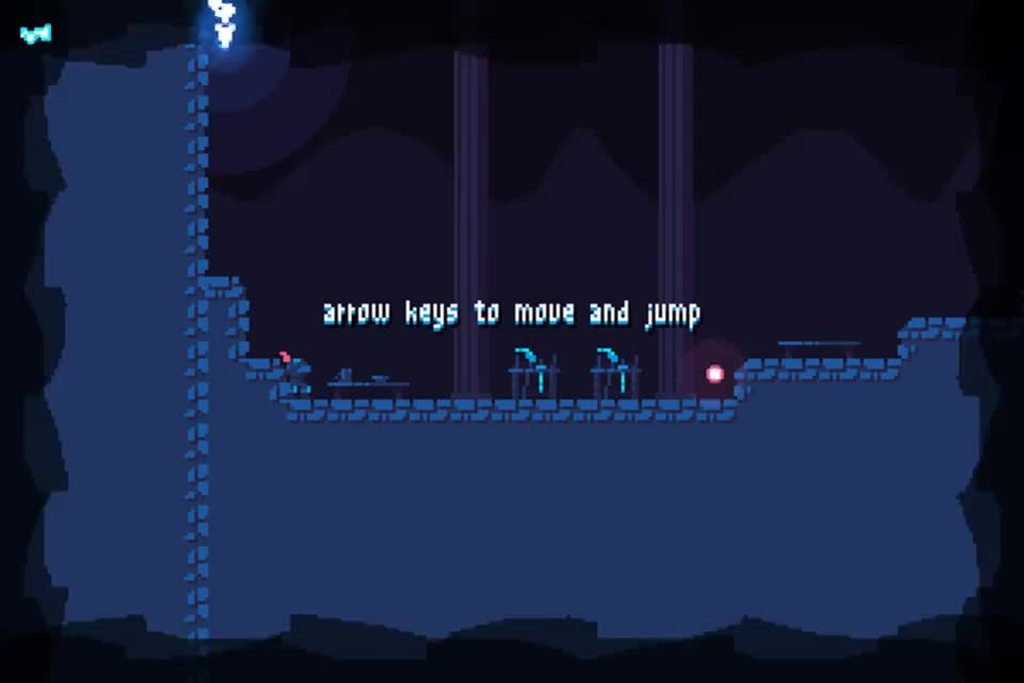 placid tiger
foggy python
https://i.imgur.com/uWXIX5L.mp4
placid tiger
foggy python
https://i.imgur.com/uWXIX5L.mp4
How did you do that lol
 frail oak
placid tiger
I really don’t know from where to start
frail oak
placid tiger
I really don’t know from where to start
Heyyo dude 😄
Umm for phone game dev, use unity 😄
I was on plenty android game dev contest, and i or we always used unity
If you need a detailed help contact me on my website
https://undefined024.cf
placid tiger
UwU
Actually i am an apple user :( @frail oak is that a problem?
Im struggling to understand blender
 frail oak
Not really, C# is the same on every device, such as Unity
frail oak
placid tiger
Im struggling to understand blender
Blender is not nescessarly in the beggining
BUT!
placid tiger
Lol
frail oak
Connect to my Discord, cuz its not related to Python anymore
placid tiger
Dm me
frail oak
Check at my site
placid tiger
Oh ok
 simple garnet
Help
foggy python
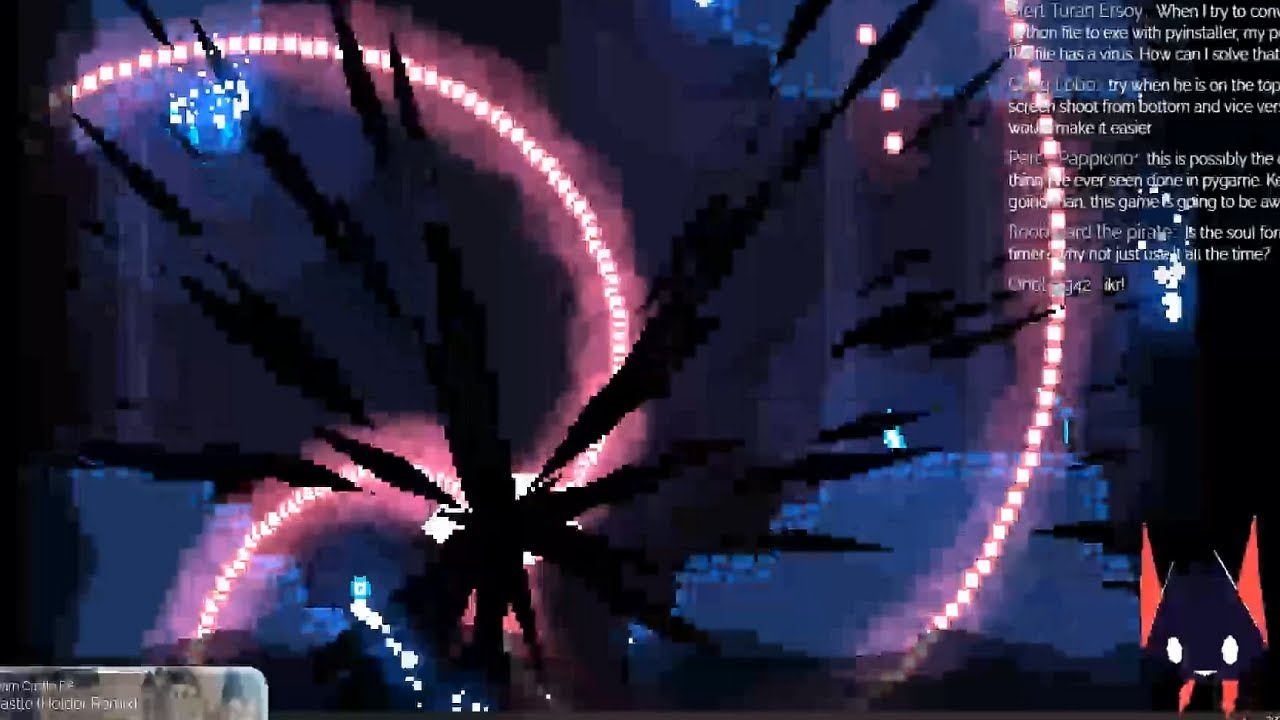
This is a clip of me beating the boss for my AKJ11 game jam entry. \o/
Source:
https://youtu.be/UhXWCBByvCM?t=6878
⭐ Kite is a free AI-powered coding assistant that will help you code faster and smarter. The Kite plugin integrates with all the top editors and IDEs to give you smart completions and documentation while you’re typing. I've been u...


 granite vault
How do i use images? I am stuck i cannot load it even though it is save on a folder
 steel scarab
Use the image as a surface and create a rectangle with that surface and you can blit the surface and rectangle together
foggy python

 placid tiger
foggy python
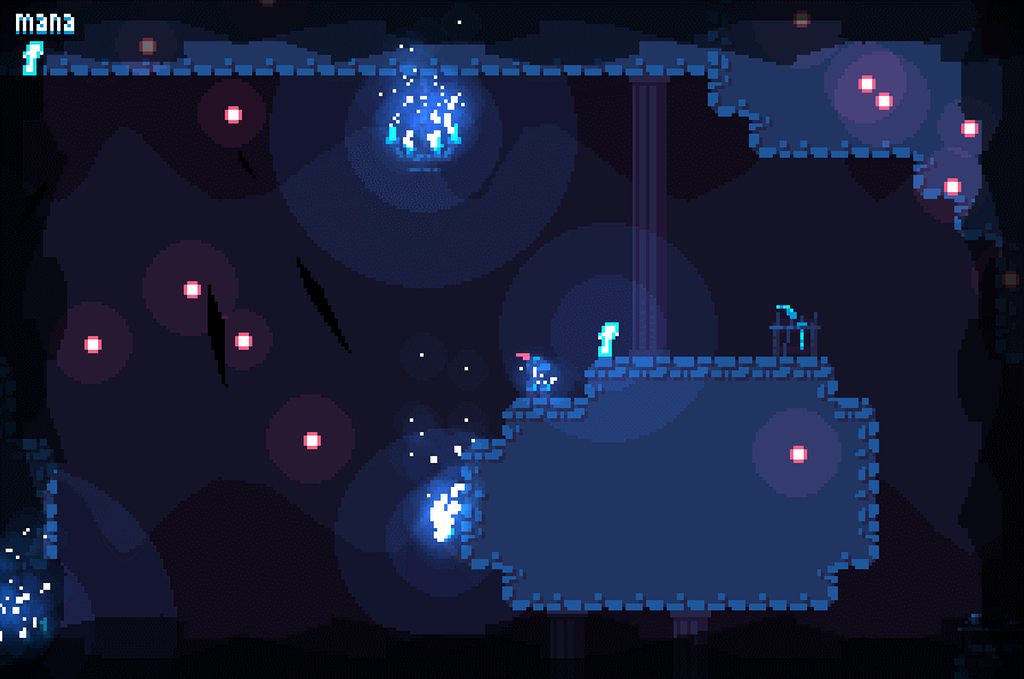
It's out! \o/
<https://dafluffypotato.itch.io/wandering-soul>
https://i.imgur.co...
placid tiger
foggy python
It's out! \o/
<https://dafluffypotato.itch.io/wandering-soul>
https://i.imgur.co...
What did you used for it?
It looks awesome

 blissful depot
Hello
I am learning pygame zero but I can't load a gif
even though it says on the documentation that you can load gifs in pygame zero
 dusk dew
foggy python
It's out! \o/
<https://dafluffypotato.itch.io/wandering-soul>
https://i.imgur.co...
dusk dew
foggy python
It's out! \o/
<https://dafluffypotato.itch.io/wandering-soul>
https://i.imgur.co...
This was made in python?
tranquil girder
Yes, there's even 13 hours of video of him making it
 oblique aspen
but... why/
potent ice
Why not? 😉
dusk dew
Wow that's amazing
dusk dew
oblique aspen
but... why/
Wdym but why? Pygame is good
oblique aspen
dusk dew
Wdym but why? Pygame is good
no, i know but what possessed this man to make something this amazing
this competes with older versions of sonic (in terms of graphical quality)
potent ice
Maybe now game related, but at least graphics/audio/media related: A Brazilian producer created a real-time music visualizer in python. It's using moderngl for rendering and the soundcard package to analyze audio + ffmpeg to decode video. This is the very first working iteration I think : https://www.youtube.com/watch?v=H3uXtLWQN8Q

I'm late to the party by a year but here's my contribution to the producer campaign K-391, Alan Walker, Ahrix and others organized. They were big inspirations of past me just about getting started to produce some music.
This remix is primarily a gift, it is the single most listened track of mine, also it's quite of a nostalgic melody with some ...
Might give some inspiration at least. There so much fun stuff you can do with audio.
Music and everything created with open source tools
.. and it shows that you can do pretty heavy stuff in python if you put in the work
potent ice
I think the old version of the project used 1 hour and 20 minutes to render out a video. Now it's pretty much realtime 🙂
sweet loom
Do anyone know how big games like valorant,csgo,cyberpunk 2077,or others big titles how they are made

...
 ashen flame
can someone help me?
 potent ice
@sweet loom They are usually made with a custom game engine specifically made for the type of game they are making. Often hundreds of people work on these systems for years. It's pretty insane. Even if they use some external engine there is a lot of customization and tooling needed to produce the type of game they are aiming for.
potent ice
ashen flame
can someone help me?
Don't call your script "pygame.py"
Python will believe your script is pygame itself.. at it's correct that your script don't have an init function
Also don't put scripts in the .vscode dir 🙂
 bronze shell
js is good
ashen flame
guys can u haelp me
background_image = pygame.image.load('board.png').convert()
screen.blit(background_image, [0, 0])
pygame.display.flip()```when i run it shows black screen and when I quit it shows the background and then quits
 maiden marsh
why does this not work py import pygame start_ticks = pygame.time.get_ticks() #starter tick mainloop = True while mainloop: # mainloop seconds = (pygame.time.get_ticks()-start_ticks)/1000 #calculate how many seconds if seconds>10: # if more than 10 seconds close the game break print (seconds) #print how many secon
 severe saffron
 last moon
how so
last moon
fair enough for simple code you have a point but for a complex program you might not be able to remember/want to waste time trying to figure out what a snippet does
- just because your code is clear to you doesn't mean it's clear to the people you're sharing it with
sweet loom
Hmmm
last moon
imagine working with a library that doesn't have any docs
sweet loom
Hmm
last moon
regardless this isn't a game-dev topic
sweet loom
last moon
@potent ice got a min to talk?
potent ice
Maybe. What's up?
last moon
i've started digging into arcade but im a little unclear as to when I should actually be using arcade.gl
potent ice
last moon
i've started digging into arcade but im a little unclear as to when I should act...
It's there in case you want to do something custom really. Definitely not the first thing you start with.
There are examples in the experimental directory
There's not much documentation available for it, so ideally right now you need to know some OpenGL. That will probably change in the future.
However.. if you start to play around with arcade.gl examples you'll at least see the power it provides
It's a super power that can be unlocked in the future 🙂
 green relic
What is the innit function for?
 upper pawn
hi
bright coral
Yo fellow dream fan!
potent ice
green relic
What is the innit function for?
If you are referring to __init__ that is an initializer for a class instance... OR are you talking about something else? Maybe pygame.init()?
potent ice
You can look up functions in official documentation 🙂
Search for init here for example : https://www.pygame.org/docs/
Then click the relevant search result and read what it says
For __init__, this is something you'll know after learning classes
Don't attribute anything magical to these methods. They just are.
green relic
Thanks 🙂
dawn quiver
can someone tutor me on making a game
normal silo
dawn quiver
can someone tutor me on making a game
What is your programming experience?
normal silo
dawn quiver
well
What is the most complex thing you have created AND completed?
normal silo
What did you create so far? @dawn quiver
dawn quiver
sorry i was afk
uhm
not much
just kinda playing with code
all the basic stuff
like
version = “9999”
print(”The version is... ”+version)
normal silo
dawn quiver
all the basic stuff
Learn python first. Make sure you know the basics (memorize all the useful built in functions, the types, the general ways of doing things).
dawn quiver
okay, thanks for the advice!
normal silo
Do a bunch of practice problems: https://www.practicepython.org/
 karmic dagger
 marble hamlet
 tranquil girder
I am
what do you need help with?
 bold pewter
Heey. I got some wierdness about getting two Surfaces on screen. Im setting one surface to render a rects of all the screen and second will only show 10x10px image but when i do
screen.blit(backgroundSurface,[0,0])
screen.blit(peopleSurface,[0,0])
pygame.display.update() # Update screen
It will only show that 10x10px image and everything went black. But if i remove that second blit it will work normally but without that people Any idea ?
 slate pewter
use parenthesis inplce of "[]" near 0,0
0x!Dead
#8513
@bold pewter
use parenthesis inplce of "[]" near 0,0
then it will work
bold pewter
Wait what ? @slate pewter
dusk dew
anyone wanna team up and try making game together?
 shy cairn
enemyAmount = 5
enemyX = []
enemyY = []

for i in range(enemyAmount):
	enemyX.append(random.randint(20,100))
	enemyY.append(50)

def enemyRect(posX,posY,x,y,z):
	red = 255,0,0
	pygame.draw.rect(screen,red,(posX,posY,x,y))

run = True

while run:
	for event in pygame.event.get():
		if event.type == pygame.QUIT:
			run = False
			sys.exit()

	for s in range(5):
	    enemyRect(enemyX[s],enemyY[s],100,50,s)

	pygame.display.update()
Problem: It's only spawning one enemy instead of 5 enemies
dusk dew
anyone wanna team up and try making game together in pygame?
 gentle peak
I posted this to the help channel but hoping maybe someone here could assist. I'm running win 10 and linux ubuntu in the terminal. I tried sudo apt-get install python3-pygame and it did the full install. I then try running the python3 -m pygame.examples.aliens and i get this:

anyone know of a quick fix for this?
gentle peak
quick update. When i run this from the python IDLE shell it will work. Still not working from the ubuntu to VS code. Still getting this "pygame.error: No available video device"

 shell solstice
dusk dew
anyone wanna team up and try making game together?
shell solstice
dusk dew
anyone wanna team up and try making game together?
What type of game?
dusk dew
shell solstice
What type of game?
idk
shell solstice
hmmmmmmmm
dusk dew
i still didnt thinked of genre and that
shell solstice
What genre are you aiming for?
dusk dew
i dont know i still didnt thinked of that
dusk dew
im thinking of like survival. like collect resources and beat the game you know? like terraria or minecraft
shell solstice
What app you want to use to make your game and what language?
shell solstice
okay i'll think about it and let you know by the end of tomorrow
dusk dew
k
real peak
Anyone know of any good videos that teach basic game code?
I can create a janky simple 2D platformer or a basic text adventure no problem. But I'm stumped as how to create a persistent "world". Could a 2D world be represented with a 2D array? What about NPC spawning? Are NPCs instances of an NPC class?
These kind of game design questions are what I have and I'd love a walkthrough of this stuff
In short, I guess no-engine game design for people who already have a fairly ok understanding of code
last moon
So persistence comes with using classes/objects and being able to save/load game states - what and how you save/load depends on your game and such but it could be as simple as saving a class’s attributes to a dictionary and writing to a json
A 2D world coulddd be represented by an array but it really depends what you mean by that. You could have your map stored in chunks in a multidimensional array or have aspects stored like that
NPC’s can be instances of the same class but you can run into performance issues if your class does too much (ie Yandere Sim)
last moon
real peak
Anyone know of any good videos that teach basic game code?
I can create a janky...
I’ve heard DaFluffyPotato’s vids are great but https://learn.arcade.academy/ is a great resource too
Also iirc pixels are stored in an 2D array (tensor?)
potent ice
Pixels are definitely stored in a 2d array, but in most cases this is not something you interact with much (directly)
Game objects probably just have a x and y location in 2D
It can be useful to have a spatial hash for your game objects. That is often the key to wiring 2d games that performs well.
real peak
Thanks lads
For 2D array I was thinking more locations in terms of a map...
[T][R][0][0]
[0][R][R][T]
[0][0][D][0]
T is town, R is road, D is dungeon, something like that
Then to "move east" you advance x index of array by 1, to "move south" you subtract 1 from y index
Idk if I'm wasting my time or if this is conventional
obviously python arrays don't look like that but yeah
potent ice
I think this depends on what kind of features the game/graphics library has
If text and cell based you can of course do this.
Arcade has "sprite lists" what will just batch draw lots of image. pyglet has sprites and batches. pygame has sprites and sprite groups.
You can make tile maps with arrays like that at least 🙂
I would not obsess too much about data structures before you explore the game/graphics library you are planning to use.
If you are making a simple snake game the array can make sense
real peak
Text-based RPG, just using Kivy as a GUI for buttons/inventory/icons
No framework! I'm partially doing it as a learning exercise
Though I may just jump over to pygame if it becomes too complicated
real peak

Hey y'all! Let's kick off this Python Text RPG tutorial with an introduction to command line, Sublime 3, and Python 3! This is a super beginner video, so if you have any coding background or already have these tools, skip to part 2!
Need 1:1 help? Chat with me on Quorum: https://quorum.chat/bryan
n this Python Text RPG series, programmer and...
This series is really good
Doesn't cover a lot of good essentials but it's a lot more than I was expecting
It also implements a lot of features specific to the terminal and isn't very generalized. Still, if anyone's in my position it's worth checking out
shy cairn
enemyAmount = 5
enemyX = []
enemyY = []

for i in range(enemyAmount):
	enemyX.append(random.randint(20,100))
	enemyY.append(50)

def enemyRect(posX,posY,x,y,z):
	red = 255,0,0
	pygame.draw.rect(screen,red,(posX,posY,x,y))

run = True

while run:
	for event in pygame.event.get():
		if event.type == pygame.QUIT:
			run = False
			sys.exit()

	for s in range(5):
	    enemyRect(enemyX[s],enemyY[s],100,50,s)

	pygame.display.update()
Problem: It's only spawning one enemy instead of 5 enemies.
 normal tusk
dusk dew
anyone wanna team up and try making game together in pygame?
normal tusk
dusk dew
anyone wanna team up and try making game together in pygame?
I'm up for it but I'm a total beginner so depends on your level and what you'd expect from me. If its a learn together sorta thing I'm totally down.
potent ice
 fringe dagger
whats different in pygame 2 from the previous versions?
fringe dagger
whats different in pygame 2 from the previous versions?
You can read the updates notes here : https://github.com/pygame/pygame/releases

GitHub
pygame (the library) is a Free and Open Source python programming language library for making multimedia applications like games built on top of the excellent SDL library. C, Python, Native, OpenGL...
fringe dagger
potent ice
You can read the updates notes here : https://github.com/pygame/pygame/releases
ah so all of the documentation still follows the 1st version right?
potent ice
According to the release notes it should be backwards compatible at least. There are some new stuff and optimizations. So many changes it's not really something that can be summed up here.
There are really no reason to use pygame 1.x now. That's about it.
shy cairn
How to draw rectangle with class(sprite) ?
 plain drum
Hello all, I have a question that I can't find the answer to. I am currently working on a game that uses PyGame and OpenCV. I am trying to apply multi threading to the game so I can run PyGame window and OpenCV window at the same time. But what happens is that when I start the thread either pygame or opencv windows freeze and program says it cant respond. So I either have to force quit or wait it out. If someone knows a solution or is willing to help me with this project I would be really grateful. 🙃
potent ice
I bet it's something with OpenCV. I have heard about a similar issue.
plain drum
Might be, I am trying to figure it out. Will update when I find a solution.
real peak
Is pygame appropriate for a point-and-click text game? I.e. buttons in a GUI layout, some basic text-based battling with health bars, a map
I'm considering ditching Kivy and going straight into the pygame library for its awesome polygon drawing stuff
normal silo
elfin kernel
i need some help in <#696351646976049242>
Ask again in a new help channel.
elfin kernel
its ok i found a way thank you tho !
 hard venture
quick question for yall
i'm trying to use pillow to turn an array of images into a spirite
how do i do that
normal tusk
Hi is it possible to use pygame on a chromebook? Online IDE maybe?
normal silo
You need to install a different operating system to code on a chromebook as far as I know.
 hallow wave
ouf
potent ice
Just ask the question. Asking to ask here doesn't get you anywhere 😉
 crisp junco
absolutely
 keen dawn
WOAH
plain drum
plain drum
Hello all, I have a question that I can't find the answer to. I am currently wor...
I still can't figure how to fix this. Can someone more experienced please help me out in one of the voice channels if they have time of course?
crisp junco
plain drum
I still can't figure how to fix this. Can someone more experienced please help m...
What's your code?
plain drum
crisp junco
What's your code?
My code is separated in to two files, where do you want me to share it ? Maybe I can send it to you personally so you can see it ?
or screen share it ?
I can't join voice chat because: • You have been on the server for less than 3 days.
• You have sent less than 50 messages.
crisp junco
You can use https://paste.pydis.com/
 white granite
does anyone have tips for coding a first person game
plain drum
white granite
does anyone have tips for coding a first person game
As long as I know it is not common to use Python for complex games such as a first person game. I think you can use pygame but it is going to be really hard and.
You can try using unity with C# if you want to create a game like that in my opinion
 empty ivy
How do I make a caamera in pygame?
plain drum
empty ivy
How do I make a caamera in pygame?
You can try something like this
mport pygame
background_colour = (255,255,255)
(width, height) = (300, 200)
screen = pygame.display.set_mode((width, height))
pygame.display.set_caption('Tutorial 1')
screen.fill(background_colour)
pygame.display.flip()
running = True
while running:
for event in pygame.event.get():
if event.type == pygame.QUIT:
running = False
to create the window
or follow this example https://www.petercollingridge.co.uk/tutorials/pygame-physics-simulation/creating-pygame-window/
petercollingridge.co.uk
after you create it you can draw on the canvas or import npg's
I don't think there is a camera object in pygame like in unity
@crisp junco you had any luck with the code ?
empty ivy
plain drum
mport pygame
background_colour = (255,255,255)
(width, height) = (300, 200)
scre...
not creating the window, like the scnece following the player
plain drum
maybe this can be of help ?

Game Development Stack Exchange
I am currently making a 2d game in Pygame and have run into a roadblock trying to make a scrolling camera (follows the character). I have seen some other answers to similar questions, but they have
or this
empty ivy
so I just move the map in the opposite direction oka
 still pumice
anyone know how to find the centre of a moving sprite in pygame?
gentle peak
hi everyone, if you're just getting started with pygame or have a game you wanted to share repl.it can now host your game! https://repl.it/talk/learn/Make-your-first-Pygame/11773 i just found out about this so i figured i'd share

repl.it
Make games the easy way, and forget about the setup 😌 Demo + Code ⏯️ 👨💻 I've heard coding in python is quite delightful! And I agreed once I made my first python app that didn't just run on the terminal - a game made with Pygame . You'd usually have to spend a while getting set up, installing Pygame, dependencies and then have to spend time ...
 finite badger
Is there a such thing as a text box in pygame??
Where the user can type something into it.
 balmy snow
Anyone using ursina?
 proud grail
finite badger
Is there a such thing as a text box in pygame??
proud grail
finite badger
Is there a such thing as a text box in pygame??

A tutorial on how to get text input from the user. This will also include a textbox (made up of a rect) and some code on how to select and deselect the textbox.
If you know how to get text in pygame you already basically know how to get text input, you just need to learn about event.unicode
Timestamps:
0:00 - Intro
0:23 - Theory
1:29 - Basic ...
finite badger
ok thankyou
normal silo
plain drum
Hello all, I have a question that I can't find the answer to. I am currently wor...
This is an OS thing, you can only have 1 window per process unless you put in some extra work, and basically all your code needs to be aware of there being multiple windows and the window events need to be juggled between threads / parts of your code. Pygame and OpenCV don't know of each other's existence and assume that they are the ones to get all the window events sent to the process (this is a guess, idk what their internal code does, but it's often the case / an assumption made by libraries that use windows, they are selfish in that way).
There is a hack for this and that's using multiple processes instead of threads.
But if you want fast data transfer between processes you will have to set up a shared memory buffer. If not, it's pretty straight forward, use the python multiprocessing lib, and setup pipes between them.
 ancient warren
working on a text based game again, currently working on getting all the functionality and structure into place

all of this makes it so that essentially when a question is asked, if you dont answer one of the yes or no answers, it makes you answer again until you do at which point it returns 1(yes/true) or 0(no/false) to simplify it so i dont need to do a ton of if/else loops later on
i could probably do it more efficiently, but I'm just getting the framework in
finite badger
import pygame
import sys

pygame.init()

win=pygame.display.set_mode((500,500))
pygame.display.set_caption('Hang Man')

base_font=pygame.font.Font(None, 32)
hangman_input=''

run=True
while run:
    pygame.time.delay(100)

    for event in pygame.event.get():
        if event.type == pygame.QUIT:
            run=False
            sys.exit()
        if event.type == pygame.KEYDOWN:
            hangman_input += event.unicode
    text_surface=base_font.render(hangman_input, True, (255,255,255))
    win.blit(text_surface, (50,50))
    print('wsg')

pygame.quit()
``` Why doesn't this text input system work?? forest gyro
How do I solve this problem?
 finite badger
potent ice
<@!714070029028687953> `pygame.display.flip()`
finite badger
potent ice
<@!714070029028687953> `pygame.display.flip()`
Ok, what does that do??
finite badger
forest gyro
How do I solve this problem?
Try py -m pip install pygame
 tough kayak
how to disable this msg?
 potent ice
@tough kayak You have to set the PYGAME_HIDE_SUPPORT_PROMPT environment variable to something. Doesn't matter what value. It just needs to exist.
potent ice
@finite badger It displays what you just rendered
finite badger
potent ice
<@!714070029028687953> It displays what you just rendered
Ah ok thanks
 safe timber
Im having a slight issue with pygame and I cant figure it out.
I have pygame installed for both vscode and python itself but vscode still doesnt recognize the import option
I'm certain pygame is installed because the import works on the python terminal
 young root
im building a python game and i am trying to run the window in full screen mode but when i run the game is only a black screen with my cursor. before i switched from a fixed size everything worked. thanks for the help. MY CODE: self.screen = pygame.display.set_mode((0,0), pygame.FULLSCREEN)
potent ice
young root
im building a python game and i am trying to run the window in full screen mode ...
Maybe try the pygame community for this. Not really played much with fullscreen in pygame : : https://discord.gg/h8ujJGCcq3
young root
potent ice
Maybe try the pygame community for this. Not really played much with fullscreen ...
thank you !!!
 high willow
I m going to participate in the next pyweek and was wondering if i should be using pygame, arcade or pyglet? There are lots of libraries, i m kinda confused. What would you recommend for beginners?
crisp junco
tough kayak
how to disable this msg?
You can do
import os
os.environ['PYGAME_HIDE_SUPPORT_PROMPT'] = "hide"
import pygame
 silver stratus
@real solar ask your question, maybe someone will know
 real solar
oke so how can i go from one screen to another
i tried the followiung
from ursina import *

app = Ursina()
app2 = Ursina()
window.color = color._20


button = Button(text='Start', color=color.azure, scale= .200)

def button_click():
    app.closeWindow()
    app2.run()

button.on_click = button_click


app.run()
but i get the ``
Exception: Attempt to spawn multiple ShowBase instances!
error so i can't do that
😦
 olive parcel
@real solar You can't create multiple Ursina objects.
olive parcel
pokepetter would know, but he doesn't appear to be here.
tranquil girder
Just use multiple Entites and disable/enable them
olive parcel
Oh, there you are
real solar
tranquil girder
Just use multiple Entites and disable/enable them
could i get an example
tranquil girder
what is your use case exactly?
real solar
i have a button called start
from ursina import *
app = Ursina()
window.color = color._20

main = Entity()
button = Button(text='Start', color=color.azure, scale= .200)


def button_click():
   print("heya")
button.on_click = button_click
app.run()
and when i click it
i just want to go to another screen that has another button that says yay!
tranquil girder
just disable the start button in your button_click() and enable the other button
button.enabled = False
other_button.enabled = True
It might be easier if you wrap the code to create and destroy one screen in a function or class, so you can more easily recall that screen
 vague flame
why "IndentationError: unindent does not match any outer indentation level " in python 3 "IndentationError: unindent does not match any outer indentation level " in python 3
this is coming why?
tranquil girder
the last two lines starts with a space
also make sure you're not mixing spaces and tabs
potent ice
I see a lot of people using notepad and notepad++ having this problem!
notepad I would not recommend... and I don't know if notepad++ is good at formatting python code.
I think both atom and vscode are better alternatives than this.. and maybe even sublime
olive parcel
They're all three good editors, sublime being significantly less resource-intensive than the other two (due to not being written in HTML/JS)
dawn quiver
@potent ice vscode is definitely the way to go. Especially if you're a beginner. Notepad is just going to make it take 100 times longer to learn proper syntax an with python indentation as well.
potent ice
Sublime is amazing for huge files. Atom is the worst for huge files in my experience. (I mean HUGE)
dawn quiver
I would use Sublime but I'm still new to a lot of this. I dabbled in CSS, HTML, and some Javascript when I was younger. Just now getting into actual programming.
So, I find it best to stick to one IDE an learn the ropes without all the back an forth confusion.
olive parcel
They're pretty similar, but overall VS Code is the better product, I'd say—Sublime may be worth it if you're struggling with the performance of VS Code.
They both have all the cool new features like multi-caret editing.
dawn quiver
10-4 gotta run, good ole' walmart trip..... 😫
crisp junco
olive parcel
They're pretty similar, but overall VS Code is the better product, I'd say—Subli...
Hey! How long did it take you to develop Panda3D?
crisp junco
Ah , I see
potent ice
Iterate.. iterate.. iterate for years I guess 😄
normal silo
potent ice
I see a lot of people using notepad and notepad++ having this problem!
Notepad++ is excellent, you can also show invisible characters in notepad++ to make sure that you are not mixing tabs and spaces, there is a button for it in the tool bar (toggles invisible character visibility).
There is also a convert all leading spaces to tabs and the other way around.
normal silo
real solar
oke so how can i go from one screen to another
See scene in the ursina cheat sheet. You can do scene.clear(). You can use this function to build a scene system that transitions between scenes.
 mystic lodge
is there any way to compile your python program with modules like pygame (not using pyinstaller)?
potent ice
normal silo
Notepad++ is excellent, you can also show invisible characters in notepad++ to m...
I like np++, don't get me wrong. I just see a pattern that beginners using it struggle with indentation. Could also be related to cut and paste from other sources.
.. or how np++ handles pasted content? no idea.
crisp junco
mystic lodge
is there any way to compile your python program with modules like pygame (not us...
Though pyinstaller is the best you can still try auto-py-exe py2exe cx_Freeze etc.
normal silo
potent ice
I like np++, don't get me wrong. I just see a pattern that beginners using it st...
AFAIK the default setting is just to directly copy paste, not modify anything pasted. There is an option in Notepad++ to automatically convert all tabs to spaces.
Ultimately the problem is that an invisible character is part of the language's syntax (if a beginner does not see it they won't focus on it, it's natural to assume non-visible things don't matter / requires some extra mental work in which one needs to already understand the structure) and that not all editors will make assumptions about what you want to happen when copy pasting (some users may find that annoying and have to disable it).
(Nor do all editors provide indentation guides)
 edgy slate
import curses
import time
screen = curses.initscr()
num_rows, num_cols = screen.getmaxyx()
curses.start_color()
curses.curs_set(1)
screen.addstr(1, 1, "Enter your profesion:")
screen.refresh()
input = screen.getstr(2, 1)
profesion = input
screen.clear()
screen.refresh()
if profesion == ('warior'):
screen.addstr(4, 1, profesion)
screen.refresh()
time.sleep(5)
i have this code and it has to ask for your profesion and if its warior than print it but it doesnt work and it doesnt give any specific errors... does anyone know what i can do?
 worldly flare
I wanna make a dungeon generator similar to that is binding of isaac and I wanna code it in pygame for my game but I tried various methods but they dont seem to work so how can i make one
please help me out
I am fustrated after several attemps
worldly flare
edgy slate
import curses
import time
screen = curses.initscr()
num_rows, num_cols = screen...
are you getting more functions from another python file?
edgy slate
worldly flare
are you getting more functions from another python file?
no i guess?
worldly flare
what about using time.delay instead of time.sleep
and also are you writing the code inside the main loop?
edgy slate
nope and the program doesnt get past the "if" part
worldly flare
what kinda game are you making? could you please help me with a dungeon generator?
edgy slate
worldly flare
what kinda game are you making? could you please help me with a dungeon generato...
im just making my own eddition of dingeons and dragons
worldly flare
hmm.. quit nice
so is it graphic based or console?
are you gonna make any dungeon generation algorith stuff?
edgy slate
worldly flare
so is it graphic based or console?
its just a "text" game not mutch, like it writes a situation and gives options
edgy slate
worldly flare
are you gonna make any dungeon generation algorith stuff?
and no idk how to do that
worldly flare
hey,so I am more like a pygame guy so..
edgy slate
i could try to learn that rl quick but i dont think ill need that in the future
worldly flare
I cant help much
worldly flare
edgy slate
i could try to learn that rl quick but i dont think ill need that in the future
yeah right
worldly flare
edgy slate
couse i mostly program raspberry
seems quit interesting
well, I use to develop games
edgy slate
worldly flare
seems quit interesting
i know but theres alot of wirring and for a break i tfought ill program a little game
edgy slate
k ill try someday
and do you mean this by generating dungeons?

like automatic generation?
edgy slate
but saddly i have 0 idea how to do this...
worldly flare
I think its not gonna be too tough I could do that but it will take too much time to do so
hence I thought of seeing some codes by the others
to get an idea
edgy slate
but like you can make def chamber1() and on screen do like 20% to chamber1 and have multiple chamber and than just ptogram paths that connect chambers
worldly flare
of how it works
edgy slate
i dont think it would be hard
worldly flare
edgy slate
but like you can make def chamber1() and on screen do like 20% to chamber1 and h...
yeah,right but if you know about the game binding of isaac I want someting similar to that but doing this will not do so
edgy slate
worldly flare
yeah,right but if you know about the game binding of isaac I want someting simil...
egh idk im just going to go back to my problem solving now bye
worldly flare
ok bye
mystic lodge
crisp junco
Though pyinstaller is the best you can still try auto-py-exe py2exe cx_Freeze et...
yes but i am on linux
edgy slate
screen.addstr(middle_row, x_position - 7, "Enter character's age:")
            input = screen.getstr(middle_row + 1, x_position)
            age1 = (input)
            curses.curs_set(0)
            age2 = age1.decode()
            age = int(age2)
            screen.refresh()
            time.sleep(2)
            if age > 0:
                aging = 1
                if 20 < age > 40:
                    aging = 2
                    if 40 < age > 60:
                        aging = 3
                        if 60 < age > 80:
                            aging = 4
                            if 80 < age > 100:
                                aging = 5
            else:
                screen.addstr(middle_row + 2, x_position - 7, "You should be dead")
                aging = 0
                screen.refresh()
                time.sleep(3)
            while aging > 0:
                screen.clear()
                #table()
                #screen.addstr(2, 7, character, curses.color_pair(3))
                #screen.addstr(3, 12, profesion, curses.color_pair(3))
                screen.addstr(4, 12, age2, curses.color_pair(3))
this is a curses screen code that has to ask for your age and than if its age from 1 to 100 it prints it, but it doesnt get past the if part... does anyone know how to fix that?
potent ice
Add some prints to see what is happening maybe?
if 20 < age > 40: is the same as if age > 40. It this what you are trying to do?
Good old print() or run with step debugger makes it easy to discover your mistakes/bugs
You can also test things quicky in repl ```py
$ python
age = 19
20 < age > 40
False
age = 30
20 < age > 40
False
age = 41
20 < age > 40
True
So I'm making a class to handle movement + which sprite is being drawn but it feels a bit redundant
class Controller:
    def __init__(self):
        self.up, self.down, self.left, self.right = False, False, False, False
        self.directions = {"up": self.up, "down": self.down,
                           "left": self.left, "right": self.right}
        self.move_dict = {"up": (0, 1), "down": (0, -1),
                          "left": (-1, 0), "right": (1, 0)}

    def set_sprite(self, direction):
        pass

    def move_player(self) -> tuple[int, int]:
        x, y = 0, 0
        for direction, move in self.directions.items():
            if move:
                value = self.move_dict[direction]
                x += value[0]
                y += value[1]
        else:
            return x, y``` My idea was to sort of queue up the directions rather than check them separately to handle the user pressing more than 1 key at the same time but I've got a feeling im approaching it wrong
```py
    def on_key_press(self, _symbol: int, _modifiers: int):
        if _symbol == arcade.key.ESCAPE:
            arcade.close_window()
        if _symbol == arcade.key.W:
            self.player.controller.up = True
        elif _symbol == arcade.key.S:
            self.player.controller.down = True
        elif _symbol == arcade.key.A:
            self.player.controller.left = True
        elif _symbol == arcade.key.D:
            self.player.controller.right = True
# opposite for release```Any creative uses for data science packages in gamedev?
Maybe using dataframes for data, or some statistical methods for calculating stats?
 mossy harness
is there a quick way to draw a single pixel in pygame?
or is there a better module to build a raycasting engine?
mossy harness
yes
 ember spire
sexy fam
blissful depot
How do you code animation in pygame?
 swift girder
mossy harness
is there a quick way to draw a single pixel in pygame?
swift girder
mossy harness
is there a quick way to draw a single pixel in pygame?
pygame Surface objects have a set_at method
mossy harness
still takes really long
 waxen siren
hello everybody. I'm working on a Python program that generates road maps for use in a (non Python) game project. For testing purposes I would like to quickly visualise the 2D data directly within Python instead of having to load the data in the actual game engine. Can anyone recommend a small and easy to use library for quick visualisation of 2D lines ?
 topaz raft
help
import pygame
from pygame.locals import *
from pygame import *
pygame.init()
screen_width = 1000
screen_height = 700
screen = pygame.display.set_mode((screen_width, screen_height))
pygame.display.set_caption('aarjit ko first expert type game')
sun_img = pygame.image.load('sun.png')
bg_img = pygame.image.load('sky.png')
run = True
while run:
    screen.blit(bg_img, (0, 0))
    screen.bilt(sun_img, (100, 100))
    for event in pygame.event.get():
        if event.type == pygame.QUIT:
            run = False
    pygame.display.update()
pygame.quit()
anything wrong here?
i am getting error on screen.blit
Traceback (most recent call last):
  File "c:\Users\User\Desktop\.vscode\game.py", line 23, in <module>
    screen.bilt(sun_img, (100, 100))
AttributeError: 'pygame.Surface' object has no attribute 'bilt'
this
crisp junco
it should be screen.blit(sun_img , (100,100)
instead of screen.bilt()
a typo
@topaz raft
topaz raft
ooo
  File "c:\Users\User\Desktop\.vscode\game.py", line 23
    screen.bilt(sun_img, (100, 100)
    ^
SyntaxError: invalid syntax
@crisp junco
crisp junco
topaz raft
```py
File "c:\Users\User\Desktop\.vscode\game.py", line 23
screen.bilt(su...
screen.blit(sun_img, (100, 100) instead of screen.bilt(sun_img, (100, 100)
topaz raft
i dont see diffrence
crisp junco
This should work
import pygame
from pygame.locals import *
from pygame import *
pygame.init()
screen_width = 1000
screen_height = 700
screen = pygame.display.set_mode((screen_width, screen_height))
pygame.display.set_caption('aarjit ko first expert type game')
sun_img = pygame.image.load('sun.png')
bg_img = pygame.image.load('sky.png')
run = True
while run:
    screen.blit(bg_img, (0, 0))
    screen.blit(sun_img, (100, 100))
    for event in pygame.event.get():
        if event.type == pygame.QUIT:
            run = False
    pygame.display.update()
pygame.quit()
Notice the difference blit() and bilt(); position of i and l are interchanged
crisp junco
😉
 pseudo cape
I need some help figuring out how I want to create a chess game with pygame
So far I have the board and stuff pieces
I just don't know how to create the moves and stuff with clicking and dragging
Actually I barely even know pygame 🤣 🤣 🤣
I'll show you what I have do far
Lemme finish gym
 hearty flame
im working with pygame and am trying to take something off the creen, unblit it i guess you could say. But i dont know how to go about doing that
 wind flume
Hi
Does anyone here know how to use turtle to create a snakes and ladders board game?
Help would be appreciated a lot 🙏
real peak
I'm a noob myself but if I were to tackle chess I'd probably create an 8x8 array
And create class Piece with child classes for each type Knight, Rook, etc.
Then instantiate them at their proper array coordinates
And add their moves as attributes based on the array, for example pawn if ChessPiece in array x,y+1 then pawn cannot move unless ChessPiece in array x-1,y+1 or x+1,y+1 (in which case it can capture that diagonal piece)
Just my thoughts on it, probably way too complex for me
 river talon

 shy spear
hello
 plain harbor
henlo
shy spear
can i help making a game
 ruby flame
I am trying to make a function that makes a background with the img and the dimension provided . it keeps giving me this error Traceback (most recent call last): File "C:/Users/IvanV/AppData/Local/Programs/Python/Python39/game.py", line 18, in <module> game_background(1000,1000,"Cell",Plant.jpg) NameError: name 'Plant' is not defined
here is my code ```py
def game_background(X,Y,pygame_caption,game_image,):
display_surface= pygame.display.set_mode((X,Y))
pygame.display.set_caption(f'{pygame_caption}')
pygame.image.load(game_image)
white = (255,255,255)
while True :
display_surface.fill(white)
display_surface.blit(game_image, (0, 0))
for event in pygame.event.get() :
if event.type == pygame.QUIT :
pygame.quit()
quit()
pygame.display.update()
game_background(1000,1000,"Cell",Plant.jpg)
You need to first get the image
And store it in a variable
Pygame has it's own thingy
Then you need to just put it in
@ruby flame
I think
ruby flame
okay
pseudo cape
background = pygame.image.load("Assets/background.jpg")
then inside the main function you can put
window.blit(background, (0, 0))
then update the background @ruby flame
ruby flame
is this right? py def game_background(X,Y,pygame_caption,game_image,): window= pygame.display.set_mode((X,Y)) pygame.display.set_caption(f'{pygame_caption}') background = pygame.image.load(f'{game_image}') white = (255,255,255) while True : window.fill(white) window.blit(background, (0, 0)) for event in pygame.event.get() : if event.type == pygame.QUIT : pygame.quit() quit() pygame.display.update()
ruby flame
pseudo cape
background = pygame.image.load("Assets/background.jpg")
hey @pseudo cape is this right? py def game_background(X,Y,pygame_caption,game_image,): window= pygame.display.set_mode((X,Y)) pygame.display.set_caption(f'{pygame_caption}') background = pygame.image.load(f'{game_image}') white = (255,255,255) while True : window.fill(white) window.blit(background, (0, 0)) for event in pygame.event.get() : if event.type == pygame.QUIT : pygame.quit() quit() pygame.display.update()
pseudo cape
ye
do you have a variable called background?
with the image loaded
you can also put it outside the loop if you want
 loud fossil
E: I'd like to get some thoughts on this.
I've recently been thinking of adding support for music cross-fading into a game engine I develop that uses Pygame as a backend. pygame.mixer is definitely insufficient for this; it only supports a single audio track at a time. So I've been searching for an alternative.
The best idea I've come up with is to jump on the OpenAL train (I'm pretty sure OpenAL supports multiple audio streams, please correct me if I'm wrong), and I've noticed that OpenAL has historically been a bit fragmented on Python. So far it seems the best candidate for an OpenAL binding is this: https://pypi.org/project/PyOpenAL/ which hasn't been worked on in over a year now, and all of its releases are marked as pre-releases. But I don't know for sure what to think about that.
What I'd like to get thoughts on is, is this or some other OpenAL Python binding something which is production-ready and which can be relied on? I'd also be curious if there's other possible ways to support playing multiple music streams at once that are suitable for dynamic use in a video game.
 pseudo cape
ive heard of it but i have no clue on what it is
loud fossil
E: OpenAL or music cross-fading?
E:Music cross-fading is just fading out one music track while fading in another at the same time.
potent ice
loud fossil
E: I'd like to get some thoughts on this.
I've recently been thinking of adding...
You can also try pyglet's Player. You can use that with pygame if calling pyglet.clock.tick() between frames so audio buffers are updated. It supports different backends depending on platform. What backend is used is also configurable.
There is also https://github.com/McSinyx/palace, but that was archived not long ago. Never tried it
It doesn't seem to have wheels for all platforms in pypi hmm.
loud fossil
E:Hm, Pyglet eh? That's an interesting option especially since I've seen someone post a way to hack Pyglet video playback support into Pygame...
potent ice
yeah they can definitely be mixed
The same way you can use pygame mixer with pyglet project
There is also a pyglet discord : https://discord.gg/QXyegWe
mystic lodge
is there a pygame one lol?
loud fossil
E: There's some fragmented landscape for Pygame Discord servers, but I had to leave the one I was on (which is the larger one) because of transmisia and ableism.
last moon
@mystic lodge #game-development message
mystic lodge
thanks :D
potent ice
I know of two pygame servers : https://discord.gg/h8ujJGCcq3 https://discord.gg/qZXhnwa4rZ
I think the last one is more like a game jam server. At least it used to be that.
topaz raft
can i do like while making game
world_data = [
[1, 1, 1, 1, 1, 1, 1, 1, 1, 1, 1, 1, 1, 1, 1, 1, 1, 1, 1, 1],
[1, 0, 0, 0, 0, 0, 0, 0, 0, 0, 0, 0, 0, 0, 0, 0, 0, 0, 0, 1],
[1, 0, 0, 0, 0, 7, 0, 0, 0, 0, 0, 0, 0, 0, 0, 0, 0, 0, 8, 1],
[1, 0, 0, 0, 0, 2, 0, 0, 0, 0, 0, 7, 0, 0, 0, 0, 0, 2, 2, 1],
[1, 0, 0, 0, 0, 0, 0, 0, 0, 0, 2, 2, 0, 7, 0, 5, 0, 0, 0, 1],
[1, 0, 0, 0, 0, 0, 0, 0, 5, 0, 0, 0, 2, 2, 0, 0, 0, 0, 0, 1],
[1, 7, 0, 0, 2, 2, 2, 0, 0, 0, 0, 0, 0, 0, 0, 0, 0, 0, 0, 1],
[1, 2, 0, 0, 0, 0, 0, 0, 0, 0, 0, 0, 0, 0, 0, 0, 0, 0, 0, 1],
[1, 0, 0, 0, 0, 0, 0, 0, 0, 0, 0, 7, 0, 0, 7, 0, 0, 0, 0, 1],
[1, 0, 2, 0, 0, 7, 0, 7, 0, 0, 0, 0, 0, 0, 0, 0, 0, 0, 0, 1],
[1, 0, 0, 2, 0, 0, 4, 0, 0, 0, 0, 3, 0, 0, 3, 0, 0, 0, 0, 1],
[1, 0, 0, 0, 0, 0, 0, 0, 0, 2, 2, 2, 2, 2, 2, 2, 0, 0, 0, 1],
[1, 0, 0, 0, 0, 0, 0, 0, 0, 0, 0, 0, 0, 0, 0, 0, 0, 0, 0, 1],
[1, 0, 0, 0, 0, 0, 0, 0, 0, 0, 7, 0, 7, 0, 0, 0, 0, 2, 0, 1],
[1, 0, 0, 0, 0, 0, 0, 0, 0, 0, 0, 0, 0, 0, 0, 0, 0, 0, 0, 1],
[1, 0, 0, 0, 0, 0, 0, 0, 0, 0, 2, 0, 2, 0, 2, 2, 2, 2, 2, 1],
[1, 0, 0, 0, 0, 0, 2, 2, 2, 6, 6, 6, 6, 6, 1, 1, 1, 1, 1, 1],
[1, 0, 0, 0, 0, 2, 1, 1, 1, 1, 1, 1, 1, 1, 1, 1, 1, 1, 1, 1],
[1, 0, 0, 0, 2, 1, 1, 1, 1, 1, 1, 1, 1, 1, 1, 1, 1, 1, 1, 1],
[1, 2, 2, 2, 1, 1, 1, 1, 1, 1, 1, 1, 1, 1, 1, 1, 1, 1, 1, 1]
]
then
make
if 1 put this
and 2 put this
and making random using ramdom module for diffrent level
is it possible?
topaz raft
 whole coyote
This is a good approach for a tile map.
whole coyote
This is a good approach for a tile map.
ooo
and
can i use random module for may infinit levels @whole coyote ?
whole coyote
I'd probably look into something called perlin noise, where it's a way to create randomness in a nice way, but yes.
topaz raft
whole coyote
I'd probably look into something called perlin noise, where it's a way to create...
ok
it makes game laggy as other levels are played
whole coyote
I'm not sure what you mean.
Your tile map is a look-up table, it should not be laggy.
normal silo
whole coyote
Your tile map is a look-up table, it should not be laggy.
They are probably looping over all tiles and drawing all of them when they should only be looping over/drawing those in/around the camera view.
potent ice
That really depend what library you are using to draw them
normal silo
Yes and how complex each tile draw is.
Other than those 2 things idk how this could be laggy, the map does not seem too big.
(Unless they have a very slow computer)
potent ice
No idea how heavy a 400 tile setup is (if pygame)
last moon
actually perfect timing I was just going to ask about maps
if I use a tile map but want it to be bigger than the window, how would I go about choosing which tiles to draw?
potent ice
Each tile has a fixed resolution so it's easy enough to calculate
Again, this is assuming you use pygame. The approach would be slightly different in other libraries
last moon
so smthing like #of_vertical_tiles = window.vertically_oriented_dimension // tile_height +/- camera_y_offset?
normal silo
the number of tiles does not depend on the window position, only its size
last moon
that's what I meant sorry
ive been working with vectors for the past 4 hrs I can't think properly 😄
normal silo
(well it could, but simplify)
potent ice
window.width/height more accurate I guess 🙂
normal silo
it's just width // ts and height // ts to get tile area
plus 1 or so because the camera can be centered on the edge of a tile
potent ice
I think most people having their own "game engines" also divide tile maps into chunks (as far as I have seen). Let's say 16 x 16 is a chunk
render each 16 x 16 section into a separate surface so you can draw those instead
normal silo
chunks would just make it more complicated, you need to know which chunks a camera is in and touching.
potent ice
It's pretty much the same logic though
normal silo
yea, just grid of grid
potent ice
Then you have more cpu time for other game logic at the very least. Maybe a "premature optimization" thing to start with 😄
normal silo
chunks are more of a memory thing
last moon
Don't chunks help performance more when dealing more with generation?
normal silo
The entire world may not fit into memory or be much bigger than wanted
potent ice
You only keep the chunks near camera alive
normal silo
It's a memory thing, the performance gains comes from the ability to freeze or run more simple code for entities in chunks that are not near you.
potent ice
That is also true, but that's more a spatial hash thing. I guess the ideas can be combined
normal silo
For example, enemies in loaded chunks will perform A* search to the player, but those in chunks not loaded could be just slightly moving around or not at all.
(Or some other "off-screen" simulation logic)
last moon
how does a game like mc manage it tho? I'm assuming they don't load the whole map into mem but it's also not regenerated?
normal silo
they load the chunks near the player
Some chunks can be forced to stay loaded with mods (or exploits)
For example, automated farms will not run in unloaded chunks, so exploits are used to keep their farm's chunk's loaded so they can go somewhere else / not be online and it will still run.
last moon
haha ya I've spent too much time on the game to not know how that works
are they loaded into mem + drawn at the same time tho?
normal silo
Drawing is a separate thing.
Standard optimizations are used for that, like not drawing off-screen things.
potent ice
The algorithms for reducing what is drawn in minecraft is pretty fascinating
Been trying to replicate it for a while
In python that is.
last moon
you happen to have any links/vids on how it's done?
potent ice
There are some videos out there doing a decent job, but it doesn't cover everything
Some things can be deducted from reading https://minecraft.gamepedia.com/Chunk

Minecraft Wiki
A chunk is a 256-block (384-block[upcoming: JE 1.17]) tall 16×16 segment of a Minecraft world. Chunks are the method used by the world generator to divide maps into manageable pieces.
but in order to make to render fast there are a lot of clever tricks.
last moon
Ill have to take a look at it later, but that's one thing I've found from watching people making mc clones with custom opengl engines, they never seem to cover what's actually going on with the renderer or if anything they'll just gloss over it
potent ice
Yeah or they make a small 8 x 8 chunk map.. or reducing the height
or they don't show block removal / add
last moon
ya not to mention most of them don't even touch optimisation
I just want 1 like 6 hr video going over each line of code written 😄
potent ice
Pretty sure minecraft is storing a bit of metadata in each chunk to make culling easier for example
Especially when it comes to visibility from neighbor blocks etc
What takes time in python is rebuilding / loading the blocks. I know terracraft do this in subprocesses : https://github.com/XenonLab-Studio/TerraCraft

GitHub
Voxel Engine written in Python 3 + Pyglet. Contribute to XenonLab-Studio/TerraCraft development by creating an account on GitHub.
but it's a fairly small map with only a 16 x 16 x 16 chunk size
Me and Leterax have been tying to do chunk rebuilding and reduction on gpu in the last year. I think iteration 3 or 4 atm
(Without compute shaders that is)
normal silo
You need a C module to have fast enough chunk generation, python is not suited for this kind of task.
(could use cython)
Probably want some multi-threading too.
potent ice
Started on a C++ module, but it was more fun to use gpu
normal silo
If you want to use the gpu with a compute shader you can use use either kp or pyopencl.
PyPI
Vulkan Kompute: Blazing fast, mobile-enabled, asynchronous, and optimized for advanced GPU processing usecases.
You can create shaders in python (converts python byte code to spirv)
(Used for ML)
potent ice
Just used moderngl for now. Shaders can be moved to vulkan later if needed (they are basically the same).
normal silo
Yea, just with this you don't need to do any c++.
last moon
that's the fun part tho
normal silo
I do not consider opengl "fun".
potent ice
Well. I don't use any C++ if I use moderngl that is 😉
normal silo
Graphics is fun, but opengl is a mess.
last moon
lowkey I almost tried starting with vulkan the other week
not a good time
I couldnt even get it functional
normal silo
Vulkan is mocked for requiring 1000 lines for a triangle or something like that. Ideally someone creates a higher level framework similar (but much better) to opengl with vulkan (open source).
potent ice
Vulkan do have so many advantages over GL. That is true. I would never today try to do anything 3.3+ with pyopengl
last moon
normal silo
Vulkan is mocked for requiring 1000 lines for a triangle or something like that....
I knew it was lower level than opengl I just didn't realise how much work has to be put into it
not to mention the struggle of c++ on windows
normal silo
A bunch of projects are still WIP with OpenGL, it does not make sense for them to switch now. But in the future yeah.
potent ice
Definitely
Also another vulkan project : https://github.com/cprogrammer1994/glnext

GitHub
high performance offscreen rendering with python. Contribute to cprogrammer1994/glnext development by creating an account on GitHub.
normal silo
Though I think some open source lib based on vulkan will come along that blows up in popularity, there are several WIP.
Including a re-implementation of OpenGL, which might seem pointless, but it's actually better because OpenGL is normally so hard to debug.
And if it just works as a stand in, existing projects could use it.
But everyone might just abandon OpenGL instead and use Vulkan on their next projects.
potent ice
The ones who can, definitely
normal silo
Either way Vulkan is facing the same issue as OpenGL, which is that Mac and Windows are trying to force their own APIs (metal / DX)
potent ice
Yeap ...