#game-development
1 messages · Page 75 of 1
 elfin frost
 potent ice
ah right. A simple camera. Works 😉
elfin frost
potent ice
ah right. A simple camera. Works 😉
it worked before, but was tired of pressing milion times 😄
 silk rampart
Hey folks! Apologies if I'm asking questions that are answered elsewhere, but I'm a professional web developer who's decided to pick up Python on the weekends. Seems like a great language! I'm just initially poking around the discord to say hi and get my bearings — is this channel at all for finding learning resources, or should I direct those questions elsewhere?
 cold storm

Wrectified - Assembly - Lowbot - Textured + head
 severe saffron
silk rampart
Hey folks! Apologies if I'm asking questions that are answered elsewhere, but I'...
severe saffron
silk rampart
Hey folks! Apologies if I'm asking questions that are answered elsewhere, but I'...
you can ask questions looking for resources but if it's just general python resources then most people will tell you to run
hang on
!resources
 frank fieldBOT
Resources
The Resources page on our website contains a list of hand-selected learning resources that we regularly recommend to both beginners and experts.
https://pythondiscord.com/pages/resources
severe saffron
but if it's more specific then absolutely
 tender kraken
im bored so let me ask weird questions. my question is: 3d gaming with python is a thing?
 honest crane
thanks for all the help people gave me today, here's the end result. an interactive program to generate an NPC merchant's inventory for a tabletop rpg
severe saffron
noice
 heady tulip
pog
 proper elk
i am sai aged 15 i want some one to help me with design or the images and colors of a small games i will be doing can some one help me plz....
proper elk
 floral plank
Does anyone know of a free game or site that helps walk newer coders through making games with python? I would like to work on a story based game where the user doesn't control the movements of the character, but rather their intentions and dialogue. I figure that I would try to to work through making a page by page game rather than a side scroller or rpg centered game.
 ocean vigil
Not sure if I'm postin g in the right channel here, but I've created a game with Python and Flask, and I would love some feedback. Please tell me if this is not appropriate, and I will delete the post. The game is free, has no adverts and has no commercial intentions. (just saying)
Here is the link to the game : http://exodus2200.pythonanywhere.com/login
Invitation code : DISC001
Would love to hear what you like and don't like
proper elk
ocean vigil
Not sure if I'm postin g in the right channel here, but I've created a game with...
i cant create login
erro while putting pasworkd
plz match the requested format
ocean vigil
proper elk
i cant create login
You need an UPPERCASE letter, a lowercase letter and a number, and your password needs to be 6 characters or more...
proper elk
ocean vigil
You need an UPPERCASE letter, a lowercase letter and a number, and your password...
no its not working
i tryed the same
ocean vigil
proper elk
i tryed the same
Hmm.. I'm sorry for your bad experience.
I just tested the registration-page. It's working fine for me...
What password are you trying ?
proper elk
Saiprb&67
ocean vigil
Hmm that should work...
Let me try...
Ah.. I think the '&' is blocking the registration.
I'm going to fix that, but for now, could you create a psw without the & plz ?
proper elk
ya it works
 peak viper
hi, i am pretty new to pygame and is having trouble spawning in more than one enemies as there is a type error saying "unsupported operand type(s) for -: 'list' and 'int' " , i am having trouble finding where the bug is. can anyone help me, i will a appreciate it
severe saffron
Please post your code
proper elk
i am sai aged 15 i want some one to help me with design or the images and colors of a small games i will be doing can some one help me plz....
potent ice
I'm terrible as well. Probably means we just need to do it more
 mystic lodge
i actually use blender to do my pixelart because im fairly ok at blender
i just model my thing in 3d
then convert it to pixel art
potent ice
- some cleanup?
potent ice
ah it makes sense with animations 🙂
mystic lodge
even tho i pixelated all of it you can still see so much noise XD
potent ice
yeah you need to clean up the frames a bit. I usually convert from vector images because I'm decent at that. Some cleanup is usually always needed.
Just a little bit of pixel cleanup and it usually looks great
If you want the really old retro look you need to reduce the frames and make some rougher gradients. A simple cleanup of that will make it look more like a 1995 game.
Depends what you want
It's still a whole lot easier than doing it from scratch with pixel art
Can also make the coin a bit fatter to make it easier to clean up. It get's a bit awkward when the coin is on the side
mystic lodge
yea
i should have turned the samples up
i put it to 32 because i didnt want to spend too much time rendering pixel art
potent ice
Making the edges a bit more pronounced is also needed for the retro look I guess
 hearty flame
Im making an input in a display in pygame, and Im trying to get the backspace to work so I can delete anything, but I cant seem to find the error
mystic lodge
hearty flame
Im making an input in a display in pygame, and Im trying to get the backspace to...
is the backspace not working?
hearty flame
mystic lodge
is the backspace not working?
well I followed a turtorial on how to make the input, and I followed the way they did it but whenever I try to do a backspace on the display, itll just do the fillin box on the display, but on the terminal itll actually delete it
mystic lodge
hearty flame
well I followed a turtorial on how to make the input, and I followed the way the...
did you do K_BACKSPACE as the backspace input for pygame?
hearty flame
yes
mystic lodge
hmmm
hearty flame
https://pastebin.pl/view/c828b188 this is my code
Pastebin.pl is a website where you can store code/text online for a set period of time and share to anybody on earth
mystic lodge
hearty flame
https://pastebin.pl/view/c828b188 this is my code
you might have to do event.key == pygame.K_BACKSPACE instead of event.type == pygame.K_BACKSPACE
hearty flame
mystic lodge
`you might have to do event.key == pygame.K_BACKSPACE instead of event.type == p...
yup that worked, tysm
mystic lodge
hearty flame
yup that worked, tysm
your welcome glad I could help! :D
 delicate raptor
hiya, having trouble with what I believe is a collision issue. projectiles will only appear if they miss a target, however when the player is lined up with an object and they shoot the enemy will just disappear.
here's an example of what happens
Pastebin
Pastebin.com is the number one paste tool since 2002. Pastebin is a website where you can store text online for a set period of time.
 edgy orbit
there is a way for making 3d sounds in pygame?
or i should use another module like openal
cold storm

No more need for keyboard :3 - vr control pipe target
 hybrid blaze
any game ideas?
cold storm
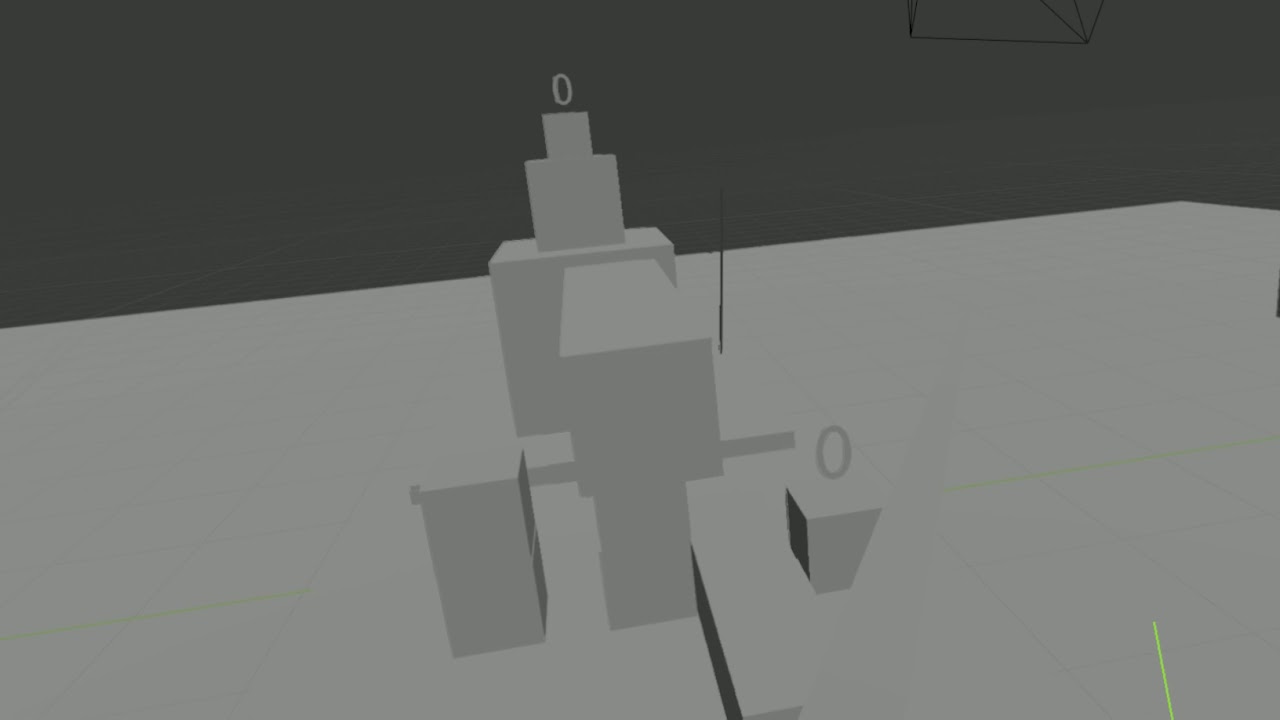
 pallid trail
delicate raptor
here's an example of what happens
pallid trail
delicate raptor
here's an example of what happens
did u update the postition of the rectangle to always be at the position of the sprite

here i created the rect in the update function
 exotic laurel
What game engine should I learn for basic 3D game development? It doesn't have to be in python
pallid trail
and changed the position of the rectangle not the image, then blit the image onto the rectangle
pallid trail
exotic laurel
What game engine should I learn for basic 3D game development? It doesn't have t...
unity if ur gonna go far with it or godot if u already know python
or Game Marker Studio 2 if ur willing to pay
exotic laurel
pallid trail
unity if ur gonna go far with it or godot if u already know python
Is godot a game engine?
pallid trail
yes
exotic laurel
Yeah I've heard of unity, I think i'll have to learn C# for that
pallid trail
yea that is turned off unity for me
exotic laurel
Is C# hard even after knowing python?
pallid trail
wait do u know java tho
exotic laurel
Yep i do know java basics
pallid trail
C# is basically java with syntax changes
exotic laurel
Yeah I sorta noticed with the way it creates functions and whatnot
pallid trail
if u do some OOP with python then u should be fine with C#
pallid trail
ur welcome
cold storm
@exotic laurel
also check upbge fork of blender
it uses actual python
and has openXR support
- in a branch* -
Google Docs
here is a windows build
bpy.context.window_manager.xr_session_state = keys to vr
 dawn quiver
can someone calculate which angle i should rotate it to if the one side is at (0, 2.8, 0) and the other side is at (0, 2.16, 0), im working on a room.
severe saffron
what
 slate snow
because "math" is defined as local variable inside "cards" function. you cannot use it outside in "cards(math)"
and why did you defined math as both parameter and local variable?
ok
does it work now?
it's because you aren't generating list of random numbers but just 1 in range from 0 - 10 in "math" variable
random.randint returns only 1 value
no
still returns 1 value
do you want to return a list of numbers?
you can use list comprehension with random.randint / random.randrange
[ random.randrange(10) for x in range(2)]
should do the trick
i mean
cards = [ random.randrange(10) for x in range(2)]
you can get any number of random numbers by changing the 2 inside "range" function
dawn quiver
hay
 thorn summit
Hi, I know nothing about Python for game dev and apologize if this question makes no sense (let me know if that is the case). I am interested in understanding if python can open new exciting front-end opportunities for my startup. My question: what is the best example of a Python based game developed with solid graphic interface? Is it possible to reach, for instance, same level of graphic design as in polpular e-sports games (e.g. FIFA, NBAlive, NHL, etc.)? Thanks
Also, if there is a better channel to redirect the discussion please let me know.
mystic lodge
thorn summit
Hi, I know nothing about Python for game dev and apologize if this question make...
python is a pretty powerful language and is used to code a lot of game engines like godot, even though most games are written in c#, c++ etc.. python might be used as the backbone of the game. you could use a module like PYopenGL to make really good 3d games but it is really hard to learn. from my experience with pyopengl i know you can model something in blender, get the vertices and edges and positions and put it into pyopengl and it will render it but it would take a lot of code. so yes it can reach the same level of graphic design but it is really hard to do it.
severe saffron
thorn summit
Hi, I know nothing about Python for game dev and apologize if this question make...
python will have very little to do with the graphics of your game as that will pretty much always be written in C regardless of what scripting engine the game uses
that said, not many 3d game engines can be used with python, and they're not generally focused on advanced graphics features
in terms of looking like modern sports games, the effort of modelling and texturing will be thousands of man hours so it's easily going to have a bigger effect in terms of things to plan for a project like that
although obviously the engine is an important choice
why do you want to use python
thorn summit
thanks for the explanation and references! I was curious to understand if python was also used for graphic and rendering (like front-end) in videogames. I understad that c, c++, etc. are more common choices and python might be used more in the back-end. I am familiar with Python for data science and web dev and was looking for an open source solution for rendering a static 3D model (like an athlete in a sport videogame) from a picture. I didn't know about blender (I will look into it!)
 green skiff
Wow, python is endless
 hushed bear
perks of being a insanely versatile language
cold storm
Blender is good
@thorn summit try UPBGE also
it's a fork of blender with the game engine restored
 hollow sage
Hi, not sure if this is the right place to ask, but I'm writing a 3-D game thing in PyGame (I know it's not the best library) and I was wondering how the math for a z-buffer works. Currently I render polygons based on distance from the viewer. I want to assign a z value for each pixel on the screen, but I'm not sure exactly how that works, so I did the math and found an equation that can give the the z-val based on where the pixel is on the screen and which polygon it's on. Unfortunately, it involves inverting a matrix. I was just wondering if there's a better solution than this, because I don't think this is feasible to do for each pixel in real time.
severe saffron
surely you already know the depth of each polygon
the depth buffer value is basically just the distance of each pixel from the camera
you need to write to it when drawing to the screen
 worn cobalt
hi i started a sort of game i am new with python so but i get this error and cant get further any suggestions?
severe saffron
K_DOWN
just a guess
since all the other K_something constants are all uppercase
hollow sage
@severe saffron I only know the depth of the vertices of the polygon. For the zbuff I want to know the depth of all the pixels of the polygon. That’s where the presumably heavy equation w/mat inverse comes in
severe saffron
so
when you draw a polygon
you have to figure out where all the pixels in that polygon are, right?
i.e. rasterise them
well it's the same thing with finding the depths
and yeah the maths is a little harder but it's still ultimately a question of also drawing a value to the z buffer for each pixel you rasterise
for now, just try implementing it with the z value being one vertex of the polygon
or the midpoint
for a very rough approximation
if you feel it's a little daunting atm
hollow sage
Currently I use midpoint z val, but I don’t store it in a buffer. I think I’ll try doing that first.
dawn quiver
what is the easiet game to create using pygame?
severe saffron
one that immediately closes]
if you're looking for an actual fun useful game
the simplest complete game is probably something like pong
but i think starting with simpler examples is better
 violet cave
Random Q for anyone to answer, lmk if there is a better place to ask this, does tkinter differ slightly on Windows vs Ubuntu? I created a game using tkinter (coursework that why) and it runs fine on Ubuntu VM but on Windows 10 I get an error regarding this line "l.attributes("-zoomed", True)" as I dont think it accepts -zoomed as an argument and instead prefers -fullscreen?
mystic lodge
hollow sage
Hi, not sure if this is the right place to ask, but I'm writing a 3-D game thing...
you can use pyopengl with it
which is a 3d object renderer
severe saffron
i assume they want to do the rendering themselves
hollow sage
@mystic lodge Thank you, but Seagull is right.
mystic lodge
oh ok
 torpid pier
quick question for anyone who has the answer... if i want a character ability to only be available when the health is below 50% how would i code that, ```py
while True:
if self.health < self.health * .5
^ im pretty sure thats not gonna work
in that case it would never trigger because the health would never be less that half of the health
hollow sage
@torpid pier The issue here is that you need two separate variables: self.health and self.maxhealth
self.maxhealth would store how much health the character has at 100% health
Then you could do self.health < self.maxhealth * .5
Or the slightly more optimized but less readable mathematically equivalent inequality 2 * self.health < self.maxhealth
torpid pier
ok that makes sense
the to keep up update max health just do ```py
self.maxhealth = self.health + "new value"
Yes the second one
torpid pier
ok thank you, helps a ton
 fair tulip
how many custom events can you define with pygame?
 tranquil nymph
Which GUI you recommend?
dawn quiver
from random import randint as ri

class attack:
    def __init__(self,  attack, strength, hitcount, accuracy, enemy_health, enemy_defense):
        self.hitamount = ri(1, hitcount)
        if ri(1, 101) < 100//accuracy:
            print(enemy_health)
            damage = ((attack*strength)//enemy_defense)*self.hitamount
            enemy_health = enemy_health - damage
            print(enemy_health, "\n", damage, "\n", self.hitamount)
        else:
            print("miss")
attack(10, 20, 3, 1, 100, 10)
really lazy code i made for attack calculation and stuff if your making a pokemon type rpg game in python
severe saffron
that never actually returns the enemy health
dawn quiver
hey guys, i have a problem
whenever i run my code it gives me an error saying that pygame video isn't initialized even though i have done it
here's the erred part
 keys_pressed = pygame.key.get_pressed()
        yellow_handle_movement(keys_pressed, yellow)
        red_handle_movement(keys_pressed, red)
here is the function
def main():
    red = pygame.Rect(700, 300, SPACESHIP_WIDTH, SPACESHIP_HEIGHT)
    yellow = pygame.Rect(100, 300, SPACESHIP_WIDTH, SPACESHIP_HEIGHT)

    red_bullets = []
    yellow_bullets = []

    red_health = 10
    yellow_health = 10

    pygame.init()
    clock = pygame.time.Clock()
    run = True
    while run:
        clock.tick(FPS)
        for event in pygame.event.get():
            if event.type == pygame.QUIT:
                run = False
                pygame.quit()

            if event.type == pygame.KEYDOWN:
                if event.key == pygame.K_LCTRL and len(yellow_bullets) < MAX_BULLETS:
                    bullet = pygame.Rect(yellow.x + yellow.width, yellow.y + yellow.height//2 - 2, 10, 5)
                    yellow_bullets.append(bullet)

                if event.key == pygame.K_RCTRL and len(red_bullets) < MAX_BULLETS:
                    bullet = pygame.Rect(red.x, red.y + red.height//2 - 2, 10, 5)
                    red_bullets.append(bullet)

            if event.type == RED_HIT:
                red_health -= 1

            if event.type == YELLOW_HIT:
                yellow_health -= 1

        winner_text = ""
        if red_health <= 0:
            winner_text = "Yellow Wins!"

        if yellow_health <= 0:
            winner_text = "Red Wins!"

        if winner_text != "":
            draw_winner(winner_text)
            break

        keys_pressed = pygame.key.get_pressed()
        yellow_handle_movement(keys_pressed, yellow)
        red_handle_movement(keys_pressed, red)

        handle_bullets(yellow_bullets, red_bullets, yellow, red)

        draw_window(red, yellow, red_bullets, yellow_bullets, red_health, yellow_health)

    main()
ping me if you have a solution
 steel geyser
@dawn quiver You should ask in a help channel, I think. You will have more chance to get an answer there.
dawn quiver
steel geyser
<@456226577798135808> You should ask in a help channel, I think. You will have m...
Thanks I will
 calm bloom
anyone here have any experience with SideFX Houdini and Python?
 zealous wolf
Does anyone know if/how to "group" multiple drawn shapes together in Arcade and treat them as a sprite?
 kindred crest
no
 neat anvil
 tired vale

YouTube
In these Python Beginner Tutorials, we will be learning the fundamentals of Python programming from the ground up. We will be learning how to: install/setup ...
his course is easy to understand
also if you have questions you could ask your questions in the help channel..
 vivid stream
how do you display images without gui or qt or pygame and such
im making a game for a school project
 echo wadi
need to make a flowchart -- then make a pic - send to room - await punishment for ....
 fickle glacier
How can I detect if my mouse hovers over a image in pygame => basically im checking it and if it is true then change the image to the second state of it
severe saffron
Why not just store each item individually
Without the quantity mark
Since they're all unique anyway
Oh right I didn't spot that
Store it as a list of dicts where one of the keys is the nsme
I assume you're doing it like this because you need dicts to store in mongodb
dawn quiver
I am making an ascii type game like snake and pacman. I have to print the map every character movement?
pallid trail
why is there no dedicated C++ server on discord like this
dawn quiver
You should make one.
But, still good question.
I think it's because the userbase is smaller.
Python is new and hip. You have alot of people from all over getting into coding with python.
C++ is static typed so it has less people wanting to try it.
 mint zenith
Why are you asking that in the game dev channel? It's off topic. #ot0-psvm’s-eternal-disapproval
pallid trail
mint zenith
Why are you asking that in the game dev channel? It's off topic. <#2912841092323...
well this is the only channel i talk in and that channel name is not obvios
mint zenith
pallid trail
well this is the only channel i talk in and that channel name is not obvios
This is a Python server so assume all channels are within the context of Python. There are a few exceptions, but you should read the channel descriptions to be sure.
pallid trail
ok kewl
cold storm
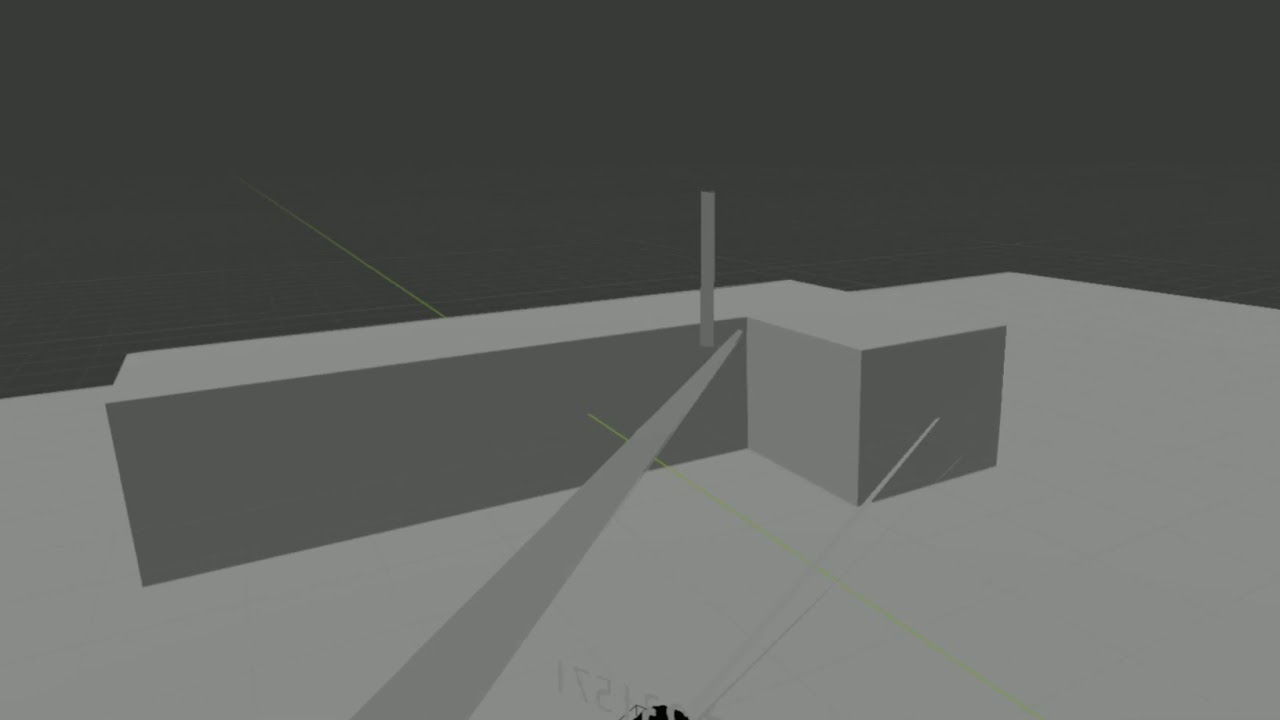
 vale tulip
Any good hosts you guys would suggest for my bot?
 torn heath
Wrong channel, check the pins the in #discord-bots
dawn quiver
https://paste.pythondiscord.com/ehopixeqex.py
If anyone knows how to stop the player from cloning itself, would be great. 🙂
dawn quiver
cold storm
https://www.youtube.com/watch?v=-sg-HZ-TKgo
aaaa auuuuuu yyyy
 random ibex
Hi I am following a platformer game tutorial from the arcade website
self.physics_engine = None
self.physics_engine.update()
```This gives error 'NoneType' has no attribute update opal swift
what is compiling code in visual studio for unity?
can compiling code fix issues with the code?
 gray matrix
no lmfao
 fervent rose
random ibex
Hi I am following a platformer game tutorial from the arcade website
```py
self....
fervent rose
random ibex
Hi I am following a platformer game tutorial from the arcade website
```py
self....
You probably need to set the attribute somewhere in the code, or maybe a bit later in the tutorial
 rigid badger
what games can you make in python?
random ibex
fervent rose
You probably need to set the attribute somewhere in the code, or maybe a bit lat...
alright thx wanted to see how code functions
severe saffron
Nice!
pallid trail
wait do u create clones for the brush marks
 opal parcel
rigid badger
what games can you make in python?
opal parcel
rigid badger
what games can you make in python?
Every game that you want
 novel helm
anyone do c#
opal parcel
wdym
opal parcel
Me
opal parcel
Ok
opal parcel
novel helm
should i send the code
Will you show code
opal parcel
novel helm
Is this pickupscript.cs
novel helm
yeah its for picking up weapons
etc
but i couldnt find a code
so i used youtube and followed some guy
opal parcel
Can you put semi-colon after CheckGrab() function on line 23rd
opal parcel
novel helm
yeah its for picking up weapons
Can you put semi-colon after CheckGrab() function on line 23rd and try run again
novel helm
oh
opal parcel
Is error fixed
I have worked with python code and haven't slept for 23 hours w** I gonna sleep and If that was helpful for you @novel helm I'm really happy
 tranquil girder
I heard of this cool language called Python where you don't get errors from missing semicolon or curly brackets. You should try it ;)
novel helm
tranquil girder
I heard of this cool language called Python where you don't get errors from miss...
python doesnt go into game development
 limpid ember
wait isnt this a python server though
opal parcel
novel helm
python doesnt go into game development
Why?
novel helm
opal parcel
Why?
??
opal parcel
That have many lib fir making games like pygame, panda3d
limpid ember
yea but you cant do much with pygame
novel helm
opal parcel
That have many lib fir making games like pygame, panda3d
yh but for unity and unreal most is c#
opal parcel
limpid ember
yea but you cant do much with pygame
Ok
opal parcel
novel helm
yh but for unity and unreal most is c#
Yeah I know
zealous wolf
I had a shot at Python's arcade library, but I'm finding it extremely frustrating and I'm getting nowhere. I feel that part of the issue is that I'm very unexperienced with classes and I'm getting bombarded with things like method overrides and nested classes, but another part of the issue is likely that I'm (embarrassingly) trying to recreate a Scratch project I made a couple years ago, despite Scratch working completely differently. I'm wondering, is it worth taking a look at Unity, since that isn't entirely dependent on code, or would that be even more unnecessarily complex?
novel helm
bots
opal parcel
novel helm
python is for more coding
Right
zealous wolf
Also, probably a stupid question, but is it possible to hook up something like Unity up to Python, or are there any equivalents which use Python?
novel helm
zealous wolf
Also, probably a stupid question, but is it possible to hook up something like U...
better to use c#
novel helm
zealous wolf
Also, probably a stupid question, but is it possible to hook up something like U...
but its hard
opal parcel
novel helm
better to use c#
No best one is cpp
novel helm
let me check that one out
opal parcel
No csharp isn't hard that's extremely hard
novel helm
i see cpp is acc really good
opal parcel
My eyes gonna closing Thanks
zealous wolf
Learning a new language will be quite a big leap, especially considering that I've been doing Python for 7 or so years and am still barely intermediate at it. However, hopefully it will go easier this time since I already have a language I'm partially fluent in. I'll have my best shot at learning C#.
zealous wolf
opal parcel
No best one is cpp
I thought that Unity used C#?
 last moon
zealous wolf
Also, probably a stupid question, but is it possible to hook up something like U...
last moon
zealous wolf
Also, probably a stupid question, but is it possible to hook up something like U...
if you get an answer to this can you ping me?
unity is c# tho
severe saffron
zealous wolf
Also, probably a stupid question, but is it possible to hook up something like U...
not really, and it's a much better idea to just learn c#
it isn't very difficult and it's much better than trying to crowbar python bindings onto a widely used engine
zealous wolf
severe saffron
it isn't very difficult and it's much better than trying to crowbar python bindi...
You'll be surprised by my brain's ability to just not understand APIs and integrations
The fact that I do not understand how classes work probably contributes to that a lot
And also the fact that I have no idea what words like public static void main string args or whatever means
severe saffron
public means that this definition is accessible outside the file it was defined in
static means it can't have multiple instances
void designates a function that doesn't return anything
main is the name of a function
 knotty geode
If you really want to write games in Python, your closest possibility is probably to use Godot which is very similar to Python but is an actual game engine.
dawn quiver
After about 5 hours of chasing one bug... I finally did it.
My error: I was getting the next cell the player moved to coordinates, instead of only getting the graphic. I was assigning the player's new spot to the old spot variable. So, when I went to print the old spot variable back from the place the character just moved from, it ws printing the player's graphic.
FINALLY I realized I need to set the old cell coordinate as the player's current coordinate, and then set the old cell GRAPHIC, using the player's new coordinate.
Lesson learned after 2 days of suffering. When you're stubborn like me you end up working overtime 😄
But now I can walk over "grass" and "rocks"
aka periods and commas.
😄
You can do anything you put your mind to people. Never forget that.
This is coming from a drug addict/alcoholic/failure in life.
What you see in my screen shots is my life's greatest achievement.
Might seem funny to you, but it means the whole world to me.
I dropped out of high school at 16. I got my GED at 27. I'm 30 now. I started learning programming at the same time as I got my GED. I had 0 help. I was sleeping out of a van for 2 years. I had to work as a substitute teacher for 8 dollars an hour. I was literally laughed at and mocked by school children on a daily basis for the way I look and my coworkers had 0 respect for me.
I am the definition of rising from ashes. I'm not bragging. I am sharing this to inspire you.
Sure, it might just be a couple blips and icons, but even stars in space start off as a tiny flicker of light.
limpid ember
damn bro good luck
dawn quiver
zealous wolf
I had a shot at Python's `arcade` library, but I'm finding it extremely frustrat...
same for me but i am just pusshing my mom wants me to stop coding so i am takin a rest now
dawn quiver
novel helm
better to use c#
yes its easy
 tacit lava
dawn quiver
tacit lava
dawn quiver
this one of course
steel geyser
dawn quiver
Well, they seem not to have the same features…
 uneven eagle
dawn quiver
uneven eagle
dawn quiver
Personally, I like this one.
But there should be a way to change between layouts
 fair panther
hi, does somebody know why the display in pygame looks like this? i mean the red lines at the bottom and the one up top. can someone help? thanks
opal parcel
uneven eagle
```py
FPS = 60
timer = pygame.time.Timer()
# game loop
timer.tick(FPS)
```
what will be if I increase more
uneven eagle
opal parcel
what will be if I increase more
Increasing fps increases the number of frames per second. This raises the speed by raising the limit
novel helm
dawn quiver
yes its easy
its hard for me
dawn quiver
thanks guys.
Yea, I forgot to include the chat in the 1st design.
inventory is a button that brings up a window, also
It is more or less just indicating whwere the windows pop up
dawn quiver
does anyone know any good tutorials/books/course for pygame? ping me
random ibex
Hi whenever I try to do
FIRE_SOUND = pygame.mixer.Sound(os.path.join('Assets', 'gun_fire.mp3'))
```the program crashesUnable to open file
I have included this also pygame.mixer.init()
is it because it can't detect the extension?
frank fieldBOT
Hey @dawn quiver!
It looks like you tried to attach a Python file - please use a code-pasting service such as https://paste.pythondiscord.com
dawn quiver
EVERYONE DM ME IF YOU NEED ANY HELP WITH ANYTHING
dawn quiver
random ibex
Hi whenever I try to do
```py
FIRE_SOUND = pygame.mixer.Sound(os.path.join('Asse...
hi, are you doing the tech with tim tutorial?
because i did that recently
and there is a problem with the sound file, it's corrupted or something
dawn quiver
dawn quiver
**EVERYONE DM ME IF YOU NEED ANY HELP WITH ANYTHING**
bruh
random ibex
random ibex
Hi whenever I try to do
```py
FIRE_SOUND = pygame.mixer.Sound(os.path.join('Asse...
no extension is working
opal parcel
can anyone help me
with pygame
I've circles on the screen which is spawned on mouse button pressed
And after spawning many circles
The game slows down
to 6 fps
Is it possible to remove unneeded circles from screen after they hasn't seen
dawn quiver
gui in tkinter for a MUD game i'm making
 versed sonnet
can someone help me with pygame plz
I'm creating a little game and the buttons dont seem to work right away
I have to keep spamming it for it to trigger
severe saffron
tf is going on in the chat lol
dawn quiver
LOL
dawn quiver
    for y in range(len(map)):
        for x in range(len(map[y])):
            if map[y][x] != -1:
                for tile in tiles:
                    new_platforms = tile.block_types[map[y][x]](x * tile.block_types[0].get_width()[0], y * tile.block_types[0].get_height()[0], 50,50,(255,255,255))
                    tiles.append(new_platforms)


    for tile in tiles:
        tile.draw()
does anyone know why my tiles arent showing uo
up
am I doing something wrong?
 severe igloo
I have an python game using arcade. I have multiple custom sprites that it loads. I have my game in a game folder, thats in a PYTHON folder and i have my images that im using as my sprites in the same folder as my python folder (Images are not in PYTHON folder, just in the same folder as PYTHON folder). For some reason, arcade cannot locate these images, why?
(Ping on response please)
 viscid sage
which game you are developing pls tell
 spring prawn
fair panther
hi, does somebody know why the display in pygame looks like this? i mean the red...
spring prawn
fair panther
hi, does somebody know why the display in pygame looks like this? i mean the red...
@fair panther Even I Had The Same Problem But Downgrading To Python 3.7 Helped Me With My MacOS bigsur
 lucid wagon
dawn quiver
lucid wagon
dawn quiver
What library do u use?
 severe sphinx
who wants a knife?
severe sphinx
this is a better one
 gentle plaza
Oh nice
 low hedge
hey guys
quick question
can we make a video play inside a pygame window?
 ocean shore
Quick answer; no
low hedge
ok
ocean shore
I’ve tried before there used to be a way but it was buggy and hence discontinued
low hedge
any idea if we can do it in a tk window?
low hedge
ocean shore
I’ve tried before there used to be a way but it was buggy and hence discontinued
hmm ok
ocean shore
dunno tbh
ocean shore
There are some modules that can play video
low hedge
ok
ocean shore
But the have there own window
low hedge
hey guys
i'm having trouble using pygame
i'm using vsc thru anaconda
and i think its an import issue idk
it doesnt say it cant import
whenever i try to use an attribute
like pygame.quit
it raises an. error
this error i get if i try to do pygame.init
AttributeError: module 'pygame' has no attribute 'init'
ping when replying
 quick escarp
hello, anyone experienced in using opencv as an augmented reality based game?
i would love to get some advice from an expert or someone who have used it previously
 paper latch
Hey so I am done my game but I just need to define start_the_game for my menu which is responsible for the play in the menu and I need to define it to start my game and I don't know how to....
 vivid zodiac
i am beginner in programming where can i start learning python?
 harsh junco
youtube
harsh junco
vivid zodiac
i am beginner in programming where can i start learning python?
always start with youtube
uneven eagle
Or you can read a book
vivid zodiac
harsh junco
always start with youtube
like freecodecamp?
 cloud dome
 cold zinc
youtube ? 
vivid zodiac
low hedge
hey guys
i'm having trouble using pygame
i'm using vsc thru anaconda
and i think...
pip install pygame
dawn quiver
if you want to contribute, just let me know

GitHub
ASCII MMORPG in Python. Contribute to blinkakawize1/Heroes-of-Olde development by creating an account on GitHub.
versed sonnet
is there a way to make text a string
mystic lodge
is there a way to make text a string
@versed sonnet
in what?
versed sonnet
mystic lodge
> is there a way to make text a string
<@503952229720391702>
in what?
nvm i did smt different
but I have another problem, I'm printing something in a loop, is there a way to make it not print an infinite number of times
its under an elif statement
versed sonnet
ok thanks, im gonna try that out
mystic lodge
u can also make it random with the random module
versed sonnet
lol idk how to do that
mystic lodge
u just do
for x in range(random.randint(0, whatever number you want):
print ('test')
versed sonnet
its still printing infinite times
mystic lodge
hmmm
versed sonnet
mystic lodge
is that in a while loop
versed sonnet
ya
mystic lodge
can you show me all the code?
versed sonnet
its really long
its like 900 smt ln
do u want me to show u where the loop starts
versed sonnet
lol its like a math class thing
mystic lodge
oof
mystic lodge
its ok people progress differently and its not that bad either
mystic lodge
holy
versed sonnet
ive been spending a lot of time on it
mystic lodge
do they look at your code?
mystic lodge
also try doing
for x in range(0,1)
mystic lodge
hmm
idk then, sorry
but if u only want to print it one time you shouldn't need the loop
something in the loop is telling it to run it again
versed sonnet
ok thanks anyways
low hedge
vivid zodiac
pip install pygame
thanks, though the problem was the name of my file was pygame.py.
 torpid pewter
my pygame display doesnt update when i move the window around, how do i fix this?
(by move the window i mean dragging the top bar that windows have across the screen)
proper elk
bro do any one know good browser games....
 manic swan
@wise vine actually I'm learning python, so I want to learn by dev a game
 wise vine
OH
wise vine
manic swan
<@!215239826151178250> actually I'm learning python, so I want to learn by dev a...
nvm learn some pygame then just for fun
 tawdry seal
potent ice
tawdry seal
potent ice
@wise vine You'd be surprised what you can do with python and games.
@manic swan It really depends what you want to make. Simple 2D game libraries like arcade, pygame and pyglet might be a good start.
wise vine
potent ice
<@!215239826151178250> You'd be surprised what you can do with python and games.
Surprise me.
potent ice
Some examples of simple games made in Panda3D : https://www.youtube.com/watch?v=jID2u758Qgs

Evolution of Panda3D Engine Games from 2003 to 2019. Panda3D is a game engine that includes graphics, audio, I/O, collision detection, and other abilities relevant to the creation of 3D games. Panda3D is free software under the revised BSD license. Panda3D's intended game-development language is Python.
#panda3d #gameengine #gamedevelopmentsoftw...
Some pygame projects: https://www.youtube.com/watch?v=oej7DQQjSfY
All of the projects aside from Shadow Tower can be found here:
https://cmlsc.itch.io/
Shadow Tower can be found here:
https://alakajam.com/7th-alakajam/782/shadow-tower/
This is a collection of my Python/Pygame projects from 2019. Shadow Tower, Spellcaster's Forest, and Bouncy Shots were all made in under 48 hours.
⭐ Kite is a free AI-powered ...
Python can do a lot even with decent performance. That is my point.
You just need to pick the right tools for the job.
cold storm

Wrectified_XR - Lots of little quality of life improvements / bug fixes
dawn quiver
potent ice
<@!367349051143880705> It really depends what you want to make. Simple 2D game l...
pyglet is simple?
never knew
 oak spear
harsh junco
Freecodecamp.org
oak spear
harsh junco
Freecodecamp.org
ya
 wise nebula
how can I make a module that has 1/6 chances of giving a True boolean and 5/6 it gives a False one
??
as a variable for sure
 lofty pagoda
heya
im very new to pygame
tryna put in an icon
using Pycharm for my project
cant
cuz i dont know how
help?
ok tq
exotic laurel
What's the best way to add a cutscene into pygame?
 crisp junco
lofty pagoda
tryna put in an icon
crisp junco
lofty pagoda
tryna put in an icon
pygame.display.set_icon("icon_path")
 quasi ore
wise nebula
how can I make a module that has 1/6 chances of giving a True boolean and 5/6 it...
quasi ore
wise nebula
how can I make a module that has 1/6 chances of giving a True boolean and 5/6 it...
I believe u can use the weighted choicd algorithm
wise nebula
like i understood a word of that XD
quasi ore
Weighted choice
It basically gives u
A way to
Give out specific chances
Or probabilities
Seems to fit ur wishes
I can forward some good links
That I had used
To learn it.
Would u like them?

Game Development Stack Exchange
Okay, let's say you have a handful of enemies, each with their own 'rarity' to spawn.
For example:
monsterlist = []
snake = 'snake', 60
wolf = 'wolf', 80
antlion = 'antlion', 30
monsterlist.append(
here u go this is a good stackoverflow page that deals with unique chances
for each option
in a program
if it matches your description, thats great!
wise vine
potent ice
Some examples of simple games made in Panda3D : https://www.youtube.com/watch?v=...
I stand corrected.
I'm learning PyGame right now.
 devout oxide
Hello everybody, what are some basic projects that i can do with artificial intelligence and game development?
I want to learn it and I'm looking far a simple project.
Thank you!
severe saffron
how simple
potent ice
@devout oxide https://github.com/nir/jupylet is pretty cool to play with if you want to learn or play around with deep reinforcement learning
GitHub
Python game programming in Jupyter notebooks. Contribute to nir/jupylet development by creating an account on GitHub.
devout oxide
@potent ice Thank you!
last moon
devout oxide
Hello everybody, what are some basic projects that i can do with artificial inte...
Maze creation + solving is always a fun one
dawn quiver
Say i have a list of paths to multiple images, can i load these images into pygame without loop ?
tried pygame.load.images(mylist) , but this returned "not file object"
severe saffron
what's wrong with a loop
you want to do something multiple times for every item in a list
dawn quiver
nothing wrong
severe saffron
yeah i don't think there is
dawn quiver
Just learning new things
I could do it with a loop but i wanted to know if there's a more slim way
Using itertools way to lazy right?
severe saffron
wat
it can be one line with a list comprehension
and even with a for loop why would you use itertools
list_of_surfaces = [pygame.load.image(image_path) for image_path in mylist]
worked perfectly
severe saffron
noice
 tepid aspen
I'm working on implementing a save game system for a python game engine (https://https://ppb.dev/). It's mainly focused on educational use, so we were trying to figure out a way to make it both user friendly and reliable. Outside of pickling the entire scene stack, does anyone have any ideas for a good way to save state with python?
fervent rose
Manual serializing will always be better than pickeling
(pickling?)
The pickle library has some nasty issues with security and the like
 lime hemlock
hello
so I am working on a snake game and I'm trying to add the body of the snake
but it doesn't work
here is the code:
frank fieldBOT
:incoming_envelope: :ok_hand: applied mute to @lime hemlock until 2021-01-21 15:19 (9 minutes and 58 seconds) (reason: newlines rule: sent 108 newlines in 10s).
fervent rose
!unmute @lime hemlock
frank fieldBOT
:incoming_envelope: :ok_hand: pardoned infraction mute for @lime hemlock.
fervent rose
!paste Please use a paste service for that
frank fieldBOT
Pasting large amounts of code
If your code is too long to fit in a codeblock in discord, you can paste your code here:
https://paste.pydis.com/
After pasting your code, save it by clicking the floppy disk icon in the top right, or by typing ctrl + S. After doing that, the URL should change. Copy the URL and post it here so others can see it.
lime hemlock
thank you Akarys
here is the code
error:
  File "c:/Users/Administrator/Desktop/something.py", line 85
    new_segment = turtle.Turtle()
                                ^
IndentationError: unindent does not match any outer indentation level
Simply taking the object(s) and storing them some other way?
Like your own pickle implementation?
fervent rose
Yep, you’d have your own method to store and load it
fervent rose
Hmm.. for example, you can store a box class as a json entry with the name of the box and its content, in such a way that you can recreate a the same box with this content
 winter dagger
Anyone want to participate in a play test event I'm hosting this friday and saturday 7pm cst? It's a 16 vs. 16 fps with hyper mobility mechanics
 dreamy needle
lime hemlock
```
File "c:/Users/Administrator/Desktop/something.py", line 85
new_segmen...
dreamy needle
lime hemlock
```
File "c:/Users/Administrator/Desktop/something.py", line 85
new_segmen...
just add one more space from line 85 to 90 to match the indentation 🙂
nice snake game
fair tulip
can anyone help me create a structure to process an entity shooting an arrow, and that arrow following the arc physics
curve, arrow weight, time, velocity, etc
 outer escarp
if you don't want to deal with air resistance it's pretty simple
 crimson hound
fair tulip
can anyone help me create a structure to process an entity shooting an arrow, an...
crimson hound
fair tulip
can anyone help me create a structure to process an entity shooting an arrow, an...
The trajectory of an arrow (if you neglect air resistance) doesn't change depending on its weight. For example, a feather and a lead ball will fall at the same speed in vacuum
fair tulip
ignoring air resistance
crimson hound
Otherwise, the equations are pretty simple: everything accelerates down with a constant acceleration.
If an arrow starts at speed (vx, vy) and accelerates downwards with the acceleration g:
(vx_t, vy_t) = (vx, vy_t - t * g)
where t is time, in whatever unit you're using.
In other words, the x-velocity stays constant, and the y-velocity decreases lineraly
paper latch
pygame.init()
surface = pygame.display.set_mode((1280, 820))
def start_the_game():
pass
menu = pygame_menu.Menu(820, 1280, 'Welcome',
theme=pygame_menu.themes.THEME_ORANGE)
menu.add_text_input('Name :', default='DRIVEN TO LEARN')
menu.add_text_input(' Move the car with the arrow keys and dodge all obstacles, obtain a score of 250 to win')
menu.add_button('Play', start_the_game)
menu.add_button('Quit', pygame_menu.events.EXIT)
menu.mainloop(surface)
Could someone pls help what do I do at the def start_the_game function I'm done my game it's just the menu play button won't work and I don't know how to def start_the_game im new to python
 earnest sinew
Can someone help me with 1 coding animation for a boat
Just a boat moving left to right
the boat is made and everything just need to move it left to right, it's 2d
knotty geode
Just change the X position of the sprite and update the display.
 daring forum
I draw a rect in pygame, how can i detect if its clicked?
knotty geode
Detect the click event, check the location of the pointer. If the pointer is inside the coordinates of the rect, it was clicked.
dawn quiver
Well, I got this far
but
I'm afraid it's just a lttle ouf of my league to develop any further
Movement is super laggy because i'm doing an iteration through every map cell
and then i'm deleting the text, and printing the map every movement
I think I had just better go to a game engine and give up this obsession with trying to make a game with python and tkinter
then I have this problem where I can't make the text boxes read only because then I can't insert any text into them
it' s a mess lol
 finite abyss
I am having trouble moving my character in pygame. here is the link to the code: https://paste.pythondiscord.com/uquyeheyeq.py
plz ping me/dm me if any of you have an answer to my question
dawn quiver
enemyImg = pygame.image.load('enemy.png')
enemyX = 590
enemyY = 30
enemyX_change = 0.5


lives = 5
def player(x,y):
    screen.blit(playerImg, (playerX,playerY))


def enemy(x,y):
    screen.blit(enemyImg, (enemyX,enemyY))

def isCollision(enemyX,enemyY,playerX,playerY):
    distance= math.sqrt((math.pow(enemyX-playerX,2))+((math.pow(enemyY-playerY,2)) )
    if distance > 27:

        return:true
    else:
        return:false


done = False

while not done:
    screen.fill((255,255,0))
    for event in pygame.event.get():
        if event.type == pygame.QUIT:
            done = True
            pygame.display.flip()
    if event.type == pygame.KEYDOWN:
        if event.key == pygame.K_DOWN:
            playerY += 0.31
        if event.key == pygame.K_UP:
            playerY -= 0.31
        playerX += 0.09

    #boundaries
    if playerY <= 0:
        playerY = 0
    elif playerY >= 536:
        playerY = 536
    #movement
    enemyX += enemyX_change
    if enemyX <= 0:
        enemyX_change = 0.3
    elif enemyX >= 600:
        enemyX_change = -0.3
    #collision
    collision = isCollision(enemyX,enemyY,playerX,playerY)
    if collision:
        playerX = 40
        playerY = 70
        lives -= 1
        print ("lives let:"lives)


    player(playerX,playerY)
    enemy(enemyX,enemyY)
    pygame.display.update()
i'm getting a syntax error @ if distance>27: return:true
idk why
dawn quiver
ok lemme try
still getting syntax error
it's pointing out the : in front of distance in red
 whole coyote
I think you might also be missing a paren around your distance
It also seems there's a lot of redundant parens you're using.
dawn quiver
such as?
whole coyote
Give me a moment I'll get on my laptop.
dawn quiver
oh alright
whole coyote
Add a paren to the end.
of your distance calculation
Or remove the redunant parens.
>>> distance = math.sqrt(math.pow(enemyX - playerX, 2) + math.pow(enemyY - playerY, 2))
>>> distance
10.0
 wet hare
how do yall place ur sprite in the middle of a window in pygame? because when even i put its positions as half of my window width and height it gets placed slightly offcenter
dawn quiver
@whole coyote Now it's giving me an error saying that "name 'true' is not defined "in
def isCollision(enemyX,enemyY,playerX,playerY):
    distance= math.sqrt((math.pow(enemyX-playerX,2))+((math.pow(enemyY-playerY,2)) )
    if distance > 27:

        return:true
    else:
        return:false
I'm not sure who taught you how returns work, but it's not like that.
whole coyote
okay.
dawn quiver
    distance = math.sqrt(math.pow(enemyX - playerX, 2) + math.pow(enemyY - playerY, 2))
    if (distance > 27):

        return true
    else:
        return false
this is what's giving me the error
that true is not defined
whole coyote
err, no just capitalize them
whole coyote
awesome
dawn quiver
how do i do colour gradient rgb tuples if i have a tuple (100, 255, 100) and want to slowly turn it red over time
im not good at maths
as the players life degrades
def draw_shield(surface: pg.Surface, x: int, y: int, percent: int):
    """Draws two rectangles, Representing the players health pool"""
    color = SHIELD["life-color"]
    if percent < 0:
        percent = 0
    fill = (percent / 100) * SHIELD["width"]
    outline_rect = pg.Rect(x, y, SHIELD["width"], SHIELD["height"])
    fill_rect = pg.Rect(x + 1, y + 1, fill - 1, SHIELD["height"] - 1)
    pg.draw.rect(surface, SHIELD["outline-color"], outline_rect, SHIELD["thickness"])
    pg.draw.rect(surface, color, fill_rect)
?
crisp junco
wth
my keyboard sucks
can't even ans properly
hell
Guessing SHIELD['life-color'] is somewhat like this:
SHIELD["life-color"] = (100,255,100)
Then you can do the following
red = 100
SHIELD["life-color"] = (red,255,100)
#Now you can do something like this:
if health < 60 and health > 40:
    red = 150
elif health < 40 and health > 10:
    red = 200
elif health < 10:
    red = 255
@dawn quiver ⏫
Put this in the while loop and you're good to go
Is this what you wanted?
I'm a bit confused
dawn quiver
yea
i kinda knew how to do that i meant in a more mathy way i guess where i could somehow map the current hp total to return an rgb tuple that gets progressively more red
but thank u
finite abyss
Also, it could think that red is not a variable, but a color
 proper peak
dawn quiver
i kinda knew how to do that i meant in a more mathy way i guess where i could so...
proper peak
dawn quiver
i kinda knew how to do that i meant in a more mathy way i guess where i could so...
then you basically want a colormap function. Check out the ones matplotlib has, for example, and use one of them for your own means. Jet goes blue-green-red, for example.
https://matplotlib.org/3.1.1/gallery/color/colormap_reference.html
if you want a really simple one, just linearly interpolate between blue and red(passing through purple):
def my_cmap(val):
    red = np.array([255,0,0],dtype=np.uint8)
    blue = np.array([0,255,0],dtype=np.uint8)
    if not 0<=val<=1:
        raise ValueError(f"{val} is not in the [0,1] range!")
    return blue*val + red*(1-val)
 stiff sentinel
Please tell how to break while loop
proper peak
break.
 ashen shale
if y'all were to make a tictactoe game, how would you manage player state? as separate objects? or attributes on a generic Game object?
dawn quiver
hello
i have a problem kivy - window abort
please help me
ashen shale
@dawn quiver do not spam
dawn quiver
i am not saming
ashen shale
you just posted the same exact text twice in a row
tranquil girder
ashen shale
if y'all were to make a tictactoe game, how would you manage player state? as s...
What I did was to store current player in a variable and just flip it every turn. And the "buttons" store who clicked on it and gets disabled after
ashen shale
thinking about it to try some TDD skills. just a simple console thing but I haven't touched gamedev in like 10 yrs
dawn quiver
ashen shale
thinking about it to try some TDD skills. just a simple console thing but I have...
why
ashen shale
because I value learning and growth?
dawn quiver
ooooo
ashen shale
tranquil girder
What I did was to store current player in a variable and just flip it every turn...
so you didn't even go with a "Player" or actor approach, you just had a current_player or similar attribute to denote current turn
tranquil girder
Eventually I changed it to avoid using global variables, but I didn't make a custom class or anything. https://github.com/pokepetter/ursina/blob/master/samples/tic_tac_toe.py
proper peak
if we're sharing tic-tac-toes, here's mine 😛
https://paste.pythondiscord.com/oxaqebimut.py
no user interface, just text. I wrote it as a proof-of-concept in as little code as I could, essentially.
tranquil girder
Nice. I like the win check
ashen shale
I'm experimenting with gamedev in Rust and starting as small as I can 😄
dawn quiver
ashen shale
I'm experimenting with gamedev in Rust and starting as small as I can 😄
i am also making gessing game😋
ashen shale
@dawn quiver to address you from earlier; I've never used kivy. I know people often use pygame for gamedev in Python

 broken hamlet
dawn quiver
i use pygame but i am learning kivy but in install kivy it give error
broken hamlet
dawn quiver
i use pygame but i am learning kivy but in install kivy it give error
Do you need help with that or are you just telling us?
daring forum
Hello, how can i get a color of a rect?
i draw a rect
color_select = pygame.draw.rect(screen, i, (window_width - x_color_select_size, window_height - y_color_select_size, 50, 50))
now how can i acces its color?
like ```py
color_select.color
@broken hamlet
 round sail
how do i run my pygame project
I code with sublime text
and i dont now how to run my project
 floral lion
 broken hamlet
daring forum
<@!188467763558350849>
broken hamlet
daring forum
<@!188467763558350849>
I don't know. Try it out or look it up.
exotic laurel
My pygame rendering is a bit wonky, images sometimes skip a frame for no technical reason at all, what can I do?
Currently I'm blitting every image i need that is contained inside the list PER frame. I don't know if the images just disappearing is a flaw in my code or if it isn't, if it is how can i fix it? (provided that 'state' always equals 1)
     def update(self):
        if self.state == 0:
            SCREEN.blit(self.image, ( self.rect.x,  self.rect.y))
        elif self.state == 1:
            # moving stuff
            if self.rect.x > screen_width or self.rect.y > screen_height:
                self.state = -1

#in the while
        for sword in swords:
            if sword.state != -1:
                sword.update()
            else:
                swords.remove(sword)
        pg.display.flip()
how to make gravity for rec
exotic laurel
dawn quiver
how to make gravity for rec
Add it's y value by a certain amount
dawn quiver
broken hamlet
Do you need help with that or are you just telling us?
i need help please it says window abort error
dawn quiver
exotic laurel
Add it's `y` value by a certain amount
thaanks
exotic laurel
dawn quiver
thaanks
np
dawn quiver
import math
pygame.init()
screen= pygame.display.set_mode((800,600))
pygame.display.set_caption("Downrider")
icon = pygame.image.load('shovel.png')
pygame.display.set_icon(icon)

playerImg = pygame.image.load('player.png')
playerX = 40
playerY = 70

enemyImg = []
enemyX = []
enemyY = []
enemyX_change = []
enemy_num = 5
for i in range(enemy_num):
    enemyImg.append(pygame.image.load('enemy.png'))
    enemyX.append(590)
    enemyY.append(30)
    enemyX_change.append(0.5)
lives = 5
def player(x,y):
    screen.blit(playerImg, (playerX,playerY))
def enemy(x,y,i):
    screen.blit(enemyImg[i], (enemyX[i],enemyY[i]))
def isCollision(enemyX,enemyY,playerX,playerY):
    distance = math.sqrt(math.pow(enemyX - playerX, 2) + math.pow(enemyY - playerY, 2))
    if (distance < 15):

        return True
    else:
        return False
done = False
while not done:
    screen.fill((255,255,0))
    for event in pygame.event.get():
        if event.type == pygame.QUIT:
            done = True
            pygame.display.flip()
    if event.type == pygame.KEYDOWN:
        if event.key == pygame.K_DOWN:
            playerY += 0.31
        if event.key == pygame.K_UP:
            playerY -= 0.31
        playerX += 0.09
    #boundaries
    if playerY <= 0:
        playerY = 0
    elif playerY >= 536:
        playerY = 536
    #movement
    for i in range(enemy_num):
        enemyX[i] += enemyX_change[i]
        if enemyX[i] <= 0:
            enemyX_change[i] = 0.3
        elif enemyX[i] >= 600:
            enemyX_change[i] = -0.3
    #collision
        collision = isCollision(enemyX[i],enemyY[i],playerX,playerY)
        if collision:
            playerX = 40
            playerY = 70
            lives -= 1
            print ("lives left:",lives)
        enemy(enemyX[i],enemyY[i],i)
    player(playerX,playerY)
pygame.display.update() ```this is my code
but only 1 enemy is loading in
instead of 5
 rich sand
hello, could someone help?
I am making a game with pygame and in a _check_collisions function, i check if the player 1 collides with player 2, if this is true and player 1 is punching, the player 2 loses an amount of health, but when i hit the player 2 he loses way more health because the collision is detected many times between the two rects
this is the code :
player_col = pygame.sprite.collide_mask(self, game.player2)
if player_col and self.punching:
print("COLLISION!!")
game.player2.health -= self.settings.punch_damage
frank fieldBOT
You are not allowed to use that command here. Please use the #bot-commands channel instead.
 keen mortar
I need some help with pygame
frank fieldBOT
Hey @keen mortar!
Uh-oh! It looks like your message got zapped by our spam filter. We currently don't allow .txt attachments, so here are some tips to help you travel safely:
• If you attempted to send a message longer than 2000 characters, try shortening your message to fit within the character limit or use a pasting service (see below)
• If you tried to show someone your code, you can use codeblocks
(run !code-blocks in #bot-commands for more information) or use a pasting service like:
paper latch
pygame.init()
surface = pygame.display.set_mode((1280, 820))
def start_the_game():
pass
menu = pygame_menu.Menu(820, 1280, 'Welcome',
theme=pygame_menu.themes.THEME_ORANGE)
menu.add_text_input('Name :', default='DRIVEN TO LEARN')
menu.add_text_input(' Move the car with the arrow keys and dodge all obstacles, obtain a score of 250 to win')
menu.add_button('Play', start_the_game)
menu.add_button('Quit', pygame_menu.events.EXIT)
menu.mainloop(surface)
Could someone pls help what do I do at the def start_the_game function I'm done my game it's just the menu play button won't work and I don't know how to def start_the_game im new to python
THIS is due tmrw I am done my game just need some help to start the game through the menu if someone could pls help it would be appreciated
keen mortar
can someone help me
tranquil girder
No. Just ask and people will help you if they can, when they have time
dawn quiver
Does anybody know any good game frameworks apart from pygame and arcade?
 pastel harbor
How about something like anime games
dawn quiver
enemyImg = []
enemyX = []
enemyY = []
enemyX_change = []
enemy_num = 5
for i in range(enemy_num):
    enemyImg.append(pygame.image.load('enemy.png'))
    enemyX.append(random.randint(0,736))
    enemyY.append(random.randint(50,150)
    enemyX_change.append(0.5)
I'm getting a syntax error at ```
enemyX_change.append(0.5)
The easiest way to program a downloader:
import urllib.request
from tqdm import tqdm
link = input("Enter the link u want to download: ")
name = input("Enter how u want to name the download app (must include a .png, .jpg, .htm, .py, etc, etc at the end: ")
def downloadfile():
    urllib.request.urlretrieve(link, name)

for i in tqdm(range(int(9e6))):
    pass
downloadfile()
what is the syntax error?
nevermind i fixed it
didn't put a paren
oh
lmao
dawn quiver
yeah dumb mistake
now here's my enemy code
enemyImg = pygame.image.load('enemy.png')
enemyX =(700)
enemyY =(550)
enemyX_change =(0.5)

enemy1Img =(pygame.image.load('enemy.png')
enemy1X =(700)
enemy1Y =(450)
enemy1X_change =(0.5)

enemy2Img =(pygame.image.load('enemy.png')
enemy2X =(700)
enemy2Y =(350)
enemy2X_change =(0.5)

enemy3Img =(pygame.image.load('enemy.png')
enemy3X =(700)
enemy3Y =(250)
enemy3X_change =(0.5)

enemy4Img =(pygame.image.load('enemy.png')
enemy4X =(700)
enemy4Y =(150)
enemy4X_change =(0.5)

enemy5Img=(pygame.image.load('enemy.png')
enemy5X =(700)
enemy5Y =(50)
enemy5X_change =(0.5)
but im getting a syntax error at
enemy1X =(700)
for some reason
so can someone tell me why
 frank fieldBOT
Hey @dawn quiver!
It looks like you tried to attach a Python file - please use a code-pasting service such as https://paste.pythondiscord.com
Hey @dawn quiver!
It looks like you tried to attach a Python file - please use a code-pasting service such as https://paste.pythondiscord.com
dawn quiver
import urllib.request
from os.path import getsize
from tqdm import tqdm
import time
link = input("Enter the link u wanna download here: ")
name = input("Enter the name u wish the link to be called (has to have a .jpg, .png, .html, etc tag at the end): ")
def downloadfile():
    urllib.request.urlretrieve(link, name)

print("Downloading in progress...")
for i in tqdm(range(int(9e6))):
    pass

print("Downloading code...")
for i in tqdm(range(int(9e6))):
    pass

print("Downloading","'",link,"'", "and naming it", "'",name,"'", "this may take a while...",)
downloadfile()

file_path = name

file_size = getsize(file_path)
for i in tqdm(range(int(file_size))):
    pass


print("Turning it into a shortcut...")
for i in tqdm(range(int(9e6))):
    pass

print("Done!, closing program...")
for i in tqdm(range(int(9e6)), ncols=50):
    pass
time.sleep(0.5)
dude, when there are 2 parenthesis facing right u need to put the same amount of closing ones
#instead of typing it like this:
enemy1Img =(pygame.image.load('enemy.png')
#type it like this!
enemy1Img =(pygame.image.load('enemy.png'))
or maybe the error is that u put parenthesis in an integer
enemy1X = (700)
#maybe the thing u should do is:
enemy1X = 700
ohhh right
thanks so much
daring forum
Why is pygame not detecting input?
if event.type == pygame.KEYDOWN:
  if event.key == pygame.K_LSHIFT:
    print('0')
ur welcome
dawn quiver
daring forum
Why is pygame not detecting input?
```py
if event.type == pygame.KEYDOWN:
if ...
import pygame
pygame.init()
screen = pygame.display.set_mode((input_a, input_b))
running = True
x = 30
y = 30
clock = pygame.time.Clock()
while running:
        for event in pygame.event.get():
            print(event)
            if event.type == pygame.QUIT:
                running = False

        pressed = pygame.key.get_pressed()
        if pressed[pygame.K_UP]: y -= 3
        if pressed[pygame.K_DOWN]: y += 3
        if pressed[pygame.K_LEFT]: x -= 3
        if pressed[pygame.K_RIGHT]: x += 3

        screen.fill((0,128,0))
        color = (0,0,255)
        red = (255, 0, 0)
        pygame.draw.rect(screen, color, pygame.Rect(x, y, 60, 60))
        pygame.display.flip()
        clock.tick(60)
get it?
daring forum
yes, and how to get a input?
dawn quiver
daring forum
Why is pygame not detecting input?
```py
if event.type == pygame.KEYDOWN:
if ...
pressed = pygame.key.get_pressed()
if pressed[pygame.K_LSHIFT]:
    print("0")
okay, and how to get input?
daring forum
dawn quiver
wdym
yes but how can i get text input?
dawn quiver
input()
daring forum
can you give me an example?
dawn quiver
input("hru? ")
import pygame
pygame.init()
pressed = pygame.key.get_pressed
player = input(pressed)
if player == pressed[pygame.LSHIFT]:
    print("0")
look at the error @daring forum
im sorry that i didnt provide the solution
daring forum
hm? I already got it like 10 mins ago
daring forum
dawn quiver
```python
pressed = pygame.key.get_pressed()
if pressed[pygame.K_LSHIFT]:
pr...
.
exotic laurel
How can I rotate a sprite without it discombobulating?
code: ```py
def update(self):
if self.state == 0: # provided that the state is always 0
self.image = pg.transform.rotozoom(self.image, 1, 1)
self.rect.center = self.starting_pos # an attempt to recenteralize the sprite
 whole coyote
+1 for using discombobulating.
What axis do you want to rotate it about? And where is it's center?
potent ice
@exotic laurel I know @foggy python covered this topic : https://www.youtube.com/channel/UCYNrBrBOgTfHswcz2DdZQFA

YouTube
I make games and tutorials with/for Python/Pygame! :D
Website here: http://dafluffypotato.com
 small ermine
is there any way to make files compiled with pyinstaller smaller in size?
 thick wasp
i need help with platforms in pygame
anyone have any suggetsion in hwo to do thta
?
thick wasp
oof
severe saffron
you haven't really asked a question
what are you specifically trying to do, and what problem are you having @thick wasp
thick wasp
severe saffron
what are you specifically trying to do, and what problem are you having <@!39867...
im trying to make it so that when i jump ON to a platform a lanf there and i stay there until i jump of it
severe saffron
cool
so you need a way to check whether the player is on a platform or not
and then a way to stop them falling if that's the case
severe saffron
any ideas?
severe saffron
so
my basic outline would be
store a list of platforms and their sizes and positions
every time you make the player fall, also check whether they're on a platform
if so, don't make them fall
i.e. don't apply gravity
thick wasp
severe saffron
store a list of platforms and their sizes and positions
perosnlay rn i wnat to make on platform and then go on from tehre
severe saffron
right
so
do that
try and probably fail
but that's infinitely better than asking someone to do it for you then giving up when no one answers
thick wasp
that is true
potent ice
Making things like that is great practice. You might fail on the first version. That is fine.
That will eventually lead you to learn simple spatial hashing : https://www.gamedev.net/articles/programming/general-and-gameplay-programming/spatial-hashing-r2697/
That will make your game fast.
For those interested in low level rendering there is a brand new project prototype glnext. It's a python wrapper for vulkan : https://github.com/cprogrammer1994/glnext

GitHub
Contribute to cprogrammer1994/glnext development by creating an account on GitHub.
It's kind of ModernGL, but using Vulkan 😉
Obviously because the creator is also the ModernGL creator
 radiant echo
hi can someone help me
potent ice
Not until you ask the question. Never ask to ask 😉
radiant echo
lol okay sorry, do you know how to change a cursor in pygame
i don't want a standard mouse thing, i want cross hairs for my bow and arrow game
potent ice
What have you found out so far about this?
radiant echo
well, I went on to git hub and saw other peoples takes on making it but I still don't understand, so practically nothing
potent ice
A good place to start is looking in the official docs: https://www.pygame.org/docs/
radiant echo
would you like me to send my code so you can just look at it?
potent ice
I have never tried making custom cursor in pygame. I'm just saying that looking in official docs is always the first thing you should do : https://www.pygame.org/docs/ref/cursors.html?highlight=cursor#module-pygame.cursors
radiant echo
I did actually, I searched on google, that is what led to me going onto github, it said, here are examples:
potent ice
What is the problem with your code? You can always post a snippet
I don't know if I can help, but I can take a look
 radiant echo
why's that?
i don't know if you can or can't see it, but I'm only seeing like half of what is normally displayed when I click "run"
there are more targets on the left
potent ice
What you see in repl.it is not a normal window. It's an offscreen surface really
I bet if you run your program locally you will see the cursor
radiant echo
got it
potent ice
You could make a sprite follow the cursor. That is a way around it
potent ice
You already track mouse position```python
if e.type == QUIT:
running = False
if e.type == MOUSEBUTTONDOWN:
mx, my = e.pos
button = e.button for e in event.get():
elif e.type == MOUSEMOTION:
mx, my = e.pos
so you could draw something at the mouse position?
but I guess you can't remove the actual mouse cursor in repl.it?
potent ice
You might get more mouse lag doing it like that.
radiant echo
yeah true
could you maybe help me with something else?
I want to shoot the targets and have it show up as a "+1"
like a point system, how do I do that exactly
dawn quiver
radiant echo
I want to shoot the targets and have it show up as a "+1"
like a point system, h...
import pygame
pygame.init()
score = 0
screen = pygame.display.set_mode((1000, 600))
screen_rect=screen.get_rect()
player=pygame.Rect(180, 180, 60, 60)
running = True
is_blue = True
clock = pygame.time.Clock()
while running:
        for event in pygame.event.get():
            print(event)
            if event.type == pygame.QUIT:
                running = False

        keys = pygame.key.get_pressed()
        if keys[pygame.K_w]: player.move_ip(0, -3)
        if keys[pygame.K_a]: player.move_ip(-3, 0)
        if keys[pygame.K_s]: player.move_ip(0, 3)
        if keys[pygame.K_d]: player.move_ip(3, 0)

        player.clamp_ip(screen_rect)
        if player == #type ur action here|:
                 score = score+1
        screen.fill((0,128,0))
        color = (0,0,255)
        red = (255, 0, 0)
        pygame.draw.rect(screen, color, player)
        pygame.display.flip()
pip install pygame
cmd in command prompt
for pygame to respond
 dry totem
heyy I have a doubt.....what code do I use to make bmi calculator??
 low quest
looking for a software developer to work on the project
 eager kiln
isn't python in unreal only on beta?
fervent rose
There’s no official support afaik
dawn quiver
dry totem
heyy I have a doubt.....what code do I use to make bmi calculator??
whats a bmi calcultor
ik the code for a REGULAR calculator
def add(x, y):
    return x + y

def subtract(x, y):
    return x - y

def multiply(x, y):
    return x * y

def divide(x, y):
    return x / y


print("Select operation.")
print("1.Add")
print("2.Subtract")
print("3.Multiply")
print("4.Divide")

while True:

    choice = input("Enter choice(1/2/3/4): ")


    if choice in ('1', '2', '3', '4'):
        num1 = float(input("Enter first number: "))
        num2 = float(input("Enter second number: "))

        if choice == '1':
            print(num1, "+", num2, "=", add(num1, num2))

        elif choice == '2':
            print(num1, "-", num2, "=", subtract(num1, num2))

        elif choice == '3':
            print(num1, "*", num2, "=", multiply(num1, num2))

        elif choice == '4':
            print(num1, "/", num2, "=", divide(num1, num2))
    else:
        print("Invalid Input")

    if choice == 'cancel calculator':
        break
look up what the formula for bmi is
then calculate it from user input
dry totem
dawn quiver
```py
def add(x, y):
return x + y
def subtract(x, y):
return x - y
def...
for this thankuuu😇
severe saffron

radiant echo
dawn quiver
```py
import pygame
pygame.init()
score = 0
screen = pygame.display.set_mode((10...
i get a syntax error
dry totem
what code do i use to compute all multiples of 3, 5 that are less than 100 in python??
radiant echo
hey does anyone know how to make a countdown/timer in pygame?
potent ice
This will give you a start time.
Subtract get_ticks from the start time to get elapsed time
You can try this in a separate test script using python's time module
potent ice
Can maybe make a small Countdown or Timer class for this so it can be reused in the future
 brittle nacelle
Hi iv just got a pi 4 iv only coded with basic does python have a sprite properties list ?
dawn quiver
hello all, i am new to this server please tell me where to start 🙂
 agile delta
Hello!!
Quick question
How do I make a text-based game without a huge abundance and usage of if statements?
My last text-based project had over 50 if/elif statements, and I didn't like it..
So how would I make a very efficient text-based game?
Thanks
-Majestic
 sage delta
@agile delta Id suggest useing Godot, its native scripting language is based of off python and it will make your game easier and more "game-like" but thats just my suggestion
btw Godot is a game engine not a language
sage delta
mhm
agile delta
Sweet
sage delta

Godot Engine
Godot provides a huge set of common tools, so you can just focus on making your game without reinventing the wheel.
agile delta
But let's say I was working solely on Python. How would I do it?
(Making an efficient text-based game)
sage delta
oooo
i guess it depends on the game
if you want a basic text based one then go for a bunch of if statements
okok
ill send a link to a REALLY awesome vid i used
agile delta
Alright :D
sage delta

Hey y'all! Let's kick off this Python Text RPG tutorial with an introduction to command line, Sublime 3, and Python 3! This is a super beginner video, so if you have any coding background or already have these tools, skip to part 2!
Need 1:1 help? Chat with me on Quorum: https://quorum.chat/bryan
n this Python Text RPG series, programmer and...
agile delta
sage delta
if you want a basic text based one then go for a bunch of if statements
I underestimated my previous game. I thought I'd be using a few if statements, but used over 50.
sage delta
Try this
agile delta
sage delta
https://www.youtube.com/watch?v=MFW8DJ6qsak&list=PL1-slM0ZOosXf2oQYZpTRAoeuo0TPi...
Thanks!
sage delta
ofc
agile delta
:)
sage delta
There are a BUNCH of tutorials online, so just search a bit and find a couple that interest you
have fun!
 devout walrus
Who knows how to make a 3dmg models
agile delta
What?
severe saffron
i have no idea
google says that's a thing from attack on titan
but i have no idea why you'd ask for instructions on how to model a very specific pretend sword in a python discord server
ah looks like it's a classic anime 'sword + gun + jetpack + grappling hook + armor '
exotic laurel
When I change the window from fullscreen to windowed, it goes out of screen, how can i fix this?
 frank kiln
anyone wanna help me develop a minecraft hacked client? i am new to coding and trying to learn. would be nice if you have a bit of experience so you can show me.
 golden ibex
if you're new to coding, then developing games isn't the best thing to do at first.
whole coyote
!rule 5
frank fieldBOT
5. Do not provide or request help on projects that may break laws, breach terms of services, be considered malicious or inappropriate. Do not help with ongoing exams. Do not provide or request solutions for graded assignments, although general guidance is okay.
mystic lodge
frank kiln
anyone wanna help me develop a minecraft hacked client? i am new to coding and t...
mine craft is coded in java/c++ how would you make a hack client for it with python?
daring forum
how can I delay input?
last moon
mystic lodge
mine craft is coded in java/c++ how would you make a hack client for it with pyt...
Image detection + m&k controllers
You can’t really do much else unless there’s some internal hack to get a py extension going
Even if that worked tho I’d assume there’d be a lot of limitations
Also not rule 5 unless you try to resell the code
Otherwise Forge would be against their tos
mystic lodge
ok
 sturdy hinge
daring forum
how can I delay input?
sturdy hinge
daring forum
how can I delay input?
try this
import time
time.sleep(Amount Of Seconds For Delay)
devout walrus
Looking for game devs and 3dm modles
potent ice
@devout walrus More information is needed. What kind of project is it? What is the license of the project?
Is this an open source game project for example?
devout walrus
i'll give
This is. a game on Attack on titan the anime
we wont have rights to sell it but if we do pricing is 10-15 bucks
This is a project on ue4 and its a open world anime game and
its multiplayer game
Its in the devolopment
devout walrus
potent ice
<@!467732719217147904> More information is needed. What kind of project is it? W...
I have gave the info
potent ice
@devout walrus So the license of the project is what?
devout walrus
potent ice
<@!467732719217147904> So the license of the project is what?
What does that mean
Im sorry this is MY first ever prject
with a group of freinds
potent ice
!rule 6
frank fieldBOT
6. No spamming or unapproved advertising, including requests for paid work. Open-source projects can be shared with others in #python-general and code reviews can be asked for in a help channel.
potent ice
I am not sure where this belongs
The question I guess is if this is an open-source project or not
wet hare
any idea how i should check for collisions because colliderect() is not working ;-;
devout walrus
potent ice
The question I guess is if this is an open-source project or not
its a free game if uwant to talk with the devs sure i;ll inv u to the server
potent ice
Does it use python?
devout walrus
Yes im usin python for our bots and stuff
We r planninf to do server hosrting with python if it works
wet hare
this is what my main.py file looks like where im cloning the enemies
https://paste.pythondiscord.com/ijemexilaq.rb
any ideas how i should check for collisions? because my current method is not working
devout walrus
frank field
It isnt a paid work
We arent paying for anything
fervent rose
Hello @devout walrus! As your project isn’t Python related and not open-source, I’m afraid this falls under our 6th rule,
devout walrus
Hmm How will I uh make it related
we are using the #networks lessons to try making the game multiplayer
devout walrus
how may. i open it?
fervent rose
You can host the game on a plublic repository for example
devout walrus
alright
mystic lodge
hi i need help with pygame
@cinder widget
what is the problem?
 cinder widget
its ok now
dawn quiver
any one know how can i read game memory (for hack) using python
potent ice
!rule 5
frank fieldBOT
5. Do not provide or request help on projects that may break laws, breach terms of services, be considered malicious or inappropriate. Do not help with ongoing exams. Do not provide or request solutions for graded assignments, although general guidance is okay.
potent ice
This will be the case with most games
@cinder widget Pro tip: When you need help you can do the following: Before posting anything you should spend time time formulating the problem and a relevant code snippet. You really only need to make one single post with this content. Don't ask to ask or say you have a problem without any other context 🙂
 slim sky
dawn quiver
```py
import pygame
pygame.init()
score = 0
screen = pygame.display.set_mode((10...
slim sky
dawn quiver
```py
import pygame
pygame.init()
score = 0
screen = pygame.display.set_mode((10...
Wht to replace "type ur action here" With? Facing error
I have full code to make flappy bird
mystic lodge
can anyone help me with a problem im having in pygame?
im trying to make a bullet shoot
but it just ends up going to the edge of the screen
 low shadow
mystic lodge
but it just ends up going to the edge of the screen
low shadow
mystic lodge
but it just ends up going to the edge of the screen
i didnt get u