#game-development
1 messages · Page 74 of 1
 potent ice
 elfin frost
this will move scene?
potent ice
Why?
elfin frost
i want to move mesh only
potent ice
You can move separate meshes
glLoadIdentity() will reset all rotations and translations
move things around.. draw the mesh
reset again.. draw another mesh in a different location
or you can use glPush/PopMatrix if you want translation/rotations relative to another object
elfin frost
now im really confused, if translate moves objects or camera
cause If I use initialty translate and rotation, then 🤔
elfin frost
so If I translate x=10, and then draw point in 0,0,0
potent ice
But you have to call glLoadIdentity() to reset the translation and roatations for the next mesh
elfin frost
point will be in 0,0,0 but in absolute 10,0,0 ?
potent ice
it should be
elfin frost
ah , I see
potent ice
I'm sure there are tutorials on the matrix stack in opengl
Just make sure you are in the right matrix mode glMatrixMode(GL_MODELVIEW) so you affect the modelview matrix and not the projection matrix!
elfin frost
I tend to use pushpop matrix with no changes 😄
potent ice
It should work. You probably did it wrong 🙂
elfin frost
I will play with it to figure out if I prefer to push -> reset -> render stuff -> pop more than reset and move camera 😄
do you know the way how to render something as overlay?
I tried to render mini axis in corner, but not sure if I should render it relative to camera or project somehow to vision matrix
potent ice
push/pop only makes sense if you want to save the previous matrix. If you dont't need that just call glLoadIdentity() to reset translations and rotations
elfin frost
but this will move camera again to center right ?
and I will not see anything
so I have to repeat look at, or use push to prevent reset of view
potent ice
hmm. I don't remember how to use gluLookAt, but I think it multiplies with the current modelview matrix
so the order of things matter
elfin frost
(eyeposx,y,z, lookatx,y,z, vectorupx,y,z)
potent ice
There are lots of resources on this if you search around I guess
elfin frost
so I render axis with glLoadIdentity and I see them on my screen all the time
potent ice
ah yes. Then they will not move if you have a camera
with camera you need to push/pop
that way you don't destroy the camera matrix
potent ice
I would get moving this working without camera first
elfin frost
why?
potent ice
Just so you can try drawing the mesh multiple time with display list and confirm that it's working?
I guess with camera you should ```python
gluLookat(...)
glPushMatrix()
glTranslate
call list
glPopMatrix()
.. repeat?
You are in the wrong matrix mode then?
elfin frost
maybe..
potent ice
glMatrixMode decides what matrix to affect
It should be GL_PROJECTION ONLY when setting projection
in all other instances it should be GL_MODELVEW
These are two matrices sent to the shader rendering the scene under the hood
elfin frost
🤔 so camera in projection?
potent ice
camera is modelview
elfin frost
then why do you tell me about projection?
potent ice
projection is only deciding the perspective projection. Nothing more
potent ice
elfin frost
then why do you tell me about projection?
Because you might have been in the wrong matrix mode
elfin frost
i draw everything in default, in Modelview
potent ice
ok good
If you can't get it to work I could possibly take a look at your code, but not for another few days
elfin frost
thanks, I will handle this, no worries
if you could suggest me how to draw something in corner then it would be better :d
or just get current position so I could do calculations
https://www.khronos.org/registry/OpenGL-Refpages/gl4/
im using this docs, but honestly not sure which version
potent ice
with no gluLookAt just draw the mesh 3 times translated
with LoadIdentity between them or grouped by push/pop matrix
draw in postion -10, 0, -25 | 0, 0, -25 | 10, 0, -25
because z=0 is were the camera is
glCallList to draw instead of loop
elfin frost
it will not rotate
roation of miniaxis will be constant 😦
I can't load identity
i must check something
potent ice
You should be fine using glLoadIdentity with no camera just drawing 3 meshes in a static positions
but yes.. push/pop probably better
elfin frost
Why this small pseudo code does not work? 🤔
glPushMatrix()
glLoadIdentity()
glTranslate(0,0,-3)  # deeper into screen
"Draw 3 lines of axis"
glPopMatrix()
load identity breaks stack of matrices?
potent ice
it resets the current matrix
elfin frost
yes, I should see 2 lines like in paint
Z is depth at this stage, I tried both 3 and -3
potent ice
If you want glTranslate to affect the curent matrix you push pop
Push will store the current matrix.. and you keep working on a copy
then pop restores it again
elfin frost
elfin frost
Why this small pseudo code does not work? 🤔
```py
glPushMatrix()
glLoadIdentit...
.
I push I translate I draw and I pop
potent ice
What is not working?
elfin frost
I don't see any lines
potent ice
Can you post some code?
elfin frost
def render_axis(offset=None):
    glPushMatrix()
    glLoadIdentity()
    offset = None
    "Params"
    glLineWidth(3.0)
    glTranslate(0,0,-3)

    glBegin(GL_LINES)
    "OFFSET"
    offset = 0,0,0
    ax_len = 2
    xoff, yoff, zoff = offset
    if True:
        "X RED"
        glColor(1,0,0)
        glVertex3f(xoff, yoff, zoff)
        glVertex3f(xoff+ax_len, yoff, zoff)
        "Y GREEN"
        glColor(0,1,0)
        glVertex3f(xoff, yoff, zoff)
        glVertex3f(xoff, yoff+ax_len, zoff)
        "Z Blue"
        glColor(0,0,1)
        glVertex3f(xoff, yoff, zoff)
        glVertex3f(xoff, yoff, zoff+ax_len)
    glEnd()
    glPopMatrix()
but I see lines with translate(0,0,0)
I have perspective?
it is it removed also?
ok
potent ice
Perdpective only removed or affected if you are in the projection matrix mode
elfin frost
🤔 but I have to add it here so
    glPushMatrix()
    glMatrixMode(GL_MODELVIEW)
    glLoadIdentity()
    gluPerspective(60, 0.4, 0.1, 500)
    glTranslate(0.1,-0.2,-5)
    glBegin(GL_LINES)
Matrix mode is global
 limpid lake
Does anyone know how to implement AI in chess?
I just need to implement the AI that will generate moves. Board's been printed and now i'm waiting for some help. Would be grateful if I got some
elfin frost
potent ice
Matrix mode is global
but my perspective is gone, after LoadingIdentity
potent ice
Dont reset matrix then
@elfin frost gluperspective should only me used in projection matrix mode
elfin frost
are you talking about pyopgengl? cause clearly Im trying to learn from you but things you say it just does not work
potent ice
glLoadIdentity()
gluPerspective(...)
glMatrixMode(GL_MODELVIEW)
ok
potent ice
If wrong matrix mode everything will blow up
elfin frost
why loadidentity in projection?
elfin frost
potent ice
Might not be needed, but it doesn't hurt
yes, in dosc they say preceed with loadidentiy 🤔 but there is nothing that suggest using only in projection
ah, it just works on projection everytime
gluPerspective — set up a perspective projection matrix
potent ice
Bingo
Applying that to modelview matrix will cause chaos. Exploding or invisible meshes
elfin frost
I don't think that is possible
from my feelings, glPushMatrix creates copy of every top matrix of each type
elfin frost
potent ice
Applying that to modelview matrix will cause chaos. Exploding or invisible meshe...
model = glGetDoublev(GL_MODELVIEW_MATRIX)
what matrix I am getting? 😕
my camera is rotating but this matrix translation is 0,0,0
potent ice
No idea. Not by computer
elfin frost
you know some good tutorial for this? 🤔
maybe gluLookAt is not translating
yes yes yes, it does not
elfin frost
potent ice
No idea. Not by computer
maybe some simpler question 😄
why Z translation moves me under my render?
    glRotate(-90, 1, 0, 0)
    glRotate(90, 0, 0, 1)
    glTranslate(1, 0, 0.1)
Would need to see all the code
elfin frost
elfin frost
potent ice
Would need to see all the code
too much code, this should be easier
AH
Transalte
is
dang I got no shortterm memory
translate is moving relative to current matrix
potent ice
Yes 🙂
elfin frost
and in opposite direction, cause it translates world 🤔
dang you graphics designers
im gona write this as flashcard
 cinder widget
helo
i need some help
a push in the right direction
i need to make a neural network to learn snake
 wild thunder
Helo
cinder widget
if i stab my eye with finger it hurts
elfin frost
potent ice
<@147795752943353856> displaylist too?
nah too lazy, but will do it for sure
first I have to redfine my bases, I can't draw more elements now
elfin frost
and you were right about perspective 🤔 its problem since axis in both corners should be same
potent ice
@elfin frost display list are super easy. It's the perfect lazy solution to make old gl code much faster 🙂
 marble parcel
!rule 5 @dawn quiver
 frank fieldBOT
5. Do not provide or request help on projects that may break laws, breach terms of services, be considered malicious or inappropriate. Do not help with ongoing exams. Do not provide or request solutions for graded assignments, although general guidance is okay.
 dawn quiver
Ok.
elfin frost
potent ice
<@147795752943353856> display list are super easy. It's the perfect lazy solutio...
do you know why orthographic* projections differ? 🤔
        glMatrixMode(GL_MODELVIEW)
        model = glGetDoublev(GL_MODELVIEW_MATRIX).T
        #inverse(model)
        x,y,z = model[:3, -1]
        rot = model[:3, :3]

        axX = np.dot(rot, [1,0,0])
        axY = np.dot(rot, [0,1,0])
        axZ = np.dot(rot, [0,0,1])

        "Left corner"
        glPushMatrix()
        glLoadIdentity()
        #glTranslate(-1,0,-1)
        glOrtho(-5, 5, -5, 5, 0.1, 50)
        #glTranslate(-1,-1,-5)
        offset = -2,-1,0

        glBegin(GL_LINES)
        "X RED"
        glColor(1,0,0)
        glVertex3f(*offset)
        glVertex3f(*(axX+offset))
        "Y GREEN"
        glColor(0,1,0)
        glVertex3f(*offset)
        glVertex3f(*(axY+offset))
        "Z Blue"
        glColor(0,0,1)
        glVertex3f(*offset)
        glVertex3f(*(axZ+offset))
        glEnd()
        glPopMatrix()

        "Right corner"
        glPushMatrix()
        glLoadIdentity()
        #glTranslate(-1,0,-1)
        glOrtho(-5, 5, -5, 5, 0.1, 50)
        #glTranslate(-1,-1,-5)
        offset = 2,-1,0

        glBegin(GL_LINES)
        "X RED"
        glColor(1,0,0)
        glVertex3f(*offset)
        glVertex3f(*(axX+offset))
        "Y GREEN"
        glColor(0,1,0)
        glVertex3f(*offset)
        glVertex3f(*(axY+offset))
        "Z Blue"
        glColor(0,0,1)
        glVertex3f(*offset)
        glVertex3f(*(axZ+offset))
        glEnd()
        glPopMatrix()
        glEnable(GL_DEPTH_TEST)
Ortho projection is 2D projection. No perspective
elfin frost
potent ice
Ortho projection is 2D projection. No perspective
yes, I want to render axis in orthographic style or projection
Tell me one thing or two
- Push matric pushes curret matrixmode only?
yes
- And I have to call load identity also on each matrix mode
yes
- And ortho I should set in projection mode, from my testing looks like not
?
potent ice
- pushing a matrix means you store the current matrix on a stack so you can work on a copy. popping brings the old matrix back. Both modelview and projection matrices have a stack.. but you will most likely only push/pop modelview matrices.
glLoadIdentitysets the currently active matrix to an identity matrix. This will reset a projection matrix to draw geometry in normalize device coordinates (-1 to 1) on both x and y. Resetting a modelview matrix will reset all translations and rotations. If you need to do this depends on the situation.
- Ortho projection (
glOrtho) is 2D projection (without perspective).gluPerspectivegive you perspective projection. These are the two most commonly used projections.
In more modern opengl you don't have glu* and the matrix stack. You instead need to provide your own matrices or use an external library such as pyglm or pyrr.
You can use external matrix libraries with old opengl by loading the matrix values using glLoadMatrix. This just dumps 16 floats into the currently active matrix
@elfin frost
 hybrid blaze
is anyone free to help me with a problem with pygame
when i try to import pygame and do pygame.init() it does not recognise pygame as a module even tho i have installed it
potent ice
@hybrid blaze what is the name of your python script?
I would guess you called it pygame.py 😉
potent ice
You have no other scripts in the same directory with that name?
hybrid blaze
no
potent ice
What is the exact error?
hybrid blaze
it just underlines the word pygame in pygame.init()
and the tab shows for a millisecond
and dissapears
potent ice
tab?
potent ice
So it's just your IDE complaining about something, but the program runs I guess?
hybrid blaze
vsc
visual studio code
im using that
however on idle it works its just on vsc it doesent work
potent ice
You might not have configured vscode to use the right enviroment. You can select that in the lower left corner
It looks for pygame in the wrong place I would guess
potent ice
That's the only one listed in vsc?
Do a python --version
and pip list to see if you have pygame installed
elfin frost
potent ice
In more modern opengl you don't have `glu*` and the matrix stack. You instead ne...
how to use modern gl then? I know math I wrote matrices myself, but maybe I will use this pyrr, it has some good features
potent ice
Probably missing a loop since the window disappears yes, but I thought the problem was the IDE not detecting pygame
hybrid blaze
i fixted it thanks for help
potent ice
what was wrong?
It resolves pygame.init with pylance and pygame 2.0.0 here at least
@elfin frost You could use moderngl and/or moderngl-window if you want to use a modern version of it
or you can use pyopengl directly, but that is an awful lot of work
We hang in this discord : https://discord.gg/UEMtW8D
elfin frost
potent ice
<@!147795752943353856> You could use moderngl and/or moderngl-window if you want...
How do you control camera in modern? 🤔 I can't use both I guess
potent ice
There are camera examples and even built in ones in monderngl-window
 torn heath
If you ask your question
 raw coyote
Bruh
 old goblet
 floral tartan
What do you guys feel is more fun and enjoyable?
Writing code or using a game engine
floral tartan
hybrid blaze
i cant use images in pygame arghhhh!
check the videos on youtube
 exotic sparrow
So traditional games use block based building such as space engineers and FtD and no man sky kinda, but now starbase has introduced a more realistic beam based building system which I prefer since it removes some limitations, what are your thoughts on these
 warm crow
 rigid hull
What should it be?
elfin frost
Writing code or using a game engine
@floral tartan counting claps from applause sound recording
potent ice
floral tartan
What do you guys feel is more fun and enjoyable?
Depends on the project
But generally I find it more fun to experiment with graphics apis seeing what is possible
dawn quiver
Hello,I have some extremely amazing games i made using python i want to sell them can you please tell me how to and MERRY CHRISTMAS
dawn quiver
dawn quiver
Hello,I have some extremely amazing games i made using python i want to sell the...
what kind of game
3d or 2d
2d
Like these
 exotic laurel
Is there any good 2D GUI desktop application making libraries for python?
torn heath
kivy, pygame, arcade, tknter, pyqt5
hybrid blaze
is there anyone avaliable to help me with a problem with my pygame program?
 tranquil girder
just ask your question. people can't really promise you their time when they don't know what it's about
hybrid blaze
ok my output (the window the pops up) does not respond and breaks. I want to infinetly create rectangles every 2 secs. I think thats the problem
heres the code:
#Dodge the lava!
import random
import pygame
import time
pygame.init()
list1x = random.randrange(40,440)
list2x = random.randrange(60,280)
tab = pygame.display.set_mode((500,500)) #screen size
pygame.display.set_caption("Dodge the rocks!") #screen title


#x,y,width,height and velocity(speed)
x1 = 235
y1 = 400
width1 = 50
height1 = 50
vel1 = 10

x2 = list1x
y2 = 0
width2 = list2x
height2 = 50
vel2 = 10


run = True
while run:
    pygame.time.delay(100)

    for event in pygame.event.get():
        if event.type == pygame.QUIT:
            run = False

    keys = pygame.key.get_pressed()
    #when keys are pressed
    if keys[pygame.K_a] and x1 > vel1:
        x1 -= vel1

    if keys[pygame.K_d] and x1 < 500 - width1 - vel1:
        x1 += vel1

    if keys[pygame.K_w] and y1 < vel1:
        y1 -= vel1

    if keys[pygame.K_s] and y1 > 500 - height1 - vel1:
        y1 += vel1

    if True:
        y2 += vel2


    tab.fill((156, 156, 156))
    pygame.draw.rect(tab,(78, 204, 160) , (x1, y1, width1,height1))
    pygame.display.update()

    while True:
        time.sleep(1.5)
        pygame.draw.rect(tab,(78, 204, 160) , (x2, y2, width2,height2))


pygame.quit()
 thorn dirge
@hybrid blaze I got error at line 65
 severe saffron
your nested while loop will get stuck
when it gets here, it stays in that while loop forever
and never gets back to pygame.display.update

 limpid gyro
hi
 cold storm
a few small steps remain until enemy / friendly AI are game ready
UPBGE_XR / Blender 2.91 XR_Actions_Branch + upbge
I need to make a system to bind weapons to arms on robots, and arms laying on the ground etc
and then setup the arms to fire if they have a lock with the head etc
 tulip nexus
@cold storm is that python
cold storm
yeah
upbge / bge python
and bpy python
etc
@tulip nexus
I poll the openXR matrix for the viewer and the controllers in py
and act on it etc
frank fieldBOT
Hey @cold storm!
Uh-oh! It looks like your message got zapped by our spam filter. We currently don't allow .txt attachments, so here are some tips to help you travel safely:
• If you attempted to send a message longer than 2000 characters, try shortening your message to fit within the character limit or use a pasting service (see below)
• If you tried to show someone your code, you can use codeblocks
(run !code-blocks in #bot-commands for more information) or use a pasting service like:
dawn quiver
friendly questions, and maybe i just want motivation for what i want to do.
should i make a game in python after i feel comfortable with python ?
is it good to invest time into ? i better do that in another language and leave python for webdev and machine learning?
why making a game in python is not recommended? is it really that slow ?
 crisp junco
dawn quiver
friendly questions, and maybe i just want motivation for what i want to do.
shou...
crisp junco
dawn quiver
friendly questions, and maybe i just want motivation for what i want to do.
shou...
It's simple, python is slow and lemme ask you a question Would you play a game that is slow and keeps on lagging? It's a big NO from my side. One more disadvantage of using python as your game dev language is that you've to build everything from scratch. Though python is a great language to know the basics of game development but if you're serious about making games, then you should probably focus onto learning UNITY or UNREAL(I recommend UNITY for beginners)
Cheers!
dawn quiver
crisp junco
It's simple, python is slow and lemme ask you a question *Would you play a game ...
Thanks for your answer, then i will simply exclude Python game from projects list, and try to Add something else. For a serious gamedev i would definitely use C++. it is just that i wanted to do something with Python and I hear too much about SDL2 pygame. I would use unity when i actually have the proper knowledge of a game logic, because art is not my thing :c
tranquil girder
I reccommend ursina/panda3d. You can make serious games with those. That python is too slow for games is just a myth
dawn quiver
tranquil girder
I reccommend ursina/panda3d. You can make serious games with those. That python ...
i also have a side that agrees with you, python simply uses C/C++ written APIs with its scripts, so if the game is slow it might also be the code that is actually slow
so far i only made a game in C++ which is actually a simple one
i thought i should try python too...
crisp junco
👍
 quaint fog
what is best way to learn pygame
i have the basics of python already, so i dont need to learn like loop and classes and stuff so i just want to learn the pygame module
quaint fog
@potent ice can you link me to some free books? Thanks.
potent ice
@quaint fog http://programarcadegames.com/ is one
Probably too easy, but there are some later chapters that might be useful
If you know the python basics I would just use the official resources : https://www.pygame.org/
 olive parcel
@dawn quiver Python isn't too slow for gamedev, and you don't need to start from scratch; taking Panda3D as an example, it is written in C++, all the performance intensive parts (physics, collision, rendering) are implemented in C++, you're mainly writing game logic in Python, which isn't performance intensive
And even if you had a particular part of your game that ended up being a performance bottleneck for some reason, you could rewrite that one part in C with bindings to Python, or use something like cython; Python is still excellent to prototype in
dawn quiver
olive parcel
And even if you had a particular part of your game that ended up being a perform...
that's a very clever way to do things thx for your words!
olive parcel
I personally think that the time saved in development by using Python is worth it
dawn quiver
when i think of it, it opens more potentials for indie games
now im making a ball bouncing using pygame for now to get confortable with classes in python
i encounter some errors
is it ok if i send code here?
nvm i post it
at silicon
dawn quiver
honestly it really depends
if you know game dev with c++ or something you should prolly use c++ for none testing things bc it's faster
assuming you're making a normal game that'll have to do a lot of background work
unless it's something really simple
then in that case python could be fine
with 3d games python wouldn't be very great
yes it saves time in development but it's slower in python
plus in some cases it doesn't even save that much time
olive parcel
@dawn quiver it doesn't matter whether your game logic takes 1 us or 500 us, it won't make a difference, so that's complete nonsense
People have literally written entire MMOs in Python using Panda3D without performance issues in the Python end
If you spend 4x as long on development only for your framerate to go from 60 to 60.1 fps, it isn't worth it
potent ice
Completely agree with this.
 meager salmon
https://paste.pythondiscord.com/gitafujiko.apache the client side of the code
https://paste.pythondiscord.com/ebigapiceb.py the server side of the code
https://paste.pythondiscord.com/afupapaper.rb the network which I use to connect my clients to the server.
I am making a card game and when the clients join they each get dealt a separate deck I would like for them to be dealt the same deck could someone help me please ? I’ve been trying to get a reply for so long but no one has helped me
severe saffron
why do these all have random file extensions
but what you need to do is deal the cards on the server
cause currently each client randomly shuffles its own deck
 random ibex
Hey is this good to start with? https://learn.arcade.academy/chapters/01_foreword/foreword.html
tranquil girder
Yes
random ibex
ok
dawn quiver
need someone to try my game dm
 high pulsar
Ping?
random ibex
The time provided in quick_run() is in seconds? using arcade
random ibex
I am getting this error
munmap_chunk(): invalid pointer
arcade.draw_text("#TEAMTREES",
                 150, 230,
                 arcade.color.BLACK, 24)
 maiden sand
hi
is there a module that can compare 2 images in order to trigger a loop ?
from lik
like
dawn quiver
olive parcel
If you spend 4x as long on development only for your framerate to go from 60 to ...
it's not that much extra effort plus with a 3d game it'll take a lot longer to load stuff in python than in c++
plus c++ compiles more easily
maiden sand
if (screenshot1 = screenshot2 80%):
blablabla
olive parcel
@dawn quiver also untrue. Are you basing this on any experience?
Literally the only thing you do when loading a model is to make a call to a C++ function. The engine does the loading on another thread too internally, so no worries about the GIL.
potent ice
.. and you have the buffer protocol if python needs to to anything with the loaded data.
For example loading textures in C++ returning some metadata + data object. That can be dumped into graphics memory without any data copy.
That's not going to be much faster in pure C++
Also when working on game projects there is always 100 other things you also need.. but don't really think about. Getting that done quick in python saves you so much time
 glossy stream
dont know if this is the right place
how do i get the modal name in python of the devices?
i can get the serial.tools.list_ports.comports() stuff but that dont show the model name
glossy stream
hid.core.show_hids() oke
dawn quiver
potent ice
That's not going to be much faster in pure C++
idrk why anyone would make any game that has to do extra background work (most games) in python
when it's not much faster than doing it in c++
infact
enfact
using c++
would make compile time and load time faster
than in python
I'd say python is more meant for simple game stuff or other simple data science things or bots that don't have to do much
dawn quiver
any python vector library? 2d/3d
im making mine but if there is better ofc it is needed
im just making proto-types
for a serious game i would definitively migrate to cpp or when things get slow
python here just servers as a pseudo-code that can be compiled for me
i wanna try all types of physics i can
when things get good ill run SDL2 or something for 3D myself
 floral pike
I'm thinking about casually writing a space ship/fleet simulation game
With in-depth modules
I've been thinking about the class structure for this world
And the base class for any physical object is... Physical object which contains two attributes, mass and hitpoints.
From that there are two classes that inherit from it, Modules and Containers.
Modules have inputs and outputs. They do things. Containers contain a resource.
These are base classes for practically everything that would be contained in a ship
A fuel tank would inherit from both. Because it can contain a resource and will have input and output ports.
A computer would solely inherit from module class. And then be inherited by specific type of computers that will define the number of inputs and outputs
The four resource types I've come to is data, electricity and liquids(propellant, water, waste) heat
So all these bits come together.
Fuel tanks, batteries, powerplants, propulsion, cooling, computers, transmitters & sensors, pressurised space and hull to make a space ship
Oh and crew
They don't have a physical location within the ship
That's abstracted away
The. Physical design of the ship and layout is abstracted away
How do you mean by having a mix?
So say the powerplant.
It would have a fuel as input and power and heat as output
The input would be the array of fuel tanks it is connected ti
The output would be the array of modules that's "plugged" into the grid
There's no other computation than reducing the fuel tank's resource quantity
And seeing if the output electricity exceeds plugged in modules powerload
And placing heat into the cooling system
That's a quick linear calculation that can be done every frame.
Yes
Maybe a grid class as well
dawn quiver
Help please, i have to run the terminal a couple of times before the screen actually doesn't crash.
Also, the main issue i have is that all "platforms" move to one direction. I want it so that platforms that spawn from right will travel to the left, and platforms that spawn from left will travel to the right. This is not the case, however.
I pasted it here due to the 2000 character limit
just keeps spawning and staying on screen lmao
help a poor fella
im poor
live under a bridge
im studying cs to pay for my gaming bills
severe saffron
you use global side
so there's one side variable for all the platform objects
you should use self.side to make it a property of each instance
dawn quiver
i got it now
thank you
one more
i used entity.update() rather than platforms one
how did it make a difference
yk what i can test that myself
thank you
ok they produced the same result
dawn quiver
noice
import os
import pygame

class test(object):
    def __init__(self,Folder):
        super(test,self).__init__()
        self.animation = []
        Data = os.path.dirname(os.path.realpath(__file__))
        for List in os.listdir(Data + Folder):
            self.animation.append(List)

        self.animation.sort()
        self.index = 1
        self.image = self.animation[self.index]
    def update(self):
        self.index += 1
        if self.index >= len(self.animation):
            self.index = 1
        self.image = self.animation[self.index]

Animation = test("/Sprites")

def main():
    pygame.init()
    Screen = pygame.display.set_mode((400,400))
    clock = pygame.time.Clock()
    while True:
        player = pygame.image.load("Sprites/{}".format(Animation.image))
        for event in pygame.event.get():
            if event.type == pygame.QUIT:
                pygame.quit()
                return
        Screen.fill((255,0,0))
        Screen.blit(player,(0,0))
        Animation.update()
        clock.tick(30)
        pygame.display.update()
main()
review code
i dont have problem but i want review :p
im learn python only 3 days so dont bully ;-;
hybrid blaze
if you started learning python 3 days ago i dont think you should be on pygame lol
crisp junco
Yeah, that's what I was thinking
 proper elk
me too understand python 3 first then doing some game
dawn quiver
I know the basic
Because I learn other langguage for 1 year
So I just want review
Because I started 3 days ago
dawn quiver
You thought I just copy paste the script
Nah I'm not that type of person
I want to understand what each line do
dawn quiver
i started python from watching a 5mins video and now me making pygame
it is just documentations were straight and useful and easy to navigate in
perhaps i even know SDL2 and idk im using pygame but im doing that as a project to learn what python can offer for OOP
severe saffron
@dawn quiver if you really want a review, i have some criticisms
- the
testclass should probably be calledTest - in python 3, subclassing
objectdoes nothing - the
Foldervariable name should probably be calledfolderorfolder_path - the super is unnecessary as you're not actually subclassing anything meaningful
- Data is a weird name for a path to the current file
- you should use os.path.join to combine Data and Folder, and again List is a weird variable name considering that it's a path to an image file
- Animation is a weird name for an instance of the 'test' class, and an instance normally has a snake_case name not Capitalised
- there's not much point in having a 'main' function if you just call it without a
if __name__ == "__main__" Screenshould probably be calledscreen
olive parcel
Also, use a space after a comma
 elfin fossil
i am trying to detect keypresses to no luck, also, the pygame window is frozen, any ideas
https://pastebin.com/Zqkyg5ex
Pastebin
Pastebin.com is the number one paste tool since 2002. Pastebin is a website where you can store text online for a set period of time.
elfin fossil
works now, stole someone's code 🙂
 honest sedge
Probably
dawn quiver
 cold yoke
im trying to make a 3D game but is there evan a python engine
cold yoke
im trying to make a 3D game but is there evan a python engine
there are many engines that supports python scripting :D
but python probably (worst) choice for that
 hexed olive
Is there anyone here that knows LUA roblox?
cold yoke
dawn quiver
but python probably (*worst*) choice for that
well is there a better 1?
 trim leaf
cold yoke
im trying to make a 3D game but is there evan a python engine
trim leaf
cold yoke
im trying to make a 3D game but is there evan a python engine
a 3d game with python is going to be pretty hard i think... Best solution for games in 3d is unity. So C# is the best solution..
potent ice
cold yoke
im trying to make a 3D game but is there evan a python engine
Panda3D
@trim leaf This was discussed a couple of pages up. Python can be a very good option even for 3d games
trim leaf
Hm... i have to say that i cant rate this. I believe on the opinnion of a couple of colleagues who made games with Unity. But good if Python can used as a good language for game development in 3d
potent ice
It definitely can. Look into Panda3D or Ursina
trim leaf
Only used Python for some console games or with pygame
I will look at it. Thanks for the conversation
 night lantern
@hearty cairn AYYYE YO BROTHAHAAA
dawn quiver
whats a good way to improve performance
i want to import my game of life program to my pi zero
i tried using sprite group but it doesn't really do anything
dawn quiver
    @property
    def get_neighbours(self):
        n_row, n_col = self.n_row, self.n_col
        # Count all valid cells in radius of 1
        for y, x in ((y, x) for y in range(-1, 2) for x in range(-1, 2)):
            if not any([(y == 0 and x == 0),
                        (n_row + y < 0),      # Top
                        (n_col + x < 0),      # Left
                        (n_row + y >= self.game.n_rows),    # Bottom
                        (n_col + x >= self.game.n_cols)]):  # Right
                yield self.game.grid[y + n_row][x + n_col]

    def new_cell(self):
        # Count neighbours
        n_alive = list(map(lambda cell: cell.state == 1, self.get_neighbours)).count(True)
        # If current cell is alive and has 2 or 3 neighbours
        if self.state == 1 and n_alive == 2 or n_alive == 3:
            return Cell(self.game, self.n_row, self.n_col, age=self.age+1, state=1)
        # If current cell is dead, And has exactly 3 neighbours, Revive
        elif self.state == 0 and n_alive == 3:
            return Cell(self.game, self.n_row, self.n_col, age=0, state=1)
        else:
return Cell(self.game, self.n_row, self.n_col, age=0, state=0)````i thought using generators to check surrounding cells would help
 frozen knoll
Oh, wait, arcade doesn't run on Raspberry pi. nvm.
potent ice
It still does neighbors differently
You could to it with numpy instead maybe?
An extreme option is to use the OpenGL ES api on the pi (maybe too extreme)
dawn quiver
if it more efficient to just manually put in the coordinates for the neighbours
potent ice
I haven't really done much performance tweaking on the pi. Maybe just doing simple nested for loop to avoid property/function call overhead etc
use perf_counter or timeit to measure how long each part of the code takes. The code checking neigbours updating the map and the drawing should probably be measured separetly
Reducing the resolution a bit also helps if you don't quite get there
I also suspect the Cell class might be overkill
dawn quiver
yea i think
idk this is the frist time ive dveloped with actually worrying about perforamnce
dawn quiver
all the stuff ive been reading says each function should do one separate thing
but i guess that doesnt really apply when ur making stuff with strict requirements
potent ice
For time critical things like this it will probably add a lot of overhead.. but that needs to be measured first.
If little progress I would definitely give numpy a go
potent ice
I don't have good experiences with multiprocessing and things like this
potent ice
@dawn quiver #python-discussion message
 torpid pier
is there a way to play a background track while the console is open for a TBA?
torpid pier
figured it out, two simple lines of code lol
 pallid trail
ive used mainly pygame, hows panda3d
 bold quartz
guyes i am trying to play music using mixer in pygame
but cant hear any music :/
idk why tf i cant paly it ;/
fixed it had two files opened XD
 dense creek
pallid trail
ive used mainly pygame, hows panda3d
dense creek
pallid trail
ive used mainly pygame, hows panda3d
moving from pygame might be a little harsh. But you will get the hang of Panda3D. Its a complete framework and i like it
 blissful depot
hello
um
Is there a good (and easy-to-learn) game engine with python?
cuz I found a few game engines that are cool, but none use python
ping @blissful depot pls
rigid hull
Look in the channel description ;)
@blissful depot
blissful depot
oops
sorry @rigid hull 😬
rigid hull
ah np XD
 elder cipher
Python should work for game development right?
pallid trail
class _barrier(pygame.sprite.Sprite):
    def __init__(self, pos, size):
        super().__init__()
        print('hi')
        self.image = pygame.Surface(size)
        self.image.fill((255, 255, 255))
        self.rect = self.image.get_rect().move(pos)
    def update(self):
        screen.blit(self.image, self.rect)

class top_barrier(_barrier):
    def __init__(self, pos, size):
        super().__init__(pos, size)
    def update(self):
        super().update()
``` why doesn't the inheritense not workwell the inheritense works but there is nothing bliting on the screen
oh wait
olive parcel
@blissful depot Here is fine, SuperFreak was just pointing you to the list of engines in the channel description
It depends on what type of game you want
pallid trail
im dumb, i swithed the prameters when making an instance
olive parcel
@blissful depot Around here I typically see people recommend Arcade for 2D and Panda3D or Ursina for 3D
rigid hull
olive parcel
<@735902956909756463> Here is fine, SuperFreak was just pointing you to the list...
Oops, I didn't knew what they understand there 😬 But yes, I was pointing out the engines DX sorry for the misunderstanding, cyber_hawk
torpid pier
how do you all paste code like that in discord?
severe saffron
like this:
dawn quiver
dm me if u can code
severe saffron
You're going to get pretty terrible responses to that
torpid pier
im trying to add sound effects to accompany my text based adventure game, im using winsound and am wondering if it will always play the last winsound.PlaySound command or if there is a way to play different sounds at different points in the script
oh, nevermind indentation makes a difference lol
crisp junco
dawn quiver
dm me if u can code
Really? I mean seriously you're that to us??!!
meager salmon
I’m making a multiplayer card game with pygame
I want to know how do I send an instance of a class from my server to my clients
 exotic aurora
@meager salmon need to learn networking first. Start with small socket apps, as making a full fledged online game aint easy.
u need to be able to transfer text first, from a server object to a client object, then u can transfer stuff like images too.
meager salmon
I haven’t got the luxury of time unfortunately, I need to make this app as it counts for 20% of my final grade and it’s due in 3 weeks
exotic aurora
Tech with tim has a full livestream upload where he makes an online game in python using sockets. U can get some hints there.
exotic aurora
Thats probably the most sensible thing rn
meager salmon
to crate my game
Create
The Rock Paper Scissors tutorial
Is what my game is based off
exotic aurora
Not that ome
meager salmon
The Pictionary?
meager salmon
Chess isn’t a full video
exotic aurora
Try that one
meager salmon
He only uploaded the code
meager salmon
Oh let me look at it right now
exotic aurora
Sure
meager salmon
Ah you’re mistaken it’s just a livestream where he plays with his subscribers
exotic aurora
This could help u https://youtu.be/_fx7FQ3SP0U
This python online game tutorial series will show you how to create a scale-able multiplayer game with python using sockets/networking and pygame. This video will show how to create a basic client and in the next videos will code a server and connect our clients to it.
Source Code: https://techwithtim.net/tutorials/python-online-game-tutorial/...
Its a series, and if u fall along well, u could make your game pretty soon
meager salmon
That’s the playlist I’ve been using
exotic aurora
Ah
meager salmon
He doesn’t go into proper depth
I wish I didn’t have to do this
Computer science isn’t even a passion of mine
Imagine I’ve had to learn coding in 3 months
exotic aurora
Hmm
Unfortunately 3 weeks isnt enough for what u wish to create, but if youre willing to put in the effort tim has a 12 hr stream where he creates chess from scratch
pallid trail
just a quick question, does anyone use micro as their text editor
rigid hull
not me
dawn quiver
text edittor matters are very optional , if u pick ur favorite u must learn everything about it
i picked vscode as my main edittor so i have to go to youtu- and you know the rest
 misty shell
sorry for the late reply, but thank you!
 echo wadi
 marble cedar
what is the best game engine for python>
I want to make a agame
but i dont know where to start
Maybe a roguelike
or an fps
i dont know how to even get started though
Do i need like an infinite for loop
for the game
or do i update the game qwhenever someone inputs on the keyboard
also, ive read about enitity component systems
but i know they are for functional programming languages
dawn quiver
marble cedar
what is the best game engine for python>
How new are you to python?
marble cedar
i know how to use libraries and stuff
dawn quiver
marble cedar
i know how to use libraries and stuff
Me too, i am good at it tbh

 prime totem
is there any game engine that usees python for scripts and is kinda like unity
pallid trail
prime totem
is there any game engine that usees python for scripts and is kinda like unity
Godot
prime totem
nice thx
dawn quiver
can someone show me a game that they have made
crisp junco
pallid trail
https://gyazo.com/05c8b947abfc352e6af569e3e0b66b76

Stack Overflow
Does this help you?
 umbral acorn
Sir can i ask you know similar to this?
I want to do reminder bot that it will remind you for your task/battle
Then a registering of 10 people + bot when it is all 11 including the bot all participants will be mention in that channel the bot can also dm you if you join and leave the event,like that sir
Im not a pro. And just studied the basic. But still confusing to me in some point.
pallid trail
crisp junco
Does this help you?
sadly no

i figured it out tho
i was missing the global statemnets in these functions
dawn quiver
:D
 onyx jungle
should I use masks or rects to sense collisions in pygame?
 opaque yacht
my teacher has been telling us that python is great for simple games
so im assuming that due to python's relatively slow speed it isnt too fit for more complex games?
such as modern fps like doom eternal and cyberpunk
 foggy night
import datetime
today = datetime.date.today()
if today.day == 1 and today.month == 1:
print('HAPPY NEW YEARS!!!')```😄
marble cedar
how can I make a game in python
i want to make an fps
but I feel like python
could be too slow for it
like using pygame
or some other library
idk
pallid trail
use something like unity
potent ice
marble cedar
how can I make a game in python
panda3d
 fierce goblet
Does python work in any major game engine, like Unity for example?
dense creek
prime totem
is there any game engine that usees python for scripts and is kinda like unity
Godot uses GD-Script, whose syntax is kind of like Python. If you need actual Python, go with UPBGE
dense creek
marble cedar
how can I make a game in python
Panda3D has all the features you might need, physics, AI, GUI, networking and other things. The best thing is it's written in C++ and the API is in Python (also in C++). And the performance might be slightly degraded but it's negligible.
 random spear
any 2d game engines
 foggy python

Here are some of my Pygame projects that I worked on in 2020!
The first 3 projects (all of which were made in under 48 hours) can be found here:
https://dafluffypotato.itch.io/
The lighting from the tech demo can be found here:
https://github.com/DaFluffyPotato/pygame-shadows
The cloth from the tech demo can be found here:
https://youtu.be/zI...
crisp junco
fierce goblet
Does python work in any major game engine, like Unity for example?
I guess no
 livid abyss
Hello Guys ! I created a software in Python (and pygame) and I would like now to distribute this one, how my installation setup can install the python interpreter (and pygame) to the machine that want to install my software ?
Please 😉
dawn quiver
😉
 hardy venture
Hi guys
 tame valve
fierce goblet
Does python work in any major game engine, like Unity for example?
tame valve
fierce goblet
Does python work in any major game engine, like Unity for example?
not really, Unity uses c#.
blissful depot
Hi
can I talk about Pygame Zero here too?
or Pygame?
both?
anyways.
I need to find out how to move the screen view
cuz I am trying to make an RPG game
for fun
but I don't know how to make the view slowly pan left or right
when you move
 fierce wraith
foggy python
https://youtu.be/qxwO1wyz50w
fierce wraith
foggy python
https://youtu.be/qxwO1wyz50w
That's a awesome video! Maybe 2020 wasn't that bad after all ;)
 digital star
Hey everyone my name is paradis and im starting a new proyect, an openworld "city building", managment game, now im quite new but with this covid19 thing i have a lot of time so im learning fast, im looking for some people to work on this proyect with me, dm if you want something to do :D
dawn quiver
You cant use pygame?
 teal ether
..
dawn quiver
You use at as a import you don’t “open” it
If I am understanding your issue
Wait
Noo you need to use pygame in your module like
screen = pygame.display.set_mode(1200, 800)
I think it was like that
marble cedar
Where do I get panda3d
is that like a gaem engine
or what
python module library>
?
Also, does panda3d use gpu for rendering
and do shaders and stuff like that
i want my game to be rtx
like rtx minecraft
or rtx quake
but I dont know if python is fast
enough for that stuff
dawn quiver
You want a 3D game
In python?
What is going to be hard
And yeah python is kind of a slower programming language
 candid bison
Yay I made a pygame https://drive.google.com/file/d/1jR2vrJR0y5V9UX24LB97H2bLuZwEvxKe/view?usp=sharing
Google Docs
not a virus lol
candid bison
marble cedar
like rtx minecraft
Yeah you'll get all of 3 fps if you try and do that. Python sucks at doing really graphical stuff
 knotty sun
marble cedar
but I dont know if python is fast
knotty sun
marble cedar
but I dont know if python is fast
you might want to check out unreal engine (C++) or unity (C#)
python not the best language for ur game requirements
olive parcel
@marble cedar Panda3D does use the GPU for rendering. Use of Python isn't an issue because all the heavy lifting is done by Panda3D, in C++.
@candid bison Incorrect.
Use of RTX does not happen on the CPU, so the choice of Python does not affect RTX performance.
This is all shader language stuff.
 rigid brook
dawn quiver
rigid brook
dawn quiver
Thnx 😉
bold quartz
hey
i have some sprites in a group called meteor_group
how do i access individual elements/sprites of this group and find their coordinates
got it
 fervent rose
Hello @dawn quiver ! We don't allow advertisement of non-open-source projects here.
fervent rose
!rule 6
frank fieldBOT
6. No spamming or unapproved advertising, including requests for paid work. Open-source projects can be shared with others in #python-general and code reviews can be asked for in a help channel.
fervent rose
Yeah, I deleted it
fervent rose
Ah, in this case if it stays public you can share your github here
 half swift
I'm tryna make pygames run a movie
but I'm getting this error
what should I do?
I got it working
now how do I get the Movie module?
digital star
Hey everyone my name is paradis and im starting a new proyect, an openworld "city building", managment game, now im quite new but with this covid19 thing i have a lot of time so im learning fast, im looking for some people to work on this proyect with me, dm if you want something to do :D
Heres the trello , not done yet, but you could use it to see if you like the idea or not https://trello.com/b/9FDdbBEX/game
Organize anything, together. Trello is a collaboration tool that organizes your projects into boards. In one glance, know what's being worked on, who's working on what, and where something is in a process.
 fast root
 oak hemlock
check this out. I started learning python and made this game completely with python... let me know how can i improve this game what else can i do in this...
https://www.youtube.com/watch?v=N1KRILynNcA&feature=youtu.be

It's raining bruhify!
Can you beat bruhify?
Like and Subscribe if you like this game.
Comment if you want the code for this game.
 sacred cove
Thanks in part to the help of the discord i have reached the goal of my first game. check it out https://youtu.be/Fxf_QnWqJzU

This is a demonstration of a game I have made in Pygame.
It was my first time creating something in pygame and is the most complex application I have made coding. It was made in my free time to improve my coding skills.
The game is not available anywhere.
I'll use some lessons learnt from this and make something different next
cold storm
next is applying this -> https://www.youtube.com/watch?v=L8Kd39tbt6E to the above model and making it alive
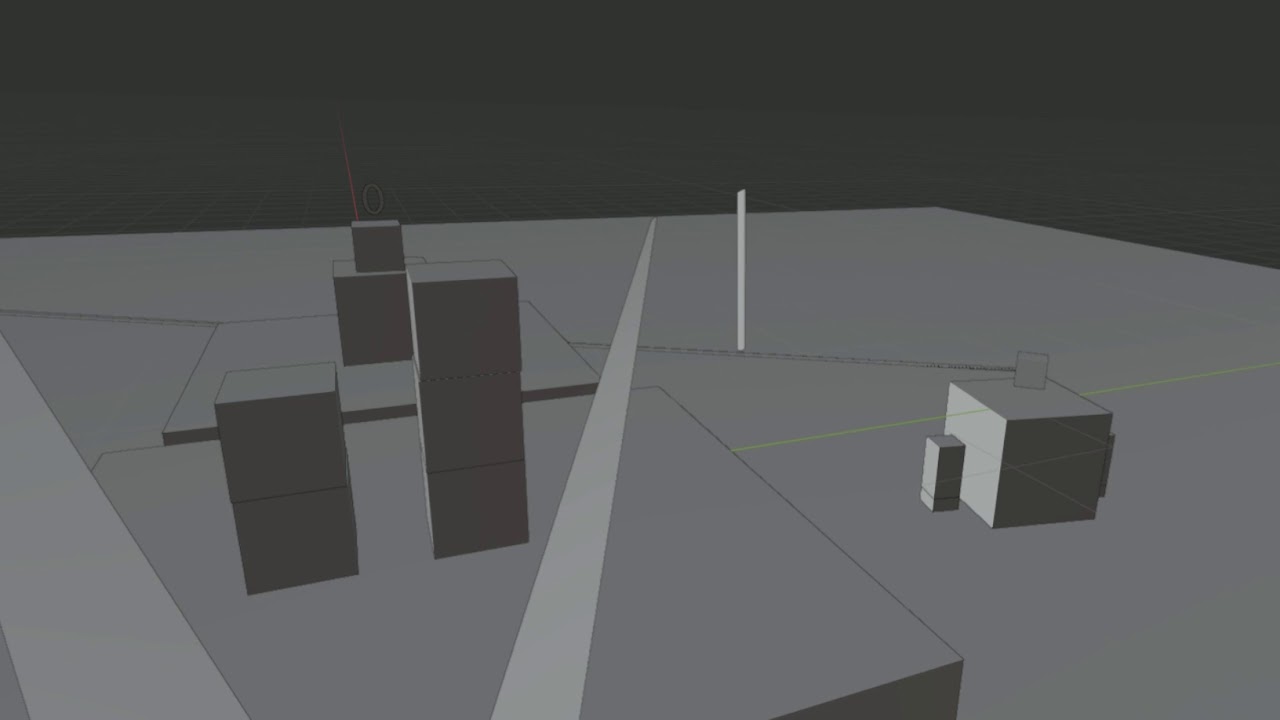
Wrectified_XR functional enemy weapon system
 cinder sonnet
hi
dawn quiver
Can someone help me get started with a basic roguelike map and movement?
 craggy kayak
dawn quiver
Can someone help me get started with a basic roguelike map and movement?
craggy kayak
dawn quiver
Can someone help me get started with a basic roguelike map and movement?
top down or 2d?
craggy kayak
dawn quiver
top down

GitHub
This is a simple top down shooter. Contribute to hberker/Topdown-Shooter development by creating an account on GitHub.
craggy kayak
dawn quiver
top down
I have some good examples and sample code for my own games but, try working with this and see if it gets what you want
dawn quiver
k
dawn quiver
k
tranquil girder
dawn quiver
Can someone help me get started with a basic roguelike map and movement?
Here's an example with ursina:
from ursina import *


app = Ursina()

level = '''
###....#
#....###
##.....#
##.....#
##.....#
.#####.#
'''.strip()

grid = list(reversed(level.split('\n'))) # flip it vertically so the last line is the first element

window.color = color.black
camera.orthographic = True
camera.fov = 10
camera.position = (4,2)

level_geometry = Entity(model=Mesh(mode='point', thickness=.5), texture='circle')
for y, line in enumerate(grid):
    for x, char in enumerate(line):
        if char == '#':
            level_geometry.model.vertices.append(Vec3(x,y,0))

level_geometry.model.generate()
level_geometry.model.set_render_mode_perspective(True)

player = Button(parent=scene, model=None, text='<lime>@', position=(4,2,-.1))


def input(key):
    if key in ('a', 'a hold'):
        walk((-1,0))
    if key in ('d', 'd hold'):
        walk((1,0))
    if key in ('w', 'w hold'):
        walk((0,1))
    if key in ('s', 's hold'):
        walk((0,-1))


def walk(direction):
    target_x = int(player.x + direction[0])
    target_y = int(player.y + direction[1])

    collided = grid[target_y][target_x] in ('#', '|', '/', '\\', 'A')

    if not collided:
        player.position += direction


app.run()
 median frost
???
digital star
Hey everyone my name is paradis and im starting a new proyect, an openworld "city building", managment game, now im quite new but with this covid19 thing i have a lot of time so im learning fast, im looking for some people to work on this proyect with me, dm if you want something to do :D
Heres the trello , not done yet, but you could use it to see if you like the idea or not https://trello.com/b/9FDdbBEX/game
Organize anything, together. Trello is a collaboration tool that organizes your projects into boards. In one glance, know what's being worked on, who's working on what, and where something is in a process.
 burnt ingot
Can i put a character model from DAZ 3D in Python?
 warm bramble
What's a good up to date opengl package for Python
dawn quiver
--0
 karmic mango
is there a way to get unity on a chromebook without linux
 keen hawk
 orchid torrent
i started learning pygame a couple days ago and i made this little golf ball. nothing amazing but im proud of it :)
 marsh needle
orchid torrent
i started learning pygame a couple days ago and i made this little golf ball. no...
marsh needle
orchid torrent
i started learning pygame a couple days ago and i made this little golf ball. no...
that looks e p i c
"Nothing amazing but im proud of it"
bruh thats 10 times more than what i could do
 ruby flicker
orchid torrent
i started learning pygame a couple days ago and i made this little golf ball. no...
ruby flicker
orchid torrent
i started learning pygame a couple days ago and i made this little golf ball. no...
may i see the source code? i'm currently learning pygame too
dawn quiver
orchid torrent
i started learning pygame a couple days ago and i made this little golf ball. no...
so cool man
nice
 uneven eagle
orchid torrent
i started learning pygame a couple days ago and i made this little golf ball. no...
uneven eagle
orchid torrent
i started learning pygame a couple days ago and i made this little golf ball. no...
Wow, you did this by yourself?
+1
karmic mango
xcb_connection_has_error() returned true
ALSA lib confmisc.c:767:(parse_card) cannot find card '0'
ALSA lib conf.c:4528:(_snd_config_evaluate) function snd_func_card_driver returned error: No such file or directory
ALSA lib confmisc.c:392:(snd_func_concat) error evaluating strings
ALSA lib conf.c:4528:(_snd_config_evaluate) function snd_func_concat returned error: No such file or directory
ALSA lib confmisc.c:1246:(snd_func_refer) error evaluating name
ALSA lib conf.c:4528:(_snd_config_evaluate) function snd_func_refer returned error: No such file or directory
ALSA lib conf.c:5007:(snd_config_expand) Evaluate error: No such file or directory
ALSA lib pcm.c:2495:(snd_pcm_open_noupdate) Unknown PCM default
Traceback (most recent call last):
  File "main.py", line 8, in <module>
    screen = pygame.display.set_mode((WIDTH, HEIGHT))
pygame.error: No available video device
i keep getting that
 frank fieldBOT
Hey @orchid torrent!
It looks like you tried to attach a Python file - please use a code-pasting service such as https://paste.pythondiscord.com
orchid torrent
minigolf code
you can change the numbers at the beginning of the code to change the ball physics
 flat trellis
Anyone have an example of decent netcode with Python? I'm hoping someone that works with Pygame but honestly any working combination of udp gameplay with tcp servers would be ideal.
crisp junco
I've seen lot of people struggling with making an .exe of pygame
So if you also have lost hope in making an .exe out of your pygame file then you can DM me and send me your Pygame file and all the other game data associated with the script.py and I'll forward you the .exe of it
Cheers!
 vivid zodiac
Hi can you send a tutorial on how to make a super mario game in python
 opal swift
i have some code that creates the snake game but how do i make it so that the highscore is saved even when i close it down
it will save the high score as long as i do not quit the game however when i quit the game the high score will reset back to 0
rigid hull
You can use a save file system:
- opens/creates a file
- rewrites it
- close program
- opens the file again
- reads it
But you need an encrypting to let the user not manipulate the file
sacred cove
An alternative method would be to save a salted checksum of the highscore with the highscore to check when reading the file.
 polar oyster
cold storm
cold storm
polar oyster
cold storm
cold storm
Thanks!
 nocturne plaza
cold storm
nocturne plaza
cold storm
Very nice! Well done.
 pallid raft
Thats pretty solid
cold storm
It's UPBGE fork of blender vr_includes/ Xr_actions branch
I guess they will have it running on Neon/Mac arm64/M1 chips soon
potent ice
Nice to see it's shaping up 🙂
If I did not already have too many projects to work on I would totally be into UPBGE
 unique plover
How to work with 3D in Python? I have some experience with 2D inPython, like tkinter and such, but I'm interested in learning 3D too
dawn quiver
hi i have problem in unreal engine 5 game making (first person) if anyone can help me plz dm me
 mystic lodge
@unique plover with pygame you can work with pyopengl for 3d games
I just started doing it
with pyopengl
potent ice
unique plover
How to work with 3D in Python? I have some experience with 2D inPython, like tki...
Maybe look into Panda3D / Ursina. If you want to go the more hardcore route you can look at pyopengl or moderngl
 dense condor
Anyone here good with unity?
 atomic flame
Where can I show my project
 sage cedar
How would i go about making a text based ark like game where i can breed dinos and use them to fight. can i make a python game that is multiplayer?
 hidden field
cold storm
https://www.youtube.com/watch?v=4XxOfJNNof0
hidden field
cold storm
https://www.youtube.com/watch?v=4XxOfJNNof0
is this made in python?
cold storm
yeah !
I am using openXR / blender xr_action branch to render
but all the code is python running everything you see (logic / picking / rotating/ attaching / throwing / dropping etc)
it's kinda a heavy prototype at this point
frank fieldBOT
Hey @cold storm!
Uh-oh! It looks like your message got zapped by our spam filter. We currently don't allow .txt attachments, so here are some tips to help you travel safely:
• If you attempted to send a message longer than 2000 characters, try shortening your message to fit within the character limit or use a pasting service (see below)
• If you tried to show someone your code, you can use codeblocks
(run !code-blocks in #bot-commands for more information) or use a pasting service like:
dawn quiver
What causes this error?
 mental yarrow
I want to try out the godot engine.. but it Python well with multiplayer?
sage cedar
mental yarrow
I want to try out the godot engine.. but it Python well with multiplayer?
i doont think python works well with multiplayer, but i am a begginer. That would be cool though!
idk though
dawn quiver
sage cedar
i doont think python works well with multiplayer, but i am a begginer. That woul...
python can work with multiplayer, you'd just have to write a socket server for online play
it's definitely not the best at all for a game
sage cedar
ok
 coral spoke
Does anyone know how to call variables from a python file in the same folder using the godot python script extension
torpid pier
this is just a shot in the dark but im working on a series of text adventure games as a hobby, and if anyone would is willing to volunteer time to help me convert the finished game into a gui, and help construct better combat and loot systems , as well as help with story line.( basically Co-Dev. )please let me know in a PM. I would really appreciate the help.
 shrewd copper
I'm messing around in pygame and I've got a sprite that for some reason or another I can't kill off. It just stays on the screen after I click it. Anyone willing to take a look at my code with me?
dawn quiver
hey
can anyone tell me how maps in game boy games were done
like zelda on original game boy
bit maps?
rigid hull
I think most of them used tile maps
They use a photo, cropped a part of it and placed them in a map which isn't just a big photo
dawn quiver
do you know who invented it
rigid hull
Google it
rigid hull
XD
dawn quiver
Could someone tell me how time works in a game?
I have heard something about asynchronous?
lets say you make a simple program like thats says you have 60 seconds to input a char
is that async?
rigid hull
Non-async is when a command waits for the previous command to be done and then it starts.
Async is when a command doesn't wait for the previous command to be done, it instantly starts when the previous started
Non-async example in real life (from https://docs.microsoft.com/en-US/dotnet/csharp/programming-guide/concepts/async/)
Async example in real life (from https://docs.microsoft.com/en-US/dotnet/csharp/programming-guide/concepts/async/)
dawn quiver
thx
 delicate cairn
how do draw everything at the same time in pygame, it looks a little woobly
severe saffron
delicate cairn
how do draw everything at the same time in pygame, it looks a little woobly
this is my new favourite message in this server
closely behind someone saying 'oi blud who wants beef' and immediately being muted
mystic lodge
delicate cairn
how do draw everything at the same time in pygame, it looks a little woobly
i am confused on what you are trying to say. do you want to draw all of them in one line or is only one thing drawing?
delicate cairn
mystic lodge
i am confused on what you are trying to say. do you want to draw all of them in ...
i am loading a lot of sprites and moving them all, it also lags a lot
mystic lodge
delicate cairn
i am loading a lot of sprites and moving them all, it also lags a lot
ohhhh ok
ive never had that problem before, how many sprites are you loading?
severe saffron
what background color
delicate cairn
mystic lodge
ive never had that problem before, how many sprites are you loading?
a couple houndred
making a mining game, so i need them
mystic lodge
delicate cairn
a couple houndred
what do the sprites do?
delicate cairn
mystic lodge
what do the sprites do?
they move and check for collision with the player
mystic lodge
ohhhh
mystic lodge
delicate cairn
they move and check for collision with the player
i would suggest using rectangles for collision
delicate cairn
i do
mystic lodge
delicate cairn
i do
or using a map editor like "tiled map editor" for your obstacles
and loading it into python with pytmx
delicate cairn
thanks, also, do you know how to make random ore generation?
mystic lodge
delicate cairn
thanks, also, do you know how to make random ore generation?
what do you mean? can you explain more on it?
mystic lodge
maybe random generation is not really what im used to doing
what i would do is make a map in the tiled map editor make the vein of ore a different color and make a new shape layer and put rectangles on the vein of ore. so after you loaded it into python and you collide with it or mine it it would give you ore
mystic lodge
delicate cairn
i want to make vein of ore
but as for randomly generating it I have no clue
potent ice
How that is done really depends on the game. A lot of tile based games generate them per "chunk" and have custom rules for some chunks
mystic lodge
can you code in godot with python?
delicate cairn
whats tht?
potent ice

GitHub
Python support for Godot 🐍🐍🐍. Contribute to touilleMan/godot-python development by creating an account on GitHub.
Never used it. Was first hit when searching
mystic lodge
huh, ok thx!
i just heard that the game engine was built on python but the game logic was lua
blissful depot
what is better? Godot or Pygame?
fierce wraith
for making a game? Godot probably
tranquil girder
Godot
coral spoke
Does anyone know how to call variables, functions, etc from the same folder in godot using the Godot Python Extension?
mystic lodge
idk i havent used godot
delicate cairn
#🤡help-banana if you know how to draw rect in pygame
cold storm
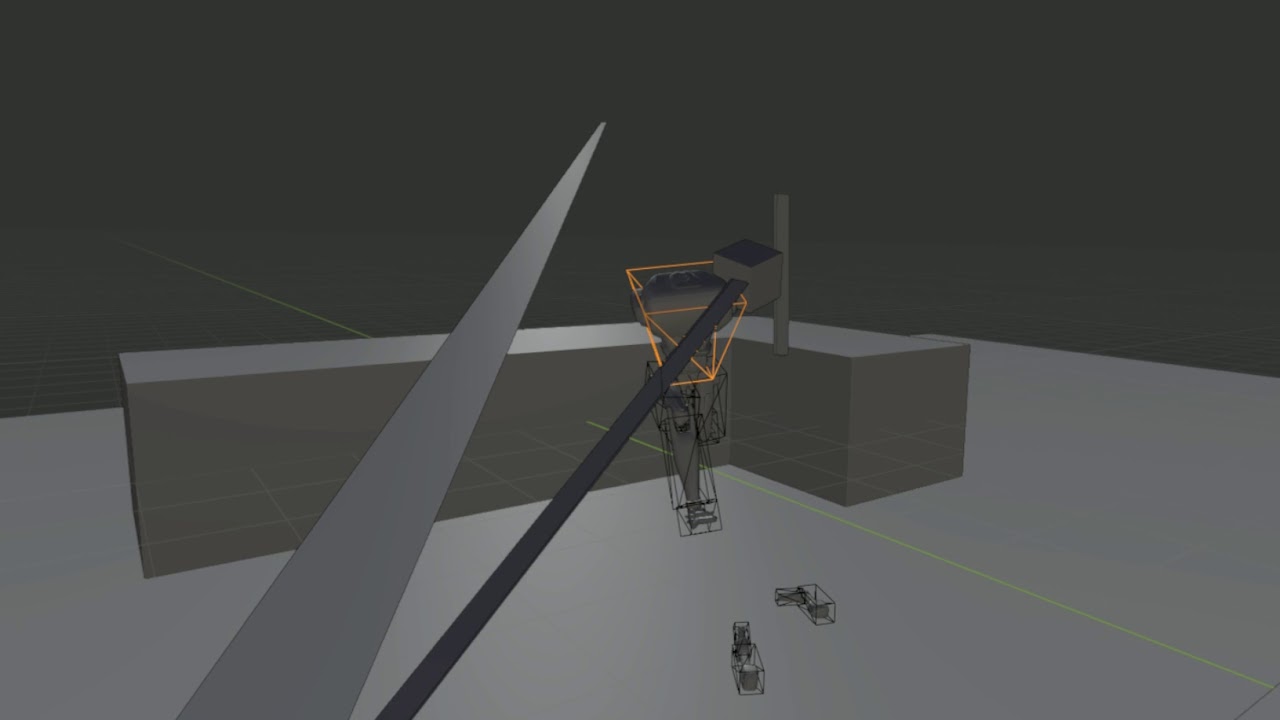
State machine / Player control system installed in Cores
😄
this is essentially a remote piloting mode for the bots , next up is a more complex state machine
ie navigate_follow, hunt, defend, carry, follow path(already implimented-ish), navigate to cord etc
potent ice
blissful depot
what is better? Godot or Pygame?
It depends what you are making. There is no "best" tool/library/engine. It all depends ...
 silk obsidian
can anyone here help me with a computer science question? it's really basic but i can't find another server that'll help. my question isn't exactly python related...
 viral gorge
I'm looking to make an AI chess engine. Something where it learns by playing matches against itself similar to something like AlphaZero (Chess/classical game AI). Any ideas on what to learn/where to start? I don't really care about performance and I don't need the best way to do it, preferably an implementation on the easier side. Could I use something like Genetic Algorithm for this?
cold storm
@blissful depot I am a bit biased
but I say UPBGE is best
you can make apps that are in the blender viewport to test - and publish to .exe
but it's very WYSIWYG
you can model / texture / bake / rig / animate / code in 1 program
I don't use a external editor even
with something like stadia you jump right around GPL too
(sending rendered images to a client and receiving control input to a server)
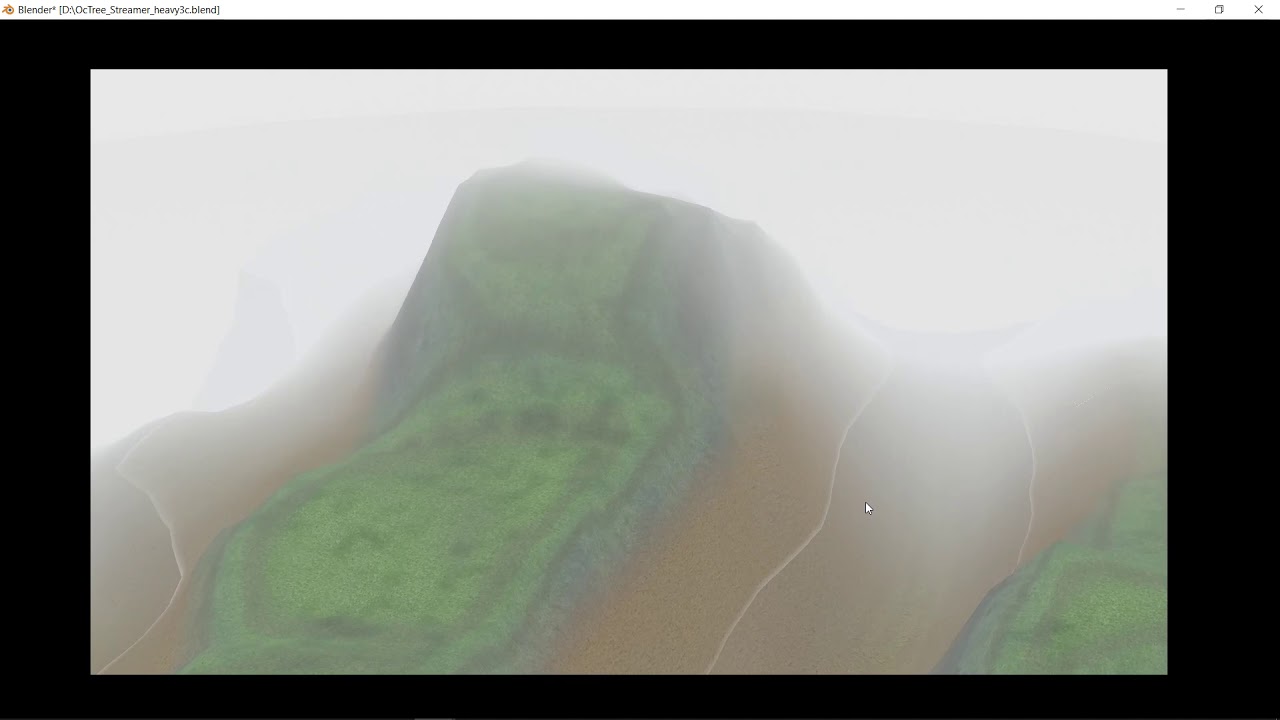
the possibilities of using blender BPY + BGE + mathutils + GPU module = Dank
 fervent rain
Does godot use python?
 knotty geode
No, but GDScript is quite similar to Python. If you know one, you will very easily be able to learn the other.
blissful depot
cold storm
but I say UPBGE is best
What is UPBGE?
oh
well, I was actually going for 2d gaming and not 3d
oh wait
cold storm
Upbge is a fork of blender, focused on restoring blender game engine.
blissful depot
yeah, I am more of a 2D game guy.
(technically I have no experience. lol)
@cold storm
Is UPBGE good for 2D games?
cold storm
you can use a sprite sheet and set the uv to the bottom corner panel
and then use vector math node (add object color to UV) -> texture-> emission shader
and you can animate object color with 'constant' keyframe to animate the sprite
each instance has unique object color uniform - so they can all play different animations and still be instances
so it can be pretty powerful for 2d if you know what you are doing
we have a 'lock axis' switch for each axis also - to enforce 2d movement
setting the camera to 'ortho' and using sprites = 2d
blissful depot
but doesn't that mean that it is harder for 2D??
I mean it is possible
but harder than Godot, right?
 cunning canopy
blissful depot
what is better? Godot or Pygame?
cunning canopy
blissful depot
what is better? Godot or Pygame?
Godot is amazing, take a look at GDScript. It's essentially Python syntax (with a few minor changes) that allows you to build games.
cunning canopy
blissful depot
but harder than Godot, right?
Godot has its own 2d engine, so you can work in full 2d. You have true 2d nodes for stuff. While with working in other engines you'll have to essentially work in 3d, but lock the Z axis. It's like doing 2d animation in blender :/
 candid gust
where can I learn Godot easy and free? i know a little bit python and lots of c++ to begin with, so... is there any online coaching for free in godot?
proper elk
blissful depot
@candid gust If you want tutorials, for Godot, there is an official Godot tut: https://docs.godotengine.org/en/3.1/getting_started/step_by_step/your_first_game.html
Also, check out GDQuest
candid gust
no, im a bit visual learner, so, i need videos...
blissful depot
yeah
youtube
GDQuest is also on youtube
and there is HeartBeast
They have tutorials
on video
GDQuest:https://www.youtube.com/watch?v=Mc13Z2gboEk
HeartBeast: Platformer: https://www.youtube.com/watch?v=wETY5_9kFtA RPG fighter: https://www.youtube.com/watch?v=mAbG8Oi-SvQ

Learn to create your own games with Godot in this beginner tutorial series.
Part 2: https://youtu.be/6ziIyx60N6I
Get the extended edition: http://bit.ly/godot-your-first-game-course
Get our platformer character course (intermediate-level): http://bit.ly/godot-2d-platform-character-course
Get the start assets: https://github.com/GDQuest/Your-Fir...

Download Godot Engine 3: https://godotengine.org/download/windows
Learn to make games in this Godot Engine tutorial series by HeartBeast.
For more Tutorials and Courses: http://learn.heartbeast.co
Follow me on Twitch for GameDev livestreams: http://www.twitch.tv/uheartbeast
Follow my twitter: https://twitter.com/uheartbeast
Like my Facebook ...
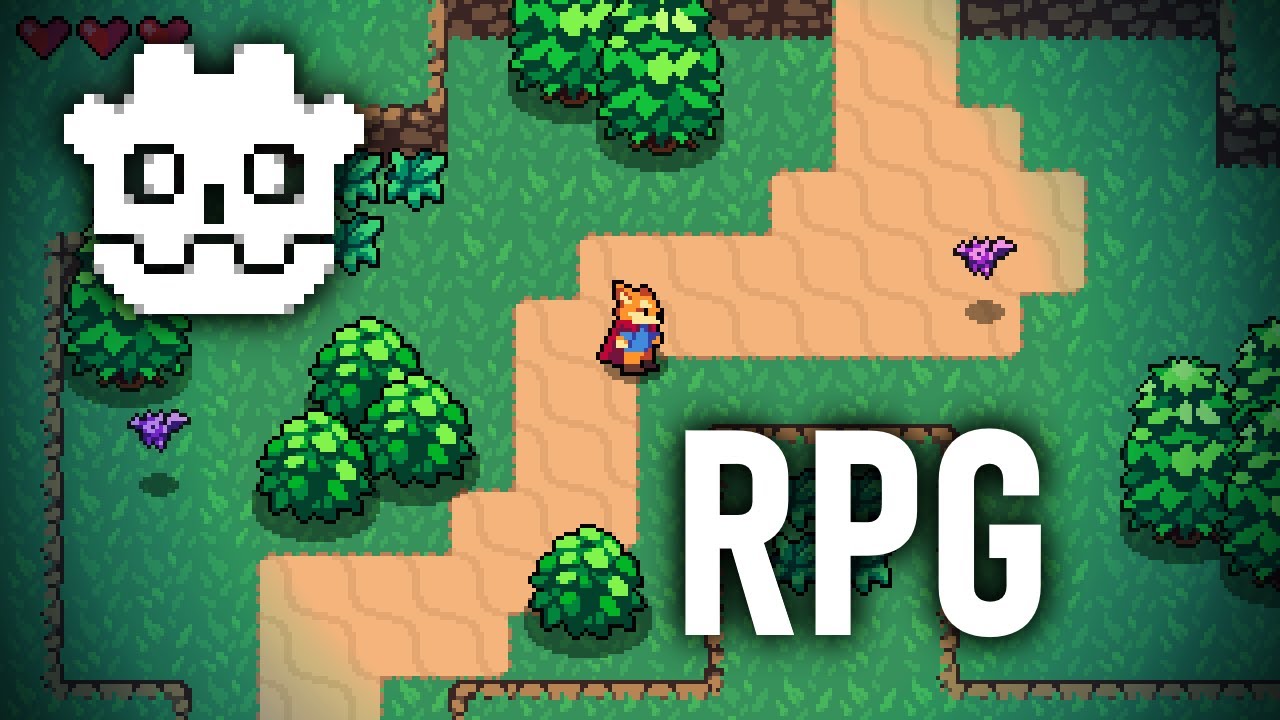
Learn to make an Action RPG in Godot Engine 3.2. Godot is a wonderful free and open source game engine designed for indies. It is powerful and flexible.
In this video you will learn how to set up a Godot project for pixel art and how to move an action RPG character around on the screen by getting player input.
This video was made possible by ...
There's also this, if you want: https://www.youtube.com/watch?v=xFEKIWpd0sU
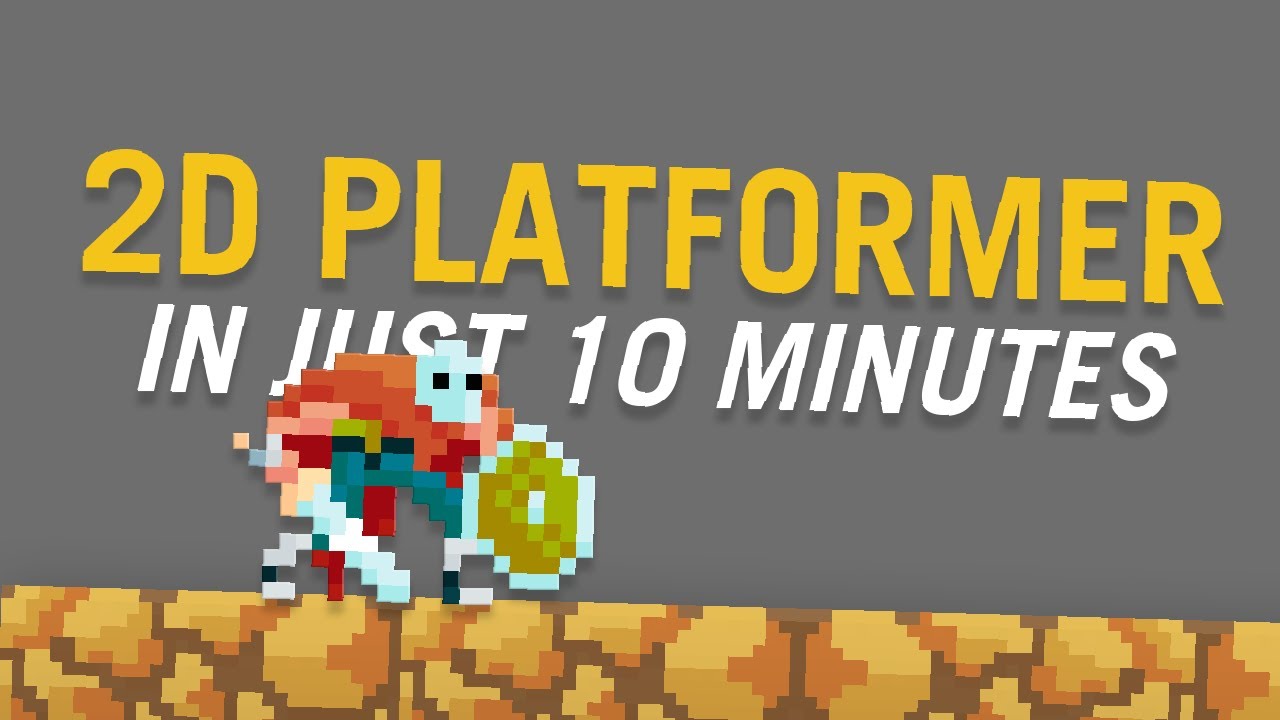
We're back with a beginner-friendly 10 minute tutorial for a 2D platformer game with Godot!
Hoping that this could help you out with your game dev journey. If you liked it, smash that subscribe button and ring that bell! and a "Like" would be appreciated.
Ps. Took me time to upload and create this video due to my computer; specifically, my ha...
Eli CuayCong is a bit fast
though
But he has a bunch of tutorial videos for 2D games in Godot
If you want 3D games, I'm not 100 percent sure about resources
I mean, you can just find these if you search up Godot tutorial
Here is a 3D game tut

Thanks for watching! In this Godot Game Engine tutorial I cover:
- A little about the Godot Game Engine (history, development, technology used, etc)
- Where to download the Godot Game Engine, and what platforms it is available for. (www.godotengine.org, for Win / Mac / Linux)
- Godot's Interface: panels (docks), workspaces, viewports
- How to n...
A lot of these videos are one of a series, though
Also, you can just check out the youtuber and usually you might find some other useful videos
@candid gust
dawn quiver
HELP !!! pls
 empty orchid
I'm trying to make a tower defense game and i want to have the towers have low alpha values when they are selected and then have an alpha value of 255 when they are placed down. For some reason it only sets the alpha value back to 255 when i try to select another tower does anyone know why this might be the case?
empty orchid
ok i figured it out for some reason arcade likes to only update the alpha value whenever i add another item to a list so the only solution i see is to append another tower to the list directly after i place it down then delete it immediately lol
empty orchid
i added it in def endPlaceTower() https://paste.pythondiscord.com/moxipaziwe.rb
cold storm
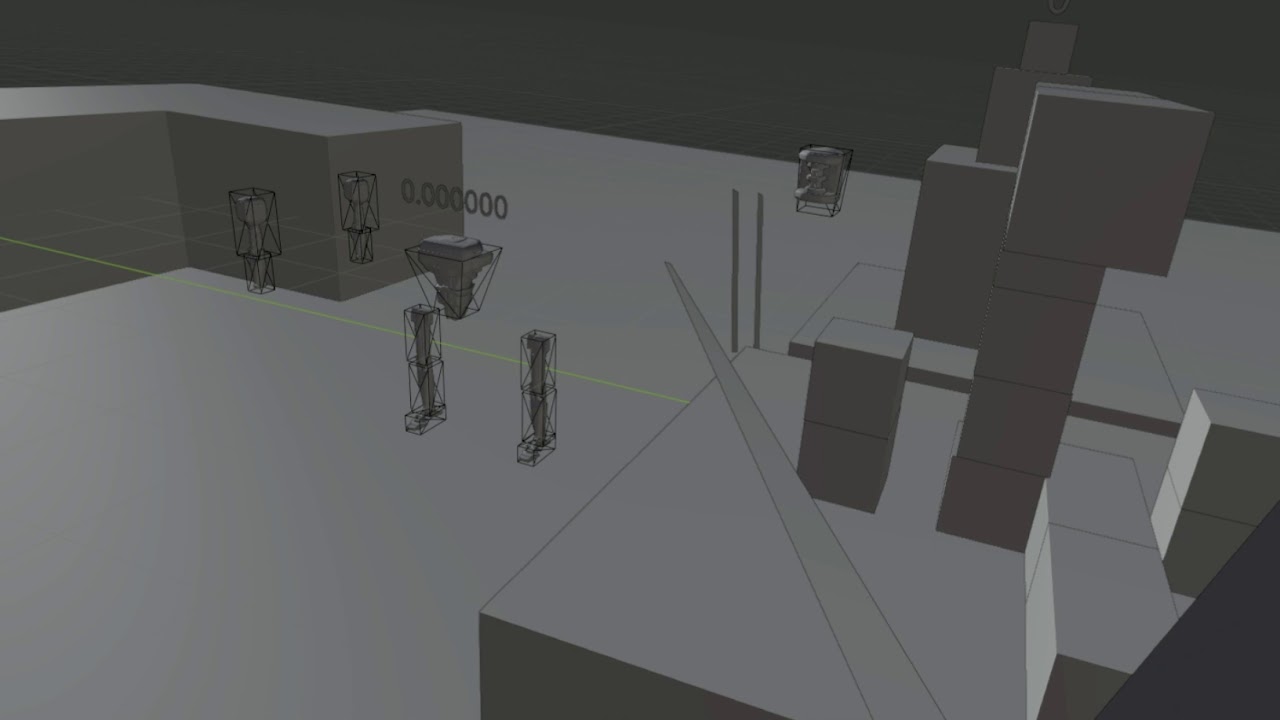
Wrectified_XR - Agent 'turn place' in state machine
added turn in place animation / tweaked state machine a little
 rose locust
not sure if this is the correct place to post this but
Does anyone know of or even its possible to use python to solve text based recatchas on an external application very basic format, and could you link me to any information in relation to this?
 tender kraken
i want to make a platform game but, and its a big but (lol): i don't know how 🙂
i tried to start with pygame but tutorials are ew. and i also learned that there's batter engines.
and my brain hurts while trying to learn pygame :((((((((((((((((((((((
aaaaaaaaaaaaaand idk where to start pls help or me ded
 whole coyote
PyGame probably has the most resources and is a good introduction to game development so it would be your best bet IMO.
tender kraken
okey. there any GOOD platformer tutorials or pygame tutorials in general??????????
that are free cuz im brokey
whole coyote
I imagine you can find good ones, but I don't know any. Have you tried searching YouTube/Google for PyGame Platformer tutorials?
tender kraken
yes
theres one there that was easy at start but when he got to the level design it got weiiiiiiiiiiiiiiiird
it was something to do with lists
whole coyote
If you find you're struggling to understand something in the video, you can always pause and ask about it here.
tender kraken
ok
but tell me, how to you make levels with code? like whats the process? i imagine it to be hard or it takes time
i used some engines that have a graphical thing specifically for that. but i wonder how it works in pygame
whole coyote
Some people use https://www.mapeditor.org/
tender kraken
well that clears everything. thanks!
 stiff mirage
I have a list of pygame rects that were made relative to the center, how do i sort the list by the x positions of the rects
for i in range(len(word)):

    if posi==True:
        pos=centPos+20+i*40
        posi=False
    elif posi==False:
        pos=centPos-20-i*40
        posi=True

    rect=pg.Rect(pos,100,30,7)
    charSpace = pg.draw.rect(screen,(0, 0, 0),rect)
    blanks.append(charSpace)
Some good modules to play video
 opal parcel
num = 0
def write(num):
  return write(num + 1)

write(1)
#What that printes
#I am waiting answers
maybe an error
whole coyote
opal parcel
```py
num = 0
def write(num):
return write(num + 1)
write(1)
#What that print...
This isn't really the place for this, but why do you think this code will print anything?
opal parcel
crisp junco
maybe an error
👍🏻
dawn quiver
hi guys.
how do i initialize pygame?
it keeps giving me a traceback error saying that video system has not been initialized
 dusky halo
you can initialize it with pygame.init()
dawn quiver
dusky halo
you can initialize it with pygame.init()
i tried that but it doesn't work for some reason
dawn quiver
dusky halo
Still getting same error?
yeah one second
here
this is my code
import pygame

pygame.init()

WIDTH, HEIGHT = 900, 500
WIN = pygame.display.set_mode((WIDTH, HEIGHT))


def main():
    run = True
    while run:
        for event in pygame.event.get():
            if event.type == pygame.quit():
                run = False

    pygame.quit()

if __name__ == "__main__":
    main()
@dawn quiver
You are getting error because pygame.init() is outside of main()
dawn quiver
dusky halo
<@456226577798135808>
You are getting error because pygame.init() is outside o...
oh ok thanks
dusky halo
Welcome
dawn quiver
can you tell me what to do? i don't know how (this is my first pygame project) @dusky halo
rigid hull
import pygame


def main():
    pygame.init()

    WIDTH, HEIGHT = 900, 500
    WIN = pygame.display.set_mode((WIDTH, HEIGHT))


    run = True
    while run:
        for event in pygame.event.get():
            if event.type == pygame.quit():
                run = False

    pygame.quit()

if __name__ == "__main__":
    main()```

just put everything in main()thank you!!
rigid hull
np
dusky halo
you have a mistake at event.type == pygame.quit() you cant use quit() here its pygame.QUIT
WIDTH, HEIGHT = 900, 500
WIN = pygame.display.set_mode((WIDTH, HEIGHT))
def main():
    pygame.init()
    run = True
    while run:
        for event in pygame.event.get():
            if event.type == pygame.QUIT:
                run = False

    pygame.quit()

if __name__ == "__main__":
main()```thanks @dusky halo @rigid hull
dusky halo
anytime
 silent ridge
@dawn quiver You have a fixed resolution of "900x500". (That's a fancy way of saying 'screen size' of 900x500). You can make it adapt. You can make it adapt to -whatever- screen your user has. (Everyone has different size screens, for example a laptop might be 1500x878, or a big screen might be 1920x1080, or a mobile phone might be really wee in size).
You could do this:
import ctypes user32 = ctypes.windll.user32
dawn quiver
silent ridge
<@456226577798135808> You have a fixed resolution of "900x500". (That's a fancy...
oh
dawn quiver
silent ridge
`import ctypes
user32 = ctypes.windll.user32`
yeah i'll try that
silent ridge
That will "Import" Library
Think of "Importing" like your game is going to pull a book off a library and then it just knows everything in that book. Cool?
dawn quiver
silent ridge
Think of "Importing" like your game is going to pull a book off a library and th...
cool
silent ridge
This:
screenHeight = user32.GetSystemMetrics(0) screenWidth = user32.GetSystemMetrics(1)
Notice the first word there? screenHeight? The following bit is a complicated wee function/bit of math that the program does, don't worry about it, it's just grabbing the screen height in this case.
dawn quiver
silent ridge
Notice the first word there? screenHeight? The following bit is a complicated ...
oh cool
silent ridge
Your WIDTH, HEIGHT can be my "screenHeight", "screenWidth" (they're just values)
This way it will automatically detect the monitor size, and adjust accordingly.
Cool huh? Give it a shot. I'm here if you need a hand.
dawn quiver
silent ridge
Your WIDTH, HEIGHT can be my "screenHeight", "screenWidth" (they're just values)
yeah i did that but i can't find the minimize, maximize, close options
nor the window title
silent ridge
For Window Title: game.display.set_caption("My Window Title Text is Here Change Me")
silent ridge
Oh, you want a window and not full screen?
dawn quiver
yeah
dawn quiver
Oh that's cool
silent ridge
Google "Pygame Window" I guess! 😄
dawn quiver
Yeah I'll do that
elfin frost
Pygame question
keys = pygame.key.get_pressed()
how can I check if keys is still pressed?
if key == pygame.K_SPACE:
to work with this condition ?
potent ice
@elfin frost events have a type. For example pygame.KEYDOWN and pygame.KEYUP
elfin frost
potent ice
<@!147795752943353856> events have a `type`. For example `pygame.KEYDOWN` and `p...
cmon, I did not asked about it 🤔
potent ice
Using those you can store the key press state somewhere
elfin frost
I want to repeat movement, but get_pressed() returns list
but I don't want to play with keydown and up
🤔
potent ice
pygame.K_SPACE in pygame.key.get_pressed() works then?
elfin frost
potent ice
`pygame.K_SPACE in pygame.key.get_pressed()` works then?
No, milion falses and only value when pressed.
I will make buttons cache
potent ice
Yeah that is what most people do. store in it a a key:bool dict
if keys[pygame.SPACE] etc
elfin frost
is there a chance that events will not be captured ?
potent ice
as long as you grab all the events
for event in pygame.event.get():
    if event.type in [pygame.KEYDOWN, pygame.KEYUP]:
        # key events here
thanks im done