#game-development
1 messages · Page 72 of 1
 turbid cargo
 summer furnace
PyInstaller can't build a 'Firebase Firestore python file'
Did anyone know how to fix it?
 frozen knoll
@dawn quiver I'm not sure about 2.0 Pygame, but using an OpenGL backed library (Pyglet, Arcade, etc), you can change the viewport to do exactly what you are looking for.
 dawn quiver
Howdy, I need a way to make 1 part of the script wait but allow the rest to run without being affected, but I dunno how, can I get help?
 twin sparrow
@dawn quiver did u do my suggestion?
i personally use it and it works fine
you can do this:
before you write your main window command write:
monitorx, monitory = pygame.display.Info.current_w, pygame.display.Info.current_y
this will return the monitor's width and height
then you can initialize your display and pass monitorx and monitory as it's arguments
you can have another pygame surface
for example surface
and have it a fixed res
like 1080*920
and then blit all your images and draw all your rects and stuf on that
i mean pass it as the surface to the pygame.draw s
then before you update the screen you can write this code:
window.blit(pygame.transform.scale(surface, (window.get_width, window.get_height)), (0,0))
you can also make your window resizable with this method
so whenever the VIDEORESIZE events occurs, you can change the window dimensions using event.w and event.h
i hope this makes sense lol 😄
 spring flint
import sys, pygame
pygame.init()

size = width, height = 320, 240
speed = [2, 2]
black = 0, 0, 0

screen = pygame.display.set_mode(size)

ball = pygame.image.load("intro_ball.gif")
ballrect = ball.get_rect()

while 1:
    for event in pygame.event.get():
        if event.type == pygame.QUIT: sys.exit()

    ballrect = ballrect.move(speed)
    if ballrect.left < 0 or ballrect.right > width:
        speed[0] = -speed[0]
    if ballrect.top < 0 or ballrect.bottom > height:
        speed[1] = -speed[1]

    screen.fill(black)
    screen.blit(ball, ballrect)
    pygame.display.flip()
I get the error couldn't open intro_ball.gif
where does my .gif file have to be in so I dont get this error
 limpid gyro
@dawn quiver sorry it wasn’t you
lucky position problem is the famous problem in stackoverflow @robust palm
https://stackoverflow.com/questions/41516904/making-window-in-pygame-using-noframe-but-cant-choose-where-it-appears

Stack Overflow
I'm learning to program, and figured out how to use the NOFRAME flag in pygame.display.set_mode() which I really like, but I can't drag the window now. I can't find any mention of window position in
 robust palm
Ah, I've tried that already. It doesn't work. Thanks for looking into it 🙂
 hallow burrow
spring flint
```python
import sys, pygame
pygame.init()
size = width, height = 320, 240
spee...
hallow burrow
spring flint
```python
import sys, pygame
pygame.init()
size = width, height = 320, 240
spee...
not sure if someone else has told you i think your problem is its not in the same folder as the script
spring flint
ok ty
 hearty trench
spring flint
```python
import sys, pygame
pygame.init()
size = width, height = 320, 240
spee...
hearty trench
spring flint
```python
import sys, pygame
pygame.init()
size = width, height = 320, 240
spee...
@spring flint Type the full source of the file. For example:
ball = pygame.image.load("E:/U1/Coding/Just another python game/intro_ball.gif")
are you sure? i think in pygame you just type the name of the .png or .gif
hearty trench
hallow burrow
are you sure? i think in pygame you just type the name of the .png or .gif
I am pretty sure. I've had the same issue multiple times.
Its the most common issue in pygame
hallow burrow
because last time i used pygame i just put the picture in the same file and used the name of it
hearty trench
hallow burrow
because last time i used pygame i just put the picture in the same file and used...
yes. If the image is in the same folder as the script then no problem
But keeping all your associated files in the same folder is tedious and messy.
hallow burrow
what? compared to having them scattered in your pc?
i prefer them all in the same folder
limpid gyro
hallow burrow
because last time i used pygame i just put the picture in the same file and used...
i use os module to set the assets system
it's clearer
dawn quiver
twin sparrow
<@456226577798135808> did u do my suggestion?
Thnx dude
it worked !!!!!
🥳
twin sparrow
good 😄
 crisp junco
hearty trench
But keeping all your associated files in the same folder is tedious and messy.
crisp junco
hearty trench
But keeping all your associated files in the same folder is tedious and messy.
😂
I can't control my laughter
crisp junco
hallow burrow
i prefer them all in the same folder
me too
 covert sentinel
hi
i am using pygame module
making the goblin game
i am a beginner
DeprecationWarning: an integer is required (got type float). Implicit conversion to integers using int is deprecated, and may be removed in a future version of Python.
win.blit(walkLeft[self.walkCount // 3], (self.x, self.y))
it shows this
can someone pls help
limpid gyro
@covert sentinel well
seriously, does your file stops working
@robust palm
are you using Panda3D ?
 random pagoda
covert sentinel
DeprecationWarning: an integer is required (got type float). Implicit conversio...
random pagoda
covert sentinel
DeprecationWarning: an integer is required (got type float). Implicit conversio...
Well this is a DeprecationWarning, so I wouldn't be worried
limpid gyro
exactly'
random pagoda
DeprecationWarnings are just warnings that tell you that a function/class/property is going to be removed in the next release
limpid gyro
function ?
thought it was the problem of a division getting a float as result
does anyone uses panda3d here
?
random pagoda
DeprecationWarning: an integer is required (got type float). Implicit conversion to integers using int is deprecated, and may be removed in a future version of Python.
hmm
i was doing this goblin game
when i wrote this some of the code
the charcter started to disappear
when it started
when i clicked the left or right arrow buttow then it apperared
after it when i pressed up key for jum
it again dissappeared
i thot this was the cause
so can you helpme in this case
@limpid gyro
i use
pycharm
covert sentinel
In this video i explain how to shoot projectiles from your character in pygame using python. This series is about game development in python using the module pygame. It is geared towards intermediate python programmers and is intended to give you some ideas on how you can use pygame to create awesome games.
Download Code: https://techwithtim.n...
this video
btw
@limpid gyro
covert sentinel
ye
limpid gyro
dang i watched it 2 years ago
covert sentinel
begginer bro
 frank fieldBOT
Pasting large amounts of code
If your code is too long to fit in a codeblock in discord, you can paste your code here:
https://paste.pydis.com/
After pasting your code, save it by clicking the floppy disk icon in the top right, or by typing ctrl + S. After doing that, the URL should change. Copy the URL and post it here so others can see it.
limpid gyro
click on that blue link
and
when u get there
copy paste ur code to that page
and then
save it
and then take its url
and send it here
covert sentinel
limpid gyro
k
covert sentinel
i have deleted
limpid gyro
oh yeah
covert sentinel
the wrong part
limpid gyro
?
limpid gyro
100 is not alot
covert sentinel
In this video i explain how to shoot projectiles from your character in pygame using python. This series is about game development in python using the module pygame. It is geared towards intermediate python programmers and is intended to give you some ideas on how you can use pygame to create awesome games.
Download Code: https://techwithtim.n...
this link
limpid gyro
wdym which part
look
is this code full or it's missing something
is this the full code
covert sentinel
no id thinks so
limpid gyro
argh
dawn quiver
oui
covert sentinel
yes
covert sentinel
i cpied from
limpid gyro
ok
covert sentinel
\the tutorials
limpid gyro
oh ok
limpid gyro
so now, the character is disappaearing
from ur window
but it doesnt disappears in tim's window right ?
covert sentinel
yes
covert sentinel
it also dissapears
when i start
the code
i have delted the code
vid 5
inn the link i have sent
limpid gyro
can i modify the code and send it to you
covert sentinel
wait
limpid gyro
yaah ?
Is aNyOnE good WiTH PanDa3d
@olive parcel
im having problems with Panda3D can u help me out
 olive parcel
@limpid gyro what is your question?
limpid gyro
so
olive parcel
Note you can also go to the Panda3D server for help, there are more Panda3D users there
olive parcel
You need to apply a light for materials to show up
limpid gyro
( ik it's a problem u encountered 100 times with users, but i understand that problems vary
)
limpid gyro
olive parcel
You need to apply a light for materials to show up
well if i use blender
olive parcel
What exporter did you use?
limpid gyro
there always was a light in blender files
blend files
wait can i install blender again
olive parcel
How are you loading it in Panda?
limpid gyro
cuz i deleted it
olive parcel
Did you use blend2bam?
limpid gyro
rdb i'll be messaging you soon
ig yeah
cuz i used panda3d a month ago
@olive parcel well im gonna
simply use a cube
made in blender
and ill be choosing a color
green for example
@olive parcel are u here ?
im ready to be helped
olive parcel
Occasionally
limpid gyro
ok so
ive took the code from your documentation
this page
and ive created a blend file
now how do i bring it to the script ?
olive parcel
You need to install blend2bam or something like that to convert the blend file to a bam file first
olive parcel
You can use various formats, I recommend using blend2bam and bam format for getting stuff from blender
limpid gyro
ill follow ur indications sir
olive parcel
Okay, you need to go to the command prompt, use cd to change into the folder where the blend file is located, and type blend2bam file.blend file.bam (replace file with name of the blend file)
Please don't call me "sir"
olive parcel
You can also type python -m blend2bam file.blend file.bam if you don't have the Python Scripts folder on your system PATH
limpid gyro
well where do i need to get it from
olive parcel
pip install panda3d-blend2bam
limpid gyro
oh ok
thanks
it's downloading
done so
a folder got installed in my packages
called blend2bam
now what do i need to do
@olive parcel
well
@olive parcel it's looking for blender's directory
olive parcel
Oh
If you want to use such an old version of Blender, you have to use a different exporter, such as YABEE
limpid gyro
oh ok
limpid gyro
olive parcel
If you want to use such an old version of Blender, you have to use a different e...
and how to use yabee
like how to install, use ...
@olive parcel
olive parcel
Sorry, I'm having lunch
limpid gyro
oh sorry then
olive parcel
@limpid gyro https://github.com/09th/YABEE
 olive parcel
Download as zip, add to Blender via User Preferences
Then activate it in User Preferences
olive parcel
Then egg export option should show up in the export options
olive parcel
Select all objects, export to egg, then load the egg model in panda3d
limpid gyro
ok
olive parcel
It won't export lights so you still have to add the lights on the panda3d end
 vagrant oriole
Help me
limpid gyro
olive parcel
Select all objects, export to egg, then load the egg model in panda3d
if i clearly understand, if i import it, i will have a white node
vagrant oriole
** i need Help ' so i'am Saoud iam programmer python , html - css - js ' , But iwent crat a game Flash how Please help . . . ?--**
limpid gyro
do you know the lighting material called "Sun" in blender ? @olive parcel
olive parcel
@limpid gyro it's in the manual how to create lights
And the sample programs
@limpid gyro I'm going out for a while, but you can generally find people to help in https://discord.gg/9XsucTT
vagrant oriole
Aa
hearty trench
limpid gyro
do you know the lighting material called "Sun" in blender ? <@!50175927318164277...
Yeah. That's just default a lighting object
limpid gyro
yes but my real questions was " is there any lighting in panda3d that looks like the Sun lighting ? " @hearty trench
dawn quiver
Hello!
olive parcel
@limpid gyro state your question
limpid gyro
well
from math import pi, sin, cos

from direct.showbase.ShowBase import ShowBase
from direct.task import Task
from direct.actor.Actor import Actor
from panda3d.core import *


class MyApp(ShowBase):
    def __init__(self):
        ShowBase.__init__(self)

        self.scene = self.loader.loadModel("models/environment")
        self.scene.reparentTo(self.render)
        self.scene.setScale(0.25, 0.25, 0.25)
        self.scene.setPos(-8, 42, 0)

        self.pandaActor = self.loader.loadModel("/d/Coding/Python/test3D/test3D.egg")
        self.pandaActor.setScale(0.005, 0.005, 0.005)
        self.pandaActor.reparentTo(self.render)

        ambientLight = AmbientLight('ambientLight')
        ambientLight.setColor((0.1, 0.1, 0.1, 1))
        ambientLightNP = self.pandaActor.attachNewNode(ambientLight)
        self.pandaActor.setLight(ambientLightNP)


app = MyApp()
app.run()
here's my code so far
and
my cube isn't showing
@olive parcel
olive parcel
@limpid gyro you are assigning a very small scale to it, that may be the problem
limpid gyro
oh
olive parcel
Usually the problem is that the camera isn't looking at it, zooming or panning the camera may also help
olive parcel
The light is very dim, only 0.1. I recommend adding a DirectionalLight to emulate sunlight.
limpid gyro
can u send me the required lines of code
olive parcel
I'm on my phone right now, so no, but you should be able to figure it out from the manual or samples
limpid gyro
oh ok
well
why
whenever i change the rgba values in this line :
ambientLight.setColor((0.1, 0.1, 0.1, 1))
the color of the cube changes
but it just varies from white to black
@olive parcel
olive parcel
@limpid gyro what color is the cube in Blender?
AmbientLight gives the color a uniform color, you probably want to add a DirectionalLight to emulate sunlight
limpid gyro
green
limpid gyro
olive parcel
AmbientLight gives the color a uniform color, you probably want to add a Directi...
btw im reading a tutorial about it
this
 timid mica
I am making a survey on games. I have made a form for survey. People who haven't fill it up yet please fill up it 👇
https://forms.gle/zfwUk9BXKV4zorsU9
 olive parcel
What
olive parcel
👍
limpid gyro
a question
for that light
do i need to place it high in the sky ?
like at the top of the scene ?
@olive parcel
olive parcel
For a DirectionalLight it doesn't matter where you place it, unless you enable shadows
olive parcel
Because of the way the light works, only the dircetion matters, because it affects every object from the same direction (as though the light source were infinitely far away)
Yep
limpid gyro
olive parcel
Because of the way the light works, only the dircetion matters, because it affec...
cool
very cool
im actually making a game that has vehicles @olive parcel
which u can drive freely
but
the freedrive's space will be containing the actual space too
so ill have to add spaceships
@olive parcel also does the DirectionalLight works with textures too ?
because the green color used in the blend file was a material
olive parcel
Yep it does
limpid gyro
alright this is cool
olive parcel
Neat 🙂
olive parcel
It could be 🙂
limpid gyro
it could be indeed
 proper coral
thats a lot of rdb pings 😄
olive parcel
Yup, never been more popular 😆
 umbral hearth
Where can I find a demo code for a delta time loop process? without modules such as 'arcade': just plain python ( time/etc module)
the thing that's called delta_time in python arcade, ie: def on_update(self, delta_time):
limpid gyro
olive parcel
Yup, never been more popular 😆
you're more popular than that tbh
u were the only guy i was seeing in panda3d forums
umbral hearth
something like this will do, or can be done more efficiently?
delta=time()
while True:
    sleep(0.1)
    t = time()
    delta=t-delta
    print("ms:",delta*1000)
    #tail
    delta=t
 quiet pumice
Hi I'm new to pygame and I made this pixel art character and... I probably made him too short
The resolution was 32 x 32
but its too short
 snow hill
 limpid gyro
quiet pumice
Hi I'm new to pygame and I made this pixel art character and... I probably made ...
limpid gyro
quiet pumice
Hi I'm new to pygame and I made this pixel art character and... I probably made ...
just resize it using Paint
 white ember
umbral hearth
something like this will do, or can be done more efficiently?
```from time impor...
white ember
umbral hearth
something like this will do, or can be done more efficiently?
```from time impor...
maybe an event scheduler?
umbral hearth
@white ember it would be more efficient/safe?
white ember
i think it would be more efficient than making all calculations in while loop
you could also make while loop in another thread
 waxen nebula
Does anyone know where I can download harfang 3D I cant find a place to give me the actual download
waxen nebula
I don’t get a download launcher tho just some sketch file that does nothing
 smoky zinc
Anyone know of any python libraries for 2d rendering on the fly? Something to help me visualize these coordinates in real time as I receive them
 loud night
Is it possible make collide (collisions) in OpenGL? I can't find any tutorials collisions but only OpenGL.
olive parcel
@loud night OpenGL doesn't handle collisions, you'll need to use a separate library, like pymunk or pybox2d or something else
dawn quiver
does anyone know how to make an arrow move left or right using the arrow keys?
im at aluminum
snow hill
@dawn quiver it depends if you want to do it in 2D, 3D, in a GUI or in text mode even
But it should start with a while
And it should include a couple of if to test the keyboard input
But first you need to choose what module will do the input and what module will do the display
For that you need to be familiar with PIP (pip install, and so on)
 dense creek
I can help you, I know pyglet with OpenGL (learning)
dawn quiver
i am getting a module error in spyder(anaconda-3)how to fix it????
snow hill
@dawn quiver please post the complete error message, otherwise no one will be able to help 😃
covert sentinel
!paste
frank fieldBOT
Pasting large amounts of code
If your code is too long to fit in a codeblock in discord, you can paste your code here:
https://paste.pydis.com/
After pasting your code, save it by clicking the floppy disk icon in the top right, or by typing ctrl + S. After doing that, the URL should change. Copy the URL and post it here so others can see it.
limpid gyro
@olive parcel are u available
olive parcel
I'm at work, if you have a question about Panda3D just drop it into the Panda3D Discord #general
limpid gyro
ah sorry
 fervent rose
 main blade
anyone, who can hook me up with `pygame` docs or something?
main blade
anyone, who can hook me up with `pygame` docs or something?
There! https://www.pygame.org/docs/
fervent rose
Hmm, it seems to be down
main blade
F
btw
we can only make 2D games?
or 3D also
anyways, is it good for beginners? who are just starting out with these things?
proper coral
2D I guess
fervent rose
I’d recommend you to get started with arcade for 2D game
proper coral
Yes
main blade
what is that?
fervent rose
You can use Pandas3D for 3D games
main blade
can u give docs or something?
fervent rose
proper coral
Yea
fervent rose
Yeah, it is pretty advanced, you should get confortable writing Python code first in my opinion
main blade
oh ok thanks 🙂
limpid gyro
@main blade @fervent rose Panda3D*
fervent rose
Oh, thanks for the correction 
main blade
lol
limpid gyro
np
umbral hearth
I am using these two approach to make a gameloop: scheduler and while+sleep. This is with scheduler:
from time import time, sleep
from sched import scheduler
def daemon(local_handler,old_t):
    t=time()
    delta=t-old_t
    print(delta)
    local_handler.enter(0.0008, 1, daemon, (local_handler,t))

handler = scheduler(time, sleep)
handler.enter(0.0008, 1, daemon, (handler,time()))
handler.run()```


this is while+sleep
```Python
from time import time, sleep
delta=time()
while True:
    sleep(0.0008)
    t = time()
    delta=t-delta
    print(delta)
    delta=t
While+sleep is slightly more faster, so I was wondering if I should stick with while loop or maybe I am doing something wrong with the first.
main blade
is godot good for making basic games with python?
 pliant iron
Someone suggested that to me, I think it's useful for beginners
olive parcel
@main blade Godot doesn't support Python very well, no.
I think there's an unofficial project to add Python support to Godot but I don't know how reliable or mature it is.
main blade
oh ok
 exotic laurel
What API or Library can I use for minecraft modding with python?
limpid gyro
oh i was at the point of mentioning an off-topic message when i remembered this was a "game" channel @exotic laurel
@olive parcel how can i put 2D graphics in panda3D
like text
 snow hill
I suggest you sort the issue of displaying texts /2D images, before trying to struggle with any physics subsystem, be it in Panda or anywhere else 😃
limpid gyro
BRUH
@snow hill i displayed some text already
also
how do i setup a while loop ?
snow hill
I apologize in advance, but do you know how the word « please » works ? 😃
Good if you managed to display some texts.
Was it before or after I posted the URL to OnScreenText ?
limpid gyro
snow hill
I apologize in advance, but do you know how the word « please » works ? 😃
oh so sorry
limpid gyro
snow hill
Was it before or after I posted the URL to OnScreenText ?
i displayed text after reading the Documentation Link
please, can you tell me how to put a while loop in panda3d ? @snow hill
snow hill
sorry @limpid gyro i'm not familliar with Panda3D
limpid gyro
oh ok
snow hill
but I'm sure you have plenty of examples on Panda3D website
 pallid trail
what happened to the python discord logo
 potent ice
It changed. See #announcements
hearty trench
 sullen gazelle
can someone help me
sullen gazelle
can someone help me
yeah sure
waxen nebula
is there a equivalent to unit, but for python?
hearty trench
@sullen gazelle Do you have a help channel?
sullen gazelle
hearty trench
<@!339393956678729729> Do you have a help channel?
no i dont
can you dm me @hearty trench
 unkempt goblet
anyone here familiar with Zobrist hashing for chess engines?
hearty trench
no
unkempt goblet
me either
sullen gazelle
i need help creating a terminal based frog jump game can anybody help me
 tranquil girder
can you be more specific?
 burnt ingot
has any body used ursina game engine?
dawn quiver
burnt ingot
has any body used ursina game engine?
I tried to learn that
But was not able to
Cuz a wierd error was coming and i wasn't able to find any solution cuz most people use panda3d directly
pallid trail
ursina seems a bit akward
 silent panther
hi im trying to draw an arc in pygame
im building a snow man
arc is for the smile but
idk how to
burnt ingot
@dawn quiver it takes alot of work but i can pm you the scripts i have
i like ursina
burnt ingot
from ursina import *
from ursina.color import rgb
from Visuals.graphics import *
import keyboard

app = Ursina()
Redcube = Entity(model="cube", color=color.rgb(0, 0, 0))


class settings(object):
     def __init__(self):
          self.title = 'My First Game'
          self.show_fps = True
          self.fullscreen = True
          self.boarderless = False
          self.show_x = True
          self.keys.Stable = '7'


def update():
     x = 1500
     if keyboard['+']:
          x + 15

     if keyboard['-']:
          x -35

     if x > 1400:
          Redcube(color=color.rgb(65, 0, 30))
     if x > 1500:
          Redcube(color=color.rgb(155, 0, 75))
     if x > 1600:
          Redcube(color=color.rgb(200, 30, 30))
     if x > 1700:
          Redcube(color=color.rgb(255, 0, 30))
     Redcube.rotation_x -= x * time.dt
     Redcube.rotation_y -= x * time.dt
     if held_keys['a']:
          Redcube.scale_x += 3 * time.dt
          Redcube.scale_y += 3 * time.dt
          Redcube.scale_z += 3 * time.dt
     if held_keys['w']:
          Redcube.scale_x -= 3 * time.dt
          Redcube.scale_y -= 3 * time.dt
          Redcube.scale_z -= 3 * time.dt


app.run()
there is every thin for ursina that i have done so far
 buoyant vessel
if I have a sprite sheet with exact coordinates in xml to various pieces, how can I load those as individuaal Sprite objects in arcade https://arcade.academy/_modules/arcade/sprite.html
For instaance, i havae something like this
<TextureAtlas imagePath="sheet.png">
<SubTexture name="blue_boxCheckmark.png" x="380" y="36" width="38" height="36"/>
<SubTexture name="blue_boxCross.png" x="380" y="0" width="38" height="36"/>
<SubTexture name="blue_boxTick.png" x="386" y="210" width="36" height="36"/>
<SubTexture name="blue_button00.png" x="0" y="94" width="190" height="49"/>
<SubTexture name="blue_button01.png" x="190" y="49" width="190" height="45"/>
....
like, its an img of many pieces in one image
limpid gyro
buoyant vessel
if I have a sprite sheet with exact coordinates in xml to various pieces, how ca...
i dont think i can help you, but AGAIN someone hasn’t specified which module they’re using
tranquil girder
He did, it's arcade
limpid gyro
woop, misseen that @tranquil girder @buoyant vessel
buoyant vessel
I'm not sure that arcade has the ability to do this built into it unless I missed it in the docs. But there might be some othere python solution for sectioning an image off by those values and saving individual imagess maybe.
potent ice
buoyant vessel
I'm not sure that arcade has the ability to do this built into it unless I misse...
I think it only supports separate files at the moment. There's work going on to support all tmx features so this is likely to work in the future.
burnt ingot
yes
but i mean like external textures
i have one but if i load it in my cube turns white and not the red of the texture
 little hatch
Gonna program a snake game using the turtle, time and random modules.
burnt ingot
why random?
tranquil girder
burnt ingot
but i mean like external textures
You should have the assets in the in the same folder or a folder below your project folder. That way it will work on every computer regardless of folder structure.
You can change application.asset_folder to something else if you need to though.
tranquil girder
Is that not what you meant with external textures, files outside the project?
burnt ingot
@tranquil girder i have mine set up like
Redcube = Entity(model="cube", texture='Red-Matter')
red matter is the name for my jpeg file
tranquil girder
Oh, apparently it doesn't find jpegs, only jpgs. You can include the file type as well and it should work
burnt ingot
have yo useen the cheet sheet site or no
some of the textures on there don`t even work
tranquil girder
Which ones?
burnt ingot
ik cobblestone doesn`t
that one just makes the cube whits\
i use an isosphere though
limpid gyro
@olive parcel are you available ?
burnt ingot
i am
limpid gyro
k
im having problems rotating my camera
@burnt ingot
@olive parcel
but absolutely nothing is changing
burnt ingot
i rotate objects
olive parcel
@limpid gyro nope, am not, ask in panda3d discord, and maybe this time without leaving straight away so that people get a chance to answer
burnt ingot
try ```py
if key['a']:
camera.rotation_x += 35 * time.dt
alright
limpid gyro
burnt ingot
try ```py
if key['a']:
camera.rotation_x += 35 * time.dt
```
it;s very different
from panda3d
burnt ingot
ok
mine just says RedCube instead of camera
i recomand ursina though. it is very nice and the resolution is amazing
buoyant vessel
In arcade, what determines if a thing will be drawn on top of something else. For example, I have aa background image that is covering rendered text that is visible if i remove the background
I assume order of being drawn
But, since things are often drawing themseles over and over again how can it be that
 leaden thicket

Mega Cat Studios
An explanation of the sprite layering technique for the NES.
buoyant vessel
That is interesting. In my case it was just drawing full screen arcade.draw_lrwh_rectangle_textured() after draw_text() .
Weirdly, the sprites didnt seem to be bothered by thata
The problem that I kind of have is thata... when I run this at full screenm it messes up the placement of things. I see why a lot of games change your resolution before you caan open them.
 sweet condor
Quick pygame question. Anybody have a way to get the absolute time of playing music? pygame.mixer.music.get_pos() returns relative time, which is relatively infuriating
pallid trail
oop, i havent delved into that yet
id read documentation tho
idk i might make a tick counter or something similar
pallid trail
sweet condor
Quick pygame question. Anybody have a way to get the absolute time of playing mu...
^
buoyant vessel
The way you would have to do it is start a timer every time you start a song.
sweet condor
pallid trail
^
Yeah I ended up storing the time twice essentially
buoyant vessel
But I dont have experience with pygame either
pallid trail
i just make the games without audio
sweet condor
I'm a musician, that would be blasphemy
pallid trail
i find it superficial if im not going to export it
buoyant vessel
I definitely like to think about and add audio. Simple games thaat people describe as charming often only are so for very small mood sets like that
I haavent made a game though very recently. Im kinda getting back into it from mainly doing web stuff.. I'm trying out arcade just to do it.
sweet condor
I was working on an adaptive soundtrack, music that changes as you pass between areas and such
pallid trail
nice
buoyant vessel
My guy can't jump.... lol. He jumps like less thaan a pixel.
I cant seem to figure out whaat im missing here
pallid trail
show code
buoyant vessel
nevermind! I know whaat the problem is. I was editing the wrong file lol
I was wondering why it waasnt changing
sweet condor
Ah nice
buoyant vessel
Its just the intro stuff on the official arcade site
sweet condor
I love when I edit a module and forget to save it and run the main file and can't understand why nothing changed
Sigh
pallid trail
lol same
leaden thicket
dynamic audio.. music... thats complicated 🙂
buoyant vessel
The only reaason this is happening to me is this dev provides a lot of example scripts that ive been referencing when things arent working in mine
pallid trail
lmao
buoyant vessel
aand its easy to confuse them as im leaarning
sweet condor
It really is, having a much harder time than I expected getting it working
leaden thicket
i'm not into games right now but it's sorta related so lemme share some links

GitHub
Virtual analog synthesizer for Python. Contribute to yuma-m/synthesizer development by creating an account on GitHub.

GitHub
A Python library for creating and manipulating musical patterns, designed for use in algorithmic composition, generative music and sonification. Can be used to generate MIDI events, MIDI files, OSC...
 sweet condor
It now works, just not as…cleanly as I'd like. But I think I can tweak it to my liking, the key is just getting it working to begin with
leaden thicket
did some research haha on github and there is many more but these jumped at me
sweet condor
I do love pygame but it does have the problem of not being compatible with a lot of other modules / any that use SSL
buoyant vessel
yeaah, I dont like pygame because of things like thaat. I never did. But to be honest, I havent thought about actually trying to make a game until lately. Im bored enough with the web now to consider giving it a shot.
pallid trail
the only reason im doing pygame is so i can say "look i released a game without using a game engine"
buoyant vessel
I didn t give it a good chance. It has trouble with sound libraries on Linux and I was done. Already invested too much time in other things to focus on games. But lately I just waant to maake one. Mostly from boredom with programming useful things
leaden thicket
ah arcade is the name of the libaray i didnt know of 😉
buoyant vessel
The issue is, to make a truly good game I can't do it by myself becaause.... I'm not really an artist.. Arguably I can implement decent design but I cant make stuff look good from nothing. But lately im considering somethng more... simple.
I wonder what the best way to organize these projects is as they get larger. Basically everything is stuffed into a general event handler with conditions.
leaden thicket
switching the handler 😉
limpid gyro
@buoyant vessel for graphics i use paint with some tips
for games i use pygame
and i dont find the problem with it
umbral hearth
I am looking for a library to play/stream audio files from terminal (without X11): it's for a game, so I need it be able to signal when the media ends and change audio volume (per file, not the global mixer)
There is such thing available?
dawn quiver
not sure if this is the right place to ask this but i am trying to get into python so i can make games can someone recommend me an engine (preferably free) that uses python
 leaden loom
python arcade
umbral hearth
@dawn quiver other than python arcade, if you're fine with a heavily pythonesque engine, there's Godot. It uses it's own scripting language (GDScript) but you can see it tail very closely Python. (also, you can still add your own Python modules anyway)
leaden thicket
how about pygame 2? is it worth a look?
potent ice
If you are new to python I would recommend https://learn.arcade.academy/
Nothing wrong with the other alternatives. It's just that the tutorials and docs in arcade as superior.
Can move on to other libraries later. What you learn will apply pretty widely.
sweet condor
buoyant vessel
The issue is, to make a truly good game I can't do it by myself becaause.... I'm...
I am an artist if you want to start a project
tranquil girder
what happens?
snow hill
What seems wrong is that you should explain:
- what you do expect
- what it actually happens
Possibly with a screenshot if it makes sense
A screenshot of the result, I mean 😃
What do you use as a debugger ? PyCharm ?
Is there anything in the output log ?
it should, at least, display an error message if the jpeg/png file cannot be found
what happens if you try with a bogus filename for bg_surface = pygame.image.load("bg.jpg").convert_alpha()
let's say, bg______.jpg instead
ok, so I guess we can say that it successfully loads the file
before you changed the filename, I mean 🙂
right?
can you try bg_surface = pygame.image.load("bg.jpg") ?
without the convert_alpha
same black screen?
I'm not familliar with pygame, still, I wonder if there shouldn't be a flip() or something like that, somewhere in the while loop
or update()
or smthing like that
am I right?
 bold barn
Do yall use Pycharm?
bold barn
Ah okay Ill check that out
snow hill
so does it work now?
bold barn
and for grapics what do you guys use to create it
snow hill
@bold barn photoshop/3dsmax/pro motion sometimes (for my Amiga stuff).
How old are you, btw? (i'm just curious of the average age, here)
bold barn
I am about 18, what about you
bold barn
trying to just learn some stuff
bold barn
snow hill
46 😄
ahh okay cool, how long have you been programming?
snow hill
@dawn quiver any good news, then? does it work ?
@bold barn I started to do some shitty code at 12yo on a 4Mhz computer, does that count?
bold barn
well yeah, do you code full time?
 celest field
@dawn quiver idk if u found the solution but u havent updated ur screen
and u havent set the cooour
colour
snow hill
@bold barn not full time, doing some project management too 🙂
bold barn
ahh okay cool, what OS do you use?
snow hill
@bold barn Windows 10, mostly
bold barn
Ime just trying to figure out if I am using the right stuff 
bold barn
snow hill
<@!504661742065025080> Windows 10, mostly
alright cool.
I changed my PC to Linux and my laptop is on windows 10
snow hill
linux is OK for Python
bold barn
alright yeah I got both so I can expand my options
umbral hearth
I am looking for a library to play/stream audio files from terminal (without X11): it's for a game, so I need it be able to signal when the media ends and change audio volume (per file, not the global mixer)
snow hill
@umbral hearth this, maybe ? https://pypi.org/project/PyOpenAL/
 umbral hearth
I'll check it out, thanks @snow hill
silent panther
import pygame, sys

pygame.init()
pygame.display.set_caption('Animation')
x,y = 0,0
s= 50

xscreen, yscreen = 800,550

windowSize = (xscreen, yscreen)
screen = pygame.display.set_mode(windowSize)

directionX, directionY =1,1
clock = pygame.time.Clock()

WHITE = (255, 255, 255)
Green = (0,255,0)


while True:
  for event in pygame.event.get():
    if event.type == pygame.QUIT:
      sys.exit()

  screen.fill(WHITE)
  pygame.draw.rect(screen, Green, (x, y, s, s))

  x+= 9 * directionX #change direction of rectangle

  if x + s > xscreen:
    directionX *= -1

  pygame.display.update()
  clock.tick(30)```
  if x + s > xscreen:
directionX *= -1``` so this part makes a boundary for the right side of the screen for the rectangle to go back but what should i do to keep it going back and forthif it is outside the boudary, changing the direction won't help it to get back inside 😦
so, the next iteration, the value MIGHT be outside again
and so it remains, outside
leaden thicket
not new to python.. but godot looks promising. also looking at https://amethyst.rs/
Amethyst - The open source, data-driven game engine
olive parcel
Godot is not a bad engine, but I don't know why people keep bringing it up in relation to Python
snow hill
I guess this is because Godot reimplements a simili Python
It creates a confusion
So did Unity in the first place, even, with Boo 😒
leaden thicket
olive parcel
Godot is not a bad engine, but I don't know why people keep bringing it up in re...
guess out of frustration with pygame
and maybe because godot is pythonic looking
dunno 🙂
snow hill
what is wrong with PyGame ?
buoyant vessel
My problem with godot is that I dont want to use an application specific scripting language (GDScript). It seems like a waste of time to learn it, so its not really Pythonic.
If it was Pythonic it would be Python
It looks like Python but its important to remembe that its not
I'm really happy since I added typing.Optional hints to my arcade.Window.__init__ method declarations.
I found the separation of setup and __init__ to be confusing when the list gets really long of just a bunch of stuff.
but with type hints it starts to become more obvious what things are.
buoyant vessel
For some reason my movement just became so jerky and i have no idea why, it wasnt like this a second ago
But it doesnt happen in fullscreen, maybe thats why i didnt notice it.
What would cause movement to look different fullscreen vs window?
I think it was a wallpaper on my desktop using opengl shaders. Its not doing it consistently. thats always fun
dawn quiver
buoyant vessel
My problem with godot is that I dont want to use an application specific scripti...
also the python godot bindings are aesome
snow hill
Can you do an import godot from within Python ?
 neon oriole
did anyone programmed an playerbot before and ca show me how it works?
neon oriole
@limpid gyro i don't know how to programm a bot for a game
maybe you have a great tutorial for it
 novel smelt
GitHub
A snake game made in python and the pygame module. Contribute to Magoninho/snake-game-python development by creating an account on GitHub.
 cold storm
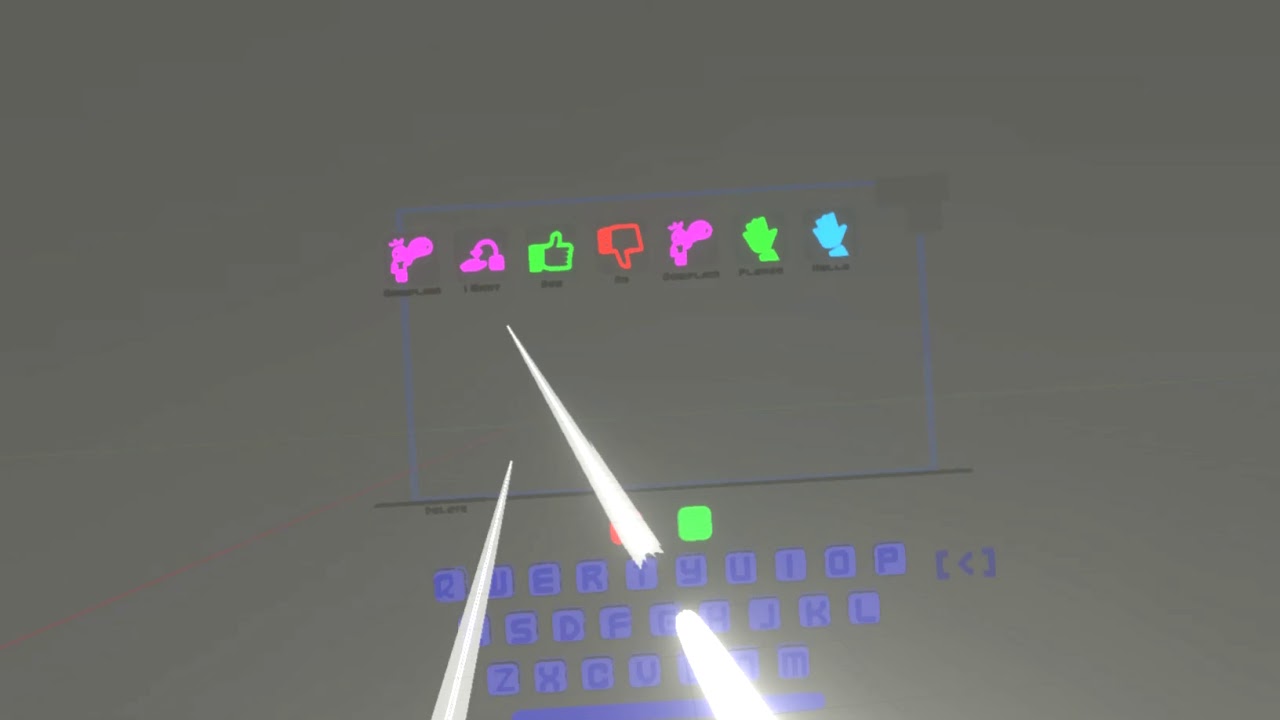
UPBGE_XR B_Pecs - Two pickers + lots of bug fixes + toned down icons
B_Pecs developments
https://www.youtube.com/watch?v=rdjOAmblyHk - files included in description

XR_Scene interaction mode - Grab - Throw - pass between hands
file - https://drive.google.com/file/d/1M45y2DMl2RMsX1sLbBt5Rn48NUA3Yz0l/view?usp=sharing
upbge_XR branch - https://drive.google.com/open?id=1j97GWWaX5QMwHqNfWXYh_zPs5xZM_mQ_
dawn quiver
which module is best for py game dev?
 patent tendon
 exotic aurora
@dawn quiver depends on the complex ity of your game. You could start messin around with Pygame, Pyglet or Arcade. All of em are decent modules tho.
cold storm
UPBGE
@dawn quiver
😄
it wrapps bullet physics , SDL2, Audaspace , openGL, and soon Vulkan
leaden thicket

GitHub
UPBGE, the best integrated game engine in Blender. Contribute to UPBGE/upbge development by creating an account on GitHub.
dawn quiver
i need help
leaden thicket
dont we all
 urban hare
when i was playing a game, i got an error, anyone know what it is?
___________________________________________
############################################################################################
ERROR in
action number 1
of Create Event
for object S___ann5:

Err0r! 0bject 5ixb0ne d0e5n't ex15t5???
at gml_Object_S___ann5_Create_0
############################################################################################
gml_Object_S___ann5_Create_0 (line -1)
gml_Script_instance_create (line -1)
gml_Object_but14_3_Step_0
that's a game maker error
dawn quiver
import pygame
from pygame import *

pygame.init()
dis=pygame.display.set_mode((400,300))
pygame.display.update()
pygame.display.set_caption('Snake')
game_over=False
while not game_over:
    for event in pygame.event.get():
        if event.type==pygame.QUIT:
            game_over=True

pygame.quit()
quit()
I get the error
Can someone please help me on fixing these
Im using python 3.9 btw
burnt ingot
does anybody actively use ursina
 fervent cape
dawn quiver
Im using python 3.9 btw
fervent cape
dawn quiver
Im using python 3.9 btw
Does 3.9 even support pygame
dawn quiver
Yes
snow hill
@dawn quiver maybe remove the 2nd line (from pygame import *), it seems redundant with the first import statement
umbral hearth
I need key button event library for a game in terminal, currently I am using keyboard ( https://pypi.org/project/keyboard/ ) but it does require superuser level in order to work; there are any other library that works in similar way (without superuser and X11/graphic server)
burnt ingot
any body using ursina engine? i just figured out custom textures
@umbral hearth i use ursina engine which builds off of panda3d and i love it.
but if your not willing to do a little extra work then you`ll be fine
urban hare
tranquil girder
that's a game maker error
sorry for the late reply but what does the error mean?
tranquil girder
It's not python related. I don't know what it means. Just google it
 summer hamlet
does anyone know how to make a pokemon battle game, but 2d ish and horrible graphics lol
like this
but with pixelated graphics and not really that much complex movement
umbral hearth
I need key button event library for a game in terminal, currently I am using keyboard ( https://pypi.org/project/keyboard/ ) but it does require superuser level in order to work; there are any other library that works in similar way (without superuser and X11/graphic server).
Ursine and other engine require graphical interface, my project works in terminal.
cold storm

Rotate selected object in air - tool orients it's self and floats into hand
celest field
@dawn quiver i see ur problem im not sure if u have fixed it but i wanted to ask what ide ur using
when i used visual studio code
i got the same error
so
i use pycharm instead
hearty trench
dawn quiver
```python
import pygame
from pygame import *
pygame.init()
dis=pygame.display.s...
In the second line, instead of from pygame import *
Write:```py
from pygame.locals import *
ok
 rigid bluff
haaa yes, there is a game channel ❤️ Friendly greetings !
So, here is the thing. i'm using pygame for now and i wanted to try another framework. But : i'm making simulation, not game, and it's not event driver. Basically :
- an "update" loop that run as fast as possible
- a "render" loop that show the current state of the simulation at N fps.
- i tried pyglet with a clock.schedule(update) but the overhead is big when trying to update thousands of time per second
- a quick look show me that arcade is event driven and i didn't explore further
- the ability to have more than one window would be nice but not mandatory
any suggestion ? (btw, 2D only is fine)
TL;DR : i don't want an event loop enforced by the framework
ho and i'm using cython, but it's probably not an issue
rigid bluff
ho no no, i'm super zen
it's probably because i started with "so, here is the thing" which is a good introduction for a rant 😄
now that i think about it, pySDL2 might be an good option
rigid bluff
yup, switching to SDL2. It have everything i need expected
snow hill
@rigid bluff HARFANG is not event-driven, as well
even though it is more focused on 3D

GitHub
WinterZ, a game by Jerome Sentex (Wizital), reprogrammed in Python/Lua using the HARFANG 3D framework - harfang3d/game-winter-z
but if you found everything you need in SDL2, rock & roll 😄
rigid bluff
it's not too late. i'm rewriting my simulation from scratch so i don't mind experimenting a bit 🙂
ho, it support imgui
well... overkill for my current project but i keep it in mind. thx 👍
is it easy to understand ? making graph in ascii is harder than i expected -_-
rigid bluff
ha, using some pseudo code instead of graph. good idea
need a break. thx for the help. ❤️
 limpid gate

 strange halo
Does anyone know ar development in unity?
strange halo
?????
 hollow mica
How can I call an entity with ability to see? I need better name for the interface. Sighted?
 severe saffron
Looker
Viewer
Watcher
those sound like debugging tools though
Sighted is decent
would have to explain it though before i'd know what you mean in code
if that makes sense
hollow mica
I'm making a game where you control bots using code. They may or may not have ability to see what happens in distant tiles.
Like whether you install camera on a bot or you keep it blindly following some path.
rigid bluff
@hearty trench li just noticed i have my "~~angry ~~ pout smiley" avatar face. that's probably why you read it in angry voice 😆
hearty trench
Haaha
severe saffron
@hollow mica yeah i understood what you meant when you said 'ability to see'
what i meant was like
Sighted to me could mean that it has been seen
so although the name is good, you might need to make it explicitly clear in code
hollow mica
Thanks!
rigid bluff
Little bot is watching you :p
dawn quiver
someone needs help
rigid bluff
what make more sense for a vector.__mul__() cross product or hadamard product ?
nvm, hadamard
dawn quiver
Hello
Can I ask you?
I need to write random number into txt file, every milisecond
So like the txt file always contains different number everytime I am trying to read it
And the number should be from like 0.8231 to 0.9689
Okay this is what I found ```python
def main():
import random

outfile = open('numbersmake.txt', 'w')

for count in range(12):
    #Get a random number.
    num = random.randint(1, 100)

outfile.write(str(num))

outfile.close()
print('Data written to numbersmake.txt')
main()```
I still have to loop it forever untill I kill it
rigid bluff
you're doing some weird stuff 🙂
dawn quiver
It won't work nvm
 empty orchid
is there a way to make a circular collidepoint on pygame?
tranquil girder
you can just check the distance
 elfin frost
 sacred lake
What is the best game engine use Python?
quiet pumice
How do I do it so that when I click a certain area an event happens
I am trying to do a x and o game in pygame
exotic laurel
need some help with pygame in #help-bread !!
rigid bluff
hi
dawn quiver
If anyone wanna code with me just join ---> https://prod.liveshare.vsengsaas.visualstudio.com/join?628622F8978152DFE11DE70F8B1765A4C37E

Real-time collaborative development
rigid bluff
i just woke up, too soon to code 😄
dawn quiver
Can anyone help
The VS Code says this is an error
Border checking
if ball.ycor() > 290:
    ball.sety(290)
    ball.dy *= 1
 last moon
dawn quiver
The VS Code says this is an error
# Border checking
if ball.ycor() > 290:
...
last moon
dawn quiver
The VS Code says this is an error
# Border checking
if ball.ycor() > 290:
...
what's the error?
ball.dy *= 1 doesn't do anything btw idk if you meant for that to be -1
dawn quiver
Tyyyy
rigid bluff
writing a pong i guess ?
last moon
if you ask your questions we're all here to help 😄
rigid bluff
i will probably be able to help once i wake up. ☕
last moon
dawn quiver
Oh it doesent work
wdym by that
dawn quiver
idk
last moon
are you getting an error or is it a logical problem
dawn quiver
error
last moon
what's the error?
last moon
sorry I'm doing other things, I might be able to help if you send the error here tho
dawn quiver
i dont want others destruct my code
last moon
if not others can help
dawn quiver
I will let you in to see error
last moon
that's the thing with writing together, you're letting others do it for you
!traceback
frank fieldBOT
Please provide a full traceback to your exception in order for us to identify your issue.
A full traceback could look like:
Traceback (most recent call last):
    File "tiny", line 3, in
        do_something()
    File "tiny", line 2, in do_something
        a = 6 / 0
ZeroDivisionError: integer division or modulo by zero
The best way to read your traceback is bottom to top.
• Identify the exception raised (e.g. ZeroDivisionError)
• Make note of the line number, and navigate there in your program.
• Try to understand why the error occurred.
To read more about exceptions and errors, please refer to the PyDis Wiki or the official Python tutorial.
last moon
just copy+paste it
rigid bluff
send me your liveshare, i'll watch
dawn quiver
join i sent you
rigid bluff
pycharm for ❤️
dawn quiver
did you join
last moon
last moon
just copy+paste it
^^^
dawn quiver
@rigid bluff
rigid bluff
VS take forever to start lol
dawn quiver
last moon
^^^
Do i need to delete code that have error and paste that?
code bot sended
last moon
frank field
copy + paste the actual error (/the traceback)
dawn quiver
{
"resource": "/c:/Users/38162/Desktop/FirstGame/ping.py",
"owner": "python",
"code": "syntax-error",
"severity": 8,
"message": "unexpected indent (<unknown>, line 81)",
"source": "pylint",
"startLineNumber": 81,
"startColumn": 5,
"endLineNumber": 81,
"endColumn": 5
}
last moon
dawn quiver
The VS Code says this is an error
# Border checking
if ball.ycor() > 290:
...
that's not the traceback but I'm assuming you shouldn't have this code indented
last moon
    if ball.ycor() > 290:
        ball.sety(290)
        ball.dy *= 1
#vs
if ball.ycor() > 290:
    ball.sety(290)
ball.dy *= 1```Border checking
if ball.ycor() > 290:
    ball.sety(290)
    ball.dy *= -1


if ball.ycor() > 290:
    ball.sety(-290)
    ball.dy *= 1
This is my
rigid bluff
ok i'm in
dawn quiver
Again same error for code
if ball.ycor() > 290:
if ball.ycor() > 290:
ball.sety(290)
ball.dy *= 1
#vs
if ball.ycor() > 290:
ball.sety(290)
ball.dy *= 1
```This is code first line of code has error jovial kraken
I'm creating a tic-tac-toe game, I want to share it with you guys, I'll get my code
jovial kraken
To help you ?
last moon
stick it on a github repo*
if you want to share it with people, git/github is the way to go
jovial kraken
dawn quiver
I can help you to make it
No thanks I can do it myself, thanks for the kindness
rigid bluff
i find something weird in your code
rigid bluff
everything is indented by 1 tab for no reason, and the error happen to be on the last line of your code
so i wonder if you shouldn't deinted everything
dawn quiver
U can do everything you need to fix it
rigid bluff
i don't know how to deinted the whole code by one in VS
dawn quiver
idk
last moon
shift + tab usually
last moon
when is it not lol
rigid bluff
can you run it like this ?
last moon
I'm only using it for my current project cause pycharm's mypy extension doesn't work
rigid bluff
VS is awesome for C# but i bought pycharm to code in python 🙂
last moon
would you recommend the professional version?
idk it doesn't seem like i'd get much out of it
rigid bluff
it depend what you do, but here is what happened to me :
installed the trial, got a pro for N days
the trial ended
switched to community for 10mn : wtf, everything is gone
bought pro 😄
but it depend what you do i guess
last moon
like I think I can get it for free with my school email but idk I don't see the point in it
last moon
eh I'd rather use collab if I'm using notebooks
rigid bluff
to each their own.
i wouldn't survive without a profiler so even if it was just that i would have bought it anyway
last moon
fair enough that'll probably be nice whenever I get into game stuff more
@dawn quiver you still here?
rigid bluff
the remote interpreter is really nice too
i can code in local but i have my code executed on a beefy server
or an another OS
last moon
mm that does sound nice
rigid bluff
sometime i play with stuff that only works on linux
but i have a window laptop
not for game 😄
well, i guess you could, but meh
rigid bluff
i didn't test extensively. but for i found it easy to use
and i ran it only on a single computer
last moon
!traceback
frank fieldBOT
Please provide a full traceback to your exception in order for us to identify your issue.
A full traceback could look like:
Traceback (most recent call last):
    File "tiny", line 3, in
        do_something()
    File "tiny", line 2, in do_something
        a = 6 / 0
ZeroDivisionError: integer division or modulo by zero
The best way to read your traceback is bottom to top.
• Identify the exception raised (e.g. ZeroDivisionError)
• Make note of the line number, and navigate there in your program.
• Try to understand why the error occurred.
To read more about exceptions and errors, please refer to the PyDis Wiki or the official Python tutorial.
last moon
@dawn quiver there you go
I can't remember the software but ik there was a cloud service for petabytes of storage for more sciency related data
idk why/how I'd use that but it seemed really cool
this is also very off topic lol
~~petabytes of sprites 😆 ~~
rigid bluff
i have petabytes at work 😄
last moon
god that's the dream
rigid bluff
meh, you get used to it very quickly
last moon
if it doesn't take hours to sift through automatically, what's the point
rigid bluff
it's jut endless rows of disk and tapes
last moon
honestly ik I'd get bored real quick but it'd still be fun
rigid bluff
exactly
just like when i started programing i was dreaming of owning a 20MB HDD
now i have 20TB at home and... meh, so what ?
or a 1TB USB SSD in my bag, just as if it was a bigger usb key
last moon
idk whether to be impressed or mad at your disregard lol
I've got like 1.5 tb between 2 laptops and idk if I'll ever get anywhere close to using it
unless I get hardcore into ds or smthing
rigid bluff
it's just that you get used to it so quickly
last moon
ya I don't doubt it
rigid bluff
perhaps because i'm getting older too. my first computer had 64KB or ram... but now it's so much bigger and cheaper... it' no use being impressed by anything anymore i guess...
that's just how it is... stuff get bigger, better, cheaper, every year
it's like being impressed every morning "woaaa the sun came back today too" 😄
last moon
lol ya I get what you're saying I've noticed a shift in the price of stuff in the past year or so
especially with debranding
last moon
I think they already have
rigid bluff
probably
there is a huge import/export imbalance. so they send planes and ship full of stuff one way, but the plane/ship will probably come back empty so the transport fee doubled to pay for the empty return trip
afk coffee
last moon
but I've noticed more stuff like the kfocus recently (https://kfocus.org/) and like idk if that sort of debranding has been a thing for a while and is just now gaining traction or if it's new
also the new [g/c]pu's are relatively extremely cheap compared to what new models usually sell for
last moon
and that cccouuld be covid, but I'm thinking it's companies starting to realize they don't need to overprice + inflate their products to make a profit
right?
I'm thinking of getting one
like 2k for a 2070 and 32 gb of mem?
that seems pretty good to me
last moon
black friday is only a 400$ discount
which i mean ya it's quite a bit but still..
last moon
ok but this tho
they've fully optimized the hardware, it's not like they're just putting together a laptop and selling it
crisp junco
this is #game-development I think you both should chat in #ot1-perplexing-regexing
last moon
probably
rigid bluff
yup, mmy bad
crisp junco
🙂
rigid bluff
brb
last moon
no wait this is relevant for my... neural network ai npc's?
auto generated sprites??
idk smthing like that
rigid bluff
that would be for #data-science-and-ml 🙂
well, technically i'm doing both. an AI that play game
last moon
iss that both tho?? 🙃
rigid bluff
i'm making both the game and the AI, i spend more time on game stuff than on ai stuff
last moon
sounds like hell fun lol
anyways I've gotta blast, good talk, have a good one, that sort of thing
rigid bluff
seeya
dawn quiver
Do anykne know how to convert .py to .exe fast
rigid bluff
i blame my past self for deciding to write unit test for my Vector class ...
it take so much time to write ...
 pseudo lintel
dawn quiver
Do anykne know how to convert .py to .exe fast
pseudo lintel
dawn quiver
Do anykne know how to convert .py to .exe fast
auto-py-to-exe does the job easily
Just pip install auto-py-to-exe and when it gets installed, type auto-py-to-exe in the terminal to start it. It uses a very good GUI, and it uses pyinstaller to convert scripts to exe
limpid gyro
pseudo lintel
Just `pip install auto-py-to-exe` and when it gets installed, type `auto-py-to-e...
does pyinstaller makes .app files
rigid bluff
pySDL2 is actually really cool
if you don't mind feeling like your coding in C, it's a direct binding
        sdl2.SDL_Init(sdl2.SDL_INIT_VIDEO | sdl2.SDL_INIT_EVENTS)
        self.window = sdl2.SDL_CreateWindow(b"Deep Learning Car 2", sdl2.SDL_WINDOWPOS_CENTERED,
                                            sdl2.SDL_WINDOWPOS_CENTERED, 800, 600, sdl2.SDL_WINDOW_SHOWN)
        self.surface = sdl2.SDL_GetWindowSurface(self.window)
        self.renderer = sdl2.SDL_CreateRenderer(self.window, -1, sdl2.SDL_RENDERER_ACCELERATED)
It feels like using pygame, which makes sense I guess
olive parcel
pygame is more or less a Python binding for SDL too
frozen knoll
This Arcade-library version of Conway’s Game of Life speeds everything up by using controlling a cell’s visibility through its alpha value, and handing the drawing logic off to the graphics card.
Grid-based games can take a while to render the program uses classic raster-based graphics. Every cell has to be re-drawn every single frame. If the cells are complex at all, that adds to the rendering time.
In this program, we create all cells in the grid to begin with. (This does causes the program to pause a while at start-up.)
After the sprites are created, we turn the cells on and off by their alpha value. We can update the entire grid by simply sending a list of alpha values to the graphics card. This significantly improves drawing time.
https://youtu.be/6TZ_lwbioRA

Conway's Game of Life
This version is coded with Python and Arcade. The program creates a grid of 'sprites' at the start of the program, and loads all the info to the graphics card. Cells are controlled by their alpha (transparency) value, limiting the amount of data passed to the graphics card, making for a more efficient program.
Source co...
Source code: https://arcade.academy/examples/conway_alpha.html
 spring oasis

itch.io
A user-friendly auto-tiling editing software to easily create and edit levels for tile-based games.
idk if i should put this here or in #software-architecture but i've been working on a level editor that auto-tiles as it was always a hassle for me to pick the correctly borders for every tile in my levels