#game-development
1 messages · Page 71 of 1
 limpid gyro
mhm nah
well how old are u now
cuz i first heard of coding at the age of 10
somehow me too
born on july
hey jayden does ur game works ?
 urban hare
ye
limpid gyro
cool
urban hare
want to try it out?
urban hare
yeah u need a py and an imag
urban hare
guizero and pickle
urban hare
yeah i also made a program inside of my game to write yet another program
urban hare
its tkinter but better
urban hare
it uses parts of it
so yeah its like an extension to tkinter without having to use tkinter
urban hare
also i have to rename the file since it has my last name
limpid gyro
like the words
 frank fieldBOT
Hey @urban hare!
It looks like you tried to attach a Python file - please use a code-pasting service such as https://paste.pythondiscord.com
urban hare
my best drawing skills
limpid gyro
oh ok
i use PAINT
all hail this drawer
btw i made a drawer too
ok
in tkinter
what
the drawer ?
urban hare
there ya go
well im new to this ok
also i just want to SEND it i dont want it to be 'out there' yet
urban hare
ty! its my first project!
frank fieldBOT
Hey @limpid gyro!
It looks like you tried to attach file type(s) that we do not allow (.exe). We currently allow the following file types: .3gp, .3g2, .avi, .bmp, .gif, .h264, .jpg, .jpeg, .mkv, .mov, .mp4, .mpeg, .mpg, .png, .tiff, .wmv, .svg, .psd, .ai, .aep, .xcf, .mp3, .wav, .ogg, .webm, .webp, .flac, .afdesign, .m4a, .csv.
Feel free to ask in #community-meta if you think this is a mistake.
limpid gyro
this wont work
urban hare
yes
but it uses IDLE not pygame
u get upgrades
im 13 tho
i dont think i can do that
urban hare
its a very alot accomplishment for it to be uploaded and google play store has a, um, 'reputation' for having not good mobile games with worse ads and i dont want it to be like that
frank fieldBOT
Hey @limpid gyro!
It looks like you tried to attach file type(s) that we do not allow (.zip). We currently allow the following file types: .3gp, .3g2, .avi, .bmp, .gif, .h264, .jpg, .jpeg, .mkv, .mov, .mp4, .mpeg, .mpg, .png, .tiff, .wmv, .svg, .psd, .ai, .aep, .xcf, .mp3, .wav, .ogg, .webm, .webp, .flac, .afdesign, .m4a, .csv.
Feel free to ask in #community-meta if you think this is a mistake.
urban hare
wait how exactly will i get revenue from this? i dont have a credit card
urban hare
well ima get back to debugging
urban hare
Now, I'm working on making the one-time upgrades save!
sure!
i mean if my schedule allows for it
limpid gyro
k
urban hare
also for my clicker, i made images for like visual upgrades if you unlocked everything else, wanna see them?
urban hare
yes its like karma from donating to charity
in guizero u can
idk about tkinter
anyway, heres level 0
urban hare
limpid gyro
nice
urban hare
yes it is
i worked for like 2 hours on these
they are small because of the limits of the slightly-better-than-MS-paint, TUXPAINT!
which one?
oh it goes to the second
then so on
the last is the last and no upgrades from there
yet
forgot about this one
also the thing in the center is a plaque in honor of you throwing your money at charity
u upgrade from clicks to pennies
fake money
like from clicking
1 penny = 500 clicks
its exchange kinda like how bitcoin exists even though its 'fake' if u know what i mean
limpid gyro
who is this charIty
urban hare
i dont know maybe the charity that raises autism awareness or something
i think theres something called flask that is used for that
idk just look at the link ima search and give u in a second
limpid gyro

GitHub
Contribute to QuantumCoder002/vDrawer development by creating an account on GitHub.
there u go
press Code!
then press download zip file
limpid gyro
they are wdym
urban hare
there
urban hare
also i dont know how to use github
limpid gyro
yeah u need some time learning how it works
if
if you go to settings in the drawer
then press save image
it will save a drawing.png file
under
C:/vDrawer Pics/
so dont abuse pressing on it and expecting a file dialog box, it wont spawn one
also if u press save image
then press it again'
( that means u should have 2 pics )
the first one will get replaced
cuz it creates ( or replaces ) the file drawing.png
@dawn quiver yeah that's a technical problem
while loop and speed of drawing points isnt enough fast that's why
also forgot to put a function that puts the color in use Down
like shows button as pressed
start
the translator
latin
and
ok
french
and
"the way you want"
just translate this ^
yes
why is it capitals
k
cool
very cool
this needs an ad
ok look
ill be testing the trans;lator
type : i am 6 years old
yes
hey namespace
 cosmic knoll
@dawn quiver I can make that too
limpid gyro
FALSE
cosmic knoll
But translate english to english
urban hare
does it matter?
limpid gyro
not je suis 6 ans
limpid gyro
urban hare
does it matter?
alot
urban hare
i think its gender specific and the word I is not gender specific
urban hare
cya
so how do u turn a py file into an exe?
will it replace my file or will it make a copy
oooh
so your saying it will become official? THATS FREAKING AMAZING!
ok ill try to contain myself
ok i just have to debug
limpid gyro
why dont u use auto-py-to-exe
urban hare
wb
limpid gyro
its just the gui version of pyinstaller
limpid gyro
urban hare
wb
im just doing a hard hw
bruh

look at it its good
auto py to exe is just pyinstaller
but in
gui
version
its a website btw
its a website windows that pops up when u open the exe
@urban hare are u with pyinstaller
urban hare
yeah i have it downloading now
urban hare
that does not make me feel safe at all
if something or someone opens a tab by itself im calling antivirus SWAT team
aka my grandfather
thats disturbing
limpid gyro
sorry apparently im wrong
i was dreaming of websites when using it last time

was with that faking django
i took 2 days to ti understand django and 5 to make a website
it is
its a python module for making websites

having this as icon
its so popular shouldn't u be knowing it
?
ok
they talk quite alot abt it in gen chat
oh ok
if only our brains could copy some text from iphone
and paste it on pc
im struggling doing this hw
a bit
by ignoring the fact that it's in arabic
and the fact that i type an arabic word in 1 minute
urban hare
use flask i sent u a link
limpid gyro
while a type an english or french word in 0.5 seconds
limpid gyro
a website >
?
its ez
well a bit ez
but publishing and hosting gets harder
with money and things
and the fact that u need to pay some money each year
urban hare
ill have one made in under 10 mins
lol
with the low computing power of a raspberry pi 4 u can
limpid gyro
it has good localhost ? @urban hare
urban hare
idk never tried
limpid gyro
wdym
urban hare
i never tried making one before
urban hare
this one is reliable i promise
limpid gyro
on a browser
urban hare
yes
urban hare
yes
limpid gyro
and u test it on localhost
urban hare
ill try
limpid gyro
limpid gyro
bruh nothing
its when u test a website
or
like the browser opens the website locally
on ur machine
urban hare
yeah the site looks like it
urban hare
check the site i linked to it should have answers
limpid gyro
its easier than flask
which is
ah yeah true
expection : devs
cuz robots were made by devs
why
bruh
i dont visit yt
bruh
urban hare
what the hell
-o because censorship
limpid gyro
disallowdisallowdisallowdisallowdisallowdisallow
urban hare
its ourtube soviet anthem plays
?
i didnt do anything i just tried to install pyinstaller
limpid gyro
bruh
@urban hare pip install auto-py-to-exe
u will have problems with pyinstaller
cuz
its comand line
but it'll be easier to use auto
yeah
ik
just
learning the commands and things is harder
than having everything as buttons and entries
urban hare
Command "python setup.py egg_info" failed with error code 1 in /tmp/pip-install-fCEGmL/pyinstaller/
wrong thing copied
pi@raspberrypi:~ $ pip install auto-py-to-exe
Looking in indexes: https://pypi.org/simple, https://www.piwheels.org/simple
Collecting auto-py-to-exe
Using cached https://files.pythonhosted.org/packages/8a/5e/916e8a31e07016f38f57b35ca5082d48e3b5d1a12dfd749af83df6d572c3/auto_py_to_exe-2.7.8-py2.py3-none-any.whl
Collecting pyinstaller>=3.4 (from auto-py-to-exe)
Using cached https://files.pythonhosted.org/packages/9e/ed/fbdad7f5d8f794c901076b814b8e9f5ce31d32c0bc3b63ddd27b61db9530/pyinstaller-4.1.tar.gz
Installing build dependencies ... done
Complete output from command python setup.py egg_info:
Traceback (most recent call last):
File "<string>", line 1, in <module>
File "/tmp/pip-install-D1BmGy/pyinstaller/setup.py", line 63
file=sys.stderr)
^
SyntaxError: invalid syntax
Command "python setup.py egg_info" failed with error code 1 in /tmp/pip-install-D1BmGy/pyinstaller/
what i got an error
IT WAS IN THE ERROR
ALSO I TYPED PIP INSTALL AUTO PY TO EXE
idk can i stop yelling tho
ok good
hehe i can help with that
sounds fun!

this
put this in it
its weird and random
maybe.... an enigmatic encounter?
and maybe add some 'I LIKE YA CUT G" in it for jumpscares and memes
hmmm
ok lets dm
 wind kernel
bruh
cosmic knoll
urban hare
and maybe add some 'I LIKE YA CUT G" in it for jumpscares and memes
That is cringe
urban hare
ikr
 zenith crown
I have just finished the core elements of my game!
If anyone would like a look, then the program and all the assets are linked below |/
https://drive.google.com/drive/folders/1c2mcpf664UbCBXtRG0t0f-9926ztqn8P?usp=sharing
It is a game about wiring up logic gates and any feedback would be much appreciated!
The only requirement is pygame
There is also a readme that explains it all
Just a warning, if you or anyone around you is allergic to backward/convoluted/fragile code, stay a million miles away
urban hare
idk where to post this but:
does anyone know how to delete desktop SHORTCUTS from python?
limpid gyro
wait he said python at the end'
oh
u mean os.remove() ? @urban hare
there is a special directory for it
ig
 fiery musk
hello
limpid gyro
hey
 potent ice
 wraith elk
bet thanks
potent ice
There's so many tutorials, books, videos and whatnot related to pygame out there
wraith elk
yeah thanks for the link will read up on it
 cold storm
last time I posted my mic was not on 😄
https://www.youtube.com/watch?v=T3GVZ9KqAF8
B Pecs XR - using Vr input for pecs (almost!)
VR is not practical to always use to communicate - however google glass / hololens AR projects are maturing rapidly and will soon enter the everyday market.
urban hare
hey i have a small problem
    a = group[0]
    b = group[1]
    a.destroy()
b.destroy() ```a.destroy()
File "/usr/lib/python3/dist-packages/guizero/base.py", line 175, in destroy
self.master._remove_child(self)
File "/usr/lib/python3/dist-packages/guizero/base.py", line 301, in _remove_child
self.children.remove(child)
ValueError: list.remove(x): x not in list
 pallid trail
how can i access variables in an another python file without imports
potent ice
Why can you not import it?
urban hare
also is there any way to shorted this?
save_data = Saving_Code.save_File(settings_unlocked = settings_unlocked, all = all, clicks=clicks, increment=increment, multiplier=multiplier, price=price, pennies=pennies, exchange_email=exchange_email, deposited_clicks=deposited_clicks, deposited_pennies=deposited_pennies, nickels=nickels, deposited_nickels = deposited_nickels, multiplier_requirement = multiplier_requirement, vault_unlocked = vault_unlocked, background_unlocked = background_unlocked, boxes_unlocked = boxes_unlocked)
potent ice
Where is this save_File function located?
urban hare
in the program written by the program
potent ice
I mean.. is this function from some library or something you made yourself?
urban hare
save_code.write("class save_File():\n\tdef init(self, **kwargs):\n\t\tfor key, value in kwargs.items():\n\t\t\tsetattr(self, key, value)")
lol
pallid trail
potent ice
Why can you not import it?
because then it would be a circular import
urban hare
i did things the hard way
potent ice
Can't you just store these values in some object at all times and have that class save and load the this data from file?
urban hare
ehh it makes it easier to download
potent ice
@pallid trail You either want to split up your code a bit differently in modules or you can also import a variable from another module inside a function to avoid it
@urban hare download?
potent ice
Why does it make it easier to download? 🙂
urban hare
because then they dont have to download 2 files
since it writes the script when its run
potent ice
ah ok. That will make you game very hard to manage if it keeps growing
urban hare
yeah
potent ice
You can also define that class in the top of your python file
potent ice
You can possibly look at how a python package is created in the future so your friends can install it using pip instead. There are also other options like pyinstaller to explore in the future.
urban hare
yeah soon ima make a test exe
will u try it?
making an exe now
how to use auto py to exe
pls help
 sweet condor
@cosmic knoll how else do you share python-made games without requiring people to install/use python themselves?
exe's kinda seem like the way to go
 broken oxide
cx_freeze, pyinstaller, or py2exe?
sweet condor
What's the difference between that and converting it to an exe file? Honest question, I'm fairly new to this
broken oxide
those three are used to convert .py to .exe, I’m new to it too so just wondering which one is more preferred and why
sweet condor
Okay even so, python is installed on most OS's. I don't see why you wouldn't convert it an .exe and save people the trouble of running python commands to run the game
 dawn quiver
Not in windows I guess
sweet condor
It's pre installed on mac and linux idk what to tell you
dawn quiver
sweet condor
It's pre installed on mac and linux idk what to tell you
I was sayin that it is not preinstalled in windows dude
sweet condor
yeah I got that
broken oxide
I found out pyinstaller allows users that run the .exe to not have them install python or their modules at all
according to the docs
sweet condor
So back to the original question, why are .exe's "useless" @cosmic knoll ?
cosmic knoll
@broken oxide That wouldnt make sense
@sweet condor There is no point of doing it
You can run python files with batch if you are that lazy
sweet condor
I dunno what batch is. Like I said, I'm new to this - I'm genuinely curious here, I've never seen anybody else suggest not to use .exe's so far
dawn quiver
cosmic knoll
You can run python files with batch if you are that lazy
Hmm I saw a person did that for his game
Ig he used venv and than created a .bat to execute the main.py file in there, using the python installed in that venv
Nicee idea
cosmic knoll
sweet condor
I dunno what batch is. Like I said, I'm new to this - I'm genuinely curious here...
Ok then that answers your question on why py installer or py2exe is useless
limpid gyro
oh this channel is on
sweet condor
I still don't really see why it would be "useless"… from that answer it seems like .bat takes more work for a less clean result
broken oxide
"You distribute the bundle as a folder or file to other people, and they can execute your program. To your users, the app is self-contained. They do not need to install any particular version of Python or any modules. They do not need to have Python installed at all."
cosmic knoll
@sweet condor you just dont know what you are talking about
Thats all
Not any more work
broken oxide
Idk about you guys but this is ease of access to me
to get your friends to play your pygame without the hassle of installing python/modules
sweet condor
cosmic knoll
<@403606184680095744> you just dont know what you are talking about
Uh yeah no I don't know what I'm talking about, any explanation would be kinda nice
limpid gyro
@urban hare let me help ya
sweet condor
Vait's got the best answer for me atm
cosmic knoll
@sweet condor there is no "hassle" involved with using a batch script to execute a python file
limpid gyro
also converting to exe makes your script runnable by everyone
cuz if u share a py script
cosmic knoll
@limpid gyro no it doesnt.. you can only run exes on windows
limpid gyro
not everyone has Python installed, and most of the non-coders dont know how to run a piece of script
windows and macos right ?
cosmic knoll
@limpid gyro are you a idiot?
limpid gyro
it has to be deb to be ran on linux
cosmic knoll
You execute batch by double clicking it
Not any more difficult than executing a exe
sweet condor
He's right about the exe on mac thing, quick google search shows the mac version of an exe is a '.app'
cosmic knoll
Never asked for your opinion i am stating facts here @limpid gyro
limpid gyro
sweet condor
He's right about the exe on mac thing, quick google search shows the mac version...
ok
alright
sweet condor
Is your thing against converting python files to applications in general or you do just hate exe's
cosmic knoll
@sweet condor another quick look at common sense shows you can use bash
@sweet condor Nah I'm just utilizing this thing called the brain
Try it some time
 crisp junco
Pyinstaller never works for me
sweet condor
I can't tell if you're trolling or just always an asshole
broken oxide
^
crisp junco
<)
sweet condor
I've never downloaded a program contained as a batch file amigo
cosmic knoll
NOTE: py2app must be used on OSX to build applications, it cannot create Mac applications on other platforms
Lmao
sweet condor
Like I've literally never heard of the file type, and I'm like way more into computers than the general population
So ah, forgive me for being skeptic
cosmic knoll
sweet condor
Like I've literally never heard of the file type, and I'm like way more into com...
You must not be into computers as much as you think.
This is no brainer stuff
🙄
sweet condor
See you think that, but again. I've literally never seen a batch file. Never had use for them. Never heard of other people using them.
cosmic knoll
Then again you must not be into computers as much as you think
"Yeah, Ive never heard of google and I'm like more into computers than the general population"
That is how you sound
sweet condor
I've been programming for a few years mate. I dunno if you've been at this for decades or whatever but most humans have been doing it for 0 time
sweet condor
I started learning python like a month ago, before that I really just used javascript/html5
cosmic knoll
Dont care
sweet condor
I'm being straight with you here, like, my experience is not vast or anything, but you can't claim its common knowledge when it isn't
cosmic knoll
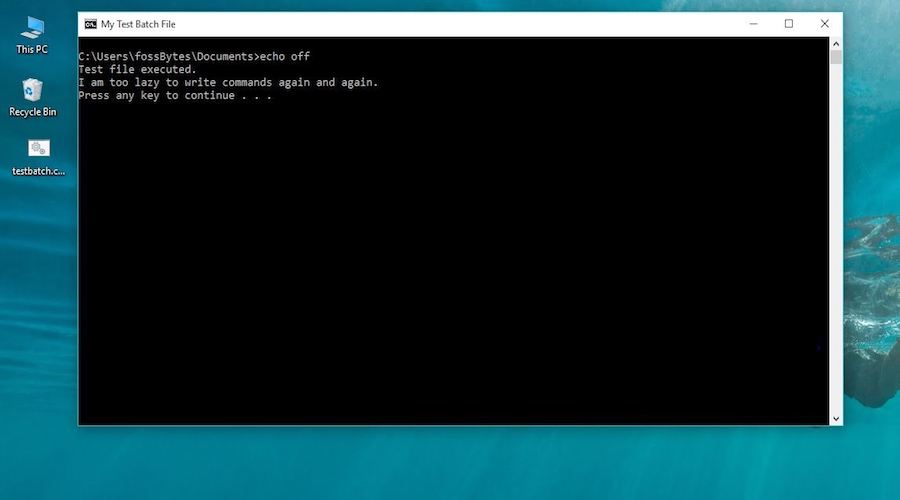
Fossbytes
A batch file is a Windows file with the .bat extension. It's used as an input file for the command-line interpreter CMD to run a set of commands. This helps in automating things and reducing the need of physically typing the commands. You can easily create a batch file to automate tasks on a Windows PC.
broken oxide
@sweet condor yeah some quick searches around stack overflow/reddit/quora all have the same consensus: p2exe, pyinstaller, cx_freeze if you wanna get your non-technical friends to play your game with ease, so I'd go with that option
cosmic knoll
@broken oxide after i just explained why that was bad you are gonna say that?
broken oxide
Yes, you really haven't explained anything except for insulting people
sweet condor
Vait That's exactly what I've been seeing everywhere as well, that's why I'm really interested in this guy claiming something different
cosmic knoll
Yes i have? @broken oxide
broken oxide
Same
cosmic knoll
If would scroll up you would see me providing reasons why it was useless
sweet condor
Your one reason was that macs can't run exes
cosmic knoll
To sum this up
sweet condor
I'm on macOS and there's a py2app converter I could pretty easily use
cosmic knoll
But it is only available for mac
sweet condor
Right, and I'm on mac
cosmic knoll
He wouldnt be able to convert it to a app since he is on windows
Windows doesnt support py2app
limpid gyro
@sweet condor if so is there exe2app and exe2deb
sweet condor
Oh lol even better
broken oxide
pyinstaller is cross-platform 😉
cosmic knoll
@limpid gyro No there isnt
limpid gyro
k
cosmic knoll
sweet condor
Oh lol even better
That wouldnt be possible
"Exe2app" that makes no sense
cosmic knoll
Its called py2app yes
sweet condor
Aight so at this point it seems like it's pretty clear that just creating a native app for whatever OS is the better option. It should run faster as well as I'm guessing the code wouldn't have to be interpreted that way, as opposed to raw python files in a .bat still needing to be read line by line. And aside from that, it looks better client side.
limpid gyro
now the problem is that if i convert a py to an app, i cant open it on my windows
so i cant know if its working or not
sweet condor
But I still want to know what the hell a batch file is
cosmic knoll
Then google it
sweet condor
Aight fair nuff
cosmic knoll
@limpid gyro you can only convert py2app on mac os
cosmic knoll
You cant convert it on windows
sweet condor
Haha literally the first line of text from a google search says batch files are only DOS and Windows
cosmic knoll
Well no shit?
sweet condor
First of all who the hell still uses DOS and secondly of course I've never heard of a batch file, I'm on mac
cosmic knoll
You use bash for mac os
sweet condor
That's antiquated and deprecated
Dude no shit no wonder nobody uses that method, it's outdated af and equally OS specific
cosmic knoll
How is it outdated
Are u stupid? Think before you speak. Dont just type in non sense
Now explain how it is outdated
cosmic knoll
You are the one who said it was outdated
That makes no sense
Cause its not
Well?
sweet condor
Yeah I mean like I said you also have google. The gist is batch is a far slower method that is completely unreasonable for large projects
cosmic knoll
But this isnt a large project..
sweet condor
It's like exactly what I guessed at earlier, batch still reads interpreted line by line while compiled applications operate at machine speed
Who said this wasn't a large project? I was just asking why I should or shouldn't use exe's/batch
cosmic knoll
@sweet condor You use the batch script to execute the python program
Which is like 1 or 2 lines
sweet condor
Yeah bud and python is interpreted
 digital cradle
does anyone know how i can create a reset button (or a loop) for a pygame
i would greatly appreciate it
ping me if you do
cosmic knoll
Didnt ask@sweet condor
digital cradle
want me to ask that person
cosmic knoll
@digital cradle hold on we are having a arugment here
crisp junco
digital cradle
does anyone know how i can create a reset button (or a loop) for a pygame
i woul...
Do you mean like once the game is over it should start all over again?
@digital cradle
limpid gyro
@digital cradle like restart the script ?
limpid gyro
mhm
umm
look
is ur game having a mainloop
also why @digital cradle and @ionic tundra are the same
 ionic tundra
Like when the game's over. I just wanna start over automatically 🤷♂️
So, if there some specific function for that it would b gr8
Otherwise, I can define it on my own lol
 spare raptor
How to make a game in python? I am new to it. It would be highly appreciated
dawn quiver
@spare raptor Hello, what kind of game would you like to make? (web game, mobile game, 2d/3d, etc.)
However, you should take a look to godot engine
limpid gyro
ionic tundra
Otherwise, I can define it on my own lol
u have to define it on ur own
ionic tundra
👍
 main blade
how to make games in python (got beginners), pls tell about both android and windows, thanks
pls ping me if u know 🙂
 radiant notch
You can write whole games in Python using PyGame
This is a link to a tutorial :
https://www.androidauthority.com/how-to-make-a-game-in-python-1136589/

Android Authority
This tutorial will show you how to make a game in Python using the popular Pygame.
@main blade
radiant notch
Idk much about Godot . I am a newbie there 😅
 tranquil girder
It's not officially supported, no
main blade
well which game engine supports python?
tranquil girder
main blade
thanks
 nimble cipher
guys any one tell about the difference between game framework and game engine
 dim girder
main blade
and i can also use Godot with python?
dim girder
main blade
and i can also use Godot with python?
you need to use GDScript with Godot
which is inspired by python so yeah, pretty simillar
main blade
F
nimble cipher
hunter can you telll me the answer
main blade
nimble cipher
guys any one tell about the difference between game framework and game engine
I think engine means a completely different software with GUI design and stuff, but a framework is a library where we have to code the GUI as well
urban hare
heya
 lofty pagoda
Hey noob question here is pygame already installed when you install python?
potent ice
No. It's not part of python itself. You have to install it.
 quiet pumice
Is there any game engine that uses python?
 fierce wraith
pandas3d and ursina (built on top of pandas3d) do
quiet pumice
Nope
 hybrid blaze
?
potent ice
Better if you ask questions when/if you get stuck. Very few people have time to guide someone like that.
urban hare
hey, I have some code to save variables in a list to an object (then to a file). The list is getting waay too big, is there any way I can shorten this:
save_data = Saving_Code.save_File(click_tier = click_tier, settings_unlocked = settings_unlocked, all = all, clicks=clicks, increment=increment, multiplier=multiplier, price=price, pennies=pennies, exchange_email=exchange_email, deposited_clicks=deposited_clicks, deposited_pennies=deposited_pennies, nickels=nickels, deposited_nickels = deposited_nickels, multiplier_requirement = multiplier_requirement, vault_unlocked = vault_unlocked, background_unlocked = background_unlocked, boxes_unlocked = boxes_unlocked)
urban hare
also, how do i have it reset certain variables?
urban hare
thats the dict
do you need to see thhe class?
    def __init__(self, **kwargs):
        for key, value in kwargs.items():
            setattr(self, key, value)
you can do this to generate it too
kwargs = {key: getattr(self, key) for key in my_list}
wait are you talkiing about reset or save?
tranquil girder
and ```py
Saving_Code.save_File(**kwargs)
Just your first questionI don't know what you mean with reset
 faint bloom
Whats better, pygame or arcade?
urban hare
idk i ust use thonny
faint bloom
Alright, how can I teach myself the new code of something like pygame or arcade?
Since it has new codes n stuff not original python
tranquil girder
reset save data or reset variables?
you can just store the default values in a dict
and set them like the same way you do in init
for key, value in default_values.items():
    setattr(self, key, value)
If you are beginner I suggest https://learn.arcade.academy/ or https://arcade.academy/
If you have a bit more experience it doesn't really matter what you pick
faint bloom
Thanks but I want to use pygame?
potent ice
Lots of resources on https://www.pygame.org/
There is also a book : http://programarcadegames.com/
.. and generally if you search around there are so many resources for pygame. Articles, videos etc etc
faint bloom
Thankss
 elfin frost
how can I modify pybullet torque?
 fervent rose
Blender 2.91 just got released! https://www.blender.org/download/releases/2-91/
 potent ice
Take a bit of time to look at both projects. Pick the one that fits better for you.
Just looking at the documentation and trying a simple example will quickly give you and impression
potent ice
I think pygame can runs easier on more devices while arcade takes advantage of modern graphics card features. It's a tradeoff 🙂
 proper coral
Ahh
So there is nothing that I will miss out on using one module over the other right?
potent ice
hmm I don't think so
proper coral
Ok thanks :))
 prime hatch
hello
pallid trail


how is sniper.reload_count a non type

the one on the right works but not the one on the left
nvm i used self. not sniper.
frank fieldBOT
Hey @dawn quiver!
It looks like you tried to attach a Python file - please use a code-pasting service such as https://paste.pythondiscord.com
nimble cipher
hai
limpid gyro
fervent rose
Blender 2.91 just got released! https://www.blender.org/download/releases/2-91/
why is it in #game-development
limpid gyro
proper coral
I liked arcade better
arcade shaked me off the import didn’t work
proper coral
ahh arcade works for me
and the methods are so easy to use
and docs are one of the best i have seen
hehe Akarys
main blade
why these errors and the screen opens for just one second and then automatically closes
it also is all black with no alien, nothing
pls ping me if u know y
broken oxide
@main blade I think it’s because you gotta either do pgzrun.Class or do from pgzrun import *
or from pgzrun import Class
dawn quiver
Ig u have to do
from pgzrun import *
main blade
oh ok
dawn quiver
Tea
broken oxide
yeah I like the import * better, though just make sure it doesn’t conflict with any variables in your main module
hmm idk man
dawn quiver
Me 2
I have never used pgzrun
I only use pygame
main blade
is pygame easy for beginners?
dawn quiver
Hmm
Imo yea
main blade
oh ok
dawn quiver
But only if u know basics of python and a lil bit of OOPs
Cuz it makes everything much simpler
main blade
then i can use that
dawn quiver
fervent rose
Blender 2.91 just got released! https://www.blender.org/download/releases/2-91/
les goooo
dawn quiver
dawn quiver
But only if u know basics of python and a lil bit of OOPs
Cuz it makes everythin...
ya but i use some ursina. TOP CLASS. it is just simplified panda3d
hmm ursina is good
but not many ppl use it
fervent rose
limpid gyro
why is it in <#660625198390837248>
Because it is pretty closely related to the projects here
fervent rose
proper coral
how can blender be implemented into python 🤔
You can use the models!
 grand pagoda
i am making a space invaders type of game in pygame
i want ot give power to my spacehsip for some time
like if the collion happens with a power orb it will give super speed to the space ship for 10 seconds
how to do this
 pliant iron
How can I start game development, I mean what should I do first, what should be my components in the language?
dawn quiver
pliant iron
How can I start game development, I mean what should I do first, what should be ...
start with arcade. GREAT oop SDL binder
faint bloom
import sys
import pygame

pygame.init()

while 1:

    (width, height) = (640, 480)
    screen = pygame.display.set_mode((width, height))

    player1 = pygame.image.load('Sprites/player1.png').convert()
    player2 = pygame.image.load('Sprites/player2.png').convert()

    for event in pygame.event.get():
        if event.type == pygame.QUIT or pygame.K_BACKSPACE:
            pygame.quit()
            sys.exit()
I need help
It exits automatically?
once i run
not when I press the button
tranquil girder
the if statement doesn't do what you think it does
I think this evaluates as True
or pygame.K_BACKSPACE
Alright
What does screen.fill do?
and how can i set a background wit screen.blit?
import sys
import pygame

pygame.init()

while 1:
    # The screen
    (width, height) = (640, 480)
    screen = pygame.display.set_mode((width, height))
    pygame.display.set_caption('Pong by marawan')

    # Sprites and icons
    background = pygame.image.load('Sprites/background.png').convert()
    player1 = pygame.image.load('Sprites/player1.png').convert()
    player2 = pygame.image.load('Sprites/player2.png').convert()
    icon = pygame.image.load('Sprites/icon.png').convert()
    pygame.display.set_icon(icon)

    # Quitting and pasting characters and sprites to the screen
    screen.blit(background, (0, 0))
    for event in pygame.event.get():
        if event.type == pygame.QUIT:
            pygame.quit()
            sys.exit()
Screen.blit at the end work work
proper coral
using arcade, how do i make a continuous background screen?
like it continues forever
also is it a good idea to make a lot of .py files for each object or say, each level or something
limpid gyro
can anybody give me a good game idea for a 2D game
i’m out of ideas rn
ping if u have one
limpid gyro
idk
 maiden ore
hey guys
 novel helm
anyone know how to brute froce
 solar sail
?
dawn quiver
which module is the best for game dev?
proper coral
2D or 3D?
dawn quiver
limpid gyro
can anybody give me a good game idea for a 2D game
hmm
u can try procedural generation and make a game with it maybe ! 😉
||and sry for bad english ||
 teal crypt
Does anyone here have a good understanding of the library pyglet in python and be willing to help me out?
dawn quiver
sry, i only use pygame
teal crypt
It's ok, I just have a project that revolves around this particular library and I'm having some trouble with events - < -
 marble parcel
@timid mica your message falls under recruitment/unapproved advertising. If you're feeling iffy about posting something, feel free to contact @light nest. Otherwise, I'd suggest rereading our #rules.
faint bloom
import sys
import pygame

pygame.init()


run = True
while run:
    # The screen
    (width, height) = (640, 480)
    screen = pygame.display.set_mode((width, height))
    pygame.display.set_caption('Pong by marawan')

    # Sprites and icons
    background = pygame.image.load('Sprites/background.png').convert()
    player1 = pygame.image.load('Sprites/player1.png').convert()
    player2 = pygame.image.load('Sprites/player2.png').convert()
    icon = pygame.image.load('Sprites/icon.png').convert()
    pygame.display.set_icon(icon)

    # Quitting and pasting characters and sprites to the screen
    screen.blit(background, (0, 0))
    for event in pygame.event.get():
        if event.type == pygame.QUIT:
            run = False

pygame.quit()
sys.exit()
People
 hearty trench
You have to type the full location the image in the code
The location is where you saved the image.
like: C:/Users/U1/Pictures/My Paintings/background.png
There will always be a source file saved in your computer
change your slash
Its "/" not ""
Its " / "
ok
 spring prawn
@median kettle
 median kettle
 silent turtle
Finally added a new game button to my sudoku app https://github.com/MattDeDuck/Easy-Soduko
GitHub
A simple sudoku app made with PyGame to help me learn it - MattDeDuck/Easy-Soduko
 robust palm
How do you change the position of a pygame window in pygame 2? I'm using NOFRAME, so you can't just click and drag the window.
 crude wren
dude just use resizable
robust palm
Position, not size
 glad wave
hi all.. I am having trouble clearing the screen perhaps at the right time.. my text is over-writing itself.
def drawPeg(screen, num, img, height):
    font = p.font.Font('Roboto-Bold.ttf', 35)
    numData = font.render(f'{num}', True, black)
    # imgData = font.render(f'{img}', True, black)
    screen.blit(numData, (100, height))
    # screen.blit(imgData, (400, height))
    loadPegImg = p.image.load("./pegimages/"+img)
    loadPegImg = p.transform.scale(loadPegImg, (140,140))
    screen.blit(loadPegImg, (400, height-70))
I call this say 6 times a page.. then I want to wipe the whole page and repeat with new params
glad wave
Solved.. thanks
limpid gyro
robust palm
Position, not size
wdym
robust palm
I want the window to move
limpid gyro
glad wave
Solved.. thanks
i bet it u were supposed to put "screen.fill((255,255,255))" at the beginning of ur mainloop
limpid gyro
robust palm
I want the window to move
like every window those ?
robust palm
Since there's NOFRAME, I can't click and drag to move it. I'll have to code that in. I'm looking for a way to do it
robust palm
Can you check #help-lemon . I'm on mobile rn, it's hard to do stuff here
limpid gyro
are u sure that's the correct channel ?
robust palm
It's under dormant
robust palm
Wdym. I want it like that. It just makes sense for the program.
robust palm
Alright, I'll just continue waiting then. Thanks for looking into it.
robust palm
Thanks
dawn quiver
I'm working on a grid for pygame and I've tried so many things and this is the best one I got so far
for y in range(int(screen.length/26)):
    for x in range(int(screen.width/26)):
        board[f'pixel{x+y}'] = Pixel(x*26,y*26,25,25)
``` anyone got any ideas of how I can get this it work 😔it keeps doing this
 severe saffron
uh well one issue is that you use the sum of the y and x as the key
so 2,3 will be pixel5 as will 3,2 and 1,4
dawn quiver
@severe saffron everything else I see uses that
'cause after that didn't work
I looked it up
severe saffron
what
severe saffron
what
oh
that's not what i'm talking about
i'm talking about the format string
dawn quiver
oh they key
severe saffron
ye
severe saffron
sorry i was really confused about what you meant haha
severe saffron
so for example
dawn quiver
one by one
severe saffron
your program might create a pixel at coordinates 0,3
which would have key pixel3
then later it goes to 1,2
which also has the key pixel3
and it overwrites the earlier pixel
dawn quiver
oh I see
so I did something really dumb to test it
I did
random.randint(0,9999999) instead of x*y
and it worked just fine
so thanks
I'll just
change the number
to
something that works
severe saffron
do f"pixel{x},{y}"
but that random one is sort of a nice solution :)
except that one in 15000 times you'll have a collision
dawn quiver
I did
f"pixel{i}"
and thern
before
I did
i=0
and then after the thing is added
I do i+=1
 tawdry verge
hey how can i install kivy in py 3.9 version
dawn quiver
is there a simple way to scale everything on my window to fit the user's monitor resolution in pygame?
proper coral
Sprite.strafe() moves the sprite upwards on a keypress but on key release , it keeps moving
how do i fix this
?
proper coral
dawn quiver
is there a simple way to scale everything on my window to fit the user's monitor...
there might be a fullscreen=True or antialiasing=True
dawn quiver
there is indeed a pygame.FULLSCREEN flag but it only increases the window size and not it's contents :(
proper coral
try antialiasing
limpid gyro
dawn quiver
there is indeed a pygame.FULLSCREEN flag but it only increases the window size a...
ik , also i think i saw something about it
lemme check the web
https://www.youtube.com/watch?v=edJZOQwrMKw @dawn quiver can u check this ?
dawn quiver
w8
limpid gyro
k
dawn quiver
i saw that dude
but that is a bit old
cuz pygame 2 is released 😉
dawn quiver
and we have pygame.SCALED
limpid gyro
2.0.0
dawn quiver
yea
dawn quiver
what?
really?
limpid gyro
yeah
or maybe its versions of it
idk
btw im making a pygame game
and im throwing tests with rotating images
very handy
 rigid brook
The main problem in pygame.scaled is the Quality
dawn quiver
yea
limpid gyro
k
fervent rose
Anti-aliasing is used when scaling up an image yes
rigid brook
how to implement it?
dawn quiver
but
how to actually scale all stuff according to the monitor size?
then we can think of antialiasing maybe
rigid brook
a link to docs would help
fervent rose
You'd usually use a library for this sort of thing
dawn quiver
openCV?
rigid brook
yea thats cv2
dawn quiver
idk xD
limpid gyro
@dawn quiver have u checked the yt link sent
well ik it's about scaling a window dynamically, but stop the video at the beginning and see it's code
 twin sparrow
a good way to do it would be making a normal pygame.surface and bliting everythong onto that
and then bliting that onto your main pygame window
scaling it and then bliting it i mean
@limpid gyro
@dawn quiver
limpid gyro
idk ask @dawn quiver
proper coral
fervent rose
You'd usually use a library for this sort of thing
arcade has it inbuilt
i guess pygame too has it inbuilt
proper coral
also
how to create a start window for arcade games
like a GUI window
that has Start button , Quit button etc
 tribal cosmos
https://repl.it/@CameronJohnston/Flappy-Bird#main.py This is supposed to be running 60fps, but seems more like 4fps. Any ideas why? Is it repl's ALSA display, me coding it wrong or each frame just taking a while to generate?
dawn quiver
twin sparrow
a good way to do it would be making a normal pygame.surface and bliting everytho...
Hmm nice idea
I will try when i get time
 sly verge
Does anybody know why pygame isnt working on python 3.8?
tribal cosmos
It works for everyone else so you'll need to clarify
tribal cosmos
You need to install it
tribal cosmos
Do you use pip?
sly verge
How to install pygame?
tribal cosmos
Do you use pip?
sly verge
Not normally but i can try
tribal cosmos
Then just install pygame like you would any other pip package
sly verge
Cmd line?
tribal cosmos
Then just install pygame like you would any other pip package
tribal cosmos
So yes, because you install pip packages using the cmd line
sly verge
what is the command
tribal cosmos
Besides, is it that hard to Google these things?
tribal cosmos
Well then 😂 It would be a lot quicker and easier than waiting for people to respond to a message
tribal cosmos
The command is pip install pygame but for next time, it's much easier to Google haha
sly verge

tranquil girder
I think it's pip3 on ubuntu
sly verge
Ok thanks man
proper coral
does anyone at all use arcade here :((
 grand imp
@tawdry verge I think this channel might be more appropriate
also
can you paste your console output?
where did you type pip install kivy?
If you're a beginner in python or games programming and aren't looking to phone develop apps, I'd recommend Arcade over kivy
proper coral
heyy so you use arcade?
grand imp
I've used it before, yes.
proper coral
ahh nice to know
proper coral
yeah i dont have one rn
grand imp
There's also a discord server for arcade
proper coral
ahh thanks :))
tribal cosmos
tribal cosmos
https://repl.it/@CameronJohnston/Flappy-Bird#main.py This is supposed to be runn...
I've ran into another issue. The pipe surfaces are getting cropped for some reason, when the original file is a lot taller
tribal cosmos
Fixed that issue, but now another issue with pipes; my hit detection isn't working ;-;
tribal cosmos
Ok, hit detection fixed but now it's even more laggy ;-;
limpid gyro
@proper coral well if you want many screens, u should define them as functions, and call them at specified times in the mainloop
limpid gyro
tribal cosmos
Ok, hit detection fixed but now it's *even more* laggy ;-;
u can fix image issue, u can fix collision, but u CAN"T fix lag issues
unless ...
unless u can actually
tribal cosmos
I've fixed image and collision already haha
limpid gyro
ik
tribal cosmos
Just lag that's an issue now
tribal cosmos
Yes, so is there any 'dump lines' you notice? All the lines here are needed atm, but there might be some optimization I can do to speed some lines up
proper coral
ok thanks :))
also
@limpid gyro
what if i want different levels?
define them as classes or functions?
tribal cosmos
https://repl.it/@CameronJohnston/Flappy-Bird#main.py In trying to optimize and move the pipes back into the frame, I tried to make the background and text it's own surface so it doesn't render it every time by filling the entire screen, but for some reason despite it being the last thing I blit to the screen, it appears at the back and leaves a stain where the pipe goes over it. Any ideas why?

 patent ruin
proper coral
define them as classes or functions?
patent ruin
proper coral
define them as classes or functions?
Either way work, but my preference is always classes. I create levels in a different file altogether and then import them individually to the main loop. Try this method, it helps a lot.
P.S. I use pygame.
proper coral
alright thanks :))
ehh one more question
@patent ruin can i use pyinstaller later and merge them all into a single app
?
tribal cosmos
Yes
I mean, classes don't even technically need to be in different files, though it is standard
patent ruin
proper coral
<@!635654474223845416> can i use pyinstaller later and merge them all into a sin...
But it's hard if you use multiple files. I tried a couple of times but failed do it. As HopperElecYt pointed out, it might be possible.
tribal cosmos
It is very possible. In fact, it's one of the main uses of PyInstaller other than to avoid people needing a copy of Python and the site-packages themselves
proper coral
pyinstaller docs are very nice
patent ruin
How do you go about doing it? Use standard procedure of pyinstaller?
proper coral
ig you merge all files into one folder
tribal cosmos
I haven't used PyInstaller in a while but iirc you just select the Python files as inputs like you would with if you were adding an image for example
 arctic latch
patent ruin
How do you go about doing it? Use standard procedure of pyinstaller?
arctic latch
patent ruin
How do you go about doing it? Use standard procedure of pyinstaller?
I generally prefer creating a spec file first. Then creating the executable from the spec. pyinstaller docs have excellent explanation and guides on how to do those changes.
limpid gyro
lucky position problem is the famous problem in stackoverflow @dawn quiver
https://stackoverflow.com/questions/41516904/making-window-in-pygame-using-noframe-but-cant-choose-where-it-appears

Stack Overflow
I'm learning to program, and figured out how to use the NOFRAME flag in pygame.display.set_mode() which I really like, but I can't drag the window now. I can't find any mention of window position in
Now u could make a stripe at the top of ur window
that detects mouse movement when held
dawn quiver
@limpid gyro but dude
i wanna -
- make my game fullscreen
- scale all the contents on the screen
- make it so that it looks the same on different monitor resolutions