#game-development
1 messages · Page 61 of 1
 fervent rose
Well I mean, that's like any programming language, you don't write some esoteric 26890 characters long lines 
 slim marten
I think the compiler wouldn't like that very much
i'm speaking more from a standpoint of literacy, more concretely written code should communicate what you want it to do, explicitly and elegantly, and it should be the same for blueprints, but I don't want to detail this channel with blueprint hate
i see great blueprints too
 dawn quiver
Hey Guys. I was wondering how to get pygame to recognise shapes as individual sprites. Thanks.
 dreamy peak
Is game development even possible in python?
 dusk jay
yes
dreamy peak
Wow
 humble siren
Usually the heavy duty stuff is implemented in another language
Like graphics processing and stuff
dusk jay
^^
 random spear
should i use godot to do game development (iirc it uses gdsript which is very similar to python) or should i learn a language like c# or c++
 tranquil girder
Why not python?
 raw shadow
Kivy, Pygame, Arcade and Pyglet are litrally obsete and garbage
the future is ursina engine
dusk jay
except that very few people have ever used it
raw shadow
it will catch on
dusk jay
and pygame has now got SDL 2 support
dusk jay
yep
raw shadow
still
pygame and the rest are very verbose ive noticed compared with ursina engine
ill admitt i love pygame
dusk jay
pip install pygame==2.0.0.dev10 if you want sdl 2 btw
raw shadow
but its defo ment for 2d planes, i did make a 3d game in pygame
dusk jay
but yeah I saw ursina engine on the subreddit and it looks cool
raw shadow
but it took alot of work and math
ursina has ray casting built in
and i think it uses over 150+ functions of modules/libraries
saw somthing over 150+ in kite
dusk jay
yh it seems like a good abstraction of the panda 3D engine
raw shadow
i used panda 3d before but it again was verbose in functionality
it was also very hard to understand how to use it
this server needs to learn up on ursina, gain support before other servers
dusk jay
it would be cool to see some projects made in it so yh
fervent rose
ursina is the future
lol
May I show you some tech demos?
Like this one https://youtu.be/qC5KtatMcUw

Unreal Engine 5 empowers artists to achieve unprecedented levels of detail and interactivity, and brings these capabilities within practical reach of teams of all sizes through highly productive tools and content libraries.
Join Technical Director of Graphics Brian Karis and...
raw shadow
dont think unreal engine supports python
also you can make very advanced games with ursina single personnel
fervent rose
They are unofficial bindings though
But you should never build a whole game (or at least not a somewhat complicated one) using python
You'd just shoot you in the foot
raw shadow
i did tho
well, 2d board game
ursina litrally has built in functions for raycasting and meshes and anything you could want from a python 3d game engine
fervent rose
Performance matters here
raw shadow
besides its probably the python game egine with the most potential
besides i have experince in game dev in python
performance can easily be optimised in python if you know your computer science
fervent rose
CS isn't enough
Python is known to be 100 times solver than C++
It doesn't matter for 90% of the use cases, but it does matter for a game
raw shadow
not defending the fact python is faster than any lang. jsut saying its fun to be able to produce a some what decent game with python.
fervent rose
The thing is that you'll be always limited by speed in game design/dev, and using python will make it 100 times worst
 ripe horizon
I'm hoping this is the place to ask my question. I'm trying to build a chess game, right now its all console based....
i want to know if this type of call is possible, if not how can I make it possible or a better attack around it. getting stuck... here is the example code i have...
class Board:
    def __init__(self):
        self.board = [[' ']*8,[' ']*8,[' ']*8,[' ']*8,
                      [ ' ']*8,[ ' ']*8,[ ' ']*8,[ ' ']*8]


    def displayBoard(self):
        for j in range(8):
            print('| ',end='')
            for i in range(8):
                print(self.board[i][j],'| ', end = '')
            print('\n')

    def boardSet(self):
        #real code to insert the pieces
        # for i in range(8):
        #     b.board[1][i] = Pawn(True)
        #     b.board[6][i] = Pawn(False)

        #symbols to see it for now
        for i in range(8):
            self.board[i][1] = Pawn(False).symbol
            self.board[i][6] = Pawn(True).symbol

        #b for black, w for white
        b = False
        w = True
        blackPieceList = [Rook(b),Knight(b),Bishop(b),Queen(b),King(b),Bishop(b),Knight(b),Rook(b)]
        whitePieceList = [Rook(w),Knight(w),Bishop(w),Queen(w),King(w),Bishop(w),Knight(w),Rook(w)]

        for i in range(8):
            self.board[i][0] = blackPieceList[i].symbol
            self.board[i][7] = whitePieceList[i].symbol

    def updateBoard(self,Piece,startPosition, finalPosition):
        Piece.movement #would this call here work to pull the movement data from a piece?

class Piece:
    def __init__(self, white):
        self.white = white
        self.exists = True
self.movement = [None,None]```so my board code is all working great and i can build the board, but my challenge is im trying to figure out how to have the board validate the piece movements when the command is provided from user
humble siren
You can make functions for each piece that given a space to move to, check if it is possible, then call that before you move the piece
For knights you would just list out all the possibilities, for castles make sure it's in the same row or column
I guess collisions would be the hardest problem
 potent ice
Kivy, Pygame, Arcade and Pyglet are litrally obsete and garbage
@raw shadow Use the right tool for the job. These libraries are great for what they were built for. They are definitely not Panda3D/Ursina, but you should not compare apples and oranges.
 shy lynx
hmm
dawn quiver
how advance do i need to be in order to make a solitaire game?
i have made a blackjack game and now i'm trying to make a solitaire game but i'm having problems
potent ice
how advance do i need to be in order to make a solitaire game?
@dawn quiver Could get some inspiration from the arcade example : https://arcade.academy/tutorials/card_game/index.html
It might be helpful regardless of what library you are using
 limber heath
 frozen knoll
I suggest https://learn.arcade.academy
There are also other great resources out there if you search around.
 eager iris
is there a gui for python?
frozen knoll
Like this?
https://www.qt.io/qt-for-python
 sullen meadow
hi i neef=d help
need*
how do i make event.key ==pygame.k_(Right mouse button)
i dont know how to do it
frozen knoll
if event.type == pygame.MOUSEBUTTONDOWN and event.button == 3:
 cold storm
@placid bear check out upbge
 rocky slate
I just started learning Python literally like yesterday, I'm trying to make a simple text game currently and am trying to make it so that if the player inputs an age that's greater than 18 then it prints a "you're old enough to play" message. How can I do this?
rocky slate
Yup thank you I just got it 🙂 It randomly came to me to convert it to an integer.
 ebon anchor
Hello peoples, i need help,
then, i am programming my first game, and after compiling has a error

i using pygame and pyinstaller
 stone hare
I had that same error on pyinstaller, I saw this solution on a thread and it worked for me
import pkg_resources.py2_warn
ebon anchor
thank you very much I will test and give feedback
ebon anchor
this pkg_resources is a module?
stone hare
yes, import always uses modules
ebon anchor
was giving a error
so i try
try:
import pkg_resources.py2_warn
except ImportError:
pass
but
i get this
stone hare
I'm not sure, I'm also running into a problem with pyinstaller
ebon anchor
i understand
 strange gulch
does anyone have any debugging help for me? my game has at least 5 bugs, which together crash the app. as in general details, and techniques
 tiny crag
@strange gulch can u post the code
 last moon
I’m having a bit of trouble with a basic thing in pyglet, how can I draw a shape while the app is running with a mouse click
 mental aspen
hi
i have this problem in my game
list' object has no attribute 'colliderect'
how do i fix that?
i fixed that but now my bullets do not work all the time
 frank fieldBOT
Hey @mental aspen!
Uh-oh! It looks like your message got zapped by our spam filter. We currently don't allow .txt attachments, so here are some tips to help you travel safely:
• If you attempted to send a message longer than 2000 characters, try shortening your message to fit within the character limit or use a pasting service (see below)
• If you tried to show someone your code, you can use codeblocks
(run !code-blocks in #bot-commands for more information) or use a pasting service like:
mental aspen
anyone?
 placid bear
I’m having trouble giving the player control over a pygame sprite
Does anyone know how to change the direction of a sprite to point towards the mouse
frozen knoll
Hi,
I'm giving away some 3" Python Arcade stickers to people who've created games with the Arcade library. If you'd like one, please e-mail me your mailing address: paul@cravenfamily.com
I will mail internationally. It will be shipped from the United States.
I have about 200 stickers on a first come, first served basis.
 remote turret
How do I make a GUI for my game that looks like something from the 90's?
Lemme be more specific
Something like this
And, along with that, how would I go about making achievements?
 steel geyser
@remote turret Tkinter looks a bit like that.
remote turret
Eh, it looks close enough. Is tkinter easy to learn?
I'd rather not spend more time making the GUI then I spent on the game itself
steel geyser
Tkinter is quite easy to use, but I don't know if it would integrate well with everything. You will have to look if it's compatible with whatever lib you use for your game.
steel geyser
Okay, no pygame or that kind of things. Then there is no problem.
remote turret
Nice
steel geyser
You can have a look at this :
https://www.tutorialspoint.com/python/python_gui_programming.htm
Python - GUI Programming (Tkinter) - Python provides various options for developing graphical user interfaces (GUIs). Most important are listed below.
remote turret
Thank you, I was just about to ask
Also, you got any tips on implementing achievements? It'll be the final step in the game dev process, but I'd like to have a heads-up
steel geyser
What do you mean by "achivements" ?
remote turret
Like, uh, when you do something cool in a game so the game gives you a virtual golden sticker for doing it
steel geyser
When you detect that the user has done "something cool", you update the gui to display an image at some place ?
remote turret
Well, it'd moreso be like you click on Achievements from a drop down menu, and a second window would pop up with images related to the achievements you've gotten
 idle flame
hey guys, anyone using VS know the shortcut to stop running code?
remote turret
The drop down menu bit I can do, it's saving the fact that you did something even after the code has executed that throws me off
Well ye but idk how to do that either
Well yes but I don't know how to make them
The game I'm making is a bitlife clone, I haven't needed to look into saving progress or anything
Oh nononono I know how to do that
But how do I re-interpret what's been written to the files as data for the code?
of course it's that easy
Thanks man
Wait is there like some basic encryption I can do for it to prevent that?
 proper peak
encrypt the entire json file, really.
of course, it's very annoying to actually achieve any real security with Python, because well, source code is right there(you'd have to use PyArmor, and that's its own can of worms). But just encrypting with a static key would bring the effort needed to cheat from "edit savefile" to "figure the key and algorithm out from the source".
remote turret
Fair
proper peak
Really though, do you care? If players want to cheat in singleplayer games, let them. It's their choice to spoil the experience.
most games don't bother doing any kind of savefile obfuscation
and well you can also pyinstaller it so the source code isnt quite there
doesn't pyinstaller just unpack the sources from the exe and launch them as a normal python program?
remote turret
Yeah nah I actually want the game to be pretty open source
It's not something I plan on marketing or selling
 low whale
Eh, it looks close enough. Is tkinter easy to learn?
@remote turret its really easy , i needed month (while coding only 4hours daily at night)
remote turret
I code during all the free time I have when either I'm not playing vidya or working on other things like circuitry n shit so that seems simple
low whale
if u need help u can dm me and basicly use this discord , a lot of ppl know tkinter here and reply quickly
eager iris
how do i clear the console/terminal?
tranquil girder
first answer on google:
A simple and cross-platform solution would be to use either the cls command on Windows, or clear on Unix systems. Used with os.system, this makes a nice one-liner:
import os
os.system('cls' if os.name == 'nt' else 'clear')
 naive citrus
Okay it just pops up as a command promt is that wat python is?????
Is python just a command promt?
 inland berry
Python is a programming language, the command prompt is just used as an output for python in the case of running your code
fervent rose
If you directly run python without any argument, you'll launch an interactive session
Basically, it is like any script but you can input it line per line
It allows you to play around with the language
 limpid hollow
 true meadow
Hello.
I have got this game that was written in the turtle module.
It's a small game
Snake.
Here is the source code and ZIP
frank fieldBOT
Hey @true meadow!
It looks like you tried to attach file type(s) that we do not allow (.zip). We currently allow the following file types: .3gp, .3g2, .avi, .bmp, .gif, .h264, .jpg, .jpeg, .m4v, .mkv, .mov, .mp4, .mpeg, .mpg, .png, .tiff, .wmv, .svg, .psd, .ai, .aep, .xcf, .mp3, .wav, .ogg, .webm, .webp.
Feel free to ask in #community-meta if you think this is a mistake.
frank fieldBOT
Hey @true meadow!
It looks like you tried to attach a Python file - please use a code-pasting service such as https://paste.pythondiscord.com
true meadow
COME ON
That's the whole game
I only need help with adding a song to the game
If I add
import winsound
winsound.PlaySound('song.wav', winsound.SND_FILENAME) time.sleep(1) above
wn.mainloop() (above line 190), the game basically crashes, but the sound plays.
Yes I'm on Windows, Win10.
Please ping me.
...
true meadow
bruh
dawn quiver
Oooooooook I'm new this jobs
 trail escarp
I need some help with pygame
I have a function that checks if the player should jump ( if he is on top of a platform)
but the issue is when the conditional is met the player keeps on continuously jumping
even if the player is now far from the platfrom
proper peak
Check that the player isn't already in the air.
 azure marsh
Would panda3dvr be on-topic for this channel
 near wedge
@azure marsh There is a Panda3D server, but there are some Panda3D users here.
 lunar venture
@trail escarp i'm not sure but did you check whenever he releases the corresponding key?
trail escarp
I fixed it
lunar venture
oh ok
 true meadow
I only need help with adding a song to the game
If I add
import winsound
winsound.PlaySound('song.wav', winsound.SND_FILENAME) time.sleep(1)above
wn.mainloop()(above line 190), the game basically crashes, but the sound plays.
https://paste.pythondiscord.com/ovuyugahen.py
That's thr game without the assets.
dawn quiver
Guys I have Hammer Edition but...
I dont know how can I make a game with Hammer Edition
tranquil girder
What is Hammer Edition?
true meadow
I want to know that too.
 sage igloo
hello.
I need somehelp.
pygame.init() #init lets i dont know lol documentations
win = pygame.display.set_mode((800, 455)) #screen

pygame.display.set_caption("first time?")

x = 85
y = 59
width = 50
height = 60


run = True
while run:
    pygame.time.delay(100)
    for event in pygame.event.get():
        if event.type == pygame.QUIT():


run = False```with this code.
hello?
 quiet crow
lol i am new to discord and just joined this place of of now where XD
lolo i am lonely
 prime fulcrum
same
sage igloo
same.
 rough moon
@true meadow Does wn.mainloop run? It looks like there is a while True loop before that
 small bridge
can i make a game in thonny and what would be the first command to do so
true meadow
@rough moon Yes
dawn quiver
import pygame pygame.init()
screen=pygame.display.set_mode((800,600))
running=True
while running:
running=False
playerimage=pygame.image.load("logomuz.png")
while running:
screen.fill((40,40,40))
screen.blit(playerImage,(40,250))
pygame.display.update()
for event in pygame.event.get():
#print(event.type)
if event.type==pygame.QUIT:
running=False
Oh c'moooooooon
dawn quiver
where can i learn python?
 robust orbit
@dawn quiver Try this, https://www.w3schools.com/python/
dawn quiver
@dawn quiver https://learnpythonthehardway.org/python3/
 finite dawn
if u know turkish, this guy the best tutor for python: https://www.udemy.com/course/sifirdan-ileri-seviyeye-python/

Udemy
(40+ Saat) - Python ve Programlama Öğrenin. Django , Web Geliştirme , Veri Analizi (Pandas , Numpy), Selenium
 night ember
https://paste.pythondiscord.com/ufeqotoxoq.rb
ok this is my code for snake and im not sure what is wrong, it isnt launching and any help would be awesome. im still rather new to coding
frozen knoll
@dawn quiver since you are in a game forum, you might want to learn python via games. Https://learn.arcade.academy
 vernal terrace
Guys I'm studying the possibility to release a game on steam, and I wanted to implement achievements. Does anyone know a good library that can help me with that (I mean manage the steam accounts and achievements thru Python) ? Once steamworks itself doesn't seems to support Python for this.
proper peak
Googling a bit gave me https://github.com/philippj/SteamworksPy. Does that work?
 finite pond
is it possible to make 3d games with python?
lunar venture
proper peak
Do a breadth-first-search over your instance, marking each visited cell. If you touch a cell that's marked as belonging to the world, you can mark your entire instance as belonging to the world.
near wedge
@finite pond Yes. There is Ursina, Panda3D, moderngl, and some other options for doing 3D with Python.
finite pond
Thx
 somber cosmos
Hello, who uses renpy here? I badly need to know how to link a renpy sheet to a new one, something like linking a css to a html sheet. Please help. P ^ P
dawn quiver
any pygame user here? i wanna ask that how can we move the Sprite/Character according to mouse position
??
frozen knoll
fervent rose
Is that the (new?) arcade logo? 
frozen knoll
Yes! I even have free stickers for anyone that emails or DMs me an address.
remote turret
How do you guys advise I crowd source beta testers for my game?
dawn quiver
@frozen knoll i just need the code can u send it here?
proper peak
Easiest would be to store the entire state in a dict that you can dump to JSON, yeah 
 sinful flicker
ok
frozen knoll
If you want an example, this roguelike saves in JSON format: https://github.com/pythonarcade/roguelike
GitHub
Roguelike adventure written in Python and Arcade. Contribute to pythonarcade/roguelike development by creating an account on GitHub.
sinful flicker
i still don't really know how to do it
dawn quiver
win.blit(pygame.transform.scale(car, (450, 450)), (70, 250))
pygame.mouse.set_pos([295, 480])
carpos = pygame.mouse.get_pos()
x = carpos[0]
win.blit(car, [x, 480])
```I first made a car variable and added the png. I edited its size and starting positions. But i wrote the code below it to make it move with mouse but only in X Axis. But its not working. Can u help me finding the mistake pls?Pygame
cold storm
you are setting the pos
then reading it
pygame.mouse.set_pos([295, 480])
carpos = pygame.mouse.get_pos()
dawn quiver
@cold storm so what should i change in it? cuz i saw it like this and it worked for the other guy
cold storm
you need to read the position
then set it I assume
(mouse mouse move / mouse look schemes do this)
 dawn quiver
@cold storm
trail escarp
        if self.jCount >= 0:
            self.y -= (self.jCount ** 2) * 0.01
            self.jCount -= 1
            self.isJumping = True

        else:
            self.jCount = self.act_jCount
            self.isJumping = False
I use this function to make my player jump up. I set self.jCount and act_jCount to 35 when I initialize. But for some reason whenever it jumps, it jumps up a different height, like its not consistent and this is causing me some issues. Does anyone know why?
proper peak
this looks like it always decreases the y-coordinate.
How does the player fall back down?
cold storm
@dawn quiver just put this part
pygame.mouse.set_pos([295, 480])
after this part
carpos = pygame.mouse.get_pos()
x = carpos[0]
win.blit(car, [x, 480])
else it will always be 295,
 hasty nymph
So i would like to hire around 5 people from this server to help me and my friend make a game on python. we havent decided anything on what the game is going to be about or whatever.
to join you will require:
-
a basic understanding of python.
-
to be within 3 hours timezone of the uk.
dawn quiver
anyone know how to make a game in python, or where I would go to learn?
 steep imp
@frozen knoll Thanks for the link
near wedge
@dawn quiver that depends on what you'd like to do (at least a distinction between 2D and 3D would help). Then I would pick a framework (there are some good ones listed in the channel topic) that matches your needs and read through its docs.
near wedge
For 2D I'd probably recommend Arcade: https://arcade.academy/
near wedge
For 3D, I recommend Panda3D (full disclosure: I help develop Panda3D). Urisna is built on Panda3D and is higher-level, so it may be a better place to start.
near wedge
At the risk of really stretching the channel topic, anyone here have thoughts on GDDs for open source games? I feel something you can accept PRs on would be nice, which makes Google Docs less ideal. A Sphinx-based GDD that lives in the repo might work, but that seems a bit overkill and may slow down editing. I suppose just raw markdown files would work since tools like GiHub and GitLab can display them just fine. If it helps, the projects I have in mind are Python-based.
last moon
    def on_mouse_press(self, x, y, button, modifier):
        if button == mouse.LEFT or button == mouse.RIGHT:
            self.x = pyglet.shapes.Rectangle(x=x, y=y, width=5, height=5)
            self.x.draw()
            print("mouse click at {} {}".format(x,y))```
I think I'm definitely approaching this wrong but it's only printing the coords and the docs are next to uselessHey anyone see anything wrong with my code? I was trying to get an image to move accross the screen once you press the left and right arrow keys
import pygame, requests
import pygame.image
import io
from pygame import *
from urllib.request import urlopen


image_url="https://encrypted-tbn0.gstatic.com/images?q=tbn%3AANd9GcSL4-0hgvzKjV4Lg5hb46U-oHhiPwos4vDuxw&usqp=CAU"

image_str = urlopen(image_url).read()

image_file = io.BytesIO(image_str)

pygame.init()

display_width = 800
display_height = 800

black = (0,0,0)
white = (255,255,255)
red = (255,0,0)
blue = (0,0,255)
aqua = (0,255,255)

gameDisplay = pygame.display.set_mode((display_width,display_height))
pygame.display.set_caption('bruh')

clock = pygame.time.Clock()

carImg = pygame.image.load(image_file)


def car(x,y):
    gameDisplay.blit(carImg, (x,y))

x = (display_width / 2)
y = (display_height / 2)

x_change = 0

gameDisplay.fill(white)


crashed = False

while not crashed:

    for event in pygame.event.get():
        if event.type == pygame.QUIT:
            crashed = True

            if event.type == pygame.KEYDOWN:
                if event.key == pygame.K_LEFT:
                    x_change = -5
                elif event.key == pygame.K_RIGHT:
                    x_change = 5

            if event.type == pygame.KEYUP:
                if event.key == pygame.K_LEFT or event.key == pygame.K_RIGHT:
                    x_change = 0


           # print(event)

            x += x_change

            gameDisplay.fill(white)
            car(x,y)
            pygame.display.update()
            clock.tick(60)

pygame.quit()
quit()
but its just a black screen,
in case you couldnt tell, im using pygame lol
 serene pike
Hey if I was to make a game like flappy bird what would be the best platform to use pycharm or python or visual studio or something else
 proper fossil
Your IDE doesn't matter that much, what will be more important is the framework that you use
dawn quiver
hey, im doing a text based game, and, i have a prototype, but it's not working.
frank fieldBOT
Hey @dawn quiver!
Uh-oh! It looks like your message got zapped by our spam filter. We currently don't allow .txt attachments, so here are some tips to help you travel safely:
• If you attempted to send a message longer than 2000 characters, try shortening your message to fit within the character limit or use a pasting service (see below)
• If you tried to show someone your code, you can use codeblocks
(run !code-blocks in #bot-commands for more information) or use a pasting service like:
dawn quiver
dawn quiver
nvm, someone helped me
 vestal vessel
hi im working on a path finding visualisation project but when i run the algorithm the visualisation literally lags the whole browser. its kinda like web games?so if anyone has made javascript games for the web can u pls recommend me some tips to optimise it for more smooth visualisation ?
tranquil girder
with python?
dawn quiver
how do i down load pygame i went on the website and got the most recent version theres a read me i read it it sayto install pygame i have to run setup py but nothing happens theres just a ton of stuff
vestal vessel
@tranquil girder no javascript just want to fix my laggy visualisation
want me to send u the link so u know what i meant ? all of the algorithm is focused on algorithm used in game development
last moon
this is a python server
tranquil girder
You probably want to use WebGL if the visualization is what causes lag
vestal vessel
Ohhhh I will check that out thnx bud
 glossy void
i am a discord bot dev and now i have nothing to do 😐 where can i get a start to game dev?any tuts to start?
dawn quiver
@dawn quiver im trying to install the arcade.academy thing but I just cant figure it out lol
frozen knoll
What is happening that you can't figure out?
 barren torrent
So I have an unusual topic to question about.\
How might a multiplayer game server that's split up into many little compartmentalized chunks work? By chunks I mean things like threads or processes. I'm imagining things like MMORPGs - because as I investigate things like MMORPG Server emulator projects I notice that these are usually many processes working together. like you've got the loginserver, the portal server, the game/map server, etc.
I understand well how something like an ECS-powered game works for running the world simulation
dawn quiver
@frozen knoll nothing anymore ig ill dm you if i have anymore problems though
thanks
near wedge
@barren torrent You might want to dig into cloud native architectures and things like microservices to find relevant information. The short answer is: usually lots of queues.
And databases
Or queues built out of databases
 craggy rain
Hi guys, I am trying to make collisions between two game objects and then them delete when the collide. I am struggling to get the rect ontop of these objects, any help appreciated (Pygame Rects)
vernal terrace
Hey guys, does anyone know if there's any difference in the game quality or anything like this between the libraries?
Example: if I create a game in Pygame it will have better quality than if I create in Kivy
(quality I mean in general, from better programming to better mechanics)
dawn quiver
umm I dont know
pygame
uses outdaded things
im pretty sure anyways
like
there lol
like theres a comparison
between arcade and pygame
vernal terrace
Ah I see, in other side the Pygame has a much better support and quantity of tutorials right?
dawn quiver
yeah bascially
vernal terrace
Hm I see, than I think I may choose Pygame, because if you see an outdated stuff is not that bad
Comparing to other that there isn't 1 guys that can teach how to use
dawn quiver
yeah ig
its up to personal preference
I personally was using pygame
but it just didnt work
but im learning arcade rn and it seems to working just fine so idk
vernal terrace
Ok I will try Pygame first, if it doesn't work I will go with Kivy or Arcade
Thanks for the help
 edgy locust
is the current version of pygame suppose to work with python 3.3?
near wedge
Python 3.3 is pretty old, and I am pretty sure it has reached EOL.
Yeah, 3.3 reached EOL September of 2017.
@edgy locust So, my guess is no.
If you take a look at the files for PyGame on PyPI, you'll see it's missing a build for cp33: https://pypi.org/project/pygame/#files

Python 3.4 still seems to be supported by 1.9.6, but I wouldn't rely on that lasting for the next release since Python 3.4 also reached end-of-life (Python 3.5 will follow suit next month).
frozen knoll
@vernal terrace if you try Arcade, I hang out here and try to answer any question I run into. There are pretty dedicated people for both pygame and arcade.
dawn quiver
can we make simple gui games using tkinter?
edgy locust
@near wedge well you see im trying to make an executable with py2exe for a python game i have under windows, but i cant seem to figure out which version of python will work with both py2exe and pygame
i tried pyinstaller but avg said it had a trojan
probably false posivite i guess, but i moved on to py2exe
should i just try pyinstaller will it work with python 3.8?
vernal terrace
@frozen knoll oh ok! Thanks mate!
edgy locust
ok
near wedge
I second PyInstaller. It's the best freeze tool I've found so far.
dawn quiver
in pygame is the terminal where i put code?
last moon
@dawn quiver do you have an ide/editor installed?
edgy locust
@dawn quiver can i just disable avg and pip install pyinstaller instead?
dawn quiver
@last moon no i dont know how at first i was having trouble installing at all
i might though and not know about it
last moon
Ya pygame’s a library so while you can use a python terminal, it’s 10000x easier to use an editor/ide
dawn quiver
ok thansk!
 lean tulip
hey do i need to install something to import turtle?
lean tulip
ah okay , that must be my problem then. (im not using linux.) i cant pip install on windows
lean tulip
manually?
 misty shell
okay, what directory is it installed in?
lean tulip
D:\python
misty shell
are you familiar with command prompt?
lean tulip
yes a little bit
lean tulip
okay im in the python directory
misty shell
run this instead:
tree > %USERPROFILE%\Desktop\tree.txt
then open tree.txt from the desktop and paste its contents here please
lean tulip
replace userprofile or leave it?
misty shell
no were done with cmd
go to your desktop. theres a file called tree.txt. open it in notepad and copy the text here
lean tulip
paste it ?
misty shell
yep
frank fieldBOT
Hey @lean tulip!
Uh-oh! It looks like your message got zapped by our spam filter. We currently don't allow .txt attachments, so here are some tips to help you travel safely:
• If you attempted to send a message longer than 2000 characters, try shortening your message to fit within the character limit or use a pasting service (see below)
• If you tried to show someone your code, you can use codeblocks
(run !code-blocks in #bot-commands for more information) or use a pasting service like:
frank fieldBOT
Hey @lean tulip!
It looks like you tried to attach a Python file - please use a code-pasting service such as https://paste.pythondiscord.com
dawn quiver
Stabby in the python setup u have to install python to path
So u can use it in ur terminal
Stabby wat u using?
Debian , Ubuntu?
lean tulip
i use windows xD
anyways i think i got all of that working.
new question. would it be more performance friendly to use stamps in turtle (for tiles) or drawing the squares manually?
 royal halo
do text rpgs belong here
lean tulip
a games, a game is it not?
dawn quiver
any rpg game ideas?
royal halo
how do i make it so that unless they pick the correct answer they will keep being asked the same question
potent ice
Just with text input?
potent ice
I think in most cases when you try to explain the problem you will realize what the problem is
So it's not a problem 🙂
Test rpgs can be a challenge. They can turn into messy code pretty fast as they grow if you don't use functions and possibly also classes
But take on thing at a time. Can always come back and improve later
 digital ether
i am making a tkinter project
and i wanna use pyinstaller to make it a standalone executable file
however when i run the .exe file, it pops out a window saying failed to execute script main
the error is:
FileNotFoundError: [Errno 2] No such file or directory: 'creds.json'
[21220] Failed to execute script main
i think it is because pyinstaller didnt include the creds.json into the .exe
how can i fix that?
i have tried editing the datas=[] into datas=[('path.txt', '.'), ('creds.json', '.'), ('icon.ico', '.')] and do pyinstaller main.spec
but it still didnt work
cuz i wanna make a one-file exe file lol
guess i will hv to use ur method if there are no ways to include them
wait i hv a creds.json
and i dont think i want it to be a json file which can be accessed by anyone
hmm ill try
the software will need to connect to google sheet
creds = ServiceAccountCredentials.from_json_keyfile_name('creds.json', scope)
is there any methods i can directly put the json as a dict
ok found that
thx anyways
 opal robin
proper peak
opal robin
proper peak
put r before that string, like
r"my\cool\path"
 lament lotus
The reason that it happens is because backslashes are used to specify special characters, like new lines or tabs, as well as escape quotes
like "\n" is a new line, and "\"" is a string with just a " in it
putting r before the string makes it a "raw string". This stops that from happening, and interprets backslashes as just backslashes
potent ice
Just stick to forward slashes for paths. It works on all platforms.
Even mixed \\ / paths works
potent ice
In python it works ```python
import os
os.listdir("C:/")
['$Recycle.Bin', 'Documents and Settings', 'hiberfil.sys', 'msys64', 'OneDriveTemp', 'pagefile.sys', 'Program Files', 'Program Files (x86)', 'ProgramData', 'Recovery', 'swapfile.sys', 'System Volume Information', 'Temp', 'tmp', 'Users', 'windows']
Mixing \\ and / also works ```python
os.listdir("C:\windows/system32")
@lament lotus I was referring to the problem further up that deal with path strings specifically in python
 orchid fiber
dawn quiver
orchid fiber
dawn quiver
Can someone please help me with pygame in #help-kiwi ??
 turbid blade
hlo everyone i am new in this community can anyone tell me the process from the beginning how to start with developing a game???
thank you so much for ur kind information.@dawn quiver
 heavy depot
Hi everyone, I'm trying to do some buisness in Pygame : I wonder if it's possible to color a png image borders when i'm hovering it. I only managed to do it , but only with the rectangle's ones. Do someone know how to do it ? Here's my class. Thanks for helping! : class Choose_Character(): hovered=False def __init__(self,img,pos,ecran): self.img=img self.ecran=ecran self.pos=pos self.image = pygame.image.load(self.img+'.png').convert_alpha() self.create_rect() self.draw() def create_rect(self): self.rect = self.image.get_rect() self.rect.topleft = self.pos def hover(self): if self.hovered: return (255,255,255) else: return None def draw(self): self.ecran.blit(self.image, self.rect)
proper peak
@remote turret presumably bonus>=20, so the range to pick from is empty.
 finite condor
its kinda innefficient making stuff on mobile but if you have no pc im sorry for you man
remote turret
@finite condor I have a PC I just don't have access to it as much as I do my phone
finite condor
oh same
 vital steeple
I had this question in the help channel, but no one answered, so I'll try it here in gavedev cuz its pygame, if anyone can be found.
Hello, im trying to create Agar.io clone with Pygame. I think I'm on the right track, but now i need to create zooming out when my player gets bigger, because that is one of main func of agar.io.
Has anybody idea or tip for me how to do that ?
Video for you to see what i have done already
 rancid inlet
Has anyone ever developed their own chess engine from scratch? I am trying to write my own and I have some questions about how I should go about getting my code to perform certain tasks. If anyone is willing to help, send me a DM.
 rapid crane
I'm completely new here, so if I need to post this elsewhere let me know please. I'm working on a text-based RPG for my first big Python project. I'm very new to coding so I'm trying not to get too frustrated; however, I'm currently stuck on writing functions for using items. I currently have two files: Player.py and Items.py. Player.py keeps up with all of the player's stats and inventory, whereas Items.py establishes the classes of items and the objects. I need the function to require input from the player, match that input to an item that is in the player's inventory, deplete the player's inventory by -1 for that item, and apply that item's value to the appropriate place (e.g. health potion's 5 points of health go to the player's health).
player stats
items list
The goal is to have the items retain their values but also have the player, companions, and enemies be able to carry multiple of those items as well as be able to use them with whatever function I can write. The furthest I got was making the player's inventory a deeply-nested dictionary but that got very cumbersome with iterating keys and values.
 main lotus
hello
tranquil girder
I recommend using a list instead of a dict, since dicts can't contain duplicates
Wait, it seems you already do
To consume an item, you can just remove it from the list
rapid crane
I want the items to be stackable up to 10, so that the player can carry at least 10 health potions.
tranquil girder
For the use effect, you can either have a big function on the player, or a function on the item, maybe with a target or user parameter
You can just use set(list) and list.count() maybe?
rapid crane
I'd like to have the function stay with the item, but the problem that I run into with that is I can't figure out how to set a target without referencing the player or enemy in Items.py. For example, if I write a function in Items.py called useItem, how could I dictate what value that item affects? I tried passing the player in as an argument but that didn't work either.
I think keeping the function tied to the item would be best so that other players and enemies can use the items as well.
 alpine tangle
Hi. I'm getting curious about game development.
I found a python game engine, Harfang 3D (https://www.harfang3d.com/). I found no videos on youtube, and no discussions on stackoverflow or any other forum. It is not known, but at first glance it seems like a great tool for programming games in python.
What do you think about?
This is a game example demo https://github.com/harfang3d/game-dogfight

GitHub
Air to air combat game, created in Python 3 using HARFANG 3D. - harfang3d/game-dogfight
last moon
I mean besides the complete lack of community involvement and docs, it seems more like a school project than a reliable engine (also idk if it’s unanimous across engines but I’m pretty sure the pricing is exactly the same as UE)
frank fieldBOT
:incoming_envelope: :ok_hand: applied mute to @wet topaz until 2020-08-13 04:19 (9 minutes and 59 seconds) (reason: duplicates rule: sent 4 duplicated messages in 10s).
 marble parcel
!ban 713102349207601303 attempting to spam everyone
frank fieldBOT
:incoming_envelope: :ok_hand: applied ban to @wet topaz permanently.
 wet hare
hey so im making a bullet and i want it to follow my main character but so i made it so that when i press a or d the both move in the same direction in the same speed but now that i added the press space to shoot function it still follws the playes movement like side to side
is there a way around this?
 if event.key == pygame.K_d:
                playerX_change = 3
                bulletX_change = 3

            if event.key == pygame.K_a:
                playerX_change = -3
                bulletX_change = -3

            if event.key == pygame.K_SPACE:
                bulletY_change = -3
                bulletX_change = 0
here if i press space after a while the bullet still copys my playes movement
last moon
So the issue is you’re not saving the bullets current state
Like it’s movement is directly linked to the players movement and is getting constantly updated
wet hare
so like making the bulletX constant?
last moon
Actually the opposite, you’re allowing bulletX to fluctuate
wet hare
i dont understand sorry... im new to python
last moon
So the bullets position is based on the player position right?
At each individual shot
wet hare
yeah
last moon
The issue is, it will stay based on the players position
So it needs to be based on a static position
wet hare
so can i make a while true statement to get around this?
last moon
I’m not too sure but I don’t think so
What I’d suggest is saving the bullets initial coords and updating those coords separately
wet hare
oh ok ill try that thanks
 sturdy horizon
I'm making a small adventure game in my discord bot and my inventory system and item management is like, all over the place. Just a mess. Anybody have recommendations on books or resources on how to best structure this stuff? I've been muddling through myself but I'm just getting frustrated at this point because each option I think of has pitfalls.
 kindred geyser
Hey guys, please use these assets if you wish. It's on github.
Please check issues and the link, and download them regardless. It's a card game! Have fun!
https://github.com/celestialdream/discordcardgameassets/issues

GitHub
Something people can pickup and use. Please use wisely. Built but not needed. - celestialdream/discordcardgameassets
 nimble pike
proper peak
nimble pike
proper peak
@vital steeple You know how you plot food at a position food.x-player.x +(some constant) (and same for y)? You need to plot it at a position (food.x-player.x)*scale_factor + (some constant) instead, where scale_factor starts at 1 and decreases as the player size increases - perhaps as scale_factor = some_other_constant/player_size
you'll also want to scale the visible size of all objects by the same factor. So if a food piece's radius is normally r, it should be drawn as r*scale_factor.
tranquil girder
I'm actually making an inventory like that for my game, @rapid crane
Here's how I do it: https://gist.github.com/pokepetter/81b0899c086d1c2ad1174fc063f86602
I might find a way to make the use functions one-liners, but this works.
 echo wadi
i want to use pygame to draw stuff hi res , if its a touch screen is it interpreted as mouse coordinates?
 raven swift
What are some games i should try making to get beginner’s practice?
So far I’ve made some like connect4, snakes, alien shooter ( i forgot what its called... space invader/galaxian maybe?)
 fierce wraith
lament lotus
fierce wraith
lament lotus
yeah something mario style would be a good idea
frozen knoll
Card games are nice because they require a lot of data management.
You could try including 2D physics for your platformer. Like: https://arcade.academy/tutorials/pymunk_platformer/index.html
 carmine ledge
Hey, I am new to this server, and I have some experience with Python
I wanted to ask what are some good GUIs to use
I have made games without GUI, but now I wanted to use graphics.
frozen knoll
If you use Pygame, there's a Pygame GUI library.
If you use Arcade there's one built-in. A lot of other libraries have them built in. If not, they'll probably be separate modules.
If you aren't looking to do games, the tkinter is popular.
And Python Qt.
dawn quiver
What about Kivy ??
carmine ledge
Maybe
dawn quiver
Pygame will be better tho
frozen knoll
Check out Arcade too. http://arcade.academy
vernal terrace
Guys I'm so sorry that I'm asking this (I am actually shamed of myself to be asking) but I really need to know and yes I know it's a super noob question.
But I'm still confused with Python being a interpreted/hybrid language, and let's suppose that I created a game and posted on itch.io, and someone downloads it. Does this person needs a interpreter to run? And my source code will be private in somehow?
proper peak
Does this person needs a interpreter to run?
Yup
And my source code will be private in somehow?
Nope
compiling Python code into a real exe file that can be run without an intepreter is impossible - it's just not meant for it.
There exist pyinstaller/autopy2exe which "compile" python scripts into exe files. What they actually do, however, is package a tiny python install, your script, and all its dependencies into an exe file that, when launched, unpacks all that and runs it normally.
obfuscating Python code is possible with pyarmor.
vernal terrace
Ah I see, so there's no scape that the person needs to download a interpreter but there's a way to keep the source code private that's right?
proper peak
to some level, yeah.
vernal terrace
Hm that's bad if I want to create and sell games in Python
Because I'll literary going to tell the person: "hey, please download this Python interpreter before running the game ok?"
frozen knoll
You can package the interpreter with the code.,
If fact you should, just to make sure everything is set up rigth.
You can do this manually, or with tools like py2exe or whatever it is.
vernal terrace
Oh I see, well I hope that the YouTube tutorials of creating games in Python can teach me this
But thanks anyway, I'll research a little more about ir
*it
 wind smelt
Hey
In pygame: how can i blit a Font on my Screen that disappears after Like 3 sec
I Had some ideas but they alle didnt Work xD
vernal terrace
Yeah I researched a little bit and seems that it's completely possible create a "normal" game with Python (I mean that the user just downloads it and plays with no source codes everywhere)
That's very good news for me
Btw looks like World of Tanks was created in Python
last moon
Btw looks like World of Tanks was created in Python
@vernal terrace nope, it's written in cpp
proper peak
I mean, certainly the client isn't going to be in Python. It's neither good for speed nor for cheat protection.
last moon
^ to add to that, most half decent python game libraries use OpenGL or a variant of it and incorporate it into a usable python form
proper peak
yeah, to reach any decent speeds you need to directly make requests to a low-level library like OpenGL.
last moon
that's why you don't see any engines like UE, unity (or i think WoT uses their own called Dispare) written in python
++ that's also why pygame is garbage meh
frozen knoll
Python can call OpenGL just fine. If you use the graphics card, you can create high-performance graphics. Personally I think one of the main issues is the time it takes to convert between native ints/floats and Python's default handling of numbers.
 dusk kite
 young vault
Hi
last moon
@frozen knoll so basically it's just because py's a dynamic language? Do you know how exactly it slows it down?
 gray osprey
so i have just learning python cuz i want to make games using pygame can anyone pls say me how to install and use pygame gui library pls sy me
last moon
@gray osprey there’re plenty of good guides/tutorials out there
gray osprey
@last moon but where?
last moon
YouTube?
gray osprey
ok
last moon
One of the many search engines
last moon
There’s no engines to my knowledge
At least no decent ones
If you want an engine I’d suggest looking at Unreal or unity and learning c++
If you want to use pygame you just need an editor
gray osprey
@last moon and one thing i am downloading ue4 but on the sign up step i am stucking cuz i didnt have any epicgames account i have only google account i tried with googles account but it is showing an error
last moon
No clue
wind smelt
In pygame: how can i blit a Font on my Screen that disappears after Like 3 sec
@wind smelt
.
vernal terrace
@vernal terrace nope, it's written in cpp
Strange, but there's Python there. I read an interview with the devs and they said that where speed was essential they used cpp but in the rest they used Python
 shadow dock
In PYCharm, can I make a game like minecraft?
wind smelt
Not really
last moon
Maybe for the servers but not the actual game
 vernal reef
@frozen knoll so basically it's just because py's a dynamic language? Do you know how exactly it slows it down?
@last moon One of the reasons is becasue Python is interpreted, not compiled, which really slows it down.
 viscid venture
Please don't ping people for help.
 lyric sandal
yeah i think u can use panda3d
potent ice
Ursina/panda3d, pyglet, moderngl, pyopengl etc etc. Depends what you are aiming for.
steep imp
If I want to make a game I need to download a library?
 delicate raven
^
 sturdy dock
@normal hare from pynput.keyboard import Key, Controller
gray osprey
@last moon you said for using pygame i need a editor but you didnt say which editor pls say me
gray osprey
oh means that it is idle for python that one
right@last moon
and one thing how can i access total server @last moon
 clever zealot
Hi guys. Im making pygame game. I have function charCreation() that creates char object from class Warrior. But i cant use that char object in maingame() function because maingame() function doesnt "see" that object. How can i make maingame() function "see" that object i created in other charCreation() function?
 fervent owl
Guys can I develop games using only python
frozen knoll
You can see https://arcade.academy for code examples.
 hearty condor
yo can someone help me in lithium, im new to pygame and have come across a (probably a syntax) problem
 normal hare
@normal hare from pynput.keyboard import Key, Controller
@sturdy dock thank you. do i have to install pynput from pip?
last moon
and one thing how can i access total server
@k.ayan khan#4643 wdym total server
wet hare
is there any way i can send the game i made in pygame to other people who might not have python
oh
one more thing , when i double click on the python file in the explorer its not opening? whereas other stuff do
main lotus

wet hare
why am i getting a failed to execute script error on running the exe file?
even tho all the assets are present
 fading notch
hi guys
i'm working on a game in python using opengl but there are no problems here 🙂
just want maybe some help i was searching a way to get a str message and to interpret it as a f string is it possible ?
i'm writing the exceptions of my game and i want to dinamically pass a message to explain the exception
Like the exception is called ScreenModeException(mode,message = "{some stuff here}")
and i want when the class is raised to interpret the message passed as an f string
how can i do that ?
i want to change the last line into the message interpreted as fstring
normal hare
o ok ty
 noble minnow
@frozen knoll I'm going through your basic tutorial, and I've noticed a potential improvement that doesn't affect the complexity at all, but improves specifically movement a lot. May I dm you to explain further?
frozen knoll
Yes! Although I'm about to start a gaming session and won't be able to reply for a while.
noble minnow
Alright. It may take me a few to type.
normal hare
ok so i tried getting pynput documentation online and i copied it to make sure it works and i got an error but when i just type from pynput import * theres no error so idk whats wrong
last moon
usually docs won't have a import module in them
normal hare
i copied the code that it showed not the actual documentation
last moon
@normal hare can you send it?
 foggy python
@wet hare I’m guessing you used PyInstaller with the noconsole argument. Take out that argument, repackage, and run from the command line to see the error.
A lot of times it’s an issue of people using system fonts
turbid blade
yes @odd bobcat
normal hare
@last moon
from pynput.keyboard import Key, Controller
mouse = Controller()
from pynput.mouse import Button, Controller
mouse = Controller()
print('The current pointer position is {0}'.format(mouse.position))
mouse.position = (10, 20)
print('The current pointer position, again, is {0}'.format(mouse.position))
mouse.press(Button.left)
mouse.release(Button.left)
the spacing of the sections is weird i know
wet hare
@wet hare I’m guessing you used PyInstaller with the noconsole argument. Take out that argument, repackage, and run from the command line to see the error.
@foggy python I did!! I'll try that thanks but can u guide me how to run it via the cmd line?
I dont use it like ever idk why
foggy python
Just navigate to the directory with the executable and type in its name
last moon
@normal hare a couple things, I’m not familiar so I’ll check it out, but you’re importing Controller and defining it twice - you only need to do it once
last moon
@normal hare ```py
from pynput import mouse, keyboard
mouse_c = mouse.Controller()
keyboard_c = keyboard.Controller()
print('The current pointer position is {0}'.format(mouse_c.position))
mouse_c.position = (0,0)
print('The current pointer position, again, is {0}'.format(mouse_c.position))
mouse_c.press(mouse.Button.left)
mouse_c.release(mouse.Button.left)```
normal hare
oh yeah the importing and defining twice is a copy paste error sry
ImportError: cannot import name 'mouse' from partially initialized module 'pynput'
from the code u sent
last moon
try putting import pynput above the first line
might just be your ide as it worked for me
normal hare
ok im using the default IDLE with python installation
normal hare
hmmm do i have to install pynput with pip first?
last moon
have you not already?
normal hare
well i tried to but it kept saying "pip command not recognized" something along those lines
i checked python installation settings and it said i installed pip with it
last moon
try pip install pynput
if that doesn't work try python -m pip install pynput --user
normal hare
ok
last moon
if it says it's already installed then you're good to go
normal hare
pip install pynput just returned 'pip' is not recognized as an internal or external command, operable program or batch file. and the second one returned absolutely nothing
normal hare
yes win10
last moon
ok if you press windows+break it should pull up a control panel window
last moon
then go to advanced system settings then environment variables
normal hare
ok
last moon
do you have a user variable called path?
normal hare
yes
last moon
what's the value?
normal hare
C:/users/[username]/AppData/Local/Microsoft/WindowsApps;
last moon
change that to C:\Users\[user]\AppData\Local\Programs\Python\Python38
normal hare
will that mess anything else up on my pc?
last moon
it shouldn't?
last moon
once you've done that, open up a new cmd/ps and type pip
you should get info for the command
last moon
what version of python are you using?
normal hare
3.8
last moon
trying putting echo %PATH% into cmd
normal hare
ok
i see the C:\Users[user]\AppData\Local\Programs\Python\Python38 we put in if that helps
last moon
hmm
have a look at this page (https://appuals.com/fix-pip-is-not-recognized-as-an-internal-or-external-command/) see if any of those methods work
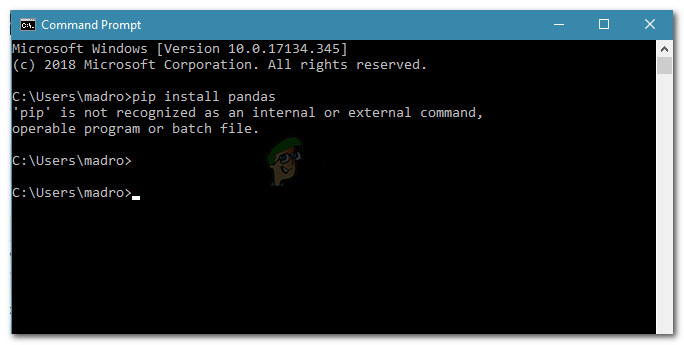
Appuals.com
Some users trying to install Python packages using a Command Prompt window report seeing the "pip is not recognized as an internal or external command"
keep in mind you're using python 3.8/python38
normal hare
omg i already looked at that page and tried everything xD
so idk broken or something
last moon
might be your installation then ya
normal hare
do u think reinstalling would help?
last moon
idk if you decide to reinstall tho, there's an option to 'add to Path' in the installation
idk why it isn't checked by default
normal hare
yeah thats weird
if i reinstall do i have to save any of my python files to an external drive?
or anything else
last moon
No the files you create are independent from python
last moon
Same as the libraries
dawn quiver
Yo
last moon
Howdy
 steel zealot
I’m trying to make a Rpg but I can’t figure out how to make a It two or one player game because I want it to be if both players die game But also a one player game
Hello
Hello
last moon
But you want to make a 1/2 player game? (as in an optional 2nd player?)
steel zealot
ya
last moon
Why are they dying in tennis? 😆 extreme tennis
steel zealot
?
last moon
by dying do you mean like actually dying, or the game stopping?
steel zealot
No that was my first
Game
It works
But I need to know about my Rpg
Not my pong game
last moon
by dying do you mean like actually dying, or the game stopping?
in your rpg then
steel zealot
ya
last moon
which one?
steel zealot
GAME OVER
last moon
ah ok
I'm not too familiar with game-dev in general, but the sudo code would look something like: if player1_state == dead or player2_state == dead: end_screen()
if there isn't a second player, you could set player2_state to None
steel zealot
Ok
last moon
which wouldn't activate the condition
steel zealot
How to make it change in game with words
Player two yes/no
No
Then have it change depending
last moon
Ya so like if yes, initialize them in the same/similar way as the first player - if no, then set player2 to None
pretty much both players will have the same logic, except for a few smaller things such as buttons/textures/logic (but in a gameplay sense)/etc
 tall summit
help
import pygame

pygame.init()

win= pygame.display.set_mode((550, 550))

pygame.display.set_caption('Tic Tac Toe')

#squares to make up the lines of the tic tac toe playing area
square_one= pygame.draw.rect(win, (255,255,255),(25,25,150,150))
square_two= pygame.draw.rect(win, (255,255,255),(200,25,150,150))
square_three= pygame.draw.rect(win, (255,255,255),(375,25,150,150))
square_four= pygame.draw.rect(win, (255,255,255),(25,200,150,150))
square_five= pygame.draw.rect(win, (255,255,255), (200, 200, 150, 150))
square_six= pygame.draw.rect(win, (255,255,255), (375,200,150,150))
square_seven= pygame.draw.rect(win, (255,255,255),(25,375, 150, 150))
square_eight= pygame.draw.rect(win,(255,255,255),(200, 375,150,150))
square_nine= pygame.draw.rect(win,(255,255,255),(375,375,150,150))


game_run=True


while game_run:


  pygame.time.delay(100)

  for event in pygame.event.get():
    if event.type == pygame.QUIT:
      game_run= False
    #place a shape if the mouse clicks on any of the squares

    if event.type == pygame.MOUSEBUTTONUP:
      position= pygame.mouse.get_pos()

      if square_one.collidepoint(position):
        pygame.draw.rect(win,(255,0,0),(50,50,100,100))


  pygame.display.update

pygame.quit()
this code is not working
last moon
try putting it in a function/use an OOP approach
actually my ide is sending back a warning saying that those squares are defined but not used
you might want to read through the docs a bit more
steel zealot
Sorry to bug you again but I can’t end this statement
set name2 = None
last moon
name2 = None
steel zealot
ya but it says
End of statement excepted
last moon
how long's your code?
steel zealot
Only 21 lines not that long yet just started making it
frank fieldBOT
Discord has support for Markdown, which allows you to post code with full syntax highlighting. Please use these whenever you paste code, as this helps improve the legibility and makes it easier for us to help you.
To do this, use the following method:
```python
print('Hello world!')
```
Note:
• These are backticks, not quotes. Backticks can usually be found on the tilde key.
• You can also use py as the language instead of python
• The language must be on the first line next to the backticks with no space between them
This will result in the following:
print('Hello world!')
Ok
#billy_bobs
print("RPG EXTREAM")
a = input("Wood you like to play (yes/no/about) ")
b = input("Wood you like to play (yes/no/about) ")
name = input("Your name ")
name2 = input("player 2 what is your name")
print("your name is " + name)
print("player 2 your name is" + name2)
if a.lower() == "yes":
print("This Took us a very Long time to make ")
print("Buy Lucas and Waldo ")
print("the lost mine of Phandelver")
if a.lower() == "about":
print("Bugbear Medium humanoid " )
if b.lower() == "no":
print("ok")
set name2 = None
else:
print("You are a mean jerk face")
last moon
print("RPG EXTREAM")

a = input("Wood you like to play (yes/no/about) ")
b = input("Wood you like to play (yes/no/about) ")
name = input("Your name ")
name2 = input("player 2 what is your name")
print("your name is " + name)
print("player 2 your name is" + name2)
if a.lower() == "yes":
    print("This Took us a very Long time to make ")
    print("Buy Lucas and Waldo ")
    print("the lost mine of Phandelver")
if a.lower() == "about":
    print("Bugbear Medium humanoid " )
if b.lower() == "no":
    print("ok")
    set name2 = None
else:
print("You are a mean jerk face")```^ that's what markdown does
(makes it a lot easier to read)
steel zealot
Ok
last moon
ok so you're asking what player2's name is regardless of if there is one or not
steel zealot
ok
So what do I do
last moon
if b = "no":
player2 = None```You could, but i'd suggest using None
here's an analogy if you're having trouble understanding it
F = "fork"
you put the sticker "F" on a string object "fork". If you then write
F = None
you move the sticker to the None object.
Imagine that you didn't write the sticker "F", there was already an F sticker on the None, and all you did was move it, from None to "fork". So when you type F = None, you're "reset[ting] it to its original, empty state", if we decided to treat None as meaning empty state."```ya that should work?
steel zealot
Hello I got it to work
last moon
nice
last moon
^ idk where you keep getting set form
when I said set the variable, I meant define the variable
not type set variable
steel zealot
oh
last moon
maybe ask for names after the yes/no/about logic?
what I mean by this, is that currently - regardless of if there's a second player or not - your program will always ask for player2's name
last moon
if you put .lower() when you define a & b, you won't need to call it everytime
steel zealot
Ok
dawn quiver
i made snek
delicate raven
dude epic
 somber bramble
guys, made a little repo on github, it's an inventory system for text-rpgs (or games related), could someone rate it please? first game related stuff I post haha :D
https://github.com/ngeorgj/rpg-inventory-system
Thank you in Advance!
GitHub
Basic & Demonstrative inventory system using python (for Text-RPG games). - ngeorgj/rpg-inventory-system
it's very simple and for newcomers, (even having text comprehension inside)
and if there's something i can improve, please tell me
 strong shard
Hey guys, so I am kinda making the flappy bird and I tryied to draw thoses pipes but it didn't work
frank fieldBOT
Hey @tall summit!
Uh-oh! It looks like your message got zapped by our spam filter. We currently don't allow .txt attachments, so here are some tips to help you travel safely:
• If you attempted to send a message longer than 2000 characters, try shortening your message to fit within the character limit or use a pasting service (see below)
• If you tried to show someone your code, you can use codeblocks
(run !code-blocks in #bot-commands for more information) or use a pasting service like:
 midnight wave
@tall summit Your indentation is off:
dawn quiver
def extractRecipes(typeOfObject):
  scanInt = 0
  scanned = []
  for i in range(len(RecipeName)):
    if typeOfObject == 1:
      scanned.append(RecipeName[scanInt])
      scanInt = scanInt+1
      return scanned
    if typeOfObject == 2:
      scanned.append(RecipeID[scanInt])
      scanInt = scanInt+1
      return scanned
    if typeOfObject == 3:
      scanned.append(RecipeIngredients[scanInt])
      scanInt = scanInt+1
      return scanned
    scanInt = scanInt+1
    return scanned
extracted = extractRecipes(3)
addOne = 0
boolOBJ = bool(str(inputOfPlayer) == str(extracted[addOne]))
def cleanUpIDS():
  lenOfIDS = len(inputListPlayer)
  increase = 0
  idResult = ''
  for length in range(lenOfIDS):
    idResult = idResult+inputListPlayer[increase]
    increase = increase+1
  return idResult
obj = cleanUpIDS()
if boolOBJ:
  print("{}")
else:
  print("nope")
  while not str("done") in inputOfPlayer:
    inputOfPlayer = input("ID: ")
    if "done" not in inputOfPlayer:
      inputListPlayer.append(inputOfPlayer)
    obj = cleanUpIDS()
    print("{} {}".format(obj, extracted))
addOne = 0
isIn = bool(obj == RecipeIngredients[addOne])
for i in range(len(RecipeIngredients)):
  print("looking... scanning {}".format(addOne))
  if isIn:
    print("Correct! You have succesfully made a(n) {}".format(RecipeName[addOne]))
    oneorezero = 1
    break
  if not isIn:
    print("Error. Scanning next object. {}".format(addOne))
    addOne = addOne+1
oneorezero = 0```what's wrong here?
 quick jackal
i have a problem
i'm making a pygame and i'm trying to use pytmx
the problem is that i can use pip install pytmx, and terminal says i installed it correctly
however python does not recognize it and gives me a moduleNotFound error
potent ice
Then you have more than one python version installed
Since you say "terminal" I assume you are on linux or osx
pip / python is probably python2
pip3 / python3 is python 3
so you have probably installed pytmx in python 2, but running your program with python 3
You want to use python3 of course
 kindred sierra
Hi guys
Im thinking about make a little game engine with python
But with a bunch of tutorials i discovered xD
My idea is to use PyGLFW, PyOpenGL, PyOpenAL, Pillow (fork), PyInstaller and so on !!!
All those combinate to take a single "import pyengine" or something like that to make games with those potential libraries and totally free and opensource
What do you think?
potent ice
@kindred sierra It's a lot of work depending on what you are aiming for
There are probably hundreds of half-completed projects like that on github already
If you are planning to do something like that.. you might want to cover some niche
Yeah, but even simpler things like Renpy is a good example 😄
Or you can join me, Paul and a few others on the arcade project
Maybe also check out ModernGL instead of PyOpenGL if you can get it working with pyinstaller (If you are aiming for GL 3.3)
Saves you a lot of time
To be brutally honest I think contributing to existing projects might be a better idea and/or building something on top of an existing game library
kindred sierra
Ohh i see
I'll figurate and search more about that, still are some util libraries i dont know nothing
potent ice
You could use pyglet or arcade as a base if going with opengl stuff. Slightly lower level you can use moderngl.
kindred sierra
xDDD
potent ice
You are making PC games or also for raspi etc?
If win/linux/mac only you can get away with using moderngl.
I made a "moderngl light" in the arcade library, so that is an alternative
If lower spec hardware.. pyglet 1.5.x is the way
kindred sierra
If win/linux/mac only you can get away with using moderngl.
@potent ice Yes thats platform are the idea
But im thinking about 3D
Or pixel 3D
potent ice
How fancy do you need it to be?
You can also check out Ursina/Panda3D for 3d
A bit higher level again
kindred sierra
You can also check out Ursina/Panda3D for 3d
@potent ice Yeah i cheked that a little
potent ice
But if you want to work on lower level stuff moderngl is a good alternative, but you must be willing to work with shaders
kindred sierra
Basically i want to do an PyEngine code with only Python (and some C if i need)
But if you want to work on lower level stuff moderngl is a good alternative, but you must be willing to work with shaders
Oh yeah i want shaders
I will learn some stuff and plane to start the project in 2021
So thanks again
potent ice
I think Ursina/Panda3D have more of the utility stuff you need for making 3d games
kindred sierra
I'll look at ModernGL
potent ice
while moderngl is really just a form of gl binding
.. so you don't have to write 100 lines to set up some geometry 😅
kindred sierra
.. so you don't have to write 100 lines to set up some geometry 😅
@potent ice Jajaj
So my goal is to learn about "how to" and the ideal is make something helpful for people in the process. The games i maked are develop in Godot Engine (because fast prototipe) so the PyEngine is not for me doing games, but learn about the more low level are games, thank you for the support @potent ice
potent ice
No problem. I suggest snooping in https://discord.gg/9XsucTT and https://discord.gg/UEMtW8D
wet hare
hey i had a doubt
how to spawn multiple of the same image on the x axis at different distances
so im making the t rex game of chrome and we see that cacti spawn at different x locations but always have enough space for the player to land in for this i think they are making the cacti pick random between a specified list of x locations, but for this how do i clone my original cactus ?
 craggy frost
is pygame worth for making python games?
potent ice
Depends what kind of game you are making
last moon
Isn’t arcade better than pygame for 2d games?
frozen knoll
I'm biased, but I think it is. 🙂
last moon
Imo I think there needs to be a shift away from pygame
potent ice
To be fair. Pygame can run on more platforms. It depends what you need.
Every game library has strong and weak sides
Pick a library for the right reasons
dawn quiver
Panda3D, nuff said
potent ice
Depends on what you are hoping to make
 spiral holly
Question I'm on a chromebook with idle and python 3.7 why in pygame does pygame.draw.rect(WIN, size, color) not work??
Obviously size and color are actually code
And the usual way to close a pygame window doesnt work
dawn quiver
Hi
I made a snake game!
Here is the code
hope u like it
Use W A S D to move around
 tulip nexus
@dawn quiver I don’t see the code
finite pond
Need help with debugging. Message me
 junior gull
when i was trying to make a calculator with GUI it kept saying there is a syntax error in a Lambda: statement
 next steeple
watch a youtube video
potent ice
@round cobalt a vector represents a direction and potentially also velocity
potent ice
2d vector 1, 0 for example
It moves in positive direction on the x axis (right)
0.5, 0.5 = is upper right direction
So these two number can represent any direction in 2d
There is a formula for calculating it's lenght. That is the velocity/move speed
wet hare
i suggest the video 'learning pygame while making flappy bird' i found it pretty helpfull
potent ice
https://learn.arcade.academy/ is also nice for beginners
You learn a lot of things that apply everywhere
dawn quiver
hey guys
potent ice
Hello
potent ice
Just ask 😄
dawn quiver
can you tell how much time it would take to be a pro pythoneer
?
because i do know the basics
and i am a web developer too but in php
laravel
potent ice
No idea. Probably depends on the field. Also not sure how this is relevant to gamedev. Try #career-advice
 round cobalt
dawn quiver
round cobalt
dawn quiver
and i am a web developer too but in php
@dawn quiver
Try learning Flask
And rest API
Along with django
Took me around 3 months
 hazy bane
 stoic beacon
Game trees?
 wooden shoal
like I'm making a table top type game, and I need to have other players with "intelligent" actions
stoic beacon
I am not sure I follow
wooden shoal
okay, so it's a domino game, and there are different actions a player can take for a turn, and there are scoring actions, so you want to minmax for either everyone out for themselves or for a team dynamic?
also, I kinda wanted to respect imperfect information
stoic beacon
I am sorry but something came up and I have to leave, I hope somebody will be able to help you
wooden shoal
thanks for the help
well, I think I wanted to have both as options?
like, you can play it both ways
but not at the same time
also, do I have to have a minmax for each player?
I have a github of it
yeah, that would be fine
I just kinda tossed it out there, please, don't break your brain too much over it for me
I appreciate you talking about it with me, though
I guess that makes sense
I guess I just max the scores of all the states in a given layer?
or min
depending?
I guess it's the same tree of possible board states
I'm fine with starting with kibbitzing
I think I'm most of the way there, it's just hard to do stuff like this on personal projects sometimes
but I have a list of plays, and I can calculate that for each player
Thank you, I guess I'll try and make this work.
I actually took a class in this at some point, but the implementation I made was dogshit
so I don't know if I learned anything valuable out of that particular class.
 spice flame
Hi! So, I've been converting a pen and paper RPG to Python. It started out as most things do as a small combat simulator. Now that I am getting deep into it I started looking for something like a rules engine instead of coding up one from scratch. Most of the game tutorials focus on arcade style games. I was hoping to get some advice on where to continue to look.
 uneven perch
Hi, I'm totally new to game development and using pycharm for the first time. I am using python from anaconda, which seems to be compatible with pycharm except I cant import/install pygame, though I did conda install and verified via anaconda prompt that I do indeed have pygame
I tried doing this to solve my problem but when I search for pygame, it doesn't come up: https://stackoverflow.com/questions/53575888/pycharm-wont-import-pygame

Stack Overflow
I'm fairly new to python and decided to try PyGame only to find it won't import.
line 1, in <module>
import pygame
ModuleNotFoundError: No module named 'pygame'
I am on windows 10, I am...
!close
 mint timber
 dawn quiver
hi everyone. I'm following a pygame tutorial online (https://nerdparadise.com/programming/pygame/part1) and when i follow the code a black window should pop up with a small blue box in the corner. after entering the code in the tutorial i can get the black pygame window to pop up but not blue box appears until i close the window, then i can briefly see it as its shutting down. is there any reason why this is happening? any help would be appreciated. Thankyou.
import pygame
pygame.init()
screen = pygame.display.set_mode((400,300))
done = False
while not done:
for event in pygame.event.get():
if event.type == pygame.QUIT:
done = True
        is_blue = True
        if is_blue: colour  = (0, 128, 255)
        else: colour = (255, 100, 0)
        pygame.draw.rect(screen, colour, pygame.Rect(30, 30, 60, 60))


    pygame.display.flip()
 kind bobcat
You made that blue rec in the pygame.quit
So when it quits
You’ll see it
Place it outside the if statement if you wanna see it
Without quitting
dawn quiver
yeah the blue square only shows as the application is closing
 kind gust
Is there anyone here who could lend me a hand in the #help-cookie channel?
I'm trying to use OOP techniques for the first time and I'm struggling to refactor the code I already have
spiral holly
ok i know this is a popular question but im a beginner and wondering for programing simple games to sell on fiver arcade or pygame
lyric sandal
idk if anyone would buy
cold storm

End of work 8/20/2020 - about 3 days of serious effort part time
UPBGE 😄
 sharp mango
if anyone has Unity experience, I'm experiencing a bug
there's no collider on the rig I imported from Mixamo
but it appears like this and it messes with the walking and all that
 shrewd sequoia
Need help with Pygame !!!