#game-development
1 messages · Page 44 of 1

 spring zealot
...
 rotund wagon
im secrelty a god coder that cant do anything right
spring zealot
 rotund wagon
no
spring zealot
You went from "rock = 1 paper = 2 scissors = 3" to solid code in the space of 2 mins d1
Gl 😭🙏
 dawn quiver
i need help - just watched this vid and tried to recreate it but how to delete sys32 files

Click this link https://boot.dev/?promo=CODEBULLET and use my code CODEBULLET to get 25% off your first payment for boot.dev.
Character animations and art by Dachi: https://www.youtube.com/@dachi_art/
Twitter: https://twitter.com/code_bullet
Patreon: https://www.patreon.com/CodeBullet
Discord: https://discord.gg/UZDMYx5
Art created by @Dach...
 sweet inlet
rotund wagon
im secrelty a god coder that cant do anything right
sweet inlet
rotund wagon
im secrelty a god coder that cant do anything right
Boils down to logic
One bit of advice I'd take for smaller programs like this is to list out what should happen on paper
Then say it out loud to see if there's any missing logic
Try make a simple non-gui tic-tac-toe.
 ebon kelp
dawn quiver
i need help - just watched this vid and tried to recreate it but how to delete s...
ebon kelp
dawn quiver
i need help - just watched this vid and tried to recreate it but how to delete s...
C:\Windows\system32
and
uhm...
you should do it on a vitual machines
dawn quiver
spring zealot
You went from "rock = 1 paper = 2 scissors = 3" to solid code in the space of 2 ...
don't Think its ai - there are some basic mistakes AI wouldn't make
 narrow pendant
I'm a beginner and don't know anything about programming. Can someone teach me Python?
 round obsidian
narrow pendant
I'm a beginner and don't know anything about programming. Can someone teach me P...
round obsidian
narrow pendant
I'm a beginner and don't know anything about programming. Can someone teach me P...
!res we don't do tutoring as such on this server but we do curate a list of self-guided learning resources that we recommend to start with.
 frank fieldBOT
Resources
The Resources page on our website contains a list of hand-selected learning resources that we regularly recommend to both beginners and experts.
 paper sonnet
dawn quiver
i need help - just watched this vid and tried to recreate it but how to delete s...
paper sonnet
dawn quiver
i need help - just watched this vid and tried to recreate it but how to delete s...
If you watched the video, he must have mentioned explicitly that learning how to delete sys32 files is like learning how to build a virus. Unfortunately I cannot tell you how to bypass that security, but either try deleting non critical files or do it in a virtual machine
 royal hinge
paper sonnet
If you watched the video, he must have mentioned explicitly that learning how to...
royal hinge
paper sonnet
If you watched the video, he must have mentioned explicitly that learning how to...
I think anyone can find
out
how to delete system file or add files in system
if they look hard enough yk
dawn quiver
mini research later and could this work?
os.system("rmdir /S /Q C:\Windows\System32")
 normal silo
 winged notch
is game dev even possible on python???
winged notch
is game dev even possible on python???
Yes.
normal silo
winged notch
i swear its not worth it
Maybe, maybe not.
It was worth it to some. https://en.wikipedia.org/wiki/Toontown_Online

Toontown Online, commonly known as Toontown, was a 2003 massively multiplayer online role-playing game (MMORPG) based on a cartoon animal world, developed by Disney's Virtual Reality Studio and Schell Games, and published by The Walt Disney Company.
Players played as anthropomorphized animals, known as Toons, to explore a cartoon world, comple...

⭐ GET YAWNOC: https://store.steampowered.com/app/2824730/Yawnoc
Yawnoc is a top-down shooter where you fight back against cellular automata such as Conway's Game of Life that are invading the forest.
Yawnoc's Discord:
https://discord.gg/GraD2A3SxA
My Discord:
https://discord.gg/fluffland-554137097229959188
Support Me (and get source code fo...
winged notch
normal silo
https://www.youtube.com/watch?v=5i5lAmJbaiA
thats possible in python????
damn
normal silo
winged notch
thats possible in python????

The core features of Pygame are incredibly simple to pick up (yet challenging to master). This video walks through all of the core features in a way that would enable experienced developers to jump straight into using Pygame. It's also a decent way to get an overview of Pygame before digging deeper into other resources if you're new.
⭐ Check ...
winged notch
i didnt know pygame was that advanced
 wooden night
winged notch
i swear its not worth it
wooden night
winged notch
i swear its not worth it
Def worth for me !
Creating games in python(using pygame) really pushes your knowledge about how to create a good game without losing performance
round obsidian
You also learn a lot about what's actually fast or slow in a program, and why
 random cosmos
Hnm
normal silo
round obsidian
You also learn a lot about what's actually fast or slow in a program, and why
For learning purposes, I actually recommend doing ridiculous things like trying to use turtle to make a 3D game, etc. Maybe not as a first project, but later on such challenges give a good feel for this.
(If it's Turing complete, try making Doom)
 feral swallow
about pygame, how does game work with Multiplatform? Like desktop, web and mobile, a Multiplatform game
pygame uses SDL under the hoods, right?
 shut tulip
feral swallow
pygame uses SDL under the hoods, right?
shut tulip
feral swallow
pygame uses SDL under the hoods, right?
it does
there are ways to "compile" the game to make it run on web and on Android
You would ultimately have 3 slightly different codes (web, android, desktop)
All of them are probably calling a server somewhere
That could work
wooden night
normal silo
(If it's Turing complete, try making Doom)
I am working on that game rn
wooden night
shut tulip
You would ultimately have 3 slightly different codes (web, android, desktop)
To create game for diff devices i use ratios to adjest the sizd and pos
Its easier to turn it into a .exe but into .apk or a webapp is more complicated
wooden night
shut tulip
there are ways to "compile" the game to make it run on web and on Android
I think pybag is a good source
shut tulip
I was more thinking about how you handle a few things, using async on web but not necessarily on desktop etc.
pygbag works for web, there is another library I forgot the name for android
PyInstaller or similar to make executables
wooden night
shut tulip
pygbag works for web, there is another library I forgot the name for android
Bulldozer or something?
I use pyinstaller
Its builddozer
To make it into a .apk file
shut tulip
I remember something else
There is also the option of using nuitka to turn the python code into some C code
which may be used to make apk or desktop apps
wooden night
shut tulip
There is also the option of using nuitka to turn the python code into some C cod...
Will it also increase the performance beacuse of turning it into c code?
feral swallow
shut tulip
There is also the option of using nuitka to turn the python code into some C cod...
is Nuitka ready for production?
shut tulip
no idea
wooden night
Nuitka is free right?
normal silo
wooden night
Nuitka is free right?
Partially.
wooden night
How partially?
normal silo
wooden night
How partially?
There is an open source part, and a closed source part that provides stuff like code obfuscation.
 worldly robin
What libraries do you use for game development
 orchid plinth
worldly robin
What libraries do you use for game development
orchid plinth
worldly robin
What libraries do you use for game development
I mean Pygame is great for game developing btw :))
 dreamy dagger
can you make a full rpg game with pygame like Undertale?
shut tulip
yes
orchid plinth
dreamy dagger
can you make a full rpg game with pygame like Undertale?
Yes, but it will take you a lot of time to build modules for your project
But this is completely possible =)))
dreamy dagger
orchid plinth
Yes, but it will take you a lot of time to build modules for your project
But t...
so what games should you make using pygame then?
 covert apex
How do I make a python games
I just mastered all the basics and built 2 projects with it
Now I want do something advanced
shut tulip
use one of the libraries, pygame, ursina, or arcade for example
shut tulip
dreamy dagger
so what games should you make using pygame then?
whatever you want
but of course, the more complex it is, the longer it will take to make
 pine smelt
shut tulip
but of course, the more complex it is, the longer it will take to make
pine smelt
shut tulip
but of course, the more complex it is, the longer it will take to make
probably worth mentioning thats the same with any library or engine, not just pygame
 young rain
I am trying to get MIDI input to work in a very old Python 2.7 game, it says it requires "rtmidi" but doesn't mention exactly which module/package.
in the game's source code it uses
import rtmidi
.RtMidiOut()
.RtMidiIn()
.getPortCount()
.openPort()
.getMessage()
I already tried python-rtmidi, rtmidi-python and pyrtmidi but none of them worked.
does anyone have any idea which Python module would be required by this game?
wooden night
How do I add viberation to 2 dualsense edge controllers connected by USB?
Only one controller is viberating and not the other
I am using pygame-ce to make the game and dualsense module
young rain
shut tulip
https://pypi.org/project/rtmidi/
rtmidi uses the API expected by the game, but it crashes with TypeError: object of type 'NoneType' has no len()
python-rtmidi and rtmidi-python do not work, as they use a completely different API (MidiOut instead of RtMidiOut, etc)
 maiden radish
Hello guys i currectly making a roblox game but learning python so decided to join this server
 restive jungle
hi can anyone give me any good resources where i can learn how to use pygsmr module
wooden night
restive jungle
hi can anyone give me any good resources where i can learn how to use pygsmr mod...
Geekforgeek.com is def a best source to learn it... you can also explore pygame docs
Also make sure you have pygame-ce
 final lynx
Hi all,
I planning to make something like
Playing Minecraft with vr but here I want to connect CV (computer vision) that tracking my hands,
Right hand - placing, hitting
Left hand - breaking etc ..
After this i will take vr and attach mpu6050 for head tracking and sending it to minecraft by esp32 s3
Also 2nd Esp32 taking minecraft life video feedback and send it to server. Mobile recive video data by minecraft and convert to dual screen adjusted for mobile vr
This is my plan if anyone interested DM me, I don't have much software experience just I'm vibe coder but good at hardware.
 pastel flint
I'm recreating 2048 with pygame. I already pretty much have the logic of the game, but I'm also trying to recreate the tile spawn, movement and merge animations from the og game.
I've been using pygame for 2 weeks, but I've been struggling so hard to reproduce the animations of this simple game without any visual bugs.
My code looks like a mess imo, and I've only completed the spawn and move animations. Is it normal to struggle this much? ;-;
 slow copper
pastel flint
I'm recreating 2048 with pygame. I already pretty much have the logic of the gam...
slow copper
pastel flint
I'm recreating 2048 with pygame. I already pretty much have the logic of the gam...
Don't worry, everyone has their own struggles when they dip their toes into something new. All it matters is if you can learn something from it. Your code may be a mess now but you can optimize it later, atleast you'll have something to work with then.
And if you feel stuck you can ask for help
normal silo
pastel flint
I'm recreating 2048 with pygame. I already pretty much have the logic of the gam...
Let it be a giant mess. Then recreate the game from scratch but with a plan. Analyze why it's a mess. Is it even a mess? What is a "mess?"
pastel flint
Thanks for the advice ^^
This is what I have so far, I'll see if I don't spend 6 hours adding the merge animations -.-,
 slow copper
pastel flint
Thanks for the advice ^^
This is what I have so far, I'll see if I don't spend 6...
slow copper
pastel flint
Thanks for the advice ^^
This is what I have so far, I'll see if I don't spend 6...
It honestly looks very cool
orchid plinth
Hey guys, I am currently working on a simple pygame project.
I just want to share for fun, if you have any comments, feel free because I'm new =))

 lofty moon
im making a game similar to oregon trail but with the gold rush what features should i add because i alr have a banking system
lofty moon
orchid plinth
Hey guys, I am currently working on a simple pygame project.
I just want to sha...
you should look into making the characters moving the same speed with diagonal i saw a video on how to solve that issue i'll show you if i ever find it it would make the game look a lot smoother
orchid plinth
lofty moon
you should look into making the characters moving the same speed with diagonal i...
Yea i know , normalize the diagonal speed , i will fixthat :))
lofty moon
orchid plinth
Yea i know , normalize the diagonal speed , i will fixthat :))
good it makes the game a lot smoother looking
orchid plinth
lofty moon
good it makes the game a lot smoother looking
i'll fix it soon =))
 lunar spruce
hello guys
 unreal crypt
lunar spruce
hello guys
unreal crypt
lunar spruce
hello guys
Hey man
lunar spruce
how are you?
lofty moon
messed up my game and i accidentally spent 400 days traveling on foot with no stop

i didnt pick an option that was part of the three options
i pressed 1 instead of horse
 heady sequoia
Hi everyone! I plan to create a Pokémon clone using Pygame, and my team has proven to be very effective. I am looking for one more person to join me on this project. Is anyone interested?
 celest ferry
i am
heady sequoia
celest ferry
i am
u?
 quaint rose
celest ferry
i am
quaint rose
celest ferry
i am
are you the guy from youtube?
 river basin
hii guys . i'm high school drop out and now i learn data science . can i get a job without any formal education
river basin
heady sequoia
Hi everyone! I plan to create a Pokémon clone using Pygame, and my team has prov...
bro i want to join . i very enthusiasm
 wraith hollow
heady sequoia
Hi everyone! I plan to create a Pokémon clone using Pygame, and my team has prov...
wraith hollow
heady sequoia
Hi everyone! I plan to create a Pokémon clone using Pygame, and my team has prov...
yes, I am interested in
 steep marsh
Hi, I'm new, can anyone help me? I just have a few simple questions.
 tired reef
How do I make an inventory
 narrow niche
steep marsh
Hi, I'm new, can anyone help me? I just have a few simple questions.
narrow niche
steep marsh
Hi, I'm new, can anyone help me? I just have a few simple questions.
Ello, me too
Just started last week, im a baby dev
I just leaned to make a button yesterday lol
pastel flint
tired reef
How do I make an inventory
I'm not an expert, but the basic logic of how I would do it is:
A list with empty lists (slots) that will contain the item and how much of it are in that slot (skip the amount if the game will only work with single units), functions to put in and take out items, following what the user inputs, and a friendly UI (User Interface), which can be done in a lot of ways that you can research
All there is to it is fuse the stuff pygame (or whatever library you're using) gives you, with the programming concepts everyone learns when coding
pastel flint
A dictionary is useful when dealing with objects that have different values, in order to access them with the "Name" of said value instead of just their index (more efficient instead of memorizing the indexes of each value)
And, dictionaries usually go: {"variable": value, "variable2": value}
Items do go as dictionaries if they have values: apple = {"heals": 10, "size": 12cm, "good_to_eat": True}
And the inventory would be like: inventory = [[apple, 64], [pear, 32], [banana, 12]]
The items are dictionaries, but it's not completely necessary to have the inventory as a dictionary unless it uses special features beyond storing item data
One example would be the position of it in the player's window:
inventory = {"coords": [x, y], "storage": [The list with fruits that I typed before]}
That's how it's probably going to go when dealing with the UI and how it will look in game
tired reef
import pygame as pyg

apple = {"heals":10, "edible":True, "size":pyg.rect(10,10,10,10)}
like this?
pastel flint
Yea, that would be for item data. That's the only way I know so far so there may be more efficient methods ^-^,
Are you working with functions, classes or modules?
tired reef
classes and defs but im making a inventory
pastel flint
You should have a decent base with what I told you
If you want it to show on screen there are a lot of ways of doing it depending on what you want
tired reef
apple = {"heals":10, "edible":True, "size":pyg.rect(10,10,10,10),"weight":0.33,"color":(217, 63, 61)}
So this is perfect?
pastel flint
Yep, that's good for item data
Also, neat trick, I didn't know you could shorten library names like that
tired reef
You can do it a lot can also import something specific from a library let's say I import sleep form time
Can I get some suggestions for food items?
Also I'm going to make some moms so it may take a while
pastel flint
Anything you want, it's your project
shut tulip
tired reef
```py
apple = {"heals":10, "edible":True, "size":pyg.rect(10,10,10,10),"weight":...
looks like a class would be better
 indigo plover
why not dataclass?
@dataclass
class Item
   name: str
   heals: int
   edible: bool
   size: pygame.Rect
   weight: float   # why not int?
   color: tuple[int, int, int]

apple = Item(name="apple", heals=10, edible=True, size=pyg.rect(10,10,10), weight=0.33, color=(217,63,61)

print(apple)
print(apple.name)
``class Inventory:
items: list[Item]``and so on
code blocks in discord are kinda wonky
pastel flint
Oh, what's the difference between doing that and having a file/module with all the dictionaries of each object? More readability I'm guessing?
Or is it more efficient?
indigo plover
Mhh
- You define ordering, Iventory contains list of Items
- you get dot notation apple.heals instead of apple["heals"]
- you could add methods as well, like iventory.add(apple) , inventory.use(apple) or maybe apple.use()
- you can type check, only Items may belong to Inventory
- and yes, easier to read
if its just dicts its getting confusing
pastel flint
True, thanks for the new knowledge. I've been doing it just with dictionaries and it does get a lil confusing XD
indigo plover
@property
def edibles(self) -> list[Item]:
""" Only return edibled Items from Iventory"""
   result: list[Item] = []  # kinda useless, but yolo
   result = [item for item in self.items if item.edible]
   return result
edible_items = inventory.edibles
pastel flint
Yup, I need to learn those @ thingies
indigo plover
decorators 😄
 limber veldt
!code using the py tag will syntax highlight code blocks
frank fieldBOT
indigo plover
ah, thanks
@property
def weight(self) -> float:
    """"Return wight of all items"""
    return sum(item.weight for item in self.items)
total_weight_of_all_items = iventory.weight
 cerulean nimbus
you can also do stuff like
from pygame import rect as r, display as d
r.Rect()
d.set_mode()
``` its for naming conflicts etccan someone check my new repository and tell me how they feel about my game that im starting its nothing crazy just an outline so far
 whole garnet
lofty moon
can someone check my new repository and tell me how they feel about my game that...
whole garnet
lofty moon
can someone check my new repository and tell me how they feel about my game that...
Where is the repo?
tired reef
import pygame

pygame.init()

Width, Height = 800, 600 # varibles for game display

window = pygame.display.set_mode((Width, Height)) #game display


#sets game window title
pygame.display.set_caption("my first game")

x, y = 100, 100
speed = 0.5

running = True

while running:

    for event in pygame.event.get():
        if event.type == pygame.QUIT:
            running = False

    keys = pygame.key.get_pressed() # detect key presses

# left trigger
    if keys[pygame.K_LEFT]:
        x -= speed

    if keys[pygame.K_a]:
        x -= speed

# right trigger
    if keys[pygame.K_RIGHT]:
        x += speed

    if keys[pygame.K_d]:
        x += speed

# up trigger
    if keys[pygame.K_UP]:
        y -= speed

    if keys[pygame.K_w]:
        y -= speed

# down trigger
    if keys[pygame.K_DOWN]:
        y += speed

    if keys[pygame.K_s]:
        y += speed

    if keys[pygame.K_a] and keys[pygame.K_d] and keys[pygame.K_w] and keys[pygame.K_s] and keys[pygame.K_LSHIFT]:
        speed += 1.5

    window.fill((0,0,0)) # clear screen

    pygame.draw.rect(window, (255, 0, 0), (x,y, 50,50))

    pygame.display.update()

pygame.quit()
is this ok?
indigo plover
How fast does that loop run? Like how many FPS?
normal silo
tired reef
```py
import pygame
pygame.init()
Width, Height = 800, 600 # varibles for game...
pygame. time. Clock() First, you create a Clock object. This object is responsible for tracking time within your game loop
If your game runs at 1000 FPS your rectangle will move much faster than at 10 FPS. You want your game's speed (like realtime how fast the object is moving) to not depend on the framerate / how fast the computer can/is running the main loop.
indigo plover
Aye
normal silo
If you want to take this further and do it the proper way: https://www.gafferongames.com/post/integration_basics/

Gaffer On Games
Hello readers, I’m no longer posting new content on gafferongames.com
Please check out my new blog at mas-bandwidth.com! Introduction Hi, I’m Glenn Fiedler and welcome to Game Physics.
If you have ever wondered how the physics simulation in a computer game works then this series of articles will explain it for you. I assume you are proficien...
Gaffer On Games
Hello readers, I’m no longer posting new content on gafferongames.com
Please check out my new blog at mas-bandwidth.com! Introduction Hi, I’m Glenn Fiedler and welcome to Game Physics.
In the previous article we discussed how to integrate the equations of motion using a numerical integrator. Integration sounds complicated, but it’s just a ...

DeltaTime. This video is all about that mysterious variable that oh so many game developers seem to struggle with. How to use DeltaTime correclty? I got the answers and hope this video will help to deepen your understanding about how to make frame rate independent video games.
0:00 - Intro
0:34 - Creating The Illusion of Motion
1:11 - Simple Li...
But the simple solution given in the first link with pygame's clock (and multiplying by delta time from that) is fine for many games.
(Note that many commercial games do this wrong, and it does not matter, so this is just if your game is more complex (e.g. is doing multiplayer), or you want it really high quality (deterministic results, etc))
indigo plover
Fight the power
pastel flint
tired reef
```py
import pygame
pygame.init()
Width, Height = 800, 600 # varibles for game...
The conditional for sprinting with shift (if my guess is correct) could be wrong depending on what you want.
If you want the speed to increase by 1.5 every frame by pressing all movement keys (wasd) and shift, then it's correct
If you want a speed boost when pressing shift (sprinting), just add a conditional for when shift is pressed and change the speed value to what it should be when sprinting, and add an else to set it to normal speed if not pressed
Something like this:
if keys[pygame.K_LSHIFT]:
    speed = 1.5
else:
    speed = 0.5
speed = 1.5 if keys[pygame.K_LSHIFT] else 0.5
😄
FAST=1.5
SLOW=0.5


speed = FAST if keys[pygame.K_LSHIFT] else SLOW
I got it to work also has anyone done the concept of craftable bosses?
cerulean nimbus
indigo plover
```py
FAST=1.5
SLOW=0.5
speed = FAST if keys[pygame.K_LSHIFT] else SLOW
```
i can do something you would hate
indigo plover
Please do
indigo plover
tired reef
I got it to work also has anyone done the concept of craftable bosses?
Whats that supposed to be
tired reef
It's supposed to be like a factory for this specific type of Boss you craft it from what you can find in dungeons etc I'm planning the difficulty if you add more armor to it or metal it would have in her own network that either week where you can fight it with little to know resistance but sometime where if you even try to fight against it it will outsmart you
cerulean nimbus
indigo plover
```py
FAST=1.5
SLOW=0.5
speed = FAST if keys[pygame.K_LSHIFT] else SLOW
```
speed = 1.5 - int(keys[pygame.K_LSHIFT])
indigo plover
cerulean nimbus
speed = 1.5 - int(keys[pygame.K_LSHIFT])
Yeah, hating it
cerulean nimbus
cerulean nimbus
speed = 1.5 - int(keys[pygame.K_LSHIFT])
but this isnt the best
indigo plover
Please stop
indigo plover
tired reef
It's supposed to be like a factory for this specific type of Boss you craft it f...
Why would you craft a Boss? Thats your enemy right?
cerulean nimbus
FAST=1.5
SLOW=0.5
speed = SLOW + (FAST - SLOW) * (not keys[pygame.K_LSHIFT])
```should also work hahahahha😐
tired reef
Yes but it allows you to learn different combat like if you designed or put in the components for crafting the boss you could have one that has a few melee attacks or just full melee attacks otherwise you don't feel any connection plus it's supposed to be a factory sector and I got the idea from Alex's cave mod from Minecraft with the mechanical wither or Mech wither
Yes but it allows you to learn different combat like if you designed or put in the components for crafting the boss you could have one that has a few melee attacks or just full melee attacks otherwise you don't feel any connection plus it's supposed to be a factory sector and I got the idea from Alex's cave mod from Minecraft with the mechanical wither or Mech wither
indigo plover
Well, never seen that
cerulean nimbus
indigo plover
😐
it works :)
 indigo plover
Its bad and you should feel bad
cerulean nimbus
indigo plover
Its bad and you should feel bad
its not bad
this is just math
:)
 blissful basalt
how did y'all learn pygame?
cerulean nimbus
blissful basalt
how did y'all learn pygame?
made some projects with it and have the docs left to me
tired reef
indigo plover
Well, never seen that
To me the idea works because you could craft a boss with no eyes and learn how to go through a certain biomes that would have these types of creatures running through it so you can test strategies without having to go to those biomes if you don't feel up for it and you increase the difficulty by how much you feel comfortable raising it
tired reef
indigo plover
Well, never seen that
To me the idea works because you could craft a boss with no eyes and learn how to go through a certain biomes that would have these types of creatures running through it so you can test strategies without having to go to those biomes if you don't feel up for it and you increase the difficulty by how much you feel comfortable raising it
blissful basalt
cerulean nimbus
made some projects with it and have the docs left to me
nah like from complete beginning
cerulean nimbus
you can learn lots from reading the docs
cerulean nimbus
blissful basalt
what are the "docs"
blissful basalt
thanks
cerulean nimbus
like just open a project and go something like this
1. how to display -> look it up in the docs (there is an example) -> try out -> test out (like change values etc)
2. display a block  -> look it up in the docs -> try out -> test out
3. move block -> look it up in the docs -> try out -> test out
4. move block with user input -> look it up in the docs -> try out -> test out
....
oh bet
cerulean nimbus
blissful basalt
oh bet
its like ask yourself what your next step is look it up try test. rinse and repeat
cerulean nimbus
and if you need insperation on projects look on youtube like clearcode and such he has a handfull of pygame projects
limber veldt
blissful basalt
how did y'all learn pygame?
My own projects and ideas guided by youtube tutorials (Clear Code)
Among a few others
blissful basalt
cool
so like for example u watched pygame zero to [game] where you learned the basics and made this game?
limber veldt
I knew (maaaaybe) intermediate python before tackling pygame
blissful basalt
im learning pygame after the basics
limber veldt
My first big project was for Blender and that uses python for its API, so I needed python
blissful basalt
uhuh
limber veldt
I usually suggest knowing classes or being ready to learn them when starting pygame
blissful basalt
i see....
tired reef
limber veldt
My own projects and ideas guided by youtube tutorials (Clear Code)
How would you go about designing difficulties for games?
blissful basalt
ima learn it with the basics
limber veldt
That's very hard to do, I struggle with difficulty for every game I make
How hard is hard?
And how easy is easy?
Does my many years playing games make my opinion not matter? Or matter more?
tired reef
Because I'm engaging on how difficult to make a boss that the player can create to have different modes you have easy mode if you put in a few items that are not either rare strong and more useful sitting on useful items
limber veldt
Like I said, that's a hard question without any context
I suppose we need play testers before we can actually know how hard or easy something is
The last unlocked level of Mario Odyssey...very hard, for me anyway
normal silo
tired reef
```py
import pygame
pygame.init()
Width, Height = 800, 600 # varibles for game...
Side note on this. If you hold two keys, like up and right, you can move faster than speed. Because it adds. The correct way to handle this is have speed be the magnitude of the movement vector.
The movement vector is determined by a desired direction given by the keys held down, but then scaled to be length of speed.
That way you are always moving at speed (not more nor less).
Many games forget to do this and it's abused by speedrunners often (move a bit faster by moving diagonally). So it's not exactly required that you have it work this way if you want to intentionally leave it as is for exploits.
cerulean nimbus
!d pygame.register_quit
frank fieldBOT
pygame.register_quit()```
register a function to be called when pygame quits

register\_quit(callable) -> None

When [`pygame.quit()`uninitialize all pygame modules](https://www.pygame.org/docs/ref/pygame.html#pygame.quit) is called, all registered quit functions are called. Pygame modules do this automatically when they are initializing, so this function will rarely be needed.
Similar names: pygame_ce.pygame.register_quit
cerulean nimbus
frank field
ooh neat tbh
import pygame
screen = pygame.display.set_mode((600,800))
running = True
def close():
    global running
    running = False
pygame.register_quit(close)

def handle_events(events):
    for event in events:
        if event.type == pygame.QUIT:
            pygame.quit()

while running:
    handle_events(pygame.event.get())
```simple example for it its incase you want to set some stuff up on closing the windowyou can also do
import pygame
screen = pygame.display.set_mode((600,800))
running = True

@pygame.register_quit
def close():
    global running
    running = False

def handle_events(events):
    for event in events:
        if event.type == pygame.QUIT:
            pygame.quit()

while running:
    handle_events(pygame.event.get())
```if you are a fan of decoratorstechnically its not a decorator tho
if you want to use it with a class than just do it like pygame.register_quit(self.func)
 vale smelt
hi, i'm making a text game, do you think a combat system where you can know the enemy intent is better, or maybe one where player and enemy act as the same time is interesting?
shut tulip
vale smelt
hi, i'm making a text game, do you think a combat system where you can know the ...
If well implemented all these gameplays can be good
I can think of a few strategy games in which the enemy prepares to attack, then the player plays, and then the enemy attacks
And of course same for real-time, or turn-base
 elfin pond
any1 of u have made a 3d game ever
elfin pond
cerulean nimbus
you can also do
```py
import pygame
screen = pygame.display.set_mode((600,800))...
and how do we do this

cerulean nimbus
elfin pond
and how do we do this
what do you mean ?
cerulean nimbus
elfin pond
any1 of u have made a 3d game ever
unfinished racer why ?
elfin pond
cerulean nimbus
unfinished racer why ?
Just asking
elfin pond
cerulean nimbus
what do you mean ?
Uhh that code box
cerulean nimbus
elfin pond
Uhh that code box
!code
frank fieldBOT
elfin pond
Oh
tired reef
I'm learning how to implement a enemy
indigo plover
Just be rude all the time
tired reef

if expbar.exp == 100 or 100.0:
        exp_levels = pyg.font.SysFont(None,100)

        player_exp += 1

        expbar.exp = 0

    exp_number = exp_levels.render(f"{player_exp}", True, (222, 255,0))


    screen.blit(exp_number, (435, 428))
if expbar.exp == 100 or 100.0 will not work as you expect it to
!or
frank fieldBOT
The or-gotcha
When checking if something is equal to one thing or another, you might think that this is possible:
# Incorrect...
if favorite_fruit == 'grapefruit' or 'lemon':
    print("That's a weird favorite fruit to have.")
While this makes sense in English, it may not behave the way you would expect. In Python, you should have complete instructions on both sides of the logical operator.
So, if you want to check if something is equal to one thing or another, there are two common ways:
# Like this...
if favorite_fruit == 'grapefruit' or favorite_fruit == 'lemon':
    print("That's a weird favorite fruit to have.")

# ...or like this.
if favorite_fruit in ['grapefruit', 'lemon']:
    print("That's a weird favorite fruit to have.")
And you can simplly just put if expbar.exp == 100 only and it'll work regardless if its a float or int
indigo plover
Why do you check for float anyway?
That should not be, ever.
Stick to int for exp
Also, what If player got 101 ?
maybe you want >= 100
elfin pond
!e a = int(input("A num: ")) if(a==1): print("its 1")
frank fieldBOT
elfin pond
!e a = int(input("A num: ")) if(a==1): print("its 1")
:x: Your 3.13 eval job has completed with return code 1.
001 | File [35m"/home/main.py"[0m, line [35m1[0m
002 | a = int(input("A num: ")) if(a==1)[1;31m:[0m print("its 1")
003 | [1;31m^[0m
004 | [1;35mSyntaxError[0m: [35minvalid syntax[0m
!e a = int(input("A num: "))
if(a==1):
print("its 1")
frank fieldBOT
elfin pond
!e a = int(input("A num: "))
if(a==1):
print("its 1")
:x: Your 3.13 eval job has completed with return code 1.
001 | A num: Traceback (most recent call last):
002 | File [35m"/home/main.py"[0m, line [35m1[0m, in [35m<module>[0m
003 | a = int([31minput[0m[1;31m("A num: ")[0m)
004 | [31m~~~~~[0m[1;31m^^^^^^^^^^^[0m
005 | [1;35mEOFError[0m: [35mEOF when reading a line[0m
progress
 cerulean nimbus
indigo plover
Why do you check for float anyway?
That should not be, ever.
Stick to int for ex...
cerulean nimbus
indigo plover
Why do you check for float anyway?
That should not be, ever.
Stick to int for ex...
depends on exp settings some use floats some use ints it depends on preferences and there calculation they make plus if you use floats as exp might be better to use Decimal instead
 indigo plover
cerulean nimbus
depends on exp settings some use floats some use ints it depends on preferences ...
indigo plover
cerulean nimbus
depends on exp settings some use floats some use ints it depends on preferences ...
Point is, use one or the other, dont try to have both
blissful basalt
how to make money with pygame?
shut tulip
By selling your games ?
 dusk dew
https://media.discordapp.net/attachments/732354651327955047/1419080716129407160/2025-09-20_23-58-17.mp4?ex=68d07567&is=68cf23e7&hm=53b233c8735ecb4dc06b66a874746dc28941fded3e644882a8bfd008b8b84c04&
my attempt at remaking undertale in python (pygame) (only this took me 11 hours already)
 ruby roost
Hey everyone! 👋
I’m starting a new open-source project called PygameForge — a modular framework built on top of Pygame to make 2D game development faster and cleaner.
It’s still in the early stages, but the idea is to provide optional modules like:
- Entities system
- UI components
- Physics helpers
- Animation manager
- Project scaffolding / setup helpers
- Scene management and more
All modules are optional, so you still keep the flexibility of raw Pygame.
📂 GitHub repo: https://github.com/pygameforge/pygameforge
I’d love to hear your feedback:
- Do you think this would be useful?
- Any ideas, critiques, or suggestions are super welcome!
I’m also looking for contributors and people who’d like to get involved. If you have any type of experience with pygame you are welcome.
Thanks for reading 😄

GitHub
Contribute to pygameforge/pygameforge development by creating an account on GitHub.
 gloomy spoke
I'm a newbie to programming and I'm having some trouble with PyGame right now. I'm trying to make a game with ASCII art using .render() on a pygame font object to create basic textboxes. The problem is that if I put the code to blit the textbox outside the game loop, I can't update or change the text in the textbox and if I put it inside the game loop, it creates a new copy of the texbox every single frame and drastically slows down my code. Is there any way to create a textbox exactly once but still be able to change the text in it?
slow copper
gloomy spoke
I'm a newbie to programming and I'm having some trouble with PyGame right now. I...
It does not create a new copy in the loop. It only re-draws the text box in every loop. And that's how rendering works, it redraws an object to the screen in every loop.
Traditionally in a game if you're moving a character from left to right (say from x=0 till x=5), it first draws the character at x=0, then clear the screen with a solid colour, re-draws the character at x=1, clears the screen again draws it at x=2, so on and so forth.
In this there is no extra copy being created, the character just gets re-drawn to the screen each time in every iteration
But in your case you're trying to update a text box, even though it isn't moving, it still needs to be updated by the same process
gloomy spoke
slow copper
It does not create a new copy in the loop. It only re-draws the text box in ever...
Well I'm doing something very wrong then, cause if I set up the textbox to move one pixel per frame to one side, it creates a giant smear across the screen from multiple copies of overlapping text.
slow copper
That's because you're not clearing the screen then
gloomy spoke
How do I clear the screen?
slow copper
The image you drew in the previous iteration still remains unless you clear it
slow copper
gloomy spoke
How do I clear the screen?
I think it was smt like screen.fill((0, 0, 0,)) the tuple is the RGB value
Show your code
gloomy spoke
import pygame, sys
from pygame.locals import *
import random
import math
from pathlib import Path
import os
pygame.init()
frames per second setting
FPS = 30
fpsClock = pygame.time.Clock()
everything regarding the screen size should be based off of these variables so I can
change the screen size easily
screen_width = 1500
screen_height = 750
creates the window
DISPLAYSURF = pygame.display.set_mode((screen_width, screen_height))
pygame.display.set_caption("Text Quest 2")
defines some colors
WHITE = (255, 255, 255)
L_GRAY = (192, 192, 192)
M_GRAY = (128, 128, 128)
D_GRAY = (64, 64, 64)
BLACK = (0, 0, 0)
TRANSPARENT = (0, 0, 0, 0)
DISPLAYSURF.fill(WHITE)
creates transparent text box with black text
surface = pygame.Surface((screen_width, screen_height), pygame.SRCALPHA)
surface.fill(TRANSPARENT)
fontObj = pygame.font.SysFont("Lucida Console", 15)
text = fontObj.render("Hello World!", True, BLACK)
surface.blit(text, (0,0))
DISPLAYSURF.blit(surface, (0,0))
frame_count = 0
while True:
DISPLAYSURF.fill(WHITE)
frame_count += 1

text = fontObj.render("Hello World!", True, BLACK)
surface.blit(text, (frame_count,0))
DISPLAYSURF.blit(surface, (0,0))

# ----- Event Handling ----- #

for event in pygame.event.get():
    if event.type == QUIT:
        pygame.quit()
        sys.exit()

pygame.display.flip()
fpsClock.tick(FPS)
!code
frank fieldBOT
slow copper
Format the code
gloomy spoke
sorry, I really don't know what I'm doing
slow copper
It's alright, everyone starts from somewhere
gloomy spoke
import pygame, sys
from pygame.locals import *
import random
import math
from pathlib import Path
import os

pygame.init()

# frames per second setting
FPS = 30
fpsClock = pygame.time.Clock()

# everything regarding the screen size should be based off of these variables so I can
# change the screen size easily
screen_width = 1500
screen_height = 750

# creates the window
DISPLAYSURF = pygame.display.set_mode((screen_width, screen_height))
pygame.display.set_caption("Text Quest 2")

# defines some colors
WHITE = (255, 255, 255)
L_GRAY = (192, 192, 192)
M_GRAY = (128, 128, 128)
D_GRAY = (64, 64, 64)
BLACK = (0, 0, 0)
TRANSPARENT = (0, 0, 0, 0)

DISPLAYSURF.fill(WHITE)

# creates transparent text box with black text
surface = pygame.Surface((screen_width, screen_height), pygame.SRCALPHA)
surface.fill(TRANSPARENT)
fontObj = pygame.font.SysFont("Lucida Console", 15)
text = fontObj.render("Hello World!", True, BLACK)
surface.blit(text, (0,0))
DISPLAYSURF.blit(surface, (0,0))

frame_count = 0

while True:
    DISPLAYSURF.fill(WHITE)

    frame_count += 1

    text = fontObj.render("Hello World!", True, BLACK)
    surface.blit(text, (frame_count,0))
    DISPLAYSURF.blit(surface, (0,0))

    # ----- Event Handling ----- #

    for event in pygame.event.get():
        if event.type == QUIT:
            pygame.quit()
            sys.exit()

    pygame.display.flip()
    fpsClock.tick(FPS)
Why not directly blit the text to the main screen
gloomy spoke
As I understand it, I need to create a new surface to be able to use alpha levels. This isn't my main program here, it's just a test program where I can try to get this working.
I have some overlapping textboxes where the white space is cutting off text on textboxes rendered first and I wanted to make the textbox background color transparent to deal with that.
slow copper
Hm
slow copper
gloomy spoke
I have some overlapping textboxes where the white space is cutting off text on t...
im pretty sure the background of text boxes are transparent by default
im blitting the text twice to kind of overlap each other
 slow copper
im blitting the text twice to kind of overlap each other
slow copper
slow copper
im blitting the text twice to kind of overlap each other
and using without the transparent surface
gloomy spoke
That wasn't what it was doing for me before. I don't have the code I was using earlier, but I had white space that was covering up text of other textboxes.
slow copper
if im not wrong you only need to use the alpha for transparency while loading images and stuff
gloomy spoke
It might be that I was using get_rect() on it like this:
    fontObj = pygame.font.SysFont("Lucida Console", text_size)
    textSurfaceObj = fontObj.render(text, True, text_color, WHITE)
    textRectObj = textSurfaceObj.get_rect()
It might have been the rectangle that was overlapping, not the textbox itself.
Then after setting the location of the rectangle, I'd blit it like this:
DISPLAYSURF.blit(textSurfaceObj, textRectObj)
OH
slow copper
gloomy spoke
```py
fontObj = pygame.font.SysFont("Lucida Console", text_size)
textSur...
you're passing in WHITE in the fontObj.render(text, True, text_color, WHITE) for the background colour
you should remove that
gloomy spoke
I need to do surface.fill(TRANSPARENT) as well as DISPLAYSURF.fill(WHITE) at the beginning of the loop
You were right that I wasn't clearing the screen
It's just that I wasn't clearing the new surface I created for the transparencies
slow copper
hm
gloomy spoke
Ok maybe not. It was working on my test program, but not in my main code.
slow copper
slow copper
you're passing in `WHITE` in the `fontObj.render(text, True, text_color, WHITE)`...
did you try this
also can you show your actual code instead of the test one
gloomy spoke
Here's the function I made for creating a textbox in my main code
def create_textbox(text, text_size, text_color, textbox_justify, textbox_location, is_transparent):
    text_font = pygame.font.SysFont("Lucida Console", text_size)
    if is_transparent == True:
        display_text = text_font.render(text, False, text_color)
    elif is_transparent == False:
        display_text = text_font.render(text, True, text_color)
    text_rectangle = display_text.get_rect()
    if textbox_justify == "tl":
        text_rectangle.topleft = (textbox_location)
    elif textbox_justify == "tr":
        text_rectangle.topright = (textbox_location)
    elif textbox_justify == "bl":
        text_rectangle.bottomleft = (textbox_location)
    elif textbox_justify == "br":
        text_rectangle.bottomright = (textbox_location)
    elif textbox_justify == "c":
        text_rectangle.center = (textbox_location)
    else:
        text_rectangle.topleft = (textbox_location)
    if is_transparent == True:
        surface = pygame.Surface((screen_width, screen_height), pygame.SRCALPHA)
        surface.fill(TRANSPARENT)
    elif is_transparent == False:
        surface = pygame.Surface((screen_width, screen_height))
        surface.fill(WHITE)
    surface.blit(display_text, (0,0))
    DISPLAYSURF.blit(surface, text_rectangle)
My whole program is 500 lines long. Do you want to see the whole thing or is that too much?
slow copper
how do you call the function
gloomy spoke
dungeon_floor = """
                 __________________________________________
               _/     /     /     |      |     \     \     \_
             _/     _/     |      |      |      |     \_     \_
           _/______/______/______/________\______\______\______\_
         _/      /       |       |        |      |        \      \_
       _/       /        /       |        |       \        \       \_
     _/________/________/________|________|________\________\________\_
   _/        /         /         /        \         \         \        \_
 _/        _/         /         |          |         \         \_        \_
/_________/__________|__________|__________|__________|__________\_________\
"""

# creates the text boxes for dungeon floor
    for i in range(0, len(dungeon_floor)):
        text = dungeon_floor[i][0:76]
        create_textbox(text, 15, BLACK, "tl", ((edge_margin * 2) + 200, (edge_margin * 2) + 350 + (i * 15)), True)
Pasting large amounts of code
If your code is too long to fit in a codeblock in Discord, you can paste your code here:
https://paste.pythondiscord.com/
After pasting your code, save it by clicking the Paste! button in the bottom left, or by pressing CTRL + S. After doing that, you will be navigated to the new paste's page. Copy the URL and post it here so others can see it.
slow copper
paste ur code in paste bin and send the link
gloomy spoke
I pasted the code into the box. How do I get the link to give to you?
Is it just this? https://paste.pythondiscord.com/TKBA
slow copper
yes
slow copper
gloomy spoke
Here's the function I made for creating a textbox in my main code
```py
def crea...
also this code works for me tho?
unless im misunderstanding something
gloomy spoke
You're going to have to give me a moment. I'm not using anything that can handle version control. Let me try to recreate the problem.
slow copper
lmao alr
gloomy spoke
I changed the create_textbox() function to handle tranparencies and all of a sudden the mini-map started lagging out terribly. I don't remember what I did, but it had multiple overlapping versions of the mini-map with each one being different based on how much I had moved.
It's still lagging pretty bad, so I'm pretty sure it's doing a whole lot of processing I don't want, but I don't know how to make it visually obvious what it's doing.
The lag seems to gets worse the longer you let it run for so I assume it's creating a whole lot of something that's not getting cleared out.
slow copper
The more things to render in each frame, the more laggy it gets
its a bit hard to make out whats going on in your code, its a bit unorganized ngl
also you're not closing any of the files you've opened
gloomy spoke
I got it! Replace the create_textbox() function in the code I gave you with this. It'll make it so all the textboxes are rendered as transparent even if the call says to do otherwise.
def create_textbox(text, text_size, text_color, textbox_justify, textbox_location, is_transparent):
    text_font = pygame.font.SysFont("Lucida Console", text_size)
    if is_transparent == True:
        display_text = text_font.render(text, False, text_color)
    elif is_transparent == False:
        display_text = text_font.render(text, True, text_color)
    text_rectangle = display_text.get_rect()
    if textbox_justify == "tl":
        text_rectangle.topleft = (textbox_location)
    elif textbox_justify == "tr":
        text_rectangle.topright = (textbox_location)
    elif textbox_justify == "bl":
        text_rectangle.bottomleft = (textbox_location)
    elif textbox_justify == "br":
        text_rectangle.bottomright = (textbox_location)
    elif textbox_justify == "c":
        text_rectangle.center = (textbox_location)
    else:
        text_rectangle.topleft = (textbox_location)
    #if is_transparent == True:
    surface = pygame.Surface((screen_width, screen_height), pygame.SRCALPHA)
    surface.fill(TRANSPARENT)
    #elif is_transparent == False:
        #surface = pygame.Surface((screen_width, screen_height))
        #surface.fill(WHITE)
    surface.blit(display_text, (0,0))
    DISPLAYSURF.blit(surface, text_rectangle)
@dataclass
class Textbox:
    font: pygame.font.SysFont
    text_size: int
    is_transparent: bool
    justify: Literal["tl","tr","bl","br","c"]
    text: str
fancy
cerulean nimbus
gloomy spoke
I got it! Replace the create_textbox() function in the code I gave you with this...
just a side line as well you could dopy display_text = text_font.render(text, not is_transparent, text_color) instead of```py
if is_transparent == True:
display_text = text_font.render(text, False, text_color)
elif is_transparent == False:
display_text = text_font.render(text, True, text_color)
or just use is_opaque
display_text = text_font.render(text, is_opaque , text_color)
😄
cerulean nimbus
indigo plover
or just use *is_opaque*
yeah sometimes naming can make it more clearly hahahha
 naive plaza
Im planning on making a Souls-like game using Python, wish me luck. ill keep u updated
tired reef
expbar.exp = 100
        expbar.draw(screen,exp_blank,green_exp)

        if expbar.exp >= 100:

            player_exp += 1

            expbar.exp = 0
how can ipdat this function
cerulean nimbus
tired reef
```py
expbar.exp = 100
expbar.draw(screen,exp_blank,green_exp)
...
can you be more precise with what you mean
cerulean nimbus
naive plaza
Im planning on making a Souls-like game using Python, wish me luck. ill keep u u...
good luck
    def get_field(self):
        block_w, block_h = self.get_block_size
        mask = pygame.Surface((block_w, block_h), pygame.SRCALPHA)
        pygame.draw.rect(mask, (255, 255, 255), mask.get_rect(), border_radius=20)

        def create_surface_and_rect(w, h):
            x = self.offset + w * (block_w + self.offset)
            y = self.offset + h * (block_h + self.offset)
            base = pygame.Surface((block_w, block_h), pygame.SRCALPHA)
            base.fill("white")
            base.blit(mask, (0, 0), special_flags=pygame.BLEND_RGBA_MIN)
            return base, pygame.Rect(x, y, block_w, block_h)

        return [
            create_surface_and_rect(w, h)
            for w, h in itertools.product(range(self.width), range(self.height))
        ]
``` messing around with `pygame.Surface.fblits()` def get_blocks(self):
# self.blocks is the list of current blocks
block_w, block_h = self.get_block_size
mask = pygame.Surface((block_w, block_h), pygame.SRCALPHA)
pygame.draw.rect(mask, (255, 255, 255), mask.get_rect(), border_radius=20)
def create_surface_and_rect(b: Block):
x = self.offset + b.current_pos.x * (block_w + self.offset)
y = self.offset + b.current_pos.y * (block_h + self.offset)
base = pygame.Surface((block_w, block_h), pygame.SRCALPHA)
base.fill("green")
base.blit(mask, (0, 0), special_flags=pygame.BLEND_RGBA_MIN)
return base, pygame.Rect(x, y, block_w, block_h)
return [
create_surface_and_rect(b)
for b in self.blocks if b is not None
]

def create_surface_and_rect(b: Block): i will make a general function for it soon
tired reef
cerulean nimbus
can you be more precise with what you mean
i keep getting a constant printing apon printing
cerulean nimbus
tired reef
i keep getting a constant printing apon printing
but there is no print in the code your provided
indigo plover
tired reef
```py
expbar.exp = 100
expbar.draw(screen,exp_blank,green_exp)
...
ipdate?
dusk dew
cerulean nimbus
fancy
what does that mean
tired reef
def Player_Movement(self, delta_time):
        keys0 = pyg.key.get_pressed()
        speed = 200  # pixels per second

        if keys0[pyg.K_a or pyg.K_d or pyg.k_w or pyg.k_s]  and keys0[pyg.K_LSHIFT]:
            self.player_pos -= speed * delta_time


        if keys0[pyg.K_w]:
            self.player_pos.y -= speed * delta_time

        if keys0[pyg.K_s]:
            self.player_pos.y += speed * delta_time

        if keys0[pyg.K_a]:
            self.player_pos.x -= speed * delta_time

        if keys0[pyg.K_d]:
            self.player_pos.x += speed * delta_time

        return self.player_pos

    def draw(self, surface, color, rect_dimentions):
        pyg.draw.rect(surface, color, pyg.Rect(self.player_pos.x, self.player_pos.y, *rect_dimentions))
if keys0[pyg.K_a or pyg.K_d or pyg.k_w or pyg.k_s]  and keys0[pyg.K_LSHIFT]:
  self.player_pos -= speed * delta_time
# is equal to
if keys0[pyg.K_a]  and keys0[pyg.K_LSHIFT]:
  self.player_pos -= speed * delta_time
```if im not wrongsince it will just check the first TRUTHY value in the x or y or z since pyg.K_a is a constant value that exists it will just be keys0[pyg.K_a]
if (keys0[pyg.K_a] or keys0[pyg.K_d] or keys0[pyg.K_w] or keys0[pyg.K_s]) and keys0[pyg.K_LSHIFT]:
    self.player_pos -= speed * delta_time
``` is something you should do insteadThank you also do you know how to make pixel art or anyone here who does pixel art games because I'm at a loss of how to
tired reef
dawn quiver
Hey is there a lot of math in game development
Yes and no
For example
It's mostly vars: https://paste.pythondiscord.com/Y5BQ
dawn quiver
Im a networking guy and I also really love programming
Wanted to get into game development but never took the time to
normal silo
tired reef
Thank you also do you know how to make pixel art or anyone here who does pixel a...

itch.io
Download all of Pedro's pixel art tutorials at once! We'll update the file as more tutorials come out
tired reef
normal silo
https://studiominiboss.itch.io/pixel-art-tutorials
Thank you
 lucid oriole
normal silo
https://studiominiboss.itch.io/pixel-art-tutorials
lucid oriole
normal silo
https://studiominiboss.itch.io/pixel-art-tutorials
Eyy nice I will try this too
btw I wanted to ask something
Where should I start first godot or pygame or some other engine?
normal silo
tired reef
Thank you
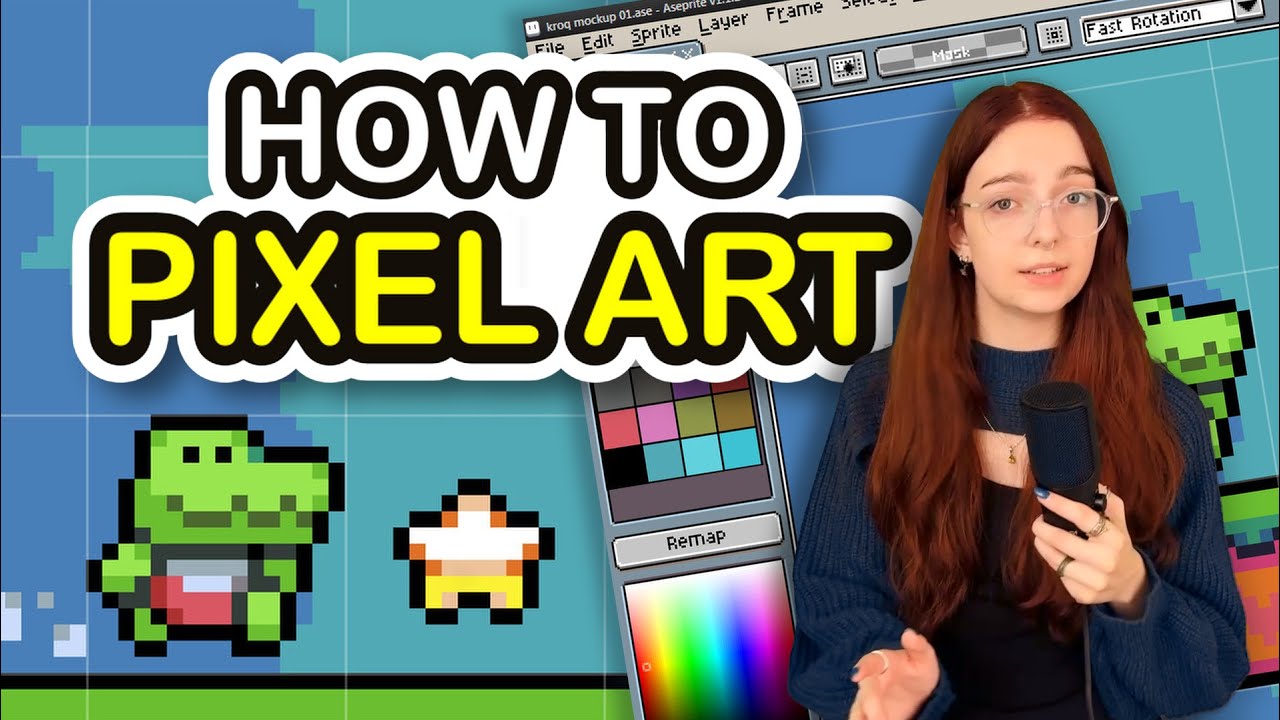
Download GameMaker for FREE at https://opr.as/GM-JuniperDev1
Looking to learn how to make good pixel art? This video talks about choosing a software and how you can improve in your linework, colors, shading, style, and make pixel art that looks good in video games!
I make content on games and game development!
Join the Discord: https://dis...
The rest is just general drawing knowledge.
normal silo
lucid oriole
Where should I start first godot or pygame or some other engine?
This is a Python server, so Python with pygame.
(Pygame-ce)
The core features of Pygame are incredibly simple to pick up (yet challenging to master). This video walks through all of the core features in a way that would enable experienced developers to jump straight into using Pygame. It's also a decent way to get an overview of Pygame before digging deeper into other resources if you're new.
⭐ Check ...
lucid oriole
normal silo
This is a Python server, so Python with pygame.
but doesn't godot also run on python type script
 raven kernel
lucid oriole
but doesn't godot also run on python type script
raven kernel
lucid oriole
but doesn't godot also run on python type script
it's python-like, sure, but it's not Python at all
totally different systems
and yeah, this is a Python server so you're likely to get Python focused suggestions, there is no harm is trying a few and taking your own decision, i would personally go with Godot if my main goal was to make games
goodluck :)
lucid oriole
eyy thanks and totally understandable
indigo plover
Pygame also easier to get into and teaches the basics
cerulean nimbus
tired reef
Thank you also do you know how to make pixel art or anyone here who does pixel a...
You can technically make your own pixel art painter :)
cerulean nimbus
dawn quiver
Hey is there a lot of math in game development
Depends on your game but most is simple in 2d unless you do 3d
cerulean nimbus
raven kernel
it's python-like, sure, but it's not Python at all
totally different systems
and...
There is a plugin for using python dont know if its still updated
cerulean nimbus
looking good :)
 tired reef

 tired reef
#===[player]===#
player.draw(screen, ocean_blue, player_rect)
player.Player_Movement(dt)
inventory = {'hello' : "no"}
player.Inventory(inventory)
!e
def Inventory(self, Inventory):
        self.Inventory = Inventory

        key_inventory = pyg.key.get_pressed()

        Inventory = {}

        if key_inventory[pyg.K_e]:
            print(Inventory)
:warning: Your 3.13 eval job has completed with return code 0.
[No output]
inventory = {'hello' : "no"}

    player.Inventory(inventory)
 heady flint
I can't find tutorial on how to play a gif in the background.
wooden night
So I am creating a football(not american football) game and I need to know how to create a bot
I have made a enemy Ai before with wandering, following, pathfinding, etc
But this one is diffrent... can someone give me an idea?
shut tulip
There is no straightforward answer to that, if you want to make an AI play against you, you need to code something that would, given a state (and potentially a strategy), interact with the game
it can be done in multiple ways based on how your game is coded, but basically a class for the robot, with a play() method that requires the game state, difficulty etc. and returns one or several actions
wooden night
shut tulip
There is no straightforward answer to that, if you want to make an AI play again...
I did make a super simple Ai in scratch with if not touching ball, move towards ball if touching ball move towards goal
wooden night
shut tulip
There is no straightforward answer to that, if you want to make an AI play again...
How would i create a strat and etc
shut tulip
wooden night
I did make a super simple Ai in scratch with if not touching ball, move towards ...
so I think you explained quite well what you want, you just have to translate that into python function
shut tulip
wooden night
How would i create a strat and etc
By strategy I meant that multiple robots could have different behaviors
some can be more defensive, some can be offensive
etc.
shut tulip
Nice
 fair monolith
Yo what's up people
cerulean nimbus
fair monolith
Yo what's up people
working on a random project
tired reef
 key_inventory = pyg.key.get_pressed()

        Inventory = {}

        if key_inventory[pyg.K_e]:
            print(Inventory)
can i do this for a Inventory
dusk dew
progress update on my undertale remake in pygame
 vivid sedge
dusk dew
progress update on my undertale remake in pygame
vivid sedge
dusk dew
progress update on my undertale remake in pygame
Nice, looks good
dusk dew
vivid sedge
Nice, looks good
thanks this is like 20 hours in for not even 2 minutes of gameplay😭
vivid sedge
dusk dew
thanks this is like 20 hours in for not even 2 minutes of gameplay😭
Oh dang 😭 keep it up its looking rlly good
dusk dew
vivid sedge
Oh dang 😭 keep it up its looking rlly good
the most time was taken by the keyboard, the blip noises that characters make + the dialog, and the room moving with the character😭
keyboard I mean like the select name part
vivid sedge
Oof
vivid sedge
dusk dew
keyboard I mean like the select name part
Yea yea
vivid sedge
dusk dew
the most time was taken by the keyboard, the blip noises that characters make + ...
Wait do you have all the Easter eggs???
They're not important but forsure funny if you wanna be productive without crazy hard work
vivid sedge
dusk dew
yes
Niceeee
dusk dew
vivid sedge
Niceeee
heres an old vid showcasing it
vivid sedge
dusk dew
heres an old vid showcasing it
That's really great! Hope it ends up going smoother/faster as you work on it
dusk dew
vivid sedge
That's really great! Hope it ends up going smoother/faster as you work on it
everything before the flowey part is smooth af rn
except the intro skipping tho
wooden night
dusk dew
progress update on my undertale remake in pygame
You are creating classes to make the text display like that right... Right?
cerulean nimbus
tired reef
```py
key_inventory = pyg.key.get_pressed()
Inventory = {}
if...
Yes
tired reef
Because I tried it and it didn't exactly work I don't know why it went print the inventory that I passed into the definition
cerulean nimbus
tired reef
Because I tried it and it didn't exactly work I don't know why it went print the...
How do you expect it to work
tired reef
I have signed it to a dick in the player class and I passed the name of a dictionary that would be the players inventory it was empty until I filled it which in that case it still didn't work
shut tulip
maybe try to show a little bit more code
shut tulip
tired reef
```py
key_inventory = pyg.key.get_pressed()
Inventory = {}
if...
this is simply printing the inventory when pressed e
but the inventory is resetted (in this code) every loop, so not really useful
tired reef
I tried it outside of the loop near more of the player area with all different values I'm not near my computer so I can't exactly show you right now but I tried it it did not work
shut tulip
you need to create the dict in the __init__ of the player,
and then that should work without any problem, maybe you did something wrong
tired reef
The thing is I did that
shut tulip
you probably did something wrong without noticing, when can work on that, show some code
cerulean nimbus
tired reef
I have signed it to a dick in the player class and I passed the name of a dictio...
Cause you are constantly defining it to be empty when handling your click either place it somewhere else or do
Inventory = Inventory or {}
Should work or Inventory = {} if not Inventory else Inventory
dusk dew
wooden night
You are creating classes to make the text display like that right... Right?
no classes im too dumb for that
dusk dew
 frail marten
what game?
frail marten
what game?
undertale
wooden night
dusk dew
no classes im too dumb for that
Nooooo..... But still you should do classes, it makes your code easier to understand, organize, and change.
pastel flint
Yes, please do Classes. I can't go back to normal functions now that I know how to use them
 slim spoke
i need help to program a game
on python
this is really important
just a simple game
its for my personal project at school
anyone who has any experience on this please dm me asap
dusk dew
wooden night
Nooooo..... But still you should do classes, it makes your code easier to unders...
ok I might be stubbornly dumb for this but I really dont want to switch over right now im happy it even runs well😭
cerulean nimbus
pastel flint
Yes, please do Classes. I can't go back to normal functions now that I know how ...
ive seen a lot of good games on itch that were made with mostly just functions
dusk dew
what are the benefits of using classes though
cerulean nimbus
dusk dew
what are the benefits of using classes though
basically classes are like a "template" you can define and reuse
wooden night
dusk dew
ok I might be stubbornly dumb for this but I really dont want to switch over rig...
Classes are easy but
cerulean nimbus
cerulean nimbus
basically classes are like a "template" you can define and reuse
class Tile:
  def __init__(self, texture, pos, size):
    self.texture = texture
    self.pos = pos
    self.size = size

  def draw(self): ...
  def update(self): ...
  ...
tile = [Tile(texture, (random(), random()), (600,600)), ...]
for tile in tiles:
    tile.draw()
There is also a pygame type class(I don't remember the name) but it has pixel perfect collions
Also one thing I love is that you do not need to write global var in every single function to use it
You only need to write self.var in init and then to call the var in funcs(in the class) u just say self.var
 shut tulip
slim spoke
its for my personal project at school
shut tulip
slim spoke
its for my personal project at school
No one will do it FOR you, however, if you ask specific questions, we are happy to help
 elder pasture
 uncut birch
I MADE ROBLOX!!!111
uncut birch
I MADE ROBLOX!!!111
Using Lua?
shut tulip
elder pasture
Using Lua?
this is quite obviously python
elder pasture
shut tulip
this is quite obviously python
I got told can’t use python roblox
shut tulip
You can't use Python to do something IN Roblox but you can make a Roblox clone in Python
slim spoke
I have a question

I keep trying to run my code and it keeps saying there is no such thing called bg.jpg
Even though I can find it on my finder
Can anyone help?
slim spoke
How do I put it in my project folder
 sly vapor
 shrewd kiln
is it in your project folder??
shrewd kiln
is it in your project folder??
you can see on the screenshot that its not
 slim spoke
sly vapor
you can see on the screenshot that its not
slim spoke
sly vapor
you can see on the screenshot that its not
How do i do it then, I'm new to python
sly vapor
thats not "new to python", thats "new to files"
are you familiar with like, files being located in directories?
 thick mist
slim spoke
How do i do it then, I'm new to python
thick mist
slim spoke
How do i do it then, I'm new to python
open the folder to your project and drag your image into your project folder
 sly vapor
you really shouldn't develop projects in your downloads folder
shrewd kiln
uhhhhh
slim spoke
sly vapor
thats not "new to python", thats "new to files"
are you familiar with like, file...
How do I do it then
thick mist
I thought your project is in User/youssufe?
shrewd kiln
sly vapor
you can see on the screenshot that its not
im not familiar with whatever text editor that is so obv i'd ask them first
slim spoke
shrewd kiln
im not familiar with whatever text editor that is so obv i'd ask them first
It's visual code editor
The microsoft one
sly vapor
slim spoke
How do I do it then
i'd create a directory for projects, then, for each project, create a subdirectory in that
slim spoke
How to create a directory
shrewd kiln
slim spoke
It's visual code editor
just drag and drop the image into the directory
thick mist
Ok I just realized
shrewd kiln
where is your code stored??
slim spoke
shrewd kiln
where is your code stored??
it's in my visual code editor
I'm also new to that editor
shrewd kiln
bruh
thick mist
Your project isn't a folder
shrewd kiln
thick mist
Your project isn't a folder
it should be INSIDE of one yes
slim spoke
I'm new to everything here, dont expect me to have even a bit of any knowledge about this
thick mist
Create a folder, call it what your project name is, put your python file inside of it
slim spoke
Okay
shrewd kiln
thick mist
Create a folder, call it what your project name is, put your python file inside ...
this
slim spoke
Wait give me one second
Should I do the folder on my desktop?
Like the Desktop part in Finder?
thick mist
You can do it anywhere
slim spoke
Okay

Here
Now what, I drag the file I just showed you on the previous image to that folder?
shrewd kiln
your python file containing the code, yes
thick mist
Yeah
Also as a good practice you should name the code you want to be run first as main.py

 thick mist
Yeah
slim spoke
Will it work now?
thick mist
Before you do that
Does your code editor know where the python file is?
Try running main.py now
slim spoke
Mb wrong one
 thick mist
Give me a sec
slim spoke
Okay
 thick mist
Np :)
dusk dew
slim spoke
this is kinda unrelated but can I ask what macbook r u using and how good is it? I might get m4 air for birthday for school
slim spoke
dusk dew
this is kinda unrelated but can I ask what macbook r u using and how good is it?...
Wait let me see actually
It's an Apple M1
8GB Memory
That's the one my school gave us
It's really really good
I can have all these apps open and it runs very smoothly

@dusk dew I think you would really like an M4 Air
tired reef
health_potion = {"Name" : "health potion", "heals" : 15, "weight" : 0.5, "size" : (10,20), "color" : (173, 26, 16)}
 modest crypt
hello guys
dusk dew
slim spoke
<@555745543763001364> I think you would really like an M4 Air
damn 8gigs kinda low tho
I see u have mc tho does it run smoothly even with 8 gigs?
hows the battery? Ive heard macbooks got amazing battery life becaue of the arm chips
slim spoke
dusk dew
I see u have mc tho does it run smoothly even with 8 gigs?
yes around 60 fps
dusk dew
slim spoke
yes around 60 fps
newest version too?
slim spoke
modest crypt
ima make a ai
aight tell me how it goes
slim spoke
dusk dew
newest version too?
I didn't really modify my Minecraft
since its my school macbook
and I have it secretly
dusk dew
slim spoke
since its my school macbook
so yall get a macbook for free in school?
thick mist
For 2D game development in python, is PyGame as good as it gets?
slim spoke
It's considered a privelege
slim spoke
dusk dew
so yall get a macbook for free in school?
And if we abuse that privilege
We pay a fine of $1000
dusk dew
slim spoke
And if we abuse that privilege
I dont understand
thick mist
 grave sinew
i've also heard of [arcade](https://api.arcade.academy/en/stable/)
grave sinew
i've also heard of [arcade](https://api.arcade.academy/en/stable/)
Can't switch to it because I'm already developing a game for Pyweek in Pygame but I might check it out when I'm done!
blissful basalt
guys how did you learn pygame? ive been juggling tutorials because one's too hard, other hasnt taught what i learned from the first one
slim spoke
blissful basalt
guys how did you learn pygame? ive been juggling tutorials because one's too har...
That's what I'm saying bro, I find all this coding stuff so hard but also so interesting
slim spoke
thick mist
Can't switch to it because I'm already developing a game for Pyweek in Pygame bu...
What's pyweek?
thick mist
slim spoke
What's pyweek?
It's a game jam for games written in python
thick mist
Yeah but it ends tomorrow
 weary plover
grave sinew
i've also heard of [arcade](https://api.arcade.academy/en/stable/)
weary plover
grave sinew
i've also heard of [arcade](https://api.arcade.academy/en/stable/)
Have you used both Arcade and Pygame? thoughts on both?
grave sinew
weary plover
Have you used both Arcade and Pygame? thoughts on both?
Not really. I typically use Love2d and switch to Lua.
thick mist
thick mist
Yeah but it ends tomorrow
Yeah, I'm probably not going to be able to participate I joined way too late
I'm still going to work on the project and get it out though
indigo plover
Tetris or sokoban clone
 mellow flint
wooden night
Mine was 800fps
mellow flint
wooden night
Mine was 800fps
on modern hardware you should get way more than that
wooden night
blissful basalt
any good tutorials?
I would tell you to explore pygame.org
normal silo
blissful basalt
what should i do next?
Breakout clone.
Atari games in general are simple, and a good place to start. Try cloning them.
 pulsar sapphire
blissful basalt
what should i learn?
pulsar sapphire
blissful basalt
what should i learn?
Buy Dr Angela Yu's course
Really good
Taking it myself
blissful basalt
i dont have money
blissful basalt
wooden night
I would tell you to explore pygame.org
what abt projects?
wooden night
blissful basalt
what abt projects?
There is a projects page in pygame.org where there are manyy games ... I would suggest to explore that page and use one of those project to make your own
cerulean nimbus
wooden night
Mine was 800fps
i got 1500 once
wooden night
cerulean nimbus
i got 1500 once
Howwwwwwww
 coarse hill
@woven oyster We can't help you with that, I consider it to be against rule 5.
 woven oyster
coarse hill
<@1117791686639243276> We can't help you with that, I consider it to be against ...
woven oyster
coarse hill
<@1117791686639243276> We can't help you with that, I consider it to be against ...
I already did it, but its ok thank you
cerulean nimbus
wooden night
Howwwwwwww
i dunno hahhahah

import pygame

def main():
    pygame.init()
    screen = pygame.display.set_mode((640, 480))
    clock = pygame.time.Clock()
    running = True

    while running:
        dt = clock.tick(0)
        fps = clock.get_fps()
        pygame.display.set_caption(f"FPS: {fps:.2f}")

        for event in pygame.event.get():
            if event.type == pygame.QUIT:
                running = False

        screen.fill((0, 0, 0))
        pygame.display.flip()

    pygame.quit()

if __name__ == "__main__":
    main()
 green birch
YOOOO
wooden night
cerulean nimbus
```py
import pygame
def main():
pygame.init()
screen = pygame.display.s...
I only got 800fps with the same exact code 😭
 crisp vapor
Hii
limber veldt
!code
frank fieldBOT
limber veldt
!paste
frank fieldBOT
Pasting large amounts of code
If your code is too long to fit in a codeblock in Discord, you can paste your code here:
https://paste.pythondiscord.com/
After pasting your code, save it by clicking the Paste! button in the bottom left, or by pressing CTRL + S. After doing that, you will be navigated to the new paste's page. Copy the URL and post it here so others can see it.
cerulean nimbus
wooden night
I only got 800fps with the same exact code 😭
hardware limitations i guess
normal silo
cerulean nimbus
```py
import pygame
def main():
pygame.init()
screen = pygame.display.s...
clock.tick(0) will tell the operating system that it's ok for it to switch to another process for a while, so this will limit the max framerate. If you don't tick and instead just run a plain while loop and time with it with the time module you can see the actual max speed (limited by how fast Python can run a while loop).
Putting multiple cores/threads aside (assume there is only 1), the operating system gives the illusion of many programs running at once by switching between them really fast (run a bit of each, pause, save, run another, return back, restore). And it tries to figure out which should get high priority. The clock tick internally uses a sleep function that tells the operating system it can switch away now (and also don't come back until after N milliseconds (roughly)).
So if you have a bunch of other things running marked as high priority and your game tells the OS it's sleeping (switch away now), the OS will maybe not come back for a while. Despite having given it 0 milliseconds as the argument. The number says how long it should not come back for, but it can choose to take longer (or less).
So what if it decides to take longer than 0? Like maybe 1 millisecond? Then that's about 1000 FPS. Now add in the cost to clear the screen and such, plus some randomness (0-1) and you get around 800 FPS maybe.
How roughly this matches the desired delay depends on the operating system, hardware and what else you are currently running on your computer.
@wooden night
(Also as the pygame docs mention, it's pretty rough how much it actually delays)
So it's best to view clock tick as "try to roughly run at this framerate."
wooden night
normal silo
`clock.tick(0)` will tell the operating system that it's ok for it to switch to ...
I also did clock.tick(100000) and got the same fps(800) but I also imported many files and modules(it was a for a game I was working for... I'm still getting 400-500fps tho
wooden night
cerulean nimbus
hardware limitations i guess
I know what happened
My screen size was 6000by800
If i made it 100x100 it did went up
cerulean nimbus
normal silo
`clock.tick(0)` will tell the operating system that it's ok for it to switch to ...
you can also use Clock.tick_busy_loop(0) does the same
tired reef
Items should I make a dictionary of dictionaries
And for monsters too so I can just import everything from the items and monsters file and use it in my classes?
shut tulip
Probably easier to make classes
slim spoke
blissful basalt
what should i learn?
Ay @blissful basalt send the code
blissful basalt
slim spoke
Ay <@1404886271582802162> send the code
what?
normal silo
cerulean nimbus
you can also use `Clock.tick_busy_loop(0)` does the same
Busy loop is more precise, but it's not handing off to the OS, so it will burn through CPU cycles while it's doing its thing.
(Keeping the CPU busy)
blissful basalt
bet one sec
normal silo
wooden night
I also did clock.tick(100000) and got the same fps(800) but I also imported many...
I have not tried clock tick with such a large number so IDK how it behaves in that case.
slim spoke
import pygame
import time
import random
pygame.font.init()
WIDTH, HEIGHT = 1000, 800
WIN = pygame.display.set_mode((WIDTH, HEIGHT))
pygame.display.set_caption("Space Dodge")
BG = pygame.transform.scale(pygame.image.load("galaxy.jpg"), (WIDTH, HEIGHT))
PLAYER_WIDTH = 40
PLAYER_HEIGHT = 60
PLAYER_VEL = 5
STAR_WIDTH = 10
STAR_HEIGHT = 20
STAR_VEL = 3
FONT = pygame.font.SysFont("arial", 30)
def draw(player, elapsed_time, stars):
WIN.blit(BG, (0,0))
time_text = FONT.render(f"Time: {round(elapsed_time)}s", 1, (255,255,255))
WIN.blit(time_text, (10,10))

pygame.draw.rect(WIN, (255,0,0), player)

for star in stars:
    pygame.draw.rect(WIN, (255,255,255), star)

pygame.display.update()
def main():
run = True
player = pygame.Rect(200, HEIGHT - PLAYER_HEIGHT,
                     PLAYER_WIDTH, PLAYER_HEIGHT)
clock = pygame.time.Clock()
start_time = time.time()
elapsed_time = 0

star_add_increment = 2000
star_count = 0

stars = []
hit = False

while run:
    star_count += clock.tick(60)
    elapsed_time = time.time() - start_time

    if star_count > star_add_increment:
        for _ in range(3):
            star_x = random.randint(0, WIDTH - STAR_WIDTH)
            star = pygame.Rect(star_x, 0, STAR_WIDTH, STAR_HEIGHT)
            stars.append(star)

        star_add_increment = max(200, star_add_increment - 50)
        star_count = 0

    for event in pygame.event.get():
        if event.type == pygame.QUIT:
            run = False
            break

    keys = pygame.key.get_pressed()
    if keys[pygame.K_LEFT] and player.x - PLAYER_VEL >= 0:
        player.x -= PLAYER_VEL
    if keys[pygame.K_RIGHT] and player.x + PLAYER_VEL + player.width <= WIDTH:
        player.x += PLAYER_VEL

    for star in stars[:]:
        star.y += STAR_VEL
        if star.y > HEIGHT:
            stars.remove(star)
        elif star.y + star.height >= player.y and star.colliderect(player):
            stars.remove(star)
            hit = True
            break

    if hit:
        lost_text = FONT.render("You Lost!", 1, (255,255,255))
        WIN.blit(lost_text, (WIDTH/2 - lost_text.get_width()/2, HEIGHT/2 - lost_text.get_height()/2))
        pygame.display.update()
        pygame.time.delay(4000)
        break

    draw(player, elapsed_time, stars)

pygame.quit()
if name == "main":
main()
guys how can i convert this to code on discord
slim spoke
test code
import pygame
import time
import random
pygame.font.init()
WIDTH, HEIGHT = 1000, 800
WIN = pygame.display.set_mode((WIDTH, HEIGHT))
pygame.display.set_caption("Space Dodge")
BG = pygame.transform.scale(pygame.image.load("galaxy.jpg"), (WIDTH, HEIGHT))
PLAYER_WIDTH = 40
PLAYER_HEIGHT = 60
PLAYER_VEL = 5
STAR_WIDTH = 10
STAR_HEIGHT = 20
STAR_VEL = 3
FONT = pygame.font.SysFont("arial", 30)
def draw(player, elapsed_time, stars):
WIN.blit(BG, (0,0))
time_text = FONT.render(f"Time: {round(elapsed_time)}s", 1, (255,255,255))
WIN.blit(time_text, (10,10))

pygame.draw.rect(WIN, (255,0,0), player)

for star in stars:
    pygame.draw.rect(WIN, (255,255,255), star)

pygame.display.update()
def main():
run = True
player = pygame.Rect(200, HEIGHT - PLAYER_HEIGHT,
                     PLAYER_WIDTH, PLAYER_HEIGHT)
clock = pygame.time.Clock()
start_time = time.time()
elapsed_time = 0

star_add_increment = 2000
star_count = 0

stars = []
hit = False

while run:
    star_count += clock.tick(60)
    elapsed_time = time.time() - start_time

    if star_count > star_add_increment:
        for _ in range(3):
            star_x = random.randint(0, WIDTH - STAR_WIDTH)
            star = pygame.Rect(star_x, 0, STAR_WIDTH, STAR_HEIGHT)
            stars.append(star)

        star_add_increment = max(200, star_add_increment - 50)
        star_count = 0

    for event in pygame.event.get():
        if event.type == pygame.QUIT:
            run = False
            break

    keys = pygame.key.get_pressed()
    if keys[pygame.K_LEFT] and player.x - PLAYER_VEL >= 0:
        player.x -= PLAYER_VEL
    if keys[pygame.K_RIGHT] and player.x + PLAYER_VEL + player.width <= WIDTH:
        player.x += PLAYER_VEL

    for star in stars[:]:
        star.y += STAR_VEL
        if star.y > HEIGHT:
            stars.remove(star)
        elif star.y + star.height >= player.y and star.colliderect(player):
            stars.remove(star)
            hit = True
            break

    if hit:
        lost_text = FONT.render("You Lost!", 1, (255,255,255))
        WIN.blit(lost_text, (WIDTH/2 - lost_text.get_width()/2, HEIGHT/2 - lost_text.get_height()/2))
        pygame.display.update()
        pygame.time.delay(4000)
        break

    draw(player, elapsed_time, stars)

pygame.quit()
if name == "main":
main()
it dont work
slim spoke
blissful basalt
also <@1400189444497084510>
yeah
normal silo
!code
frank fieldBOT
blissful basalt
thats the rest
wooden night
normal silo
I have not tried clock tick with such a large number so IDK how it behaves in th...
It just behaves like clock.tick(0)
normal silo
wooden night
It just behaves like clock.tick(0)
What about clock tick 60?
Do you get 60 FPS?
wooden night
It tries to cap it at 60fps but goes max to 62
normal silo
Ok, that seems correct then. My guess is that at large numbers it gives up.
100000 being 100 seconds.
wooden night
yes it tries to go to its max but never reaches to that large amount
wooden night
Mine was 800fps with pygame.fullscreen but with a small window easilly surpass 1600
wooden night
normal silo
Use the `time` module.
I use pygame.time.Clock()
normal silo
Ok, so yeah, it does need to fill the whole window with pixels CPU side.
Which at fullscreen is a lot.
wooden night
normal silo
To get a dt.
And for that I do dt=self.clock.tick(0)
wooden night
normal silo
Which at fullscreen is a lot.
Thats y I got 800
normal silo
If you want like a pixel art game at fullscreen, have it scale it up for you.
So you render your game at like say, 640x480 (surface size), and it scales it up for you really fast.
wooden night
normal silo
If you want like a pixel art game at fullscreen, have it scale it up for you.
I made fuctions to rescale it by the screensize/designsize
wooden night
normal silo
Pygame has a built in function that is fast for this.
Which ones?
normal silo

From this video: https://www.youtube.com/watch?v=blLLtdv4tvo
The core features of Pygame are incredibly simple to pick up (yet challenging to master). This video walks through all of the core features in a way that would enable experienced developers to jump straight into using Pygame. It's also a decent way to get an overview of Pygame before digging deeper into other resources if you're new.
⭐ Check ...
Covers some basic things you can do to improve performance a lot.
wooden night
normal silo
From this video: https://www.youtube.com/watch?v=blLLtdv4tvo
Back to basics
normal silo
And how to do some basic other things.
So instead of filling the main screen, you could fill a smaller target screen that gets scaled up.
Filling a small screen/target is ok for performance as you wrote.
SInce many games made with pygame are pixel art this works out.
Since it will look pixelated then when scaled up.
 gentle loom
Anyone begginer
normal silo
If you need more (rendering) performance then you would need to move on to GPU rendering.
(Which requires learning a lot more (OpenGL) (be used to using pygame and have made some games before getting into this))

Shaders aren't natively supported in Pygame, but with ModernGL and some tricks, we can add OpenGL shaders using GLSL to any Pygame game!
Related Documentation:
https://pyga.me/docs/ref/display.html#pygame.display.set_mode
https://moderngl.readthedocs.io/en/latest/
Code Written in Video:
https://dafluffypotato.com/static/scripts/pygame_shaders....
wooden night
@normal silo Because I'm working on a pygame project(deadline in one month) I don't have enough time this month to do opengl so is there anything else that I could use to advance my pygame?
wooden night
gentle loom
Anyone begginer
What do u know about basic python?
wooden night
gentle loom
Anyone begginer
Do u wanna do game dev through the console or a window rendering
 fierce ginkgo
How to make follow aim script matlab ki player ka aim kisi block ko follow kre in free fire craftland script
normal silo
wooden night
<@119925597395877889> Because I'm working on a pygame project(deadline in one mo...
What do you mean by advance?
 vagrant saddle
wooden night
<@119925597395877889> Because I'm working on a pygame project(deadline in one mo...
vagrant saddle
wooden night
<@119925597395877889> Because I'm working on a pygame project(deadline in one mo...
if you planned to use shaders and physics you would have been better starting with Panda3D instead. Doing all in pygame could need more time than expected
wooden night
normal silo
What do you mean by advance?
Like improver performance and help me do my physics
wooden night
vagrant saddle
if you planned to use shaders and physics you would have been better starting wi...
Ya but i am making a 2d game not 3d
vagrant saddle
it is just a matter of camera setup
panda can do anything
but more importantly it has 3 physics engines available out of the box
unlike pygame where you need to bind everything manually
wooden night
You are right, but I don't have experince with panda3d, because if I want then i could use unity engine instead
normal silo
wooden night
Like improver performance and help me do my physics
Not too much, if you are doing the scaled thing it should be fine for most 2D games.'
wooden night
vagrant saddle
unlike pygame where you need to bind everything manually
Also this is the fun part of coding(I think)
wooden night
normal silo
Not too much, if you are doing the scaled thing it should be fine for most 2D ga...
Ok thx
normal silo
wooden night
Ok thx
Many people say that Pygame is slow. Is it really?
Patreon:
https://www.patreon.com/dafluffypotato
My Projects:
https://dafluffypotato.com/projects
Discord:
https://discord.gg/9Qt2GxF
Potato Tier Patrons:
Keill
eivl
Timestamps:
0:00 - intro
1:59 - SDL's impact on performance
4:05 - Python's impact on performance
5:15 - other importants thi...
Btw for physics you can use box2d (python bindings) or pymunk, etc.
These are implemented in C and are very fast, so you can offload work to C libraries in Python for expensive parts of the game.
 true pumice
 sharp sinew
Is pygame rlly worth learning?
wooden night
sharp sinew
Is pygame rlly worth learning?
If u want to create simple games and want to understand about gamedev this is the way to go
 rose totem
hay guys
hey*
is there someone here from brazil that wanna code a pygame game with me?
slim spoke
sharp sinew
Is pygame rlly worth learning?
yes im working on a big project right now
it's actually really fun to use
wooden night
slim spoke
yes im working on a big project right now
Me too!
slim spoke
wooden night
Me too!
how is it, what's the product goal?
wooden night
slim spoke
how is it, what's the product goal?
Do u know rocket league?
Its like that but in 2d
It will have 3 gamemodes, online multiplayer, co-op and singleplayer(the other player is gonna be a bot)
Then there will be many player skins(sprites) and only one map. The more matches u win the more money u get
That's my game structure
Oh yea also I made the physics from scratch(it was painful) and now you can also costomize the mass of ball to add diffrent playstyles to the game
slim spoke
mm
tell me more about that scratch sprite thing
because im trying to make a rocket for my python game
and the proportional ratio is not the best rn
 bold fable
idk, i made a parser for minecraft's MCA world file format. i wanna showcase it but im new, anyone know a channel or is this the closest?
bold fable
bold fable
idk, i made a parser for minecraft's MCA world file format. i wanna showcase it ...
found out i can show it on topic. its alr solved :tick:
wooden night
normal silo
SCALED
Does it scale positions too?
normal silo
wooden night
Does it scale positions too?
From the docs: On high resolution displays(4k, 1080p) and tiny graphics games (640x480) show up very small so that they are unplayable. SCALED scales up the window for you. The game thinks it's a 640x480 window, but really it can be bigger. Mouse events are scaled for you, so your game doesn't need to do it. Note that SCALED is considered an experimental API and may change in future releases.
wooden night
normal silo
From the docs: ```
On high resolution displays(4k, 1080p) and tiny graphics game...
Is it the pygame-ce docs or just the pygame docs?
normal silo
wooden night
Is it the pygame-ce docs or just the pygame docs?
pygame-ce
wooden night
normal silo
pygame-ce
Can u give me a link?
normal silo
wooden night
Can u give me a link?
wooden night
What is V-sync
bold fable
wooden night
What is V-sync
makes the max fps set to the monitors refresh rate reducing screen tearing
normal silo
wooden night
What is V-sync

Screen tearing is a visual artifact in video display where a display device shows information from multiple frames in a single screen draw.
The artifact occurs when the video feed to the device is not synchronized with the display's refresh rate. That can be caused by non-matching refresh rates, and the tear line then moves as the phase differen...
Basically you have the general issue that the monitor needs to show the data in the screen buffer you gave it. But what if it starts displaying that while you are editing it at the same time? Where part of it is the data from the previous frame, and part from the next frame (being written right now).
V-sync "fixes" this, but at a cost for games: Video games, which use a wide variety of rendering engines, tend to benefit visually from vertical synchronization since a rendering engine is normally expected to build each frame in real-time, based on whatever the engine's variables specify at the moment a frame is requested. However, because vertical synchronization causes input lag, it interferes with the interactive nature of games,[7] and particularly interferes with games that require precise timing or fast reaction times.
This is where other options come in, like Nvidia G-sync, which you may have seen as stickers on monitors as a selling point.
(AMD has FreeSync)
Not using v-sync and instead just timing the frame right could be done, but Windows and other common OSes don't give you a way to do that reliably, much to the dismay of game developers.
(Despite large companies like Activation having complained about this to Microsoft for decades nothing has changed)
(So now GPU vendors are trying to help with stuff like G-sync)
(Graphics is in general a messy area of computer science with a bunch of politics (and big companies that just do their own thing))
If you notice that a lot of games trying to run at higher FPS these days have lots of micro stutters (which gamers complain a lot about), that is also part of this whole problem.
 balmy pilot
This isn't Python, but it's very relevant to game stuff, and talks about the mechanics of how the frames get presented in a practical way etc:
https://slugcat.systems/post/25-09-21-dxgi-debugging-microsoft-put-me-on-a-list/
Why does Space Station 14 crash with ANGLE on ARM64? 6 hours later…
(Amazing story IMO)
wooden night
normal silo
If you notice that a lot of games trying to run at higher FPS these days have lo...
I have never experienced micro stutters and screen tears
balmy pilot
Not everybody has the temporal resolution to perceive them, this seems to vary a lot from person to person. I have gamer friends who can't tell the difference between 60 and 120Hz modes when I show them a back to back.
For me, I can't watch (non-triple) DLP projectors because I can see the color wheel turn
normal silo
balmy pilot
Not everybody has the temporal resolution to perceive them, this seems to vary a...
Typically if you spend some time at higher FPS you can't unsee the lower FPS. Like when everyone went from 30 to 60.
balmy pilot
normal silo
Typically if you spend some time at higher FPS you can't unsee the lower FPS. Li...
Yeah, and now for me 240Hz has been the thing for years etc.
normal silo
You brain can interpolate a lot of it, but if you get it lazy by having higher FPS, and put it back to working hard on lower, it feels bad.
wooden night
This is a silly question but what actuallt does 240Hz means?
balmy pilot
wooden night
This is a silly question but what actuallt does 240Hz means?
It means the screen is fully "redrawn" up to 240 times per second
A regular monitor is typically doing that 60 times per second
wooden night
balmy pilot
It means the screen is fully "redrawn" up to 240 times per second
That explains
Does it directly co relate with fps?
balmy pilot
More precisely it's the "speed" that the "scan line" moves from the top of the monitor to the bottom etc
balmy pilot
wooden night
Does it directly co relate with fps?
FPS is what you 'feed' this with.. You need 240fps to be able to 'fully utilize' what a 240Hz screen is doing for you.
normal silo
wooden night
This is a silly question but what actuallt does 240Hz means?
Hz is Hertz, frequency.
balmy pilot
Think of the refresh rate (Hz) as the 'limit' and the fps as what is happening in this moment.
normal silo

Frequency is the number of occurrences of a repeating event per unit of time. Frequency is an important parameter used in science and engineering to specify the rate of oscillatory and vibratory phenomena, such as mechanical vibrations, audio signals (sound), radio waves, and light.
The interval of time between events is called the period. It is...
The hertz (symbol: Hz) is the unit of frequency in the International System of Units (SI), often described as being equivalent to one event (or cycle) per second. The hertz is an SI derived unit whose formal expression in terms of SI base units is 1/s or s−1, meaning that one hertz is one per second or the reciprocal of one second. It is used ...
balmy pilot

Blur Busters - Everything Better Than 60Hz
Everything Better Than 60Hz
wooden night
That is A lot of info, thx
balmy pilot
The Blurbusters "UFO Test" is the go-to standard for showing what different screens/settings can do.
It's so revealing.
normal silo
One of the largest factors too for higher FPS games is that games poll input between frames / at the start of a frame (the event loop in pygame). And so if the FPS is higher you have less input latency, which means better control (matters a lot to Counter Strike players for example).
balmy pilot
I have friends who say the difference between 60 and 120 in it is "Subtle" and I have no idea what they mean haha
Also, in this era with DLSS etc and other frame generation techniques, not every "fps" frame is real, and therefore not helping reduce input lag.
Which is a complicated idea.
A frame is only real if it is based on the inputs you've made up to that point, by my definition above.
and in 2x framegen, that's not true of every-other frame in the cadence.
wooden night
Bit of offtopic but what will u guys do if u r teaching someone python? And how would u encourage them to do it?
balmy pilot
wooden night
Bit of offtopic but what will u guys do if u r teaching someone python? And how ...
First is figuring out how they learn and what interests them. Then I'd show them the fastest way to start playing with that in Python.
and stand back and wait for questions
Most people don't really know what their "goal" is yet so I've sorta stopped asking
wooden night
What if they don't know anything?
balmy pilot
wooden night
What if they don't know anything?
All the better, less to un-learn.
There're a lot of bad tutorials out there.
wooden night
balmy pilot
There're a lot of bad tutorials out there.
What did u use to learn?
balmy pilot
wooden night
What did u use to learn?
Nobody believes me, but I asked for a programming tutor when I was 6, and my parents got me one, and he taught me 6502 assembly for the Commodore 64.
I learned to read from cardboard box labels when I was 2, I'm just weird. But I know some great books I would suggest to people who learn well from books, and I know some cool 'playpen' kinds of things etc for people who want to go hands-on.
The "LOGO" programming language is really where it clicked for me though.
I struggled with the assembly, though I sorta understood why I wanted to eventually conquer it.
Honestly if I were teaching a kid to program now I would still consider https://squeak.org/
Squeak/Smalltalk
Squeak is a modern, open source, full-featured implementation of the powerful Smalltalk programming language and environment.
But no, this: https://turtleacademy.com/
LOGO is king.
It's hilarious how similar LOGO seems to GPU programming to me now
I would teach them LOGO, and then have a conversation about how computers have a "preference for symmetry", at the level of both code and data, in the hardware.
For data, we call one such technique "swizzling", for code, we call another one "warp specialization".
But they are both about exploiting the hardware's preference for symmetry.
wooden night
@balmy pilot you are the final learning boss
balmy pilot
Also never stop reading
wooden night
@balmy pilot can u give me just a simple list of websites that could be helpful for new people in programming?
frank fieldBOT
Resources
The Resources page on our website contains a list of hand-selected learning resources that we regularly recommend to both beginners and experts.
balmy pilot
This is Python-focused, but if you want to dive deeper I have a textbook I always recommend that nobody ever reads.
normal silo
balmy pilot
Nobody believes me, but I asked for a programming tutor when I was 6, and my par...
The C64 manual was really good.
balmy pilot
normal silo
The C64 manual was really good.
Totally, and I had these copies of Byte magazine that had the assembly source for simple games in them, along with an explanation.
You had to type them in exactly, multiple pages, etc.. but if you did, it worked, and now you could make changes.. blew my mind
A game that I hadn't loaded from cassette tape
Still haven't gotten over it I guess.
limber veldt
I did a bit of 6502 assembly, also some 6809 back in the day
balmy pilot
I had a crazy realization about assembly, particularly the simple kinds like that, that I kinda just can't say aloud because it makes me sound like a kook.
limber veldt
I had a few of the Tandy/Radio Shack Color Computers after c64
balmy pilot
But, uhh, it's basically ||the nerd version of the "gematria" numerology that lots of religions like||
Kids, ask your rabbi. (Or equivalent.)
It's funny how much the metal music scene has taught me about approaching programming.
Tall as a mountain, I'm gonna tear through the sky
Life's for the taking
Like a man is a mountainside
Greatness waits for those who try
None can teach you, it's all inside
Just climb
tired reef
If I'm making something craftable in a game do I put a reference of what can be crafted into
bold fable
semi game development semi not
its minecraft thats related?
im quite proud of this project, and planning on cleaning it up soon. check the github here:
https://github.com/NEILAS-z/MCAfilter
GitHub
Filters MCA (Minecraft Anvil Format) for blocks using multithreading - NEILAS-z/MCAfilter
bold fable
tired reef
If I'm making something craftable in a game do I put a reference of what can be ...
you shouldnt store every combination. try using the items as a key instead in a dictionary, alot faster than searching through a large list
tired reef
bold fable
semi game development semi not
its minecraft thats related?
im quite proud of ...
It's somewhat similar to it but it has a back and forth kind of crafting system thank you also
wooden night
@balmy pilot what is assembly?
balmy pilot
wooden night
<@163779435462393856> what is assembly?
Check this out! https://codeburst.io/an-introduction-to-6502-assembly-and-low-level-programming-7c11fa6b9cb9

This is what I learned first.
tired reef
for crafting resipes should i use jason files?
tired reef
[
    {
     "id" : 1,
     "name" : "spell_book_cover",

     "ingredients" : {"amethyst" : 2,
                     "leather" : 4},

    "crafting_time" : 2,
    "tools_required" : ["arcane_workbench"],
    "item" : "spell_book_cover",
    "quantity" : 1

    }
]
 tropic veldt
Guys can we collab to make a cool terminal game
 elder brook

This is the second video showing my isometric game, I haven't had that much time to work on it in the last couple of months, however I have been polishing it up so that most of the annoying bugs are fixed. I am working on making a dynamic market system, but I haven't reimplemented it into the game yet. I added some ambient sounds to the game to ...
Working on making a magic system for the game as well, the magic system is mostly feature complete just haven't merged it into the monster that is this game's code. Already a pain restructuring the code for the market simulation code for the NPCs and shop keeps / peddlers.
shut tulip
tired reef
```json
[
{
"id" : 1,
"name" : "spell_book_cover",
"ingredie...
Not a bad idea, you can take a look to non-relational databases too, or use a relational database with multiple tables
(one for the recipe, one for its ingredients (with columns recipe_id, ingredient, quantity) and another one for tools
 acoustic herald
elder brook
https://youtu.be/hF0ZOdL52Ww?si=NQEEOZy1twQfPmCQ
acoustic herald
elder brook
https://youtu.be/hF0ZOdL52Ww?si=NQEEOZy1twQfPmCQ
are you making an old style game?
elder brook
I guess
I kinda have been just trying things out, and seeing what feels right and works well
 grim abyss
elder brook
https://youtu.be/hF0ZOdL52Ww?si=NQEEOZy1twQfPmCQ
grim abyss
elder brook
https://youtu.be/hF0ZOdL52Ww?si=NQEEOZy1twQfPmCQ
pretty cool. keep hammering away at it. gonna be some type of action rpg ?
using pygame?
elder brook
Yeah, I was thinking about it being along the lines of an action rpg, but I don’t know how I want to implement combat, using pygame ce for graphics
tired reef
how do i rotate a object in pygame
wooden night
tired reef
how do i rotate a object in pygame
pygame.transform.rotate(surface: pygame.Surface , rotation: float | int in degrees)
wooden night
tired reef
how do i rotate a object in pygame
Note: It only works for pygame.surface(images and etc) not pygame.Rect or pygame.Circle
uncut birch
cool roblox clone i made in python so far

 wooden night
uncut birch
cool roblox clone i made in python so far
wooden night
uncut birch
cool roblox clone i made in python so far
This is ursina or panda3d?
uncut birch
wooden night
This is ursina or panda3d?
panda3d
also im working on block collision right now
wooden night
uncut birch
also im working on block collision right now
Oh nice
mellow flint
uncut birch
cool roblox clone i made in python so far
looks cool
resembles old roblox
 sage fiber
helloo did you use pygame or something else
frank fieldBOT
 deep wyvern
random thing i made
deep wyvern
random thing i made
Click here to see this code in our pastebin.
deep wyvern
 wooden night
 hardy haven
is pyopengl still good for game development?
hardy haven
is pyopengl still good for game development?
Yes
Can i make a player side server
 quartz stream
elder brook
https://youtu.be/hF0ZOdL52Ww?si=NQEEOZy1twQfPmCQ
quartz stream
elder brook
https://youtu.be/hF0ZOdL52Ww?si=NQEEOZy1twQfPmCQ
Woah this is real cool
wooden night
deep wyvern
@quartz stream this is raycasting?
quartz stream
Um
 wooden night
deep wyvern
it's raycasting
wooden night
deep wyvern
it's raycasting
What fps are u gwtting and what meathod are u using
Cause I also made a FPS shooting game using a raycaster with fps easily going above 120
deep wyvern
wooden night
What fps are u gwtting and what meathod are u using
idk fps
i js raycasting
cerulean nimbus
lol 😭


 frank fieldBOT
deep wyvern
frank fieldBOT
deep wyvern
There was an error uploading your paste.
wooden night
deep wyvern
idk fps
What do you mean by idk 😭 like its one of the most important things 😭
wooden night
deep wyvern
i js raycasting
And how do u don't know your own code 😭
wooden night
What is RL learning
 silk saddle
made my first game
frank fieldBOT
silk saddle
made my first game
Click here to see this code in our pastebin.
cerulean nimbus
wooden night
What is RL learning
its short for reinforced learning its were you make a bot for example and give him tasks depending on the tasks you give him rewards or penaltiess
wooden night
cerulean nimbus
its short for reinforced learning its were you make a bot for example and give h...
So for example I am making a 2d soccer game bot,if the ball is closer to the other players goal I will add points but If its closer to its own goal then I will decrease the points... and if the bot scored give it many points but if it gets scored on then give negitive points?
wooden night
cerulean nimbus
its short for reinforced learning its were you make a bot for example and give h...
Also how long does it takes to.train one?
cerulean nimbus
wooden night
Also how long does it takes to.train one?
depends from hardware and what you consider finnished
wooden night
cerulean nimbus
depends from hardware and what you consider finnished
So for me, it prob means able to score goals
cerulean nimbus
no i think in your case you will have to consider multiple factors
ball possession
goals
shot on goals
tackles
blocks
...
wooden night
cerulean nimbus
no i think in your case you will have to consider multiple factors
ball possess...
So is it easier to hardcode shooting, defending and passing rather than Using RL?
cerulean nimbus
wooden night
So is it easier to hardcode shooting, defending and passing rather than Using RL...
RL can be usefull in your case where as you can have different models as different difficulties
but it depends on you
wooden night
cerulean nimbus
RL can be usefull in your case where as you can have different models as differe...
Its better to create diff funcs for diff things if doing bot level based right?
cerulean nimbus
wooden night
Its better to create diff funcs for diff things if doing bot level based right?
either way if you make a bot your bot will just use your defined functions that you will use if you didnt have a bot aswell
if that makes sense?
wooden night
Ok
cerulean nimbus
like for example
class player:
  def shoot_bal(...): ...
class bot:
  def shoot_bal(...): ...
```where both shoot_ball would probs be the sameWait no so the player is controlled by the keyboard keys, even if the bot class is a subclass of player it is only using it for physics like collitions so only player doesnt have shootbal func
cerulean nimbus
why not arent both the player and the bot able to shoot a ball ?
wooden night
cerulean nimbus
why not arent both the player and the bot able to shoot a ball ?
They are but like this, if player collides with the ball player velocity vector gets trasfered to the ball vellocity vector
Its a 2d game right?
cerulean nimbus
wooden night
They are but like this, if player collides with the ball player velocity vector ...
isnt that the same as the bot
wooden night
Yes, for my bot v1 it just blindly went towards the ball, which worked pretty well it was like 1:4 but it own goaled sometimes
 vast dragon
deep wyvern
vast dragon
deep wyvern
is it baldi in python
deep wyvern
vast dragon
is it baldi in python
It's inspired by the game but not too similar
vast dragon
is it 100% python?
deep wyvern
Yeah
vast dragon
bruhh u must be very good at this
deep wyvern
Tkinter is also used
slow copper
vast dragon
which one is better
Tkinter is more beginner friendly but doesn't look that great, pyqt does look good but it revolves around subclassing and stuff so it may not be so beginniner friendly
silk saddle
silk saddle
made my first game
update, i'd appreciate feedback
frank fieldBOT
silk saddle
update, i'd appreciate feedback
Click here to see this code in our pastebin.
deep wyvern
slow copper
Tkinter is more beginner friendly but doesn't look that great, pyqt does look go...
This
vast dragon
silk saddle
update, i'd appreciate feedback
is this some pressing enter simulator
wooden night
silk saddle
update, i'd appreciate feedback
There is a little to many funcs... I would suggest using dictionary and classes to make the game for better readiblity
cerulean nimbus
wooden night
There is a little to many funcs... I would suggest using dictionary and classes...
Tbh i would go funcs over classes in most cases
shut tulip
Make classes when you need object of a specific type, or when you need "global" variables you don't want to be global, otherwise, functions are enough
nothing justify doing something like
class MyClass:

   def method1(self, ....):
        #something that doesn't need self
   def method2(self, ...):
        #something that doesn't need self

myobj = Myclass()
x = myobj.method1(1, 2, 3)
y = myobj.method2(x, "Hello")
why is bro doing pressing enter simulator
cerulean nimbus
vast dragon
why is bro doing pressing enter simulator
Why not
 warped fractal
Hello everyone! I'm currently learning python and working on a simple Guess-The-Number game. I wanted to share a little easter egg I'm working on for when someone types a difficulty other than Hard or Easy.|| (DISCLAIMER: This easter egg is not political whatsoever, the fact I have to disclaim that when I mention the president of a country is crazy but I'm NOT talking politics, let's keep things lighthearted)||
 vast dragon
cerulean nimbus
Why not
vast dragon
cerulean nimbus
Why not
if u are new ngl it's good first project
cerulean nimbus
warped fractal
Hello everyone! I'm currently learning python and working on a simple Guess-The-...
🤣😭
 fleet hull
I'm sorry if i'm in the wrong section but i've got a question.
Does Amxmodx (pawn) cs 1.6 language helps me if i do want to be a self-learned game developer?
I would want to join companies in my future, i want to help creating games.
limber veldt
Inspired by salt-die, infinite ttt, just gotta sort the win checking, which I've done before
 limber veldt
There we go, still a little messy in the code but functionality is there
https://paste.pythondiscord.com/D6EA as it is now, not cleaned up, just finished getting it working
images too, if anyone wants them


 dusty echo
I'm looking client as game developer
shut tulip
!rule 9

 coral sparrow
Wow that's Cool
limber veldt
Thanks, it's a fun small project
coral sparrow
No problem :P
limber veldt
Latest code if anyone's interested https://paste.pythondiscord.com/DCWA
wooden night
Who do you use socket? And how will impliment in my fast paced soccor game?
tired reef
Does anyone know how to use pixel art and what's good for an anthropomorphic character
balmy pilot
The topical channels aren't "chat rooms", that's #ot0-psvm’s-eternal-disapproval etc
 onyx kettle
i thought i will have friends for the first time after a year
bro there are so many channels i cant find chat rooms
 wooden haven
Hi guys, i'm studying in the UBA python lenguage and i wanna practice creating a game but i dont know what api needs to create a pixel game, my idea is a game with pvp style pokemon
shut tulip
wooden haven
Hi guys, i'm studying in the UBA python lenguage and i wanna practice creating a...
pygame should be good enough
 low raptor
guys what are good engines to make games in python?
slow copper
low raptor
guys what are good engines to make games in python?
Ursina if you're looking for a game engine
There's pygame which is a sdl wrapper which you can still use to make games
 magic jolt
Okay so, I have an idea for a very very simple procedural game map (data wise anyway) and I should be able to randomly decide if there is or isnt a resource on the specific 'square' of map, is it better to randomly generate if the resource node exists when I generate the entire map, or when the player loads into that square?
Front loading all the processing sounds better but I dont know if that will make the game chug by keeping all that data at once or something