#game-development
1 messages · Page 39 of 1
 rugged yoke
 vagrant saddle
kinda
 tired reef
Does anyone know how to use Ray casting in pygame?
 grim abyss
 mild spear
imo pygame-ce is better than both pygame and arcade
mild spear
imo pygame-ce is better than both pygame and arcade
Tell me why pygame-ce is better than arcade.
grim abyss
mild spear
imo pygame-ce is better than both pygame and arcade

That's just some of the features arcade has over pygame-ce in that screenshot. Check the link...
Use what you like though. 👍
mild spear
grim abyss
https://api.arcade.academy/en/platformer_tutorial_revamp/programming_guide/pygam...
dude you're comparing it to 2.2.0
pygame-ce is on 2.5.3 now lol

GitHub
🐉🛡️🔥🥇📗🐉🛡️🔥🥇📗🐉🛡️🔥🥇📗🐉🛡️🔥🥇📗🐉🛡️🔥🥇📗
pip uninstall pygame (if previously installed, to avoid package conflicts)
pip install pygame-ce --upgrade
🐉🛡️🔥🥇📗🐉🛡️🔥🥇📗🐉🛡️🔥🥇📗🐉🛡️🔥🥇📗🐉🛡️🔥🥇📗
Hello all! We are pleased t...
also, pygame-ce is moving from sdl2 to sdl3
grim abyss
mild spear
dude you're comparing it to 2.2.0
pygame-ce is on 2.5.3 now lol
Don't blame me! Blame the arcade maintainers for not updating that page. lol 🤪
 raven kernel
grim abyss
https://api.arcade.academy/en/platformer_tutorial_revamp/programming_guide/pygam...
raven kernel
grim abyss
https://api.arcade.academy/en/platformer_tutorial_revamp/programming_guide/pygam...
how is this STILL not updated
raven kernel
also just fyi, that comparison was completely bollocks back in pygame 2.2 as well.
mild spear
raven kernel
also just fyi, that comparison was completely bollocks back in pygame 2.2 as wel...
you're right
it's actually so biased wtf
 fluid grail
Thank you very much... I honestly tried to use pygame before, but it was so hard....
raven kernel
grass
tired reef
 pine smelt
something like this?
pine smelt
something like this?
2d Ray casting
pine smelt
not sure what u mean, that is 2d
pine smelt
raven kernel
grass
maybe offset the angle of each grass by its x coord
so its not one block moving but swaying along it
tired reef
pine smelt
Yes...it looked like it was 3d at first
pine smelt
tired reef
Yes...it looked like it was 3d at first
its all in one file and there arent any comments so just ask if u have any questions
and u toggle rays using spacebar
oh and u create boxes using right mouse click, its a bit janky but works
vagrant saddle
fluid grail
Thank you very much... I honestly tried to use pygame before, but it was so hard...
maybe try pygame-ce + pygame_gui
tired reef
pine smelt
https://paste.pythondiscord.com/GYGA
❓
raven kernel
beam chargup
 limber veldt
It's like a beam teaser, now I'm waiting for the beam, hah
 fluid grail
from tkinter import *
import random


def throw() :
    dice1 = random.randint(1,6)
    dice2 = random.randint(1,6)

    if dice1 > dice2 :
        label3.config(text="you won")
    elif dice1 == dice2 :
        label3.config(text="its a draw")
    else :
        label3.config(text="you lost")

    label1.config(text=f":game_die::{dice1}     {dice2}::game_die:")


# window declaration
window = Tk()
window.title(':game_die:DICE GAME:game_die:')
window.config(bg = '#ffffff')
window.geometry("800x410")


# button declaration
button = Button(window, text="throw")
button.config(font=('Verdana',50,'bold'))
button.config(command=throw)
button.config(compound='bottom')
button.config(bg="#89e0f0")
button.config(fg="#000000")
button.config(activebackground="#7dcddb")
button.config(activeforeground="#000000")
button.config(borderwidth=3)

# label 1 declaration
label1 = Label(window, text=f":game_die::{0}     {0}::game_die:")
label1.config(font=('Arial',100,'bold'))
label1.config(bg="#ffffff")
label1.config(fg="#000000")
label1.config(borderwidth=5)


# label 3 declaration
label3 = Label(window, text="lets play")
label3.config(font=('Arial',50,'bold'))
label3.config(bg="#ffffff")
label3.config(fg="#000000")
label3.config(borderwidth=5)

# packing GUI objects

label1.pack()
label3.pack(side=TOP)
button.pack(fill="x",side=BOTTOM)
window.mainloop()
basically this code is made for making a dice game.. for those who told me to do this in pygame, ll do it, but i really wanted to do this in tkinter first... anyways plz tell me your opinionsif you have some, thanks for understanding
srry if the dice is :game_die, but yea, i just copy pasted it....
grim abyss
fluid grail
srry if the dice is :game_die, but yea, i just copy pasted it....
you just copied and pasted ya say?
!paste
 frank fieldBOT
Pasting large amounts of code
If your code is too long to fit in a codeblock in Discord, you can paste your code here:
https://paste.pythondiscord.com/
After pasting your code, save it by clicking the Paste! button in the bottom left, or by pressing CTRL + S. After doing that, you will be navigated to the new paste's page. Copy the URL and post it here so others can see it.
frank fieldBOT
 fluid grail
grim abyss
you just copied and **pasted** ya say?
fluid grail
grim abyss
you just copied and **pasted** ya say?
THANKS
mild spear
grim abyss
https://api.arcade.academy/en/platformer_tutorial_revamp/programming_guide/pygam...
ima be real honest, nearly all of those things in the comparison are false
here's a list of what i think is wrong from that list and how to implement it in pygame-ce:
- drawing primitives support rotation = you can literally set it as an image for a sprite and rotate the image
- sprites support rotation = rotate the sprite's image and rect/mask
- sprites support scaling = scale up the sprite's image and rect
- texture atlas = save the image data to a surface
- transparency support = transparency of what exactly? i assume that "Must specify transparent colorkey" means "allowing" transparent parts of the image to be shown in the resulted surface, which is basically what
convert_alphadoes - camera support = read https://pyga.me/docs/ref/camera.html
- batch drawing =
- pygame-ce's default hitbox being bigger than arcade's = you can easily fix that using masks
- tiled map support = use pytmx, it fits like a puzzle piece with pygame-ce
also, pygame-ce has web compatibility, thanks to pygbag https://pygame-web.github.io/
mild spear
grim abyss
Don't blame me! Blame the arcade maintainers for not updating that page. lol 🤪
goes to show that they didn't do thorough enough research beforehand
limber veldt
I thought the same things when I saw that comparison
That's not to say Arcade is not good, I know some enjoy it, just the comparison is simply invalid
mild spear
limber veldt
That's not to say Arcade is not good, I know some enjoy it, just the comparison ...
exactly what im trying to say, it's so frustrating for newbies to think like that due to things like these straying them away from the light /hj
limber veldt
Using pygame-ce's Window module opens even more possibilities, which reminds me to check back in on the progress with that module
 cerulean nimbus
im continueing my pygame IDE any ideas i could i add im alr working on drag and drop and templates
mild spear
limber veldt
Using pygame-ce's Window module opens even more possibilities, which reminds me ...
pygame.Window is public API now btw
limber veldt
Last I played with it was nearly a year ago, I think 2.5.1
 robust egret
mild spear
`pygame.Window` is public API now btw
robust egret
mild spear
`pygame.Window` is public API now btw
is there documention?
raven kernel
mild spear
here's a list of what i _think_ is wrong from that list and how to implement it ...
rotate the sprite's image and rect
you cant rotate rects
mild spear
raven kernel
> rotate the sprite's image and rect
you cant rotate rects
whoopsies, forgot to change that
 grand imp
grim abyss
https://api.arcade.academy/en/platformer_tutorial_revamp/programming_guide/pygam...
grand imp
grim abyss
https://api.arcade.academy/en/platformer_tutorial_revamp/programming_guide/pygam...
this is an ancient build off an ancient branch.
grand imp
raven kernel
how is this STILL not updated
EDIT:
ancient branchnow-deleted months-old build-ID not normally visible unless you dig for it- ty for the heads up
Seriously, ty for the heads up that people are getting lost and confused by old builds.
Btw
We're very time limited due to a smaller team.
Anyone interested in starting a leaderboards metrics org to benchmark various games frameworks?
Imo, making that a repeatable build that can compare versions across frameworks as a table would be an excellent project.
grand imp
mild spear
goes to show that they didn't do thorough enough research beforehand
this isn't even on on our current doc?
I am deeply confused.
We moved it to _archive like... 7 months ago? https://github.com/pythonarcade/arcade/blob/ea6e01f4c778ff0b545edbc438e615efae579361/doc/_archive/pygame_comparison.rst
frank fieldBOT
doc/_archive/pygame_comparison.rst line 4
=================```Because it's out of date.
Sorry man, you got linked ancient doc builds. I'm going to assume this is a misunderstanding on the part of the poster
limber veldt
I should give Arcade a try, seems fun too
grand imp
limber veldt
I should give Arcade a try, seems fun too
both pygame-ce and Arcade have their strengths.
Arcade has an experimental shadertoy adapter
pygame-ce's strong at being "just SDL" (an undervalued ability!)
you can even use them together if you like pygame's sound handling better.
grand imp
mild spear
goes to show that they didn't do thorough enough research beforehand
btw, the old build ID is deleted now. This is what shows up on my side:

as a heads up, post-3.0.0 is going to have a lot of room for polishing. If something in the doc is wrong, has a typo, or is otherwise broken... let us know!
3.0.1 just released, and more eyes wouldn't hurt!
mild spear
grand imp
as a heads up, post-3.0.0 is going to have a lot of room for polishing. If somet...
got it, thanks for the info
mild spear
grand imp
pygame-ce's strong at being "just SDL" (an undervalued ability!)
fyi pygame-ce supports opengl, and when paired with zengl it produces some pretty cool stuff
grim abyss
mild spear
fyi pygame-ce supports opengl, and when paired with zengl it produces some prett...
I'd never heard of ZenGL before. Looked it up and read about it some. Seems interesting and I'm glad OpenGL isn't going away anytime soon! Vulkan seems highly complicated to someone who isn't a gfx guru...
mild spear
grim abyss
I'd never heard of `ZenGL` before. Looked it up and read about it some. Seems in...
just to make sure, you're reading the python binding for opengl and not the one from freepascal, right?
grim abyss
mild spear
just to make sure, you're reading the python binding for opengl and not the one ...
https://github.com/szabolcsdombi/zengl - Yeah, I don't dabble in freepascal

GitHub
OpenGL Rendering Pipelines for Python. Contribute to szabolcsdombi/zengl development by creating an account on GitHub.
mild spear
grim abyss
https://github.com/szabolcsdombi/zengl - Yeah, I don't dabble in freepascal
yeah the one from freepascal is a diff thing entirely
also, zengl is a "simpler version" of moderngl, which i also recommend if you want more control over your opengl stuff
grand imp
mild spear
fyi pygame-ce supports opengl, and when paired with zengl it produces some prett...
It's SDL based still, right? You've understated pygame-ce's capabilities then.
- Start with SDL like Valve
- Pick your GL binding and get it access to the surface (I think)
- Go to town
I don't know how to make each work in detail since there are a lot GL frameworks, but I know it's probably possible with each.
grand imp
grim abyss
I'd never heard of `ZenGL` before. Looked it up and read about it some. Seems in...
Vulkan seems highly complicated to someone who isn't a gfx guru...
Vulkan's a pipeline factory, not a triangle pipeline
You're very right in your understanding that it's not the place to start.
From what I've been told, it's for when you need maximum control and efficiency.
raven kernel
 near trench
Hi, could I get some help with setting up timers in pygame?
near trench
Hi, could I get some help with setting up timers in pygame?
theres a really good video by clear code on it
near trench
raven kernel
theres a really good video by clear code on it
Oh, well I already figured it out.
near trench
raven kernel
theres a really good video by clear code on it
ok, i could use that video please just in case
raven kernel
near trench
ok, i could use that video please just in case
https://youtu.be/YOCt8nsQqEo?list=PL8ui5HK3oSiHnIdi0XIAVXHAeulNmBrLy
I've also linked you the playlist

A tutorial about how to use timers in Python module Pygame. I will create the simplest possible timer so that we only focus on the relevant parts. So we only make a blank screen that turns white for 2 seconds when you press a button.
Project Files: https://github.com/clear-code-projects/PygameTimer
I've used this Timer class for ~3 years now
https://github.com/blankRiot96/pgbase/blob/main/src/utils/__init__.py#L626-L642
class Timer:
    """
    Class to check if time has passed.
    """

    def __init__(self, time_to_pass: float):
        self.time_to_pass = time_to_pass
        self.start = time.perf_counter()

    def reset(self):
        self.start = time.perf_counter()

    def tick(self) -> bool:
        if time.perf_counter() - self.start > self.time_to_pass:
            self.start = time.perf_counter()
            return True
        return False
beam
 humble glacier
@grim abyss what are you gonna make in opengl?
mild spear
grand imp
It's SDL based still, right? You've understated pygame-ce's capabilities then.
1...
- yes it is still SDL based (currently moving from sdl2 to sdl3)
- wdym by "understated"? are you saying that I haven't described the actual capabilities and broader possibilities of what you can achieve with pygame-ce?
- wdym by "go to town"? I'm not sure I understand your choice of words
grand imp
mild spear
1. yes it is still SDL based (currently moving from sdl2 to sdl3)
2. wdym by "un...
are you saying that I haven't described the actual capabilities and broader possibilities of what you can achieve with pygame-ce?
Sorta. My understanding is that with SDL, there's a way to say:
- SDL, open a window
$YOUR_FAVORITE_OPENGL_FRAMEWORK, use that window!
so it's broader than just zengl if that's the case.
"go to town" is a US idiom, as in "do whatever very intensely and elaborately"
like "go to town with the particle effects on that level"
I forget what APIs are involved in sharing SDL window / GL rendering are, but I assume it's probably nicer than what pyglet does under the hood. It duplicates a lot of logic which SDL also implements, but it's a different usecase sort of.
pyglet's all pure python with 0 external dependencies.
So if you need pure Python and shaders, it's the right choice.
Each of these frameworks probably has a usecase where it's a better fit than the others.
grand imp
raven kernel
beam
this is cool btw.
raven kernel
ty
limber veldt
My robot game uses nearly 200 images/surfaces/sequences of them and they're all being drawn with pygame.draw
Should I just save them and load them instead of keeping all this draw code?
mild spear
grand imp
> are you saying that I haven't described the actual capabilities and broader po...
to my knowledge, this is true
 modest walrus
i want to compile and convert my py file into an exe with nuitka, however i cant find a fix for this error i've tried exact path too using cd and it still wont work
 pine smelt
raven kernel
beam
pine smelt
raven kernel
beam
is this just a line u decrease the width of over time
raven kernel
yeah
class EnergyBeam:
    FADE_DURATION = 0.7
    BEAM_WIDTH = 17.0

    def __init__(self):
        self._active = False
        self.alpha = 255
        self.start_time = time.perf_counter()
        self.first = True

    @property
    def active(self) -> bool:
        return self._active

    @active.setter
    def active(self, state: bool):
        self.start_time = time.perf_counter()
        self._active = state

    def draw(self, start_pos, end_pos):
        if not self._active:
            self.first = True
            return

        if self.first:
            self.start_pos = start_pos
            self.end_pos = utils.move_further(
                pygame.Vector2(end_pos), pygame.Vector2(start_pos)
            )
            self.first = False

        elapsed = time.perf_counter() - self.start_time
        width = EnergyBeam.BEAM_WIDTH * (1 - (elapsed / EnergyBeam.FADE_DURATION))
        pygame.draw.line(
            shared.screen,
            (255, 0, 0),
            shared.camera.transform(self.start_pos),
            shared.camera.transform(self.end_pos),
            width=int(width),
        )

        if width <= 1:
            self._active = False
 pine smelt
need to see ur code to help
limber veldt
 brazen fractal
can anyone help
?
brazen fractal
can anyone help
?
Having methods defined in the __init__() method seems awkward, sure that's correct?
!paste and if you need to share code, use this
frank fieldBOT
Pasting large amounts of code
If your code is too long to fit in a codeblock in Discord, you can paste your code here:
https://paste.pythondiscord.com/
After pasting your code, save it by clicking the Paste! button in the bottom left, or by pressing CTRL + S. After doing that, you will be navigated to the new paste's page. Copy the URL and post it here so others can see it.
cerulean nimbus
i want to intergrate a pygame window in pyqt should i go "low level"and use the QtOpenGl?
cerulean nimbus
cerulean nimbus
i want to intergrate a pygame window in pyqt should i go "low level"and use the ...
made it without having to go low level 🥳
cerulean nimbus
limber veldt
Having methods defined in the `__init__()` method seems awkward, sure that's cor...
random question but how did your chess project turn out ?
limber veldt
Turned out nice except I still have a couple of issues with it, being lazy lately
cerulean nimbus
welp sometimes you need to take a break to get back productive in it
limber veldt
Yeah, I went hard for a few months, so need a break
cerulean nimbus
like look at me im doing a project i was doing a year ago restarted fully with it and now im even further than i was before
soon ill have my own pygame IDE
limber veldt
Still planning more projects too, and have been messing around with a different project a little
cerulean nimbus
ooh nice
cerulean nimbus
cerulean nimbus
soon ill have my own pygame IDE
i dunno if it will be possible but im planning to have drag and drop feature for gui
limber veldt
I really want to get my robot game into something publishable, too
cerulean nimbus
limber veldt
I really want to get my robot game into something publishable, too
i hope it turns out well for you 🫡
limber veldt
Same to you with your gui project
cerulean nimbus
limber veldt
Same to you with your gui project
ty its also for script loading and stuff to make pygame itself easier
its just something to make future projects have some more efficiency
 whole garnet
raven kernel
```py
class Timer:
"""
Class to check if time has passed.
"""
d...
whole garnet
raven kernel
```py
class Timer:
"""
Class to check if time has passed.
"""
d...
I created a similar class in my utility lib, https://github.com/andrewthederp/Andreaws_utility_lib/blob/main/utilities/pygame_utilities/__init__.py#L29-L50
the main difference is that it is made to run a function after x seconds instead of telling you when x seconds have passed. I wanted to share to get opinions
pine smelt
whole garnet
I created a similar class in my utility lib, <https://github.com/andrewthederp/A...
not fully aware how pygame.time.get_ticks works but does this handle deltatime
is it also possible to implement a repeating thing, like a function is scheduled to run in x seconds, and then repeatedly runs it again every y seconds
limber veldt
get_ticks() returns milliseconds since pygame.init() afaik
whole garnet
pine smelt
is it also possible to implement a repeating thing, like a function is scheduled...
although support for loops isn't built into the class, you can do it like this ```py
scheduler = Scheduler()
later on
def foo():
# insert cool logic here
scheduler.run_in(foo, seconds=y)
scheduler.run_in(foo, seconds=x)
 nimble sky
raven kernel
beam
nimble sky
raven kernel
beam
cool any updates?
raven kernel
i have exams for a bit, so no updates
nimble sky
can we dms? i wana ask smt about the game
raven kernel
i dont want to use dms, you can ask it here
 light matrix
how to create a void
light matrix
okay
cerulean nimbus
light matrix
okay
no i meant like explain it some more so we can help you
light matrix
i want to start learning how to create a game
cerulean nimbus
light matrix
i want to start learning how to create a game
like from start ?
humble glacier
Then why did you say void instead of game?
grand imp
light matrix
i want to start learning how to create a game
how much Python do you know?
humble glacier
Who left this cheese here?
 night quiver
humble glacier
Who left this cheese here?
night quiver
humble glacier
Who left this cheese here?
A Rat
cause there is python here...
 idle root
Welp, python is just wayyyy to complicated..Ima do Luau for nowww :D. If anybody want to collaborate on a project for Roblox lemme know (In the process of learning luau😌)
 peak grove
idle root
Welp, python is just wayyyy to complicated..Ima do Luau for nowww :D. If anybody...
peak grove
idle root
Welp, python is just wayyyy to complicated..Ima do Luau for nowww :D. If anybody...
python complicated? 😮 just takes some time to get used to i think, I picked it up in december and am currently making an open source text-based MUD, nothing fancy sure, but I learned all kinds of stuff in the past 2 months, import, export, read, write, concatenate, threading, sockets/servers, i'm setting up to learn encryption like SHA and how to setup ZTNA - don't give up, python is amazing
idle root
peak grove
python complicated? 😮 just takes some time to get used to i think, I picked it ...
Ooo niceee, yea see I’m just a lil bit slow ngl, but it’s cool I’ll get it eventually😎..But for now- LUAA TIME😆
peak grove
idle root
Ooo niceee, yea see I’m just a lil bit slow ngl, but it’s cool I’ll get it event...
it definitely was a learning curve, one first functions i built was the pickup object and holy crap did that take forever to figure out,

 modern flint
idle root
Welp, python is just wayyyy to complicated..Ima do Luau for nowww :D. If anybody...
modern flint
idle root
Welp, python is just wayyyy to complicated..Ima do Luau for nowww :D. If anybody...
You might also enjoy Godot, it's a game engine with an editor and stuff, so a lot of things are more visual (and some people tend to find that more intuitive)
Brackeys Godot tutorial on YouTube is pretty nice, I'd recommend that
cerulean nimbus
version 2 of pygame embedded in pyqt feels more stable
frank fieldBOT
cerulean nimbus
version 2 of pygame embedded in pyqt feels more stable
Click here to see this code in our pastebin.
cerulean nimbus
cerulean nimbus
version 2 of pygame embedded in pyqt feels more stable
previouse version i was only able to redraw my screen onto a PyQt window now i can also interact with it without the need of creating to much confusion and stuff
the red dot is my cursor was checking if i can do mouse events

 upper path
ive been trying to make in game window with pygame widgets but when i try to move the window the buttons for the window bugs can somone help me with this
 craggy gyro
upper path
ive been trying to make in game window with pygame widgets but when i try to mov...
craggy gyro
upper path
ive been trying to make in game window with pygame widgets but when i try to mov...
what game
upper path
well its not really a game its for tile map creator
craggy gyro
upper path
well its not really a game its for tile map creator
ok bet ill help you out
frank fieldBOT
upper path
Please react with ✅ to upload your file(s) to our paste bin, which is more accessible for some users.
upper path
yo bro are you from iran?
craggy gyro
upper path
yo bro are you from iran?
yessir
craggy gyro
yeah bro
upper path
whats the problem?
craggy gyro
so change the pygame.display to just pygame
it shoulw be class Window:
also with capital W
pygame.display.set_mode()
import pygame
from pygame_widgets import button
Initialize pygame
pygame.init()
Set up the screen
screen = pygame.display.set_mode((800, 600))
pygame.display.set_caption('Window Example')
Define the Window class
class Window:
def init(self, screen):
self.screen = screen
# Create a button at position (100, 100) with width 200, height 50
self.button = button.Button(self.screen, 100, 100, 200, 50, text='Click Me', fontSize=30)
def draw(self):
    # Fill the screen with black
    self.screen.fill((0, 0, 0))
    # Draw the button
    self.button.draw()

def handle_events(self, event):
    # Handle events for the button
    self.button.listen(event)
Create a list to store window instances
windows = [Window(screen)]
Main loop
running = True
while running:
for event in pygame.event.get():
if event.type == pygame.QUIT:
running = False
for window in windows:
window.handle_events(event)
for window in windows:
    window.draw()

pygame.display.update()
Quit Pygame
pygame.quit()
idle root
peak grove
it definitely was a learning curve, one first functions i built was the pickup o...
You’re a professional holyyyy😵💫..I couldn’t even do 3 lines by myself. Like I learned the basics but I had no idea to apply that to like a mini project or something by myself.
idle root
modern flint
You might also enjoy Godot, it's a game engine with an editor and stuff, so a lo...
I will give it a watch, thank you!
humble glacier
Anyone want to work on an isometric game with me?
humble glacier
I have this idea. A kirby game in isometric view. Either 3d models with pixel shader or pixel art. Kirby and his friends(multiplayer) fight monsters by spitting out blocks that slide and break into enemies. It'd also be a metroidvania.
Or maybe a roguelike
humble glacier
It would be in javascript and c
Nah sorry I'm set on using javascript and c
Reason being is I want it to be easy to play in browser with multiple people
 rancid stone
humble glacier
Nah sorry I'm set on using javascript and c
rancid stone
humble glacier
Nah sorry I'm set on using javascript and c
where would you be using c tho? cant you handle it with just jsz three.js for example + wasm
humble glacier
rancid stone
where would you be using c tho? cant you handle it with just jsz three.js for ex...
Wasm is usually compiled down from another language like c for instance. But I am using c for the server and js for the renderer.
nimble sky
hey guys im looking for someone who would make and app or game with me
 pseudo bolt
I really want to know does anyone use paygame for production? 
 plush comet
Hello, idk where to ask for devs but is someone hireable?! I want to create for new Mac’s and older Mac’s in pyqt5 a Roblox Fisch macro! Dm me if ur interested
 open plover
plush comet
Hello, idk where to ask for devs but is someone hireable?! I want to create for ...
open plover
plush comet
Hello, idk where to ask for devs but is someone hireable?! I want to create for ...
!rule 9
pine smelt
what do u mean accurate size
 bold hill
https://youtu.be/6QfMNsjn9Zg?si=w0I29sWqpB3m32BD&t=153 im having some trouble with using a world map

3D raycasting game in Python and Pygame.
Source code: https://github.com/DataWizual/Raycasting
CapCut: Get your hands on this powerful content creation platform for crafting marketing videos and posters—designed to boost your business scale and performance https://commercepro.capcut.com/i/AaC7aJoXOOkO
#coding #programming #python #3d #raycast ...
from settings import *

text_map = ['ww.wwwwwwwwwwwwwwwwwww',
            'w...w..w.wwwwww......w',
            'w....................w',
            'wwwwwwwwwwwwwwwwwww.ww']

world_map = set()

for j,row in enumerate(text_map):
    for i, char in enumerate(row):
        if char == 'w':
            world_map.add((i * TILE, j * TILE ))
error is that TILE is not defined: [fixed]
for x,y in text_map:
^^^
ValueError: too many values to unpack (expected 2)
open plover
bold hill
for x,y in text_map:
^^^
ValueError: too many values to unpack (expected...
Did you forget enumerate?
bold hill
I don't think so I followed the tutorial 100% of the way
bold hill
open plover
Did you forget enumerate?
@open plover
near trench
I need help, I made a button class, and when I call it and use it, the print statement happens 3-5 times instead of just one time. I tried everything looking at tutorials, changing my framerate, even using AI, please what am I doing wrong? ```class Button():
def init(self, x, y, image, scale=1, fade=False):
width = image.get_width()
height = image.get_height()
self.image = image.convert_alpha()
self.image = pygame.transform.scale(image, (int(widthscale), int(heightscale)))
self.rect = self.image.get_rect()
self.rect.topleft = (x, y)
self.fade = fade #Store if we should fade
self.alpha = 0 if fade else 255 #Start invisible if fading, visible if not
self.clicked = False
def draw(self, screen):

    #get mouse position
    pos = pygame.mouse.get_pos()

    #check mouseover and clicked conditions
    if self.rect.collidepoint(pos):
        """
        0 is the left mouse button
        1 is the middle mouse button
        2 is the right mouse button
        """
        if pygame.mouse.get_pressed()[0] == 1 and self.clicked == False:
            self.clicked = True
            print('CLICKED')

        if pygame.mouse.get_pressed()[0] == 0:
            self.clicked = False

    if self.fade:
        if self.alpha < 255:
            self.alpha += 3 #Adjust speed of fade
            if self.alpha > 255:
                self.alpha = 255 #Make sure the value does not surpass 255.
        self.image.set_alpha(self.alpha) #Set the alpha value
        screen.blit(self.image, (self.rect.x, self.rect.y))
    else:
        screen.blit(self.image, (self.rect.x, self.rect.y))```
how I call it: ```
button_scale = 3
    play_button_width = play_button_img.get_width()
    x = (960 - (play_button_width * button_scale)) // 2


    play_button = Button(x - 3, 350, play_button_img, button_scale, True)

    play_button.draw(screen)
are you creating a new Button instance every frame?
near trench
what do you mean?
whole garnet
        play_button = Button(x - 3, 350, play_button_img, button_scale, True)
        play_button.draw(screen)
is this code snippet inside your main game loop?
near trench
ok, so it's in my menu class, which is called in the game loop
whole garnet
play_button = Button(x - 3, 350, play_button_img, button_scale, True) should only be defined once
near trench
it is defined once
whole garnet
if you define it every frame, then you will keep creating a new instance, and with a new instance self.clicked will False and thus print('CLICKED') will print for as long as left click is down
near trench
how do I define it in every frame?
frank fieldBOT
Pasting large amounts of code
If your code is too long to fit in a codeblock in Discord, you can paste your code here:
https://paste.pythondiscord.com/
After pasting your code, save it by clicking the Paste! button in the bottom left, or by pressing CTRL + S. After doing that, you will be navigated to the new paste's page. Copy the URL and post it here so others can see it.
whole garnet
yea
near trench
whole garnet
yea
pasted it
whole garnet
yes, so you're defining the variable more than once. You run my_menu.show_menu('Passing') inside your gameloop which mean that everything inside my_menu.show_menu func is run every frame
what you can do to fix this is define play_button = Button(x - 3, 350, play_button_img, button_scale, True) a self.play_button = ... inside the __init__ and then in the show_menu you can do self.play_button.draw(screen)
btw, there's a pygame extension that you can use to help make menus/gui's https://pypi.org/project/pygame-gui/ (docs https://pygame-gui.readthedocs.io/en/latest/) if you're interested in checking it out
near trench
ok
near trench
whole garnet
yes, so you're defining the variable more than once. You run `my_menu.show_menu(...
TYSM
I really owe you one
limber veldt
And the issue with registering many clicks is because you're using get_pressed() which registers a press for as long as you hold the mouse button instead of just one click
I would add an event check for the mouse button and call the button object when that happens
limber veldt
I made some placeholders (since I don't have your fonts or images) and implemented that https://paste.pythondiscord.com/62YQ
That looks great, btw
Made a get_clicked() method in the button to call when the event loop catches a mouse button down
So it only registers a click, not a hold
near trench
I need help with my fade code, it works when it fades it, but crashes when it attempts to fade out ```def fade(width, height):
fade = pygame.Surface((width, height))
fade.fill((0,0,0))
for alpha in range(0, 300):
fade.set_alpha(alpha)
screen.blit(fade, (0,0))
pygame.display.update()
pygame.time.delay(5)
for alpha in range(300, 0, -1):
    fade.set_alpha(alpha)
    screen.blit(fade, (0,0))
    pygame.display.update()
    pygame.time.delay(5)```
- post the error message
- you sure that's the right way to be doing that delay? looks like it'll block all other events
 livid parrot
What library is most recommended for game dev with python?
vagrant saddle
you can't go wrong with pygame-ce or Panda3D
livid parrot
vagrant saddle
you can't go wrong with pygame-ce or Panda3D
Sure bro, thanks
I'll search for them
I know the python basics, more to intermediate learns.
It's most recommended learn more the python OOP before code with py game and panda3d?
modern flint
livid parrot
It's most recommended learn more the python OOP before code with py game and pan...
I'd say yes, understanding at least the basics of OOP will help you a lot, without that knowledge you'll probably find these libraries way more confusing
At least that was my experience with pygame-ce
livid parrot
modern flint
I'd say yes, understanding at least the basics of OOP will help you a lot, witho...
Thanks
 nimble oriole
i need a bit of help
im having an issue where after i defeat an enemy in my game instead of a random new enemy spawning its the same one i killed with 0hp
now i am making this in python 3 its text based
im super new
`while play:
clear()
draw()
print('1. ENTER DUNGEON')
print('2. ENTER TAVERN')
print('3. SAVE GAME')
print('4. QUIT')
draw2()
    choice = input('>>> ')

    if choice == '1':
        clear()
        enemy
        dungeon = True
        play = False
    elif choice == '2':
        clear()
        shop = True
        play = False
    elif choice == '3':
        clear()
        save()
    elif choice == '4':
        quit()`
enemy = random.choice(e_list)
whole garnet
nimble oriole
`while play:
clear()
draw()
print('1. ENTER DUNGEON')
...
is that all the code?
frank fieldBOT
nimble oriole
<@724275771278884906>
Click here to see this code in our pastebin.
whole garnet
the problem is that you create the enemy outside the loop
nimble oriole
yeah i just fixed it
but thx anyway!
i just started python yesterday so im still learning the basics
livid parrot
nimble oriole
i just started python yesterday so im still learning the basics
Good bro
near trench
grand imp
1. post the error message
2. you sure that's the right way to be doing that dela...
So 1 the delay works, 2 there is no error message it just either freezes a bit then continues or just skips the fade in
near trench
Can someone please give me code in pygame that correctly fades in and out the screen
 next estuary
I realized since everything in my game is stored in arrays of floats I could draw them as bitmaps for debug purposes lol. Kinda fun to watch.
I call it the "Debug Barcode"
 ebon berry
frank fieldBOT
ebon berry
ebon berry
frank fieldBOT
ebon berry
Click here to see this code in our pastebin.
cerulean nimbus
near trench
Can someone please give me code in pygame that correctly fades in and out the sc...
decrease there A value of RGBA per x ms
def main():
    pygame.init()
    screen = pygame.display.set_mode((640, 480))
    pygame.display.set_caption("Opacity Example")

    running = True
    opacity = 255
    opacity_direction = -5

    clock = pygame.time.Clock()
    current_time = 0
    previous_time = 0

    block = pygame.surface.Surface((50, 50))


    while running:
        delta_time = clock.tick(60) / 1000.0
        current_time += delta_time

        if current_time - previous_time > 0.05:
            previous_time = current_time
            opacity += opacity_direction
            if opacity <= 0 or opacity >= 255:
                opacity_direction *= -1


        for event in pygame.event.get():
            if event.type == pygame.QUIT:
                running = False

        screen.fill((255, 255, 255))

        block.fill((255, 0, 0))
        block.set_alpha(opacity)
        screen.blit(block, (100, 100))
        pygame.display.flip()

    pygame.quit()
something like this for example
cerulean nimbus
near trench
I need help with my fade code, it works when it fades it, but crashes when it at...
its not realy crashing its more blocking your window from events and rendering making you the user probably click in between the sleep function making windows (or whatever your using ) say like hey your not getting a response maybe this app is broken
limber veldt
I usually send dt to everything that animates and base the animation on it. Like make an object with an update() method, drop it in a group and update the group
cerulean nimbus
limber veldt
I usually send dt to everything that animates and base the animation on it. Like...
yeah that is an aproach i would mostly do
limber veldt
pygame sprites and groups make it fairly easy
cerulean nimbus
jup
cerulean nimbus
limber veldt
pygame sprites and groups make it fairly easy
def trigger_fade_in(b, duration=1000):
    def fade_in(b, duration):
        prev_alpha = b.image.get_alpha()
        for i in range(prev_alpha):
            b.image.set_alpha(i)
            pygame.time.wait(duration // prev_alpha)
    threading.Thread(target=fade_in, args=(b, duration)).start()
```also a different aproach i like to do, this is with a sprite class thodoes threading not get messy for something like that
a timer + dt seems more consistent
cerulean nimbus
pine smelt
does threading not get messy for something like that
yeah
 honest drift
I drew these, they're not that great but maybe someone will find them useful 🙂


They will need touching up tho
heres more in a different style 🙂


And these which are photographs I traced, they will need editing tho


Don't use as they are, please edit them to fit your needs/projects. Animations maybe a bit off but should be an easy enough fix. If you use, they're yours, you don't need to credit me. I don't do sprite work for pay/work, this is apart of my game dev that never got used.
robust egret
@slow copper how done is the game_state lib?
frank fieldBOT
Please react with ✅ to upload your file(s) to our paste bin, which is more accessible for some users.
robust egret
@slow copper why not use hasattr?

 red jasper
Quick and might dumb question
Basing a horror game on the book "i have no mouth and i must scream" would violate its copyrights?
 slow copper
robust egret
<@1022085572719808542> how done is the game_state lib?
slow copper
robust egret
<@1022085572719808542> how done is the game_state lib?
It's pretty much done, there are just some stuff I have to fix in the docs
slow copper
robust egret
<@1022085572719808542> why not use `hasattr`?
Uhh I'll have to look into that
Also I have to add some examples for the connect_state_hook
robust egret
red jasper
Quick and might dumb question
Basing a horror game on the book "i have no mouth ...
there is nothing such as a dumb question, it will violate copyright if you copied it exactly; you could try and ask for a license from the holder tho
you should be able to copy the concept and feel without violating it
red jasper
robust egret
there is nothing such as a dumb question, it will violate copyright if you copie...
Let's see how can i explain
I want to illustrate that book from my point of view
Give it more depth, more horror, make ppl disgust and hate the idea as much as AM disgust and hate humanity
For the things that i feel it would fall into the copyright zone
As much as it would be a "new story", it would use the same concept and some of its characters (prob just AM ngl), everything else would come from myself
Still idk
What you think?
Also it's a book from harlan ellison, i don't think they would just give me a license that easy xD
And if the game gets its fame, would love to purchase it's rights for a sequence, people need to know what true horror is 🙏
robust egret
red jasper
Let's see how can i explain
I want to illustrate that book from my point of view...
sounds fine, as long as you change the character name
red jasper
red jasper
Let's see how can i explain
I want to illustrate that book from my point of view...
New story in between " because at some points the story would connect to the book, so still dk
red jasper
robust egret
sounds fine, as long as you change the character name
The fun of it is the name 😭
But srs wouldnt be any problem? I mean, everything else
robust egret
red jasper
The fun of it is the name 😭
But srs wouldnt be any problem? I mean, everything ...
everything else, ye
red jasper
red jasper
The fun of it is the name 😭
But srs wouldnt be any problem? I mean, everything ...
As the perspective would come from the humans who made am, calling it AI to not violate any copyright and further open a path for a future licensed sequence aint bad ngl
red jasper
robust egret
everything else, ye
Them
It's time to make the most gruesome horror game humanity has the chance to play 🙏
And really thx
red jasper
robust egret
everything else, ye
Btw another question
Till which level of gore this discord tolerates?
Cuz would love to talk and get some ideias as i make the game
And as much it wont have the "bloody" type of gore, it would have some
As an example, empty heads used as laterns, crucified decomposed bodies and so on
Things that wont make it pg18 but still makes ppl understand how cruel the machine is
Or better
How much it hates the humanity and loves to use it's concept agaisnt it
robust egret
red jasper
Btw another question
Till which level of gore this discord tolerates?
Cuz would...
not sure, you could ask @light nest, also add an option to disable gore, i understand if it is a main thing that if you really want to share it
red jasper
robust egret
not sure, you could ask <@683001325440860340>, also add an option to disable gor...
Disable to the game?
robust egret
red jasper
Disable to the game?
like turn it off yea?
red jasper
robust egret
like turn it off yea?
I mean, it's the main part of the horror
Not the gore itself, ofc, what the machine does to the ones who made him
And ngl
Idk how to censor it without losing it's value lmao
robust egret
sometimes it is necessary so make it pink and add flowers lol
red jasper
robust egret
sometimes it is necessary so make it pink and add flowers lol
It will be pink and have flowers
On the bodies of ppl that loves pink and flower 🙏
That sounds goofy af lmao
But yeah
I really dk how to do that
robust egret
depending on the engine, there is for sure some tutorials that are related
red jasper
Funny thing
Idk which engine would give me the best comeback for the visuals i want
Yk those 3d models used on older games, like the first fallout?
Lemme take a pic
Quality is dead lol

So
I would like to do smt like that
But in a modern way
Better graphs but still the same strange atmosphere those older 3d renders had
And ofc
Idk almost anything about gamemaking neither modeling 🙏
robust egret
I've seen games made in modern engines mimic the same graphic
robust egret
red jasper
And ofc
Idk almost anything about gamemaking neither modeling 🙏
dam, and you just jumping to a big project like that? bare handed?
red jasper
robust egret
I've seen games made in modern engines mimic the same graphic
Oh
Which? Would love to see how they used it
robust egret
currently, I cannot recall any but if I rememberd I would hopefully tell you
@red jasper you will have to know which tools to pick and master them or at least became decent at them and join a dev server and make friends, share what you done and you going to do it will motivtate you
red jasper
robust egret
dam, and you just jumping to a big project like that? bare handed?
Yeah
It came to me that something simple would be too boring overtime
As much as i would love to make a pokemon romhack or anything pixelated
I would give up as fast as scooby runs from a ghost
So taking something i like and know is likely the best way to start
It will be really hard, i get it, but at least i wont give up as i did before (one day i will finish pokemon brazil 🙏)
robust egret
wish you the best of luck
red jasper
robust egret
<@1292111467168010263> you will have to know which tools to pick and master them...
Yup, btw anything you have knowledge of that could be a help feel free to tell me
Where to look, what could be helpful, what should i learn
Anything really
red jasper
robust egret
wish you the best of luck
Thank you
slow copper
There also seems to be a game on it too https://store.steampowered.com/app/245390/I_Have_No_Mouth_and_I_Must_Scream/

Assume the roles of five different characters, each in a unique environmentChallenging dilemmas dealing with powerfully charged emotional issuesProvocative psychological and adult-oriented themesBased on Harlan Ellison's short story "I Have No Mouth, and I Must Scream", one of the ten most reprinted stories in the English languageFull digitized ...
Price
$5.99
Recommendations
2287
robust egret
slow copper
There also seems to be a game on it too https://store.steampowered.com/app/24539...
welp that's demotivating..
red jasper
slow copper
There also seems to be a game on it too https://store.steampowered.com/app/24539...
Yup
But the game is more likely an "playable book" than anything
Also if i remember it right, harlan itself gave his voice for am on this game, cuz no one could portrait his hate as much as its own author
robust egret
red jasper
Yup, btw anything you have knowledge of that could be a help feel free to tell m...
research the struggles of a newbies, for example finding out why newbies struggle in programming would help you learn programming, I prefer reading you may prefer watching depends
red jasper
And here i am
Shitting on harlan saying his view of hate wasnt enough xD
red jasper
robust egret
research the struggles of a newbies, for example finding out why newbies struggl...
I do both honestly
But mostly for me it's easier to learn with pratice
robust egret
red jasper
Where to look, what could be helpful, what should i learn
Anything really
this website has a ton of resources from different fields you may see them interesting https://learn-anything.xyz/
also checkout cs50
Discover and learn about any topic with Learn-Anything. Our free, comprehensive platform connects you to the best resources for every subject. Start learning today!
red jasper
robust egret
this website has a ton of resources from different fields you may see them inter...
Thanks again
robust egret
red jasper
Thanks again
np
red jasper
robust egret
welp that's demotivating..
Also pretty much there's a lots of games that uses his "rage agaisnt the humanity" concept, and in my vision
None of do it right
It will be pretty hard to make me demotivated xD
robust egret
that's awesome to hear. you seem to be so excited lol
red jasper
robust egret
that's awesome to hear. you seem to be so excited lol
I do am
Have an epiphany today which gave me everything i had missing to continue this project
Adrenaline is too high lmao
Also i really need to improve my english for the game writing
robust egret
slow copper
Also I have to add some examples for the connect_state_hook
also, this can be a property
 slow copper
robust egret
also, this can be a property
slow copper
robust egret
also, this can be a property
I'm not really a big fan of python properties tbh, it's just methods under the hood being treated as attributes
robust egret
oh well
raven kernel
robust egret
also, this can be a property
name mangling 😩
slow copper
Ill probably change it to protected attribute so people can subclass the StateManager and do as they wish
 flint jasper
Hi I do a Scrabble game (machine vs human) and i do all the backend but for the frontend I dont know if I use pygame or Tkinter or an other library (im good in backend but frontend.....)
Do you have an idea of what library I can use for this mini game ?
(terminal exemple for scrabble solver with better french words)
vagrant saddle
there are plenty of pygame scrabble boards around so you are safe picking pygame-ce ( works on web too )
flint jasper
vagrant saddle
there are plenty of pygame scrabble boards around so you are safe picking pygame...
okk thx I will see that
 cyan girder
Hello I've just learned the basics off python and want to start coding projects, I found this interesting library named pygame and want to use it to visualize maze generation
Any advice you can give to me?
I've done a little research myself and realized that they are maze generation algorithms, how do i implement this into pygame
limber veldt
Maybe some pygame tutorials, that's how I started using it
Already having python basics is recommended, at least being ready to start learning objects and classes
red jasper
About the IHNMAIMS inspired horror game, i set on a possible triology, the first game would be targeted to the fear of the unknow, the gameplay would be a more survival style with puzzles, quick action, exploration and so on, still studying what will fit it the best.
The second one, would be targeted to the rage agaisnt the unknow, so more action, combat, ofc nothing too complex but neither too simple, just something that tells the player now he have control over this world, he can fight back his fears and so on, again, need to study more on the topic. The second game would still act a bit with the "fear of the unknow" theme, but nothing too deep.
The third one, the end of the trilogy would be targeted on the escape from the unknow, now here is where i got some issues
The first and second as much as they will base of the book, they wont follow it's path, its more of the untold, the war, AM against humanity and so on, i don't really recall the right word to describe, but would be the entrace to the third game
The third game on the other hand would almost fully follows the book, if the first to games gets some attention, i pretend to buy the license of the book to make the third game as similar as possible, but even them, idk if i will even be able to buy its license, which gets me to a place where idk what to do after the second one
I came with the idea for the second to end as a simulation (something AM would do ngl) from the machine or in case i am not able to purchase the license, an update with the second game end on a simulation therefore the saga can end there.
Would this be too crazy? Am i planning to much? You guys have any ideas how i could excecute this in a better way or where i could improve my storytelling skills?

cyan girder
red jasper
About the IHNMAIMS inspired horror game, i set on a possible triology, the first...
Are you using python for this?
Seems way too ambitious for a solo dev
red jasper
cyan girder
Seems way too ambitious for a solo dev
It is
But idk how to express myself enough so ppl would understand and help me
red jasper
cyan girder
Are you using python for this?
Still studying python, but if it works well with my idea, why not
And
It's not a project for today
I know it will take at least 2-4 years of me, but is something i will love to spend all that time in
 still saffron
Don't forget to take breaks
limber veldt
I think it's great to have a long term goal, many baby steps along the way though
 calm light
@red jasper hope you succeed 🍀
calm light
frank fieldBOT
calm light
Please react with ✅ to upload your file(s) to our paste bin, which is more accessible for some users.
robust egret
@slow copper this is bad practice, setting window and manager for the State class instead of initializing them in __init__.
I understand you are not a fan of properties but that what they are made for, in case I wanted to replace the window, how would do that?
make a window attribute and for States a window property to get it from the manager, also make it settable
 cyan girder
robust egret
<@1022085572719808542> this is bad practice, setting window and manager for the ...
cyan girder
robust egret
<@1022085572719808542> this is bad practice, setting window and manager for the ...
What's state?
This is the first time I've seen it
humble glacier
Looks like a class they made. You working on the same project?
robust egret
cyan girder
What's state?
This is the first time I've seen it
this is just a project called game_state by jiggly balls. I am just pointing out some things. you could check it in their profile
robust egret
humble glacier
Looks like a class they made. You working on the same project?
no, I am just using it for my project
slow copper
robust egret
<@1022085572719808542> this is bad practice, setting window and manager for the ...
I'm not quite sure if I fully understand, if you want to replace the window you can just do State.window = ... and everything will work fine
And properties are made for instance attributes or instance attribute controlling a class attribute, if I want to truly make properties on a class attribute without an instance I'd have to use metaclasses
I'm pretty sure I'm misunderstanding something, please correct me
slow copper
cyan girder
What's state?
This is the first time I've seen it

GitHub
A pygame utility package that allows you to handle different screens in an organized manner. - Jiggly-Balls/game-state
It's a package for pygame to handle different screens
You can check the docs https://game-state.readthedocs.io/en/latest/
although it still needs some updates
vagrant saddle
and it should avoid nested loops, that way of looping is nor battery efficient nor web friendly
have a look to https://glyph.twistedmatrix.com/2022/02/a-better-pygame-mainloop.html for main loop and for web how to move from "run" to a one shot "update" https://github.com/pmp-p/pygame-breakout-wasm
robust egret
slow copper
I'm not quite sure if I fully understand, if you want to replace the window you ...
my issue is it seems hacky and doesn't make sense of why someone would do that, a class is suppose to be a template to build upon and doesn't that limit the whole program to use a single StateManager? what about multi window games/apps
also making a window a property to access the window attr from the manager makes sense in a programming perspective
slow copper
vagrant saddle
have a look to https://glyph.twistedmatrix.com/2022/02/a-better-pygame-mainloop....
I see, thanks for sharing this, will probably have to redesign the library from scratch and release it on v2
slow copper
robust egret
my issue is it seems hacky and doesn't make sense of why someone would do that, ...
Can you make a PR if you'd like to
slow copper
robust egret
my issue is it seems hacky and doesn't make sense of why someone would do that, ...
And also yeah, the library only limits to a single window. I had thought about this while making the library and trying to support multiple windows would quickly make everything complicated harder to read
red jasper
Quick question folks
How should i organize my projects to not get lost in the way?
Rn just building the main concept but it's already starting to get messy lmao
pine smelt
as in planning the idea?
 weak agate
Does anyone know anything about blueprint coding?
near trench
I need help with this code, because the plan is over four times, in the intro class text is shown then faded out, but for the first cycle it isn't working, here's the pasted pygame code: https://paste.pythondiscord.com/EO6Q
cerulean nimbus
red jasper
Quick question folks
How should i organize my projects to not get lost in the wa...
i use to do apps to organise on what to do and to get rid off messyness i just put it in folders and files corresponding to there needs
cerulean nimbus
cerulean nimbus
i use to do apps to organise on what to do and to get rid off messyness i just p...
most off the time when you "finish" a feature you wont have to re-enter that folder or file unless its for catching some bugs and errors
 acoustic path
Does anyone have an opinion on Pygame-ce vs. the Arcade library?
 frigid jewel
acoustic path
Does anyone have an opinion on Pygame-ce vs. the Arcade library?
frigid jewel
acoustic path
Does anyone have an opinion on Pygame-ce vs. the Arcade library?
I don't, but I will say that despite all the positive reviews about arcade, I never see anyone mention it. Last I heard arcade has no support for 3d, so maybe that's an issue?
acoustic path
frigid jewel
I don't, but I will say that despite all the positive reviews about arcade, I ne...
I think they can do isometric but yeah that's not really 3D. I'm interested in them because they seem to have way more tutorials on their website than Pygame-ce. I briefly tried Pygame years ago and just kind of dropped it for that reason.
frigid jewel
acoustic path
I think they can do isometric but yeah that's not really 3D. I'm interested in t...
Have you considered godot? there was a big update that just came out.
acoustic path
frigid jewel
Have you considered godot? there was a big update that just came out.
No, I haven't looked into it at all. Is it any good?
vagrant saddle
acoustic path
Does anyone have an opinion on Pygame-ce vs. the Arcade library?
pygame-ce does not rely on GPU, so it can run on web or a toaster, it is the library that you will learn once and reuse everywhere. Panda3D does 3D and everything you can dream of on gpu,web and toasters but it is longer to learn. if you want to just make a game with an editor use Godot or UpBGE
frigid jewel
acoustic path
No, I haven't looked into it at all. Is it any good?
It's a full blown game engine, that uses it's own scripting language that is similar to python.
robust egret
guys after hours of debugging I realized I cannot modify a rect attribute from my own class??
is there ANY workaround for this?
maybe I am not debugging enough
nvm
acoustic path
vagrant saddle
pygame-ce does not rely on GPU, so it can run on web or a toaster, it is the lib...
What do you mean by you will learn Pygame-ce once and use it everywhere? Does it have uses outside of games? Also I don't know if it's worth mentioning but I guess I technically already know Python, I've been using it for awhile.
 orchid cove
robust egret
<@1022085572719808542> this is bad practice, setting window and manager for the ...
orchid cove
robust egret
<@1022085572719808542> this is bad practice, setting window and manager for the ...
what vs theme is that, ayu?
robust egret
orchid cove
what vs theme is that, ayu?
it's "after dark no italics"
I believe it comes bulitin
tired reef
Is Panda 3D ok?
vagrant saddle
tired reef
Is Panda 3D ok?
what for ?
tired reef
Game /simulation creation
vagrant saddle
really good for sim, maybe not so handy for games because no easy editor so use blender or alike
cerulean nimbus
i think the font looks good size will probably change them to svg icons tho
 next estuary
tired reef
Is Panda 3D ok?
next estuary
tired reef
Is Panda 3D ok?
Panda3D is good for making something from the ground up, Ursina (Built on P3D) is good if you want a lot of premade code and "nice to haves", you can do a lot with shaders with these compared to a lot of other game engines. If you just want a simple engine for 2D stuff pygame is good.
tired reef
next estuary
Panda3D is good for making something from the ground up, Ursina (Built on P3D) i...
Well I want to make my own kind of CAD software sorry I don't have to pay for the expensive licenses and what not
pine smelt
theyre all free python libraries
tired reef
I know but why mean is I'm trying to make my own CAD so I don't have to use anything expensive if I can make it myself
tired reef
next estuary
Panda3D is good for making something from the ground up, Ursina (Built on P3D) i...
Any tips I may need
next estuary
Get really good with numpy vectorization
Learn how GPUs process triangles, normals, and UVs
tired reef
next estuary
Get really good with numpy vectorization
Are there any tutorials I may be able to follow I am sorry I ain't just been having a long day
 normal silo
tired reef
I know but why mean is I'm trying to make my own CAD so I don't have to use anyt...
normal silo
tired reef
I know but why mean is I'm trying to make my own CAD so I don't have to use anyt...

FreeCAD, the open source 3D parametric modeler
tired reef
Thanks
next estuary
OpenSCAD is good too, you can design stuff in OpenSCAD then import it into Ursina / other things. Also free but rather than an actual editor you write code to make your models.
next estuary
tired reef
Are there any tutorials I may be able to follow I am sorry I ain't just been hav...
Learn OpenGL . com provides good and clear modern 3.3+ OpenGL tutorials with clear examples. A great resource to learn modern OpenGL aimed at beginners.
This doesn't have a ton of examples but is a great resource for "how things work" with opengl
tired reef
Thank you


 hybrid yacht
cerulean nimbus
focus updates :D
hybrid yacht
cerulean nimbus
focus updates :D
u got windows inside windows ?
cerulean nimbus
hybrid yacht
u got windows inside windows ?
yes
hybrid yacht
thats funny looking
i imagine making the ball not escape during drag must have been a fun time
cerulean nimbus
no it was easy
cerulean nimbus
hybrid yacht
i imagine making the ball not escape during drag must have been a fun time
you just make the window content rect a clip rect
cerulean nimbus
hybrid yacht
i imagine making the ball not escape during drag must have been a fun time
from pygame_windows.content import WindowContent

class Bouncingball(WindowContent):
    # this is a subclass of WindowContent to demonstrate how to create a custom content class
    def __init__(self):
        super().__init__()
        self.x = 20
        self.y = 20
        self.dx = 0.1
        self.dy = 0
        self.gravity = 0.01

    def _draw(self, screen):
        self.draw_circle(screen, (self.x, self.y), 10, (255, 0, 0))
        self.x += self.dx
        self.y += self.dy
        self.dy += self.gravity

        # Check for bounce
        if self.y + 10 >= self.bounding_box.height:
            self.y = self.bounding_box.height - 10
            self.dy = -self.dy * 0.8  # Reverse direction and reduce speed

        # if it hits the top, reverse direction
        if self.y - 10 <= 0:
            self.y = 9

        # Reset bounce if speed is very low
        if abs(self.dy) < 0.1 and self.y + 10 >= self.bounding_box.height:
            import random
            self.dy = random.uniform(-5, 1)

        if self.x + 10 >= self.bounding_box.width:
            self.x = self.bounding_box.width - 10
            self.dx = -self.dx

        if self.x - 10 <= 0:
            self.x = 10
            self.dx = -self.dx
this is to draw in a window
its the little ball simulation
tired reef
Why can't this be resolved

 tranquil girder
Because you named the file panda3d.py probably, which replaces panda3d.
But there are also cases where tools like Pylance can't resolve things, because of how dynamic Python is. So it doesn't necessarily mean something's wrong, unlike a Python error.
tired reef
So do I have to change the name and most likely reinstall the module?
tired reef
tranquil girder
Because you named the file panda3d.py probably, which replaces panda3d.
Do I have to reinstall pip
tranquil girder
No, just rename the file
tired reef
I made a new file and it's still giving me the same error
tired reef
tranquil girder
No, just rename the file
i still have the error
from direct.showbase.ShowBase import ShowBase
ModuleNotFoundError: No module named 'direct'
 pine plinth
do you still have a panda3d.py file?
tired reef
pine plinth
do you still have a panda3d.py file?
yes but i deleted it
tired reef
pine plinth
do you still have a panda3d.py file?
I deleted it and now I reinstalled the file and it's still not giving me the window that I shouldn't be seeing
from panda3d.core import *
ModuleNotFoundError: No module named 'panda3d.core'; 'panda3d' is not a package
pine plinth
the existence of the file is creating you problems
tired reef
But I deleted the file it shouldn't that mean that it's not getting any type of error from that
pine plinth
what error do you get?
import panda3d
print(1)
import panda3d.core
print(2)
``` try running thisfrom panda3d.core import *
ModuleNotFoundError: No module named 'panda3d.core'; 'panda3d' is not a package
 pearl elk
can anyone help me im trying to import a map using tiled i installed pytmx and imported the pygame_load but its not working and its giving me this errors: D:\Users\noam\PycharmProject\FRvampiresurvival.venv\Scripts\python.exe D:\Users\noam\PycharmProject\FRvampiresurvival.venv\code\main.py
pygame-ce 2.5.3 (SDL 2.30.12, Python 3.11.9)
Traceback (most recent call last):
File "D:\Users\noam\PycharmProject\FRvampiresurvival.venv\code\main.py", line 57, in <module>
game = Game()
^^^^^^
File "D:\Users\noam\PycharmProject\FRvampiresurvival.venv\code\main.py", line 21, in init
self.setup()
File "D:\Users\noam\PycharmProject\FRvampiresurvival.venv\code\main.py", line 27, in setup
map = load_pygame(join('data', 'maps_dir', 'world.tmx'))
^^^^^^^^^^^^^^^^^^^^^^^^^^^^^^^^^^^^^^^^^^^^^^^^^^
File "D:\Users\noam\PycharmProject\FRvampiresurvival.venv\Lib\site-packages\pytmx\util_pygame.py", line 183, in load_pygame
return pytmx.TiledMap(filename, *args, **kwargs)
^^^^^^^^^^^^^^^^^^^^^^^^^^^^^^^^^^^^^^^^^
File "D:\Users\noam\PycharmProject\FRvampiresurvival.venv\Lib\site-packages\pytmx\pytmx.py", line 549, in init
self.parse_xml(ElementTree.parse(self.filename).getroot())
^^^^^^^^^^^^^^^^^^^^^^^^^^^^^^^^
File "C:\Program Files\WindowsApps\PythonSoftwareFoundation.Python.3.11_3.11.2544.0_x64__qbz5n2kfra8p0\Lib\xml\etree\ElementTree.py", line 1219, in parse
tree.parse(source, parser)
File "C:\Program Files\WindowsApps\PythonSoftwareFoundation.Python.3.11_3.11.2544.0_x64__qbz5n2kfra8p0\Lib\xml\etree\ElementTree.py", line 570, in parse
source = open(source, "rb")
^^^^^^^^^^^^^^^^^^
FileNotFoundError: [Errno 2] No such file or directory: 'data\maps_dir\world.tmx'
Process finished with exit code 1
cerulean nimbus
the pathing is probably wrong can you send your folderstructure ?
 pearl elk
ok
cerulean nimbus
pearl elk
ok
also make use of pathlib
pearl elk
i cant move the data folder
nevermind did it
D:\Users\noam\PycharmProject\FRvampiresurvival.venv\Scripts\python.exe D:\Users\noam\PycharmProject\FRvampiresurvival.venv\code\main.py
pygame-ce 2.5.3 (SDL 2.30.12, Python 3.11.9)
Traceback (most recent call last):
File "D:\Users\noam\PycharmProject\FRvampiresurvival.venv\code\main.py", line 57, in <module>
game = Game()
^^^^^^
File "D:\Users\noam\PycharmProject\FRvampiresurvival.venv\code\main.py", line 20, in init
self.setup()
File "D:\Users\noam\PycharmProject\FRvampiresurvival.venv\code\main.py", line 26, in setup
map = load_pygame('data', 'maps', 'world.tmx')
^^^^^^^^^^^^^^^^^^^^^^^^^^^^^^^^^^^^^^^^
File "D:\Users\noam\PycharmProject\FRvampiresurvival.venv\Lib\site-packages\pytmx\util_pygame.py", line 183, in load_pygame
return pytmx.TiledMap(filename, *args, **kwargs)
^^^^^^^^^^^^^^^^^^^^^^^^^^^^^^^^^^^^^^^^^
TypeError: TiledMap.init() got multiple values for argument 'image_loader'
cerulean nimbus
pearl elk
D:\Users\noam\PycharmProject\FRvampiresurvival\.venv\Scripts\python.exe D:\Users...
im not familiar with pytmx
cerulean nimbus
no worries
also i think you can export a tiled map to csv might be easier to deal with
pearl elk
yea ik
cerulean nimbus
 pearl elk
but thats much easier im preety sure
cerulean nimbus
cerulean nimbus
https://www.youtube.com/clearcode
he has some tutorials on using Tile
pearl elk
cerulean nimbus
https://www.youtube.com/clearcode
im watching his vid rn
cerulean nimbus
he might have one with pymtx
cerulean nimbus
pearl elk
im watching his vid rn
oh nice XD which one
pearl elk
Master Python by making 5 games [the new ultimate introduction to pygame]
cerulean nimbus
oooh that is a nice one
pearl elk
yea i love how his explaining everything
cerulean nimbus
working on windows in windows
 pearl elk
lol
limber veldt
He makes long tutorials but they cover every aspect of his projects, one of my favorites
pearl elk
yea his the best
cerulean nimbus
pearl elk
yea i love how his explaining everything
his explaining is good and his "interactions" with the watchers are also nice
pearl elk
yea
limber veldt
Not really, I'm not familiar enough with threads
pearl elk
sst are you familiar with pytmx ?
limber veldt
Only what was shown in some ClearCode tutorials, he has one specifically for using Tiled
cerulean nimbus
limber veldt
Not really, I'm not familiar enough with threads
i mean i know that windows use a service or a thread for an instance of a application maybe i should do the same ?
limber veldt
I'd (maybe naive) approach that kind of thing would be with a state machine
limber veldt
pearl elk
can you help me please sst i have an error and idk how to fix it
Sorry, I don't know about that one
pearl elk
ok
limber veldt
One of my near future projects is going to dive into using Tiled but I'm not there yet, so eventually I'll be using it a lot
cerulean nimbus
cerulean nimbus
i mean i know that windows use a service or a thread for an instance of a applic...
turning on HWACCEL and DOUBLEBUFF seems to help a little
 astral dust
Map generation experiment
 cerulean nimbus
astral dust
Map generation experiment
cerulean nimbus
astral dust
Map generation experiment
oh damn with what is that ?
astral dust
python
cerulean nimbus
astral dust
python
... i mean what did you use to visualize
whole garnet
astral dust
Map generation experiment
petri dish simulator
pine plinth
astral dust
Map generation experiment
that looks so cool!
 severe vale
pine plinth
that looks so cool!
severe vale
pine plinth
that looks so cool!
why the russia emoji? does that look like moscow or something?
pine plinth
windows activation message is in russian
 thick badge
astral dust
Map generation experiment
thick badge
astral dust
Map generation experiment
how did you generate the terrain and towns?
next estuary
Vrooom
 rare ledge
Starting to get back into making tkinter and this is my first project over 1 year ago
 rare ledge
next estuary
Geometry shader based procgen terrain
rare ledge
next estuary
Geometry shader based procgen terrain
What are you using to make that ???
rare ledge
Nvm tmrw im gonna start learning ursina
astral dust
cerulean nimbus
... i mean what did you use to visualize
Matplotlib
astral dust
thick badge
how did you generate the terrain and towns?
Voronoi diagrams
rare ledge
@trim slate Wsp dude
 tropic spruce
next estuary
Vrooom
tropic spruce
next estuary
Vrooom
holy shit truck
 dull phoenix
Hloo, is there anybody mobile app developer? I want simple watermark adder on photo click app
 brave sleet
dull phoenix
Hloo, is there anybody mobile app developer? I want simple watermark adder on ph...
brave sleet
dull phoenix
Hloo, is there anybody mobile app developer? I want simple watermark adder on ph...
You can try to create one by yourself using Kivy: https://kivy.org/

Open source Python framework for rapid development of applications
that make use of innovative user interfaces, such as multi-touch apps.
raven kernel
¯_(ツ)_/¯ (replying to redacted messages
why dont you try hiring
its largely based on your region
if you're in india something equivalent to 4 LPA is a standard
so if you expect to do it in a months time you'd pay them around Rs. 33k
maybe more because this is a one time thing
so yeah it will depend a lot on where you live
you're talking about this server?
you're not allowed to offer paid work here
 modest sapphire
raven kernel
modest sapphire
raven kernel
yeah its to prevent scams
 lost needle
!mute 712717197549764659
frank fieldBOT
:incoming_envelope: :ok_hand: applied timeout to @north hazel until <t:1741456590:f> (1 hour).
 elder kiln
made one of those bubble sort visualizations using pygame I want the colours of the curret item and colour of the sorted items to be different should i turn every item into an object with an colour and value attached or is there another way I feel like using classes would be unnecessary but ı cant think another way around
 mild spear
elder kiln
made one of those bubble sort visualizations using pygame I want the colours of ...
mild spear
elder kiln
made one of those bubble sort visualizations using pygame I want the colours of ...
representing each item with dicts could work
 dawn quiver
next estuary
Vrooom
dawn quiver
next estuary
Vrooom
thats python?
next estuary
Yeah, and GLSL for the shaders
 candid blaze
Any python and rust developers here looking for a side project?
 vital night
candid blaze
Any python and rust developers here looking for a side project?
vital night
candid blaze
Any python and rust developers here looking for a side project?
Hi, I am a python developer
 neon horizon
question
if I wanted to make a game with raytracing (the calculations for which will be done in c++) is it better to just make a library for the graphics and do the rest of the programming in python or at that point should I just do everything in c++?
neon horizon
candid blaze
Any python and rust developers here looking for a side project?
!rule 6
frank fieldBOT
The rules and guidelines that apply to this community can be found on our rules page. We expect all members of the community to have read and understood these.
neon horizon
!rule 6
 trail carbon
It Cli base though
neon horizon
trail carbon
It Cli base though
???
trail carbon
neon horizon
???
???
neon horizon
can I get a bit more info?
neon horizon
trail carbon
???
okay, having done a little more googling, no
I'm doing this myself to get how all of this works
cerulean nimbus
working on tooltips :b
 cerulean nimbus
working on tooltips :b
cerulean nimbus
cerulean nimbus
working on tooltips :b
mouse is on the bottom left its just not rendered on the ss
pearl elk
how do i export my game if my python files are not directly in .venv but in a directory inside .venv
cerulean nimbus
pearl elk
how do i export my game if my python files are not directly in .venv but in a di...
what do you mean with export
like build an exe from it ?
cerulean nimbus
pearl elk
how do i export my game if my python files are not directly in .venv but in a di...
also why do you put your project files within your .venv?
 foggy python

 rapid crater
thats amazing you made that
tired reef
hi im signed in to a diffrent computer and im still getting this error
from direct.showbase.ShowBase import ShowBase
ModuleNotFoundError: No module named 'direct'
from direct.showbase.ShowBase import ShowBase


class MyApp(ShowBase):

    def __init__(self):
        ShowBase.__init__(self)


app = MyApp()
app.run()
@foggy python sorry for tagging you but why do I have any an error?
 dim yew
whole garnet
dim yew
whole garnet
you can't really tell from looking at numbers, you'll have to play the game to see if they're balanced comparing how difficult they are to obtain, what stage you obtain them at what enemies you fight with them etc etc
next estuary
Python is not too slow to build a 3d game in lol (ignore the moon haha)
 dusky copper
can someone help me with my code??? im having alot of trouble and this assignment is due in 30 minutes
 devout tapir
tired reef
from direct.showbase.ShowBase import ShowBase
ModuleNotFoundError: No module nam...
devout tapir
tired reef
from direct.showbase.ShowBase import ShowBase
ModuleNotFoundError: No module nam...
yo, used to gamedev a while back, "direct" is panda3d, you sure you properly installed it?
tired reef
Yes
 modest juniper
Hi, I’m completely new here. I’m currently working on a prototype for a game and would love some ideas on how to improve it. As a new member, I would appreciate some guidance on how to find what I’m looking for and how to get involved.
tired reef
I piped it and everything
cerulean nimbus
modest juniper
Hi, I’m completely new here. I’m currently working on a prototype for a game and...
cant really know what to say you could improve without a context
modest juniper
The game concept is based on my cannabis withdrawal. I was addicted for 9 years and have been clean for one month now. I want to create a game to represent my inner conflict, the highs and lows, and tell a story about it, similar to Little Nightmares. However, I’ve only ever created text-based games or smaller ones like a dice dungeon game. I’ve never developed a full game concept before and need help to understand how I can make this happen. It should be based on decisions and create an atmosphere. How can I develop such a concept?
I have some Ideas, but i don´t know how to make a experience out of it
cerulean nimbus
modest juniper
The game concept is based on my cannabis withdrawal. I was addicted for 9 years ...
do you want it to be 2D or 3D?
modest juniper
It should be 2D, i´m not very good at 3d Modelling
 tired reef
devout tapir
yo, used to gamedev a while back, "direct" is panda3d, you sure you properly in...
tired reef
devout tapir
yo, used to gamedev a while back, "direct" is panda3d, you sure you properly in...
Can somebody tell me what's wrong with this code and following the code exactly
from direct.showbase.ShowBase import ShowBase


class MyApp(ShowBase):

    def __init__(self):
        ShowBase.__init__(self)
        #enviorment
        self.scene = self.loader.loadModel("models/enviornment")

        #reners model
        self.scene.reparentTo(self.render)
        self.scene.setScale(0.25,0.25,0.25)
        self.scene.setPos(-8,43,0)


app = MyApp()
app.run()
i think I know the mistake,
recheck your spelling on environment
tired reef
Thank you
tired reef
I have a problem with the computers camera but I managed to fix that up
tired reef
devout tapir
i think I know the mistake,
Is there anything else to bind the camera to the actor?
devout tapir
nice, glad the env issue + camera's sorted 👌
to bind the camera to the actor, you can parent it to the actor’s node:
self.camera.reparentTo(self.actor)
self.camera.setPos(0, -10, 3)
self.camera.lookAt(self.actor)
this way the camera follows the actor as it moves.
if you want more control (like a third-person orbit), look into CameraController or write a simple update task.
BTW: if you need more help you can just ask!
tired reef
devout tapir
nice, glad the env issue + camera's sorted 👌
to bind the camera to the actor, y...
i cant get the Actor to appear:```line 23, in spincamratask
self.pandaActor = Actor("models/panda-model",
NameError: name 'Actor' is not defined
self.pandaActor = Actor("models/panda-model",
                                {"walk": "models/panda-walk4"})

#what i typed up
uh, you did define Actor in your imports right?
from direct.actor.Actor import Actor
Yes
I double and triple checked it
devout tapir
hmm... check for mispells.
next estuary
Got instancing working
tired reef
devout tapir
uh, you did define Actor in your imports right?
```python
from direct.actor.Acto...
I managed to fix it and I'm trying to look for a piece of code that allow it to move forward too I am following what's on the tutorial but it won't work
tired reef
next estuary
Got instancing working
?
next estuary
All the grass and trees and stuff are rendered using instancing and shader buffers
tired reef
Oh oh sorry I'm new to Panda and it won't let me with the code that I currently have won't allow me to use anything from panda3d.core
rare ledge
next estuary
Got instancing working
Where did you get the grass and water and all the shaders from
devout tapir
tired reef
I managed to fix it and I'm trying to look for a piece of code that allow it to ...
nicee, glad it’s working now 🙌
to move the actor fwd, just add a task that updates its pos:
def move_forward(task):
    dt = globalClock.getDt()
    speed = 5
    panda.setY(panda, speed * dt)
    return task.cont

self.taskMgr.add(move_forward, "moveTask")
this makes it move forward every frame.
rare ledge
devout tapir
nicee, glad it’s working now 🙌
to move the actor fwd, just add a task that upda...
Hey I have a question
tired reef
devout tapir
nicee, glad it’s working now 🙌
to move the actor fwd, just add a task that upda...
I've been following the tutorial using three point is that wrong?
rare ledge
tired reef
I've been following the tutorial using three point is that wrong?
How do you get the 3rd person pov ?
tired reef
Point3 sorry
rare ledge
tired reef
Point3 sorry
Yea mb im new to ursina
So I’m trying to get all the basics down for rn
devout tapir
rare ledge
Hey I have a question
go on
rare ledge
devout tapir
go on
So if you can give me some tips like making terrain and adding a player model ig that would help me out so much
tired reef
rare ledge
Yea mb im new to ursina
I'm using Panda 3D
rare ledge
tired reef
I'm using Panda 3D
What’s that ?
devout tapir
tired reef
I've been following the tutorial using three point is that wrong?
not wrong at all! three-point lighting is a solid setup. key, fill, and back/rim light.
if it’s not looking right, maybe the intensity/angle needs tweaking.
you can try:
light.setColor((1, 1, 1, 1))
light.setHpr(0, -45, 0)
also make sure shadows + ambient light aren’t overpowering it.
tired reef
Something harder to say the least Grant and I've never used that engine either
rare ledge
tired reef
Something harder to say the least Grant and I've never used that engine either
Wait how do I get panda 3d
tired reef
Well I was trying to get it to walk not and it's usual walking loop
devout tapir
rare ledge
So if you can give me some tips like making terrain and adding a player model ig...
use a grayscale heightmap to make terrain, panda loads it easy
for player, load a model + walk anim, scale it down
use arrow keys + tasks to move it every frame
tired reef
rare ledge
Wait how do I get panda 3d
It's an import
rare ledge
tired reef
It's an import
Heck yea ok sweet
next estuary
rare ledge
Where did you get the grass and water and all the shaders from
I wrote the terrain, foliage and water shaders, the water, terrain and rocks all use the same texture just applied different ways with the shader. The rock is just a deformed iconosphere I made in blender. The trees and grass came from free game asset sites.
rare ledge
devout tapir
use a grayscale heightmap to make terrain, panda loads it easy
for player, load ...
Do you think you can give me some tips and how to use it
rare ledge
next estuary
I wrote the terrain, foliage and water shaders, the water, terrain and rocks all...
Ok sweet ty so much are you using panda 3d as well ???
devout tapir
rare ledge
Do you think you can give me some tips and how to use it
yeah def,
load models w/ .loadModel() & parent them to render
control movement using tasks or accept() for keybinds
use setPos(), setHpr() for movement & rotation
try loading the default "panda" or "ralph" models to test
tired reef
devout tapir
not wrong at all! three-point lighting is a solid setup. key, fill, and back/rim...
Are you able to use voice chat today
next estuary
rare ledge
Ok sweet ty so much are you using panda 3d as well ???
Yeah, I wrote the physics and terrain system from scratch, these aren't using the built-in panda3d heightmap thing though
rare ledge
devout tapir
yeah def,
load models w/ .loadModel() & parent them to render
control movement ...
Dude thank you so much is it ok if I add you so if I have any trouble I can ask you
devout tapir
tired reef
Are you able to use voice chat today
still busy man </3
next estuary
rare ledge
Dude thank you so much is it ok if I add you so if I have any trouble I can ask ...
You may want to start with Ursina if you want something a little simpler, it's based on Panda3d
devout tapir
rare ledge
Dude thank you so much is it ok if I add you so if I have any trouble I can ask ...
yeah yeah ofc
i havent done gamedev in a while so it'll be good to refresh on some concepts
rare ledge
devout tapir
yeah yeah ofc
i havent done gamedev in a while so it'll be good to refresh on so...
Ok sweet ty so much
devout tapir
you're welcome
rare ledge
next estuary
You may want to start with Ursina if you want something a little simpler, it's b...
Ok I will Ty
tired reef
I'm sorry if I keep on asking you I just have a hard time typing and having what I want to ask mean really anything easily
tired reef
devout tapir
still busy man </3
Okay just let me know when you think you may have the time because it's easier if you don't have to type everything while you're trying to look at your code to see what went wrong
devout tapir
oki
 eager jacinth
hey guys can u tell me whats the usage of sprite in pygame library?
devout tapir
eager jacinth
hey guys can u tell me whats the usage of sprite in pygame library?
an object with an image or a visual representation of it,
It helps you load images with your characters, enemies, etc.
limber veldt
An object with an image (or images if it's animated) and a position that can be added to pygame groups to be drawn and updated
pine smelt
the group functionality is probably the notable feature it makes life a lot easier
it's the main advantage over just having an object with a surface and rect attribute
limber veldt
Yeah pygame groups are too convenient to not use them
I mean for more complicated projects, sure one can do without them but they help a lot
 cobalt bluff
Im just starting object oriented programming for python and me and my friend are doing a friendly platformer game dev. Is this code any good for me starting? import keyboard # using module keyboard
import tkinter as tk # using tkinter for graphics
#import time
class object:
def init(self,x,y,height,width):
self.x = x
self.y = y + 600 - height
self.height = height
self.width = width
def draw(self):
    canvas.create_rectangle(self.x,self.y,self.x+self.height,self.y+self.width)
class character(object):
def init(self,x,y,height,width,xvel,yvel):
super().init(x,y,height,width)
# yvel and xvel are x and y velocity
self.xvel = xvel
self.yvel = yvel
class platform(object):
def init(self,x,y,height,width):
super().init(x,y,height,width)
class camera(object):
def init(self,x,y,height,width):
super().init(x,y,height,width)
#canvas
root = tk.Tk()
root.geometry('800x600')
root.title('Canvas Demo - Rectangle')
canvas = tk.Canvas(root, width=800, height=600, bg='white')
canvas.pack(anchor=tk.CENTER, expand=True)
jeff = character(100,0,100,100,0,0)
while True:
canvas.delete('all')
#Keyboard inputs
#Collision detecton
#Update positions
#Random debug
# Draw -
jeff.draw()
root.update()
limber veldt
I like that the sprite class is all in python source, I refer to it often
limber veldt
Just for fun, a little shooting turret using sprites and groups https://paste.pythondiscord.com/BXKA
limber veldt
cobalt bluff
Im just starting object oriented programming for python and me and my friend are...
I don't use tkinter but it looks like you're getting the hang of your classes and objects
cerulean nimbus
im tinkering around with my buttons would it be better to be using overloads of my __init__ to counter the need to have to much parameters and logic within my func
frank fieldBOT
cerulean nimbus
im tinkering around with my buttons would it be better to be using overloads of ...
Please react with ✅ to upload your file(s) to our paste bin, which is more accessible for some users.
cerulean nimbus
cerulean nimbus
im tinkering around with my buttons would it be better to be using overloads of ...
or should i use singledispatch from functools
cerulean nimbus
never mind ended up just using classmethods
robust egret
is there a way to correctly test if a point is inside a rectangle while that react is inside another react? because regular collidepoint tests with the window react which makes the colliders a bit off
pygame btw
cerulean nimbus
robust egret
is there a way to correctly test if a point is inside a rectangle while that rea...
have you tried using the target_rect.collidepoint(point)?
robust egret
that's what I am doing
elif event.type == pg.MOUSEBUTTONDOWN and event.button == 1:
    self.active = self.rect.collidepoint(event.pos)
then can you clarify more on what you want to achieve
rect1 = pygame.Rect(100,100,100,100)
rect2 = pygame.Rect(125,125,50,50)
rect1.contains(rect2)
```is this what you meanthis will check if its fully within you can do colliderect to check if its overlapping
robust egret
cerulean nimbus
then can you clarify more on what you want to achieve
here a video, it is supposed to detect if a click happened in the blue area but collision is off a bit. I will check if I could reproduce the issue on a single file
cerulean nimbus
robust egret
here a video, it is supposed to detect if a click happened in the blue area but ...
could you show me the code
i think your doing the checking on the wrong rect
robust egret
cerulean nimbus
i think your doing the checking on the wrong rect
I am pretty sure I am checking the right rect, the issue seems to be more on where that textbox is being drawn, I am not drawing it directly on the screen i am drawing it on a surf
robust egret
robust egret
that's what I am doing
```py
elif event.type == pg.MOUSEBUTTONDOWN and event.but...
but that statement doesn't put that in mind so the weird coll happens
 cerulean nimbus
i see your trying to make a slider right ?
robust egret
cerulean nimbus
i see your trying to make a slider right ?
a textbox
cerulean nimbus
robust egret
a textbox
ooh
robust egret
also I am doubting if
self.level_textbox.rect = pygame.Rect(self.calculate_rect_for_texbox(win_react))
actually does anything..
but an issue for another day now
cerulean nimbus
robust egret
also I am doubting if
```py
self.level_textbox.rect = pygame.Rect(self.calculat...
its a sprite?
robust egret
lemme reproduce the issue and questions will be answered
cerulean nimbus
robust egret
lemme reproduce the issue and questions will be answered
class TextBox:
    def __init__(self, x: int, y: int, width: int, height: int, font: pygame.font.Font, text: str = ""):
        self.x = x
        self.y = y
        self.width = width
        self.height = height
        self.font = font
        self.text = text
        self.color = (255, 255, 255)
        self.active = False
        self.rect = pygame.Rect(x, y, width, height)


    def draw(self, surface: pygame.Surface):
        pygame.draw.rect(surface, self.color, self.rect, 2)
        text = self.font.render(self.text, True, self.color)
        if self.active:
            cursor = pygame.Rect(self.x + 5 + text.get_width(), self.y + 5, 2, text.get_height())
            pygame.draw.rect(surface, self.color, cursor)
        surface.blit(text, (self.x + 5, self.y + 5))


    def handle_event(self, event: pygame.event.Event):
        if event.type == pygame.MOUSEBUTTONDOWN:
            if self.rect.collidepoint(event.pos):
                self.active = not self.active
            else:
                self.active = False
        if event.type == pygame.KEYDOWN:
            if self.active:
                if event.key == pygame.K_BACKSPACE:
                    self.text = self.text[:-1]
                else:
                    self.text += event.unicode
```this is a basic textboxits an old one i found laying around
maybe you could check here what you seem missing
robust egret
what I am seeing that it exactky give the same functionality and acts in a pretty similier matter
!paste
frank fieldBOT
Pasting large amounts of code
If your code is too long to fit in a codeblock in Discord, you can paste your code here:
https://paste.pythondiscord.com/
After pasting your code, save it by clicking the Paste! button in the bottom left, or by pressing CTRL + S. After doing that, you will be navigated to the new paste's page. Copy the URL and post it here so others can see it.
robust egret
@cerulean nimbus https://paste.pythondiscord.com/ZYAQ
how would I correctly alined the collider box with my textbox?
do I have no choice but to draw it directly to the window?
cerulean nimbus
robust egret
how would I correctly alined the collider box with my textbox?
you dont have to draw it since the collider rect exists
robust egret
cerulean nimbus
you dont have to draw it since the collider rect exists
well that rect doesn't put in mind that he is being painted into another surf than the window surf
cerulean nimbus
robust egret
well that rect doesn't put in mind that he is being painted into another surf th...
maybe make it so that the place it gets typed in is also processed in the textbox
but im confused why the collision is messed up tho
robust egret
on line 184, replace surf with window
and everything may make sense
focus on draw_transparent_box
because that's where the textbox rendering is happening
well.. you have the code now, I will try to figure it out, feel free to help
cerulean nimbus
frank fieldBOT
cerulean nimbus
Please react with ✅ to upload your file(s) to our paste bin, which is more accessible for some users.
cerulean nimbus
i think i got it to work
cerulean nimbus
cerulean nimbus
i think i got it to work
@robust egret
robust egret
frank field
~~Please react with ✅ to upload your file(s) to our [paste bin](<https://paste.p...
@cerulean nimbus can you?
cerulean nimbus
robust egret
cerulean nimbus
https://paste.pythondiscord.com/SUFA
oh looks right, how did you get the positioning right?
without changing the textbox rect
cerulean nimbus
robust egret
oh looks right, how did you get the positioning right?
i was the way you where rendering it that was wrong and also the colliding had a small mistake
robust egret
what's the mistake?
cerulean nimbus
sorry they are doing works so my wifi keeps cutting out
line 31
- self.render_rect = None
+ self.render_rect = self.rect.copy()  # Initialize render_rect
line 61
- elif event.type == pg.MOUSEBUTTONDOWN and event.button == 1:
-   self.active = self.rect.collidepoint(event.pos)
+ elif event.type == pg.MOUSEBUTTONDOWN and event.button == 1:
+     if self.rect.collidepoint(event.pos):
+         self.active = not self.active
+     else:
+         self.active = False
lines 111-114
- self.final = "".join(self.buffer)
- self.rendered = self.render_font(self.final)
- self.render_rect = self.rendered.get_rect(x=self.rect.x+2, centery=self.rect.centery)
+ self.final = "".join(self.buffer)
+ self.rendered = self.render_font(self.final)
+ self.render_rect = self.rendered.get_rect(x=self.rect.x+2, centery=self.rect.centery)
+ if self.render_rect.width > self.rect.width-6:
+     offset = self.render_rect.width-(self.rect.width-6)
+     self.render_area = pg.Rect(offset, 0, self.rect.width-6, self.render_rect.height)
+ else: self.render_area = self.rendered.get_rect(topleft=(0, 0))

line 142
- test_textbox.draw(surf)
+ test_textbox.draw(window)
^
robust egret
thx
cerulean nimbus
robust egret
thx
nw im working on my own gui handler rn but i havent gotten to the textbox part yet
cerulean nimbus
cerulean nimbus
nw im working on my own gui handler rn but i havent gotten to the textbox part y...
import pygame
from GUI.handler import GUIHandler
from GUI.button import Button
from GUI.button.buttonhandler import ClickType

pygame.init()
screen = pygame.display.set_mode((800, 600))
def on_click(button: Button):
    print("Button clicked")
handler = GUIHandler()
btn = handler.add_button(Button.from_surface(pygame.Surface((100,100)), (100, 100)))
handler.button_connect(btn, on_click, click_type=ClickType.ONCE)
running = True
while running:
    for event in pygame.event.get():
        if event.type == pygame.QUIT:
            running = False
        handler.handle_events(event)

    screen.fill((255, 255, 255))
    handler.draw(screen)
    pygame.display.flip()
```for example this is how my code looks like to just have a btn where there is a click event linked to itI like how that works, sending a method to the button and all
And sending the events to the handler, I've done that a bit here and there, makes handling events in many places easy
cerulean nimbus
limber veldt
I like how that works, sending a method to the button and all
i even have a double click build in so that if you do clicktype=ClickType.DOUBLE it runs the call back on a double click event :)
limber veldt
Right on
cerulean nimbus
also have a single shot handler
cerulean nimbus
cerulean nimbus
also have a single shot handler
meaning that it will only run the callback once
there is still a lot of fine tuning to do before i even finish just the button but im already happy how its getting along
limber veldt
Yeah man, looking good
cerulean nimbus
limber veldt
Yeah man, looking good
ty
limber veldt
Have you seen pygame_gui, another package?
cerulean nimbus
yeah but im trying to make my own just to improve myself in python
limber veldt
Totally get it, just wondered, I haven't used it or even installed it, usually make my own UIs
But my projects aren't packages, just projects
cerulean nimbus
limber veldt
But my projects aren't packages, just projects
same but im trying to make my first package for personal use
cerulean nimbus
cerulean nimbus
same but im trying to make my first package for personal use
to fine tune to personal use
cerulean nimbus
GUI
windowscenes swapper
yaml -> layout
```these are some things i want to implementMost of my playing around is game logic things, little side projects all the time and big projects always waiting for attention
cerulean nimbus
limber veldt
Most of my playing around is game logic things, little side projects all the tim...
same tbh
i got another project where im making a pygame IDE
not an ide written in pygame
but an ide with the focus for pygame
like script templates etc
limber veldt
Like an editor?
cerulean nimbus
limber veldt
Like an editor?
https://github.com/steellight541/my-pygame-ide
documentation is lacking for now
GitHub
Contribute to steellight541/my-pygame-ide development by creating an account on GitHub.
limber veldt
That should keep you busy for a while
cerulean nimbus
limber veldt
That should keep you busy for a while
jup
cerulean nimbus
cerulean nimbus
```e
GUI
windowscenes swapper
yaml -> layout
```these are some things i want to ...

GitHub
Contribute to steellight541/my_pygame_packages development by creating an account on GitHub.
the one im working on rn
im making the folderstructure differently
robust egret
cerulean nimbus
```py
import pygame
from GUI.handler import GUIHandler
from GUI.button import Bu...
neat
robust egret
cerulean nimbus
```diff
line 31
- self.render_rect = None
+ self.render_rect = self.rect.copy() ...
came back to the project and uh that doesn't really solve it...
I didn't correctly compared the difference, you just changed the pos of the textbox.
ignoring the problem above.
I have two boxes, one is transparent gray box and other is red, I render red box relative to the window to make it look it is part of the gray box but for a flexable ui I want to render the red box relative to the gray box.
how would I render the red box inside the gray box without bliting on the gray box surface?
code sample: https://paste.pythondiscord.com/RZ2Q
devout tapir
cerulean nimbus
like script templates etc
ooh with like snippets n stuff?
 tribal comet
cerulean nimbus
robust egret
neat
tribal comet
cerulean nimbus
robust egret
neat
i hope to have a decent work by like 3 months so i can finally do a gamejam or something with fully my own work
next estuary
Made my terrain generator look better
The max height is about 20x larger too so mountains are actually mountains
robust egret
next estuary
Made my terrain generator look better
that's amazing work
limber veldt
A little better turret behavior, this way they steer toward the target with a max force instead of snapping instantly to its direction https://paste.pythondiscord.com/42VQ
Just bored and playing around with vectors and behaviors
cerulean nimbus
import pygame
from GUI.handler import GUIHandler
from GUI.button import *
pygame.init()
window = pygame.display.set_mode((800, 600))
handler = GUIHandler()
btn = handler.add_button(Button.from_surface(pygame.Surface((100,100)), (100, 100)))
running = True
@handler.connect(btn, ClickType.DOUBLE)
def on_click(btn: Button):
print("Button clicked")
while running:
for event in pygame.event.get():
if event.type == pygame.QUIT:
running = False
handler.handle_events(event)
window.fill((255, 255, 255))
handler.draw(window)
pygame.display.flip()
```i made the handler even more readable in usability i think spring zealot
import turtle

# setup screen
scr = turtle.Screen()
scr.setup(900, 900)
scr.title("3D renderer")

def projection_maths(x, y, z):
    x = x / z * 1
    y = y / z * 1
    return [x, y]

def draw_line(x, y, xi, yi, pen):
    pen.penup()
    pen.goto(x, y)
    pen.pendown()
    pen.goto(xi, yi)

class cube:

    def __init__(self, size):

        self.size = size
        self.projectedQuery = False

        self.pen = turtle.Turtle()
        self.pen.hideturtle()

        self.cubeVertexes = [
        [1 * self.size, 1 * self.size, 1],  # Top Right Front
        [-1 * self.size, 1 * self.size, 1],  # Top Left Front
        [1 * self.size, -1 * self.size, 1],  # Bottom Right Front
        [-1 * self.size, -1 * self.size, 1],  # Bottom Left Front
        [1 * self.size, 1 * self.size, 2],  # Top Right Back
        [-1 * self.size, 1 * self.size, 2],  # Top Left Back
        [1 * self.size, -1 * self.size, 2],  # Bottom Right Back
        [-1 * self.size, -1 * self.size, 2]  # Bottom Left Back
    ]

        self.projectedVertexes = [
        [0, 0],
        [0, 0],
        [0, 0],
        [0, 0],
        [0, 0],
        [0, 0],
        [0, 0],
        [0, 0]
    ]

    def move_cube(self, x, y, z):
        for i in range(8):
            self.cubeVertexes[i][0] += x
            self.cubeVertexes[i][1] += y
            self.cubeVertexes[i][2] += z

    def render_cube(self):

        for i in range(8):
            self.projectedVertexes[i] = projection_maths(self.cubeVertexes[i][0], self.cubeVertexes[i][1], self.cubeVertexes[i][2])
        scr.tracer(0)
        draw_line(self.projectedVertexes[0][0], self.projectedVertexes[0][1], self.projectedVertexes[1][0], self.projectedVertexes[1][1], self.pen)
        draw_line(self.projectedVertexes[1][0], self.projectedVertexes[1][1], self.projectedVertexes[3][0], self.projectedVertexes[3][1], self.pen)
        draw_line(self.projectedVertexes[3][0], self.projectedVertexes[3][1], self.projectedVertexes[2][0], self.projectedVertexes[2][1], self.pen)
        draw_line(self.projectedVertexes[2][0], self.projectedVertexes[2][1], self.projectedVertexes[0][0], self.projectedVertexes[0][1], self.pen)

        # Back face
        draw_line(self.projectedVertexes[4][0], self.projectedVertexes[4][1], self.projectedVertexes[5][0], self.projectedVertexes[5][1], self.pen)
        draw_line(self.projectedVertexes[5][0], self.projectedVertexes[5][1], self.projectedVertexes[7][0], self.projectedVertexes[7][1], self.pen)
        draw_line(self.projectedVertexes[7][0], self.projectedVertexes[7][1], self.projectedVertexes[6][0], self.projectedVertexes[6][1], self.pen)
        draw_line(self.projectedVertexes[6][0], self.projectedVertexes[6][1], self.projectedVertexes[4][0], self.projectedVertexes[4][1], self.pen)

        # Connecting front and back faces
        draw_line(self.projectedVertexes[0][0], self.projectedVertexes[0][1], self.projectedVertexes[4][0], self.projectedVertexes[4][1], self.pen)
        draw_line(self.projectedVertexes[1][0], self.projectedVertexes[1][1], self.projectedVertexes[5][0], self.projectedVertexes[5][1], self.pen)
        draw_line(self.projectedVertexes[2][0], self.projectedVertexes[2][1], self.projectedVertexes[6][0], self.projectedVertexes[6][1], self.pen)
        draw_line(self.projectedVertexes[3][0], self.projectedVertexes[3][1], self.projectedVertexes[7][0], self.projectedVertexes[7][1], self.pen)

        scr.update()

cube1 = cube(100)
cube1.move_cube(-250, 0 ,0)
cube1.render_cube()

scr.mainloop()
making a thing so i can make 3d games without using like opengl
vagrant saddle
spring zealot
making a thing so i can make 3d games without using like opengl
you should try Panda3D then
spring zealot
vagrant saddle
you should try Panda3D then
I mean without stuff like that
I want to make it myself
To learn
vagrant saddle
you want to learn 30 years of computer graphics to work in GPU driver implementation ?
that's quite a narrow field 😦
robust egret
spring zealot
```py
draw_line(self.projectedVertexes[0][0], self.projectedVertexes[0][...
cursed. chances are that you can do that in a loop are in the hundreds
spring zealot
vagrant saddle
you want to learn 30 years of computer graphics to work in GPU driver implementa...
It's pretty simple to do what I want which is a very basic game
The most difficult thing I've encountered is having to learn linear algebra because I skipped tha classes like a moron
spring zealot
robust egret
cursed. chances are that you can do that in a loop are in the hundreds
I'm obv gonna optimise it heavily that's just a template for me to create the final product, I can already create a decently spacious area and navigate around it and as for now I need to fix the drawing add a transformation matrix for camera roatation make and make a sub routine for jumping
Then it's just optimisation clean up and I'll start making the basic game
Probably just gonna be a maze with enemies that spawn in to show off all the stuff I'm going to add to it
Maybe later on after I'll add 3D projected triangles and try to make simple models
Bit ambitious already though considering I'm not that advanced in python
And like the point isn't that I want to make a game it's the whole being able to make 3d stuff, if I wanted to make a game I'd go to unity.
vagrant saddle
yeah not a game either https://pelicanicious.itch.io/pyrasterize-firstpersondemo

still looks like a huge amount of work ...
cerulean nimbus
vagrant saddle
still looks like a huge amount of work ...
it is tried it before got it to a (starter) phase then gave up
spring zealot
vagrant saddle
still looks like a huge amount of work ...
That's with pygame
spring zealot
vagrant saddle
yeah not a game either https://pelicanicious.itch.io/pyrasterize-firstpersondemo
Wrong reply
I don't really think its much work
Like
So you need to define some vertices in 3D
Project them
Draw them
Check for inputs
Update values
Repeate
 hearty tapir
The math is probably harder than the actual programming
hearty tapir
Make it work, make it right, make it fast.
spring zealot
I will try
The only real difficult thing that isn't maths is like understanding what actually goes into making a 3d space cause like I was fucking w the code and realised when the object goes too close to the "camera" the z value goes into negatives making the projection maths flip the x and y values to negatives too so I had to make a fix for that too it's just shit you wouldn't expect
It's super fun seeing it work tho
 loud shell
idk if its cringe to mention roblox here but im making a soccer game, and i cant make skills bc it affects players and not only the ball, can someone help me?
dawn quiver
loud shell
idk if its cringe to mention roblox here but im making a soccer game, and i cant...
Isn't roblox stuff with lua?
spring zealot
Python discord for help with lua is crazy
loud shell
dawn quiver
Isn't roblox stuff with lua?
i tried python and it worked
hearty tapir
loud shell
i tried python and it worked
You managed to use python on roblox?
 rotund wyvern
loud shell
my friend is a python scripter and he did it
rotund wyvern
loud shell
my friend is a python scripter and he did it
Google Lua libraries for python maybe?
Idk
Ah nah it looks like Lua only, your friend probably knew both
This is the only thing I found
loud shell
he does python course
cerulean nimbus
rotund wyvern
https://pypi.org/project/robloxpy/
this seems to just be an api for getting game info
also its archived since 2022 so i doubt its functioning fully still
cerulean nimbus
loud shell
my friend is a python scripter and he did it
the only thing i can think of is that he used it for discord bot but not for actual code of the game
spring zealot
Anyone know how to remove the white frames I'm using scr.tracer(0) in the code and scr.update(), I can share code if needed
I don't use turtle so I'm not sure how it works
cerulean nimbus
spring zealot
Anyone know how to remove the white frames I'm using scr.tracer(0) in the code a...
you mean the white frames when moving ?
spring zealot
Yes
cerulean nimbus
spring zealot
Yes
im not to familiar with turtle but i think those white frames exist because it takes some time for the drawing to happen with it
its the way how turtle renders
spring zealot
Yes I'm aware but you can draw things without having it be there, I've seen it done.
I was thinking about drawing the first frame, then the second and then erasing the first instead of erasing it in the middle but there has to be a much simpler way
frank fieldBOT
cerulean nimbus
i found this in an old project as demo
Please react with ✅ to upload your file(s) to our paste bin, which is more accessible for some users.
cerulean nimbus
cerulean nimbus
i found this in an old project as demo
its without openGL
cerulean nimbus
spring zealot
I was thinking about drawing the first frame, then the second and then erasing t...
lemme do some digging for you
you got some code you can share for me
spring zealot
cerulean nimbus
i dunno i did mine with pygame
It looks fire
frank fieldBOT
spring zealot
Click here to see this code in our pastebin.
spring zealot
It's really untidy atm but you still should be able to read it
cerulean nimbus
spring zealot
It's really untidy atm but you still should be able to read it
its readable i know that once you get it to work you'll probably do some tidying
im not someone that nit picks about it dw
spring zealot
I am lol I just know it's easier to focus on the actual logic first than to make it neat
cerulean nimbus
imma remake the code real quick give me a sec
spring zealot
K
cerulean nimbus
spring zealot
K
frank fieldBOT
cerulean nimbus
Please react with ✅ to upload your file(s) to our paste bin, which is more accessible for some users.
cerulean nimbus
with this it works without blitting white
lemme check now for the difference in the drawings
spring zealot
Right yeah but what actually makes the difference?
Like why isn't it there with urs but is with mine
cerulean nimbus
im checking what the difference is
spring zealot
Oh ok
cerulean nimbus
its your draw
you keep clearing it and drawing it on places it shouldnt
you should re do your code
and basically make your mainloop like this
while True:
  screen.clear()
  ... # draw logic here
  screen.update()
Mkay ill give it a go
limber veldt
My first playing around with Verlet integration https://paste.pythondiscord.com/FIDQ
With some simple ragdoll physics
Seems better than Euler integration
I did bouncing balls with euler before and they work but the bounce wasn't accurate, sometimes gaining energy, sometimes losing
This implementation of verlet seems pretty stable
vagrant saddle
limber veldt
Hey thanks @vagrant saddle , so cool
 lusty pine
I made a variation of Solitaire inspired by Klondike!
https://thewindmage.itch.io/lunar-colonization
 cerulean nimbus
lusty pine
I made a variation of Solitaire inspired by Klondike!
https://thewindmage.itch.i...
cerulean nimbus
lusty pine
I made a variation of Solitaire inspired by Klondike!
https://thewindmage.itch.i...
looks very nice i was a little confused at the start but got the mechanics down after less than 2 min 10/10 would recomend it for someone that doesnt know what to do in there free time. keep up the good work 👍
lusty pine
cerulean nimbus
looks very nice i was a little confused at the start but got the mechanics down ...
Thank you so much! I really appreciate that!
tired reef
Hello is it possible to make a test environment to import a neural network?
mild spear
tired reef
Hello is it possible to make a test environment to import a neural network?
.venv ?
robust egret
tired reef
Hello is it possible to make a test environment to import a neural network?
check venv
guys, do you know any game that uses async along with pygame? would like to learn more about using asyncio with games
tired reef
robust egret
check venv
Because I'm planning on you something and Panda 3D to make a simulation to train a robot so that I don't have to give it a physical area yet because it's better to train on the computer instead of having a bump into multiple things damaging sensors before gang it to work the way that I wanted to
robust egret
ah
robust egret
tired reef
Because I'm planning on you something and Panda 3D to make a simulation to train...
check #data-science-and-ml , they know more than I will ever know in my life
tired reef
robust egret
check <#366673247892275221> , they know more than I will ever know in my life
Thank you
robust egret
tired reef
Thank you
your welcome and also include your explanation above, it will increase your chances of getting an answer hopefully
tired reef
robust egret
your welcome and also include your explanation above, it will increase your chan...
I did
 dawn oriole
Hey guys could help me I am confused that I have learned basic python but I don't what i should do after learning basics.. because I want real life experience of code.
So can you help me what should I do in this situation?
hearty tapir
robust egret
guys, do you know any game that uses async along with pygame? would like to lear...
I think in the unity community they use async for certain stuff like libraries that do some networking like HTTP. They also had coroutines for awhile that could yield and continue executing between frames I think. And the latest interesting thing for that there would be what people are doing around unitask. I think it could be interesting to have something going in the background of your game awaiting something in the engine for the next frame. I also think there is a massive amount of untapped potential in building an engine around it.
GitHub
Provides an efficient allocation free async/await integration for Unity. - Cysharp/UniTask
robust egret
hearty tapir
I think in the unity community they use async for certain stuff like libraries t...
thanks, that's really helpful I appreciate it
hearty tapir
robust egret
thanks, that's really helpful I appreciate it
No problem, best of luck on learning/exploring for more. 🎉
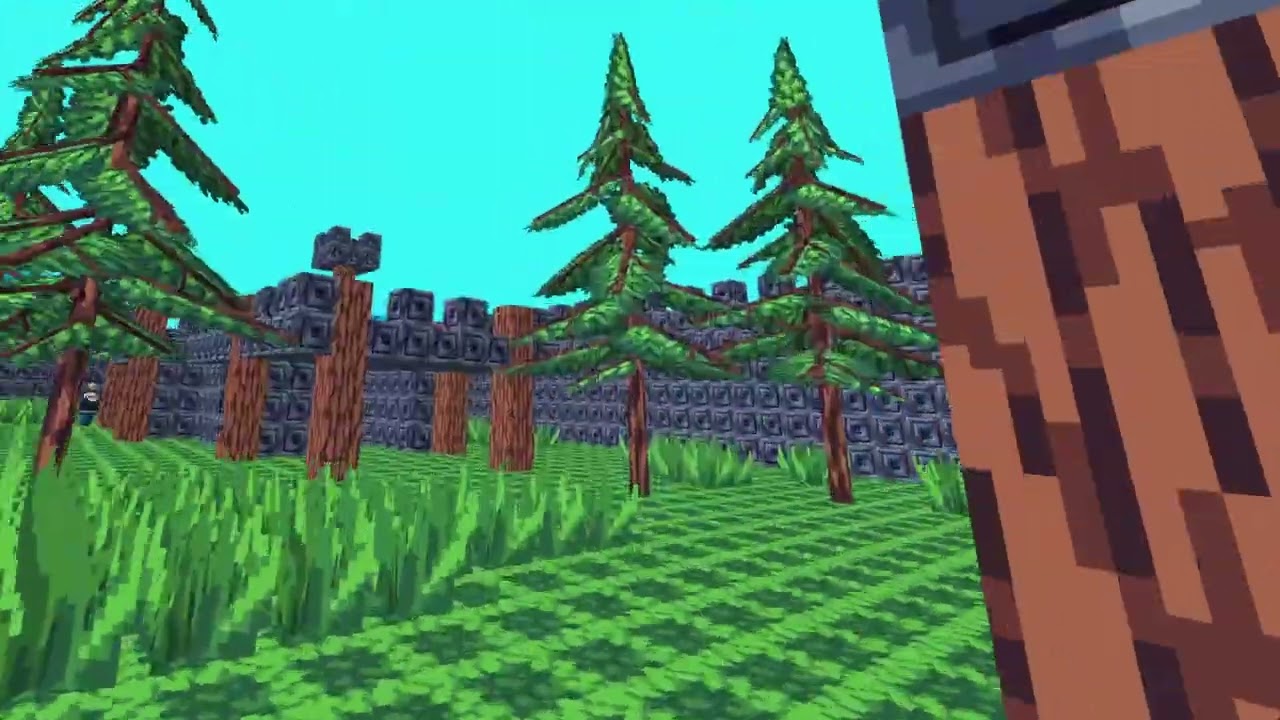
 fast plaza
vagrant saddle
fast plaza
vagrant saddle
with 3D sound support or not ?
 gloomy ledge
foggy python
https://m.youtube.com/watch?v=fCSNMdGstW0
gloomy ledge
foggy python
https://m.youtube.com/watch?v=fCSNMdGstW0
amazing work
 restive spear
 untold cove
i need help with something, i cant make my game into an executable
untold cove
i need help with something, i cant make my game into an executable
What's the issue mate
untold cove
pyinstaller is not working, i cant make my game into an executable
 stiff herald
checkit with grok the best ai to help
mild spear
untold cove
pyinstaller is not working, i cant make my game into an executable
tried checking the docs?
 wicked trout
simple game i made
modern flint
wicked trout
simple game i made
Nice!
raven kernel
wicked trout
simple game i made
nice
wicked trout
thanks!!
whole garnet
nice
 silver spear
How do you guys make games in python, I’m trying to find a game engine that supports python 😭-
wicked trout
silver spear
How do you guys make games in python, I’m trying to find a game engine that supp...
to make games you can use pygame
but i didnt use pygame
i only used pygame for sound effects
its a library
silver spear
I find it hard to understand pygame tbh lol
wicked trout
silver spear
I find it hard to understand pygame tbh lol
i think it depends on what your doing
with it
silver spear
Alr
cerulean nimbus
silver spear
How do you guys make games in python, I’m trying to find a game engine that supp...
there are some modules you can use
- ursula
- panda3D
- pygame(-ce)
- ...
or if you really want a game engine i could say try godot with GDscripts
the syntax is simular to python
 tribal scarab
hello
i need help on python
i did a 1 v 1 tic tac toe and now i want to do a 1v ai but idk how to
i want to use minimizer and maximizer but idk how to
might have some space eror
error*
tired reef
How should I encode a gravity simulation using panda 3d? Also at me if you want to respond because I'm constantly working on something and I generally am too busy unless somebody asked me letting me know that they typed something in response
vagrant saddle
tired reef
How should I encode a gravity simulation using panda 3d? Also at me if you want ...
use Panda3D physics or bullet3 they are both available in normal Panda3D builds
i'd use bullet3 to do stuff like
tired reef
vagrant saddle
use Panda3D physics or bullet3 they are both available in normal Panda3D builds
Thank you I think I'll use physics for the training ground
tired reef
vagrant saddle
use Panda3D physics or bullet3 they are both available in normal Panda3D builds

To try everything Brilliant has to offer free for a full 30 days, visit https://brilliant.org/cozmouz . You’ll also get 20% off an annual premium subscription.
This video was sponsored by Brilliant. Thanks a lot for the support!
Twitter: https://twitter.com/cozmouzz
Discord: ...
candid blaze
Anyone work with the python bindings in bevy?
 crystal robin
Hi, can anyone help me figure out why the simulation doesnt work as intented? Why aren't other tiles than patient zero being updated? (didnt know where to ask this)
message.txt: https://pastecord.com/evosalyfet
cerulean nimbus
crystal robin
Hi, can anyone help me figure out why the simulation doesnt work as intented? W...
dunno if you know but your window is stuck in an infinite loop
    def spread_infection(self):
        for person in population.people:

            # Infect person to the right if tile is free
            if (person.x + cell_size, person.y) not in population.coords and person.x + cell_size < WIDTH:
                Person(person.x + cell_size, person.y)

            # Infect person below if tile is free
            if (person.x, person.y + cell_size) not in population.coords and person.y + cell_size < HEIGHT:
                Person(person.x, person.y + cell_size)

            # Infect person to the left if tile is free
            if (person.x - cell_size, person.y) not in population.coords and person.x - cell_size >= 0:
                Person(person.x - cell_size, person.y)

            # Infect person above if tile is free
            if (person.x, person.y - cell_size) not in population.coords and person.y - cell_size >= 0:
                Person(person.x, person.y - cell_size)
```updating your `spread_infection`to this help fixing ityou mean this one ? https://pypi.org/project/Bevy/
crystal robin
cerulean nimbus
dunno if you know but your window is stuck in an infinite loop
oh thanks good catch, i changed the function to this, it still doesnt seem to work though?
def spread_infection(self):
    current_population = population.people

    for person in current.population:

        # Infect person to the right if tile is free
        if (person.x + cell_size, person.y) not in population.coords:
            Person(person.x + cell_size, person.y)

        # Infect person below if tile is free
        if (person.x, person.y + cell_size) not in population.coords:
            Person(person.x, person.y + cell_size)

        # Infect person to the left if tile is free
        if (person.x - cell_size, person.y) not in population.coords:
            Person(person.x - cell_size, person.y)

        # Infect person above if tile is free
        if (person.x, person.y - cell_size) not in population.coords:
            Person(person.x, person.y - cell_size)
Try to explain mor of what you are trying to achieve "doesnt work" isnt enough information for us to help you out :)
I would love to help tho
crystal robin
cerulean nimbus
Try to explain mor of what you are trying to achieve "doesnt work" isnt enough i...
like changing the function to this where it loops through a constant population list (current_population) should prevent an infite loop no? as more people dont get continuously added while looping through people, at least i thought thats what the issue was. but it still expands and creates a bunch more people extremely fast, even though there should be a maximum of 4 additions per people per tick of 1s?
cerulean nimbus
crystal robin
like changing the function to this where it loops through a constant population ...
Hmm lemme review the code again im only able to give you an update a little later im watching my dogs rn so i dont have access to my laptop atm
crystal robin
cerulean nimbus
Hmm lemme review the code again im only able to give you an update a little late...
ok thanks!
also even though a ton of people seem to be added instantly, the graphics dont update, which is weird
cerulean nimbus
ok im on my pc lemme check
simple problem @crystal robin
class Population:

    def __init__(self):
        self.people = []     # List of Person instances
        self.coords = []     # Coordinates occupied by people

    # Controls how the infection spreads to adjacent tiles
    def spread_infection(self):
        for person in population.people:
            # Infect person to the right if tile is free
            if (person.x + cell_size, person.y) not in population.coords and person.x + cell_size < WIDTH:
                Person(person.x + cell_size, person.y)

            # Infect person below if tile is free
            if (person.x, person.y + cell_size) not in population.coords and person.y + cell_size < HEIGHT:
                Person(person.x, person.y + cell_size)

            # Infect person to the left if tile is free
            if (person.x - cell_size, person.y) not in population.coords and person.x - cell_size >= 0:
                Person(person.x - cell_size, person.y)

            # Infect person above if tile is free
            if (person.x, person.y - cell_size) not in population.coords and person.y - cell_size >= 0:
                Person(person.x, person.y - cell_size)
```the problem is that you are iterating over the list and changing its values while iterating over the original a quick fix that you can do is make use of
`for person in population.people.copy():`so the updated class would look like
class Population:

    def __init__(self):
        self.people = []     # List of Person instances
        self.coords = []     # Coordinates occupied by people

    # Controls how the infection spreads to adjacent tiles
    def spread_infection(self):
        for person in population.people.copy():
            # Infect person to the right if tile is free
            if (person.x + cell_size, person.y) not in population.coords and person.x + cell_size < WIDTH:
                Person(person.x + cell_size, person.y)

            # Infect person below if tile is free
            if (person.x, person.y + cell_size) not in population.coords and person.y + cell_size < HEIGHT:
                Person(person.x, person.y + cell_size)

            # Infect person to the left if tile is free
            if (person.x - cell_size, person.y) not in population.coords and person.x - cell_size >= 0:
                Person(person.x - cell_size, person.y)

            # Infect person above if tile is free
            if (person.x, person.y - cell_size) not in population.coords and person.y - cell_size >= 0:
                Person(person.x, person.y - cell_size)
but @cerulean nimbus why doesnt this fix that?
cause now i loop through a predefined list instead of the continuosly changing one
crystal robin
cerulean nimbus
so the updated class would look like
```py
class Population:
def __ini...
is .copy a standard python function?
cerulean nimbus
crystal robin
cause now i loop through a predefined list instead of the continuosly changing o...
you are still in an infinite loop with that one cause you forgot to check if the person is in bounds
cerulean nimbus
crystal robin
is .copy a standard python function?
yes its from the list type
crystal robin
cerulean nimbus
you are still in an infinite loop with that one cause you forgot to check if the...
ya but shouldnt it work fine until that happens?
cerulean nimbus
copy simply returns a copy of the list without changing the other list
crystal robin
why do sm people get added instantly
crystal robin
cerulean nimbus
copy simply returns a copy of the list without changing the other list
okok thanks thats rly useful!
cerulean nimbus
crystal robin
why do sm people get added instantly
that is because you are itterating over the list and changing the values of the one your itterating hence why i gave you the solution of doing .copy()
crystal robin
ok lemmetry thanks
cerulean nimbus
crystal robin
ya but shouldnt it work fine until that happens?
no cause your if statement is lacking making it stuck in some sort of infinite loop
cerulean nimbus
crystal robin
ok lemmetry thanks
there is a difference between
l = [0,1,2,3]
new = l
new.append(4)
``````py
l = [0,1,2,3]
new = l.copy()
new.append(4)
so the variable gets changed continuosly as well?
cerulean nimbus
!e
l = [0,1,2,3]
new = l
new.append(4)
print(l)
print(new)
:white_check_mark: Your 3.12 eval job has completed with return code 0.
001 | [0, 1, 2, 3, 4]
002 | [0, 1, 2, 3, 4]
!e
l = [0,1,2,3]
new = l.copy()
new.append(4)
print(l)
print(new)
:white_check_mark: Your 3.12 eval job has completed with return code 0.
001 | [0, 1, 2, 3]
002 | [0, 1, 2, 3, 4]
yes
crystal robin
ohhhh
cerulean nimbus
you see the difference above ?
cerulean nimbus
its ok it can be a little difficult to understand at first but you learn from trial and error 👍
crystal robin
so the only way to make like an immutable variable kinda is to use .copy()?
cerulean nimbus
crystal robin
so the only way to make like an immutable variable kinda is to use .copy()?
it is still mutable it just doesnt mutate the original
crystal robin
ya thats what i meant
cerulean nimbus
.copy() copy overs the values but gives it a different address in memory if im correct (if someone reads this and im wrong please correct me)
crystal robin
tysm for your help!
cerulean nimbus
no worries
cerulean nimbus
crystal robin
tysm for your help!
other than those 2 small bugs nice simulation
crystal robin
thanks!
cerulean nimbus
maybe add some sliders and buttons so you can restart it and change values on the go
cerulean nimbus
cerulean nimbus
maybe add some sliders and buttons so you can restart it and change values on th...
(just an idea im giving you if you want to expand it )
crystal robin
is there a diff way of doing it other than .copy()? i js feel like there should be but i cant think of one
crystal robin
cerulean nimbus
(just an idea im giving you if you want to expand it )
appreciate it! im def gonna add more features now that the basics work
cerulean nimbus
crystal robin
is there a diff way of doing it other than .copy()? i js feel like there should ...
yes there is
    def spread_infection(self):
        for i in range(len(self.people)):
            person = self.people[i]

            # Infect person to the right if tile is free
            if (person.x + cell_size, person.y) not in self.coords and person.x + cell_size <= WIDTH:
                Person(person.x + cell_size, person.y)

            # Infect person below if tile is free
            if (person.x, person.y + cell_size) not in self.coords and person.y + cell_size <= HEIGHT:
                Person(person.x, person.y + cell_size)

            # Infect person to the left if tile is free
            if (person.x - cell_size, person.y) not in self.coords and person.x - cell_size >= 0:
                Person(person.x - cell_size, person.y)

            # Infect person above if tile is free
            if (person.x, person.y - cell_size) not in self.coords and person.y - cell_size >= 0:
                Person(person.x, person.y - cell_size)
```this also worksno since it works differently
crystal robin
oh ok so len is a constant
cerulean nimbus
its a little confusing to explain it myself
cerulean nimbus
crystal robin
oh ok so len is a constant
yes
crystal robin
gotcha thanks!