#game-development
1 messages · Page 38 of 1
 dry temple
 somber sable
 candid thunder
how much of python should i know before i try pygame or any other like it?
 sturdy sandal
pygame.draw.polygon ?
sturdy sandal
added a bit to my game
 unique yew
213
 noble rapids
so what do you recon i should do? i already have taken comp sci in school and we use python
sturdy sandal
noble rapids
so what do you recon i should do? i already have taken comp sci in school and we...
programming is just a skill
so just practice making stuff
python is just the tools you use to make the stuff with
id reccomend starting simple with a bubble sort algorithm
noble rapids
sturdy sandal
programming is just a skill
so just practice making stuff
python is just the too...
i sound stpid but whats a bubble sort algorithm
we might have different terms ?
 rigid sun
noble rapids
i sound stpid but whats a bubble sort algorithm
rigid sun
noble rapids
i sound stpid but whats a bubble sort algorithm
A type of sorting algorithm where the numbers "bubble up" through the list to their correct positions. It's a very simple, not very efficient, but effective sorting algorithm. It's a good exercise for someone learning to wrap their head around coding.
 normal silo
noble rapids
so what do you recon i should do? i already have taken comp sci in school and we...
normal silo
noble rapids
so what do you recon i should do? i already have taken comp sci in school and we...
Courses.
noble rapids
damn yall im blessed
normal silo

Learn the basics of computer science from Harvard University. This is CS50, an introduction to the intellectual enterprises of computer science and the art of programming. The course is taught live every year and this is the 2023 version.
💻 Slides, source code, and more at https://cs50.harvard.edu/x.
⭐️ Course Contents ⭐️
⌨️ (00:00:00) Lectur...
(More than just Python in this one, touches a bunch of things, good intro)
(If you watch this you should have some idea of what to look into next (e.g. more about data structures and algorithms))
@noble rapids
noble rapids
alright thanks
normal silo
If you prefer reading, get some books. Books work.
noble rapids
ive been doing python for about 6 months in school as im studying comp (as ive said) but i wanted to advence myself like i wanna do abit of cyber secuirty coding and hopefully make a multi tool, or abit of game dev, or evn programming for physical projects like a rasberry pi project.
normal silo
noble rapids
ive been doing python for about 6 months in school as im studying comp (as ive s...
There is some foundation that will help you in all of those, which is touched on in that video.
(e.g. you should probably know what a bubble sort is (you may not use it, but the general process of solving problems that comes from it))
noble rapids
normal silo
(e.g. you should probably know what a bubble sort is (you may not use it, but th...
yeah unfortunetly not i will watch that video some time today
normal silo
Programming as a skill is not tied to a language, but you do need some language at all to do things, which is why courses start with learning some language. But once you have some of that you want to focus on programming as a skill itself.
You also may want to start getting into more than one language slowly as it will help you also see how this is a universal skill that is not tied to any one language.
And each language also tends to have some of its own neat ideas that you can apply in other languages too (e.g. for code organization).
 tired reef
import math
import pygame

pygame.init()


WIDTH, HEIGHT = 1000, 1000
screen = pygame.display.set_mode((WIDTH, HEIGHT))
pygame.display.set_caption("")


class healthbar:
    def __init__(self,x,y,w,h,max_hp):

        self.x = x
        self.y = y

        self.w = w
        self.h = h

        self.hp = max_hp
        self.max_hp = max_hp

    def draw(self,):
        # health ratio
        ratio = self.hp / self.max_hp

        pygame.draw.rect(screen, "red",(self.x,self.y,self.w,self.h))
        pygame.draw.rect(screen, "green",(self.x,self.y,self.w * ratio,self.h))


running = True

while running:

    healthbar.draw(screen)

    for event in pygame.event.get():
        if event.type == pygame.QUIT:
            running = False

    pygame.quit()
is this ok I'm following a tutorial for the health bar and i get a no attubute error hp
normal silo
tired reef
is this ok I'm following a tutorial for the health bar and i get a no attubute ...
When you have a class, it's like a blueprint, you need to actually make the house from that (an instance). Looks like my_healthbar = healthbar(...), then you can call methods on that instance, such as my_healthbar.draw(screen).
I recommend making the words in your class start with an upper case letter, so HealthBar. This helps avoid conflicts with variable names (instances of that class).
tired reef
normal silo
When you have a class, it's like a blueprint, you need to actually make the hous...
thank you
tired reef
i have a problem with an attribute error
object has no attribute 'hp' even though i had followed the tutorial```py
import math
import pygame
pygame.init()
WIDTH, HEIGHT = 1000, 1000
screen = pygame.display.set_mode((WIDTH, HEIGHT))
pygame.display.set_caption("")
class HealthBar:
def init(self,x,y,W,H,max_hp):
    self.x = x
    self.y = y

    self.W = W
    self.H = H

    self.hp = max_hp
    self.max_hp = max_hp

def draW(self):
    # health ratio
    ratio = self.hp / self.max_hp

    pygame.draW.rect(screen, "red",(self.x,self.y,self.W,self.H))
    pygame.draW.rect(screen, "green",(self.x,self.y,self.W * ratio,self.H))
player_Health_bar = HealthBar(250, 200, 300, 40, 100)
running = True
while running:
HealthBar.draW(screen)

for event in pygame.event.get():
    if event.type == pygame.QUIT:
        running = False

pygame.quit()
Describe to me what HealthBar.draW(screen) does.
tired reef
shoot i just realized that thank you and it is supposed to blit it onto the screen
normal silo
tired reef
shoot i just realized that thank you and it is supposed to blit it onto the scre...
Ok, but can you give me more details on exactly what the code is doing?
What does it mean for HealthBar to be followed by a period?
What is HealthBar?
What is draW?
tired reef
in full honesty I'm following the tutorial would you like the link?
normal silo
Yes.
tired reef
normal silo
What is `draW`?
i used the replace comand and hit all
tired reef
normal silo
Yes.
im just folowing the tutorial https://youtu.be/E82_hdoe06M?si=ozlqRD5_WqS4kNVC

In this video I will explain the how to create a simple health bar in pygame.
I'll show how the health bar is setup, explain the logic and create a class that can be re-used to create multiple health bars.
For the full source code and step by step explanation head over to my website: http://www.codingwithruss.com/pygame/how-to-create-a-health-...
normal silo
tired reef
im just folowing the tutorial https://youtu.be/E82_hdoe06M?si=ozlqRD5_WqS4kNVC
Are you familiar with classes in Python?
tired reef
normal silo
Are you familiar with classes in Python?
Yes, classes, or object-oriented programming, is, as you have said earlier, like a construction blueprint that can be used in the creation of games, apps, and artificial neural networks. It is dependent on what it is used for, but its use is the same; it is used for doing specific tasks, like a math equation, and storing a variable as an attribute for the main code. Please correct me if I'm wrong.
tired reef
normal silo
Are you familiar with classes in Python?
yes
normal silo
tired reef
Yes, `classes`, or object-oriented programming, is, as you have said earlier, li...
Ok, review some more information on classes, objects, and methods. Especially the difference between a class and an instance of that class, and what methods do.
 wheat gulch
so idk what category to put it in but i have a problem where i need to fill a world map with random colors for each country, i tried using PIL floodfill but that doesnt work
normal silo
wheat gulch
so idk what category to put it in but i have a problem where i need to fill a wo...
unique yew
wheat gulch
so idk what category to put it in but i have a problem where i need to fill a wo...
media processing
 manic totem
why its looping when i still set the loop argument to zero
sturdy sandal
manic totem
why its looping when i still set the loop argument to zero
wdym?
whats looping, wheres the loop, wheres the zero?
 pine smelt
sturdy sandal
wdym?
whats looping, wheres the loop, wheres the zero?
pine smelt
sturdy sandal
wdym?
whats looping, wheres the loop, wheres the zero?
think they're referring to the audio? unsure though
 gaunt nacelle
would yall like me to send the python game i made? i need feedback or if there are weird things in the code cuz im new to pygame
 mild forum
Hello
I have been working on my game for a while, but not as much as I wanted and could. Every time I want to work on it, add something new, I don't know what to add. I have lots of ideas, but those ideas are not in order.
I mean, I have lots of ideas, but don't know how to decide which one to implement.
 nova bramble
Hey everyone! I’ve been working on my first game, a SnakeGame project, and I’ve published it on GitHub: https://github.com/Aleixus/SnakeGame. If you have some free time and feel like playing Snake, I’d really appreciate any feedback or suggestions! Thanks so much!
GitHub
The snake game in python! also happens to me my first game :) - Aleixus/SnakeGame
Like now I'll have to work on it a bit more but it's at least playable now
mild forum
nova bramble
Hey everyone! I’ve been working on my first game, a SnakeGame project, and I’ve ...
I like it, also the scoring system is a neat detail!
nova bramble
mild forum
I like it, also the scoring system is a neat detail!
Thanks! I'd like to add a settings feature where users can customize things like the number of players, the amount of food in the game, and the player controls, as well as letting players set their username. Additionally, I'm considering allowing players to control multiple snakes and switch between them during the game.
Like there's a lot of stuff that I want to do in Settings and idk if it will all fit lol
mild forum
nova bramble
Thanks! I'd like to add a settings feature where users can customize things like...
oof, that requires lots of work. Implementing multiplayer can be tough sometimes
nova bramble
I'd say I made it modular enough... I just need to add the controls, place the snake in another tile, and done i'd say
nova bramble
1 computer obs, don't want to torture myself over a snake game
nova bramble
mild forum
<@779683921524031498>
I will want to do online games but not rn... that's too much of a jump
I'd say making snake ai would be easier to start with
mild forum
nova bramble
I will want to do online games but not rn... that's too much of a jump
Implementing simple server-client connection is not that hard
nova bramble
but syncing stuff and whatever might be
mild forum
oh that yes, it can be hard
this was my first attempt when I tried making online multiplayer
those numbers you can see on consoles are coordinates
if you ever want to experiment with online multiplayer, you can use this simple server code, you can modify the code however you want
import socket
s = socket.socket(socket.AF_INET, socket.SOCK_DGRAM)
s.bind(('127.0.0.1', 4567))

clients = []

while True:
    data, addr = s.recvfrom(2048)
    if data == b'0x00ff':
        if len(clients) > 0:
            s.sendto(b'r', addr)
        else:
            s.sendto(b'b', addr)
        if addr not in clients:
            clients.append(addr)
    if data == b'bye':
        clients.pop()
    try:
        for client in clients:
            s.sendto(data, client)
    except:
        pass
Oh wow this is really cool
I might consider adding it
Wait but isn’t it just removing the last client? What if that’s not the one who has the bye data?
mild forum
I don't know, I can try
on client side, when you close the window, before closing the client it sends bye message to the server, and then server removes that client from the list of connected clients, so it can be reusable
@nova bramble
actually, know what? I will give you the client code as well and you can play with it and experiment.
just tinker around it and find out how it works. I'm gonna write you some comments as well.
nova bramble
Thanks 🙏
gaunt nacelle
heres a cool game i made: https://github.com/joshiayaansh/hackgame
GitHub
Contribute to joshiayaansh/hackgame development by creating an account on GitHub.
manic totem
sturdy sandal
wdym?
whats looping, wheres the loop, wheres the zero?
The winning_sound. The pygame.mixer.Sound.Play() should be not looping on default right?
 prisma thorn
okay so im developing a small text game and im having troubles with the stats variables, i need to only accept 8-15 and if its over or under i need to spit invalid input and then try again
class Stats(Char):
    def __init__(self):
        print("\nMinimum stat 8, max 15.\n")
        while True:
          try:
            self.Strength = int(input("Strength?: "))
            if self.Strength > 8 or self.Strength < 15:
              pass
            else:
              print("invalid input")
            break
          except:
            print("invalid input.")
        while True:
          try:
            self.Dex = int(input("Dexterity?: "))
            break
          except:
            print("invalid input.")
        while True:
          try:
            self.Const = int(input("Constitution?: "))
            break
          except:
            print("invalid input.")
        while True:
          try:
            self.Intell = int(input("Intelligence?: "))
            break
          except:
            print("invalid input.")
        while True:
          try:
            self.Wisdom = int(input("Wisdom?: "))
            break
          except:
            print("invalid input")
        while True:
          try:
            self.Charisma = int(input("Charisma?: "))
            print("invalid input")
            break
          except:
            print("invalid input")

    def PrintBaseStats(self):
        print(f"Strength: {self.Strength}\nDexterity: {self.Dex}\nConstitution(endurance): {self.Const}\nIntelligence: {self.Intell}\nWisdom: {self.Wisdom}\nCharisma?: ")
        print("You have 27 points you may spend into these values! You may remove some points in others to put to other values.\n")
the issue is up where the strength part it
is
sturdy sandal
manic totem
The ``winning_sound``. The ``pygame.mixer.Sound.Play()`` should be not looping o...
oohhh, im not sure, but just use a stop to be certain it stops
 vagrant saddle
 glossy scarab
Whats the best way to make 3d games in python
glossy scarab
Whats the best way to make 3d games in python
Panda3D ( easier, versatile and cross platform ) / Harfang3D
 light jacinth
prisma thorn
```py
class Stats(Char):
def __init__(self):
print("\nMinimum stat 8...
light jacinth
prisma thorn
```py
class Stats(Char):
def __init__(self):
print("\nMinimum stat 8...
        while True:
          try:
            self.Strength = int(input("Strength?: "))
            if self.Strength > 8 or self.Strength < 15:
              pass
            else:
              print("invalid input")
            break
          except:
            print("invalid input.")
There are 2 things to consider here. Firstly, your if condition: self.Strength > 8 or self.Strength < 15. "if the input value was greater than 8 OR less than 15" is not quite right, as it happens every number will satisfy this. What you're looking for is the intersection of those two regions, i.e. self.Strength > 8 and self.Strength < 15. Although even in this form we would still need to tweak things a little bit to accept 8 or 15: currently this accepts 9-14. To fix that, we can change the > to >= and do the same for < to <=, leaving us with self.Strength >= 8 and self.Strength <= 15. Python has special syntax to let us optionally shorten this, like so: 8 <= self.Strength <= 15
With our if condition fixed, we now need to consider your placement of break. Currently, the break triggers regardless of whether the check in the if statement succeeded! So we need to move it inside the if clause, replacing the location of the old pass.
prisma thorn
light jacinth
```py
while True:
try:
self.Strength = int(input("...
i had fixed it but thank you
prisma thorn
light jacinth
```py
while True:
try:
self.Strength = int(input("...
im having another issue recently, i have to add more lines but for math, if its above 8 in the attribute inputted i need subtract however points you added from 8 from the point value of 27
light jacinth
prisma thorn
im having another issue recently, i have to add more lines but for math, if its ...
Slightly struggling to parse that one, just to check you mean (calling the value inputted x) subtracting (x-8) from 27?
prisma thorn
light jacinth
Slightly struggling to parse that one, just to check you mean (calling the value...
sorry had to take a pic of my monitor cause school


but this is how the math is
after that first if being true and it was more than 8 itd take the input and subtract by 8 then subtract that from the points atotaled and then add 8 back to give your stats back
light jacinth
oh I see, so effectively you will have a budget of 27 that you distribute across your stats, which are all based at 8
prisma thorn
yeah, all the way up to 15 per stat as long as you have the budget
im having trouble because it only accepts the input 8 there otherwise invalid
light jacinth
wdym by "it only accepts the input 8 there otherwise invalid"
light jacinth
prisma thorn
sorry had to take a pic of my monitor cause school
The current version of your code in this pic only accepts 8 as an input?
prisma thorn
light jacinth
wdym by `"it only accepts the input 8 there otherwise invalid"`
if i had the the mathwhere i drew it only accepted the number 8 as input only, not 8-15 as a range
prisma thorn
light jacinth
The current version of your code in this pic only accepts `8` as an input?
no, thats the only pic i had as of recent but i tried what i wrote but had to get rid of it
cause of said error, and i didnt put it back becausr that pic was made before i had to go before school
light jacinth
ah ok
prisma thorn
where i drew is where i put the equations and it only accepted 8
9 was invalid
so going by logic 10-15 would be too
light jacinth
From what you've written, just inserting the code from your notes screenshot inside the existing if on line 17 should work fine
As a sidenote, you don't actually have to check if self.(attribute) > 8 inside, since you already set 8 as the lower bound, and if the value is 8 then you will just be subtracting 0 from your budget which is fine
prisma thorn
light jacinth
As a sidenote, you don't actually have to check `if self.(attribute) > 8` inside...
how would i be able to input a modulus thingy to make it easier?
like the remainder
cause
itd be so much easier if i could find a way without assigning the attribute again to a different value
like a shortcut
light jacinth
Right
You could either use a separate variable to store this excess, or just write it in the same line
 light jacinth
if you do the math, currently you are doing (call the attr x_1):
x_2 = x_1 - 8
PointValue = PointValue - x_2
x_3 = x_2 + 8
Here you are doing PointValue - x_2 which is just PointValue - (x_1 - 8) so you could have written it like that instead of modifying your self.(attribute)
so you could replcae your 3 lines with:
PointValue = PointValue - (self.attribute - 8)
# OR
PointValue = PointValue + 8 - self.attribute
# OR
PointValue -= self.attribute - 8
# OR
PointValue += 8 - self.attribute
the first one seems so better
light jacinth
I'd suggest using the -= or alternatively += variant, since it's a bit of an antipattern to have blah = blah +/-/...
prisma thorn
okay ill be back, i got gym then i got comp sci to do this
light jacinth
Also, there will be a lot of repetition in your code, so I'd suggest defining some functions to help parse all the attributes
prisma thorn
light jacinth
Also, there will be a lot of repetition in your code, so I'd suggest defining so...
how could i implement that as a function instead?
light jacinth
prisma thorn
```py
class Stats(Char):
def __init__(self):
print("\nMinimum stat 8...
What blocks in this code look almost identical, and what parts are different each time?
prisma thorn
well i mean how could i change the self.attribute to be changed as a function throughout since its repeated and lengthy
then i could try that as well for the small math for the attributes too
 fluid grail
srry wrong chat
prisma thorn
fluid grail
srry wrong chat
okay but thats sick as hell
fluid grail
thx
ill resend it then
wait a second
so this is the game

its like a cookie clicker but in tkinter
im not that good in python, im just a beginner in gui
light jacinth
prisma thorn
well i mean how could i change the self.attribute to be changed as a function th...
Right, so you could write a function that does the whole while loop, asks for input, etc. But there are some things you can't really factor away (without some ugly code), namely the self.(attribute) parts. So to work around that, we could just have our function return the value of the attribute and set it ourselves outside:
self.Strength = self.parse_attribute(...)
self.Dex = self.parse_attribute(...)
...
What values would we need to provide to our parse_attribute in order for this to work?
 proper goblet
3
prisma thorn
light jacinth
Right, so you could write a function that does the whole `while` loop, asks for ...
what does parsing do?
prisma thorn
@light jacinth im still having issues, when i have that math under the if statemeny it wont accept any input still
im on the school computers so i cant ss sadly
light jacinth
prisma thorn
what does parsing do?
by "parsing" I mean taking input data and turning it into a useful form
prisma thorn
light jacinth
by "parsing" I mean taking input data and turning it into a useful form
oh huh
yeah i dont know an entire lot about python commands yet
i only know basic commands
light jacinth
It's not a command that exists, it's a name people use for a specific task
You'd have to define a method called parse_attribute and implement it yourself
prisma thorn
ohhhh
OHHHH but i still want those 6 predetermined attributes
would parse just be collecting input?
light jacinth
For example:
class Stats(Char):
    ...
    def parse_attribute(self):
        return 1
``` would be a useless but valid implementationso return int(input(“strength”)) or so?
light jacinth
Right, that would be an improvement
But then we would want to put more features into that, like adding your retry loop
And the valdiation
prisma thorn
ima keep the code i have for now cause its like 60 lines already and im not going throigh that right now
light jacinth
prisma thorn
so return int(input(“strength”)) or so?
And also how do we know that we want input("strength")? sometimes you want input("dex") instead, so you would need an argument to the method that tells it what the name of the attr is
prisma thorn
i just need the predetermined ones
strength, dexterity, constitution, intelligence, wisdom, and charisma
light jacinth
Ik, I'm just saying that you would need this if you wanted to use the same parse_attribute method for all attrs
light jacinth
so you would end up with
self.Strength = self.parse_attribute("strength")
self.Dex = self.parse_attribute("dex")
...
Anyway back to ur problem
light jacinth
Does your code currently look like:
        while True:
          try:
            self.Strength = int(input("Strength?: "))
            if self.Strength >= 8 and self.Strength <= 15:
              PointValue = PointValue - (self.Strength - 8)
              break
            else:
              print("invalid input")
          except:
            print("invalid input.")
``` ?
sorry for photos of monitor
its the only thing i can do
thank you, programmers hangout makes it a thing
light jacinth
A lot of people here do too, it can be annoying since you can't paste the code and edit it but idm that much here
light jacinth
light jacinth
Does your code currently look like:
```py
while True:
try:
...
If all your stats look like this, it should be fine, although you would be able to make a maxed spec sheet that is 15 in everything currently
Your terminal output looks like it made it past all the stats, no?
prisma thorn
light jacinth
Does your code currently look like:
```py
while True:
try:
...
thats what i used as you can see but it cant accept anything at all
i forgot to add

@light jacinth how could i fix that?
light jacinth
hold on ill be back in a bit
light jacinth
Realised what the problem was btw
you didnt define PointValue
but because you had that in a bare try-except, the error was being caught
And then it was treated as if the error was from the int process
        while True:
          try:
            self.Strength = int(input("Strength?: "))
            if self.Strength >= 8 and self.Strength <= 15:
              PointValue = PointValue - (self.Strength - 8)
              break
            else:
              print("invalid input")
          except ValueError:
            print("invalid input.")
``` Explicitly naming the type of error you want to catch will help avoid these situations in future
Here we want to catch the first error but not the second
prisma thorn
light jacinth
you didnt define `PointValue`
i defined pointvalue before the entirety of it
light jacinth
Ah right, in that case it's a slightly different but related error

If you define a variable in the global scope, you cannot modify if in another scope
If you try to do that, Python will say "oh the variable you're modifying must be local", but there is no such local
So it'll crash
If you do this for example, because we did p = we know p must be local, and gets set to 1 just fine

You should really be defining your PointValue inside the __init__ function, making it local
Or, you set a local variable like budget = PointValue at the start of __init_- and use that instead
prisma thorn
light jacinth
You should really be defining your `PointValue` inside the `__init__` function, ...
ah okay so put pointvalue to init
 spark perch
GaMe DevElOpMeNt WiTH PyThOn!???!??!?!?!?!?
spark perch
light jacinth
Erm what the sigma is that editor?
Hollup, is this like just choose ur own adventure games/rpg games?
\
Use my library pip install basicrpg
I need feedback and feature requests, its still under development and very epic indeed, also documentation goes hard
Also pls learn from it, like if u dont know much about OOP, there r tones of examples and lots of coments on github basicrpglib
prisma thorn
spark perch
Hollup, is this like just choose ur own adventure games/rpg games?
\
im making a dnd game in text
prisma thorn
spark perch
Use my library pip install basicrpg
im doing it from scratch
ill refine it and check out the library later, im just challenging myself since this is a rough draft for my full game
yeah im checking out the library and its not what i need
im developing my own game engine for rolls for this text game rn
and its already what i really had
ill talk to my one friend
spark perch
gaunt nacelle
heres a cool game i made: https://github.com/joshiayaansh/hackgame
Pov your a password grabber program?
spark perch
prisma thorn
im making a dnd game in text
siiiiiick
spark perch
prisma thorn
ill refine it and check out the library later, im just challenging myself since ...
Respect, it's good man. I made the library cause I wanted to do it from scratch too lol
prisma thorn
spark perch
Respect, it's good man. I made the library cause I wanted to do it from scratch ...
yeah, although im a girl
spark perch
prisma thorn
yeah im checking out the library and its not what i need
it's good woman*
prisma thorn
spark perch
Nice
id have to change way too many things but i might snag some parts of it
spark perch
wait that dont sound so good
prisma thorn
spark perch
it's good woman*
lol
prisma thorn
spark perch
wait that dont sound so good
its good either way
i dont know if my profile from servers shows my pronouns 😭
spark perch
prisma thorn
yeah im checking out the library and its not what i need
Any chance u could LMK what features you were looking for? Im looking for new things to add and I dont play much D&D tbh
Also r u making a visual engine, and if so, r u making the screen rendering or whatever from scratch as well?
prisma thorn
yeah no i like the concepts of the basic rpg listing
ill definitelly be repurposing a bunch of stuff
prisma thorn
spark perch
Any chance u could LMK what features you were looking for? Im looking for new th...
i dont either, i have an entire storyboard made for a predetermined campaign with my friend
spark perch
Thats more than I got 💀
spark perch
spark perch
Also r u making a visual engine, and if so, r u making the screen rendering or w...
??
prisma thorn
ive implemented a point system right now and character name for input
prisma thorn
spark perch
Also r u making a visual engine, and if so, r u making the screen rendering or w...
not yet
i was gonna experiment engines
im trying out pygame first but i have to learn sprites animations etc etc
demo rn
(cant screen record on this crappy pc)
prisma thorn
spark perch
Also r u making a visual engine, and if so, r u making the screen rendering or w...
im just making it like the oregon trail, pure text
light jacinth
spark perch
Erm what the sigma is that editor?
ipython, in a windows terminal session
spark perch
light jacinth
ipython, in a windows terminal session
Why no VS COOOOOOOOOOODE?😢😢😢😢😢😢
spark perch
prisma thorn
im just making it like the oregon trail, pure text
Beautiful, text games are great
light jacinth
because I wanted to illustrate a short example, no need to spin up vscode for that. Even if I did, I'd still end up running ipython in there
spark perch
prisma thorn
demo rn
learning object oriented programing could be a big boost. Also, adding a menu function to easily create menus such as the play or die menu at the start. This can also make your game look much nicer, with menu's having some sort of visual apeal
spark perch
light jacinth
because I wanted to illustrate a short example, no need to spin up vscode for th...
Takes deep breath of relief
prisma thorn
spark perch
learning object oriented programing could be a big boost. Also, adding a menu fu...
yeah thats what i wanna do but im just using terminal cause idk anything else
spark perch
prisma thorn
yeah thats what i wanna do but im just using terminal cause idk anything else
Object oriented is terminal, and the menu function I sent u as well
I like sticking to the terminal
OOP (Object oriented programing) just makes ur coding much more organised and effiecient if used correctly
The menu function I sent u is basic tho, no OOP
gaunt nacelle
spark perch
Pov your a password grabber program?
What?
spark perch
gaunt nacelle
What?
Im just joking ,cause it takes a password and connects to a remote server
In theory, you could add the password name combo to a database to use when bruteforcing accounts, because that would compromise peoplke who repeat usernames and passwords across accounts
gaunt nacelle
k, the server is local and stored in a file called name_password.db, i should use a more secure name in patch 2
spark perch
Yeah man, maybe also add a note to the password selector to not use a previously used password
And let ppl know what they are creating an account for
Also is ur db secured against SQL injection type attacks, or like being able to gather info on the server from an external source (your program). Ik it's prob not a security project, but these are the things you gotta consider when adding server connections n the like. Also not tryna say I know everything, or that ur dumb, just curious about ur project
gaunt nacelle
ok, also its not like a server, its a local database so only someone who can get into their computer or remotely getting into their computer can access it and its hashed and salted with a random salt, also what cool stuff could i add to the game?
i have a discord for the game but i know this isnt the place to promote it
also if you saw the whole source code, you might have seen all of those sprites i made, those are for 3.0 (preditcted for jan 1 2026)
gaunt nacelle
spark perch
Also is ur db secured against SQL injection type attacks, or like being able to ...
i really dont know, i dont know much about security and sql injections, is hashing and salting the passwords enough?
spark perch
gaunt nacelle
i really dont know, i dont know much about security and sql injections, is hashi...
Lol I dont even know what salting is, but hashing is great, yeah. Do you have a key for ur hash? honestly tho, the best solution if you dont want to make this a cybersecurity project is just to warn users at the start that they should not use a common password, and that the database's security may not be the best.
gaunt nacelle
ok, what cool features could i add
 dawn quiver
I have absolutely no experience in pygame, but i was trying to make a simple game, i generated the whole code with blackbox ai and chatgpt, so its horrible and theres bugs everywhere and wont even work properly. If someone could teach me how to fix it for me, i would be so much thankful. Sorry if my english is bad, im brazilian.
Heres the code: https://pastebin.com/8b15wWBz
Pastebin
Pastebin.com is the number one paste tool since 2002. Pastebin is a website where you can store text online for a set period of time.
gaunt nacelle
i can help, i used to make lots of my code with chatgpt but now i ask chatgpt to fix my code, i make the code
gaunt nacelle
ok, so for me to fix i need to know what bugs are happeing
dawn quiver
the first one is that the betting screen wont work
gaunt nacelle
i rember making a starter game kit on github but its really unfinished
dawn quiver
dawn quiver
the first one is that the betting screen wont work
you can run he code and see it by yourself if you need it
gaunt nacelle
ok
dawn quiver
you cant get past this screen
 dawn quiver
no
gaunt nacelle
ok
dawn quiver
when you press any number it does that
dawn quiver
gaunt nacelle
how can i make a code block on discord
idk man
i just installed discord and made this account
gaunt nacelle
oh
dawn quiver
its my first time here
gaunt nacelle
i know now
(elif event.key == pygame.K_BACKSPACE: bet_input = bet_input[:-1])
bet_input isnt a list
i dont know how to fix it, i just know that one rror i found
dawn quiver
oh
gaunt nacelle
i found something else
if bet_input.isdigit() else 0 you have to make it instead of else 0 make it else bet_input == 0
sorry i mean bet_input = 0
dawn quiver
and how to fix the numbers appearing twice when you place your bet
gaunt nacelle
screen.blit(bet_surface, (WIDTH // 2 - bet_surface.get_width() // 2, HEIGHT // 2))
spark perch
You gotta learn those functions man, few people will know what most of that means off the top of their head. This is the downside of AI code. Learn how that function (screen.blit) works and the error will become apparent
@dawn quiver
dawn quiver
spark perch
You gotta learn those functions man, few people will know what most of that mean...
ill try
sturdy sandal
dawn quiver
yo gng i want fucking help
i cant download python thanks to some bullshit
the download cancels it fucking self
vagrant saddle
what is your OS ?
dawn quiver
vagrant saddle
what is your OS ?
Windows
vagrant saddle
can help for that one, but you may find handy to use python from web directly eg https://pygame-web.github.io/showroom/pythongit.html
dawn quiver
NA
it looks like an fuckin ipgrabber
look
the problem is
that when i download the shit
suddenly it cancels itself
vagrant saddle
dawn quiver
it looks like an fuckin ipgrabber
what is ip grabber ?
dawn quiver
well i thought mfs were more technological than me
vagrant saddle
could you please use more generic english when writing so non native can understand you ?
dawn quiver
jesus fuckin christ fine
i thought people were more smart on technology n shit than me
here
vagrant saddle
insulting people when wanting help is probably not the way
when you cannot access a native python interpreter for games, you can use python webassembly from web directly like for game jams https://itch.io/c/2563651/pygame-wasm
 dawn quiver
holy fuckin ass i just wanna download python including PATH in it
vagrant saddle
please stop swearing and this is a game dev channel , not some microsoft windows helpdesk
dawn quiver
what?
 open plover
dawn quiver
it looks like an fuckin ipgrabber
open plover
dawn quiver
it looks like an fuckin ipgrabber
.github.io
Also insulting people that want to help doesn't even have a valid argument
No one gets paid for helping here
If someone is helping they most likely do it from the kindness of their heart
dawn quiver
Who need job dm me
 unreal breach
guys i just started any tips for a beginner (13y)
 slow copper
unreal breach
guys i just started any tips for a beginner (13y)
slow copper
unreal breach
guys i just started any tips for a beginner (13y)
master the foundation, make ton of projects while learning, be dedicated
unreal breach
how much experience do you have ?
unreal breach
stay motivated bro
slow copper
lol
unreal breach
do you recomend a youtuber
unreal breach
for begginers
unreal breach
thx
slow copper
for python
unreal breach
yea
slow copper
!resources
 frank fieldBOT
Resources
The Resources page on our website contains a list of hand-selected learning resources that we regularly recommend to both beginners and experts.
slow copper
you can find some good books too here
unreal breach
where
slow copper
im from india
slow copper
cool
unreal breach
can you make a geme in python?
slow copper
unreal breach
can you make a geme in python?
yeah
slow copper
there many graphics library, pygame being the most popular one
unreal breach
what engien did you use?
slow copper
game engine for python?
slow copper
pygame isnt a game engine though, its just a sdl wrapper
slow copper
unreal breach
is that good
yeah its pretty good and maintained
slow copper
kinda ig? but if you dive into making games without having any knowledge of python you'll find it very difficult
first master your basics like variables, condition statements, functions, loops etc and all
slow copper
nice
vagrant saddle
 stoic cypress
can anyone convert my scratch block code to pygame iff yes dm me i can pay
stoic cypress
can anyone convert my scratch block code to pygame iff yes dm me i can pay
offering money is against the rules but anyway you need to be more clear, is it about just running the scratch project (version ???) in python or transpile it so modifying/evolving it from python later is made easy ? otherwise the scratch vm has been ported to pygame-ce already see https://pmp-p.itch.io/opac3tyd
itch.io
Direct port from Scratch to pygame-ce via sb3topy
stoic cypress
vagrant saddle
offering money is against the rules but anyway you need to be more clear, is it ...
i never mentioned paying money + i didnt mean it
 paper grove
I'm creating Sam Hogans cell machine in Python using Pygame and it's going to have a modding api. In the docs readme file for the modding api I made this for the file structure and I think it looks perfect.

 dire talon
this is our code: https://pastebin.com/pvczVGei
our problem is:
were making a hangman game and were adding different characters to be hangman the problem is that we cant seem to dynamically change the hangman pictures, the character pictures in which we choose the characters is done but the actual hangman images when we get a letter wrong is not working with different characters, we basically need to dynamically change the hangman pictures on the basis of the character
Pastebin
Pastebin.com is the number one paste tool since 2002. Pastebin is a website where you can store text online for a set period of time.
 next estuary
Shader-rendered bullet physics based on the Binding of Isaac game (Ursina / Panda3d)
spark perch
Wanna make a basic text RPG in the terminal? I made a library for u!
GitHub
The library for basicrpg that is uploaded to pypi. Contribute to Unlisted27/basicrpglib development by creating an account on GitHub.
 opal thorn
@vestal moth is gamedev just a hobby or are you trying to get into the industry?
 vestal moth
opal thorn
<@928036141205184573> is gamedev just a hobby or are you trying to get into the ...
vestal moth
opal thorn
<@928036141205184573> is gamedev just a hobby or are you trying to get into the ...
both
I watched video game documentaries and got inspired
grew up with video games and said "sure"
just making a game I like. if a game mechanic sounds fun I'll go and implement it
opal thorn
That's awesome. It's a nice creative outlet
vestal moth
fuck yeah it is lol
opal thorn
I've been in the industry for a few years now and it's pretty wild out there
vestal moth
opal thorn
I've been in the industry for a few years now and it's pretty wild out there
In what sense? Good or bad?
😨
opal thorn
vestal moth
In what sense? Good or bad?
oh I love working in games, but the industry is just in a bad place right now
massive layoffs across the board
vestal moth
Oh and btw I like to use blender for making animations, but I'm kinda overwhelmed since it would mean I'm also the 3d modeller guy, the script guy and the animator guy. all the credits gets taken by me which leads to burnout
opal thorn
yeah, it's a ton of working doing everything
I don't actually do much in the way of gameplay programming
I'm a tech artist
vestal moth
ooo, you work with shaders?
opal thorn
ahh nope, more on the artist tool side
it's unfortunate how wide a description "tech art" is
I do rigging and animation tools
vestal moth
I heard about this role but never knew fully what it entails
opal thorn
Maya though, not blender
vestal moth
opal thorn
I do rigging and animation tools
You need to know python for deeper rigging if i'm not mistaken, right?
opal thorn
vestal moth
You need to know python for deeper rigging if i'm not mistaken, right?
you don't need it but it saves a ton of time
technically you can do it without, but I would never
vestal moth
I see
opal thorn
I started out as an animator and then learned python which lead me to rigging/tech art
vestal moth
Nice transition
is there a video that shows what you can do as a tech art?
Or an article?
opal thorn

There are many different specializations within tech art, but at its core, it's about streamlining art creation and implementation. Whether on the tools side of things—building pipelines and custom tooling, or the game content side—rigging characters, or creating shaders, tech art requires keen problem solving skills. Check out this video to lea...
I've always thought this video is pretty thorough
vestal moth
what's the difference between bones and a rigging skeleton? Assuming ideas from blender transfer to maya
for example this is my rig, but you can also add armatures like bones
 opal thorn
an animatable rig generally has 3 layers.
The "bind skeleton" which is the bones that the mesh is directly connected to. This is ultimately what gets exported to the game.
The "control skeleton" which adds features to the rig like IK/FK, space switching, any other custom movements, etc. This drives the bind skeleton
the "control rig" which is what the animator will interact with to actually do their animations
vestal moth
So the control skeleton gives the ability for the character to have IK movement (inverse kinematics) so the programmers can have it make the feet react to different levels of platforms like stairs?
opal thorn
all the skeleton features built in maya/blender are only for that software and for the animator to interact with. If you want dynamic IK in game, it has to be custom added in engine to the bind skeleton
the only thing that gets exported from your DCC to engine is the bind skeleton and mesh
 limber veldt
I do the same but just as a hobby, tryna implement game mechanics, sometimes even in games but many just because it's interesting
Side missions, as I call em
My recent chess game started as a side mission and turned into an almost complete game
 rustic robin
b
 outer tundra
Why you choose Python for game dev?
vestal moth
outer tundra
Why you choose Python for game dev?
I wouldn't either, i'd learn c++ since its most commonly used
but if you're familiar with python and don't want to learn something else then it's okay if you use the pygame library
 grim abyss
bye bye turtle! Hello DearPyGui...

 robust egret
woah
 faint dagger
hi guys i was wondering what beginner course or projects i should learn/do right now. I'm just getting back into python but i want to do game dev with pygame, ive had experience in the past and i dont really like using game engines or like c++ ive used them in the past and dont really like them. any suggestions?
 raven kernel
grim abyss
bye bye ``turtle``! Hello ``DearPyGui``...
raven kernel
grim abyss
bye bye ``turtle``! Hello ``DearPyGui``...
I remember this project of yours!
grim abyss
raven kernel
I remember this project of yours!
I'm impressed you remember 🙂
grim abyss
new features and new bugs
 faint dagger
could anyone answer my question?
grim abyss
faint dagger
could anyone answer my question?
?
faint dagger
bro scroll up
raven kernel
faint dagger
hi guys i was wondering what beginner course or projects i should learn/do right...
get re-familiarized with oop and modules, then tackle pygame
faint dagger
how
outer tundra
faint dagger
how
"Python in a Nutshell" & "Fluent Python" books
grim abyss
so ofc I need to utilize vcs and I already have a gh so I used vs-code to push my local repo(master) to my already created repo(main) on gh. I then had two branches on gh. main and remote....couldn't figure out how to merge them into one after several hours so I just gave up on git and have switched to Fossil. Haven't had any problems! Plus fossil has this:

pretty. freakin'. cool!
raven kernel
sounds old /j
grim abyss
now i'm going to add an interface to browse and select wads(within doom-map-scope) from the idGames DB to plot!

plot wadfiles from here

 orchid cove
https://paste.pythondiscord.com/raw/73QA 3d game that my friend made
open plover

faint dagger
outer tundra
"Python in a Nutshell" & "Fluent Python" books
is there any options that arent books? i would like to use an interactive course online or i wouldnt mind reading a bit
faint dagger
!resources
frank fieldBOT
Resources
The Resources page on our website contains a list of hand-selected learning resources that we regularly recommend to both beginners and experts.
faint dagger
hi guys is anyone there? i could use some help getting started
i dont know what game engine i should use? or use pygame?
robust egret
faint dagger
i dont know what game engine i should use? or use pygame?
what are you planning to make?
faint dagger
oh i already decided on using pygame since i know some of it and its beginner-friendly
i could switch to unity after a few years of learning pygame but im only 14 right now so i can switch when im almost going into uni
if i want to do game dev in uni ill just switch in year 11/12
 low ocean
import pygame
from sys import exit
from pygame.math import Vector2
import random
class SNAKE:
def init(self):
self.body = [Vector2(5,10), Vector2(6,10), Vector2(7,10)]
def draw_snake(self):
    for block in self.body:
        x_pos = int(block.x * cell_size)
        y_pos = int(block.y * cell_size)
        block_rect = pygame.Rect(x_pos, y_pos, cell_size, cell_size)
        pygame.draw.rect = (screen, 'green', block_rect)
class FRUIT:
def init(self):
self.pos_x = random.randint(0, 800)
self.pos_y = random.randint(0, 400)
self.pos = Vector2(self.pos_x, self.pos_y)
def draw_fruit(self):
    fruit = pygame.image.load('Downloads/apple.png').convert_alpha()
    fruit2 = pygame.transform.scale(fruit, (40,40))
    fruit_surface = fruit2.get_rect(center = (400, 200))
    screen.blit(fruit2, self.pos)
pygame.init()
cell_size = 40
cell_number = 20
screen = pygame.display.set_mode((cell_sizecell_number,cell_size10))
pygame.display.set_caption('Snake Game')
icon = pygame.image.load('Downloads/voadi-snake-cyan-portrait.png').convert_alpha()
pygame.display.set_icon(icon)
Clock = pygame.time.Clock()
Fruit = FRUIT()
Snake = SNAKE()
while True:
for event in pygame.event.get():
if event.type == pygame.QUIT:
pygame.quit()
exit()
screen.fill(('black'))
Fruit.draw_fruit()
Snake.draw_snake()

pygame.display.update()
Clock.tick(60)
hey guys, can someone assist me to understand why I can't see my snake on my screen?
open plover
!code
frank fieldBOT
limber veldt
low ocean
hey guys, can someone assist me to understand why I can't see my snake on my scr...
I'm not entirely sure why you're not seeing anything but loading an image 60 times per second can't be helping. In your main loop, you are calling .draw_fruit() which is loading the fruit image and scaling it every frame. Try loading the image and transforming it in the FRUIT.__init__() method and saving it as self.image then in the draw_fruit() method, simply blit self.image at (self.pos_x, self.pos_y)
In short, load images outside of the main loop, never inside or during that 60 frames per second
low ocean
limber veldt
I'm not entirely sure why you're not seeing anything but loading an image 60 tim...
Thanks for your response, I'll do just that.
limber veldt
low ocean
Thanks for your response, I'll do just that.
Something like so, maybe some details you'll still need to work out, but get the image during init and save it in a variable, in this case, as an attribute of your FRUIT() class ```py
class FRUIT:
def init(self):
self.pos_x = random.randint(0, 800)
self.pos_y = random.randint(0, 400)
self.pos = Vector2(self.pos_x, self.pos_y)
self.image = pygame.image.load('Downloads/apple.png').convert_alpha()
self.image = pygame.transform.scale(self.image, (40,40))
self.rect = self.image.get_rect(center = (self.pos_x, self.pos_y))
def draw_fruit(self, screen):
    screen.blit(self.image, self.rect)```
Then when the snake eats the fruit, you can just re-randomize the instance's .pos_x and .pos_y so it draws somewhere else
And set the new values to the instance's rect.center
I'd probably make a little method to place the fruit, something like py def place_friut(self): self.rect.center = (random.randint(0, 800), random.randint(0, 800)) and just call it to move the fruit
Most implementations of snake I've seen are on a grid, in fact, I think all of them, so you might want to work that out too, in which case randomizing the fruit position would need to be slightly different
low ocean
limber veldt
Most implementations of snake I've seen are on a grid, in fact, I think all of t...
Okay, thank you so much. I will check out a few of the snake videos with the grid to understand their logic and see whether it can assist me.
limber veldt
Snake is a great game to practice working with a grid and many games use a grid in some way, so yeah, good idea
next estuary
I got enemies working in my python game
faint dagger
whats the most popular, best, and 'easiest' game engine or framework/library to use (pygame), if i want to maybe look for job internships once i go to university (after a few more years), and make decent quality games preferably 3d but i dont mind 2d, maybe for game jams? Give me options, not a straight answer and tell me why.
tired reef
what size should I use for pixle art
raven kernel
tired reef
what size should I use for pixle art
if this is your first time id recommend 16x16
tired reef
thank you
vagrant saddle
faint dagger
whats the most popular, best, and 'easiest' game engine or framework/library to ...
for game jams you certainly want something that is easy to share/export to web , like pygame-ce or Panda3D.
 blazing geyser
faint dagger
hi guys is anyone there? i could use some help getting started
blazing geyser
faint dagger
hi guys is anyone there? i could use some help getting started
I heard pygame is a good bet for just starting out
I think the most important criteria initially is that the learning curve isnt so steep that you get frustrated
As a learner, whatever works to get out of "planning to do" and start the "doing"
blazing geyser
next estuary
I got enemies working in my python game
It's kind of funny to see a happy celebration saying "I got enemies! Yay!"
But congrats for getting enemies into the game
next estuary
It's been a bit of a journey getting so many objects rendered with shaders, I'm not very good at GLSL so while all the python / vectorized physics calculations were fairly straightforward, drawing everything has not been. Ursina has a lot of nice features but the built in entity system has proven to be far too slow, especially for spawning / despawning entities. I had to write my own entity management system that uses numpy arrays to store all the data / handle the calculations, then pass the array data to several shaders for rendering (for things like health, drawing projectiles / enemies). The hard part was figuring how to draw everything to scale with the internal physics system and making sure everything continues to draw right when the window resizes
The actual rendering is done by stacking a bunch of quads and applying a shader on top of each one, this way debug layers and other stuff can be toggled on and off
Also some layers don't need to be updated as often as others which means less load on the GPU overall than if it was all rendered in one shader
limber veldt
blazing geyser
I heard pygame is a good bet for just starting out
Feels like pygame has a lot of tutorials too, like it's really popular
 tame harbor
Thoughts on this Python community? Jai is a programming language in beta phase. Specifically targeted for gaming. Should we port this over to Python?
 naive elm
vagrant saddle
tame harbor
Thoughts on this Python community? Jai is a programming language in beta phase. ...
naive elm
vagrant saddle
tame harbor
Thoughts on this Python community? Jai is a programming language in beta phase. ...
there are plently of very open lang around with vibrant communities, i don't really see the point of this one. Also "targeted for gaming." : could be awfully restrictive for a career choice.
tame harbor
vagrant saddle
there are plently of very open lang around with vibrant communities, i don't rea...
I think as robust of a programming language as Python is, Jai can be forked or ported over in a way similar to C and Rust. This in essence, would only further strengthen Python’s portability and versatility as a programming language in various domains.
 modern flint
Well what are the proposed advantages of Jai?
vagrant saddle
the fact the minimalistic doc is not searchable and youtube driven maybe ?
tame harbor
modern flint
Well what are the proposed advantages of Jai?
The only docs or information I could find are listed here:
- https://inductive.no/jai/
- https://github.com/BSVino/JaiPrimer/blob/master/JaiPrimer.md
it’s original designer has been working in the gaming industry for a long time. Jonathan Blow. He seems a bit like a colorful character. But gamers are always colorful people in my opinion lol I agree @vagrant saddle the fact that it is a programming language geared for gaming, it is definitely not Python. Python is structured in its development.
modern flint
Yeah, Wikipedia says that Blow is working on the language at the same time as he's working on his game engine and his newest game
So I don't think the language is in a stage where I, as a noob, am able or willing to pick it up
vagrant saddle
tbh i'd prefer spending more time on static cpython compilation with mypyc and have libpython sandboxed or or not for plugins. At least that way you can go from pygame/panda3d simple example to full compiled games at your pace
modern flint
"Jai does not and will never feature garbage collection or any kind of automatic memory management." from JaiPrimer seems like a hard sell too, especially for new devs like me, I mostly look for simplicity and ease of use
Although I'm biased of course
vagrant saddle
i'm biased too, but that attitude won't beat Nim-lang if (when) it comes to games
having optionnal GC bundled in is priceless
tame harbor
I agree, Jai has to compete with Rust or a programming language like Zig first. Python is very versatile.
I don’t know much about Nim-lang will check it out
modern flint
Yeah and I don't think I've heard of Nim or Jai much before and people talk about Rust all the time... so it has a lot of momentum going for it
I even started learning a bit of Rust in case I really need performance and I liked it
vagrant saddle
tame harbor
I don’t know much about Nim-lang will check it out
you should have a look, it has a great module to make it fully interoperable with libpython
 bold hill
Is there a way to make a shop kind of game in pygame
vagrant saddle
bold hill
Is there a way to make a shop kind of game in pygame
2d or 3d ?
bold hill
vagrant saddle
2d or 3d ?
2d
vagrant saddle
then yes sure
bold hill
Wait is py game good for simulating gravity and other simulations?
vagrant saddle
bold hill
Wait is py game good for simulating gravity and other simulations?
drawing libraries and physic engines are quite disconnected but you can have bullet/box2d/pymunk/nova working with pygame easily eg pygame-ce + nova https://pmp-p.ddns.net/pygbag/wip/nova-car-sim-async/
bold hill
Well I have to work with solar body mass
vagrant saddle
you may be interested by https://github.com/cosmonium/cosmonium
vagrant saddle
you already did 😄
that you may not ask though it sounds like circumventing some software/Eula
 neon cave
pls help
bold hill
vagrant saddle
you may be interested by https://github.com/cosmonium/cosmonium
I found a video, but do I have to put it in a definition for the game to work? That's what they did not in the video but I'm wondering if there's a way to get around that
faint dagger
is c++ the best language better than python for game dev without an engine? and if so what framework is best with it
grim abyss
faint dagger
is c++ the best language better than python for game dev without an engine? and ...
c++ is a 🚀 python's a jet!
Unity(c#) is where it's at...
faint dagger
well im currently learning godot.. is that alright?
grim abyss
Godot is cool too!
normal silo
faint dagger
is c++ the best language better than python for game dev without an engine? and ...
What makes a language "best?"
Is this the actual question you want answered?
What makes a framework "best?"
faint dagger
Yes
normal silo
faint dagger
Yes
These are questions for you to answer. What do you think makes a language "best?" What does "best" mean?
faint dagger
The I guess easiest to learn even though they're not easy
But I've already decided on using godot for game development for now
After I finish learning the basics of python
normal silo
faint dagger
But I've already decided on using godot for game development for now
Ok, so in game development, learning the language will be the smallest part of your development journey. Just make things, don't worry about choosing the "best" options, just do.
faint dagger
Yeah I'm gonna go ahead and learn godot to make games
dawn quiver
Hello
 echo lynx
faint dagger
Yeah I'm gonna go ahead and learn godot to make games
echo lynx
faint dagger
Yeah I'm gonna go ahead and learn godot to make games
currently learning that
 shell drift
Hey guys I'm thinking of attempting to make a game, what do I need to know before I start and what app is best for making a game in python. ( I want to make something simple 2d preferably)
raven kernel
shell drift
Hey guys I'm thinking of attempting to make a game, what do I need to know befor...
you can choose any of the libraries, its more important you know some basic oop so you can use external modules without thinking its black magic :)
so yeah, basic oop and python should be enough to start making some games
pine smelt
its probably worth mentioning pygame and panda3d have pretty big communities with lots of tutorials, documentation etc etc that can help when ur starting out
normal silo
shell drift
Hey guys I'm thinking of attempting to make a game, what do I need to know befor...
You should learn the mathematics typically used in game development. If you know the math, you can make games with anything.

Primarily for my students at FutureGames - I will only read chat/superchats during breaks!
Find out more about the school at https://futuregames.se/
❓ FAQ ❱ https://acegikmo.notion.site/FAQ-8b62a1634746473db702565d890dd3dd
💖 Support me on Patreon ❱ https://www.patreon.com/acegikmo
📺 I usually stream on twitch ❱ https://www.twitch.tv/acegikmo
💬...
This video outlines what I believe are some of the core principles you need to understand to make dynamic computer games, covering vectors, angles and motion. I've tried to present it in such a way that highlights the relationships between these principles, so you can identify when to use one or the other, or combinations of them. It is by no me...
(If anyone has any other resources for game math (especially books), please do post them, I learned it another way so I don't have a ton of references, I know these are good by skimming them)
 foggy python
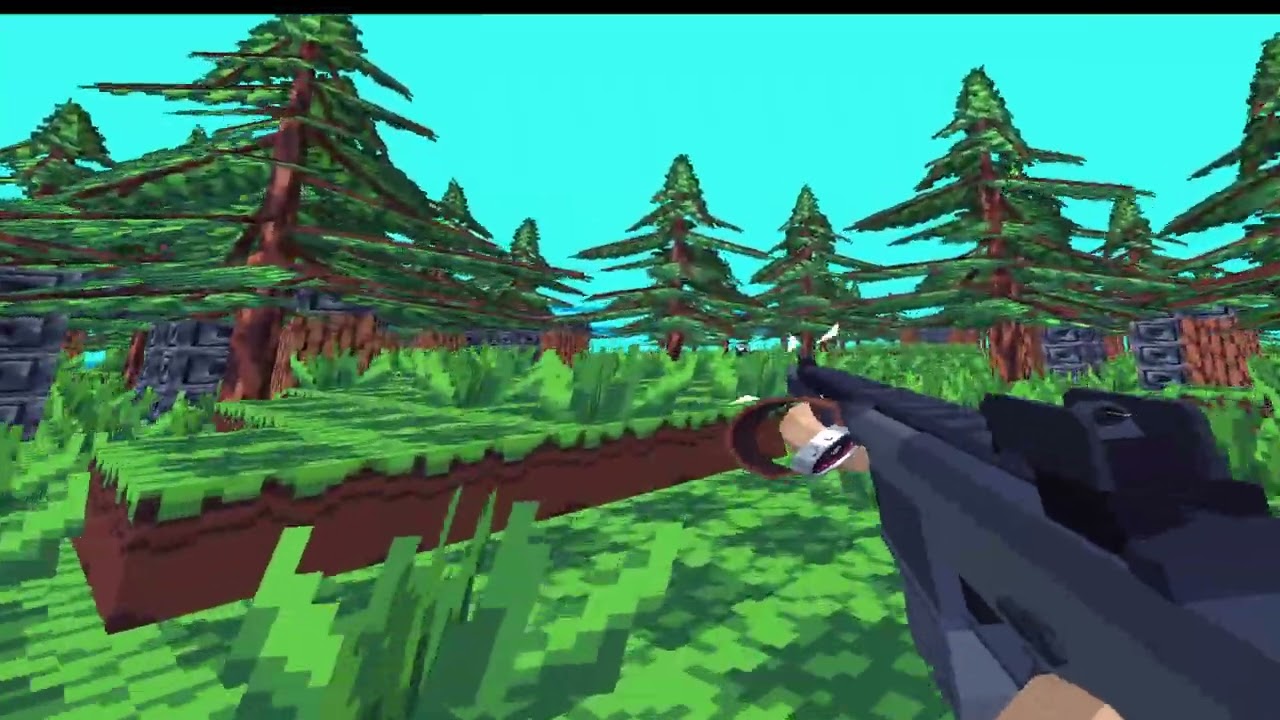
Working on VR stuff in Python:
https://youtu.be/Pms4Ia6DREk
Source: https://github.com/DaFluffyPotato/pyvr-example

GitHub
figuring out pyopenxr stuff (with moderngl). Contribute to DaFluffyPotato/pyvr-example development by creating an account on GitHub.
pine smelt
are you planning on making a proper project with this
faint dagger
does anyone have any recommendations for me to make a game that would contribute to progress to making a 2d open world rpg?
 obsidian cipher
hello everyone i am from squid game season 2 and i specialize in scratch and i am -12 months old and i have 18+ years of experience
you can call me skibiddi Sigma
 night bridge
everyone test this program its a animation software with a color selector and onion skinning you need pygame to run the controls are
- to make a new frame click space
- click enter to view your animation
dm me if you want to beta test the program
 faint dagger
Hey guys I am wondering what I should do after following along with a YouTube tutorial by Clear Code, on making a simple pong game, which I have created. I feel like I didn't learn much by just copying his code. For now I will review the code and see what it is actually doing, does anyone have any other suggestions?
https://www.youtube.com/watch?v=Qf3-aDXG8q4
This is the video link btw
A fairly simple Pong game to help you learn the basics of Pygame. We will talk about the fundamentals of Pygame and then incrementally add more elements.
Files can be found at:
https://github.com/clear-code-projects/Pong_in_Pygame
normal silo
faint dagger
Hey guys I am wondering what I should do after following along with a YouTube tu...
Make a list of the basic building blocks that you could use to make other games. Examples, rendering a rectangle, moving rectangles with some speed, collision.
Try to write your own code for each of these / create a template, and explanation of the code (imagine you are teaching it to someone else).
faint dagger
Hm someone else suggested adding a feature to the pong game, so currently I am working on a wall in the middle of the screen that acts as an obstacle.
normal silo
faint dagger
Hm someone else suggested adding a feature to the pong game, so currently I am w...
This can be done once you have this list.
You can also make a new similar game using only those building blocks. Given the ones I listed you could make Breakout.
 faint dagger
So how exactly should I make my list? Do I like write down a feature like 'collision' for example, then write steps on how to do it using my code?
normal silo
faint dagger
So how exactly should I make my list? Do I like write down a feature like 'colli...
Yes, write down how you did it, then explain it, in detail, then generalize it, see if you can modify it or set it up so it can be used in more situations than where you found it.
For example, if you have collision with screen left border, you can generalize to all 4 borders.
faint dagger
All right thanks
normal silo
Once you have a decent number of building blocks, create a plan of how you are going to compose them to make something new, by looking at another game like Breakout shown above, and listing which building blocks are used, where and how (what variation of them?).
(Basically pattern matching what you see in the other game you are trying to make with the building blocks you have)
(Like how a film director might break down a scene in a film)
Another important way to generalize the building blocks is in count, so for example, you have 2 paddles, but what about 3, 4, ..., N paddles?
Or any number of balls?
normal silo
faint dagger
Hey guys I am wondering what I should do after following along with a YouTube tu...
I will also add that I don't think this format for tutorials is very good. What these kinds of videos lack is a planning phase where you break down the scene like I described and form a plan, then show how to write the code for each part (executing the plan).
It only loosely has this. It does not look at the game of Pong and plan it out specifically.
The video should then refer back to the initial plan between parts so the viewer knows where they are currently at in the plan as a reminder, and where they are going next.
(A whiteboard part of the video)
faint dagger
Could someone who knows pygame here help me figure out how the KEYDOWN and KEYUP works and how they are different?
 whole garnet
KEYDOWN only fires when a key gets pressed and KEYUP only fires when the key is released
they're just event types tho, so you do if event.type == pygame.KEYDOWN and event.key == ...:
faint dagger
whole garnet
KEYDOWN only fires when a key gets pressed and KEYUP only fires when the key is ...
Ohh that makes a lot of sense
faint dagger
whole garnet
they're just event types tho, so you do `if event.type == pygame.KEYDOWN and eve...
Yeah I know
 spice ember
Pleas y'all should check out this video I made about a year ago. Should look continue the YouTube channel
 vagrant saddle
hmm one year ago pygame-ce already had web support not just mac/win/lin
faint dagger
hey guys im not sure if this is the right channel, but I'm wondering what tutorial/series from these two I should follow. They are both pretty similar (both are action platformers) I like both but I can't really 'try' both of them, since both of them take a couple of hours, I could waste time.
First tutorial:
https://youtu.be/2gABYM5M0ww?si=c2nFQVvSgvDcZtyM
Second tutorial:
https://youtube.com/playlist?list=PLjcN1EyupaQm20hlUE11y9y8EY2aXLpnv&si=-uq_IAdIho3m-olZ

Making a platformer with Pygame is a fun way to learn both game development and software engineering. This tutorial covers a variety topics including tiles, physics, entities, particles, sparks, camera, parallax, enemies, AI, combat, level editing, level transitions, making executables, and more!
Project Reference Resources:
https://dafluffypot...

YouTube
This playlist is a full pygame tutorial showing how to create a working shooter/platformer game with collision, sprite animation, sounds, AI and a tilemap
 unborn owl
is here the right channel to ask for help
 sly surge
unborn owl
is here the right channel to ask for help
sly surge
unborn owl
is here the right channel to ask for help
I guess
I want to know where do they release their projects publically
unborn owl
sly surge
I guess
well in this case I am having trouble with a selfmade script thats showing for me impossible to understand errorcodes
if anyone is willing to help me i will be wery thankful
next estuary
Got instancing / shader buffers working better, I moved everything from object to numpy arrays so I could vectorize calculations.
I forgot to set the cooldown on enemy fire rate and got this cool effect
next estuary
Just gotta figure out how to vectorize the math to get getting enemies to not overlap and my little "game engine" should be done
next estuary
Got it working, albiet a little glitchy with more than ~8 colliding entities
next estuary
Much better
normal silo
faint dagger
hey guys im not sure if this is the right channel, but I'm wondering what tutori...
Both, a couple of hours wasted will be nothing compared to the total time spent making a game.
Do all the learning resources.
Get a book too if you can.
Don't worry about wasting time, game development and learning it is measured in years (and really it's not a waste, if you plan on programming in any form, learning game development will make you improve a lot at it (because game development is a bit of everything)).
 tawdry quarry
Hi, I'm new. My English is bad, I apologize for that.
pine smelt
unborn owl
if anyone is willing to help me i will be wery thankful
btw its normally easier for people to help if you just ask what u want help with directly
"dont ask if someone can help, ask for help"
people tend to reply more readily
tawdry quarry
I don't know python but I want to try making a game
 round obsidian
tawdry quarry
I don't know python but I want to try making a game
round obsidian
tawdry quarry
I don't know python but I want to try making a game
start with the basics of Python, and you can add game making to it as a project
tawdry quarry
round obsidian
start with the basics of Python, and you can add game making to it as a project
I wanted to talk to the community about how realistic this is, from zero to a full-fledged game.
tawdry quarry
may i know what knowledge is enough to make a simple game?
 candid blaze
Any python, cython, or GLSL devs looking for a new project to join on long term?
We hav been in development for 8+ months and we are doing another phase of hiring. Our Steam launch is soon.
round obsidian
tawdry quarry
may i know what knowledge is enough to make a simple game?
a simple game like Pong would be possible in not that many lines of code
tawdry quarry
round obsidian
a simple game like Pong would be possible in not that many lines of code
I'm not talking about the number of lines. For example, basic/intermediate/high level of knowledge of Python, pygame, how to install a game, how to determine the requirements for a PC. I want to understand the list of things that you need to be able to do/know.
round obsidian
tawdry quarry
I'm not talking about the number of lines. For example, basic/intermediate/high ...
ok, that's actually an excellent question. Yes, you need some functional understanding of Python's basics to create even a simple game. You outlined most of the important stuff right there. For the kinds of games you'll make at first, a powerful PC is not important.
candid blaze
tawdry quarry
I'm not talking about the number of lines. For example, basic/intermediate/high ...
It comes with mainly doing; for the last 8 months, we have been developing a game in Python, and instead of using existing libraries, we decided to go ahead and create our own engine. So going down that rabbit hole gave everyone on the team an awesome game dev understanding.
Start making small projects. Grow from there.
tawdry quarry
candid blaze
It comes with mainly doing; for the last 8 months, we have been developing a gam...
Yes, I hope I'm calculating my strengths correctly and the first project will be within my capabilities. It's just that I'm unlikely to cope without help.
candid blaze
tawdry quarry
Yes, I hope I'm calculating my strengths correctly and the first project will be...
Do not be afraid of failure. I dont mean that in a bad way; I mean legitimately, do not be scared to pivot to new projects and go back to old ones.
round obsidian
Go get your hands dirty, it's fun :D
tawdry quarry
Infinimata almost convinced me to start. But that's tomorrow. I'll ask you where to learn all this if you tell me of course 😛
tawdry quarry
Okay, I'll look at the community site, there seems to be some educational material there. For now, I'm waiting for the laptop my friend promised.
vagrant saddle
tawdry quarry
Okay, I'll look at the community site, there seems to be some educational materi...
for pygame-ce you can also use anything with a recent browser and a text editor eg https://pygame-web.github.io/showroom/pygame-scripts/org.pygame.touchpong.html
vagrant saddle
you can also edit on a device and at the same time run the script on another one
next estuary
Portals!
tawdry quarry
vagrant saddle
for pygame-ce you can also use anything with a recent browser and a text editor ...
Thanks for the answer, but I think it will be difficult to make a game on a phone. If you just start learning Python.
 cunning star
Working on a connect four project, and I am running into an issue with the tile being placed on each placeable tile in the column. I am completely unsure why and if anyone could take a look at the code, potentially see where I am being a goof. That would be appreciated! Thanks in advance
cunning star
Solved it through brute force, we all good
 boreal urchin
next estuary
Portals!
boreal urchin
next estuary
Portals!
Binding of isaac ?
next estuary
That's what I was trying to replicate yeah 🙂
boreal urchin
next estuary
That's what I was trying to replicate yeah 🙂
W project
 spice ingot
once again
i am asking if i can download pygame/pygame-ce documentation from anywhere
boreal urchin
spice ingot
i am asking if i can download pygame/pygame-ce documentation from anywhere
spice ingot
boreal urchin
https://www.pygame.org/docs/
downloadable?
boreal urchin
spice ingot
downloadable?
(pip install pygame or pip3 install)
spice ingot
boreal urchin
(pip install pygame or pip3 install)
dude
i want the docs
not the library
boreal urchin
spice ingot
not the library
Scroll down and you will see them
spice ingot
boreal urchin
Scroll down and you will see them
downloadable?
boreal urchin
spice ingot
downloadable?
Yes it should be
 fading acorn
spice ingot
i am asking if i can download pygame/pygame-ce documentation from anywhere
fading acorn
spice ingot
i am asking if i can download pygame/pygame-ce documentation from anywhere
do you mean book? or just the command docs.
commands docs is in the pygame website
spice ingot
fading acorn
do you mean book? or just the command docs.
commands docs is in the pygame websi...
i want something i can access offline
fading acorn
spice ingot
i want something i can access offline
idk you can donwload books or just use print to the page of pygame website
https://www.pygame.org/ftp/contrib/pygame_docs.pdf download this is you wanna
this is just simple explain about every command , but this is old version
https://python101.readthedocs.io/pl/latest/_downloads/pygame192.pdf this too take every command from website to be pdf
 gritty frigate
im trying to create a script when a human is detected on my screen in a screen of 1920x1080 when i hold shift it will lock the ingame cursor on the human but its not working correctly it doesnt lock the ingame reticle on the player only the default windows crosshair im also using yolov8 for human detecton it was made by chatgpt im to stupid to do it myself
 brisk yew
spice ingot
i am asking if i can download pygame/pygame-ce documentation from anywhere
brisk yew
spice ingot
i am asking if i can download pygame/pygame-ce documentation from anywhere
the documentation is already included in your installation of pygame(-ce), all you need to do is just run python -m pygame.docs
spice ingot
brisk yew
the documentation is already included in your installation of `pygame(-ce)`, all...
i love you!
boreal urchin
Anyone here using godot or other engines?
vagrant saddle
boreal urchin
Anyone here using godot or other engines?
if you search python friendly game engines there are Harfang3D / Cave engine, but personnally i prefer game libraries like pygame-ce or Panda3D
vagrant saddle
unborn owl
yoyo how do i make a loop
for loop in "python": print(f"{loop = }") but this is not the right channel for such questions ...
 ocean temple
How to make pybullet.createVisualShape(pybullet.GEOM_MESH) ?
I plug numpy flattened vertices and faces(to indices) and it does not show it.. like if i put GEOM_SPHERE or smth, it renders..
I want to make a shape in code too, without files in-between, is ot possible?
And also when ali search about pybullet, i get few not enough explained examples and no documentation...
ocean temple
ocean temple
How to make `pybullet.createVisualShape(pybullet.GEOM_MESH)` ?
I plug numpy flat...
Oh, i figured it yay
Other question how to make it render it not as it is smooth but as it is like edgy?
next estuary
Found some more optimizations, added gravity, reduced entity cramming, and made the offset resolver more efficient
whole garnet
isn't this a top-down? what's the purpose of making characters naturally walk in a single direction
next estuary
I want a boss fight where the boss can slam everything in the room in different directions
 graceful wraith
boreal urchin
next estuary
I want a boss fight where the boss can slam everything in the room in different ...
graceful wraith
boreal urchin
next estuary
I want a boss fight where the boss can slam everything in the room in different ...
It can be nerf right ?
next estuary
I'm not sure what you mean
 stray fractal
you guys are really good a coding i like the work nice
 crimson hound
@stray fractal Why are you spamming?
stray fractal
crimson hound
<@1264303595952672819> Why are you spamming?
i am trying to get verification on the voice chat so i cant talk with the people
sorry 😦
crimson hound
stray fractal
i am trying to get verification on the voice chat so i cant talk with the people
Read #voice-verification carefully. Especially the big flashing sign saying that you should not spam.
boreal urchin
next estuary
I'm not sure what you mean
Making a strong boss or character weaker
If a character has abilities that are too strong or too easy to use, they may be nerfed to make them more challenging to use effectively.
 gentle junco
can anyone help me implement modularisation into a game in python
next estuary
boreal urchin
If a character has abilities that are too strong or too easy to use, they may be...
Ahh, yeah I have the game design aspect figured out right now it's more of a technical focus on the physics systen
dawn quiver
Anyone know of a steamworks sdk integration library that isn't 2 years out of date like SteamworksPy?
vagrant saddle
dawn quiver
Anyone know of a steamworks sdk integration library that isn't 2 years out of da...
i think that one may work https://github.com/DaFluffyPotato/SteamworksPy
tawdry quarry
What other models are there besides a field of zeros and ones?
 nimble sky
looking for any game in python
 still jetty
hi
I have a problem
I follow a tutorial to create a game and I don't know why but my game is way speeder than the game in the tutorial while I do the same

Aujourd'hui , on se retrouve pour le 3ème épisode de cette nouvelle série sur la création d'un jeu en python avec pygame avec la création et le déplacement du projectile
🔗Liens :
Episode précedent : https://www.youtube.com/watch?v=a0kcj6rRQ2s
Documentation pygame : https://www.pygame.org/wiki/GettingStarted
Site flaticon : https://www.flatic...
watch the difference
why does it have a difference ?
whole garnet
without seeing your code there is no way to see the difference and what you're doing wrong
considering how fast your console is printing compared to the video tho, it might be that you're not setting a set fps
still jetty
whole garnet
considering how fast your console is printing compared to the video tho, it migh...
I think it is the fps
but I don't know how to change or anything
I code on pycharm
still jetty
still jetty
I think it is the fps
I'm quit sure in fact
whole garnet
import pygame

clock = pygame.time.Clock()  # Creating a clock instance

while True:  # My main game loop
    # game logic
    clock.tick(60)  # 60 = 60 fps
np
 marble jewel
Isometria Devlog 51 - Internationalization, Gobby Den, New Boss, Reforging! https://youtu.be/yPgk1dKmRKU
Wishlist and play the Isometria demo here: https://store.steampowered.com/app/2596940/Isometria
https://bigwhoopgames.itch.io/isometria-demo
In Today's devlog I am finally ready to show you the changes I have been working on. Internationalization support has been added. The gobby den has been improved upon and a new boss has been added. Jack i...
spice ingot
marble jewel
Isometria Devlog 51 - Internationalization, Gobby Den, New Boss, Reforging! http...
holy that looks awesome dude
nimble sky
anyone have any game programmed i wana play something and i can rate it
vagrant saddle
nimble sky
anyone have any game programmed i wana play something and i can rate it
i think a number of people around here have published some jams games here https://itch.io/c/2563651/pygame-wasm , you can always have a look
 spice ingot
i still dont get the point of tobleft and midbottom when using rects
what do they do
what is the point of specifying those
limber veldt
When using rects to position images or surfaces on the screen, those attributes define which part of the image is placed at a particular position
For example, say we have some rect and we want to place it at 200, 200, well, it's a rectangle so which part of it should be there? Here is rect.midbottom = (200, 200)

And an example of topleft = (200, 200)

pygame rects have many so-called virtual attributes https://pyga.me/docs/ref/rect.html#pygame.Rect
 median kite
i am currently looking for panda3d game dev that could help on an editor that i am making with my team...
 frigid urchin
median kite
i am currently looking for panda3d game dev that could help on an editor that i ...
frigid urchin
median kite
i am currently looking for panda3d game dev that could help on an editor that i ...
dm
 fading acorn
this is not really good

 full cedar
h
whole garnet
 near glade
some notes:
quitting the window doesn't quit if you're on the "You lost" screen
you're able to go in opposite direction which causes you to die if you're 2< instead it should be that unless the snake is 1 you can't go in the opposite direction
sly surge
Nice I want to rip this and edit it
 stoic light
would you use turtle to make a game?
stoic light
still jetty
uuhh
Ok
modern flint
stoic light
would you use turtle to make a game?
I've never tried, but I'm guessing it would take way more effort to use turtle to make a game. Using something like pygame-ce would make more sense and you're also much more likely to find relevant tutorials and people who can help you
stoic light
modern flint
I've never tried, but I'm guessing it would take way more effort to use turtle t...
Thanks for the feedback
bold hill
Do I need to put import pygame in all my files I'm my game?
whole garnet
if the file uses pygame then you need to import pygame
bold hill
What I mean is for a character positioning for Ray finding
pine smelt
whole garnet
if the file uses `pygame` then you need to import pygame
this will apply no matter what project
 mild spear
bold hill
What I mean is for a character positioning for Ray finding
mild spear
bold hill
What I mean is for a character positioning for Ray finding
depends on your use case of the library ngl
e.g. you use pygame for displaying the result but not for calculating the math stuff
(I'm assuming you're making a raycaster)
limber veldt
Tower of Hanoi puzzle, basic version in pygame. Using left click to pickup and drop 'disks', try to move all of them from one stack to another with one rule: You cannot place larger disks atop smaller ones https://paste.pythondiscord.com/WKUA
 split crag
I just added Controller Support to my game Seventy-2
 formal gull
i usually use a list to keep track of all objects when i make games in pygame, but there has to be a more efficient andd better way to keep track of them. for example my code will look like:
objects = []
class Object:
  def __init__(self,...):
    ...
    objects.append(self)
I just think there has to be an easier way, especially when iterating through all objects when doing a physics update
Any thoughts or suggestions are appreciated
 remote gulch
formal gull
i usually use a list to keep track of all objects when i make games in pygame, b...
remote gulch
formal gull
i usually use a list to keep track of all objects when i make games in pygame, b...
for a physics update you should be using a spatial index
formal gull
what
remote gulch
a really simple way to do that is to use a hashgrid
formal gull
those are big words
remote gulch
it's important to be able to quickly look up objects based on their location
formal gull
can you dumb it down
remote gulch
if you just have a giant list, that's gonna be super slow to loop through everything
a "spatial index" allows you to quickly look up objects at locations, so it is indexing the objects spatially
a hash grid, a BVH tree, or a quad tree perhaps
formal gull
so before a physics update for each object do objects.sort(filter=lambda x:x.distance) or smth?
formal gull
bogo sort it
formal gull
remote gulch
a hash grid, a BVH tree, or a quad tree perhaps
like a dictionary?
remote gulch
yeah something like that
a hashgrid basically boils down to exactly that
the other two, not so much
a hashgrid is the simplest option conceptually
the most performant option is going to be to use a 3rd party library to compute physics
and that library will probably be using a bvh tree
formal gull
do you think it really matters if its a small level with only 100ish objects
formal gull
i just think that if i ever wanted to make some sort of open-world i'd have to do it some other way
formal gull
alr thanks, ill look into it if i ever do
remote gulch
np
 solar spruce
nice pfp
bold hill
is this ok?
e! ```py
import pygame
class Player():
player_speed = 1

player_inventory = {}

#

def __init__(self,health,mana,stamina):

    self.health = health

    self.mana = mana

    self.stamina = stamina
Also @me other wise I won't know that you responded.
whole garnet
bold hill
Also @me other wise I won't know that you responded.
what's the question?
bold hill
Am I doing the class for the player correctly?
bold hill
whole garnet
what's the question?
Did I fill out the player class correctly?
whole garnet
that piece of code is too small for me to say if it's correct or not, I mean... There isn't much going on to review
pine smelt
formal gull
alr thanks, ill look into it if i ever do
Lucy in the pygame discord used a spatial hash table in her fluid sim if u want an example of one
limber veldt
formal gull
i usually use a list to keep track of all objects when i make games in pygame, b...
pygame has pygame.sprite.Group() containers for sprites, maybe look into using them if your objects are sprites
bold hill
whole garnet
that piece of code is too small for me to say if it's correct or not, I mean... ...
I know I'm just asking if it's a good start sorry I dozed off
raven kernel
lan game
limber veldt
Next up, give the players bombs and other devious devices
Reminded me of Worms: Armageddon or similar
raven kernel
limber veldt
Next up, give the players bombs and other devious devices
i have a whole excalidraw page drawn out for the idea
 limber veldt
Oh so it's going to be pvp?
raven kernel
the art is all placeholder for now, no vfx until im done
raven kernel
limber veldt
Oh so it's going to be pvp?
more like battle royale
last one standing gets to escape hell
can have any number of players technically
limber veldt
Looks good so far, good idea
raven kernel
thinking in the scale of 5-8 since thats how many friends i have who i play other lan games with
its nice that i live in a hostel so its easy to gather physical people
 naive cedar
is anyone currently on this channel?
I was wondering if someone could look over my code as its my first real big project
how would I share it?
should I do a python help?
or I could just upload the file?
vagrant saddle
i think that depends on the size
naive cedar
Its only 250 lines
vagrant saddle
then try to drop it in your help post
next estuary
Got terrain collision working in my python game
 hidden sphinx
integer1 = random.randint(-250,250)
integer2 = random.randint(-250,250)
fed.penup()
fed.goto(integer1,integer2)
import turtle as trtl
import random
fed2 = trtl.Turtle()
integer1 = random.randint(-250,250)
integer2 = random.randint(-250,250)
fed2.penup()
fed2.goto(integer1,integer2)
import turtle as trtl
import random
fed3 = trtl.Turtle()
integer1 = random.randint(-250,250)
integer2 = random.randint(-250,250)
fed3.penup()
fed3.goto(integer1,integer2)
import turtle as trtl
import random
fed4 = trtl.Turtle()
integer1 = random.randint(-250,250)
integer2 = random.randint(-250,250)
fed4.penup()
fed4.goto(integer1,integer2)
import turtle as trtl
import random
fed5 = trtl.Turtle()
integer1 = random.randint(-300,300)
integer2 = random.randint(-300,300)
fed5.penup()
fed5.goto(integer1,integer2)
wn.listen()
wn.mainloop()
I have this code where 5 turtles spawn (fed 1-5) Randomly is there a way to add a collection feature there it counts how many you have
Also is there a way to increase turtle pen size of snake with a button
frank fieldBOT
:incoming_envelope: :ok_hand: applied timeout to @hidden sphinx until <t:1738957882:f> (10 minutes) (reason: newlines spam - sent 129 newlines).
The <@&831776746206265384> have been alerted for review.
 dull atlas
!unmute 851331359086870539
frank fieldBOT
:incoming_envelope: :ok_hand: pardoned infraction timeout for @hidden sphinx.
frank fieldBOT
Pasting large amounts of code
If your code is too long to fit in a codeblock in Discord, you can paste your code here:
https://paste.pythondiscord.com/
After pasting your code, save it by clicking the Paste! button in the bottom left, or by pressing CTRL + S. After doing that, you will be navigated to the new paste's page. Copy the URL and post it here so others can see it.
hidden sphinx
dull atlas
<@851331359086870539> , use the pastebin for long pieces of code
I think i did it right. sorry
I DID IT
hidden sphinx
hidden sphinx
integer1 = random.randint(-250,250)
integer2 = random.randint(-250,250)
fed.penu...
.
I formated it
 loud shell
can someone help me making a game on a site that is called cringe by multiple people?
 barren torrent
so I've got something.... interesting going on. I'm working on kinda porting a MUD written originally in C (now some of it's C++) and attempting to keep most of the original assets/content, which I've managed to export as JSON.
A lot of the guts, like the domain specific scripting language (DgScripts) forces me to keep certain aspects of the original database structure (or at least throw in some compatability layers...)
I've got a lot of ideas about ways to revolutionize this - by the standards of the starting point - even while keeping to a very similar design. But I'm also wondering what sort libraries or design patterns I could bring into play to go even further beyond.
Anyone got some input here?
 icy vale
Yo guys
I wanna learn game development
I'm a beginner
How do I do it?
May I have some suggestions
raven kernel
icy vale
I wanna learn game development
with python?
icy vale
Yeah
raven kernel
once you're comfortable with using objects in python and creating your own classes, modules etc. id recommend picking up some rendering library, like pygame
then you can draw things on the screen, and the rest is up to you
start by making small games, like tic tac toe
once you get a feel for the code structure and the graphics library, you can start scaling up
 tranquil girder
Short clip from the RPG I'm working on
 trail jackal
tranquil girder
Short clip from the RPG I'm working on
trail jackal
tranquil girder
Short clip from the RPG I'm working on
Cool 😎
spice ingot
tranquil girder
Short clip from the RPG I'm working on
pygame?
vagrant saddle
spice ingot
pygame?
no Ursina ( based on Panda3D )
 west oriole
spice ingot
pygame?
west oriole
spice ingot
pygame?
war brokers ahh graphics
how would i create a floating origin system for panda3d
without screwing up bullet physics
or networking
west oriole
remote gulch
a hashgrid is the simplest option conceptually
use a tuple of ints for your grid
those are hashable :)
so you can use them as dictionary keys
dawn quiver
Anyone wanna help me with a pygame project?
 tame plaza
fan game (im just bored)

 cloud cliff
tame plaza
fan game (im just bored)
cloud cliff
tame plaza
fan game (im just bored)
Cool!!!
cloud cliff
tranquil girder
Short clip from the RPG I'm working on
Amazing work ❤️
tame plaza
cloud cliff
Cool!!!
Thx
tame plaza
pine smelt
whats the premise
Premise ?
tame plaza
pine smelt
like whats the game about
Ohh i was just doing the main menu so i dont think about it
Just a 2D game
pine smelt
oh ok
naive cedar
why cant I see this channel by default?
I had to ctrl f an old message of mine to jump here
naive cedar
it was checked but I just unchecked then rechecked and it fixed it
weird
would you happen to be good at commenting? Its my first time doing extensive comments for a longer program
slow copper
naive cedar
would you happen to be good at commenting? Its my first time doing extensive com...
do you mean documenting or like just adding comments everywhere?
slow copper
Hello there everyone, I have been making a utility library for pygame for a while called game-state. This library basically allows you to structure your game's screens in an organized manner via python's OOP.
Here is a simple example-
import pygame

from game_state import State, StateManager
from game_state.errors import ExitGameError, ExitStateError

pygame.init()
pygame.display.init()
pygame.display.set_caption("Game State Example")

GREEN = (0, 255, 0)
BLUE = (0, 0, 255)


class FirstScreen(State):
   def run(self) -> None:
      # The run function executes as soon as the state has been changed to it.

      while True:
            # Our game-loop

            self.window.fill(GREEN)

            for event in pygame.event.get():
               if event.type == pygame.QUIT:
                  # Upon quitting, we raise the ExitGameError which we handle outside.

                  raise ExitGameError()

               if event.type == pygame.KEYDOWN and event.key == pygame.K_c:
                  # Check if we're clicking the " c " button.
                  # If the condition is met, we change our screen to "SecondScreen" and update
                  # the state in the manager.

                  self.manager.change_state("SecondScreen")
                  self.manager.update_state()

            pygame.display.update()  # Refreshes the screen


class SecondScreen(State):
   def run(self) -> None:
      # The exact same thing happens in the SecondScreen except we use a different
      # colour for the screen & we change our current state to FirstScreen if the
      # user presses " c ".

      while True:
            self.window.fill(BLUE)

            for event in pygame.event.get():
               if event.type == pygame.QUIT:
                  raise ExitGameError()

               if event.type == pygame.KEYDOWN and event.key == pygame.K_c:
                  self.manager.change_state(
                        "FirstScreen"
                  )  # Change our state to FirstScreen.
                  self.manager.update_state()  # Updates / resets the state.

            pygame.display.update()
def main() -> None:
   screen = pygame.display.set_mode((500, 700))
   # Create a basic 500x700 pixel window

   state_manager = StateManager(screen)
   state_manager.load_states(FirstScreen, SecondScreen)
   # We pass in all the screens that we want to use in our game / app.

   state_manager.change_state("FirstScreen")
   # Updates the current state to the desired state (screen) we want.

   while True:
      try:
            state_manager.run_state()
            # This is the entry point of our screen manager.
            # This should only be called once at start up.

      except ExitStateError as error:
            # Stuff you can do right after a state (screen) has been changed
            # i.e. Save player data, pause / resume / change music, etc...

            last_state = error.last_state
            current_state = state_manager.get_current_state()
            print(f"State has changed from: {last_state} to {current_state}")


if __name__ == "__main__":
   try:
      main()
   except ExitGameError:
      print("Game has exited successfully")
The game is controlled from the game_state.State's subclasses. These states are what each screens hold. Once we have made our screens we add them to our game_state.StateManager which handles the changing, running and updating each of the states.
This is just a basic example on how the game_state library works, I have even made some games using the library like these-
Snake Game
Stardew Valley Ripoff
Additionally i made a documentation along with a guide here: https://game-state.readthedocs.io/en/latest/index.html
Game State github: https://github.com/Jiggly-Balls/game-state
PyPI: https://pypi.org/project/game-state/
Please let me know any suggestions or any improvements :)
naive cedar
slow copper
do you mean documenting or like just adding comments everywhere?
I'll put a function in to show you how I've been doing it
Ty in advance
naive cedar
the function was too long so I put it all into a pastebin incase I need help later aswell
slow copper
naive cedar
https://paste.pythondiscord.com/G6WQ
Wherever you mention the Raises header in your docstrings in all of your functions are wrong. You would only mention the Raises header when the exception is unhandled and in your case you have handled all of those exceptions you have mentioned which makes them useless
and also you can type hint your paramters, it will help you
other than that it seems fine for the most part
slow copper
slow copper
Wherever you mention the `Raises` header in your docstrings in all of your funct...
by that i mean this is how you would not want your docstring to be-
REAL_PASSWORD = "test"

def get_password() -> None:
  """Prompts the user for their password and checks if it's correct

  Raises
  ------
  :exc:`ValueError`
    Raised when the user prompted password is incorrect
  """

  password = input("Enter your password: ")
  try:
    if password != REAL_PASSWORD:
      raise ValueError("Incorrect password")
  except ValueError:
    print("WRONG PASSWORRD")

def main() -> None:
  get_password()

main()
Over here you are implicitly handling the exception and also mentioning it in the docstrings which is what you would not want to do. Either you can not handle the exception or not mention it in the docstrings.
But programmitically the former would be better as one of the core aspects of functions is reusability, when you implicitly handle the exception inside the function you're limiting it's reusability as it's forced to just print something in console and finish. What if some other programmer wanted to track how many times they entered the wrong password without changing the function itself? It would unnecessarily complicate the code. This is how would you want to ideally document and make your functions-
def get_password() -> None:
  """Prompts the user for their password and checks if it's correct

  Raises
  ------
  :exc:`ValueError`
    Raised when the user prompted password is incorrect
  """

  password = input("Enter your password: ")
  if password != REAL_PASSWORD:
    raise ValueError("Incorrect password")

def main() -> None:
  try:
    get_password()
  except ValueError:
    print("WRONG PASSWORD")

main()
The above would be the correct implementation of the Raises header in the docstring because we aren't handling the error it implicitly and allowing the programmer to know what error will be raised if they call the function and they can handle the error whatever way they want.
Although its not the best example, that's pretty much what your code is like
slow copper
naive cedar
https://paste.pythondiscord.com/G6WQ
also just a nitpick, it's recommend you to wrap all your docstring to 72 characters per line to make them more readable
naive cedar
slow copper
also just a nitpick, it's recommend you to wrap all your docstring to 72 charact...
Tysmmm I'm going to try to figure out what half that means now lol
It's my first time actually documenting my code cuz I'm actually going to put it on GitHub
I've never done that before so I just wanted to be clear enough for the three people that might even see it
If that lol
slow copper
oh okay cool
slow copper
slow copper
by that i mean this is how you would **not** want your docstring to be-
```py
RE...
also the "ideal" way i mentioned you would want to document your code is rather subjective and depends on the context so although it would be good to let the function purposefully raise errors and document the error, sometimes you don't want trivial things like this to happen in some cases, so its a mix between trying to keep your code reusable and not annoying while handling minor errors and stuff
naive cedar
I see
Ill have to come back and work on this later cuz apparently I have stuff to do
tysm
 latent scaffold
Is it just me are is it that making a game with python seems like the coolest project you could make
I use to think hacking tools would be the most interesting to me but black hat python book is outdated
 hearty tapir
Hacking tools seem pretty cool initially and there are some areas where when you make unique enough ones or customizable enough ones that it is pretty cool, but most aren't that interesting. I'd argue reverse engineering tools in python for analyzing and displaying stuff is more interesting, likewise with stuff in line with greyhat python.
Making a game in python seems like making a game on any other platform, just in Python.
 toxic cobalt
 quick turret
what are you using to make this game ?
robust egret
slow copper
```py
import pygame
from game_state import State, StateManager
from game_state....
that's pretty nice, won't it be better to call those classes frames or scenes
robust egret
slow copper
```py
def main() -> None:
screen = pygame.display.set_mode((500, 700))
# C...
also, I don't think exceptions have to have Error in them, except ExitState makes it sound better
but that's a matter of teste
slow copper
robust egret
that's pretty nice, won't it be better to call those classes frames or scenes
lmao idk i just felt states feel more better
slow copper
robust egret
also, I don't think exceptions have to have `Error` in them, `except ExitState` ...
ye true, ill make that change
thanks for the suggestion
nimble sky
does anyone have simple python game? i want to test
nimble sky
pine smelt
https://itch.io/jams/hosted-by-pygame-community
it says request problem
pine smelt
?
bold hill
how do i write raycasting
gaunt nacelle
does anyone want to help me with my game i made in python
vagrant saddle
nimble sky
does anyone have simple python game? i want to test
here's one for mobile https://pygame-web.github.io/showroom/pygame-scripts/org.pygame.touchpong.html and plenty of others for desktop https://itch.io/c/2563651/pygame-wasm
naive cedar
does anyone know how do live input formatting?
grim abyss
Is anyone in #game-development interested in collaborating on a project that utilizes an ai work model to generate 3D models/scenes from a prompt? Something very loosely along the lines of this: https://youtu.be/ytomieYqUCQ?si=f3nyjWBKis8A_Rn5

Experimenting with Googles' new Gemini 2.0 Flash Experimental to control Blender with my voice!
Tools used:
Blender - https://www.blender.org/
Tinytask - https://tinytask.net/
Gemini 2.0 Flash (Experimental) - https://deepmind.google/technologies/gemini/flash/
if you're even remotely interested in something like this + game-dev and you're skilled in python I'd like to collaborate with you on an oss project
vagrant saddle
grim abyss
if you're even remotely interested in something like this + game-dev and you're ...
i would be more interested in automatic assets tagging/indexing with voice search and on the fly ( in game ) placement in a gltf scene than generating random models with shady copyright issues
grim abyss
vagrant saddle
i would be more interested in automatic assets tagging/indexing with voice sear...
where would this sit in a content creation pipeline for a game?
vagrant saddle
as a in game popup for a simplisitic panda3d game "framework" with some camera presets ( fps / tps / isometric ... )
grim abyss
vagrant saddle
as a in game popup for a simplisitic panda3d game "framework" with some camera p...
so you're envisioning model placement via voice-search while in the game-engine editor?
vagrant saddle
exactly that
grim abyss
where are these models coming from?
vagrant saddle
random stash on the hard drive exotic format , no tag , total mess
the index must be super clever to sort that out
grim abyss
are you working on a 3d game editor?
vagrant saddle
game editor is too big concept, i leave that to godot team
grim abyss
so what's your goal?
vagrant saddle
i want simple tools compositing
grim abyss
so you want to extend an existing editor?
vagrant saddle
that could be an option eg https://discourse.panda3d.org/t/voyager-in-game-scene-editor/27438/2

Panda3D
I revamped the entire collision system (and most of the progress this month is purely just working on collisions, collision detection always been a pain) and made a few optimizations so that it performs better, I also had an issue regarding the normal maps of the water after updating to Panda3D 1.10.8, this is now fixed thanks to the wonderful P...
grim abyss
ahhh, so you want an editor on top of panda3d
vagrant saddle
no it should be able to work with gtlf format regardless of engine or editor used
grim abyss
vagrant saddle
no it should be able to work with gtlf format regardless of engine or editor use...
the ai worker model? makes sense.....
i think there's a vast 3d model repository but I don't know if one exists that's free to use...
and they would have to be in gltf format.... conversion to gltf is possible
cloud cliff
Is there anything way other than pygame to make games and how?
open plover
 cloud cliff
 I did not see it sorry
grim abyss
cloud cliff
<:yert:832277526809149461> I did not see it sorry
you're good bo
latent scaffold
What do you guys use to make your own pixel images for games?
 mystic forge
robust egret
latent scaffold
What do you guys use to make your own pixel images for games?
mystic forge
robust egret
latent scaffold
What do you guys use to make your own pixel images for games?
any editor that could edit images should work
limber veldt
latent scaffold
What do you guys use to make your own pixel images for games?
I use gimp, it's a little quirky but works fine, aseprite looks good too, though I haven't tried that
slow copper
latent scaffold
What do you guys use to make your own pixel images for games?
I use piskel
Very simple with not many advance tools, good for beginners

 tired sapphire
I see.
tired reef
Nothing wines I need to find a different Master function that allows for 4 directional movements
tired sapphire
What kind of movement do you want?
modern flint
latent scaffold
What do you guys use to make your own pixel images for games?
I really like Aseprite, and there's a guide on GitHub to build it from source so you can get it for free that way
tired reef
tired sapphire
What kind of movement do you want?
Movement that will work properly
tired sapphire
🤦
tired reef
Sorry
Trying to learn how to make neural network
And I I'm trying to make my own playground
And I don't know whether can you use a sigmoid to control the decision to walk in a specific direction or what
 torn plover
Can somebody tell me why the background is not loading? What is wrong in this code? And yes, background.jpg is in the same folder as this file.
import pygame
import sys

pygame.init()

SCRN_SIZE = (SCRN_WIDTH, SCRN_HEIGHT) = (700, 500)
scrn = pygame.display.set_mode(SCRN_SIZE)

clock = pygame.time.Clock()

bg = pygame.image.load("background.jpg")

while True:
    for event in pygame.event.get():
        if event.type == pygame.QUIT:
            pygame.quit()
            sys.exit()

    scrn.blit(bg, (0, 0))
    clock.tick(60)
Nvm figured it out, my dumb brain forgot to add pygame.display.update() smh
pine smelt
latent scaffold
What do you guys use to make your own pixel images for games?
Ms paint 👍
grim abyss
pine smelt
Ms paint 👍
the hell you say! lol
pine smelt
for small sprites it works well
tranquil girder
Wasn't Owlboy pixeled in paint
grim abyss
oh #game-development ... why must thee sleep 😟
 feral scroll
Ela vira mortal, vira vira mortal
tired reef
What is Panda 3D?
dawn quiver
Are games written in python able to work on any system?
pine smelt
ye its just about how u compile + distribute it
pine smelt
tired reef
What is Panda 3D?
another python library for gamedev
well no thats ursina which is based on panda3d
ig a better term is just framework?
grim abyss
@lusty pine I don't know if you have all the music for your game but If you need a track or two...
 lusty pine
grim abyss
<@99041425483653120> I don't know if you have all the music for your game but If...
lusty pine
grim abyss
<@99041425483653120> I don't know if you have all the music for your game but If...
eyyyy
That would be pretty dope! I have some songs, but I could def do with some more
grim abyss
lusty pine
eyyyy
did the video I posted show up? it's working?
the video is me messing around in FL Studio...
lusty pine
Yah, I can see the video
also, @grim abyss re your question earlier, I am using Tiled and their .tmx filetype and importing it into pygame using pytmx
vagrant saddle
dawn quiver
Are games written in python able to work on any system?
for pygame-ce games : yes
vagrant saddle
tired reef
What is Panda 3D?
a very capable 3D game library written in C++(fast), but with premium support for cpython ( excellent scripting and still fast )
vagrant saddle
dawn quiver
Are games written in python able to work on any system?
and in case you really want them to work everywhere you can use web target like https://itch.io/c/2563651/pygame-wasm or https://itch.io/c/3724091/panda3d-wasm
 median kite
who's interested for an editor for panda3d with pyqt5 user interface? we will bring an interface to panda3d to make python game development easier, if you are dm me!
fluid grail
gambling

ill put here the code
uhm
how to put text in a code layout in discord?
from tkinter import *
import random

# function for click + click counter
icons = ["🔔","🍒","🍊","💎"," ♡ ","🍀","🪙"," 1 "," 2 "," 3 "," 4 "," 5 "," 6 "," 7 "," 8 "," 9 "]
def gamble() :
    global icons
    index1 = random.randint(0,15)
    index2 = random.randint(0,15)
    index3 = random.randint(0,15)
    if icons[index1] == icons[index2] and icons[index2] == icons[index3] :
        print("oui i i i a u u u ui a u u u i i u a u")
    else :
        print("lin gan guli guli guli guli lin cha wa lin gan guli gan gu")
    label.config(text=f"{icons[index1]}│{icons[index2]}│{icons[index3]}")


# window declaration : here will be everything displayed
window = Tk()
window.title('🎰Hot Casino🎰')
window.config(bg = '#141414')
window.geometry("800x410")

# button declaration : here will be the button wich could increase the counter by the number of clicks
button = Button(window, text='GAMBLE')
button.config(font=('Verdana',50,'bold'))
button.config(command=gamble)
button.config(compound='bottom')
button.config(bg="#008a35")
button.config(fg="#ffffff")
button.config(activebackground="#009c3c")
button.config(activeforeground="#ffffff")
button.config(borderwidth=10)

# label declaration : here will be the label where would be displayed the number of clicks (with the help of the counter)
label = Label(window,text="    │    │    ")
label.config(font=('Arial',100,'bold'))
label.config(bg="#d4ae17")
label.config(fg="#8a1000")
label.config(borderwidth=5)

# packing the GUI objects
label.pack(pady=(50, 50))
button.pack(pady=(0, 50))
window.mainloop()
ok i figured out how
im new in tkinter so it took me a while to do this code... please tell me your opinion and if you have any advice, tell me please
vagrant saddle
your code is nice, but tkinter itself is old tech that does not blend very well in games and can prevent sharing them on some platforms
grim abyss
yeah save yourself some headache and get away from tk. For game dev check out pygame and then there's this: https://github.com/pythonarcade/arcade which I prefer over pygame!
GitHub
Easy to use Python library for creating 2D arcade games. - pythonarcade/arcade
 rugged yoke
Guys
What do you mean like you guys all ways say C++ is fast
wdym by "fast"
OHHHH
THE PICTURE FOR THE SERVER CHANGED !!!!!!!!
vagrant saddle
rugged yoke
What do you mean like you guys all ways say C++ is fast
in python you can have extensions written in eg C/C++/Rust whatever "compiled static language"', they may do the same thing as python code but execute often million times faster. So when picking up a game engine/library you may want one which is C or C++ extensions based