#game-development
1 messages · Page 37 of 1
 limber veldt
 covert snow
hiya, so ive been working on this pygame platformer which used a file with a timer class(cus its better than the in built one). I noticed that it wasnt ptoperly importing my class into other scripts (wasnt highlightin but adding "." insfornt of it did???). Anyway, i followed this indian guys tutorial on import issues where you pip intsall the file/libary using venv . It made the text hightlight but it wasnt working. then i relaided that pyagem for some reason wasnt importing. after pip installing and uninstalling many times nothing is working. no files can run. Iv'e tried to revert my git commit but that chnages nothing
python -m pip install pygame-ce
Requirement already satisfied: pygame-ce in c:\users\manxumanew\appdata\local\packages\pythonsoftwarefoundation.python.3.11_qbz5n2kfra8p0\localcache\local-packages\python311\site-packages (2.5.2)
is the command i try
https://www.youtube.com/watch?v=x-BtaZDbQeo was the video i followed

In this video, I have explained how to solve import issues in visual studio code.
any help would be much appericated
limber veldt
covert snow
https://www.youtube.com/watch?v=x-BtaZDbQeo was the video i followed
Try #❓|how-to-get-help with that one, may get more eyes on it (if not already solved)
 bold hill
Am I able to call animation bits from a .zip file
 neat kindle
I am quite confused on how to get my sprite moving in my snake game in phyton
 muted sand
neat kindle
I am quite confused on how to get my sprite moving in my snake game in phyton
muted sand
neat kindle
I am quite confused on how to get my sprite moving in my snake game in phyton
Send over your code
bold hill
May I ask you a question about animation too sorry
muted sand
If I’m able to answer it lol
bold hill
Can I pull it from a zip file?
muted sand
bold hill
Can I pull it from a zip file?
Try this https://paste.pythondiscord.com/E3XQ
Unless you don’t want to extract it at all
 low ocean
Hi guys, currently creating a game in pygame and I wrote the block of code below but it does render on my screen and I can't understand why. Kindly help.
def display_score():
current_time = pygame.time.get_ticks()
score_surface = test_font.render(f'{current_time}', False, (64,64,64))#text, AA, color
score_rect = score_surface.get_rect(center = (400,50))
screen.blit(score_surface, score_rect)
muted sand
When I get back to my computer I’ll try it out and see
Before that though, make sure that your surface is being drawn after the background and that your display is being updated with pygame.display.update()
Or .flip()
low ocean
muted sand
Before that though, make sure that your surface is being drawn after the backgro...
Thanks for your response! I tried both it didn't work
bold hill
muted sand
Try this https://paste.pythondiscord.com/E3XQ
Thank you
muted sand
low ocean
Thanks for your response! I tried both it didn't work
Okay, give me a bit and I’ll see if I can figure it out
muted sand
bold hill
Thank you
Is this what you were looking for or did you want to load a file without extracting it?
bold hill
muted sand
Is this what you were looking for or did you want to load a file without extract...
Does it cost more render time to extract it or not sorry
bold hill
muted sand
Is this what you were looking for or did you want to load a file without extract...
Does it cost any special rendering time because that's why I'm worrying about for computers that don't have a GPU
 sick turtle
Want to work or contribute on some projects if anyone reckon i may come useful let me know
muted sand
low ocean
Thanks for your response! I tried both it didn't work
Oh, one more thing to check- is the color of the text the same as the background? I’ve made that mistake before lol
muted sand
bold hill
Does it cost any special rendering time because that's why I'm worrying about fo...
I’m not sure, I’m not that knowledgeable sadly
limber veldt
bold hill
Does it cost any special rendering time because that's why I'm worrying about fo...
One would or should never load or unzip or an image or zipfile during a main loop. so the speed of doing whatever you're talking about with a zip file doesn't or shouldn't matter in any meaningful way
And pygame doesn't use GPU at all (usually), so that has no meaning
muted sand
What they said ^
limber veldt
I'm not sure why one would want to unzip a file in code, if it's image assets, unzip on your desktop (like in a project's assets folder) and load the images in to the project at game startup
Like there is nothing to gain by leaving it as an archive and loading/unzipping it in code
This is my image loader when I want an entire folder of images loaded into a dict of image name': Surface key/value pairs ```py
def import_folder_to_dict(path):
surface_dict = {}
for _, __, image_names in walk(path):
for image in image_names:
surf = pygame.image.load(path.joinpath(image)).convert_alpha()
surface_dict[image.rsplit('.')[0]] = surf
return surface_dict
That’s really nice
And then if it was a sprite sheet or tile map you could set the width and height of each tile and divide it into multiple images you can store in a list
limber veldt
labels = import_folder_to_dict(Path('..', 'Assets', 'labels')) where Path is pathlib.Path
muted sand
I made a function that can do that for a single image
limber veldt
limber veldt
This is my image loader when I want an entire folder of images loaded into a dic...
Based on one from Clear Code, mine uses Path though
I find it handy to have most general images in a dict, those for animation, I usually have in a list sometimes as a value in a dict, sometimes as just a variable to be passed to the sprite and setup as images to iterate through a timer based on dt or state or whatever kind of logic
Just depends on implementations. If I have a sprite with animation states, a dict is nice
low ocean
Can someone please explain to me why I can't see time being displayed on my screen. I've tried calling the function, changing the position of the lines of code because I thought it was running behind the background but none of it worked. Any help would be appreciated.
 limber veldt
low ocean
limber veldt
low ocean
Can you share the draw function or code relevant to drawing your screen? This looks like it should be doing something so likely the problem lies elsewhere
low ocean
 limber veldt
Have you tried using a different color for the score_surface just to rule that out? What about the size of the test_font is it big enough?
Nothing popping out to me there, you have your font loading, it's definitely big enough, what about the drawing? Specifically, the draw order
!paste and you can use this to paste the entire code
 frank fieldBOT
Pasting large amounts of code
If your code is too long to fit in a codeblock in Discord, you can paste your code here:
https://paste.pythondiscord.com/
After pasting your code, save it by clicking the Paste! button in the bottom left, or by pressing CTRL + S. After doing that, you will be navigated to the new paste's page. Copy the URL and post it here so others can see it.
low ocean
limber veldt
I don't see any call to display_score() in your main loop (or anywhere for that matter)
Try adding it just above the pygame.display.update()
low ocean
limber veldt
I don't see any call to `display_score()` in your main loop (or anywhere for tha...
Thanks! I've tried it and it's working but it keeps counting time even after the game is over.
limber veldt
Sure, that's just an issue of what it's actually doing in the function
But at least you can see it now
low ocean
limber veldt
Sure, that's just an issue of what it's actually doing in the function
Yeah, thank you so much. I've called the function in a different position and it works the way I want it to now
limber veldt
Maybe you can pass your game_active variable to the function and if that's True or False, update or not update the score_surface
If game is not active, don't make a new surface, just keep drawing it as is
low ocean
limber veldt
If game is not active, don't make a new surface, just keep drawing it as is
Okay, thank you, you were so helpful
limber veldt
No problem
neat kindle
https://paste.pythondiscord.com/6BEA I am quite confused on why my snake is not moving in my snake game
muted sand
neat kindle
https://paste.pythondiscord.com/6BEA I am quite confused on why my snake is not...
It looks like the snake class is using self.direction in its move method to determine direction, but the change_direction function is using a global variable direction
I would recommend inserting change_direction as a method in the snake class rather than having it separate from the class
 oak jungle
Any audio library compatible with pyodide that allows me to play some audio?
I am trying to add a soundtrack to my TUI game and I'd like to export it using pyodide but I don't want to get crazy rewriting and overwrapping some SDL lib to HTML5 APIs.
 vagrant saddle
oak jungle
Any audio library compatible with pyodide that allows me to play some audio?
I ...
vagrant saddle
oak jungle
Any audio library compatible with pyodide that allows me to play some audio?
I ...
pygame-ce raylib-python-cffi harfang3d panda3d all have python+web audio support, loading them in pyodide is left as an exercise to user
btw ❤️ pyTermTk
but writing html5 api calls is probably the simple and efficient way if you have a single file or a streaming source, as long as it is .ogg
oak jungle
vagrant saddle
btw ❤️ pyTermTk
Thanks. 😁
About writing the HTML5, I am trying to avoid it because I want to run it also on a terminal and having a library already compatible wth pyudide would help a lot.
Thanks, I'll have a look to the libraries you mentioned.
vagrant saddle
oak jungle
Thanks. 😁
About writing the HTML5, I am trying to avoid it because I want to r...
that would be mniaudio or SDL2
oak jungle
oh, great, I'll have a look
vagrant saddle
by SDL2 i mean pygame-ce
you probably don't want to write C 😬
for miniaudio probably https://pypi.org/project/miniaudio/ but i did not test it at all

PyPI
python bindings for the miniaudio library and its decoders (mp3, flac, ogg vorbis, wav)
oak jungle
vagrant saddle
by SDL2 i mean pygame-ce
oh wow, amazing, pygame-ce is shipped in the pyodide prebuild packages:
https://pyodide.org/en/stable/usage/packages-in-pyodide.html
Definitely I am gonna use it.
First thing I am gonna recycle my parallax scrolling routine to make TTKanabalt the Terminal Canabalt
https://www.reddit.com/r/unixporn/comments/1b50jat/xterm_terminal_multiplexer_with_a_parallax/
Reddit
Explore this post and more from the unixporn community
vagrant saddle
oak jungle
oh wow, amazing, **pygame-ce** is shipped in the pyodide prebuild packages:
http...
yes but pygame-ce build in pyodide may be lagging behind, also if you find anything weird in it just tell me as i'm in charge of pygame-ce wasm port
one thing use files to feed audio not pkgressources
oak jungle
Thanks, I will do.
 zinc onyx
I need help with my bombs in bomberman game, they explode do the animation while its visibl (active) it can kill me but my problem is that when it dissapears it is still killing me and i need to fix that
muted sand
zinc onyx
I need help with my bombs in bomberman game, they explode do the animation while...
Can you show us your code?
!paste
frank fieldBOT
Pasting large amounts of code
If your code is too long to fit in a codeblock in Discord, you can paste your code here:
https://paste.pythondiscord.com/
After pasting your code, save it by clicking the Paste! button in the bottom left, or by pressing CTRL + S. After doing that, you will be navigated to the new paste's page. Copy the URL and post it here so others can see it.
zinc onyx
muted sand
zinc onyx
https://paste.pythondiscord.com/5L3Q
In line 261 cleanup_explosion you forgot to add the parentheses to call the method
Oh nevermind there isn't meant to be
I haven't used tkinter so I double checked, let me keep looking
 proper dome
my 3d game raycast wolfenstein made in python, I didn't use libraries like pygame and opengl, just import math and import tkinter.
my engine.py converts 2d map to 3d.
I had to do render.py and it gets the 3d map and displays it on the canvas.
If the video doesn't play, download it, it's fine. 😆
muted sand
zinc onyx
https://paste.pythondiscord.com/5L3Q
I think the issue is that you have two different attributes for active explosions. One is in the Program class, self.active_explosions, and one in the bomb class, self.active_positions. In the cleanup_explosion method, you're removing the bomb from active_positions but not from active_explosions which is what's used to determine if the player is hit in update_game line 263
 gentle junco
hi guys can anyone help me fix this text input button, trying to get it to draw the inputted text but the text isnt getting updated
 restive axle
guys what the better to my use V-S-C or .......
muted sand
gentle junco
hi guys can anyone help me fix this text input button, trying to get it to draw ...
You're creating all of your objects within your game loop. Every frame the object is getting reset. Try putting lines 38 and 39 where you create textbox_button and back_button before the while loop
gentle junco
muted sand
You're creating all of your objects within your game loop. Every frame the objec...
ive tried that , still doesnt work
restive axle
visual studio code thes is the best to use right?
muted sand
restive axle
visual studio code thes is the best to use right?
I would say it's up to you. Personally I prefer simpler text editors, so I use Sublime Text
restive axle
muted sand
I would say it's up to you. Personally I prefer simpler text editors, so I use S...
thanks

muted sand
gentle junco
ive tried that , still doesnt work
PyGame doesn't clear the screen when calling pygame.display.update(), so you can fix your issue by calling screen.fill.((0, 0, 0)) at the beginning of your game loop
restive axle
how can i know if my computer 64pit or 32pit
muted sand
restive axle
how can i know if my computer 64pit or 32pit
If you're on windows, type in system information in the search bar and go to the application with the same name. Under system type it will say x64 for 64 bit and x86 for 32 bit
restive axle
thanks
gentle junco
muted sand
PyGame doesn't clear the screen when calling ``pygame.display.update()``, so you...
im already filling the screen with the backround on line 35
muted sand
gentle junco
im already filling the screen with the backround on line 35
Hmm, not sure. I erased that line when testing it since I didn't have the image and replaced it with the fill method and it worked for me. Did you move the textbox_button = Button... line out of the while loop?
gentle junco
muted sand
Hmm, not sure. I erased that line when testing it since I didn't have the image ...
yes , put it at the top right?
muted sand
let me show you what I had
def loadgame():
pressed = False
in_text=' '
textbox_button=Button(0,250,270,'savedgamename ',pygame.font.SysFont("arial", 30),(255,255,255))
while True :
screen.fill((0, 0, 0))
current_time=pygame.time.get_ticks()
mouse=pygame.mouse.get_pos()
#screen.blit(intro_bg2,(0,0))
#screen.blit(enteryoursaved_img,(250,150))
#screen.blit(gamename_img,(330,210))
    #back_button=Button(back_img,5,30,0,0,0)
    #back_button.draw(False)
    textbox_button.draw(True)
    for event in pygame.event.get():
        if event.type==pygame.QUIT:
            pygame.quit()
            exit()
        if event.type==pygame.MOUSEBUTTONDOWN:
            #if back_button.checkifpress(mouse):
                #load_new_vs()
            if textbox_button.checkifpress(mouse):
                pressed = True
        if event.type==pygame.KEYDOWN:
            if pressed:
                in_text += event.unicode
                textbox_button.text=in_text
                print(in_text)
                textbox_button.update(in_text)
                print(textbox_button.text)

    pygame.display.update()
loadgame()
The comments are there because I didn't have the images
muted sand
I would
restive axle
what the best extensions shoud i take to help me in code
gentle junco
muted sand
def loadgame():
pressed = False
in_text=' '
textbox_button=Button(0,...
perfect thank you !!!
restive axle
Starman; how can i install library in python with command
shoud i write /python.pip/
muted sand
restive axle
Starman; how can i install library in python with command
Do you have pip installed?
muted sand
If you have Python3 installed, use the command
python3 -m pip install {library}
muted sand
PyGame is the one I use
zinc onyx
muted sand
I think the issue is that you have two different attributes for active explosion...
Thank you so much it helps me a loit
limber veldt
Chat, if there was one thing you could add to pygame, what would it be?
 wary compass
easier tutorials
low ocean
wary compass
easier tutorials
https://youtu.be/AY9MnQ4x3zk?si=u7uIRnCCEh0VG3JE This tutorial I am currently following seems easy enough for me. You could check it out

In this tutorial you will learn to create a runner game in Python with Pygame. The game itself isn't the goal of the video. Instead, I will use the game to go through every crucial aspect of Pygame that you need to know to get started. By the end of the video, you should know all the basics to start basically any 2D game, starting from Pong and ...
limber veldt
I've learned a lot from him, among others too but my style is much like Clear Code's
limber veldt
limber veldt
Chat, if there was one thing you could add to pygame, what would it be?
Dynamic lighting effects, maybe
low ocean
limber veldt
I've learned a lot from him, among others too but my style is much like Clear Co...
Clear Code is an amazing teacher
limber veldt
Agreed, covers every detail
Which kinda leads to longer than average tutorials from him but that's a good thing
He does some big projects too, not just little stuff
vagrant saddle
 potent grotto
Can u code codm in python
potent grotto
Can u code codm in python
what is codm ?
and fyi TF2 has already been remade in python
this is python too https://www.youtube.com/watch?v=_hxQ4qPPR2E
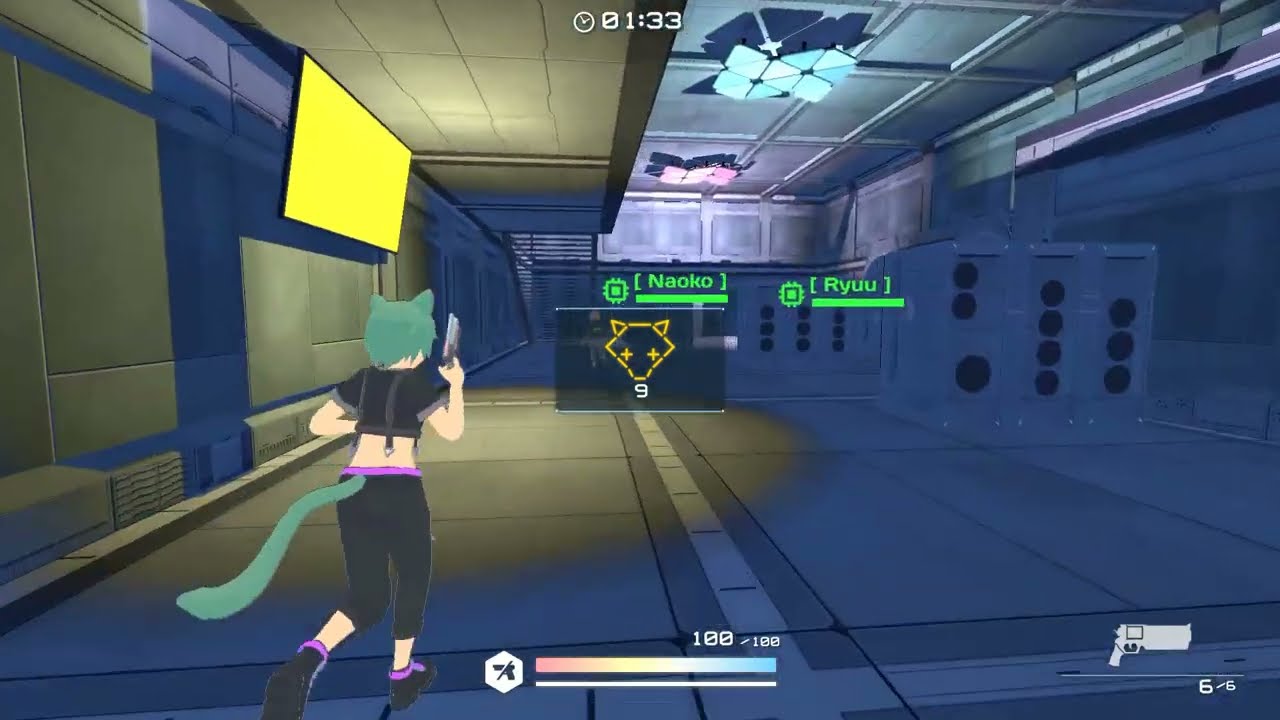
KITSUNETSUKI project is a multiplayer-focused arena third-person shooter (TPS) game in anime style.
https://k.kitsune.one/
https://gamejolt.com/games/kitsunetsuki/269024
https://kitsune-one.itch.io/kitsunetsuki
potent grotto
vagrant saddle
what is codm ?
Call of duty mobile
vagrant saddle
i've guessed
potent grotto
vagrant saddle
i've guessed
Ohk
vagrant saddle
and FYI a lot of game content in call of duty series is coded in GSC which is not more clever than python
potent grotto
Gsc is ?
vagrant saddle
the scripting language shipped with ID tech engines
potent grotto
vagrant saddle
the scripting language shipped with ID tech engines
Oh ohkya
vagrant saddle
if you are interested in coding that type of games in python with a small team consider Panda3D and python eg https://itch.io/queue/c/3724091/panda3d-wasm?game_id=2307514
itch.io
limber veldt
I quit online FPS games a couple of years ago, the aimbotters per square meter ratio is too high for me these days. Some estimates say as many as 1 in 3 overall in online FPS are cheating. They say AI is going to save gaming by being able to detect these guys but I'm pretty sure those guys will continue to counter cheat detection with even more clever hacks
Setting up two PCs (game client and AI assistant) with a hardware connection from client screen to AI and feeding keyboard and mouse inputs back to the client, eventually they'll have the AI assist tuned to be more human-like and less detectable and the snake vs rat game continues
 pine smelt
limber veldt
Chat, if there was one thing you could add to pygame, what would it be?
pine smelt
limber veldt
Chat, if there was one thing you could add to pygame, what would it be?
i second lighting effects, but also probably some sort of networking module
limber veldt
Yeah, that too
 graceful yew
isometric support would be great, too
 dawn quiver
vagrant saddle
this is python too https://www.youtube.com/watch?v=_hxQ4qPPR2E
dawn quiver
vagrant saddle
this is python too https://www.youtube.com/watch?v=_hxQ4qPPR2E
This game is ass
dawn quiver
Sorry for saying that. Just not my type of game.
vagrant saddle
dawn quiver
Sorry for saying that. Just not my type of game.
please don't ping me for that kind of remark, sorry for saying that i - really - don't care about your game tastes. I care about people making games or trying to do some. Do you ?
dawn quiver
oh then I'm not sorry. And that game is bad. It's just furries with guns.
Terrible mechanics too.
vagrant saddle
dawn quiver
Terrible mechanics too.
That is more constructive, if you want to talk the author into improving them or fix Panda3D to provide better mechanics to newbies then just go to Panda3D discord
dawn quiver
I will never tag you again
vagrant saddle
thanks
vagrant saddle
limber veldt
Setting up two PCs (game client and AI assistant) with a hardware connection fro...
i fear you are right and all of it may end up in training AI that could potentially do real damage in real world ....
 obtuse pivot
\U0001F602!
vagrant saddle
graceful yew
isometric support would be great, too
i think you can get that already with pytmx+pyscroll
graceful yew
pyscroll?
graceful yew
graceful yew
pyscroll?
looks experimental, probably not something I would use
limber veldt
vagrant saddle
i fear you are right and all of it may end up in training AI that could potenti...
Same here, it's not too far to extrapolate nefarious uses from that kind of technology or even an error with it targeting things
graceful yew
limber veldt
Same here, it's not too far to extrapolate nefarious uses from that kind of tech...
the potential errors are not the problem, it'll be the fact that we won't be able to hold an AI accountable the same way we could with another human being
limber veldt
I'm pretty sure the errors will matter to the first victim of such mistaken identities, if they actually haopen, that is
I'm also quite sure it mattered to those killed in tesla auto pilot crashes so far too. Like when the one in Florida killed a man because it couldn't distinguish the sky from the side of a semi-trailer
It hit the trailer without even applying the brakes
 vernal ginkgo
hello guys , im looking to create a 2d multiplayer shooting game , im good with pixel art , so i can create assets
What program its suits the best to create the enviroment?
vagrant saddle
vernal ginkgo
hello guys , im looking to create a 2d multiplayer shooting game , im good with...
is it a sidescroller ?
vernal ginkgo

should be like this
im getting a little help from copilot , so right now im setting up unity 2d to get started
vagrant saddle
vernal ginkgo
https://prnt.sc/5mDboN8mIf6o
could be a Tiled map
vagrant saddle
then mapeditor.org that was used for https://pmp-p.github.io/pydew-valley-uzh-pygbag/?cpython3.12
 vernal ginkgo
i want to create a game like dayz but reconstructed as a 2d multiplayer game
thanks pmp-p imma save the link
vagrant saddle
this is not the place for that
vagrant saddle
and https://www.cfr.org/global-conflict-tracker anyway
restive axle
and what is thes
ok i just want eny body to help me to creat a game about thes country
and see you later
vagrant saddle
restive axle
ok i just want eny body to help me to creat a game about thes country
maybe but don't dump disturbing pics on channels like that. If you go 3D i would suggest Panda3D to begin with
restive axle
thanks
restive axle
vagrant saddle
maybe but don't dump disturbing pics on channels like that. If you go 3D i would...
🤬
pine smelt
the duality of man
 mystic saffron
Can you guys teach me how to build a game but using python
vernal ginkgo
@vagrant saddle hey man i ve been struggling to import the tiled map into unity
muted sand
mystic saffron
Can you guys teach me how to build a game but using python
This is what I used to get started https://youtu.be/6gLeplbqtqg?si=vVW-g-_O488MzN-G

Learn how to build a platformer game in Python. This game will have pixel-perfect collision, animated characters, and much much more!
✏️ Course created by @TechWithTim
💻 Assets and Completed Code: https://github.com/techwithtim/Python-Platformer/tree/main/assets
⭐️ Timestamps ⭐️
⌨️ (0:00:00) Project Demo
⌨️ (0:01:32) Project Brief/Getting St...
graceful yew
clearcode is also pretty nice to follow along: https://www.youtube.com/watch?v=8OMghdHP-zs

Thanks to Brilliant for the support, you can find them here: https://brilliant.org/ClearCode/
This video covers game development in Python. We will create a spaceship shooter, a Vampire survivor style game, Pong, a platformer and a Pokémon inspired battle game. Via those you can master your knowledge of Python since we will touch on every part...
 candid blaze
Hello, everyone; I am seeking more developers for my top-down strategy game, Terra-tactic. We are looking for developers who want to help see the project through and, hopefully, developers looking for a long-term team to work with. We allow anyone 16+ to join.
If you would like to join you can find our discord on our website: http://terra-tactica.com 🙂
limber veldt
!paste
frank fieldBOT
Pasting large amounts of code
If your code is too long to fit in a codeblock in Discord, you can paste your code here:
https://paste.pythondiscord.com/
After pasting your code, save it by clicking the Paste! button in the bottom left, or by pressing CTRL + S. After doing that, you will be navigated to the new paste's page. Copy the URL and post it here so others can see it.
limber veldt
!code
frank fieldBOT
 junior heron
candid blaze
Hello, everyone; I am seeking more developers for my top-down strategy game, Ter...
junior heron
candid blaze
Hello, everyone; I am seeking more developers for my top-down strategy game, Ter...
hi.I'm availble
 broken glade
hey so I am working on a top down tile based scrolling game. It was working at one point but I redesigned the map and now it won't work. There are a BUNCH of other issues that I need help with but the biggest one is that now I can't move at all. I suspect the issue is with my code for stopping scrolling but I don't know how exactly to fix it (mostly because I made that a week ago and can only kinda remember how it works lol)
I will send the code for a moment
!paste
frank fieldBOT
Pasting large amounts of code
If your code is too long to fit in a codeblock in Discord, you can paste your code here:
https://paste.pythondiscord.com/
After pasting your code, save it by clicking the Paste! button in the bottom left, or by pressing CTRL + S. After doing that, you will be navigated to the new paste's page. Copy the URL and post it here so others can see it.
limber veldt
broken glade
here is the code
Try commenting out the collision checking, lines 242-249, just to rule that out. Once things are moving again, you might uncomment them, but try simplify until things are moving again, maybe some printing in the drawWorld() function to be sure your math is mathing as well
broken glade
I did remove the collision, this has moved to a help post now btw called Scrolling Game
limber veldt
Oh ok
 bold hamlet
Pastebin
Pastebin.com is the number one paste tool since 2002. Pastebin is a website where you can store text online for a set period of time.
This is flappy bird
muted sand
restive axle
can any one help me
What do you need help with?
 white jasper
Hey guys, I want to explore game dev for a bit. Would you consider game engines part of what I should check out? UnrealEngine seems interesting, not sure if I should spend time on that or something else when exploring game dev as newbie (to SWE as a whole).
muted sand
I’m pretty new myself so take this with a grain of salt, but I believe it’s up to you and what your goal is. For me personally I tried Unreal and Unity and I really didn’t enjoy using them because of the lack of customization and the complexity. I much preferred making games from scratch because I had full control over how the game turned out. Of course, the downside to that is losing the power of a game engine
 quasi hinge
is there a way to decrease size of a sprite in pygame?
limber veldt
quasi hinge
is there a way to decrease size of a sprite in pygame?
To decrease the size of its image, you can use pygame.transform.scale() or one of these https://pyga.me/docs/ref/transform.html#module-pygame.transform
dawn quiver
umm help
it crashes after seconds
anyone??
pls
I fixed it it was supposed to be
def check_events(self): (line 12)
and I forgot to call the "check_events" function in the run loop
thx for nothing
 lunar obsidian
hi
muted sand
Hey
 weak hazel
Hi which game engine should i use if i only know python?
 frank dome
Hello, I am making some pseudocode about movement and getting items in a text base game and was looking for advice on improving it before i submit it for my class

 muted sand
frank dome
Hello, I am making some pseudocode about movement and getting items in a text ba...
muted sand
frank dome
Hello, I am making some pseudocode about movement and getting items in a text ba...
Python has a statement called match case that you should use in the situation. Have it look like this:
match current_room: case “Mineshaft”: return “Healing herbs” case “The Depths”: return “Special copper coin” … case _: return “Nothing here”
This will make it easier to read and use less space
limber veldt
Thinking about changing my Robot Quest game to scrolling instead of room-based, basic test setup is working
Test code here https://paste.pythondiscord.com/LWTA
It would certainly simplify some logic in the robot game
Basically the first section of one of Clear Code's tutorials, except the animation which I did
So the next step would be to assemble a test level as a RQ map and add some of the RQ objects, changing them to work with one map instead of a map of many rooms
I'd also need some teleporters for those levels that cannot be laid out in a single 2d shape
limber veldt
Which could be pretty cool, I could make graphics for little buildings and stuff, maybe signposts on or near them or some kind of icon to indicate what's inside
Bring Robot Odyssey/Droidquest into the 21st century, a game well worth it
 modest ivy
candid blaze
Hello, everyone; I am seeking more developers for my top-down strategy game, Ter...
modest ivy
candid blaze
Hello, everyone; I am seeking more developers for my top-down strategy game, Ter...
Hi I am interested to join your team
 wicked sequoia
what are all the types of apis?
ie i can get a api froma movie website to show the movie dates and names
what else can i do with apis
weak hazel
Hi which game engine should i use if i only know python?
pine smelt
pygame for 2d
ursina for 3d
vagrant saddle
or panda3d for everything ( especially if wanting to apply shaders over pygame surfaces )
limber veldt
low ocean
Hi guys, what could be the reason as to why my frames are not animating?
I'm not totally sure where else but I do see line 140 having a == when I think you want an '=` (also in lines 148 and elsewhere), Remember, assigning something to a variable needs just one =
To be clear, this does nothing fly_frame_index == 1 as in, it doesn't assign the value to the variable, it compares one to the other, not what you want
low ocean
limber veldt
I'm not totally sure where else but I do see line 140 having a `==` when I think...
Thank you, it is working now, I replaced snail_frame_index == 1 with snail_frame_index = 1
limber veldt
Maybe think of the double == as is_equal or something that will remind you that this is a comparison operator, not an assignment, and will always be True or False
low ocean
limber veldt
Maybe think of the double == as `is_equal` or something that will remind you tha...
thanks, I'll try and do that, these equal signs are really giving me a headache
graceful yew
low ocean
thanks, I'll try and do that, these equal signs are really giving me a headache
why, though?
 hasty nacelle
does anyone know how to print out the variable name instead of it saying: <__main__.Player object at 0x000001EB40740170>
dawn quiver
hasty nacelle
does anyone know how to print out the variable name instead of it saying: ```
<_...
Did you define the player object?
hasty nacelle
yes i made it
wdym define
i easily get confused with these oop terms so pls be patient with me
i mean i do have 2 methods (one being __init__)
dawn quiver
Can you post the entire class?
hasty nacelle
dawn quiver
Can you post the entire class?
i sorted it out
i just needed a name attribute for my class
dawn quiver
repr method also works
hasty nacelle
and the problem i had was that i was printing out the whole object
hasty nacelle
dawn quiver
__repr__ method also works
still wouldnt work cos i was printing out the whole object
dawn quiver
hasty nacelle
still wouldnt work cos i was printing out the whole object

Python documentation
Objects, values and types: Objects are Python’s abstraction for data. All data in a Python program is represented by objects or by relations between objects. (In a sense, and in conformance to Von ...
Repr method tells python what to print if you print an object. More or less
You can also use https://docs.python.org/3/reference/datamodel.html#object.__str__
Python documentation
Objects, values and types: Objects are Python’s abstraction for data. All data in a Python program is represented by objects or by relations between objects. (In a sense, and in conformance to Von ...
dawn quiver
guys what is the average salary for a beginner
muted sand
hasty nacelle
does anyone know how to print out the variable name instead of it saying: ```
<_...
This may kinda be a hack, but one thing you could do is give the class an parameter name, where you'd pass in the variable name, and attribute self.name = name. Then you can print (variable name).name
hasty nacelle
muted sand
This may kinda be a hack, but one thing you could do is give the class an parame...
Yeah that's what I did and it worked.
 teal pelican
what is the best way to start game development in python?, should i use pygame or is there a better or different framework?
muted sand
teal pelican
what is the best way to start game development in python?, should i use pygame o...
I would use PyGame. If you'd like some tutorial recommendations let me know!
teal pelican
i was trying to install it in vs code but it wasnt working for some reason
muted sand
teal pelican
i was trying to install it in vs code but it wasnt working for some reason
Try python3 -m pip install {library} if you have python installed
teal pelican
muted sand
Try ``python3 -m pip install {library}`` if you have python installed
it just gave me an error
ERROR: Invalid requirement: '{library}': Expected package name at the start of dependency specifier
{library}
muted sand
teal pelican
it just gave me an error
ERROR: Invalid requirement: '{library}': Expected pack...
Whoops, I forgot to change {library} to the actual name lol. Use python3 -m pip install pygame
teal pelican
i should have put to and to together lol
teal pelican
muted sand
Whoops, I forgot to change ``{library}`` to the actual name lol. Use ``python3 -...
it worked thank you
 atomic bronze
hello budies
 storm meteor
Hello, everybody.
I am a Full Stack Web3 developer.
With many years of rich experience, I am ready to create something new with you.
If you have any projects to work on, please contact me.
Let's make your ideas a reality.
 odd reef
I'm working on a word search and crossword suite of puzzle makers. I'm publishing them in print form. I'm stuck on the process of outputting the answers. The word search solutions aren't outputting properly. My python skills are limited.
muted sand
odd reef
I'm working on a word search and crossword suite of puzzle makers. I'm publishin...
Send your code here
!paste
frank fieldBOT
Pasting large amounts of code
If your code is too long to fit in a codeblock in Discord, you can paste your code here:
https://paste.pythondiscord.com/
After pasting your code, save it by clicking the Paste! button in the bottom left, or by pressing CTRL + S. After doing that, you will be navigated to the new paste's page. Copy the URL and post it here so others can see it.
wicked sequoia
do you guys do free recall to learn coding or deliberate practice?
candid blaze

Reddit
Explore this post and more from the INAT community
 rare ledge
 topaz flume
Hi i really need some help in pygame's mixer-music... if someone could help it would be greatly appreciated.
https://discord.com/channels/267624335836053506/1315198818114994236
odd reef
muted sand
Send your code here
https://paste.pythondiscord.com/JJLQ The complete project is up on github.
 barren torrent
So
this isn't strictly a Python question... more... well, here...
let's say, I have a series of different forms that a shapeshifter can obtain each with different bonuses, unlock requirements, and custom code that runs while the form is active.
If I'm operating in C++, I've got two options for representing that series of forms.
Option 1 is some kind of switch-case based on a form ID and other factors being queried for in a function.
Option 2 would be to create sub-classes for each based on a Form class, load instances of them into something like a hashmap to retrieve the active one (or set a pointer on the character when they transform), and then use polymorphism. Or, the poor man's version, a hashmap of FormID->Struct where the struct contains flat bonuses and possibly a lambda...
The problem is when there's 400 of these.
if I'm using Python, then I can do things like just flatly import a whole module and shove every class in it into a dictionary where the key is FormID and value is the class, and heck, I can just use class properties and classmethods, it is a thousand times easier. both defining them and managing the whole collection is 100x easier and less verbose.
But I'm wondering. Is there some even better approach that I'm overlooking.
In my design this doesn't just cover transformations it can also be used for like, buffs/debuffs and other effects
 errant oxide
Guys is it ok to send of what ive been working on as a begginer game creator using python
it might look a little weired because i live in a different country so the time zone here is a little different
ok im sorry, ill stop yapping, i might become a little anoying
 sweet inlet
errant oxide
Guys is it ok to send of what ive been working on as a begginer game creator usi...
sweet inlet
errant oxide
Guys is it ok to send of what ive been working on as a begginer game creator usi...
This actually looks bloody fun
😭
 turbid needle
errant oxide
Guys is it ok to send of what ive been working on as a begginer game creator usi...
turbid needle
errant oxide
Guys is it ok to send of what ive been working on as a begginer game creator usi...
surface. set_colorkey("white")
 normal silo
barren torrent
this isn't strictly a Python question... more... well, here...
let's say, I hav...
normal silo
barren torrent
this isn't strictly a Python question... more... well, here...
let's say, I hav...
FormID -> struct (record querying). No lambda in there, instead a list of functions that is separate.
Keep your data as basically a spreadsheet (literally even, so you can easily tweak the game design) / database, and your logic separate.
For this kind of game about combinatorics.
barren torrent
"a list of functions that is separate" huh
normal silo
barren torrent
"a list of functions that is separate" huh
Systems that transform the data from one state to another. You can either map from FormID to one of them, or just have all of them run and they query for objects with the FormID(s) they operate on.
normal silo
barren torrent
whihc is basically the switch-case stuff in option 1 there
If each case has entirely different logic with no overlap then a giant switch is the best you can do, everything else is then basically also a giant switch, but the various cases moved around (maybe different files).
You can view it from the POV of compression. If there is nothing repeated, it won't compress well (if at all).
So to some degree you just need some giant number of cases in code for a problem like this.
But if your forms have a lot of overlap, then you can have just a few systems that are composed together. Each form being a composition.
For example, maybe forms A and B are both affected by gravity. So the gravity system / function will query for all objects of forms A and B, and apply gravity to them.
With a giant switch this would be duplicate code in cases A and B (which can be moved out to its own function (compressed)).
normal silo
normal silo
But if your forms have a lot of overlap, then you can have just a few systems th...
The idea is that then (hopefully) you can make new forms easily by composition, allowing for rapid experimentation without really changing much code, if any.
But this only applies to cases where your gameplay involves forms that have a lot of overlap.
Otherwise it's wasted effort to make all this (simple switch is the most straight forward and direct solution when there is no overlap, and in a sense, optimal (for amount of code)).
barren torrent
hm
At present these things only really affect stat calculations.... what I've got going on is something like....
        {
            FormID::Lycanthrope, {
                {APPLY_CVIT_MULT,   0.0, ~0,                    [](struct char_data *ch) {return 1.0 + (0.1 * getMasteryTier(ch, FormID::Lycanthrope));}},
                {APPLY_DTYPE_BON,   0.0, static_cast<int>(DamType::Physical),            [](struct char_data *ch) {return 0.4 * 1.0 + (0.10 * getMasteryTier(ch, FormID::Lycanthrope));}},
                {APPLY_COMBAT_MULT,      0.0, static_cast<int>(ComStat::Parry),                    [](struct char_data *ch) {return 0.3 * 1.0 + (0.10 * getMasteryTier(ch, FormID::Lycanthrope));}},
                {APPLY_CVIT_REGEN_MULT, 0.0, static_cast<int>(CharVital::PowerLevel), [](struct char_data *ch) {return 0.2 * 1.0 + (0.10 * getMasteryTier(ch, FormID::Lycanthrope));}},
                {APPLY_DTYPE_RES, 0.0, static_cast<int>(DamType::Physical), [](struct char_data *ch) {return 0.5 * 1.0 + (0.10 * getMasteryTier(ch, FormID::Lycanthrope));}},
                {APPLY_DTYPE_RES, 0.0, static_cast<int>(DamType::Physical), [](struct char_data *ch) {return 0.25 * 1.0 + (0.10 * getMasteryTier(ch, FormID::Lycanthrope));}},
            }
        },
other forms are simpler, like
 real heath
yo guys
i wanna make my own DMA ( Direct Memory Access ) cheats for a game and do you think you could help me with that?
barren torrent
well actually none of them are as simple anymore I guess
the def is supposed to be {stat_family, modifier, mask, std::function which might be empty}
but my associate basically turned all the bonuses into dynamic calculations using the function pointers 😐
ayiyi
normal silo
barren torrent
```cpp
{
FormID::Lycanthrope, {
{APPLY_CVIT_...
So, at some point you need to just have all this written down somewhere, so not really any way of getting around this.
But you can make it shorter.
Since this is C++ you can use X-macros, or you can just do something similar to a TOML file (easy for a human to edit, and concise (easy to parse too)).
As a side note, these could probably use an order of operations sorting value for each.
You could also setup some Python scripts to make use of a spreadsheet.
barren torrent
hrn.
 pine plinth
real heath
i wanna make my own DMA ( Direct Memory Access ) cheats for a game and do you th...
pine plinth
real heath
i wanna make my own DMA ( Direct Memory Access ) cheats for a game and do you th...
!rule tos
frank fieldBOT
5. Do not provide or request help on projects that may violate terms of service, or that may be deemed inappropriate, malicious, or illegal.
 robust egret
what do you call a game that mostly depends on exterenal files (e.g json files) to make updates
pine plinth
text editor
errant oxide
sweet inlet
This actually looks bloody fun
thanks, its just an prototype, im planning to add more maps and an inventory, quests, and some other stuff
errant oxide
errant oxide
thanks, its just an prototype, im planning to add more maps and an inventory, qu...
ive added the inventory, altough its hard making the code for it, i keep getting errors and errors that i have 3 failed attemps 😭
 obtuse osprey
hello and this is my first time in this channel
i guess i got complicated and deep enough to belong here!
https://github.com/GDOlivercoding/ABE-cli
^ here i am making a cli "copy" of angry birds epic (deprecated project by rovio, later sold) for fun and stuff
here ive gotten to a point where i dont know how to store the abilities of my lets say units
they are too unique for flags, and there is gonna be like a 100 different functions if i make unique functions for each ability
also i have issues with effects as in effects.py, the order and all the events in which everything is executed
GitHub
my agry birds epic cli game. Contribute to GDOlivercoding/ABE-cli development by creating an account on GitHub.
obtuse osprey
obtuse osprey
hello and this is my first time in this channel
i guess i got complicated and de...
if so, pls ping on response
 silk kettle
obtuse osprey
hello and this is my first time in this channel
i guess i got complicated and de...
silk kettle
obtuse osprey
hello and this is my first time in this channel
i guess i got complicated and de...
what library does it use for event handling?
 frigid basalt
Anyone know NASM here?
silk kettle
with the key that triggers the move
and then the value as a lambada statement
for the move
obtuse osprey
example
silk kettle
moves = {
    "how ever you hande player input here": call_action()
    }

# input loop
 lambada moves["corrosponding key"]
@obtuse osprey
or atleast thats what i would do
obtuse osprey
its lambda btw
obtuse osprey
i dont think its that simple
silk kettle
well if the move is a function
then it is
just implement it into your code
and it should eork
obtuse osprey
i dont understand sorry
silk kettle
obtuse osprey
i dont understand sorry
im probably explaining it wrong
best to wait for somebody experienced
silk kettle
obtuse osprey
experienced people do their own shit and dont spend time on failures like me
awh you arent a failure
obtuse pivot
obtuse osprey
experienced people do their own shit and dont spend time on failures like me
Yea the experienced programmers are often socially anxious losers
obtuse osprey
obtuse pivot
Yea the experienced programmers are often socially anxious losers
the fuck?
how do i learn on my own???
eivl is uhhh none of those
silk kettle
obtuse osprey
how do i learn on my own???
youtube
obtuse pivot
obtuse osprey
how do i learn on my own???
You just have to keep learning...I'd compartmentalize what you want to learn
Learn what you have to learn before making a project out of your league
silk kettle
obtuse osprey
eivl is uhhh none of those
because hes a developer for python, basically guarantees hes nice :)
obtuse osprey
how do i get an answer for a very specific problem though?
silk kettle
obtuse pivot
Learn what you have to learn before making a project out of your league
wish i followed that advice 😭
obtuse pivot
obtuse osprey
how do i get an answer for a very specific problem though?
Forums, discord help sections, etc. Reddit...random answers online
obtuse pivot
silk kettle
wish i followed that advice 😭
LOL
silk kettle
obtuse osprey
how do i get an answer for a very specific problem though?
stack overflow of reddit or random code place
obtuse osprey
obtuse pivot
Learn what you have to learn before making a project out of your league
its never out of my league, its what i decide it to be, theres nothing it that project that i cant do
silk kettle
obtuse pivot
LOL
right now im making a full multiplayer game, all systems from scratch
and im an idiot
obtuse pivot
silk kettle
wish i followed that advice 😭
I have often done the same, I always think I'm doing a small project until I'm in the middle of it...
obtuse osprey
omg that fucking song out of my league
obtuse pivot
obtuse osprey
its never out of my league, its what i decide it to be, theres nothing it that p...
I'm not saying anything is out of your league.
It's just practical advice...just compartmentalize what you need to learn.
silk kettle
obtuse pivot
I have often done the same, I always think I'm doing a small project until I'm...
im still at the start, just decided to do backend first, i've started a bit on the game itself though
obtuse pivot
silk kettle
right now im making a full multiplayer game, all systems from scratch
Hell no that's sick. I tried sockets in pyhon and it is easy, I know client and servers and have done some networking stuff but it's still a lot to make a multiplayer game in python, pygame. So I commend your efforts
silk kettle
obtuse pivot
Hell no that's sick. I tried sockets in pyhon and it is easy, I know client and ...
thank you! 🙏
obtuse pivot
silk kettle
im still at the start, just decided to do backend first, i've started a bit on t...
Are you using pygame??
obtuse pivot
silk kettle
thank you! 🙏
I'm currently using pygame to make a game, although I love godot more, I wanted to improve my programming skills.
silk kettle
obtuse pivot
Are you using pygame??
yeah
silk kettle
obtuse pivot
I'm currently using pygame to make a game, although I love godot more, I wanted ...
same! i didnt think i was interested in game dev
obtuse osprey
how do i like learn something which has been already done in a way but i dont know how to get that information
obtuse pivot
obtuse osprey
how do i like learn something which has been already done in a way but i dont kn...
Read the documentation for any library you're using.
silk kettle
but im doing it as an excersise for other things, classes, project management, apis, sockets, databases, user authentication, marketing, audience
its great
obtuse pivot
silk kettle
same! i didnt think i was interested in game dev
I started as a web developer, then game dev, then data science / machine learning and now back to pygame lol
obtuse pivot
silk kettle
but im doing it as an excersise for other things, classes, project management, a...
Ohhh sickkk
silk kettle
obtuse pivot
I started as a web developer, then game dev, then data science / machine learnin...
awesome! i want to do machine learning but i also want to do so many things
time is so valuable
wish we had more <3
obtuse pivot
ML is cool but you should learn - Algebra 1-2, Calculus 1-2, Linear Algebra, Statistical probability, abstract thinking, and then code.
silk kettle
mhm
obtuse pivot
silk kettle
time is so valuable
Yessss, I spend 12 hours coding something and then I'm like "Oh my gosh it felt like 4 hours"
silk kettle
obtuse pivot
Yessss, I spend 12 hours coding something and then I'm like "Oh my gosh it felt ...
so relatable!
obtuse osprey
obtuse pivot
Read the documentation for any library you're using.
i know all the libraries im using, none of them are made for game development, im doing everything myself
silk kettle
mind if i add you? @obtuse pivot
obtuse osprey
https://github.com/GDOlivercoding/ABE-cli heres the file again

GitHub
my agry birds epic cli game. Contribute to GDOlivercoding/ABE-cli development by creating an account on GitHub.
obtuse pivot
obtuse osprey
i know all the libraries im using, none of them are made for game development, i...
Ohh interesting. You might want to use C in that case lol
obtuse osprey
im just using cli with rich
obtuse pivot
silk kettle
mind if i add you? <@200517930067296265>
Ohh for sure bro, add me it would be cool to share projects and knowledge!
obtuse osprey
obtuse pivot
Ohh interesting. You might want to use C in that case lol
too low level
silk kettle
obtuse pivot
Ohh interesting. You might want to use C in that case lol
not... c 😭
obtuse pivot
obtuse osprey
too low level
Ohhh I understand lol
silk kettle
obtuse pivot
Ohh for sure bro, add me it would be cool to share projects and knowledge!
wish i had knowledge to share! 😭
obtuse pivot
silk kettle
not... c 😭
Whattt?? Lol I just figured if he wants full control and faster run time, c may be better.
silk kettle
obtuse pivot
Whattt?? Lol I just figured if he wants full control and faster run time, c may ...
c hurts my brain :/
obtuse pivot
Although I am curious @obtuse osprey Why don't you use libraries? just to sharpen your skill?
silk kettle
so do all .net languages
obtuse pivot
silk kettle
c hurts my brain :/
Using the terminal is annoying. I like a nice IDE
obtuse osprey
obtuse pivot
Although I am curious <@1198247670351929399> Why don't you use libraries? just t...
what libraries would i use?
silk kettle
obtuse pivot
Using the terminal is annoying. I like a nice IDE
pycharm ❤️❤️❤️
obtuse pivot
silk kettle
pycharm ❤️❤️❤️
Yes I love pycharm!
AND VISUAL STUDIO CODE...
but pycharm...community.
obtuse pivot
obtuse osprey
and the skill improvement as well
Ahhh excellent then
silk kettle
obtuse pivot
Yes I love pycharm!
AND VISUAL STUDIO CODE...
but pycharm...community.
i use community
because i broke boy!
obtuse osprey
i use vsc
silk kettle
are you python main?
obtuse osprey
yes
silk kettle
please use pycharm or atleast try it 😭
obtuse osprey
why?
obtuse pivot
obtuse osprey
why?
How long have you been developing using python?
obtuse pivot
Oh nice broo. What are you aiming to do using computer science? Game dev, software engineer, machine learning?
obtuse osprey
i dont know
yet
i guess
something that gets my family out of minimum wage hell
obtuse pivot
Haha I understand that. I do believe that the more you enjoy it and it's not just as means to an end, the more lucrative you become. I'm sure you enjoy it, else you wouldn't be doing things the long way.
obtuse osprey
obtuse pivot
Haha I understand that. I do believe that the more you enjoy it and it's not jus...
i think python is like too generic/easy/high level, i wanna learn something like worth more
obtuse pivot
That statement sounds a bit supersillious. Though if you want something harder...there's..C++ awaiting you.
limber veldt
I've been watching some basic c++ vids lately just to see how, quite interesting, the speed ups are probably worth it for some of my games
obtuse pivot
limber veldt
I've been watching some basic c++ vids lately just to see how, quite interesting...
C++ is going to be the best most hardest route you can take but the most fulfilling. Combined that with C and Python and you're a powerhouse. And for unreal engine c++ will be a godsend
limber veldt
I'm 6-7 years into pygame, so it is kind of the next logical step
obtuse pivot
Oh wow nice. I agree with you...or godot
limber veldt
I could always learn more python though, that's always
obtuse pivot
Godot is amazing. I love it . But it's niche
obtuse pivot
limber veldt
I could always learn more python though, that's always
Facts
I am intermediate in pygame, I was a pygame developer for a bit then went to godot for a while then moved back to pygame to learn more programming concepts. And now I feel confident in my pygame abilities.
limber veldt
I have checked out some godot and even used it a little bit and while it's cool and all, it just doesn't feel the same to me
obtuse pivot
I definitely understand. It takes care of most of the work for you. Though their state machine is just unbeatable.
I do love pygame though, it does take a lot of libraries to do higher quality stuff though. Like pymunk for physics, pyglet, etc.
I just found out about something called "erusna engine" or something like that
limber veldt
Ursina maybe?
obtuse pivot
limber veldt
Ursina maybe?
Yesss Ursina!
limber veldt
Yeah, that's another framework too, I've pretty much stuck to pygame
pygame-ce these days, get_frect() and get_just_pressed() are just too good to not have
obtuse pivot
I like get frect because it does allow for floats. Though I still have a habit of using rects, I will make the switch forever to frect s. And get pressed so I don't have to do pygame.mousebutton down for everything.
Have you tried making 3D games using open GL?
limber veldt
Not yet, though it is on my todo list
Even to implement some basic 3d elements into 2d games, sounds interesting
obtuse pivot
I haven't tried it either. I'd like to make a voxellizer to voxelize my 2D assets...soo we can fake 3D.
obtuse pivot
Yea, I'll Gladly download a plugin if someone had it like they do for godot. 😂
Yes, definitely chunk rendering..maybe understanding how to have the computer section out a photo into a grid that can be voxellized. So you can increase the subdivision for a higher quality voxel
Something lke that...
Definitely complex...I'm not skilled...are you working on any big projects currently??
limber veldt
My latest is refactoring a 400+ room-based game into scrolling levels
So like room-based being player moves to right side of screen and the next room appears with player on left side of screen. All rooms linked together in the same way, with up rooms, down rooms, etc, so the map is all one room after another, all logically linked
Scrolling will place the player in center of screen and scroll the entire level, with some sub levels since some map layouts cannot be laid out in a single 2d map
It'll be a lot of work but most of the sprites (logic gates and things like that) won't need many changes
And it has many levels, to refactor into scrolling, like 14 of them or so
It's my biggest game so far, many thousands of lines, mostly data, which is another thing I want to refactor in the process, using Tiled (a 2d map editor)
And just generate the csv files for map layouts
obtuse pivot
Oh wow that is extensive. I'd love to see the project if you do complete it, it sounds really unique. And 2,000+ lines of code is more than commendable. My biggest game has probably been 200+ lines and I thought that was a lot lol
How long have you been working on it so far?
limber veldt
Including all the data, the project is at about 30k lines, and it's been an off and on project for a year and a half or so, just getting to where it is
It's really simple graphic-wise, but it is a full locic gate and circuit similator wrapped in a game
obtuse pivot
I can see why. It's a complex system to do alone.
obtuse pivot
limber veldt
It's really simple graphic-wise, but it is a full locic gate and circuit similat...
Aye, the graphics can always be replaced another day.
limber veldt
Really fun and educational game from the mid-80s, Robot Odyssey from The Learning Company
So it's a remake in modern python
All pretty much based on these simple components
Logic gates and robots wired with them to solve maze-like puzzles, open doors, things like that
The robots have thrusters and bumpers on each side with inputs and outputs inside them, to be connected to circuits
 radiant storm
can someone help me please?
 limber veldt
radiant storm
can someone help me please?
limber veldt
radiant storm
can someone help me please?
Have you installed pygame? Like in cmd or powershell, enter py -m pip install pygame ?
radiant storm
in cmd i installed it
limber veldt
Ok, so what happens when you run your file?
 limber veldt
radiant storm
can someone help me please?
limber veldt
radiant storm
can someone help me please?
That's not running the file, that's installing pygame again. I mean try running this file
radiant storm
 radiant storm
limber veldt
That's not running the file, that's installing pygame again. I mean try running ...
radiant storm
limber veldt
That's not running the file, that's installing pygame again. I mean try running ...
try it how?
radiant storm
yes
limber veldt
Ok, so what happens when you run it?
radiant storm
 limber veldt
Ok, so it looks like you have multiple python versions installed. Your pygame is in python 3.13 but your vscode is currently set to use 3.11.9
radiant storm
oh
limber veldt
Lower-right corner of VsCode, where it says 3.11.9 (Microsoft Store) click that and you should see at the top, all version of python you can select to use in VsCode, see if 3.13 is available there, if so, select it
radiant storm
it works thank you
limber veldt
No problem
radiant storm
have a nice day
limber veldt
You too
 limber veldt
Try indenting your line 18 so it aligns with the while statement above
 limber veldt
Also, you'll probably want to update your display in the while loop
radiant storm
not working
radiant storm
limber veldt
Also, you'll probably want to update your display in the while loop
how?
limber veldt
I didn't say add a while to the line, only indent it
limber veldt
How did you indent the other lines?
limber veldt
Like you have indented lines in your code but don't know how to indent? Did you copy and paste your code from somewhere?
limber veldt
So you have a lot to learn, usually just pressing tab indents a line one time
limber veldt
I recommend watching some beginner pygame tutorials, that will probably be more effective than walking through every step here in discord. Like I can show you how to create the game loop but I think a video would teach you better
limber veldt
And if you're also new to python itself, I do recommend some time learning the basics of that before starting on pygame
 gritty axle
radiant storm
i will try
gritty axle
radiant storm
i will try
try learning about data structures, loops, ways to utilise, read, write data in dicts, list, and such first
i would recommend waiting untill u get to learn about classes before u go with pygame
if u want, try to make games focused with terminal instead of graphics
limber veldt
Sound advice^
 dawn cipher
radiant storm
ok
dawn cipher
radiant storm
ok
You need to call pygame.init() before .set_mode()
 untold pier
Hi guys!
Do i need to have unity to design the game or I can do that in python?
dawn cipher
untold pier
Hi guys!
Do i need to have unity to design the game or I can do that in python?
You can do that in python
untold pier
3D?
untold pier
Thanks
errant oxide
hey guys can i show what ive been working on again? its just a simple game
dawn quiver
gritty axle
try learning about data structures, loops, ways to utilise, read, write data in ...
This is really good advice.
I'd make scrabble, chess, checkers, mancala, hangman.
Alot can be done with python and no modules
errant oxide
i uhm...got heavily inspired by that dvd tingy so uh
errant oxide
also for the adventure game tingy i showed like a few days ago i think, well i updated it and uhm, thats some long line of code

you dont need to see anything, its just a showcase how long the code is
ok, ill stop yapping
limber veldt
It's always fun to look at the minimap or line numbers and appreciate how far a project has come along
Or even how far your ability to code it has come along
So satisfying when it all works and it's been a struggle
I do it all the time in this channel, share my excitement or even just talk about my projects, it helps to have some place to bounce thoughts, at least for me
dawn quiver
No minimap for vim unless maybe you have sixel
limber veldt
It's not totally necessary but kinda nice to have it
I think at some point, a single file gets too long and I start moving extra classes in it to other files
hasty nacelle
errant oxide
hey guys can i show what ive been working on again? its just a simple game
would highly recommend you to use
pygame.display.init()
it should load everything quicker hopefully
also if anyone is able to also help me with a collisions issue in pygame #1035199133436354600 pls
 manic totem
what happened to the music why it sound like that
 balmy mulch
i want to make a simple 3 dimensional first person game using python, what module/game engine do you guys suggest I use?
radiant storm
gritty axle
try learning about data structures, loops, ways to utilise, read, write data in ...
Thank you where do you recomend me to learn it?
YouTube or some course?
gritty axle
radiant storm
YouTube or some course?
youtube has many resources
one thing tho, dont try to overshoot because of ur interest, learn things simple, one by one
radiant storm
Ok thank you
dawn quiver
gritty axle
one thing tho, dont try to overshoot because of ur interest, learn things simple...
you should be a teacher.
 agile cargo
hey guys i am not new to python but i am for pygame, any pointers?
dawn quiver
@gritty axle do you mind if I dm you?
 sweet shard
balmy mulch
i want to make a simple 3 dimensional first person game using python, what modul...
sweet shard
balmy mulch
i want to make a simple 3 dimensional first person game using python, what modul...
Panda3D or Ursina
gritty axle
dawn quiver
<@820008732867821589> do you mind if I dm you?
Sure go ahead
gritty axle
dawn quiver
you should be a teacher.
Nah, i actually started coding a while ago
Well coding again atleast
errant oxide
guys i finally fixed the inventory for my adventure game code :DDDDD
now i just need to add more maps, and bosses to truly make the game better, i might also add a stats menu tho
vagrant saddle
agile cargo
hey guys i am not new to python but i am for pygame, any pointers?
pygame-web.github.io too ( pygame-ce )
balmy mulch
sweet shard
Panda3D or Ursina
Thanks!
 fluid grail
somebody plz make this code better
print("press 'ENTER' for cookies")
count = 1
def clicker() :
global count
end = False
while not end :
_input = input("[+1 cookes!] ")
if _input == "" or _input == " " :
count += 1
elif _input == "show" :
print("['YOU HAVE " + str(count) + " COOKIES']")
elif _input == "end" or _input == "stop" :
print("GAME OVER WITH " + str(count) + " COOKIES")
end = True
clicker()
is like..., a cookie clicker, but made in like 5 mins
and is using enter
 glass light
Been working on some ballistas for my game and an off-by-one error meant that the ballistas were firing ballistas lol
pine smelt
anyone have any resources for linear algebra
 modern flint
pine smelt
anyone have any resources for linear algebra
modern flint
pine smelt
anyone have any resources for linear algebra
3blue1brown on YouTube has a whole video series "essence of linear algebra", I've only watched a few videos but the visual explanations are really helpful IMO
 outer quail
Hey, i need some help to program a simple game for my school project, hmu if you can help.
balmy mulch
Ignoring how much more/less effort it'll take I just want to ask, is it possible to make an rpgmaker level game on pygame?
pine smelt
balmy mulch
Ignoring how much more/less effort it'll take I just want to ask, is it possible...
not sure what a rpgmaker level is but most stuff is possible if u put ur mind to it
if it's jist an rpg game definitelu
balmy mulch
pine smelt
not sure what a rpgmaker level is but most stuff is possible if u put ur mind to...
I see, thanks!
should I be worried about how efficient my code is for complex rpg games?
pine smelt
it shouldn't be too big of a deal, prioritise quality and visual content over hyperoptimising every function imo
at a certain point u will come to fps issues undoubtedly but it's not a big worry
balmy mulch
pine smelt
at a certain point u will come to fps issues undoubtedly but it's not a big worr...
alright, thanks once again!
 supple lantern
Recently learned of python binding for raylib. Any reason to use this over pygame for 2d games? I might just try it out anyway, but I am wondering when you would prefer one over the other.
 gritty forge
Can I do 3d games by python ?
 fleet grove
Yes
vernal ginkgo
glass light
Been working on some ballistas for my game and an off-by-one error meant that th...
thats some death race vibes as a soundtrack
glass light
vernal ginkgo
thats some death race vibes as a soundtrack
Never seen/played(?) it but I'll take it!
The art is still a bit touch and go for that area. Eventually it'll match the atmosphere of the music... I hope
 cosmic olive
errant oxide
https://paste.pythondiscord.com/VYBA
cosmic olive
errant oxide
https://paste.pythondiscord.com/VYBA
You might need to send the graphics as well
 wraith wren
Can anyone help me make a minecraft game?
 celest osprey
hey guys i have a question
whats better pygame ce or normal pygame
why?
im asking bc i am making a few games
pine smelt
pygame-ce
its more readily updated and (its in the name but) supported by the community more
its pretty much the same as base pygame usage wise but has more stuff and optimised - i.e. entirely better
bold hill
I'm having a problem with a fill command what can i use to have it run?
geass_green = (63,155,11)
screen.fill('geass_green')
fixed it
 rich hill
Help me create a card games
bold hill
rich hill
Help me create a card games
What specific card game?
rich hill
Solitaire
bold hill
rich hill
Solitaire
do you know the basics of pygame?
rich hill
I do not unfortunately
bold hill
gritty axle
i was making my first util class and i think i made my greatest block of code upto date
rich hill
bold hill
here. https://www.pygame.org/docs/
Thanks
bold hill
How do I make an monster AI @e player tracking exetera?
pine smelt
the simplest way is getting the vector between the monster to the ai, normalising it, and make the monster move along it at some speed
 empty hazel
Hey guys, not sure if this is the right channel. I have two global TkInter variables, gridWin and gridCanvas, both of which get set. However When I try to call either of them, I get an error saying they are NoneType.
gridWin = None
gridCanvas = None

def CreateGridWin():
    print("Create Grid Win")
    gridWin = tkinter.Tk()

    gridWin.configure(bg='red')

    gridWin.attributes('-fullscreen', True)
    gridWin.attributes('-transparentcolor', 'red')

    gridWin.bind('<Escape>', lambda e: gridWin.destroy())

    gridWin.focus_force()

def CreateGridCanvas():
    gridWidth = gridWin.window_width()
    gridHeight = gridWin.winfo_height()

    gridCanvas = tkinter.Canvas(gridWin, width=gridWidth, height=gridHeight, bg="red")

def DrawGrid():
    CreateGridWin()
    CreateGridCanvas()
I am getting error at the declaration of gridWidth
NoneType object has no attribute 'winfo_width()'
(I have a typo in the code I posted, lol, but that isn't the issue)
Could it be some kind of thread problem? DrawGrid gets called through
keyboard.add_hotkey('alt+a', DrawGrid)
muted sand
empty hazel
NoneType object has no attribute 'winfo_width()'
Why does it say winfo? Is it not supposed to be window?
empty hazel
window would be much more readable, but that's tk for ya
muted sand
Well I was wondering because the line above does say window
window_width()
Oh, it's because gridWin is a local variable inside the CreateGridWin function. It isn't defined in the scope of CreateGridCanvas. You can create it outside of a function, make it global with the global keyword, or pass the object as an argument into the function
Oh you defined it above
It must not be changing for some reason
Are you calling the CreateGridCanvas function alone? That would cause the error
empty hazel
Hmm so I used global and it worked. Kind of really weird.
empty hazel
muted sand
Are you calling the ``CreateGridCanvas`` function alone? That would cause the er...
Nope, I'm calling DrawGrid
muted sand
It might only change it within the scope of the CreateGridWin function
I don't use global variables often because they can become confusing like that
muted sand
empty hazel
Nope, I'm calling DrawGrid
Here's an idea if you're interested, it'll make development easier and allow you to make changes quicker
I don't have tkinter so I haven't tested it but you get the idea
empty hazel
aaah, looks way better than my code 😄 thanks man
bold hill
pine smelt
the simplest way is getting the vector between the monster to the ai, normalisin...
So
Class Monster(player.pos.x,(player.pos.y):

Speed = 1

player_tracking_x=  player.pos.x -monster.pos.x

player_tracking_y=
player.pos.y -monster.pos.y

Cordinats_to_move_2 =
(player_tracking_x,player_tracking_y)
Is this correct?
bold hill
yes?
pine smelt
bold hill
So
```py
Class Monster(player.pos.x,(player.pos.y):
Speed = 1
player_tracking...
no more like
player = Player() #whatever ur player class is with its own position too
monster = Monster() # whatever ur monster class is, that has a self.pos attribute

... #ur other code

#inside the monster moving code
vec = pygame.math.Vector2()
displacement = (vec(player.pos) - vec(monster.pos)).normalize()
monster_speed = 2
monster.pos += displacement * monster_speed
thank you
 bold hill
pine smelt
no more like
```py
player = Player() #whatever ur player class is with its own p...
bold hill
pine smelt
no more like
```py
player = Player() #whatever ur player class is with its own p...
how can i remame a python file?
pine smelt
right click the file and press rename
 cedar frost
yes, but do not rewrite the file format
bold hill
Thank you
 crystal totem
Hello, can anyone help me with a code I've made with the pygame library?
vagrant saddle
crystal totem
Hello, can anyone help me with a code I've made with the pygame library?
Hi, show code maybe ? And if there's assets needed to run it make a zip and drop it here
crystal totem
vagrant saddle
Hi, show code maybe ? And if there's assets needed to run it make a zip and drop...
Aright, I'll do that in here https://discord.com/channels/267624335836053506/1318666334682484829
crystal totem
vagrant saddle
Hi, show code maybe ? And if there's assets needed to run it make a zip and drop...
How do I drop my zip here? you can't send it here
vagrant saddle
ho my bad, on pygame-ce discord you can drop zips
crystal totem
vagrant saddle
ho my bad, on pygame-ce discord you can drop zips
Oh okay, no worries haha
DM?
vagrant saddle
no need i think you just need to refactor your code a bit
crystal totem
Okay
manic totem
https://paste.pythondiscord.com/BCYQ my music doesnt work properly can someone here help me fix it
the music suppose to play in menu screengame_start == False) but it didnt and it play when i start the actual game(game_start == True) instead
oh btw you can ignore the other pygame.mixer.music.load on the below
potent grotto
Oh henlo guys can anyone tell me about pygames how to use it
vagrant saddle
potent grotto
Oh henlo guys can anyone tell me about pygames how to use it
you could probably start there https://pyga.me/docs/#tutorials , and after a while if you want web you can hop to https://pygame-web.github.io
potent grotto
vagrant saddle
you could probably start there https://pyga.me/docs/#tutorials , and after a wh...
A Very thank u
 sinful field
hey i have a modernGL project from a tuto on youtube and it supports 1 light only and i dont know how add the suport for a modular amount of light. if anybody has ever done this or if they know the programming language used for the shaders, i would greatly apreciate some help. Thank you !! https://github.com/StanislavPetrovV/3D-Graphics-Engine/tree/main
GitHub
OpenGL Graphics Engine in Python ( Pygame, ModernGL ) - GitHub - StanislavPetrovV/3D-Graphics-Engine: OpenGL Graphics Engine in Python ( Pygame, ModernGL )
muted sand
rich hill
Can u give me an example of a simple pong game
Here you go! https://paste.pythondiscord.com/CJ6Q
I spent about a day on this. It doesn't use any assets, so as long as you have Python and PyGame, you can copy and paste the code and run it.
The code is pretty self-explanatory, but here's some important info:
The game will be in fullscreen if the attribute self.fullscreen within the Config class is set to True. Otherwise, it uses the integers within self.screen_size.
The controls for player 1 (on the right) are the up and down arrow keys by default. This can be changed within the attribute self.p1_contols in the Config class.
Player 2 (on the left) can be either an AI or a second player, using W and S as controls. You can toggle between AI and 2p by setting the self.twop attribute within the Config class.
The game will work on any window size because the position of objects is based on the window size.
If you want to, you can download some sounds, then load them and play them whenever there's a collision. Hope this helps!
 spice ingot
whats the best pygame/pygame-ce course on youtube
pine smelt
clear code's probably
pine smelt
muted sand
Here you go! https://paste.pythondiscord.com/CJ6Q
I spent about a day on this. ...
advice for the future, you never really want the user to have to look directly at the code to change stuff, like the screen size and arrow keys and stuff (mostly cuz its overwhelming for "normal" people)
perhaps a new project may be to make a GUI for all of that?
spice ingot
pine smelt
clear code's probably
which one
pine smelt
In this tutorial you will learn to create a runner game in Python with Pygame. The game itself isn't the goal of the video. Instead, I will use the game to go through every crucial aspect of Pygame that you need to know to get started. By the end of the video, you should know all the basics to start basically any 2D game, starting from Pong and ...
thats the one most people talk about
pine smelt
I'm sure most tutorials on YouTube are good
notable ones I tended to follow are clear code and dafluffypotato, but thr latter is pretty advanced
spice ingot
pine smelt
notable ones I tended to follow are clear code and dafluffypotato, but thr latte...
clear code feels more advanced
maybe becuase his games look so fun
wraith wren
i got this problem the 3rd time, can anyone help please?
 pine smelt
lines after if, elif and else need to be indented
 pure jay
wraith wren
i got this problem the 3rd time, can anyone help please?
pure jay
wraith wren
i got this problem the 3rd time, can anyone help please?
num = int(input('Enter a number: ')) # Fixed input spacing for clarity
if num > 0:
print('The number is Positive') # Proper indentation
elif num < 0:
print('The number is Negative') # Proper indentation
else:
print('The number is 0') # Proper indentation
 fluid plank
I'm considering intersections between game engines and physics.
Thought's?
pine plinth
you have to know a lot of math
radiant storm
Does anyone have a list of all the code in pygame?
pine smelt
 outer tundra
Hi. Who uses pyglet?
 blissful furnace
fluid plank
I'm considering intersections between game engines and physics.
Thought's?
blissful furnace
fluid plank
I'm considering intersections between game engines and physics.
Thought's?
Physics is a subsystem of a game engine
fluid plank
blissful furnace
Physics is a subsystem of a game engine
Right thanks.
Yeah, how did the thought go. Think I was tired.
Maybe about some performance and relation to different physics simulations.
fluid plank
blissful furnace
Physics is a subsystem of a game engine
What's a good resource which might outline the systems?
blissful furnace
fluid plank
Right thanks.
Yeah, how did the thought go. Think I was tired.
Maybe about some ...
What is it that you want to achieve? Fluid sim? Rigid body sim?
fluid plank
blissful furnace
What is it that you want to achieve? Fluid sim? Rigid body sim?
Akin to fluid
blissful furnace
fluid plank
What's a good resource which might outline the systems?
Game engine architecture by Jason Gregory
The ideal situation would be that you have a good grasp of maths and can just read some research papers and fiddle your way round to a viable application.
If you are not quite there, then you can find articles/videos which will help outline what you need
Sebastian Lague has a couple of good videos on it
fluid plank
blissful furnace
Game engine architecture by Jason Gregory
Agree(, it's ideal); I'm familiar with Sebastian Lague ... From a while ago.
Thanks for a considerate response.
 dull sequoia
What exactly can I use python for in game development?
vagrant saddle
dull sequoia
What exactly can I use python for in game development?
probably for 2D pygame-ce and for 3D Panda3D. for accelerated 2D raylib-python or arcade
dull sequoia
vagrant saddle
probably for 2D [pygame-ce](https://itch.io/c/2563651/pygame-wasm) and for 3D [...
Thank you 👍 :)
 raven kernel
vagrant saddle
probably for 2D [pygame-ce](https://itch.io/c/2563651/pygame-wasm) and for 3D [...
raven kernel
vagrant saddle
probably for 2D [pygame-ce](https://itch.io/c/2563651/pygame-wasm) and for 3D [...
or pyglet
TIL raylib has GPU acceleration
it looks like its only post processing?
pyglet allows shaders + its regular usage together, in a non post processing way afaik
which is very cool
vagrant saddle
arcade is pyglet based
radiant storm
What is the best way to memoryze all the codes in pygame?
pine smelt
code as much as possible in pygame
limber veldt
Memorizing all code in pygame would be a lofty goal, nobody really does this. Take a look at some of the most important modules like pygame.sprite, pygame.display, pygame.Surface some of how to use the event queue and a few others (like pygame.math and so on as you go). The docs are always there for reference when you need them
 worthy moth
So are there some other cool alternatives to pygame?
vagrant saddle
worthy moth
So are there some other cool alternatives to pygame?
unsure but maybe renpy, or ppb based on https://github.com/py-sdl/py-sdl2 or search "python sdl2 game engine" in github
 potent grotto
vagrant saddle
unsure but maybe renpy, or [ppb](https://github.com/ppb) based on https://gith...
potent grotto
vagrant saddle
unsure but maybe renpy, or [ppb](https://github.com/ppb) based on https://gith...
Hello sir can u pls help me with chatterbot
worthy moth
vagrant saddle
unsure but maybe renpy, or [ppb](https://github.com/ppb) based on https://gith...
are they better than pygame? Or is it like pygame is "the thing to use" for games?
vagrant saddle
pygame-ce is the thing to use
raven kernel
worthy moth
So are there some other cool alternatives to pygame?
arcade and raylib

 pine smelt
should be "Platformer/data/images..." from the looks of it
radiant storm
pine smelt
should be "Platformer/data/images..." from the looks of it
thank you so much it works
dawn quiver
hey hey guys
I am also trying out pygame to make some stuff
I am new to this but i am giving it a shot
Also does anyone use thumby as well?
candid blaze
We have been developing a top-down strategy game. We built the engine, and the entire game and engine are in Python cause why not? Lmao! We also utilize cython and GLSL.
Our discord is on our website: https://terra-tactica.com
bold hill
Is there finding out specific coordinates I want a specific interior line of a circle
 wind oyster
Does anyone know how to make 2D 8 directions movement?
Right now I can only make 4 directions (up, down, left, right) with the usual If Key_Up -y, if Key_Down +y
raven kernel
wind oyster
Does anyone know how to make 2D 8 directions movement?
Right now I can only make...
show us the code for the 4 directional movement
you'd want to have the same logic as 4 directional movement, but allow for simultaneous key presses, and also normalize the vector when its moving in the diagonal direction
wind oyster
raven kernel
show us the code for the 4 directional movement
nvm I figured it out
bold hill
What do I mean to use for a circular player instead of a square player object
muted sand
bold hill
What do I mean to use for a circular player instead of a square player object
Are you talking about collision?
bold hill
No I want to make a circular player it's for a game it's a point collision or point click to put the piece on the board
bold hill
muted sand
Are you talking about collision?
Know what I mean is I'm trying to make a specular piece for a game: Rota
manic totem
Can someone here explain to me how pygame.mixer.music work
Because when i use it, its doesn't work like i hope to
Like, it play the file but it doesn't play it in when i want to
pine smelt
assuming u have multiple sounds or music, I'd look into "pygame mixer channels" over anything
the .music.play stuff is quite restrictive
manic totem
i try to look for example in github for better understand how mixer channels work and what i got is just this
 manic totem
why its still end up like this
pine smelt
are you using .play every frame?
cuz it sounds like the audio keeps getting reset far too quickly
im not exactly sure what ur code is but from what i can see, perhaps try
if not background_channel.get_busy():
    background_channel.set_vol(0.2)
    background_channel.play(background_music)
wdym by using .play every frame? this is my the second time using .play
manic totem
yes that is the main update loop and i did background_channel at the above
manic totem
pine smelt
```py
if not background_channel.get_busy():
background_channel.set_vol(0.2)
...
so when i use this the music completely stop
does this have anything to do with using .play inside a class
 fallen jungle
hi
I'm trying to make face tracking for VRChat, but it is not working. Can someone help
pine smelt
r u using mediapipe for the face tracking
pine smelt
manic totem
does this have anything to do with using .play inside a class
uh depends on what the class is
robust egret
fallen jungle
I'm trying to make face tracking for VRChat, but it is not working. Can someone ...
that sounds related to ai, ask in #data-science-and-ml
and "not working" won't get you any help, be clear about the issue, attempted solution, examples/samples
bold hill
How do I rotate a pygame draw.rect?
turbid needle
bold hill
How do I rotate a ``pygame draw.rect``?
you can rotate surface. so convert rect to surface and rotate it
bold hill
turbid needle
you can rotate surface. so convert rect to surface and rotate it
How do I convert it to a surface?
turbid needle
do you use rect for collision?
bold hill
turbid needle
do you use rect for collision?
?
bold hill
I'm trying to make lines going from the center to the corresponding circle across
 turbid needle
bold hill
I'm trying to make lines going from the center to the corresponding circle acro...
turbid needle
bold hill
I'm trying to make lines going from the center to the corresponding circle acro...
oh you can add this in surface and rotate the surface
do mean rotate the cirlce?
bold hill
No rotate the squares or the bars in this case from the center to another point both on the vertical, diagonal, horizontal line
turbid needle
can you draw it because i didnt understand what are you trying to do?
my englisg is bad
bold hill
 bold hill
Yes
turbid needle
you can do it by pygame.draw.line
and use sin and cos
pygame.draw.line(your_surface,your color,(center.x,center.y),(center.x+cos(angle)*line_wdith,center.y +sin(angle) *line_wdith))
@bold hill sin and cos in python mathtake radiant so you need every frame add the angle += math.radians(1)
turbid needle
bold hill
to rotate
try one and do every one to his angle
like here the red angle degree is 180 and balck is 120 i think and.....
if you don't want this you can do it by surfaces
https://stackoverflow.com/questions/40949613/how-to-rotate-a-surface-in-pygame-without-changing-its-shape
you need to use pygame.SRCALPHA to surface

Stack Overflow
I'm writing a class in pygame to create a sprite object, and I'd like to be able to rotate it. It works fine with an image, and rotates without issue. But when rotating a surface with a plain colou...
bold hill
What do I need for rotation I don't mind changing it shape I just need to rotate
Thank you
turbid needle
bold hill
What do I need for rotation I don't mind changing it shape I just need to rotate
you need to define angle and size of line and how many adding to angle every frame
 tender wyvern
i wanna do 3d stuff with python like 3d graphics and maybe even games can someone recommend great frameworks ?
pine smelt
pyglet or ursina probably
tender wyvern
i thought pyglet is more like pygame 2d ? (im a total beginner here )
turbid needle
use ursina then
pine smelt
tender wyvern
i thought pyglet is more like pygame 2d ? (im a total beginner here )
i mean it has its own opengl framework within it
i dont see why 3d isnt possible with it
tender wyvern
yea was thinking about it but cant decide if ursina or panda3d ^^
bold hill
turbid needle
you need to define angle and size of line and how many adding to angle every fra...
Borderline being able to meet drawn on the diagonal?
tender wyvern
true
bold hill
Also for growing a line for its coordinates it start coordinates does it have to be a tuple?
turbid needle
bold hill
Also for growing a line for its coordinates it start coordinates does it have to...
tuple or list
same thing in pygams
i think
not every tuple
tender wyvern
im gonna try pyglet now .. 😄
turbid needle
@bold hill take look about this code
import pygame
from math import sin,cos,radians
pygame.init()
screen = pygame.display.set_mode((400,400))
angle = 0
width = 20
center_pos = [100,100]
while True:
    screen.fill(0)
    for event in pygame.event.get():
        if event.type == pygame.QUIT:
            pygame.quit(); raise SystemExit
    pygame.draw.line(screen,(255,255,255),(center_pos[0],center_pos[1]),(center_pos[0]+cos(radians(angle))*width,center_pos[1]+sin(radians(angle))*width))
    angle += 1
    pygame.display.flip()
    pygame.time.delay(10)

import pygame
from math import sin,cos,radians
pygame.init()
screen = pygame.display.set_mode((400,400))
angle = 0
width = 20
center_pos = [100,100]
while True:
screen.fill(0)
for event in pygame.event.get():
if event.type == pygame.QUIT:
pygame.quit(); raise SystemExit
pygame.draw.line(screen,(255,255,255),(center_pos[0],center_pos[1]),(center_pos[0]+cos(radians(angle))*width,center_pos[1]+sin(radians(angle))*width))
angle += 1
pygame.display.flip()
pygame.time.delay(10)
sorry
see this is what you are talking about?
bold hill
turbid needle
<@868137138091343925> take look about this code
import pygame
from math import s...
Thank you
bold hill
#===#[import]#===#
import pygame
#===#========#===#

#===#[inits]#===#
pygame.init()
#===#=======#===#


#===#[color bank]#===#
sand_stone_color = (245,235,216)

rota_wheel = (218,134,32)
rota_peice_slot = (187,134,11)

player_red = (255,0,0)
player_blue = (0,0,255)
#===#=============#===#

#===#[game screen]#===#
screen_width = 800
screen_heigh = 800
screen = pygame.display.set_mode((screen_width,screen_heigh))

game_running = True

while game_running:
    screen.fill(sand_stone_color)

    #===#[player]#===#
    player_peices = 3

    # click based token placement

    #===#[board]#===#
    pygame.draw.circle(screen,rota_peice_slot,(400,400),349,width=59)


    #===#[slots]#==#

    #===#[exterior slot]#===#

    # center ring
    pygame.draw.circle(screen,rota_peice_slot,(400,400),100)

    #top ring
    pygame.draw.circle(screen,rota_peice_slot,(400,100),100)

    # left top ring
    pygame.draw.circle(screen,rota_peice_slot,(200,200),100)

    # left middle ring
    pygame.draw.circle(screen,rota_peice_slot,(100,400),100)

    # left bottom ring
    pygame.draw.circle(screen,rota_peice_slot,(200,600),100)

    # right top ring
    pygame.draw.circle(screen,rota_peice_slot,(600,200),100)
# right middle ring
    pygame.draw.circle(screen,rota_peice_slot,(700,400),100)

    #right bottem ring
    pygame.draw.circle(screen,rota_peice_slot,(600,600),100)

    # bottom ring
    pygame.draw.circle(screen,rota_peice_slot,(400,700),100)
    #===#===============#===#

    #===#[line to image]#===#
    pygame.draw.line(screen,rota_peice_slot,(200,200),(600,600),width=59)

    pygame.draw.line(screen,rota_peice_slot,(600,200),(200,600),width=59)

    pygame.draw.line(screen,rota_peice_slot,(100,400),(700,400),width=59)

    pygame.draw.line(screen,rota_peice_slot,(400,700),(400,100),width=59)
    #===#==============#===#

    #===#[inerior slot]#===#

    # center center ring
    pygame.draw.circle(screen,sand_stone_color,(400,400),70)

    # top top ring
    pygame.draw.circle(screen,sand_stone_color,(400,100),70)

    # top left center ring
    pygame.draw.circle(screen,sand_stone_color,(200,200),70)

     # left middle ring
    pygame.draw.circle(screen,sand_stone_color,(100,400),70)

    # bottem left center ring
    pygame.draw.circle(screen,sand_stone_color,(200,600),70)

    # top right center ring
    pygame.draw.circle(screen,sand_stone_color,(600,200),70)


    # right middle ring
    pygame.draw.circle(screen,sand_stone_color,(700,400),70)


    # right bottem center ring
    pygame.draw.circle(screen,sand_stone_color,(600,600),70)

    # bottom ring
    pygame.draw.circle(screen,sand_stone_color,(400,700),70)
    #===#==============#===#

    for event in pygame.event.get():
        if event.type == pygame.QUIT:
            game_running = False

    pygame.display.update()
pygame.quit()
#===#=============#===#
Got it to work!!!
bold hill
#===#[line to image]#===#
    pygame.draw.line(screen,rota_peice_slot,(200,200),(600,600),width=59)

    pygame.draw.line(screen,rota_peice_slot,(600,200),(200,600),width=59)

    pygame.draw.line(screen,rota_peice_slot,(100,400),(700,400),width=59)

    pygame.draw.line(screen,rota_peice_slot,(400,700),(400,100),width=59)
?
bold hill
I got after a lot of cross referencing each coordinate I got the line to work perfectly
It's a surprise to me
turbid needle
bold hill
It's a surprise to me
oh okay
bold hill
Sorry
turbid needle
about what?
bold hill
For not being clear
bold hill
How can I make things clickable?
cosmic olive
bold hill
```py
#===#[import]#===#
import pygame
#===#========#===#
#===#[inits]#===#
pyg...
You know there's a pastebin right? 😂
!paste
frank fieldBOT
Pasting large amounts of code
If your code is too long to fit in a codeblock in Discord, you can paste your code here:
https://paste.pythondiscord.com/
After pasting your code, save it by clicking the Paste! button in the bottom left, or by pressing CTRL + S. After doing that, you will be navigated to the new paste's page. Copy the URL and post it here so others can see it.
cosmic olive
bold hill
How can I make things clickable?
Rect.collidepoint
bold hill
cosmic olive
You know there's a pastebin right? 😂
Yes but I couldn't get on the site from where I was so I took what was next logical to me sorry
bold hill
cosmic olive
`
Rect.collidepoint
`
Thank you
manic totem
pine smelt
uh depends on what the class is
Its pygame sprite class
spice ingot
any idea where i can download a pygame-ce pdf guide?
or does it come with a built in help system
raven kernel
spice ingot
or does it come with a built in help system
you can use py -m pygame.docs if you're on windows
or pydoc pygame.<function name>
or just read the docs online
https://pyga.me/docs/
spice ingot
raven kernel
you can use `py -m pygame.docs` if you're on windows
what about linux
raven kernel
spice ingot
what about linux
python3 -m pygame.docs
fleet grove
 mental wave
or is that dumb
mental wave
or is that dumb
You can, but that would be a sh*t
agile cargo
its worse to use vpython
turbid needle
mental wave
can i make a game in tkinter
yo can do game in turtle
but like what he said
but that would be a sh*t
dawn quiver
hellow
 hallow matrix
mental wave
can i make a game in tkinter
hallow matrix
mental wave
can i make a game in tkinter
You can by individually setting pixels in an ImageTk() but it would probably be sh*t
That or your mental health would be
You're basically reinventing the wheel
And it would be slow
raven kernel
Networking 👍
pine smelt
r u planning on making it online
lan based is still rly good tho I'm surprised there's so little latency
raven kernel
pine smelt
lan based is still rly good tho I'm surprised there's so little latency
There's a LOT of latency if you see it again 
pine smelt
oh
raven kernel
But not because it's LAN, I'm using TCP and there's something else out there I'm not sure what, but it is the other cause of slowing it down
raven kernel
pine smelt
r u planning on making it online
I believe making it online in this case is just changing the IP from a local one to the one of the server that is being hosted
This would require me to invest some time so probably not now (to buy and test such a server)
I'm just trying to make a 3D lan game I can play with my hostel-mates
raven kernel
ty!
 slow copper
raven kernel
But not because it's LAN, I'm using TCP and there's something else out there I'm...
slow copper
raven kernel
But not because it's LAN, I'm using TCP and there's something else out there I'm...
Shouldn't you be using UDP connection?
raven kernel
Maybe, I'll see
slow copper
It's more suitable for games where low latency is required as you don't require any packet recieved / sent acknowledgement
But it risks of packet loss / corruption tho I think
raven kernel
UDP will be faster, but I think the TCP connection I have going is way slower than it should be. Once I figure out what the speed issue is, and I come to conlude it is indeed the TCP connection, I will switch to UDP
raven kernel
Latency issue solved thanks to VC session with Matiiss
 edgy salmon
very nice, how did you make that ?
pine smelt
is it just as smooth connecting it to another device
raven kernel
pine smelt
is it just as smooth connecting it to another device
Yes, tested with friend
raven kernel
edgy salmon
very nice, how did you make that ?
The issue was the game was running at 5000+ FPS, and it was queueing up that many packets every second. The server couldn't keep up with processing and broadcasting those packets to everybody at the same rate, so the solution was to send a packet only every 0.01 seconds instead so that the server could process it and send it to the other clienrs fast enough.
But the visual FPS can still be how much ever it needs to be
raven kernel
Different refresh rates and screen tearing are reasons why this statement is short sighted
 supple dagger
import random

pygame.init()

WIDTH, HEIGHT = 800, 600
WHITE = (255, 255, 255)
BLACK = (0, 0, 0)
BLUE = (0, 0, 255)

screen = pygame.display.set_mode((WIDTH, HEIGHT))
pygame.display.set_caption("Catch the Falling Object")
clock = pygame.time.Clock()

paddle_width, paddle_height = 100, 20
paddle_x = (WIDTH - paddle_width) // 2
paddle_y = HEIGHT - paddle_height - 10
paddle_speed = 7

obj_width, obj_height = 30, 30
obj_x = random.randint(0, WIDTH - obj_width)
obj_y = -obj_height
obj_speed = 5

score = 0
font = pygame.font.SysFont(None, 36)

running = True
while running:
    screen.fill(WHITE)
    for event in pygame.event.get():
        if event.type == pygame.QUIT:
            running = False

    keys = pygame.key.get_pressed()
    if keys[pygame.K_LEFT] and paddle_x > 0:
        paddle_x -= paddle_speed
    if keys[pygame.K_RIGHT] and paddle_x < WIDTH - paddle_width:
        paddle_x += paddle_speed

    ojb_y += obj_speed
    if obj_y > HEIGHT:
        obj_x = random.randint(0, WIDTH - obj_width)
        obj_y = -obj_height

    paddle_rect = pygame.Rect(paddle_x, paddle_y, paddle_width, paddle_height)
    obj_rect = pygame.Rect(obj_x, obj_y, obj_width, obj_height)

    if paddle_rect.colliderect(obj_rect):
        score += 1
        obj_x = random.randint(0, WIDTH - obj_width)
        obj_y = -obj_height

    pygame.draw.rect(screen, BLUE, paddle_rect)
    pygame.draw.rect(screen, BLACK, obj_rect)

    score_text = font.render(f"Score: {score}", True, BLACK)
    screen.blit(score_text, (10, 10))

    pygame.display.flip()
    clock.tick(60)

pygame.quit()```

Why it's not working anyone Please tell me and how I can fix it.just a typo, you wrote "ojb_y" instead of "obj_y"
candid blaze
TERRA-TACTICA is a top-down, turn-based sandbox strategy game where your choices shape a dynamic and ever-evolving world. Build, battle, and thrive in an immersive realm where strategic depth meets creative freedom. Lead your faction to victory by managing resources, crafting powerful units, and adapting to unpredictable challenges.
The game and our engine is written entirely in Python 🙂 We are launching to Steam soon!
supple dagger
vagrant saddle
just a typo, [you wrote "ojb_y" instead of "obj_y"](https://pygame-web.github.io...
Thank you so much
 mental tusk
Hi guys, Im just getting started on pygame and I've written a few easy programs like dodging the falling objects, etc. Can someone let me know the next few steps and what I should learn?
please ping me if you respond
 rigid sun
mental tusk
Hi guys, Im just getting started on pygame and I've written a few easy programs ...
rigid sun
mental tusk
Hi guys, Im just getting started on pygame and I've written a few easy programs ...
Recreate Breakout, but add in all the juice from the Juice It or Lose It video on YouTube, and add a menu system, levels, and a game over screen. You will learn so much from just doing that.
 noble rapids
raven kernel
Latency issue solved thanks to VC session with Matiiss
noble rapids
raven kernel
Latency issue solved thanks to VC session with Matiiss
which engine did u use?
raven kernel
noble rapids
which engine did u use?
i used a library called raylib
the networking was written with sockets
 sturdy sandal
game update so far
pine plinth
looks nice 👍
pine smelt
the gui elements are really smooth looks great
maybe consider elastic easing curves too
noble rapids
sturdy sandal
game update so far
how did you learn to use python?
i know its sounds like a stupid question but i dont understand how people do that
like did you use a pls?
sinful field
Hey anybody knows what is the language used for modernGL shaders ?
sinful field
Do you know glsl well ?
I would like to know how i could apply the effects of multiple different lights when rendering a face / object
Because i can render with 1 light that is defined as a variable i give to the shader but idk how to give it a modular amount of lights
Can you help ?
normal silo
sinful field
Because i can render with 1 light that is defined as a variable i give to the sh...
You give it an array of lights.
sinful field
Do you know where i could find a wiki that would help me for that ?
normal silo
sinful field
Do you know where i could find a wiki that would help me for that ?
Learn OpenGL . com provides good and clear modern 3.3+ OpenGL tutorials with clear examples. A great resource to learn modern OpenGL aimed at beginners.
Learn OpenGL . com provides good and clear modern 3.3+ OpenGL tutorials with clear examples. A great resource to learn modern OpenGL aimed at beginners.
sinful field
Does it work the same as modergl ?
normal silo
ModernGL is OpenGL.
sinful field
Idk i just follow a tuto
normal silo
"ModernGL is a Python wrapper over OpenGL Core. ModernGL simplifies the creation of graphics applications like scientific simulations, games or user interfaces. Usually, acquiring in-depth knowledge of OpenGL requires a steep learning curve. In contrast, ModernGL is easy to learn and use. ModernGL is capable of rendering with high performance and quality, with less code written."
sinful field
normal silo
ModernGL is OpenGL.
An application in the meaning that opengl is used in modengl and in other branches, right ?
sinful field
normal silo
"ModernGL is a Python wrapper over OpenGL Core. ModernGL simplifies the creation...
Yeah thx thats what i meant
normal silo
sinful field
An application in the meaning that opengl is used in modengl and in other branch...
ModernGL is a thin layer on top of OpenGL, it also creates the OpenGL context for you (the window), and gets inputs like mouse and keyboard.
normal silo
https://learnopengl.com Is the OpenGL tutorial.
Learn OpenGL . com provides good and clear modern 3.3+ OpenGL tutorials with clear examples. A great resource to learn modern OpenGL aimed at beginners.
normal silo
sinful field
Yeah thx thats what i meant
GitHub
Modern OpenGL binding for Python. Contribute to moderngl/moderngl development by creating an account on GitHub.
For an example difference between ModernGL and plain OpenGL.
sinful field
Oh
normal silo
 normal silo
sinful field
So learnopengl.com would help me on moderngl ?
normal silo
sinful field
So learnopengl.com would help me on moderngl ?
Yes, although it's the direct original OpenGL API.
The shader code part is the exact same.
sinful field
Thx
sturdy sandal
pine smelt
the gui elements are really smooth looks great
yay thanks
also yeah elastic curves could work
sturdy sandal
noble rapids
how did you learn to use python?
programming isnt "learning a language" programming is a skill that you have to practice
you need to understand the different programming patterns and different methds and algorithms, as well as how to creatively build things using the "building blocks" of programming
the things like if statements, for loops, etc.
the actual syntax of python is just up to memory, but once you understand how to program as a skill, you can program in almost all programming languages, it just takes a little bit of time to understand, what syntax correlates to what action you want to achieve
sturdy sandal
pine smelt
maybe consider elastic easing curves too
i just realised something
the way i have my animations set up right now is i just have a list of lerp values (start, end, progress) for each animation i want, and i add more when i need to
but i realised, i can easily make easing functions with this by just taking the output to the list value and applying a function to it lmao
pine smelt
just be careful if ur using the pygame vector's lerp func
iirc it doesn't accept values less than 0 or greater than 1 which messes with some easing curves
sturdy sandal
pine smelt
just be careful if ur using the pygame vector's lerp func
 lmao i just programmed it myself by hand
sturdy sandal
pine smelt
just be careful if ur using the pygame vector's lerp func

(i got the easing function math from online tho)
sturdy sandal
pine smelt
just be careful if ur using the pygame vector's lerp func
i smoothed the animations and stuff
pine smelt
sweet
 quasi canopy
hello guys I want to make a scale of my game in 320x180 : for exemple if I put my spirit in x = 160 he will be at the middle but it doen't work
VIRTUAL_WIDTH = 320
VIRTUAL_HEIGHT = 180

try:
    SCREEN_WIDTH, SCREEN_HEIGHT = arcade.get_display_size()
except OSError as e:
    print(f"Erreur système lors de la récupération de la taille de l'écran : {e}")
    SCREEN_WIDTH, SCREEN_HEIGHT = 800, 600
except Exception as e:
    print(f"Une erreur inattendue est survenue : {e}")
    SCREEN_WIDTH, SCREEN_HEIGHT = 800, 600

WINDOW_WIDTH = SCREEN_WIDTH // 2
WINDOW_HEIGHT = SCREEN_HEIGHT // 2

class Platformer(arcade.Window):
    def __init__(self):
        super().__init__(WINDOW_WIDTH, WINDOW_HEIGHT, "Platformer", resizable=True)
        self.camera = arcade.Camera(VIRTUAL_WIDTH, VIRTUAL_HEIGHT)
        self.center_window()
        self.set_update_rate(1 / 120)
        self.x = 0
        self.y = 100
        self.time_since_last_render = 0

    def center_window(self):
        self.set_location(
            (SCREEN_WIDTH - WINDOW_WIDTH) // 2,
            (SCREEN_HEIGHT - WINDOW_HEIGHT) // 2,
        )

    def dessiner(self):
        arcade.start_render()


        arcade.draw_rectangle_filled(self.x, self.y, 50, 50, arcade.color.RED)

    def on_resize(self, width, height):
        super().on_resize(width, height)

        self.camera.resize(width, height)

    def update(self, delta_time):
        self.x += 0 # temp
        self.time_since_last_render += delta_time
        if self.time_since_last_render >= 1 / 60:
            self.dessiner()
            self.time_since_last_render = 0


game = Platformer()
arcade.run()
@rugged echo

 rugged echo
ayy good man!
you can change code_length in intro() to 5 or 6 for a challenge if you want haha
sturdy sandal
rugged echo
you can change code_length in intro() to 5 or 6 for a challenge if you want haha
the only way to make the game harder is by adding more colour types
increasing the number of spots doesnt change how difficult it is
because if theres less then its easier to decipher which one is correct, but if theres more then you get to decipher more each turn
rugged echo
sturdy sandal
the only way to make the game harder is by adding more colour types
increasing t...
Hey sorry for the late reply, I feel like maybe for a computer that can store information perfectly it might be the same difficulty but for a human Ive found it trickier cause like theres mor stuff to keep track of
sturdy sandal
rugged echo
Hey sorry for the late reply, I feel like maybe for a computer that can store i...
fair enough lmao
sturdy sandal
i added a bit to the game
 split mortar
Hey guys, my name is Felix and I’m learning game development
I’m making a simple connect 4 game using a matrix and am getting an error for this
It’s probably a super simple fix and I’m just missing it but I’m very new to this
Any ideas?
 split mortar
Hey guys, my name is Felix and I’m learning game development
I’m making a simpl...
split mortar
split mortar
Hey guys, my name is Felix and I’m learning game development
I’m making a simpl...
I tried adjust the indent but I have no idea what I’m doing wrong
pine smelt
    if is_valid_position(...
      ):
      print_board(board)
by the way why are u using a matrix for connect 4
wouldnt a nested array be enough
turbid needle
split mortar
Hey guys, my name is Felix and I’m learning game development
I’m making a simpl...
the is should be in the code
if something:
  do_something
idk what is called
pine smelt
indent
split mortar
pine smelt
```py
if is_valid_position(...
):
print_board(board)
```
Thanks that fixed the issue and the code is working now and I’m more familiar with the functionality of the numpy library and it’s just what I used bc I know how more about it
I’ve used it in other project and haven’t used nested arrays so I hadn’t thought about it
split mortar
turbid needle
the ` ` is should be in the code
```py
if something:
do_something
```
And thank you too
split mortar
Here is an example of the game
Very very basic and it doesn’t have a win screen or announcement or anything but it’ll stop you from Putin too many pieces in one column etc
split mortar
split mortar
Here is an example of the game
Very very basic and it doesn’t have a win screen ...
Gonna try and add actual visuals so we’ll see how it goes
 wheat gulch
this is killing me
how do i get polygons from an image and then draw them in pygame
i literally cant find it anywhere
pine smelt
what do you mean get polygons
wheat gulch
pine smelt
what do you mean get polygons
like in cv2 you can get coordinates of a polygon (if there is one in the img) and draw it
sadly i cant use cv 2 because it uses a diffrent type of coordinates
pine smelt
wheat gulch
sadly i cant use cv 2 because it uses a diffrent type of coordinates
something like that?
 wheat gulch
pine smelt
something like that?
wheat gulch
pine smelt
something like that?
no
i cant rlly explain it too we
*well
ok so i have this world map and i want to make the countries into different polygons
pine smelt
not too sure what you mean can you like draw it