#game-development
1 messages · Page 34 of 1
 versed aurora
@nocturne quartz i just did this lol, i can do actual pixel art but i just did this to test it


 nocturne quartz
omg
thats a paddle
💀
btw i cant even think of being here its an honor
ive never even made a game other than snake...
versed aurora
oh for the paddle why dont you call position_data just like 'rect'
nocturne quartz
versed aurora
oh for the paddle why dont you call position_data just like 'rect'
where??
versed aurora
 nocturne quartz
versed aurora
oh for the paddle why dont you call position_data just like 'rect'
nocturne quartz
versed aurora
oh for the paddle why dont you call position_data just like 'rect'
i am calling the position data?
                if 6 > (self.ball_position.x - (other.position_data.topleft[0] + ball_cordinate)) > -6:
...
well its not just position, no? its also size and allat
also i kinda mess up on this too but what id recommend is having coordinates be relative to the width and height
that way if you change the resolution, it doesnt immediately screw everything up
nocturne quartz
versed aurora
that way if you change the resolution, it doesnt immediately screw everything up
r u suggesting me to use .get_react() or smth?
nocturne quartz
versed aurora
well its not just position, no? its also size and allat
also i kinda mess up on ...
yes its just positions
versed aurora
what i mean is like you have if 800 > self.ball_position.x > 750:
if the resolution is changed though that'll mess up
nocturne quartz
truee
what do u mean by "having coordinates be relative to the width and height"
tho
versed aurora
so like say you want the center of the screen
rn that'd be 400,300
since the res is 800x600
nocturne quartz
right
versed aurora
but say you change the resolution to like 1920x1080
now 400,300 is like over on the top left (i think pygame starts from the top left at least)
also these can be made into one
 nocturne quartz
yes i get it but whats ur fix
to that problem
and then u might also want to like increase the size of ball and paddle?
versed aurora
well what i do is declare 2 variables for the width and height, i usually just use 'w' and 'h', but you might want to just call em 'width' and 'height'
then for the center, it's just w/2,h/2
nocturne quartz
nocturne quartz
and then u might also want to like increase the size of ball and paddle?
that would be alot of tweeking i cant imagine how games have options to change soo many resolutions 😭
versed aurora
nocturne quartz
that would be alot of tweeking i cant imagine how games have options to change s...
well what you tend to do is use a different sort of space for the in game coordinates, and the screen space coordinates
nocturne quartz
versed aurora
well what i do is declare 2 variables for the width and height, i usually just u...
soo everything is relative to the edges of display
versed aurora
give or take, yeah
relative coordinates are one way of doing it
its like fps
if you have the time be frame based, a higher fps makes the game run faster
but if you use something like deltatime it'll be the same speed, no matter what fps
versed aurora
versed aurora
its like fps
if you have the time be frame based, a higher fps makes the game ru...
which i keep on forgetting to do in my own stuff lmao
versed aurora
im not an expert but ive been screwing around for a few years
nocturne quartz
versed aurora
so in pygame.Rect(..)x and y should be center of the screen and its width and height should also be smth relative to the screen so when u change res everything would still look cool
then i assume the image scaling should also be smth relative to the screen
instead of (100, 100)
versed aurora
i think pygame has a way of doing coordinates that are unlinked form screenspace but idk
nocturne quartz
versed aurora
<@1266516603860942931> i just did this lol, i can do actual pixel art but i just...
why is ur paddle soo big 😭 and why is it a square
versed aurora
i figured you just did that for testing lol
oh i see how your velocity thing works
that's an interesting way of doing it
nocturne quartz
versed aurora
oh i see how your velocity thing works
bro uve been doing it for like soo long idk when am i gonna get better than u 😦
anw now i need to make like blocks to break!!
one problem solved 99 to go
versed aurora
nocturne quartz
bro uve been doing it for like soo long idk when am i gonna get better than u 😦
honestly it comes in stages
nocturne quartz
r u like at the final stage of game dev 😟
versed aurora
nah
nocturne quartz
versed aurora
nah
well u havent like super helped me or anything w my code but u told me about the scaling stuff and i was kinda getting bored and got to hangout w u soo thanks for that :3
appreciate it :DDD
versed aurora
np
honestly, you already have most of the difficult stuff down
classes and functions are the things most people get hung up on
nocturne quartz
versed aurora
classes and functions are the things most people get hung up on
i mean like game dev specifically
yk believe it or not u actually taught me how to like add velocities to position 😭 like month ago ig
versed aurora
theres better ways to do it btw but they're more complicated
nocturne quartz
when i was makin snake game
nocturne quartz
versed aurora
sure
i need to add a feature to it tho which im procrastinating on and i think it requires threading which im nor familiar with
r u familiar with threading in python?
i actually kinda forgot this code ...
nocturne quartz
!paste
 frank fieldBOT
Pasting large amounts of code
If your code is too long to fit in a codeblock in Discord, you can paste your code here:
https://paste.pythondiscord.com/
After pasting your code, save it by clicking the Paste! button in the bottom left, or by pressing CTRL + S. After doing that, you will be navigated to the new paste's page. Copy the URL and post it here so others can see it.
versed aurora
oh btw one thing i added to your code for testing is making z reset the ball
i also swapped ball_position and ball_velocity and paddle_velocity to just pos and vel
so in check movement i just added
if keys[pygame.K_z]:
    self.pos = VectorXd(w/2,1)
    self.vel = VectorXd(0, 3)
but ppl said that u should always make your variables more descriptive??
is pos and vel considerd good practise?
versed aurora
well if it's in ball it's kind of obvious that it's for the ball
idk if pos and vel are the absolute best but it's what i use
in naming variables you're constantly balancing readability with compactness i find
nocturne quartz
versed aurora
well if it's in ball it's kind of obvious that it's for the ball
oh i did that because like if i make
def velocity(self):
...
```in the ball class then it would be same as
```py
def velocity(....
```ugh tbh idk what im yapping about yes different classes methods can def have same names :))exaclty
exactly**
versed aurora
oh for your vector btw you can implement something like __getitem__ instead of a method for getting the coordinates
or __iter__
__iter__ is a great one because it makes your object able to do a lot just by default
like casting it to list or tuple
GitHub
a simple vector class for python. Contribute to gloop-6/gloop_vector_class development by creating an account on GitHub.
nocturne quartz
versed aurora
`__iter__` is a great one because it makes your object able to do a lot just by ...
but do i really need that right now?
versed aurora
not necessarily but i noticed it being an issue in your snake c ode
i think you have a different version of your vector stuff between the brick breaker game you've been showing and the snake
nocturne quartz
versed aurora
oh btw one thing i added to your code for testing is making `z` reset the ball
reset it to what back where the game started
nocturne quartz
versed aurora
i think you have a different version of your vector stuff between the brick brea...
man..
from math import sqrt
import random
class VectorXd:
    def __init__(self, x, y):
        self.x = x
        self.y = y
        self.position = (self.x, self.y)

    def __add__(self, other):
        # if other is the instance of this class
        if isinstance(other, self.__class__):
            return (self.x + other.x, self.y + other.y)
        return VectorXd(self.x + other, self.y + other)

    def __sub__(self, other):
        if isinstance(other, self.__class__):
            return (self.x - other.x, self.y - other.y)
        return VectorXd(self.x - other, self.y - other)

    def __eq__(self, value: object) -> bool:
        if isinstance(value, self.__class__):
            if self.x == value.x and self.y == value.y:
                return True
        else:
            return False

    def get_distance(self, other):
        if isinstance(other, self.__class__):
            return sqrt((self.x - other.x)**2 + (self.y - other.y)**2)
        else:
            raise TypeError("expected the same instance of that class")

    def randomly_change_position(self):
        self.x = random.randint(10, 740)
        self.y = random.randint(10, 540)

    def get_position(self):
        return (self.x, self.y)


    # self is the instance
    def print_first_cor(self):
        print(self.x)
try this
nocturne quartz
what does that do?
nocturne quartz
versed aurora
https://github.com/gloop-6/gloop_vector_class/blob/main/vector_class.py
for refe...
when should i start opensourcing stuff tho 
nocturne quartz
versed aurora
it's what get_distance does, but builtin
damnnn
versed aurora
nocturne quartz
when should i start opensourcing stuff tho <:pithink:652247559909277706>
generally, i say when you start using the same code in multiple projects
nocturne quartz
i dont want ppl to judge me by my bad code 😓
versed aurora
versed aurora
it's what get_distance does, but builtin
there's also math.hypot which is the distance from an iterable to 0,0 (or 0,0,0, or whatever dimension), so functionally the length of it
nocturne quartz
versed aurora
generally, i say when you start using the same code in multiple projects
interesting
nocturne quartz
versed aurora
there's also math.hypot which is the distance from an iterable to 0,0 (or 0,0,0,...
is it more fun coding all that and then seeing it work than just memorising names?
versed aurora
depends
nocturne quartz
versed aurora
some of my old code is *fucked*
is it opensource
versed aurora
most of it
well, eh
i have like 3000 python files in my scripts folder lol
most of whic hare just a few lines to test some thing or other
versed aurora
yeah im trying to get it to work
nocturne quartz
versed aurora
yeah im trying to get it to work
u js need 3 pngs
thats all u already have the vector class
versed aurora
yeah i added them, it gets mad about the video system not being initialized oddly
nocturne quartz
mouth_image name is wrong tho it should be smth like skin_image
versed aurora
this code is kinda hard to read but to be fair my own snake implementation is kinda nightmarish
nocturne quartz
thats the skin 😭 idk what i was think but idk it it looks good or anything

it gets blitted when snake comes closer to food
versed aurora
versed aurora
this code is kinda hard to read but to be fair my own snake implementation is ki...
aw yep
 nocturne quartz
snake = Snake(snake_image= simage, mouth_image= mimage, blood_image= dimage)
like the minage here
nocturne quartz
versed aurora
aw yep
damn ansi stuff
 vital plume
Any place where I can ask beginner questions to get help?
nocturne quartz
versed aurora
vital plume
Any place where I can ask beginner questions to get help?
ig here
depends on what you mean by beginner ig
nocturne quartz
there i think
versed aurora
nocturne quartz
`snake = Snake(snake_image= simage, mouth_image= mimage, blood_image= dimage)`
l...
swapping that actually worked for a sec, it errored again after a bit though
very odd
 vital plume
versed aurora
ig here
depends on what you mean by beginner ig
vital plume
versed aurora
ig here
depends on what you mean by beginner ig
Yea pretty beginner. Was just wondering how to make a program where it asks for a randon number, and if the user just presses enter the whole program won't send error.
nocturne quartz
it works fine for me?
vital plume
I found out how to do this with string but not with integer.
nocturne quartz
versed aurora
swapping that actually worked for a sec, it errored again after a bit though
cuz ur head might be crashed
i dont have any error handling logic there
 twin sleet
can anyone help me with this?
 versed aurora
vital plume
Yea pretty beginner. Was just wondering how to make a program where it asks for ...
versed aurora
vital plume
Yea pretty beginner. Was just wondering how to make a program where it asks for ...
easiest way is just try-except and try converting it to integer
a better way is to check the input with something like isdigit()
twin sleet
its saying i dont have a module named "settings"
vital plume
versed aurora
easiest way is just try-except and try converting it to integer
a better way is ...
Isn't there any nil values for integers?
nocturne quartz
twin sleet
can anyone help me with this?
did u install pygame?
twin sleet
this is my settings
 versed aurora
vital plume
Isn't there any nil values for integers?
versed aurora
vital plume
Isn't there any nil values for integers?
wdym
twin sleet
nocturne quartz
did u install pygame?
i believe so yes
versed aurora
twin sleet
this is my settings
is 'settings' in the same folder
twin sleet
how do i check that?
versed aurora
like in file explorer
vital plume
versed aurora
wdym
Like set a integer value to nil. So if no values has been set to the integer it will just be nil.
versed aurora
vital plume
Like set a integer value to nil. So if no values has been set to the integer it ...
oh, None works ig
it's not really an integer but it works as a fallback
versed aurora
nocturne quartz
cuz ur head might be crashed
yeah that seems to be it
nocturne quartz
versed aurora
yeah that seems to be it
be careful while playing 🤧
versed aurora
idk why it did it on start
nocturne quartz
also i need to fw the blood thingo and ig i need threading for that
twin sleet
versed aurora
like in file explorer
ok i put them in same folder and it worked, thanks
versed aurora
np
python really doesnt like it when you have modules in a different folder most of the time
you can do it but it's kinda fucked
versed aurora
nocturne quartz
also i need to fw the blood thingo and ig i need threading for that
wait why
nocturne quartz
nocturne quartz
also i need to fw the blood thingo and ig i need threading for that
like wait for 3 seconds instead of "pausing" everything keep blitting the blood and then quit the game after 3 seconds
versed aurora
also good on you, using a deque
deques are very nice for a lot of things, i like using them for trails
nocturne quartz
deque is my another name bro
versed aurora
that O(1) popleft is fire
nocturne quartz
yeah ik
nocturne quartz
nocturne quartz
like wait for 3 seconds instead of "pausing" everything keep blitting the blood...
    def display_snake(self):
        for segment in self.all_segments:
            if self.mouth_in_action:
                screen.blit(self.mouth_image, (segment.position))
            elif self.snake_is_dead:
                screen.blit(self.blood_image, (segment.position))
            else:
                screen.blit(self.snake_image, (segment.position))
like its snake_is_dead is never gonna get true
nocturne quartz
nocturne quartz
like wait for 3 seconds instead of "pausing" everything keep blitting the blood...
that requires threading right @versed aurora
versed aurora
nah
what i usually do in that case is have some sort of countdown variable
so when its above 0, decrement it, when it's equal to 0, then quit
there's probably a better way to do it these days but it's the OG way of doing it
twin sleet
can someone explain why the class doesnt have the run attribute?
 versed aurora
so when its above 0, decrement it, when it's equal to 0, then quit
there's proba...
versed aurora
versed aurora
so when its above 0, decrement it, when it's equal to 0, then quit
there's proba...
one thing that comes to mind is just checking the time elapsed or creating a timer
nocturne quartz
versed aurora
so when its above 0, decrement it, when it's equal to 0, then quit
there's proba...
can u be more explicit what is it???
nocturne quartz
versed aurora
one thing that comes to mind is just checking the time elapsed or creating a tim...
thats what i thought mate
versed aurora
hold on 1 sec
twin sleet
versed aurora
your run is *inside* `__init__`
oh im stupid , thankyou 👍 😂
nocturne quartz
how can i create a timer and so when then timer ends quit the game?
and that timer should also start when the snake_is_dead is true
right
ive never fw time module much in python other than using .sleep()
versed aurora
https://www.pygame.org/docs/ref/time.html#pygame.time.set_timer
this might work but it seems to do it multiple times
versed aurora
nocturne quartz
ive never fw time module much in python other than using `.sleep()`
in general if you find yourself doing something yourself, chances are pygame has something for it
it is good to try doing stuff yourself though
nocturne quartz
versed aurora
in general if you find yourself doing something yourself, chances are pygame ha...
i always do stuff on me own 💅
all i need to do is create a timer
nocturne quartz
nocturne quartz
and that timer should also start when the `snake_is_dead` is true
which starts when this is true instead of just quitting the game when it isnt true
versed aurora
nocturne quartz
how can i create a timer and so when then timer ends quit the game?
what i've always done is something like this
countdown = None #not initialized yet
while running:

    if some_condition_that_ends_the_game:
        countdown = 60

    if countdown: #decrement it once it's active
        countdown -= 1

    elif countdown == 0:
        pygame.quit()
this doesn't use any form of delta time though, so it's not optimal, but it's dead easy
nocturne quartz
versed aurora
what i've always done is something like this
```py
countdown = None #not initial...
that would be less than a sec
i want to SEE DA BLOOD
versed aurora
well yeah
nocturne quartz
versed aurora
well yeah
u dont wanna see the blood? when snake dies 😟
versed aurora
you'd just set it to be longer
using something like time.time() would probably be better in terms of actually timing it, or using the pygame thing
nocturne quartz
time.time() just givees u real time
versed aurora
yeah
nocturne quartz
u should maybe try perf_counter()
for this
thats more accurate
ig
but once u get it then what
versed aurora
nocturne quartz
u should maybe try perf_counter()
probably
nocturne quartz
how r u gonna like start the time and utill the timer is going keep ruinng the shi
when it ends make running = False i think
nocturne quartz
nocturne quartz
u should maybe try perf_counter()
maybe u shoul add 5 seconds to that
ughhh
idkk
what im thinking
versed aurora
nocturne quartz
how r u gonna like start the time and utill the timer is going keep ruinng the s...
check when the difference of the time when the game ending event happened and the current time is greater than 3 seconds
or the timer from pygame which creates an event
nocturne quartz
versed aurora
check when the difference of the time when the game ending event happened and th...
ohhhh soooo if
self.snake_is_dead:
game_ending_time = time.perf_counter()
versed aurora
yeah
then each frame you can subtract it from the current time lol
nocturne quartz
if current_time - game_ending_time == 3:
running = false
would this work
why u laughing 😭
thats rude 😔 im js a guy
IM JOKIN nothing is rude
versed aurora
lol
oh yeah i should figure out how i wanna do my terminal module
i wanna try rendering a parallaxing scene in realtime
like this thing i did a few years ago, but better and more detailed
im not 100% sure how i want to render it (since i only have a background and foreground layer to work with, and i want to have effects like rain and snow
i also dont know how id implement additive layers
 bold hill
Does anyone remember who made the MS paint looking python terminal sorry
 karmic wolf
I'm trying to make an online multiplayer card game and I really don't want to code a website for that from scratch. Are there any websites or something similar that just allows coding the game itself
 pine smelt
the easiest way is probably using godot. tho ive never used godot, ive heard good things from its networking module
otherwise u'd have to learn sockets and stuff
maybe ask the pygame-web channel in the pygame discord
 honest heron
does anybody have a good tutorial that actually explains opp well
I struggle to understand it when everything else is really easy
 nimble spade
bro i really suggest to just go on youtube and learn pygame. Then just built games with it and you will get comfortable with oop since you will be working with classes quite a lot.
and there are also free tutorials on w3schools that explain everything well
https://www.youtube.com/watch?v=JeznW_7DlB0 this is a nice tutorial by tech with tim

In this beginner object oriented programming tutorial I will be covering everything you need to know about classes, objects and OOP in python. This tutorial is designed for beginner python programmers and will give you a strong foundation in object oriented principles.
◾◾◾◾◾
💻 Enroll in The Fundamentals of Programming w/ Python
https://tech-wi...
honest heron
@nimble spade yea I use it but most of the time I get errors then it takes awhile to find it cus its so dam weird or I gotta watch a tutorial to be able to implement it
opp is def the more weird part of this language like roblox Lua is very easy because their object orientated progrtamming is so much different and simple
but ill watch that video
 brisk yew
nocturne quartz
would this work
brisk yew
nocturne quartz
would this work
you'd want a >= instead
 limber veldt
My pieces currently, I got em working really well https://paste.pythondiscord.com/UUBQ
Mornin all o/
Now I can get the imports/loads out of there and send those images instead of loading them

 versed fox
That looks awesome!
Do you have a gh repo for this project or nah?
limber veldt
Not yet and thanks!
Cool little groups, just for capture areas https://paste.pythondiscord.com/R4CA
They're only responsibility, drawing those icons in the right places and the right order (though that doesn't really matter with my current setup anymore)
frank fieldBOT
:incoming_envelope: :ok_hand: applied timeout to @dawn quiver until <t:1726716618:f> (9 minutes and 59 seconds) (reason: burst spam - sent 8 messages).
The <@&831776746206265384> have been alerted for review.
 lunar venture
nimble spade
and there are also free tutorials on w3schools that explain everything well
lunar venture
nimble spade
and there are also free tutorials on w3schools that explain everything well
link pls
 turbid cairn
 pine plinth
w3s is shit
pine plinth
w3s is shit
nah it's way better than it used to be
it used to be really bad
 bold raptor
I made Flappy bird like game using pygame module but I don't know why my pipe are getting invisible
Can anyone help me please
bold raptor
bold raptor
I made Flappy bird like game using pygame module but I don't know why my pipe ar...
<@&831776746206265384>
 crimson hound
bold raptor
<@&831776746206265384>
crimson hound
bold raptor
<@&831776746206265384>
Please don't ping moderators for help
bold raptor
crimson hound
Please don't ping moderators for help
Okk sorry
Can you please tell me
Where I can probably find help
Like in which channel
 dull atlas
bold raptor
Okk sorry
Can you please tell me
Where I can probably find help
Like in which...
dull atlas
bold raptor
Okk sorry
Can you please tell me
Where I can probably find help
Like in which...
#❓|how-to-get-help has a description on how to open a help post in the help forum
bold raptor
dull atlas
<#704250143020417084> has a description on how to open a help post in the help f...
Ok thanks
 astral spire
versed aurora
like this thing i did a few years ago, but better and more detailed
astral spire
versed aurora
like this thing i did a few years ago, but better and more detailed
this looks really cool!
what window library did you use?
versed aurora
none
versed aurora
yes
versed aurora
thx
well technically it's ansi and some unicode but you can do it without unicode
i wasnt quite as good at terminal rendering a year or two ago
astral spire
why did you decide to do it that way?
versed aurora
cause its cool
astral spire
versed aurora
i wasnt quite as good at terminal rendering a year or two ago
it looks really clean now, I didn't even notice!
versed aurora
astral spire
why did you decide to do it that way?
i honestly find it somewhat easier to do terminal graphics
astral spire
versed aurora
you can see the cursor blinking cause i forgot to print \x1b[?25l
oh course... silly mistake... I totally knew that... its like suuuper basic.....
versed aurora
its the terminal code to hide the cursor
also the rendering in that video is pretty inefficient since its doing each pixel even when it doesnt need to
astral spire
versed aurora
i honestly find it somewhat easier to do terminal graphics
dont want to do some opengl + glfw triangles? XD
astral spire
versed aurora
its the terminal code to hide the cursor
gotcha!
versed aurora
i've considered it
i sometimes do pygame but i find pygame code to be kinda clunky
astral spire
versed aurora
also the rendering in that video is pretty inefficient since its doing each pixe...
I hate to break it to you but I don't think it'll matter much given you are just printing to the screen lmao
astral spire
versed aurora
i sometimes do pygame but i find pygame code to be kinda clunky
huh I haven't touched pygame before
versed aurora
it can
versed aurora
np
versed aurora
versed aurora
it can
doing each pixel individually vs just printing lines can change the speed a lot
my main bottleneck these days is the max speed the terminal can display stuff like in my gif player
 modern flint
gifs in the terminal sounds crazy
limber veldt
All functionality working, and I mean everything. Can setup custom positions, play them against the bot, reset the position and play it again. The setup mode is way cool now
versed aurora
modern flint
gifs in the terminal sounds crazy
windows terminal renders it faster but i didnt feel like changing it from the furry theme i have currently
modern flint
versed aurora
Wow nice
 broken wren
How can I use both pygame and tkinter together in macos anyone have any idea or way to use both at same time.
 leaden bane
broken wren
How can I use both pygame and tkinter together in macos anyone have any idea or ...
leaden bane
broken wren
How can I use both pygame and tkinter together in macos anyone have any idea or ...
Why would you want to do that?
pine smelt
some gui element prolly
versed aurora
modern flint
Wow nice
oh btw how it works is i render all the frames to big strings with ANSI color codes for each pixel and then it just loops through them and plays each frame
i could probably try to optimize it some time but it's mainly just limited by how fast the terminal can display it
 hexed galleon
y’all I’m trying to learn python any advice?
limber veldt
I've used tkinter in pygame, there was nothing particularly difficult about it but I'm on windows, may be different on mac. I needed the OpenSaveAsDialog and OpenLoadDialog or so, worked fine
honest heron

um suddenly my folder for my graphics just wont work
I just remade one but even that one wont work I think this one jus kinda stopped working and its stuck this as its directory
 glad locust
I didnt even realize this channel existed
modern flint
glad locust
I didnt even realize this channel existed
Welcome!
glad locust
Thanks
limber veldt
Does anyone have a fast or just efficient way to rotate a 2d array by 180 degrees? My mehtod is working fine and all but I'm curious if there's some other way
glad locust
like a vec2?
limber veldt
I'm just doing swaps for each row then for each item in each row
Custom objects in the lists
Like row[0], row[7] = row[7], row[0] and so on
glad locust
like reversing the rows and columns?
limber veldt
Yeah
glad locust
if its a python list I imagine the fastest way is to just reverse the inner lists then reverse the outer list.
limber veldt
Yeah, I might be able to do that now that I think about it, I know about reverse() but hadn't thought about it
glad locust
you could always keep a rotated version of the matrix aswel
since they would share the same mutable objects
 normal silo
What about leaving it unchanged? You just access it in reverse order now.
limber veldt
It's chess board squares so it has to mutate when I flip the board
glad locust
reverse itterators are generally pretty slow
limber veldt
So things keep moving to the right targets
normal silo
limber veldt
It's chess board squares so it has to mutate when I flip the board
Why?
After flipping if you are told to access the top left item it just remaps that index to the bottom right.
glad locust
limber veldt
It's chess board squares so it has to mutate when I flip the board
instead of rotating the data, why dont you just make the algorithm access the data as if it were rotated?
or would that require reverse itterating?
limber veldt
The biggest problem there would be going back to states that are already complete
glad locust
well when you rotate the board are you going to keep a copy of the unrotated board?
normal silo
You need track a bool for flipped in the state.
limber veldt
Because when a piee is moved by a bot, the board is immedietely updated
Whether or not the piece has arrived at it's target spot
Oh I tracll that
Come on now
normal silo
limber veldt
Whether or not the piece has arrived at it's target spot
You mean animation targetting?
limber veldt
Yeah, the bots moves are animated
But I don't want the logic to wait for the piece to get there
normal silo
Upon flip all targets need to be remapped.
limber veldt
I must have the logic before the animation, so that all moves can be done in a while loop
So bot gets a move, I assign the piece a .target, mark the spots in the logic, and send the piece on its way
So target is already assign
ed
If flipping the board while the piece is moving, the target either has to move (my method) or be reassigned
normal silo
The target position is reassigned / remapped. It's flipped too.
limber veldt
Yeah, so flipping the board at any time keeps it valid
normal silo
Current position in the animation is also flipped.
glad locust
limber veldt
Yeah, I might be able to do that now that I think about it, I know about reverse...
you could try this at the start of a game:
def rotate_board(board):
  board = board[:] #shallow copy the order of the rows
  for i in range(len(board)):
    row = board[i][:] #shallow copy the order of the columns
    row.reverse()
    board[i] = row
  board.reverse()
  return board

board = [...]

rotated_board = rotate_board(board)

``` I havent tested it but it should work. then you can just use whichever one you need since both boards share the same mutable object references.that way you only need to reverse everything once.
glad locust
yes, just flip then mutate the objects, since objects are mutable anyways
or objects are by-reference in the terms of other languages
limber veldt
I think all of my references to it are now in the form of [row][col]
I had some earlier methods that could find a square by string, I'd have to check to make sure I'm not doing any of that anymore, made a lot of changes lately
normal silo
You can also have a function that takes the indices and gives you the remapped ones based on if it's flipped. For ergonomics you can use a class with dunderscore getitem implemented.
glad locust
better to just have a property that returns the correctly oriented board.
limber veldt
I could fairly easily now flip indices too, might need another method to reassign targets though
normal silo
Reassign animation targets (vec2s) is actual rotation or two mirrors.
glad locust
glad locust
better to just have a property that returns the correctly oriented board.
something like:
class Game:
  _board:list[list[object]]
  _rotated_board:list[list[object]]
  rotated:bool # False is _board, True is _rotated_board
  ...

  @property
  def board(self):
    return self._rotated_board if self.rotated else self._board
Then you dont have to worry about wether or not you are using the right board orientation
limber veldt
Well, my targets are vectors but the point they are targeting is the center of a pygame rect (also a vector if I need)
And I can easily flip a vector
glad locust
since you will always access data via board_instance.board anyways
normal silo
limber veldt
Well, my targets are vectors but the point they are targeting is the center of a...
Yeah you just need the vector tails to be on the board center. Then it's just negate x and y.
limber veldt
yep
My piece movement is stated so the state will continue until the target is reached while other things continue updating as usual
normal silo
glad locust
since you will always access data via `board_instance.board` anyways
My idea is like this but you implement getitem so you can directly do: board[row, col] and it just remaps it in the impl.
glad locust
why not just use property though, its easier
normal silo
It's about the same.
glad locust
Changed the class to Game
limber veldt
glad locust
something like:
```py
class Game:
_board:list[list[object]]
_rotated_board:l...
I'm taking this in atm...
Because that would be nice
glad locust
normal silo
My idea is like this but you implement getitem so you can directly do: board[row...
The only issue I might see with this is it wouldnt let you use list methods and operations on the class without wrapping them yourself.
normal silo
glad locust
The only issue I might see with this is it wouldnt let you use list methods and ...
Yeah you need to implement such things then. Since you are basically making a custom 2d array type with a special transpose thing.
Very OOP style.
I find that when some type is core, it's worth the effort to make it nice.
You could have the property too.
glad locust
Because of ducktyping the interface should be about the same unless you need extra methods.
But then you can just extend list if thats the case and use that class instead of a 2d list.
limber veldt
Maybe I could flip the pieces instead of the board
glad locust
depends if you need to flip it back and fourth
limber veldt
Like each piece is a subclass of Piece so adding a method for any piece to swap sides would be rudimentary
Board flipping in its current state...working
glad locust
nice
limber veldt
Since it works, what I'm up to now is just refactoring a little here and there, it never stops, and rethinking
And you both gave me things to think about, so thank you
glad locust
no problem
limber veldt
I think my next play will be trying to flip pieces instead of board
That will be much easier
I think
I dunno, I'll make a backup, lol
The only pieces it matters to are pawns since they're the only directionally moving pieces
But they alread yhave methods to switch drections
    def flip(self):
        old_y = self.current_spot.y
        new_y = 7 - old_y
        old_x = self.current_spot.x
        new_x = 7 - old_x
        new_spot = self.board.spot_array[new_y][new_x]
        self.rect.center = new_spot.rect.center
self.current_spot = new_spot``` quickie piece.flip()There will be details to work out, cause they not only need to flip but reflect
I dunno, I think this is working fine
Yeah, works great, wayyyy better than mutating the list
 young parrot
So I decided on a whim to make a game.
Over a week later and I haven't even intialized the window.
Just been writing code and learning.
limber veldt
Small steps will lead to bigger steps, keep it up
young parrot
I do have some experience with game making. Not a lot but some. This is my first time using a framework and not an engine though. It's been fun.
I decided I wanted to experiment with something intense, so I'm making a bullet hell.
limber veldt
I mean why not
 noble mantle
young parrot
Over a week later and I haven't even intialized the window.
noble mantle
young parrot
Over a week later and I haven't even intialized the window.
I started a game 2 weeks ago and haven’t even thought about adding ui. It’s just terminal rn. The hard part was ai move evaluation.
You got this, don’t worry about the process. It’s about learning!
 noble socket
i added scrolling
how do i improve scrolling
glad locust
noble socket
i added scrolling
how do i improve scrolling
Looks good to me, what were you hoping to improve?
noble socket
make it so that scrolling is only activated when player is at the center
glad locust
Like how to keep the player centered vertically?
noble socket
yeah
no
it already did that
like initially the player is at the left or right and it doesn't scroll
only when the player is at the center does it start scrolling
noble socket
did it
it doesn't work that well
 vagrant bane
Im not 100% sure if this is where I should ask but, In my beginners python uni course, we have been instructed for our final that we need to make a ''game'' or "some sort of generative tool", however we are STRICTLY limited to what is taught in class (image attached from syllabus). I have 3 weeks to decide on what to do.
I was wondering if anyone had any game or generative tool suggestions to push me in the right way. I have been suggested black jack however I have already overheard many other students deciding on this game to recreate. Any suggestions are welcomed. Thank you for your time!!

If this is the wrong channel to ask please redirect me and I will delete my message and move it accordingly!
 devout jacinth
vagrant bane
Im not 100% sure if this is where I should ask but, In my *beginners* python uni...
devout jacinth
vagrant bane
Im not 100% sure if this is where I should ask but, In my *beginners* python uni...
Tic Tac Toe
young parrot
noble mantle
I started a game 2 weeks ago and haven’t even thought about adding ui. It’s just...
I don't even have any terminal. I'm just building the framework and learning how the tech I'm using works.
noble mantle
vagrant bane
Im not 100% sure if this is where I should ask but, In my *beginners* python uni...
Othello
With this you could also realy impress your teacher with a simple Alpha Beta Pruning algorithm to have it be single player
young parrot
I really like data driven programming so I've been setting things up so I can write game objects in TOML.
That part is almost done.
young parrot
So there are different libraries to make python games. I've heard of pygame, pyglet, and arcade.
Are there any other ones?
Like I'll stick to pygame for now with the idea that I can port my game to a different library if I need to. I'm learning a lot just from this.
 vagrant saddle
young parrot
Are there any other ones?
vagrant saddle
young parrot
Are there any other ones?
also 2D: https://electronstudio.github.io/raylib-python-cffi 3D: Panda3D
and both can work on web like pygame-ce
young parrot
CE?
vagrant saddle
young parrot
So... It's a more recent and still maintained fork of pygame?
vagrant saddle
it is indeed maintened and by a number of people ( including me )
young parrot
From what I understand, pygame more or less rules when it comes to small scale games as well as learning the ins and outs of game programming because it leaves most of the work in your hands?
vagrant saddle
yes pygame same as Panda3D does not "get in the way" imposing some framework
counterpart is you have no ready made interface to make a game like scratch/godot
young parrot
But I do need to keep in mind that it uses software rendering.
limber veldt
I've played with a few game engines, pygame is, at least for me, more fun
vagrant saddle
young parrot
But I do need to keep in mind that it uses software rendering.
which open a wider market to your games
young parrot
It is both a boon and a limitation, I do understand.
limber veldt
Work is happening on using GPU in pygame-ce...pygame.Window
young parrot
What is the best way to deploy the game? Both for executable and for web?
vagrant saddle
dunno i only do web and wasi, cause it's my field of work/research and don't have much time to make games. You should ask on pygame community discord people are making multiple target release on itch
but code side, you can keep the same for desktop or web
only mobile is a bit different because no keyboard and multitouch and maybe other sensors
in that case you can handle multiple events types like in that page https://pygame-web.github.io/showroom/pygame-scripts/org.pygame.touchpong.html
young parrot
Ok so what is the best way to deploy for web?
vagrant saddle
vagrant saddle
in that case you can handle multiple events types like in that page https://pyga...
or pygame-scripts like this one but it may be not easy/efficient to bundle assets with that way of publishing
young parrot
I know pyscript. And by know it, I mean I know how to use it.
But how do I set the display of the game to a DOM element?
vagrant saddle
when using pygame-ce you should have a dom canvas element with id=canvas
SDL2 should find it automatically, if not then look at pyodide documentation abouts canvases
note that if you have music background in the game you should use pygbag instead of pyscript
or write some js to load music
young parrot
Do I need to uninstall pygame if I want to install pygame-ce?
vagrant saddle
yes it is a 1:1 replacement
young parrot
But other than that, it seems it's just pygame, so it shouldn't affect my code.
vagrant saddle
only if you are using physcal keyboard mapping, but that is kinda weird in both and advanced usage
young parrot
I haven't gotten to user input yet.
vagrant saddle
pygbag handle both ways anyway
young parrot
Oh so. Pygbag uses asyncio, but I can still control the event loop?
vagrant saddle
yes it is stock stdlib asyncio, only exception is some futures that involve threading would not work
but unlikely to happen in a game
young parrot
Like run_in_executor calls don't work?
vagrant saddle
indeed
young parrot
Can I use web workers instead?
young parrot
I mean whatever pygbag lets me use.
vagrant saddle
you can do what you want in pygbag you have access to everything, unlike pyodide/pyscript
you can hack your way when you need it
young parrot
So I've been reading the pygbag docs. So I can install it like any python package, but I don't need to import it or use any of its features. I just run it, and then it just packages my game along with the runtime?
That's a lot less work than setting up pyscript, lol.
bold hill
Am I doing this right?
class player:
    #===[player]===#

    #player = pygame.Rect(200,200,200)

    player_speed = 1

    health = 100

    stamina = 100

    mana = 100

    inventory = {}


    #===[weapons_use]===#
    can_use_bows = True

    can_use_swords = True

    can_use_magic = True
    #===================#

    #===[effects]===#
    buffs = {}

    debuffs ={}
    #===============#


    #=============#
```My apologies
 strange zinc
bold hill
Am I doing this right?
```py
class player:
#===[player]===#
#playe...
strange zinc
bold hill
Am I doing this right?
```py
class player:
#===[player]===#
#playe...
no need for a lot of comments
if it gets too complicated create seperate classes and use that
bold hill
But am I doing this appropriately sorry
bold hill
strange zinc
no need for a lot of comments
I use those comments to separate it into chunks so I know I have to make too many classes because I still want to make it easy on myself because I'm not very proficient with classes maybe dictionaries but that's stretch my apologies
strange zinc
bold hill
I use those comments to separate it into chunks so I know I have to make too man...
you should get comfortable with classes
bold hill
But this correct?
young parrot
I think what Notenlish is trying to say is that simply saying yes or no isn't constructive.
The first question I'll ask is, does your game have multiple players?
Second, is a player the only thing that can use weapons or have buffs and debuffs?
Or have health?
Are players the only thing with a speed value?
Because if there are multiples of a thing that can have these attributes.
Then no, this class is only going to make things more complicated for you.
Or conversely, if you only ever have one player, you need to think if you need a whole class for it (you might, but you still have to think what attributes a player might share with other things).
It's like, imagine a car. It might be red, or green. It might be a two seater or a five seater. It might be a mitsubishi or a subaru. But none of these things stop it from being a car.
bold hill
Well there's going to be monsters that share the health and other attributes but different I also plan on playing portals so that wouldn't be in a class in itself to teleport the player
young parrot
I'm not sure how to explain this to you but you should get some practice with what classes actually do.
bold hill
I read everything and my coding book on classes and follow the examples I don't see what's wrong sorry
young parrot
Did you practice with it?
It's not so much a problem of "what is wrong".
I just do not get the vibe from this class that you have a lot of experience with using classes.
For starters, I'm seeing a lot of class variables, some of which are mutable, and not a single method.
Also, I cannot easily infer how you are using the dictionaries.
Is it like, using the item as the key and the amount as the value?
So if you do player3.inventory['potion'] = 3
Now all players will have 3 potions.
Because you defined the inventory at the class level rather than the instance level.
And if you then do player2.inventory['potion'] -= 1
Now all players will have one less potion.
Even the ones that are immutable just don't look like they should be class variables, they should be instance variables.
Why is player_speed named player_speed and not just speed?
Also, if the player is represented by a Rect, why not just inherit Rect?
young parrot
bold hill
I read everything and my coding book on classes and follow the examples I don't ...
class Actor(Rect): #capitalize a class
  def __init__(self, rect, speed=1, health=100, stamina=100, mana=100):
    super().__init__(rect)

    self.speed = speed
    self.health = health
    self.stamina = stamina
    self.mana = mana

    self.buffs = {}
    self.debuffs = {}

class Player(Actor): #an actor with properties specific to a player
  def __init__(self, *args, weapon_usage=None)
    super().__init__(*args, **kwargs)

    self.inventory = {}

    self.weapon_usage = weapon_usage or {'bows', 'swords', 'magic'}

player1 = Player(weapon_usage = {'bows', 'magic'})
player2 = Player(weapon_usage = {'swords'})
#etc...
This more or less the intent of the class you wrote, but put the way we normally would do it.
noble socket
are there any level format for tile-based platformer
that supports python
and has a gui editor
noble socket
its for pygame tho
young parrot
And there's also one for doing python.
If it's pygame then uh.
Well maybe there is one I really don't know.
young parrot
My own question: Are pygame surfaces or their underlying buffers picklable?
pine smelt
noble socket
are there any level format for tile-based platformer
that supports python
and ha...
Tiled?
pine smelt
young parrot
My own question: Are pygame surfaces or their underlying buffers picklable?
pygame surfaces themselves arent, idk about underlying buffers
noble socket
yeah
based on tiles
idk if that matter
pine smelt
tho ive heard u should avoid pickling at all times
pine smelt
noble socket
yeah
based on tiles
idk if that matter
no i mean
theres a software called "Tiled"
it exports the tilemaps as .tmx files, which u can load with python into pygame
noble socket
what package do i have to install to read tmx
noble socket
ok thx
young parrot
pine smelt
tho ive heard u should avoid pickling at all times
What you should avoid is unpickling data you don't know the origin of.
pine smelt
oh ok
vagrant saddle
also it may not be cross platform/cross version , this can be annoying when updating a game
young parrot
This happens with serialization in general.
bold hill
young parrot
```py
class Actor(Rect): #capitalize a class
def __init__(self, rect, speed=1,...
Thank you I'm sorry
young parrot
bold hill
Thank you I'm sorry
Do not apologize for wanting to learn things.
bold hill
I am was just trying to figure out how I can put everything in one self-contained area that's why I do not weird comment ing just in case my code goes too far on a specific spot or if I need to put in a specific for you definitions I can write deaths because I don't really get much sleep and I want to get my projects done I just have a hard time with learning certain things that I haven't already learned I do understand pie game more than numpy sorry
For playing game is there a way of adding achievements sorry
bold hill
young parrot
Do not apologize for wanting to learn things.
Truly I am
young parrot
Please do not be.
young parrot
bold hill
Truly I am
If people not knowing things was a problem, humanity wouldn't be able to exist.
Also, I respond to you because I want to help you, so being apologized to for doing something I want to do feels like a mismatch.
bold hill
Is there a way of making achievements?
young parrot
You can make anything you want.
If you mean steam specifically, there is an API for that.
bold hill
In game acevments
young parrot
Once again, you can make anything you want.
 blazing rivet
hi
class Cloud:
    def __init__(self, game: Game, pos: List[int]) -> None:
        self.image = random.choice(
            (load_image("clouds/cloud_1.png"), load_image("clouds/cloud_2.png"))
        )
        self.pos = list(pos)

        self.game = game
        print(self.pos,"is the initial")

    def make_move(self) -> None:
        self.pos[0] += 0000.5
        if self.pos[0] > self.game.screen_width:
            self.pos[0] =  0
            print("current position is ",self.pos[0])

    def draw(self,surface: Surface,offset: List[int]) -> None:
        surface.blit(self.image,(self.pos[0] - offset[0], self.pos[1] - offset[1]))


def generate_clouds(number: int,game: Game,max_width,max_height) -> List[Cloud]:
    clouds = []
    for _ in range(number):
        pos_x = random.randint(0,max_width - 1)

        pos_y = random.randint(0 ,max_height - 1)
        cloud = Cloud(game= game,pos=[pos_x,pos_y])
        clouds.append(cloud)

    return clouds
i am trying to make clouds for my platformer game
i was following Dafluffy on yt but thought i can continue from my own after a point in the video
now i have added like the clouds but the clouds gets moved to the center that is above the player
when it hit
self.pos[0] = 0
print("current position is ",self.pos[0])```
is this because i did pygame.transform surface as told in the video drifting yew
the clouds etc shouldn't really have the game as their attribute
pine smelt
I kinda disagree, I find having a reference to the game at all times very helpful so I can access whatever I need from anywhere
pine smelt
blazing rivet
hi
```py
class Cloud:
def __init__(self, game: Game, pos: List[int]) -> None...
however I usually use that to avoid passing arguments in too, like in this person's draw method, I would just have self.game.screen rather than passing in the surface
 uneven dove
yo
can one of yall help me
?
i posted the issue in help
if anyone wants to check this out
limber veldt
I sometimes pass the entire main object to things, usually makes more sense than passing multiple other objects from main
My chess has just one or two small remaining issues. Also, I think the code is good but main is too long at ~1800 lines, every method is necessary but I don't like it that long
I could do some refactoring to the ui, since it is now pretty well set in stone and not changing drastically
Like I have 150 lines just instancing buttons (with vertical args one per line)


 obtuse spoke
Hi
limber veldt
Hi
limber veldt
Arrows too! Nice, so one can look more closely at lines and things, or anything you want a line for, they disappear on the next moved piece
limber veldt
Couple of tweaks and we get colors

Right mouse down sets the from square, right mouse up sets the to square if there is a from square
And creating a new arrow in place of an existing, deletes them both, so they can toggle if necessary or just disappear on the next move
limber veldt
Now can highlight squares in four colors and draw arrows in eight

The board has five layers now, the base and four overlays
modern flint
limber veldt
Now can highlight squares in four colors and draw arrows in eight
Woah. The arrows and the highlights look nice!
limber veldt
Current move spots, those shown when a player picks up piece, showing safe squares. Last move spots, the from and to spots of the last move, hint spots, those shown when clicking the 'Show Hint' button, and the highlight spots
limber veldt
modern flint
Woah. The arrows and the highlights look nice!
Thanks, yeah kinda pointless but streamers appreciate the functionality over at chess.com, so might as well replicate it
limber veldt
Nothing, just variety
limber veldt
No reason to have multi colors, really, but since it's easy enough, why not
I made a little sprite to show the currently selected color, using num row keys 1-8 pops it up then it alpha fades to nothing then dies, just to give an indication that a color was selected and which one
Here it is for pressing 4, orange

Pops up and fades out quickly
Here I run it through all eight colors
And just left click to clear them all
In playing the game, I never use it, or haven't really had the need to use it, really only useful for commenting or describing some position
But chess.com has it so why not and it was pretty easy to code but still good practicing
It's kinda messy though, rotating images in pygame.display does strange things to rects that I haven't worked out beyond just making the adjustments depending on direction of the arrow/vector
modern flint
limber veldt
Here I run it through all eight colors
I feel like it fades out too fast 🤔
limber veldt
Yeah, I agree
I mainly went for having it out of the way, haven't really tweaked the behavior yet
I mean out of the way quickly
modern flint
I see I see
limber veldt
Like give it a second or so before it even starts fading
modern flint
Yeah that'd be a better user experience I think
limber veldt
I have the highlights identical to chess.com, just rmb to highlight in orange, do while holding shift for red, while holding ctrl for green, while holding alt for blue, and that's also how they do they arrows, just holding those keys and having only four colors to choose from (plenty, even more than enough really)
So the little sprite to show that many and having that many might not be permanent
I've made and scratched a few dozen sprites along this chess game path so far
Just looking back at the changes, amazing, it's not even the same thing any more as when I started, like vastly different
pine smelt
modern flint
I feel like it fades out too fast 🤔
maybe put it on a really stretched or modified sin curve and physically move it on / off screen
limber veldt
I like the off screen ideas, keeps the ui clean
With a 1second delay before fading
class ArrowColorSprite(pygame.sprite.Sprite):
    def __init__(self, image, group):
        super().__init__(group)
        self.image = image
        self.rect = self.image.get_rect(topleft = (WIDTH-180, 5))
        self.speed = 100
        self.alpha = 150
        self.image.set_alpha(self.alpha)
        self.delay = 1.0
        self.timer = 0

    def update(self, dt):
        self.timer += dt
        if self.timer >= self.delay:
            self.alpha -= self.speed * dt
            if self.alpha > 0:
                self.image.set_alpha(self.alpha)
            else:
self.kill()```So I can control the speed of the fade too
 uncut dove
the beginnings of a doom style 3d renderer

 candid blaze
Does anyone wanna help with my project, Terra-Tactica? It is a top-down strategy game that is entirely in Python.
Our in house OpenGL graphics engine, is also in python.
strange zinc
limber veldt
It's kinda messy though, rotating images in pygame.display does strange things t...
Yeah the new images get bigger when you rotate them
You need to account for the new size and use a drawing function with origins to handle that
You probably already did that though
limber veldt
I'm just fudging the rect tops an lefts per vector directions, it works ok but it's not perfect
 brisk roost
hey I am making a game can someone critique it ? https://saintelgrandosmokio.itch.io/puzzlegame
 cerulean nimbus
speed is to high to time this decently
 vagrant saddle
brisk roost
hey I am making a game can someone critique it ? https://saintelgrandosmokio.itc...
vagrant saddle
brisk roost
hey I am making a game can someone critique it ? https://saintelgrandosmokio.itc...
critics ? well got one :p not Python !
 static pine
cerulean nimbus
speed is to high to time this decently
static pine
cerulean nimbus
speed is to high to time this decently
Is this your game?

 slow copper
Doesn't seem like it
slow copper
 noble moon
help
noble moon
help
Have you pip installed pygame
Looks like gpt code copy pasted expecting to work
Which should if they installed pygame
cerulean nimbus
static pine
Is this your game?
no it was of the person above
static pine
Oh
 split flame
Can anyone help me on this project i got
 white helm
 green ether
 prisma pumice
split flame
Can anyone help me on this project i got
prisma pumice
split flame
Can anyone help me on this project i got
Yeah lets see it
pine smelt
slow copper
Which should if they installed pygame
but if they havent installed it, it'd be a module error
 weak mantle
Does anyone know a good level editor of pygame ??? 
vagrant saddle
weak mantle
Does anyone know a good level editor of pygame ??? <:shipit:826492371813400637>
if making a side scroller , Tiled can do the job eg https://pmp-p.ddns.net/pygbag/tiles/tiled.test/build/web/#sf2/map.tmx
 weak mantle
vagrant saddle
if making a side scroller , [Tiled](https://www.mapeditor.org/) can do the job ...
weak mantle
vagrant saddle
if making a side scroller , [Tiled](https://www.mapeditor.org/) can do the job ...
I'm trying to make isometric view point, will it work??
vagrant saddle
weak mantle
I'm trying to make isometric view point, will it work??
look at pytmx documentation and make some tests
weak mantle
vagrant saddle
look at pytmx documentation and make some tests
Thanks :)
vagrant saddle
there are a few isometric tileset in tiled samples, but iirc i never tested them
let us know
limber veldt
Think I'll work through using vectors for all points of my arrows. Get vector from to_spot to from_spot. move it to to spot. copy and normalize two of them, rotate one of the copies 30 degrees and the other -30 degress and place their tails at the to_spot. Giving three points to draw the arrow head precicely at the center of the to_spot and do the same for the tail of the arrow for the line width
limber veldt
Well, here the vectors, nvm the green arrow, but the red lines forming the arrow are all vectors relative to the target spot center

Connect the dots of the red lines and it's a proper arrow shape just not filled in yet
pygame.draw.polygon() on a large surface would do it
All worked out, I think this method can keep the arrows perfectly aligned to the target spot center no matter their angles
Cause I'm no longer rotating a surface and placing its rect
Another way might be tryna rotate the surface and instead of placing its rect left and top, place its center at the vector midpoint
Oh that second idea actually works really good

Good enough to call that done
And my Arrow class ```py
class Arrow(pygame.sprite.Sprite):
def init(self, color, from_spot, to_spot, group):
super().init(group)
arrow = pygame.Surface((29, 29), pygame.SRCALPHA, 32)
pygame.draw.polygon(arrow, color, [(10, 0), (27, 14), (10, 28)], 0)
    vec = Vector2(to_spot.rect.center) - Vector2(from_spot.rect.center)

    image = pygame.Surface((vec.length(), 29), pygame.SRCALPHA, 32)
    image.blit(arrow, (vec.length()-28, 0))
    pygame.draw.rect(image, color, (0, 8, vec.length()-16, 12))

    angle = vec.angle_to(Vector2(1, 0))
    self.image = pygame.transform.rotate(image.copy(), angle)

    new_vec = vec / 2
    new_vec += from_spot.rect.center

    self.rect = self.image.get_rect(center = new_vec)```
See how I solved that?
That's working fine
strange zinc
noble moon
help
run these commands one at a time, it should fix it
pip uninstall pygame
pip uninstall pygame-ce
pip install pygame-ce --force
limber veldt
Hmm, pygame.transform.rotozoom() gives a better rotated image
limber veldt
Zoomed way in with rotate()

And with rotozoom()

Cleaner edges with the latter
I use external tools to scale images...most of the time. Like if it's anythng but a placeholder, I'll just scale it in gimp and load that instead of loading and scaling in pygame, though pygame scales just fine with no interpolation
Looks like rotozoom() is using aa on the edges, definitely wouldn't want that to scale pixels
pine plinth
there is a smoothscale function is you need aa
strange zinc
@limber veldt theres also a draw.aapolygon feature thats planned to be added to pygame-ce btw, you might want to use that when it comes
limber veldt
Absolutely will be checking it out
strange zinc
idk if its yet approved but the pr is there
limber veldt
I'm usually on the latest ce
I've been kind of keeping an eye on the pygame.Window development too, already played with it some and it was great
Rotating in that is essentially free, just tell the renderer the image is rotated
limber veldt
On my list of things to learn, even basics, maybe using moderngl or so
I've been pygame'ing for a few years now, and I'm still always learning new stuff or new ways to do the same stuff
strange zinc
me too
I have a list of pygame snippets/notes that I update whenever I see something useful
split flame
Can anyone join a call with me and i want to present my code for practice
limber veldt
Slight redesign for arrows, wider, offset, shorter than spot center to center

 gaunt gyro
limber veldt
gaunt gyro
limber veldt
Weird, but kinda cool looking, just playing around with gimp
 modern flint
Woah, that is cool
pine smelt
is that animated
limber veldt
Nah, just a still image
 teal cargo
Reminds me of Fade from Valorant.
limber veldt
I need to work changing some spot images into my theme setter. So far, I have two sets of those for safe squares and from square, one light colored, the other dark. For boards like the one I shared above, I think more themed colors for those things is kinda necessary
For that board, blue versions of these would be good


Themes are just four images so far, maybe each should also have its custom spots in the same folder/dict
 limber veldt
teal cargo
Reminds me of Fade from Valorant.
limber veldt
teal cargo
Reminds me of Fade from Valorant.
I have to google that for reference...
Oh one of the characters having a blue theme, very cool
limber veldt
And there's the functionality with some placeholder spots, now making more spot colors
limber veldt
Also going to option-ize the rank/file labels, meaning they have to come out of the board images and be their own sprite(s) with a toggle in the settings menu
 pine smelt
 dawn quiver
So this basically help to make a chess game
dawn quiver
So this basically help to make a chess game
the channel in general? no, sst just sends his progress and a devlog of sort here
pine smelt
uncut dove
why does this happen when clipping
probably something with ur projection code unable to handle cases where the projected point is "behind" the camera location
limber veldt
pine smelt
the channel in general? no, sst just sends his progress and a devlog of sort her...
Yeah, all the damn time. It's useful for me to rubberduck sometimes
Like that idea last night of aligning the arrows to the midpoint of the vector, that came to me while I was typing the other idea
limber veldt
And implemented label toggling
Took a while getting all new images and taking them off the boards
And coloring them accordingly
modern flint
Nice!
bold hill
May I ask a question on building a house cell for a game?
pine smelt
ask away
bold hill
How can I make a crafting system and the spawning system the pentaton variables
Because I want to make spawners that you can change the difficulty on easy medium and hard but to activate the meaning of key which is single use so you have to get lucky and I've been finding it including foraging etc
 opaque reef
hey guys, im struggling with random nums, I want my code to generate a different num to dictate my enemy "AI"'s damage but it only generates a random num once and doesnt do it again, im using random.randrange. i know one way to do it is to get write a function but im using classes so idk how to impliment it, heres my code:
AdamSmasher = AdamSmasherAI(name="Adam Smasher", health = 500, Damage=random.randrange(15, 30))
this is a global variable btw
 hollow apex
ik this isint game development but i just wanna share this
it puts mods into mod folder ig
hollow apex
opaque reef
hey guys, im struggling with random nums, I want my code to generate a different...
generate a new random damage value each time the enemy attacks
maybe solve problem
limber veldt
New arrows for 2squares x 1square vectors

Again replicating chess.com arrows

Those arrows are using an image, not drawing it just rotating and flipping accordingly
teal cargo
hmm taking a lot of inspiration from chess.com huh
You can also look at lichess for some good ideas
limber veldt
Yes, their way works great and is quite popular, it was inevitable
teal cargo
Pretty sure lichess arrows snap to grid somehow... but chess.com's method is probably easier
limber veldt
I'll check it out, thanks
Oh that is neat, I like the previewing
But it has bugs or glitches
Oh wait, no, it only allows arrows on legal moves
So like 2x1 is fine, 3x1 or others are illegal and won't arrow
teal cargo
yea
helps because you don't want to make a random arrow that's illegal
and the grid feels nice too
limber veldt
Making the conditions for disallowing illegal arrows is straightforward, just scrutinize the vector, if x and y are equal or one of them is 0, it's allowed
And make one exception for 2x1s
If abs(x) and abs(y) that is
limber veldt
Can adjust hue too (with sat and val staying at 255)
Just drawing a rect under the board and blending the board.blit
Just experimenting, saw the functionality at lichess and wondered how I could implement. I'm not sure my implementation is correct but it is at least working
limber veldt
And a little hue slider
Not permanently there, placeholding
Just to see if I could, not sure I should use it, I have a selection of colors already
So...do I make a color wheel or two more sliders (one for saturation and one for value or luminosity) or skip it, not sure it's very useful functionality
pine smelt
color wheel feels more intuitive foe the average user I think
or the grid system with a single hue slider like Ms paint uses
uncut dove
uncut dove
why does this happen when clipping
fixed it, here are 2 progress recordings
 cursive veldt
Ooh cool
uncut dove
its not even remotely done, but i got some of the 3d geometry stuff down
gonna fix up texture mapping soon™️
mostly did it to check the performance
 marble jewel
Isometria Devlog 49 - New Graphics, Casey The Doctor, Biome Keys, Sleeping, and Items! https://youtu.be/0e29EdJs9Tc
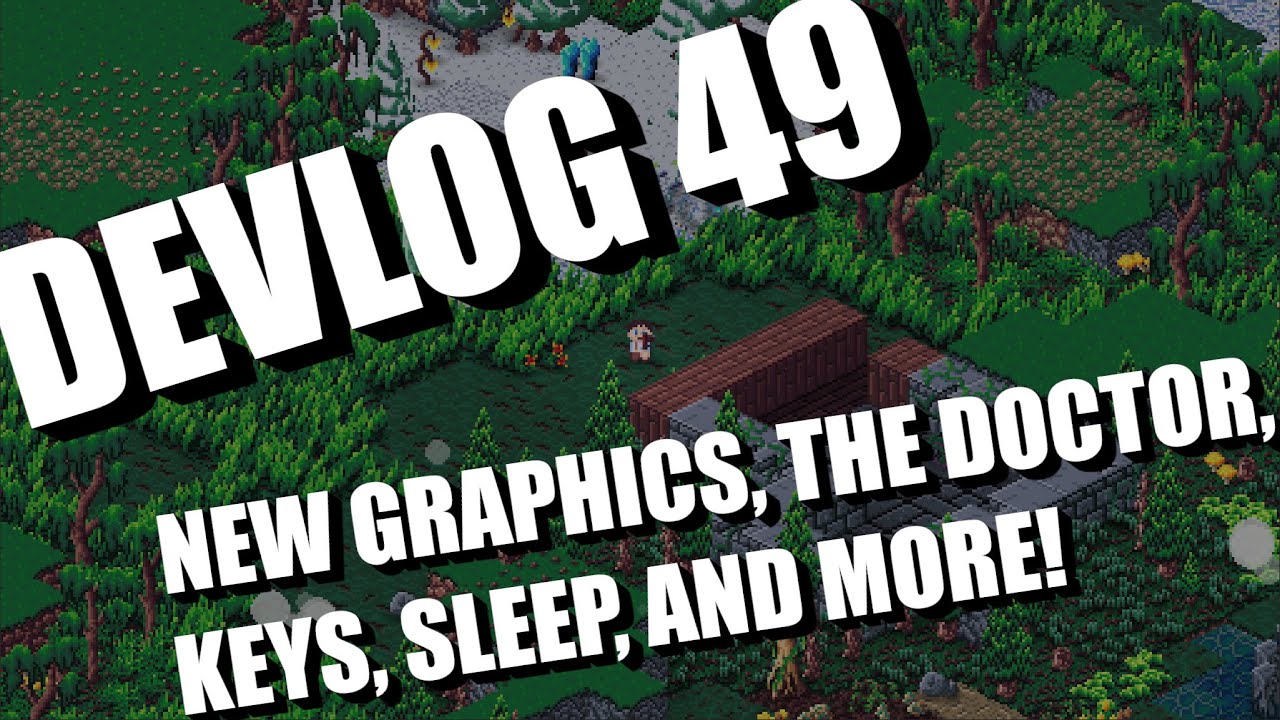
Wishlist and play the Isometria demo here: https://store.steampowered.com/app/2596940/Isometria
https://bigwhoopgames.itch.io/isometria-demo
In Today's devlog I show you the latest improvements to Isometria including some new tile art I've been working on. I also added Casey the doctor and a new NPC dialog UI. New keys that will unlock biomes ...
dawn quiver
I made a dumb little timewaster:
https://github.com/lemonsqueezycreative/bombsquad

GitHub
diffuse the bomb go go go!! Contribute to lemonsqueezycreative/bombsquad development by creating an account on GitHub.
uncut dove
uncut dove
fixed it, here are 2 progress recordings
upcoming map editor
 pine smelt
as in ones like from the game portal?
bold hill
Yes
limber veldt
Color wheel progress
The wheel itself is kinda working
Using pygame.smoothscale() to make the gradients
Make a 2,1px image, blit one side with start color, other side with end color then smoothscale it to the desired size, in my case, from 2,1 to 109, 1 and repeat 109 times slightly decreasing the start value each time while moving down the image
The BLEND_MULT that new image with a white triangle, viola, gradient triangle
bold hill
I'm actually how do I make interior cells so I can run simulations using pygame
teal cargo
!rule ad
teal cargo
That's not on topic to this server and is also against the rules. Kindly remove the message please.
teal cargo
limber veldt
The BLEND_MULT that new image with a white triangle, viola, gradient triangle
Nice
limber veldt
Yeah, now I gotta brush up on my scalar projection code, I need one
I need the distance at a right angle from the direction that triangle is facing
teal cargo
Some feedback for the board:
- the contrast between the black pieces and the board isn't really quite strong enough imho
- I think the design is great, and could probably be better if it stood out a bit more
- I noticed the rank numbers are placed on the right, which is a bit weird for me as usually it's on the left
limber veldt
I agree on that first and second point and for the third, yeah, I realized how easily I can put them anywhere now that they're their own sprites
I tried darkening the black pieces some, but then they were too dark for the dark squares of the blue lava board
On the lighter squares, the darker black was fine but on the dark squares, too dark, so the board needs more contrast
teal cargo
I think you'll have to find a middle ground for the two boards... or not, because it's still visible and it does work.
limber veldt
Yeah, just a matter of finding the right range between the two colors
bold hill
Is it possible to make a house cell using pygame
limber veldt
Everything is possible, you know that
limber veldt
Color wheel complete
 covert rose
hi guys , im looking for game developer team for a free open source 3d project in python.
(im developer of this engine and i need some external help.)
https://github.com/hamedsheygh/supePY/releases
GitHub
A free open source game engine that let users create games in ursina with ui. - hamedsheygh/supePY
i even create a simple game with my game engine (kinda doom / minecrfat style)

i create a full game using my OWN python game engine based on ursina.
my discord channel:
https//discord.gg/yMugmymnYz
add ":" between https and //
vagrant saddle
covert rose
hi guys , im looking for game developer team for a free open source 3d project i...
why not just Panda3D ?
ursina is less portable
covert rose
vagrant saddle
ursina is less portable
i just want to focus on windows for now
i will try panda later
plus panda is harder to code
vagrant saddle
imho it is harder to port urisna than coding panda
covert rose
vagrant saddle
imho it is harder to port urisna than coding panda
i dont want to port or add other platform supports to it.
all i want is some help to add much quality as possible.
vagrant saddle
covert rose
i dont want to port or add other platform supports to it.
but you want a team ?
covert rose
vagrant saddle
but you want a team ?
you mean port the source code?
vagrant saddle
you should have precised windows only then
covert rose
vagrant saddle
you should have precised windows only then
yeah i know
vagrant saddle
i think if you don't target web and mobile for a game engine you won't get much traction
covert rose
vagrant saddle
i think if you don't target web and mobile for a game engine you won't get much ...
you are true but this what it is.
plus you can convert the code later to panda because i open source most of stable versions, (i mean the guys who madly wants other platforms support.)
vagrant saddle
ho now you want a team for a mostly open source game engine
covert rose
covert rose
hi guys , im looking for game developer team for a free open source 3d project i...
lol i said at first.
vagrant saddle
no you said "free open source" not "most of stable versions open sourced"
covert rose
vagrant saddle
no you said "free open source" not "most of stable versions open sourced"
its because of not letting some random kids making toxic things.i will make it fully open source once the job is fully done.
vagrant saddle
you should then put a license in that kind https://github.com/PythonTryHard/winamp/blob/1e76df7e599ec5b1362869a48122af7a36548e64/LICENSE.md and maybe avoid using "free open source" as an intro thank you
covert rose
vagrant saddle
you should then put a license in that kind https://github.com/PythonTryHard/wina...
it had so many restrictions than i thought but thanks!😁 ⚡
vagrant saddle
btw for anyone reading this it is perfectly ok to make closed source engine with Panda3D and Ursina because both are MIT licensed
covert rose
vagrant saddle
btw for anyone reading this it is perfectly ok to make closed source engine with...
one last question
so you mean its not ok to create open source 3d game engine with ursina or panda?
vagrant saddle
i said the opposite
vagrant saddle
you can do whatever, but i don't think that covers for announcing you here as "free open source" for grabbing help
covert rose
vagrant saddle
you can do whatever, but i don't think that covers for announcing you here as "f...
and at first it was really open source and it will be again open source very soon when i done
i just dont add 20 lines of code and without that you have less features , its not that much.
 vagrant saddle
covert rose
vagrant saddle
vagrant saddle
covert rose
vagrant saddle
i dont want to use panda 3d again!😂 🤣
 muted valley
Finally figured out a dungeon generation algorithm


 covert rose
muted valley
Finally figured out a dungeon generation algorithm
covert rose
muted valley
Finally figured out a dungeon generation algorithm
nice
 spice tartan
@minor cloak hi, im going to elaborate about my game.
first upmost, the game are heavily inspired from a game named Exp Minima, and it's creator @steel cypress(frazerbw) props to him.
now, the game are that common text rpg game in this github, we are planning on remaking it on Godot, as it's very light and easy to use(they say). the game are kind of "please help me! i will give you reward if you do!" kind of thing, and mostly focus on getting stronger. however we haven't even officially made it 'Complete' so it subject to change. the rest are pretty simple fighting game, it's a quick gameplay for now we're planning
 minor cloak
oh ok cool
spice tartan
yeah it's kind of boring, we'd like a simple game before thinking of making a bigger game
the biggest problem for now is the fight mechanic optimization
minor cloak
spice tartan
the biggest problem for now is the fight mechanic optimization
Can you explain more on that?
spice tartan
well uh
the monsters damage are scaled based on the monster's HP
monster hp // 3
then there's fluctuations dmg where it's either -2 or add 2 damages
it'll be very unoptimized if the player has reached high levels
high player HP, low monster DMG
maybe i should scaled it on player HP instead?
minor cloak
spice tartan
then there's fluctuations dmg where it's either -2 or add 2 damages
How do you calculate for damages?
spice tartan
minor cloak
How do you calculate for damages?
        # attack
        monster_dmg = current_monster.dmg
        if damage < 0: # checks if -1 (defending)
            monster_dmg // 3
        fluc_dmg = monster_dmg + random.randint(-4, 2)
        player.hp -= fluc_dmg
        print(f"{name} dealt {fluc_dmg} dmg!")
        time.sleep(1)
I mean like, you could have a special monster that has extremely low HP like 10, but very high defense. So much so that no matter how OP damage the player can get, it will always inflict exactly 1 damage to the monster. But all the player has to do is hit the monster exactly 10 times and its K.O.
spice tartan
spice tartan
```py
# attack
monster_dmg = current_monster.dmg
if dama...
oh wait i just noticed my friend's comment on <0:
minor cloak
yeah and monster_dmg // 3?
minor cloak
spice tartan
```py
# attack
monster_dmg = current_monster.dmg
if dama...
Correct me if I'm wrong, this is not GDScript, right?
spice tartan
i have absolute no idea about that, even though i edit that
originally, it was monster_dmg = current_monster.dmg // 3
however because of print issue i change it to monster_dmg // 3
print issue.... it's really an overlooked mistake
pine plinth
minor cloak
Correct me if I'm wrong, this is not GDScript, right?
if it looks like python - it is python
spice tartan
minor cloak
Correct me if I'm wrong, this is not GDScript, right?
no
pine plinth
gdscript is noticeably different from python
spice tartan
this is still pure python
spice tartan
pine plinth
gdscript is noticeably different from python
imo it's like a C
spice tartan
spice tartan
this is still pure python
everything i will talk from now on is purely python, for the godot game it will be later after I've done optimizing it further
spice tartan
spice tartan
everything i will talk from now on is purely python, for the godot game it will ...
just to avoid misunderstanding
minor cloak
oh ok so you've not decided to continue on to Godot then?
spice tartan
still learning on tilesets and sprites
it'll probably take another 3 months
we're working on this game in github probably uhh
2-3 month ish
minor cloak
spice tartan
we're working on this game in github probably uhh
Is it on Github? Share the link?
spice tartan
minor cloak
Is it on Github? Share the link?
it's on my profile
minor cloak
lol at the commit messages 
ah... you're putting all of your various projects all in one repo...
spice tartan
minor cloak
lol at the commit messages <:lemon_xd:754441882322468926>
don't mind me.... i don't know what to type there
spice tartan
minor cloak
ah... you're putting all of your various projects all in one repo...
it's just one project
the others are my very old test message
i meant code
minor cloak
spice tartan
it's just one project
its not...
You have Calculator.py, you have crypted.py, etc
Outside of the Game folder
spice tartan
yes, crypted ks just a test
minor cloak
But still in one repo
minor cloak
its a mess.
spice tartan
but that repo is specifically for sharing my codes and all
I'm quite proud at my introduction code when i was freshly new
xD
minor cloak
You should really look into just having one exact repo for just this game project. You can leave this current repo as is but make another just for the game
spice tartan
don't worry I'll change the file to a different repo
spice tartan
spice tartan
don't worry I'll change the file to a different repo
after the game officially completed :D
minor cloak
okie dokie
spice tartan
because copy paste all the files are painful ngl
unless i can copy whole folder...
wait.
i can do that
SMH
😭
minor cloak
lmao
 minor cloak
thats a good start at least
spice tartan
what do people put in commit message btw
i use the github desktop and it always requires me to type something, it's painful to do
minor cloak
Reasons or what changed usually
minor cloak
But what does it mean?
spice tartan
minor cloak
So if something broke, that commit might be at fault
aah
well i mean there's only two contributors in the code for now
me and my friend
it's not that big
minor cloak
commit 1: Changed player defense
commit 2: Nerfed enemy attacks
commit 3: revert commit 1
commit 4: optimize player damage
commit 5: revert commit 2
etc
spice tartan
we always communicate each other out to tell what's changed what's removed what's improved
minor cloak
spice tartan
me and my friend
Do you practice git workflow? Like make feature branches and create pull requests?
spice tartan
minor cloak
commit 1: Changed player defense
commit 2: Nerfed enemy attacks
commit 3: revert...
my git desktop commit every commits tho
spice tartan
minor cloak
Do you practice git workflow? Like make feature branches and create pull request...
what's that-
i mean someone did try to pull request
minor cloak
spice tartan
what's that-
Yeah you should really learn how to use git properly, otherwise its just Dropbox or some other cloud syncing drive. https://learngitbranching.js.org/
An interactive Git visualization tool to educate and challenge!
limber veldt
Anyone want my hsv color picker? https://paste.pythondiscord.com/NY4Q

I halved its size from last time
Now only 100x100px + guages
The only specific thing in it in coloring the underlay image that I use under my board, but one can use its get_rgb() method to get its current color
covert rose
limber veldt
Anyone want my hsv color picker? https://paste.pythondiscord.com/NY4Q
cool
well im still looking for game developer team for a free open source 3d project in python.
limber veldt
Thanks and good luck with your 3d project
covert rose
limber veldt
Thanks and good luck with your 3d project
❤️🔥
limber veldt
Put in a sliding panel, keep it as an easteregg with no button and only a hotspot? Or draw a button...hmmm
limber veldt
Also a help panel, I'm not yet sure what else I'll put in it but there it is
pine smelt
oo looks good the texture mapping is much better
does look like theres some weird stretching happening though
limber veldt
Oh hell yeah, much smoother
I just wrote a save/load system that auto-loads your theme, board, and color settings
I could use a couple more buttons inside panels. One in the color wheel panel for saving the rgb and another in the settings panel for saving board and frame choice
limber veldt
Even better, put the wheel in the settings panel and save all the settings from there
 limber veldt
And now saves all those settings when clicking that Save settings button and auto loads them on startup
spice tartan
limber veldt
Also a help panel, I'm not yet sure what else I'll put in it but there it is
might consider those colorblind people
i can barely see the pieces
I'm not colorblind, just deficiency
limber veldt
Yeah, that board has issues at dark hues
limber veldt
The black pieces are either too light or too dark
spice tartan
make black border for white pieces, and white border for black pieces
that should helps a lot
spice tartan
spice tartan
make black border for white pieces, and white border for black pieces
or at least something that's not too noticable but still makes the pieces visible
limber veldt
I also have these pieces
 spice tartan
looks ugly, but works
limber veldt
Which do look much nicer on that board
spice tartan
i would go for that
just put some little touch on the details to make it more pretty
limber veldt
Thanks for the feedback
spice tartan

spice tartan
limber veldt
Which do look much nicer on that board
or, honestly make it like a basic chess, and make option for the custom theme
limber veldt
Yeah, that's what it all is, those I've been showing are all options
spice tartan
i see
spice tartan
it looks fun, it's not like GPT who used 4th dimension ability right?
limber veldt
Nah, I can beat it and I'm not great at chess
spice tartan
hmm i see
limber veldt
It's Stockfish, though I don't have any bots at its highest skill level, it still plays really good at the high levels I do have
spice tartan
is your game online or executable file?
limber veldt
Python+pygame
spice tartan
how would you make it available for others?
limber veldt
Sharing source
spice tartan
pretty much executable file ig, not literal .exe
limber veldt
It's open source, or will be when I eventually upload it
It's cool cause it can play bot vs bot too
I'm thinking it's pretty much finished, just gotta package it up and upload to github to share
Clean up some files here and there, some code too
One would have to download and extract the stockfish binary, because I won't be distributing that
But there's nothing to that, just download the file from their page and extract it then point code at it, oh and also pip install stockfish
Like so in the code ```py
    self.stockfish = Stockfish(Path('stockfish', 'stockfish-windows-x86-64-vnni512.exe'))
    self.skill_level = 1 # default```
That's for the easy bot
I'm not sure if chess.com can play bot vs bot directly, it can if you keep switching player every time it's your turn
Mine can also do that
limber veldt
Wow cool, I found how to change color of a surface while preserving its alpha! All those Ls are green images

It's two lines
self.image.fill((255, 255, 255, 0), special_flags=pygame.BLEND_RGBA_MAX)
self.image.fill(color, special_flags=pygame.BLEND_RGBA_MIN)``` ripe lily
anyone for help
limber veldt
https://paste.pythondiscord.com/KXFQ All arrows now using an image
I mean a loaded image, instead of creating them on the fly, just crop from an image
 manic totem