#game-development
1 messages · Page 33 of 1
 limber veldt
 teal cargo
that green colour looks kinda ugly on the board
limber veldt
The brighter green is the last move and the dark green is the from spot of the picked up white pawn
limber veldt
Transparency doesn't work with wood texture
teal cargo
true
limber veldt
Works fine one solid colors
Like chess.com
But not with wood
And on solid colors how do we know it's transparent or alpha at all?
It's just another shade
Or color
Not necessarily transparency
Maybe if the color of the green dot wasn't green, some mid between the dark shade and light
I'm not totally committed to the wood texture
Oh that does look better, less clashy

Still the green square but just looking at dot style here
teal cargo
yeah it's not as harsh on the eyes
limber veldt
And I could give those dots a little alpha blur to make them less flat
Like the pieces have
Just a little shade around them
teal cargo
yea I see that
limber veldt
With a little that

Ok, I think I'll leave em that way for now anyway
Thanks for the critique
Still have to re-implement the actual en passant capture
Not a problem, just move it from where it is to where it now needs to be
I mean the code
Trying this too for the from square
 teal cargo
Ig you could make it a bit more... shiny (probably isn't helpful)
sorta like that ig

see the border? it's quite thin

 pine smelt
ive actually made exactly that
are u in the pygame discord
i put these in the small showcase channel a while ago
i can dm u the code if u want? (the lizard one is pretty jank tho, the legs are really scuffed)
 modern flint
I actually really like the lizard
pine smelt
idk the first part of the limb deforms at times, and positions themselves snap to next location
I tried interpolation but It just gave more bugs, so I dropped it and working on 2d platformer style procedural gen now instead
which for some reason is way harder, for me anyway
 pine smelt
what are the green circles?
pine smelt
not sure if thats intuitive
pine smelt
as in the entire square?
limber veldt
Yeah
 pine smelt
maybe making it more transparent? and make the "from spot" even more transparent
pine smelt
limber veldt
This one shows it with the light greens
o right
maybe the green itself is just too vibrant
tho in general i do find circles more to do with capturing a piece
as if surrounding it
limber veldt
I have those like this at the moment

Ah, good point, maybe an alpha square around last move spots
And not green
pine smelt
maybe ye
how about making the circle at the "from" spot a smaller radius
than the "to" spot
a different colour too
limber veldt
Another good idea
What about some kind of arrow from and to the spots, a little more hassle to prototype because I'd need 8 images for the end, one for each direction
pine smelt
limber veldt
What about some kind of arrow from and to the spots, a little more hassle to pro...
unless u make some specific algorithm, its prolly easier to make some horse specific images as well for the L-shape
limber veldt
I'm only marking the from and to spots on any last moves though, not the lines of line moving pieces
pine smelt
oh so it indicates direction rather than the actual movement
limber veldt
So to mark an L for the knight would be inconsistent
pine smelt
right ye makes sense
limber veldt
Where it is atm
I have stockfish on max strength, lol
A difficulty selector is coming
I have play against human or ai down to which of these two lines is commented py self.black_player = AIPlayer('b', self.board.black_pieces, self.board, self.add_move, self.stockfish) # self.black_player = Player('b', self.board.black_pieces, self.board, self.add_move)
 weak mantle
pine smelt
ive actually made exactly that
weak mantle
pine smelt
ive actually made exactly that
Thanks
 oak patio
@gleaming oasis
limber veldt
Made a new button and tooltip for it, it works great though I'm not sure about the implementation

Time to get my undo and redo working again
And I'd like to extend that behavior
If clicking any move in the move list, the board is instantly restored to the state at the move
That's gonna be basically starting over because I've totally changed everything
But I now have a game state that can be saved for every move
It's just a string
And added to a list of all states
Or stored with the label
So the label has the string buried in its attributes
So restoring any position should just be a matter of parsing that string
 hasty harness
https://paste.pythondiscord.com/HVXQ could someone help me fix the learning new skills when cerain conditions met system
limber veldt
I finally got around to implementing stockfish pawn promotions
And can play from custom setups
That's recorded from game opening
pine smelt
not sure how i feel about the big block of text for "check"
a colour indicator would probably make it more polished
pine smelt
hasty harness
https://paste.pythondiscord.com/HVXQ could someone help me fix the learning new ...
can you be more specific
any specific lines of code
hasty harness
it says that skill name firearrow is invalid but as you see the print statement for the dictionary the skill is actually present still it shows error
Traceback (most recent call last):
File "c:\Users\Sirshendu\Downloads\rpg\rpg3.py", line 417, in <module>
battle()
File "c:\Users\Sirshendu\Downloads\rpg\rpg3.py", line 367, in battle
use_skills(skill_name)
File "c:\Users\Sirshendu\Downloads\rpg\rpg3.py", line 251, in use_skills
elements(skill_name)
File "c:\Users\Sirshendu\Downloads\rpg\rpg3.py", line 104, in elements
skill = skills[skill_name]
~~~~~~^^^^^^^^^^^^
KeyError: 'firearrow'
 manic totem
why does it show up as NONE instead of 0
#score
player_score = 0

def score(font, x, y):
    score = font.render(f"score:{str(player_score)}", True, white)
    screen.blit(score, (x, y))
 pine smelt
how are u changing player_score
manic totem
like this
class Bullets(pygame.sprite.Sprite):
    def __init__(self, x, y):
        pygame.sprite.Sprite.__init__(self)
        self.image = pygame.image.load("game assets\Banana.png")
        self.rect = self.image.get_rect()
        self.rect.center = [x, y]

    def update(self):
        global player_score

        self.rect.y -= 20

        if pygame.sprite.spritecollide(self, enemies_grup, True):
            self.kill()
            player_score += 1


        if self.rect.bottom < 0:
            self.kill()
is that the only time u change it
manic totem
huh?
pine smelt
do u change the variable player_score anywhere else in ur code
manic totem
no
manic totem
custom one
manic totem
yes
pine smelt
do you know if the file has numbers in it
manic totem
idk
let me check
yes it does
i forgot i use the same font for countdown number
even if it the font doesnt have number the program just give me rectangle and not none
 quasi vortex
manic totem
like this
```py
class Bullets(pygame.sprite.Sprite):
def __init__(self, x, y...
quasi vortex
manic totem
like this
```py
class Bullets(pygame.sprite.Sprite):
def __init__(self, x, y...
you will get error if you deleted global player_score ?
manic totem
yeah
quasi vortex
manic totem
why does it show up as NONE instead of 0
```py
#score
player_score = 0
def scor...
ok im not sure if its goind to work ,but try to make player_score = 0 i think its none in the first beacuse you didnt give it a value so python dont know if its numerical or string or list so i maybe thats why ,but after i saw that you intilize it = 0 here i got confused
hasty harness
https://paste.pythondiscord.com/RIFQ how do i add a new skill to the skills dictionary after the player has reached a certain level please help
quasi vortex
hasty harness
https://paste.pythondiscord.com/RIFQ how do i add a new skill to the skills dict...
manic totem
quasi vortex
ok im not sure if its goind to work ,but try to make player_score = 0 i think it...
got confused?
quasi vortex
manic totem
got confused?
yes idk if python looking on player_score in the Bullets class first or in score i mean where you made the score method in the main or in the same Bullets class ?
also did you tried other fonts ?
manic totem
font seem not the problem honestly and i made the score method right above the Bullet class
quasi vortex
ok try this self.score =0 (in the init for Bullets) and then cut the method and but in in the Bullet class
and delete the global player_score
manic totem
cut the method?
quasi vortex
move it from above and but it into the class became part of it
manic totem
that would be a problem if i make the score part of bullet class my plan that shooting the enemies is not the only event that can change the variable of the score
im planning if the enemies succesfully pass the player the score would decreased
limber veldt
And now difficulty select, and it actually changes the engine settings
The engine has a range of 1-20, my easy sets it to 1, medium to 5 and hard to 10
Make a score sprite that has an 'update_score(new_score) or update_score(amount) method that takes an integer, creates a new surface and sets its self.image to that surface
Hand that sprite or the update method to any object that needs access to update the score
That sprite can be your score keeper, tracking the current score and able to return it through another method or just get it from self.scorekeeper.score attribute, and everyting can have access to it, no global variables necessary
manic totem
make a score sprite?
that like making a class right
and also
what is surface
i forgot
manic totem
i have look into sprite to remind myself
is it pygame sprite use for making a sprite?
and not something like score
like, its a texts
not an image
quasi vortex
i was making a space ship game and i made a score class so i think its better to make a class for score
limber veldt
Yes, it would be way easier to make it from a sprite, a sprite is a class, a class that is a sprite
Why fight with this and keep fighting with it, do yourself a favor and learn how to use pygame sprites
It's way easier than anything you are currently doing
Every time a ball hits the top of the window, the score is updated https://paste.pythondiscord.com/DJKA
What, like ten lines?
See how we pass the update_score method to the balls then assign it to an attribute in the ball init method? This give the balls access to that method through which they can send it values and update the score keeper sprite's score and its image
And in the main loop, where we're drawing things, just draw the group that has the score keeper sprite in it
And score never really needs to be a text or a string other than making the image using the font, we send it the str() of the score, which is an integer
 vagrant saddle
 leaden bramble
I use pygame
leaden bramble
I use pygame
hi, i use pygame-ce
leaden bramble
vagrant saddle
hi, i use pygame-ce
hello
i am new in this server
i came here to help people
vagrant saddle
so what games did you make already ? care to publish here https://itch.io/c/2563651/pygame-wasm ?

 stark zealot
import pygame

pygame.init()

# Screen Setup
SCREEN_WIDTH, SCREEN_HEIGHT = 800, 400
screen = pygame.display.set_mode((SCREEN_WIDTH, SCREEN_HEIGHT))
pygame.display.set_caption("Runner!")

# Game Variables
GRAVITY = 0.5
GROUND = (SCREEN_HEIGHT * 3) / 4
CIRCLE_RADIUS = 20
LEFT_BOUND = CIRCLE_RADIUS
RIGHT_BOUND = SCREEN_WIDTH - CIRCLE_RADIUS

# Colors
BLUE = (107, 157, 237)
GREEN = (0, 191, 22)
RED = (255, 0, 0)


class Character:
    def __init__(
        self,
        x: float = SCREEN_WIDTH / 2,
        y: float = GROUND,
        jump_height: float = 10,
        speed: int = 10,
    ):
        self.x = x
        self.y = y
        self.x_velocity = speed
        self.y_velocity = 0
        self.in_air = False
        self.jump_height = jump_height

    def draw(self):
        pygame.draw.circle(
            screen, RED, (int(self.x), int(self.y) - CIRCLE_RADIUS), CIRCLE_RADIUS
        )

    def move(self, direction: str):
        if direction == "right":
            self.x += self.x_velocity
        elif direction == "left":
            self.x -= self.x_velocity

    def jump(self):
        if not self.in_air:
            self.y_velocity = -self.jump_height
            self.in_air = True

    def apply_gravity(self):
        self.y_velocity += GRAVITY
        self.y += self.y_velocity
        if self.y > GROUND:
            self.y = GROUND
            self.y_velocity = 0
            self.in_air = False

    def handle_collision(self):
        if self.x <= LEFT_BOUND or self.x >= RIGHT_BOUND:
            if self.in_air:
                self.x_velocity *= -1
self.x = max(LEFT_BOUND, min(self.x, RIGHT_BOUND))```player = Character()
# Main Loop
clock = pygame.time.Clock()
running = True
while running:
for event in pygame.event.get():
if event.type == pygame.QUIT:
running = False
screen.fill(BLUE)
pygame.draw.rect(screen, GREEN, (0, GROUND, SCREEN_WIDTH, SCREEN_HEIGHT / 4))
player.apply_gravity()
player.handle_collision()
if not player.in_air:
player.x_velocity = abs(player.x_velocity)
keys = pygame.key.get_pressed()
if keys[pygame.K_d] or keys[pygame.K_RIGHT]:
player.move("right")
if keys[pygame.K_a] or keys[pygame.K_LEFT]:
player.move("left")
if keys[pygame.K_SPACE]:
player.jump()
player.draw()
pygame.display.flip()
clock.tick(60)
pygame.quit()
How do I make it so when I bounce from left right bounds and im in air, I dont want the controls to get inverted like after I bounce and in air and quickly press opposite key the ball goes in reverse direction (towards the wall again instead of opposite the wall)
or atleast I wanna make it so when it hits the wall and bounces, I shouldn't be able to control it mid air
can someone help
pine smelt
y are u absoluting the player's x vel if they're not in the air
stark zealot
pine smelt
y are u absoluting the player's x vel if they're not in the air
after they bounce from the walls the controls are getting inverted so I made it so when they hit the ground the controls come back to normal (by making x_velocity +ve)
 deep olive
I always thought game development was pretty cool. IT looks pretty cool watching you all develop your tools
stark zealot
deep olive
I always thought game development was pretty cool. IT looks pretty cool watching...
satisfying when the logic works as you expect
deep olive
stark zealot
satisfying when the logic works as you expect
That is also true.
pine smelt
stark zealot
after they bounce from the walls the controls are getting inverted so I made it ...
why are the controls being inverted
is that a concept in your game or something
limber veldt
pine smelt
not sure how i feel about the big block of text for "check"
Same here, it's kinda loud, maybe I make that square red when checked instead of the sprite
stark zealot
pine smelt
why are the controls being inverted
Because the move("right") method does player.x += player.x_velocity and when im bouncing it from walls im making x_velocity negative and it's causing controls to be inverted (which I dont want)
pine smelt
stark zealot
Because the `move("right")` method does `player.x += player.x_velocity` and when...
surely u just bound the player to the walls rather than making anything negative
 humble marsh
Any one need a website or an App developer?
vagrant saddle
humble marsh
Any one need a website or an App developer?
for games could be more a web App probably, ( also is it pay for help or free offer ? )
humble marsh
Buddy it's paid
vagrant saddle
humble marsh
Buddy it's paid
then it is agains this server rules, and i'm not your buddy anymore
 earnest vector
can somebody explain this?

 sand frost
earnest vector
can somebody explain this?
sand frost
earnest vector
can somebody explain this?
I believe you need to update the display in the while loop.
earnest vector
sand frost
I believe you need to update the display in the while loop.
let me try that
thanks it worked
limber veldt
Well, for the first time, my chess can play a complete game, giving sounds and markers along the way and, at any time, one can press the setup button to restart a fresh game
And has game over detection
Once game over, no pieces can be selected
Until re-setup
modern flint
limber veldt
Well, for the first time, my chess can play a complete game, giving sounds and m...
Let's go! Big milestone
limber veldt
I need to implement a few more rules for game overs
Yeah man, so satisfying
There's the three move rule, any board state that is repeated three times in a row per both players, it's game over
And a few insufficient pieces rules
That force draws
Like king and one knight against king and one rook...stale mate, things like that
I've all but scrapped having players altogether
They have hardly any behaviors any more
And all new pieces, new everything really
Main is doing it all in a couple of methods
Changed all my methods to work with main.player_color attribute, it's always 'w' or 'b'
No need for player to have anything anymore than just carry a few attributes
And the events beign sent to players, loooong gone
Now using main.states and mouse.get_just_pressed() in those couple of states that need it
All my pieces now days, not cleaned up code! Just as it is https://paste.pythondiscord.com/2U6A
I like how that pawn worked out, once it moves, take the 2 or -2 out of its y directions
But on an undo, it can be restored
Stockfish never misses that one, lol
 errant iron
Nice work. Most people never get to the playable stage
limber veldt
Thanks!
I think it's finally into a state that I can keep, no more total refactors (after about five of them so far)
After a bit more reading on stockfish abilities yesterday, I've changed my difficulty dict to this difficulties = {'easy': 1, 'medium': 2, 'hard': 3} after having it at 1, 5, and 10
For me, level 3 is pretty good
But even then, it's really hard
weak mantle
limber veldt
Stockfish never misses that one, lol
Nice work 👍
limber veldt
Thank you, it's pretty fun too. Back when I played chess, this would have been awesome
But the ai these days
 digital ice
uhm hi guys
limber veldt
In 2018 or so, stockfish implemented some sort of nuaa, neural network code
Since then, it's won almost every chess ai comp
errant iron
limber veldt
Thank you, it's pretty fun too. Back when I played chess, this would have been a...
You're making this even though you don't play chess? 😄
limber veldt
I mean I can play it and have played it a lot but it's been years
errant iron
Just curious - why are you making this? 🙂
errant iron
That's all the reason needed 🙂
limber veldt
It's what I do when I'm needing something to do
I've made a few full pygames
This is another in the list
What about you, if I may ask, have you made any games?
errant iron
Yeah, it's my job
weak mantle
limber veldt
In 2018 or so, stockfish implemented some sort of nuaa, neural network code
"The most intelligent inhabitants of that future world won't be men or monkeys, they'll be machines. The remote descendants of today's computers."
~Arthur C. Clark
limber veldt
errant iron
Yeah, it's my job
That's awesome, gotta be fun
errant iron
Usually is!
limber veldt
I went to an orange square for check and a red for mate, clearly signals when check or mate has happened
And one can no longer place pieces anywhere
Only on squares that don't reveal the king to check
Or in their move direction
If a square is not highlighted as a target square, a piece cannot be placed there
That helps keep stockfish happy by preventing all illegal moves and thus, any setup that could arise from one
But it can still play end games on custom setups or whatever, that's so cool
Can practice end game all day
I have it in a try/except and main state to go to if that happens but I haven't worked any recovery code yet, probably should
Because it could be just a matter of somehow a bad fen string gets generated
 cerulean nimbus
def load_card_png(val, suit, style = 2, size="large", card_size=(150,210)) -> pygame.Surface:
    match val.name:
        case "ACE" | "QUEEN" | "JACK" | "KING":
            v = val.name[0].lower()
        case _:
            v = val.value
    return pygame.transform.smoothscale(pygame.image.load(f"./assets/cards/style_{style}/{size}/card_{"a" if style == 1 else "b"}_{suit.name[0].lower()}{v}{"_large" if size != "small" else ""}.png").convert(), card_size)
```this doesnt seem good but i mean if it works it workssize small and large are just the difference between my low quality assets and my high quality
limber veldt
Totally why not, like you say, if it works
I was just testing all my re-implemented special moves
Promotions, en passant and castling
And making sure checks after promotions work
One last thing to take care of..undo and redo and I still want to implement board state restoration when a move is clicked in the move list...though I'm not sure how that's going to work
I mean, I know I can restore states but I'd need to make it some what modal in that clicking the move list changes it to restore state mode and if you make any moves during the mode, delete all the moves in the list after that point
So you can restore any state but if you make a play, old states are lost, just like redo
Hmm, another main state or two could handle it
And maybe a helper method or so
 grand apex
So i made a raycasting engine, and i want to move onto true 3D next, is the only way to do this with matrices?
pine smelt
grand apex
So i made a raycasting engine, and i want to move onto true 3D next, is the only...
it's definitely easier and faster
u would have a LOT more calculations without matrixes making it more intensive
and using something like numpy in general, not just for matrices, is usually always faster
pine smelt
errant iron
Yeah, it's my job
would it be possible to see some of ur games
I just like seeing everyone's approaches to stuff and how they differ
grand apex
pine smelt
u would have a LOT more calculations without matrixes making it more intensive
a...
I see, thanks
limber veldt
Nice, I can restore states and adjust the move list (kill sprites in it) accordingly, making my undo and redo buttons/functionality obsolete!
And when it's white's turn, you can only select black moves and vice versa
So it stays whoever's turn it is
It cost the animations of undoing a single move at a time but I think I can live with that
It's more efficient, faster
And probably easier
A lot easier for me, that's for sure, as the one coding it
Yip, those buttons and methods are goners
Oh so nice, being able to retry against stockfish is valuable
Like I make a move and don't like what he does with it, just select his previous move and try mine again
I put a lot of work into those buttons and methods
But man, this is so much cleaner
cerulean nimbus
whent from 40MB to 4.2 MB because i forgot to isolate my game in a venv

 cold storm
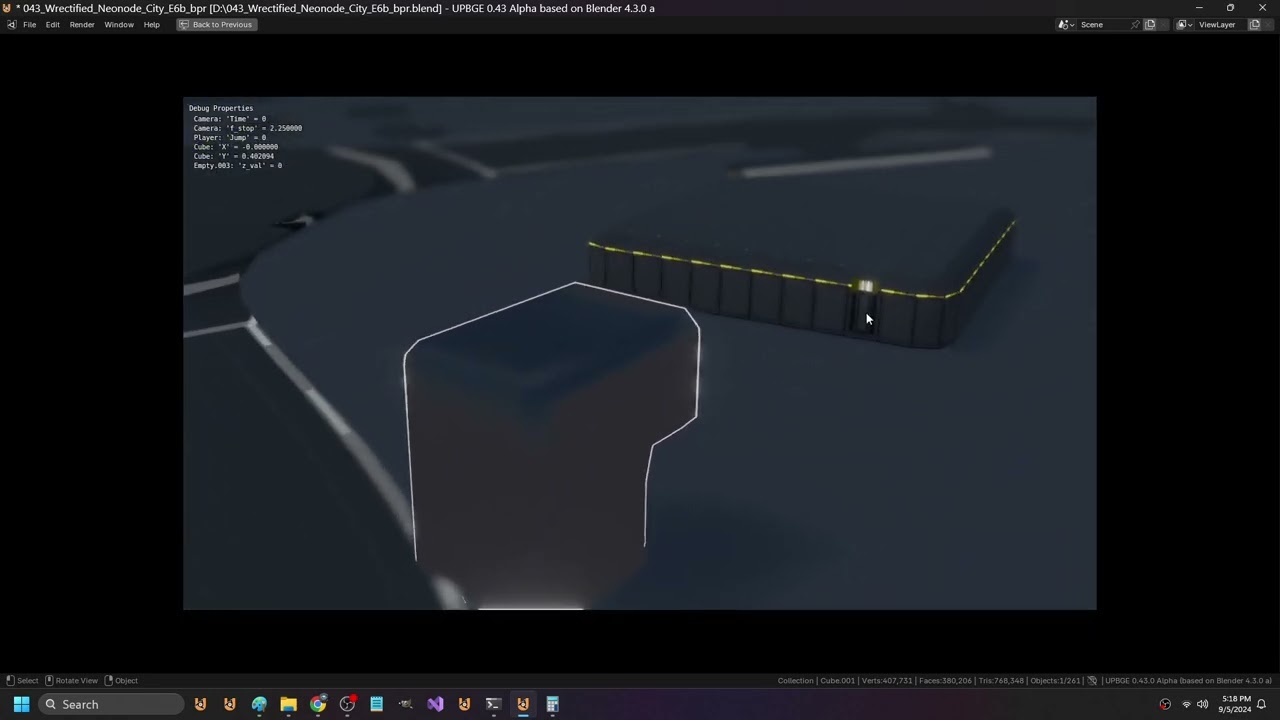
@grand apex check out blender bvhtree code
and transform matrix is very handy
upbge kx_gameObject have .worldTransform and .worldOrientation
(a 4x4 and 3x3)
we can project a axis of a game object or vector into space, or convert world points local
we can use matrix in generating uv even
bvhtree can be used for raycast / intersection tests / elements in radius / closest element
 limber veldt
Hey, I made a wrapper ```py
def castling_availability(self):
    def castling_possibilities(color, board):
        castling_availability = ''

        king_pos_y = 0 if color == 'b' else 7
        king_pos_x = 4

        piece = board.spot_array[king_pos_y][king_pos_x].piece

        if isinstance(piece, King) and not piece.has_moved:
            king_rook = board.spot_array[king_pos_y][7].piece
            queen_rook = board.spot_array[king_pos_y][0].piece

            if isinstance(king_rook, Rook) and not king_rook.has_moved:
                castling_availability += 'k'

            if isinstance(queen_rook, Rook) and not queen_rook.has_moved:
                castling_availability += 'q'

        if castling_availability and color == 'w':
            castling_availability = castling_availability.upper()
        return castling_availability

    white_castles = castling_possibilities('w', self)
    black_castles = castling_possibilities('b', self)

    castling = white_castles + black_castles

    return castling if castling else '-'``` any suggestions?
Just returns KQkq or any combination of them or '-' if none, but it's pretty cool to me, I haven't used wrappers many times
 golden vale
limber veldt
Just returns KQkq or any combination of them or '-' if none, but it's pretty coo...
golden vale
limber veldt
Just returns KQkq or any combination of them or '-' if none, but it's pretty coo...
👍
errant iron
Local functions like that are a tradeoff - on one hand, it’s nicely organised, but on the other hand, they’re harder to test easily as you can only call them from the outer function.
limber veldt
Testing stockfish and my code again. I have depth set to just 5 and skill level at 1
I could use a 'suggest best move' button or whatever I call it
And when clicked, highlights from and to squares for the move
I've implemented four game over checks, fifty move rule, no pawn moves or captures after that many moves. Checkmate, stalemate and three fold repetition
If the same position happens three times in the game, it's a draw
I want to do the insufficient pieces rules but I'd need a flag to enable/disable those checks
Because sometimes, when just editing the board and messing around, those rules would get in the way
limber veldt
How I'm treating game over messages, just add it to the move list

 cloud lance
pine smelt
I could try make one if I'm not busy today
cloud lance
pine smelt
I could try make one if I'm not busy today
import matplotlib.pyplot as plt
import numpy as np

# Parameters for the circle
radius = 1
center = (0, 0)

# Generate theta values
theta = np.linspace(0, 2 * np.pi, 100)

# Parametric equations for the circle
x = center[0] + radius * np.cos(theta)
y = center[1] + radius * np.sin(theta)

# Create the plot
plt.figure(figsize=(6,6))
plt.plot(x, y, label='Circle')
plt.gca().set_aspect('equal', adjustable='box')  # Equal aspect ratio ensures the circle is shown as a circle
plt.xlabel('X-axis')
plt.ylabel('Y-axis')
plt.title('Perfect Circle')
plt.legend()
plt.grid(True)

# Show the plot
plt.show()
here is the code you've been asking
+----------------------+
|                      |
|         *            |
|      *      *        |
|     *        *       |
|     *        *       |
|      *      *        |
|         *            |
|                      |
+----------------------+
 astral sapphire
Guys i am new here.
I want to learn python but i don't have any any idea how to start where i can start.i want guidelines
pine smelt
astral sapphire
I want to learn python but i don't have any any idea how to start where i can st...
!resources
 frank fieldBOT
Resources
The Resources page on our website contains a list of hand-selected learning resources that we regularly recommend to both beginners and experts.
pine smelt
id assume u want this

biggest advice is to just keep coding, u learn syntax passively as u keep going
limber veldt
pine smelt
how would u think about a pop up window
I can do a popup but the issue I have with that is desgn...it can't block the view of the board in the slightest
If I'm mated, I want to see the entire board
pine smelt
normally ur able to close the popup and look at the board
even interact with it to look at previous moves
the reset button is seperate
limber veldt
Oh yeah, that could be a thing too
I changed my mate spot to this

A little texture to it
I'll work on a popup
Not sure what I should put in it though
pine smelt
uhh
the type of win / loss obviously
maybe a meter representing the material
a reset button and a button to close the popup to look at the board
maybe a button to exit the entire game?
modern flint
Can't the popup be on the right? Under "VS Human" there seems to be space that isn't really used, which looks good during the game but could be used when the game is over
 leaden bane
@limber veldt do you have a repo for the chess game?
limber veldt
leaden bane
<@355791171231940620> do you have a repo for the chess game?
Not yet
grand apex
cold storm
bvhtree can be used for raycast / intersection tests / elements in radius / clos...
Thanks
Also ive got a question regarding my raycaster
Rn ive got fov set to 60, so i cast 60 rays
However, that creates quite a blocky image, as im only casting 60 rays
The only way i can think to make this smoother is by casting more rays
But how can you do that, as i iterate from FOV / -2, to FOV / 2 and cast rays
How can i iterate in less than a degree
You cant rotate by fractions of a degree so how can you cast more than 60 rays in a 60 degree FOV?
pine smelt
y cant u rotate by fractions of a degree?
grand apex
Well i tried incrementing the for loop by 0.5 and it didnt like it
Although in porting this to c# the increment wasnt the problem, the framework i was using wouldnt let me rotate something by a fraction of a degree
I cant 100% say that pygame is the same but idk
I cant imagine its any less limited
pine smelt
grand apex
Although in porting this to c# the increment wasnt the problem, the framework i ...
not sure about c# but i dont see y it wouldnt be able to handle fractional degrees to at least 1 dp
pine smelt
grand apex
Well i tried incrementing the for loop by 0.5 and it didnt like it
for this an easy way would be just
iterating from -FOV to FOV, and dividing it by 2
i.e. like
fov = 60
for i in range(-fov, fov):
    print(i/2)
ill do a quick test
it looks like it can handle it

altho i am converting it to radians to draw the lines parametrically, not sure if that affects anything
import contextlib
with contextlib.redirect_stdout(None):
    import pygame
    from pygame.locals import *

import sys
import math

    ##############################################################################################

pygame.init()

flags = pygame.DOUBLEBUF #| pygame.FULLSCREEN
SIZE = WIDTH, HEIGHT = (720, 720)
screen = pygame.display.set_mode(SIZE, flags)
clock = pygame.time.Clock()

    ##############################################################################################

running = True
while running:

    for event in pygame.event.get():
        if event.type == pygame.QUIT:
            running = False
        elif event.type == pygame.KEYDOWN:
            if event.key == pygame.K_q:
                running = False

    screen.fill((30, 30, 30))

    fov = 60
    radius = 300

    #red lines
    p1 = (20, HEIGHT/2)
    for i in range(-fov//2, fov//2):
        a = math.radians(i)
        p2 = (p1[0] + math.cos(a) * radius, p1[1] + math.sin(a) * radius)
        pygame.draw.line(screen, (255, 0, 0), p1, p2, 1)
    pygame.draw.circle(screen, (255, 255, 255), p1, 8)

    #blue lines
    p1 = (WIDTH/2, HEIGHT/2)
    for i in range(-fov, fov):
        a = math.radians(i / 2)
        p2 = (p1[0] + math.cos(a) * radius, p1[1] + math.sin(a) * radius)
        pygame.draw.line(screen, (0, 0, 255), p1, p2, 1)
    pygame.draw.circle(screen, (255, 255, 255), p1, 8)

    pygame.display.update()
    clock.tick(60)

pygame.quit()
sys.exit()
I'm so close to being able to see a hundred move or so game in one second or so when stockfish vs stockfish
lol
Omg, I just did
I put a one second delay between their moves and watched an entire ai vs ai game
I had to help em along a bit at the end when, for some reason, black just wouldn't advance a pawn for promotion and the easy kill
And I still have the promotion selection popping up for them
So far only conditioned to pop up for white because I never had ai vs ai
A short recording of that
grand apex
pine smelt
it looks like it can handle it
Oh, ig i just shouldve tried it lol, thanks
 unborn merlin
limber veldt
Entire game, .3 second delay between moves
unborn merlin
limber veldt
Entire game, .3 second delay between moves
that looks really good
i am also trying to make a similar game
but a simpler vision
I am using python and Tkinter for the UI
does anyone mind helping me with with a part of my code
 obtuse narwhal
unborn merlin
does anyone mind helping me with with a part of my code
obtuse narwhal
unborn merlin
does anyone mind helping me with with a part of my code
I'm a newborn on python. But I'm finishing a project with Tkinter, maybe I can help you
unborn merlin
Pastebin
Pastebin.com is the number one paste tool since 2002. Pastebin is a website where you can store text online for a set period of time.
unborn merlin
obtuse narwhal
I'm a newborn on python. But I'm finishing a project with Tkinter, maybe I can h...
so is a class i made to create the chess board
and allow piece movement
I have made it so all the pieces are able to move legally
and i was just setting up a new rule where the player cant move a piece if a king is in check
i have been trying to solve it for a while but have been able too
i think ill have to create a function to find the location of the king
and then check if any piece are attacking it
but i am unsure how to impliment it
 fleet lake
What is the best python game engine
pine smelt
theres not really a best its mostly preference and what u want
the most common is pygame
some popular ones for 3d games are ursina and panda3d
and heard good things about pyglet but not sure how much resources there are about it
unborn merlin
unborn merlin
and i was just setting up a new rule where the player cant move a piece if a kin...
anyone able to help
pine smelt
do u have any methods for all the spaces a piece COULD move
and of those which can attack a piece
 bold hill
Does anyone know how to make a map I have the idea for my games I want to do but I want to make a map for the player to actually collide now I could use primitive objects similar how I did maze generation but I want it to be a consistent shape now I don't know if I can use paint etc I'm sorry
unborn merlin
pine smelt
do u have any methods for all the spaces a piece COULD move
in the past bin a shared a function which shows all legal moves
but thats only when a piece is clicked
pine smelt
bold hill
Does anyone know how to make a map I have the idea for my games I want to do but...
what kind of game is it. top down? sideways platformer?
pine smelt
unborn merlin
in the past bin a shared a function which shows all legal moves
the is_valid_move?
unborn merlin
pine smelt
the is_valid_move?
Yh
bold hill
Top down in a house my apologies
pine smelt
bold hill
Top down in a house my apologies
i prefer making my own level editor, but if u dont want to do that, look into Tiled
especially if the top down game ur making is tile based (which is normally easier, especially for collisions)
in terms of drawing the sprites, ms paint is completely fine
pine smelt
unborn merlin
Yh
you would have to iterate through the every opposing piece
check each valid move
and add another check, if your king is in the valid move (i.e. ur being attacked and ur king is in check)
i'd put that in its own function so u can return True or False
if it returns True (ur king is in check), then u can add some more logic such that only moves that result in the function returning False work
sry if thats confusing i worded it a bit weird
unborn merlin
pine smelt
if it returns True (ur king is in check), then u can add some more logic such th...
k ill try that
unborn merlin
pine smelt
sry if thats confusing i worded it a bit weird
no it sounds fine ty
obtuse narwhal
unborn merlin
but i am unsure how to impliment it
It make sence. I'll try to check the code
bold hill
pine smelt
i prefer making my own level editor, but if u dont want to do that, look into Ti...
It's not a level based game it's survival based game you're in a house trying to stay away from a stalker and you have to try and survive as long as you can you can call the police but I think I might make a text box that says you hear nothing after dialing 9-1-1 I didn't think that I might need to use tiles for that but I don't know plus I have to figure out Kyle editing sorry
pine smelt
oh so theres only a single setting?
are there objects you can collide into in the game
bold hill
They're also the house cuz I want you to come see me in the way that you would see out of window because the doctor will try to enter through those my apologies
limber veldt
Player select on both sides of the board
And each of the ai players has different strength
Not sure if that's easy to see in the small image
bold hill
Are you using a new network? My apologies
limber veldt
After several games playing easy vs hard ai, the hard has won all of them so far
Their settings ```py
class Claude(AIPlayer):
def init(self, pos, color, pieces, player_select_group):
image = pygame.image.load(Path('Assets', 'player_images', 'easy.png'))
super().init(pos, image, color, pieces, player_select_group)
    self.skill_level = 1

    self.stockfish.set_depth(3)
    self.stockfish.set_skill_level(self.skill_level)
    print(self.stockfish.get_parameters())
class Max(AIPlayer):
def init(self, pos, color, pieces, player_select_group):
image = pygame.image.load(Path('Assets', 'player_images', 'medium.png'))
super().init(pos, image, color, pieces, player_select_group)
    self.skill_level = 3

    self.stockfish.set_depth(5)
    self.stockfish.set_skill_level(self.skill_level)
    print(self.stockfish.get_parameters())
class Bobby(AIPlayer):
def init(self, pos, color, pieces, player_select_group):
image = pygame.image.load(Path('Assets', 'player_images', 'hard.png'))
super().init(pos, image, color, pieces, player_select_group)
    self.skill_level = 5

    self.stockfish.set_depth(7)
    self.stockfish.set_skill_level(self.skill_level)
    print(self.stockfish.get_parameters())```
 pine plinth
!pypi stockfish
frank fieldBOT

Wraps the open-source Stockfish chess engine for easy integration into python.
Released on <t:1656995908:D>.
bold hill
 dense jacinth
hello does anyone have ideas how i can make my game better?
dense jacinth
hello does anyone have ideas how i can make my game better?
What is the general idea of the game my apologies
 prisma sable
bold hill
What is the general idea of the game my apologies
prisma sable
bold hill
What is the general idea of the game my apologies
from the code i think it's a out fighting a bear by typing in moves and stuffs
bold hill
Is it going to be a text based game because that would be a lot if statements not to mention a few classes for player enemies etc but if it's a regular pie game I could help with some of the character movements with a text box that pops up although I'm not very good Xboxes heck and TK and I'm trying to work with the entry box to make it bigger sorry
bold hill
prisma sable
from the code i think it's a out fighting a bear by typing in moves and stuffs
Is it supposed to be text based or regular ASWD my apologies
 subtle lark
hey! im a young dev (14) and i need some feedback on the text-based rpg ive been making. ill leave the code in the chat, but all feedback would be greatly appreciated. disclaimer: this project is nowhere near finished. feel free to dm me ur thoughts. thanks!
it turns out i cant paste it in here, so dm me and ill send u the code!
modern flint
subtle lark
it turns out i cant paste it in here, so dm me and ill send u the code!
!paste
frank fieldBOT
Pasting large amounts of code
If your code is too long to fit in a codeblock in Discord, you can paste your code here:
https://paste.pythondiscord.com/
After pasting your code, save it by clicking the Paste! button in the bottom left, or by pressing CTRL + S. After doing that, you will be navigated to the new paste's page. Copy the URL and post it here so others can see it.
subtle lark
bold hill
subtle lark
hey! im a young dev (14) and i need some feedback on the text-based rpg ive been...
I got an error:
Traceback (most recent call last):
File "<main.py>", line 101
Filename: None. Size: 4kb. View raw, copy, hex, or download this file. Report this file.
^
SyntaxError: invalid decimal literal
So I couldn't play it my apologies
subtle lark
thats not n my end
pine plinth
bold hill
I got an error:
Traceback (most recent call last):
File "<main.py>", line 101
...
you are not supposed to copy everything from the website, only the code
bold hill
pine plinth
you are not supposed to copy everything from the website, only the code
? My apologies
bold hill
subtle lark
hey! im a young dev (14) and i need some feedback on the text-based rpg ive been...
It is lovely
 dusty breach
Hi, I'm a 13 years old developper, i just was wandering if anyone could try my game: Find The Number
dusty breach
subtle lark
https://paste.pythondiscord.com/T6IA
good game by the way
subtle lark
dusty breach
good game by the way
Thanks bro! I have make the code more readable though
It's nowhere near done
 burnt sail
Hyo
Do you guys know about a really good Arcade tutorial for like getting started with syntax and stuff? I have experience with PyGame
I'm reading the documentation but I'll like to listen to someone explaining
 strange zinc
use pygame-ce
 slow copper
burnt sail
## Hyo
Do you guys know about a really good Arcade tutorial for like getting sta...
slow copper
burnt sail
## Hyo
Do you guys know about a really good Arcade tutorial for like getting sta...
clearcode on yt has some pretty good tutorials and stuff
burnt sail
slow copper
clearcode on yt has some pretty good tutorials and stuff
Yeah, I know but not about arcade
Well I'll keep looking, thanks anyway!
slow copper
burnt sail
Yeah, I know but not about arcade
i saw a space invaders tutorial from him if thats arcadey for you
strange zinc
slow copper
i saw a space invaders tutorial from him if thats arcadey for you
he's talking about arcade, the module
 slow copper
Oh
cold storm
very few people know about UPBGE
its a nice py game engine (its what I use personally)
I also help test / maintain it
burnt sail
It's blender-based
 honest heron
limber veldt
Their settings ```py
class Claude(AIPlayer):
def __init__(self, pos, color, ...
honest heron
limber veldt
Their settings ```py
class Claude(AIPlayer):
def __init__(self, pos, color, ...
I am confused about parameters like this. What are u exactly using the class parameters for again. like color and pieces. I dont see u call them or anything
opp is honestly confusing mainly cuz of parameters
limber veldt
Specifically for the color and pieces, part of my attempts so far at being able to play the board flipped, black on bottom and white on top
And when giving them the pieces, it's easier for me to to set both rooks and king as attributes for later looking up their .has_moved attributes during check for castling ability
I can otherwise find those pieces duing the check but it's just easier if they're stored somewhere for reference
honest heron
so it isnt needed but u are using it becuase it makes ur life much easier later on?
limber veldt
Yes
honest heron
ah so im just inexperienced ok thank u that cleared up alot things I was confused about on parameters.
limber veldt
Here's their parent class ```py
class AIPlayer(pygame.sprite.Sprite):
def init(self, pos, image, color, pieces, player_select_group):
super().init()
self.image = image
self.rect = self.image.get_rect(center = pos)
    self.color = color

    if color == 'w':
        my_pieces = pieces[1]
    else:
        my_pieces = pieces[0]

    for piece in my_pieces:
        if piece.home_spot.x == 0:
            self.queen_rook = piece
        if piece.home_spot.x == 7:
            self.king_rook = piece
        if piece.home_spot.x == 4:
            self.king = piece
        piece.player = self

    self.stockfish = Stockfish(Path('stockfish', 'stockfish-windows-x86-64-vnni512.exe'))
    self.skill_level = 1 # default
    self.player_select_group = player_select_group
    self.player_select = PlayerSelect(self)

def get_best_move(self, board):
    best_move = None
    fen = board.get_fen(board.last_move)
    print(fen)
    self.stockfish.set_fen_position(fen)
    try:
        best_move = self.stockfish.get_best_move()
    except StockfishException:
        print('STOCKFISH ERROR!!!!!!!!!!!!!')
    return best_move```
Well, most of it, there's a get clicked method I use to select player that I somehow missed in the copy
    def get_clicked(self):
        pos = pygame.mouse.get_pos()
        if self.rect.collidepoint(pos):
            self.player_select_group.add(self.player_select)
self.player_select.set_relative_rects()```So yeah, just iterating the pieces and getting the king and rooks
But that's all being changed anyway, another refactor on that part
 tribal roost
dusty breach
Hi, I'm a 13 years old developper, i just was wandering if anyone could try my g...
tribal roost
dusty breach
Hi, I'm a 13 years old developper, i just was wandering if anyone could try my g...
Good game, Played for 10 mins straight in the office
dusty breach
tribal roost
Good game, Played for 10 mins straight in the office
lol, well thanks
 unreal crystal
could somebody help me with masks for pygame?
 burnt nexus
unreal crystal
could somebody help me with masks for pygame?
https://paste.pythondiscord.com/...
burnt nexus
unreal crystal
could somebody help me with masks for pygame?
https://paste.pythondiscord.com/...
try gpt innit
dusty breach
Hi I'm a 13 years old developper called Fraxo Developper and today, i remade a code from the 7th of september i had made called Find The Number.
I completely recoded it for a video but it turned out better: Find The Number 1-100
errant iron
Good work. If you're looking for next steps, I would recommend reading up on how to make functions that will allow you to re-use code and reduce the amount of duplication.
pine smelt
unreal crystal
could somebody help me with masks for pygame?
https://paste.pythondiscord.com/...
whats wrong with it
dont have any of the images to test the code
unreal crystal
pine smelt
whats wrong with it
well idk how to make masks and im trying to find someone that can help me
pine smelt
unreal crystal
i cant
github?
pine smelt
unreal crystal
can u join calll?
not rn sorry
pine smelt
unreal crystal
well idk how to make masks and im trying to find someone that can help me
u sure u need masks
unreal crystal
its ok can u add me and meybe call tmrw?
pine smelt
i dont take friend requests
unreal crystal
ah ok well i gt go so see u tmrw i guess
 spare turtle
limber veldt
Player select on both sides of the board
spare turtle
limber veldt
Player select on both sides of the board
This chess AI program seems quite well done on the surface, and I as an inexperienced programmer am impressed with how nicely structured and clean your code is. The final result looks flawless to me, keep up the good programming!
limber veldt
Thanks, it's a fun project, easy to work on
 raven kernel
limber veldt
Player select on both sides of the board
raven kernel
limber veldt
Player select on both sides of the board
you implemented martin?
spare turtle
limber veldt
Thanks, it's a fun project, easy to work on
What inspired you to do this small project? I'm interested in how one comes up with ideas.
limber veldt
Who's martin?
 limber veldt
spare turtle
What inspired you to do this small project? I'm interested in how one comes up w...
limber veldt
spare turtle
What inspired you to do this small project? I'm interested in how one comes up w...
Nothing really, just wanted to implement picking up and moving things
Oh the character name, lol, yeah but just his image (shhhhh)
A grabbed a few of them for player ai images, placeholders really
raven kernel
hmm
spare turtle
limber veldt
Nothing really, just wanted to implement picking up and moving things
What was your most ambitious project?
So far
limber veldt
spare turtle
What was your most ambitious project?
Robot Quest, a sim/game using logic gates to solve puzzles and escape the sewers of Robotropolis, 20k+ lines
spare turtle
limber veldt
Robot Quest, a sim/game using logic gates to solve puzzles and escape the sewers...
I haven't even advanced beyond a hundred lines at a time yet, that's mind-boggling for me. I know you have to take into account all the logic and interactions...
limber veldt
Yeah, gotta be very detail oriented
modern flint
limber veldt
Nothing really, just wanted to implement picking up and moving things
Wow, that's cool that this whole project was born out of such a simple idea
Just messing around with movement
limber veldt
Yeah, my robot quest has tons of that kind of stuff but I thought more of that kind of practice can't be bad
Robot quest is much MUCH more complex
spare turtle
limber veldt
Robot quest is much MUCH more complex
Did you have to use a different library from PyGame, or just in addition to PyGame?
limber veldt
If one searches this channel for from: sst has: video I'm sure many can be found
limber veldt
spare turtle
Did you have to use a different library from PyGame, or just in addition to PyGa...
Nope, just pygame in that one
spare turtle
limber veldt
Nope, just pygame in that one
So all the images were just external image files, the code just used them as assets? You didn’t have to create any graphical elements by code?
limber veldt
I actually did pygame.draw the images for the robot game, wanted it portable as I could make it, I think it might still be referencing one or two png's though, not many
It has hundreds of sprites
Most made with pygame.draw
spare turtle
limber veldt
I actually did pygame.draw the images for the robot game, wanted it portable as ...
Wow I didn’t know PyGame has a .draw function
limber veldt
For basic circles, rectangles, lines, things like this, yeah but for anything more complicated, like trees or art, things like this, png's are the way
spare turtle
limber veldt
For basic circles, rectangles, lines, things like this, yeah but for anything mo...
Ah makes sense
cerulean nimbus
unreal crystal
could somebody help me with masks for pygame?
https://paste.pythondiscord.com/...
you mean an image on an image?
strange zinc
spare turtle
Wow I didn’t know PyGame has a .draw function
its a module to draw stuff
 sweet bane
So i’m creating a for fun bot script that can track a moving image using opencv from my game client’s window.
I want to be able to store the coordinates of location A and location B, while tracking the current location of my character relative to location A and B. How would I go about doing that?
pine smelt
what is location a and b
limber veldt
Well, I brought back the undo and redo buttons but in another implementation that really closely, if not exactly matches that of chess.com
There's a movelist cursor that is controlled by the undo and redo buttons, as it moves up or down the move list, the board state is restored to the position at the move highlighted by the cursor. If any moves are made, the list is cut from that point on
And when playing against a bot and undoing a bot move, you can make the move for the bot then your new move and play returns to the bot. Or if you don't want to make that move for the bot, you can just pick up and drop one of his pieces and he'll make a play
bold hill
I can use some help does anyone know any videos I can use for my own level editor my apologies
raven kernel
bold hill
I can use some help does anyone know any videos I can use for my own level edito...
https://youtu.be/xYhniILN6Ls
Coding with russ has a video on it

In this (very long) video, I explain the code for my updated level editor. This allows you to create and export levels to be used in your games. The tutorial covers tile maps, a parallax scrolling background, buttons as well as saving and loading using CSV and pickle modules.
All the code and assets are on github:
https://github.com/russs123/L...
bold hill
thank you
bold hill
raven kernel
https://youtu.be/xYhniILN6Ls
Coding with russ has a video on it
For the level editor I can use some help with crawling in the x and y axis cuz I'm making a top-down game my apologies
raven kernel
bold hill
For the level editor I can use some help with crawling in the x and y axis cuz I...
dunno
bold hill
im sorry
i need help i have a type error on the pygame.clock()
TypeError: 'pygame.time.Clock' object is not callable
CLOCK = pygame.time.Clock()
CLOCK(fps) #fps is same as video
bold hill
raven kernel
dunno
My apologies
bold hill
ok im sorry and i fixed my clock problem
Now I have a problem with drawing a grid TypeError: invalid end_pos argument I added minus two tile size on the second line of the grid def(): so I can make it go in the x-axis and y-axis
bold hill
If anyone has any ideas let me know how I can make it go on the x axis too x and y sorry
bold hill
I used minus scroll but maybe adding a plus scroll would work I don't know
My apologies
bold hill
bold hill
Now I have a problem with drawing a grid ``TypeError: invalid end_pos argument``...
I think I figured it out maybe I have to add a plus sign where it would be minus for the next part of the program for the margin to go up and down
limber veldt
I worked out how to flip the board!
It's easy, just swap all the rows then within each row, swap the spots and reassign their rect.centers
 honest quail
I am learning Pygame, and i want to know if Times New Roman font is avalible in the system fonts?
limber veldt
Depends on the system, best to not publish games using system fonts imo, but download or package your font(s) with the project
I almost always have like this
 manic totem
am i doing this right
class Score():
    def __init__(self, score, font, x, y):
        self.score = score
        self.font = font
        self.x = x
        self.y = y

    def player_score(self):
        player_score = self.score

        self.score = self.font.render(f"score:{str(player_score)}", True, white)
        screen.blit(self.score, (self.x, self.y))

    def obtain_score(self):
        self.score += 10

    def lose_score(self):
        self.score -= 10
assuming self.score is a number
in ur player_score function
ur reassigning self.score with font.render (a surface)
so next iteration it tries to convert a surface to a str
manic totem
ah i see
so what should i do with the player score function
im really aint good at this
this self taught thing aint working quite well
pine smelt
just practice more I've done the same thing countless times
pine smelt
manic totem
so what should i do with the player score function
u don't need to assign self.font render to self.score
another variable name will do
maybe score_surface = self.font.render(...)
remember to change the self.score in ur screen.blit() to score_surface too
manic totem
Already i'll try that
manic totem
pine smelt
just practice more I've done the same thing countless times
That probably where my problem is
I don't have lot of time to practice
Like, im doing this 2 hours a day
And 3 day a week
If there is no distraction of course
pine smelt
just means ull learn at a slower rate, but ultimately only way to get better at code is to code
sweet bane
pine smelt
what is location a and b
Lets say location A is home base and location B is target destination
modern flint
Following the game example/tutorial in pyglet docs right now. So far I'm just moving some simple images around the screen but I already feel excited 🙂 I really want to be able to make at least a simple game
pine smelt
good to hear have fun
pine smelt
sweet bane
Lets say location A is home base and location B is target destination
what did you mean relative to them. do you have a screenshot or anything I don't understand what ur making
sweet bane
Im not at my computer rn but ill try to explain it. So you know how gta5 has that purple map indicator that changes based on your relative position and the marked location? What im making isnt that but its the same concept. I want the program to understand where i am and where my desired location is
Oh and the game is roblox if that is any help. Chose a simple game so i dont have to do a bunch of coding since this is mostly just to practice
cerulean nimbus
bold hill
CLOCK(fps) #fps is same as video
clock.tick(fps)
pine smelt
sweet bane
Im not at my computer rn but ill try to explain it. So you know how gta5 has tha...
havent played gta but from what i understand
do u want something like this
 sweet bane
Yeah essentially
pine smelt
alright
i dont have any experience with roblox or lua so gonna need some info
firstly do u always have the player's position
in terms of x y as if u were looking at them from above
bold hill
cerulean nimbus
clock.tick(fps)
Thank you
Is it possible to implement a scrolling on the y-axis because I already have it on the x-axis and I want to expand it so I can make multiple different levels 2D from the side games like Sonic the hedgehog and other games like top down like you can see into flat world my apologies
cerulean nimbus
yes just impement a custom draw that will draw everything with an offset (to make it look like your moving)
i could give you a tutorial video if you want
bold hill
I have at where I can scroll x but I need help with making the y acsses work my apologies
cerulean nimbus
i dont know which way your doing it tho is it when your character is at a certain position where you trigger the scroll effect?
bold hill
I'm following the game level editor tutorial and I'm trying to modify a little so that I can make both top down games but also two-dimensional games so that I can input a specific code to allow it to work
bold hill
cerulean nimbus
i dont know which way your doing it tho is it when your character is at a certai...
I got it so that I can scroll from left to right I need to make it so I can go up and down when I click a specific button so I can make 2D flat games but also but also kind of 3D games my apologies
sweet bane
pine smelt
firstly do u always have the player's position
im just using the center of my screen as the location of my charcter. and xy would be distance from center to detected object
cerulean nimbus
pine smelt
can u make 2d games in it or something
yes
pine smelt
right ok that helps
pine smelt
sweet bane
im just using the center of my screen as the location of my charcter. and xy wou...
is the screen center ur character location or camera offset
sweet bane
The screen center is my character location. The camera is locked into position on my character
bold hill
I'm sorry for being a bother I need help with making it so that I can scroll up on My level Editor so I can make more complex areas like the interior of houses for 3D but I also want to make a button so I can set it to 2D so I can make Sonic style games but also RPG paying three-dimensional looking games and I'm having trouble implementing the scroll up feature I'm sorry
@cerulean nimbus
 Rows = 16
Max_coils = 150

Tile_size = screen_height // Rows

tile_types = 0

scroll_left = False
scroll_right = False
scroll_up = False
scroll_down= False

scroll = 0
scroll_speed = 1
#load images


# defs
def draw_grid():
    #vertical lines
    for c in range(Max_coils + 1):
        pygame.draw.line(screen, 'White', (c * Tile_size, 0), (c *Tile_size - scroll, screen_height))
     #vertical lines
    for r in range(Rows + 1):
        pygame.draw.line(screen, 'White',(0, r * Tile_size), (screen_width * r * Tile_size))
```All of you are awesome, keep it going!
cerulean nimbus
bold hill
I'm sorry for being a bother I need help with making it so that I can scroll up ...
for your level editor you should just make a camera whereas if you press on your arrow keys you are offsetting
bold hill
cerulean nimbus
for your level editor you should just make a camera whereas if you press on your...
I need to fix it because it won't let me draw onto the board I've tried everything until I can't find anything swallowing the video and gave me an end compose and I put the definition down so you can crawfords and set with the video if you want I followed it and I don't know why it's not working I'm sorry
bold hill
cerulean nimbus
for your level editor you should just make a camera whereas if you press on your...
I'm sorry I don't know how to make a camera separate my apologies
frank fieldBOT
:incoming_envelope: :ok_hand: applied timeout to @dawn quiver until <t:1726056571:f> (10 minutes) (reason: burst spam - sent 8 messages).
The <@&831776746206265384> have been alerted for review.
manic totem
pine smelt
ur reassigning self.score with font.render (a surface)
i forgot to ask this yesterday
wdym by "a surface"
pine smelt
uh it's kinda like a sprite but not really
specifically in pygame it's anything u can draw on
when u do pygame.image.load thats creating a pygame.Surface object with your image on top
think of it like a mini canvas of sorts
ur main game window is then the "screen surface" or "display surface" u can draw directly on or blit your other surfaces
manic totem
i also not very familiar with sprite so can you compare these two on how they all different to each other
pine smelt
a sprite GENERALLY is just any image you use
in pygame,
theres a specific pygame.sprite.Sprite object
its a type of surface, but has some extra features
notable ones:
sprite.image - the sprite's actual image surface
sprite.rect - the rectangle where the image is located at (u can define it or change it urself)
also used for pygame.sprite.Group() functionality
strange zinc
pine smelt
is that rippling a shader
Shader effects yes
strange zinc
pine smelt
or are u randomly offsetting lines or something
What no, it'd be really hard to keep track of lines especially considering i can erase stuff too
raven kernel
but is the shader just randomly offsetting pixels
strange zinc
Offsetting uvs yes
raven kernel
ya
strange zinc
It's using perlin noise
raven kernel
oh
i guess youre doing that in python then passing it to glsl?
convenient to access pythons vast ecosystem
does zengl work with pygbag btw
strange zinc
raven kernel
i guess youre doing that in python then passing it to glsl?
I draw to a separate surface then pass on to zengl
strange zinc
raven kernel
does zengl work with pygbag btw
Of course, it's literally why it was made
Zengl is made to be compatible with most systems(including opengl es(web and Android I think))
In fact you can't use moderngl with pygbag(or rather it's tedious/buggy)
It's made by the same guy who made moderngl btw
But currently this project wouldn't work on web, as it's using 3.3 core
I just haven't bothered to convert the code to 300 es
raven kernel
strange zinc
I draw to a separate surface then pass on to zengl
ah, every frame? like dafluffypotato?
strange zinc
Yeah
Performance impact isn't huge anyways
Idk how I'd go about to make frame data always stay on gpu and how to draw on it anyways
I mean, I kind of have an idea
But would be unnecessarily complex
Or there's an opengl thing idk of(which probably is the case but still)
Pygame -> gpu works good enough and it's simpler by a huge margin
bold hill
I got the grid working

For the most part
I don't know what's causing it to go at an angle as just like point my apologies
strange zinc
Did you mix up a point in the lines
bold hill
Sorry for the profanity I use speech to text because people ask me questions and it can be buried beneath everything
def draw_grid():
    #vertical lines
    for c in range(Max_coils + 1):
        pygame.draw.line(screen, 'White', (c * Tile_size, 0), (c *Tile_size - scroll, screen_height))
     #vertical lines
    for r in range(Rows + 1):
        pygame.draw.line(screen, 'White',(0, r * Tile_size), (screen_width * r * Tile_size - scroll, screen_height))
I don't think so he left it the same way on the video that I'm following except for the art which I changed because it doubled up on the lines which gave it a weird look my apologies
bold hill
strange zinc
Did you mix up a point in the lines
No as far as I'm aware that I posted that def interview at because I don't know
 spring prairie
Can anyone design for me the 2D characters for my game for free ? I'll give CREDIT.
raven kernel
nuh uh
 royal breach
totally unexpected question. do someone here know how to procedurally generate spaceships IN TEXT MODE? like not grapics. game will be in terminal…
things like that:
    /-\
 ^  | |  ^
    / \
  \/   \/
___| = |___
|   \-/   |
\_________/
   \   /
    \_/
generate regular image, then apply marching squares to it and translate the result into ascii
royal breach
k
royal breach
thought of other generator anyway. gonna use block characters and actual image
limber veldt
All kinds of changes, trying out a dark theme too, but full game here
The animated capturing and capture areas with dead pieces sitting there were in my way, added a top and bottom margin with players and icons for captured pieces, freeing up all that space in the right margin
Also doubled the move list width to include one full move, that is, a white and a black move. That's still a work in progress though as I want/need to change the move text to short notation instead of the long
And its cursor is fully working for undo and redo
cerulean nimbus
limber veldt
All kinds of changes, trying out a dark theme too, but full game here
is this bot against bot ?
limber veldt
Yeah
cerulean nimbus
nice
cerulean nimbus
bold hill
i tend to do mine out of Sprites of rects but i think thats just a personal preference
limber veldt
Me too, a 2d list of sprites
Set a grid size and populate the entire grid in a list comp
cerulean nimbus
limber veldt
Set a grid size and populate the entire grid in a list comp
jup
modern flint
The dark theme looks nice
cerulean nimbus
limber veldt
All kinds of changes, trying out a dark theme too, but full game here
a question did you do your chest game the visuals in 5 or 3 or just one surface
limber veldt
Yeah, a little change of pace, it's clean
limber veldt
cerulean nimbus
a question did you do your chest game the visuals in 5 or 3 or just one surface
I'm not sure what you mean
My chess board has three layers
One layer of the board image and two overlays
With each overlay having all the squares, of course
One overlay for moving to spots, like when playing and pick up a piece, its move spots are highlighted on this first layer
Then after then move, those yellow spots, are the other overlay
 spiral wing
Hello
cerulean nimbus
limber veldt
I'm not sure what you mean
something like this

 bold hill
cerulean nimbus
i tend to do mine out of Sprites of rects but i think thats just a personal pref...
bold hill
cerulean nimbus
i tend to do mine out of Sprites of rects but i think thats just a personal pref...
I know that you can do it different ways but I'm following the video and I followed it and it's still not working trying to make it so that it can scroll up and down too so I can do multiple different types of games sorry
cerulean nimbus
bold hill
I know that you can do it different ways but I'm following the video and I follo...
watch zelda tutorial of clearcode
limber veldt
Oh I gotcha, they're all separate sprites...the board, the top, bottom, left and right margins
cerulean nimbus
cerulean nimbus
watch zelda tutorial of clearcode
and watch the part of the camera
cerulean nimbus
limber veldt
Oh I gotcha, they're all separate sprites...the board, the top, bottom, left and...
wait sprites or sufaces ?
spiral wing
So I'm teaching myself to code
bold hill
cerulean nimbus
watch zelda tutorial of clearcode
I've been following this tutorial sorry #game-development message
limber veldt
And that gives me basically global references to everything since those groups are all accessible from main
cerulean nimbus
limber veldt
Makes it easier to draw them
i mean a surface is also easy it so that your coords are relative to the surface instead of the window surface
limber veldt
I can work with relative or absolute coords easily enough
cerulean nimbus
yeah i think this is probs something of personal preference
limber veldt
I fully embrace sprites and groups at all times
cerulean nimbus
my usb broke where all my game projects where on so i gotta start all over again :D
bold hill
Am I even doing this wrong by following this game editing tutorial sorry
limber veldt
For me, there's no reason not to
limber veldt
cerulean nimbus
my usb broke where all my game projects where on so i gotta start all over again...
Oh no, maybe better backup systems?
Speaking of, it's about time to backup mine
spiral wing
Can I share code here?
frank fieldBOT
Pasting large amounts of code
If your code is too long to fit in a codeblock in Discord, you can paste your code here:
https://paste.pythondiscord.com/
After pasting your code, save it by clicking the Paste! button in the bottom left, or by pressing CTRL + S. After doing that, you will be navigated to the new paste's page. Copy the URL and post it here so others can see it.
spiral wing
I'd post it as a .txt
limber veldt
!code then use this
frank fieldBOT
spiral wing
It's a Rock Paper Scissors game
I have 2 versions, one that dad was helping me with to teach me code, and another where I took the whole thing and input it into chat gpt
and GPT made it better
!code
frank fieldBOT
spiral wing
Its too mant characters to post as a message
here's the .txt
well I guess it's just too long
Maybe GPTs version will work
cerulean nimbus
frank field
use this than
cerulean nimbus
depends on your type of game it could be stats, currency, items....
spiral wing
cerulean nimbus
limber veldt
Oh no, maybe better backup systems?
i know 😭
spiral wing
There's the origional version
limber veldt
bold hill
What would you say I could use for a reward system?
Negative reinforcement, everytime they mess up, make em start over
cerulean nimbus
limber veldt
Negative reinforcement, everytime they mess up, make em start over
basically hardcoring 😭
spiral wing
import random

def p1choices():
    while True:
        p1choiced = input("P1 choice (R/P/S): ").upper()
        if p1choiced == "R":
            return "Rock"
        elif p1choiced == "P":
            return "Paper"
        elif p1choiced == "S":
            return "Scissors"
        else:
            print("Invalid choice. Please choose R, P, or S.")

def Game():
    choicelist = ["Rock", "Paper", "Scissors"]
    p1str = p1choices()

    p2choice = random.choice(choicelist)
    print(f"P2 Chose {p2choice}")

    # Game result logic
    if p1str == p2choice:
        print(f"{p1str} Ties With {p2choice}. Game Draw!!")
    elif (p1str == "Rock" and p2choice == "Scissors") or \
         (p1str == "Paper" and p2choice == "Rock") or \
         (p1str == "Scissors" and p2choice == "Paper"):
        print(f"{p1str} beats {p2choice}. Player 1 Wins!!")
    else:
        print(f"{p2choice} beats {p1str}. Player 2 Wins!!")

while True:
    print("\nWelcome To Rock Paper Scissors")
    Game()
    pa = input("Do You Want To Play Again? y/n: ").lower()
    if pa != 'y':
        print("Thank You For Playing")
        break

```pyclass Button:
def __init__(self, size=(100,100), name=""):
self.name = name
self.screen = pygame.display.get_surface()
self.surface = pygame.Surface(size)
self.rect = self.surface.get_rect()
self.is_pressed = False
self.press_count = 0
def on_hover(self):
self.surface.fill("Blue")
def on_idle(self):
self.surface.fill("Black")
@property
def pressed(self):
action = False
mouse_pos = pygame.mouse.get_pos()
if self.rect.collidepoint(mouse_pos):
if self.is_pressed is False and pygame.mouse.get_pressed()[0]:
self.is_pressed = True
action = True
if not pygame.mouse.get_pressed()[0]:
self.is_pressed = False
return action
def update(self):
if self.rect.collidepoint(pygame.mouse.get_pos()): self.on_hover()
else: self.on_idle()
def draw(self):
self.screen.blit(self.surface, self.rect)
its a BaseButton Btw its just for the pressed state now imma make a class inherrit it and have an ImageButton and a TextButton
limber veldt
Try doing it with a dict, one having each choice as a key and what it beats as a value, then you can just lookup the winner and get the loser from the dict, no ifs ands or buts
cerulean nimbus
cerulean nimbus
```py
class Button:
def __init__(self, size=(100,100), name=""):
sel...
also the name is so that it can communicate with the GUIHandler
class GUIHandler:
    buttons: list[Button]
    def __init__(self):
        self.screen = pygame.display.get_surface()
        self.buttons = []

    def add_button(self, name, size):
        self.buttons += [Button(size, name)]

    def get_pressed(self, name=""):
        if name != "":
            for button in self.buttons:
                if button.name == name:
                    return button.pressed

    def update(self):
        for b in self.buttons:
            b.update()

    def draw(self):
        for b in self.buttons:
            b.draw()
for now it only allows buttons XD
limber veldt
losers = {'Rock': 'Scissors', 'Paper': 'Rock', 'Scissors': 'Paper'}
winner = 'Scissors'
loser = losers[winner]
print(loser)```Interesting, I'll try it
bold hill
limber veldt
Negative reinforcement, everytime they mess up, make em start over
Could it work with reinforcement learning?
spiral wing
I've also made the skeleton structure of a text based mane menu
def mod1():
    print("Doin' The Mess Around!")
    a1 = input('Type in "yes": ').lower()
    if a1 == "yes":
        print("Success")
        a2 = input("Stay in Mod 1? y/n: ").lower()
        if a2 == "y":
            mod1()  # Recursively call mod1() if the user chooses 'y'
        else:
            print("Exiting Mod 1")
    else:
        print("You didn't type 'yes'. Try again.")
        mod1()

# Start the function
mod1()

```pyLike really its one block of code but once I tinker with it some more I can make something really cool
limber veldt
What do you guys think, flat (top) or not flat (bottom)
 modern flint
Bottom looks better imo
limber veldt
The numbers have it but it's really subtle because those edges are feathered
It's too subtle though
 finite crow
hey there. I hang out in the #data-science-and-ml channel and was interested in making a game with someone . im really interested in deep learning in gaming environments.
manic totem
https://paste.pythondiscord.com/UZSA how do i prevent the score number from going negative
strange zinc
i was going to say this game looks like a shitpost, then I saw the spaceship was a literal trashbin 💀
raven kernel
manic totem
i think i figure out the way but uhh
Innovative concept
strange zinc
@manic totem use proper project structure
you can check out clear codes tutorials
and also dont use global
 polar cliff
spiral wing
```py
def mod1():
print("Doin' The Mess Around!")
a1 = input('Type in "...
polar cliff
spiral wing
```py
def mod1():
print("Doin' The Mess Around!")
a1 = input('Type in "...
what software is that
spiral wing
polar cliff
what software is that
It is the basis for a text based menu system. I have a fully fleshed out menue program now, and I even implemented a rock paper scissors game (that I programmed) into it, so that when you go to menue 3 and input the secret 6th option, being the number 6, it takes you to the game, and when you command it to quit the game it takes you back to the main menu
polar cliff
spiral wing
It is the basis for a text based menu system. I have a fully fleshed out menue p...
"menue"? You'll need slow down cos I'm entirely new to coding 😅
spiral wing
polar cliff
"menue"? You'll need slow down cos I'm entirely new to coding 😅
In the U.S. menu isn't spelled with an E
Otherwise I have no clue why the word Menue is constantly labled as a mis-spelled word
polar cliff
Buh why
 honest kelp
manic totem
i think i figure out the way but uhh
honest kelp
manic totem
i think i figure out the way but uhh
might wanna change that background
or was that apart of the joke?
im kidding
manic totem
strange zinc
and also dont use `global`
Why
manic totem
honest kelp
might wanna change that background
I could do that, but i'm too lazy to looking for background
honest kelp
manic totem
I could do that, but i'm too lazy to looking for background
lol its good anyways looks cool
 marble jewel
Isometria Devlog 48 - New Art, Bendy Plants, More Items, Improved Permafrost Biome! https://youtu.be/bfQABb_0xYE
Wishlist and play the Isometria demo here: https://store.steampowered.com/app/2596940/Isometria
https://bigwhoopgames.itch.io/isometria-demo
In Today's devlog I show you the latest improvements to Isometria including some new art from Cleiton Venâncio that I've since uploaded to the Steam page and created a new main menu with. Big thanks to hi...
strange zinc
manic totem
Why
Not good practice
manic totem
what should i do then
strange zinc
manic totem
what should i do then
Use proper code structure
Go and take a look at clearcodes videos
pine smelt
marble jewel
Isometria Devlog 48 - New Art, Bendy Plants, More Items, Improved Permafrost Bio...
did u make that menu screen art
it looks great
oo the grass is really nice is that based on fluffy's system
 restive oar
def birthday (name, age) :
print("Happy Birthday to " + name)
print("You are " + str(age) + " Years Old!")
print("Happy Birthday to " + name)
birthday ("Mike", 20)
birthday ("Micheal", 30)
birthday("John", 400]
use fstrings
restive oar
strange zinc
use fstrings
What does that do
strange zinc
restive oar
What does that do
restive oar
strange zinc
https://realpython.com/python-f-strings/#interpolating-values-and-objects-in-f-s...
Can you explain me pls I don’t understand that
strange zinc
restive oar
Can you explain me pls I don’t understand that
name = "Joe"
age = 20
print(f"{name} is {age} years old")
this outputs Joe is 20 years old
limber veldt
!f-strings
frank fieldBOT
Format-strings
Creating a Python string with your variables using the + operator can be difficult to write and read. F-strings (format-strings) make it easy to insert values into a string. If you put an f in front of the first quote, you can then put Python expressions between curly braces in the string.
>>> snake = "pythons"
>>> number = 21
>>> f"There are {number * 2} {snake} on the plane."
"There are 42 pythons on the plane."
Note that even when you include an expression that isn't a string, like number * 2, Python will convert it to a string for you.
limber veldt
Got it working! The thing I've been trying to do. When playing against a bot, one can flip the board and the bot will play both sides!
Flipping the board and everything keeps working is so awesome
pine smelt
nice looks very clean
one thing tho
when the board flips, the board itself should also flip right
as in
the green squares become white
maybe just use .flip on the board assuming its a surface
also it could be cool to make a flip animation, so everything spins around
limber veldt
The board does flip, 180 degrees
And in that case, the squares don't swap colors
Look at top right and bottom left, both are dark squares, if rotated 180 degerees, a dark square will be top right and bottom left
It's difficult to see in such a small image but here are both of them


The only difference in the labels
Reversed from one to the other
Well, the only visual difference
limber veldt
pine smelt
also it could be cool to make a flip animation, so everything spins around
Not quite, but good idea, the board spots matter
And what do you mean flip animation?
There is no flip animation, pieces move from spot to spot in all cases
pine smelt
limber veldt
It's difficult to see in such a small image but here are both of them
ah i see
limber veldt
Oh bu tthey don't move, the board turns
pine smelt
right i mean
animating the actual turn process
it wont affect the game at all
just a thought in my head for it to look cool
limber veldt
That'd be hard, a rotated board won't fit on screen
pine smelt
oh is the board to the window size
limber veldt
What?
pine smelt
like is the board the size of the screen
limber veldt
You mean scale the board, rotate it then scale it back up?
pine smelt
no i was just asking about the size of the board
i didnt realise it was the size of the window
limber veldt
I mean, it's close, with only 75 px margins on top and bottom
pine smelt
ah ye, a rotation definitely wont fit
limber veldt
I think I'll add a next theme/last theme buttons too, so it can be set on the fly
I could make a menu but I don't think it's necessary yet
I have three buttons related to settings so far, sound toggle, tooltips toggle and flip toggle
pine smelt
limber veldt
You mean scale the board, rotate it then scale it back up?
made a quick mock-up just to see how it'd look
added a lerp in the second half of the video
however i think the entire thing is a bit too much for the context of a chess game
limber veldt
Gotta say, that does look cool
limber veldt
Yeah, and you did it quickly
pine smelt
well the code isnt great, i just directly coded what i wanted it to look like
like this could probably be done better if i thought about the maths more

i like to prioritise speed and the visual outcome than the code, but that usually ends up with headaches later on trying to understand my code lol
marble jewel
pine smelt
did u make that menu screen art
No I had someone else make it and no this is my own system for grass.
 dawn quiver
This is great mini game project for BEGGINERS. I make it for begginers.

 bitter blaze
yall have no idea how hard this was to program
 strange zinc
bitter blaze
yall have no idea how hard this was to program
strange zinc
bitter blaze
yall have no idea how hard this was to program
is this in rust
 livid jolt
Yh guys
My_name_is=mike
I_am_an_ intermediate_python_developer(beginner intermediate)
And_i_look_foward_to_acquire_new_skills_and_broaden_my_knowledge_in_python😊😁
raven kernel
bitter blaze
yall have no idea how hard this was to program
quadtrees?
also thats super impressive
bold hill
Does anyone know how to how to take snapshots of and came and buy game so I can implement that into my new network code sorry
bitter blaze
raven kernel
quadtrees?
no, why?
strange zinc
raven kernel
quadtrees?
what does quadtrees have to do with this
modern flint
bitter blaze
yall have no idea how hard this was to program
That's very cool if the player can dig/destroy the environment
bitter blaze
modern flint
That's very cool if the player can dig/destroy the environment
yes, every pixel is individually simulated and interactable
modern flint
Niiice
pine smelt
strange zinc
what does quadtrees have to do with this
to optimise loading every pixel id assume?
bold hill
Is there a way of taking screenshots automatically and python sorry
bold hill
pine plinth
pyautogui should be able to do that
Is it a built in function?
pine plinth
no
bold hill
So I have to import the module I'm sorry I'm just trying to get it set up so I can do neural network training sorry
limber veldt
Interesting use of a set, something I haven't had much opportunity to use very often ```py
def has_only_bishops_of_same_color(self, pieces):
    bishops = [piece for piece in pieces if isinstance(piece, Bishop)]
    all_bishops_are_same_color = set()
    for bishop in bishops:
        all_bishops_are_same_color.add(self.is_square_dark(bishop.current_spot.y, bishop.current_spot.x))
    return len(bishops) == len(pieces) - 1 and len(all_bishops_are_same_color) == 1```
Testing bishops of same color vs not
bold hill
How can I pick from random sprites and pygame
limber veldt
random.choice() from the group.sprites() (a list of sprites in group, if using groups) or append to a list and random.choice() from that
 fast lynx
Is there a way to darken an image in pygame?
raven kernel
fast lynx
Is there a way to darken an image in pygame?
yes
you can blend a translucent dark surface over it
fast lynx
Even after I set a colorkey?
raven kernel
dark = pygame.Surface((50, 50), pygame.SRCALPHA)
dark.fill("black")
dark.set_alpha(150)  # 255 will make it completely black

img.blit(dark, special_flags=pygame.BLEND_RGBA_MIN)
or even
img.fill((0, 0, 0, 150), special_flags=pygame.BLEND_RGBA_MIN)
why did you set a colorkey?
fast lynx
To make it transparent
raven kernel
you can create a surface with SRCALPHA for that
fast lynx
Ah
fast lynx
So I just make the PNG image have transparency and then do pygame.image.load("image path", pygame.SRCALPHA)
Or no
raven kernel
fast lynx
So I just make the PNG image have transparency and then do ```pygame.image.load(...
no
fast lynx
I make a new surface with srcalpha then blit the image onto it?
raven kernel
you can just make a surface , no need to load an image
fast lynx
Wdym
raven kernel
raven kernel
```py
dark = pygame.Surface((50, 50), pygame.SRCALPHA)
dark.fill("black")
dark.s...
see this
fast lynx
How will pygame access the image
 warm oracle
hello guys
anyone know how to use pyinstaller?
i'm in a game jam right now which will end in 1 hour
i need to make my python game into a executeable so more people can check it out and score it

it seeems my game only want to open the homescreen and opening cutscene
it crash when the actual game starts
need help with pyinstaller
fast lynx
raven kernel
what is your image
 warm oracle
anyone can help me to make my pygame file into exe?
fast lynx
Yes
Cz I wanna make a day/night cycle
I've also made a sky gradient overlay with fog
Cz there are other mountains with different dista6for paralax
And the ones further have more fog
That's why I want to darken only the mountain cz the mountain is rendered on top of the sky gradient
raven kernel
i recommend removing the black backgroundf from the image itself
but ill try with it
fast lynx
I can remove the black background
raven kernel
@fast lynx i recommend removing the black bg itself, im unable to do it with it ingrained into the image

once ive removed it, ill simulate the day-night cycle
fast lynx
I already have a day night cycle implemented
I just need to darken the image without darkening the background
Since I want to change the sky color separately
raven kernel
@fast lynx I did it
raven kernel
So you just have to fill it with a certain amount of whiteness that you increase and decrease
    copy = img.copy()
    copy.fill((white, white, white), special_flags=pygame.BLEND_RGBA_MIN)
    win.fill("grey")
    win.blit(copy, copy.get_rect(center=win.get_rect().center))
at 255 it will be the same as the original image
at 0 it will be pitch black
fast lynx
Nice
raven kernel
ive made white range from 100 to 255
The steps are:
- Remove the black background from the image itself, load it and use
.convert_alpha() - Have a
whitevariable - Create a copy of the loaded image, fill it with
(white, white, white)and theBLEND_RGBA_MINflag
fast lynx
Alr tysm
Wouldn't it be better if I use RGBA_MULT for blending?
I'm gonna try it out when I get home
 limber veldt
New buttons and tooltips and themes, even a show hint button!
Another overlay layer for the hint spots
I like using the overlays over just changing the image of the spot itself
This way I can show multiple spots over each other
The blue theme is just a placeholder but themes are only four images so easy to make as many as I want
 pine smelt
might be worth making it dynamic so the user can pick the colour (other than the textured boards)
and have some sort of colour picker
btw what does the hint show
the next ideal move based off stockfish?
limber veldt
Yeah, a level 10 stockfish best move
dawn quiver
limber veldt
New buttons and tooltips and themes, even a show hint button!
Nice man, im so proud of you
cerulean nimbus
warm oracle
anyone can help me to make my pygame file into exe?
just
pyinstaller -onefile main.py
 tawny abyss
What technique do people usually use for managing game states?
raven kernel
tawny abyss
What technique do people usually use for managing game states?
Usually a variable that binds to a state object/enum which determines the current game state
I have a couple several examples of this
pine smelt
I prefer fsm's since every state is sorta in a hierarchy or tree, and I can access stuff in previous states if needed in thr stack
limber veldt
Nice, got this working pretty well, can click moves in the list
And restore the board to that move
I gave the move list the cursor functionality, so it can be clicked and the cursor moved from one to another label. Each move as it's made is being saved in the label sprite, so when I click a label, I know where the cursor is and I know where I clicked, so start a while loop to iterate the labels from current to clicked labels and move the pieces inside it
limber veldt
Of all my theme and board combos, I think this one is easist on the eyes, or at least on my eyes

Checkers board for chess
modern flint
I feel like this theme would look even better without borders
pine smelt
would prolly need to make the black squares darker or background lighter but agreed
limber veldt
I had to tuck those buttons away, put em in a settings menu
 limber veldt
modern flint
I feel like this theme would look even better without borders
limber veldt
modern flint
I feel like this theme would look even better without borders
It's meant to look like that old classic checkers board, and in that design, they usually had a border
I should add a piece selector and of course, the extra piece images
There are many designs for them at chess.com
 vague geyser
is there a beginner's channel in here somewhere?
limber veldt
All my image loading down to just a few lines, was a lot more
 honest heron
raven kernel
So you just have to fill it with a certain amount of whiteness that you increase...
honest heron
raven kernel
So you just have to fill it with a certain amount of whiteness that you increase...
yo that is so cool
pine smelt
limber veldt
All my image loading down to just a few lines, was a lot more
is Path a custom object
limber veldt
It's Pathlib.Path
pine smelt
oh
does it have any more utilities than just using
"assets/players/players" for example
limber veldt
Yeah, loads of stuff
I only know how to use Path and barely that
But pathlib is a lot of stuff
raven kernel
you can do like tilesets / "grassy.tmx"
where tilesets is a Path("assets/tilesets")
also rglob
you can recursively search for files (though, glob.glob can do it too)
pine smelt
raven kernel
you can do like `tilesets / "grassy.tmx"`
so would that look thru every folder in tilesets and look for grass.tmx
or is tilesets itself a folder of tmx files
raven kernel
latter
pine smelt
ah ok
raven kernel
you can do the former with rglob
limber veldt
import_folder_to_dict is a custom function
raven kernel
its more about convenience and shortening than more features
limber veldt
And since pathlib is a python thing, a different os filesystem doesn't break things
pine smelt
ive only used windows is the file system on other os's really that different
surely it has the similar tree directory structure
limber veldt
Window's problem is the separator \ on Windows and / on others, using strings for paths can not work on other systems
Pathlib provides an interface between the code and the filesystem, so it should (I have no means to test it) work on all systems
modern flint
Yeah, it's not that different but some stuff can break if you aren't careful, with pathlib you just don't have to worry about it
 dry cloak
limber veldt
Window's problem is the separator `\` on Windows and `/` on others, using string...
dry cloak
limber veldt
Window's problem is the separator `\` on Windows and `/` on others, using string...
Windows allows / for referencing directories