#game-development
1 messages · Page 32 of 1
 terse bone
 pine smelt
the chess notation?
 modern flint
morning!
pine smelt
 limber veldt
I dunno what that is either
limber veldt
I dunno what that is either
pgn is classical chess notation i believe
for example a knight moving from f4 to e6 is ne6, or a bishop capturing a piece on a2 is bxa2
and check has a + at the end
i think theres some others but i dont remember them i havent played in ages
limber veldt
Yeah, I've seen that before too, didn't know the name
 harsh mason
#1271818439073468416 message Can someone take a look
limber veldt
Woah, I've a new way to do things, I just worked it out
The players don't move the pieces, the pieces move themselves. When the player drops a piece, I call the piece to get_moved(to_spot) and it checks the spot, if any pieces, calls back to its .player to capture it, which just calls that piece's .get_captured() method to move to its .player capture area....all very confusing and kind of recursive...but not really
So like the pieces are using the players to capture each other by calling other pieces
This is beautiful https://paste.pythondiscord.com/A6PQ and a work in progress but so much cleaner than what I had this morning
I mean, I think that pretty much takes care of all capturing, even en passants
And I'm losing most of the stuff in the move dict, that which is tracking things like this
Because, captured pieces do it themselves in their own method
So when I pull a move and the piece that did it out of the registry, I can get where it was captured from and any other info I need from it instead of a dict
Def needs work but this is def the way forward
modern flint
Nice nice, sounds like big progress
limber veldt
I want to redesign my promotion card, any suggestions?

I have it popping up at the spot being promoted
Maybe a vertical stack instead of horizontal and keep it simple
modern flint
Maybe text could pop out a bit more
Maybe the borders of the squares could be thicker (and maybe a dark color?)
I'm just spitballing btw, don't know much about design
limber veldt
So with it popping up right at the spot, it's kinda nice, the selections are right there next to where the mouse is
You go right ahead man, I aksed for ideas and all are valid
I'm moving things around in pieces.py, now some of the subclasses have their own get_moved() methods with calls to super()
Two of the pieces have behaviors when dropped. The king when picked up has to look for castles and when dropped has to look if it did castle. The pawns have to look for en passant when picked up and promotions when dropped
So much of the code that I shared a while ago is already changed, some moved to Pawn since all pieces don't need it
Now having two methods involved in moving things. One that moves the data, the other that animates the piece moves
When a player moves a piece, the piece uses get_moved(), when a piece moves itself, it also uses get_moved() but then calls move_to_spot() to start the animation
All kind of abstracted from main having logic in a few places to handle these methods to the pieces handling it themselves in a couple o fmethods
The benefit of all this is going to come when I need to undo or redo moves, those states will use the same methods to move the pieces around without even referencing a dict but with having methods to undo themselves
Mind you, I have everything working in undo and redo (well, did until a couple of hours ago), but didn't like it
 cosmic mauve
hey guys i am just a new person trying to mimic undertale
pine smelt
that's a pretty big undertaking bruh, are u asking help to make the entire thing?
limber veldt
Hah I was struggling with how to undo a piece.has_moved flag. Like, when they get moved, they set that flag to True, but when they unmove, they had no way of knowing when to unset the flag if the move they are undoing was their first move. I fixed it by saving the length of the undo buffer when setting the flag True in the piece. Now when undoing, it can check that length again and unset the flag if they're ==
My undo state became this ```py
self.last_move = self.registry.undos.pop()
self.registry.redos.append(self.last_move)
if self.last_move['captured_piece']:
self.last_move['captured_piece'].get_uncaptured()
    if self.last_move['captured_piece']:
        if self.last_move['captured_piece'].is_targeting:
            return
    self.last_move['moved_piece'].undo_move(self.last_move['from_spot'], self.last_move['to_spot'])
    self.set_state('playing')``` Yeah, that's it, well, the only part the matters, the rest is state stuff, like if there are no undos to do, go back to playing state
The only pieces the has_moved flag matter to are the kings and the rooks
Because if they move at all, they can't castle, not even if they move back
But on an undo, I have to restore that behavior
Or, for that matter, soon enough, on the redos too, not yet implemented with this new movement code
It kinda makes logical sense to have players move pieces, which is what I had before, all the piece.move_to_spot() were in player, now they're in Piece(), the parent class of all pieces
And player just calls them a more generic get_moved() and the pieces do the rest
The four keys in the dict shown above are all that remain in it, those values are used making the move list sprites too, so still pretty handy being stashed in the dict when a piece gets dropped
And are the only things being pushed to the registry
Oh, and I suppose has_moved matters to pawns a little but for them, it's pretty easy to know if an undo should clear their has_moved
Any time they move backwards by two spots, reset it, easy peasy
Or whatever
But since pawns can't move backwards, if they're landing on their home_spot, the spot wich gets assigned when created, it must be clear
limber veldt
Meh, pretty much the same thing but in a vertical

A little break from the code to draw something
limber veldt
I added auto scrolling in the move list, like browsers and stuff. If you hold middle mouse and move up/down, the thing scrolls at a speed relative to the distance between where you click the button and where mouse is
It was way easier than I expected
 sturdy sandal
i added hats
limber veldt
Good morning all o/
Just shuffling some code around so far but pondering adding 'check' checks
Or even checkmate checks
Check would be easy, already getting captiure spots, going through them to see if any has the opponent's king would be simple
And checkmate would be the same thing but going through all the pieces of a player and getting all their target spots
 hidden wolf
limber veldt
And checkmate would be the same thing but going through all the pieces of a play...
hidden wolf
limber veldt
And checkmate would be the same thing but going through all the pieces of a play...
so check will be interesting because you not only need to check if the piece that move causes a check, but perhaps if a piece it was blocking can now capture the king
checkmate should be simpler in theory - if king is in check, can it move to the (up to 8) squars around it without being captured
pine smelt
have u coded stalemate yet
limber veldt
Hmm, good point
hidden wolf
perhaps for check, after each move by an opponent the king should check diagonally and in front of it until it gets to the end of the board until it finds 1) and teammate piece (black king finds black pawn, not in check) or a piece that can check it (queen, pawn, bishop on diagnonals, rook on rows)
limber veldt
So check for checks before and after each move
hidden wolf
would need to check for knights separately
but knights can only check if they moved that turn
actually same for pawns
you can only have discovered check from rooks, queens and bishops
limber veldt
Right, that does get more complicated
hidden wolf
well if after everymove you check on diagonal until you find another peice all you have to check if it's a queen or bishop nd on rows to see if its a queen or rook
limber veldt
Ok, so get all the spots a piece can move to, not just the target spots and without stopping when finding an enemy piece
Basically, find blocks
As in pieces that block a check
hidden wolf
well the way I see it, when you move a piece and it becomes black's turn, the first thing the player using the black peices needs to know if my king in check
so the king can check diagnoals and rows for pieces that can capture it
if you do it from the white pieces side, then you have to check all the bishops, rooks, queens on the board every turn
limber veldt
if any piece has the king in any of the spots that it can move to (without checking for other pieces in the way) then check all of those spots for the pieces
hidden wolf
yes that would work too. if the bishop is on b3 and king is on g8 then check c4, d5, e6, f7 for pieces and if there is none check occurs
if there is one no check
knights probably best to just check when they move can the next move capture the king
limber veldt
Right on, so if piece on a board with only the king and the piece could move to the king, check is possible
If possible, scrutinize those spots for other pieces
And if they block, revoke the check
hidden wolf
the only issue is it would perform unnecessary checks
if you perform the calculation from the king side:
white move, if not a knight move:
get king position
check diagnonally - if friendly piece break, if enemy piece - if queen or bishop check, else break, if nothing check next diagnoal until end of board
same logic for rows
also my logic assumed the black king sits on the back row, but if it's further up have to check 4 diagonals : left lin front, left behind, right in front, right behind
limber veldt
My get_line() methods can get lines in any direction until it find a piece, extending it to the edge of the board shouldn't be an issue
hidden wolf
oh and good luck with promotion to a knight double check 😉
actually all double checks... interesting. I guess the simplest way to do that is to evaluate if you block check #1 is the king still in check from some piece
or, since double chck only occurs when a peice moves to a position that it itself causes check, can first evaluate if the moved piece causes check and then do the normal check processing
limber veldt
Sounds like a really good challenge, but I think doable, noot now but maybe eventually, I still have a little functionality to add/redo
I'm not really good with setters but they're interesting to me, still haven't decided if they do anything for me though. Cause like one can just write a regular method and call that to do the same thing, right?
They give me the ability to take the () out of the line that calls the method
Assigning an attribute or calling a method is still just one line though
I made one for the player to assign pieces to it ```py
@property
def pieces(self):
return self._pieces
@pieces.setter
def pieces(self, pieces):
    self._pieces = pieces
    for piece in pieces:
        if 'king' in piece.name:
            self.king = piece
        if piece.home_string == 'a'+self.home_rank:
            self.queens_rook = piece
        if piece.home_string == 'h'+self.home_rank:
            self.kings_rook = piece
        if 'rook' in piece.name and not self.kings_rook:
            self.kings_rook = piece```
whats setter?
limber veldt
A decorator
Well, in python it's a decorator, not sure what other languages call the implementation
pine smelt
i meant does it have any functionality
or is it just a visual aid for saying it will set stuff
limber veldt
Oh, no it wouldn't
pine smelt
oh ok
limber veldt
Players have a .pieces attribute, it has all their pieces in it, not the opponent pieces, only theirs
I can call a method with those pieces like player.set_pieces(pieces) passing the pieces to a regular method
With a setter, one can do player.pieces = pieces no call, just assign
They both result in the same thing, player.pieces getting assigned as all their pieces
Can even do the assignment without a setter since python attributes have no privacy
SO like I think in places like eneterprise or collabs, setters are a good idea in that they can validate a value before setting an attribute. Like in pygame, if I try assigning a sprite.rect to anything other than a pygame.Rect, the setter will catch it and not set the attribute, producing an error message on the way out
Or things like that, so really, in making games, I kinda know what I'm passing around, others aren't using the methods, I see no reason to use a setter
sturdy sandal
i fixed up some of the hat UI and made the hats show up on the tiny character models
pine smelt
suggestion, maybe make the icon after uve used it a bit red asw

just to make the idea that its been used a bit more visible
or make it darker/dimmer, or some sort of cross on top
also for the icons in general, a useful thing is to draw another rect underneath to make it pop out like a button
just adds some depth
 limber veldt
I just realized that capture is the same as un-capture but in reverse with the spot the captured piece goes to being its old spot instead of the capture area
The same thing!
That means with a variable, I can use the capture() method to do both
This project has become more than my initial intentions, but it's ok, fun anyway
I just wanted to have spots and pieces that work
But now with animation, it's a little more
hidden wolf
I'm trying to (yet again) reorganize my code to overcome limitations of my design
did fix a few bugs along the way so not so bad. didn't even realize they were there until now
limber veldt
Squash dem bugs, they get me sometimes too
hidden wolf
I can't seem to think how I would make a copy of an already draw structure. I can make the pivots at the same location just fine, but how to connect the edges properly is a challenge
pine smelt
if its already drawn cant u just store the pivots required for each edge
hidden wolf
so each pivot has a list - which edges it is attached to
each edge has a function to return the two pivots making it up (unfortunately I didn't use a list, and at this point to rewrite all the functions to accomodate a list is... no thanks 😉 )
hidden wolf
when a pivot is selected it is added to a list
so the way to make a copy of each new pivot is loop through the list, get the position of the pivot, and create a new one until you reach the end of the list
hidden wolf
pine smelt
the returned edge pivots
class Edge:
    def __init__(self, pivot1, pivot2):
        self.pivot1 = pivot1
        self.pivot2 = pivot2
        self.selected = False
        self.color = (0, 0, 0, 255)
        self.edge_pixel_list = []
        self.recalculate_edge_line()

    def get_pivots(self):
        return (self.pivot1, self.pivot2)
a tuple
I don't think I ever use edge_pixel_list actually, probably good to delte this
extra memory for nothing
the problem is there is no guarentee that the pivot in the selected pivot list is in order that the edges should be drawn
pine smelt
would it be diffcult to change the return type to a dictionary of like {"start" : pivot1, "end" : pivot2}
or is that just as bad as making it into a list
hidden wolf
I'd have to check all the functions that use this return as a tuple to see
def select_all_connected_pivots(self):
        """step 1 check the selected pivots for edges
        step 2 add pivot to a list so as not to recehck it
        step 3 add the edge to a list so I don't recheck that
        step 4 check those edges for pivots not in the list
        step 5 add the new pivots to the same list as step 2 so they won't be rechcked
        step 6 check these new pivots for edges that aren't in the edge list
        step 7  add new edges to the list, look for pivots not in the list
        step 8 with new pivots not in the list, repeat step step 5
        recursion starts at step 3 really"""

        initial_list_len = len(self.p_manager.selected_pivots)

        if not self.p_manager.selected_pivots:
            return False

        for piv in self.p_manager.selected_pivots:
            edges = piv.get_edges()
            for e in edges:
                if e in self.e_manager.selected_edges:
                    pass
                else:
                    self.e_manager.select_edge(e)
                piv1, piv2 = e.get_pivots()
                if piv1 not in self.p_manager.selected_pivots:
                    self.p_manager.select_pivots(piv1)
                else:
                    pass
                if piv2 not in self.p_manager.selected_pivots:
                    self.p_manager.select_pivots(piv2)
                else:
                    pass

        if len(self.p_manager.selected_pivots) > initial_list_len:
            self.select_all_connected_pivots()
        else:
            pass

        #PROBABLY A BETTER WAY TO DO THIS but this does work
maybe I can do something janky like this - this is highly inefficient because it checks all the pivots that get selected, even the ones that are already selected. probably should have used a secondary list, but then again, this code runs seamlessly even on large number of pivots so I don't feel like fixing it
at least it can ski the selected edges
my first successful recursion function that didn't end in an infinite loop craash though haha
pine smelt
lol nice
hidden wolf
I wonder if instead of trying to go through the pivots I can instead go trhough the edges and draw the duplicate pivots that make them.
unfortunately my code base now is 1k + lines so not easy to communicate the whole thing for help haha
limber veldt
After a few thousand recursions, my logic is working again, lol
It's a bit complicated but I've implemented the same method to move everything and it can capture pieces that use the same method to move themselves
So like I have to make sure the spots have the right .piece and the piece has the right .current_spot for the whole thing to work because that's how capturing works
It's recursive but as with recursion, you gotta be careful or shit just keeps going
pine smelt
i try to use stacks more often than recursion to avoid that i think
hidden wolf
yes, well I set the recursion to stop if the len gets above my initial list len so it has an end
pine smelt
well not completely avoid but less so
hidden wolf
what are stacks?
limber veldt
I've used a count variable in recursion too, after so many times, break it
pine smelt
its a data structure that you can take the "top" element out of at a time
and put stuff on top
limber veldt
The idea is to never need to hit that max count but just in case, it was a good idea
hidden wolf
does anyone ever put their stuff on github and then beg random strangers to help them or does that get looked down upon?
I really want to get this code to work, don't really care how I get it there
pine smelt
thats fine ppl do it all the time
its much easier asw since u can just download it or pull the repo
limber veldt
I mean that's what the help channels are for, people needing help and those helping don't care where they see the code...most of the time
hidden wolf
fair enough, but given the size of the code it's hard to explain it all
I have tried really hard not to make things rely on each other as much as possible, but in the end there is some sharing of infomration between functions that process edges and pivots as well as the pivots and edges themselfs
limber veldt
And it's not 'begging' people fo rhelp, it's just tryna learn
hidden wolf
I have a file that 550 lines long, probably needs to refactor a bit. tbh this class is doing too much and I don't know how to break it down
does anyone use github? have you ever seen someone completely blow up a codebase when they had acess to it?
limber veldt
I haven't used it yet
I mean barely, I don't really need it, of course it would be useful sometimes
pine smelt
hidden wolf
does anyone use github? have you ever seen someone completely blow up a codebase...
just dont give them permissions to directly edit anything
which i think would be the default
hidden wolf
how do they help then?
I thought github allowed collab by everyone having access to the code
pine smelt
i think its called a merge request?
i dont use github for the multi person usage that much
so not entirely sure
hidden wolf
ah damn, I'll go watch another 20 minute beginner video on that. the git one I found was pretty good, although all I know is git log, git add, git commit -m "comment" rinse repeat
pine smelt
thats prety much all i use
hidden wolf
sweet
no idea how to utilize branches or other stuff, just stay on master. only needed to roll back briefly once to find code I refactored
I just wrote myself some pseudocode instructions that might work, off to seeing if I can duplicate something haha
hidden wolf
ah, needs some refinement I suppose. Will work on it tomorrow
limber veldt
So I end up with (so far) three methods that all use self.get_moved() in the piece class.
get_captured() Calls get_moved() and tells it to leave the from spot alone since the moved piece has now taken it. get_uncaptured() which recieves the spot the piece who captured it came from then calls get_moved() and tells it to clear the from spot (the capture spot where it is when getting uncaptured) and and undo_move() which gets the from spot and to spot of when it made the move and calls get_moved() telling it to leave the from spot alone, the uncaptured piece has taken it
So all using the same method with one flag to describe what to do with the spot it's moving from
And by default, it's True def get_moved(self, to_spot, clear_from_spot=True):
And all get_moved() does is change spots and pieces on them, capturing pieces if the to_spot has one
The movement code is called right after setting all that
Set the spots correctly then no matter what happens in the movement code, so long as it doesn't touch the .piece and .current_spot assignments, all of them will be valid
And it's confusing as fuck because looking at the code for a piece is just one code but all the pieces are calling it on each other
Before they were all being managed by outside forces, the players, now doing it themselves
Which means that the pieces need states
So I can sequence their movements
It just looks better if, on an undo, the captured piece moves back then the capturing piece moves back
Not both at the same time
So now undo is basically this ```py
if captured_piece:
captured_piece.get_uncaptured(from_spot) # moves the capturing piece back to the from_spot
else:
print('undo_move', moved_piece.name)
moved_piece.undo_move(to_spot, from_spot, True)
It's sure to have a couple more additions because I'm yet to handle other things like uncastling but that code is already written and working, just needs moved around a bit
I can just call player.uncastle(), it's a pretty generic method since there really aren't any variables except to which side, king or queen
 karmic raptor
@trim cave sorry for the ping but see

goes to 0
and in my settings.py it clearly shows 3
for the initial amount of ships left
 trim cave
i think you forgot python is zero indexed
karmic raptor
trim cave
i think you forgot python is zero indexed
my game dosent contain any list
am just talking about values here, integers, nothing with lists
trim cave
can you send the source?
karmic raptor
trim cave
can you send the source?
everything you need is here
tysm
cuz am so stuck fr so if u could help, would be awesome
karmic raptor
trim cave
can you send the source?
Have you found the issue?
hidden wolf
https://paste.pythondiscord.com/SGSA @pine smelt I found the solution
we loop through all the pivots and get their edges, then get the pivots that make it up. We check their positions.
we also create a dictionary that holds key/value as position: pivot at that position
if the position is already in the dictionary, we created a pivot at that position already so use that pivot for the edge, otherwise create a new pivot and add it to the dictionary as the pos:pivot so can check for next time. do this for both pivots (there is a cehck to see if the pivot is actually selected since we don't want non-selected pivots)
then if p1 and p2 are both selected we create an edge between the new pivots drawn at the same position. Technically this would lead to two edges being created and drawn between p1_new and p2_new since the old edge should be found twice (once in p1 list and once in p2 list) but the create_edge function has a helper function I needed for something else that first checks if an edge exists between two pivots provided before creating a new one
I don't have a solution just yet if the edges are selected but the pivots are not but that's a prob for later
I probably should make the create_pivot function return the pivot it created since the way it is now, to get the newly created pivot got to get the pivot_list[-1] pivot
limber veldt
What do others think about these white pawn shadows?

I only did that piece as a test, I think it looks ok
They kinda pop off the board that way
modern flint
feels like they need to be shifted to one side
like shadows usually come from the side, so for example if the light is coming from top left, then the shadows are on the bottom right
the way it is right now the shadows must be coming right from the top of the pieces?
maybe I'm overthinking this
limber veldt
Oh good point, lemme try that, thanks for suggesting
modern flint
or maybe just an outline instead of shadows would also work well
it depends on what style do you want
hidden wolf
is it commong for the functiuons to be so long? or should I be breaking them down into bite size steps?
modern flint
I usually try to break them down if possible, but it really depends on the function
limber veldt
I shifted it right and down and took out the left side

Just another test, not gonna stay like that
modern flint
that looks better to me
limber veldt
How I usually do, work on code for a while, sometimes it gets a little heavy so switch to playing with assets for a while
Make placeholders to work with logic then later work on the placeholders
Latest issue is when promoting a pawn, that all works fine and can even undo it but for some reason, I haven't really looked for since last time I worked on it, the promoted pawn can't make the same capture again but other pawns can. So something's up with that first pawn
Nor can he capture other pieces anymore, should be a simple fix, just some attribute not being reset
Or cleared
hidden wolf

ok so any idea how I would go about making it that when I paint the inner pixels (of this poorly drawn face) that when I use the pivots to move the black lines, the pixels will move with them?
limber veldt
Are your 'pixels' like separate little objects?
And if so, do they get removed when the shape changes and new pixels instanced inside the shape?
Now I can just call it when middle mouse clicks and call it again when middle mouse unclicks ```py
class UpDown(pygame.sprite.Sprite):
def init(self, pos, images, move_display, group):
super().init()
self.images = images
self.image = images['both']
self.rect = self.image.get_frect()
self.move_display = move_display
self.group = group
def get_clicked(self):
    print('clicked updown')
    self.y_pos = pygame.mouse.get_pos()[1]
    self.group.add(self)

def get_unclicked(self):
    self.kill()

def update(self):
    self.rect.centerx = pygame.mouse.get_pos()[0] -10
    self.rect.centery = pygame.mouse.get_pos()[1]
    distance = self.rect.centery - self.y_pos
    self.move_display.rotating_group.scroll(distance * .015)
    if distance < -10:
        if self.image is not self.images['up']:
            self.image = self.images['up']
    elif distance > 10:
        if self.image is not self.images['down']:
            self.image = self.images['down']
    else:
        if self.image is not self.images['both']:
            self.image = self.images['both']```
That's the little sprite that scrolls the move list
And does it all by itself, such a good little sprite
hidden wolf
thank you, will test this code
I haven't fully decided how it would work, especially if the area gets wider
 white dirge
!warn 494143550594875412 We don't allow ads or recruiting in this server. Plesae read our #rules before posting.
 frank fieldBOT
:incoming_envelope: :ok_hand: applied warning to @stiff stream.
limber veldt
Good afternoon all o/
Making piece states was/is a great idea, they working just fine so far, about 10 states in each piece along with a few handlers
And sequencing them is much easier, because one of the states is waiting_for_piece_to_get_here and during undo or redo, the second piece gets put in this state where it watching for the first piece to stop moving, when it does, changes its state to going_back where it goes back to is most recent spot
States make all the logic easier but it's still difficult
The Piece() I posted in here a few days ago is gone, pretty well totally rewritten
 dawn quiver
I have a question. I am new to the language and I would like some game ideas to try and make in python. I know the basics and I looked and watched a whole bunch of differnt youtube videos for ideas but none of them have clicked. I really dont care about the genre i just want some thing to think about. thanks
limber veldt
Tic Tac Toe, pong, space invaders, breakout, tetris, kinda depends on what you like though
pine smelt
any arcade games are a good start pretty much
limber veldt
My pieces are so independent now, all it takes to redo from main is one line self.moved_piece.set_going_back(to_spot, piece_to_wait_for)
Since redoing is the moved piece first, for redoing, the piece to wait for is None
But for undoing, it's the other way around
Moved piece has to wait
If there was no capture on the move, it skips waiting and goes right into moving
And when it gets there, it does the same thing the player does when making a move get_dropped() so everything that happens after that is automatic
The functionality working so far, a lot to clean up in the code though
I made the capture spots red, maybe they stand out a bit much. I should animate a bullseye over them
But it's now into an overall state that's easy to work with and expand
Few more things to re-implement too, castling, undo promotions, redo promotions
hidden wolf
looks great!
limber veldt
Thanks
I redid some of the piece art, maybe a bit too much white on some of the black pieces but it's not bad, particularly the black queen
I didn't like the white pieces have a black border and the black having none
pine smelt
are the green squares indicators of anything
limber veldt
Oh just placeholders, they're the spots promoted pawns will sit, eight of them, one for each pawn
Anf redid my pieces, calling it good enough

Allnew
limber veldt
Cleaner than the old ones
Smoother edges, I did a better job this time
I put a slight black gaussian under them but the images are still layers so easy to take out that one if it's too much, but I think it's ok
Making assets is enjoyable for me but only because I want to see results
pine smelt
i like the subtle shadow on the pieces
limber veldt
I sometimes overdo that kind of effect so tried to keep it subtle
Should add the same to the buttons, not sure if I like the ui as is but it's working fine until or unless I design another
I have everything parameterized so changing it around wouldn't be terribly difficult
Learned to do that as much as I can at the start of projects because I've not done it enough to know how much easier it is later, when things start taking shape, to change things around
 autumn tulip
hello, I'm having problems creating a pallarax background, and currently if I moved to the left theres a gap between the background, so I wanted to find a way to connect the background together

#define background
bg_images = []
for i in range(1, 6):
    bg_image = pygame.image.load(f"plx-{i}.png").convert_alpha()
    bg_image = pygame.transform.scale(bg_image, (Scr_width-400, Scr_height))
    bg_images.append(bg_image)
bg_image = bg_images[0].get_width()

scroll = 0

def draw_bg():
    for x in range(5):
        speed = 1
        for i in bg_images:
            screen.blit(i, ((x * bg_image - 1000) - scroll * speed,0))
            speed += 0.1

run = True
while run:
    #create the background
    draw_bg()
    if fighter_1.rect.x < 0 or fighter_2.rect.x < 0:
        if scroll > -50:
            scroll -= 5
    if fighter_1.rect.x > 1225 or fighter_2.rect.x > 1225:
        if scroll < 50:
            scroll += 5
 manic totem
can someone tell me what is wrong with this function because when i try to run it. it didn't work and the terminal give me this "TypeError: 'pygame.surface.Surface' object is not callable"
def create_text(text, font, text_col, x, y):
    img = font.render(text, True, text_col)
    screen.blit(img (x, y))
 unique flower
limber veldt
Anf redid my pieces, calling it good enough
unique flower
limber veldt
Anf redid my pieces, calling it good enough
Python - Kivy

GitHub
Design a chess app with using Kivy, Python. Contribute to mathpathconsole/ChessApp-with-Kivy development by creating an account on GitHub.
Available for .apk , .exe and open source .py
unique flower
limber veldt
The functionality working so far, a lot to clean up in the code though
Btw, if it is open source can you share white piece icon 🙂
manic totem
manic totem
can someone tell me what is wrong with this function because when i try to run i...
nvm
i'm been stupid again
limber veldt
unique flower
Btw, if it is open source can you share white piece icon 🙂
Sure, I got them from wiki https://commons.wikimedia.org/wiki/Category:SVG_chess_pieces#/media/File:Chess_Pieces_Sprite.svg can check the license there

And I'm refactoring again, moving the behavior back to player, lol
unique flower
limber veldt
Sure, I got them from wiki https://commons.wikimedia.org/wiki/Category:SVG_chess...
Thank you
limber veldt
Well, most of it, the pieces having their own behaviors is still necessary but not as many of them
limber veldt
Imade little icons like this too for th move list
 pine smelt
objective
hidden wolf
manic totem
can someone tell me what is wrong with this function because when i try to run i...
you mised a , between img and (x, y) in the blit so it thinks you are calling img(x,y)
limber veldt
Oh man, this is working so well. Having the players use just a couple of piece states, mainly 'targeting' where the piece is actually moving itself to a spot
    def uncapture_complete(self):
        moved_piece = self.registry.redos[-1]['moved_piece']
        from_spot = self.registry.redos[-1]['from_spot']
        to_spot = self.registry.redos[-1]['to_spot']
        clear_spot = False
        self.opponent.move_piece(moved_piece, to_spot, from_spot, clear_spot)

    def uncapture_piece(self, piece, from_spot, to_spot):
        self.pieces_group.remove(piece)
        self.pieces_group.add(piece)
        piece.func = self.uncapture_complete
        captured_piece = self.registry.redos[-1]['captured_piece']
        from_spot = captured_piece.current_spot
        to_spot = self.registry.redos[-1]['to_spot']
self.move_piece(captured_piece, from_spot, to_spot)``` I'm giving the moving piece a `.func` to call when it arrives at its new spot and the player's `move_piece()` is literally just that but it has an option for whether or not to clear the spot the piece is moving fromAnd calling self.opponent to move his own pieces, though I suupose it doesn't matter who actually moves it but move_piece() is as generalized as I can get it
So each player should probably handle moving their own pieces during all states
And since I have that dict in both players, they need no other reference to anything about what happened on the last move, it's in the dict
    def move_piece(self, piece, from_spot, to_spot, clear_from_spot=True):
        print(f'moving piece: {piece.name} from {from_spot.filerank} to {to_spot.filerank}')
        self.moving_piece = piece
        piece.target_spot = to_spot

        piece.set_state('targeting')
        piece.next_state = 'chillin'

        to_spot.piece = piece
        piece.current_spot = to_spot
        if clear_from_spot:
            print('clearing from spot')
            from_spot.piece = None
        else:
print('did not clear from spot')```Boom
Simple is simple
So players managing moving pieces and their spots
In the init of piece.chillin, if it has a .func, it calls it to trigger the undo of the piece that moved
So implemented the .next_state attribute, another good idea
dawn quiver
limber veldt
Tic Tac Toe, pong, space invaders, breakout, tetris, kinda depends on what you l...
Ok thanks for the ideas. Imma make a space invaders type wave defense game
dawn quiver
limber veldt
Tic Tac Toe, pong, space invaders, breakout, tetris, kinda depends on what you l...
Thanks for the ideas. Imma make a space invaders clone with wave like games
 tidal drift
limber veldt
Sure, I got them from wiki https://commons.wikimedia.org/wiki/Category:SVG_chess...
tidal drift
limber veldt
Sure, I got them from wiki https://commons.wikimedia.org/wiki/Category:SVG_chess...
I just scrolled down the page, it's amazing what else is there
limber veldt
Passed pawns solved, look at these guys finding their captures in there...even after undoing and doing the move again (not redoing, but doing it again, redoing is a work in progress again, lol))
Almost a tangled web of callbacks but not really, they make sense but hard to follow
These in the player, the moving pieces use these when they get to where they're going py self.callbacks = { 'set_promoted_pawn': self.set_promoted_pawn, 'uncapture_complete': self.uncapture_complete, 'capture_complete': self.capture_complete, 'capture_piece': self.capture_piece, 'promotion_undone': self.promotion_undone, 'passed_pawn_is_uncaptured': self.passed_pawn_is_uncaptured, 'unpass_complete': self.unpass_complete, 'arrived': self.arrived }
 half vale
 waxen fox
can anyone help
waxen fox
can anyone help
We won't know until we know what you need help with.
 vocal wasp
Hey
sturdy sandal
check out my game so far
limber veldt
Morning all o/
pine smelt
sturdy sandal
check out my game so far
the equipment was a very good addition adds a lot more character
sturdy sandal
pine smelt
the equipment was a very good addition adds a lot more character
im also planning to give equipment random abilities, similar to super auto pets
that way you can equip up to three abilities to one character etc.
pine smelt
nice gl
dawn quiver
game looks awesome
limber veldt
All these conditions to make finding en passant capturing bullet proof py if self.left_spot: if self.current_spot in self.player.opponent.fourth_row_spots: if self.left_spot.piece: if self.left_spot.piece.player is not self.player: if 'pawn' in self.left_spot.piece.name: if self.player.registry.undos[-1]: if self.player.registry.undos[-1]['from_spot'] is self.left_spot.piece.home_spot: if self.left_spot.piece.current_spot.file == self.left_spot.piece.home_spot.file: capture_spots.append(self.front_left_spot)
Along with references to things that we set when the piece was dropped
Like front_left_spot
And left_spot
limber veldt
I'm almost at the point of everything solid and being time to consider effects
With these callbacks, context for which sound to play is already done
 pine plinth
have you testes that you allow all valid moves and disallow all invalid ones?
it is pretty easy to miss something obscure
limber veldt
Yeah, so far, it's just a variable, I have it turned off
Bu tyeah, checking valid moves is being done
Not yet checking for unblocking king moves, which are invalid but that's a longer idea
Just have to work through the methods one at a time but it should be fairly straightforward to find if line moving pieces (queen, bishop, rook) have a line to the opponent king and whether any other pieces are in that line
Already have methods that get lines of spots in any direction but so far, stopping when a piece is found
pine plinth
limber veldt
Just have to work through the methods one at a time but it should be fairly stra...
I recommend you watching this https://youtu.be/U4ogK0MIzqk from 8:50

My attempt at creating a little chess playing program!
Think you can beat it? Give it a go over here: https://sebastian.itch.io/chess-ai
Watch the sequel here: https://youtu.be/_vqlIPDR2TU
If you'd like to support the creation of more videos (and get early access to new content), I'd greatly appreciate the support here: https://www.patreon.com...
limber veldt
I have no intention of adding AI, that's too steep a mountain for python
pine plinth
pine plinth
I recommend you watching this https://youtu.be/U4ogK0MIzqk from 8:50
it is not about ai 🤦♂️
limber veldt
It's not about coding either, I've seen the vid before
 grizzled dust
limber veldt
I have no intention of adding AI, that's too steep a mountain for python
grizzled dust
limber veldt
I have no intention of adding AI, that's too steep a mountain for python
It's easy to blame the language 🙃
limber veldt
For not being able to iterate a few million chess moves in a timely manner? No doubt
There is probably more than one engine that could be somewhat easily implemented given that it just needs some representation of a board and its piece locations
grizzled dust
Python is capable of everything you can do with other languages like C++ because it's based on it.
There's always a solution, you just have to look hard enough 😉
limber veldt
And that's certainly a possibility at some point, but not in my initial intentions
For sure, I make games do a lot but I've kinda hit the limitations of what I can do with blindly iterating things, objects, anything
 sly vapor
grizzled dust
Python is capable of everything you can do with other languages like C++ because...
sly vapor
grizzled dust
Python is capable of everything you can do with other languages like C++ because...
the solution to performance related problems in python at the end (when you've optimized your actual algorithm) is always to literally use the "other languages".
grizzled dust
sly vapor
the solution to performance related problems in python at the end (when you've o...
No, you can push optimization to the extreme and get good performance. The code doesn't need to have the same performance as C or C++, but you can get close.
sly vapor
when your integers are heap allocated you are pretty much out of the high performance realm. you cannot optimize pure python code to a level where the overhead stops being unreasonable if you actually want it to be performant.
grizzled dust
Who said anything about using pure Python code? Many Python libraries exist and are based on C++, for example.
Python itself is based on C++.
sly vapor
python is not based on c++. if by "python libraries based on c++" you mean libraries written in c++ - you just confirmed my point.
 noble socket
ackshually its C not C++ 🤓
and it does not need to even be based on C
grizzled dust
sly vapor
python is not based on c++. if by "python libraries based on c++" you mean libra...
still Python libs, you write your code in Python
sly vapor
you are missing the point, then.
to make the libraries you use in python fast enough the developers of those libraries used "the other languages". they literally couldnt be written in just python. i am talking from the side of the library developer, the person actually writing the code that matters for performance. the person using the library - sure, they can write their python code utilizing the high performance code written in another language, thats one of the things python is good at.
grizzled dust
grizzled dust
Python is capable of everything you can do with other languages like C++ because...
And what I was saying is that you don't need to touch other languages to get good performance.
sly vapor
i do. daily.
grizzled dust
ok good for u lol
grizzled dust
noble socket
ackshually its C not C++ 🤓
and it does not need to even be based on C
Thanks for correcting me 😉
noble socket
no problem
sly vapor
grizzled dust
ok good for u lol
im not sure where the "lol" comes from. when saying "you can use libraries written in other languages", do you not realize that someone has to actually write them?
grizzled dust
sly vapor
im not sure where the "lol" comes from. when saying "you can use libraries writt...
yes, and? they're meant to be used
sly vapor
yep, but they dont spawn out of nowhere, and sometimes there isnt already a thing for what you want to do - so you go and write it yourself.
grizzled dust
write your own libs if you want to but you can use Python only
sly vapor
no, for some tasks - you cant. python has an incredible amount of overhead that is just not acceptable for some tasks.
grizzled dust
specific tasks I assume
noble socket
what is the best way to handle solid blocks in pygame
this is what i made
https://paste.pythondiscord.com/4RKA
 vagrant saddle
noble socket
what is the best way to handle solid blocks in pygame
this is what i made
https:...
vagrant saddle
noble socket
what is the best way to handle solid blocks in pygame
this is what i made
https:...
 lapis bramble
half vale
We won't know until we know what you need help with.
lapis bramble
half vale
We won't know until we know what you need help with.
Hello. Please can you recommend me books /tutos to learn more about python and game programming? I'm a newbie
noble socket
vagrant saddle
asyncio same (playable in browser) https://pygame-web.github.io/showroom/pythong...
why do you need asyncio
 cold storm
@sly vapor you can compile c++ from py and call it
import subprocess
import locale

def compile_cpp(cpp_code_as_string, exe_name):
    command = ('g++', '-xc++', '-', '-o', exe_name)
    subprocess.run(command, input=cpp_code_as_string, encoding=locale.getpreferredencoding())

hello = '''
#include <iostream>

int main() {
  std::cout << "Hello World!\\n";
  return 0;
}


compile_cpp(hello, 'hello')
subprocess.run(['./hello'])
like even use try: and catch with it to compile something to disk and reuse.
vagrant saddle
noble socket
why do you need asyncio
it is not really needed but it is a convenient way to keep the same code working on web and desktop without change or perf hit
 stark void
Hello, everyone
I am seeking a man who borrow me an account of xxx
If you can help me, please response
 prisma sable
stark void
I am seeking a man who borrow me an account of xxx
prisma sable
stark void
I am seeking a man who borrow me an account of xxx
???
noble socket
noble socket
what is the best way to handle solid blocks in pygame
this is what i made
https:...
hey

 stone kraken
Hey, I want to make an indie game of my own; but I don't know anything about the game development; can anyone suggest me how could I start my game development journey?
vagrant saddle
stone kraken
Hey, I want to make an indie game of my own; but I don't know anything about the...
if you have already a game idea you want to learn production / project management and cost evaluation
stone kraken
vagrant saddle
if you have already a game idea you want to learn production / project managemen...
yeah i have an idea, now I need to pick a game engine and understand it well
vagrant saddle
stone kraken
yeah i have an idea, now I need to pick a game engine and understand it well
that's the hard way, and lots of good games will fall into oblivion when taking that road
stone kraken
So what should I do?
vagrant saddle
first don't expect any income, if you want the game to live pick a team on the internet for a game jam to test the game idea and hopefully in the process you will see where you fit in, a game is so many parts and skills assembled ...
here are some indies games made in short time with small teams or one people only for jams in python https://itch.io/c/2563651/pygame-wasm

 raven kernel
stone kraken
Hey, I want to make an indie game of my own; but I don't know anything about the...
raven kernel
stone kraken
Hey, I want to make an indie game of my own; but I don't know anything about the...
you need to use python? godot might be what you want if you dont need to use python
pine plinth
last time I checked Godot didn't have good python API
vagrant saddle
if python needed, then maybe blender UPBGE
grizzled dust
stone kraken
yeah i have an idea, now I need to pick a game engine and understand it well
As for the engine, it's up to you to find out about the existing engines, and choose the one best suited to the type of game you'd like to make. If, on the other hand, you really want to program in Python and create a 3D game, take a look at Panda3D and Ursina. If you're more interested in creating a 2D game, I think you'd be better off with pygame-ce.
raven kernel
pine plinth
last time I checked Godot didn't have good python API
I meant if they didn't need Python
 nimble spade
anyone who's gonna be in the pyweek game jam in september?
stone kraken
Actually I have an idea (somewhat good) to develop a 2D game
But only idea, I don't even know an iota how to code it
limber veldt
Buncha refactoring this moring. At first, I was instancing the pieces and sending them to the players by iterating a list of names with spots to which they are spawned. So I switched to instancing them in player instead of main and still didn't like it
Mornin all o/
modern flint
Morning!
limber veldt
And I know why not. In chess, we know where all the pieces start, why iterate a list of pieces and spots to send them to? Just create the pieces by name and send them the actual spot object. Like we know we need 8 pawns in each player and we know where they all go, just iterate the spots and instance a pawn on each one, similar for other pieces but of course, the list of those is only in pairs...cept the king and queen
Like I don't need to tell pawns or any piece where it belongs, it should already know
Which means sending to to alternate spots at start needs a different kind of list, alternate spots for each set of pieces py WHITE_PAWN_SETUP_SPOTS = ['a3', 'b6', 'c2', 'd3', 'e5', 'f2', 'g4', 'h3'] BLACK_PAWN_SETUP_SPOTS = ['a6', 'b7', 'c4', 'd6', 'e7', 'f3', 'g5', 'h4'] WHITE_KNIGHT_SETUP_SPOTS = ['a4', 'h5'] BLACK_KNIGHT_SETUP_SPOTS = ['b3', 'c5'] WHITE_BISHOP_SETUP_SPOTS = ['c6', 'd5'] BLACK_BISHOP_SETUP_SPOTS = ['e2', 'f4'] WHITE_ROOK_SETUP_SPOTS = ['b4', 'h6'] BLACK_ROOK_SETUP_SPOTS = ['d2', 'g2'] WHITE_QUEEN_SETUP_SPOTS = ['d1'] BLACK_QUEEN_SETUP_SPOTS = ['d8'] WHITE_KING_SETUP_SPOTS = ['e1'] BLACK_KING_SETUP_SPOTS = ['e8'] Only lists of alternates, not where they belong
Makes it pretty easy to setup an alternate board too, but eventually will make a parser to make simlar lists from other representations
So Player() now has a generic spawn_piece() method that just needs a name and a spot to send it to
Useful for pawn promoting, that just got way easier, player can just spawn a new piece
 wild ridge
which math topic should i need for for game development??
 slow copper
wild ridge
which math topic should i need for for game development??
slow copper
wild ridge
which math topic should i need for for game development??
Basic algebra and vectors (in most games)
Mostly depends on what kinda game you're making
It's better to learn it along the way instead of learning it first and then doing game dev
wild ridge
slow copper
Mostly depends on what kinda game you're making
games like cal of war
slow copper
slow copper
Mostly depends on what kinda game you're making
For example I was once trying to get a sword revolve around the player while pointing towards the mouse, to achieve that I had to use some trigonometry too
slow copper
wild ridge
games like cal of war
Well you'll learn along the way
wild ridge
so, I need algebra and trigonometry??
slow copper
wild ridge
so, I need algebra and trigonometry??
In programming in general we use basic algebra almost all the time indirectly
And for trigonometry it depends
On what features and Stuff your game will have
That would utilize trigo
wild ridge
thank for the sugesstion.. @slow copper
pine smelt
nimble spade
anyone who's gonna be in the pyweek game jam in september?
is there an itch page or smmthn on that where i can find info about it
limber veldt
I made a board, this is with a piece picked up , the white bishop there
 modern flint
Oooh nice, I really like the wooden colors of the squares
limber veldt
Yeah, there are no rules here
And thanks!
Still playing with the colors, but I like those, maybe a little stronger green on the move squares, those without captures
I could still change it to be any colored squares
The wood grain that is
modern flint
I love the dark wood color especially, it really makes me think "wood"
if that makes sense
limber veldt
Just filters in gimp, a little distort, a little blur, viola, woodgrain
So I need to make the side boards into that texxture too
The dark one
sturdy sandal
game update
limber veldt
sturdy sandal
game update
Looks fantastic
 vestal hearth
Because of this error, my game window closes instantly. How do I fix it?
Update: is good i finally find my error


 limber veldt
vestal hearth
Because of this error, my game window closes instantly. How do I fix it?
Update:...
limber veldt
vestal hearth
Because of this error, my game window closes instantly. How do I fix it?
Update:...
Try py for ligne in self.bt: for colonne in ligne: print(self.bt[ligne][colonne]
Get a row, then iterate it, then the next row, and so on
vestal hearth
Is not working

 bronze cradle
anyone familiar with ECS design pattern, and would that be overkill for a discord /command base game?
currently just using inheritance
 brisk yew
overkill? probably not, it's just an architectural choice, ECS is generally more extendable and such, so if you wanna try it out, sure, go ahead, but otherwise it probably does't really that matter for the kind of game you're making? so really, just up to you what you wanna do. ECS is certainly different though so beware of that
limber veldt
Undo all now working, still just on a keypress though
All line moving pieces color their lines too
Which means with that method, I can pretty easily find any line moving piece that can 'see' the king, even if he's blocked by other pieces
I have a similar method being used when a piece is picked up to find the lines it can move along
This new method does almost the same thing except just gets the spots along a line from one spot to another. I think I can refactor to use the same metod for both
The old one gets a line given a direction to move from instead of a spot to move to
And wen a piece doesn't move in a line, I can find out and the method just returns an empty list, no line found
If both offset x and offset y from the source spot to the destination are non-zero, then the abs() of both offsets must be equal or it's not a diagonal line
My first project making extensive use of callbacks for animation, not terribly difficult and pretty fun
I sent a callback from main to both players so when they're done undoing a move, they can call back and let main know to change state, either to 'playing' or back to 'undoing' if undoing all is the intention
Among the many callbacks the player is already using for itself
limber veldt
I had to make a little flow chart, helps me visualize what the hell I'm doing

That's just one of them for undoing a promotion
Names and flow may change
It's the most complext pattern to undo
Sometimes three pieces to move
modern flint
Oh nice, I like flowcharts
Did you manually make that or is it generated from your code somehow?
limber veldt
Manually
I find it hard to conceptualize callback from regular method when looking at the code
So this will help, greens are callbacks
modern flint
limber veldt
I find it hard to conceptualize callback from regular method when looking at the...
Well yeah, that's like 10 steps lol
I would never be able to just keep that in my head
limber veldt
And most of those methods are quite short, just grab an object from the move dict in the callers and call the piece, sending the callback with it
And some of those callbacks can be shared by other undo and redo methods
Like the captured_piece.get_un_captured() can be shared by any move that has a capture, promotion or not
en passant has to be special though, damn thing
lol
So it looks like I'm gonna need a couple more buttons, undo all and redo all
I made tooltips earlier today
So the move list now has one when hovered saying how to scroll it and I have a little slider button to enable/disable all tooltips....which also has a tooltip
limber veldt
Of course, video incoming
I don't know where to put the toggle button, for now it just sits in the bottom right
But since I'm needing other buttons too, I'll be considering all of them in a new layout
Buttons are no problem using sprites, I make all kinds
 warm oracle
why me cannot load music
 hidden wolf
warm oracle
why me cannot load music
hidden wolf
warm oracle
why me cannot load music
is drop sound spelled correctly?
I always thought to open files best to use _ instead of spaces IE drop_sound instead of what you have
your other files have a bunch of spelling errors, not sure if intentional or not
warm oracle
hidden wolf
your other files have a bunch of spelling errors, not sure if intentional or not
just for fun because why not lol and it's funny
warm oracle
hidden wolf
is drop sound spelled correctly?
I always thought to open files best to use _ in...
ok i will try
warm oracle
hidden wolf
is drop sound spelled correctly?
I always thought to open files best to use _ in...
and it also fills in automaticaly so it's always correct
sturdy sandal
vestal hearth
Is not working
for ligne in self.bt:
    for colonne in ligne:
        print(colonne)
yeah I've already started working on the component system and it's actually quite similar to the RSPS server that I was developing for I just didn't know that It was a design pattern that's wild... I also did not know that Inheritance was as well  I did notice that we used static factory methods as well in that code
I do need to learn more about design patterns. I bought the book I just haven't sat down and read it yet.
still finishing my book "An Introduction to GCC"
 lost socket
Any idea why my buttons are showing the image they should be for mere milliseconds then turning into weird looking boxes
pine smelt
can u send a picture of what ur talking about
limber veldt
I'm pretty proud of this, not just this but everything that went into making it work like I think it should https://paste.pythondiscord.com/2Z4A Next up, same ideas implemented for redos
All the calls and callbacks for undoing anything, all funneling to one method and coming back to one method
 leaden bane
What's the difference between https://pyga.me/ and https://www.pygame.org/
Anything and everything pygame.
?
brisk yew
leaden bane
What's the difference between https://pyga.me/ and https://www.pygame.org/
'pygame - Community Edition' ('pygame-ce' for short) is a fork of the original 'pygame' library by former 'pygame' core contributors.
It offers many new features and optimizations, receives much better maintenance and runs under a better governance model, while being highly compatible with code written for upstream pygame (import pygame still works).
Details
Helpful Links
Installation
pip uninstall pygame # Uninstall pygame first since it would conflict with pygame-ce
pip install pygame-ce
-# Because 'pygame' installs to the same location as 'pygame-ce', it must first be uninstalled.
-# Note that the import pygame syntax has not changed with pygame-ce.
leaden bane
Thanks mate
 cerulean trout
does anyone have games that i can test
pine smelt
wdym test
if u just want to see some games made with a module like pygame, we had a pygame jam i think a month ago now and u can play the submissions:
https://itch.io/jam/pygame-community-summer-jam-2024/entries
 limber veldt
Check it out, I made a group inside a group ```py
class ButtonGroup(pygame.sprite.Group):
def init(self):
super().init(self)
self.tooltip_group = ToolTipGroup()
def update(self, dt):
    super().update(dt)
    self.tooltip_group.update(dt)
    pos = pygame.mouse.get_pos()
    for sprite in self.sprites():
        sprite.collide(pos)

def draw(self, screen):
    super().draw(screen)
    self.tooltip_group.draw(screen)
Each of the sprites in this group have a sprite of their own, a tooltip sprite, that goes into that tooltip_group
 woven canopy
anyone know any good sources on curving randomly generated values to get what you want out of them.
EG I've got a little thing run up that generates a galaxy (currently just generating star procedurally, and lets you move around, click on them, and see the solar systems attached to each star)
Now I can make the "galaxy" a circle easy enough. but actually biasing the RNG to make it more... spiral, I got 0 clue on how to do that
any thoughts oh great denizens of the Python gamedev channel
slow copper
woven canopy
anyone know any good sources on curving randomly generated values to get what yo...
Perlin noise is what you describe
Something what Minecraft uses to make it's terrain
 proper peak
woven canopy
anyone know any good sources on curving randomly generated values to get what yo...
proper peak
woven canopy
anyone know any good sources on curving randomly generated values to get what yo...
naive way: make a formula determining how close to a spiral arm a point in space is. What comes to my mind is something like dist(r,φ) = abs((φ-r*k)%(2π/n)-π/n), where n is the number of spiral arms and k is an adjustable parameter (how fast the arms rotate as you go away from the center). Then you can use that to bias your generation - when generating a new star, roll a random location, use the function to calculate the distance to the spiral arm, and accept the point with chance, say, exp(-dist**2/R**2), where R is another adjustable paramter (the average width of the spiral arms, basically), otherwise reroll it and repeat this process until you accept a point.
slow copper
You can also achieve it by adding up trigonometrical waves together to get smooth random curves
 safe meteor
Hey, I am a app dev (I develop apps using customtkinter module) same as tkinter (GUI developing module)
but now I want to share my app to my frnds in a single file... how do I do it?
proper peak
proper peak
naive way: make a formula determining how close to a spiral arm a point in space...
yay, it looks like this approach pretty much works:
https://paste.pythondiscord.com/7BJQ

for a milkyway-ish look, use n=3 and k of around 10
manic totem
can someone help me adding the score
https://paste.pythondiscord.com/W5DQ
my plan is to make the score get increase when the enemy get shot and get decrease when the enemy successfully pass the player
modern flint
proper peak
yay, it looks like this approach pretty much works:
https://paste.pythondiscord....
Wow that's really cool
pine smelt
manic totem
can someone help me adding the score
https://paste.pythondiscord.com/W5DQ
u probably shouldnt name the VALUE score the same as the function to display the score
#score
def score(score):
    create_text("SCORE: " + str(score), font40, black, int(width - 550), int(height - 200))
acc not sure if that has any scope issues but its still not great practice
wait whats the actual problem
manic totem
idk how to add score to my game
woven canopy
proper peak
naive way: make a formula determining how close to a spiral arm a point in space...
You absolute madlad thank you so much.
now to translate your radial implimentation to cartesian (And include seeding the RNG so I can remake the same system as needed)
noble socket
how can I get the direction of a collision in pygame
because I want to handle solid blocks
and later directionally solid blocks as well
limber veldt
One of the ways I've seen, for instance, if an object is moving up and there is a collision, we can be reasonably sure it happened at the top of the object (unless moving pretty fast or obstacle is really thin)
With some maths, one can work out collisions when they happen and, as importantly, the proper response to it
As opposed to looking for collisions before they happen, having some kind of a priori 'look ahead'
Finding them after is more difficult to respond to but easier to find
proper peak
what pygame calls a "collision" actually means "the objects currently overlap", so yeah, you need to roll the velocities back in time a bit to determine when it happened and how
limber veldt
That's how Clear does in some of his tuts. separate to horizontal and vertical collisions then, once there, separate to left/right or up/down
Through eliminating other possibilities , we arrive at what actually happened
So, I had my toggle tooltips switch just stuck in some random place in the ui but didin't like it
Now changed it to a tooltip itself
It only appears when the move list is hovered and at the top of the move list. If clicked there, it will disable/enable all other tooltips
And change its text
So it's the only tooltip that's always enabled but only when hovering the move list
All other buttons now have their own tooltip
Why I needed the toggle, they're informative but once you know, they're in the way
So it's kinda contextual, if just playing the game, no need to see it
 vivid drift
Whats The Difference Between Pygame & PygameCE?? & What Should I Use ???
pine plinth
pygame-ce
modern flint
pygame-ce receives updates and that's what people generally use
modern flint
pygame is the older version, it's not really maintained as far as I know
pygame-ce is the same thing, it just has more community support
the tutorials for pygame work with pygame-ce too in case you're worried about that
pine smelt
brisk yew
'pygame - Community Edition' ('pygame-ce' for short) is a fork of the original '...
more info
woven canopy
pine smelt
is radial == polar
Yeah I meant polar sorry.
cold storm
this is all random - even the points I triangulated
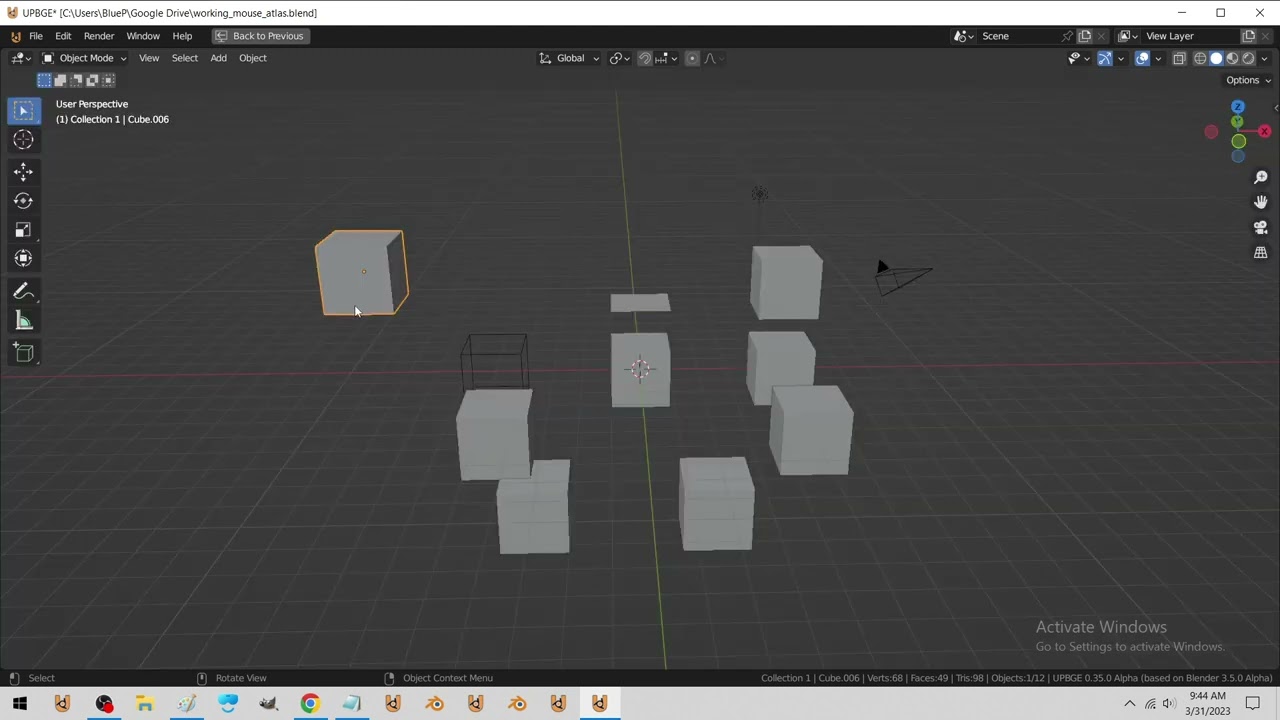
this is the gamedev fork of blender - upbge
it has a robust py api
and geometry nodes
and shader nodes and composition nodes
 mossy ruin
cold storm
this is all random - even the points I triangulated
mossy ruin
cold storm
this is all random - even the points I triangulated
Damn looks great
 ivory kiln
Help needed:
I am rendering a rudimentary star system in OpenGL/Pygame and I am trying to display a Menu in a Corner. Simple Text Lines look okay, but I want to display the text in front of a backgroundish box. Unfortunately, my attemps so far have only resulted in completely hiding the would-be menu.
relevant loop-code:
while running:

  #keystrokes and stuff...

  glMatrixMode(GL_PROJECTION)
    glLoadIdentity()
    gluPerspective(45, aspect_ratio, 0.1, 80.0)
    glMatrixMode(GL_MODELVIEW)
    glLoadIdentity()

    update_camera()


    glClear(GL_COLOR_BUFFER_BIT | GL_DEPTH_BUFFER_BIT)

    if show_grid:
        draw_grid(18, 1)

    draw_rotation_point()
    draw_solar_system(data)
    if last_planet_index != current_planet_index:
        if current_planet_index == len(data["planets"]):
            draw_menu(screen, font, data, is_sun=True)
        else:
            draw_menu(screen, font, data["planets"][current_planet_index])
        last_planet_index = current_planet_index

    pygame.display.flip()
    pygame.time.wait(10)
pygame.quit()
the "draw_menu" method:
def draw_menu(screen, font, data, is_sun=False):
    menu_width = 300
    line_height = 30  # Height of each text line
    num_lines = 7  # Adjust as necessary
    background_height = line_height * num_lines + 40  # Calculate background height
    menu_x = 0
    menu_y = 0

    # Draw background for the menu using OpenGL
    glPushMatrix()
    glLoadIdentity()
    glOrtho(0, screen_width, screen_height, 0, -1, 1)

    glColor4f(1.0, 1.0, 1.0, 1.0)  # White background
    glBegin(GL_QUADS)
    glVertex2f(menu_x, menu_y)
    glVertex2f(menu_x + menu_width, menu_y)
    glVertex2f(menu_x + menu_width, menu_y + background_height)
    glVertex2f(menu_x, menu_y + background_height)
    glEnd()

    glPopMatrix()

    y_offset = 20
    lines = get_menu_lines(data, is_sun)

    for line in lines:
        text_surface = font.render(line, True, (0, 0, 0), (255, 255, 255))
        text_data = pygame.image.tostring(text_surface, "RGBA", True)
        width, height = text_surface.get_size()

        glRasterPos2f(menu_x + 10, y_offset + height)
        glDrawPixels(width, height, GL_RGBA, GL_UNSIGNED_BYTE, text_data)

        y_offset += line_height  # Space between lines
Research, Reading documentation, Googling and ChatGPT failed me and I still feel bad for asking for help.
The Program so far:
cold storm
for drawing an element in opengl I subtract the texCord from the elements position in 2d, we can use abs(diff.x) and abs(diff.y) for masking the square shape and use the scaled diff cords to sample your image buffer
@ivory kiln
Pass Texture in Material(Plane) - use to draw mouse cursor in 2d filter / post (openGL/Py)
and thanks @slender coral
oh sorry wrong Abdullah,
cold storm
mossy ruin
Damn looks great
thanks*
limber veldt
Just working on my undo all functionality and, just for the funof it, I made tha tmethod recursive, it undid all moves at the same time, lol, gotta use the callback that happens when an undo is finished instead of recursing
 scenic dome
-
The game dev workplace is (with few exceptions) very toxic.
-
Toxic environments suppress creativity.
-
Almost every aspect of game dev (engine optimization, story, art, tool/weapon design, etc) involves creativity.
This is why I am looking to indy sites for inspiration.
limber veldt
I just painstakingly made all 64 icons (small images) for the labels for every spot on the board, not necessarily for the spots but for the move list display, new surfaces

Now I can just get the icon from the spots in the move and toss them on a move list sprite instead of creating the font surface each time
The game is basically done though
Everything working fine
The red spots won't stay, just checking their placements
I gave eahc piece their oen capture spot. Before, I was getting the next one in the area that didn't already have a piece on it and sending captures to it, easier to simply assign each piece a spot and capture them to and from there
And I figured out a good way to setup alternate setups. Each spot in the first two rows for each player has another spot assigned as its .alt_spot attribute, so to set it up, I just spawn the pieces on their spot's alternate spot
In the player setup method py spot = piece.home_spot.alt_spot if self.use_default_setup: spot = piece.home_spot piece.get_moving(self.arrived, spot, True) and that's it
limber veldt
I just realized how easy it'd be to save and load setups or maybe even make so the pieces in the capture area at the start of the game can be picked and placed
modern flint
limber veldt
I just painstakingly made all 64 icons (small images) for the labels for every s...
Woah this looks nice
I don't remember specifically what's different from before but this just looks better somehow
I think the borders separating the board from the rest of the screen on the left and the right, that's what's different from the last version I remember
And that really helps
 terse copper
I’m making a battle game similar to the concept of Pokémon battles where u select an action etc. I’m using tkinter as the action and health menus and turtle for very basic graphics, is using turtle a bad idea??
limber veldt
limber veldt
I just realized how easy it'd be to save and load setups or maybe even make so t...
Done. So one can place pieces from the capture area at the start of the game or, if wanting the default setup, use the button to do automatically
Another button, not sure what to name it though, and maybe some ui indications of pieces being carried during the setup phase
The usual four corner indicators
Maybe a tooltip for hovered pieces during setup, those that fade away are kinda nice, how I have the existing ones, they fade in and out pretty smooth
 ancient wraith
Im kinda lost
Which is the correct channel for Machine Learning stuff?
terse copper
ancient wraith
Im kinda lost
Which is the correct channel for Machine Learning stuff?
Data science and Ai
proper peak
terse copper
I’m making a battle game similar to the concept of Pokémon battles where u selec...
and turtle for very basic graphics, is using turtle a bad idea??
Yes. Why not use tkinter instead? Turtle is even built on top of tkinter.
vagrant saddle
terse copper
I’m making a battle game similar to the concept of Pokémon battles where u selec...
yes use pygame-ce + pygame_gui , be portable, simple and efficient
terse copper
Alr thanks
limber veldt
limber veldt
The usual four corner indicators
Done
Another lil sprite, love making these things ```py
class Indicator(pygame.sprite.Sprite):
def init(self, board, group):
super().init()
self.image = pygame.Surface((GRIDSIZE-2, GRIDSIZE-2), pygame.SRCALPHA, 32)
self.rect = self.image.get_frect()
self.board = board
    pygame.draw.rect(self.image, 'green', (0, 0, GRIDSIZE-2, GRIDSIZE-2), 5)
    pygame.draw.rect(self.image, (0, 0, 0, 0), (20, 0, GRIDSIZE-40, GRIDSIZE-2), 5)
    pygame.draw.rect(self.image, (0, 0, 0, 0), (0, 20, GRIDSIZE-2, GRIDSIZE-40), 5)

def get_hovered_spot(self, pos):
    x = pos[0] - LEFT_MARGIN
    col = x // GRIDSIZE
    row = pos[1] // GRIDSIZE
    if col <= 7:
        return self.board.spot_array[row][col]

def update(self, dt):
    spot = self.get_hovered_spot(pygame.mouse.get_pos())
    if spot:
        self.rect.center = spot.rect.center
    else:
        self.rect.center = pygame.mouse.get_pos()```
Good thing because it's time to make that extra button, the one that begins play from manual setup
And consider button layout....again
And design
So far, it's just a keypress
I'm open to any suggestions on button layout and design, I'm not a great designer but can usually come up with something
Maybe a more modern, flat design...or flatter
manic totem
manic totem
my plan is to make the score get increase when the enemy get shot and get decrea...
what should i add on score() so it can do this
manic totem
i figure out how to make the text appare
limber veldt
Pygame can render text to surfaces (images) using the pygame.Font.render() method, check the docs
manic totem
oh i know how to make a text
the problem is idk how to increase the score number everytime you land a hit on the enemy
limber veldt
The enemy needs a way to set the score, either through keeping the score itself or by telling whoever called it to change the score
manic totem
does this work
def update(self):
        self.rect.y -= 20

        player_score = 0
        if pygame.sprite.spritecollide(self, enemies_grup, True):
            self.kill()
            player_score += 1

        if self.rect.bottom < 0:
            self.kill()
Probably not, decreasing self.rect.y every time is probably not what you need
But I don't know, you should be able to say if it works or not
manic totem
I need that self.rect.y or else my bullets wont move
 patent reef
hey
 sacred nimbus
Hi! I decided to start learning python by doing stuff! I want to create a simple crafting helper for a game called path of exile using their official API (https://www.pathofexile.com/developer/) , I am struggling with the authorization process, I thought maybe I can ask for help here?
 wispy plinth
sacred nimbus
Hi! I decided to start learning python by doing stuff! I want to create a simple...
wispy plinth
sacred nimbus
Hi! I decided to start learning python by doing stuff! I want to create a simple...
Not too sure what you mean by "the authorization process" as their API provides a few different ways to do this. You coula slao be referring to authorizing the API requests themselves, could you be a bit clearer?
limber veldt
Morning all o/
Changing my passed around move_dict thingy to a dataclass, seems like a great application for it
All the references need changing to attributes instead of keys
But I like it, seems cleaner, same data though
limber veldt
Hmm, I suppose I could do the same to surfaces but because everything is instanced (and loaded) at start up, I kinda rather have image loading done in the class themselves. Except pieces, promotions are spawned during the game but the player has those images saved in an attribute so not loding there either
limber veldt
Morning all o/
Working out pinned pieces this morning, going well, pretty easy actually to get all the lines from the opponent line moving pieces that lead to my king and find any pieces in those lines that belong to me, consdered pinned
The implementation is a little tricky but I think I got it
Made some big refactors lately too, code feeling cleaner
See how I'm enumerating states using strings self.undo_button.set_state('disabled') Anyone know how I can not be doing that, maybe using a property or something?
I took all of the undo and redo code out of player and put into classes of their own. With just a couple of funcs from player assigned in the new classes, player now has almsot nothing to do with undo/redo
Now just instancing them in player
So part of the undo handler back in main just calls the player.undoer() py if castle: player.undoer.undo_castle(undone_move) elif promoted_pawn: promoted_pawn.player.undoer.undo_promotion(undone_move, promoted_pawn) elif captured_piece: captured_piece.player.undoer.undo_capture(undone_move, captured_piece, to_spot) elif passed_pawn: passed_pawn.player.undoer.undo_en_passant(undone_move, passed_pawn) else: player.undoer.undo_move(undone_move, player.undoer.undo_complete, moved_piece, from_spot, True)
And no more dict (string key) references, the dataclass is nicer to look at, imo py moved_piece = undone_move.moved_piece from_spot = undone_move.from_spot to_spot = undone_move.to_spot player = moved_piece.player captured_piece = undone_move.captured_piece passed_pawn = undone_move.passed_pawn castle = undone_move.castle_string promoted_pawn = undone_move.promoted_piece
Still some redundance there, no sense in passing things I pulled from the object along with the object itself
But those methods in undo and redo are easier to deal with now in their own file, decluttering them was a great idea
 solemn thunder
oh, my, I just found there are lots of functions already implemented by pygame I was implementing for a week
🤣
limber veldt
Finding pins works
 dawn quiver
nice
modern flint
Cool!
 subtle imp
Hello, all. I created a quiz game using Python to guess the lyrics of Metallica and Taylor Swift. www.JohnZyski.com
JohnZyski
I created this data science portfolio to showcase my capabilities. JohnZyski
 bitter blaze
subtle imp
Hello, all. I created a quiz game using Python to guess the lyrics of Metallica...
bitter blaze
subtle imp
Hello, all. I created a quiz game using Python to guess the lyrics of Metallica...
i love this idea and the website looks very nice
 limber veldt
I came up with a good way to implement edit mode...make an edit mode, lol
New buttons and play/edit

in edit mode, one can pickup any piece and place it in any spot on the board or drop in the capture area to remove it from the board, and go back to play mode and resume
And the setup button sets up the default chess start
But doen't autmotacially start play mode
And pins and checks are completed, all pieces can find the king and know when it's checked
So far, there are no rules about them, neither restricts the player picking up any piece
But I could pretty easily give the pieces a nudge mode so when trying to pickup, they just wiggle a little and sit there
pine smelt
cold storm
is that godot
wait no ur using py files
im so confused what editor is that
mossy ruin
limber veldt
Finding pins works
Yo nice game
limber veldt
Yo thanks o/
cold storm
@pine smelt UPBGE
its blender 4.3+ BGE restored on a fork

you can use BPY and BGE modules now in game
(geometry nodes etc)
cold storm
mathutils is a treasure trove also
 wraith plaza
subtle imp
Hello, all. I created a quiz game using Python to guess the lyrics of Metallica...
wraith plaza
subtle imp
Hello, all. I created a quiz game using Python to guess the lyrics of Metallica...
yay

 marble jewel
Isometria Devlog 47 - Tons of New Items, Shop NPC, Health Bars, and More! https://youtu.be/2lYxmjhK2to

Wishlist and play the Isometria demo here: https://store.steampowered.com/app/2596940/Isometria
https://bigwhoopgames.itch.io/isometria-demo
In Today's devlog I show a plethora of new items including new throwables, trinkets, the fish slapper, and more. Austin the shop NPC is introduced. I've also improved line of sight for enemies and improve...
 foggy python
⭐ WISHLIST YAWNOC: https://store.steampowered.com/app/2824730/Yawnoc
Yawnoc is a top-down shooter where you fight back against cellular automata such as Conway's Game of Life that are invading the forest.
Yawnoc's Discord:
https://discord.gg/GraD2A3SxA
My Discord:
https://discord.gg/fluffland-554137097229959188
Support Me (and get source code...
subtle imp
bitter blaze
i love this idea and the website looks very nice
Thank you very much for your opinion. I hope you had fun with the quiz game. More comparisons are comming, but yeah, hopefully people will be curious enough to know how I used Python to gather the info to look at the blogs and maybe give me a high paying dev job. 🙂
subtle imp
wraith plaza
yay
Glad you liked it. What bands would you like to see compared next?
subtle imp
marble jewel
Isometria Devlog 47 - Tons of New Items, Shop NPC, Health Bars, and More! https:...
Who doesn't want to slap things with fish = HA!
marble jewel
exactly
wraith plaza
subtle imp
Glad you liked it. What bands would you like to see compared next?
oooh hard to say
i suck at remembering band names and lyrics, i made it at the vibe of the line even if i listen to metallica 😅
maybe something like a rapper (i mostly know french ones) and a pop artist like billie eilish, cause the mood is very different but again the lyrics can be close
limber veldt
Well, I think I have checkmate solved. Maybe I covered all the conditions. King is in check, can it move out of it? Can any of his pieces capture the attacker? Can any of his pieces move to block it...what else
So when check happens, get all of the defending player's move spots for all of his pieces and see if the attacker is on any of them, if so, can be taken, mate = false
Then get the line of spots from the attacker to the king, if any of defender pieces can move into any of them, can be blocked, mate = false. With knights, their get_line_to_spot() method always returns an empty list, they they cannot be blocked
Same with pawns, they can only move one spot at a time (usually) so their spots to move to are always known
No need to get lines for them
And same with kings, empty list, they have no use of lines to other spots
 plain kraken
how to get rid of "python-for-andriod" errror
while converting .py to .apk using buildozer
I am on fedora linux
it's pygame file
plain kraken
# ENVIRONMENT:
#     SHELL = '/bin/bash'

Uv's and building generator refinement - Project Wrectified - Doors/Signage
 languid yew
hello guys
i want to know something
i have a problem in fonts
font = pygame.font.Font("fonts/regular.ttf", 30)
welcoming_text = font.render("Choose a background", True, (255,255,255))
thanks
limber veldt
A little stumbling block at detecting mate when the attacking piece can be taken by the king
But what I'm doing so far is, if the attacking piece's spot is in the king's capture spots, set that spot's piece to the king (not visually, just in logic) then get all the captures of all the attacking player and if the moved king is in any of them, it's mate
After checking, put the king back to his original spot in the logic
limber veldt
I think I can use that same idea to recursively find the last piece standing on any specific spot
Save all the spot pieces before starting then prune them as I step through all of the pieces, at the end we have a winner
I gotta try that
Sometimes logic just has to be tried before knowing if it works
I can already sense the recursion errors
lol
But I'm pretty sure it can be done without crashing things
Jusst gotta work out the details
limber veldt
And I was right py def recurse(self, player, spot): for piece in player.my_pieces.sprites(): if piece.current_spot in self.board.spots_group: current, move, capture = piece.find_my_spots() if spot in capture: spot.piece.get_captured(None, False) spot.piece = piece piece.rect.center = spot.rect.center piece.current_spot = spot self.pieces_group.remove(piece) self.pieces_group.add(piece) self.recurse(player.opponent, spot) leaves the last piece standing in a battle for one square when someone checks the opponent king
limber veldt
Not a difficult mate for a computer to recognize but I'm happy that it does
modern flint
Nice!
limber veldt
Thanks, it should be pretty solid at recognizing them but, as we know, it's impossible for me to test more than a few dozen situations
Jut using the three rules of mate
Can king move, can attacker be taken, can it be blocked
In normal play, when someone moves to pin the king while having backup to protect the attacker, most just call it a game and don't play to conclusion and just concede mate. I want my game to be able to 'see' that and call a winner without playing out the moves
Or, more accurately, without the human playing out the moves, maybe have the animator do it
It's the 'can attacker be taken' phase that can use the recursion to detect a mate early
And should be the last option, the else of the other two conditions
 echo kestrel
where should i ask about openCV
sacred nimbus
hi, so I am trying to access path of exile api after being approved for it. I have the following code yet I get a response that I am not using a POST method to request a token. here is the code:
# libs
import requests, secrets, hashlib
# files
import treasure
# simple post func
def send_post_request(url, data, header):
    response = requests.post(url, data, headers=header)
    return response

# scope
scope = "account:characters"
# random enough randomness
base64_encoded_privkey = secrets.token_bytes(32)
base64_encoded_pubkey = hashlib.sha256(base64_encoded_privkey).digest()
# header
header = {'Content-Type': 'application/x-www-form-urlencoded'
          ,'User-Agent':'OAuth ' + treasure.client_id +"/"+ treasure.version + " (contact: " + treasure.contact+")"
          }
# API point
API_token_endpoint = "https://pathofexile.com/oauth/token"
request_data = {"client_id":treasure.client_id
                ,"client_secret":treasure.client_secret
                ,"grant_type":"client_credentials"
                ,"scope":scope
                #, "code":base64_encoded_pubkey
                }


if __name__ == '__main__':
    response = send_post_request(API_token_endpoint,request_data, header)
    #print(request_data)
    print(response.history[0].request.method)
    print(response.history[0].request.headers)
    print(response.history[0].content)
    print(response.request.method)
    print(response.request.headers)
    print(response.content)
Any help appriciated
 wheat gulch
hey guys any ideas on where i can start on making a game with an api (preferably using fast api)
 cerulean nimbus
limber veldt
Not a difficult mate for a computer to recognize but I'm happy that it does
cerulean nimbus
limber veldt
Not a difficult mate for a computer to recognize but I'm happy that it does
with what library did you make this?
limber veldt
cerulean nimbus
with what library did you make this?
pygame
cerulean nimbus
limber veldt
pygame
how did you make those buttons look so clean ?
limber veldt
Gimp and a little time
cerulean nimbus
limber veldt
Gimp and a little time
oh nice good work
limber veldt
Thanks
cerulean nimbus
is the game with scaling or are you stuck on one res?
cerulean nimbus
yeah its just your obj_size/window_size and so
limber veldt
Yeah, my images would have to change. If I was still using pygame draws, they wouldn't but since I went to loading images, that'd be a problem
I know I can scale them but meh
cerulean nimbus
limber veldt
I know I can scale them but meh
class Grid:
    def __init__(self, max_grid_size: tuple, pos: tuple) -> None:
        self.max_grid_size = max_grid_size
        self.grid = (8, 8)
        self.cell_size = (max_grid_size[0]//self.grid[0], max_grid_size[1]//self.grid[1])
        self.board = pygame.sprite.Group()
        self.create_grid(pos)

    def create_grid(self, pos: tuple) -> None:
        for i in range(self.grid[0]):
            for j in range(self.grid[1]):
                color = (255, 255, 255) if (i+j) % 2 == 0 else (0, 0, 0)
                cell = Cell(self.cell_size, (pos[0]+i*self.cell_size[0], pos[1]+j*self.cell_size[1]), color)
                self.board.add(cell)
this is some basic code of how i mostly scale
import pygame
from setting import pieces_paths

class Piece(pygame.sprite.Sprite):
    def __init__(self, image, size):
        super().__init__()
        self.image = pygame.transform.scale(pygame.image.load(image), size)

class Rook(Piece):
    def __init__(self, size):
        super().__init__(pygame.image.load(pieces_paths[self.__class__.__name__]), size)

class Knight(Piece):
    def __init__(self, size):
        super().__init__(pygame.image.load(pieces_paths[self.__class__.__name__]), size)

class Bishop(Piece):
    def __init__(self, size):
        super().__init__(pygame.image.load(pieces_paths[self.__class__.__name__]), size)

class Queen(Piece):
    def __init__(self, size):
        super().__init__(pygame.image.load(pieces_paths[self.__class__.__name__]), size)

class King(Piece):
    def __init__(self, size):
        super().__init__(pygame.image.load(pieces_paths[self.__class__.__name__]), size)

class Pawn(Piece):
    def __init__(self, size):
        super().__init__(pygame.image.load(pieces_paths[self.__class__.__name__]), size)
``````py
# settings file
pieces_paths = {
    'Pawn': './pieces/pawn.png',
    'Rook': './pieces/rooke.png',
    'Knight': './pieces/knight.png',
    'Bishop': './pieces/bishop.png',
    'Queen': './pieces/queen.png',
    'King': './pieces/king.png'
}
```opinion on this @limber veldt 😭btw svg kind may scale better like those https://commons.wikimedia.org/wiki/Category:SVG_chess_pieces
cerulean nimbus
vagrant saddle
btw svg kind may scale better like those https://commons.wikimedia.org/wiki/Cate...
correct cause it (almost) doesnt lose any quality cause its vector graphics
 spice ferry
limber veldt
Though making it resizable wouldn't terribly difficult, I think
spice ferry
limber veldt
Though making it resizable wouldn't terribly difficult, I think
Just use the pygame.SCALED and pygame.RESIZABLE flag when making window
limber veldt
It's not even a consideration for me, surely if I wanted to I could, just don't want to
 harsh moth
limber veldt
Not a difficult mate for a computer to recognize but I'm happy that it does
harsh moth
limber veldt
Not a difficult mate for a computer to recognize but I'm happy that it does
yooo thats actually so cool
how long did that take you?
limber veldt
A few days to work that out but this project altogether, about a month
In the past few weeks, I've worked out how to find all the spots a piece can move to and all that, just for highlighting those spots when a piece is picked up. But now with all pieces being able to find their move spots, combining them with some logic, one can work out the three rules for mate and whether or not a move to check the king can be a mate
I'm using no algorithm ar anything, just niave approach, get all the spots, see what's in them
 somber abyss
If anyone wants to help me with a jujutsu kaisen game im working on with python that would be much appriciated
ivory kiln
Question moved here:
https://discord.com/channels/267624335836053506/1278092777405812846
frank fieldBOT
:x: failed to apply.

 limber veldt
cold storm
limber veldt
cold storm
Looking good too
cold storm
thanks!
wheat gulch
yo guys my enemy wont move:
    for i in range(100):
        dx, dy = posx - enx, posy - eny
        dist = math.hypot(dx, dy)
        dx, dy = dx / dist, dy / dist

        enx += dx * 15
        eny += dy * 15
that i in range 100 is temporary
cuz i needed to test loop
and now my game breaks
 pine kayak
I need the code that does the following (chatGPT cannot really do it):
- I have a mapping (126 data points) from 2d pixel coordiantes to 3d world coordinate
- I need code to find the extrinsic matrix transformation (I have already the intrinsic)
limber veldt
Had to add this
 cerulean nimbus
limber veldt
Had to add this
cerulean nimbus
limber veldt
Had to add this
do you have placing sounds or you dont wanna implement that ?
pine smelt
limber veldt
Had to add this
how would adding an alpha transparency on that red colouring look?
limber veldt
pine smelt
how would adding an alpha transparency on that red colouring look?
I made these two alphas, have used in some tests, not sure if I shared here, but do you mean like this or so?

 limber veldt
cerulean nimbus
do you have placing sounds or you dont wanna implement that ?
limber veldt
cerulean nimbus
do you have placing sounds or you dont wanna implement that ?
Not yet, and definitely want to add them
It's kind of helpful to have the pieces show their moves spots not only when picked up (shown in green in most of my vids) but as shown above, in red when dropped
Just as a more informative thing
And really good for practicing end games
pine smelt
limber veldt
I made these two alphas, have used in some tests, not sure if I shared here, but...
could work but I was thinking literally just making the entire thing slightly transparent (with set_alpha()), just so it looks like the square is being highlighted as opposed to a red square being blitted on
just a tiny detail tho
limber veldt
Yeah, I tried some of those and the result wasn't great, but were too subtle
We can make them anythng though
Either through setting alpha or loading alphas
pine smelt
limber veldt
Yeah, I tried some of those and the result wasn't great, but were too subtle
ah alright
limber veldt
Just managing how checking should work. Like if the pieces themselves call the king to get_checked()' when they land on a spot that checks the king then I'm only able to find direct checks, not incidental checks, like those revealed by a moved piece that was between a line mover and the king
pine smelt
looking great so far though
pine smelt
limber veldt
Just managing how checking should work. Like if the pieces themselves call the k...
is the mechanic not the same
limber veldt
So in that case, it's better to, after every move, for the player to find all checks
No, it's not
I mean it is
But one is per piece but I sometimes need per entire board, or entire opponent pieces
So each has their own find_checks() method that can be called by their get_dropped() but I think instead of calling it from there, only call it from player after every call to self.carrying.get_dropped()
That way I'm getting all the checks for all the pieces afteer every move instead of only the one a specific moved piece made
Which means it's a little more spots to gather, which seems like a lot but I'm only looking for places one can move, which for pawns is one or two spots, for others, maybe 14 spots total, not enough to impact performance
I don't see any other way to overall check the board for checks
Checking each piece as it gets dropped is fine but doesn't catch all checks
If player doesn't check for checks, it wouldn't see that knight move putting the king in check from the rook
All this kind of logic is fun
I've now made the kind so when picked up, it prunes illegal moves from the highlighted green squares
Can still mvoe there, no rules
Only the color changes on those spots
Nothing else
So I think I'll lose the pices checking for checks and only have the player do it
Seems redundant to do both
Pieces only have access to themselves, player has access to all of them
And the opponent's too
Like I can get the opponent in pieces but it's like self.player.opponent
Which is a possibility too, have each king check the opponent line movers instead of player
I dunno
find_my_spots() is used for get_picked_up() might as well use it to check for checks py def find_my_checks(self): # called from player.drop() _, __, capture_spots = self.find_my_spots() if self.player.opponent.my_king.current_spot in capture_spots: self.player.opponent.my_king.get_checked(self)
This is the main code of my king get_checked() so far it's working ```py
mate = True
if self.has_moves():
mate = False
if self.has_captures():
mate = False
if self.has_blockers(checking_piece):
mate = False
if counter_attacks:
mate = False
self.player.add_check_or_mate(self.current_spot, mate)```
And pruning illegal moves from king move spots is crucial for that to work
has_blockers() checks all the opponent move spots against a line from the checking_piece to the king
I mean all my move spots, not opponents
See, this shit gets confusing sometimes
lol
Often times I find myself mixing logic between get_dropped() and get_picked_up(), they're similar enough behaviors
But that's only because I want move and capture spots on pickup for the highlighting
On drop, for the checking and capturing
limber veldt
So satisfying seeing that work, adds pins and checks even on redos and undos
limber veldt
That's it, I'm implementing an engine, stockfish is open source
And on my way already rnbqkbnr/pppppppp/8/8/8/8/PPPPPPPP/RNBQKBNR w KQkq - 0 1 e2e4 <-- this after asking stockfish for best move at that position, a FEN repr of the current board position (start of game)
Shouldn't be too difficult to get it working, already have most everything I need
limber veldt
Now I can call it pygame chess instead of pygame chessboard
Since I already have the redo functionality, I can get the best move from stockfish, append it to the end of the redo list and feed it to the redo() method to perform the move on screen
And add the label to move list
pine smelt
limber veldt
And wow
what depth is it calculating at?
prisma sable
limber veldt
And wow
wow are u using pygame btw??
the animations are sooo smooth
I wanna know how lol
 junior pumice
cold storm
https://www.youtube.com/watch?v=GlZ9chFCASs
junior pumice
cold storm
https://www.youtube.com/watch?v=GlZ9chFCASs
that's really cool ngl
how long you been working on it
nodes look
crazy
like
i can't even tell
what's going on with the nodes their
cold storm

Neonode city - Behind the curtain
@junior pumice
the steps are as follows
-
- delete some outside faces from foundation mesh using perlin noise and edge neighbors less than 2
-
- duel mesh - this is important for later when we average stuff. (corner cases)
- average the positions of the vertex if the vertex neighbors are less than 3 using blur attribute position and set position (rounded corners)
3.b store island average position as named attribute for noise later - break off a copy of outside edges -> turn to curve -> trim w/random noise -> curve to points (2) -> snap these points to closest edge on base mesh - use proximity to these points in base mesh to store a door attribute
- store vector per edge -(face->edge) and (p1->p2)
- remove outside edges -> instance on points and use stored vectors to align
and flip faces if backward - duplicate faces and move up using duplicate index
8.duplicate the original geometry from 3.b -> move up using noise that you used to set number of floors in duplicate noise but using 'floor' to be the roof.
 lucid gyro
guys im planning to make a simple flappy bird kind of game for my pgzero graduation project, does anyone know on maybe where do i find some free sprites to use on my game or maybe a website where i can make one?
 quasi wraith
Guys please help me with my snake game code, the snake isn't moving
 astral dust
https://isles-assault.online - that is my browser multiplayer game, written with python (Flask / websockets)

isles-assault.online
Online multiplayer browser io game about warfare between different military vehicles classes. 1.6.2v BETA
pine smelt
prisma sable
the animations are sooo smooth
iirc he either lerped it between the current and end position or calculated the distance between the positions and moved it at a constant speed depending on how far they are from each other
either way vectors were definitely involved
limber veldt
In update py self.apply_force(self.get_force_to_target(self.target_spot)) # next_state must be set before this call self.vel += self.acc self.rect.center += self.vel * self.speed * dt self.acc.x = 0 self.acc.y = 0
then in apply_force() and its get_force_to_target()
   def get_force_to_target(self, spot):
       ''' called by .apply_force() '''
       force = Vector2(spot.rect.center) - Vector2(self.rect.center)
       radius = 50
       distance = force.length()
       if distance < radius:
           magnitude = self.max_speed/radius * distance
           if force.length() > 0:
               force.scale_to_length(magnitude)
           if distance < 2:
               self.set_state(self.next_state)
       else:
           force.normalize_ip()
           force *= self.max_speed
       force -= self.vel
       force.clamp_magnitude_ip(self.max_force)
       return force

   def apply_force(self, force):
self.acc += force```All there is to the movement
And yeah, vectors are the way
from __init__() py self.max_speed = 5.4 self.max_force = 0.4 self.acc = Vector2() self.vel = Vector2() self.speed = 200 to setup the physics
And one has to use pygame-ce or use vectors to track position.x and .y for the physics and round them to ints when assigning to sprite.rect
Or at least don't use rect.center or any part of rect virtuals to track physics
frects can do that, rects can't
 humble marsh
Hey i am an App developer guys
manic totem
https://paste.pythondiscord.com/R75Q i need help to make a functional score
manic totem
i feel like this is an easy problem but im too dumb to figure things out
player_score = 0

def score(font, x, y):
    score = font.render("score:" + str(player_score), True, white)
screen.blit(score, (x, y))```Make sure to call score() every frame instead of only once
 stark zealot
manic totem
i feel like this is an easy problem but im too dumb to figure things out
```py
p...
stark zealot
manic totem
i feel like this is an easy problem but im too dumb to figure things out
```py
p...
class Bullets(pygame.sprite.Sprite):
    def __init__(self, x, y):
        pygame.sprite.Sprite.__init__(self)
        self.image = pygame.image.load("game assets\Banana.png")
        self.rect = self.image.get_rect()
        self.rect.center = [x, y]

    def update(self):
        global player_score
        self.rect.y -= 20

        player_score = 0
        if pygame.sprite.spritecollide(self, enemies_grup, True):
            self.kill()
            player_score += 1


        if self.rect.bottom < 0:
            self.kill()```

Add player_score += 1 when collision of bullet with enemy?what is global?
stark zealot
also not sure why you wrote player_score = 0
 pulsar idol
manic totem
i feel like this is an easy problem but im too dumb to figure things out
```py
p...
pulsar idol
manic totem
i feel like this is an easy problem but im too dumb to figure things out
```py
p...
what's the issue?
manic totem
stark zealot
also not sure why you wrote player_score = 0
because you start with zero
stark zealot
manic totem
what is ``global``?
refers to the variable at line 41 instead of creating a variable at local scope
manic totem
oh
stark zealot
manic totem
because you start with zero
didnt you already set it to 0 on line 41
you dont need to do that again
unless
ur restarting
the game
manic totem
i didnt know global is a thing until now
stark zealot
really?
manic totem
yeah
stark zealot
you should take a look at python doc for local and global scopes then
cerulean nimbus
limber veldt
And wow
would bishop g5 been better?
stark zealot
lucid gyro
guys im planning to make a simple flappy bird kind of game for my pgzero graduat...
i use flaticon
im also trying to make a flappy bird game lol
but cant figure out how to make it restart after game over
it does restart but its buggy af
 errant niche
could someone help me at #1279124431888842845
pine smelt
stark zealot
it does restart but its buggy af
whats buggy about it
limber veldt
I just got this working, finds safe squares for all pieces and each individually https://paste.pythondiscord.com/HP5Q
That is, squares that keep the king out of check
So no matter what piece is picked up, it can highlight only those that it can move to
So like, when put in check, the attacked player's pieces won't highlight anything unless they have a move that removes the check
Basically what I had for king before, I now have for every piece, all in a couple of methods
Like this
So all those find_my_spots() methods in each piece are redundant now,, player now gets them for allthe pieces
limber veldt
With that method now fully implemented, it simplifies a lot, like I can lose a few hundred lines
 grand apex
How do emulators work?
And if wanted to learn how to program my own (not necessarily just in python), how should i go about doing that?
 weak mantle
grand apex
How do emulators work?
weak mantle
grand apex
How do emulators work?
Emulator are nothing but program which simulated actual hardware
 blazing ether
any links/libraries to help me with suggestions/implementations for path traversal optimization (after pathfinding has completed) ? e.g moving to last in path under x range while still in line of site, or dealing with path hopping possibilities ( hopping over e.g. a U shaped path) ?
weak mantle
grand apex
And if wanted to learn how to program my own (not necessarily just in python), h...
First do "Chip-8" emulator, It is simple as well as easy to build and you'll get the basic knowledge of emulator, and then you can move to few retro console like Gameboy and NES
blazing ether
also a question about astar. in my game I have monsters that could block the walking path. in this case I want to still path through them. but if they don't block, I don't want to path through them. should I be using weights for them in this case?
in other words normally they should be treated as walking little walls, but if there is no way through a doorway because a couple monsters are blocking it, I still want the path to be found
is it better to path without monsters and then do blocked detection, or better to do a weighted pathing that avoids them unless necessary (and still need blocked check)
seems like the second one is better so you don't run into wandering monsters for no reason
lucid gyro
stark zealot
i use [flaticon](https://www.flaticon.com/)
alr thx
stark zealot
pine smelt
whats buggy about it
basically I have to press R twice in a quick succession for it to actually restart, else if I press R only once I only see pipes and the bird is somehow 10k units offscreen idk how i can fix it, I tried asking chatgpt but it doesnt fix and makes it worse instead. I made a thread in this server only for it to get locked by a bot due to inactivity #1279062785229062184
pine smelt
stark zealot
basically I have to press R twice in a quick succession for it to actually resta...
i would assume its because u have 2 seperate event loops
stark zealot
oh
pine smelt
tho id have to run the code to check, cant rn tho
stark zealot
sad
stark zealot
pine smelt
i would assume its because u have 2 seperate event loops
if I dont add another event loop the window crashes after gameover 🤷♂️ unless there's a way to add restart functionality in pygame I assumed I'll be able to do it without any tutorial
pine smelt
try
# Main loop
while running:
    if not game_is_on:
        for event in pygame.event.get():
            if event.type == pygame.QUIT:
                pygame.quit()

            if event.type == pygame.KEYDOWN:
                if event.key == pygame.K_r:
                    restart()

    if game_is_on:
        game_loop()
let me try
nope, still having to double click R
plus now that we're doing pygame.quit() directly after event type = QUIT, its giving me py pygame.error: video system not initialized
limber veldt
If you need events in more than one place, you can send the event itself while iterating the event queue only one time
So no need for two event loops
Like here, I'm sending the event itself to my board object where it can do if event.type == ... and so one for any events it is looking for
    def get_events(self):
        for event in pygame.event.get():
            self.board.get_events(event)
            if event.type == pygame.QUIT:
                pygame.quit()
sys.exit()```This way multiple objects can use the exact same event and we don't have or need multiple loops that cause issues. pygame likes to gather and iterate the event queue only once per game loop
humble marsh
Guys I'm a developer
cerulean nimbus
weak mantle
First do "Chip-8" emulator, It is simple as well as easy to build and you'll get...
are you able to do that in python ?
cerulean nimbus
stark zealot
plus now that we're doing `pygame.quit()` directly after event type = QUIT, its ...
did you do pygame.display.set_mode(screen_size)?
or pygame.init() as a top level statement
limber veldt
I had to make a basic opening screen and player select

Reworking a lot of stuff though, like totally different in a lot of places
Gotta redo the undo and redo code to work with new ways
But not too much of a problem there, it wasn't a lot of code
Or isn't
cold storm
cold storm
@blazing ether you can pathfind from the furthest agent, and if he shares a goal, if his path passes through a closer agent , both agents can use the same path!
if it goes through many friendlies with the same goal it can really add up, (for like a zombie mob)
weak mantle
cerulean nimbus
are you able to do that in python ?
Yes
stark zealot
cerulean nimbus
or pygame.init() as a top level statement
did both
modern flint
Oof, takes 30-40 seconds to start an empty pygame window on my laptop even without pygame.init()
I'm going to try pyglet next
If that doesn't work out are there any more lightweight game libraries with Python? I'm trying to make a very basic game, like an Asteroids clone
vagrant saddle
modern flint
Oof, takes 30-40 seconds to start an empty pygame window on my laptop even witho...
would mean that laptop is less powerfull than a 1st gen chromebook ?
how much time to first load that https://pygame-web.github.io/showroom/pygame-scripts/org.pygame.touchpong.html ?
modern flint
vagrant saddle
how much time to first load that https://pygame-web.github.io/showroom/pygame-sc...
About ten seconds, weird
Anyway, I switched to pyglet just now and it's much faster for me so I'm just going to use that
vagrant saddle
modern flint
About ten seconds, weird
Anyway, I switched to pyglet just now and it's much fas...
then you have a problem with your OS / antivirus / python install because there's no way that wasm python+pygame could load faster in browser than native
 paper jackal
Hi, i need help. I finished my Python Kivy prorject but its not opening in my phone cuz its saying there is no module for my other .py files. Those r both in the same directory which is main directory. They r in the same directory with also my .spec file. Im using these .py files in my main.py file i used with import func but its not sensing these files. Please help.
 hasty harness
https://paste.pythondiscord.com/RFYA could you help it seems that the health bar isnt updating even though H2 = max_health (this occers while levelup there is adebug statement that proves that something is wrong with the help bar can someone fix this i am quit new to programming so i can troublshoot)
 deep furnace
what's a good alternative to https://github.com/kitao/pyxel ?
I want to make sure that whatever I make can be easily played on a browser

GitHub
A retro game engine for Python. Contribute to kitao/pyxel development by creating an account on GitHub.
 quasi vortex
hasty harness
https://paste.pythondiscord.com/RFYA could you help it seems that the health bar...
quasi vortex
hasty harness
https://paste.pythondiscord.com/RFYA could you help it seems that the health bar...
i may can help you
humble marsh
Anyone of you want me to build a game for you or a website?
And I'm a developer I can assist you
vagrant saddle
deep furnace
what's a good alternative to https://github.com/kitao/pyxel ?
I want to make sur...
alternative is probably pygame-web.github.io with pygame-ce for 2D or Panda3D for 3D .

 quasi vortex
hasty harness
https://paste.pythondiscord.com/RFYA could you help it seems that the health bar...
quasi vortex
hasty harness
https://paste.pythondiscord.com/RFYA could you help it seems that the health bar...
the game works fine and when you level up the health bar goes max and increase i looked at code and tried to Refactor the code into classes to became easier to maintain and handle , i sent the code to you in DM , i also noticed that the dmg you deal with player is quite op after you get level 3 idk if i broke the game or no 😂
deep furnace
humble marsh
And I'm a developer I can assist you
sorry I don't understand. Is this a library?
nvm got it
nice,
limber veldt
This is the same red alpha overlaid on both squares

Just dots

And here with alpha gradient
 quasi vortex
limber veldt
And here with alpha gradient
quasi vortex
limber veldt
And here with alpha gradient
you made that game by ueing pygame ?
limber veldt
Yep
quasi vortex
wow can you teach me
limber veldt
Sorry no, but maybe if you have some direct question, I can give advise from time to time
quasi vortex
i and my friend making a game using pygame and got 2 problems
we want to make a game like mario
quasi vortex
so how we can move the camera and make the player go to the next level when he reach door or something
ok
limber veldt
That's my best advise for it, watch Clear Code, he has all that worked out really well and can teach you how
quasi vortex
is there also any good books for learning pygame or game develop beside clear code?
limber veldt
If you know python really well, making games with it is easier
So practice a lot
Everything
quasi vortex
i acully not bad at python i watched bro code 12 hour python video he is soo good
modern flint
limber veldt
This is the same red alpha overlaid on both squares
I think the red is hard to see on the dark square (I'm not good with colors though)
limber veldt
I totally agree
The red alphas don't blend well with the wood texture
Or at least don't look good
I've been reworking the code again. Now I have it so main just calls a player to move
That player can be an instance of the Player class or the AIPlayer class, both return the same thing to main
So eventually, ai vs ai
lol
So main has self.white_player and self.black_player, either can be AI or human
Or that's the idea
limber veldt
limber veldt
Just dots
I like the dots, or perhaps some variation of them
Could also do a board like

Woah that's blue
I like the fake wood tex more
modern flint
I like the wood too
pine smelt
limber veldt
I like the dots, or perhaps some variation of them
the dots in chess.com work quite well

just a slightly transparent light grey circle in the middle
if u want to stick with the square shape, animating it can be a clear indicator too
so it's not a static thing that blends with the board
modern flint
Oh I forgot what chessdotcom even looked like but I don't remember ever having problems with its board UI so presumably it's intuitive/easy to see
pine smelt
it's very simplistic but works well
simplistic is thr wrong word
minimalist? polished? something alone those lines
limber veldt
Yeah, that's what I like too, chess.com does it well but I don't want to copy it
Where I got the dot idea
I think squares wth pieces need a solid marker though, so it's not hidden by the piece, like chess.com's yellow-ish green there
limber veldt
Must have py try: best_move = self.stockfish.get_best_move() except StockfishException: print('StopFishException!!') self.set_state('error') if not best_move: return in the ai player
I think in the error state, I can try finding what went wrong, usually it's something weird happened in the FEN
pine smelt
what error can it even raise
surely there's always a move possible
and if there isn't the game's ended already
grand apex
weak mantle
First do "Chip-8" emulator, It is simple as well as easy to build and you'll get...
Thanks
cerulean nimbus
limber veldt
The red alphas don't blend well with the wood texture
did you use img fill or did you use a rect on top of it that has a RGBA value?
weak mantle
grand apex
Thanks
Welcome 👍🏻
limber veldt
cerulean nimbus
did you use img fill or did you use a rect on top of it that has a RGBA value?
Neither, it's an overlay
limber veldt
limber veldt
Neither, it's an overlay
So like an image overlaid on the board
Like this
 cerulean nimbus
limber veldt
Neither, it's an overlay
cerulean nimbus
limber veldt
Neither, it's an overlay
oh nice i tend to just do .fill(Color(r,g,b,a)) on my image
pine smelt
he would have to redraw the entire board everytime if he did that i think
limber veldt
Been tryna kill a bug with this since last night

The black pawn just moved two spaces
weak mantle
Hi, I'm trying to make a procedureal animation with pygame
I'm getting problems with distance constraint
Ref: https://m.youtube.com/watch?v=qlfh_rv6khY
Let's design some procedurally animated animals!
This video is a tutorial/explanation for a simple procedural animation technique I recently learned about. Essentially, it's animation rigging using a 2D chain simulation. I provide an animated explanation of the technique, then showcase a few animals I animated with it.
Source code
↪ Simulation...
limber veldt
And normally the white pawn could en passant the black pawn
 teal cargo
limber veldt
The black pawn just moved two spaces
teal cargo
limber veldt
The black pawn just moved two spaces
en passant non existent still
but still en passant wouldn't be valid in that
limber veldt
But because the move puts white in check, it's not allowed
teal cargo
because you'd be revealing the queen to check
limber veldt
Yeah
weak mantle
weak mantle
Hi, I'm trying to make a procedureal animation with pygame
I'm getting problems...
Does anyone know the proper way to implement it??
limber veldt
And that was a bitch to find bug