#game-development
1 messages · Page 31 of 1
 modern flint
Oh yes, the arrow is very useful, I forgot about that
 limber veldt
Actually undo the move
So undoing only moves an arrow across the list of moves while th eboard remains in the current position?
Oh wait, so if there are redos, the board becomes translucent and shows the the state at that position, if someone plays and cannot redo again, the board becomes solid again
modern flint
limber veldt
So undoing only moves an arrow across the list of moves while th eboard remains ...
No, it undoes the movie visually but there's an arrow going from the piece that just moved back to its future position
So if you move a pawn to E4, and then undo the move, the pawn goes back to E2 but there's an arrow going from the pawn at E2 to E4
But this isn't a true "undo", it just helps see the previous states of the board
limber veldt
Oh so undo is only visual, playing from an undone position is not possible?
modern flint
against a bot depends on the difficulty you select
limber veldt
And that makes sense for a website conducting official games and ratings, for a pygame project, not at all
modern flint
yeah sorry if it's too much detail lol
limber veldt
I want to actually undo moves and play from those positions, no fun otherwise
limber veldt
I wonder which of these is more performant on a dt timer/accumulator in a sprite update() methodpy self.image_index = 1 - self.image_index self.image = self.images[self.image_index] # self.image = self.images[1] if self.image is self.images[0] else self.images[0] Not that it matters, just as a curiosity
I can highlight squares on the board, highlighting pieces might be useful for something eventually
I could use that functionality to highlight pieces that can be captured during a player's move. Maybe after picking up one of their pieces, highlight the pieces that it can take, I dunno, just playing around, it's good practice
Already highlighting all the squares where a picked up piece can move, including the squares with opponent pieces that can be captured, so not sure highlighhting the pieces adds miuch more visual appeal
limber veldt
limber veldt
I wonder which of these is more performant on a dt timer/accumulator in a sprite...
I should try decorating that update() method with a timer, could find out
 pine smelt
how do you do that by the way
ive always wondered what the actual technique is to measure a function's performance
limber veldt
Schafer has a video on it, I haven't used it more than a few months ago so would have to check his vid again
 raven kernel
I profile it personally, cProfile and snakeviz usually but ive found austin recently
for absolute times or simpler things i use timeit tho
limber veldt
One of the SO answers is to decorate with @profiler after importing line_profiler, just looking around at the possibilities
For game methods, it would have to be something very performant itself, so as to get clean-ish times
Could also simply run a sample, set all pieces to highlight themselves using one method or the other and unlock the framerate
So dt will actually be time taken, no ticks
I wouldn't doubt pygame has a method or attribute for getting the spare, or leftover, or frametime - actual time taken per tick
Or, stated otherwise, how many of the 60 ticks it spends per frame were spent doing nothing
https://pyga.me/docs/ref/time.html sure enough, a few methods there to investigate
It happens too fast for get_ticks() at start and end of the method to register any difference
Maybe perf_counter instead
Oh well, enough sidetracking this morning's mission
Even with unlimited framerate, dt is bouncing between 0.000 and 0.001 consistently, so not really a valid test for one piece changing images, would have to do all of them and see if there is any difference
Ok, even that has the same result
So I can say with confidence, swapping image references of a sprite has very little performance impact
Which means animating a sprite by swapping images (references to them actually) is fast enough, makes sense really because the actual drawing is the same thing regardless of the reference, blitting an image, no matter what is on it, shouldn't matter to the time
limber veldt
Nice, I stated the buttons. Now if there are no moves to undo/redo, the button image greys and can no longer be clicked. Also, when clicked, the image changes just for a couple hundred milliseconds
Anyone wants to check it out or even use it, feel free https://paste.pythondiscord.com/ALAQ
Just give em whatever images you want and they can do anything
They have params for a few things, the first two are self explanatory but the group is the group to put it into, and the action is a method or function to run when it's clicked, so the event loop can do this ```py
        elif event.type == pygame.MOUSEBUTTONDOWN:
            if not self.players[self.player_index].is_selecting_piece:
                mouse_pos = pygame.mouse.get_pos()
                for button in self.button_group:
                    if button.is_clicked(mouse_pos):
                        button.action()``` to do different actions for each button
whats the timer for?
limber veldt
To change the image back to default 150 millsieconds after being clicked


All three images
Clicked, disabled, and default
modern flint
oooh nice
limber veldt
I'm just manually instanced them, like so ```py
images = button_images['reset_on'], button_images['reset_clicked'], button_images['reset_clicked']
self.reset_button = UIButton((left, top), images, self.button_group, self.reset)
    images = button_images['undo_on'], button_images['undo_clicked'], button_images['undo_disabled']
    self.undo_button = UIButton((undo_x, top), images, self.button_group, self.undo)

    images = button_images['redo_on'], button_images['redo_clicked'], button_images['redo_disabled']
    self.redo_button = UIButton((redo_x, top), images, self.button_group, self.redo)

    self.undo_button.set_state('disabled')
    self.redo_button.set_state('disabled')```
Discord formatting messes it up, but whatever
THe reset button cannot be disabled so no need to send it a disabled image, but it will still have the state
modern flint
reset resets the entire board I'm assuming
limber veldt
Yeah, homes all the pieces
modern flint
is there a "confirm" button?
limber veldt
Not yet, though thanks for the suggestion
modern flint
🙂
limber veldt
It's a pretty basic way to make a stated sprite, I use it often, makes the logic much easier every time because if each behavior has its own state, they don't have to work together, each can do its own thing. Sometimes means repeated code in some states but usually that can be method calls from multiple states
The key is putting the states in the dict under keys and the method in the value then calling the dict with () in the update
I've also used the same idea to make a game manager class, to change between demo, title, high scores mode, like the old arcade classics, they always had an 'attract' mode, enticing you to drop quarters in it
One of the methods being called by an action, it can set states of buttons accordingly py def redo(self): print('redo in main') # player = self.players[1-self.player_index] if self.players[self.player_index].redo_last_move(): self.player_index = 1 - self.player_index if not self.undo_buffer.redos: self.redo_button.set_state('disabled') if self.undo_buffer.moves: self.undo_button.set_state('default') A work in progress so this will change
And shows why I saved those button instances in instance attributes
I could also pull references of them from the group, they're in the same order that never changes so group.sprites() will have them all, too...in the right order for indexing
I'd rather use a named attribute than a [index]
limber veldt
Very first test run of animated homing pieces
modern flint
nice!
limber veldt
I think it would look cool to do them with a delay between triggering each one
I should use that for undos and redos, too
Just one piece, of course
modern flint
Mmm yeah, so it would look more satisfying
limber veldt
Right on
Maybe each pair of pieces on each side at a time, like a black rook and a white rook, and so on, in pairs
limber veldt
limber veldt
I should use that for undos and redos, too
Done
This is because all pieces are subclassed from Piece(), only had to write a couple extra methods in one place
modern flint
limber veldt
Done
That looks good!
limber veldt
Thanks, pretty cool yeah
The methods https://paste.pythondiscord.com/E75A
Just call move_to_spot() with a spot to go to and it will go there. I still need to add the data changes, like the piece.spot and the spot.piece attributes
So the game knows where they are again
limber veldt
I dunno what that means
limber veldt
Oh that might be fun, make an arcade game out of chess
pine smelt
ye exactly
pine smelt
oo thatll be fun
modern flint
oooh sound fx would add a lot to the satisfaction
pine smelt
ye
modern flint
can always smash two pieces of wood together and record that
limber veldt
modern flint
can always smash two pieces of wood together and record that
Yeah, actually
I've made hundreds or even thousands of pygame sprites
Like I usually have a project from which I can refer or straight up copy and paste methods
Those chess piece moves are straight from this arrive() method with a couple minor tweaks https://paste.pythondiscord.com/GNKQ
Oh I just thought of how to do the captured piece areas, give them their own spot() objects so I can animate the moving to and from there too
Levels of abstraction shouldn't be too hard, end up with a method tha tjust sends a captured piece to the appropriate spot in a capture area
And that actually makes everything easier
See, I'm glad we had this talk, lol
limber veldt
That's the delay in pairs homing
Now the reset button can use a disabled image, for the time it takes that process to finish
And I started laying out capture area spots, almost working, that logic needs a little work yet
They won't be colored when playing, I only draw them for layout
Almost time to give main() states
I don't particularly care for much more than this amount of logic in a single update method and using flags to state it
    def update(self, dt):
        self.board.update_spots()
        self.pieces_group.update(dt)
        if not self.resetting:
            self.button_group.update(dt)
        else:
            self.reset_timer += dt
            if self.reset_timer > self.reset_delay:
                self.reset_timer = 0
                pieces = self.reset_list[self.reset_index]
                pieces[0].move_to_spot(pieces[0].home_spot)
                pieces[1].move_to_spot(pieces[1].home_spot)
                if self.reset_index < 15:
                    self.reset_index += 1
                else:
                    self.resetting = False
pygame.display.update()```Rather just write states instead...usually
Pretty easy states for this game so far, just playing and resetting
Changed to this, yeah, more code, but better organized ```py
def playing(self, dt):
if self.init_state:
self.init_state = False
    self.button_group.update(dt)

def resetting(self, dt):
    if self.init_state:
        self.init_state = False
        self.reset_timer = 0
        self.reset_index = 0
        self.player_index = 0
        self.board.clear_spots()

    self.reset_timer += dt
    if self.reset_timer > self.reset_delay:
        self.reset_timer = 0
        pieces = self.reset_list[self.reset_index]
        pieces[0].move_to_spot(pieces[0].home_spot)
        pieces[1].move_to_spot(pieces[1].home_spot)
        if self.reset_index < 15:
            self.reset_index += 1
        else:
            self.set_state('playing')

def set_state(self, state):
    self.state = state
    self.init_state = True

def update(self, dt):
    self.board.update_spots()
    self.pieces_group.update(dt)
    self.states[self.state](dt)
    pygame.display.update()```
I should add a check for if each piece is already home
If so, skip it
Set the init_state flag wrong there, fixed both there and here
pine smelt
thats a smart way to do the resetting
not entirely sure what pieces[0] and pieces[1] are though
limber veldt
I zipped a list of both player's pieces, so there are 16 pairs, pieces[0] and pieces[1] are the two pieces at the reset_index into that list
limber veldt
That's the beauty of the init_state flag. Each method can get or set its variables at the initialization, then just turn the flag off
 hidden wolf
limber veldt
Like I usually have a project from which I can refer or straight up copy and pas...
hidden wolf
limber veldt
Like I usually have a project from which I can refer or straight up copy and pas...
do you do this as a hobby or do you sell the games?
limber veldt
hidden wolf
do you do this as a hobby or do you sell the games?
Hobby, this way it stays fun
hidden wolf
Cool
hidden wolf
I've run into a problem hoping you can help me solve it
import pygame

class Edge:
    def __init__(self, pivot1, pivot2):
        self.pivot1 = pivot1
        self.pivot2 = pivot2
        self.color = (0, 0, 0, 255)

    def edge_line_formula(self):
        """given 2 pivots, obtain the formula to describe the edge line"""
        pos1x, pos1y = self.pivot1.get_rect()
        pos2x, pos2y = self.pivot2.get_rect()

        high_x = max(pos1x, pos2x)
        low_x = min(pos1x, pos2x)
        delta_x = pos2x - pos1x
        delta_y = pos2y - pos1y
        if delta_x != 0:
            slope = delta_y/delta_x
        else:
            slope = 100

        b = pos1y - (slope * pos1x)

        return (slope, b)

    def draw_edge_line(self, display):
        self.slope, self.b = self.edge_line_formula()

        x1, y1 = self.pivot1.get_rect()
        x2, y2 = self.pivot2.get_rect()

        low_x = min(x1, x2)
        high_x = max(x1, x2)

        low_y = min(y1, y2)
        high_y = max(y1, y2)

        if abs(self.slope) < 1:
            for x in range(low_x, high_x +1):
                y = (self.slope * x) + self.b
                pygame.draw.rect(display, self.color, (x, y, 2, 2))

        elif abs(self.slope) >= 1:
            for y in range(low_y, high_y + 1):
                x = (y - self.b)/self.slope
                pygame.draw.rect(display, self.color, (x, y, 2, 2))```

when I delete a pivot the edge stil draws which is fine, I can have it check which edges has that pivot in it and delete the edge as well

the issue is, that when tell the program to type print(edge.pivot1, edge.pivot2) but pivots still exist despite being deleted.
is self.pivot1 and self.pivot2 a reference to the original pivot or a copy of that pivt?
will deleting the edge free up the memory or are the pivots I delete living in memory (memory leak?)I wouldn't concern with deleting from memory, python will handle that when an object no longer has any references to it. But deleting from your program as in edges no longer having pivots or pivots no longer having edges with each other as references, set those references to None when deleting
Like if you say del pivot with pivot being one of your pivot instances, anything that had a reference to that pivot is going to keep it 'alive' in python memory. you'd need to break all references then eventually, not sure exactly when, python will gc it
 haughty nova
Hello
It's been a couple days since I started pygame and I feel like I can't get anything in my head
Like I am following a book and that book makes an alien invasion game after the basics and I am doing so
But when I make it like my mind is blank its like i have it all memorized and i dont really develop a skill :/
and when an error occurs idk wtf is going on
please help
limber veldt
I recommend tutorials about anything until you can write a pygame main loop with no help. That is creating a screen, the event loop, drawing and updating
haughty nova
limber veldt
I recommend tutorials about anything until you can write a pygame main loop with...
I have done this
Like im on the point where
yk u have a game theres a spaceship and then there is a fleet on top of u and u have to shoot bullets and it hits the enemy fleet
I have done this and I cant do anything after...i dont understand anything
also i dont detect the bullets yet
its gotten so confusing
limber veldt
It would be amazing if you've done that and already know how to do anything else....yet. Keep practicing and taking one problem at a time, eventually you get to a point where "I've seen this problem before and know how to fix it", experience, practice
haughty nova
Yeah but..what if I don't feel like improving anymore
limber veldt
What?
haughty nova
limber veldt
What?
?
limber veldt
If you don't feel like improving anymore? What does that mean?
haughty nova
limber veldt
If you don't feel like improving anymore? What does that mean?
Like I dont think there is progress...
limber veldt
Ok, restated, you don't feel like you have improved any more
modern flint
haughty nova
Like I dont think there is progress...
You've only started a couple of days ago. This is difficult. It will take longer than that to get good.
Take a deep breath.
Keep going. Keep practicing. You will get better at this.
limber veldt
That's the practice part, seriously, there is no shortcut
limber veldt
I can tell you how to do something until I'm blue in the face, if you don't practice and use it, it won't be learned
haughty nova
ok
limber veldt
Especially considering that you're also a relative python beginner. pygame or any game in python for a beginner is going to be a challenge
haughty nova
ok
hidden wolf
if keys[pygame.K_DELETE] or keys[pygame.K_x]:
            for edge in self.edge_list:
                print(self.edge_list.index(edge))
                if (edge.pivot1 in self.pivot_ctrl.selected_pivots or
                    edge.pivot2 in self.pivot_ctrl.selected_pivots):
                    self.edge_list.remove(edge)

            print('delete')
            self.pivot_ctrl.delete_selected_pivots()
the function delete_selected_pivots clears the self.pivot_ctrl.selected_pivots list
problem I'm running into is it exectues before the for loop goes through every edge... and I can't figure out why it executes
if I commnent out the self.pivot_ctrl.selected_pivots fucntion all the edges with the deleted pivot get deleted. but if I don't only 1 edge does
I thought the for loop would execute in entirety before deleting the list I need for the for loop but itdoesn't seem to be the case
limber veldt
Mutating a list while iterating it, not recommended, add the removals to a new list then .remove them after that iteration
hidden wolf
got it will change that and see if it fixes it
haughty nova
sst
limber veldt
Gri
haughty nova
limber veldt
Gri
help
hidden wolf
sst - hat solved the problem
limber veldt
Kinda makes sense, right? Like here were going through this list and changing it as we go, changing the list object as we go. Depending on what exactly changes affects the results, best to avoid doing it altogether, don't mutate while iterating the same list
 fringe berry
learning about that is one of first programming problems i remember having when i started.
limber veldt
Yeah, it was pretty early in my learning too because everyone has to eventually solve it
hidden wolf
I thought it was saving time by not iterating over a second list but it was wrong lol
limber veldt
You know how pygame has a .GroupSingle() with the behavior of holding only one sprite, so if you add another to it, it overwrites the sprite that was in it? I need a rotating GroupTen() object
And it needs to be able to rotate forward and backward
limber veldt
Make my own group that can manage and move its own sprites ```py
class RotatingGroup(pygame.sprite.Group):
def init(self, capacity, *sprites):
self.capacity = capacity
super().init(self, sprites)
def add(self, *sprites):
    super().add(*sprites)

    if len(self.sprites()) > self.capacity:
        self.remove(self.sprites()[0])
        for sprite in self.sprites():
            sprite.rect.centery -= 20

def remove(self, *sprites):
    print('removing')
    super().remove(*sprites)```
Basically just scrolls my moves list up when a new move is added beyond its capacity
I'll need to add the ability to scroll down too, so it needs a windowed list
Which means overriding the Group().draw() method too
In fact, I'll make an index attribute and manipulate that instead of .removeing that first sprite in the list, then the draw method can use it to adjust what it draws and where
pine smelt
y do u need that?
limber veldt
So I can scroll a list of text, well, a way to do it
This is the group now ```py
class RotatingGroup(pygame.sprite.Group):
def init(self, capacity, pos, sprites):
self.capacity = capacity
self.index = 0
self.pos = pos
self.positions = [i20 + self.pos[1] for i in range(10)]
super().init(self, *sprites)
def add(self, *sprites):
    super().add(*sprites)
    if len(self.sprites()) > self.capacity:
        self.index = len(self.sprites()) - self.capacity
    else:
        self.index = 0

def remove(self, *sprites):
    print('removing')
    super().remove(*sprites)


def scroll(self, amount):
    self.index += amount
    if self.index < 0:
        self.index = 0
    elif self.index > len(self.sprites()) - self.capacity:
        self.index = len(self.sprites()) - self.capacity

def draw(self, screen):
    sprites = self.sprites()[self.index:self.index+self.capacity]
    for i, sprite in enumerate(sprites):
        screen.blit(sprite.image, (self.pos[0], self.positions[i]))``` and will probably change again
But it's working well
I can add moves to it all day and it will only draw self.capacty amount of them and they can be scrolled, like a sliding window
So like if player undos a moves, I want to reflect that change in the moves list but if user redos the move, I want to reflect that change too, so it needs to be able to scroll up and down and, when someone plays the next move, not undo or redo, chop off the redone or add the undone moves back to the display
When I say add moves, what I mean is add sprites with the move text drawn on it
The current implementation on the right

Its position is not set in stone yet, I may even make it draggable
And it will display the ten most recent moves only, or if scrolled, a ten move window
So far, just scrolling it with keypresses but eventually the undo and redo buttons will scroll it
I should try making it a smooth scroll, so it moves a pixel or two at a time instead of the height of its text sprites
limber veldt
I can pretty easily move those text sprites up and down 1px at a time with keypresses but it needs to be automatic according to what happens to it. Like if if gets too many moves to show and a new move added to it, it should slowly scroll up to reveal to new move, not too slowly but smoothly at least
That kind of tweak would make it much easier to see which direction it is scrolling because when it jumps a whole line at a time, it's still a bunch of lines unless really paying attention to the position of the values
Ok, so maybe go ahead and let it scroll a line height at a time but give it mouse hover and wheel controls to scroll it 1px at a time manually
limber veldt
Mouse scrolling and auto scrolls to the end if player makes a move
limber veldt
Those classes and methods, wip but they working https://paste.pythondiscord.com/Y4BA
I use mp4
hidden wolf
this video is mp4 but it doesn play
limber veldt
What are you recording with?
limber veldt
My obs output settings if those are any use to ya
 limber veldt
Looks nice but is it a little gittery when moving the points?
Drawing all those lines with 2x2 pixels?
limber veldt
What's the framerate of the recording and the game?
limber veldt
Maybe they are being weird together
hidden wolf
this might be better
now I need to figure how to not draw from last spot the next spot when mouse moves up
also how to define a face seems to evade me for now
limber veldt
A quad?
Maybe you can construct a class for a face, that is a shape with 4 or 3 vertices
And it uses your lines and pivots
hidden wolf
I was thinking something like that but my question becomes how does the program know that the user conected 4 pivots with lines to form a closed off space
anyway it's actually starting to do some of what I want so I really appreciate guidance of everyone on this channel. I'll try to keep chipping at it slowly until it's a useful program for animating 2d art
limber veldt
Pretty powerful stuff, I love pygame
Already having refactor ideas, maybe using separate label sprites isn't the ideal way but recreating a new surface containg all of the texts each time a new one is added seems heavy
Because if all moves were drawn on e single surface, getting a subsurface from it and blitting it would be a breeze
Maybe I lengthen the surface by 10 line heights every ten times a move is added
hidden wolf
sounds cool, makes sense to group everything as few surfaces as possible
ok I solved the issue when you try to draw elsewhere a line from the last spot occurs.
I created a temporary list to keep track of pivots drawn and screen and create edges between list[-1] and list[-2] for as long as the list has pivots in it. the trick is when the user stops pressing the mouse down, I clear the lsit
previously was using the master list to do same thing but couldn't figure out how to tell it if mouse went up, don't start at list[-2] to list [-1]
limber veldt
Making little icons, just a test of their sizes, maaaaybe just a tiny bit too big, like one or two px smaller might be good

New layout too
Just testing the icons over there. I plan to denote captures with them
Like <pawn_image>X<knight_image>, with the images of course and an x between them, common for captures in chess notation
And those are all placeholder moves, just to get a list without having to make 20 moves myself
raven kernel
limber veldt
Making little icons, just a test of their sizes, maaaaybe just a tiny bit too bi...
wow you progress really well
I wonder if you would be able to apply the same to a sparkly action platformer type thing? If so I'd be interested in your workflow/code-structure
It sure becomes harder with games like these I believe because its harder to classify these visuals in conventional code, sometimes its easier to just "scribble" them on
https://youtu.be/yy2ZL06aHuM

I'm working on Yawnoc, a top-down shooter where you fight cellular automata.
Wishlist Yawnoc:
https://store.steampowered.com/app/2824730/Yawnoc
My Discord (ask questions here):
https://discord.gg/fluffland-554137097229959188
Patreon/YT Membership (same perks):
https://www.patreon.com/dafluffypotato
https://www.youtube.com/channel/UCYNrBrBOgTf...
limber veldt
Objects and classes (sprites), settings file to import global settings from, things I've discovered that help speed things along, sprites probably the biggest help, and their groups
pine smelt
raven kernel
It sure becomes harder with games like these I believe because its harder to cla...
a bit tangential but i want to figure out how to make that "vtuber" model
i watched his vid on it but it used some js backend which i cant be bothered to learn
limber veldt
Utilities like this help too, just imports an entire folder of images and makes a dict (in main) that can be passed around to instances py def import_folder_to_dict(path): surface_dict = {} for _, __, image_names in walk(path): for image in image_names: surf = pygame.image.load(path.joinpath(image)).convert_alpha() surface_dict[image.rsplit('.')[0]] = surf return surface_dict
path is a Path object
hidden wolf
when I draw too much on screen my CPU starts revving up. perhaps my design to calculate the edge lines every frame is not a good one
limber veldt
There's surely a limit to how much we can do in every frame, I'm not sure where it is but I've hit it a few times too
hidden wolf
I'll try to figure out a better way.
does pygames use CPU or GPU?
limber veldt
cpu but can use gpu too if we use the pygame.Window instead of pygame.display
One is not a direct replacement for the other
If using window, the drawing is all different
But rotating is free!
lol
hidden wolf
lol I didnt know window was even a thing... makes me think my window class needs to be renamed
limber veldt
Btw, Window is only part of pygame-ce and still making progress. I haven't totally switched over to using it yet though I have used it a couple of times, it will continue to mature
This is a speed test, mind you, this is making use of what the Window class specializes in, rotating is free https://www.youtube.com/watch?v=1pPnbqwGqHw

Let's Develop a Benchmark and Test 2D Graphics Performance for the Pygame, Arcade Pyglet and Raylib libraries. And also compare the work of these graphic libraries for Python versions 3.10 and 3.11
https://github.com/StanislavPetrovV/Benchmark-2D
00:00 Intro
00:34 Pygame CPU
06:10 Pygame CPU+CACHE
07:22 Arcade Pyglet
10:12 Raylib
12:12 Speed C...
hidden wolf
thank you
limber veldt
In my test cases, it was super fast too, but not as delta as that test case
Like delta being the difference between window and display
limber veldt
hidden wolf
lol I didnt know window was even a thing... makes me think my window class needs...
It's pretty new and a work in progress, many don't know
hidden wolf
cool
I'm going to have to rethink my design
right now every frame it calculates every edge as a line between the two pivots that make it and draws it. maybe I should store the points in a data structure like a list or dictionary and only re-calculate if a pivot moves
limber veldt
A pivot could be passed a method or function that, when called in the pivot, runs a method in main that triggers a recalculate
hidden wolf
yes, that is what I was thinking, or a bool isMoved that if returns true triggers a recalc of all edges associated with it
hidden wolf
I'm also starting to wonder if pivots actually need to be a surface. can it just be a position that draws a circle around it an if clicked within a certain radius can be moved. not sure if that saves me computation power or now, will need to do some testing
limber veldt
I've found that new surfaces just use more memory, don't necessarily cost more cpu time
Blitting an image is faster than pygame.drawing it, imo, some cases might not agree
limber veldt
Nah
Sometimes I make sprites only to take advantage of groups. This is the entire code for this sprite py class Icon(pygame.sprite.Sprite): def __init__(self, pos, image, group): super().__init__(group) self.image = image self.rect = self.image.get_frect(topleft = pos)
It has no behaviors
Just an image to draw
And a rect to define where
And group drawing is faster, it has optimizations
Not a lot faster, but some
hidden wolf
ty
limber veldt
I'll probably end up making those images a dict, they're going to be in the MoveDisplay() behavior and it won't need sprites, only images. I made sprites for them so far though
hidden wolf
I'm not sure why but for some reason I have a hard time wrapping my head around how to make dictionaries useful
like what do you use for key and what for value
limber veldt
The image names for keys here

See the dict of surfaces? Each is named the same as the filename and has the surface as a value

And the filenames
So I need to send those to sprites, using the dict py images = [button_images['reset_on'], button_images['reset_clicked'], button_images['reset_clicked'] ] all the images for the reset button assigned to a variable and sent to the sprite
To be sent, taht is, the line that sends them is the next in the code, instancing the sprite
And no, it's not yet using a disabled image but, since the sprite expects three of them, I send all three. The functionality of three images is for the other buttons, undo and redo, but the rest button needs a new disabled image now
Just made the disabled image yesterday, still not implemented
Each UIButton sprite expects three, that is, they're buttons, they all have the same behaviors, so they all use the same class
Just different images and they call a different method in main to respond to their presses
hidden wolf
cool
limber veldt
So the same way storing surfaces in variables and passing them around, but the dict provides a way to group them into a lookup table
Like a lut, that is
Also in the terminal there, my global ranks to rows converter dicts, or one of the converters that converts a string like 'e5' to a row and column in a 2d list of spots, chess positions
FILE_TO_COL = {
    'a': 0, 'b': 1, 'c': 2, 'd': 3, 'e': 4, 'f': 5, 'g': 6, 'h': 7
    }
COL_TO_FILE = {v: k for k, v in FILE_TO_COL.items()}``` from my settings.py fileQuick easy way to find the spot from a string
hidden wolf
in the setting files you put things for other classes to look up?
I'm no where near a setting setup 😉
limber veldt
All global settings
And import them to main
And a some dicts I don't want cluttering up the main file
You keep it up, watch good tutorials, structure comes with discovery and practice, mine's not perfect either, we all learning
hidden wolf
cool
I'm trying to fix my design to only recalculate edge placement if a pivot moves
I kinda need to rethink my pivot strategy. I made it that pivots cannot overlaps since when you press the mouse it draws the 100 pivots in 1 spot if you don't move the mouse, but that's preventing me from closing loops.
but I'm happy with my class structure so I think I can fix everything within the current structure instead of re-writing everythingh
limber veldt
Yeah, I'm not sure how I'd implement being able to draw with the mouse with not spamming a thousand spots in one spot. pygame has the mouse.REL constant or something like that, it can use mouse motion
hidden wolf
I'm thinking of making a dissolve function that 1. checks if two pivots hit
2. if yes, save the data stored in the second pivot, delete that pivot and then somehow integrate it into the first pivot
IE if pivot 2 had an edge attached to it, instead substitute pivot1 into that edge and now it's combined
limber veldt
That would be a good optimization too, since there's probably some limit to how short you want your lines. Like there's hardly a reason to have a line length of 1, is there?
WHat about 2?
hidden wolf
nope
hidden wolf
I was thinking to create a function that checks dy/dx of each edge next to each other and sees if its less than a certain change, delete all pivots in between
I have a lot of ideas how to optimize, I'm probably going to take a few days and try to do that before adding new features to see what works. I'm seeing just fixing the calculate vs. store edge in a list is taking a bit of work
limber veldt
There are optimizations you can do there, too
Checking distance can be just checking within a distance, not the actual distance
If using pygame.Vector2s for positions, it has the methods to do all that and more, it's awesome
hidden wolf
cool, will read on vector2, I've just been using tuples for positions currently
limber veldt
With tuples, you can do the math yourself and learn why and how it works, it's not a terrible idea to learn the math along with Vector2
With vectors, your objects have pos.x and pos.y instead of indexing into a list or tuple
They are pretty much the industry standard for moving things on a screen, 2 or 3d
And millions of other things, flow fields, magnetics, everything, physics uses vectors
hidden wolf
I don't understand this error: TypeError: Edge.recalculate_edge_line() missing 1 required positional argument: 'self'
I'm trying to access and edge stored in the pivot edge_list to have it recalculate the line when the pivot moves
limber veldt
Call the method from an instance or send one to it
hidden wolf
no wait
nevermind
I found it
I'm an idiot
what I did was when the edge is first created it gets stored in a variable called new_edge
I then wanted the pivots.edge_list.append(new_edge)
instead I accidently wrote pivots.edge_list.append(Edge) so I appended the class instead of the instance I wanted to work with
it works just fine now lol
limber veldt
ahh
hidden wolf
thank you for help 🙂
limber veldt
np
hidden wolf
well, now the program only has to calculate the pivot location when trying to select an edge or when a pivot moves to delete the old list of pixels to draw to and recalculate the list, but if no pivots are moving it's just drawing to coordinates stored in the list that was calculated previously
limber veldt
That must have improved framerate some
hidden wolf
probably, I'm not testing on enough pixels to tell.
tbh, I better get git downloaded before I do much more to this thing
limber veldt
Pretty easy to copy and paste the folder in the same place for a quick backup
hidden wolf
fair enough
limber veldt
I make them, sometimes an idea doesn't pan out
That's the old paint yourself into a corner analogy that I use
Get a hundred lines into a bad idea and go...oh shit
hidden wolf
yea, I've done this already lol. I have backups of my first attemps
limber veldt
Classes and objects help a lot with that sorta thing too, organized code is easier to deal with
I'm working in implementing my little chess piece icons into my moves list display, should be straightforward
It's about time to spread out these classes though, too many in one file
One less
That's better py from pieces import Piece, Pawn, Knight, Bishop, Rook, Queen, King from rotating_group import RotatingGroup, Label, Icon from board import Board, UndoBuffer
The rotating_group needs a diffferent filename
Which hints to my code structure, I can and do use classes for just about everything
Even tictactoe in the terminal, a class
Probably the most valuable thing I've learned in python, next would be game related things, like animating stuff
limber veldt
hidden wolf
yea, I've done this already lol. I have backups of my first attemps
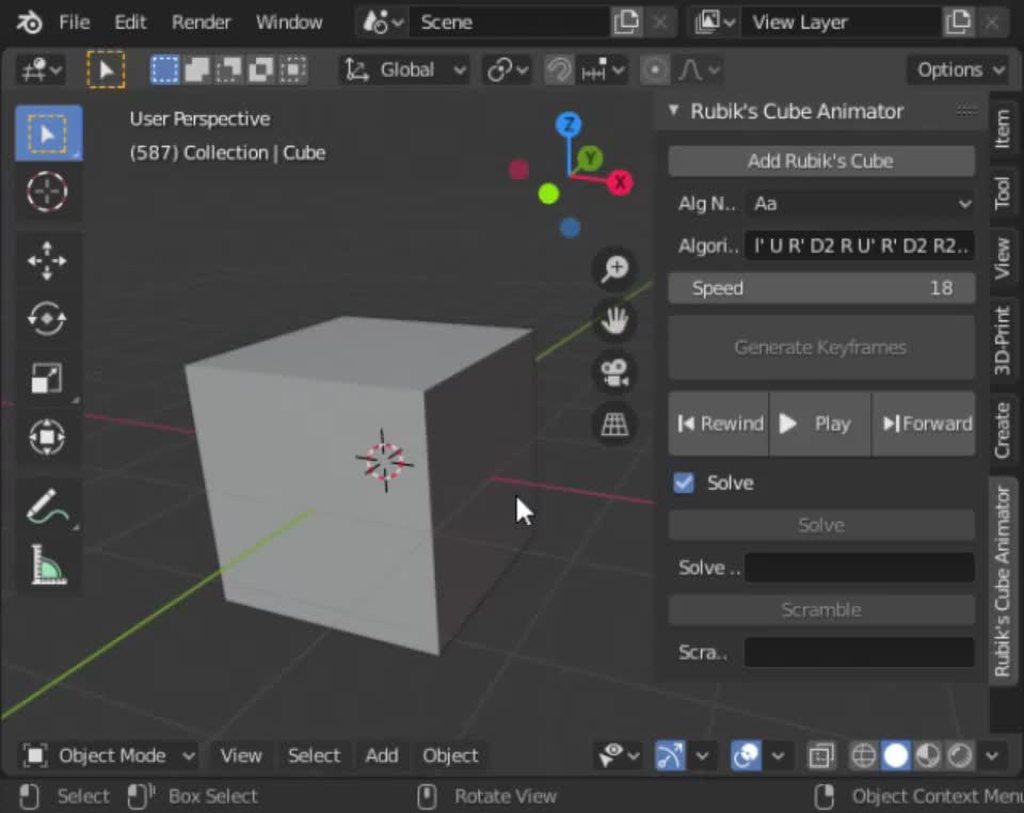
You're a Blender fan, did I show you this addon I made? https://i.imgur.com/WFdYKZY.mp4
 hidden wolf
limber veldt
You're a Blender fan, did I show you this addon I made? https://i.imgur.com/WFdY...
hidden wolf
limber veldt
You're a Blender fan, did I show you this addon I made? https://i.imgur.com/WFdY...
Oh this is cool
limber veldt
And now it shows captures
 modern flint
limber veldt
And now it shows captures
modern flint
limber veldt
And now it shows captures
oooh nice nice
that will make it much easier to read
limber veldt
That's what I was thinking, satisfying
Pretty easy too, just get the text on a surface and blit accordingly the piece.icon py size = (150, 28) # pos, size, color, char, group label = Label((0, 0), size, color, move_text, self.rotating_group) if isinstance(move, dict): label.image.blit(move['moved_piece'].icon, (-2, 0)) if move['captured_piece']: label.image.blit(move['captured_piece'].icon, (62, 0)) self.rotating_group.add(label)
Oh I think I have a redundant line, the last one
Oh I see, it's a fault of my .Group subclass
limber veldt
And the isinstance check was only for when I was sending it strings as placeholders during layout
limber veldt
I had to name a method this definitely_drop, too many drop in the code and it was confusing
limber veldt
Just placeholders, for when I was laying out that area
It's where captured pieces will move
Almost everything working atm, couple little issues to fix
I'm still not handling the moves list with the redo or undo buttons
Because it should adjust depending on the state of the board
With them as sprites with images, that shouldn't be too difficult
When undoing, take the sprite out of the group and when redoing, add it back in
Current state of things
That's from startup
I made the reset button say Setup until it's cicked, from then on, it stays reset
And I can still do anything with the highlighting, still using what I started with
Make those squares look like whatever. I'm still getting capture spots and move spots to two distinct lists then returning them both, so could extra highlight captures if I wanted to
Even animate those spots since they have updates
 harsh mason
Hi guys I am making a simulation in pygame can someone help me pls
limber veldt
What kind of simulation?
harsh mason
2D ballistic simulation
Like a ball is launched
And it calculates where it lands
And stuff
limber veldt
Oh so gravity physics
harsh mason
Kinda
Without the air resistance
But I have an issue
I mean I just don’t know how to do it
It’s when the ball goes far the screen unzooms automatically
Do you know how to do it ?
limber veldt
I don't know exactly what you're doing so I don't know
limber veldt
limber veldt
Current state of things
No rule enforcement either, as you can see, one can move any piece anywhere
Well, any piece of their color, white cannot pickup black and otherwise
 carmine trail
limber veldt
Current state of things
carmine trail
limber veldt
Current state of things
impressicve
limber veldt
Thanks
harsh mason
limber veldt
I don't know exactly what you're doing so I don't know
Can I send you the code because I really need to do the thing that I explained before
modern flint
!paste
 frank fieldBOT
Pasting large amounts of code
If your code is too long to fit in a codeblock in Discord, you can paste your code here:
https://paste.pythondiscord.com/
After pasting your code, save it by clicking the Paste! button in the bottom left, or by pressing CTRL + S. After doing that, you will be navigated to the new paste's page. Copy the URL and post it here so others can see it.
limber veldt
harsh mason
Can I send you the code because I really need to do the thing that I explained b...
It might get more eyes if using the https://discord.com/channels/267624335836053506/1035199133436354600
harsh mason
limber veldt
It might get more eyes if using the https://discord.com/channels/267624335836053...
limber veldt
    def redo_last_move(self):
        print('redo in player', self.color)
        if self.undo_buffer.redos:
            move_to_redo = self.undo_buffer.redos.pop()
            self.undo_buffer.moves.append(move_to_redo)

            move_to_redo['moved_piece'].current_spot.piece = None
            move_to_redo['to_spot'].piece = move_to_redo['moved_piece']
            move_to_redo['moved_piece'].current_spot = move_to_redo['to_spot']
            move_to_redo['moved_piece'].move_to_spot(move_to_redo['to_spot'])

            if move_to_redo['captured_piece']:
                move_to_redo['captured_piece'].current_spot = move_to_redo['captured_to_spot']
                move_to_redo['captured_to_spot'].piece = move_to_redo['captured_piece']
                move_to_redo['captured_piece'].move_to_spot(move_to_redo['captured_to_spot'])

            self.move_display.add_move(move_to_redo, 'white' if self.color == 'w' else 'black')

return True```Juggling pieces and spots gets so confusing, I got it pretty clean...I thinkMore of the same for undo ```py
def undo_last_move(self):
print('undo in player', self.color)
if self.undo_buffer.moves:
move_to_undo = self.undo_buffer.moves.pop()
self.undo_buffer.redos.append(move_to_undo)
        move_to_undo['to_spot'].piece = None
        move_to_undo['from_spot'].piece = move_to_undo['moved_piece']
        move_to_undo['moved_piece'].current_spot = move_to_undo['from_spot']
        move_to_undo['moved_piece'].move_to_spot(move_to_undo['from_spot'])

        if move_to_undo['captured_piece']:
            move_to_undo['captured_piece'].current_spot.piece = None
            move_to_undo['captured_piece'].move_to_spot(move_to_undo['to_spot'])
            move_to_undo['captured_piece'].current_spot = move_to_undo['to_spot']
            move_to_undo['captured_piece'].current_spot.piece = move_to_undo['captured_piece']

        move_sprite = self.move_display.rotating_group.sprites()[-1]
        move_sprite.kill()
        return True```
But now handling captured piece undos and redos properly
Pretty sure there's something I missed though
Next up, promoted pawn undos and redos
Gonna need to kill some pawns
Poor pawns
Saved in variables, that code cleans up nicely
    def redo_last_move(self):
        print('redo in player', self.color)
        if self.undo_buffer.redos:
            move_to_redo = self.undo_buffer.redos.pop()
            self.undo_buffer.moves.append(move_to_redo)

            piece = move_to_redo['moved_piece']
            spot = move_to_redo['to_spot']
            piece.current_spot.piece = None
            spot.piece = piece
            piece.current_spot = spot
            piece.move_to_spot(spot)

            if move_to_redo['captured_piece']:
                piece = move_to_redo['captured_piece']
                spot = move_to_redo['captured_to_spot']
                piece.current_spot = spot
                spot.piece = piece
                piece.move_to_spot(spot)

            self.move_display.add_move(move_to_redo, 'white' if self.color == 'w' else 'black')

return True``` One of themI found that, with the animation, juggling spots in the pieces themselves could be a pain in the ass if they're making assignments to spots and spots to themselves during that
So the players assign things and fire the animation, letting it do it's own thing but the data on the board is set before the pieces 'land' on their spots
I should write a queue for moves, so one follows the other with some kind of timing/delays
Like when redoing a capture, I think the piece that moved should animate before the piece that gets captured moves to the sidebar
Like two moves, one right after or shortly before the other ends
hidden wolf
I'm getting confused reading this this. I don't know how people read other's code and understand it. I can't understand my own code 1-2 days later unless I commented it properly
limber veldt
Yeah, I get it, it is hard to follow, like I have to step through one line at a time and make mental notes of what I just did, lol
Should so some of the robot game code, too
Pretty cool stuff
Imagine how a chess move happens, like logically what happens. Pick up a piece, the square it was on no longer has a piece, so current_spot.piece = None removes the piece from that spot, like in it's attributes, the spot no longer has a piece
So the spot the piece is moving to become that piece current_spot instead of the old one, so swap piece current_spot to None then reassign current_spot to the new spot
Then the capturing logic
limber veldt
Maybe I thought of how to do these redos and undos better. Gonna give my player redo_two() and undo_two() methods and give them updates so they can make two moves in sequence instead of at the same time
So far, there's no need to update players, they're event driven and have no images or rects or anything, just logic
has_played = self.players[self.player_index].check_event(event) sending the event to the current player in the event loop, if not has_played, don't change player, otherwise do
Trying again, promotions messages
Oh and I have the board in audit mode. If any spot doesn't have a piece assigned to it, it turns grey
 pine plinth
click one of your pieces
what if my queen is captured?
can I click my king? can I click one of pawns?
limber veldt
Nope
Can only select a knight, bishop, rook or queen
It says that in the message
From google
They can promote to bishops, rooks, and as we've already seen, even to queens. But a pawn can't be promoted to a king. It just doesn't work that way.
I dunno why it doesn't say knight because they can
And not to a pawn, that wouldn't make sense, so only those four pieces
And yes, you can always promote to a queen, with or without one or more already on the board
limber veldt
limber veldt
Maybe I thought of how to do these redos and undos better. Gonna give my player ...
Already done for undos, two pieces in sequence. When the first gets to within 100px of its target spot's center, it triggers the second piece, the one that's on that spot the first piece is going back to, to move back to where it cam from
hidden wolf
cool stuff
hidden wolf
https://paste.pythondiscord.com/NRLQ
it's a bit hacky at the moment and the thresholds need to be adjusted, but this code does remove a lot of excessive pivots
I also need to refactor it to make it easier to understand so I can delete the comments
pine smelt
if you personally want to go for it, but its worth pointing out u dont need to waste time rewriting the same code over and over again just so it looks better
ultimately if the entire function works, the user wont see any perceivable difference
obviously if u just want to for ur own understanding, thats a different thing
hidden wolf
got it, so once I work out the kinks with the thresholds (it's currently flattening thigns that should be curved) I can leave it as is technically
I've been rewriting everything so in case I ever have to rework a function it's easier to understand, but perhaps with comments this type of one of function that will never be called anywhere else can stay "hacky"?
pine smelt
ye sounds fine to me
hidden wolf
thank you 🙂
pine smelt
to be honest, i only really refactor code for optimisation or performance reasons
hidden wolf
ah interesting. Do you ever find you can't understand what you did months later because of that if you need to review the code?
I'm worried that in a few months I won't understand my code, I have a very hard time reading other people's code
pine smelt
well i try to make my code as understandable and generalised as possible when i first create it
especially with variable names and stuff
modern flint
hidden wolf
I'm worried that in a few months I won't understand my code, I have a very hard ...
That's common
Reading code is also a skill, you will get better at it overtime
pine smelt
ye
modern flint
As is writing more readable code
pine smelt
sometimes (albeit usually i just fullsend it) i do take a moment to decompose what im doing into its own steps, then make a general solution that can solve each part
as an example
i made this diagram when i made my attack manager for one of my rpjects
 limber veldt
I'm probably the only person concerned with my code, others just see the results
pine smelt
ur definitely not the only person its a common trait
limber veldt
No no, I mean me specifically
Like others definitely care about their code but does anyone who's not a coder care? No, those poeple see what you made and don't care about code
pine smelt
yes thats probably the biggest thing i realised from game jams and showing stuff to my mates
 proper peak
limber veldt
I'm probably the only person concerned with my code, others just see the results
proper peak
limber veldt
I'm probably the only person concerned with my code, others just see the results
wrong, whenever I plug my projects on this discord people bully me for my bad code 😭
limber veldt
lol, damn bullies
hidden wolf
the second thing I drew turned into a straight line... probably because I am using the abs value. Will need to work a bit more on the algo when I get home from work
it also doesn't do an amazing job on removing all the excess pivots yet, but I assume tinkering with the threshold based on slope of the line will help
pine smelt
looks like a good start tho 👍
hidden wolf
thank you. I'm so happy how far I got it. going to add bit by bit till it does what I envisioned
limber veldt
Fun times, like I enjoy having a good challenging code more than a good aaa game (GTA6 is coming)
Coding is a far more replayable game too
modern flint
well yeah, it's Turing complete
hidden wolf
agreed
I'm having more fun trying to make something to make assets for a game than actually making games
limber veldt
And it's a rainy day here, might as well play all day, or even more of it
I can probably finish this game's functionality today, can't be sure because I've had this feeling before, lol
Then maybe I'll spin off an arcade version, open to suggestions on that when the time comes
'Fatality!'
Move to make a capture, game zooms to a 3d first person combat with explosions, particles and blood everywhere
Maybe just an emoji that gets sadder and sadder for each piece captured
At this point, I just want the animated pieces working properly
haughty nova
self.last_rocket_fired = 0
        self.rocket_cooldown = 45000
    def fire_rocket(self):
        current_time = pygame.time.get_ticks()
        if current_time - self.last_rocket_fired >= self.rocket_cooldown:
            new_rocket = Rocket(self)
            self.rockets.add(new_rocket)
        else:
            print(f"You are on a cooldown!")
the rocket wont fire and it just prints the message
each time i press the button
anyoneh ere
proper peak
did 45 seconds pass?
haughty nova
proper peak
did 45 seconds pass?
i fixed it
another issue
collisions = pygame.sprite.groupcollide(self.bullets,self.aliens,True,True)
        collisions_two = pygame.sprite.groupcollide(self.rockets,self.aliens,True,True)
```so the 2nd collision detects if my rocket hit an alieni want to make it so that a random number of aliens are removed when a rocket hits one alien
harsh mason
hi can someone take a look pls #1270372419781136435 message
limber veldt
Nice, solved animated undos and redos. I don't know what I was thinking, that behavior belongs in main, not in players. Moved to main and it's waaaay easier
And since I'd already added states to main, it was even easier
 pulsar steppe
If I want to build an application, which language should I use?
harsh mason
harsh mason
hi can someone take a look pls https://discord.com/channels/267624335836053506/1...
@limber veldt can you take a brief look pls
limber veldt
I thought I better add these, player gets a lot of stuff py class Player: ''' color: string: 'w' or 'b' icon_images: dict: keys = strings of <color>_<first letter of name> eg: 'w_n' for white night values = pygame.Surface() piece_images: dict: keys = strings of <color>_<name> eg: 'w_knight' for white knight values = pygame.Surface() sidebar: SideBar() object undo_buffer: UndoBuffer() object pieces_group: pygame.sprite.Group() promo_group: pygame.sprite.GroupSingle() move_display: MoveDisplay() object promo_card: pygame.sprite.Sprite() with promo card image ''' def __init__(self, color, icon_images, piece_images, sidebar, undo_buffer, pieces_group, promo_group, move_display, promo_card): and I wanna at least know what they are supposed to be later
limber veldt
Progress, pawn promotion is working and undoing them too
New promotion implementation, with a popup to choose a piece from
Gotta do a bunch of code cleanup though after today's reworking
And the move list updates with the icon of the promotion when the choice is made
hidden wolf
nice
limber veldt
Nice, I made en passant, so cool
So any pawn that moves two spaces, they're only supposed to do it when at their starting spot, my game doesn't yet enforce it. But anyway. If a player moves a pawn two spaces, that pawn can be passed by any opponent pawn sitting left or right of it but only on the next turn. If the opponent chooses not to pass the pawn, it's no longer passable
That was tricky
So, if player moves two spaces, I mark that pawn as passable. On the next player's turn, if a pawn gets picked up, it looks for passable pawns. It can only ever find one of them, not more. If it finds one, the picked up pawn marks the spot to land on to be passed. Then, back in player, where drop happens, if it happens on a spot marked by the picked up pawn, the passed pawn is captured
The key was resetting all spots after checking for drops on passing spots, those which pass a pawn with a pawn
That way passing a pawn is only avaialble once, after that, too late
A quick demo
One special move left to do, castling
So if a king is moved to castle position, it'll auto-move the rook, but only if the rook hasn't moved before. Like they can't go out and come back and still be castled
Check out those sexy pieces https://paste.pythondiscord.com/V5JQ
Not sure why I gave the Piece a setter, thought I'd play with it, it doesn't need it
How I made the pieces so quickly, subclasses baby
Only took a few minutes for me to figure out that getting lines for rooks, bishops and queens is all the same thing with only four variables
They probably still have a few extra default attributes that they don't need, yet to clean it all up, that's code hot off the presses, so to speak, well some of it
hidden wolf
hidden wolf
the second thing I drew turned into a straight line... probably because I am usi...
it's a long story what the problem was why when drawing the circle it failed, but comparing slope a to slope b is too inaccurate, especially as the slope approaches infinite (straight up line)
but I solved it by instead calculating the line formula constants (slope, b from y = slope x + b), then using the constants to check what y should be based on x, and then checking the abs(actual_y - calculated_y) against a constant (margin of error) to see if the middle pivot should be deleted
at higher slopes it still doesn't work well, but that will be easily solved by redoing the formula to x = (y -b )/ slope at higher slope values (I've done this for other parts of the program so I know it will work
 visual remnant
Hello?
 pseudo robin
why is the loop not working. when game function finishes the code stops:
while True:
    menu_window()
    from game import game
game()```does not loop again
modern flint
what does game() do?
pseudo robin
modern flint
what does game() do?
its a simple game, when finishes a level it closes pygame and the window
modern flint
maybe that has something to do with it.
how exactly does it close pygame and the window? which function do you use for that?
!paste
frank fieldBOT
Pasting large amounts of code
If your code is too long to fit in a codeblock in Discord, you can paste your code here:
https://paste.pythondiscord.com/
After pasting your code, save it by clicking the Paste! button in the bottom left, or by pressing CTRL + S. After doing that, you will be navigated to the new paste's page. Copy the URL and post it here so others can see it.
pseudo robin
modern flint
maybe that has something to do with it.
how exactly does it close pygame and the...
            if current_time >= seconds[seconds_set]:
                create_circle()
                seconds_set += 1
                while (
                    seconds_set < len(seconds)
                    and seconds[seconds_set] == seconds[seconds_set - 1]
                ):
                    create_circle()
                    seconds_set += 1
        else:
running = False```its a rythm game
modern flint
pseudo robin
```if seconds_set >= 0 and seconds_set < len(seconds):
if current_ti...
that wouldn't really close the window from what I understand
modern flint
frank field
is there more code? you can use the pastebin as this message above says
pseudo robin
pseudo robin
why is the loop not working. when game function finishes the code stops:
```fro...
the code is very messy
i just was testing
modern flint
I think when you do sys.exit() at the end of the game() function it just exits the program
So the loop doesn't run because of sys.exit()
I don't really know how to solve this though, sorry
pseudo robin
np, im gonna try anyways
limber veldt
Changed file structure, this makes it a little easier to handle

Most of those were in main, some of them are just a few lines, some aren't, so it's easier to navigate this way
pseudo robin
nice
still cannot figure out why this does not work
while True:
    menu_window()
    from game import game
game()```the loop does not loop
i don't get it
i've been 2 hours trying to figure it out
made with pygame btw
pine smelt
wdym it doesnt loop
modern flint
pseudo robin
game.py: https://paste.pythondiscord.com/ZCJQ
^
pseudo robin
pine smelt
wdym it doesnt loop
when it gets to game() then doesnt start all over again even tho it there is an infinite loop
it may be something with game method when it ends
but hosestly dont know
im trying to figure out
pseudo robin
pseudo robin
```from menu import menu_window
while True:
menu_window()
from game imp...
main script that put these together
pine smelt
i mean
when u do game()
at the end it calls sys.exit()
completely terminating the code
pseudo robin
do u know any alternative?
pseudo robin
pine smelt
get rid of it?
wdym?
pseudo robin
i think i tryed that
but gonna try anyways again
pygame 2.5.1 (SDL 2.28.2, Python 3.11.3)
Hello from the pygame community. https://www.pygame.org/contribute.html
Traceback (most recent call last):
  File "c:\Users\mique\OneDrive\Escritorio\NoteFusion\main.py", line 4, in <module>
    menu_window()
  File "c:\Users\mique\OneDrive\Escritorio\NoteFusion\menu.py", line 54, in menu_window
    root.title("NoteFusion")
  File "C:\Users\mique\AppData\Local\Programs\Python\Python311\Lib\tkinter\__init__.py", line 2282, in wm_title
    return self.tk.call('wm', 'title', self._w, string)
           ^^^^^^^^^^^^^^^^^^^^^^^^^^^^^^^^^^^^^^^^^^^^
_tkinter.TclError: can't invoke "wm" command: application has been destroyed```it breaks
pine smelt
u probably need to create a new root inside the menu_window() func
pseudo robin
im preaty new at python
pseudo robin
pine smelt
u probably need to create a new root inside the menu_window() func
two roots ym?
pine smelt
as in
everytime u call menu_window(), it initialises a new root
so move the stuff at the top of that file
to the inside
of menu_window()
pseudo robin
pine smelt
everytime u call menu_window(), it initialises a new root
but thats what i want
pine smelt
ye but ur not doing that rn
oh sorry
i meant
everytime u call menu_window(), it SHOULD initialise a new root
pseudo robin
yes
i mean, the main.py code works only one time
then doesnt follow
when the game closes it ends compleatly the code
pine smelt
its fine itll get better with practice
pseudo robin
if you place all in the method then some variables doesnt get other variables
and prints errors
I think the problem is in the game.py script
pine smelt
why?
pine smelt
pseudo robin
```main.py
pygame 2.5.1 (SDL 2.28.2, Python 3.11.3)
Hello from the pygame commun...
u got this error in menu.py didnt u
pseudo robin
yep
oh no
srry
this one on game.py
with your modified code it literaly doesnt print anything in the program

shold look like this: v
 pseudo robin
Traceback (most recent call last):
  File "c:\Users\mique\OneDrive\Escritorio\NoteFusion\main.py", line 1, in <module>
    from menu import menu_window
  File "c:\Users\mique\OneDrive\Escritorio\NoteFusion\menu.py", line 5, in <module>
    title_font = ctk.CTkFont(family="Arial", size=25, weight="bold")
                 ^^^^^^^^^^^^^^^^^^^^^^^^^^^^^^^^^^^^^^^^^^^^^^^^^^^
  File "C:\Users\mique\AppData\Local\Programs\Python\Python311\Lib\site-packages\customtkinter\windows\widgets\font\ctk_font.py", line 39, in __init__
    super().__init__(family=ThemeManager.theme["CTkFont"]["family"] if family is None else family,
  File "C:\Users\mique\AppData\Local\Programs\Python\Python311\Lib\tkinter\font.py", line 72, in __init__
    root = tkinter._get_default_root('use font')
           ^^^^^^^^^^^^^^^^^^^^^^^^^^^^^^^^^^^^^
  File "C:\Users\mique\AppData\Local\Programs\Python\Python311\Lib\tkinter\__init__.py", line 319, in _get_default_root
    raise RuntimeError(f"Too early to {what}: no default root window")
RuntimeError: Too early to use font: no default root window
PS C:\Users\mique\OneDrive\Escritorio\NoteFusion> ```i really think the problem is in game.py
all works perfectly but when game() ends
pseudo robin
yes
pine smelt
then it cant be game.py, since the entirety of game() ends
and loops back to menu_window
pine smelt
cant
pine smelt
pseudo robin
no, the error e sent you is on menu.py
which error
pseudo robin
pseudo robin
```main.py
Traceback (most recent call last):
File "c:\Users\mique\OneDrive\Es...
.
modern flint
pseudo robin
```from menu import menu_window
while True:
menu_window()
from game imp...
for debugging maybe put
print("testing")
after game() here? to make sure that the game exits completely? if it prints, then game() is not the problem
pseudo robin
yep, i tryed that, it does not print after game()
pseudo robin
it doesnt keep so doesnt loop
pine smelt
ye
 pseudo robin
pine smelt
pygame.quit() doesnt terminate the code does it
pseudo robin
pine smelt
pygame.quit() doesnt terminate the code does it
no, does not
well i dont know
everything works as normal only once with or without pygame.quit()
then breaks
modern flint
pseudo robin
yep, i tryed that, it does not print after game()
you tried that after you removed sys.exit()?
pseudo robin
yes, i tryed everything
pine smelt
i dont see how thats possible im so confused
modern flint
I'm also confused
pseudo robin
me too
if anyone wants to call, i'd apriciate
ive been trying for hours
even chatgpt cant solve it
hidden wolf
pine smelt
what was ur code for that
Will send it when I get home from work
pseudo robin
the problem is when i destroy the root
pseudo robin
this is how I fix it:
    while True:
        menu_window()
        root.withdraw()
        import game
        game.beatmap_selected1 = beatmap_selected
game.game()```now the loop workds
limber veldt
Move list datas, keeping all of this makes it so much easier to undo and redo py move = { 'from_spot': self.carrying.current_spot, 'to_spot': spot, 'moved_piece': self.carrying, 'captured_piece': spot.piece, 'pawn_promoted_to': None, 'promoted_pawn': None, 'captured_to_spot': None, 'castled_rook': None, 'passed_pawn': None, 'passable_pawn': None }
As soon as a player drops a piece, in fact in that method, I populate it with any relevant info
Basically keeps the state of the board for every move
In those undo and redo methods, they just check the last move in the buffer for all those things and send or set them accrodingly
hidden wolf
This was my original code https://paste.pythondiscord.com/QX5Q
I name my functions test to tell myself which are the experimental ones to remove
this is my better code that solves for the mx+b variables, checks for calculated y vs. actual y and then deletes if delta_y is below a certain threshold
@pine smelt let me know if you need more code to understand these functions
hidden wolf
 def x_vs_calc_line_x(self, point, slope, b):
        x, y = point
        solved_x = (y - b)/slope
        delta_x = solved_x - x
        return delta_x
and now in the main function:
                 if abs(slope) <=3:
                    delta_y = self.y_vs_calc_line_y(pivot_3.get_rect(), slope, b)
                    print(slope, b, delta_y)

                    if abs(delta_y) < 10:
                        self.remove_middle_pivot(pivot_1, pivot_2, pivot_3)
                    else:
                        break

                if abs(slope) > 3:
                    delta_x = self.x_vs_calc_line_x(pivot_3.get_rect(), slope, b)
                    print(slope, "deltax", delta_x)
                    if abs(delta_x) < 10:
                        self.remove_middle_pivot(pivot_1, pivot_2, pivot_3)
                    else:
                        break
I suspect playing with the threshold for delta_x and delta_y and even the slope cutoff will optimize removal of pivot points vs. maintaining the draw shape. my current settings make it a little blocky
pine smelt
oh i see
my method was overcomplicating it i think
i might try implement it tho just as an excercise
hidden wolf
what were you trying?
btw if you wonder how I got the thresholds I chose, I litterally drew a bunch of lines, looked at the delta_y and delta_x I was getting and was like, gee they should delete all the ones below 10
pine smelt
lol if it works it works
pine smelt
hidden wolf
what were you trying?
uh
basically create line segments paremetrically between 2 pivots at a time
maybe handle that using left and right pointers onthe list
then for every point inbetween those 2 pivots, look at the perpendicular distance away from the line segment
if its within a threshold, delete that point
the hard part would be figuring out when to move the pointers
pine smelt
i need a break from my current thing ill make a quick mock up and see if my method's even possible
hidden wolf
I mean my method ended up working, if you are busy don't want to divert your energy
pine smelt
oh no this is just for fun
i doubt i can fix the problem i was having even if i spent another hour on it anyway
hidden wolf
gotcha
pine smelt
ok this is harder than i thought
ive got a start
but it only works if all of the pivots between the start and end need to be deleted, which is kinda useless
now im getting the problem u faced once i think,
this snaps into

 hidden wolf
yea, so when you use slopes without an actual line formula if you have a verticle slope then it tends to be greater than all your other slopes and slaps it into a single line no matter how much detail you do
to solve this, switching verticle lines to rely on x = (y -b) /m gets more reliable data to compare, and for lower slopes use the traditional y = mx+b
I have a decent result with this strategy. Another option I was toying with was to calculate the angle between the two lines and use that to decide if the angle is low enough to do the same deletion
limber veldt
That shit's confusing py if event.type == pygame.MOUSEBUTTONDOWN: if event.button == 1: mouse_pos = pygame.mouse.get_pos() spot = self.get_clicked_spot(mouse_pos) if spot: # clicked a spot piece = spot.piece # does it have a piece? if piece: # clicked spot with a piece if piece is self.carrying: # same spot as self.carrying.current_spot self.undo_pickup(piece, spot) # just drop it return # don't change player if not self.carrying: # clicked spot with piece and not carrying anything if piece.player is self: # if piece is mine, pick it up self.pickup(piece) return # don't change player else: # not carrying and piece is not mine print('clicked on wrong color') else: # is carrying and clicked a spot with a piece already on it if not spot.piece.player is self: # piece on spot is opponent's self.definitely_drop(spot) # drop will capture the piece return True # change player else: # no piece on clicked spot if self.carrying: # is carrying and clicked an empty spot self.definitely_drop(spot) return True # change player
That's in the player
Not bad for everything it does
pine smelt
limber veldt
That shit's confusing ```py
if event.type == pygame.MOUSEBUTTONDOWN:
...
a neat little trick to reduce the indentation is to use :=
hidden wolf
that is funky looking. I try to pack some stuff into functions if I can so I had have that much indentation
:= does what?
pine smelt
its called a walrus operator i believe, allows for in-expression assignment
for example
where u put
spot = self.get_clicked_spot(mouse_pos)
if spot:
that can be
if (spot := self.get_clicked_spot(mouse_pos)):
Well, without the lengthy comments, it looks much nicer, in vsc it looks ok but I needed a quicker way to see my logic
So comments to spell it out
Tey won't stay
pine smelt
sounds fine
also its getting late for me so i should go, but this is the code i got so far https://paste.pythondiscord.com/WQXQ
limber veldt
Now the method returns True only when changing player, else False. I had it returning all kind of stuff a few days ago, like totally changed things around for the animation, now main has states
pine smelt
it barely works but its a start ill ork on it tmr
limber veldt
Main has access to everything, board,players, last moves, everything, and while the players can get it, it's just easier for main to manage both players
They handle capturing but main oversees and keeps player states while animating if undoing and redoing
pine plinth
pine smelt
```py
if (spot := self.get_clicked_spot(mouse_pos)):
```
you dont need (:=)
hidden wolf
I'm actually not sure if what I did was correct...
I created a window class - all surfaces are created from this
then I create pivot class - these are data containers
then pivot manager - this class does the basics functions for the pivots (create pivot, delete pivot, detect a pivot hit, etc)
then edges and edge_manager - same relationship as above
finally I have global controls which draws and manipulates on screen decides when to create, delete, or what to do if colliding with an object
my main file is basically empty except window.run() for all windows, and then global controls.run()
so all my classes except window feeds into the GlobalControls class which is basically the main logic for the drawing portion of the app
I was thinking other features could be built like this as well and added on the sides of the drawing screen
pine smelt
I don't see any problem with that, as long as you don't find yourself struggling accessing objects from other managers that sounds good to me
pine smelt
pine plinth
you dont need (:=)
He uses spot later on in that code as well
For spot.piece.player
If you meant just doing it as spot = ..., then if spot, that's completely fine and probably more readable, I was just suggesting a funky way to reduce the indentation
pine plinth
pine smelt
He uses spot later on in that code as well
if (x := ...): ...
if x := ...: ...
Ohh
Idk my brain defaults to using brackets especially if i have to use multiple within an expression
hidden wolf
I finally downloaded git and put my code in it. finally got too big to make changes that can be easily reversed without backup
 stable crest
I'm working on a game like Bitlife, but on mars
 safe kraken
Heya  I'm creating a game on Renpy, but i'm using init python for a small chess minigame within my script and GUI. It's visually functional but the pieces can't move. Is anyone able to help with this language fusion lol
I'm not sure where to ask, i can move if needed
 uneven folio
I'm using the Raylib module, when I print a raylib vector, I see this
Is there any way to print the actual values? I tried _fields_ but I get an error saying the field doesn't exist
pine plinth
uneven folio
I'm using the Raylib module, when I print a raylib vector, I see this
```<cdata...
have you tried print(vec.x, vec.y) ?
uneven folio
pine plinth
have you tried `print(vec.x, vec.y)` ?

 noble socket
should I do draw actions as the last action in a game loop?
modern flint
Usually you draw to the screen as the last action, yes
As far as I know
hidden wolf
found a flaw in my approach
the check for delta x works great if it's just a straight line up. if you draw a straight line up and down, it deletes too much as shown
I guess I have to add a check for change in polarity of the slope, is there a built in function that checks if two values are both positive or negative?
limber veldt
Good morning all o/
modern flint
good morning!
hidden wolf
good morning
def slope_is_same_sign(self, slope_1, slope_2):
        """function to ensure both slopes are the same sign (+ or -)"""
        if slope_1 * slope_2 > 0:
            return True
quick check if both are the same sign since - * - is a positive, so only returns false if one is positive and other is negative
limber veldt
Spending a little time this morning just going over code, renaming and refactoring here and there
Good naming is a skill
modern flint
for sure
limber veldt
Names like self.new_piece says nothing about what it's for
I'm using it as a variable for the event loop to store the selected piece from pawn promotion
modern flint
yeah I sometimes get confused with my bad naming on the very same day I wrote the code
rip
hidden wolf
sigh, didn't work since when the slope is 0 isn't accounted for
pine smelt
does >= not fix that
hidden wolf
at a bend slope may be 0, -.19
limber veldt
So like ask player to make a move. If player moves into promotion (pawn to last rank), player sets their .is_promoting attribute, so when the event handler gets a response from player, it asks if that player .is_promoting and if so, sets the game state to 'promoting' and self.new_piece to None. In the promoting state, there is just a loop asking if self.new_piece is not None. When the state finds it, it can do the animation
hidden wolf
no since if its a straight line, slope 1 is 0, slope 2 is 0 so you want it to delete the pivot, but if it bends backwards, slope 1 may be 0, slope 2 0.19 and you want it not to delete the bend point
so need to think of the logic for a slope of 0 case so machine knows when it's a bend
limber veldt
Changed to self.selected_promotion_sprite much more descriptive
pine smelt
hidden wolf
no since if its a straight line, slope 1 is 0, slope 2 is 0 so you want it to de...
is this not similar to points of inflection
when using second derivatives on polynomials with an order >=3
hidden wolf
it is actually
pine smelt
might be something worth thinking about not sure since theres no actual axis
hidden wolf
I'm dealing with 2d line comparison
pine smelt
well when u find a maxima, minima or point of inflection on a curve, u look at the slope before and after the point
this is similar but using 2 direct lines
rather than a complete curve
hidden wolf
ah interesting, my logic doesnt work if someone draws a straight line and traces back over it since the slope will be the same (just cuz they drew backwards doesn't make the slope negative
pine smelt
ah i see
hidden wolf
like if slope = 1 drawn from top left to bottom right, and then you trace from bottom right to top left slopes for both lines are =, doesn't matter how it was drawn
this is less programming and more math hahah
pine smelt
u could use the dot product between the two points to figure out the direction?
 manic totem
can someone help me with this because i still havent find the solution
hidden wolf
ahh linear algebra, wish I didn't stop after calculus 2 in college 😉
I'm actually thinking that checking slope is again the wrong approach. for a simple example:
pine smelt
manic totem
can someone help me with this because i still havent find the solution
do u have the image files
maybe in a github repo or smthn
manic totem
image files?
hidden wolf
if drawing from 1,1 to 2,2 the dx and dy are positive, but if drawing from 2,2 to 1,1 the dx, dy are both negative. so maybe I need a comparision of dx to dx and dy to dy for the two different lines somewhere
manic totem
pine smelt
i want to try run the code and see the problem
huh?
you want to run my codes?
oh
ok i get it
give me a minutes
limber veldt
I didn't read all the replies to your message up there, but py def activate(self): self.activate = True we can't have method and attribute names the same like that Assigning the attribute overwrites the method
pine smelt
hidden wolf
if drawing from 1,1 to 2,2 the dx and dy are positive, but if drawing from 2,2 t...
thats essentially what the dot product does i think
hidden wolf
reading about it now 😉
pine smelt
👍
manic totem
how do you upload a folder in discord
limber veldt
Dot product can give you the amount of one vector that is in the direction of another vector
pine smelt
ye
if its negative, that means they're facing in opposite directions
which is the case i think ur trying to find
hidden wolf
correct
pine smelt
manic totem
how do you upload a folder in discord
.zip
manic totem
alright
hidden wolf
eh
manic totem
what does "object is not callable" mean
hidden wolf
dot product requires me to find the cos(angle) between the two lines, which tbh, I don't feel like figuring out.
direction of vector is easier - (x2 - x1, y2-y1) describes the the direction
hidden wolf
manic totem
what does "object is not callable" mean
means you put "()" behind an object instead of a function
modern flint
manic totem
what does "object is not callable" mean
I think that means you tried to use it as a function
like
a = 2
a()
doesn't work
hidden wolf
if you put () or [] behind something that isn't a function or a list you get:
() - not callable
[] - not indexable
don't ask me how I know 😉
pine smelt
hidden wolf
dot product requires me to find the cos(angle) between the two lines, which tbh,...
u shouldnt do
assuming A and B are position vectors of the pivots,
v1 = (A - B)
v2 = (B - A)

#either use numpy
dot_product = np.dot(v1, v2)
#or just math
dot_product = (v1.x * v2.x) + (v1.y * v2.y)
i can run the codes now thanks for that hint sst but it seem like the spawning still doesnt work
pine smelt
then just see if its < 0 or not
pine smelt
manic totem
i can run the codes now thanks for that hint sst but it seem like the spawning s...
ill try fix ur code, u should probably use different variable names so its less confusing
aight here think thats it
oh
ill dm it
hidden wolf
pine smelt
assuming A and B are position vectors of the pivots,
thank you. Just watched a youtube video on it
the website I found was showing how the dot product could help you get cos(angle) so you can solve for angle
this will prob work for me
pine smelt
👍
pine smelt
hidden wolf
thank you. Just watched a youtube video on it
the website I found was showing h...
ive only ever used the cos part in physics problems, in code and maths i usually only use the one i sent above
manic totem
pine smelt
ill dm it
wow thanks it work
i honestly thought there is something wrong the Timer class that i created and yes it is but turn out it just miss spell
feeling stupid for not realizing this long time ago
pine smelt
its an easy mistake to make, especially since activate() and active look so similar
manic totem
yeah that definitely my fault for make it look similar
 noble sequoia
hidden wolf
noble sequoia
hidden wolf
    def get_unit_vector(self, point1, point2):
        """given 2 points, calculates the vector and returns the direction
           in the x and y direction as a unit vector in tuple"""
        x1, y1 = point1
        x2, y2 = point2

        dx = x2 - x1
        dy = y2 - y1

        if dx != 0:
            x_dir = dx / abs(dx)
        else:
            x_dir = 0

        if dy != 0:
            y_dir = dy / abs(dy)
        else:
            y_dir = dy

        return(x_dir, y_dir)

    def vector_dot_prod(self, vec1, vec2):
        """gets dot product of 2 vectors"""
        v1x, v1y = vec1
        v2x, v2y = vec2

        dot_prod = (v1x*v2x) + (v1y*v2y)
        return dot_prod
@pine smelt
added a check to see if dot_product was negative and if yes, break the proccess of removing pivots... works like a charm now - thank you
pine smelt
good stuff
hidden wolf
appreciate your help as always! 🙂
limber veldt
So in my redo and undo, I was flipping or flopping player_index each time the button is clicked. But since every move is stored in a dict, including the moved piece (with a .player attribute), I'm getting the player of the move from the dict and setting player_index according to that directly. This makes redo and undo only work with moves in the move dict, totally independant of whose turn is is at the moment
If the last move in the dict was a white piece, we know it's black's turn next, set player index to 1 and otherwise
And generalized two piece movements by making two lists of pieces, one with pieces to move in the first phase and another with pieces to move in the second phase. At the start of one of those movements, I parse the move dict and populate those two lists then fire off the animation that just pulls from those lists whatever pieces are in them
hidden wolf
anyone who knows git, I need to go back and look at old code in a commit I made a few commits ago and then deleted. how to do that and then come back to my current state?
 vagrant saddle
hidden wolf
anyone who knows git, I need to go back and look at old code in a commit I made ...
vagrant saddle
hidden wolf
anyone who knows git, I need to go back and look at old code in a commit I made ...
git log -n 10 --pretty=format:"%H" then checkout the old enough hash
hidden wolf
vagrant saddle
git log -n 10 --pretty=format:"%H" then checkout the old enough hash
thank you
limber veldt
So, do en passant, board sees it and captures the passed pawn, all good. Next players turn. No, let's undo and try the en passant again. Board doesn't see it and the passed pawn just sits there
It took me hours to figure out what was wrong
And, as usual, it was just one line that was missing, not done when it should have been during the undo
self.undo_move['to_spot'].piece = None
When undoing, the to spot still had a piece on the next turn, so dropping to the 3rd rank to en passant that is looking for a drop on an empty spot, not working
Got it now
It gets a little confusing too because both players are the same class so when looking at pickup and drop and all that, one has to keep in mind that the same code has to be able to 'see' what happened in the other player just by looking at the spots
hidden wolf
I just spent 3 hours because in a function that checks whether an edge is shared by two pivots, I accidently returned False if the first edge the pivot stored wasn't the shared one. problem is, there were 7 functions to go through that could have been the problem and I only figured it out after realizing that if I reversed the order I selected the pivots everything worked properly
this programming stuff is fun and frustrating at the same time
 full plume
hey, 🙂 my game that I am working on is an asci art style game run in the terminal. When I run my code which is just a save load system, and a way to navigate the terminal game, it works fine, but only on visual studio. However when I go into my filesystem and open my game main.py it works up untill I make a new game and set my name then it crashes. I'm not sure why it does not work as well on windows command prompt as visual studio or windows PowerShell, but when I run it on visual studio and windows PowerShell it works fine but on cmd prompt it does not work and crashes. my code is ```
import os
from pyfiglet import Figlet
from asciimatics.screen import Screen
f = Figlet(font='slant')
run = True
menu = True
play = False
rules = False
key = False
HP = 100
ATK = 3
pot = 0
elix = 0
gold = 0
x = 0
y = 0
def clear():
os.system("cls" if os.name == "nt" else "clear")
def create_square_box(text, offset=0):
# Split the text into lines
lines = text.split('\n')
# Determine the width of the box (longest line + 4 for padding)
width = max(len(line) for line in lines) + 11

# Create the top and bottom borders
top_bottom_border = ' ' * offset + '+' + '-' * (width - 2) + '+'
    print(top_bottom_border)
    for line in lines:
        # Print each line with padding and offset
        print(' ' * offset + f"| {line.center(width - 4)} |")
    print(top_bottom_border)

def startscreen():
    text = f.renderText("CRYPTKEEP")
    lines = text.split('\n')
    max_width = max(len(line) for line in lines)
    terminal_width = os.get_terminal_size().columns
    terminal_height = os.get_terminal_size().lines
    offset = (terminal_width - max_width) // 2
    vertical_offset = (terminal_height - len(lines) - 7) // 2  # Adjust for box height

    # Print vertical offset
    print('\n' * vertical_offset)

    # Print centered text
    print('\n'.join(' ' * offset + line for line in lines))

    # Calculate the offset for the box to be moved to the right
    box_offset = offset + 15  # Adjust this value to move the box further to the right

    # Print the box with the new offset
    create_square_box("\n       made by \n\n       Maker748", box_offset)

def drawlines():
    print("-----------------------------")

def save():
    list = [        # LIST TO SAVE STATS
        name,
        str(HP),
        str(ATK),
        str(pot),
        str(elix),
        str(gold),
        str(x),
        str(y),
        str(key)
    ]

    f = open("load.txt","w")

    for item in list:
        f.write(item + "\n")
    f.close()

while run:
    while menu:
        clear()
        startscreen()
        print("\n\n\n")
        drawlines()
        print("1, NEW GAME")
        print("2, LOAD GAME")
        print("3, RULES")
        print("4, QUIT GAME")
        drawlines()

        if rules:

``` input("> ")
choice = ""
rules = False
else:
choice = input("# ")
if choice.lower() in ["1", "new game","new"]:
clear()
name = input("# What's your name, player?\n#")
menu = False
play = True
print("hello " + name + "!\n type ""c"" to continue")
input("# ")
elif choice.lower() in ["2", "load game","load"]:
try:
f = open("load.txt", "r")
load_list = f.readlines() # LOADING IN SAVED THINGS
name = load_list[0][:-1]
ATK = int(load_list[2][:-1])
pot = int(load_list[3][:-1])
elix = int(load_list[4][:-1])
gold = int(load_list[5][:-1])
x = int(load_list[6][:-1])
y = int(load_list[7][:-1])
key = bool(load_list[8][:-1])
clear()
drawlines()
print("LOAD SUCCESSFUL")
drawlines()
print("\nwelcome, " + name + "!\n")
input("> ")
menu = False
play = True
except OSError:
print("No loadable save file!")
input("> ")
elif choice.lower() in ["3", "rules"]:
rules = True
elif choice.lower() in ["4", "quit game","quit"]:
quit()
while play:
save() # autosave
clear()
drawlines()
print("0 - SAVE AND QUIT")
drawlines()
dest = input("# ")
if dest == "0":
play = False
menu = True
probably should ask in the https://discord.com/channels/267624335836053506/1035199133436354600 thread
full plume
oh ya that might be a good option
hidden wolf
full plume
oh ya that might be a good option
are you getting an error or does the window just close?
full plume
just close
limber veldt
Open a command prompt, navigate to the folder and type the program name, that window won't close if there is an error and you'll be able to see what it says
hidden wolf
full plume
just close
your while play loop is inside your while menu loop which you set to false in the player choice
limber veldt
Almost finished....again...I think. When it is done, I'll be sharing it here
 elder brook
Made a 3D renderer in pygame
Also I added multiple pages in menu system for my launcher for my apps/games
 slow copper
That's sick
hidden wolf
elder brook
Made a 3D renderer in pygame
this is eventually my goal. any tips how you learned this? looks amazing!
 slow ledge
https://paste.pythondiscord.com/ZCIQ
can anybody tell me how i can make the menu background slightly black but transparent
ive been trying for hours but this is what i came up with
noble sequoia
noble sequoia
poll_question_text
What game engine is the best?
victor_answer_votes
3
total_votes
10
limber veldt
slow ledge
https://paste.pythondiscord.com/ZCIQ
can anybody tell me how i can make the menu...
Yeah, use an image editor
and when you load images, use the .convert_alpha()
Right after the line, like image = pygame.image.load(path).convert_alpha()
raven kernel
manic totem
anyone know what is that pixel looking font called
you can download a ttf file and load it in
https://www.1001fonts.com/pixel-fonts.html


 manic totem
how do i do that
calling the font using Sysfont
this is custom font right and not the already in build font that pygame have
pine smelt
if u have the .ttf file its just pygame.Font(file_path, size) i believe
manic totem
ah ok imm try it
limber veldt
Here's a cool little object. It keeps track of spots inside its grid. When I need to send a piece to that area, I call the area to get the next spot then send the piece to that spot. So it keeps track of points in a grid and whether they have a piece in it or not https://paste.pythondiscord.com/CUUA
That one has only one row...another has many rows https://paste.pythondiscord.com/KRFA
This way I can keep track of where a piece is according to its .current_spot.filerank
filerank, the name I've given to 'e7' type chess notation, first letter is file, next is rank
So every time any piece is moved, either by player or undo/redo, the piece updates to set it's current_spot.piece to None, so the spot knows there isn't a piece on it.and sets its current_spot to the place it moved to, along with that spot's .piece to itself
Also made a special spot, each player gets one, a spawn spot, the spot at which new pieces are spawned when promoting, it's off screen and animated to move to the spot
My Player class has grown a lot, maybe there are better ways, but they do a ton of event handling, like that's pretty much what they are, handlers, but they have a few utility methods and what not too
limber veldt
I usually load fonts from file and have the file in the project folder
slow copper
limber veldt
I usually load fonts from file and have the file in the project folder
You have a separate file containing imports?
limber veldt
slow copper
You have a separate file containing imports?
Many
limber veldt
Why?
slow copper
Unless you're doing it in the init.py
slow copper
limber veldt
Why?
Idk
Everytime you import something from the file containing all the imports; the imports in that file will executed every time you make use of that file so I suppose it's a bit inefficient
limber veldt
Main imports everything, all those objects in one file would be difficult at best ```py
from settings import walk, sys
from settings import pygame, Vector2, GRIDSIZE, WIDTH, HEIGHT, FONT, COLORS, RIGHT_MARGIN, ENFORCE_MOVE_RULES
from settings import Path, FILE_TO_COL, RANK_TO_ROW, PIECES, FPS, CLOCK, ROW_TO_RANK, COL_TO_FILE, LEFT_MARGIN
from pieces import Piece, Pawn, Knight, Bishop, Rook, Queen, King
from rotating_group import RotatingGroup, Label
from board import Board, UndoBuffer, SpawnSpot, PromotionArea, CaptureArea
from ui import UIButton, PromoCard, MoveDisplay```
Except Player
It's not inefficient, imports happen at start of game, no place else
And they're all classes, so nothing really executes unless I call their __init__s
I code objects and classes, not functions (unless I need one)
slow copper
limber veldt
It's not inefficient, imports happen at start of game, no place else
Well yea if that's ur imports.py and u have file a doing
from imports import x
and file b, c etc doing the same, Everytime you import it the entire imports.py file will be ran again and again and it will cause overhead but ig it will be unnoticeable tho
limber veldt
2183 lines total in everything
I don't import imports.py
I import what I shoed you up there, there are no other imports anywhere anytime
And importing * is never a good idea
If you want to use * imports, fine, but I don't like haveing mysterious methods or functions inside my code with no reference to where they came from
slow copper
limber veldt
I don't import imports.py
Oh okay
limber veldt
I do have one function in the entire project py def import_folder_to_dict(path): surface_dict = {} for _, __, image_names in walk(path): for image in image_names: surf = pygame.image.load(path.joinpath(image)).convert_alpha() surface_dict[image.rsplit('.')[0]] = surf return surface_dict Called by main to import images
My main loop, it's pretty clean ```py
def draw(self):
self.screen.fill('black')
self.board.draw_spots(self.screen)
self.edge_labels_group.draw(self.screen)
for player in self.players:
player.draw(self.screen)
self.button_group.draw(self.screen)
self.pieces_group.draw(self.screen)
self.move_display_group.draw(self.screen) # draws the background of movedisplay
self.move_display.draw(self.screen) # the sprites in RotatingGroup
self.promo_group.draw(self.screen)
def update(self, dt):
    self.board.update_spots()
    self.pieces_group.update(dt)
    self.states[self.state](dt)
    self.players[self.player_index].update()
    self.button_group.update(dt)
    pygame.display.update()

def run(self):
    while True:
        dt = CLOCK.tick(FPS) * 0.001
        pygame.display.set_caption(f'{dt}')
        self.get_events()

        self.draw()

        self.update(dt)```
I already see 4 functions
pine plinth
methods are functions
limber veldt
Ok, so you like to argue semantics, litterally functions are not methods but go right ahead
slow copper
Functions inside classes are methods
modern flint
do methods get executed on import?
limber veldt
No
slow copper
modern flint
do methods get executed on import?
Not even functions get executed when imported unless you call them in the same file you imported from
modern flint
oh. makes sense
hidden wolf
Do you hide/encapsulate your methods in classes so they don’t execute or do you just use the if name == main line
limber veldt
Only in main, I wouldn't want to start a game by importing it
hidden wolf
Like I’m starting to think I need a file for all my math functions since they don’t need to be in the classes I have them in. I can make a math class and put them as methods
Or put them in a math file (not named math since I know there is a inbuilt math from python)
limber veldt
Like if main code has game = Main() and game.run() outside of a name claus, the game will start if imported
This imported into another file will be executed but only in the sense that it creates the class in destination's space so it can be instanced therepy class Label(pygame.sprite.Sprite): def __init__(self, pos, size, color, char, group): super().__init__(group) self.image = pygame.Surface(size, pygame.SRCALPHA, 32).convert_alpha() self.rect = self.image.get_frect(topleft = pos) # self.image.fill('cyan') if char: letter = FONT.render(char, True, color) self.image.blit(letter, (0, 0))
And since it has nothing to run, the if name claus won't really matter there
limber veldt
hidden wolf
Do you hide/encapsulate your methods in classes so they don’t execute or do you ...
Most of my classes (I mean in general, not just this project) don't have any class attributes so unless I call the methods in a class, nothing actually runs
And for pygame, anything that I draw on the screen is a sprite with very few exceptions, the convenience of groups is too much to not use
My draw method has no blits or pygame.draw The blits are happening in the groups
raven kernel
slow copper
Isn't it pygame.font.Font ?
you can use pygame.Font in pygame-ce
limber veldt
They did that with a few things, convenient
pygame.math.Vector2 and pygame.Vector2 are the same thing
I usually do a from import for Vector2, so I can call it by name
And all of my projects use them, they, along with their methods to do math with them, are fantastic
Like I can whip out pythagoras to find distance between points but why when Vector2 can tell me with one call, and probably faster than I could do it in python since it's calling a c lib
My pieces couldn't move like they do without them, nearly impossible anyway
They're calling Vector2.length() to adjust their speed according to distance from target point
I had to take all spot and piece setting out of the pieces, when I click the buttons, the spots and pieces are instantly assigned instead of the pieces doing it when animating. May be refactored into a method in the pieces that does those things before it triggers but so far, main is setting them then firing animations
I also made a flag to enforce or not the move rules, if true, one can't play to squares the piece can't legally move to
Only to green ones
The en passant was a pain in the ass to work out but I got it just fine now, unodoing and redoing it or resuming from it is no problem now
I started using method names like this did_pawn_move_two_spots() and did_i_pass_a_pawn(), the logic got easier for me after that, lol
Each player needs to check if there are any passable pawns and if they create any passable pawns on every turn. If created, store them for the other player to find on the next move, but remove all of each player's passable pawns on each move, sine the move is only available once. If pressented with a passable pawn, you can en passant but not after that move
modern flint
Wow, en passant is WAY more complicated to implement than I thought
limber veldt
Yeah, it's the only move on the board that, when redone, the captured piece does not move back to the move's to_spot, the spot the other player moved to
So I made dict keys like this too 'passed_pawn_was_on_this_spot'
Plain english
That my redo and undo can reference to find that spot
modern flint
limber veldt
Yeah, it's the only move on the board that, when redone, the captured piece does...
Oooh that makes sense now that I think about it
limber veldt
I could work it out with the to spot and just make a flag, and figure out from there where it is supposed to move to or from but just stashing it in the dict is the shortcut
I did add the check for where the pawn came from so that if I even testing, try picking up a pawn that didn't come from right beside the passable pawn, the capture won't happen
The picked up pawn, the one doing the capture, must be right next to the other and only if the other moves twoo spots in the exact previous move
And yeah, the en passant intricacies are difficult to code
pine smelt
limber veldt
is b7 -> b4 a legal move there
pine smelt
ohh ok
noble socket
what is the best way to implement variable jump height
like the longer you hold the jump button the higher the jump height
i have implemented the basic jump and gravity mechanics but its height is fixed
limber veldt
I don't know, maybe adding just a bit to the vertical velocity for each frame the key is held
pine smelt
noble socket
what is the best way to implement variable jump height
like the longer you hold ...
i think the most common approach is, the moment u let go of the jump button, if the player velocity < 0 (i.e. going up) set the velocity immediately to 0
limber veldt
Or, in the case of our screens and -y being up, subtracting from the vertical velocity
pine smelt
this is my jump function, it uses lerping rather than setting immediately to 0 but its the same premise
    #handles jump inputs
    def jump(self, keys):
        if keys[CONTROLS["jump"]] or keys[CONTROLS['up']]:
            if self.jumps > 0 and self.jumpHeld == False:
                self.vel.y = -self.jump_vel
                self.jumps -= 1 #lower the remaining jumps for double jump capability
                self.jumpHeld = True
        else:
            if self.vel.y < 0:
                self.vel.y = lerp(0, self.vel.y , 0.1) #allows for short hops and high jumps by interpolating the velocity back to 0
            self.jumpHeld = False
now that i think about it, the lerp could just be replaced with /= 10
limber veldt
Yeah, it's just a scalar anyway but lerping is cool too
pine smelt
yup
for anything that moves (pretty much) i often use lerping or spring motion just to make it smooth
especially gui stuff
slow ledge
guys is anyone good with hitboxes?
limber veldt
What do you mean?
Pretty sure some of us can implement them but 'good' with hitboxes is another matter entirely, lol
If you have a player, or enemy, whatever it may be, every time it moves, you put its hitbox (a pygame.Rect if using that) center at the same place then when detecting collisions, you use the hitbox
hidden wolf
pine smelt
is b7 -> b4 a legal move there
Nope, pawns can only move two squares so black pawn on b7 can go to b5 only
full plume
hidden wolf
Nope, pawns can only move two squares so black pawn on b7 can go to b5 only
Kenny my help thing disappeared
hidden wolf
full plume
Kenny my help thing disappeared
It only stays open an hour
full plume
Ohh
elder brook
hidden wolf
this is eventually my goal. any tips how you learned this? looks amazing!
I mostly used Wikipedia for learning the concepts and then tried to implement them myself
Also there are a lot of videos on YouTube on rendering in general which are helpful for learning more about the implementation

Hey guys, in this video I'm gonna explain simply how to make a 3D renderer/engine in C++ but this can also be applied to Java, Python, JavaScript, Rust or C. After this video you will be able to create a simple 3D projection of a cube and map it into a 2D screen.
This is my first video about computer science in the style of javidx9, The Cherno,...

A 3D projection (or graphical projection) is a design technique used to display a three-dimensional (3D) object on a two-dimensional (2D) surface. These projections rely on visual perspective and aspect analysis to project a complex object for viewing capability on a simpler plane.
3D projections use the primary qualities of an object's basic sh...
Also it is a good idea to try to build up your program by making different classes for the different levels of complexity
For example a class for projecting a singular point
Then using that class to build other classes that for example can display filled 3D objects
hidden wolf
elder brook
Then using that class to build other classes that for example can display filled...
Thank you!
elder brook
I sorted them by average x y z
 bold hill

 unreal robin
PowerShell error, not Python
unreal robin

bold hill
binary?
noble socket
bold hill
what sould i use for generation of a maze?

Maze generation algorithms are automated methods for the creation of mazes.
bold hill
thank you
 sturdy sandal
been working on a cool game idea
 terse bone
pine smelt
this is my jump function, it uses lerping rather than setting immediately to 0 b...
terse bone
pine smelt
this is my jump function, it uses lerping rather than setting immediately to 0 b...
can you use pgn alteration?
limber veldt
That looks cool, nice design
pine smelt
terse bone
can you use pgn alteration?
not sure what that is
terse bone
pine smelt
not sure what that is
you know pgn?