#game-development
1 messages · Page 25 of 1
 empty rain
 pine smelt
with wut
 atomic knoll
i want gmail login on device to test my application
 worn lake
how to make scrpt for game
worn lake
i want t hack the diep io game
i need a java script
tere pan nu lun
give me a hck script
fck hck
control two tanks
lllllllllllllllllllllllllllllllllllllllllllllllllllllllllllllllllll
 frank fieldBOT
:incoming_envelope: :ok_hand: applied timeout to @worn lake until <t:1714586499:f> (10 minutes) (reason: duplicates spam - sent 4 duplicate messages).
The <@&831776746206265384> have been alerted for review.
pine smelt
y would u even ask for a java script in a python discord
 cosmic olive
How do you go down a folder in pygame when trying to load an image? for example the folder you wanna access is not within current working directory but 1 level below it
Cuz I forgot
 quartz junco
Im trying to make a prototype of a platformer with a rectangle as the charecter but the jumping is way too jittery if someone could help that would be great
here is the link to the github page: https://github.com/Laughattack7339/all_things_gravity/tree/main
GitHub
Contribute to Laughattack7339/all_things_gravity development by creating an account on GitHub.
 limber veldt
cosmic olive
How do you go down a folder in pygame when trying to load an image? for example ...
limber veldt
cosmic olive
How do you go down a folder in pygame when trying to load an image? for example ...
Just the folder name and the image name separated by a forward slash and in quotes if you want to use a string as the path
Or pathlib or os.path.join(), just the folder name and the image name
cosmic olive
limber veldt
Just the folder name and the image name separated by a forward slash and in quot...
I figured it out. I meant going back a level like this: "../graphics/character.png"
limber veldt
Ahh cool
cosmic olive
But thx for helping. It made me remember this actually
cosmic olive
limber veldt
Ahh cool
Also do you know how to do the same thing but for imports? Like importing from a lower level
Outside of cwd
limber veldt
I learned some os.path.join() from a Clear Code tutorial, it's really nice for these paths actually
cosmic olive
I needa see this tutorial
limber veldt
You mean to import from lower folders?
cosmic olive
Yeah
limber veldt
Just list the folders separated by .
cosmic olive
How
limber veldt
from folder.file import class
cosmic olive
What if the folder that you're importing is one level lower than the code
Will it still work?
limber veldt
It should, give it a try
cosmic olive
limber veldt
I learned some os.path.join() from a Clear Code tutorial, it's really nice for t...
I had to use os.path.join thingy first cuz it didnt work on its own. But thx man!
limber veldt
np
cosmic olive
quartz junco
Im trying to make a prototype of a platformer with a rectangle as the charecter ...
wdym by jittery?
I ran the code but don't understand the problem
Cuz it works
limber veldt
quartz junco
Im trying to make a prototype of a platformer with a rectangle as the charecter ...
It's repeatedly reading many keypresses when you hit space and thus jumping as fast as the framerate
limber veldt
quartz junco
here is the link to the github page: https://github.com/Laughattack7339/all_thin...
I made a couple of small changes, just suggestions, but this gives a little better jump https://paste.pythondiscord.com/M4SA
cosmic olive
limber veldt
It's repeatedly reading many keypresses when you hit space and thus jumping as f...
Oh no wonder I didn't have the problem. I used mouse press to jump cuz I ran it on my tablet (touch screen) 💀
limber veldt
Basically, I only capped the framerate at 60 per second and used the event loop to read the space key being pressed down instead of get_pressed() which reads keys being held down
So no matter how fast you press and release a key, get_pressed() will read a press for every frame and at 60 frames per second, that's a lot of jumping = True essentially
Hmm, I'm not sure how to read touchscreens with pygame
 thorn shuttle
Guys, I'm having a funny error while raycasting some rays...
 cosmic olive
limber veldt
Hmm, I'm not sure how to read touchscreens with pygame
cosmic olive
limber veldt
Hmm, I'm not sure how to read touchscreens with pygame
For touch you have can use the regular mouse inputs but it only takes 1 touch at a time when you do this. And what I mean is you can't use multiple fingers with mouse inputs since you can only click a mouse once. The better alternative is to use finger events like finger down/up or finger motions. There is no finger get pressed() command outside of the event loop it seems tho. (But atleast you can get multiple fingers)
thorn shuttle
Works great, but IDK WHAT
This is also funny

Sometimes just... it cast perfect...

But idk I'm tired, some help
cosmic olive
thorn shuttle
Guys, I'm having a funny error while raycasting some rays...
Idk what ray casting is and I've never done it before but like where is de code
 arctic gull
I heard pygame is based on sdl2
 raven kernel
arctic gull
I heard pygame is based on sdl2
raven kernel
arctic gull
I heard pygame is based on sdl2
it uses sdl2 under the hood
limber veldt
If sdl3 exposes new features that an ambitious coder wants to implement, maaaybe they'll fork it, I hope
arctic gull
I hope too
thorn shuttle
cosmic olive
Idk what ray casting is and I've never done it before but like where is de code
Can I write you on yours DM's?
To bring you the code
pine smelt
thorn shuttle
Guys, I'm having a funny error while raycasting some rays...
what algorithm r u using
pine smelt
thorn shuttle
To bring you the code
just send the relevant sections of code ere so at least someone can help
 potent pebble
Hii guys someone know is better to use PyGame or Unity for creating video games
??
 proper peak
well, pygame won't pull the rug out from you and put you in debt :p
potent pebble
proper peak
~~well, pygame won't pull the rug out from you and put you in debt~~ :p
:p
pine smelt
i mean unity is like the holy grail of game development, looking past their reputation and piss poor financial decisions
its versatile enuf that u can make any game, 2d, 3d, platformer, first person shooter wutever
potent pebble
pine smelt
i mean unity is like the holy grail of game development, looking past their repu...
I was meaned for starting creating gamees
pine smelt
i mean i started and would recommend starting in pygame
but u gotta realise that its not a "game engine"
at least to the level of unity
many of the features that normally u can just click and drag into ur game, u need to make from scratch
physics being a notable example
on the flipside that means u have direct access to handling or changing code or memory as u see fit
proper peak
I agree that pygame and unity are very different kinds of thing, though because of unity's shit i'd recommend godot instead of it.
pine smelt
true ye
godot has pretty pythonic syntax asw right
the switchover shouldnt be too bad compared to c#
 normal silo
potent pebble
I was meaned for starting creating gamees
normal silo
potent pebble
I was meaned for starting creating gamees
You can start making games without any libraries (in your terminal).
You are going to have to be more specific about the type of game for a better answer.
pine smelt
i would assume he means actual graphical games if he specified pygame or unity
normal silo
pine smelt
i would assume he means actual graphical games if he specified pygame or unity
Still very non-specific.
pine smelt
true enough
potent pebble
pine smelt
at least to the level of unity
I was meaned like 2D nothing Soo complexed
pine smelt
do yk basic python
normal silo
potent pebble
I was meaned like 2D nothing Soo complexed
What kind of 2D game?
potent pebble
normal silo
You are going to have to be more specific about the type of game for a better an...
Hmm interesting suggest thank u,I will try like that!!
potent pebble
pine smelt
do yk basic python
Yees
pine smelt
OOP?
potent pebble
normal silo
What kind of 2D game?
Like zombs.io Io games
potent pebble
pine smelt
OOP?
👍
pine smelt
potent pebble
Like zombs.io Io games
bruh thats practically impossible in a terminal
normal silo
potent pebble
Like zombs.io Io games
What is the target platform? PC, mobile, console, web?
potent pebble
normal silo
What is the target platform? PC, mobile, console, web?
Like for web games
 vagrant saddle
pygame/raylib/panda3d
normal silo
potent pebble
Like for web games
Do you want a GUI editor or just straight code / you make your own GUI tools?
potent pebble
normal silo
Do you want a GUI editor or just straight code / you make your own GUI tools?
Maybe GUI editor
normal silo
potent pebble
Maybe GUI editor
Game Maker or Godot. If no GUI, then Pygame (since you know Python, it's 2D (usually), simple, and it can target web).
Godot is free, and has a language similar to Python.
potent pebble
normal silo
Game Maker or Godot. If no GUI, then Pygame (since you know Python, it's 2D (usu...
Well I want to use PyGame for 2D games for start
normal silo
potent pebble
Well I want to use PyGame for 2D games for start
You can start and end on Pygame for your target game.
But it's just code, unless you make your own GUI tools (which is not that bad really (game specific tools are faster in the end)).
potent pebble
normal silo
You can start and end on Pygame for your target game.
Okay ty a lot for your information!!
normal silo
normal silo
But it's just code, unless you make your own GUI tools (which is not that bad re...
You can make those tools with Pygame itself (and/or have them integrated into the game (so game/editor are one thing, you just switch modes)).
potent pebble
normal silo
You can make those tools with Pygame itself (and/or have them integrated into th...
Interesting
cosmic olive
thorn shuttle
Can I write you on yours DM's?
Like the guy said, just share your code in chat so that everyone can see and have a "try" at it. I don't even know what you're doing so I doubt I could help on my own

 slow mesa
Anyone had any issues with 2D games and shooting a projectile where it seems to snap to specific angle rather than have full 360 degrees of rotation?
pine smelt
thats usually due to having a small window resolution i think
or ur angles are in integers rather than flots
most likely the second
pine smelt
 grave inlet
looks rly polished good stuff
limber veldt
No problem, those little projects are great teachers, keep it up
 oak violet
Hi, i want to ask
is there any tutorial for how to make game mmorpg server using python twisted?
 twin tendon
very much working ray caster in python 👍
 pine smelt
oak violet
Hi, i want to ask
is there any tutorial for how to make game mmorpg server using...
pine smelt
oak violet
Hi, i want to ask
is there any tutorial for how to make game mmorpg server using...
I don't think there's an entire tutorial for one
There's tutorials for parts of it tho, an rpg game and networking separately for example
oak violet
pine smelt
There's tutorials for parts of it tho, an rpg game and networking separately for...
Any book or link for it?
pine smelt
There's PyMMO?

GitHub
Python-based MMO game framework using sockets and PyGame. - luisoutomaior/PyMMO
Probably the most robust multiplayer handler I've seen
Oh u should probably look into thr port forwarding stuff in the pins of #networks if u want to use it outside of ur LAN
Assuming ur not buying ur own server from a hosting site that is
pine smelt
twin tendon
very much working ray caster in python 👍
That's rly cool
Can I ask what the difference between the green and red lines are
twin tendon
pine smelt
Can I ask what the difference between the green and red lines are
green lines represent hitting a horizontal point of a wall in the grid and red ones represent the vertical point
pine smelt
Oh makes sense
twin tendon
then u pick the shortest one, and if u cast like 60 of them u can project them with rectangles and create a basic 3d scene
twin tendon
to put it in another way, green lines have some complicated shit for the X offset, and to check the next row for walls it just adds 100 because thats the wall offset
i mean grid
pine smelt
ah OK makes sense
twin tendon
pine smelt
Oh so is a "wall" just a bunch of little vertical rectangles
oh that yea
pine smelt
Cool stuff
twin tendon
but in my version the rays sometimes dissapear for some reason at certain angles
as seen in the screenshot
 fleet karma
need help on how to use a rect from a class, i dont understand how to use the rect from a class and detect collision with my mouse
losing my mind i'm not oogly goo
potent pebble
fleet karma
need help on how to use a rect from a class, i dont understand how to use the re...
Well to access the rect of your class instance, instead of squares.rect, use square.rect within the event loop.
For detecting collision with the mouse, you can use the collidepoint method of the rect object.
And try this code :
if event.type == pygame.MOUSEBUTTONDOWN:
    if square.rect.collidepoint(mouse_pos):
        print("Collision detected with mouse!")
Just to be sure for work will be printed in console "Collision detected with mouse! " Just to test if work
fleet karma
thank you very much, i'm studying and having the hardest time trying it on my own
potent pebble
fleet karma
thank you very much, i'm studying and having the hardest time trying it on my ow...
No problem I hope u will make really good game ! 😀
grave inlet
Character creation yay
 potent pebble
grave inlet
Character creation yay
potent pebble
grave inlet
Character creation yay
Woow looks really cool
grave inlet
tyy
grave inlet
i got a player and shop class able to work with each other after some time
 grave inlet
pine smelt
Like when can a player use it
grave inlet
pine smelt
Like when can a player use it
i havent implemented it but i plan on maybe having like a sequence of inputs to get there like for example:
Main Actions:
1 Explore
2 Inventory
3 Quit
then if player pick explore itll have another options
Explore:
1 Town
2 Beach
3 Forest
then if player chooses town another options appear such as
Town:
1 Shop
2 Quest Board
3 Armory
then ect ect untill the player gets to the shop then the shop options would have more options
Shop:
1 buy
2 sell
i dont know if that answers your question but thats how i understanded it xD
pine smelt
O ok
Gl hardcoding all of that logic lol
Oh ig a state machine would work
Sounds good either way
 autumn geyser
grave inlet
i got a player and shop class able to work with each other after some time
autumn geyser
grave inlet
i got a player and shop class able to work with each other after some time
I saw this and thought my game I'm planning on is going to destroy me at the inventory part, so guys if you have free time to spare for my shit please help me out
https://discord.com/channels/267624335836053506/1236066171816644771
grave inlet
autumn geyser
I saw this and thought my game I'm planning on is going to destroy me at the inv...
i just use a dictionary or a list for the inventory which is like:
inventory = {} <-- dictionary or dict
inventory = [] <-- list
autumn geyser
I know dicts are very useful for game data, I just don't know if there's a better way than nesting dics 3-4 layers...that's what my little head can come up with now
grave inlet
autumn geyser
I know dicts are very useful for game data, I just don't know if there's a bette...
https://paste.pythondiscord.com/PHQQ
here is an inventory example i used for my inventory system, hope it helps!
autumn geyser
grave inlet
https://paste.pythondiscord.com/PHQQ
here is an inventory example i used for my ...
✨O✨
Thanks for the code!
I'm just unsure if this is the best approch to store a apple with a ton of attributes
like how many seeds, weight, calories... and even the seeds have attributes! like how much cyanide a seed posses!
grave inlet
autumn geyser
✨O✨
Thanks for the code!
I'm just unsure if this is the best approch to store a ...
sounds like a fun challenge, ill be right back to give some result
might not be the pretiest result but its something xD
im still a beginner coder after all
autumn geyser
im beginner too
so any code is beautiful to me, except the anti-loop cult on r/programminghorror
I am so hyped now lol
 grave inlet
autumn geyser
im beginner too
so any code is beautiful to me, except the anti-loop cult on r/p...
grave inlet
autumn geyser
im beginner too
so any code is beautiful to me, except the anti-loop cult on r/p...
back again, here is the results of me adding simple attributes such as weight and calories
 grave inlet
did i do the correct thing you were asking for lol
grave inlet
https://paste.pythondiscord.com/5LFQ
here is the updated code!
grave inlet
autumn geyser
thanks for helping me!
np! you can ask me anytime and ill try helping with the best of my current abilities
autumn geyser
grave inlet
np! you can ask me anytime and ill try helping with the best of my current abili...
thank you!
grave inlet
grave inlet
i got a player and shop class able to work with each other after some time
working sell function y e y
 grave inlet
got some simple controls finished time to sleep =w=

 autumn geyser
I smell the aroma of someone cooking a fun game
grave inlet
its just ganna be a little text rpg game and your goal is to just get the highest stat ig
autumn geyser
grave inlet
its just ganna be a little text rpg game and your goal is to just get the highes...
That is fun enough
like
grave inlet
very little coding
 autumn geyser
most games are basically the same
grave inlet
autumn geyser
most games are basically the same
true
autumn geyser
if you don't look at the graphics and stuff
and the lore
All RPG are similar lol
grave inlet
after i gained enough experience points from finishing this project im ganna work on another one and its ganna be another rpg text based game with story
autumn geyser
grave inlet
true
wait but spaghetti code RPG is not the same lol
If you don't look at the lore of Undertale
It will be much more horrifying
grave inlet
autumn geyser
wait but spaghetti code RPG is not the same lol
If you don't look at the lore of...
undertale coding is readable by aliens
autumn geyser
when I see ppl saying Undertale makes them sick
grave inlet
but its a sucessfull game
autumn geyser
I'm thinking like
Oh ho ho
you haven't seen the worst part of it
grave inlet
have you seen the yandare simulator i think which has like if statemens for everything
autumn geyser
grave inlet
have you seen the yandare simulator i think which has like if statemens for ever...
Yes, truly coded by a yandere
grave inlet
indeed
autumn geyser
not just any Yandere
but the specific one that's HI on shrooms every midnight while coding
grave inlet
my code currently is barely readable by anyone else i think
autumn geyser
If that shit came out like in 2023
No one can convince me that game is not developed by asking OpenAI 100 questions a day
autumn geyser
grave inlet
my code currently is barely readable by anyone else i think
I think it's ok?
but I haven't seen enough though lol
grave inlet
autumn geyser
If that shit came out like in 2023
No one can convince me that game is not devel...
that reminds me of a video where they "made games for a year" but really just used mr gpt
autumn geyser
grave inlet
that reminds me of a video where they "made games for a year" but really just us...
lol my classmates use GPT for coding so much that they have to seek my help to identify that GPT added an extra : after a for statement(or maybe they messed something up pasting or fucking with the variables)
while thier PyCharm compiler literally says
statement expected before ':' on line xx column 20
grave inlet
i guess thats what happen when you rely on gpt too much
autumn geyser
I thought I never have to deal with ; after I left C...
grave inlet
now you have to deal with ':'
autumn geyser
But his brother : came to revenge me through my classmates
grave inlet
do you have like programming related stuff as your subject?
autumn geyser
I was so grateful that I don't have to press shift for ;
but python use : so much now I'm not grateful anymore lol
autumn geyser
grave inlet
do you have like programming related stuff as your subject?
Nah
just physics
grave inlet
ah i see
autumn geyser
a bunch of for's
grave inlet
for loops?
 autumn geyser
yeah
much funner when I see the code of my roommate...
he over came the problem that he didn't know he can and should use a new array after plotting one plot...
Ill leave the rest of the imagination of how he overcame that to you guys...
I'm afraid to talk about it
autumn geyser
bb
potent pebble
grave inlet
my to-do list for later
U have 1000 lines of codes...
potent pebble
Well im bigger bc I'm on phone 🥲
potent pebble
I love library's but I hate compiler on phone can't give u suggest and can't finish instantly like when u write
That's Soo bad 😔
potent pebble
autumn geyser
lol my classmates use GPT for coding so much that they have to seek my help to i...
Oh I just use a little bit to give me exercise for practice something 🤣
pine smelt
grave inlet
my to-do list for later
wait the entire game in a single file?
im not sure if that specific file is just massive but its good practice to split ur classes and stuff into their own modules
grave inlet
pine smelt
im not sure if that specific file is just massive but its good practice to split...
Im aware of that, its just for this project im just making something held by duct tape and hope but for my next projects i will absolutely use different files for different purposes
Ive already got plans making a module for an rpg text based game so it isnt as clutter as my current one lol
grave inlet
potent pebble
U have 1000 lines of codes...
Do be like that sometimes
 barren topaz
hello im new to python so i made a choose your adventure game
the end is a bit buggy but other than that its all good! please try it out and give me some feedback.
potent pebble
grave inlet
Do be like that sometimes
Ohh well I will try it to make it when I got PC
Btw good luck to make more bigger game :))
grave inlet
ty, good luck on your future projects too
grave inlet
potent pebble
Ohh well I will try it to make it when I got PC
here is a little suggestion

maybe have it like this so its a little readable
barren topaz
grave inlet
here is a little suggestion
oh i use pycharm
grave inlet
print("A very epic and long dialogue that took me years to type and because its so cool")
print("[Choice 1] [Choice 2]")
input(">>>")

print("\nAnother very epic and long dialogue that took me years to type and because its so cool")
print("[Choice 1] [Choice 2]")
input(">>>")
there
using \n creates a new line so you can have that white space in between dialogues
barren topaz
you're talking to me?
grave inlet
i mean... i dont believe anyone else is here lol
oh i realised that i replied to the wrong person xD
barren topaz
yea
barren topaz
grave inlet
```py
print("A very epic and long dialogue that took me years to type and becaus...
alright
grave inlet
if you wanna be extra fancy with it you can even have colors lol
barren topaz
so instead of writing nAnother very epic and long dialogue that took me years to type and because its so cool ill write what i have to write right?
barren topaz
grave inlet
if you wanna be extra fancy with it you can even have colors lol
how?
thanks by the way
grave inlet
barren topaz
so instead of writing nAnother very epic and long dialogue that took me years to...
you have to add "\n"
its like this \nHello Hi""
barren topaz
grave inlet
you have to add "\n"
what does that do?
creates space?
ill keep that in mind when creating another one
grave inlet
it creates a new line, similar to when you press enter
this is withought that, no space it between dialogues
 barren topaz
oh alright
grave inlet
here are some colored text

you may use colorama or you could make your own variable for it
 barren topaz
alright thanks
grave inlet
gl on your coding journey
potent pebble
grave inlet
here is a little suggestion
Ooooo
for what is even using for colorama ??? I for first time see that librsry
grave inlet
potent pebble
for what is even using for colorama ??? I for first time see that librsry
coloroma is a pretty cool module that lets you color text in terminal
here are the main things i use:
- change the font color
- change the backround of the text
but then i got bored then made my own simpler version
potent pebble
Soo I see for 1 game it's having like 20+ modules ideas that I can import inside ...
grave inlet
im making my own like rpg pack module and have features such as:
- Player and Enemy interactions
- Player and Shop interactions
- A combat system
- Fancy Dialogue stuff
probobly more
potent pebble
Well I want to create something like that but I'm not sure how much is that possible to I create on mobile...
grave inlet
wait you use python on mobile?
potent pebble
Yeees
It's pretty hard to write code on Pydroid 3
But I think is possible to make a game like a flappy bird
grave inlet
oh thats pretty cool, never knew you could use python on mobile devices
might try it so i can have things to do when im bored in school
pine smelt
got a working physics bridge made. any suggestions to improve it design wise
sry for the laggy recording, its much smoother in game
grave inlet
thats pretty cool!
for suggestions though maybe you could have railings?
like one of those rope railings
pine smelt
oo thx ye ill try that
 lament vault
grave inlet
oh thats pretty cool, never knew you could use python on mobile devices
lament vault
grave inlet
oh thats pretty cool, never knew you could use python on mobile devices
Obviously bro, I started coding on mobile first and then shifted to pc
grave inlet
this types of railings maybe
 pine smelt
lament vault
Obviously bro, I started coding on mobile first and then shifted to pc
pine smelt
lament vault
Obviously bro, I started coding on mobile first and then shifted to pc
its not that obvious bruh theres a much smaller proportion of mobile programmers
mainly cuz of how hard it is
pine smelt
grave inlet
this types of railings maybe
sounds good alr i'll try figure out how to rig that
lament vault
pine smelt
its not that obvious bruh theres a much smaller proportion of mobile programmers
Yeah, it's was 5 years ago 😁
pine smelt
ah ok
 spare yew
has anyone of you heard of microstudio?
its a gameengine similar to gamemakerstudio but with python lua and js
 cold nacelle
Hi,
can anyone help in building the computer player logic for dot and boxes game(designed purely in Reactjs),
I want to implement Deep Q learning in reinforcement learning in javascript( or in python if it is possible to colab with my react project)
 raw shoal
lament vault
Obviously bro, I started coding on mobile first and then shifted to pc
raw shoal
lament vault
Obviously bro, I started coding on mobile first and then shifted to pc
what app did you use man? thanks
pine smelt
u dont actually make a player instance anywhere
im assuming this section isnt running

in states.py
im not rly sure what tmxData is so i can't help u there but just check if a "Player" layer is actually in it
pine smelt
raw shoal
what app did you use man? thanks
probably pydroid
pine smelt
cold nacelle
Hi,
can anyone help in building the computer player logic for dot and boxes game...
keras is prolly ur best bet https://keras.io/getting_started/

linking the moves played in the front end of ur game to a simulated "environment" in python
and making + training a keras DQL agent inside the environment
also u sure u want to even use DQL, tic tac toe is a completely solved game theres far easier algorithms than a literal neural network
is this for a specific deep learning job
 dense nebula
pine smelt
im not rly sure what tmxData is so i can't help u there but just check if a "Pla...
dense nebula
pine smelt
im not rly sure what tmxData is so i can't help u there but just check if a "Pla...
self.tmxData = load_pygame('Game assets\\Maps\\0.tmx')
its the map made in tiled
pine smelt
pine smelt
im assuming this section isnt running
in this section
if "Player" in Layers:
  print("exists")
  for obj in self.tmxData.get_layer_by_name('Player'):
      if obj.name == "0":
        print(obj.name, "this is the object")
        self.player = ...
Dude, paste your code up here next time...
It's tiring having to pause/rewind while I'm trying to read your code
lament vault
raw shoal
what app did you use man? thanks
Pydroid
raven kernel
pine smelt
got a working physics bridge made. any suggestions to improve it design wise
wow looks awfully similar to what @foggy python made
had he released the source code for that game?
cold nacelle
pine smelt
also u sure u want to even use DQL, tic tac toe is a completely solved game ther...
tictac toe has less number of possible states, but dot and boxes has huge number of possible states that cannot be handled by brute force algos(Minimax or monte carlo), hence I need to use DQL( reinforcement lerning)
cold nacelle
pine smelt
is this for a specific deep learning job
No, personal project, just for learning purpose
pine smelt
raven kernel
had he released the source code for that game?
nope
this entire project is trying to recreate what hes made
but with my own implementation
pine smelt
cold nacelle
tictac toe has less number of possible states, but dot and boxes has huge number...
ah ok
definitely look into keras then
raven kernel
pine smelt
this entire project is trying to recreate what hes made
even down to the art...?
and the shaders?
pine smelt
ye
for the art i basically had to stop clips of his videos by frame
and just recreate it in ms paint or pixel art editors
shaders technically arent shaders cuz i have no idea how to use moderngl
barren topaz
grave inlet
```py
print("A very epic and long dialogue that took me years to type and becaus...
@grave inlet
wait never mind lmao
i have to download colorama
barren topaz
grave inlet
You may use pip install colorama
dw
i downloaded it using python packages
i gotta learn how to use it now though
grave inlet
Ah, alright then.
barren topaz
im trying to find the type of slash you use for /n 💀 do i have to change my keyboard?
grave inlet
barren topaz
im trying to find the type of slash you use for /n 💀 do i have to change my ke...
Have you checked below the backspace
barren topaz
yea
 barren topaz
yea i have that under my backspace
for some reason it does lean in the direction it is supposed to
barren topaz
instead of \ its /
barren topaz
grave inlet
you mean it just becomes like / instead of \
yea
grave inlet
oh 💀
barren topaz
yea
grave inlet
barren topaz
instead of \ its /
wait how did you use \
grave inlet
oh
barren topaz
hmhm
grave inlet
hold shift i guess?
barren topaz
did that
grave inlet
ive no clue how to solve that problem
raven kernel
if finding a backslash is this hard just change your keyboard yeah
grave inlet
Or copy paste backslash everytime you need it if you dont wanna change ig
potent pebble
grave inlet
Oooo interesting keyboard
barren topaz
thanks
grave inlet
barren topaz
i gotta learn how to use it now though
here are some things i used in colorama
import colorama

red = colorama.Fore.RED

print(red+"Hello")
Thats for changing the color of text to red
red_bg = colorama.Back.RED

print(red_bg+"Hello")
To change backround of text to red
barren topaz
helpful thanks
grave inlet
Npp, just ask if you need help. Ill try to help with the best of my current abilities
raven kernel
remember to also colorama.Fore.RESET so the rest of your terminal isnt red
grave inlet
Oh yeah that too or if you want the next prints to be back to normal
the happiness when things work


a system that makes weapon and rarity combine
barren topaz
grave inlet
the happiness when things work
damnnn
im going to learn thiss
i have to use weapons in my next one
proper peak
Weapon can probably be a dataclass
barren topaz
raven kernel
remember to also `colorama.Fore.RESET` so the rest of your terminal isnt red
alright thanks
grave inlet
proper peak
`Weapon` can probably be a dataclass
ooh, what are dataclass?
proper peak
!docs dataclasses.dataclass
frank fieldBOT
@dataclasses.dataclass(*, init=True, repr=True, eq=True, order=False, unsafe_hash=False, frozen=False, match_args=True, kw_only=False, slots=False, weakref_slot=False)```
This function is a [decorator](https://docs.python.org/3/glossary.html#term-decorator) that is used to add generated [special methods](https://docs.python.org/3/glossary.html#term-special-method) to classes, as described below.

The `@dataclass` decorator examines the class to find `field`s. A `field` is defined as a class variable that has a [type annotation](https://docs.python.org/3/glossary.html#term-variable-annotation). With two exceptions described below, nothing in `@dataclass` examines the type specified in the variable annotation.

The order of the fields in all of the generated methods is the order in which they appear in the class definition.a decorator that takes a class with the fields specified in a certain way, and automatically generates an __init__, __str__, repr, eq, and some other dunders like that
grave inlet
alright, ill look into it and see what i can learn, thanks.
proper peak
(or coming from another direction, a dataclass is a class primarily made to just store some data. Most classes people write are dataclasses.)
dense nebula
i keep getting this error:
Traceback (most recent call last):
  File "c:\Users\yanic\OneDrive\Desktop\Kingdom's Fate REAL\Game files\games.py", line 140, in <module>
    games.loop()
  File "c:\Users\yanic\OneDrive\Desktop\Kingdom's Fate REAL\Game files\games.py", line 129, in loop
    self.states[-1].draw(self.screen)
  File "c:\Users\yanic\OneDrive\Desktop\Kingdom's Fate REAL\Game files\state.py", line 89, in draw
    self.camera.draw(screen, self.draw_sprites)
TypeError: draw() takes 2 positional arguments but 3 were given```
 proper peak
are all your files saved?
dense nebula
It was an indentation 😭
 honest drift
how would one go about making a pygbag game into a multiplayer HTML5 game? as in a multiplayer turn based game
proper peak
I'd start by adding something like a requests.get("some server that I have") to the pygame code and testing whether my server gets these requests when I run the game (because it might be that the way pygbag packages games disallows that).
If this works, then, well, implement multiplayer whatever way you want.
honest drift
yeah, I'mm unsure if pygbag would support because it html5 nature, websockets I guess
thanks sorry
looking for a thread to pull
proper peak
I was thinking of websockets too. I figure if you can make a basic GET request you can probably make a websocket connection too, but you could test specifically a websocket connection to be sure.
pine smelt
proper peak
(or coming from another direction, a dataclass is a class primarily made to just...
are dataclasses any better performance wise
limber veldt
dense nebula
It was an indentation 😭
So it didn't override the super().draw() method which indeed takes two args and is why that particular error message
proper peak
pine smelt
are dataclasses any better performance wise
not really, about the same. doing slots=True to make it a slotted class gets you some small performance gains.
honest drift
proper peak
I was thinking of websockets too. I figure if you can make a basic GET request y...
thanks man
grave inlet
doesnt "normal" class need like pickle or somethin to save
pine smelt
u can pickle classes??
ive always just saved the attributes as json and reinitalised it
proper peak
depends on what you mean by "need". saving a dataclass instance as json works the same way as saving a normal one - you convert it to a dict first. dataclasses just have a handy method for that.
grave inlet
yeah i used it to save my inventory filled with classes
pine smelt
cool
proper peak
personally I never use pickle because I tend to write my data structures in such a way they can be easily dumped to JSON, and JSON is human-readable and not a massive security (and correctness) risk
pine smelt
wdym by correctness risk
proper peak
pine smelt
wdym by correctness risk
pickling a class instance pickles the class, too. Meaning if you use pickle to store saves, and you load a save from the old version of the game, it'll be an instance of the old version of this class. Good luck figuring out why you are still getting bugs you fixed several versions ago 🙂
pine smelt
ah makes sense ye
grave inlet
thats usefull to know
pine smelt
is there ever an instance pickling is more efficient or better to use over json
json just seems leagues easier and better
proper peak
picking is faster, funnily enough. not by a lot, and only when using the builtin json and not a faster library.
not sure why
pine smelt
oh
proper peak
my suggestion for saves is "zipped json". non-zipped is fine too if your saves are small. (Looking at you Egosoft - if your saves are 500MB of XML, use compression! 😩)
pine smelt
thx for the info 👍 ill look into that next time i need to save stuff
 pine kayak
I've made a game using pygame and I have a file classes.py with all my classes.
How can I generate a class diagram automatically?? Is there any way??
limber veldt
I have a pickle save method but it's just saving what is basically a class with a dict of data
Things like sprite position, rotation, room
raven kernel
pine kayak
I've made a game using pygame and I have a file classes.py with all my classes.
...
whats a class diagram?
limber veldt
And the load reads that and re-instances according to those attributes
pine kayak
raven kernel
whats a class diagram?
can you send me a DM? so I can show you an example of a class diagram
proper peak
pine kayak
I've made a game using pygame and I have a file classes.py with all my classes.
...
Pycharm Professional can show the class diagram for a class. Otherwise, there's some tools like pyreverse.
 pine kayak
proper peak
Pycharm Professional can show the class diagram for a class. Otherwise, there's ...
pine kayak
proper peak
Pycharm Professional can show the class diagram for a class. Otherwise, there's ...
okay thanks
raven kernel
i dont think pycharm can make that
i dont think anything can, its the kinda thing you're better off making yourself
especially if this is for education
 chrome pewter
Yo guys, i need to make a car racing game(2d) with python but i never used pygame. Do you guys have sources that i can use so i can build a game like that. I only have a week to make it:(
pine smelt
uhh
do u have any experience at all with python
also how complex does it need to be
chrome pewter
pine smelt
do u have any experience at all with python
I almost learned every basic
 pure storm
at this rate your only chance is to youtube pygame tutorials
why are you working to such a tight deadline?
chrome pewter
The school has given me only a week
 dawn quiver
Do you have to make it so conplicated?
chrome pewter
Its a simple 2d game it does not look to complicated
It looks a little bit like this
 pine smelt
I think techWithTim made one a few years ago
 prisma raven
hmm
limber veldt
Wasn't really a game, just an experiment
prisma raven
is similar
limber veldt
I was inspired by one of Coding Train's tutorials, so I did it in python
They have brakes, acceleration, and rudimentary collision detection
chrome pewter
limber veldt
I was inspired by one of Coding Train's tutorials, so I did it in python
Where can i find the tutorials
limber veldt
It's not in python, but I can look for it
 ornate grove
 limber veldt
It's a looong way from this tutorial to my experiment, but this is where I learned how to do the projections https://www.youtube.com/watch?v=DHPfoqiE4yQ
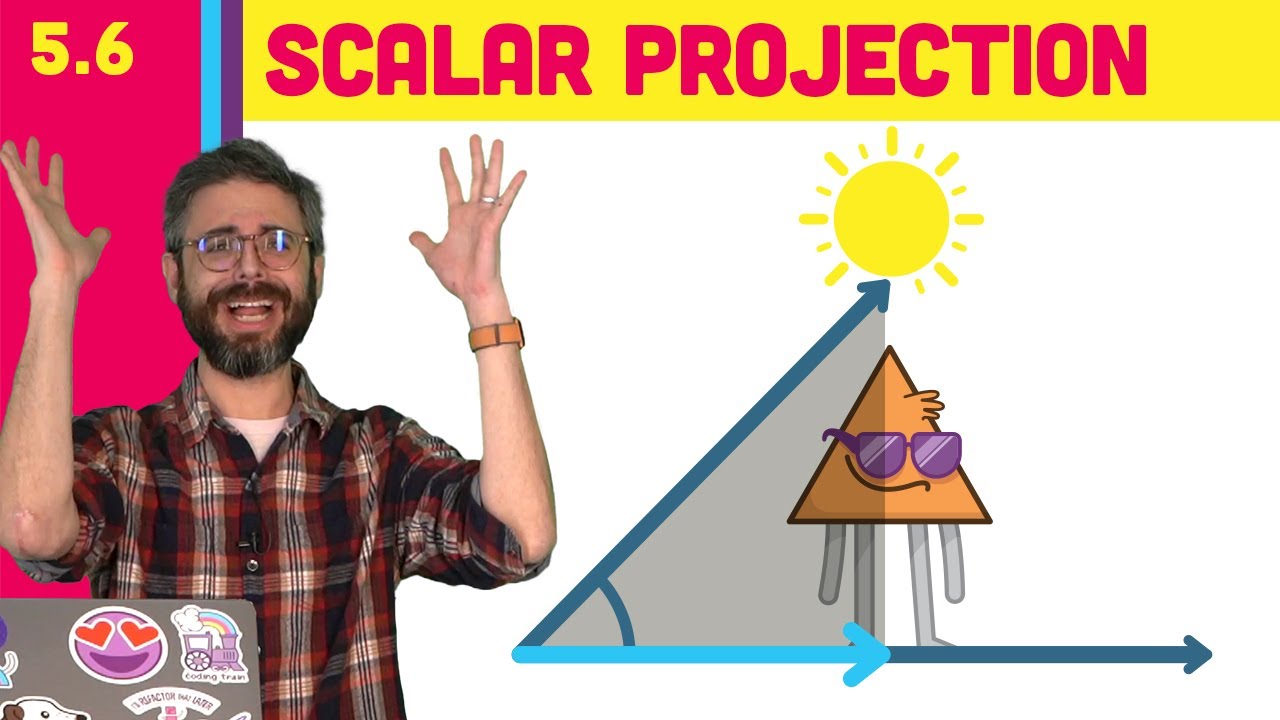
This video covers the dot product and scalar projection with p5.js and vectors, concepts that I’ll need for finding the distance between a point and a line which will lead to the path following steering behavior in the next video! Code: https://thecodingtrain.com/tracks/the-nature-of-code-2/noc/5-autonomous-agents/6-scalar-projection
p5.js Web ...
That entire Nature of Code series is great, even though not in python, the logic (and his whiteboards) is great
Probably not really beginner python projects though, since they're in java or js
pine smelt
chrome pewter
thought id have a bit of a fun with this so its definitely not a beginner project per say, nor finished for that matter but i made this quickly
theres no camera boundaries or offsets but works as a proof of concept of whats possible?
still would recommend the path following racer sst suggested for ur schl project
grave inlet
cant tell if the video is just glitching out for me but that looks pretty cool
grave inlet
i should really try using a framework instead of just good ol cmd
pine smelt
ill comment the code then dump it here if anyone interested
pine smelt
grave inlet
i should really try using a framework instead of just good ol cmd
if u want to but ur style is very niche and cool
grave inlet
pine smelt
if u want to but ur style is very niche and cool
thanks! I only chose my style of doing text adventure stuff because its probobly the easiest for me and it makes me think less of the graphics and stuff
limber veldt
pine smelt
thought id have a bit of a fun with this so its definitely not a beginner projec...
This looks great, the camera is a good idea
I had to update gpu driver to get OBS working for me, seems one of the latest drivers broke something, the updated driver fixed it
grave inlet
man i should try recreating the turn based battle system in final fantasy 1
 limber veldt
That'd be a fun project, Clear Code's latest tutorial has a battle system
grave inlet
a tutorial would be nice but i think i can handle doing it on my own so i can find out my limits in problem solving
limber veldt
Yeah, you're already doing really good
pine smelt
pine smelt
thought id have a bit of a fun with this so its definitely not a beginner projec...
https://github.com/theShim/racing_thing realised i couldnt send zips so dumped it into github
GitHub
Contribute to theShim/racing_thing development by creating an account on GitHub.
pine smelt
grave inlet
thanks! I only chose my style of doing text adventure stuff because its probobly...
thats fair, i think im the opposite. im not really creative, story wise or feature wise so i try to make it look as polished as possible
pine smelt
limber veldt
I had to update gpu driver to get OBS working for me, seems one of the latest dr...
oh ok ill look into that
pine smelt
limber veldt
This looks great, the camera is a good idea
thx, and i think the camera is definitely a do-able feature to add for that guy's school project
limber veldt
I usually use tutorials just for discovery, adding tools to my toolbox, so to speak, that I can apply to my own projects. Sometimes I actually do the code of the tut but I'm really just after the tools
chrome pewter
pine smelt
thx, and i think the camera is definitely a do-able feature to add for that guy'...
Yea it looks good. I will give it a try.
pine smelt
good luck, pop any questions u have along the way here
chrome pewter
Aight
pine smelt
u use it the same as any of the other colour codes i swear
barren topaz
alright
this is how its going

im going to change the choices tho
im testing stuff out
 pine smelt
i think u can change the background colour asw, might make the black text more visible
barren topaz
pine smelt
i think u can change the background colour asw, might make the black text more v...
what is asw
the black text is visible tho
i will chage the background color
pine smelt
barren topaz
what is asw
as well
pine smelt
barren topaz
i will chage the background color
alright
pine smelt
barren topaz
the black text is visible tho
ye but more visible, especially on black terminals
barren topaz
pine smelt
as well
oh alr
barren topaz
pine smelt
ye but more visible, especially on black terminals
alright thanks
pine smelt
put it off for a while but finished that bridge with the idea u guys gave me


its not very detailed or textured since i have to do it with math rather than sprites but works enuf i think
grave inlet
pine smelt
i think u can change the background colour asw, might make the black text more v...
I dont know why but if you use the bg too much it kinda just glitches out and cover the whole terminal
grave inlet
pine smelt
put it off for a while but finished that bridge with the idea u guys gave me
Also thats pretty cool!
 torn girder
I was trying to find png images, but it seems like all of them are fake png. Are there any tips or things i should do for png images? I tried to do the google filter transparent thing but it seems didnt work, at least in my case.
pine smelt
there should be some websites online that do it
otherwise i fill the background with black or something
then in my code i set the colourkey to black
img = pygame.image.load("image_location.png").convert_alpha() #image with background that should be transparent in black
img.set_colorkey((0, 0, 0))
thanks
pine smelt
grave inlet
I dont know why but if you use the bg too much it kinda just glitches out and co...
oh ok
grave inlet
pine smelt
oh ok
here, it just glitches out whenever i print out too much of it

even in command promt
its like a certain point where it glitches out
 barren topaz
alr
my code is going well
im going to make the story line later
but how to make italics?
and the type writer effect
grave inlet
barren topaz
but how to make italics?
print("\033[3m'Sentence In Here'\033[0m")
the random giberish in the left side is what makes it italic and the right side is what resets it

but what you have to change is just the 'Sentence In Here' and you should be good
barren topaz
grave inlet
print("\033[3m'Sentence In Here'\033[0m")
alright thanks
pine smelt
grave inlet
its like a certain point where it glitches out
oh thats really weird is it just a normal while loop
pine smelt
barren topaz
and the type writer effect
my guess is using the end="\r" parameter in print functions and keeping a timer for the current letter ur on
tho idk how Christian implemented it
text = "This is a sentence."
t = 0
speed = 0.001

while t < len(text)+1:
  print(text[:int(t)], end="\r")
  t += speed
print()
this works but i dont think it's that robust
barren topaz
alright
grave inlet
pine smelt
oh thats really weird is it just a normal while loop
yeah
for i in range (0,50):
    print("                     ")
this is a class that makes a type writer effect, the way to use it is
EnhanceDialogue(text="Your Sentence",
                color=EnhanceDialogue.green, # The EnhancedDialogue.green is kinda like my own colorama.fore.
                speed=0.02, # Controll the speed with this variable.
                rainbow=True # Just a silly addition .
                )
a little far off
yeah, i dont really know how to make a buffer/delay
pine smelt
ive pretty much stopped using sleep cuz i work in pygame
which would pause the entire update loop
barren topaz
grave inlet
this is a class that makes a type writer effect, the way to use it is
```py
Enha...
alrightt
grave inlet
pine smelt
which would pause the entire update loop
oh
barren topaz
grave inlet
this is a class that makes a type writer effect, the way to use it is
```py
Enha...
where do i put this?
at the start?
grave inlet
barren topaz
where do i put this?
you could put it in a separate file and use the import
but yes
you could also do that
grave inlet
barren topaz
i have to use import sys,time, os
so you kinda just import the file by using the file name
pine smelt
create another file in the same directory
barren topaz
ok
barren topaz
hmhm
barren topaz
it says unresolved reference
barren topaz
for enhanced directory
pine smelt
screenshot?
barren topaz
 grave inlet
here is an example
 barren topaz
grave inlet
here is an example
barren topaz
grave inlet
here is an example
alright
pine smelt
barren topaz
oh he doesnt have enchanced dialogue
barren topaz
i have to download?
pine smelt
grave inlet
https://paste.pythondiscord.com/JEXQ
well get the code from this
but just the class
oh sry
pine smelt
barren topaz
replace what u have inside this file
with the class code from the link Christian sent
barren topaz
grave inlet
https://paste.pythondiscord.com/JEXQ
ohh thankss
grave inlet
im importing the text_keyboard.py by using import since its in the same folder as the code im currently using
grave inlet
barren topaz
and import that file?
yepp
pine smelt
ye
grave inlet
yes
grave inlet
also you might need to remove the example from the enhancedialogue file at the bottom
barren topaz
grave inlet
also you might need to remove the example from the enhancedialogue file at the b...
alright
pine smelt
have u pip installed it
uh use
pip install pygame-ce
its the latest version basically
grave inlet
i sometimes use py -m pip install pygame-ce
barren topaz
i had almost the same issue as you lol it was because of my venv
pine smelt
ohh ye
barren topaz
i have to download the file tho right?
grave inlet
yep
 barren topaz
pine smelt
y are there so many files
barren topaz
pine smelt
y are there so many files
i used those files
to create diffeent projects
barren topaz
alright
barren topaz
pine smelt
the one u created earlier
which one
the one christian sent me?
i have no idea about this but ig check your venv?
cuz thats what happened to me
pine smelt
barren topaz
which one
uh
pine smelt
barren topaz
this one
 barren topaz
alright
pine smelt
in ur main.py
after u import os
put this line
os.chdir(os.path.dirname(os.path.abspath(__file__)))
barren topaz
i didnt import os tho
pine smelt
oh import os then

 pine smelt
im so confused ur file layout is very complicated
grave inlet
this is kinda the simple version of importing for future reference

 grave inlet
idk how pycharm rlly works
barren topaz
damn
grave inlet
i might switch if i can have anime girls in it though ||joking||
pine smelt
swear u can in vs code
grave inlet
can do what
pine smelt
grave inlet
can do what
have some sort of anime related extension
there has to be at least one
programmers are clinically insane
barren topaz
imma check on yt
grave inlet
pine smelt
have some sort of anime related extension
why yes there is
 barren topaz
crazy
grave inlet
im sane
barren topaz
insane*
grave inlet
print("I'm sane.")
lol
pine smelt
grave inlet
why yes there is
ill take your entire stock
barren topaz
grave inlet
```py
print("I'm sane.")
```
forgot the apostrophe so you are indeed insane
grave inlet
barren topaz
forgot the apostrophe so you are indeed insane
no its not edited i dont know what you mean
barren topaz
grave inlet
no its not edited i dont know what you mean
paranoid?
grave inlet
this is not gaslighting
pine smelt
this is a masterpiece is what it is
grave inlet
pine smelt
ill take your entire stock
i just use animeFace and Doki Theme lol
anime face is to track how many error i have to deal with
pine smelt
is that the bokuben thing on the top right
pine smelt
oo thats cool

 barren topaz
i mean have to import pygame for the typewriter
grave inlet
wait you need to use it for pygame?
barren topaz
grave inlet
demnn
barren topaz
grave inlet
wait you need to use it for pygame?
what do you mean?
barren topaz
no
grave inlet
now im confuse
pine smelt
ohh
grave inlet
do you need like a typewriter effect for pygame?
pine smelt
now that i can provide
grave inlet
yep im just the terminal guy lmao
barren topaz
grave inlet
do you need like a typewriter effect for pygame?
i dont need it for pygame i need pygame for typewriter lol
barren topaz
choose your adventure game
grave inlet
are you using a physical typewriter 💀
barren topaz
grave inlet
are you using a physical typewriter 💀
yes
barren topaz

barren topaz
i want to create a type writer effect in my choose your adventure game
barren topaz
yes
barren topaz
terminal
grave inlet
oh
the code i provided is a typewriter effect but i could make it simpler so it legit is just the type writer effect if you want
barren topaz
yeee
grave inlet
aight
pine smelt
why did he need pygame then
pine smelt
ohh ok
barren topaz
yeaa
barren topaz
grave inlet
My laptop just died on me
lol i was wondering where u went
grave inlet
 pine smelt
barren topaz
lol i was wondering where u went
pine smelt
barren topaz
lol i was wondering where u went
i think i kinda zoned out, did u end up getting what u wanted lol
grave inlet
Fun stuff
barren topaz
pine smelt
i think i kinda zoned out, did u end up getting what u wanted lol
not yet
christian is writing the code rn ig?
pine smelt
i mean
grave inlet
Well writing isnt really the best way to put it
pine smelt
ye
grave inlet
Even vs code just crashed
pine smelt
bruh what happened
grave inlet
No clue
barren topaz
damn
grave inlet
Restarting it
barren topaz
dats crazy
pine smelt
ill give a shot at editing the code in the meantime
is it in the pastebin link u sent
pine smelt
simplify it in terms of
barren topaz
alright
pine smelt
commenting it or optimising it or?
grave inlet
Removing unnecessary stuff such as the rainbow function, color function, and only leaving the type writer function since its the only thing he needs
pine smelt
understood
oh i think that was it
import time

class EnhanceDialogue:
    def __init__(self,text:str,speed=0.1) -> None:
        self.text = text
        self.speed = speed

        self.print_input()

    def print_input(self):
        for char in self.text:
            print(char,end='',sep='',flush= True)
            time.sleep(self.speed)

EnhanceDialogue(text="Your Sentence",
                speed=0.02, # Controll the speed with this variable
                )
eh mine's pretty close i cut it down to this
import time
def __init__(self, text: str, color=red, speed=0.1, ):
    self.text = text
    self.color = color
    self.speed = speed
💀
grave inlet
Uh
That doesnt really give a typewriter effect i dont think
Nor does it print anything
barren topaz
grave inlet
That doesnt really give a typewriter effect i dont think
yea i know now
i just said it was close
grave inlet
Well maybe like a couple letters you coulda gotten jt
grave inlet
pine smelt
```python
import time
class EnhanceDialogue:
def __init__(self,text:str,spe...
Also i think thid is it
grave inlet
So you see when you import it you have to use it like
Example if the file name imported is
Cool_Dialogue.py
import Cool_Dialogue

Cool_Dialogue.EnhanceDialogue("Cool Messege")
imo i would use from just to save myself typing it so many times
barren topaz
grave inlet
So you see when you import it you have to use it like
Example if the file name ...
alright thanks
barren topaz
pine smelt
imo i would use from just to save myself typing it so many times
what do u mean?
pine smelt
from Cool_Dialogue import EnhanceDialogue

EnhanceDiaologue("Cool Message")
EnhanceDiaologue("Another Cool Message")
compared to
grave inlet
Yeah that one too works and easier
barren topaz
pine smelt
```python
from Cool_Dialogue import EnhanceDialogue
EnhanceDiaologue("Cool Mess...
ah that is easier
grave inlet
Unless you have like a big module
barren topaz
pine smelt
```python
from Cool_Dialogue import EnhanceDialogue
EnhanceDiaologue("Cool Mess...
what about print and input?
grave inlet
Doesnt need one
pine smelt
ye its in the class already
grave inlet
Yeah already implemented for you
 grave inlet
Is that the original module?
pine smelt
its cuz Enhanced Diaologue basically just prints stuff with the typewriter effect
so when u do
grave inlet
Also you could just put the name inside of a {name} like {fore.cyan} so you dont have multiple string
pine smelt
name = EnchantedDiaologue(...)
name doesnt have any text in it
barren topaz
grave inlet
Also you could just put the name inside of a {name} like {fore.cyan} so you dont...
alright
grave inlet
Oh wait you tried to use it as an input
barren topaz
what about the color part?
grave inlet
There is a built in function (if youre using an original) that lets you pick a color
 pine smelt
.
grave inlet
barren topaz
it isnt shwoing
Use EnhanceDialogue("text here",Fore.CYAN)
barren topaz
barren topaz
it isnt shwoing
but what bout the your sentence?
grave inlet
Try
barren topaz
barren topaz
but what bout the your sentence?
its shwoing at the start
barren topaz
grave inlet
Try
alr
barren topaz
grave inlet
You should just do
Print(fore.cyan)
EnhanceDialogue("some funny")
fore.cyan in that bracket?
pine smelt
hes gonna get the same error i think
barren topaz
or {}
grave inlet
No need
grave inlet
Well making it was kinda hard
barren topaz
hmhm
pine smelt
im predicting TypeError
barren topaz
grave inlet
What happend
what you told me to do?
pine smelt
she means did it work
barren topaz
what work
grave inlet
The color
 grave inlet
pine smelt
she means did it work
grave inlet
pine smelt
she means did it work
Guy btw lol
grave inlet
My brain just defaults to guy when i see a anime girl pfp
pine smelt
entirely fair enough on this app
barren topaz
grave inlet
The color
Print(fore.cyan)
EnhanceDialogue("some funny")
i should do this?
pine smelt
yes
barren topaz
yes
pine smelt
screenshot of code pls
acc
send the code directly here
just the top bit where u changed it to enhnaced dialogue
barren topaz
alr wait
barren topaz
pine smelt
send the code directly here
which code?
import colorama
from colorama import Fore, Back, Style
colorama.init(autoreset= True)
from scratch_8 import EnhanceDialogue
print(Fore.CYAN)
EnhanceDialogue("some funny")
EnhanceDialogue(Fore.RED + Style.BRIGHT + "LUCID DREAMS!\n")
name = EnhanceDialogue(f"{Fore.MAGENTA}What is your name?\n>>>")
EnhanceDialogue(f"{Fore.CYAN}Good luck " + name + "!\n")
barren topaz
alr
pine smelt
barren topaz
import colorama
from colorama import Fore, Back, Style
colorama.init(autoreset= ...
import colorama
from colorama import Fore, Back, Style
colorama.init(autoreset= True)
from scratch_8 import EnhanceDialogue

print(Fore.CYAN)
EnhanceDialogue("some funny")

EnhanceDialogue(Fore.RED + Style.BRIGHT + "LUCID DREAMS!\n")
EnhanceDialogue(f"{Fore.MAGENTA}What is your name?")
name = input("\n>>> ")
EnhanceDialogue(f"{Fore.CYAN}Good luck {name}!\n")
ok im back
barren topaz
alright
grave inlet
im ganna type some codes
barren topaz
11 25
pm for me
can i just send yall the code i made
and u can add type writer effect to it?
pine smelt
👍
grave inlet
maybe this is kinda what he is trying to do
 pine smelt
ohh
grave inlet
import time
import colorama
class EnhanceDialogue:
    def __init__(self,text:str,speed=0.1) -> None:
        self.text = text
        self.speed = speed

        self.print_input()

    def print_input(self):
        for char in self.text:
            print(char,end='',sep='',flush= True)
            time.sleep(self.speed)

print(colorama.Fore.BLUE)
EnhanceDialogue("Whats your name?")

name = input(f"\n{colorama.Fore.WHITE}>>> ")

print(colorama.Fore.BLUE)
EnhanceDialogue(f"{name}? You have a nice name.")
anyways ima sleep 3 am is crazy
pine smelt
grave inlet
anyways ima sleep 3 am is crazy
ye u need it gn
pine smelt
barren topaz
thanks for helping btw
np ill get to work
ill send it tmr
ping me if the chat gets clogged
barren topaz
alright
barren topaz
pine smelt
np ill get to work
🙏 🗣️
 knotty marsh
hey there, looking to start a new project based on a drag racing game. I'd like to use this proof of concept: https://www.reddit.com/r/pygame/comments/1277t1x/had_an_idea_for_a_game_involving_drag_racing_with/ . But, I'm not sure where to start with all the physics. I understand physics well, but how can I create an accurate model to work out speed in MPH from RPM, gear, HP, torque, grip etc...? Any ideas? Thanks.
Reddit
Explore this post and more from the pygame community
pine smelt
how realistic do u want it
also what perspective
like those arcade games or old topdown mario kart
or a pseudo 3d thing like the proof of concept thing i sent a few days ago
knotty marsh
pine smelt
how realistic do u want it
as close as i can get it, somewhat like 'AngeTheGreat' engine simulator
but rather than simulating the engine, taking those values and making it into a drag racing game.
Also the perspective will be similar to 'pixel car racer'
appreciate the reply @pine smelt means a lot
pine smelt
no worries
pine smelt
knotty marsh
Also the perspective will be similar to 'pixel car racer'
oh thats very doable
graphics wise it helps that its pretty much completely flat
the physics hm
ok well ig first step is decomposition as with most things
knotty marsh
pine smelt
graphics wise it helps that its pretty much completely flat
ya, the physics is the main part of the game
pine smelt
ye
specifically what would physics entail then
first obvious is gravity and friction
then based off the AngeTheGreat sim u mentioned
pine smelt
ye
i wont lie i dont know much about cars in general but
i think first off is just making a physics based body
probably a rigid body than soft
then adding wheel objects attached to it that experiences its own forces
knotty marsh
quick q, do you think it's possible in pygame
pine smelt
knotty marsh
then car relations such as HP, torque, RPM, grip, gear ratios etc
then beginning to link up all of these values in a way that the entire body's math takes it all into account by itself
pine smelt
knotty marsh
quick q, do you think it's possible in pygame
ye defo
will be harder than say using unity and c++
knotty marsh
i didnt really wanna use a sep engine
pine smelt
but POSSIBLE yes
knotty marsh
just pygame and vsc
pine smelt
fair enuf ye
u might need to sacrifice complete realism at some point due to how intensive calculations can be in python
but its definitely worth a shot
knotty marsh
pine smelt
u might need to sacrifice complete realism at some point due to how intensive ca...
yea
knotty marsh
idek where to start with the physics calculations.
i mean, i have one useful one
for cars in general, not physics
Torque = (HP x 5252) / RPM
but then again, I need to be able to find out much more from this
well, I guess i could work out general force using F = Torque x gear ratio / tire radius
then use this to find acceleration due to f = ma
im just processing my thoughts lmao
pine smelt
do you know how u normally apply acceleration and stuff in pygame
pine smelt
i mean pretty much but when applying it to code its euler-cromar integration
velocity += acceleration * deltatime
position += velocity * deltatime
knotty marsh
dt great
pine smelt
ye
tho
for games thats usually just
the time taken between each frame
its more for "framerate independence", having the game run at the same speed even at different fps's
knotty marsh
how would i even integrate dt into pygame
pine smelt
pine smelt
velocity += acceleration * deltatime
position += velocity * deltatime
with this basically
when u apply any force as a vector
just multiply it by that deltatime
knotty marsh
i meant finding dt due to framerate
obviously the game will not run at the same speed at different fps's if a constant is used
ig u could have ur FPS as a var
1/fps = dt i guess
pine smelt
Sry I was busy
pine smelt
knotty marsh
1/fps = dt i guess
That's very inconsistent
The time between each frame can vary very slightly
I usually just
It's very simplistic but have a temporary var of the time last frame
And finding the difference to the current time
Then updating the last frame time every time
knotty marsh
makes sense
quartz junco
I'm trying to make collision happen between the player and a block above them and i want the block to be directly above the player but it is going to the middle instead of where the player is @ me if you can help
here is the github link: https://github.com/Laughattack7339/all_things_gravity
GitHub
Contribute to Laughattack7339/all_things_gravity development by creating an account on GitHub.
limber veldt
quartz junco
I'm trying to make collision happen between the player and a block above them an...
Your images are huge, open them in an image editor and crop them to include only the image instead of all that alpha
pine smelt
^ this ye
limber veldt
I can crop them for you...

 limber veldt
There we go
pine smelt
also sry my slight ocd couldnt take ur code presentation
import pygame
pygame.init()
import time

width, height = 1000, 600
screen = pygame.display.set_mode ((width, height))
running = True
clock = pygame.time.Clock()

background = pygame.image.load('testing_back.png').convert_alpha()

question_block = pygame.image.load("question_block.png").convert_alpha()
question_rect = question_block.get_rect(midbottom=(442, 369))

player_image = pygame.image.load("robo_cycle.png").convert_alpha()
player_image.set_colorkey((0, 0, 0))
player_rect = player_image.get_rect(midbottom=(442, 492))

jumping = False
jump_key_pressed = False
gravity = 1
jump_height = 20
velocity = jump_height


while running:

    for event in pygame.event.get():
        if event.type == pygame.QUIT:
            running = False
        elif event.type == pygame.KEYDOWN:
            if event.key == pygame.K_SPACE and not jumping:
                jumping = True
                print(player_rect.bottom)
                print(jumping)

    screen.blit(background, (0, 0))

    if jumping:
        player_rect.y -= velocity
        velocity -= gravity
        if velocity < -jump_height:
            velocity = jump_height
            jumping = False


    screen.blit(question_block, question_rect)
    screen.blit(player_image, player_rect)

    pygame.display.flip()
    clock.tick(60)

pygame.quit()
also use .convert_alpha() EVERY time u load an image, thats what was causing the major lag
limber veldt
I've had projects where the difference was a lot, so yeah