#game-development
1 messages · Page 16 of 1
 normal silo
 brisk yew
are they comparable? one's an architecture, the other's a paradigm
normal silo
(Or when you are making a generic game engine and don't know what it will be used for, then a full ECS can be good too)
normal silo
brisk yew
are they comparable? one's an architecture, the other's a paradigm
The concepts of an ECS can be used as a paradigm beyond video games. They have been used for other applications.
Or more generally data-oriented design (and functional programming I guess).
brisk yew
oh
normal silo
The Rust community seems especially keen on using it beyond video games.
As a generic application framework.
Probably because it meshes well with the borrow checker.
These terms are all pretty murky though, originally OOP looked more like functional reactive programming (message passing ("signals") between objects), and some may tell you that that is what it is, and that the more commonly used "OOP" is more like "Java OOP." Because of this the original OOP is sometimes called actor-oriented to avoid confusion. But that term is also often only used in the context of concurrent computation now.
An example of an OOP language that uses the original meaning, and also the new one to be really OOP would be Pony.

(I don't think it gets more "OOP" than this one)
brisk yew
why is this so dang confusing, guess it's easier to just classify it based on the language, each has their own quirks
normal silo
brisk yew
why is this so dang confusing, guess it's easier to just classify it based on th...
Yeah, and at the end of the day, just try everything and see what it works. One can only really be making trade-offs if one actually knows what each has going for it. Otherwise it's a choice out of ignorance.
The name does not matter nearly as much as knowing / experiencing what it gives.
(In my experience there is no one size fits all anyhow, but you can loosely fit most of them to be "decent")
brisk yew
yep, understanding a concept is far more important than memorizing its name, although names help with communication
normal silo
brisk yew
yep, understanding a concept is far more important than memorizing its name, alt...
I think sometimes it's best to just give your name/definition, which may match their idea, and then just show some code.
But yeah, languages put people on the same wavelength so by language works too (but not always, so again, show code).
 crimson pelican
I'm trying to think about how to represent the paragon board in diablo 4. A player will fill up the board one node at as they level up. Only nodes adjacent to an already selected node can be selected next. There are multiple boards per class: rogue has 7 I believe, each with it's own set of nodes. Ex: build planner https://d4builds.gg/build-planner/ , click on the Paragon tab.

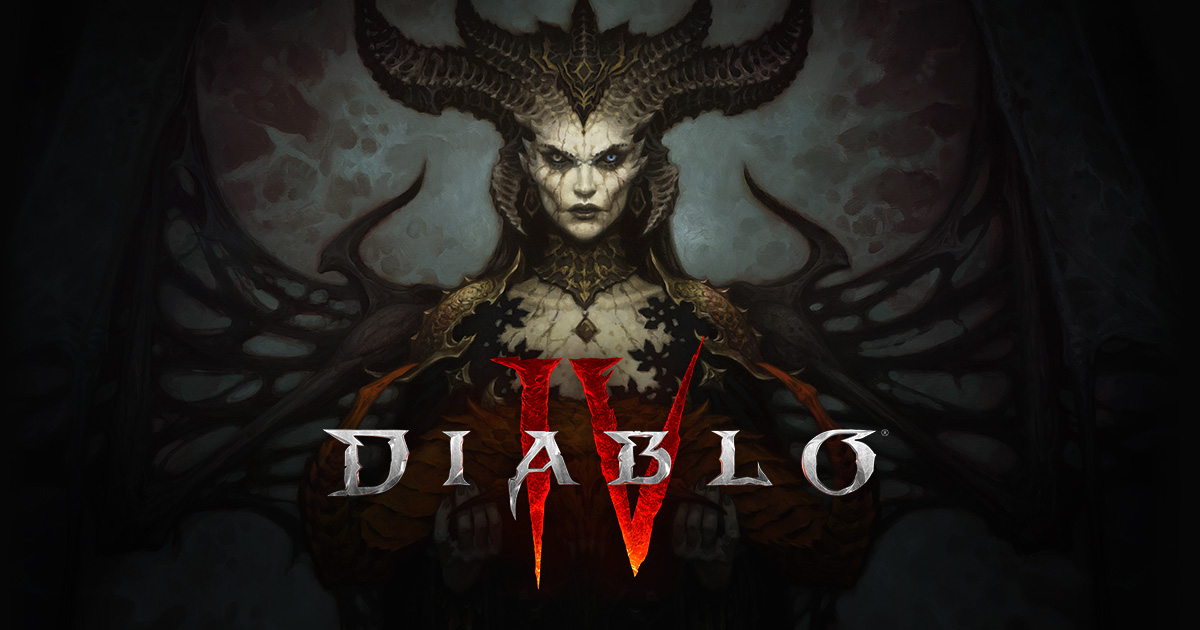
D4Builds.gg
Plan and share your D4 builds with our complete Diablo 4 Build Planner Calculator.
The board and nodes are fixed so the relationships are already known. What isn't node is what nodes are selected. The paragon nodes likely look something like
class Node:
    def __init__(self, node_id, node_type, node_value, left, right, up, down, selected):
        ...
maybe an adjacency list to hold the structure and a dictionary of node_id to node_info?
 tranquil girder
Assuming it can fit on a grid, you could use a 2d array (list of lists). That way you can easily access them by index, so if you're at skill_tree[y][x], to check the spot to the right, just do skill_tree[y][x+1]. That spot could either be empty or have another slot
 pine plinth
- remove something from a matrix
- add something to a matrix
 wicked sail
as the player moves within the world (or the world moves around the player), create a background for whatever chunk is visible (or will soon become visible). if a background is in a chunk that is no longer visible, remove it
for parallax, move different layers of background at different speeds
 little apex
I have a question and wondering if anyone has a good answer for it. I'm working on a game and an object has to rotate towards another object. I've made the equation to calculate the angle it needs to get to however I would prefer it slowly rotated towards it. I want it to rotate either clockwise or counterclockwise depending on which one is faster. How do I know if rotating clockwise or counterclockwise would get it to it's designated angle faster?
 junior viper
little apex
I have a question and wondering if anyone has a good answer for it. I'm working ...
junior viper
little apex
I have a question and wondering if anyone has a good answer for it. I'm working ...
Calculate both the angles. Compare both, and go with the smaller one?
 unreal river
Assuming that the full rotation is 180 (it may be 360), you first need to get the angle of the object to the other (you already did this), then subtract it to the current angle of the object, if it is less than 90 then do object1_angle += TURNING_SPEED else do the opposite, or vice versa. IDK, if this makes sense, but I hope it helps.
little apex
unreal river
Assuming that the full rotation is 180 (it may be 360), you first need to get th...
full rotation is 360
should i do less than 180 instead of 90
unreal river
little apex
full rotation is 360
Then check if it's 180 rather than 90
unreal river
little apex
should i do less than 180 instead of 90
yes
little apex
k thanks
little apex
unreal river
yes
so what if the variables were target angle (the angle it needs to reach) and angle (the angle it is at right now)
unreal river
target_angle - angle
little apex
so i would do
if target angle - angle < 180
angle -= 1
else:
angle += 1
1 is just a theoretical turning speed
unreal river
opposite direction I think, += on the first statement
little apex
ok for some reason this doesn't work
unreal river
why?
little apex
it just spins around weird
unreal river
is your angle radians?
little apex
no degrees
unreal river
can you show me the code?
little apex
yeah

so I did the testing with print and the target angle is giving out the right value
same with the angle
unreal river
what's "weird"?
little apex
so it just sits there but if I go to the bottom right of it starts circling almost randomly
ok it almost just worked
for some reason it doesn't work if the x or y value of its target exceeds it's own
unreal river
is the angle going higher than 360 or -360?
unreal river
huh
little apex
unreal river
huh
I think i'm on to something
unreal river
% 360 doesn't work
@little apex maybe it's 180 not really 360
what library are you using?
little apex
unreal river
<@784125389823016970> maybe it's 180 not really 360
sorry my wifi went out
so I just used %360 to simplify
so when I put for example 405 in as a degree it will give me 42 back
unreal river
little apex
sorry my wifi went out
are you using pygame?
little apex
yea
unreal river
try doing 180 as the full rotation
unreal river
yes
unreal river
ok my trigonometry
@little apex wait math.degrees(math.atan2(...)) returns an angle between -180 and 180
little apex
so what would I use that for
unreal river
wait now I am lost
little apex
so why would I want a value between -180 and 180 returned
unreal river
This does it:
# Calculate the target angle between the object and the other object
target_angle = math.degrees(math.atan2(-dy, dx)) % 360

# Ensure angle and target_angle are within the range 0 to 360 degrees
angle %= 360
target_angle %= 360

# Calculate the angular difference between current angle and target angle
angle_diff = target_angle - angle

# Ensure angle_diff is within the range -180 to 180 degrees
angle_diff = (angle_diff + 180) % 360 - 180

# Adjust angle based on angle_diff to move toward the target angle
if angle_diff > 0:
    angle += 1
elif angle_diff < 0:
    angle -= 1
 sick glen
death song ??
 young gate
my game shop so far
young gate
sick glen
death song ??
i'm keeping sfx as an at-the-end-if-i-have-time thing
this is for a game jam
sick glen
yeah thats right
young gate
thanks!
 dawn quiver
a
 rugged prawn
i m new to python well kind of so can you help me make a game (monkey runner) in pygame
 half copper
Hello, anyone coding a game can give me a good free games asset generator (with AI) ?
 molten whale
I’m following a tutorial on creating a ai the learns how to play flappy bird
 dry cloak
half copper
Hello, anyone coding a game can give me a good free games asset generator (with ...
dry cloak
half copper
Hello, anyone coding a game can give me a good free games asset generator (with ...
I dont think any ai is going to generate decent game assets
brisk yew
half copper
Hello, anyone coding a game can give me a good free games asset generator (with ...
your brain... after some practice anyway
there's no Python tutorial there...
bruh, both of those resources massively suck
they are not even resources, more a waste of time, it looks almost AI generated or no effort invested in those, wtf
it's just lazy advertisement but there's no product to even show for it
 fading whale
!warn 907152939485908992 Please stop using the server to advertise your website.
 frank fieldBOT
:incoming_envelope: :ok_hand: applied warning to @granite talon.
fading whale
You will be banned next time, as all you've posted since joining are unauthorised ads.
 sturdy heath
There is a problem with the font thing, can someone help?
tranquil girder
font thing?
sturdy heath
tranquil girder
font thing?
it happened when i added the font...
ERROR:
Traceback (most recent call last):
  File "C:\Users\noamofir\PycharmProjects\pythonProject1\main.py", line 59, in <module>
    main()
  File "C:\Users\noamofir\PycharmProjects\pythonProject1\main.py", line 54, in main
    draw(player, elapsed_time)
  File "C:\Users\noamofir\PycharmProjects\pythonProject1\main.py", line 23, in draw
    WIN.blit((10, 10))
TypeError: argument 1 must be pygame.surface.Surface, not tuple
CODE:
import pygame
import time
import random
pygame.font.init()

WIDTH, HEIGHT = 1000, 800
WIN = pygame.display.set_mode((WIDTH, HEIGHT))
pygame.display.set_caption("Space")

BG = pygame.transform.scale(pygame.image.load("bg.jpg"), (WIDTH,HEIGHT))

PLAYER_WIDTH = 40
PLAYER_HEIGHT = 60

PLAYER_VEL = 7

FONT = pygame.font.SysFont("comicsans", 32)

def draw(player, elapsed_time):
    WIN.blit(BG, (0, 0))

    time_text = FONT.render(f"Time: {round(elapsed_time)}s", 1, "white")
    WIN.blit((10, 10))

    pygame.draw.rect(WIN, "white", player)


    pygame.display.update()

def main():
    run = True

    player = pygame.Rect(200, HEIGHT - PLAYER_HEIGHT,
                         PLAYER_WIDTH, PLAYER_HEIGHT)

    clock = pygame.time.Clock()
    start_time = time.time()
    elapsed_time = 0

    while run:
        clock.tick(60)
        elapsed_time = time.time() - start_time
        for event in pygame.event.get():
            if event.type == pygame.QUIT:
                run = False
                break

        keys = pygame.key.get_pressed()
        if keys[pygame.K_a] and player.x - PLAYER_VEL >= 0:
            player.x -= PLAYER_VEL
        if keys[pygame.K_d] and player.x + PLAYER_VEL + player.width <= WIDTH:
            player.x += PLAYER_VEL

        draw(player, elapsed_time)

    pygame.quit()

if __name__ == '__main__':
    main()
 dawn nacelle
When you call WIN.blit, you have to tell it the thing you want to draw (blit), and a location. In line 20, you are saying that you want to blit your background at (0, 0). That looks fine. But in line 23, where you are getting the error, you wrote:
WIN.blit((10, 10))
You didn't say what you want to blit. You probably want:
WIN.blit(time_text, (10, 10))
sturdy heath
dawn nacelle
When you call WIN.blit, you have to tell it the thing you want to draw (blit), a...
Ok thank you
dawn nacelle
You're welcome.
 junior lintel
does making procedural generation in the terminal count as game development?

its a very early version of a roguelike game in the terminal ig
dry cloak
any game counts as a game. text based games are just inputs and outputs in a terminal
brisk yew
that's such a circular defininition, lol
imagine ImportError ... likely due to a circular import pops up in front of you irl...
pine plinth
what ECS libraries exist for python?
i know only of esper
brisk yew
tinyecs
pine plinth
brisk yew
tinyecs
can you provide a link? i cant find python library with this name
pine plinth
Tank you!
sturdy heath
I really need help creating levels, I can't figure out how to make the screen switch...
And a screen that scrolls when you walk...
Like moves with you..
half copper
@sturdy heath https://www.youtube.com/watch?v=u7LPRqrzry8&t=852s
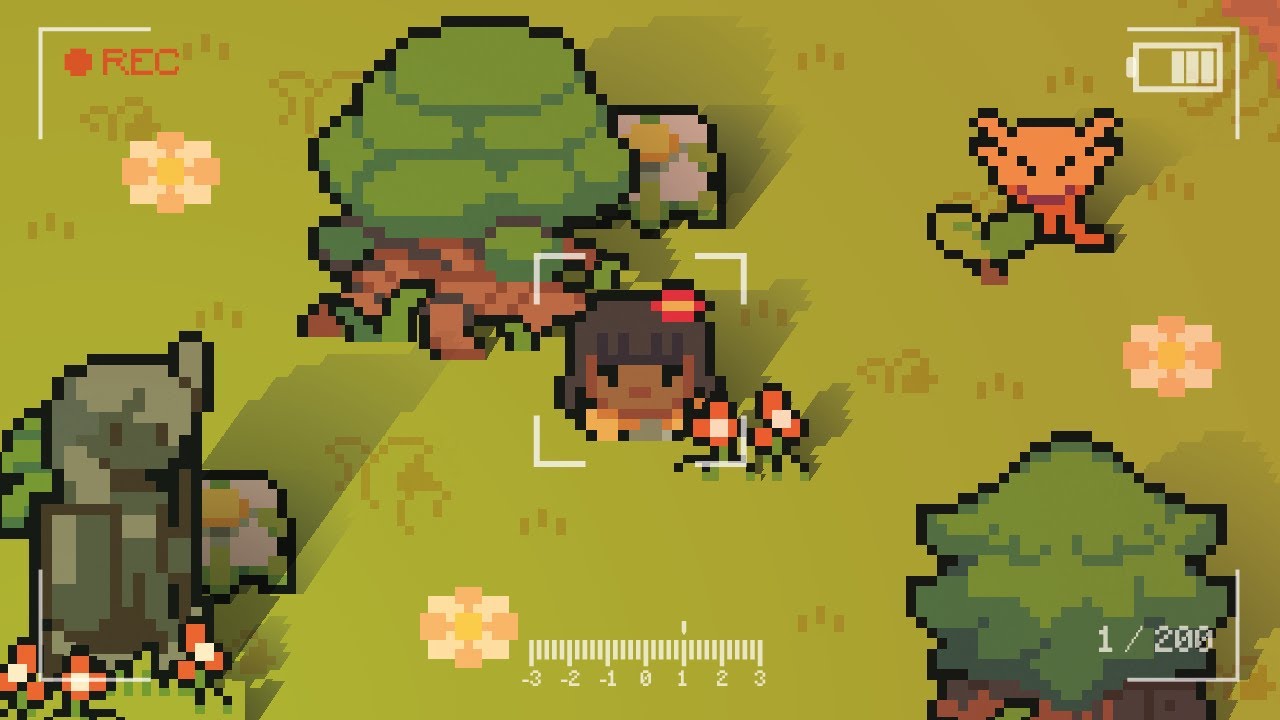
A video about cameras in pygame, we will create 6 different cameras that should cover nearly every use case.
If you want to support me: https://www.patreon.com/clearcode
(You also get lots of perks)
Social stuff:
Twitter - https://twitter.com/clear_coder
Discord - https://discord.com/invite/a5C6pYw2w5
Timestamps:
0:00:00 - Intro
0:01:24 -...
junior lintel
lads has anyone ever coded a moving camera inside a terminal?
bcs mine works horizontally

but when it comes to moving it vertically, the framce physically moves down

instead of just offsetting the map
im sorry for messy code, but this is the code that displays the camera
def update_scene():
    y = 0
    print('\n' * 100)
    for row in board:
        x = 0
        current_row = ''
        if y > camera_pos.y - camera_height and y < camera_pos.y + camera_height:
            for col in board[y]:
                if x > camera_pos.x - camera_width and x < camera_pos.x + camera_width:
                    current_row += col
                x +=1
        y+=1
        print(current_row)
:incoming_envelope: :ok_hand: applied timeout to @summer dagger until <t:1694262785:f> (10 minutes) (reason: newlines spam - sent 107 newlines).
The <@&831776746206265384> have been alerted for review.
 cosmic oxide
!unmute 798477458768265236
frank fieldBOT
:incoming_envelope: :ok_hand: pardoned infraction timeout for @summer dagger.
cosmic oxide
!paste feel free to use our pastebin if you've got a load of code @summer dagger
frank fieldBOT
Pasting large amounts of code
If your code is too long to fit in a codeblock in Discord, you can paste your code here:
https://paste.pythondiscord.com/
After pasting your code, save it by clicking the Paste! button in the bottom left, or by pressing CTRL + S. After doing that, you will be navigated to the new paste's page. Copy the URL and post it here so others can see it.
 summer dagger
cosmic oxide
!paste feel free to use our pastebin if you've got a load of code <@798477458768...
summer dagger
cosmic oxide
!paste feel free to use our pastebin if you've got a load of code <@798477458768...
👍


I can't add a collision between the player and meteor please help
summer dagger
summer dagger
Here is my code
frank fieldBOT
Pasting large amounts of code
If your code is too long to fit in a codeblock in Discord, you can paste your code here:
https://paste.pythondiscord.com/
After pasting your code, save it by clicking the Paste! button in the bottom left, or by pressing CTRL + S. After doing that, you will be navigated to the new paste's page. Copy the URL and post it here so others can see it.
frank fieldBOT
:incoming_envelope: :ok_hand: applied timeout to @summer dagger until <t:1694265462:f> (10 minutes) (reason: newlines spam - sent 107 newlines).
The <@&831776746206265384> have been alerted for review.
pine plinth
bruh
dont post huge amount of code in discord
either post all of it to https://paste.pythondiscord.com/, or post only some parts to discord
 jovial laurel
!unmute 798477458768265236
frank fieldBOT
:incoming_envelope: :ok_hand: pardoned infraction timeout for @summer dagger.
summer dagger
Sorry my bad
pine plinth
pine plinth
past your code as code, not as image

summer dagger
How
brisk yew
gets timeouted again
brisk yew
frank field
^
summer dagger
brisk yew
_gets timeouted again_
Lol but please no
here
How do I add an collide system here
summer dagger
Are you also japanese?
 vestal bane
I'm working on a game engine that embeds a Python interpreter. I am learning why that is a difficult and uncommon approach 🤣
https://www.youtube.com/watch?v=MYTXfZ7cXhc

McRogueFace is my C++ game engine that embeds a Python interpreter. https://github.com/jmccardle/McRogueFace - Rendering text and boxes in Python probably doesn't seem like much, but the Python code here is just for creating and managing objects in C++. No Python is called to render the average frame.
little apex
Hey! This is the first game I've ever made all by myself in python. I just wanted to show it off. Tell me what you guys think!
 lunar venture
The camera shake is a nice addition, good job
dawn quiver
little apex
Hey! This is the first game I've ever made all by myself in python. I just wante...
meanwhile me here making flappy bird clone as my first game
dawn quiver
vestal bane
I'm working on a game engine that embeds a Python interpreter. I am learning why...
do you know i tried to did the same but i only made it for command line games
cus graphics was hard
vestal bane
dawn quiver
do you know i tried to did the same but i only made it for command line games
would love to have a look if that's possible, or tell me a bit more. How did you use scripting?
 broken olive
little apex
Hey! This is the first game I've ever made all by myself in python. I just wante...
broken olive
little apex
Hey! This is the first game I've ever made all by myself in python. I just wante...
pygame?
this looks really cool
 rough grove
little apex
Hey! This is the first game I've ever made all by myself in python. I just wante...
rough grove
little apex
Hey! This is the first game I've ever made all by myself in python. I just wante...
this is very suprisingly well done for a first game and with presumably pygame
 tacit geode
me causally having to write a renderer in Vulkan cuz Unity is slow as shit 💀
little apex
lunar venture
The camera shake is a nice addition, good job
thanks i was pretty proud of it
little apex
broken olive
pygame?
yeah pygame
little apex
rough grove
this is very suprisingly well done for a first game and with presumably pygame
thanks!
broken olive
little apex
yeah pygame
nice
 lament vault
little apex
Hey! This is the first game I've ever made all by myself in python. I just wante...
lament vault
little apex
Hey! This is the first game I've ever made all by myself in python. I just wante...
Nice one
dawn quiver
i have a question
what's the blit() function
in python
for example
self.screen.blit(self.image, self.rect)
brisk yew
dawn quiver
what's the ``blit()`` function
docs are your friend https://pyga.me/docs/ref/surface.html#pygame.Surface.blit
 trail sable
is python good for gam deving?
 vagrant saddle
trail sable
is python good for gam deving?
vagrant saddle
trail sable
is python good for gam deving?
it is usually good enough, see channel topic for libraries that can help
and spefically for pygame-ce library you can explore some games directly from web/mobile here https://itch.io/c/2563651/pygame-wasm

 blissful jasper
umm when i try to create a JSON file nothing happens i copied some examples for how to create json file but they all dont work heres one example of the examples i tried

it doesent create the file
dawn quiver
with open("data.json", "w") as f:
json.dump(aList, f)```@blissful jasper i think this will work
abviously don't forget the import json and the list you made
blissful jasper
ok
blissful jasper
dawn quiver
abviously don't forget the ``import json`` and the list you made
it still doesent work :(
blissful jasper
import json
aList = [{"a":54, "b":87}, {"c":81, "d":63}, {"e":17, "f":39}]
jsonString = json.dumps(aList)
jsonFile = open("data.json", "wt")
jsonFile.write(jsonString)
jsonFile.close()
with open("data.json", "w") as f:
json.dump(aList, f)
it doesent give me an error tho
it just runs..?
dawn quiver
it should of created the data.json file and stored the aList
it's not going to print anything in the terminal
 hasty rivet
Hi
dawn quiver
import json


aList = [{"a":54, "b":87}, {"c":81, "d":63}, {"e":17, "f":39}]

with open("data.json" , 'w') as f:
json.dump(aList, f)```@blissful jasper your code should look like that
blissful jasper
dawn quiver
<@1022416424083398666> your code should look like that
yeah
the problem was that i created a different folger for me to test the json but i didnt open the folger in vs sorry for losing your time
it works now
dawn quiver
you're good
you should try that method i used
it looks like what you did is long to type
idk unless you're trying to do something else
i don't know a lot about the JSON files
lunar venture
blissful jasper
the problem was that i created a different folger for me to test the json but i ...
Python programming in Visual Studio is pain, and I don't know whether you can use the latest version of Python with it. You should install Python from python.org and use Visual Studio Code if you want to use a product made by the same company (maybe after uninstalling Visual Studio's Python so you won't need to deal with clashing versions of Python)
tacit geode
trail sable
is python good for gam deving?
if you wanna do some serious game dev go with C++
you can use sdl2, sfml or raylib with it
or well Unreal Engine
 azure basin
hmm i suc at this... is there a way to create a scrollable text area with pygame? what i mean is i want to create an "Event logg" with character conversations events etc, update that list with various events that occur and draw everything to the "event_logg_frame", but id need to make the list scrollable for checking history.... anyone have any decent ideas how i do that?
if even practically possible
telling it to show the 10 last entries as default and when pressing a button show 15th-5th last entries maybe....!? shld do the trick. not a true scrollbar but sounds alot easier to do...
open to other suggestions tho as long as they are beginner freindly 😛
brisk yew
azure basin
if even practically possible
it's rare that that's not the case, and yes, this also is obvs very possible
okay, maybe practical possibility is slightly more rare than just possibility, but in this case it's def practically possible
also like check out pygame-gui
azure basin
for simplicity i think i'll just do the 2 buttons 1 on top of the list and 1 on bottom then check if they get pressed and +1 or -1 to the amount of messages that are displayed. shldnt take too many lines to cobble together and defenately in the scope of my newbie powers 😛
i'll defenately try and look more into the real thing tho since it's all about learning how to
tacit geode
That's just complicating things
If you work on a big project you will know how much less time is a lot of time 😛
game dev is just stress
ppl competing for AAA graphics and in the end all games are 90% similar 💀
 magic agate
half copper
magic agate
half copper
What is the best unity/UE alternative for gamedev with python? Pygame seems to be not that powerful
brisk yew
half copper
What is the best unity/UE alternative for gamedev with python? Pygame seems to b...
for 3D you can use Panda3D or ursina which is sort of a higher level wrapper for it
for 2D tho, pygame(-ce) has plenty of power (people have even done 3D with it) and technically it has an experimental module that according to this one youtuber's test makes it the fastest lib out there (for 2D anyway) (it's also slowly but surely making it's way out of the experimental status on pygame-ce), otherwise there's like arcade and raylib and pyglet, some of which might be faster than pygame(-ce) when it comes to rendering specifically (for now that that module is considered experimental)
from what I read some while ago here, panda3d can actually beat unity
now, I don't remember if it meant going to C level and using their C api or actually just doing it from Python, but yeah
half copper
Then it's probably better to instantly learn panda3d instead of pygame for me?
brisk yew
^
brisk yew
half copper
Then it's probably better to instantly learn panda3d instead of pygame for me?
if you really want to do 3D in Python, then yes, you can go for ursina first, there's not that much to learn but you can still create impressive stuff
but if we talking strictly 3D game development, I'd go for an engine
for example, godot, gdscript is very similar to Python and they even have a Python plugin
brisk yew
it's easier to get a polished game out with an engine, cuz you have like a visual interface, a bunch of prefab systems, some optimizations are in place already
like, you might as well just use unity if your goal is making games
if you just want to use Python, push it to it's limita, you want that kind of challenge in a sense, improve general programming skills, then by all means make a game in Python
half copper
I want to use python because I don't like c++ c# tbh 😄
brisk yew
ah, well, you could use C...
well, still, there is like godot that uses its own scripting language similar to Python as I mentioned, it's been getting very popular lately
there's Roblox Studio, uses lua for scripting, also a very simple language, and the market is sort of integrated into the whole thing for you to start selling stuff, although Roblox takes a large cut
half copper
but how you interact with a game engine with python? Like if the game engine can generate what you want with "nocode tools", what is the goal learning a specific language for a game engine?
brisk yew
I personally make games in Python because it's just fun, surely I sometimes may reach into shaders or C extensions for help, but the core logic remains in Python
half copper
I never used any game engine that's why im asking
brisk yew
half copper
but how you interact with a game engine with python? Like if the game engine can...
well, you can't do everything with no-code tools although there are engines that use visual scripting like blocks and nodes for that and there is little code you need to write, but like, you generally need code for the majority of logic that holds these components together like glue
brisk yew
half copper
I never used any game engine that's why im asking
what is your goal?
also before you jump, what is your background in like programming in general?
like, how well do you know Python for instance?
half copper
Improving my skills first, then I will see if I can really invest my time in a real project
I 'm generally good to solve a specific problem in python, the only thing i don't understand is all the "network" part
pine plinth
brisk yew
I personally make games in Python because it's just fun, surely I sometimes may ...
Can you pls tell how you are using shaders?
From my quick search i can tell that OpenGL supports shader programming. Does pygame work nicely with opengl?
For some reason pygame.OPENGL flag no longer exist
pygame_shaders looks like a good lib
brisk yew
pine plinth
For some reason pygame.OPENGL flag no longer exist
what, since when? it does for me
anyway, I started by following this tutorial by blubberquark (who's also one of the core contributors to pygame(-ce)): https://blubberquark.tumblr.com/post/185013752945/using-moderngl-for-post-processing-shaders-with

In this tutorial, we will use shaders for scaling and post-processing a 2D PyGame game. We will not cover actual 3D graphics or rendering 2D sprites, but use OpenGL to display and process a PyGame...
pine plinth
brisk yew
what, since when? it does for me
anyway, I started by following this tutorial by...
Surface docs dont mention it
brisk yew
it's a display flag
pine plinth
Bruh
brisk yew
imagine using aliases
idk, I personally have probably just got used to typing out pygame by now, like, it doesn't take that much effort (ig it's comparatively way bigger on a scale of a large project) and I feel like aliases slightly reduce readability, it's like naming variables really, you want variable names to be pretty explicit
so ig it's personal preference, that makes it to tutorials and becomes everyone's personal preference, lol
pine plinth
c is for pain dev
pine plinth
brisk yew
what, since when? it does for me
anyway, I started by following this tutorial by...
Thank you! I'll take a look at moderngl, it looks interesting
half copper
@brisk yew Do you use Ursina enough to help me ? I try to draw an isometric tile but I don't really understand how positioning and coord work
brisk yew
nope, used it once a while ago but not much, there's an Ursian discord server tho
usrina engine
is the name
half copper
yep will try it 😄
 ocean lodge
So I’m wanting to use Pygame to make a game. But idk how to use it or anything so if anybody can recommend me any YouTube videos that teach me How to code a game using Pygame it would mean a lot
 red quiver
ocean lodge
So I’m wanting to use Pygame to make a game. But idk how to use it or anything s...
red quiver
ocean lodge
So I’m wanting to use Pygame to make a game. But idk how to use it or anything s...
i learned the basics of pygame
from a book
the actual docs i think
lemme find it
u can read the beginning and get the basic
ocean lodge
red quiver
i learned the basics of pygame
Ok thank you
brisk yew
that book has some questionable content, but overall ig it's fine-ish
like what is this

convert doesn't work in-place
also that book uses a deprecated version of pygame and stuff
also using time instead of pygame.time, not using f strings, using exec and eval is pretty bad, also using numpy for stuff that really shouldn't use it and using it just because although the alternatives like lists would be better suited and you wouldn't have a huge dependency
other than that it's pretty ok
brisk yew
ocean lodge
So I’m wanting to use Pygame to make a game. But idk how to use it or anything s...
if you want youtube videos I'd suggest Clear Code and DaFluffyPotato as the go-to channels
ocean lodge
brisk yew
if you want youtube videos I'd suggest Clear Code and DaFluffyPotato as the go-t...
Ok I’ll go watch them later once I’m not busy
 marble jewel
It's official. Isometria now has a steam store page. https://store.steampowered.com/app/2596940/Isometria/ Would love some feedback and or criticism. Thanks everyone, also I'm trying to setup a discord dedicated to Isometria, so stay tuned for that.
In Isometria, you will be dropped into an expansive isometric world filled with wonders. Explore a procedurally generated world with unique biomes, creatures, and craftables. Fight a variety of enemies such as slimes, goblins, fungos, skeletons, and more. Defeat powerful bosses to gain new powers and forge new weapons. Craft armor and weapons to...
Release Date
Coming soon

 flat coral
 brisk yew
flat coral
brisk yew
flat coral
are you asking a question or?
flat coral
brisk yew
are you asking a question or?
its a joke mostly
 hexed hound
how do the camera works in Pygame
is it the display getting bigger or smaller
or the images moving a way
pine plinth
Is it possible to create 2 (or more) windows using pygame?
I dont see any hints in docs
Why does pygame use a lot of get_*/set_* methods? Isnt using @property better?
brisk yew
pine plinth
Is it possible to create 2 (or more) windows using pygame?
yes, there are two ways, one is to use multiprocessing if you want to stick with pygame.display.set_mode, the other option is pygame._sdl2.Window, that module is technically experimental, but Window specifically should become stable when pygame-ce 2.4.0 is released and it should have a get_surface method that will return a surface, because currently you can use that method either by constantly converting surfaces to textures or you could probably also use ctypes to actually call the underlying sdl function to get that surface from the window (not sure that could be converted to a pygame surface tho), here's an answer I gave on the PGCS server (covering both options): #1133140731733749800 message and #1133140731733749800 message
a lot of get/set functions are very old and thus they've been preserved for backwards compat, adding properties on top of that would just introduce quite a lot of clutter, as for newer stuff, properties are used a lot more, one exception might be read-only stuff, but that's still pretty much getting debated, also api consistencies and such
pine plinth
Low-level pygame._sdl2 stuff is absolutely new for me, i didn't know that there is so much happening under the hood
Thank you
 west anchor
so, would online play be feasable in pygame?
vagrant saddle
west anchor
so, would online play be feasable in pygame?
afaik game network stack is irrelevant to pygame, so i'd say "of course"
marble jewel
I have implemented multiplayer in my game you can watch a few of the dev logs (not very technical) on my youtube channel starting with this video: https://youtu.be/GZ1hK2Jyx8U

In this week's devlog I discuss prep work that has been done to start implementing multiplayer into Isometria. Updates to the UI and initial networking code are discussed.
Be sure to like and subscribe and feel free to follow me on twitter here: https://twitter.com/BigWhoopGames
#indiegamedev #devlog #gamedev #gamedevelopment #indiedev #python...
If you have questions I would be happy to answer
 quasi patrol
marble jewel
I have implemented multiplayer in my game you can watch a few of the dev logs (n...
quasi patrol
marble jewel
I have implemented multiplayer in my game you can watch a few of the dev logs (n...
very impressive as always
marble jewel
Thanks!
 thorn patio
hi
unreal river
thorn patio
hi
hi
brisk yew
unreal river
hi
hi
 minor siren
hi
pine plinth
minor siren
hi
hi
 spice marsh
i dont what is the problem here! ne error no nothing but my game "flappy bird" is not coming up well
pls help me
brisk yew
can't because you have given us virtually no information
tacit geode
A snek game made with snek lib in a snek lang
dawn quiver
I wanna do game dev but im really scared of many cons, especially cuz i easily give up on projs. Currently devlogs especially this guy lol https://youtube.com/@PixelArchitect?si=k7b-eW2Nk-Ojg-tb
 distant solstice
Does anyone want to help me develop a beekeeping simulator? I can't do it alone. So far, I've created something using chatGpt.

 buoyant lark
distant solstice
Does anyone want to help me develop a beekeeping simulator? I can't do it alone....
buoyant lark
distant solstice
Does anyone want to help me develop a beekeeping simulator? I can't do it alone....
You can try blackbox ai to write some of the code
Probably
brisk yew
how about not using AI for code gen?

 safe sonnet
i guess slope of enlightenment
 elfin tree
ok pretty good
dawn quiver
elfin tree
Where are you?
A little further than valley of despair
unreal river
elfin tree
Where are you?
lol, wth
If it is just in game dev, then I am in the valley of despair. If this is for the everything in programming, then I am in the plateau of sustainability
tacit geode
elfin tree
Where are you?
Crossed plateau of stability
distant solstice
Ok, if anyone wants to help me with my project, please contact me.
brisk yew
elfin tree
Where are you?
Peak of Enthusiasm is the highest confidence point you'll reach, at Plateau of Sustainability your confidence level is way below that peak
the ironic part being me being confident that I would know
elfin tree
tacit geode
Crossed plateau of stability
did you go back down in confidence then?
tacit geode
elfin tree
did you go back down in confidence then?
no im just tired then
i already finished programming
and enjoyed all
now its just work
elfin tree
ooooh I hope I don't ever do that but I haven't started working yet so I should be good
tacit geode
elfin tree
ooooh I hope I don't ever do that but I haven't started working yet so I should ...
it should be fine
you will enjoy a lot
elfin tree
ok thanks
tacit geode
just do go on the hype train
tranquil girder
 nimble fern
buoyant lark
You can try blackbox ai to write some of the code
nimble fern
buoyant lark
You can try blackbox ai to write some of the code
if you have the ablility to write it yourself, i suggest not to use AI
nimble fern
tranquil girder
wow amazing 3d rendering!
 fleet grove
tranquil girder
fleet grove
tranquil girder
Ursina Engine can be optimized to make worlds with more than 2000 entities without getting 5 fps?
tranquil girder
Yes, you should combine all the static model into one model, or at least as few as possible. Rendering one big model is much faster than rendering many small ones.
GPU instancing could be a possible solution too, if you need many moving objects.
buoyant lark
nimble fern
if you have the ablility to write it yourself, i suggest not to use AI
Yes, that's true
buoyant lark
Some AI's though, create code that you wouldn't have thought and make the game you are making better
Even though you can create the code simpler
nimble fern
buoyant lark
Some AI's though, create code that you wouldn't have thought and make the game y...
very true tho 👍
elfin tree
has anyone used github copilot?
dawn quiver
just made a block building game with a custom soundtrack if you wanna test it out hmu!
marble jewel
Isometria Devlog 28 - Steam Page, Tundra Biome, Visible Armor - https://youtu.be/5ZtF1_BLvrs

Wishlist Isometria here: https://store.steampowered.com/app/2596940/Isometria
In this week's devlog I discuss the players ability to swim and have visible armor. I also show you the tundra biome for the first time and discuss new items that can be crafted there. Isometria finally has a steam page where you can wishlist it today.
Thank you all ...
 thorn belfry
Hello everyone, i am new to pygame, i want to get started with it, i want to know what types of game can be made using pygame, any help will be greatly appreciated, thank you!
 olive geode
thorn belfry
Hello everyone, i am new to pygame, i want to get started with it, i want to kno...
olive geode
thorn belfry
Hello everyone, i am new to pygame, i want to get started with it, i want to kno...
any type of game can be made with pygame. It's that generic
vagrant saddle
thorn belfry
Hello everyone, i am new to pygame, i want to get started with it, i want to kno...
hi, indeed any type have a feel here https://itch.io/c/2563651/pygame-wasm
tacit geode
thorn belfry
Hello everyone, i am new to pygame, i want to get started with it, i want to kno...
You can make any type of game with pygame
It all depends on your skill level
However if you want to make games with high graphics or wanna make a bigger game consider using an engine
Game dev is hard in itself
Unreal or Godot these would be good
brisk yew
also Unity 
 lucid rune
tranquil girder
lucid rune
tranquil girder
what are you using in there 🤔
anything specific other th an pygame 🤔
than* 🤔
oh
now i remember
ursina
tranquil girder
yup
 astral spire
what are the differences between unity and godot as with the recent unity change im starting to lose faith and looking to other engines
normal silo
astral spire
what are the differences between unity and godot as with the recent unity change...

Here is a thread of threads with posts with design and architectural information to aid in migration to Godot for new users. Please share!
(read below 👇🧵)..
Likes
1095
Retweets
316
 Twitter
·
astral spire
normal silo
https://twitter.com/reduzio/status/1703328476424548756
Twitter
·
astral spire
normal silo
https://twitter.com/reduzio/status/1703328476424548756
thanks 🙂
wicked sail
astral spire
what are the differences between unity and godot as with the recent unity change...
check out s&box
tacit geode
brisk yew
also Unity <:kekw:788010203052376094>
Unity hmm a very nice and a trustable company I surely won't regret making my whole career based upon them 🙂
 odd remnant
hi im a new game programmer (im 17 but after my python essential module my freind asked me to help code a card game) hope i can meet fellow game programmers here
wicked sail
brisk yew
also Unity <:kekw:788010203052376094>
inb4 you go bankrupt
tacit geode
oof even my custom unreal install is massive

but again i dont play any games so its fine
tacit geode

 plucky summit
 light kite
hello im a new python developer and i have some bug to run my web to run idk how to put in loops so it dont close after opening but i dont know how to do it i hope someone can help me
 quaint chasm
 cyan knoll
Is it possible to get the current velocity of a sprite in a PyMunk engine in arcade?
 covert lagoon
cyan knoll
Is it possible to get the current velocity of a sprite in a PyMunk engine in arc...
covert lagoon
cyan knoll
Is it possible to get the current velocity of a sprite in a PyMunk engine in arc...
If there's not already a property, you can make a kinda hacky solution by going into the pymunk_moved function of the sprite. It should be passed dx and dy. Use trig to find dtotal. The time should just be the inverse of the framerate, but you could also keep a last_pos_time that's a perfcounter. Then do dtotal/dpos_time
I think you can also pass in the deltatime from the on_update of the window into the pymunk step
 ebon elbow
hello am anew menbre on this server and am not a professional of python and i need to help me to be a good programer.
sorry if i have a not good english
tacit geode
ebon elbow
hello am anew menbre on this server and am not a professional of python and i ne...
!resources
frank fieldBOT
Resources
The Resources page on our website contains a list of hand-selected learning resources that we regularly recommend to both beginners and experts.
tacit geode
you can check these out
there are some great learning resources here
also freecodecamp on youtube has great python tutorials
also just ask if you have some questions
or you can also post in
try to write more code
the more you write the better
 ebon elbow
tank you i try this now
 cobalt geyser
did you just read all this or type the examples out as well im also learning python and its hard to find a good website
cobalt geyser
yeah
 prime citrus
learning is so much fun.. idk what you say
tacit geode
prime citrus
learning is so much fun.. idk what you say
i mean unless i change lines idk what to learn
i have already learned a lot of things and it wasen't always fun
 gilded jetty
hi guys im new to python and im trying to make a simple game using pygame in pycharm, i know how to move and ex: circle move left and right but how do i make able to also dash left and right a few spaces. plz tag me so i can check back thxs
olive geode
gilded jetty
hi guys im new to python and im trying to make a simple game using pygame in pyc...
Can you give more details?
Ideally, you change its position over time
be it through more physical based equations or something that looks cool
brisk yew
why are you implying that physics-based equations don't look cool 
tacit geode
brisk yew
why are you implying that physics-based equations don't look cool <a:pg_angry_an...
Ah yes 2 days just to understand physics maths
gilded jetty
@olive geode morning guys, okay so I have down the movements to move left and right as well a boundary to stop the circle ⭕️ from moving out of screen and up and down. The keys I have so far are (a) to move left and (d) to move right. I wanna add a (space bar) key link with the keys (a) and (d) so the when you press either with the (space bar) key you will have a jump like movement 5 spaces to the left or right. Like if the ball would be dodging something
@dawn quiver no but I will get get and try to copy and paste here
gilded jetty
sorry for the delay i cant send it through github so ill just paste it here
import pygame
# Instantiating the class
pygame.init()

# Create a Window and Dimensions
windowWidth = 800
windowHight = 800
win = pygame.display.set_mode((windowWidth, windowHight))
# Screen Title
pygame.display.set_caption('Chazer')

# Character

x = 390
y = 625
width = 10
#height = 60
vel = 10
rad = 10

isJump = False
jumpCount = 5

# Main loop

run = True

while run:
    pygame.time.delay(50)
    for event in pygame.event.get():
        if event.type == pygame.QUIT:
            run = False
    win.fill(color='cyan')

# Movements

    keys = pygame.key.get_pressed()

    if keys[pygame.K_a] and x - rad > vel:
        x -= vel

    if keys[pygame.K_d] and x < windowWidth - width - vel:
        x += vel
# Making dash left and right, (it only dash to the right but goes back to the same place)
    if not (isJump):
        if keys[pygame.K_SPACE]:
            isJump = True

    else:
        if jumpCount >= -5:
            neg = 1
            if jumpCount < 0:
                neg = -1
            x += (jumpCount ** 2) * 0.5 * neg
            jumpCount -= 1
        else:
            isJump = False
            jumpCount = 5


    pygame.draw.circle(win, (255, 0, 0), (x , y), rad)
    pygame.display.update()

pygame.quit()```plz edit and enclose the whole code block with ```
vagrant saddle
if you add py right next to the first ``` that will color syntax
gilded jetty
okay i just did thats nice to know
vagrant saddle
and to run it online with pygame-ce just small changes to code
sick glen
help i cant alt tab window tab when in game assassin creed unity ubisoft steam
 dire eagle
Ey what's up bros
I need help to solve something in PyGame, hope you can understand it
recreating Flappy bird, I am struggled with the collisions on the tubes
because the bird can pass through them

so, it's supposed to get the game over screen such as when I collide over the floor.
 dire eagle

Stack Overflow
I was recreating Flappy Bird as a Python beginner and I created this code until this instant on. Unfortunately, now I am really stuck at this part, where the collision does not work and I don't kno...
over here it's the code
brisk yew
sick glen
help i cant alt tab window tab when in game assassin creed unity ubisoft steam
why are you adding keywords for SEO to your question on discord? 
broken olive
i have attempted a pygame project.
 broken olive
💟
marble jewel
Isometria Devlog 29 - UI Updates, Passwords, Snow, Network Settings! https://youtu.be/JAumvSLF7Mo

Wishlist Isometria here: https://store.steampowered.com/app/2596940/Isometria
In this week's devlog I discuss additions and changes to the UI. Specifically password protection for multiplayer games, as well as other useful UI notifications. A network settings file is also shown where you can customize the default hosting settings. I also show t...
marble jewel
Thanks, check out the rest of the devlogs if your interested to see more about the game
hexed hound
is tiled too important for pygame?
brisk yew
hexed hound
is tiled too important for pygame?
wdym "too important"? no, you don't need to use it, you can like make your own tilemap editor in pygame or use procedural generation or whatever else you can think of
 midnight nebula
can someone please give me an idea for something to make in python?
broken olive
marble jewel
Isometria Devlog 29 - UI Updates, Passwords, Snow, Network Settings! https://you...
engine?
broken olive
midnight nebula
can someone please give me an idea for something to make in python?
alien invador
brisk yew
midnight nebula
can someone please give me an idea for something to make in python?
pong
broken olive
marble jewel
All in python and pygame-ce
wow, impressive 👏
 vague hatch
question:
why is unity so mean?
 soft furnace
Greetings.
I am a COMPLETE noob in Python, my level of knowledge is the school basics of it, and a little bit more from my University.
I want to dive into the Reverse-Engineering
More specifically, I want to write some scripts or programs in order to extract some files from unpopular file formats (game-modding)
Where do I want to start? Are there any tutorials or such?
Please, ping me if you want to help.
Thanks a lot in advance! Have a good day! ✌️
vagrant saddle
soft furnace
Greetings.
I am a COMPLETE noob in Python, my level of knowledge is the school b...
Hi, i suggest you complete python courses of course, and then dive into https://github.com/vstinner/hachoir but read EULA / local law when you want to look into files
GitHub
Hachoir is a Python library to view and edit a binary stream field by field - GitHub - vstinner/hachoir: Hachoir is a Python library to view and edit a binary stream field by field
soft furnace
vagrant saddle
Hi, i suggest you complete python courses of course, and then dive into https://...
which courses?
vagrant saddle
i don't have good advice on that as i started with py 1.5, imho today you would need something written for > 3.10 in mind, and especially get something on new pattern matching for your particular use case
soft furnace
understandable, but i have trouble even in understanding github's structure, tbh
vagrant saddle
yeah take it slow, modern tools are - very- powerfull but also drag 10+ years of complexity with them
a good approach could be start by making games
soft furnace
but where should i even start?
soft furnace
vagrant saddle
a good approach could be start by making games
for now i wish to learn reverse-engineering
file formats, hex editing and such
vagrant saddle
you can learn that in making games, they cover a lot of computer basics and they give you gratification
soft furnace
any tutorials you'd recommend?
soft furnace
thanks a lot
i shall wait for it then
 sudden prawn
https://replit.com/@ADFADFS/Kingdom-of-massacre?v=1
I made my first game ^^ pls try it

ADFADFS
This is a game where you have 2 options, you need to pick the best one for the country and survive as long as possible!
vagrant saddle
@jade swift No, and why would/should I ?
 brisk yew
soft furnace
any tutorials you'd recommend?
brisk yew
soft furnace
any tutorials you'd recommend?
for Python stuff I would suggest Harvard's CS50 Python course: https://www.youtube.com/watch?v=nLRL_NcnK-4
Or this one (how I started, I think it's pretty good, some stuff might be a bit outdated, I haven't really seen it in a long time, but it def was good): https://www.youtube.com/watch?v=rfscVS0vtbw
soft furnace
thanks a lot guys!
 void forge
how can i provide text input in the terminal for a rock, paper, scissors game
 arctic wigeon
what size should my pixel game be, 16, 32, or 64px?
sudden prawn
arctic wigeon
what size should my pixel game be, 16, 32, or 64px?
32 px or 64 px, 16 px is way too undetailed
unreal river
sudden prawn
32 px or 64 px, 16 px is way too undetailed
he said "pixel game"
brisk yew
void forge
how can i provide text input in the terminal for a rock, paper, scissors game
sudden prawn
unreal river
he said "pixel game"
still gotta contain a bit detail tho
I usually like 32-64 (personal opinion)
arctic wigeon
I'm kinds leaning into that too
hexed hound
do anyone know what are game engines
tacit geode
GTA 6 size leaked
 tacit geode
hexed hound
do anyone know what are game engines
tacit geode
hexed hound
do anyone know what are game engines
programs that make developing games a bit easier
most of the major games are made with Engines
 split frigate
I have a custom physics engine, level manager, level editor written out to function alongside pygame. Does any one want to collab with me to help me bring it all together? It is called dungeon ducks and I have the full concept mapped out as well and animations in the works
split frigate
Ok well if you know anyone who might be interested lmk. The physics and collisions are fo real for real and tight!
void forge
brisk yew
<https://docs.python.org/3/library/functions.html#input>
thanks
 celest osprey
sudden prawn
https://replit.com/@ADFADFS/Kingdom-of-massacre?v=1
I made my first game ^^ pls ...
celest osprey
sudden prawn
https://replit.com/@ADFADFS/Kingdom-of-massacre?v=1
I made my first game ^^ pls ...
pretty good 🙂
broken olive
sudden prawn
https://replit.com/@ADFADFS/Kingdom-of-massacre?v=1
I made my first game ^^ pls ...
its very cheeky and charming!
 split nest
hello all, didnt decide to open a help channel because im sure it's quite simple. lets say I have an array for a background using numpy. the sky colour is off, how could I change that in the python code itself?
eg. the array is
0,0,0,0,0,0,0
0,0,0,0,0,0,0
5,5,5,5,5,5,5
how would I change all the 0s to say, 1s?
vagrant saddle
ary[ary == 0] = 1
split nest
cheers
sudden prawn
celest osprey
pretty good 🙂
thank you so much bro
sudden prawn
broken olive
its very cheeky and charming!
thank u
broken olive
sudden prawn
thank u
np
broken olive
vagrant saddle
ary[ary == 0] = 1
wouldnt that only change the first index?
vagrant saddle
broken olive
wouldnt that only change the first index?
ary == 0 is an iterable
broken olive
so it goes through the entire array?
vagrant saddle
yep
broken olive
maybe its my compiler lol
vagrant saddle
could be expanded to ```py
for idx, test in enumerate(ary == 0):
if test: ary[idx]= 1
nice
brisk yew
vagrant saddle
could be expanded to ```py
for idx, test in enumerate(ary == 0):
if test: ar...
by expanded he means, that's the Python equivalent for that assignment
numpy would do it slightly differently and a ton faster
you def don't want to actually use for loops when working with numpy because it means you're probably doing sth wrong
just putting it out there so someone doesn't decide to actually use this in code 😄
(yk, it's like one of those "roughly equivalent" examples you can see in itertools docs, for example)
 celest osprey
sudden prawn
thank you so much bro
celest osprey
sudden prawn
thank you so much bro
np!
 finite hearth
i have no particular question but im looking for an individual that has personal experience running python apps/games on steam and id like to talk to them about their thoughts concerning the tools/resources available for such.. so if theres a someone here like that send a dm or call any time 🙏
dire eagle
hey you guys, I've developed a game with pygame and now I want to convert it into apk
but I was watching that they only require kivy
should I set "import kivy" at the top of the code? and is it all?
 proper peak
you're mostly out of luck, I believe. there's some modifications of pygame to allow it to work on android, but they're abandoned and I have no idea if they work: https://github.com/startgridsrc/pgs4a
kivy used to have some sort of pygame support but I think it was abandoned too.
brisk yew
dire eagle
hey you guys, I've developed a game with pygame and now I want to convert it int...
your best bet would be to ask here https://discord.com/channels/772505616680878080/889466401004339210
in the pygame-android channel, there are like 3 people tho that actually know how to do that kind of thing so you'll have to be patient
also pygbag can be used to sort of port games to mobile since it makes it possible to play them in the browser
people as of even pretty recently have managed to get their pygames on android, so, def possible, not sure you even need kivy (or pygbag)
brisk yew
midnight nebula
should I make it in python
depends
on why and what kind of a game you want to make
 abstract halo
I want to convert a quarternion to Euler angle,
I searched through internet and found methods, but there are some problems with it.
Which is the best way to convert between these?
proper peak
abstract halo
I want to convert a quarternion to Euler angle,
I searched through internet an...
I generally look up formulas on wikipedia for stuff like that, e.g. https://en.wikipedia.org/wiki/Conversion_between_quaternions_and_Euler_angles#Quaternion_to_Euler_angles_(in_3-2-1_sequence)_conversion.
(unless I'm using some uncommon representation in which case I'm out of luck and have to derive it)
abstract halo
I am trying to find a understandable derivation, but it's so hard to find them
proper peak
proper peak
I generally look up formulas on wikipedia for stuff like that, e.g. <https://en....
oh, and actually https://docs.scipy.org/doc/scipy/reference/generated/scipy.spatial.transform.Rotation.html can do the conversion, too.
abstract halo
proper peak
oh, and actually <https://docs.scipy.org/doc/scipy/reference/generated/scipy.spa...
Ooh that's awesome
Arc Cosine had my head break, as it can't provide me with negative angles 😬
As, cosine provides the same result regardless of the input's sign
 brittle cloud
is pygame popular?
pine plinth
yes?
 keen elm
How do I delete the skill animation in Metin2 from Python?
little apex
Who here knows how resizeable games are made in pygame. Is there any built in function that will save the hassle of manually coding the game to fight in a resizeable window?
elfin tree
does anyone else lose all of their imposter sydrome when using power shell or cmd?
vagrant saddle
little apex
Who here knows how resizeable games are made in pygame. Is there any built in fu...
i guess you want pygame.SCALED from https://pyga.me/docs/ref/display.html
 slate crane
Hey, does anyone know a module like imgui that works with pygame and moderngl? Imgui is giving me weird bugs
 elder needle
Hi I have a game made in unreal engine, and I have a repo that I need to adapt to my game instead of Minecraft, would anyone be willing to help me out with this? I'm willing to pay if it becomes something that takes great effort
I have some already done but there's parts I am just too ignorant to this process to understand it all
brisk yew
elder needle
Hi I have a game made in unreal engine, and I have a repo that I need to adapt t...
ask on Fiverr mby
elder needle
brisk yew
ask on Fiverr mby
Yeah I put out a request
slate crane
I'm trying that, but the imgui cloned integration is hard 💀
slate crane
I know
Hmph
I don't know, is the actual SHELL for the gui needs to be implemented by me?
vagrant saddle
slate crane
I don't know, is the actual SHELL for the gui needs to be implemented by me?
what shell ? what do you mean it can even run in a webpage
slate crane
I meant, like the interface itself
vagrant saddle
also if you want 3D and no bugs just use Panda3D it provides a GUI toolkit too
slate crane
Not the window
slate crane
vagrant saddle
also if you want 3D and no bugs just use Panda3D it provides a GUI toolkit too
Life is gifted for torture 😄 why waste it? Back in my days, we used to write binary codes, people nowadays use high level languages 😠 Grandpa talk
slate crane
I fear Panda3D in python is nearly dead 💀
slate crane
vagrant saddle
i was using it 20 years ago 😄
I wasn't there 20 years ago 💀
How interesting is that
vagrant saddle
slate crane
I fear Panda3D in python is nearly dead 💀
i don't see why it would be dead, and you can use c++ if you want, maybe Nim too
slate crane
Ok
vagrant saddle
it is also super cool for game jams because it can run on web https://pmp-p.ddns.net/pygbag/pyweek-36/dmss/build/web/
( so does pygame-ce )
slate crane
Question being, what is cppyp???
slate crane
vagrant saddle
( so does pygame-ce )
I know dat 😄
little apex
vagrant saddle
i guess you want `pygame.SCALED` from https://pyga.me/docs/ref/display.html
yes but more of a function that would scale everything and adjust they're positions. It appears that's not really a thing.
vagrant saddle
little apex
yes but more of a function that would scale everything and adjust they're positi...
but it scales everything and position eg https://pygame-web.github.io/showroom/pygame-scripts/org.pygame.touchpong.html (android too look at page source) i'm not sure what you seek exactly
young gate
and i released https://github.com/Two119/Dialogue

GitHub
A dialogue class for pygame. Contribute to Two119/Dialogue development by creating an account on GitHub.
it's a simple dialogue class with text crawl for pygame (only works with pygame-ce)
 cold storm
slate crane
I fear Panda3D in python is nearly dead 💀
cold storm
slate crane
I fear Panda3D in python is nearly dead 💀
Upbge is rocking now
Check upbge.org
It is a fork of blender with bge restored, and upgraded to use a bpy object instead of kx_meshProxy, so geometry nodes, bpy, addons etc work in game, openXr, vulkan inbound.
Uses python for scripts and also has a python component system, and logic nodes(that write py)
cold storm
Everything that works in the viewport works in the game engine
If you need help there is the upbge discord, I have 100s of tutorials on my channel, but I have 1000s of videos....
So they are burried a bit under the devlog videos
cold storm
We can use bpy depsgraph to grab evaluated data
Using py + geonodes = c++ controlled by py.
(also all the tutorials for bge work for upbge, except the material stuff/shaders/geometry node stuff, just take blender tutorials for that stuff.)
Upbge is assembled 95% out of blender guts.
cold storm
this is geometry nodes - I am moving a empty along a curve using py
import bge,bpy


def main():

    cont = bge.logic.getCurrentController()
    own = cont.owner
    deps =  bpy.context.evaluated_depsgraph_get()

    road_mesh = own.scene.objects['Road_Mesh']
    eval_mesh = road_mesh.blenderObject.evaluated_get(deps)


    if 'init' not in own:
        own['init']=True
        own['index']=2056
        own['length'] = len(eval_mesh.data.vertices)
        print(own['length'])
        v_list = []
        for vert in eval_mesh.data.vertices:
            v_list.append(road_mesh.worldTransform @ vert.co)
        own['v_list']=v_list
        own['rate']=0

    current= own['v_list'][own['index']-1]

    next = own['v_list'][own['index']]

    v2 = (current-next).normalized()
    own.alignAxisToVect(v2,0,.05)

    own.worldPosition = current.lerp(next,own['rate'])
    own['rate']+=.1
    if own['rate']>1:
        own['rate']=own['rate']-1
        own['index']+=1
        if own['index']>own['length']-1:
            own['index']=1

    if own.getDistanceTo(own.scene.objects['Loading_Core'])>25:
        own.scene.objects['Loading_Core'].worldPosition = own.worldPosition
        print('set')

main()
this is ran in the 'camera core' the camera parents to
thorn patio
hi
 dawn spear
young gate
and i released https://github.com/Two119/Dialogue
dawn spear
young gate
and i released https://github.com/Two119/Dialogue
Can tell me what’s this
 calm stratus
cold storm
calm stratus
cold storm
what is this ?
 sour nexus
I would appreciate some help, I just posted a pygame problem in the python-help channel
 blissful cliff
If someone plays Minecraft & want to join bedrock server dm me
midnight nebula
brisk yew
on why and what kind of a game you want to make
a grand strategy
brisk yew
midnight nebula
a grand strategy
okay and why?
cuz strat games are surely doable in Python
midnight nebula
brisk yew
okay and why?
cuz I want to make a ww1 game
midnight nebula
brisk yew
would it be like a board game?
grand strategy is when you play as a nation
 buoyant hare
midnight nebula
grand strategy is when you play as a nation
buoyant hare
midnight nebula
grand strategy is when you play as a nation
python should be feasible for simple grand strategy games, you could always throw in cython to the stack if you encounter computational bottlenecks, but this could lead to more complexity, if you know another language that is better suited for game development then use that instead
midnight nebula
buoyant hare
python should be feasible for simple grand strategy games, you could always thro...
I do know one
but its very shitty for this type of game
buoyant hare
then stick to python until you actually run into a problem with it, and look into how you can solve it once you're there
midnight nebula
ok
cold storm

Bringing it all together - (Wrectified - UPBGE 0.4.1x)
 grand apex
Anybody got any ideas for a small 2D topdown/sidescrolling game project i could make in a day using pygame?
pine plinth
some kind of racing game
marble jewel
Isometria Devlog 30 - New Boss, Python 3.12, Multiplayer Test Run! - Made with Pygame and Python https://www.youtube.com/watch?v=pHQoxRvTxic

Wishlist Isometria here: https://store.steampowered.com/app/2596940/Isometria
In this week's devlog I give you a quick look at the newest boss in Isometria, Bones. I also discuss upgrades to python and performance improvements that come with it. Lastly a multiplayer test run was conducted and many bugs were fixed as a result.
Thank you all so ...
brisk yew
grand apex
Anybody got any ideas for a small 2D topdown/sidescrolling game project i could ...
pong
grand apex
How are those pseudo 3D racing games made?
little apex
Hey, anyone know how to sort sprites in a group? I want to sort it by y position so things at the top of the screen get drawn before things at the bottom.
marble jewel
for sprite in sorted(group.sprites(), key = lambda sprite: sprite.y):
sprite.draw()
 quasi patrol
marble jewel
Isometria Devlog 30 - New Boss, Python 3.12, Multiplayer Test Run! - Made with P...
quasi patrol
marble jewel
Isometria Devlog 30 - New Boss, Python 3.12, Multiplayer Test Run! - Made with P...
Does pygame already support 3.12
dry cloak
must do
unless they use pygame-ce in which case i dont know
brisk yew
they use pygame-ce
 tough torrent
I am asking cuz I can't find any other gui-related channel
But is there a way to draw a red box using screen space over another app
And if so how would I do that
vagrant saddle
tough torrent
I am asking cuz I can't find any other gui-related channel
But is there a way to...
that's a very operating system (which you did not mention) specific question, and anyway no app should ever be allowed to draw/read over another without special rights. It can also get you banned from some games, some anti cheat systems are very picky about programs doing that
tough torrent
True
And i assume there is no xplat way to define a 100% transparent window and then display it over another
And yeah drawing straight to the screen may make roblox (yep that game) angry
I got bored and automated a fishing game. I want to be able to visualize the "scanned area"
Although I guess I could instead make a hotkey that takes a screenshot of the window and then draws a box on it and then opens it in image viewer
 lost kindle
You can learn modern openGL to make your own game
brisk yew
it's possible
vagrant saddle
Panda3D can provide samples of a car with bullet physics applied
 forest oasis
how to display vids
in pygame??
brisk yew
forest oasis
how to display vids
in pygame??
probably through opencv
 long fox
do you guys feel python is the best for game development?
dawn quiver
long fox
do you guys feel python is the best for game development?
Absolutely not.
Use C# or C++
 ionic moat
i will use c++ And Java Script
long fox
dawn quiver
Absolutely not.
i agree
dawn quiver
ionic moat
i will use c++ And Java Script
Sorry, but how do you intend to use JavaScript to make a game outside of a website, let alone one that has good performance? JS is an interpreted scripting language, and interpreted languages are 100% of the time slower than compiled languages when written correctly
tranquil girder
long fox
do you guys feel python is the best for game development?
yes
one of the best at least
the dynamicness can be really powerful sometimes
lunar venture
dawn quiver
Sorry, but how do you intend to use JavaScript to make a game outside of a websi...
As an example for an interpreted scripting language in this field: Did you know Lua is used to program game logic in game engines like Core?
slower than compiled languages when written correctly
If you write all the important things correctly in any language, the performance should be negligeable because programming languages run fast. They said they'll use JavaScript with C++, so they can write game logic with JavaScript and performance critical things with C++. If you want to run JavaScript in environments other than a web browser, runtimes like Node.js exist, and JavaScript can be compiled into.exes that use the .NET runtime by the way
Not sponsored, but I think it says something when they advertise Core with
Core makes it possible by giving beginners and pros alike the power of Unreal in an accessible interface.
 finite mantle
marble jewel
Isometria Devlog 30 - New Boss, Python 3.12, Multiplayer Test Run! - Made with P...
finite mantle
marble jewel
Isometria Devlog 30 - New Boss, Python 3.12, Multiplayer Test Run! - Made with P...
wow amazing its pygame ?
vagrant saddle
 knotty granite
I am new to pygame
knotty granite
I am new to pygame
but are you new to python ?
knotty granite
vagrant saddle
but are you new to python ?
Nope
I know very basic python
And a few libraries
While loops, if-else loops and for loop
knotty granite
vagrant saddle
but are you new to python ?
Can you help me with a video i am watching on youtube
I am learning pygame from a youtube channel called clear code and i cant u understand how does the rectangles work
vagrant saddle
not sure i'm the old kind that use books
 knotty granite
vagrant saddle
not sure i'm the old kind that use books
knotty granite
vagrant saddle
not sure i'm the old kind that use books
I have official pygame guide
But it offers no solutions
Imma send my code
vagrant saddle
put is on a github gist so it gets runnable
knotty granite
How do i do that?
vagrant saddle
well it's usefull if you want to use opensource libraries
python and pygame/ pygame-ce are all on github
knotty granite
i am currently using vscode
vagrant saddle
github as support for that
vagrant saddle
just put the link there
vagrant saddle
unsure, gist link looks like that https://gist.github.com/pmp-p/6fdcbbc1fdb0a1ef26980fdab7c99c51.
if gist is too complicated use that https://paste.pythondiscord.com/
knotty granite

here is my gist
posted here
@vagrant saddle
@vagrant saddle sry for the ping. But can you help me 🥲
 olive grotto
what is unclear again @knotty granite ?
 olive grotto
do you know what x,y means ?
knotty granite
Like i know i have drew an imaginary rectangle around my charcter
knotty granite
olive grotto
do you know what x,y means ?
Yeah
olive grotto
knotty granite
Yeah
explain it to me please
knotty granite
Its the coordinates on the screen
(15,220 )px
From where the rectangle originates
 lethal void
Hi
knotty granite
If i do midright its moving to left and if i do midleft its moving to mid right? 💀
olive grotto
what point is 0,0 ?
knotty granite
olive grotto
where do we start on the screen?
0,0
olive grotto
what if we just decided to let top right be the starting point
knotty granite
Ohhhhhhh
olive grotto
wouldnt that just work?
knotty granite
I get it
knotty granite
olive grotto
wouldnt that just work?
Yeahh
But why are we drawing a rectangle around the player character
If we are starting from right side
?
Or the left
olive grotto
hold on
 olive grotto
so top left is a good place to start, its very natural for us
knotty granite
Yes
olive grotto
if we want to draw a square on the screen, what type of information do we need to know?
knotty granite
Yeah
olive grotto
where is the bottome right corner?
 olive grotto
yeah, its at 10,10
knotty granite
Yeah
olive grotto
what if we move the square, so the top left corner is at 5,5
then the right buttom corner is now at 15, 15
knotty granite
Topleft= 5,5
olive grotto
right?
knotty granite
knotty granite
Topleft= 5,5
Now this is the new origin?
olive grotto
yes
knotty granite
Ohhhh
So basically get.rect will draw a rectangle around my object
And move it accordingly
I can change the origin
olive grotto
so bottom right is at x1+10, y1+10
knotty granite
I donnot have to follow the actual screen origin if i use a rectangle
I can just make my own
Like topleft=5,5
knotty granite
olive grotto
so bottom right is at `x1+10, y1+10`
Yeah
olive grotto
abosolute postiion is always the screen
relative possition is based on the thing your drawing right now
knotty granite
Ohh 😮
olive grotto
knotty granite
Yeah
or x1 + rect_width, y1 + rect_height
knotty granite
I am finally crystal clear now
So i can change the relative origin point as i like
olive grotto
olive grotto
or `x1 + rect_width, y1 + rect_height`
what possition do you get if you do x1 + (rect_width // 2), y1 + (rect_height // 2)
knotty granite
olive grotto
what possition do you get if you do `x1 + (rect_width // 2), y1 + (rect_height /...
I think i can do this but what is //
olive grotto
knotty granite
I think i can do this but what is //
divide by two
knotty granite
Oh wait I remember
Yeah
Lemme see
15//2
That would be 7.5
?
I was drawing it all on paper
😅
olive grotto
the value does not matter much, what is this place called?
knotty granite
So i get better understanding
knotty granite
olive grotto
the value does not matter much, what is this place called?
Mid
olive grotto
middle of what?
knotty granite
Square
olive grotto
yes, this is called the center
knotty granite
💀🙏🏻 Are you god?
Bro i have been struggling so much with this concept
And now I finally get it
Damn
olive grotto
if you only devide one of , like only the width, you get the width center point of the square
olive grotto
and by swithing around these combinations you can get
4 corners
four mid points of the sides
knotty granite
Yeah
olive grotto
center of the square
knotty granite
Yeah
olive grotto
this is an important concept to understand
olive grotto
everyting in game dev is hard
knotty granite
I am doing the easiest thing rn which is pygame and i dunno how am i gonna do it when I actually get experienced enough to start on an actual game engine 💀
olive grotto
you can do alot with pygame
olive grotto
pygame is 2d yeah
there are no good tools to make 3d with python
this is pygame
knotty granite
Yupps
knotty granite
olive grotto
Did u make it?
Omg
That looks amazing
I wonder when i will be able to do that
olive grotto
no, not me, im not a game dev
olive grotto
if you practise every day you should get there in around two years i think
knotty granite
Impressive work whoever has done that
knotty granite
olive grotto
if you practise every day you should get there in around two years i think
Yeah
I will be finishing school in 2024 March
So i will be giving all my time to this while i got to uni
olive grotto
sounds like a great plan
knotty granite
My family doesn’t want me to become game dev cauze they think AI is gonna take over soon
They want to make me an accountant
olive grotto
AI will take over accounting before they take over developers 😄
knotty granite
Fr true dat
I told them that there are alr softwares that can do that
I will never leave coding tho
olive grotto
it is my experience that people dont understand tech, that will not change
knotty granite
Yeah
Someone in my family has studied so many things(in tech field)and still cant find a good job
So they think i am gonna end up like them
If i pursue programming
olive grotto
if you work hard and are competent, you will find a job
if you are not both, you will struggle
knotty granite
Yeah
knotty granite
He has changed fields so many times
Like first he was an accountant
Then became a hotel manager
Then a programmer
Now an engineer
And he still cant find work
So they think its not a good field
Well i have a school exhibition on 15 november and i am making this game for that
So that i can prove my worth to them
olive grotto
there is an increasing need for competent devlopers, the more people get into the field the more it is needed. makes it harder for someone new to find a job, but here comes my point about working hard again
knotty granite
And i want to make it look really good lol
knotty granite
olive grotto
there is an increasing need for competent devlopers, the more people get into th...
Yeah
olive grotto
5 weeks?
knotty granite
Yeah
olive grotto
thats an exceptional short time
knotty granite
Yupps
olive grotto
you need to really work hard
knotty granite
Ik basic python and a few libs like pandas and numpy
So my work is cut short a lil
This new lib is tough one tho
olive grotto
well.. you should get back to work for sure.
brisk yew
olive grotto
there are no good tools to make 3d with python
ursina and panda3d are pretty good ones
former is pretty much a wrapper for the latter, but yeah
dawn quiver
I just learned data dictionaries lolz, you’re not the newbiest here
slate crane
Hey, does anyone know why there is no syntax highlight in pyimgui? For example:
imgui.create_context()
Is it because pyimgui is written in cython?
knotty granite
Anyone here?
I want to ask smthg
@olive grotto
Hello fren


Can these two be used together to make a controller
And use it for the pygame
vagrant saddle
knotty granite
And use it for the pygame
yes
but it won't be detected as a gamepad, you will have to read the values on usb serial port
knotty granite
How can i do that?
And will it require me to learn arduino
?
Or i can just connect it to the module
Connect to my computer
And then use pygame.Controller
?
@vagrant saddle
vagrant saddle
you cannot use pygame.Controller "out of the box", you must learn arduino and pyserial
arduino -> pyserial -> inject pygame.Controller events in pygame event queue
slate crane
Well I'm using VS Code, so how can I fix it?
knotty granite
Yeah
@grim current
I am here
So i am building a smol game for my school exhibition
In which i have to make smthg with arduino module and a working code
So i am combining both projects
Instead of making to different projects for exhibition
I am combining them both
For arduino i am making a game controller for my game
And for the code part. I am coding a game in python using pygame lib

I intend to use these two components
 grim current
okay , so what exactly it is that you want help with ??
knotty granite
Like how do I integrate this
With my game code
Ik there is a controller module in pygame
But i cant just use it directly
grim current
well , you can configure your arduino to appear as a USB game controller
and then in pygame, you can use game controller for movement
grim current
i dont think you need to learn C++ , bcoz this is a really common project and there most likely exists some premade code for this
 valid seal
Yeah, sounds like you could just have it done pretty easily over USB as a HID device
grim current
you can google something like arduino USB game controller
valid seal
Which there would almost certainly be some existing libraries for
valid seal
You can manage that in the Python code
grim current
yeah
just make sure that you are buying the correct arduino (not all arduinos are USB HID compatible)
i think for your shield, it should work with arduino Leonardo
knotty granite
Btw the controller module can be directly attached to the pins of arduino
Its like an extension
valid seal
Yeah it's just a lil hat for an uno or something
valid seal
Yo wait why are those pin headers on the top 👀
 grim current
i dont think UNO has usb HID , you probably need arduino leonardo board
knotty granite
valid seal
Yo wait why are those pin headers on the top 👀
I dunno lol
But it can be attached
I saw in a tutorial
The guy just latched it on arduino uno
grim current
those pins probably expose unused pins of arduino
knotty granite
How to make Arduino joystick LCD game project at home
#arduino #gaming #shortsfeed #shorts
how to make arduino game
how to make joystick game Connect With Skynet Robotics :
Website:- https://www.motionrobotics.in
Facebook:- https://www.facebook.com/skynetroboticspage/
WARNING:
This video given only for demonstration and education purpo...
Here is the link
grim current
grim current
those pins probably expose unused pins of arduino
or maybe external interface for the buttons
knotty granite
grim current
those pins probably expose unused pins of arduino
I dunno what that is. But sound like its a deal 🤠👍🏻
I can make it happen
Yayy!!
So should i order these components?
I am using the same ones in the above video
grim current
knotty granite
I dunno what that is. But sound like its a deal 🤠👍🏻
well , a USB HID gamepad will appear as a USB device on your system
for that to happen with arduino , the arduino board needs to be capable of appearing as USB HID device to your system (not all arduinos can do that)
you can program all arduinos using USB connection , but the communication is just simple serial connection which is different from USB HID communication.
arduino leonardo does have the ability to make itself appear as a USB device to your computer (which you should buy after checking the pin compatibility)
but arduino UNO R3 does not have the capability to do that
 grim current
notice how it says UNO on it
so it is an arduino board of UNO model
this cannot appear as a USB device which you want
you should buy arduino board which is leonardo model
grim current
nope
 grim current
yep , that looks correct
knotty granite
Ok imma order it
This is cheap tho
I can afford it
😮💨
I was like it would expensive
Lol
There is one which is like 5K
grim current
you shouldnt use amazon to buy this kinda stuff , they blow the price up unrealstically
grim current
same board, reasonable price
 grim current
i think so
(you dont need to worry about it, its a good site , they wont scam ya) ||just my opinion , you are free to do what u like ||
knotty granite
grim current
(you dont need to worry about it, its a good site , they wont scam ya) ||just my...
Even if its cheap and no scam my dad wont lemme use his card for this lol
He will still think its scam
Lmao
grim current
knotty granite
Its not lol
i think u can choose COD for a little extra money when checking out , not too sure tho