#game-development
1 messages · Page 14 of 1
 small crown
 dawn quiver
never played card games
small crown
I’m also moving from Spain back to the USA so I’m distracted
small crown
dawn quiver
never played card games
Not even uno?
dawn quiver
ohh
small crown
Interesting
dawn quiver
https://paste.pythondiscord.com/adozakuxup.py
this random words game i made lol
 dawn quiver
small crown
Have you at least seen a standard deck of cards?
dawn quiver
small crown
Have you at least seen a standard deck of cards?
yeaa
dawn quiver
small crown
Have you at least seen a standard deck of cards?
 in arab countries i dont think people play cards games that much we moved to US when i was 10
small crown
The game is simple u have to match the suit or the card number after the pile is shown. So a 5 can match with any suit of the same number and the suit can be matched with any other number with that suit… 5 ♠️ matches with 5 ❤️♣️♦️ + ♠️ A, 1, 2, 3…K
small crown
dawn quiver
<:pithink:652247559909277706> in arab countries i dont think people play cards ...
Oh, what types of games did u play there?
And then when I finally get the logic right I still have to add an optional points tally 😄
So 2 modes lol
And this is something I want to share with the family so it’ll eventually be a mobile and/or desktop multiplayer app as well… which means Xcode
And my first day back to school is Aug 1st plus I’ll probably have to find a job… it’s going to take me a while to develop this game fully
The discord bot command is more like a proof of concept project
If it works on discord Xcode will be a breeze
dawn quiver
https://paste.pythondiscord.com/qazodazewu
made this using pygame
all you need is add a cactus.png dinosaur1.png dinosaur2.png
add all in one directory
dawn quiver
small crown
And this is something I want to share with the family so it’ll eventually be a m...
I hope you accomplish that
small crown

 brisk yew
dawn quiver
https://paste.pythondiscord.com/qazodazewu
made this using pygame
all you nee...
brisk yew
dawn quiver
https://paste.pythondiscord.com/qazodazewu
made this using pygame
all you nee...
and where do I get those dinosaurs?
You could use pygame.image.tobytes to get the byte data of an image, then store it in some variable or just directly put it into pygame.image.frombytes and you can store those images in code
also you're forgetting to convert those surface
 versed aurora
brisk yew
You could use `pygame.image.tobytes` to get the byte data of an image, then stor...
versed aurora
brisk yew
You could use `pygame.image.tobytes` to get the byte data of an image, then stor...
😭
please tell me thats not what i think youre trying to say
dawn quiver
brisk yew
You could use `pygame.image.tobytes` to get the byte data of an image, then stor...
💀I literally made that in like 1 hour it was a more like a task from ma course who make a simple game using pygame and i just decided to put it here
brisk yew
versed aurora
please tell me thats not what i think youre trying to say
Nah, I'm totallly not trying to say that you can have all of your 20k line game with all the assets in a single Python file that you can very easily make into a onefile executable || ||
||
 marble jewel
Devlog 20, Multiplayer Prep, UI Changes, Netcode Update: https://youtu.be/GZ1hK2Jyx8U

In this week's devlog I discuss prep work that has been done to start implementing multiplayer into Isometria. Updates to the UI and initial networking code are discussed.
Be sure to like and subscribe and feel free to follow me on twitter here: https://twitter.com/BigWhoopGames
#indiegamedev #devlog #gamedev #gamedevelopment #indiedev #python...
 uncut nymph
16
 frank fieldBOT
The `dict.get` method
Often while using dictionaries in Python, you may run into KeyErrors. This error is raised when you try to access a key that isn't present in your dictionary. Python gives you some neat ways to handle them.
The dict.get method will return the value for the key if it exists, and None (or a default value that you specify) if the key doesn't exist. Hence it will never raise a KeyError.
>>> my_dict = {"foo": 1, "bar": 2}
>>> print(my_dict.get("foobar"))
None
Below, 3 is the default value to be returned, because the key doesn't exist-
>>> print(my_dict.get("foobar", 3))
3
Some other methods for handling KeyErrors gracefully are the dict.setdefault method and collections.defaultdict (check out the !defaultdict tag).
 pearl linden
s
dawn quiver
created this level editor, for my 2d game in pygame
 spark violet
dawn quiver
created this level editor, for my 2d game in pygame
spark violet
dawn quiver
created this level editor, for my 2d game in pygame
That's cool!
dawn quiver
spark violet
That's cool!
thnx
 neat heart
very interesting idea
dawn quiver
dawn quiver
How you maked graphics
Which graphics, everything is in pygame
brisk yew
dawn quiver
Which graphics, everything is in pygame
pygame-ce, right?
dawn quiver
brisk yew
pygame-ce, right?
Whats pygame-ce, i just used regular pygame
brisk yew
dawn quiver
Whats pygame-ce, i just used regular pygame
pygame-ce is better: better maintained, new features, more optimizations, new governance model, core contributors of pygame have moved over to it
Here's the initial announcement on reddit: https://www.reddit.com/r/pygame/comments/1112q10/pygame_community_edition_announcement/
You can follow the latest updates starting from here: #772506385304649738 message
Installation:
pip uninstall pygame
pip install pygame-ce
That's it, you probably don't even need to change anything in your current code, it's still import pygame, for example.
dawn quiver
brisk yew
pygame-ce is better: better maintained, new features, more optimizations, new go...
thnx but for now, i'll stick with pygame
brisk yew
dawn quiver
thnx but for now, i'll stick with pygame
pygame-ce is pygame
also, barely any reason to stick with pygame/pygame when you can use pygame-community/pygame-ce, you literally just have to type two lines to install it and you're set
 manic totem
why my laser doesnt work properly
class Laser:
    def __init__(self, x, y, img):
        self.x = x
        self.y = y
        self.img = img
        self.mask = pygame.mask.from_surface(self.img)

    def draw(self, window):
        window.blit(self.img, (self.x, self.y))

    def move(self, vel):
        self.y += vel

    def off_screen(self, height):
        return not(self.y <= height and self.y >= 0)

    def collision(self, obj):
        return collide(obj, self)
class Object:
    CoolDown = 30

    def __init__(self, x, y, health=100):
        self.x = x
        self.y = y
        self.health = health
        self.ship_img = None
        self.laser_image = None
        self.laser = []
        self.cool_down_counter = 0


    def draw(self, window):
        window.blit(self.ship_img, (self.x, self.y))
        for laser in self.laser:
            laser.draw(window)

    def move_laser(self, vel, obj):
        self.cooldown()
        for laser in self.laser:
            laser.move(vel)
            if laser.off_screen(HEIGHT):
                self.laser.remove(laser)
            elif laser.collision(obj):
                obj.health -= 10
                self.laser.remove(laser)


    def cooldown(self):
        if self.cool_down_counter >= self.CoolDown:
            self.cool_down_counter = 0
        elif self.cool_down_counter > 0:
            self.cool_down_counter += 1

    def shoot(self):
        if self.cool_down_counter == 0:
            laser = Laser(self.x, self.y, self.laser_image)
            self.laser.append(laser)
            self.cool_down_counter = 1

    def get_width(self):
        return self.ship_img.get_width()

    def get_height(self):
return self.ship_img.get_height()```class PlayerShip(Object):
def __init__(self, x, y, health=100):
super().__init__(x, y, health)
self.ship_img = UFO
self.laser_image = BLUE_LASER
self.mask = pygame.mask.from_surface(self.ship_img)
self.max_health = health
def move_laser(self, vel, objs):
self.cooldown()
for laser in self.laser:
laser.move(vel)
if laser.off_screen(HEIGHT):
self.laser.remove(laser)
else:
for obj in objs:
if laser.collision(obj):
objs.remove(obj)
self.laser.remove(laser)```i'll help you, i am reading your code rn
dawn quiver
manic totem
```py
class PlayerShip(Object):
def __init__(self, x, y, health=100):
...
i think the problem is in the objs variable, can you show me the code that adds objects to that list
 split temple
No module named 'Tkinter'
why is that, i am trying to import from it but it keeps giving me an error
brisk yew
split temple
why is that, i am trying to import from it but it keeps giving me an error
because it's called tkinter
are you watching some old af tutorial on tkinter or sth?
split temple
brisk yew
because it's called `tkinter`
sorry for asking so many questions but the command to creata button isnt B = Tkinter.Button(top, text ="", command = )
 solemn topaz
I have a quick question.
If I made a game on python, where would I be able to publish it?
brisk yew
solemn topaz
I have a quick question.
If I made a game on python, where would I be able to p...
wherever you wish really, a popular site is itch.io, but if you really want to, you can publish it on Steam too for example, few have done so
solemn topaz
brisk yew
wherever you wish really, a popular site is itch.io, but if you really want to, ...
Itch is a good choice. Thanks for the info.
manic totem
dawn quiver
i think the problem is in the objs variable, can you show me the code that adds ...
the objs suppose to be the enemy ship and the asteroid
i watch this guy tutorial video and i saw he just add that and it work
 cold storm
UPBGE release 0.3.6 LTS
 dry cloak
brisk yew
pygame-ce is better: better maintained, new features, more optimizations, new go...
dry cloak
brisk yew
pygame-ce is better: better maintained, new features, more optimizations, new go...
after reading this i decided to try pygame-ce and see if it makes a difference on my current project
i think i might stick with ce, the only noticable difference i saw was that regular pygame kept jumping from ~55fps to ~65 but pygame-ce was more consistent at 59-60fps (the framerate was not capped at 60 btw)
brisk yew
dry cloak
after reading this i decided to try pygame-ce and see if it makes a difference o...
You might be pleased to hear that, for example, text rendering supports multiline text and wraplength and alignment and there are FRects and docs have a dark mode, alpha blits were optimized by 5% - 300% depending on the use case, fblits for certain cases too and more, yeah
this is the docs for pygame-ce btw: https://pyga.me/docs/
There's also a manually kept list of the API differences: https://gist.github.com/davidpendergast/77e49f8028ce611ac478c38f77f9f72f
dry cloak
brisk yew
You might be pleased to hear that, for example, text rendering supports multilin...
sadly, my game has to use a custom text-engine that i wrote because i cant get fonts to work when i use cx_Freeze (which is probably slower than regular pygame)
but ill check out the docs 🙂
 inner falcon
Hello guys, I am currently a beginner in Python and want to become able to make games with it.
What Python concepts should I absolutely learn before starting to learn Pygame?
brisk yew
inner falcon
Hello guys, I am currently a beginner in Python and want to become able to make ...
OOP would be very useful, but not absolutely necessary
basically just learn OOP
and the stuff below it, like working with data structures such as lists and dicts, understand functions
 pliant patrol
inner falcon
Hello guys, I am currently a beginner in Python and want to become able to make ...
pliant patrol
inner falcon
Hello guys, I am currently a beginner in Python and want to become able to make ...
where are ye ?
lists ?
classes ?
dry cloak
inner falcon
Hello guys, I am currently a beginner in Python and want to become able to make ...
its not necessarily python concepts you need to know, its more just general programming concepts if you want to be able to do the basics
100% you need to know/understand functions
basic data types (numbers, arrays/lists, strings, booleans)
reading/writing to files + different file types (very important if you want to be able to save game progress)
objects/classes (OOP - object oriented programming) will also be extremely useful as matiiss said
different libraries/modules (imports) and what they each are capable of (e.g. you will need to learn a graphics library if you want to make games with graphics)
and basic maths (not really a programming concept, aslong as you have atleast a basic maths ability then you should be fine)
 red tusk
@inner falcon programming basics
marble jewel
Isometria Devlog 21, Loading Screen, Weather Updates, Multiprocessing: https://youtu.be/GsKtbceDOS0
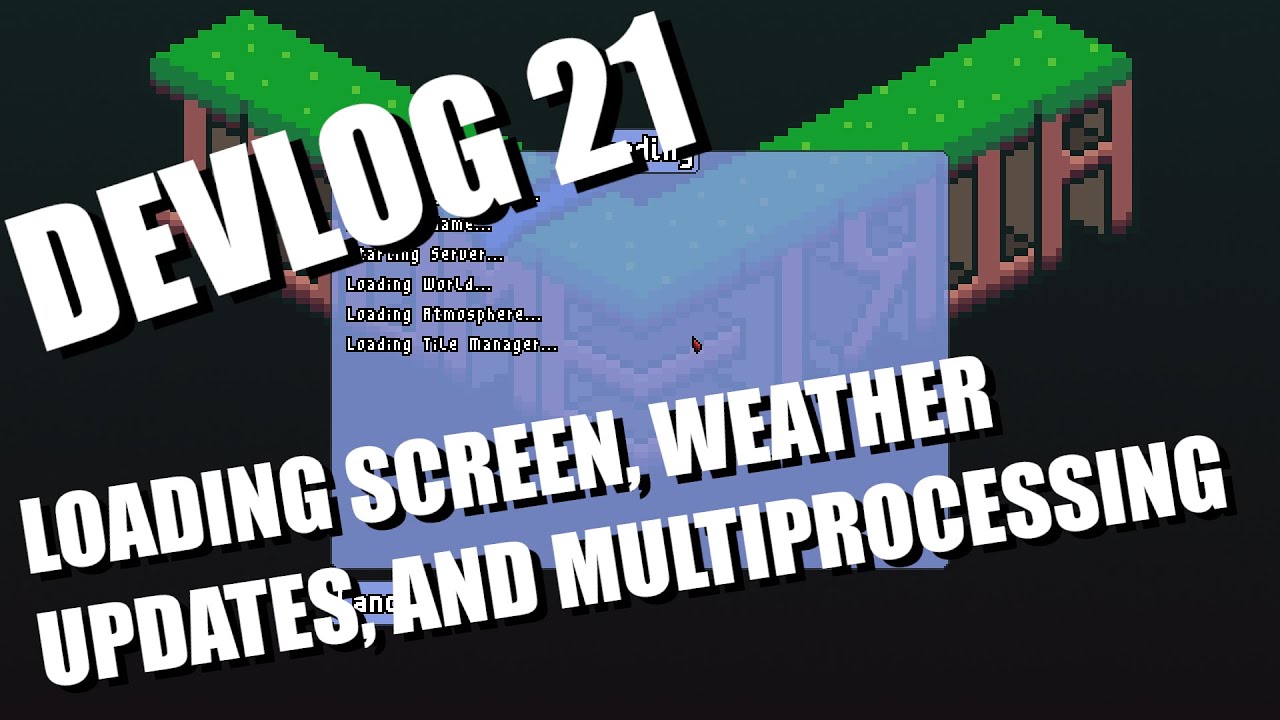
In this week's devlog I discuss the addition of a multithreaded loading screen, changes to the weather system, changes to tile generation, and multiprocessing for the client and server.
Be sure to like and subscribe and feel free to follow me on twitter here: https://twitter.com/BigWhoopGames
#indiegamedev #devlog #gamedev #gamedevelopment #in...
cold storm
@dry cloak @brisk yew - upbge engine supports python - we can pass data to shaders also using mesh attributes
one can use 'object color' and add it to uv - and keyframe object color using 'constant' keyframes to make sprite actions
 acoustic herald
Hey! Would anyone like to team up and make a game using pygame?
Mention me or reply to msg so i get pinged
dry cloak
is this for some kind of gamejam? @acoustic herald
acoustic herald
dry cloak
is this for some kind of gamejam? <@768114634367696916>
No, i just want to find someone to make a game with. It gives me motivation if there is a "teammate"
dry cloak
aye
well are you a skilled developer, novice or just okay
because im not gonna tag along if im gonna be a liability
dry cloak
well do you have any past projects?
 half flare
Hey I need a little help with perlin noise. So I have a script that generates a text map. so far it just randomly picks a number between 1 and 2 and puts it in a 20 x 20 block of numbers. SO what I wanna do is use a perlin noise generator to make a "heightmap" for me to use as a map. I've tried a few libraries, but for some reason I can't get them to generate perlin. Am I doing something wrong ?
dry cloak
half flare
Hey I need a little help with perlin noise. So I have a script that generates a ...
have you tried perlin-noise?
half flare
dry cloak
have you tried perlin-noise?
I think I have. for some reason I get weird errors. Let me just see if I can find the files again.
I had to install stuff from somewhere else and fixes that people made, but i couldn't manage.
dry cloak
acoustic herald
Mainly for GDKO game jams
also nice
i could probably help out depending on what you want to make
half flare
That was a while ago. I have to add. I am revisiting and old project of mine.
dry cloak
half flare
I had to install stuff from somewhere else and fixes that people made, but i cou...
if you send the code i could talk you through implementing perlin noise
acoustic herald
dry cloak
also nice
i could probably help out depending on what you want to make
Idk what to make yet, i/we should decide. Also I dont want help, i want someone to do pretty much 50/50 or 60/40 of a project
half flare
dry cloak
have you tried perlin-noise?
I see it wasn't installed. I'm gonna try setting it up again. I had such a bad time getting it to work the first time so I'd appreciate the help.
acoustic herald
acoustic herald
Idk what to make yet, i/we should decide. Also I dont want help, i want someone ...
It wouldnt also have any hurry
So basically a nice and chill project
dry cloak
acoustic herald
Idk what to make yet, i/we should decide. Also I dont want help, i want someone ...
well i can barley draw and make sounds
the only thing i would say im good at is game logic
thats not to say i cant make textures and sound effects, they just wont be very good
if you have any art ability (anything is better than mine) then i could achieve cooperation
but if you cant draw either then im probably no help
half flare
@dry cloak I got it working. I can't remember using perlin-noise ever, but the example I got here does exactly what I want. Thanks for the help 🙂
dry cloak
half flare
<@653640769248296993> I got it working. I can't remember using perlin-noise ever...
lol np
acoustic herald
dry cloak
well i can barley draw and make sounds
the only thing i would say im good at is ...
I can make art somewhat well.
dry cloak
dry cloak
lol np
super react : 0
half flare
Speaking of art. I made a bunch of hexagonal Monster logos and I think they look great. Imade a bunch of hexagonal forest, desert and tundra tiles, but I lost them.
dry cloak
half flare
Speaking of art. I made a bunch of hexagonal Monster logos and I think they look...
always upload stuff to the cloud
half flare
I was so impressed with myself xD
Aseprite is great for pixel art. other than that I can't do art.
half flare
dry cloak
always upload stuff to the cloud
I wish I did 😦
only source I have.

I made so many more.
dry cloak
acoustic herald
I can make art somewhat well.
somewhat is definitley better than me
what kind of games do you like/would be interested in making?
platformers?
adventure?
survival?
dry cloak
half flare
only source I have.
those look cool
half flare
dry cloak
those look cool
Thanks 🙂
acoustic herald
dry cloak
somewhat is definitley better than me
what kind of games do you like/would be i...
I like to make adventure and platformer games.
Are you good at making physics and possibly shooting stuff?
dry cloak
acoustic herald
Are you good at making physics and possibly shooting stuff?
i can do simple physics like gravity and movement
bullet physics would be easy since its just a moving projectile
those are in my capabilities, plus pymunk exsists if complex physics ever needed to be brought in
acoustic herald
dry cloak
i can do simple physics like gravity and movement
bullet physics would be easy ...
We could move to DM
dawn quiver
progress on my game so far, what do you guys think
 white prawn
made a ticktac toe

replit
Run Python code live in your browser. Write and run code in 50+ languages online with Replit, a powerful IDE, compiler, & interpreter.
a while back
like a few years ago
i was digging thru old repls/ coding projects
 quasi patrol
dawn quiver
progress on my game so far, what do you guys think
quasi patrol
dawn quiver
progress on my game so far, what do you guys think
W
 woven scaffold
dawn quiver
progress on my game so far, what do you guys think
woven scaffold
dawn quiver
progress on my game so far, what do you guys think
Very good!
Well done
 solemn flicker
dawn quiver
progress on my game so far, what do you guys think
solemn flicker
dawn quiver
progress on my game so far, what do you guys think
I think you can change the jump mechanics where after you have pressed the jump button you cannot change Velocity or direction you are moving
that will make the game more challenging
woven scaffold
solemn flicker
I think you can change the jump mechanics where after you have pressed the jump ...
Good idea
solemn flicker
woven scaffold
Good idea
thanks 👍
 pallid patio
I've been having this utterly annoying bug where my character does a sort of half jump before being able to properly jump. I can't seem to find any solution to this
import pygame as pg

from entity import entity
from bullet import bullet
from screen import screen
from scene2 import mask
...

#| Function that deals with  hit detection.. should be the problem here
    def borderCol(self, obj:entity) -> None:
        for maskobj in mask.getMaskDict().keys():
            mask_img = maskobj.mask_img
            mask_rect = maskobj.get_mask_rect()

            offset_x = obj.rect.x - mask_rect.x

            offset_y = obj.y - mask_rect.y


            # overlap = mask_img.overlap(mask_img, (offset_x, offset_y))

            #current problem with mask - jumping odesn't work so great..

            if offset_y > 623:
                # print(obj.rect.y)
                # obj.vel_y = 0
                obj.y -= 20
                obj.jump = False
            else:
                obj.dy = 0
very neat
half flare
dawn quiver
very neat
Thanks. I appreciate.
brisk yew
pallid patio
```py
import pygame as pg
from entity import entity
from bullet import bullet...
where is the jump taking place exactly? do you take dt into account or are the velocities applied every frame? what if you limit the framerate to say 60 fps, does that help?
and why have you named classes in snake_case? they should in PascalCase, so it would be from entity import Entity and so on, so that there's some distinction
dawn quiver
@acoustic herald hello. I might be interested in helping.
dawn quiver
half flare
Thanks. I appreciate.
I noticed you are making a game with hexagon pieces. Do you have a method for storing the pieces in a board?
half flare
dawn quiver
I noticed you are making a game with hexagon pieces. Do you have a method for s...
I put a lot of thinking into it and wondered how I'm gonna render the hexagons to slow in correctly to make a honeycomb pattern. I got it down in my head, getting it into code is a lot trickier than I though. I did try it, but lost motivation and got side tracked by other things. I do design each of them individually and save them in an individual file. I feel like having a spritesheet would be better, but I decided against it. The idea is to render perlin noise, convert the image to a text file that contains the height of each pixel based on its brightness value. so black would be the top of a mountain and white would be a lake or a river, and then have another script or function generate tiles based on the values. It's incredibly complex for my abilities, but that's the basic idea.Farther than that I haven't gotten. Unfortunately.
dawn quiver
Amit's guide to math, algorithms, and code for hexagonal grids in games
dawn quiver
half flare
I put a lot of thinking into it and wondered how I'm gonna render the hexagons t...
This is a good read.
dawn quiver
half flare
I put a lot of thinking into it and wondered how I'm gonna render the hexagons t...
Do you mind me helping?
I would like to help get the math right for storing and displaying the pieces.
dawn quiver
half flare
I put a lot of thinking into it and wondered how I'm gonna render the hexagons t...
Just let me know if you want any help. I think it would be fun to work on.
Some of the formulas will not work correctly since you are using sprites and they are pixel based.
Probably want to use offset coordinates
alright well nevermind then
pallid patio
brisk yew
where is the jump taking place exactly? do you take dt into account or are the v...
a) I don't take dt into account, it is the latter
b) no it doesn't seem to help
c) bit late to change to a different case abbreviation for the classes. Did wish I went with that for this project, and I have started doing so in other projects, thanks for passing the advice though
here's the game running at 60
 proper peak
bit late to change to a different case abbreviation for the classes
Is it? If you're using an IDE, you can probably do it in a few minutes by using e.g. VSCode's "rename symbol".
proper peak
pallid patio
here's the game running at 60
looking closely at the feet, what seems to happen is the character stops before descending to the initial y-coordinate
When you stop jumping, you do obj.y -= 20; perhaps reset it to some initial y instead?
pallid patio
proper peak
looking closely at the feet, what seems to happen is the character stops before ...
yeah that's what I've gathered, but I can't find some sort of remedy for this - I tried tinkering with adding a delay to the jump flag but that hasn't helped
pallid patio
proper peak
When you stop jumping, you do `obj.y -= 20`; perhaps reset it to some initial `y...
this is a sound approach but the point of the current code is that it should be robust to a more weirdly shaped mask - aka not a straight line. That being that it is relative to the mask's shape itself and not some arbitrary coordinate
dawn quiver
It could be that you need to tinker with the values a bit. I first thought it was my logic but after tinkering with the values i got a decent jump.
half flare
dawn quiver
alright well nevermind then
Sorry. my mom fell yesterday so I have to help around the house. It would be nive to have some help. I just gotta get my life in a bit of order first. 😅
acoustic herald
dawn quiver
<@768114634367696916> hello. I might be interested in helping.
I already found a teammate
Sry
dawn quiver
half flare
Sorry. my mom fell yesterday so I have to help around the house. It would be niv...
Sorry hope your mom feels better.
pallid patio
dawn quiver
It could be that you need to tinker with the values a bit. I first thought it w...
- changing the dy value (or well the -neg y value, which, I dunno why I did that, believe it was debugging attempts) causes the character to go down faster, but doesn't resolve it
- changing the offset value changes where it happens
- adding a delay to when the flag is flipped seems to break the algorithm
dawn quiver
For jumping it should be as simple as adding a negative velocity to your character and letting gravity bring it back down
pallid patio
related functions that could be the fault here -- don't think they are, though
#| called when character jumps
...
    def jumpEx(self, *obj:entity) -> None:
        """Sets the exception making objects obey their gravity variable and jump.

        Args:
            obj (entity): the objects to obey the exception
        """
        for o in obj:
            if o.jump:
                o.vel_y += o.gravity
                o.dy += o.vel_y
...
...
#| entity draw function

    def draw(self, screen: screen, scale=False, coord=(0,0)):
        """Draw the entity to the game screen [Overwirtes the object function]

        Args:
            screen (screen): Game screen object
            scale (bool, optional): Whether to scale the object or not. Defaults to True.
            coord (tuple, optional): The coordinates of the of the object to . Defaults to (0,0).
        """

        self.rect.x += self.dx
        self.rect.y += self.dy

        self.gx += self.dx
        self.gy += self.dy

        self.x = coord[0] + self.rect.x - (self.imgoffset[0] * self.scale)
        self.y  = coord[1] + self.rect.y - (self.imgoffset[1] * self.scale)


        if self.img == "": pg.draw.rect(screen.SCREEN, (255,0,0), self.rect)
        else:
            # pg.draw.rect(screen.SCREEN, (255,0,0), self.rect)
            self.img = pg.transform.flip(self.anim_list[self.action][self.frame_index], self.charaFlip, False)

            super().draw(screen, scale, (self.x , self.y))
...
the problem isn't the jumping method - but the mask collision here
the jump works fine as long as the collision works fine, the problem being the latter
which is why the code snippet I showed earlier related to the collision calculation, and not the jump itself
dawn quiver
why not do a simple rectangle vs rectangle collision instead.
pallid patio
because I want to feed a mask image into the code and easily get out a mask level that the character traverses, that corresponds to the underlying image for the level screen
half flare
dawn quiver
Sorry hope your mom feels better.
She does, even though I tell her not to walk on her foot she's stubborn about it. xD Work ands tuff gets in the way of my hobbies.
pallid patio
so optimally this would mean I can just draw a level in paint and it works directly since it just checks for the collisions with the mask created from said level
^ using a static value for the character to return to breaks this, which, well yeah it fixes the problem but also kind of defeats the purpose
pallid patio
proper peak
When you stop jumping, you do `obj.y -= 20`; perhaps reset it to some initial `y...
wait I see what you meant by this comment now, I'll try this
dawn quiver
Gotcha Part of the problem with using rectangles instead of masks is that it is difficult to place them. If you had soem sor of editor to place them then it would be easier.
pallid patio
yeah I'm sort of jumping that problem entirely by creating masks from an image I feed into a class and then render when appropriate
so then I can draw a big dumb rectangle on paint and get back something I can use for my level
took me a little while to write but I think it works decently well
surprisingly nice performance wise, too, if not a little messy
dawn quiver
import pygame as pg

from entity import entity
from bullet import bullet
from screen import screen
from scene2 import mask
...

#| Function that deals with  hit detection.. should be the problem here
    def borderCol(self, obj:entity) -> None:
        for maskobj in mask.getMaskDict().keys():
            mask_img = maskobj.mask_img
            mask_rect = maskobj.get_mask_rect()

            offset_x = obj.rect.x - mask_rect.x

            offset_y = obj.y - mask_rect.y


            # overlap = mask_img.overlap(mask_img, (offset_x, offset_y))

            #current problem with mask - jumping odesn't work so great..

            if offset_y > 623:
                # print(obj.rect.y)
                # obj.vel_y = 0
                obj.y -= 20
                obj.jump = False
            else:
                obj.dy = 0
mask_img.overlap(mask_img, (offset_x, offset_y))
this doesnt make sense to me
shouldn't you pass in two masks
instead of one
Did i ask stupid question or did you find the problem XD
pallid patio
dawn quiver
Did i ask stupid question or did you find the problem XD
it's commented out, I'm not using or passing that line
it should be
overlap = mask_img.overlap(obj.img, (offset_x, offset_y))
or something of the like
unless I'm missing something here
but it shouldn't matter nonetheless, I don't need to calculate the overlap
dawn quiver
I thought you needed the overlap to test if something has collided or not
Also youd need to reset the player by a difference calcualted from the overlap
pallid patio
all the overlap is is a boolean value of whether or not maskA collided with maskB
in this case I just need to know the offset between the mask and the collision anyway
the calculations are at the offset
pallid patio
pallid patio
all the overlap is is a boolean value of whether or not maskA collided with mask...
wait nvm but I don't actually need the overlap point, just the offset nonetheless
dawn quiver
hmm
In the video you posted are you supposed to be on top of the sand or in the middle like in the video
hmm or are you using a invisible mask for collision
pallid patio
dawn quiver
hmm or are you using a invisible mask for collision
I am
the position is fine
I can adjust it if needed
the problem is purely the bug cited
dawn quiver
Well if it were me I would do some preliminary tests. For example I would test my undstanding of masks and their offsets by making a lil demo program. Then get jumping to work with only jump code and a static line to return to. Then try to merge them together
oh
also
pallid patio
dawn quiver
Well if it were me I would do some preliminary tests. For example I would test ...
yeah that's my next course of action - or frankly I may just leave it as is for now and get the rest of the game done then come back to it. I need to work on the UI and enemies still
dawn quiver
            if offset_y > 623:
                # print(obj.rect.y)
                # obj.vel_y = 0
                obj.y -= 20
                obj.jump = False
            else:
                obj.dy = 0
Also the else branch does not make sense to me
actually this whole thing does not make sense to me
if offset_y > 623: I take this to mean if the player is 623 units above the ground
Then in my mind gravity should effect the players velocity
and you should add the velocity to the players position
I am just guessing at this point.
pallid patio
with all due respect I don't have the time or patience to explain to you how this code works - it's a pretty rudementry mask collision algorithm, most of which is both readable and simple to understand. at most the only weird part would be getting the masks from a list of masks in a dictionary
pallid patio
They aren't relevent; yes I could (and probably should) use the object's gravity affection to push them downwards, but it isn't going to change much about how the object gets pushed down besides being at the correct rate (it doesn't fix the problem, it just makes the jump react at the correct rate), remember that this isn't final code. it's debugging code. Changing the dy value by 20 over changing the velocity value isn't relevant to the problem I'm having here
I've infact experimented with changing different values but with no avail
there's certainly something wrong here but using vel instead of dy isn't it as far as I can tell
dawn quiver
dy and velocity are pretty much the same.
dy is just the y component of velocity
Anyways good luck
I mean i have time.
If you want i could try and debug this myself
dawn quiver
pallid patio
They aren't relevent; yes I could (and probably should) use the object's gravity...
If you want send over all your code and i'll debug it.
Yes no maybe?
dawn quiver
pallid patio
They aren't relevent; yes I could (and probably should) use the object's gravity...
I am gonna do it. Just for you.
Gonna figure out this shit.
pallid patio
fine mate I'll put it on github
pallid patio
no worries yeah, I appreciate it
just fork the repo and send me the link if you do figure it out
GitHub
Contribute to yassir56069/FunnyAliBaba development by creating an account on GitHub.
dawn quiver
pallid patio
no worries yeah, I appreciate it
Are you there?
I got an update
"Returns a new pygame.Rect()pygame object for storing rectangular coordinates object based on the size of this mask. The rect's default position will be (0, 0) and its default width and height will be the same as this mask's. The rect's attributes can be altered via pygame.Rect()pygame object for storing rectangular coordinates attribute keyword arguments/values passed into this method. As an example, a_mask.get_rect(center=(10, 5)) would create a pygame.Rect()pygame object for storing rectangular coordinates based on the mask's size centered at the given position."
this means offset_x = obj.rect.x - mask_rect.x will always be obj.rect.x
the rectangle you get from get_rect on a mask will always have a position of 0, 0
If you didn't already know
You should instead subtract the position of the obstacle from the position of the player
That will be your offset.
Overlap will return the pixel coordinate starting from the topleft of the obstacles mask where the collision took place.
dawn quiver
pallid patio
no worries yeah, I appreciate it
I have a lil demo program to show. Whenever you are ready.
pallid patio
dawn quiver
this means `offset_x = obj.rect.x - mask_rect.x` will always be `obj.rect.x`
mask_rect = maskobj.get_mask_rect()
mask_rect is not a mask of the object
but it doesn't matter we don't need the x offset anyway, we just need the y one
dawn quiver
Mind if i DM
pallid patio
sure
dawn quiver
I just want to show some code
pallid patio
yep go ahead
dawn quiver
@half flare Hello. Whenever you are ready I'd like to help.
half flare
dawn quiver
<@273068419451191298> Hello. Whenever you are ready I'd like to help.
I'll let you know buddy. I just got up and I have a lot of work to do today.
dawn quiver
is there a python 3d game dev lib
 eternal hatch
dawn quiver
is there a python 3d game dev lib
eternal hatch
dawn quiver
is there a python 3d game dev lib
Probably Panda3D or Ursina. You could also just use raw OpenGL if you wanted to
dawn quiver
eternal hatch
Probably Panda3D or Ursina. You could also just use raw OpenGL if you wanted to
GL?
Something I don't like, I prefer vulkan dk why
is pandas3d really used alot
eternal hatch
dawn quiver
GL?
Something I don't like, I prefer vulkan dk why
is pandas3d really used alot
I don't think so. I mean, I'm sure quite a bit of people use it, but I think your safest bet for 3D gamedev is probably a game engine unless you prefer lower level 3D programming
dawn quiver
Hey @half flare How are you doing? 😄
I like your name. Is that german for lightning?
dawn quiver
half flare
I'll let you know buddy. I just got up and I have a lot of work to do today.
I made this in C and ncurses. It works within command prompt by drawing special characters to form hexagons.
It is a recreation of the game Hive.
It was a lot of fun to make
I used a simple two dimensional array to store the hexagons
some bit fiddling for move generation as well as hashmaps.
@versed aurora Hey. Want to participate in a challenge? We each make a hexagon chess that works in command prompt.
I don't know if it should be time based or some other criteria
Well eh its not a fair challenge. I have experience with this stuff.
But you sort of do too. You make lot of cool things that works in command prompt
 lyric gale
Hi guys, I'm starting to create games with pygame, and I'm having a problem in the collisions
My code:
    obs1 = pygame.draw.rect(tela, (255,0,0), (obstaculo1_posY, obstaculo1_posX, obstaculos_largura, obstaculos_altura)) # Obstaculo
    obs2 = pygame.draw.rect(tela, (255,255,255), (obstaculo2_posY, obstaculo2_posX, obstaculos_largura, obstaculos_altura)) # Obstaculo
    obs3 = pygame.draw.rect(tela, (0,255,255), (obstaculo3_posY, obstaculo3_posX, obstaculos_largura, obstaculos_altura)) # Obstaculo
    obs4 = pygame.draw.rect(tela, (255, 0, 255), (obstaculo4_posY, obstaculo4_posX, obstaculos_largura, obstaculos_altura)) # Obstaculo

 # Colisões ( Caso aconteça ) PT-BR
    if player.colliderect(obs1):
        possivel_subir = False
    if player.colliderect(obs2):
        possivel_descer = False
    if player.colliderect(obs3):
        possivel_subir = False
    if player.colliderect(obs4):
        possivel_descer = False
Code summary: I am creating 4 obstacles, and when player finds in 1 or 3 (the obstacles from above) it can no longer rise, that is, it will crash, but if the player finds in 2 or 4, it will not be able to descen
The problem, is that the collisions are only happening in the 1 and 2 obstacles, and when you find in the 3 and 4, the var that speaks to whether the player can go up or down does not change
Lib: pygame
Help meeeee
Plss
half flare
dawn quiver
I made this in C and ncurses. It works within command prompt by drawing special...
Oh damn that''s cool.
half flare
dawn quiver
I like your name. Is that german for lightning?
There's a mission in Farcry 3 where you meet a German guy called Sam. And in one mission he yells "BLITZKRIEG!" and charges to whatever.
At the time I was really into the German language and since I progress quite fast in games and stuff I chose Blitz along with a incorrect spelling of my name cause people can't say "Craig" correctly for some reason. I'm not German. XD
half flare
dawn quiver
I made this in C and ncurses. It works within command prompt by drawing special...
I put a lot of thought into rendering hexagons. Yesterday I was just really busy and couldn't get around to my coding. I'll try, again tonight or so.
Really thinking of dodging Pygame for the rendering and using matplotlib instead. Don't know the complications of it. I'm used to Pygame by now.
half flare
lyric gale
Hi guys, I'm starting to create games with pygame, and I'm having a problem in t...
speaking from what i know, but did you try and combine those collisons into an if elif block instead ?
and putting it in a loop to check for the collisions ?
half flare
lyric gale
Hi guys, I'm starting to create games with pygame, and I'm having a problem in t...
I too ka little bit of a read and the reason it only picks up obstacle 1 and 2 is cause they're already set to False once the condition is met. So obs3 and obs4 are just passed, cause it already satisfies what obs1 and obs2 did. If that makes sense.
 median linden
check out my code its in its alpha stage
dawn quiver
half flare
Really thinking of dodging Pygame for the rendering and using matplotlib instead...
If you are making a game i would definitely stick with pygame. Any other library other than pygame and friends is going to be hackish if you are planning on making a game.
half flare
dawn quiver
If you are making a game i would definitely stick with pygame. Any other librar...
Ifelt the same when considering. I've heard about Pandas too. but idk.
dawn quiver
How are you rendering hexagons?
If it is sprite based you will want to use a staggered grid.
half flare
Haven't started with that yet XD
dawn quiver
find the step in the x and y direction that makes them fit together
half flare
yes.
dawn quiver
then offset every row
by some amount in the x direction
or whichever way they are oriented.
dawn quiver
half flare
Oh damn that''s cool.
Yeah i had a lot of fun making it. I am making a hexagonal chess in OpenGL right now.
half flare
dawn quiver
Yeah i had a lot of fun making it. I am making a hexagonal chess in OpenGL righ...
That's great.
dawn quiver
If you have any trouble coding something. Like if there is a hard to find bug just let me know.
half flare
I will. Thanks buddy 🙂
 dawn quiver
!paste
frank fieldBOT
Pasting large amounts of code
If your code is too long to fit in a codeblock in Discord, you can paste your code here:
https://paste.pythondiscord.com/
After pasting your code, save it by clicking the Paste! button in the bottom left, or by pressing CTRL + S. After doing that, you will be navigated to the new paste's page. Copy the URL and post it here so others can see it.
dawn quiver
median linden
Hey paste it there. Then send the link and i'll take a look.
It is just a paste site for viewing code.
dawn quiver
median linden
https://paste.pythondiscord.com/MWLM4
dunder methods use two leading and trailing underscores like in def __init__(self):
    if keys[pygame.K_a] and ship.x - player_vel > 0:  # left
            ship.x -= player_vel
    if keys[pygame.K_d] and ship.x + player_vel + 50 < WIDTH: # right
            ship.x += player_vel
    if keys[pygame.K_w] and ship.y - player_vel > 0: # up
            ship.y -= player_vel
    if keys[pygame.K_s] and ship.y + player_vel + 50 < WIDTH: # down
            ship.y += player_vel
This could be rewritten as separate conditions
Instead of checking if you go offscreen and if a key is pressed
Just let the player move anywhere
and clamp it down at the end
    if keys[pygame.K_a]:  # left
            ship.x -= player_vel
    if keys[pygame.K_d]: # right
            ship.x += player_vel
    if keys[pygame.K_w]: # up
            ship.y -= player_vel
    if keys[pygame.K_s]: # down
            ship.y += player_vel
    if ship.x + 50 > WIDTH:
            ship.x = WIDTH - 50
    if ship.x < 0:
            ship.x = 0
Do it for the y coordinate too
dawn quiver
median linden
https://paste.pythondiscord.com/MWLM4
Also you should have player_vel inside the ship object too instead of separate
Keep track of the players width in there so the magic number 50 goes away.
but i mean it works
That is just what id do
Just being a lil bit more tidy
But hope whatever you do you make something youd be proud of
median linden
alright thanks for the advice
dawn quiver
make a surface, draw to that, flip it, display it
dawn quiver
It may be because you did not read the documentation for the transform function.
Go read it here https://www.pygame.org/docs/ref/transform.html
dawn quiver
Is it?
pygame.transform.rotate(self.screen, 180), (0, 0) do you assign this to anything?
Sorry answer my question
dawn quiver
dawn quiver
`pygame.transform.rotate(self.screen, 180), (0, 0)` do you assign this to anythi...
^^^
Do you assign that to anything?
alright fair enough
Did you try making a surface and rendering to that instead?
That way you can flip it.
I am not sure.
In OpenGL there is usually two buffers.
hmm'
Yeah sorry i don't know.

 tall grotto
anyone knows godot 3.0?
hey all
lokin for a pixel artist for my game
anyone there?
 tranquil girder
are you using Python?
 simple pivot
half flare
It works. Sort of. Now to figure out how to remove that gap.
simple pivot
half flare
It works. Sort of. Now to figure out how to remove that gap.
I have tried godot but that was hard 😅 hiw did you made it
What are those?
half flare
simple pivot
I have tried godot but that was hard 😅 hiw did you made it
Check the pastebin under the image. Then just look at the # Render World block
simple pivot
Each polygon has shift up half of side of hexagon
half flare
Yes
simple pivot
I am not good at coding but can i see it private chat
simple pivot
half flare
Check the pastebin under the image. Then just look at the # Render World block
Got it
If the code works then works
Ineed to know how much width and height are tjose hexanols are going to be
Count x of hexagonals of blue
Before displaying and going to start displaying x =》 direction check whether you displayed 8 hexagonals if so then make the y = y + (hexagonal half)
simple pivot
half flare
Yes
There you go if it is understandable
half flare
simple pivot
There you go if it is understandable
The code is straightforward and focused on one thing. I just gotta figure out how to remove the gaps between the rows. Not sure yet, but yeah, if the number in World_WIDTH is uneven it renders hexagons and the uneven ones get moved to the right.
I just can't seem to figure out why there's a space between the rows.
simple pivot
In line 85 if statement. Checks whether that is last hexagonal or not if so change chnage y =y - (hexagonal *0.5 )
If that is not working then i really dont know what will
simple pivot
half flare
The code is straightforward and focused on one thing. I just gotta figure out ho...
.
I am sorry about my poor English
half flare
No problem. I've had a long day. I'm proper tired.
dawn quiver
half flare
No problem. I've had a long day. I'm proper tired.
https://minecraftshapes.com/ This is a neat site
make shapes from pixels

made this with it
dawn quiver
jumping game i made in pygame
half flare
oh damn
half flare
dawn quiver
jumping game i made in pygame
so much anxiety so early in the morning. xD Well done friend.
 tropic snow
dawn quiver
jumping game i made in pygame
tropic snow
dawn quiver
jumping game i made in pygame
what software is that i need to try and make a game
dawn quiver
tropic snow
what software is that i need to try and make a game
Pygame
half flare
tropic snow
what software is that i need to try and make a game
You can use PyCharm to code Python and use a library called pygame to help you get started
 solid mesa
half flare
You can use PyCharm to code Python and use a library called pygame to help you g...
solid mesa
half flare
You can use PyCharm to code Python and use a library called pygame to help you g...
Is there Any game engine which support python?
half flare
solid mesa
Is there Any game engine which support python?
Honestly don't know. I know Godot has some plugins or something that people are working on if i remember correctly.
solid mesa
half flare
Honestly don't know. I know Godot has some plugins or something that people are ...
Yeah I know Godot, that has a Gdscript similar to python
half flare
solid mesa
Yeah I know Godot, that has a Gdscript similar to python
Yeah. That's all I know. Maybe someone else knows something.
solid mesa
Yeah
proper peak
godot also has a python plugin
brisk yew
half flare
You can use PyCharm to code Python and use a library called pygame to help you g...
pygame-ce
brisk yew
solid mesa
Is there Any game engine which support python?
many self-made non-mainstream pygame game engines or you can make one yourself too, also godot supports Python via plugins (not gdscript, Python)
 worthy latch
Anyone know any popular open source text-based games made in Python?
I’d be curious to check out their code and see how they work
versed aurora
worthy latch
Anyone know any popular open source text-based games made in Python?
I’d be cur...
https://github.com/Sea-Pickle/gloop_scripts/blob/main/snake_v_2.1.py
https://github.com/Sea-Pickle/gloop_scripts/blob/main/2048.py

GitHub
yeah. Contribute to Sea-Pickle/gloop_scripts development by creating an account on GitHub.
GitHub
yeah. Contribute to Sea-Pickle/gloop_scripts development by creating an account on GitHub.

this is just a small demo of a script i wrote, it's a bit of a mess but it works
(i kinda suck at playing snake)

Like the other python videos, this is displaying a script I wrote from scratch (this actually is using text graphics), you can find it at https://github.com/Sea-Pickle/gloop_scripts/blob/main/2048.py
I've tried to keep it as accurate to the game as reasonable, though one difference I added (mainly to save me a headache of coding) is that when t...
hope these help
my methods for these weren’t ideal tho
for snake, i hardcoded the menus, and the rendering isn’t that great, since it’s concatting to a string , better to use a list afaik
feel free to ask questions about the inner working of it
I also have this:
https://github.com/Sea-Pickle/gloop_scripts/blob/main/tech_test_1.py
GitHub
yeah. Contribute to Sea-Pickle/gloop_scripts development by creating an account on GitHub.

This is a little test I wrote to test some stuff (mainly behind the scenes), you can find it at https://github.com/Sea-Pickle/gloop_scripts/blob/main/tech_test_1.py
How it works is basically you have a player or 'cursor' that you can move around the screen, you can spawn and delete particles and circles.
The particles and circles actually inte...
worthy latch
versed aurora
https://github.com/Sea-Pickle/gloop_scripts/blob/main/snake_v_2.1.py
https://gi...
Thanks
versed aurora
my keyboard controls use this funky method i wrote, that basically polls the windows API for keystates (on linux i have it use the keyboard module), and it basically returns a list containing all the active keys, which for me works better than events because events dont work well with detecting held keys afaik, however i could possibly try something with a persistent key array and remove/add on keypress/keyrelease
rendering uses truecolor ANSI
proper peak
versed aurora
my keyboard controls use this funky method i wrote, that basically polls the win...
yeah, it's normal for games to use both - events for stuff like hotkeys, and keystates for movement
versed aurora
versed aurora
my keyboard controls use this funky method i wrote, that basically polls the win...
If you want, i can send it over, i may make it a small module
dawn quiver
Was 2048 made to work in command line too?
versed aurora
yes
dawn quiver
neat
versed aurora
Btw i didn’t see your mention before, about the game, i might be interested
dawn quiver
I decided to switch to OpenGL
versed aurora
For a while i’ve been out of it due to me losing access to my meds (kinda my fault, lol)
versed aurora
dawn quiver
I decided to switch to OpenGL
I may, at some point
i got nAABB working if you didnt see that btw
dawn quiver
But I havent started so I might do it in ncurses.
dawn quiver
versed aurora
i got nAABB working if you didnt see that btw
nAABB?
versed aurora
non-axis-aligned-bounding-box
i.e collision detection on a rectangle that can be at an angle
i did it by literally just rotating the coordinates and doing a AABB on it
dawn quiver
I think i used SAT for that
dawn quiver
versed aurora
i did it by literally just rotating the coordinates and doing a AABB on it
Could you elaborate on this?
versed aurora
sure 1 sec
def point_in_box(self,point):
    corner_minimum=self.pos-self.size/2
    corner_maximum=self.pos+self.size/2
    point_rotated = rotate_coords(point,-self.angle,self.pos)
    if point_rotated.in_box(corner_minimum,corner_maximum):
        return True
    return False
def rotate_coords(pos,angle,origin=[0,0]):
    c,s = math.cos(angle),math.sin(angle)
    pos-=origin
    new_pos = vec2(0,0)
    new_pos.x = (pos.x*c)-(pos.y*s)
    new_pos.y = (pos.x*s)+(pos.y*c)
    new_pos += origin
    return new_pos
ah so you rotate the box so you can test if a point is within an axis aligned box
versed aurora
the idea is that a AABB is just checking if the x and y coordinates are within two vectors min and max, but you can’t do that directly if it’s angled
versed aurora
dawn quiver
ah so you rotate the box so you can test if a point is within an axis aligned bo...
aye
for two boxes, i figure you can do this for each corner
dawn quiver
yeah this is cool.
versed aurora
it’s not very fast, but it works
it’s two trig operations per rotation
so not atrocious
dawn quiver
When you are not restricted by correctness you can come up with something that works in practice
this works becuase the objects dont move too fast
versed aurora
If i directly copied the math it’d be 4 trig ops but i ‘pre-cached’ them if you will
That’s an issue with literally all collision detection, to be honest
proper peak
for collision of two nAABBs you'd need 8 point checks I think - for each point of each box, check if it's in the other
versed aurora
proper peak
for collision of two nAABBs you'd need 8 point checks I think - for each point o...
aye
At least 4, probably 8
The real question is how to check if a point is in an arbitrary convex hull
versed aurora
versed aurora
The real question is how to check if a point is in an arbitrary convex hull
If you can do that, you can do a square, triangle, most shapes really
dawn quiver
yep this is true. if your player is big and the obstacles small you would need 8 point checks
at the minimum
versed aurora
for player detection i wouldn’t use a rect
dawn quiver
idk
proper peak
versed aurora
The real question is how to check if a point is in an arbitrary convex hull
the common algorithm is based on the winding number I think, or equivalently on raycasting a ray to infinity and checking how many times it intersects the hull
versed aurora
for a player, you can use discrete collision points
dawn quiver
proper peak
the common algorithm is based on the winding number I think, or equivalently on ...
i rememeber looking that method up but i forgot the details
versed aurora
versed aurora
for a player, you can use discrete collision points
The way i’ve seen it done is 4 to 8 of them, with 3 on the ground , one or three on top, and sometimes two on the sides
for line drawing btw i just use bresenham’s
dawn quiver
versed aurora
The way i’ve seen it done is 4 to 8 of them, with 3 on the ground , one or three...
Hey gloop are you against using unicode characters in your command line games?
versed aurora
not particularly, depends on the character
I use the full block a lot
You can get the same effect with an ansi code set to background and a space, but that does weird shit upon scaling the text or window
i tend to prefer ascii in most cases, simply because more fonts are likely to display it, but i don’t particularly dislike using unicode
proper peak
proper peak
the common algorithm is based on the winding number I think, or equivalently on ...
whenever I have questions like these I look them up in "Computational Geometry in C" 🥴

 dawn quiver
I wanted to not use the triangles Unicode characters for the chess spaces but hexagon chess is laid out with flat toppped hexagon so doing the alternative is not great
* * * * * * *
 * * * * * * *
* * * * * * *
yea
dawn quiver
dawn quiver
```
* * * * * * *
* * * * * * *
* * * * * * *
```
this is pointy topped so it would't work for hexagon chess
versed aurora
How many chars would the hex be? You can do it with 1 if you use fg/background trickery, but it’d be hard to add a piece there
Also i’ve found a limitation to an extent, of how fast terminal stuff can be
It’s how fast print() can display
luckily most of my games tend to take up a small space; usually 30-50 chars wide
dawn quiver
yeah
versed aurora
versed aurora
luckily most of my games tend to take up a small space; usually 30-50 chars wide
(Sometimes with doubling to keep aspect ratio)
dawn quiver
but that is not the only limitation
part of it is updating the display to match what you need next frame
versed aurora
I’ve only really ran into the print() speed issue( though i suspect it’s actually an issue of the terminal speed) on my gif player
dawn quiver
ncurses does some trickery behind the scenes to make this fast
versed aurora
my gif player computationally, once it processes the frames, is literally just printing frames from a list with a while and for loop, but due to how many chars it displays, it’s slow for big images
proper peak
hmm, are you only doing one print per frame?
versed aurora
yes
it just caches all the frames (which are strings) to a list, and just prints, has a delay between frames with time.sleep(), then prints again
proper peak
hmm
versed aurora
windows terminal handles it best of all the terminals i’ve tested, but it’s a bitch to record using OBS so i tend to use cmd for my videos
proper peak
yeah, that might be the terminal's fault
versed aurora
I figure as much
proper peak
what was that very fast GPU-accelerated terminal, hmm...
versed aurora
also is there a reasonable way to do work on gpu using python?
I’m not sure how gpu computation even works in code
proper peak
depends on what you could as reasonable
there's some opengl wrappers, there's numba's support for CUDA kernels...
the former are the most feature-complete
versed aurora
i’ve heard of numba but i’m not sure what it actually is supposed to do
proper peak
it won't be writing python, though, opengl shaders are written in GLSL which is basically C.
dawn quiver
Is pyglet a good option if you want to use OpenGL with python?
proper peak
proper peak
what was that very fast GPU-accelerated terminal, hmm...
@versed aurora i was thinking of refterm, though try also alacritty
proper peak
dawn quiver
Is pyglet a good option if you want to use OpenGL with python?
i think it's pretty decent - it has a high-level 2d interface, and if you need anything like 3d it exposes opengl bindings
dawn quiver
Oh that is neat
proper peak
versed aurora
i’ve heard of numba but i’m not sure what it actually is supposed to do
very generally speaking, compile python functions to machine code
with a gazillion caveats, but still quite useful.
versed aurora
ah
How does gpu computation even work? Is it just ‘do this math, and give me a result’?
dawn quiver
you write code that processes a vertex at a time
and a pixel at a time
but you also have data that is global to all shaders
like lighting values
versed aurora
I mean at the low level
dawn quiver
you can pack certain data like color, position, texture coordinates, face normals and more within vertex buffers
versed aurora
is there something in like, c to call the gpu or something? Or is it some sort of asm wrapper/library/whatever for each gpu
oh btw, unrelated, i’ve been using the terms ‘method’ and ‘function’ interchangably but is there any actual differences?
dawn quiver
You work with OpenGL API. They have documentation for each function.
So it is an API
either OpenGL or Vulkan or DirectX
DirectX is for windows only
dawn quiver
versed aurora
oh btw, unrelated, i’ve been using the terms ‘method’ and ‘function’ interchanga...
method usually is tied to an object
function is usually taken to be stand alone
versed aurora
so method is oop then, and function is just a global thing?
dawn quiver
methods are just tied to an instance
they are somewhat oop in python
becuase some methods are special
versed aurora
that makes the ‘classmethod’ decorator a bit odd, but kk
also i might try to learn matrix stuff, i’d like to make a matrix module, so i can do stuff like 3d graphics in terminal (yes, it’d be brutally slow, i know)
proper peak
versed aurora
is there something in like, c to call the gpu or something? Or is it some sort o...
there's several big frameworks for working with GPUs (opengl, vulkan, directx, metal...) and people just work with them. and what they do, I don't know besides "something something interface with drivers"
versed aurora
kk
dawn quiver
versed aurora
also i might try to learn matrix stuff, i’d like to make a matrix module, so i c...
Have you considered learning C?
versed aurora
yes, at some point
I’ve dabbled very slightly but haven’t really made anything of substance
dawn quiver
well you could write a module in that or find a library and adapt it by making a C python module
versed aurora
my vector module is pure python for rn so i figure i’d make my matrix module like that as well
dawn quiver
Would numpy work?
versed aurora
Yeah, but i dont really like using numpy
versed aurora
It’s not that it’s bad, mind you
It’s two things, really
- It’s confusing as hell (kinda just what happens when using an unfamiliar api), and 2. For me it feels TOO useful
i do use numpy at times; mainly for when i just straight up need it, but for my games and stuff, it feels cheaty
Btw have you seen my vector module?
dawn quiver
no
versed aurora
lemme get it
It’s not super complicated, it’s basically a module with 3 classes, a ‘vec2’, ‘vec3’, and a generic ‘vec’
GitHub
a simple vector class for python. Contribute to Sea-Pickle/gloop_vector_class development by creating an account on GitHub.
proper peak
i have a handwritten module like that for Rust, but for python I just use numpy
versed aurora
the idea is vectors are similar to lists but with operators, so you can do vec2(10,12)*vec2(10,3) and get vec2(100,36) or do vec3(10,8,6)+vec3(2,4,12) and get vec3(12,12,18)
dawn quiver
Yeah i saw your get items so does this mean you can do slcies on them as well?
versed aurora
Yes, i added that fairly recently
dawn quiver
swizzle operations would be neat too
versed aurora
swizzle?
versed aurora
i could do that, just reversing the components?
versed aurora
ah ok
dawn quiver
a.xy = vec(2, 3)
versed aurora
so it’d take a n-length vec/list of the new component order
also, the vectors also have other functionalities like lerp, checking if a point is in a box, clamping, getting sign, dot/cross product, that sort of thing
dawn quiver
yeah it is nice vector class.
versed aurora
i also most recently added a generic vector that can be any (positive) length
the vector class is also (unwittingly) the first time i used decorators
dawn quiver
I am gonna go ahead and make some progress on hexagon chess.
versed aurora
You can do 1x1 with trickery using the background and foreground but actually placing stuff there would fuck up the visuals
versed aurora
versed aurora
You can do 1x1 with trickery using the background and foreground but actually pl...
well, triangles at least
dawn quiver
well it would not be a hexagon it would just be aranged in a hexagon grid
youd put letters
versed aurora
gotcha
for the pieces you could also use ascii chwrs
the end result would be akin to dwarf fortress, i figure
dawn quiver
See the problem is
The flat topped hexagons dont translate to a simple grid letter approach
since they are flat topped
and because text aspect ratio
so i probably am gonna do what i did for this
versed aurora
for chess you could probably just ignore the aspect ratio thing
for snake i ignored the aspect ratio because i determined that it’d look worse with it, than without it
dawn quiver

Hexagonal chess is a group of chess variants played on boards composed of hexagon cells. The best known is Gliński's variant, played on a symmetric 91-cell hexagonal board.
Since each hexagonal cell not on a board edge has six neighbor cells, there is generally increased mobility for pieces compared to a standard orthogonal chessboard. For examp...
versed aurora
versed aurora
for snake i ignored the aspect ratio because i determined that it’d look worse w...
because of the fruits, mainly, since there’s no good two wide circle in unicode or ascii
dawn quiver
like i need to have it this orientation
versed aurora
how i imagine you’d do the chess is maybe 6x3 (or 5x3) and have the piece in the middle
Kinda similar to how i did 2048 but with hexagons
(I don’t recommend looking at the source for my 2048 rendering though, it’s hacky as hell)
sorry if format is bad since im on mobile but something like
CAAAC
AAXAA
CAAAC
Where X is the piece, C is a corner, and A is the main part of the tile
dawn quiver
 * * * * * * * * * * *
*   * * p * *   * *   *
 * * k * * q * *   * *
* k * * b * *   * *   *
 * *   * *   * *   * *
* * * * * * * * * * * *
something like this
dawn quiver
ah come on
versed aurora
also i was imagining the corners to be a sort of triangle piece where the BG is one tile’s color, and the FG is the other’s
dawn quiver
not all terminals support mouse. But i think most emulators now adays do
i just used ncurses mouse functions
versed aurora
gotcha
I’d use curses if it was for windows without having to install a module or whatever
i might still use it
dawn quiver
I mean do whatever you are comfortable with.
versed aurora
If it’s small enough i could just package it with an installer or the game/program itself
dawn quiver
I was thinking i could do this in C and maybe show it too you
versed aurora
dawn quiver
I mean do whatever you are comfortable with.
mouse input, unlike keyboard input is a fucking nightmare to work with
I have code that works but it uses blocking input
dawn quiver
oh yeah right we kinda need mouse
or we just label the grid
i think there might be a notation
versed aurora
i’m not nearly good enough at the windows API (and keep in mind this would just be for windows, not even mentioning linux) to do it
dawn quiver
k125
versed aurora
you’ve gotta use like waitForEvent or some shit like that
dawn quiver
ah alright yeah
versed aurora
You could use 3 axes but that leads to a LOT of redundant coordinates
which gives me an idea
a game with a different metric space
i guess chess is kinda like that already but i mean a game with physics and such
(A metric, in physics, is basically just a function for a space that returns a distance between two points)
dawn quiver
for example Manhattan distance
versed aurora
and to be nerdy about it, a metric is any function that satisfies these 3 requirements:
-
The distance from a point to itself is always 0,
-
The distance between two non-identical points is positive,
-
(Forgot this one) The distance between two points is the same regardless of order, i.e the distance from A to B is the same as the distance from B to A
And 4. The distance between two points A and B is always equal or less than the total distance between A and B if you take a detour C
4 requirements, actually
proper peak
versed aurora
a game with a different metric space
there's a few of those
dawn quiver
hyperbolic space
proper peak
e.g. hyperbolica
versed aurora
Sure but that’s not really what i mean
dawn quiver
think it was a roguelike?
versed aurora
hyperbolic space is pretty similar to euclidean space
proper peak
i think there's only a few metrics that are as nice as euclid. spherical, I guess, but it has the issue of being finite
versed aurora
a space with an inconsistent geometry would be neat
I.e some areas with positive curvature, some with negative
median linden
 dawn quiver
proper peak
i think there's only a few metrics that are as nice as euclid. spherical, I gues...
dawn quiver
proper peak
i think there's only a few metrics that are as nice as euclid. spherical, I gues...
how is spherical finite just increase the radius? or is it on the shell?
proper peak
so basically in general relativity? that can be done
versed aurora
versed aurora
hyperbolic space is pretty similar to euclidean space
maybe not mathemetically but visually it’s like euclidiean but exaggerated
median linden
check this out
versed aurora
dawn quiver
how is spherical finite just increase the radius? or is it on the shell?
spherical geometry is the shell, yeah
for us, a spherical geometry would be a surface of a hypersphere or maybe a 4-torus
versed aurora

A quick look at spherical geometry in 2 and 3 dimensions and why it looks so unusual. This is part 2 of my Hyperbolica Devlog series, and both geometries will be in the game. I promise I'll get to some actual game development stuff in the next video!
Hyperbolica on Steam: https://store.steampowered.com/app/1256230/Hyperbolica/
Trailer: https:...
dawn quiver
weird name for the site
versed aurora
but yeah by a different metric i mean something even more alien than a different curvature, because those you can wrap your head around fairly quickly
minecraft ironically also has its own metric space, but only for blocks
dawn quiver
oh my god that is so cool
versed aurora
versed aurora
minecraft ironically also has its own metric space, but only for blocks
like we tend to think of torches and such as emitting light in a diamond but in reality they emit it in a sphere, just in a different metric
dawn quiver
that is insane i wonder he was inside the house but not
versed aurora
In that picture they’re outside of it
you can think of a spherical space less like a literal sphere and more like a euclidean space where the coordinates loop around
it’s not quite accurate but it’s a start
versed aurora
versed aurora
you can think of a spherical space less like a literal sphere and more like a eu...
In spherical geometry, with an unobstructed view, looking forward would let you see the back of your head
and angles are also different, so you can have either a square with 3 sides, or a triangle with 90 degree angles (depending on how you define shapes)
proper peak
versed aurora
but yeah by a different metric i mean something even more alien than a different...
can you actually have anything weirder than that in a continuous space?
i feel like no, though I don't know enough manifold algebra to say for sure
versed aurora
proper peak
can you actually have anything weirder than that in a continuous space?
i mean just about anything can be a metric space
for instance, you can have a metric for strings, the distance being the amount of single-character alterations to transform one string to another
proper peak
actually once I thought about it for a few seconds I remembered greg egan's 3-adica, and his books in general
versed aurora
greg egan is such a based author
he’s like what i aspire to be in terms of physics knowledge
proper peak
indeed, and looks like he has yet another book, also about weird spaces, that I haven't read yet: https://www.gregegan.net/DIDICOSM/Didicosm.html
versed aurora
there’s also stuff he’s written like dichronauts and orthoganal
but for a different metric space, a possible idea i had was something entirely abstract from normal geometry at all
half flare
I DID IT ! HAHA !

I am so happy. I've been struggling with this for like 4 months. a small victory, but WORTH IT !
versed aurora
pog
half flare
SO pog
dawn quiver
half flare
I DID IT ! HAHA !
Good job.
 eternal vessel
Noice noice
versed aurora

 kindred sandal
versed aurora
kindred sandal
versed aurora
that looks cool. Interesting way of doing blocks.
versed aurora
thx
i manually input all the configs lmao

maybe i can rotate them actually but for now this works
im fairly sure this is also how the actual game does it
 versed aurora
im not using numpy but if i want to rotate its fairly trivial
just swapping x and y coords
kindred sandal
versed aurora
just swapping x and y coords
true, I was giving the Lazy Solution that Would Probably End Up Being More Work Anyway™️
versed aurora
time to figure out tile physics
i might just have the tiles instantiate as part of the block and then just rotate that
dawn quiver
                 b
              q     k
           k     b     k
        r     .     .     r
     p     .     b     .     p
  .     p     .     .     p     .
     .     p     .     p     .
  .     .     p     p     .     .
     .     .     p     .     .
  .     .     .     .     .     .
     .     .     .     .     .
  .     .     .     .     .     .
     .     .     p     .     .
  .     .     p     p     .     .
     .     p     .     p     .
  .     p     .     .     p     .
     p     .     b     .     p
        r     .     .     r
           k     b     k
              q  .  k
                 b
ah knight and king
changed it to n
kindred sandal
dawn quiver
```brainfuck
b
q k
k b k
...
Ah, hexagonal chess.
dawn quiver
have you played it?
kindred sandal
dawn quiver
have you played it?
No. I was making a version of it in Godot though lol
Hexagons are annoying to do coordinates for lol
 dim hinge
versed aurora
dim hinge
versed aurora
How it works?
half flare
kindred sandal
Hexagons are annoying to do coordinates for lol
Tell me about it XD
kindred sandal
half flare
Tell me about it XD
I saw that and knew how annoying that must have been lol
hexagons are complicated
half flare
Hexagons are bestagons.
I struggled a Iot last night but finally got them rendering correctly.

 pine plinth
cute graphics 😊
half flare
pine plinth
cute graphics 😊
I had so many nice tile designs, but I lost them. Don't know if I overwrote them or deleted them by accident, but they looked SO good.
dawn quiver
does anyone want to join my redcap team i need some peeps to recreate first5demo pvz
Uh
 rustic iris
hey @dawn quiver I might be able to help/join, but I have no idea what you just said. What's a redcap, what's a first5demo and what does pvz mean?
dawn quiver
rustic iris
hey <@456226577798135808> I might be able to help/join, but I have no idea what ...
PvZ means plants vs zombies
and first5demo is lost proto of PvZ which we will recreate
rustic iris
proto as in prototype?
dawn quiver
rustic iris
proto as in prototype?
yes
we make game based in first5demo
@rustic iris that hoq it will look

in pygame
rustic iris
what have you done already?
dawn quiver
rustic iris
what have you done already?
just made a team and got some peeps to make game launcher
but that team will be GC group
rustic iris
what's a GC? I'm very old and English is not my native language, sorry
dawn quiver
rustic iris
what's a GC? I'm very old and English is not my native language, sorry
group chat
dawn quiver
rustic iris
what's a GC? I'm very old and English is not my native language, sorry
ayo check ur dms
median linden
dawn quiver
<@1127958517849014362> that hoq it will look
Plants vs Zombies on Python impressive
dawn quiver
median linden
Plants vs Zombies on Python impressive
well thats 2006 build i am trying to make a revival of i
 dawn quiver
median linden
intresting
dawn quiver
median linden
intresting
u want to join? if yes welcome if no uh idk
median linden
sure
 vernal kite
any here that knows where i can find information regardign making a text adventure game
versed aurora
not specifically, but a text adventure is literally the easiest type of game to make
vernal kite
well yes i know that, the problem is just that i do wish for it to atleast have some flavor to it, and not just be text, but with some imagin
versed aurora
you can have images for each room, that's a start
but then it becomes less 'text adventure' and more 'point and click game'
vernal kite
well i can show you what i have been woring on regarind the images, witch just is just meant to switch in regard to where you are, and what is happening, there is realy no interaction with the images
half flare
Oh thanks. I'll check
 lime aurora
versed aurora
lime aurora
versed aurora
cool! do you have a name for that yet?
versed aurora
possibly
lime aurora
I named my 3D game in-development pyCraft because its similar to minecraft
versed aurora
versed aurora
possibly
i figured i'd try and recreate a game again since its been a while
its from scratch btw
versed aurora
versed aurora
its from scratch btw
no modules other than stdlib, except i use keyboard as a fallback for linux support
versed aurora
i might use opengl sometime but for now i do text graphics mainly
versed aurora
versed aurora
https://github.com/Sea-Pickle/gloop_scripts/blob/main/snake_v_2.1.py
https://gi...
some examples
lime aurora
alright
versed aurora
ive posted it here before but here's the shitfuck that is my keyboard input, it returns an array of active keys :p

i might make it its own module, maybe if i can get keyboard states directly on linux i can have it entirely from scratch
dawn quiver
versed aurora
ive posted it here before but here's the shitfuck that is my keyboard input, it ...

I wanted to try this way instead of the triangle characters
The colors are nice.
gotta make the rank and file letter and numbers
dawn quiver
I plan on using bitboards. For now though i am going to just use an array of pieces.
versed aurora
nice
dawn quiver
versed aurora
nice
Hey gloop you there?
I was thinking it would be cool to work on a project together
versed aurora
possibly
vernal kite
dawn quiver
maybe a text based rogulike
hey vaxeral, sorry for the ping, but do wish to ask if you know where i can find information to get starting making a text adventure
dawn quiver
There are a couple of modules that come to mind.
blessed and pygcurse
pygcurse is built on top of pygame. it emulates a terminal within pygame window.
so you can call pygame functions to do drawing as well as pygcurse functions to interface with its terminal
blessed is a ncurses wrapper. I believe it is cross platform. ie for both windows and linux.
You will want to become familiar with the node data structure.
It is used to link the parts of the text based adventure together
like paths.
If you are just getting started with python. Learn the language by reading a book as well as documentation on python standard modules. Then test your understanding by writing small programs to complete a task.
vernal kite
dawn quiver
pygcurse is built on top of pygame. it emulates a terminal within pygame window...
this, this is what i have been looking for, did some work in tkinter , but did not turn out as I wished, so I thanks you for this information
marble jewel
Isometria Devlog 22 - Multiple Players, Encoders and Decoders, Bugs Galore!!! https://youtu.be/kEr7sF7ZTk8

In this week's devlog I show multiple players in game for the first time with their many bugs. I also discuss finishing touches on the loading process. Finally I mention some decoders and encoders that have saved precious networking bandwidth.
Be sure to like and subscribe and feel free to follow me on twitter here: https://twitter.com/BigWhoop...
 cosmic wolf
vernal kite
cosmic wolf
vernal kite
i hope that you do not hand it over to me, i allready got enogh of it
versed aurora
dawn quiver
I was thinking it would be cool to work on a project together
Btw yeah sometime im willing to try, though hopefully our coding styles wouldn’t clash
i tend to write my code as super unpolished at first and then once it works i go through and clean it up
vernal kite
can any one tell me as to whty i get
TypeError: unhashable type: 'pygame.color.Color'
when this code is run,
win.setscreencolors('lime', 'blue', clear=True)
as i do have a hard time lerning how to use pygame/pycurse, when the codes i am given to test out does not work
dry cloak
wdym pygame/pycurse?
ive never head of pycurse before, but from what i can gather from a quick google search they share nothing?
 untold ginkgo
dry cloak
wdym pygame/pycurse?
ive never head of pycurse before, but from what i can gath...
untold ginkgo
dry cloak
wdym pygame/pycurse?
ive never head of pycurse before, but from what i can gath...
^
A library with 2 years without updates and without documentation
Only the tutorial https://inventwithpython.com/pygcurse/tutorial/ with the examples
dry cloak
ohh so it turns pygame into a terminal?
vernal kite
so i just found a date add on to my game
dry cloak
to make text-based games i presume
vernal kite
it was the intent yes
untold ginkgo
dry cloak
ohh so it turns pygame into a terminal?
Ye, just makes a window like that it seems
dry cloak
but why dont you just use the built in pygame.font.Font?
untold ginkgo
untold ginkgo
^
A library with 2 years without updates and without documentation
oof wow
it has the whole code in the __init__.py
vernal kite
because, i do not know anything about oygame, and this was the road i want down wheen looking for stuff, so if you can point me to where i can look into the information you just gave me i will be delighted
dry cloak
vernal kite
because, i do not know anything about oygame, and this was the road i want down ...
text rendering is pretty simple
first you load a font, for simplicity you can just do font = pygame.font.Font(font_name, font_size)
then you can use font.render(text, antialias?, colour, background_colour (optional))
you can search on youtube how to use pygame.font, and there are pleanty of tutorials on how to use it, and other related topics like getting text input
vernal kite
dry cloak
text rendering is pretty simple
first you load a font, for simplicity you can j...
sounds great and all, but do you by any chnace know of any sites that do have the information, as i am more keen on learing it by reading, rather then hearing, as that do seams to be a better way for me to learn
dry cloak
pygame.org has docs on how to use everything in pygame
you can even find new interesting things when scrolling through the docs, like i had no idea pygame supported controllers until i came across it
although the website is pretty ugly 💀
https://www.pygame.org/docs/
is where you can find the docs
vernal kite
what is this 2004
 dry cloak
yeah it dosent even have a dark mode 💀
although if you use pygame-ce it has a dark mode
 vernal kite
-ce?
dry cloak
community edition
vernal kite
arr
dry cloak
its just pygame with more features
you could get away with reading the pygame-ce docs if you only use regular pygame but not everything you read on it exsists in regular pygame
like text-wrapping for fonts
vernal kite
well that is nice to know
dry cloak
anyways good luck with your project(s)
vernal kite
it is just one, for know, but is thinking of having it "evlovle" so that it becomes more and more complex per edition
dry cloak
sounds cool
vernal kite
yeah, for now it is just meant to be a text game, but wish for it to go and be 2d, and maybe in the end 3d
versed aurora
you can also do text graphics which is what i do mainly
vernal kite
versed aurora
you can also do text graphics which is what i do mainly
so like make a image out of lettes and signs
versed aurora
versed aurora
https://github.com/Sea-Pickle/gloop_scripts/blob/main/snake_v_2.1.py
https://gi...
like this
i made those entirely from scratch
vernal kite
looks nice, a little rough, but who am i to complain, when i cant even open a window
 vernal kite
median linden
vernal kite
median linden
looks to be a nice game of rock paper ssisurs
untold ginkgo
Code repeating 
vernal kite
can any one give me a exsample, of where, and how to place rect into this code
import pygame

pygame.init()
screen_width = 1200
screen_height = 576
clock = pygame.time.Clock()
screen = pygame.display.set_mode([screen_width, screen_height])
running = True

while running:
    for event in pygame.event.get():
        if event.type == pygame.QUIT:
            running = False
    screen.fill("black")
    pygame.display.flip()
    clock.tick(45)

pygame.font.init()

pygame.quit()
well read the code
vernal kite
oh sorry, did figure it out, but I was in no need of rect, as I needed to place in image, and got the taken care off. so nowbi just need a terminal Window, for showing the output of the code, and maybe a input area
dawn quiver
you know what pyagme.display.flip does?
in simple terms it just presents what you have drawn to the screen
so you call drawing functions before flip and after clear
dawn quiver
vernal kite
oh sorry, did figure it out, but I was in no need of rect, as I needed to place ...
Do you mean pygcurses terminal for your game or a normal terminal to see debug info printed out?
you can run python scripts by opening up command prompt and running them from there and you will see the output of your code
as well as the pygame / pygcurse window
vernal kite
dawn quiver
Do you mean pygcurses terminal for your game or a normal terminal to see debug i...
ohm gave up on py curse, sins it was not upto date, so want just over to pygame, and it works out file now, but need to figure out how to get the code i have had before despaled into the Window that i am making with pygame
dawn quiver
So you made something with pygcurse and are now trying to port that to exclusively pygame?
 inland field
i need help its 3am i am stuck with this and working on this textbox for 2 days
its my first time using pygame
vernal kite
dawn quiver
So you made something with pygcurse and are now trying to port that to exclusive...
nope, droppede all about pycurse, and is just working with by game
vernal kite
inland field
i need help its 3am i am stuck with this and working on this textbox for 2 days
(idea): have somthing count the lenged of the text inside of the boy, and when it reach a serten range, then have the code exspand the box size, downwards, and have the text input move to the next line (i do not know if this works, it was just a idea)
pine plinth
if you share your code, it will greatly simplify the task
vernal kite
if you are talking to me, "i do not have a code for it", if you are talking to "Pimentinha delas" then "yes indeed"
pine plinth
oh, im sorry
i thought you two are the same person, you have similar profile pictures :(
vernal kite
he is a person i am a shape, surely a person do have shapes, but a shape do not (to my understanding) have persons
pine plinth
you are a shape, and you have yourself, so a shape can have a person 🤔
vernal kite
take note of the s, in persons
pine plinth
if you are pregnant, then you have yourself and your baby, but idk if baby is considered a person
vernal kite
that depends on hwere you are
dawn quiver
pine plinth
if you are pregnant, then you have yourself and your baby, but idk if baby is co...
whatttt?????
guys
vernal kite
yes?
dawn quiver
I need feedback to see what I need to improve in my project, I would appreciate anyone who could contribute
vernal kite
well can give it a try, but i do have little know how of what to fix
dawn quiver
its a voxel game https://github.com/FranciscoAraujo2/Vooxery/blob/main/Steps.md
GitHub
🚀 Forge Your Own Adventure. Contribute to FranciscoAraujo2/Vooxery development by creating an account on GitHub.
vernal kite
what is that (voxel game)
dawn quiver
vernal kite
what is that (voxel game)
minecraft its a voxel game
dawn quiver
vernal kite
what is that (voxel game)
Voxel games are a type of video game that utilize voxel graphics, which are three-dimensional pixels. Unlike traditional games that use polygons to represent objects and environments, voxel games represent them using small cube-shaped units called voxels. Each voxel can have its own properties, such as color, texture, or material.
I'm using Pyglet and OpenGL
vernal kite
i see
dawn quiver
dawn quiver
its a voxel game https://github.com/FranciscoAraujo2/Vooxery/blob/main/Steps.md
As it is a complex project, I needed someone to see it and give me feedback
dawn quiver
vernal kite
i see
Okk thanks
rustic iris
@dawn quiver it's... an empty repo?
dawn quiver
rustic iris
<@456226577798135808> it's... an empty repo?
I know I haven't put the codes in there yet
but I didn't want them to see the codes, there was step by step how it was going to be done and I wanted to see if it was all right
 rustic iris
looks fine to me on a quick glance. You should probably update/detail stuff as you figure it out
dawn quiver
rustic iris
looks fine to me on a quick glance. You should probably update/detail stuff as y...
yes that's what I'm going to do
vernal kite
any that can tell me how i might be able to change images while running pygame, and have the image change in acordiance to another pythone code that is running behind ti
proper peak
A bunch of optimizations made my optics simulator fast enough to do this 👀
vernal kite
what is this, the new wisndows xp screen saver
dry cloak
looks pretty cool
quasi patrol
proper peak
A bunch of optimizations made my optics simulator fast enough to do this 👀
in py
quasi patrol
inland field
i need help its 3am i am stuck with this and working on this textbox for 2 days
do still need help
 wheat gazelle
 young gate
nice
brisk yew
young gate
love the theme song
young gate
brisk yew
love the theme song
oh lmao i forgot that the audiobook was playing in the background
untold ginkgo
xdd
 sturdy sandal
im working on a roguelike game and this is a random showcase of the new lightning item
dry cloak
looks cool
 merry jacinth
You should publish it to the world, like a demo
vernal kite
any one that can telll me what i need to get text form another python file shown in a display
 slender nacelle
Hello, so i have been followinf clear code's tutorial on how to make pydew valley(a copy of stardew valley using pygame), i actually got some trouble with spawning the apples, which is randomized, sometimes when i start the game they just refuse to spawn, no idea why, initially did the coding alone after watching and understanding how it works, then i wrote exactly as in the tutorial and finally downloaded the project files from the tutorial but i still have the same problem
This thing keeps crashing my game in some special cases like cutting trees down or restarting the day
untold ginkgo
vernal kite
any one that can telll me what i need to get text form another python file shown...
contextlib.redirect_stdout (changing sys.stdout) if you get it by importing
subprocess.check_output (or any other) if you get it by running command
brisk yew
vernal kite
any one that can telll me what i need to get text form another python file shown...
could you be any more specific about what you mean?
vernal kite
sure but let me get home first
 vernal summit
 import random
"""" this is the import random statements"""

def get_choices():
  player_choice = input(" Enter a choice (rock, paper, scissors) ")
  options = ["paper", "rock", "scissors"]
  computer_choice = random.choice(options)

  choices = {"player" : player_choice, "computer" : computer_choice}
  return choices
""" function that allows users and computer to choose between rock or paper"""

def check_win(player, computer):
  print(f"you chose {player} and computer chose {computer} ")
  if player == computer:
       return ("it's a tie!")
  elif player == "rock":
    if computer == "scissors":
      return "Rock smashes scissors you win"
    else:
      return "paper covers rock! you lose"

  elif player == "paper":
    if computer == "rock":
      return "paper covers rock, you win"
    else:
      return "scissors cuts paper, you lose"

  elif player == "scissors":
    if computer == "paper":
      return "scissors cuts paper, you win"
    else:
      return "rock smashes scissors, you lose"
""" function that uses refactoring nested if to check who wins, and who lost"""

choices = get_choices()

result = check_win(choices["player"] , choices["computer"])
print(result)
i can't beat the computer in my own game
LOL
vernal kite
brisk yew
could you be any more specific about what you mean?
so i do have a display, made with pygame, that i wish to have a "display" with in, that shows the out put, or just have the python terminal placed into, so is asking if any knows how to take text form another file, and have it shown in the "display", that is with in pygame display
brisk yew
vernal kite
so i do have a display, made with pygame, that i wish to have a "display" with i...
so, you just want to render and display some text?
vernal kite
brisk yew
so, you just want to render and display some text?
indeed
 daring portal
hello I am new
I am developing my first game in python
It is a text based game using tkinter and JS
brisk yew
lmao what
game in Python using tkinter that's not meant for it and JS that's another language altogether
also it being text based
untold ginkgo
There was someone who said that he is making a 3d engine in tkinter xd
And he was asking how to change text size in label 😅
 thick beacon
I have been trying to come up with something similar in function for instance to MTG's layers https://mtg.fandom.com/wiki/Layer. My problem is when I have modifiers that modify modifiers I start to get exponential time complexity. With every new modifier of a modifier. Here is a bare bones example of how I am currently going about this: https://paste.pythondiscord.com/Y7OQ I am just looking for some other ideas if anyone has any.
 normal silo
thick beacon
I have been trying to come up with something similar in function for instance to...
normal silo
thick beacon
I have been trying to come up with something similar in function for instance to...
What exactly is the complexity? How many modifiers of modifiers do you have in practice (how deep)?
thick beacon
normal silo
What exactly is the complexity? How many modifiers of modifiers do you have in p...
Exponential, the time doubles with every modifier of a modifier. If you have played a game like magic game states can get pretty crazy so with this current idea it would not be unreasonable to have enough where the time complexity becomes too large to run in a reasonable amount of time.
normal silo
thick beacon
Exponential, the time doubles with every modifier of a modifier. If you have pla...
Ok, but can you put some numbers to it? Lets just start really big. Will you have situations that are 10 billion deep? 10 million? 1 million? 100 thousand? 10 thousand? 1 thousand? 500? 100? 10?
thick beacon
normal silo
Ok, but can you put some numbers to it? Lets just start really big. Will you hav...
Well when I did a test with a 1000 value modifiers and only 17 modifiers of a modifier it was taking 1 minute to run. If I dropped the modifiers of modifiers to 16 it was down to ~30 seconds, down to 15 ~16 seconds and 14 ~8 seconds ect... I zeroed in my recursive function. Since for each modifier it runs those modifiers modifiers and for each of those modifiers it also checks those modifiers modifiers to see if it applies to them ect.
if I add 18 it then take 2 minutes with the time doubling with every modifier of a modifier hence exponential.
normal silo
thick beacon
Well when I did a test with a 1000 value modifiers and only 17 modifiers of a mo...
Ok, I don't really know what the fundamental problem is so I can't really say if this is the amount of work required or not. But this still does not answer my question, during actual gameplay what the maximum depth you can expect.
thick beacon
normal silo
Ok, I don't really know what the fundamental problem is so I can't really say if...
well with a game like magic there are copy effects to copy other cards. So if player where to start copying such a card that has a modifier that modifies a modifier multiple times via some combo ect. So the number of modifiers that modify modifiers could by in theory unbounded. So the time complexity can definitely not be exponential. 32 copys which is not much would increase run time by 2^32
normal silo
thick beacon
well with a game like magic there are copy effects to copy other cards. So if pl...
So 32? Just give a number please.
thick beacon
normal silo
So 32? Just give a number please.
like in a crazy game I could see a card being copied hundreds to thousands of times
normal silo
Ok so lets go with 1000.
thick beacon
and if each of those copies doubled run time the rules engine would grind to a halt
so I need some better way to go about this than that recursive function
normal silo
Next question, what is an acceptable latency for this computation, how long can it take before it takes effect visually for the player? Time from start action to finish.
thick beacon
card games are turn based so maxium latency could be hundreds of ms, but start getting into the seconds that would make the game feel laggy
thick beacon
normal silo
Ok so lets go with 1000.
also those times I gave was just to read one value from an entity with the modifiers on modifiers. If the modifiers only touch values it runs fine.
normal silo
thick beacon
also those times I gave was just to read one value from an entity with the modif...
Ok, next, does this need to run only once, or every time some action is taken / every frame?
Or more generally, when does it run and how frequently?
thick beacon
normal silo
Or more generally, when does it run and how frequently?
basically any time an action needs to read a value it needs to run that value through all modifiers that exist on it. And when a modifier runs it need to read the value after all modifiers only older than it in the current layer and in a higher layer tier have been applied to the value.
normal silo
thick beacon
basically any time an action needs to read a value it needs to run that value th...
Ok, so can you cache these results? That is, can you compute them once, and the next time it looks something up, it just uses that value, else computes it fresh?
 stable halo
dumb question, are you recomputing the same stuff unnecessarily?
right, caching is what I was hinting at
thick beacon
normal silo
Ok, so can you cache these results? That is, can you compute them once, and the ...
for actions yes that would be easy. Inside modifiers not as easy since there is the whole multiple layers and time stamp business that which makes caching that difficult. I would basically need a cache for each modifier at that point.
@normal silo I think my problem is going about this recursive function call for example in that barebones example get_check_ts. There has to be a more clever way to structure this since if I used magic as an example things like MTG Arena and MTGO exist.
That is what is exploding when computing a modified value when I have modifiers that modifier modifiers.
normal silo
thick beacon
for actions yes that would be easy. Inside modifiers not as easy since there is ...
Try a cache first.
Measure the memory usage though.
thick beacon
normal silo
Try a cache first.
but that does not help if just to compute the value for it be used by action if I have a 1000 modifiers on modifiers take 2^1000 times longer it would never finish running before I could even cache for actions.
normal silo
thick beacon
but that does not help if just to compute the value for it be used by action if ...
Not exactly how it works. If you have repeated subproblems then those will just be lookups. But IDK if your problem has those, just try it.
thick beacon
@normal silo Like this is for magic, but this kinda explains what I am trying to basically do rules wise for the game although just time stamps and layers not dependency stuff. https://mtg.fandom.com/wiki/Layer Just trying to come up with a system that basically does this well. "Text-changing" effects would basically be modifiers on modifiers which is where I am running into this complexity issue.
@normal silo in terms of other games I guess you could describe it as buff and debuff system that also has buffs and debuffs that can change other buffs and debuffs.
@normal silo Okay just tried something in my my main code to try and cache stuff and I get MemoryError rather quickly. 😩
thick beacon
@normal silo Here I modified the barebones example to make easy to see what I mean by exponentially slower depending on the number of modifiers of modifiers. https://paste.pythondiscord.com/52KQ Just change the variable modifier_of_modifiers to whatever number you want and you will see the time basically doubles for 1 increase the time when running with time ./example.py
normal silo
thick beacon
<@119925597395877889> Here I modified the barebones example to make easy to see ...
To make this a lot easier for me and others to help that don't know anything about the game, rewrite the get_check_ts method such that you have two methods, one that returns only values and one that returns only functions, it's very difficult to deal with when it returns either values or functions and recursively. I can't rewrite this because IDK what the logic is suppose to be exactly. So get_check_ts should only return vals, not fns (one type).
A non-recursive version would help a lot.
normal silo
normal silo
To make this a lot easier for me and others to help that don't know anything abo...
It's pretty hard for me to know what the code does since you have things like set_value, but then you pass it a function.
normal silo
From what I can tell, you are suppose to start with some initial state, and apply the continuous effect in order as defined by the layers, taking into account the timestamps and order dependencies. When it comes time to get a value, that should be O(1) since it should have already been computed prior during that forward process of applying all the layers.
This means that when you apply a modifier, it should be placed in one of the layers (or several if it has multiple parts).
You can then just loop through the layers and apply them, sorted by timestamp (largest to smallest, don't apply if some previous modifier was applied that conflicts).
This should result in a new set of values that can be fed into the next layer.
vernal kite
so i do have a display, made with pygame, that i wish to have a "display" with in, that shows the out put, or just have the python terminal placed into, so is asking if any knows how to take text form another file, and have it shown in the "display", that is with in pygame display
brisk yew
vernal kite
so i do have a display, made with pygame, that i wish to have a "display" with i...
how is that string value stored?if it's in some other Python file, you can just import it and access as a module attribute for example
vernal kite
brisk yew
how is that string value stored?if it's in some other Python file, you can just ...
well i do have a idea of what you are talking about, but currently i am trying to track down how this code i geot form pygame tutorial works, as i cant find the data, that i am to take out and replace, to have text come into the display
sysfont = pygame.font.get_default_font()

font = pygame.font.SysFont(None, 48)

img = font.render(sysfont, True, GREEN)
rect = img.get_rect()
pygame.draw.rect(img, BLACK, rect, 1)
first argument to render is the text, check out the docs: https://pyga.me/docs/ref/font.html#pygame.font.Font.render
vernal kite
brisk yew
first argument to render is the text, check out the docs: <https://pyga.me/docs/...
thanks
so have found out that the interaction part "game_text", and that i am to make a game_event (loop), but do not know where to start, or what to do, so might i get some hands on help regarding how to get this working
https://paste.pythondiscord.com/M6QQ
daring portal
how to import html in python
untold ginkgo
import? wdym by that?
daring portal
I want to use HTML code in python
untold ginkgo
os.system("start chrome path/to/html/file")
instead of chrome any browser executable
webbrowser also can be used for that
import webbrowser
webbrowser.open("file://path/to/html/file")
thanks
vernal kite
any one that owns where i can find stuf about having more control over the out put text, in python rendering
 cobalt yoke
there are a handful ways to get color
one i opted for recently, libraryless method i guess, was some set of constants you could insert into the text to color it
but there are also libraries that give you full control over all colors
let me see if i can find someof those constants
ANSI_WHITE = "\033[0m"
ANSI_RED = "\033[31m"
ANSI_GREEN = "\033[32m"
ANSI_BLUE = "\033[34m"
that should help you google more of those, really easy to just put anywhere in the middle of text to change color from that point onwards
vernal kite
is thinking more amouth the arangement of the text wne it is beeing rendred, because as it is now, it just looks like so
when it is to look like this

 cobalt yoke
ah i dont know of any good library or such for that
but formatting and strings and stuff is good to know, dont be afraid to wing it
just replace print with your own function, have it do whatever you want
wait you're in pygame? im fucking blind man
i thought you were on CLI all this time, wow
vernal kite
i do not even know where to start in regard effecting the formatiing of the rendred out put
cobalt yoke
font.render(game_text, True, GREEN) renders the text, maybe you can do something with that font object?
vernal kite
but is font not just the way that the text look, i do think that is a little to much into the bedrocks we are digging, if we are just to rearange the placement order of the text in output
cobalt yoke
is that text bold? they warn a bit about bold making fonts look weird, better to find a font thats already bold i guess
vernal kite
bold, i do not know what you mean with that, but this is just defualt fount, in its purest form
picture, secund line, last part

 sterile glen
hey does anyone know how to get key inputs working with ctk for a game i'm making a tetris clone and in pygame and vanilla python i used
    def controls(self, pressed_key):
        if pressed_key == pg.K_LEFT:
            self.tetromino.move(direction='left')
        elif pressed_key == pg.K_RIGHT:
            self.tetromino.move(direction='right')
        elif pressed_key == pg.K_UP:
            self.tetromino.rotate()  ```
in tkinter i used
```py
        self.canvas.bind('<Left>', lambda _: (self.tetris.movement(0, -1), self.update()))
        self.canvas.bind('<Right>', lambda _: (self.tetris.movement(0, 1), self.update()))
        self.canvas.bind('<Down>', lambda _: (self.tetris.movement(1, 0), self.update()))
        self.canvas.bind('<Up>', lambda _: (self.tetris.rotate(), self.update()))
        self.canvas.focus_set()
both worked but now trying to move to customtkinter neither are working no errors in terminal just no input
brisk yew
vernal kite
any one that owns where i can find stuf about having more control over the out p...
There's a Pygame Community server where you can ask questions about pygame and stuff
https://discord.gg/pygame
 dense harness
does python do game stuff or no
 latent sandal
dense harness
does python do game stuff or no
latent sandal
dense harness
does python do game stuff or no
depends
dense harness
latent sandal
depends
does it do like games with simple graphics? what about kick ass triple a games?
latent sandal
dense harness
does it do like games with simple graphics? what about kick ass triple a games?
unreal engine 5
latent sandal
dense harness
does it do like games with simple graphics? what about kick ass triple a games?
simple graphics is roblox studio or unity
dense harness
latent sandal
unreal engine 5
that uses a form of c right
latent sandal
python is usually 2d i thiink
dense harness
latent sandal
simple graphics is roblox studio or unity
no i mean like 2d
dense harness
latent sandal
python is usually 2d i thiink
ok
vernal kite
brisk yew
There's a Pygame Community server where you can ask questions about pygame and s...
great
 turbid summit
??
pearl linden
Learning HTML because I can't make games in python...
It's going good tho
Learnt JS, CSS and HTML
Got a certificate in JS
Only if there was like a python module
That added a window or something
To making games
untold ginkgo
pearl linden
Learning HTML because I can't make games in python...
Who is forbidding it?
 untold ginkgo
Library for creating games