#game-development
1 messages · Page 13 of 1
 wheat gulch
 brisk yew
Rect.colliderect should be good enough
wheat gulch
brisk yew
`Rect.colliderect` should be good enough
thanks it will work for my car game also
 torn jackal
hello guys, i am currently making collisions for a video game but i am quite struggling with masks. Actually, Id like to detect when the player touches or not a bullet, so this is my code (of course there are several lines above it) :
`
Player.hitbox = pygame.mask.from_surface(Player.image)
            for j in range(len(MobileMobs[i].bullets)) :
                bullet_mask = pygame.mask.from_surface(MobileMobs[i].bullets[j].image)

                if bullet_mask.overlap(Player.hitbox, (Player.x, Player.y)) and Player.life_bar.health > 0:

                    Player.life_bar.health -= 1

                    Player.life_bar.size = ((Player.life_bar.inital_width*Player.life_bar.health)//Player.life_bar.initial_health, 30) #30 is the height, which has allways the same value
                    Player.life_bar.image = pygame.transform.scale(Player.life_bar.image,Player.life_bar.size)
                    Player.life_bar.image = pygame.transform.scale(Player.life_bar.image, Sprite().scale_image(Player.life_bar.image))
                    del MobileMobs[i].bullets[j]
`
But thats not working at all. I really don't know why. The problem is that it doesnt detect collisions, it just does when the "shooter" (what i call the mobile mobs in my program) is about to be in the screen, wherever the bullet and the player are, it tells me that both objects touch them each other.
So if you manage to see an obvious mistake that I totally can't notice, please tell me whats it
 arctic flicker
can someone send me some course or something for pygame
cuz i cant find myself a good tutorial on yt
brisk yew
arctic flicker
cuz i cant find myself a good tutorial on yt
look up Clear Code and DaFluffyPotato, they're really good
Clear Code has a Udemy tutorial too, but like, you can just watch him on yt
 marble jewel
Isometria Devlog 15 - Blobby Changes, New Items, Better Physics, Pinchi
https://youtu.be/4FbVF34DXug
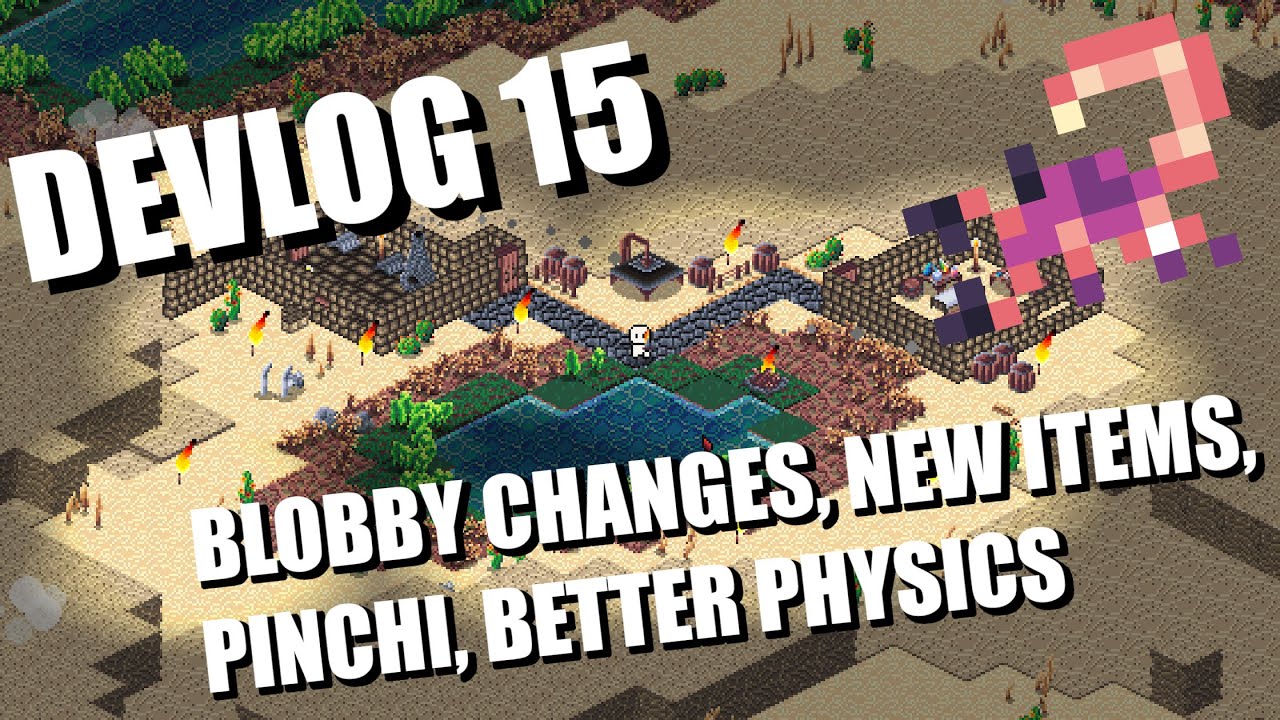
In this week's devlog I show updates made to Blobby, introduce new items to craft after defeating blobby, reveal Pinchi the scorpion, and new desert themed craftables
#indiegamedev #devlog #gamedev #gamedevelopment #indiedev #python #pygame #pygame-ce #pythongaming
 versed aurora
torn jackal
hello guys, i am currently making collisions for a video game but i am quite str...
versed aurora
torn jackal
hello guys, i am currently making collisions for a video game but i am quite str...
i'm not sure how pygame does it but what you can do is have a bounding box for collisions, and then it's just a matter of checking if a point or box intersects with that which is just checking if the coordinates are in a specific range
 twilit cloak
Just a Question, any good Alternatives to PyGame? 🤔
 finite solar
Made a solitaire game : https://onuelito.itch.io/solitaire
brisk yew
twilit cloak
Just a Question, any good Alternatives to PyGame? 🤔
pygame-ce (still pygame, but better)
pip uninstall pygame
pip install pygame-ce
more info: #python-community message
 pine plinth
brisk yew
pygame-ce (still pygame, but better)
```cmd
pip uninstall pygame
pip install pyg...
pine plinth
brisk yew
pygame-ce (still pygame, but better)
```cmd
pip uninstall pygame
pip install pyg...
How is it better?
 crisp jungle
AYOOOOOOOO!! loosing ur pc to a game
crisp jungle
marble jewel
Isometria Devlog 15 - Blobby Changes, New Items, Better Physics, Pinchi
https://...
looks like minecraft
pine plinth
It is not safe at all.
Consider player name like ';import os;os.system('rm -rf /');'
Player will be saved successfully, but at the load time it will delete your entire file system
 dark sparrow
pine plinth
It is not safe at all.
Consider player name like `';import os;os.system('rm -rf ...
dark sparrow
pine plinth
It is not safe at all.
Consider player name like `';import os;os.system('rm -rf ...
Assuming the game is uploaded to some site as a file when completed, that’s the users problem. Although I could put a check when they input a name to stop a user from using and characters
Also why are you replying to a message from a week ago?
pine plinth
One bad user can create player with bad name, and then upload save file to your site. And everyone can download it, load player and get filesystem destroyed
brisk yew
pine plinth
How is it better?
I linked to the post that explains it, but basically, core contributors of pygame have moved over to it, it has more features and optimizations and a democratic governance model
dark sparrow
pine plinth
One bad user can create player with bad name, and then upload save file to your ...
Probably just gonna use Google Drive or somethin. In any case I will do a check that stops the player from using a bad name
pine plinth
dark sparrow
Probably just gonna use Google Drive or somethin. In any case I will do a check ...
Which characters are "bad"?
brisk yew
haven't seen it, but a good one is Clear Code's Ultimate introduction to pygame
or DaFluffyPotato's beginner tutorial series
k, upon a little more inspection, I can say that this one sucks
brisk yew
yep
 red tusk
line 26
unexpected indent means that something is wrong with indents. In Python indents are not just to make code look more pretty, they are part of the syntax for setting up blocks of code
I think you should learn the language first. It seems you haven't.
It doesn't matter if you ctrl-c, ctrl-v, or typing each letter from the keyboard.
This is a program written by other person who knows the language and knows how to program.
By retyping it you can learn keyboard typing, but not programming.
You shouldn't learn pygame. You should learn Python first.
You have wrong indentation on line 26 or line 25.
You can easily fix it if you understand what you are doing.
 hearty matrix
can someone help me on a little thing of a python game?
 twilit pilot
How can I make endless background
versed aurora
twilit pilot
How can I make endless background
Like looping? Depends on what api i imagine, but you just have a single image and tile it
red tusk
twilit pilot
How can I make endless background

In this video I will explain how to easily create an endless scrolling background in PyGame, which you can use in a sidescroller style game.
I am going to explain how to use one background image to create an infinite scrolling background
Code and assets on github:
https://github.com/russs123/pygame_tutorials/tree/main/Infinite_Background
Check...
brisk yew
hearty matrix
can someone help me on a little thing of a python game?
if you'd ask
 warm vortex
looking for someone who knows ursina engine and wants to help with a project (i have much progress but some things are too complicated)
dm me if u want
hearty matrix
How can I execute code that is just one very large function?
red tusk
hearty matrix
How can I execute code that is just one very large function?
large function, like defined with "def" keyword?
 lament vault
hearty matrix
can someone help me on a little thing of a python game?
lament vault
hearty matrix
can someone help me on a little thing of a python game?
Hmm...for sure
 hollow shuttle
versed aurora
cloth!
hollow shuttle
versed aurora
cloth!
how the hell did you render it with ASCI?
 upper kiln
versed aurora
cloth!
upper kiln
versed aurora
cloth!
Nice
hollow shuttle
hearty matrix
How can I execute code that is just one very large function?
using functions?
 void token
Hey ,I just want to make futuristic look gui for my game , is that possible in python??
brisk yew
void token
Hey ,I just want to make futuristic look gui for my game , is that possible in...
sure, imagination's your limit really
especially in regards to design
void token
brisk yew
sure, imagination's your limit really
especially in regards to design
But how , pygame just gives that old school design
brisk yew
void token
But how , pygame just gives that old school design
I think you're mixing it up with tkinter because pygame doesn't give you any designs at all
you have to design everything yourself if you're using pygame
in terms of looks that is
or you can use pre-existing assets ig
void token
brisk yew
I think you're mixing it up with `tkinter` because pygame doesn't give you any d...
Ohhhh , sorry , I meant tkinter
brisk yew
void token
Ohhhh , sorry , I meant tkinter
in that case, why are you making a game using tkinter?
and even if it's tkinter, if you can design the buttons yourself that's great because you can add images to the existing tkinter buttons and they'll look like you have drawn them
void token
brisk yew
in that case, why are you making a game using tkinter?
and even if it's tkinter,...
I am making gui of game
brisk yew
void token
I am making gui of game
is your game made in pygame? then forget about tkinter, your gui should be made in pygame too
there's pygame-gui, a library that can help ya with that or otherwise make the GUI stuff yourself
keep in mind that pygame-gui uses pygame-ce, a better version of pygame, to install it:
pip uninstall pygame
pip install pygame-ce
Ummmmm..........to be honest , it's not a game , it is an ai assistant , I want it to show some things on screen tooo
brisk yew
so, are you using pygame or not?
void token
Nope not at all , actually my program just listen and answer now , I want some more information to make gui and screen showing things
brisk yew
oh, pff, then use whatever gui library you want
better alternatives to tkinter that don't look like they're from the Mesozoic era are kivy, PyQt5 (and 6), and flet
void token
brisk yew
oh, pff, then use whatever gui library you want
I just know 3 libraries for graphical work 🤧
void token
brisk yew
better alternatives to tkinter that don't look like they're from the Mesozoic er...
Ohhh , thanksss
torn jackal
Hello guys, I am currently making the collisions using masks for my program but i still don't get how the "offset" argument works. Please help !
versed aurora
hollow shuttle
how the hell did you render it with ASCI?
from scratch
 broken palm
Does anyone have a good way to create a rounded rectangle in pygame?
 fallow finch
broken palm
Does anyone have a good way to create a rounded rectangle in pygame?
fallow finch
broken palm
Does anyone have a good way to create a rounded rectangle in pygame?
an image
brisk yew
torn jackal
Hello guys, I am currently making the collisions using masks for my program but ...
offset is the vector between topleft of the calling mask's location and the topleft of the argument mask's location basically
torn jackal
brisk yew
offset is the vector between topleft of the calling mask's location and the topl...
i have found my answer lately, I should have erased my message, but thank you anyway !
 quasi patrol
versed aurora
cloth!
quasi patrol
versed aurora
cloth!
is that text
quasi patrol
gloop you are very good with ascii all your stuff is in ascii
quasi patrol
and it looks like imgs
quasi patrol
versed aurora
I used bresenham’s line algo for getting the line points
makes sense
versed aurora
And yeah i have more expamples of my text stuff on my youtube and github
quasi patrol
at the end gets a little glitchy because of overlaps
quasi patrol
how are you handling overlaps
versed aurora
For the lines?
quasi patrol
ya
versed aurora
I just composite all the points for all the lines onto a single set using a function and render that
My rendering system rn basically loops through all the coordinates on each frame, and plots a pixel if something is in that grid space
for some cases though there’s better ways to do it
versed aurora
versed aurora
And yeah i have more expamples of my text stuff on my youtube and github
Ive posted it here before but here: https://youtu.be/Guh8evT68JY
https://youtu.be/6lZvP2yBvL0
https://youtu.be/PxgxcOSE-F8

Like the other python videos, this is displaying a script I wrote from scratch (this actually is using text graphics), you can find it at https://github.com/Sea-Pickle/gloop_scripts/blob/main/2048.py
I've tried to keep it as accurate to the game as reasonable, though one difference I added (mainly to save me a headache of coding) is that when t...

This is a little test I wrote to test some stuff (mainly behind the scenes), you can find it at https://github.com/Sea-Pickle/gloop_scripts/blob/main/tech_test_1.py
How it works is basically you have a player or 'cursor' that you can move around the screen, you can spawn and delete particles and circles.
The particles and circles actually inte...

this is just a small demo of a script i wrote, it's a bit of a mess but it works
(i kinda suck at playing snake)
versed aurora
extensively, yes
quasi patrol
You are sing dataclass
quasi patrol
Why
quasi patrol
Looks nicer for short classes
versed aurora
meanwhile my vec2 and vec3 classes dont fit in a discord message
What implementing operator overloading does to a mf lmao
I might just be a psycho but i actually like doing dunders
versed aurora
yeah, dunders are one of my favorite things in python
https://github.com/Sea-Pickle/gloop_scripts/blob/main/vector_class.py
Here’s my vector class script that i use a lot

GitHub
yeah. Contribute to Sea-Pickle/gloop_scripts development by creating an account on GitHub.
It implements vector2 (vec2) and vector3 (vec3) classes, i might sometime make a ‘vecn’ class but i so far haven’t needed to
the bulk of the code is just implementing all the arithmetic and comparison ops
i basically wrote some decorators (i think) to handle all the dunders so i didn’t have to write the same code a gorillion times
But yeah i think people have mentioned dunders being confusing for them but that hasn’t been the case for me once I understood what they are meant to do, they feel intuitive imo
 dawn quiver
question: if u have an rpg with classes and different weapons
would u make on each type of weap which class can wear it, or viceversa?
pine plinth
Is rendering like this in terminal fast? What fps can you reach (if screen is updated entirely every frame)
 proper peak
I wonder if asciinema supports recording these.
pine plinth
pine plinth
Is rendering like this in terminal fast? What fps can you reach (if screen is up...
I think it depends a lot if you are using linux or windows
proper peak
Surely it'd depend on the terminal and not on the OS in general? Unless there's some weird OS thing I don't know about.
versed aurora
pine plinth
Is rendering like this in terminal fast? What fps can you reach (if screen is up...
pretty fast
depends on how you do it tbh
i’ve had some renders be so fast i have to sleep in order for them to not give you a seizure
it’s of course less performant than a normal render due to it all being text but if you know the limitations and are clever you can definitely do a lot
dawn quiver
question: if u have an rpg with classes and different weapons
would u make on each type of weap which class can wear it, or viceversa?
quasi patrol
dawn quiver
would u make on each type of weap which class can wear it, or viceversa?
I would make player class and wep class
dawn quiver
that doesnt answer my question xd
 worthy latch
Managed to get the core building blocks working for my text based game, using Risk cards 🎉

# Gameplay
start_game()
shuffle_deck()
draw_card(), draw_card(), draw_card()
trade_in()
announce_winner()
Tomorrow I'll work on making it possible for the player to choose between folding or drawing a card
 granite agate
hi everyone
am new here
am new in python also
i try to build my own 1st game with pygame
and am in problem on how to shooting
any idea
 neon tinsel
Heyo, so currently, for my discord game, I have every player stored in a database, and I have relational tables for different parts of the game where I need to store information about the player. I'm thinking of changing to a file system, where each player's data is stored in a file, rather than as a row in a database. What would the best way to do this be? Also is this even a good idea lol
 woven canopy
neon tinsel
Heyo, so currently, for my discord game, I have every player stored in a databas...
woven canopy
neon tinsel
Heyo, so currently, for my discord game, I have every player stored in a databas...
CRUD is generally easier to do with a database and a good library. Though there is nothing stopping you from just working off a folder, subfolders, and various formatted text documents (json, xml, csv) to store data.
neon tinsel
I see, I'm just finding that with every new idea I have, I have to add more and more columns, and then I have to add in the columns manually. I'm trying to figure out an auto-migrator for my database rn though
I'm using peewee as my ORM
woven canopy
Aah I can see how that would be annoying. Although if you were using some kind of file system, you'dhave to go through every file and update stuff manually there.
On the couple games I've messed with that used a DB, I started them out just modifying a CSV (that I could also edit in Excel if I needed to manually update stuff fast), and just make a set of CRUD functions to access the CSV during early testing, and then comment those out, and make CRUD functions that access the DB later
neon tinsel
I see
How many tables did you have, and how many columns?
I'm not sure what is too much to put in one table
And I don't want to have 500 tables lol
woven canopy
Gimme a sec to edit this, meant to shift enter, but entered because I'm a dingus
Well, in my particular project, which was a sad college student's attempt at a roguelike with some network elements. Been a few years but tables were.
Accounts #obviously to log in
cols: ID, Name, Password
Characters #accounts could have multiple characters, and also "dead" characters were tracked
cols: ID, Name, ClassID, MapID, X,Y,Z, 6 stats, list of special skill IDs... I can't remember if I had the character directly store their equipment list or an ID to another table with equipments.
Maps #these were randomly generated via a string you'd enter at a doorway in the "root town"
cols: MapID, MapSeed, ConnectionIDs,
Then I had a couple tables for monsters, and items that spawned on maps.
neon tinsel
Ok, for example, here is one of my tables. I have so many more ideas to add for each skill, and it's going to be so many more columns. I also don't have all the ideas right now, so I will have to keep updating the database every time I add a new column.
# region Users Skills class
class UserSkills(BaseModel):
    user_id = ForeignKeyField(Users, backref="skills",
                              unique=True, on_delete="CASCADE")
    # region Combat
    combat_xp = IntegerField(default=0)
    weapon = TextField(default=None, null=True)
    monsters_slain = IntegerField(default=0)
    bosses_slain = IntegerField(default=0)
    # endregion
    # region Mining
    mining_xp = IntegerField(default=0)
    pickaxe = TextField(default=None, null=True)
    ores_mined = IntegerField(default=0)
    reactor_level = IntegerField(default=1)
    # endregion
    # region Foraging
    foraging_xp = IntegerField(default=0)
    axe = TextField(default=None, null=True)
    trees_chopped = IntegerField(default=0)
    # endregion
    # region Fishing
    fishing_xp = IntegerField(default=0)
    fishing_rod = TextField(default=None, null=True)
    fish_caught = IntegerField(default=0)
    contributions_made = IntegerField(default=0)
    community_contributions_made = IntegerField(default=0)
Was never a good project. But basically each table needed a solid idea for what it was storing, and were mostly based on major Objects used in the game (EG, Characters, Maps, NPCs, Equipment)
neon tinsel
And this is just the skills section of the user database
neon tinsel
woven canopy
Was never a good project. But basically each table needed a solid idea for what ...
Yeah, I have a very similar structure
woven canopy
Well, could always just set up a script that pulls all the cols from your db, compares it to the existing fields in your object, and if any new ones have been added... alter the table automatically to add the new cols and set them to default values for all existing rows
woven canopy
Never used, better question in the databases channel
woven canopy
neon tinsel
Ok, for example, here is one of my tables. I have so many more ideas to add for ...
Might recommend for your pickaxe, axe, and fishing_rod, to have those be an ID from an equipment table.
It might not seem like much of an issue for say... 100 characters to have "Steel Hatchet" spelled out in the DB. But in the hypothetical that you end up with 10k players, that's a lot of excess text you're storing. Instead if you link to the EquipmentMasterList ID 190, that's a lot smaller to deal with, and you can make updates a bit easier later
neon tinsel
woven canopy
Might recommend for your pickaxe, axe, and fishing_rod, to have those be an ID f...
I see. I'm using a minecraftesque data system for my items, which involves identifiers as strings
Like such
{
    "description": {
        "type": "item",
        "identifier": "aged_feather",
        "tags": [
            "material",
            "foraging"
        ]
    },
    "components": {
        "display_name": "Aged Feather",
        "description": "A strong feather, capable of enduring high speeds.",
        "rarity": "legendary",
        "emoji": ":feather:",
        "unique": false,
        "single_use": true,
        "sellable": {
            "price": 7000000
        },
        "used_to_craft": [],
        "drop_info": {
            "drop_rate": 1000,
            "minimum": 1,
            "maximum": 1
        }
    }
}
So I just store this item in the database as "aged_feather". I suppose I could just change the ID into a number though, that would work.
 quasi patrol
versed aurora
the number of particles can be changed, here's 1000
quasi patrol
versed aurora
the number of particles can be changed, here's 1000
hwo much can you do
versed aurora
Probably more than reasonable
my fire sim which is similar can do 3200 on screen with no FPS drops
Also if you didn’t notice, the wind direction changes
Also the rain sim has the highest resolution of any sim i’ve done, it’s something like 120x60 i think?
hearty matrix
i have a cusestion
in may python game with pygame
I want the points that are saved in the txt, that come from the game, then I want to represent them in a kind of board, in order like, now they all come out in a row, I want them in a single column
i have this txt called "puntuacion" (point in spanish)

and this in the game

the code:
 versed aurora
Split the text to lines maybe
hearty matrix
how do i do it?
versed aurora
I guess you are reading lines but add a \n for newline
hearty matrix
exemple?
hearty matrix
ok...
versed aurora
right so yo uhave this, right? i assume you're displaying this on the screen

and you want each line to be on one line, right
so what you seem to be doing is like this:
lines = ["line 1","line 2","line 3"]
s = ""
for l in lines:
    s+= l + " "
print(s) #line 1 line 2 line 3
for a new line, you'd do this
lines = ["line 1","line 2","line 3"]
s = ""
for l in lines:
    s+= l + " \n"

print(s)
which prints
line 1
line 2
line 3
however an easier way, if you just have a list, is this:
lines = ["line 1","line 2","line 3"]
s= " \n".join(lines)
print(s)
string.join(list) basically takes a list and makes it all into a string with string as the spacer
for instance, ", ".join(["a","b","c","d"]) will give you "a, b, c, d"
and basically \n is an escape code that tells the thing reading it that it needs to put everything after it onto a new line
for instance, print("line1\nline2\nline3") will do ```
line1
line2
line3
there's other escape codes, but \n is probably the most used onedepends on how you're displaying it
but if you're displaying 'puntuacion' you can just have it be the joined lines
 versed aurora
so for that last bit, try joining the lines before you render, maybe
hearty matrix
here?
 versed aurora
i mean in the script
so move this above this, and add a newline in the string creation


Could be wrong but that’s what i’d guess
hearty matrix
What do you recommend me?
versed aurora
hearty matrix
What do you recommend me?
what i just said, ig, im not sure but thats what i would say
 knotty hamlet
hearty matrix
knotty hamlet
hearty matrix
Pygame does not supporting rendering multi-line text. This is however supported in pygame-ce, a modern fork of pygame I help maintain. Just pip uninstall pygame && pip install pygame-ce, 0 code changes needed. See this vid for a bit more about what pygame-ce is-- https://www.youtube.com/watch?v=pYq9edSUaOw.
See Font.render in the pygame-ce documentation: https://pyga.me/docs/ref/font.html#pygame.font.Font.render
 stuck heath
Hi. I'm working on a AI pixel art generation platform called Pelgine. Pixel art is notoriously hard to create with AI currently, but we are working on it:
https://twitter.com/PelgineAi/status/1662246949137858562
Let me know what you think!


A demonstration of creating AI Pixel art with Pelgine on Gimp! For the Beta, our website along with Gimp will be available for testing. We plan to add more platforms soon.
#pixelart #ai #stablediffusion #indiedev #gamedev #aiart #pixiv
 Twitter
·
Twitter
·
 true meteor
I need some help with state machine
class TitleScreen(State):
    def __init__(self, surf: pg.Surface, text: str) -> None:
        font = pg.font.SysFont("monospace", 25)
        self.title_surf = font.render(text, True, "white")
        self.screen = surf

    def render(self) -> None:
        self.title_surf = pg.transform.scale(
            self.title_surf,
            (self.screen.get_width(), self.title_surf.get_height()),
        )
        self.rect = self.title_surf.get_rect(
            center=self.screen.get_rect().center
        )
        self.screen.blit(self.title_surf, self.rect)

    def fade(self):
        current_alpha = self.title_surf.get_alpha()
        self.title_surf.set_alpha(0)

    def update(self, events: list[pg.Event], time_delta: float):
        for event in events:
            if event.type == pg.KEYDOWN:
                self.fade()
        rect = self.title_surf.get_rect(center=self.screen.get_rect().center)
this is my title screen
class StateMachine:
    def __init__(self, states: dict[str, State], initial_state: str):
        self.states: dict[str, State] = states
        self.state: str = initial_state

    def run_state(self, events: list[pg.Event], time_delta: float):
        state = self.states[self.state]
        state.update(events, time_delta)
        state.render()
this my state machine
how do I change the state from within one of the state
?
or I am doing something wrong?
 dawn nacelle
It's not clear what would cause your system to change to a different state. If I had to guess, I would expect that it is when the user presses a key, that you want to change to some other state. If that's correct, then I can see two ways to change state:
-
You can two constants like STAY = 'stay' and CHANGE = 'change' and your update method could typically return STAY, but would return CHANGE when a key is pressed. Then you need some logic in your run_state to look at the result of calling state.update and change the state to whatever the new state should be.
-
Alternatively, the update method could always return a state. When you instantiate each State object, you can tell it the string representing it's state - which you can save in an instance variable. Then your update() method can typically return that state (so you stay in the same state) or when the user presses the key, it can return whatever state string you want to go to next. Then you can modify your call to:
self.state = state.update(events, time_delta)
Bottom line, you need logic, either in the StateMachine or in each state object to decide what triggers moving to a new state, and change the value togo to the new state.
 dawn quiver
print("game!")``` got yall on lil nihs daring minnow
hey guys
so i was writing code for a basic snake game
here it is
import pygame
pygame.init()
dis=pygame.display.set_mode((400, 300))
pygame.display.update
pygame.display.set_caption('Snake game by Ranya')
game_over= False
while not game_over:
for event in pygame.event.get():
but i get an error at the end of the for function that says ''indent expected''
how do i get rid of it
oh nvm i got rid of it lol
quasi patrol
 lusty crane
how?
 zenith totem
My Google-Fu is failing me. I want to make a game that has some finacial systems. Think Dope Wars, or early trading games like Elite. I know that random walks are often used for this, and I think that's acheiveable. However I want things to be more uhh... integrated? For instance, if I make a car company, their price will depend on the supply/demand of their product, but also be influenced by the price of the raw materials (price of steel goes up, price of cars go up etc.) I'm not looking for specific code, just so resources/tutorials/algorithims to begin my research. I also know that python is often used in the finacial sector and I'd be willing to import any libraries used there, that might steamline things for me. This is ultimately going to be a simulation, but a very simplified one.
 quartz fossil
Sounds like you want to study economic theory. AFAIK that includes lots of game theory these days, besides all the calculus, and deals with the actions and interactions of market participants. I think that in a many-actor simulation, you'll have to model the utility functions of entities, meaning calculations on how they expect markets to develop, and how they react so that their utility function is maximized, meaning that they optimize themselves and the world (depending how holistically you want them to think) for... something.
I'd be very interested in a project like that, BTW; I've already have it on my TODO list, as both a friend of mine and I would like to build games involving dynamic markets.
red tusk
zenith totem
My Google-Fu is failing me. I want to make a game that has some finacial systems...
Price depends on supply, demand indeed. You could try to simulate that, although many game developers don't do that (remember that stock exchange in GTA 5 ?). Also it's quite interesting how the final product price changes should influence ingredients price changes. In real world it's quite complex.
proper peak
zenith totem
My Google-Fu is failing me. I want to make a game that has some finacial systems...
You could do an actual simulation, where each company is a simple agent that buys resources from other companies and sets the product price depending on the availability.
 slim knot
versed aurora
Also if you didn’t notice, the wind direction changes
slim knot
versed aurora
Also if you didn’t notice, the wind direction changes
it's really cool
versed aurora
thx
 burnt haven
versed aurora
https://discord.com/channels/267624335836053506/291284109232308226/1113988873991...
burnt haven
versed aurora
https://discord.com/channels/267624335836053506/291284109232308226/1113988873991...
ty
really like the wind thing
versed aurora
thx
versed aurora
if you mean the rain, it’s a particle sim with two states a particle can be in, ‘rain_drop’ and ‘rain_splash’, ‘rain_drop’ falls until it hits the ground and becomes ‘rain_splash’ which flies up for a bit and then despawns
The wind is a vector that sometimes gets a random vector added to it, so it changes over time
And i used my own class to implement vectors
Rain_drop particles also have a trail which is a list (or tuple, i forget) of positions and by checking what section of the trail a point is in, the rendering function displays a different color or character
I also spawn a new particle one one despawns to ‘keep the balance’
The graphics are text graphics i wrote myself, i use ansi codes to color characters, basically i iterate through each grid position and check if something is there, if so i add the corresponding character to a string, and at the end i print it then use an ansi code to move the cursor to the origin, and the new frame overwrites the old one
dark sparrow
pine plinth
Which characters are "bad"?
Slashes, colons, anything that isn't a letter or a number pretty much.
brisk yew
methinks [a-zA-Z0-9_] is pretty standard, no? well, for games at least
dark sparrow
pine plinth
Thats too restrictive
Just a standard single player game, doesn't need all those special characters. "Jarl Balgruuf" or "Cloudstrus Chesterman, Destroyer of Men" could work. Things like commas and periods would be allowed, just nothing that would allow you to do that.
proper peak
Or use a random id for the filename, and only store the name in the actual file.
pine plinth
Or just dont save data as code
proper peak
oof, I missed the most cursed part
yeah, use a serialization format like JSON; trying to safely save data in code files is not going to be fun.
 wooden oak
Hey everyone
I am currently trying to figure out how to create random floorplans for my TTRPG project through python code. I've seen different methods for dungeon floor generation but they don't fit what I need. So I thought I would create premade tiles in different sizes and shapes (e.g. 1x1, 2x1, 3x4 squares) and then write an algo to place it around hallways etc. to create something that at least resembles a proper floorplan.
Problem is, as it seems I am in way over my head. My knowledge of Python is currently not good enough. Do any of you know of projects with either documentation or open source code that I could study, that fit my idea?
There are a lot of information online. But most are more research based (MIT, Harvard) with the usage of GAN, sample data and letting an AI create floorplans
I basically just need to fit different rooms in a set sized layout and have it connect the doors to hallways, so that all rooms are accessible either through another room or a hallway
 dim iron
Hey ppl, I'm trying to create a zelda minish cap game style and I don't know how to create collisions without having any kind of bug, can someone help me?
marble jewel
Latest Isometria Devlog - Debuffs, The Plunger, Wand Particle Updates, Goblins, and more! https://youtu.be/Hlp8IAjLD7Q

In this week's devlog I show some new damage over time debuffs, changes to the wands and their respective particles, The Plunger item, and introduce goblin towns in the forest. Hope you enjoy.
Be sure to like and subscribe and feel free to follow me on twitter here: https://twitter.com/BigWhoopGames
#indiegamedev #devlog #gamedev #gamedevelopm...
versed aurora
dim iron
Hey ppl, I'm trying to create a zelda minish cap game style and I don't know how...
depends on the system you use but a good start is to have collisions be rectangles and check if they overlap, or if a point is inside that rectangle
Circles work too, since they’re just getting distance
Also keep speed in mind, higher speed means more distance per frame, and eventually stuff can move so far in one frame it goes from one side of a barrier to another (which means it passes through)
And if you just have a grid of tiles, you can just check if the new position is in a collection of wall coordinates (autocorrect got me lol)
this assumes you’re doing all of this from scratch, if you’re using an API to do it, then you’d have to check their docs
 sharp trout
I'm trying to make a simple game of blackjack, but I don't know how to hide the dealers other card. Or should I just keep it shown?
 blazing matrix
I am creating a text-based game and trying to make it so the player can choose if they want to replay it at the end, but all the solutions online don't work.
dawn quiver
hello guys, i'm 15 years old and am very intrested into coding, i just worked on a game i've made the last weeks. maybe you want to check it out if you want. its a simple 2d game. unfortunetly you need python because its a .py i would be very grateful if you would go here and maybe give me a feedback or something. because i'm very intrested to get better. https://tigerdunphy24.itch.io/robber-hunt
 brisk yew
 serene summit
in pygame
serene summit
in pygame
usually Rect.colliderect is used
 eternal vessel
dawn quiver
hello guys, i'm 15 years old and am very intrested into coding, i just worked on...
eternal vessel
dawn quiver
hello guys, i'm 15 years old and am very intrested into coding, i just worked on...
Nice, not sure if you realized but you have the same code twice here

 vernal cave
hey there. im extremely new to this but i was wanting to create a mobile app 3d game with python. any suggestions on what other programs i may need to make this happen?
brisk yew
vernal cave
hey there. im extremely new to this but i was wanting to create a mobile app 3d ...
I would probably suggest not using Python for that
Although you can look into Pandas3D and ursina (a wrapper for the former), but uhh, mobile games? It's not impossible (not sure about iOS), the question is performance
So, you probably want to use some 3D engine, like Unity or sth for this
 lucid zenith
is socket fast enough for real time multiplayer games ?
warm vortex
hello there!
im working on a game in ursina and i have problem with enemy AI
the enemy keeps glitching into the map and somehow destroys the mesh and instead of walking, it copies everything what player does(jumping is most broken)
and if someone knows ursina, please help
https://paste.pythondiscord.com/yopokiveza
brisk yew
lucid zenith
is socket fast enough for real time multiplayer games ?
should be yeah, depends on a bunch of factors obviously, but pretty much should be ok for the most part ig
 brazen verge
Could anyone help me with a simple thing in kivy? Should be basic py knowledge but i seem to be a bit too stupid to figure it out
red tusk
Don't ask to ask. Put the actual question
 sudden shoal
e
 stable nymph
brazen verge
Could anyone help me with a simple thing in kivy? Should be basic py knowledge b...
stable nymph
brazen verge
Could anyone help me with a simple thing in kivy? Should be basic py knowledge b...
Sure. Next time like evgeny said tho, just ask
brazen verge
stable nymph
Sure. Next time like evgeny said tho, just ask
its quite a long ask tho
but okay
pretyy much when i run my app within the build function i am activating a function from another class. if i make that funtion do something simple such as print it will work perfectly fine but the second i change it to print a progress bar value it gives me an erorr saying the self.ids part is float
red tusk
brazen verge
pretyy much when i run my app within the build function i am activating a functi...
Please copy-paste the errorneous line of code. The line number is in error message.
brazen verge
red tusk
Please copy-paste the errorneous line of code. The line number is in error messa...
slight alter
ive changed a big part of my code but still same sort oferror
i will send it
@red tusk well actually now it is not so much that there is an erorr but that the part of the code does not work
.py: (relevant part)
class MainScreen(Screen):
def callback(self):
    print("Uhm")

def load_save(self):
    current_water = self.ids.my_progress_bar.value
    what_change = save_data.get('current_water')[['value']]
    current_water += int(what_change)
    self.ids.my_progress_bar.value = current_water
    current_water_string = str(current_water)
    self.ids.water_val.text = f"Current Water Drunk: {current_water_string}ml"
.kv (relevant part)
MDFloatingActionButtonSpeedDial:
callback: root.callback()
brazen verge
brazen verge
.py: (relevant part)
class MainScreen(Screen):
def callback(self):
...
pretty much when the only popup button on the speeddial appears i want the code to run load_save. i used callback as a test.
the code runs callback on start and when i click the button nothing happens
--
there is my other problem. i tried for houyrs with a on_start function to run MainScreen().load_save and that is where it gives me the error message i spoke of before. will paste now
File "C:\Users\arixe\PycharmProjects\Hidrate\Hidrate_Code\test.py", line 59, in <module>
App().run()
File "C:\Users\arixe\PycharmProjects\Hidrate\venv\Lib\site-packages\kivy\app.py", line 956, in run
runTouchApp()
File "C:\Users\arixe\PycharmProjects\Hidrate\venv\Lib\site-packages\kivy\base.py", line 574, in runTouchApp
EventLoop.mainloop()
File "C:\Users\arixe\PycharmProjects\Hidrate\venv\Lib\site-packages\kivy\base.py", line 339, in mainloop
self.idle()
File "C:\Users\arixe\PycharmProjects\Hidrate\venv\Lib\site-packages\kivy\base.py", line 379, in idle
Clock.tick()
File "C:\Users\arixe\PycharmProjects\Hidrate\venv\Lib\site-packages\kivy\clock.py", line 733, in tick
self.post_idle(ts, self.idle())
File "C:\Users\arixe\PycharmProjects\Hidrate\venv\Lib\site-packages\kivy\clock.py", line 776, in post_idle
self._process_events()
File "kivy_clock.pyx", line 620, in kivy._clock.CyClockBase._process_events
File "kivy_clock.pyx", line 653, in kivy._clock.CyClockBase._process_events
File "kivy_clock.pyx", line 649, in kivy._clock.CyClockBase._process_events
File "kivy_clock.pyx", line 218, in kivy._clock.ClockEvent.tick
TypeError: MainScreen.load_save() takes 1 positional argument but 2 were given
Process finished with exit code 1
that i think is just me mistyping
the original one is:
File "C:\Users\arixe\PycharmProjects\Hidrate\Hidrate_Code\test.py", line 19, in load_save
current_water = self.ids.my_progress_bar.value
^^^^^^^^
AttributeError: 'float' object has no attribute 'ids'
red tusk
In kv file try
  MDFloatingActionButtonSpeedDial:
    on_press: root.callback()
not callback: ...
brazen verge
had tried that before and was greeted with another error
should i paste all error or just the last part
(last part):
27:
28: MDFloatingActionButtonSpeedDial:
29: on_press: root.callback()
30:
31: data:
...
AttributeError: press
File "C:\Users\arixe\PycharmProjects\Hidrate\venv\Lib\site-packages\kivy\lang\builder.py", line 729, in _apply_rule
raise AttributeError(key)
brazen verge


would pasting the entire .py and .kv be of any help? would do within the website thing
@red tusk these errors and problems have been for 2 days im tryting to fix it messes with me so bad 😭
red tusk
brazen verge
should i paste all error or just the last part
Could you paste full error text, please?
brazen verge
yep
Traceback (most recent call last):
File "C:\Users\arixe\PycharmProjects\Hidrate\venv\Lib\site-packages\kivy\lang\builder.py", line 729, in _apply_rule
raise AttributeError(key)
AttributeError: press
During handling of the above exception, another exception occurred:
Traceback (most recent call last):
File "C:\Users\arixe\PycharmProjects\Hidrate\Hidrate_Code\test.py", line 57, in <module>
App().run()
File "C:\Users\arixe\PycharmProjects\Hidrate\venv\Lib\site-packages\kivy\app.py", line 955, in run
self._run_prepare()
File "C:\Users\arixe\PycharmProjects\Hidrate\venv\Lib\site-packages\kivy\app.py", line 925, in _run_prepare
root = self.build()
^^^^^^^^^^^^
File "C:\Users\arixe\PycharmProjects\Hidrate\Hidrate_Code\test.py", line 52, in build
sm.add_widget(MainScreen(name='MainScreen'))
^^^^^^^^^^^^^^^^^^^^^^^^^^^^^
File "C:\Users\arixe\PycharmProjects\Hidrate\venv\Lib\site-packages\kivy\uix\relativelayout.py", line 274, in init
super(RelativeLayout, self).init(**kw)
File "C:\Users\arixe\PycharmProjects\Hidrate\venv\Lib\site-packages\kivy\uix\floatlayout.py", line 65, in init
super(FloatLayout, self).init(**kwargs)
File "C:\Users\arixe\PycharmProjects\Hidrate\venv\Lib\site-packages\kivy\uix\layout.py", line 76, in init
super(Layout, self).init(**kwargs)
File "C:\Users\arixe\PycharmProjects\Hidrate\venv\Lib\site-packages\kivy\uix\widget.py", line 366, in init
self.apply_class_lang_rules(
File "C:\Users\arixe\PycharmProjects\Hidrate\venv\Lib\site-packages\kivy\uix\widget.py", line 470, in apply_class_lang_rules
Builder.apply(
File "C:\Users\arixe\PycharmProjects\Hidrate\venv\Lib\site-packages\kivy\lang\builder.py", line 540, in apply
self._apply_rule(
File "C:\Users\arixe\PycharmProjects\Hidrate\venv\Lib\site-packages\kivy\lang\builder.py", line 736, in _apply_rule
raise BuilderException(
kivy.lang.builder.BuilderException: Parser: File "C:\Users\arixe\PycharmProjects\Hidrate\Hidrate_Code\test.kv", line 29:
...
27:
28: MDFloatingActionButtonSpeedDial:
29: on_press: root.callback()
30:
31: data:
...
AttributeError: press
File "C:\Users\arixe\PycharmProjects\Hidrate\venv\Lib\site-packages\kivy\lang\builder.py", line 729, in _apply_rule
raise AttributeError(key)
stable nymph
OK I'm awake now
stable nymph
brazen verge
Traceback (most recent call last):
File "C:\Users\arixe\PycharmProjects\Hidra...
Could u send the whole code?
brazen verge
stable nymph
OK I'm awake now
Jeez what timezone are you in
stable nymph
Asia
whatever the time zone for South East Asia is
@brazen verge can u send the code
brazen verge
stable nymph
<@586601833271918616> can u send the code
Im at school 😭
I might have it on my phone hold on
@stable nymph I can send both .kv and .Py in 4.5-5h
Sorry
stable nymph
Alr
brazen verge
stable nymph
Alr
are you here ?
Python File - https://paste.pythondiscord.com/zevorozazu
@stable nymph i have added waht i want to do in lines 15 and 45 on .py file
stable nymph
It's 11 pm for me rn, I'll help you tmr
brazen verge
stable nymph
It's 11 pm for me rn, I'll help you tmr
what time for you?
i could probably stay awake till then
red tusk
brazen verge
should i paste all error or just the last part
Oh, MDFloatingActionButtonSpeedDial is not a simple button. It is some kind of complex widget. I never used that. I think here is working example, try it (from blank project):
https://stackoverflow.com/questions/63323882/how-to-callback-many-function-in-each-button-in-floatingactionbuttonspeeddial-in
brazen verge
stable nymph
It's 11 pm for me rn, I'll help you tmr
i fixed the load error. so now it is only button
brazen verge
red tusk
Oh, MDFloatingActionButtonSpeedDial is not a simple button. It is some kind of c...
alright
brazen verge
red tusk
Oh, MDFloatingActionButtonSpeedDial is not a simple button. It is some kind of c...
doesnt work lol

in every single "working example" i could find
brazen verge
managed to fix both errors
brazen verge
and now new errors
brazen verge
How to refresh entire screen?
i have made a popup which adds value to a label and a progress bar. Both widgets recieve this new value but do not update in-real-time. they only update once i close and re-open app
 foggy python

 meager bone
Where do i start for game develpment
 willow pumice
I'm working to make a Minecraft Client for an FPS Boost and other features. I need at least 2 or 3 people who can work with me to create this. Please DM me if you're interested. Thanks in advance
brazen verge
brazen verge
How to refresh entire screen?
i have made a popup which adds value to a label a...
@stable nymph ?
brazen verge
willow pumice
I'm working to make a Minecraft Client for an FPS Boost and other features. I ne...
Run a java game with a python client? I mean good luck
brazen verge
meager bone
Where do i start for game develpment
Usally pygame but it depends. If you want mobile games you can attempt to mix pygame with kivy or learn kivy.
Learn app development first (kivy) and then the game side of it
red tusk
brazen verge
doesnt work lol
Ok I see... The code from stackoverflow works with kivymd==1.0.2
They changed something win kivymd 1.1, the following code works:
https://kivymd.readthedocs.io/en/latest/components/button/#binds-to-individual-buttons
(look for "Binds to individual buttons" topic)
brazen verge
red tusk
Ok I see... The code from stackoverflow works with kivymd==1.0.2
They changed so...
Yes I fixed that
New problem
brazen verge
brazen verge
How to refresh entire screen?
i have made a popup which adds value to a label a...
.
red tusk
After you invoked MyApp.run(), Kivy enters event loop, and the screen should be updating automatically.
Just don't have dead locks and infinite loops in your code. You should always exit (return) from functions and methods in a reasonable time.
If you have infinite loop, it will stuck.
brazen verge
Once that is fixed im finished with the "arithmetic" side and it's just on to looks of the app
brazen verge
red tusk
After you invoked MyApp.run(), Kivy enters event loop, and the screen should be ...
I'll try explain best as I can without my code
After the app runs it loads save and all is well
Speed dial button opens up a popup (class popup) and displays a menu with a text input and 2 buttons
One button is close
Now
I enter a int into the input and click "add"
This updates the process bar value and my Json files
But it doesn't actually show
Once I reset the app it displays the new value
So it does work just doesn't update visual
Idk why
Click Popup -> Adds Value To .JSON -> Main Class -> Changes All Values
But it doesn't update

brazen verge
red tusk
After you invoked MyApp.run(), Kivy enters event loop, and the screen should be ...
How would I exit a function?
The last function to run is:
Class MainScreen(Screen):
......
Def change:
[Input cool changing widget values]
I should add something at the end of it?
@red tusk
red tusk
Works for me:
https://pastebin.com/nkKDr4V9
Once again, check that you don't have infinite loops and infinite running functions
brazen verge
There is a difference @red tusk
I have 3 classes
Class Popup
Class MainScreen (holds all widgets)
Class MainApp
red tusk
Do you have multiple screens in you Kivy app?
red tusk
why separate class for a screen then?
brazen verge
I messed around with it slot trying to fix previous errors lmao
What's your current time?
 steady shoal
My first conversion to .exe, now the executable won't close when getting broke, if start the .exe by double clicking: https://github.com/aNordlys/Blackjack

GitHub
Contribute to aNordlys/Blackjack development by creating an account on GitHub.
brazen verge
@red tusk online>?
brazen verge
AHUH
@red tusk
i added
return
builder.loadfile
and got this

nothing happens yet again'
brazen verge
Started from scratch again... eveything works:)
 bold cape
hello
meager bone
anyone have games they want tested?
 sage bluff
Anyone have experience with drawing the shortest path on a weighted graph that's made from a raster image?
I have a working script using skimage but it's fairly slow with the size of the image I'm using and the number of iterations (in the 1000s) between points
Essentially the goal is to draw the paths between each province on a topographic map
I'm just looping route_through_array currently but I think that's probably not the best implementation since it's described as an example function
 digital parcel
We're working on a project where 2 types of volunteers are needed:
graphic designers (think Blender)
Python coders
You don't need to be expert in neither. Attitude is what matters. Learn, fail and have fun. Noone gets paid. We're participating to see what we can build. We're letting our creativity and commitment to do its magic. Depending on people's attitude this can become a real thing. I'm leading the project. The project is a math-teaching game for kids. 3 year olds and above. The ambition is to be go-to math game for kids approved and endorsed by parents, nurseries and primary schools. You'll probably brush up on your math at the same time. 🙂
The only real requirement is pushing daily commits. Result of participation.
If you're interested in taking part ping me on Telegram. Scan the QR code with your Telegram and after brief chat I'll add you into the group.
https://murena.io/s/F3MozYZCfPoW8At
 brazen verge

Stack Overflow
I have made a simple water intake app that the user can input water intake and the app will track it and display it on a progress bar aswell as a label.
This app works perfectly fine on my pc but c...
Would be very helpful
marble jewel
Isometria Devlog 17 - Featuring The Sandmonster, More Gobbies, The Doublecross, The Cobweb, Game Changes, and More! Check it out here: https://youtu.be/0dDGP0JUnJc
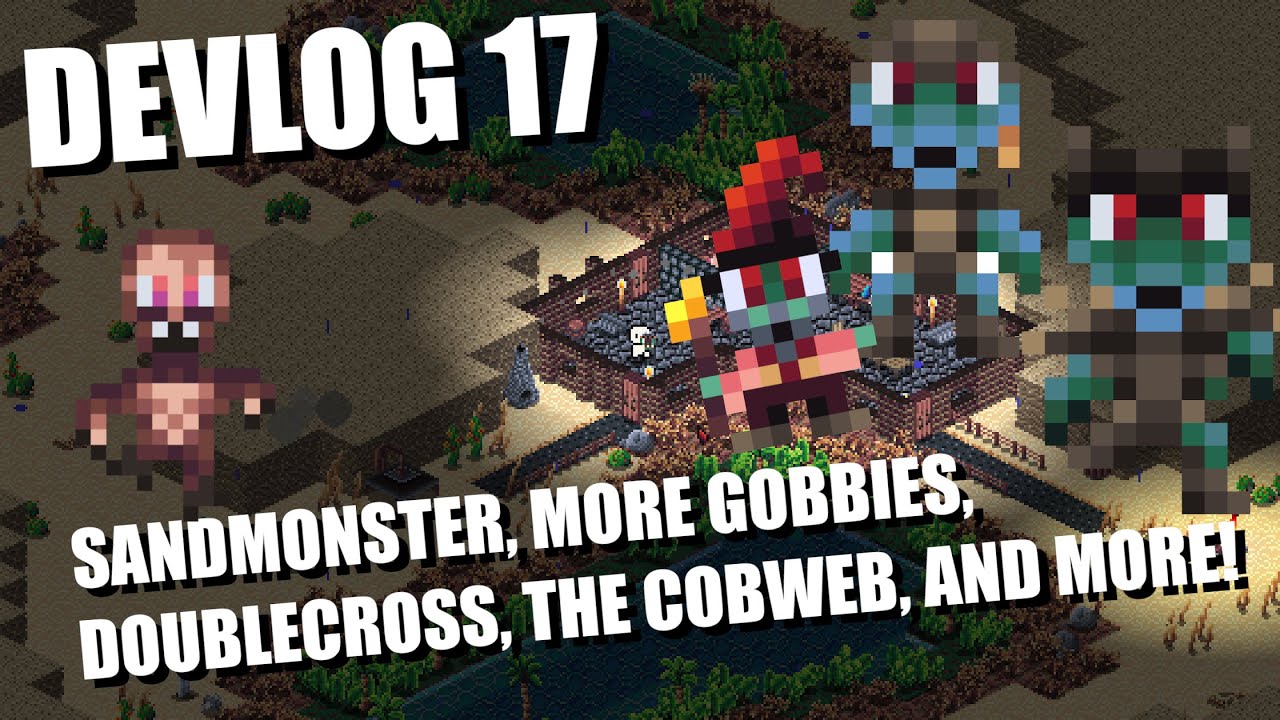
In this week's devlog I show additional enemies such as the sandmonster, the gobby brute, and the gobby papa. I also show the Doublecross and the Cobweb, two new ranged weapons. Along with these additions I show some other items and discuss various changes and additions to the game.
Be sure to like and subscribe and feel free to follow me on tw...
 true basin
honestly, that looks so, so good
dawn quiver
does anyone know how perline noise algorthims work?
marble jewel
There are plenty of youtube videos out there that explain how it works
dawn quiver
marble jewel
There are plenty of youtube videos out there that explain how it works
in different languages, thats for sure
i can't however find one, that suits for me
i tried using the module noise
marble jewel
check out opensimplex module, it is what I use
dawn quiver
marble jewel
check out opensimplex module, it is what I use
what about memory allocation
im trying to make a huge world
and i have memory problems
marble jewel
don't load it all at once, you can just load the areas around the player.
How huge of a world?
 lofty spruce
how would i go at creating boundaries for a moving object in pygame?
marble jewel
rect collision should do nicely
lament vault
marble jewel
rect collision should do nicely
Yup
 tepid hull
Python Text Rpg Demo | Farcore --> https://replit.com/@OverdriveReplit/Farcore-or-DEMO-v05?v=1

OverdriveReplit
Welcome to the Demo of my open world rpg, Farcore
This Demo includes battles, a shop, your inventory
Farcore is a WIP and will probably come out in early August
Consider dropping a ❤️
Follow to be notified when the game comes out
Comment "@OverdriveBot add me" if you want to be pinged for updates
Check out the discord sever - https://discord...
versed aurora
dawn quiver
does anyone know how perline noise algorthims work?
afaik it uses a vector field (and interpolating it)
i'm not sure on the exact implementation, though i might try it myself

 twilit fjord
Hello ,I'm trying to make a videogame (RPG, multiplayer) for Android. What is the best framework for this project? 😅😅😅
 limber narwhal
twilit fjord
Hello ,I'm trying to make a videogame (RPG, multiplayer) for Android. What is th...
limber narwhal
twilit fjord
Hello ,I'm trying to make a videogame (RPG, multiplayer) for Android. What is th...
Flutter and React Native
twilit fjord
limber narwhal
Flutter and React Native
@limber narwhal Thank you very much 😁
 trail hawk
how do u create graphical app in python?
 unreal river
 outer acorn
Which framework should I use
outer acorn
Which framework should I use
I guess you are trying to look for a framework that can create simple games, I suggest you start with pygame(-ce). There's other frameworks/libraries that you can use, but this is the most popular.
trail hawk
I am noob. looking for someone who want to create desktop app
i am learning python today
can u help?
My goal is have tool bar tabs and tables and menus
I have this tab.py and i want to add tool bar to it. how do i do it.
trail hawk
what is the error

 random birch
Hello guys can I make Minecraft mods and Plugins in python?
 clear salmon
random birch
Hello guys can I make Minecraft mods and Plugins in python?
clear salmon
random birch
Hello guys can I make Minecraft mods and Plugins in python?
not really, you need Java
random birch
clear salmon
not really, you need Java
thx
trail hawk
 brisk yew
trail hawk
what is the error
brisk yew
trail hawk
what is the error
the error is pretty clearly that you can't do self.add_cascade because it's not defined
also there's #user-interfaces which might be a better suited channel for making GUIs
 surreal steppe
I plan to work on a hobby game project this summer and when I looked over the files briefly, I started to doubt my current file structure and naming convention of functions. If anyone is willing to discuss possible suggestions, I'd appreciate it.
Also, if anyone is familiar with JSON-RPC and is willing to help me figure it out I'd be really glad! I can explain why if asked.
I'm omw out right now, just wanted to post so that I don't forget or postpone it indefinitely. Thanks!
brazen verge
Stack Overflow
I have made a simple water intake app that the user can input water intake and the app will track it and display it on a progress bar aswell as a label.
This app works perfectly fine on my pc but c...
 fiery night
challanged myself to make a game in 3 hours
 quasi walrus
hello, I started something I think is pretty interesting: gameboy homebrew in Python
it uses compile and makes data tables out of the bytecode, names, consts, etc
then I include that. and some files within a data directory, in a project where I've written a Python VM in gameboy assembly
imports from gbpy actually resolve to pre-written asm
routines like load_tiles look at the custom filesystem that looks at the data directory files
next I will have a proper heap implementation to prevent too much fragmentation, then stack frames for calling other functions or data from non-gbpy modules
 surreal steppe
quasi walrus
hello, I started something I think is pretty interesting: gameboy homebrew in Py...
surreal steppe
quasi walrus
hello, I started something I think is pretty interesting: gameboy homebrew in Py...
Sounds interesting indeed!
 mighty night
@brisk yew can you teach me how to get the pygame role
come on man I don't really know
quasi patrol
fiery night
challanged myself to make a game in 3 hours
What u using
fiery night
quasi patrol
What u using
python
fiery night
its my own 3d engine with the only dependency being pygame
quasi patrol
Really
fiery night
yeye
quasi patrol
How are u rendering it
fiery night
blocks infront are pasted after blocks at back
quasi patrol
Oh so it is like sudo 3d
fiery night
yeye 2d illusion
fiery night
tyty
fiery night
right now its only 1 angle percpective but i want to add rotation
then its actually like 3d
 teal ember
quasi patrol
Is similar to wolfenstien
teal ember
quasi patrol
Is similar to wolfenstien
thats raycasted
isometric would be the term for this one
trail hawk
who can help me develop small desktop app in python. i am new .
surreal steppe
trail hawk
who can help me develop small desktop app in python. i am new .
It seams like you want someone to do all the work for you. What is it you wish to do - what's the app? and what help do you seek?
trail hawk
surreal steppe
It seams like you want someone to do all the work for you. What is it you wish t...
Oh it is simple. I am trying to learn python and develop desktop app with menu toolbar tabs and table inside and storage etc.
So i saw someone did with tkinter.
I am trying to add menu by copying examples. Unfortunately i cant add menu as i dont have basics of python scripting.
class Window(Frame):
    def __init__(self, master=None):
        Frame.__init__(self, master)
        self.master = master

        menu = Menu(self.master)
        self.master.config(menu=menu)

        fileMenu = Menu(menu)
        fileMenu.add_command(label="Item")
        fileMenu.add_command(label="Exit", command=self.exitProgram)
        menu.add_cascade(label="File", menu=fileMenu)

        editMenu = Menu(menu)
        editMenu.add_command(label="Undo")
        editMenu.add_command(label="Redo")
        menu.add_cascade(label="Edit", menu=editMenu)

    def exitProgram(self):
        exit()

root = Tk()
app = Window(root)
root.wm_title("Tkinter window")
root.mainloop()
This menu works but if i add this to another file as class it throw all kinda error
``
#!/usr/bin/python3
import tkinter as tk
from tkinter import *
from tkinter import ttk
class App(ttk.Frame):
""" main class for the application """
def __init__(self, master, *args, **kwargs):
    super().__init__(master, *args, **kwargs)

    self.my_menu = Menu(self)

    self.my_toolbar = Toolbar(self)

    self.my_tabbar = Tabbar(self)

    # self.my_statusbar = StatusBar(self)
    # self.my_statusbar.set("This is the statusbar")

    # self.centerframe = CenterFrame(self)

    self.pack(side=tk.TOP, expand=True, fill=tk.BOTH)

def button_function(self, *event):
    print("filter")
That is main app and now i try to add menu class
if add the following all kinda error
class Menu(ttk.Frame):

    #def __init__(self, master=None):
    #    ttk.Frame.__init__(self, master)
    #    self.master = master
    def __init__(self, master):
        super().__init__(master)
        self.master = master

        menu = Menu(self.master)
        self.master.config(menu=menu)

        fileMenu = Menu(menu)
        fileMenu.add_command(label="Item")
        fileMenu.add_command(label="Exit", command=self.exitProgram)
        menu.add_cascade(label="File", menu=fileMenu)

        editMenu = Menu(menu)
        editMenu.add_command(label="Undo")
        editMenu.add_command(label="Redo")
        menu.add_cascade(label="Edit", menu=editMenu)

    def exitProgram(self):
exit()```without it

So plan to add menu with sub menu then will add table inside tabs. Then save a table data and restore it with tool bar button and menus
Then image or svg button
First i need to make a menu
Then move all classes into separate file
i cant upload full file. But you have the app portion and menu portion. Can you fix errors
weird errors. Not focussed error
 surreal steppe
trail hawk
Oh it is simple. I am trying to learn python and develop desktop app with menu t...
surreal steppe
trail hawk
Oh it is simple. I am trying to learn python and develop desktop app with menu t...
now you are more likley to get help 🙂
trail hawk
That menu code work as separate file but when i add it a class in existing working code it breaks in recursion
This breaks

same code in tabbar
 surreal steppe
This above me I'm afraid. But how is the code referenced?
is it referenced before it's called?
surreal steppe
I'm sorry I don't have the time nor have I workd with Tinker (yet)
trail hawk
#!/usr/bin/python3

import tkinter as tk
from tkinter import *
from tkinter import ttk


class App(ttk.Frame):
    """ main class for the application """

    def __init__(self, master, *args, **kwargs):
        super().__init__(master, *args, **kwargs)

        self.my_menu = Menu(self)

        self.my_toolbar = Toolbar(self)

        self.my_tabbar = Tabbar(self)

        # self.my_statusbar = StatusBar(self)
        # self.my_statusbar.set("This is the statusbar")

        # self.centerframe = CenterFrame(self)

        self.pack(side=tk.TOP, expand=True, fill=tk.BOTH)

    def button_function(self, *event):
        print("filter")


class CenterFrame(ttk.Frame):

    def __init__(self, master, *args, **kwargs):
        super().__init__(master, *args, **kwargs)
        self.master = master
        self.pack(side=tk.BOTTOM, fill=tk.X)
        self.centerlabel = ttk.Label(self, text="Center stuff goes here")
        self.centerlabel.pack()


class StatusBar(ttk.Frame):
    """ Simple Status Bar class - based on Frame """

    def __init__(self, master):
        ttk.Frame.__init__(self, master)
        self.master = master
        self.label = ttk.Label(self, anchor=tk.W)
        self.label.pack()
        self.pack(side=tk.BOTTOM, fill=tk.X)

    def set(self, texto):
        self.label.config(text=texto)
        self.label.update_idletasks()

    def clear(self):
        self.label.config(text="")
        self.label.update_idletasks()
First section
Here is tool bar section
class Toolbar(ttk.Frame):
    """ Toolbar """

    def button_one(self):
        print("button 1 pressed")

    def button_two(self):
        print("button 2 pressed")
        self.master.button_function()

    def __init__(self, master):
        super().__init__(master)
        self.master = master
        self.pack(side=tk.TOP, fill=tk.X)
        self.button1 = ttk.Button(self, text="One", command=self.button_one)
        self.button2 = ttk.Button(self, text="Two", command=self.button_two)
        self.button1.grid(row=0, column=0)
        self.button2.grid(row=0, column=1)
Those two combine work
if __name__ == "__main__":
    root = tk.Tk()
    app = App(root)
    root.mainloop()
Last section
all 3 combined will show toolbar
This menu portion if you add it will break. I dont know what is the issue is
class Menu(ttk.Frame):

    def __init__(self, master=None):
        ttk.Frame.__init__(self, master)
        self.master = master
    #def __init__(self, master):
    #    super().__init__(master)
    #    self.master = master

        menu = Menu(self.master)
        self.master.config(menu=menu)

        fileMenu = Menu(menu)
        fileMenu.add_command(label="Item")
        fileMenu.add_command(label="Exit", command=self.exitProgram)
        menu.add_cascade(label="File", menu=fileMenu)

        editMenu = Menu(menu)
        editMenu.add_command(label="Undo")
        editMenu.add_command(label="Redo")
        menu.add_cascade(label="Edit", menu=editMenu)

    def exitProgram(self):
exit()```what does the error say?
 surreal steppe
It seams that you are calling the same function or whatever inside the same function or whatever
and eventually TK shuts down
seams like a loop of sorts
trail hawk
Ok i named Menu causes that problem
surreal steppe
does it work now?
In general I would strongly recommend you to comment your code
it can help you to de-bug, ask for help and if you don't work on the code for some time, it will be easier to remember what the code does.
 surreal steppe
sure, but new error = new information
 surreal steppe
a lot of time is spent de-bugging
trail hawk
class MyMenu(ttk.Frame):

    def __init__(self, master=None):
        ttk.Frame.__init__(self, master)
        self.master = master
    #def __init__(self, master=None):
    #    Frame.__init__(self, master)
    #    self.master = master

        menu = Menu(self.master)
        self.master.config(menu=menu)

        fileMenu = Menu(menu)
        fileMenu.add_command(label="Item")
        fileMenu.add_command(label="Exit", command=self.exitProgram)
        menu.add_cascade(label="File", menu=fileMenu)

        editMenu = Menu(menu)
        editMenu.add_command(label="Undo")
        editMenu.add_command(label="Redo")
        menu.add_cascade(label="Edit", menu=editMenu)

    def exitProgram(self):
        exit()
oh i need to fix this then i will know how to add next class on my own
surreal steppe
I need to go now, but it seams that the -menu flag is not recognised
trail hawk
tks!
surreal steppe
if i were you I would search online for the TK function/method _tkinter.TclError to understand what it does and why it complains
learning how to decypher error-messages takes time and to figure out what they really mean.
tinker being a library it will take time to figure out its error messages, I mean in addition to those native in Python
Good luck!
trail hawk
i know where error is but i googled googled no answer
Stack Overflow
I keep getting the error:
_tkinter.TclError: unknown option "-menu"
My MWE looks like:
from tkinter import *
def hello():
print("hello!")
class Application(Frame):
def createWidg...
that is the issue
from tkinter import *

class Window(Frame):
    def __init__(self, master=None):
        Frame.__init__(self, master)
        self.master = master

        menu = Menu(self.master)
        self.master.config(menu=menu)

        fileMenu = Menu(menu)
        fileMenu.add_command(label="Item")
        fileMenu.add_command(label="Exit", command=self.exitProgram)
        menu.add_cascade(label="File", menu=fileMenu)

        editMenu = Menu(menu)
        editMenu.add_command(label="Undo")
        editMenu.add_command(label="Redo")
        menu.add_cascade(label="Edit", menu=editMenu)

    def exitProgram(self):
        exit()

root = Tk()
app = Window(root)
root.wm_title("Tkinter window")
root.mainloop()
Above code work. Here option accepted. self.master.config // self is frame
But same code if i add to existing app class set up..not working
when i commented program runs but no menu shows

 twilit fjord
Can I use frameworks like Pygame to build Android apps? What is the difference? I'm planning to use Pygame to control the whole system and for example Kivi to create the interface that users will use to interact with the game. Thanks ❤️
quartz fossil
twilit fjord
Can I use frameworks like Pygame to build Android apps? What is the difference? ...
Apparently yes. http://www.pygame.org/tags/android apps
fiery night
teal ember
isometric would be the term for this one
Yup
fiery night
trail hawk
Oh it is simple. I am trying to learn python and develop desktop app with menu t...
I recommend using pygame it’s easier to understand and very beginner friendly
But if you feel like you are doing fine in tkintern nvm
trail hawk
fiery night
I recommend using pygame it’s easier to understand and very beginner friendly
https://paste.pythondiscord.com/uvudexabem
I meed a class image button work. it works as function
I want to avoid global variables. Can you fix
fiery night
I’m not experienced in tk so sadly not
brisk yew
twilit fjord
Can I use frameworks like Pygame to build Android apps? What is the difference? ...
It's possible, sure. You can check out this channel in the Pygame Community dc server: https://discord.com/channels/772505616680878080/889466401004339210
There you're most likely to get help regarding this topic (also there are very few people who have actual experience with this so you may have to wait for answers and stuff)
Also, if you're using pygame, you might as well make the UI in it too, you can use libraries like pygame_gui for that (https://pygame-gui.readthedocs.io/en/v_069/)
brisk yew
trail hawk
Oh it is simple. I am trying to learn python and develop desktop app with menu t...
You must learn not only the very basics of Python but also a bit more advanced topics, especially OOP as you seem to be using it quite a lot, before you can proceed with projects like these. Currently you're seemingly asking questions about every single step you're taking and that's no good, you should actually learn Python before using it to such an extent. Maybe start with a smaller project too, GUIs are pretty hard generally speaking.
brisk yew
trail hawk
https://paste.pythondiscord.com/uvudexabem
I meed a class image button work. it ...
This is a terrible way to import something, for one, using * is generally frowned upon and in this case it's really bad because you're causing name clashes for a lot of classes in both tkinter and tkinter.ttk, you should remove both from tkinter import * and from tkinter.ttk import * and only use tk.WidgetName and ttk.WidgetName
 dawn quiver
Hi, is my pc enough for dev decent mobile game in unity?:
Cpu- I7 3770k 4core 8thread
Gpu- amd rx580 8gb
Ram - 8gb
Storage - sata 3 ssd
I am learning basic 2d frameworks and opengl i think i have enougb background to understand game develooment and wanna make real projects using game engines
But i will develop games without game engines in future i think it is best way to master
fiery night
https://dragonianblood.itch.io/one-block my first published game
red tusk
dawn quiver
Hi, is my pc enough for dev decent mobile game in unity?:
Cpu- I7 3770k 4core 8t...
8gb ram nowadays is typewriter machine.
twilit fjord
brisk yew
It's possible, sure. You can check out this channel in the Pygame Community dc s...
Heartfelt thanks for the information. I am sure that it will be transcendental to start my project. 🙇
twilit fjord
quartz fossil
Apparently yes. http://www.pygame.org/tags/android%20apps
Oh awesome link, 🤯🤯thanks to much
quartz fossil
dawn quiver
Hi, is my pc enough for dev decent mobile game in unity?:
Cpu- I7 3770k 4core 8t...
I doubt you'll find help with Unity here; It's the Python server, after all. All I would have to contribute is to suggest taking a look at Panda3D. 🙂
Sounds like a pretty modern machine though; I'd be rather surprised if it was a bottleneck.
On the other hand, I recently managed to max out my memory by doing pathfinding stupidly, and not eliminating cyclic paths.
dawn quiver
quartz fossil
I doubt you'll find help with Unity here; It's the Python server, after all. All...
There is a guy on yt he actually clobe team fortress 2 using panda 3d it is good engine but resources are limited
red tusk
dawn quiver
Hi, is my pc enough for dev decent mobile game in unity?:
Cpu- I7 3770k 4core 8t...
Other components are probably fine. And you have SSD which is good. But RAM... You should increase it.
quartz fossil
dawn quiver
There is a guy on yt he actually clobe team fortress 2 using panda 3d it is good...
What do you mean by "resources are limited"?
dawn quiver
Tutorials
dawn quiver
quartz fossil
What do you mean by "resources are limited"?
https://youtu.be/iFn8FD4_YpM incredible
 quartz fossil
https://github.com/panda3d/panda3d/tree/master/samples might be helpful, I'm also gathering my own at https://github.com/Schwarzbaer/panda_examples, and the community is IMO really helpful. Also there's the manual.

GitHub
Powerful, mature open-source cross-platform game engine for Python and C++, developed by Disney and CMU - panda3d/samples at master · panda3d/panda3d
trail hawk
none of u helping
quartz fossil
trail hawk
none of u helping
I have no idea about tkinter or pygame.
trail hawk
quartz fossil
I have no idea about tkinter or pygame.
https://paste.pythondiscord.com/egozuxopiv
its just python.
remove global from class and make it work
just run the program first
crap it work now
quartz fossil
$ python py-gamedev.py
Traceback (most recent call last):
  File "/home/baribal/tmp/py-gamedev.py", line 2, in <module>
    import tkinter as tk
ModuleNotFoundError: No module named 'tkinter'
Guess I'd need to know the package for it.
trail hawk
coming along now

 wintry kettle
Hey guys, i was thinking about start developing a game with the combat similar to Rogue Galaxy (ps2), which engine do you believe it would be better, unity or unreal?
brisk yew
quartz fossil
```
$ python py-gamedev.py
Traceback (most recent call last):
File "/home/bar...
tkinter comes packaged with Python 👀 (unless you explicitly untick that option during installation)
 sweet shard
wintry kettle
Hey guys, i was thinking about start developing a game with the combat similar t...
sweet shard
wintry kettle
Hey guys, i was thinking about start developing a game with the combat similar t...
Since this a Python Server I'd recommend either Panda3D or Ursina because they're both awesome! 😄
As far as Unity vs Unreal they're both pretty good. If you're going for more of a realistic look Unreal wins out just because the license gives you access to all of the quixel assets for free (as long as your only using them in Unreal). Of course if you don't have you may just have to stick with Unity because Unreal gets very heavy very quickly. But honestly I'd give both of them a try and see what you feel more comfortable in (maybe after checking out Panda3D or Ursina first 😜)
 karmic fractal
I am making a game using the module pygame of pong, and I am trying to make the ball play a sound when it collides with the paddle, I am using winsound to play the sound. Well the problem is that it does play the sound but when it does it freezes the game for half a second. And I assume is that the game waits for the sound to finish playing so it freezes and then when the sound finished playing the games continues playing. Can anyone help me?


 brisk yew
karmic fractal
I am making a game using the module pygame of pong, and I am trying to make the ...
brisk yew
karmic fractal
I am making a game using the module pygame of pong, and I am trying to make the ...
don't use winsound, use pygame.mixer.Sound
karmic fractal
brisk yew
don't use `winsound`, use `pygame.mixer.Sound`
Ok, Thanks
karmic fractal
brisk yew
don't use `winsound`, use `pygame.mixer.Sound`
and put the same file name between "()" after sound?
ok
karmic fractal
brisk yew
don't use `winsound`, use `pygame.mixer.Sound`
do I need to add set_volume??

nvm now it works
I just had to make it a variable
and I even forgot to initialize the mixer
oopsie
 rare raptor
Hey I want to get into game devopment but im not sure with what i wanna start
So what do y'all think is the best engine or framework for beginners
red tusk
@rare raptor as reddit boycott is wearing up, please red /r/learnprogramming FAQ
https://www.reddit.com/r/learnprogramming/wiki/faq/#wiki_how_can_i_get_started_making_video_games.3F
/r/gamedev is still boycotting though
 boreal pulsar
Hi, new here,
I want to re create the game of go using python, will I be good using pygame or is there a better way ?
 dry cloak
boreal pulsar
Hi, new here,
I want to re create the game of go using python, will I be good u...
dry cloak
boreal pulsar
Hi, new here,
I want to re create the game of go using python, will I be good u...
When it comes to board games i find the graphics library dosent matter that much.
I would go with pygame if you already understand the basics but it shouldnt matter too much what you use since i belive go is just circles on a grid (i have never played before)
boreal pulsar
Yeah it basically is just circles on a grid. I tried with tkinter with no success (I started python recently), so I think I'll go with pygame considering your response. Thanks !
dry cloak
No problem
dawn quiver
does anyone know what good values for perlin noise should be?
based on the mincraft terrain generation system
quartz fossil
boreal pulsar
Hi, new here,
I want to re create the game of go using python, will I be good u...
pygame will suffice, and for that matter print and input will suffice, but if you're (also) interested in 3D in principle, I'd recommend taking a look at Panda3D; It has a chessboard example that does not implement any game logic, but does the moving-pieces-around part: https://github.com/panda3d/panda3d/tree/master/samples/chessboard
Beyond that, I'd be interested in what you do want to implement. Will you be using an existing Go engine, or do you want to implement that, too? If so, how? Graph Search with machine learning for expansion prioritization and state evaluation?
GitHub
Powerful, mature open-source cross-platform game engine for Python and C++, developed by Disney and CMU - panda3d/samples/chessboard at master · panda3d/panda3d
 cosmic oxide
@rapid lava Actually, re: your help thread, I think i've figured out the issue
 rapid lava
cosmic oxide
<@330784186954809346> Actually, re: your help thread, I think i've figured out t...
rapid lava
cosmic oxide
<@330784186954809346> Actually, re: your help thread, I think i've figured out t...
that would be nice, thanx
cosmic oxide
rapid lava
that would be nice, thanx
Basically, the issue is that the main thread actually needs to wait for the networking thread to finish first before it can properly close the socket, else the networking thread ends up trying to read a now-closed socket (thus resulting in the exception)
rapid lava
cosmic oxide
Basically, the issue is that the main thread actually needs to wait for the netw...
how can I wait for the thread to finish? I'm new to threading in Py.
will there be some return value I could check?
cosmic oxide
Basically, you wanna keep track of the thread object that's running the recieve_data loop, and to join it back to the main thread (wait for it to finish executing) between setting self.connected to False and actually closing the connection
rapid lava
ok, thank you, have to read about joining than, I think.
I have no Idea for what I could search for my problem with google. The right wording for my question.
cosmic oxide
!d threading.Thread.join
 frank fieldBOT
join(timeout=None)```
Wait until the thread terminates. This blocks the calling thread until the thread whose [`join()`](https://docs.python.org/3/library/threading.html#threading.Thread.join "threading.Thread.join") method is called terminates – either normally or through an unhandled exception – or until the optional timeout occurs.

When the *timeout* argument is present and not `None`, it should be a floating point number specifying a timeout for the operation in seconds (or fractions thereof). As [`join()`](https://docs.python.org/3/library/threading.html#threading.Thread.join "threading.Thread.join") always returns `None`, you must call [`is_alive()`](https://docs.python.org/3/library/threading.html#threading.Thread.is_alive "threading.Thread.is_alive") after [`join()`](https://docs.python.org/3/library/threading.html#threading.Thread.join "threading.Thread.join") to decide whether a timeout happened – if the thread is still alive, the [`join()`](https://docs.python.org/3/library/threading.html#threading.Thread.join "threading.Thread.join") call timed out.

When the *timeout* argument is not present or `None`, the operation will block until the thread terminates.

A thread can be joined many times.this is the particular thread method that's probably of interest
rapid lava
thank you
cosmic oxide
np man 😁
rapid lava
cosmic oxide
this is the particular thread method that's probably of interest
thank you so much. It's working now without any error. happy coder here
boreal pulsar
quartz fossil
pygame will suffice, and for that matter `print` and `input` will suffice, but i...
Thanks for the informations ! Yeah my main objective was to create the board, so Panda3 might be the good option for me there.
For now, I just wanted to only implement all the rule so that 2 humans player could play together. I haven't thought about using a Go engine or even implementing one. As I'm still starting python (an coding in general), I believe that this is way out of my league for the moment.
Maybe later with more experience I'll try, the first thing I might do is to re-watch the AlphaGo documentary for inspiration.
quartz fossil
boreal pulsar
Thanks for the informations ! Yeah my main objective was to create the board, so...
If you wanna take some inspiration, I'm implementing general graph search these days (https://github.com/TheCheapestPixels/pychology), and it's already working okay for Tic Tac Toe, Four in a Row, Nine Men's Morris, and kind of works for labyrinth pathfinding. Go, of course, has the branching factor problem, which requires reinforcement learning, and thus lots of computing time, but otherwise, well, graph search is how computers play games.
boreal pulsar
Nice ! I'll take a look thanks.
I don't really understand, we don't need reinforcement learning for a game like TicTacToe ? Because, correct me If I'm wrong, but there is still some kind of branching (even if it's small) ?
Also, do you mind if I send you a DM sometime when my project will adavance or just to ask question, or do you prefer staying on the chat ?
 hearty otter
boreal pulsar
Nice ! I'll take a look thanks.
I don't really understand, we don't need reinf...
hearty otter
boreal pulsar
Nice ! I'll take a look thanks.
I don't really understand, we don't need reinf...
A game like tic tac toe don't need that much experience. If you are familiar with matrices, and understand how things works in a matrice, it will be easy to create a game like tictactoe. I have a project to create this game and it was easy to make it. Pygame was also my environment for this.
boreal pulsar
I haven't tought of matrices ! Yeah using matrices for tic tac toe seems perfectly suited. I should look in my old math notebook haha.
hearty otter
You can treat lists of a list (nested list) as matrix in Python. However, there is a better way of working Python matrices using NumPy package. NumPy is a package for scientific computing which has support for a powerful N-dimensional array object.
this maybe will help you, you don't really need numpy, I didn't used it
numpy are just a sort of predefined things that make your work less harder, but as well your understanding will be less :)))
Some hints:
If you have a matrix of 3 rows and 4 columns, this matrix contain 3*4 elements (12). In your case the matrix will be 3x3, and will contain only x and 0 (9 elements maxim).
quartz fossil
Implementing Tic Tac Toe using matrix math would yield a very efficient representation for the one game that really does not need it.
I mean, it's a sensible technique in general; The fraction of effort that goes into game board calculations when doing graph search for games is surprisingly large. But for Tic Tac Toe, the state space is also surprisingly small.
 still jewel
hello
unreal river
still jewel
hello
hi
red tusk
@boreal pulsar tictactoe 3x3 is determenistic. There is always draw, or starting player wins if second player makes a mistake. So it's quite possible to algorithmically program the winning/drawing strategy. However, it could be interesting to try reinforcement learning for the second player (who goes second) and to see if he makes mistakes or not.
Eventually after learning it will not do mistakes, of course
pine plinth
And second wins if first makes a mistake
red tusk
Well it's much harder for the first to make a mistake
quartz fossil
Who wants optimality when you can have a fair challenge?
With an optimal opponent, you can't actually win.
Huh, but it's a good thing that we're talking about it. My AI scores the empty board as inf for the starting player, instead of as 0. That's odd.
 shy night
does anyone here have much experience making text based games?
i am brand new to python(and coding in general) i am currently working my way through what seems like a pretty good udemy course (started yesterday). on the side i have started a little text based adventure game that i am hoping i can get my 7 year old to play which will encourage his reading. im pretty comfortable now with making a simple if elif else type of adventure im just wondering what other functionality i could add to make it more interesting. or should i just stick to the course for now?
quartz fossil
shy night
i am brand new to python(and coding in general) i am currently working my way th...
Sounds sufficient. You can do quite much with print and input, I'm even playing some board games.
Heck, if you have a good sense of abstraction, your texts may well become the basis for adding graphics.
A while loop may also be required, though.
game_states = {
    'start': {
        'text_repr': "Finish the game?",
        'outcomes': {
            'yes': 'finish',
            'no': 'start',
        },
    },
    'finish': {
        'text_repr': "Thanks for playing.",
        'game_is_done': True,
    },
}
current_state = 'start'
game_has_ended = False
while not game_has_ended:
    state = game_states[current_state]
    print(state['text_repr'])
    if 'game_is_done' in state:
        game_has_ended = True
    else:
        choice = input(f"Your choice ({', '.join(state['outcomes'].keys())}):")
        current_state = state['outcomes'][choice]
Now let's see whether that works... HAH! NotJust a single bug (that I can find)! The minimal text adventure; That should keep a 7-year-old's dad occupied for a few hours. Have fun!
I could make it a lot simpler though, by making it less data-driven.
def start_state():
    choice = input("Finish the game (yes, no):")
    if choice == 'yes':
        return 'finish'
    else:
        return 'start'


def finish_state():
    print("Thanks for playing.")


game_states = {
    'start': start_state,
    'finish': finish_state,
}
current_state = 'start'
game_has_ended = False
while not game_has_ended:
    state = game_states[current_state]
    outcome = state()
    if outcome is None:
        game_has_ended = True
    else:
        current_state = outcome
do you mind if i share my code here?
although its no way near as tidy as your own haha
quartz fossil
Then I'll give you a hailstorm of "I'd do it like that and that", which, if you do not place ego in the achievement of your code, will help you write even better code.
shy night
how do i share it the way you have?
name = input("What is your name adventurer: ")
print("Welcome " + name  + " to this game")
answer = input("""You have been travelling along a spooky path in the forest
There is a fork in the road
Will you go left or right?""")

if answer == "left":
    answer = input("After walking for what seemed like hours you come across a river."
                   " do you try walk around it or swim across ").lower()
    if answer == "walk":
        print("you continue walking but get eaten by wolves.")
    elif answer == "swim":
        print("you swim across the river, you manage to find safety in a town. you win the game")
    else:
        print("this not a valid answer. the game has ended")

elif answer == "right":
    answer = input("The sun has set and you are deep in the forest now. "
                   "will you look for food? build a warm fire? or continue walking? "
                   "please enter either food, fire or walk").lower()
    if answer == "fire":
        print("You start a fire and fall asleep. the fire spreads. you lose the game")
    elif answer == "food":
        answer = input("You find some berries to eat, they might be safe to eat right? will you eat them or discard them?").lower()
        if answer == "eat":
            print("the berries were safe to eat, you win the game")
        elif answer == "discard":
            print("You throw the berries away. This attracts a bear. he eats you. you lose.")
        elif answer == "walk":
            print("you keep walking and find a way out of the forest. you win the game")
        else:
            print("This is an invalid answer, The game has ended")
    else:
        print("This is an invalid answer, The game has ended")

else:
    print("""This answer is invalid. You need to enter either 'left' or 'right'.
    Please restart the game and try again""")
input("Press Enter to exit...")
quartz fossil
Triple backticks before and after the code, optionally writing python after the first triple.
shy night
print("Welcome " + name + " to this game")
answer = input("""You have been travelling along a spooky path in the forest
There is a fork in the road
Will you go left or right?""")
if answer == "left":
answer = input("After walking for what seemed like hours you come across a river."
" do you try walk around it or swim across ").lower()
if answer == "walk":
print("you continue walking but get eaten by wolves.")
elif answer == "swim":
print("you swim across the river, you manage to find safety in a town. you win the game")
else:
print("this not a valid answer. the game has ended")
elif answer == "right":
answer = input("The sun has set and you are deep in the forest now. "
"will you look for food? build a warm fire? or continue walking? "
"please enter either food, fire or walk").lower()
if answer == "fire":
print("You start a fire and fall asleep. the fire spreads. you lose the game")
elif answer == "food":
answer = input("You find some berries to eat, they might be safe to eat right? will you eat them or discard them?").lower()
if answer == "eat":
print("the berries were safe to eat, you win the game")
elif answer == "discard":
print("You throw the berries away. This attracts a bear. he eats you. you lose.")
elif answer == "walk":
print("you keep walking and find a way out of the forest. you win the game")
else:
print("This is an invalid answer, The game has ended")
else:
print("This is an invalid answer, The game has ended")
else:
print("""This answer is invalid. You need to enter either 'left' or 'right'.
Please restart the game and try again""")
input("Press Enter to exit...")
hmm better but still doesnt look right
quartz fossil
That'll work for a while, but you are creating an ever-deepening tree, which will eventually become unmaintainable. Also you don't have re-merging paths through your game, unless you copypaste whole branches to other places. This will cause another maintenance problem, namely that if you change something in a copied branch, you will also have to change it in the pasted one.
shy night
so i cheated a little bit and put this code into chatgpt and asked to improve it. but i dont fully understand what it did or why it works
quartz fossil
ChatGPT is a commensurate fabulist. It'll maybe be helpful to you once you know how to weed out the nonsense.
Other than that, that's not cheating, but putting any tool that you know to the task.
shy night
def display_text(text):
    for char in text:
        print(char, end='', flush=True)
        time.sleep(0.03)
    print()

def get_valid_input(prompt, valid_choices):
    while True:
        user_input = input(prompt).lower()
        if user_input in valid_choices:
            return user_input
        else:
            print("Invalid input. Please try again.")

def game_over():
    display_text("The game has ended. Thank you for playing!")
    input("Press Enter to exit...")

def left_path():
    display_text("After walking for what seemed like hours, you come across a river.")
    answer = get_valid_input("Do you try to walk around it or swim across? ", ["walk", "swim"])
    if answer == "walk":
        display_text("You continue walking but get eaten by wolves.")
        game_over()
    elif answer == "swim":
        display_text("You swim across the river and manage to find safety in a town. You win the game!")
        game_over()

def right_path():
    display_text("The sun has set, and you are deep in the forest now.")
    answer = get_valid_input("Will you look for food, build a warm fire, or continue walking? ", ["food", "fire", "walk"])
    if answer == "fire":
        display_text("You start a fire and fall asleep. The fire spreads. You lose the game.")
        game_over()
    elif answer == "food":
        display_text("You find some berries to eat. They might be safe to eat, right?")
        answer = get_valid_input("Will you eat them or discard them? ", ["eat", "discard"])
        if answer == "eat":
            display_text("The berries were safe to eat. You win the game!")
            game_over()
        elif answer == "discard":
            display_text("You throw the berries away. This attracts a bear. It eats you. You lose.")
            game_over()
        elif answer == "walk":
            display_text("You keep walking and find a way out of the forest. You win the game!")
            game_over()
def start_game():
    display_text("Welcome to the game!")
    name = input("What is your name, adventurer? ")
    display_text("Welcome, " + name + ", to this game.")

    display_text("You have been traveling along a spooky path in the forest.")
    answer = get_valid_input("There is a fork in the road. Will you go left or right? ", ["left", "right"])

    if answer == "left":
        left_path()
    elif answer == "right":
        right_path()

start_game() ```this was what it gave me back
quartz fossil
Well, it gave you a way to deal with the problems I mentioned, though in a very inelegant way.
...and I don't know whether Python is able of noticing tail recursion.
Eventually you'll find yourself within a function within a function within a function within a function within a function within a function within a function within a function within a function within a function within a function within a function within a function within a function within a function within a function within a function within a function within a function within a function within a function within a function within a function within a function within a function within a function within a function within a function within a function within a function within a function within a function within a function within a function within a function within a function within a function within a function within a function within a function within a function, and while that shouldn't be a practical problem with a text adventure, it might give you an idea why I used the while loop above.
If it happens with self-calling ("recursive") functions, you might eventually run out of call stack size, and your program crashes.
Things will start becoming really ugly once you have items in rooms that can be picked up, or dropped, then you need state data, and your approach finally fails entirely.
That being said: Good job coming this far. Keep it up. 🙂 And don't get discouraged if your coding actually does blow up in your face, that'll happen for as long as you code.
shy night
thanks for taking time to respond to me i really appreciate it
quartz fossil
No problem. Humans learn from each other, I'm just paying forward what I have received. And should you persist, you might one day become a collaborator.
shy night
i really hope i do persist i want to change my career 🤣
quartz fossil
I hope you're willing to do a lot of tedious paperwork, 'cause that's what programming as a job feels like IMO. Though with an engineering background, you might transition into interesting related fields.
shy night
i have just taken a look at the code you gave earlier. thats a little out of my depths at the moment. ill get there
quartz fossil
Then ask questions.
Not to know is where we all start, not to ask is a sin against curiosity.
shy night
ok i ran the game and although it seems like a lot of code for something so simple
i assume as the game expands the code would not expand so much
quartz fossil
It's designed to be extensible, that comes with an up-front price.
shy night
yeh that is what i was trying to articulate
quartz fossil
It also pays down the technical cost of not dealing with the extending branches.
And now you can, now you know the words, and words have power. 🙂
Ideally you want your code to be a reader of books, and your story to be such a book, splitting functionality from the data that it works on; That way you can easily save and load your book, maybe even edit it in a format that has been optimized for human editing. You can also re-use your reader for different books.
...and add functionality like a reader automatically playing through your book, to insure that it can be won, that it can be lost in certain situations, and that you can't soft-lock yourself in the story.
shy night
i think i need to study your code and make it make sense.
quartz fossil
Sure. I'll be washing dishes for a bit, but feel free to ask whenever.
I could use a good distraction.
shy night
i think for no im probably ot of my depth a little and should maybe continue with my basic python course
for now*
and maybe find a tutorial on text based games just to get my head around some of these slightly more advanced concepts
quartz fossil
Point at the bits of code that confuse you. 😛
shy night
honestly its more or less the whole thing. like i said im just a few hours into python at the moment haha a lot of the things there i havent yet come across.
its kind of like i look at it and kind of decipher whats going on but i dont know why and i would certiainly not be able to replicate it just yet
quartz fossil
Yeah, fair enough. You'll have to know dictionaries and while, which may not have been taught already.
Keep at it, in a few months you'll consider that code trivial.
shy night
well im away from home for another 4 weeks with work. i have time for maybe 10 hours a week practice. im hoping by the time im home i can have something a little more fun for the kids to play but also still work through this course
i played around with chatgpt just to see what was possible in a text based game and its mind blowing haha
the trouble is with these generic beginner courses is that they arent very exciting. although i do feel i picked a good one
quartz fossil
I was assuming a low learning rate anyway, so the "in a few months you'll consider that code trivial" still stands. Also, never underestimate the value of the Python manual; You'll eventually have to learn reading it anyway.
(Probably more like weeks though.)
shy night
hey would you mind if i added you on here? i wont bombard you with DM's lol just be nice to have someone to actually talk to about this especially if im genuinely stuck on something
but if that is an issue for you dont worry im sure ill catch you around here some times 🙂
quartz fossil
Sure, go ahead.
shy night
i see you are also a warhammer fan
quartz fossil
Bit of one, yeah.
shy night
cool im a necron guy myself. ill stop there as this isnt the right channel for this haha
marble jewel
Latest Isometria Devlog - Gobby Den, Hatchlings, More Mushrooms, UI Improvements, and More! https://youtu.be/Muj1lsTyU88

In this week's devlog I show off gobby dens, a new biome found in the forest where gobbies hatch their eggs. I also show the gobby hatchling, new mushrooms and potions, as well as changes to the UI and other improvements.
Be sure to like and subscribe and feel free to follow me on twitter here: https://twitter.com/BigWhoopGames
#indiegamedev #...
rare raptor
red tusk
<@727090500280123402> as reddit boycott is wearing up, please red /r/learnprogra...
Thanks👍
But what python frameworks or engines are best for 2d games and beginners? For examples should i use pygame or should i use something different
 peak forge
hi i’m making a python turn based game for a school project, i already done the classes and enemies but i’m not sure how to make it turn based and how to do the attack mechanics. Can anyone help or recommend something ?
quartz fossil
peak forge
hi i’m making a python turn based game for a school project, i already done the ...
Do you have a GUI already?
red tusk
maybe it's a text based game
quartz fossil
Possibly, but then "making" it turn-based would be trivial, done even.
 modern vessel
marble jewel
Latest Isometria Devlog - Gobby Den, Hatchlings, More Mushrooms, UI Improvements...
modern vessel
marble jewel
Latest Isometria Devlog - Gobby Den, Hatchlings, More Mushrooms, UI Improvements...
this is all made fully with python?
pine plinth
Python is just a syntactic sugar for C, so no
marble jewel
modern vessel
this is all made fully with python?
yes, python and pygame-ce
also using the opensimplex module
 queen citrus
hi im having some issues getting a game using pygame to run in vs code. I am quite sure i have pygame installled but i am getting warning messages and errors
marble jewel
at the top press terminal -> new terminal
and then in there
type python
and then at the >>>
type import pygame
PS C:\Users\Derp\Desktop\Game> python
Python 3.11.3 (tags/v3.11.3:f3909b8, Apr  4 2023, 23:49:59) [MSC v.1934 64 bit (AMD64)] on win32
Type "help", "copyright", "credits" or "license" for more information.
>>> import pygame
pygame-ce 2.3.0 (SDL 2.26.4, Python 3.11.3)
>>>
should look like this
queen citrus
thanks have the same exact thing there
queen citrus
but i am still getting this errorpygame 2.4.0 (SDL 2.26.4, Python 3.11.1)
Hello from the pygame community. https://www.pygame.org/contribute.html
Traceback (most recent call last):
File "c:\Users\Rohin\Downloads\Rohin pong.py", line 145, in <module>
main()
File "c:\Users\Rohin\Downloads\Rohin pong.py", line 109, in main
if event.type == QUIT:
^^^^
NameError: name 'QUIT' is not defined
marble jewel
pygame.QUIT
queen citrus
oh ok
i am just trying to run somone elses code for somthing
and im not to familar with pyfame
thanks
marble jewel
no problem
pine plinth
marble jewel
be sure to use pygame-ce
Why? They are the same
marble jewel
pygame-ce has some improvements and some new functions and the devs seem to be much more active with it
sweet shard
rare raptor
But what python frameworks or engines are best for 2d games and beginners? For e...
Arcade is also a pretty good 2d library. They have some really good tutorials too https://learn.arcade.academy/en/latest/
rare raptor
sweet shard
Arcade is also a pretty good 2d library. They have some really good tutorials to...
Thanks! I'll look into it
marble jewel
Tutorial on how to make an outline for any surface in pygame here: https://youtu.be/xPKuhqt8Pcs
In this video we will make an outliner that is capable of outlining any surface passed to it in any color. It is also capable of returning just an outline of the surface as well.
Code here: https://github.com/bigwhoopgames/youtube-outlines
 cold storm
frank fieldBOT
cold storm
frank fieldBOT
:incoming_envelope: :ok_hand: applied timeout to @cold storm until <t:1687224753:f> (10 minutes) (reason: newlines spam - sent 102 newlines).
The <@&831776746206265384> have been alerted for review.
 hushed osprey
!unmute 192839367788724224
frank fieldBOT
:incoming_envelope: :ok_hand: pardoned infraction timeout for @cold storm.
hushed osprey
!paste
frank fieldBOT
Pasting large amounts of code
If your code is too long to fit in a codeblock in Discord, you can paste your code here:
https://paste.pythondiscord.com/
After pasting your code, save it by clicking the floppy disk icon in the top right, or by typing ctrl + S. After doing that, the URL should change. Copy the URL and post it here so others can see it.
 cosmic vale
hi everyone
I'm trying to find some background images for my game, it's a race game
where can I find cool background images?
Plus, I'm trying to find some images for the character (human runner), where can I find those?
Where do you usually find images that fit your games' needs?
 sharp mason
cosmic vale
Where do you usually find images that fit your games' needs?
sharp mason
cosmic vale
Where do you usually find images that fit your games' needs?

GitHub
GitHub is where people build software. More than 100 million people use GitHub to discover, fork, and contribute to over 330 million projects.
 wheat dune
what are good libraries for gamedev and stuff like that
I know pygame is good, but is it coded in c or pure python?
pine plinth
pygame is mostly written in C, because it is a wrapper for SDL2
wheat dune
Oh yeah you are correct now that I think about it
but it is still super slow
why is that
wheat dune
pine plinth
because your code is bad?
Ugh not that much
I mean it can always be optimized
It's not that slow, but I think I feel it's slower because I got used to the speeds of lower level langs
red tusk
So pygame is a good library for gamedev and pet projects.
If for some reason you want something more close to industry, you should look at Unity or UE
 tranquil girder
wheat dune
what are good libraries for gamedev and stuff like that
tranquil girder
wheat dune
what are good libraries for gamedev and stuff like that
ursina
brisk yew
(not laughing cuz it's bad or anything, lol, it's in fact pretty wonderful)
finite solar
wheat dune
what are good libraries for gamedev and stuff like that
pyglet or arcade (which uses pyglet) are both pure python if that's what you're looking for
quartz fossil
There's also Panda3D, which is Ursina minus pokepetter's abstraction layer. 🙂
 young gate

 elfin gorge
.
 storm crown
what
 dawn quiver
does anyone have an idea of how the minceaft game mechanics work?
dawn quiver
 normal silo
Yes.
normal silo
Yes.
perfect based on the concepts of perlin noise function
https://en.wikipedia.org/wiki/Perlin_noise
i want you to tell me how i can generate my own terrain using noise module. But i can't figure out how to use octaves, lacunarity, and persistence.

Perlin noise is a type of gradient noise developed by Ken Perlin in 1983. It has many uses, including but not limited to: procedurally generating terrain, applying pseudo-random changes to a variable, and assisting in the creation of image textures. It is most commonly implemented in two, three, or four dimensions, but can be defined for any num...
Here is the code, for more context:
!paste
frank fieldBOT
Pasting large amounts of code
If your code is too long to fit in a codeblock in Discord, you can paste your code here:
https://paste.pythondiscord.com/
After pasting your code, save it by clicking the floppy disk icon in the top right, or by typing ctrl + S. After doing that, the URL should change. Copy the URL and post it here so others can see it.
dawn quiver
As you can see, i demonstrated an example of a chunk. I want the terrain_noise variable, which is the perlin noise to look exactly or related to the original perlin noise of minecraft
@normal silo
normal silo
dawn quiver
<@119925597395877889>
I'm not a Minecraft developer.
dawn quiver
normal silo
I'm not a Minecraft developer.
Yeah, thats what i thought.
quartz fossil
dawn quiver
perfect based on the concepts of perlin noise function
https://en.wikipedia.org/...
"octaves" means that several Perlin noises which have different scales are added to each other. Typical example would be one with low frequency and high amplitude, which models mountains and valleys, one with high frequency and low amplitude for fine details, and several between them.
frank fieldBOT
:incoming_envelope: :ok_hand: applied timeout to @half haven until <t:1687431664:f> (10 minutes) (reason: emoji spam - sent 25 emojis).
The <@&831776746206265384> have been alerted for review.
 mild current
I made an hot-reloading module for pygame, pretty dumb but it works
https://github.com/luxluth/pygame-hotreload
GitHub
A hot reload enhancer for pygame developement. Contribute to luxluth/pygame-hotreload development by creating an account on GitHub.
dawn quiver
quartz fossil
"octaves" means that several Perlin noises which have different scales are added...
Thanks for the explication, now i understand a bit more
dawn quiver
quartz fossil
"octaves" means that several Perlin noises which have different scales are added...
Hey, I got a question. What is the name of the 3D world environment in Minecraft main menu?
quartz fossil
No idea, I never touched Minecraft.
dawn quiver
quartz fossil
No idea, I never touched Minecraft.
Aw, thanks for responding anyways.
proper peak
dawn quiver
Hey, I got a question. What is the name of the 3D world environment in Minecraft...
looking at the minecraft wiki, it calls it a panorama: https://breezewiki.pussthecat.org/minecraft/wiki/Panorama
 keen dew
i am a MINEcraft player
 ornate acorn
keen dew
i am a MINEcraft player
ornate acorn
keen dew
i am a MINEcraft player
Nice, and I'm working on a system that lets you make Minecraft features with Python :)
 weary burrow
Hello,
I've been working through Al Sweigarts Beyond Python Programming Book (https://inventwithpython.com/beyond/chapter14.html). Currently I've been coding through the Tower of Hanoi game located in Chapter 14 and I'm hung up on the displayTowers(towers) function of the code:
def displayTowers(towers):
    """Display the three towers with their disks."""

    # Display the three towers:
    for level in range(TOTAL_DISKS, -1, -1):
        for tower in (towers["A"], towers["B"], towers["C"]):
            if level >= len(tower):
                displayDisk(0) # Display the bare pole with no disk.
            else:
                displayDisk(tower[level]) # Display the disk.
        print()
    # Display the tower labels A, B, and C:
    emptySpace = " " * (TOTAL_DISKS)
    print("{0} A{0}{0} B{0}{0} C\n".format(emptySpace))```

The way I'm understanding this, starting from the beginning of the game,  on the first pass, level is 5. Every tower displays the bear pole because 5 is greater than or equal to the `len() `of each list. Then level becomes 4, 4 is not greater  >= 5 so the  `else: ` gets called to display 5 on it's pole while towers B and C display a bare pole.  The loop will continue to fill out all 5 disk on tower A, and the reason why the stopping point is -1, is because otherwise we would be missing a disk? Then the program takes player interaction and the process starts over again?

Is this the correct way to think through the displayTowers() function?Guys, please help me decide, i want to start working on a game that is an action RPG, one that you have companions that orbit the player and supports them.
Which engine would be best suited for this, unity or unreal?
dawn quiver
ornate acorn
Nice, and I'm working on a system that lets you make Minecraft features with Pyt...
Wdym by that?
Like make mods with python instead of Java?
 woven scaffold
wintry kettle
Guys, please help me decide, i want to start working on a game that is an action...
woven scaffold
wintry kettle
Guys, please help me decide, i want to start working on a game that is an action...
In my opinion unity is more likely useful for a RPG game
tranquil girder
wintry kettle
Guys, please help me decide, i want to start working on a game that is an action...
Neither support Python, so both are bad choices if you want to program in Python. I suggest Ursina or Panda3d, especially if it's 3D. Pygame is also good if you're new to programming, since there's a lot of learning resources like tutorials for it
 tacit geode
wintry kettle
Guys, please help me decide, i want to start working on a game that is an action...
tacit geode
wintry kettle
Guys, please help me decide, i want to start working on a game that is an action...
There are a lot of tutorials available for Unity with C# you should try it out Unreal has quite a steep learning curve if you're just a single dev Unity is more than enough again a lot of free resources are available on YouTube.
tacit geode
tranquil girder
Neither support Python, so both are bad choices if you want to program in Python...
Python is good for making small games i agree i have made quite a lot of games with pygame. DaFluffyPotato on youtube is quite insane with pygame he makes really cool games with it I cant reach his level but still a beginner would be better off using an engine just so he doesn't loses motivation he can see results very fast as compared to the other way. Currently is use C++ with raylib to make games its very very easy compared to SDL2. C++ is still the king for making games other languages are just imagining to be where it is.
wintry kettle
Thanks guys 😄
foggy python
normal silo
foggy python
https://cdn.discordapp.com/attachments/958822623062679582/1122230829876269177/ra...
Very nice, water shader looking good.
foggy python
thanks
 quaint perch
foggy python
https://cdn.discordapp.com/attachments/958822623062679582/1122230829876269177/ra...
quaint perch
foggy python
https://cdn.discordapp.com/attachments/958822623062679582/1122230829876269177/ra...
It's insane how you managed to make this with only pygame. Your dedication is very admirable
foggy python
The water is ModernGL
 spice bear
hi
can i make a game using only /print command ?
cuz its all i know rn about python and some other things
normal silo
spice bear
cuz its all i know rn about python and some other things
What are the other things?
normal silo
spice bear
variable
Do you know "if" or "while" or "for?"
normal silo
Do you know "input?"
normal silo
You need input, to get input, but with print, input, variables, and if, it's already enough to make a very simple game.
spice bear
oh what game are we talking about
something like call of duty or pubg or fortnite ?
normal silo
No, like a guess the number game.
normal silo
spice bear
so what app are u using for coding with python ?
Vim, but I don't recommend it for a beginner.
spice bear
i use PyCharm is it good
normal silo
I have never used PyCharm.
Any text editor will do for now, don't worry about which editor.
spice bear
do u know how to write a code to a simple number guess game ?
normal silo
Yes.
spice bear
how many lignes does it takes ?
normal silo
If you learn "while," then about 10 at most I guess?
spice bear
can you write it for me to test something
i mean i know how to make a simple 2D platformer game in unity but never fully understand the code
so i want to learn how to do it in python and this time understand what i am doing
in the coding side
normal silo
Me writing it for you will ruin the learning process for you. Are you sure? I highly recommend not taking the easy path here and instead making it yourself, otherwise you will just get stuck later again because you did not internalize how to write code.
spice bear
idk how to start tbh
normal silo
I can give you an outline in plain English though, you just need to convert it to Python using the concepts you have learned.
spice bear
normal silo
I can give you an outline in plain English though, you just need to convert it t...
uhh i can try
normal silo
spice bear
uhh i can try
The game is a number guessing game where the player must enter a number and keep guessing until they guess the correct number. The secret number can be some number between 1 and 10.

Execution steps of the code:
1. Create a variable that holds the secret number that the user is trying to guess.
2. Ask the user for an input and convert that input string to a number.
3. While the number entered by the user is not equal to the secret number, ask the user for another number.
4. Now that the user has correctly guessed the number, print a message saying that you guessed correctly.
I will add a list of concepts needed for each part: ```
- Variables, integers.
- Variables, input, strings, integers, string to integer.
- While loops, input, strings, integers, string to integer.
- Print.
4 is the part that i can do rn
normal silo
Then you need some more concepts first.
spice bear
so i need first to make a variable that contains the number that i want others to guess ?
normal silo
spice bear
so i need first to make a variable that contains the number that i want others t...
Yes, that is step one.
spice bear
and...
normal silo
Steps 2-4.
normal silo
spice bear
print something that ask u to guess a number ?
Yes, but look up input.
spice bear
can i talk to u in private ?
normal silo
No.
spice bear
ok i understand
why tho
i mean
ok nvm
ohhhhhhhhhhh
i understand now
so its something like this :
print('Enter your name:')
x = input()
print('Hello, ' + x)
normal silo
spice bear
so its something like this :
print('Enter your name:')
x = input()
print('Hello,...
Yes, but before using something new, I recommend looking a bit more into it. What does it take as arguments (what can you put in the () / give it)? What does it return (what does it give back / out)? Etc. To make sure you know what you are working with.
spice bear
me go watch tutorial in youtube
me say thanks
me go learn now
me say bye
normal silo
In general, just reading multiple sources about it before using it.
normal silo
spice bear
me go watch tutorial in youtube
me say thanks
me go learn now
me say bye
Good luck, have fun.
spice bear
👋
dawn quiver
Hello, I'm looking to create a twitch word game with chat integration. the only language i'm fluent in is Python. I am familiar with the twitchio library. how would I go about doing this?
quartz fossil
dawn quiver
Hello, I'm looking to create a twitch word game with chat integration. the only ...
I am not familiar with the twitchio library. Is it a Python one? An HTTP one? Do you want/need to produce a video stream from the game?
dawn quiver
quartz fossil
I am not familiar with the twitchio library. Is it a Python one? An HTTP one? Do...
its a python one
trying to make something similar to Words on Stream
 thick sequoia
Can someone help me with an issue I'm having in pygame?
I have this class that should print "Hello" when clicked, however it only prints the debug statement.
class Img_Button:
    def __init__(self, screen, img, x, y):
        self.screen = screen
        self.img = img
        self.x = x
        self.y = y

        self.image_rect = img.get_rect()

    def draw(self):
        self.screen.blit(self.img, (self.x, self.y))

    def clicked(self, event):
        if event.type == pygame.MOUSEBUTTONDOWN and event.button == 1:
            print("debug")
            if self.image_rect.collidepoint(event.pos):  # Check if the click is on the image
                print("Hello")```
There are no errors, the code runs fine, it just doesnt print "Hello".In your __init__() method, when you get the rect of the image, the x and y values of the rect will always be 0 and 0 - because it's just the image. You have to overwrite the x and y values in that rect after you get it, like this:
self.image_rect = image.get_rect()
self.image_rect.x = self.x
self.image_rect.y = self.y
marble jewel
Devlog 19 - New Items, Water Tiles, UI Updates, Bombs, Plans for Multiplayer, and More! https://youtu.be/RzPiJooM__Q
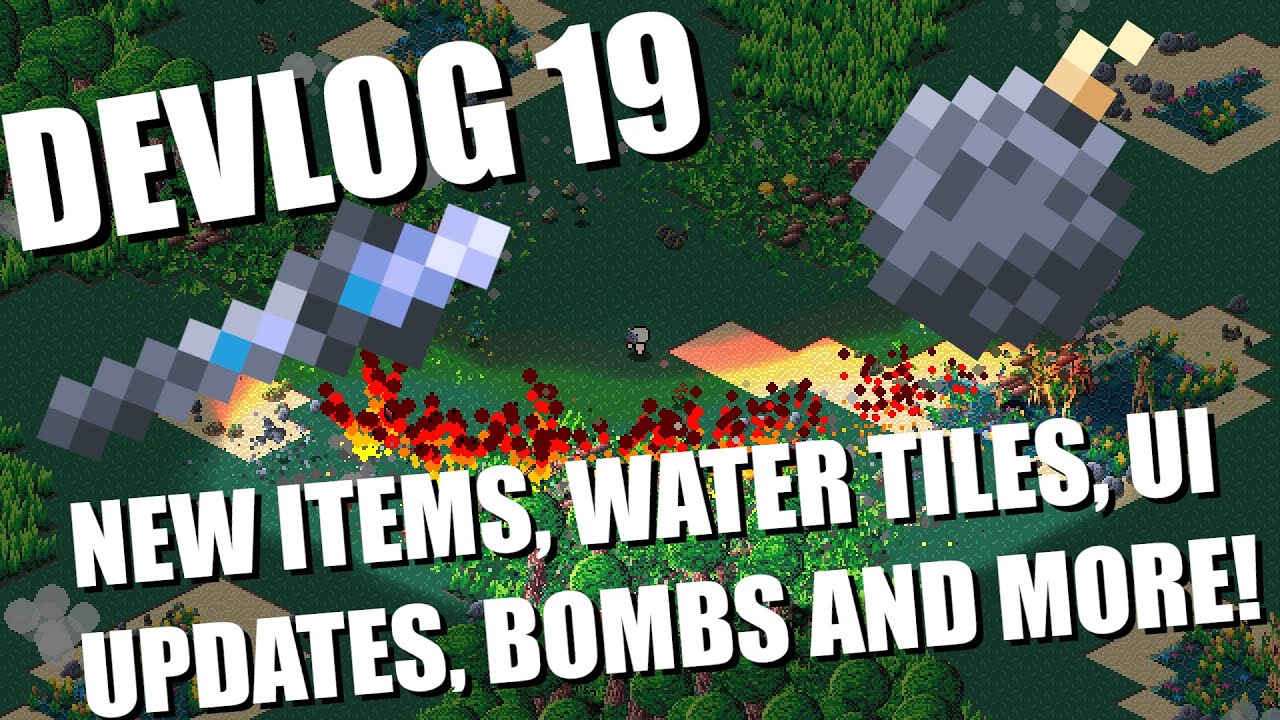
In this week's devlog I show you new items and changes to the UI. I also discuss plans to implement multiplayer and networking in the next few weeks and months.
Be sure to like and subscribe and feel free to follow me on twitter here: https://twitter.com/BigWhoopGames
#indiegamedev #devlog #gamedev #gamedevelopment #indiedev #python #pygame #p...
dawn quiver
marble jewel
Devlog 19 - New Items, Water Tiles, UI Updates, Bombs, Plans for Multiplayer, an...
Send game link
marble jewel
its not released, just doing devlogs
 untold ginkgo
Looks very cool 👍
brisk yew
dawn nacelle
In your `__init__`() method, when you get the rect of the image, the x and y val...
@thick sequoia or the shorter option of just image.get_rect(topleft=(self.x, self.y)) or image.get_rect(x=self.x, y=self.y)
brisk yew
thick sequoia
Can someone help me with an issue I'm having in pygame?
I have this class that ...
basically self.image_rect = img.get_rect(x=self.x, y=self.y) is what you'd change, that's about it
and tbf, you can shorten it all to just this
class ImgButton:
    def __init__(self, screen, img, x, y):
        self.screen = screen
        self.img = img
        self.rect = img.get_rect(x=x, y=y)

    def draw(self):
        self.screen.blit(self.img, self.rect)

    def clicked(self, event):
        if event.type == pygame.MOUSEBUTTONDOWN and event.button == 1:
            print("debug")
            if self.rect.collidepoint(event.pos):
                print("hello")
what is the game made in? just pygame?
or ce?
 haughty parcel
does anyone know why this dot isnt centered, its driving me fucking nuts.

import pygame
import sys

BLACK = (0, 0, 0)
WHITE = (255, 255, 255)
BLUE = (0, 0, 255)
GRAY = (128, 128, 128)


class Game:
    def __init__(self, gridWidth, gridHeight):
        self.gridWidth = gridWidth
        self.gridHeight = gridHeight
        self.screen = pygame.display.set_mode((0, 0), pygame.FULLSCREEN)
        self.screenRect = self.screen.get_rect()
        self.w = self.screenRect.w
        self.h = self.screenRect.h
        self.pixelX = self.w / self.gridWidth
        self.pixelY = self.h / self.gridHeight
        self.center = (self.w // 2, self.h // 2)
        self.lineWidth = self.w // 360

        # draw axis
    def run_game(self):
        while True:
            for event in pygame.event.get():
                if event.type == pygame.QUIT:
                    pygame.quit()
                    sys.exit()
                elif event.type == pygame.KEYDOWN:
                    if event.key == pygame.K_ESCAPE:
                        pygame.quit()
                        sys.exit()
            self.screen.fill("RED")
            # vertical line
            pygame.draw.line(self.screen, WHITE, (self.center[0], self.h), (self.center[0], 0), self.lineWidth)
            #horiz line
            pygame.draw.line(self.screen, WHITE, (0, self.center[1]), (self.w, self.center[1]), self.lineWidth)
            #origin
            pygame.draw.circle(self.screen, BLACK, self.center, self.lineWidth * 2)
            pygame.display.flip()
if __name__ == "__main__":
    g = Game(10, 10)
g.run_game()```nvm i think i fixed it
unreal river
Personally, I would choose the second one. But, it's up to you which one do you want to use.
 civic fable
i think its imposible
 manic totem
i need help, why its overlap with the previous number instead of changing it
    def redraw_window():

        WIN.blit(BACKGROUND, (0, 0))

        level_label = main_font.render(f"Level : {level}", 1, (255, 255, 255))
        live_label = main_font.render(f"Lives : {lives}", 1, (255, 255, 255))

        WIN.blit(level_label, (10, 590))
        WIN.blit(live_label, (WIDTH - live_label.get_width() - 10, 590))

        for enemy in enemies:
            enemy.draw(WIN)

        player.draw(WIN)

        pygame.display.update()

    while run:
        clock.tick(FPS)

        if len(enemies) == 0:
            level += 1
            wave_length += 5
            for i in range(wave_length):
                enemy = Enemy(random.randrange(30, WIDTH - 100), random.randrange(-1500, -100))
enemies.append(enemy)```you need add WIN.fill("black") before blitting the background to clear the surface
manic totem
Thanks
 wild tulip
Definitely the second one it feels way more clean and organized
woven scaffold
Second
 pearl linden
import random
safewallclarif=0
hp=100
rng=(random.randint(1, 3))
def shot(bullet):
    print(hp-bullet)
    print("Shot!")
if rng == 1:
    print("miss")
if rng == 2:
    shot(25)
if rng == 3:
    shot(75)
'''
class aa:
    def __init__(self, test):
        self.test=test
xx=aa("hi")
print(xx.test)
'''
#safewall to check if Code Executed Successfully
def safewall(clarif):
    return "safewalled"
    clarif += 1
#print(safewall(safewallclarif))
what should i add
im a bit new to python
1 - 2 years
 daring willow
why do we need pygame.USEREVENT in pygame? Someone please help me understand this in layman's term
I know we can have keyboard and mouse events but what are these custom events and why do we need them?
 gray sail
daring willow
why do we need pygame.USEREVENT in pygame? Someone please help me understand thi...
gray sail
daring willow
why do we need pygame.USEREVENT in pygame? Someone please help me understand thi...
USEREVENT is the passive listener for user inpuit in general?
not quite sure on this one
just want to get the 50 messages done ...
knotty hamlet
daring willow
why do we need pygame.USEREVENT in pygame? Someone please help me understand thi...
If you want to fire your own event it needs a type
If you don’t see the use of custom events don’t use them
dawn quiver
manic totem
i need help, why its overlap with the previous number instead of changing it
``...
Oo, this looks cool!
Simple but still cool!
manic totem
All i did is just stole png from google and follow tutorial from some dude on youtube but ok
 glossy radish
Sorry , i am a newbie to , i would like ask if ; If i made a quiz app in Python ( that i am making now ) once finish , if any friend with windows download my app , does he will need install python ? or , may be i can include a " small kind of litlle framework " or may be better change for .exe ? may be change for . exe and install like any other windows app would work better ? i am asking because my friend , she is very lazy ( changing or testing other languages or apps ) Please anyone have any sugestion , about what i can do for run a python app in a PC without python installed , please ? Thank you very much in advance
dawn quiver
https://paste.pythondiscord.com/adozakuxup
random ahh gmae lol 
brisk yew
glossy radish
Sorry , i am a newbie to , i would like ask if ; If i made a quiz app in Pyth...
There are multiple approaches to packaging Python apps to executables, the most common packagers used for that are pyinstaller, cx_Freeze and nuitka
woven scaffold
dawn quiver
https://paste.pythondiscord.com/adozakuxup
random ahh gmae lol <:pithink:652247...
Good
 small crown
Hi, I'm working on a card game and I'm getting an error when I try to select a card in the console (I tried using 1 - 8 the ss shows 0 after attempting the rest). Any suggestions?
 brisk yew
small crown
Hi, I'm working on a card game and I'm getting an error when I try to select a c...
brisk yew
small crown
Hi, I'm working on a card game and I'm getting an error when I try to select a c...
What's the issue exactly here? The list is empty?
Probably should start with why the list is empty then
Can't really suggest much because you have provided almost no information to work with except the traceback which on its own is not all that helpful without the necessary code to reproduce the issue
small crown
brisk yew
Can't really suggest much because you have provided almost no information to wor...
Ok sorry I was waiting to send the code... Every server has their own preferred method of sharing code...
brisk yew
providing info upfront is probably the way to go everywhere
small crown

 small crown
No, I want to understand why it was broken
dawn quiver
an unexpected indentation at that line. 13
i added this
`# Some code...
if condition:
# Indentation level 1
pile.append(card)
# More code...`
small crown
Ok cool thanks I'll take a look
dawn quiver
its the correct indentation
small crown
dawn quiver
you want the fixed code ?
Yes, please 😬
dawn quiver
take a look at it yourself
small crown
dawn quiver
an unexpected indentation at that line. 13
return had an unexpected indentation?
line 13
return hand
wait the code you provided works fine it wasnt working at first
small crown
dawn quiver
<:pithink:652247559909277706> wait the code you provided works fine it wasnt wor...
yeah it kept crashing after choosing a card
dawn quiver
oh wait
small crown
U got it to work with code I sent?
dawn quiver
for me it was
game.py", line 13 pile.append(card) IndentationError: unexpected indent
dawn quiver
 small crown
dawn quiver
i added this
`# Some code...
if condition:
# Indentation level 1
pile...
small crown
dawn quiver
i added this
`# Some code...
if condition:
# Indentation level 1
pile...
I don't see this in the code u sent me 😕
dawn quiver
is this how it suposed to work ?
small crown
dawn quiver
Yes, but can u choose a card?
small crown
dawn quiver
is this how it suposed to work ?
for the moment yes
It's not its final iteration I'm just trying to understad the logic so I can create my own rules
dawn quiver
small crown
Yes, but can u choose a card?
i think not
 small crown
u should be able to put 1 - 8 in the console
small crown
dawn quiver
i think not
it doesn't do that for me
dawn quiver
i fixed it
 dawn quiver
want the code i added some CHECKS 'DRAW' 'QUIT' to handle input properly
'DRAW' - they draw a card from the deck and continue the game.
"QUIT," the game ends.
3 - i also modified the condition Instead of using any(), a list comprehension is used to generate a list of valid cards based on the is_valid_move() function.
Simplified the card comparison
Instead, I changed it to a direct comparison card == player_choice to check if the card object matches the player's choice.
dawn quiver
small crown
thanks!
dawn quiver
the corrected code
small crown
I still have to setup the rules and at least one more player before I can adapt it for my discord bot 😄
dawn quiver
U got it lmk if u needed Help
small crown
ok so it adds a card but doesn't update the player's hand yet I'll start there
I think I need a break 😂
dawn quiver
let me add some more fetrues since im not busy
dawn quiver
small crown
Have you ever played crazy 8s?
No
dawn quiver
small crown
It’s similar to Uno but with a standard deck
hmm
small crown
I actually think I learned some Python backwards because I started with discord.py
dawn quiver
i tried coding a discord bot was never successful
small crown
I can help you with incorporating slash commands if you want
Unless you’re using discord.py 2.0 a lot of things are depreciated
I started with slash commands because later during polishing stages it’s a lot easier to just add the code
Like cogs etc
I just started developing a new bot…
But I’ve been tinkering for a few years now… I actually started with node.js and then Python
I got tired of punctuating every line like a cyberpunk graphic novel… damn u ‘;’ Python is much more logical 🖖
Node.js has its advantages but I was losing my damn mind before switching to Python
dawn quiver
ik node.js aswell
small crown
You can run a bot in Python with like 10 lines of code
dawn quiver
that right
small crown
dawn quiver
<:pithink:652247559909277706> ik node.js aswell
Again I was using discord api with node so still a beginner 👋
The idea was to use discord bots to teach myself how to code
Luckily I’ll be taking a Python class for my degree… like I said I did stuff kinda backwards
Ofc the class isn’t at the beginning of the program and I don’t always like waiting 😂
 dawn quiver
small crown
Ofc the class isn’t at the beginning of the program and I don’t always like wait...
dawn quiver
small crown
Ofc the class isn’t at the beginning of the program and I don’t always like wait...
go get it
i started coding when i was 16
small crown

small crown
dawn quiver
<:pithink:652247559909277706> i started coding when i was 16
I’m almost 40 😂
dawn quiver
your doin a great job
somehow added to my bot
might need to add some more commands
small crown
The mind isn’t quite as sharp at that age like it is at 16 or 17 😂
dawn quiver
right !!
small crown
I can setup the bot but don’t know the logic to create the game weird huh? 😄
dawn quiver
i just dont stick to one thing from js to python c++ and i also devloped some custom FIveM For m friends for free lol
small crown
I already have a list of all the rules in my noggin
dawn quiver
you should be able to get it completed by 1 week