#game-development
1 messages · Page 12 of 1
 fallow finch
 dawn quiver
i look at a stackoverflow question, it gave the same results
fallow finch
well glfw is probably gonna be even harder then pyglet for you
because its even more low level
dawn quiver
if it has more functionality, i will most likely will adapt to glfw
 hollow kettle
Hey Guys Could Anyone Knows Pygame, Could You Plz Say Why The Player Is'nt In The Screen Bounds?
def player_movements():
    keys_pressed = pygame.key.get_pressed()
    if keys_pressed[pygame.K_LEFT] and player.x > 0:
        player.x -= 50
    if keys_pressed[pygame.K_RIGHT] and player.x < WIDTH - player.width:
        player.x += 50
    if keys_pressed[pygame.K_UP] and player.y > 0:
        player.y -= 50
    if keys_pressed[pygame.K_DOWN] and player.y < HEIGHT - player.height:
        player.y += 50
```Please Take A Look 🥺I wish someone comes here a bit early
just if anyone want to test with full code
this is player.png

full code:
import pygame
import os

WIDTH, HEIGHT = 900, 500
window = pygame.display.set_mode((WIDTH, HEIGHT))
player = pygame.draw.rect(window, (255, 0, 0), (2.3, 2.3, 45, 45))

TILE_SIZE = 50
NUM_TILES_WIDTH = WIDTH // TILE_SIZE
NUM_TILES_HEIGHT = HEIGHT // TILE_SIZE

BG_COLOR = (176, 224, 230)
TILE_COLOR = (255, 255, 255)
playerImage = pygame.image.load(os.path.join("player.png"))

def draw_background():
    for i in range(NUM_TILES_WIDTH):
        for j in range(NUM_TILES_HEIGHT):
            x = i * TILE_SIZE
            y = j * TILE_SIZE
            pygame.draw.rect(window, TILE_COLOR, (x, y, TILE_SIZE, TILE_SIZE), 1)

def player_movements():
    keys_pressed = pygame.key.get_pressed()
    if keys_pressed[pygame.K_LEFT] and player.x > 0:
        player.x -= 50
    if keys_pressed[pygame.K_RIGHT] and player.x < WIDTH - player.width:
        player.x += 50
    if keys_pressed[pygame.K_UP] and player.y > 0:
        player.y -= 50
    if keys_pressed[pygame.K_DOWN] and player.y < HEIGHT - player.height:
        player.y += 50

def game():
    running = True

    while running:
        for event in pygame.event.get():
            if event.type == pygame.QUIT:
                running = False
            player_movements()

        window.fill(BG_COLOR)
        draw_background()
        window.blit(playerImage, player)

        pygame.display.update()

if __name__ == "__main__":
    game()
Could Anyone Plz Take A Look?
@fallow finch i see your active most of the time in this #game-development i really wish you could take a look and ans whats the problem
fallow finch
hollow kettle
<@528704235630493716> i see your active most of the time in this <#6606251983908...
i told u the thing in general
you'll also never make a cool looking game if the player moves from 50 pixels
hollow kettle
but then the player won't move
fallow finch
aside if its grid based game
hollow kettle
fallow finch
aside if its grid based game
It Is a grid base game 🙂
i had only have 1 year of exp in python plz help
fallow finch
if its a grid based game you should define the level first
dont use the limits of the screen to make the game
fallow finch
yea but there's something to implement first
hollow kettle
but maybe there will be levels in the future that time i will be editing the whole code
fallow finch
like, in what area can the player move
don't just use the screen's limits
your screen width and height is most likely not a multiple of 50
hollow kettle
fallow finch
like, in what area can the player move
so you can see i provided the all code & images plz use them so you can understand exactly
fallow finch
and you can also make code that would work for any tile size
instead of just 50
so if you want to change it you can
hollow kettle
you might not understand if i say, even idk how to say it to you
@fallow finch just take a little play of the game you can understand ig?
fallow finch
i see you have a player that's limited just by the window size
which is not a really good way to do the things
hollow kettle
why so?
fallow finch
yea but define a game area
you may want to change size of the tiles later
or add hud, ...
i don't have player.png btw
hollow kettle
hollow kettle
this is player.png
@fallow finch this is player.png
hollow kettle
fallow finch
yea but define a game area
wdym exactly? i don't understand what u mean.
@fallow finch
fallow finch
so i get what the game is
fallow finch
you have a grid, so what you should do is to define a list of lists for the "level"
and limiting the player movement / making collisions should be done using the indexes of the list
not the position in pixels
hollow kettle
yes, i think i do that in furtue cuz this thing is just a test for all Square's To Work, Everything's Functionalty To Work
fallow finch
make it so the index of the player can't be less than 0 or more than the last element of the list
don't use pixel position
hollow kettle
fallow finch
and limiting the player movement / making collisions should be done using the in...
how to do that if it's the level and the player i do add more right?
fallow finch
well you make code to handle different levels
each level can be a list of lists
you can even make levels with different sizes
hollow kettle
fallow finch
make it so the index of the player can't be less than 0 or more than the last el...
uhm, but idk how to do it, i always use pixel position could you please edit the current code and send it to me?
fallow finch
don't
using pixel position is 100x harder and it will not allow you to change size of your game or your tiles
fallow finch
especially for stuff like collisions, it would be terrible to do it with pixel position
hollow kettle
could you just fix the boundries issue?
fallow finch
but its not how you're intended to do it
hollow kettle
fallow finch
especially for stuff like collisions, it would be terrible to do it with pixel p...
i will do it with the images
fallow finch
cmon you have 20 lines of code
you made nothing for now, you can still change everything
hollow kettle
fallow finch
cmon you have 20 lines of code
50*
fallow finch
its really really a few
hollow kettle
then we can discuss in the Dm's Exactly How The Game's Levels Gonna Be?
or here?
np for me anywhere
fallow finch
here's some values of your rect during runtime

you DON'T want to work with this to make the collisions and stuff
for a simple grid game
fallow finch
hollow kettle
then we can discuss in the Dm's Exactly How The Game's Levels Gonna Be?
[[0, 0, 0, 0],
 [0, 0, 0, 0],
 [1, 1, 0, 1],
 [1, 1, 1, 1]]
can be a 4x4 level
of course you can use strings or enums for the elements, integers are not really readable
hollow kettle
means the player position right?
hollow kettle
😵💫
fallow finch
a level is a grid
hollow kettle
you're confusing me
fallow finch
you get this ?
hollow kettle
Yes
fallow finch
fallow finch
```
[[0, 0, 0, 0],
[0, 0, 0, 0],
[1, 1, 0, 1],
[1, 1, 1, 1]]
```
if 0 is void and 1 is grass, a level could be this
hollow kettle
Shall I Say The Game Idea, so that you can me what exactly?
fallow finch
well its a grid game, and each tile will contain elements
i know this
you'll add boxes to push and stuff like this then ?
hollow kettle
Game Idea: Your The Square And there are some other squares which have some abilities Some Positive Or Negative You Have To Fight With Enemies By Going on their tile if they come at you u die, the enimies and u can still dodge them, it's simple game with different levels(different blocks).
hollow kettle
fallow finch
you'll add boxes to push and stuff like this then ?
Yeah, Thanks For The Idea
i will change how they will attack
you have to push/throw things
fallow finch
well that's one more thing that is 100x easier to do without using pixel position
hollow kettle
that would be good
fallow finch
but do you get why using pixel position is bad
hollow kettle
fallow finch
well that's one more thing that is 100x easier to do without using pixel positio...
ik ik
hollow kettle
fallow finch
but do you get why using pixel position is bad
Yeah, I Understand But I Like To Do The Hard way, and most games hard way is pixel position so.. yeah?
Okay, Now Say Your Talking
fallow finch
if you have free move or non-grid based game you need kind of pixel position
but if you want to resize your game or use different size for the tiles, you have to make complex formulas
instead of just list indexes
hollow kettle
fallow finch
if you have free move or non-grid based game you need kind of pixel position
uhmm, could you plz make the player to not go outside of the screen bounds
fallow finch
before doing this
hollow kettle
fallow finch
instead of just list indexes
kk
fallow finch
we have to create a level
hollow kettle
fallow finch
we have to create a level
Ok, Now Could You Please Say How Do I Make This Levels? like if you defeat all enimies you go to the next level instead of the Menu Screen.
fallow finch
you want to implement a lot of things but you have to know what to implement first
hollow kettle
shall i create the enemy.png first?
fallow finch
nooo
hollow kettle
@fallow finch
fallow finch
we're gonna make levels, then player movement, and then maybe enemies
your grid is 18x10
so we need a list of 10 elements, each element will be a list of 18 elements
hollow kettle
fallow finch
your grid is 18x10
so we need a list of 10 elements, each element will be a list...
what?
fallow finch
your grid is 18x10
hollow kettle
each tile is 50x50 and the screen is 900x500
hollow kettle
Okk
fallow finch
ur okay with this ?
hollow kettle
YeahYeah
fallow finch
so we need a 10x18 list of lists
what elements do you want at first ?
a void tile and a wall tile ?
hollow kettle
😵💫 that's a lot
hollow kettle
fallow finch
a void tile and a wall tile ?
hmm you mean a square right?
fallow finch
well if list of lists are too complex for you you're maybe not used to python enough
hollow kettle
like different type of square right sus?
fallow finch
we're talking of the level in the memory
hollow kettle
fallow finch
well if list of lists are too complex for you you're maybe not used to python en...
it's not complex, it's just a lot of things
fallow finch
not how its displayed
fallow finch
hollow kettle
it's not complex, it's just a lot of things
no its not
hollow kettle
okok
fallow finch
it will be displayed as a square but now we're talking of how it will be in the list
hollow kettle
fallow finch
we're talking of the level in the memory
then what's wall tile and void tile?
fallow finch
to make a level
hollow kettle
fallow finch
it will be displayed as a square but now we're talking of how it will be in the ...
oh!! How it functions?
fallow finch
right now all your tiles contain nothing
hollow kettle
im not understanding
hollow kettle
fallow finch
right now all your tiles contain nothing
Yeah
fallow finch
we're not displaying a level now
we're making a list
do you want some tiles to be walls for example ?
hollow kettle
So your saying we have to add a wall
fallow finch
yeah you have to add some elements i guess
or you want the grid to be always empty ?
hollow kettle
fallow finch
do you want some tiles to be walls for example ?
So we shall attack the enime with blocks
i have a idea
fallow finch
enemies arent for now AT ALL
you don't understand a list of list and you want to add enemies...
hollow kettle
we have some walls which are pushable but only in one direction left,right,up or down so let's make that
fallow finch
...
hollow kettle
fallow finch
you don't understand a list of list and you want to add enemies...
practical futre example
fallow finch
 hollow kettle
fallow finch
...
hollow kettle
fallow finch
...
that's the tile i want to add..
fallow finch
but that's too hard for now
we're gonna make the simple things first
just a solid wall that can't be moved
and void
hollow kettle
Ok! But even if we add it the player can go outside the boundries of the screen right? i don't want it to happen
could we do that first?
fallow finch
the limitation will be
the player position (indexes in the list) cant go outside of the list's length
hollow kettle
to make the player not go outside the screen boundries?
fallow finch
the player cant exist without the list
because the position will be 2 indexes in the list
hollow kettle
im not understanding this list thingy
fallow finch
we're NOT gonna use pixel position for logic !!!
fallow finch
hollow kettle
im not understanding this list thingy
forget about the player
we're gonna make a level and display it
then we'll re-add the player
we have NO player right now
and we want to make a LEVEL
ur okay with this ?
hollow kettle
Okay Just wait and come to Dm's Plz
hollow kettle
fallow finch
we have NO player right now
we have?
fallow finch
if you want this okay
 torn jackal
hello guys i am now making a video game and i would like that the player can moove in the same time ZQSD and the mouse. How can i make my program to get several events ?
fallow finch
torn jackal
hello guys i am now making a video game and i would like that the player can moo...
what are you using to test events
torn jackal
for event in pygame.event.get() : if event.type ... ....
torn jackal
fallow finch
or use pygame.keys.get_pressed()
how do we use it ?
fallow finch
pygame.keys.get_pressed() will return all the keys that are actually pressed
when the function is called
torn jackal
oh cool
fallow finch
while a KEYDOWN event is just when you press a key
even if you hold its still one event
torn jackal
i didnt know about pygame.keys.get_pressed()
trank you very much i am going to try it
fallow finch
you can use just KEYDOWN
torn jackal
it doesnt work
fallow finch
but get_pressed() is generaly used in games
fallow finch
torn jackal
it doesnt work
it works, you just need to use it correctly
torn jackal
it just takes event one byu one
fallow finch
yes it's when a key is pressed
not when you hold it
there's KEYDOWN and KEYUP (pressing, and unleash it)
get_pressed() is generaly used for games, because you use a lot of keys at the same time
torn jackal
fallow finch
get_pressed() is generaly used for games, because you use a lot of keys at the s...
i actually do
ty
👍 👍
torn jackal
@fallow finch hey again, pygame.key.get_pressed works perfectly for ZQSD, but how can i have the control of the keyboard and of the mouse
fallow finch
torn jackal
do u have an idea ?
an idea of what ?
torn jackal
torn jackal
<@528704235630493716> hey again, pygame.key.get_pressed works perfectly for ZQSD...
this
torn jackal
i would like to moove the mouse and have the control of the keys
torn jackal
let me show u
`
if pygame.key.get_pressed()[pygame.K_d] == True and Player.x < Player.New_coords(1536-400, Player.y)[0] :
        Player.moove_right()


    if pygame.key.get_pressed()[pygame.K_q] == True and Player.x > Player.New_coords(400, Player.y)[0] :


        Player.moove_left()


    if pygame.key.get_pressed()[pygame.K_z] == True and Player.y > 0 :


        Player.moove_up()


    if pygame.key.get_pressed()[pygame.K_s] == True and Player.y + Sprite().scale_image(Player.image)[1] < Sprite().New_coords(0,864)[1]:
        Player.moove_down()
`
dont pay attention at the other part of the condition
fallow finch
yes i pay attention
don't mix game condition with key pressed conditions, even a nested if would fit better here
its really a bad thing for readability and maintainability, what if you want to add a main menu, a pause screen, ...
torn jackal
so should i make a list named "moove" which has every events ?
fallow finch
i know you're True == True man but don't do this too its useless
fallow finch
torn jackal
so should i make a list named "moove" which has every events ?
the key pressed tests should be clean
don't say "if space is pressed and the player is also shooting at a cow"
torn jackal
fallow finch
don't say "if space is pressed and the player is also shooting at a cow"
okay i get it
torn jackal
fallow finch
so, wheres the problem here
well the problem is that when i press any key the mouse gets locked
torn jackal
fallow finch
are you french btw
yes i am 🥖
fallow finch
torn jackal
yes i am 🥖
i am too
fallow finch
torn jackal
well the problem is that when i press any key the mouse gets locked
that means nothing
where is your code for mouse
torn jackal
Cursor.x, Cursor.y = pygame.mouse.get_pos() Cursor.display(0,0)
fallow finch
you can use tuples
there's a tuple in your name
so what happens with this
when you're pressing a key the cursor doesnt move ?
or the whole app is frozen ?
torn jackal
fallow finch
or the whole app is frozen ?
no
i just cant moove my mouse when i press a key
fallow finch
even outside of the game window ?
torn jackal
yes i can moove my mouse outside
fallow finch
so its just the cursor you're displaying that doesnt move ?
torn jackal
yes
fallow finch
i think it's hidden in your app (the real mouse pointer)
show it first
and then try to fix the cursor thing
torn jackal
fallow finch
show it first
the entire code ?
torn jackal
k
fallow finch
hide =/= show
torn jackal
still the same
fallow finch
the real mouse is stuck ?
torn jackal
yes it is
fallow finch
or is it just freezing for tiny moment
torn jackal
yes but the game doesnt freeze
fallow finch
but if you press a key for 10 seconds
torn jackal
i just cant moove my mouse when i press a key
torn jackal
i can moove it during a really small second
fallow finch
and then nothing ?
or you can move it for a small second sometimes
looks like your app is "semi-freezing" because of super badly optimized code
torn jackal
fallow finch
or you can move it for a small second sometimes
no i totally cannot
fallow finch
you're literally resizing an image for a test here, idk what you're doing with the mouse

what happens when there's a mousemotion event
fallow finch
maybe your code is so badly optimized that it's semi-freezing like i'm sayin
torn jackal
oh i think i get it
fallow finch
i would like to see whole code now
torn jackal
fallow finch
maybe your code is so badly optimized that it's semi-freezing like i'm sayin
actually it is quite good optimized, the thing is that i am badly handling the events
fallow finch
no its not
fallow finch
fallow finch
you're literally resizing an image for a test here, idk what you're doing with t...
this is absolutely terrible
scale_image resizes an image right ?
fallow finch
mh
can i see the whole code
i thought you were new to python, because of the if condition == True statements
torn jackal
fallow finch
i thought you were new to python, because of the if condition == True statements
yeah I know i can just del the == True but i am trying to make code the most fluent i can
torn jackal
fallow finch
can i see the whole code
i dont know if it is a good idea to drop the whole code online
torn jackal
fallow finch
i don't think people will steal this code tbh
idk
actually my whole problem is that i am not handling the events properly, this isnt cuz of the optimization
torn jackal
`
for event in pygame.event.get() :
if event.type == QUIT :
pygame.quit()
sys.exit()
    if pygame.key.get_pressed()[pygame.K_d] == True and Player.x < Player.New_coords(1536-400, Player.y)[0] :
        if two_movements_keys_same_time(pygame.key.get_pressed()) :
            data['two keys pressed'] = True
            Player.velocity = 7

        Player.moove_right()

        Player.velocity = 10
        data['two keys pressed'] = False


    if pygame.key.get_pressed()[pygame.K_q] == True and Player.x > Player.New_coords(400, Player.y)[0] :
        if two_movements_keys_same_time(pygame.key.get_pressed()) :
            data['two keys pressed'] = True
            Player.velocity = 7

        Player.moove_left()

        Player.velocity = 10
        data['two keys pressed'] = False

    if pygame.key.get_pressed()[pygame.K_z] == True and Player.y > 0 : #y = 0 doesnt require to use New_coords() function (cuz it also just equals 0)
        if two_movements_keys_same_time(pygame.key.get_pressed()) :
            data['two keys pressed'] = True
            Player.velocity = 7

        Player.moove_up()

        Player.velocity = 10
        data['two keys pressed'] = False

    if pygame.key.get_pressed()[pygame.K_s] == True and Player.y + Sprite().scale_image(Player.image)[1] < Sprite().New_coords(0,864)[1]:
        if two_movements_keys_same_time(pygame.key.get_pressed()) :
            data['two keys pressed'] = True
            Player.velocity = 7

        Player.moove_down()

        Player.velocity = 10
        data['two keys pressed'] = False
`
the whole thing is here
fallow finch
pastebin exists...
torn jackal
whats it
fallow finch
large code blocks are also a feature of discord
fallow finch
torn jackal
whats it
a site to post large text files
torn jackal
fallow finch
a site to post large text files
dont know about it
fallow finch
you can use use large code block so we can see indents
3 x ` instead of 1
you can edit the previous thing to fix
torn jackal
you cant read what i sent ?
fallow finch
what is this...

try to keep one test then try with none of them (for the keys)
to see if the mouse is unlocked or not
torn jackal
fallow finch
what is this...
although the function s name sucks, it gives the right player's velocity when he is holding Kz and Kd for example
torn jackal
fallow finch
try to keep one test then try with none of them (for the keys)
wait actually i dont get it
do i have to do a test without these events ?
or without one of the condition ?
hello ?
fallow finch
torn jackal
wait actually i dont get it
try to remove all your tests
and see if the mouse is still locked
torn jackal
fallow finch
and see if the mouse is still locked
nothing has changed
fallow finch
so the mouse issue is something else
i hope you're really talking of the real mouse, not your cursor image
torn jackal
yes, it is the same thing for both of em
fallow finch
so try to remove other parts of the code
are you sure you have no code related to the mouse ?
torn jackal
fallow finch
are you sure you have no code related to the mouse ?
nothin
fallow finch
try to remove your cursor thing
idk
because there's something wrong in your project
torn jackal
i have already tried
fallow finch
i think you have to send whole code at this point
torn jackal
fallow finch
because there's something wrong in your project
indeed
fallow finch
be sure to send all the files and be sure to use pastebin too
torn jackal
actually i cant
fallow finch
why
torn jackal
i know this errors looks like it is in a 50 lines program, but thats actually the beginning of a pretty big video games of 1000lines
fallow finch
1000 is mid
torn jackal
yes it is
torn jackal
i def cant send all my code to someone i dont know
fallow finch
if its like one of your first games made with pygame i don't see the reason
you're planning selling it or what
i'm not telling you to send all assets too, just the code
torn jackal
fallow finch
you're planning selling it or what
yes i am
fallow finch
i'm pretty sure it will still change nothing tho
torn jackal
this code also has secret passwords to access to my dbs
fallow finch
just replace/remove the passwords
or dont show the files that you know they arent related
torn jackal
i cant take the risk
fallow finch
can you at least show the file that contains the event code, like the whole file
fallow finch
its the whole file ?
torn jackal
no, just the event part
fallow finch
well looks like we can't help you :)
torn jackal
fallow finch
well looks like we can't help you :)
ty anyway
 silk vessel
ValueError: Array must be 1-dimensional for mono mixer``` Im getting this error, however im using ```py
pygame.mixer.init(
    frequency = frequency,
    size = -8 * nbytes,
    channels = 2,
    buffer = buffer,
)```, so it should not be looking to use the mono mixer, right?Im very confused, beacuse literally yesterday this exact code was working and I believe nothing changed in the meantime..
 ashen stream
hi i want to make a healt bar in my platformer game but i cant show my bar in my screen here is the some codes about it
import pygame
class UI:
def init(self,surface):
    # setup
    self.display_surface = surface

    # health
    self.health_bar = pygame.image.load('levels/ui/health_bar.png').convert_alpha()
    self.health_bar_topleft = (54,39)
    self.bar_max_width = 152
    self.bar_height = 4

    # coins
    self.coin = pygame.image.load('levels/decoration/istkart/istkart1').convert_alpha()
    self.coin_rect = self.coin.get_rect(topleft = (50,61))
    self.font = pygame.font.Font('levels/ui/ARCADEPI.ttf',30)

def show_health(self,current,full):
    self.display_surface.blit(self.health_bar,(20,10))
    current_health_ratio = current / full
    current_bar_width = self.bar_max_width * current_health_ratio
    health_bar_rect = pygame.Rect(self.health_bar_topleft,(current_bar_width,self.bar_height))
    pygame.draw.rect(self.display_surface,'#dc4949',health_bar_rect)

def show_coins(self,amount):
    self.display_surface.blit(self.coin,self.coin_rect)
    coin_amount_surf = self.font.render(str(amount),False,'#33323d')
    coin_amount_rect = coin_amount_surf.get_rect(midleft = (self.coin_rect.right + 4,self.coin_rect.centery))
    self.display_surface.blit(coin_amount_surf,coin_amount_rect)
and there's the my main
import pygame, sys
from settings import *
from level import Level
from game_data import level_0
from ui import UI
class Game:
def imit(self):
#oyun verileri
self.max_health = 100
self.cur_health = 100
self.coins = 0
    #ui
    self.ui = UI(screen)

def run(self):
    if self.status == 'level':

       self.ui.show_health(50,100)
       self.ui.show_coins(12)
pygame.init()
screen = pygame.display.set_mode((screen_width,screen_height))
clock = pygame.time.Clock()
level = Level(level_0,screen)
while True:
for event in pygame.event.get():
if event.type == pygame.QUIT:
pygame.quit()
sys.exit()
level.run()

pygame.display.update()
clock.tick(60)
you can at least use triple `
ashen stream
i guess problem is def run
fallow finch
the interesting part is level.run(), and i don't have it
can you show it but in a code block this time
fallow finch
no we can stay here
everyone wants dm only but there's no valid reason to do it in dm
ashen stream
i watch the youtuber and he makes more levels
like level 1 ,2,3 but i skip this
bcz i want 1 level
fallow finch
looks like you're just watching a tutorial without understanding how it works
ashen stream
and its level_0
fallow finch
i really don't want to help with this, sorry 🙂
ashen stream
no i really tryna to understand it
fallow finch
try to learn stuff yourself
ashen stream
just i dont want to make multiple levels
fallow finch
if you never used python and starting with this tutorial, its bad
 glacial coral
ya he said hes new to python
fallow finch
ashen stream
just i dont want to make multiple levels
if you don't get this that means the tutorial is just way too advanced for you
learn the python objects, classes...
don't start with pygame
ashen stream
yea its tomorrow...
fallow finch
make a simple thing if you can't make an advanced thing
ashen stream
i just cant solve the problem
ashen stream
i learn and make level design etc
fallow finch
but learn python before
ashen stream
so you cant help right ? 😦
fallow finch
no because you don't know what you're doing
ashen stream
i want but in my school teachers are crap...
fallow finch
make a hangman game in console
ashen stream
they dont teach anything and want big things
glacial coral
do u have to make a platformer game like mario?
fallow finch
make a hangman game in console
glacial coral
Or can it be other simple one
fallow finch
make a hangman game in console, its a good fun exercise to learn very basics of python
ashen stream
but im sure the teacher says its so simple...
glacial coral
but its expected not being able to do x 10 harder things when ur new to python
fallow finch
ashen stream
but im sure the teacher says its so simple...
about what
 fossil mango
why my game cant even close
it even has the while thing too
even for ev in pygame.event.get(): if ev=pygame.QUIT: run=False while the while code is while run:
is it maybe because it allow mouse input or something?
 unreal river
fossil mango
even ```for ev in pygame.event.get():
if ev=pygame.QUIT:
run=False``` whil...
unreal river
fossil mango
even ```for ev in pygame.event.get():
if ev=pygame.QUIT:
run=False``` whil...
it has to be if ev.type==pygame.QUIT:
unreal river
the problem was you were referring to the event itself and not its type, and you were using a single = and not == for comparison
 inner shuttle
fossil mango
even ```for ev in pygame.event.get():
if ev=pygame.QUIT:
run=False``` whil...
inner shuttle
fossil mango
even ```for ev in pygame.event.get():
if ev=pygame.QUIT:
run=False``` whil...
Also, type pygame.quit() after run =False as pygame contains a bug which kinda hangs your computer unless you enter that statement
Just a suggestion
 inner flower
Hey, did someone have a tutorial or a simple method to create a 2d scroll ?
fallow finch
inner flower
Hey, did someone have a tutorial or a simple method to create a 2d scroll ?
2d scroll for what
inner flower
a platformer like game
 devout crater
i usually have an x and y value for a camera which i subtract when blit-ing onto the display
in case you're using pygame, that would be display.blit(myimage, (xposition-xcamera, yposition-ycamera))
i vaguely remember hearing about some built in way to do it though
@inner flower
fossil mango
unreal river
the problem was you were referring to the event itself and not its type, and you...
Actually the original code was typed out again so i accidentally made a mistake while typing lol 😂😂
fossil mango
inner shuttle
Also, type ```pygame.quit()``` after ```run =False``` as pygame contains a bug ...
Ok, i never experience that before but ill just try
inner flower
devout crater
in case you're using pygame, that would be ```display.blit(myimage, (xposition-x...
thx, I will try that for sure
 sterile iris
how can i run in mac??
i legit just ran it and it doesnt show errors, but it opens then closes
 brisk yew
sterile iris
i legit just ran it and it doesnt show errors, but it opens then closes
brisk yew
sterile iris
i legit just ran it and it doesnt show errors, but it opens then closes
code pls
 quiet lake
what software does everyone use for game dev?
 brisk stone
i use godot and just plain python for text based games
quiet lake
brisk stone
i use godot and just plain python for text based games
thank you
 robust hearth
quiet lake
what software does everyone use for game dev?
robust hearth
quiet lake
what software does everyone use for game dev?
Pygame works for me, even if it isn't that performant.
brisk yew
quiet lake
what software does everyone use for game dev?
pygame(-ce)
inner shuttle
sterile iris
i legit just ran it and it doesnt show errors, but it opens then closes
You need to put that statement into a while loop
inner shuttle
quiet lake
what software does everyone use for game dev?
Mostly pygame and occasionally tkinter
brisk yew
bruh, tkinter for game dev, making dinosaur games?
 primal cipher
How do you convert .xls files to .xlsx? I have 180 of them to convert and I'm not sure how to do it quickly.
 tropic shale
Godot here, because it uses Python-like syntax (I like Python) and because it's easy to pick up and learn.
 sweet shard
Panda3D
brisk stone
gdscript is almost like python+ imo
 hybrid sage
primal cipher
How do you convert .xls files to .xlsx? I have 180 of them to convert and I'm no...
hybrid sage
primal cipher
How do you convert .xls files to .xlsx? I have 180 of them to convert and I'm no...
use an online website or something I do not think you can do it so fast
sterile iris
brisk yew
code pls
It worked
inner shuttle
If I make a computer game off an existing board game, do I need to mention the copyrights for it? I do not intend to sell it/make it available to the public
 unique plume
inner shuttle
If I make a computer game off an existing board game, do I need to mention the c...
unique plume
inner shuttle
If I make a computer game off an existing board game, do I need to mention the c...
then no
brisk yew
you could sell it to them, lol
 buoyant gazelle
godot is nice
fossil mango
brisk yew
bruh, tkinter for game dev, making dinosaur games?
people just like being weird sometimes...
 quartz fossil
inner shuttle
If I make a computer game off an existing board game, do I need to mention the c...
quartz fossil
inner shuttle
If I make a computer game off an existing board game, do I need to mention the c...
You can't copyright game mechanics, so there is no need to. What you may not use is names, artwork, etc.. And there is also the issue of at least one kind-of-mechanic having been patented, at which point my understanding ends.
Practical example: I am not writing a Connect 4 AI right now, that would be an infringement of Hasbro's intellectual property. I am writing a Four in a Row AI.
quartz fossil
On that note, anybody here who can explain some sensible heuristic for Four in a Row game states to me? Or wanna play against what I have so far?
fallow finch
quartz fossil
On that note, anybody here who can explain some sensible heuristic for Four in a...
sure
quartz fossil
fallow finch
quake doesnt mentions doom copyright
Bad example, they're both by id Software.
fallow finch
wait what
quartz fossil
Quake and Doom were made by the same company?
fallow finch
yea wasnt aware of this
quartz fossil
Tell me you at least know who Carmack is. 😛
fallow finch
it was the doom/wolfenstein dev right
quartz fossil
Is there a channel here for the game? Shall we abuse a help thread? Which side do you want to play? How long are you willing to wait for turns? (Max is about 6-7 minutes at 1M game states.)
quartz fossil
Yup. Python isn't really the language for number crunching.
Expanding the state tree to one million states, filling 3GB of memory, takes around 360-420 seconds.
fallow finch
well just telling its python isnt relevant at this point 
waaaaa
i'm pretty sure that's not how to make an ai for connect 4 or every game of this kind
quartz fossil
Oh, it very much is. As Python is the language I know best, it's where I can prototype all the nice algorithm to optimize the search. Once I'm done, I can still rewrite it all in e.g. Nim.
fallow finch
i'm pretty sure games don't do it like this
one million states in any language would take too much memory
quartz fossil
They do. Usually they do it faster because they don't implement graph search in Python.
fallow finch
there's probably huge workarounds to not test all the states
so a chess game would be 1000 billion states or what
quartz fossil
Yes, there are, e.g. alpha-beta pruning, especially with a good heuristic. But the algorithm is the same from Tic Tac Toe to The Sims: Graph search.
fallow finch
well tic tac toe perfect ai can be written in a few lines with prebuilt moves
quartz fossil
(The Sims uses bidirectional A* search to create parallelized GOAP plans, but the principle holds.)
Yeah, but I'm not actually writing a Connect 4 AI, that's just my current use case. The game itself is just a handful of functions, only four or so define the game mechanics. The search engine itself I have already applied to, well, Tic Tac Toe, Connect 4, and labyrinth pathfinding, and eventually it'll to GOAP and HTN, too. It works quite well and correctly, thank you very much. 😛 It's not fully-featured yet (alpha-beta pruning is in fact next on my list), but it's getting there.
But if you are worried about the speed and memory issues, the former is very much a Python problem, and the latter can't be helped in any case, in the end filling as much memory with as many states as possible is what search-based AI boils down to.
Also, 7 minutes and 3GB are the maxima. If I shave down the max state tree size by a factor of 10, it runs ten times as fast, and only loses the last two plies of the search tree, which doesn't make it that much dumber. At a tenth of that, okay, it is a bit dumber, but you'd probably only notice it once it's too late already anyway, and now we are talking about 4 seconds.
fallow finch
quartz fossil
Also, 7 minutes and 3GB are the maxima. If I shave down the max state tree size ...
i would like to see how cython can improve here
if you're making a library
quartz fossil
I am, and yes. I've taken a quick look at MyPy already, but that makes weird requirements about inheritance.
 leaden jacinth
when is the next Pyweek?
quartz fossil
Looks like it'll be in September. https://pyweek.org/challenges/
leaden jacinth
do we have to make it on a certain topic?
quartz fossil
There will be a theme, and it not being noticeable in your game may lead to disqualification, IIRC.
Otherwise everyone could just make a game in however long a time, and then submit it to the jam.
quartz fossil
How do you mean? You can practice as much as you want.
leaden jacinth
like what should I practice to stand a chance?
quartz fossil
Making games under extreme time pressure. 🙂
You could choose a previous challenge's theme, and try to make a game catering to it in two or three weeks, assuming you have a job that you plan to take a week off of for the jam.
quartz fossil
@leaden jacinth Are you familiar with Pygame, Panda3D, and/or other game engines?
leaden jacinth
quartz fossil
<@1062747923294716006> Are you familiar with Pygame, Panda3D, and/or other game ...
Ursina
quartz fossil
Huh... It's impressive how many people flock around that project. Well, then you're all set, I guess.
leaden jacinth
But I wanna push with my pygame skills
quartz fossil
I'd recommend maximizing your skills in one engine, but you do you. Alternatively you could try tackling with raw Panda3D.
 red elbow
hello python have a studio for make games? and tools and compiler?
quartz fossil
... What?
Do you mean whether there are game studios that use Python, or whether there is an editor workflow for making games in Python?
fossil mango
do anybody know how to clone a Surface object without controlling it with variables?
like how scratch uses "when i start as a clone"?
oh i figured it out now
 austere pier
 fallow glade
est
 proper peak
red elbow
hello python have a studio for make games? and tools and compiler?
proper peak
red elbow
hello python have a studio for make games? and tools and compiler?
if you want a full game engine scripted in Python, the closest thing there is to it is Godot, which primarily uses GDScript, which is pretty similar to python. (it also supports actual python via a third-party plugin).
 pine plinth
GDScript is not similar to python at all
proper peak
pine plinth
GDScript is not similar to python at all
Why not? It's indentation based, a lot of syntax is the same with some keywords swapped, and it supports gradual typing via typehints.
pine plinth
Syntax is similar, language semantics are very different
Docs explicitly says:
GDScript is entirely independent from Python and is not based on it.
sweet shard
If someone is looking for recommendations Panda3D while lacking a editor is a pretty feature complete game engine and you can code it in both Python and C++
It is missing Physically Based Rendering (if that's your thing) out of the box so you'll either have to write your own shaders for it or rely on community made ones but overall it's really nice to work in
dawn quiver
hi guys
 eternal vessel
hello
fallow finch
dawn quiver
minecraft clone 100% in python going hard
you're trying to make 1:1 port of the features ?
dawn quiver
exactly
dawn quiver
fallow finch
you're trying to make 1:1 port of the features ?
yes
my computer going wild
fallow finch
yea i think it should be a good thing to have one
dawn quiver
with all the memory
dawn quiver
fallow finch
yea i think it should be a good thing to have one
Lmao, thats what you said 3 weeks ago
fallow finch
if the code is good it could be a good thing to check for people interested in making more complex things in python
dawn quiver
no one is looking at my github repo
fallow finch
how are you managing the threading stuff btw ? with multiprocessing ?
dawn quiver
😭😭😭
fallow finch
dawn quiver
no one is looking at my github repo
becoming githuber is hard
fallow finch
well you should make videos / reddit post about it
make some when you'll have the player physics
so we can see it's a real port of the game
dawn quiver
ture
*true
i will work it on this summer, i have to study with my ap exams though
not much time for me
fallow finch
there's a lot of people doing minecraft recreations in all languages
but for some reason they want to do it in 24 hours
and with their own textures
and not porting the real game code in general
dawn quiver
the thing is, i want mine to look better than the others
i want it to be modified
no bad looking code
fallow finch
you should make it look just like minecraft java
dawn quiver
keeping the performance
i am
i never thought i was going to use math for it
rn working on the biomes
i have 500 lines of code
dawn quiver
making it simple
alpha versions
its too complicated adding mobs
i bet i will be using tensorflow with mobs just to make it interactive
fallow finch
huh
dawn quiver
else i have no idea
dawn quiver
fallow finch
huh
do you know how mob textures work?
i have these, but i dont know how they function


etc
fallow finch
idk if thats the same in alpha
fallow finch
in 1.14+ there's model files
they're resourcepack/client
idk how it worked before
dawn quiver
wish i could use a time travel machine and ask notch
dawn quiver
fallow finch
idk how it worked before
this is just getting to complicated
fallow finch
well of course its complicated
dawn quiver
is there a way i can use a gif
fallow finch
newest versions have most of the things working with json datapack / resourcepacks, its a way more solid base
fallow finch
loading screen is a shader
dawn quiver
oh nooo
dawn quiver
yeah
fallow finch
what about just doing it like in the base game for now
dawn quiver
thats what i said
fallow finch
this loading screen isnt in the game at all
dawn quiver
very true
fallow finch
and using large animated gifs in games is a bad thing
animated gifs arent a format for game dev
tbh
fallow finch
fallow finch
loading screen is a shader
the main menu is a shader
dawn quiver
what if i make pyglet render a html 🤔
fallow finch
using 6 textures
dawn quiver
could that work


 dawn quiver
i dont wanna switch now
fallow finch
dawn quiver
its a very simple shader
dawn quiver
i messed up
fallow finch
using 6 textures
dawn quiver
im already broke
dawn quiver
thats what i meant
dawn quiver
seems like i have to buy the account 😭
fallow finch
assets/minecraft/shaders
fallow finch
are you recreating minecraft
dawn quiver
yes...
fallow finch
...without knowing anything in how the game works ??
fallow finch

fallow finch
i don't get it
fallow finch
ye i don't get the joke
fallow finch
dawn quiver
in windows?
appdata/roaming/.minecraft/versions/1.xx.jar
dawn quiver
fallow finch
appdata/roaming/.minecraft/versions/1.xx.jar
thanks bud
dawn quiver
fallow finch
appdata/roaming/.minecraft/versions/1.xx.jar
do you know where i can find the txtures?
or those are encoded too?
fallow finch
assets/minecraft/textures
nothing is encoded
the java bytecode files are just obfuscated
dawn quiver
C:\Users<USER>\AppData\Roaming.minecraft\assets
fallow finch
the names are aaa, aab, aac...
fallow finch
dawn quiver
C:\Users\<USER>\AppData\Roaming\.minecraft\assets
C:\Users<USER>\AppData\Roaming\.minecraft\versions\1.xx.jar\assets
dawn quiver
so its inside the .jar file?
dawn quiver
fallow finch
`C:\Users<USER>\AppData\Roaming\.minecraft\versions\1.xx.jar\assets`
because its a file
fallow finch
well each version of the game is one jar file
dawn quiver
how can i unpack it?
fallow finch
its C:\Users<USER>\AppData\Roaming\.minecraft\versions\1.xx\1.xx.jar\assets actually
dawn quiver
do i have to install java from oracle?
fallow finch
 fallow finch
dawn quiver
do i have to install java from oracle?
fallow finch
dawn quiver
do i have to install java from oracle?
...
you just need to open the file to get the things inside it
but java is already installed...
well looks like you really know nothing about java and minecraft
how can you port minecraft's code like this 
dawn quiver
fallow finch
...
i just needed winrar
fallow finch
7zip >>>
dawn quiver
fallow finch
7zip >>>
hahaha
fallow finch
7zip can open more files as archive
and in more ways
i don't think you can remove certs easily with winrar
dawn quiver
fallow finch
i don't think you can remove certs easily with winrar
interesting
dawn quiver
fallow finch
7zip can open more files as archive
do you know where i can find the icons?
fallow finch
icons of what
dawn quiver
fallow finch
icons of what
minecraft launcher, window, etc
fallow finch
the jar files are minecraft versions
the minecraft launcher isnt here
it's made in C++, not java btw
dawn quiver
fallow finch
it's made in C++, not java btw
bruh
now, its gonna be worse to decompile
fallow finch
you want to recreate the minecraft launcher ???
but w h y
just recreate the game
the launcher just launches the jar file with a jvm argument
dawn quiver
yeah 😦
fallow finch
you don't have to recreate the launcher
and i think mojang would not like this
the jvm argument will not be a thing in minecraft python edition anyway
dawn quiver
😭
fallow finch
i don't get what's sad
you wanted to recreate the launcher and also the mojang site or what
dawn quiver
nahh
fallow finch
what about recreating the microsoft accounts too
dawn quiver
yeah, where can i find it?
fallow finch
assets/minecraft/textures/gui i think
dawn quiver
ill get them later on
dawn quiver
fallow finch
assets/minecraft/textures/gui i think
its not there
fallow finch
well maybe it's somewhere else and i forgot
maybe they're even using a crafting table model
but iirc its in resourcepacks
dawn quiver
fallow finch
maybe they're even using a crafting table model
not there either
in resourcepacks
 hollow shuttle
how can i load svg images in pygame
fallow finch
hollow shuttle
how can i load svg images in pygame
what happens when you load them like other images
hollow shuttle
fallow finch
what happens when you load them like other images
it's not supported
fallow finch
it is
fallow finch
maybe try to load a bytes object
but i think you can just use image.load()
on the file
hollow shuttle
wait
hollow shuttle
fallow finch
on the file
they don't show at all
fallow finch
so your surface is empty ?
fallow finch
so what do you have when you blit it
hollow shuttle
it doesn't show
fallow finch
its probaby an issue with how you blit it
hollow shuttle
it's not behind the background
fallow finch
be sure to display.flip()
make a new project where you just load a svg file and blit it
hollow shuttle
def show(self): self.surface.blit(self.image, self.position)```with pngs it works
fallow finch
hollow shuttle
<Surface(75x75x32 SW)>
so are you sure its the right surface ?
hollow shuttle
with png
 fallow finch
or that its not a previous image that was loaded before
hollow shuttle
with svg
 fallow finch
i don't care
hollow shuttle
??
hollow shuttle
self.image = pg.transform.scale(pg.image.load(f"{consts.GAME_DIRECTORY}\\assets\\images\\{self.skin}\\{self.type}.svg"), (consts.TILE_FACTOR, consts.TILE_FACTOR))```it is the right surface
fallow finch
import pygame as pg
import sys

window = pg.display.set_mode((640, 480))
cake = pg.image.load('cake.svg').convert_alpha()

while True:

    for event in pg.event.get():
        if event.type == pg.QUIT:
            pg.quit()
            sys.exit()

    window.blit(cake, (20, 20))

    pg.display.flip()
this basic code works for me
 hollow shuttle
thanks
fallow finch
there's also a built-in width and height in the svg file
 hollow shuttle
yeah but even when not scaling it doesn't blit
import pygame as pg; import consts; import cairo

class Piece:
    def __init__(self, surface:pg.Surface, type:str, position:tuple=(0,0), skin:str="regular") -> None:
        self.surface = surface
        self.type = type
        self.position = position
        self.skin = skin
        self.image = pg.image.load(f"{consts.GAME_DIRECTORY}\\assets\\images\\{self.skin}\\{self.type}.svg").convert_alpha() #pg.transform.scale(, (consts.TILE_FACTOR, consts.TILE_FACTOR))

    def show(self):
self.surface.blit(self.image, self.position)```doesn't work either
can u give me the svg ur using
maybe the image i use are too big
fallow finch
fallow finch
my file is 880x880
hollow shuttle
@fallow finch uh
 fallow finch
try to set a specific size
hollow shuttle
for 500 files?
hollow shuttle
how do i change the svg content lol
it's not like i can use file.write()
well maybe
i'l ltry one sec
fallow finch
hollow shuttle
it's not like i can use file.write()
why ?
hollow shuttle
fallow finch
why ?
even when setting a specific size it doesn't work
fallow finch
also you're currently using scale
not using scale is better, you should focus on loading times / performances in your app
hollow shuttle
does this viewbox have to do with anything?
 fallow finch
more than on time spent on making the files
fallow finch
hollow shuttle
does this viewbox have to do with anything?
maybe
i'm not svg expert
hollow shuttle
fallow finch
more than on time spent on making the files
i'm using the simple program u gave me as an example
so not a scaling problem
 marble jewel
Latest Isometria devlog here: https://youtu.be/uHxqKPrdeKU Hope you enjoy, remember to like and subscribe and all that jazz.

In this week's devlog I introduce the desert biome, show changes to the cave ore deposits, and give you the first look at Blobby the boss blob.
#indiegamedev #devlog #gamedev #gamedevelopment #indiedev #python #pygame #pygame-ce #pythongaming
eternal vessel
fun watching this game progress
marble jewel
Thanks, feel free to make suggestions
 jaunty kindle
Can anyone recommend any game development internships/companies? I'm an intermediate in python.
 limpid socket
And you're in school for game dev? And learning more than python?
Not likely to find "companies" making games with python that also can take on interns (or any staff lol). And very unlikely to get an internship without going for a degree (most internships specify this).
 wintry kettle
guys, do i need anything other than Pygame to build a simple platformer?
i want to build something to my portfolio
marble jewel
platformers are definitely doable in pygame, check out dafluffypotato's videos on youtube he does a lot of platformer stuff in pygame
wintry kettle
thanks a lot, will do
fallow finch
wintry kettle
thanks a lot, will do
well dafluffypotato doesnt use just pygame
he also uses pyopengl/moderngl to make shaders
marble jewel
thats a lot of his more recent stuff, his videos mostly cover everything besides that
 crisp steppe
❤️
dawn quiver
how are you
wintry kettle
Does anyone here has any idea of how i can program a bot for a MMO?
quartz fossil
wintry kettle
Does anyone here has any idea of how i can program a bot for a MMO?
Do you want to automate an already existing MMO, or write NPCs for an MMO that you are writing?
For the former you'd need a shim that does extract information from the game client, and through which you can take actions, so you have API access to the client; I have no idea how to do that, and it will depend on the client in question. Once you have done that, the rest is the answer to the second question, because essentially you are trying to write an NPC now. Depending on what exactly you want to do, you could just write a few lines of code for simple behaviors. When things get more complex, you will want to use abstractions like finite state machines, hierarchical finite state machines, behavior trees, search, goal-oriented action planning, hierarchical task networks, or, if you have far too much time and resources on your hands, reinforcement learning.
fallow finch
quartz fossil
For the former you'd need a shim that does extract information from the game cli...
your message is too long
a newbie cheater who joined the server to get a bot for a game will never read this 😂
quartz fossil
Well... Good? I'm interested to talk about the sort of person who sees the grab-bag of technical terms and goes "Yes, that is what I want to talk about."
Doubly so to the person who'd go "I have not heard of most of these, but have you ever heard of a Tolman-Eichenbaum machine?" 😄
brisk yew
quartz fossil
Doubly so to the person who'd go "I have not heard of most of these, but have yo...
I haven't heard of that machine, what is it?
quartz fossil
Good question... From what little I have understood, it creates a learned map of positions on one hand, one of sensory perceptions on the other, then a combined map of latent space, resulting in an actual map for a given context, and then it does prediction by search on it. In the sum, it's apparently a good structure for abstracting correlations into causalities with few examples.
...and that is the kind of machine learning intelligence that I'd like to try out in complex systemic simulations, probably something Sims-like.
proper peak
The fact I looked at the implementation and immediately learned fun new words like "Entorhinal" probably means I can't understand it offhand 👀
looks like it's a very neuroscience-inspired model
 finite solar
Solitaire game
fallow glade
Nice brooo
fossil mango
wooo thats really cool
 unborn flower
Unreal engine or unity?
 glossy prism
yo does anyone know if unity uses the same coding language as python?
 quasi patrol
glossy prism
yo does anyone know if unity uses the same coding language as python?
quasi patrol
glossy prism
yo does anyone know if unity uses the same coding language as python?
now unity uses c#
I would recommend godot if you want a similar language to python
@glossy prism
it has gdscript or python bindings
glossy prism
Alr thanks
quasi patrol
glossy prism
Alr thanks
also godot is os
brisk yew
technically I do
quartz fossil
...or use Panda3D if you want Python instead of something Python-like.
 queen tide
i dont know if turtle counts as game-development, but i tried to make a turtle, that "erases" a grey circle, but for some reason it gets stuck on the cornor, can someone give tips?

as you can see in the terminal, the numbers only change from 66 to 57, even though i set a random function to the x plane
torn jackal
hello guys, i am currently making a video game, but i have some trouble with the collisions. actually i d like to check if a line is touches the player. The problem is that this line rotates and so it makes a new rectangle with the rotated line + blanks in the rect. The consequences are that the player is sometimes in the rectangle without touching the line.
How can i do to detect when the player is just touching the line ?
Please mention me if have any ideas 🙏
eternal vessel
torn jackal
hello guys, i am currently making a video game, but i have some trouble with the...
You can do pixel perfect collisions using masks, there are tutorials on YT about it 👍
assuming you're using Pygame
dawn quiver
queen tide
what's in that willi directory 
buoyant gazelle
 modern barn
buoyant gazelle
I made this in godot
https://media.discordapp.net/attachments/402484800037978122...
modern barn
buoyant gazelle
I made this in godot
https://media.discordapp.net/attachments/402484800037978122...
I wish cats were real 😦
 wheat gulch
hey guys so im following a tutorial on how to make a doom like game and i ghave this error
TypeError: __init__() takes from 2 to 4 positional arguments but 6 were given
and this is the code
def __init__(self, game, path='sprites/animated_sprites/catto2/0.png',
                pos=(11.5, 3.5), scale=0.8, shift=0.15, animation_time=120):
        super().__init__(game, path, pos, scale, shift)
        self.animation_time = animation_time
        self.path = path.rsplit('/', 1)
        self.images = self.get_images(self.path)
        self.animation_time_prev = pg.time.get_ticks()
        self.animation_trigger = False
i know its cause but how do i fix it?
proper peak
What arguments does the superclass's init accept?
wheat gulch
proper peak
What arguments does the superclass's init accept?
i have to look that up
proper peak
well, I'm asking because the error can't refer to the __init__ you posted, as it takes like 7 arguments, it must refer to the super().__init__ you call in this snippet, which you haven't posted the code of.
wheat gulch
should i post the whole code?
class AnimatedSprite(SpriteObject):
    def __init__(self, game, path='sprites/animated_sprites/catto2/0.png',
                pos=(11.5, 3.5), scale=0.8, shift=0.15, animation_time=120):
        super().__init__(game, path, pos, scale, shift)
        self.animation_time = animation_time
        self.path = path.rsplit('/', 1)
        self.images = self.get_images(self.path)
        self.animation_time_prev = pg.time.get_ticks()
        self.animation_trigger = False

    def update(self):
        super().update()
        self.check_animation_time()
        self.animate(self.images)

    def animate(self, images):
        if self.animation_trigger:
            images.rotate(-1)
            self.image = images[0]

    def check_animation_time(self):
        self.animation_trigger = False
        time_now = pg.time.get_ticks()
        if time_now - self.animation_time_prev > self.animation_time:
            self.animation_time_prev = time_now
            self.animation_trigger = True

    def get_images(self, path):
        images=deque()
        for file_name in os.listdir(path):
            if os.path.isfile(os.path.join(path, file_name)):
                img = pg.image.load(path + '/' + file_name).convert_alpha()
                images.append(img)
        return images
What does SpriteObject's constructor accept, though? Is SpriteObject another class of yours, or from some library?
wheat gulch
proper peak
What does SpriteObject's constructor accept, though? Is SpriteObject another cla...
its my class
proper peak
Post its init, then
wheat gulch
def __init__(self, game, path='sprites/static_sprites/catto.png', pos=(10.5, 3.5)):
        self.game = game
        self.player = game.player
        self.x, self.y = pos
        self.image = pg.image.load(path).convert_alpha()
        self.IMAGE_WIDTH=self.image.get_width()
        self.IMAGE_HALF_WIDTH=self.image.get_width() // 2
        self.IMAGE_RATIO = self.IMAGE_WIDTH / self.image.get_height()
        self.sprite_half_width = 0
It takes game, path, pos, so you can call it from the subclass like super().__init__(game, path, pos). That would leave scale and shift unused, though. Presumably what you want, then, is to add these arguments to SpriteObject's constructor as optional ones (like, with some default values), and use them there to, well, scale and shift the sprite.
wheat gulch
wait imma paste the code from github and see if that works
wait that worked
probably a typo from myself
 sharp lake
Hey, I was wondering how can I make a cooldown in my code to make an animation last before anything else happend in the code ? For exemple, when my character step on a trap, he get transported to the last checkpoint, but I want my death animation happen before the teleportation.
dawn quiver
buoyant gazelle
I made this in godot
https://media.discordapp.net/attachments/402484800037978122...
is that a loaf
wheat gulch
Error:
AttributeError: 'Game' object has no attribute 'sound'
Code:
import pygame as pg


class Sound:
    def __init__(self, game):
        self.game = game
        pg.mixer.init()
        self.path = 'sounds/'
        self.npc_pain = pg.mixer.Sound(self.path + 'hitHurt.wav')
and
self.game.sound.npc_pain.play()
can someone help?
 agile wing
Does the sound in the second message need to be Capitalised?
wheat gulch
agile wing
Does the sound in the second message need to be Capitalised?
let me fix it
yep that doesnt fix anything
agile wing
No clue then, sorry
 lone wigeon
@lost kindle⌓‿⌓ have made 3 object one button to get Money one button to upgrade how much money you get each time and one button to get an autoclicker but everyone can be clicked anywhere on the y coordinate like every hight and it does it
wheat gulch
nope
torn jackal
eternal vessel
You can do pixel perfect collisions using masks, there are tutorials on YT about...
ty !
 hazy smelt
is there an efficient way to implement global hotkeys with python? like if i wanted to do what autohotkey does and trigger actions for games in response to presses globally. i tried using the keyboard library and using a main loop, but that is very cpu intensive. i tried the global-hotkeys library, but that seems to break after a while and is inconsistent
torn jackal
hazy smelt
is there an efficient way to implement global hotkeys with python? like if i wan...
did u try pyautogui ?
hazy smelt
i'll try that
 dark sparrow
Opinions on this save system?


 sweet shard
If it suits your needs it's a good system 👍
 rapid yacht
is this the most efficient way of printing a tuple? ```py
import sys
lanche = ('Hamburger', 'suco', 'pizza', 'pudim')
for cont in range(0, len(lanche)):
sys.stdout.write(lanche[cont] + " ")
sys.stdout.flush()
oh shit wrong channel srry
dark sparrow
sweet shard
If it suits your needs it's a good system 👍
I’ve tried using JSON and pickle but this more vanilla approach I tried in the past is a lot easier it seems.
modern barn
dark sparrow
I’ve tried using JSON and pickle but this more vanilla approach I tried in the p...
the pickle approach requires a lot of weird dunder overloads, it sucks in terms of UX
dark sparrow
modern barn
the pickle approach requires a lot of weird dunder overloads, it sucks in terms ...
Tastes good but feels kinda weird I suppose
modern barn
dark sparrow
Tastes good but feels kinda weird I suppose
Yeah it's very elegant in some ways but also not in others
I have a lot of mixed feelings about the struct and pickle packages
but they're also at the center of the language, so it makes sense that there would be diverging interests
 agile cloak
Someone intro me about Gaming
 versed aurora
rapid yacht
is this the most efficient way of printing a tuple? ```py
import sys
lanche = (...
versed aurora
rapid yacht
is this the most efficient way of printing a tuple? ```py
import sys
lanche = (...
why stdout.write?
 stone kettle
Hello! I have created Rectangles in pygame and I was wondering how to delete them from the surface. I have the pygame.draw.rect() as variable so itd be helpful if I could somehow delete it from there. Im pretty new to that and not very experienced. I also read the docs and didnt find anything
brisk yew
stone kettle
Hello! I have created Rectangles in pygame and I was wondering how to delete the...
you can't delete what you have drawn, you can only overwrite it, which usually means that you just stop drawing what you don't want to see anymore and that's it
stone kettle
brisk yew
you can't delete what you have drawn, you can only overwrite it, which usually m...
thnaks, I figured it out too now
 jovial laurel
!warn 580819142735691786 Please don't use this server to advertise, per rule 9
 frank fieldBOT
:incoming_envelope: :ok_hand: applied warning to @bright wedge.
 sudden drum
Hello everyone !
I am currently working on a small rocket simulation project in Python and more specifically using the Pymunk module. Thinking to stumble on aspects related to the physics of dynamic objects and the difficulties not always appearing where one expects them, it's ultimately the locking of the view on this rocket that poses a problem for me. I understand that Pygame, a module on which Pymunk relies heavily, does not share the same coordinate system, hence the difficulty.
Here is the simplified source code in 50 lines:
https://pastebin.com/qx8NLvHu
It’s, in this state, a simple rectangular Pymunk dynamic object that a downward force causes to rise indefinitely. This object begins its ascent before escaping from the surface from above, the idea being that the view is always centered on it throughout his ascent.
While there is fairly clear documentation on purely Pygame scenery scrolling and in particular techniques consisting of simulating a climb by only moving the background in retrograde motion, a dynamic Pymunk object subjected to a force moves "for real" and makes this technique ineffective.
I couldn't find any clear documentation on this and this post on Stackoverflow, despite its detailed explanations didn't seem to solve the problem, at least let's say that I have difficulty adapting it to my project:
https://stackoverflow.com/questions/55235223/side-scrolling-with-pymunk-and-pygame-how-to-move-the-camera-viewport-to-view
Do you have any leads to suggest in order to follow a Pymunk dynamic object in infinite vertical ascent?
Thank you in advance for your help

Pastebin
Pastebin.com is the number one paste tool since 2002. Pastebin is a website where you can store text online for a set period of time.

Stack Overflow
From the pymunk examples I've seen that there's a difference between the pymunk coordinates and pygame coordinates. Also, that pymunk is meant just for the 2D physics, while pygame is for rendering
 sturdy needle
 cinder rover
stone kettle
Hello! I have created Rectangles in pygame and I was wondering how to delete the...
cinder rover
stone kettle
Hello! I have created Rectangles in pygame and I was wondering how to delete the...
You can change the color to match the background if you do not have an image or something special as your background.
It makes them invisible from the player.
You will need to disable the physics on it though
It's a monkey brain method but still a solution
brisk yew
if you can disable the physics, you can also just not draw them in the first place
stone kettle
cinder rover
It's a monkey brain method but still a solution
Yeah thanks but I got it now
stone kettle
brisk yew
if you can disable the physics, you can also just not draw them in the first pla...
But then I could also quit programming it if I never drew it
dawn quiver
On a scale of 1(use something else, maybe even another language) through 10(you should always consider this) where does kivy sit as a recommendation for making an android game
I’ve got a few months a one moderate size project under my belt with kivy and I’m considering remaking it to appear more game-y
 idle plank
hello i need some help with installing pygame
i did the pip install pygame but when i import inside ILDE it says that there is no module called pygame
i played a bit with the environment variables thing so i might have fucked up a little
marble jewel
try: pip install pygame-ce
if your env variables are messed up just reinstall python and be sure to check the box that adds python to the path
brisk yew
also don't use IDLE
wheat gulch
any ideas on how i can make doors in a raycasting game?
or just any ideas on making a transitioner to another level
 half flare
Hello. I've recently started using Pygame and tried to make a little something using Isometric tiles, it was difficult so I decided to move onto hexagonal tiles instead. Still difficult but I feel like it's more manageable. I'm just trying to figure out how to draw the tiles in a hexagonal pattern. My head knows how it works, but I just can't get it onto paper.
I don't know if Pygame can really do it. I did some research and I know matplotlib can render hexagonal tiles. I found an article too where a guy took a map of the United States and overlayed hexagons and displayed data with it. I'm just trying to understand if there's a way to use matplotlib to do the calculations. Or a library like pandas or something else and then have it render in Pygame.
 crisp jungle
ANYONE!!!
def draw_bg3():
    screen.blit(background_img3, (0, 0))

def next_character(screen_number):
    pass

def settings():
    pass
what?
crisp jungle
brisk yew
what?
Do u have a way of creating a character selector?
brisk yew
actually, I have an example just for that, lol
(might be in need of a rewrite, but meh)
 lucid zenith
half flare
I don't know if Pygame can really do it. I did some research and I know matplotl...
lucid zenith
half flare
I don't know if Pygame can really do it. I did some research and I know matplotl...
it's definitely doable using only Pygame, you just need some maths
https://youtu.be/04oQ2jOUjkU
this might help you
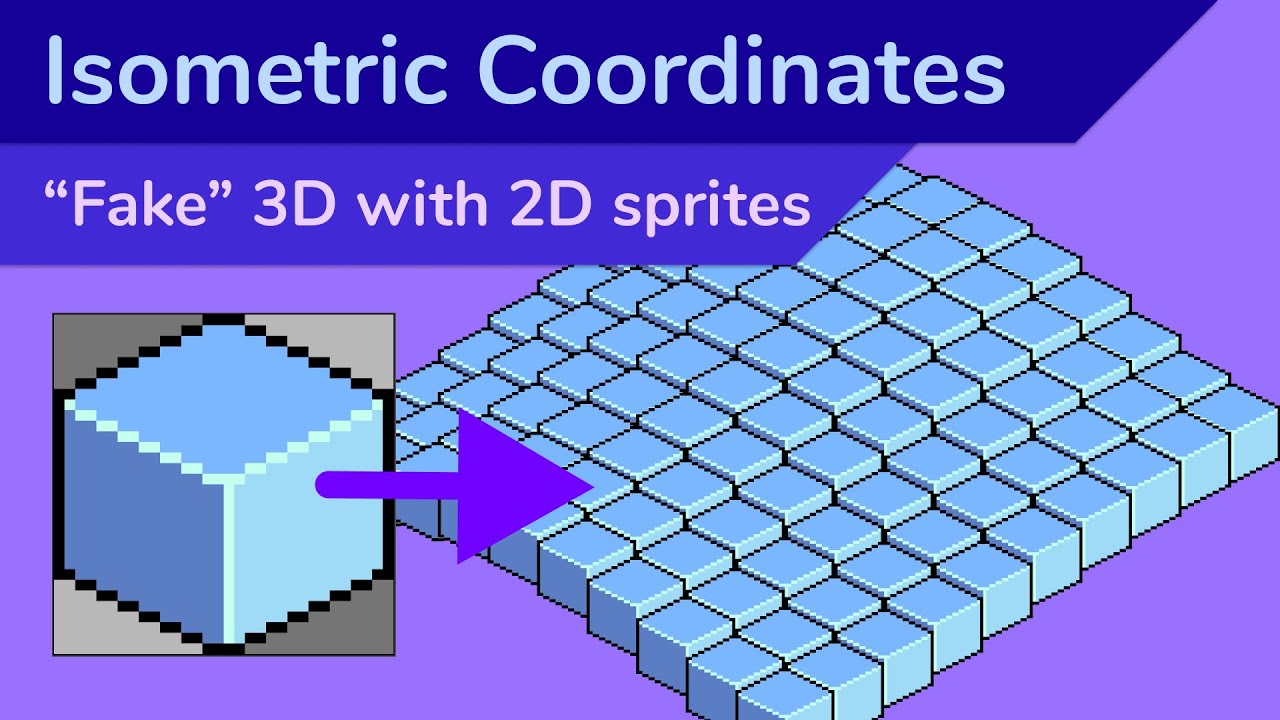
Isometric games often use hand-drawn 2D sprites to add depth to a game without having to deal with full 3D rendering.
In this video, I cover how it works, the math you need to render isometric sprites on the screen, and how to find the isometric tile from a screen coordinate.
0:00 Intro
0:21 Orthographic projection
1:16 Tiling a sprite
1:40 Tr...
half flare
lucid zenith
it's definitely doable using only Pygame, you just need some maths
https://youtu...
Ah thank you so much. Maths is really not my strong point. Thank you so much.
 devout crater
does anyone know if pygame is affected by the GIL
i mean isn't it just an sdl port nowadays? i tried threading a simple pygame.draw function and it's ridiculously slow compared to just single threading it
half flare
 dusty halo
xD
half flare
lucid zenith
it's definitely doable using only Pygame, you just need some maths
https://youtu...
In this video the guy explains that there's a unit vector between the normal grid and the isometric grid. He displays it as 1 over 0.5 but there's no division line between the 1 and 0.5. How do I display that in python ?
Ohhh wait I got it. I don't have to overdo it.
I can't explain how incredibly cool it is to me that I'm able to read code and understand it. I am able to translate from another language to Python too. I guess it's just readability and adding quotes and comments help too, but damn It's so fascinating to me.
 snow hill
Friendly reminder that we’ve got one of the best 3D rendering pipelines of the Python ecosystem 😇
GitHub
NVIDIA USD Attic Sample. Contribute to astrofra/NVIDIA-USD-Attic-Sample development by creating an account on GitHub.
brisk yew
devout crater
does anyone know if pygame is affected by the GIL
The Python stuff is, SDL threaded stuff like sounds run on actual threads
So yeah, you ain't gonna make stuff faster by using threading
devout crater
what about multiprocessing
i tried using it to draw some stuff but it didn't like that i passed in the pointer to my display
i think that was it, anyway
brisk yew
yeah, processes don't share memory, you can't really make the rendering stuff faster this way
faster rendering can be achieved by using pygame._sdl2
or apply other optimization techniques
if your code is slow, first thing you'd want to do is optimize it
devout crater
really now? there's an sld2 mode?
devout crater
seems odd since pygame is pretty much just sdl2
anyway, i have no code that's too slow for anything right now
brisk yew
well, the _sdl2 stuff deals with GPU stuff
devout crater
the only thing i could think of is my one code that's rendered at a big resolution then smoothscaled down
brisk yew
also pygame-ce if you hadn't heard about it 😉
brisk yew
basically pygame, but better
like, it still is pygame
a different distribution if you will
devout crater
i'm surprised multiline text wasn't implemented already
brisk yew
devout crater
anyway, i have no code that's too slow for anything right now
welp, then ig it's all fine, but if you do run into some lag or sth, first step is to profile your code and then go from there
devout crater
thanks
unborn flower
Would advanced math help someone who wants to learn game development?
 normal silo
unborn flower
Would advanced math help someone who wants to learn game development?
normal silo
unborn flower
Would advanced math help someone who wants to learn game development?
Yes.
 grim dock
Welcome to the thrilling world of PUBG Mobile CLI Version! Get ready to experience the heart-pounding action of PlayerUnknown's Battlegrounds right from your command line interface.
In this unique adaptation of the popular battle royale game, you'll be challenged to survive and emerge victorious in intense matches set in iconic maps like Erangl...
 covert quiver
Anyone know how fix it ? Aimbot of super Mecha champion. Previous old version work. Now new version the code not work anymore. U guys know why ?
 grim dock
covert quiver
Anyone know how fix it ? Aimbot of super Mecha champion. Previous old version wo...
grim dock
covert quiver
Anyone know how fix it ? Aimbot of super Mecha champion. Previous old version wo...
send the code here
 shut glade
Do u have a way of creating a character selector?
 tame patio
grim dock
https://www.youtube.com/watch?v=A933llojkik&t=273s
tame patio
grim dock
https://www.youtube.com/watch?v=A933llojkik&t=273s
What 
tame patio
You should check the rules before posting anything
grim dock
tame patio
You should check the rules before posting anything
just checked after posting that
someone just told me
wheat gulch
any ideas on how i can make ball collision in pong?
brisk yew
wheat gulch
any ideas on how i can make ball collision in pong?
what library are you using?