#game-development
1 messages · Page 10 of 1
 sharp lake
 foggy python
 tranquil girder
Does it start at 0? If so, it will do it for 0, 1, 2 and 3, a total of 4 times
tranquil girder
You increment it after the check. When you print the value, you've already incremented it. You're not priting the value you're checking in the if statement, but after you've modified it.
The first time you do the if check it's 0, which is <= 3
The second time it's 1, which is <= 3
The third time it's 2, which is <= 3
The fourth time it's 3 which is <= 3
 unkempt wren
!mute 787344408122097704 "10 minutes" Please stop spamming a random video in a bunch of channels.
 frank fieldBOT
:incoming_envelope: :ok_hand: applied timeout to @pulsar ruin until <t:1680656910:f> (10 minutes).
 wind bloom
ok so in your first function level_up()
you declare some global variables
also use them a number of times
 unreal jetty
yeah
wind bloom
but you make those variables way later after the func
now it's not an error
but you'd want to move them to the top
.
.
.
unreal jetty
kk
wind bloom
on line 245
while choice not in ["str", "dex", "con", "int", "wis", "cha", "leave"]:
            print("Choose - Str, Dex, Con, Int, Wis, Cha (type 'leave' to exit): ")
            choice = input("").lower()
this is correct
but not good
delete the print()
and write the message inside input()
if you want extra line
use \n
if choice == "leave":
            break
if you want to exit the game
use sys.exit()
break is only gonna break the loop and move to next line of code
unreal jetty
what about just exit()?
wind bloom
i belive sys.exit() is safer to use
unreal jetty
oh okay
wind bloom
but have to check that one
unreal jetty
alrighty, the leave is just to get out of the starting shop part and move out of it
wind bloom
if choice in ["str", "dex", "con", "int", "wis", "cha"]:
            index = attributes.index(choice.capitalize())
this is interesting to me
but you maybe want to have some sort of error handling
since it can raise error
but up to you
unreal jetty
alrighty
wanting to start over and do it again from scratch. but more organized cause atm looking at it gives me a headache
trying to understand a few things and get a template down for what is a better way of doing it.
wind bloom
you have a specific question?
unreal jetty
so to better organize it i should split into different files and import ?
wind bloom
that could help
unreal jetty
for dictionary i was trying to use it into my shop for creating a character but im not sure how to really use it so i created a new one. i was wanting to use my items_list dic but couldnt really figure it out.
wind bloom
also spliting the functions would be good
unreal jetty
splitting functions? like in their own file?
wind bloom
like
level_up() is way too big
unreal jetty
so into parts?
wind bloom
parts of different functionality
like get the input and input validation in one
and applying the level up in another
unreal jetty
oh ok that makes sense
wind bloom
also
you can pass in your variables inside the functions with arguments
instead of using global
tho that would add some line of code cause you'd have to return them and assign them
unreal jetty
i learned about global so i started using it since it was quicker lol
unreal jetty
oh okay
guess you wouldnt need to use them really at all if it was all split up into different files
wind bloom
sometimes it's the only way
but not often
cause returning values can get kinda tricky sometimes
unreal jetty
oh okay, makes sense
wind bloom
and make your variables before using them in function
better readability
wind bloom
not all
just the ones you use in that function
unreal jetty
alrighty, so does it look out of wack lol
didnt want everyone looking at it and being like, 'what' is that mess lol
i really do appreciate the help and review, ur the first person i have talked to about using python. it helps alot so again thanks
just trying to make sure i was on the right track.
wind bloom
wait till you meet someone who actually knows python well 🙂
unreal jetty
lol
wind bloom
i just talk too much
not a good coder
unreal jetty
well better then me, you helping me fix things already lol
 prime jasper
Oh thank you, but should i sort the main game layers like map or the sprite layer
I don't have a sprite layer actually
 versed aurora
i finally got my 2048 to work as i wanted it to
lemme run it through a code beautifier and i’ll post it
the algorithm i use basically tries to move all tiles as far as possible, merges any it can, then moves them again
before that i was just updating them a couple times which meant that if you had a stack of mergable tiles they'd all merge as much as possible; 2 2 2 2 would become 8 instead of 4 4
https://github.com/Sea-Pickle/gloop_scripts/blob/main/2048.py
this might not work on linux due to a few system calls? i might update it

GitHub
yeah. Contribute to Sea-Pickle/gloop_scripts development by creating an account on GitHub.
versed aurora
making a super basic powder sim, maybe i'll do something with it
expanded
it gets kinda laggy at about 1k particles
this is 750
versed aurora
 tall canyon
I want to become a game
 fallow finch
omg call 911
 covert panther
versed aurora
covert panther
versed aurora
wow mahn pretty good
versed aurora
thx, i just threw it together to test the concept
The idea is each particle of ‘powder’ checks first if there’s an empty tile below it, if not it checks the corners
If there’s only one corner open it chooses that corner and if both are open it chooses a random one of the corners
covert panther
I see, cool. When all put together, it is as though a water or sand has been poured from the Top
versed aurora
yeah
someone as a joke said ‘recreate powder toy’ and i decided to test the concept though in the simplified way
right now it’s kinda unoptimized (at least compared to powder toy which handles tens of thousands of particles without much issue)
The code is also a bit of a mess since i just focused on testing the concept
It’d be nice if there was a ‘simulation’ or other category that would fit what i post, i do make games but a lot of stuff i make is just messing around with concepts really
versed aurora
 hearty quartz
i made a 3d engine... i wanted to make doom but i made this
GitHub
an isometric game engine. Contribute to nate-4000/frame development by creating an account on GitHub.
 dry cloak
Flappy bird but with swords because im so original
 tall canyon
I need a help for making a game
This game not ditto

I made a game using Python and Pygame within the 48 hour time limit of the 14th Alakajam with the theme "Fungi". I only spent about 14 hours working on the game, but I'm really happy with how it turned out. Get the game (+ source code) here:
https://dafluffypotato.itch.io/gleamshroom
Music:
OneShot - 11th Hour Remix [Kamex]
https://youtu.be/9l1...
 errant niche
How to program a pygame with an actually good car movement handleing?
I mean like actually with acceleration_factor RMP...
I already figured out the turning
dry cloak
I dont really know how cars work
If you could elaborate i might be able to help
 normal silo
errant niche
How to program a pygame with an actually good car movement handleing?
normal silo
errant niche
How to program a pygame with an actually good car movement handleing?
game programming tutorial
errant niche
normal silo
https://www.asawicki.info/Mirror/Car%20Physics%20for%20Games/Car%20Physics%20for...
Thanks
fallow finch
tall canyon
https://youtu.be/wi1S-N2bC10
the projects of dafluffypotato are open source if thats what you want
 covert bolt
versed aurora
covert bolt
versed aurora
the keyboard control is kind of shit so i'm gonna rewrite it probably
what i've been using is fine for stuff where you don't need to hold keys but in this case it makes the movement feel very 'sticky'
def get_keys():
    keys = []
    for i in range(0x07,0x64):
        key = ctypes.windll.user32.GetKeyState(i)
        if key in [0xff80,0xff81]:
            keys.append(chr(i))
    return keys
quick and dirty but it works
versed aurora
versed aurora
```py
def get_keys():
keys = []
for i in range(0x07,0x64):
key =...
this actually works WAY better
msvcrt seems to not handle holding keys well, with the new code it's so much smoother
fallow finch
versed aurora
```py
def get_keys():
keys = []
for i in range(0x07,0x64):
key =...
damn
isnt there some simple python lib to support more platforms
versed aurora
probably yeah
you could probably just have it check if it's windows or linux and use the according code
fallow finch
i mean some libs do abstraction for most oses
versed aurora
the whole point of what i'm doing is that i'm not using libs but yes
fallow finch
why are all people here using python but they want to do stuff from scratch
versed aurora
more of a challenge, but i like the syntax of python
i don't do everything from scratch mind you, but a good amount of it is
fallow finch
writing abstraction for mac and some other oses is something you generaly don't want to do
versed aurora
i will simply make my scripts not run on mac
fallow finch
python has a module called os that really shows its not made for you to make that abstraction yourself
versed aurora
versed aurora
i will simply make my scripts not run on mac
it just explodes your computer if you run it using mac lmao
wait hold on the keyboard module has mouse support?
lemme guess it's screenspace
oh it's mouse
very ... creative naming scheme
yeah it is
writing your own vector classes be like
 versed aurora
 versed aurora
wrote a simple test script to mess with movement using the new key system, i can now get reliable diagonal movement
movement_directions = vec2(0, -1), vec2(-1, 0), vec2(0, 1), vec2(1, 0)
movement_keys = ["W", "A", "S", "D"]
def handle_keys():
    dir = vec2(0,0)
    movement_keys_pressed = [i for i in k if i in movement_keys]
    if '\r' in k:
        pass
    if any(movement_keys_pressed):
        first_key = movement_keys_pressed[0]
        dir = movement_directions[movement_keys.index(first_key)]
        if len(movement_keys_pressed) > 1:
            second_key = movement_keys_pressed[1]
            dir+=movement_directions[movement_keys.index(second_key)]
            dir/=2
    return dir
i haven't bothered really optimizing this (not that it really needs it) but it works
the trail is just a simple insert-pop system with a list of positions
the string i'm using right now for the trail characters is "⬤⬣●◾•⬝ "

particle spawning, cause why the hell not
sorry about the weird recording, OBS messed up
 calm spear
Hello! I have been struggling lately to add a simple PNG to a circle in Pygame. For some reason all I get is a big black square instead of a circle with a picture inside. Here is the original code I wrote: https://hastebin.com/share/zoruqosubi.python
I have tried to modify my code as followed ```python
Create a new surface with the same size as the circle
image_surface = pygame.Surface((PLANET_RADIUS * 2, PLANET_RADIUS * 2))
# Draw the planet
pygame.draw.circle(image_surface, WHITE, (SCREEN_WIDTH // 2, SCREEN_HEIGHT // 2), PLANET_RADIUS)
# Get the rect of the image surface
image_rect = planet_texture.get_rect(center=planet_texture.get_rect().center)
# Blit the planet texture onto the new surface
image_surface.blit(planet_texture, image_rect)``` But it still doesn't work. Would anyone know how to fix this?

Hastebin is a free web-based pastebin service for storing and sharing text and code snippets with anyone. Get started now.
calm spear
# Create a new surface with the same size as the image
image_surface = pygame.Surface((image.get_width(), image.get_height()))
image_surface.fill(WHITE) # replace this with your desired color
image_surface.set_colorkey(WHITE)
# Draw the planet on the new surface
pygame.draw.circle(image_surface, BLACK, (image.get_width() // 2, image.get_height() // 2), PLANET_RADIUS)
# Blit the planet texture onto the new surface
image_surface.blit(image, (0,0))
# Center the new surface on the screen
image_rect = image_surface.get_rect(center=(SCREEN_WIDTH // 2, SCREEN_HEIGHT // 2))
# Blit the new surface onto the screen
screen.blit(image_surface, image_rect)
# Draw the atmosphere
for i in range(1, ATMOSPHERE_THICKNESS + 1):
alpha = int((math.sin(math.pi * i / (2 * ATMOSPHERE_THICKNESS))) * 255)
color = (BLUE[0], BLUE[1], BLUE[2], alpha)
pygame.draw.circle(screen, color, (SCREEN_WIDTH // 2, SCREEN_HEIGHT // 2), PLANET_RADIUS + i, i)
# Draw the light source
pygame.draw.circle(screen, LIGHT_SOURCE_COLOR, LIGHT_SOURCE_POS, LIGHT_SOURCE_RADIUS)
# Update the screen
pygame.display.update()``` found the solution snow hill

GitHub
A usable pixel art paint program written in Python - GitHub - mriale/PyDPainter: A usable pixel art paint program written in Python
 echo wadi
nice
 marble jewel
Big Chungus Devlog 11 - New Items, Jewelry, and Color Lighting - Made with Pygame and Python: https://youtu.be/mj1m4aLmLnA
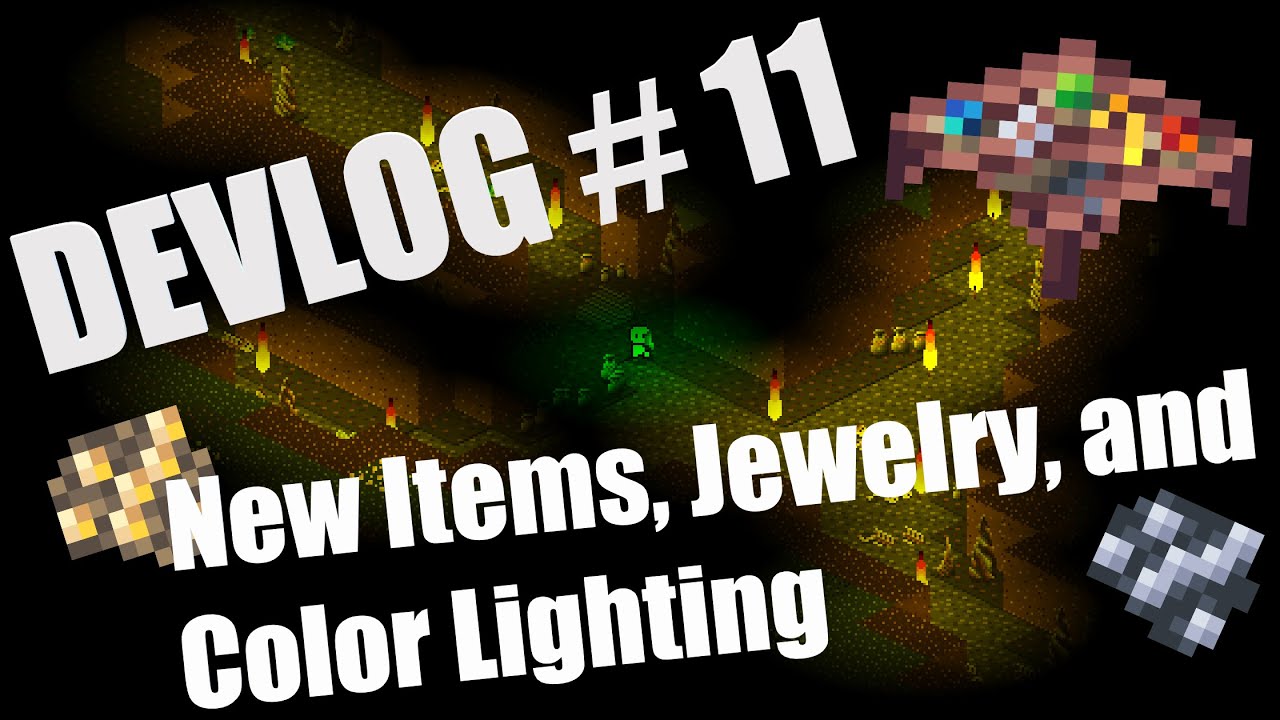
In this week's devlog I discuss new items and tiers of gear as well as introduce updates to the lighting system.
#indiegamedev #devlog #gamedev #gamedevelopment #indiedev #python #pygame #pygame-ce #pythongaming
versed aurora
marble jewel
Big Chungus Devlog 11 - New Items, Jewelry, and Color Lighting - Made with Pygam...
nice, i plan on making an isometric game some time
unreal jetty
Could someone help with a text game I'm messing around with. I'm equipping a duplicate weapon from my dictionary in 2 slots and it bugs out.
Hastebin is a free web-based pastebin service for storing and sharing text and code snippets with anyone. Get started now.
versed aurora
darkening particles based on their life value adds a nice fading effect
versed aurora
versed aurora
 quasi patrol
@versed aurora you making own game library?
quasi patrol
versed aurora
neat
is that text?
versed aurora
yes
fallow finch
versed aurora
neat
do you have "blitting functions" for circles and rects making a stack and then creating the lines of text for each frame ?
versed aurora
i'm gonna redo it but i was just checking each pixel to see if it is in radius or not
ok what is up with the keyboard module
i just wanna get a fucking keypress i dont wanna set up a hotkey or whatever
or is it just not working with character codes
yeah seems like it just isn't working with character codes??
lemme guess it uses its own indexing or whatever
bruh
 fallow finch
versed aurora
bruh
fallow finch
versed aurora
bruh
its so annoying nowadays
on windows 7 you could do alt + a number to test the things
versed aurora
oh wait i'm dumb it's not hte character codes, it's how i'm checking them
now i need to get the list into my script
i'm making a addition to my script that uses the keyboard module because someone actually wants to run it on linux
and like, i'm still running the windows code if their os is windows, so it's not big deal to me
ok im confused because in their source they have a key list for windows but not linux????
ok this is wack lmao
versed aurora
welp it works now, and it should be linux compatible

 arctic quartz
versed aurora
arctic quartz
versed aurora
i do it from scratch
i made it so the particles can actually push the balls around
versed aurora
versed aurora
bresenham is ugly but it works, ig
bresenham is good for a circular outline but im using a combo of it and my own circle algo for the filling
 torn jackal
hello there, i am currently making a big 2D video game, but I don't manage to get several events in the same time.
This is my for loop events :
`
for event in pygame.event.get() :
if event.type == QUIT :
pygame.quit()
sys.exit()
        if event.type == KEYDOWN :
            if event.key == K_RIGHT and Player.x < Player.New_coords(1536-400, Player.y)[0] :
                Player.moove_right()

            if event.key == K_LEFT and Player.x > Player.New_coords(400, Player.y)[0] :
                Player.moove_left()

            if event.key == K_UP and Player.y > 0 : #y = 0 doesnt require to use New_coords() function (cuz it also just equals 0)
                Player.moove_up()

            if event.key == K_DOWN and Player.y + Sprite().scale_image(Player.image)[1] < Sprite().New_coords(0,864)[1]:
                Player.moove_down()
`
With this loop, i cannot get 2, 3 or 4 events in the same time. Please mention if you have any idea !
 eternal vessel
you can use
keys = pygame.key.get_pressed()
if keys[pygame.K_RIGHT]:
Player.moove_right()```etchow i did it (albeit in a different system) was use a movement direction (as a tuple or vector) and averaged out the direction if there was multiple keys
using events for keys in my experience isn’t really all that good for movement anyway
it leads to this really ‘sticky’ feeling movement, i prefer using a constant stream of keypresses instead
I have a function that returns a list of all the active keys and then i run that through a function that handles those keys and gives me an actual movement direction
fallow finch
torn jackal
hello there, i am currently making a big 2D video game, but I don't manage to ge...
or a "big" game your approach is bad imo
you should check the keys pressed to have better movement, and make correct code to structure each thing
you have very specific character movement in your main loop
 teal ember
versed aurora
it leads to this really ‘sticky’ feeling movement, i prefer using a constant str...
teal ember
versed aurora
it leads to this really ‘sticky’ feeling movement, i prefer using a constant str...
Using acceleration/forces also make nice smooth movement and jumps
For more smoothness non linear acceleration can be used which is set as a value proportional to the difference in current speed and the top speed
 fallow glade
Thanks
 sonic owl
    for event in pygame.event.get():
        if event.type==pygame.QUIT:
            pygame.quit()
            exit()
        if event.type==pygame.MOUSEMOTION:
            print(event.pos)

        if event.type==pygame.KEYDOWN:
            print("DOWN")

        if event.type==pygame.K_SPACE:
            player_gravity=-20


    screen.blit(test_surface,(0,0))

    object_rect.x=object_rect.x-4
    if object_rect.right<-10:
        object_rect.left=800


    screen.blit(object_surface,(object_rect.x,300))

    screen.blit(score_surface,(300,100))


    if player_rect.colliderect(object_rect):
        print("collision")

    keys=pygame.key.get_pressed()


    player_gravity=1
    player_rect.y=player_rect.y+player_gravity
    screen.blit(player_surface,player_rect)


    pygame.display.update()
clock.tick(60)```does anyone know y when i press space my character does not jump instead it prints down
can anyone help me with understanding pygame keys
 heavy osprey
Hey,
(sorry if my following message will have some sentences write wrongly, i'm a french student)
I made a code for just spin a coloured cube with the module "OpenGL".
But faces were drawn incorrectly.
So, after make some researches, i understood that i had to enable the Depth Test.
But it doesn't work, and i don't understand why 😭
Can someone help me please ?
import pygame
from pygame.locals import *
import math
from OpenGL.GL import *
from OpenGL.GLU import *
import time

def draw_lines(x,y,z):
    glBegin(GL_QUADS)
    l = [[[(0,1,2,3),(4,5,6,7),(0,1,5,4),(1,2,6,5),(2,3,7,6),(3,0,4,7)],
           [(x+0,y+1,z+0),(x+1,y+1,z+0),(x+1,y+0,z+0),(x+0,y+0,z+0),(x+0,y+1,z+1),(x+1,y+1,z+1),(x+1,y+0,z+1),(x+0,y+0,z+1)],
           [(0,0,1),(1,0,0),(1,0.5,0),(0,1,1),(0.5,0.5,0.5),(1,1,0)]]]
    for obj in l:
        for edge in range(len(obj[0])):
            for points in obj[0][edge]:
                glColor(obj[2][edge])
                glVertex3fv(obj[1][points])
    glEnd()


run = True
def main():
    global a
    global run
    pygame.init()
    display = (1200,800)
    pygame.display.set_mode(display, DOUBLEBUF|OPENGL)
    gluPerspective(70, (display[0]/display[1]), 0, 1000.0)
    glRotate(-45,1,0,0)
    glRotate(45,0,0,1)
    glTranslate(2,2,-4)
    glDepthFunc(GL_LEQUAL)

    while run:
        glClear(GL_COLOR_BUFFER_BIT | GL_DEPTH_BUFFER_BIT)
        glEnable(GL_DEPTH_TEST)
        draw_lines(0,0,0)
        glRotate(1,0,0,1)
        pygame.display.flip()
        time.sleep(1/20)

        for event in pygame.event.get():
            if event.type == pygame.QUIT:
                pygame.quit()
                run = False
main()
pygame.quit()
 limber tangle
idk where to ask this but how can i get a random letter without getting some letter for example the letter r
heavy osprey
limber tangle
idk where to ask this but how can i get a random letter without getting some let...
import random
alphabet = 'azertyuiopqsdfghjklmwxcvbn'
def get_a_random_letter(banned_letter):
  l = random.choice(alphabet)
  while l in banned_letter: l = random.choice(alphabet)
  return l
it's not the best way... but it's work
limber tangle
ohh thanks
fallow finch
heavy osprey
```py
import random
alphabet = 'azertyuiopqsdfghjklmwxcvbn'
def get_a_random_let...
you're creating a string called alphabet with a letter to then ban it
that makes no sense
ah nvm its a function
heavy osprey
But just use it ONLY for a simple code
Anybody have knowledge about "culling face" in OpenGL?
heavy osprey
Or "depth test"
tranquil girder
heavy osprey
```py
import random
alphabet = 'azertyuiopqsdfghjklmwxcvbn'
def get_a_random_let...
maybe you could do something like this?
alphabet_without_banned_letter = [char for char in alphabet if char != banned_letter]
return random.choice(alphabet_without_banned_letter)
Yes it's better
tranquil girder
oh, you answered. I thought it was their code lol. my bad
 muted wadi
def return_which_image(x, y):
    for index, animal in enumerate(animal_positions):
        image_rect = animal['image'].get_rect()
        image_rect.x = animal['pos_x']
        image_rect.y = animal['pos_y']
        if image_rect.collidepoint(x, y):
            return animal['image'], (animal['pos_x'], animal['pos_y']), index
    return None
images_into_dict()
blit_images()
while True:
    for event in pygame.event.get():
        if event.type == pygame.QUIT:
            pygame.quit()
            exit()
        if event.type == pygame.MOUSEBUTTONDOWN:
            x, y = event.pos
            image_to_show = return_which_image(x, y)
            if image_to_show is not None and showed_images < 2:
                showed_images += 1 if image_to_show[0] in (hide, hide2) else showed_images
                main_e.blit(image_to_show[0], image_to_show[1])
                which_image_blitted[image_to_show[2]] = image_to_show[0]
                print(showed_images)
                blit_images()
            elif image_to_show is not None and showed_images >= 2:
                showed_images = 0
                for i, animal in enumerate(animal_positions):
                    if which_image_blitted[i] not in (hide, hide2):
                        which_image_blitted[i] = animal['hide']
                blit_images()
    pygame.display.update()
    clock.tick(60)```
hello, im making a memory game using pygame but when i click image in window which is not hidden it counts showed_images, how do i fix it so it can show only 2 images at same time and if i click showed image it not count as i show a new image. hope u know what i meanif event.type == pygame.KEYDOWN:
if event.key == pygame.K_SPACE:
player_gravity -= 20```tysm i got it
 glass pivot
Can someone give me a hint regarding Steam server queries, I'm trying to use python-a2s library (https://github.com/Yepoleb/python-a2s) and the demo code isn't working, I'm not sure if there's a better package, or some better way to do this, or I'm just not able to follow simple instructions. 🙂 (Please @ me) Thanks!
import a2s
address = ("chi-1.us.uncletopia.com", 27015)
a2s.info(address)
 dawn quiver
Hey, please do you think someone can use anyhow PC to start game development in Python?
frank fieldBOT
:incoming_envelope: :ok_hand: applied timeout to @light sparrow until <t:1681310693:f> (10 minutes) (reason: duplicates spam - sent 4 duplicate messages).
The <@&831776746206265384> have been alerted for review.
eternal vessel
dawn quiver
Hey, please do you think someone can use anyhow PC to start game development in ...
You should be able to do game development in Python on any computer
 swift narwhal
how can i download unreal 5.2
fallow finch
swift narwhal
how can i download unreal 5.2
i think you wanted to write this in google
swift narwhal
yep i did it
and google said "u need epic games"
and i said "ok" then i didnt find it
fallow finch
UE5 is free to download, you have to pay only if your game makes more than $100k
also this is not related to this channel
UE5 is C++, you can also install something to use Lua for scripting but no python
swift narwhal
Ok
 gentle bay
Hey, I currently make maps in my game like:
map1 = ["x","f","f","x",
        "f","f","f","f",
        "x","f","f","x",
        "f","x","x","f"]
each string represents a tile, and there will be 90 total in a full room. I wanted to know if anyone had a tool to make the process of making these lists faster?
normal silo
gentle bay
Hey, I currently make maps in my game like:
```py
map1 = ["x","f","f","x",
...
Paint. Pixel color is the type.
gentle bay
normal silo
Paint. Pixel color is the type.
collisions
and doors
and enemy spawn locations
normal silo
Can all be done in Paint.
gentle bay
like ms paint?
normal silo
Yup or any other.
gentle bay
I know I can make maps but I want walls
normal silo
The question was how to make maps.
normal silo
Sure, make a converter that takes an image and outputs such a list.
fallow finch
gentle bay
Hey, I currently make maps in my game like:
```py
map1 = ["x","f","f","x",
...
so first you can use a list of lists or a numpy array to make the map
gentle bay
wait
before you type a lot
I can already load a map
I just need to make those lists
fallow finch
then the best for storing and reading maps is a json file because it can easily be modified
don't make the maps in the code
a famous tool to make maps is tiled, it saves the maps as a xml-like format that you can use in your game or convert to your own thing
gentle bay
oo
fallow finch
there's even a package called pytmx to use the tiled files in pygame or pyglet without making your own code
but i recommend using your own format by converting the tiled maps later
fallow finch
gentle bay
oo
but in general, it's not 1980, things don't have to be hardcoded
game levels, stats, ... can be json files or any other files
 tender bridge
very specific question, but i’m making a procedurally generated terrain system for my game in pygame using the noise library, but when the terrains generated it paints the terrain as one big rect rather than individual texts
rects
if that makes sense?
sharp lake
hey, I want to make collisions in my game, I have a list of list that represent each tiles, if it's empty it's a 0, and if there is anything it's a 1. My goal is to make a method that will create rect on the tiles where there is a 1.
I followed multiples tutorial but there is a mix between with incroprehensive codes and people using methods that work with very specific cases. My map is already created in Tiled, and I don't want to create each tiles of the map in my code.
Did someone know or have a tuto for creating such colision with a list of list ?
fallow finch
sharp lake
hey, I want to make collisions in my game, I have a list of list that represent ...
hardcoded maps are bad
you can use tiled files or convert them to your own format using an other script
if your game is a grid puzzle map you don't need rects for collision
if you have elements with different sizes or free move then just make rects based on position and size of the elements
 potent ether
Made a complete platformer game with pygame. I refactored the code a bit in the last days, so you can take it as an inspiration or blueprint for your own project: https://github.com/TomSchimansky/SegwayJump-Game
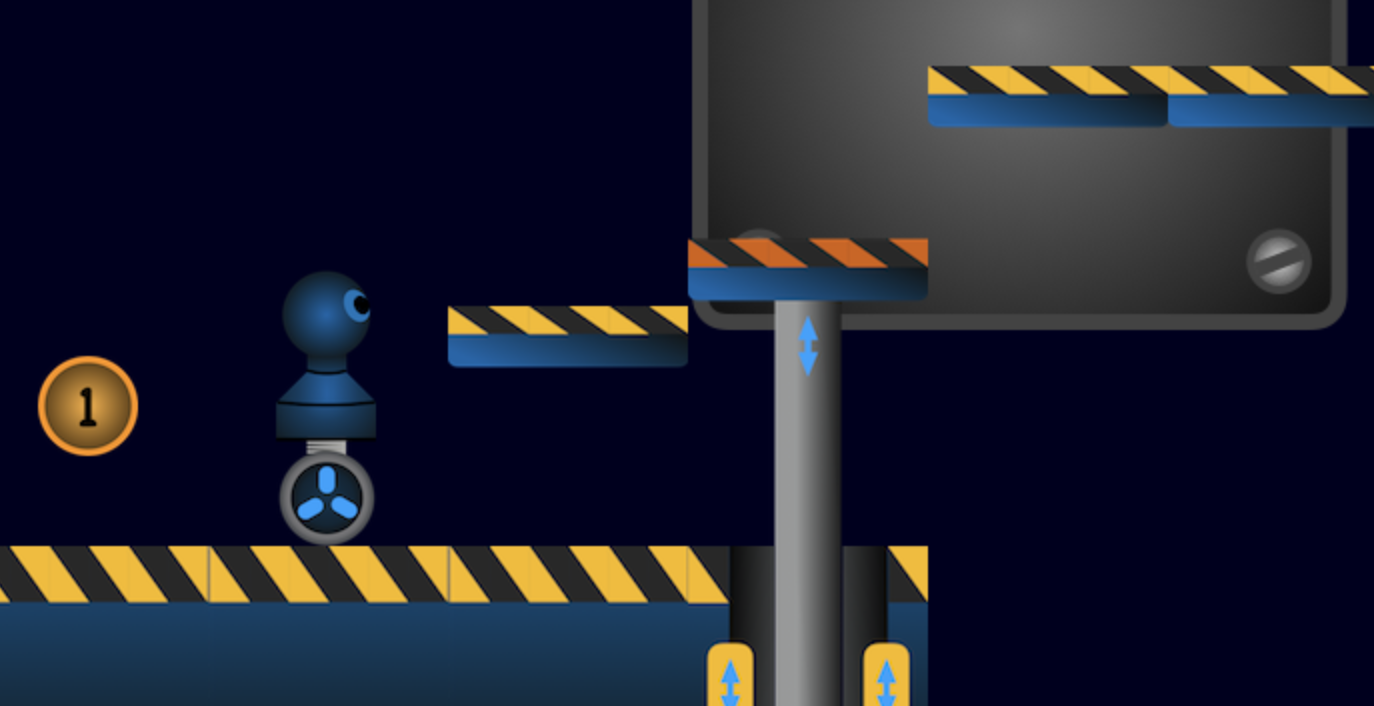
GitHub
Python platformer game made with pygame. Contribute to TomSchimansky/SegwayJump-Game development by creating an account on GitHub.
sharp lake
fallow finch
if your game is a grid puzzle map you don't need rects for collision
Thanks for the respond, my game is a platformers and I really don’t find a lot documentation of how to do collisions.
sharp lake
potent ether
Made a complete platformer game with pygame. I refactored the code a bit in the ...
Thank you ! I will check that for sure
fallow finch
sharp lake
Thanks for the respond, my game is a platformers and I really don’t find a lot d...
colliderect method in pygame
you know this ?
sharp lake
Yes
But I have to create the rectangles for each tile in my map
And I have a method that create a rectangle for each tile, but after that I don’t know what to do
fallow finch
sharp lake
And I have a method that create a rectangle for each tile, but after that I don’...
there's collide list
you should really read the docs before trying to make an actual project
sharp lake
fallow finch
you should really read the docs before trying to make an actual project
The pygame doc about the rect is awful
normal silo
sharp lake
hey, I want to make collisions in my game, I have a list of list that represent ...
Are your tiles either solid 1 squares or empty 0 squares? There are no non-square shapes?
Does you player controlled character move 1 tile at a time in movement (is the player locked to the tile map grid for movement) or is the character free from the grid (moving around with distances smaller than 1 grid cell size)?
sharp lake
The character can move freely, and actually my list is just a list of rect with coordinates and all the same size of 32x32px
normal silo
sharp lake
The character can move freely, and actually my list is just a list of rect with ...
You can have a list of list of binary in that case.
They all have the same size, so you only need to store that in one place once.
e.g. cell_width, cell_height = 32, 32
You don't actually need any pygame rects for this.
Or pygame collision.
sharp lake
normal silo
Or pygame collision.
ok, so how do I made the collision without the colliderect?
sharp lake
potent ether
Made a complete platformer game with pygame. I refactored the code a bit in the ...
I like the physics and the moving part of your game, very nice
potent ether
Thanks!
normal silo
sharp lake
ok, so how do I made the collision without the colliderect?
So when your character moves, before moving store the current position. Then move the character. Now check the new position's tile position and see if it's in a solid tile. If it's in a solid tile then you know that the collision happened somewhere on the line between the previous position and the new position. There are several ways to find the exact contact point on this line. One simple (although not the most efficient) way is to do a binary search along this line.
sharp lake
So I can use these elements in the list of list of binaries to check if it’s solid or not ?
Did you have an example or something ?
normal silo
sharp lake
So I can use these elements in the list of list of binaries to check if it’s sol...
Given some point, you can find out which cell the point lies in, then you can check the value in that cell. If it's 1 then the point is in a solid block, which is a collision.
sharp lake
Okay, thank you for that, I will try this tomorrow.
 soft urchin
anyone know how to rotate a pymunk box?
dawn quiver
hey need some help with my game on steam
50% of people are getting virus notifications when its not ? it is a compiled python program. any ideas to fix this ?https://store.steampowered.com/app/2363270/Darkside/

Darkside Hacking is a revolutionary video game that immerses you in the world of hacking. With detailed graphics, intense scenarios, and unique challenges, Darkside Hacking takes you on a high-stakes journey of digital exploration. Become the ultimate hacker and conquer the virtual world of cybersecurity. Experience the thrill and fun of being a...
 hushed vine
dawn quiver
50% of people are getting virus notifications when its not ? it is a compiled py...
hushed vine
dawn quiver
50% of people are getting virus notifications when its not ? it is a compiled py...
i think thats just how it is downloading programs from the internet, i have had similar with other games as well
 broken palm
I might be completely wrong but I believe it has smth to do with you not having a "license"
So you are an unknown author to windows
 robust hearth
dawn quiver
50% of people are getting virus notifications when its not ? it is a compiled py...
robust hearth
dawn quiver
50% of people are getting virus notifications when its not ? it is a compiled py...
How did you package it? Try compiling it as cython, which basically makes it a c executable
fallow finch
dawn quiver
50% of people are getting virus notifications when its not ? it is a compiled py...
its a problem because you're using pyinstaller
to convert python into a non-virus (its not virus otherwise) exe, you can use :
- cx_freeze, makes safe exes but bytecode files will be present and there's a lot of files in general
- nuitka commercial, can make all-in-one safe exes
- a digital signature, they're not free but your exes will not be detected as malware with this
cx_freeze is probably the way to go for you, that's generaly what DDLC and other known python games use for packaging
fallow finch
robust hearth
How did you package it? Try compiling it as cython, which basically makes it a c...
cython is more made for some parts of a project or library i guess
you can't convert all of pygame or other libs used to cython, or maybe i'm not aware of this
errant niche
How could I see a pygame.Surface in vscode while the code is stopped in debug mode?
is there an extension or sg?
fallow finch
errant niche
How could I see a pygame.Surface in vscode while the code is stopped in debug mo...
you should probably find a way around to debug your code
even for the python ides i don't know extensions for pygame
 lyric robin
Is there any vulkan python language available?
And is moderngl good to start with graphics?
fallow finch
lyric robin
Is there any vulkan python language available?
And is moderngl good to start wit...
if you mean a library to use vulkan with python, i can find this on github

GitHub
The ultimate Python binding for Vulkan API. Contribute to realitix/vulkan development by creating an account on GitHub.
but vulkan is really low level and probably not suited if you just want to make a game
lyric robin
I want to make a real time render engine
fallow finch
moderngl is good but it's a pure opengl wrapper, doing a full game with opengl isnt easy if you're beginner
pyglet is an opengl wrapper that is maybe more suited
ah you want to make a game engine
lyric robin
So i just want to get started on how to make graphics and understanding concepts
lyric robin
fallow finch
ah you want to make a game engine
Yes kind of. Or improve an existing one
fallow finch
moderngl is the best pure opengl wrapper imo
moderngl is just for the graphics rendering part, you have to use something else to make a real app with it or code it yourself
pyglet is a higher level opengl wrapper (just like lwgjl, the thing used in minecraft) that is completely made in python if you want to check this
lyric robin
fallow finch
moderngl is just for the graphics rendering part, you have to use something else...
Is it easier to understand than the real opengl?
fallow finch
there's no "real opengl"
opengl isnt software, its a standardized api, you can just use an implementation of it
moderngl and pyopengl are 2 implementations made for python, i think moderngl is better
lyric robin
fallow finch
moderngl and pyopengl are 2 implementations made for python, i think moderngl is...
Oh ok. I will go with moderngl then but will also check out pyglet
Thanks for the help sus😁
fallow finch
lyric robin
Oh ok. I will go with moderngl then but will also check out pyglet
pyglet is an opengl wrapper that is easier to use then raw opengl with its higher level functions, but it also contains code for making windows, checking events... with abstraction depending on the OS
you can also use GLUT to have windows for opengl but you still have to implement events/audio/a lot of things to make a game engine
pyglet is made in python while GLUT isnt, so you can check pyglet's code if you want to make your own thing
lyric robin
fallow finch
pyglet is made in python while GLUT isnt, so you can check pyglet's code if you ...
I will check it out then. Seems like a good library
dawn quiver
fallow finch
to convert python into a non-virus (its not virus otherwise) exe, you can use :
...
I wanted to buy a cert to sign it anyway
fallow finch
dawn quiver
I wanted to buy a cert to sign it anyway
yea for a steam game that's a good thing to do
you can still try nuitka (the not commercial one) instead of pyinstaller
it's better to exclude some files and have the .DLLs outside of the exe
you can manually do it with pyinstaller too but that's a lot of work
fallow finch
ah you have pyarmor
i was about to decompile your exe to tell you some useless files lol
fallow finch
i'm pretty sure you have pygame examples, libs for webp, modplug and media formats you don't use...
72Mo is too big for a simple pygame app
i guess you have other libs but still
dawn quiver
pyarmor makes things 50% bigger
fallow finch
yea i get it now
fallow finch
dawn quiver
I'm curious on the protection
pyinstaller can have a key, idk how pyarmor uses it
dawn quiver
I put everything in
fallow finch
tbh everything can be decompiled
dawn quiver
Every setting I could turn on I did
fallow finch
pyinstaller is open source and people found the way to get the key
dawn quiver
tbh idc about the source code it's the network key I don't want them to have
fallow finch
ah yea
obfuscation will prevent most people from getting it
best protection would be to make an obfuscated c function to make it, but people will still be able to get it
dawn quiver
I have my ways 🙂
fallow finch
its long = it's better generaly
fallow finch
dawn quiver
I put everything in
on my installation the assets are outside the exe
dawn quiver
ya
fallow finch
but pygame examples, for example, include sounds and images
pyinstaller will exclude nothing if you use it simply
dawn quiver
I use a lib called pygame gui and the way it imports the theme is weird
It imports it like a package
dawn quiver
Trust me I tried for 4 hours straight. The theme will not work unless I include the data into the compile
dawn quiver
fallow finch
i can try to decompile your thing if you want
Yea
fallow finch
dawn quiver
Trust me I tried for 4 hours straight. The theme will not work unless I include ...
i use my own stuff for gui
dawn quiver
I like the gui it's really good
fallow finch
hacker.exe with a python snake icon looks like a virus tbh
pyinstaller key is used nowhere

just normal files but they're all super big
wait
are they even obfuscated
also, you have in fact every lib potentially used in pygame and maybe others

libopenblas is huge and is used for numpy, if you don't use numpy you should definitely not have it, otherwise you can have it in your project's folder to make exe size smaller
the other unused media ones can be removed (webp, modplug, ...)
dawn quiver
Interesting
I'll look through what I import and cut down
Tbh I test so much stuff I sometimes forget
fallow finch
actually the app itself is encrypted with the pyinstaller key method
 dawn quiver
But I'll get a icon I guess 🤣
fallow finch
icon ?
dawn quiver
fallow finch
hacker.exe with a python snake icon looks like a virus tbh
You said this
dawn quiver
steam did it for me and I was lazy
fallow finch
and you also need an icon for the game window itself right
i think you use pygame's 4-bits snake image
dawn quiver
Does windows not just use the icon from the exe??
fallow finch
.exe icon is not related to window icon at all
window icon can be everything and change all the time if you want
while .exe icon means nothing
dawn quiver
Interesting
fallow finch
its just contained in the .exe
dawn quiver
I'll look into it
fallow finch
that's more interesting to think the reverse thing
you can open exes with 7zip, you'll see the icon is just in a container not related to the code at all
dawn quiver
Were you able to extract any strings from the main program ??
fallow finch
decrypting pyinstaller encrypted apps is possible
because pyinstaller is open source
they don't use a key to obfuscate the code, the key is hidden somewhere
dawn quiver
well after the pyinstaller it's pyarmor
fallow finch
yes so it's pretty strong already
dawn quiver
they put in a new feature with the latest pyarmor called mix str
So just another layer of protection
fallow finch
idk how hard to decompile pyarmor paid version is
but i'm pretty sure there's at least one guy on the net that know how to do it
dawn quiver
owner already admited paid and free use diff ways to encrypt
fallow finch
the free is open source so...
dawn quiver
ya
Idk I can't find anything on github for a decompile not even for the free version
fallow finch
python wasnt created for apps so nor for encrypting the way you make the things work
but it's not the worst one and nothing can be 100% secure
java is definitely worse when it comes to protecting your bytecode
dawn quiver
tbh I only need the key to be 100% secure
fallow finch
yea, and python can use c/c++ code that is even harder to decompile
but it's still decompilable
dawn quiver
will be hard to get it to its original state tho
fallow finch
idk what language is the hardest to decompile, maybe Go or Rust, something not known by binja, ghidra and the others
fallow finch
dawn quiver
will be hard to get it to its original state tho
python is bytecode so it can definitely be reversed to original state
but a c function can't
you can exactly know how it works but not get the real code
dawn quiver
So chuck my network key in a c function and import the key ??
fallow finch
obfuscated c function is higher protection than pyarmor yea
but it has to be obfuscated well
fallow finch
you can but just writing c/c++ code is possible too
cython is not a built-in python thing, it creates a .c file based on a superset of python
dawn quiver
I will get up and do some testing. Pretty sure pyarmor encrypts imports aswell
fallow finch
like, from libc.stdlib cimport malloc, free looks like completely cursed python code but its valid cython code
you can use some c-like things to make better c code, its what cython does
dawn quiver
it's not bad when people are generating like 2k networks at once it's only using like 5-10% cpu
mongo db on top
fallow finch
you can use cx_freeze to know what files are used in your game, it makes a standalone exe with bytecode files not bundled in
i generaly exclude every file that is not used in my python .exes
you can remove like 70-80% of the exe's size like this (+ moving the dlls outside)
dawn quiver
But would you not just get the same size but with the files outside of the program ??
fallow finch
yes
but then a good part are useless
so it's still a very large part that you can remove
fallow finch
the dlls are actually compressed with UPX inside of the exe (openblas is 7MB instead of 32MB), but nothing prevents you to use UPX on the dlls outside
fallow finch
dawn quiver
There is probs like 6 imports I'm not using
and that's like when you invite friends in parties
imports do other imports, ...
pygame can use numpy but if you don't use it it's 10MB of unused content
fallow finch
fallow finch
the dlls are actually compressed with UPX inside of the exe (openblas is 7MB ins...
for some libs using UPX is maybe against the license, but that's what pyinstaller does in the normal way
i always UPX everything, even in other games that i own
dawn quiver
@fallow finch once I get my c import working can I just gcc it??
fallow finch
you have to cythonize your .pyx file (python code with maybe some cython things in it)
and it will create a .c file
you can then use gcc to compile it
if you want to make a function to provide a key you should compile as a dll file
dawn quiver
Arnt dlls easy to crack?
fallow finch
they are crackable just like exe files
you can also make a pyd files that you can "lazy import" using a pyi file, pyd files are actually machine code like dlls but i never made one so idk how they're made
any executable containing machine code can be decompiled using ghidra for example
not just dlls
dawn quiver
Hmm
fallow finch
you see this ?
 dawn quiver
Yea ??
fallow finch
its a .pyd file, actually a dll but for python
it's imported in the asyncio module of python
that's an example of python package made in c
dawn quiver
Well I looked at my imports and I'm actually using all of them
 fallow finch
dawn quiver
Well I looked at my imports and I'm actually using all of them
fallow finch
dawn quiver
Well I looked at my imports and I'm actually using all of them
yea but you don't use everything in the libs
and libs can do other imports and you don't use those functionnalities
dawn quiver
yea
fallow finch
do you use numpy ?
 dawn quiver
I have music and pics yea
fallow finch
yea but you probably use common formats
like png, wav, ogg...
you probably don't use WEBP

or tracked music (XM, MOD, ...)

you probably don't use this as well
 dawn quiver
probs not
fallow finch
now for the libs themselves

they use a lot of code and functions that you don't use
dawn quiver
I mean 80 mb not alot for game
dawn quiver
Actually if I want to solve my exe problem I should push more
fallow finch
they're present 2 times in the distribution...
dawn quiver
most av won't scan a file if it's to big
fallow finch
that's not relevant here
dawn quiver
fallow finch
and you also have a copy of your assets in the exe
Had to do it this way
fallow finch
why
fallow finch
alright but they're also present in your game folder
fallow finch
you should really not do this
dawn quiver
It's a weird and long story
fallow finch
and try to fix the problem
dawn quiver
I really did try 😭
fallow finch
the default python modules are also not always used but that's not the most relevant thing
just for you to know, 80% of the size of your distribution is useless
your game isnt >100MB at all 😉
dawn quiver
if I don't include the data into the pyinstaller not matter the path I put to the theme file it won't load it. I even hard coded it and tried to load the theme and still would not work
fallow finch
maybe in the pygame discord they can't help you for pygame gui
but at least if you use assets in the exe don't use them also outside of the exe
dawn quiver
true
 granite forum
my progress with coding snake in python
import pygame
import os

WIDTH, HEIGHT = 600, 600
WIN = pygame.display.set_mode((WIDTH, HEIGHT))
pygame.display.set_caption("snake")

COLOR = (0,255,100)

FPS = 60

APPLE = pygame.image.load(os.path.join("sneak apple.png"))


def draw_window():
    WIN.fill(COLOR)
    WIN.blit(APPLE,(0,0))
    pygame.display.update()


def main():
    clock = pygame.time.Clock()
    run = True
    while run:
        clock.tick(FPS)
        for event in pygame.event.get():
            if event.type == pygame.QUIT:
                run = False

        draw_window()

    pygame.quit()


if __name__ == "__main__":
main()```currently just got a green screen with a red block
 zenith totem
I hope this is the right place to ask, if not direct me elsewhere. I'm working on a game in Python for fun, training, and experience. I hope to release it for free (looong from now) However, one of the main reasons I'm using python is the extensive amount of libraries available for all sorts of different features, a lot of which I can import and save time by using someone else's work. I great example is namegenerator which is a wonderfully feature rich markov name generator.
My question has to do with licenscing. That library is MIT licensed, but others use the GLP 2 or 3, others use BSD and I'm sure there all sorts of other more obscure ones mixed in.
How can I make sure I'm being compatible with all these various licenses simultaneously?
versed aurora
granite forum
```py
import pygame
import os
WIDTH, HEIGHT = 600, 600
WIN = pygame.display.set...
nice, my method is entirely different so it might not help, but i made snake in terminal if you wanna look at it for reference: https://github.com/Sea-Pickle/gloop_scripts/blob/main/snake_v_2.1.py
GitHub
yeah. Contribute to Sea-Pickle/gloop_scripts development by creating an account on GitHub.
versed aurora
https://paste.pythondiscord.com/oqowanefat
simple example i threw together of snake movement
versed aurora
quasi patrol
versed aurora
particals
versed aurora
yeah
versed aurora
https://github.com/Sea-Pickle/gloop_scripts/blob/main/tech_test_1.py
i might tweak this a bit but here
GitHub
yeah. Contribute to Sea-Pickle/gloop_scripts development by creating an account on GitHub.
 pearl pewter
I am a game dev and I am doing a survey.
For this I would like you all to answer one question. What is your favorite key for sprinting? (for any game)
Thank you for your time!
fallow finch
pearl pewter
I am a game dev and I am doing a survey.
For this I would like you all to answe...
my favourite key is having settings to choose the key
i choose left shift generaly
 cunning raptor
Aight bet
pearl pewter
fallow finch
my favourite key is having settings to choose the key
That ofc but primarily
dawn quiver
pearl pewter
I am a game dev and I am doing a survey.
For this I would like you all to answe...
usually left-shift
pearl pewter
ok
 cloud sedge
pearl pewter
I am a game dev and I am doing a survey.
For this I would like you all to answe...
cloud sedge
pearl pewter
I am a game dev and I am doing a survey.
For this I would like you all to answe...
Left shift
pearl pewter
it seems to be the most popular option
cloud sedge
I've never played a game that doesn't have it as the default.
hushed vine
pearl pewter
I am a game dev and I am doing a survey.
For this I would like you all to answe...
Shift
pearl pewter
cloud sedge
I've never played a game that doesn't have it as the default.
too bad
I have
hushed vine
I do know some who play with right tho
pearl pewter
hushed vine
I do know some who play with right tho
hmm ok
hushed vine
pearl pewter
I have
Seriously, where
hushed vine
pearl pewter
hmm ok
Let them customise
pearl pewter
hushed vine
Let them customise
fosho
hushed vine
Oh
pearl pewter
but remember gameplay cuz it was soooo wierd
hushed vine
Btw what game are u making?
cloud sedge
pearl pewter
too bad
What did the game use instead?
pearl pewter
cloud sedge
What did the game use instead?
it used control
left
not a bad option either
cloud sedge
Oh dang that's funky, but yeah it would work.
 cloud sedge
The planets can sprint?
Ngl this looks fun
Is the goal to destroy the normal sun?
@sly quail
 sly quail
cloud sedge
The planets can sprint?
sly quail
cloud sedge
The planets can sprint?
they are moving ofc
sly quail
cloud sedge
Is the goal to destroy the normal sun?
just created a sun clone inside the solar system and seeing what happens
cloud sedge
Ah gotcha
marble jewel
Devlog 12 - Forest Biome, New Items, Particle Updates - https://youtu.be/3o14ANHcSBo - Made entirely with Python and Pygame

In this week's devlog the forest biome is introduced, new items to craft and things to construct are show, and changes to particles are introduced.
#indiegamedev #devlog #gamedev #gamedevelopment #indiedev #python #pygame #pygame-ce #pythongaming
sly quail
marble jewel
Devlog 12 - Forest Biome, New Items, Particle Updates - https://youtu.be/3o14ANH...
impressive
marble jewel
Thanks
cloud sedge
This looks awesome
I think this will be a great game 👍
When I get home I'll watch the full vid. My internet rn is so bad I can only see bits and pieces every 30 seconds xd
marble jewel
Thanks, be sure to like / subscribe / comment what you want to see, I'm more than happy to add things change things as people want (within reason)
hushed vine
looks so good dude
marble jewel
thanks
dawn quiver
If I could have some reddit users spare their time I need them to post on a page for a horror ARG I'm doing. I'm basically asking all the communities in discord I'm in for this. You don't need to do any programming I just need posts on the reddit page for decoration. I'm gonna be the one doing all the game stuff
T-T ah blessed copy and paste I've been at this for an hour with no luck
cloud sedge
looks pretty cool! The planet trails make it very interesting to watch.
 vale skiff
i am facing a problem of 1 file failed to validate i don't know what
is the problem
in steam
the game is csgo and due to this my fps are very very low
 still summit
hello, i really wanna get into physics game stuff like ragdolls and such, but i don't really know how to implement those things well. does anyone have some suggestions?
versed aurora
pearl pewter
I am a game dev and I am doing a survey.
For this I would like you all to answe...
shift or leftalt
versed aurora
sly quail
people give a review
you could add a 'orbit' mode instead of trails, like in universe sandbox, though that might be difficult
another cool thing would be a 'predicted trajectory' sort of thing like KSP or (once again) universe sandbox
in general it looks pretty good, what are you using to render, and what integration are you using for the movement?
versed aurora
platformer physics
gentle bay
For pygame.sprite.collide_rect(arg1,arg2) what do the arguments have to be? I'm putting sprite objects through but it doesn't seem to be checking collisions right
class player(pygame.sprite.Sprite):
    def __init__(self, px, py, v, facex, facey):
        self.px = px
        self.py = py
        self.v = 2
        self.facex = facex
        self.facey = facey
        super().__init__()
        self.image = pygame.image.load("player.png")
            self.rect = self.image.get_rect()
    def update(self):
        self.rect.topleft = (self.px, self.py)

        #CHECK COLLISIONS
        collisions = []
        for blocks in mapgroup:
            print(blocks.Btype)
            if blocks.Btype != "x":
                return
            if pygame.sprite.collide_rect(player, blocks):         #this is what isnt working
                collisions.append(blocks)
        for wall in collisions:
            if self.rect.left.x < wall.rect.left.x:
                self.rect.right.x = wall.rect.left.x
            if self.rect.right.x > wall.rect.right.x:
                self.rect.left.x = wall.rect.right.x
            if self.rect.top.y < wall.rect.top.y:
                self.rect.top.y = wall.rect.top.y
This is the code for my player object
I know, a lot of if statements
it says blocks but that was bad naming by me
blocks is another sprite object
class block(pygame.sprite.Sprite):
    def __init__(self, Btype, x, y):
        self.Btype = Btype
        self.x = x
        self.y = y
        super().__init__()
        self.image = pygame.image.load(Btype+".png")
        self.rect = self.image.get_rect()

    def update(self):
        self.rect.topleft = (self.x, self.y)
this one
 shadow wraith
sly quail
Sun vs Sun 2
shadow wraith
sly quail
Sun vs Sun 2
so coooool
marble jewel
gentle bay
```py
class player(pygame.sprite.Sprite):
def __init__(self, px, py, v, face...
try replacing it with:
player.rect.colliderect(blocks.rect)
k
marble jewel
also are you sure this is correct:
            if blocks.Btype != "x":
                return
maybe you want to continue instead of return
gentle bay
yes, if the Btype (block type) isnt a wall (x) I dont want it added to the list of collisions
marble jewel
right but you are returning which will end the update function
you should continue instead
gentle bay
:3
ah
should i just nest the next if statement then
and change condition
thats what ima do
I collided and got a crap load of errors
🎉
marble jewel
you can use a list comprehension here:
for wall in [block for block in mapgroup if block.Btype != "x" and block.rect.colliderect(player.rect)]:
            if self.rect.left.x < wall.rect.left.x:
                self.rect.right.x = wall.rect.left.x
            if self.rect.right.x > wall.rect.right.x:
                self.rect.left.x = wall.rect.right.x
            if self.rect.top.y < wall.rect.top.y:
                self.rect.top.y = wall.rect.top.y
thanks (their is a video too)
sly quail
versed aurora
you could add a 'orbit' mode instead of trails, like in universe sandbox, though...
i'm thinking about predicting trajectory for a while but in the current method I'm simulating, which is calculating attraction with every object every frame, idk how being honest
build with pygame
 dusky epoch
I am working on creating this game. Interested can dm me
 dawn quiver
im a beginner should i start with pygame? or start elsewhere?
versed aurora
dawn quiver
im a beginner should i start with pygame? or start elsewhere?
pygame is p good
if you're a masochist you can do rendering from scratch but pygame makes it a lot easier
versed aurora
fallow finch
adventure of empty dict
i can't find a good 2 wide circle icon ::(
dawn quiver
versed aurora
pygame is p good
if you're a masochist you can do rendering from scratch but pyg...
should i skip scratch altogether?
versed aurora
i feel like scratch doesn't really teach coding all that well but i could be wrong
it has loops and some features but it feels very detached from actual code
dawn quiver
oh okay
i googled pygame and someone said use pyglet? i believe its called
this is all confusing lol
versed aurora
you can do it with just pygame
before actually making a game i'd recommend messing around with the language first tbh
fallow finch
versed aurora
pygame is p good
if you're a masochist you can do rendering from scratch but pyg...
"you can do rendering from scratch" ?
you mean using opengl ?
versed aurora
i said 'if you're a masochist'
if you want to make an actual serious game you're probably better off with pygame since it does more than just rendering anyway
fallow finch
dawn quiver
this is all confusing lol
pygame is based on the SDL2 library, can display 2d graphics with cpu or gpu and do everything you need for game apps
pyglet is an opengl wrapper with other game/multimedia related stuff (like lwgjl on java, the thing used in minecraft), it's more low level but can be used for 2d and 3d
pygame is easier and more popular so its easier to get help here
versed aurora
if you're starting out pygame is probably the better choice
there are a number of other options, though pygame is one of the most poplular as __sus__ said
lot of neat games coded in it
fallow finch
some other relevant options are :
Arcade : based on pyglet but just for 2d, has a bunch of predefined stuff to help you, the highest level of python 2d game libraries
Raylib : has a bunch of stuff for packaging and everything game related aside being a multimedia library like pygame/pyglet
PySDL2 : pretty raw bindings for SDL2 (will require a bit of C-like code) so its pretty fast but pygame is also based on SDL2 and not that much slower
GLUT with PyOpenGL/ModernGL : basically raw opengl, so its fast but not the easiest thing to start with
Panda3D : 3D game engine stuff that can be used in C++ and python at the same time
Ursina3D : 3D game engine stuff based on panda3d, higher level and also allows 2d games i think
versed aurora
there's also ren'py if you wanted to do visual novels of course
fallow finch
versed aurora
there's also ren'py if you wanted to do visual novels of course
it's based on an old fork of pygame and uses a fork of cx_freeze for packaging, i think you can really use latest pygame-ce
versed aurora
ah
fallow finch
idk how easier to use than pygame it is
versed aurora
all i know is that it exists, really
fallow finch
same lol
there's this famous cringe game called DDLC made with it
i don't know any other tbh i'm not weeb
versed aurora
ddlc is def an interesting concept
fallow finch
versed aurora
ddlc is def an interesting concept
you have to do something with the game files at some point ?
never played it so i'm not sure
versed aurora
i've seen a video talking about it fairly in depth but i haven't played it, it apparently has a 'fake' error that isn't fake and is actually a real error, which is pretty cool
fallow finch
versed aurora
i've seen a video talking about it fairly in depth but i haven't played it, it a...
a whole part of the game is this i think
everything is displayed as glitched and the game "restarts" but its fake
not a 100% original thing i would say
versed aurora
yeah but it actually logs it as an actual error, it's not just a sanity effect
fallow finch
that would give anxiety to me when i know the python bytecode files are available
dawn quiver
What can I do before attempting to make games on python?
fallow finch
dawn quiver
What can I do before attempting to make games on python?
know python
dawn quiver
i made tic tac toe so i basically mastered it
fallow finch
be sure you know all basic python objects (especially dicts) and oop
it's better to make games to use oop
dawn quiver
I spend so much time stuck on stupid things, really slows down my learning
fallow finch
like what
dawn quiver
being new is cringe
fallow finch
theres nothing cringe in programming
dawn quiver
my friend has 10 yrs of experience i need learn that in a week
ok ill be realistic, 30 days

cloud sedge
fallow finch
how can python be embarassing
trying to find out what is going wrong in your code for an hour only to realize the error in the terminal is a standard error that displays everytime you stop the program 🙂
not me at all in the past.
fallow finch
cloud sedge
not me at all in the past.
well there's cringe things in programming
like, there was a guy named roman who decided to replace self by his name recently
cloud sedge
dang
gentle bay
how do you do sweeping movement, where basically you shoot out raycasts and make sure you dont go through a wall

with pygame
can you check if the bottom right of a rect is colliding and so on with the other points
or is it just the whole rect
 proper peak
for pygame people generally just collide the whole rect each physics tick
gentle bay
ive been trying to get collisions working for a day now
proper peak
you seem to be describing something similar to continuous collision detection (CCD), which is more advanced
gentle bay
I had a solution that would have worked, but I would need to loop through ~400 objects to have it work
idk I could make it better
fallow finch
gentle bay
I had a solution that would have worked, but I would need to loop through ~400 o...
400 objects ? are you sure you need so much
also there's collidelist()
gentle bay
fallow finch
400 objects ? are you sure you need so much
my map is a 20x20 grid
maybe not 400 because most is floor
fallow finch
is there free movement and different size objects ?
gentle bay
all the same size
fallow finch
and free movement for players or enemies ?
gentle bay
the screen is 600x600 and everything is 30x30
free movement for both
fallow finch
if you don't have free movement then rects arent really needed
is your map handled by a dict ?
gentle bay
I made my own map loady thing that takes a list and places sprites one by one
then puts them all in a sprite group
fallow finch
how is the list working
gentle bay
?
fallow finch
format
gentle bay
map1 = ["x", "f", "f", "x",
        "f", "f", "f", "f",
        "x", "f", "f", "x",
        "f", "x", "x", "f"]
this is a small map
fallow finch
not the best way to handle the map
gentle bay
best thing I came up with and knew I could do
fallow finch
i would recommend a dict with position of objects, and you don't need to tell where there's floor
gentle bay
tru
fallow finch
{"object1": (20, 40), "object2": (20, 50), ...}
position could be a pygame.vector2 too
gentle bay
seems like it would be a lot of work to convert it
gentle bay
        hero_x = self.px
        hero_y = self.py
        delta_x = self.vx
        delta_y = self.vy

        self.px += delta_x
        if pygame.sprite.spritecollideany(self, mapgroup):
            while pygame.sprite.spritecollideany(self, mapgroup):
                self.px -= delta_x / 4
this is what I have right now but it traps itself in a while loop, anyone know why? what it should be doing is inching itself away from the thing its hitting until its not.
this is the map btw

upon further debugging it does not seem to be moving the player much
gentle bay
        hero_x = self.px
        hero_y = self.py
        delta_x = self.vx
        delta_y = self.vy

        self.rect.x = hero_x
        self.rect.y = hero_y

        self.px += delta_x
        if pygame.sprite.spritecollideany(self, mapgroup):
            self.px -= delta_x
            self.rect.x = self.px
        self.py += delta_y
        if pygame.sprite.spritecollideany(self, mapgroup):
            self.py -= delta_y
            self.rect.y = self.py
why does this not work bruh
If we move in and were touching it, we move out, how does that not work
normal silo
gentle bay
```py
hero_x = self.px
hero_y = self.py
delta_x = self.v...
It seems that it takes a function that tests if two sprites are colliding.
Not sure why this is even an optional argument and not required.
gentle bay
?
if the player is colliding with a wall the move in the opposite direction
so they should stop colliding with it
normal silo
Oh, nvm If collided is not passed, then all sprites must have a "rect" value, which is a rectangle of the sprite area, which will be used to calculate the collision.
This is a really ugly way of doing this.
normal silo
gentle bay
so they should stop colliding with it
Are you updating the rect to match the px and py position?
gentle bay
yeah
normal silo
Otherwise the rect and the sprite position are not matching.
gentle bay
    def update(self):
        if self.px < 0: self.px = 0
        if self.py < 0: self.py = 0
        if self.px + TILE_SIZE > 600: self.px = 600 - TILE_SIZE
        if self.py + TILE_SIZE > 600: self.py = 600 - TILE_SIZE

        self.rect.topleft = (self.px, self.py)

        # CHECK COLLISIONS

        hero_x = self.px
        hero_y = self.py
        delta_x = self.vx
        delta_y = self.vy
        if keys[pygame.K_LEFT]:
            print(delta_x)
            print("v is",self.vx)

        self.px += delta_x
        if pygame.sprite.spritecollideany(self, mapgroup):
            self.px -= delta_x
            self.rect.x = self.px
        self.py += delta_y
        if pygame.sprite.spritecollideany(self, mapgroup):
            self.py -= delta_y
            self.rect.y = self.py
heres my full update
V is changed according to what arrow key is pressed BEFORE this runs
 manic totem
hey can someone help me why my .scale doesnt work
import pygame
import os
import time
import random
pygame.font.init()

WIDTH = 520
HEIGHT = 630
WIN = pygame.display.set_mode((WIDTH, HEIGHT))
pygame.display.set_caption("No One Escape")


ASTEROID = pygame.image.load("game assets/asteroid.png")
SPACE_SHIP = pygame.image.load("game assets/space ship.png")

UFO = pygame.image.load("game assets/ufo.png")

BLUE_LASER = pygame.image.load("game assets/blue laser.png")
GREEN_laser = pygame.image.load("game assets/green laser.png")

BACKGROUND = pygame.transform.scale(pygame.image.load("game assets/background.jpg"), (WIDTH, HEIGHT - 50))


class Ship:
    laser_image: None

    def __init__(self, x, y, width, height, health=100):
        self.x = x
        self.y = y
        self.width = width
        self.height = height
        self.health = health
        self.ship_img = None
        self.laser_image = None
        self.laser = []
        self.cool_down_counter = 0

        pygame.transform.scale(self.ship_img, (self.width, self.height))
        pygame.transform.scale(self.laser_image, (self.width, self.height))

    def draw(self, window):
        window.blit(self.ship_img, (self.x, self.y))


class Player(Ship):
    def __init__(self, x, y, width, height, health=100):
        super().__init__(x, y, width, height, health)

        self.ship_img = UFO
        self.laser_image = BLUE_LASER
        self.mask = pygame.mask.from_surface(self.ship_img)
        self.max_health = health


def main():
    run = True
    FPS = 60
    level = 1
    live = 3
    player_vel = 6
    main_font = pygame.font.SysFont("bitmap", 40)

    player = Player(240, 500, 30, 30)

    clock = pygame.time.Clock()

    def redraw_window():
        WIN.blit(BACKGROUND, (0, 0)
```not the back ground. the image i load
you see the image i use turn out to big
so i use .scale to make it smaller but it doesnt work
hold on
normal silo
gentle bay
```py
def update(self):
if self.px < 0: self.px = 0
if self....
print what pygame.sprite.spritecollideany(self, mapgroup) returns.
gentle bay
cool
gentle bay
normal silo
print what `pygame.sprite.spritecollideany(self, mapgroup)` returns.
k

I print after the initial movement and after the correction
normal silo
And you are getting the sprite prints on collision?
gentle bay
yeah they stop being none once I touch it
normal silo
From the moved by 0 and correct 0, it seems to be getting stuck.
normal silo
This makes sense if you have no delta_x or delta_y, but are currently colliding.
(both delta_x and delta_y are zero)
gentle bay

for the sprite to not be colliding x would need to be 60
considering it moves in increments of 2 it should never be hitting x = 56 before it senses collision
...but that would appear to be what happens

ah
uh
im gonna try setting the rect pos after I move...
that uh....
that did it
it works
normal silo
Why have a separate px and py from the rect? Can just use the rect for the position.
Nothing to keep in sync.
normal silo
normal silo
Are you updating the rect to match the px and py position?
When I see two values that look like they need to be synced up / kept up to date it reeks of bugs.
dawn quiver
@fallow finch where does the pygames community hangout?
I found a few things online but its surprisingly hard to find them. Small community?
fallow finch
dawn quiver
<@528704235630493716> where does the pygames community hangout?
you're in the pygame-ce server already, the official one was removed
the real community is small but pygame is used by thousands of beginners everyday, the amount of bad code on stackoverflow kinda made a bad reputation to it
 unborn anchor
anyone wanna team up and code a game? would be a small game ofc, I have no experience with coding a game, I'm more comfortable with java but wanna do this game in python
 rugged kiln
unborn anchor
anyone wanna team up and code a game? would be a small game ofc, I have no exper...
rugged kiln
unborn anchor
anyone wanna team up and code a game? would be a small game ofc, I have no exper...
Unity is prefarable.
unborn anchor
ok, I just didn't know if everyone here wanted to look at my code lol if they didn't wanna do the game
rugged kiln
unborn anchor
ok, I just didn't know if everyone here wanted to look at my code lol if they di...
waht code
 lyric arch
Hello, with pygames how can i make my image scale longer?
eternal vessel
You can use the pygame.transform.scale(image, (width, height))
fallow finch
lyric arch
Hello, with pygames how can i make my image scale longer?
pygame.transform.scale or pygame.transform.smoothscale
 snow crane
give some more ideas to add things in this game plss
 snow crane
sly quail
looks cool except the farm house
snow crane
sly quail
looks cool except the farm house
yes
how can i make the trees swirl with wind
using aseprite
sly quail
and things to add in the game - definitely farming
sly quail
corps, to start with
sly quail
snow crane
how can i make the trees swirl with wind
fix the house first 
snow crane
sly quail
fix the house first <:pithink:652247559909277706>
okie
:),
lemme create a todo lists
first
@sly quail any other idea
?
sly quail
different buildings - for chickens, cows etc
snow crane
sly quail
different buildings - for chickens, cows etc
ok
sly quail
each will have a function like chickens with have eggs after a certain time
 frozen dawn
snow crane
give some more ideas to add things in this game plss
frozen dawn
snow crane
give some more ideas to add things in this game plss
What did you make this in?
snow crane
frozen dawn
What did you make this in?
farm cozy little farm game
cloud sedge
fishing possibly? i noticed the game is on an island
sly quail
nice idea
snow crane
cloud sedge
fishing possibly? i noticed the game is on an island
i wanna add it to
but idk how to do water animations
frozen dawn
snow crane
farm cozy little farm game
I mean like what library, like arcade, pygame, etc?
frozen dawn
snow crane
godot
👍, ty
snow crane
frozen dawn
👍, ty
you also wanna make right?
godot is good for beginners like me
@frozen dawn any more ideas?
if you have any
btw thanks for this guys
sly quail
snow crane
give some more ideas to add things in this game plss
traders you can trade to
cloud sedge
no problem. Good luck on your game
sly quail
like a trader trades gems for milk
snow crane
i think a shop to buy seeds sack etc
snow crane
sly quail
like a trader trades gems for milk
hmm nice idea
snow crane
cloud sedge
no problem. Good luck on your game
tysm
 young gate
hey guys i designed this stickman animation myself, how does it look? (ignore background pls, it's a placeholder)
fallow finch
snow crane
give some more ideas to add things in this game plss
fix the house.png
wait, try to have consistency on all textures
snow crane
young gate
hey guys i designed this stickman animation myself, how does it look? (ignore ba...
good 👍 up
snow crane
fallow finch
wait, try to have consistency on all textures
meanining
fallow finch
snow crane
meanining
you use pixel art + house.png + isometric non-pixel art + resized pixel art
try to use one style
snow crane
?
fallow finch
graphic style
snow crane
ohh
fallow finch
when i say house.png i mean we can see it's a free image ripped from somewhere
fallow finch
that shade doesnt fit your isometric game at all
fallow finch
snow crane
i found these assets free for use
yea but try to use only assets of the same style or fix them
snow crane
so i am using
snow crane
fallow finch
yea but try to use only assets of the same style or fix them
ok
i will try
to create a pixel house
versed aurora
honestly if you wanna do isometric the best way is to just make all the individual tiles and then put them together
And then modify a bit
https://youtu.be/YN7X0NfxjPc good video on the subject

I’ve been experimenting with a new workflow for isometric pixel art design and wanted to share! In this video, I show how to create simple isometric pixel art structures from the same unit cell, and how this allows easy scaling into modular objects that fit together perfectly!
————
0:00 Intro
0:27 Creating the Unit Cell
1:14 Basic Shapes
3:51 ...
 dense nebula
I am making a zelda like game using pygame, if i wanted to introduce levels/stages how would i implement it
versed aurora
I forget if pygame has multiple scenes by default but you could write a level loader that would essentially take a list of objects and such and load them and instantiate the player
 cosmic wolf
Hey i got a problem the platform in my game wont show on the screen. Could someone help me please? Here is my code: ```py
import pygame
import random
import sys
pygame.init()
screen = pygame.display.set_mode((400, 640))
icon = pygame.image.load('svarta_icon.png')
pygame.display.set_icon(icon)
pygame.display.set_caption("Svarta")
playerImg = pygame.image.load('svarta.png')
Svarta_pos = 180
Svarta_move = 0
bg_img = pygame.image.load('BG.png').convert()
PlatformImg = pygame.image.load('platform.png')
Platlist = []
Platmove = 0.0001
Platspawn = pygame.USEREVENT
pygame.time.set_timer(Platspawn, 1000)
random_plat_pos = 300
StartImg = pygame.image.load('Start.png')
GameOverImg = pygame.image.load('Death.png')
running = True
while running:
for event in pygame.event.get():
if event.type == pygame.QUIT:
running = False
sys.exit()
screen.blit(bg_img, (0, 0))
screen.blit(playerImg, (Svarta_pos, 20))
pygame.display.update()
keys = pygame.key.get_pressed()

if keys[pygame.K_a]:
    Svarta_move -= 0.0001
if keys[pygame.K_d]:
    Svarta_move += 0.0001
if keys[pygame.KEYDOWN]:
    Svarta_move = 0

Svarta_pos += Svarta_move

if Svarta_pos <= 0:
    Svarta_pos = 0
elif Svarta_pos >= 360:
    Svarta_pos = 360

screen.blit(PlatformImg, (random_plat_pos, 200))
random_plat_pos += Platmove

if playerImg == PlatformImg:
    screen.blit(GameOverImg)    ```
 raw falcon
snow crane
give some more ideas to add things in this game plss
raw falcon
snow crane
give some more ideas to add things in this game plss
why are some of them 3d and some of them 2d
 brisk yew
lol, that house looks very out of place
fallow finch
brisk yew
lol, that house looks very out of place
its not a house its a house.png
 stable tendon
can someone help me with this error or direct me where to go to find answers. i am trying to convert my game file to an executable but I get this error. pygamezero is installed and working with vscode when I run the file through it but not when i make it an executable

 fleet valve
Hello! I have to make a complex project for school (due next year) and my chosen topic was Scrabble. I know I could get away with it by just doing it all in python but I want to render graphics for it as well. I was told to use c# and unity for this (and for the function of the program) as well as JavaScript for online connections. But if I’m using c# and js for the program function and the graphics, what might Python be used for here?
Btw please do ping me in any replies
versed aurora
versed aurora
fallow finch
fleet valve
Hello! I have to make a complex project for school (due next year) and my chosen...
you don't have to use c#/unity to make a game, and you dont have to use different languages for a simple scrabble game
fleet valve
fallow finch
you don't have to use c#/unity to make a game, and you dont have to use differen...
It’s not going to be simple
fallow finch
what about making it in 100% python
fleet valve
Online functionality to play with nearby friends, the graphics are something I’d like and afaik that’s complicated, I’m also considering multiple languages e.g. French and Spanish, and my teacher suggested adding user logins
fleet valve
fallow finch
what about making it in 100% python
I’d like to but can it do everything?
fallow finch
yes, with the amount of available libraries python can do everything
pygame for rendering and networking/sockets for online stuff, that's all you need
fallow finch
fleet valve
Online functionality to play with nearby friends, the graphics are something I’d...
for multiple languages you can make json files with the strings for example
that's how minecraft does the thing, it's great if you don't have all the strings at first
fleet valve
Oh also is it hard to do machine learning w python?
fleet valve
There’s a paper about the world’s fastest scrabble program so imma make an AI w difficulty levels
fallow finch
well the world's fastest program can't be made in python
fleet valve
Oh
fallow finch
but you can definitely make a good ai for a game
you don't have to make the fastest in the world
fleet valve
do you know which language it could be done in?
fleet valve
fallow finch
you don't have to make the fastest in the world
I know I don’t, but I hate making things easy for me
fallow finch
fallow finch
C, C++, Rust
don't tho
especially if you want real ai, python is the best choice
fleet valve
Okey doke
fallow finch
you can make ai in algorithm for scrabble too
fleet valve
Wait the machine learning thing, is it resource intensive on windows?
My specs are generations old so I’m hoping it won’t be hard
fallow finch
fleet valve
Wait the machine learning thing, is it resource intensive on windows?
it can be very intensive yea
fleet valve
Would it be typically less so in Linux?
fleet valve
fallow finch
you're making the game on linux or windows
Windows but I was told by a friend I can test it in linux
Not sure if that’s wise though
fleet valve
fleet valve
Windows but I was told by a friend I can test it in linux
If I end up having time I’d make it for Mac as well
fallow finch
no problem
 tall grotto
hey giys could anyone help?
code: https://paste.pythondiscord.com/fominutova
Bug: the player's jump function is not working it just increases its Y level constantly until i stop the program could anyone solve this?
Using: Python,Pygame,Os,Math,VSCode
pls ping if anyone came to help
fleet valve
tall grotto
hey giys could anyone help?
code: https://paste.pythondiscord.com/fominutova
Bug...
No clue but maybe self.fall_count = 1 instead of = 0 in def jump?
tall grotto
hmm
fleet valve
I’m just guessing tbh since I’ve not used pygame before
tall grotto
nope
fleet valve
@tall grotto do you change the gravity back after the jump? Also what if you do += 1 instead of just = 1
That’s all I can think of, sorry I can’t be of more help
tall grotto
dos'nt work Hasnu
fallow finch
tall grotto
hey giys could anyone help?
code: https://paste.pythondiscord.com/fominutova
Bug...
Using Python Pygame, Os, Math, VSCode, Windows 10, Intel I7, 3.74lbs laptop, eating doritos
i don't see any code to check if the jump is finished
you're just increasing jump_count
 hollow shuttle
how do i prevent pg.key.get_pressed() from repeating several times when i want it to only input once
fallow finch
hollow shuttle
how do i prevent `pg.key.get_pressed()` from repeating several times when i want...
your thinking is bad i guess
what are you trying to do
hollow shuttle
fallow finch
what are you trying to do
basically
i want to make a menu
and i use the function
to get the pressed keys
and i increment the index
for the selected option
like Settings play quit etc
but when i press it once it increments it multiple times
fallow finch
use a keydown event
so even if you press the key more than 1 frame it will increment once
if you really want to only use pressed keys only then you have to use a variable
 cold plover
SQL is the most commonly used database language, so it can be used for almost any company that needs to store relational data. Queries within SQL are used to retrieve data from the database, but the queries vary in efficiency.
marble jewel
Just published my first tutorial on particles https://youtu.be/kK7wsnFD3Q0 Check it out and let me know what you think.

In this video we make a particle system in pygame-ce which is capable of handling over 20,000 particles at a smooth framerate. We also modify the particle system so it acts like rain near the end.
Code here: https://github.com/bigwhoopgames/youtube-particles
versed aurora
dang
Writing particles from scratch is also fun
I got surprisingly high performance with my particle system on my tech demo, even giving the particles collisions and such
marble jewel
the cool this about my system is that you can replace the particles image with just about anything you want, an actual image, a subsurface, any other pygame.draw output, etc with no performance loss, with the exception of much large surfaces that take longer to draw
versed aurora
ah nice
currently in my tests my particles are just using characters, since i do terminal stuff
fallow finch
marble jewel
the cool this about my system is that you can replace the particles image with j...
yea, in my framework i was expecting making better particles in _sdl2 than in display
but display can really display a large amount
marble jewel
I haven't experimented with _sdl2 yet
dawn quiver
snow crane
give some more ideas to add things in this game plss
This is a very good map view, you can extend this map for more Space ? Thé game is multiplayers ? For your game you can add a horse, à think of if you add a horse world in your game you can a make a good vibes around the horse lovers, mp me if you want i can Give you my ideas
fallow finch
marble jewel
I haven't experimented with _sdl2 yet
be sure to use a texture atlas if you do
 prime grail
hey, I need to make a game in python that teaches people the basic concepts of programming in python, such as data types and variables, using and defining functions, loops (while and for), and the stuff like inputs and outputs. I need to use the pygame import and the game needs to be fun and educational with a decent amount of interaction and a simple but high quality UI, I plan to create a small quiz after each programming concept level.
For example the first level of my game i was think to make people learn about outputting text such as "Hello World" the first thing everyone learns when learning a new language. there would be a pop up wizard explaining how to output text and then the user will have 30-60 seconds to output as many words as they can in the given time (the words will be displayed on the top of the screen and change each time the user correctly outputs the right text). if you have a better idea than this I would love to hear it.
Does anyone have any ideas on what game I could make for the other levels such as datatypes and variables, defining and using functions, while and for loops, if & else & elif statements.
normal silo
prime grail
hey, I need to make a game in python that teaches people the basic concepts of p...
I would start with terminal games without full graphics, then transition to graphics. It would go something like: hello world -> print an ascii image with multiple print statements -> get input and based on the input print one of N different messages (choice) -> same as before, but instead of having to re-run the application it loops back to asking the user which image they want to print (loops / exit condition / "infinite game loop" preparation) -> guessing game, there is a variable set to a number (do not introduce random yet) and the user must guess it (asks for choice, same infinite loop structure, exit condition is guessing correctly) -> same as before, but now it tells the user if their guess was too high or too low (more numeric comparison operators) -> create a list and print it (loops over lists), two versions, one that prints just the items, and one that prints the items and indices (in range and in enumerate) -> infinite loop again, asking the user for a message, appends the message to the list, prints the new list -> same as before, but they can also pop the last element -> intentionally pop when there are no items in the list and go through the error message with them, they key things are that they can tell the type of error and locate the line number that it happened on -> same as before, but an option is to display a single item from the list provided an index (again show errors with invalid indices) -> nested lists (manually created in code (e.g. 3x3)), print them (all on one line, and then each inner list on its own line (2D array)) -> infinite loop that lets the user set a value at (x, y) or (row, column) in the nested list -> more infinite loop things that keep more and more state (practice to keep track of program state) -> tic-tac-toe -> more games.
When the programs become complicated enough, have them learn functions by looking at parts of their code with repeated logic and moving that out into its own function ("semantic compression of the code").
(I would spend multiple passed on this plan to make it better, initial plan is always bad)
tall grotto
?
hollow shuttle
keys = pg.key.get_pressed()
        if keys[pg.K_DOWN] and self.currentIndex < 3: self.currentIndex += 1
        if keys[pg.K_UP] and self.currentIndex > 0: self.currentIndex += -1
``` how do i prevent this code from inputing for every single frame?someone help me in creating a house suited to this style i tried but failed plss

need help
and give me some more suggestions to improve game
hollow shuttle
snow crane
someone help me in creating a house suited to this style i tried but failed plss
is this your game?
fallow finch
hollow shuttle
is this your game?
probably their code
with a bunch of assets from the internet
hollow shuttle
fallow finch
probably their code
idk i mean i don't think building a house requires coding
fallow finch
blitting
ah yea reminds me of yesterday, i was in some video game stuff shop and their storefront had 2 mario.pngs
the 2 first results when you search mario on google
versed aurora
hollow shuttle
```py
keys = pg.key.get_pressed()
if keys[pg.K_DOWN] and self.currentInd...
If a key is pressed add it to a list, and then check if that key is in the list when you want to do those functions
Assuming you only want it to go once, you’d do that and then remove it if the key is released
 tall lava
can anyone help me with this code im doing
im using trinket.io and its a snake game
and i have all theses error
could anyone help?
 blissful cape
hey guys ! im tryna improve my python skills thru coding a game, where should i start
 quartz fossil
blissful cape
hey guys ! im tryna improve my python skills thru coding a game, where should i ...
quartz fossil
blissful cape
hey guys ! im tryna improve my python skills thru coding a game, where should i ...
Probably with installing an engine like pygame or panda3d, and figuring out what kind of game you even want to write. If it's a text adventure, print and input will suffice as engine. 🙂
Also for many simple board / card games.
Heck, I wrote Tic Tac Toe so abstractly yesterday that today I'm trying to get deeeep into search.
dawn quiver
I got a question, so for a visual novel game, can endings be programmed by accumulating a certain percentage? Or is it strictly the tree system? Like say you have a handful of choices and some choices are wrong some are right, depending on how many right choices you make your score is a certain percent out of 100% and you have to get the 100% in order to get the good ending.
I'm asking about this because if you program the tree system it looks like you'll have to separate the seperate dialogue into another tab to be called when you make a certain choice, but to keep loading huge chunks of the VN into another tab just because you pick a different choice seems like it might lag the game because of all the extra code, or am I not thinking about this correctly?
Novice programmer
dawn quiver
blissful cape
hey guys ! im tryna improve my python skills thru coding a game, where should i ...
tutorials on yt, a few good youtubers out there helped it seem less intimidating for me
quartz fossil
dawn quiver
I got a question, so for a visual novel game, can endings be programmed by accum...
That sounds more like you are using an existing framework to develop your game, and wonder whether it can support that functionality? Because if you're writing something yourself, you can make it work pretty much however you want to.
dawn quiver
no it would all be from scratch, I mean, unless you count that I'm doing this in renpy
quartz fossil
I do, because that turns the question from "Can Python do it?" into "Can renpy do it?", and I have zero idea about the latter.
quartz fossil
...or write your own storytelling engine in Python. It's a topic that I want to cover as well.
dawn quiver
OvO;;; that sounds intimidating to someone who's just starting out and still learning the basics
dawn quiver
quartz fossil
...or write your own storytelling engine in Python. It's a topic that I want to ...
what do you want to cover it for?
a project, I'm gussing?
quartz fossil
I'm developing generalized game components for fun, hoping that eventually they'll congeal into actual games. And since stories are part of games, I do know a few approaches I'd like to implement and try out.
dawn quiver
What kind of game components?
quartz fossil
Right now search, a few days ago I polished up behavior trees, before that input abstraction for Panda3D, procgen of botanical trees is starting to work, I've written 80% of an ECS framework, and generic systems for it, ... Many things.
dawn quiver
Oh wow you've been busy!