

1 messages · Page 8 of 1
 primal cipher
for sure, just when the player is prompted to play the hands, the first hand works fine and then the second doenst work.
 frank fieldBOT
Hey @primal cipher!
You either uploaded a .txt file or entered a message that was too long. Please use our paste bin instead.
primal cipher
primal cipher
Your hand: ['10', '10'] ( 20 )
Dealer's hand: ['10', '???'] ( 10 )
Do you want to hit, stand, double down or split? split
Your first hand: ['10', '8'] ( 18 )
Do you want to hit, stand or double down? stand
Your second hand: ['10', '10'] ( 20 )
Do you want to hit, stand or double down? stand
Do you want to hit, stand, double down or split? stand
Dealer's hand: ['10', '8'] ( 18 )
You win!
in the code I uploaded I made it so that the deck is only 10s and 8s so its easy to get splits
 normal silo
What is the expected output in this case?
primal cipher
Your hand: ['10', '10'] ( 20 )
Dealer's hand: ['10', '???'] ( 10 )
Do you want to hit, stand, double down or split? split
Your first hand: ['10', '8'] ( 18 )
Do you want to hit, stand or double down? stand
Your second hand: ['10', '10'] ( 20 )
Do you want to hit, stand or double down? stand
Do you want to hit, stand, double down or split? stand
Dealer's hand: ['10', '8'] ( 18 )
You win!
normal silo
primal cipher
Your hand: ['10', '10'] ( 20 )
Dealer's hand: ['10', '???'] ( 10 )
Do you want t...
After the two while loops from splitting finish it returns to the top of the main while loop in the blackjack function. Then since the player total is 20 (10, 10), it enters the player_total != 21 and player_total < 21 branch. Since player_hand[0] == player_hand[1] (from previously still), it asks if you want to want to split again.
The first thing to note is that you don't have only 1 player hand after splitting, nor do you have only 1 player total.
But the code only works with 1 hand and 1 total.
primal cipher
Does that mean I need to find a way to break out of the loop after the second hand?
primal cipher
normal silo
The first thing to note is that you don't have only 1 player hand after splittin...
how would I do that?
normal silo
If you want to always end to the game after two stands after splitting.
Do you want the game to end after the two while loops in the split branch complete?
That is, do you want to go out of the main loop?
primal cipher
yes I do, so then then the dealer's hand will be shown.
normal silo
Then you can use a break. A break will jump out of the loop you are in immediately.
If you have nested loops then it will break out of the inner-most loop you are currently in.
primal cipher
yeah i was playing around with that just there was so many indents that i didn't now where to place that break.
normal silo
After the two split while loops.
After those complete the game is suppose to be done.
If you make the indentation the same as those two loops then the break is definitely not inside them, so it will break the outer while loop, the main one.
primal cipher
it works thanks
 prisma olive
 agile meteor
Hi all, I'm currently developing dominoes game using Turtle module, and this is the splash screen.

 eternal vessel
That's pretty noice 👍
 devout crater
if you were to make an rpg with several different attacks, would you make one universal flexible attack function or one function per attack?
eternal vessel
I'd do one per
 dawn quiver
I'd do per. The only universal thing might be the required data of each attack like the name, damage or cost. Nothing but data.
devout crater
alright thanks
got so dang tired of classes that im gonna try to make everything functions. probably going to end in disaster, wish me luck


believe it or not as of now it functions
eternal vessel
noice 👍
dawn quiver
devout crater
got so dang tired of classes that im gonna try to make everything functions. pro...
Well.. if it helps you can use functions like containers for data
!e
def player_data():
    ...

player_data.pos = (100, 50)
player_data.skill = 99

print(player_data.pos)
@dawn quiver :white_check_mark: Your 3.11 eval job has completed with return code 0.
(100, 50)
huh
didnt know that
my functions do retain data also
i've realized i just hate making inits
devout crater
oh yeah
dawn quiver
!e
from dataclasses import dataclass

@dataclass
class ScrewInits:
    name: str
    age: int

screw = ScrewInits(name="Axis", age=1_000)
print(screw)
@dawn quiver :white_check_mark: Your 3.11 eval job has completed with return code 0.
ScrewInits(name='Axis', age=1000)
Syntactically, to a C struct, sure somewhat
dawn quiver
They offer some boilerplate
devout crater
new term to me
dawn quiver
Pre-written code
devout crater
like what
dawn quiver
So you don't have to go through typing def __init__(self, blah, blahblah) anymore
dawn quiver
And, as you saw the pretty printing
devout crater
beautiful
all i've wanted
i'd probably be using another language if things wasn't so easy to install in python, so it's nice to see my least favorite things about it be circumvented
dawn quiver
You tend to realize you can build pretty much anything you want with major languages nowadays, there are extremely good libraries/frameworks barely anyone knows about
I only recently learnt about this new UI framework, barely anyone knows about it (compared to the most popular ones out there for Python like Tkinter etc.), but its out of this world
I posted a bit of what I did using it in #user-interfaces , it lets you use flutter through Python, you can even use it for Web UI
devout crater
oh cool
now
for dataclasses
how do i make a variable that's not part of the init
is it just this

and can i add methods
dawn quiver
yes, and yes
dawn quiver
Sure, it won't be a part of the class
devout crater
oh you mean like that
i like those
but i've been wondering if it's less efficient
not that it matters for pygame of all things
but doesn't it redo all the data instead of the bits you want to change
dawn quiver
Not really, it does very little, and only really makes a difference when creating an instance
devout crater
okay
next question
do i have to import a class if i want it to be a part of the dataclass
normally you can just use whatever kind of argument you please
dawn quiver
depends on what you mean
If you want to make a class to a dataclass, you just stick the @dataclass on top of it
devout crater
no i mean more like
i have a parent class and a child class
in different files
normally if i want the parent object pointer as an attribute of the child class i can do that without importing the parent class file
but with dataclasses it looks kinda like you have to explain what each and every thing is
define the types i mean
dawn quiver
I get what you mean, you want to know how you can avoid circular type hints
There's a type in the child class's file that you cant import to the parent class because it is already being imported
devout crater
not really
i mean the parent class is being imported to the child class so the child knows what it is
dawn quiver
In that case you can just do
from dataclasses import dataclass
from typing import Any

class A:
    my_attr: Any
from a import A

class B(A):
    def method(self):
        print(self.my_attr)
You'd need to do that when inheriting either ways
devout crater
sorry for the confusion, i don't mean intheritance
when i say parent-child i just mean one object is within the other
dawn quiver
I see, so you mean like
from dataclasses import dataclass

@dataclass
class Child:
    parent: Parent
exactly
dawn quiver
You dont need to import it, you can use Any like I suggested above
frank fieldBOT
:incoming_envelope: :ok_hand: applied mute to @lunar mulch until <t:1677986549:f> (10 minutes) (reason: duplicates rule: sent 4 duplicated messages in 10s).
The <@&831776746206265384> have been alerted for review.
 vapid zodiac
!unmute 846649498092175360
frank fieldBOT
:incoming_envelope: :ok_hand: pardoned infraction mute for @lunar mulch.
vapid zodiac
@lunar mulch, please don't spam to get a code review / followers on github. especially not in unrelated channels like game dev, or esoteric python.
if you want a code review you can open a help channel (#❓|how-to-get-help) and ask there.
asking for followers also goes against rule 6
 marble jewel
Latest Devlog here: https://youtu.be/wHMr1X89pGI Added rain, chests, updated particles, new wabbit critter all made with python and the pygame module

In this week's devlog I show the new atmosphere rain system, a new critter called a wabbit, updates to the ui, chests to store your items, and improvements to some particle effects.
#indiegamedev #devlog #gamedev #gamedevelopment #indiedev #python #pygame #pythongaming
 spiral bison
Is there a compelling reason to use random instead of secrets to generate random dice rolls or vice versa?
 hushed vine
spiral bison
Is there a compelling reason to use random instead of secrets to generate random...
hushed vine
spiral bison
Is there a compelling reason to use random instead of secrets to generate random...
secrets?
i just use random
 proper peak
spiral bison
Is there a compelling reason to use random instead of secrets to generate random...
proper peak
spiral bison
Is there a compelling reason to use random instead of secrets to generate random...
random is faster, since it doesn't have to be cryptosecure.
seems to only be 2x faster for me, but that might be system-dependent.
devout crater
spiral bison
Is there a compelling reason to use random instead of secrets to generate random...
i like it when you can manipulate rng so i might avoid random if i make a game
 bright coral
Do you plan to develop games using Python?
Hi all, I’d like to know:
Are there any Python Devs who know the language well (have experience in coding) and who would like to try Video Game Development for the first time?
We’re currently developing a new web platform for creating and sharing indie games. It uses python. If you fit the description and are curious about Game Dev what would be the blocking point/ the difficult point in your opinion, that prevented you from giving the Game Creation a shot previously?
If you don’t care about Game Dev in Python you can also tell me why. We’re curious to know about you. 😉
 eternal vessel
bright coral
__**Do you plan to develop games using Python?**__
Hi all, I’d like to know:
*...
eternal vessel
bright coral
__**Do you plan to develop games using Python?**__
Hi all, I’d like to know:
*...
My artistic skills suck that's about it
 half marsh
(not directly development related but i hope this is the appropriate channel)
A lot of small devs decided to also take part in it, but humble bundle has a huge 100% charity bundle ongoing rn. Perhaps some of you might be interested ^^
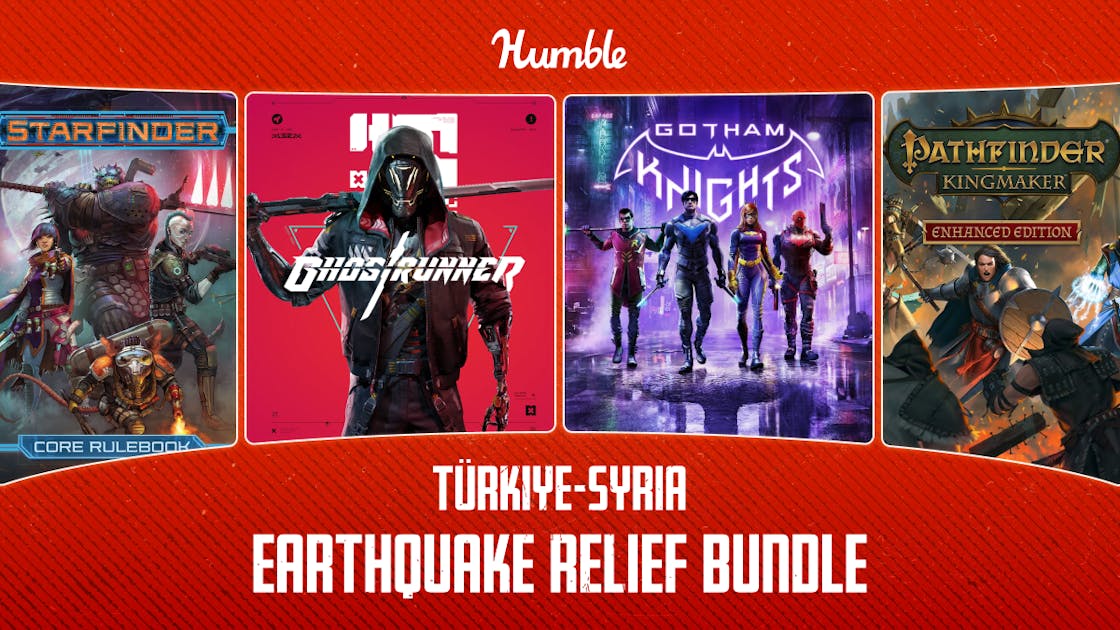
Support vital earthquake relief efforts for the people of Turkey and Syria by purchasing this bundle, with 100% of proceeds going to charity.
 fringe stirrup
https://paste.pythondiscord.com/jatocovusa
Soo, i have this script right now. Now, the plan was that the green rectangle would dissapear after i hit it. Reason for this is because it should give me a speed boost for 5 seconds. Though, when i tried wich just making it dissapear, it gives an error
it says: File "c:\Users\jens4\OneDrive\game.py", line 145, in <module>
main()
File "c:\Users\jens4\OneDrive\game.py", line 131, in main
if player_x < speedboost_x + speedboost_width and player_x + player_width > speedboost_x and player_y < speedboost_y + speedboost_height and player_y + player_height > speedboost_y:
UnboundLocalError: local variable 'speedboost_x' referenced before assignment
And i am not entirely sure what it means. Can someone help and explain it to me?
eternal vessel
fringe stirrup
https://paste.pythondiscord.com/jatocovusa
Soo, i have this script right now. N...
It just means you are trying to use a variable in the condition that hasn't been assigned* a value yet
but if you global speedboost_width, speedboost_height in your main function it works
 exotic tide
if I wanted to remote control a nintendo switch via python, does the switch need homebrew on it?
 vagrant saddle
exotic tide
if I wanted to remote control a nintendo switch via python, does the switch need...
vagrant saddle
exotic tide
if I wanted to remote control a nintendo switch via python, does the switch need...
maybe that type of doing is outside normal intended use of the licensed hardware and may break some rules, can't you do that with on some emulator ( eg it's quite easy to build python with devktpro and then run it on dolphin )
bright coral
eternal vessel
My artistic skills suck that's about it
What if you could have a service that includes a free asset catalog?
eternal vessel
To me using free assets is like cheating
 fallow finch
eternal vessel
To me using free assets is like cheating
fallow finch
eternal vessel
To me using free assets is like cheating
stealing assets is not just about using them directly
i'm professional asset stealer, people will never guess what i used to make "my" assets
fallow finch
i just hope my large folders of unfinished stolen stuff will never leak
i'm starting to use ai to make hd textures with pixel art now, and then a bit of photoshop
like, different dimension me can give good results
eternal vessel
I started pixel art with Minecraft texture packs so that's all of my knowledge when it comes to art
eternal vessel
fallow finch
i'm starting to use ai to make hd textures with pixel art now, and then a bit of...
Oh yeah I forgot that exists now
fallow finch
yea, with minecraft you realize 16x16 textures can make very insane things
before minecraft i was making calculator games with 8x8 black and white sprites
i'm probably in top 5 best 8x8 sprite makers in the world
eternal vessel
Dang only 8x8 that's rough
fallow finch
with animation it can be cool
and games on calculator are generaly made in asm so we can emulate grayscale, someone made a thing to have 9 levels of grayscale on a software not supporting it
eternal vessel
I mean I guess the black and white aspect was probably worse that the size
eternal vessel
fallow finch
and games on calculator are generaly made in asm so we can emulate grayscale, so...
Oh okay so you could at least shade your stuff
fallow finch
this one is a famous calculator game

(not made by me lol)
it's using 8 levels of grayscale, made with flickering in asm
fallow finch
in 8x8 sprites there's generaly one way to make the things that is better than the rest
while in minecraft/16x16 textures there's already 100 different ways to make a cool thing
like, try to make a key in 8x8, you'll see
eternal vessel
Yeah true you're more limited with 8x
Idk maybe I should try 8x I haven't made anything in Pygame in a bit though
Good talk but I'm going back to sleep
Since I got a bit of time before school lol
frank fieldBOT
Hey @dawn quiver!
You either uploaded a .txt file or entered a message that was too long. Please use our paste bin instead.
 cursive raft
Hi, i'm struggling to get a game to work on Ren'Py, the project is to implement sort of a puzzle game as a requirement to progress in the game
don't know if anyone knows about the game Quoridor
i'd like to create a simple AI to compete against the player but i can't get it to work, i succedded in making it with a console but not with Ren'py
i don't understand how am i supposed to code a game on renpy
cursive raft
@round obsidian i translated every comment in english, maybe you could look at it if please you see anything wrong
 arctic flicker
In which game engine can u make a 3d game while coding in python?
a 3d engine in which u can import ur own 3d models
like these


ik i need to retopo and texture them first
fallow finch
arctic flicker
In which game engine can u make a 3d game while coding in python?
not a lot of game engines use python sadly, there's the blender game engine that is a 3d engine but its not the most powerful one out there
godot can also use python but idk if its relevant for 3d
you can maybe take a look at something more low level, like ursina3d or even use raw opengl via pyopengl/moderngl, pywavefront exists for loading 3d models in python for opengl
 round obsidian
This sort of fits here, so I'll mention it:
https://github.com/syegulalp/wator

Contribute to syegulalp/wator development by creating an account on GitHub.
It's a mathematical game (think Conway's Life), which simulates an ocean ecology. If you have Cython installed you can use the compiler script to speed things up considerably
marble jewel
Tiles can now be placed by the player anywhere in the game world. More options and tiles to come!
arctic flicker
fallow finch
you can maybe take a look at something more low level, like ursina3d or even use...
alr ty
dawn quiver
marble jewel
Tiles can now be placed by the player anywhere in the game world. More options a...
thats some big ui
 pearl pewter
I'm trying to ask for user input again and again while they enter it null or something other than yes or no
how do I do it?
 errant niche
Try checking for y or n key key on the keyboard
 manic totem
@fallow finch here
import pygame

size = 500, 610

Black = (0, 0, 0)
White = (255, 255, 255)

clock = pygame.time.Clock()
frame = 60

game_over = False

game_screen = pygame.display.set_mode(size)
game_screen.fill(Black)
pygame.display.set_caption("Walking")

while not game_over:
    for event in pygame.event.get():
        if event.type == pygame.QUIT:
            game_over = True
        print(event)


pygame.draw.rect(game_screen, White, [200, 400, 50, 50])

pygame.display.update()
clock.tick(frame)

pygame.quit()
quit()```whats the issue so
ah yea
you're drawing something outside of the loop
you're also updating display / ticking outside of the loop
that makes no sense
manic totem
fallow finch
you can use 'black' and 'white' in pygame functions too
sorry, forgot to ask. what the functions call and is there also have a functions for other colour like red,blue,green
fallow finch
in functions like fill and rect
you can use 'black' to have black, instead of using (0, 0, 0)
hushed vine
so i have saved players data in as an array of values and saved it in a txt file, but i dont know how to extract those value now.
The data saved in the file looks like this btw:
[10, 5, 7, 5, 5, 5, 5, 50, 20, 50, 50, 50, 50, 50, 50, 50, 50, 50, 50, 50, 'Jes', 5, 280, 15, 'B', 12, 'King Slayer', 'None', 'Leather', 'Arquebus', 9, 'None', 'Copper', 'Roginata', 4, 'None', 'Leather', 'Mongolian Bow', 3, 'None', 'Silver', 18, 5, 2, 23, 2, 3, 20, 'Iron Shield', 4, 50, 'Vabok', 0, 1, 0, 1, 1, 1, 1, 1, 1, 1, 1, 1, 0, 0, 1, 0, 0, 1, 1, 'None', 'None', 'None', 'None', 'None', 'None', 'None', 'Fire Bomb', 'None', 'None', 'None', 'None', 'None', 'None', 'Fire Dust', 'None', 'None', 'None', 'None', 'None', 'None', 'None', 'None', 'None', 'None', 1, 58]
im guessing i should split the variable based on where there are ","s, but im not sure on how to do that?
Correction:I have figured it out
fallow finch
hushed vine
Correction:I have figured it out
you should avoid parsing txt files, its unsafe
you can use a python dict as json or pickle, that's a way better solution
your array also looks like its a mess, a dict would be way better
 boreal holly

Run Pygame code live in your browser. Write and run code in 50+ languages online with Replit, a powerful IDE, compiler, & interpreter.
 cursive veldt
fallow finch
you should avoid parsing txt files, its unsafe
cursive veldt
fallow finch
you should avoid parsing txt files, its unsafe
how is that any less safe than json or pickle? 
fallow finch
user can modify the files easily to do what they want
and you most likely don't want to make a parser that never returns an error
for user data pickle is maybe the best choice, it's binary and not human-redable format
cursive veldt
yeah I can agree the reliability of parsing would be better with one of those modules
cursive veldt
fallow finch
for user data pickle is maybe the best choice, it's binary and not human-redable...
ehh maybe for obfuscating the data, but that could lead to deserialization vulnerabilities if someone knows what they're doing
fallow finch
cursive veldt
ehh maybe for obfuscating the data, but that could lead to deserialization vulne...
wdym
cursive veldt
someone can create their own python object, with malicious code. then store that file instead of your save file
and then you end up loading a malicious object into your game
fallow finch
cursive veldt
and then you end up loading a malicious object into your game
i mean what do you want to do
using a proprietary encrypted binary format ?
cursive veldt
nah
I'd just avoid deserializing user input
not that it really matters here just wanted to see what your reasoning was for saying it was safer
fallow finch
still, making your own parser for text files is not safe
cursive veldt
yeah from a reliability perspective I agree
round obsidian
https://github.com/syegulalp/wator New build (this classifies as a game, sorta - zero player)
Python implementation of A.K. Dewdney's mathematical game Wa-Tor - GitHub - syegulalp/wator: Python implementation of A.K. Dewdney's mathematical game Wa-Tor
dawn quiver
arctic flicker
In which game engine can u make a 3d game while coding in python?
you can try godot
it uses a language called "GDscript" which the developers (or someone) says is "loosly based on python" but to be honest, it has a lot of similarities to python to just be "loosly" based
so
and you can also use c#
dawn quiver
fallow finch
godot can also use python but idk if its relevant for 3d
someone made a python extension, but would probably be better to just use gdscript
fallow finch
dawn quiver
someone made a python extension, but would probably be better to just use gdscri...
i don't see a lot of 3d games made with godot
so is it actually a good choice for this
dawn quiver
fallow finch
so is it actually a good choice for this
yea from my experience
main issue is lack of 3d tutorials
well lack of tutorials overall but especially 3d tutorials
so you'll have to ask people in discord and reddit for help a lot probably
vagrant saddle
arctic flicker
a 3d engine in which u can import ur own 3d models
Panda3D and Ursina games engines can import models from various format with assimp plugin. and they use Python as main language.
arctic flicker
vagrant saddle
Panda3D and Ursina games engines can import models from various format with assi...
i'll check them out but which one of them is more powerful
cuz i wanna import characters made with zbrush ofc i will retopo them
vagrant saddle
well ursina is made over panda3d, so i'd say the more low level is more powerfull but maybe harder to grasp
dawn quiver
a game engine made inside a game engine?
fallow finch
dawn quiver
a game engine made inside a game engine?
some java game engines are even more bundled
minigdx is made over libgdx itself over lwgjl itself made over opengl
dawn quiver
honestly java feels like the last programming language people use for game development
fallow finch
thats the last thing i would use too
nah its better than lua
java is still good for multiplatform games, like if you want to have compat layer between android and pc
dawn quiver
dawn quiver
honestly java feels like the last programming language people use for game devel...
from what i see
i mean the 2 most popular engines use c# or c++ and then there's free game engines that use python or very similar language
fallow finch
of course the aaa games engines use c++, and unity uses c# for accessibility reasons i guess
way nicer to start with c# if you just want to make a game
dawn quiver
fallow finch
nah its better than lua
is it better than swift?
dawn quiver
jk jk
i barely know anything about swift
dawn quiver
i hate apple because when i export my godot game as ios, it exports it in xcode format
and xcode doesn't work in windows
because apple said so or something
arctic flicker
vagrant saddle
well ursina is made over panda3d, so i'd say the more low level is more powerful...
kinda disnt undestand which one is more powerful as u said the more low level is more powerful but in that case which one is more low level
fallow finch
arctic flicker
kinda disnt undestand which one is more powerful as u said the more low level is...
panda3d
arctic flicker
fallow finch
panda3d
alr ty a lot
i am new to programming so id know much
so thats why i didnt understand u at first
 slate dew
does anyone know how can i install pygame for mac?
dawn quiver
is it bad that chatgpt just made me an aimbot script in 5 seconds
 dawn nacelle
slate dew
does anyone know how can i install pygame for mac?
dawn nacelle
slate dew
does anyone know how can i install pygame for mac?
There is a new branch of pygame that you should use. First uninstall any old version, then install the new one:
pip uninstall pygame
pip install pygame-ce
I'm using it on my Mac and its working well.
 obtuse imp
Is there a better alternative to pygame?
marble jewel
pygame-ce
fallow finch
obtuse imp
Is there a better alternative to pygame?
pygame-ce is basically pygame, there was just one recent update
pyglet is kinda like pygame but it uses opengl in backend, so you can use it for 3d stuff
pygame allows using opengl context for the window but well you have to use opengl
obtuse imp
marble jewel
pygame-ce
Thanks 🙂
fallow finch
obtuse imp
Thanks 🙂
what is not ok for you in pygame btw
because you may just not know how to do something
obtuse imp
fallow finch
what is not ok for you in pygame btw
All fine, was just wondering if there's better alternatives)
obtuse imp
fallow finch
because you may just not know how to do something
Official documentation is a little bit messy tho
fallow finch
pygame itself cant do everything, but it can be extended with opengl for example
doc is fine tbh
ah yea some parts of it are kinda hidden
like _sdl2 stuff
 rancid rock
Guys is it possible to be considered a true game dev if you don't make a flappy bird clone
 brisk yew
yes, but only if you make pong, the pinnacle of game dev
 onyx compass
Yes, and even better if you make a Snake clone. Believe me. ; )
 versed aurora
text graphics

 fallow glade
Cool stuff
 hexed dune
im working on a fantasy name generator... not really a game but the purpose is to be used when making RPG characters (or writing stories). the idea is it dynamically creates a name, as it it doesnt just pull a random name from a list, but literally constructs made up names from scratch. didnt see too many things like this already out there. theres still some optimizations i want to do like eliminate the possible of triple vowel/consonants and other little tweaks like that but if anyone has any input on the code itself im happy to hear any feedback! https://github.com/Lanecrest/Fantasy-Name-Generator
 next sun
obtuse imp
Is there a better alternative to pygame?
next sun
obtuse imp
Is there a better alternative to pygame?
You can try using arcade its extremely user friendly https://api.arcade.academy/en/latest/ It has lots of cool examples and tutorials to get started.
 paper ginkgo
versed aurora
text graphics
paper ginkgo
versed aurora
text graphics
I also Made Something Like this
obtuse imp
next sun
You can try using arcade its extremely user friendly https://api.arcade.academy/...
Thank you!
fallow finch
obtuse imp
Thank you!
keep in mind arcade isnt very popular so you wont get support for using other libs with it just like pygame
and its also a "spoon" of pyglet; its built on it but only allows 2d graphics while pyglet can do 3d
obtuse imp
fallow finch
and its also a "spoon" of pyglet; its built on it but only allows 2d graphics wh...
Yeah, I am pretty new to game dev in general and just wanted to try out making a floppy bird fake (2D) and a neural network that will be trained throughout the game
So it's not very complex at all
fallow finch
obtuse imp
Yeah, I am pretty new to game dev in general and just wanted to try out making a...
so is better to use pygame because more people can help you with it
next sun
fallow finch
so is better to use pygame because more people can help you with it
You can get appropriate support for arcade. It has its own discord server. https://discord.gg/8SqM7QRe
obtuse imp
two different sides)))
fallow finch
next sun
You can get appropriate support for arcade. It has its own discord server. https...
stackoverflow has like 5000000 posts about pygame
for easy things everything already exists
obtuse imp
ok thank you
fallow finch
like, if i want to load other image formats with pillow and use it in arcade, i have no idea of how to do this
next sun
fallow finch
stackoverflow has like 5000000 posts about pygame
Look if you are talking about ease of accessing help in both the libs have appropriate help system for them. Arcade has lots of examples in its own docs "for easy things". I can't argue about the already commonly faced problem of pygame users already present on stackoverflow, but if you follow arcade by docs and see its examples, you won't need to lookup everything on stackoverflow like most of the people do when they don't read the docs.
fallow finch
yea for arcade itself i guess, but for using it with other libs, there's a lot more stuff on the net
also pygame is really good for compat with other libs because of how you can convert surfaces to numpy and do the reverse thing as well
while arcade is based on pyglet so everything is an opengl texture
that's just an example
next sun
fallow finch
like, if i want to load other image formats with pillow and use it in arcade, i ...
Which image formats are you talking about?
fallow finch
that was just an example, but pillow can load most existing image formats
i use jp2 a lot on my own but its not very relevant here
next sun
fallow finch
also pygame is really good for compat with other libs because of how you can con...
Type conversions in game dev are not that desirable because it results in performance loss, I don't think that counts as an example, if you are out there converting surfaces to numpy you are dropping your game's fps.
fallow finch
i use this for loading the files on my own btw
not something to do every frame, just for loading some image formats
but that was just one example of thing you can do with pygame you cant do with arcade
also, even if its just for 2d games, arcade doesnt keep all the features of pyglet, so i don't see a reason to not use pyglet directly
next sun
fallow finch
not something to do every frame, just for loading some image formats
afaik arcade.load_texture should support every format that pillow supports
next sun
fallow finch
also, even if its just for 2d games, arcade doesnt keep all the features of pygl...
Arcade has its own features, you are installing arcade to use as main arcade and not pyglet as the main lib. Also arcade has some really cool features that pyglet doesn't has inbuilt like https://api.arcade.academy/en/latest/api/particle_emitter.html , you can use arcade.particles to create some cool effects like fireworks(https://api.arcade.academy/en/latest/examples/particle_fireworks.html#particle-fireworks) fyi the example also shows using both arcade and pyglet together, although pyglet is only used for its pyglet.math.
next sun
fallow finch
so this example wasnt relevant
Yeah its present in the docs https://api.arcade.academy/en/latest/api/texture.html
Once you learn to read docs those 50+ upvotes(depciting common probelms) stackoverflow pygame posts becomes irrelevant when seeking for help. Although for some uncommon use cases pygame's already made large post history can help you but in arcade for uncommon use cases you can checkout the arcade discord(even for common cases its alright) for immediate help or make your own stackoverflow post.
brisk yew
next sun
Type conversions in game dev are not that desirable because it results in perfor...
Nope, that usually is an optimization, mby not for tiny surface and not something used very commonly, but getting a reference instead of a copy is really fast. Also more niche stuff ig and idk much about arcade, but pygame has GPU support, the complete API although available is still in development for a more stable release, but you can use it already, not like sth's gonna explode or anything (srsly, it's stable already for the most part, in terms of it working properly)
fallow finch
pyglet has gpu support + loading gpu compressed textures, something pygame can't do

but arcade doesnt have this afaik, and pygame's gpu support is faster
next sun
brisk yew
Nope, that usually is an optimization, mby not for tiny surface and not somethin...
Hmmm, yes you seem right about the part with not tiny surfaces it might be an optimisation. You can find a comparison between arcade and pygame at here https://api.arcade.academy/en/latest/pygame_comparison.html
oops wrong link
fallow finch
next sun
Hmmm, yes you seem right about the part with not tiny surfaces it might be an op...
is this a comparison with pygame's sdl2 mode ? because comparing pygame's software rendering with arcade using opengl backend is not relevant
next sun
fallow finch
but arcade doesnt have this afaik, and pygame's gpu support is faster
arcade does hace GPU support
brisk yew
"better" is obviously a rather broad concept, it's hard to assess that without knowing specifics, like better in what area, ease of use, arcade might be better, I truly don't know about that, performance wise, I'd really think pygame is faster in that regard. some other area, who knows...
fallow finch
next sun
arcade does hace GPU support
yeah it uses pyglet which uses opengl
but sdl2 is faster
i was saying arcade doesnt use the compressed texture support from pyglet, but i'm not very sure
fallow finch
fallow finch
but sdl2 is faster
sdl2 video is actually a compat layer between oses, it's better than just using opengl
next sun
brisk yew
"better" is obviously a rather broad concept, it's hard to assess that without k...
I was not saying arcade is better than pygame, I was saying it has applicable help system when __sus__ was dismissing arcade as a viable alternative
FYI there is also performance comparison present on the link I mentioned.
brisk yew
Oh, sure, I was just saying that since you responded to a question asking about better alternatives
fallow finch
yeah but it's not pygame sdl2 mode
comparing pygame's software rendering with opengl makes no sense
pygame's sdl2 mode IS faster than arcade/pyglet, it uses directx on windows for example, and pyglet doesnt
brisk yew
Also there's pgzero, in terms of beginner friendliness, I'd say it's really good at that, expanding won't be easy at all tho
fallow finch
also...

its not just about sdl2, they don't really know pygame
makes no sense too
 brisk yew
I don't get how pygame is better at logic stuff tbf, but sb made a video rather recently comparing a couple libs, like pygame, renpy, another lib (might've been arcade) and pygame with GPU and the results were pretty clear on pygame w/ GPU being the fastest, now, it mby wasn't a really comprehensive test, they drew a ton of sprites moving around and rotating until FPS dropped
fallow finch
brisk yew
I don't get how pygame is better at logic stuff tbf, but sb made a video rather ...
there was raylib
next sun
fallow finch
pygame's sdl2 mode IS faster than arcade/pyglet, it uses directx on windows for ...
Hmm,  can you translate maybe these to use pygame sdl2 mode if you have time? https://github.com/pythonarcade/performance_tests

Contribute to pythonarcade/performance_tests development by creating an account on GitHub.
fallow finch
but sdl2 mode from pygame uses a compat layer for graphics engine (aka directx on windows), while the others just use opengl
so yes, it's faster
brisk yew
Also like, who'd ever need 50k stationary sprites, that really calls for optimizations already
next sun
fallow finch
makes no sense too
What doesn't make sense here?
fallow finch
next sun
What doesn't make sense here?
saying pygame can't cache sprites
next sun
fallow finch
saying pygame can't cache sprites
Pygame loads the image from the disk again and again, but arcade caches it(sprite made from images) thats the comparison
brisk yew
next sun
Hmm, <:thinkmon:436537420067110913> can you translate maybe these to use pygame ...
Will try, can't promise anything tho
fallow finch
next sun
Pygame loads the image from the disk again and again, but arcade caches it(sprit...
nobody loads images from the disk again and again
aside pygame newbies on stackoverflow
saying you have to do this with pygame makes no sense
next sun
brisk yew
Will try, can't promise anything tho
Sure
brisk yew
also pygame has support for an alpha channel, you don't necessarily need a colorkey
next sun
Yea some things might need to be updated there
can you make an issue on the repo I linked or the actual arcade repo https://github.com/pythonarcade/arcade

Easy to use Python library for creating 2D arcade games. - GitHub - pythonarcade/arcade: Easy to use Python library for creating 2D arcade games.
brisk yew
I can try, I'll now try to do that conversion tho
next sun
The actual latest version of the doc is this https://api.arcade.academy/en/development/programming_guide/pygame_comparison.html#f2 might double check if some value are already updated here, on first look there doesn't seem to be any change though. We also need to have our values updated too I think because we did change alot of things in 3.0.0.dev versions
brisk yew
hmm, slight issue, that test repo don't have images where they're supposed to be
like here https://github.com/pythonarcade/performance_tests/tree/master/result_data/pygame and same for arcade
fallow finch
here's what i get with the amogus test on my gpu(nvidia 3070)

 next sun
brisk yew
like here <https://github.com/pythonarcade/performance_tests/tree/master/result_...
next sun
brisk yew
like here <https://github.com/pythonarcade/performance_tests/tree/master/result_...
hmm thats where the results go right, is the code not running? I can't test it currently(not on my computer right now)
brisk yew
top and bottom of the image
 next sun
brisk yew
top and bottom of the image
next sun
brisk yew
top and bottom of the image
You are saying the paths for the respective files in the code don't actually exist on the repo?
next sun
The code should run though because the png is saved as screenshot on that path and the csv is written by the PerformanceTiming class. I will try to run it when I get on computer.
is there some specific error you are getting?
brisk yew
interesting, it actually did run tests, it failed at generating graphs
(or after that)

 next sun
ah lol https://github.com/pythonarcade/performance_tests/blob/master/src/__main__.py the main logic is commented out
Contribute to pythonarcade/performance_tests development by creating an account on GitHub.
@brisk yew uncomment the logic and then run it, then it should not give the error
next sun
brisk yew
and it died again
It is not imported correctly
brisk yew
sigh, the instructions are not quite clear ngl
next sun
next sun
You can get appropriate support for arcade. It has its own discord server. https...
@brisk yew If you can then please hit us up about the performance tests on our discord server, We would like to have it updated
brisk yew
sure, but how am I supposed to run the tests 😭
next sun
brisk yew
sure, but how am I supposed to run the tests 😭
Yea also tell about that, we will try to fix the tests not running
 frail ether
Hey, I'm making a game and I want the bird to change it's direction when it reaches the boundary. But I'm not able to do that. Please help me
https://paste.pythondiscord.com/vocukuwutu
brisk yew
so there's like a dedicated dc server for pygame...
what's the exact issue you're facing?
where do you make it change the direction upon reaching the boundary?
frail ether
brisk yew
where do you make it change the direction upon reaching the boundary?
I made an if condition to detect whether the bird has reached the boundary
I want it to move left when it reaches the right boundary and move right when it reaches the left boundary
brisk yew
where do you change its direction
frail ether
like inside the code?
brisk yew
yeah
frail ether
57
frail ether
I've set the X axis to 370 and Y axis to 120
at line 18
there is a function enemy which draws the bird on screen
on line 50 I've made a variable birdX += 0.3 for the movement of the bird
brisk yew
okay, you need to invert it once you reach a boundary
frail ether
YES
frail ether
How do i change it?
ohhh
there is birdX += 0.3
that's why it's moving in the positive direction
brisk yew
you need to change 0.3 to -0.3
frail ether
brisk yew
you need to change 0.3 to -0.3
Bro one more question
My bird is at the cenre
in the beginning
So, how can I make it move in the start
'cause birdX += 0.3 and birdX -= 0.3 are under if conditions
So, How can I make it move
brisk yew
that's not what I meant
you always have bird_x += bird_x_dir
all you do once you hit a boundary is do bird_x_dir *= -1
at the start bird_x_dir is defined as bird_x_dir = 0.3 before the main loop
frail ether
what is bird_x_dir?
brisk yew
x direction of the bird
frail ether
So, I should make it?
brisk yew
yeah
frail ether
k
frail ether
brisk yew
yeah
Can you elaborate it by writing some code?
Like just for clarity
You can copy paste my code here and make changes in it
brisk yew
brisk yew
at the start `bird_x_dir` is defined as `bird_x_dir = 0.3` before the main loop
^
you can name it birdXDir to conform with your naming style btw
frail ether
ohh
So, I can move the bird before the main loop
And, then add that if condition inside the main loop
right?
brisk yew
the if condition only the change the direction
and ig adjusts x so it doesn't get into a loop of changing directions constantly
frail ether
k lemme run and check it
brisk yew
also none of those comments are in the slightest bit useful or necessary
frail ether
k
brisk yew
except for #Slingshot and #Bird ig (you should add a space after # as per PEP 8 too)
frail ether
okk
frail ether
brisk yew
except for `#Slingshot` and `#Bird` ig (you should add a space after `#` as per ...
broo
sill it's not running
Can you just make changes here
And, send me
plz
My brain is freezed
brisk yew
This is about how I'd approach this for you:
import pygame

pygame.init()

screen = pygame.display.set_mode((800, 600))
pygame.display.set_caption("Bird Invader")

# Slingshot
slingshot = pygame.image.load("slingshot.png")
slingshot_x = 370
slingshot_y = 480
slingshot_x_change = 0

# Bird
bird = pygame.image.load("bird.png")
bird_x = 370
bird_y = 120
bird_x_dir = 0.3

running = True
while running:
    screen.fill("white")

    for event in pygame.event.get():
        if event.type == pygame.QUIT:
            running = False
        elif event.type == pygame.KEYDOWN:
            if event.key == pygame.K_LEFT:
                slingshot_x_change = -0.3
            elif event.key == pygame.K_RIGHT:
                slingshot_x_change = 0.3
        elif event.type == pygame.KEYUP:
            if event.key == pygame.K_LEFT or event.key == pygame.K_RIGHT:
                slingshot_x_change = 0

    slingshot_x += slingshot_x_change
    bird_x += bird_x_dir

    if slingshot_x < 5:
        slingshot_x = 5
    elif slingshot_x > 735:
        slingshot_x = 735

    if bird_x < 5:
        bird_x = 5
        bird_x_dir *= -1
    elif bird_x > 735:
        bird_x = 735
        bird_x_dir *= -1

    screen.blit(bird, (bird_x, bird_y))
    screen.blit(slingshot, (slingshot_x, slingshot_y))

    pygame.display.flip()
may or may not work, can't test, don't have images, but it should work
frail ether
Should I set the bird_x_dir variable to 0?
brisk yew
which variable?
frail ether
bird_x_dir
brisk yew
just copy and paste the entirety of that code over your existing one...
brisk yew
yeah
frail ether
@brisk yew Can you explain me the function of bird_x_dir *= -1
frank fieldBOT
@frail ether :white_check_mark: Your 3.11 eval job has completed with return code 0.
-0.3
 past dagger
USEREVENTS are weird.
brisk yew
past dagger
USEREVENTS are weird.
wdym?
past dagger
i put a help thing in help channel, but basically, some of mine are just randomly triggering 🥲
marble jewel
Latest devlog here: https://youtu.be/hdx5FA7TBMI Made entirely with Python and Pygame
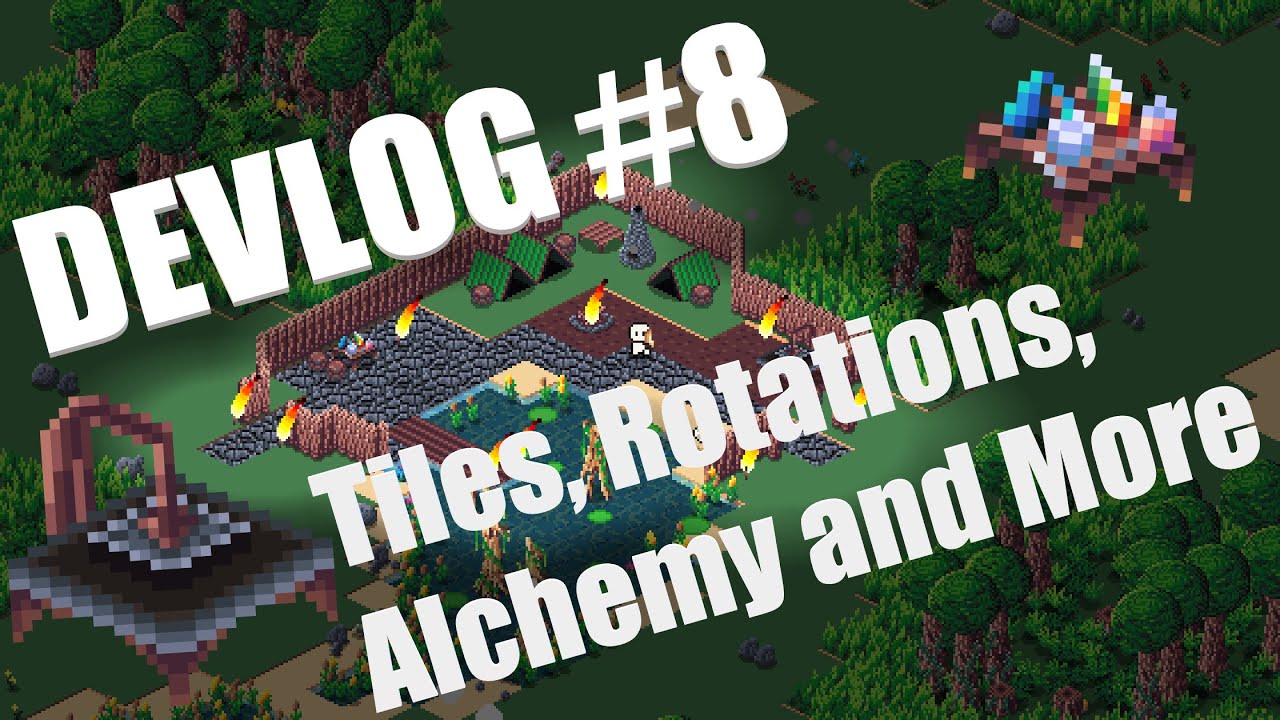
In this week's devlog I show the changes made to the lighting, entity placement, tile creation and placement, and the new alchemy workbench.
#indiegamedev #devlog #gamedev #gamedevelopment #indiedev #python #pygame #pythongaming
 quiet topaz
hi, i have a piece of code id like to include in a loop but im not sure how? Basically im rolling two dice and i later on, if answer is 'else' i want to repeat the entire rolling process in the loop. Here is the 'dice roll' part:
import random

print('rolling dice...')
##### dice 1
animal_list1 = ['sheep', 'sheep', 'rabbit', 'rabbit', 'rabbit', 'rabbit','rabbit','rabbit','pig','pig','cow','wolf']

# pick a random choice from a list of strings.
dice_1 = random.choice(animal_list1)
print('dice 1:',dice_1)

for i in range(0):
    animal = random.choice(animal_list1)
    print(dice_1)


##### dice 2
animal_list2 = ['sheep', 'sheep', 'rabbit', 'rabbit', 'rabbit', 'rabbit','rabbit','rabbit', 'pig', 'pig', 'horse', 'fox']

# pick a random choice from a list of strings.
dice_2 = random.choice(animal_list2)
print('dice 2:',dice_2)

for i in range(0):
    animal = random.choice(animal_list2)
    print(dice_2)


#append to list
dice_results = []
dice_results.append(dice_1)
dice_results.append(dice_2)

print('you rolled: ',dice_results)
i am then trying to either get a pair and only ending up with one which works, and if the roll was NOT a pair, roll again. Here is how i got it to only end up with one if it IS a pair.:
duplicates = []
for value in dice_results:
    if dice_results.count(value) > 1:
        if value not in duplicates:
            duplicates.append(value)
        else:
            print(dice_results)

print(duplicates)
im working on my snake game again, here's a color pallette for the snake color options
 rancid rock
guys am I real dev if I don't make a flappy bird clone
 tardy lake
rancid rock
guys am I real dev if I don't make a flappy bird clone
tardy lake
rancid rock
guys am I real dev if I don't make a flappy bird clone
Yes you are
fallow glade
marble jewel
Latest devlog here: https://youtu.be/hdx5FA7TBMI Made entirely with Python and P...
I like big chungus
marble jewel
fallow glade
I like big chungus
Thanks, I'll keep working on it
fallow glade
Is the light source an overlay? Or an area where shadow overlay is not applied? How does it work?
marble jewel
its a black translucent surface drawn over the gameworld, then each light source changes the alpha value of the pixels by using BLEND_RGBA_SUB blit mode
    def glow(self, pos, size, intensity, step = 1):

        size = (int(2 * size), int(size))

        cache_string = f"{size}, {intensity}, {step}"
        glow_surf = self.glow_cache.get(cache_string)

        if not glow_surf:

            glow_surf = pygame.Surface(size, flags = pygame.SRCALPHA)
            glow_rect = glow_surf.get_rect()
            ellipse_rect = glow_surf.get_rect()

            while ellipse_rect.height > 0:

                ellipse_surf = pygame.Surface(ellipse_rect.size, flags = pygame.SRCALPHA)
                pygame.draw.ellipse(ellipse_surf, (0, 0, 0, intensity), ellipse_surf.get_rect())

                glow_surf.blit(ellipse_surf, ellipse_rect.topleft, special_flags = pygame.BLEND_RGBA_ADD)

                ellipse_rect.width -= (4 * step)
                ellipse_rect.height -= (2 * step)
                ellipse_rect.center = glow_rect.center

            self.glow_cache[cache_string] = glow_surf

        self.light_layer.blit(glow_surf, pos - (size[0] // 2, size[1] // 2), special_flags = pygame.BLEND_RGBA_SUB)
Nice, thanks
You had mentioned about going inverse square route for the radial intensity, but that must be more intensive no?
Instead I think it can have just three concentric circles of varying brightness
Ellipses*
marble jewel
doesn't seem to be, I've got some code from some people on the pygame discord which I'll mess with, worst case I can just transform a circle and scale it to be the same size as an ellipse
also I cache all the surfaces I make
so once I create the light of a particular size and brightness i can just blit it again, no need to recreate it
errant niche
versed aurora
im working on my snake game again, here's a color pallette for the snake color o...
That would be a good option so you can input the rgb value to set your own color
 plucky bobcat
Hey Guys, relatively new to Python and trying to use it to generate tile maps for me using a Voronoi diagram. However, I keep running into the issue that I can't ' the 'smooth' the edges of my Voronoi with LLoyds algorithm because it has these points on the side that don't have an edge on them. I was wondering if you guys would have any pointers on how to fix because i would like to use these to generate maps for a game im working on
here is my code
import scipy.spatial
points = np.random.rand(1000, 2)
vor = Voronoi(points)
fig = voronoi_plot_2d(vor)
plt.show()
for i in range(10): # repeat 5 iterations
centroids = []
for region in vor.regions:
if len(region) == 0:
continue
indices = region[:-1]
vertices = vor.vertices[indices]
centroid = np.mean(vertices, axis=0)
centroids.append(centroid)
vor = Voronoi(centroids)
fig, ax = plt.subplots(figsize=(6, 6))
voronoi_plot_2d(vor, ax=ax)
plt.show()
here is the voronoid i make before i 'smooth' it

here is after
 fallow finch
marble jewel
so once I create the light of a particular size and brightness i can just blit i...
fallow finch
marble jewel
so once I create the light of a particular size and brightness i can just blit i...
are you using the gpu mode too btw ?
you don't need any caching with it and its a lot faster
a lot of games have a "hardware acceleration" setting, so you can switch between software rendering and gpu rendering, and gpu mode can have more visual effects for example
brisk yew
pong
brisk yew
yep
brisk yew
request what?
 vocal merlin
like request for help or smth
brisk yew
you're supposed to just ask or use the help forums
brisk yew
seemingly so
vocal merlin
wait hollup
wait can i send you my code and tell you my problem
@brisk yew
bro dipped
brisk yew
vocal merlin
wait can i send you my code and tell you my problem
that's what you're supposed to do yes
brisk yew
no
frank fieldBOT
Hey @vocal merlin!
It looks like you tried to attach file type(s) that we do not allow (.zip). We currently allow the following file types: .gif, .jpg, .jpeg, .mov, .mp4, .mpg, .png, .mp3, .wav, .ogg, .webm, .webp, .flac, .m4a, .csv, .json.
Feel free to ask in #community-meta if you think this is a mistake.
frank fieldBOT
Hey @vocal merlin!
It looks like you tried to attach a Python file - please use a code-pasting service such as https://paste.pythondiscord.com
Hey @vocal merlin!
You either uploaded a .txt file or entered a message that was too long. Please use our paste bin instead.
next sun
vocal merlin
send
Please paste your code on this https://paste.pythondiscord.com/ link click on the save icon on the top right corner and then share the link.
brisk yew
that's a lot of code
vocal merlin
yea
brisk yew
would be great if you could provide an MRE
and state the issue
brisk yew
😑
vocal merlin
im tryign to make a game
where its like sapce shooter but different and when i coded bullets it wont shoot
matt
brisk yew
you typed all this time just to say matt?
brisk yew
vocal merlin
where its like sapce shooter but different and when i coded bullets it wont shoo...
wdym won't shoot?
vocal merlin
brisk yew
wdym won't shoot?
so the player is supposed to fire a projectile toward and enemy while its moving toward it
vocal merlin
brisk yew
(and mby assets too if possible)
i cant
vocal merlin
brisk yew
or send a video or sth
alr
brisk yew
nvm, found the issue

you immediately remove those bullets, cuz this returns True always
it should be return not 0 <= self.x <= self.width
or return self.x >= width or self.x <= 0
(parentheses are redundant here too)
vocal merlin
brisk yew
it should be `return not 0 <= self.x <= self.width`
or `return self.x >= width o...
yo
it works
thanks man
marble jewel
fallow finch
are you using the gpu mode too btw ?
No this is all done using pygame and the CPU, as I understand it there is an SDL2 module that uses GPU in pygame but I dont use it
 timid mantle
Hello i am a begginer and i am trying to make a snake game in python, can u guys tell me why i am getting visuall glitchess on the screen and why is the snake not growing enough? https://paste.pythondiscord.com/yugipemasa
fallow finch
timid mantle
Hello i am a begginer and i am trying to make a snake game in python, can u guys...
games with tkinter hmm
versed aurora

 brisk yew
just instantly goes to bashing sb's color selector, lmao
the design of it looks pretty cool
fallow finch
looks like console
fallow finch
versed aurora
no modules except stdlib
what
versed aurora
terminal graphics yea
fallow finch
ah yea
versed aurora
i dont feel like using tkinter
brisk yew
could use that at least, but this looks pretty good ngl
versed aurora
it's all ansi codes and text
brisk yew
consoles have their charm to them
versed aurora
around 350 lines rn
normal silo
Technically, you can get full graphics with stdlib, since it includes ctypes.
(e.g. win32 and opengl)
versed aurora
normal silo
Technically, you can get full graphics with stdlib, since it includes ctypes.
well yeah, but then it'd be like 1000 lines 💀
wait wait wait
brisk yew
more importantly it includes tkinter, ez graphics
versed aurora
you can do opengl with ctypes?
brisk yew
or turtle...
versed aurora
turtle is too slow
normal silo
ctypes lets you load dlls, including opengl32.dll.
versed aurora
i do plan on doing a game from scratch using ctypes tho
versed aurora
if you can just do opengl that easily then that's great
fallow finch
directx with python 
versed aurora
i tried that once but couldn't find a good example of the projection
fallow finch
versed aurora
turtle is too slow
there was a secret setting to make it faster iirc
back when i was trying to attract girls with my turtle skills
normal silo

A 3D projection (or graphical projection) is a design technique used to display a three-dimensional (3D) object on a two-dimensional (2D) surface. These projections rely on visual perspective and aspect analysis to project a complex object for viewing capability on a simpler plane.
3D projections use the primary qualities of an object's basic sh...
(Basically same as when drawing on paper with pencil)
versed aurora
also the 3d rotation matrix
normal silo
In linear algebra, a rotation matrix is a transformation matrix that is used to perform a rotation in Euclidean space. For example, using the convention below, the matrix
R
=
[
cos
θ...
yeah but that's a matrix, idk how to make than an equation ::(
normal silo
A matrix represents a transformation. To apply the transformation, you multiply to the matrix with what you want to apply it to.
versed aurora
well yeah but unless i use np i'm not gonna be able to do that
idk
normal silo
You can do it in plain python.
versed aurora
also this is probably the first time i've actually needed to collapse functions in vscode
normal silo
*Btw, you can do the matrix multiplication out by hand to figure out what the equations for the individual x, y, and z values are.
Then you can use that instead of having any matrices in your actual code.
(It turns out that matrices are really nice to work with though (chaining transformations together), so it's probably worth having some matrix class)
 raw falcon
brisk yew
consoles have their charm to them
raw falcon
brisk yew
consoles have their charm to them

Textual is a TUI (Text User Interface) framework for Python inspired by modern web development. - GitHub - Textualize/textual: Textual is a TUI (Text User Interface) framework for Python inspired b...
versed aurora
 versed aurora
now i need to figure out how to draw the logo
i think im just gonna manually do it
actually nah i'll use a list ig
 strange grove
can someone help me, im trying to make an earchery game in processing?
fallow finch
strange grove
can someone help me, im trying to make an earchery game in processing?
help with what
strange grove
I'm just new to processing, and need to create a simple archery game?
fallow finch
strange grove
I'm just new to processing, and need to create a simple archery game?
wdym by processing
strange grove
processing is a software where you use pythn
fallow finch
alright, idk that thing
strange grove

this is what it looks like
ok no problem, ill try and find help from someone else
versed aurora
https://github.com/Sea-Pickle/gloop_scripts/blob/main/snake_v_2.1.py
I finished it, at least for now

yeah. Contribute to Sea-Pickle/gloop_scripts development by creating an account on GitHub.
600 lines of code
versed aurora
here's a video of it
 fleet briar
very fun 🙂
i guess this is kinda a game- I put my little robot online for people to control at remo.tv - in the RoboBobo channel 🙂 - https://remo.tv/RoboBobo/rbot-e2a3c30c-7bd1-48bf-a992-07be8197f171
brisk yew
yes
timid mantle
versed aurora
here's a video of it
with what module is that cool game made
versed aurora
timid mantle
with what module is that cool game made
none i did it all from scratch
timid mantle
wdym
versed aurora
i wrote all the rendering stuff myself using text graphics
the only modules i used in it are os, time, colorsys, msvcrt, random, and collections
next time i do a project like this i'll write my own module specifically for rendering i think
fallow finch
timid mantle
what else can i use
pygame, pyglet / arcade, raylib, ...
pygame is the most popular so i recommend this to get help easily
 frozen arrow
Hello! I’m currently in the process of making a game In pygame and I need to make a database for storing the scores of players and setting it up on a leaderboard in SQLite3, if anyone could recommend any resources or videos It would be rlly appreciated 💕
fallow finch
frozen arrow
Hello! I’m currently in the process of making a game In pygame and I need to mak...
you have some online database ?
if your game isnt online i don't really recommend sql for this, you can use pickle to store a python object in a binary format, like, a .dat file stored in appdata is a common way to store player scores
frozen arrow
I’m required to use sqlite3 for somethjng in my project, so I don’t have much of a choice unfortunately
fallow finch
so what do you don't understand in sqlite3
the tutorial section of official doc should tell you everything you need https://docs.python.org/3/library/sqlite3.html#sqlite3-tutorial

Source code: Lib/sqlite3/ SQLite is a C library that provides a lightweight disk-based database that doesn’t require a separate server process and allows accessing the database using a nonstandard ...
frozen arrow
ok thank you!
fallow finch
@cosmic swallow we continue here alright ?
so back to your text surface issue
the surface is empty or the position is outside the screen
change the position to (0, 0) to test
 cosmic swallow
ok
cosmic swallow
fallow finch
change the position to (0, 0) to test
i think it would be better we fixed the text instead of using the image
fallow finch
yea, freetype can draw the text directly
i'm not sure for pygame.Font, but pygame.freetype can
also
1 - you should really implement oop at this point because your code isnt really readable
2 - why you have 2 different loops
cosmic swallow
fallow finch
2 - why you have 2 different loops
the title loop stops after the "button" has been clicked or a key was pressed anyways
cosmic swallow
fallow finch
1 - you should really implement oop at this point because your code isnt really ...
i don't really have time as it's due tomorrow lol
fallow finch
mh alright
but keep in mind having more than one loop isnt the right way to use pygame or any graphic window app
you should implement states and not execute the same code depending on the state
cosmic swallow
all i need right now is it just works
brisk yew
right, could you show your code
fallow finch
there's a pastebin
cosmic swallow
fallow finch
cosmic swallow
all i need right now is it just works
but what if you want a button to go back to main menu
brisk yew
and what's the issue?
cosmic swallow
brisk yew
and what's the issue?
can't blit the text "Start"
fallow finch
it was just a blit issue but i guess the position is incorrect
you tried with (0, 0) btw ?
brisk yew
can't in what sense?
cosmic swallow
brisk yew
_can't_ in what sense?
it doesn't show up
fallow finch
doesnt render
fallow finch
fallow finch
you tried with (0, 0) btw ?
^
brisk yew
the issue seems to lie here
 fallow finch
cosmic swallow
putting it in the middle didnt work either
fallow finch
cosmic swallow
putting it in the middle didnt work either
but is (0, 0) working or not ?
cosmic swallow
no
brisk yew
blit to button_surface at 0, 0
fallow finch
if (0, 0) doesnt work, its an issue with the surface
be sure to blit at the end of the loop
so nothing blits on it
fallow finch
cosmic swallow
Tysm that actually worked
so check pygame.freetype
if you want to not make surfaces for each line of text
cosmic swallow
probably because there are a few loops?
the you lost section doesn't seem to blit anything anymore, only time.sleep works
brisk yew
pygame.Font.render now supports newlines in pygame-ce
fallow finch
cosmic swallow
what can i do?
uuuh
i don't know if your code is really executed like you're expecting
but wtf is that time.sleep() after the flip()
you should never use sleep inside your loop because it freezes everything
pygame.time.Clock exists and can make the game tick to force 60 fps for example
ah you're already using a clock
so yea whats those sleeps
fallow finch
cosmic swallow
oh right
don't
just use something to pause the game using the clock, or a timer to achieve what you want
but no sleep() inside a game loop
the best at this point is to really implement states, using one loop
pause can be a state (keeping whats displayed in the window) and then you revert to game state
cosmic swallow
i fixed it
hushed vine
yo how do i create a timer using time module
timer shouldnt stop the code from working
fallow finch
hushed vine
yo how do i create a timer using time module
pygame ?
fallow glade
Does arcade or any other python game engine support blitting in isometric natively? (i.e. without implementing our own transform functions)
fallow finch
fallow glade
Does arcade or any other python game engine support blitting in isometric native...
isometric is 2d
just make the right sprites and blit them in the right order
fallow glade
Does not answer my question.
fallow finch
fallow glade
Does not answer my question.
i'm not sure if i get what you want
do you want to use normal textures and transform them to make isometric sprites ?
fallow glade
No, only the engine part. So vectors defined in x-y cartesian plane are transformed into coordinates fitting an isometric view.
fallow finch
fallow glade
No, only the engine part. So vectors defined in x-y cartesian plane are transfor...
for me isometric is just 2d but rendered in isometric way with possible 'layers' support, but i guess that's not really what you want to do
you want to use 2d or 3d vectors ?
hushed vine
fallow finch
pygame ?
No i, I'm making a game using tkinter and I need a timer, I tried using time.sleep() but that stopped the program
brisk yew
hushed vine
No i, I'm making a game using tkinter and I need a timer, I tried using time.sle...
there are bazillion questions on SO about how to make a timer using tkinter
fallow glade
fallow finch
for me isometric is just 2d but rendered in isometric way with possible 'layers'...
Like I have a point in cartesian plane coordinates x, y
To blit it such that it is in an isometric plane, the visual coordinates will be some other x, y
This can be achieved by multiplying the position vector with a transformation matrix
It's simple stuff, but when done on a lot of objects things can get expensive, so if there's an engine which implements this conversion natively, preferably in a lower level faster language
fallow finch
yea but it's just about math, so you're asking if arcade has the math functions to draw isometric map ?
arcade is based on pyglet which is made in pure python, with "bindings" for opengl and all the backend stuff
you can make some math functions in C if you want, but vectors should already have a lot of methods for transformation, you can probably already do this
fallow glade
Yes I can, I was just wondering if it already exists
fallow finch
i don't really know arcade/pyglet vectors, just pygame vectors
fallow glade
Not to needlessly reinvent the wheel and all
fallow finch
and pygame vectors have a huge amount of transformation/calculation functions, all written in C
fallow glade
Nice nice
next sun
fallow glade
Does arcade or any other python game engine support blitting in isometric native...
Yes arcade does https://api.arcade.academy/en/development/api_docs/api/isometric.html in 3.0.0.dev version
fallow glade
next sun
Yes arcade does https://api.arcade.academy/en/development/api_docs/api/isometric...
Awesome that's exactly it! I was hoping so. Thanks!
proper peak
my immense telepathic powers suggest you did something like guesses.append(some_str.upper) instead of guesses.append(some_str.upper())
 quick zealot
How make a game
 topaz copper
Hey guys,
I'm looking to improve my Python skills, and I'd love to work on a project that I enjoy. I've always wanted to create a 2D game similar to Worms, with realistic physics and environments, but with more complexity and additional statistics.
My question is, which library would be best for this project? Would PyGame be sufficient, or are there better alternatives? I need advanced physics for the objects and terrain in my game. Thank you 🙂
next sun
topaz copper
Hey guys,
I'm looking to improve my Python skills, and I'd love to work on a pr...
Define what advanced physics are you talking about? Arcade has inbuilt support for physics engine, if it is your main concern. It also depends if your knowledge of physics covers the game mechanics, if thats the case physics engines won't bother/hinder you much. You can always try out the options(libraries) and see which suits your needs better. If you are just looking to improve your skills in python, then I guess the library won't matter much. Although I have to say this arcade was/is designed/being designed to be user/beginner friendly.
topaz copper
next sun
Define what advanced physics are you talking about? Arcade has inbuilt support f...
Thank you @next sun for your answer. I would like to have the ability to destroy the terrain and the object that will be the player. I would also like to create a few types of weapons that will have different flight trajectories, etc
fallow finch
topaz copper
Hey guys,
I'm looking to improve my Python skills, and I'd love to work on a pr...
if you want to use pygame the pymunk (chipmunk) library is excellent for physics support, for arcade idk what the builtin physics support can do
is your game also supposed to be multiplayer in its final state ?
next sun
topaz copper
Thank you <@782252406457106483> for your answer. I would like to have the abilit...
This looks doable by both of the libs mentioned, for flight trajectories FYI you can just add the gravity and initial velocity of the of the bulltes to the physics engine and it will do the job.
topaz copper
fallow finch
is your game also supposed to be multiplayer in its final state ?
No multiplayer at this stage, probably in the future. I want to focus on details first. What about obstacles, 'angry birds' style buildings. Which could be blown apart by a bullet or knocked over. Is it also within the reach of these libraries? @next sun @fallow finch
fallow finch
topaz copper
No multiplayer at this stage, probably in the future. I want to focus on details...
i know pymunk can do it at least
(the physics affected by explosions)
brisk yew
fallow finch
if you want to use pygame the pymunk (chipmunk) library is excellent for physics...
arcade uses pymunk as a physics engine
it's integrated
fallow finch
hm, looks like arcade uses a lot more packages that i was expecting
wasnt aware for pillow a few days ago already
next sun
Yea they would have to use https://api.arcade.academy/en/latest/api/physics_engines.html#arcade-pymunkphysicsengine in arcade
there are some other sub-classes also present, but they don't have the gravity option
An angry bird type of example can be seen here https://api.arcade.academy/en/latest/examples/pymunk_box_stacks.html
topaz copper
next sun
Yea they would have to use https://api.arcade.academy/en/latest/api/physics_engi...
Thx, I'm just exploring documentation and it looks like it's perfect !!
 heavy tundra
In pygame, what are some common reasons a window may not be able to load
 tranquil girder
why do you ask?
fallow finch
heavy tundra
In pygame, what are some common reasons a window may not be able to load
you use display.set_mode and nothing happens ?
or you mean something else
brisk yew
heavy tundra
In pygame, what are some common reasons a window may not be able to load
the process DIED because of your negligence
 gentle bay
Speaking of dead things this channel
Guys how do I make walls for pre-generated rooms in pygame
And like, doors
dawn quiver
heavy tundra
In pygame, what are some common reasons a window may not be able to load
maybe you werent grabbing any events, to tell the OS that the window is active
try running pygame.event.get() every frame
 lament carbon
Good day people! I have 2 keyboards plugged into my PC and i want my Python program to be able to receive input only from one of them. So either i need to somehow tell the program to read only from one device or block input from all unwanted devices. What would be the proper way to make either of these work?
proper peak
lament carbon
Good day people! I have 2 keyboards plugged into my PC and i want my Python prog...
Googling a bit, found an old article about doing this (in C): https://devblogs.microsoft.com/oldnewthing/20160627-00/?p=93755
which uses https://learn.microsoft.com/en-us/windows/win32/inputdev/raw-input
So it's definitely possible to do via pywin32, though will require you to write a bit of annoying C-like code.
(oh, and this will only work on windows, and require an alternative implementation on other systems)
lament carbon
So, you're basically trying to get "the natural look" of the keyboard message, which i guess is just a bunch of 0 and 1, and that's how you can distinguish one keyboard from another?
proper peak
Kind of like that (though the format of the message is standardized, so it's not like you need to suffer decoding it)
I also googled stuff like pypi raw keyboard input and found this library: https://inputs.readthedocs.io/en/latest/user/quickstart.html
which sounds like it might provide the feature you need. Sadly it also looks pretty old, so you'll have to try and see if it works for you.
lament carbon
Doesn't look like this library works for me, or works at all
The idea with raw input data seems like it could work, but i have no idea how to get raw input in Python
If any raw keyboard message contents data about where it came from, all i need is to get it just once
Actually i'll need it every time a key is pressed on the keyboard
proper peak
looking more into the API, it goes like:
so it needs to be a gui application, I think, because a window is needed??
lament carbon
Please, God, not the window
I can think of a few more ideas which seem really bad, but could work as well
Such as, making the other keyboard send some Non-English chars, maybe Chinese or Arabic
And then read these on usual key.char
But here's the question, how do you set different keyobard layouts on different keyboards
Is it doable with Windows tools or...?
proper peak
no idea offhand, but googling, according to https://learn.microsoft.com/en-us/windows/win32/api/winuser/nf-winuser-activatekeyboardlayout it seems a process may only change keyboard layout for itself, not system-wide, and it doesn't specify a specific device
maybe there's another function to do it system-wide, but mostly I think you can't have different layouts
lament carbon
It looks like making this work can take a few times the size of my initial code i wanted to work with, or i am just not experienced enough to deal with this
Maybe it is relatively-easy doable with MIDI ports, i don't know
But they all are the same problem, referring to each device as individuals, or referring to any device in the first place
proper peak
it'd take quite a lot of work, yeah
I tried to implement it just now, and I got almost to being able to call RegisterRawInputDevices before I realised I'd also need to make a window and poll for messages from it
lament carbon
Do people take commissions around here? I mean, even if i can't get it to work i still need it to
proper peak
well, we forbid recruitment on the server under rule9
anyway, here's what I managed to do until giving up:
import ctypes
from ctypes.wintypes import DWORD, USHORT, HWND, UINT, BOOL

user32 = ctypes.WinDLL("user32")

# https://learn.microsoft.com/en-us/windows/win32/api/winuser/ns-winuser-rawinputdevice
class RAWINPUTDEVICE(ctypes.Structure):
    _fields_ = [
        ("usUsagePage", USHORT),
        ("usUsage", USHORT),
        ("dwFlags", DWORD),
        ("hwndTarget", HWND),
    ]
user32.RegisterRawInputDevices.argtypes = [ctypes.POINTER(RAWINPUTDEVICE), UINT, UINT]
user32.RegisterRawInputDevices.restype = BOOL

# https://learn.microsoft.com/en-us/windows/win32/inputdev/using-raw-input#example-2
ridev = RAWINPUTDEVICE(
    usUsagePage=0x01,  # HID_USAGE_PAGE_GENERIC
    usUsage=0x06,  # HID_USAGE_GENERIC_KEYBOARD
    # hopefully this one isn't important:
    # dwFlags = RIDEV_NOLEGACY # adds keyboard and also ignores legacy keyboard messages
    hwndTarget=0,  # this should be the window id I think, and I don't have a window, welp
)
user32.RegisterRawInputDevices(ridev,1,ctypes.sizeof(RAWINPUTDEVICE)) # got a 1, yay - that means success
Thank you for helping me. I hope i can think something out of it someday
 sonic owl
can someone help me with turtle here?
fallow finch
sonic owl
can someone help me with turtle here?
turtle isnt really game developement lol
sonic owl
yea idk where to go for it💀
 mortal elk
can someone help me with my multiplayer game thing. its pretty complex but h e l p #1086327929337819167 message
normal silo
proper peak
so it needs to be a gui application, I think, because a window is needed??
Ah, the joy of making an invisible window in Windows to get input.
(Or you can do other neat hacks like get the window handle to the console window)

This overview discusses features of windows such as window types, states, size, and position.
[in, optional] hWndParent

Type: HWND

A handle to the parent or owner window of the window being created. To create a child window or an owned window, supply a valid window handle. This parameter is optional for pop-up windows.

To create a message-only window, supply HWND_MESSAGE or a handle to an existing message-only window.
Creates an overlapped, pop-up, or child window with an extended window style; otherwise, this function is identical to the CreateWindow function. (ANSI)
(CreateWindow (not Ex) also has the parameter)
fallow finch
normal silo
Ah, the joy of making an invisible window in Windows to get input.
what ? its the only way to get input for your app on windows ?
 still ore
how do you delay a function while somthing else is running in a while-loop?
normal silo
still ore
how do you delay a function while somthing else is running in a while-loop?
You measure how much time has passed since and then call the function when enough has passed.
still ore
normal silo
You measure how much time has passed since and then call the function when enoug...
how
normal silo
still ore
how
This module provides various time-related functions. For related functionality, see also the datetime and calendar modules. Although this module is always available, not all functions are available...
Measure the current time at the start, then in each iteration of the loop, measure the current time and get the difference between that and the start time. If it's greater than the delay amount, execute the function.
The function is not executed at the same time as other things are happening. If you want that then you will need some multithreading*.
still ore
normal silo
You can use https://docs.python.org/3/library/time.html#time.time
thank you
 lime raven
trying to change the position of the window in pygame but it doesnt do anything :[
import pygame
import os

pygame.init()
screen = pygame.display.set_mode((100, 100),pygame.NOFRAME)
clock = pygame.time.Clock()
run = True
tick = 1

while running:
    for event in pygame.event.get():
        if event.type == pygame.QUIT:
            run = False
    screen.fill((0,0,0))
    os.environ['SDL_VIDEO_WINDOW_POS'] = "%d,%d" % (tick%100+5,tick%100+5)
    pygame.display.update()
    clock.tick(30)
    tick = tick + 1

pygame.quit()
no error, window position just stays as being in the center
proper peak
no way SDL would monitor changes to the environment variable while the program is running.
one cursed answer I found suggests resizing the window slightly to make it update: 🥴 https://stackoverflow.com/a/49470306
lime raven
proper peak
one cursed answer I found suggests resizing the window slightly to make it updat...
mmm not even that appears to work
kind of surprising there isn't any way to change the window's location
proper peak
lime raven
kind of surprising there isn't any way to change the window's location
well, there's some ways you could do, like win32gui.MoveWindow. but that's a windows-specific solution, whereas if there was a pygame/SDL solution, it'd be cross-platform.
and it seems there isn't, which is weird
huh, interestingly SDL 2.0 does have a function for moving windows: https://wiki.libsdl.org/SDL2/SDL_SetWindowPosition

The Simple Directmedia Layer Wiki
so I guess pygame just doesn't expose it?
lime raven
odd
proper peak
might be worth an issue or pull request 🙂
lime raven
proper peak
well, there's some ways you could do, like win32gui.MoveWindow. but that's a win...
im fine with it being windows exclusive, how do i implement that
is win32gui a library
oh yeah it is my bad
proper peak
lime raven
oh yeah it is my bad
the library is called pywin32 on pypi
(it installs multiple packages including win32api)
lime raven
it seems like i already have those
proper peak
quite possible
the call is win32gui.MoveWindow(hwnd, x, y, width, height, True) (it simultaneously moves and resizes the window, and the True makes it repaint immediately)
the interesting part is hwnd, which is the window id of the window to do it to
you could find it by e.g. name, but the good way.. I think https://www.pygame.org/docs/ref/display.html#pygame.display.get_wm_info might provide it - at least, the docs say
Most platforms will return a "window" key with the value set to the system id for the current display.
which sounds good
lime raven
proper peak
huh, interestingly SDL 2.0 *does* have a function for moving windows: https://wi...
skimming through pygame's issues (exactly 2^8 at the moment, nice) it doesnt seem like there aren't any regarding implementing this function
do you think i should go ahead and open one
proper peak
yeah, I googled pygame "SetWindowPosition" and didn't find it either
proper peak
lime raven
do you think i should go ahead and open one
I probably would, sure
wait a minute @lime raven
and then, apparently
video.Window.position can set the position. It's an experimental API, and may change.
so I guess it is implemented?? just nobody knows?
lime raven
proper peak
so I guess it *is* implemented?? just nobody knows?
strange
but it does actually work
good to know, thanks
proper peak
yup, works for me too
lime raven
i made a pygame thing that plays bad apple on a borderless 40x30 window but its X position is the video's progress

kinda funny
..i'd send a gif of it, but gyazo keeps throwing encoding errors at me and i dont feel like looking into it
fallow finch
proper peak
and then, apparently
> video.Window.position can set the position. It's an exper...
the whole sdl2.video module is experimental
it's the gpu mode of sdl2 which was added a few years ago in pygame (exists since beginning of sdl2 tho), not the windows of pygame.display
lament carbon
Good day people! Does someone know how to get IdVendor and IdProduct of the keyboard the input came from?
marble jewel
Latest Devlog #9 - Spoderbro, Construction Workbench, New Items, and More! - Made entirely with Python and the Pygame Module https://youtu.be/8diaZRgisjU

In this week's devlog I show spoderbro, the first ranged enemy found in the caves. I also introduce the construction workbench and the various items you can craft with it. Many other changes as well.
#indiegamedev #devlog #gamedev #gamedevelopment #indiedev #python #pygame #pythongaming
dawn quiver
marble jewel
Latest Devlog #9 - Spoderbro, Construction Workbench, New Items, and More! - Mad...
Looks great
marble jewel
Thanks, check out some of the older videos if you're interested in how the game has been evolving over the last few months
dawn quiver
I did actually
I'm thinking of implementing potential lighting for my isometric game too, but I'd love to know how you got the ellipses to light up/clip certain parts of the map and keep the rest dark.
And are you scaling each individual surface up and then rendering it? The player moves around the map really smoothly for it to be in the number of pixels it appears to have been drawn in
marble jewel
its just one big light layer that is black with a 255 alpha, I then blit lights on top of it and subtract alpha so the end result just eats away the darkness
dawn quiver
I then blit lights on top of it and subtract alpha
That makes sense, do you use any special flags when blitting to achieve that? iirc you couldn't subtract certain alpha from certain parts of the surface otherwise
marble jewel
I don't scale the surfaces themselves, the entire canvas is 560 x 315 and then I scale that using the pygame.SCALED flag
the alpha subtract is pygame.BLEND_RGBA_SUB
dawn quiver
If that's the case I'd have assumed the movement to look more like this (because the diagonal movement would be limiting in the few number of pixels)
dawn quiver
marble jewel
the alpha subtract is pygame.BLEND_RGBA_SUB
Awesome, thanks
marble jewel
I'm not sure about the movement, the player does rotate to face the mouse so maybe it just looks smoother idk
dawn quiver
Hmm, well, cool game anyways
marble jewel
thanks
 primal cobalt
THEE big chungus
 pallid patio
hey there! need some help with something pretty simple that I can't really figure out as of yet
So, I have this system where I feed scenes as backgrounds for my game, this then runs through the game-loop and prints the images in order - my problem current is that tiling the images requires looping, and that (as far as I can tell) really gobbles up some performance. I'm not exactly certain as to how I can avoid this, any ideas? adding any layers basically drops around 5-6 frames each.
game loop
def run_game(screen:screen, running = True):

    def loop(*obj:object):
        while running:
            screen.tick()

            ...

            kb.borderEx(screen, p1)
            kb.jumpEx(p1)

            p1.animChara()
            p1.delayEx(20)
            p1.BulletEx(1000)

            bg.draw_moving_scene(p1, screen)

            # debug
            ...

            # bullet handling
            bullet._group.update()
            bullet._group.draw(screen.SCREEN)

            pg.display.update()

    # objects
    p1    = fighter(config='assets//chara//fighter1.json',img='assets//images//warrior//Sprites//warrior.png', coord=(0,400))
    bg    = scene(screen, 0, 'assets//images//background//bg2.png','assets//images//background//middle1.png','assets//images//background//front1.png', 'assets//images//background//tree.png')
    ...
the concerned layer class:
class layer(object):
    def __init__(self, img:str, show:bool,  drawspeed:int, screen:screen,  title_index:int = 0, imgsize:tuple = (1280, 720)) -> None:
        self.shift_amt   = 0
        self.tiles       = math.ceil(screen.WIDTH / imgsize[0]) + 1
        ...

    def draw(self, screen:screen, scale=True, coord=(0,0)):
        if abs(self.shift_amt) > self.WIDTH:
            self.shift_amt = 0

        # Laggy due to looping as far as I can tell
        for i in range(0, self.tiles):
            super().draw(screen, scale, coord=((coord[0] + i * self.WIDTH), coord[1]))
and the scenes this gets fed in:
class scene():
     ...
    def __init__(self, s:screen, mode, *layers) -> None:
        ...
        func_path = {
            0 : usemode_FMBE,
            1 : usemode_FMB
        }

        self.mode     = mode
        self.p_layers = func_path[self.mode](s, layers)

        self.screen_size = (s.HEIGHT, s.WIDTH)
        self.border      = s.WIDTH/2

        #assigns the individual images to class objects (self.effect etc), pls clean
        for image in self.p_layers:
            ...
    def draw_moving_scene(self, player:fighter, screen:screen):

        if player.is_past_border():
            self.effect.shift_amt += self.effect.drawspeed
            self.back.shift_amt += self.back.drawspeed
            self.middle.shift_amt += self.middle.drawspeed
            self.front.shift_amt += self.front.drawspeed

        if player.is_before_border():
            self.effect.shift_amt -= self.effect.drawspeed
            self.back.shift_amt -= self.back.drawspeed
            self.middle.shift_amt -= self.middle.drawspeed
            self.front.shift_amt -= self.front.drawspeed

        self.back.draw(screen, coord=(self.back.rect.x - self.back.shift_amt, self.back.rect.y))
        self.middle.draw(screen, coord=(self.middle.rect.x - self.middle.shift_amt, self.middle.rect.y))
        self.effect.draw(screen, coord=(self.effect.rect.x - self.effect.shift_amt, self.effect.rect.y))
        player.draw(screen, False, (player.rect.x, player.rect.y))
        self.front.draw(screen, coord=(self.front.rect.x - self.front.shift_amt, self.front.rect.y))
in general I don't think the class system is the problem, more so that any images I add that scroll indefinitely cause some serious lag, I feel like I'm most likely missing something obvious here
 hidden edge
can some one give me a hand with this.. its discord.py base in game dev.
https://paste.pythondiscord.com/iregicufen
normal silo
pallid patio
hey there! need some help with something pretty simple that I can't really figur...
Do the tiling once in an photo editing program or in Python, then load and draw that.
hidden edge
normal silo
Do the tiling once in an photo editing program or in Python, then load and draw ...
can you help me please 🙏
ERROR discord.ui.view Ignoring exception in view <Store timeout=180.0 children=4> for item <Select placeholder='Select Materials or Tools 🛠️' min_values=1 max_values=1 disabled=False options=[<SelectOption label='Wooden Studs' value='1' description='$250 per Bundle' emoji=<PartialEmoji animated=False name='🪵' id=None> default=False>, <SelectOption label='Nails' value='2' description='$125 per Box of 25lb' emoji=<PartialEmoji animated=False name='🔩' id=None> default=False>, <SelectOption label='Bricks' value='3' description='$800 per Pallet' emoji=<PartialEmoji animated=False name='🧱' id=None> default=False>]>
Traceback (most recent call last):
File "C:\Users\isaac\framers\lib\site-packages\discord\ui\view.py", line 425, in _scheduled_task
await item.callback(interaction)
File "C:\Users\isaac\PycharmProjects\framers\main.py", line 151, in select_callback
self.selected_item_value = int(select_values[0])
TypeError: 'Select' object is not subscriptable
versed aurora
dawn quiver
If that's the case I'd have assumed the movement to look more like this (because...
try using window or game capture instead of display capture
eternal vessel
dawn quiver
If that's the case I'd have assumed the movement to look more like this (because...
NF goes crazy
 cold ridge
does no one in the game industry study game design anymore? why am I sitting through a 20 minute movie at the start of atomic heart? why is all lore dump dialogue insanely slow and unskippable? who thought any of this was a good idea????
fallow finch
cold ridge
does no one in the game industry study game design anymore? why am I sitting thr...
i'm always wondering who are the players enjoying this
not really related to this channel tho
cold ridge
I suppose. eugggh this is so frustrating
 woven canopy
Howdy, odd question about an equation that I see come up in a number of game related things, typically used to generate a curve to calculate say... the amount of xp that might be needed to advance to the next level in a skill. Is there a proper name for this
def xp_to_level(current_level, current_level_xp, multiplier, reducer):
  return current_level_xp * (multiplier - level * (reducer - reducer * level / 100)
or in a more general form
y2 = y1 * (m - x * (r - r * x / 100))
 placid wing
i am very very new to python and have just created a battle ship game, not with pictures or anything. if i send the code can someone please tell me why I am getting error?
woven canopy
placid wing
i am very very new to python and have just created a battle ship game, not with ...
Sure, fire away. quick note though, use 3 backtics ` before and after your block of code to make it format better
placid wing
here it is @woven canopy
from random import randint
board = []
for x in range(0, 5):
board.append(["O"] * 5)
def print_board(board):
for row in board:
print (' '.join(row))
print_board(board)
def random_row(board):
return randint(0, len(board) - 1)
def random_col(board):
return randint(0, len(board[0]) - 1)
ship_row = random_row(board)
ship_col = random_col(board)
for turn in range(4):
print ("Turn", turn + 1)
guess_row = int(raw_input("Guess Row: "))
guess_col = int(raw_input("Guess Col: "))
if guess_row == ship_row and guess_col == ship_col:
print ("Congratulations! You sank my battleship!")
break
else:
if guess_row not in range(5) or
guess_col not in range(5):
print ("Oops, that's not even in the ocean.")
elif board[guess_row][guess_col] == "X":
print( "You guessed that one already." )
else:
print ("You missed my battleship!")
board[guess_row][guess_col] = "X"
if (turn == 3):
print ("Game Over")
print_board(board)
woven canopy
Well, for 1
guess_row = int(raw_input("Guess Row: "))
raw_input is undefined for both lines 28 and 29
changing that to just int(input(prompt)), makes the game playable
woven canopy
wait, this is literally a chatgpt output
placid wing
how did you learn python?
placid wing
woven canopy
wait, this is literally a chatgpt output
what
i wasdoing it from codeacademy
see
 woven canopy
And raw_input was used before?
placid wing
ye
how did you learn and get so good
do you know a better way to learn then code academy
woven canopy
Random youtube tutorials.
Also for future reference, on the right side where it's got the bit about "Traceback (most recent call... line 27
that gives you a solid inidication of where the issue is. Also while you are using code academy, it doesn't give very good error messages
woven canopy
Idle or VScode
placid wing
ok
woven canopy
for example in idle. Instead of a traceback with just a line number it tells me
placid wing
i started using vs code yesterday
woven canopy
  File "~battleship.py", line 28, in <module>
    guess_row = int(raw_input("Guess Row: "))
NameError: name 'raw_input' is not defined```but for courses i must use online code academys IDE
woven canopy
which might help steer you to precisely what the problem is. raw_input must be some code-academy function
placid wing
but code academy's courses are not even that good if you dont pay
woven canopy
are you taking a class that requires CA?
woven canopy
Aah, well CA can help you get the basics so I'm not going to steer you away from it. Personally I did a 4 and a half hour YT course back when Covid hit to stave off boredom.
When it comes to trying to run the code myself, raw_input() is an issue, but that might be something integral to Code Academy
woven canopy
aah so raw_input was a python2 thing


 honest panther


 next hazel


 surreal olive


