#game-development
1 messages · Page 5 of 1
 heavy pelican
Hello, I wonder- Is there any tutorial how to make your virtual assistant play checkers board game?- like you put board under the camera, python detects every move and make his own moves but just in computer, but i play in real life.
 dawn quiver
import sys
import time
from pygame import mixer
import os

os.system("cls")

def typewrite(string):

    mixer.init()
    typeSound = mixer.Sound("TypeWriteSoundEffect.wav")
    typeSound.set_volume(0.2)
    typeSound.play(loops =-1)

    for i in string:
        sys.stdout.write(i)
        sys.stdout.flush()
        time.sleep(0.06)

typewrite(f'''

    ░▒▓▆▅▃▂▁𝐓𝐇𝐄 𝐔𝐍𝐂𝐀𝐍𝐍𝐘▁▂▃▅▆▓▒░

    Welcome adventurer, what is your name?
    ''')
username = input()

typewrite("Alright " + username + ", let the adventure begin!")
How do I make typewrite stop after first f''' is done and afterwards it resumes
 eternal vessel
can't you just do typeSound.stop()?
 heady ginkgo
What does typesound do again?
eternal vessel
We fixed it, we're chillin
dawn quiver
typewrite("\n    Alright " + username + ", there is a tough journey ahead, are you sure you want to continue?".lower())
    typeSound.stop()
    userContinue = input()
    typeSound.play()

    if userContinue == "y" or "yes":
        typewrite("Good luck on your journey adventurer!")

    elif userContinue == "n" or "no":
        typewrite("I see, this journey is not for you.")
        break

    else:
        typewrite("Please answer with either yes or no.")
```  why doesnt this work
The result^^
heavy pelican
Hello, I wonder- Is there any tutorial how to make your virtual assistant play checkers board game?- like you put board under the camera, python detects every move and make his own moves but just in computer, but i play in real life.
 grim abyss
heavy pelican
Hello, I wonder- Is there any tutorial how to make your virtual assistant play c...
grim abyss
heavy pelican
Hello, I wonder- Is there any tutorial how to make your virtual assistant play c...
Computer Vision...
What is Nvidia's implementation...?
Oh right, it's...CUDA
I think?
grim abyss
heavy pelican
Hello, I wonder- Is there any tutorial how to make your virtual assistant play c...
!pypi fastai
 frank fieldBOT

fastai simplifies training fast and accurate neural nets using modern best practices
grim abyss
^ has a cv library too...
 slender trench
dawn quiver
```py
typewrite("\n Alright " + username + ", there is a tough journey ahead,...
slender trench
dawn quiver
```py
typewrite("\n Alright " + username + ", there is a tough journey ahead,...
or "yes" is always True because you need to do or userContinue == "yes"
eternal vessel
dawn quiver
```py
typewrite("\n Alright " + username + ", there is a tough journey ahead,...
!or
frank fieldBOT
When checking if something is equal to one thing or another, you might think that this is possible:
# Incorrect...
if favorite_fruit == 'grapefruit' or 'lemon':
    print("That's a weird favorite fruit to have.")
While this makes sense in English, it may not behave the way you would expect. In Python, you should have complete instructions on both sides of the logical operator.
So, if you want to check if something is equal to one thing or another, there are two common ways:
# Like this...
if favorite_fruit == 'grapefruit' or favorite_fruit == 'lemon':
    print("That's a weird favorite fruit to have.")

# ...or like this.
if favorite_fruit in ('grapefruit', 'lemon'):
    print("That's a weird favorite fruit to have.")
 scenic dome
What if the most crazy "out-there" Python game project you have ever seen? (unfinished projects are OK)
 vagrant saddle
scenic dome
What if the most crazy "out-there" Python game project you have ever seen? (unfi...
vagrant saddle
scenic dome
What if the most crazy "out-there" Python game project you have ever seen? (unfi...
that one is impressive https://www.youtube.com/watch?v=FJfUvZjSyys
 scenic dome
vagrant saddle
that one is impressive https://www.youtube.com/watch?v=FJfUvZjSyys
scenic dome
vagrant saddle
that one is impressive https://www.youtube.com/watch?v=FJfUvZjSyys
Woah those graphics, the style is beautiful! It's hard to describe, like half cartoon half realistic but it works well together.
vagrant saddle
GrimFang-Studio game development studio
scenic dome
vagrant saddle
and that one https://grimfang-studio.org/games/theTravelingFox.html
How did they animalte the characters? With Blender?
vagrant saddle
i guess so, but it's also possible to re use free mocap files
scenic dome
vagrant saddle
i guess so, but it's also possible to re use free mocap files
Mocap?
vagrant saddle
motion capture files
scenic dome
vagrant saddle
motion capture files
Got it! That is a useful game asset indeed!
 molten path
Do you have a link to source code?
 snow hill
molten path
Do you have a link to source code?
snow hill
molten path
Do you have a link to source code?

GitHub
Car simulator - VR & 3D - Raycast Car - WORK IN PROGRESS - GitHub - harfang3d/car-simulator: Car simulator - VR & 3D - Raycast Car - WORK IN PROGRESS
sure!
molten path
snow hill
sure!
Thanks!
 versed plank
What's that
 glass knoll
is there any good minecraft python interupters
snow hill

Geekflare
Looking to get started with game development in Python? Here’s a comprehensive overview of the best Python libraries and frameworks you can use for game development.
dawn quiver

import testingmodule1
import os

os.system("cls")

testingmodule1.typewrite(f'''

    ░▒▓▆▅▃▂▁𝐓𝐇𝐄 𝐔𝐍𝐂𝐀𝐍𝐍𝐘▁▂▃▅▆▓▒░

Welcome adventurer, what is your name?
''')

testingmodule1.typeSound.stop()
userName = input()
testingmodule1.typeSound.play()

testingmodule1.typewrite("\nAlright " + userName.capitalize() + ", there is a tough journey ahead, are you sure you want to continue?\n")

testingmodule1.typeSound.stop()
userContinue = input()
testingmodule1.typeSound.play()

while True:
    if userContinue.lower() in ("y", "yes"):
        testingmodule1.typewrite("Good luck on your journey adventurer!")

    elif userContinue.lower() in ("n", "no"):
        testingmodule1.typewrite("I see, this journey is not for you.")
        break

    else:
        testingmodule1.typewrite('''Please answer with either yes or no.\nDo you still want to continue?''')
        continue
    break
How do i stop it from looping
dawn quiver
i fix it
eternal vessel
Noice
 feral mesa
i wish you good luck well you are going in good way
 lyric pawn
First time switching from a straight road to a curve for the robot cars 😄
lyric pawn
lyric pawn
First time switching from a straight road to a curve for the robot cars 😄
A bit of improvement today ! Cars do not appear to be buggy and have a stable speed
scenic dome
What physics engine are you using?
 dusty crown
anybody familiar with pygame please ping me
i only need help at an introductory level
eternal vessel
dusty crown
anybody familiar with pygame please ping me
I am
dusty crown
eternal vessel
I am
thank god okay one sec lemme pull a screenshot
eternal vessel
Okay
dusty crown
how come there aren't any black lines to split the yellow rectangel? The black lines should be equally distributed throughout the yellow area

 eternal vessel
Are you talking about the one big rectangle at the start
dusty crown
ye
eternal vessel
is it because of the extra 4?
dusty crown
eternal vessel
is it because of the extra 4?
in line 27?
eternal vessel
yeah what is the 4 for?
dusty crown
that's to make the line thinner
eternal vessel
Oh okay
dusty crown
 eternal vessel
Yeah I normally use images so I forgot that existed
eternal vessel
I'm confused
dusty crown
whats up?
dusty crown
eternal vessel
How does it work for everything but the start?
exactly my question bro
eternal vessel
I read your code wrong
dusty crown
oh
dusty crown
eternal vessel
Is it because you do 50+i
i mean at least there's something in the start now 😂
 eternal vessel
well you still need to increment with the i
dusty crown
ye
eternal vessel
just change the starting x coord
dusty crown
what would i change the x coord to?
dusty crown
what line num u talking about?
 eternal vessel
the 2nd floop
dusty crown
oh ok
dusty crown
eternal vessel
like the size of one step
so what exactly wouild i change??
sorry for being slow btw just learned pygame today in class
 dusty crown
YOOOOO IT WORKS
 dusty crown
eternal vessel
You pretty much just start the black line range by too much
dusty crown
eternal vessel
You pretty much just start the black line range by too much
🙏
Thank you my g
eternal vessel
When I said step I meant you had to lower it by 50
dusty crown
Ohhh
eternal vessel
since that's the size of it
dusty crown
i see
if you aren't busy do you think you can help me with the next step which is adding orange and then adding the black lines to that

i can do it on my own for now but if i run into a problem i could ping or dm u if u want
eternal vessel
Sorry for late response I just ate dinner
eternal vessel
dusty crown
i can do it on my own for now but if i run into a problem i could ping or dm u i...
Sure I don't mind
dusty crown
eternal vessel
Sorry for late response I just ate dinner
dw its fine
dusty crown
eternal vessel
Sure I don't mind
thank you 🙏
eternal vessel
though it shouldn't be a problem, since it's just vertical now
dusty crown
eternal vessel
though it shouldn't be a problem, since it's just vertical now
about that
eternal vessel
lol

 eternal vessel
Okay
dusty crown
size of screen is 800x600 btw
eternal vessel
Yeah I saw from previous ss
dusty crown
oh yea
eternal vessel
You aren't incrementing the y coord
dusty crown
eternal vessel
You aren't incrementing the y coord
its changing the whole thing to orange it looks like

 eternal vessel
dusty crown
is the first line of my for loop okay tho?
eternal vessel
dusty crown
is the first line of my for loop okay tho?
I think so
dusty crown
oh damn ok
eternal vessel
dusty crown
its changing the whole thing to orange it looks like
Y cord must be off
dusty crown
Hm one sec ima try fixing it
dusty crown
dusty crown
its changing the whole thing to orange it looks like
no matter what im changing it to it does this same thing
eternal vessel
Are you incrementing it?
dusty crown
wait by y coord, do you mean the second number or fourth number?
dusty crown
eternal vessel
Are you incrementing it?
Yea im doing the plus i
eternal vessel
for which one?
dusty crown
bottom line
 eternal vessel
Mb was doing something
dusty crown
its fine
eternal vessel
Okay well you might need to move the y coord up so it isn't covering
dusty crown
eternal vessel
Okay well you might need to move the y coord up so it isn't covering
yea but im a little confused as to what the y coord is now 💀
is it 0, 500, 100, or 210?

 eternal vessel
But you also have to account for the width/height

 eternal vessel
so how it works, if you have the coords set to 100, 100 then whatever you put the width/height it adds to it and draws the square so [100, 100, 100, 100] is a square placed at 100,100 that's 100pixels wide and tall
eternal vessel
dusty crown
got it placed right noice
 eternal vessel
It was just an example
dusty crown
dusty crown
ok so all i have to do is get the orange to extend all across
dusty crown
eternal vessel
It was just an example
ohh ok
eternal vessel
so now try and increment it like you did before


 eternal vessel
Yep
dusty crown

 eternal vessel
gotta make it go down and not to the side
dusty crown
Right
dusty crown
eternal vessel
gotta make it go down and not to the side
so the only thing that decides if something is moving from side to side or up/down is the x and y variables
eternal vessel
yeah
dusty crown
so im assuming i have to do something about my x to make it go down
eternal vessel
The Y makes it go down
dusty crown
right i keep getting that mixed up
eternal vessel
lol
 eternal vessel
0 maybe

 eternal vessel
I think we were talking about different things
dusty crown
oh shit ok
eternal vessel
for i in range(0, 400, 50):
pygame.draw.rect(screen, BLACK, [0, 100+i, 100, 50], 4)```That might workIght one sec
oh thats super close

just need the lines to be a litle thinner
and have same thickness where it borders the red and blue
eternal vessel
yep
dusty crown
now i just need it to be it a little more thick at the bordering colours


which i am not sure on how to do
eternal vessel
I think it's because when it makes the black square outline side-by-side it has the size of 2 if you know what I mean
eternal vessel
I'm trying it rn and Im confused lol
dusty crown
yea this shit confusing ong
eternal vessel
I know why it's doing this
dusty crown
yea?
eternal vessel
# Orange Row
for i in range(0, 400, 50):
    pygame.draw.rect(screen, ORANGE, [0, 100, 100, 50+i])
# Black Lines
for i in range(0, 400, 50):
pygame.draw.rect(screen, BLACK, [0, 100, 100, 50+i], 4)```Before we incremented the width
After we incremented the Y cord instead of the height
so they were different
dusty crown
😌

Ok so now that we did the left side, the right side should be a lot easier and faster to do
eternal vessel
Have fun with the other two 👍
dusty crown
yea
eternal vessel
Yeah you just gotta changing the starting coordinates
dusty crown
yup
dusty crown
eternal vessel
Yeah you just gotta changing the starting coordinates
sorry to bother but im not sure why this isn't working? I changed the coords and everything but its still not showing up for some reasno

 eternal vessel
dusty crown
sorry to bother but im not sure why this isn't working? I changed the coords and...
eternal vessel
dusty crown
sorry to bother but im not sure why this isn't working? I changed the coords and...
Because your range isn't for loop range isn't valid
You have the starting number as 700 and the ending number 400 and it adds 50
so it doesn't ever loop
eternal vessel
yep

 eternal vessel
It seems you're going to need a white background
instead of black so you can draw the black outlines
and then just make a pure black rectangle on the bottom
dusty crown
eternal vessel
and then just make a pure black rectangle on the bottom
i could also just leave the bottom blank right? cuz its automatically black anyway
eternal vessel
or make the entire rectangle white that covers all of middle then make the black outlines
eternal vessel
dusty crown
i could also just leave the bottom blank right? cuz its automatically black anyw...
Yeah you could just leave it, and make one big white rectangle that covers mid
dusty crown
eternal vessel
Yeah you could just leave it, and make one big white rectangle that covers mid
Yes I wanna do this
unless you think thtas the more difficult way of doing it
ima just starty by adding the hwite
eternal vessel
dusty crown
unless you think thtas the more difficult way of doing it
Their not really much different
dusty crown
oh ok
eternal vessel
But I'd say just making a white square and then the black outlines is probably easier
so you can keep the black rectangle on the bottom
dusty crown
yea im going w/ that
dusty crown
eternal vessel
But I'd say just making a white square and then the black outlines is probably e...
so far so good

 eternal vessel
Noice
dusty crown
now for the outlines
dusty crown
dusty crown
so far so good
oh shit i just realized it said to make each white space 25x25 pixel size

oh well
gotta fix that now
@eternal vessel im in a pinch

 eternal vessel
Okay
dusty crown
theres a hint here
 dusty crown
ye
eternal vessel
Also it'd be black with the outline wouldn't it?
dusty crown
Yeah
eternal vessel
What's it look like with that
dusty crown
eternal vessel
What's it look like with that
 eternal vessel
Oh nice you got it
dusty crown
oh no thats not my work 😂
dusty crown
thats just what the teacher showed for what we need to have
dusty crown
eternal vessel
that's what it's supposed to look like
yea
dusty crown
dusty crown
<@528680993192935455> im in a pinch
mine is still at this tho
eternal vessel
dusty crown
<@528680993192935455> im in a pinch
I meant change that for loop color to BLACK and give it the outline

 dusty crown
eternal vessel
I meant change that for loop color to BLACK and give it the outline
dusty crown
eternal vessel
I meant change that for loop color to BLACK and give it the outline
ohh wait u want me to give it a black outline first?
before adding the white?
eternal vessel
You don't need a forloop for the white background part
dusty crown
oh damn
eternal vessel
you just need a large white rectangle I thought you already had that
dusty crown
ight
dusty crown
dusty crown
so far so good
No because i did this when the instructions asked for this

so now i have to change it to 25x25
eternal vessel
yep
dusty crown
eternal vessel
yep
and this is as far as im getting with that

 eternal vessel
You don't need a forloop for the white background part
eternal vessel
eternal vessel
You don't need a forloop for the white background part
^?
Oh you're doing white squares while the background is black
dusty crown
eternal vessel
You don't need a forloop for the white background part
how would you make it a 25x25 rectnagular white background without a loop?
eternal vessel
I was thinking of it has white background and make black outlined squares
I guess they'd both work
dusty crown
so do u want me to go with my way or your way?
eternal vessel
we can do yours
dusty crown
ok thank u
eternal vessel
Holdup I gotta go do something
dusty crown
ok ima just go with this idc if the teacher wants it 25x25 i need to get this done

better than submitting late
ight
@eternal vessel this as far as im able to come but i have no choice but to call it a day

 eternal vessel
I am back
eternal vessel
I got back a couple minutes ago
dusty crown
ight i can still stay but im going to have to speedrun
dusty crown
eternal vessel
I got back a couple minutes ago
ight my man
eternal vessel
when's it due
dusty crown
8:45
dusty crown
i just need the black lines bro
dusty crown
eternal vessel
23 min?
yea bro
eternal vessel
I mean to take the easy way out you could just repeat that process over and over again lol
till you cover the whole white square
dusty crown
do u know a way where i could just use for loops instead?
dusty crown
eternal vessel
I mean to take the easy way out you could just repeat that process over and over...
i will keep this in mind if all gets too desperate tho
dusty crown
YOYoo
eternal vessel
but it isn't how it needs to be
eternal vessel
for i in range(0, 400, 25):
    for j in range(0, 600, 25):
        pygame.draw.rect(screen, BLACK, [100, 100, 25+j, 25+i], 4)```

 eternal vessel
Yeah that's what the problem is
dusty crown
eternal vessel
Yeah that's what the problem is
oh ok
Honestly tho
im still very happy with this
I think I will submit it here
dusty crown
oh damn
eternal vessel
for i in range(0, 600, 25):
    for j in range(0, 600, 25):
pygame.draw.rect(screen, BLACK, [100, 100, 25+j, 25+i], 2)```this is what i did for the squares
 dusty crown
eternal vessel
2 looks better to me
dusty crown
eternal vessel
2 looks better to me
this is what i did for the squaresyea
 eternal vessel
Might want to just play it safe and go with this
eternal vessel
It's just off a couple pixels
eternal vessel
Np lol
dusty crown
i wouldve been stuck on adding the yellow if it weren't for you
eternal vessel
I suck apparently, but it's just because I haven't tried this drawing crap before
dusty crown
you dont even know me and you are helping me like a brother
what my teacher teaches in several classes is nothing compared to what you taught me in a few hours
eternal vessel
I could probably do this quite easily with each blank color being an image
dusty crown
nice man
dusty crown
eternal vessel
I suck apparently, but it's just because I haven't tried this drawing crap befor...
if ur crap at this then idek what that makes me 😂
But anyway
eternal vessel
welp wasn't able to get that 100% to something I should be able to do lol
dusty crown
idk what shit you going through but whatever it is i hope you come out stronger than ever before
dusty crown
eternal vessel
welp wasn't able to get that 100% to something I should be able to do lol
until next time my brother
i will never forget you
 potent ice
eternal vessel
```py
for i in range(0, 600, 25):
for j in range(0, 600, 25):
pygame...
potent ice
eternal vessel
```py
for i in range(0, 600, 25):
for j in range(0, 600, 25):
pygame...
If this grid doesn't change often you can also draw it to separate surface once (or when it updates) and just blit that to the screen. It makes things a lot less heavy
eternal vessel
potent ice
If this grid doesn't change often you can also draw it to separate surface once ...
Yeah but it seems his work was just to make the patterns easily
potent ice
So you are only drawing it once? 🙂
lyric pawn
scenic dome
What physics engine are you using?
I am using Bullet Physics engine which is integrated into the Harfang 3D engine (which is the Python framework I am using for the whole project).
If you need more information about the project you can check the Readme and the code here : https://github.com/harfang3d/car-simulator
scenic dome
lyric pawn
I am using Bullet Physics engine which is integrated into the Harfang 3D engine ...
Thanks.
 spiral bramble
\
 fallow glade
\
dawn quiver
Hello future programmers I am looking forward to help you giving challenges that will help you to upgrade your abilities if you are interested dm me it is totally free
eternal vessel
dawn quiver
Hello future programmers I am looking forward to help you giving challenges that...
Sure I'll take some challenges
 mild orbit
i am trying to install pygame but every time i do, i keep getting an error, this isnt my first time downloading pygame on mac, but it is the first time I have gotten an error, note I am using the following command to install pygame: python3 -m pip install -U pygame --user
 winter bone
not sure if it falls here, its a simple thing im new to coding
but could someone help me
`choice1 = input("Welcome to Hamza's rock, paper, scissor game!\n Type Rock,Paper, or Scissor to begin. ")
choice1NEW = choice1.lower()
print(f"Your choice was {choice1NEW}")
if choice1NEW == rock:
print(rock)
I have the variable rock as a hand symbol doing the rock
but every time i run the code it doesnt print rockheres the full code:import random
`rock = '''
_______
---' )
()
()
()
---.(_)
'''
paper = '''
_______
---' )
______)
____)
)
---.)
'''
scissors = '''
_______
---' )
_)
______)
()
---.()
'''
choice1 = input("Welcome to rock, paper, scissor game!\n Type Rock,Paper, or Scissor to begin. ")
choice1NEW = choice1.lower()
print(f"Your choice was {choice1NEW}")
if choice1NEW == rock:
print(rock)
elif choice1NEW == paper:
print(paper)
else:
print(scissors)
PCnum = random.randint(0,2)
if PCnum == 0:
print(rock)
if choice1NEW == paper:
print("You won!!")
elif choice1NEW == rock:
print("You drew...")
elif choice1NEW == scissors:
print("You lost :(")
elif PCnum == 1:
print(paper)
if choice1NEW == paper:
print("You drew.. :/")
elif choice1NEW == rock:
print("You lost :(..")
elif choice1NEW == scissors:
print("You Won!!!")
elif PCnum == 2:
print(scissors)
if choice1NEW == paper:
print("You lost..:(")
elif choice1NEW == rock:
print("You won!!!")
elif choice1NEW == scissors:
print("You drew..:/")`
mild orbit
would it be alright if i put this into my python to mess with it, to see what is wrong with it?
if not, i think you need an else at the end of it, not sure though, it has been a while since i did that
mild orbit
winter bone
`choice1 = input("Welcome to Hamza's rock, paper, scissor game!\n Type Rock,Pape...
^
frank fieldBOT
Hey @soft zenith!
You either uploaded a .txt file or entered a message that was too long. Please use our paste bin instead.
 soft zenith
https://paste.pythondiscord.com/iwonoyezug
connect 4 with pygame
probably ugly and inefficient but it works
scenic dome
Anyone else interested in making the google "Jerry Lawson" game editor?
Lol it's so fun to control multiple characters and brick-breaker paddles at once. Get Goomba-stomped by a vertical tower of 4 Marios!
 frank fieldBOT
Hey @rotund smelt!
It looks like you tried to attach a Python file - please use a code-pasting service such as https://paste.pythondiscord.com
 rotund smelt
Hi everyone, I'm currently working on my game that I made with tkinter ^^
There are no many things that works, but I am working on it
rotund smelt
rotund smelt
https://paste.pythondiscord.com/wejikugipo
you have also the link here
scenic dome
How does tkinter compare with pyGame?
dawn quiver
scenic dome
How does tkinter compare with pyGame?
there used for different purposes
one is for user interfaces and the other to make games
scenic dome
dawn quiver
there used for different purposes
I don't have a good sense of how "gaming interfaces" are different than "user interfaces". Except for the fact that gaming interfaces are more fun. Both have callbacks and mainloops. What are some tasks which are easy in pyGame and hard in tkinter? Visa-versia?
dawn quiver
Well if you are making a game id suggest making it with pygame and making your own UI by using callbacks and a main loop
vagrant saddle
scenic dome
I don't have a good sense of how "gaming interfaces" are different than "user in...
pygame by default does not provide GUI widgets nor the ability to place them in different moveable windows handled by a desktop environement. The default target of pygame is what is called a "framebuffer" and it is very basic.
scenic dome
vagrant saddle
pygame by default does not provide GUI widgets nor the ability to place them in ...
I see. One point for tkinter. On the other hand, what does Pygame do that tkinter can't easily do?
vagrant saddle
pygame due to its simplistic target is able to run on web and can also use accelerated GPU, while tkinter is still far from it
so usually people make a pygame surface embedded in a tkinter app.(but then they lose web ability and probably android target too )
scenic dome
vagrant saddle
pygame due to its simplistic target is able to run on web and can also use accel...
Good point. GPU is crucial in games. And also combining pygame and tkinter is useful for games with UIs.
 timber marsh
can someone kindly give me the code for a snake game ?
vagrant saddle
timber marsh
can someone kindly give me the code for a snake game ?
here's a pyscript one https://gitlab.com/imbev/pywebcanvas/-/blob/master/docs/examples/snake/snake.py
timber marsh
vagrant saddle
here's a pyscript one https://gitlab.com/imbev/pywebcanvas/-/blob/master/docs/ex...
ty
grim abyss
vagrant saddle
so usually people make a pygame surface embedded in a tkinter app.(but then they...
how would one go about embedding a pygame surface in a tkinter app? code?
 north solstice
may anyone know how could i replace this in order to achieve the same result without making the program run slow? the points list has 3.6k elements and whenever i draw it starts running slow for obv reasons, but i'd like to avoid having this problem if possible, i'll post code if needed
pygame.draw.lines(screen, (255, 255, 0), False, points, 1)
 pine plinth
Maybe you can remove some points?
It they form some shapes, you can delete half of point and still get good results
pygame.draw.lines(screen, (255, 255, 0), False, points[::2], 1)
This draws every second point
north solstice
right thanks, i completely forgot about slicing, was taking a completely different approach
 thick narwhal
I need a Python library that works sort of like Processing or the JS Canvas API.
I'm really running into the limitations of py5 but I don't want to commit to writing shaders or switching away from Python. I'm working with simple shapes and text, I feel like setting up a whole new toolchain or learning low-level graphics programming is a bit excessive for these goals.
My end goal is to be able to draw the sketch (borrowing the term from Processing,) to a window or get the raw pixels of the surface so that I can pipe the frame elsewhere (namely ffmpeg.) It's the latter that is forcing me away from py5 as all the options I've tried tank the frame rate to unreasonable levels.
 normal silo
thick narwhal
I need a Python library that works sort of like Processing or the JS Canvas API....
normal silo
thick narwhal
I need a Python library that works sort of like Processing or the JS Canvas API....
Pygame.
Also more details needed about what you are trying to do.
thick narwhal
normal silo
Also more details needed about what you are trying to do.
I'm writing sketches to use as the background for videos. I use ffmpeg to input audio and overlay an image on the frames received through stdin in the form of raw rgb24 bytes.
It happens that py5 makes the sketching part easy, but makes the exporting part slow
normal silo
Sending that much data through stdin will be slow.
thick narwhal
Not 5 seconds per frame slow
normal silo
Did you time your code to find out what takes the longest?
thick narwhal
No and I know I should've, but I did three tests that make me put the blame on py5.
First, I generated new frames using np.zeroes((1920, 1080, 3)) and wrote them to ffmpeg through stdin. It could do that at ~100fps.
Then I tested my py5 sketch by adding a dummy callback to it. This callback, which does absolutely nothing, killed the frame rate just as much as when I tried writing to stdin.
Finally, I skipped the callback and tried writing frames to stdin by calling py5.load_np_pixels() to get the raw pixels. This was faster than the callback version but one frame per second is still pitifully slow.
normal silo
thick narwhal
No and I know I should've, but I did three tests that make me put the blame on p...
Are you drawing into an offscreen buffer? Such as one made with create_graphics?
thick narwhal
normal silo
Are you drawing into an offscreen buffer? Such as one made with create_graphics?
nope. I don't think Py5Graphics exposes a means of fetching its contents except to push it into a Sketch
normal silo
thick narwhal
nope. I don't think Py5Graphics exposes a means of fetching its contents except ...
Depending on what you are trying to render / how long that takes, try pygame.
thick narwhal

This is a gif of one of the sketches. The tricky part I anticipate is that blurring sometimes isn't easy to do outside shaders
normal silo
*Actually Arcade is probably really nice for this if you are not doing 3D.
normal silo
thick narwhal
This is a gif of one of the sketches. The tricky part I anticipate is that blurr...
You are more or less trying to write shaders without writing shaders so it will all be kind of iffy. Best to learn them.
thick narwhal
If I'm learning shaders, I may as well go whole hog and just write it in a compiled language! That's what I wanted to avoid!
normal silo
thick narwhal
If I'm learning shaders, I may as well go whole hog and just write it in a compi...
You can write shaders from Python.
Shaders are written in shader languages, compiled languages such as C/C++, etc are not used for shaders.
(They are used for setting the shader / loading inputs to it and such, but that can also be done in Python)
thick narwhal
I'm aware. but the shader needs to be compiled from glsl or whatever language 😛
 normal silo
Yes you can precompile them.
But the way this usually goes is that the program has either the shaders in some files or in a string in the code and it tells something like OpenGL to compile them.
If you use something like Arcade or Panda3D (/ Ursina) they wrap this so you don't need to learn OpenGL or whatever.
Just give it the shader string.
Learning shaders takes some time though.
So if the performance is not too bad, probably pygame as the easiest way.
But learning shaders is really worth if you plan on making things like that often, animated patterns especially.
thick narwhal
I could probably do the whole darn thing in shaders if I really wanted to. I just don't really want to
normal silo
thick narwhal
I could probably do the whole darn thing in shaders if I really wanted to. I jus...
Try pygame, it's pretty simple, see how the performance is and if it's fine then getting out the pixels can be done with https://www.pygame.org/docs/ref/surfarray.html#pygame.surfarray.pixels3d
normal silo
thick narwhal
I could probably do the whole darn thing in shaders if I really wanted to. I jus...
If you are actually already setting the pixels values pixel by pixel like a shader would then doing it with actual shaders won't be difficult for you.
But if you want some shape drawing functions and such, then pygame.
 autumn pilot
I'm making a 2D RPG(Multiplayer). Wondering if Django Channels is sufficient for this? What pitfalls could I see if I go this route?
 cold storm
Hey all
created a system that uses a blender mesh as a pool of lines for a drawline function with life, fade , z depth / materials etc
frank fieldBOT
Hey @cold storm!
It looks like you tried to attach file type(s) that we do not allow (.blend). We currently allow the following file types: .gif, .jpg, .jpeg, .mov, .mp4, .mpg, .png, .mp3, .wav, .ogg, .webm, .webp, .flac, .m4a, .csv, .json.
Feel free to ask in #community-meta if you think this is a mistake.
 drowsy skiff
Finished the most basic of basics.
 peak cobalt
whenever i try to use pygame.time it always gives me attribute errors even thouhg i have installed pygame on my machine and have imported the libaries
eternal vessel
drowsy skiff
Finished the most basic of basics.
I love me some good 'ol pong
grim abyss
eternal vessel
I love me some good 'ol pong
Yeah me too. For about 60secs lol
eternal vessel
grim abyss
Yeah me too. For about 60secs lol
true
 hasty nimbus
drowsy skiff
Finished the most basic of basics.
hasty nimbus
drowsy skiff
Finished the most basic of basics.

 dusky portal

 mild orbit
sure but i wont be of muchy help since i am also new to this
 dusty fog
okay can you join voice chat with me?
mild orbit
sure
mild orbit
go to a certain chat let me check which one real quick
dusty fog
okay
lemme share my screen
@mild orbit i cant
strean
aksi
also
wanna join my server if you dont mind?
mild orbit
im good
dusty fog
@ripe hornet
i dont have perm to speak
hello
how to get?
yes ye
recently started
i just come here to collab
i certainly have
i guess
how to check>
 ripe hornet
!voiceverify
drowsy skiff
hasty nimbus
https://tenor.com/view/kuzuha-vtuber-kuzuha-nijisanji-kuzuha-chronoir-gif-250811...
Lol. If it feels good, do it!
 thick carbon
Yo anyone able to help me code fire emblem like chess?
I have a good start but im having a hard time getting the peices to move
I've made the unit class, but getting the pngs to move has been hella hard.
 gray badger
can anyone help me to resolve "Error importing tensorflow. Unless you are using bazel,
you should not try to import tensorflow from its source directory;
please exit the tensorflow source tree, and relaunch your python interpreter
from there."
snow hill
python "car driving simulator" by @lyric pawn (with a bit of visual tweaks by me)
dawn quiver
Really makes me want to try out harfang 👀
 hardy glen
 proper peak
https://github.com/touilleMan/godot-python, I guess. though it seems fairly old and doesn't support godot 4.
 sturdy sandal
snow hill
python "car driving simulator" by <@254986904133435394> (with a bit of visual tw...
sturdy sandal
snow hill
python "car driving simulator" by <@254986904133435394> (with a bit of visual tw...
 gah damn how?
or does it use a different engine for rendering?
snow hill
sturdy sandal
<:ducky_beer:999676458064687104> gah damn how?
https://github.com/harfang3d/car-simulator <- this is how 🙂
there's looooot of improvements to be done to the simulation system, but it's nicely coming along
sturdy sandal
oohh, thats actually very cool
snow hill
yes, it's based on Harfang rendering engine
sturdy sandal
that makes sense
i thought it was 3d rendered entirely using python etc.
heres a basic design for my entirely unfinished game

using pygame
 upper dove
sturdy sandal
heres a basic design for my entirely unfinished game
upper dove
sturdy sandal
heres a basic design for my entirely unfinished game
good
sturdy sandal
thanks
snow hill
sturdy sandal
heres a basic design for my entirely unfinished game
super cute
sturdy sandal
see i dont need a high quality game if i make it styled as "goofy pixel art" and everyone likes it
 eternal hatch
sturdy sandal
heres a basic design for my entirely unfinished game
eternal hatch
sturdy sandal
heres a basic design for my entirely unfinished game
Yummy
dusty crown
 frank fieldBOT
Hey @dusty crown!
It looks like you tried to attach a Python file - please use a code-pasting service such as https://paste.pythondiscord.com
dusty crown
this is all pygame btw
pls dm me if you can help
i will send the entire file there
eternal hatch
You can do that with pygame.Surface.blit(..., special_flags)
@foggy python has a tutorial (https://youtu.be/NGFk44fY0O4) using this technique to make a glowing effect, but I THINK it might work for the clouds (if you used BLEND_SUB).

This video covers blit flags in Pygame, which are very useful for lighting effects.
Script in Video:
https://dafluffypotato.com/static/scripts/pygame_lighting.py
Blit Flag Documentation:
https://www.pygame.org/docs/ref/surface.html#pygame.Surface.blit
All my games can be found here:
https://dafluffypotato.com/projects
Discord: https://discor...
eternal hatch
dusty crown
Oh wait, nvm. Your solution image would be totally different than this solution.
dusty crown
ya
 lusty burrow
What are some things I should learn before I try making games with Python? Are there any good libraries to use such as Pygame?
 summer granite
Has anyone here ever tried to make and program a private server of an old mmo online game?
normal silo
lusty burrow
What are some things I should learn before I try making games with Python? Are t...
Be comfortable with Python, be able to make algorithms and data structures, learn the basic mathematics of game development.
 sweet shard
lusty burrow
What are some things I should learn before I try making games with Python? Are t...
sweet shard
lusty burrow
What are some things I should learn before I try making games with Python? Are t...
For 2d libraries look into Pygame and Arcade and for 3d look into Panda3d or Ursina
lusty burrow
eternal hatch
And have good art skills
Are there any resources I can use for graphics? I’m not so great at art
 olive geode
lusty burrow
Are there any resources I can use for graphics? I’m not so great at art
olive geode
lusty burrow
Are there any resources I can use for graphics? I’m not so great at art
itch.io or <opengameart.org/> have tons of assets
lusty burrow
Thanks! Appreciate it
 spring maple
How would i add a save feature to a little cookie clicker clone?
 tall willow
snow hill
python "car driving simulator" by <@254986904133435394> (with a bit of visual tw...
tall willow
snow hill
python "car driving simulator" by <@254986904133435394> (with a bit of visual tw...
how? i want to learn how to do that too
snow hill
tall willow
how? i want to learn how to do that too
you want to google on "raycast car"
 cerulean nimbus
spring maple
How would i add a save feature to a little cookie clicker clone?
cerulean nimbus
spring maple
How would i add a save feature to a little cookie clicker clone?
maybe try to add it in a text csv or json file and then import them on restart
 fathom mauve
Can someone help me with this python turtle game I am working on in trinket.io within "Pygame"
I am relatively new to coding but it's hard
I'm getting multiple errors but need someone's expertise
 opal jacinth
snow hill
python "car driving simulator" by <@254986904133435394> (with a bit of visual tw...
opal jacinth
snow hill
python "car driving simulator" by <@254986904133435394> (with a bit of visual tw...
this is gunna go crazy fr
 final depot
yo can i use python in unity?
snow hill
final depot
yo can i use python in unity?
Use Harfang instead
Unity is built on top of Mono/C# so whatever you try, Python integration will always be a problem
final depot
hm, i might just have to give in and learn c++
olive geode
final depot
hm, i might just have to give in and learn c++
you don't need to learn c++ if you want to make game, except if you plan on making a AAA game targeting multiple consoles
tall willow
olive geode
you don't need to learn c++ if you want to make game, except if you plan on maki...
what about a 3D game is it possible with python ?
dawn quiver
Hello everone
i have a huge problem with my boxes
if i wanna start the game, the boxes will be invisible on one side, otherwise i habe created a full box
can somone get in the talk and help me?
There is my Code:
def add_box(pos):
e = Entity(
parent=scene,
model='gras.fbx',
origin=0.5,
position=pos,
texture='gras.png',
)
sweet shard
tall willow
what about a 3D game is it possible with python ?
It is more then possible. Look into Panda3d or Ursina, which is built on top of Panda3d
 vestal iron
hello i have a question why there is lag time between surface.fill? When window is created i can see the black color and than it changes to different color? Is there a way to avoid it? or i have to create loading screen or smthng
 brazen flint
coding on ipad is really nice
vagrant saddle
why not making web games in python with pygame then ?
haha maybe learn to make sticks before making the stickman walk 😉
sure everything is possible but you should start simple and pygame is a way
 kindred heron
snow hill
python "car driving simulator" by <@254986904133435394> (with a bit of visual tw...
kindred heron
snow hill
python "car driving simulator" by <@254986904133435394> (with a bit of visual tw...
What is the most used library generating such output?
Learn pygame library, start with simple games such as snake game or dice game and so on
And of course you can joun ai with games, I will give you the following intermediate platform to understand AI\ML and howe to transform the data learning into a python code or scratch project, use ⬇️
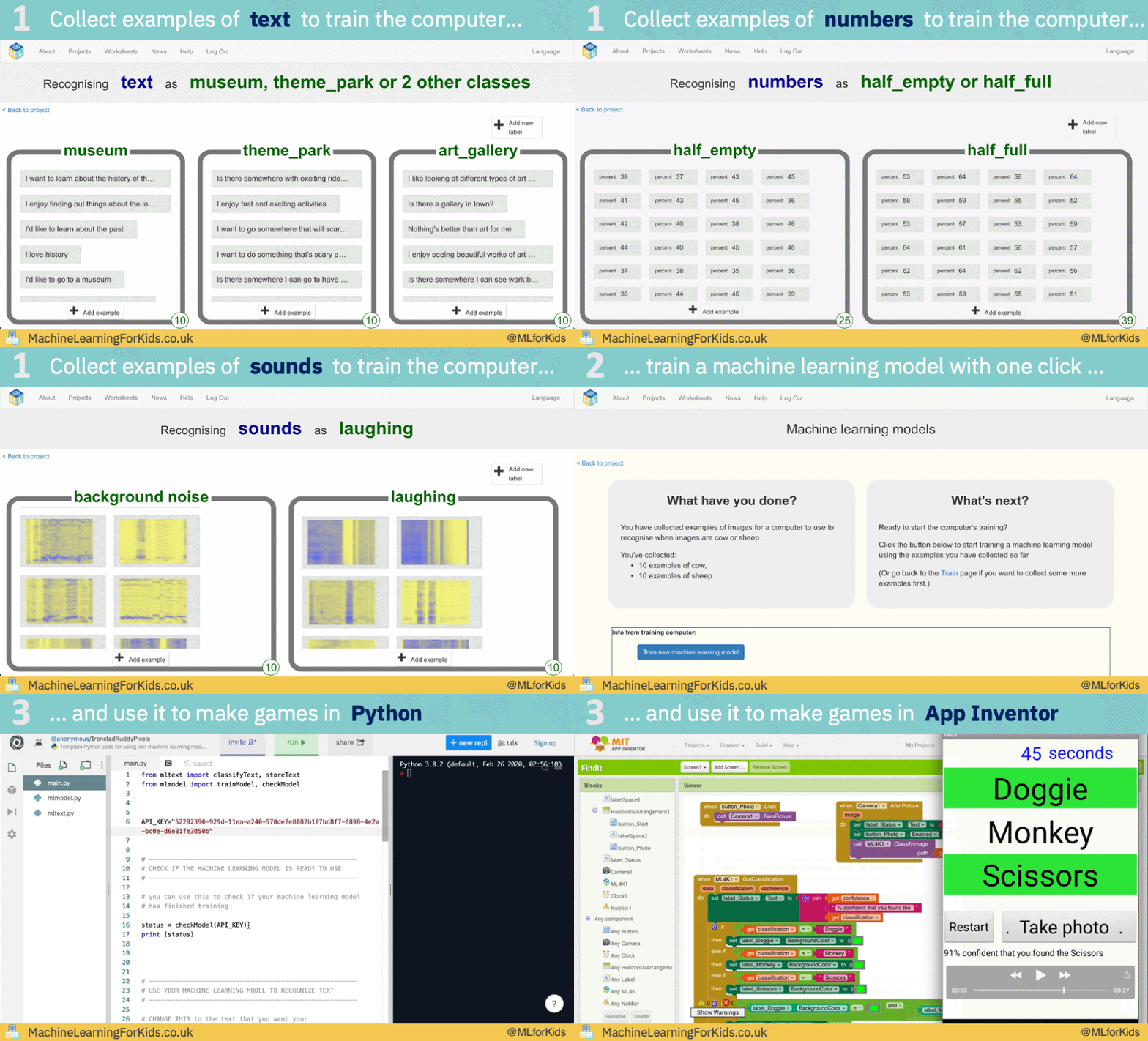
An educational tool for teaching kids about machine learning, by letting them train a computer to recognise text, pictures, numbers, or sounds, and make things with it in Scratch.
snow hill
kindred heron
What is the most used library generating such output?
in the Python ecosystem ?
kindred heron
snow hill
in the Python ecosystem ?
Yes 👍🏻
snow hill
no idea, unfortunately 😦
googling "python" "raycast car" leads directly to our repository based on Harfang 😅
 sly quail
Is the coordinate system Cartesian in arcade?
or is it like pygame, where top left of the screen is 0, 0
pygame is really problematic for me because of that
if arcade is follows the cartesian system I'll move on to it
vagrant saddle
sly quail
Is the coordinate system Cartesian in arcade?
or is it like pygame, where top le...
eternal vessel
sly quail
Is the coordinate system Cartesian in arcade?
or is it like pygame, where top le...
I really don't mind the default being top-left corner, I've gotten pretty used to it at this point
 onyx narwhal
what's the best method of timer to use for rounds in a game with a limit?
 torn jackal
hi guys I am new to GitHub and I d like to upload a big folder, but it contains more than 100 files (and I have to upload only one folder, not a folder split in files) if you know how to upload more than 100 files in one time, please mention 🙏

 wintry notch
you can do it locally

 ashen condor
im doing a simple generator using perlin noise... and i made a "generator" class to use for different stuffs at different layers of complexity
but... i am stuck in a 3d for loop and i dont know how to make it work faster
 dawn quiver
I have a question for game inventory. I need help for a checker when I loot to replace an item. because every action I make asks to replace an item in my inventory even if I am not adding an item to my inventory
 velvet parrot
snow hill
python "car driving simulator" by <@254986904133435394> (with a bit of visual tw...
velvet parrot
snow hill
python "car driving simulator" by <@254986904133435394> (with a bit of visual tw...
do i learn how to do is in intro to computer science
sly quail
vagrant saddle
https://api.arcade.academy/en/2.5.7/pygame_comparison.html
ah, thanks.
snow hill
velvet parrot
do i learn how to do is in intro to computer science
No idea 🤷♀️
This is something you would rather find online if you look for game dev tutorials, I guess
Or maybe in a gamedev oriented school
 modest portal
snow hill
python "car driving simulator" by <@254986904133435394> (with a bit of visual tw...
modest portal
snow hill
python "car driving simulator" by <@254986904133435394> (with a bit of visual tw...
what engine does this use?
modest portal
snow hill
python "car driving simulator" by <@254986904133435394> (with a bit of visual tw...
or library
snow hill
Harfang
proper peak
ashen condor
im doing a simple generator using perlin noise... and i made a "generator" class...
Generally speaking, if you end up writing a loop over a large number of elements in Python, it'll be pretty slow no matter what, just because Python loops (and other seemingly tiny operations like assignments, etc) are fairly slow. You'll want to e.g. rewrite parts of this using numpy.
 blazing void
Hey, I use the pygame menu library and I want to use unicode as title for buttons, is this posssible and if no, is there an other way to use symbols as title
 unborn flume
Hey guys I'm new here lmao😅
And learning python, I made a calculator today
It would be great if you guys can give me piece of advice as a beginner
scenic dome
unborn flume
Hey guys I'm new here lmao😅
Two general pieces of advice:
- There are many tutorials. But they are suited to different learning styles. Find the ones you enjoy the most.
- The tutorials teach the mechanics of the language. However, it is crucial in programming to understand the tradeoffs you have to constantly make. Do I automate this task or just do it manually? Do I have FourWheeledVehicle inherit from RoadVehicle or just have a general Vehicle class with a wheel_count attribute? What functions should I document for another user using this program? How should I represent my data structures? Tutorials don't really cover this kind of decision making.
 silk vessel
can you draw rectangles with an alpha value for the color?
vestal iron
Anyone can help me match right side wall of rectangle?
Took me 2 hours to learn how to set rectangle bottom to another rectangle top now i need to do same with the wals
ping me if you can so i can find later the answer
dawn quiver
Currently working on a template for creating rpg like games with no libaries like pygame, wanted to know if anyone would find that usefull ps its kinda messy rn
I was thinking on putting it on github but i was not sure if anyone would actully use it since it better to just use libaries
dawn quiver
anyone who wants to look and modify code is welcome https://github.com/Python-John/PyRPG.git

GitHub
Contribute to Python-John/PyRPG development by creating an account on GitHub.
vestal iron
dawn quiver
dose
You should do something like this
ball_dx = your_number
ball_dx = ball_dx * - 1
You called it before defining
vestal iron
I made window transparent but i hate that i can click through.
If anyone familiar with with this code, help me.
 transparency_color = (255, 0, 128)

    # Create layered window
    hmwd = pygame.display.get_wm_info()['window']
    win32gui.SetWindowLong(hmwd, win32con.GWL_EXSTYLE,
                            win32gui.GetWindowLong(hmwd, win32con.GWL_EXSTYLE) | win32con.WS_EX_LAYERED)
    # Set window transparency color
    win32gui.SetLayeredWindowAttributes(hmwd, win32api.RGB(*transparency_color), 0, win32con.LWA_COLORKEY)
 lunar venture
Completely transparent windows propagate every mouse (and maybe keyboard) triggered event
Probably to allow non rectangularly shaped windows (what isn't rendered doesn't exist basically)
vestal iron
lunar venture
Completely transparent windows propagate every mouse (and maybe keyboard) trigge...
so the fix to my problem may not exist
lunar venture
You can use a value that's almost completely transparent
Works like a charm on me and my friends
vestal iron
lunar venture
You can use a value that's almost completely transparent
can you tell me where i put it that value?
vestal iron
oh i hear tkinter has something with transperacny but im using pygame and i think these 2 wont work togeter
vestal iron
well if i wont make transparent screen i might make a fake transparency
fake transperancy should fix the mouse problem
unborn flume
scenic dome
Two general pieces of advice:
1. There are many tutorials. But they are suited t...
Thank-you man! I got it👍
 cosmic crown
Wassup mans ! I just want to know if anyone can help me for a project python ? If u can please add me in private it Will be realy cool !
 cold osprey
can somebody help me with a trigger bot dm me
sweet shard
 modest elm
And make button and slider in it
modest elm
And make button and slider in it
Since pygame doesn't come with a gui out of the box you'll have to use a library like pygame-gui or write your own gui library
ashen condor
proper peak
Generally speaking, if you end up writing a loop over a large number of elements...
well, there inst much i can do with numpy, i could look around for a "better perlin noise" or something like that
is multiprocessing helpful in that?
 vivid lichen
What is the fastest way to guess a 4-nonzero-unique digits code, if I will be given for each guess:
1 - number of correctly placeed digits.
2 - number of misplaced digits
vagrant saddle
sounds like mastermind algorithm
vivid lichen
Yeah, but the difference is that I don't know what the correctly placed digits are
pine plinth
vivid lichen
What is the fastest way to guess a 4-nonzero-unique digits code, if I will be gi...
watch this: https://www.youtube.com/watch?v=v68zYyaEmEA
there is a solution for similar problem

An excuse to teach a lesson on information theory and entropy.
Special thanks to these supporters: https://3b1b.co/lessons/wordle#thanks
Help fund future projects: https://www.patreon.com/3blue1brown
An equally valuable form of support is to simply share the videos.
Contents:
0:00 - What is Wordle?
2:43 - Initial ideas
8:04 - Information theory...
 tight ocean
dawn quiver
anyone who wants to look and modify code is welcome https://github.com/Python-Jo...
tight ocean
dawn quiver
anyone who wants to look and modify code is welcome https://github.com/Python-Jo...
Hey, i am interested in it, how can I change the code?
dawn quiver
@tight ocean you can download it and edit it I have discussions on if you want to post your changes👍
tight ocean
dawn quiver
<@797055408812326932> you can download it and edit it I have discussions on if ...
Ok
tight ocean
dawn quiver
<@797055408812326932> you can download it and edit it I have discussions on if ...
I think it would be better if we use gui.
frank fieldBOT
Hey @true goblet!
You either uploaded a .txt file or entered a message that was too long. Please use our paste bin instead.
 true goblet
I guess there's a much better way of doing that but here how I deal with controls in my menu-intensive game
https://paste.pythondiscord.com/amagutasah
any ideas of how I could make it better?
to give more context, it's supposed to be a Dwarf Fortress inspired game
 cloud jasper
dusty crown
cloud jasper
dusty crown
make the clouds a class and a function to check if it collapses, it checks it everytime and when it did collide which is something else than the background check if to grey and in the else function do the color to be white
idk how to do that
cloud jasper
torn jackal
hi guys I am new to GitHub and I d like to upload a big folder, but it contains ...
use git for console
frank fieldBOT
Hey @heavy totem!
It looks like you tried to attach a Python file - please use a code-pasting service such as https://paste.pythondiscord.com
 versed aurora
im doing terrain gen, thinking maybe using just some math to make a pseudorandom function, probably by caching trig to make it faster

this works kinda but is grainy and not very random
versed aurora
true goblet
to give more context, it's supposed to be a Dwarf Fortress inspired game
instead of a bunch of elifs maybe consider using match case
also as a long time df fan, good luck
if it's df inspired you might not even need pygame and just use terminal graphics
for windows the msvcrt module works for keyboard, and otherwise probably some ctypes bs
import msvcrt
while True:
    if msvcrt.kbhit():
        print(msvcrt.getch())
it is random but not smooth
versed aurora
yeah
dawn quiver
and it doesnt have varying layers of noise
like big voids
if you are interested i have a good read on noise
there are several ways to tackle the problem
could use cellular automata
or layer noise at different resolutions
versed aurora
thx
dawn quiver
versed aurora
thx
how was trig susposed to be invovled?
dawn quiver
thats good
this is probably not what you described but it looks really cool
slide the bar for h around and watch it form into a ball
 hearty yoke
You all know if pygame works on juypter notebook?
 outer drum
hearty yoke
You all know if pygame works on juypter notebook?
outer drum
hearty yoke
You all know if pygame works on juypter notebook?
it does 🙂
 queen wyvern
hearty yoke
Do u know by any chance?
queen wyvern
hearty yoke
Do u know by any chance?
pip install pygame in your terminal/command prompt
 hushed coyote
Bro how do you make a game in python on a mobile device, the only plan i had for a game is its an rpg.
Just asking....

 crystal hawk
What are some algorithms which I can use to create wiggle function ?
I want similar movements like chaos the path traced by double pendulums
versed aurora
random walk
basically add a random value to a variable each step
you could also interpolate noise but i think random walk would be easier
versed aurora
crystal hawk
What are some algorithms which I can use to create wiggle function ?
like this?

import matplotlib.pyplot as plt,random
walkValues = {0:0}
valuesCount = 1000
for i in range(valuesCount):
    walkValues[i+1]=walkValues[i]+random.uniform(-1,1)
plt.plot(walkValues.keys(),walkValues.values(), 'r')
plt.grid(color='#333333', linestyle='-', linewidth=0.1)
plt.show()
 jagged cloud
I'm new to programming and would like to use Pygame to visualize things. I am uncomfortable using pip and would like to click on one of the 43 links to download Pygame.
How do I choose between the different windows versions if I have a 64 bit windows system? (I tried looking things up and found I was accelerating down a rabbit hole with less and less progress)
versed aurora
you're gonna have a hard time without using pip
jagged cloud
where can I educate myself on learning pip and how to download and format it?
versed aurora
i mean, pip should come preinstalled
pip is also super easy to use, it's literally just 'pip install [package name]'
jagged cloud
When I have tried the things I have been told I seemed to always get errors. I will see if I can get it to work this time
versed aurora
you might need to add it to PATH (for windows, open 'sysdm.cpl', advanced tab, environment variables, then path)
the directory you'll want to add if it's not there should be Python\Python311\Scripts (replace Python311 with whatever version)
then you can just open cmd and do 'pip' to test if it works
jagged cloud
I get an error and it says it is something with the package
jagged cloud
I do, I would like to remove the older versions
versed aurora
yeah pip is kinda odd with multiple versions in my experience
you can just uninstall the versions like any other program afaik
assuming you mean python versions and not package versions
jagged cloud
correct
Thank you Gloop, you helped me to see that the computer can be picky in ways I would not think of.
versed aurora
np
yeah i had a very similar problem for a long time
if you ever have issues with pip installing to the wrong place do 'pip config list' to see where it's installing to, and 'pip config set global.target [directory]' to set it
crystal hawk
versed aurora
like this?
Yes!!
crystal hawk
versed aurora
```py
import matplotlib.pyplot as plt,random
walkValues = {0:0}
valuesCount = 10...
Thank you so much. So appreciate it!
 versed aurora
there we go
ive been working on autogenerating maps in besiege
this doesn't use perlin noise but instead uses scuffed interpolated bitmap stuff

the pattern kinda falls apart at large scale

i think i'll cave and use numpy
jagged cloud
This is my error:
ssl.SSLCertVerificationError: [SSL: CERTIFICATE_VERIFY_FAILED] certificate verify failed: certificate has expired
it seems to happen multiple times
It also tells me there is: No "Setup" file
dawn quiver
versed aurora
huh, neat
hey gloop you check out that site i gave you?
the lodev one?

 hasty nimbus
????
 zinc ruin
idk why it's false
i have to change what
it's for a video game when my character have to turn left or right
jagged cloud
I believe you have to "return" it out of the local environment. It "ceases to exist" switching environments.
also I think you want to check if the key is pressed, It isn't clear from your picture you have done that
You are using a boolean check, which is asking if "q" is keyboard.key
booleans are literal and picky for example "4" != 4 in boolean logic despite them looking the same. One is a string and the other an interger.
 obtuse pivot
Hey does anyone know how to use the godot engine, I dont know if it's allwed but I'm willing to pay for the assistance
olive geode
obtuse pivot
Hey does anyone know how to use the godot engine, I dont know if it's allwed but...
This is not allowed
obtuse pivot
olive geode
This is not allowed
Ohhhhhh
I'll go to fiver, no worries
I should have thought of that first
obtuse pivot
olive geode
See the rule 9
I got it nowe
 devout crater
heyo i made a 170-line simple tetris game in pygame
anyone wanna look through it and give me pointers?
torn jackal
Hi guys, I am coding with Ursina, and I am coding a small Minecraft to train myself for the good using of Ursina. Can someone tell me if it exist something to generate a map as in Minecraft. Thanks in advance ! Mention if you can help !
devout crater
generally i’ve seen people use various noise maps to represent height. this will not generate caves on its own though
@torn jackal
devout crater
if you dont know what this means its kind of like a greyscale image generated from random data where the brightness of each pixel will represent the height of the highest block of each horizontal coordinate
plenty of great resources if you give it a google
devout crater
devout crater
heyo i made a 170-line simple tetris game in pygame
anyone wanna look through it...
made a 63 line snake if thats less daunting to look through
scenic dome
Also the best coding strats for small line-count on simple games may not work well for larger pieces of software. They may not have enough "structure" to scale up well.
 graceful yew
what's the pygame equivalent of https://love2d.org/wiki/love.update ?
scenic dome
graceful yew
what's the pygame equivalent of https://love2d.org/wiki/love.update ?
You make a while True with your logic, etc and call pygame functions within the loop.
See here:
https://stackoverflow.com/questions/54981456/how-to-implement-a-pygame-timed-game-loop

Stack Overflow
I am looking to write a better game loop in Python using pygame.time.Clock(), and I understand the concept of keeping time and de-coupling rendering from the main game loop in order to better utili...
graceful yew
scenic dome
You make a while True with your logic, etc and call pygame functions within the ...
does clock.tick() skip frames in that example?
scenic dome
graceful yew
does clock.tick() skip frames in that example?
clock.tick(60) will wait if you haven't used up the full 1/60 since the last time you called clock.tick (which is usually the last time the loop ran). This means that FPC is capped at 60. But it can still drop lower if the loop is expensive. This doesn't "skip" frames, it throttles frames.
If you want the speed of the game to stay the same under heavy load this can be done to an extent by skipping rendering frames (i.e. only calling Pygame graphics calls every other frame). Or short-changing logic frames (not calling AI pathing every frame). Doing these can keep the pace up but it has downsides.
graceful yew
all right, thanks, this should help me keep track of time
 tulip thunder
hi
i dont really know in wich chat should i ask this because it is pretty base level
but why is this code printing at 0 x 04535345x and not a float number
from math import pi
class Cercle:
def init(self, rayon):
self.rayon = rayon
def calcul_aire(self):
    return pi * self.rayon*2

def afficher_info(self):
    print(self.calcul_aire())
    print(self.calcul_circonference())

def calcul_circonference(self):
    return 2 * pi * self.rayon
a = Cercle(5)
a.afficher_info()
 sweet plinth
I have a problem here is toreate a 2 lists, one for your name (1) and another list for direction (2) (e.g: d3,f5) then randomly assgin one of the item from (2) and assign it to (1) then print it into the screen
**E.g: **an item from (2) will randomly picked up an item from (1) and print to the screen:
Nick,e4
Lisa, f4
 lavish gale
 candid fjord
i know no 1 ask but here is my non fisnihed discount hangman
(yes its a console game)
context:
my school coding club weekly challenge this week was "make a hangman game using python"
evry1 in the club except me use pygame
but im lazy af so i used python console
here is the (unfinished) code:
print(" HANGMAN")
print(" dicount version")
print( )
print(" | -- clue: type of food ")
print(" | |")
print("___ ______")
let1 = input("what letter?")
if let1 == "b":
print(" HANGMAN")
print(" dicount version")
print( )
print(" | -- clue: type of food ")
print(" | |")
print("___ B_____"))
devout crater
 median plover
line counting is nothing
median plover
line counting is nothing
just saying its quick to read through
if i just asked to look through my game people would assume its a 10 file 5000+ lines code and obviously thats something you dont want to look at
not from a stranger anyway
devout crater
candid fjord
i know no 1 ask but here is my non fisnihed discount hangman
(yes its a console ...
i'd keep the input letters in an data structure like an array or list then use that to generate the displayed text
then you just need a while loop that ends when you've input the full word or to many wrong letters
what you're doing is known as hardcoding
devout crater
i made my own just now, if you have any questions i can help you and show little bits of my own code
devout crater
tulip thunder
from math import pi
class Cercle:
def init(self, rayon):
self.rayon ...
import math and use math.pi
furthermore you need to call the initializing function __init__(self, rayon)
and to square a number do rayon**2
like this
import math

class Cercle:
    def __init__(self, rayon):
        self.rayon = rayon

    def calcul_aire(self):
        return math.pi * self.rayon**2

    def afficher_info(self):
        print(self.calcul_aire())
        print(self.calcul_circonference())

    def calcul_circonference(self):
        return 2 * math.pi * self.rayon

a = Cercle(5)
a.afficher_info()
 faint bane
is pygame.display.update() or pygame.display.flip() better in general, also what cases are the other (the one that is typically worse) better (just give a general answer)
devout crater
sweet plinth
I have a problem here is toreate a 2 lists, one for your name (1) and another li...
is this what you want
import random
names = ["Jordan", "George", "Susan"]
directions = ["d5", "f4", "a2"]
print(names[random.randint(0, len(names)-1)] + ", " + directions[random.randint(0, len(directions)-1)])
flip() updates the whole display, update() updates a portion if it
faint bane
does flip make the game run slower than?
devout crater
another key difference is only flip works if you're using opengl, documentation says update is optimized for software displaying
i dont think that means it's faster though
only more versatile
update will be faster if you only want to update a portion of the screen
e.g. if you're in a menu and the rest of the game is paused, or if you have a border around the game that does not change
otherwise they are probably identical
hushed coyote
Hello.
 civic rune
hello, can anyone help me with picking items up in a game developed in PyCharm. I would like a nudge in the right direction so i can learn what I am doing, thank you.
 hexed patio
Apart from pygame, how could py be used for game dev.?
 vast heron
hexed patio
Apart from pygame, how could py be used for game dev.?
vast heron
hexed patio
Apart from pygame, how could py be used for game dev.?
Cloud Multi-Player Servers
vast heron
hexed patio
Is it a lib?
No
using python you can create a server to do Cloud Multi-Player
hexed patio
Ok
hexed patio
vast heron
using python you can create a server to do Cloud Multi-Player
I meant, apart from pygame, there’s no other lib for gdev ?
vast heron
hexed patio
I meant, apart from pygame, there’s no other lib for gdev ?
there is Arcade
and there is pyglet
and so much more
 ashen condor
does someone know how can i make a class, for a 2d tileable perlin noise?
i am super stucked on the generator part
i get only this and well, its not really what i need to generate a good world x3
 devout crater
looks like you're missing interpolation
ashen condor
devout crater
looks like you're missing interpolation
fixxed, i was giving the wrong x, y for the noise

now it look stimes beter x3
devout crater
ah looks nice
ashen condor
it's slow when it has to generate new chunks tho
tight ocean
Python for 3d rendering?
ashen condor
tight ocean
Python for 3d rendering?
i tried ursina once, not that good
hexed patio
ashen condor
i tried ursina once, not that good
What’s that?
ashen condor
hexed patio
What’s that?
3d game engine in python

Ursina, an open source, python powered game engine
ashen condor
easy to use and understand, but you have to optimize all by yourself
if you have to make something 2d id use pygame
maybe if you wanna do simple stuffs in 3d may work
sweet shard
tight ocean
Python for 3d rendering?
Look into Panda3D it's a great library for exploring 3d rendering
Or if you just want something out of the box Blender's Python api is also good
normal silo
tight ocean
Python for 3d rendering?
You can do it manually with the moderngl module: https://pypi.org/project/moderngl/

There is also moderngl-window if you need window / are not using pygame or something else for the window / event loop.
(You can also use PyOpenGL)
 cyan bridge
HELLO
frank fieldBOT
Hey @cyan bridge!
You either uploaded a .txt file or entered a message that was too long. Please use our paste bin instead.
ashen condor
i dont know if this is the right channel but its related to the game-ish i'm making
is there a way to make a "background" loop do something when and only when, the "main loop" is not busy "Drawing" a new frame?
dawn quiver
ashen condor
i dont know if this is the right channel but its related to the game-ish i'm mak...
is it similar to when a game is running but then u press pause or die and other actions start happening ?
if so i think i can help you
ashen condor
dawn quiver
is it similar to when a game is running but then u press pause or die and other ...
more like, camera is not moving and no chunks are being loaded and drawn, this process kicks in and starts to generate chunks around the camera point but over the "load boarder"
to spare time when the "game" is not busy
tight ocean
sweet shard
Look into Panda3D it's a great library for exploring 3d rendering
Or if you just...
Thx
But , python is slow
potent ice
tight ocean
But , python is slow
It depends what's doing the heavy lifting.
true goblet
Super messy code I wrote, I'm sure can 100% be optimised, but it at least works
                needed = colony.GetCountByMaterialType()[item] - count
                addedItems = 0

                while colony.GetCountByMaterialType()[item] > needed:
                    for invItem in inventory.keys():
                        if addedItems < count:
                            if invItem.materialType == item:
                                while inventory[invItem] > 0:
                                    inventory[invItem] -= 1
                                    addedItems += 1

                                    if addedItems < count:
                                        continue
                                    else:
                                        break
it's basically a loop in a loop in a loop in a loop
potent ice
You can probably split that up
vagrant saddle
 eternal igloo
Any ideas?
eternal igloo
Any ideas?
do you want to run on mobile and maybe use multitouch ?
dawn quiver
true goblet
Super messy code I wrote, I'm sure can 100% be optimised, but it at least works
...
What is this suppose to be doing?
ashen condor
i need help, this thing slows my game heavily
    def draw_world(self):
        cx, cy = [round(i / self.chunk_size) for i in self.camera_pos]

        x_correction = round(self.screen.get_width() / 2 + self.camera_pos[0] + (self.chunk_size / 2))
        y_correction = round(self.screen.get_height() / 2 + self.camera_pos[1] + (self.chunk_size / 2))

        for i in range(-cx - self.render_distance[0], -cx + self.render_distance[0] - 1):
            for j in range(-cy - self.render_distance[1], -cy + self.render_distance[1] - 1):
                chunk = self.map(i, j)
                for tile in chunk[0].tiles:
                    copy_tile = pygame.Rect(tile[0])
                    copy_tile.centerx += x_correction
                    copy_tile.centery += y_correction
                    if self.visible_noise:
                        pygame.draw.rect(self.screen, tile[2], copy_tile)
                    else:
                        pygame.draw.rect(self.screen, tile[1], copy_tile)

                if self.chunk_boarder:
                    copy_chunk = pygame.Rect(chunk[0].rect)
                    copy_chunk.centerx += x_correction
                    copy_chunk.centery += y_correction
                    pygame.draw.rect(self.screen, chunk[1], copy_chunk, self.tile_size // 2)
                    text = self.font.render(f'[{(i + 1) * 1} | {(j + 1) * -1}]', True, (0, 0, 0))
                    text_rect = text.get_rect(center=copy_chunk.center)
                    self.screen.blit(text, text_rect)
any suggestion?
dawn quiver
ashen condor
i need help, this thing slows my game heavily
```py
def draw_world(self):
...
is the if self.chunk_boarder: supposed to be within the double for loop?
does it run fine without this bit of code?
font rendering is expensive i think
ashen condor
dawn quiver
does it run fine without this bit of code?
it maybe drawns a frame or 2, not that big issue, by default is False
dawn quiver
So that is not the problem
ashen condor
i mean
i draw like a hell of amount of tiles
but i dont know how i could make it work better
dawn quiver
well
assuming you have a really simple implementation
consider cacheing these tiles
into a surface for each chunk
ashen condor
explain
dawn quiver
for a chunk you have a surface
load the chunk and render all the tiles to that surface
you do this once
and just render the surfaces
this will help a bunch
ashen condor
this is my current chunk to make you understand a lil better
 dawn quiver
eh i cant decipher that right now . . . maybe explain it?
like what i said will still apply
yeah
add a surface to the chunk
on chunk load
render all the tiles to that surface
and in the game loop
render that surface
there are ways to render to a surface instead of the window
tat way you are only renderering a surface per chunk
instead of a alot of tiles per chunk every frame
id advise aginst the double underscore naming convention
also how are you storing the tiles
a 1d array?
dawn quiver
ashen condor
this is my current chunk to make you understand a lil better
^
the way your appending to that list seems odd
eternal igloo
vagrant saddle
do you want to run on mobile and maybe use multitouch ?
Yes it's on mobile
 timid raft
I have a learning project I am about to start which will basically replicate Basic DnD rules and write the modules (the red book if anyone remembers) .
What additional modules can anyone recommend (I am presuming Pygame)?
vagrant saddle
eternal igloo
Yes it's on mobile
then pygame/panda3d are the easy entry points and you can prototype with webview before going native eg https://pygame-web.github.io/showroom/pygame-scripts/org.pygame.touchpong.html or https://rdb.name/panda3d-webgl/editor.html
eternal igloo
vagrant saddle
then pygame/panda3d are the easy entry points and you can prototype with webview...
thx
fallow glade
❓
devout crater
do you want to make this?
dawn quiver
Hello fellow python people. I like coding as a hobby but I would like to get better at it enough so that i could potentially make a career out of it. I like the programming aspect of game development and even debugging code can be fun, but I am a terrible at coming up with ideas for games. What should i do to better myself? Ideally id like to work on a project with someone to finish a game.
 icy dawn
dawn quiver
Hello fellow python people. I like coding as a hobby but I would like to get be...
icy dawn
dawn quiver
Hello fellow python people. I like coding as a hobby but I would like to get be...
You like to work in a team
And this is much better than working alone
In my opinion, you should first find a person with whom you can work in a group
Someone who doesn't disagree with you or doesn't disagree in other areas so that you can find complete compatibility with him.
To get better at ideas, it is enough to pay attention to the details of several popular or good old games
And try to improve the idea that is implemented on these games to make it better
If you do this, you will automatically come up with interesting ideas
People who have creative ideas
They see many examples of work
Few of them have exceptional talents
But this does not mean that you remain bad and cannot get better
It is enough to pay a lot of attention to the work sample and the details of the games
@dawn quiver See the details
dawn quiver
Thanks for responding. I think i might have found someone Im willing to work with. If i help him with his project maybe we could make something we both are really excited for.
icy dawn
dawn quiver
Thanks for responding. I think i might have found someone Im willing to work wi...
you're welcome
But also know this
If the person you want to work with is a team
If you see that it is compatible with you
Share your ideas with it
Let him tell you his ideas
Some people keep their ideas to themselves
Maybe you will tell him your idea and he will say that I had the same thought
This is how you will adapt over time
i like this program
 icy dawn
xd
dawn quiver
I used it to make this starfish
dawn quiver
i havent done much with animations the interface is a lil confusing.
icy dawn
I once made a game with that character software that my friend and I wanted to make that game
I don't have it, otherwise I would have shown it to you
good luck my friend
🖐🏻 👀
 buoyant vessel
so, in arcade if you were loading a sprite you might do something like this self.player = arcade.Sprite(image_path, CHARACTER_SCALING) but a lot of gaming assets are on sheets and under the assumption that you are going to load the entire sheet and specify the individual sprite using indexes and dimensions... Could someone direct me to docs that explain how to do this, or do I need to cut up the assets into individual images?

 eternal vessel
Artists be like: "and that will be $2,000"
 runic tusk
I was planning on making a simulation on prey vs predator
Collectively, predators(red) chase preys(green) both have a speed and energy, energy depletes over time. Predators need to eat to split, preys just have to survive
Now I need pygame to plot it, how would I make it so the map is continuous(entities can go on the other end once they reach the shape's border).
eternal vessel
I'm dumb I don't get the border explanation
Like if they walk to one end of the border, it'll put them to the otherside?
runic tusk
Exactly.
eternal vessel
yeah that's doable
lemme try and code up a simple example
import pygame

# Pygame Setup
pygame.init()
SCREEN_WIDTH, SCREEN_HEIGHT = 800, 800
screen = pygame.display.set_mode((SCREEN_WIDTH, SCREEN_HEIGHT))
FPS, clock = 60, pygame.time.Clock()

# Player
P_WIDTH, P_HEIGHT = 50, 50
p1 = pygame.Rect(50, 50, P_WIDTH, P_HEIGHT)

# Game Loop
while True:
    clock.tick(FPS)
    keys = pygame.key.get_pressed()
    for event in pygame.event.get():
        if event.type == pygame.QUIT:
            pygame.quit()
            exit
    # Move
    if keys[pygame.K_a]:
        p1.x -= 5
    if keys[pygame.K_d]:
        p1.x += 5

    # Border Teleport (on the x)
    if p1.x + p1.width < SCREEN_WIDTH*0:
        p1.x = SCREEN_WIDTH
    if p1.x > SCREEN_WIDTH:
        p1.x = (SCREEN_WIDTH*0)-p1.width

    # Draw
    screen.fill((50, 50, 50))
    pygame.draw.rect(screen, (0,0,255), p1)
pygame.display.update()```@runic tusk bad code, but the border teleport works
so you just want to use that logic
 foggy python
Just released my first Pygame game that uses shaders. 🎉
https://dafluffypotato.itch.io/hue-flowing
https://cdn.discordapp.com/attachments/554140549310054439/1055679088964141086/2022-12-22_21-48-23.mp4
eternal vessel
foggy python
Just released my first Pygame game that uses shaders. 🎉
<https://dafluffypotato...
You continue to impress me
dawn quiver
foggy python
Just released my first Pygame game that uses shaders. 🎉
<https://dafluffypotato...
No way that Python 😮
foggy python
the source is available for download as well if you want to look
 ocean sage
foggy python
Just released my first Pygame game that uses shaders. 🎉
<https://dafluffypotato...
ocean sage
foggy python
Just released my first Pygame game that uses shaders. 🎉
<https://dafluffypotato...
wow
icy dawn
The first achievement in the music industry
 pliant knot
Anyone has experience with Houdini and vanilla media?
eternal vessel
icy dawn
The first achievement in the music industry
tkinter, noice
icy dawn
eternal vessel
tkinter, noice
thanks man...
thanks
eternal vessel
icy dawn
thanks man...
thanks
Uh...
You're welcome?
icy dawn
eternal vessel
icy dawn
https://cdn.discordapp.com/attachments/910117504158937089/1055863482739871794/ba...
Nice Mario Music
 toxic stratus
icy dawn
The first achievement in the music industry
toxic stratus
icy dawn
The first achievement in the music industry
👏
eternal vessel
Better get to learning
 broken garden
Hi I am looking for people who are interested in giving me a game idea cause I'm still learning pygame
icy dawn
broken garden
Hi I am looking for people who are interested in giving me a game idea cause I'm...
call of duty 3 xdddd
im joking
xdd
icy dawn
broken garden
Hi I am looking for people who are interested in giving me a game idea cause I'm...
mario is good choice for stating
 soft lion
@icy dawn very nice. U could put the key notes instead A-L T1-T12. Also, where did u got the sounds?
versed aurora
just decided to try doing a rotation matrix while rendering
came out pretty cool
def rotateCoords(x,y,t):
    c,s = math.cos(t),math.sin(t)
    x2 = (x*c) - (y * s)
    y2 = (x*s) + (y * c)
    return x2,y2
that hurts to look at lol
versed aurora
lol
here it is with mandelbrot
all default py if you're curious
this is terminal graphics
 icy dawn
soft lion
<@846712077523615776> very nice. U could put the key notes instead A-L T1-T12. A...
icy dawn
soft lion
<@846712077523615776> very nice. U could put the key notes instead A-L T1-T12. A...
hi my frieand
The first time I downloaded the sounds from Google and placed them, but due to the lack of sound, I could not continue
But the second time, I noticed that the fl stadio software has a piano-like part, and I took the notes from there and edited them with Premiere (thickness and thinness of the sound).
dawn quiver
can someone help me reload a python module
or reload a python func
or change my program so that this kind of hackery is not needed
 brave knoll
foggy python
Just released my first Pygame game that uses shaders. 🎉
<https://dafluffypotato...
brave knoll
foggy python
Just released my first Pygame game that uses shaders. 🎉
<https://dafluffypotato...
your future looks bright 
(this is a demo room, right?)
 thick knot
Heys, I’m creating a rpg game by text, like the old adventures game in text and I have a doubt: a game with the dr. Stone thematic is a good idea?
grim abyss
versed aurora
just decided to try doing a rotation matrix while rendering
Cool stuff. Check out this lib...
grim abyss
versed aurora
came out pretty cool
!pypi Planar
frank fieldBOT
2D planar geometry library for Python.
grim abyss
Sadly, no longer maintained. Still useful...
Has vectors and stuff...
affine transforms such as a rotation are already implemented.
grim abyss
versed aurora
```py
def rotateCoords(x,y,t):
c,s = math.cos(t),math.sin(t)
x2 = (x*c) ...
I don't know if you're just exploring/learning or not...Maybe you don't wish to implement a scaling transform...
 flat lava
Is there a way to completely delete objects in turtle
 patent bear
hello guys i just want to know how to create menu in python using keyboard arrows
thick knot
patent bear
hello guys i just want to know how to create menu in python using keyboard arro...
Depends. Are you using pygame? If yes, in the loop ‘for event in pygame.event.get()’ you can use the key K_RIGHT, K_LEFT, K_UP and K_DOWN
 pallid patio
I'm getting started on a pygame uni project and before doing more stuff to it I need some feedback on how this looks for the game loop, is there anything I should change or would this be a good structure for it?

 fossil hound
for some reason my game is completely black
anyone know why?
import pygame
Initialize pygame
pygame.init()
Set the screen size and caption
SCREEN_SIZE = (600, 600)
pygame.display.set_caption("Jump Game")
Set the player's starting position and velocity
player_pos = [0, 0]
player_vel = [0, 0]
Set the size of each grid cell
cell_size = 50
Set the colors for the grid, the player, and the spikes
grid_color = (200, 200, 200)
player_color = (255, 0, 0)
spike_color = (0, 0, 0)
Set the gravity and jump strength
gravity = 0.5
jump_strength = 8
Create the screen and the clock
screen = pygame.display.set_mode(SCREEN_SIZE)
clock = pygame.time.Clock()
Set up the spikes
spikes = [[5, 5], [7, 7], [3, 8], [9, 2]]
Set the player's shape (either "ship" or "cube")
player_shape = "ship"
Main game loop
running = True
while running:
# Handle events
for event in pygame.event.get():
if event.type == pygame.QUIT:
running = False
elif event.type == pygame.KEYDOWN:
# Handle the space key to make the player jump
if event.key == pygame.K_SPACE:
player_vel[1] = -jump_strength
# Handle the M key to switch between modes
elif event.key == pygame.K_m:
if player_shape == "ship":
player_shape = "cube"
else:
player_shape = "ship"
Update the player's velocity due to gravity
player_vel[1] += gravity

# Update the player's position based on their velocity
player_pos[0] += player_vel[0]
player_pos[1] += player_vel[1]

# Check if the player has touched a spike
for spike in spikes:
    if player_pos[0] == spike[0] and player_pos[1] == spike[1]:
        print("You died!")
        running = False

# Clear the screen
screen.fill((255, 255, 255))

# Draw the grid
for i in range(10):
    for j in range(10):
        rect = pygame.Rect(i * cell_size, j * cell_size, cell_size, cell_size)
        pygame.draw.rect(screen, grid_color, rect, 1)

# Draw the spikes
for spike in spikes:
    rect = pygame.Rect(spike[0] * cell_size, spike[1] * cell_size, cell_size, cell_size)
 uneven tide
fossil hound
anyone know why?
uneven tide
fossil hound
anyone know why?
You're not calling pygame.display.flip() (ou update) to make everything visible
fossil hound
where should i add that?
uneven tide
https://www.pygame.org/docs/tut/MoveIt.html#putting-it-all-together-one-more-time
inside your main loop, at the end, after you've drawn everything
fossil hound
k thanks
pallid patio
pallid patio
I'm getting started on a pygame uni project and before doing more stuff to it I ...
yo anyone on this ? ^^
dawn quiver
pallid patio
I'm getting started on a pygame uni project and before doing more stuff to it I ...
That is an interesting way to write the game loop
Why did you nest functions?
versed aurora
i’ve done that before when i wanted to just restart the script essentially
pallid patio
dawn quiver
Why did you nest functions?
so that I can directly access the object instances in the loop
you could technically do so via the objlist but it's harder to keep track of the object you're accessing
oh and it shouldn't be in the for loop, one sec
 dawn quiver
or you could put the variables outside the loop as well as outisde the run function
Unless you are trying to stop names from conflicting but then some might suggest to use a class
pallid patio
that was the original implementation but some reason I couldn't access the object instances
here's what I had before
 dawn quiver
ah well what i would have done is stick the entire thing in main
depends on how big the project is though
pallid patio
I somewhat find it more organized this way
the project is likely not that large, but I'd like to practice stuff that works at larger scales
dawn quiver
What kind of games you gonna make?
pallid patio
for the while I have a beatemup-type game in mind, but I'm practicing by making a simple fighting game
we've been told not to make the game yet by our tutor so I'm kind of holding back on being a total jackass and finishing it now, but I might just get a foundation of it done already
supposedly the project lasts 6 months
dawn quiver
What i find fun about programming games, in my experience mostly games that involve a grid, is to find out the game state.
Like how to represent the game state
pallid patio
wdym by the game state exactly?
dawn quiver
like in chess how do you represent the pieces on the board? What data structures do you use and what algorithms do you use?
Same deal with tetris
traffic jam
bejewled
pallid patio
once you get to the 3d stuff it gets even more intriguing. I've always found implementations of a rubik's cube in code to be really interesting
dawn quiver
well maybe for each cube in a rubiks cube would have a number.
this number is a bitwise composition of numbers that represent color
so six sides six colors 6 bits maybe?
pallid patio
you could ditch colors entirely and instead have each color assigned to a char
dawn quiver
then each face is comprised of a specific order of numbers'
pallid patio
pallid patio
you could ditch colors entirely and instead have each color assigned to a char
it's a bit pointless to save that much memory but ya know
dawn quiver
well what i meant was each bit poisition corresponds to a color