#microcontrollers
1 messages · Page 25 of 1
 errant wigeon
 north anchor
Sorry if this is a FAQ question but I just received a (Zio) Pyboard in the mail. It's got MicroPython 1.12 currently installed and I'd like to update it to the current version 1.17. Is there a web page or documentation somewhere on how to accomplish this?
Or is this the case of requiring me to build the software as according to the README (requiring various ARM utilities, etc.) and flash it via USB DFU? Or is there an easier way to flash an existing binary distribution directly without doing the build myself? Thanks!
 steep dune
why not look to see whats different between versions , is it worth updating?
 rare rose
Two things,
- Does anyone know of a small data storage device that could store a couple kilobytes of data, and then a raspberry pi could read said data
- How would one send data with an IR LED to a receiver (for something like a laser tag gun)
(Please reply to this message, tag me, or DM with your response)
 pearl plover
I had a bunch of old stuff here and maybe I can do something with them
 clever oar
rare rose
Two things,
1. Does anyone know of a small data storage device that could store ...
clever oar
rare rose
Two things,
1. Does anyone know of a small data storage device that could store ...
why not just use esp-32 or esp-8266?
I just think raspberry pi is just too powerful for a KB of data
steep dune
mmmmm is it 1 KB , config files ?
 icy ruin
what's the best place to start learning about how to use the Gpio pins on a PI/Gpio.rpio python library? (sorry for being little off the topic of python, the raspberry pi help server is very un-active)
errant wigeon
icy ruin
what's the best place to start learning about how to use the Gpio pins on a PI/G...
I find it easiest to learn when I have a project to learn. Is there something specific you're hoping to do with the GPIO?
icy ruin
errant wigeon
I find it easiest to learn when I have a project to learn. Is there something sp...
if there is anything i should learn before start this project, please let me know. but I hoping to make a small Rc vehicle, using a cheap metal chassis i found on amazon, a raspberry pi 3 b, a Xbox one controller, and a motor controller.

 errant wigeon
Do you have a way to power the motor controller?
icy ruin
would it work if i connected the battery on the chassis to the power slot on the motor controller?
errant wigeon
Maybe. It depends on the power requirements of the motors
But that board you've got is an h-bridge motor driver, so to go forward, back, left, right, you'll just toggle the pins
errant wigeon
How familiar with python are you?
icy ruin
errant wigeon
How familiar with python are you?
I know some of the basics, i do it for a hobby and have been pretty busy so ill need to touch up on my skills
errant wigeon
Ok cool, so the best thing I can recommend for this kind of setup is to think about breaking up the project into smaller bits. When you get it, you can think about writing a block of code to go forward, a block to go back, a block to go right, a block to go left
Then you can work on code that doesn't need the pi gpio just yet, and once you're ready you can assign the needed gpio to each direction
icy ruin
okay thanks that doesnt seem to be too difficult, im still struggling to find somewhere to learn about the the Gpio.rpio python library.
errant wigeon
Here's a good place: https://learn.sparkfun.com/tutorials/raspberry-gpio/all
Some pins can do some special things, but for general gpio it's more or less setting the pin as an output or an input, and if it's an output saying if it's high or low.
icy ruin
okay, thank you very much. Have a good rest of your evening!
errant wigeon
You as well! Feel free to ask more questions as you come across them!
 slow ore
You may want to consider using MQTT. It's a piece of cake from Python. Very light weight protocol. If you're not familiar with it, it's publisher-subscriber model. You do need to designate one as a broker on which you can download and run Mosquito (MQTT broker). Now you're all set when your network grows. I've been using it quite a bit lately and it works great. Easy to implement and maintain. And its free! Play with it for a day in Python and you'll be an expert! If you have any specific questions once you dive in, let me know. I would be glad to help.
 tired ocean
@slow ore thank you for this, however I did see this in my research and I think it would be a bit overkill for my project as I am only ever going to have 2 devices :/
 hallow igloo
siiiiiiiiiiiiiiiiiiiiiiiiiiiiiiiiiiiiiiiiiiiiiiiiiiiiiiiiiiiiiiiiiiiiiiiiiiiiiiiiiiiiiiiiiiiiiiiiiiiiiiiiiiiiiiiiiiiiiiiiiiiiiiiiiiiiiiiiiiiiiiiiiiiiiiiiiiiiiiiiiiiiiiiiiiiiiiiiiiiiiiiiiiiiiiiiiiiiiiiiiiiiiiiiiiiiiiiiiiiiiiiiiiiiiiiiiiiiiiiiiiiiiiiiiiiiiiiiiiiiiiiiiiiiiiiiiiiiiiiiiiiiiiiiiiiiiiiiiiiiiiiiiiiiiiiiiiiiiiiiiiiiiiiiiiiiiiiiiiiiiiiiiiiiiiiiiiiiiiiiiiiiiiiiiiiiiiiiiiiiiiiiiiiiiiiiiiiiiiiiiiiiiiiiiiiiiiiiiiiiiiiiiiiiiiiiiiiiiiiiiiiiiiiiiiiiiiiiiiiiiiiiiiiiiiiiiiiiiiiiiiiiiiiiiiiiiiiiiiiiiiiiiiiiiiiiiiiiiiiiiiiiiiiiiiiiiiiiiiiiiiiiiiiiiiiiiiiiiiiiiiiiiiiiiiiiiiiiiiiiiiiiiiiiiiiiiiiiiiiiiiiiiiiiiiiiiiiiiiiiiiiiiiiiiiiiiiiiiiiiiiiiiiiiiiiiiiiiiiiiiiiiiiiiiiiiiiiiiiiiiiiiiiiiiiiiiiiiiiiiiiiiiiiiiiiiiiiiiiiiiiiiiiiiiiiiiiiiiiiiiiiiiiiiiiiiiiiiiiiiiiiiiiiiiiiiiiiiiiiiiiiiiiiiiiiiiiiiiiiiiiiiiiiiiiiiiiiiiiiiiiiiiiiiiiiiiiiiiiiiiiiiiiiiiiiiiiiiiiiiiiiiiiiiiiiiiiiiiiiiiiiiiiiiiiiiiiiiiiiiiiiiiiiiiiiiiiiiiiiiiiiiiiiiiiiiiiiiiiiiiiiiiiiiiiiiiiiiiiiiiiiiiiiiiiiiiiiiiiiiiiiiiiiiii
 hasty zealotBOT
:incoming_envelope: :ok_hand: applied mute to @hallow igloo until <t:1636922030:f> (9 minutes and 59 seconds) (reason: duplicates rule: sent 4 duplicated messages in 10s).
 hot warren
Does Micropython support f strings?
errant wigeon
hot warren
Does Micropython support f strings?
f strings were recently implemented in micropython: https://micropython.org/resources/micropython-ChangeLog.txt
But there are cases where they deviate from standard python f strings:
https://docs.micropython.org/en/latest/genrst/core_language.html#f-strings-don-t-support-concatenation-with-adjacent-literals-if-the-adjacent-literals-contain-braces
 untold minnow
Anyone here used pyfirmata to control an Arduino?
Having some issues, I’m trying a simple blink program but does nothing, seems like they aren’t connected even tho it seems like everything is correct
Uploaded the standard firmata sketch to the Arduino, used the correct port in my program and ran it but nothing happens.
 neon gyro
I am sorry if this has been asked. I am looking to purchase a robotic arm that I can control completely using Python and a rasberry pi. Does anyone have any suggestions they can give me?? Thank you!!
 neat leaf
hi
errant wigeon
untold minnow
Having some issues, I’m trying a simple blink program but does nothing, seems li...
What kind of arduino are you using? Additionally what kind of computer is it connect to?
errant wigeon
neon gyro
I am sorry if this has been asked. I am looking to purchase a robotic arm that I...
There's a fair number of options, but the cheaper ones are a bit cheap. https://www.seeedstudio.com/4-DOF-Metal-Robot-Arm-Kit-for-Raspberry-Pi-Bluetooth-WiFi-version-p-2953.html
Still they can be fun to play with to get a sense of how they work
untold minnow
errant wigeon
What kind of arduino are you using? Additionally what kind of computer is it con...
It’s an Arduino Uno, hp laptop, windows 10
 shy roost
Good day. One question please, I am sending information from a python code to an Arduino. The idea is to send 3 integers and interpret them in the Arduino, and move some motors, etc...The problem I have, is that if I send 3 floats, this are received with no problem, but when I send 3 ints, the first is received, the second is not received, and the third is received but in the place of the second . (I have and LCD in the Arduino to see what I receive). Also, I am using the SerialTransfer library ( https://github.com/PowerBroker2/pySerialTransfer).
I attach both codes. Thanks a lot in advance.
Python:
#####################################
#####################################
import time
from pySerialTransfer import pySerialTransfer as txfer
if name == 'main':
try:
link = txfer.SerialTransfer('/dev/ttyUSB0',115200) ########## replace COM port number ##########
link.open()
    while True:
        list_ = [3, 2, 1]
        link.send(link.tx_obj(list_))
        time.sleep(1)

except KeyboardInterrupt:
    try:
        link.close()
    except:
        pass

except:
    import traceback
    traceback.print_exc()

    try:
        link.close()
    except:
        pass
#####################################
#####################################
Arduino:
#include "SerialTransfer.h"
#include <LiquidCrystal_I2C.h>
LiquidCrystal_I2C lcd(0x3F,16,2); //
SerialTransfer myTransfer;
int list[3];
void setup()
{
Serial.begin(115200);
myTransfer.begin(Serial);
// Inicializar el LCD
lcd.init();
//Encender la luz de fondo.
lcd.backlight();
//Escribimos el Mensaje en el LCD.
//lcd.print("=)--=)");
}
void loop()
{
if(myTransfer.available())
{
myTransfer.rxObj(list,4);
}
lcd.setCursor(0, 1);
lcd.print(String(list[0]));
lcd.setCursor(5, 1);
lcd.print(String(list[1]));
lcd.setCursor(10, 1);
lcd.print(String(list[2]));
delay(100);
}
- Sorry for the long message
shy roost
Good day, I solved it. The problem (if anyone has the same problem), is that python uses 32 bit int, and arduino uses 16, so I defined the list in Arduino as int32_t
🙂
 humble kraken
@shy roost use python's struct packing operations, or a binary transport library like msgpack
shy roost
@humble kraken , Thank you
hallow igloo
Hello, I have my Arduino wired up like this with an LCD display. I'm pretty sure I have this right, but it only shows these blocks when doing
board.send_sysex(STRING_DATA, str_to_two_byte_iter('Hello!'))


The contrast thingy works
I use pyfirmata
 bronze jackal
Has anyone ever used LoRa radios and STM32 Nucleo 64 L4xxx ?
 coarse harness
Yooo! Python on my TI-nspire!


Just updated my OS yesterday
now has python functionality
couldn't be happier!
icy ruin
hey @errant wigeon, I have been doing some research on my RC vehicle controlled by a Xbox one controller and was wondering what python Libraries I would need for the Raspberry Pi 3 to know what button I'm pressing on the controller.
coarse harness
icy ruin
hey <@!459119350851567626>, I have been doing some research on my RC vehicle con...
Not really knowledgeable in the area, but this could help: https://stackoverflow.com/questions/46506850/how-can-i-get-input-from-an-xbox-one-controller-in-python

Stack Overflow
I want to add controller support to games I make in Python, but I cannot find any Xbox One controller input module for Python. I need specifically Xbox One controller support. Thanks!
Most people on the stackoverflow question suggest either pygame or the inputs library
icy ruin
coarse harness
Not really knowledgeable in the area, but this could help: https://stackoverflow...
Thanks man! from my understanding, It returns a value that i can set and instead of the value dictating something in game, I can use the Gpio.rpio python library to move the motors?
and just have to bluetooth it to my raspberry pi?
coarse harness
@icy ruin As I said, I'm not that knowledgeable in Microcontroller stuff
coarse harness
coarse harness
Yooo! Python on my TI-nspire!
(seriously, this was the first thing I'd done that slightly involved MicroPython)
I just found that stackoverflow question by googling lol
thought it might help
icy ruin
coarse harness
(seriously, this was the first thing I'd done that slightly involved MicroPython...
lmao, this is my first time with any of this stuff too. thanks!
coarse harness
icy ruin
lmao, this is my first time with any of this stuff too. thanks!
np. And good luck!
 maiden iris

does anyone no why this is occuring
i check if i have the right port and ardino model but this still happens
 inner rock
can anyone recommend a good but somewhat cheap (under $50) microcontroller kit for a beginner like me
hallow igloo
inner rock
can anyone recommend a good but somewhat cheap (under $50) microcontroller kit f...
ESP32 / ESP8266 you can get them from china for like 2 eur a piece (aliexpress) dunno how it is in your country
Dunno about a kit. Just find a board some resistors and wires. Maybe leds. A kit will be more expensive than its parts most likely. Generally I would recommend thinking about a project and then getting stuff that's needed.
Don't overbuy. I had that problem.
hallow igloo
Found on amazon for 5 to 6$, has wifi.
 cyan haven
i need a help in my code
im interfacing my microcontroller with pyton using pyserial
but im getting an error can anyone help me
untold minnow
inner rock
can anyone recommend a good but somewhat cheap (under $50) microcontroller kit f...
I bought an Arduino Uno starter kit that everything you need to get started and also a pretty good guide to learn the basics for something like that but if you’re concerned about money, what Lin said,
 wet prism
cyan haven
i need a help in my code
im interfacing my microcontroller with pyton using pyse...
wet prism
cyan haven
i need a help in my code
im interfacing my microcontroller with pyton using pyse...
you need to post the error
we can't help you with that information
 balmy basalt
anyone experienced with raspberry pi?
 silk mulch
i am trying to setup a headless raspberry pi zero, but it just doesn't want to connect to my wifi
 steel loom
Hi. Is there a good library for cross platform App development (mainly Android Linux and windows) I can be sure that Bluetooth is well implemented? I came across kiwi and saw stackoverflow complaints 😅
Mainly fetching data from IoT deviceS and sending them to an API for db insertion
wet prism
balmy basalt
anyone experienced with raspberry pi?
yes. just post your question
wet prism
silk mulch
i am trying to setup a headless raspberry pi zero, but it just doesn't want to c...
did you get this sorted out?
wet prism
steel loom
Hi. Is there a good library for cross platform App development (mainly Android L...
I'm a bit confused with this channel and your question, are you looking for a bluetooth library for microcontrollers?
balmy basalt
For my school project I have to make a gaze estimation on screen. This works perfectly on vscode but when I put it in my raspberry pi 3b+ the latency is about 5 seconds and its around 5 fps
the problem is not in the software ( I think), because I ran some time checks and it wasn't anything out of the ordinary
could it be because opencv was not installed correctly?
balmy basalt
wet prism
yes. just post your question
^
 pale sigil
o
Hello
i have problem with ARDUINO UNO R3 ATMEGA328 CH340 AVR.

i try install with no working

i try use USB 2.0 and USB 3.0
no working
and error (Kod 43)
A request for the USB device descriptor failed.
pale sigil
Sadge
silk mulch
wet prism
did you get this sorted out?
Still Haven’t
hasty zealotBOT
@sonic surge Please don't try to ping @everyone or @here. Your message has been removed. If you believe this was a mistake, please let staff know!
errant wigeon
I'm not sure what you're trying to achieve, but there are ethernet shields which sounds like what you're after: https://store-usa.arduino.cc/products/arduino-ethernet-shield-2. Most of the hardware is open source so you can look up what they use. In this case it's a W5500: https://cdn.sparkfun.com/datasheets/Dev/Arduino/Shields/W5500_datasheet_v1.0.2_1.pdf
errant wigeon
balmy basalt
For my school project I have to make a gaze estimation on screen. This works per...
The raspberry pi is significantly slower and weaker than a standard computer. There's a good chance that it just can't keep up with your implementation.
There are small ways to improve it, downsample your camera feed, but after a point, you're just going to hit the limits of the pi
(fewer frames, and smaller image sizes)
balmy basalt
I've tested it with a simple haarcascade too
it barely takes ram and cpu usage
250/750 mi
for ram
and like 40% cpu
I understand that the pi is obviously slower
but I doubt a RPI 3b+ struggles with those 10 lines of code
errant wigeon
If your confident it's not a pi limitation issue, then you'll need to start profiling your code to see where it's getting hung up. It could be that some c or fortran is installed on your computer but the pi couldn't find one compiled for arm so it's doing the calculations in pure python, slowing it down
cProfile is a good starting point, and should tell you where your code is spending most of it's time
balmy basalt
I'll try that, with the haarcascade it started at CascadeClassifier
errant wigeon
Additionally, the pi could be throttling itself due to thermal issues. Do you have a heatsink+fan?
balmy basalt
even tho if I print out the time stamps before and after, it gives .2seconds
so thats not that much
so I dont get why there is latency
the video shows up 5 seconds later or so
and no I dont have a fan or heatsink
and since it only takes like 40% and less it barely heats up
errant wigeon
Ok. You'll have to profile your code to find out more.
balmy basalt
All right
errant wigeon
pale sigil
i try install with no working
Perhaps this forum post might help--https://forum.arduino.cc/t/arduino-uno-error-usb-not-recognized-code-43/244638/4
The solution is to uninstall the peripheral (the driver), then remove USB. Before to plug it again, hold the Arduino reset. Re-plug. Then release the reset button, Arduino is then detected correctly by windows. Hope that helps.
A fair number of users said that solution worked for them. Give it a shot since it's one of the easier solutions, if that doesn't work try some of the other ones some commenters suggested. I don't know which solution will work, so hopefully this points you to someone who does know.

Arduino Forum
Hi I had the same problem, same error code, my Nano board was not recognized. (Win10) It appeared the first time after win went in sleep mode and board was still attached. After a long and painfull troubleshooting,I eventually made it work. I went through drivers reinstall, COM port change, etc...could not fix it. I am pretty sure that this is b...
errant wigeon
silk mulch
i am trying to setup a headless raspberry pi zero, but it just doesn't want to c...
Did you setup the network ssid and password on the sd card before you put it into the pi? Could the pi too far away from the router (this was my biggest issue with setting up headless, I had to get closer to the router than a lot of my other devices)?
errant wigeon
cyan haven
i need a help in my code
im interfacing my microcontroller with pyton using pyse...
If you're still running into the issue, what is the error
 raw night
Hello, I'm new here I'd like to know if we can run python on each type of microcontroller and how it works ?
errant wigeon
raw night
Hello, I'm new here I'd like to know if we can run python on each type of microc...
How familiar are you with things like embedded linux vs microcontrollers, and things like that?
pale sigil
errant wigeon
Perhaps this forum post might help--https://forum.arduino.cc/t/arduino-uno-error...
O okey.
silk mulch
errant wigeon
Did you setup the network ssid and password on the sd card before you put it int...
hey, all of those have been troubleshooted, it's as if my zero W doesn't have wi-fi
Even if I connect it to a monitor, and try to manually connect to a network I get a no device found, If I list iwconfig, there's no wifi component listed
raw night
errant wigeon
How familiar are you with things like embedded linux vs microcontrollers, and th...
I'm more familiar to microcontrollers programming in arduino the most of the time but I also used raspberry pi in some simple projects. How do you make différence between them.
north anchor
Does anyone know if there's been a port of MicroPython onto any of the STM32MP157 development boards? These are the ones with both a 800MHz Cortex A7 and a 209MHz Cortex M4 MCU. So rather than just run CPython on the Linux Cortex A7 or MicroPython on the Cortex M4, how difficult it would be to port MicroPython to the 800MHz Cortex A7 and run the whole thing as a big fat Pyboard. The IO on them is really impressive, and they're not so horribly expensive either (not much more than a Pyboard actually).
https://www.st.com/en/microcontrollers-microprocessors/stm32mp157d.html
Thanks for any info!

STMicroelectronics
STM32MP157D - MPU with Arm Dual Cortex-A7 800 MHz, Arm Cortex-M4 real-time coprocessor, 3D GPU, TFT/MIPI DSI displays, FD-CAN, STM32MP157DAC1, STM32MP157DAD1, STM32MP157DAA1, STM32MP157DAB1, STMicroelectronics
And if it's not possible to run MicroPython on the A7, the question would then be if it's possible to run MicroPython on the Cortext M4...
 pliant moat
I have some LED strips (white) that I control via PWM. I control the duty cycle with a value x between 0-255. I have noticed that the duty cycle and the perception of brightness don't perfectly match up. For example, the difference between x=20 and x=21 is much more appearant to the eye than between x=220 and x=221. If I increase x from 0 to 255 linearly, the steps are very noticable in the beginning but not at all near the end.
I remember something about the perception of brightness not beeing linear but rather a curve of some sort. However I don't know the exact terms so I have a hard time finding this curve.
My goal is to increase the brightness of the LED strip from off to full brightness in a way that looks "linear" to the human eye. Any help is appreciated :)
errant wigeon
silk mulch
hey, all of those have been troubleshooted, it's as if my zero W doesn't have wi...
Are you sure it's a 0w and not a 0? (I have to ask, could be the problem). Could you walk me through the steps you went through to set it up
silk mulch
errant wigeon
Are you sure it's a 0w and not a 0? (I have to ask, could be the problem). Could...
tried, headless first, with the pi imager, accessed the menu with ctrl shift x, and input all the stuff, location, wifi, ssh enable and all that.
flashed the card at least 5 times. with no success, changed the card from my rpi 4 and used that one with no success. Also have checked with some linux cmd the device type, it knew it was zero W.
In the meantime i have gotten another zero W, and it worked properly. So it's either the wifi component in my zero is broken or disabled or it was factory broken
 harsh yoke
pale sigil
errant wigeon
Perhaps this forum post might help--https://forum.arduino.cc/t/arduino-uno-error...
harsh yoke
pale sigil
errant wigeon
Perhaps this forum post might help--https://forum.arduino.cc/t/arduino-uno-error...
So
First uninstall USB next unplug and next reset computer
?
 tribal dirge
download ch three fourty driver
tribal dirge
pale sigil
So
First uninstall USB next unplug and next reset computer
its ch-three40
three is not working thats why
pale sigil
tribal dirge
download ch three fourty driver
okey
all the time it shows me 341 not 340 when it searches
hallow igloo
Hi I’m administrating an event where students have to code a program that recognises countries from space and the requirements state that you cannot use additional modules how realistic is it for some intermediate programmers to be able to program a machine learning algorithm capable of recognising countries from their shape?
 neon igloo
what's "intermediate" ?
i'm going to say: pretty unrealistic
i'd need to know much more about the problem & expected skill level of participants in (1) pythion programming, (2) machine learning, (3) algorithms & CS, etc
hallow igloo
They’re like 16-17
neon igloo
are they given images?
or otherwise, do you have an example of the data/images they're given?
if they're incredibly simple, and given some sample code / hints, they might be able to write a non-ML more traditional classification algorithm
however my immediate response with this level of info, is: this seems like at least a first-year undergrad project; maybe second-year
hallow igloo
Hi, what does value mean in digitalWrite(pin, value)?
Like what's the difference between making it high and low in terms of the output?
errant wigeon
hallow igloo
Hi, what does ```value``` mean in digitalWrite(pin, value)?
A digital pin has two states, high, and low. When you set the value with digital write, you're either turning the pin on or off, setting it high, or low. So if you're using an arduino, writing a pin high will turn that pin on and supply 5v on the pin. Writing it low will turn it off and serve 0 volts. This goes into more detail: https://www.tutorialspoint.com/arduino/arduino_io_functions.htm
Arduino - I/O Functions, The pins on the Arduino board can be configured as either inputs or outputs. We will explain the functioning of the pins in those modes. It is important to note
errant wigeon
pale sigil
So
First uninstall USB next unplug and next reset computer
Uninstall the USB, then you press the reset button on the arudino, not the computer
errant wigeon
silk mulch
In the meantime i have gotten another zero W, and it worked properly. So it's ei...
Hmm. If you got a second one working then you're probably going through the correct steps. It could be just a mislabeled 0 instead of a 0w, or it could be broken completely. Do the LEDs blink when it's powered on?
pale sigil
errant wigeon
Uninstall the USB, then you press the reset button on the arudino, not the compu...
okey red button
 white spade
Anyone have experience with the pycom platform?
Looking for someone with advanced experience with pycom or esp32 in general to act as a sounding board to some issues I'm having
 small trout
steep dune
small trout
steep dune
is PFsense out of date , to monitor data traffick
 muted cedar
does anyone know intergrating php with arduino
tribal dirge
can anybody tell me about raspberry pi
muted cedar
hey here but i jst see its projects

with this one could easily detect distances of obstacles using a processing software under java algorithms
check
 upper linden
steep dune
is PFsense out of date , to monitor data traffick
upper linden
steep dune
is PFsense out of date , to monitor data traffick
Latest release is 4m old so no, not out of date. But if all you need to do is monitor traffic, a firewall is overkill
steep dune
i have read.. a problem with CANBUS is there is data drop outs ... what would be a good thing to use to capture ... filter data traffic , CANBUS or ther such as DATA in/out a serial ( usb ) connection , or OR .. ethernet , ... socket module in PY3 ( Python 3 )
errant wigeon
north anchor
Does anyone know if there's been a port of MicroPython onto any of the STM32MP15...
Hey I'm really late to this--I've been busy. I have seen you participating the adafruit discord as well so hopefully you've been able to . I don't have an answer for you, but I'd suggest at this point you ask in the micropython forums. They've got a lot of users who know how to port micropython and the conditions the ports require. It looks like there are Cortex M4 ports out there, so it should both be possible and there should be an outline you can follow, I'm just not the right user to answer your question and you're more likely to get answers which are aware of the nuances of porting from the forums than I'm able to offer. Hope this helps!
north anchor
errant wigeon
Hey I'm really late to this--I've been busy. I have seen you participating the a...
No worries about the late reply, it's still very much appreciated. I'm contemplating buying one of the boards, which as they are on the expensive side, I'd like some notion of how difficult it'd be to port it myself (I wouldn't call myself a MicroPython or C expert but it might be possible), but I think you're correct: the best place to ask will be on the MicroPython forum. Thank you!
errant wigeon
north anchor
No worries about the late reply, it's still very much appreciated. I'm contempla...
I can't offer an opinion on how difficult it'll be. Best I can offer is a suggestion to go to the micropython forums, and I'd like to emphasize that you time is valuable--It's worthwhile to choose parts you don't need to fight because it saves you time. Sometimes that fight is what you want (I'm currently fighting a mini weather station that has a bug I don't fully understand--it only occurs on powerup if it's not powered by a pc--that fight is helpful to me because I'm learning about a lot of issues other programmers run into), but other times the product is what you need, and it's worth paying a touch extra to save you the time of fighting ghosts in the machine. So ask in the forums, but also be mindful that you and your time are valuable, and you should choose the products you use in accordance to that
north anchor
errant wigeon
I can't offer an opinion on how difficult it'll be. Best I can offer is a sugges...
Yes, I completely agree. I sometimes run upon people who simply say "just port it" without realising that to do so is an entire project in itself, which just might not be my actual goal. I don't want to spend weeks trying to port something that is not a foregone success, i.e., both knowing my own limitations and the amount of time available, sometimes just going with a known solution can be much better. E.g., my alternative to the ST board would be using a Raspberry Pi combined with a Pyboard...
 upbeat scroll
Guys someone suggest me a raspberry pi
errant wigeon
upbeat scroll
Guys someone suggest me a raspberry pi
What do you want to do with it?
upbeat scroll
errant wigeon
What do you want to do with it?
just wanna do programming and host my discord bot
errant wigeon
A raspberry pi 3b+ or 4b+ should be fine. 4 is the latest generation, it's faster and has a range of ram, but I run a lot of bots off of a couple of 3's and even a 2b+ (which I don't know if you can get anymore). They're capable machines, but they're small and not as powerful as a PC so don't expect to be able to build full machine learning models on it though
upbeat scroll
i wont make ml models lol
steep dune
hardware will evolve , also come and go , the hope is python stays so it can be loaded into any hardware you want
 wise smelt
working with micropython. Attempting to use _thread for the first time. Made a simple test case.
import machine
import _thread
import utime
import time

button = None
led_internal = None
led_external = None


def setup():
    global button, led_internal, led_external
    led_internal = machine.Pin(25, machine.Pin.OUT)
    led_external = machine.Pin(14, machine.Pin.OUT)
    button = machine.Pin(15, machine.Pin.IN, machine.Pin.PULL_DOWN)
    led_external.value(0)
    led_internal.value(0)


def automatic_led_blink(led, time_between_blinks):
    print("running auto")
    while True:
        led.toggle()
        utime.sleep(time_between_blinks)
        print("auto blink")


def button_led_toggle(led, button_to_use):
    print("running button")
    time_since_last_change = 0
    while True:
        now = time.time()
        if button_to_use.value() == 1:
            print("button is pushed")
            if time_since_last_change == 0 or now - time_since_last_change > .1:
                led.toggle()
                time_since_last_change = now
                print("actually blinking")


def main():
    global button, led_internal, led_external
    setup()
    _thread.start_new_thread(button_led_toggle, [led_external, button])
    _thread.start_new_thread(automatic_led_blink, [led_internal, .5])


main()
I get a core1 in use error
I know that both functionality works fine when the code is structured to either blink the light, or use the button to blink the other light
but combining was not successful
is this question better suited for a help channel? I didnt think I was going to get much micropython help in there
full error message:
MPY: soft reboot
running buttonTraceback (most recent call last):

  File "main.py", line 48, in <module>
  File "main.py", line 45, in main
OSError: core1 in use
MicroPython v1.17 on 2021-09-02; Raspberry Pi Pico with RP2040
 fast elm
threading is generally badly supported in micropython. It's a lot of overhead for an itty bitty thinking rock to do
@wise smelt you should have a look at uasyncio instead, it generally provides the same benefits
 tight creek
anyone know where i could get started in making my own micropython code?
for instance for reading the values from a PIR mini SR602 sensor?
 half zodiac
tight creek
anyone know where i could get started in making my own micropython code?
for ins...
half zodiac
tight creek
anyone know where i could get started in making my own micropython code?
for ins...
i think you have to start with C for that not python
 frigid spruce
tight creek
anyone know where i could get started in making my own micropython code?
for ins...
frigid spruce
tight creek
anyone know where i could get started in making my own micropython code?
for ins...
Use provided c API with Python.
If you can write c well
frigid spruce
fast elm
threading is generally badly supported in micropython. It's a lot of overhead fo...
Use cython for multithreaded programs.
To get performance
Don't know if micropython supports cython.
fast elm
This is a discussion about micropython
frigid spruce
fast elm
This is a discussion about micropython
Yep, I know..
To use threads properly, either use raw C code, link with SWIG or check if Cython or Pybind11 supports micropython interpreter.
fast elm

GitHub
We need replacement headers to enable compiling of Cpython modules if possible. This will enable Cython support, which is necessary for Kivy to have a shot at porting. In fact, everyone needs this ...
frigid spruce
fast elm
https://github.com/micropython/micropython/issues/658
May be you can use cython with micropython in some specific areas. I'm not sure about that. You can find answers from stackoverflow.
errant wigeon
frigid spruce
Use cython for multithreaded programs.
This is not a case where cython applies unfortunately
errant wigeon
tight creek
anyone know where i could get started in making my own micropython code?
for ins...
With micropython, you can frequently just write a python script to interface with the sensor: Here's a collection of scripts for various sensors https://github.com/lemariva/uPySensors/tree/19c5e2a21d61dbb50bf3b1c9032789e816291720
Here's a rough tutorial on setting it up: https://lemariva.com/blog/2018/06/tutorial-getting-started-with-micropython-sensors
If your script is too large for you micro, you can compile it down using mpy-cross which will generate a .mpy file, (micropython file) which is just a compressed version of the .py script
hallow igloo
can arduino support python>?
steep dune
Q-python
Q-python is a script engine that runs python on android devices. It lets our android device run python scripts and projects. It contains the python interpreter, console, editor, and the SL4A library for android. It’s python on android. It offers the development kit which lets us easily develop python projects and scripts on your android device[22].
Main Features
1- Supports python programming on android including web applications, games, and SL4A programming.
2- Run python scripts and projects on android devices.
3- Can execute python code and files from QRCode.
4- QEdit lets us create and edit python scripts and projects easily.
5- Includes many useful python libraries.
6- Support pip.
is this useful --- maybe
using a phone as remote control is cool -- but to have it all run and be easy is a mystery
 wooden citrus
hallow igloo
can arduino support python>?
wooden citrus
hallow igloo
can arduino support python>?
it definitely can, there's a bunch of pythons that will run on any machine down to 8K RAM (for MicroPython)
hallow igloo
Okay
 gentle vapor
hallow igloo
can arduino support python>?
gentle vapor
hallow igloo
can arduino support python>?
depends what you want to do. To run python on a microcontroller, there are lists of supported boards for micropython and circuitpython: https://micropython.org/download/ https://circuitpython.org/downloads
then there's pyfirmata to control a microcontroller from a PC with python for example
 lyric hornet
 hallow igloo
I'm thinking about getting meself an arduino to play with, but I'm not 100% sure it's worth it.
 lilac mantle
urm Im doing the flappy bird game on mircobit but I want two modes so basically i copy the first code but change the frame the problem is that when I go to the second state it dont run the game n basically loop back to the start
top code

bottom code
 half zodiac
yeah ofc
half zodiac
I believe you mean just turning the transistor On / OFF using the base pin of a transistor right ?
yeah if so, just toggle the pin
void setup() {
  pinMode(2, OUTPUT);
}

void loop() {
  digitalWrite(2, HIGH or LOW);
}
 delicate fox
atmega328p cost?
 opal furnace
Looking for a very small form factor module that runs MicroPython. I need one 19mm*25-30mm*5mm or smaller.
So far I have an ESP32-MINI-1 but that's a pita to work with and not hand-solderable
 blissful hinge
Does anyone have experience with the microbit device?
 sharp zinc
opal furnace
Looking for a very small form factor module that runs MicroPython. I need one 19...
sharp zinc
opal furnace
Looking for a very small form factor module that runs MicroPython. I need one 19...
The ESP8266 ESP-01 module is about 15mm x 25mm. It only has a few I/O pins available though. On the plus side they're really inexpensive. I run MicroPython on them all the time.
errant wigeon
opal furnace
Looking for a very small form factor module that runs MicroPython. I need one 19...
https://www.adafruit.com/product/5325
Soon there should be these, but they'll probably go quick and since it's a new product it could be a bit buggy
errant wigeon
blissful hinge
Does anyone have experience with the microbit device?
A few folks around here do, what's your question?
 main pelican
Anyone have a recommendation on which raspberry pi model I should look into/buy for small-medium hosting?
I would probably want a good bit of storage
errant wigeon
What kind of hosting are you looking for? A 4b with 4 or 8 gigs of ram is pretty powerful, but you can do quite a bit on a 3b+ as well
main pelican
Projects only intended to be viewed and used by myself. Mainly internet scraping and getting data through an api and storing it
errant wigeon
If you're going for minimum cost, a 3b+ will be more than capable. A 4b with 4gb ram or more will be really really great. I run my home server for my air quality data archiving, grabbing forecasts, and managing lights all off of a 3b+
I'll probably upgrade it to a 4 eventually, but I've barely had any issues on the 3
main pelican
Looks like I could afford a 4gb one
Would I need to purchase anything else or do all the cables come with the raspberry pi?
errant wigeon
It doesn't come with anything else
You'll need to purchase a power supply, (I recommend getting the raspberry pi ones, usb c is still finicky and if you get one from rpi it'll work for sure with the pi)
If you don't have an hdmi you'll need one of those too. A heat sink isn't a terrible idea either but I only use it on a couple of mine. You'll need a mouse and keyboard too
errant wigeon
Yup, you can use this as a guide for what you need: https://www.raspberrypi.com/products/raspberry-pi-4-desktop-kit/
I'd recommend at least a 32gb microsd card as well
main pelican
I'm guessing the case isn't a requirement
opal furnace
errant wigeon
https://www.adafruit.com/product/5325
Soon there should be these, but they'll pr...
So that uses just the core ESP32 chip... I might look into doing the same, thanks!
errant wigeon
main pelican
I'm guessing the case isn't a requirement
Nope, but you'll need to make sure you don't set it on anything metal when it's powered on though. It's a bare board so it can short if you're not careful
main pelican
I'll be fine then. I'm extremely confrontable with computers
That actually is quite expensive with the accessories
Never mind. The 2gb model is only $8 less than the 4gb one
errant wigeon
Yeah it get's up there, but you can do things like power it off of a cell phone charger, use an old sd card, and if you ssh into you don't need the hdmi at all. But having the extra parts instead makes debugging hardware issues much easier the first time around
main pelican
I guess ill bite the bullet then
So its $100 cad for the 4gb model with the psu, sd card, microhdmi to hdmi cable and the heatsinks
Do the heatsinks come preapplied with thermal paste?
errant wigeon
Where are you getting the heatsink from? I think most are just sticky double sided tape.
The drop in efficiency in heat transfer rate is fine on the scale of a pi
main pelican
I'm getting it from pishop

PiShop.ca
Canadian source for Raspberry Pi, Arduino, Micro:bit, DIY electronics, robotics, and educational products. Raspberry Pi approved distributor for schools, commercial and personal projects. Microbit accessories and educational kits. Huge collection of Adafruit and SparkFun products in stock.
errant wigeon
It looks like it comes with 'heat sink thermal tape' pre-applied
main pelican
Should I buy a 3rd party microhdmi to hdmi cable off amazon or from them?
errant wigeon
yeah that shouldn't be an issue. Mine isn't from raspberry pi. The powersupply is the only part I'd really strongly recommend you get from rpi
main pelican
Damn the total cost is almost double the price of the actual unit
errant wigeon
Yup. In future pi purchases you can opt for cheaper everything, but if this is your first time it's worth getting stuff you can be confident works, that way you're not fighting hardware issues at the same time that you're learning about a pi
errant wigeon
Yup, that's the unfortunate part of hardware--it's expensive, and it gets expensive quick
errant wigeon
No problem and of course! If I can't figure it out (which is often) someone else should be able to jump in
 unreal vessel
does this channel cover micropython
errant wigeon
It does. I'm not the most experience with it but others are more familiar
 wintry bone
Not a proper place to ask it, but perhaps someone knows. How can I read cpu cache (I mean bits and bytes), any level language will do (assembler, cpp, py)
 eager wasp
Time to write a little more micropython.
 charred olive
I write microcontrollers
steep dune
which microcontrollers ( uC ) , do you use
eager wasp
esp32
steep dune
ohhh cool - i want to use ESP as a smart modem , minimal controller
but i find C , C++ so icky
eager wasp
Yeah, I do too. I used to write C/C++ in my full time job, but I could never write code fluently.
steep dune
i use PY3 ( python )
eager wasp
And now I don't want to switch contexts.
steep dune
boot i need to do some new things - wifi modem and ???
ohhh do you have a RP3B+ ( raspi 3 b + ) , i do py3 on that
GPIO ports tend to have some similaritys
ESP , RP , ??
hmmmm is there a big jump between esp8266 and esp32 ?
eager wasp
Yes.
esp32 is more powerful, more memory typically.
There's a micropython executable that will run your code on a RPI
steep dune
can you use a 8266 as a cheap WIFI connection - at the code layer is it still secure
eager wasp
That's what the CircuitPython guys did.
steep dune
ohh micro p on a pi
eager wasp
I think the ESP32-S with the built in serial connection was the first ESP chip that CircuitPython directly supported.
But Micropython supports the ESP8266 directly and the ESP32.
CircuitPython has the special requirement that it can appear as a thumbdrive to the computer so you can drop new code on it.
steep dune
ohhh i like that - tiny directory thingy -- can that workin a network environment
eager wasp
I use the ESP32/ESP8266 since they're cheap on amazon, and those things that have them built in can be hacked to run micropython.
steep dune
ohhh i need to try find a 8266 and 32 , emulator
hasty zealotBOT
@tawdry bear Please don't try to ping @everyone or @here. Your message has been removed. If you believe this was a mistake, please let staff know!
 spring hatch
I'm trying to display speed on Raspberry Pi with Tkinter, my code for speed reading works fine. I just cant make work Tkinter. Anyone could give any advice?

 wooden owl
who can help me to make this code on Python:
int dataPin = 5;
int clockPin = 6;
int latchPin = 7;
void setup() {
pinMode(latchPin, OUTPUT);
pinMode(clockPin, OUTPUT);
pinMode(dataPin, OUTPUT);
digitalWrite(latchPin, LOW);
}
void loop() {
digitalWrite(latchPin, LOW);
shiftOut(dataPin, clockPin, LSBFIRST, 0b10000001);
digitalWrite(latchPin, HIGH); /
}
It is arduino
please:(
errant wigeon
wooden owl
who can help me to make this code on Python:
int dataPin = 5;
int clockPin = 6;...
What are you trying to do and what is your issue?
errant wigeon
spring hatch
I'm trying to display speed on Raspberry Pi with Tkinter, my code for speed read...
Please post your code in discord using the code formatting
```py
foo()
```
errant wigeon
!paste
 lyric jewel
!paste
errant wigeon
I'll have to look into the bang's and figure them out in more detail apparently 😄
 mellow wren
!paste
hasty zealotBOT
Pasting large amounts of code
If your code is too long to fit in a codeblock in discord, you can paste your code here:
https://paste.pythondiscord.com/
After pasting your code, save it by clicking the floppy disk icon in the top right, or by typing ctrl + S. After doing that, the URL should change. Copy the URL and post it here so others can see it.
opal furnace
ESP32-MINI-1N4 running MicroPython - How can I determine how much code space I'll have in the internal flash?
Also, does main.py get run repeatedly?
hallow igloo
Should I use a raspberry pi or an arduino?
What are the difference
And if I want to open my door should I use an arduino or a ra pi
Ping me please!
wooden owl
errant wigeon
What are you trying to do and what is your issue?
To shiftOut registor 74hc595 with pifirmata
 dry fulcrum
hallow igloo
And if I want to open my door should I use an arduino or a ra pi
dry fulcrum
hallow igloo
And if I want to open my door should I use an arduino or a ra pi
When you're doing something pure-hardware like that an Arduino is a lot simpler to set up generally.
errant wigeon
steep dune
whats a ping?
Within discord, a ping is a message that tags or replies to a user so they get a specific notification. This message ping's you for example because it's a reply to your message
steep dune
@errant wigeon is this a PING ?
errant wigeon
yes
steep dune
@errant wigeon does it go to you - ONLY ?
errant wigeon
Yes, however the message is in this channel and anyone can see it. I'm the only one directly pinged, but anyone who has notifications turned on for this channel hears a ding
steep dune
ok - know i know
now - i - know
is a ESP32 , 8266 - canit be made to be a secure WIFI link for a tiny pooter system
a modem essentially for - other microcontrollers ( uC )
errant wigeon
I assume so, but I don't know enough about networking to know how you'd need to implement a secure network and validate it's security.
steep dune
mmm - well i have a RP3B+ , i will use UBUNTU , and use USB-SERIAL as connection to uC
PY3 - python all the way
esp series low cost , boot memory contraints and yucky C code
$5 = esp , $60 RP3 ....
can ya fellas see the issue
errant wigeon
steep dune
is a ESP32 , 8266 - canit be made to be a secure WIFI link for a tiny pooter sy...
Again probably, but I don't know how to do it. I should in a few months (I need to establish redundancy for some sensors). But here's a place to start: https://tttapa.github.io/ESP8266/Chap07 - Wi-Fi Connections.html
The bottom code talks about access point mode. I imagine if you look for more about access point mode on ESP you'll find more tutorials walking you through the setup
steep dune
ohhhh confusion - i guess i have ta do tha redin ting again
spring hatch
On Raspberry Pi, I have to start 2 programs at start up. Is it possible to do it with Autostart? I can run one program using : [Desktop Entry]
Type=Application
Name=Clock
Exec=/usr/bin/python3 /home/pi/clock.py
errant wigeon
spring hatch
On Raspberry Pi, I have to start 2 programs at start up. Is it possible to do it...
This should walk you through the process: https://linuxhint.com/use-etc-rc-local-boot/ etc/rc.local or systemd are ways to run two programs on boot
spring hatch
[ Directory '/etc/systemd/system' is not writable ] eventhough i did 'sudo chmod +x /etc/rc.local'
errant wigeon
the systemd/system/ is a directory and is in a different place than /etc/rc.local (rc.local is a specific file)
main pelican
Are there any interesting projects I can create with a raspberry pi?
Without any other accessories
errant wigeon
main pelican
Are there any interesting projects I can create with a raspberry pi?
Yes, but without knowing what you're interested in it's hard to begin. Is there anything you're hoping to do?
main pelican
Nope. I've never worked with something like this before
Do you have a list or any suggestions I could pick from?
A confession I have is it actually hasn't arrived yet but I'm just excited
errant wigeon
main pelican
Do you have a list or any suggestions I could pick from?
There are a ton of different kinds of possible projects you can do with a pi, from a video game arcade cabinet, to a weather station, to home assistants, etc. They're not super powerful, so you can't do a ton of computing on one, but for a lot of projects you don't need that level of power
Here's some projects on reddit: https://www.reddit.com/r/raspberry_pi/search?sort=new&restrict_sr=on&q=flair%3AShow-and-Tell
main pelican
errant wigeon
There are a ton of different kinds of possible projects you can do with a pi, fr...
Thanks!
frigid spruce
steep dune
message = ping ?
Ping in simple term means, giving some reply or response to something.
 distant trail
errant wigeon
There are a ton of different kinds of possible projects you can do with a pi, fr...
distant trail
errant wigeon
There are a ton of different kinds of possible projects you can do with a pi, fr...
Yeah I find the rpi to be a bit overhyped. A lot of examples are cute but i quickly find myself needing more power. This was most notable with driving whole house ws2812. I basically use the pi as a way to create the led sequences but then send it out to an fpga over spi to drive the LEDs.
errant wigeon
distant trail
Yeah I find the rpi to be a bit overhyped. A lot of examples are _cute_ but i qu...
Personally I love raspberry pi's, but for me it's a question of the right tool for the right job. ws2812's require specific timing, and the pi being an embedded linux device get's in the way of that timing. I have a ton of pi's around the house distributed for various tasks, And other devices managing things like the ws2812 leds. I think it's a great device, just isn't going to be the best machine for every job.
blissful hinge
Hi, can someone please help me connect code to microbit? I'm so so close and I don't know where the error is
blissful hinge
` if "button_a" == "pressed" in microbitInput:
global active, points, counter, goal, games
if not active:
goal=int(random(30,300))
counter=0
active = True
else:
points=points+(200-abs(goal-counter))
games += 1
active = False
if "button_b" == "pressed" in microbitInput:
    games=0
    points=0
    counter=0
    goal=0`
can someone tell me why this isn't connecting to this code in the Microbit editor?:
`from microbit import *
while True:
t = accelerometer.current_gesture()
if button_a.is_pressed():
a = "pressed"
else:
a = "not pressed"
if button_b.is_pressed():
b = "pressed"
else:
b = "not pressed"
print(t + "," + a + "," + b)
display.show(Image.YES)
sleep(10)
display.show(Image.NO)
sleep(10)`
 sweet otter
Mouthwash and gargling the mouthwash, it seems helps with Omicron, which makes sense, you are disinfecting air going in and air going out. Same as disinfecting your hands.
 near drift
yes, you are able to do that
 placid chasm
!paste
hasty zealotBOT
Pasting large amounts of code
If your code is too long to fit in a codeblock in discord, you can paste your code here:
https://paste.pythondiscord.com/
After pasting your code, save it by clicking the floppy disk icon in the top right, or by typing ctrl + S. After doing that, the URL should change. Copy the URL and post it here so others can see it.
placid chasm
@sweet otter thats off-topic
main pelican
How would I remotely execute a file on a raspberry pi
I just want to start off by creating a script that returns me data about the raspberry pi i.e cpu usage and temps, ram usage, gpu temps and all that jazz
I could physically move the file on to the raspberry pi but I would need a way of executing it from my main computer
Also how would I manage my dependencies? I use conda on my main computer but I feel like with only 32gb of storage I would run out quickly
errant wigeon
main pelican
How would I remotely execute a file on a raspberry pi
SSH is a good way to connect to remote raspberry pi's, and scp is a good way to transfer files between the two
 woeful crypt
Hello,i need some help w thingspeak
woeful crypt
errant wigeon
SSH is a good way to connect to remote raspberry pi's, and scp is a good way to ...
I have plotted the data from ultrasonic sensor on to the chart but now i need to generate a calibration certificate for my sensor and idk how to go about it
Should i create a separate website or do it on the cloud itsled
woeful crypt
Should i follow this? https://in.mathworks.com/matlabcentral/answers/740952-how-can-i-create-a-dashboard-of-widgets-and-graphs-from-multiple-thingspeak-channels
How can I create a dashboard of widgets and... Learn more about thingspeak, dashboard, widgets, graphs ThingSpeak
 latent marlin
Not sure if this fits in this channel, but here goes:
I'm designing a wireless irrigation system for my grandfather. I have a master controller (RP 4) that has to send wireless on/off calls to worker nodes (RP Pico). Is there any Radio HAT that I can buy for both to allow wireless communication? Cheers.
Please ping/pm me if you would be able to help, realistically, here are my only requirements
  - 20 meter range
  - Wireless communication (Both Ways)
I don't follow how this ties into the ssh/scp usage?
errant wigeon
latent marlin
Not sure if this fits in this channel, but here goes:
I'm designing a wireless ...
I recommend something that uses LoRa radio: https://learn.adafruit.com/lora-and-lorawan-radio-for-raspberry-pi
LoRa will cover the range, is fairly cheap and low power, and should enable the communication you need. It's also used in a ton of projects, many of which are irrigation systems so you should be able to follow a long a lot of various build guides: https://hackaday.com/2018/10/25/vinduino-water-smart-farming-now-with-lora/ (for example)
latent marlin
errant wigeon
I recommend something that uses LoRa radio: https://learn.adafruit.com/lora-and-...
Cheers. I’ll look into it 🙂
Just skim read the article, it’s perfect. Thank you very much ❤️
errant wigeon
I personally haven't, but there might be others here who have. What issues are you running into?
woeful crypt
errant wigeon
I don't follow how this ties into the ssh/scp usage?
Oh no it isn't, im so sorry
I marked it by mistake
It's a separate question
 hidden hedge
main pelican
I could physically move the file on to the raspberry pi but I would need a way o...
hidden hedge
main pelican
I could physically move the file on to the raspberry pi but I would need a way o...
use vnc maybe?
it works over your wifi
or ssh
I use vnc because I don't have a monitor or keyboard for raspberry pi so i can use my computer
 turbid vessel
anyone tried to use django/react to communicate with their mcu and create a web based gui?
 hazy quarry
Hey, so i have raspberry pi 4b, and i am hosting a bot on it, it works fine everything is good. But i also have an another bot, which doesn't work really well (doesn't respond to commands, only changes status) on raspberry pi but on my computer works fine. It has all the libraries needed, anyone knows why? (It uses some libraries, the most important (needed, all the features are basically around it lol) is playsound library, idk if you need that information)
(ping me when answering)
 languid bear
Hello, so I was wondering if cas9 falls under the "microcontrollers" category and if that's the case can anyone help me understand better
dry fulcrum
languid bear
Hello, so I was wondering if cas9 falls under the "microcontrollers" category an...
Haha not really, cas9 is CRISPR. You'd be better off finding a biology server
languid bear
dry fulcrum
Haha not really, cas9 is CRISPR. You'd be better off finding a biology server
oh damn, do you happen to have a server u could help me with ? :')
dry fulcrum
languid bear
oh damn, do you happen to have a server u could help me with ? :')
go to disboard.org and check the biology tag - probably a biomedicine or biotech server that will answer your questions
languid bear
okay thanks man !
errant wigeon
hazy quarry
Hey, so i have raspberry pi 4b, and i am hosting a bot on it, it works fine ever...
Do you have any experience using the logging module? https://docs.python.org/3/library/logging.html
If you log what's going on in your program, where it's at, and even the exceptions it encounters you can start to isolate and identify your issue
though if you're running into a MemoryError, you might have a bit more trouble tracking it down
hazy quarry
errant wigeon
Do you have any experience using the logging module? https://docs.python.org/3/l...
Nope , no experience
errant wigeon
hazy quarry
Nope , no experience
https://realpython.com/python-logging/
I'd start using logging. It's like adding print statements in your code, but you can make it automatically save to a file, with necessary information. That way when your program breaks, you can go back to the file later on and read through what it was doing when it broke.
hazy quarry
So i guess i will put these logging thingies in every line
errant wigeon
Just add it to the functions you think are breaking. Read through that guide to logging, and follow the practices it suggests
hazy quarry
Welp, the entire bot doesn't respond to commands so
errant wigeon
Did you read through the realpython guide to logging?
hazy quarry
I will do that tomorrow (GMT+1 👋 )
fast elm
hazy quarry
Hey, so i have raspberry pi 4b, and i am hosting a bot on it, it works fine ever...
You could also look into docker for building and deploying, getting more similar environment running on both systems
fast elm
latent marlin
Not sure if this fits in this channel, but here goes:
I'm designing a wireless ...
Also for future projects, maybe esp8266 chips can fit the endpoint need. Built in Wifi, can use micropython to run, lots of IO, and cost usually around 3-4 dollar each
On a side note, and this might be just me, but I feel rpi pico is in a weird spot. It's decent, but lack of wireless interface severely limit it. I've yet to find a project where I'd actually pick that over a bigger rpi with wifi or an esp chip..
hallow igloo
ded
 heavy cargo
why would anyone suggest an esp8266 when an esp32 exists
 acoustic onyx
Yeah
latent marlin
fast elm
Also for future projects, maybe esp8266 chips can fit the endpoint need. Built i...
Yeah I haven’t gotten any hardware yet, just looking at what I can get. Micropython is a must. Cheers for this Mate.
 amber gate
how can I use python instead of the arduino c/c++ compiler?
 neat orchid
Its a weird question cause we are on the Python discord, but does anyone have a good Knowledge of Arduinos and howto program them? I Need a Little Code overview. It is coded in C++.
Pls DM^^
 carmine aurora
awkward silence
errant wigeon
neat orchid
Its a weird question cause we are on the Python discord, but does anyone have a ...
Hard to tell without anything to go off of. Go ahead and post the code and your issues and someone may be able to help
You're more than welcome to ask
hasty zealotBOT
Hey @thorny shell!
Uh-oh! It looks like your message got zapped by our spam filter. We currently don't allow .txt attachments, so here are some tips to help you travel safely:
• If you attempted to send a message longer than 2000 characters, try shortening your message to fit within the character limit or use a pasting service (see below)
• If you tried to show someone your code, you can use codeblocks
(run !code-blocks in #bot-commands for more information) or use a pasting service like:
hallow igloo
 hasty zealotBOT
Hey @opal thicket!
Uh-oh! It looks like your message got zapped by our spam filter. We currently don't allow .txt attachments, so here are some tips to help you travel safely:
• If you attempted to send a message longer than 2000 characters, try shortening your message to fit within the character limit or use a pasting service (see below)
• If you tried to show someone your code, you can use codeblocks
(run !code-blocks in #bot-commands for more information) or use a pasting service like:
woeful crypt
@errant wigeon heyy,happy new yearr!!
I have a doubt, my nodemcu is becoming super hot ...almost burnt my hand
What do i do?
 gilded condor
woeful crypt
What do i do?
gilded condor
woeful crypt
What do i do?
Cool it down
errant wigeon
woeful crypt
<@459119350851567626> heyy,happy new yearr!!
I have a doubt, my nodemcu is beco...
https://www.pishop.us/product/aluminum-heatsink-for-raspberry-pi-4b-3-pack/
Heatsinks are a good solution, however depending on what you're doing with the project it might be sensible to make the micro do less. either adding a sleep so it runs less frequently, or doing less and optimizing the process as a whole. But heatsinks are something you'll probably want regardless

PiShop.us
American Raspberry Pi Shop. One stop shop for all your Pi needs. Raspberry Pi add-ons, HATs, accessories, Starter Kit, Media Center kit, RetroPi Arcade kit, Ultimate Kit, and many other project kits. PiShop.us is approved Raspberry Pi re-seller and carries all official Raspberry Pi boards and products.
hallow igloo
anyone here work on arduinos?
 remote nimbus
hallow igloo
anyone here work on arduinos?
remote nimbus
hallow igloo
anyone here work on arduinos?
yes i do tell me
 carmine magnet
remote nimbus
yes i do tell me
carmine magnet
remote nimbus
yes i do tell me
Teach me lol
 rose phoenix
I'm trying to make a system to monitor my freezer temps and alert me when they are above a certain temperature. I'm going to be using esp8266s with a RaspberryPi 3 as a server for them to send data to. Its my first time ever doing something with microcontrollers, if anyone has any tips for me so I don't have to learn the hard way it would be greatly appreciated. Thanks!
Also ping me or I probably wont see it.
 red yoke
rose phoenix
I'm trying to make a system to monitor my freezer temps and alert me when they a...
red yoke
rose phoenix
I'm trying to make a system to monitor my freezer temps and alert me when they a...
how do you plan to send info to you? alarm?, text msg?, etc? (ping me cuz I probally won't see it)
rose phoenix
red yoke
how do you plan to send info to you? alarm?, text msg?, etc? (ping me cuz I prob...
I'm thinking of using text messages. Haven't really looked into how I'm going to do that part yet though.
red yoke
Maybe try using a bot account with textnow as it's a free number as long as it is active
@rose phoenix (Sorry to ping if you didn't want to be pinged)
rose phoenix
red yoke
Maybe try using a bot account with *textnow* as it's a free number as long as it...
I'll look into that.
rose phoenix
red yoke
<@!689280516960419905> (Sorry to ping if you didn't want to be pinged)
Nah I don't care
red yoke
alright
errant wigeon
does a heatsink and fan not help it?
 magic raven
What are you running on it?
 novel crane
Seems a bit unnecessary. If you don't already have a heatsink and a fan, I'd start there first. There're some cases with both built into them. I'd imagine that would be an easier and cheaper fix than trying to water cool your pi.
rose phoenix
Now I want to water cool a pi just to see how much I can OC it lol.
 ripe dagger
has any one here used the mpu6050 accelerator / gyro? im trying to get the yaw pit roll from it but im having issues with the fifo buffer. my byte count is 0 for some reason. im using the examples and library from freenove but theres almost no documentation for it
hallow igloo
Hey
I just got a RPI Pico
And a LCD

These are my files

But I get this error
ping me please!!!
never fucking mind 😢 I'M FUCKING DUMB
ripe dagger
alright, so i figured out some of the problem. in the lidrarey there is this line elif (mpu_int_status & 0x02):. mpu_int_status is either 1 or 0 but i dont have a clue that 0x02 us suposed to be or why its in an elif statment. if someone could explain this to me to me thatd be great
 ocean remnant
how can i move an object in real life relative to camera view pls help me with this problem asap u cn ping me or dm me anytime.
errant wigeon
ripe dagger
alright, so i figured out some of the problem. in the lidrarey there is this lin...
Can you link to the source code?
hasty zealotBOT
Hey @ripe dagger!
It looks like you tried to attach a Python file - please use a code-pasting service such as https://paste.pythondiscord.com
ripe dagger
the print in MPU6050IRQHandler are my own that i put there to figure out what was going on
ripe dagger
from what ive ben able to figure out i have to make an mpu object "mpu = MPU6050.MPU6050()" then make an MPU6050IRQHandler object "mpuirq = MPU6050.MPU6050IRQHandler(mpu)" then run mpuirq.action(0x68) to start getting yaw pit roll data. this dosent work though and i dont have a clue what im doing wrong
ripe dagger
I figured it out. This is a nasty little chip
errant wigeon
Nice! I'm bogged down with some work and it doesn't look like I'll be free for a bit. For my knowledge, what was the issue?
ripe dagger
The issue was mostly just not understanding how the code worked or how to use the functions. Had to put . action(0x68) Inside of a while to to get things started because the chip will throw an error the first dozen times you try to run it.
The data isn't clean but I'm getting an actual output. It's readable and theres built in CSV logging in the library so I can Read that instead of directly from the chip
 lime harbor
lilac mantle
lime harbor
lilac mantle
anyone know how to do this https://www.youtube.com/watch?v=DgJ-S0q0EMs but in bbc micropython code ?

A two player reaction game using the #microbit and Microsoft MakeCode
 pulsar heath
How can I use WS2813 LED with NeoPixel or similar in microPython ?
gentle vapor
basically import neopixel
https://docs.micropython.org/en/latest/esp8266/tutorial/neopixel.html
ok that's the esp8266 link, but the code should the the same on others I think
 lean quail
whenever we upload code on esp32cam we have to short the gnd with gpio0 but that is not the case with the esp32 board. why is that?
like this
 pulsar heath
gentle vapor
basically `import neopixel`
<https://docs.micropython.org/en/latest/esp8266/tuto...
pulsar heath
gentle vapor
basically `import neopixel`
<https://docs.micropython.org/en/latest/esp8266/tuto...
The problem is when I do it like this neopixel only works with WS2812 and not WS2813
gentle vapor
oooooh I'm sorry I misread
pulsar heath
I found a solution but the code is a little longer
and I dont know if it works with several leds
 trim verge
Has anyone tested the Orange Pi? If yes, is it a good alternative to the Raspberry Pi?
 storm sun
Does anyone know if u can use a rpi as a microcontroller or in otherwords it wont run the pi os when booting up but will run code?
errant wigeon
storm sun
Does anyone know if u can use a rpi as a microcontroller or in otherwords it won...
Goodness is it the right time to ask that question: https://www.tomshardware.com/news/raspberry-pi-circuit-python-running-bare-metal
Bare metal circuit python is currently in the works. It isn't stable yet, and it doesn't support every pi, but it's being worked on and is starting to come together as a real thing.
muted cedar
does anyone know using nodeMcuesp866
storm sun
errant wigeon
Goodness is it the right time to ask that question: https://www.tomshardware.com...
Ooo i see but i dont fully understand what this is. Will this be able to have code run on it natively like once it boots up and would it be able to connect to a camera or is that smth they havent done yet or what?
errant wigeon
storm sun
Ooo i see but i dont fully understand what this is. Will this be able to have co...
They're not that far along, and it might be quite a while before they get close to that. Are you just trying to get the pi to automatically boot up and run a program?
storm sun
errant wigeon
They're not that far along, and it might be quite a while before they get close ...
Basically yes
And if possible just not boot the os for speed
errant wigeon
Ah you can achieve that with the pi operating system
I don't think you can do it that quickly on a pi though. for speed on a power cycle you might need a device specifically dedicated to that
what is your timing requirement, and why?
storm sun
Im just thinking about future projects
Like connecting a wireless battery and a pi zero or smth and good camer and then it cheaper than buying camera
And just fun
 wooden dawn
 shrewd basalt
any cool projects for raspberry pi using python?
storm sun
wooden dawn
<#343944376055103488>
Lol im not talking about making a discord bot
storm sun
shrewd basalt
any cool projects for raspberry pi using python?
Depends what stuff u got
I got pi and starter kit for christmas and imma connect it to my rgb lights and make a whole control panel and timer and auto light control and such
I do have to buy some like 3 pin things that idk wut they r but ye
 rotund viper
shrewd basalt
any cool projects for raspberry pi using python?
rotund viper
shrewd basalt
any cool projects for raspberry pi using python?
If you want to make something crazy build a robot that plays tiktaktoe against you.
steep dune
great idea
 mystic nova
can anyone think of a esp32 like microcontroller that has bluetooth instead of wifi?
steep dune
i dont know answer to ESP32 - however , could you explain a design goal in apicture - flowchart - pen and paper is great way
many solutions ... await you
errant wigeon
mystic nova
can anyone think of a esp32 like microcontroller that has bluetooth instead of w...
Is BLE doable?
https://www.espressif.com/en/products/modules/esp32
Here's the esp32 module family
Additionally there's this: https://www.adafruit.com/?q=ble&sort=BestMatch
mystic nova
So I am creating a custom ignition controller for my motorcycle, because the original one broke (replacement is 400$!!) All it has to do is calculate the rpm from the signal coming in and then wait a certain time based on a lookup table. After the wait it should pulse the output pin to high.
Engine revs up to a max of 10krpm so I need something that has a bit of power (40+Mhz maybe?) And I would Like to be able to upload new lookup tables via Bluetooth. Wifi would also work but seems kinda overkill
I hope that explains it a bit better 😃@steep dune
@errant wigeon BLE would be perfectly fine. I would be transferring only a few bytes per transaction. Maybe a total of 100bytes
It is pretty hard to beat the cheap esp 8266 though
steep dune
last time i looked , $4 for a esp8266
storm sun
Anyone know how to use 12v rgb strips in code? I look it up and it shows downloading smth and then to change the color i have to do it in the command prompt. I would like to make it so that I can turn a dial and then it will change the different collors like turing this one will change this color and this one will change this color etc
@mystic nova maybe u could use rpi zero or smth im pretty sure it has wifi and bt and is super cheap with a large community
errant wigeon
mystic nova
Engine revs up to a max of 10krpm so I need something that has a bit of power (4...
Ah, for safety reasons I'm going to encourage you to find someone more versed in this and on a different server. It's definitely possible to get a cheap micro running which manages those, but I'm not in a position to definitively recommend x vs y while being able to be conscious of the right choice. I'd hate for the micro to reset and erase flash mid drive. You'll want to look at CAN Bus reverse engineering as a starting point. There's a lot of folks who are into drag racing that have a lot of resources on the topic
errant wigeon
storm sun
Anyone know how to use 12v rgb strips in code? I look it up and it shows downloa...
Do you know what kind of led strip you're using?
errant wigeon
I'm trying to figure out if they're WS2811's, WS2812b's or WS2813's
doesn't look like they're the 13's

 storm sun
It has 4 not 3
errant wigeon
That's ok, that's not what I'm looking for
 errant wigeon
Ok, those aren't individually addressable then, you set the entire strip to the same color
storm sun
Ye ik
errant wigeon
In theory, this should guide you to programming them: https://learn.sparkfun.com/tutorials/non-addressable-rgb-led-strip-hookup-guide/all
storm sun
errant wigeon
In theory, this should guide you to programming them: https://learn.sparkfun.com...
No that not gonna work
It hooking it up much differently
Than for rpi
Like how that one has a ground pin on the strip
errant wigeon
storm sun
Like how that one has a ground pin on the strip
Are you sure? The guide covers the wiring for a variety of LED strip types, including the strip type you have. So some of the setup won't work, but that's the parts that cover the addressable family of leds
I've got to step away for > half an hour, I'll check back in when I'm free and look for something else if you're sure this doesn't cover your use case
mystic nova
errant wigeon
Ah, for safety reasons I'm going to encourage you to find someone more versed in...
I can totally understand that! And definitely a concern of mine.
Since the motorcycle is from 1983 it doesn't have any onboard diagnostics, a obd port or can Bus :(
storm sun
errant wigeon
Are you sure? The guide covers the wiring for a variety of LED strip types, incl...
Ok i found it and it connects the same way but like how do i do the code? Like what is an ino file
Also it is using Arduino not rpi
errant wigeon
storm sun
Also it is using Arduino not rpi
https://learn.adafruit.com/rgb-led-strips/circuitpython-code This should work and outline how to manage it. The sparkfun code outlines how to do it, and it's just c++/arduino code, so it's mostly an identical concept in python. Make sure you've got the wiring correct as well, otherwise it's easy to accidentally sent 12v into the pi which will fry it
A pi can't have the 12v shown in here as Vin either, that's an important note
storm sun
@errant wigeon i found this which works but the thing is that my lights are very dim and i can only tell the brighness difference on the first 3/255 brightens lvls. When i connect power to the power line and gnd to green line it is super bright Im getting help on the rpi forums and someone may have a solution but i cant test atm im at school https://dordnung.de/raspberrypi-ledstrip/

An easy tutorial on how to control a RGB or a WS2812 (Neopixel) LED-Strip with a Raspberry Pi. Available in English and German (Deutsch).
errant wigeon
storm sun
<@459119350851567626> i found this which works but the thing is that my lights a...
Do you have the mosfets?
storm sun
errant wigeon
Do you have the mosfets?
Yes
ripe dagger
is there an easy way to upload and run scripts from another machine to the raspery pi? or is there at least a better IDE for writing scripts on the pi itself? the default IDEs arnt exactly the greatest
mystic nova
You can use the "remote" extension for vs code
It allows you to connect to your RPI and use as code like always
ripe dagger
actually that's exactly what i was hoping for. thanks
 timber ferry
Hii
 pearl void
Hii
 sweet veldt
is there a difference between the Pi Zero W and the Pi Zero W 2?
Like is it a significant upgrade
Because Pi Zero W has features that make it easier, unlike the W 2 version
 ruby granite
if I have a lcd screen, could I use it to show me my pc temperatures?
gentle vapor
sweet veldt
is there a difference between the Pi Zero W and the Pi Zero W 2?
it's like a somewhat underpowered Pi 3, it's a big power upgrade from the Zero W. What "features that make it easier" are you thinking of ?
gentle vapor
ruby granite
if I have a lcd screen, could I use it to show me my pc temperatures?
sure, something like some software running on the PC gathering the temperature info and sending the data through USB to a microcontroller (like arduino or MCP2221) that drives the LCD, is that what you're thinking of ?
ruby granite
gentle vapor
sure, something like some software running on the PC gathering the temperature i...
yeah, so like a script to scrape info off and display it on my pc
sweet veldt
it makes it easier on my barely alive wallet
but seriously speaking
my friends told me that the older one has faster RAM
and thats important
ive also found that it has a lower temperature
and thats a big up
im buying them in bulk directly from raspberry pi
or at least im trying to
im trying to secure at least 500 units
and the issue is that its going to be spending its whole life outside
hallow igloo
idk if i should i this here,
but anyone knows about PPG sensor?
if yes, is it technically possible, to use it as OPTICAL sensor?
ping on reply pls
 devout wraith
sorry for the mistakes I use google translation :/
mystic nova
@NovaGalaxy#9205 have you though about using one of the ESP microcontrollers? I've always hat problems with rpis. They are great for prototypes but uptime is pretty bad in my experience
Esps are also a lot cheaper
 spare light
what's this channel for?
errant wigeon
sweet veldt
and the issue is that its going to be spending its whole life outside
The pi 0 w2 is the newer, better version of the pi 0 w. If the original pi 0 w is a lower temperature, I'd wager that's probably because the processor is significantly slower and less powerful. I have a couple of the originals, and none of the newer ones, but the original pi 0's are noticeably low compute power compared to a pi 3 or 4. This isn't a problem if your design doesn't need higher power, but from a sourcing and product support perspective, they'll continue to manufacture the newer version much longer than the original. So if a part in the field fails you'll have an increasingly hard time replacing it with an original 0.
There's also the parts shortage to deal with which makes securing a bulk order of anything difficult.
If it's going to be living outside, it might be best to make sure the environment is within the pi's ratings--temperature and humidity. That might be the real limiting factor as well
errant wigeon
hallow igloo
idk if i should i this here,
but anyone knows about PPG sensor?
if yes, is it te...
What kind of optical information are you trying to get from it? The measurement is most consumer grade ppg's appears to be done using a photodiode, which doesn't have a lot of camera like qualities inandof itself
errant wigeon
spare light
what's this channel for?
Working on and asking questions about microcontrollers, which are small, cheap, and low power computers which you can program to do simple tasks
spare light
errant wigeon
Working on and asking questions about microcontrollers, which are small, cheap, ...
is raspberry pi a microcontroller?
errant wigeon
spare light
is raspberry pi a microcontroller?
Technically a raspberry pi is an embedded linux system. Which means that between your code and the hardware is a layer of software running the linux kernel. On a microcontroller, your code is actually interacting directly with the hardware. Setting registers, toggling pins, reading and writing from different data busses, etc. But microcontrollers are getting more complex so the line is really blurred, and it's a distinction that doesn't often matter until you start getting into the nitty gritty (usually beyond the scope of this channel)
 onyx glade
I know how to use Arduinos, etc. but how does someone go about creating a more plug and play type of device (more like a mouse, keyboard, flashdrive, etc.) where you don't need to select a com port.
hallow igloo
errant wigeon
What kind of optical information are you trying to get from it? The measurement ...
i thought, maybe, use it like laser mouse
cause, the LDR inside the PPG sensor, could detect movement right?
dry fulcrum
onyx glade
I know how to use Arduinos, etc. but how does someone go about creating a more p...
https://m.youtube.com/watch?v=wdgULBpRoXk
https://m.youtube.com/watch?v=N0O5Uwc3C0o
You can also use an Arduino Leonardo for this:
http://web.archive.org/web/20150425224409/http://www.imaginaryindustries.com/blog/?p=80

The USB 2.0 spec: https://eater.net/downloads/usb_20.pdf
Support these videos on Patreon: https://www.patreon.com/beneater or https://eater.net/support for other ways to support.
0:00 Intro
0:50 USB electrical interface
4:43 How USB encodes bits and packets
23:41 USB packet contents
29:26 USB vs. PS/2
Social media:
Webs...

What happens when you first plug a USB device in? There's a whole bunch of negotiation where the computer discovers what a USB device is capable of. In this video I capture the conversation and walk through what's going on.
Support these videos on Patreon: https://www.patreon.com/beneater or https://eater.net/support for other ways to support.
...
gentle vapor
onyx glade
I know how to use Arduinos, etc. but how does someone go about creating a more p...
depending on what you want to do, you can use the VID and PID and other USB information to identify the serial port and device automatically, or use tinyUSB with Arduino to provide HID and more
 turbid mauve
Just got a Raspberry Pi Zero W, looking forward to learning all about them
 gloomy meadow
hi
can someone help me
it's about sending the rcp request from thingsboard to my esp32

 half wraith
does micropython support using 2 cores of a multicore microcontroller? cant find any up-to-date posts
errant wigeon
half wraith
does micropython support using 2 cores of a multicore microcontroller? cant find...
This is probably a better question for the forums: https://forum.micropython.org/search.php?keywords=multicore
They've got multi threading, but it's very constrained: https://melbournemicropythonmeetup.github.io/November-2018-Meetup/#damien-george-on-threads-in-micropython
https://datasheets.raspberrypi.com/pico/raspberry-pi-pico-python-sdk.pdf#[{"num"%3A18%2C"gen"%3A0}%2C{"name"%3A"XYZ"}%2C115%2C742.498%2Cnull]
errant wigeon
wooden owl
is that correct?
That's hard to tell, ignoring that I don't know what the four blue boards on the left side are, the wiring itself is impossible to follow.
errant wigeon
gloomy meadow
it's about sending the rcp request from thingsboard to my esp32
What code do you have on both boards, and what issue are you running into?
errant wigeon
hallow igloo
i thought, maybe, use it like laser mouse
cause, the LDR inside the PPG sensor, ...
It responds to changes in light, so it's less of a motion detector, and more of a indirect brightness sensor. Whereas a mouse uses something more akin to a low resolution camera to detect movement
wooden owl
errant wigeon
That's hard to tell, ignoring that I don't know what the four blue boards on the...
the main thing is that it's right

red-vcc
green, yellow, orange - serials
blue - gnd
purple and black - outputs
errant wigeon
I cannot tell it's orientation from that picture, could you mark where pin 1 is?
Here: https://learn.adafruit.com/adafruit-arduino-lesson-4-eight-leds/the-74hc595-shift-register
and here: https://www.arduino.cc/en/Tutorial/Foundations/ShiftOut
Are some guides that should help you double check the wiring as well
 boreal bane
is there anyone
who use raspberry pi
ı should use for image processing project
actually ı need to send my data from arduino to raspberry
is it possible
wooden owl
errant wigeon
I cannot tell it's orientation from that picture, could you mark where pin 1 is?
ok thank
errant wigeon
wooden owl
ok thank
Hopefully those help. The wiring is just very difficult for me to follow, so I can't be 100% sure. I don't see glaring issues, but I can't tell what it's orientation is so the those tutorials are the best I can suggest
wooden owl
I just need to try to do everything already in practice
gloomy meadow
errant wigeon
What code do you have on both boards, and what issue are you running into?
I have done the project, sorry for didn't mention your msg
 sharp idol
I just got a pi pico and want to make a reaction device. Basically itll randomly turn on a led and record how long it takes you to press the button. How would i calculate the time difference between the device turning on the led and the user(myself) pressing the button to turn off the led?
 mild turret
hello, I have the simple LED program running on my pico that turns it on and off, the program looks like this: ```py
import machine
import time
led = machine.Pin(18, machine.Pin.OUT)
while True:
led.toggle()
print("blink")
time.sleep(5)
the circuit is pin18->390ohm resistor->led->gnd
but the led doesnt turn on or off
help pls, if u need more info then let me know
sharp idol
Is your resistor connected to the cathode or the anode
Led are polarity sensitive. So if the polarity is backwards it won’t illuminate.
And not all LED are bad with the same direction in mind.
hasty zealotBOT
Hey @wooden owl!
It looks like you tried to attach file type(s) that we do not allow (.docx). We currently allow the following file types: .gif, .jpg, .jpeg, .mov, .mp4, .mpg, .png, .mp3, .wav, .ogg, .webm, .webp, .flac, .m4a, .csv, .json.
Feel free to ask in #community-meta if you think this is a mistake.
wooden owl
maybe this

 neon rock
dry fulcrum
https://m.youtube.com/watch?v=wdgULBpRoXk
https://m.youtube.com/watch?v=N0O5Uwc3...
neon rock
dry fulcrum
https://m.youtube.com/watch?v=wdgULBpRoXk
https://m.youtube.com/watch?v=N0O5Uwc3...
does this work on raspberryies ?
wooden owl
no, robot
hallow igloo
#define SENSOR 2
#define PIEZO 8

#define NOTE_G4 392
#define NOTE_C5 523
#define NOTE_G5 784
#define NOTE_C6 1047

int Sound[] = {NOTE_G5, NOTE_C6};
int SoundNoteDurations[] = {12, 8};

#define playSound() playMelody(Sound, SoundNoteDurations, 2)

char inChar;
String inString;

// variables will change:
int sensorState = 0; // variable for reading the sensor status

void setup() {
 pinMode(PIEZO, OUTPUT);
 // initialize the pushbutton pin as an input:
 pinMode(SENSOR, INPUT_PULLUP);
}

void loop() {
 // read the state of the pushbutton value:
 sensorState = digitalRead(SENSOR);

 // check if the pushbutton is pressed. If it is, the buttonState is HIGH:
 if (sensorState == HIGH) {
 playSound();
 } else {
 noTone(PIEZO);
 }
}

void playMelody(int *melody, int *noteDurations, int notesLength)
{
 pinMode(PIEZO, OUTPUT);

 for (int thisNote = 0; thisNote < notesLength; thisNote++) {
 int noteDuration = 1000 / noteDurations[thisNote];
 tone(PIEZO, melody[thisNote], noteDuration);
 int pauseBetweenNotes = noteDuration * 1.30;
 delay(pauseBetweenNotes);
 noTone(PIEZO);
 }
}
do you think this code would work for an green-colored arduino uno?
my green-colored arduino uno doesn't have this:

and the code above btw is the sample code from this tutorial i screenshotted
gentle vapor
hallow igloo
my green-colored arduino uno doesn't have this:
the LEDs on the pins ? No, that's not part of the original Uno, the "Maker Uno" is a clone with additional hardware, which is kind of cool since that lets you see the pin status visually
oh and a buzzer
so you would want to add a piezo to the appropriate pin at least (pin 8)
and a button on pin 2 (connecting to gnd)
gilded condor
 frank hinge
So does anyone here know what a 503 Means on a Micro:Bit
frank hinge
So does anyone here know what a 503 Means on a Micro:Bit
Help & Support
If the micro:bit runs out of resources or detects a fault, it enters a 'panic' routine which displays a sad face on the micro:bit screen followed by a number eg 529. In all cases, pressing the reset button on the back of the micro:bit ...
errant wigeon
frank hinge
So does anyone here know what a 503 Means on a Micro:Bit
Since it's in the 500 block, it looks like there was some form of file transfer error during flashing the file over. Have you tried transferring the file again after disconnecting and reconnecting the device?
frank hinge
errant wigeon
Since it's in the 500 block, it looks like there was some form of file transfer ...
yep
weirdly I just used power and now it show's the error and not a 503
and now it works after recconecting a 2nd time
tbh I wish there was a way to see these errors printed directly in vscode instead of needing to acess the rpl to see them
the code ones
not Error Codes
errant wigeon
Odd. Might have needed to reboot to clear memory, and reflash once to clear the files I guess. If it persists the DETAILS.txt file might be helpful.
what do you mean by printed directly in vscode?
frank hinge
I have a serial monitor set to the micro:bit
it'll show print statements
but to see the actual errors
I need to do screen /dev/ttyACM0 115200 on a cmd
to see Traceback (most recent call last): File "main.py", line 12, in <module> TypeError: list indices must be integers, not float
errant wigeon
There's a way to get the vscode command prompt to run screen, but vs code can't generate the errors because the entire stack is generated by the micro itself. Which does add messiness to it, but it also means you don't need python installed on the computer you're programming the micro:bit with (which is really helpful for some users)
frank hinge
Makes sense
Tough yeah I tough it was kinda cool there was a whole Python Interpreter inside of the Microbit
And I hope the repl will do for now
Thanks for the help
I'll try to actually fix my code after so many setup
Is there a way to rename the CMD of VSCodre?
errant wigeon
No problem! Feel free to keep asking questions. I don't have a micro:bit but I know a few other folks here do
frank hinge
It's a neat little thing to get into microcontrollers
errant wigeon
frank hinge
Is there a way to rename the CMD of VSCodre?
What do you mean by the CMD? (I don't use the features of the IDE, so I don't know what that is)
frank hinge
And to learn python more funky
frank hinge
errant wigeon
What do you mean by the CMD? (I don't use the features of the IDE, so I don't kn...
I mean the VSCode Integrated terminal
 errant wigeon
I don't know about renaming it. #editors-ides might have folks who know the answer though
errant wigeon
It's a pretty neat structure. And no problem and best of luck with the project!
frank hinge
there's no way to clear this tough right?
 errant wigeon
No, that's just how screen works, it isn't tied to the micro:bit
frank hinge
errant wigeon
No, that's just how screen works, it isn't tied to the micro:bit
it is tied to micropython than?
CTRL L clear the screen on regular py
errant wigeon
No, it's a command line utility. You can use it for a lot more than just interfacing with the serial port
https://linuxize.com/post/how-to-use-linux-screen/
https://linux.die.net/man/1/screen
But in the same way I don't use VSCode to it's fullest, I don't use screen as anything more than a simple screen for the serial prompt
errant wigeon
Yup. I should probably learn how to actually utilize it to it's fullest one day though. I just mostly use it because it makes it easy to write code without windows causing annoying permissions issues
frank hinge
Linux does really have some handy stuff
Like grep
And screen looks like it has too with CTRL A
 blissful cairn
does the microcontroller can control many usb sticks together at once ?
up to 100 stick
 radiant depot
I am working on a pi zero 2 hud wearable. my code is pretty basic. I am looking for any tips or more possible menu items, everything is controlled with a bluetooth gamepad.
https://github.com/matt-desmarais/PiGlassv2/blob/main/newmenu.py

GitHub
Pi zero w 2 wearable. Contribute to matt-desmarais/PiGlassv2 development by creating an account on GitHub.
this is the output of the code
https://www.youtube.com/watch?v=ewayV9def0Y
 hallow igloo
that code doesn't seem to work with my arduino uno
no
it just turns on
does nothing else
gentle vapor
it does matter, because it depends on the hardware on the Maker Uno
a button and a piezo
hallow igloo
yep, i was just testing if a contact sensor would work on my arduino
gentle vapor
a contact sensor ?
hallow igloo
yeah
 kind latch
inside all of the circuitpython library folders there is no .mpy or .py folders. Why can't i see them?
inside adafruitio for example there is nothing
 frank hinge
kind latch
inside adafruitio for example there is nothing
frank hinge
kind latch
inside adafruitio for example there is nothing
Because you can't just download source code
You need to install git
frank hinge
kind latch
i have it installed so should i run it?
frank hinge
To get the stuff cd to the right folder and do
git clone --recursive https://github.com/adafruit/Adafruit_CircuitPython_Bundle
This is a command line program
kind latch
ok
gentle vapor
kind latch
inside all of the circuitpython library folders there is no .mpy or .py folders....
what are you looking for ? the bundles are better downloaded from their respective releases, or this page, in mpy or py format https://circuitpython.org/libraries
if you want to do development on one of the libraries, you got to their respective repos
 gentle vapor
yeah but why ?
kind latch
i dunno i just want the library files for my pi pico
gentle vapor
just download the zip then
 gentle vapor
no, get the bundle zip from the link I posted, it contains just the libraries, you copy the ones you need from the lib directory to your board's lib directory
gentle vapor
what you got with github is the whole development environment, you don't need that
 tender nebula
I am having problems starting a micropython webrepl on a ESP32 board. Wifi hostname is not showing up. Any ideas anyone?
kind latch
gentle vapor
what you got with github is the whole development environment, you don't need th...
i just realised that i need adafruit_hid which isnt in the library folder
hallow igloo
this doesn't work. also, why did u remove the hashtags in the beginning?
frank hinge
Tbh I am really digging the alpha of the Microbit MicroPython Editor
https://python.microbit.org/v/alpha
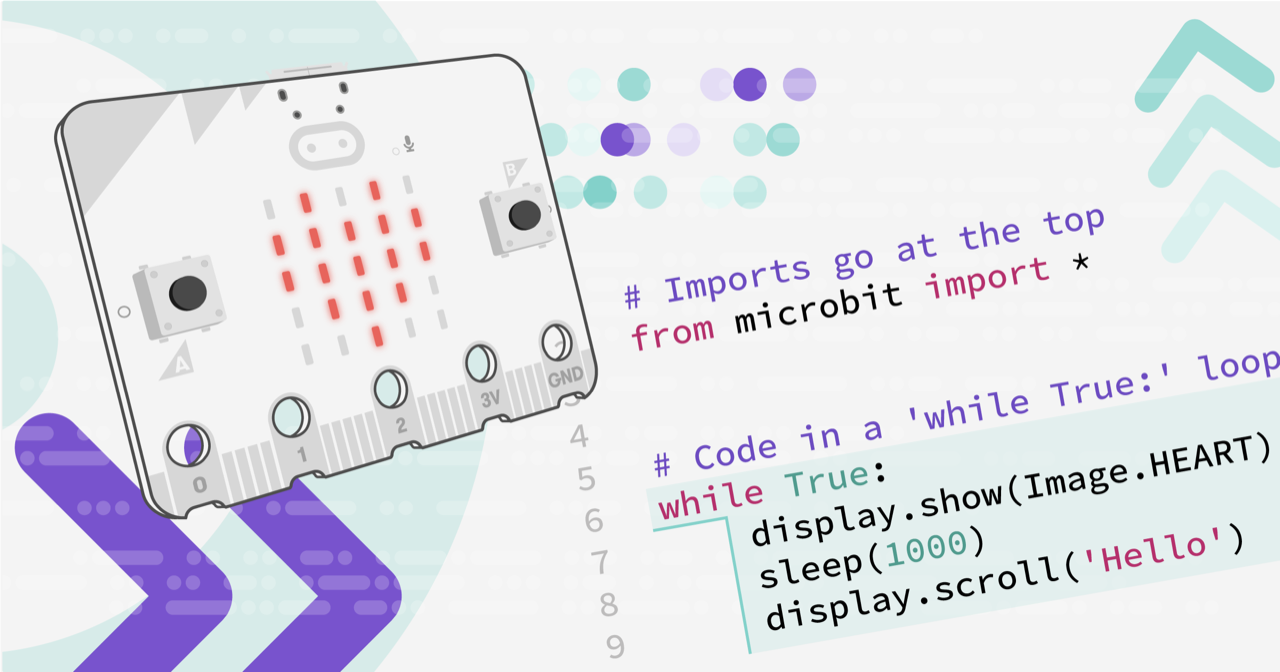
Built by the Micro:bit Educational Foundation and the global Python Community.
frank hinge
Its the first place I see to mentioned microbit.speech tough
Huh
Su mu editor's name is like that because the mu letter means micro
μ
hallow igloo
GND and 13 I believe are the pins
Sorry for the late response btw

🎬This video will show you how magnetic contact switch sensor works and simple project that can be made using it.
⌨️Software :
1️⃣ Arduino IDE
💻Tutorial:
https://tutorial.cytron.io/2019/08/09/magnetic-contact-switch-sensor-with-arduino/
🔧Hardware :
1️⃣ Maker UNO : https://www.cytron.io/p-maker-uno-simplifying-arduino-for-education
2️⃣ Magn...
^it's basically the same material and methods as the ones showed in this video
but i am using arduino uno
gentle vapor
hallow igloo
https://www.youtube.com/watch?v=7HR3jgthb3s&t=1s
ah so that's the "contact sensor". Well as I mentioned earlier, your board does not have a piezo, so you need to add one or use something else. For example you could instead light up the default LED (which is on pin 13). This code assumes you connected the sensor to pin 2 and ground. You should see the LED light up when the sensor makes contact.
#define SENSOR 2
#define LED 13

void setup() {
    // initialize the LED
    pinMode(LED, OUTPUT);
    digitalWrite(LED, LOW);
    // initialize the pushbutton pin as an input:
    pinMode(SENSOR, INPUT_PULLUP);
}

void loop() {
    // read the state of the pushbutton value:
    auto sensorState = digitalRead(SENSOR);

    // check if the pushbutton is pressed. If it is, the buttonState is LOW:
    if (sensorState == LOW) {
        digitalWrite(LED, HIGH);
    } else {
        digitalWrite(LED, LOW);
    }
}
I got scared when I tested the Microbit speech module lol
kind latch
mildly terrifying
frank hinge
Yeah
I am gonna make him sing the intirety of never gonna give you up by Rick Ashley
Because yes
gentle vapor
sounds wholesome
tender nebula
Hey! is it possible to run micropython on arduino MKR GSM 1400?
hallow igloo
is it possible, to
use smartphone's volume button etc
as GPIO ports??
(given i have root, and i manage to get custom kernel)
 tropic ferry
avrdude: stk500_recv(): programmer is not responding
avrdude: stk500_getsync() attempt 1 of 10: not in sync: resp=0xc3
avrdude: stk500_recv(): programmer is not responding
avrdude: stk500_getsync() attempt 2 of 10: not in sync: resp=0xc3
avrdude: stk500_recv(): programmer is not responding
avrdude: stk500_getsync() attempt 3 of 10: not in sync: resp=0xc3
avrdude: stk500_recv(): programmer is not responding
avrdude: stk500_getsync() attempt 4 of 10: not in sync: resp=0xc3
avrdude: stk500_recv(): programmer is not responding
avrdude: stk500_getsync() attempt 5 of 10: not in sync: resp=0xc3
Problem uploading to board. See https://support.arduino.cc/hc/en-us/sections/360003198300 for suggestions.
avrdude: stk500_recv(): programmer is not responding
avrdude: stk500_getsync() attempt 6 of 10: not in sync: resp=0xc3
avrdude: stk500_recv(): programmer is not responding
avrdude: stk500_getsync() attempt 7 of 10: not in sync: resp=0xc3
avrdude: stk500_recv(): programmer is not responding
avrdude: stk500_getsync() attempt 8 of 10: not in sync: resp=0xc3
avrdude: stk500_recv(): programmer is not responding
avrdude: stk500_getsync() attempt 9 of 10: not in sync: resp=0xc3
avrdude: stk500_recv(): programmer is not responding
avrdude: stk500_getsync() attempt 10 of 10: not in sync: resp=0xc3
help i am not able to upload code its upload code error
help
arduino uno
my arduino is on & it blinks when i click upload button
nevermind fixed but
why it does not work when i plug in wire into pin 0 & 1
errant wigeon
tropic ferry
why it does not work when i plug in wire into pin 0 & 1
Pins 0 and 1 are your serial communication pins. Additionally, to communicate with your pc, arduino uses serial communication. So when something is plugged into those pins, the computer and arduino can't tell when the other is talking and sending information, because the electronics plugged into pins 0 and 1 get in the way
frank hinge
Wich Stubs should I use on.VSCode with the microbit?
frank hinge
tender nebula
Hey! is it possible to run micropython on arduino MKR GSM 1400?
as far as I heard you can use Micropython with most Arduino Boards
so probably
gentle vapor
there's only one Arduino board listed here (the RP2040 one), but I think the SAMD21/51 port is upcoming/ramping up, I'm not sure what the state is, but there seems to be activity in the latest release (look at the samd section on the page for supported boards). 8-bit AVRs are not supported.
https://micropython.org/download/?vendor=Arduino

MicroPython is a lean and efficient
implementation of the Python 3 programming language
that includes a small subset of the Python standard library and is
optimised to run on microcontrollers and in constrained environments.
hallow igloo
OMG I Love this Group
 unique ore
anyone have experience with the IR send (pulseIO) with circuitpython?
kind latch
That sounds cool
hallow igloo
gentle vapor
ah so that's the "contact sensor". Well as I mentioned earlier, your board does ...
i also have a breadboard
 rustic pike
class MachineInfo:
def init(self):
self.allowance = 0.0
self.smv = 0.0
self.sessior_cut = 0
self.trigger_voltage = 0
self.mac = 0
self.device_id = 0
self.status = 0
self.mode = 0
self.break_down_id = 0
self.break_down_name = 0
self.style_id = 0
self.style_name = 0
self.operator_id = 0
self.operator_name = 0
self.line_id = 0
self.line_name = 0
self.line_start_time = 0
self.line_lunch_time = 0
@property
def getMachineInfo(self):
   return {"allowence":self.allowance, "smv":self.smv}
I want to get value "smv" and "allowence" individually. How can I do this?
if I type
machine = MachineInfo()
amchine.getMachineInfo
it provide whole return value
I want to get the two value individually and want to use different function
gilded condor
How many pins are actually useable on esp8266
tender nebula
gentle vapor
there's only one Arduino board listed here (the RP2040 one), but I think the SAM...
I see that Adufruits micropython port supports the SAMD21. Does this mean arduinos MKR GSM 1400 is as well (same chip)? or is that not necessarily the case?
gentle vapor
tender nebula
I see that Adufruits micropython port supports the SAMD21. Does this mean arduin...
it should be possible, don't k'ow if it's a good idea, using the samd21 with python can be frustrating due to limited flash and ram compared to bigger boards (python itself takes much space) https://learn.adafruit.com/how-to-add-a-new-board-to-circuitpython
tender nebula
gentle vapor
it should be possible, don't k'ow if it's a good idea, using the samd21 with pyt...
Oh yeah true, didn't think about the RAM limitations...
What's Micropython RAM requirements like?
gentle vapor
technically it's 20k or RAM and 47k of flash left, though it's a little hard to exactly quantify how much you'd need, your code gets loaded into RAM which limits both how many modules (and how large) you can use, and how much memory is left afterwards. Plus you'd need a library for the GSM module, and all the network stuff. For example the ESP32SPI library for the ESP32 wifi modules wouldn't fit. (Plus the requests library for http get/post and whatever else)
kind latch
If I have my pin set to
btn1Pin = board.GP0
and have to have all this code to set it as input
btn1.switch_to_input(pull=digitalio.Pull.DOWN)```
how could I loop through this to set multiple pins as inputs like the code above? Thanks still prism
What raspberry should I buy?
I want to Host a Single server discord bot with the raspberry pi
And is it Easy to install Python on a raspberry pi?
gentle vapor
well you should buy one that you can find to begin with, and frankly good luck with that !
errant wigeon
I run twitter and reddit bots off of a 3b+, so I imagine as long as the discord bot isn't computationally heavy it'd work fine on a 3b+, which also might be easier to find. Though, as Neradoc pointed out, they're really hard to find and if you can find any, just go for that
 hybrid holly
New question: I am using an Intel Linux PC with Python 3 to talk to an Arduino (which is running C++ sketches). The Arduino controls a 2D pointing device that reports xy positions. Think of it as a joystick. RIght now, I'm printing the x/y positions as plaintext strings on the Arduino USB serial port, and reading them in Python, using serial.readline(). I'm using the xy position to move a sprite around a screen in pygame, so I am importing threading too, so they don't block each other.
My question is, what is the best way to get the xy position from the Arduino device into Python (asynchronously, efficiently, cleanly, etc.)
I probably want to use the same Serial USB stream to send other data back and forth between the PC and the Arduino.
steep dune
WOW - great question , i kinda want to do that
hybrid holly
steep dune
WOW - great question , i kinda want to do that
thanks, assuming you are replying to my question. I've done this kind of thing before, and always wondered about it. Linux or X Window System mouse driver? well, I already have a separate mouse. I've played with XWarpPointer. I've done it with a separate Linux process handling such a device, and passing the data using POSIX shared memory, talking to that process using two-way Linux pipes on one file descriptor, sending queries and getting responses. (Queries aren't really necessary if you just want to track a pointer though.) There are many ways, but I'm wondering if there's a clean way.
 potent widget
im unfamiliar with arduino,, so do i need a need MKR 1400 Arduino board for iot devices??
 main plover
question: I have micropython running on unix how do I set the file system ? when I try and listdir i get os.listdir() AttributeError: 'module' object has no attribute 'listdir'
 thorny shell
I am using micropython and an esp32. Is there a way to get all ip addresses to the connected network?
Bc I want to send a kind of broadcast message which says 'Hey guys I am here and thats my ip address'.
So that my application on my phone which is connected to the same network as well, read the message and get the ip address
thorny shell
So how I can send broadcast messages (esp) and receive them (kivy app/android)
errant wigeon
hybrid holly
New question: I am using an Intel Linux PC with Python 3 to talk to an Arduino (...
It looks like you're kind of designing something like an HID peripheral: https://learn.adafruit.com/circuitpython-essentials/circuitpython-hid-keyboard-and-mouse
https://www.arduino.cc/en/Reference/HID
It'd require a bit of redesign but it might be far easier and cleaner to treat the arduino as a HID thing: https://github.com/MHeironimus/ArduinoJoystickLibrary
hybrid holly
errant wigeon
It looks like you're kind of designing something like an HID peripheral: https:/...
thanks, KeithTheEE. It's not exactly a HID peripheral, in that I don't want it to replace the system's mouse (um, pointing device), I just want it to have certain characteristics in common with a mouse - especially that I want to be able to query it for xy in an asynchronous and efficient way, while the Arduino (feather m4, actually), is running a robot control loop. I guess this is sort of like when a person plays a game on a PC and they have a mouse and a game controller (or joystick) connected at the same time. (I'm a graybeard hacker, and not a gamer, so I don't know how gamer stuff works internally.) I will read the hid/kbd/joystick stuff you posted. Thanks!
hybrid holly
errant wigeon
It looks like you're kind of designing something like an HID peripheral: https:/...
re treating the Arduino as a HID thing, that would be ok if I could also tell it to do other stuff besides be a HID - it's mainly a robot and partly a HID. I'll read!
 native bronze
hello!!!! good morning everyone
 static anchor
how can I get my RPI to play a .wav sound in python
onyx glade
Just here to rant, I bought a arduino pro micro and when it shipped the package got ripped in transit and the pack of 3 I bought all fell out, I reordered them but they won’t be here till Saturday and in the meantime I bought another single one which came yesterday, I knew I had to solder the pins on and yesterday I went to do that and I was out of solder. Today the solder came and I soldered all the pins on with very very little soldering experience I connected it and somehow didn’t bridge any connections. I wrote a little program it all worked I had to reconnect the connector on the board and the flipping micro usb connector broke off I struggled for like 30 minutes and finally was able to get it to work after soldering it back on; but with little soldering experience as I said previously the thing just broke off within a minute, I’ve struggled trying to get it back on for like an hour now and I give up. Guess I’m waiting till Saturday
Omfg I just realized where I live we’re supposed to get like 18 inches of snow on Saturday so there’s a good chance it’ll get delayed. Ffs
mystic nova
@onyx glade make sure your soldering iron is set high enough! Depending on what solder you use it has to be higher.
If you have problems with the solder flowing you can also use flux, but apart from that you can't really do anything wrong. Just wait long enough for it to get hot
steep dune
also - to high a temp will make copper traces pop off board -- creates more work
onyx glade
mystic nova
If you have problems with the solder flowing you can also use flux, but apart fr...
I was able to solder the pains without too much of a struggle, just the micro usb connector all the connections are so tiny it's like impossible, im just gonna wait xD
 warm spindle
Need help with programming Arduino Uno r3 for a certain program
This is the problem statement

 fallow sierra
you can refer to paul mcwhorter's youtube video for LCD arduino
it's relly helpful
errant wigeon
warm spindle
This is the problem statement
What have you done so far and where are you stuck?
warm spindle
Developing a counter
hallow igloo
Can someone help with Pi Pico
hallow igloo
@long orbit
could you help me code a clock with a raspberry pi pico and i2c display screen
 long orbit
lean quail
long orbit
lean quail
Can we share some workshop link(on arduino and IoT) in here? <@&831776746206265384>
 mild shoal
lean quail
Can we share some workshop link(on arduino and IoT) in here? <@&8317767462062653...
mild shoal
lean quail
Can we share some workshop link(on arduino and IoT) in here? <@&8317767462062653...
Send the details to @atomic flume and we'll review it + let you know
lean quail
okay!
kind latch
So i have this bit of code in an infinite loop for constantly checking all of my button values but this code gives an output that looks something like
True
False
True
False```
and prints that out very quickly ^
```if btn5.value:
        if headlight.value == 1:
            headlight.value = 0
        else:
            headlight.value = 1
So, my question is how do i avoid this issue preferably without time.sleep()? Thanks
gentle vapor
kind latch
So i have this bit of code in an infinite loop for constantly checking all of my...
what do you want exactly ? trigger only once on button press ?
gentle vapor
if that's what you want, here is one way to do that. I believe you are using Circuitpython on a pico ? (not blinka on linux). You can use keypad that checks the pins in the background https://learn.adafruit.com/key-pad-matrix-scanning-in-circuitpython/keys-one-key-per-pin
import keypad
keys = keypad.Keys( (btn1Pin, btn2Pin, btn3Pin, btn4Pin, btn5Pin), value_when_pressed=True, pull=True)
while True:
    # get the next key event
    event = keys.events.get()
    # note: in that example "btn5Pin" is the key number 4 because the key_number starts at 0
    if event and event.key_number == 4, and event.pressed:
        # here goes your action
        # supposing headlight is an output pin, that's a simpler way to change its state
        headlight.value = not headlight.value
or you can use adafruit_debouncer for a more per-pin solution
https://circuitpython.readthedocs.io/projects/debouncer/en/latest/api.html
from adafruit_debouncer import Debouncer
debounced_btn5 = Debouncer(btn5)
while True:
    # read and update the pin value
    debounced_btn5.update()
    # rising edge means the button was pressed here
    if debounced_btn5.rose:
        # here goes your action
        headlight.value = not headlight.value
also you can do it manually with a variable to save the "button was already pressed" state (that is reset when the button is released) but it's more complicated if you want to also manage debouncing without sleep
 heady crescent
Sorry if I ask this in a Python Server, but does anyone can help me with a problem at my arduino lcd display?
 wet ether
heady crescent
Sorry if I ask this in a Python Server, but does anyone can help me with a probl...
wet ether
heady crescent
Sorry if I ask this in a Python Server, but does anyone can help me with a probl...
I want to help you But I don't know how to solve this
I got a Arduino lcd display that I never use it
hallow igloo
Hi, i'm trying to write onto a microcontroller for the first time, but I want to use VSCode. where can I find the two imports?

I tried pip3-ing it
I'm specifically trying to write to a pi pico
dry fulcrum
hallow igloo
I tried pip3-ing it

PyPI
CircuitPython APIs for non-CircuitPython versions of Python such as CPython on Linux and MicroPython.
gentle vapor
there's a Circuitpython extension that brings some of the intellisense things to VSCode, though I don't know if it's still up to date. You might get more help on the adafruit discord, channel help-with-circuitpython, but I believe we don't really have a solution for vscode, not sure. You can pip install circuitpython-stubs for the built-in libraries and each library of the bundle can be pip installed to get completion too
hallow igloo
dry fulcrum
https://pypi.org/project/Adafruit-Blinka/
hmm, I pip3'd it and it's still not working
 dry fulcrum
Might not be the one you're looking for then sorry, ignore me and try what Nerado said (after uninstalling that)
gentle vapor
what are you trying to do ?
maybe start here: https://learn.adafruit.com/welcome-to-circuitpython
hallow igloo
well right now i'm just trying to get it up and running, which basically mearns I just want it to blink
hallow igloo
gentle vapor
maybe start here: <https://learn.adafruit.com/welcome-to-circuitpython>
it wants me to install mu, I want to stick with vscode
hallow igloo
gentle vapor
you save code.py in the `CIRCUITPY` drive for that
yes i'm aware 🙂
gentle vapor
so, what's the code and what doesn't work ?
hallow igloo
oh whoa wait a second
it's working
uh
lol
thanks?
am confsued
then why is it throwing an import error
 gentle vapor
it isn't though, it's just vscode
hallow igloo
alright then
gentle vapor
I don't know if and how you can install the stubs in vscode
-> so that it knows about the Circuitpython libraries
hallow igloo
can someone guide me to some docs on how to imput keystrokes from a pico?
nvm I might have found that already too lol
thanks btw
gentle vapor
you can look at the adafruit_hid examples or the billions of keyboard related guides
https://docs.circuitpython.org/projects/hid/en/latest/examples.html#keyboard-shortcuts
https://learn.adafruit.com/pico-four-key-macropad
https://learn.adafruit.com/neokey-emoji-keyboard
etc.
actually there is a main guide for it:
https://learn.adafruit.com/circuitpython-essentials/circuitpython-hid-keyboard-and-mouse
 drifting mesa
hallow igloo
then why is it throwing an import error
drifting mesa
hallow igloo
then why is it throwing an import error
dunno if solved since, but the likely problem with vs code is that you installed the adafruit-blinka lib but code's environment doesn't know about it. That the program runs fine reinforces this probability. Restarting vs code should fix
hallow igloo
drifting mesa
dunno if solved since, but the likely problem with vs code is that you installed...
I'll give it a try if I remember tomorrow. Thanks 🙏
 shy flint
hallow igloo
Hi, i'm trying to write onto a microcontroller for the first time, but I want to...
shy flint
hallow igloo
Hi, i'm trying to write onto a microcontroller for the first time, but I want to...
first try it with any other software(thonny) then check vs code
vs code is drunk sometimes
 zealous aurora
from machine import Pin
import utime

col_list=[1,2,3,4]
row_list=[5,6,7,8]

for x in range(0,4):
    row_list[x]=Pin(row_list[x], Pin.OUT)
    row_list[x].value(1)

for x in range(0,4):
    col_list[x] = Pin(col_list[x], Pin.IN, Pin.PULL_UP)

key_map=[["1","2","3","+"],\
        ["4","5","6","-"],\
        ["7","8","9","*"],\
        ["0","00","000","="]]

def Keypad4x4Read(cols,rows):
  for r in rows:
    r.value(0)
    result=[cols[0].value(),cols[1].value(),cols[2].value(),cols[3].value()]
    if min(result)==0:
      key=key_map[int(rows.index(r))][int(result.index(0))]
      r.value(1) # manages key keept pressed
      return(key)
    r.value(1)

while True:
    key=Keypad4x4Read(col_list, row_list)
    if key != None:
        print("You pressed: "+key)
        utime.sleep(0.3)
I have a raspberry pi PICO, And a 4x4 keypad, How do I make a password, So if I press 1 2 3 4, It will open, Else it wont
ping me please!
And the code isn't mine
 flint hamlet
hey i need help with a 360 degree servo on a raspberry pi, it has to rotate 90 degrees every 24 hours. can you get it to do that?
Greetings Niclas
hallow igloo
where can I pip these libraries?
 zealous aurora
Please
someone!!!

I have this keypad for my raspberry pi pico
And I can't find any code for it
please help me
please!
MicroPython
zealous aurora
anyone?!
 slender bronze
I'd suggest you define a char variable to the length of the pswd you want, and define another char as the actual 'string' pswd. Take the user entries append them to the char until you reach the max length and simple if(!strcmp) function
 analog cargo
Hello guys! I'm new to python. I'm more experienced in the hardware side. I'm wondering whether learning python would be applicable to future projects in IOT and robotics
 rain peak
analog cargo
Hello guys! I'm new to python. I'm more experienced in the hardware side. I'm wo...
rain peak
analog cargo
Hello guys! I'm new to python. I'm more experienced in the hardware side. I'm wo...
I'm personally not a big fan of Python on microcontrollers. It just seems like a lot of bloat in exchange for avoiding C. C isn't that hard to learn, especially for simple embedded applications.
gentle vapor
analog cargo
Hello guys! I'm new to python. I'm more experienced in the hardware side. I'm wo...
there are plenty of great projects in IoT using python, whether on Raspberry Pis running linux or embedded microcontrollers
there are robotics projects using python too, though that's seems less common
wet ether
analog cargo
Hello guys! I'm new to python. I'm more experienced in the hardware side. I'm wo...
You could check Raspberry Pico and Micropython ?
 main sundial
as long as it's just a fun project you're not planning on selling and you can live without the chip's full performance, python should be fine
mystic nova
gentle vapor
there are robotics projects using python too, though that's seems less common
I would disagree! A lot of robotics projects use python. BUT most of the time it's only used as a "scripting" language or for prototypes and the timing critical routines are run in c.
I recently watched a great talk by the founders of skydio (they make fully autonomous drones) and they use python to controll the drone in a safe manner. So obstacle avoidance, mapping, motor controll is all done in C and then high level commands that actually controll the behavior are done in python
But you can even base your whole tech stack on python if you want to. I've developed controllers for drones as well as a FPV rover and they all worked great! They didn't do anything fancy apart from moving around so if you do more compute heavy things like SLAM you might run into problems but apart from that... Just go for it!
gentle vapor
yeah that makes sense
dry fulcrum
mystic nova
I would disagree! A lot of robotics projects use python. BUT most of the time it...
similar experience for me - firmware is done with C, testing simulation is Java, controller for all the bots is Java, and python is used exclusively for pipeline scripts and in-house tooling
steep dune
yabba dabba doo
 lyric tulip
hi
I have a problem with rp pico
when ever i upload a Uf2 program it will stop working
at that point what if I restart it or reupload the program or any thing else it would not respond to me any thing
a came up with a Flash_.uf2 file in internet and it solved my problem than
It will respond to me live terminal but same story about uploading program
I tried to program it with tonny , vsc ...
But I failed
it can handle live terminal in tonny but any way I can't program it
does anyone have a suggestion?
zealous aurora
import utime
from machine import Pin, PWM, UART

MID = 1500000
MIN = 500000
MAX = 1500000
led = Pin(25,Pin.OUT)
pwm = PWM(Pin(15))
pwm. freq(50)
pwm.duty_ns (MID)
uart = UART(0,9600)

def off():
    pwm.duty_ns(MIN)
def on():
    pwm.duty_ns(MAX)

while True:
        if uart.any():
            command = uart.readline()
            print(command)
            if "o" in command:
                on()
            if "f" in command:
                off()
The Bluetooth gets disconnected after one action
I tested without the PWM
And it worked
So my guess is that, The Voltage get's lower so the BT gets disconnected
Raspberry Pi Pico - MicroPython
Does anyone know how to fix it? (please ping me)
It's Urgent
And yes, I confirm that, It's the PWM that's controlling the voltage, The BT disconnects
zealous aurora
I have a 5V Relay if it helps
zealous aurora
ANYONE? FFS
 long bramble
a quick question/observation , line pwm. freq(50) has a space after pwm. is that as intended?
othern than that, i woudl suggest to measure the voltage and see if indeed it is droping enough to reset.
zealous aurora
long bramble
othern than that, i woudl suggest to measure the voltage and see if indeed it is...
I have fixed the Indentation already, And yes the voltage is dropping enough, I have other parts/components AND THERE LEDs ARE COMPLETLY TURNING OFF
What happens if I change the freq to a higher freq?
@long bramble
 ancient stump
Heyyyyyyyyyyyy
zealous aurora
ancient stump
Heyyyyyyyyyyyy
HELP ME!
 hushed ibex
hello guys! i hope y'all are having a good day ! so i have this problem with my python code using the microbit python module
from microbit import *

while True:
  display.scroll(display.read_light_level())
  sleep(200)
  display.clear()
  sleep(200)
AttributeError: 'module' object has no attribute 'read_light_level' on line 4
can anyone help ?
if you can help, please don't hesitate to do so ! thanks in advance 😄
 west needle
hushed ibex
```python
AttributeError: 'module' object has no attribute 'read_light_level' ...
west needle
hushed ibex
```python
AttributeError: 'module' object has no attribute 'read_light_level' ...
I never used microcontrollers UNO and etc but the error speaks itself
there isnt an attribute read_light_level lol
long bramble
@zealous aurora dunno if it’s too late, but if voltage drops too much, then you have a power problem, get a more powerful AC adapter (2.5 A) and see if that helps!
zealous aurora
long bramble
<@!938826491653918831> dunno if it’s too late, but if voltage drops too much, th...
I don’t think it’s that tho
 wintry junco
humble kraken
wintry junco
humble kraken
Probably, the mcu would be flash able to it
 dark forum
Curious if anyone here has ever played around with Bartendro hardware from partyrobotics.com?
 sand river
Can a raspberry pi pico run code like a ducky usb? without the other computer having the programming language
gentle vapor
sand river
Can a raspberry pi pico run code like a ducky usb? without the other computer ha...
like that ? https://github.com/dbisu/pico-ducky
 compact reef
is raspberry pi programmable with python for making drones??
mystic nova
compact reef
is raspberry pi programmable with python for making drones??
Yes, I've done that
thorny shell
How I can connect my client to an esp32 device which is in the same network? My problem is that the ip address gonna changed everytime they switching between networks.
Is there a way to retrieve the ip adress by the mac-address?
drifting mesa
thorny shell
How I can connect my client to an esp32 device which is in the same network? My ...
geting IP from MAC over wifi can technically be done via a packet sniffer in most cases, but for your purposes, multicast DNS/zeroconf is probably the solution. If you have a device with, for example, a hostname of "bye-esp", you can connect via mDNS to the esp by using bye-esp.local.
https://techtutorialsx.com/2020/04/17/esp32-mdns-address-resolution/
https://github.com/espressif/arduino-esp32/blob/master/libraries/ESPmDNS/src/ESPmDNS.h
I have no experience with ESP32s, but it looks like the code resembles such:
(note: this block may not be highlighted on discord mobile)
#include <ESPmDNS.h>
void setup() {
    // network connection stuff goes here

    if(!MDNS.begin("hostname-goes-here")) {
        Serial.println("mDNS go kaboom");
        return
    } else {
        Serial.println("mDNS working, woohoo");
    }

    // more stuff
}
How to use mDNS to resolve the address of a HTTP web server hosted by the ESP32.

GitHub
Arduino core for the ESP32. Contribute to espressif/arduino-esp32 development by creating an account on GitHub.
thorny shell
forget to notice that I am using micropython
and how I can retrieve the hostname of my esp?
 fair pasture
Is it possible to send data from my PC to microcontroller E.G:
On a python program in my pc I use input to type something "Hello world" for example and then my computer send to microcontroller then it shows on a LCD?
gentle vapor
fair pasture
Is it possible to send data from my PC to microcontroller E.G:
On a python prog...
yep, you usually have the ability to setup a Serial port on the microcontroller, which will appear on your PC, as a COM port on windows or /dev/tty...something on linux and mac
you can use pyserial to find, read, and write to it on the PC side
steep dune
magical pyserial
 raven aspen
hey can someone help me with this code? the problem is that the rotary encoder connected counts too much. it does random numbers up and down depending on the turn direction. I only want it to be a one increment. the code.
import board
import digitalio
import time
from machine import Pin

enc1_A = Pin(17, Pin.IN, Pin.PULL_UP)
enc1_B = Pin(16, Pin.IN, Pin.PULL_UP)

counter = 0
def handler(p):
    global counter
    if enc1_A.value():
        counter -= 1
    else:
        counter += 1
    print("Encoder counter:", counter)

def handler1(p):
    global counter
    if enc1_A.value():
        counter += 1
    else:
        counter -= 1
    print("Encoder counter:", counter)

button = digitalio.DigitalInOut(board.GP28)
button.direction = digitalio.Direction.INPUT
button.pull = digitalio.Pull.UP

button_state = None

while True:
    if enc1_A.value() == 1 and enc1_B.value() == 1:
        enc1_B.irq(handler, Pin.IRQ_FALLING)

    if enc1_A.value() == 0 and enc1_B.value() == 0:
        enc1_B.irq(handler1, Pin.IRQ_RISING)
    if not button.value and button_state is None:
        button_state = "pressed"
    if button.value and button_state == "pressed":
        print("Button pressed.")
        # cc.send(ConsumerControlCode.PLAY_PAUSE)
        button_state = None
BTW im using blinka but that unfortunately doesnt include the circuitpython library rotaryio which works perfectly
im also open for any other solutions for a ec11 rotary encoder
 pulsar cave
raven aspen
hey can someone help me with this code? the problem is that the rotary encoder c...
pulsar cave
raven aspen
hey can someone help me with this code? the problem is that the rotary encoder c...
every time i come here i really see how bad i really am at python
 olive bear
microcontrollers is like connecting python to physical devices? eg a light switch or a drone?
compact reef
pulsar cave
every time i come here i really see how bad i really am at python
so true
errant wigeon
raven aspen
hey can someone help me with this code? the problem is that the rotary encoder c...
Given the behavior I'm going to guess you need to debounce on pin changes: https://docs.micropython.org/en/v1.6/pyboard/pyboard/tutorial/debounce.html
Because the switch is mechanical, when you change it it physically bounces a touch and occasionally makes electrical contact multiple times. Debouncing is the practice of waiting a brief moment to avoid mechanical bounces which aren't intentional button presses
 exotic rain
wuts micro controllers
 tulip mango
Can anyone explain why Im constantly getting error message 927 on microbit even though I have a program which is basically just show "heart" symbol?
Error 927: "The program is incompatible with the micro:bit version you are using. You are trying to use a feature designed for micro:bit V2 on a micro:bit V1 or an extension that is only compatible with a micro:bit V1 board on a micro:bit V2."
I have tried many different programs and the only program that seems to work is the out of the box experience/ factory reset
I'm so tired of this microbit
opal furnace
Does anyone know of a MicroPython firmware port for ESP32-U4WDH-based modules?
 devout coral
hello
 scarlet dune
mystic nova
Yes, I've done that
scarlet dune
mystic nova
Yes, I've done that
do you have anything I can look at, I want to try out making one with specifically Python
opal furnace
Hey is there a MicroPython library that mimics PySerial by wrapping machine.UART?
 stiff jewel
analog cargo
stiff jewel
analog cargo
Hello everyone, I just want to ask, what path in python (software dev, game dev, or web dev) would be most relevant to learn if your career is in hardware like robotics
dry fulcrum
analog cargo
Hello everyone, I just want to ask, what path in python (software dev, game dev,...
depends what part of robotics. but software -> game -> web probably
then again if you want to be serious about a career in robotics python is going to make up a small part of that market
 errant coyote
hi, how can i read data from gamepad. I want to control arduino with serial communication
latent marlin
What's everyone's opinion on this kit? https://www.ebay.com.au/itm/304195254484?var=603299507260

eBay
One contains Raspberry Pi Pico board and the other does not. If you choose the option without Raspberry Pi Pico board, you need to prepare one of following boards yourself. Raspberry Pi Pico Board. Raspberry Pi Pico is a tiny, fast, and versatile board built using dual-core Arm Cortex-M0+ processor.
errant wigeon
latent marlin
What's everyone's opinion on this kit? https://www.ebay.com.au/itm/304195254484?...
It looks fine. Maybe it could be a hair cheaper? Do you have any projects you're hoping to do with it? It does give you a good amount to work with so if you are just exploring things it'll probably be a lot of fun to play with
latent marlin
@errant wigeon yeah the kit’s just because I want ti get into microcontrollers, I don’t have an actual project in mind yet
 severe wharf
I want to do Raspberry Pi stuff just to learn how the hardware works but I can't get a Pi due to the chip shortages. I already have the Raspbian OS, but that alone doesn't seem to let me do that stuff. Is there a way to emulate a Pi such that I can also do a sort of virtual editing of the pins?
I have QEMU and VirtualBox that both function on my computer, but I'm still unable to figure out pin editing. I also can't find any online resources on the topic.
opal furnace
If you can get your hands on an ESP32 those have WiFi and support MicroPython
severe wharf
Is the ESP32 hardware?
severe wharf
But it's obviously not of the Pi family?
opal furnace
no
severe wharf
So it's safe for me to assume that pin manipulation is not something that can be emulated, or edited within Raspian OS?
severe wharf
And there's no way to get a Raspberry Pi right now at a reasonable window?
opal furnace
I have no idea honestly
acoustic onyx
Im actually not buying anything major or minor electronics wise until things settle down lol
hallow igloo
What Rasberry pi do y’all recommend me to get for hosting
 proper fern
hallow igloo
What Rasberry pi do y’all recommend me to get for hosting
proper fern
hallow igloo
What Rasberry pi do y’all recommend me to get for hosting
Doesn't matter all that much, I have the 4 which has 8gb ram I'm pretty sure and it runs really well
hallow igloo
proper fern
Doesn't matter all that much, I have the 4 which has 8gb ram I'm pretty sure and...
Alright thx
 abstract barn
hello
severe wharf
I watched an IGN interview with Gabe Newell and he says that there's not really a shortage of supply but instead a huge increase of demand as a result of businesses profiting during the lockdown era.
The only reasonable solution to this that I could see would be restrictions in what can be produced and sold, such as cryptocurrency/etc. mining and, ironically, IoT/smart devices.
kind latch
another thing is the media saying there will be or is a shortage so everyone ignites their inner scalper and buys the entire stock like
words i do not feel are appropriate for the python discord
 glass swift
i'm trying to build a cheap device that recognises when a door has been opened and closed, it would then send out an api request, i got no clue where to get started, any help would be appreciated
 kind vault
A magnetic reed switch hooked up to a Raspberry pi/Arduino would likely do the job
 lone plume
glass swift
i'm trying to build a cheap device that recognises when a door has been opened a...
lone plume
glass swift
i'm trying to build a cheap device that recognises when a door has been opened a...
i think i wanna do a similar project because of your idea now lol
lone plume
kind vault
A magnetic reed switch hooked up to a Raspberry pi/Arduino would likely do the j...
you know how some hotel rooms give you cards and you tap on your door with the card to unlock it, would you happen to know how I can achieve that?
are there microcontrollers that come with the magnetic card reading feature, or would I have to hook it up to a separate controller?