#microcontrollers
1 messages · Page 23 of 1
 gentle vapor
like, a custom one ? the TI-84 ?
gentle vapor
from what you said it seems to be running a fork of Micropython 1.11.0
or a custom build if you will
 brazen meadow
 cosmic tinsel
can anyone phrase this better for me?
cosmic tinsel
can anyone phrase this better for me?
MicroPython rewrites a lot of the code in C. That C code is the implementation.
What micro are you using? I have os on an ESP32, though it isn't full implemented.
 main tinsel
Why doesn't this work?

It is supposed to send a hex when pressed a button
but it does not
 pale lion
main tinsel
Why doesn't this work?
pale lion
main tinsel
Why doesn't this work?
Sorry to sidetrack but what program is this you’re using to test the code?
main tinsel
pale lion
Sorry to sidetrack but what program is this you’re using to test the code?
tinkercad
it is arduino
 violet granite

 smoky moth
lmao
 steep dune
-- how about touch screens
 fresh delta
Hello guys
I am making a project in which the user's smart phone will connect to a Raspberry Pi 4 via bluetooth, so, when the user gets a phone call on their smart phone it should show route to the raspberry pi (just like hands free calling feature in modern day cars)
I got the bluetooth connectivity part figured out but need help with the "hands-free calling" feature in which the user's phone call can be picked up on the Raspberry Pi, (with options such as "pick-up-call" and "hang-up")
Any help is appreciated! I've been trying and trying to find a solution, but have been stuck for almost a week now!
 vast ruin


 lavish harbor
fresh delta
Hello guys
I am making a project in which the user's smart phone will connect to...
lavish harbor
fresh delta
Hello guys
I am making a project in which the user's smart phone will connect to...
Is this any help? https://scribles.net/enabling-hands-free-profile-on-raspberry-pi-raspbian-stretch-by-using-pulseaudio/
Sounds like a cool project
lavish harbor
fresh delta
Hello guys
I am making a project in which the user's smart phone will connect to...
There is most likely someone on the Raspberry Pie discord server who has done it and can help you. Here's a link if you're interested, I would just post in the help channels. Good luck!
https://discord.gg/QrWmjgjV
 vale nest
quick question, if i am right that, is called a micro bit and it runs micro python.
where do i find the docs for controlling the micro bit with micro python?

i am using this on tinkercad
anyone?
vast ruin
 real orbit
Which operating system is this ??
real orbit
Which operating system is this ??
Raspbian 🙂
 hallow igloo
what is a microcontroller
fresh delta
lavish harbor
Is this any help? https://scribles.net/enabling-hands-free-profile-on-raspberry-...
Thanks for the link, but I already tried this, the problem is that when the call and you speak to the person on the other side of the phone, my voice is delayed by like 5-10 seconds :/
 modest radish
hallow igloo
what is a microcontroller
modest radish
hallow igloo
what is a microcontroller
"For all your Python on hardware needs, including (but not limited to) Python on Raspberry Pi, MicroPython, and CircuitPython."
hallow igloo
modest radish
"For all your Python on hardware needs, including (but not limited to) Python on...
oh ok
lavish harbor
fresh delta
Thanks for the link, but I already tried this, the problem is that when the call...
Ohhh
 unkempt ruin
only just started python a few months ago for my computer science gcse; how exactly is python affiliated with raspberry pi’s?
 floral elbow
Hi, im using a rasberry pi 2 model b and i want to run 2 discord bots
im also it in headless mode
so it is possible?
gentle vapor
sure, I don't see why it shouldn't be
floral elbow
gentle vapor
sure, I don't see why it shouldn't be
alr i was just asking
@gentle vapor quick question in this video
https://www.youtube.com/watch?v=q6rapslgEqg&ab_channel=CrazyWillTechShow
it tells me to dowland rasbian. Is that an operating systyem? cos if so i already dowlanded that with with pi imager

On this episode of Crazy Will Tech Show, I show you how to setup WiFi on your Raspberry Pi without a monitor. They call it headless mode. I’m going to set up headless mode on a raspberry pi zero w. But, this can be done on any raspberry pi. We are going to download raspbian and a couple of other programs to make the process easier. Make 2 file’s...
gentle vapor
floral elbow
alr i was just asking
and I was just answering, a Pi should have no difficulty running multiple bots, they are usually not super power or bandwidth intensive. I don't know the discord bots specifically but you should be able to run 2 with different settings, from different directories for example depending how it is written
yeah raspbian is the former name of raspberry Pi OS
floral elbow
gentle vapor
yeah raspbian is the former name of raspberry Pi OS
alr i was just confused
floral elbow
gentle vapor
and I was just answering, a Pi should have no difficulty running multiple bots, ...
sorry i didnt mean that in a rude way
also another question
what network settings should i add to wpa_supplicant.conf
i added password, username
what else?
cos it sint showing up when i try to search for ip
nvm
floral elbow
does anyone know how to dowland python with headless mode
floral elbow
alr all solved
lavish harbor
unkempt ruin
only just started python a few months ago for my computer science gcse; how exac...
So the Raspberry pi os comes with python 2 and 3 out of the box (pro tip most linux distros have that anyway) and there are many libraries for the pi created (also other languages but python is very accessible and easy).
So pretty loosely affiliated 😄
 autumn burrow
vale nest
quick question, if i am right that, is called a micro bit and it runs micro pyth...
autumn burrow
vale nest
quick question, if i am right that, is called a micro bit and it runs micro pyth...
@vale nest , here you go - https://microbit-micropython.readthedocs.io/en/v2-docs/
vale nest
Thanks pating
 plain perch
same
i was advised by someone on here to learn how to program servos and arduino so i got a kit on amazon with a few servos and a few sensors and breadboard jumper wires and stuff but the board is an elegoo uno r3 board and i plugged it into my computer and i expected like something to show up where i can put code but nothing happened and the boards just blinking. pls idk where to start like do i have to get python and like put code in it somehow????
also whats a micro bit?
also whats rasberry pi and how is it related to arduino?
also what is micro python?
this shit is too big brain for me
i just wanna know how to do cool robot shit like micheal reeves
gentle vapor
the Elegoo Uno R3 is an arduino clone, you need the Arduino IDE to program it, there should be resources on elegoo's site with demo code and projects and stuff like that
like here https://www.elegoo.com/blogs/arduino-projects/elegoo-uno-project-super-starter-kit-tutorial

ELEGOO Official
Click to download: ELEGOO Arduino UNO Project Super Starter Kit Tutorial
plain perch
thats the kit that i got
gentle vapor
the micro:bit is a microcontroller board by the BBC for teaching, it can be found and learned about at https://microbit.org/

The pocket-sized computer transforming the world
the Raspberry Pi, Raspberry Pi Zero, Raspberry Pi 2, 3, 4, are small linux computers with exposed pins for electronics, a mix between a PC and the hardware interfacing of Arduino, they are not related, but they can achieve similar things in different ways
Adding to the confusion, as of this year the Raspberry Pi Pico is NOT a linux PC, but a microcontroller board, sporting the Raspberry Pi Foundation's microcontroller RP2040, that can run C code, Micropython, Circuitpython, Arduino, and the microcontroller itself can be found on many 3rd party boards, including the newly released Arduino Nano Connect 2040
gentle vapor
plain perch
thats the kit that i got
The Elegoo page has a download with demo code and apparently colorfull PDFs with tutorials, installation instructions and stuff
plain perch
ok thx so much
gentle vapor
and Micropython is a port of python for microcontrollers, the interpreter runs on the board, executes the code and gives access to a python command line https://micropython.org/
Circuitpython is a fork of Micropython more oriented towards education and beginners (the boards mounts as a drive where the python files are, so you literally don't need a toolchain to program it) https://circuitpython.org/
They only support a select number of boards that have enough ram and flash to run them (not the Uno), but they are pretty cool.
plain perch
thx
 daring stone
!rule 6 @craggy ember
 craggy ember
@daring stone it was to try to inspire MicroPython development. Nonetheless I will agree.
 silent cloak
Hey is there any other raspberry pi lib other than espeak, i wanted to make text speech bot
craggy ember
@silent cloak have you tried gTTS?

PyPI
gTTS (Google Text-to-Speech), a Python library and CLI tool to interface with Google Translate text-to-speech API
silent cloak
yea but if i reboot it does it automatically connect to wifi without a monitor ...???
craggy ember
Yes depending how you set up your system.
silent cloak
Okkk thanks a lot
 ornate bear
Has anyone tried aiortc on an rpi, or knows of any better webRTC alternatives?
 lost moss
a long while later and i finally got an arduino kit and some nanos
but i have some problems
 errant wigeon
lost moss
but i have some problems
errant wigeon
lost moss
but i have some problems
What problems do you have? (And as an aside, last few weeks have been rough for me, and this week, while better, has left me way behind. I have another project for another user I need to try to get working, and that's after a lot of other work. That said, if I can't answer it, maybe someone else can 😄 )
lost moss
errant wigeon
What problems do you have? (And as an aside, last few weeks have been rough for ...
Ohhh ok im sorry to hear that at least things seem to be getting better
errant wigeon
As with everything, it comes and goes. That's the best part about communities like these though, there's lots of folks here to help when someone else is busy
lost moss
yeah ig my bad tho i only pinged you bc you were the one who gave me the step but seems to be a wrong time eh
anyhow the thing is the arduinos i got are like these cheap clones
and i managed to install the drivers for them they were like ch340 or smthn
but still i cant program anything onto the digital pins for some reason
errant wigeon
Nah I don't mind the ping, just wanted to offer a heads up about how much I can do. But for a moment lets take a look at this
ok, so first what computer are you plugging it into?
errant wigeon
Running windows, (7, 8, 10?) or linux or a mac?
lost moss
windows 10
errant wigeon
awesome.
Do you have the arduino IDE installed?
lost moss
yeah i have the windows app
errant wigeon
Just to be clear, the app is "Arduino IDE" right?
 errant wigeon
Yup!
lost moss
nice
errant wigeon
Ok, so now let's take a look at what kind of board you have
errant wigeon
And you said they were clones, can you point me to where they are (or tell me the chip they use?)
errant wigeon
sweet
Ok, so from there, let's double check that you only have one board plugged in--could you plug in just the Uno?
lost moss
oh ok i just had the nano plugged in so ill just put in the uno
ok so i plugged in the uno
i'll just re-open the ide like to reset it and stuff
errant wigeon
Ok let me know when it's open
lost moss
ok open now!
errant wigeon
In the menu, go to tools, then to "Board" and make sure it's the arduino uno that's selected (when you want to use your nano, you'll need to go here and select "Ardunio Nano" (which for me is under Tools->Board->Arduino AVR Boards->Arduino Nano))
 errant wigeon
That's exactly it!
lost moss
great!
errant wigeon
So to program the nano you'll need to make sure you have arduino nano selected--it's possible that could have been your problem earlier, but we'll continue with the arduino uno for the moment
lost moss
so i leave it on the uno then?
errant wigeon
Probably, but we're going to go through the process anyway to make sure we're not missing anything
errant wigeon
Once it's loaded, go ahead and click 'Verify', then "Upload", and that should, double check the code works, and then try to put it on the arduino
lost moss
oh ok
errant wigeon
If you just click upload, it'll also verify the code before uploading it, but for the moment I want to make sure we know exactly what is causing an error if we encounter one
errant wigeon
sweet! You are now digitally writing that pin to "High" and then "Low"
errant wigeon
Which pin are you trying to write?
errant wigeon
Ok, give me a minute to grab my arduino
lost moss
👍
errant wigeon
Ok, so under void setup() there's a pinMode(LED_BUILTIN, OUTPUT); line, can you change LED_BUILTIN to 9
lost moss
yep
errant wigeon
once that's done, verify and upload to the board and see what happens
lost moss
oh could i just confirm the wiring to make sure its not the wiring thats the issue
lost moss
oh so no wires need to be connected?
errant wigeon
No, the wires should be connected, but my next set of questions was going to be about the wires
errant wigeon
that's the correct thought
errant wigeon
Yup, first thing is can you tell me how it is hooked up, or upload an image of it
lost moss
well right now i disconnected everything so nothing is connected
errant wigeon
lol, that's ok, rewire it up. I frequently pull all the wires out and plug them back in and it works a surprising amount of time
lost moss
ok sorry for the delay but i just had to test to make sure that the led was working
so i put it through 5v and ground to test?
errant wigeon
is there a resistor in line?
lost moss
wait let me just show you actually

I might be doing something wrong
Not entirely sure
errant wigeon
Ok, put the wire on the 5v pin in pin 9
errant wigeon
Ok, can you show me a picture of how it's connected to the uno?
 errant wigeon
Ok, we're going to try two things--first, lets try this on pin 8.
if that doesn't work, let's try powering this from a phone charger instead of your computer
lost moss
wait was i supposed to turn on the sketch?
oh my oh my
ok so for the first time the program actually responded to my commands and now the led is flashing
but i have an error
errant wigeon
what's the error
lost moss
Sketch uses 924 bytes (2%) of program storage space. Maximum is 32256 bytes.

Global variables use 9 bytes (0%) of dynamic memory, leaving 2039 bytes for local variables. Maximum is 2048 bytes.

An error occurred while uploading the sketch

avrdude: stk500_recv(): programmer is not responding

avrdude: stk500_recv(): programmer is not responding

avr_read(): error reading address 0x0000

    read operation not supported for memory "flash"

avrdude: failed to read all of flash memory, rc=-2

avrdude: stk500_recv(): programmer is not responding


This report would have more information with
"Show verbose output during compilation"
option enabled in File -> Preferences.
Ah interesting. This might be a dead board. But before we try that, let's try a few other things
lost moss
oof
ok sure
wait let me just explain what i did to get me there
i wired it to pin 8
and started the sketch
the led is still flashing but the error message came afterwards
errant wigeon
ok, that's promising. Is pin 8 flashing at a rate of once per second?
errant wigeon
So that's a marking on the arduino to tell you which pins you can use PWM with
errant wigeon
lol yes that's what it is. That's basically a different way to toggle a pin, and thanks to the way it works, you can toggle the pin really fast
errant wigeon
lost moss
so pwm pins are written to the same way as regular pins?
https://www.arduino.cc/en/Tutorial/Foundations/PWM This explains it better than I can

Open-source electronic prototyping platform enabling users to create interactive electronic objects.
Do you have different USB cable you can use?
lost moss
errant wigeon
https://www.arduino.cc/en/Tutorial/Foundations/PWM This explains it better than ...
oh i just asked bc i thought it might've been the reason for it not working
errant wigeon
I don't think so. Those pins can be digitally written without issue from what I remember
lost moss
errant wigeon
Do you have different USB cable you can use?
im afraid i only have the one that the arduino came with
lost moss
errant wigeon
I don't think so. Those pins can be digitally written without issue from what I ...
oh ok then nvm
errant wigeon
hmm That poses a problem, but we can try more. Can you try to upload the code again just to see if the error repeats
lost moss
on which pin?
errant wigeon
Same pin
lost moss
ok so it starts flashing before the uploading is complete
and then it displays the error once it's complete
 errant wigeon
Ok, let's try this
Unplug the wires in the arduino when you upload the code, unplug the arduino, plug the wires back in, the plug the arduino back in to see
There's a chance something's wonky the power draw from the LED, and that's messing things up, so if we disconnect the arduino from the bread board, it might work. Additionally, make sure the arduino is not sitting anything metal or conductive
errant wigeon
disconnect the circuit, upload code, then reconnect the circuit
 golden oasis
!e
import flask
 hasty zealotBOT
@golden oasis :x: Your eval job has completed with return code 1.
001 | Traceback (most recent call last):
002 |   File "<string>", line 1, in <module>
003 | ModuleNotFoundError: No module named 'flask'
!e
import os
os.system("pip3 install flask")
@golden oasis :warning: Your eval job has completed with return code 0.
[No output]
@golden oasis :x: Your eval job has completed with return code 143 (SIGTERM).
001 | destroy
002 | destroy
003 | destroy
004 | destroy
005 | destroy
006 | destroy
007 | destroy
008 | destroy
009 | destroy
010 | destroy
011 | destroy
... (truncated - too many lines)
Full output: too long to upload
lost moss
errant wigeon
disconnect the circuit, upload code, then reconnect the circuit
Sorry i just went to sleep but i did that and it didn’t give me errors
But I’m thinking to make my life much easier i should just buy an official arduino
errant wigeon
Does it blink when the circuit is put back together?
lost moss
Yeah it was blinking
errant wigeon
on pin 8?
lost moss
And i even managed to connect another light bulb and make it flash at a different rate
errant wigeon
Cool, try to edit the code to make pin 10 blink, unplug the circuit from the uno, upload the code, plug the circuit back in so the LED is connected to pin 10
lost moss
oh okay
but just as a heads up i was messing around with a servo
and i barely got it to work even though the wiring and coding match my tinkercad model
(which was working)
which is why i was thinking of just getting an official board
errant wigeon
So my thought is something in the knockoff arduino is off, so if there's anything connected to the pins, it messes with the ability to upload code to it.
lost moss
yeah i think the knock-off arduino is where i went wrong
errant wigeon
So it goes. A lot of the time you're fine getting the cheaper version, but when you're learning it makes it hard to know what is something you need to learn, vs is the issue because of the cheap board.
lost moss
yeah exactly
errant wigeon
You might be fine using the cheap one if you unwire it every time you upload code, then rewire it, that'll at least give you a chance to play with it more while you wait for a new one
With respect to the servo, it could need more power than an arduino can give it. What kind of servo are you using?
errant wigeon
Oh those ones should work fine on an arduino power supply if I recall correctly
For servos, I think you need to use a pwm pin by the way, so pin 8 won't work
pin 9 does though
lost moss
yeah i've wired it to pin 9
errant wigeon
Ok good, didn't want you running into issues because of that
lost moss
oh ok so now i just unplugged it and reuploaded the sketch
seems to be working wel
l
just as a sidenote i just want to say i'm really grateful for this help and i really do appreciate it man
like i almost went mad when i seemed to be doing everything right to no avail and almost gave up ahaha
errant wigeon
No problem!
Yeah, there's a lot of 'oh this one time I had something like that happen and this was why' to electronics, and it's just experience.
Unplugging your arduino before you upload code will be good practice in the future anyway, but it's annoying that it was the problem you were having
lost moss
yeah i guess so but i think i'll still get a new board because although it works when replugged it still gives me an error some time later
although the sketch still runs though strangely
errant wigeon
Hmmm. Yeah might be best to get a new one then. I think something's up with the power regulation on that board. If you can, try plugging the arduino into a phone charger usb instead of your computer, and try powering it that way and seeing if the program runs more consistently
Moving a servo or blinking an LED shouldn't be causing power draw issues, but if you are doing a ton of stuff with an arduino, that little board won't be able to power everything so if you make a project in the future with the new board, and put too much onto it, and get issues then--power might be why.
lost moss
errant wigeon
Hmmm. Yeah might be best to get a new one then. I think something's up with the ...
do you mean into a wall
through a charging brick?
errant wigeon
(a gif was faster to find)
errant wigeon
lost moss
do you mean into a wall
One of these things, plugged into the wall
lost moss
errant wigeon
One of these things, plugged into the wall
Lol i thought it was dangerous and a bad idea but then i realised how good that was
But now i managed to connect a joystick to the arduino
And using the x axis i can move the servo which is pretty cool 
Just had to use a bit of math to scale down the input of the stick to the degrees
errant wigeon
errant wigeon
(a gif was faster to find)
Removing the gif now that you've seen it. Too jitter for me to look at
errant wigeon
lost moss
Just had to use a bit of math to scale down the input of the stick to the degree...
congrats! It sounds like you've got a workaround that functions
lost moss
errant wigeon
congrats! It sounds like you've got a workaround that functions
hell yeah!
lost moss
Hmm @errant wigeon sorry to bother you but in terms of hardware with wiring
What wires would you recommend i have
Because theres male to female male to male etc and i don’t own too many of one so its kinda a pain
 turbid wyvern
they don't tell people that, now my USB connections are all messed up
lost moss
turbid wyvern
they don't tell people that, now my USB connections are all messed up
what do you mean?
turbid wyvern
lost moss
what do you mean?
little burns
hallow igloo
Hi
I've SSHed into a raspberry pi and i wanna open a json file that's in there. How do I open it and view it?
gentle vapor
hallow igloo
I've SSHed into a raspberry pi and i wanna open a json file that's in there. How...
you can use the less command to scroll through it
 gentle vapor
to just visualise a file quickly I tend to do cat filename it just prints it out and then I scroll with the mouse. cat is normally for concatenating files, but it's quick to type and I'm used to it
hallow igloo
hi, i have a pir sensor that is working. but everytime i run it. the pir sensor is active even tho there is no motion
 upbeat charm
maybe too sensitive
hallow igloo
idk how to adjust it
 wet prism
did you check your wiring?
 lapis flare
i am making a program in python that sends messages to my arduino to activate an alarm if the ai i implemented detects a face trough the webcam
ill copy paste the code in a minute
#define led 4
#define alarm 5
char sign;
void setup() {
  Serial.begin(9600);
  pinMode(led, OUTPUT);
  pinMode(alarm, OUTPUT);
}

void loop() {
  if (Serial.available() > 0) {
    Serial.println("DANGER to much people in one room");
    sign = Serial.read();
    digitalWrite(led, HIGH);
    digitalWrite(alarm, HIGH);
    delay(200);
    digitalWrite(led, LOW);
    digitalWrite(alarm, LOW);
    }
}
that is the arduino code i use, it works fine with the arduino serial monitor
python code:
for key, value in counted_classes.items():
    if value >= 1:
        print("DANGER")
        with serial.Serial('com5', 9600, timeout=1) as ser:
            ser.write("a".encode('utf-8'))
    else:
        print("safe")
i am using pyserial
 ruby sequoia
im using MicroPython but i really dont know what IDE should i use for it?
wet prism
ruby sequoia
im using MicroPython but i really dont know what IDE should i use for it?
You can use Thonny IDE
You don't need to use an IDE for it though, in my opinion.
If you prefer working with one, feel free to use it, though
ruby sequoia
oh that was yesterday. im using vscode with pymakr now
wet prism
👍
steep dune
who here builds stuff on breadboards
errant wigeon
steep dune
who here builds stuff on breadboards
I do, it's a useful staging place during prototyping
steep dune
it seems to be a rather , alien skill , in the rooms
1 person builds stuff ? is that alll ???
hallow igloo
hi
 pulsar sun
Hi.
 bronze cargo
HI
steep dune
i have a boring icon for avatar
 feral valley
Hi everyone
I have this weird problem
the code is working perfectly on python but
then i upload it to raspberry pi
It will give me an error
 weak basin
@feral valley Can you show your code?
feral valley
sure
so i have 2 codes
one for python only with sensors as input
the other one is for real sensors
def readRFID():
    try:
        Idcard, value = reader.read() #check this
        time.sleep(2)
        print(value)
        #value = "1152" #this value is just for test, it should be read by the RFID
        #check if in the registered list, cardsIDs
        print(cardsIDs)
        isRegistred = str(value) in cardsIDs
        #check if there is available slots to enter
        isAvailableSpace = len(reading_cars) != parking_total
        #check if he is exiting, duplicate code in the reading cars list
        isExiting = value in reading_cars
        if isExiting:
            reading_cars.remove(value)
            print("Car with RFID value "+ str(value)+" exited the parking lot")
            parked_companies[value[0:2]] = parked_companies[value[0:2]] - 1
            return
        print(isRegistred)
        #access or deny
        if isRegistred and isAvailableSpace:
            reading_cars.append(value)
            updateParkedCompanies(value)
            print("You may park.")
        else:
            print("Access Denied")
    finally:
        GPIO.cleanup()
And what error are you getting?
feral valley
when i use it in raspberry pi it's always Access Denied
weak basin
can you show the traceback?
feral valley
this is the code before it
import RPi.GPIO as GPIO
from mfrc522 import SimpleMFRC522
import signal
import time
import MFRC522
import ast

reader = SimpleMFRC522()
cardsIDs = [] #all the RFID codes registred
continue_reading = True #boolean for the reading while
parking_total = 0 #total number of parking spaces
reading_cars = [] #number of cars entered in the parking
companies = {} #storing for each company code, the number of parking avaiable for them
parked_companies = {}
#{"22":4, "33":5} companies["22"]


def fileToDict():
    #read from data file and create a dictionay key: companyID, value: noofparking
    file = open("companies.txt", "r")
    contents = file.read()
    dictionary = ast.literal_eval(contents)
    file.close()
    return dictionary

def getAllCards():
    #read from file line by line and append to a list then return that list
    cardlist = []
    my_file = open("cardsIDs.txt", "r")
    content_list = my_file.readlines()
    for item in content_list:
        cardlist.append(item.strip())
    return cardlist

def getParkingCount(companyID):
    return companies[companyID]

def printParkingReport():
    #print the total number of parking for each company and how many are already used
    print("------- Parking System Report -------")
    for key, value in companies.items():
        print("Company ID: " + key + " No of Parking: "+ str(value) + " No of Parked cars: " + str(parked_companies[key]))
        print()
 errant wigeon
Try running the code with sudo--it's a frequent issue with the gpio pins needing sudo permission
errant wigeon
errant wigeon
Try running the code with sudo--it's a frequent issue with the gpio pins needing...
This isn't a long term solution--we'll adjust the gpio permissions later. For now we're just establishing that that is the source of your error
feral valley
errant wigeon
Try running the code with sudo--it's a frequent issue with the gpio pins needing...
how xD
errant wigeon
did you ssh into the pi?
feral valley
I haven't work with pi at all to be honest
i did the code in python and it works there
you can see the code up there
errant wigeon
Ah I'm sorry, I was unclear in my question. How do you use the code in the raspberry pi? How do you get to the raspberry pi?
And I misread your code problem as well (Boy I'm 0 for 2 here, not a great count). I see you're not running into a permissions issue, your code actually prints out "Access denied", which mean my suggestion shouldn't matter at the moment
can you do,
print("The type of the value is: ", type(value))
after you run Idcard, value = reader.read() #check this
feral valley
wait i think i'm about to fix it
 raw veldt
Hello, requesting some help please. I have a zero w that I'm using as a doorbell, (it's running a python script that triggers when a button is pressed, sending a sound to the bluetooth speakers). The script works fine but it requires a separate computer to SSH into the Zero W to run the script AND that second computer needs to keep the SSH window open. This is frustrating. Can someone help me keep my code running?)
my code
 errant wigeon
raw veldt
Hello, requesting some help please. I have a zero w that I'm using as a doorbell...
errant wigeon
raw veldt
Hello, requesting some help please. I have a zero w that I'm using as a doorbell...
This outlines how to do it a few ways. https://learn.sparkfun.com/tutorials/how-to-run-a-raspberry-pi-program-on-startup/all
My personal choice is the /etc/rc.local option, but I don't use my code in an insecure environment so I've never looked into vulnerability issues of doing so
raw veldt
thx
hasty zealotBOT
Hey @feral valley!
It looks like you tried to attach a Python file - please use a code-pasting service such as https://paste.pythondiscord.com
feral valley
https://paste.pythondiscord.com/wisipuxozu.py
okay that's my code
I have tried for more than 3 hours and still give me the same error
"Access Denied"
errant wigeon
after line 50, could you add, print(type(value))
feral valley
errant wigeon
Try running the code with sudo--it's a frequent issue with the gpio pins needing...
tried
feral valley
errant wigeon
after line 50, could you add, `print(type(value))`
tried that too
errant wigeon
feral valley
tried that too
what did it say?
errant wigeon
you put print(type(value)) on the line after 50, on the same indentation level?
feral valley
errant wigeon
you put `print(type(value))` on the line after 50, on the same indentation level...
My friend who have the pi having a cut in electricity, maybe that's a sigh to stop working right now.., sorry for bathing you, I will answer is question tomorrow.
errant wigeon
No worries, it happens! I'm willing to bet print(value.type) was what they accidentally put, an easy mistake to make. That said, the error told us it was a string
feral valley
errant wigeon
what did it say?
another error
 errant wigeon
Your function, getAllCards() is not returning anything. Something is happening so as it goes through the text, it isn't finding anything side of it
 feral valley
errant wigeon
Your function, `getAllCards()` is not returning anything. Something is happening...
feral valley
errant wigeon
Your function, `getAllCards()` is not returning anything. Something is happening...
fixed it
feral valley
errant wigeon
what did it say?
now we are here
errant wigeon
ok, so what's needed now
errant wigeon
I'm afraid I don't follow, which line in the source is true?
feral valley
4410 is in the list but it says it's not
errant wigeon
ok, lets start adding print statements
in each of the functions, print out the value you're going to return, along with the name of the variable, and which function that print statement is coming from, that way we can start seeing what's going on


 fluid flower
try value = value.strip() there might be extra spaces that you cant see in the print
if you want to know what each character is try print(list(value))
feral valley
return value[0:4]
fluid flower
!e ```py
value = "12345 "
value = value.strip()
print(len(value))
@fluid flower :white_check_mark: Your eval job has completed with return code 0.
5
 feral valley
nvm
errant wigeon
def updateParkedCompanies(val):
    compID = val[0:2]
should probably be
def updateParkedCompanies(val):
    compID = val
thank you all @fluid flower @fluid flower
feral valley
errant wigeon
```
def updateParkedCompanies(val):
compID = val[0:2]
```
should probably be...
only the first 2 num is needed
 worldly light
hi! does anyone just happen to know how to read raw usb data with circuitpython using gpio ports? i cannot seem to find any resources, though it could be because i am not looking at the right place. Thank you!
gentle vapor
raw usb data sounds unlikely due to timing, but you can come ask on the Adafruit discord, that's where you'll most likely find people who might offer solutions
worldly light
ight tysm!
 hexed jay
so i used a rpi pico and a buzzer at make it play the nokia ringtone for some reason
was fun to make and next i want to make arabic nokia ringtone
hallow igloo
Hi, is there a way to use raspberry pi without plugging a HDMI cable because I'm just lazy
 vale tide
hallow igloo
Hi, is there a way to use raspberry pi without plugging a HDMI cable because I'm...
vale tide
hallow igloo
Hi, is there a way to use raspberry pi without plugging a HDMI cable because I'm...
you can ssh into your raspi, if you need a gui you can use VNC
 icy relic
what's this channel for
errant wigeon
Microcontrollers--tiny computers that execute logic and interface with sensors and such. You can build cool projects that interact with the world around the controller with them
wet prism
hallow igloo
Hi, is there a way to use raspberry pi without plugging a HDMI cable because I'm...
You can enable headless SSH to be able to log in via SSH to the Raspi without any HDMI cable. See section 3 on https://www.raspberrypi.org/documentation/remote-access/ssh/
Need to access a Raspberry Pi, but don’t have a monitor spare? This section provides basic instructions for setting up remote access.
hallow igloo
So my rasperry pi 4 came with sd card that has already stuff installed, should I delete to install kali linux?
@errant wigeon
@vale tide
errant wigeon
hallow igloo
So my rasperry pi 4 came with sd card that has already stuff installed, should I...
Please do not ping users unless they've previously told you that you can. Someone will check and answer questions when they're able, there's no need to ping. It wont bring you an answer faster
To your question, if you don't want the raspbian os, and want the kali os, then I guess yes you'll need to delete it and install kali
hallow igloo
errant wigeon
To your question, if you don't want the raspbian os, and want the kali os, then ...
Thank you so much, sorry for the ping earlier
But how could I fix screen resolution in terminal?
errant wigeon
That's ok. now you know.
hallow igloo
The screen and keyboard is messed up.
errant wigeon
are you plugged directly into the pi via hdmi? or are you ssh-ing in?
hallow igloo
Hdmi
errant wigeon
what key pops up when you do dash?
errant wigeon
cool, that'll get you into the config
in the config you can select the keyboard layout you want, and resize the screen. the above link should outline those steps
 errant wigeon
yes I believe so
 errant wigeon
ok, what are the options in localization other than selecting keyboard type?
errant wigeon
ok give me a bit to see if I can find what the full options are so I can find where to navigate to
hallow igloo
In advanced > resolution i was able to change resolution
errant wigeon
exit local and go to interface options
hallow igloo
Do I need to reboot?
errant wigeon
yeah a reboot should be necessary to implement the new screen size
These are all steps I've done many times before, but only once per install for the pi's so I'm always hazy on how best to do things
hallow igloo
Understandable, but your help so far has been great! : D
errant wigeon
did a reboot resize the window?
 errant wigeon
Might have to power down, unplug the sd, and plug it back in. I think that's the default display when there's no SD to read from
hallow igloo
Ah alright
I got a switch
So I switch off and pull out the sd card
And put back
errant wigeon
yeah, that's what's up. When you power it on, if the green light flashes about 4 times the bootloader works, if not there's a problem with the sd card somewhere
yup--basically power everything down completely, (and unplug it for safety) then unplug the sd card and plug it back in, the power stuff back up
hallow igloo
@errant wigeon green light flashes a lot
Then after a few seconds
It flashes 1 time per second
errant wigeon
still rainbow?
hallow igloo
Ywah
hallow igloo
errant wigeon
still rainbow?
Should I reinstall kali linux
errant wigeon
Yuup. Unfortunately the screen resize probably upset it
We're going to follow this guide this time around, instead of using raspi-config
hallow igloo
Alright I'll just get my Micro sd reader
errant wigeon
I made an incorrect assumption that the config adjusted the correct values, I guess I was wrong.
hallow igloo
Give me around 5 minutes getting these stuff ready up
Like boot8ng my main pc
And getting the sd reader
hallow igloo
Raspberry pi 4 model b
Got it today
I got it overpriced tho
150$
From okdo.com
errant wigeon
oof that's expensive. But there's a shortage with micros right now, and that's hitting everything as a result.
But ok, the 4 is good and stable
errant wigeon
Why kali over another os?
hallow igloo
I like the design and the preinstalled stuff😏
hallow igloo
Yeah, pretty solid
Im gonna look in the sd
If the file is corruptwd
Corrupted*
Nvm @errant wigeon
There are so many files in here, so im just gonna reinstall
Lol
errant wigeon
yeah you'd probably have to find all the checksums and make sure they're right. My guess is the raspi-config edited values assuming a 32 bit file system. And I'm guessing Kali uses 64, so the edit was in the wrong location. It's just a guess though, I'd actually have to dig in to find out if I'm way off base or not
hallow igloo
No issues made, I'll reinstall and see what we can do next.
 errant wigeon
While we wait, I'm going to grab another cup of coffee
hallow igloo
Sure thing : D
errant wigeon
Ok i've got coffee and am now looking for an install guide for screen and keyboard issues
errant wigeon
For the keyboard issue: https://mayadevbe.me/posts/linux_keyboard_layout/
hallow igloo
@errant wigeon My little brother hit my sensitive pc and it turned off at 90%
Im so pissed off
errant wigeon
sorry about that. It's annoying, but take the time to relax, so it goes
better it powering down while the bootloader is being installed than powering down when you're running something critical
this just means I have more time to find you tutorials
hallow igloo
Thanks, I'll ping you as soon as this has booted up
I really need to learn gpio and pinouts meanwhile : D
errant wigeon
If you have something to plug into the gpio it's great. But frequently I've found it's a onetime setup when I use the pins, then the pi lives for that specific project alone
hallow igloo
I bought a whole kit with a lot of stuff such as rfid reader, rfid cards, led lights, led matrix and so forth
I don't have the economy to get plenty rasperry pis for different project so this will be the one I use for everything
errant wigeon
oh that'll be a blast to play with
hallow igloo
I'm just 16
hallow igloo
errant wigeon
oh that'll be a blast to play with
Yeah : D
errant wigeon
I've been playing with these for years, the last few years is the first time I've been able to invest in multiple ones
hallow igloo
Damn must be great to be able to have multiply eith different purposes.
Also pihole might be my first project
Can I do that without dns?
Or dchp
As my isp disabled those features
errant wigeon
Not sure, that's stepping into the networking features and I know next to nothing about those
hallow igloo
Ah alright, as stated not an issue
I'll just find a tutorial
Im just here to learn xd
errant wigeon
This is a great place to learn. Lots of knowledgeable folks are on this discord, I love watching conversations
For the screen resolution: https://kali4hackers.blogspot.com/2013/04/adjust-screen-resolution-in-kali-linux-1.html
hallow igloo
Might be a useful link; D
hallow igloo
errant wigeon
For the screen resolution: https://kali4hackers.blogspot.com/2013/04/adjust-scre...
Oh wait, I tried that one.
The dropboxes didn't work at all
Lets see if this build can make them drop down
errant wigeon
as in the dropdowns themselves were broken, or the screen didn't resize afterwards
errant wigeon
hmm. Well in that case we'll run an update and upgrade, reboot, then try again
hallow igloo
Oof
Gosh
I never ran those commands
When booting up for first time
Im so dumb
errant wigeon
no worries, it just helps eliminate bugs that have already been solved and helps make sure everyone's on the same page
if it solves everything, that'd be awesome. But it might not.
hallow igloo
We'll just hope it does then😉
errant wigeon
We'll see. If it doesn't we still get to check an item off of our list of things to try
It's guaranteed progress.

 sudden hamlet
thanks for helping so much here keith
errant wigeon
No problem, this is an area I want to get a lot better at, and helping folks is a great way to learn more. I'd never have done things like looked at configuring Kali's GUI if not for this
errant wigeon
yup!
 errant wigeon
Woo that's a good sign then
hallow igloo
I can tell the resolution will be off tho
Yup the resolution is bad
Alright lemme connect to internet and we can start eorking
Working*
errant wigeon
yeah we'll get there with the resolution
there was an option to use the boot config, which will be our last ish resort. I'm not super familiar with it but it's doable
errant wigeon
yeah but don't worry about that right now, we'll worry about the update and upgrade first
 errant wigeon
cool cool
errant wigeon
hmmm. What size sd card are you using?
hallow igloo
32 gb
errant wigeon
ok, we're going to resize the partition then
hallow igloo
How could I do that
errant wigeon
I'm curious, try this, and tell me what pops up: sudo kalipi-config
 errant wigeon
Huh. Interesting.
We're going to try this: heads up, there's a risk it'll break things again
hallow igloo
I think they have their own config : /
errant wigeon
but lets give it a shot
hallow igloo
Also should I like reboot?
To see if its a problem
With the rpi?
Before doing it with the screen
Lol we all 3 do
Well
I am trying to change screen resolution
Keyboard layout
errant wigeon
We're setting up Kali on a pi--keyboard layout, partition size, and screen resolution all need adjustments
hallow igloo
Lol
Nor do we
Yup
They have
I think for a year ago.
You've been living under a rock
errant wigeon
Lets reboot at this point, just before we start adjusting the config
hallow igloo
Alright: D
errant wigeon
hallow igloo
You've been living under a rock
That's not necessary, if it's not something someone needs then they're no need for them to keep up with it
hallow igloo
errant wigeon
That's not necessary, if it's not something someone needs then they're no need f...
Yeah true.
Rebooting works flawless
errant wigeon
Ok, how's the screen size?
hallow igloo
The same : /
errant wigeon
That's ok, we didn't explicitly change it
hallow igloo

Also here is what I meant
There are no item in the dropdown
Lets change partition and upgrade and try again : D
errant wigeon
Ok next up we need to see how much space you have on the pi with the command df -h
 errant wigeon
That's all the partition has access to
so that's correct
let's go to kalipi-config, advanced options, expand filesystem
hallow igloo
 errant wigeon
lovely
errant wigeon
lets actually go localization options first and change your keyboard to the layout you want
then we can upgrade and reboot
hallow igloo
I am upgrading sorry, I thought you would say yes so I started it straight away after asking
errant wigeon
no worries
errant wigeon
it should all work out, just keep track of what we did so if it breaks, we know what step to be cautious on
we'll reboot after this before going to the keyboard layout options, just to double check
hallow igloo
errant wigeon
we'll reboot after this before going to the keyboard layout options, just to dou...
Alright I think ita done
However
I got a gui popig up

Ignore?
errant wigeon
lets run with guess optimal character set
 errant wigeon
No problem. I've been meaning to look at kali for years, this might kick me into toying with it
errant wigeon
what layout do you want?
errant wigeon
ok cool. I Think that's doable, but you might need to download the.. layout file. But I don't know what it's called, one moment
hallow igloo
Alright
I choosed swedish from there
Now its asking me
If I want to install kismet
Setuid root
@errant wigeon
errant wigeon
What did you enter to get that prompt?
hallow igloo
I just enter swedish
Then It took me to this popup
I think its something additional i could add
I saw a website that recommend saying yes
errant wigeon
so it looks like kismet is the pentest packages, and setuid root is setting permissions for stuff to run as root. At this point, you start stepping into security risks if you don't know what you're after. If your guide you're following says say yes, then go ahead. But you're starting to hit points which are security risks and I cannot advise you here
hallow igloo
Alright, I don't want to take any security risks so I said no
Its upgrading now
Probably setting the keyboard layout up
errant wigeon
yeah, kali opens up a lot of options, but it assumes you know more about what you're doing as a result. It's great for a lot of tools, but those tools can open you to risks if you're not comfortable with using them.
hallow igloo
Exactly, thank you for alerting me :)
Its still upgrading, so I assume a lot of issues have been fixed
errant wigeon
maybe, maybe not. We'll see
hallow igloo
Alright, I'll get some food.
I don't want to bother you and distract yiu from your projects.
I'll ping you as soon as this is done
: )
errant wigeon
As a side note, if this continues to not work and cause problems, maybe switch to raspbian for a while so you can play with the gpio stuff without needed to worry about the kali toolset
Todays a 'read documentation and lament that this uses fixed point math' day for me, so I'll be glad for distractions
hallow igloo
Lmao, yeah. But I might distract you a bit later.
 waxen sigil
Hello everyone!
What python software would be ideal for a person that wants to start coding, my focus is get voltages, phases, current consumptions, analogical and digital outputs, decide wheather is good or bad, then send another voltage output in order to tell PLC what to do, but being controlled by python?
errant wigeon
waxen sigil
What python software would be ideal for a person that wants to start coding, my ...
Circuit or micropython are valid options
It depends on what sensors you have and what microcontroller you're interested in using
hallow igloo
@errant wigeon i tried updating resolution with kalipi-config
And dumb enough
I got the same issue
errant wigeon
it ruined the bootloader?
hallow igloo
Yeah
waxen sigil
errant wigeon
It depends on what sensors you have and what microcontroller you're interested i...
Using 5v relays to manage 24v ones for machine automation
errant wigeon
well, this sucks, but lets go through it all again and this time we'll use the bootconfig
errant wigeon
What's the current draw of the relay? you might want some protection on that before it goes into a micro
hallow igloo
errant wigeon
well, this sucks, but lets go through it all again and this time we'll use the b...
Dude changing hdmi port literally fixed it all
errant wigeon
did the keyboard work before the reboot?
waxen sigil
errant wigeon
What's the current draw of the relay? you might want some protection on that bef...
100mA, and yup, they have protection
 errant wigeon
hallow igloo
The keyboard works its just the layup
errant wigeon
hallow igloo
The keyboard works its just the layup
Right was the layout correct before the reboot?
waxen sigil
work from 3.3 up to 5v
hallow igloo
Nope nothing was correct,
errant wigeon
waxen sigil
100mA, and yup, they have protection
Sweet, that'll avoid kickback current in your micro. Is there any reason you want one micro over another?
errant wigeon
hallow igloo
Nope nothing was correct,
Ok, that's good--nothing was broken at least
waxen sigil
errant wigeon
Sweet, that'll avoid kickback current in your micro. Is there any reason you wan...
nope, any will work
errant wigeon
Ok, what conditions do you need to relay to be toggled under?
waxen sigil
sensor detects parts
errant wigeon
waxen sigil
sensor detects parts
Do you know what sensor you're using?
errant wigeon
hallow igloo
When you got to this screen, was there a layout that matched your keyboard?
hallow igloo
errant wigeon
When you got to this screen, was there a layout that matched your keyboard?
Yeah but it never changed because I didn't reboot perhaps, also I don't know how to get there.
errant wigeon
kalipi-config
you have to select and apply the layout, perhaps you didn't apply it
waxen sigil
I actually have a raspberry 4b
errant wigeon
waxen sigil
I actually have a raspberry 4b
then we can just use straight up python and the gpio pins
waxen sigil
damn
now i need to get started with python jajaja
any recommended book or paid / free online course?
i dont mind spending money to learn python programming
errant wigeon
I was largely self taught for python, so I don't have those recommendations. But *digging for a link
errant wigeon
waxen sigil
any recommended book or paid / free online course?
Python.org has a lot of good resources: https://wiki.python.org/moin/PythonBooks
errant wigeon
hallow igloo
Resolution still remains
ok, that's pretty good though since it's one last issue
errant wigeon
errant wigeon
ok, that's pretty good though since it's one last issue
Can you try the display resize menu again--the one where the dropdowns didn't drop?
We've updated a lot, it might work now
hallow igloo
@errant wigeon i changed in config.txt
And edited hdmi_mode=82
Now it doesn't work :/
At all
I think
It says input not supported
Gosh
errant wigeon
Why hdmi_mode=82?
hallow igloo
Apparently it would it change to resolution 1920x1080
Could I access config.txt some other way?
Ssh into it?
And change it back to 1
errant wigeon
ok, walk me through the issue. I'm not quite following what's going on right now
hallow igloo
Basically i followers this tutorial

Change default screen resolution of Kali linux 2021 in RaspberryPi
Modify config.txt in terminal
$ sudo nano /boot/config.txt
DMT stands for Display Monitor Timings and is the standard that is typically used by monitors.
DMT Display Resoluton Modes:
hdmi_mode Resolution Aspect Ratio Refresh Rate
2 480p ...
And I tweaked some stuff
errant wigeon
and what is going on with the pi now?
hallow igloo
It doesn't support the input of the hdmi
So I can't basically see what's going on with it
@errant wigeon
You got it?
errant wigeon
try swapping the hdmi ports again
hallow igloo
That won't work
Since the other one is corrupted all I see
Is the image
Rainbow
errant wigeon
is that still true?
hallow igloo
Yeah
errant wigeon
ok, plug it back into the original. Maybe we'll get lucky
hallow igloo
I already turned my pc on
We could try ssh?
Before seitching
Real quick?
Switching*
errant wigeon
I guess, but I don't think ssh is enabled by default. If it is awesome we got lucky
hallow igloo
What's the full command i forgot
errant wigeon
But this was why I was saving the boot config for a near last resort, it's easy to mess things up in a way that's hard to fix
do you know the ip address of the pi?
errant wigeon
then I believe the command is ssh username@ipaddress
if you can't ssh, we can power down the pi and plug the sd card into your pc and you can find the config.txt file and delete the code you added
errant wigeon
Only just found that option myself
besides, order of operations ssh keeps the pi powered up, so it's a bit easier and gentler on the system
errant wigeon
are you successfully ssh-ed?
hallow igloo
Nope i went in via sd card as you suggested
errant wigeon
ah ok
let's take a look, one moment
what's the text in the config file--is there anything that you didn't add?
 errant wigeon
Which of these did you change?
errant wigeon
ok, then change it to whatever it was original, save, safely remove, and plug it back into the pi and boot it up and we'll see what happens
errant wigeon
good, then the display setting is back
 errant wigeon
yup, something in that tutorial changed the resolution, I just wanted it to pipe out the hdmi so you can see it. We'll get a better resolution. Go to the dropdown resolution display and see if you can return it to what it was
Additionally, I'm checking this page, you don't have to ping me
 errant wigeon
does 'default' have any dropdowns?
hallow igloo
Nope
No dropdowns
But I managed to fix the issue
Changing hdmi_mode to 2
Nvm
Its the same
Oo wait
I think I figured out

I'll try 16
errant wigeon
if that matches your monitor, go for it. If you have the black box still we'll uncomment disable_overscan=1 and the overscan values in the config.txt next
 errant wigeon
is it working?

 errant wigeon
that's solvable we can get there
hallow igloo
I think everything is fine
errant wigeon
or it's solved, awesome!
errant wigeon
No problem! Best of luck enjoying and exploring it!
hallow igloo
: DD
 jagged grove
is there a controllable arm for the raspberry pi that can be controlled with python? I saw one a few weeks ago but it had some special language that controlled it.
errant wigeon
jagged grove
is there a controllable arm for the raspberry pi that can be controlled with pyt...
Yeah, there are a variety out there. Most use servo controlled arms, and a servo controller 'hat' for the pi which uses the gpio pins to control the arm. Those pins can be controlled using python
jagged grove
Alright thanks
errant wigeon
Tomorrow Reddit is hosting an AMA with some of the developers of CircuitPython and MicroPython
If you have a question you're curious about, come on over and ask!
https://www.reddit.com/r/Python/comments/oyrqp0/welcome_to_a_joint_ama_with_some_of_the/

reddit
0 votes and 0 comments so far on Reddit
lost moss
errant wigeon
Tomorrow Reddit is hosting an AMA with some of the developers of CircuitPython a...
Oh nice I’ll be sure to check that out!
hasty zealotBOT
@wispy elk Please don't try to ping @everyone or @here. Your message has been removed. If you believe this was a mistake, please let staff know!
 jolly dagger
what is a recommended library for doing gpio control?
errant wigeon
jolly dagger
what is a recommended library for doing gpio control?
What hardware are you using?
jolly dagger
jolly dagger
Raspberry Pi 4 Model B 2GB
@errant wigeon
errant wigeon
ahh ok! Sweet, if that's the case the raspberry pi gpio stuff handles a lot. You could also use blinka for a lot of access to things like spi and i2c
https://www.raspberrypi.org/documentation/usage/gpio/
https://learn.adafruit.com/circuitpython-on-raspberrypi-linux/installing-circuitpython-on-raspberry-pi
jolly dagger
k ,thx
errant wigeon
I wouldn't worry about blinka unless you need something like spi or i2c. The standard gpio stuff should do well for you
jolly dagger
thx, I just need to do rgb control and stuff like onButtonClick
errant wigeon
What kind of RGB?
jolly dagger
wdym?
errant wigeon
My bad, I was unclear
Are you controlling an RGB Strip, or a single RGB LED?
jolly dagger
single
errant wigeon
Ok cool, the gpio library should give you enough to work with that you can control it pretty easily
jolly dagger
nice
jolly dagger
I found gpiozero
 viral vault
Is it possible to use old smartphone as screen for RPI for prototype of smart mirror?
steep dune
-- good idea
errant wigeon
viral vault
Is it possible to use old smartphone as screen for RPI for prototype of smart mi...
I think so, to a small degree. If your smart mirror was designed as a webpage, and open to your local area network, you could open up that webpage on your phone if your phone is also on the local area network
steep dune
KEITH - what signals does a old / broken cell phone screen need - ?( clock , +5V | +3V , SPI , ... )
errant wigeon
Not a clue. A lot of screens have their own drivers
it's going to depend on the screen type itself, and if you can find a datasheet/pinout for it. But outside of having given up on a project like it, I have never really explored reverse engineering LCD screens (assuming that's what it is) and don't have to tools at home to start trying
hallow igloo
Im trying to find a Raspberry Pi/Hardware that has no Wifi connection,bluetooth capabilities ;
is there a good recommended one?
if theres a secure chip in it to securely place private keys, thatll be great
@errant wigeon
viral vault
errant wigeon
I think so, to a small degree. If your smart mirror was designed as a webpage, a...
I thought about connecting phone (slave) and RPI (master) as someone did it for DIY 3d scanner with RPI using USB cable or maybe other way (I2C isn't possible right?)
hallow igloo
errant wigeon
I think so, to a small degree. If your smart mirror was designed as a webpage, a...
its not possible directly but u can do what he said @viral vault
viral vault
Ok, thanks @hallow igloo @errant wigeon
steep dune
KEITH -- hmm reverse engineering signals , what speeds are necessary , pulse width , clock freq , voltages( +3V ? )
is it also possible to cut antenna on a board then have a dummy load resistor - and shielding to block WIFI , BLUE
hallow igloo
Hi, can anyone recommend any recourses on esp32, thank you
errant wigeon
hallow igloo
Im trying to find a Raspberry Pi/Hardware that has no Wifi connection,bluetooth ...
What features do you need from it, are you looking to run embedded linux or would a basic micro controller work?
Because you can store keys in the eeprom of an arduino, but I don't think that's what you're after
errant wigeon
steep dune
KEITH -- hmm reverse engineering signals , what speeds are necessary , pulse wi...
That is going to depend specifically on what's in the datasheet for the part itself. Like I said, I looked into it once and gave up because the whole effort would have taken too much energy and money to be worth it for me
steep dune
there has to be a cost effective way to do
errant wigeon
hallow igloo
Hi, can anyone recommend any recourses on esp32, thank you
https://docs.espressif.com/projects/esp-idf/en/latest/esp32/get-started/
https://docs.micropython.org/en/latest/esp32/tutorial/intro.html
https://docs.espressif.com/projects/arduino-esp32/en/latest/
These are some links to help you get started, two are from espressif, one of those two helps you use it with arduino programs if you're familiar with that, and one is for micropython on the esp32--but that is incompatible with the arduino options
hallow igloo
errant wigeon
https://docs.espressif.com/projects/esp-idf/en/latest/esp32/get-started/
https:/...
Thanks you, I mainly looking for micropython
errant wigeon
steep dune
there has to be a cost effective way to do
For one screen, probably not. For many, your cost per unit drops and the initial investment in decoding the screen drivers is spread over many units. I was working with one screen, and it was not ever going to be worth it for me
errant wigeon
No problem! Feel free to ask questions if you get stuck. I only have a esp32-s2, so while I don't have experience, the it's a common chip so it's possible someone else will have an answer if I don't
steep dune
hmm im considering using a esp32 , as a remote data link for sensors
i guess it can use micro python ?
errant wigeon
yup, from my understanding that's correct
steep dune
is it seen as a wifi , ip address?
errant wigeon
https://docs.micropython.org/en/latest/esp32/quickref.html#networking
Looks like that's covered here
steep dune
cooool tanx
my idea is to use whats on board , ADC , ... but also as a data link via serial to other chips - think of it as a modem
KEITH -- you have a esp32 , kicking around ?
errant wigeon
That would be an interesting project, you'll have to let me know how it goes
No I do not, only an esp32-S2
steep dune
are there other options ? , cheap full-duplex data link , mmmm wifi , bluetooth is short range
errant wigeon
It heavily depends on what your range and bandwidth requirements are
hallow igloo
errant wigeon
What features do you need from it, are you looking to run embedded linux or woul...
im looking to run a rasbian
or something else
that has no wifi/bluetooth capabilities
to store private keys (airgapped machine) @errant wigeon
errant wigeon
hallow igloo
im looking to run a rasbian
If you want to stay within the raspberry pi ecosystem, a raspberry pi 0 might work: https://www.raspberrypi.org/products/raspberry-pi-zero/
hallow igloo
is it fast enough to run the OS + Python?
hallow igloo
errant wigeon
If you want to stay within the raspberry pi ecosystem, a raspberry pi 0 might wo...
what about other hardwares that are faster without wifi,bluetooth
errant wigeon
I mean, so far your specs are pretty vague, you could use an arduino uno or a usb to store keys if you really wanted. And a rpi0 is pretty fast as it is
You could build your own embedded linux device, https://jaycarlson.net/embedded-linux/
hallow igloo
well, i just need to store a private key
and i dont want hardware with wifi and bluetooth capabilities
hallow igloo
errant wigeon
You could build your own embedded linux device, https://jaycarlson.net/embedded-...
is the Rpi 0 enough to run python and the OS?
errant wigeon
or you could store your keys on a simple device like https://circuitpython.org/board/metro_m0_express/
errant wigeon
hallow igloo
is the Rpi 0 enough to run python and the OS?
Yes
It's designed by the Raspberry Pi Foundation
hallow igloo
ah ok ill just buy the rpi 0 then
errant wigeon
Make sure it's not a 0w, the added w stands for wireless
hallow igloo
this one right?
errant wigeon
Yup looks like it
hallow igloo
thanks a lot
errant wigeon
No problem! I hope this solution does what you're after!
steep dune
can i have multiple interpreters running ( GIL lock .. be gone )
errant wigeon
I'm not entirely sure what kind of system you're talking about--standard python or something running on a micro controller
On a regular system you can have multiple python processes running, but they won't share memory. So if I had a twitter bot running in one process, I could also have a temperature sensor running in another. This assumes they don't need to negotiate for shared resources
 oblique kettle
Just out of curiosity, does anybody here know the brand Shelly?
 fair pasture
Is it possible to use a Database module with micropython? Cuz I tried to use the sqlite3 (https://github.com/micropython/micropython-lib/blob/master/unix-ffi/sqlite3/sqlite3.py), but there is a problem with open the libsqlite3 (line 7), I tried to find a away to solve that libsqlite3, but I have no success with that
PS: I'm using esp32s Node MCU
errant wigeon
fair pasture
Is it possible to use a Database module with micropython? Cuz I tried to use the...
Did it generate a stack trace, if so could you post that?
fair pasture
errant wigeon
Did it generate a stack trace, if so could you post that?
Traceback (most recent call last):
  File "<stdin>", line 7, in <module>
AttributeError: 'NoneType' object has no attribute 'func'
Is there no more to the trace?
fair pasture
 fair pasture
errant wigeon
Is there no more to the trace?
fair pasture
errant wigeon
Is there no more to the trace?
nop
the problem
is that line 5 create a none type
so line 7 will not work
errant wigeon
This might be the issue: https://github.com/micropython/micropython-lib/issues/156#issuecomment-282201997
But I've got to run before I can dig more thoroughly into it--I was just hoping to catch you to get the stack trace for when either I got back or someone else was able to take a look
fair pasture
errant wigeon
But I've got to run before I can dig more thoroughly into it--I was just hoping ...
Yeah, I saw some people saying that need to be an Unix port
So I asked here, maybe someone knows how to make this work
otherwise I will have to use json :/
Isn't the best, but I can use it
fluid flower
heyho, has anyone here worked with Pycom BLE capable boards?
im completely stuck on how to get pairing/bonding to work properly. currently im able to transmit data from and to my phone when the device is not paired/bonded but this does not work on my PC (Windows 10) which is somewhat annoying, since testing on my phone is pretty annoying. I have tried setting the security settings when instantiating the bluetooth class but when trying to do that i get TypeError: extra keyword arguments given
i have access to a pycom LoPy4, WiPy and GPy board.
alternatively, i could also try testing using a Raspi without pairing/bonding, but i would rather get pairing/bonding to work.
code (literally example snippet that i copied from somewhere): https://paste.pythondiscord.com/epakocoxoq.sql
errant wigeon
fair pasture
nop
https://randomnerdtutorials.com/esp32-esp8266-micropython-web-server/
This might be what you're looking for
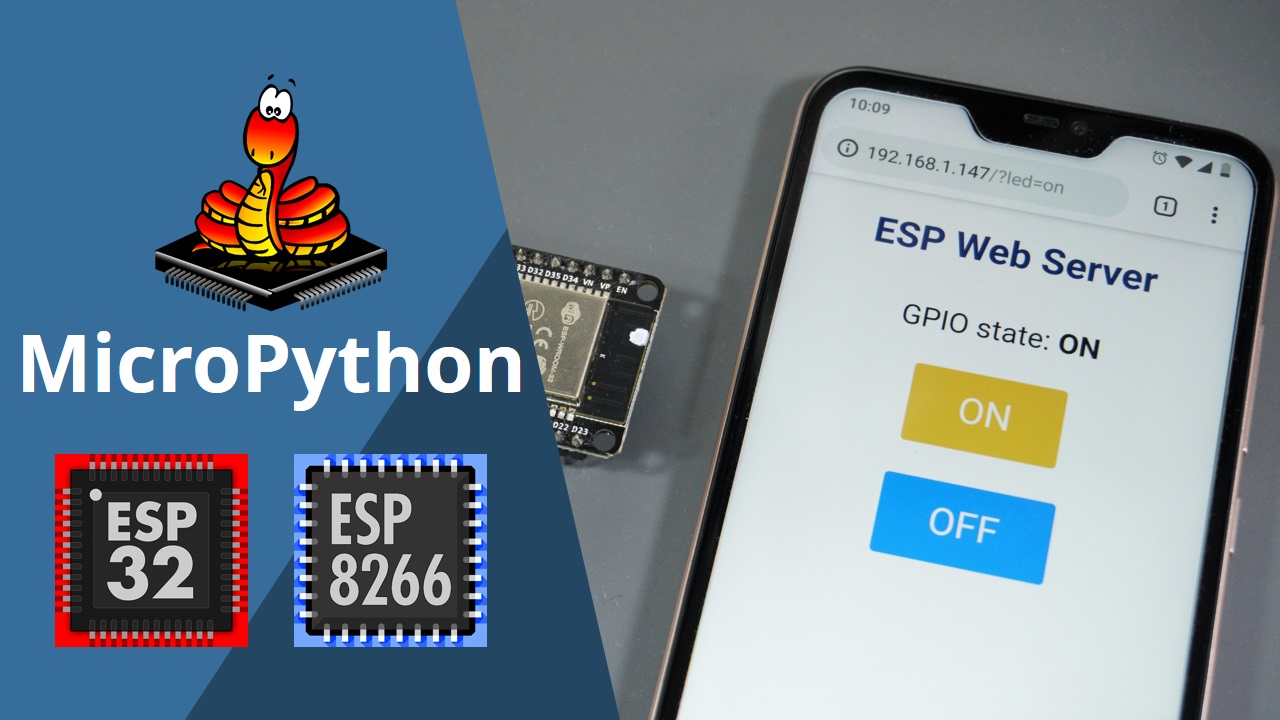
Learn how to build a web server to control the ESP32 ESP8266 outputs using MicroPython framework. As an example we'll build a web server with ON and OFF buttons
errant wigeon
fluid flower
heyho, has anyone here worked with Pycom BLE capable boards?
im completely stuck...
Is the typeError originating from the windows machine or they pycom board?
errant wigeon
oblique kettle
Just out of curiosity, does anybody here know the brand Shelly?
I asked a friend who's done some home automation things along those lines and they hadn't, but that doesn't mean folks don't use them. I just don't know anyone personally who's got experience with them
errant wigeon
errant wigeon
Is the typeError originating from the windows machine or they pycom board?
This: https://github.com/micropython/micropython/issues/5186 May have some useful information as well
oblique kettle
errant wigeon
I asked a friend who's done some home automation things along those lines and th...
I don't have any questions or problems with them, just wanted to if anybody heard of the brand or even used some of their products
fair pasture
errant wigeon
https://randomnerdtutorials.com/esp32-esp8266-micropython-web-server/
This might...
Do you know If I can connect multiples ESPS to one using micropython. For example 10 esps connecting to a main ESP? And like every X minutes/hours this 10 ESP send a file or a information to the main one?
Like the main one will be one with LoRa
and the others will be normal
 waxen scroll
Does anyone know what the YMZ285-D sound chip is? Pls mention me if someone knows about it and how to use it.
With a Arduino
 pastel solar
how do i get started with microcontrollers?
waxen scroll
Buy a microcontroller
If you have one
Run the blink sketch
If you alr have experience dive in with something harder
If you are new do the blink sketch, than do blinking leds
pastel solar
yeah but how do i learn it?
pastel solar
I use vscode, does that make a difference?
pastel solar
I'm thinking about buying one
waxen scroll
Ah
waxen scroll
(I personally think Arduino is a good start)
Because it comes with good documentation
After that you might mess around with circuit python
pastel solar
Okay, Thanks!
waxen scroll
Also it comes with a good amount of example sketches
pastel solar
The only code i know rn is just like print and variables
waxen scroll
Installing Micro/circuit python is a little annoying
(Arduino ide uses the C language)
So if you want to do python u need to get something like a raspberry pi® pico
pastel solar
Okay
waxen scroll
In my opinion, good starter board for the price
5 bucks
It's good for advanced people as well
pastel solar
Yeah cause i was told that Python is actually pretty simple (kinda) because its basically like the english language
pastel solar
Yeah
pastel solar
I used to code in C but I just gave up because it was hard
waxen scroll
Also packages exist as well