#microcontrollers
1 messages · Page 17 of 1
 real terrace
 gleaming copper
"Six motors each package, can work between 1.5-6V, mini size but great power, stable and reliable performance, good for mini fan, science experiments,remote control toy car robot, STEM classroom and more"
real terrace
That how they want to sell it 😛
" I bought these to replace a failing motor in my son's radio controlled toy car as the size and voltage (6v) was right. Unfortunately they were next to useless for this application. Despite a description that states they were suitable for use in 'remote control toy cars' and that they have 'great power', they had no where near enough power. Looking inside the motor at the armature and magnets I think I can see why - both are smaller than in the motor it was supposed to replace, with thinner magnets and far fewer windings on a shorter armature.
On the positive side the motors all worked and were of a standard of construction that seems reasonable for the price. They would probably have enough power to drive much smaller remote control cars and also do the job in other applications where lower power is required."
gleaming copper
some reviews say they will and some say they wont lol
real terrace
This one is probably correct. If it's small, it might be enough.
gleaming copper
"Very handy little motors for small cars and toys very pleased with this purchase. Thank you Eric."
real terrace
Ok, let's hope they are enough.
gleaming copper
okay
real terrace
Anyway, the problem is not this. Since without the H-bridge it is working.
Can you try: p = gpio.PWM(7, 1000)?
real terrace
Ok, so it can do higher frequency.
Now try: p.start(100) and p.start(1000)
Or even p.start(1)
real terrace
Yes
gleaming copper
i cant go above 100
when i set it to 1, it buzzes
when i set it to 100, nothing happens
real terrace
Are you sure this is the command that should start the motor? I mean what does the 50 mean in that comman? 50% of the max?
gleaming copper
so how i understand it is that PWM have a duty cycle that is between 1ms and 2ms and depending on how large the gap is dictates the speed
the 0-100 dictates the gap i believe
real terrace
Yes. p.start(50) means that it will be on 50% of the time and off 50% of the time.
 open dock
re-read your original message. the ESC part confused me, as i thought you were talking about adding in an RC ESC to the mix.
this example is the best i could find using PWM (the others just use on/off). it uses gpiozero, but the concept is the same.
https://www.bluetin.io/python/gpio-pwm-raspberry-pi-h-bridge-dc-motor-control/
real terrace
Can you try it with an LED instead of the motor?
gleaming copper
i dont have any other electronics sorry
real terrace
And a resistor of course. And start only low, from 0-10 maybe to see if it changes brightness.
gleaming copper
sorry i cant
i have literally nothing but some motors, some wires, the esc, a raspberry pi and a soldering iron
real terrace
Than I have no idea 😐
But the link that sommersoft posted looks promising.
It uses the exact same H-bridge and a RPi so if you try to do it and it doesn't work, you know it's the motors.
open dock
rpi.gpio uses software PWM, iirc, so any pin should work. but, might not hurt to try one of the hardware-enabled PWM pins.
gleaming copper
ok
i am going to bookmark that tab and look at it tomorow becausee its 00:22am in the UK and ive been doing this for the entire day lol
open dock
handy link to my goto RPi pin reference: https://pinout.xyz/
gleaming copper
thanks for the help
open dock
yw. hope you get it working! electronics can be frustrating... 😄
 stuck thicket
ASK AN ENGINEER 4/15/2020 LIVE! https://youtu.be/bXYZY1xU8V0

Adafruit Industries, Essential service and business: Critical Manufacturing, NYC – Executive Order 202.6
https://adafruit.com/covid
How to place an essential, COVID-19 related order at Adafruit
https://adafruit.com/covidorders
gleaming copper
@open dock ive done everything in the link you sent me, but it didnt work
same results as the last time
different buzzing noises
real terrace
You don't have any old electronics at home? Like an old printer or scanner or something that you can take apart?
 hallow igloo
Unless you have very good electronics experience, do not pick out an motor from a microwave, because that is highly dangerous for many reasons
Touch the transformer while the microwave is plugged in and live, you're dead, touch the capacitor without discharging it first, you're dead, touch the magnetron by breaking it and inhaling the dangerous dust, suffocating and until finally you are dead! Many ways to die from a microwave
 quartz remnant
how would I get micropython compiled for ARMV5TLE?
nvm, seems unsupported as of right now
real terrace
Thx @hallow igloo that is correct 😉
@gleaming copper Please don't take a microwave apart!
gleaming copper
Lol I wasn’t planning on it
The new motors are arriving on Tuesday and I’m gonna wait until they arrive and then see if they work
If not I found an old radio that had an led on it and I’m gonna see if I can scavenge any other parts to test to see if it’s the motors, the ESC or just my shoddy programming
real terrace
You should keep out for capacitors in the radio. Otherwise it should be a good experience 😉
stuck thicket
WE ARE LIVE! Ladyada takes apart a Pulse Oximeter https://youtu.be/ut7oGkIwRrE #DeskofLadyada @stuck thicket

Adafruit Industries, Essential service and business: Critical Manufacturing, NYC – Executive Order 202.6
https://adafruit.com/covid
How to place an essential, COVID-19 related order at Adafruit
https://adafruit.com/covidorders
 marble bane
hi, im here for a suggestion
so me and my team are trying to build a real-time virtual makeup program, but we cannot really get it running realtime
i wanted to ask, how can we infuse a real-time camera input from a RaspberyPi cam to our makeup program?
 normal elm
That's pretty haRD
hard
Real time being what level of lag is acceptable ?
Typically the raspi is pretty weak when it comes to rapid image analysis and if possible you'd want to use more of a dedicated PC
hallow igloo
Don't you need a graphics card for image processing in real time?
quartz remnant
Anyone here have experience getting micropython to work? I opened an issue on GitHub for ARMV5T support but all I got was "support exists" but nothing works when I try following the guide since it's not in mpy-cross supported archs
 distant trail
Anyone run a raspberry pi without the GUI for the OS?
distant trail
Yeah but doesnt the GUI still eat up resources, even ifnot being dispalyed?
I want to host a bot on my pi, and just ssh into it.
real terrace
@distant trail it depends on how do you boot your RPi. You can ssh into it both ways. You need to run it without GUI and then it won't eat up resources.
distant trail
Ok
So I could just run raspbarrian without the GUI, and I don't need to touch arch?
distant trail
Great
 jovial meteor
Hi, does someone have experience with PID controllers, and the simplest way to implement them? Is this a good approach? https://pypi.org/project/simple-pid/

 tranquil knot
Has anyone here even heard of the coral Edge TPU??
They are so powerful and small!
Why don't we have self driving drones yet with this technology??
It's so easy
Also, there's no YouTube tutorial ls for the sparkfun edge by Tensorflow
So idk how I'm gonna learn how to use it
Also has anyone heard of teachable machine learning from Google?
You can convert your trained model for use with Tensorflow lite , but it only tells you how to use it on coral, not on raspberry pi
How do I use a tensorflow lite model on a raspberry pi?
 oak badger
hey man people run python on rapis ya know
hallow igloo
You mean Raspberry Pi?
oak badger
yeah
 vague crane
Or one of the other hundreds of things that are compatible with MicroPython and/or CircuitPython
Hardly worthless
tranquil knot
Does tensorflow 2.0 work on raspberry pi?
 edgy silo
that means discussion channel is worthfull 👍
@vague crane and seems like you dont know what taxes means in Turkey
tranquil knot
Have you guys ever heard of the coral edge TPU
It has a TPU instead of a GPU/CPU
T stands for tensor
That's how you know it's cool
edgy silo
is tpu nvdia jetson kinds ?
tranquil knot
Yeah like that but from google
It has tensorflow on it and you can train an image recogniser on it in a few seconds without internet
And other A. I. stuff
And you could hook it up to other microcontrollers like accelerometers and stuff
edgy silo
trains ml without internet ?
edgy silo
interesting
tranquil knot

At TensorFlow Dev Summit 2019, we announced TensorFlow Lite 1.0
TensorFlow Lite is a lightweight solution for mobile and embedded devices. In this video, you will see live demos of both the Coral Dev Board, and microcontrollers in action! Learn more about these products in th...
Check it out
I linked to the cool part
If anyone has used it before or the sparkfun edge lmk cause I want to use it
 shrewd summit
So speaking about micropython im trying to use it on one of my esp32 dev board but havnt been able to find a good demo on how to get set up with it yet that is current at least.
 young swan
Im trying to get a python script to run from a desktop shortcut but it will not run and im stuck.
[Desktop Entry]
Name=Face Scan
Version=1.0
Icon=/home/homelander/Attendance/idicon.ico
Exec=python /home/homelander/Attendance/GUI.py
Path=/home/homelander/Attendance/
Terminal=false
Type=Application
Im doing this on a jetson nano
 lean valve
Try these answers here https://askubuntu.com/questions/342950/how-to-create-a-desktop-file-to-launch-a-python-script specifically making it executable
stuck thicket
WE ARE LIVE! SHOW AND TELL! https://youtu.be/IRxbQEMiYrg

To show and share your project at 7pm ET today, view the chat or in discord https://adafru.it/discord and look for the JOIN link to join.
For best results be on a wired connection and have a headset and mic!
 broken pecan
can you make a class that implements the buffer protocol?
in a python script, not in a c library
 daring dawn
Hello to everyone! Can a Motor Shield v2.3 work with the Metro M4 Express using python? Thanks
daring dawn
nvm! The answer is yes!
stuck thicket
WE ARE LIVE! Ladyada reverse engineers fever scanners #DeskofLadyada https://youtu.be/LuSxcyHS4Ac @stuck thicket

The plan is to start with a DigiKey order unboxing, recap ESP32-S2 work Scott did this week and hopefully get things a little farther.
 brazen pecan
eh ok.. so I'm trying to read what my arduino sends through serial port and i get this kind of gibberish, how can i easily get rid of it ?
this is the code
brazen pecan
oh solvedf
stuck thicket
WE ARE LIVE! Using JLCPCB for prototypes youtu.be/mTfs6kayQTc
tranquil knot
Ok guys
So I wanna run tensorflow 2.0 on my raspberry pi
Now tensorflow 2.0 only runs on 64 bit
Which is good cause raspberry pis are also 64 bit
The thing is that raspberry pis only run on 32 bit OS
Confused? Yeah me too
So my question is
How do I make a 64 bit operating system so I can use the Raspberry pi for tensorflow?
stuck thicket
WE ARE LIVE! SHOW AND TELL! https://youtu.be/mVNTcGIDzDw

To show and share your project at 7:00pm today, view the chat or in discord https://adafru.it/discord and look for the JOIN link to join.
For best results be on a wired connection and have a headset and mic!
stuck thicket
ASK AN ENGINEER 4/29/2020 LIVE! https://youtu.be/BZHOcarxOus

Adafruit Industries, Essential service and business: Critical Manufacturing, NYC – Executive Order 202.6
https://adafruit.com/covid
How to place an essential, COVID-19 related order at Adafruit
https://adafruit.com/covidorders
tranquil knot
Ok guys
I just downloaded Ubuntu onto my raspberry pi
After hours and hours of struggling it finally works
It's a miracle
So it comes with pyhton 3.8
But does it come with pip?
When I type "pip --version" into command prompt it says "command pip not found but there are 18 similar ones "
Do I have to download pip?
And here's the most important question, does pip need to be 64 bit or 32 bit? Or are they all the same?
Cause I want 64 bit
tranquil knot
Ok how do I get there?
hallow igloo
I believe it’s
Open the cmd
Then type
cd directory here
And I forgot what I did after ngl
But I remember it’s to do with the directory
hallow igloo
I believe you need to install the pip
Not too sure
I had to do it for the discord bot
I can’t remember really
hallow igloo
Tbh I’m new to python and coding in general so I don’t have a clue
I was just messing about and remembered I had to find the directory
hallow igloo
Good luck
hallow igloo
You too fella
 potent kindle
hi, everyone.
I have an math problem which I have to implement.
is there anyone who can help me?
tranquil knot
When I turn on my raspberry pi running Ubuntu, after I log in the screen is just black with the mouse that I can move around
Anyone know how to fix that?
tranquil knot
2nd time I turned it on
 zenith dragon
Can anyone help me figure out why my wireless adapter over heats when enabling a SSH?
 noble flare
#ot1-perplexing-regexing has my project
I am hoping for some advice on what microcontroller to use
Ideally it would be able to directly controll 12V electronics (small fans)
and if it has builtin humidity/temperature sensors - even better
 feral kestrel
If only I hadn't disassembled my controller.
feral kestrel
I'm pretty good at fixing-things-by-not-actually-fixing-them-but-instead-patching-them.
 mellow prawn
argh got bitten real bad
hallow igloo
hi i don't know if this is the right saloon.
so I want to change my output camera
ex: if I do cam call on discord and well I wish to be able to modify the rendering of the genre add the text which will be seen on the rendering of my cam
 versed moth
@real terrace sorry, but we don't allow paid work or recruitment here
hallow igloo
Does anybody know how to import pyserial into an arduino properly?
All these tutorials on how to install and import it doesn't line up with what is in the official documentation page

GitHub: https://github.com/WaveShapePlay/ArduinoPySerial_LearningSeries
This video goes over how to use PySerial in order to use Serial Communication between the Arduino and Python. This allows us to expand the capabilities of our applications and projects - Part 1
And how am I supposed to utilize this file correctly?
hallow igloo
"pyserial-3.2.1-py2.py3-none-any.whl" Or use this file correctly?
hallow igloo
nvm, it was solved 😛
I find it annoying for myself to find out the answer soon after asking the question...
 mystic jetty
has anyone heard of and maybe know how to use arduino-python3?
hallow igloo
What you looking for in it? I am able to make arduino read python code
mystic jetty
im just trying to make a mobile robot @hallow igloo
im able to do it with just an arduino, but i want to try to use python
so i can use external modules
hallow igloo
You mean you just want to set up your arduino to read python code?
I was just able to do that, so I can help you out with that
mystic jetty
yes, but i would prefer to have it not need to be hooked up to a computer
because i dont have a raspberry pie
hallow igloo
That is a more advanced topic that is out of my reach atm
mystic jetty
oh ok
hallow igloo
There seems to be no online tutorials on how to run python codes without it being connected to a laptop or computer, which is annoying
Thus, I'm going to need instructions how to do it as well, assuming it is possible

Sadly, it is impossible to directly program an Arduino in Python, but you can control it over USB using a Python program. Here's how.
"There is no better feeling than combining two cool things. Sadly, it is impossible to directly program an Arduino with Python, as the boards have no option for onboard interpretation of the language. What is possible however, is direct control over USB using a Python program."
FAAAAAAAAAAAAAAAAAAAAAAAAAAAAAACK
@mystic jetty
Well, there is our answer
Looks like I have to go deeper into the circle of hell within C in order to get into Arduino completely
But since I'm remaining focused on one language, I have to go to Raspberry Pi and Micropython
hallow igloo
Wait wait stop
mystic jetty
I have stopped
hallow igloo
You said robotics, so your better option would be Micropython
mystic jetty
whats micropython?
hallow igloo
It is a microcontroller that is better suited for sensors and controlling robotic based systems
mystic jetty
ooo
hallow igloo
Raspberry Pi on the otherhand is better suited for cameras, graphics interfaces, and more complex calculations; it is known as a microprocessor
hallow igloo
Yes, and so is CircuitPython
hallow igloo
However, Arudinos are better suited for the task than micropythons because C is closer to a lower level language, keep that in mind
hallow igloo
Have fun
mystic jetty
thank you
hallow igloo
As for a side note, it is possible to connect a Raspberry Pi to a Arduino via USB cord
 raven compass
why programming is so hard
i hate it at the same time i love it
seeing results but the process is pain in ass
tranquil knot
I agree!
Although I haven't been seeing any progress
Anyone know what the heck is up with this? And how to fix it?
Gosh discord sucks at taking pictures
I'm trying to run my raspberry pi on Ubuntu 64 bit
This is the second time I turned it on
First time I did everything I was supposed to do and it worked great
Now this is all that shows up after I type in the password on the login screen
 fringe iron
@tranquil knot This may help - https://thepihut.com/blogs/raspberry-pi-tutorials/securely-logging-into-a-raspberry-pi-without-a-password. Try the virtual terminals and see if they come up (Ctrl+Alt+F[1-9]). Ctrl+Alt+F7 is usually the main screen in case you can't get back. Also try asking on #unix . G2G so can't help any further I'm afraid.
tranquil knot
Thanks
 vestal igloo
Hello, does anyone know of a good way to find timedeltas in circuitpython?
vague crane
Might not be the best way but I've done deltas using time.struct_time https://circuitpython.readthedocs.io/en/5.0.x/shared-bindings/time/__init__.html#time.struct_time
vestal igloo
@vague crane is there an existing method to find the difference between two struct_time objects?
vague crane
No
real terrace
Does anyone have an example of SPI communication in micropython that is a bit more complicated than 2 lines of code?
 violet valve
@vestal igloo You can use time.monotonic() which is since the board started up in fractional seconds. You can set a variable equal to time.monotonic() at a point in your code, and then at a later point, compare it to get the difference. Note that time.monotonic() loses precision the longer it runs.
start = time.monotonic()
while True:
    now = time.monotonic()
    if now - start > 6:
        do_a_thing()
SHOW and TELL 5/6/2020 https://youtu.be/iB_v7_f0eHM

Adafruit Industries, Essential service and business: Critical Manufacturing, NYC – Executive Order 202.6
https://adafruit.com/covid
How to place an essential, COVID-19 related order at Adafruit
https://adafruit.com/covidorders
 fathom cosmos
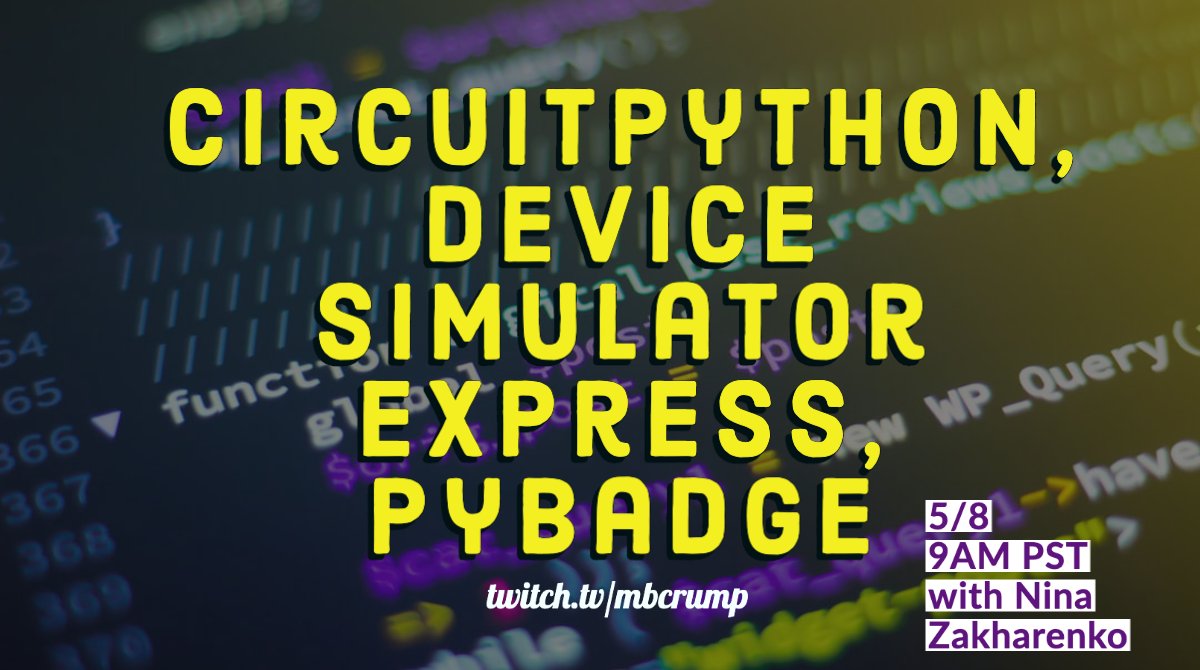
Just in case anyone here is interested, I'm doing a live-streamed Q&A tomorrow at 9am PDT and talking about CircuitPython, the VS Code device simulator express plugin (currently supports cpx, microbit, and clue) and the PyBadge project I had put together for PyCon.
more details and a link at:
https://twitter.com/mbcrump/status/1258411407051116544

📅 5/8 at 9 AM PST (Noon EST)
💜🐉 Nina Zakharenko @nnja
📚 Learn about CircuitPython, device simulator express, PyBadge
Join us & ask questions live!
🧞♂️@gregor_suttie - Mod
#python #livestreaming #coding #hardware
 Twitter
hallow igloo
Twitter
hallow igloo
Aww, I'm too late to see the stream 😦
 stiff sparrow
Hello! I'm trying to create some really short delays using time.sleep_us on an ESP32 running MicroPython, but it seems impossible to create a delay below ~40 microseconds. Is this just the nature of MicroPython or am I doing something wrong?
 dusky gyro
@stiff sparrow How are you checking the elapsed time?
stiff sparrow
Oscilloscope and logic analyzer. Tried an ESP8266 with more or less the same result. I guess it's the price of having a interpreted language. It's not really critical in this particular application, but the documentation makes no mention of a minimum delay (0 or above is accepted as argument for the function).
dusky gyro
This is the first I've ever heard of it. Try asking on the Micropython Forum.
 dawn sedge
Hi,
I've got a 1.4" Display on a Pi Zero
Which is displaying some details
Its pretty much
While(true)
//Fetch & Disiplay Details
Sleep(300)
Already gonna try look into putting that in a async method or something but i've got two little buttons on the board
I'm wondering what is a nice clean way to do something like
While(true)
/// Code fetch & display
If (Button Pressed)
// do something
//then continue with fetch&display
 versed garden
is there a way I could communicate from an arduino to python and then back to arduino?
through the serial port
 dull silo
 vague depot
How do i run a multi-file python program on a raspberry pi? do i just do 'import <directory name> <file.py>? Or is there anything special i need to do
stiff sparrow
@dawn sedge Take a look at interrupts. I have no idea how the Pi handles them, but generally you could monitor buttons with interrupts and set a flag in the interrupt handler. Then you would process the button input after completing the ongoing display update, before updating the display once more.
dawn sedge
@stiff sparrow thanks sounds quite advanced for me surely would work similar to having something on laptop/desktop and esc key interrupts it..
I'll test around with it
stiff sparrow
Yeah, real time will add a whole new level of complexity. Although a button or two should be reasonably simple. Just remember to keep your ISRs (interrupt service routines) short. Also, anything in your main loop (the display update) could be interrupted at any time unless you temporarily disable interrupts (which is recommended at critical points).
Good read: https://docs.micropython.org/en/latest/reference/isr_rules.html
 tranquil gate
Hello all, I've never properly worked with microcontrollers before but I have an idea for a mini project that I want to do
I just need some help with understanding what to buy
My idea is
I have a python script on my computer that gets the main colour on my monitor (super easy to do)
then I send that RGB value to an LED strip that will change its colour to that RGB value
I've been searching for a while now and can't really find any LED strips that plug directly into a PC
Any help would be seriously appreciated!
stiff sparrow
Do you have a specification for a typical strip that you would like to use?
tranquil gate
no
anything that can change RGB
So if for example I get killed in a game, the RGB goes RED
stiff sparrow
Not sure how those strips are typically interfaced, but I would probably go for the cheapest possible ESP8266 module with built-in USB chip (like a Wemos D1)
tranquil gate
Just to confirm, buying this means I don't need an arduino/external controller
stiff sparrow
The ESP is like an Arduino running Python, if you load it with MicroPython
(somewhat simplified...)
tranquil gate
whatwebsite do I buy this from?
stiff sparrow
You will find loads of resellers on Ebay
tranquil gate
stiff sparrow
Then you'll just have to find an SPI or I2C controllable RGB strip
tranquil gate
I found a USB to ESP
stiff sparrow
I believe that's the bare USB to UART adapter, not what you are looking for
tranquil gate
Oh ok
stiff sparrow

eBay
(Open Tools→Board:xxx→Boards Manager and install esp8266 by ESP8266. This is D1 mini, it is a mini WIFI board based on ESP-8266EX. Start Arduino and open Preferences window. after installation). a Micro USB connection.
tranquil gate
Oh my delivery is in 2-3 months
stiff sparrow
What's your region?
 stiff sparrow
Not entirely sure whether there is a MicoPython build for that one
tranquil gate
I don't mind if its in another language
unless that'll cause issues with transferring data
As I aforementioned I am very new to this stuff so I don't know
stiff sparrow
You will have to program it, so I guess MicroPython is a good start

eBay
Genuine LOLIN by WeMos product. Not a genuine LOLIN by WeMos product. LOLIN D1 Mini V3. LOLIN D1 Mini V3 Clone. LOLIN D1 Mini Lite. Genuine Espressif module on a generic board, not made by WeMos. TTGO ESP32.
stiff sparrow
That's a separate module. But sure
tranquil gate
Oh I see
So quick rundown before I get purchasing
I buy one of these
This will (allow me to send instructions to the LEDs from my PC?)
stiff sparrow
The ESP will be controllable over USB, but you have to program it yourself to achieve the requested functionality. If you are experienced in Python this should not be a big hurdle
tranquil gate
Yeah Python is my strongest language
stiff sparrow
You will still need to find either a diretly controllable RGB strip (problably I2C och SPI interface), or get a module to place in between the ESP and the led strip
Also, watch out for 5V vs. 3.3. ESP:s are 3.3V devices and will not appreciate 5V supply or signalling
stiff sparrow
Welcome onto the learning curve!
tranquil gate
yeah
stiff sparrow
It can be done, no worries
tranquil gate
You will still need to find either a diretly controllable RGB strip (problably I2C och SPI interface), or get a module to place in between the ESP and the led strip
What should I google to find this RGB strip?
I tried RGB strip I2C SPI and it seems confused
stiff sparrow
Your best bet is likely to get a bunch of RGB modules on an I2C bus, if you don't really require the strip layout
tranquil gate

These individually-addressable RGBW LED strips are great for all sorts of uses: custom desk lighting, music or data visualisation (an LED thermometer?), or art installations. They come in three different pixel-spacings.
How's this?
stiff sparrow
Looks great
stiff sparrow
Trying to find some data on those leds...
Some good stuff for you:
https://learn.adafruit.com/neopixel-levelshifter
https://docs.micropython.org/en/latest/esp8266/tutorial/neopixel.html

Adafruit Learning System
Level shifters are like little bilingual translators for your electronics!
tranquil gate
I just took a quick glance at the micropython docs, I don't think that'll be an issue 😂
stiff sparrow
Basic stuff
tranquil gate
but that other link had like 10 components including a breadboard
that seems pretty overcomplicated for what I'm trying to do, no?
stiff sparrow
You could try a 3.3V linear regulator from ebay to see if the intensity is high enough at that voltage
I don't really have any experince with the neopixels
tranquil gate
I'm going to have lunch now
Brb in 5-10 mins
back
wow exactly 10 mins
So i was thinking while eating
Is there really no simpler way of going about this?
Surely someone might have developed a USB-RGB light
tranquil gate
Yeah I've been searching for a while
I know it's possible with a Phillips hue
but that's just a casual £300
I think I can make this for £20
tranquil gate
I need it to connect to my PC though :/
stiff sparrow

GitHub
Command line tool for controlling IKEA Tradfri gateway - moroen/ikea-tradfri
stiff sparrow

IKEA
TRÅDFRI wireless dimmable, colour and white spectrum opal white, LED bulb E27 600 lumen. Now it's really easy for anyone to use smart lighting. This bulb allows you to choose between 9 colours – and dim so you can adapt the light to different activities.
9 colours with the remote, but I have a suspicion that it is full RGB under the hood
Learn how to talk to and control IKEA Trådfri smart lights from your Pi
tranquil gate
this is promising
It's not cheap compared to the other things we were looking at though
but for this all I need is the bulb, right?
tranquil gate
and where do I buy that from?
stiff sparrow

IKEA
TRÅDFRI white, Gateway. Now it's easy for anyone to use smart products. With this gateway you can connect your IKEA smart products and control it with a phone or smart assistant.
tranquil gate
yeah I'm not too sure about spending £50 on this 👀
stiff sparrow
It's either that or some tinkering!
Take a look at this one

eBay
Fadecandy ist nicht nur Hardware! Es ist eine einfache Möglichkeit für den Einstieg und ein erweitertes Tool für Profis. Open-Source-Hardware für den Anschluss von billig und beliebt WS2811 basierten LEDs mit einem Laptop, Desktop oder Raspberry Pi über USB.
https://learn.adafruit.com/led-art-with-fadecandy
https://www.ebay.co.uk/itm/WS2812B-RGB-5050-SMD-Strip-5V-Addressable-RF-Controller-Under-Counter-Lights/272910838998


eBay
LED resource: WS2812B led 5050 SMD RGB LED with built-in improved version of ws2811 ic. IC Type: improved version ws2812 IC (built inside the 5050 smd rgb led). Colors: Full color RGB, color changing;.
stuck thicket
Panelizing production PCBS and ordering from JLCPCB #DeskofLadyada https://youtu.be/iLxHpdRZJNA

Panelizing production PCBS and ordering from JLCPCB
#DeskofLadyada #jlcpcb
Visit the Adafruit shop online - http://www.adafruit.com
LIVE CHAT IS HERE! http://adafru.it/discord
Adafruit on Instagram: https://www...
 burnt spear
I am trying to print a sensor reading to a LCD. No errors but the screen is black. I can print text from the screen. Help
stiff sparrow
20 MHz seems a bit too much for that controller. Try baudrate=1000000
Or did you mean that you are able to display a static text on the display?
burnt spear
I can display static text.
real terrace
If you can display static text, then you just need to put that into a loop and change the text and then it won't be static any more.
open dock
@burnt spear lines 23 thru 33 never get executed, since they are outside of the scope of your while loop. indent those lines so they fall within the loop's scope...
you've also got some extra indent going on there (see the two vertical lines at different positions). not a problem, as long as everything uses the same indent...just something to keep an eye on.
burnt spear
What I was wanting to do originally was to make the dht into a function call and call temp_f and hum outside of the function.
open dock
nothing wrong with that approach. but with that while True loop above the display code, the display never gets setup and updated with text info.
burnt spear
I get it now... thanks for the help
open dock
👍
stuck thicket
WE ARE LIVE! SHOW AND TELL! https://youtu.be/1XwYP0y4Prg

To show and share a project at 5:30pm ET / 2:30pm PT today, view the chat or in discord https://adafru.it/discord and look for the JOIN link to join. For best results, be on a wired network connection and use a headset and microphone.
stuck thicket
ASK AN ENGINEER 5/13/2020 LIVE! https://youtu.be/rx4Azmuz6pI

Visit the Adafruit shop online - http://www.adafruit.com
LIVE CHAT IS HERE! http://adafru.it/discord
Adafruit on Instagram: https://www.instagram.com/adafruit
Subscribe to Adafruit on YouTube: http://adafru.it/subscribe
New tutoria...
 shell raven
I hava a raspberry pi 4b and I want to control it with a xbox one bluetooth controler. Is there a python 3 library for recieving the signals?
 hushed slate
whats an almost michael reeves- tier crappy robot idea that wouldnt be impossible for a begginer like me to make if i invested enough time into it?
hallow igloo
Just build a simple robot arm with joints operated and only moving by servo motors, and limit their angles to prevent breaking them
hushed slate
yes but thats not funny
hallow igloo
You can make it funny by pinching people
Or rather, it is a tool that is up to you to find out how to make it funny
hallow igloo
Well, if you live in the United States, you can weaponize a robot that uses airguns to shoot projectiles at lethal velocities at full auto, but don't EVER put a real firearm on it
hushed slate
unfortunately for that i dont live in the US
hallow igloo
Then it is very likely weaponizing a drone in your country is illegal
hallow igloo
Yeah, just make a simple servo motor bot
hallow igloo
You don't know what a servo motor is?
hallow igloo
It looks like this
hushed slate
what it do?
hallow igloo
Or this
hushed slate
what does it do and how do i get one?
hallow igloo
It is a electronics component that rotates a spinning disk at specific and precise angles
That disk could then translate or take a form to a finger of your robot
Or joint of your robot
hushed slate
so the disk is the thing on the top right?
hallow igloo
Correct, and you fix a finger or joint to it
hallow igloo
I mean a robotic finger or joint to open or close; move
hushed slate
oh
hallow igloo
You can find it at Amazon in the product search bar
hushed slate
how much are they?
hallow igloo
Each servo motor can cost around US 12 to 20$
About the price of an SD card or a ordinary meal from a restaurant
hallow igloo
The hurdles of being an inventor are all bound and full of aneurysm...
 brazen tartan
 summer haven
use threading module
hallow igloo
I seen that video, and that goes to show that "reinforced plastic" does not work
If you want to be competitive in that game, you have to make your robot hefty and tanky with heavy steel
And does one role very, very well either as a spinner, crusher, or flipper
Spinners seem to be the meta, but I'm surprised nobody has tried to have countermeasures or defenses to the spinners with the likes of thick chains or nets armed on their bots to gum up the spinners or something
hallow igloo
Nvm, I found out that angled armor is the best defense against horizontal spinners

Catch this close match-up between Tombstone and Beta in the Season 2 semifinals.
Watch this fight from Season 2x9, 2x10 (Season 2, Episode 9, Episode 10).
Subscribe: http://goo.gl/mo7HqT
 grim narwhal
Just sharing a useful link. There’s a great “awesome” list for MicroPython. https://github.com/mcauser/awesome-micropython#readme

GitHub
A curated list of awesome MicroPython libraries, frameworks, software and resources. - mcauser/awesome-micropython
stuck thicket
WE ARE LIVE! Desk of Ladyada! GitHub Actions CI for Arduino + TI Boost Converters + The Great Search on Digi-Key https://youtu.be/kLfA0c4VLhc

Desk of Ladyada! GitHub Actions CI for Arduino + TI Boost Converters + The Great Search on Digi-Key
#adafruit #github #digikey
Visit the Adafruit shop online - http://www.adafruit.com
LIVE CHAT IS HERE! http://adafru.it/discord
Ada...
mystic jetty
which raspberry pi model should i buy?
 untold sparrow
depends what you need it for @mystic jetty
I have been defaulting to whatever pi 3 since it is powerful, but also cheaper than any 4. I would just look into what you need.
Normally I would go with a 3b+ for most projects since they are so cheap and powerful, but it looks like the 2gb ram Pi4 and the Pi 3b+ are same price rn on amazon. So I would go with the Pi 4 if you are buying it today.
mystic jetty
i was thinking of being able to receive data from websites and stream from the pi camera
@untold sparrow so should i get the pi 3, since i can get that for 43 dollars?
untold sparrow
In the case of APIs and utilizing a camera, I would personally recommend a higher powered Pi with more RAM, but I believe a pi 3 b+ should be enough. Just make sure it has the ports you will require.
When I go on amazon both the 3b+ and the 4b are about $45 right now, so I would get the 4 at that price. Either should be fine for your purpose though.
mystic jetty
i think i will settle on pi4
 south fjord
hello everyone! ı have a question. I want to build a drone that ı will use for shooting a video. Which microcontroller ı should use ?
I know raspberry pi but there is so much model i guess
stuck thicket
WE ARE LIVE! SHOW AND TELL! https://youtu.be/QDLIHyGasmo

The biggest worldwide online Show and Tell TONIGHT! Wednesday May 20th, 2020 at 7pm ET
stuck thicket
WE ARE LIVE! ASK AN ENGINEER! https://youtu.be/ICOc8ql5wzo

Visit the Adafruit shop online - http://www.adafruit.com
LIVE CHAT IS HERE! http://adafru.it/discord
Adafruit on Instagram: https://www.instagram.com/adafruit
Subscribe to Adafruit on YouTube: http://adafru.it/subscribe
New tutoria...
 deep cave
I need to read hall sensor output from a linear actuator on a raspberry pi. There is no datasheet, but it mentions something about pulses. What is the best way to do this?
 dire bridge
umm, so I have some time spent in python with my pi, but I used the full version of python... I am working on a project that uses the esp32S camera board and I will be using micro-py with it....to be clear: I mostly develop in , C, Java, C++, javascript+node, and at the end python, where python has had the least time spent in it.... any recommendations for modules for micro-py that i could use for my esp needs? it needs : to scan barcodes and send them to a rest api , not looking for too much, just a recommend for a module name.... I will send the barcode result to my rest with a fetch post as a json object... if anyone has any advice it would be appreciated 🙂 if someone does have any recommendations... please @ me X/
 azure garden
gues, help me. Me need people from Poland for buy Rasp Pi. If have, go friend.
mystic jetty
i want to get an adafruit soundboard model 2342, but the description says to send a ground signal to trigger a sound. could i just send 5v to the trigger pins to trigger the sounds?
mystic jetty
nvm, i figured it out.
i need to set the pins to high first, and then if i want to trigger the sound pins i make the corresponding pin on my rasp pi to low
 neat pine
hey curious if anyone know of any fitness band with public bluetooth APIs
 fiery sigil
You could start looking here: https://github.com/topics/smartwatch but I don't think there are many good commercial ones
 craggy anvil
Does anyone know about a Python framework for Arduino?
stuck thicket
WE ARE LIVE! SHOW AND TELL! https://youtu.be/32tgJYOJi38
 stuck thicket
WE ARE LIVE! ASK AN ENGINEER! https://youtu.be/guon8WAQZnU

ASK AN ENGINEER 5/27/2020 LIVE!
Visit the Adafruit shop online - http://www.adafruit.com
LIVE CHAT IS HERE! http://adafru.it/discord
Adafruit on Instagram: https://www.instagram.com/adafruit
Subscribe to Adafruit on YouTube: http:/...
 timid hazel
how hard is to program a microcontroller with python? I'm an Electronic Engineer but never tried to do that with python.
 shy zenith
Quite easy - there are microcontrollers that can be flashed with a Python interpreter like circuitpython over USB, and then programmed by just dropping a Python file onto them (also over USB)
@timid hazel ^
 cunning grotto
Hey i need the best way and quicker to get data from hcsr04 sensor without laggs ,in usibg pi zero w and its crashing after like 30 readings fromom sensor dont know what to do in writing with python
fiery sigil
Well pretty hard to suggest things without seeing your code. Have a look at the things this library does to improve performance like setting timeouts etc (Introduction section, yes it's Arduino but you can apply it to your Python code https://bitbucket.org/teckel12/arduino-new-ping/wiki/Home). If you need even faster readings you could use those lidar time of flight sensors.
 mystic nova
I have a sensor im trying to connect to over spi, but the banana pi m2 Zero pinout is a bit confusing...
The sensor has: scl sda sdo sao ncs csb
 plucky spear
@craggy anvil I don't think so
 tall sparrow
I'm about to start my bachelor thesis and I think I might have to write new code for Tensorflow Lite API to use on Cortex chips
Any recommendations/Heads-ups ? I actually think I might also need c++.. 
 broken beacon
Hi, can anyone give me a hand with some micropython and MQTT protocol? I have an esp32 running micropython and I am reading some values, sending them to the broker hosted on my laptop and from a local client I read the data out with paho-mqtt. But now I want to send that data to yet another script for a gui. How can I do this?
Some have sugested using multiprocessing and making use of queue() or Pipe(), but I am not sure how to do that since the local client is looping forever
mystic jetty
ive heard of people turning on a raspberry pi using the GPIO pins, but i dont know if thats true or how can i do it
i really dont want to fry my raspberry pi, and im using an arduino uno as the source of power
i did some deep searching, and i just need to put 5v to pin 2 and GND to pin 6
 wispy surge

howchoo
This guide will show you how to add a power button or switch to your Raspberry Pi that can turn your Pi on or off.
I used that and it works fine on a 4 gb rpi 4 with raspbian
 meager dock
what exactly is raspberry pi
 tidal mauve
@meager dock basically a credit card sized computer, good for certain tasks and projects. Often running code and stuff.
meager dock
thanks boss
 sand stone
how to i program stuff like a boat or remote controlled turret
 brazen crane
@sand stone thats a really vague question
cunning grotto
hey i need advice for implemantion of logic to the next idea ->
im using HCSR04 ssensor at height of 30-45cm legs height and beneath i got 0-25cm obstacle
my usage with this sensor is for obs' sys' means i have like 5 obs' with gap of 1m from each other and when person caught the sight of the sensor so (dist<60cm) so launch start=time.time()->start measure the time and when the dist>60cm means the person finished to pass the obs' the problem that on real life this logic not so good and not working well.

and the obstacle attached to it looks like that

please if u have any idea who can help me i would like to hear thnks!!
hallow igloo
do you guys know why ios devices open smb file server in read only format?
ive got a pi hooked up to my network and i canread and write to it over network from windows and macos but not from my iphone
sand stone
if I were trying to build my own RC boat how would I program the receiver to recognize the transmitter's inputs and what output its meant for
 slim cosmos
Hey, i dont know Python at all but i have to learn about microPython
any recommendations?
 chilly ocean
@slim cosmos I recommend learning the very fundamentals of python before you do anything related to micro python. There are some very important things you have to learn before you go straight to microPython. If you want to learn python just look up some YouTube videos on it https://www.youtube.com/watch?v=rfscVS0vtbw this guy highlights everything in just one video if you have money to spend then join codecademy (thats what I am doing) but its really up to you.

This course will give you a full introduction into all of the core concepts in python. Follow along with the videos and you'll be a python programmer in no time!
⭐️ Contents ⭐
⌨️ (0:00) Introduction
⌨️ (1:45) Installing Python & PyCharm
⌨️ (6:40) Setup & Hello World
⌨️ (10:23...
slim cosmos
Ahh damn it, the hard route
chilly ocean
Its just going to be more easier this way 🙂
 scenic python
Hi, can anyone give me a hand with some micropython and MQTT protocol? I have an esp32 running micropython and I am reading some values, sending them to the broker hosted on my laptop and from a local client I read the data out with paho-mqtt. But now I want to send that data to yet another script for a gui. How can I do this?
@broken beacon I was about to try this too for a project !
@broken beacon but you"re using an ESP32 using Python ???!! I'm intersted !
broken beacon
@broken beacon but you"re using an ESP32 using Python ???!! I'm intersted !
@scenic python well yeah, though I'm not going to get way too involved in it, I have to do it in the middle of all the other of final exams, so I'm going to be divided XD
but dm me if you'd like, no worries
cunning grotto
Hey i need help with declaration of ny system with wifi..in using diet pi so i have no gui interface and im using shell only i would like for some help ..thnz (ssh config)
 lucid lynx
Wow
i have a codebug its a little microcontroller but not too much i always wonder what could i make from itand if i could upgrade it.
hallow igloo
hello there ,
please help me with my problem.
so
I have a node MCU amica with ESP8266
problem is that whenever i try to check serial monitor , it shows garbage
for instance
here is an example
i have tried everything from changing baudrate to changing drivers
also i am using arduino IDE
 stone crown
You're just trying to continually print "lol" or do something else?
hallow igloo
well the thing is its printing only "?"
even if i try something else
but other functions work
only serial monitor is messing up
that was just a quick typed example
stone crown
Can you change the baud rate to 74880? Serial.begin(74880)
stone crown
Looks like other people are experiencing this issue with that specific board: https://github.com/esp8266/Arduino/issues/4005

GitHub
Basic Info Amica NodeMCU ESP8266MOD to Arduino IDE gives garbage / gibberish serial monitor output. Note that the Blink examples function perfectly (both native Arduino and ESP8266 versions). The o...
Wish I could help more but I don't use that board
hallow igloo
nope i have already seen this git hub page
none of them work
thanks for trying but i believe the board is damaged
ok that might not be the case because other things are working well
 twin dove
I have many different versions of that board and some do require strange baud rates, especially prior to getting micropython/circuitpython flashed onto the board.
Rates to try:
9600
19200
38400
74880
115200
460800
On most of them 460800 will let you see the console output but sometimes you can't flash firmware at that high a rate.
Have you hit a hardware reset via pins while monitoring the console?
hallow igloo
aey this is me just from another account the problem is fixed
broken beacon
Hi, in class we configured an UART protocol by setting Rx channel in IO2 and TX in IO15. However, by looking at this reference guide I see no particular reason why. Can anyone chip in?
This is from a ESP32 Pico-Kit
stuck thicket
WE ARE LIVE! SHOW AND TELL! https://youtu.be/i4rm_N6yYeM

To show and share your project at 7pm today, view the chat or in discord https://adafru.it/discord and look for the JOIN link to join.
For best results be on a wired connection and have a headset and mic!
 steep dune
is putting micro python into a - micro controller a good idea ?
stone crown
Depends on your implementation/project and how memory-conscious you need to be
steep dune
well parallax propeller 1 -- 32k x 8 bit
broken beacon
@steep dune I am using it in an esp32 and it works like a charm. Although this is my only experience with microcontrolers, so I can't speak for other approaches
steep dune
mmm im same -- except for im using prop 1 ,, i do wan tto use some of the features in a esp32
wifi for a propeller 1
broken beacon
I am using it to send data through wifi using mqtt protocol. In fact I came here to ask for help to perfect that connection
No I said it wrong! sorry
steep dune
i had a tiny peek at MQTT to see if it had a efficiency to TX/RX data as fast as possible
broken beacon
I need help with the microcontroller. I have no idea how to get faster sampling rates
steep dune
ohhh can i be the devil and ask...
broken beacon
right now I'm stuck on about 200hz, I left it to the main loop of the esp. The mqtt is able to send data at reasonable speeds but it leaves room for a lot of more data to send. I'm sending data through the wifi every 15ms (can be different) and I send less than 100 bytes, surely I can pump these numbers up, but I don't know how to get the faster rates
ohhh can i be the devil and ask...
@steep dune Sure, go ahead
steep dune
why pick the esp32
steep dune
ahh ok -- i get it
broken beacon
and in all fairness I have no idea about any other options, so to me it's as good as any
steep dune
so when you , personally look at the spec sheet , what is a PRO and what is a CON to the chip
broken beacon
oh, I can't help you there, I have zero experience with picking a microcontroller
Sorry
steep dune
no - im going throug a subjective sorting process --- im getting your first impressions to releate to my own
your first uC ( microcontroller ) is esp32 , am i correct ?
broken beacon
yeah
steep dune
the story so far .... -- every one has a pre-bias to a uC , and gets religious about it. -- this is a short coming
as example - proppeller 1 has 8 cores ,, true parallel processing -- but but but -- no ADC , DAC , WIFI .....
mmmm looking at esp32 data sheet now
open dock
the prop1 is a nice little chip. the cog system took some getting used to. its been a couple years since i even touched my prop1.
steep dune
many complained it has no IRQ ( interrupts ) , but that is coming from those who never tried it -- is easy to create a programmable IRQ set up with it , its that flexible
open dock
oh sweet! the prop2 is out. not cheap...but good to see some actual silicon has come into existence.
steep dune
yes -- is real ---- but but but --- in the prop discord room -- not much discussion about any of it -- i feel like a lost orphan there
but --- prop 1 available -- $8 per --- and has power to do stuff
open dock
i wish parallax had a bigger profile. but, chip R&D is expensive and time consuming... Chip has def put his heart into getting it done, but it hasn't been easy.
steep dune
he had a heart attack -- while working on P2 ---- it his lifes work --- pure commitment
open dock
oh? didn't know that actually. now i feel sheepish for the "put his heart into it" comment. 😦
steep dune
whooosh -- back in here
open dock
hey. was reading the sheet on the prop2.
steep dune
yes is cool
some have over clocked it to 340 Mhz no heatsink
design clock was 160 Mhz
open dock
crazy what he jammed into that. up to 1MB RAM, on a prop...nuts.
hmm. i'm going to have to start thinking about picking up a dev board. seeing a micropython port makes me wonder how hard circuitpython would be.
steep dune
not sure yet -- i do all my programming in python 3.7 and spin for the P1 -----
i have them talk as - server , client
open dock
As an alternative to the ozpropdev approach, I think a fully integrated setup for an interactive/standalone MicroPython with local KBM + VGA and serial could start to look something like this...

- 1 MicroPython "main" COG
- 1 (or 2) USB keyboard+mouse COG(s) - longer term with true USB HUB functionality it would be good to reduce to only 1 USB COG per physical USB port.
- 1 (optional) UART COG. Right now my native P2 MicroPython does its serial I/O internally in the main MicroPython COG with Smartpins, interrupts and uses the LUT RAM as a receive buffer, but I think RISC-V uses a standalone serial COG.
- 1 VGA COG driver to generate video
- 1 "console" COG to both poll the USB devices and also maintain a video console by writing the serial data stream and any ANSI/VT100 cursor/colour commands etc from Python and feeding any received USB keyboard input data back to Python. Perhaps some of the functionality of this COG could be merged in with the Serial COG Eric uses to reduce the overall COG count. I think it would be good if the text screen was maintained by MicroPython but any Python code still had the ability to access the screen buffer directly using array addresses etc and other high level control/printing functions. Best of both worlds.

This takes anywhere from 4-6 COGs, leaving other COGs remaining for any HyperRAM, fast SD drivers, networking or other I/O specific drivers, debugger functions etc.

This would certainly make a nice little dev system for P2 experimentation using Python.
this... man. like i don't have enough distractions...
will def add this to my list of research items.
steep dune
hmmm looks new
but i like the approach of logging into a P1 or P2 then have it run stuff as fast as possible , DRAM with MMU i guess , then access to SD , USB , ??????
leave fancy graphics to a PC with a dedicated CUDA core
P1 and P2 are microcontrollers NOT CPUs ,,, they have limits
steep dune
i was thinking of adding a 1Meg x 8 bit DRAM module to the P1 --- why , because its possible to add DRAM to the P2
 gaunt lodge
t3rafo ahmed allam?
steep dune
if i go crazy --- maybe make optomized ASM code for P1 , P2 then converting to fast python
 mild bobcat
Guys , could I use Firmata in Arduino + PyFirmata to make a mini keyboard ?
Using Pyautogui and PyFirmata
 cold harness
Hey sry this is prob a pretty noob question. I flashed an esp32 with following firmeware: https://github.com/loboris/MicroPython_ESP32_psRAM_LoBo/ ! There are some modules included with this firmeware. The problem I'm facing is, that I would like to inspect the code of those modules. How could I achive this? I'm connected to the esp via REPL

GitHub
MicroPython for ESP32 with psRAM support. Contribute to loboris/MicroPython_ESP32_psRAM_LoBo development by creating an account on GitHub.
 gusty nebula
cold harness
gusty nebula
cold harness
What would be a way to write a custom timeout for a function call in micropython?
steep dune
howdy_world
mystic jetty
i got my 2342 adafruit trigger soundboard, but when i ground the pin that i set it to play music, it doesnt play music. does anyone have any clue on why it doesnt work, and if you do can you help me fix it?
 sudden hamlet
it should be fairly simple to build your own serial repl
assuming the circuitpython boards work similarly to pyboards
(this isn't saying you shouldn't want the feature btw, just a potential workaround)
 haughty perch
hello, im newbie here, can anyone help me to fix my python code. i am trying to connect my mqtt client to broker and i cannot send my client id to the broker, and can someone help me how to read all the client id that is connected to the broker?
hallow igloo
@sudden hamlet Yes, I could do that, but I would prefer to have a scroll buffer be within Circuitpython. I think it is something more than just I would use and it needs to be as easy as possible to use.
@haughty perch As far as I know, there is no way to find out what clients are connected to an MQTT broker. Which board and Python version are you using?
Typically, a client is only connected for a very short period of time, so by the time you would find out what was connected, the information would not be valid.
haughty perch
@haughty perch As far as I know, there is no way to find out what clients are connected to an MQTT broker. Which board and Python version are you using?
@hallow igloo im using a raspberry pi board and python 3.7 version
hallow igloo
One that has WiFi?
haughty perch
One that has WiFi?
@hallow igloo yes
hallow igloo
Are you using the paho-mqtt MQTT library?
haughty perch
yes im using paho-mqtt library
hallow igloo
Have you read the documentation: https://pypi.org/project/paho-mqtt/
haughty perch
no, i have not, thank you for the link
hallow igloo
You are welcome. I believe all the information you need is there. 🙂
hallow igloo
@long orbit I have a Feature Request 🤓 : There should be a scroll buffer in the REPL to allow scrolling back through more than one page of debug print lines. Fairly often, there are too many debug prints to fit on the REPL display and many will scroll off and be lost. I do not know if the REPL can manage a scroll buffer or how large it can be, but it is needed to keep from losing debug prints. If it is possible to save at least the last page of REPL output that would help a lot. As in many cases, being able to save more lines would be better. 😉
Adafruit CircuitPython 5.4.0-beta.0 on 2020-05-12; Adafruit Feather M4 Express with samd51j19
 raw stream
Greetings all
l just got a raspberry pi 3 B a few minutes ago and l am clueless as to how l am supposed to code it, any suggestions as to which programs l could use?
stone crown
I wouldn't necessarily call a RasPi a microcontroller, but it depends what you want to do with! I have one currently running an Octoprint server for my 3D printer (and also some laser printer stuff). I have another that's a OpenHab server. I'm currently working on a third to turn it into a distributed-ML Alg node for edge-decides.
hallow igloo
@stone crown The Raspberry Pi is not a microcontroller because it requires an operating system to be functional. I call it a microcomputer. Microcontrollers do not run operating systems, but that line is beginning to blur a bit now with the newer and much more powerful MCUs.
stone crown
@hallow igloo No, it's not technically a microcontroller but you can use a Pi in a fair amount of situations that call for a microcontroller. Depending on how far you go customizing the pi and stripping down what's running on it you can get behavior pretty close to a true microcontroller.
hallow igloo
Yes, of course, you can use a Raspberry Pi in place of a microcontroller but it would be severe overkill in most cases. I would not want to dedicate a Raspberry Pi, except a Zero, to something a microcontroller can do. Micros also typically have more I/O than a Pi.
 elder lake
is it possible to run multiple python scripts in the background, kinda like windows system service where it is not visible to gui
although you can stop it when you open another cmd and enter a stop code
hallow igloo
Are you running Linux or Windows?
elder lake
linux based(raspberry pi)
hallow igloo
you can simply install python, and you are good to go!
hallow igloo
You can set up pretty much anything to run in the background, including multiple Python scripts. The amount of RAM you have will be the only limitation.
 graceful hearth
I'm at an intermediate py level, but am new to rasberry pi programming. Are there any resources you think i should take a look at?
hallow igloo
If you google for "python tutorial" it will show several links you can try.
 static cedar
Oooh! Raspberry Pi. This is where all the fun is!
 real topaz
I got a smallish computer what's a good use for it?
static cedar
Computing, smallly? What kind?
I use an HDMI stick PC as a VPN tunnel into my home network... it's very occasionally useful
And currently- albeit due to having to write software for a project- have a Pi watering my basil
real topaz
It's not crazy small like some really desperate kid would try and play minecraft on it and that would work okish if their standards are low.
Maybe i should just use it for mass downloading of stuff
Nah
static cedar
That works, too- or slap a flavour of Linux on there and..uh... put it in a cupboard never to be seen again
real topaz
Until i find a use for it
static cedar
Little emulator console, perhaps? Couple of USB gamepads
real topaz
Ehh i got all that stuff already
And it's not like i get out much to bring that sort of thing places
heh
 mossy crow
Python is used on microcontrollers?
real topaz
Python can be used on whatever you want, baby.
real topaz
Micropython you know
static cedar
CircuitPython/MicroPython
Although I still reservedly call either "Python", since they are, but also they're not
Though both are getting better at sweeping the considerations of a micro under the rug and feeling more like Real Python™
It didn't help that my first real brush with MicroPython was on the BBC micro:bit which is woefully underpowered for running an interpreter. Or, to be fair, running anything sufficiently complicated in that interpreter.
mossy crow
Huh, I've never heard of micropython
static cedar
It’s a port of Python to microcontrollers - which tend to be exuberant and powerful these days. Whole megabytes of RAM!
grim narwhal
Just noticed today that MicroPython is open for GitHub sponsors... If you enjoy MP a little $$ can go a long way!
https://github.com/sponsors/micropython

GitHub
MicroPython is a lean, efficient and robust implementation of the Python 3 programming language optimised to run on microcontrollers and in constrained environments. It includes a subset of the Py...
hallow igloo
@static cedar Typically the latest micros have up to around 500Kb RAM. Some of the newest ones have more, up to 1 MB, but it is segmented and they actually end up with less for the user.
 remote panther
I don't comment in here much but I saw MicroPython and have to plug OpenMV. They make MicroPython based vision mcs with machine learning and handy stuff like QR and AprilTag recognition built-in. I used one last summer and it was way more convenient for my task than a pi, never would have finished in time if I used a pi but the openmv was great for quick development.
https://openmv.io

OpenMV
The OpenMV project is about creating low-cost, extensible, Python powered, machine vision modules and aims at becoming the “Arduino of Machine Vision“.
static cedar
@hallow igloo true- working with one with 1MB and “segmented” is definitely saying the very least. It does have some pretty big contiguous portions though. (STM32H750)
hallow igloo
I believe the NXP i.mxrt series some that have smaller contiguous regions of RAM.
static cedar
Gets fun when you have 128 bytes
More so when they decide that needs to be split into "General Purpose RAM" and "Common RAM"
And they count the special-function registers in that 128 bytes!
So your largest continuous region is 80 bytes 😬
 gusty eagle
Good evening, do you know which python can be installed with the last Raspbian os version?
Last time I checked it was python3.7 with Raspbian buster I think, but it's been a while since
hallow igloo
Buster has 3.7.x. You can actually install any other version and make it default if you want to.
There are just two more shifts to the left that need to happen to complete my shift text left function. This has been quite an experience.
gusty eagle
Buster will be fine then
I took the lite version, 10x lighter and 4x less consuming than desktop version
gave up GUI but you can't have everything
static cedar
I've found pyenv to be pretty handy on Raspbian
Although IIRC there are not ARM binary builds available so every new version compiles from source
Buster Lite is the bane of my existence 😄 it's too light
Customers go "ah, I'll take the small download" without realising what they're getting themselves into
gusty eagle
For me it's perfect since I use my pi as a server, and it's always easier to install some packages than cleaning a system
I also used pyenv, pretty handy
But god, compiling python takes ages!
I'm curious though, what do people miss with the lite version @static cedar?
static cedar
"git" is one of the more irksome ones, I mean it's easy enough to install
And since it doesn't have some of the Python libs pre-installed those can also be a minor hassle- particularly if pip decides to try and fix that
Although I believe piwheels fixed "pip install numpy" and "pip install pillow" to not be awful disasters on Pi
static cedar
Disclaimer: I do Pi stuff for a day job so I have far too much exposure to it, and strong feelings about things- on the whole, though, I owe the platform a lot for handing me a dream job
gusty eagle
As you said, it's not difficult to install what is missing, to me it just show that the user didn't have enough experience with CLI to install the lite version
static cedar
Well yes, unfortunately users without experience don't have the experience to not know that they don't have the experience
Arch users, for example 😆
stuck thicket
WE ARE LIVE! SHOW AND TELL! https://youtu.be/efQGo4ABkNo

To show and share your project at 7pm today, view the chat or in discord https://adafru.it/discord and look for the JOIN link to join.
For best results be on a wired connection and have a headset and mic!
stuck thicket
WE ARE LIVE! ASK AN ENGINEER! https://youtu.be/MtbIoR2hPpY

Visit the Adafruit shop online - http://www.adafruit.com
LIVE CHAT IS HERE! http://adafru.it/discord
Adafruit on Instagram: https://www.instagram.com/adafruit
Subscribe to Adafruit on YouTube: http://adafru.it/subscribe
New tutoria...
hallow igloo
Help me to understand the power calculation part
Why did they add an additional negative sign ?
 unkempt sapphire
Because of the current direction?
quartz remnant
I'm trying to understand and port some C code on a V850E1 board, but I'm struggling to see what this specific snippet does. ```c
// 0x0F840000 is the main LCA1 Hardware version
// 0x0F840004 is some value on the AGB bus we have not been able to document yet
if (some_boolean == false) {
uRam0f840004 = uRam0f840004 & 0xfff7 | 4;
} else {
uRam0f840004 |= 0xc;
}
I know of course what & and | do, I mean what the purpose of this could be
 blissful bane
I have troubles running docker on my raspberry v3. I always get this error: fork/exec /usr/local/bin/runc: exec format error: unknown.
There are multiple guides saying that this should work. (example: https://medium.com/developingnodes/setting-up-kubernetes-cluster-on-raspberry-pi-15cc44f404b5)
The cpu is armv7l, tried running arm32v7/alpine and arm32v7/alpine images, still same error
blissful bane
Solved by using their beta 64bit OS
 molten perch
can a normal microchip from a toy car can be recoded using python
sudden hamlet
no
almost certainly not
it's also unlikely that you can easily reprogram it at all, but it's not impossible
 coral urchin
void main() {
adcon1 = 0b00001111;
trisd = 0b00000000;
trisb = 0b11111111;   //declara portb entradas
portb = 0;

while(1){

      if(portb.rb0 == 0){
      portd.rd0 = ~portd.rd0;
      delay_ms(300);
      }

      else{
      portd = portd;
      }
   }
}
 outer estuary
can memory actually be managed on microcontrollers with python?
i don't do too many things with microcontrollers, but i've only ever done anything with c or c++ with them
sudden hamlet
what kind of level
most of the pyboards manage to let you not worry about that initially, are you thinking of something which would be a memory-intensive operation, or just a large enough program for it to become a potential problem due to sheer complexity
outer estuary
nah, i mean i know that memory is limited in microcontrollers. for my senior project, we made a robot and it ended up using a ton of its memory lol from that experience, i figured that it would be important to be able to manage memory manually
i did all of the programming because i was the only one who knew how to program at all lol
sudden hamlet
ah yeah
but is that on the scale of like
thousands of bytes of memory?
or hundreds even
i did my school project on a picaxe 18m2 which had 128 bytes of ram
haha funny now go make your project work you smug fuck
 winged hound

 static cedar
Managing memory manually is also known as writing your code in C 😄
Actually works surprisingly well in PXT where Everything-Is-A-32-bit-Float, not actually tried it with Python. That said Python does have bytearray.
 hot basin
Anyone have a Lego EV3 and use python on it?
 reef onyx
Hello , I am building a greenhouse controlled by a webserver using python flask that is hosted on a raspberry pi. The raspberry pi is connected to an Arduino Uno , that handles the sensor data and actuators. I am able to send comands via the web page but i do not know how to code the python file to send the data that is sent by Arduino to the web page . Please help . Thank you !
sudden hamlet
how are the arduino and raspberry pi communicating
hallow igloo
the world's biggest mystery
outer estuary
i mean, you can communicate between other computers lol it's not like you can't pass primitive data between a c++ flavor and python
 graceful sparrow
how are the arduino and raspberry pi communicating
@sudden hamlet probably using a REST approach
he said he's hosting a flask app on his raspberry pi
so the arduino is probably using an http library to make post and/or get requests to the server
since he said "Flask" with the raspberry pi
this is most likely the solution he/she is using
 livid prawn
Can an arduino write to serial port while reading what python is writing to it and reading it at the same time?
I have the following situation:
Arduino writes sensor data to serial, python reads from serial and depending on what it reads writes to serial port back and when it does the arduino should read it and react accordingly
static cedar
Custom 8-bit parallel bus is the obvious solution 😆
stuck thicket
SHOW and TELL 6/24/2020 #ShowandTell https://youtu.be/ghoaBzgoeoU

To show and share your project at 7pm today, view the chat or in discord https://adafru.it/discord and look for the JOIN link to join.
For best results be on a wired connection and have a headset and mic!
stuck thicket
WE ARE LIVE! ASK AN ENGINEER! https://youtu.be/HsyFtrrCN6A

ASK AN ENGINEER 6/24/2020 LIVE!
Visit the Adafruit shop online - http://www.adafruit.com
LIVE CHAT IS HERE! http://adafru.it/discord
Adafruit on Instagram: https://www.instagram.com/adafruit
Subscribe to Adafruit on YouTube: http:/...
 lucid swift
I don't know if this is the right place for this but I'm trying to get https://github.com/ralph-group/pymeasure to work with the APT protocol https://github.com/Applepi/PHYS_Organization_Design/blob/master/manuals/APT_Communications_Protocol.pdf It seems that I need to have some way to convert these header commands to SPCI ASCII so that I can just treat this as a serial link

GitHub
Scientific measurement library for instruments, experiments, and live-plotting - ralph-group/pymeasure

GitHub
Neogi Lab Documentation, Refrence Material and Planning - Applepi/PHYS_Organization_Design
static cedar
Apparently IMUs are hard 😄
 harsh kelp
OK so I just got a rpi and electronics kit (i know tech rpi is not a micro-controller) and the guide says to remove the gpio ribbon from the pi whenever youre building a circuit, but the ribbon is a huge pain to remove and im worried ill end up breaking stuff. Is there some.. easy disconnecting ribbon cable or something I can buy? I'm really new to this and I would hate to fry my pi being stupid or break it trying to remove this cable all the time
I would also love any pro tips anyone has. I know every hobby has those "I wish I had known this when I first started" things. good resources, useful tools, that kinda thing. Thanks in advance!
sudden hamlet
wait what are you removing
the gpio ribbon was pretty easy to remove for me by just lifting the short sides
wait that was on an old pi
yeah no should be same
jesus 4gb ram
up to 8gb?!
 grizzled axle
working on a mac with python script (python 2.7) i get "ImportError: No module named serial" so i installed pyserial ("pip3 install pyserial" in Terminal) and tried again but get the same message.
stone crown
You're installing a library via pip3 for use with a python 2.7 script?
grizzled axle
@stone crown i didn't find any other way
stone crown
Well, what python version are you running?
 keen lion
if it isn't avaliable with pip2 then you need to use python 3
grizzled axle
2.7.10
@keen lion but pip2 is a command that doesn't work in terminal
i use 2.7.10 because the code i found is written in it and i want to test it before making changes (as i am new to python code)
sudden hamlet
just pip then
and really don't use 2.7
we can help you convert the code to work in 3
grizzled axle
@sudden hamlet pip doesn't work either. the code is not super complicated. (it's on github under "ircduino" by user walidfaour) i want to use it for servos instead of LED and LCD but so far i can't even get it working as is. converting it to python 3 is pretty much impossible for me because of that. (actually i think a discord bot might be better than irc but i know about discord since yesterday and haven't found out if it is possible to do this with a discord bot)
sudden hamlet
yeah discord should be easier and i would highly recommend not starting with this if you haven't done any programming before
grizzled axle
well it's for a small theatre project. and in theatre (here in Belgium anyway) we do everything ourselves if we can't find anyone else. so skills are learned when a project requires them. it would be much easier if i could find someone with the proper skills who wants a little challenge but that hasn't happened so i've been on Google and Terminal for days just to find out what questions to ask. not easy (even though when i read the code it makes sense, implementing it is the hard part i guess)
i usually do lighting, sound and analog electronics. 3 days ago i had never heard of python, github, discord... 😆
grizzled axle
i managed to create a discord bot that i can command to turn the arduino LED on and off using node.js! it's not python but it's a start! it's been a long time since controlling one LED made me so happy
 cobalt bluff
@grizzled axle that is so nice. If you don't mind can you tell me the code.
grizzled axle
@cobalt bluff i used code found on github. is it allowed to put links here?
grizzled axle

GitHub
The simplest way to control an arduino with discord bot. - DedaDev/discord-arduino-simplest
cobalt bluff
Ok thanks 👍
grizzled axle
you're welcome
 pine sequoia
I would like to make a python code run by pressing a button in rasberry pi
I recently asked this question and everybody said I should give the code. Here it is. Some part of this code is about camera some of it is about the button. Where is the mistake in this code?Help would be very much appreciated. Also where should I put the pins? Thanks already.
import the necessary packages
from picamera.array import PiRGBArray
from picamera import PiCamera
import time
import cv2
import numpy as np
import imutils
import RPi.GPIO as GPIO
def on(pin):
GPIO.output(pin, GPIO.HIGH)
def off(pin):
GPIO.output(pin, GPIO.LOW)
def setPins():
GPIO.setup(32, GPIO.OUT) # Renk: Kirmizi
GPIO.setup(33, GPIO.OUT) # Renk: Mavi
GPIO.setup(40, GPIO.OUT) # Renk: Yesil
GPIO.setup(35, GPIO.OUT) # Şekil: Kare
GPIO.setup(36, GPIO.OUT) # Şekil: Daire
GPIO.setup(38, GPIO.OUT) # Şekil: Altigen
GPIO.setup(37, GPIO.OUT) # Şekil: Yildiz
GPIO.setup(40, GPIO.OUT)
GPIO.setup(7, GPIO.IN, pull_up_down=GPIO.PUD_UP)
def allOff():
off(32)
off(33)
off(40)
off(35)
off(36)
off(37)
off(38)
GPIO.cleanup()
GPIO.setmode(GPIO.BOARD)
GPIO.setup(32, GPIO.IN)
setPins()
Can someone pls help me with this code
Some of this is camera some of this is button all I want is run a project with pressing a button
stuck thicket
WE ARE LIVE! ASK AN ENGINEER! https://youtu.be/-JIfLhnT0lw

ASK AN ENGINEER 7/1/2020 LIVE!
Visit the Adafruit shop online - http://www.adafruit.com
LIVE CHAT IS HERE! http://adafru.it/discord
Adafruit on Instagram: https://www.instagram.com/adafruit
Subscribe to Adafruit on YouTube: http:/...
 waxen yarrow
@pine sequoia what is the issue you are having?
Are you able to detect button presses?
elder lake
what is the best library for bluetooth low energy?
 keen kettle
Anyone here works with nVidia Jetson Nano?
Or any dedicated sicord servers on it?
tall sparrow
Anyone familiar with Tensorflow Lite ? I'm developing operators on Micro and need some help :=)
 hot warren
What's the cheapest arduino with some form of output pin?
I really don't know much about arduino's, but I have some unix/raspberry pi experience
vague crane
Not literally Arduino but Adafruit has a lot of boards that are compatible, like the Metro Mini https://www.adafruit.com/product/2590
vague crane
If you take a look at their development boards there's a bunch of options https://www.adafruit.com/category/851
vague crane
I'm not sure, you can check their distributors listing https://www.adafruit.com/distributors
A lot of their stuff is on Digikey, which might have UK options
static cedar
cough
@hot warren UK equivalent - https://shop.pimoroni.com/collections/arduino-microcontrollers?stock=true

Arduino and other Arduino-compatible microcontrollers are perfect when you need a small, rock-solid controller for your project. Program them, pop them into your project, and they'll happily run forever. We've got a range of different options. Arduino have a whole host of boar...
Although- to be fair- if you just want a cheap would-be Arduino then you can get knock-offs for a few quid
But I'd probably plumb for something like a Teensy LC - https://shop.pimoroni.com/products/teensy-lc

Teensy-LC (Low Cost) is a powerful 32 bit microcontroller board, with a rich set of hardware peripherals, at a very affordable price!
- It's awesome
- It's 32bit and will blow a 328p or 32u4 out of the water
- Good support for the Arduino IDE from PJRC
- Nice and smol
stuck thicket
WE ARE LIVE! SHOW AND TELL! https://youtu.be/xNfHxpL1xTc

To show and share your project at 7pm today, view the chat or in discord https://adafru.it/discord and look for the JOIN link to join.
For best results be on a wired connection and have a headset and mic!
hallow igloo
im a little curious on how python works with microcontrollers like arduino. what specifically happens with the .py? does it get converted to a cpp build or sth cuz i just pulled out an arduino that i had from a long time ago and im not sure if i should use python to program it or cpp
stone crown
Most python on microcontrollers I've encountered is usually MicroPython, but it makes what boards you can use a bit limited.
I do know I was looking at using Firmata & pyfirmata, but I haven't actually used it. https://github.com/firmata/protocol
I've also seen PySerial, which you can use to communicate with an arduino.
But honestly it depends on the board. Some boards don't have enough memory for python and you need to go down to C.
hallow igloo
my board is like 5 yrs old and i feel its not a legit board
its just that im not a huge fan of the arduino ide
stone crown
Yeah... It's not the greatest. They have made some improvements though
What board do you have?
hallow igloo
makeblock orion
lol
my friend in engineering was like da faq
but there is documentation on it
which is nice
stone crown
Huh. I had not heard of that but it looks like it's aiming to be analogous to Arduino Uno.
hallow igloo
im wondering how to compile what u write without using the arduino ide
 floral spruce
you can use arudinos with python technically i believe
but the arduino will need to be plugged into your pc
can't save it to the arduino i don't believe
hallow igloo
so ur simply communicating via serial
cuz i was thinking about uploading
cuz my kit that i dug out only came with motors lol
so i was like i might as well give it wheels or sth
hallow igloo
does anyone know the microcontroller model on an uno
 marble briar
just search it on google
 daring cedar
ATmega328
summer haven
👍
hallow igloo
Alright then hey
So I want to make a discord bot that control these lights: https://www.amazon.co.uk/gp/product/B07QR2Q57S/ref=as_li_ss_tl?ie=UTF8&psc=1&linkCode=sl1&tag=marz-21&linkId=1620ed54245a6cbdc5614fe56dd8e35c&language=en_GB
I have been told to use a micro controller but I'm still not sure how to do it
keen lion
Those lights aren't easily controllable outside the remote
You'll have to do some fancy electronic stuff, and youll also need an arduino or something probably
hallow igloo
I have an arduino
hallow igloo
So because the strip is wifi I might be able to connect with home assistant and use the api.
hallow igloo
u prob have to look into the documentation for it
hallow igloo
yeah, wont be as hard as my first thoughts tho
i think u should be able to avoid using the arduino
yeah, I need another project for that
like connecting to the wifi?
prob
 flint hill
flask is consider as a microcontrollers?
keen lion
no microcontrollers are hardware
steep dune
microcontrollers = uC , save some letters
 plush ocean
hi anyone here knows about raspberry pi? I have a one from 2012 I believe, when I try to sudo apt-get update, it manages to fetch some things, but then it tries to reach some links and it gives me a 404 Not Found error, this happens to every update/install that I try to make
I tried to get pip by sudo apt install python3-pip and it happens the same
if someone could please help me I would really appreciate it
 mild palm
@plush ocean if you have an SD reader you should install the latest version of Raspbian. Not entirely sure if your RPI will be able to run it since it's extremely old. Make sure to backup everything on the card.

Raspberry Pi
Download free software for Raspberry Pi, including Raspberry Pi Imager, Raspbian, and third-party OS images. Beginners should start with Raspberry Pi Imager
 pulsar lantern
Hi guys, ive just been messing around with an esp8266 running Micropython to controll a passive speaker with PWM
I've found that that when I try to set the frequency to 0 in between two other frequencies, it takes a while and seems to skip the next notes
does anyone know another way that I could possibly get a silence without setting the frequency to 0?
pulsar lantern
yeah... problem is im not rlly sure how?
like would i set the value of the Pin to 0?
@amber merlin
 amber merlin
micropy sore something
pulsar lantern
huh?
pulsar lantern
the language yeah
realised that i needed to set the pwm duty not frequency
so i think i have it working
amber merlin
good shit bro
pulsar lantern
thanks for the help!
hallow igloo
I am trying to use python struct packing and I have a struct variable I am trying to represent that is 32 bytes in size
at first I just defined a normal python variable 'var = 0' (default value) to store this and went with the formatter '32s'
but it did not like that
then tried doing a python array to represent this so the struct can pack that into it 'var = [0,0,0,0,0,0,0]' (on the assumption each array value is represented as 32 bit integer/4 byte value
it did not like that either as it wants the exact number of items but sees var as one
even tried it with 'IIIIIIII' formatter of 8 integers
any idea
was thing to think of a cleaner way than having to do
'var1, ... , var8'
or
'var[0], ... var[7]'
 shy roost
Hello. I have a little question I havnt been able to understand, I sure its easy, but dont get it yet.
I am comunicatin arduino to python3 with Pyserial library. I can send and resive messages with no problems (I send b'0' and blink a led, and send a b'1' and stop blinking). But when i want to recive messages I have a problem, from the arduino side I have:
Serial.write("ok");
And from the python side I have:
m = uno.readline()
print("m",m)
What I get is, b'10ok' . How can i change the datatype to just get "ok"??
or the if I just want to send numbers, I havnt figure this out, if you could please help me.
Thanks in advance!
shy roost
yes, what I get is this: b'10ok'
If I send another strin, I get thge following: b'10other'
keen lion
Well don't write 1 and 0 before it then
shy roost
no, sorry, what I get has a 10, not what I write
shy roost
**What i get on the oython part is b'10ok', but what i write is just 'ok'
I sure its a base change, but havnt been able to get it yet
shy roost
Hello, you where right, I was printing the 10 myself, jaja, thanks, I thought you where messing with me.
Thank you!!!
steep dune
anyone do stuff with parallax propeller 1 and python
stuck thicket
WE ARE LIVE! SHOW AND TELL! https://youtu.be/awp883N6uyA

To show and share your project at 7pm today, view the chat or in discord https://adafru.it/discord and look for the JOIN link to join.
For best results be on a wired connection and have a headset and mic!
stuck thicket
WE ARE LIVE! ASK AN ENGINEER! https://youtu.be/t_Gd6iNvCtI

ASK AN ENGINEER 7/15/2020 LIVE!
Visit the Adafruit shop online - http://www.adafruit.com
LIVE CHAT IS HERE! http://adafru.it/discord
Adafruit on Instagram: https://www.instagram.com/adafruit
Subscribe to Adafruit on YouTube: http:/...
floral spruce
anyone got any raspberry pi project ideas?
recently set mine up and trying to think up some things i can do with it after i finish my current project
 limber relic
rpi is weird to me because it feels like a waste to use it as just a microcontroller
how about a music/media control center with a "now playing" readout and some physical knobs and buttons?
shy roost
Hello, what I want to do is to send a message to a micro from python, and then stop the program in python untill the micro has send back a message, I tryied with an if, or a while a condition is != from some message, but haven't been able to get it functioning. Any hints in this?.
I read something about a watchdog, could this be a good method?
Thanks a lot in advance.
hallow igloo
Why was my suggestion deleted?
You gotta provide more info @shy roost
what microcontroller
How is the message being sent from python? UART, i2c, usb
Is the microcontroller preprogrammed to provide a response?
Watchdog is usually used to reset a micro or pc
And without knowing the extent of the python library
I'm gonna guess this is an Arduino?
shy roost
Hi @hallow igloo thanks.
The micro is an arduino yes, the message is sent via usb using the Pyserial library.
in the arduinos end, for the moment it just recives a message, and depending is this message is a b'1', it blinks a led on and off, using delay (1000) for one second between on and off.
After the led has blinked, it send a message back, with:
"Serial.println("Ok")"
I do get this message in the python side, with ".readline()", but I cannot compare it to something.
The idea is to coordinate everithing, send messages, wait, etc...
- The message is printed this way: "print("arrive",arrive.decode("utf-8"))
"
hallow igloo
Set a timer in code, software timer to wait say 2 seconds since you micro doesn't send it til after one second
something like
currTime = datetime.now()
timeout = currTime + datetime.timedelta(seconds=2)
while currTime != timeout:
read line or whatever (the USB)
currTime = datetime.now()
this grabs the current time
Calculates the time two seconds from that current time
The while loop checks the buffer if a message was received
and updates the currTime til
It exceeds the timeout
It's not the cleanest code and might need some syntax looked up
You'll need to do import datetime
Also the message you want should be sent back out on the microcontroller over the same USB port I would imagine
print would go nowhere seeable by you
With a debugger attached
Sorry for confusion this is the best help I can give with the info provided
currTime = datetime.now()
timeout = currTime + datetime.timedelta(seconds=2)
reply = None
while currTime <= timeout or reply == None:
  reply = read line or whatever serial buffer you are sending a message on from the microcontroller
  currTime = datetime.now()
something like that
is what im thinking
without details of the arduino api and such
shy roost
Thank you very much. I will understand it, and try it, and write back.
The arduino is am arduino uno.
the code is the following:
char serialData;
void setup() {
/
Serial.begin(9600);
pinMode(LED_BUILTIN, OUTPUT);
}
void loop() {
if(Serial.available()>0)
{
serialData = Serial.read();
if(serialData == '1'){
digitalWrite(LED_BUILTIN, HIGH);
delay(1000);
digitalWrite(LED_BUILTIN, LOW);
delay(1000);
digitalWrite(LED_BUILTIN, HIGH);
delay(1000);
digitalWrite(LED_BUILTIN, LOW);
Serial.println("Ok");
}
}
}
hallow igloo
Okay so your message is longer than 3 seconds to appear
So a timeout for 4 seconds at least would be needed on python script side who waiting for message
shy roost
from the python side, the code is the following:
"""
import serial
import time
uno = serial.Serial('/dev/ttyUSB0',9600,timeout=1)
def led_off():
print("hola off")
uno.write(b'1') # Escribir(0)
llegada = uno.readline()
print("llegada",llegada.decode("utf-8"))
if llegada.decode("utf-8") == " Ok":
print("Sisisisi")
#print(uno.name) #Puerto realmente utilizado
#time.sleep(0.01)
for i in range(10):
led_off()
ok, will put the timeout for 4 seconds
hallow igloo
Yes timer should help
You are sending a bit over USB then waiting for a response
That execution time is orders of milliseconds at most
By that time your Arduino has only blinked once
Honestly that whole function has excuted by the time the first led has blinked most likely
I see you are trying this ten times as well
Yes but a timeout on the uno.readline()
Happy coding!
shy roost
thanks!!. you too
hallow igloo
@shy roost how did it go
shy roost
Hi @hallow igloo , it whent well, but i finally did it this way:
"""
llegada = uno.readline()
if llegada == b'1\r\n':
print("Sisisisi")
"""
So i managed to use the comparison with what came back from the Arduino, but righting it in that way b'1\r\n', after i tryed it like a string, but that didn't work.
I tryed it this way, thinking that if I got an error in the Arduino side, the python code would not go on, independently the time.
- That print is just to make the first tests**
 sand bay
who is playing the micropython?
 full prism
i am also doing the arduino
 hazy kiln
who is playing the micropython?
Me, on esp8266 d1 mini's
 near prawn
Does the RP 4 count as a microcontroler?
 cerulean ore
So I have a Raspberry Pi that I'm running a web server on and I also want to tie that into to controlling external devices (an LED for now), and the web server runs in it's own thread, but in order for the LED to remain in an "ON" state, you essentially have to tell the script to "pause" after turning the LED on, then when you want to turn it off you have to kill the script.
This obviously impacts the web server if you pause the script. My thought was to start another thread that just turns the LED on and waits via the "pause" command until I want to turn it off.
My question is, how would I send a terminate command to a thread that is "pausing"? Normally with threads I have a while loop that constantly checks for a "RUN_THREAD == True" variable, and when it see's "FALSE" it exits the while loop
Then I would tell the thread to .join() the main thread and carry on it's merry way. But how would I do this in a thread that's just "paused"?
sand bay
@near prawn RP 4 is not a microcontroller, it is a micro computer.
full prism
Guys I am using an arduino kit with python. So I have my main codes and I wanna create a arduino code when user enter Odd number red Led light up, when even green light up
So do I do the code in the same file or do in a new file
?
 silent nova
HI I am relatively new to micro-python. Is micro-python or circuit python more supported ? Also how can I tell how much space I have left in memory after loading micro-python into a ESP32 thanks
near prawn
@sand bay yeah but it has 40 io pins
its a mircro computer with a micro controler feature
hallow igloo
and gpiozero, and hdmi ports and usb ports and etc :o
near prawn
yeah ik,i never said it isnt a micro computer
hallow igloo
i knowwww i was just pimping the rpi over an arduino xd
near prawn
but man its hard to get it shipped here its like 50 dollars more lol
hallow igloo
h e c c
near prawn
arduino do be cheap tho
but i mean yeah rpi is superior,+ it runs on linux which is sweeet
i bought the psu of the rpi 4 but i cant get myself to buying the thing
i got cabels,the micro sd and a hdmi diplay
hallow igloo
my rpi official display broke ;-;
so i have to use the pin interface instead of the dsi cable