#unix
1 messages · Page 42 of 1
 main olive
 formal schooner
extra meh, how many linux systems do you type gsed or gawk
formal schooner
and its also an historical recognition of its importance
you dont have to call it gnu/linux
i think its a reasonable enough request and not something i find necessary to disrespect out of spite or something
main olive
My point is that piggybacking on the name shouldn’t be the only way that GNU should be remembered
thats it
formal schooner
i guess. but like i said, i think its a reasonable request given its historical context
i personally call it gnu/linux because my linux systems are also very gnu heavy, and so are most people's, and i like to acknowledge the importance of gnu in it
i don't think anyone should have to call it that
main olive
yeah I agree
formal schooner
either way, this is a great example of how screeching pedantry just ruins everything
as empathetic as i am to the feeling that "everyone else is doing it wrong!!!"
humans are funny
how the reaction to a perceived slight turns into a perceived slight against someone else
main olive
yeah now the name of GNU is associated with dumb neckbeards and rms
formal schooner
and so the cycle repeats ad inifinitum
to be fair rms is the neckbeard god-emperor
so it makes sense
main olive
yeah
formal schooner
(except among suckless and bsd neckbeards, who have their own alternative cult leaders)
main olive
he just couldn’t keep his mouth shut
if the gnu project just used the 4.4 bsd kernel the world would have been a very different place
formal schooner
heh
i don't have a horse in the bsd vs linux race
does it work on a modern pc with modern peripherals? is it actively developed? good enough for me.
main olive
freebsd-if you have a life
openbsd-if you are paranoid about security
netbsd-if you own a dreamcast
@formal schooner
freebsd is the one to go for really
formal schooner
yeah i know. i just use a bunch of software that doesnt run on bsd
main olive
openbsd people have also contributed alot to security in the foss world so some props to them
formal schooner
i dont have much interest in distro hopping and stuff
im happy with debian for most things
main olive
debian is good
formal schooner
i know its quirks, they dont bother me much, the package ecosystem is huge, testing is usually up to date and not broken
main olive
i use it for most
main olive
some of my servers are on centos
formal schooner
yeah ive used centos before, its fine too
thing is for most of my usage its just yum install vs apt install
and learning the quirks of this or that config file
especially on a server where you don't have X or any related programs
probably matters more in higher-stakes setups
main olive
yeah
thats why I use ubuntu/debian for my servers now
Really I’m okay with the lack of gui on servers
don’t really need it
formal schooner
yeah i never needed it
in fact i started with text only linux
first time i ever used linux was a server in grad school, second time was installing arch on a macbook lol
 warped nimbus
Ubuntu has always rubbed me the wrong way a bit
formal schooner
obviously thats not convenient for day to day usage but
warped nimbus
Like the whole ad controversies they had. I'm not well versed on it, so it could just be misinformation but meh
formal schooner
@warped nimbus same, that's why i went with mint. "ubuntu: the good parts"
no its bad
sending user data to amazon
snap turning into the next systemd
etc.
they have a bad track record
warped nimbus
Being owned by a for-profit private company doesn't sound too appealing
formal schooner
yeah
but its also how they operate
nginx is developed by a for-profit company and is dual licensed, but very few people have reason to complain about that
warped nimbus
Yeah debian server is my go to. It's similar enough to ubuntu so they kind of share an ecosystem.
main olive
being dev’d by a for profit company isn’t inherently bad
formal schooner
if you havent tried mint for desktop i cant recommend it highly enough
has a few quirks like youd expect on any linux os
but
main olive
mint is a joke
formal schooner
whys that?
formal schooner
whats bad about mint specifically
cinnamon is great and the overall ux is very good for a free operating system
they follow ubuntu lts which i guess is whatever, and offer some additional packages like sublime text which is nice
decent installer too
main olive
mixing of ubuntu and debian packages
main olive
yeah
formal schooner
afaik they use a handful of their own packages and use ubuntu for everything else
i dont think debian is in my apt sources file at all
formal schooner
i just dont see why youd say mint is a joke
its ubuntu but not canonical
thats ideal for me
there are other OSes on my to-try list but i have little motivation to
linux lite, and one of the non-systemd distros
formal schooner
mostly lennart and kay
the usual arguments are:
- lax/flippant with respect to bugfixes and security
- really bad documentation
- "it's modular!!" except it isn't at all
- lots of nasty inconsistencies and weird design decisions
- systemd project eating lots of other independent projects
all of which are frankly valid
anyone appealing to the "simplicity" of sysv init scripts is missing the point
formal schooner
apparently there are plenty of stories where something bad happened to a system, but because the logs are binary they couldn't use journalctl to read them so they couldn't actually debug what went wrong
main olive
thats the problem with the programmer though...
formal schooner
so "binary logs" i guess is #6
no, the point is that you need journald running to read the logs
or something
thats a design tradeoff and i dont think its worth villifying the project over. the other things i cited are more important to me
main olive
yeah lennart is kinda a jerk
but the open source community are even more of pissy bitches too
formal schooner
https://news.ycombinator.com/item?id=23062072
https://blog.darknedgy.net/technology/2020/05/02/0/
this was a really good article to me

it shows a lot of the technical problems with systemd without getting hysterical about how its the worst thing ever
it also is a nice summary of its historical context and the forces that led to its dominance
and of course this classic
https://lwn.net/Articles/777595/
https://www.youtube.com/watch?v=o_AIw9bGogo
Tragedy, according to
Wikipedia, is "a form of drama based on human suffering that
invokes an
accompanying catharsis or pleasure in audiences". Benno Rice took
his inspiration from that definition for his 2019 linux.conf.au talk on the story of
systemd which, he said, involv...
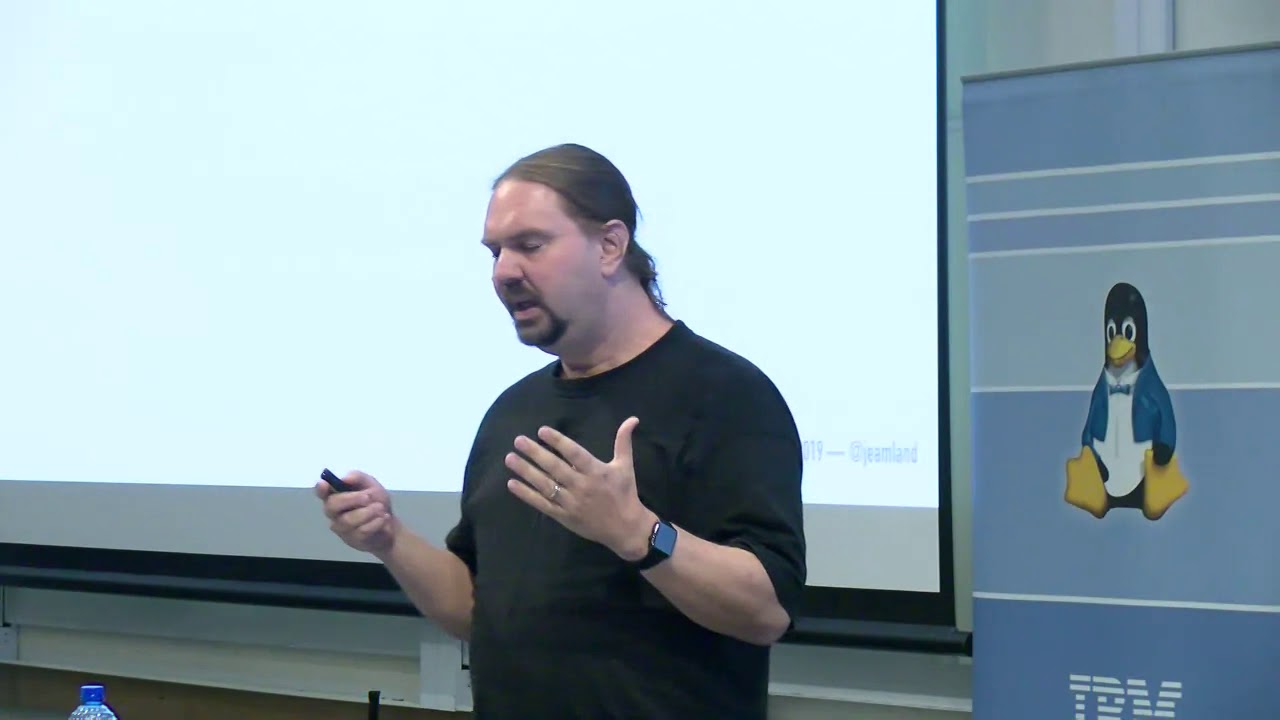
Benno Rice
https://2019.linux.conf.au/schedule/presentation/156/
systemd is, to put it mildly, controversial. As a FreeBSD developer I decided I wanted to know why.
I delved into the history of bootstrap systems, and even the history of UNIX and other contemporary operati...
main olive
good then
formal schooner
i do wonder if there's a strong model for an OS that has a "simple" init, and a separate/standalone tool for service management
e.g. init starts a standalone service manager, which in turn bootstraps all your daemons and whatever
the nice thing conceptually about systemd is that you can start user-level services directly as a consequence of kernel-level tasks being completed like mounting a filesystem
so maybe there's a daemon that needs a filesystem but not networking - you can start that daemon before the network interface is fully operational
 plush sparrow
systemd is good 
formal schooner
ive never personally had a problem with it
but there are many valid arguments against it, see above
plush sparrow
I share the same opionion as Linus on systemd, it's generally doing pretty good. 
 serene eagle
Linux won't detect my microphone
even though it works just fine on windows
i've tried a lot of things from SO and nothing has worked
anyone have solutions?
ping me i'm doing something else
 copper tangle
How do I make a python script easily executable on linux (Ubuntu)?
I usually run my script via terminal after a quick 'chmod +x' but a coworker needs something to double click...
I know about .desktop files but I need to use a relative path which .desktop files dont always support.
 round shuttle
@copper tangle In addition to chmod +x ./file.py you could change the behaviour of Nautilus (the file browser).
It has a setting about executable text files : show/run/run in shell/ask
Obviously, don't forget the shebang at the head of the file, or it won't be able to tell how to run it ^^
Hope it helps!
main olive
How do you make pip work on ubuntu?
@slender vortex It should work out of the box
what error are you getting?
 slender vortex
I installed another version of python
from the website
I'm not using Linux now so I don't have much details
main olive
you probably fucked your python install
you should never modify the system install
rather, you should use pyenv to manage python versions
but, again, can't know for sure without the full error message
 hollow linden
Guys what is the best Vim/NeoVim theme in your opinion?
I myself like atom-dark alot
I want to test out skin
colorschemes*
formal schooner
there are a few nice classics
zenburn and solarized are too low-contrast for me. off the top of my head, i like nord, dracula, two-firewatch, and all of the leetless themes http://leetless.de/vim.html
Random technical stuff

GitHub
Collection of awesome color schemes for Neo/vim, merged for quick use. - rafi/awesome-vim-colorschemes
Vim Colors can automatically generate previews of Vim colorschemes from GitHub repos.
oh and gruvbox
or rather its community fork
base-16 colors are usually safe
on my laptop i have herbstluftwm all decked out in matching base16 atelier estuary
 formal schooner

main olive
lernart has a little tab on systemd that tracks if u say bad things about hik
 light haven
I like how someone complaining about death threats has been spun into a joke about how he is unable to face any criticism 
hollow linden
Guys could someone give me a link for installing Realtek 8821CE Wireless LAN 802.11ac PCI-E NIC wireless drivers for Ubuntu ? I use dual boot btw
And I'm kinda new to linux
I wanted to dual boot Ubuntu
But the wlan0 is not showing up
hollow linden
And I can't use WiFi while booted up in Linux
Guys please help I like to enter the linux world so much : (
I am bored of rebooting and switching to linux for solutions
I just can't find a good answer/file
Seems like it isn't supported
main olive
@hollow linden http://www.cse.iitd.ernet.in/~mittal/wifi.html

Ask Ubuntu
I'm trying to install drivers for my Wifi on my HP All-in-one desktop. I've been told to show the output of the command "sudo lshw -C network" so here it is:
*-network
description: Ethernet interf...
hollow linden
I mean
I don't have network/ethernet currently : (
That
is
my
main
problem
I mean I have Wi-Fi in Windows 10
But I don't have any access to internet/ethernet in Ubuntu
Or does installing bc and module assistant and build-essentials and dkms need internet?
round shuttle
Well, I expect you would install them with apt ; The easiest way would be, obviously, to have a wired running Internet connexion to install the packets "normally" ; otherwise, what you can do is fetch the packets (.deb) from another computer (I belive the official repos have HTTP and FTP public access), put these deb files on a USB drive, an install them this way (just navigate to the USB drive, type sudo apt install ./myfile.deb). Just be careful to fetch the dependancies as well as the main packets when you pick your deb files.
Hope it helps !
hollow linden
Oh I see! Thanks so so so much ! That would help me!
round shuttle
I'm glad it worked ^^
Installing network drivers is often painful, though in your case it seemed particularly convoluted ; usually there is a "drivers.zip" on the vendor's website 😄
hollow linden
Oh I see

 warm wolf
Anyone know what esc + num does on bash? When I press esc + a number it comes up with arg: [num], it's not immediately clear what it does and my Googling doesn't come up with anything.
main olive
https://stackoverflow.com/questions/562115/press-alt-numeric-in-bash-and-you-get-arg-numeric-what-is-that looks to be this

Stack Overflow
Press alt + numeric in bash and you get (arg [numeric]) what is that?
(This type of question is better suited for asking a human, instead of trying to "guess" for the correct terminology to search...
light haven
@warm wolf sounds like a feature of your shell instead of bash
unless esc is bound to alt somehow and it is the above
warm wolf
Thanks, that's it. Not sure, I don't recall purposely setting Esc as meta
light haven
maybe you have vi keymap enabled
warm wolf
Never heard of that lol. I'm just using bash on the Windows terminal app, haven't changed anything except for themes.
hollow linden
Guys I have a question . I setted up my vim so that <Leader>h is <C-w>h , <Leader>j is <C-w>j and so on.... I want to move towards tmux panes too with these keybindings
How could I do that?
Like I don't want to keep pressing <C-b>arrow key or <C-b>; to switch between pane
s
And please mention me if you want to answer 🙂
 bitter lake
are there a way to use discord on a better GUI
the one it has is literally unusable
on a tiling wm
main olive
I use the fat client fine on a tiling wm
formal schooner
technically third party UIs are against ToS i think? maybe they changed it or there are some loopholes
i know third party UIs exist but idk if theyre considered legit
main olive
they are not, no
 robust cave
@hollow linden there's a plugin called vim-tmux-navigator that I haven't personally used but you can try
main olive
in WSL mkdir by default creates 777 permissions when creating a new directory
any way to change this?
robust cave
@main olive are you making the directory in a windows file system or WSL's own?
you might also want to check umask
hollow linden
@robust cave Is it the only way?
robust cave
well, you could implement the plugin's functionality yourself, I don't think there is a straightforward way to do it
hollow linden
oh i see
main olive
How do I install MySQL on linux?
 fickle granite
depends on the distro
On Debian and Ubuntu, it'd be something like apt install mysql-server
main olive
Do you have any links to guides that I could follow? @fickle granite
fickle granite
no, but your distro will surely have documentation about how to use its package manager
main olive
@robust cave thanks mate
that solved it
do you know the background of umask
just wondering why isnt there a default set of permissions thats imposed by posix
rather than having an ability to change it
its just default permissions no? like why couldnt they be the same at all times, given that one can change them any time afterwards
robust cave
It's supposed to be 022 by default, I haven't yet had the time to read through it but you could check out https://github.com/Microsoft/WSL/issues/352 to learn a bit more about the issue

GitHub
Reference: http://www.cyberciti.biz/tips/understanding-linux-unix-umask-value-usage.html My current install has this in /etc/profile: # The default umask is now handled by pam_umask. # See pam_umas...
main olive
What are some good editors that work on linux?
robust cave
editors as in text editors?
main olive
Code editors like visual studio code
hollow linden
Is tmux > Terminator in term of panes?
formal schooner
@main olive
- vim (has a GUI version) / neovim (nvim has several GUI clients)
- emacs (has a GUI version)
- vs code
- sublime
- geany
- kedit
- micro (terminal only)
- joe (terminal only)
- gedit
- kate
main olive
Ed is the standard text editor.
formal schooner

if you wanna get experimental there's Xi
which is split into frontend and backend
some of the frontends ive tried are pretty basic but functional
scite is another option that ive never used
jedit is a thing too
xed, kakoune
formal schooner
nope
hollow linden
i see but they are so similar
formal schooner
i was browsing alternativeto but i only mentioned names ive seen discussed or ive personally tried
hollow linden
i see
formal schooner
just using it to jog my memory
theres a bunch of stuff in there ive never heard of so i didnt mention it
hollow linden
oof
formal schooner
i only mentioned scite cause one time i saw one person mention on HN "what about scite!" in response to a thread about Geany, apparently they both are based on the scintilla editor engine
hollow linden
oh
formal schooner
i wish sublime would just go open source
formal schooner
and i paid for a license too
i switch between nvim and sublime
depending on mood and task
hollow linden
You use sublime instead of neovim :O?
formal schooner
yeah
sometimes i dont want to be "efficient"
pointing and clicking is more relaxed
less mental effort
less tiring on my hands
sometimes id rather move my arm than type even more than i already type all day
hollow linden
I mean , I agree but customizing makes you hit less keys
formal schooner
meh
hollow linden
So no tireness
formal schooner
unless you completely overhaul your mappings, i disagree
hollow linden
Well , you can use mouse in neovim too , can't u?
formal schooner
yeah of course
no nvim gui is nearly as nice as sublime though
the real dream is use sublime as a client w/ nvim as server
someone i think got that working for vs code
hollow linden
I mean the terminal supports mouse too
formal schooner
its minimal
not nearly as comfortable as sublime
also sublime is amazing w/ huge files
2 GB of JSON? sublime opens it no problem, re-indents instantly
hollow linden
But if you reaaaally like GUI in neovim , use vim-gtk aka gvim in windows
formal schooner
yep
thats what i use
i only use console nvim when i'm booted without a GUI or when i'm SSHed into somewhere lese
hollow linden
also sublime is amazing w/ huge files
But I think Nvim is better in this case
hollow linden
Well , sublime was my first editor and the last editor before neovim
But imo nvim/vim > all editors even though it doesn't have good mouse support
formal schooner
fwiw i think the ideal text editor would be an emacs-neovim hybrid. like how evil-mode/spacemacs basically implements vim on top of emacs
hollow linden
And it's portable
hollow linden
I don't like emacs
formal schooner
same. but a sane "futuristic" text editor imo would take ideas from both
hollow linden
Well better I say :
"NeoVim is a text editor
Emacs has a text editor" - a youtube comment
formal schooner
yes lol
the problem with vim/nvim is too much hardcoded stuff + the built-in scripting vm is really slow
hollow linden
But it's fastest in opening huge files
formal schooner
i still find sublime is faster and more robust
hollow linden
Opens a 1 GB file in 1-3 seconds
formal schooner
but depends on the file type too
also depends on what other scripts/plugins you have
hollow linden
Well , there is always -u NONE
In case you don't know
nvim -u NONE opens nvim without plugins
formal schooner
yep
but thats no fun, i want my plugins
another bad part of sublime is the package ecosystem is not in great shape right now
hollow linden
I said that cause u said it's based on plugins u have
Yeah I tried that and encountered some problems . I can agree with that
The thing sublime lacks :
Flexiblity
You urself can't customize it as much as you can customize nvim
Btw , you use Linux/mac or windows?
Cause Sublime is best in windows , NeoVim is best in Linux/Mac . Maybe if I used windows , I used Sublime too
plush sparrow

hollow linden
Yeah
formal schooner
i use windows at work and linux at home
used to use mac but my macbook broke a few years ago and i never really cared to fix it
and my old job used mac
 vagrant granite
There is one reason to why Linux is godlike
 _____
< moo >
 -----
        \   ^__^
         \  (oo)\_______
            (__)\       )\/\
                ||----w |
                ||     ||
cowsay is a wonderful tool
 fossil lagoon
any arch users in here, Im having some trouble with a mixed gpu system ( on board amd gpu/nvivida gpu) only one ever outputs to my monitors, some time its the on board other times its the gpu
plush sparrow
@fossil lagoon I had to set it to always use Nvidia GPU in the bios
otherwise I couldn't hookup external displays via a docking station.
fossil lagoon
thanks i'll try that out
warped nimbus
Use if (( "$openspace" < 50 )) to do an integer comparison
plush sparrow
I only write POSIX compliant shell scripts that I myself will only use, even though I have bash and Zsh ama
formal schooner
q: why tho
main olive
I don’t take stock in shell scripts
python and golang
is what I do
with some c
q: how haven’t you gotten an aneurysm from bash syntax
you can much easier run python as glue and execute your c/c++ goodies from there
hell you could even run c as the glue
 summer trail
Only writing POSIX compliant scripts is a good idea if you ever have to share them with anyone else. Not every machine has bash, and if you're able to write a bash script you shouldn't have much trouble writing a POSIX sh script as long as you know the differences.
@main olive key docs quote:
When used with
[[, the<and>operators sort lexicographically using the current locale.
formal schooner
i dont know many machines in 2020 that dont have bash
a scarier problem is using bash 4.0 features on a machine with bash 3.x
summer trail
I work on some. It's pretty common if you ever have to touch non-Linux Unix machines.
formal schooner
fair enough
summer trail
that part wasn't directed at you, just the quote part was
within [[, < and > are defined to do alphabetical ordering.
yeah. the fact that bash doesn't have variable types is exactly why you need that, fwiw
Python has variable types, and it knows that < on two ints should compare numerically, and < on two strings should compare alphabetically. sh doesn't have variable types, so it needs two different operators for comparing numerically vs alphabetically.
since it can't figure out what you mean based on the types, you need to tell it what you mean yourself.
main olive
I just really see no need in learning bash scripting
even something like c has much better syntax and runs faster
not even to say something like python3+pypy
which is fast and easy to write
fickle granite
I like bash for things that aren't more than a couple of lines
summer trail
C and Python are both much worse than bash when all you want to do is glue a few existing commands together.
main olive
yep
I often write scripts for systems where the only interpreter is either bash or busybox's ash
knowing the syntax is necessity
but the truth is, I quite enjoy writing bash scripts
warped nimbus
Oddly enough, me too in some masochistic way. I suppose it's more restrictive which makes it a "fun" challenge.
I mean for complex stuff. I don't mind 10 line bash scripts
 sacred dragon
hey guys, quick question. When I installed kali in the virtual box, the installation of the base system failed. I tried it 5 times. When I installed kali with the same iso, in hyperview it worked. I also installed kali on my laptop using the virtual box and managed to install the base system. Does this have to do with the type of cpu I have?
main olive
you probably did not give it enough disk space
 humble onyx
How can I pipe into multiple input functions.
//program.c
scanf("%d", &num);
read(0, buffer, 0x20);

$ (echo "1423"; echo "discord")| ./program # it won't work```Wont they be delimited by a newline if you do that?
round shuttle
well, you could redirect each command's stdout to a same file, then use that file as your program's input
echo "foo" >> out.txt
echo "bar" >> out.txt
./program < out.txt
well, you could redirect each command's stdout to a same file, then use that file as your program's input
echo "foo" >> out.txt
echo "bar" >> out.txt
./program < out.txt
It is actually the same thing as
(echo -ne "1234\n"; echo "refika")| ./program
@round shuttle
(echo "1234\n"; sleep 1; echo "refika" )| ./program seems to work.
no idea why it works though
 potent jolt
i am running a script which runs an external command - using subprocess to call it - if i run it with shell=true it works when i try to pipe it to stdout.PIPE and take of the shell=true i get command not found
any ideas
 surreal pumice
which command?
summer trail
my bet is that you're trying to run a shell command, not a real command, @potent jolt - it's impossible to know without seeing your command, but that's my best completely wild guess.
main olive
@potent jolt use absolute paths if you're not using the shell
potent jolt
@main olive thanks will try that
 native sluice
i set env vars but my it says im unauthorized on my vps
discord.errors.HTTPException: 401 Unauthorized (error code: 0): 401: Unauthorized
 mellow egret
imagine using python & c to write buuld scripts instead of using bash lol
formal schooner
Easy in python imo
Especially if you have a scripting environment set up that you can import * from
At that point its no different from perl or ruby
summer trail
see https://xon.sh
 grizzled saffron
does that website just not work for anyone else
runthis.xonsh.org appears not to exist anymore
main olive
same
 dreamy wing
anyone know of the config option for these two (colour and character) in powerline10k?
main olive
that's entirely dependent on your theme and whether you're even using $PS1 directly or generating the prompt via other methods @dreamy wing
dreamy wing
I should have mentioned I am using powerline10k, my bad
formal schooner
Bash is pretty wonky
Sad to see no acknowledgement of zsh having typed variables (even though the typing is kind of a joke)
 junior vale
I think this is the right place to post this not sure just joined the server. I am working in windows. I am trying to import a .dll file, my instruction said to add the .dll file to the system environment variable (like Path), I did this. However when i run my code i get module not found. I have spent some time looking online and came up with ctypes. But the instructions I found are for python V 2.5 I am using 3.8 not sure if this makes a difference of how the language imports files. I thought something was wrong with to many packages when i was using anaconda. Created a new environment to see if problem still there. Switched to eclipse out side of anaconda still same problem. Is this have something do to do with not having the right package or am I importing wrong?
warped nimbus
No, this is not the right place. Unix is like the opposite of Windows. Read the instructions at #❓|how-to-get-help
junior vale
Got you thanks!
main olive
Wasn't there a #windows channel once?
main olive
That is surprising. The number of windows specific issues that a python dev would have is so vast. Maybe it has to do with that most windows users dont think about their os as much as we do.
main olive
how can one create a child process in linux using sleep command?
main olive
If anyone can help me with this let me know. I installed arch fine, connecting to the network easily. I installed everything from chroot. When I actually booted into the arch install, I no longer had access to my network. This is in a VM.
 floral skiff
Can somebody help me with this? The final list is printing the value 0
I'm just trying to split them and display each part of the line separately. The file passwdfile does contain the stuff I need, but its not being displayed due to some reason.
main olive
>>> x = os.system('ls -l /etc/passwd | head -1')
-rw-r--r-- 1 root root 2945 Jun 13 12:28 /etc/passwd
>>> x
0
>>>
Instead do
import subprocess
>>> result = subprocess.run(['ls', '-l', '/etc/passwd'], stdout=subprocess.PIPE)
>>> result.stdout.decode('utf-8')
'-rw-r--r-- 1 root root 2945 Jun 13 12:28 /etc/passwd\n'
>>>
or something like that
@floral skiff
main olive
As for my issue I discovered that systemd-networkd.service was inactive, I got it up and running but still getting no IP. Im going check dhcp I suppose, but yeah.
To be honest if I didnt have an interest in learning all this sysadmin stuff at a lower level, I would throw archiso in the garbage.
But its just one thing at a time to look into.
main olive
I guess I just have to manually start every service in the world and maybe eventually it will work
plush sparrow
I need to clean my thonkpad, when I'm building spotifyd it goes to 95 degrees lol
main olive
I apparently dont have dhcpcd and im pretty sure that is the issue Im having.
i think i might deal with this later.
main olive
Everything is fixed, I had to set the interface to up after starting the network services. 😩
floral skiff
@main olive Thanks a lot!
I'm guessing stdout.decode('utf-8') was used because subprocess.run returned the values in binary?
floral skiff
Oh okay. Thanks!
main olive
emacs > vim
main olive
wrong
 hybrid salmon
doubt
 blazing wolf
I am trying to run a discord bot using systemd
this is my service in /etc/systemd/system/
[Unit]
Description=Discord Bot testing.
After=network.target

[Service]
Type=simple
user=root
WorkingDirectory=/home/rohan/PycharmProjects/YNB-Bot
ExecStart=/usr/local/bin/python3.8/site-packages/pipenv run start

[Install]
WantedBy=multi-user.target
and I get permission denied in the Exec step
I did chmod 777 for the python dict in usr/local/bin
main olive
you probably want to be running it as user rohan and not user root @blazing wolf
 silent vector
What plug are you using for the file icons
blazing wolf
not working @main olive
main olive
@blazing wolf what is the full error you are getting?
blazing wolf
discordbot.service: Failed to execute command: Permission denied d[4743]: discordbot.service: Failed at step EXEC spawning /usr/local/bin/python3.8//site-packages/pipenv: Permission denied
discordbot.service: Main process exited, code=exited, status=203/EXEC
main olive
and it works if you run it manually?
blazing wolf
u mean the bot?
main olive
the same command
main olive
what
blazing wolf
I wanna active pipenv and run a module
blazing wolf
well I wrote it...
main olive
the commands inside the unit, like the ExecStart
blazing wolf
I looked in the web
blazing wolf
pipenv shell and then pipenv run start or python -m bot
main olive
and what does which pipenv say
blazing wolf
I run these commands from the project folder
main olive
sure
blazing wolf
/home/rohan/.local/bin/pipenv
main olive
:) you see what the issue is?
blazing wolf
I get this but I copied the python3.8 folder to user/local/bin
main olive
please don't do that
blazing wolf
oh so I cannot use the site packages one?
lemme try
okay now I got no module pipenv
main olive
if you run the module as user rohan and do ExecStart=/bin/sh -c 'the commands you usually run', then it should work fine
your issue is that you're mixing together an user-local pipenv install with a system-wide systemd unit
blazing wolf
oh
like this ExecStart=/bin/sh -c '/home/rohan/.local/bin/pipenv run start' ?
Im sorry for all the questions, but Im really new to this stuff
main olive
don't have to use the absolute path for pipenv if you're invoking it via /bin/sh
otherwise yes, if the WorkingDirectory line is correct
blazing wolf
okay
main olive
ideally, you wouldn't run your bot under your regular user account but rather a separate dedicated bot account
which has less privileges than your regular user account
blazing wolf
oh
main olive
but it's not hugely important rn
blazing wolf
I actully have to implement this again in a digital ocean droplet which is already running a website
Im still geting no module named pipenv
main olive
post unit
blazing wolf
[Unit]
Description=Discord Bot testing.
After=network.target

[Service]
Type=simple
user=rohan
WorkingDirectory=/home/rohan/PycharmProjects/YNB-Bot
ExecStart=/bin/sh -c '/home/rohan/.local/bin/pipenv run start'

[Install]
WantedBy=multi-user.target
I kinda got it working
but Now i am geting discord module is not found, not sure if I should install the dependencies globally
blazing wolf
I am able to run it without pipenv. maybe I will do that until i figure out whats wrong with my pipenv
 tranquil steeple
im fairly new to bash scripting and i might be in the wrong chat but im 300 lines in a script to mount smb shares. Im trying to figure out how to compare all vars inputted by the user and if one of there inputs is "back" it will start the script over (using the back function). Right now I have to add an if statement for ever. Basically if input1 or input2 = back is with run the "back" function```bash
#restart script
function back() {
start=$(readlink -f "$0")
exec "start"
}
#user input one
printf "input 1"
read input1
#user input 2
printf "input 2"
read input2
#looking for "back" in input1
if [[ input1 == "back" ]]
then
back
fi
Can you rephrase your last sentence? I'm finding it confusing to understand. I think you left out some words and misspelled some things.
tranquil steeple
@warped nimbus is that better
warped nimbus
You could use a loop to get the inputs, and for each input you check if it equals "back"
tranquil steeple
@warped nimbus Can you give me an example?
warped nimbus
Do you not know how to use a for loop?
Here are some examples https://www.cyberciti.biz/faq/bash-for-loop/

nixCraft
Explains how to use a Bash for loop control flow statement on Linux / UNIX / *BSD / macOS bash shell with various programming examples.
You can loop twice and get a new input each time
tranquil steeple
said i was new
for a in $input1 $input2
do
  back#function above
done
something like that
can you not use a symbol like "@" or something to represent all variables?
warped nimbus
That's for command line args, not declared variables
Anyway, the idea I had in mind was to do read inside the loop
That may be inconvenient if you need each input to be in a separate variable I suppose. But that could be solved by adding each input to an array.
To make your example work, you'd need to declare an array of all the inputs. Then you'd loop over the array.
inputs=("$input1" "$input2")
for input in "${inputs[@]}"; do
    # do stuff
done
There's a way to avoid declaring the array there, which is by dynamically generating the variable names with the "${!...}" substitution, but I don't recommend that.
tranquil steeple
oooh so then in the loop i could do something like ```bash
if [[ $input == "back" ]]
do
back#made up funtion name
fi
@main olive Vim is always the best choice
Except for java
Intellij is too godly not to use
silent vector
@main olive Rice it up
 digital harness
Is there actually a reason to use .sh if python is universal at this point? Maybe it's just me, but shell scripts are so hard to read...
main olive
Is there such a thing as an DE that is nothing more than a terminal emulator with some of the features of grtaphical programs?
or maybe it wouldnt be a DE then, but... you get what im asking
silent vector
@digital harness https://devhints.io/bash

Devhints.io cheatsheets
Variables · Functions · Interpolation · Brace expansions · Loops · Conditional execution · Command substitution · One-page guide to Bash scripting
If you have used python or javascript before they are not
main olive
@main olive a barebones window manager? like i3?
I'll try it, I've never used a WM outside of a DE. It looks like I should look at some of them just to see them. Im considering installing enlightenment to see that as well.
@digital harness And, I thinkl that if you are making some kind of application that uses and excess of logic, that bash is ridiculous to program with. But if you are typing a one time command in your terminal, and it turns out into a series of commands, that you can write in a few seconds because no one will use them but you... then bash is quick power.
Its just too messy for anything large imo.
imagine if you had to import requests and pathlib to curl down a file.
 shadow turtle
hi, some people know how delete a boot option in the MSI bios?
 lavish hemlock
E: The repository 'https://ookla.bintray.com/debian focal Release' does not have a Release file.
How do i remove this repo
plush sparrow
bashism is unethical.
 frozen field
hey guys. i'm installing Arch on my other computer and because i'm an idiot, i forgot to create the EFI partition before mounting.
is there any chance i can just unmount, make the changes, and then continue the install?
if so, how does that work? and is there anything i need to be aware of?
 remote tapir
which step are you on?
you can just mount the efi partition after creating, then genfstab
frozen field
well i was about to install grub when it threw an error, as it couldn't find the efi dir
remote tapir
ah
mount your efi partition at some appropriate place e.g. /boot/efi
then genfstab
so it would be like /mnt/boot/efi
frozen field
i didn't create the partition yet. can i do that while the device is mounted?
remote tapir
yes
humble onyx
to clarify things, is a deb package like a setup.exe of a program on Windows?
frozen field
not exactly. it help you install software but the similarity end there.
package management is something entirely different than executables
 fresh saddle
The windows equivalent would be an msi package
plush sparrow
Why the hate for UEFI @frozen field ?
silent vector
@main olive Use i3-gaps
I makes it look cleaner and you can change the distance between the windows
AwesomeWM is a pretty good choice too
plush sparrow
gaps is bad taste @silent vector 
silent vector
It looks good
silent vector
But old plain black and white terminal works for me too
No window manager no nothing
@plush sparrow With xmonad i didnt have the nerver to read in haskwell
Though i like scala and rust
plush sparrow
I didn't jump ship yet, I am using dwm
silent vector
Cool
plush sparrow
but xmonad is objectively better 
silent vector
super minimalist
pretty good for old pcs
awesome wm is kinda similar
i think its a fork of dwm
plush sparrow
it's written in  right?
silent vector
with some extra stuff
plush sparrow
No it's not
plush sparrow
I sincerely doubt they would fork dwm
it's so poorly written
from a software architecture pov.
silent vector
the topbar looks like that of dwm though
plush sparrow
xD
silent vector
I like how you can read
it and understand how a wm is written
Or st
the suckless guys
are pretty help full
warped nimbus
Free open source software
silent vector
with just 1000 lines
warped nimbus
Or something close to that
warped nimbus
Fsf is free software Foundation, no?
silent vector
cause they make the majority of it
warped nimbus
Not really. They're just involved in the free software movement
silent vector
Yeah yeah
warped nimbus
There's tons of foss
silent vector
like suckless
plush sparrow
Make unix great again.
plush sparrow
the channel here I mean @lavish hemlock
 blissful sage
I hate homebrew
it keeps destroying my sym links
I have no clue what I'm really even doing anymore
I keep getting a module not found error when runnign my script, but im getting a module already installed when I try to pip install it
google seems to think that it's due to homebrew messing up sym links
I'm fed up, can someone help?!?
formal schooner
it sounds like your setup is kind of a mess
blissful sage
yes
formal schooner
can you describe how you installed python and homebrew
what operating system are you using
blissful sage
well
formal schooner
i also dont generally recommend using homebrew for dev work, because it is very eager to overwrite and reinstall python with a later version
its much better to use pyenv
blissful sage
macOS Mojave 10.14.6
to be honest I'm trying to remember how this was installed
brew I mean
I can't really even tell you I mean, it was a while ago. I'm pretty sure I just installed python how everyone else does, install pip then install python (if I recall)
then after a while I stumbled across brew as a package manager and tried it. it messed up some stuff with the path variable, I had to have someone come help me mess with the .bash_profile and he did some magic and it worked
I'm so upset right now
formal schooner
ok
you'd benefit by spending some time learning how all these systems work
it can be hard to self-study when there is so much "tutorial driven learning" online
because you never understand the concepts
then this happens
do you know what PATH does? do you understand what .bash_profile and .bashrc are?
blissful sage
yes
blissful sage
one second
formal schooner
i assume you are using the default mac Terminal.app?
blissful sage
yes
export PYENV_ROOT="$HOME/.pyenv"
export PATH="$PYENV_ROOT/bin:/usr/local/bin:$PATH"
if command -v pyenv 1>/dev/null 2>&1; then
    eval "$(pyenv init -)"
fi

#$ echo -e 'if command -v pyenv 1>/dev/null 2>&1; then\n  eval "$(pyenv init -)$

export PATH="/Users/ajkdasj/documents/scripts:$PATH"


alias go="cd /Users/askjdas/pycharmprojects/nycjobs"


eval "$(direnv hook bash)"

export LANG="en_US.UTF-8"
export LC_ALL="en_US.UTF-8"
export LC_CTYPE="en_US.UTF-8"export PATH=~/bin:$PATH```so a little background
formal schooner
so you do have pyenv
blissful sage
I do I have both
because I am clueless and just learning as I go
a little background, I do have a shell script running in the background through a cron job, and I need to set the environment in order to do so (that is why wyou may see some other things in the PATH)
formal schooner
this is .bash_profile?
blissful sage
yes
formal schooner
or .bashrc
blissful sage
.bash_profile
blissful sage
do you need me to show you the .bashrc file? I don't really mess with it
formal schooner
eh? that's your whole .bashrc file?
blissful sage
yes
formal schooner
this is the entire contents of your bashrc file?
/usr/local/python3.7.3/bin
yes sir
formal schooner
...i see
blissful sage
I figured because the .bash_profile is a level above .bashrc
please don't judge me
xD
formal schooner
did you write this?
blissful sage
I don't think I touched the bashrc file
THINK
emphasis
I know i messed with the bash profile
formal schooner
these are located in your home directory right?
blissful sage
yes
blissful sage
but i can run the command though
formal schooner
and what does which brew show?
blissful sage
/usr/local/bin/brew
blissful sage
shibby
formal schooner
its important to understand that the order in PATH matters
anything in ~/bin will take precedence over anything in ~/.pyenv/shims, which will take precedence over anything in /usr/local/bin
blissful sage
oh so brew is installed on the last
formal schooner
yes
blissful sage
gotcha so it looks at pyenv first
formal schooner
and i think that's the right thing to do
do not use homebrew python for development. use the version installed by pyenv
and make sure you know which python is active in pyenv a given time
using the pyenv version and pyenv versions commands
can you show the errors you are getting
blissful sage
i am just overwhelmed
well so this is fromt he script you were helping me with yesterday
so when i run it
  File "/Applications/PyCharm CE.app/Contents/bin/BankApp/Users/alexandrubordei/PycharmProjects/ebay-oauth-python-client/ebay_traffic.py", line 2, in <module>
    from oauthclient.credentialutil import credentialutil
  File "/Applications/PyCharm CE.app/Contents/bin/BankApp/Users/alexandrubordei/PycharmProjects/ebay-oauth-python-client/oauthclient/credentialutil.py", line 18, in <module>
    import yaml, json
ModuleNotFoundError: No module named 'yaml'```basically it's looking at oauthclient.credentialutil and there's an import in there for yaml
blissful sage
but then it's trying to import the yaml, but the module can't be found
blissful sage
yeaaaaaaaaaa idk i normally do
formal schooner
pyenv virtualenv is also acceptable
blissful sage
it looks like it's actually not using one, my intepreter is set as user/local/bin/python3
I just forgot this time >.<
formal schooner
so its just using your homebrew python
formal schooner
no
blissful sage
so I'm sorry to keep bothering you
I tried a few things and I hope I didn't screw anything up
I feel really embarrassed because this is stuff I know, but am messing up on.
so I ran a few commands to try and set it up
I ran pip install virtualenv
then i ran virtualenv activate
but now I have two random folders in my directory
an activate folder
with a bunch of subdirectories
as well as a CE. app folder
when I ran this pip install virtualenv I got a ```Requirement already satisfied: virtualenv in /Users/alexandrubordei/.pyenv/versions/3.7.3/lib/python3.7/site-packages (16.6.0)
then I ran a virtualenv + filepath
and got an error There must be only one argument:
then I ran a virtualenv activate and i got a ```Using base prefix '/Users/alexandrubordei/.pyenv/versions/3.7.3'
then it tried to create two executables
one in bin/python and one in bin/python3.7
formal schooner
ugh
stop reading tutorials
lol
just rm -rf both directories
you need to read the docs for any software you're trying to use
just get in the habit
never try to run commands without thoroughly understanding what the command does and how it's supposed to work
don't use pip install without --user
and you don't need virtualenv you already have venv included with python
i've seen you on this server a lot. and i think many of your problems can be solved by slowing down, and reading documentation carefully before trying to do something
blissful sage
😦
formal schooner
anyway the reason you're having problems is because thats not how the virtualenv command line interface works
blissful sage
lmao
formal schooner
so obviously you will get weird problems
which is how i know you didnt look up how to use it correctly before trying to use it!
and yes i dont mean this to be personal
blissful sage
I have it saved in a bookmark tbh
Stack Overflow
I need krakenex in a project, so I import it with
import krakenex
I have one version of krakenex in
/Users/x/Library/Python/3.6/lib/python/site-packages
. When I execute the script and
print(
but this wasn't working
formal schooner
i recommend not using pipenv
its an extra layer of complexity
pyenv+venv is more than enough to start with
start with a simple reliable setup that is used almost everywhere
learn how it works
get comfortable with the workflow
then you can start trying other tools
blissful sage
as you see I've tried a lot of tools
formal schooner
yes
blissful sage
I barely understand how any work
formal schooner
i can see that too
blissful sage
I do get why
formal schooner
and that's not your fault entirely. not all of this is well documented
formal schooner
frankly you don't need to understand pyenv and homebrew yet
because your setup is correct, it should mostly "just work"
understanding venv however i think is important
and you can build your understanding of other tools from there
it's important to have a small core of things you do understand
then you can gradually learn more and more
in fact you dont need to understand how venv works at a low level
you just need to know 1) what it does conceptually, and 2) how to use the command line interface
blissful sage
yeah what I normally use isn't working right now though
formal schooner
did you try pipenv?
you didnt mention that you tried it
you only asked me if i used it
blissful sage
I'm having internet issues
blissful sage
My ISP is fucking down
 tawdry sonnet
@blissful sage Though I agree that you should read the docs, they can be confusing when you don't know what you're looking for. I started with pipenv, then moved to virtualenv, and now use a mix between virtualenv and dockers.
This guide was great for learning virtualenv: https://realpython.com/python-virtual-environments-a-primer/

This article details how to use a Python virtual environment to manage your Python projects.
lavish hemlock
if you think you're smart
try printing a letter to the terminal using two colours
summer trail
tput setaf 4; echo -n h; tput setaf 5; echo i; tput sgr 0
 royal cosmos
Could anyone quickly expain what it means to change roots? From man chroot I get: "Run COMMAND with root directory set to NEWROOT. " But, I don't really get what arch-chroot /mnt is actually doing
robust cave
@royal cosmos root would be the root directory, normally /. chroot allows you to change the root directory for the current process, and not allow access to any directory outside of the directory tree
arch-chroot is actually a bash script which does some other stuff + chroot
The bash script arch-chroot is part of the arch-install-scripts package.
Before it runs /usr/bin/chroot, the script mounts api filesystems like /proc and makes /etc/resolv.conf available from the chroot.
What does "current process" refer to?
robust cave
for starters, the shell after you successfully change root
any subsequent processes spawn after chroot will also only see the new root as its root directory
and you can poke around in the arch-chroot script if you get it from source here: https://git.archlinux.org/arch-install-scripts.git
blissful sage
@formal schooner yes I used pipenv, and i get a ```No virtualenv has been created for this project yet!
then i tried a pip install virtualenv and i got a Requirement already satisfied: virtualenv in /Users/aksdljasl/.pyenv/versions/3.7.3/lib/python3.7/site-packages (16.6.0)
it does look like my site packages are being stored in a brew cellar tho
blissful sage
welp.... i made progress, lol...
just now my error is ModuleNotFoundError: No module named 'model'
formal schooner
@blissful sage you apparently need to create a venv
Not just have the library installed
blissful sage
I created it
I got passed the yaml issue
I set the interpeter
But it's looking up the model package now
  File "/Applications/PyCharm CE.app/Contents/bin/BankApp/Users/kjhkjhk/PycharmProjects/ebay-oauth-python-client/ebay_traffic.py", line 2, in <module>
    from oauthclient.credentialutil import credentialutil
  File "/Applications/PyCharm CE.app/Contents/bin/BankApp/Users/kjhkhjk/PycharmProjects/ebay-oauth-python-client/oauthclient/credentialutil.py", line 20, in <module>
    from model.model import environment, credentials
it's looking at credentialutil and can't find model
as well as a series of other packages that seem to be native to the oath client
I guess I will look up the oath docs
blissful sage
I wasn't asking about the venv, neither of you read what I wrote >.< you guys missed the part where I said I moved beyond the virtual env issue.
blissful sage
anyway I managed to solve that next issue as well, script couldn't pull the libraries because of the way the directory was structured. So I had to use .string notation to tell it the correct path
just a heads up @formal schooner (not sure if it's appropriate to ping you, probably not, I'm sorry), the suggestion you made regarding the scope for the api token, the script is expecting bytes data type, not str
blissful sage
yes sir
but you did teach me something and i learned and applied it on my own
i think now there's an issue with the config file
main olive
does anyone know a tool that reads bytes from a file, prints the printable bytes normally and non printable as say 0xda or \0da at least
i wrote a one liner
import sys; print(bytes(open(sys.argv[1], "rb").read()))
but not sure how to strip away b'' part of the output
added by print
@main olive how about slicing off the b'' manually? ie with [2:-1]
iirc b'' is hardcoded into bytes' __repr__, and removing that would require monkeypatching it
too much effort for a oneliner
yeah I thought about monkeypatching but didnt wanna bother
slicing off wont work since yeah those are being appended at last
i was thinking redirecting the stream
sys.stdout.write() and sys.stdout.buffer.write() won't be of much help either, first only accepts string as parameter, second converts bytes to string
so i basically get the same result as cat

@main olive cast as str() first
 main olive
oh that works!
thanks mate
i wasn't sure how slicing the original return value of .read() was gonna help
but i misunderstood which object you slice
thanks again
 gentle cloud
Hey guys do you face any issue while installing updates if you are also using dual boot with windows and some version of linux
I mean the main thing is bootloader
formal schooner
I havent had a problem with refind+grub dual booting mint and win10
Theres always a chance a grub installation breaks something..
gentle cloud
hmm have you seen anywhere undoing changes while the update
I mean the update was 60% installed but then it was undoing changes, I think its because dual booting
@formal schooner do you have latest windows 10 updates installed successfully
formal schooner
Not sure honestly
gentle cloud
okay
 astral forge
Hey! Are anyone familiar with the subprocess library?
Could you help me with something?
haha, alright. I have a .exe file that takes a single string as input and then spits out two other files. I'm trying to write a python script that can take my given string (say "test"), start the program and input it and execute. I'm able to start the program by using :
subprocess.run(['FCEA2.exe'], input='test \n'.encode('utf-8'))
but, it won't write my input.
ive tried a couple of other ways. but only get it to open in the terminal.
yeah, ive been trying with stdin, but cannot get it to work
wdym?
okay
maybe this?
p = Popen("FCEA2", stdin=PIPE)
p.communicate("test".encode())
however it doesnt want to accept the encoded string
No clue. Completely new to this end of python. just started googling and it is the only way ive found yet
haha
windows
reading up on wine now
dont know why i though it would work for win too
haha
yeh
my bad
yeah it opens
and i can then run it from the terminal
Why I kept going on it
holy fucking shit
it worked
thanks for the help 🙂
blissful sage
why in the world would the SSL module not be available on my Unix
warped nimbus
Could be because you were missing openssl when py was installed or you do but it couldn't be detected fur some reason when building python
 tiny lava
where are you getting that error
humble onyx
I wonder if checksums are only popular in unix-like systems. I come across a checksum almost for any file on the internet. That's not the case on windows.
Do you think that I have probably seen one but ignored because I didn't know about them at the time or it is a correct observation
round shuttle
Personnally, I think it's accurate in general, but you'll always find counter-examples. I.e. , CRC are especially popular in the free-sharing comunity (unix and the like), but that doesn't mean closed-source doesn't use it from time to time.
 solar sonnet
@humble onyx That has nothing to do with the systems, just the culture surrounding them.
main olive
What ntp pools are you guys using? was using debian's but tried the ntp project and having difficulties now
lavish hemlock
Which networking certification is the best?
tiny lava
It depends highly on your previous experience on what you intend to do
in my area, a decent amount of people are looking for network+ for entry-level positions. CCNA is also really popular if you are working with cisco stuff
 cursive dawn
how's the job market in the states for a unix admin these days? in sweden it's dead in the water
oh btw, CCNA is crayon level certification. you get that at a high school level in sweden
you need CCNP or more to be a pro
 zinc brook
so I was (testing, of course) on a separate server updating Ubuntu (Ubuntu 19.10 to 20.04) which also would update python version. I had two modules installed from pip but after upgrading Ubuntu version seems like the Python version was overridden? (And so were the modules.)
Is there some way to avoid this on let's say a production environment? (Maybe venvs for every project solves this?)
Thanks.
round shuttle
I would solve it with virtualenv, yeah, it's the easiest way, I think
You could (should ?) also just take care of keeping python_old installed while upgrading (if I remind correctly, you are prompted at some point for packets to remove, just don't remove your old python, you would then end up with two pythons, the new one for Ubuntu, and the old one for whatever you were doing.
main olive
so..
coming here cuz an update-alternatives with python did this
anyone know how to fix it?
fixed it :>
 nimble panther
 tiny lava
IRC is more popular for Linux communities
 thorny solar
Found this really neat course from Cambridge for the things they don't teach you in your computer science classes

You can find the lecture notes and exercises for this lecture at https://missing.csail.mit.edu/2020/course-shell/
Help us caption & translate this video!
robust cave
It's from MIT, but good things nontheless
tawdry sonnet
Thanks! I'm a big fan of practical and immediately applicable knowledge. Gonna go through these videos on slow-days.
 dawn topaz
These knowledge are very useful in all situations
silent vector
Johnhoo (the lecturer) does some pretty interesting videos about Rust (TCP implementation, Flamegraph porting to rust etc.), check him out
 amber scroll
Hi, apologies if this is not the right place to ask... I'm having some issues with pipenv:
Please bare in mind I am a newbie sort of... I have installed pipenv but when I create a new pipenv I am getting the following:
`Bobbys-MBP:project-4 bobbyiveson$ pipenv --three
Courtesy Notice: Pipenv found itself running within a virtual environment, so it will automatically use that environment, instead of creating its own for any project. You can set PIPENV_IGNORE_VIRTUALENVS=1 to force pipenv to ignore that environment and create its own instead. You can set PIPENV_VERBOSITY=-1 to suppress this warning.
Creating a Pipfile for this project…
Bobbys-MBP:project-4 bobbyiveson$ ls
Pipfile
Bobbys-MBP:project-4 bobbyiveson$ cat Pipfile
[[source]]
name = "pypi"
url = "https://pypi.org/simple"
verify_ssl = true
[dev-packages]
[packages]
[requires]
python_version = "2.7"`
Problem is I have specified to set up the environment with python 3...
not the pipenv --three
but in the Pipfile the python version is specified as 2.7 ... python_version = "2.7"
Thanks in advance and I appreciate any guidance on this issue I am having 👍
tiny lava
My guess would be the virtual enviroment it's running in is for python 2
amber scroll
?? I'm confused, not too sure what you mean, but my folder contains no .py folders as of yet, the version of pipenv is the latest, I have python 3.7 installed and I used the --three option when calling the pipenv command so should have set up the environment for python 3
 sweet relic
has anyone happened to have used NGINX for serving local files? (tag me if you have - i won't receive notifications otherwise)
tiny lava
@sweet relic I mean I've used a webserver for serving local files before, its usually pretty straight forward
what is your question
sweet relic
so i tried following this tutorial till the point of setting up the webserver and serving a local image but upon running localhost/images/logo.png, in a browser, i see 404 not found

This post will help you get NGINX and NGINX Plus running on Ubuntu Linux on Amazon Web Services without affecting the settings on your personal computer.
sweet relic
instead ubuntu, i have pi
also, there wasn't any default.conf file in /etc/nginx/conf.d
tiny lava
its 4 years old
What ubuntu version are you running
20.04?

DigitalOcean
Nginx is one of the most popular web servers in the world and is responsible for hosting some of the largest and highest-traffic sites on the internet. In this guide, we'll discuss how to get Nginx installed on your Ubuntu 20.04 server.
This will tell you what you have to do
You basically just put the stuff you want to be on your site in /var/www/html
@sweet relic
sweet relic
upon running uname -a, i get Linux raspberrypi 4.19.118-v7+
tiny lava
what about lsb_release -a
sweet relic
No LSB modules are available.
Distributor ID: Raspbian
Description: Raspbian GNU/Linux 10 (buster)
Release: 10
Codename: buster
sweet relic
ya right
tiny lava
I mean it's pretty much the same
all you need for basic functionality is to install the package, start the service, and put the stuff you want to serve in /var/www/html
sweet relic
right. i'll give this a try tomorrow. appreciate your help!
sweet relic
@tiny lava hey...so I tried out the steps in the link you sent earlier and i have a question: ```server_name your_domain www.your_domain;
`your_name` could just be a string but then shouldn't there be `.com/<something>` for `www.your_domain`?There will be a TLD yes, but the /<something> is the things in the folder. your_domain would probably look something like mysite.com
but that step is completely unnessecary for what you are trying to do
again, all you have to do is install nginx, start the service, and put the things you want to serve in /var/www/html
as the tutorial says, that portion is for if you are running multiple domains from the same server
TLD stands for top level domain, like .com, to be clear
Make sense? @sweet relic
sweet relic
right so var/www/html/index.nginx-debian.html is the actual file that's loaded by the webserver which contains the web contents
and now what if i want to serve a local file to a webserver be it a csv so i could read off of it
tiny lava
You put that in the /var/www/html/ folder, then access it by putting the file name at the end of the url
e.g. if you put your file at /var/www/html/stuff.csv, you would access it using mysite.com/stuff.csv
sweet relic
wouldn't you need to change the config file?
i created a separate file in which i have (under /etc/nginx/sites-available/graphTool)
server {
  listen 80;
  listen [::]:80;

  root /var/www/graphTool/html;
  index index.html

  server_name graphtool.io www.graphtool.io;

  location / {
    try_files /stats.csv =404;
  }
}
but when i run graphtool.io, i don't see it running index.html, instead it doesn't recognize it let alone csv
tiny lava
is there a file called /var/www/graphTool/html/index.html?
You don't need to create that configuration file
nginx by default is configured to serve up files in /var/www/html/ on your domain
Doesn't matter what kind of file it is
Also did you enable that site
 bitter hamlet
time is not defined in jupyter please help?
I'm running arch linux pip and conda are up to date
tiny lava
Did you import it
bitter hamlet
the imports are in the first cell
sweet relic
@tiny lava sorry had to leave yesterday.
yes /var/www/graphTool/html/index.html does exist
perhaps my config file isn't kicking in
and i did run sudo ln -s /etc/nginx/sites-available/graphTool /etc/nginx/sites-enabled/ for creating a link
but basically i have my HTML file that generates the graphs, but what i'm trynna do is constantly read the data from a local csv file which I could feed to charts
the existing server conf file looks a bit confusing to me so I tried creating a new one where i included the root, index file along with the csv file name
tiny lava
You mean you want to display a changing graph based on a csv file?
I think you have to implement that in javascript
The csv file itself can be accessed as I said before
Are you connecting from graphtool.io? That domain doesn't exist for me
sweet relic
yeah i have a JS code in an HTML file. so right now, i uploaded the CSV file on gist and linked in the JS code and i'm able to feed it to charts but it's a 'static' file and i want to load it from a local path constantly
tiny lava
Are you constantly appending to the end of the file?
sweet relic
there's another code appending to the file
tiny lava
Yeah
well you could check the file every so long and see if its any bigger
and if so, load the new data
sweet relic
yeah but how do I load one
tiny lava
don't you already have code to do that
sweet relic
like I said currently i have URL of the gist stored in JS to which I send an HTTP request and read from it. but the gist file isn't changing
tiny lava
Well my guess is it's getting cached
sweet relic
well no. it's a static file like this:
tiny lava
And that file is constantly changing?
sweet relic
not this one. how do I do that? the one on gist was manually uploaded
tiny lava
Well aren't you loading it from your own site?
So you just replace the url with the one on your site
Does that make sense
Sorry I wasn't getting what you were saying earlier lmao
sweet relic
okay i wanna load the csv first and then maybe i'll get a better idea