
#unix
1 messages · Page 3 of 1
 formal schooner
 main olive
maybe this is a bug in the aur package then
main olive
found something on stackoverflow
they said i have to run sudo ln -s /usr/lib/virtualbox/postinst-common.sh /sbin/vboxconfig
formal schooner
main olive
found something on stackoverflow
they said i have to run `sudo ln -s /usr/lib/v...
huh. i wonder why that's not in the aur package already. i would look over that shell script carefully before running it
main olive
formal schooner
huh. i wonder why that's not in the aur package already. i would look over that ...
i am gonna change my mirror and retry everything
 primal blaze
Looking for good terminal options in Ubuntu?
 ember quiver
primal blaze
Looking for good terminal options in Ubuntu?
ember quiver
primal blaze
Looking for good terminal options in Ubuntu?
What about the default one makes you want something different?
primal blaze
I install terminator and using it
 wise forge
 green spear
It is the KDE default and very good.
green spear
It is the KDE default and very good.
@primal blaze agreed. Installing Kubuntu and enjoying defaults is the best xD
whole GUI is nicely configured by default
primal blaze
Any apps would you like to recommend for daily ease of use? @wise forge
@wise forge @ember quiver For Ubuntu
How can I speed up my Ubuntu?
Any Suggestions
wise forge
primal blaze
Any apps would you like to recommend for daily ease of use? <@370435997974134785...
Totally depends on your needs and job role
wise forge
primal blaze
How can I speed up my Ubuntu?
U can use zram to increase Ram memory, usually very often needed thing when u have multiple browser tabs and IDE xD
wise forge
primal blaze
Any apps would you like to recommend for daily ease of use? <@370435997974134785...
i am also fan of enabling LUKS file encryption during its installation. Feels more secure when your info in storage is fully protected from theft
Just one checkbox to click during OS installation for that
wise forge
primal blaze
Any apps would you like to recommend for daily ease of use? <@370435997974134785...
anyway, for every day usage for me, it is just messengers: Skype, Discord, Telegram, Slack, Zoom
google chrome for browser
qbittorrent to download torrents xD
for virtualization: virt-manager + vagrant
for containers: docker+docker-compose
for kubernetes: kubectl+helm
for infra provisioning: terraform + aws cli
for ide: vscode/vscodium
for vsc: git cli + experimented to try finding GUI for that, but so far using just vscode Git integration + vscode Git lens
for documenting/accounting: git-crypt to protect git repository with encryption, sqlitebrowser for database, pdftk + PDF chain as GUI for pdf mergins, ImageMagick to resize jpegs + scanning programs for my compact EPSON DS-310 + typora for markdown xD
poetry for python very nice package management
wireguard for VPNs when necessary
vlc for video watching
postman sometimes useful from times to times to make requests manually xD
and of course i install latest pythons to my system and just make alias to .bashrc
alias python='python3.10'
alias python3='python3.10'
this is safest way to install newer pythons i think (if to skip usage of poetry)
 lavish storm
Pyenv
wise forge
lavish storm
Pyenv
how does it work? what it gives as end result? and is it able to do that without breaking Ubuntu which depends on default installed python for most of its programs?
probably i should try it safely in container/virt machine
lavish storm
It installs a version of python of your selection, and localises it to a project or a folder. It doesn’t interfere with your system python
So installing multiple versions of python for different projects requiring different versions of python is possible
wise forge
lavish storm
It installs a version of python of your selection, and localises it to a project...
does it make correct python of necessary version automatically enabled for the right folder?
oh yes, i see

nice feature
lavish storm
😄
wise forge
although a bit confusing one 🤔
and dangerous
it allows changing global python too xD
if u will do it, u will kill Ubuntu
probably
unless it makes some safeguards to disginguish System / Global python as it meantions in docs
lavish storm
Well that can very well “kill” any other distro
Though the problem seems most pronounced with Ubuntu for some reason
wise forge
oh yeah it can change system python too xD this will kill for sure. Or may be it can't 
ergh. dangerous xD
alias to override user python is safer
+using poetries ;b
wise forge
lavish storm
Whatever works
i think there is kind of no point to use it considering that python is backward compatible
for global usage it is enough just upgrading forward ;b
for project wise -> it is enough to use poetry if it has any libraries, or any other package manager capable to set python version. No point to have dedicated program to change python version only
lavish storm
We are blessed to have many choices, though that also may be a curse
I can’t see why one can’t use both pyenv and poetry for multiple python projects
wise forge
lavish storm
I can’t see why one can’t use both pyenv and poetry for multiple python projects
sure. pyenv is more like direct alternative to having alias in .bashrc
poetry is additional tool going fine with both choices
lavish storm
pyenv is more like direct alternative to having alias in .bashrc
I do not agree with this statement
wise forge
lavish storm
> pyenv is more like direct alternative to having alias in .bashrc
I do not agre...
let me fix it then:
it is alternative to my alias in .bashrc, which is more feature rich and developed to deal with it in a dynamic way
in the end pyenv is not dealing with package management, which is first concern of pipenv/poetry level of tools. That's why it limits it to alternative tool category
 dapper musk
alias works only in interactive shell tho. if you for example made start.sh calling python it would refer to “normal” i
it is more similar to PATH overwrite
 deep bluff
so im using debian 11 and i ran command python3 --version and looks like there is python installed automatically Python 3.9.2 but 3.9 and i want to upgrade to 3.10 how can i do it im not really into linux
 fickle granite
heh, not a bad place to ask
wise forge
deep bluff
so im using debian 11 and i ran command `python3 --version` and looks like there...
we just described two methods above u for that
using alias in .bashrc (will work only for interactive terminal of current user)
and more reliably pyenv which does magic through PATH
first method assume u will install python 3.10 like
sudo apt update
sudo apt install python3.10
sudo apt install python3.10-venv
and then add into .bashrc of user
alias python='python3.10'
alias python3='python3.10'
pyenv method should be same in first steps except replacing .bashrc alias with its own commands pyenv global 3.10 or something like that
(pyenv way is supposed to be better in terms of changing python also automatically for pip and etc, plus for non interactive script runs. Plus pyenv adds more feature options regarding that)
wise forge
deep bluff
so im using debian 11 and i ran command `python3 --version` and looks like there...
⚠️ do not uninstall 3.9.2 python. it is system python and without it system will crash
https://stackoverflow.com/questions/1615877/why-aliases-in-a-non-interactive-bash-shell-do-not-work apperently it is possible using alias for non interactive shell too though

Stack Overflow
I am trying to use aliases in a non-interactive bash shell. I have defined my aliases in ~/.bashrc and I have set the variable BASH_ENV=~/startUpFile. The contents of the startUpFile are source ~/....
deep bluff
wise forge
first method assume u will install python 3.10 like
```
sudo apt update
sudo apt...
 wise forge
deep bluff
wise forge
deep bluff
did u run sudo apt update ?
deep bluff
wise forge
did u run `sudo apt update` ?
yes
wise forge
deep bluff
yes
oh yes, forgot, u need to add it with more commands a bit
wise forge
deep bluff
?
https://computingforgeeks.com/how-to-install-python-on-ubuntu-linux-system/
sudo apt install software-properties-common -y
sudo add-apt-repository ppa:deadsnakes/ppa
sudo apt update
only after that it will become available
deep bluff
wise forge
https://computingforgeeks.com/how-to-install-python-on-ubuntu-linux-system/
```
...
its still not found
E: The repository 'http://ppa.launchpad.net/deadsnakes/ppa/ubuntu lunar Release' does not have a Release file.
N: Updating from such a repository can't be done securely, and is therefore disabled by default.
N: See apt-secure(8) manpage for repository creation and user configuration details.
not sure you can use Ubuntu ppas on Debian 😐
wise forge
oh yeah.. forgot that little detail that he has debian xD
find same instruction for debian
or use instruction how to build from sources from link above
fickle granite
@deep bluffif you're interested, I've cobbled together something that works
deep bluff
fickle granite
<@693538159996174367>if you're interested, I've cobbled together something that ...
what is it
fickle granite
buncha instructions
hold on
as root

    # apt build-dep python3
    # apt build-dep python3-openssl
    # apt build-dep python3-pip
    # apt install build-essential zlib1g-dev libncurses5-dev libgdbm-dev libnss3-dev libssl-dev libreadline-dev libffi-dev libsqlite3-dev wget libbz2-dev

as non-root

   $  wget https://www.python.org/ftp/python/3.11.0/Python-3.11.0.tgz
   $  tar zxf Python-3.11.0.tgz
   $  cd Python-3.11.0/
   $  ./configure && make
   $  ./python -m ensurepip
   $  ./python -m pip install --upgrade pip
those are, of course, very terse, and I might have left out something important
also it's 3.11 not 3.10
also it just leaves the executable in ~/Python-3.11.0/python instead of installing it
but it's usable
formal schooner
why not just use pyenv?
it automates all that junk for you
well, it won't download dependencies for you. but it handles fetching source tarballs, building, and installing
fickle granite
jonaton must have spent an hour with OP trying to get pyenv working
I think it finally did, but it wasn't easy
formal schooner
i see. i've never had trouble getting it to work
fickle granite
I've never tried very hard, tbh
formal schooner
it's just a collection of shell scripts, so as long as your system isn't already in some badly messed up state, you can just install it following the instructions and/or from a package manager and it should work fine
i personally don't like the default location of ~/.pyenv so i have export PYENV_ROOT=$HOME/.local/opt/pyenv; mkdir -p $PYENV_ROOT in my shell config
and you can set compilation flags easily too
PYTHON_CFLAGS='-march=native' \
PYTHON_CONFIGURE_OPTS='--enable-optimizations --with-lto' \
pyenv install 3.10:latest
ok that was indeed a ton easier
formal schooner
fwiw the configure && make && make install stuff is usually pretty easy too
as chaotic and ridiculous as autotools is from a developer perspective, from a user perspective it's pretty damn magical and easy, if the developer set things up correctly
fickle granite
heh
users should not be anywhere near autotools
I honestly think autotools have outlived their usefulness.
There are only a few platforms:
- Windows
- Linux
- MacOS
just write bespoke stuff for each, and be done with it
formal schooner
./configure && make && make install is still pretty much standard on mac and linux though. what's the alternative? meson? cmake?
formal schooner
what, have a completely separate build process on each platform?
formal schooner
the problem is that even on the same platform, setups vary wildly
formal schooner
and macports and building from source and....
fickle granite
to a first approximation, nobody uses macports.
formal schooner
even if you never build anything from source by hand, package managers differ a lot more than you are giving them credit for
fickle granite
right, target one package manager per platform.
formal schooner
macports is honestly awesome and is surprisingly well-maintained
formal schooner
i don't understand why it didn't catch on, maybe bad marketing and lack of a simple website & installer (which homebrew did/does have)
fickle granite
popularity is only vaguely correlated with quality.
formal schooner
yeah it's just an interesting case study. i learned about homebrew first in ~2014 and never heard of macports until after i started using brew, even though brew came later
some kind of memetic effect
anyway, there is a lot of legitimate need to support a variety of build configurations
formal schooner
for one thing, ./configure scripts do a lot of detecting of compiler features. that's something you simply can't control
fickle granite
the openbsd maintainers, themselves, only maintained the stuff that was specific to openbsd
formal schooner
and the "everyone has a different setup" scenario is important when looking for dependent libraries on the system (unless you explicitly invoke pkg-config to set CPPFLAGS and LDFLAGS)
fickle granite
they had separate packages for the "portable" versions of things
formal schooner
that works because they control the OS all the way down to the kernel
the "portable" versions undoubtedly use some kind of build configuration, even if it's not autotools
fickle granite
yep. Can't remember what it was though
but my point is: they kept that complexity out of the non-portable version, which seems like an OK compromise
the people who need the complexity pay the cost; those who don't, don't.
formal schooner
i guess, but then you are maintaining two entirely different build systems
formal schooner
that seems worse for most projects than having one flexible build system that works with minimal configuration in common cases
openbsd is not a typical project
fickle granite
💯
ok, pyenv just made my life better:
A few days ago I'd installed python3.11 via brew, and it didn't work well in Emacs (something about readline). So I just tried using the pyenv version, and it works fine 😐
 tepid drift
does anyone know what cp -a do
fickle granite
I bet if you typed cp --help you'd find out
tepid drift
that's why I'm hear
fickle granite
what did it say?
tepid drift
 fickle granite
yep, mine too
tepid drift
what a coincidence
tepid drift
yea that what I'm saying
fickle granite
it copies recursively, and leaves the timestamps alone
if you're on Linux you can do man cp for a more-detailed explanation
tepid drift
so it won't change the timestamps
fickle granite
(on MacOS, unfortunately, that brings up docs for a different version of cp 🤬 )
fickle granite
tepid drift
so it won't change the timestamps
I think not. Try it and see.
tepid drift
wait there is no cp in MacOS?
fickle granite
no, I'm saying (at least on my Mac) there are two and they're different
there's the one that comes with the OS, and then there's the one that comes with "brew"
tepid drift
I didn't figure it out
could you explain this paragraph : Copy the files and directories and all of their attributes, including ownerships and permissions. Normally, copies take on the default attributes of the user performing the copy
fickle granite
this is what cp normally does
% ll perfcount/perfcount.7889.natd
-rw-r--r-- 1 root 1.6M Oct 30 08:25 perfcount/perfcount.7889.natd

% cp perfcount/perfcount.7889.natd wooly

% ll wooly
-rw-r--r-- 1 offby1 1.6M Oct 30 12:08 wooly
%```see how the original is owned by root, but the copy is owned by me?
 arctic coral
Not sure if this is relevant here, but how can I resize my / partition ?

The free space before is greyed out
dapper musk
you cannot do it with ext4 it only expands "forwards"
and it cannot be live
you can in theory copy all the data from it. then make new ext4 partition and copy it back. and to make it bootable again you would need to do stuff with grub(or whatever bootloader you are using)
dapper musk
fickle granite
this is what `cp` normally does
it does't
or rather it only does when there is't file here already
fickle granite
fine, you answer the guy's quesition, then
formal schooner
dapper musk
you cannot do it with ext4 it only expands "forwards"
can you work around this using LVM somehow?
dapper musk
touch 123
chmod 700 123
cp 123 1234
ls -l 1234
----------. ....
# Permissions are the same
rm 1234
touch 1234
cp 123 1234
ls -l 1234
-rw-r--r-- ....
# Permissions are diffrent
touch 123
chmod 700 123
cp -a 123 1234
ls -l 1234
----------. ....
# Permissions are the same
rm 1234
touch 1234
cp -a 123 1234
ls -l 1234
----------. ....
# Permissions are the same
setfacl -m u:test:000 123
cp 123 12345
getfacl 123
getfacl 12345
# Extended attributes are diffrent
cp -a 123 12345
getfacl 123
getfacl 12345
# Extended attributes are the same
it also applies to other things. basicly it ensures that files are identical not just in content
arctic coral
dapper musk
you can in theory copy all the data from it. then make new ext4 partition and co...
boot loader eh ? mna l boot partition bta3y m4 lmso
also ana bs m7tag a3rf a3ml ftsab file s7
dapper musk
formal schooner
can you work around this using LVM somehow?
maybe? you can relocate logical volume and then extend it as far as ik
arctic coral
w 5ayf nek m3rf4 a3mlo
dapper musk
what?
arctic coral
y3ni ana grub 3la nvme0n1p8
dh mlosh ay d3wa bay 7aga
bs ana 3awz a3ml el 70G root partition b3d l 29.5G
b3d kda a3ml extend
bs lazm a3ml
"fstab" sleem 34an lma aft7 l computer
y3ml mount s7
formal schooner
dapper musk
maybe? you can relocate logical volume and then extend it as far as ik
that's what I was thinking, but maybe you can't just relocate the filesystem back to the beginning of the LVM volume, that might be too magical
 green lichen
how to open py and pyw file in ubuntu? when i click the file in windows, it open the program and when i click the file in ubuntu it just opens the text as it was a text file
ember quiver
green lichen
how to open py and pyw file in ubuntu? when i click the file in windows, it open...
Not sure but I think you might just need to change the permissions to make it executable. There are some other ideas here but not sure if they're current https://stackoverflow.com/questions/11848650/how-to-run-python-script-with-one-icon-click
Stack Overflow
Sorry, for the vague question, don't know actually how to ask this nor the rightful terminologies for it.
How to run a python script/bytecode/.pyc (any compiled python code) without going through ...
green lichen
thanks
 fallow tusk
I found this: https://askubuntu.com/a/1379730 using a .desktop file…
wise forge
ember quiver
Not sure but I think you might just need to change the permissions to make it ex...
@green lichen the most correct way, adding like at the top of file
#!/usr/bin/env python3
P.S. This verision of shebang is the most correct one to catch any python3 automatically
and making sure file has right permissions for execution.
chmod +x your_file_name
makes scripts easily executed in shell too
./your_script_name
i know there is something with changing the properties and changing the default program but i dont know what program to associate the file with
ember quiver
green lichen
i know there is something with changing the properties and changing the default ...
I believe Darkwind has given you the steps above. No need to change file assocations
green lichen
ok thanks guys didn't helped but thanks
main olive
w
main olive
i don't remember the exact error message, but it stops suddenly
i set up partitions, everything
even ran pacman -Syu and -Syy
 humble falcon
Worked fine for me personally, I set the wifi up outside of it first tho
main olive
iwctl?
humble falcon
yea
humble falcon
Plasma
humble falcon
Switching between x11 and wayland, cuz on x11 my wallpaper doesnt work, but on wayland my tiling script doesnt work lol
main olive
linux moment
fickle granite
never actually seen wayland
humble falcon
wayland's prob better, it's just a lot of kwin scripts were made for x11
main olive
have u tried gentoo?
humble falcon
Nah, I value my cpu too much lol
main olive
i am new to linux, but tried to set up gentoo 5 times
failed every time
people say i have to do linux for 1 year to do gentoo
💀 idk why i even wanted to swtich to gentoo
fickle granite
me neither
if i were going to run Linux at home, it'd be Ubuntu
not gonna waste my time with anything else
main olive
pop_OS?
humble falcon
Gentoo is more of a niche thing tbh
main olive
yeah, i don't think i am ever gonna try it out actually
was in the distro-hopping phase of my linux journey that week
humble falcon
humble falcon
Gentoo is more of a niche thing tbh
Afaik it's mostly for people who don't trust anyone else, even to compile things lol
main olive
i can't decide
arch or debian
or fedora
idk what i am tryping sorry for the errors
feeling drowsy
humble falcon
main olive
was in the distro-hopping phase of my linux journey that week
I stopped distro hopping when I realized that all distros are pretty much the same. Only difference is the release models (stable vs rolling), install/setup, package manager/repos, and the documentation and community. Other than that, any distro can do what any other can, with some tweaking
I decided I wanted a rolling release distro with a lot of documentation and not a lot of stuff preinstalled, and arch fit pretty well for me there
main olive
humble falcon
I stopped distro hopping when I realized that all distros are pretty much the sa...
i've tried arch and debian, i like both package managers, documentations, and they are both relatively light, can't decide what to use
arch works fine but there's this lack of "how to install this thing" <- future me will cringe at this message
humble falcon
main olive
i've tried arch and debian, i like both package managers, documentations, and th...
Main difference would be the release models then. Do you prefer having newer software but updating a lot and potentially having stuff break, or do you prefer more outdated stuff, but less likely to break, less updates, but needing to reinstall every year or so
humble falcon
Yea personally I've never had anything break on arch (after I got everything set up). Main reason being that the developers of software should have the same exact version of every package I have
humble falcon
Alr, gn
 worthy briar
Do we have any nixos users here?
fickle granite
played with it once? Long ago? Don't remember anything about it?
fickle granite
I think the idea is: specify every bit of the OS, down to the bit level
so that you can be certain you've got the same bits as someone else
worthy briar
Hmmm
fickle granite
also something about allowing multiple versions of any package simultaneously
interesting academic idea which never took off for whatever reason
maybe the problem it's solving isn't that important; maybe it's too hard to use; 🤷
fickle granite
well, the maintainers might be still plugging away at it
but to a first approximation, nobody uses it
worthy briar
Hmm that sucks
I really liked the unified config thingy they promise
I was like you can do that? That's awesome
fickle granite
well play with it, maybe you'll fall in love with it, and work 50 hours a week improving it, and making it popular
worthy briar
😄
That doesn't sound like me
I would love to just take the config part
but stay with active distros
I don't think there is anything like that 😦
fickle granite
fwiw I think nixos keeps their packages current
srsly, try it
just because not many people use it, doesn't mean it won't solve your problem.
It's unlikely to, but you know more about your problem than I do 🙂
green lichen
can someone help me how to execute a py or a pyw file in ubuntu? i know i need to change its prorpiertreies and 'open with' but i dont know what app to associate it to

 tranquil coyote
green lichen
can someone help me how to execute a py or a pyw file in ubuntu? i know i need t...
tranquil coyote
green lichen
can someone help me how to execute a py or a pyw file in ubuntu? i know i need t...
open a terminal and run:
python3 /path/to/file
what does : do in fish/bash
when i type : in my terminal it does nothing and returns no error
main olive
tranquil coyote
open a terminal and run:
```
python3 /path/to/file
```
in my terminal it's kinda weird
when i type python it executes the code in v3.10.8
when i type python3 it does it in v3.11.0

probably has something to do with pyenv
xonsh shell is a pyhton powered shell
https://xon.sh/ really cool

The xonsh shell
The xonsh shell is a Python-powered, cross-platform, Unix-gazing shell language and command prompt.
main olive
fish sucks
green lichen
tranquil coyote
open a terminal and run:
```
python3 /path/to/file
```
i tried

(duclk isn't my middle name ok)
tranquil coyote
green lichen
the file was executed correctly, you need to install tkinter though
green lichen
but cant i execute it double clicking like in windows?
tranquil coyote
you should be able to set the python3 command as an application
tranquil coyote
sorry, I don't have access to an Ubuntu machine right now, maybe this can help:
https://stackoverflow.com/a/304896
Stack Overflow
I just installed a linux system (Kubuntu) and was wondering if there is a program to make python programs executable for linux.
 slate crypt
You usually don't double click py files. You should use pyinstaller and a desktop file instead.
or just a .desktop file

There are moments where application shortcuts just do not work. Learn how you can create your own .desktop files in Linux today.
green lichen
nvm i give up of coding in linux
wait cant i make it an .exe file and run it on zorin os?
wise forge
green lichen
wait cant i make it an .exe file and run it on zorin os?
u mean binary file, with which kind of application?
lavish storm
Well, you're trying to use a drill for a hammer's job and complaining about it
If you don't want to use linux then don't use it. But you can always come back free of charge 🙂
 mortal ginkgo
Any tips/sites where I can find some reference code in Python 3 to re engineer some python2 scripts we run to check CPU/Mem usage and another for file system usage alerts? Been hard to find and 2to3 package can break on some systems. Thanks
Too new to Python to figure out the syntactic differences
formal schooner
mortal ginkgo
Any tips/sites where I can find some reference code in Python 3 to re engineer s...
it's probably still not a bad idea to start with 2to3. feel free to ask if something specific breaks
however you should probably read https://docs.python.org/3/howto/pyporting.html
and that doc links to this one: http://python3porting.com/
mortal ginkgo
formal schooner
it's probably still not a bad idea to start with 2to3. feel free to ask if somet...
So 2to3 has been solid as far as I can tell but recently it broke on a system we couldn’t afford it to break on
formal schooner
mortal ginkgo
So 2to3 has been solid as far as I can tell but recently it broke on a system we...
well you'd have to test it of course
mortal ginkgo
Yea its broken on one out of 50 RHEL 8 servers AFAIK but thats the point, if the script doesn’t email us as it has done solidly for 5 years we won’t know and are too swamped to check 50-100 servers for other surprises, wanted to update code snippets to comply with python 3 formatting
Will check out your links
🙏 thank you
formal schooner
mortal ginkgo
Yea its broken on one out of 50 RHEL 8 servers AFAIK but thats the point, if the...
it's very likely not a formatting issue if it breaks on 1/50 servers. the biggest issue you are likely to encounter is related to strings. python 2 strings were essentially raw byte sequences. python 3 strings are unicode code point sequences. if your python 2 code was not already using u"" unicode strings, then you might want to start by using byte strings b"" in the python 3 code, which are equivalent to the non-unicode python 2 strings (plain "").
mortal ginkgo
Yea, i don’t think the script broke, i think 2to3 wasn’t currently installed on there
formal schooner
e.g. if you have a file on the bad system that isn't valid according to sys.getfilesystemencoding(), then you will get an exception when trying to convert that filename to a string
oh... well that's not 2to3's fault!
mortal ginkgo
Worked fine when I reinstalled it. But figured it would be worth the effort to change 100 lines of code or so
formal schooner
for 100 lines of code it shouldn't be too hard to run 2to3 and ask somewhere online (here, perhaps? 🙂) if it breaks
mortal ginkgo
That’s true, I’m new to this server, but glad I found it. Really interested in rewriting some shell scripts into portable python scripts
But I’m full time on a small team, our hours are efficient and we are Ops so it’s a lot of fires to put out
Like our 8-9 day long Red Hat Satellite upgrade thanks to background processes migrating ~200GBs of data overnight 3-4 times etc
formal schooner
and this is why i'm not in devops
green lichen
lavish storm
Well, you're trying to use a drill for a hammer's job and complaining about it
its because i want to it be universal and if i put this specific code at my code it will only run on linux
ember quiver
green lichen
its because i want to it be universal and if i put this specific code at my code...
Your code can have different logic based on the OS it's running on
green lichen
so i cant make it universal?
ember quiver
green lichen
so i cant make it universal?
What are you trying to do exactly?
green lichen
make it universal i mean make it executable from linux OSs and windows
ember quiver
green lichen
make it universal i mean make it executable from linux OSs and windows
Stack Overflow
I have some small utility scripts written in Python that I want to be usable on both Windows and Linux. I want to avoid having to explicitly invoke the Python interpreter. Is there an easy way to...
green lichen
thanks
tepid drift
any good resources to learn linux ? any help would be helpful
ember quiver
tepid drift
any good resources to learn linux ? any help would be helpful
linuxupskillchallenge
Learn the skills required to sysadmin a remote Linux server from the commandline.
tepid drift
ember quiver
https://linuxupskillchallenge.com/
thanks
main olive
trying to use Wine + Bottles
returns this error no matter what kind of windows executable i want to run.

does anybody know how to fix this?
other error messages

testing discord.exe btw
wine: RLIMIT_NICE is <= 20, unable to use setpriority safely
002c:err:wineboot:process_run_key Error running cmd L"C:\\windows\\system32\\winemenubuilder.exe -r" (2).
MESA-INTEL: warning: Performance support disabled, consider sysctl dev.i915.perf_stream_paranoid=0```Discord is natively available on linux, and possibly in your distro's repos. No need to use wine for it
main olive
i know, i wanna run visual studio
but i am testing on discord to see if bottles even works
humble falcon
Why? Just try to get vs working, no need to troubleshoot two different apps when you just want one
main olive
ok i am now trying to do it with vs
returns the same error
ahhh wait
maybe downloading this could fix the problem
 main olive
i wanted to know that what is ros and gazebo and how both related to it?
main olive
when you do man date
it gives u some options, right?
so how to forexample use %d ?
instead of date -I i wanna do the %d%m%y format for the context
lavish storm
date +%d?
you can just add other %? as well, for example --
$ date +%m%d%Y
11072022
one can also insert other chars for separation, like - and _
$ date +%m_%d
11_07
if you have GNU date then %F is also a nice shortcut that formats it as %Y-%m-%d
I'm unsure of BSD date, because i don't have the means to test it
 trail frost
Can someone help me out movin 7560 xml files to another directory in random order
I'm trying to use this command
!ls /content/gdrive/MyDrive/CustomTF2/data/annotations/* | sort -R | head -210 | xargs -I{} mv {} test_labels/ # 1
But i get this error message
/bin/bash: /bin/ls: Argument list too long
FYI my ARG_MAX it's
2097152
why not use rsync?
rsync -av /content/gdrive/MyDrive/CustomTF2/data/annotations/ test_labels/
looping over ls output is fragile
ARG_MAX is the max number of bytes, not the max number of args
lavish storm
i'm unsure what they actually mean by
in random order
 formal schooner
that too
i mean, sort -R does it. but what's the point of moving them in any particular order at all?
lavish storm
precisely
 summer trail
formal schooner
`ARG_MAX` is the max number of _bytes_, not the max number of args
summer trail
formal schooner
`ARG_MAX` is the max number of _bytes_, not the max number of args
and it's the max number of bytes for the arguments and the environment variables table combined
formal schooner
summer trail
and it's the max number of bytes for the arguments _and_ the environment variabl...
oh, even worse
summer trail
yeah, it's not too unusual to see people fill up their environment variables with such long strings that exec's with reasonable numbers of arguments fail
 strong forum
Anyone use pyenv on macos?
I have a issue where the stuff i install in venv
also get installed in global env in pyenv
fickle granite
I used it once. I doubt it has anything to do with the behavior of venv though
main olive
Often, you use Python to “wrap” other scripts or Unix commands.
formal schooner
strong forum
Anyone use pyenv on macos?
I have a issue where the stuff i install in venv
also...
I have a issue where the stuff i install in venv
also get installed in global env in pyenv
that should not happen. either:
-
you installed it globally instead of in the pyenv (forgot to activate a version?)
-
your current pyenv version is
system, which is just an alias for the system python -
you used
pip install --user, which always installs to the same directory in your user dir. you do not necessarily need--userwhen using pyenv, and arguably should not use it to avoid conflicts with other python installations. you should still usevenvorpyenv-virtualenvon a per-project basis.
 astral talon
Hi everyone, im working on a python script that needs to fetch environment variables. Iam facing a particular problem, the script checks for certain environment variables, if they dont exist, the user is asked to add them and rerun the script. When i add said variables, and rerun the script, the script doesnt detect the newly added environment variables. For context, iam running the script in a zsh terminal on a Mac
Iam also using os.eviron.get() to fetch the variables
fickle granite
you're not adding them properly
you'll have to post a transcript of your terminal session
astral talon
export PKG_CONFIG_PATH="some-path"
When i echo this, it prints it out in the terminal
fickle granite
I don't know what you mean by "when I echo this"
that's not a complete transcript; how are you running your program?
astral talon
echo $PKG_CONFIG_PATH
This is how i test that the variable was added properly
Python3 "path-to-script" is how i run the program, i can post a terminal transcript tomorrow but i just wanted to confirm that the terminal doesnt need to be restarted
fickle granite
astral talon
This is how i test that the variable was added properly
that's actually not a good test, but it's probably ok
python3 /tmp/dumpenv.py
{'TERM': 'dumb', 'TERMCAP': '', 'COLUMNS': '140', 'INSIDE_EMACS': '29.0.50,comint', 'GIT_PAGER': 'cat', 'PAGER': 'cat', 'PIPENV_VENV_IN_PROJECT': 'true', 'LC_ALL': 'en_US.UTF-8', 'JAVA_HOME': '/opt/homebrew/opt/openjdk@11', 'BASH_SILENCE_DEPRECATION_WARNING': '1', 'LANG': 'en_US.UTF-8', 'TMPDIR': '/var/folders/l0/dqbhg9q94h18kv864ll8gy6c0000gn/T/', 'XPC_FLAGS': '0x0', 'SSH_AUTH_SOCK': '/private/tmp/com.apple.launchd.oo5qPu5IAn/Listeners', 'XPC_SERVICE_NAME': '0', 'LaunchInstanceID': 'B4668807-3162-480F-BDCC-B4615EC9DABE', '__CF_USER_TEXT_ENCODING': '0x1F5:0x0:0x0', 'SHELL': '/bin/zsh', 'COMMAND_MODE': 'unix2003', '__CFBundleIdentifier': 'org.gnu.Emacs', 'SECURITYSESSIONID': '186ad', 'SHLVL': '1', 'PWD': '/private/tmp', 'OLDPWD': '/private/tmp', 'HOMEBREW_PREFIX': '/opt/homebrew', 'HOMEBREW_CELLAR': '/opt/homebrew/Cellar', 'HOMEBREW_REPOSITORY': '/opt/homebrew', 'MANPATH': '/opt/homebrew/share/man::', 'INFOPATH': '/opt/homebrew/share/info:', 'LESS': '-R', 'LSCOLORS': 'Gxfxcxdxbxegedabagacad', '_': '/opt/homebrew/bin/python3'}
🙂 [2022-11-09T19:34:38-0800][tmp] % export PKG_CONFIG_PATH="some-path"
🙂 [2022-11-09T19:34:56-0800][tmp] % python3 /tmp/dumpenv.py
{'TERM': 'dumb', 'TERMCAP': '', 'COLUMNS': '140', 'INSIDE_EMACS': '29.0.50,comint', 'GIT_PAGER': 'cat', 'PAGER': 'cat', 'PIPENV_VENV_IN_PROJECT': 'true', 'LC_ALL': 'en_US.UTF-8', 'JAVA_HOME': '/opt/homebrew/opt/openjdk@11', 'BASH_SILENCE_DEPRECATION_WARNING': '1', 'LANG': 'en_US.UTF-8', 'TMPDIR': '/var/folders/l0/dqbhg9q94h18kv864ll8gy6c0000gn/T/', 'XPC_FLAGS': '0x0', 'SSH_AUTH_SOCK': '/private/tmp/com.apple.launchd.oo5qPu5IAn/Listeners', 'XPC_SERVICE_NAME': '0', 'LaunchInstanceID': 'B4668807-3162-480F-BDCC-B4615EC9DABE', '__CF_USER_TEXT_ENCODING': '0x1F5:0x0:0x0', 'SHELL': '/bin/zsh', 'COMMAND_MODE': 'unix2003', '__CFBundleIdentifier': 'org.gnu.Emacs', 'SECURITYSESSIONID': '186ad', 'SHLVL': '1', 'PWD': '/private/tmp', 'OLDPWD': '/private/tmp', 'HOMEBREW_PREFIX': '/opt/homebrew', 'HOMEBREW_CELLAR': '/opt/homebrew/Cellar', 'HOMEBREW_REPOSITORY': '/opt/homebrew', 'MANPATH': '/opt/homebrew/share/man::', 'INFOPATH': '/opt/homebrew/share/info:', 'LESS': '-R', 'LSCOLORS': 'Gxfxcxdxbxegedabagacad', 'PKG_CONFIG_PATH': 'some-path', '_': '/opt/homebrew/bin/python3'}
🙂 [2022-11-09T19:34:58-0800][tmp] %
seems to work for me
strong forum
formal schooner
> I have a issue where the stuff i install in venv
> also get installed in globa...
when i try to recreate it now
it doesnt have the issue
thanks anyways
im not sure if you can help with this problem
where do i point for the base interpreter
im not sure if that is the system python

this is pycharm btw
astral talon
fickle granite
```
python3 /tmp/dumpenv.py
{'TERM': 'dumb', 'TERMCAP': '', 'COLUMNS': '140', '...
I must be doing something wrong then, im running the terminal from within vscode, not sure if that has an effect on anything
fickle granite
@astral talon it would have an effect. Environment variables only affect the process they're set in, and (usually) children of that process. But if you set the variable in a vscode terminal, and then use vscode to run the program, the terminal is actually a child of vscode, and your running program is as well: so the terminal is trying to affect its sibling, not its child; and that doesn't work.
vscode has a place where you can give it environment variables to set when running your program. I think it's called a "run configuration".
 daring gale
Hello, is there anyone here that knows a lot about sockets? (specifically RAW_SOCKETS)
I'm trying to send a SYN packet (that I created) and receive the answer. It works when I do it synchronously but when I run the function in multiple threads it starts doing weird things (answers that have nothing in common) even tho it looks ok in wireshark
formal schooner
strong forum
when i try to recreate it now
it doesnt have the issue
thanks anyways
im not s...
the "base" interpreter is the system python that you intend to use to create the venv. ideally you'd use pyenv to install an exact version, but /usr/bin/python3 is totally fine for basic work
astral talon
fickle granite
<@1029461999345750067> it would have an effect. Environment variables only affe...
Thank you for this clarification, that makes a lot of sense now.
strong forum
formal schooner
the "base" interpreter is the system python that you intend to use to create the...
Shouldn't it be pyenv global env?
Cuz i often heard to not use system python
 lavish wasp
if I make this call in command line
cb | py project.py
Is there a way to get the contents from cb in my Python script? Like for example through sys.argv?
Thank you in advance!
fickle granite
read from sys.stdin
lavish wasp
ok thank you!
lavish wasp
fickle granite
read from `sys.stdin`
Pardon, if I read from sys.stdin, what would that look like?
This was my output, but I'm not entirely sure how to read from it...
sys.stdin: <_io.TextIOWrapper name='<stdin>' mode='r' encoding='cp1252'>
fickle granite
that would depend entirely on the output from cb
I have no idea what cb is, nor what it outputs
so I cannot tell you what it would look like
fickle granite
er, then, I guess that's what reading from sys.stdin would return?
lavish wasp
oh wow lol
fickle granite
are you asking how to read from sys.stdin?
lavish wasp
Yes, just so that I can extract that whole text piece, and parse it. That's what my script is doing, but I'm reading that same text from other text files, however I want to be able to do it just from the clipboard.
fickle granite
import sys

for line in sys.stdin:
    print(f"I gotcher line right here {line=}")

# cat /etc/passwd | ~/.pyenv/versions/3.11.0rc2/bin/python3 unix.py
# I gotcher line right here line='##\n'
# I gotcher line right here line='# User Database\n'
# I gotcher line right here line='# \n'
# I gotcher line right here line='# Note that this file is consulted directly only when the system is running\n'
# I gotcher line right here line='# in single-user mode.  At other times this information is provided by\n'
# I gotcher line right here line='# Open Directory.\n'
Ah, my senior gave me this haha, but I missed it.
sys.stdout.write(repr(sys.stdin.read()))
I can just set that to a variable, and it comes out as one huge string.
fickle granite
indeed
formal schooner
strong forum
Shouldn't it be pyenv global env?
it's ok to use the system python if you are installing packages inside a venv. however the venv will break and need to be re-created when the system python is updated to a new version.
but you should never use sudo to install packages with the system python. that will install packages into the system package directory and can/will break not just python but your entire system (a surprising amount of programs on a typical linux system are written in python)
strong forum
formal schooner
but you should _never_ use `sudo` to install packages with the system python. th...
got it
so if i want to use the python version in pyenv
do i need to point to different base interepter?
 humble falcon
strong forum
got it
so if i want to use the python version in pyenv
do i need to point to d...
humble falcon
strong forum
got it
so if i want to use the python version in pyenv
do i need to point to d...
Any version installed with pyenv should be fine, also why are you tryna download a yt stream lol
strong forum
humble falcon
Any version installed with pyenv should be fine, also why are you tryna download...
thats not what im asking
so in the venv it says im using python 3.11
but pycharm says im using python 3.9
also im not trying to download yt stream
formal schooner
strong forum
got it
so if i want to use the python version in pyenv
do i need to point to d...
yes. in the shell, activate the pyenv version that you want to use in pycharm and run pyenv which python. use that output as the interpreter in pycharm
note that a venv is not pyenv
pyenv manages python versions. venv is an isolated set of installed packages.
strong forum
formal schooner
pyenv manages python versions. venv is an isolated set of installed packages.
The thing confuse me is base interpreter in pycharm
Ig ill just use the pyenv which path for that
formal schooner
strong forum
The thing confuse me is base interpreter in pycharm
Ig ill just use the pyenv w...
the "base interpreter" is only for venvs
The workflow is: install the version of pyenv that you want, activate it, use it to create a virtual environment.
then point pycharm to that virtual environment. the base interpreter should be updated accordingly, but if not, the base interpreter will be the version of pyenv you used to create the environment
strong forum
formal schooner
then point pycharm to that virtual environment. the base interpreter should be u...
according to this ss it is not happenning
venv is using diff python version(whihc is in pyenv)
and pycharm saying im using python 3.9 which is system pythob version
 wise forge
main olive
is it stable?
wise forge
main olive
is it stable?
not knowing I3, but u can try it with remote desktop right out of docker container!
https://docs.linuxserver.io/images/docker-rdesktop
https://hub.docker.com/r/linuxserver/rdesktop
Although KDE is not very good working within containers u need to forward your video device for it to work correctly i think
main olive
ok
wise forge
main olive
do you guys recommend KDE + i3?
i like KDE very much though, definitely recommending.
Kubuntu is awesome
What's more to desire regarding GUI
 ember quiver
I love i3, have never tried it with KDE
formal schooner
+1 for KDE, i haven't used it with an alternative window manager but the built-in window management features are good enough for what i'd want
 amber tree
main olive
do you guys recommend KDE + i3?
amber tree
main olive
do you guys recommend KDE + i3?
i3 alone is cool but dwm even better
fallow tusk
I've been using qtile recently. Xmonad previously, hoping to learn some Haskell by stealth, but it didn't happen! What are the advantages of dwm over i3/qtile/xmonad?
 silver hemlock
 runic goblet
fallow tusk
I've been using qtile recently. Xmonad previously, hoping to learn some Haskell ...
runic goblet
fallow tusk
I've been using qtile recently. Xmonad previously, hoping to learn some Haskell ...
another xmonad user!!! 👋 👋 👋
speaking of monad... i am a massive fan of kmonad, but that's for remapping keyboard and not a window manager
amber tree
fallow tusk
I've been using qtile recently. Xmonad previously, hoping to learn some Haskell ...
It's a automatic tilling window manager and is made in C
C is cool
👍
I use arch btw

I'd try xmonad if not haskell tbh
amber tree
amber tree
It's a automatic tilling window manager and is made in C
also low resource usage like it's using 11Mb of ram
fallow tusk
amber tree
I'd try xmonad if not haskell tbh
Try qtile, then, it's config'd in Python
And, yes, Arch (or currently Garuda which is an Arch variant)
amber tree
Isn't python such a noob programming language for little children?
fallow tusk
Then I guess you're in the wrong place.
formal schooner
one way is ls -ld /var/www/html/wordpress/
dapper musk
rwx = 7
r-x = 5 = 7 - 2 = rwx - w
r-x = 5 = 7 - 2 = rwx - w
ie 755
x = 1 w = 2 r = 4
wise forge
@dapper musk how about actually using letters instead of symbols. They are way more easier to remember instead of doing math
chmod -R u=rwx,g=rx,o=rx /var/www/html/wordpress/
+benefit of having readable commands what they actually do! (yay to clean code)
and if ever challenged to remember
writing chmod --help and finding regex of how to do it
Each MODE is of the form '[ugoa]*([-+=]([rwxXst]*|[ugo]))+|[-+=][0-7]+'.
digits aren't readable to what they mean.
drwxr-xr-x means d,u=rwx,g=r-x,o=r-x, U(u)ser gets Read/Write/Execute permission, G(g)roups get read and execute, O(o)thers get read and execute. + d stands for directory
get used to letters xD
learning digits is a mistake.
dapper musk
wise forge
+benefit of having readable commands what they actually do! (yay to clean code)
yes because **u **for file owner and o for other users so intuitive
i prefer doing math because it is simpler and shorter
dapper musk
wise forge
learning digits is a mistake.
learning never is mistake
ember quiver
On the rare occasion that I need it I just use a calculator like https://chmod-calculator.com/
wise forge
ember quiver
On the rare occasion that I need it I just use a calculator like https://chmod-c...
u beat us all in having best solution 😆
(recording to memory online chmod calculator google request for chmod permissions)
wise forge
ember quiver
On the rare occasion that I need it I just use a calculator like https://chmod-c...
https://www.gnu.org/software/coreutils/manual/html_node/chmod-invocation.html#chmod-invocation
official documentation mentioned in chmod --help is great though
we could rewrite drwxr-xr-x or 755 as a simple command a=rx,u+w (set all to rx permissions, plus give to user writing in addition)
chmod invocation (GNU Coreutils 9.1)
dapper musk
ember quiver
On the rare occasion that I need it I just use a calculator like https://chmod-c...
…to as 3 natural numbers who are smaller than 8?
ember quiver
dapper musk
…to as 3 natural numbers who are smaller than 8?
If I did it every day (or even every month) I'm sure I'd start to remember what those numbers represent, but I don't
dapper musk
yet you remember what u a g mean
ember quiver
dapper musk
yet you remember what u a g mean
No I don't 🤣
Darkwind seems to, not me
But of course a letter that stands for a word is easier for (many people) to remember than a number. To each their own 🙂
 opaque ginkgo
dapper musk
yes because **u **for file **o**wner and **o** for other **u**sers so intuitive
opaque ginkgo
dapper musk
yes because **u **for file **o**wner and **o** for other **u**sers so intuitive
bruh what
user, group, all
easy to remember
even though I have memorized the order of the octal encoding
it's still harder to read than rwxrwxr--
opaque ginkgo
ember quiver
If I did it every day (or even every month) I'm sure I'd start to remember what ...
the encoding order for the octal digits is rwx
ie r=4 w=2 x=1
so it's not that bad, but the other notation is still easier
 summer surge
hello, I need advice is my idea is good or bad or even it is a some way to separate users.
I have application written with cmd module. I added application to /etc/shells and it is doing job, It is working and doing thing as I want, when new user is created with access only to this shell it can only run modules which I added to this "shell"
Is there known way to exit from this jail by some way ?
 real vapor
wise forge
digits aren't readable to what they mean.
`drwxr-xr-x` means `d`,u=`rwx`,g=`r-x`...
real vapor
wise forge
digits aren't readable to what they mean.
`drwxr-xr-x` means `d`,u=`rwx`,g=`r-x`...
they kinda are, it's just a bitmask
you have a 9 bit integer
.
  7   5   5 (base 8)
111 101 101 (base 2)
rwx r-x r-x
correction, it requires way more brain power to read correctly digits than letters.
therefore digits aren't clean code.
real vapor
it's second nature to me at this point
wise forge
real vapor
it's second nature to me at this point
guess what will learn/read faster dev new to both methods.
software development is a team play
real vapor
it's so compact though
if I ever chmod something it's so much simpler to just write 755 or 644 or whatever than remembering which letter describes which group
(instinctively thinking owner rather than other for o doesn't help)
real vapor
ember quiver
If I did it every day (or even every month) I'm sure I'd start to remember what ...
it's not even remembering, it's just reading it as bits, e.g. 7 = 0b111 = rwx, 4 = 0b100 = r--
translating 755 to a=rx,u+w is genuinely more mental effort for me
or parsing the latter
rather than the former
ember quiver
real vapor
if I ever chmod something it's so much simpler to just write 755 or 644 or whate...
I do agree that if I'm applying a standard permission level repeatedly, I'm going to tend to do it that way because remember a set three digit code is easy. But if you ask me what 644 means, I'm not going to do the math when I can just Google it
real vapor
it's more effort to google it than to just see that 6 is rw- and 4 is r--
also I think the only ones I ever see occur is like 7 6 5 and 4
maybe 1
2 or 3 would be weird
only w or wx
so you can write and write/execute respectively, but not read
summer trail
1 is weird too - you can't execute a thing that you can't read
I agree, you only ever see 7/6/5/4/0 in practice. rwx, rw-, r-x, r--, and ---, respectively.
Overwhelmingly, the common modes are 644, 755, 640, 750, 600, and 700. Regular files rarely have a mode that isn't one of those 6, and I do need to stop and think a little when I need a mode that isn't one of those
humble falcon
Most of my files are 755
 shy yokeBOT
:incoming_envelope: :ok_hand: applied mute to @tropic spruce until <t:1668724257:f> (10 minutes) (reason: duplicates rule: sent 4 duplicated messages in 10s).
The <@&831776746206265384> have been alerted for review.
main olive
humble falcon
Most of my files are 755
that means that they can be excuted by you and everyone have read write permissions
main olive
amber tree
I'd try xmonad if not haskell tbh
that's what makes xmonad cool lol
amber tree
main olive
that's what makes xmonad cool lol
Hows haskell maked xmonad cool
main olive
haskell best programming language wdym!!!111! (i was joking of course)
 kind coral
amber tree
I'd try xmonad if not haskell tbh
kind coral
amber tree
I'd try xmonad if not haskell tbh
why does it matter to you the user what language the wm it written in?
maybe you could argue for the likes of dwm you can go into the source code and make some custom modifications i.e. applying patches but this can still all be done with xmonad
humble falcon
kind coral
why does it matter to you the user what language the wm it written in?
It's also configured in haskell, so if you wanna change something about its functionality, you need to write haskell afaik
kind coral
hmm interesting I wasn't aware of that
yeah you're right
I think for the way you are expected to configure xmonad this could have been done much better with a nice config language or a DSL
amber tree
kind coral
why does it matter to you the user what language the wm it written in?
the way you configure it matters for me
and haskell is just like anal
it's painful
 signal ibex
How does one access the SPD data for memory modules on boards with more than four DIMM slots?

The board that I am currently using (Supermicro X9SRA) has eight slots.
signal ibex
dmidecode and lshw can get it, just not sure how...
 strong forum
is the virtualenv folder in ~/Library/Application Support
created by the system python?
formal schooner
strong forum
is the `virtualenv` folder in `~/Library/Application Support`
created by the sys...
that was created by the virtualenv tool, which is not part of the python standard library
strong forum
formal schooner
that was created by the `virtualenv` tool, which is not part of the python stand...
cool
thanks
main olive
i can't extract my zip file in lunix i type right command file not exit but file is download on directory help
tar -xvf fx.tar.xz
tar: fx.tar.xz: Cannot open: No such file or directory
tar: Error is not recoverable: exiting now
main olive
formal schooner
that was created by the `virtualenv` tool, which is not part of the python stand...
help please bruh
dapper musk
it literary tells you
"No such file or directory"
either you are in wrong directory
or there is no such file
lavish storm
Lunix
amber tree
main olive
i can't extract my zip file in lunix i type right command file not exit but file...
Profile picture checks out
🤣
 heavy scroll
welp i may have messed up
usb connections aint being detected on my comp

keep in mind this should have a logitech mouse connected to it
amber tree
Update kernel and reboot
👍
Headers too for a good measure
Also change your defauly editor to vim
 vapid plover
hey guys
sorry if this isnt the right channel this is the closest i could find
so im trying to install fedora on one ssd while im already running windows off another, to have a dual boot system. ive seen tutorials online saying to point /boot/efi to the efi partition already created by windows
but based off me trying to install everything on the separate ssd and the boot loader not starting, i can see that fedora requires 600mb for /boot/efi while windows has allocated 100mb
can i safely increase the size of the windows efi partition in the hard disk manager or will this fuck up my system
fallow tusk
It should be fine. You may just want to make a backup of the efi partition using dd just in case.
@vapid plover^
Are you installing on a different HD? You could create an EFI partition on that disk and then have it detect the Windows partition on the other drive.
Then you'd just have your BIOS point to boot off the other SSD
vapid plover
i tried that but fedora or grub isnt an option in the bios and setting it to the other ssd still makes windows start first
i even tried mounting /boot/efi to the efi partition on C: now and mounting / to some space on D: but still to no avail
when fedora says “reboot to complete installation” it always takes me to windows
wbm seems to take sole priority no matter what i do lol
@fallow tusk
fallow tusk
Not sure, then. I don't have a dual boot Windows box any more, so can't say if that's how it's worked/not worked for me :|
The BIOS drive selection should be searching for the EFI partition, iirc.
amber tree
vapid plover
so im trying to install fedora on one ssd while im already running windows off a...
Oh you're trying to install fedora linux?
I use arch btw
 heavy ruin
im trying to migrate data from one vm to another using tar and ssh using a single command pipe-line as root any suggestions on how i might do this or does my question not even make sense?
fickle granite
it makes sense, but seems kinda dangerous
it could look like this (off the top of my head) ```
cd / ; tar cf - | ssh root@remote "cd / ; tar cf -"
thanks
fickle granite
definitely try it out as non-root first, to make sure it works
I will guess you don't want to copy all of /, but rather, some subdirectory
heavy ruin
i actually want to copy all
fickle granite
there ya go, then
heavy ruin
i used this cmd sudo scp -r /home/jim root@10.1.1.60:/home and now im being asked to just use tar and ssh..thanks again for your help
formal schooner
heavy ruin
im trying to migrate data from one vm to another using tar and ssh using a singl...
rsync works over ssh, that could be a lot more efficient
amber tree
Guys is there a way to undo a command
 keen flame
amber tree
Guys is there a way to undo a command
keen flame
amber tree
Guys is there a way to undo a command
Nope. Unless you’re talking about something you did in a version controlled dir. what’s the damage?
^ This is assuming your distro doesn’t come packaged with some sort of system restore utility like Timeshift. Worth looking into. Also, when using most commands that can delete/overwrite files, you can pass -i to throw up a prompt if you’re about to do so.
amber tree
keen flame
Nope. Unless you’re talking about something you did in a version controlled dir....
rm -rf /*
keen flame
Is this a bit? If not, I’m sorry, you could power off, remove the disk, mount as read only in another machine, and try some disk recovery tools. Did you run it as root?
amber tree
keen flame
Is this a bit? If not, I’m sorry, you could power off, remove the disk, mount as...
Ofc I did run it as root
Even cowsay not worky
keen flame
So what’s the damage? What folders got wiped out?
 sleek swan
How come I need to set up both an internet connection and dhcp to be able to use the internet on my arch install.I thought that to anything outside my wifi it looks as if everything is coming from my router?
amber tree
sleek swan
How come I need to set up both an internet connection and dhcp to be able to us...
you can just install network manager and call it a day
sleek swan
Yes I know, but I wanna know why I need to do it and not just do it while not understanding
amber tree
why not just do what
sleek swan
edited ^
amber tree
arch wiki
sleek swan
Yes well it just tells me to install a network manager it doesn't answer my question above
amber tree
from what I heard is that setting up dhcp is better cause it isn't bloated unlike nm and that's better
Haven't really thought about it
sleek swan
uh what
dhcp has to do with the distribution of IP addresses no? How is that an alternative to nm
 dusty glade
hello ! I'm trying to launch my flask app but somehow it doesn't work
#!/usr/bin/python

from flask import Flask

app = Flask(__name__)

@app.route("/")
def hello():
        return "<center><h1 style='font-size:600%;>Hello World!'</center></h1>"
#!/usr/bin/bash

python3 -m flask --app "hello.py" run --host=0.0.0.0

the website doesn't work, could someone help please :)
amber tree
Isn't 0.0.0.0 null address that you can't access
wise forge
amber tree
Isn't 0.0.0.0 null address that you can't access
0.0.0.0, is address to which you can bind, and it will bind to all available addresses of current machine
wise forge
dusty glade
there is no error indicating it does not work
dusty glade
oops
nevermind it works lol
I just used the wrong IP adress
I needed to use the one of my server
thank you anyways
 pearl notch
heavy ruin
im trying to migrate data from one vm to another using tar and ssh using a singl...
pearl notch
heavy ruin
im trying to migrate data from one vm to another using tar and ssh using a singl...
in the two vms, if you mount a folder of the host to the two vms, then you can use the folder to share files.
 bronze mountain
Hey everyone i'm searching for help to have lunix on my lenovo (windows) I can't find a way to do it
I downloaded ubuntu but when I try to open it I have this screen
 humble falcon
bronze mountain
humble falcon
bronze mountain
Looks like it says the website you need to go to in order to fix it
 dull nymph
running_line = f"{executable} -u {script} 2>&1 | tee {templates_folder}{separator}outfile.txt&"
am using Popen on this. Why does the subprocess script not keep running when the main script exists?
Ok i see on stackex that it's rather complicated, and fortunately it's not entirely necessary for me. so nevermind
 timid spear
bronze mountain
timid spear
bronze mountain
Press a key
bronze mountain
humble falcon
Looks like it says the website you need to go to in order to fix it
It juste gives some instructions to make it work but I don't find the right settings
bronze mountain
timid spear
Press a key
It closes the window
 finite chasm
Ok got it’s
 jade pewter
guys

GitHub
A simple fetch tool. Contribute to sontaimnt/mitch development by creating an account on GitHub.
i wrote my own neofetch fork in python
strong forum
Hi,
Every time I open my terminal I want to go to ~/Documents/Projects in Terminal
My idea was to add cd ~/Documents/Projects to .zprofile
However this conflict with vscode terminal as they now go to projects dir instead of the current dir that i have open in vs cdoe
how to fix this
fickle granite
heh
see if vscode puts something into the environment that basically says "yo, shell: this is vscode here". If it does, you can write something like ```
if [ -z ${VSCODE_REPORTING_FOR_DUTY_SIR} ]
then
cd ~/Documents/Projects
fi
oh ok thanks (:
I've also found this run command in settings
which also seems to do what I want.
 fickle granite
ah perfect!
so it only affects that terminal program.
you could have different "profiles", too, which cd to other directories.
strong forum
fickle granite
ah perfect!
yea
i dont know what this does tho
 fickle granite
me neither! I don't use "Terminal"; I use "iTerm" (can't remember why, though 🤣)
strong forum
fickle granite
me neither! I don't use "Terminal"; I use "iTerm" (can't remember why, though 🤣...
it seems like the option broke some stuff
 strong forum
fickle granite
Like I say: I don't use Terminal.app
strong forum
fickle granite
Like I say: I don't use Terminal.app
fair enough
i disable it
 chrome ice
you are can help me about download python? here linux
 ember quiver
chrome ice
you are can help me about download python? here linux
ember quiver
chrome ice
you are can help me about download python? here linux
as it says, "you have requested an impossible situation", LOL
I'm guessing this is what you actually want: https://www.kali.org/tools/zenmap-kbx/
Kali Linux
 fleet roost
chrome ice
you are can help me about download python? here linux
fleet roost
chrome ice
you are can help me about download python? here linux
try sudo apt-get -f install to install missing dependencies, if it wont work then just type sudo apt install python mr hacker
will suprise you thought, but most of hackers that break into systems on daily basis use other non security targeted distro like debian/arch. You wont use all of tools that are available in kali linux throughout your whole career, so its better to install just those that you need. Also most of the time hostname dont stand out among others and they set hostnames like 'thinkpad/debian' 🙂
chrome ice
kali linux here
chrome ice
ember quiver
as it says, "you have requested an impossible situation", LOL
I'm guessing this...
thank you so much
amber tree
chrome ice
you are can help me about download python? here linux
LMFAOO
Least edgy kali Linux user
Bud don't pretend to be a hacker
Or someone that's experienced with pentesting distros
If you can't even install a package
Using package manager
Google exists
Also
Cant you use nmap in cli
Bruh
It's not hard

 amber tree
 fluid wedge
avarage ubuntu apt package enjoyer: when you search for ldap
fluid wedge
avarage ubuntu apt package enjoyer: when you search for ldap
Certified apt moment
All my homies hate apt
Pacman gang
 tall violet
Any one with yubikey PGP knowledge willing to anwser few of my stupid questions? Preferably in voice chat?
amber tree
Is it just me or people with any kind of anonymous avatar are most of the time Linux noobs, know basics of 1 programming language and ask dumb questions instead of googling
wise forge
tall violet
Any one with yubikey PGP knowledge willing to anwser few of my stupid questions?...
better read how to ask questions in a good way https://pythondiscord.com/pages/resources/guides/asking-good-questions/ and ask your questions here in public
asking in DM is very rude thing to ask, because you don't value other people's time then / and preventing sharing-spreading of knowledge / preventing more quality input from multiple people.
When it is asked in public, your question is answered by any asynchronously available person, while asking in dm you are synchronously bothering specific person without regards if he is busy or not.
Some people answer questions here just for the sake of being corrected by other people and learning more useful knowledge in the process of answering to others
Some people just like to read answers to questions and finding useful bits for themselves. Everything of it will not happen in DM.
@amber tree drop them this text message instead xD
A guide for how to ask good questions in our community.
tall violet
amber tree
Is it just me or people with any kind of anonymous avatar are most of the time L...
Jesus this stereotype is fucking annoying as hell just like mr verboof how can you judge someone by fucking pfp? or nickname
I obviously did started not knowing shit about anything just like every one but this pfp I setted up after about 5 years of linux only and coding exprerience in more then 6 languages, it is fucking insane that I have to "earn" to have my own pfp on fucking online platform since when can't you just use what ever you wish
isn't that what's discord and other platforms are exactly about?
And yes I did try googling but if you try to google but that's not exactly helpfull when there is 10 tutorials each using different method from yubikey that's why asked for any one with already setted up pgp key
I already found one guy willing to help and he sended me his config which helped a lot and he said that he was in the same situation few months back and this stuff is just not easy to find.
But yes my original question was kind really shitty I agree with that
amber tree
tall violet
Jesus this stereotype is fucking annoying as hell just like mr verboof how can y...
Most of the time blind ass
tall violet
amber tree
**Most of the time** blind ass
Huh? What do you mean by that?
To what are you replying?
amber tree
In mu first message I said "most of the time"
Doesn't mean all the time
What you assumed
tall violet
Doesn't change my reaction tho
Still making toxic assumptions and sharing them based on singular picture is stupid and unnecessary
The assumption being wrong makes it just that much worst
But I am maybe just overacting since I am not used to such toxicity, but I just had say that I don't think it's ok
I would never judge you based on your pfp and even more i would never share my judgement over here since it would not help neither would it be polite
runic goblet
i share your sentiment. using the phrase "most of the time" doesn't make it right. it's just not very nice, is it?
some people just like belittling people for their own reasons, i can't begin to fathom why though i certainly have some guesses.
tall violet
amber tree
Profile picture checks out
But it seems to be kind of his personality it seems
Being toxic making assumptions etc
So I am not taking it personally at least I know you are treating everyone equali that's nice 🙃
 hallow herald
Hi unix ppl
Does fiddler on linux intercept communication using sockets as well? On windows it apparently doesn't
amber tree
tall violet
So I am not taking it personally at least I know you are treating everyone equal...
As if it was my fault 9/10 times person with such avatar is dumb
You're one of them
Because of being a overreacting bitch ass
🤙
tall violet
amber tree
As if it was my fault 9/10 times person with such avatar is dumb
That doesn't give you permission to judge people and call them names
It's rude please don't do it
Thank u
amber tree
Bitchass
wise forge
amber tree
Bitchass
<@&831776746206265384>
 clever spoke
!mute 374220001743208459 4h That is no way to communicate here. Take a break and read the #code-of-conduct
shy yokeBOT
:incoming_envelope: :ok_hand: applied mute to @amber tree until <t:1670604378:f> (4 hours).
 pallid bane
📬👌
 shrewd bronze
Eeeeeeeeeeeeeeeee
amber tree
Another one
 viscid jungle
!ban 374220001743208459 "1 week" Toxicity. Read our code-of-conduct before re-joining.
shy yokeBOT
:incoming_envelope: :ok_hand: applied ban to @amber tree until <t:1671293631:f> (7 days).
 rancid pulsar
hi
lavish storm
G’day
shy yokeBOT
:incoming_envelope: :ok_hand: applied mute to @grave tartan until <t:1670756156:f> (10 minutes) (reason: duplicates rule: sent 4 duplicated messages in 10s).
The <@&831776746206265384> have been alerted for review.
 arctic dagger
Good afternoon where I am from. Just a simple question. Is the way linux ubuntu stores python different from windows? I'm asking this because I recently switched to Ubuntu, and in windows. All python files are stored in one place while in Ubuntu, python seems to be all over the place abd in different directories.
fallow tusk
System programs are stored slightly differently in general, I guess. Rather than having a directory for the program (which may also be the case in Linux), the binary lives in /bin or /usr/bin, libraries in /lib or /usr/lib and then you'll often have common things in some share directories. however, these are all often symlinks to the files which are stored in one place (some systems like to use /opt for that...iirc Ubuntu doesn't.) I assume this is what you're referring to. You will probably also have per-user items in /home/<username>/.local or /home/<username>/.config. This maps more to things you'd find in C:\Users\<username>\... (%USERPROFILE%? - whatever it is )
 karmic elm
Hello guys. Could anyone here help me with Bash?
fallow tusk
Only if you ask a question about it :P
 vernal wind
@karmic elm, what's your question about bash?
astral talon
Hey guys, got a question about imports, can someone please point me to the proper channel
wise forge
astral talon
Hey guys, got a question about imports, can someone please point me to the prope...
karmic elm
vernal wind
<@852680889343541299>, what's your question about bash?
I’m solving a puzzle, and i need to use Bash to solve a level
lavish storm
do you want to perhaps talk about this puzzle?
karmic elm
lavish storm
do you want to perhaps talk about this puzzle?
Sure
The name of the puzzle is "Do not believe her lies"
 sleek lion
Is it possible to get unix timestamp of telegram messages?
wise forge
sleek lion
Is it possible to get unix timestamp of telegram messages?
have u tried checking their API documentation?
wise forge
sleek lion
Is it possible to get unix timestamp of telegram messages?
even if they yield timestamp in any other format, nothing prevents you from converting their format to unix timstamp
datetime default library can perfectly do it
sleek lion
wise forge
have u tried checking their API documentation?
its not in there
ember quiver
arctic dagger
Good afternoon where I am from. Just a simple question. Is the way linux ubuntu ...
if you want to know where your python interpreter lives on Linux, run the command which python
 river raptor
hi people someone said if i do this my laptop gets a lot faster is he right?

and he said it will free up disk space
should i do it
what does that command do
ember quiver
river raptor
hi people someone said if i do this my laptop gets a lot faster is he right?
No, don't ever listen to that person ever again: https://linuxstans.com/sudo-rm-rf/
We’ll explain what the “sudo rm -rf /” command does, why it’s used, and why you should probably never use it. Don’t try this at home.
 midnight osprey
add -i
it will ask you
though, if it a bunch of files, that would be a huge drag
-i prompt before every removal
signal ibex
somebody is getting trolled
 rare hound
river raptor
hi people someone said if i do this my laptop gets a lot faster is he right?
rare hound
river raptor
hi people someone said if i do this my laptop gets a lot faster is he right?
Try doing man rm and read what it says
Would be better for you
Also
The rm removes files
The /* tells the command to wipe the entire drive, the --no-preserve-root tells the command to wipe the disk without root priviliges
Even if you do it purposely, it could wipe the boot partitions such as mbr, resulting in a bricked device
tall violet
rare hound
The /* tells the command to wipe the entire drive, the --no-preserve-root tells ...
It's not about root privileges it's about root as the root of the filesystem /
also you don't need that flag if you are using the /* since that will expand to all subfolders of the root (/)
You can test that by running echo /* which will print all folders under /
and rm will have no problem deleting those files resulting into broken system
river raptor
rare hound
Even if you do it purposely, it could wipe the boot partitions such as mbr, resu...
what do you mean with bricked?
 potent comet
river raptor
hi people someone said if i do this my laptop gets a lot faster is he right?
potent comet
river raptor
hi people someone said if i do this my laptop gets a lot faster is he right?
thats a little dangerous, are you sure?
shy yokeBOT
@jade swallow :white_check_mark: Your 3.11 eval job has completed with return code 0.
4
:)
lavish storm
Perchance you'd like to utilise #bot-commands?
 jade swallow
ok
 silk herald
!e eval("print("cheese")")
shy yokeBOT
@silk herald :white_check_mark: Your 3.11 eval job has completed with return code 0.
cheese
!e import os
shy yokeBOT
@silk herald :warning: Your 3.11 eval job has completed with return code 0.
[No output]
!e print( "t")\nprint( "y")
shy yokeBOT
@silk herald :x: Your 3.11 eval job has completed with return code 1.
001 |   File "<string>", line 1
002 |     print( "t")\nprint( "y")
003 |                 ^
004 | SyntaxError: unexpected character after line continuation character
!e print( "t")
print( "y")
shy yokeBOT
@silk herald :white_check_mark: Your 3.11 eval job has completed with return code 0.
001 | t
002 | y
!e import os
os.listdir( "/")
shy yokeBOT
@silk herald :warning: Your 3.11 eval job has completed with return code 0.
[No output]
!e import os
print( os.listdir( "/"))
shy yokeBOT
@silk herald :white_check_mark: Your 3.11 eval job has completed with return code 0.
['usr', 'snekbox', 'lib64', 'lib', 'etc']
!e import os
os.rmdir( "/")
shy yokeBOT
@silk herald :x: Your 3.11 eval job has completed with return code 1.
001 | Traceback (most recent call last):
002 |   File "<string>", line 2, in <module>
003 | OSError: [Errno 16] Device or resource busy: '/'
 fickle kraken
anyone here runs python on wsl
i have this issue where i am unable to install any packages with pip on wsl but works on windows

when i stop the program after letting it run for a long time it just gives me a interupt error
 radiant kraken
fickle kraken
radiant kraken
fickle kraken
afaik its not a good idea to try installing stuff on the system python, usually you'd use something like pyenv or conda to create user-specific python installations first, after which you can freely install packages to that
https://github.com/pyenv/pyenv#automatic-installer
radiant kraken
did you install and set a new global interpreter with pyenv?
 fickle kraken
radiant kraken
did you install and set a new global interpreter with pyenv?
fickle kraken
radiant kraken
did you install and set a new global interpreter with pyenv?
ok i have this question tho venv or pyenv
i have found that venv works well for me why use pyenv
it just seemed more complicated
radiant kraken
the builtin venv module you mean? you're limited to creating virtual environments based on the system python's version
pyenv lets you install many different versions of python in a user-specific environment alongside virtual environment creation
wise forge
fickle kraken
i have found that venv works well for me why use pyenv
pyenv could be useful just for the sake of default global env being switched too.
for cases when u need to run scripts which don't use third party libs, that is useful
i usually use pyenv + venv (for small script with third party libs) / poetry (for normal projects)
fickle kraken
damn thats a lot of virtual envs
wise forge
yeah... so great to get away from python to smth else sometimes. Switched with happiness to another language
fickle kraken
i remeber this
and why i hate js
source: https://xkcd.com/927/

Fortunately, the charging one has been solved now that we've all standardized on mini-USB. Or is it micro-USB? Shit.
fickle kraken
wise forge
yeah... so great to get away from python to smth else sometimes. Switched with h...
may ik which language is that ive been wanting to try out golang
wise forge
fickle kraken
may ik which language is that ive been wanting to try out golang
😆 it is Golang
After that I schedule too try Java
fickle kraken
damn
wise forge
Strong 💪 typing rules
fickle kraken
java is popularly is used bu ive found it annoying to type
fickle kraken
wise forge
Strong 💪 typing rules
but yes this
wise forge
fickle kraken
but yes this
U have no idea how rapid u can develop and refactor, when your IDE with 100% accuracy within a second shows mismatches between arguments and returns and variables everywhere. Super pleasant development
fickle kraken
fickle kraken
java is popularly is used bu ive found it annoying to type
i mean the only experience i have with java is college assignments so yeah 😂
wise forge
My brain just feels pleasure from development in Golang because of that. Code is just shifting to working states within seconds.
TDD and refactoring are finally working
fickle kraken
maybe golang might be my thing too who knows
i got placed in my campus and the company uses alot of python so ive been brushing it up
wise forge
fickle kraken
i got placed in my campus and the company uses alot of python so ive been brushi...
I use in companies python for last years too.
Persuaded current team project to allow golang for our DevOps team.
Python sucks in AWS lambdas, getting third party libs to lambdas is very not trivial when they have C engines and os deps.
Development in Golang for serverless AWS lambda stuff is magnitude times better
Going with pleasure to continue my work for them
Python is great beginning
But we need more for real quality
 vital dove
Hello 🙂
New here, started to learn python like 2-3 days ago... But progressing at good sped (i dont have any background in dev)
I'm currently trying to make a python "program" that's gonna run on my OS (arch linux) and do x y functions 🙂
I'm a little bit confused of where to exactly ask my questions, but i'll take a chance to ask it here:
My main issue right now in my learning is the fact that i'm a graphic designer and 3d modeler for game... ive been interacting with GUI programes all my life.... now in a IDE code editor.... I'm having very big difficulties to keep track of my code and where i am in my my code because i dont have any color or visual indicator....
But mostly, having difficulties to plan ahead my code and what's gonna be my 2-3 steps ahead...
Maybe someone has a beginner friendly trick ?
thanks ❤️
wise forge
vital dove
My main issue right now in my learning is the fact that i'm a graphic designer a...
Vscode with python plugin is having nice syntax coloration
wise forge
vital dove
But mostly, having difficulties to plan ahead my code and what's gonna be my 2-3...
That is the art of learning software development.
Practice, learning object oriented programming, reading book about decreasing code complexity (Code Complete by McConnel)
It is a long road to go
 primal falcon
csvtool readable test.csv | cat
How can I apply the watch cmd to this so that it updates every second?
runic goblet
does something like watch "csvtool readable test.csv | cat" not work?
or were you looking for the -n option for specifying interval?
primal falcon
runic goblet
does something like `watch "csvtool readable test.csv | cat"` not work?
That doesnt format it, oddly enough
main olive
 viscid tundra
How can i make a arch linux look like mac os
viscid tundra
How can i make a arch linux look like mac os
very easily
what's your desktop environment
viscid tundra
i couldnt even install the arch..
main olive
??
viscid tundra
main olive
??
this is my first time
viscid tundra
main olive
the arch wiki is great but if u have questions feel free to ask
i didnt understand the wiki
let me tell u the part that i stuck
 main olive
first test on a virtual machine
viscid tundra
100gb for linux the rest of them is windows
viscid tundra
main olive
first test on a virtual machine
yeah
viscid tundra
viscid tundra
100gb for linux the rest of them is windows
for gaming - windows
for working - linux
main olive
ok so basically you need a boot partition
it's where your grub bootloader is installed and how you switch between the two operating systems
as you can see it has to be at least 300MiB
if it's UEFI with GPT
if you wanna do a legacy/BIOS installation, then the partition is not needed
swap partition is like "extra ram"
it's slower than ram and it takes your storage
and /mnt is your root partition, where your operating system (arch linux) will live
in order to partition your SSD/HDD, you can use the fdisk or cfdisk command
cfdisk is like the user interface for fdisk
i think arch linux is a bit hard for a beginner, especially if u want to dual boot it
try out some easier distro to understand how these things work
and BTW, windows is ok for work. if u need bash and stuff, using Cygwin/Mingw64 should be enough
viscid tundra
main olive
try out some easier distro to understand how these things work
and BTW, windows ...
windows using a lot of ram

and i dont want to run something behind i mean my laptop's fan is running suddenly and im looking to task manager and there is a microsoft thing working with high perf
main olive
shy yoke
<@433027688534376458> :x: Your 3.11 eval job has completed with return code 1.
...
why though
main olive
viscid tundra
the same happens with me when i use visual studio
i have to do ACPI shutdown for it to stop using my ram
btw arch or gentoo installations give you a really good understanding of how linux works, especially gentoo
viscid tundra
@main olive im going to install ubuntu
I guess arch is a bit hard for me i hadnt use linux in my life
wise forge
viscid tundra
<@456226577798135808> im going to install ubuntu
Recommending Kubuntu 22.04 LTS, it has way better interface
 wise forge
viscid tundra
<@456226577798135808> is arch more stabilizer then ubuntu ?
wise forge
viscid tundra
<@456226577798135808> is arch more stabilizer then ubuntu ?
No. Ubuntu is way more stable solution.
Ubuntu, Debian are often used as Docker images and servers
Arch is never used, arch is customized, build yourself from scratch solution
Just be sure to install LTS, they are stable
viscid tundra
I downloaded the Ubuntu yeah okey
But i guess i can customize this to Mac Os like appearance right?
wise forge
viscid tundra
But i guess i can customize this to Mac Os like appearance right?
Ergh. Yeah, but major changes to interface is easier to download as distribution.
Kubuntu is Ubuntu + KDE plasma GUI
There are many other main GUI solutions+ Ubuntu
viscid tundra
wise forge
Ergh. Yeah, but major changes to interface is easier to download as distribution...
hmm Ubuntu is not a good distribution for mac os like
viscid tundra
viscid tundra
hmm Ubuntu is not a good distribution for mac os like
is it ? @wise forge
wise forge
viscid tundra
is it ? <@370435997974134785>
Do u want to install on Apple arm64 hardware
Or u want GUI like macOS?
viscid tundra
wise forge
Do u want to install on Apple arm64 hardware
Or u want GUI like macOS?
I want just appearance because it is look cool i have intel core i7 11800h 1TB SSD and 16gb ram
main olive
viscid tundra
I want just appearance because it is look cool i have intel core i7 11800h 1TB S...


do u mean something like this?
on youtube i keep finding good tutorials for this, but GNOME usually has less customization options than KDE Plasma or Cinnamon.
viscid tundra
main olive
https://media.discordapp.net/attachments/1024364953899118703/1025809775801421864...
yeah kinda
Oh so i should download KDE
https://kubuntu.org/ this ?
main olive
so ubuntu is shipped with GNOME, so if u want KDE then yes; u need to install kubuntu
viscid tundra
main olive
so ubuntu is shipped with GNOME, so if u want KDE then yes; u need to install ku...
i want more customization
https://neon.kde.org/download gotta download this ?
KDE neon is the latest and greatest of KDE community software packaged on a rock-solid base.
main olive
uhm
i don't know what KDE neon is, but i am confused what u want to do
do u wanna install KDE Desktop environment?
and also Ubuntu ?
viscid tundra
@main olive IDK u said gnome is less customization so i wanted to download KDE Plasma as u said
main olive
i think you should try Kubuntu in a VM and see the customization options
viscid tundra
okey
main olive
whether it has the gui features u want
you should try out different desktop environments to see which one has the confiugration options that make your desktop look the way u want
viscid tundra
main olive
whether it has the gui features u want
you should try out different desktop envi...
each desktop envs has own iso ?
main olive
if u install arch linux u can install each desktop environment without having to install another distro
on my arch laptop i run 3 desktop environments for example
i3, cinnamon and gnome
viscid tundra
no no i installed ubuntu
main olive
viscid tundra
each desktop envs has own iso ?
no each desktop environment doesnt have an iso
you're now installing** linux distros** which are shipped with a specific desktop environment
so you need an iso file
but for example on a distro on arch linux where you start from scratch, u can choose which desktop environment to choose
that's what i meant
the difference between desktop environments and distributions is confusing for new linux users
viscid tundra
okey
wise forge
viscid tundra
https://kubuntu.org/ this ?
this is kubuntu
wise forge
viscid tundra
https://neon.kde.org/download gotta download this ?
this is not kubuntu
viscid tundra
okey

thats so cool btw

reddit
1,174 votes and 112 comments so far on Reddit
and this
main olive
if u want gnome then ubuntu should do 👍
wise forge
viscid tundra
okey
https://www.reddit.com/r/unixporn/comments/uvaat7/gnome_3d_desktop_and_other_fun_effects/
https://www.reddit.com/r/unixporn/comments/xeml3h/gnome_awesome_retrostyled_pixel_effects/


more pron xD
viscid tundra
wise forge
https://www.reddit.com/r/unixporn/comments/uvaat7/gnome_3d_desktop_and_other_fun...
cop ythat
main olive
i am using Windows with the linux features i was using
¯_(ツ)_/¯
but i wish u could customize windows
i still have a linux laptop
 wise forge
main olive
these videos are making me want to go back to Linux
wise forge
main olive
these videos are making me want to go back to Linux
U will be assimilated 🙂
 main olive
my screen resolution is really weird, 1360x768 💀

@wise forge which tiling window manager should i install
i wanna rice it
Arch Linux + ? TWM
runic goblet
xmonad 😄 ?
main olive
oh hell naw
wise forge
main olive
Arch Linux + ? TWM
i have one love with Ubuntu + KDE 😅 not going to recommend anything else.
viscid tundra
wise forge
i have one love with Ubuntu + KDE 😅 not going to recommend anything else.
is there something like Insert Theme
viscid tundra
viscid tundra
https://www.reddit.com/r/unixporn/comments/zkx0qo/gnome_where_is_my_mind_its_coz...
i mean how can i do that for example
wise forge
viscid tundra
i mean how can i do that for example
i have no idea. I like Kubuntu defaults.
main olive
in the comments OP has put the extensions
and if you search around the settings i think u can insert them
maybe google it?
main olive
runic goblet
xmonad 😄 ?
Xmonad users on their way to use tmux:
i am thinking about awesome or i3
runic goblet
eh? i use xmonad and tmux 🤔
(though i am really bad at haskell, the whole time it's just me being that meme dog of "i have no idea what i'm doing")
main olive
i think i am gonna install i3 but i wanted something more exciting
how about writing my own tiling window manager all in C
runic goblet
how about writing my own tiling window manager all in C
is that a dwm joke 😂
main olive
btw who thought writing a twm in haskell is a good idea.
runic goblet
😂 yeah
 civic ember
so this is more vscode

i've installed all dependicies/libs, it says that they already are satisfied
but vscode still thinks that they are missing
main olive
i have the same freaking problem but with dwm
civic ember
weird i guess it has something to do with where pyhton is stored locally and what python vscode uses
cus i have like python 2,7 3.8 3.9 in multiple directories
 river apex
I am currently using RHEL 8.6. Our Satellite Server contains release for both 8.6 and 8.7. I accidently unset the release I subscribed to and performed yum update. My kernel is updated to 8.7. Is there any way to downgrade it back to 8.6?
 dawn topaz
I don't think there are easy ways to revert kernel updates ...
river apex
hard way is also ok, I am trying to use yum history undo to revert the installation, most packages are gone but the kernel still stays
I can manually change the boot order to the older kernel but im stil trying to remove the new kernel
ember quiver
river apex
I can manually change the boot order to the older kernel but im stil trying to r...
I haven't tried it but seems like you should be able to just use RPM / DNF: https://www.cyberciti.biz/faq/debian-redhat-linux-delete-kernel-command/
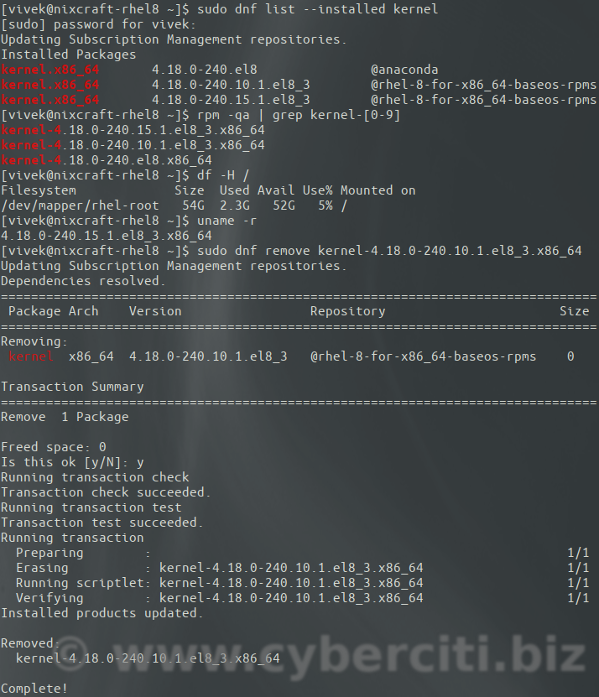
nixCraft
Explains how to delete and remove Linux kernel from system to reclaim disk space and improve system stability and security.
 echo surge
I am getting this error can anyone help me ?
 fickle granite
not really. Looks like you've got a corrupted file system. Maybe boot in single-user mode, if you can, and run fsck on it
 fast viper
What is the difference between pkill screen and killall screen?
dapper musk
pkill screen will kill every process with screen in name while killall will kill only process that matches exacly
for example
emacs &
emacs-28.1 &
killall emacs
will kill only emacs process
emacs &
emacs-28.1 &
pkill emacs
will kill both
dapper musk
well that was example obviously all hail emacs server
fickle granite
I've been fiddling my ~/.emacs for literally 30 years
almost got it working right
dapper musk
i had been doing this for only 2 years still my custom keybinding do not work in some buffers for some reason
fickle granite
what prompted you to start using it, in this the 21st Century? I think of it as a tool for cavemen only
dapper musk
it's extensibility and that it uses lisp as configuration
fickle granite
indeed, it is extensible, and uses lisp
I'd expect, for most people, "uses lisp" would be a bad thing
dapper musk
unlike neovim/vim which use vimscript and lua languages that i despise
dapper musk
well it is different than other languages but that's kinda the point of making separate programming language. and age is benefit not a drawback because it translates to better community support and more packages