#tools-and-devops
1 messages · Page 55 of 1
 ebon escarp
 sly sleet
you can split them up using implicit string concatenation
"Lorem ipsum dolor sit amet, consectetur adipiscing elit, sed do eiusmod tempor incididunt ut labore et dolore magna aliqua. Ut enim ad minim veniam, quis nostrud exercitation ullamco laboris nisi ut aliquip ex ea commodo consequat. Duis aute irure dolor in reprehenderit in voluptate velit esse cillum dolore eu fugiat nulla pariatur. "
to
("Lorem ipsum dolor sit amet, consectetur adipiscing elit,"
"sed do eiusmod tempor incididunt ut labore et dolore magna aliqua."
"Ut enim ad minim veniam, quis nostrud exercitation ullamco laboris nisi ut aliquip ex ea commodo consequat."
"Duis aute irure dolor in reprehenderit in voluptate velit esse cillum dolore eu fugiat nulla pariatur.")
I know?
 leaden tartan
Why do you still insist on using 300 chars then?
sly sleet
and a 300 char line doesn't
leaden tartan
XD
 analog kettle
I just installed the latest version of PyCharm for Windows and I set up an ssh connection, but I'm not seeing the option to set up an ssh interpreter in the "pick an interpreter" menu
pretty sure I'm in the pro version but maybe I somehow am not
analog kettle
figured it out
 errant gyro
I've made a script that downloads new USB drive contents to a backup folder when plugged in, but I'm having some issues with file permission and I'm starting to wonder if there is a better way to do this in general as I'm calling robocopy from Python:
import os
import string
from ctypes import windll
import time
from subprocess import check_output, CalledProcessError


def main():
    print(get_drives())
    before = set(get_drives())
    waitfordrive = input("Please insert USB drive now, then press ENTER: ")
    print("please wait...")
    time.sleep(5)
    after = set(get_drives())
    drive_diff = after - before
    delta = len(drive_diff)

    if delta != 0:
        for drive in drive_diff:
            if os.path.isdir(f"{drive}:"):
                newly_mounted = drive
                print("There were %d drives added: %s. Newly mounted drive letter is %s" % (
                    delta, drive_diff, newly_mounted))
                try:
                    check_output(
                        f"robocopy \"{newly_mounted}:\" \"C:\\Users\\Spencer-IT\\Desktop\\{newly_mounted}\" /mir /r:5 /w:15 /mt:32 /v /np /log:backup-py-{newly_mounted}.log", shell=True, timeout=None)
                except CalledProcessError as e:
                    print(e.output)

    else:
        print("Sorry, no new drive was detected.")


def get_drives():
    drives = []
    bitmask = windll.kernel32.GetLogicalDrives()
    for letter in string.ascii_uppercase:
        if bitmask & 1:
            drives.append(letter)
        bitmask >>= 1

    return drives


if __name__ == '__main__':
    main()
Also for clarity in the goal here I already have powershell script that does the same thing I'm try to learn more about python and use it more. Also, potentially integrate this into a GUI
 topaz aspen
there are some packages that I nearly always have in a project (pytest/pip-tools/pandas/etc) , does anyone maintain their own cookiecutter sort of thing for creating new projects? or just copy from the last one
topaz aspen
@sly sleet added from where
sly sleet
alias pyinit='pip install pytest pip-tools pandas etc' or whatever the windows equivalent is
topaz aspen
@sly sleet that won't create a req file tho
or other files which are used, so wouldn't really be what i'm talking about here
sly sleet
uh then use a venv
topaz aspen
that won't either
sly sleet
and add a pip freeze > requirements.txt
sly sleet
cat > requirements.in <<EOF
pytest
pip-tools
pandas
etc
EOF
i've no idea what you're going for here
 quiet moat
Anyone here use Pythonista on iOS?
 agile lark
Is there a blog or a write-up that I can read on workflow with Poetry?
leaden tartan
the poetry docs are more than enough
agile lark
I got the docs mostly swallowed down but there's the virtual environment part that bugs me on whether or not I'm doing the right thing
I usually do```sh
git init {project_name}
cd {project_name}
virtualenv venv
source v/b/a # zsh supports
poetry init
My gut was right on me being wrong
leaden tartan
poetry new projectname
cd projectname
git init
poetry shell
and then exit instead of deactivate?
leaden tartan
exit would probably close the terminal too
i am not on my machine rn so i can't check
agile lark
Anyway, is there a way to specify to poetry where should venvs be located because I already got my venvs tucked neatly inside ~/.env
leaden tartan
can you do which python before and after exit please?
Anyway, is there a way to specify to poetry where should venvs be located because I already got my venvs tucked neatly inside
~/.env
@agile lark there is, but I don't remember the command
look up python poetry configuration
agile lark
can you do
which pythonbefore and afterexitplease?
@leaden tartan
leaden tartan
one after the exit too
leaden tartan
wow you live on cutting edge don't you
using 3.9 already
ehh but everything else seems to be working fine, so exit is also alright
 neon jungle
do you guys know why vmmem (which i know is a docker process) is using like 1.4gb of ram when i dont have any containers running?
agile lark
@leaden tartan I'll take the comment on 3.9 as a compliment :)
leaden tartan
to each their own :)
 smoky compass
Does anyone have good advice on writing/generating nicely formatted docstrings automatically?
Right now I use SublimeText and I've looked at AutoDocstring but wasn't sure if maybe there is a better option
I do have access to PyCharm if that could help but I am in general pretty disinclined towards it as I find the idea of an IDE to be overkill and I don't want to run any code from my editor
 spring quarry
there are some packages that I nearly always have in a project (pytest/pip-tools/pandas/etc) , does anyone maintain their own cookiecutter sort of thing for creating new projects? or just copy from the last one
@topaz aspen I recently created a "project template" repository, and just fork it when starting a new project. Because it's a remote for git, I can always pull updates to the template. That's better than any cookiecutter 🙂
Example: https://github.com/kolypto/py-_project-template

GitHub
Template for new projects -- with best practices. Contribute to kolypto/py-_project-template development by creating an account on GitHub.
leaden tartan
I think the python community prefers tox over nox
sly sleet
i've heard it the other way around
 tawdry needle
@smoky compass how would an automated docstring even look?
You still need to physically write the descriptions of the parameters, the return value, and how it works
Or would you have it generate a template that you can fill in?
I think Pycharm can do that
smoky compass
Well like autodocstring generates a template with attrs etc that can be Google, numpy, or Sphinx format
tawdry needle
Ah yeah
Note that for attrs specifically, you can add a triple quoted string after the declaration and sphinx will figure it out
smoky compass
But I haven’t found the templating to be particularly fantastic so looking for maybe some other options
One of the things I hate most is trying to decide what type to make things. I started using typehints so that would be automatically done but I found I end up with hideous long options when I’m passing lists of lists/dicts etc and just cop out
List[Dict[str, Union[Dict[str,str], int, str]]] for example is just so ugly and takes up so much space lol
tawdry needle
MYCONST: Final[int] = 3
""" Magic number for vendor """

@attr.s(slots=True)
class Coordinate:
    """ Location in the game space """

    x: float = attr.ib()
    """ Left-right location """

    y: float = attr.ib()
    """ Up-down location """

    z: float = attr.ib()
    """ Depth, i.e. distance from viewport """
Sphinx handles this stuff properly
smoky compass
Yucky yucky attrs
tawdry needle
For a long type annotations usually I assign them to a separate variable with a descriptive name
smoky compass
I meant attributes rather than that library ha
tawdry needle
Oh, I thought you said you wanted to use attrs
Well, same idea
It's not a special extension, it's just that Sphinx can document things defined with = by looking for a string after it in the AST
That's quite a messy annotation though, I agree
UnitSpec = Union[Dict[str,str], int, str]
UnitMapping = Dict[str, UnitSpec]

def foo(items: Iterable[UnitMapping]):
    ...
To me, all the extra verbosity is worth it in the end
It might not be worth it to you, or you might find a few cases where it's just too complicated to bother with
That said, I also recommend using Mapping and MutableMapping when possible instead of Dict
I try to be as general as possible for parameters, and as specific as possible for return types
smoky compass
Thing is I don’t even use or want to use a static checker like mypy
tawdry needle
Oh. Then why bother at all? (And why not?)
smoky compass
I think it’s just probably easier to document function inputs/outputs in the code this way
Because I don’t find I need it when I’m working on the code and it just adds overhead/is another thing you have to keep happy
But I do need to document the code and how it all works. And I figure doing that in the code makes sense
tawdry needle
Ha, I feel the opposite. It does work for me that otherwise I would have to do myself in my brain
I don't wanna have to remember what the input types are for anything
I want my IDE to yell at me and I want my static checker to yell at me if I do something wrong
smoky compass
I like the idea of typehinting but I find it to be a pain in reality
tawdry needle
But yes, it makes sense for documentation purposes, I still see nothing wrong with assigning things to meaningful temporary variable names
Often I find out if something is hard to annotate it's because its functionality is complicated
The bad kind of complicated
smoky compass
Yeah I feel that way sometimes
But often the “complex” inputs are out of my control
Things like user input JSON data
smoky compass
I just used marshmallow for some JSON validation stuff and I quite liked it
But boy was it tiresome building the scheme
tawdry needle
Sometimes you just have to type a lot
Marshmallow is great
I think you can generate JSONSchema from Marshmallow classes too, or vice versa
But if you already have a jsonschema i would just use that
Instead of rewriting it all as marshmallow classes
errant gyro
Can I request admin permission from my running python app for a process it will launch?
I don't want to run the python app as admin. I want it to ask for UAC elevation for another process that I'm launching
errant gyro
import ctypes
import os
import string
import sys
from ctypes import windll
import time
from subprocess import check_output, CalledProcessError


def main():
    print(get_drives())
    before = set(get_drives())
    waitfordrive = input("Please insert USB drive now, then press ENTER: ")
    print("please wait...")
    time.sleep(5)
    after = set(get_drives())
    drive_diff = after - before
    delta = len(drive_diff)

    if delta != 0:
        for drive in drive_diff:
            if os.path.isdir(f"{drive}:"):
                newly_mounted = drive
                print("There were %d drives added: %s. Newly mounted drive letter is %s" % (
                    delta, drive_diff, newly_mounted))
                try:
                    check_output(
                        f"robocopy \"{newly_mounted}:\" \"C:\\Users\\Spencer-IT\\Desktop\\{newly_mounted}\" /mir /r:5 /w:15 /mt:32 /v /np /log:backup-py-{newly_mounted}.log",
                        shell=True, timeout=None)
                except CalledProcessError as e:
                    print(e.output)

    else:
        print("Sorry, no new drive was detected.")


def get_drives():
    drives = []
    bitmask = windll.kernel32.GetLogicalDrives()
    for letter in string.ascii_uppercase:
        if bitmask & 1:
            drives.append(letter)
        bitmask >>= 1

    return drives


def is_admin():
    try:
        return ctypes.windll.shell32.IsUserAnAdmin()
    except:
        return False


if is_admin():
    main()
else:
    ctypes.windll.shell32.ShellExecuteW(None, "runas", sys.executable, " ".join(sys.argv), None, 1)

if __name__ == '__main__':
    is_admin()
This is kind of doing what I want now. It asks for Admin right away and I know it is kind of early in my script to know if it is doing it the right way. Still cool though if someone needs it for something else
errant gyro
Does anyone know why my script is recursively coping things back into the same folder so I have infinite folder that grows forever?
neon jungle
anybody know why docker is taking massive amounts of ram even when no containers are running?
 native vault
using github actions, do i ssh into my vps and then copy the files on over and then docker compose build, or do i just run docker compose build where my dockerfiles pull from github repos
which is preferred?
 frozen coral
hey
I am using VS code
I opened a py file with indents set to 1 space
how can I change that to 4?
leaden tartan
use a formatter like autopep8
frozen coral
thanks
 mellow willow
HI <anyone>. I want to **optimize **my **docker image builds **(size).
currently sitting at around: 600mb-1gb.
These are the tools/techniques I'm interested in:
- Multistage docker builds
- Cython
- Poetry
- Flit
What will be of most help? And how much can I trim if I use anything mentioned above?
 lost mantle
hi, how can i setup continuous deployment from git on a discord bot hosted on raspberry pi?
leaden tartan
@mellow willow poetry won't be of help. The build times would increase and the image size too. Use standard pip
mellow willow
@leaden tartan nice. thanks for the heads up. how about cython? was thinking of compiling my service into a binary
leaden tartan
don't have much experience with the other things you mentioned. Ofc multi stage build really helps, and I saw a video the other day about doing it correctly. But it was for nodejs. Maybe find one for python.
mellow willow
ok. thanks for that. one last thing: I don't really understand what's the purpose of poetry. What's your opinion about it?
sly sleet
poetry is an alternative to pip+venv, which doesn't really matter in a docker container
mellow willow
gotcha. talking about it outside docker containers though, what improvement does poetry provide over traditional pip+venv?
leaden tartan
@mellow willow look at their docs. Advanced version solving. Pep 587(?) compliant, and a generally good looking UI
 proud trout
In pycharm, is it possible for the terminal to access the github account linked with my jetbrains account?
basically to avoid this
I don't want it to ask me for my cred everytime
do @ me when answering
 cinder orbit
guys does anyone have experience with Redis and Celery? plz DM I have some questions regarding the setup
Thanks
 muted notch
@proud trout maybe this?
https://www.jetbrains.com/help/pycharm/manage-projects-hosted-on-github.html
sly sleet
@proud trout change your git credential manager
what os?

Stack Overflow
I recently switched to synchronizing my repositories to https:// on GitHub (due to firewall issues), and it asks for a password every time.
Is there a way to cache the credentials, instead of
 mortal kelp
Which linters do you recommend?
 warm pollen
I like flake8
leaden tartan
so does vscode
 rare mirage
Hello!
In git, git commit -m "xxxxxxxx", you can use -m arg as many times as you want?
Thank you very much beforehand :)
The -m arg will make a newline in the commit message?
warm pollen
Hey, going my the man page https://git-scm.com/docs/git-commit#Documentation/git-commit.txt--mltmsggt, it will be concatenated into multiple paragraphs, so I’m guessing with an empty line in between
 shadow flare
can anyone please explain to me what is panda and numpy?
 stable spire
Hello, I'm trying to split looong functions that use Fabric 2.5 (with with statements and the c.prefix function), but I don't know how to call a function that will run a prefix then return it in my "real" function.
Example:
def do_something(c):
    with c.prefix("cd .."):
        return c

def my_function(c):
    c.run("pwd")  # /home/user/a/folder
    c = do_something(c)
    c.run("pwd")  # /home/user/a
The thing here is that I'm trying to avoid having too much nested with statements, like this:
def my_function(c, things):
    with c.prefix("cd .."):
        c.run("do something")
        with c.prefix("cd another_folder"):
            c.run("do another thing")
            for thing in things:
                with c.prefix("cd " + thing):
                    c.run("do another another thing")
Any idea ?
stable spire
Found a solution !
Link of an answer here : https://stackoverflow.com/a/34798330/6813732
I used ExitStack like this:
from contextlib import ExitStack

def my_function(c, config):
    """Launch [something]."""
    with ExitStack() as stack:
        c.run("pwd")  # /home/user/a/folder
        stack.enter_context(c.prefix("cd .."))
        c.run("pwd")  # /home/user/a
        stack.enter_context(c.prefix("cd folder"))
        c.run("pwd")  # /home/user/a/folder
 tiny geyser
What software would you recommend for working in a solo team with the Kanban methodology?
I may bring other people on board later, but for now, it's just me
 obtuse rapids
What software would you recommend for working in a solo team with the Kanban methodology?
@tiny geyser I just use GItLab issues. It has nice Kanban boards, and great CI. https://gitlab.com/patryk.tech/patryk.tech/-/boards/1606103
tiny geyser
Is that similar to GitHub?
obtuse rapids
Yup. I like it better, personally.
tiny geyser
Ah ok. I've heard about it before, but never really given it a try
obtuse rapids
I think github also has "projects" that work similarly... maybe try that.
 wooden ibex
if you are single person, GitHub tools are more then adequate
tawdry needle
is there a command line tool that can show fonts embedded in a PDF? or some quick and easy way to do this using Python?
i like trello for personal work @tiny geyser
wooden ibex
Trello is fine but Github is more then adequate
 atomic granite
Is there a hotkey is VSC for commenting-out a block of highlighted text?
 sweet blaze
if you want to see mine then here: https://github.com/HPD1155/hacker-system

GitHub
This is a thing where all hackers come and we work on a hacking tool for ethical causes - HPD1155/hacker-system
 real pond
Are there any good ways to automate documentation, but using Github Wikis?
 heavy knot
Is this the right place to ask: How do I find references to a certain text in a directory
for example I want to search for the text 'login_system'
And there are a bunch of files and folder in the dir
I want to search all of them for that text
I want to do it in my terminal
if possible
heavy knot
I have windows
i tried pipenv installing grep and trying grep -nir login_system .
That didn't work
sly sleet
yeah because thats just some random package from pypi
let me figure out the powershell version
Get-ChildItem -Recurse | Select-String -pattern "login_system" should work
based on https://superuser.com/questions/742115/powershell-equivalent-of-grep-r-l-files-with-matches

Super User
In Powershell, how do I list all files in a directory (recursively) that contain text that matches a given regex? The files in question contain really long lines of incomprehensible text, so I don'...
@heavy knot
 digital trout
is there an extension on vscode that allows u to navigate to each method by a click?
like a little menu on the side that shows all of the methods in the current file
leaden tartan
@digital trout vscode has a built-in symbol explorer, and i think you can filter by variable or function name. Alternatively there's an extension called Bookmark which would do the same, but using keyboard shortcuts.
I have setup CI in my python package using Travis, so that every time I push to the main branch, it publishes my package to PyPI. It all works as expected.
However I am wondering if this is the correct way. I looked into a few source codes if I could find something similar, but couldn't find any. So my question is: should I push packages to PyPI manually from my development machine or do it via a CI?
sly sleet
don't most packages publish on release?
digital trout
@leaden tartan isnt there an extension that adds a pinned menu on the side containing all of ur methods and allows to navigate to them just by clicking?
 rancid schoonerBOT
 :ok_hand: applied mute to @heavy knot until 2020-10-12 05:44 (9 minutes and 59 seconds) (reason:
 newlines rule: sent 13 consecutive newlines in 10s).
 hollow plover
!unmute 369549086048780298
rancid schoonerBOT
:ok_hand: pardoned infraction mute for @heavy knot.
hollow plover
!paste
rancid schoonerBOT
Pasting large amounts of code
If your code is too long to fit in a codeblock in discord, you can paste your code here:
https://paste.pydis.com/
After pasting your code, save it by clicking the floppy disk icon in the top right, or by typing ctrl + S. After doing that, the URL should change. Copy the URL and post it here so others can see it.
hollow plover
Either that or a code block
heavy knot
oh nice
I am getting this error whenever I enter git url in jenkins
Failed to connect to repository : Command "/usr/bin/git ls-remote -h -- https://github.com/simplilearn-github/Pipeline_Script.git HEAD" returned status code 128:
stdout:
stderr: fatal: unable to access 'https://github.com/simplilearn-github/Pipeline_Script.git/': Error -50 setting GnuTLS cipher list starting with +VERS-TLS1.3
Any solution to this problem?
leaden tartan
don't most packages publish on release?
@sly sleet I don't really know. What's the industry standard?
@leaden tartan isnt there an extension that adds a pinned menu on the side containing all of ur methods and allows to navigate to them just by clicking?
@digital trout I am not aware of one since I have never needed it, but you should try what hmmm said.
digital trout
@sly sleet symbols iirc?
leaden tartan
i think they meant this https://easyupload.io/1459tg
some of them are functions while the others are attributes @digital trout
 hollow kite
hey there,
I hope this question is not in the wrong channel.
I want to install a tool from git (pyxelate) via pip3 on a Windows 10 machine (64 bit, fresh Python 3.9 install with Paths added)
I am using the command "pip3 install git+https://github.com/sedthh/pyxelate.git" in the cmd console executed in admin mode.
But I get a lot of errors... Sorry if it's trivial, I tried googling the problem but had no success with the results.
digital trout
oh thanks didnt know that existed @leaden tartan
leaden tartan
@hollow kite try pip install numpy and then rerun ehat what you did
hollow kite
@leaden tartan thanks for your answer. I also asked in a help channel and we found out that numpy is not compatible with 3.9 python. As it is a requirement of the package I tried to install, the installation failed.
leaden tartan
Ah okay
 wary ice
hello, can anyone here tell me how can you install 64-bit python in an virtual environment? im using virtualenv and venvwrapper
mellow willow
@digital trout i think someone might be able to answer it better, but yea there is. I think extensions are different per language. and you usually navigate via ctrl + clicking the method. meanwhile, the list of methods will also show automatically while typing (kinda like predictive text, but it depends on the presence of interfaces/classes/etc)
digital trout
that outline is somewhat nice so i am good for now thansk tho
 sand thistle
how do you guys handle env variables using docker
sand thistle
like how do i make it so that the docker image i build
refferences the .env file on my server?
wooden ibex
you can do it at runtime

Docker Documentation
How to set, use and manage environment variables in Compose
 frigid light
@wild walrus GitHub Actions
you can add a workflow to do a git pull on your vps for each push and then run it
heavy knot
hey guys
does anyone over here know how to run the code in atom text editor?
i need it really urgently
 urban torrent
You can use script
urban torrent
atomic granite
Is there a way to get VSC to use more of my CPU to go faster for programs? Like my CPU isn't capped out so does that mean that it could be calculating stuff faster?
leaden tartan
what exactly is capped out?
atomic granite
At 100% load on Task Manager.
leaden tartan
I don't know what exactly you mean by CPU but a lot more factors are at play than just memory and processors
Either way I don't think there's a way to do that, since adding that feature could lead to abuse
atomic granite
How so?
leaden tartan
I could inject a malicious script into your vscode installation (which is just an electonjs application) which would use up all your existing memory and repeatedly crash your machine and eventually damage it
Essentially a "virus"
atomic granite
I see...
leaden tartan
I don't know what this type is called though
leaden tartan
yeah that, i am not well versed with viruses
sly sleet
plus vscode's speed has nothing to do with your program's speed
leaden tartan
you misunderstood the question
they asked if vscode could be made faster, not it executing other programs
atomic granite
ctrl + /
@leaden tartan This didn't work for me.
sly sleet
Is there a way to get VSC to use more of my CPU to go faster for programs?
@leaden tartan
atomic granite
@sly sleet I was pinging him for my earlier question found here.
https://discordapp.com/channels/267624335836053506/463035462760792066/764360468017053697
ctrl + / did not comment out my block of highlighted code for me.
sly sleet
works for me
sly sleet
do you have the python extension?
atomic granite
This?
sly sleet
hm interesting
rare mirage
https://discordapp.com/channels/267624335836053506/463035462760792066/764090089411444736
@warm pollen nice! Thank you :)
leaden tartan
@leaden tartan
@sly sleet now that you quote them, i guess you are right. But I think they just put their words wrong.
sand thistle
does anyone know, off the top of their head
if find_dotenv works on a rmeote server
or would I have to setup a filepath for it to locate the file
sand thistle
I guess a better question would be, how do you guys handle .env files, when using both flask and docker
I'm currently reading up on flask, instance folders
 candid kayak
Hi, I set up the Python Application Github action on my repo, how can I make it so that if the line length is over x characters, the build fails? Right now it just sort of silently let's it happen and the check passes
frigid light
ah one second
name: remote git pull
on: [push]

defaults:
  run:
    working-directory: /ambu/blacksmithop/

jobs:
  build:
    name: Build
    runs-on: self-hosted
    steps:
      - run: git pull
this is what I use for mine
Basically I have a self hosted runner on my vps that does a git pull in the directory every time I push to repo
It does not have to be self hosted if you can set up one using GH actions with secrets
One second
refer this for how to kill your python script
kill -> pull -> run again
No problem, you can find self-hosted runner under settings > Actions (if u need one)
frigid light
Ah, does your self hosted runner show something?
Did the job fail completely or did it atleast get pulled?
Hmm I see
You could try with just the git pull and work your way to the rest
Maybe there's some other error that's not being shown
Ahh
sand thistle
im having issues with my docker container
idk it's not running, when I try to do a curl request on it i get a 301, permenantly moved
leaden tartan
what exactly are you doing?
heavy knot
for a python app, I assume requirements.txt is a reasonable way for development and deployment?
sand thistle
what exactly are you doing?
@leaden tartan im running a docker container on a digital ocean droplet, using nginx server
sand thistle
i made some progress
i dont quite understand how the ip addresses for these docker containers work
i thought it would just be the ip of the droplet
im using docker run to run them
wooden ibex
Valadaa48
sand thistle
it was not the ip address issue
gunicorn.errors.HaltServer: <HaltServer 'Worker failed to boot
thats my docker logs output
heavy knot
@wooden ibex hi
wooden ibex
Requirements is fine
You may want something more complex later but start simple always
heavy knot
agreed
and is it standard to also install -e . ?
even for deployment
I think the idea is to distribute the sdist, then untar it
create venv then pip install -r requirements.txt but curious if it's safe to add -e . to the requirements too
 dry knoll
hey someone can help me on my stack overflow question please? Thanks
Stack Overflow
I have some problems when I tryed to convert a video to music in python with moviepy and the prompt given me a error, because this library need ffmepg, so I can't install ffmepg, because now only h...
errant gyro
Someone commented to look at moviepy did you check that out?
neon jungle
What are the pros and cons of vscode vs pycharm?
I'm using vscode now but i'm thinking about switching to pycharm, but i dont wanna switch if I wont be getting any upgrades
 finite fulcrum
Pycharm comes with a lot of things built in whereas for vscode you need to get plugins but it's all about what suits you more
It can be heavier because of that and most of the features that may not be available for vscode at all are available in the pro version (for example the profiler)
neon jungle
oh ok, does pycharm also have plugins?
finite fulcrum
Yes
neon jungle
I think i'll just try pycharm then see which i like better
thats probably the best way to do it anyways
 warm bramble
Hi I have a question!
I'm a long time Windows user, and just bought my first macOS device
What developer tools are must get first?
I keep hearing Homebrew? Is that as essential as it seems? Like does MacOS not come with a package manager, and Homebrew is the best one?
neon jungle
I tried out pycharm for a bit and I think I'll just stick to vscode, I like the UI better and its more lightweight, and i feel like all the features that pycharm has I don't really need
 smoky aurora
eh, vscode sucks at autocompletion for anything that does runtime stuff in python
pycharm doesn't in my experience. limited, but not useless
sand thistle
anyone who has worked with docker,c ould please help me debug
i started using a --env-file and my worker isn't booting
atomic granite
Why does VSC close out of my turtle screen as soon as it's done drawing?
leaden tartan
you probably need to use a pause/sleep or whatever equivalent turtle has to sleep the thread
leaden tartan
@low charm .ipynb notebooks primarily store their data in json format. Take these words with a grain of salt but, .ipynb are just json files converted by jupyter to something you call a jupyter notebook. Thus jupyter can read only json files (and that too only when they have a specific structure defined by jupyter). txt files might be supported by plugins but I don't think jupyter has any reason to support them natively.
I might also be wrong so yeah, if I am somebody will correct me.
 low charm
@leaden tartan thank you!
 hollow path
i'm looking for a Slack app that evals python one liners or snippets
i know they have to exist, but i'm finding it really tricky to google for
does anyone here happen to know of any good ones?
i could just make one, but this seems like such a no-brainer that there have to be several good ones out there
 rancid flower
Hey does anyone know of any IRC libraries for python? I'm trying to figure out how to make an IRC Client
hollow path
@void cipher I'm looking for something I can add to a Slack channel
 void cipher
@hollow path is it something similar to what you want?
hollow path
Oh, yeah pretty much exactly
 valid path
Hi I have a question!
I'm a long time Windows user, and just bought my first macOS device
What developer tools are must get first?
I keep hearing Homebrew? Is that as essential as it seems? Like does MacOS not come with a package manager, and Homebrew is the best one?
@warm bramble hi, you could use macports as an alternative to hombrew too.
 brave storm
Hey does anyone know of any IRC libraries for python? I'm trying to figure out how to make an IRC Client
@rancid flower I think you are looking for this , first you need a IRC client https://github.com/bl4de/irc-client or you can use pip install irc for irc module to build your own bot then you use freenode API to connect to IRC channels.

GitHub
Simple IRC (Internet Relay Chat) Client written in Python - bl4de/irc-client
 stone surge
Can someone recommend a tool that monitors which files are accessed on a specific drive? Like windows resource monitor but without the logs vanishing after a minute. Something spins up my slow harddrive from time to time and i would love to know who or what is accessed. If there is some py package that can help me get there via python i would be happy too.
 mellow kraken
can someone suggest me which one is better visual studio professional one or enterprise one?
 proud valve
I tried and output was >>
 quaint saffron
@proud valve what you're asking all depends on how you setup your project when creating it
Screenshot? @proud valve
proud valve
wait pls
quaint saffron
these are the two things that change how modules work within and outside of the pycharm project
quaint saffron
Inherit global site packages means anything installed directly in your Python folder (aka anything that you did pip install inside command prompt) will be accessible inside this project
proud valve
I didn't mark those 2 while creating project
quaint saffron
And Make available to all projects is whether other projects will be able to use your venv + module on it
And that's poweshell not command prompt, you want command prompt
proud valve
oh oops
quaint saffron
And you're missing a " at the end of the line
 vale sky
hey guys i'm super new to django and i tripped over something so i would appreciate a little explanation on this.
it's that i shouldn't have my static-files in my django-project, but instead i should use AWS or google-Cloud to have them there, so why is that? Would it make my project vulnereable ??
Thx in advance^^
void cipher
hmm, static files can be served using either at application level using Django or server level that is NGINX or Apache as per your preference, by referring to AWS or Google cloud if u mean their Storage services, then u generally use them for media uploads and not static files
mellow kraken
which visual studio code edition is better? professional or enterprise?
 rare cypress
can anyone make a gift card generator? dm me
rancid schoonerBOT
5. Do not provide or request help on projects that may break laws, breach terms of services, be considered malicious or inappropriate. Do not help with ongoing exams. Do not provide or request solutions for graded assignments, although general guidance is okay.
mellow kraken
^^
rare cypress
im just mainly wondering how its done
also i dont understand how its illegal if its just generating random numbers
mellow kraken
so do u want random number?
rare cypress
basically
mellow kraken
try doing ```py
import random
random.randrange(ur end number)
i got it to gen like 4 letters before but never how to like string it together
oh ty
 unborn gate
Is this chat also for requesting help related to editors, IDEs, etc?
leaden tartan
yeah
unborn gate
Okay, so, this might be a little messy.
Important : Got three versions of python for some reason (and pip doesn't work, gotta use pip3 because I dunno)
I got Atom, and installed the package python-ide, which needs Pyls (Python Language Server)
But it doesn't start, so I tried to run the help command on it, but it only works when I do it with python3.8, not python3.9
My question is, how to get Pyls to work with Python3.9, instead of Python3.8
 celest lantern
I am using VSC to learn python, and when I try to use the open() to open a file in the same directory as the .py-file, I get the error message that the file doesnt exist. Any tips?
 crystal hearth
try doing something like
with open('<file name>', 'w') as f:
  ....
that should solve ig
leaden tartan
cuz my installation is getting stuck everytime
@crystal hearth what's the error
crystal hearth
its just stuck at building dependencies
0050:err:explorer:initialize_display_settings Failed to query current display settings for L"\\\\.\\DISPLAY1".
009c:err:ntoskrnl:ZwLoadDriver failed to create driver L"\\Registry\\Machine\\System\\CurrentControlSet\\Services\\wineusb": c0000142
maybe these have something to do with it?
leaden tartan
where's this error from
crystal hearth
pyinstaller installation via docker
leaden tartan
maybe pyinstaller has additional dependencies
crystal hearth
RUN /usr/bin/pip install pyinstaller==$PYINSTALLER_VERSION
 ---> Running in dd0fa47778b8
something like this
leaden tartan
look into pyinstaller + docker tutorials
leaden tartan

GitHub
PyInstaller for Linux and Windows inside Docker. Contribute to cdrx/docker-pyinstaller development by creating an account on GitHub.
crystal hearth
lemme give that a try
leaden tartan
Stack Overflow
I am supposed to create an executable for windows, mac and linux. However, I don't have a windows machine for time being and also I don't have a mac at all. I do have a Linux machine but I don't wa...
Technically the exe won't be created since Linux doesn't support exe
crystal hearth
FileNotFoundError: [Errno 2] No such file or directory: '*.spec'
hmmmmm...i dont really wanna create the exe
its just for a side module of pyinstaller that i need it fr
leaden tartan
what do you want to create then?
celest lantern
with open('<file name>', 'w') as f:
  ....
@crystal hearth I think I maybe wasnt clear, the problem is that when I specify a file that is in the same directoy as the .py-file, VSC says the file doesnt exist. I tried using the os.getcwd() and it returns the folder two steps futher up. Is there any option to change VSC to run form the folder of the .py-file I am working on?
 lament beacon
any way to make pyproject.toml work with pip ?
leaden tartan
@lament beacon Use python-poetry
lament beacon
hmm I don't like it 😦
leaden tartan
bruh
lament beacon
@leaden tartan I'm looking something less dependent on virtualenvs that's what I was looking for pip or similar
leaden tartan
poetry is a wrapper around pip. Try and use it once, you won't regret it. @lament beacon
 rose kayak
ohh, I've been using that docker-pyinstaller image
really handy for building apps for Windows machines while on a linux distro.
 hollow mauve
hm
agile lark
I'm trying to integrate black into my project as a pre-commit hook using pre-commit. My .pre-commit-config.yaml is as follow:```yaml
repos:
- repo: https://github.com/psf/black
rev: 20.8b1
hooks:- id: black
language_version: python
```which is the same asblack's README recommends.
- id: black
I tested it out by deliberately writing code in such a way that black would definitely correct. After a standard git add and git commit I was expecting black to fix the styling, stage again then commit the files but what I got was
Why am I getting the "Failed"?
 dusty maple
@agile lark The black hook typically checks whether your source has already been formatted properly or not
I mean it's what it does in general, but, with the way it's set up, if that step fails, it'll reformat the files, then you'd have to stage the changes
 floral veldt
can i ask some windows question here
 crude basin
In eclipse IDE, I need to macro/shortcut ctrl-alt-7 to output "{", can this be done in eclipse?
agile lark
@dusty maple Any way to have it (the re-staging) done automatically?
dusty maple
You could always automate it with a custom git command of sorts
Other than that, there's not that I'm aware of
 thorn plinth
hi
crude basin
why specifically a git?
sly sleet
that was for tryhard i think
topaz aspen
is it possible to work from a docker container using local tools? If i run a bash session within a container I have a v basic setup, i don't have my editor (neovim) settings and so on - I'd like to be able to edit the code using local tools, then run it within the container
not sure if that's a bit too vague - have only been messing about with docker a bit
leaden tartan
@topaz aspen it's possible to develop on docker containers if that's what you mean
can you explain what you are asking A bit more?
topaz aspen
@leaden tartan sure -
create a docker image, start it - edit files using my editor on my system ( not vim within the docker image ) , run the files within the docker image.
is that clear? if I'm still being vague let me know 👍
topaz aspen
@leaden tartan https://docs.docker.com/storage/volumes/ ?
@leaden tartan not sure this is right actually, seems to be about mounting some local volume onto the docker container, which isn't really what i want
leaden tartan
what do you need, then?
topaz aspen
@leaden tartan what i said? I'm not sure what you don't understand about that
have an image, files on teh image, edit files within image using local editor settings, save in image / run in image etc
leaden tartan
Volumes can do all this. Maybe you don't understand what they can do. https://nickjanetakis.com/blog/docker-tip-12-a-much-better-development-experience-with-volumes

Nick Janetakis
If you're creating apps written in dynamic languages such as Ruby, Python or Node then you should be using volumes in development.
topaz aspen
@leaden tartan right - so the code isn't in the container then
we can use volumes to mount in our app code directly into a running container
leaden tartan
yeah the code lives inside the volume too
topaz aspen
hrm - it seems as tho the workflow here is to edit the code locally then copy it into the container?
leaden tartan
so basically if you drop into an interactive shell and then do ls you'll find all your code inside the container.
hrm - it seems as tho the workflow here is to edit the code locally then copy it into the container?
@topaz aspen you don't have to do it manually, Docker does that all for you. But yeah that's what it is.
I Don't really know if the code is actually being copied under the hood because docker is really complex to understand. But I do know that it works.
topaz aspen
hrm ok - just the reason is that i wanted to have a mess about with the pandas docker container, so I wanted to edit the pandas source code, but I need to run it from docker and stuff
topaz aspen
that's why i was wanting to edit it locally - but run from docker / have teh code in docker edited
yeah - the main thing is being able to use my editor and stuff locally really, rather than messing about setting one up inthe container
leaden tartan
that's why i was wanting to edit it locally - but run from docker / have teh code in docker edited
@topaz aspen you have to clone the pandas source code, set up a volume and then continue
topaz aspen
yeah i've done all that
leaden tartan
imo using docker for a python only project is not worth it
topaz aspen
there's some stuff to compile which is easier with docker tho
leaden tartan
ah right I forgot that pandas is implemented in C
you're right then
docker would be easier
topaz aspen
yeah, compiling the docker is fine - i just don't want to have to bother setting up tooling within it
agile lark
@dusty maple I'll just run black before committing then
heavy knot
Is there any app that can download python module docs and store it for offline use?
topaz aspen
@agile lark i often have pre-commit fix in my code after running it and having eradicate/black and stuff change things
*in my commit messages
 inner matrix
does
git checkout -- X
retrieve the file 'x' from the staging area or the most recent commit?
sly sleet
@heavy knot windows?
 viral shoal
!e
‘’’py
print(“test”)’’’
rancid schoonerBOT
You are not allowed to use that command here. Please use the #bot-commands channel instead.
 royal ore
#help_pls
 sturdy shore
Hey guys.
A bit of a stupid question but.....
I have been making my commits to my master branch. I want to move the full history to a new branch called alpha-bot whilest retaining the full history.
I've looked on google but people are suggesting on resetting the head. I don't want to lose my git history etc. Can someone help?
I have about 8 unpublished commits made to the master branch that I want moving to alpha-bot
leaden tartan
doesn't git checkout -b alpha-bot work?
sturdy shore
Well when I do that it moves the files over and it looks like it keeps the history but I was unsure if I do a publish if it would still publish it to master as they were committed to there.
Its 3am and I don't want fuck it up
leaden tartan
that command will create an entirely new branch based off commits on master branch, create a new branch and check out it
there's absolutely no chance of losing any committed data
sly sleet
first checkout to a new branch
sturdy shore
Ok. So after I have run that command when I push it will push all those changes to the branch and not master?
sly sleet
then after you confirmed everything is correct
you can reset master to 8 commits back
Stack Overflow
I'd like to move the last several commits I've committed to master to a new branch and take master back to before those commits were made. Unfortunately, my Git-fu is not strong enough yet, any hel...
sturdy shore
Ok. Thanks for clearing that up for me. I'll give that a go.
I just didn't want to do anything stupid and fuck my project up
thanks guys
sly sleet
make sure you are on master when you run the git reset
sturdy shore
Yep all moved now.
Thanks for the help guys
I was unsure and didnt want to fuck anything up
thanks again
heavy knot
@sly sleet linux 👀
agile lark
@topaz aspen I don't quite get what you meant. Can you elaborate?
heavy knot
arch based
heavy knot
yeah third party apps which can download some documentation online and store them for offline use
leaden tartan
you could create a script yourself
heavy knot
also how does python-docs work
leaden tartan
doesn't sound too difficult
sly sleet
wget -r ?
leaden tartan
yeah or an interactive python script would be better
with inbuilt parsing of the project's README to find its readthedocs source.
lol this is a package idea
 worn wraith
Hello dudes, Idk if it is the good topic to speak on but i would have a question :
i created a program (with in particular a few python and json files) and i would like to change it from .rar to a more secure .exe
How can i do this ? I really need to to this
please if you can answer could you pm or @ me ? thx
 graceful patio
sly sleet
graceful patio
sly sleet
rar and exe are 2 very different things?
 marsh rover
PyCharm had a tab in 'Services' that showed an SQL table with the results of a query and I closed it. How do I get it back?

^ the tab on the bottom right
heavy knot
b
 polar dragon
Hi there, anyone who has gone down the docker and Kubernets rabbit hole, tell me what's a good way to approach docker swarm ?
 slender relic
I tried to contribute to a github project and this happened, not sure where I went wrong
finite fulcrum
Looks alright to me
Because you most probably don't have access to the repository, github created a fork for you which is a separate copy of the project, now you can create a PR from your fork's branch into for example master
slender relic
for anyone wondering, what happened is I did git add . which added local configuration data
 plucky stone
I tried to contribute to a github project and this happened, not sure where I went wrong
@slender relic Use .gitignore for your project https://github.com/github/gitignore

GitHub
A collection of useful .gitignore templates. Contribute to github/gitignore development by creating an account on GitHub.
candid kayak
trying to install the google cloud sdk and running into this error, any idea whats wrong?
 neat rose
Does anyone know if I can make git save my login token so I don't have to log in every time? Asking here since this is a general git question
neat rose
Windows but using Ubuntu terminal
Just curious if theres a way to not have to log in every time i push/pull/merge
 agile hearth
Anyone got any best practices for developing python apps locally that'll end up running in containers, from what i understand it's recommended to have all your container apps config in environmental variables, which is a bit of a pain when developing and testing locally, is it best to have your app look for a local conf file but then fall back to env variables if it's not there? Is there some magic somewhere that solves this?
sly sleet
check your reqs.txt
its just git+https://github.com/Rapptz/discord.py i think
@teal pendant
 teal pendant
hm
someone told me to just do this
or maybe i understood wrong
but i sent pic so
teal pendant
idk
i did what u said
and still same error
im questioning if its somehow just not updating the files on heroku
but it does this every single time so
how can i get what files it has to check
atomic granite
I need to get Python 3.6 for a project. It was recommended that I use conda to manage multiple Python versions. However, I'm not seeing 3.6 in the list for the installers. Do I need to just get the 3.8 installer and then get Python 3.6 from somewhere else?
@fresh hazel
 fresh hazel
@atomic granite you can just install anaconda or conda 3.8 or something and
do this to add another env
conda create -n envName python=3.6
after that to activate the env
conda activate envName
and similarly deactivate
conda deactivate
atomic granite
So for example, after I do those steps, and I click Run Code in VSC, will it "choose" that environment to run the code in?
Also, I tried running that command in cmd but it gives this error.
'conda' is not recognized as an internal or external command,
operable program or batch file.
@fresh hazel
fresh hazel
@atomic granite while installing conda u added to path right?
u have to add conda to path
then conda will work properly
atomic granite
It said it was not recommended but I guess I should do it in the way that it says.
sly sleet
yeah do that
atomic granite
When they say "open Miniconda3 with the Windows Start menu", are they saying to open the folder or this app?
Otherwise I'm not seeing "Anaconda (64-bit)".
@sly sleet
heavy knot
hello 🙂
j'ai un petit soucis avec docker
quelqu'un en mesure de m'aider par ici ? 🖖
atomic granite
!rule 4
rancid schoonerBOT
4. This is an English-speaking server, so please speak English to the best of your ability.
 hearty swift
so anyone wants to help me with AWS
i created Ubuntu server and it not works
i canot connect with SSC
atomic granite
@fresh hazel Do you have any idea how to add conda to path using the method that they said?
fresh hazel
@atomic granite its adding in setup automatically ig
if u want
u can go to the bin folder
and add that to path
if u dont want to add from setup
they dont recommend that cus if u have older python already installed it would replace them
as system python
atomic granite
its adding in setup automatically ig
@fresh hazel What is adding in setup?
atomic granite
I do not have older Python already installed. I have 3.8 and I need 3.6 in addition to that.
 long hull
Hello my friends!
atomic granite
What do they mean by 'open Miniconda3 from the Windows Start menu and select "Anaconda (64-bit)"'? @fresh hazel
long hull
Check out my new python module:
pip install ledgerman
Yet another python module for finance : )

GitHub
:ledger: LedgerMan - A python module for financial management and calculations. - finnmglas/LedgerMan
atomic granite
Okay. Then how do I add that to PATH?
Or perhaps I don't even need to.
Yeah I think I may not even need to do that. I've set up my environment and installed the packages that I need. Now how do I run my program?
atomic granite
Traceback (most recent call last):
  File "c:\Users\urkch\AppData\Local\Programs\Python\Python_Projects\voice_to_text\tf2_callouts.py", line 211, in <module>
    main()
  File "c:\Users\urkch\AppData\Local\Programs\Python\Python_Projects\voice_to_text\tf2_callouts.py", line 134, in main
    vc_medic()
  File "c:\Users\urkch\AppData\Local\Programs\Python\Python_Projects\voice_to_text\tf2_callouts.py", line 8, in vc_medic
    ahk = AHK()
  File "C:\Users\urkch\miniconda3\envs\py36\lib\site-packages\ahk\window.py", line 551, in __init__
    super().__init__(*args, **kwargs)
  File "C:\Users\urkch\miniconda3\envs\py36\lib\site-packages\ahk\mouse.py", line 57, in __init__
    super().__init__(**kwargs)
  File "C:\Users\urkch\miniconda3\envs\py36\lib\site-packages\ahk\gui.py", line 12, in __init__
'
ahk.script.ExecutableNotFoundError: Could not find AutoHotkey.exe on PATH. Provide the absolute path with the `executable_path` keyword argument or in the AHK_PATH environment variable.
@burnt thunder
 burnt thunder
You need ahk installed for the ahk module to work
atomic granite
Oh whoops I deleted my other message.
Yeah I used pip to install ahk to my conda environment. But it didn't get added to PATH.
Normally, I would use conda install ... but I couldn't find ahk on here.
https://anaconda.org/search?q=ahk
Perhaps I need to go to the autohotkey site and get AutoHotkey.exe...
idk tho
Or if I were to manually add it in my code with something like this
ahk = AHK(executable_path="C:\\Path\\To\\AutoHotkey.exe")
I don't know how to find the file path since I'm using a conda environment.
@burnt thunder What method do you think I should use?
atomic granite
hmm
Okay. I've got AutoHotkey.exe now.
I just would like some help figuring out how to add it to PATH for my conda env, please.
atomic granite
@burnt thunder I tried looking online for how to add new environment variables (PATH) to a conda env but most of them were just how to add conda to your system's PATH environment variables.
 rich nymph
Hmm, so when I was in windows I was able to do
code filename or foldername and it would open vs but i can't do it in mac. DOes anybody know why?
if u do pls happen to ping me
sly sleet
which part fails
like does vscode spawn but cant find the folder or something
or does code not exist as a command @rich nymph
atomic granite
How do you add an exe to PATH in a conda environment? I researched quite a bit online but I couldn't find anything. I'm wondering if it's even possible.
heavy knot
Hwo
proud trout
ctrl + s
heavy knot
Dun
proud trout
what I like to do is, create a folder to keep all your python files and open that folder in vscode
and what is import python
proud trout
on you system, create a folder to keep your python scripts, I will tell you a neat trick
shortcut actually
heavy knot
done
heavy knot
OH WAIT I DONT HAVE PYTHONG DOWNLOADED I JUST REALIZED LOL
heavy knot
it must've been deleted when I changed my windows version
heavy knot
YEAYAYEAY I did it
What is Pylint?
And guys Im so sorry Im annoying yall by asking the stupidest questions
proud trout
pylint is a linter, so when you save your file, it will lint your python file, like removing spaces, ordering, etc
 rough slate
Hello friends
Strange problem here (Python 3.7.6. pyinstaller 4.0, Windows 10).
I have tried PyInstaller many times, testing from Hello World console programs to GUI programs. All of them runs fine with "python program.py". But no one worked with PyInstaller.
PyInstaller generates the .exe files without errors.
But when I try to run then (from cmd or powershell), they just exit with no message.
A perfect silent fail.
Typyig "test.exe [Enter]" is like typing "[Enter]" alone. The prompt cursor just jumps to the next line. No message is printed. Double-clicking on a PyInstaller generated .exe produces no effects, also.
I have tried to use the PyInstaller with the same console Hello World code (I've mentioned above) on Windows Subsystem for Linux and it worked fine
 opaque kettle
pyinstaller's never worked for me, I've used auto-py-to-exe instead
there's multiple others, but it's got a decent ui
atomic granite
How can you add an exe to PATH in a conda venv?
sly sleet
lmk if this is the wrong channel
does anyone know where the responses from the Github API are documented? The documentation only lists the endpoints and parameters, but not the actual responses
 tawny temple
docs.github.com has responses
Maybe not all endpoints have responses documented? Or you may be on their old docs website
sly sleet
arent those just examples
even though many are self explanatory, some aren't, like for instance, idk what temp_clone_token is supposed to be under repos because its not documented anywhere
tawny temple
Yes, I suppose they are examples. But I don't have reason to believe they arenät comprehensive or misrepresentative of what they'd be in practice
They don't document each key in the response, but I didn't understand you were asking for that, if that is the case.
rich nymph
https://discordapp.com/channels/267624335836053506/463035462760792066/768514370224652408
hey so does anybody know why doesn't the command work??
if u could help me then pls ping me
sly sleet
Yes
 pine otter
Hey guys, is there a way of automatically formatting code to a style guide like pep8? either while writing and/or formatting the whole file. Linting works, but it only shows me the problems and I have to manually fix them
 eternal flicker
@pine otter There's https://github.com/psf/black, which should be easy to setup in most IDE/code editors
the term for the tool is code formatter, if you want to explore similar tools
pine otter
thank you 🙂
I'm using VSCode, so any suggestions in that regard would be welcome too, but this already really helped, thx
rich nymph
how would I add vsc to path?
pine otter
Code formatting: autopep8 vs black vs yapf?
pine otter
what would you recommend?
sly sleet
black is faster and less configurability(but that's a "feature")
yapf is pretty configurable
either black or yapf, probably black
pine otter
thx 🙂
sand thistle
Your branch and 'origin/master' have diverged,
and have 2 and 3 different commits each, respectively.
  (use "git pull" to merge the remote branch into yours)

You have unmerged paths.
  (fix conflicts and run "git commit")
  (use "git merge --abort" to abort the merge)
could someone help with this
sand thistle
k
i got a whole list of things
@sly sleet
im assuming this
(use "git add <file>..." to mark resolution)
both modified: staffDashboard/templates/staffdashboard.xhtml``` civic hound
yes
civic hound
to set the PATH on a mac you can use the terminal like on windows, but as you said, you could mess it up
rich nymph
like i want to be able to use the code command and it should be able to open vsc
yes so is there a safer alternative?
civic hound
editing your systems PATH is never safe. but you can do it safer
rich nymph
hmm how ?
civic hound
so, do you have a custom terminal for you mac?
rich nymph
i don't
rich nymph
This is my terminal
civic hound
do you know any editors for your terminal?
rich nymph
oh i do not know about that
civic hound
try to run nano and see if you have that installed
civic hound
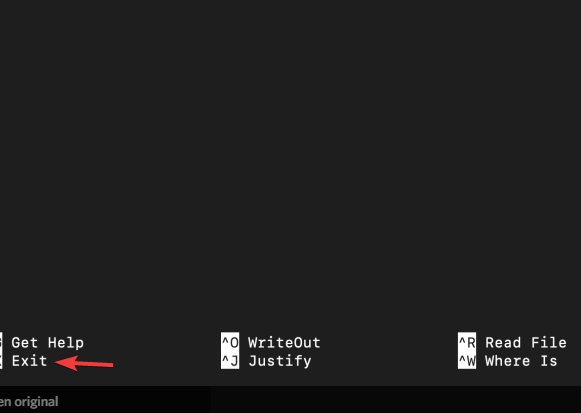
 rich nymph
ok i exited it
civic hound
and you should be back to the terminal
lets check if you have a bash profile script installed
rich nymph
ok
rich nymph
@civic hound I just want to say thankyou I really apprecieate it . And wdym by home folder
civic hound
on a mac the home folder is the folder with your name on it
rich nymph
right ok i am in it now
civic hound
do a ls and see if you can see folders
rich nymph
i can
civic hound
mac defaults to the desktop i think, and thats the wrong place
rich nymph
is ls like dir?
civic hound
yes. ls is the same as dir
rich nymph
i see
civic hound
but dir only works in python and windows
rich nymph
right
civic hound
ls -la do this
rich nymph
ok
civic hound
and look for a hidden file called .bash_profile
let me know if you can see it or not
rich nymph
this is what I get
drwxr-xr-x+ 20 abhigyapokharel  staff    640 Oct 22 20:31 .
drwxr-xr-x   5 root             admin    160 Sep 13 22:29 ..
-r--------   1 abhigyapokharel  staff      7 Sep 13 22:29 .CFUserTextEncoding
-rw-r--r--@  1 abhigyapokharel  staff  10244 Oct 22 12:11 .DS_Store
drwx------   2 abhigyapokharel  staff     64 Oct 22 20:29 .Trash
drwxr-xr-x   3 abhigyapokharel  staff     96 Oct 22 09:38 .idlerc
-rw-------   1 abhigyapokharel  staff    208 Oct 22 16:12 .python_history
drwxr-xr-x   4 abhigyapokharel  staff    128 Oct 21 20:12 .vscode
-rw-r--r--   1 abhigyapokharel  staff    164 Oct 21 21:31 .zprofile
-rw-------   1 abhigyapokharel  staff   4348 Oct 22 20:31 .zsh_history
drwx------@  3 abhigyapokharel  staff     96 Oct 21 19:14 Applications
drwx------@  9 abhigyapokharel  staff    288 Oct 22 20:31 Desktop
drwx------+  3 abhigyapokharel  staff     96 Sep 13 22:29 Documents
drwx------+  5 abhigyapokharel  staff    160 Oct 21 21:30 Downloads
drwx------@ 66 abhigyapokharel  staff   2112 Oct 22 10:29 Library
drwx------+  4 abhigyapokharel  staff    128 Oct 21 18:41 Movies
drwx------+  4 abhigyapokharel  staff    128 Oct 21 18:58 Music
drwx------+  4 abhigyapokharel  staff    128 Oct 21 18:41 Pictures
drwxr-xr-x+  4 abhigyapokharel  staff    128 Sep 13 22:29 Public
drwxr-xr-x   2 abhigyapokharel  staff     64 Oct 21 19:48 hadhamdaksd
you have a .zprofile wich makes me thing you are using fish or something like that
to a cat .zprofile
rich nymph
ok
rich nymph
# Setting PATH for Python 3.8
# The original version is saved in .zprofile.pysave
PATH="/Library/Frameworks/Python.framework/Versions/3.8/bin:${PATH}"
export PATH
here is the output
ok
i get /bin/zsh
when I do echo $SHELL
civic hound
then you are using zsh. meaning that file is the file you want to edit
nano .zprofile
rich nymph
ok
civic hound
it should come up and you need to make a new line above export PATH
rich nymph
ok
civic hound
PATH="/Location/of/visual/studo/codes/bin/folder:${PATH}"
so lets figure out where code is located
rich nymph
it does show export path
PATH="/Location/of/visual/studo/codes/bin/folder:${PATH}"
@civic hound Should I enter this there?
civic hound
yes, add a line above export PATH
rich nymph
ok
rich nymph
huh?
civic hound
the path to the code command
rich nymph
I don't quite understand what I should do
rich nymph
no i don't
civic hound
to run an application on any system, you have to be located inside the folder where it is installed
rich nymph
right
civic hound
so if you want to run python from the terminal, you need to add the pythons bin folder to the PATH
PATH="/Library/Frameworks/Python.framework/Versions/3.8/bin:${PATH}"
rich nymph
mhm
civic hound
thats what this line does
python is installed in /Library/Frameworks/Python.framework/Versions/3.8/
rich nymph
right
civic hound
but the python executable is inside the bin folder
so you have to add that to be able to run python from any folder
now we need to do the same for vsc
rich nymph
ohh ok
civic hound
so do you know where VSCode is installed?
rich nymph
let me check
rich nymph
let me go there then
civic hound
is that correct?
rich nymph
abhigyapokharel@Abhigyas-MacBook-Pro Applications % ls -la
total 0
drwx------@  3 abhigyapokharel  staff   96 Oct 21 19:14 .
drwxr-xr-x+ 21 abhigyapokharel  staff  672 Oct 22 20:42 ..
-rw-r--r--@  1 abhigyapokharel  staff    0 Oct 21 19:14 .localized
abhigyapokharel@Abhigyas-MacBook-Pro Applications %
cd /Applications
your probably in the wrong folder
should be the root folder
and from the terminal it should look like Visual Studio Code.app
rich nymph
huh that's what I did
cd Applications/
ls -la
right
civic hound
you should have 100 folders or something like that
rich nymph
wait ima charge my pc real quick it's at 8 % lol
civic hound
i have 4 minutes until i have to leave
rich nymph
it will take 10 s
civic hound
go for it
rich nymph
ok done
civic hound
so check your applications folder for the visual studio folder
rich nymph
ok
civic hound
im guessing its at /Applications/Visual Studio Code.app/
rich nymph
drwxrwxr-x+ 18 root             admin       576 Oct 22 11:15 .
drwxr-xr-x  23 root             wheel       736 Jul  3 10:42 ..
-rw-rw-r--   1 root             admin      8196 Oct 22 11:15 .DS_Store
-rw-r--r--   1 root             wheel         0 Apr 18  2020 .localized
drwxr-xr-x@  3 abhigyapokharel  admin        96 Sep 10 23:51 Discord.app
drwxrwxr-x@  3 root             admin        96 Oct 22 11:15 GarageBand.app
drwxr-xr-x@  3 abhigyapokharel  admin        96 Oct 20 14:42 Google Chrome.app
drwxr-xr-x@  3 root             wheel        96 Oct 22 10:52 Keynote.app
drwxr-xr-x@  3 root             wheel        96 Oct 21 20:49 NordVPN IKE.app
drwxr-xr-x@  3 abhigyapokharel  admin        96 Aug 11 00:51 Notion.app
drwxr-xr-x@  3 root             wheel        96 Oct 22 10:53 Numbers.app
drwxr-xr-x@  3 root             wheel        96 Oct 22 10:51 Pages.app
drwxr-xr-x@ 10 root             wheel       320 Oct 21 21:31 Python 3.8
drwxr-xr-x@  3 root             wheel        96 Apr 23  2020 Safari.app
drwxr-xr-x@  3 abhigyapokharel  admin        96 May 13 04:29 Spotify.app
drwxr-xr-x   4 root             wheel       128 May 28 05:16 Utilities
drwxr-xr-x   3 root             wheel        96 Apr 17  2020 iMovie.app
-rw-r--r--@  1 abhigyapokharel  staff  30464376 Oct 21 21:30 python-3.8.6-macosx10.9.pkg
but its not
rich nymph
i don't see it do u
civic hound
so you have not installed it in the correct place
rich nymph
i think it's under desktop let me check
civic hound
mac applications need to be dragged inside the applications folder in finder
so that it is in this location
rich nymph
you could also do it in desktop
civic hound
you need to close vscode before you move it
rich nymph
hmm
civic hound
so move your visual studop code app to your applications folder
rich nymph
ok
civic hound
you need to finder windows to do so
or just desktop + finder
when you are done please in your terminal do cd /Applications/Visual Studio Code.app/
rich nymph
ok
civic hound
the line you want to add to your profile file is this
PATH="$PATH:/Applications/Visual Studio Code.app/Contents/Resources/app/bin"
ok moved vsc to application now let me check
rich nymph
thx for the help i apprecieate it
civic hound
save the profile after adding this (you need export PATH at the bottom)
and you need to restart all terminal applications
and open terminal again
rich nymph
ok
rich nymph
ok
 rigid sorrel
does anyone have a tkinter tips?
civic hound
did you manage to fix it @rich nymph ?
civic hound
thats perfectly fine.
rich nymph
we could do it tomorrow if u are busy rn
rich nymph
ok then we were at visual studio being moved to applications
civic hound
did you move your Visual Studio Code app to the /Application folder?
rich nymph
yes sir
civic hound
cool
open terminal
navigate to the application folder and do the ls command i showed you
rich nymph
drwxrwxr-x+ 20 root             admin       640 Oct 22 20:53 .
drwxr-xr-x  23 root             wheel       736 Jul  3 10:42 ..
-rw-rw-r--   1 root             admin      8196 Oct 22 20:49 .DS_Store
-rw-r--r--   1 root             wheel         0 Apr 18  2020 .localized
-rw-r--r--   1 abhigyapokharel  admin         3 Oct 22 20:53 .zprofile
drwxr-xr-x@  3 abhigyapokharel  admin        96 Sep 10 23:51 Discord.app
drwxrwxr-x@  3 root             admin        96 Oct 22 11:15 GarageBand.app
drwxr-xr-x@  3 abhigyapokharel  admin        96 Oct 20 14:42 Google Chrome.app
drwxr-xr-x@  3 root             wheel        96 Oct 22 10:52 Keynote.app
drwxr-xr-x@  3 root             wheel        96 Oct 21 20:49 NordVPN IKE.app
drwxr-xr-x@  3 abhigyapokharel  admin        96 Aug 11 00:51 Notion.app
drwxr-xr-x@  3 root             wheel        96 Oct 22 10:53 Numbers.app
drwxr-xr-x@  3 root             wheel        96 Oct 22 10:51 Pages.app
drwxr-xr-x@ 10 root             wheel       320 Oct 21 21:31 Python 3.8
drwxr-xr-x@  3 root             wheel        96 Apr 23  2020 Safari.app
drwxr-xr-x@  3 abhigyapokharel  admin        96 May 13 04:29 Spotify.app
drwxr-xr-x   4 root             wheel       128 May 28 05:16 Utilities
drwxr-xr-x@  3 abhigyapokharel  staff        96 Sep 30 08:56 Visual Studio Code.app
drwxr-xr-x   3 root             wheel        96 Apr 17  2020 iMovie.app
-rw-r--r--@  1 abhigyapokharel  staff  30464376 Oct 21 21:30 python-3.8.6-macosx10.9.pkg
now do cd /Applications/Visual Studio Code.app/Contents/Resources/app/bin
rich nymph
ok
civic hound
and do ls there as well to see if code is there
Contents/Resources/app/bin is macOS default values you see
rich nymph
now do
cd /Applications/Visual Studio Code.app/Contents/Resources/app/bin
@civic hound Wait i am already in Applications so do i still have to include Applications?
civic hound
no you do not, but do it like i showed you with the / as the first char
PATH only cares about absolute path, and not relative paths
civic hound
ahh right.. its a escape thing in console
so do this
write only this part cd /Applications/Visual then press Tab to autocomplete the folder name
rich nymph
ok
civic hound
then continue the folders down, Cont and press tab to autocomplete it
rich nymph
ok I am in the dir now
civic hound
ls in the bin folder
rich nymph
ok now I am bin
civic hound
code and see if it works
civic hound
do ls inside that folder
rich nymph
i get the same thing, command not found
ok
abhigyapokharel@Abhigyas-MacBook-Pro bin % ls -la
total 8
drwxr-xr-x@  3 abhigyapokharel  staff   96 Oct 14 03:38 .
drwxr-xr-x@ 15 abhigyapokharel  staff  480 Oct 14 03:38 ..
-rwxr-xr-x@  1 abhigyapokharel  staff  484 Oct 14 03:25 code
abhigyapokharel@Abhigyas-MacBook-Pro bin %
hmm... well..
rich nymph
weird?
rich nymph
ok
civic hound
open a new terminal app
civic hound
there are more things wierd, since the zsh profile should really be named .zshrc 😄
rich nymph
is it this
``
civic hound
leave it as is, and open a new one please
civic hound
yes . nano .zprofiole_thing_file
 brisk pawn
Hello everyone! I wanted some help with an architecture design for my research project. If anyone is up for a quick system design chat lemme know.
civic hound
im not sure what the name was 😄
rich nymph
wait what do i do again?
civic hound
nano .zprofile
civic hound
now you want to add the line above export PATH
your on Catalina right?
macOS Cataline?
civic hound
yes that thing
rich nymph
ok
civic hound
Apple icon in the top left
and choose... ermm.. system information
or about this mac
rich nymph
ok
rich nymph
ok give me a sec
now we save and exit
where should I save it, sorry if I am asking very simple questions
civic hound
default value is correct
rich nymph
So here is okay?
civic hound
erm... no
rich nymph
hmm
civic hound
thats not the same
you have to use the terminal
CTRL + X
and press Y to save or something like that
civic hound
do cat .zprofile
rich nymph
This is what I have after i save it
rich nymph
ok
civic hound
there are 2 more ways to try if this does not fix it
rich nymph
it is
civic hound
but im more or less 40% sure it will work 😄
rich nymph
civic hound
close all terminal applications
civic hound
notice that the terminal app will be removed from your dock when you do
civic hound
yes. completly closed
rich nymph
and My terminal doesn't go away from my dock lol
civic hound
then you have pinned it
rich nymph
right
rich nymph
civic hound
yes that looks correct
rich nymph
ok
civic hound
open it again and try code nothing more
rich nymph
@civic hound THANK YOU SO MUCH!!!!! ❤️
I really appreceiate your help I really do .Thankyou so much it worked
civic hound
excellent
i wondered if you needed to swap the PATH location
or use another profile file
but guess it worked out
rich nymph
All because of you
civic hound
nah, you did all the work, i just knew some stuff about the mac