#tools-and-devops
1 messages · Page 27 of 1
 sinful zinc
sinful zinc
sinful zinc
no idea, maybe you never pulled from it while the master branch was checked out
 dense mist
ahhhhhh i think i did that
sinful zinc
i don't know the history of how you created your repository so i can't say
dense mist
thank you much for your help
i've used git really small scale, but i'm trying to do stuff on a larger project
also
is there a way to force a branch to update to master?
sinful zinc
what do you mean by update
dense mist
I did something dumb and made my own version of the file I wanted to change
so instead of adding 4-5 lines git is saying -100 + 105
and rebase really doesnt like that
lol
so I want to make my branch identical to master
and then just make my changes
but git also doesnt like that
so like git pull master -force
dense mist
well
more like 40-50
but also I was just adding comments, not code
but while I was doing that someone else added another function
sinful zinc
you might have to resolve the merge conflict
try rebase -Xignore-cr-at-eol to see if that reduces your problems
wait you just want to get rid of your change?
just git checkout [the branch and then git reset --hard master
dense mist
ooooooooooh thanks
yeah because i made no actual code edit
it's super easy to just throw the comments back in
so i wanted to just hard reset and then add in the comments, and then update the branch
so im on a branch, and it looks just like master
so i can just git push origin -f
and on git the branch should be updated
thank you!!!
 lament cairn
Idle is good
change my mind >:3
 blazing prawn
it can't display certain characters, it can't open more than one file without having an obnoxious number of windows open, it has no line numbering
the line numbering is the worst sin imo
blazing prawn
we've been passing this sage wisdom down for a while
lament cairn
hahahah
 barren iron
@lament cairn pycharm, VScode or sublime text are good
If you wanna be a @deep estuary fan boy use emacs
 deep estuary
hahayes
barren iron
xD
 burnt maple
dense mist
burnt maple
dense mist
what text editor do you guys prefer?
im trying to edit preferences for gedit to see blank spaces
and for some reason i cant get permissions to the settings folder
in windows I like notepad++
but im on ubuntu
 copper compass
VS Code @dense mist
I prefer that as an editor
But I do my actual programming in pycharm
 alpine rover
VS Code for NodeJS projects, PyCharm for everything Python. There's PyCharm "community version" and it's free, although without straightforward way to develop web apps (Django, py2web, advanced DB management). Those features are in Pro version.
 limber mist
If you're a student you can get PyCharm Pro for free: https://www.jetbrains.com/student/

JetBrains
JetBrains, creator of the leading Java IDE - IntelliJ IDEA - is a cutting-edge software vendor specializing in the creation of intelligent development tools.
alpine rover
Yeah, there are other pricing options. They're really great about it tbh. It's rare to see companies supporting certain groups to get affordable or free products.
blazing prawn
we've also been able to give away PyCharm licenses provided to us by JetBrains for our code jams in the past, so stay tuned for more cool stuff like that in the future
alpine rover
@blazing prawn that's nice
blazing prawn
it is! they also provide open source licenses to project contributors under particular circumstances. the details are there on their site
 heavy knot
how is this working? https://github.com/timothycrosley/jiphy

I would really need this
blazing prawn
it looks like a really bad idea
cool as a pet project but useless for anything but playing around
heavy knot
no
it is actually good
now we can execute python on web
without installing anything
from random var select = require('choice');
from random var rint = require('randint');
from time var delay = require('sleep');
this is a problem
 true parcel
brython is a thing
heavy knot
yeah or http://www.transcrypt.org/
The Transcrypt Python to JavaScript compiler makes it possible to program lean and fast browser applications in Python. Transcrypt applications can use any JavaScript library and can also run on top of Node.js or be used in combination with Django.
 clever raven
none of these should be used tbh
not in a real app
just use javascript, it's not that complicated.
heavy knot
but lazyness controls me
copper compass
There's no good reason to transpile python for Web, it is very much not suitable
You will find lots of subtle problems and odd behaviours if you do stuff like this
It'll likely be much faster and easier to Judy write Javascript
 crystal stag
I am having trouble installing python 3.7 on windows using miniconda
(base) C:\WINDOWS\system32>conda install -c anaconda python=3.7
Solving environment: failed

UnsatisfiableError: The following specifications were found to be in conflict:
  - conda -> enum34 -> ordereddict
  - conda -> pycosat -> python=3.6
  - conda -> requests[version='<2.12']
  - python=3.7
Use "conda info <package>" to see the dependencies for each package.
I am using a fresh install of miniconda and have done conda update conda and conda update --all
https://anaconda.org/anaconda/python python 3.7 should be available
crystal stag
I gave up and went with the python.org windows install
 balmy osprey
Is this a good place to talk about pycharm?
 delicate gorge
yes
crystal stag
well
For discussing editors, IDEs, and tools like pip or pipenv
😄
balmy osprey
Have you guys tried the new pycharm update? It's visually glitchy for me and I'm wondering if it's just me 🙂
 uncut oxide
Fine for me
Do you have any extensions that could cause those bugs
That might not have been updated yet
balmy osprey
Ooh no I don't think so. but I'll try it with a clean user and see if it fixes.
alpine rover
Fine for me too, no issues. Been working almost whole day in it.
balmy osprey
I just updated a few hours ago.
alpine rover
Try disabling all plugins, then enable them one at the time. If it's some plugin causing you weird glitches, you'll find it that way.
heavy knot
Does Visual Studio have python
alpine rover
I believe there's a plugin for Visual Studio
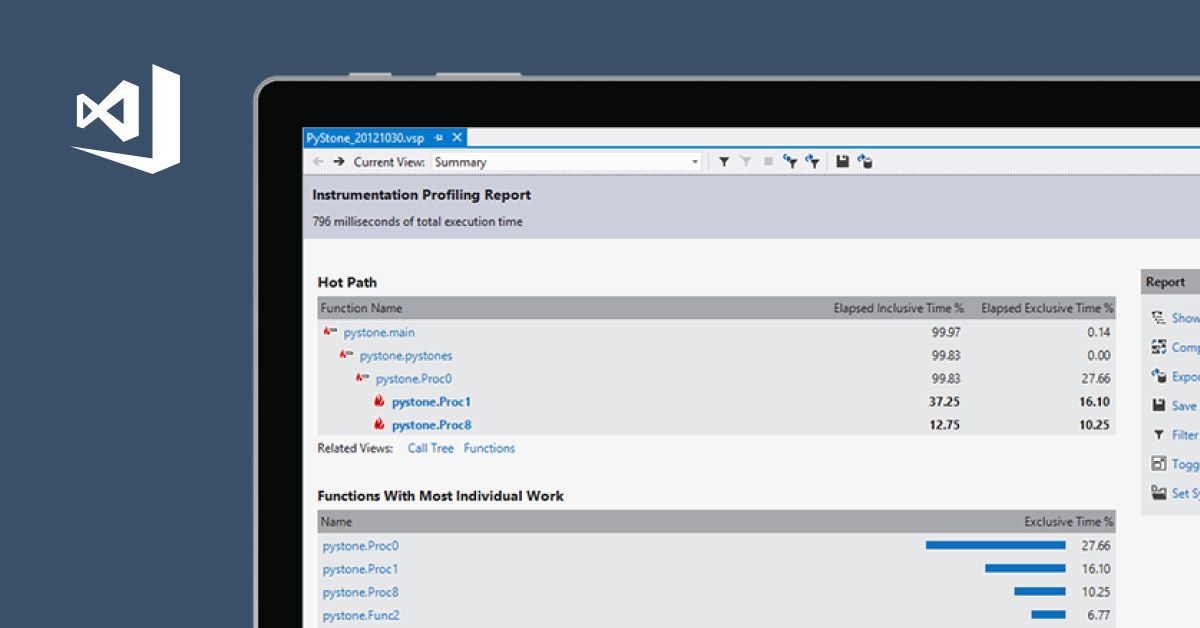
Visual Studio
Python code insights. Visual Studio analyzes your code to make suggestions. Manage 3rd party libraries. Interativey debug on Windows and Linux. Much more!
That's for Visual Studio, not to be mistaken for VS Code
alpine rover
You're welcome. 😉
lament cairn
do i need to buy sublime text? 😮
 dawn stump
no
lament cairn
"Sublime Text may be downloaded and evaluated for free, however a license must be purchased for continued use."
continued use?
dawn stump
I've used sublime for many years, I only have a licensed copy at work
but at home I live with the occasional pop up
lament cairn
so its legal right?
dawn stump
it's not illegal, it might be amoral if you suddenly make a lot of money on the code you write using sublime
lament cairn
heheh
hopefully i dont accidentally make money with my code then because its 80 dollars >.<
dawn stump
say in 5 years and you've used sublime close to every day, and you suddenly have a well paying job, then maybe it's time to buy a license
but if 80 dollars is a lot of money to you right now, then don't sweat it
dawn stump
 lament cairn
😄
hmmmmmmm
is there a lot i have to do to set it up?
when i try to run code by pressing ctrl + b it gives me A:\Python\python.exe: can't find '__main__' module in '' [Finished in 0.1s]
is this what i need to do?

Link: https://packagecontrol.io/installation Like and Subscribe for more videos!
btw i have already downloaded python
but i havnt done that path thing he did
NEVER MIND
turns out i just had to save it 😄
heavy knot
Hey buldor, your problem is probably related to the fact that while python has been updated to 3.7, the other packages you wanted to install have not, which is why it throws this error.
dense mist
anyone have experience with setuptools being glitchy?
i've spent a good number of hours googling it, but
this one package works perfectly fine on linux systems
but on windows systems, any script run just says "command not found"
using anaconda
 crystal depot
I can't figure out if I like Atom more or PyCharm
I like how good PyCharm is for Python out of the box, but I like how Atom's package installer works
 lapis hazel
pycharm is designed specifically for python, it comes with way more utilities than atom because atom is simply a general-purpose editor for any programming language @crystal depot
crystal depot
Yeah, I just wish it handled themes and packages like Atom
crystal depot
I’m not sure which channel is best to ask in but if I wanted to uninstall/remove all the python stuff i’ve installed on mac, is there an easy way
and get it just back to plain 2.7
I want to redo everything within PyCharm under venvs
sinful zinc
how did you install the stuff
and is this in the system python 2.7, or one you've installed
crystal depot
hm various ways i suppose
pip, pip3
other ways i don’t remember because it was before i understood what i do now
let’s say i just wanted to uninstall python 3 at least
ah nm i found some stackoverflow stuff
sinful zinc
oh for removing python 3 you can just remove the framework from /Library/Frameworks
system python 2.7 is in /System/Library/Frameworks
and the symlinks in /usr/local/bin
and then you can reinstall
user installed stuff (pip install --user) is in ~/Library/Python
@crystal depot
crystal depot
thanks so much @sinful zinc
 narrow slate
Rewording there then, I'm trying to use vscvode debugger but it doesn't stop on breaking point nor print variables
am I missing something ?
 vague silo
I'm not sure about VSCode, but in PyCharm there's one button for running which just runs your program normally (even with breakpoints) and one for debugging which will respect breakpoints, does VSCode have such thing?
narrow slate
Triied ot find it but i'm not sur,e I have to stop it by myself to see variables and such
 proper dew
I updated Pycharm today and now when I hit "run program" it doesn't do shit
I run it with debug and it works, though.
proper dew
Fixed.
It, for whatever reason, defaulted to "run with python console" checked. I unchecked that in the run configuration.
delicate gorge
so
im not sure why you jut deleted that question
but it is possible to checkout commits with git checkout commithash
dense mist
i think i figured it out
delicate gorge
so
dense mist
and it was me being dumb
the version I had on my computer was much older than I thought it was
so now i'm trying to track down the specific commit that broke this program on windows
barren iron
Anyone find that pycharm is much faster at loading python code?
Feels alot faster than VScode
uncut oxide
No
barren iron
@mint briar How did you get the sublime linters to work?

Neither of them do anything
uncut oxide
You probably want flake8 lint or whatever
The package should have a readme that has install instructions
barren iron
@uncut oxide I tried the flake 8 linter but I get the D000 errors
deep estuary
This probably isn't the place for youtube-dl because it isn't really a tool
tools are things like, as the channel topic states, editors, IDEs and things like pipenv & pip
barren iron
Its closer to this than python.....
deep estuary
I would agree with you Sharp but
Youtube DL is a python module...
I assume that the question is about interacting with it programmatically @heavy knot?
Probably either off topic if you are using it as a program, or a help channel if you are trying to work with it in Python
lapis hazel
anyone have any idea why pycharm is saying this? the program runs as expected so i don't see the problem.
copper compass
you didn't mark the directory as a source directory
lapis hazel
ah okay, thanks :D
 fading glen
So it seems like Mu Editor runs Python 3.6.3 inside of a specific directory, instead of whatever version you have installed.
I don't think I like that.
blazing prawn
s'pretty standard for distributed Python applications
unless you mean that that's the only interpreter it ever uses to run code
fading glen
That would be what I mean.
blazing prawn
that's a little weird
fading glen
And, I would assume that it's dangerous to up/downgrade it because of how the editor is written.
blazing prawn
yeah you shouldn't be tampering with an application locked version. from that I've seen of screenshots it does seem like Mu is very beginner oriented so that might explain why it's locked down that way
copper compass
!t ask
 rancid schoonerBOT
ask
Asking good questions will yield a much higher chance of a quick response:
• Don't ask to ask your question, just go ahead and tell us your problem.
• Try to solve the problem on your own first, we're not going to write code for you.
• Show us the code you've tried and any errors or unexpected results it's giving
• Keep your patience while we're helping you.
You can find a much more detailed explanation on our website.
heavy knot
actually helping @fervent sierra
setting up atom with python
we installed script
package
and setup the path
but still on using the shortcut it is showing python as not recognized interna and external batch command
 ancient meadow
does anyone know how to solve this error in vs code that happens when you try and run code
using f5
Ah i think i have solved it. It seems I couldn't only have a file open, and so I opened a folder alongside it which for some reason fixed my issue
 fossil finch
copper compass
fossil finch
copper compass
VB.net really doesn't have anything to do with this server
Try one of our #315249263103967242 maybe
lament cairn
how do i get my colours in sublime?
😦
usually when i typed stuff in idle it gave me fancy colours for commands like if, print, for and so on
dawn stump
it's probably set to plain text in the lower right corner
dawn stump
:D
lament cairn
thank you!
dawn stump
no worries
to quickly switch syntax you can hit: ctrl+shift+p and type python and it should give you the syntax: python option, and you just hit enter
lament cairn
what is a syntax? 😮
dawn stump
syntax is the structure of statements in a computer language
lament cairn
🤔
lapis hazel
think of it like the grammar
lapis hazel
in python you need to indent and stuff
lament cairn
are there different types of syntaxes for python?
lapis hazel
nope, but for different languages there will be
lament cairn
i see
lapis hazel
like how in real languages there's different grammar and structure
lament cairn
but if there arent different types of suntaxes for python how could i change it then?
lapis hazel
if you programmed in multiple languages
lament cairn
ohhh
lapis hazel
for different purposes or whatever
dawn stump
example: C#
class HelloWorld {
    static void Main() {
        System.Console.WriteLine("Hello World");}}
and python
print("Hello World")
so he meant if i wanna switch language
😮
what
just type print("hello world") in c
whats all that class?
lament cairn
hmmmmmmmmmm
why do you need more text to just do such a simple thing in C?
or wait 🤔
heavy knot
Because that's just how the language works
copper compass
JavaScript
"use strict";

(function() {
    function main() {
        console.log("Hello, world!");
    }

    main();
})();
:|
dawn stump
:D
lament cairn
dont they have a function for all of this
    static void Main() {
System.Console.WriteLine```that looks like C#
heavy knot
It is
copper compass
I mean, only one of those lines is printing
and of course we don't talk about java
dawn stump
hahahaa
heavy knot
class HelloWorld {
static void Main() {``` This isn't for printing, this is just what you do to make code run when you run the programcan we post c++ code too
copper compass
We're mostly just comparing languages
We're still a python server, and our #315249263103967242 are still the best places to go for languages that aren't related to Python
 slender ibex
What is the best python IDE to use?
uncut oxide
PyCharm
barren iron
^
slender ibex
is the free version of PyCharm enough for coding?
fading glen
Yes. The community edition of PyCharm is more than enough.
slender ibex
thanks
 forest bay
You don't really need the Professional version unless you're a Web Developer or possibly data scientist
 obsidian grove
@heavy knot how did you set your python environment?
for example if i do

i have these options

@heavy knot how did you set your python environment?
for example if i do
heavy knot
why u have 2 versions installed?
obsidian grove
but, if i chose one of them i have a problem. i actually use python on windows and on ubuntu
obsidian grove
visual studio code uses the installed version on windows and my command line interface uses ubuntu that that is not really what i want. this way i'd have to install everything twice
windows 10
obsidian grove
    "terminal.integrated.shell.linux": "/usr/bin/zsh",
    "terminal.external.windowsExec": "runas /savecred /user:Dylan C:\\WINDOWS\\System32\\cmd.exe",
    "terminal.integrated.shellArgs.windows": [
        "-NoLogo",
        "-NoProfile",
        "-c", "bash",
        "-c", "zsh"
    ],
do you want me to install vscode on ubuntu?
my distro of ubuntu has no gui
it's basically a vm that runs on windows. much like vagrant or something similar
heavy knot
oh
hmm
wait u download the distro from the store?
microsoft store?
anyway the command line for ubunto will use the ubuntu version because it is built for it
obsidian grove
it's been a while since i installed it, but i did that

The Windows Subsystem for Linux, introduced in the Anniversary Update, became a stable feature in the Fall Creators Update. You can now run Ubuntu and openSUSE on Windows, with Fedora and more Linux distributions coming soon.
heavy knot
since vscode is built to windows and installed on windows
it will work on windows version
they are completely different systems
 violet belfry
@obsidian grove this is an open issue: https://github.com/Microsoft/vscode-python/issues/67

GitHub
From @kuza55 on November 18, 2016 14:58 Since windows processes can now call bash.exe to call processes in the WSL subsystem, it would be nice if VS code could: a) Be configured to utilise a python...
obsidian grove
i see, thanks for that
heavy knot
and yeah make sure to enable linux distros from Windows Features for Ubuntu to work correctly! @obsidian grove
violet belfry
that's not the issue...
heavy knot
i know i told him that for more preciseness
so he do not get issues while coding or working with ubuntu
violet belfry
k
obsidian grove
on the first read it seems like there is no official feature yet that supports it. having said that i'm gonna try a few things that people suggested
obsidian grove
Note: Building and debugging via the Windows subsystem for Linux (WSL) is currently not supported.
 inner zealot
Hey, I'm having trouble getting pytest to run through pycharm
I'm creating a package and have a tests file in my root directory, in there I have one test file importing one module from my package, in the editor and when I run the file normally, there are no errors and nothing to indicate that the import is a problem
However when I run pytest it gives me a ModuleNotFoundError
I'm running pytest through the external tools section and have the working directory for it set to ProjectFileDir
I can provide more info about the file structure if needed but it's fairly simple
 turbid galleon
Hi, I am using spyder. I used to be able to paste in whole blocks of code into the live interpreter box and it worked just fine. Now one day seemingly out of nowhere, it complains "*** SyntaxError: multiple statements found while compiling a single statement" -- I mean yeah, I agree, but so what?
turbid galleon
okie
obsidian grove
i did it
i'm running python 3.6.5 on wsl and the python interpreter of vscode is hooked up to it

Gist
Windows development in 2018: Setting up a coding environment using Windows Subsystems for Linux (WSL), Hyper, and Visual Studio Code (vscode) with Python.
 spark monolith
any vim/nvim people here
sinful zinc
i use vim why
spark monolith
do you use tools like ALE for linting/syntax fixing?
 dusty palm
hey guys does any of you use vs code and build virtual envs?
Im here trying to make a virtualenv and use VScode but then when I try opening the env from the console I get syntax erros
λ py C:\Users\user\Desktop\NOW\App\convertFiles\env\Scripts\activate.bat
  File "C:\Users\user\Desktop\NOW\App\convertFiles\env\Scripts\activate.bat", line 1
    @echo off
            ^
SyntaxError: invalid syntax```Looks like your batch file is being run using Python
deep estuary
No problem
delicate gorge
@spark monolith i do, together with several others
sinful zinc
@spark monolith sorry i missed your question, no, I don't really use any fancy tools
 forest reef
Here
 stable notch
so where are you at. fresh termux install, with python?
stable notch
simpliest is just using nano pkg install nano
forest reef
Then $nano?
stable notch
then nano app.py will make a file to write in (it'll create one if it doesn't exist)
stable notch
yea
forest reef
So nano myApp.py will make a file too
stable notch
indeed
forest reef
Then i have to open it or will it be opened by itself?
stable notch
ctrl x to save. itll open itself
forest reef
Ok thanks
Is there some better console to write scripts @stable notch ?
Like editing in nano thing will be difficult
stable notch
there's vim and stuff or you could use an app - depending on whether you have root or not woukd just need an additional step
forest reef
Any app recommendation?
Or should i write in qpython and then run them through termux?
stable notch
https://wiki.termux.com/wiki/Text_Editors those are the console options. you could get any linux text editor really. Appwize DroidEdit maybe
stable notch
i mean if your used to qpython then yea write it there and run it from termux
stable notch
might need a different keyboard. hacker's keyboard, Technical keyboard (nextapp) or codeboard for example. @forest reef I'm using codeboard atm.
stable notch
python myApp.py
stable notch
uname -a it'll report just as a linux, you can kinda install any dist you want on top. arch would be the one the termux guys "support' more
@forest reef
stable notch
na, its fine ^ actually on the above thats just kernel info so the name is on the end, as 'Android'
spark monolith
wait what are you trying to accomplish
stable notch
just using termux as a dev environment
forest reef
Is it possible to open multiple sessions @stable notch?
stable notch
swipe in from the left
stable notch
discord has the same
forest reef
Hey @stable notch! How can i access the files like .bash_profile
I want to set a PATH
dawn stump
@forest reef I don't mean to be rude, but that's a question you can easily find an answer to searching linux edit path on google
 hushed orbit
Does vsc have a "see uses" functionality?
So I can check if im using a function anywhere in my project
 tawny temple
yeah it's called "find all references"
idk where it is through menus but you can find it through the command palette
would be nice if it highlighted it too as it displayed the code snippets 😦
hushed orbit
Neat, thanks
stable notch
if you need it i dont think theres exactly a bash_profile. there is a termux-boot add-on app however, so you can have a set of scripts run on boot
forest reef
Ohh
alpine rover
is there any way to add syntax highlighting for CSS and JS in PyCharm community version?
copper compass
Nope
Web languages are only supported by pycharm pro
If you're a student or an open source developer, you might be eligible for a free license though
Check out the JetBrains site for more info on that
We also have pro licenses as prizes for winners of our quarterly code jams
alpine rover
yeah I know about their giveaways and discounts
so I guess I'm going to buy pro version
even though I'm working for free on this projects, it still doesn't meet their criteria for giveaway
*free license
 bold spire
sinful zinc
bold spire
sinful zinc
there's something called Mu-Editor that someone here says is good iirc
don't know if that's an IDE or just an editor though
lapis hazel
in my opinion, there isn't a best IDE for a beginner. id prefer a simple text editor like sublime, n++, or atom, and a command line to run your scripts. IDEs to a lot of work for you which a beginner should learn to do on their own first.
 burnt estuary
that's a common stance on the subject. May I ask what kind of "work" an IDE does that a beginner should learn to do instead?
I'm asking just to know what I'm missing out using my trusty emacs
tawny temple
I can't think of much stuff it does automatically.
A beginner would have to make it do those things
Maybe some consider linting bad for beginners?
so they can learn to read console errors, not sure. I think an IDE is ok for a beginner
not like it can magically write meaningful code for them
 swift sable
So I've gotten my hands on a license for PyCharm pro, have used CE before. Do people just install and keep both?
 night parcel
Wouldn't you just have to put the code into the CE edition and it becomes pro?
swift sable
Thats what I thought, but it seems it's a separate download. I might have messed it up though.
uncut oxide
Yeah it's a separate download
Just keep both unless you need the disk space
At the very least keep the config
 tranquil topaz
Anybody knows a way to suppress all warnings junk GTK apps print in a terminal? Perhaps an environment variable GTK understands? This has been bugging me for years and years uuuugh.
copper compass
I've been wondering that myself, although #tools-and-devops isn't the right channel for that question, probably better suited to #user-interfaces
tranquil topaz
ye, it's just python the only tech* server I'm in so, wasn't sure, gon go check if theres any kinda GTK irc channels too ¯_(ツ)_/¯
copper compass
If there's anyone that knows how to work with GTK, they'll be in #user-interfaces
 eternal dagger
Hello, I have been using Python on Ubuntu system, and just turned to Windows 10 64 bit and installed python 3.7
I created virtualenv and did pip install scrapy
and got this error
error: Microsoft Visual C++ 14.0 is required. Get it with "Microsoft Visual C++ Build Tools": http://landinghub.visualstudio.com/visual-cpp-build-tools
so I already downloaded vc_redist.x64.exe and installed it, but I am getting same error.
Can anyone please help me?
dawn stump
it might be a case of having to recreate the virtual environment, but I'm not sure
but I've only seen that be the case on linux when installing dependencies like that
eternal dagger
I solved my problem by installing latest version of visual studio dev tools, thanks!
Oh no! my mistake, error is still happening.
barren iron

 meager tapir
I liked VSC, then I found Atom. I ❤ Atom. You can check it out here: https://atom.io/

Atom
At GitHub, we’re building the text editor we’ve always wanted: hackable to the core, but approachable on the first day without ever touching a config file. We can’t wait to see what you build with it.
copper compass
Once again I found a useful PyCharm feature I didn't know existed
heavy knot
does anybody use visual studio code
i'm getting a weird error with the java_home, The JAVA_HOME environment variable points to a missing folder
violet belfry
Does your JAVA_HOME environment variable point to a missing folder?
dawn stump
you can check the environment variables with env | grep JAVA_HOME and see if the path leads to where it expects to find the java executable
heavy knot
it does
it's fine, i resolved the issue
i installed a jdk and pointed at it but it wasnt having it so i found the path of the java_home installed already and that worked
 placid nest
I have a question for crawling a website, I'm using beutifulsoup (If you can suggest something better please do) I need to input into a form to return data, then parse a few things out with the returned data. Does anyone know if BS will allow me to input in a form field?
 maiden ember
BS is just a parsing library, you'll need some kind of automation library to actually interact
Selenium is the most popular I believe
Though it depends what kind of form it is, I guess
If you can figure out how the browser requests the data from the server, you could potentially craft the request from your program and pass the resulting HTML over to BS @placid nest
narrow slate
Selenium is the answer
 long sphinx
how can i create a new project and check it out via git, using VSC?
oh wow i think i got it
now lemme see how i can upload;D
 lyric tulip
Hi all. I got an interesting issue with Pycharm if anyone can help me out. I have a 'saleor' project I am trying to run using their docker containers. Everything is up and works. If I import DJANGO_SETTINGS_MODULE and write a utility script I can access the django side fine. However, when I try to run the Django Console from within Pycharm it hangs and throws an exception each time. I tried modifying the "start script" but it appears to not be that related... maybe its some magic pycharm does in the background?
Traceback: https://pastebin.com/SqEjuzda
 long sphinx
ok found out most things. now a question: how can i, with visualstudio code, use venv?
lyric tulip
@long sphinx If I remember right, you can choose your environment on the bottom bar.
long sphinx
hm, in pycharm i have venv automatically integrated. how can i integrate it with visual studio code
?
i have a question. with visual studio code, i commit and push using my user account, but it seems it uses a different email address then usual. what can that be? because my profile picture isnt shown then.
copper compass
I'm not sure about the venv question
But the email you push with is set using git config
Eg git config --global user.email my@email.address
You should also set user.name
long sphinx
omg, i used to use one standard email address usually, now my vsc uses the email address with the domain of the gitlab installation which i prefer. cant i have both email addresses show my profile picture somehow with gitlab?
ok it now uses a different eMail address than theone in my gitlab profile but both thanks to gravatar have the same profile picture ;D
and both emails send tot he same address so
i think thats ok
copper compass
You should add both emails to your gitlab profile @long sphinx
It's important for commit attribution
long sphinx
i dont know how to add a second eMail address theres only a field for 1 address?
copper compass
long sphinx
ah thank you very much 😄
long sphinx
does pycharm support displaying the git commit and by whom of the current line inline?
i just found out the material theme for pycharm is REALLY cool!!!! 😃
tawny temple
That was me. I meant that there's nothing quite like git lens
but not that there's nothing at all
tawny temple
np
lapis hazel
ever since my python version was updated to 3.7, pycharm has been thinking that i'm using 2.7 even though my project interpreter is still the pipenv from 3.6. anyone know why?
narrow slate
@hushed orbit by extensions, I can see them in 'activated' in vsc ?
tawny temple
@lapis hazel where does it think you're using 2.7?
lapis hazel
everywhere :D
lapis hazel
i have not, but i shall do so
tawny temple
oh and what if you try to run it?
does it use venv correctly
another thing to test
and you can check in the python console tab
see what version that is
hushed orbit
Then I'm not sure, maybe theres configuration you need to tinker
narrow slate
@hushed orbit it does suggest as soon as you put a dot ?
hushed orbit
As long as it makes sense
like if you import os and type os. later (after saving to make sure)
lapis hazel
@tawny temple it does indeed run the code with the correct version. i'm recreating the venvs, let's see if that helps :D
narrow slate
hmm it does only hint after i type 1 character
lapis hazel
yeah, that may be it too. i'll give that a go if reinstalling the venvs doesn't do it
tawny temple
👌🏻
narrow slate
@hushed orbit do you have flake ?
hushed orbit
Not that im aware of
hushed orbit
All my python related stuff comes from python
narrow slate
you should at least ahve a linter
hushed orbit
narrow slate
@hushed orbit
lapis hazel
(he just showed that it comes with a linter)
narrow slate
and I just showed this is in the python module page
lapis hazel
sure
narrow slate
well, looks like it depends of objects
could you try on ctx ?
does hint after dot for me on bot, not on ctx
tawny temple
probably because it cant determine the type of ctx
you could try type hinting it
maybe then it will figure it out
narrow slate
Will try ty

 lapis hazel
what's your full link?
also, didn't know sublime was nonfree software. guess i'm switching to vim/emacs :^)
 chilly wave
Would this be a good place to talk about what programs we use to program python in?
tawny temple
yes
chilly wave
Are there any environments for python that are similar to R-Studio?
tawny temple
Not familiar with r studio
can you describe which features in particular you're seeking?
chilly wave
I'm looking for something that isn't very command line-y and has the ability to run the code without having to compile it
chilly wave
I'm very new to Python so I'm sorry if I'm using the wrong words
What I mean to say is that in my previous attempts at coding with Python, I've had to "export" the code and then run it
tawny temple
not sure what exporting it could mean
from command line you can run scripts directly
like if you have a file called myscript.py
you can just do python3 myscript.py
and IDEs work the same way
except instead of command line they have a button
you just tell it which script you want to run and it runs it
chilly wave
Well, I guess I'm just a big idiot then. Do you have any IDE recommendations for beginners?
tawny temple
Pycharm community edition is good
I use it
if you're looking for something a bit more lightweight
check out visual studio code
or atom
honestly just check out all 3's websites and see which one appeals to you
they're all viable options
chilly wave
@tawny temple Thank you for taking the time to answer my questions.
tawny temple
You're welcome
 cinder smelt
@chilly wave I agree @tawny temple
I would recommend Atom and VSC of you search for something lightweight which is especially great for beginners because you don’t get overwhelmed by all the options PyCharm has
Moreover I would recommend you to install some add-ones for Atom or VSC if you do decide to use them. These make it easier for you to run the python scripts with shortcuts
 spring pendant
Yeah, get Atom with the run Python add on, that's what I use
long sphinx
in pycharm how do i "create new project from git" without closing my current project?
@chilly wave in case u decide to use pycharm community, theres a really cool theme that makes it look somehow like visual studio code ;D
its alled material theme
;D
*called
copper compass
@long sphinx Clone your project in the usual way (in a terminal), then go to file / open folder, open the project and it'll give you the option to add it to your currently opened projects
(Or you can just open it in a new window)
dawn stump
what does you pipfile specify for python version?
barren iron
So i'm assuming it was a corrupt install or somthing
My pipfile im guessing said 3.6
Which was on my PC
dawn stump
that's likely the issue yeah
barren iron
Yeah alright
That's what i mean't when i said
Will i be fine between 3.6.6 and 3.6.5
dawn stump
yes I assume you will be :)
unless you use a specific feature or fix in 3.6.6, but I guess you'll find out :D
 olive path
 civic hound
this is for editors, ides, tools like pip and pipenv etc. .sh sounds like off-topic
 idle galleon
I'm working for 2-3 companies from Home but I'm interested in doing some backpacking / exploring / traveling to just get out of my home office.
Do you guys have any advice for making my codebase more universally accesible?
for instance I'd like access to my PyCharm running on my Home PC from my phone / laptop and have better monitoring tools for the output its generating
copper compass
I would use git, eg via gitlab
And run my development tools on my machine instead of trying to access them remotely
idle galleon
i thought as much using git to commit code
but i want to see if any errors pop up etc
I know I can have my laptop handy with PyCharm but ideally id like to be able to see output and make changes via a mobile / web interface
copper compass
There's no convenient way to do that
The closest you'll find is probably Amazon's Cloud9
copper compass
Koding might still be a thing as well, not sure
idle galleon
$1-5 per month for IDE usage is pretty acceptable. I'll look into both.
blazing prawn
oh dang, c9.io got bought
I was just on one of my old workspaces a few nights ago and didn't even know
 ebon mist
Have any of you heard of PAGE?
its this really useful tool that lets you drag n drop basic GUIs. I've used it in several projects just to get alot of the tedious stuff out the way
it also makes for a great learning tool because you can actually tweak and toy with the code it creates instead of thumbing through documentation!
my favorite way to use Tkinter
 shut island
I wouldn't use PAGE personally since i prefer Qt
looks ok though from what I can see in this video https://www.youtube.com/watch?v=oULe0h0Jl3g

Page Generator is a Tkinter drag & drop builder For Python. With this tools ,We can make many nice GUI to build a desktop application
civic hound
does page run on newer systems?
copper compass
Yeah I would prefer Qt Designer myself
narrow slate
Is there any vscode module to format file like that ?
copper compass
I did that by hand
narrow slate
damn
 floral hill
threre should be a notepad++ plugin for that
textFX? unless i remember it wrong
i would still do it by hand
lyric tulip
Hey guys, Pycharm user and been doing a bit more with it than normal hobby stuff and getting into some projects that utilize docker. I got one that uses docker-compose and I've set that up in my run configuration. It builds a postgresql/redis/celery build and also a web image that depends on those and pushes. The issue is if I deploy to that I can't reference external files that I may not want in my production, but more for prototyping. Do you have a workflow where you run into this and have solved it?
copper compass
The whole point of containers is that they're.. well, containerized
you don't want them to have access to your external filesystem
lyric tulip
@copper compass Yeah I understand it. Working in someone else's environment (a web store one). Was trying to prototype some utility scripts for mass importing of products from an excel file. I guess I've tried just switching to a normal python intepreter for the prototyping but the issue is the docker-compose serves my directory as the WORKDIR. I guess if I delete the 'web' node and just docker-up the other components it would work on my local filesystem, yes?
copper compass
I don't think the workdir should matter
that's the workdir inside the container
What you should be looking at is volumes
lyric tulip
ok. And attach the directory outside of my project into the volume?. I know I'm just approaching this wrong. Have their containers spun up and everything is good. I have a friend that wants to be able to drop in an excel file and have it mass import/update products from it. I figured hey, I'll use Python scratches and just prototype how it combs through the excel form and imports it before I write the front end to grab the file from the django site. Thats where I am.
copper compass
I mean, the trick is to not run it under docker in testing
 dusky blaze
I'm liking VSC mucccch better than Cloud9 though
lapis hazel
great, pycharm import problems again :D these are all saying unresolved reference 'whatever'. it seems to go away if i invalidate caches and restart, but then when i change them again in any file, they all go back to being sad. the application works like this, by the way.
copper compass
@lapis hazel because you marked app as your sources root
And not the folder containing it
lapis hazel
huh, okay
vague silo
@dusky blaze run vimtutor on your command line. you'll be faster when editing in 15 minutes, I guarantee it
 rain jewel
What do people find to be the best tool to use with Mercurial + BitBucket?
PyCharm refuses to clone my project saying that there is a malformed URL, even though it's directly copied from the BitBucket site
Ideally I'd get it working in PyCharm. GitKraken throws a similar error.
SourceTree works but is slow and annoying
Repository test failed.
abort: repository ___ not found!
Repository URL is a malformed URL or non-existent directory
rain jewel
PyCharm says it supports Mercurial
rain jewel
Friend's project that he set up with Mercurial cos he uses Mercurial at work
copper compass
Mercurial is kinda niche these days, I don't really have much experience with it
It's not widely used though
If the pycharm plugin doesn't work, consider the JetBrains issue tracker
heavy knot
How can I use the R language in the Pycharm?
delicate gorge
you can use the R plugin for pycharm but i dont really see the need to use a language whihc is used for the same stuff as python in a python ide
delicate gorge
just check the plugin reposiutories
heavy knot
I'll try
delicate gorge
pycharm is based of that IDE and has most of its general features too
heavy knot
I was trying to use the Atom
but I can't emulate a program
I type ".\filename.py"
and nothing happens
if I type just "filename.py" appears a error
- CategoryInfo : ObjectNotFound: (teste.py:String) [], CommandNotFoundException
- FullyQualifiedErrorId : CommandNotFoundException
and it's the right directory
shut island
if you want to use R then Rstudio is good
Python doesn't have all the stats libraries that R does yet
heavy knot
Can someone learn me all thid terms and apps?
heavy knot
Teach you all the terms and apps?
That's a bit ambiguous
Could you please be a bit more specific?
tranquil topaz
Any pyenv users here? Does it have prebuilt distributions of python? Or does it necessarily have to compile any new version on install?
heavy knot
can i pack files like pngs, mp3s etc with my program
before i just put code to download the actual files from the internet but thats not very good
im talking about pyinstaller btw
 flat sundial
Hi, I am looking for some help with managing a project that has a fair few custom packages. The project has a folder called 'packages' inside this there are about a dozen folders a-l for example, each one is an individual python package with a setup.py etc.
When developing locally, I can cd into each dir and run sdist and push it to a local private pypi index/server. Is there a tool out there which handles this out the box? almost like tox.. as in providing a tox.ini in each package and then calling tox inside the 'packages'
dir which will go into each of the 12 dirs and build the packages and push them? This is apart of a Docker stack, consisting of multiple service, each service would (pip) install one or more of these package in their Dockerfile.
Whats the best practice to ensure these packages are built before the Dockerfile for each service is built?
 mint briar
@tranquil topaz It compiles new versions, yes
mint briar
You can switch to your system version, but any new python versions are downloaded and compiled iirc
tranquil topaz
I'ma switch back to managing stuff through conda probably, this has proven to be more hassle than it worth
tranquil topaz
 🤷🏻
🤷🏻
mint briar
narrow slate
Flake8 or pylint ? Why ?
narrow slate
Why pylint if you are à god ?
Flake8 seems to kot tolerate any non pep8 compliant line, right ?
delicate gorge
it finds pep8 violations per default yes but there are lots of plugins for it which can for example even help to find bugs in libraries you use etc
 mossy crown
pylint seems to be very strict by default
barren iron
@narrow slate what anon means is use flake8
It's great for catching errors, helping your write better code, and plugin support
heavy knot
oops
 plain saddle
Two questions:
Does anyone have a problem with PyCharm where some parts of the window does not get focussed and the mouse is stuck with one specific sub-window?
Secondly any reco for a good screenshot tool for windows?
sinful zinc
doesn't windows have screenshots built-in
something called clipping tool
snipping tool
mossy crown
@plain saddle ShareX is best sharing tool
plain saddle
Ahh. Did not know about the snipping tool. Thank you, Random. Also thank you AnonymusDapper. I will try that out too
 woeful dust
Does anyone else have this problem with PyCharm collapsing code very weirdly?
rain jewel
How did I lose my console output option? I'm sure there was one before. It's vanished now.
PyCharm Pro 2018.2.2
Ah nevermind, found it
The joys of a 'restore layout' button.
 heavy knot
Are there any tools for python 3.7 that compile python to exe
Tried nuitka and pyinstaller
forest bay
Looks like PyInstaller supports 3.7 now
Was there a specific issue you were having?
There are only two open issues relating to 3.7: https://github.com/pyinstaller/pyinstaller/labels/PY3.7
Honestly, I don't know of another good tool to generate Python EXEs that would support 3.7
There are only a handful of Python freezers that are still actively developed and have a decent community behind them
heavy knot
mayb im not updated
heavy knot
nvm im updated but i have zipimporterror
;_;
zipimport.ZipImportError: can't find module 'encodings'

Current thread 0x00002db8 (most recent call first):```--onefile windows 10 64bit
forest bay
That's the only argument?
forest bay
Looks like you need to build the bootloader manually for 3.7 still, as of 25 days ago: https://github.com/pyinstaller/pyinstaller/issues/3642#issuecomment-408619680

GitHub
I am having issues with any compiled executable. I made a simple, one line test case print('the Executable works') and I'm still having the same issue when I run the test.exe "Fata...
Guide on how to do so: https://pyinstaller.readthedocs.io/en/v3.3.1/bootloader-building.html
Looks like you'll need the vcbuild tools, which you can install using this (in a administrator powershell prompt):
Set-ExecutionPolicy Bypass -Scope Process -Force; iex ((New-Object System.Net.WebClient).DownloadString('https://chocolatey.org/install.ps1'))
choco install -y python vcbuildtools
Then:
git clone https://github.com/pyinstaller/pyinstaller.git
cd .\pyinstaller\bootloader\
py -3 .\waf all
It looks like a lot, but it's actually not too complicated
If you don't want to put in that work, however, then your options are a) go back to 3.6 or b) wait for them to bundle the bootloader for 3.7 or c) maybe find another EXE builder that supports 3.7 without extra work?
Hope that helps
@heavy knot
plain saddle
@woeful dust I think that code chunk is just folded. If you find a + to the left of it, just click on it. Your sccreenshot is not clear at that part of the screen.
heavy knot
Party rockers in the house tonight @forest bay thx
heavy knot
Any ideas @forest bay Xd
narrow slate
@heavy knot i might be wrong but looks like it want cygwin installed
heavy knot
cygwin is already instaled
narrow slate
Is it in your path ?
forest bay
@heavy knot Looks like you're trying to build it using Cygwin...
That path is more complicated
Just using msvcc with the commands I posted earlier will be much easier
If you are going to use cygwin, though, you should probably make sure you're in a cygwin terminal
heavy knot
thank u
forest bay
Oh, hmm
If you're in just normal powershell, it's probably assuming you're trying to build the non-cygwin way, failing, then seeing that cygwin exists, trying that, but you're not in a cygwin terminal, so it fails
Run these:
Set-ExecutionPolicy Bypass -Scope Process -Force; iex ((New-Object System.Net.WebClient).DownloadString('https://chocolatey.org/install.ps1'))
choco install -y python vcbuildtools
Then close the prompt
Open a new prompt
Then: py -3 .\waf all
@heavy knot ^
heavy knot
Ok :)
 rich copper
Hey i am trying to figure out how to use the pep8 formatter in VSCODE. Where can I just trigger an autoformatter
What am i missing here? Q.Q
maiden ember
The official Python module includes a formatter
Well, you might n eed to install autopep8 im not entirely sure I don't recall tbh
rich copper
yeah i have pep8 installed. I just need to figure out how to use it in vscode
tawny temple
On mobile right now but try searching for it in the command palette
Ctrl shift n to bring that up iirc
blazing prawn
I do that o/
 lyric wing
uhh i'm trying to remap Alt+j and Alt+k on vim to move lines up and down
Vim Tips Wiki
Tip 646 Printable Monobook Previous Next created 2004 · complexity basic · version 6.0 Programmers often want to move a line of text up or down, or to some other position. We start by explaining...
but I can't get it to work :~/
$TERM is tmux-256color
lyric wing
i'm getting crazy looking for solutions lol
i guess i'll have to remap to C-j C-k instead 😢
 livid schooner
how do i upload files to github? i can't figure out a thing
 lost rock
You use git on your local machine and add your gitub repo as a remote
There's a git guide linked on our resources page
!t resources
rancid schoonerBOT
resources
It can be difficult to know where to begin when you are first starting out with Python. On our website, we have compiled a list of both free and paid resources that we recommend for learning and mastering Python.
It is hard to say exactly where you should start, as everyone will have a different prefered method of learning, but whether you like video tutorials, books or courses, you should find a suitable resource on our resources page
livid schooner
thanks, man
forest bay
This might also be helpful: https://blog.udacity.com/2015/06/a-beginners-git-github-tutorial.html

Udacity
This Git and GitHub tutorial is a beginner's guide to a tool every developer should be familiar with.
forest bay
@loud thunder Open a PowerShell prompt, and navigate to the folder (directory) your code is in using cd
 loud thunder
thank you @forest bay
forest bay
Hit the Windows key and type "powershell"
loud thunder
I am using atom as my text editor and I can not open the code in browser so I can put my discord bot online
forest bay
Where does Atom say your code is located?
heavy knot
How do I create an admin terminal in vs code?
 fair portal


 forest bay
I'm not sure you can..

Visual Studio Code has an integrated terminal so you can work in the shell of your choice without leaving the editor.
Use runas.exe to run what ever it is you're doing with Administrator permissions instead @heavy knot
heavy knot
Thanks 🔥
dense mist
anyone know where I can get git help?
I kinda understand it but there's a few random things I get hung up on
delicate gorge
whats the problem
dense mist
mostly, i've used git where one person is working on one file at a time, but someone else changed a few lines of code that git cant auto-merge with the changes ive made
delicate gorge
awwww your first merge conflict
thats always fun
so what you gotta do now is manually resolve your merge conflicts
if youre using an editor/IDE with git integration it should offer some tool to handle that
if not its gonna be a pain
dense mist
it'll probably be a pain, because i'm commiting from a remote server and can only use vim lol
delicate gorge
yes that is going to be a pain
I am not even sure how to manually resolve the conflcits, whenever i do that i just do random stuff until it works
dense mist
oooooh thanks
there's only like
15 lines of difference, is there a command that will let me just select the lines i want to use
delicate gorge
¯_(ツ)_/¯
better clone the repo to your machine and commit from there next time then you wont have to care about such commands
 tardy lintel
since i got summoned in here.... by some1.. how do i add a command, making one in visual studio code?? please come with examples
 hidden quail
Like in the command palette?
hidden quail
You can write an extension. It's been a while since I've tried but it mostly uses JavaScript IIRC. This article helped me: https://code.visualstudio.com/docs/extensions/example-hello-world
Create your first Visual Studio extension (plug-in) with a simple Hello Word example. This walkthrough will take you through the basics of VS Code extensibility.
 desert root
That's interesting....I'm just getting VS Code set up, and starting a python course in LInkedIn Learning where he uses VS Code.....
BTW...installing the latest python, it wants to Disable path length limit.....pros or cons?
forest bay
@dense mist Probably too late but...merge conflicts aren't that bad. Basically, git will try it's best to merge the changes, and anything it's unsure of it'll ask you to fix. It should spit out a list of files that have conflicts. For each file, open it in a text editor (vim, nano, etc.), then resolve the conflicts.
Resolving the conflicts is pretty easy. there will be:
A bunch of left arrows like `<<<<<<<<`
<some code>
Then something like this `===============
<more code>
Bunch of right arrows `>>>>>>>>`
Basically, everything after the first set of arrows and before the === are changes that conflict with what's after the ==== and before the second set of arrows.
Pick and choose what code you want to keep, remove the arrows and seperators, and then save the file
Then once you're done with everything, git add all the relevant files, then git commit the changes.
Then, do a quick pull from origin to make sure there aren't any more changes, then push!
And you're all done 😃
It can be really confusing and scary the first time if you're new, but trust me, it gets easier.
And if you screw something up, just do git merge --abort and all will be well with the world
@desert root It doesn't hurt to disable it. It's not something you generally run up against though, unless you're working with JavaScript apps like Electron and a few other cases that have huge nested file trees.
desert root
tx @forest bay
forest bay
Np
heavy knot
also theres a bunch of false alarms in the linter
copper compass
That happens if you use a * import
It's one of the many reasons you shouldn't use them
heavy knot
crapp
thoughtso :/
can i do import PyQt5.QtCore, PyQt5.QtGui, PyQt5.QtWidgets as qt
yes you can 🔥 thats epic
copper compass
That probably doesn't do what you think it does
heavy knot
wym @copper compass
copper compass
You're only aliasing the last import
copper compass
you probably want more like from PyQT5 import QtCore, QtGui, QtWidgets
No it won't.
heavy knot
oh right ok
blazing prawn
looks like you should choose a different debugging configuration https://code.visualstudio.com/docs/python/debugging

Details on configuring the Visual Studio Code debugger for different Python applications.
possibly define your own
the "console" option in launch.json controls the output tab
desert root
@blazing prawn then I tried using this....cause it sounds accurate, but I don't know enough to understand what I may be doing wrong......LOL....I need to get on with the course to learn that....
https://github.com/Microsoft/vscode/issues/41600

GitHub
Version info: VSCode: 1.19.2 OS: Windows 10 1709 Node: 8.9.3 Debug: 3.1.0 (from npm install debug) To reproduce: create a simple node app that generates debug output using the debug package, Then: ...
tawny temple
How are you running the code?
"integratedTerminal" is the default option
set it to "none" to output to the debug console
desert root
I set it to none, saved the file, even restarted the program.....still opening in Terminal tab
desert root
@tawny temple I use F5 to run the code in the debugging window like my screen capture earlier.
...I know no one wants to do someone elses work here, but if anyone can please point me in the right direction I can focus on the course material without the distraction. I am a big believer in researching and trying myself before asking for help....but it's a Catch 22 😁 I need to learn to learn to edit the config....and I really don't wanna break something and have to reinstall and reconfig what I already have
tawny temple
This is my launch config in the user settings json "launch": { "version": "0.2.0", "configurations": [ { "type": "python", "request": "launch", "name": "Python: Current File", "program": "${file}", "console": "none" } ] },
and I can confirm that the output is displayed in the 'Debug Console' tab when I run with F5
 random breach
hey guys
how do i figure out the correct pip install command for installing this branch? https://github.com/pythonnet/pythonnet/tree/py37

GitHub
Python for .NET is a package that gives Python programmers nearly seamless integration with the .NET Common Language Runtime (CLR) and provides a powerful application scripting tool for .NET develo...
tawny temple
you do git+https://...@branch-name I believe
random breach
so pipenv install -e git+https://github.com/pythonnet/pythonnet.git@py37 right?
tawny temple
I believe so
random breach
Installing -e git+https://github.com/pythonnet/pythonnet.git@py37...
WARNING: pipenv requires an #egg fragment for version controlled dependencies. Please install remote dependency in the form git+https://github.com/pythonnet/pythonnet.git#egg=<package-name>.
ABORTING INSTALL... You will have to reinstall any packages that failed to install.
You may have to manually run pipenv lock when you are finished.
it may say it needs the egg name specified or something, but that might
yeah
so do what it says and add #egg=<package-name> to the end
random breach
is pythonnet the package name?
tawny temple
Presumably
random breach
ty @tawny temple
delicate gorge
Is it possible to use shell scripts in the paths for the cpp configuration for includes in vscode?
heavy knot
https://moox.io/blog/keep-in-sync-git-repos-on-github-gitlab-bitbucket/ 👌 This helped me a lot
copper compass
We just use gitlab's mirroring feature for that lol
But you can definitely have multiple upstreams
heavy knot
For own personal projects I find the upstream better
but group project I'd definitely use what you said
copper compass
Nah, I find it easier to do that for personal projects too
Nothing is easier than automatic
heavy knot
well, I find writting 2 command lines pretty easy 😛
hushed orbit
So say i started a new project, and accidently chose py 3.6 for my pipenv interpreter; how would I change that to python 3.7
maiden ember
I've never used virtual envs in Python, help
desert root
VS Code.... 🍭 for an answer? ....so anyways, "python.linting.lintOnSave": true and only options are boolean. I tried altering syntax to see if I linting would work dynamically, and then ran to confirm linting was picking up the error and it did.
I want it to lint dynamically as I write the code. I reviewed the settings file and here.... https://code.visualstudio.com/docs/python/linting and if it is there I don't recognize it.
Is it something that might be available in another linter, and would multiple linters run together or are the mutually exclusive?
Any assistance or advice would be greatly appreciated. 🇨🇦
Linting Python in Visual Studio Code
maiden ember
Why do you want linting to run continuously? You could just take a habit of saving a file after writing a function or whatever
you could also run the linter manually
desert root
@maiden ember I'm new to python and to the IDE.....figured it might help me write it right....LOL....the first time and save me a bunch of time finding mistakes.....and ideas and questions like this just pop into my head and I want to know how far I can go with a program to configure it to make use of it's features......if it is a feature....... 😉
if not.....then i know
Maybe it is possible but when i enable it I don't like it, I still prefer to make informed and experienced decisions.....
desert root
@maiden ember oh oh.....I just clued in....I did look for a way in VS to run a linter command....I have looked, how to run the linter manually please?
maiden ember
Run the Python: Run Linting command, use ctrl shift P to bring up the command thing
There's prob a way to bind it to a key but I've never tried
tawny temple
Results show up in the Output window
Gotta select 'Python' from the drop-down there
Oh it also shows up in Problems window
 weary fulcrum
@heavy knot what are the probs like in wingler?
heavy knot
it lets you run an interpreter inside a running process
so you can do things like change variables, run a function etc, and it affects the running process
weary fulcrum
Here is a quick link for debugging in Pycharm
by the way, if you like wingide, don't feel force to change editor
unless you want to
heavy knot
thanks, ill check it out. i assume there's other ways to do what i want in pycharm
i may be forced to use it soon is the issue (:
heavy knot
not that i require that feature right now, but it is handy
yes
messing with pycharm before an interview (:
weary fulcrum
yes, it is, and it will make things easier, when trying to find out why things are not working the way you tell them to
yeah, start creating some projects using it. one of the things I like about it is that you can have the venv created automatically with each project
and have the packages installed automatically, instead of manually
and you can still compile a reqs from it. but play around with it. if you have any questions about it, feel free to ask.
check out all the vidz
heavy knot
will do, thanks
desert root
@maiden ember I'll look into the binding, but it places the recent command at the top of the list so that helps.
I introduced an error, ran linting, and did not get the expected little red squiggly line indicating an issue....but it did open the Output(Problems) tab with Linting Output, which I will assume unless corrected is that is essentially the same but just presented differently because I called the command itself.
I was thinking a dynamic linting would produce that graphic red squiggly line warning as you typed if you missed something....mabye not(LOL kinda like what I see now mis-spelling 'maybe')
and this is just the first response I am reading, will go thru them all 👍 Tx
@tawny temple Tx....yeah I hadn't even explored that drop down yet, always on Python....but now I see, gotta set up Git
I don't know if or when there might be an advantage to running lint vs just running the code which would show issues....unless it was a long file and you might not see the linter visual but the output tab should still show an error....unless you know an advantage or purpose in this case I'll just store it for future reference....
BTW, can you tell me if multiple linters would run together and if that is a common practice?
P.S. I tried to add a reaction to your post, but unable....??
barren iron
Has anyone else had the problem where links to the line error in your python code has stopped working?
So I have to manually find the error line now, which is really annoying
tawny temple
Linter can catch errors that running the code wont always catch reliably
Like parts of code only execute based on conditions
and sometimes code execution takes a while
so it's faster to use a linter than to run every time to test
@desert root
I understand what you mean by dynamic linting
I think you mean something akin to what PyCharm does
idk if VSC has similar features
either natively or through extensions
desert root
@tawny temple 👍 good to know....yeah, I'm still working with PyCharm as well....dunno what side of the fence I'll land on
heavy knot
vscode has support for several linters
desert root
@heavy knot I see that, I am just curious if it will run more than one at a time......