#discord-bots
1 messages · Page 1137 of 1
 sullen pewter
 paper sluice
its client.user not User
when your bot doesn't respond, look at your terminal, most of the time it would be interrupted by some error which will be displayed there
 robust fulcrum
I want to make a custom prefix thing again. Can anyone here guide me pls?
|| Me not mean spoon feed ||
paper sluice
robust fulcrum
I want to make a custom prefix thing again. Can anyone here guide me pls?
|| Me ...
what custom prefix thing?
robust fulcrum
I want that users of my bot can change prefix
And i want to use sqlite but don't know how to use in dpy
paper sluice
robust fulcrum
And i want to use sqlite but don't know how to use in dpy
just like you do normally?
there is nothing different
robust fulcrum
paper sluice
there is nothing different
I mean i want to use sqlite in it
 slate swan
How i can make that when my BOT joins to server it will send message on random channel like thank u for adding me
robust fulcrum
But i not understood how can I implement it in discird bot
paper sluice
slate swan
How i can make that when my BOT joins to server it will send message on random c...
use random.choice on discord.Guild.channels and send a message
 spring flax
does anyone know why a bot would sent double messages each time?
paper sluice
robust fulcrum
But i not understood how can I implement it in discird bot
con = # connect to db
@bot.command()
async def ...():
    cur.execute(query)
    ...
do you have two instance of the bot running?
robust fulcrum
paper sluice
```py
con = # connect to db
@bot.command()
async def ...():
cur.execute(quer...
But once before Ashley told me to use set_hook
spring flax
paper sluice
do you have two instance of the bot running?
i actually opened a help channel where I told a bit more about my issue #help-carrot
paper sluice
robust fulcrum
But once before Ashley told me to use set_hook
ya you should do the connect to db part there
robust fulcrum
paper sluice
ya you should do the `connect to db` part there
Ok
Me do code and ill tell you when i done
 supple cobalt
paper sluice
its `client.user` not `User`
supple cobalt
paper sluice
its `client.user` not `User`
ik, i changed it to see if smth was up
slate swan
Why so much indent errors help today
robust fulcrum
slate swan
Why so much indent errors help today
Do you use replit?
And in mobile?
slate swan
no
robust fulcrum
Ok
 idle radish
Is it possible with discord embed to add an field which is an link:
I would like to make the key a link
embed=discord.Embed(color=0x8ff0a4)
embed.add_field(name="[key](https://google.nl)", value="value", inline=False)
await ctx.send(embed=embed)
 paper sluice
you can make a hyperlink in the value of the field
slate swan
idle radish
Is it possible with discord embed to add an field which is an link:
I would lik...
U cannot make hyperlink in field name
paper sluice
!d discord.Embed.add_field
idle radish
paper sluice
you can make a hyperlink in the `value` of the field
Do you have an example?
 hushed galleon
itd be exactly the way you did it, except written after value=
idle radish
hushed galleon
itd be exactly the way you did it, except written after `value=`
Got it thanks
 shrewd apex
whats the permission kwarg for manage channel in commands.has_permissions
spring flax
!d discord.Permissions.manage_channels
 unkempt canyonBOT
Returns True if a user can edit, delete, or create channels in the guild.
This also corresponds to the “Manage Channel” channel-specific override.
shrewd apex
cool thanks
spring flax
with this code https://paste.pythondiscord.com/metalimune.py
I got an error of ```
f"{member.mention} ({str(member)} is on timeout until <t:{int(member.current_timeout.timestamp())}>)"
AttributeError: 'NoneType' object has no attribute 'timestamp'
The above exception was the direct cause of the following exception:
Traceback (most recent call last):
File "/pufferpanel/.local/lib/python3.10/site-packages/disnake/ext/commands/bot_base.py", line 570, in invoke
await ctx.command.invoke(ctx)
File "/pufferpanel/.local/lib/python3.10/site-packages/disnake/ext/commands/core.py", line 920, in invoke
await injected(*ctx.args, **ctx.kwargs)
File "/pufferpanel/.local/lib/python3.10/site-packages/disnake/ext/commands/core.py", line 178, in wrapped
raise CommandInvokeError(exc) from exc
disnake.ext.commands.errors.CommandInvokeError: Command raised an exception: AttributeError: 'NoneType' object has no attribute 'timestamp'
so I checked and a member was recently removed from timeout
but i had some logic to remove them from the list, which doesn't seem to work
slate swan
spring flax
with this code https://paste.pythondiscord.com/metalimune.py
I got an error of `...
member.current_timeout is None
spring flax
yeah i know
but ```py
@commands.Cog.listener()
async def on_member_update(self, before: disnake.Member, after: disnake.Member):
if before.current_timeout is not None and after.current_timeout is None:
if before in self.timed_out:
self.timed_out.remove(before)
oh wait
hmm. I think i see the problem
current_timeout doesn't return a boolean, it returns a datetime
what would the solution be? add the ID's to the list instead of the object?
shrewd apex
what's the method to hyper link a link to text in embed title or name
spring flax
!d discord.Embed.url
unkempt canyonBOT
The URL of the embed. This can be set during initialisation.
shrewd apex
is it possible in add_field also?
spring flax
in the name or value?
unkempt canyonBOT
add_field(*, name, value, inline=True)```
Adds a field to the embed object.

This function returns the class instance to allow for fluent-style chaining. Can only be up to 25 fields.@shrewd apex same question was asked above, hyperlinks only work on the value
 placid skiff
except for the title of the embed
shrewd apex
hushed galleon
<@656838010532265994> same question was asked above, hyperlinks only work on the...
ic thank u
hushed galleon
in general you might get messier code by nesting try excepts, but in your case you dont need the try/excepts in the first place; the on_error event is automatically fired if your on_member_join event raises an error, which by default prints the error for you
 pastel solar
hushed galleon
in general you might get messier code by nesting try excepts, but in your case y...
pastel solar
hushed galleon
in general you might get messier code by nesting try excepts, but in your case y...
Ah perfect! Also for the normal bot commands?
hushed galleon
commands have their own error handlers, the global one being the on_command_error event
in cogs there's the cog_command_error method you can override, and on commands you can use the .error decorator: ```py
@bot.command()
async def hello(ctx):
raise RuntimeError('hello world!')
@hello.error
async def hello_error(ctx, error):
if isinstance(ctx, commands.CommandInvokeError):
original = error.original # = RuntimeError('hello world!')
await ctx.send(error) # sends "hello world!"```
pastel solar
hushed galleon
commands have their own error handlers, the global one being the `on_command_err...
Is there a error handler for all type of commands?
slate swan
pastel solar
Is there a error handler for all type of commands?
U mean global?
pastel solar
Yes, instead of writing an individual error handler for every command (slash)
hushed galleon
the on_command_error event as i mentioned earlier
hushed galleon
just make sure to display the error if it doesnt match any of the exceptions you're handling, otherwise you'll eat up the error and never see it
a quick way to do that is with raise error: py @bot.event async def on_command_error(ctx, error): if isinstance(error, commands.MissingRequiredArgument): ... else: raise error
 vocal snow
What
hushed galleon
 heady sluice
that's like 8 bytes wasted
heady sluice
that's like 8 bytes wasted
how about this then py bot.event(lambda ctx, error: ctx.send(f'missing argument {error.param.name}') if isinstance(error, commands.MissingRequiredArgument) else exec('raise error'))
slate swan
O.o is it still MissingRequiredArgument.param i thought they changed it
!d discord.ext.commands.MissingRequiredArgument
hushed galleon
its the same in both 1.7 and 2.0
maybe you're thinking of MissingPermissions.missing_perms to MissingPermissions.missing_permissions
slate swan
oh yeah, thats it, i was confused 
idle radish
hushed galleon
itd be exactly the way you did it, except written after `value=`
And is it possible to just send the value and not the name? Because ```python
name=""
this doesn't workwouldn't you have to await send?
paper sluice
idle radish
And is it possible to just send the value and not the name? Because ```python
na...
do name='** **' or _ _
heady sluice
hushed galleon
how about this then ```py
bot.event(lambda ctx, error: ctx.send(f'missing argume...

paper sluice
hushed galleon
how about this then ```py
bot.event(lambda ctx, error: ctx.send(f'missing argume...
anext(await ctx.send(f'missing argument {error.param.name}') for _ in '_')
hushed galleon
spring flax
wouldn't you have to await send?
its taking advantage of what a coroutine function is, which is a function that returns a coroutine; dpy expects a corofunc for the event handler but lambda only creates a regular function, so if i return the coroutine from ctx.send(), it works like a coro function and dpy awaits the send for me
paper sluice
it does?
spring flax
oh, interesting
hushed galleon
yeah i tested the lambda with jishaku earlier
well i only tested the lambda but i forgot dpy checks if its a corofunc before setting it, so i dont think it actually would work :(
maybe just manually assigning it would work py bot.on_command_error = lambda ctx, error: ctx.send(f'missing argument {error.param.name}') if isinstance(error, commands.MissingRequiredArgument) else exec('raise error')

 pliant pagoda
Hi, I've got this far with trying to make a 'role' bot:
@bot.command()
async def verify(ctx):
    message = await ctx.send('React to verify!')
    await message.add_reaction('✅')

    def check(reaction, user):
        return reaction.emoji == '✅' and reaction.message == message

    reaction, user = await bot.wait_for('reaction_add', check=check)
    await ctx.send(f'Thank you {user.mention}!')
Any idea how to actually give the user the role now?
 paper sluice
hushed galleon
maybe just manually assigning it would work ```py
bot.on_command_error = lambda ...
paper sluice
hushed galleon
maybe just manually assigning it would work ```py
bot.on_command_error = lambda ...
u will have to await it
pliant pagoda
slate swan
<@709850098284363987> why i can't open .py file with this code?
idk sorry mate
hushed galleon
slate swan
what version of discord.py are you using? i havent seen that kind of traceback come from dpy before
slate swan
hushed galleon
what version of discord.py are you using? i havent seen that kind of traceback c...
how to check it?
hushed galleon
paper sluice
u will have to await it
i dont, the lambda itself does work but the earlier assignment with bot.event() wouldnt based on the source
hushed galleon
slate swan
how to check it?
run py -m pip show discord.py in the terminal

 hushed galleon
pliant pagoda
Hi, I've got this far with trying to make a 'role' bot:
```
@bot.command()
async...
hushed galleon
pliant pagoda
Hi, I've got this far with trying to make a 'role' bot:
```
@bot.command()
async...
you can use Guild.get_role(id) to get the role object you want and Member.add_roles(role_obj) to add the role to them
pliant pagoda
appreciate it
hushed galleon
!d discord.Member.add_roles
unkempt canyonBOT
await add_roles(*roles, reason=None, atomic=True)```
This function is a [*coroutine*](https://docs.python.org/3/library/asyncio-task.html#coroutine).

Gives the member a number of [`Role`](https://discordpy.readthedocs.io/en/latest/api.html#discord.Role "discord.Role")s.

You must have the [`manage_roles`](https://discordpy.readthedocs.io/en/latest/api.html#discord.Permissions.manage_roles "discord.Permissions.manage_roles") permission to use this, and the added [`Role`](https://discordpy.readthedocs.io/en/latest/api.html#discord.Role "discord.Role")s must appear lower in the list of roles than the highest role of the member.thanks🙂
paper sluice
hushed galleon
i dont, the lambda itself does work but the earlier assignment with bot.event() ...
you do, discord.py doesn't manually await the coro, and bot.event on passing a lambda will raise a TypeError
slate swan
slate swan
help
hushed galleon
paper sluice
you do, discord.py doesn't manually await the coro, and `bot.event` on passing a...
thats why i tweaked it to assign on_command_error instead of using bot.event
and it will await the coro because thats how coro functions work
paper sluice
ya, but u still need to await ctx.send
slate swan
will you help me? I am already tired of it for 2 hours
slate swan
slate swan
do you got multiple python versions?
hushed galleon
seems like vs code is referencing the correct python version and site packages
pliant pagoda
hushed galleon
you can use Guild.get_role(id) to get the role object you want and Member.add_ro...
so would it be something like this?
if user.reaction_add():
        role = Guild.get_role(id=993231458846122014)
        await member.add_roles(993231458746122014)
I don't know, I don't understand these issues: c
 paper sluice
pliant pagoda
so would it be something like this?
```
if user.reaction_add():
role = G...
paper sluice
pliant pagoda
so would it be something like this?
```
if user.reaction_add():
role = G...
add_roles(role)
pliant pagoda
paper sluice
`add_roles(role)`
thanks
slate swan
slate swan
I don't know, I don't understand these issues: c
hm the version seems right
what's the issue though
hushed galleon
pliant pagoda
so would it be something like this?
```
if user.reaction_add():
role = G...
dunno what you mean with the if statement, but Guild and member need to reference the objects, e.g. ctx.guild.get_role(…) and user.add_roles(…)
slate swan
slate swan
hm the version seems right
what's the problem D:
hushed galleon
slate swan
can you show the entire file structure of your project? and also maybe try py -m pip install --force-reinstall discord.py just to make sure the source wasnt somehow edited
hushed galleon
paper sluice
ya, but u still need to await `ctx.send`
 slate swan
hushed galleon
can you show the entire file structure of your project? and also maybe try `py -...
slate swan
hushed galleon
can you show the entire file structure of your project? and also maybe try `py -...
wait i will try it command
paper sluice
hushed galleon
well, ur await the ctx.send afterwards, the lambda returned the ctx.send coro. Im saying that dpy doesn't do that
hushed galleon
the await f(...) is exactly what dpy does when it dispatches the event
https://github.com/Rapptz/discord.py/blob/master/discord/client.py#L456
(for reference _run_event above is scheduled by _schedule_event which is called by dispatch)
unkempt canyonBOT
discord/client.py line 456
await coro(*args, **kwargs)```okay, what's now?
 hushed galleon
try it again, and could you show a screenshot of the file explorer in vs code?

 hushed galleon
slate swan
hushed galleon
slate swan
oh that installed to python 3.10
slate swan
    @commands.command(name = "BD2")
    async def comand_BD2(self, ctx):

        cursor.execute("""CREATE TABLE IF NOT EXISTS cooldown(
            id INT,
            name TEXT,

            work_1 timestamp,
            work_2 int
            )""")

        for guild in self.client.guilds:
            for member in guild.members:
                if cursor.execute(f"SELECT id FROM cooldown WHERE id = {member.id}").fetchone() is None:
                    cursor.execute("INSERT INTO  cooldown VALUES (?, ?, ?, ?)", (f'{member.id}', f'{member}', joining_date, 1))
                else:
                    pass
                conn.commit()
        await ctx.send("ДА")
Dear, I found material on the Internet about SQL date and time. but for some reason it didn't work for me. how to write down the date and time in the value please tell me.
slate swan
hushed galleon
oh that installed to python 3.10
so what do i need to do?
hushed galleon
change vs code to use python 3.10
you installed it manually so maybe you'll have more luck with that
slate swan
so i need select this?
 paper sluice
hushed galleon
the `await f(...)` is exactly what dpy does when it dispatches the event
https:/...
paper sluice
hushed galleon
the `await f(...)` is exactly what dpy does when it dispatches the event
https:/...
ah k 👍
hushed galleon
slate swan
```py
@commands.command(name = "BD2")
async def comand_BD2(self, ctx):
...
did you specify detect_types=sqlite3.PARSE_DECLTYPES when connecting to your database? its required for python to automatically convert timestamp columns back to datetime objects
also can you elaborate what you mean by "it didn't work"
slate swan
;-; and don't use that CREATE TABLE statement for each command invocation, you just need it once
@hushed galleon i change it and if i try open this file the window opens and closes
uh
this can also be moved out of the for loop, so you commit to the database only once

wait it work! Thank you @hushed galleon ❤️
hushed galleon
ig windows store python was the issue?
 pliant gulch
hushed galleon
pliant gulch
hushed galleon
I was so confused for a sec, then I realised the lambda is returning a coroutine lmao
slate swan
hushed galleon
also can you elaborate what you mean by "it didn't work"
Stripe yellow
 hushed galleon
oh right, you hadnt defined it
you probably want to refer to member.joined_at
!d discord.Member.joined_at
unkempt canyonBOT
An aware datetime object that specifies the date and time in UTC that the member joined the guild. If the member left and rejoined the guild, this will be the latest date. In certain cases, this can be None.
slate swan
thats not how you use cogs.
from discord.ext import commands

class MyCog(commands.Cog):
    def __init__(self, bot: commands.Bot) -> None:
        self.bot = bot

    @commands.command()
    async def my_command(self, ctx: commands.Context)-> None:
        ...

def setup(bot: commands.Bot) -> None:
    bot.add_cog(MyCog(bot))```
here's a basic cog command example for reference. ( v1.7.3 )for discord.py 2.0, setup would be a coroutine, and you would be awaiting bot.add_cog
@hushed galleonТвой баланс 2022-05-20 16:31:43.177000+00:00
Wow. hooray. He shows!!! If it's not difficult for you, can you please help me with one more. How can this time be changed? add hour year minute second? via UPDATE
pastel solar
slate swan
<@153551102443257856>Твой баланс 2022-05-20 16:31:43.177000+00:00
Wow. hooray. H...
Do you have a variable assigned to the time?
slate swan
    @commands.command(name = "BD2")
    async def comand_BD2(self, ctx):

        cursor.execute("""CREATE TABLE IF NOT EXISTS cooldown(
            id INT,
            name TEXT,

            work_1 timestamp,
            work_2 int
            )""")

        for guild in self.client.guilds:
            for member in guild.members:
                if cursor.execute(f"SELECT id FROM cooldown WHERE id = {member.id}").fetchone() is None:
                    cursor.execute("INSERT INTO  cooldown VALUES (?, ?, ?, ?)", (f'{member.id}', f'{member}', member.joined_at, 1))
                else:
                    pass
                conn.commit()
        await ctx.send("ДА")
yes
OO
pliant pagoda
pliant pagoda
Hi, I've got this far with trying to make a 'role' bot:
```
@bot.command()
async...
sorry about this, but still a bit confused. Is this right?
if member.reaction_add():
    role = Guild.get_role(guild.roles, id=993231458846122014)
        await member.add_roles(role)
 flint isle
lol i use github copilot and just got such a "useful" reccomendation for a command i was working on


lol such a mess it wouldve been
slate swan
Thank you. now the date looks human. however, is it possible to somehow add 1 hour to this value?
shrewd apex
copilot makes me feel everything i have learnt is useless ;-;
flint isle
shrewd apex
copilot makes me feel everything i have learnt is useless ;-;
did you see the sheer amound of ctx. send it decided ot use
shrewd apex
it's just recommendations the autocomplete is still cool
flint isle
shrewd apex
it's just recommendations the autocomplete is still cool
i like it lol. its nice. it helps me rember stuff i keep forgetting
pastel solar
slate swan
Thank you. now the date looks human. however, is it possible to somehow add 1 ho...
Do you want to change the timezone?
slate swan
Not really. add hour minute second day to this value
shrewd apex
check Google there are tons of examples on datetime lib
hushed galleon
slate swan
<@153551102443257856>Твой баланс 2022-05-20 16:31:43.177000+00:00
Wow. hooray. H...
you can use the builtin functions of sqlite3 to update the timestamp (this is more of a #databases related question)
 slate swan
shrewd apex
check Google there are tons of examples on datetime lib
slate swan
shrewd apex
check Google there are tons of examples on datetime lib
Good. seems to have found something
 winter gull
how to check when a channel is created in discord is in a specific category, discord.py?
paper sluice
!d discord.TextChannel.category
unkempt canyonBOT
property category```
The category this channel belongs to.
If there is no category then this is `None`. rose ginkgo
!resources
unkempt canyonBOT
Resources
The Resources page on our website contains a list of hand-selected learning resources that we regularly recommend to both beginners and experts.
slate swan
paper sluice
!d discord.TextChannel.category
"when a channel is created"
slate swan
rose ginkgo
!resources
*this is NOT a channel to use discord bots, please use #bot-commands *
paper sluice
slate swan
"when a channel is created"
ya so? they can use that in on_guild_channel_create event
slate swan
winter gull
how to check when a channel is created in discord is in a specific category, dis...
you can use on_guild_channel_create event which gets fired whenever a new channel is created in any server,
it takes channel as the only kwarg, so you can use the property that ryuga sent above to compare the categories
most probably just do ```py
if channel.category and channel.category.id == <the id of category you want to check>:
hm okay
 austere gust
Yo guys
 wet ember
Yo?
austere gust
I made an embed message which can be sent by a command. and I want to make it if someone writes .addmdc the stuff they wrote will be added to the embed list
wet ember
I have no idea about that I’ve never seen that in a discord bot maybe someone else knows though
austere gust
so here is the list

and if I write .addmdc feri whynot 2022
and then resend the embed list it will appear
like Név Indok Dátum
feri whynot 2022
wet ember
Ik what you mean I just never seen something like that so you gotta ask someone else sorry
austere gust
okok, thanks anyways
wet ember
Np
 slow fog
slate swan
hm okay
slow fog
slate swan
hm okay
Ashley — Today at 20:48
austere gust
slow fog
Ashley — Today at 20:48
hah?
 torn sail
austere gust
so here is the list
torn sail
austere gust
so here is the list
you would have to clear the fields and add them back. you can get the names of the fields with list comprehension names = [field.name for field in embed.fields] after that you can iterate through that list and add the values with the names
austere gust
torn sail
you would have to clear the fields and add them back. you can get the names of t...
huh
torn sail
ok so you have to get the names of the existing fields
names = [field.name for field in embed.fields]
then you can iterate over it and add the fields back
names = [field.name for field in embed.fields]
for name in names:
    embed.add_field(name=name, value=<your value here>)
I add this to the addmdc command?
torn sail
austere gust
I add this to the addmdc command?
well you would need to use what i showed you to make the command
austere gust
@bot.command()
async def mdc(ctx):
    embed = discord.Embed(colour=0x0000FF)
    names = [field.name for field in embed.fields]
    for name in names:
    embed.add_field(name=name, value='asd')

await ctx.send(embed=embed)```should be like this?
 slender mesa
what did i do wrong here

 austere gust
torn sail
well you would need to use what i showed you to make the command
austere gust
torn sail
well you would need to use what i showed you to make the command
wait what
I got lost
torn sail
austere gust
wait what
i missed one part. you would need to save the embed from the original command in some way
so you can access the fields
austere gust
@bot.command()
async def mdc(ctx):
    embed = discord.Embed(colour=0x0000FF)
    embed.add_field(name='Név', value='name', inline=True)
    embed.add_field(name='Indok', value='reason', inline=True)
    embed.add_field(name='Dátum', value='date', inline=True)

await ctx.send(embed=embed)```this is the code I made
this will send the list
torn sail
oh the the field names are unchanging?
torn sail
ok could you explain to me how you want the commands to work?
austere gust
Név Indok Dátum
feri whynot 2022
sanyi whynot2 2022
austere gust
torn sail
ok could you explain to me how you want the commands to work?
so the command .mdc will send a list (by default it will be empty)
and if I do .addmdc feri whynot 2022
torn sail
and if you do it again it puts the new words below the old ones?
austere gust
torn sail
and if you do it again it puts the new words below the old ones?
creates a new line
torn sail
alright
wet ember
I need help this is my 2nd time ever making a discord bot and I don’t remember how to start it lmfao
torn sail
bot.embeds = {}

@bot.command()
async def command(ctx):
    embed = discord.Embed()
    bot.embeds[ctx.author.id] = embed  # i am storing by user id but you can do however you want
you understand this part?
austere gust
import discord
from discord.ext import commands
bot = commands.Bot(command_prefix='.')
@bot.command()
async def Hello(ctx):
    await ctx.reply('Hello') #u can make commands like this

bot.run('token')
@wet ember
torn sail
wet ember
I need help this is my 2nd time ever making a discord bot and I don’t remember h...
bot.run
wet ember
austere gust
```python
import discord
from discord.ext import commands
bot = commands.Bot(com...
Ty
austere gust
torn sail
```py
bot.embeds = {}
@bot.command()
async def command(ctx):
embed = discor...
what does bot.embeds = {} stands for?
austere gust
torn sail
you understand this part?
yep
torn sail
austere gust
what does bot.embeds = {} stands for?
the {} part or the bot.embeds part
austere gust
the whole bot.embeds = {}
wet ember
austere gust
```python
import discord
from discord.ext import commands
bot = commands.Bot(com...
right after i start it say it ran but like doesnt tay running
stay
torn sail
austere gust
the whole **bot.embeds = {}**
!bot-vars
unkempt canyonBOT
Python allows you to set custom attributes to most objects, like your bot! By storing things as attributes of the bot object, you can access them anywhere you access your bot. In the discord.py library, these custom attributes are commonly known as "bot variables" and can be a lifesaver if your bot is divided into many different files. An example on how to use custom attributes on your bot is shown below:
bot = commands.Bot(command_prefix="!")
# Set an attribute on our bot
bot.test = "I am accessible everywhere!"

@bot.command()
async def get(ctx: commands.Context):
    """A command to get the current value of `test`."""
    # Send what the test attribute is currently set to
    await ctx.send(ctx.bot.test)

@bot.command()
async def setval(ctx: commands.Context, *, new_text: str):
    """A command to set a new value of `test`."""
    # Here we change the attribute to what was specified in new_text
    bot.test = new_text
This all applies to cogs as well! You can set attributes to self as you wish.
Be sure not to overwrite attributes discord.py uses, like cogs or users. Name your attributes carefully!
austere gust
wet ember
right after i start it say it ran but like doesnt tay running
error ir terminal?
slate swan
its a instance var that contains a dict as its value lol
austere gust
unkempt canyon
oh pog
wet ember
austere gust
error ir terminal?
process finished with exit code 0 it says
austere gust
torn sail
!bot-vars
ok I understand thanks
austere gust
wet ember
process finished with exit code 0 it says
that's fine
wet ember
it wont stay running
torn sail
austere gust
ok I understand thanks
ok so now in the command where you create the embed you can do ctx.bot.embeds[ctx.author.id] = embed. so i am assigning the users id (can use whatever you want) to the embed you just created
wet ember
i got it
austere gust
torn sail
ok so now in the command where you create the embed you can do `ctx.bot.embeds[c...
okay
wet ember
is moderation commands easy to make?
torn sail
and then in the command where you update the embed, you can get the embed with embed = ctx.bot.embeds[ctx.author.id] .ctx.author.id can be replaced with whatever key you are using
austere gust
wet ember
is moderation commands easy to make?
yep
 dapper thistle
What should I do if I get this error message when launching the bot?
 wet ember
austere gust
yep
wet ember
austere gust
yep
k
austere gust
torn sail
and then in the command where you update the embed, you can get the embed with `...
I see
wet ember
anyone help me make warn command in pycharm seems hard
austere gust
wet ember
anyone help me make warn command in pycharm seems hard
docs/youtube bruh
wet ember
austere gust
docs/youtube bruh
k
austere gust
torn sail
and then in the command where you update the embed, you can get the embed with `...
so this is the code now?:
@bot.command()
async def command(ctx):
    embed = discord.Embed()
    bot.embeds[ctx.author.id] = embed  # i am storing by user id but you can do however you want
ctx.bot.embeds[ctx.author.id] = embed```well no you would have to take the things i said and integrate it into your commands
austere gust
torn sail
well no you would have to take the things i said and integrate it into your comm...
okay I am totally lost
my brain goes brr
torn sail
austere gust
okay I am totally lost
so in the command that you create the embed, use this ctx.bot.embeds[ctx.author.id] = embed
austere gust
oh
ctx.bot.embeds[ctx.author.id] = embed
and use this in which will add stuff to the embed?
torn sail
austere gust
ctx.bot.embeds[ctx.author.id] = embed
and use this in which will add stuff to th...
no this will store the embed so we can use it in the other command
austere gust
torn sail
no this will store the embed so we can use it in the other command
huh then what is the command looks like now
torn sail
austere gust
huh then what is the command looks like now
just add ctx.bot.embeds[ctx.author.id] = embed to the end of your command the creates the embed
austere gust
austere gust
so this is the code now?:
```python
@bot.command()
async def command(ctx):
e...
isn't this right then?
torn sail
so i think the name of your command was mdc
austere gust
yep
torn sail
just add ctx.bot.embeds[ctx.author.id] = embed to the end of the code for that command
austere gust
@bot.command()
async def mdc(ctx):
    embed = discord.Embed()
    bot.embeds[ctx.author.id] = embed  # i am storing by user id but you can do however you want
    embed.add_field(name='Név', value='name', inline=True)
    embed.add_field(name='Indok', value='reason', inline=True)
    embed.add_field(name='Dátum', value='date', inline=True)
    ctx.bot.embeds[ctx.author.id] = embed

await ctx.send(embed=embed)```like this?
torn sail
yes but you can remove bot.embeds[ctx.author.id] = embed # i am storing by user id but you can do however you want
torn sail
ok so now lets move to addmdc
lets get the embed object with embed = ctx.bot.embeds[ctx.author.id]
austere gust
ok
austere gust
I haven't done anything xd
torn sail
oh ok
wet ember
How to fix?
 torn sail
have you ever used *args in discord bots
torn sail
wet ember
How to fix?
comma after *
wet ember
Oh I must have deleted it I had one and didn’t realize lol
austere gust
torn sail
have you ever used `*args` in discord bots
like putting *args in the code?
torn sail
austere gust
like putting *args in the code?
well lemme just quickly explain it
wet ember
What about now?
 austere gust
and a lot others
austere gust
wet ember
What about now?
can u send the code
torn sail
@bot.command()
async def command(ctx, *args):
    print(args)
if we invoke it with .command a b c it will be a tuple of (a, b, c)
austere gust
torn sail
```py
@bot.command()
async def command(ctx, *args):
print(args)
```
if we in...
ohh, that's amazing
I always tried with other ways
wet ember
torn sail
```py
@bot.command()
async def command(ctx, *args):
print(args)
```
if we in...
How do you send like that
torn sail
wet ember
How do you send like that
the code block?
austere gust
like
@bot.command()
async def command(ctx, asd):
print(asd)
wet ember
Yea
austere gust
use 3`
torn sail
austere gust
like
@bot.command()
async def command(ctx, asd):
print(asd)
lemme send the official doc example
austere gust
torn sail
lemme send the official doc example
I used to do things like this before
wet ember
How to send in codeblock
torn sail
wet ember
How to send in codeblock
```py
code
```
or `code`
alright so are the amount of embed fields always going to be 3?
austere gust
torn sail
alright so are the amount of embed fields always going to be 3?
yep Name Reason Date
wet ember
    @command.has_permissions(ban_members=True)
    async def ban(ctx, member: discord.Member ,*, reason = "No reason provded"):
    await ctx.send(member.name + "Got banned from the server, Becasue" + reason)
    await memer.send("You got banned from the server, Because" + reason)
await member.ban(reason=reason)```thats my code i got error
torn sail
austere gust
yep Name Reason Date
alright then we can just ignore the stuff i just said. we already have embed = ctx.bot.embeds[ctx.author.id], correct?
austere gust
torn sail
alright then we can just ignore the stuff i just said. we already have `embed = ...
correct
torn sail
wet ember
```@bot.command()
@command.has_permissions(ban_members=True)
async def b...
indents
wet ember
wdym
austere gust
@bot.command()
@commands.has_permissions(ban_members=True)
async def ban(ctx, member: discord.Member, *, reason=None):
    if reason == None:
        await ctx.send('Please write a reason!')
        return
    await member.ban(reason=reason)
await ctx.send(f"{member} was banned! Reason: {reason}")```use this
austere gust
ban ping reason
torn sail
austere gust
correct
so we can go through the first second then third field and add the new values
fields = embed.fields
fields[0].value += name  # or whatever your variable is called
# now we can do the same thing for your other arguments
fields[1].value += ...
fields[2].value += ...
if there is no reason, the bot will send 'Please write a reason'
wet ember
austere gust
if there is no reason, the bot will send 'Please write a reason'
the bot didnt say that
wet ember
austere gust
if there is no reason, the bot will send 'Please write a reason'
it asays command bannot found
in terminal
austere gust
wet ember
it asays command bannot found
?? bannot?
austere gust
did you restart the bot
wet ember
i think so let me try again
austere gust
torn sail
so we can go through the first second then third field and add the new values
``...
@bot.command()
async def addmdc(ctx, namee, reason, date):
    embed = ctx.bot.embeds[ctx.author.id]
    fields = embed.fields
    fields[0].value += namee  # or whatever your variable is called
    #now we can do the same thing for your other arguments
    fields[1].value += reason
fields[2].value += date```like this?
torn sail
austere gust
```python
@bot.command()
async def addmdc(ctx, namee, reason, date):
embed =...
yep. now lemme explain the final part
wet ember
still saying it also the bot didnt go offline when i stopped it
torn sail
so now we have the fields but the old fields are still there.
austere gust
wet ember
still saying it also the bot didnt go offline when i stopped it
it will
austere gust
torn sail
so now we have the fields but the old fields are still there.
yep
torn sail
so now we will clear the old fields with embed.clear_fields() finally we will iterate through the fieldsvariable and add the fields back
for field in fields:
    embed.add_fields(name=field.name, value=field.value)
I see
bot.embeds = {}

@bot.command()
async def mdc(ctx):
    embed = discord.Embed(colour=0x0000FF)
    embed.add_field(name='Név', value=namee, inline=True)
    embed.add_field(name='Indok', value=reason, inline=True)
    embed.add_field(name='Dátum', value=date, inline=True)
    ctx.bot.embeds[ctx.author.id] = embed

    await ctx.send(embed=embed)

@bot.command()
async def addmdc(ctx, namee, reason, date):
    embed = ctx.bot.embeds[ctx.author.id]
    fields = embed.fields
    fields[0].value += namee  # or whatever your variable is called
    #now we can do the same thing for your other arguments
    fields[1].value += reason
    fields[2].value += date
    for field in fields:
        embed.add_fields(name=field.name, value=field.value)```
But at command **mdc** namee, reason, and date isn't definedyou need to add the arguments for that command like how you did in addmdc
wet ember
austere gust
I see
i did the ban command it said pls say rason so i did and didnt respond
reason
austere gust
torn sail
you need to add the arguments for that command like how you did in `addmdc`
yes, but then if I use .mdc I will have to write the 3 args
torn sail
austere gust
yes, but then if I use .mdc I will have to write the 3 args
then for now you can just do value='' in mdc
austere gust
torn sail
then for now you can just do `value=''` in `mdc`
ooh
slate swan
Hello, anyone has a idea? 
https://stackoverflow.com/questions/72874128/write-in-json-the-guild-id-list-in-pycord-or-discord-py

Stack Overflow
how i can write in json the guild id?
I have tried:
@bot.command()
async def guilds(ctx):
with open("server.json", "w") as f:
data = json.load(f)
data["Name...
austere gust
torn sail
then for now you can just do `value=''` in `mdc`
it is required to give a value
austere gust
torn sail
then for now you can just do `value=''` in `mdc`
or we aren't done yet?
 torn sail
you only one of those probably
austere gust
I keep one only?
wet ember
can anyone help i have ban command i put the ban command and it said pls state reason i put it and it doesnt respond or ban them
austere gust
torn sail
you only one of those probably
worked
torn sail
austere gust
I keep one only?
yeah
austere gust
are we done?
torn sail
try it
 cursive spindle
in discord.py 2.0
how i can make a dropdown menu works after the bot restart?
https://github.com/chingh1123/Pycord-Discord-Bot/blob/main/dropdownMenu.py

GitHub
Contribute to chingh1123/Pycord-Discord-Bot development by creating an account on GitHub.
torn sail
cursive spindle
how i can make a dropdown menu works after the bot restart?
https://github.com/c...
persistent views. lemme get an example
wet ember
wet ember
can anyone help i have ban command i put the ban command and it said pls state r...
naanmasyer can you help me
cursive spindle
torn sail
persistent views. lemme get an example
yes please
torn sail
cursive spindle
yes please
GitHub
An API wrapper for Discord written in Python. Contribute to Rapptz/discord.py development by creating an account on GitHub.
 torn sail
austere gust
torn sail
austere gust
can u show code for mdc once more
austere gust
bot.embeds = {}
@bot.command()
async def mdc(ctx):
embed = discord.Embed(colour=0x0000FF)
embed.add_field(name='Név', value='', inline=True)
embed.add_field(name='Indok', value='', inline=True)
embed.add_field(name='Dátum', value='', inline=True)
ctx.bot.embeds[ctx.author.id] = embed
await ctx.send(embed=embed)
@bot.command()
async def addmdc(ctx, namee, reason, date):
embed = ctx.bot.embeds[ctx.author.id]
fields = embed.fields
fields[0].value += namee # or whatever your variable is called
#now we can do the same thing for your other arguments
fields[1].value += reason
fields[2].value += date
for field in fields:
embed.add_fields(name=field.name, value=field.value)``` @commands.has_permissions(ban_members=True)
async def ban(ctx, member: discord.Member, *, reason=None):
if reason == None:
await ctx.send('Please write a reason!')
return
await member.ban(reason=reason)
await ctx.send(f"{member} was banned! Reason: {reason}")```this is for buttons?
austere gust
cursive spindle
this is for buttons?
yep
cursive spindle
and what i must edit
austere gust
wdym
cursive spindle
for can make it works for dropdown menu
how i can make a dropdown menu works after the bot restart?
torn sail
austere gust
```python
bot.embeds = {}
@bot.command()
async def mdc(ctx):
embed = discor...
have you ran mdc before running addmdc during the current bot run
it wont save after restarts
wet ember
wet ember
```@bot.command()
@commands.has_permissions(ban_members=True)
async def ...
@torn sail
austere gust
torn sail
have you ran `mdc` before running `addmdc` during the current bot run
lemme see
torn sail
wet ember
```@bot.command()
@commands.has_permissions(ban_members=True)
async def ...
ok well everything after @bot.command() does not need to be indented
 wet ember
torn sail
ok well everything after `@bot.command()` does not need to be indented
wet ember
torn sail
ok well everything after `@bot.command()` does not need to be indented
idk what that means Mate gave me that
austere gust
wet ember
idk what that means Mate gave me that
I gave u right..
torn sail
austere gust
sorry i meant add_field
wet ember
austere gust
I gave u right..
didnt work
austere gust
wet ember
didnt work
@bot.command()
@commands.has_permissions(ban_members=True)
async def ban(ctx, member: discord.Member, *, reason=None):
if reason == None:
await ctx.send('Please write a reason!')
return
await member.ban(reason=reason)
await ctx.send(f"{member} was banned! Reason: {reason}")
just paste this
austere gust
@torn sail no errors now, but I ran mdc command again and still empty
 torn sail
austere gust
torn sail
austere gust
oh wait lol we forgot to send the embed in addmdc
wet ember
Naanmasyer got a working ban command you can just send me cause i have no idea how to fix mine
torn sail
well you gotta learn it. i wont just send the whole command
wet ember
austere gust
@bot.command()
@commands.has_permissions(ban_members=True)
async def ban(ctx, me...
im using this and it wont work
cursive spindle
torn sail
well you gotta learn it. i wont just send the whole command
hey
i can add more fields in modal?
torn sail
cursive spindle
i can add more fields in modal?
!d discord.ui.Modal.add_item
unkempt canyonBOT
add_item(item)```
Adds an item to the view.

This function returns the class instance to allow for fluent-style chaining.what are indents in commands?
torn sail
!indents
unkempt canyonBOT
Indentation
Indentation is leading whitespace (spaces and tabs) at the beginning of a line of code. In the case of Python, they are used to determine the grouping of statements.
Spaces should be preferred over tabs. To be clear, this is in reference to the character itself, not the keys on a keyboard. Your editor/IDE should be configured to insert spaces when the TAB key is pressed. The amount of spaces should be a multiple of 4, except optionally in the case of continuation lines.
Example
def foo():
    bar = 'baz'  # indented one level
    if bar == 'baz':
        print('ham')  # indented two levels
    return bar  # indented one level
The first line is not indented. The next two lines are indented to be inside of the function definition. They will only run when the function is called. The fourth line is indented to be inside the if statement, and will only run if the if statement evaluates to True. The fifth and last line is like the 2nd and 3rd and will always run when the function is called. It effectively closes the if statement above as no more lines can be inside the if statement below that line.
Indentation is used after:
1. Compound statements (eg. if, while, for, try, with, def, class, and their counterparts)
2. Continuation lines
More Info
1. Indentation style guide
2. Tabs or Spaces?
3. Official docs on indentation
wet ember
Don’t get it but ok
austere gust
torn sail
oh wait lol we forgot to send the embed in `addmdc`
but addmdc shouldn't send the embed
addmdc just should add the arguments
paper sluice
wet ember
what are indents in commands?
i think you mean intents
austere gust
and when I write mdc, it should show up there
slate swan
slate swan
Hello, anyone has a idea? <a:Girl_Dance:928338594446311425>
https://stackoverfl...
?
torn sail
austere gust
but addmdc shouldn't send the embed
Oh then to assign ctx.send(embed=embed) to a dictionary bot var like how we did before and then edit that in addmdc
!d discord.Message.edit
unkempt canyonBOT
await edit(*, content=..., embed=..., embeds=..., attachments=..., suppress=False, delete_after=None, allowed_mentions=..., view=...)```
This function is a [*coroutine*](https://docs.python.org/3/library/asyncio-task.html#coroutine).

Edits the message.

The content must be able to be transformed into a string via `str(content)`.

Changed in version 1.3: The `suppress` keyword-only parameter was added.

Changed in version 2.0: Edits are no longer in-place, the newly edited message is returned instead.

Changed in version 2.0: This function will now raise [`TypeError`](https://docs.python.org/3/library/exceptions.html#TypeError "(in Python v3.10)") instead of `InvalidArgument`.how do I run my bot so the bot will be online on Discord?
austere gust
torn sail
Oh then to assign `ctx.send(embed=embed)` to a dictionary bot var like how we d...
there is one problem
I tried a way where I try to edit a message by its id
but if I restart the bot
then I have to run mdc again
and the message id will change so this method won't work
what do you think @torn sail
 upper belfry
slate swan
how do I run my bot so the bot will be online on Discord?
upper belfry
slate swan
how do I run my bot so the bot will be online on Discord?
Run the Program
slate swan
upper belfry
Run the Program
?
upper belfry
slate swan
?
wdym by ur question?
Like if u wrote all ur code properly everything u have to do is run the program and u would see the bot online
slate swan
my bot is offline, how do i get it online?
upper belfry
slate swan
my bot is offline, how do i get it online?
can u show me ur code?
slate swan
you code it, and run it on some device.
upper belfry
Question, Does Guild.get_role() Support Multiple Arguments?
wet ember
torn sail
ok well everything after `@bot.command()` does not need to be indented
@paper sluice no this is what I mean
 desert heart
!d discord.Guild.get_role
unkempt canyonBOT
get_role(role_id, /)```
Returns a role with the given ID.

Changed in version 2.0: `role_id` parameter is now positional-only.Nope
upper belfry
desert heart
Nope
rip ok thanks
cursive spindle
someone can help me?
cursive spindle
upper belfry
I can maybe
you know i can make a dropdown menu working after the bot restart?
upper belfry
cursive spindle
you know i can make a `dropdown` menu working after the bot restart?
depending on what the problem is
cursive spindle
upper belfry
depending on what the problem is
cna i send you my code in dm?
upper belfry
cursive spindle
cna i send you my code in dm?
sure
cursive spindle
    ticket_category = await interaction.guild.get_channel(808888019159089152)
TypeError: object CategoryChannel can't be used in 'await' expression
 wicked atlas
get_channel is not an async function, it does not need to be awaited
cursive spindle
in dropdown menu how i can if someone select something
bot create one channel. i mean something like if selectoption == 1 elif selectoption == 2 etc
 prisma prism
@bot.command()
@commands.has_role("Admin")```when I run this but I don't have the role
Ignoring exception in command info:
can I leave it like this? or do I need to add exception handling?
hushed galleon
you dont have to handle the check failure but your console will get cluttered with those tracebacks every time
prisma prism
Thanks
cursive spindle

then my cogs will not work
and yea
not working
Enable tracemalloc to get the object allocation traceback
slate swan
how do I combine this?
            await interaction.response.edit_message(content="", view=None)
            await interaction.response.edit_message(embed=discord.Embed(title="Authenticator", description="Authentication failed.", color=5793266))
            await interaction.response.edit_message(
embed=discord.Embed(title="Authenticator", description="Authentication failed.", color=5793266),
view=None
)
same
paper sluice
cursive spindle
same
!traceback can u send the full traceback?
unkempt canyonBOT
Please provide the full traceback for your exception in order to help us identify your issue.
While the last line of the error message tells us what kind of error you got,
the full traceback will tell us which line, and other critical information to solve your problem.
Please avoid screenshots so we can copy and paste parts of the message.
A full traceback could look like:
Traceback (most recent call last):
  File "my_file.py", line 5, in <module>
    add_three("6")
  File "my_file.py", line 2, in add_three
    a = num + 3
TypeError: can only concatenate str (not "int") to str
If the traceback is long, use our pastebin.
cursive spindle
Exception has occurred: TypeError
object NoneType can't be used in 'await' expression
  File "C:\test\main.py", line 15, in load_extensions
    await bot.load_extension(f"cogs.{filename[:-3]}")
  File "C:\test\main.py", line 17, in <module>
    asyncio.run(load_extensions())
if member.reaction.add():
  await member.add_role (Role, reason=None, atomic=True)
Probably being really stupid right now but getting syntax error 'await is outside the function' and struggling to find the issue😅
paper sluice
cursive spindle
```py
Exception has occurred: TypeError
object NoneType can't be used in 'await'...
bot.load_extension() on its own is returning None, print & check
paper sluice
pliant pagoda
```
if member.reaction.add():
await member.add_role (Role, reason=None, atomic...
can u send the code above it? you are using await outside an async function, if that is the case put it inside
probably indentation issue
cursive spindle
paper sluice
`bot.load_extension()` on its own is returning `None`, print & check
its fixed
pliant pagoda
paper sluice
can u send the code above it? you are using `await` outside an async function, i...
@bot.command()
async def verify(ctx):
    message = await ctx.send('React to verify!')
    await message.add_reaction('✅')

    def check(reaction, user):
        return reaction.emoji == '✅' and reaction.message == message

    reaction, user = await bot.wait_for('reaction_add', timeout=30.0, check=check)
    await ctx.send(f'Verified {user.mention} ✅')

if member.reaction.add():
  await member.add_role (Member,reason=None,atomic=True)
yup, put that if block inside the function
def foo():
  # inside function
# outside function
Hi Guys!
I am getting this error discord.ext.commands.errors.CommandInvokeError: Command raised an exception: TypeError: can only concatenate str (not "Message") to str
@bot.command()
#@commands.has_role("Admin")
async def updateinfo(ctx):
    message1 = await ctx.send("woah, very nice!")
    try:
        msg = await bot.wait_for("message", timeout=300)
    except asyncio.TimeoutError:
        return await ctx.send("rip no hello :pensive:")
    await ctx.send("You enterd: " + msg)
This is the code giving me the error, could someone let me know what I am doing wrong?
slate swan
replace the last msg with msg.content
prisma prism
slate swan
replace the last `msg` with `msg.content`
Thank you! that worked
pliant pagoda
paper sluice
yup, put that `if` block inside the function
thanks, fixed that error. now i am getting another indentation error:
'IndentationError: unindent does not match a ny outer indentation level'
 paper sluice
pliant pagoda
thanks, fixed that error. now i am getting another indentation error:
'Indentati...
paper sluice
pliant pagoda
thanks, fixed that error. now i am getting another indentation error:
'Indentati...
!indent
unkempt canyonBOT
Indentation
Indentation is leading whitespace (spaces and tabs) at the beginning of a line of code. In the case of Python, they are used to determine the grouping of statements.
Spaces should be preferred over tabs. To be clear, this is in reference to the character itself, not the keys on a keyboard. Your editor/IDE should be configured to insert spaces when the TAB key is pressed. The amount of spaces should be a multiple of 4, except optionally in the case of continuation lines.
Example
def foo():
    bar = 'baz'  # indented one level
    if bar == 'baz':
        print('ham')  # indented two levels
    return bar  # indented one level
The first line is not indented. The next two lines are indented to be inside of the function definition. They will only run when the function is called. The fourth line is indented to be inside the if statement, and will only run if the if statement evaluates to True. The fifth and last line is like the 2nd and 3rd and will always run when the function is called. It effectively closes the if statement above as no more lines can be inside the if statement below that line.
Indentation is used after:
1. Compound statements (eg. if, while, for, try, with, def, class, and their counterparts)
2. Continuation lines
More Info
1. Indentation style guide
2. Tabs or Spaces?
3. Official docs on indentation
slate swan
prisma prism
Thank you! that worked
np ily
paper sluice
pliant pagoda
thanks, fixed that error. now i am getting another indentation error:
'Indentati...
if block means the if statement and everything inside it
 gaunt mortar
Good evening, is it possible to gather the ID from a discord channel linked ? Like if in a message I type " #discord-bots ", is it possible to know the channel id from this ?
 flat solstice
Can someone help me with making persistent dropdowns in Discord.py 2.0. I have looked at https://github.com/Rapptz/discord.py/blob/9fe19dcc6923e4b6133bdedafb33658bf37c9ab7/examples/views/persistent.py#L15-L29 and https://discordpy.readthedocs.io/en/latest/interactions/api.html?highlight=button#discord.ui.select and think I understand how to do it, sort of. The thing is I want to have both a non persistent and persistent dropdown which are identical, so my idea was make a non persistent dropdown then subclass and whack a custom_id onto the persistent one however it's not going so well as I'm getting a py ERROR:discord.app_commands.tree:Ignoring exception in command 'post' Traceback (most recent call last): File "C:\Users\Teagan\Documents\Coding\FAQ\env\lib\site-packages\discord\app_commands\commands.py", line 641, in _do_call return await self._callback(interaction, **params) # type: ignore File "C:\Users\Teagan\Documents\Coding\FAQ\main.py", line 92, in post await generate_dropdown( File "C:\Users\Teagan\Documents\Coding\FAQ\main.py", line 75, in generate_dropdown view.add_item(PersistentDropdown()) File "C:\Users\Teagan\Documents\Coding\FAQ\classes\dropdown.py", line 151, in __init__ super().__init__(custom_id="persistent_dropdown") TypeError: AlphaDropdown.__init__() got an unexpected keyword argument 'custom_id' This is the part of the code where the PersistentDropdown is declared`https://github.com/SnowyJaguar1034/ModMail-FAQ/blob/master/classes/dropdown.py#L149-L151 and this is where it's parent is declared https://github.com/SnowyJaguar1034/ModMail-FAQ/blob/master/classes/dropdown.py#L17
 native wedge
whats better
nextcord, disnake or discord.py
flat solstice
native wedge
whats better
nextcord, disnake or discord.py
I guess it depends what features you think you'll make the most use of. I personally prefer Discord.py but some of it's new 2.0 features can be a hassle compared to disnake, Discord.py's new command tree for example can be a hassle to work with sometimes
prisma prism
    message6 = await ctx.send("Please specify the game version")
    try:
        GV = await bot.wait_for("message", timeout=20)
    except asyncio.TimeoutError:
        return await ctx.send("Aborting process due to no answer.")
I am sending a series of these messages asking a sure to input some data
how do I get which user entered the data?
like the username/discord ID
flat solstice
prisma prism
how do I get which user entered the data?
message.author will be the user, author.name and author.id will get their name and id respectively so in your case GV.author
prisma prism
thank you
native wedge
how do i convert text commands to slash commands easily
slate swan
can some1 tell me why? 'Button' object is not callable . dunno if this part of the code is enough
https://i.gyazo.com/09edf9d070d122a9a37db281871d8087.png
 flat solstice
native wedge
how do i convert text commands to slash commands easily
flat solstice
native wedge
how do i convert text commands to slash commands easily
what lib are you using? if your using Discord.py then it's 2.0 version has discord.ext.commands.hybrid_command which can be used to make one command function act as both text and slash command. There are some limits on what it supports (mainly regarding models I think) but other than that they work well.
slate swan
whats the easiest way to delete the last message in a specific channel
 patent lark
!d discord.TextChannel.purge
unkempt canyonBOT
await purge(*, limit=100, check=..., before=None, after=None, around=None, oldest_first=None, bulk=True, reason=None)```
This function is a [*coroutine*](https://docs.python.org/3/library/asyncio-task.html#coroutine).

Purges a list of messages that meet the criteria given by the predicate `check`. If a `check` is not provided then all messages are deleted without discrimination.

You must have the [`manage_messages`](https://discordpy.readthedocs.io/en/latest/api.html#discord.Permissions.manage_messages "discord.Permissions.manage_messages") permission to delete messages even if they are your own. The [`read_message_history`](https://discordpy.readthedocs.io/en/latest/api.html#discord.Permissions.read_message_history "discord.Permissions.read_message_history") permission is also needed to retrieve message history.

Changed in version 2.0: The `reason` keyword-only parameter was added.

Examples

Deleting bot’s messages...@slate swan ^
slate swan
oh nice thanks
 shadow vigil
prisma prism
```py
message6 = await ctx.send("Please specify the game version")
try:
...
shadow vigil
prisma prism
```py
message6 = await ctx.send("Please specify the game version")
try:
...
what about you use dir and help functions sometimes they are useful,
you can know more by !+<function> in #bot-commands
!e
print(dir(object))
# and
help(object)
@shadow vigil :x: Your eval job has completed with return code 1.
001 | ['__class__', '__delattr__', '__dir__', '__doc__', '__eq__', '__format__', '__ge__', '__getattribute__', '__gt__', '__hash__', '__init__', '__init_subclass__', '__le__', '__lt__', '__ne__', '__new__', '__reduce__', '__reduce_ex__', '__repr__', '__setattr__', '__sizeof__', '__str__', '__subclasshook__']
002 | Traceback (most recent call last):
003 |   File "<string>", line 3, in <module>
004 | NameError: name 'help' is not defined
you can't use help function in the python bot but you know what i mean
slate swan
shadow vigil
you can't use `help` function in the python bot but you know what i mean
wdym?
shadow vigil
slate swan
wdym?
i mean the @unkempt canyon doesn't support the help function
slate swan
it does lol
unkempt canyonBOT
@shadow vigil :x: Your eval job has completed with return code 1.
001 | Traceback (most recent call last):
002 |   File "<string>", line 1, in <module>
003 | NameError: name 'help' is not defined
you mean the help command the python interpreter has?
shadow vigil
slate swan
it does lol
its a function not a command
unkempt canyonBOT
@slate swan :warning: Your eval job has completed with return code 0.
[No output]
doesnt really show but you get the gist
shadow vigil
bruh. i am not going to arg with that
shadow vigil
slate swan
!e
```py
__import__("os").system("help")
```
BRUH your using commandline not python
slate swan
what are you even referring to at this point
shadow vigil
i am saying python discord bot doesn't support the help function in the eval command
slate swan
How can I add command description?
shadow vigil
slate swan
How can I add command description?
@bot.command(description=description)
slate swan
shadow vigil
i am saying python discord bot doesn't support the help function in the eval com...
weird
shadow vigil
slate swan
weird
that is awkared arging about a bultin help function
slate swan
never heard of it nor do i care about it lmao
shadow vigil
okay. we're off topic
slate swan
use object.__doc__ or inspect.getdoc instead
shadow vigil
slate swan
use object.\_\_doc\_\_ or inspect.getdoc instead
ye
 pure peak
!e a =1 b = 2 print(a+b)
 drifting arrow
ImportError: cannot import name 'PartialMessageable' from 'discord.channel' (C:\Users\Name\AppData\Local\Packages\PythonSoftwareFoundation.Python.3.9_qbz5n2kfra8p0\LocalCache\local-packages\Python39\site-packages\discord\channel.py) what causes this? it was working yesterday and nothing has changed..
nvm. I reloaded my cmd prompt and suddenly it's working again..
grumbles
 hardy yoke
native wedge
whats better
nextcord, disnake or discord.py
hardy yoke
native wedge
whats better
nextcord, disnake or discord.py
they're all the same mostly except how they implement slash cmds. I prefer disnake - they were the first (with slash) & they did it better than d.py imo. Not sure about nextcord
 haughty echo
raise CommandInvokeError(exc) from exc
nextcord.ext.commands.errors.CommandInvokeError: Command raised an exception: TypeError: unsupported operand type(s) for -: 'float' and 'datetime.datetime'
 placid verge
haughty echo
raise CommandInvokeError(exc) from exc
nextcord.ext.commands.errors.CommandInvok...
placid verge
haughty echo
raise CommandInvokeError(exc) from exc
nextcord.ext.commands.errors.CommandInvok...
Code?
slate swan
native wedge
whats better
nextcord, disnake or discord.py
i prefer dpy
How am I getting the error Command raised an exception: AttributeError: 'str' object has no attribute 'url' ? but when I ran the bot through vsc it wasn't an error
changing it to
icon_url=str(client.user.avatar_url)
would fix it no?
hov to change it to nick#0100

 vocal snow
Prefix the string literal with f
 slate swan
you forgot the f
slate swan
slate swan
you forgot the f
i know 😄 i start making bot at last 3 days
slate swan
slate swan
How am I getting the error Command raised an exception: AttributeError: 'str' ob...
@vocal snow you know why?
vocal snow
Code?
slate swan
well the error is on this line
embed.set_author(name=f"{username}'s Grail", icon_url=ctx.author.avatar.url)
Command raised an exception: AttributeError: 'str' object has no attribute 'url'
 vale wing
@slate swan what library do you use
slate swan
vale wing
<@456226577798135808> what library do you use
I installed discord.py in my heroku
vale wing
Version?
slate swan
1.7.3
vocal snow
!d discord.User.avatar
unkempt canyonBOT
property avatar```
Returns an [`Asset`](https://discordpy.readthedocs.io/en/latest/api.html#discord.Asset "discord.Asset") for the avatar the user has.

If the user does not have a traditional avatar, `None` is returned. If you want the avatar that a user has displayed, consider [`display_avatar`](https://discordpy.readthedocs.io/en/latest/api.html#discord.User.display_avatar "discord.User.display_avatar").It's ctx.author.avatar_url for that version
paper sluice
slate swan
1.7.3
its avatar_url in 1.7.3
vale wing
2.0 alpha
slate swan
How do I install that version
vale wing
You can install it from github
slate swan
How so?
vale wing
Search for instructions in pins
slate swan
vale wing
Search for instructions in pins
what would I put in my requirements.txt though?
I'm not very familiar with git.
vale wing
Common pip freeze > requirements.txt

 paper sluice
slate swan
what would I put in my requirements.txt though?
paper sluice
slate swan
what would I put in my requirements.txt though?
pip install -U git+https://github.com/Rapptz/discord.py just do that
slate swan
paper sluice
`pip install -U git+https://github.com/Rapptz/discord.py` just do that
in the requirements.txt ?
paper sluice
no, ur terminal
slate swan
slate swan
know you how to add bold to reason?
.
paper sluice
slate swan
f'... **{reason}**'
slate swan
paper sluice
no, ur terminal
Idk how to install it to the heroku though
slate swan
paper sluice
`f'... **{reason}**'`
thx
vale wing
@slate swan wait do you write your requirements.txt manually 😳
vale wing
Wtf
slate swan
I literally have a requirements.txt file 😭
paper sluice
slate swan
Idk how to install it to the heroku though
install in ur local machine, then do that exenifix told you, then publish it to git/heroku
vale wing
I would consider it normal if you manually wrote pyproject.toml
But requirements
Is not really meant to be written manually
slate swan
how else do I do it then
vale wing
There's pip freeze > requirements.txt that will write all your requirements to the file
slate swan
paper sluice
install in ur local machine, then do that exenifix told you, then publish it to ...
still what would I put in the txt
vale wing
However you should only use it with venv
vale wing
Venv is an easy way cmon
slate swan
I got no clue how
vale wing
Another option is to use some system like poetry
slate swan
I've like never used git or heroku
vale wing
It's not related to git anyhow
vale wing
slate swan
I got no clue how
What code editor do you have
slate swan
vscode and thonny
vale wing
Check this out https://github.com/Exenifix/discord-bots-tutorial/blob/master/guide/01-installation.md#visual-studio-code

GitHub
Contribute to Exenifix/discord-bots-tutorial development by creating an account on GitHub.
Kinda abandoned that tutorial sadly
paper sluice
!venv
unkempt canyonBOT
Virtual Environments
Virtual environments are isolated Python environments, which make it easier to keep your system clean and manage dependencies. By default, when activated, only libraries and scripts installed in the virtual environment are accessible, preventing cross-project dependency conflicts, and allowing easy isolation of requirements.
To create a new virtual environment, you can use the standard library venv module: python3 -m venv .venv (replace python3 with python or py on Windows)
Then, to activate the new virtual environment:
Windows (PowerShell): .venv\Scripts\Activate.ps1
or (Command Prompt): .venv\Scripts\activate.bat
MacOS / Linux (Bash): source .venv/bin/activate
Packages can then be installed to the virtual environment using pip, as normal.
For more information, take a read of the documentation. If you run code through your editor, check its documentation on how to make it use your virtual environment. For example, see the VSCode or PyCharm docs.
Tools such as poetry and pipenv can manage the creation of virtual environments as well as project dependencies, making packaging and installing your project easier.
Note: When using Windows PowerShell, you may need to change the execution policy first. This is only required once:
Set-ExecutionPolicy -ExecutionPolicy RemoteSigned -Scope CurrentUser
slate swan
git+https://github.com/Rapptz/discord.py@2.0.0a4396+g9fe19dcc
can I not do this?
the version I have installed is, 2.0.0a4396+g9fe19dcc
vale wing
slate swan
git+https://github.com/Rapptz/discord.py@2.0.0a4396+g9fe19dcc
can I not do this?
What's the problem with this
slate swan
the version is not found lmao
vale wing
This basically points to version of a repository per certain commit
Copy the latest version
slate swan
What is it though
vale wing
Same link but without @ and everything after it
git+https://github.com/Rapptz/discord.py
GitHub
An API wrapper for Discord written in Python. Contribute to Rapptz/discord.py development by creating an account on GitHub.
slate swan
and that will install which evrsion
why does my discord python bot keeps responding to every single message?
python discord
error code:
Ignoring exception in on_ready
Traceback (most recent call last):
File "/Library/Frameworks/Python.framework/Versions/3.9/lib/python3.9/site-packages/discord/client.py", line 343, in _run_event
await coro(*args, **kwargs)
File "/Users/bai/Documents/Personal Things/Do not delete/Only viewable by me/Aww Pika Discord Bot/aww pika discord bot.py", line 58, in on_ready
send_message.start()
File "/Library/Frameworks/Python.framework/Versions/3.9/lib/python3.9/site-packages/discord/ext/tasks/init.py", line 205, in start
raise RuntimeError('Task is already launched and is not completed.')
RuntimeError: Task is already launched and is not completed.
Ignoring exception in on_message
Traceback (most recent call last):
File "/Library/Frameworks/Python.framework/Versions/3.9/lib/python3.9/site-packages/discord/client.py", line 343, in _run_event
await coro(*args, **kwargs)
File "/Users/bai/Documents/Personal Things/Do not delete/Only viewable by me/Aww Pika Discord Bot/aww pika discord bot.py", line 216, in on_message
await message.channel.send(random.choice(greetings))
File "/Library/Frameworks/Python.framework/Versions/3.9/lib/python3.9/site-packages/discord/abc.py", line 1065, in send
data = await state.http.send_message(channel.id, content, tts=tts, embed=embed,
File "/Library/Frameworks/Python.framework/Versions/3.9/lib/python3.9/site-packages/discord/http.py", line 248, in request
raise Forbidden(r, data)
discord.errors.Forbidden: 403 Forbidden (error code: 50013): Missing Permissions
placid skiff
probably because you have an on_message event
slate swan
i do, but i only want it to respond when user message contains "hello", and nothing else
vocal snow
could you send your code?
slate swan
why does it respond even when hello isnt even included in message?
sure
here's the code:
async def on_message(message):
    if message.author == client.user:
        return
    if message.author.bot: return

    if 'hello' in message.content.lower():
await message.channel.send("Hello")```that's not the code I'm seeing in the error
await message.channel.send(random.choice(greetings))
slate swan
yeah its just a variable wait
vocal snow
and what's in send_message?
don't start the task in on_ready... it can fire more than once
slate swan
here's the code:
async def on_message(message):
    if message.author == client.user:
        return
    if message.author.bot: return

    greetings = ['hello',
                 'hi',
                 'hii',
                 'hey',
                 'hewwo']

    if 'hello' in message.content.lower():
        await message.channel.send(random.choice(greetings))
        time.sleep(1)
await message.channel.send(random.choice(cq))```this is the code
vocal snow
use asyncio.sleep, not time.sleep
slate swan
and what else?
slate swan
then how do i start it?
slate swan
ive got this error
Traceback (most recent call last):
File "main.py", line 8, in <module>
client = commands.Bot(command_prefix ='!')
TypeError: __init__() missing 1 required keyword-only argument: 'intents'
this is error
it cannot be in @client.event ? then how?
help
vocal snow
slate swan
it cannot be in @client.event ? then how?
just call the start method anywhere else
call it after defining the task if you want
placid skiff
slate swan
```py
Traceback (most recent call last):
File "main.py", line 8, in <module>
...
Wait they made intents required? when?
vocal snow
slate swan
```py
Traceback (most recent call last):
File "main.py", line 8, in <module>
...
slate swan
vocal snow
use asyncio.sleep, not time.sleep
and why use this?
sorry im not so good at this
placid skiff
cuz d.py is an async package, time.sleep() will make the whole code to stop, asyncio.sleep() will stop only the block of code where it is executed
slate swan
placid skiff
cuz d.py is an async package, time.sleep() will make the whole code to stop, asy...
so .. is this the reason why it sends even when people send any messages?
why not working unban command?


and what should i import for asyncio.sleep?
vocal snow
asyncio? lol
placid skiff
slate swan
so .. is this the reason why it sends even when people send any messages?
Probably the problem is something else, but this has the priority
vocal snow
slate swan
how did you invoke the command?
slate swan
vocal snow
how did you invoke the command?
 vocal snow
you sure you added a space there?
slate swan
+unban TheRezzaz#1876
yes
unkempt canyonBOT
class discord.BanEntry```
A namedtuple which represents a ban returned from [`bans()`](https://discordpy.readthedocs.io/en/latest/api.html#discord.Guild.bans "discord.Guild.bans").what I need to scribble for it to work
placid skiff
so you should do ctx.guild.bans()
and most of all it is an async iterator, so it works differently
slate swan
Traceback (most recent call last):
File "main.py", line 8, in <module>
client = commands.Bot(command_prefix ='!')
TypeError: init() missing 1 required keyword-only argument: 'intents'
anyone know error?
from keep_alive import keep_alive
import discord
import os
from discord.ext import commands
client = discord.Client()
client = commands.Bot(command_prefix = '!')
client.remove_command('help')
my_secret = os.environ['token']
placid skiff
!d discord.Guild.bans read here
unkempt canyonBOT
async for ... in bans(*, limit=1000, before=..., after=...)```
Retrieves an [asynchronous iterator](https://docs.python.org/3/glossary.html#term-asynchronous-iterator "(in Python v3.10)") of the users that are banned from the guild as a [`BanEntry`](https://discordpy.readthedocs.io/en/latest/api.html#discord.BanEntry "discord.BanEntry").

You must have the [`ban_members`](https://discordpy.readthedocs.io/en/latest/api.html#discord.Permissions.ban_members "discord.Permissions.ban_members") permission to get this information.

Changed in version 2.0: Due to a breaking change in Discord’s API, this now returns a paginated iterator instead of a list.

Examples

Usage...we have already answered to you, you will need to use intents
slate swan
placid skiff
we have already answered to you, you will need to use intents
i did use them it didnt work still
client = discord.Client(intents=discord.Intents.default())
this right?
placid skiff
slate swan
from keep_alive import keep_alive
import discord
import os
from discord.ext impo...
why you declare first a client object and then a bot object with the same variable?
Bot is a Client subclass
!d discord.ext.commands.Bot
unkempt canyonBOT
class discord.ext.commands.Bot(command_prefix, *, help_command=<default-help-command>, tree_cls=<class 'discord.app_commands.tree.CommandTree'>, description=None, intents, **options)```
Represents a Discord bot.

This class is a subclass of [`discord.Client`](https://discordpy.readthedocs.io/en/latest/api.html#discord.Client "discord.Client") and as a result anything that you can do with a [`discord.Client`](https://discordpy.readthedocs.io/en/latest/api.html#discord.Client "discord.Client") you can do with this bot.

This class also subclasses [`GroupMixin`](https://discordpy.readthedocs.io/en/latest/ext/commands/api.html#discord.ext.commands.GroupMixin "discord.ext.commands.GroupMixin") to provide the functionality to manage commands.

Unlike [`discord.Client`](https://discordpy.readthedocs.io/en/latest/api.html#discord.Client "discord.Client"), this class does not require manually setting a [`CommandTree`](https://discordpy.readthedocs.io/en/latest/interactions/api.html#discord.app_commands.CommandTree "discord.app_commands.CommandTree") and is automatically set upon instantiating the class.

async with x Asynchronously initialises the bot and automatically cleans up.

New in version 2.0.also
from keep_alive import keep_alive
import discord
import os
from discord.ext import commands


intents = discord.Intents.default()
client = commands.Bot(command_prefix = '!')
client.remove_command('help')
my_secret = os.environ['token']
you will have to add the intents in your Bot constructor
slate swan
dev portal?
placid skiff
no, you have only the default, you will have to add them into the constructor 
slate swan
!intents read this
unkempt canyonBOT
Using intents in discord.py
Intents are a feature of Discord that tells the gateway exactly which events to send your bot. By default discord.py has all intents enabled except for Members, Message Content, and Presences. These are needed for features such as on_member events, to get access to message content, and to get members' statuses.
To enable one of these intents, you need to first go to the Discord developer portal, then to the bot page of your bot's application. Scroll down to the Privileged Gateway Intents section, then enable the intents that you need.
Next, in your bot you need to set the intents you want to connect with in the bot's constructor using the intents keyword argument, like this:
from discord import Intents
from discord.ext import commands

intents = Intents.default()
intents.members = True

bot = commands.Bot(command_prefix="!", intents=intents)
For more info about using intents, see the discord.py docs on intents, and for general information about them, see the Discord developer documentation on intents.
slate swan
Warning (from warnings module):
File "/Users/bai/Documents/Personal Things/Do not delete/Only viewable by me/Aww Pika Discord Bot/aww pika discord bot.py", line 606
asyncio.sleep(3)
RuntimeWarning: coroutine 'sleep' was never awaited
and stop naming your Bot as client.
slate swan
slate swan
Warning (from warnings module):
File "/Users/bai/Documents/Personal Things/Do ...
what should i do?
slate swan
slate swan
Warning (from warnings module):
File "/Users/bai/Documents/Personal Things/Do ...
await it...
placid skiff
slate swan
dev portal?
class MyClass():
   def __init__(smth): #constructor method, called when an instance of a class is created
    self.smth = smth

constructor = MyClass("abc")
That is a constructor
patent lark
slate swan
likely, you're not processing commands
placid skiff
slate swan
like this?
await asyncio.sleep(3)
yes
patent lark
patent lark
likely, you're not processing commands
nevermind, you invoked the command incorrectly.
slate swan
slate swan
why
cause its a Bot instance, not a Client instance?
slate swan
placid skiff
yes
alr
patent lark
slate swan
cause its a Bot instance, not a Client instance?
yes, i hate seeing people name the Bot "client"
slate swan
patent lark
yes, i hate seeing people name the Bot "client"
makes me assume that they're using Client
patent lark
yeah
placid skiff
Look watch, look this repo here
https://github.com/Tvrsier/BaseBot
Setup your bot following this, you can ask for the thing that you do not understand so you will learn how classes and subclasses works

GitHub
Base bot setup for discord.py and relative forks. Contribute to Tvrsier/BaseBot development by creating an account on GitHub.
patent lark
discord.Client() = "client" as it is a Client instance. discord.ext.commands.Bot = "bot" as it is your Bot instance
paper sluice
square = Rectangle() 😳
slate swan
placid skiff
Look watch, look this repo here
https://github.com/Tvrsier/BaseBot
Setup your b...
you can get pretty much of this done using ```sh
$python -m discord newbot <filename>
$python -m discord newcog <filename>
still error* i changed it to await asyncio.sleep(3)

code?
slate swan
slate swan
here's the code:
```@client.event
async def on_message(message):
if message...
here
and whats the error
patent lark
slate swan
here's the code:
```@client.event
async def on_message(message):
if message...
asyncio
slate swan
its supposed to only reply when i say hello
patent lark
in that code, you're using time.sleep()
patent lark
then dont redirect us to that code if its no longer up to date
slate swan
you need to use wait_for then, asyncio.sleep stops the function process for the seconds you mention in there, not wait for a message
here's the code:
async def on_message(message):
    if message.author == client.user:
        return
    if message.author.bot: return

    greetings = ['hello',
                 'hi',
                 'hii',
                 'hey',
                 'hewwo']

    if 'hello' in message.content.lower():
        await message.channel.send(random.choice(greetings))
        await asyncio.sleep(1)
await message.channel.send(random.choice(cq))```what is cq?
slate swan
!d discord.Client.wait_for read the example given below
unkempt canyonBOT
wait_for(event, /, *, check=None, timeout=None)```
This function is a [*coroutine*](https://docs.python.org/3/library/asyncio-task.html#coroutine).

Waits for a WebSocket event to be dispatched.

This could be used to wait for a user to reply to a message, or to react to a message, or to edit a message in a self-contained way.

The `timeout` parameter is passed onto [`asyncio.wait_for()`](https://docs.python.org/3/library/asyncio-task.html#asyncio.wait_for "(in Python v3.10)"). By default, it does not timeout. Note that this does propagate the [`asyncio.TimeoutError`](https://docs.python.org/3/library/asyncio-exceptions.html#asyncio.TimeoutError "(in Python v3.10)") for you in case of timeout and is provided for ease of use.

In case the event returns multiple arguments, a [`tuple`](https://docs.python.org/3/library/stdtypes.html#tuple "(in Python v3.10)") containing those arguments is returned instead. Please check the [documentation](https://discordpy.readthedocs.io/en/latest/api.html#discord-api-events) for a list of events and their parameters.

This function returns the **first event that meets the requirements**...cq isnt defined
paper sluice
slate swan
here's the code:
```@client.event
async def on_message(message):
if message...
you need to await asyncio.sleep
slate swan
patent lark
what is cq?
chat questions, its the same thing as greetings*
slate swan
paper sluice
you need to await asyncio.sleep
i have await added but still no work
patent lark
it doesnt wait one second?
paper sluice
slate swan
i have await added but still no work
that was not a fix for that issue
slate swan
here's the code:
async def on_message(message):
    if message.author == client.user:
        return
    if message.author.bot: return

    greetings = ['hello',
                 'hi',
                 'hii',
                 'hey',
                 'hewwo']

    cq = ['What is your favourite colour?',
          'What is your name?',
          'Where are you from?',
          'What is your favorite food?',
          'Hows life going?',
          'Hows your day?',
          'How are you doing?',
          'Do you like going outside?',
          'Do you like sports?',
          'Are you a boy or a girl?',
          'Do you like watching YouTube?',
          'Do you like watching TV?']

    if 'hello' in message.content.lower():
        await message.channel.send(random.choice(greetings))
        await asyncio.sleep(1)
await message.channel.send(random.choice(cq))```this is full code*
slate swan
slate swan
!d discord.Client.wait_for read the example given below
^ ;-;
patent lark
im confused
whats your goal here? or whats your issue?
what is not happening that you want to happen?
slate swan
i want the bot to ONLY respond when the message contains the word "hello"
for example, "hello ansdlkdn"
and i dont want it responding when it doesnt contain that word...
(check my image)

this is what i want the bot to do, and its not working... :/
look at this image i sent here, it doesnt contain "hello"
so that bot shouldnt respond...
is there any fix for this?
patent lark
im gonna be honest, unless there is code i am not seeing, or there is something i dont understand. your code should be working the way you want it to.
paper sluice
did you restart the bot after making the changes?
patent lark
yeah that would be the only reason it isnt working
slate swan
paper sluice
did you restart the bot after making the changes?
yes i did, this screenshot was taken after making the changes
patent lark
do you have more than one on_message event?
slate swan
no i dont
patent lark
honestly.
i have no idea lmao.
this is like the first time ive not been able to help someone, that code should run as intended, unless its being manipulated in some other part of your program somehow.
make sure that is actually your updated code, restart your bot once updated, make sure you only have one instance of the bot running.
slate swan
yes its only one instance and its restarted every time i update it
patent lark
@desert heart
patent lark
slate swan
yes its only one instance and its restarted every time i update it
i copied your code and used it, and it worked perfectly fine for me. like said, it should work as intended
slate swan
patent lark
i copied your code and used it, and it worked perfectly fine for me. like said, ...
Then i dont know what issue it is, for my code. I've checked multiple times and it looks perfectly fine...
slate swan
slate swan
Then i dont know what issue it is, for my code. I've checked multiple times and ...
code?
slate swan
patent lark
do you have more than one on_message event?
you can't have multiple events of the same type 😔 you can only have multiple listeners
slate swan
slate swan
here's the code:
```@client.event
async def on_message(message):
if message...
Here's the code
dude
Finally back home :)
slate swan
slate swan
here's the code:
```@client.event
async def on_message(message):
if message...
try doing if message.content.lower() == "hello"
idk im clueless
slate swan
slate swan
here's the code:
```@client.event
async def on_message(message):
if message...
can you do "hello" instead of 'hello' i mean it's just same but maybe that could fix...
slate swan
slate swan
can you do "hello" instead of 'hello' i mean it's just same but maybe that could...
godly solution
slate swan
slate swan
try doing `if message.content.lower() == "hello"`
That's not what I want... Doing that will cause the bot to only respond to hello. Instead of eg, "ghhhjbib hello" or "hello hkbkbuc"
slate swan
slate swan
That's not what I want... Doing that will cause the bot to only respond to hello...
hm yeah
slate swan
slate swan
can you do "hello" instead of 'hello' i mean it's just same but maybe that could...
Wdym
I just told you to try but nvm 😔
!e
if 'hello' in [1,2,3,"hello"]:
   print(True)
elif "hello" in [1,2,3,"hello"]:
   print(False)
@slate swan :white_check_mark: Your eval job has completed with return code 0.
True
change double quotes to single quotes 😐
patent lark
slate swan
you can't have multiple events of the same type 😔 you can only have multiple li...
you know what i meant.
slate swan
patent lark
you know what i meant.
well yes
slate swan
slate swan
!e
```py
if 'hello' in [1,2,3,"hello"]:
print(True)
elif "hello" in [1,2,3,"h...
there's your answer @slate swan
if 'hello' in message.content.lower(): -> if "hello" in message.content.lower():
slate swan
slate swan
Wdym
.
unkempt canyonBOT
Missing required argument
code
slate swan
!e
if "hello" in [1,2,3,'hello']:
print(True)
unkempt canyonBOT
@slate swan :white_check_mark: Your eval job has completed with return code 0.
True
!e
if 'e' in "hello":
print("test")```@slate swan :white_check_mark: Your eval job has completed with return code 0.
test
wtf are you guys doing?
slate swan
paper sluice
wtf are you guys doing?
Timepass
slate swan
slate swan
nvm
please answer me with an elaborate shit paragraph
i was wrong lmao
who needs help
@slate swan
PIKA what's ur issue
paper sluice
@slate swan delete your bot, make a new and paste the code :p
slate swan
nice
bot is responding to every message he send, but he want his bot to respond when there is hello in it
Ok wait
slate swan
paper sluice
<@456226577798135808> delete your bot, make a new and paste the code :p
Bruh no.. How's that gonna make any difference??! Theres so many guilds using....
paper sluice
!paste @slate swan can u send ur whole code ( hide token )
unkempt canyonBOT
Pasting large amounts of code
If your code is too long to fit in a codeblock in Discord, you can paste your code here:
https://paste.pythondiscord.com/
After pasting your code, save it by clicking the floppy disk icon in the top right, or by typing ctrl + S. After doing that, the URL should change. Copy the URL and post it here so others can see it.
slate swan
async def on_message(m):
   if m.content.lower() == "hello":
         await m.channel.send("hi")
!e
def check(content: str) -> bool:
   return "no" in content
print(check("uwuhellouwuwuwuwu"))
that works perfectly fine
unkempt canyonBOT
@slate swan :white_check_mark: Your eval job has completed with return code 0.
True
you need sleep
slate swan
and lower is a callable
slate swan
paper sluice
you need sleep
i seriously do, I dont think I've slept more than 20 minutes from the last 2 and a half days
paper sluice
wish i could do that
slate swan
slate swan
i seriously do, I dont think I've slept more than 20 minutes from the last 2 and...
talk about a life
dont
you guys getting sleep?
smh
absolutely not
 maiden fable
slate swan
you guys getting sleep?
maiden fable
slate swan
you guys getting sleep?
What's sleep? I totally didn't wake up at 6 today
slate swan
slate swan
you guys getting sleep?
yeah 8 hours a day
maiden fable
slate swan
yeah 8 hours a day
Can we exchange lives? Thanks
paper sluice
maiden fable
What's sleep? I totally didn't wake up at 6 today
6? i slept at 5 woke up at 10 lol
slate swan
maiden fable
What's sleep? I totally didn't wake up at 6 today
:ASscary: i slept at 2 and woke up at 4
slate swan
maiden fable
Can we exchange lives? Thanks
sorry but
slate swan
slate swan
:ASscary: i slept at 2 and woke up at 4
damn bro
I sleep at 11 and wake at 5:30
paper sluice
i haven't slept before like 1 for about 5 months now
slate swan
good boi.
slate swan
paper sluice
i haven't slept before like 1 for about 5 months now
Don't ur parent's say anything?
desert heart
patent lark
<@137073073168973824>
Why did you ping me?
paper sluice
slate swan
Don't ur parent's say anything?
as long as i wake up before noon, im fine 😎
patent lark
desert heart
Why did you ping me?
nevermind. sorry!
slate swan
paper sluice
as long as i wake up before noon, im fine 😎
Nice lol
slate swan
paper sluice
as long as i wake up before noon, im fine 😎
wwait so am I the only one whose sleep schedule is the most messed up 😔
paper sluice
slate swan
wwait so am I the only one whose sleep schedule is the most messed up 😔
its not, i wish i could function without sleep. I could last year, but not anymore
sleep = waste of time
slate swan
paper sluice
its not, i wish i could function without sleep. I could last year, but not anymo...
me who barely functions and don't even know what's happening around me cuz im always a half cranked zombie
paper sluice
ok not that extreme, but like couple hrs less sleep than i need rn
slate swan
I swear if I could sleep properly, I'd never get out of my bed unless I was sure that I got 12 hours of sleep
paper sluice
do u have insomnia?
slate swan
paper sluice
do u have insomnia?
yep, chronic 😔
paper sluice
ah sad
robust fulcrum
Hi
placid skiff
Hi ash
slate swan
placid skiff
Hi ash
tvrsierrrr
robust fulcrum
😴
slate swan
Hi
paper sluice
hi 👋
slate swan
Ded chat
spring flax
can someone please tell me why this error is coming ```py
class Timeouts(commands.Cog):
def init(self, bot):
self.bot = bot
self.timed_out = []
async def get_timeouts(self):
    await self.bot.wait_until_ready()
    guild = self.bot.get_guild(619762818266431547)
    timed_out_members = [*filter(lambda x: x.current_timeout, guild.members)]
    self.timed_out.extend([member.id for member in timed_out_members])
    print("Completed getting timeouted members. Bot is ready")


@commands.Cog.listener()
async def on_member_update(self, before: disnake.Member, after: disnake.Member):
    if before.current_timeout is None and after.current_timeout is not None:
        self.timed_out.append(after.id)

    if before.current_timeout is not None and after.current_timeout is None:
        if before in self.timed_out:
            self.timed_out.remove(before.id)

    else:
        return

@commands.command()
@needed_check()
async def timeouts(self, ctx):
    members = []
    members.extend([ctx.guild.get_member(id) for id in self.timed_out])

    if not self.timed_out:
        description = "No members are currently on timeout"
    else:
        description = "\n".join(
            [
                f"{member.mention} ({str(member)} is on timeout until <t:{int(member.current_timeout.timestamp())}>)"
                for member in members
            ]
        )
it raises ```
f"{member.mention} ({str(member)} is on timeout until <t:{int(member.current_timeout.timestamp())}>)"
File "/pufferpanel/cog/timeouts.py", line 43, in <listcomp>
for member in members
AttributeError: 'NoneType' object has no attribute 'timestamp'
The above exception was the direct cause of the following exception:
Traceback (most recent call last):
File "/pufferpanel/.local/lib/python3.10/site-packages/disnake/ext/commands/bot_base.py", line 570, in invoke
await ctx.command.invoke(ctx)
File "/pufferpanel/.local/lib/python3.10/site-packages/disnake/ext/commands/core.py", line 920, in invoke
await injected(*ctx.args, **ctx.kwargs)
File "/pufferpanel/.local/lib/python3.10/site-packages/disnake/ext/commands/core.py", line 178, in wrapped
raise CommandInvokeError(exc) from exc
disnake.ext.commands.errors.CommandInvokeError: Command raised an exception: AttributeError: 'NoneType' object has no attribute 'timestamp'

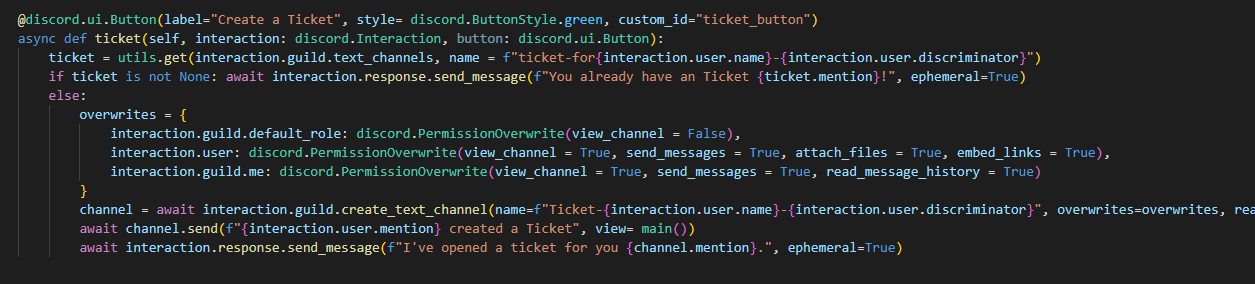 paper sluice
slate swan
paper sluice
slate swan
type exit() then type py -m pip install git+https://github.com/Rapptz/discord.py
slate swan

got this problems
how do I resolve it?
Someone said that i should type py -m pip install git+https:// github. com/Rapptz/discord.py
and then it resolved but if i open up the code by folder in VSC I got this errors
 arctic nacelle
slate swan
and then it resolved but if i open up the code by folder in VSC I got this error...
arctic nacelle
slate swan
and then it resolved but if i open up the code by folder in VSC I got this error...
change the python interpreter to the one that has the discord module installed.
It happens if you have multiple Python versions / virtual environments in your system.

 slate swan
arctic nacelle
change the python interpreter to the one that has the discord module installed.
...
slate swan
arctic nacelle
change the python interpreter to the one that has the discord module installed.
...
how do I do "change the python interpreter to the one that has the discord module installed." ?
My bot doesw task for like 34 hours and then it stops idk why, it stays online, doesnt give error, just stops
heady sluice
when you use pip install discord in terminal you will see requirement already satisfied and the python version
I'm too dumb to check it otherways
then you do ctrl shift p, type select python interpreter and choose the right one
arctic nacelle
slate swan
how do I do "change the python interpreter to the one that has the discord modul...
my screenshot shows the steps. or
Crtl + Shift + P in VS CODE,
then write Interpreter and click the python interpreter.
 heady sluice
arctic nacelle
change the python interpreter to the one that has the discord module installed.
...
heady sluice
arctic nacelle
change the python interpreter to the one that has the discord module installed.
...
that's a lot of python versions installed
arctic nacelle
heady sluice
that's a lot of python versions installed
doing nasty works with python for 4 years. so I need those. 😛
slate swan
arctic nacelle
my screenshot shows the steps. or
`Crtl` + `Shift` + `P` in VS CODE,
then write...
 heady sluice
is there really a difference
arctic nacelle
slate swan
should i choose the first one?
the first one is selected already!
match the first line of the pic, and the path of the Recomended one.
vale wing
heady sluice
why do you need those
Yeah why not just use 3.10 and maybe sometimes 3.9 if some requirements issues (they are almost inexistent now tho)
arctic nacelle
maybe your discord was installed in the global python.
slate swan
arctic nacelle
the first one is selected already!
match the first line of the pic, and the pat...
doesnt work
i still have these issues
arctic nacelle
arctic nacelle
maybe your discord was installed in the global python.
@slate swan
arctic nacelle
slate swan
doesnt work
use the 2nd one
arctic nacelle
yes...
slate swan
now how do I start up the bot? So the bot go online in my discord server?
I dont remember the command tho
lol
arctic nacelle
btw, u r using virtual env, but maybe u dont know how it works yet! 😐
arctic nacelle
slate swan
now how do I start up the bot? So the bot go online in my discord server?
I dont...
run the filename.py which has bot.run(BOT_TOKEN) method
e.g.: python filename.py
vale wing
Procedures 😳
vale wing
heady sluice
or methods bru
Iirc methods are just functions attached to classes but that doesn't really matter
arctic nacelle
heady sluice
or methods bru
if I remember correctly!
methods are class dependent functions.
and functions are independant!
hmmm....
heady sluice
vale wing
Iirc methods are just functions attached to classes but that doesn't really matt...
and functions are callable variables
that contain weird stuff
arctic nacelle
Why is reactions not available in these channels! -_-
heady sluice

vale wing
The function itself isn't really a variable, variable contains pointer to the function or smth, anyway forget me I am not into that stuff
slate swan
@arctic nacelle i got this errors again...
so i tried that you said to me and got this

https://cdn.discordapp.com/attachments/343944376055103488/994176549274263672/unknown.png
This errors^^

 heady sluice
vale wing
The function itself isn't really a variable, variable contains pointer to the fu...
heady sluice
vale wing
The function itself isn't really a variable, variable contains pointer to the fu...
me neither but it's a really good way of looking into stuff
vale wing
Is python extension installed
heady sluice
!e print(print)
unkempt canyonBOT
@heady sluice :white_check_mark: Your eval job has completed with return code 0.
<built-in function print>
@vale wing :white_check_mark: Your eval job has completed with return code 0.
True
Ok it inherits
heady sluice
python (or programming in general) is dope
vale wing
What is dope idk english
heady sluice
cool
vale wing
Drug?
arctic nacelle
opposite of flop
upper belfry
Im trying to make a command that is only useable by people that have the roles like the Mod, Admin, etc
arctic nacelle
vale wing
Drug?
 vale wing
upper belfry
Im trying to make a command that is only useable by people that have the roles l...
vale wing
upper belfry
Im trying to make a command that is only useable by people that have the roles l...
You can decorate it with @commands.has_any_role or make a cog check if you use cogs
!d discord.ext.commands.has_any_role
unkempt canyonBOT
@discord.ext.commands.has_any_role(*items)```
A [`check()`](https://discordpy.readthedocs.io/en/latest/ext/commands/api.html#discord.ext.commands.check "discord.ext.commands.check") that is added that checks if the member invoking the command has **any** of the roles specified. This means that if they have one out of the three roles specified, then this check will return True.

Similar to [`has_role()`](https://discordpy.readthedocs.io/en/latest/ext/commands/api.html#discord.ext.commands.has_role "discord.ext.commands.has_role"), the names or IDs passed in must be exact.

This check raises one of two special exceptions, [`MissingAnyRole`](https://discordpy.readthedocs.io/en/latest/ext/commands/api.html#discord.ext.commands.MissingAnyRole "discord.ext.commands.MissingAnyRole") if the user is missing all roles, or [`NoPrivateMessage`](https://discordpy.readthedocs.io/en/latest/ext/commands/api.html#discord.ext.commands.NoPrivateMessage "discord.ext.commands.NoPrivateMessage") if it is used in a private message. Both inherit from [`CheckFailure`](https://discordpy.readthedocs.io/en/latest/ext/commands/api.html#discord.ext.commands.CheckFailure "discord.ext.commands.CheckFailure").

Changed in version 1.1: Raise [`MissingAnyRole`](https://discordpy.readthedocs.io/en/latest/ext/commands/api.html#discord.ext.commands.MissingAnyRole "discord.ext.commands.MissingAnyRole") or [`NoPrivateMessage`](https://discordpy.readthedocs.io/en/latest/ext/commands/api.html#discord.ext.commands.NoPrivateMessage "discord.ext.commands.NoPrivateMessage") instead of generic [`CheckFailure`](https://discordpy.readthedocs.io/en/latest/ext/commands/api.html#discord.ext.commands.CheckFailure "discord.ext.commands.CheckFailure")!d discord.ext.commands.Cog.cog_check iirc for cogs
unkempt canyonBOT
cog_check(ctx)```
A special method that registers as a [`check()`](https://discordpy.readthedocs.io/en/latest/ext/commands/api.html#discord.ext.commands.check "discord.ext.commands.check") for every command and subcommand in this cog.

This function **can** be a coroutine and must take a sole parameter, `ctx`, to represent the [`Context`](https://discordpy.readthedocs.io/en/latest/ext/commands/api.html#discord.ext.commands.Context "discord.ext.commands.Context").tho im not sure if it supports multiple arguments, does it?
upper belfry
oh ok great
vale wing
Arglist
upper belfry
thanks
upper belfry
How to make a ban list for the ban command so for example whenever I ban someone he will be added into a list of the banned people so if I wanted to unban them I would just have to write ?unban <id of banned member>
i did a ban command already
upper belfry
upper belfry
How to make a ban list for the ban command so for example whenever I ban someone...
but im missing this
and a unban command
vale wing
upper belfry
How to make a ban list for the ban command so for example whenever I ban someone...
!d discord.Guild.bans you don't really need to store bans, discord does that for you
unkempt canyonBOT
async for ... in bans(*, limit=1000, before=..., after=...)```
Retrieves an [asynchronous iterator](https://docs.python.org/3/glossary.html#term-asynchronous-iterator "(in Python v3.10)") of the users that are banned from the guild as a [`BanEntry`](https://discordpy.readthedocs.io/en/latest/api.html#discord.BanEntry "discord.BanEntry").

You must have the [`ban_members`](https://discordpy.readthedocs.io/en/latest/api.html#discord.Permissions.ban_members "discord.Permissions.ban_members") permission to get this information.

Changed in version 2.0: Due to a breaking change in Discord’s API, this now returns a paginated iterator instead of a list.

Examples

Usage...For unban command you can just typehint with discord.User I think although I am not sure about that
upper belfry
vale wing
For unban command you can just typehint with `discord.User` I think although I a...
oh
slate swan
discord.ext.commands.errors.CommandInvokeError: Command raised an exception: AttributeError: type object 'datetime.datetime' has no attribute 'timedelta'
@bot.command()
async def timeout(ctx, member: discord.Member, minutes: int=None):
duration = datetime.timedelta(minutes=minutes)
await member.timeout_for(duration)
embed=discord.Embed(description=f"", color=discord.Colour.blurple())
embed.set_author(name=f"Successfully timedout {member.name} for {minutes} minutes", icon_url="https://cdn.discordapp.com/emojis/951165672031940668.gif?size=96&quality=lossless")
await ctx.reply(embed=embed) ``` loud junco
what library do i need
to record time
i want to make a farm command
so when they plant something
after 5 mins it will grow
arctic nacelle
slate swan
```discord.ext.commands.errors.CommandInvokeError: Command raised an exception: ...
from datetime import timedelta
print(timedelta)
!e ```py
import datetime
print(datetime.timedelta)
@arctic nacelle :white_check_mark: Your eval job has completed with return code 0.
<class 'datetime.timedelta'>
Missing required argument
code
 Command Help
!eval <code, ...>
Can also use: e
*Run Python code and get the results.
This command supports multiple lines of code, including code wrapped inside a formatted code block. Code can be re-evaluated by editing the original message within 10 seconds and clicking the reaction that subsequently appears.
If multiple codeblocks are in a message, all of them will be joined and evaluated, ignoring the text outside of them.
We've done our best to make this sandboxed, but do let us know if you manage to find an issue with it!*
loud junco
what library do i need
to record time
i want to make a farm command
so when they plant something
after 5 mins it will grow
robust fulcrum
Hi
 tacit aspen
guys can u suggest a good source to learn about discord api
specifically speaking:
cogs,intents and discord2.0 with good examples
 kindred oracle
Hey I have a few slash commands that I want to be able to pass arguments to, and possibly to list possible arguments, is this possible somehow? (I use discord.py v2)
current example: ```py
@client.tree.command()
async def hello(interaction: discord.Interaction):
await interaction.response.send_message(f"Hello, {interaction.user.mention}")
but I don't really find any example for arguments yet
maybe the extras thing?
loud junco
robust fulcrum
Hi
hihi
loud junco
tacit aspen
guys can u suggest a good source to learn about discord api
specifically speaki...
learn through building something is the easiest way for me
robust fulcrum
loud junco
what library do i need
to record time
i want to make a farm command
so when they...
You should ask in #python-discussion about time recording once ig
maiden fable
loud junco
what library do i need
to record time
i want to make a farm command
so when they...
!d discord.utils.wait_until and don't send repeatedly
unkempt canyonBOT
I'm sorry Dave, I'm afraid I can't do that.
No documentation found for the requested symbol.
loud junco
maiden fable
!d discord.utils.wait_until and don't send repeatedly
ok thanks
tacit aspen
loud junco
learn through building something is the easiest way for me
i made a Pokemon based bot earlier but i didn't use cogs,intents and any of the discord 2.0 thing for it
now i am trying to learn those but the documentation feels difficult to understand
loud junco
tacit aspen
i made a Pokemon based bot earlier but i didn't use cogs,intents and any of the ...
tried something easier?
tacit aspen
yes
loud junco
like a mini game
vocal snow
tacit aspen
i made a Pokemon based bot earlier but i didn't use cogs,intents and any of the ...
Have you used classes before? Are you familiar with OOP?
maiden fable
loud junco
ok thanks
!d discord.utils.sleep_until ^^^
unkempt canyonBOT
await discord.utils.sleep_until(when, result=None)```
This function is a [*coroutine*](https://docs.python.org/3/library/asyncio-task.html#coroutine).

Sleep until a specified time.

If the time supplied is in the past this function will yield instantly.

New in version 1.3.yes i used them in school while learning java
loud junco
maiden fable
!d discord.utils.sleep_until ^^^
alr
but im not trying to sleep
im trying to make a time recorder
vocal snow
tacit aspen
yes i used them in school while learning java
A cog is a subclass of discord.ext.commands.Cog. You can group multiple commands in one for categorisation. You add cogs with Bot.add_cog.
Extensions are python modules which have a function called setup which is called when the extension is loaded. Extensions can be loaded with Bot.load_extension