#discord-bots
1 messages · Page 1055 of 1
 slate swan
you would make a subclass of the View class above the cog subclass so it would be define or just use an instance of it
 brave forge
I want to learn how to do something like that!!!
slate swan
let me give you an example
 modern fiber
Did I did this nicely?
@bot.command()
async def gban(ctx, user: disnake.User):
  for guild in bot.guilds:
await guild.ban(user)```Or I messed up smth?
brave forge
slate swan
let me give you an example
I will be only glad and grateful
brave forge
modern fiber
Did I did this nicely?
```py
@bot.command()
async def gban(ctx, user: disnake.Us...
do you just want the ban command?
modern fiber
brave forge
do you just want the ban command?
No, I own like a network of server so I want to be able to ban person from all servers
by one command. I guess thats the right way
slate swan
brave forge
I will be only glad and grateful
class Confirm(discord.ui.View):
    def __init__(self):
        super().__init__()
        self.value = None

    # When the confirm button is pressed, set the inner value to `True` and
    # stop the View from listening to more input.
    # We also send the user an ephemeral message that we're confirming their choice.
    @discord.ui.button(label='Confirm', style=discord.ButtonStyle.green)
    async def confirm(self, interaction: discord.Interaction, button: discord.ui.Button):
        await interaction.response.send_message('Confirming', ephemeral=True)
        self.value = True
        self.stop()

    # This one is similar to the confirmation button except sets the inner value to `False`
    @discord.ui.button(label='Cancel', style=discord.ButtonStyle.grey)
    async def cancel(self, interaction: discord.Interaction, button: discord.ui.Button):
        await interaction.response.send_message('Cancelling', ephemeral=True)
        self.value = False
        self.stop()

class MyCog(discord.ext.commands.Cog):
    def __init__(self, bot):
        self.bot = bot

    # your command
    @commands.command()
    async def MyCommand(self, ctx):
        # creating an instance of your view
        MyView = Confirm()
        # sending a message with the instance of your View subclass
        await ctx.send("Message", view=MyView)
the most basic command i can give
slate swan
modern fiber
by one command. I guess thats the right way
seems good to me but youll get ratelimited
brave forge
slate swan
```py
class Confirm(discord.ui.View):
def __init__(self):
super().__...
thank you very much!!!!!!!
slate swan
❤️
modern fiber
Can someone check this?
# GLOBAN BAN SYSTEM ------------------------------------------------------------------

@client.command(description="Globally bans user from all LARPC related servers.")
@command.has_permissions(administrator=True)
async def gban(ctx, user: disnake.User=None, *, reason=None):
 try:
    if (user == ctx.message.author or user == None):
        await ctx.send("You cannot globally ban yourself / that person!")
        return
    if (reason == None):
        await ctx.channel.send("You have to specify a reason!")

    for guild in client.guilds:
     guild.ban(user, reason=reason)
    print(user)
    print(guild)
    print(reason)

    await ctx.channel.send(f"{user} is **succesfully GLOBALLY banned** for {reason}!")
    channel = client.get_channel(801446246954827808)
    await channel.send(f"{user} has been **GLOBALLY banned** by {ctx.author} for **{reason}**!")
 except:
await ctx.send(f"Error 404: I cannot GLOBAL ban {user}!")```It's supposed to ban a person from all server he shares with bot.
slate swan
it can be done better in many ways
modern fiber
slate swan
it can be done better in many ways
uhm
brave forge
@slate swan
    @discord.ui.button(style= discord.ButtonStyle.grey, emoji= "✅")
    async def button1_callback(self, button, interaction, ctx, * , member: discord.Member = None):
        await interaction.response.send_message(f'**{ctx.author.mention}** занялся сексом с **{member.mention}**')
        self.value = True
        self.stop()

    @discord.ui.button(style= discord.ButtonStyle.grey, emoji= "❌")
    async def button2_callback(self, button, interaction, member: discord.Member = None):
        await interaction.response.send_message(f'{member.mention}, вам отказал')
        self.value = False
        self.stop()```
I don't understand why he doesn't like this ctx!?
```Ignoring exception in view <MyView timeout=180.0 children=2> for item <Button style=<ButtonStyle.secondary: 2> url=None disabled=False label=None emoji=<PartialEmoji animated=False name='✅' id=None> row
=None>:
Traceback (most recent call last):
  File "C:\Users\ToxicPenguin\AppData\Local\Programs\Python\Python39\lib\site-packages\discord\ui\view.py", line 371, in _scheduled_task
    await item.callback(interaction)
TypeError: button1_callback() missing 1 required positional argument: 'ctx'
- you should follow pep8
- no need for the () in the first if statement
- why the bare except, you should only have them in rare occasions
4.you can just return a message object without returning anything to save a line - again no need for the () in the second if statement and you should compare entities with
is - discord.Guild.ban is a coroutine
- you would easily get ratelimited
- Context already has a .send coroutine so no need to get a TextChannel instance
- i would check if the channel is in cache with
Bot.get_channe()land if not i would useawait Bot.fetch_channel()
 dull terrace
async def button2_callback(self, button, interaction, ctx, member: discord.Member = None): @brave forge ?
oh it's in 1
modern fiber
slate swan
1. you should follow pep8
2. no need for the () in the first if statement
3. why...
UHHHHHHHH
could you help me 
slate swan
brave forge
<@456226577798135808>
```py
@discord.ui.button(style= discord.ButtonStyle.gr...
well button callbacks dont need context or a member object they only need the interaction argument and the button argument thats all, so if you want a member object you would need to pass the object to an instance of the class in a command
slate swan
modern fiber
could you help me <:pikauwu:754225924580573264>
with?
brave forge
slate swan
well button callbacks dont need context or a member object they only need the in...
what ?
brave forge
dull terrace
`async def button2_callback(self, button, interaction, ctx, member: discord.Memb...
please ignore my message
 brave forge
@dull terrace and it is better to blacklist them altogether so as not to see them
 neat field
 formal basin
means discord_channel object has no attribute send
 warped mirage
https://paste.pythondiscord.com/ayomamuwed , someone help me please
formal basin
neat field
means `discord_channel` object has no attribute send
Ok
modern fiber
slate swan
with?
that command uh
slate swan
brave forge
what ?
okay this is a simple button
@discord.ui.button(style= discord.ButtonStyle.grey, emoji= "✅")
async def button1_callback(self, button, interaction):
        await interaction.response.send_message("You pressed me!")
in all buttons it only takes the button argument which would be satisfied by a Button object and a interaction argument which would be satisfied by an Interaction object so Context would not be passed nor can it, so you would need to pass the context of the command which sends the view to your views subclass init
warped mirage
can someone help with my code
neat field
warped mirage
can someone help with my code
dont ask for help, just show ur code and error
slate swan
modern fiber
that command uh
well im not gonna give you all together as i gave you all the problems and its better to do it yourself as you learn more!
neat field
that u can do, thats literally basic python
slate swan
warped mirage
indents issue
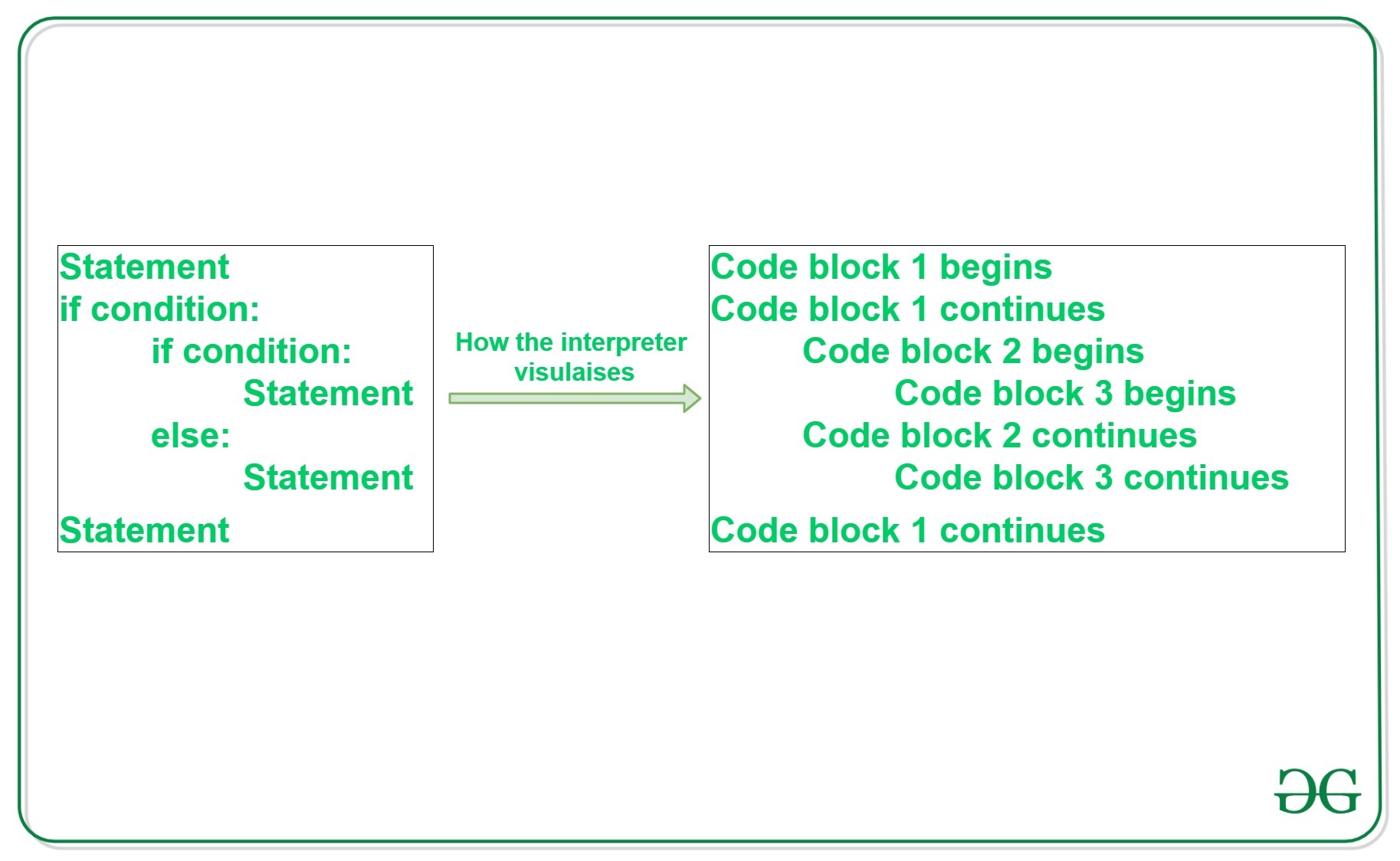
GeeksforGeeks
A Computer Science portal for geeks. It contains well written, well thought and well explained computer science and programming articles, quizzes and practice/competitive programming/company interview Questions.
basic python as said
formal basin
neat field
means `discord_channel` object has no attribute send
Now this one
 neat field
slate swan
https://www.geeksforgeeks.org/indentation-in-python/
neat field
slate swan
https://www.geeksforgeeks.org/indentation-in-python/
btw nice twitter api wrapper
neat field
formal basin
Now this one
u didnt fetch the textchannel object
brave forge
slate swan
okay this is a simple button
```py
@discord.ui.button(style= discord.ButtonStyle...
that is, in these buttons it is not as impossible to put what they should do the link of participants !?!?
slate swan
neat field
btw nice twitter api wrapper
well its kinda trash and doesnt work but i have another api wrapper which is currently being maintained which is in my about me if you would like to check it out!
neat field
slate swan
well its kinda trash and doesnt work but i have another api wrapper which is cur...
i did check it out lol
slate swan
brave forge
that is, in these buttons it is not as impossible to put what they should do the...
yeah you can! you can pass it to the subclass initiate!
slate swan
neat field
i did check it out lol
thanks!
brave forge
slate swan
yeah you can! you can pass it to the subclass initiate!
OMG
Who developed discord.py ?
warped mirage
slate swan
https://www.geeksforgeeks.org/indentation-in-python/
i tried , the code then gives me more errors
brave forge
slate swan
ah danny!
How I want to see his hands under a sledgehammer
warped mirage
if someone can help me out that would be great
brave forge
slate swan
ah danny!
I have a ban there
slate swan
😅
brave forge
They just couldn't fight back any other way
 knotty agate
how can i tell if my bot is reciving DMs instead of server messages? i want to give my bot special commands that can only be activated through DMs, but the problem is my bot cant tell if its responding to an DM or not (which also causes attribute errors, but i know how to solve those)
@client.event
async def on_message(message):
  if message is a DM:
    # do special stuff
  else:
    # do normal stuff
well you can check if the guild is None or you can check the channel type
!d discord.Message.guild
 unkempt canyonBOT
The guild that the message belongs to, if applicable.
knotty agate
thx
warped mirage
slate swan
slate swan
!d discord.Message.guild
!d discord.ChannelType.private
unkempt canyonBOT
A private text channel. Also called a direct message.
formal basin
Did you import requests
slate swan
you would need to import the module and you should use aiohttp
so it wont block your bot
formal basin
import requests
unkempt canyonBOT

Async http client/server framework (asyncio)
slate swan
youre confusing it with the async sqlite driver aiosqlite!
brave forge
slate swan
😅
please tell me what gives this " self.value = None" ??
slate swan
brave forge
please tell me what gives this " self.value = None" ??
well, in the example its used to defer and check which button was pressed
should remove request
!d aiohttp.request
unkempt canyonBOT
async-with aiohttp.request(method, url, *, params=None, data=None, json=None, headers=None, cookies=None, auth=None, allow_redirects=True, max_redirects=10, encoding='utf-8', ...)```
Asynchronous context manager for performing an asynchronous HTTP
request. Returns a [`ClientResponse`](https://aiohttp.readthedocs.io/en/stable/client_reference.html#aiohttp.ClientResponse "aiohttp.ClientResponse") response object.and you could use this!
 smoky bloom
Hi can anybody tell me how is the guy who reacts to a message defined in code
warped mirage
 slate swan
well you should be using the request function which the aiohttp module has
slate swan
smoky bloom
Hi can anybody tell me how is the guy who reacts to a message defined in code
all the people who reacted to the message?
smoky bloom
slate swan
all the people who reacted to the message?
yeah like someobody send a message so we use message.author or ctx.author so like that for reaction
slate swan
smoky bloom
yeah like someobody send a message so we use message.author or ctx.author so lik...
well is it an event for reactions or on message?
smoky bloom
slate swan
well is it an event for reactions or on message?
for reactions
slate swan
smoky bloom
for reactions
!d discord.Reaction.users
unkempt canyonBOT
async for ... in users(*, limit=None, after=None)```
Returns an [asynchronous iterator](https://docs.python.org/3/glossary.html#term-asynchronous-iterator "(in Python v3.10)") representing the users that have reacted to the message.

The `after` parameter must represent a member
and meet the [`abc.Snowflake`](https://discordpy.readthedocs.io/en/latest/api.html#discord.abc.Snowflake "discord.abc.Snowflake") abc.

Changed in version 2.0: `limit` and `after` parameters are now keyword-only...maybe is that what youre looking for? i kinda need more context
warped mirage
!D indentation
unkempt canyonBOT
Leading whitespace (spaces and tabs) at the beginning of a logical line is used to compute the indentation level of the line, which in turn is used to determine the grouping of statements.
Tabs are replaced (from left to right) by one to eight spaces such that the total number of characters up to and including the replacement is a multiple of eight (this is intended to be the same rule as used by Unix). The total number of spaces preceding the first non-blank character then determines the line’s indentation. Indentation cannot be split over multiple physical lines using backslashes; the whitespace up to the first backslash determines the indentation.
smoky bloom
slate swan
maybe is that what youre looking for? i kinda need more context
@bot.event
async def on_member_join(member):
    if member.guild == bot.get_guild(960516503613079582):

      emoji = '✅'


      guild = bot.get_guild(960516503613079582)
      member = member
      Channel = bot.get_channel(960516503613079584)
      message = await bot.get_channel(960516503613079584).send(f"{member.mention} has joined the class")
      await message.add_reaction(emoji)
@bot.event
async def on_reaction_add(reaction, member):
    guild = bot.get_guild(960516503613079582)
    Channel = bot.get_channel(960516503613079584)
    if reaction.message.channel.id != Channel.id:
        return
    elif reaction.emoji == "✅":
      if member.id == 724460131110354984:

        Role = discord.utils.get(guild.roles,id=int(961235844704919562))
        await member.add_roles(Role)
This is my code
so umm if you could help with this it would be great
slate swan
unkempt canyon
ah well yes you would check the users with this async iterator and since its a async iterator of user object you could just use the id attribute the User class has
unkempt canyonBOT
The user’s unique ID.
smoky bloom
slate swan
ah well yes you would check the users with this async iterator and since its a a...
alright tysm 🙂
warped mirage
Can someone please help me...
slate swan
smoky bloom
alright tysm 🙂
anytime❤️
slate swan
warped mirage
Can someone please help me...
well its a basic indentation error which is kinda basic python you should read about them here https://www.geeksforgeeks.org/indentation-in-python/ or here
GeeksforGeeks
A Computer Science portal for geeks. It contains well written, well thought and well explained computer science and programming articles, quizzes and practice/competitive programming/company interview Questions.
!indents
unkempt canyonBOT
Indentation
Indentation is leading whitespace (spaces and tabs) at the beginning of a line of code. In the case of Python, they are used to determine the grouping of statements.
Spaces should be preferred over tabs. To be clear, this is in reference to the character itself, not the keys on a keyboard. Your editor/IDE should be configured to insert spaces when the TAB key is pressed. The amount of spaces should be a multiple of 4, except optionally in the case of continuation lines.
Example
def foo():
    bar = 'baz'  # indented one level
    if bar == 'baz':
        print('ham')  # indented two levels
    return bar  # indented one level
The first line is not indented. The next two lines are indented to be inside of the function definition. They will only run when the function is called. The fourth line is indented to be inside the if statement, and will only run if the if statement evaluates to True. The fifth and last line is like the 2nd and 3rd and will always run when the function is called. It effectively closes the if statement above as no more lines can be inside the if statement below that line.
Indentation is used after:
1. Compound statements (eg. if, while, for, try, with, def, class, and their counterparts)
2. Continuation lines
More Info
1. Indentation style guide
2. Tabs or Spaces?
3. Official docs on indentation
warped mirage
slate swan
well its a basic indentation error which is kinda basic python you should read a...
i have thx
doesnt work i tried indenting and i still get the error
slate swan
may i see the error?
 slate swan
show your code
warped mirage
can i send in a hastebin?
slate swan
!paste
unkempt canyonBOT
Pasting large amounts of code
If your code is too long to fit in a codeblock in discord, you can paste your code here:
https://paste.pythondiscord.com/
After pasting your code, save it by clicking the floppy disk icon in the top right, or by typing ctrl + S. After doing that, the URL should change. Copy the URL and post it here so others can see it.
warped mirage

W3Schools offers free online tutorials, references and exercises in all the major languages of the web. Covering popular subjects like HTML, CSS, JavaScript, Python, SQL, Java, and many, many more.
oh wait
slate swan
😅
warped mirage
 potent spear
warped mirage
https://paste.pythondiscord.com/ayomamuwed
potent spear
warped mirage
https://paste.pythondiscord.com/ayomamuwed
remove line 16
slate swan
well your problem is with your context managers i assume as their indentations are quite off
warped mirage
potent spear
remove line 16
ok
potent spear
also, don't do shit in on_ready
slate swan
yeah you should make a task or overwrite setup_hook
warped mirage
potent spear
remove line 16
done
warped mirage
slate swan
yeah you should make a task or overwrite setup_hook
idk i have a bunch of the code i just dk what to do at this point
potent spear
you've just copy pasted stuff without actually doing it correctly
let me guess, you came from sqlite and tried to make everything async via aiosqlite
potent spear
this seems like an XY problem
slate swan
warped mirage
idk i have a bunch of the code i just dk what to do at this point
ok well context managers always expect expressions as so
async with ...:
    #  pass an expresion
the only time you actually need the cursor, is when you're fetching stuff, so you're actually SELECTING something
all the insert and UPDATE bullshit doesn't even need a cursor in aiosqlite
 radiant shuttle
import discord
from datetime import datetime
TOKEN = "Token"
client = discord.Client()
@client.event
async def on_ready():
    print("RUNNING")
LOG_CHANNEL_ID = 977285171738976296


def generate_embed_description(message: discord.Message) -> str:
    # timestamp = datetime.now().strftime("%d/%m/%Y, %H:%M:%S %p")
    timestamp = message.created_at.strftime("%d/%m/%Y, %H:%M:%S %p")
    url = message.jump_url
    return (
        ":writing_hand: `Author:`\n"
        + message.author.mention
        + "\n\n :robot: `Channel:`\n"
        + message.channel.mention
        + "\n\n"
        + ":speech_balloon: `Message:` \n "
        + message.content.split("\n")[0]
        + "\n\n :watch:`Send at:`"
        + "\n **"
        + timestamp
        + "**"
        + f"\n [Jump to message]({url})"
    )


@client.event
async def on_message(message: discord.Message):
    if (
        message.channel.category.id != 977285171738976296
        or message.author.bot
        or message.content == "-clear"
    ):
        return

    embed = embed_for_user(message.author)
    if "\n" in message.content:
        embed.add_field(
            name=message.content.split("\n")[0],
            value="".join(message.content.split("\n")[1:]),
        )
    else:
        embed.description = generate_embed_description(message)
        embed.color = 0xDD4C59

    file = None
    if message.attachments:
        file = await message.attachments[0].to_file()
        file.filename = file.filename.replace("_", "")
        embed.set_image(url=f"attachment://{file.filename}")

    channel = client.get_channel(LOG_CHANNEL_ID)
    await channel.send(embed=embed, file=file)
    if message.channel.id == LOG_CHANNEL_ID:
        await message.delete()
def embed_for_user(user):
    embed = discord.Embed()
    embed.set_author(name=f"{client.user.name}", icon_url= client.user.avatar_url)
    return embed
client.run(TOKEN)
print(client.user.name)
where is the error its not running
warped mirage
potent spear
the only time you actually need the cursor, is when you're fetching stuff, so yo...
what shall i do then lol can u copy my code and edit it lmao
potent spear
warped mirage
what shall i do then lol can u copy my code and edit it lmao
if you revert the changes back to when it was sync ( I hope you still have them )
you'll maybe understand it better
potent spear
warped mirage
i did that and had so much errors
doesn't matter, do it
warped mirage
potent spear
doesn't matter, do it
so all executions are async with client.db.execute("")?
potent spear
warped mirage
so all executions are async with client.db.execute("")?
you only need
# when selecting
async with client.db.execute(<here is a select query>) as cursor:
  result = await cursor.fetch()

# when inserting or updating or whatever
await client.db.execute(<here an update or delete or whatever>)
await client.db.commit()```
I really hope you see WHYim so confused lol
so what should i remove from my code ?
potent spear
just ask line per line
"I had this single thing, how do I make that async?"
since all select queries etc should just be handled the same etc
smoky bloom
@bot.event
async def on_member_join(member):
    if member.guild == bot.get_guild(960516503613079582):

      emoji = '✅'


      guild = bot.get_guild(960516503613079582)
      member = member
      Channel = bot.get_channel(960516503613079584)
      message = await bot.get_channel(960516503613079584).send(f"{member.mention} has joined the class ! Bhak bsdk pehle May I come in ma'am bol")
      await message.add_reaction(emoji)
@bot.event
async def on_reaction_add(reaction, user: discord.User):
    guild = bot.get_guild(960516503613079582)
    Channel = bot.get_channel(960516503613079584)
    if reaction.message.channel.id != Channel.id:
        return
    elif reaction.emoji == "✅":


      Role = discord.utils.get(guild.roles,id=int(961235844704919562))
      await user.add_roles(Role)
Hi , just revised my code but still doesn't work . Can anybody help
potent spear
smoky bloom
```py
@bot.event
async def on_member_join(member):
if member.guild == bot.ge...
do the events ever get invoked?
brave forge
how to import "ctx, * , member: discord.Member = None" via initiate in class.
smoky bloom
potent spear
do the events ever get invoked?
yes
potent spear
brave forge
how to import "ctx, * , member: discord.Member = None" via initiate in class.
potent spear
smoky bloom
yes
alright, so what are the errors/ what do you expect to happen?
brave forge
potent spear
https://discord.com/channels/267624335836053506/343944376055103488/9772895360465...
smoky bloom
potent spear
alright, so what are the errors/ what do you expect to happen?
im trying to create a system which gives a member a role when someone reacts but the user is not getting the role
no errors on the console tho
warped mirage
potent spear
just ask line per line
"I had this single thing, how do I make that async?"
lets start off slow py @client.event async def on_ready(): print('Bot has loaded') setattr(client, "db", await aiosqlite.connect("level.db")) await asyncio.sleep(3) async with aiosqlite.connect(client.db.cursor) as cursor: async with client.db.execute("CREATE TABLE IF NOT EXISTS levels (level INTEGER, xp INTEGER, user INTEGER, guild INTEGER)") as cursor:
is this fine? one by one
potent spear
smoky bloom
im trying to create a system which gives a member a role when someone reacts but...
alright, so waht does the on_member_join have to do with this?
potent spear
warped mirage
lets start off slow ```py
@client.event
async def on_ready():
print('Bot has...
no, as told earlier, don't do shit in on_ready
warped mirage
potent spear
no, as told earlier, don't do shit in on_ready
then wtf do i do...
smoky bloom
potent spear
alright, so waht does the on_member_join have to do with this?
its cuz when a new member joins
potent spear
warped mirage
then wtf do i do...
you make a startup task which does this for you
ever made a task?
warped mirage
no
potent spear
great
read some documentation about it, there are simple examples
so your task should just do what's in the on_ready
(this task will run as soon as the bot is online)
warped mirage
first lets look at the full code then focus on tasks
warped mirage
potent spear
do you just want me to fix it in 30 secs?
the entire code?
potent spear
yeah, idk
warped mirage
ok sure
brave forge
potent spear
https://discord.com/channels/267624335836053506/343944376055103488/9772895360465...
And then I see the problem of "A man who doesn't understand that if I knew how to solve it, I wouldn't write here."
warped mirage
it will mean alot
potent spear
brave forge
And then I see the problem of "A man who doesn't understand that if I knew how t...
potent spear
warped mirage
it will mean alot
!paste
unkempt canyonBOT
Pasting large amounts of code
If your code is too long to fit in a codeblock in discord, you can paste your code here:
https://paste.pythondiscord.com/
After pasting your code, save it by clicking the floppy disk icon in the top right, or by typing ctrl + S. After doing that, the URL should change. Copy the URL and post it here so others can see it.
warped mirage
potent spear
!paste
kk
brave forge
potent spear
https://xyproblem.info/
if it is not related to Disocrd.py . Then don't be offended, but I will start insulting and humiliating you
warped mirage
potent spear
!paste
potent spear
brave forge
if it is not related to Disocrd.py . Then don't be offended, but I will start in...
go ahead
slate swan
potent spear
https://xyproblem.info/
btw you can also use !xy its handy!
brave forge
potent spear
go ahead
with pleasure, but there are too many rats who will immediately call the moderator
potent spear
warped mirage
https://paste.pythondiscord.com/zebipugobo
the complete file, there's lots to rewrite probably
warped mirage
potent spear
the complete file, there's lots to rewrite probably
including all my ban commands and everything?
potent spear
warped mirage
including all my ban commands and everything?
just the whole stinky file
slate swan
can we stop insulting each other?
warped mirage
potent spear
just the whole stinky file
ok lmao\
slate swan
and people who follow rules arent called "rats" there called people with respect and sense so please stop.
warped mirage
entire code , i only didnt add token
slate swan
hey
hi hi!
 oki you got any ideas about the v2 perms, i mean can bots edit it anyways?
slate swan
slate swan
<:shipit:826492371813400637> oki you got any ideas about the v2 perms, i mean ca...
wdym v2 perms
brave forge
slate swan
and people who follow rules arent called "rats" there called people with respect...
I have already come across the fact that when I insulted me mute. And when they didn't have anything for me
warped mirage
@potent spear what i sent , is that fine?
slate swan
pls guys lets keep it civilize and lets respect eachother!
slate swan
slate swan
wdym v2 perms
integration permissions, like the slash command perms
potent spear
warped mirage
<@260544243381174283> what i sent , is that fine?
editing as we speak
brave forge
slate swan
pls guys lets keep it civilize and lets respect eachother!
okey
slate swan
slate swan
integration permissions, like the slash command perms
not sure if theres even endpoints for them
i havent checked
mm lemme recheck the docs
potent spear
warped mirage
<@260544243381174283> what i sent , is that fine?
I need the run method too, just without the token
warped mirage
kk
slate swan
slate swan
mm lemme recheck the docs
slate swan
slate swan
actually
https://discord.com/developers/docs/interactions/application-commands#a...
are they wrapped tho?
warped mirage
potent spear
I need the run method too, just without the token
btw may i ask how long you'll be , i have plans tonight so i might be busy thats why im curious
slate swan
i havent seen any new endpoints in the Guild class
potent spear
warped mirage
btw may i ask how long you'll be , i have plans tonight so i might be busy thats...
30 secs, but I'm waiting for you to include the run method in the code...
warped mirage
wdym
potent spear
you removed the line
slate swan
slate swan
i havent seen any new endpoints in the Guild class
same, thats why i asked
potent spear
I have to wrap functions around that line
warped mirage
its client.run("token id")
slate swan
even in hikari, its just a pr rn
wasnt that released like 2 months ago or something like that how is it still a pr?
potent spear
warped mirage
its client.run("token id")
I know that
I want the whole code again with that line included
warped mirage
ok lmao
slate swan
slate swan
wasnt that released like 2 months ago or something like that how is it still a p...
🚶♂️ they review and rewrite it like 3 times
 pliant gulch
slate swan
actually
https://discord.com/developers/docs/interactions/application-commands#a...
pliant gulch
slate swan
actually
https://discord.com/developers/docs/interactions/application-commands#a...
To me this seems like an application command equivalent to channel overwrites, it seems to work almost exactly the same as well. That being said it’s probably safe to assume that bots may edit them
slate swan
slate swan
🚶♂️ they review and rewrite it like 3 times
😭
pliant gulch
pliant gulch
To me this seems like an application command equivalent to channel overwrites, i...
Discord Developer Portal
Integrate your service with Discord — whether it's a bot or a game or whatever your wildest imagination can come up with.
slate swan
the endpoints seems similar
slate swan
slate swan
😭
🚶♂️ https://github.com/hikari-py/hikari/pull/1148 its been there for more than a month
21 days actually*
😵💫
pliant gulch
It doesn’t make sense to not allow bots to edit their slash commands permissions as well. Considering the fact the bot account actually registers the command, etc
Otherwise that would be kind of a huge design flaw
slate swan
well yeah that makes sense
and from the pr i see they are allowing to edit the permissions so ig that works

the file exists in the ssame project file, im using cogs btw
inside the cogs folder?
no
it should be?
i've tried the code before without it being inside the cog folder and it worked fine
upto you, show your file structure
potent spear
warped mirage
https://paste.pythondiscord.com/fifinofufo
a minute
slate swan
thats it
 warped mirage
ok
potent spear
slate swan
thats it
I gotchu
from pathlib import Path

json_file_path = Path(__file__).parent.parent / "config.json"```
you should know what to do with this@potent spear any updates?
slate swan
    pathe = Path(__file__).parent.parent / "config.json"
    config = json.load(open(pathe))
    prefix = config.get('Command Prefix')
```, code just stops and does nothingwith open(pathe) as f:
config = json.load(f)
prefix = config.get("Command Prefix")
line 3-8?
thats just a copy paste mistake
yeah
potent spear
slate swan
line 3-8?
lol, idk how that got there
slate swan
😅
slate swan
potent spear
```py
with open(pathe) as f:
config = json.load(f)
prefix = config.get("Comma...
still just runs and dies
potent spear
slate swan
still just runs and dies
a simple debug will do
WHERE you place those lines also matters
potent spear
potent spear
https://paste.pythondiscord.com/acusamoxiv
I partly fucked up, , tasks on line 10 and whole line 22 (the task decorator) don't have to be there
warped mirage
@potent spear
under py if __name__ == '__main__': asyncio.run(main()) do i just do client.run(token) ?
potent spear
warped mirage
under ```py
if __name__ == '__main__':
asyncio.run(main())``` do i just do c...
that line is already above that if statement
warped mirage
wdym
potent spear
potent spear
https://paste.pythondiscord.com/acusamoxiv
line 223
warped mirage
Oh I see
Btw is that Save
New
Duplicate & Edit
Just
Text
Twitter
Is this important
potent spear
nope, that's a typo
warped mirage
potent spear
nope, that's a typo
Will my system work then ?
Also did u change anything apart from the db shit or just that
potent spear
warped mirage
Will my system work then ?
ofc, just remove those lines
potent spear
warped mirage
Also did u change anything apart from the db shit or just that
yup, some small changes, you'll notice maybe if you'd scroll through 🧠
you're looking for tasks
https://discordpy.readthedocs.io/en/stable/ext/tasks/index.html?highlight=tasks
 hasty chasm
thanks i couldnt remember the name to save my life
warped mirage
potent spear
yup, some small changes, you'll notice maybe if you'd scroll through 🧠
Any changes to my commands ?
Cuz I cba lmao
potent spear
warped mirage
Any changes to my commands ?
just a rewrite, not like actual breaking shit
warped mirage
Ok
potent spear
like
if member == None:
  member = ctx.author```
changed to
```py
member = member or ctx.author```

also your hardcoded
```py
# Do the command prefix which is > , ....
changed to
f"Do the command prefix which is {client.command_prefix} , ...```xd I’ll fix that
potent spear
I already did that...
warped mirage
potent spear
I already did that...
omg thx , may i ask why did u help me so much xd
potent spear
because you were slightly annoying me with the same question for days
potent spear
just now look what I changed, so you can UNDERSTAND
warped mirage
ok]
potent spear
there's no task in your code...
 cosmic sequoia
hi everyone! I want to make a dice game and I need the bot to send a message with consent and reaction, the person who was offered to play should click on the reaction and only after that the game will start. Please help me!
potent spear
potent spear
you're looking for tasks
https://discordpy.readthedocs.io/en/stable/ext/tasks/in...
this is a task, which you don't have
potent spear
cosmic sequoia
hi everyone! I want to make a dice game and I need the bot to send a message wit...
what's your knowlegde of this library or python in general?
 potent spear
yup
warped mirage
potent spear
yup
File "C:\Users\Dom\Desktop\cluckz\main.py", line 215, in main
    client.loop.run_until_complete(setup_db())
  File "C:\Users\Dom\AppData\Local\Programs\Python\Python310\lib\asyncio\base_events.py", line 617, in run_until_complete
    self._check_running()
  File "C:\Users\Dom\AppData\Local\Programs\Python\Python310\lib\asyncio\base_events.py", line 579, in _check_running
    raise RuntimeError(
RuntimeError: Cannot run the event loop while another loop is running```xd
potent spear
bad start
warped mirage
so what shall i do
cosmic sequoia
potent spear
what's your knowlegde of this library or python in general?
i try to do via on_raw_reaction_add but nothing works. I do not understand how to assign the id of the newly created message
potent spear
warped mirage
so what shall i do
change the run_until_complete to create_task
potent spear
cosmic sequoia
i try to do via on_raw_reaction_add but nothing works. I do not understand how t...
what you're actually looking for is wait_for check that out in the docs
warped mirage
potent spear
change the `run_until_complete` to `create_task`
wtf
hasty chasm
@potent spear do i have to put these at the top of my cog for the task loop
        self.index = 0
        self.printer.start()
ty
potent spear
hasty chasm
<@260544243381174283> do i have to put these at the top of my cog for the task l...
you're copy pasting code, do you know what this does?
hasty chasm
never used task loop its a new concept to me
potent spear
well, read what it is first
warped mirage
Traceback (most recent call last):
  File "C:\Users\Dom\Desktop\cluckz\main.py", line 220, in <module>
    asyncio.run(main())
  File "C:\Users\Dom\AppData\Local\Programs\Python\Python310\lib\asyncio\runners.py", line 44, in run
    return loop.run_until_complete(main)
  File "C:\Users\Dom\AppData\Local\Programs\Python\Python310\lib\asyncio\base_events.py", line 641, in run_until_complete
    return future.result()
  File "C:\Users\Dom\Desktop\cluckz\main.py", line 216, in main
    client.run("token")
  File "C:\Users\Dom\AppData\Local\Programs\Python\Python310\lib\site-packages\discord\client.py", line 719, in run
    _cleanup_loop(loop)
  File "C:\Users\Dom\AppData\Local\Programs\Python\Python310\lib\site-packages\discord\client.py", line 90, in _cleanup_loop
    _cancel_tasks(loop)
  File "C:\Users\Dom\AppData\Local\Programs\Python\Python310\lib\site-packages\discord\client.py", line 75, in _cancel_tasks
    loop.run_until_complete(asyncio.gather(*tasks, return_exceptions=True))
  File "C:\Users\Dom\AppData\Local\Programs\Python\Python310\lib\asyncio\base_events.py", line 617, in run_until_complete
    self._check_running()
  File "C:\Users\Dom\AppData\Local\Programs\Python\Python310\lib\asyncio\base_events.py", line 579, in _check_running
    raise RuntimeError(
RuntimeError: Cannot run the event loop while another loop is running```xd
@potent spear
potent spear
current code?
hasty chasm
@warped mirage how well do you know py
warped mirage
@potent spear
so i remove , tasks and @wild nestks.loop , just these 2 lines?
@wild nestks
potent spear
did I say otherwise?
warped mirage
potent spear
did I say otherwise?
yes?
potent spear
nope
potent spear
exactly as said
warped mirage
, tasks , tasks .loop dont have to be there
potent spear
yup
warped mirage
potent spear
yup
Traceback (most recent call last):
  File "C:\Users\Dom\AppData\Local\Programs\Python\Python310\lib\site-packages\discord\client.py", line 713, in run
    loop.run_forever()
  File "C:\Users\Dom\AppData\Local\Programs\Python\Python310\lib\asyncio\windows_events.py", line 321, in run_forever
    super().run_forever()
  File "C:\Users\Dom\AppData\Local\Programs\Python\Python310\lib\asyncio\base_events.py", line 585, in run_forever
    self._check_running()
  File "C:\Users\Dom\AppData\Local\Programs\Python\Python310\lib\asyncio\base_events.py", line 579, in _check_running
    raise RuntimeError(
RuntimeError: Cannot run the event loop while another loop is running

During handling of the above exception, another exception occurred:

Traceback (most recent call last):
  File "C:\Users\Dom\Desktop\cluckz\main.py", line 219, in <module>
    asyncio.run(main())
  File "C:\Users\Dom\AppData\Local\Programs\Python\Python310\lib\asyncio\runners.py", line 44, in run
    return loop.run_until_complete(main)
  File "C:\Users\Dom\AppData\Local\Programs\Python\Python310\lib\asyncio\base_events.py", line 641, in run_until_complete
    return future.result()
  File "C:\Users\Dom\Desktop\cluckz\main.py", line 215, in main
    client.run(token)
  File "C:\Users\Dom\AppData\Local\Programs\Python\Python310\lib\site-packages\discord\client.py", line 719, in run
    _cleanup_loop(loop)
  File "C:\Users\Dom\AppData\Local\Programs\Python\Python310\lib\site-packages\discord\client.py", line 90, in _cleanup_loop
    _cancel_tasks(loop)
  File "C:\Users\Dom\AppData\Local\Programs\Python\Python310\lib\site-packages\discord\client.py", line 75, in _cancel_tasks
    loop.run_until_complete(asyncio.gather(*tasks, return
RuntimeError: Cannot run the event loop while another loop is running``` i cant show all but this is the mostI'll try a small rewrite
hasty chasm
@warped mirage why dont you sort your code into cogs so its easier to use and more organized
warped mirage
hasty chasm
<@944343972258648115> why dont you sort your code into cogs so its easier to use...
i can but i need help xd
hasty chasm
are you using just py in the code
warped mirage
yes
hasty chasm
how long ago did you start
warped mirage
i used to be good but i recently came back to coding , i know how to make a cog file but i need help adding the stuff into it , considering i need to fix my level system
hasty chasm
ill help you with cogs if you help me learn embeds
hasty chasm
check dms
warped mirage
@hasty chasm lets chat here its fine
slate swan
 warped mirage
when i start bot , it auto goes back to py PS C:\Users\Dom\Desktop\cluckz>
potent spear
slate swan
your json file is empty
hasty chasm
@warped mirage any error?
hasty chasm
is the bot online?
hasty chasm
has it ever been online
warped mirage
yes bruh
hasty chasm
have you always used vs code
hasty chasm
because you need an enviroment file to get it online
potent spear
warped mirage
<@260544243381174283> can u help me fix?
there's no error or anything, I can't...
 slate swan
potent spear
your json file is empty
slate swan
potent spear
your json file is empty
same issue
hasty chasm
your code doesnt have the word token anywhere is it in another file?
warped mirage
hasty chasm
your code doesnt have the word token anywhere is it in another file?
i have 1 file bruh
potent spear
warped mirage
if the if statement isn't True, it'll never run
hasty chasm
you cant host the bot because theres no token or env file so idk how you ever got it to go online
warped mirage
potent spear
if the if statement isn't True, it'll never run
then how do i fix it lmao....
hasty chasm
make an environment file
slate swan
 potent spear
slate swan
potent spear
slate swan
used_json is still empty
hasty chasm
you need an env file its required for vs
like the code wont listen unless you make an evn file and throw the token in there
warped mirage
hasty chasm
you need an env file its required for vs
No?
I never used env bruh
I always use client.run
hasty chasm
you know what your right im sorry
potent spear
warped mirage
No?
maybe just remove if __name__ == '__main__':
warped mirage
potent spear
maybe just remove `if __name__ == '__main__':`
I did.
potent spear
and..?
warped mirage
Bro I copied what u sent me
 heady sluice
I noticed you have a task without a cooldown
can u add a cooldown to it and see what happens?
potent spear
warped mirage
Bro I copied what u sent me
well, the if statement was in there...
potent spear
class Buttons:
  def __init__(participants):
    self.participants = participants

particip = ...
buttons = Button(partip)```strange
warped mirage
FINALLY
slate swan
potent spear
used_json is still empty
just isnt
potent spear
hmm, well you could google that error optionally
 potent spear
coolcool
 potent spear
slate swan
potent spear
slate swan
what's the code that prints this?
slate swan
potent spear
what's the code that prints this?
done
brave forge
potent spear
I’m sorry to tell you, but you still have the XY problem
sounds like complete bullshit
warped mirage
@potent spear the code that u gave me breaks all my commands , non respond
the level system blocking them or smth
potent spear
You have an on_message, right?
brave forge
how do I import a mention of participants into a class using initiate?
 sick birch
brave forge
how do I import a mention of participants into a class using initiate?
sick birch
brave forge
how do I import a mention of participants into a class using initiate?
"import a mention" what?
potent spear
warped mirage
what's ur point? <@260544243381174283>
Add
await client.process_commands(message) on the last line of that event
That’ll do
brave forge
sick birch
"import a mention" what?
class MyView(discord.ui.View):
    def __init__(self):
        super().__init__()
        self.value = None

    @discord.ui.button(style= discord.ButtonStyle.grey, emoji= "✅")
    async def button1_callback(self, button, interaction):
        await interaction.response.send_message(f'**{ctx.author.mention}** занялся сексом с **{member.mention}**', initiate = True)
        self.value = True
        self.stop()

    @discord.ui.button(style= discord.ButtonStyle.grey, emoji= "❌")
    async def button2_callback(self, button, interaction):
        await interaction.response.send_message(f'{member.mention}, вам отказал', initiate = True)
        self.value = False
        self.stop()```
To make this work ({ctx.author.mention}, {member.mention})I'm not quite understanding
brave forge
@sick birch class does not see these mentions
warped mirage
potent spear
Add
await client.process_commands(message) on the last line of that event
Nah doesn’t do anything
I’ll just try again tommorrow
brave forge
@sick birch how to mention the author and the mentioned participant ?
potent spear
warped mirage
Nah doesn’t do anything
Make sure it’s not in any if statement ofc
sick birch
brave forge
<@432643355634171905> how to mention the author and the mentioned participant ?
interaction.user.mention
warped mirage
potent spear
Make sure it’s not in any if statement ofc
So it must be await on like the start basically
It can’t line up with other awaits in the event . Got it
brave forge
sick birch
`interaction.user.mention`
thank you very much
@sick birch
ERROR
  File "C:\Users\ToxicPenguin\AppData\Local\Programs\Python\Python39\lib\site-packages\discord\ui\view.py", line 371, in _scheduled_task
    await item.callback(interaction)
  File "c:\Users\ToxicPenguin\Desktop\disocrd bot python\cogs\fun.py", line 16, in button1_callback
    await interaction.response.send_message(f'**{interaction.user}** занялся сексом с **{interaction.user.mention}**', initiate = True)
TypeError: send_message() got an unexpected keyword argument 'initiate'```Remove initiate=True
brave forge
sick birch
Remove `initiate=True`
thank you very much
 woeful trellis
@sick birch i need some help
sick birch
What's the issue?
woeful trellis
so my pip is broken, I can't update it I tried a few cmds in terminal. and in command prompt none worked.
sick birch
You'd have better luck asking in #python-discussion or opening a help channel to recieve one on one support (see #❓|how-to-get-help)
woeful trellis
ok
warped mirage
potent spear
Make sure it’s not in any if statement ofc
Works lol but now my lvl command and that doesn’t work
xD so many problems
potent spear
Just do command per command, I’m out
 wet crystal
What do you need async and await for?
like what do these commands do?
sick birch
wet crystal
What do you need async and await for?
like what do these commands do?
They signify to Python that "hey, this task might take a while, so go do something else while you wait for this to happen"
Usually you use them for I/O tasks (databases, network requests, files, etc) as these all take some time (relative to how fast python is)
 echo wasp
!d discord message.delete
unkempt canyonBOT
In order to work with the library and the Discord API in general, we must first create a Discord Bot account.
Creating a Bot account is a pretty straightforward process.
Similar names: nextcord.discord, discordpy.discord
echo wasp
@sick birch can you give me the right docs for when a message is deleted in a channel how do you recover it and post the image else where?
wet crystal
echo wasp
<@432643355634171905> can you give me the right docs for when a message is dele...
Do you mean message logging?
echo wasp
wet crystal
Do you mean message logging?
yes but unknown.png is shown not just the name
of it
sick birch
echo wasp
<@432643355634171905> can you give me the right docs for when a message is dele...
!d discord.on_message_delete
unkempt canyonBOT
discord.on_message_delete(message)```
Called when a message is deleted. If the message is not found in the
internal message cache, then this event will not be called.
Messages might not be in cache if the message is too old
or the client is participating in high traffic guilds.

If this occurs increase the [`max_messages`](https://discordpy.readthedocs.io/en/latest/api.html#discord.Client "discord.Client") parameter
or use the [`on_raw_message_delete()`](https://discordpy.readthedocs.io/en/latest/api.html#discord.on_raw_message_delete "discord.on_raw_message_delete") event instead.

This requires [`Intents.messages`](https://discordpy.readthedocs.io/en/latest/api.html#discord.Intents.messages "discord.Intents.messages") to be enabled.alright,
but whats the difference between them too then?
sick birch
wet crystal
alright,
but whats the difference between them too then?
Difference between async and await?
wet crystal
yes
sick birch
Async defines a coroutine, which is basically a function that says "hey, this is not a regular function because if you call it, you won't get a return right away. it'll take some time"
Async functions are coroutines, which are a way to represent something that happens in the future
I like the name Javascript gives them: promises
It's a promise that something will happen later, just not right now
sick birch
And you can await these async functions like so:
async def this_function_takes_a_long_time():
  # do something that takes a long time
await this_function_takes_a_long_time() # python will do something else here
await ctx.send("Hello")
sick birch
Exactly. That's a network request which means it can take a while
echo wasp
sick birch
Exactly. That's a network request which means it can take a while
but it doesn't
sick birch
Not to you
echo wasp
just the ping time
sick birch
To the computer? It takes a really long time
wet crystal
echo wasp
but it doesn't
depends on speeds
echo wasp
sick birch
To the computer? It takes a *really long time*
really
sick birch
30ms, for example, to a computer is a really long time because they can do a lot in those 30ms
So instead of sitting around and doing nothing while you send a request, you can just go and do something else
slate swan
@client.event
async def on_guild_join(guild):
    try:
        link = await random.choice(guild.text_channels).create_invite()
    except:
        link = "I don't have perms to create an invite"
    channel = await client.fetch_channel(the channel id)
    await channel.send(f"Server Name - {guild.name} ({guild.id})\nServer Member Count - {len(guild.members)}\nServer Owner - {guild.owner}\nServer Invite - {link}")
It says invalid sytax
hasty chasm
    @tasks.loop(seconds=3)
    async def DN_cycle():
        TH = bot.get_channel(977319265822711888)
        day = 0
        await TH.send('it is day' + str(day))
        day += 1


    @DN_cycle.before_loop
    async def before_DN_CYCLE(self):
        message = await self.bot.get_channel(977319265822711888).fetch_message(977301094524923955)
        if message.content == 'True':
            return
        await asyncio.sleep(3)
how do i get the loop to actally start
i have self.DN_cycle.start() under my cog and im getting no errors
sick birch
slate swan
It says invalid sytax
where?
slate swan
hasty chasm
```py
@tasks.loop(seconds=3)
async def DN_cycle():
TH = bot.get_...
in the init function
class Cog(commands.Cog):
    def __init__(self):
        self.bot = bot
self.DN_cycle.start()```what's the purpose of the before loop anyway?
hasty chasm
once a day send a message saying a day has passed in game
its at 3 seconds now for testing purposes
slate swan
yeah i get that but
message would never equal 1
did you mean to get the content of the message?
hasty chasm
let me edit it i changed it
yeah the message content
thats what it is now
the message changes so and i only want it to work when the message is true
which is why i have the if check in the before loop
slate swan
have you tried printing at any point just to debug?
hasty chasm
it prints the message content
slate swan
every 3 seconds?
hasty chasm
no it doesnt print anything with the loop
hasty chasm
command is telling the bot to do something
event is waiting for something to happen like a person joining the server or the bot coming online
@slate swan
slate swan
hasty chasm
<@456226577798135808>
Thanks
hasty chasm
@slate swan i found out it stops at the line of the message fetch
 lyric apex
How to len admins in the ctx guild?
hasty chasm
check each member in the server see if they have the role then count += 1 each time and then print the count
lyric apex
By permission*
hasty chasm
what
lyric apex
You were talking about the role
lyric apex
lyric apex
By permission*
radiant shuttle
how can i get avatal_url for a footer from a specific id
not the author
hasty chasm
idk if you can check the perms youll have to wait for someone else to answer @lyric apex
lyric apex
!d discord.utils.get
unkempt canyonBOT
discord.utils.get(iterable, /, **attrs)```
A helper that returns the first element in the iterable that meets
all the traits passed in `attrs`. This is an alternative for
[`find()`](https://discordpy.readthedocs.io/en/latest/api.html#discord.utils.find "discord.utils.find").

When multiple attributes are specified, they are checked using
logical AND, not logical OR. Meaning they have to meet every
attribute passed in and not one of them...Ohk
I used member for member .... And it worked
 terse coyote
if arg1 == 'eng':
            if role2 in member.roles:
                emb = discord.Embed(description = f'{member.mention} **вже прийнятий та має потрібні ролі** \n {member.mention} **already accepted and has the necessary roles**', color = 0x6d41a8)
                await ctx.send(embed = emb)
                                #########################
            if roleforum or rolecur in author.roles:

                if ctx.channel.id == 975549648557207582:```
i need it to break after the place where # the code isbut idk where use break
 dusk girder
thanks to your message i didnt have to ask my question thanks
terse coyote
I really don't know where to write it. no matter where I write it, it throws an error:
 dusk girder
when my discord bot receives argument for command, it interprets the star emoji as ⭐ instead of :star: which is messing up the code
should i just replace the strings with the actual emote instead of :star: or is there some way to convert the emote to the name?
ok it actually looks cleaner in code to use ⭐ so im gonna do that
sick birch
terse coyote
I really don't know where to write it. no matter where I write it, it throws an ...
Where are you writing it?
terse coyote
sick birch
Where are you writing it?
in the if block, before it, and tried many options. where should i write it for the code to work?
sick birch
Well the error says it. It needs to be inside of a loop, be that a for loop, a while loop
Though I'm not seeing why you want it
terse coyote
I need the code to break after
if role2 in member.roles:``` cloud dawn
return
terse coyote
why didn't it work...
sick birch
Can you explain what your code is trying to do? I don't fully understand
And knowing what it does could help me figure out what's wrong and find out if there's a better way
terse coyote
sick birch
And knowing what it does could help me figure out what's wrong and find out if t...
i can send all command code today after 13 PM. i wanna sleep...
dm or this chat?
slate swan
Possible to run a command without giving all the arguments?
sick birch
terse coyote
dm or this chat?
Open up a help channel
sick birch
slate swan
Possible to run a command without giving all the arguments?
Sure, make them optional
slate swan
how?
sick birch
slate swan
how?
!e
def function(optional=None):
  print("I am an optional function!")

function("Hello, world!")
function()
@sick birch :white_check_mark: Your eval job has completed with return code 0.
001 | I am an optional function!
002 | I am an optional function!
Same syntax, works with commands with no arguments
@bot.command()
async def optional_command(ctx: commands.Context, optional_argument=None):
  ...
can u show code
 regal pulsar
slate swan
Possible to run a command without giving all the arguments?
regal pulsar
slate swan
Possible to run a command without giving all the arguments?
argument = None
 native root
so I want to automatically create a webhook that will send a message to a channel, i have this code right here ```py
@client.event
async def on_message(message):
if message.content == 'create':
await message.channel.create_webhook(name = 'hook')
await message.channel.create_webhook.send("What's up")
but it doesnt do anything
slate swan
native root
so I want to automatically create a webhook that will send a message to a channe...
does it create the webhook?
slate swan
error:

@client.command()
async def trade(ctx, item, price, item2, price2, item3, price3, optional=None):
    await ctx.channel.purge(limit=1)
    tradeE = discord.Embed(title="{ctx.author.name} is waiting for a trade!", description="{ctx.author.mention} Is trading {item} for {price} \n {item2} - {price2} \n {item3} - {price3} \n \nAny Trade Scam Done Via This Trade Command Will Not Be Tolerated.",
    color = discord.Colour.magenta())
    tradeE.set_footer(text="Click The Button Below If You Want To Trade")
    await ctx.send(embed=tradeE, view=view23)
code ^
slate swan
slate swan
error:
can u send a screenshot
of code

How can I implement a "only you can see this message"
ephemeral=True
after the content you sent
Ok thank you
Can I use it with embeds?
yes, the content can be an embed but do remember that ephemeral messages can only be sent within interactions
slate swan
slate swan
@slate swan ^
slate swan
slate swan
view = view23()
 tacit storm
sick birch
```py
@bot.command()
async def optional_command(ctx: commands.Context, optional_...
tacit storm
sick birch
```py
@bot.command()
async def optional_command(ctx: commands.Context, optional_...
adding onto this, you may also use typing.Optional to make it Optional though doing it as =None is the easiest way to make an arg Optional
slate swan
why would you use a class over just setting its value?
 haughty shore
Hey how can i make it so that my bot only reacts to images. so far i made a bot that reacts to specific people whenever they type but now i want to make it so it reacts only to images in a channel

how do i make my reaction bot only react to images?
 spring flax
haughty shore
Hey how can i make it so that my bot only reacts to images. so far i made a bot ...
spring flax
haughty shore
Hey how can i make it so that my bot only reacts to images. so far i made a bot ...
you can check if message.attachments meaning the message has attachments with it. and then attachment.content_type to check whether it's an image (PNG/JPG)
!d discord.Message.attachments
unkempt canyonBOT
A list of attachments given to a message.
spring flax
!d discord.Attachment.content_type
unkempt canyonBOT
The attachment’s media type
New in version 1.7.
slate swan
slate swan
view = view23`()`
Did it
But it says trade command not found
I have this command in another file
haughty shore
 haughty shore
spring flax
you can check `if message.attachments` meaning the message has attachments with ...
haughty shore
spring flax
you can check `if message.attachments` meaning the message has attachments with ...
Would the if message.attachments work here?
async def on_message(message):
    if message.channel.id == 929345014205653014 and \
    if message.attachments
await react(message)```Nvm I’ll add it in my mainfile
slate swan
slate swan
Did it
But it says `trade ` command not found
I have this command in another fil...
if its in another file you gotta use cogs....
 muted dagger
spring flax
muted dagger
spring flax
could you please send your code here in a codeblock isnteaed of as screenshots
!code
unkempt canyonBOT
Here's how to format Python code on Discord:
```py
print('Hello world!')
```
These are backticks, not quotes. Check this out if you can't find the backtick key.
haughty shore
yes i will
from discord.ext    import commands
from discord.ext.commands   import Bot
import asyncio

bot = commands.Bot(command_prefix = '//')

@bot.event
async def on_ready():
    print ("I have awoken")

async def react(message):
    custom_emojis = [
    ":okay:"
    ]
    guild_emoji_names = [str(guild_emoji) for guild_emoji in message.guild.emojis]
    for emoji in custom_emojis:
        #print(emoji, guild_emoji_names)
        #print(emoji in guild_emoji_names)
        if emoji in guild_emoji_names:
            await message.add_reaction(emoji)

@bot.event
async def on_message(message):
    if message.channel.id == 929345014205653014: and \
    if message.attachment:
        await react(message)
you're using this function to just get one emoji and react to the message with it?
async def react(message):
    custom_emojis = [
    ":okay:"
    ]
    guild_emoji_names = [str(guild_emoji) for guild_emoji in message.guild.emojis]
    for emoji in custom_emojis:
        #print(emoji, guild_emoji_names)
        #print(emoji in guild_emoji_names)
        if emoji in guild_emoji_names:
            await message.add_reaction(emoji)
comparing ids sounds like a better option
spring flax
slate swan
comparing ids sounds like a better option
why not just do guild.get_emoji or whatever
haughty shore
spring flax
you're using this function to just get one emoji and react to the message with i...
yea, the :okay; is the emoji
spring flax
haughty shore
yea, the :okay; is the emoji
the default emoji?
slate swan
okay is not a default emoji
haughty shore
spring flax
the default emoji?
no its a custom one from my server
whenever i launch it, it just closes
slate swan
@client.command()
async def trade(ctx, item, price, item2, price2, item3, price3, optional=None):
    await ctx.channel.purge(limit=1)
    tradeE = discord.Embed(title="{ctx.author.name} is waiting for a trade!", description="{ctx.author.mention} Is trading {item} for {price} \n {item2} - {price2} \n {item3} - {price3} \n \nAny Trade Scam Done Via This Trade Command Will Not Be Tolerated.",
    color = discord.Colour.random())
    tradeE.set_footer(text="Click The Button Below If You Want To Trade")
    button = Button(label = "Trade", style = '3', emoji=':Pepe_Business:')
    async def button_callback(interaction):
      await interaction.response.send_message(f"Hey {ctx.author.mention} **{interaction.user.mention} has accepted your trade!")

      button.callback = button_callback
      view = View()
      view.add_item(button)
      await ctx.send(embed=tradeE, view=view)
command isnt working
my msg gets deleted but the embed isnt sent i have no on_message events
haughty shore
anyone know why this code for my bot that reacts to images is not working?
from discord.ext    import commands
from discord.ext.commands   import Bot
import asyncio

bot = commands.Bot(command_prefix = '//')

@bot.event
async def on_ready():
    print ("I have awoken")

async def react(message):
    custom_emojis = [
    ":okay:"
    ]
    guild_emoji_names = [str(guild_emoji) for guild_emoji in message.guild.emojis]
    for emoji in custom_emojis:
        #print(emoji, guild_emoji_names)
        #print(emoji in guild_emoji_names)
        if emoji in guild_emoji_names:
            await message.add_reaction(emoji)

@bot.event
async def on_message(message):
    if message.channel.id == 929345014205653014: and \
    if message.attachment:
        await react(message)
 heavy shard
hello... i'm opening pool with aiomysql.create_pool in discord.py v2.0a setup_hook ... where should i put cleanup code? pool.close()?
slate swan
How do I make status to put in the bot?
slate swan
heavy shard
hello... i'm opening pool with `aiomysql.create_pool` in discord.py v2.0a `setup...
!d discord.on_disconnect most probably
unkempt canyonBOT
discord.on_disconnect()```
Called when the client has disconnected from Discord, or a connection attempt to Discord has failed.
This could happen either through the internet being disconnected, explicit calls to close,
or Discord terminating the connection one way or the other.

This function can be called many times without a corresponding [`on_connect()`](https://discordpy.readthedocs.io/en/latest/api.html#discord.on_connect "discord.on_connect") call."This function can be called many times" ... 😦
slate swan
yea, every time your bot "disconnects" from the API
which is quite rare
you can use on_connect to create the pool again..
 maiden fable
slate swan
which is quite rare
maiden fable
slate swan
which is quite rare
PoV: The internet goes out every other day
slate swan
what exception is connected with this error and where i can find knowledege about this because i couldn't find this in python docs(specifically api reference):
Converting to "int" failed for parameter "amount"
slate swan
slate swan
you can use on_connect to create the pool again..
^^^
maiden fable
Haha ik ik
slate swan
slate swan
what exception is connected with this error and where i can find knowledege abou...
the command needs an integer argument, you provided something else
slate swan
slate swan
the command needs an integer argument, you provided something else
i know this but i need exception name and that is what i couldn't find
!d discord.ext.commands.BadArgument
unkempt canyonBOT
exception discord.ext.commands.BadArgument(message=None, *args)```
Exception raised when a parsing or conversion failure is encountered
on an argument to pass into a command.

This inherits from [`UserInputError`](https://discordpy.readthedocs.io/en/latest/ext/commands/api.html#discord.ext.commands.UserInputError "discord.ext.commands.UserInputError")thanks
anyone know if its possible for my bot to pickup commands executed by other bots? (like to let other bots use commands of my bot)
yea sure
override your on_message and just add this await bot.process_commands(message)
tf does that mean? im not making the commands in the on message
im using @bot.command() etc etc
you can either read the docs and understand it yourself, or try to understand what other tell instead of "tf"ing it
slate swan
slate swan
im using @bot.command() etc etc
yeah but you want other bots to use the commands, so just do what sarth said, the commands are gonna work as intended, you'll have to override the default on_message in order
ah mhk ic
slate swan
maiden fable
Your indent goes brrrr
kk leme fix em
commands dont work magically, they use on_message event which i just asked to "override"
and you got a "tf"
😔 ikr
 slate swan
override your `on_message` and just add this `await bot.process_commands(message...
slate swan
slate swan
override your `on_message` and just add this `await bot.process_commands(message...
better yet use listen
slate swan
slate swan
better yet use listen
"override"
 arctic gyro
Hi can anyobdy tell mw the code to remove all reactions from a message
 vocal snow
arctic gyro
Hi can anyobdy tell mw the code to remove all reactions from a message
vocal snow
arctic gyro
Hi can anyobdy tell mw the code to remove all reactions from a message
!d discord.Message.clear_reactions
unkempt canyonBOT
await clear_reactions()```
This function is a [*coroutine*](https://docs.python.org/3/library/asyncio-task.html#coroutine).

Removes all the reactions from the message.

You need the [`manage_messages`](https://discordpy.readthedocs.io/en/latest/api.html#discord.Permissions.manage_messages "discord.Permissions.manage_messages") permission to use this.async def callback(self, button, interaction):
button.disabled = True
then edit the view
slate swan
what's the endpoint to get guild information on discord? using raw api and not a third party lib
 robust fulcrum
Anyone help me at making a image search command pls
Me not getting good tutorial on Google
warped mirage
guys i need help
slate swan
robust fulcrum
Anyone help me at making a image search command pls
Me not getting good tutorial...
!pip icrawler
unkempt canyonBOT
A mini framework of image crawlers
slate swan
you would have to make your own asynchronous downloader though
warped mirage
@slate swan yo indents are fixed lol
slate swan
dunno
slate swan
warped mirage
<@456226577798135808> yo indents are fixed lol
at last
slate swan
warped mirage
all my commands work but the code for level system doesnt work , can u check?
sure
!paste u can use this
unkempt canyonBOT
Pasting large amounts of code
If your code is too long to fit in a codeblock in discord, you can paste your code here:
https://paste.pythondiscord.com/
After pasting your code, save it by clicking the floppy disk icon in the top right, or by typing ctrl + S. After doing that, the URL should change. Copy the URL and post it here so others can see it.
warped mirage
ye i use it
slate swan
good
warped mirage
haughty shore
anyone know why this code for my bot that reacts to images is not working?
from discord.ext    import commands
from discord.ext.commands   import Bot
import asyncio

bot = commands.Bot(command_prefix = '//')

@bot.event
async def on_ready():
    print ("I have awoken")

async def react(message):
    custom_emojis = [
    ":okay:"
    ]
    guild_emoji_names = [str(guild_emoji) for guild_emoji in message.guild.emojis]
    for emoji in custom_emojis:
        #print(emoji, guild_emoji_names)
        #print(emoji in guild_emoji_names)
        if emoji in guild_emoji_names:
            await message.add_reaction(emoji)

@bot.event
async def on_message(message):
    if message.channel.id == 929345014205653014: and \
    if message.attachment:
        await react(message)
 tough lance
haughty shore
anyone know why this code for my bot that reacts to images is not working?
```im...
tough lance
haughty shore
anyone know why this code for my bot that reacts to images is not working?
```im...
:okay: isn't in guild emojis?
 weak horizon
hi, how do I connect a bot without any libraries?
slate swan
Is it possible to keep the built in help (cmd name) cmd and remove the default help cmd which shows all the cmds
haughty shore
tough lance
\:okay: isn't in guild emojis?
wym, i followed a tutorial and expanded on it, what is a guild emoji
 worthy echo
@client.event
async def on_member_join(member):
    channel = client.get_channel(969946795780223056)
    embed = discord.Embed(title=f"Welcome {member}", color=discord.Colour.blue())
await channel.send(embed=embed)```Why does this code not run?
tough lance
warped mirage
https://paste.pythondiscord.com/taqoxorisi
What's the error?
slate swan
slate swan
Is it possible to keep the built in `help (cmd name)` cmd and remove the default...
you're contradicting yourself....
slate swan
worthy echo
Why does this code not run?
get_channel is returning None or members intent isnt enabled
you may like to fix that using a getch
channel = client.get_channel(id) or await client.fetch_channel(id)

Gist
Walkthrough guide on subclassing HelpCommand. GitHub Gist: instantly share code, notes, and snippets.
tough lance
worthy echo
```py
@client.event
async def on_member_join(member):
channel = client.get_c...
Intents?
warped mirage
tough lance
What's the error?
The event was working a bit but not for every user and command doesn’t work at all
worthy echo
slate swan
`get_channel` is returning None or `members` intent isnt enabled
no🥲
why does this code not run?
@client.event
async def on_member_join(member):
    channel = client.get_channel(969946795780223056)
    embed = discord.Embed(title=f"Welcome {member}", color=discord.Colour.blue())
    await channel.send(embed=embed)
This if block should have an else statement for those who have xo and level in the db
heady sluice
worthy echo
why does this code not run?
```py
@client.event
async def on_member_join(member)...
show your intents
tough lance
tough lance
This if block should have an else statement for those who have xo and level in t...
 worthy echo
heady sluice
show your intents
worthy echo
heady sluice
show your intents
How?
heady sluice
show the line where you do client = commands.Bot
tough lance
It just checks that level or xp is present if it isn't then the code goes on else it just jump to process command
heady sluice
or intents = discord.Intents.default()
and everything that's related
warped mirage
tough lance
It just checks that level or xp is present if it isn't then the code goes on els...
So how can I fix this
worthy echo
heady sluice
or intents = discord.Intents.default()
and everything that's related
@client.event
async def on_member_join(members):
    channel = client.get_channel(977464331589545994)
    intents = discord.Intents.default()
    embed = discord.Embed(title=f"Welcome {members}", color=discord.Colour.blue())
    await channel.send(embed=embed)```
Thus?Just add an else statement for the condition that level and xp is not None
worthy echo
please help🥲
heady sluice
show your code 😫
tough lance
worthy echo
please help🥲
!intents
unkempt canyonBOT
Using intents in discord.py
Intents are a feature of Discord that tells the gateway exactly which events to send your bot. By default discord.py has all intents enabled except for Members, Message Content, and Presences. These are needed for features such as on_member events, to get access to message content, and to get members' statuses.
To enable one of these intents, you need to first go to the Discord developer portal, then to the bot page of your bot's application. Scroll down to the Privileged Gateway Intents section, then enable the intents that you need.
Next, in your bot you need to set the intents you want to connect with in the bot's constructor using the intents keyword argument, like this:
from discord import Intents
from discord.ext import commands

intents = Intents.default()
intents.members = True

bot = commands.Bot(command_prefix="!", intents=intents)
For more info about using intents, see the discord.py docs on intents, and for general information about them, see the Discord developer documentation on intents.
warped mirage
tough lance
Just add an else statement for the condition that level and xp is not None
Idk how xd
I’m just so confused atm
tough lance
warped mirage
Idk how xd
if not xp or not level:
    #add user to dB
else:
    #add xp to user
What do I add in the else and if
worthy echo
unkempt canyon
I made this, what should I do now?
worthy echo
tough lance
!intents
I made this, what should I do now?
tough lance
warped mirage
What do I add in the else and if
if not xp or not level:
    async with client.db.execute("INSERT INTO levels (level, xp, user, guild) VALUES (?, ?, ?, ?)", (0, 0, author.id, guild.id,)) as cursor:
        await client.db.commit()
else:
    try:
        xp = xp[0]
        level = level[0]
    except TypeError:
        xp = 0
        level = 0
    #rest of the code
Wait after . The rest of the code is my entire code remaining ye
tough lance
worthy echo
I made this, what should I do now?
The command should work
tough lance
warped mirage
Wait after . The rest of the code is my entire code remaining ye
Rest should be in the else statement, except for the process command
worthy echo
tough lance
The command should work
from discord import Intents
from discord.ext import commands

intents = Intents.default()
intents.members = True

class CONFIG:
    TOKEN = ""
    PREFIX = "^"
    intents = intents


client = commands.Bot(command_prefix=CONFIG.PREFIX)
client.remove_command("help")

@client.event
async def on_member_join(members):
    channel = client.get_channel(977464331589545994)
    embed = discord.Embed(title=f"Welcome {members}", color=discord.Colour.blue())
    await channel.send(embed=embed)
client.run(CONFIG.TOKEN)```
THIS IS MY CODEApart from what u gave me do I change anything else
tough lance
warped mirage
Apart from what u gave me do I change anything else
What I gave you should fix the event I haven't read the levels command tho
tough lance
worthy echo
```py
from discord import Intents
from discord.ext import commands
intents = In...
Add intents Param to commands.Bot as shown above
tough lance
unkempt canyon
Like this
warped mirage
tough lance
What I gave you should fix the event I haven't read the levels command tho

will this do?
warped mirage
wdym
tough lance
I mean show the whole code
warped mirage
Like in a hastebin?
tough lance
No a screenshot will do
warped mirage
Kk wait
warped mirage
tough lance
No a screenshot will do
Wait I have a problem
It does this idk I need to fix something
 tough lance
Yea I forgot about that
warped mirage
Ok
warped mirage
tough lance
Yea I forgot about that
So what shall I fix lol
tough lance
This bit should be inside the if statement
 warped mirage
Hmm ok
 tough lance
Ya
tough lance
What's the error now?
warped mirage
why?
tough lance
Just try
tough lance
warped mirage
why?
I have the answer in my head but dunno how to put it to words
warped mirage
ok so level.db gets deleted?
tough lance
Try the event and see if it gets added in the db
warped mirage
tough lance
Try the event and see if it gets added in the db
nah doesnt work
If I take them out of the if statement it works but it’s broken
 slate swan
warped mirage
slate swan
warped mirage
tbh, your implementation of levelling seems messy ngl
slate swan
https://github.com/Dark-Light007/Darker/blob/main/db/experience.py this is actually my implementation of levelling, I prefer making helper functions and using those rather than writing sql straight to the code
you could take a look though "maybe"
tough lance
slate swan
<https://github.com/Dark-Light007/Darker/blob/main/db/experience.py> this is act...
I do the same thing
warped mirage
can yall help me add a rank card to it?
warped mirage
slate swan
<https://github.com/Dark-Light007/Darker/blob/main/db/experience.py> this is act...
does it work?
slate swan
warped mirage
can yall help me add a rank card to it?
first fix the stuff..
slate swan
warped mirage
does it work?
most probably will, havent tested them yet, but most of the code was copied from a library I made for databases
and it worked fine
warped mirage
what database do u use?
slate swan
sqlite
slate swan
warped mirage
wait <@456226577798135808> do i copy ur database or what lmao
no-
I just told you to refer not copy 😭
 paper sluice
xD
slate swan
plus its a whole lot different
slate swan
smh
warped mirage
anyone down to help or not 👀
slate swan
slate swan
better yet use listen
bro..... thats just opposite of what they need, they want their bot to respond to other bots :/
warped mirage
bruh
slate swan
warped mirage
anyone down to help or not 👀
what even is the error?
 warped mirage
idk
 desert cosmos
can someone here helpp
warped mirage
slate swan
first of all
wdym
desert cosmos
i am stuck with second code of my bot
like we can use 2 different codes for same bot on different machine right ?
formal basin
Anyone know how to make a tiktok notification bot?
desert cosmos
formal basin
Anyone know how to make a tiktok notification bot?
tiktok's api allow that ?
formal basin
desert cosmos
tiktok's api allow that ?
Yes there’s other bots
 shrewd apex
desert cosmos
like we can use 2 different codes for same bot on different machine right ?
shrewd apex
desert cosmos
like we can use 2 different codes for same bot on different machine right ?
wdym by two different codes ? u can load cogs with different codes in the bot
shrewd apex
formal basin
Anyone know how to make a tiktok notification bot?
yt tutorials u can ask if u have any doubts
shrewd apex
warped mirage
can yall help me add a rank card to it?
if u want a good tutorial i can recommend u to one
very simple for beginners
desert cosmos
shrewd apex
wdym by two different codes ? u can load cogs with different codes in the bot
its like i don't have enough resources on 1 system
so i am trying to run separate codes on different machines
but with same bot id
desert cosmos
shrewd apex
nope not possible
why ?
desert cosmos
shrewd apex
the first build will get overwritten by the second build
discord doesn't take code to its database and respond accordingly
it sends events to machine which is running code
shrewd apex
it's same as can u have 2accs to the same userid
desert cosmos
and discord allow multiple logins with same token
 formal basin
shrewd apex
yt tutorials u can ask if u have any doubts
formal basin
shrewd apex
yt tutorials u can ask if u have any doubts
No yt tutorials
shrewd apex
hmm intresting
formal basin
formal basin
No yt tutorials
No google results
formal basin
Idk what I can do?
desert cosmos
not commands
shrewd apex
what are ur events?
desert cosmos
on_message
shrewd apex
u have process_commands on that right?
desert cosmos
i don't have it in first code
shrewd apex
await bot.process_commands(message)
desert cosmos
message 🙃 why ?
desert cosmos
desert cosmos
i don't have it in first code
and its commands work without processing commands
shrewd apex
on_message(message)
desert cosmos
shrewd apex
on_message(message)
its working fine
shrewd apex
on message will intercept the command

Stack Overflow
When I have on_message() in my code, it stops every other @bot.command commands from working. I've tried to await bot.process_commands(message), but that doesn't work either. Here is my code that I...
desert cosmos
but @commands.command() not working
shrewd apex
u need a process command to make it work
shrewd apex
np i learned something new too
desert cosmos
shrewd apex
np i learned something new too
but don't you think its pain because on_message is passsed with messageable and commands are passed with context
slate swan
shrewd apex
https://stackoverflow.com/questions/49837578/on-message-and-bot-command-issue
its better to use a listener than an event, a listener does not override the default on_message event and works perfectly fine without a process_commands
desert cosmos
it need changes like ctx.send to ctx.channel.send
shrewd apex
yeah but on message event always occurs before the command acts so if u add a return in on message ur commands will fail
shrewd apex
slate swan
its better to use a listener than an event, a listener does not override the def...
yeah that's fine too
desert cosmos
slate swan
its better to use a listener than an event, a listener does not override the def...
cool didn't know that, thanks!
slate swan
shrewd apex
yeah but on message event always occurs before the command acts so if u add a re...
only applicable for a message command*
shrewd apex
slate swan
only applicable for a message command*
yes ma'am
slate swan
smh
shrewd apex
😂
knotty agate
is there any way i can get the channel id from a message? something like
channel_id = message.channel.get_id()
channel.id ig
shrewd apex
knotty agate
thanks
slate swan
trying to start discord task but I get zis error discord.ext.commands.errors.CommandInvokeError: Command raised an exception: AttributeError: 'coroutine' object has no attribute 'start'
well
show code.
5 sec
slate swan
I did
@tasks.loop(seconds=10)
async def testloopyuwu(joe):
  if joe:
    print('joe')

@client.command()
async def joemama(ctx):
  testloopyuwu(True)
uh
slate swan
🚶♂️ tasks, dont take args like this
unkempt canyonBOT
discord.ext.tasks.loop(*, seconds=..., minutes=..., hours=..., time=..., count=None, reconnect=True)```
A decorator that schedules a task in the background for you with
optional reconnect logic. The decorator returns a [`Loop`](https://discordpy.readthedocs.io/en/latest/ext/tasks/index.html#discord.ext.tasks.Loop "discord.ext.tasks.Loop").what loop
slate swan
heady sluice
what loop
heady sluice
!d discord.ext.tasks.Loop.start
unkempt canyonBOT
start(*args, **kwargs)```
Starts the internal task in the event loop.you cant pass args in a task
heady sluice
call this
heady sluice
testloopyuwu.start(True)
 slate swan
wait, how 2 run a task multiple times?
I want them to be like threads
running constantly untill users wants them stopped
 exotic maple
How would i add this? Does anyone know the documentation if any
 slate swan
running constantly untill users wants them stopped
slate swan
slate swan
running constantly untill users wants them stopped
then either get the event loop and run them
exotic maple
cool thanks
slate swan
slate swan
then either get the event loop and run them
wdym? could yo gimme some docs or examples
 jagged adder
im trying to use the 'random' api, can someone tell me how to take the output and print a different reply depending on what the randomized output is? thought it might be as simple as an if command but idk how to apply it
slate swan
jagged adder
im trying to use the 'random' api, can someone tell me how to take the output an...
could you elaborate
like reply w/ a completley random string?
jagged adder
idk how to paste as code but this is what i got sec
if message.content.upper() == "A":
random.choice(LOOTED_CHEST_RANDOMIZER)
if [1, 2]:
message.channel.send("slip and fall")
using an item list on the randomizer
im experimenting atm to see what works
slate swan
Does anyone have a slight clue on whenever I run my bot, it tells me to enable intents, so I do but then it just breaks my bot entirely and throws no errors
jagged adder
slate swan
could you elaborate
but should that do it?
slate swan
jagged adder
if message.content.upper() == "A":
random.choice(LOOTED_CHEST_RANDOM...
random.randint(1,2)
jagged adder
the list is 1 thru to 6
slate swan
if 1 then slip and fall else
slate swan
jagged adder
the list is 1 thru to 6
you want the random number to be generated from 1 - list size
jagged adder
slate swan
you want the random number to be generated from 1 - list size
im still new to py, can u explain what u mean
slate swan
jagged adder
im still new to py, can u explain what u mean
You mentioned that the list is 1 - 6, what are you trying to do?
jagged adder
im trying to create several chance outputs, only got the 1 in there so far. ie, 1 or 2 causes x, 3 or 4 causes y, etc
slate swan
number = 1

if number == 1:
  print("The number is 1")
elif number == 2:
  print("The number is 2")
else:
  print("The number is unknown")
want a total of 4 diff outputs depending on the 'dice roll'
how do i apply that to the current tho? would i still be drawing from a list?
slate swan
Can you send me your script?
jagged adder
ie could i put that below the current part
 tidal talon
I just started learning python, can you help, complains about line 232 https://pastebin.com/4SySak12
Pastebin
Pastebin.com is the number one paste tool since 2002. Pastebin is a website where you can store text online for a set period of time.
heavy shard
tidal talon
I just started learning python, can you help, complains about line 232 https://p...
remove "=" from that line
also, your bot token leaked, you're gonna need to regenerate it
tidal talon
this is an obsolete token
heavy shard
ok
tidal talon
removed = but did not help
heavy shard
it should be os.getenv("TOKEN")
tidal talon
did not help
heavy shard
you also need to set environment variable "TOKEN" to your token... or use a different metod to load token value
tidal talon
with variable order, complains about syntax
AttributeError
'NoneType' object has no attribute 'strip'
robust fulcrum
Can anyone help me how to use @unkempt canyon is our bot pls
Me dont know how to use dockerfile
 past onyx
i need help
petpet gif isnt working on linux
May 21 14:01:40 Lab1 bash[2497]:     await func.invoke(ctx, **args)
May 21 14:01:40 Lab1 bash[2497]:   File "/home/pi/.local/lib/python3.9/site-packages/discord_slash/model.py", line 210, in invoke
May 21 14:01:40 Lab1 bash[2497]:     return await self.func(*args, **kwargs)
May 21 14:01:40 Lab1 bash[2497]:   File "/home/pi/Bot/main.py", line 427, in petpet
May 21 14:01:40 Lab1 bash[2497]:     from petpetgif import petpet # import petpetgif
May 21 14:01:40 Lab1 bash[2497]:   File "/home/pi/.local/lib/python3.9/site-packages/petpetgif/petpet.py", line 1, in <module>
May 21 14:01:40 Lab1 bash[2497]:     from PIL import Image
May 21 14:01:40 Lab1 bash[2497]:   File "/home/pi/.local/lib/python3.9/site-packages/PIL/Image.py", line 134, in <module>
May 21 14:01:40 Lab1 bash[2497]:     if __version__ != getattr(core, "PILLOW_VERSION", None):
May 21 14:01:40 Lab1 bash[2497]: NameError: name 'core' is not defined
 pure crypt
how can i get the status from a user
slate swan
pure crypt
how can i get the status from a user
!d discord.Member.status and you need the presences intent for this
unkempt canyonBOT
property status```
The member’s overall status. If the value is unknown, then it will be a [`str`](https://docs.python.org/3/library/stdtypes.html#str "(in Python v3.10)") instead. hoary cargo

slate swan
or was it members intent idk
slate swan
hoary cargo
<:aePepesweat:825682918470451230>
Hiii ares, so long
 keen moth
!e
unkempt canyonBOT
Missing required argument
code
hoary cargo
slate swan
Hiii ares, so long
Hello, passed like a month since i visited this channel lol 
slate swan
Anyone got a clue that my bot suddenly started needing intents enabled and since I enabled it my bot just does not run any command, and it does not error anything, so I literally do not know how I can fix it
@client.command()
@commands.is_owner()
async def load(ctx, extension):
  await client.load_extension(f"cogs.{extension}")
  print(f'loaded {extension}')
cog aint loaded no errors neitheris there something printed in terminal
keen moth
!e while True: pass
slate swan
slate swan
Anyone got a clue that my bot suddenly started needing intents enabled and since...
do you have an on_message event?
did you upgrade dpy?
slate swan
slate swan
do you have an on_message event?
did you upgrade dpy?
I think I did upgrade discordpy
Is that bad or?
slate swan
slate swan
Is that bad or?
then you need to enable the message_content intent
intents.message_content = True
yes
Alright
slate swan
keen moth
!e ```while True: pass```
#bot-commands
keen moth
Ok
slate swan
slate swan
```py
@client.command()
@commands.is_owner()
async def load(ctx, extension):
a...
print something before loading the extension and see if the command runs
slate swan
slate swan
```py
@client.command()
@commands.is_owner()
async def load(ctx, extension):
a...
any help?
slate swan
slate swan
print something before loading the extension and see if the command runs
k
1 is printed
Error I get is
Exception has occurred: ExtensionNotFound
well, that file does not exist then.
But
show your file structure
formal basin
 @tasks.loop(seconds=30)
async def checkforvideos():
  with open("youtubedata.json", "r") as f:
    data=json.load(f)


  print("Now Checking!")

  for youtube_channel in data:
    print(f"Now Checking For {data[youtube_channel]['channel_name']}")

    channel = f"https://www.youtube.com/channel/{youtube_channel}
    html = requests.get(channel+"/videos").text


    try:
      latest_video_url = "https://www.youtube.com/watch?v=" + re.search('(?<="videoId":").*?(?=")', html).group()
    except:
      continue

    if not str(data[youtube_channel]["latest_video_url"]) == latest_video_url:


      data[str(youtube_channel)]['latest_video_url'] = latest_video_url

      with open("youtubedata.json", "w") as f:
        json.dump(data, f)


      discord_channel_id = data[str(youtube_channel)]['notifying_discord_channel']
      discord_channel_id = client.get_channel(int(discord_channel_id))


      msg = f"<@&976169188274086019> {data[str(youtube_channel)]['channel_name']} Just Uploaded A Video Or He is Live Go Check It Out: {latest_video_url}"

      await discord_channel_id.send(msg)

checkforvideos.start()


@checkforvideos.before_loop
async def checkforvideos():
  print('waiting... 2 ')
  await client.wait_until_ready()


@slash.slash(name="add_youtube_notification", description="admin only")
@commands.has_permissions(manage_roles=True)
async def add_youtube_notification(ctx, channel_id: str, *, channel_name: str):
  with open("youtubedata.json", "r") as f:
    data = json.load(f)

  data[str(channel_id)]={}
  data[str(channel_id)]["channel_name"]=channel_name
  data[str(channel_id)]["latest_video_url"]="none"

  #you can also get discord_channe id from the command
  #but if the channel is same then you can also do directly
  data[str(channel_id)]["notifying_discord_channel"]="975360118591991818"

  with open("youtubedata.json", "w") as f:
    json.dump(data, f)

await ctx.send("Added Your Account Data!") ``` hoary cargo
formal basin
```
@tasks.loop(seconds=30)
async def checkforvideos():
with open("youtubedat...
hoary cargo
formal basin
```
@tasks.loop(seconds=30)
async def checkforvideos():
with open("youtubedat...
!code
unkempt canyonBOT
Here's how to format Python code on Discord:
```py
print('Hello world!')
```
These are backticks, not quotes. Check this out if you can't find the backtick key.
formal basin
formal basin
```
@tasks.loop(seconds=30)
async def checkforvideos():
with open("youtubedat...
How can I convert this to tiktok instead of YouTube
slate swan
you have a folder cogs, inside it you have another folder named cogs, then you have antiswear inside that one
Yes
did you do !load cogs.antiswear?
I did ,load antiswear
Thats wrong
 flat solstice
Can someone check this code? I can't seem to get it to work, I have enabled voice-state Intents and loaded the cog but it's not kicking me from the afk channel but I'm also not getting any errors unless my error handler is eating it (which I don't think is likely). The code is here https://paste.pythondiscord.com/rorenuxega because it's so long
slate swan
kk
formal basin
hoary cargo
!code
‘’’hi’’’
slate swan
!code
unkempt canyonBOT
Here's how to format Python code on Discord:
```py
print('Hello world!')
```
These are backticks, not quotes. Check this out if you can't find the backtick key.
slate swan
they are backticks
formal basin
hoary cargo
i assume you are on phone
Correct
hoary cargo
slate swan
phone has backticks too, atleast for me
yeah, it does
slate swan
slate swan
phone has backticks too, atleast for me
Same
it does for every keyboard....
slate swan
slate swan
it does for every keyboard....
Oh wow fr??? Didnt know that