#discord-bots
1 messages · Page 1030 of 1
 stone beacon
 pliant gulch
You'd just need to think about bandwith usage, but that's still gonna be pretty minimal
Most servers offer unlimited bandwith nowadays after all
 glad palm
pliant gulch
You'd just need to think about bandwith usage, but that's still gonna be pretty ...
glad palm
pliant gulch
You'd just need to think about bandwith usage, but that's still gonna be pretty ...
i have a linode server lol
stone beacon
pliant gulch
Most servers offer unlimited bandwith nowadays after all
They do?
glad palm
well, nearly infinite
pliant gulch
Yea, for an example I know digital ocean does that iirc?
 analog matrix

 jade tartan
What do I do?

Anyone
async def button(ctx, InteractionType, member=discord.Member):
    channel = client.get_channel(904279966693355550)
    embed = discord.Embed(title="Add role",
                                   description=f"Do you want to add this role?",
                                   color=discord.Colour.green())
    await ctx.reply(embed=embed, components=[
                [Button(style=ButtonStyle.green, label="Add")]])
    res = await client.wait_for("button+_click")
    if res.component.label == "Add":
            await channel.send(embed=embed)
            await ctx.reply("Role has been sent!")
    else:
            await ctx.reply("You're not permitted to use this command!")
 hybrid fjord
am i going mad??


the channel is there and the bot can see it and i double checked the id
pliant gulch
hybrid fjord
am i going mad??
Tasks get loaded before a bot's interal cache get's populated. That means in this current context there are no channels in the cache, leading get_channel to return None. Just smack await Bot.wait_until_ready() before the call to get_channel and it should work
hybrid fjord
ah
pliant gulch
pliant gulch
Tasks get loaded before a bot's interal cache get's populated. That means in thi...
In this case, Bot would be client
hybrid fjord
sounds good. thanks
pliant gulch
👍
 slate swan
    await ctx.send(embed = help,
                   components = [Select
                                 (placeholder = "choose...",
                                       options=[
                                         SelectOption(label = "option 1",
                                                      value = "option1",
                                                      description = "See option 1",
                                                      emoji = "🌸"
                                                     ),
                                         SelectOption(label = "Option 2",
                                                      value = "option2",
                                                      description = "See option 2",
                                                      emoji = "🌸"
                                                     ),
                                       ])]
                  )
    e1 = Embed(title="embed1", description="yes")
    e2 = Embed(title="embed2", description="yes")
    e3 = Embed(title="embed3", description="yes")

    while True:
      try:
        event = await self.bot.wait_for("select_option", check = None)

        label = event.component[0].label

        if label == "Option 1":
          await event.respond(
            type = InteractionType.ChannelMessageWithSource,
            ephemeral = True,
            embed = e1
          )

        elif label == "Option 2":
          await event.respond(
            type = InteractionType.ChannelMessageWithSource,
            ephemeral = True,
            embed = e2
          )
        print("error.")
Does anyone know why this code is not working?
jade tartan
async def button(ctx, InteractionType, member=discord.Member):
    channel = client.get_channel(904279966693355550)
    embed = discord.Embed(title="Add role",
                                   description=f"Do you want to add this role?",
                                   color=discord.Colour.green())
    await ctx.reply(embed=embed, components=[
                [Button(style=ButtonStyle.green, label="Add")]])
    res = await client.wait_for("button+_click")
    if res.component.label == "Add":
            await channel.send(embed=embed)
            await ctx.reply("Role has been sent!")
    else:
            await ctx.reply("You're not permitted to use this command!")

Any one?
slate swan
its button_click , not button+_click
slate swan
Use views!!!
 stiff gorge
    @commands.command()
    @commands.cooldown(1, 10, commands.BucketType.user)
    async def timer(self, ctx: commands.Context, seconds):
      secondint = int(seconds)
      if secondint < 1 or secondint > 300:
        embedVar = discord.Embed(title='Timer',description=":Timer:" + " : " + " please use range between 1-300s",color=0x2f3136)
        await ctx.send(embed=embedVar)
      else:
        embedVar = discord.Embed(titel='Timer', description=":Timer:" + " Remaining : " + f"{seconds}",color=0x2f3136)
        message = await ctx.send(embed=embedVar)
        await asyncio.sleep(1)
        for i in range(secondint - 1, -1, -1):
          embedVar = discord.Embed(title='Timer',description=":Timer:" + " Remaining : " + f"{i}",color=0x2f3136)
          await message.edit(embed=embedVar)
          await asyncio.sleep(1)
          await message.delete()
          embedVar = discord.Embed(title='Timer',description=f"{ctx.author.name} Your countdown " + f"{seconds}s " + "Has ended!",
                    color=0x2f3136)
          embedVar.set_thumbnail(url=
                                   'https://cdn.discordapp.com/attachments/969178492002500678/971001114046627900/stopwatch_1.png')
          await ctx.send(f'{ctx.author.mention}',embed=embedVar)
        except ValueError:
          embedVar = discord.Embed(title='Invalid Argument',description=f"• Please use range between 1-300s \n • Please put in a valid option! Example: `{prefix}timer <number>` ",color=0x2f3136)
          await ctx.reply(embed=embedVar)
why does it say invalid syntax
 supple thorn
stiff gorge
```py
@commands.command()
@commands.cooldown(1, 10, commands.BucketType....
supple thorn
stiff gorge
```py
@commands.command()
@commands.cooldown(1, 10, commands.BucketType....
Where
stiff gorge
except ValueError:
supple thorn
stiff gorge
except ValueError:
Because you don't have a try
stiff gorge
ohk
supple thorn
stiff gorge
ohk
!except
 unkempt canyonBOT
A key part of the Python philosophy is to ask for forgiveness, not permission. This means that it's okay to write code that may produce an error, as long as you specify how that error should be handled. Code written this way is readable and resilient.
try:
    number = int(user_input)
except ValueError:
    print("failed to convert user_input to a number. setting number to 0.")
    number = 0
You should always specify the exception type if it is possible to do so, and your try block should be as short as possible. Attempting to handle broad categories of unexpected exceptions can silently hide serious problems.
try:
    number = int(user_input)
    item = some_list[number]
except:
    print("An exception was raised, but we have no idea if it was a ValueError or an IndexError.")
For more information about exception handling, see the official Python docs, or watch Corey Schafer's video on exception handling.
stiff gorge
supple thorn
Because you don't have a try
now it does not sent the embed itself
supple thorn
stiff gorge
now it does not sent the embed itself
What's your new code
stiff gorge
    @commands.command()
    @commands.cooldown(1, 10, commands.BucketType.user)
    async def timer(self, ctx: commands.Context, seconds):
      try:
        secondint = int(seconds)
        if secondint < 1 or secondint > 300:
          embed = discord.Embed(title='Timer',description=":Timer:" + " : " + " please use range between 1-300s",color=0x2f3136)
          await ctx.send(embed=embed)
        else:
          embed = discord.Embed(titel='Timer', description=":Timer:" + " Remaining : " + f"{seconds}",color=0x2f3136)
          message = await ctx.send(embed=embed)
          await asyncio.sleep(1)
          for i in range(secondint - 1, -1, -1):
            embed = discord.Embed(title='Timer',description=":Timer:" + " Remaining : " + f"{i}",color=0x2f3136)
            await message.edit(embed=embed)
            await asyncio.sleep(1)
            await message.delete()
            embed = discord.Embed(title='Timer',description=f"{ctx.author.name} Your countdown " + f"{seconds}s " + "Has ended!",
                    color=0x2f3136)
            embed.set_thumbnail(url=
                                   'https://cdn.discordapp.com/attachments/969178492002500678/971001114046627900/stopwatch_1.png')
            await ctx.send(f'{ctx.author.mention}',embed=embed)
      except ValueError:
        embed = discord.Embed(title='Invalid Argument',description=f"• Please use range between 1-300s \n • Please put in a valid option! Example: `{prefix}timer <number>` ",color=0x2f3136)
        await ctx.reply(embed=embed)

    @timer.error
    async def timer_error(self, ctx, error):
      if isinstance(error, commands.CommandOnCooldown):
        embed = discord.Embed(color=0x2f3136,title="Slow it down buddy",description=f" Try again in {error.retry_after:.2f}s")
        embed.set_thumbnail(url='https://cdn.discordapp.com/attachments/969178492002500678/971001114046627900/stopwatch_1.png')
        await ctx.reply(embed=embed)
What embed doesn't send?
 supple thorn
stiff gorge
this after it ends
supple thorn
stiff gorge
this after it ends
So that embed doesn't get sent
supple thorn
Why is that embed in the timer
supple thorn
stiff gorge
yes
Why is the embed in the for loop
Isn't that embed supposed to be only sent after the timer is done
That embed would get sent every time
stiff gorge
1st embed the live countdown is shown when the countdown ends it delets tht embed and sends the 2nd embed
supple thorn
stiff gorge
1st embed the live countdown is shown when the countdown ends it delets tht emb...
Yeah but how does it know that to send the embed that says timer is done
When it's in the loop
And there's nothing saying that it should only send if timer is 0
stiff gorge
ohk ty ill fix it
slate swan
how can i get the name of the server from which a user triggers the on_member_join event?
!d discord.on_member_join
unkempt canyonBOT
discord.on_member_join(member)``````py

discord.on_member_remove(member)```
Called when a [`Member`](https://discordpy.readthedocs.io/en/master/api.html#discord.Member "discord.Member") join or leaves a [`Guild`](https://discordpy.readthedocs.io/en/master/api.html#discord.Guild "discord.Guild").

This requires [`Intents.members`](https://discordpy.readthedocs.io/en/master/api.html#discord.Intents.members "discord.Intents.members") to be enabled.member.guild
supple thorn
slate swan
!d discord.on_member_join
Wrong one
supple thorn
!d discord.Member.guild
unkempt canyonBOT
The guild that the member belongs to.
slate swan
supple thorn
unkempt canyonBOT
The guild name.
supple thorn
slate swan
so member.guild.name?
Yes
supple thorn
slate swan
sexy
😳
slate swan
..
 stray carbon
class HelpDropdown(nextcord.ui.Select):
    def __init__(self, help_command: "PaginatedHelpCommand", options: List[nextcord.SelectOption]):
        super().__init__(placeholder="Choose a category", min_values=1, max_values=1, options=options)
        self.help_command = help_command

    async def callback(self, interaction):
        embed = await self.help_command.cog_help_embed(self.help_command.context.bot.get_cog(self.values[0].lower()))
        pages = HelpButtonMenuPages(
            ctx=self.help_command.context,
            source=HelpPageSource(self.help_command, self.help_command.embed_fields),
            message=interaction.original_message,
            disable_buttons_after=True
        )
        await pages.start(interaction.original_message)
await item.callback(interaction)
File "C:\Users\Akai\Desktop\Sugari\cogs\info.py", line 19, in callback
await pages.start(interaction.original_message)
File "C:\Users\Akai\AppData\Local\Programs\Python\Python38\lib\site-packages\nextcord\ext\menus\menu_pages.py", line 145, in start
await super().start(
File "C:\Users\Akai\AppData\Local\Programs\Python\Python38\lib\site-packages\nextcord\ext\menus\menus.py", line 675, in start
self.bot = ctx.bot
AttributeError: 'function' object has no attribute 'bot'
Need help here
im trying to make the dropdown edit current message on interaction
instead of sending
 midnight gorge
any idea why this isn't working?
the message appears but it doesn't welcome ppl i don't get no errors


 torn sail
!intents
unkempt canyonBOT
Using intents in discord.py
Intents are a feature of Discord that tells the gateway exactly which events to send your bot. By default discord.py has all intents enabled except for Members, Message Content, and Presences. These are needed for features such as on_member events, to get access to message content, and to get members' statuses.
To enable one of these intents, you need to first go to the Discord developer portal, then to the bot page of your bot's application. Scroll down to the Privileged Gateway Intents section, then enable the intents that you need.
Next, in your bot you need to set the intents you want to connect with in the bot's constructor using the intents keyword argument, like this:
from discord import Intents
from discord.ext import commands

intents = Intents.default()
intents.members = True

bot = commands.Bot(command_prefix="!", intents=intents)
For more info about using intents, see the discord.py docs on intents, and for general information about them, see the Discord developer documentation on intents.
slate swan
Have you even tried to debug yourself? See if it really gets inserted/updated, see the message result you would get in the event, etc. etc.
 glad cradle
midnight gorge
any idea why this isn't working?
the message appears but it doesn't welcome ppl ...
glad cradle
midnight gorge
any idea why this isn't working?
the message appears but it doesn't welcome ppl ...
send your code, I think that {guild} {mention} in your embed are just string, not f-string
 dull terrace
does this mean that because i didn't use async database that it's gonna break if i have to shard my bot 
 glad cradle
dull terrace
does this mean that because i didn't use async database that it's gonna break if...
glad cradle
dull terrace
does this mean that because i didn't use async database that it's gonna break if...
#databases, I think that your affirmation could be true, but I'm not sure, ask in databases channel
slate swan
glad cradle
send your code, I think that {guild} {mention} in your embed are just string, no...
Because that's not the issue
Those are placeholders that will get replaced later by the bot in the welcome message. It's for people to set up their welcome message and have variables and specific things shown in their welcome message rather than just a "Welcome new user". So when setting the welcome message you can put, for example,{members} so that it gets replaced with the number of members in the server. And as you can see, the message sent is "welcome message set to:", which means that's not the message sent when a new member joins the server.
stray carbon
    async def callback(self, interaction):
        embed = await self.help_command.cog_help_embed(self.help_command.context.bot.get_cog(self.values[0].lower()))
        pages = HelpButtonMenuPages(
            ctx=self.help_command.context,
            source=HelpPageSource(self.help_command, self.help_command.embed_fields, self.help_command.context.bot.get_cog(self.values[0].lower())),
            help_command=self.help_command,
            options=await self.help_command.cog_select_options(),
            message=await interaction.original_message(),
            disable_buttons_after=True
        )
        await pages.start(interaction=interaction)
nextcord\ui\view.py", line 371, in scheduled_task
await item.callback(interaction)
File "C:\Users\Akai\Desktop\Sugari\cogs\info.py", line 18, in callback
message=await interaction.original_message(),
File "C:\Users\Akai\AppData\Local\Programs\Python\Python38\lib\site-packages\nextcord\interactions.py", line 330, in original_message
data = await adapter.get_original_interaction_response(
File "C:\Users\Akai\AppData\Local\Programs\Python\Python38\lib\site-packages\nextcord\webhook\async.py", line 189, in request
raise NotFound(response, data)
nextcord.errors.NotFound: 404 Not Found (error code: 10015): Unknown Webhook
Hi kryp
midnight gorge
slate swan
Those are placeholders that will get replaced later by the bot in the welcome me...
explain the whole thing
 vale wing
dull terrace
does this mean that because i didn't use async database that it's gonna break if...
vale wing
dull terrace
does this mean that because i didn't use async database that it's gonna break if...
It's gonna be slow as hell because every time you make a query it blocks the whole bot
slate swan
how to make timeout cmd
vale wing
You need something not dpy 1.7
Dpy 2.0 or a fork that supports timeouts
or just make raw request to discord api
 maiden fable
vale wing
~~or just make raw request to discord api~~
maiden fable
vale wing
~~or just make raw request to discord api~~
or just use discord.Route
slate swan
slate swan
how to make timeout cmd
someone?
slate swan
i need timeout cmd
 zenith mural
slate swan
i need timeout cmd
zenith mural
slate swan
i need timeout cmd
why not just use discord's timeout feature
slate swan
-_-
stray carbon
https://paste.nextcord.dev/?id=1651903518843765
Does not send help from dropdown
supple thorn
maiden fable
~~or just use discord.Route~~
!d discord.Route
unkempt canyonBOT
Not likely.
No documentation found for the requested symbol.
supple thorn
Wondering why i never heard of that
 dry crown
how does discord.AutoSharded work?
vale wing
It does shards
supple thorn
vale wing
It does shards
Nice
vale wing
supple thorn
!d discord.Route
class Route:
    """I don't even know wtf is this"""
    pass

import discord
discord.Route = Route```😩
supple thorn
vale wing
```py
class Route:
"""I don't even know wtf is this"""
pass
import disc...
Kek
dry crown
vale wing
It does shards
but how does it work?
supple thorn
Carlbot?
supple thorn
dry crown
but how does it work?
It shards
 visual island
supple thorn
Wondering why i never heard of that
visual island
supple thorn
Wondering why i never heard of that
It's an internal class for making routes of the API's endpoint, so not documented
dry crown
supple thorn
It shards
ok thank you!
vale wing
dry crown
but how does it work?
Discord Developer Portal
Integrate your service with Discord — whether it's a bot or a game or whatever your wildest imagination can come up with.
supple thorn
visual island
It's an internal class for making routes of the API's endpoint, so not documente...
Ah
 keen mural
slate swan
i need timeout cmd
keen mural
slate swan
i need timeout cmd
like a mute cmd?
slate swan
yea
stray carbon
ctx in slash command???
slate swan
lol
stray carbon
i guess you mean @bot.command()
https://paste.nextcord.dev/?id=1651903518843765
when someone manually types ,help <cog> it works fine but when someone selects it from dropdown the dropdown gets removed and nothing else happens
doesnt even send cog help
then you have to rewrite it
slate swan
stray carbon
ctx in slash command???
and the permissions are completely irrelevant
in @bot.command()
on what u making?
glad cradle
you can't use ctx.respond in a slash cmd interaction
inter.response.send_message
replace ctx with inter in the parameters
to send message after an interaction
await inter.response.send_message(embed=embed...)
replace all your occurrences where you use ctx.respond
slate swan
like u making giveaway bot?
-_--

lol
so my little boy what do you need about help?
now?
glad cradle
glad cradle
to send message after an interaction
```
await inter.response.send_message(embed...
.
slate swan
i already now?
-_-
lol
im not boy-_-
i don't lie
mhm
nah
im better
dm to see?
glad cradle
I was searching interaction in discord.py documentation but I did not find anything, I can't help you for slash command if you use discord.py, I know disnake
ic
stray carbon
glad cradle
I was searching interaction in discord.py documentation but I did not find anyth...
search in dpy master
docs
slate swan
why dont you accept all the info while invoking the command?
why would you use wait_fors?
otherwise you could use modals and views, would be better
async def foo(ctx, channel: discord.TextChannel, ...): ...```Here is a short example of how to use discord.py's slash commands as well as general information on them:
https://gist.github.com/AbstractUmbra/a9c188797ae194e592efe05fa129c57f
This currently covers free commands and groups at the Bot level, as well as within Cog classes.
It also includes information and gotchas relating to syncing and whatnot.

Gist
discord.py 2.0a slash command info and examples. GitHub Gist: instantly share code, notes, and snippets.
(totally copied from the dpy server)
they didn't add an example to their own repo yet, bad.
very
visual island
Feel free to make a PR to the library, would be really appreciated
 ornate beacon
Hi
slate swan
like who hosted?
like this
Hosted by:{user}?
just mention/display their name using the mention/name property
afk
ornate beacon
Who can help me learn python xd I wanna make discord bots
 ashen perch
hey does anyone know if there is a limit to how many sub commands you can add to a slash command ?
slate swan
on 10 mins
ornate beacon
slate swan
on 10 mins
You can help me in 10 mins?
 slate swan
ornate beacon
Who can help me learn python xd I wanna make discord bots
slate swan
ornate beacon
Who can help me learn python xd I wanna make discord bots
!resources to get you started
unkempt canyonBOT
Resources
The Resources page on our website contains a list of hand-selected learning resources that we regularly recommend to both beginners and experts.
unkempt canyonBOT
Resources
The Resources page on our website contains a list of hand-selected learning resources that we regularly recommend to both beginners and experts.
visual island
Actually, it's 25
 ornate beacon
slate swan
!resources to get you started
ornate beacon
slate swan
!resources to get you started
Idk what to search when I get there lol
slate swan
You can use the filters. Since you don't know anything you probably want to go for beginner and no topic filter. Just choose the type of learning you like and you will get some useful resources.
 vital whale
I too made the dumb mistake of finding and changing this
didn't do anything and still returns the error and HTTPException
stiff gorge
  File "/home/runner/mvp/cogs/cr.py", line 35, in crsave
    ezjson.dump("data/crtags.json", ctx.author.id, crtag)
  File "/home/runner/mv/venv/lib/python3.8/site-packages/ezjson.py", line 17, in dump
    return Json.encode(o, date_format, max_depth)
  File "/home/runner/mv/venv/lib/python3.8/site-packages/ezjson.py", line 111, in encode
    out = self.__normalize(o)
  File "/home/runner/mvp/venv/lib/python3.8/site-packages/ezjson.py", line 56, in __normalize
    json = self.__build_js_values(o)
  File "/home/runner/mvp/venv/lib/python3.8/site-packages/ezjson.py", line 62, in __build_js_values
    if type(v) in (bool, int, long, float, str, unicode, decimal.Decimal, datetime.datetime, datetime.date, datetime.time) or v is None:
NameError: name 'long' is not defined

The above exception was the direct cause of the following exception:

Traceback (most recent call last):
  File "/home/runner/mv/venv/lib/python3.8/site-packages/discord/ext/commands/bot.py", line 1329, in invoke
    await ctx.command.invoke(ctx)
  File "/home/runner/mv/venv/lib/python3.8/site-packages/discord/ext/commands/core.py", line 990, in invoke
    await injected(*ctx.args, **ctx.kwargs)  # type: ignore
  File "/home/runner/mv/venv/lib/python3.8/site-packages/discord/ext/commands/core.py", line 209, in wrapped
    raise CommandInvokeError(exc) from exc
discord.ext.commands.errors.CommandInvokeError: Command raised an exception: NameError: name 'long' is not defined
how do i save author id and text in json ?
slate swan
stiff gorge
```
File "/home/runner/mvp/cogs/cr.py", line 35, in crsave
ezjson.dump("da...
dont do it 😔
use sqlite/postgreSQL/MySQL/MongoDB
stiff gorge
ok
 bronze lark
@bot.command()
@commands.has_permissions(ban_members=True)
async def term(ctx, member:discord.User = None, reason =None):
    if member == None or member == ctx.message.author:
        await ctx.channel.send("You cannot ban yourself")
    return
    if member == None:
        embed = discord.Embed(title='Termixovvý výsledek:')
        embed.add_field(name=':white_check_mark: | Povedene operace', value=f'`žádna neni`')
        embed.add_field(name=':x:| Nepovedená operace', value='`nemám komu dat termix`')
        await ctx.send(embed=embed)
    return
    if reason is None:
        esu = discord.Embed(title='Termixovvý výsledek:')
        esu.add_field(
            name=':white_check_mark: | Povedene operace',
            value=f'`žádna neni`')
        esu.add_field(name=':x:| Nepovedená operace', value='Nedal jsi reason takže nemůžu pokračovat')
        await ctx.send(embed=esu)
    return
  File "C:\Users\magic\Desktop\Discord Bot-\Hlavni.py", line 34
    embed.add_field(name=':white_check_mark: | Povedene operace', value=f'`žádna neni`')
                                                                                                              ^
IndentationError: unindent does not match any outer indentation level

Process returned 1 (0x1)        execution time : 0.071 s
Press any key to continue . . .
please help me
@stiff gorge do you know?
 shrewd apex
chem over!!
shrewd apex
bronze lark
<@928110267131375616> do you know?
send ss
 shrewd apex
yes
supple thorn
slate swan
use sqlite/postgreSQL/MySQL/MongoDB
Hi ashley
supple thorn
Hello kayya
Nothing much i'm reading a manga that's about a dude trying to get revenge on a woman that broke their contract
Pretty much ditched him
He then goes to the uni she's at to act his plan
Wanna read it too
Pretty good ig it only has 58 chapters though but it's still being continued i think
remembers your anime avatars
bronze lark
shrewd apex
write the add field all in one line
how?
shrewd apex
bronze lark
how?
like all name value in one line
stray carbon
https://paste.nextcord.dev/?id=1651903518843765
when someone manually types ,help <cog> it works fine but when someone selects it from dropdown the dropdown gets removed and nothing else happens
bronze lark
shrewd apex
like all name value in one line
explample please
shrewd apex
embed.add_field(name=name, value=value, inline=inline)
channel is just the channel ID
it's a single channel object
how can u iterate it
just use lines[id].append(channel.id)
if u want to get channel for whole guild
use for channel in ctx.message.guild.channels then iterate
 crimson compass
    now = datetime.now()

    current_time = now.strftime("%H:%M:%S")
    if message.content.startswith('!time'):
        await message.channel.send("Current Time =", current_time)
Error:
   await message.channel.send("Current Time =", current_time)
TypeError: Messageable.send() takes from 1 to 2 positional arguments but 3 were given
 formal basin
Why is this an invalid synax
 glad cradle
formal basin
Why is this an invalid synax
glad cradle
formal basin
Why is this an invalid synax
you can't append something in a dict
 paper sluice
formal basin
Why is this an invalid synax
paper sluice
formal basin
Why is this an invalid synax
u forgot the closing brackets
formal basin
Oh
glad cradle
new_whitelist['key'] = data
slate swan
Can u make a certain cooldown for each role in one command?

 white citrus
Heyo i habe a problem can someone help?
formal basin
Like if the message is in this channel then if that channel is in json file
return
formal basin
formal basin
Like if the message is in this channel then if that channel is in json file
ret...
Somthing like that
white citrus
I have a bot.process but my prefix is m and it also sends it for example when I send muscles but that's not a command. he should only do it with commands
supple thorn
white citrus
I have a bot.process but my prefix is m and it also sends it for example when ...
Muscles?
white citrus
supple thorn
Muscles?
That was an example.
It also reacts to normal messages although it should only react to commands
white citrus
supple thorn
Muscles?
My prefix is currently m thats why
supple thorn
white citrus
My prefix is currently m thats why
Yeah this is why you don't have a letter as a prefix
Or atleast have a symbol with the prefix
Like m!
white citrus
supple thorn
Yeah this is why you don't have a letter as a prefix
But the prefix is customizable
supple thorn
white citrus
It also reacts to normal messages although it should only react to commands
I'm assuming when you say react you have a error handler
white citrus
supple thorn
I'm assuming when you say react you have a error handler
Yes
supple thorn
white citrus
But the prefix is customizable
Customize it to have a symbol then
like m! or m+
white citrus
supple thorn
Customize it to have a symbol then
Why it can be also h or Q
That shouldn't matter
supple thorn
white citrus
Why it can be also h or Q
Yeah
Prefix are meant to be not triggered in normal conversations
That's why they're made like that
supple thorn
white citrus
That shouldn't matter
Just make it unique like MQ007 or something
formal basin
formal basin
Like if the message is in this channel then if that channel is in json file
ret...
Anyone?
maiden fable
formal basin
Like if the message is in this channel then if that channel is in json file
ret...
Do u know how to access the json?
 cunning flame
so im trying to create a bot that calculates prices but when I leave a space in the first argument it will not work, how can I fix this?
@client.command(
    help="Use ?price (item) (quantity) (price)",
    brief="Checks item price",
    category="basic"
)


async def price(ctx, a: str, b: int, c: float):   # a is item ; b is quantity ; c is price
    itemPrice = (b*c)-((b*c)*0.0275)
    embed = discord.Embed(title= a+" price", description= "The price for "+a+" is "+str(itemPrice)+" Credits", color =0x4446d1)
    embed.set_footer(text="Created by V.#4181")
    await ctx.send(embed=embed)
 formal basin
maiden fable
Do u know how to access the json?
formal basin
maiden fable
Do u know how to access the json?
No
All I need is an if statement of if message in this channel if that channel.id is in the json file
return
bronze lark
@bot.command()
@commands.has_permissions(ban_members=True)
async def term(ctx, member:discord.User = None, reason =None):
    if member == None or member == ctx.message.author:
        await ctx.channel.send("You cannot ban yourself")
    if member == None:
        embed = discord.Embed(title='Termixovvý výsledek:')
        embed.add_field(name=':white_check_mark: | Povedene operace', value=f'`žádna neni`')
        embed.add_field(name=':x:| Nepovedená operace', value='`nemám komu dat termix`')
        await ctx.send(embed=embed)
    return
    if reason is None:
        esu = discord.Embed(title='Termixovvý výsledek:')
        esu.add_field(
            name=':white_check_mark: | Povedene operace',
            value=f'`žádna neni`')
        esu.add_field(name=':x:| Nepovedená operace', value='Nedal jsi reason takže nemůžu pokračovat')
        await ctx.send(embed=esu)
    return
error
  File "C:\Users\magic\Desktop\Discord Bot-\Hlavni.py", line 33
    embed.add_field(name=':white_check_mark: | Povedene operace', value=f'`žádna neni`')
                                                                                          ^
IndentationError: unindent does not match any outer indentation level

Process returned 1 (0x1)        execution time : 0.067 s
Press any key to continue . . .
@formal basin do you know?
 slate swan
formal basin
Like if the message is in this channel then if that channel is in json file
ret...
slate swan
formal basin
Like if the message is in this channel then if that channel is in json file
ret...
Might want to take a look at this to read JSON files, then it's pretty straightforward: https://www.geeksforgeeks.org/read-json-file-using-python/
formal basin
bronze lark
yes
Looks fine to me
slate swan
bronze lark
```py
@bot.command()
@commands.has_permissions(ban_members=True)
async def term(...
The code below the first return will never be executed, just as side note
formal basin
formal basin
Looks fine to me
The intention looks fine
slate swan
Might want to put it inside the if statement
if x:
    # Some stuff
    return
and not
if x:
    # Some stuff
return
Yes but it won’t know what I mean
bronze lark
    if reason is None:
        esu = discord.Embed(title='Termixovvý výsledek:')
        esu.add_field(
            name=':white_check_mark: | Povedene operace',
            value=f'`žádna neni`')
        esu.add_field(name=':x:| Nepovedená operace', value='Nedal jsi reason takže nemůžu pokračovat')
        await ctx.send(embed=esu)
        retrun
i need some help sending info from my api to my bot: im sending a webhook with a special tag in it so that my bot can pick it up
and then it strips the special tag from the message, leaving it with only the userID i make the api send. i need to also send a serverid with it, how can i do so?
tldr: be able to parse 2 separate ids from a string
formal basin
formal basin
Yes but it won’t know what I mean
Like if I open the json file and say for I in data[test]
return
Then if 1 thing was in the json file then nothing will work
bronze lark
@formal basin did you find enythig?
formal basin
bronze lark
<@821789676255969301> did you find enythig?
Nope
bronze lark
thats will be in group tabs
slate swan
slate swan
i need some help sending info from my api to my bot: im sending a webhook with a...
id1:id2
Then split with :
ah good idea
bronze lark
@slate swan did you find enythig?
slate swan
bronze lark
```py
@bot.command()
@commands.has_permissions(ban_members=True)
async def term(...
What IDE/text editor are you using?
bronze lark
atom
slate swan
Select all the code
Any recommendations for an online py code executor for ios? i can’t use my pc rn and need to do some quick tests
Go to Edit->Lines-> Auto Indent
slate swan
slate swan
Any recommendations for an online py code executor for ios? i can’t use my pc rn...
Tests such as? Just raw Python?
ye
bronze lark
now?
supple thorn
cunning flame
so im trying to create a bot that calculates prices but when I leave a space in ...
Put the argument in quotes
slate swan
You can use !e in #bot-commands
oh ig
but formatting gonna be annoying, il still give it a shot
supple thorn
So it'll be
supple thorn
cunning flame
so im trying to create a bot that calculates prices but when I leave a space in ...
?prize "Yellow Stone" 100 200
Yellow Stone will be considered as the first argument using the quotes
cunning flame
mm okay
 modern fiber
Hey guys, how do I add a description to an commands on default help command?
slate swan
And use a keyword parameter -> https://discordpy.readthedocs.io/en/stable/ext/commands/commands.html#keyword-only-arguments
modern fiber
do I just use description= or?
slate swan
Yea I believe so
who can help me?
Nobody if you don't give a question
@commands.command()
    async def pay(self, ctx, member: discord.Member, amount: int):
        emb=discord.Embed(description=f"**{ctx.author}** handed over **{amount}**:money: user **{member}**", colour=discord.Color.gold())
        embed=discord.Embed(description=f"The number must be greater **0**", colour=discord.Color.gold())
        ubalance=self.collection.find_one({"_id": ctx.author.id})["balance"]
        mbalance=self.collection.find_one({"_id": member.id})["balance"]
        if amount <= 0:
            await ctx.reply(embed=embed)
        else:
            self.collection.update_one({"_id": ctx.author.id},
            {"$set": {"balance": ubalance - amount}})
            self.collection.update_one({"_id": member.id},
            {"$set": {"balance": mbalance + amount}})
await ctx.reply(embed=emb)```That's some nice code
paper sluice
whats the problem?
 paper sluice
 what second?
slate swan
Probably need to wait a second
I need it to give money only if the person has that amount
bronze lark
@slate swan i have this its corect?
 slate swan
bronze lark
<@456226577798135808> i have this its corect?
slate swan
bronze lark
<@456226577798135808> i have this its corect?
Probably need to recheck your if statements, because you've written the return weirdly before it formatted differently
paper sluice
slate swan
I need it to give money only if the person has that amount
if amount == ...: ...

 modern fiber
can I make bot do smth like
if role1 remove role2
for all users
it should be like an event
slate swan
bronze lark
Check the indentation for the last if statement
After the return nothing will be executed
formal basin
formal basin
Like if the message is in this channel then if that channel is in json file
ret...
Anyone?
stiff gorge
raise CommandInvokeError(exc) from exc
discord.ext.commands.errors.CommandInvokeError: Command raised an exception: TypeError: can't subtract offset-naive and offset-aware datetimes
passed = datetime.now() - ctx.guild.created_at
You have
if x:
    # Stuff
    return
    # More stuff
You need
if x:
    # Stuff
    return
# More stuff
how can I subtract this
stiff gorge
ok ty
bronze lark
slate swan
You have
```py
if x:
# Stuff
return
# More stuff
```
You need
```py...
like this?
 slate swan
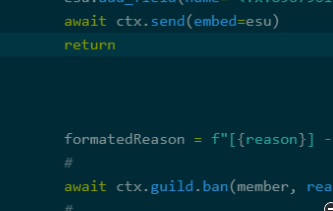
Nothing changed - https://i.imgur.com/qWACcWL.png
 bronze lark
i seeeee
slate swan
And for the first if statement, you probably want to also return
bronze lark
ok
slate swan
And just use ctx.send instead of ctx.channel.send
 feral halo
hola what's goin on here
bronze lark
like this?
 slate swan
How can I make it so that users on different servers have different balance?
Looks better, still need to return in the first if statement
slate swan
slate swan
How can I make it so that users on different servers have different balance?
Set the balance of the user per guild
You can add an additional field like guild_id
?
# sestings
@bot.event
async def on_ready():
    print(f"{bot.user} is connected!")
    await bot.change_presence(status=discord.Status.idle, activity=discord.Game("K.help"))

    for guild in bot.guilds:
        for member in guild.members:
            post={
                "_id": member.id,
                "balance": 500,
                "xp": 0,
                "lvl": 1
            }
            if collection.count_documents({"_id": member.id}) == 0:
collection.insert_one(post)```Yeah see
bronze lark
if x:
    return
    # Stuf
# More stuf
```?Just add a new field guild_id
bronze lark
like this?
slate swan
bronze lark
```py
if x:
return
# Stuf
# More stuf
```?
Well just like you did in the others
bronze lark
where?
 bronze lark
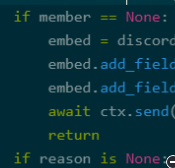
its my code
slate swan
Then why don't you have consistency and use the same within your if statements
bronze lark
like this?
 slate swan
No.
feral halo
i don't think return is necessary
slate swan
Your first if statment
slate swan
feral halo
i don't think return is necessary
It is
feral halo
where can i see the code
slate swan
Otherwise the code will continue executing at the bottom
bronze lark
slate swan
Your *first* if statment
yes...
slate swan
 slate swan
supple thorn
Hi ashley
slate swan
supple thorn
Hi ashley
Hi Skev
slate swan
bronze lark
yes...
Add a return at the end
feral halo
oh it's a command
slate swan
Just like every other you did
feral halo
i see now
bronze lark
slate swan
Add a return at the end
ok...

 bronze lark
 slate swan
Yes
slate swan
Spaghetti code is not flex at all
bronze lark
ik
feral halo
it's pain for us to read
slate swan
It's just overall horrible
bronze lark
nice its working tysm
 formal basin
Like if the message is in this channel then if that channel is in json file
ret...
formal basin
formal basin
Like if the message is in this channel then if that channel is in json file
ret...
Anyone? Help
maiden fable
@formal basin use the json module to access the json file and then use the in operator to access the list/dict
slate swan
Already said, read the JSON and interpret your list of IDs as list and check if the channel ID is in that list
formal basin
I am
slate swan
Then you have done it
formal basin
slate swan
Already said, read the JSON and interpret your list of IDs as list and check if ...
How can I check?
slate swan
how can i check if a role exists in a guild?
slate swan
formal basin
How can I check?
Basic Python knowledge
formal basin
slate swan
Basic Python knowledge
I’m not really good with if statements
slate swan
!e
c = 1337
ids = [1337, 7331]
if c in ids:
print("yay")
unkempt canyonBOT
@slate swan :white_check_mark: Your eval job has completed with return code 0.
yay
GeeksforGeeks
A Computer Science portal for geeks. It contains well written, well thought and well explained computer science and programming articles, quizzes and practice/competitive programming/company interview Questions.

W3Schools offers free online tutorials, references and exercises in all the major languages of the web. Covering popular subjects like HTML, CSS, JavaScript, Python, SQL, Java, and many, many more.
Will help
formal basin
No in a json file
slate swan
Again.
glad cradle
ahahha
slate swan
Read the JSON file like in the link above and get your list.
slate swan
slate swan
!e
c = 1337
ids = [1337, 7331]
if c in ids:
print("yay")
Then you have a list object that you can use like this.
It's not rocket science, it's just trial and error. Just try to read the JSON, if that works try to get the list, etc. etc.
glad cradle
slate swan
how can i check if a role exists in a guild?
do you have a role of this role or you want to check if the role name match a role in the server?
 tough stone
Hey ! I created for my server my own muted role, with a command, but I want to specify in this command the duration of the mute, so when it comes to an end, it unmutes automatically. How can I do this ? Thanks !
glad cradle
explain better
slate swan
tough stone
Hey ! I created for my server my own muted role, with a command, but I want to s...
Add the role, asyncio.sleep(seconds) and then remove the role - if your bot restarts it will never remove the role, just as side note
glad cradle
you can do this, but not in the same command function
slate swan
You can
tough stone
slate swan
Add the role, `asyncio.sleep(seconds)` and then remove the role - if your bot re...
Alrighty, is there a safer solution using a database ?
formal basin
with open(‘test.json, r’)
if channel.id in channel
return
slate swan
Hybrids commands can be used to make both slash commands and prefix commands with the same code and function
formal basin
formal basin
with open(‘test.json, r’)
if channel.id in channel
return
Idk
 exotic maple
Hey, how do i let guild owners use cmds only? What do i say?
I tried,
if ctx.author == ctx.guild.owner
But it doesnt work
formal basin
I don’t understand
slate swan
formal basin
with open(‘test.json, r’)
if channel.id in channel
return
Again, try stuff, read the link etc.
formal basin
slate swan
Again, try stuff, read the link etc.
I have
slate swan
That's not related to discord bots though, so you'd rather use #❓|how-to-get-help
formal basin
Nothing to do with json
glad cradle
slate swan
Hybrids commands can be used to make both slash commands and prefix commands wit...
in the same function? slash commands and commands have different decorators, how is this possible?
exotic maple
exotic maple
Hey, how do i let guild owners use cmds only? What do i say?
I tried,
`if ctx...
Any1?
slate swan
glad cradle
in the same function? slash commands and commands have different decorators, how...
Hybrid commands - as I said
glad cradle
slate swan
Hybrid commands - as I said
k
slate swan
!d discord.ext.commands.hybrid_command
unkempt canyonBOT
@discord.ext.commands.hybrid_command(name=..., **attrs)```
A decorator that transforms a function into a [`HybridCommand`](https://discordpy.readthedocs.io/en/master/ext/commands/api.html#discord.ext.commands.HybridCommand "discord.ext.commands.HybridCommand").

A hybrid command is one that functions both as a regular [`Command`](https://discordpy.readthedocs.io/en/master/ext/commands/api.html#discord.ext.commands.Command "discord.ext.commands.Command")
and one that is also a [`app_commands.Command`](https://discordpy.readthedocs.io/en/master/interactions/api.html#discord.app_commands.Command "discord.app_commands.Command")...More accurate - that's the decorator
tough stone
exotic maple
Any1?
This should work
slate swan
glad cradle
do you have a role of this role or you want to check if the role name match a ro...
what do you mean
Do you have a role ID, name or object basically
!d discord.ext.commands.Bot.commands
unkempt canyonBOT
property commands```
A unique set of commands without aliases that are registered.Returns a set, just get its length
discord.ext.commands.Bot is your bot object
commands is the attribute
Then just use len() on top of it
That doesn't matter
cunning flame
def isInt(string):
    try:
        int(string)
    except ValueError:
        await ctx.send("not a number")

async def price(ctx, *args):
    a = ' '.join(args[:-2])
    b = int(args[-2])
    c = int(args[-1])
    itemPrice = (b*c)-((b*c)*0.0275)
    embed = discord.Embed(title=f"{a} price", description=f"The price for {a} is {itemPrice} Credits", color=0x4446d1)
    embed.set_footer(text="Created by V.#4181")
    def isInt(b,c):
        if args[-2] and args[-1] == int:
            await ctx.send(embed=embed)
        else:
            await ctx.send("not a number")
You have a bot object everywhere
cunning flame
the await is out of the async
slate swan
Either with just bot. or self.bot.
cunning flame
how do I fix
slate swan
cunning flame
the await is out of the async
Turn isInt into an async function - as the error says
exotic maple
tough stone
This should work
Yeah my bad, i accidently put an if statement above that so it reacted to that instead before checking if theyre the guild owner
cunning flame
slate swan
Turn `isInt` into an async function - as the error says
ok wait
tough stone
exotic maple
Yeah my bad, i accidently put an if statement above that so it reacted to that i...
No problem 🙂
slate swan
And why do you have that function defined twice 
cunning flame
await ctx.send(embed=embed)
^
SyntaxError: 'await' outside async function
slate swan
hi i need help pls help me
You haven't turned both in async functions
i have a big code so pls dm me
slate swan
slate swan
how can i check if a role exists in a guild?
any1
slate swan
slate swan
i have a big code so pls dm me
This channel is made for help, not user's DMs. Send here and use a paste service
cunning flame
slate swan
You haven't turned both in async functions
uhh lemme show
cunning flame
async def isInt(string):
        try:
            int(string)
        except ValueError:
            await ctx.send("not a number")

async def price(ctx, *args):
    a = ' '.join(args[:-2])
    b = int(args[-2])
    c = int(args[-1])
    itemPrice = (b*c)-((b*c)*0.0275)
    embed = discord.Embed(title=f"{a} price", description=f"The price for {a} is {itemPrice} Credits", color=0x4446d1)
    embed.set_footer(text="Created by V.#4181")
    def isInt(b,c):
        if args[-2] and args[-1] == int:
            await ctx.send(embed=embed)
        else:
            await ctx.send("not a number")
what do I fix here so I won't get:
await ctx.send(embed=embed)
^
SyntaxError: 'await' outside async function
slate swan
i have watched 100s of vids and tutorials
Then share your code and errors, saying "it doesn't work" doesn't help anyone
slate swan
cunning flame
```py
async def isInt(string):
try:
int(string)
exce...
As I said - you have twice a function doing the exact same thing
Maybe you want to turn them both into an async function, not just one
slate swan
import discord
from discord.ext import commands
from discord.ext.commands import has_permissions, MissingPermissions
from discord.colour import Colour
from discord import Intents
token = 'MY_TOKEN'
intents = Intents.default()
intents.members = True
client = commands.Bot(command_prefix='.', intents=Intents.all())
@client.event
async def on_ready():
await client.change_presence(activity=discord.Activity(type=discord.ActivityType.watching, name='something SUS'))
@client.command()
@has_permissions(kick_members=True)
async def kick(message, kick_member: discord.Member, *, reason=None):
if kick_member == client.user:
await message.send("You can't kick me! I'm the Valley's watchman! 😠")
elif kick_member.id == 971785723374075924:
await message.send("You can't kick my friend 😠")
elif kick_member == message.author:
await message.send("You can't kick yourself")
elif kick_member.top_role >= message.author.top_role:
await message.send("This person's role is higher or equal to yours!")
else:
await kick_member.kick(reason=reason)
await message.send(f"Kicked {kick_member} for {reason}")
@client.command()
@has_permissions(ban_members=True)
async def ban(message, ban_member: discord.Member, *, reason=None):
if ban_member == client.user:
await message.send("You can't ban me! I'm the Valley's watchman! 😠")
elif ban_member.id == 971785723374075924:
await message.send("You can't ban my friend 😠")
elif ban_member == message.author:
await message.send("You can't ban yourself")
elif ban_member.top_role >= message.author.top_role:
await message.send("This person's role is higher or equal to yours!")
else:
await ban_member.ban(reason=reason)
await message.send(f"Banned {ban_member} for {reason}")
@kick.error
async def kick_error(message, error):
if isinstance(error, MissingPermissions):
await message.send("You don't have permission to do that!")
@ban.error
async def ban_error(message, error):
if isinstance(error, MissingPermissions):
await message.send("You dont have permission to do that!")
@client.command()
async def credits(ctx):
myCredits = discord.Embed(title="MrMomo's official bot", color=Colour.dark_red()).set_author(name="MrWick")
myCredits.add_field(name="Made By", value="dumb#5886")
myCredits.add_field(name="Tested On", value="Karma#6031")
await ctx.send(embed=myCredits)
@client.command()
async def unban(ctx, *, member):
bannedUsers = await ctx.guild.bans()
member_name, member_discriminator = member.split("#")
for ban_entry in bannedUsers:
    user = ban_entry.user

    if (user.name, user.discriminator) == (member_name, member_discriminator):
        await ctx.guild.unban(user)
        await ctx.send(f"Unbanned {user.mention}")
        return
client.run(token)
slate swan
slate swan
i have watched 100s of vids and tutorials
Have you learned Python before doing a bot?
yea
!paste No need to flood chat
unkempt canyonBOT
Pasting large amounts of code
If your code is too long to fit in a codeblock in discord, you can paste your code here:
https://paste.pythondiscord.com/
After pasting your code, save it by clicking the floppy disk icon in the top right, or by typing ctrl + S. After doing that, the URL should change. Copy the URL and post it here so others can see it.
cunning flame
async def isInt(string):
        try:
            int(string)
        except ValueError:
            await ctx.send("not a number")

async def price(ctx, *args):
    a = ' '.join(args[:-2])
    b = int(args[-2])
    c = int(args[-1])
    itemPrice = (b*c)-((b*c)*0.0275)
    embed = discord.Embed(title=f"{a} price", description=f"The price for {a} is {itemPrice} Credits", color=0x4446d1)
    embed.set_footer(text="Created by V.#4181")
async def isInt(b,c):
        if args[-2] and args[-1] == int:
            await ctx.send(embed=embed)
        else:
            await ctx.send("not a number")
it stopped sending messages entirely
:d
slate swan
Because it's wrongly indented
slate swan
https://paste.pythondiscord.com/anarewexem Please help the ban and unban ddoesnt work and not even gives an error
Well you never send anything
You never send anything in the price function
And the isInt function above and below won't work as ctx is not defined in their scope
cunning flame
oh
slate swan
slate swan
https://paste.pythondiscord.com/anarewexem Please help the ban and unban ddoesnt...
Simply don't follow and copy paste 1-to-1 bad tutorials
cunning flame
async def isInt(ctx, *args):
just for you information, the code is wrong indented and instead of using an isInt function of yourself, use the isdigit method of the str class, it will return a bool, True when whole of the string is a number, False when the string has numbers with letters/punctuation/unicodes/etc or just False itself when it doesn't have any numbers........
The tutorial you're following is known to be bad and a bad way on doing it
slate swan
slate swan
Simply don't follow and copy paste 1-to-1 bad tutorials
what do you mean?
slate swan
slate swan
Simply don't follow and copy paste 1-to-1 bad tutorials
oh got it
You're currently following a tutorial
Don't do that
Especially not that one
but that tutorial worked earlier but idk why its not working now
 minor totem
slate swan
The tutorial you're following is known to be bad and a bad way on doing it
minor totem
slate swan
The tutorial you're following is known to be bad and a bad way on doing it
Which tutorial is that?
slate swan
minor totem
Which tutorial is that?
idk some random
slate swan
slate swan
but that tutorial worked earlier but idk why its not working now
As it's outdated and bad - as I said
slate swan
slate swan
As it's outdated and bad - as I said
so what do i do now
coz this is for my friend's server
Learn more about the library on the documentation and look for what you need using the search function - if you can't read a documentation we can guide you further with the knowledge you gained
are you in that youtuber's server? if yes, do ?tag unban in their bot commands channel
slate swan
slate swan
are you in that youtuber's server? if yes, do `?tag unban` in their bot commands...
no
!d discord.Guild.unban
unkempt canyonBOT
await unban(user, *, reason=None)```
This function is a [*coroutine*](https://docs.python.org/3/library/asyncio-task.html#coroutine).

Unbans a user from the guild.

The user must meet the [`abc.Snowflake`](https://discordpy.readthedocs.io/en/master/api.html#discord.abc.Snowflake "discord.abc.Snowflake") abc.

You must have the [`ban_members`](https://discordpy.readthedocs.io/en/master/api.html#discord.Permissions.ban_members "discord.Permissions.ban_members") permission to
do this.i dont like to read thats why i joined this server
thats wrong way of doing that.
oh
Let's imagine a streamer making live (twitch streamer btw) and his live has the title "banana" (for example). Is it possible to do some event that the bot detects that the title of the live has "banana" and puts his twitch channel in a discord specific channel?
slate swan
slate swan
thats wrong way of doing that.
so what should i do
slate swan
slate swan
i dont like to read thats why i joined this server
We won't code for you or give you any code to copy paste, you will still need to read even here
slate swan
unkempt canyon
. read this
slate swan
unkempt canyon
You should use that
maiden fable
minor totem
Which tutorial is that?
Lucas
unkempt canyonBOT
await kick(user, *, reason=None)```
This function is a [*coroutine*](https://docs.python.org/3/library/asyncio-task.html#coroutine).

Kicks a user from the guild.

The user must meet the [`abc.Snowflake`](https://discordpy.readthedocs.io/en/master/api.html#discord.abc.Snowflake "discord.abc.Snowflake") abc.

You must have the [`kick_members`](https://discordpy.readthedocs.io/en/master/api.html#discord.Permissions.kick_members "discord.Permissions.kick_members") permission to
do this.!d discord.Guild.ban
unkempt canyonBOT
await ban(user, *, reason=None, delete_message_days=1)```
This function is a [*coroutine*](https://docs.python.org/3/library/asyncio-task.html#coroutine).

Bans a user from the guild.

The user must meet the [`abc.Snowflake`](https://discordpy.readthedocs.io/en/master/api.html#discord.abc.Snowflake "discord.abc.Snowflake") abc.

You must have the [`ban_members`](https://discordpy.readthedocs.io/en/master/api.html#discord.Permissions.ban_members "discord.Permissions.ban_members") permission to
do this.lemme see
minor totem
@slate swan, I am not up to date. Can you please reiterate what you want to accomplish?
slate swan
slate swan
Let's imagine a streamer making live (twitch streamer btw) and his live has the ...
🥲
slate swan
minor totem
<@456226577798135808>, I am not up to date. Can you please reiterate what you wa...
what?
slate swan
slate swan
Let's imagine a streamer making live (twitch streamer btw) and his live has the ...
use the twitch api
@bot.command()
async def five(ctx):
    role_ids = [972085371393429514, 972059424594231316]
    rolee = get(ctx.author.roles, id=role_ids)
    if rolee in ctx.author.roles:
        message = await ctx.send("Works")
        time.sleep(3)
        await message.edit(content=f"Check your dms {ctx.author.mention}")
        await ctx.author.send("works")
    else:
        await ctx.send("You do not have access to this command")
I cant fix this
slate swan
minor totem
<@456226577798135808>, I am not up to date. Can you please reiterate what you wa...
my code (ban and kick code) dosent work
Using the twitch api, yes it's possible - there is eventually an API wrapper
i want so if ctx author roles is in role ids run command else send you do not have acces
maiden fable
slate swan
i want so if ctx author roles is in role ids run command else send you do not ha...
not the right way
slate swan
maiden fable
not the right way
then how do i fix
maiden fable
u r supplying a list instead of id
instead use a for loop and compare each role's id
unkempt canyonBOT
@discord.ext.commands.has_any_role(*items)```
A [`check()`](https://discordpy.readthedocs.io/en/master/ext/commands/api.html#discord.ext.commands.check "discord.ext.commands.check") that is added that checks if the member invoking the
command has **any** of the roles specified. This means that if they have
one out of the three roles specified, then this check will return True.

Similar to [`has_role()`](https://discordpy.readthedocs.io/en/master/ext/commands/api.html#discord.ext.commands.has_role "discord.ext.commands.has_role"), the names or IDs passed in must be exact...Then catch the CheckFailure error - https://discordpy.readthedocs.io/en/stable/ext/commands/commands.html#error-handling and https://discordpy.readthedocs.io/en/stable/ext/commands/commands.html#checks (need to scroll a bit)
So that you can send "You do not have access"
i tried await ban(ban_member, reason=reason) this but didnt worked
minor totem
slate swan
my code (ban and kick code) dosent work
What does "doesn't work" mean? It is the most generic thing you can possibly say 😅
slate swan
minor totem
What does "doesn't work" mean? It is the most generic thing you can possibly say...
when i do .ban @slate swan at that time nothing happens
not even error comes
Or you can just use on the member object - doesn't matter
Such as ban_member.ban
minor totem
slate swan
not even error comes
That's because you have @ban.error
slate swan
nope
minor totem
It is swallowing all errors
slate swan
oh so should i remove
coz thats important
Or just raise error at the bottom of that function
Like
@ban.error
async def ban_error(message, error):
    # Stuff
    raise error
after removing ban_error error comes
TypeError: ban() missing 1 required positional argument: 'ban_member'
And it's not message but it's usually referenced as ctx
ok ok
lemme see
slate swan
slate swan
And it's not `message` but it's usually referenced as `ctx`
where?
Everywhere, but it's just how you wish to name it
It's just that to get the actual message you need to do message.message instead of the usual ctx.message
It won't fix your code, just a side note
no but if i remove it how will i use message.author.top_role
You don't remove
ok
You replace
Because that parameter is not a message, it's a context
so message.author.top_role will be what if i change to ctx?
i know its context
ctx.author.top_role 🤷
ok lemme see
But as I said, won't fix your code
Are you actually mentioning a user when executing the command?
no
Then you might want to do that
async def ban(message, ban_member: discord.Member, *, reason=None):
await ctx.send(f"Kicked {kick_member} for {reason}") this?
Says you need to execute like the following:
.ban @slate swan Reason will be here
i do that
You just said you didn't
i didnt understood what u said but when u showed example i got it
Aight aight
So, what's your code right now
ok wait
nvm i fixed it
bruh
 tribal glacier
Sryy
slate swan
@slate swan u checking?
please help to make sure that the participant has a different balance on different servers
sorry i have to go @slate swan pls find me the solution of my problem
i really need help
i hope someone helps
stray carbon
https://paste.nextcord.dev/?id=1651903518843765
when someone manually types ,help <cog> it works fine but when someone selects it from dropdown the dropdown gets removed and nothing else happens
doesnt even send cog help
slate swan
slate swan
sorry i have to go <@456226577798135808> pls find me the solution of my problem
Is your unban command looking like this?
    for ban_entry in banned_users:
         user = ban_entry.banned_users

         if (user.name, user.discriminator) == (member_name, member_discriminator):
             ...
Lucas' unban only works for banning people via their name#discrim, now, this way is not wrong, but there are easier ways of unbanning people, e.g.:
# Unbanning by ID only (converting the ID to a object using discord.Object):
await ctx.guild.unban(discord.Object(id = id))

# converting the given user to a User object by type hinting:
async def unbean(ctx, user : discord.User, reason = None):
     await ctx.guild.unban(user)
Inspiration from d.py official server
 unkempt canyonBOT
class discord.ui.Modal(*, title=..., timeout=None, custom_id=...)```
Represents a UI modal.

This object must be inherited to create a modal popup window within discord.

New in version 2.0.

Examples...ah, thanks
slate swan
you would need the development branch of discord.py for that
hybrid fjord
?
slate swan
you wont get this with pip install discord.py you need to install discord.py using git
hybrid fjord
ah
@slate swan
File "C:\Python310\lib\site-packages\discord_components\component.py", line 3, in <module> from discord import PartialEmoji, Emoji, InvalidArgument ImportError: cannot import name 'InvalidArgument' from 'discord' (C:\Python310\lib\site-packages\ discord\__init__.py)
this is just after i installed it
unkempt canyonBOT
class discord.ui.Button(*, style=<ButtonStyle.secondary: 2>, label=None, disabled=False, custom_id=None, url=None, emoji=None, row=None)```
Represents a UI button.

New in version 2.0.!d discord.ext.commands.Bot.commands
unkempt canyonBOT
property commands```
A unique set of commands without aliases that are registered.use len() on this
hybrid fjord
my whole entire code runs off disnake and discord_components, it'll be next to impossible to change them all
slate swan
you can either keep using discord_components ( which will never be updated in future ) or use discord.py's components 🙂 not both.
hybrid fjord
🤨
i'll do it at a later date, it's too much effort to change it all now. how would i uninstall the github? i used the following line:
python -m pip install -U git+https://github.com/Rapptz/discord.py
 robust gull
https://ibb.co/kKjBNS0 sorry if this is something really simple to solve im new tried coding my bot
 slate swan
hybrid fjord
i'll do it at a later date, it's too much effort to change it all now. how would...
slate swan
hybrid fjord
i'll do it at a later date, it's too much effort to change it all now. how would...
pip uninstall discord.py
and you can then install it again
slate swan
robust gull
https://ibb.co/kKjBNS0 sorry if this is something really simple to solve im new ...
bad indentation, that if statement should be inside the on_message function
jade tartan
WARNING: Ignoring invalid distribution -ynacl (c:\users\thoma\appdata\local\programs\python\python310\lib\site-packages) How do i fix this?
slate swan
@slate swan help 😔
I'm making buttons with miru but whenever I use the wait method, it never works and listens to any interaction after
@_.command
@lightbulb.command(name="...", description="...", auto_defer=True, ephemeral=True)
@lightbulb.implements(lightbulb.SlashCommand)
async def _foo(ctx: lightbulb.SlashContext):
    view = KickView()
    await ctx.respond("uwu", components=view.build())
    await view.wait()
This is my view
class KickView(miru.View):
    def __init__(self):
        self.confirm = False
        super().__init__(timeout=15, autodefer=True)

    @miru.button(label="Kick", style=hikari.ButtonStyle.SUCCESS)
    async def confirm_kick(self, button: miru.Button, ctx: miru.Context) -> None:
        self.confirm = True
        self.stop()

    @miru.button(label="Cancel", style=hikari.ButtonStyle.DANGER)
    async def cancel_kick(self, button: miru.Button, ctx: miru.Context) -> None:
        self.stop()

    async def on_timeout(self):
        self.stop()
you need to start the view too
view.start(messageobject)
unkempt canyonBOT
src/extensions/help.py lines 83 to 86
view = HelpButtons(self._bot, context)  # initialising the View class
res = await context.respond(embed=embed, components=view.build())
msg = await res.message()
view.start(msg)```WARNING: Ignoring invalid distribution -ynacl (c:\users\thoma\appdata\local\programs\python\python310\lib\site-packages) How do i fix this? any one
slate swan
jade tartan
```WARNING: Ignoring invalid distribution -ynacl (c:\users\thoma\appdata\local\p...
could you show the full error
jade tartan
slate swan
could you show the full error
Well its when install any module it does that error
WARNING: Ignoring invalid distribution -ynacl (c:\users\thoma\appdata\local\programs\python\python310\lib\site-packages)
WARNING: Ignoring invalid distribution -ynacl (c:\users\thoma\appdata\local\programs\python\python310\lib\site-packages)
Collecting cogs
  Using cached Cogs-0.4.4.tar.gz (18 kB)
  Preparing metadata (setup.py) ... error
  error: subprocess-exited-with-error

  × python setup.py egg_info did not run successfully.
  │ exit code: 1
  ╰─> [1 lines of output]
      error in Cogs setup command: use_2to3 is invalid.
      [end of output]

  note: This error originates from a subprocess, and is likely not a problem with pip.
error: metadata-generation-failed

× Encountered error while generating package metadata.
╰─> See above for output.

note: This is an issue with the package mentioned above, not pip.
hint: See above for details.
WARNING: Ignoring invalid distribution -ynacl (c:\users\thoma\appdata\local\programs\python\python310\lib\site-packages)
WARNING: Ignoring invalid distribution -ynacl (c:\users\thoma\appdata\local\programs\python\python310\lib\site-packages)```Should i unisntall python and install it again?
slate swan
slate swan
`view.start(messageobject)`
so, that would be, something like this?
msg = await ctx.respond("uwu", components=view.build())
await view.start(msg)
await view.wait()
yes but msg is a lightbulb.ResponseProxy here, you would get the message object using await msg.message()
jade tartan
 slate swan
and pass that to msg
slate swan
slate swan
yes but `msg` is a `lightbulb.ResponseProxy` here, you would get the message obj...
ah I see, thanks
slate swan
jade tartan
My cogs wont load it says no module found for "cogs
thats not how discord.py cogs work...
!d discord.ext.commands.Cog
unkempt canyonBOT
class discord.ext.commands.Cog(*args, **kwargs)```
The base class that all cogs must inherit from.

A cog is a collection of commands, listeners, and optional state to
help group commands together. More information on them can be found on
the [Cogs](https://discordpy.readthedocs.io/en/master/ext/commands/cogs.html#ext-commands-cogs) page.

When inheriting from this class, the options shown in [`CogMeta`](https://discordpy.readthedocs.io/en/master/ext/commands/api.html#discord.ext.commands.CogMeta "discord.ext.commands.CogMeta")
are equally valid here.are you importing that cog in ur main file?
 ebon island
How do I do an on event listener in a cog?
 tidal hawk
@commands.Cog.listener()
tidal hawk
Did you import Image from PIL
slate swan
my guess is the file structure is wrong
robust gull
 slate swan
robust gull
slate swan
robust gull
you tried to log in using an invalid token
robust gull
slate swan
you tried to log in using an invalid token
my guy ❤️
 tidal hawk
what enchanment table language is this
crimson compass
tidal hawk
what enchanment table language is this
guess
 dusky pine
greek?
tidal hawk
Minecraft?
crimson compass
dusky pine
greek?
yes.
tidal hawk
Does anyone know good existing invitation tracker code?
crimson compass
yes
tidal hawk
The one I'm using, tends to stop working after a while
crimson compass
share the source code
tidal hawk
can't find it
crimson compass
tidal hawk
Does anyone know good existing invitation tracker code?
we cant give you the code we can help you tho
tidal hawk
okay

GitHub
Shows who joined through which invite and who invited - Discord-Invite-Tracker/invite_tracker.py at master · GregTCLTK/Discord-Invite-Tracker
This one looks promising
slate swan
tidal hawk
Does anyone know good existing invitation tracker code?
Yes, make your own
crimson compass
why use github💀
tidal hawk
Bruh I've built my own but they wack
Building an invitation tracker is pain in the ass
crimson compass
share the code
slate swan
sort of, i did a project using PIL a few months ago
slate swan
tidal hawk
Building an invitation tracker is pain in the ass
Not really
tidal hawk
Speak for yourself
slate swan
again, from the error it looks like the file structure is wrong, send a screenshot of what it looks like
tidal hawk
Ik you can find the inviter by comparing old and new invitations
slate swan
And the code above is normal that it stops working after some time
Especially when you restart the bot
tidal hawk
tidal hawk
Ik you can find the inviter by comparing old and new invitations
But I think there's a more efficient way
tidal hawk
slate swan
Not really
is there a better way than just comparing two invitation lists?
 oblique adder
text_channel = await interaction.guild.create_text_channel(name=f"ticket-{interaction.user.id}",category=category)
            await text_channel.set_permissions(interaction.user,read_messages = True, send_messages = True,read_message_history = True)
            await text_channel.set_permissions(interaction.guild.default_role, read_messages = False)
how do I use overwrites instead of set_permissions ? I try reading docs but don't really understand please help
slate swan
There is an example in the docs
tidal hawk
slate swan
Not really
I belive that the major Tracker bot isn't doing that way, because it requires so much cycling
gheez
oblique adder
how do I make overwrites for @ everyone ?
slate swan
Also in the example
tidal hawk
slate swan
There is an example in the docs
I think you also do not know x
slate swan
I do know because I did it in the past, but sure I don't know :)))))
 tidal hawk
slate swan
I do know because I did it in the past, but sure I don't know :)))))
tidal hawk
slate swan
I do know because I did it in the past, but sure I don't know :)))))
You probs did the same way I described above x
slate swan
oblique adder
i dont see it
!d discord.Guild.create_text_channel
unkempt canyonBOT
await create_text_channel(name, *, reason=None, category=None, position=..., topic=..., slowmode_delay=..., nsfw=..., overwrites=..., default_auto_archive_duration=...)```
This function is a [*coroutine*](https://docs.python.org/3/library/asyncio-task.html#coroutine).

Creates a [`TextChannel`](https://discordpy.readthedocs.io/en/master/api.html#discord.TextChannel "discord.TextChannel") for the guild.

Note that you need the [`manage_channels`](https://discordpy.readthedocs.io/en/master/api.html#discord.Permissions.manage_channels "discord.Permissions.manage_channels") permission
to create the channel...got it now ty
slate swan
tidal hawk
You probs did the same way I described above x
Do you need a proof with code or something? You're being quite annoying, I believe I know more than you do.
That is a horrible way of doing it, as you said. Now think about how else you could do it as there is another method.
exotic maple
slate swan
Do you need a proof with code or something? You're being quite annoying, I belie...
Hold up, your staff for top.gg?
epic
slate swan
I am, yes
exotic maple
Yep you put my bot live today, thanks
tidal hawk
slate swan
Do you need a proof with code or something? You're being quite annoying, I belie...
Proof would be nice 🤓
slate swan
Oh, no problem 
slate swan
tidal hawk
Proof would be nice 🤓
Whatever, just think about other ways to know the inviter
tidal hawk
Okay bro, I was just playing around xD
 slate swan
Need code to see where you defined and where you used the msg variable
robust gull
 slate swan
@slate swan hi
slate swan
exotic maple
Yep you put my bot live today, thanks
Wait, how do you know it was me actually? You're logging users using commands?
did u found the problem in my code
slate swan
robust gull
You need to indent msg = ... one level lower otherwise it won't be defined
And you probably want message.content instead
exotic maple
slate swan
Wait, how do you know it was me actually? You're logging users using commands?
Bug report command, i had removed the feature this morning that records who sent it tho so i dont see it anymore
slate swan
Oh yeah makes sense
robust gull
slate swan
You need to indent `msg = ...` one level lower otherwise it won't be defined
thank u
slate swan
krypton
robust gull
slate swan
Oh yeah makes sense
it still doesnt work
slate swan
slate swan
krypton
That's me
slate swan
slate swan
That's me
yea thats u
robust gull
 slate swan
help needed
robust gull
@slate swan not trying to be rude but hes kinda trying to help multiple ppl at once so just give him a bit of time
@slate swan
slate swan
Yeah - also need your code to compare
slate swan
slate swan
Is your unban command looking like this?
```py
for ban_entry in banned_use...
i just wanna know about why my ban and kick is not wokring
robust gull

 crisp drift
he has just put a space after any(
slate swan
Indentation is still wrong
crisp drift
thats not unindent is
robust gull
which line
slate swan
26
slate swan
slate swan
i just wanna know about why my ban and kick is not wokring
do you even read that?, noones gonna directly spoonfeed you.
slate swan
robust gull
<@456226577798135808> not trying to be rude but hes kinda trying to help multip...
not being rude i wrote "help needed" cuz if some other helper is here so they can help me
robust gull
what do i have to change
crisp drift
Your msg variable assignment
slate swan
slate swan
do you even read that?, noones gonna directly spoonfeed you.
i dont wanna copy paste but wanna know why my code is not working
what wrong im doing
robust gull
crisp drift
Your msg variable assignment
be more specific
crisp drift
well let me be specific gimme a sec
slate swan
You have
if x:
    # Some stuff
    msg = ....
Needs to be
if x:
    # Some stuff
msg = ....
hope thats specific enough
 slate swan
i dont wanna copy paste but wanna know why my code is not working
slate swan
slate swan
i dont wanna copy paste but wanna know why my code is not working
according to your code,you take an argument from the user on discord
then, you "split" that argument on each #s ,
the first part being the username, and the second one being the discriminator
then you loop thru all the guild bans and compare the username and discriminators
if any of them matches you unban that user
robust gull
ja it works now great
slate swan
slate swan
according to your code,you take an argument from the user on discord
then, you "...
i dont want to know about unban
i wanna know about ban and kick
noone can assume what your problem is without your error.
i know
oh my god this freaking error
robust gull
@slate swan what do i need to change if i dont want it to be random
robust gull
and just delete random choice
slate swan
Lol
robust gull
or do i type it differently
its literally my firs time coding ive never seen a community with such an ego
slate swan
robust gull
<@456226577798135808> what do i need to change if i dont want it to be random
If you don't want it to be random you can simply remove random.choice and send a static message
robust gull
can u answer to the question or do you not want to
slate swan
So like
await ....send("Your message here")
I just did?
robust gull
sorry i didnt see ur message before typing
and do i need to make 3 seperate lines if i want 3 seperate answers
slate swan
What do you try to achieve?
robust gull
so lets say when i type cat i want the bot to say meow
slate swan
Yeah in that case you need a line per trigger (the word, cat) and the reply (meow)
robust gull
thank you
slate swan
That would be the easy but not elegant way, if you want a better way you could make it more complex but won't be lots of repeating lines - up to you
robust gull
the less i have to type the better
slate swan
Yeah not sure which one would be easier to understand
robust gull
slate swan
Yeah in that case you need a line per trigger (the word, cat) and the reply (meo...
could you link a tutorial? i can only find voice assistant related stuff
robust gull
can u type the line here or is it too long
slate swan
It's a bit too long - I could explain though
robust gull
i think i could randomise it with just 1 and repeat it 100 times and it should work
slate swan
So basically you would have a JSON-like variable, similar to something like
responses = {
  "cat_reply": {
    "triggers": [
      "cat",
    ],
    "response": "meow"
  }
}
The bot would send meow if any word in the triggers is in the message.
Then in your on_message event, you would iterate over every element in responses , in the example above there is only one.
Then you get the list triggers using .get("triggers") on the element being iterated. This will give you a list of words, similar to mad_words.
After that you can do the same you have now, check if any word in msg is in the list of triggering words and send the message accordingly.
Some pseudo code would be
for response in responses:
  print(responses.get(response).get("triggers")) # List similar to your current 'mad_words' list
  if any(...): # Check if a word is in the message - what you already have
    print(responses.get(response).get("response")) # The response to be sent
Hopefully it's understandable, I'm quite bad at explaining - sorry in advance
That's basically what I do for my bot
pls help me
maiden fable
slate swan
ok then dig ur funeral and go inside :)
<@&831776746206265384> 
 spring flax
When I do [guild.name for guild in self.bot.guilds] it returns [None, None]
maiden fable
spring flax
When I do `[guild.name for guild in self.bot.guilds]` it returns [None, None]
The guild name is.... None?!?
spring flax
okay yeah it's intent
 visual yarrow
@slate swan please don't be rude to people giving help. Here are some tips for getting help:
- State your question clearly, and make sure to provide enough relevant contextual information.
- If someone provides advice, please make an attempt to read/understand/apply that advice.
- If you don't understand the advice given, ask follow up questions, but be specific about what it is you don't understand.
Thanks.
spring flax
i need intents.guild right?
slate swan
visual yarrow
<@456226577798135808> please don't be rude to people giving help. Here are some ...
ok ok
maiden fable
!d disnake.Intents.guilds
unkempt canyonBOT
Whether guild related events are enabled.
This corresponds to the following events...
slate swan
no one is helping
maiden fable
@slate swan we told you the unban command. Lemme reshow u
visual yarrow
slate swan
no one is helping
Do you have a minimal reproducible example of your code failing?
maiden fable
await ctx.guild.unban(discord.Object(USER_ID_HERE))
slate swan
maiden fable
<@456226577798135808> we told you the unban command. Lemme reshow u
i dont wanna know unban
maiden fable
Then?
slate swan
ban and kick
spring flax
maiden fable
!d disnake.Intents.guilds
also, you don't need this intent to get the len(bot.guilds)?
slate swan
i get error
maiden fable
spring flax
also, you don't need this intent to get the `len(bot.guilds)`?
Nope, iirc
spring flax
What's the error?
maiden fable
slate swan
i get error
What error
slate swan
lemme tell
slate swan
`Ignoring exception in command ban:
Traceback (most recent call last):
File "PATH", line 85, in wrapped
ret = await coro(*args, **kwargs)
File "PATH", line 47, in ban
await ban_member.ban(reason=reason)
File "PATH", line 554, in ban
await self.guild.ban(self, **kwargs)
File "PATH", line 2026, in ban
await self._state.http.ban(user.id, self.id, delete_message_days, reason=reason)
File "PATH", line 248, in request
raise Forbidden(r, data)
discord.errors.Forbidden: 403 Forbidden (error code: 50013): Missing Permissions
The above exception was the direct cause of the following exception:
Traceback (most recent call last):
File "PATH", line 939, in invoke
await ctx.command.invoke(ctx)
File "PATH", line 863, in invoke
await injected(*ctx.args, **ctx.kwargs)
File "PATH", line 94, in wrapped
raise CommandInvokeError(exc) from exc
discord.ext.commands.errors.CommandInvokeError: Command raised an exception: Forbidden: 403 Forbidden (error code: 50013): Missing Permissions
`
`@client.command()
@has_permissions(kick_members=True)
async def kick(ctx, kick_member: discord.Member, *, reason=None):
if kick_member == client.user:
await ctx.send("You can't kick me! I'm the Valley's watchman! 😠")
elif kick_member.id == Another Bot's ID:
await ctx.send("You can't kick my friend 😠")
elif kick_member == ctx.author:
await ctx.send("You can't kick yourself")
elif kick_member.top_role >= ctx.author.top_role:
await ctx.send("This person's role is higher or equal to yours!")
else:
await kick_member.kick(reason=reason)
await ctx.send(f"Kicked {kick_member} for {reason}")
@client.command()
@has_permissions(ban_members=True)
async def ban(ctx, ban_member: discord.Member, *, reason=None):
if ban_member == client.user:
await ctx.send("You can't ban me! I'm the Valley's watchman! 😠")
elif ban_member.id == Another Bot's ID:
await ctx.send("You can't ban my friend 😠")
elif ban_member == ctx.author:
await ctx.send("You can't ban yourself")
elif ban_member.top_role >= ctx.author.top_role:
await ctx.send("This person's role is higher or equal to yours!")
else:
await ban_member.ban(reason=reason)
`
your bot is missing the required permissions to ban/kick users
or you're trying to ban/kick a user higher in hierarchy than the bot
oh
im trying to ban a normla user
with normal permission
visual yarrow
Could you use a code blocks please. That's:
```python
your code here
```
It's a bit easier to read.
slate swan
so you're sure your bot has a role with those permissions?
- make sure the user's top role is below bot's top role
- bot has kick/ban member Permission
- the user you're trying to kick is not the owner
Who can help me with a code?
visual yarrow
slate swan
Who can help me with a code?
Go ahead and ask your question 👍 Then someone may help.
ebon island
What is the proper way to mute a Member object in a VC? Possibly Server Mute so the user cannot unmute
I changed suppress value to True to test, not sure if that is good or bad practice but can't test until I get a friend on to test
since I am admin of the server
slate swan
!d discord.Member.edit
unkempt canyonBOT
await edit(*, nick=..., mute=..., deafen=..., suppress=..., roles=..., voice_channel=..., timed_out_until=..., reason=None)```
This function is a [*coroutine*](https://docs.python.org/3/library/asyncio-task.html#coroutine).

Edits the member’s data.

Depending on the parameter passed, this requires different permissions listed below...^^^^ edit takes a mute kwarg, set it to True
and mute works on server admins too fyi
slate swan
yea, that would work
ebon island
it is muting the bot rather than the user 😛
close though!
also, is there a way to see the type of on_voice_state_update event it is? So only reacting for certain events?
stray carbon
class Elegant(commands.Bot):
    def __init__(self):
        super().__init__(command_prefix=commands.when_mentioned_or('='), intents=nextcord.Intents.all())
        self.persistent_views_added = False

    async def on_ready(self):
        if not self.persistent_views_added:
            self.add_view(KarutaView())
            self.add_view(QuickRoles())
            self.add_view(OwOView())
            self.add_view(Access())
            self.add_view(SelfRoles())
            self.add_view(PingRolesOne())
            self.add_view(PingRolesTwo())
            self.add_view(PingRolesThree())
            self.add_view(ColorRolesOne())
            self.add_view(ColorRolesTwo())
            self.add_view(Verify())
            self.persistent_views_added = True
        setattr(self, "owodb", await aiosqlite.connect("owo.db"))
        async with self.owodb.cursor as cursor:
            await cursor.execute('CREATE TABLE IF NOT EXISTS owotimes (user INTEGER, times INTEGER)')
        print(f'Logged in as {self.user} (ID: {self.user.id})')
        while True:
            statusType = random.randint(0, 1)
            if statusType == 0:
                 await self.change_presence(status=nextcord.Status.idle, activity=nextcord.Activity(type=nextcord.ActivityType.watching, name=f"{len(set(self.get_all_members()))} users"))
            else:
                await self.change_presence(status=nextcord.Status.idle, activity=nextcord.Activity(type=nextcord.ActivityType.watching, name=f"{len(set(self.get_all_members()))} users"))
            await asyncio.sleep(600)
Ignoring exception in on_ready
Traceback (most recent call last):
  File "C:\Users\Akai\AppData\Local\Programs\Python\Python38\lib\site-packages\nextcord\client.py", line 417, in _run_event
    await coro(*args, **kwargs)
  File "C:\Users\Akai\Desktop\New folder\eleg.py", line 33, in on_ready
    async with self.owodb.cursor as cursor:
AttributeError: __aexit__
oh cursor()
nvm mb
 robust niche
is there any site except for pastebin that can store text data and be read by python?
maiden fable
ebon island
also, is there a way to see the type of on_voice_state_update event it is? So on...
type?
stray carbon
    @commands.Cog.listener()
    async def on_message(self, message):
        if message.author.bot:
            return
        if "owo" in message.content:
            async with self.bot.owodb.cursor() as cursor:
                await cursor.execute('SELECT times FROM owotimes WHERE user = ?', (message.author.id,))
                data = await cursor.fetchone()
                if data:
                    await cursor.execute('UPDATE owotimes SET times = times+1 WHERE user = ?', (message.author.id,))
                else:
                    await cursor.execute('INSERT INTO owotimes (user, times) VALUES (?, ?)', (message.author.id , 1,))
            await self.bot.owodb.commit()
is there any way to set cd to this


 ivory cave
@stray carbon thats an interesting about me xd
ivory cave
stray carbon
💀
for what purpose are u using async tho? still somewhat new to programming
slate swan
ivory cave
for what purpose are u using async tho? still *somewhat* new to programming
and hes nesting functions lol
a useless init with a coroutine inside it

ivory cave
slate swan
a useless init with a coroutine inside it
yes thats whats confusing me xd
why is there a .init() thats empty
 sick birch
guys it's an about me. no need to perform an analysis on every character of it
slate swan
guys you dont need an init if your class wont take any arguments!
ivory cave
sick birch
guys it's an about me. no need to perform an analysis on every character of it
ur right 💀 but still 😭
slate swan
sick birch
guys it's an about me. no need to perform an analysis on every character of it
or what🗿
ivory cave
im not hating xd, im just confused a bit bc yk, its code
sick birch
no need for a 4 page doctoral thesis on someone's about me
slate swan
let me check your about me robin😳
ivory cave
ivory cave
im not hating xd, im just confused a bit bc yk, its code
and it needs to be ⭐ polished ⭐
slate swan
you forgot periods in your sentences robin
ivory cave
slate swan
you forgot periods in your sentences robin<:pithink:652247559909277706>
LMAO BRUH 😭
this dude 💀
poor robin hugs
sick birch
sad
ivory cave
let me check ur about me self.okimii
slate swan
😳
ivory cave
😳
 slate swan
thats a big about me
ivory cave
hugee
slate swan

ivory cave
no nitro 
slate swan
kek
ivory cave
bro i love communities with ppl who code, its like im talkin to brothers 🙏
taking this quite too literally
slate swan
yup
ivory cave
imma go
class Toilet:
    def pee():
        return "pee"
print(Toilet.pee())
you need to call the class

that isnt a classmethod bro
😭
pliant gulch
ivory cave
imma go
```py
class Toilet:
def pee():
return "pee"
print(Toilet.pe...
Toilet doesn't pee though
It's the person that does
slate swan
😭
sick birch
what a strange conversation i'm witnessing
slate swan
😳
pliant gulch
Unless the toilet has a bidet
ebon island
How do I handle awaiting a response from a user in DMS with the bot?
since no ctx and all like normal wait_for
and no channel
pliant gulch
Have a check that checks if message.guild is None
slate swan
pliant gulch
Have a check that checks if message.guild is None
if not message.guild:
better
sick birch
Or if message.channel is DMChannel if you find that helps you understand it better
ebon island
nah not message.guild is fine, where would that be? In my check function?
sick birch
yup
pliant gulch
slate swan
```py
if not message.guild:
```
better
Not better, it's slower
sick birch
barely slower
ebon island
so I don't know why it'd be slower
slate swan
andy youre scary just like arl
sick birch
There are a lot of little things in python that are barely slower or barely faster
slate swan
you guys are both scary smart at python
sick birch
You can be the judge of if you care or not
ebon island
I think for a discord bot it probably doesn't matter too much but good to know
pliant gulch
is checks the ID of the objects you are comparing. If you just do if something it has to do multiple checks
ivory cave
slate swan
you need to call the class
i did xd
slate swan
but you said ids😭
pliant gulch
!e ```py
print(id("foo"))
oh
unkempt canyonBOT
@pliant gulch :white_check_mark: Your eval job has completed with return code 0.
140335024824944
no you called the method🗿
slate swan
right its a static method i didnt see the argument's
dull terrace
 slate swan
😭
dull terrace
slate swan
dull terrace
await
dull terrace
slate swan
await
 slate swan

dull terrace
slate swan
fetchone
dull terrace
is it because of the slicing?
slate swan
thats weird tho
paper sluice
?
dull terrace
okay thanks... gotta update a few to do that 
slate swan
wouldn't that raise coroutine object cant be index or something like that
paper sluice
time to check out cpython
pliant gulch
Man I hate looking for stuff in the cpython repo, github fuzzy searching makes it such a task to find specific internals
I'd have more luck searching for the comments directly instead of names
 prisma forge
anyone have problems install discord.py
paper sluice
pliant gulch
I'd have more luck searching for the comments directly instead of names
yea, comments are more valuable
paper sluice
prisma forge
anyone have problems install discord.py
no... are you struggling with something?
maiden fable
prisma forge
anyone have problems install discord.py
what type of problems
prisma forge
I opened a help channle
maiden fable
which
prisma forge
pliant gulch
paper sluice
yea, comments are more valuable
Speaking of cpython, kind of want to write some C "type" code. Perhaps a discord API wrapper utilising cython?
Not sure how async will work, will prob need to strictly run off event loop
paper sluice
cython discord wrapper 👀 , sound cool ngl
glad cradle
#databases if anyone here could help me 😩