#discord-bots
1 messages · Page 983 of 1
 rotund creek
 lofty pecan
If I wanna get big with my bot, is it still a good option?
rotund creek
Yes definitely
 sick birch
I would say yes, an API would be best, using aiohttp you won't be blocking your bot with long running processes
sick birch
lofty pecan
If I wanna get big with my bot, is it still a good option?
I would say not, raspberry pi doesn't scale
If you want scalability go for one of the big providers, they handle scaling for you
rotund creek
But I cant pay for hosting so yea
 cloud dawn
sick birch
I would say not, raspberry pi doesn't scale
cloud dawn
sick birch
I would say not, raspberry pi doesn't scale
Nothing is stopping you from combining them lol
sick birch
Yeah you can set up a raspberry pi mega farm, but if you're going commercial getting yourself a web provider is the best way to go
lofty pecan
sick birch
If you want scalability go for one of the big providers, they handle scaling for...
and do you know any good clear tutorials for newbie on that topic?
sick birch
Scalability?
sick birch
Ah it's really not that hard, the hardest part would be setting up an account and purchasing the host
lofty pecan
lmao
 frozen patio
Hello, someone please help me with this.
lofty pecan
is it hard because you loose money in the process xD
sick birch
Pick a provider first, it's much easier to find guides once you have a concrete plan
lofty pecan
okay
sick birch
lofty pecan
is it hard because you loose money in the process xD
Probably. Good hosts don't come for free
sick birch
If you're planning on going big you have to be wiling to put down an initial investment and earn it back in the future
lofty pecan
and I agree lol that's why a lot of content about free host services annoy me when i try to find a solution
sick birch
Same here, I don't like free hosts. Probably because I spend too much on hosting 😂
cloud dawn
sick birch
If you're planning on going big you have to be wiling to put down an initial inv...
I think it you're trying to make a profit coding big Discord bots you're kinda in the wrong industry.
lofty pecan
sick birch
If you're planning on going big you have to be wiling to put down an initial inv...
Well considering it's for artists on discord to share information about their ocs and that a lot of them are willing to try maybe I could set up a funding system to help hosting the bot
sick birch
cloud dawn
I think it you're trying to make a profit coding big Discord bots you're kinda i...
Yeah, there are already a bunch of established ones. But there's always room for innovation
sick birch
lofty pecan
Well considering it's for artists on discord to share information about their oc...
Sure, but I'd say while your bot is still small to medium sized, keep it on a raspberry pi or similar
lofty pecan
Ho okay
sick birch
It shouldn't be very hard to migrate from there to a provider when you're at that point
lofty pecan
Where would the limit?
sick birch
I would say once you have to start sharding
lofty pecan
Size wise
 vocal plover
My prediction is with the rise of the message content intent we'll see less large bots making money and instead Bot-as-a-service things that host a bot for your server specifically with 1 click for a fee
lofty pecan
Sharding
sick birch
~500 guilds ish?
lofty pecan
Hooo
sick birch
might be pushing it
vocal plover
start sharding at about 1500 guilds
lofty pecan
Yeah I still have time for that haha
cloud dawn
sick birch
~500 guilds ish?
More like 2000
lofty pecan
What is sharding ;(
sick birch
Yeah, not sure if sharding is where you should migrate
vocal plover
but a RPi won't really handle that
vocal plover
honestly my benchmark for getting off a rpi would be when you're big enough for being verified
so ~100 servers
lofty pecan
That's 100 servers yeah
sick birch
That sounds reasonable
lofty pecan
It means a stable user base so support
sick birch
Yup, for sure. Donations are an option from there
lofty pecan
👍
 pliant gulch
Inb4 big bots become data brokers
vocal plover
tfw you have a bot in 12k servers and zero donations 
lofty pecan

pliant gulch
Time to do a google 😈
vocal plover
google doesn't sell your data because that would be a strategic disadvantage
since they also do the advertising if they give your data to anyone they're making more competition for themselves
lofty pecan
I need to see how much is a RP
sick birch
I got my RPI 4 for ~120
lofty pecan
Dollars?
sick birch
Right
pliant gulch
vocal plover
since they also do the advertising if they give your data to anyone they're maki...
Well, they had an agreement or something with facebook to lockdown the Ad competiton 😳
sick birch
Not long. I wanted to use some of AWS's other services (S3, R53 domain, and a few others) so I was like, might as well keep everything in one spot with EC2
frozen patio
Can please someone help me? 😅
sick birch
And I was trying to get a little bit of machine learning in the bot as well, and aws provides that so it was another reason for me to switch
lofty pecan
Ho nice!
 normal lark
someone could mp me i need help for a discord bot that does tiktok shares pls ?
 full lily
normal lark
someone could mp me i need help for a discord bot that does tiktok shares pls ?
full lily
normal lark
someone could mp me i need help for a discord bot that does tiktok shares pls ?
wym "does tiktok shares"
normal lark
full lily
wym "does tiktok shares"
? i am french sorry i don't understand wyw lol
lofty pecan
Well then I need to see what Raspberry I can get, how to set it up and then boom how to host my discord bot on it
Thanks for the time you dedicated me @sick birch
sick birch
No problem. Feel free to ping me if you have any further questions or concerns
lofty pecan

 brave forge
@sick birch help pls
sick birch
brave forge
<@432643355634171905> help pls
I'm not quite understanding
brave forge
sick birch
I'm not quite understanding
in any case, I get a mutation. Even when if is triggered
why, when an IF EXCEPTION is triggered, the command continues to work anyway!?
sick birch
Not sure if that's possible without wrapping the whole thing in a try/catch block
brave forge
I understand everything thanks)
lofty pecan
sick birch
No problem. Feel free to ping me if you have any further questions or concerns
hey there it's me again 😅 After a quick look some stuff came up as very weirdly or poorly explained. First of all, I assume that a raspberry pi on its own doesn't do anything, I would need SD cards for storage, but maybe cable to connect to my pc ? to access its terminal? What's scare me the most is my lack of knowledge on that, since I've never did anything like that before, and 3 years of theoretical physics don't help you at all. I just feel like any tutorials online assume you already know everything about RP and doesn't explain the fundamental to you. It's really a mystery lmao
sick birch
lofty pecan
hey there it's me again 😅 After a quick look some stuff came up as very weirdly...
Yeah, we're in the same boat on that one. I feel like it's not all that well explained. The one I got by cana kit came with everything I needed, a cable to hook up to my monitor (micro HDMI to HDMI), a charging cable (USB-C), an extra optional cooling fan for the RPI (in case you are mining crypto on it haha), which is all you really need
you only have to hook it up to your monitor and attach a kb/mouse to it during initial setup
After that you can disconnect it and leave it headless (without a monitor, keyboard, or mouse attached, only the power cable) and access it via your regular computer
sick birch
#bot-commands please
lofty pecan
Cana kit noted
lofty pecan
sick birch
After that you can disconnect it and leave it headless (without a monitor, keybo...
Okay so mouse and keyboard but what if I don't have a keyboard lol. I only have a laptop...
I have that a lot
Check your type in your dictionary
Well
You might be either :
Looking for a key that doesn't exist
Access an element using an int when it's a str
To add a key in a dictionary you just have to do dic['key name']=value
Also
In open account in the first if statement
Maybe the type isn't the correct one
Not sure because I don't know the definition of your function
Also it seems your using json as a database
I'd suggest using sqlite3 for database, you will have less issues and more flexibility
Check also this message
I just changed my database system to sql from json. Much better. Faster. And looks way better.
I use sqlite 3 but I am sure there are other options
Also where is the error occurring. You should have the line where it appears
?
Read this for database
 boreal ravine
sqlite3, postgre, deta, redis, mongo
lofty pecan
The if statement is kinda weird. Basically you're doing a if false return false thingy.
Maybe you should do a try / except instead
lofty pecan
sick birch
After that you can disconnect it and leave it headless (without a monitor, keybo...
Well Robin it's way passed my bed time. I hope you don't mind if tomorrow I just dm you or ping you here about RP and Co. Thanks again for your help!
sick birch
lofty pecan
Well Robin it's way passed my bed time. I hope you don't mind if tomorrow I just...
Yup. Feel free to ping me if you'd like tomorrow
 south jetty
I am experiencing this issue,
when I host my bot it has some downtimes
after those downtimes the data will restart
how do I fix this
south jetty
south jetty
I am experiencing this issue,
when I host my bot it has some downtimes
after tho...
help please
boreal ravine
south jetty
I am experiencing this issue,
when I host my bot it has some downtimes
after tho...
what host are you using
south jetty
boreal ravine
what host are you using
heroku
boreal ravine
thats why
boreal ravine
south jetty
heroku
what is 'data'? a json file?
boreal ravine
you mean SQL..
south jetty
boreal ravine
you mean SQL..
but will SQL still run into the same problem?
south jetty
what is that
boreal ravine
south jetty
what is that
An online database is a database accessible from a local network or the Internet, as opposed to one that is stored locally on an individual computer or its attached storage. Online databases are hosted on websites.
 slate swan
It was my first python project and its fine
slate swan
..
slate swan
 final pumice
<@392016884473659393> I just got a rasberry pi to host my bot on one server
final pumice
<@392016884473659393> I just got a rasberry pi to host my bot on one server
Cool
final pumice
I bought my from CanaKit, and it comes with its own case and cooling fan. So, I recommend buying from there
slate swan
Can u show me a pic :>
final pumice
of my RP?
slate swan
Ye
final pumice
Yeah hold on
 blissful sparrow
class Select(discord.ui.Select):
def __init__(self):
options=[
discord.SelectOption(label="Owner Commands",emoji="👌",description="Display all owner commands!"),
discord.SelectOption(label="Miscellaneous Commands",emoji="🎭",description="Displays all miscellaneous commands!"),
discord.SelectOption(label="Verified Commands", emoji="✅", description="Displays commands available only to verified users!")
]
super().__init__(placeholder="Select an option",max_values=1,min_values=1,options=options)
async def callback(self, interaction: discord.Interaction):
try:
if self.values[0] == "Owner Commands":
conn = await aiosqlite.connect("./sql/ghostbot.db")
c = await conn.cursor()
await c.execute ('CREATE TABLE IF NOT EXISTS owner_ids(oid INT, oname TEXT')
await c.execute('SELECT oid FROM owner_ids WHERE (oid = ?)', (interaction.user.id,))
owner = await c.fetchone()
if owner:
embed = discord.Embed(title='Owner Commands!', color=0x000000)
embed.add_field(name='Modules', value=
"""`load` - Loads a module. \n
`reload` - Reloads a module.\n
`unload` - Unloads a module. \n
`verify` - Verify a user and add them to the db""")
await interaction.response.send_message(embed=embed)
return
if not owner:
embed = discord.Embed(title=' Error!', description='You are not an owner skid.', color=0xff0000)
await interaction.response.send_message(embed=embed, ephemeral=True)
return
await conn.commit()
await c.close()
await conn.cose()
this gives interaction failed
Ive tried a few things
 unkempt canyonBOT
Pasting large amounts of code
If your code is too long to fit in a codeblock in discord, you can paste your code here:
https://paste.pythondiscord.com/
After pasting your code, save it by clicking the floppy disk icon in the top right, or by typing ctrl + S. After doing that, the URL should change. Copy the URL and post it here so others can see it.
blissful sparrow
error in console is incomplete input
if it was too long to fit in a codeblock otherwise I was going to but will do next time ig
slate swan
Back

 grave summit
what do i need to type to send a file through the discord bot
blissful sparrow
its a ui based help menu but I only want certain users seeing for example owner commands, ittl check the db if an id is there
blissful sparrow
im using aiosqlite
slate swan
Oh
grave summit
on discord.py ive tried to find how to upload a file as the discord bot and send it but not sure what i need to put
unkempt canyonBOT
class discord.File(fp, filename=None, *, spoiler=..., description=None)```
A parameter object used for [`abc.Messageable.send()`](https://discordpy.readthedocs.io/en/master/api.html#discord.abc.Messageable.send "discord.abc.Messageable.send") for sending file objects.

Note

File objects are single use and are not meant to be reused in multiple [`abc.Messageable.send()`](https://discordpy.readthedocs.io/en/master/api.html#discord.abc.Messageable.send "discord.abc.Messageable.send")s.Goto stack if u dont understand for example

 slate swan
np
 cloud dawn
frozen patio
But why can I not do `.mention`
cloud dawn
frozen patio
But why can I not do `.mention`
!e None.mention
unkempt canyonBOT
@cloud dawn :x: Your eval job has completed with return code 1.
001 | Traceback (most recent call last):
002 |   File "<string>", line 1, in <module>
003 | AttributeError: 'NoneType' object has no attribute 'mention'
Assuming role[1] is an id, you're using get
frozen patio
cloud dawn
Assuming role[1] is an id, you're using get
It is
cloud dawn
get gets items from the cache and if the item isn't cached it returns None
frozen patio
I set it to an INTEGER in the database
Okay, well how can I fix it
I want it to mention in the command
cloud dawn
frozen patio
Okay, well how can I fix it
from discord import Role, Guild
from discord.ext.commands import Context

async def getch_role(self, guild: Guild, role_id: int) -> Role | None:
    if not isinstance(role_id, int) or len(str(role_id)) != 21:
        print("role_id is invalid")
        return None

    if not isinstance(guild, Guild):
        print("No guild object has been passed")
        return None

    return guild.get_role(role_id) or await guild.fetch_role(role_id)
Those aren't unnecessary imports
frozen patio
I do not understand what you coded
cloud dawn
Just replace it with nextcord.
rotund creek
Bro if you dont understand this module stuff
cloud dawn
frozen patio
I do not understand what you coded
This is an async function that if the role id that is passed is not in cache, fetch it from the api.
frozen patio
Ah
 old crescent
is the vcokltfre discord.py tutorial broken?
i was using it last night and now im getting error 404s now
frozen patio
So I cannot pull the role ID from the cache or the guild roles?
cloud dawn
rotund creek
Bro if you dont understand this module stuff
We don't need these kind of comments here 
cloud dawn
frozen patio
So I cannot pull the role ID from the cache or the guild roles?
Somehow your id isn't cached so you have to fetch it, I use the function above so I never have to deal with the cache ever again.
cloud dawn
frozen patio
If that has anything to do with it.
Inside the same command?
frozen patio
cloud dawn
Inside the same command?
No, I created the role
Then set it to a level reward role
cloud dawn
frozen patio
No, I created the role
Manually?
frozen patio
cloud dawn
Manually?
Yea
cloud dawn
cloud dawn
```py
from discord import Role, Guild
from discord.ext.commands import Context
...
Well this should fix your issue but you can also just always use fetch.
frozen patio
Could I convert that into my code now and be fine?
cloud dawn
frozen patio
Could I convert that into my code now and be fine?
Yeah it's a standalone function
 frozen patio
cloud dawn
Yeah it's a standalone function
frozen patio
cloud dawn
Yeah it's a standalone function
👀
cloud dawn
old crescent
is the vcokltfre discord.py tutorial broken?
Alec stopped developing it.
boreal ravine
cloud dawn
```py
from discord import Role, Guild
from discord.ext.commands import Context
...
async def getch_role(self, guild: Guild, role_id: int) -> None | Role:
``` you forgot `None`is it off his website now too?
cloud dawn
boreal ravine
```py
async def getch_role(self, guild: Guild, role_id: int) -> None | Role:
```...
True
old crescent
i take it that it's just the nextcord and disnake ones now?
cloud dawn
old crescent
is it off his website now too?
He is using a different design now but it's not finished. I'd stop to seeing as now people are going back to discord.py
old crescent
ah gotcha
pliant gulch
boreal ravine
```py
async def getch_role(self, guild: Guild, role_id: int) -> None | Role:
```...
Wouldn't it always return Role?
Because fetch_role raises an error if the ID is invalid
old crescent
unfortunate lol, i was using it last night and it was a really solid tutorial
pliant gulch
So therefor, logically it would always return a Role or raise an error
boreal ravine
pliant gulch
Wouldn't it always return `Role`?
he returned None
pliant gulch
Oh right
Raises another question on why you'd return None instead of raising an error there
cloud dawn
pliant gulch
Raises another question on why you'd return None instead of raising an error the...
I was thinking about that but then he'd also need to handle those errors.
frozen patio
cloud dawn
```py
from discord import Role, Guild
from discord.ext.commands import Context
...
Is getch_role right in this?
or fetch_role?
cloud dawn
frozen patio
Is `getch_role` right in this?
What do you mean?
frozen patio
is getch_role even right?
cloud dawn
Yes since it's first trying to get it then if that fails fetch it hence getch
cloud dawn
Most likely since you just made the role.
frozen patio
cloud dawn
Most likely since you just made the role.
How long do I have to wait?
For it to be in the cache?
cloud dawn
Depends on what you do it doesn't get cached after x amount of time.
Not certain on what functions it updates the cached but most likely on something like .roles etc
frozen patio
I also do not know how to add your code into mine
 eternal cairn

cloud dawn
!d nextcord.Guild.fetch_roles
unkempt canyonBOT
await fetch_roles()```
This function is a [*coroutine*](https://docs.python.org/3/library/asyncio-task.html#coroutine).

Retrieves all [`Role`](https://nextcord.readthedocs.io/en/latest/api.html#nextcord.Role "nextcord.Role") that the guild has.

Note

This method is an API call. For general usage, consider [`roles`](https://nextcord.readthedocs.io/en/latest/api.html#nextcord.Guild.roles "nextcord.Guild.roles") instead.

New in version 1.3.Well
I used an old role to see if that changed anything but ig not
 pulsar thunder
What's a command to recognize q particular ping to a name
sick birch
pulsar thunder
What's a command to recognize q particular ping to a name
member.mentioned_in(message) will return a bool indicating if a member was mentioned in a give message
 split merlin
Hi, I am trying to put a local image into an embed but it doesn't work, it keeps posting the image then post the embed below py embed = Embed(color=random_color) file = File(f"{path_to_ring_images}{lowerRingName}.png") embed.set_image(url=f"attachment://{lowerRingName}.png") await ctx.send(file=file, embed=embed)
 frozen patio
I made my level system successfully!
frozen patio
split merlin
Hi, I am trying to put a local image into an embed but it doesn't work, it keeps...
You could do a thumbnail too, just a suggestion
split merlin
frozen patio
You could do a thumbnail too, just a suggestion
oh yeah i made it in a thumbnail but it didn't work and i saw some examples where they were using it in set_image so i said might try and see where the issue is
anyway i fixed it
frozen patio
Nice
frozen patio
split merlin
congrats btw
Thanks
Using a database was h*ll
Now I have to integrate this all into 1 of my bots
I always make the code in a test bot, then use it into other bots
sick birch
frozen patio
Using a database was h*ll
Yeah. That's why you use an ORM to make that much nicer
frozen patio
sick birch
Yeah. That's why you use an ORM to make that much nicer
I used aiosqlite
slate swan
frozen patio
I made my level system successfully!
well done!
frozen patio
slate swan
well done!
Was hard to do
After 2 months of doing python actually getting half-decent
frozen patio
I am trying to do school at the same time 😅
slate swan
frozen patio
I am trying to do school at the same time 😅
same, im failing
slate swan
Cs😔
slate swan
frozen patio
I take advanced classes and tutor people
ah nice
i take normal cuz i like doing easy stuff
frozen patio
slate swan
ah nice
I try to be a good person
I am great at math
And found my professional career 2 months ago
slate swan
nice
slate swan
frozen patio
I am great at math
i hate math😡
slate swan
algebra 😳
slate swan
lmaooo
frozen patio
LMAO
old crescent
i took the sample code from the link ill attach: https://discordpy.readthedocs.io/en/latest/quickstart.html
but i get an error on line six saying that
Traceback (most recent call last):
File "E:\PycharmProjects\BigBotMan\main.py", line 6, in <module>
intents.message_content = True
AttributeError: 'Intents' object has no attribute 'message_content'
anyone know how to fix that? the message intent is enabled in my dev portal
 hushed galleon
if you're using dpy 1.7.3 you dont need to write .message_content since that intent didnt exist when 1.7 was released
old crescent
im on 2.0
hushed galleon
oh then you just need to update to the lastest version of 2.0
old crescent
i believe im on it? is there a way to check
im new to python lol
im using windows and pycharm
hushed galleon
2.0 is technically the master branch of the discord.py repository on github, which is still receiving continuous updates to it
old crescent
ive got Rapptz's redo of discord.py
hushed galleon
so you have to install the latest commit to get .message_content
e.g. pip install git+https://github.com/Rapptz/discord.py
old crescent
yeah weird i was given that link and installed it that way
hushed galleon
hm can you do pip show discord.py and send back the version that it outputs
old crescent
Name: discord.py
Version: 2.0.0a4109+gb476757
Summary: A Python wrapper for the Discord API
Home-page: https://github.com/Rapptz/discord.py
Author: Rapptz
Author-email:
License: MIT
Location: e:\pycharmprojects\bigbotman\venv\lib\site-packages
Requires: aiohttp
Required-by:
PS E:\PycharmProjects\BigBotMan>

GitHub
An API wrapper for Discord written in Python. Contribute to Rapptz/discord.py development by creating an account on GitHub.
hushed galleon
!paste if its a lot you can save it on this
unkempt canyonBOT
Pasting large amounts of code
If your code is too long to fit in a codeblock in discord, you can paste your code here:
https://paste.pythondiscord.com/
After pasting your code, save it by clicking the floppy disk icon in the top right, or by typing ctrl + S. After doing that, the URL should change. Copy the URL and post it here so others can see it.
hushed galleon
also can you share the result of pip list? it might be that you have a library conflicting with dpy
old crescent
Package Version
aiohttp 3.8.1
aiosignal 1.2.0
async-timeout 4.0.2
attrs 21.4.0
charset-normalizer 2.0.12
discord.py 2.0.0a4109+gb476757
frozenlist 1.3.0
idna 3.3
multidict 6.0.2
pip 21.3.1
python-dotenv 0.20.0
setuptools 60.2.0
wheel 0.37.1
yarl 1.7.2
did i do that right
hushed galleon
yup that looks fine
how are you running the code, in your terminal or through pycharm?
hushed galleon
you wouldnt happen to have multiple versions of python 3 installed do you?
py -0 to check
old crescent
Installed Pythons found by C:\Windows\py.exe Launcher for Windows
(venv) *
-3.10-64
hushed galleon
ah, you have a virtual environment in your project
old crescent
should i remove it? idk waht im doing lol
ive got like one year of comp sci classes lol, so im pretty new to all this
hushed galleon
the venv allows you to use packages for a specific project without actually installing them globally to your python interpreter, which is why you need to be careful about which one your terminal and pycharm is using
old crescent
ohhhh
yeah i should trash that then right? im good with installing stuff to my interpreter i think
hushed galleon
you could go without the virtual environment, but it would clutter your global site packages which is less convenient to work with, especially if you need a package that has conflicting dependencies with other packages
the terminal in pycharm automatically activates the virtual environment for you, so you can just run the same pip install command inside there and it will install to your venv
old crescent
should i have clicked on the project folder or venv when i installed it?
hushed galleon
uhh im not sure where you're referring to
old crescent
so when i use the pip install commands, teh location is the folder of the project, not the VENV folder
hushed galleon
oh do you mean the file explorer tab on the side of pycharm? you dont need to worry about the folder you have selected there
old crescent
oh awesome
hushed galleon
just know that when it says Python 3.10 (BigBotMan) in the bottom right corner of pycharm rather than just Python 3.10, its telling you that its using a virtual environment, and opening the Terminal in pycharm will activate the virtual environment for you
hushed galleon
speaking of which, i believe your virtual environment has an old version of discord.py installed whereas your global interpreter is more recently updated
old crescent
totally possible
i had installed an old one, given the new one to install, deleted the old hopefully the right way, and then installed the proper
 worthy mantle
I see a lot of the same ppl here
old crescent
hushed galleon
speaking of which, i believe your virtual environment has an old version of disc...
is there a way to clear the old installs ive done perhaps?
hushed galleon
as in removing the packages from your global interpreter?
hushed galleon
there's a helper package that can uninstall a package and its dependencies for you:
pip install python3-pip-autoremove https://github.com/enjoysoftware/pip3-autoremove
usage: pip3-autoremove <package>
if you want to do it manually you can look through pip list and run pip uninstall discord.py aiohttp aiosignal <and more...>
old crescent
could my pip version be an issue, it says its outdated
hushed galleon
it wont affect your dpy installation but you're free to update it
 hazy oxide
How to enable required permissions in slash command ? I use @commands.has_permissions but it doesn't work (nextcord)
old crescent
hushed galleon
it wont affect your dpy installation but you're free to update it
so i created a new project, reran the install for discord.py, ran it with "py -3 main.py" and i got the same issue
hushed galleon
and you did all your commands in the pycharm terminal?
old crescent
yup, pycharm terminal
hushed galleon
hazy oxide
How to enable required permissions in slash command ? I use `@commands.has_permi...
it looks like nextcord has a separate has_permissions() decorator for slash commands
https://docs.nextcord.dev/en/stable/ext/application_checks/index.html#nextcord.ext.application_checks.has_permissions
hushed galleon
old crescent
so i created a new project, reran the install for discord.py, ran it with "py -3...
oh i just realized -3 overrides the virtual environment and uses your system interpreter instead
hazy oxide
hushed galleon
it looks like nextcord has a separate has_permissions() decorator for slash comm...
Thank you
hushed galleon
yep
hushed galleon
np, ill be off to sleep now
old crescent
goodnight!
hazy oxide
hushed galleon
it looks like nextcord has a separate has_permissions() decorator for slash comm...
where i can get application_checks?
 ruby pulsar
hi
pulsar thunder
sick birch
`member.mentioned_in(message)` will return a `bool` indicating if a member was m...
Thnx will try using it
 jagged brook
how to make a command without a prefix
slate swan
Are you familiar with subclassing?
jagged brook
slate swan
Are you familiar with subclassing?
not really
I know how to make slash and prefix
but not subclassing
pulsar thunder
What's a command to recognize a particular ping to a name
slate swan
@jagged brook It's a Python concept, you can watch this video if you want to learn about it https://www.youtube.com/watch?v=RSl87lqOXDE
Alternatively, you can just pick your own source for info.
from discord.ext import commands

class MyBot(commands.Bot):
    async def get_prefix(self, message):
        # You should return an empty string or a list with the empty string

        return ''

bot = MyBot(...)

@bot.command(...)
async def foo(ctx, ...): ...

...
You can now call the foo command by just sending "foo" in text channel

In this Python Object-Oriented Tutorial, we will be learning about inheritance and how to create subclasses. Inheritance allows us to inherit attributes and methods from a parent class. This is useful because we can create subclasses and get all of the functionality of our parents class, and have the ability to overwrite or add completely new fu...
jagged brook
slate swan
<@758770598863568966> It's a Python concept, you can watch this video if you wan...
but I already have a prefix
bot = commands.Bot(command_prefix='>', help_command=None)```from discord.ext import commands
async def get_prefix(bot, message):
# You should return an empty string or a list with the empty string
return ''
bot = commands.Bot(command_prefix=get_prefix)
@bot.command(...)
async def foo(ctx, ...): ...
...
You can return a list of strings
Each string will be a valid prefix
jagged brook
like an example?
slate swan
slate swan
```py
from discord.ext import commands
async def get_prefix(bot, message):
...
This solution also works (I should have suggested this initially instead)
You can also pass a list of strings as command_prefix
pulsar thunder
pulsar thunder
What's a command to recognize a particular ping to a name
@slate swan any suggestions? Using member , there's an error saying I didn't declare it . What do I declare it as?
slate swan
jagged brook
but I already have a prefix
Hold on I just bloated up my answer like crazy because I assumed things you didn't mention. Just do this:
bot = commands.Bot(command_prefix=['', '>'])
k
' ' has a blank?
pulsar thunder
Blank prefix
slate swan
But it makes every command invokable without a prefix
jagged brook
oh thanks
jagged brook
slate swan
But it makes every command invokable without a prefix
I know a tweak, dw
slate swan
Which is why the dynamic function approach may be better but go ahead
pulsar thunder
Any help with mine too pls
jagged brook
slate swan
Which is why the dynamic function approach may be better but go ahead
@bot.command()
async def >help
genius
slate swan
pulsar thunder
What's a command to recognize a particular ping to a name
What do you mean by that? Can you show an example of the code you're trying to produce?
slate swan
jagged brook
@bot.command()
async def >help
Not a great solution. You also can't do that because syntax. You should pass '>help' into the command decorator and name the command function something else for it to work.
jagged brook
slate swan
Not a great solution. You also can't do that because syntax. You should pass `'>...
somehow it works
 pulsar thunder
If lucky is mentioned
Send msg yo
Return
Something like dat
jagged brook
@bot.command(name='>help')
async def embed(ctx):

    embed=discord.Embed(title="COMMANDS",description="**>dice:**\n`it is a virtual dice!`\n\n**>poll:**\n`create a poll to decide problems!`\n\n**>suggest**\n`suggest something that you want added to the server!`\n\n**>pat(user)**\n`show your love by patting a user!<3`\n\n**>rps (input)**\n`well play rock paper scissors cuz why not?`", color=0x384dd6)
    embed.set_thumbnail(url=a)
    embed.set_author(name="Lapis", icon_url=a)
await ctx.send(embed=embed)```It shouldn't work.
pulsar thunder
Sorry for not going on details typing on a tab is frustrating
slate swan
jagged brook
```py
@bot.command(name='>help')
async def embed(ctx):
embed=discord.Embed...
Oh yeah this will
it would work as prefix>help
jagged brook
slate swan
Oh yeah this will
yeah
slate swan
pulsar thunder
If lucky is mentioned
Send msg yo
Return
Something like dat
@client.event
async def on_message(message):
    user = ...  # Get the user

    if user.mentioned_in(message):
        ... # Do what you need to do here
!d discord.Client.get_user
unkempt canyonBOT
get_user(id, /)```
Returns a user with the given ID.

Changed in version 2.0: `id` parameter is now positional-only.sidenote: user.mentioned_in is true even for everyone and role mentions
pulsar thunder
So the name for member on python is user
slate swan
you can just py if user in message.mentions: ...
slate swan
pulsar thunder
So the name for member on python is user
no, discord.User and discord.Member are different things
!d discord.User
unkempt canyonBOT
class discord.User```
Represents a Discord user.

x == y Checks if two users are equal.

x != y Checks if two users are not equal.

hash(x) Return the user’s hash.

str(x) Returns the user’s name with discriminator.!d discord.Member
unkempt canyonBOT
class discord.Member```
Represents a Discord member to a [`Guild`](https://discordpy.readthedocs.io/en/master/api.html#discord.Guild "discord.Guild").

This implements a lot of the functionality of [`User`](https://discordpy.readthedocs.io/en/master/api.html#discord.User "discord.User").

x == y Checks if two members are equal. Note that this works with [`User`](https://discordpy.readthedocs.io/en/master/api.html#discord.User "discord.User") instances too.

x != y Checks if two members are not equal. Note that this works with [`User`](https://discordpy.readthedocs.io/en/master/api.html#discord.User "discord.User") instances too.

hash(x) Returns the member’s hash.

str(x) Returns the member’s name with the discriminator.a member is just a user that's bound to a guild (they have guild-specific properties like nickname and roles)
slate swan
pulsar thunder
Bigger class kinda?
Member is a subclass of User, yes
pulsar thunder
Thnx will try rn
slate swan
slate swan
Member is a subclass of User, yes
Not really a subclass
jagged brook
code for a simple command that is like >hello, replies with hello!, I want an example because I forgot
slate swan
It's designed to behave like it is a subclass but that's not true.
slate swan
jagged brook
code for a simple command that is like >hello, replies with hello!, I want an ex...
!d discord.ext.commands.Context.send
unkempt canyonBOT
await send(content=None, *, tts=False, embed=None, embeds=None, file=None, files=None, stickers=None, delete_after=None, nonce=None, allowed_mentions=None, reference=None, ...)```
This function is a [*coroutine*](https://docs.python.org/3/library/asyncio-task.html#coroutine).

Sends a message to the destination with the content given.

This works similarly to [`send()`](https://discordpy.readthedocs.io/en/master/api.html#discord.abc.Messageable.send "discord.abc.Messageable.send") for non-interaction contexts.

For interaction based contexts this does one of the following...thanks
slate swan
Call send()
jagged brook
@bot.command(name="cya")
async def cya(ctx):
await.ctx.send("cya too! Have a nice day <3")``` this aint workingwait nevermind
found the mistake
pulsar thunder
slate swan
you can just ```py
if user in message.mentions:
...```
What to do for a particular user
Enter ID instead of the word user?
slate swan
user is not a word..
jagged brook
discord.user
slate swan
pulsar thunder
What to do for a particular user
Enter ID instead of the word user?
You can just check whether either
f'<@{user_id}>'
``` or
```py
f'<@!{user_id}>'
Is in message.content
slate swan
pulsar thunder
What to do for a particular user
Enter ID instead of the word user?
a user object, as timtoy already told
slate swan
slate swan
You can just check whether either
```py
f'<@{user_id}>'
``` or
```py
f'<@!{user...
Try this approach and see if it works for you.
pulsar thunder
Ok
jagged brook
how to add gaps to command like how are you and it replies with I am good!
slate swan
!d discord.Client.wait_for
unkempt canyonBOT
wait_for(event, /, *, check=None, timeout=None)```
This function is a [*coroutine*](https://docs.python.org/3/library/asyncio-task.html#coroutine).

Waits for a WebSocket event to be dispatched.

This could be used to wait for a user to reply to a message, or to react to a message, or to edit a message in a self-contained way.

The `timeout` parameter is passed onto [`asyncio.wait_for()`](https://docs.python.org/3/library/asyncio-task.html#asyncio.wait_for "(in Python v3.10)"). By default, it does not timeout. Note that this does propagate the [`asyncio.TimeoutError`](https://docs.python.org/3/library/asyncio-exceptions.html#asyncio.TimeoutError "(in Python v3.10)") for you in case of timeout and is provided for ease of use.

In case the event returns multiple arguments, a [`tuple`](https://docs.python.org/3/library/stdtypes.html#tuple "(in Python v3.10)") containing those arguments is returned instead. Please check the [documentation](https://discordpy.readthedocs.io/en/master/api.html#discord-api-events) for a list of events and their parameters.

This function returns the **first event that meets the requirements**...oh yea my bad, discord.py doesnt subclass it
slate swan
jagged brook
how to add gaps to command like how are you and it replies with I am good!
Oh wait, I interpreted that differently
i confused it with hikari's Member object
jagged brook
slate swan
Oh wait, I interpreted that differently
yes
slate swan
slate swan
oh yea my bad, discord.py doesnt subclass it
It used to I think, but they optimized it for memory
apparently its a subclass of abc.Messageable and _UserTag ( which is basically just a class with an id attribute )
jagged brook
slate swan
Oh wait, I interpreted that differently
is it even possible to ?
slate swan
jagged brook
yes
.wait_for() is useful for maintaining a "conversation" with your bot. If you want to implement commands like "how are you", it would break due to how discord.py parses message content. You should use an event listener for the on_message event like so
@bot.listen()
async def on_message(message):
    ... # Do some sanity checking here if you want to (eg, make sure message.author is not a bot)
    if message.content === 'how are you':
        ...
_UserTag is used in some isinstance() checks elsewhere I think
pulsar thunder
Did do it wrong?......
 jagged brook
slate swan
`.wait_for()` is useful for maintaining a "conversation" with your bot. If you w...
jagged brook
slate swan
`.wait_for()` is useful for maintaining a "conversation" with your bot. If you w...
k thanks
slate swan
pulsar thunder
Did do it wrong?......
Yes, remove the {} and the f string declaration
slate swan
jagged brook
k thanks
👍
pulsar thunder
slate swan
Yes, remove the `{}` and the `f` string declaration
I tried it before
slate swan
use "<@!id>"
pulsar thunder
It gave an error
pulsar thunder
Idk it said syntaxes error pointing at @
slate swan
...
pulsar thunder
Syntax
pulsar thunder
It didn't give error this time lemme verify now
slate swan
slate swan
use `"<@!id>"`
Fyi @pulsar thunder, the mention will sometimes be this if the member being mentioned is nicked.
pulsar thunder
No reply now
slate swan
The difference is the exclamation point ||that Discord felt was a good design choice||
you can check both the ! and without ! strings using any statement
!d any
unkempt canyonBOT
any(iterable)```
Return `True` if any element of the *iterable* is true. If the iterable is empty, return `False`. Equivalent to:

```py
def any(iterable):
    for element in iterable:
        if element:
            return True
    return False
What a pointless builtin
pulsar thunder
This is how it is rn
Sure will check
 slate swan
Are you receiving message content at all?
pulsar thunder
For other commands yes
slate swan
if you are using 2.0, you would need message_content intents
pulsar thunder
It replies hello roasts people just doesn't reply for pings
slate swan
you want it to reply when someone mentions the bot right?
pulsar thunder
slate swan
if you are using 2.0, you would need message_content intents
On replit I think it uses 3.6 or something
slate swan
Discord.py 3.6 lol
pulsar thunder
slate swan
you want it to reply when someone mentions the bot right?
Mentions me
slate swan
replit uses python 3.8 and im talking about your discord.py v
slate swan
pulsar thunder
Mentions me
you can just ```py
user = bot/client.get_user(your_id)
if user in message.mentions:
your stuff```
pulsar thunder
User global or local as variable I wanna try local
slate swan
all of the code goes inside your on_message function
pulsar thunder
The your ID part do I add the <@>?
If not it didn't work
This was the error I got previously as well

 paper sluice
Just put the int without the <@>
paper sluice
What the error now?
paper sluice
Show code
paper sluice
The whole function
pulsar thunder
There a bunch of stuff in between
paper sluice
Um then just send the relavent part

 heavy folio
pulsar thunder
This was the error I got previously as well
heavy folio
pulsar thunder
This was the error I got previously as well
it takes an integer
 slate swan
do you have member intents?
pulsar thunder
Don't think so idk what those are
slate swan
!intentw
unkempt canyonBOT
Using intents in discord.py
Intents are a feature of Discord that tells the gateway exactly which events to send your bot. By default, discord.py has all intents enabled, except for the Members and Presences intents, which are needed for events such as on_member and to get members' statuses.
To enable one of these intents, you need to first go to the Discord developer portal, then to the bot page of your bot's application. Scroll down to the Privileged Gateway Intents section, then enable the intents that you need.
Next, in your bot you need to set the intents you want to connect with in the bot's constructor using the intents keyword argument, like this:
from discord import Intents
from discord.ext import commands

intents = Intents.default()
intents.members = True

bot = commands.Bot(command_prefix="!", intents=intents)
For more info about using intents, see the discord.py docs on intents, and for general information about them, see the Discord developer documentation on intents.
pulsar thunder
Ohh
 loud junco
its an error few secs ago now it isnt anymore
alright
its an error again

what should i change it to
pulsar thunder
I dont use prefixes on my bot should I still enter the line and make a prefix and keep it blank?
loud junco
the cooldown_retry_after
loud junco
pulsar thunder
I dont use prefixes on my bot should I still enter the line and make a prefix an...
???
wdym
pulsar thunder
loud junco
???
Irrelevant
 swift crane
how to make verification system by reaction role
loud junco
make those channel needing some specific role such as member
and make a role in reaction role call member as well
when they get the role those selected channel will open i guess
swift crane
do you have example?
swift crane
so...
as i know your bot need to get info about user changes like avatar change or join/leave
 thick token
Hello, How to detected when user join a specified voice channel send messages?
 sacred oyster
swift crane
so...
sacred oyster
swift crane
so...
Where i put it?
 swift crane
sacred oyster
Where i put it?
swift crane
sacred oyster
Where i put it?
idk
sacred oyster
swift crane
idk
Im copying your code
swift crane
ok
sacred oyster
Can u tell me all your imports?
loud junco
@bot.event
async def on_command_error(ctx, error):
  if isinstance(error, commands.CommandOnCooldown):
    seccd = round(error.cooldown_retry_after(ctx))
    mincd = 0
    hrcd = 0
    rseccd = 0
    rmincd = 0

    if seccd > 59:
      rseccd = int(seccd % 60)
      mincd = int((seccd - rseccd) / 60)
      if mincd > 59:
        rmincd = int(mincd % 60)
        hrcd = int((mincd - rmincd) / 60)
    else:
      rseccd = seccd
    await ctx.send(f'''
Dont spam :/
Try again in another **{hrcd}h {rmincd}m {rseccd}s**
''')
  else:
    raise error
error.cooldown_retry_after(ctx) is not correct
sacred oyster
@swift crane Can u tell me your imports??
swift crane
sacred oyster
<@869881461338161182> Can u tell me your imports??
yeh
import asyncio
import random
import discord
from discord.embeds import Embed
from discord.ext import commands
from discord.ext.commands import has_permissions
from discord.ext.commands import has_permissions, CheckFailure
from discord.ext.commands import has_permissions, MissingPermissions
import os
import time
import typing
from time import sleep
import datetime
from discord.ext import commands, tasks
from discord.errors import Forbidden
from discord.ext.commands.bot import Bot
from discord.ext import tasks
bruh
sacred oyster
Uf
loud junco
importing stuff from all over the world
sacred oyster
LiterLiterally
slate swan
I'm trying to make a new Help command on a Test bot and why does it trigger the except statement if i react to the message? It should normally only send it if the help command was used in a server and the authors DM's are closed.
I know i should not use the bade expect on it but idc how to tell it, if the dms are closed. If that makes sense?


 lofty pecan
final pumice
<@392016884473659393> I just got a rasberry pi to host my bot on one server
lofty pecan
final pumice
<@392016884473659393> I just got a rasberry pi to host my bot on one server
Ho really? And how does that work?
 vale wing
@slate swan try catching explicitly discord.Forbidden and discord.HTTPException
Or do something like
except Exception as e:
    raise e```
for debug purposesAnd yeah could you show try block contents
If anyone would like to help me with testing a bot DM please, I really need testers
slate swan
vale wing
Or do something like
```py
except Exception as e:
raise e```
for debug purpo...
It just shows this "Command raised an exception: Forbidden: 403 Forbidden (error code: 50003): Cannot execute action on a DM channel"

But only if i react
vale wing
Alright send me try block
slate swan
its very long tho
About 173 Lines
 supple thorn
vale wing
If anyone would like to help me with testing a bot DM please, I really need test...
supple thorn
vale wing
If anyone would like to help me with testing a bot DM please, I really need test...
Me
vale wing
@supple thorn alright I will dm you the info
loud junco

@bot.command(name ='start')
@commands.cooldown(1, 1, commands.BucketType.user)
async def start(ctx):
  userid = str(ctx.author.id)
  for items in Item:
    if items != None:
      pass
    else:
      db[f'{userid}{items}'] = 0
  for stats in Stats:
    if stats != None:
      pass
    else:
      if stats == stats.xp:
        db[f'{userid}{stats}'] = 0
      elif stats == stats.hp:
        db[f'{userid}{stats}'] = 100
      else:
        db[f'{userid}{stats}'] = 0
  await ctx.channel.send('done :D')
What is Item?
loud junco
from replit import db

class Item():
  def __init__(self, ctx):
    self.userid = str(ctx.author.id)
    self.pogchop = db[self.userid + 'pogchop']
    self.cooked_pogchop =  db[self.userid + 'cooked_pogchop']
    self.beef =  db[self.userid + 'beef']
    self.steak =  db[self.userid + 'steak']
    self.wool =  db[self.userid + 'wool']
    self.map_scrap =  db[self.userid + 'map_scrap']
    self.map =  db[self.userid + 'map']
    self.wither_skull =  db[self.userid + 'wither_skull']
    self.blaze_rod =  db[self.userid + 'blaze_rod']
    self.blaze_powder =  db[self.userid + 'blaze_powder']
    self.ender_pearl =  db[self.userid + 'ender_pearl']
    self.eye_of_ender =  db[self.userid + 'eye_of_ender']
    self.cobble =  db[self.userid + 'cobble']
    self.coal =  db[self.userid + 'coal']
    self.iron_ingot =  db[self.userid + 'iron_ingot']
    self.diamond =  db[self.userid + 'diamond']
    self.gold_ingot =  db[self.userid + 'gold_ingot']
    self.netherite_scrap =  db[self.userid + 'netherite_scrap']
    self.netherite_ingot =  db[self.userid + 'netherite_ingot']
    self.redstone =  db[self.userid + 'redstone']
    self.soul_sand =  db[self.userid + 'soul_sand']
    self.wood =  db[self.userid + 'wood']
    self.bed =  db[self.userid + 'bed']
    self.bedrock =  db[self.userid + 'bedrock']
    self.bedrock_trophy =  db[self.userid + 'bedrock_trophy']
    self.pog_champ =  db[self.userid + 'pog_champ']
Oh replit db
slate swan
slate swan
It just shows this "Command raised an exception: Forbidden: 403 Forbidden (error...
Fixed it i just had to remove "await message.remove_reaction(reaction, user)" because my bot had no permissions for it
supple thorn
I thought it was an actual db
supple thorn
loud junco
```py
from replit import db
class Item():
def __init__(self, ctx):
se...
Item is a class
loud junco
u cant iterate a class?
supple thorn
You can't iterate a class
loud junco
ok
supple thorn
loud junco
u cant iterate a class?
As the error tells you, no
slate swan
Why doesn't my bot reply to the word "hi"?
 supple thorn
slate swan
Why doesn't my bot reply to the word "hi"?
supple thorn
slate swan
Why doesn't my bot reply to the word "hi"?
Are you using discord.py?
slate swan
Yes
supple thorn
slate swan
Yes
What version?
slate swan
Latest
supple thorn
2.0 or 1.7.3?
supple thorn
slate swan
Latest
So 2.0?
slate swan
Ok
supple thorn
slate swan
Btw I'm using pydroid 3
I know
That's how i know there's a terminal option when you click those bars
 supple thorn
slate swan
<@381799048228896788>
supple thorn
slate swan
<@381799048228896788>
Did you load the cog in?
slate swan
Yes
supple thorn
Do you have intents on?
supple thorn
slate swan
Yes
I'm dumb
slate swan
Lmao
supple thorn
You're doing message.send which should be message.channel.send
slate swan
Weird
supple thorn
slate swan
Lmfaooo
Next time actually paste the code here
Sending images makes it harder for us
slate swan
await ctx.send()
supple thorn
slate swan
```await ctx.send()```
No
slate swan
It needs a string in it
supple thorn
You're using message
slate swan
Im talking about the other code
supple thorn
on_message doesn't have context it has message
slate swan
🗿
supple thorn
slate swan
🗿
Reply to it
slate swan
Wait ima copy and paste the code
    async def on_message(self, message):
        if "hi" in message.content:
await message.send("Woah!")```message.channel.send
slate swan
Oh
supple thorn
Also
slate swan
I am so dumb
supple thorn
slate swan
``` @commands.Cog.listener()
async def on_message(self, message):
...
!code
unkempt canyonBOT
Here's how to format Python code on Discord:
```py
print('Hello world!')
```
These are backticks, not quotes. Check this out if you can't find the backtick key.
supple thorn
Does the event even trigger?
slate swan
??
supple thorn
Hello sparky
slate swan
hey skev 👋
slate swan
supple thorn
message.channel.send
Let's go
 supple thorn
slate swan
Let's go
supple thorn
slate swan
Let's go
12%
supple thorn
slate swan
17*
Looks similiar when smol
supple thorn
Mans either died or he fixed it on his own
slate swan
alr ill create giveaway cmd today
supple thorn
slate swan
alr ill create giveaway cmd today
Good luck and show me code just because i'm curious on how you would do it
lofty pecan
The lack of documentation about Raspberry Pi and discord bot is insane
supple thorn
lofty pecan
The lack of documentation about Raspberry Pi and discord bot is insane
One of the reasons i didn't use Raspberry Pis to host my bot
lofty pecan
lmao
supple thorn
The other reason is because i couldn't find any raspberry pis
lofty pecan
wait how?
supple thorn
😭
supple thorn
lofty pecan
wait how?
The shopping online things here don't sell alot of raspberry pis and if i find one they're immediately sold out
lofty pecan
bruh
lofty pecan
well
raspberry can be a great solution to start hosting a bot
you pay one time for the whole thing and it can support a lot of servers
supple thorn
lofty pecan
you pay one time for the whole thing and it can support a lot of servers
That is if i can find anyone selling one
slate swan
supple thorn
Good luck and show me code just because i'm curious on how you would do it
ok.
lofty pecan
I don't understand why a single raspberry would cost 180€ and then there is a whole kit that costs less than that
this is for 154€

ho wait nevermind, it's 130€ alone lol
slate swan
https://media.discordapp.net/attachments/965410742910206002/965411293404233729/7C016901-9CE2-4A3B-BBF0-852E3BE298CC.jpg?width=355&height=473
https://media.discordapp.net/attachments/965410742910206002/965411375428018237/7CF80041-1DCD-4084-A1D4-5A708558847D.jpg?width=355&height=473


its Whiteflame362#6637
not mine
supple thorn
lofty pecan
this is for 154€
I just want a raspberry pi
lofty pecan
it's the canakit!
supple thorn
😔
lofty pecan
yeah it doesn't work alone lol
slate swan
supple thorn
I just want a raspberry pi
convence ur parents
lofty pecan
you need extra stuff otherwise you can't do anything
slate swan
get full mark in a EXAM
lofty pecan
lmao
supple thorn
 slate swan
online?
supple thorn
slate swan
online?
Online classes?
slate swan
online exam?
supple thorn
slate swan
online exam?
Yeah we're still online here where i'm living
loud junco
 slate swan
wow
loud junco
armors = {
  'helmet',
  'chestplate',
  'leggings',
  'boots',
  'sword'
}
why is it shuffling it
loud junco
@bot.command(aliases = ['i', 'inv'])
@commands.cooldown(1, 1, commands.BucketType.user)
async def inventory(ctx):
  my_emote = My_emote(ctx)
  stats = Stats(ctx)
  res4 = ''
  for armor in armors:
    value = db[stats.userid + armor]

    if value == 0:
      res4 += f'No {armor}\n'
    if value == 1:
      my_emote = discord.utils.get(bot.emojis, name = f'pog_{armor}')
      res4 += f'{my_emote}pog_{armor}\n'
    if value == 2:
      my_emote = discord.utils.get(bot.emojis, name = f'iron_{armor}')
      res4 += f'{my_emote}iron_{armor}\n'
    if value == 3:
      my_emote = discord.utils.get(bot.emojis, name = f'diamond_{armor}')
      res4 += f'{my_emote}diamond_{armor}\n'
    if value == 4:
      my_emote = discord.utils.get(bot.emojis, name = f'meaty_wooly_diamond_{armor}')
      res4 += f'{my_emote}meaty_wooly_diamond_{armor}\n'
    if value == 5:
      my_emote = discord.utils.get(bot.emojis, name = f'shiny_meaty_wooly_diamond_{armor}')
      res4 += f'{my_emote}shiny_meaty_wooly_diamond_{armor}\n'
    if value == 6:
      my_emote = discord.utils.get(bot.emojis, name = f'shiny_meaty_wooly_netherite_{armor}')
      res4 += f'{my_emote}shiny_meaty_wooly_netherite_{armor}\n'
    if value == 7:
      my_emote = discord.utils.get(bot.emojis, name = f'more_shiny_meaty_wooly_netherite_{armor}')
      res4 += f'{my_emote}more_shiny_meaty_wooly_netherite_{armor}\n'
    if value == 69:
      res4 += ':beefy_sword: beefy_sword'

  if res4 == '':
    res4 = 'None'

  embed = discord.Embed(
    color = discord.Color.blue())
  embed.add_field(name = 'Items',value = res1, inline=True)
  embed.add_field(name = 'Misc',value = res2, inline=True)
  embed.add_field(name = 'Illegal',value= res3, inline=True)
  embed.add_field(name = 'Armors & Tools',value= res4, inline=True)
  embed.set_author(name= f"{ctx.author.display_name}'s inventory", icon_url = ctx.author.avatar_url)
  await ctx.send(embed=embed)
the armor & tools part
slate swan
Why does it ignore the reaction ◀? Going forwards works fine but back doesnt
I tried putting it from elif to just if but didnt do anything

 loud junco
should be
 slate swan
Why does it ignore the reaction ◀? Going forwards works fine but back doesnt
I t...
slate swan
slate swan
Why does it ignore the reaction ◀? Going forwards works fine but back doesnt
I t...
remove that whitespaces inside the string with the emoji
slate swan
slate swan
Why
!e print("◀️" == "◀️ ")
unkempt canyonBOT
@slate swan :white_check_mark: Your eval job has completed with return code 0.
False
cause this.
slate swan
slate swan
cause this.
On going forwards its the same tho and it works
slate swan
slate swan
On going forwards its the same tho and it works
may i see that?

 placid skiff
slate swan
Why does it ignore the reaction ◀? Going forwards works fine but back doesnt
I t...
placid skiff
slate swan
Why does it ignore the reaction ◀? Going forwards works fine but back doesnt
I t...
My god is so hard to do something like this:
params = [("name1", "value1", True), ("name2", "value2" False) ... ]

for name, value, inline in params:
    embed.add_field(name=name, value=value, inline=inline)
whitespaces in strings always cause issue
slate swan
slate swan
why do you leave those spaces?
Because i pasted them in using Win+. and then selected it
you can remove that space
ok
loud junco
loud junco
help
armors = {
  'helmet',
  'chestplate',
  'leggings',
  'boots',
  'sword'
}
@bot.command(aliases = ['i', 'inv'])
@commands.cooldown(1, 1, commands.BucketType.user)
async def inventory(ctx):
  my_emote = My_emote(ctx)
  stats = Stats(ctx)
  res4 = ''
  for armor in armors:
    value = db[stats.userid + armor]

    if value == 0:
      res4 += f'No {armor}\n'
    if value == 1:
      my_emote = discord.utils.get(bot.emojis, name = f'pog_{armor}')
      res4 += f'{my_emote}pog_{armor}\n'
    if value == 2:
      my_emote = discord.utils.get(bot.emojis, name = f'iron_{armor}')
      res4 += f'{my_emote}iron_{armor}\n'
    if value == 3:
      my_emote = discord.utils.get(bot.emojis, name = f'diamond_{armor}')
      res4 += f'{my_emote}diamond_{armor}\n'
    if value == 4:
      my_emote = discord.utils.get(bot.emojis, name = f'meaty_wooly_diamond_{armor}')
      res4 += f'{my_emote}meaty_wooly_diamond_{armor}\n'
    if value == 5:
      my_emote = discord.utils.get(bot.emojis, name = f'shiny_meaty_wooly_diamond_{armor}')
      res4 += f'{my_emote}shiny_meaty_wooly_diamond_{armor}\n'
    if value == 6:
      my_emote = discord.utils.get(bot.emojis, name = f'shiny_meaty_wooly_netherite_{armor}')
      res4 += f'{my_emote}shiny_meaty_wooly_netherite_{armor}\n'
    if value == 7:
      my_emote = discord.utils.get(bot.emojis, name = f'more_shiny_meaty_wooly_netherite_{armor}')
      res4 += f'{my_emote}more_shiny_meaty_wooly_netherite_{armor}\n'
    if value == 69:
      res4 += ':beefy_sword: beefy_sword'

  if res4 == '':
    res4 = 'None'

  embed = discord.Embed(
    color = discord.Color.blue())
  embed.add_field(name = 'Items',value = res1, inline=True)
  embed.add_field(name = 'Misc',value = res2, inline=True)
  embed.add_field(name = 'Illegal',value= res3, inline=True)
  embed.add_field(name = 'Armors & Tools',value= res4, inline=True)
  embed.set_author(name= f"{ctx.author.display_name}'s inventory", icon_url = ctx.author.avatar_url)
  await ctx.send(embed=embed)
expected output:

the output i got:

ignore the number
unkempt canyonBOT
@slate swan :white_check_mark: Your eval job has completed with return code 0.
001 | a
002 | b
replace py armors = { 'helmet', 'chestplate', 'leggings', 'boots', 'sword' } with py armors = [ 'helmet', 'chestplate', 'leggings', 'boots', 'sword' ]
slate swan
and youre all good, its happening because when you iterate thru a set it gets sorted alphabetically
loud junco
slate swan
replace ```py
armors = {
'helmet',
'chestplate',
'leggings',
'boots',
...
okok
oooo
thankss
loud junco
slate swan
and youre all good, its happening because when you iterate thru a set it gets so...
its working
hazy oxide
how to create slash command error handling decorator? (nextcord)
slate swan
loud junco
its working
great
 radiant wing
@client.event
async def on_message_edit(message):
    await message.reply('https://c.tenor.com/4H1-3Vbq0rEAAAAM/edited-discord.gif', mention_author = False)
Doesn't work. Help pls.
slate swan
hazy oxide
how to create slash command error handling decorator? (nextcord)
!d nextcord.ext.application_checks | https://docs.nextcord.dev/en/stable/ext/application_checks/index.html#nextcord.ext.application_checks.on_application_command_error
unkempt canyonBOT
slate swan
or are you looking for the event?
slate swan
radiant wing
```py
@client.event
async def on_message_edit(message):
await message.reply(...
on_message_edit takes 2 arguments, before and after
!d discord.on_message_edit
unkempt canyonBOT
discord.on_message_edit(before, after)```
Called when a [`Message`](https://discordpy.readthedocs.io/en/master/api.html#discord.Message "discord.Message") receives an update event. If the message is not found in the internal message cache, then these events will not be called. Messages might not be in cache if the message is too old or the client is participating in high traffic guilds.

If this occurs increase the [`max_messages`](https://discordpy.readthedocs.io/en/master/api.html#discord.Client "discord.Client") parameter or use the [`on_raw_message_edit()`](https://discordpy.readthedocs.io/en/master/api.html#discord.on_raw_message_edit "discord.on_raw_message_edit") event instead.

The following non-exhaustive cases trigger this event...before and after are both discord.Message objects
radiant wing
!d discord.on_raw_message_edit
unkempt canyonBOT
discord.on_raw_message_edit(payload)```
Called when a message is edited. Unlike [`on_message_edit()`](https://discordpy.readthedocs.io/en/master/api.html#discord.on_message_edit "discord.on_message_edit"), this is called regardless of the state of the internal message cache.

If the message is found in the message cache, it can be accessed via [`RawMessageUpdateEvent.cached_message`](https://discordpy.readthedocs.io/en/master/api.html#discord.RawMessageUpdateEvent.cached_message "discord.RawMessageUpdateEvent.cached_message"). The cached message represents the message before it has been edited. For example, if the content of a message is modified and triggers the [`on_raw_message_edit()`](https://discordpy.readthedocs.io/en/master/api.html#discord.on_raw_message_edit "discord.on_raw_message_edit") coroutine, the [`RawMessageUpdateEvent.cached_message`](https://discordpy.readthedocs.io/en/master/api.html#discord.RawMessageUpdateEvent.cached_message "discord.RawMessageUpdateEvent.cached_message") will return a [`Message`](https://discordpy.readthedocs.io/en/master/api.html#discord.Message "discord.Message") object that represents the message before the content was modified.

Due to the inherently raw nature of this event, the data parameter coincides with the raw data given by the [gateway](https://discord.com/developers/docs/topics/gateway#message-update).How do I reply then?
radiant wing
That worked, thx
loud junco
how do i do the no such command error thing
loud junco
slate swan
minecraft in dc
u wanna try?
boreal ravine
loud junco
```py
@bot.command(aliases = ['i', 'inv'])
@commands.cooldown(1, 1, commands.Buc...
Don't use JSON
 heavy radish
Heyy. Is there a way to track my last uptime?
supple thorn
heavy radish
Heyy. Is there a way to track my last uptime?
Put it in a database
supple thorn
loud junco
last time u online?
No bot uptime
loud junco
oo
heavy radish
Hmm
loud junco
its in the console
heavy radish
supple thorn
Put it in a database
How?
Cause my command/on_start thing us automatic
loud junco
anyone wanna try my bot?
heavy radish
Every time my bot restarts. It sends a message to a channel
boreal ravine
loud junco
do u have example on error handling for non-existing command inputed

Gist
Simple Error Handling for ext.commands - discord.py - error_handler.py
heavy radish
 boreal ravine
heavy radish
Heyy. Is there a way to track my last uptime?
boreal ravine
heavy radish
Heyy. Is there a way to track my last uptime?
last?
supple thorn
loud junco
anyone wanna try my bot?
Yes
heavy radish
It's a bot for quotes said by me or my friends. We use it only on this private server. So it's hosted on replit.
supple thorn
loud junco
do u have example on error handling for non-existing command inputed
Use a basic error handler for commands.CommandNotFound
!d discord.ext.commands.CommandNotFound
unkempt canyonBOT
exception discord.ext.commands.CommandNotFound(message=None, *args)```
Exception raised when a command is attempted to be invoked but no command under that name is found.

This is not raised for invalid subcommands, rather just the initial main command that is attempted to be invoked.

This inherits from [`CommandError`](https://discordpy.readthedocs.io/en/master/ext/commands/api.html#discord.ext.commands.CommandError "discord.ext.commands.CommandError").Make your bot use machine learning to spot out the toxic people in chat and ban them
slate swan
bruh
loud junco
supple thorn
Make your bot use machine learning to spot out the toxic people in chat and ban ...
yes
BAN THEM
slate swan
ok so this
loud junco
supple thorn
Use a basic error handler for commands.CommandNotFound
okok
lofty pecan
yay
slate swan
and im doing
how do i get channel
<Message id=96555163989 channel=<TextChannel id=951833542174 name='gangs' position=10 nsfw=False news=False category_id=9518560850512 default_auto_archive_duration=1440> type=<MessageType.default: 0> author=<Member id=779990652825537 name='Sparky' discriminator='3940' bot=False nick='Spark' guild=<Guild id=926128696580186 name='[N' shard_id=0 chunked=True member_count=33>> flags=<MessageFlags value=0>> ˚₊·-͟͟͞˚₊🍥₊˚moderat
or_only
msg return this
thanks <3
btw news?
 snow ibex
None
loud junco
ok
@bot.command(name ='start')
@commands.cooldown(1, 1, commands.BucketType.user)
async def start(ctx):
  userid = str(ctx.author.id)
  for items in itemss['mobdrop']:
    if items != None:
      pass
    else:
      db[f'{userid}{items}'] = 0

  for items in itemss['misc']:
    if items != None:
      pass
    else:
      db[f'{userid}{items}'] = 0

  for items in itemss['illegal']:
    if items != None:
      pass
    else:
      db[f'{userid}{items}'] = 0

  for armor in armors:
    if armor != None:
      pass
    else:
      db[f'{userid}{armor}'] = 0

  for stats in statss:
    if stats != None:
      pass
    else:
      if stats == 'xp':
        db[f'{userid}{stats}'] = 0
      elif stats == 'hp':
        db[f'{userid}{stats}'] = 100
      else:
        db[f'{userid}{stats}'] = 0
  await ctx.send('done :D')
this is not working
can u help me ;-;
snow ibex
Hm
supple thorn
Kayya really liking anime avatars now👀
supple thorn
I'm talking about your avatar
loud junco
make sense tho
supple thorn
That's why i said anime avatars
supple thorn
Wait how did you get scp is anime from what i said
boreal ravine
loud junco
```py
@bot.command(name ='start')
@commands.cooldown(1, 1, commands.BucketType.u...
Why are there so many if statements
snow ibex
Odd innit
boreal ravine
and why are the indents so bad
boreal ravine
loud junco
this is not working
Define "not working"
lofty pecan
Hey there, would there be a way when you run a command that asks you for a color, have a color picker button, like a slider or something like that, and then the bot knows to what that correspond in hex ?
snow ibex
Like ui slider?
slate swan
any better way of doing this
for channel in ctx.guild.text_channels:
    if channel.mention == msg.content:
        await ctx.send("Exists")
        break
Nah not possible i don't think
slate swan
msg = await self.bot.wait_for('message',check=check,timeout=30)
slate swan
snow ibex
Nah not possible i don't think
me?
boreal ravine
slate swan
any better way of doing this
```py
for channel in ctx.guild.text_channe...
Fix the indents
lofty pecan
snow ibex
Like ui slider?
ye
slate swan
boreal ravine
Fix the indents
uh
snow ibex
slate swan
me?
No
supple thorn
slate swan
me?
No
snow ibex
lofty pecan
ye
Nah mate it's not possible
lofty pecan

snow ibex
Discord hasn't implemented sliders yet
slate swan
slate swan
any better way of doing this
```py
for channel in ctx.guild.text_channe...
.
boreal ravine
lofty pecan
Hey there, would there be a way when you run a command that asks you for a color...
A dropdown?
lofty pecan
?
slate swan
slate swan
any better way of doing this
```py
for channel in ctx.guild.text_channe...
if any((channel for channel in ctx.guild.text_channels if channel.name == message.content))```Whats the use case
snow ibex
boreal ravine
A dropdown?
That would mean you have to implement every single colour
Maybe RGB values instead
That could work
slate swan
slate swan
```py
if any((channel for channel in ctx.guild.text_channels if channel.name == ...
channel.name is not comparing with message.content
boreal ravine
snow ibex
That would mean you have to implement every single colour
yes
slate swan
when i print msg.content it print #channel
slate swan
slate swan
channel.name is not comparing with message.content
just change it to channel.mention, everything else remains same
snow ibex
boreal ravine
yes
That's alot of colours
slate swan
oh ye its a for loop
slate swan
slate swan
just change it to channel.mention, everything else remains same
:D thanks
boreal ravine
snow ibex
That's alot of colours
colours in?
snow ibex
boreal ravine
colours in?
They wanted the whole colour spectrum from what I read
supple thorn
boreal ravine
colours in?
You know that colour picker
Where you can pick any colour
boreal ravine
No
snow ibex
Colour wheel
snow ibex
boreal ravine
No
Damn
slate swan
!color
supple thorn
boreal ravine
No
 slate swan
just change it to channel.mention, everything else remains same
slate swan
slate swan
just change it to channel.mention, everything else remains same
and how do i send msg in that channel ??
loud junco
boreal ravine
Define "not working"
no error but didnt create those variable also
slate swan
loud junco
no error but didnt create those variable also
??
boreal ravine
loud junco
```py
@bot.command(name ='start')
@commands.cooldown(1, 1, commands.BucketType.u...
do you have jishaku?
also, why're you using commands.command outside of a cog?
 viral sparrow
Hello, i want to automate a desktop application. i want it to open -> then open something -> type something -> and store what ever it will printout. I need to know what to use to get this result. Thanks.
boreal ravine
viral sparrow
Hello, i want to automate a desktop application. i want it to open -> then open ...
Is this related to a discord bot?
viral sparrow
no but it is close
kinda
can you do the same with discord bot tho?
@boreal ravine
boreal ravine
viral sparrow
no but it is close
Then ask somewhere else
boreal ravine
viral sparrow
can you do the same with discord bot tho?
Maybe
what is the "desktop application"?
viral sparrow
At this point i want to open a bluestack (if you know) then there an application and insert there some text and store the output
 sage otter
This is definitely not a question for this channel
boreal ravine
stackoverflow
sage otter
You can try opening a help channel
viral sparrow
okay
 frigid apex
hey, i cant use slash commands
import:
from discord_slash import SlashCommand, SlashContext```

code:
```python
slash = SlashCommand(bot, sync_commands=True)  # set slash command
@slash.slash(name="hello", description="Say hello to the bot")
async def hello(ctx: SlashContext):
    await ctx.send("Hello!")```

any ideas what the problem is?Use dpy or its fork for god's sake
loud junco
loud junco
```py
@bot.command(name ='start')
@commands.cooldown(1, 1, commands.BucketType.u...
help
@bot.command(name ='start')
@commands.cooldown(1, 1, commands.BucketType.user)
async def start(ctx):
  userid = str(ctx.author.id)
  for items in itemss['mobdrop']:
    if items != None:
      pass
    else:
      db[f'{userid}{items}'] = 0

  for items in itemss['misc']:
    if items != None:
      pass
    else:
      db[f'{userid}{items}'] = 0

  for items in itemss['illegal']:
    if items != None:
      pass
    else:
      db[f'{userid}{items}'] = 0

  for armor in armors:
    if armor != None:
      pass
    else:
      db[f'{userid}{armor}'] = 0

  for stats in statss:
    if stats != None:
      pass
    else:
      if stats == 'xp':
        db[f'{userid}{stats}'] = 0
      elif stats == 'hp':
        db[f'{userid}{stats}'] = 100
      else:
        db[f'{userid}{stats}'] = 0
  await ctx.send('done :D')
no error
but its not doing thing
slate swan
Why does my bot think the left arrow does the same as the right one? The left one should reset that embed

 boreal ravine
loud junco
```py
@bot.command(name ='start')
@commands.cooldown(1, 1, commands.BucketType.u...
boreal ravine
loud junco
```py
@bot.command(name ='start')
@commands.cooldown(1, 1, commands.BucketType.u...
do you have an on_command_error?
loud junco
@bot.event
async def on_command_error(ctx, error):
  if isinstance(error, commands.CommandOnCooldown):
    seccd = round(error.cooldown.get_retry_after())
    mincd = 0
    hrcd = 0
    rseccd = 0
    rmincd = 0

    if seccd > 59:
      rseccd = int(seccd % 60)
      mincd = int((seccd - rseccd) / 60)
      if mincd > 59:
        rmincd = int(mincd % 60)
        hrcd = int((mincd - rmincd) / 60)
    else:
      rseccd = seccd
    await ctx.send(f'''
Dont spam :/
Try again in another **{hrcd}h {rmincd}m {rseccd}s**
''')
  elif isinstance(error, commands.CommandNotFound):
    await ctx.send(f'**{ctx.author.name}**, this command doesnt exist, check your spellling maybe??')
  else:
    raise error
remove it momentarily and try doing the command again
loud junco
boreal ravine
remove it momentarily and try doing the command again
okok
loud junco
boreal ravine
remove it momentarily and try doing the command again

i asked one of my friend to do rpm start
then a random command
boreal ravine
loud junco
the key doesn't exist
loud junco
and the variable that should have been created in rpm start is not created
loud junco
boreal ravine
the key doesn't exist
rpm start is in deep shit trouble
u have any idea how to fix it?
frozen patio
loud junco
Why are you using repl
loud junco
stop asking this
u are like the 69k th pepo asking
frozen patio
Repl will time you out
loud junco
frozen patio
Repl will time you out
its been half a year and i didnt even get time out once
frozen patio
You willl one day
loud junco
LOL
itemss = {
  'mobdrop':[
    'pogchop',
    'cooked_pogchop',
    'beef',
    'steak',
    'wool',
    'map_scrap',
    'map',
    'wither_skull',
    'blaze_rod',
    'blaze_powder',
    'ender_pearl',
    'eye_of_ender'
  ],
  'misc':[
    'cobble',
    'coal',
    'iron_ingot',
    'diamond',
    'gold_ingot',
    'netherite_scrap',
    'netherite_ingot',
    'redstone',
    'soul_sand',
    'wood',
    'bed'
  ],
  'illegal':[
    'bedrock',
    'bedrock_trophy',
    'pog_champ'
  ]
}

armors = [
  'helmet',
  'chestplate',
  'leggings',
  'boots',
  'sword'
]

statss = [
  'hp',
  'level',
  'highestArea',
  'atk',
  'defend',
  'xp',
  'area'
]

@bot.command(name ='start')
@commands.cooldown(1, 1, commands.BucketType.user)
async def start(ctx):
  userid = str(ctx.author.id)
  for items in itemss['mobdrop']:
    if items != None:
      pass
    else:
      db[f'{userid}{items}'] = 0

  for items in itemss['misc']:
    if items != None:
      pass
    else:
      db[f'{userid}{items}'] = 0

  for items in itemss['illegal']:
    if items != None:
      pass
    else:
      db[f'{userid}{items}'] = 0

  for armor in armors:
    if armor != None:
      pass
    else:
      db[f'{userid}{armor}'] = 0

  for stats in statss:
    if stats != None:
      pass
    else:
      if stats == 'xp':
        db[f'{userid}{stats}'] = 0
      elif stats == 'hp':
        db[f'{userid}{stats}'] = 100
      else:
        db[f'{userid}{stats}'] = 0
  await ctx.send('done :D')
```no error
but its not doing thingI'd like help please 
how to find the msg with a specific reaction?
loud junco
slate swan
how to find the msg with a specific reaction?
but i dont think there is
slate swan
oh
then can u make it so that the bot deletes its own msg after a reaction is added to that msg?
loud junco
sure
slate swan
how?
slate swan
yh
loud junco
slate swan
how?
ask sarth
slate swan
alr
loud junco
sarth pro
grave summit
is it possible for me to choose an option from a dropdown box on a website through python?
loud junco
slate swan
alr
i won ur minesweeper
slate swan
noice
grave summit
im adding a feature to my discord bot that needs to choose an option on a dropdown box of a site
loud junco
u all can help me?
itemss = {
'mobdrop':[
'pogchop',
'cooked_pogchop',
'beef',
'steak',
'wool',
'map_scrap',
'map',
'wither_skull',
'blaze_rod',
'blaze_powder',
'ender_pearl',
'eye_of_ender'
],
'misc':[
'cobble',
'coal',
'iron_ingot',
'diamond',
'gold_ingot',
'netherite_scrap',
'netherite_ingot',
'redstone',
'soul_sand',
'wood',
'bed'
],
'illegal':[
'bedrock',
'bedrock_trophy',
'pog_champ'
]
}
armors = [
'helmet',
'chestplate',
'leggings',
'boots',
'sword'
]
statss = [
'hp',
'level',
'highestArea',
'atk',
'defend',
'xp',
'area'
]
@bot.command(name ='start')
@commands.cooldown(1, 1, commands.BucketType.user)
async def start(ctx):
userid = str(ctx.author.id)
for items in itemss['mobdrop']:
if items != None:
pass
else:
db[f'{userid}{items}'] = 0
for items in itemss['misc']:
if items != None:
pass
else:
db[f'{userid}{items}'] = 0
for items in itemss['illegal']:
if items != None:
pass
else:
db[f'{userid}{items}'] = 0
for armor in armors:
if armor != None:
pass
else:
db[f'{userid}{armor}'] = 0
for stats in statss:
if stats != None:
pass
else:
if stats == 'xp':
db[f'{userid}{stats}'] = 0
elif stats == 'hp':
db[f'{userid}{stats}'] = 100
else:
db[f'{userid}{stats}'] = 0
await ctx.send('done :D')
```no error
but its not doing thing final iron
loud junco
```py
itemss = {
'mobdrop':[
'pogchop',
'cooked_pogchop',
'beef',
...
final iron
loud junco
```py
itemss = {
'mobdrop':[
'pogchop',
'cooked_pogchop',
'beef',
...
!paste
unkempt canyonBOT
Pasting large amounts of code
If your code is too long to fit in a codeblock in discord, you can paste your code here:
https://paste.pythondiscord.com/
After pasting your code, save it by clicking the floppy disk icon in the top right, or by typing ctrl + S. After doing that, the URL should change. Copy the URL and post it here so others can see it.
 dull terrace
got a bizarre bug that happened that deleted all player data
loud junco
gg
dull terrace
in my logs it clearly shows that they pressed a button that was custom_id "cli" plus some other stuff
the literal only way to delete all your data like they did is to press a button with the custom_id "con"
like it deleted every single record they had
slate swan
are you venting here or what
dull terrace
even if the cache mechanism had a huge failure it wouldn't do that
final iron
Shot in the dark, SQL injection?
dull terrace
 i'm just thinking out loud because im stuck af rn
they're a play tester, i was watching them and they wouldn't know how to do that
like all i can think is somehow for several hours of play, not a single save was made AND the cache mechanism failed but that's impossible
loud junco
dull terrace
<:froggy_chill:961726940308459540> i'm just thinking out loud because im stuck a...
call ur stepbro to help
dull terrace
especially since it seems to be saving fine after the reset
shows their cache was at 5 mins the whole time so nothing changed with that, not like they were removed and added again

grave summit
what would i need to put for basically an else statement but with a bot command
so i want that if they dont put any of my created commands or spell it wrong
that a message is sent
dull terrace
idk about the best way but i always did something like this when i used message content commands @grave summit
async def on_message(message):
if message.content == "yourcommand":
elif message.content == "another command":
else:
await message.channel.send("did not understand")``` polar plinth
bru help
 grave summit
dull terrace
idk about the best way but i always did something like this when i used message ...
grave summit
dull terrace
idk about the best way but i always did something like this when i used message ...
ok cool thank you
sick birch
polar plinth
bru help
Can you show line 68 of functions.py?


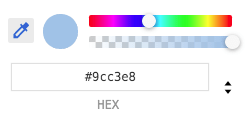 sick birch
Ah
polar plinth
oh wait
sick birch
Can you paste the full traceback?