#discord-bots
1 messages · Page 899 of 1
 sick birch
    @commands.Cog.listener()
    async def on_command_error(self,ctx,error):
        if isinstance(error,commands.MissingPermissions):
            await ctx.send("You can't do that")
            await ctx.message.delete()
right here
That's eating up all your errors
 junior verge
What's wrong?
 fallow mauve
no like when the bot prints smth in the console
sick birch
fallow mauve
no like when the bot prints smth in the console
Then run a function or coro once you print something
sick birch
junior verge
What's wrong?
You only have a single if statement, so if the error isn't of instance commands.MissingPermissions, its ignored
 slate swan
fallow mauve
but like how
slate swan
fallow mauve
but like how
print("somethin")?
junior verge
sick birch
You only have a single if statement, so if the error isn't of instance `commands...
So what should I do to get it fixed?
sick birch
fallow mauve
ive never thought about this kinda thing before so idk where to start
print("something")
on_print()
Make sure you print the error regardless of if its an instance or not
slate swan
sick birch
```py
print("something")
on_print()
```
 STOP COPYING ME
sick birch
Or consider using cog only errors
 hard trail
How do I make it delete the command message? I did ctx.delete() but keep getting this error
@bot.command()
async def verify(ctx):
  verified_role = get(ctx.guild.roles,name="Verified")
  guild = ctx.guild
  if ctx.channel.id == 945078080194621490:

    await ctx.author.add_roles(verified_role)
    embed1 = nextcord.Embed(title='Verified!', description = f"You have been verified successfully in {guild}!", color=nextcord.Color.green())
    await ctx.author.send(embed=embed1)
    await ctx.delete()
    return

  else:

    return
 sick birch
on_command_error is global and it picks up every single error which sometimes can't be ideal (like now)
sick birch
hard trail
How do I make it delete the command message? I did `ctx.delete()` but keep getti...
ctx.message.delete()
slate swan
hard trail
How do I make it delete the command message? I did `ctx.delete()` but keep getti...
ctx.message.delete()
junior verge
sick birch
`on_command_error` is **global** and it picks up **every single** error which so...
Ah, so what should I change it to.
fallow mauve
sick birch
```py
print("something")
on_print()
```
on_print is the event right? so then what goes after it to detect what was printed?
sick birch
junior verge
Ah, so what should I change it to.
something like:
async def on_command_error(...)
  if isinstance(...):
    # do something here

  print(error) # very important
print("something")
on_print("something")
@commands.Cog.listener()
    async def on_command_error(self,ctx,error):
        if isinstance(error,commands.MissingPermissions):
            await ctx.send("You can't do that")
            await ctx.message.delete()
            print(error)
``` Just like thatThough it really feels like an XY problem to me
slate swan
!e on_print("s")
slate swan
slate swan
!e on_print("s")
i've never seen this
sick birch
https://xyproblem.info/, i feel like what you're asking is what you think is a solution to another bigger problem
junior verge
Me?
sick birch
junior verge
```py
@commands.Cog.listener()
async def on_command_error(self,ctx,error):
...
Make sure you unindent the print
So it always runs, instead of conditionally
junior verge
sick birch
Make sure you unindent the print
ah okay
sick birch
Alternatively
async def on_command_error(...):
  if isintance(...):
    # do something
  else:
    print(error) # very important
@commands.Cog.listener()
    async def on_command_error(self,ctx,error):
        if isinstance(error,commands.MissingPermissions):
            await ctx.send("You can't do that")
            await ctx.message.delete()
        else:
            print(error)
But printing the error won't really be all that descriptive, use the traceback library to print the entire traceback
junior verge
Uh okay, will this fix my problem though?
sick birch
import traceback

traceback.print_tb(error.__traceback__)
Yes, you should start getting errors again
junior verge
Hope so
sick birch
Give it a whirl and see what happens
junior verge
 fallow mauve
sick birch
```py
print("something")
on_print("something")
```
fallow mauve
sick birch
```py
print("something")
on_print("something")
```
yo no comprendo
junior verge
never defined error uh
sick birch
fallow mauve
yo no comprendo
I'm really thinking this is an XY problem. I'm assuming having an "on print" event is what you think is a solution to a different problem. What is the bigger problem you're trying to solve?
sick birch
junior verge
Well, at least you're getting errors now
junior verge
sick birch
Well, at least you're getting errors now
Yeah lmao
sick birch
Well from here on our you get all the errors and the problem is with other parts of your code
junior verge
@commands.Cog.listener()
    async def on_command_error(self,ctx,error):
        if isinstance(error,commands.MissingPermissions):
            await ctx.send("You can't do that")
            await ctx.message.delete()
        else:
            print(error)
``` How should I define error.You already have error provided to you in the error handler
fallow mauve
sick birch
I'm really thinking this is an XY problem. I'm assuming having an "on print" eve...
im trying to make it so whenever i have an error, i can have it print smth and if that's printed then an event will send me a message in discord so i dont have to keep switching tabs and searching through the console
junior verge
sick birch
You already have error provided to you in the error handler
I mean that's what the error says, doesn't it?
sick birch
True, let's see
fallow mauve
i gtg
sick birch
fallow mauve
im trying to make it so whenever i have an error, i can have it print smth and i...
Aha, there you go. Use an error handler for that, not an on print event
Knew that was an XY
fallow mauve
sick birch
Aha, there you go. Use an error handler for that, not an on print event
oh right i forgot that was a thing
cool
sick birch
junior verge
What was above it?
 lyric tusk
sick birch
lyric tusk
sick birch
Looks like you chopped off the error
junior verge
sick birch
What was above it?
Yep xD
 sick birch
Hmmm
junior verge
Should I do OSError?
sick birch
No don't do that
junior verge
oki
sick birch
That's odd it should be defined
I guess remove the else and move print(error) to the function scope?
Maybe like
@commands.Cog.listener()
    async def on_command_error(self,ctx,error):
        if isinstance(error,commands.MissingPermissions):
            await ctx.send("You can't do that")
            await ctx.message.delete()
        print(error)
That is very strange indeed
 vale wing
junior verge
Yep xD
vale wing
junior verge
Yep xD
Search print(error) in your files
vale wing
You might have it somewhere else not in the error handler
junior verge
There is none somewhere else
vale wing
Ok
junior verge
I just did
sick birch
@junior verge instead of on_command_error try cog_command_error
 flat solstice
so I'm not sure what's going on but my cog/group doesn't seem to be registering andI'm not getting any errors that would suggest there's a problem. I'm starting my bot like this to load the extensionspy async def start_bot(self): COG_PATH = pathlib.Path("../cogs/") for extension in COG_PATH.glob("*.py"): if extension.name != "__init__.py": print(extension) try: self.load_extension(extension) except Exception: print(f"Failed to load extension {extension}.", file=sys.stderr) print(traceback.print_exc()) await self.start(token)I then actually start the bot herepy loop = asyncio.get_event_loop() if __name__ == '__main__': loop.run_until_complete(client.start_bot())and this is the cog/group I'm trying to add```py
import discord
#from utils.helpers import userinfo
from typing import Union
from discord import Member, User, Interaction, Embed
from discord.app_commands import Group, command, describe
class User(Group):
def init(self, client):
self.bot = client
@command()
@describe(user="The discord user to get information for.")
async def info(self, interaction: Interaction, member: Union[Member, User] = None):
    await _userinfo_(interaction, member)
def setup(client):
client.add_cog(User(client))```
sick birch
It's not an event, just you have to override it
junior verge
sick birch
<@!813824599522541628> instead of `on_command_error` try `cog_command_error`
Same error
sick birch
class MyCog(commands.Cog):
  ...
  async def cog_command_error(self, ctx: commands.Context, error: CommandError):
    print(error)
You don't need the decorator just override it
 outer wedge
yo guys, i am new to the python discord sever and python. Can you guys help me with a discord bot, i want to make one but i just dont know the ideas to
sick birch
flat solstice
so I'm not sure what's going on but my cog/group doesn't seem to be registering ...
The entry point of your bot start_bot() should be started using asyncio.run()
vale wing
You should try this to see what args are provided to there
@commands.Cog.listener()
async def on_command_error(*args):
    print(args)```
@junior vergethat's a good idea
junior verge
lets see
flat solstice
sick birch
The entry point of your bot `start_bot()` should be started using `asyncio.run()...
what's the difference? thanks for the advice but not really the root problem as the bot does run/start
junior verge
YE SYES YES
vale wing
outer wedge
yo guys, i am new to the python discord sever and python. Can you guys help me w...
If you are new to programming overall (no experience with other languages) I don't recommend starting with a discord bot
junior verge
@sick birch Man I love you  @vale wing as well absolute 🐐
junior verge
Yessss
junior verge
vale wing
Just interested what was wrong with it
No clue tbh
Now we got another error, it'll be just simple I guess
import discord, datetime, time
from discord.ext import commands


class Uptime(commands.Cog):
    def __init__(self, client):
        self.client = client

    @commands.command(pass_context=True)
    async def uptime(self, ctx):
        start_time = time.time()
        current_time = time.time()
        difference = int(round(current_time - start_time))
        text = str(datetime.timedelta(seconds=difference))
        embed = discord.Embed(colour=ctx.message.author.top_role.colour)
        embed.add_field(name="Uptime", value=text)
        embed.set_footer(text="Daxbot.com")
        try:
            await self.client.send(embed=embed)
        except discord.HTTPException:
            await self.client.send("Current uptime: " + text)


def setup(client):
    client.add_cog(Uptime(client))
``` Uptime object has no attribute ctxpass_context deprecated
 final iron
Someone actually following pep8 
junior verge
vale wing
`pass_context` deprecated
What should it be?
final iron
junior verge
What should it be?
Just remove it entirely
vale wing
Remove that param at all
vale wing
junior verge
```py
import discord, datetime, time
from discord.ext import commands
class Up...
Could you show the full traceback
junior verge
I don't have a full error now anymore
Because of the error handller all shows is this
vale wing
And please show how is your client defined
vale wing
junior verge
Because of the error handller all shows is this
Just comment it out temporarily
junior verge
 vale wing
And please show how is your `client` defined
vale wing
vale wing
And please show how is your `client` defined
Cause I have a suspicion that it is discord.Client and not a commands.Bot
vale wing
junior verge
Ok this is a different error
junior verge
vale wing
Ok this is a different error
Yeah
vale wing
But seems like client is bot
junior verge
vale wing
And please show how is your `client` defined
is it dw
junior verge
vale wing
But seems like client is bot
yes
slate swan
then its await ctx.send?
vale wing
That's just in case
vale wing
junior verge
The upper exception please
junior verge
vale wing
The upper exception please
 vale wing
Use ctx.send
junior verge
uh sure
vale wing
Not self.client.send
junior verge
yeah sorry
junior verge
vale wing
Use `ctx.send`
Okay so, my uptime command works, but just does not update lmao
import discord, datetime, time
from discord.ext import commands


class Uptime(commands.Cog):
    def __init__(self, client):
        self.client = client

    @commands.command()
    async def uptime(self, ctx):
        start_time = time.time()
        current_time = time.time()
        difference = int(round(current_time - start_time))
        text = str(datetime.timedelta(seconds=difference))
        embed = discord.Embed(colour=ctx.message.author.top_role.colour)
        embed.add_field(name="Uptime", value=text)
        embed.set_footer(text="Daxbot.com")
        try:
            await ctx.send(embed=embed)
        except discord.HTTPException:
            await ctx.send("Current uptime: " + text)


def setup(client):
    client.add_cog(Uptime(client))
``` code btwCause start_time and current_time are almost the same as you define them both inside of the command
junior verge
Which one should be outside?
 glacial echo
ok i still cant figure this out
vale wing
You would want to make start_time a bot var
 vale wing
client = commands.Bot(...)
client.start_time = time.time()```Uh, lemme check
junior verge
vale wing
This should work as well but it would reset after cog reload
Still does not update
import discord, datetime, time
from discord.ext import commands

start_time = time.time()

class Uptime(commands.Cog):
    def __init__(self, client):
        self.client = client

    @commands.command()
    async def uptime(self, ctx):
        current_time = time.time()
        difference = int(round(current_time - start_time))
        text = str(datetime.timedelta(seconds=difference))
        embed = discord.Embed(colour=ctx.message.author.top_role.colour)
        embed.add_field(name="Uptime", value=text)
        embed.set_footer(text="Daxbot.com")
        try:
            await ctx.send(embed=embed)
        except discord.HTTPException:
            await ctx.send("Current uptime: " + text)


def setup(client):
    client.add_cog(Uptime(client))
``` How should I do it tho?Well personally I would use bot var as I said
vale wing
vale wing
```py
client = commands.Bot(...)
client.start_time = time.time()```
Define it where you define client and then you can access it like
self.client.start_time```
 vale wing
Why
junior verge
I don't know
vale wing
Could you show how you assigned it to your client
junior verge
wym
vale wing
vale wing
```py
client = commands.Bot(...)
client.start_time = time.time()```
This
Sry I gotta go maybe someone else will be able to help you cya
junior verge
Can anyone help me please
import discord, datetime, time
from discord.ext import commands


class Uptime(commands.Cog):
    def __init__(self, client):
        self.client = client
        client = commands.Bot()
        client.start_time = time.time()

    @commands.command()
    async def uptime(self, ctx):
        current_time = time.time()
        difference = int(round(current_time - self.client.start_time))
        text = str(datetime.timedelta(seconds=difference))
        embed = discord.Embed(colour=ctx.message.author.top_role.colour)
        embed.add_field(name="Uptime", value=text)
        embed.set_footer(text="Daxbot.com")
        try:
            await ctx.send(embed=embed)
        except discord.HTTPException:
            await ctx.send("Current uptime: " + text)


def setup(client):
    client.add_cog(Uptime(client))
``` My uptime command does not updateanyone mind taking a look, no need to comment on my use of start instead of run as I can't change it atm as there's a current loop that I don't seem to be able to close
#bot-commands
i can never find the channel so i tagged it for myself
flat solstice
Okay so I'm using dpy 2.0 and have this app_commands group https://paste.pythondiscord.com/uwopililig which doesn't seem to be loading (or at I don't think it's loading bc the commands not appearing).I'm loading my bot like this(yes I should use run not start) https://paste.pythondiscord.com/yixucebijo and this is my main.py file https://paste.pythondiscord.com/mozogupeva. I'm just not sure why the cog/group isn't working as I'm not getting any errors for it
junior verge
import discord
from discord.ext import commands

class Mention(commands.Cog):
    def __init__(self, bot):
        self.bot = bot

    @commands.Cog.listener()
    async def on_message(self, ctx, message):
            if self.client.user.mentioned_in(message):
                embed=discord.Embed(title="", url="https://www.linkpicture.com/q/daxbot.png", description="Hello, I am Daxbot! I am a discord bot created by ``Daxles#9999``", color=0x18c3fb), embed.set_author(name="Daxbot#0621", icon_url="https://www.linkpicture.com/q/daxbot.png")
                await ctx.send(embed=embed)

def setup(bot):
    bot.add_cog(Mention(bot))
``` Idea?
 hushed galleon
on_message wont receive ctx
junior verge
oh
hushed galleon
dpy only passes in a message object, but since you specified two parameters it believes the message parameter is missing
junior verge
so what should I do
sick birch
Remove the ctx
hushed galleon
ya
junior verge
and then the ctx here?
 hushed galleon
ctx.send is just a shortcut for writing message.channel.send
junior verge
So change it to that
hushed galleon
oui
final iron
hushed galleon
`ctx.send` is just a shortcut for writing `message.channel.send`
No lmao
junior verge
 final iron
ctx.send is a shortcut for ctx.channel.send
hushed galleon
obviously, but ctx is created from a message object so they essentially come from the same thing
final iron
Sure but again, it's not a shortcut
 final iron
Send the code
junior verge
import discord
from discord.ext import commands

class Mention(commands.Cog):
    def __init__(self, client):
        self.client = client

    @commands.Cog.listener()
    async def on_message(self, message):
            if self.client.user.mentioned_in(message):
                embed=discord.Embed(title="", url="https://www.linkpicture.com/q/daxbot.png", description="Hello, I am Daxbot! I am a discord bot created by ``Daxles#9999``", color=0x18c3fb), embed.set_author(name="Daxbot#0621", icon_url="https://www.linkpicture.com/q/daxbot.png")
                await message.channel.send(embed=embed)

def setup(bot):
    bot.add_cog(Mention(bot))
what i mean is that conceptually they are referencing the same channel, not that you could Ctrl+R replace all occurrences of ctx.send with message.channel.send
flat solstice
junior verge
```py
import discord
from discord.ext import commands
class Mention(commands.Co...
color).set_author(...)
final iron
junior verge
```py
import discord
from discord.ext import commands
class Mention(commands.Co...
You forgot a newline
hushed galleon
^ you should either write embed.set_author on its own line, or chain the call by typing .set_author after the closing parenthesis: py embed = discord.Embed( title='is a good music player' ).set_author(name='foobar2000')
 rocky hornet
is there a smart person that uses hikari?
hushed galleon
you're free to ask your question, someone will either know hikari or can read the docs and understand enough to help
 vapid anchor
rocky hornet
is there a smart person that uses hikari?
vapid anchor
rocky hornet
is there a smart person that uses hikari?
ask in the hikari server if you want smart hikari users
slate swan
smart advice from a smart person
 compact crow
is there a reason when im putting someones avatar inside an embed it is very small, about the same size when you click on their account. am i doing something wrong?
 rocky trench
compact crow
is there a reason when im putting someones avatar inside an embed it is very sma...
rocky trench
compact crow
is there a reason when im putting someones avatar inside an embed it is very sma...
Image or thumbnail?
compact crow
image
rocky trench
Can you attach a screenshot of the embed?
compact crow
using set_image
sure

teeny tiny
i tried adding it with add_field but it would always just be a url
and now its just small
you tried pip install discord.ui yeah
rocky hornet
compact crow
using `set_image`
sure
show what url you are setting it to
compact crow
https://cdn.discordapp.com/avatars/{user.id}/{user.avatar}
rocky hornet
and i hope you use disnake not discord.py
compact crow
me?
rocky hornet
yes
rocky hornet
compact crow
`https://cdn.discordapp.com/avatars/{user.id}/{user.avatar}`
wut
i mean code that generates the url
compact crow
oh
rocky hornet
dont tell me that was it
compact crow
rocky hornet
dont tell me that was it
well yeah, anything else i use i get errors
rocky hornet
compact crow
well yeah, anything else i use i get errors
what lib and what version of lib
compact crow
discordpy
rocky hornet
what version
rocky trench
compact crow
`https://cdn.discordapp.com/avatars/{user.id}/{user.avatar}`
God
Just use user.avatar.url
rocky hornet
rocky trench
Just use user.avatar.url
💀
rocky trench
rocky hornet
💀
?
rocky hornet
ok bro
rocky trench
I don't think ur comment was needed
rocky trench
Dpy 2.0 user.avatar.url
dpy: user.avatar_url
rocky trench
rocky hornet
you are assuming: library they're using, version of that library
Ofcourse i assume they use dpy
compact crow
my bad im back
rocky hornet
wdym of course 💀
compact crow
rocky trench
Just use user.avatar.url
cant, get hash errors
rocky trench
rocky hornet
wdym of course 💀
Its literally the main python lib of discord💀💀💀💀💀💀💀
rocky hornet
ur funny, the lib is dead
rocky trench
compact crow
cant, get hash errors
What errors?
compact crow
one sec
 rocky hornet
bro cant tell by the new slash implementation that its gonna be shit 💀
rocky trench
 rocky trench
rocky hornet
bro cant tell by the new slash implementation that its gonna be shit 💀
rocky trench
rocky hornet
bro cant tell by the new slash implementation that its gonna be shit 💀
Its not dead then💀💀💀
flat solstice
okay I have this app_commands.Group
import discord
#from utils.helpers import _userinfo_
from typing import Union
from discord import Member, User, Interaction, Embed, app_commands
from discord.app_commands import Group, command, describe
class User(app_commands.Group):
def __init__(self, client):
self.bot = client
def _timestamps_(self, member, embed, avatar):
embed.add_field(name = "Joined Server:", value = f"<t:{int(member.joined_at.timestamp())}:R>", inline = True)
if avatar == True:
embed.add_field(name = "Avatar", value = f"[PNG]({member.avatar_url_as(static_format='png')})", inline = True)
embed.add_field(name = "Joined Discord:", value = f"<t:{int(member.created_at.timestamp())}:R>", inline = True)
async def _userinfo_(interaction, member):
member = interaction.user if member is None else member
member_status = "No status" if member.activity is None else member.activity.name
embed = Embed(title = f"{member}", description = f"Status: **{member.status}**\n*{member_status}*", colour = member.colour)
embed.set_author(name = f"{member.id}", icon_url = member.avatar.url)
embed.set_thumbnail(url = member.avatar.url)
await _timestamps_(member, embed, True)
if isinstance(member, discord.Member):
roles = [f"{role.mention}" for role in member.roles]
if len(roles) == 0: roles.append("No roles")
has_key = [perm for perm in self.bot.config.key_perms if getattr(member.guild_permissions, perm)]
if len(has_key) == 0: has_key.append('No permissions')
embed.add_field(name = f"Roles: {len(roles)}",value = f"{len(roles)} roles" if len(" ".join(roles)) > 1000 else " ".join(roles), inline = False)
embed.add_field(name =f'Key permissions', value = ", ".join(has_key).replace("_"," ").title(), inline = False)
interaction.response.send_message(embed=embed)
@app_commands.command()
@app_commands.describe(user="The discord user to get information for.")
async def info(self, interaction: Interaction, member: Union[Member, User] = None):
await _userinfo_(interaction, member)```which is throwing an error of```py
Traceback (most recent call last):
File "C:\Users\Teagan\Documents\Coding\Zupie\bot\main.py", line 4, in <module>
from cogs.user import User
File "C:\Users\Teagan\Documents\Coding\Zupie\bot\cogs\user.py", line 7, in <module>
class User(Group):
File "C:\Users\Teagan\Documents\Coding\Zupie\bot\cogs\user.py", line 36, in User
async def info(self, interaction: Interaction, member: Union[Member, User] = None):
File "C:\Users\Teagan\Documents\Coding\Zupie\env\lib\site-packages\discord\app_commands\commands.py", line 941, in decorator
return Command(
File "C:\Users\Teagan\Documents\Coding\Zupie\env\lib\site-packages\discord\app_commands\commands.py", line 376, in __init__
self._params: Dict[str, CommandParameter] = _extract_parameters_from_callback(callback, callback.__globals__)
File "C:\Users\Teagan\Documents\Coding\Zupie\env\lib\site-packages\discord\app_commands\commands.py", line 285, in _extract_parameters_from_callback
_populate_descriptions(result, descriptions)
File "C:\Users\Teagan\Documents\Coding\Zupie\env\lib\site-packages\discord\app_commands\commands.py", line 208, in _populate_descriptions
raise TypeError(f'unknown parameter given: {first}')
arameters_from_callback
_populate_descriptions(result, descriptions)
File "C:\Users\Teagan\Documents\Coding\Zupie\env\lib\site-packages\discord\app_commands\commands.py", line 208, in _populate_descriptions
raise TypeError(f'unknown parameter given: {first}')
TypeError: unknown parameter given: user``` left crater
rocky hornet
yea ok whatever, use dpy over disnake, nextcord and even hikari
left crater
rocky hornet
yea ok whatever, use dpy over disnake, nextcord and even hikari
bro he can use whatever he wants
compact crow
discord.ext.commands.errors.CommandInvokeError: Command raised an exception: HTTPException: 400 Bad Request (error code: 50035): Invalid Form Body
In embed.image.url: Scheme "6c9ff0d904002e1728a218e44247ea0b" is not supported. Scheme must be one of ('http', 'https').```i never said u cant
its just stupid
but whatever
@compact crow what version of the library
compact crow
compact crow
```
discord.ext.commands.errors.CommandInvokeError: Command raised an exception:...
this is why i have to use what i am, otherwise i get this
flat solstice
rocky hornet
API fkin v7 lmao
dpy 2,0 master uses api v10
left crater
1.7.3 uses v7 i think
left crater
thats what we have been trying to tell u
left crater
compact crow
im on 1.7.3
then its not going to work
 vast gale
ye 1.x is dead in april
rocky hornet
@compact crowhttps://discordpy.readthedocs.io/en/stable/api.html#discord.User.avatar_url
flat solstice
one of my bots is running 1.7.3 but the one of working on now uses 2.0
rocky hornet
2.0 isnt stable but yall love dpy so keep using it 💀
dont even think about better forks
compact crow
what fork would you recommend other than dpy if i were to change
left crater
prob disnake
compact crow
rocky hornet
<@!482681265007493120>https://discordpy.readthedocs.io/en/stable/api.html#discor...
also ty
slate swan
rocky hornet
2.0 isnt stable but yall love dpy so keep using it 💀
dont even think about bet...
who wouldnt like dpy?
left crater
dpy has special place in our hearts
rocky hornet
@compact crow 3 possible reasons the image is small to you:
- avatar is small
- try pass image size to the url
- embed's max image size somehow doesnt satisfy you
 flat solstice
none of the forks seem particularly good to me, i considered using hikari but that was such a drastic change and bc that's still in dev land those no decent into guides or tutorials
compact crow
rocky hornet
<@!482681265007493120> 3 possible reasons the image is small to you:
1) avatar i...
got it sorted now thanks 😄
rocky hornet
disnake is made by the creator of dislash, their 2.0 is stable for a very long time
compact crow
it was just me being a complete tool in the end
flat solstice
 slim ibex
you don’t need tutorials. Read the docs
slim ibex
you don’t need tutorials. Read the docs
hinari's docs seemed all over the place to me
slim ibex
flat solstice
hinari's docs seemed all over the place to me
try pincer
flat solstice
slim ibex
try pincer
The package is currently within the Alpha phase
that's the issue with most of them, they are all in dev land (not saying that's generally bad) and discord is just steamrolling ahead with new features faster than the libs can be updated or if they can catch up they seem rather tacked on (pycord)
slim ibex
flat solstice
> The package is currently within the Alpha phase
that's the issue with most of ...
All libs are being developed on
who cares if it’s in Alpha?
flat solstice
i don't massively, apart from if breaking changes get added
flat solstice
flat solstice
okay I have this app_commands.Group
```py
import discord
#from utils.helpers im...
anyway back to what brought me here, does someone mind taking a look at this
 somber sky
what did i do wrong
 slim ibex
you don’t even tell us the error lmao
somber sky
there is no error it just doesnt do anything
flat solstice
is it a cog?
slim ibex
which part does nothing? Does it not send the first message or the second
 slim ibex
ah yeah you don’t pass ctx when invoking the command
somber sky
oh so just await message.edit?
somber sky
what thhat mean
slate swan
when doing bot.edit_guild(name=xyz, icon=icon) you need to set the icon as bytes, ive tried some stuff but that didnt work. does anyone know how to convert a png file/url into bytes used for the icon
somber sky
slim ibex
it’s when you type the command in discord
s.kill @stray scarab
oops didnt mean to ping
 uncut zephyr
Is it possible to make like a extra thread for each server my bot is on? So its like every Server has its own independent bot?
I am so lost with async and coroutine's
slim ibex
uncut zephyr
Is it possible to make like a extra thread for each server my bot is on? So its ...
Why would you do that?
sick birch
uncut zephyr
I am so lost with async and coroutine's
About what?
 edgy lion
def check(m: discord.Message): # m = discord.Message.
return m.author.id == interaction.user.id and m.channel.id == interaction.channel.id
# checking author and channel, you could add a line to check the content.
# and m.content == "xxx"
# the check won't become True until it detects (in the example case): xxx
# but that's not what we want here.
try:
# event = on_message without on_
msg = await self.bot.wait_for(event='message', check=check, timeout=60.0)
# msg = discord.Message
except asyncio.TimeoutError:
# at this point, the check didn't become True, let's handle it.
await interaction.edit_original_message(content=
f"**{interaction.user}**, you didn't send any message that meets the check in this channel for 60 seconds..")
return
else:
# at this point, the check has become True and the wait_for has done its work, now we can do ours.
# we could also do things based on the message content here, like so
# if msg.content == "this is cool":
# return await ctx.send("wait_for is indeed a cool method")
await interaction.edit_original_message(
content=f"**{interaction.user}**, you responded with {msg.content}")```
https://cdn.discordapp.com/attachments/381965515721146390/951988168406761513/unknown.png why is str.content none? uncut zephyr
slim ibex
Why would you do that?
uncut zephyr
slim ibex
Why would you do that?
Because the Bot has to work like this to function correctly. And I asked questions before, I tried to understand async functions etc but I just dont get it. And if this is possible, this would be a very good way to achive my goals
uncut zephyr
sick birch
About what?
About running multiple functions at the same time.
 alpine furnace
uncut zephyr
Because the Bot has to work like this to function correctly. And I asked questi...
alpine furnace
uncut zephyr
Because the Bot has to work like this to function correctly. And I asked questi...
What do you mean “just don’t get it”?
slim ibex
uncut zephyr
Because the Bot has to work like this to function correctly. And I asked questi...
It will literally do nothing to have a bot on a separate thread
The bot runs once. That means you would have tons of bots running
alpine furnace
Your best option is to try harder to understand, because what you’re trying to do is much more difficult than using the library as it’s meant
slim ibex
^
 candid escarp
I get this whenever on website when i run my bot
No WebSocket UPGRADE hdr: None
Can "Upgrade" only to "WebSocket". using discord.ext.ipc can someone help plz
uncut zephyr
alpine furnace
What do you mean “just don’t get it”?
I read the documentation (not completely) and some other websites, but still dont know what they tried to tell me.
I found a reddit post about like exactly my problem, but it seems, there is no way 😂
slim ibex
It isn’t a "problem".
plain and simple that you shouldn’t run the same bot instance on multiple threads
That is extra complication that won’t do anything
uncut zephyr
slim ibex
It will literally do nothing to have a bot on a separate thread
Okay so maybe I dont mean Threads, then I am sorry.
I just want, that variables cant be changed across servers.
For example if I define a variable
Server1
num = 5
and on another Server
Server2
num = 10
Then both values should be saved, but I want to work with num = 5 on Server1 and with num = 10 on Server2. Like independent.
does that makes sense?
slim ibex
yeah that’s a simple database
uncut zephyr
final iron
Use a database
Is there a database based on python? I tried sql and sqlalchemy, but I really dont like it.
currently I am saving everything in simple files
slim ibex
With a record for each specific guild, with specific config
slim ibex
uncut zephyr
Is there a database based on python? I tried sql and sqlalchemy, but I really do...
you need to use sql… (unless you use a NoSQL db)
You can use ORMs along with dbs to not have to write raw SQL
uncut zephyr
slim ibex
With a record for each specific guild, with specific config
Like
Server1
num = [Server1, 5]
Server2
num =[Server2, 10] ?
slim ibex
that’s not how a relational database works
final iron
uncut zephyr
Like
Server1
num = [Server1, 5]
Server2
num =[Server2, 10] ?
That's not a database?
uncut zephyr
slim ibex
You can use ORMs along with dbs to not have to write raw SQL
yeah I tried Sqlalchemy, its a ORM right?
 manic wing
guys, opinion on having an arg in the event decorator which is raw and it means you get passed raw event data instead of whatever class
slim ibex
uncut zephyr
yeah I tried Sqlalchemy, its a ORM right?
yeah but Prisma Client for Python is better
final iron
manic wing
guys, opinion on having an arg in the event decorator which is `raw` and it mean...
What API?
uncut zephyr
final iron
That's not a database?
yes... How would it look like with a database? Sorry guys 🙈 😬
slim ibex
it’s a table
manic wing
final iron
What API?
?
final iron
Are you making an API wrapper?
manic wing
yes
slim ibex
🗿
final iron
Yea so, what API?
manic wing
discord api? tf
final iron
Could be useful I guess
uncut zephyr
slim ibex
yeah but Prisma Client for Python is better
Yeah okay, but still more or less the same.
Okay lets say I learn it. What do I have to change in my code? Every variable? 🤔
slim ibex
Minecraft api
slim ibex
uncut zephyr
Yeah okay, but still more or less the same.
Okay lets say I learn it. What do ...
It is not the same
all you have to do is make a schema for your db, connect to your db, sync your db with the schema and use the prisma functions
Docs will tell you how to do it
uncut zephyr
Okay I think thats my main problem, I dont understand the difference or what I have to do in general. I have a wrong unterstanding
uncut zephyr
Thats not the problem, but I cant imagine that this would work. I just dont understand how
uncut zephyr
Okay can I give you an example?
slim ibex
and uniqueness
uncut zephyr
I have a game and it should be only possible to play one at a time.
So I have a boolean called "running". If True, you cant start a new game.
And I have a lot of data which I store in lists.
I understand that a database would be great for my lists. That I should safe everything in a real database. But I still have (for example) this single var. which should be independently on each Server. (Because if Server A plays a game, Server B dan still start one).
So do I give "running" an entry in one of my tables in dependency of the Server ID? And do this basiclly with every var. I use during a game...
So I dont use any python variables and only Database entry's?
slim ibex
you can use the var to make a query
uncut zephyr
Sorry I dont understand what you mean.
final iron
uncut zephyr
Sorry I dont understand what you mean.
Do you understand basic sql?
uncut zephyr
I think so, yes.
slim ibex
learn basic sql before doing database
final iron
You talking to me?
uncut zephyr
use database-xy;
Select * from mytable where...;
slim ibex
don’t think the useis needed if a database connection is established already
final iron
# Pretend the connection has already been established
my_var = connection.cursor().execute("SELECT is_running FROM your_table_name;")
I think this is right anyway
snake_case?
uncut zephyr
okay
final iron
final iron
```py
# Pretend the connection has already been established
my_var = connection....
If you had a column called is_running which stored whether the user can start a new game, then my_var would be your bool (True/False) (It would be returned in a tuple but you get the point)
🥳
That would be more for the scope of #python-discussion or #❓|how-to-get-help
!pypi ConfigParser
 unkempt canyonBOT

Updated configparser from Python 3.8 for Python 2.6+.
final iron
Where is the trash can smh
final iron
final iron
If you had a column called `is_running` which stored whether the user can start ...
@uncut zephyr This is directed at you btw
uncut zephyr
final iron
If you had a column called `is_running` which stored whether the user can start ...
Yes, thats what I meant. So I have to save everything in my database.
But it should be like this
# Pretend the connection has already been established
my_var = connection.cursor().execute("SELECT is_running FROM your_table_name WHERE server = message.guild.id;")
right?
uncut zephyr
final iron
<@!269913278807801856> This is directed at you btw
Haha yeah I was not sure at first, but then I had to think about it
final iron
uncut zephyr
Yes, thats what I meant. So I have to save everything in my database.
But it sh...
You get the idea but something is wrong
You're just doing message.guild.id
You should be using placeholders
uncut zephyr
final iron
You get the idea but something is wrong
Yeah and I dont get whats wrong. I think if I knew whats wrong everything will make sense. Looking forward to this moment tbh
final iron
You would do
# Pretend the connection has already been established
my_var = connection.cursor().execute("SELECT is_running FROM your_table_name WHERE server = ?;", (message.guild.id, ))
Not 100% sure though
I've actually never used placeholders
I only learnt about sql injection after I quit making my discord bot
uncut zephyr
ahh yes, i tried it with
my_var = connection.cursor().execute("SELECT is_running FROM your_table_name WHERE server = " + str(message.guild.id)) //WRONG
and it worked
manic wing
uncut zephyr
ahh yes, i tried it with
```py
my_var = connection.cursor().execute("SELECT is_...
thats not sanitisation
manic wing
final iron
You would do
```py
# Pretend the connection has already been established
my_var ...
it would be , (message.guild.id, )
manic wing
final iron
You would do
```py
# Pretend the connection has already been established
my_var ...
and you dont need the () around the ?
uncut zephyr
Ahh okay thank you. But except this, it would be correct?
final iron
Changed it
manic wing
final iron
You would do
```py
# Pretend the connection has already been established
my_var ...
you also dont need the ; lol
final iron
It's better practice
manic wing
n
final iron
Technically no but I would like to make it a habit
Always employ good practice, even if you don't need to
manic wing
looks bad but you do you
final iron
Doesn't matter to me 🤷♂️
manic wing
you cant just pull 'good practice' out of your ass
final iron
I can
 buoyant igloo
Guys what is the user mention argument in discord.py
uncut zephyr
that escalated quickly lol
final iron
Theres a difference between doing it in python and SQL
uncut zephyr
buoyant igloo
Guys what is the user mention argument in discord.py
like this?
.send("{}".format(message.author.mention))
Argument
final iron
In python it's unpythonic, in sql, it's good practice
sick birch
final iron
Theres a difference between doing it in python and SQL
Just don't write sql 🤦
manic wing
final iron
Theres a difference between doing it in python and SQL
there is no difference
sick birch
buoyant igloo
Guys what is the user mention argument in discord.py
discord.Member works
buoyant igloo
ok thx
final iron
manic wing
there is no difference
It's is good practice to put a ; at the end of your statement in SQL queries. If you disagree, ask in #databases
uncut zephyr
final iron
You would do
```py
# Pretend the connection has already been established
my_var ...
To come back to the question, so I have to save my "running" var in my database, connected with a server_id.
And I have to do this with every variable that I am currently using right?
manic wing
i dont particularly care
final iron
Why are you so aggressive
manic wing
im not
final iron
You are
sick birch
Guys tone it down a notch
final iron
What did I do lmao
sick birch
You're gonna scare people off from asking for help
manic wing
apologies
sick birch
great let's move on then
final iron
uncut zephyr
To come back to the question, so I have to save my "running" var in my database,...
You mean is_running?
uncut zephyr
final iron
You mean `is_running`?
ah yeah right, it's called "is_running"
final iron
Yeah, you would
uncut zephyr
uncut zephyr
Like
Server1
num = [Server1, 5]
Server2
num =[Server2, 10] ?
So its basically the same as this, just with a nice database
final iron
Yeah, you would do num = fetching from database etc.
uncut zephyr
I have a lot of variables which I only have to use for a very short amount of time, I have to do a database entry for everything right?
uncut zephyr
No I dont. And also the "is_running" is reset to False after every restart. So does it mean I dont have to safe it in a db?
I thought I understand everything haha
final iron
When your bot restarts the database will not be affected unless you do it yourself
uncut zephyr
yes I know. And thats all good. But I want to know, what I have to do with my variables which are just there to do "short tasks"
final iron
uncut zephyr
To come back to the question, so I have to save my "running" var in my database,...
If you want to have only 1 game per server, yes you would pair it with a server id. If you wanted to do it for a per user basis you would just pair it with a user id
final iron
uncut zephyr
yes I know. And thats all good. But I want to know, what I have to do with my va...
If you don't want the data to save after the bot restarts then you just keep them as normal variables
uncut zephyr
Yeah I got this. But also in a DB then?
I try to by clear, lets say I have this
num = 0
for i in range(20+len(username)) #I know len(username) does not exists, but say it does for a moment
  num = num + 5
print(num)
And this gets called once in a while. So num does not need to be saved, but if someone else on another server starts a game, this "num" will be overwritten by him. So what to do?
edgy lion
             def check(m: discord.Message):  # m = discord.Message.
                            return m.author.id == interaction.user.id and m.channel.id == interaction.channel.id
                            # checking author and channel, you could add a line to check the content.
                            # and m.content == "xxx"
                            # the check won't become True until it detects (in the example case): xxx
                            # but that's not what we want here.

                        try:
                            #                        event = on_message without on_
                            msg = await self.bot.wait_for(event='message', check=check, timeout=60.0)
                            # msg = discord.Message
                        except asyncio.TimeoutError:
                            # at this point, the check didn't become True, let's handle it.
                            await interaction.edit_original_message(content=
                                                                    f"**{interaction.user}**, you didn't send any message that meets the check in this channel for 60 seconds..")
                            return
                        else:
                            # at this point, the check has become True and the wait_for has done its work, now we can do ours.
                            # we could also do things based on the message content here, like so
                            # if msg.content == "this is cool":
                            #    return await ctx.send("wait_for is indeed a cool method")

                            await interaction.edit_original_message(
content=f"**{interaction.user}**, you responded with {msg.content}")``` https://cdn.discordapp.com/attachments/381965515721146390/951988168406761513/unknown.png why is welcomeMessage.content none?Does that makes sense?
final iron
uncut zephyr
Yeah I got this. But also in a DB then?
I try to by clear, lets say I have this...
I would personally use a database
 hardy yoke
edgy lion
```py
def check(m: discord.Message): # m = discord.Message.
...
hardy yoke
edgy lion
```py
def check(m: discord.Message): # m = discord.Message.
...
is your code indented inside the check?
uncut zephyr
final iron
I would personally use a database
so a database after all for everything even if it does not have to be saved permanently?
uncut zephyr
final iron
If you don't want the data to save after the bot restarts then you just keep the...
Because this would not work if a game on another Server can change the variables on your server
hardy yoke
if num is located inside a command function, that shouldn't be a concern due to how async works
final iron
uncut zephyr
so a database after all for everything even if it does not have to be saved perm...
If you're not using num outside of the function then you don't need a database
It wont be overwritten
uncut zephyr
okay that makes sense. Let me clarify, a function is
def whatever():
  print("yeah")

#and also something like

async def whatever2():
  print("yeah")

#but on_message is of not a function?
but on_message should be a function too. So everything in my code is in a function. I am confused, give me a moment xD
edgy lion
hardy yoke
is your code indented *inside* the check?
nope
uncut zephyr
I feel kinda stupid right now. But I dont have code outside a function lol
final iron
Then you'll have no issues with variables being overwritten
That's how async programming works
uncut zephyr
so in both my examples I wouldn't had any problems?
Thats weird because I have problems 👀
I will try something
 pliant gulch
uncut zephyr
so a database after all for everything even if it does not have to be saved perm...
pliant gulch
uncut zephyr
so a database after all for everything even if it does not have to be saved perm...
If you don't need persistence it would be ideal to make a dict here, key would be the author's ID, then the value would be num
Then when running the code you increment dict[id] by 5
Instead of doing num = num + 5 you can also just do num += 5
uncut zephyr
pliant gulch
If you don't need persistence it would be ideal to make a `dict` here, key would...
You mean like this? #discord-bots message
uncut zephyr
pliant gulch
Instead of doing `num = num + 5` you can also just do `num += 5`
yeah true
manic wing
hey andy
pliant gulch
If you want num to be incremented by anyone in the server, yea you'd do that
Otherwise set the key as the author's ID to have user specific nums
uncut zephyr
pliant gulch
If you want `num` to be incremented by anyone in the server, yea you'd do that
yes but just on THIS server. But If someone does the same on another Server it shouldnt increment
pliant gulch
Yea, you'd be accessing the dict through the guild's ID preferably, so you won't be editing other guild's num
uncut zephyr
okay like num = [server_id, 5]
pliant gulch
!e ```py
mapping = {1: 0, 2: 0}
mapping[1] += 5
print(mapping[1], mapping[2])
@pliant gulch :white_check_mark: Your eval job has completed with return code 0.
5 0
Now I am again lost, pep8 just said, I dont have to care about it inside a function
pliant gulch
See here, the first guild, example here
It's under 1, and it has it's own num value
uncut zephyr
ahh yeah
pliant gulch
You access the value, increment
Since it's key-value specific you won't be incrementing other guilds
uncut zephyr
makes sense. thanks.
pliant gulch
👍
uncut zephyr
I guess its not working for me because I use to much global variables... I guess my own fault
Btw @final iron Thank you very much for your time, I really appreciate it!
sorry for the ping lol
final iron

buoyant igloo
How would I store user input for later use in discord.py
flat solstice
Traceback (most recent call last):
  File "C:\Users\Teagan\Documents\Coding\Zupie\env\lib\site-packages\discord\client.py", line 384, in _run_event
    await coro(*args, **kwargs)
  File "C:\Users\Teagan\Documents\Coding\Zupie\bot\main.py", line 50, in on_ready
    await bot.tree.sync(guild=discord.Object(id=default_guild))
  File "C:\Users\Teagan\Documents\Coding\Zupie\env\lib\site-packages\discord\app_commands\tree.py", line 659, in sync
    data = await self._http.bulk_upsert_guild_commands(self.client.application_id, guild.id, payload=payload)
  File "C:\Users\Teagan\Documents\Coding\Zupie\env\lib\site-packages\discord\http.py", line 501, in request
    raise Forbidden(response, data)
discord.errors.Forbidden: 403 Forbidden (error code: 50001): Missing Access```is this saying it can't make application commands? bc I have given the bot that scopeyou can save it in a file if you want
buoyant igloo
Ok thx
uncut zephyr
or what do you mean?
 supple thorn
buoyant igloo
How would I store user input for later use in discord.py
supple thorn
buoyant igloo
How would I store user input for later use in discord.py
What do you mean
buoyant igloo
Like ask for user input on something then store that into a dictionary value
In discord.py
uncut zephyr
for a long time?
buoyant igloo
Yes
supple thorn
You could use a database
uncut zephyr
like even if you kill your bot and restart it?
uncut zephyr
Everyone is so obsessed with databases haha
supple thorn
buoyant igloo
Cuz I use replit and databases don’t work on replit
They do?
uncut zephyr
left crater
you could use global
oh how dare you, recommending a global var. haha
buoyant igloo
supple thorn
They do?
Replit doesn’t save things after the program stops running
left crater
buoyant igloo
Replit doesn’t save things after the program stops running
then dont use replit...
buoyant igloo
left crater
then dont use replit...
I code on mobile
left crater
buoyant igloo
I code on mobile
oh
supple thorn
buoyant igloo
Replit doesn’t save things after the program stops running
Because that's supposed to happen?
It sounds like you want something 24/7
buoyant igloo
left crater
you could use global
Btw can u give me a example of how I would do this? Would I have to dynamically create a var?
buoyant igloo
supple thorn
Because that's supposed to happen?
It doesn’t even save database stuff
left crater
buoyant igloo
Btw can u give me a example of how I would do this? Would I have to dynamically ...
im not saying you should but you could do global var var = user_input
buoyant igloo
I could also do globals() prob, but it never worked for me
 heavy folio
anyone knows of any fun facts api
uncut zephyr
buoyant igloo
I could also do globals() prob, but it never worked for me
use
client.var
(or bot.var)
left crater
heavy folio
anyone knows of any fun facts api
you could use reddit
buoyant igloo
uncut zephyr
use
client.var
(or bot.var)
Ok thx ima search that up
heavy folio
never worked with reddit before
left crater
heavy folio
never worked with reddit before
with requests
uncut zephyr
buoyant igloo
Ok thx ima search that up
if you use
client = commands.Bot(command_prefix="&", help_command=None)
"client" in this case, you just have to write
client.var = blabla
every time and its like a global var.
heavy folio
left crater
with requests
isnt requests blocking lol
left crater
heavy folio
isnt requests blocking lol
idk lol
pliant gulch
It is indeed blocking
 maiden fable
buoyant igloo
Ok thx ima search that up
maiden fable
buoyant igloo
Ok thx ima search that up
!botvar
unkempt canyonBOT
Python allows you to set custom attributes to most objects, like your bot! By storing things as attributes of the bot object, you can access them anywhere you access your bot. In the discord.py library, these custom attributes are commonly known as "bot variables" and can be a lifesaver if your bot is divided into many different files. An example on how to use custom attributes on your bot is shown below:
bot = commands.Bot(command_prefix="!")
# Set an attribute on our bot
bot.test = "I am accessible everywhere!"

@bot.command()
async def get(ctx: commands.Context):
    """A command to get the current value of `test`."""
    # Send what the test attribute is currently set to
    await ctx.send(ctx.bot.test)

@bot.command()
async def setval(ctx: commands.Context, *, new_text: str):
    """A command to set a new value of `test`."""
    # Here we change the attribute to what was specified in new_text
    bot.test = new_text
This all applies to cogs as well! You can set attributes to self as you wish.
Be sure not to overwrite attributes discord.py uses, like cogs or users. Name your attributes carefully!
uncut zephyr
yeah exactly and the same with "client."
maiden fable
Yes
buoyant igloo
uncut zephyr
if you use
```py
client = commands.Bot(command_prefix="&", help_command=None)
``...
Wait so like can I do
@bot.command() async def g(ctx): await ctx.send(“What”) def check(msg): return msg.author == ctx.author and msg.channel == ctx.channel bot.var = msg
?
uncut zephyr
yeah I think so. Now you can use "bot.var" everywhere in your code. And it just gets deleted if you restart the bot or do something like "bot.var =0"
uncut zephyr
yes
buoyant igloo
g = 0 @bot.command() async def g(ctx): global g await ctx.send(“What”) def check(msg): return msg.author == ctx.author and msg.channel == ctx.channel g += 1 globals()[f“bot.var{g}”] = [msg]
#would this make it different for every user?
alpine furnace
unkempt canyon
I hope these attributes are immutable, or else that’d be cringe
buoyant igloo
@uncut zephyr
maiden fable
alpine furnace
I hope these attributes are immutable, or else that’d be cringe
Mutable
uncut zephyr
buoyant igloo
`
g = 0
@bot.command()
async def g(ctx):
global g
await ctx.send(“What”)
def ...
I dont think "global g" will work.
And you are using g also before telling its global
buoyant igloo
Is there a way to make it different for every person?
pliant gulch
Make your g a dict, then use key-value of user-id to values
flat solstice
# main.py
from cogs.users import user

async def add_commands():
  bot.tree.add_command(user(bot))

@bot.event
async def on_ready():
    print('------')
    print(
      f'Logged in as {bot.user} (ID: {bot.user.id})',
      f'Connected to {len(bot.guilds)} guilds',
      f'Running version {version}',
      f'Running {len(bot.shards)} shards',
      sep='\n'
    )
    await add_commands()
    await bot.tree.sync(guild=discord.Object(id=default_guild))
    print('Sucessfully synced applications commands')
    print('------')

# cogs.users.py
import discord
#from utils.helpers import _userinfo_
from typing import Union
from discord import Member, User, Interaction, Embed, app_commands

class user(app_commands.Group):
    def __init__(self, bot):
        super().__init__()
        self.bot = bot

    def _timestamps_(self, member, embed, avatar):
        if not isinstance(member, discord.Member):
            embed.add_field(name = "Joined Server:", value = f"<t:{int(member.joined_at.timestamp())}:R>", inline = True)
        if avatar == True:
            embed.add_field(name = "Avatar", value = f"[PNG]({member.avatar_url_as(static_format='png')})", inline = True)
        embed.add_field(name = "Joined Discord:", value = f"<t:{int(member.created_at.timestamp())}:R>", inline = True)

    async def _userinfo_(interaction, member):
        member = interaction.user if member is None else member
        member_status = "No status" if member.activity is None else member.activity.name

        embed = Embed(title = f"{member}", description = f"Status: **{member.status}**\n*{member_status}*", colour = member.colour)
        embed.set_author(name = f"{member.id}", icon_url = member.avatar.url)
        embed.set_thumbnail(url = member.avatar.url)
        await _timestamps_(member, embed, True)
        if isinstance(member, discord.Member):
            roles = [f"{role.mention}" for role in member.roles]
            if len(roles) == 0: roles.append("No roles")
            has_key = [perm for perm in self.bot.config.key_perms if getattr(member.guild_permissions, perm)]
            if len(has_key) == 0: has_key.append('No permissions')
            embed.add_field(name = f"Roles: {len(roles)}",value = f"{len(roles)} roles" if len(" ".join(roles)) > 1000 else " ".join(roles), inline = False)
            embed.add_field(name =f'Key permissions', value = ", ".join(has_key).replace("_"," ").title(), inline = False)
        interaction.response.send_message(embed=embed)

    @app_commands.command()
    @app_commands.describe(user="The discord user to get information for.")
    async def info(self, interaction: Interaction, user: Union[Member, User] = None):
        await _userinfo_(interaction, user)
```this users command (my only command so far) doesn't seem to be registering on the guild (and i have re-invited the bot twice to make sure it has the correct scopes)Aren't string immutable, unless that isn't what you are talking about
alpine furnace
maiden fable
Mutable
Could just use a module level variable at that point
Not at that point I mean, but instead of custom attributes
uncut zephyr
buoyant igloo
Is there a way to make it different for every person?
Yes I think you've got the Idea.
like
bot.var = {"user": "your stuff"}
But tbh I have kind of the same problem with my code, so I am not sure haha
buoyant igloo
uncut zephyr
Yes I think you've got the Idea.
like
```py
bot.var = {"user": "your stuff"}
`...
Thx I will try it
pliant gulch
alpine furnace
Not at that point I mean, but instead of custom attributes
Why would you use globals over object attributes?
Just seems like bad practice to use global here
At least, I am assuming you mean global, as you'd use it for module level attributes
buoyant igloo
uncut zephyr
Yes I think you've got the Idea.
like
```py
bot.var = {"user": "your stuff"}
`...
Wait to access the items in bot.var do I just do
{bot.var[ctx.author.id]}
Or is that not how bot variables work
pliant gulch
uncut zephyr
Yes I think you've got the Idea.
like
```py
bot.var = {"user": "your stuff"}
`...
It should be { instead of [
uncut zephyr
bot.var works like a normal var
pliant gulch
That code would give an syntax error
uncut zephyr
pliant gulch
It should be `{` instead of `[`
oh sorry, I'll change it
maiden fable
alpine furnace
Could just use a module level variable at that point
Better to subclass Bot
maiden fable
pliant gulch
Aren't string immutable, unless that isn't what you are talking about
He means the variable
alpine furnace
maiden fable
Better to subclass Bot
Yeah
pliant gulch
maiden fable
He means the variable
What
maiden fable
The variable. He wanted to know if it was settable only once or...
pliant gulch
Ah
Well, you can pretty much override anything N times in python, unless it is a reserved keyword
Unless otherwise, if your object implements a property with no setter
 tacit token
This code write only 1 member, why?
pliant gulch
Your bot should have member intents, otherwise you won't be able to see any members, other than your bot
tacit token
and i how to add intents?
pliant gulch
!intents
unkempt canyonBOT
Using intents in discord.py
Intents are a feature of Discord that tells the gateway exactly which events to send your bot. By default, discord.py has all intents enabled, except for the Members and Presences intents, which are needed for events such as on_member and to get members' statuses.
To enable one of these intents, you need to first go to the Discord developer portal, then to the bot page of your bot's application. Scroll down to the Privileged Gateway Intents section, then enable the intents that you need.
Next, in your bot you need to set the intents you want to connect with in the bot's constructor using the intents keyword argument, like this:
from discord import Intents
from discord.ext import commands

intents = Intents.default()
intents.members = True

bot = commands.Bot(command_prefix="!", intents=intents)
For more info about using intents, see the discord.py docs on intents, and for general information about them, see the Discord developer documentation on intents.
buoyant igloo
Ok I tested it and it gives me some kinda text idk how to explain
tacit token
RuntimeError: Event loop is closed```Send the full traceback
tacit token
Exception ignored in: <function _ProactorBasePipeTransport.__del__ at 0x0000028A5CCCFE20>
Traceback (most recent call last):
  File "C:\Program Files\WindowsApps\PythonSoftwareFoundation.Python.3.10_3.10.752.0_x64__qbz5n2kfra8p0\lib\asyncio\proactor_events.py", line 116, in __del__
    self.close()
  File "C:\Program Files\WindowsApps\PythonSoftwareFoundation.Python.3.10_3.10.752.0_x64__qbz5n2kfra8p0\lib\asyncio\proactor_events.py", line 108, in close
    self._loop.call_soon(self._call_connection_lost, None)
  File "C:\Program Files\WindowsApps\PythonSoftwareFoundation.Python.3.10_3.10.752.0_x64__qbz5n2kfra8p0\lib\asyncio\base_events.py", line 745, in call_soon
    self._check_closed()
  File "C:\Program Files\WindowsApps\PythonSoftwareFoundation.Python.3.10_3.10.752.0_x64__qbz5n2kfra8p0\lib\asyncio\base_events.py", line 510, in _check_closed
    raise RuntimeError('Event loop is closed')
RuntimeError: Event loop is closed
Try reading the error
pliant gulch
unkempt canyon
You got to go onto the developer dashboard as this guide tells you to do
tacit token
thanks
buoyant igloo
How do you change message id to the message
left crater
wdym
buoyant igloo
I don’t know if there’s a way, but something like this
let’s say that the message id of Joe is 1
how would I convert 1 to Joe
uncut zephyr
you mean to his name?
left crater
he wants to get the message content by using the id
buoyant igloo
Ye
uncut zephyr
But what content? You can use message.content
buoyant igloo
😮
uncut zephyr
xD
buoyant igloo
Wait lemme try that
left crater
i thought u knew that lmao
buoyant igloo
Yo thx I can store user input now
buoyant igloo
If statements
uncut zephyr
 vague grove
how can I make my discord bot change its own nickname in a specific serve?
vague grove
how can I make my discord bot change its own nickname in a specific serve?
you can google this one very easy. https://stackoverflow.com/questions/59340143/how-to-change-nickname-discord-py check this out

Stack Overflow
I want to make a command that changes a nickname to a specific user (Let it be Example # 1234). This command accepts an argument in which a new nickname must be entered, to which the old nickname m...
heavy folio
vague grove
how can I make my discord bot change its own nickname in a specific serve?
!d discord.Member.edit
unkempt canyonBOT
await edit(*, nick=..., mute=..., deafen=..., suppress=..., roles=..., voice_channel=..., timed_out_until=..., reason=None)```
This function is a [*coroutine*](https://docs.python.org/3/library/asyncio-task.html#coroutine).

Edits the member’s data.

Depending on the parameter passed, this requires different permissions listed below...Union[Member, ClientUser]: Similar to Guild.me except it may return the ClientUser in private message contexts.
vague grove
yes ty
vague grove
never knew .me ever existed
buoyant igloo
!d await ctx.me.edit()
unkempt canyonBOT
6.4. Await expression
Suspend the execution of coroutine on an awaitable object. Can only be used inside a coroutine function.
await_expr ::=  "await" primary
``` New in version 3.5.Union[Member, ClientUser]: Similar to Guild.me except it may return the ClientUser in private message contexts.
slate swan
why
 small igloo
slate swan
why
small igloo
slate swan
why
bcuz The remote computer refused the network connection
small igloo
slate swan
why it refuse
bcuz it refused to connect
small igloo
:V
slate swan
small igloo
:V
what error so it refuse
can i send codes??
    bot.db = await asyncpg.create_pool(database="Prefix",user = "postgres", password = "mypass")
    print("Db added successfully")

bot.loop.create_task(create_db_pool())```||@sick birch @slate swan ||
slate swan
😒
 hasty crest
Does anybody know any way of getting the About Me of a certain user? The official Discord.py doesn't support it yet. So, is there some kind of third-party library that may help?
slate swan
pro ppls
sick birch
small igloo
||<@!432643355634171905> <@456226577798135808> ||
What
slate swan
slate swan
```async def create_db_pool():
bot.db = await asyncpg.create_pool(database="...
ConnectionRefusedError: [WinError 1225] The remote computer refused the network connection
hasty crest
That's a Windows issue
small igloo
sick birch
What
someone need help :V
 slate swan
somber sky
"Message is a required argument that is missing"
slate swan
somber sky
"Message is a required argument that is missing"
what is message
somber sky
@bot.command()
async def activity(ctx, message):

  await ctx.send("Activity Check\n @everyone")
  await message.delete()
await ctx.message.add_reaction(Check)```message missing arg
somber sky
wym
 native wedge
how would i make an eval command?
slate swan
somber sky
wym
bruh what this message do after ctx
hasty crest
native wedge
how would i make an eval command?
DM me
 slate swan
...
flat solstice
This is my main.py file https://paste.pythondiscord.com/exigeyerol
This is my cogs.users.py file https://paste.pythondiscord.com/oqunuxobul
This is my utils.services.py file https://paste.pythondiscord.com/ofuyehohul
I've gone over this code several times and as far as I can see it should work, it just isn't and it's not giving me any errors
somber sky
im trying to make it where when i say s.activity it deletes my message and sends the await ctx.send("Activity Check\n @everyone") and reacts to his own message with ✅
i got it but it doesnt delete nor does it react
it just sends
 slate swan
somber sky
exactly*
slate swan
somber sky
exactly*
ok u got it
slate swan
somber sky
eactly
async def activity(ctx):

  msg = await ctx.send("Activity Check\n @everyone")
  await ctx.message.delete()
await msg.add_reaction(':white_check_mark:')```👍
slate swan
try
except Exception as e:
await ctx.send(f'{e}')
maiden fable
Bot broken
slate swan
so it send error
slate swan
maiden fable
Bot broken
ys ig
 vast fog
Can anyone explain the meaning of ctx in discord?
I read the docs but still a bit confused…
slate swan
hmm
slate swan
vast fog
Can anyone explain the meaning of ctx in discord?
context
vast fog
Can you specify further @slate swan
slate swan
vast fog
Can you specify further <@456226577798135808>
what thing need to specify
flat solstice
flat solstice
This is my main.py file https://paste.pythondiscord.com/exigeyerol
This is my co...
anyone mind taking a look at this?
slate swan
async def on_command_error(ctx, error):
    if isinstance(error, commands.CommandNotFound):
        await ctx.send("**Invalid command. Try using** `help` **to figure out commands!**")
    if isinstance(error, commands.MissingRequiredArgument):
        await ctx.send('**Please pass in all requirements.**')
    if isinstance(error, commands.MissingPermissions):
await ctx.send("**You dont have all the requirements or permissions for using this command :angry:**")```but this not show what exact error in terminal
lmao i don't get it
ok bro
well i am noob lmao
😅
flat solstice
Wait are you trying to get logs of every command ran (successful and unsuccessful)? Or just the unsuccessful ones
 frigid pendant
@bot.command()
async def Ping(ctx):
  bans = await ctx.guild.bans()
  #print(bans)
  for i in ban:
    #print(i)
    print(i["User id"])
y this not wronking?
 silent ermine
So i am trying to see if someone pings more than 5 times and this error pops up
i know that it needs to be the same datetimes but hwo do I know which datetimes to use?py TypeError: can't subtract offset-naive and offset-aware datetimes
Code:
@bot.event
async def on_message(message):
    def _check(m):
        return (m.author == message.author
                and len(m.mentions)
                and (datetime.utcnow()-m.created_at).seconds < 60)

    if not message.author.bot:
        if len(list(filter(lambda m: _check(m), bot.cached_messages))) >=3:
await message.channel.send("Don't spam mention!!!")```@bot.command()
async def Ping(ctx):
ban = await ctx.guild.bans()
#print(bans)
for i in ban:
#print(i)
print(i["User id"])
y this not working? i get this error:
    ret = await coro(*args, **kwargs)
  File "main.py", line 28, in Ping
    print(i["User id"])
TypeError: tuple indices must be integers or slices, not str

The above exception was the direct cause of the following exception:

Traceback (most recent call last):
  File "/home/runner/WealthyFrequentOrigin/venv/lib/python3.8/site-packages/discord/ext/commands/bot.py", line 939, in invoke
    await ctx.command.invoke(ctx)
  File "/home/runner/WealthyFrequentOrigin/venv/lib/python3.8/site-packages/discord/ext/commands/core.py", line 863, in invoke
    await injected(*ctx.args, **ctx.kwargs)
  File "/home/runner/WealthyFrequentOrigin/venv/lib/python3.8/site-packages/discord/ext/commands/core.py", line 94, in wrapped
    raise CommandInvokeError(exc) from exc
discord.ext.commands.errors.CommandInvokeError: Command raised an exception: TypeError: tuple indices must be integers or slices, not str
why not just print i?
frigid pendant
i wanna pring the user id of the loop ban
flat solstice
Well you could make a on message event and check if the msg starts with a command (message.startswith(bot.command_prefix + command) or you could make a JSON file and I'm each command just write data to the JSON saying which command was used and when (which is contained in ctx)
silent ermine
frigid pendant
i wanna pring the user id of the loop ban
just do
for i in ban:
  print(i)
!eval
ban = ['a', 'b']
for i in ban:
  print(i)
BanEntry(reason=None, user=<User id=217353461933670403 name='! EssaPrime' discriminator='0001' bot=False>)
BanEntry(reason=None, user=<User id=311909271904190466 name='Shut yo bubble gum dum dum' discriminator='6912' bot=False>)
BanEntry(reason=None, user=<User id=373518542122909706 name='Kuri' discriminator='1686' bot=False>)
BanEntry(reason=None, user=<User id=376652583202324481 name='TheTrain' discriminator='4373' bot=False>)
BanEntry(reason=None, user=<User id=451138906612564008 name='OfCommunity' discriminator='1502' bot=False>)
BanEntry(reason=None, user=<User id=591939896319672341 name='vmp' discriminator='8218' bot=False>)
BanEntry(reason=None, user=<User id=694595888420749442 name='Ex' discriminator='0512' bot=False>)
BanEntry(reason=None, user=<User id=714881781408727189 name='SUMER' discriminator='1188' bot=False>)
BanEntry(reason=None, user=<User id=714889517433356389 name='yoru' discriminator='7154' bot=False>)
BanEntry(reason=None, user=<User id=741544459103109170 name='valueof' discriminator='4777' bot=False>)
BanEntry(reason=None, user=<User id=747960344298651718 name='yldJoM6yOpMs0CWS2UyO' discriminator='8447' bot=False>)
BanEntry(reason=None, user=<User id=761325978831290419 name='Kiitty' discriminator='1544' bot=False>)
silent ermine
frigid pendant
BanEntry(reason=None, user=<User id=217353461933670403 name='! EssaPrime' discri...
what do you want form it?
the user name?
frigid pendant
i just want to print out the user id's of the banned users
silent ermine
frigid pendant
i just want to print out the user id's of the banned users
try print(i[0])
tell me what the response is
silent ermine
silent ermine
So i am trying to see if someone pings more than 5 times and this error pops up
...
can someone just real quick help me ty
frigid pendant
it prints "None"
silent ermine
frigid pendant
it prints "None"
hm try print(i[2])
flat solstice
Well it's 4am for me so I'll probs bot be quick at responding.
Also if you go down the route of the second suggestion I gave you then consider writing a separate function for working with the JSON file, then execute the function within each command and pass in relevant params
frigid pendant
errors
The above exception was the direct cause of the following exception:

Traceback (most recent call last):
  File "/home/runner/WealthyFrequentOrigin/venv/lib/python3.8/site-packages/discord/ext/commands/bot.py", line 939, in invoke
    await ctx.command.invoke(ctx)
  File "/home/runner/WealthyFrequentOrigin/venv/lib/python3.8/site-packages/discord/ext/commands/core.py", line 863, in invoke
    await injected(*ctx.args, **ctx.kwargs)
  File "/home/runner/WealthyFrequentOrigin/venv/lib/python3.8/site-packages/discord/ext/commands/core.py", line 94, in wrapped
    raise CommandInvokeError(exc) from exc
discord.ext.commands.errors.CommandInvokeError: Command raised an exception: IndexError: tuple index out of range
Pretty clear error
!e
my_tup = (1, 2, 3)
print(my_tup[3])
@final iron :x: Your eval job has completed with return code 1.
001 | Traceback (most recent call last):
002 |   File "<string>", line 2, in <module>
003 | IndexError: tuple index out of range
Why index the BanEntry
It's a namedtuple, a lot easier to use dotnotation to access the user
!d discord.BanEntry.user
silent ermine
So i am trying to see if someone pings more than 5 times and this error pops up
i know that it needs to be the same datetimes but hwo do I know which datetimes to use?py TypeError: can't subtract offset-naive and offset-aware datetimes
Code:
@bot.event
async def on_message(message):
    def _check(m):
        return (m.author == message.author
                and len(m.mentions)
                and (datetime.utcnow()-m.created_at).seconds < 60)

    if not message.author.bot:
        if len(list(filter(lambda m: _check(m), bot.cached_messages))) >=3:
await message.channel.send("Don't spam mention!!!")```the loop is closed
try indenting
so open then close after the check
maiden fable
ask_prefix() ?
U forgot to call the function?
Why not use a Command?

Well, seems like an on_message
why not use get_prefix?
!d discord.ext.commands.Bot.get_prefix
unkempt canyonBOT
await get_prefix(message)```
This function is a [*coroutine*](https://docs.python.org/3/library/asyncio-task.html#coroutine).

Retrieves the prefix the bot is listening to with the message as a context. bot.db = await asyncpg.create_pool(database="test",user = "postgres", password = "pass")
print("Db added successfully")
bot.loop.create_task(create_db_pool())```@client.listen()
async def on_message(message):
if message.author != client.user:
await message.channel.send(f"{message.content} sent by {message.author}")
the first message from the bot was running this code on repl.it
the second message from the bot was running this code on my laptop in VSC
Why?
 slate swan
```async def create_db_pool():
bot.db = await asyncpg.create_pool(database="...
slate swan
slate swan
```async def create_db_pool():
bot.db = await asyncpg.create_pool(database="...
why it say ConnectionRefusedError: [WinError 1225] The remote computer refused the network connection
sick birch
glacial echo
```py
@client.listen()
async def on_message(message):
if message.author != cli...
Perhaps you're missing message_content intents on your laptop
glacial echo
and how do i get those?
sick birch
!intents
unkempt canyonBOT
Using intents in discord.py
Intents are a feature of Discord that tells the gateway exactly which events to send your bot. By default, discord.py has all intents enabled, except for the Members and Presences intents, which are needed for events such as on_member and to get members' statuses.
To enable one of these intents, you need to first go to the Discord developer portal, then to the bot page of your bot's application. Scroll down to the Privileged Gateway Intents section, then enable the intents that you need.
Next, in your bot you need to set the intents you want to connect with in the bot's constructor using the intents keyword argument, like this:
from discord import Intents
from discord.ext import commands
intents = Intents.default()
intents.members = True
bot = commands.Bot(command_prefix="!", intents=intents)
For more info about using intents, see the discord.py docs on intents, and for general information about them, see the Discord developer documentation on intents.
sick birch
you need
intents.message_content = True
and make sure it's turned on in the discord developer portal as well
Without those the content of a message is not made available to you
glacial echo
ok so whats weird is both my repl and my local VSC instance are running identical code
glacial echo
my thoughts exactly
like i literally copy pasted the code from VSC into repl before this test and it worked in the repl and not in vsc
sick birch
Unless discord is treating your replit's gateway connection differently for some reason
Can you post the full code in a pastebin if it's too long?
glacial echo
Pastebin
Pastebin.com is the number one paste tool since 2002. Pastebin is a website where you can store text online for a set period of time.
sick birch
Alrighty let me take a look
Also looks like part of your token might be leaked, might want to consider changing it just to be safe
sick birch
Hmm yeah quite odd
Can you try to run like the most basic bot with just an on message on both replit and vsc?
glacial echo
ye sure
sick birch
import discord
from discord.ext import commands
client = commands.Bot(...)
@client.listen()
async def on_message(message):
  if message.author != client.user:
    await message.channel.send(f"{message.content} sent by {message.author}")
client.run(token)
just that
 sick birch
Same thing it seems?
glacial echo
yeah
but its weird cause it is receiving the event, and receiving the author, and the channel
but not the content?
sick birch
I mean only thing I can think of is replit gets the message_content intent but vsc doesn't
But I don't know why the gateway would treat it differently
glacial echo
are they possibly sent over different ports?
sick birch
No both are websocket connections
Do you have the bot running in both the replit and vsc simultaneously?
glacial echo
no i specifically stop one instance before running the other
actully lemme try that rq
bruh moment

and its aways the repl replying forst
https://github.com/Rapptz/discord.py/issues/6820
this has a identical issue but is for self bots exclusively it seem?

GitHub
Summary missing data from discord Reproduction Steps Running the code snippet below just prints blanks across multiple servers I've tried Minimal Reproducible Code ` import discord class My...
sick birch
Curious indeed
supple thorn
glacial echo
and its aways the repl replying forst
Bots hosted on replit usually have 40ms ping
sick birch
@glacial echo and you're 100% sure you have your message_content intents set up properly?
Can you show your code?
glacial echo
sick birch
<@!322611698144116741> and you're 100% sure you have your message_content intent...
if i didnt, both should be getting empty message.content
sick birch
I suppose, but it's worth giving it a shot
It doesn't take ()
Just
@client.event
...
Also make sure to process_commands()
What was the error before
Alright
And also you're aware on_message only provides you with message?
well what do you expect client.command to be
That's a decorator, so not sure why you're trying to add it to a string
Are you just trying to print something when someone runs a command?
glacial echo
does this look right? or is this the wrong section
 sick birch
discord.py already does that for you
sick birch
glacial echo
does this look right? or is this the wrong section
Wrong section
How is the exe file going to send commands to the bot?
@glacial echo

I see
There's a better way to do this, let me check the docs since I don't remember
 sick birch
glacial echo
still broke
sick birch
sick birch
glacial echo
still broke
and it's enabled in the code?
glacial echo
still no message.content
sick birch
glacial echo
still no message.content
How does it look like in the code?
glacial echo
from discord import Intents
import discord
from discord.ext import commands

token = "token"

client = commands.Bot(command_prefix="b|", case_insensitive = True)

intents = Intents.default()
intents.members = True

@client.listen()
async def on_message(message):
  if message.author != client.user:
    await message.channel.send(f"{message.content} sent by {message.author}")

client.run(token)
Some like this
bot = commands.Bot(...)

@bot.before_invoke
async def before_invoke(ctx: commands.Context):
  ...
make sure you have intents.message_content = True
glacial echo
ah
sick birch
That's exactly what you want. It runs a function before a command is called
of course, call a print inside the before invoke hook
Understood
yeah that works
Just do a print inside of it, nothing special
That coro will get called before any function runs
 boreal ravine
follow naming conventions 
sick birch
Yes, if it gets called then it's a valid command
boreal ravine
why
sick birch
ctx.command
keep in mind it's a discord.ext.commands.Command object not a regular string
 odd prawn
Well, if we're to take it literally, before_invoke means before your function is called.
So, this is a function that is called before your command's method is called.
Y'know, just to explain a bit more precisely what's going on.
sick birch
Yes, I'd like to include there's also a @bot.after_invoke if that helps you understand it more
awesome
glacial echo
sick birch
make sure you have `intents.message_content = True`
still nadda
this is so weird
sick birch
glacial echo
this is so weird
In that case, looks like you found a bug. Consider filing a bug report under discord.py
Congrats, you've utterly stumped me 😄
 long whale
Does discord.py function anymore?
boreal ravine
long whale
Does discord.py function anymore?
yes
sick birch
long whale
Does discord.py function anymore?
Why wouldn't it?
glacial echo
man finding bugs in discord.py is not how i wanted this school project to go
slate swan
long whale
Does discord.py function anymore?
yes, it is, and its back into development assuring updates
long whale
So should I be starting with discord.py or use smth lik pycord or hikari?
sick birch
glacial echo
man finding bugs in discord.py is not how i wanted this school project to go
I can't tell if it's a discord.py bug or a discord gateway bug. Let's hope that it's a discord.py bug rather than with the gateway
sick birch
long whale
So should I be starting with discord.py or use smth lik pycord or hikari?
No reason to unless you don't trust discord.py to stay unarchived for long
boreal ravine
long whale
So should I be starting with discord.py or use smth lik pycord or hikari?
use disco instead
slate swan
long whale
So should I be starting with discord.py or use smth lik pycord or hikari?
pycord 😔
long whale
I'm trying to get my first boy built so which one would be recommended?
sick birch
slate swan
b-boy....?
long whale
Bot*
boreal ravine
long whale
I'm trying to get my first boy built so which one would be recommended?
a wife
slate swan
lmao
long whale
Lol
 buoyant quail
xD
glacial echo
sick birch
I can't tell if it's a discord.py bug or a discord gateway bug. Let's hope that ...
and what would a gateway bug entail?
sick birch
Uh fantastic question
sick birch
@glacial echo did set up message intents, maybe not included in that link but we turned it on and had it in the code
At least I hope
glacial echo
yes i put intents in my code and triple checked i enabled them in my developer portal
sick birch
glacial echo
yes i put intents in my code and triple checked i enabled them in my developer p...
Should've mentioned that in the issue so it didn't get closed
Might want to comment on it saying you didn't include it but yes you did include the intents and it's the same behaviour
 sick birch
master the is dev branch
You should've included the fact that you did actually have message_content intent enabled in both your code and the dev portal
glacial echo
mhm didnt think about mentioning that
alpine furnace
slate swan
b-boy....?
Yes.
sick birch
glacial echo
mhm didnt think about mentioning that
Add a comment saying that you did
glacial echo
i did
welp guess i wont be working on refactoring and optimizing my bot
there goes possibly all potential work over the spring break on this
maiden fable
alpine furnace
Yes.
Everyone's bot is their owner's boy. Change my mind ☕
alpine furnace
You might have an orphan crisis on your hands then
maiden fable
Lmaoo
alpine furnace

glacial echo
b r u h m o m e n t

 clever pivot
    if message.author == bot.user:
        return
    for word in bs:
        if word in message.content:
            await message.delete()
            await message.channel.send(f'{message.author.mention} message has been deleted\n**Reason: **Discord Server Invite')```
in here i made anti-invite for discord servers, but how do i make it deactivate this thing in partner channel?if message.channel.id != id
clever pivot
maiden fable
if message.channel.id != id
i think message.channel.id doesnt exist
clever pivot
uh does it work if i do
if message.channel == channel_partner``` proven pendant
hi, so I was making this thing where my bot sends msg in a particular channel
but I wanna make it send the msg after like specific time....for example after each 15 mins or 1 hour
smtg like that~ is that possible?
maiden fable
!d discord.ext.tasks.Loop
 gaunt ice
proven pendant
hi, so I was making this thing where my bot sends msg in a particular channel
b...
gaunt ice
proven pendant
hi, so I was making this thing where my bot sends msg in a particular channel
b...
tasks.loop
unkempt canyonBOT
class discord.ext.tasks.Loop```
A background task helper that abstracts the loop and reconnection logic for you.

The main interface to create this is through [`loop()`](https://discordpy.readthedocs.io/en/master/ext/tasks/index.html#discord.ext.tasks.loop "discord.ext.tasks.loop").loop
sick birch
maiden fable
<@432643355634171905> the honor's all yours
no thanks i've been here for the past 4 hours
this ones on you
maiden fable
Please don't leave me 
gaunt ice
hmhm
proven pendant
gaunt ice
tasks.loop
oh uh I see
I've never used loop
so imma start with it
tysm!
sick birch
maiden fable
Please don't leave me <:lemon_pensive:754441880246419486>
too bad deal with it
maiden fable
!d discord.ext.tasks.loop in case u need docs
unkempt canyonBOT
discord.ext.tasks.loop(*, seconds=..., minutes=..., hours=..., time=..., count=None, reconnect=True, loop=...)```
A decorator that schedules a task in the background for you with optional reconnect logic. The decorator returns a [`Loop`](https://discordpy.readthedocs.io/en/master/ext/tasks/index.html#discord.ext.tasks.Loop "discord.ext.tasks.Loop").i'm gonna watch your performance and rate you
maiden fable
Starts acting as if I'm the nicest person ever
proven pendant
maiden fable
!d discord.ext.tasks.loop in case u need docs
tysm! ^^
maiden fable
Is cool
frigid pendant
@command_name.error
async def command_name_error(ctx, error):
  if isinstance(error, commands.CommandOnCooldown):
    em = discord.Embed(title=f"Slow it down bro!",description=f"Try again in {error.retry_after:.2f}s.", color=0x00ff00)
    await ctx.send(embed=em)
why does this give me this error?
Traceback (most recent call last):
  File "main.py", line 65, in <module>
    @command_name.error
NameError: name 'command_name' is not defined
i cant find a solution anywere
maiden fable
frigid pendant
```py
@command_name.error
async def command_name_error(ctx, error):
if isinsta...
What's the command u r adding the error handler for?
maiden fable
vast gale
🤡
👀
vast gale
@maiden fable me in disnake server
 frigid pendant
@bot.command()
@commands.cooldown(1, 3, commands.BucketType.user)
async def delall(ctx):
  if ctx.author.id == 474677613886177281:
    Info = {"Cmd": "Delall", "User": ctx.author.id}
    LogCMD("Misc/CommandLogs.json", Info)
    embed=discord.Embed(title="DELETING ALL KEYS!", description="", color=0xff0000)
    await ctx.send(embed=embed)
    for i in db.keys():
      del db[i]
      print("Deleted Key: " + i + "")
this command
maiden fable
Do @delall.error
vast gale
actually i need to be careful since that would actually ban you
maiden fable
vast gale
<@!493451846543998977> me in disnake server
Ain't I cute and innocent and the nicest? 🥺
frigid pendant
\but i wanna add a slowmode to all my commands
maiden fable
Use on_command_error then
boreal ravine
frigid pendant
```py
@command_name.error
async def command_name_error(ctx, error):
if isinsta...
why are you making custom errors for commands?
frigid pendant
and if their command cooldown isnt over then it sends them this
a custom command cooldown i meant
so like this?
@Use on_command_error
async def command_name_error(ctx, error):
  if isinstance(error, commands.CommandOnCooldown):
    em = discord.Embed(title=f"Slow it down bro!",description=f"Try again in {error.retry_after:.2f}s.", color=0x00ff00)
    await ctx.send(embed=em)
@maiden fable
maiden fable
Ah
Then use on_command_error
Change the decorator to @bot.listen("on_command_error")
frigid pendant
@Use on_command_error
async def command_name_error(ctx, error):
  if isinstance(error, commands.CommandOnCooldown):
    em = discord.Embed(title=f"Slow it down bro!",description=f"Try again in {error.retry_after:.2f}s.", color=0x00ff00)
    await ctx.send(embed=em)
this get a invalid syntax error niw
maiden fable
Uhhhh?
maiden fable
maiden fable
Change the decorator to `@bot.listen("on_command_error")`
^^^ @frigid pendant
 cold oyster
@client.event
async def on_command_error(ctx, error):
  if isinstance(error, commands.CommandOnCooldown):
await ctx.reply("Wait homie")```Now if that is cogs then Idk
sick birch
cold oyster
```py
@client.event
async def on_command_error(ctx, error):
if isinstance(erro...
You wanna be very careful with that
That will consume all of your errors
cold oyster
sick birch
You wanna be very careful with that
Hmm?
cold oyster
sick birch
That will consume **all of your errors**
Wait, Really!?
sick birch
Yes, and you won't get any errors
cold oyster
Hmm
sick birch
Had someone earlier today with the same problem
maiden fable
Robin here, I'm out. Peace ✌
cold oyster
So that is the reason my code doesn't wrk
sick birch
It could be
cold oyster
So can you tell me what do I do?
maiden fable
else:
    raise error
With the errors?
maiden fable
Add this at the end
cold oyster
Oh, Right
sick birch
In the top level of the function scope you can either reraise it like hunter said or print it using the traceback library
proven pendant
maiden fable
!d discord.ext.tasks.loop in case u need docs
also, how do I make the bot send the msg automatically instead of using cmd?
do u know how thas possible?
sick birch
import traceback

traceback.print_tb(error.__traceback__)
tasks.loop
cold oyster
Here we go-
proven pendant
maiden fable
tasks.loop
ouuu i see
maiden fable
sick birch
```py
import traceback
traceback.print_tb(error.__traceback__)
```
Too much work :D
And also increases processing resources since it's importing a lib
sick birch
I suppose
cold oyster
@sick birch Thank you so much, Finally got the error
I mean I really just use else: raise error
sick birch
Great. That makes 2 of the same problems today
cold oyster
sick birch
Great. That makes 2 of the same problems today
Yeah
@client.command()
@commands.has_role(950040612625842186)
async def add_money(ctx, user: discord.Member, amount=None):
    if amount == None:
        await ctx.reply("**__INVALID AMOUNT__**, Please use `ayo add_money [user] [amount]`")
        return
    else:
        await ctx.reply(f"Successfully added {amount} to {user.name}'s wallet")
        users = await get_bank_data()

        users[str(user.id)]["wallet"] += amount
        with open("mainbank.json",'w') as f:
            json.dump(users,f)
Error : ```ret = await coro(*args, **kwargs)
File "c:\Users\HP\OneDrive\Desktop\Discord bot\main.py", line 27, in add_money
users[str(user.id)]["wallet"] += amount
TypeError: unsupported operand type(s) for +=: 'int' and 'str'
The above exception was the direct cause of the following exception:
Traceback (most recent call last):
File "C:\Users\HP\AppData\Local\Programs\Python\Python310\lib\site-packages\nextcord\client.py", line 415, in _run_event await coro(*args, **kwargs)
File "c:\Users\HP\OneDrive\Desktop\Discord bot\main.py", line 15, in on_command_error
raise error
File "C:\Users\HP\AppData\Local\Programs\Python\Python310\lib\site-packages\nextcord\ext\commands\bot.py", line 1055, in invoke
await ctx.command.invoke(ctx)
File "C:\Users\HP\AppData\Local\Programs\Python\Python310\lib\site-packages\nextcord\ext\commands\core.py", line 933, in invoke
await injected(*ctx.args, **ctx.kwargs)
File "C:\Users\HP\AppData\Local\Programs\Python\Python310\lib\site-packages\nextcord\ext\commands\core.py", line 177, in wrapped
raise CommandInvokeError(exc) from exc
nextcord.ext.commands.errors.CommandInvokeError: Command raised an exception: TypeError: unsupported operand type(s) for +=: 'int' and 'str'```
cold oyster
cold oyster
```py
@client.command()
@commands.has_role(950040612625842186)
async def add_mon...
@sick birch
sick birch
Says it right there, can't add a number and a string
int() the string to add a number to a number
cold oyster
sick birch
Says it right there, can't add a number and a string
I=
boreal ravine
cold oyster
```py
@client.command()
@commands.has_role(950040612625842186)
async def add_mon...
Don't use JSON.
sick birch
^
cold oyster
boreal ravine
Don't use JSON.
God damn
cold oyster
sick birch
^
Someone teach me SQLite
boreal ravine
cold oyster
God damn
Don't copy code from swastick.
cold oyster
boreal ravine
Don't copy code from swastick.
Why not
cold oyster
boreal ravine
Don't copy code from swastick.
I wrote it
sick birch
It's only a matter of time before you descent into "JSON hell I call it" where it's just massive lines of int(something[str(...)])
boreal ravine
he makes bad tutorials
boreal ravine
cold oyster
I wrote it
why lie
sick birch
boreal ravine
he makes bad tutorials
most of em do
alpine furnace
boreal ravine
he makes bad tutorials
What does he do
proven pendant
can a bot send a msg in a channel WITHOUT anyone using the cmd?
sick birch
But unfortunately people insist on following them
alpine furnace
proven pendant
can a bot send a msg in a channel WITHOUT anyone using the cmd?
Yes
sick birch
proven pendant
can a bot send a msg in a channel WITHOUT anyone using the cmd?
Of course
boreal ravine
alpine furnace
What does he do
make tutorials
alpine furnace
bot.get_channel, and then you can send it in that returned channel ofc
alpine furnace
boreal ravine
make tutorials
I mean, what’s wrong with them
boreal ravine
alpine furnace
I mean, what’s wrong with them
bad practices
alpine furnace
For context, I’ve never watched discord bot video tutorials because those are cringe, so yeah
gaunt ice
boreal ravine
he makes bad tutorials
true
proven pendant
alpine furnace
bot.get_channel, and then you can send it in that returned channel ofc
yes, but I want it to send it repeatedly after particular time...like 15 mins?
gaunt ice
lucas kinda descent
boreal ravine
he's great and all but his economy tutorial uses JSON instead of a proper database
boreal ravine
gaunt ice
lucas kinda descent
lucas is even worse
gaunt ice
bruh
sick birch
boreal ravine
lucas is even worse

gaunt ice
but its so clear and understandable for beginners
boreal ravine

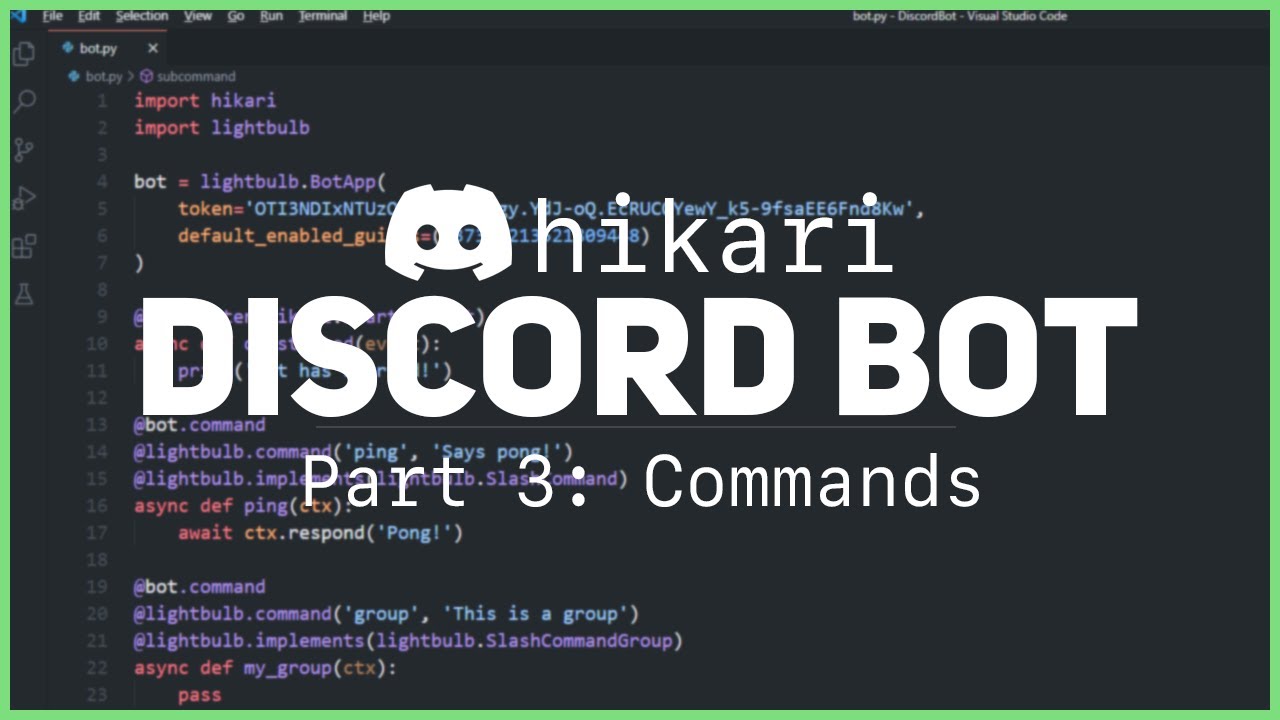
In this video, we learn how to create several different commands for our discord bot
Let me know in the comments what videos you want to see next.
HIKARI GITHUB: https://github.com/hikari-py/hikari/
HIKARI DOCUMENTATION: https://www.hikari-py.dev/
HIKARI LIGHTBULB GITHUB: https://github.com/tandemdude/hikari-lightbulb
HIKARI LIGHTBULB DOCUMENT...
alpine furnace
proven pendant
yes, but I want it to send it repeatedly after particular time...like 15 mins?
Create a coroutine that sleeps for that time, sends and loops and asyncio.create_task() it in on_ready
gaunt ice
boreal ravine
new video <:WHAT:755002093689110599> https://www.youtube.com/watch?v=EdHhYduCaOw
this is the new hikari setup
he done 14 parts playlist
before this
sick birch
boreal ravine
new video <:WHAT:755002093689110599> https://www.youtube.com/watch?v=EdHhYduCaOw
oh no
boreal ravine
gaunt ice
but its so clear and understandable for beginners
people copy his code without knowing what it does most of the time so 
gaunt ice
boreal ravine
people copy his code without knowing what it does most of the time so <:shrug:92...
hmmm
alpine furnace
boreal ravine
bad practices
I could have guessed that, but do you have any examples
sick birch
gaunt ice
but its so clear and understandable for beginners
You think it is, but in reality you're just copying down bad code
gaunt ice
kinda tru
gaunt ice
sick birch
You think it is, but in reality you're just copying down bad code
for that u need to learn python first and then start with dpy
proven pendant
alpine furnace
Create a coroutine that sleeps for that time, sends and loops and asyncio.create...
I see-
uh ok
do u have an example? Im rly confused with loops and the "sleep" part
sick birch
gaunt ice
for that u need to learn python first and then start with dpy
That's what you're supposed to do, discord.py is not a beginners library
gaunt ice
sick birch
That's what you're supposed to do, discord.py is not a beginners library
hmhm
anyway i need help
boreal ravine
ask away