#discord-bots
1 messages · Page 699 of 1
 cedar stream
It says…
 cold sonnet
maybe commands.errors.CommandNotFound is enough
 slate swan
kk
 lunar quail
Hey
cold sonnet
!d discord.ext.commands.errors.CommandNotFound
 unkempt canyonBOT
exception discord.ext.commands.CommandNotFound(message=None, *args)```
Exception raised when a command is attempted to be invoked but no command under that name is found.

This is not raised for invalid subcommands, rather just the initial main command that is attempted to be invoked.

This inherits from [`CommandError`](https://discordpy.readthedocs.io/en/master/ext/commands/api.html#discord.ext.commands.CommandError "discord.ext.commands.CommandError").You can exclude the .error too
lunar quail
Can I get an example use of commands.PartialEmojiConverter?
cold sonnet
!d discord.ext.commands.CommandNotFound
unkempt canyonBOT
exception discord.ext.commands.CommandNotFound(message=None, *args)```
Exception raised when a command is attempted to be invoked but no command under that name is found.

This is not raised for invalid subcommands, rather just the initial main command that is attempted to be invoked.

This inherits from [`CommandError`](https://discordpy.readthedocs.io/en/master/ext/commands/api.html#discord.ext.commands.CommandError "discord.ext.commands.CommandError").seems like it
cedar stream
!d discord.ext.commands.PartialEmojiConverter
unkempt canyonBOT
class discord.ext.commands.PartialEmojiConverter(*args, **kwargs)```
Converts to a [`PartialEmoji`](https://discordpy.readthedocs.io/en/master/api.html#discord.PartialEmoji "discord.PartialEmoji").

This is done by extracting the animated flag, name and ID from the emoji.

Changed in version 1.5: Raise [`PartialEmojiConversionFailure`](https://discordpy.readthedocs.io/en/master/ext/commands/api.html#discord.ext.commands.PartialEmojiConversionFailure "discord.ext.commands.PartialEmojiConversionFailure") instead of generic [`BadArgument`](https://discordpy.readthedocs.io/en/master/ext/commands/api.html#discord.ext.commands.BadArgument "discord.ext.commands.BadArgument")@lunar quail
cold sonnet
give the full path
lunar quail
cedar stream
<@!767102436527177748>
I have already read the docs
It apparently doesn't any arguments in __init__()
And type hinting it doesn't seem to work either
commands.Greedy[commands.PartialEmoji] seems to work tho
 full valley
is there a way to log the timeout feature yet????
cedar stream
Try making an instance
slate swan
if message.author != client.user:
        try:
            await bot.process_commands(message)
        except discord.ext.commands.errors.CommandNotFound:
            embed = discord.Embed(title="Command not found", description="Use a!help to find all commands.", color=0xFF0000)
message.channel.send(embed=embed)```If there is no event for it u can read audit logs
full valley
cedar stream
If there is no event for it u can read audit logs
How would I do that
theres no event for it yet
slate swan
slate swan
```py
if message.author != client.user:
try:
await bot.proce...
any idea why this isn't working?
no errors
lunar quail
slate swan
any idea why this isn't working?
What is not working? Like other commands are not working is on_message not working is the bot completely unresponsive?
Sending your full code will be helpful
slate swan
my code will scar you for life, but its here https://paste.pythondiscord.com/imasevapej.http
cedar stream
I checked, u can use on_member_update
slate swan
lunar quail
What is not working? Like other commands are not working is `on_message` not wor...
its on_message
lunar quail
Oh yea
slate swan
my code runs perfectly, it even runs the commands but the except doesn't work
doesn't send the command not found
cedar stream
slate swan
```py
if message.author != client.user:
try:
await bot.proce...
Check this out
It’ s how you can get a set of all commands
cedar stream
slate swan
```py
if message.author != client.user:
try:
await bot.proce...
Also better way to make error handlers is to do it in on_command_error event
lunar quail
You should have told me that the code was about a porn bot. I almost opened it in my family computer 
Also
At this point
Don't use on_message
Instead use the listener
cedar stream
cedar stream
Also better way to make error handlers is to do it in on_command_error event
@slate swan
slate swan
hm
lunar quail
@bot.listen("on_message")
async def check_if_contains(msg):
    ...
No
lunar quail
lunar quail
```py
@bot.listen("on_message")
async def check_if_contains(msg):
...
```
You don't have to process_commands here
lunar quail
cedar stream
He is trying to handle errors
What does handling errors have to do w this? I am just helping him cut an additional step to clean his code.
🤔
lunar quail
slate swan
```py
if message.author != client.user:
try:
await bot.proce...
This is not how you do it
cedar stream
Then why did u tell him to use the listener
lunar quail
^
this'll be better -> if not(message.author == client.user): ...
*This was an reply to an deleted message
cedar stream
cedar stream
lunar quail
^
this'll be better -> `if not(message.author == client.user): ...`
*This was ...
Why the ()
slate swan
lunar quail
^
this'll be better -> `if not(message.author == client.user): ...`
*This was ...
that should work exactly the same tho
cedar stream
slate swan
that should work exactly the same tho
Yes dw, ur way is good, idk why they are overcomplicating
lunar quail
Well lol
slate swan
main.py:234: RuntimeWarning: coroutine 'Messageable.send' was never awaited
ctx.send(embed=embed)
RuntimeWarning: Enable tracemalloc to get the object allocation traceback
nvm
typo
& didn't read the error
!paste
someone gimme a working alternative for https://paste.pythondiscord.com/cirajalaju.sql
 placid skiff
you know that this is useless cuz it will run only when the bot goes online?
placid skiff
you need it to run allways?
placid skiff
on_ready is called when the bot goes online so it is when the it start
slate swan
yes
placid skiff
but it is useless cuz you count the guild of your client and that value will update everytime the bot joins a guild
slate swan
but I need a alternative cuz on_ready is annoying and sometimes doesn't work 4 some reason
placid skiff
never had that problem but there aren't alternatives on on_ready
slate swan
well fuck
 dire folio
How would I check if a user has a role?
placid skiff
dire folio
How would I check if a user has a role?
!d discord.Member.has_role
mh it was the check for the command :L you have to get the list of the user roles and check if your role is in that list
cedar stream
dire folio
How would I check if a user has a role?
If role in member.roles
cedar stream
slate swan
someone gimme a working alternative for https://paste.pythondiscord.com/cirajala...
Btw u can get servercount by doing len(client.guilds)
 fading harness
cedar stream
fading harness
cedar stream
I use disnake
placid skiff
dpy is not mantained
placid skiff
cedar stream
I use disnake
me too
cedar stream
Never heard of hikari
cedar stream
placid skiff
me too
So far so good
slate swan
Hello, can anyone tell me what is:
Message intents
intents
placid skiff
!d discord.Intents
unkempt canyonBOT
class discord.Intents(**kwargs)```
Wraps up a Discord gateway intent flag.

Similar to [`Permissions`](https://discordpy.readthedocs.io/en/master/api.html#discord.Permissions "discord.Permissions"), the properties provided are two way. You can set and retrieve individual bits using the properties as if they were regular bools.

To construct an object you can pass keyword arguments denoting the flags to enable or disable.

This is used to disable certain gateway features that are unnecessary to run your bot. To make use of this, it is passed to the `intents` keyword argument of [`Client`](https://discordpy.readthedocs.io/en/master/api.html#discord.Client "discord.Client").

New in version 1.5...I’ m guessing it allows u to use on_message event
dire folio
role = ['Staff', 'Host']
if role in member.roles:
     #stuff
would this work?
cedar stream
dire folio
```py
role = ['Staff', 'Host']
if role in member.roles:
#stuff
```
would th...
No
placid skiff
dire folio
```py
role = ['Staff', 'Host']
if role in member.roles:
#stuff
```
would th...
Again this thing lol. No it doesn't work
You check if a list is in a list which is not possible in python
cedar stream
placid skiff
You check if a list is in a list which is not possible in python
Wouldnt it check if that list object is in the list
slate swan
placid skiff
You check if a list is in a list which is not possible in python
use split on the list and it should be possible
cedar stream
slate swan
use split on the list and it should be possible
?
slate swan
nvm
cedar stream
Lmao
placid skiff
slate swan
use split on the list and it should be possible
yeah but let's make an example the member has only one role, it will check if the string "staff, host" is in the list with one element
otherwise if the user has more roles and you convert the list of roles into a string you will check if the string "staff, host" is in the list of roles which is a string
you won't get if the user has that role
cedar stream
slate swan
use split on the list and it should be possible

W3Schools offers free online tutorials, references and exercises in all the major languages of the web. Covering popular subjects like HTML, CSS, JavaScript, Python, SQL, Java, and many, many more.
placid skiff
the best way is to iterate through one list and check if the role iterating is in the list of member roles
cedar stream
Lmao I was tryna help
slate swan
ik
someone give me ideas how the fuck am I supposed to make this send messages always on the channels https://paste.pythondiscord.com/ehotapofag.sql
rn it only starts if a message is sent
and if on_ready doesn't work & doesn't send the message
it doesn't start so this sucks
cedar stream
Wdym?
cedar stream
You want to send message every x amount of time?
placid skiff
always what?
slate swan
slate swan
the event is fired only when the bot starts
well its not
cedar stream
Wdym always
placid skiff
it needs a trigger
slate swan
infinetly
cedar stream
You can use a task
placid skiff
something that make it send
slate swan
on_ready should send a message which triggers on_message and on_message starts the loop
but it doesn't sometimes
and that breaks the whole damn bot
cedar stream
No bro lmao just use a task
 limpid thicket
dire folio
```py
role = ['Staff', 'Host']
if role in member.roles:
#stuff
```
would th...
limpid thicket
dire folio
```py
role = ['Staff', 'Host']
if role in member.roles:
#stuff
```
would th...
roleIds = [849354245894963201, 849354245894963201]
for role in member.roles:
  if role.id in roleIds:
    #do stuff
    break
Ur gonna get ratelimited this way
slate swan
nah
placid skiff
slate swan
and that breaks the whole damn bot
because the on_ready event is triggered when the bot comes online to discord, but bot functionalities aren't callable yet
the transaction is too instant
cedar stream
limpid thicket
```py
roleIds = [849354245894963201, 849354245894963201]
for role in member.role...
Id rather iterate through shorter list
placid skiff
and it is based on the host connection
that's why sometimes work and sometimes doesn't work
cedar stream
slate swan
nah
Use a task
slate swan
example
cedar stream
Docs
slate swan
link
placid skiff
ok cmon
slate swan
!d discord.ext.tasks.loop
unkempt canyonBOT
discord.ext.tasks.loop(*, seconds=..., minutes=..., hours=..., time=..., count=None, reconnect=True, loop=...)```
A decorator that schedules a task in the background for you with optional reconnect logic. The decorator returns a [`Loop`](https://discordpy.readthedocs.io/en/master/ext/tasks/index.html#discord.ext.tasks.Loop "discord.ext.tasks.Loop").Here
cedar stream
!discord.ext.tasks
slate swan
how am I supposed to make that work if it can only be triggered for some channels
cedar stream
slate swan
how am I supposed to make that work if it can only be triggered for some channel...
Send it only in those channels
slate swan
its supposed to be triggered when someone uses a!start or if thier channel is already stated
placid skiff
wait are you making a raid bot? lol
slate swan
no
cedar stream
Start the loop when someone uses a!start
cedar stream
placid skiff
wait are you making a raid bot? lol
Autoporn bot
placid skiff
bruh hahaha
cedar stream
Lmao
placid skiff
btw yeah you have to use tasks, check some video on youtube they will explain how you use it you seems a lot confused
slate swan
cedar stream
Start the loop when someone uses a!start
but it also needs to be started when the bot comes online, only for the channels that have a file tho
Well
cedar stream
slate swan
but it also needs to be started when the bot comes online, only for the channels...
Start it then
slate swan
Make sure you use this , or no botlists will like to add your bot
!d discord.ext.commands.is_nsfw
unkempt canyonBOT
@discord.ext.commands.is_nsfw()```
A [`check()`](https://discordpy.readthedocs.io/en/master/ext/commands/api.html#discord.ext.commands.check "discord.ext.commands.check") that checks if the channel is a NSFW channel.

This check raises a special exception, [`NSFWChannelRequired`](https://discordpy.readthedocs.io/en/master/ext/commands/api.html#discord.ext.commands.NSFWChannelRequired "discord.ext.commands.NSFWChannelRequired") that is derived from [`CheckFailure`](https://discordpy.readthedocs.io/en/master/ext/commands/api.html#discord.ext.commands.CheckFailure "discord.ext.commands.CheckFailure").

Changed in version 1.1: Raise [`NSFWChannelRequired`](https://discordpy.readthedocs.io/en/master/ext/commands/api.html#discord.ext.commands.NSFWChannelRequired "discord.ext.commands.NSFWChannelRequired") instead of generic [`CheckFailure`](https://discordpy.readthedocs.io/en/master/ext/commands/api.html#discord.ext.commands.CheckFailure "discord.ext.commands.CheckFailure"). DM channels will also now pass this check.task starts automatically and they don't depend on on_ready
so they will work even due to connection problems
cedar stream
You can start it in on ready but it aint necessary
slate swan
placid skiff
so they will work even due to connection problems
can I delay it like 1minute
placid skiff
yes
cedar stream
slate swan
can I delay it like 1minute
Yes
slate swan
so it works better even on slow connections
slate swan
slate swan
ofc I use it lol
Hm
 placid skiff
check it on youtube
slate swan
aka my romanian vds with 200ms normal ping
Use the decorator instead , it's better to make your code clear
and managing the exception
placid skiff
i'm going to run out of tobacco and i'm working so I can't go buy it lol
I'm sad 😦
cedar stream
slate swan
Hm
😂
 thick crescent
What's happening here?
 slate swan
my code is not supposed to be seen by anyone so idc if its a mess
cedar stream
thick crescent
What's happening here?
Ur missing ()
thick crescent
thanks.
slate swan
 why do ppl remove the help command?
cedar stream
slate swan
<:shipit:826492371813400637> why do ppl remove the help command?
To make their own
 hybrid fjord
slate swan
<:shipit:826492371813400637> why do ppl remove the help command?
hybrid fjord
slate swan
<:shipit:826492371813400637> why do ppl remove the help command?
cuz its ugly
placid skiff
slate swan
<:shipit:826492371813400637> why do ppl remove the help command?
cuz it is in english and it's ugly xD
slate swan
cedar stream
To make their own
Subclassing exists
slate swan
slate swan
my code is not supposed to be seen by anyone so idc if its a mess
even tho im confused abt how my own code works sometimes lol
Wait
placid skiff
slate swan
Subclassing exists
yeah by subclassing you create your own but you have to say to the bot that you're going to use your own help command
slate swan
Subclassed one , doesn't look ugly to me
 hybrid fjord
are there any working code samples of the new timeout feature or is there still not a library for it yet?
placid skiff
hybrid fjord
are there any working code samples of the new timeout feature or is there still ...
disnake has it already
slate swan
hybrid fjord
are there any working code samples of the new timeout feature or is there still ...
Disnake library implemented it
placid skiff
!d disnake.Member.timeout
unkempt canyonBOT
await timeout(*, duration=..., until=..., reason=None)```
This function is a [*coroutine*](https://docs.python.org/3/library/asyncio-task.html#coroutine).

Times out the member from the guild; until then, the member will not be able to interact with the guild.

Exactly one of `duration` or `until` must be provided. To remove a timeout, set one of the parameters to `None`.

You must have the [`Permissions.moderate_members`](https://docs.disnake.dev/en/latest/api.html#disnake.Permissions.moderate_members "disnake.Permissions.moderate_members") permission to do this.

New in version 2.3.could you link me it
slate swan
and pycord too iirc
hybrid fjord
yep thanks
placid skiff
i don't understand why you should use it btw
hybrid fjord
Do you have to import disnake?
cedar stream
Lmao timeout just made mute command useless
placid skiff
I mean, ban is more satisfying xD
slate swan
hybrid fjord
Do you have to `import disnake`?
Nope , it's a library you use instead of discord.py
placid skiff
cedar stream
Lmao timeout just made mute command useless
at least you don't need a role to mute people any more xD
hybrid fjord
So I have to rewrite my whole code if I switch? @slate swan
cedar stream
placid skiff
at least you don't need a role to mute people any more xD
Yes, and storing unmute date in db
placid skiff
hybrid fjord
So I have to rewrite my whole code if I switch? <@456226577798135808>
Nope, disnake is a fork of discord.py
cedar stream
hybrid fjord
So I have to rewrite my whole code if I switch? <@456226577798135808>
Not rly, just replace all discord’s with disnake
hybrid fjord
So everything I've written here will still work?
slate swan
hybrid fjord
So I have to rewrite my whole code if I switch? <@456226577798135808>
Not really
Just make your according to the v2.0 of discord.py and replace discord with disnake everywhere
cedar stream
hybrid fjord
So everything I've written here will still work?
Probably yes
slate swan
Things like .avatar_url have changed
placid skiff
install it from pip lol
cedar stream
…
slate swan
Your editor name?
hybrid fjord
fair enough lol
placid skiff
maybe I should upgrade my disnake even i thought i will not use that feature for my bot lol
 boreal ravine
sure
slate swan
Slash commands etc exist
hybrid fjord
unkempt canyon
what do i put instead of the *
hybrid fjord
Ah
boreal ravine
hybrid fjord
what do i put instead of the *
everything after * are kwargs
hybrid fjord
i see
boreal ravine
!e
def timeout(*, duration): return duration

print(timeout(duration=10))
so it would be user.timeout(args go here)
unkempt canyonBOT
@boreal ravine :white_check_mark: Your eval job has completed with return code 0.
10
 dusk karma
please im losing my mind
 boreal ravine
dusk karma
please im losing my mind
boreal ravine
dusk karma
please im losing my mind
???
hybrid fjord
hybrid fjord
so it would be user.timeout(*args go here*)
@boreal ravine
boreal ravine
hybrid fjord
so it would be user.timeout(*args go here*)
yes
placid skiff
The duration argument is type Union of float or deltatime, until needs a datetime, if you use duration you have to set None to until and the opposite if you use until
cedar stream
dusk karma
please im losing my mind
Why is commands.Bot named client and interactions.Client is named bot
slate swan
is there a error somewhere in this code? ```py
for guild in client.guilds:
for channel in guild.channels:
if os.path.exists("home/bot/adx/autoporn"+str(guild.id)):
with open("autoporn"+str(guild.id)) as file:
if file.read() != "enabled":
os.system("rm -r home/bot/adx/autoporn"+str(guild.id))
        if os.path.exists("home/bot/adx/channel"+str(guild.id)):
            with open("autoporn"+str(guild.id)) as file:
                if len(file.read() <= 5):
                    os.system("rm -r home/bot/adx/channel"+str(guild.id))

        if os.path.exists("/home/bot/adx/channel"+str(guild.id)) == True:
            file = open("channel"+str(guild.id), "r")
            if str(channel.id) == file.read():
                file.close()
                embed = discord.Embed(title="> __Channel inactive__", color=0xFF0000)
                embed.add_field(name="Reason for inactivity", value="Restart by developer", inline=False)
                embed.add_field(name="Note", value="Small bug fixes || Added new categories", inline=False)
                await channel.send(embed=embed, delete_after=60)
                break```
remember to do that or it will run to an error
slate swan
fuck
dusk karma
i installed discord interactions but vscode wont work as long as i have it imported. (Python 3.9.9 and 10.1). But on 3.60it sayhs discord isnta module.
 shell wing
i want to make a voting command
in which a user can vote for a member and it gets logged and it resets every month.
Any idea how to make it ?
hybrid fjord
placid skiff
The duration argument is type Union of float or deltatime, until needs a datetim...
?
 sour lodge
How can I check if a message has a mention
cedar stream
shell wing
i want to make a voting command
in which a user can vote for a member and it ge...
Just store votes for every member and reset every month
placid skiff
shell wing
i want to make a voting command
in which a user can vote for a member and it ge...
you will need a loop task that every month restores the values
cedar stream
sour lodge
How can I check if a message has a mention
message.mentions
dusk karma
cedar stream
Why is commands.Bot named client and interactions.Client is named bot
I dunno i was following a discord-interactions tutorial and i did that
shell wing
placid skiff
you will need a loop task that every month restores the values
oh
can i use json data base for this ?
cedar stream
dusk karma
I dunno i was following a discord-interactions tutorial and i did that
Try using disnake
sour lodge
cedar stream
message.mentions
So like does this only apply if it’s only a mention or contains a mention with words and stuff
dusk karma
cedar stream
Try using disnake
What?
placid skiff
shell wing
can i use json data base for this ?
Yeah I think
cedar stream
shell wing
can i use json data base for this ?
No pls
hybrid fjord
disnake.ext.commands.errors.CommandInvokeError: Command raised an exception: AttributeError: 'User' object has no attribute 'timeout'
@boreal ravine
placid skiff
Well it is not suggested tho
dusk karma
Are there threads. This chat is crowded lol
cedar stream
sour lodge
So like does this only apply if it’s only a mention or contains a mention with w...
This is a list of mentions in the message
shell wing
cedar stream
No pls
um why ?
boreal ravine
hybrid fjord
`disnake.ext.commands.errors.CommandInvokeError: Command raised an exception: At...
!d discord.Member.timeout
cedar stream
dusk karma
What?
A fork with interactions ect.
shell wing
i just need to store info for 1 month
boreal ravine
!d disnake.Member.timeout
slate swan
dusk karma
Are there threads. This chat is crowded lol
Nope , but you can always use #❓|how-to-get-help to get a help channel for your own
unkempt canyonBOT
await timeout(*, duration=..., until=..., reason=None)```
This function is a [*coroutine*](https://docs.python.org/3/library/asyncio-task.html#coroutine).

Times out the member from the guild; until then, the member will not be able to interact with the guild.

Exactly one of `duration` or `until` must be provided. To remove a timeout, set one of the parameters to `None`.

You must have the [`Permissions.moderate_members`](https://docs.disnake.dev/en/latest/api.html#disnake.Permissions.moderate_members "disnake.Permissions.moderate_members") permission to do this.

New in version 2.3.@hybrid fjord
cedar stream
shell wing
um why ?
Just use mongo or something
boreal ravine
it must be a member object
hybrid fjord
Ah.
shell wing
cedar stream
Just use mongo or something
i just know json tbh
boreal ravine
mongo uses a json format
hybrid fjord
@boreal ravine it returns missing permissions even though i've given the bot Administrator permmisions
 potent spear
cedar stream
Just use mongo or something
potent spear
cedar stream
Just use mongo or something
that db stinks, don't
cedar stream
potent spear
that db stinks, don't
?
hybrid fjord
and the Moderate Members permission
placid skiff
boreal ravine
mongo uses a json format
Wanna talk about NoSQL? lol
boreal ravine
hybrid fjord
<@!656073353215344650> it returns missing permissions even though i've given the...
who did you try to timeout?
potent spear
cedar stream
?
not a good idea to use nosql in a bot environment
placid skiff
hybrid fjord
im so dumb - i apologise
You tried to timeout the owner of the server? lol
cedar stream
shell wing
i just know json tbh
U can if It’ s a small project for urself
cedar stream
potent spear
not a good idea to use nosql in a bot environment
Why is that
potent spear
cedar stream
U can if It’ s a small project for urself
better to do it the good way the first try
boreal ravine
potent spear
not a good idea to use nosql in a bot environment
it doesn't really matter..
placid skiff
NoSQL can be a mess if you don't know it
hybrid fjord
placid skiff
You tried to timeout the owner of the server? lol
nah ive given my alt administrator perms and the top role just in case i lose this account and i was tryna timeout it lol
cedar stream
placid skiff
NoSQL can be a mess if you don't know it
It’ s not too hard to understand
slate swan
just use Sqlite if it's a small/medium sized bot tbh
boreal ravine
i mean theres nothing wrong with using mongo as a db
placid skiff
slate swan
just use Sqlite if it's a small/medium sized bot tbh
even for developing sqlite is good and you can change it fast whenever you want if you need to increase the size
slate swan
yea sure , if you're good with dictionaries
cedar stream
boreal ravine
i mean theres nothing wrong with using mongo as a db
Idk why there would be
slate swan
placid skiff
even for developing sqlite is good and you can change it fast whenever you want ...
Yeah and it's not too hard to shift from one SQL database to another
potent spear
boreal ravine
i mean theres nothing wrong with using mongo as a db
as long as there's an async wrapper I guess
slate swan
potent spear
as long as there's an async wrapper I guess
!PyPi motor
unkempt canyonBOT

Non-blocking MongoDB driver for Tornado or asyncio
shell wing
cedar stream
U can if It’ s a small project for urself
its a private bot only
potent spear
shell wing
its a private bot only
sqlite => asqlite would be good for you
simple setup etc
 honest vessel
@slate swanyou can also use python instead of os.system ```py
filename = "home/bot/adx/channel"+str(guild.id)
if os.path.isfile(filename):
try:
os.remove(filename)
except PermissionError:
print("Missing permission to remove file")
You can make a dao abstract class that you can inherit to make daos for mongo, postgres, mocked data or whatever u want so you can always change it afterwards
cedar stream
shell wing
its a private bot only
It’ s still not the best way, but if It’ s ur preference no one is stopping u
slate swan
honest vessel
<@456226577798135808>you can also use python instead of os.system ```py
filenam...
I was using os.remove before but os.system is better
cedar stream
potent spear
as long as there's an async wrapper I guess
There is
There is even async odm
sour lodge
How can I add a rate limit
cedar stream
cedar stream
There is even async odm
And orm
cedar stream
sour lodge
How can I add a rate limit
Wdym?
potent spear
sour lodge
How can I add a rate limit
you probably just want cooldown on some commands
potent spear
the docs of whatever lib you're using talk about decorators you can use on top of your command
cedar stream
sour lodge
How can I add a rate limit
sour lodge
alright
slate swan
Ignoring exception in on_ready
Traceback (most recent call last):
  File "/usr/local/lib/python3.8/dist-packages/discord/client.py", line 343, in _run_event
    await coro(*args, **kwargs)
  File "main.py", line 154, in on_ready
    await channel.send(embed=embed, delete_after=60)
  File "/usr/local/lib/python3.8/dist-packages/discord/abc.py", line 1065, in send
    data = await state.http.send_message(channel.id, content, tts=tts, embed=embed,
  File "/usr/local/lib/python3.8/dist-packages/discord/http.py", line 248, in request
    raise Forbidden(r, data)
discord.errors.Forbidden: 403 Forbidden (error code: 50001): Missing Access
is this bcs the bot doesn't have access to the channel?
Yep
sour lodge
is it possible to add aliases with ```py
@discord.ext.commands.cooldown()
Yes
slate swan
ofcourse
sour lodge
at what position
cedar stream
It will still work the same except there will be a cooldown
slate swan
is there a better way to do this
if str(channel.id) == file.read():
cuz this sends it only to couple discords for some reason
cedar stream
slate swan
is there a better way to do this
```py
if str(channel.id) == fi...
Whats file.read?
 tawdry perch
does command alias take a list and a tuple or just 1 of them?
slate swan
sour lodge
is it possible to add aliases with ```py
@discord.ext.commands.cooldown()
```
@bot.command(aliases=["alias","es"])
@discord.ext.commands.cooldown(...
async def command(....```@discord.ext.commands.cooldown(rate = 1, per = 2.0, aliases = ["who is", "Who is", "who's", "Who's"])
```so like will this work?oh
cedar stream
tawdry perch
does command alias take a list and a tuple or just 1 of them?
List
sour lodge
slate swan
```py
@bot.command(aliases=["alias","es"])
@discord.ext.commands.cooldown(...
as...
alright thanks
cedar stream
sour lodge
```py
@discord.ext.commands.cooldown(rate = 1, per = 2.0, aliases = ["who is", "...
No u keep everything the same except u add another decorator
tawdry perch
if I have passed smth like aliases=("test", "smth") it would be wrong?
sour lodge
thanks
 shadow wraith
im wondering rn how can you give a command alias a spaced alias like 'this for example'
cedar stream
slate swan
file = open("channel"+str(guild.id), "r")
Do you have a fike for every channel?
slate swan
yes
shadow wraith
shadow wraith
im wondering rn how can you give a command alias a spaced alias like `'this for ...
anyone have an idea how you can do this
cedar stream
shadow wraith
im wondering rn how can you give a command alias a spaced alias like `'this for ...
Only with command groups
slate swan
cedar stream
Do you have a fike for every channel?
and all of them include a channel id
shadow wraith
cedar stream
Only with command groups
wdym
cedar stream
slate swan
and all of them include a channel id
Attach debugger and see what file.read() returns
cedar stream
shadow wraith
wdym
You need to create a command group
But It’ s not practical for 1 cmd
shadow wraith
what's a cmd group again i forgot 😓
slate swan
shadow wraith
what's a cmd group again i forgot 😓
!d discord.ext.commands.Group
unkempt canyonBOT
class discord.ext.commands.Group(*args, **kwargs)```
A class that implements a grouping protocol for commands to be executed as subcommands.

This class is a subclass of [`Command`](https://discordpy.readthedocs.io/en/master/ext/commands/api.html#discord.ext.commands.Command "discord.ext.commands.Command") and thus all options valid in [`Command`](https://discordpy.readthedocs.io/en/master/ext/commands/api.html#discord.ext.commands.Command "discord.ext.commands.Command") are valid in here as well.Thx
shadow wraith
ohhhh, that shit ive never heard of
slate swan
It's really useful
shadow wraith
example?
cedar stream
shadow wraith
ohhhh, that shit ive never heard of
It’ s not practical for only 1 cmd
cedar stream
shadow wraith
example?
Read the docs
slate swan
cedar stream
Attach debugger and see what file.read() returns
its gonna return ids
which is gonna be pain to check them all
shadow wraith
cedar stream
Read the docs
ok
cedar stream
slate swan
its gonna return ids
As a list?
slate swan
cedar stream
As a list?
no
cedar stream
slate swan
no
As one string?
slate swan
no
not in the same file
seperate files, the file.read was in a loop
921875157688152074
921875157688152074
921875157688152074
921875157688152074
921425507998900245
921425507998900245
921425507998900245
921425507998900245
921425507998900245
920742277809332295
920742277809332295
920742277809332295
920742277809332295
920742277809332295
920742277809332295
920742277809332295
920742277809332295
920742277809332295
920742277809332295
920742277809332295
920742277809332295
920742277809332295
920742277809332295
920742277809332295
920742277809332295
920742277809332295
920742277809332295
920742277809332295
920742277809332295
920742277809332295
920742277809332295
920742277809332295
914927659992117271
914927659992117271
914927659992117271
914927659992117271
sorry flood
cedar stream
Dw
slate swan
but it returns shit ton of ids
shadow wraith
why are all the channel ids the same
cedar stream
So what is this returned by
slate swan
hm
slate swan
shadow wraith
why are all the channel ids the same
no idea
cedar stream
Send ss of the code
slate swan
!past
unkempt canyonBOT
Pasting large amounts of code
If your code is too long to fit in a codeblock in discord, you can paste your code here:
https://paste.pythondiscord.com/
After pasting your code, save it by clicking the floppy disk icon in the top right, or by typing ctrl + S. After doing that, the URL should change. Copy the URL and post it here so others can see it.
slate swan
cedar stream
Send ss of the code
do u also want where it writes the ids or only the loop where it checks them?
cedar stream
slate swan
do u also want where it writes the ids or only the loop where it checks them?
All
slate swan
shadow wraith
example?
you're making a help command with the bad bot.remove_command and making a custom help command using async def help....
Now you would need help for commands too right? Like !help ping etc , you get to ways here
1 py async def help(ctx , command = None): if command == "ping": #do something to send ping help
With groups you can do it easier ```py
@bot.group()
async def help(ctx)
......
@help.command()
async def ping(ctx):
send help for ping```
shadow wraith
slate swan
you're making a help command with the bad bot.remove_command and making a custom...
oh
cedar stream
Why do you store data in separate files
slate swan
easier
shadow wraith
i wonder what you would pass in on @bot.group() tho
cedar stream
No it complicates everything
shadow wraith
i mean below the asynchronous function of defining the bot group ofc
cedar stream
Pass
shadow wraith
tru
slate swan
or your main help command
cedar stream
Or some functionality that It’ s common for all of them
slate swan
yeah
invoke_without_command exists too
So if you just use . command it does something
cedar stream
Yes u can use it as It’ s own command as well
shadow wraith
darnit thought that existed
slate swan
*didn't ig
shadow wraith
does ctx.invoked_command even exist :(
slate swan
@cedar stream u got any idea why the code is brokeN+
Nah
invoked_subcommand exists tho
cedar stream
slate swan
<@!802098197244674068> u got any idea why the code is brokeN+
For starters, you have a file for each channel with It’ s id and u read it from there
unkempt canyonBOT
Pasting large amounts of code
If your code is too long to fit in a codeblock in discord, you can paste your code here:
https://paste.pythondiscord.com/
After pasting your code, save it by clicking the floppy disk icon in the top right, or by typing ctrl + S. After doing that, the URL should change. Copy the URL and post it here so others can see it.
cedar stream
Send code
slate swan
cedar stream
For starters, you have a file for each channel with It’ s id and u read it from ...
doesn't matter cuz it worked before like that
cedar stream
slate swan
doesn't matter cuz it worked before like that
Id consider using db tho
slate swan
nah
shadow wraith
cedar stream
Send code
@bot.group()
async def Read(ctx):
  pass

@Read.command()
async def logs(ctx):
  with open('log.txt', 'r') as log:
      text = ""
      for log in logs:
        text += f"\n{log}"
      await ctx.send(f"```\n{text}```")
oh it glitched because i was doing the 3 backticks
no my discord code text
cedar stream
Make the function name snake_case
Not PascalCase
Btw you can use logging library for logs and store them in .log file
shadow wraith
u talking to me?
slate swan
Yea
shadow wraith
shadow wraith
```py
@bot.group()
async def Read(ctx):
pass
@Read.command()
async def logs...
wtf dis shit
shadow wraith
shadow wraith
https://paste.pythondiscord.com/akudasusuh.sql
this the big error
cedar stream
shadow wraith
u talking to me?
Yes
slate swan
would this work
        with open("channel"+str(message.guild.id), "r") as file:
            if len(file.read() <= 5):
                os.system("rm -r home/bot/adx/channel"+str(message.guild.id))
            else:
                with open("channels", "a") as file:
                    file.write(file.read())
nvm i got it wrong, the command is named logs
cedar stream
slate swan
would this work
```py
with open("channel"+str(message.guild.id), "r") a...
Run it and see if it works
cedar stream
cedar stream
Btw you can use logging library for logs and store them in .log file
@shadow wraith
slate swan
logs is your command name.lol @shadow wraith
shadow wraith
slate swan
logs is your command name.lol <@832999154774048780>
i alr noticed that 💀
cedar stream
slate swan
Btw don't use CamelCase for function names
That is PascalCase
slate swan
If you really want the command to have its first letter capital , just use the name kwarg
cedar stream
This is camelCase
slate swan
Yea
cedar stream
Or make the bot case insensitive
slate swan
Thanks for correcting me
cedar stream
slate swan
Thanks for correcting me
👍
slate swan
            if os.path.exists("home/bot/adx/channel"+str(guild.id)):
                with open("channel"+str(guild.id), "r") as file:
                    tf = file.read()
                    if len(tf <= 5):
                        os.system("rm -r home/bot/adx/channel"+str(guild.id))
                    else:
                        with open("channels", "r") as file:
                            if tf not in file.read():
                                with open("channels", "a") as file:
                                    file.write(tf+"\n")
why aint this working
honest vessel
ah nvrm
honest vessel
what is it supposed to have in the file?
slate swan
its a channel id in the file
and im checking if the channel id has less than 5 numbers its invalid
which works
but the else:
honest vessel
len(tf <= 5) should't it be len(tf) <= 5:
slate swan
and stuff after that doesn't
shadow wraith
can command groups have aliases?
slate swan
honest vessel
len(tf <= 5) should't it be len(tf) <= 5:
typo probably
honest vessel
shadow wraith
can command groups have aliases?
yes
all commands can have alias, juse add aliases=[]
honest vessel
 @commands.group(name="dj", invoke_without_command=True)
    async def dejay(self, ctx)
...
@dejay.command(name="quit", aliases=["q"])
    async def quit_subcommand(self, ctx):
``` like this@shadow wraith yeah that should do it
slate swan
honest vessel
len(tf <= 5) should't it be len(tf) <= 5:
still not working
honest vessel
any errors?
slate swan
no
shadow wraith
honest vessel
```py
@commands.group(name="dj", invoke_without_command=True)
async def dej...
no can bot groups itself have like aliases like for example a bot group is named 2 things, This and That, how would you name it 2 things at once
honest vessel
@shadow wraithjust try add that aliases=[""] and see
if it works it works, if not it dosnt 😛
shadow wraith
it works
shadow wraith
i dont use a computer, i use laptop ☠️
honest vessel
it is still a computer aint it?
 slate swan
lmao how does that matter
honest vessel
it dosnt 😄
slate swan
it wont explode afterall
honest vessel
kek
shadow wraith
yeah, it'll defuse
slate swan
Traceback (most recent call last):
  File "/home/container/.local/lib/python3.8/site-packages/discord/ext/commands/bot.py", line 939, in invoke
    await ctx.command.invoke(ctx)
  File "/home/container/.local/lib/python3.8/site-packages/discord/ext/commands/core.py", line 855, in invoke
    await self.prepare(ctx)
  File "/home/container/.local/lib/python3.8/site-packages/discord/ext/commands/core.py", line 789, in prepare
    await self._parse_arguments(ctx)
  File "/home/container/.local/lib/python3.8/site-packages/discord/ext/commands/core.py", line 697, in _parse_arguments
    transformed = await self.transform(ctx, param)
  File "/home/container/.local/lib/python3.8/site-packages/discord/ext/commands/core.py", line 542, in transform
    raise MissingRequiredArgument(param)
discord.ext.commands.errors.MissingRequiredArgument: info is a required argument that is missing.```read the error bruh
add ,error
in args
but i still i dont errors brush
even if i read the error
info is a required argument that is missing.
slate swan
slate swan
```Ignoring exception in command statyinfo:
Traceback (most recent call last):
...
i got this when i using +statinfo command
honest vessel
info argument is missing
slate swan
but what i need to do to get work
slate swan
oh
async def statyinfo(ctx, info):
    server = ctx.guild
    if info == "memberCount":
        await ctx.send(server.member_count)
    elif info == "numberOfChannel":
        await ctx.send(len(server.voice_channels) + len(server.text_channels))
    elif info == "name":
        await ctx.send(server.name)
    else:
await ctx.send("Dziwne... tego nie wiem")```yeah
slate swan
i got like this
honest vessel
now your command <parafix>statyinfo memberCount
slate swan
but where to i need to add this
slate swan
oh
shadow wraith
his prefix is + im sure
shadow wraith
slate swan
oh
do +statyinfo memberCount ez
honest vessel
anyway your error was only that missing argument info
slate swan
shadow wraith
do `+statyinfo memberCount` ez
thx
shadow wraith
np
slate swan
honest vessel
anyway your error was only that missing argument info
yes
why does this return false ```py
if os.path.exists("home/bot/adx/channel"+str(message.guild.id)):
even tho the file existsOn message errror
Add
slate swan
slate swan
why does this return false ```py
if os.path.exists("home/bot/adx/channel"+st...
file extension?
nope
doesn't have
its literally just channel+id
wdym , you have files named 12345566667754 ?
huh
yes its channel+guildid
the name
without any extensions like .txt or something? , weird
no
no reason to have .txt
doesn't do anything
i have a question how i can make command that shows channles count and roles count
!d discord.Guild.roles
unkempt canyonBOT
property roles: List[discord.role.Role]```
Returns a [`list`](https://docs.python.org/3/library/stdtypes.html#list "(in Python v3.9)") of the guild’s roles in hierarchy order.

The first element of this list will be the lowest role in the hierarchy.!d discord.Guild.channels
unkempt canyonBOT
property channels: List[GuildChannel]```
A list of channels that belongs to this guild.use len() on these
ok
fuck
im dumb
whats the opposite of append
like remove 1 line from code
 quick gust
pop
quick gust
slate swan
like remove 1 line from code
list?
slate swan
file*
with open("channels", "pop") as file:?
await ctx.send(len(server.roles)) it could work or its wrong cuz i just wonna add thing in my command thats counts all roles the server but idk its good or not
or p or what
 cinder fossil
just open as read ("r") and then delete the line you want
slate swan
slate swan
await ctx.send(len(server.roles)) it could work or its wrong cuz i just wonna ad...
?
bruh what
slate swan
cinder fossil
just open as read ("r") and then delete the line you want
u cant delete with read
quick gust
as "w"
slate swan
slate swan
await ctx.send(len(server.roles)) it could work or its wrong cuz i just wonna ad...
pls can sameone checks and tells its good or its no made properly
quick gust
slate swan
await ctx.send(len(server.roles)) it could work or its wrong cuz i just wonna ad...
no, it's guild.roles not server.roles
slate swan
oh ok
cinder fossil
slate swan
u cant delete with read
with open ("filename.txt", "r") as f:
  lines = f.readlines()
with open("filename.txt", "w") as f:
  for line in lines:
    if line.strip("\n") != "line you want to delete":
      f.write(line)
should do the trick - gets the file by opening it in read, opens in w and overwrites the file with everything except the line you want to delete
slate swan
quick gust
no, it's `guild.roles` not `server.roles`
await ctx.send(len(guild.roles)) it should look like this?
tawdry perch
to get channel I did await self.bot.get_channel(id), right?
slate swan
slate swan
await ctx.send(len(guild.roles)) it should look like this?
or not
quick gust
slate swan
await ctx.send(len(guild.roles)) it should look like this?
sure if u have defined guild
tawdry perch
and if I have a message obj, can I reply to that message using .reply?
slate swan
quick gust
sure if u have defined `guild`
oh
 manic wing
tawdry perch
to get channel I did `await self.bot.get_channel(id)`, right?
manic wing
tawdry perch
to get channel I did `await self.bot.get_channel(id)`, right?
no
you dont await get_
slate swan
i need to check what mz but do when i type +rolesCount
manic wing
you await fetch_
tawdry perch
oh..
manic wing
manic wing
you await `fetch_`
fetch calls api, get searches cache
tawdry perch
ooh
cinder fossil
slate swan
oh
What you have is right, but before that you should have guild = ctx.guild
Also worth noting that everyone (defualt role) is counted as a role so you'd ideally want len(guild.roles)-1
slate swan
my python3 file keeps getting killed for no reason
just says "Killed"
and quits
no errors
slate swan
cinder fossil
What you have is right, but before that you should have `guild = ctx.guild`
ok but where do i add it
1 python bot cant be using 4gb ram
cinder fossil
slate swan
ok but where do i add it
guild = ctx.guild
await ctx.send(len(guild.roles)-1)
just killed not killed (program exited with code X) ?
manic wing
yikes
cinder fossil
slate swan
1 python bot cant be using 4gb ram
could you run it on your own machine and monitor ram usage?
slate swan
sure
cinder fossil
https://github.com/Rapptz/discord.py/issues/5824 the exact same issue here says it's RAM problem and that's all I can think of too
GitHub
Summary When I'm tying to run my bot on my vps(Azure) I have this: it was working fine before, I don't know what's the problem Reproduction Steps Bot repo I believe the code...
 honest vessel
i said not a
slate swan
honest vessel
<@456226577798135808>why dont you host your bot on a vps?
I host my bot on a vds
but oliver asked me to try it on my own
slate swan
yes
honest vessel
@slate swanbut yo thats 100% cpu of python3 seems scary
slate swan
100% of a thread
slate swan
cinder fossil
```py
guild = ctx.guild
await ctx.send(len(guild.roles)-1)
```
async def statyinfo(ctx, info):
    server = ctx.guild
    if info == "memberCount":
        await ctx.send(server.member_count)
    elif info == "numberOfChannel":
        await ctx.send(len(server.voice_channels) + len(server.text_channels))
    elif info == "name":
        await ctx.send(server.roles_count)
    guild = ctx.guild
    elif info == "rolesCount":
        await ctx.send(len(guild.roles)-1)
    else:
await ctx.send("Dziwne... tego nie wiem")``` like thisclass HelpView(View):
message : Message
def __init__(self ):
super().__init__(
timeout=5
)
async def on_timeout(self):
self.children[0].disabled = True
await self.message.edit(
content= '`Menu Options` is no longer active',
view=self
)
class InviteButton(Button):
def __init__(self , ctx : Context):
super().__init__(
emoji= "🔗",
label = 'Invite',
url = ctx.bot.invite_url,
style = ButtonStyle.url
)
class VoteButton(Button):
def __init__(self , ctx : Context):
super().__init__(
emoji= ctx.bot.get_emoji(841178289171333120),
label = 'Vote',
disabled=True,
url = f"https://top.gg/bot"+str(ctx.bot.user.id),
style = ButtonStyle.url
)```
why does this show an error saying
`In components.0.components.1: The specified component exceeds the maximum width`
`In components.0.components.2: The specified component exceeds the maximum width`
when the timeout is set to 60 , but not when at timeout =4 or some small numberand my laptop has 16 threads
honest vessel
slate swan
and my laptop has 16 threads
aaah - i should have checked CPU overall
quick gust
slate swan
```@bot.command()
async def statyinfo(ctx, info):
server = ctx.guild
if ...
since u have already defined server, do server.roles instead
 dire folio
Why ur discord look like that
slate swan
betterdiscord
honest vessel
@slate swanmaybe not leak ur serverip, and why run as root? :S
slate swan
!code
unkempt canyonBOT
Here's how to format Python code on Discord:
```py
print('Hello world!')
```
These are backticks, not quotes. Check this out if you can't find the backtick key.
slate swan
honest vessel
<@456226577798135808>maybe not leak ur serverip, and why run as root? :S
u can literally get my server ip from my about me
my website running on the same ipv4
slate swan
    guild = ctx.guild
                    ^
IndentationError: unindent does not match any outer indentation level``` i got this when run my botit means you havnt correct indentation
slate swan
so what i should do
honest vessel
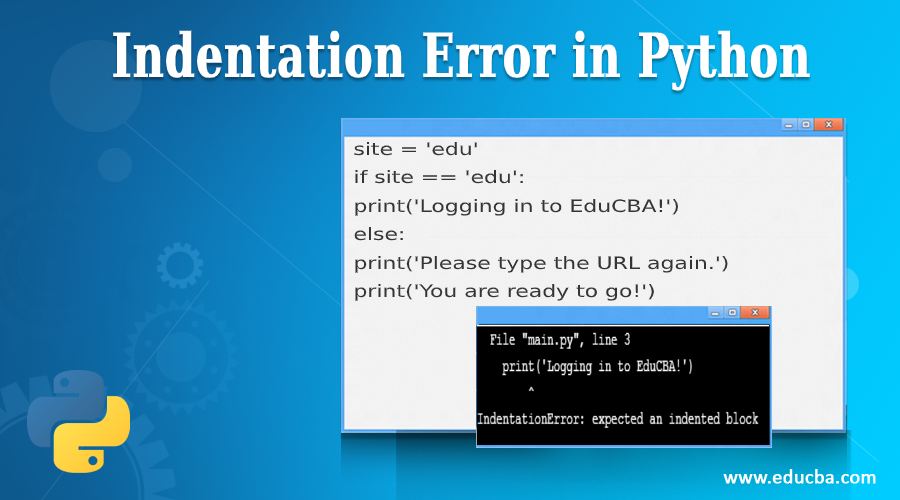
EDUCBA
Guide to the Indentation Error in Python. Here we discuss the working of Indentation Error and how to avoid it in Python along with different examples.
slate swan
honest vessel
but you should't allow root on ssh
bro aint nobody gonna bruteforce my 32 char "#=¤_abcABC password
honest vessel
ok but i would recommend no root allowed and setup privatekeys
slate swan
nahh
honest vessel
@slate swanhave u figured it out yet?
@bot.command()
async def statyinfo(ctx, info):
    server = ctx.guild
    if info == "memberCount":
        await ctx.send(server.member_count)
    elif info == "numberOfChannel":
        await ctx.send(len(server.voice_channels) + len(server.text_channels))
    elif info == "name":
        await ctx.send(server.roles_count)
    guild = ctx.guild # hint: problem is here
    elif info == "rolesCount":
        await ctx.send(len(guild.roles)-1)
    else:
        await ctx.send("Dziwne... tego nie wiem")
but it makes no sense what u trying to do there
@bot.command()
async def statyinfo(ctx, info):
    server = ctx.guild
    if info == "memberCount":
        await ctx.send(server.member_count)
    elif info == "numberOfChannel":
        await ctx.send(len(server.voice_channels) + len(server.text_channels))
    elif info == "name":
        await ctx.send(server.roles_count)
    guild = ctx.guild #remove this
    elif info == "rolesCount":
        await ctx.send(len(guild.roles)-1) # edit this to len(server.roles)-1
    else:
        await ctx.send("Dziwne... tego nie wiem")
ok
slate swan
fuck
i hate this gdamn python
how
in the fuck do I get a list of all channels in the guild
 pliant gulch
!d discord.Guild.channels
unkempt canyonBOT
property channels: List[GuildChannel]```
A list of channels that belongs to this guild.bro
wtf is wrong with my code
@bot.command()
async def start(ctx):
    if ctx.author.guild_permissions.manage_channels:
        if ctx.channel.is_nsfw() == False:
            embed = discord.Embed(description="Turn on NSFW mode!", color=0xFFFF)
            await ctx.send(content=None, embed=embed)
        else:
            with open("channels", "r") as file:
                text_channel_list = []
                for channel in ctx.guild.text_channels:
                    text_channel_list.append(channel)
                    if os.path.exists("/home/bot/adx/autoporn"+str(ctx.guild.id)) == False and str(text_channel_list) not in file.read():
                        autoporn = True
                        embed = discord.Embed(title="> __A-NSFW__", description="Started auto-nsfw. Use a!stop to stop.", color=0xFF000)
                        embed.add_field(name="Estimated time before start", value="1-10min", inline=False)
                        await ctx.send(embed=embed)
                        file = open("autoporn"+str(ctx.guild.id), "w")
                        file.write("enabled")
                        file.close()
                        file = open("channels", "a")
                        file.write(str(ctx.channel.id)+"\n")
                        print("debug99")
                        file.close()
                        break
                    else:
                        embed = discord.Embed(title="> __A-NSFW__", description="Auto-NSFW is already running.", color=0xFF0000)
                        await ctx.send(embed=embed)
                        break

    else:
        embed = discord.Embed(title="> Missing permissions!", description="manage_channels", color=0xFF0000)
        await ctx.send(embed=embed)
all commands stop working after doing a!start
 tough lance
slate swan
wtf is wrong with my code
```py
@bot.command()
async def start(ctx):
if ctx...
tough lance
slate swan
wtf is wrong with my code
```py
@bot.command()
async def start(ctx):
if ctx...
oi you didn't write the extensions in filenames
slate swan
not needed
tough lance
Hmm
This code is a bit blocking
You should use an asynchronous dB like aiosqlite or asyncpg or motor
slate swan
no
also nothing should be blocking
cuz it has break at the end
it should just break out of the loop as soon as its done
hybrid fjord
what is the replacement for avatar_url for disnake?
slate swan
cant be the problem cuz this works
@bot.command()
async def stop(ctx):
    if ctx.author.guild_permissions.manage_channels:
        text_channel_list = []
        for channel in ctx.guild.text_channels:
            text_channel_list.append(channel)
            with open("channels", "r") as file:
                print("debug5")
                if os.path.exists("/home/bot/adx/autoporn"+str(ctx.guild.id)) == True or os.path.exists("/home/bot/adx/channel"+str(ctx.guild.id)) == True or str(text_channel_list) in file.read():
                    file.close()
                    print("debug1")
                    os.system("rm -r /home/bot/adx/autoporn"+str(ctx.guild.id))
                    os.system("rm -r /home/bot/adx/channel"+str(ctx.guild.id))
                    g = str(text_channel_list)
                    with open ("channels", "r") as f:
                        lines = f.readlines()
                    with open("channels", "w") as f:
                        for line in lines:
                            if line.strip("\n") != str(g):
                                f.write(line)
                    print("debug3")
                    autoporn = False
                    embed = discord.Embed(title="> __A-NSFW__", description="Stopped auto-nsfw. Use a!start to start again.", color=0xFF000)
                    await ctx.send(embed=embed)
                    break
                else:
                    embed = discord.Embed(title="> __A-NSFW__", description="Auto-NSFW isn't running on any channel.", color=0xFF0000)
                    await ctx.send(embed=embed)
                    break
    else:
        embed = discord.Embed(title="> Missing permissions!", description="manage_channels", color=0xFF0000)
        await ctx.send(embed=embed)
Its avatar.url in both disnake and discord.py v2.0
hybrid fjord
okay thanks
slate swan
slate swan
wtf is wrong with my code
```py
@bot.command()
async def start(ctx):
if ctx...
anyone?
 wide tartan
?
cedar stream
wide tartan
?
Can you ss the whole code
wide tartan

 wide tartan
Erm, what do you mean?
cedar stream
wide tartan
Erm, what do you mean?
command.get_commands returns a list of command objects right?
potent spear
honest vessel
```py
@bot.command()
async def statyinfo(ctx, info):
server = ctx.guild
...
who's code is this?
wide tartan
cedar stream
command.get_commands returns a list of command objects right?
Yeah.
 dense swallow
how do i fix category appearing 2 times in help command? im using HelpCommand btw
cedar stream
wide tartan
Try using [cmd.name for cmd in command.get _commands()] to get list of command names as string
cedar stream
dense swallow
how do i fix category appearing 2 times in help command? im using HelpCommand bt...
Show code
wide tartan
cedar stream
Try using [cmd.name for cmd in command.get _commands()] to get list of command n...
Alright
dense swallow
cedar stream
Show code
    async def send_bot_help(self, mapping):
        ctx = self.context
        em = discord.Embed(
            title=f"{ctx.me.display_name} Help Menu",
            timestamp=ctx.message.created_at,
            color=bot.christmas
        )
        em.set_thumbnail(url=ctx.me.avatar_url)
        usable = 0

        for cog, commands in mapping.items():
            if filtered_commands := await self.filter_commands(commands):
                amt_cmds = len(filtered_commands)
                usable += amt_cmds
                if cog:
                    name = cog.qualified_name
                    description = cog.description or "No description"
                else:
                    pass
                em.add_field(name=f"{name} [{amt_cmds}]", value=description, inline=False)
        em.description = f"""{len(ctx.bot.commands)} commands | {usable} usable\n\nUse "help [command | module]" for more info.\nIf you can't see any module, it means that you don't have the permission to view them.\n\n`<>` required | `[]` optional"""
        await self.send(embed=em)
Can u put it in pastebin or send ss
Cus I’ m on mobile
cedar stream
Ok
dense swallow
!paste
unkempt canyonBOT
Pasting large amounts of code
If your code is too long to fit in a codeblock in discord, you can paste your code here:
https://paste.pythondiscord.com/
After pasting your code, save it by clicking the floppy disk icon in the top right, or by typing ctrl + S. After doing that, the URL should change. Copy the URL and post it here so others can see it.
dense swallow
slate swan
hello i want to make the bot automatically assign a role to member when i type a command with the mentioned member
honest vessel
potent spear
who's code is this?
he prob took it from internet
wide tartan
Ah, it works
potent spear
honest vessel
he prob took it from internet
I hope he didn't came up with it himself
cedar stream
dense swallow
https://paste.pythondiscord.com/ujazaxoxam.py
there
Does every cog get shown twice
wide tartan
 cedar stream
wide tartan
Ah, it works
cedar stream
wide tartan
Ah, it works
Nice
wide tartan
Thank you.
cedar stream
Np
honest vessel
potent spear
I hope he didn't came up with it himself
impossible he dont even know intendations 😛
potent spear
wide tartan
listing its aliases is also interesting
slate swan
@commands.has_any_role(921080099061784646,921080899209142282,921089622979788800,921078007668568064,921079589860696074,920779847305932827)
async def CIA(ctx, *, text):

    try:
        await ctx.message.delete()
        timenow = time.strftime("%H:%M")
        content = value=text
        channel = client.get_channel(920779848073502816)
        embed=discord.Embed(title="CIA REDIRECTION", description=" ", color=0xfff705)
        embed.set_author(name="CIA", url="", icon_url="https://cdn.discordapp.com/icons/920779847012319233/1d540f5fed2274526dc69322ad56b312.png?size=4096")
        embed.set_thumbnail(url="https://cdn.discordapp.com/icons/920779847012319233/1d540f5fed2274526dc69322ad56b312.png?size=4096")
        embed.add_field(name="برجاء التوجة لروم الامن الوطني للتحقيق", value=text, inline=False)
        embed.set_image(url="https://cdn.discordapp.com/attachments/920779848073502816/922594384535506985/CIA2.gif")
        embed.set_footer(text=f"{CIA} {timenow}")
        test = await channel.send(embed=embed, content=content) # Define the messag
    except Exception as err:
print(err) ``` don't mind arabic words because i'm arabicso all the things i want it to do is to automatically add a role to the mentioned user
dense swallow
cedar stream
Does every cog get shown twice
nope just one
cedar stream
slate swan
hello i want to make the bot automatically assign a role to member when i type a...
!d discord.Member.add_roles()
unkempt canyonBOT
Huh? No.
No documentation found for the requested symbol.
slate swan
what is !d?
cedar stream
dense swallow
nope just one
Can u paste whole class
cedar stream
slate swan
what is !d?
For docs
slate swan
and which line
honest vessel
@slate swanwhats the error?
slate swan
there is no error
cedar stream
!d discord.Member
unkempt canyonBOT
class discord.Member```
Represents a Discord member to a [`Guild`](https://discordpy.readthedocs.io/en/master/api.html#discord.Guild "discord.Guild").

This implements a lot of the functionality of [`User`](https://discordpy.readthedocs.io/en/master/api.html#discord.User "discord.User").

x == y Checks if two members are equal. Note that this works with [`User`](https://discordpy.readthedocs.io/en/master/api.html#discord.User "discord.User") instances too.

x != y Checks if two members are not equal. Note that this works with [`User`](https://discordpy.readthedocs.io/en/master/api.html#discord.User "discord.User") instances too.

hash(x) Returns the member’s hash.

str(x) Returns the member’s name with the discriminator.well, you should just have a member: discord.Member parameter, that way, you can just call
await member.add_roles(...)
slate swan
i want it to add a role to the mentioned member in the embed
honest vessel
content = value=text this looks weird tho
slate swan
well discord.Member is the member i mentioned right?
potent spear
honest vessel
content = value=text this looks weird tho
that's just basically
content = text
value = text
slate swan
how do I id of ctx.guild.text_channels
cinder fossil
cedar stream
!d discord.Member.add_roles()
i think it's just discord.Member.add_roles
slate swan
does member.add_roles accept role id?
honest vessel
potent spear
that's just basically
content = text
value = text
oh ok still looks weird 😄
cinder fossil
!d discord.Member.add_roles
unkempt canyonBOT
await add_roles(*roles, reason=None, atomic=True)```
This function is a [*coroutine*](https://docs.python.org/3/library/asyncio-task.html#coroutine).

Gives the member a number of [`Role`](https://discordpy.readthedocs.io/en/master/api.html#discord.Role "discord.Role")s.

You must have the [`manage_roles`](https://discordpy.readthedocs.io/en/master/api.html#discord.Permissions.manage_roles "discord.Permissions.manage_roles") permission to use this, and the added [`Role`](https://discordpy.readthedocs.io/en/master/api.html#discord.Role "discord.Role")s must appear lower in the list of roles than the highest role of the member.i mean he could just do below instead of -> test = await channel.send(embed=embed, content=content) py test = await channel.send(embed=embed, content=text)
potent spear
slate swan
do i get ids of ctx.guild.text_channels
via list comprehension
text_channel.id on every elem
potent spear
honest vessel
i mean he could just do below instead of -> test = await channel.send(embed=emb...
true, there's many more wrong with that code, but yeah
slate swan
potent spear
via list comprehension
text_channel.id on every elem
i dont want a for loop
potent spear
don't underestimate them
potent spear
it'll go fast af, you won't notice, it's not like you're doing this for millions of elements and need numpy xd
cedar stream
dense swallow
https://paste.pythondiscord.com/salazutaja.py
Print out mapping and send me the output
slate swan
 potent spear
slate swan
potent spear
slate swan
that's english
slate swan
local variable 'member' referenced before assignment
slate swan
potent spear
it'll go fast af, you won't notice, it's not like you're doing this for millions...
the problem id I had a for loop before on it and it was broken
potent spear
slate swan
the problem id I had a for loop before on it and it was broken
nah, probably the way you wrote it, for loops aren't that bad
honest vessel
slate swan
local variable 'member' referenced before assignment
that means you try use member variable but its not declerade yet
potent spear
that's a basic python error, obviously your first project
slate swan
honest vessel
that means you try use member variable but its not declerade yet
how do i declerade it
sorry i'm just new so i may ask some bad questions
potent spear
well, what should the member be? the command invoker?
slate swan
potent spear
well, what should the member be? the command invoker?
no a mentioned user
honest vessel
maybe show code
dense swallow
cedar stream
Print out mapping and send me the output
it didnt print anything
slate swan
like when i do *CIA @slate swan
potent spear
slate swan
no a mentioned user
well, is he mentioned while invoking the command?
honest vessel
of your comand function decleration
 potent spear
slate swan
yes
potent spear
slate swan
yes
well, you need to add that parameter to you function ofc
cedar stream
dense swallow
it didnt print anything
Did u run the command?
honest vessel
like ctx, member: discord.member)
potent spear
slate swan
async def CIA(ctx, member: discord.Member, *, text)
cedar stream
slate swan
You gotta put in role object
slate swan
potent spear
`async def CIA(ctx, member: discord.Member, *, text)`
so then?
wtf is wrong with my code
@bot.command()
async def start(ctx):
    if ctx.author.guild_permissions.manage_channels:
        if ctx.channel.is_nsfw() == False:
            embed = discord.Embed(description="Turn on NSFW mode!", color=0xFFFF)
            await ctx.send(content=None, embed=embed)
        else:
            with open("channels", "r") as file:
                text_channel_list = []
                for channel in ctx.guild.text_channels:
                    text_channel_list.append(channel)
                    if os.path.exists("/home/bot/adx/autoporn"+str(ctx.guild.id)) == False and str(text_channel_list) not in file.read():
                        autoporn = True
                        embed = discord.Embed(title="> __A-NSFW__", description="Started auto-nsfw. Use a!stop to stop.", color=0xFF000)
                        embed.add_field(name="Estimated time before start", value="1-10min", inline=False)
                        await ctx.send(embed=embed)
                        file = open("autoporn"+str(ctx.guild.id), "w")
                        file.write("enabled")
                        file.close()
                        file = open("channels", "a")
                        file.write(str(ctx.channel.id)+"\n")
                        print("debug99")
                        file.close()
                        break
                    else:
                        embed = discord.Embed(title="> __A-NSFW__", description="Auto-NSFW is already running.", color=0xFF0000)
                        await ctx.send(embed=embed)
                        break

    else:
        embed = discord.Embed(title="> Missing permissions!", description="manage_channels", color=0xFF0000)
        await ctx.send(embed=embed)
all commands stop working after doing a!start
slate swan
potent spear
`async def CIA(ctx, member: discord.Member, *, text)`
does this accept role id?
 potent spear
slate swan
wtf is wrong with my code
```py
@bot.command()
async def start(ctx):
if ctx...
potent spear
slate swan
wtf is wrong with my code
```py
@bot.command()
async def start(ctx):
if ctx...
does it send anything?
slate swan
no
cedar stream
slate swan
does this accept role id?
I believe it only accepts role object
slate swan
cedar stream
I believe it only accepts role object
wdym?
nothing works after doing a!start
dense swallow
cedar stream
Did u run the command?
i forgot lol, but when i did, it printed some large things
potent spear
slate swan
does this accept role id?
docs will tell you
slate swan
potent spear
does it send anything?
but the debug99 prints so the whole code works,
so wtf
cedar stream
slate swan
wtf is wrong with my code
```py
@bot.command()
async def start(ctx):
if ctx...
I think if you have on_message event in main file, the other commands wont work
slate swan
potent spear
docs will tell you
docs link?
potent spear
slate swan
nothing works after doing a!start
just follow your code... and you'll find the error
potent spear
slate swan
docs link?
slate swan
cedar stream
I believe it only accepts role object
what is role object ;-;
slate swan
potent spear
just follow your code... and you'll find the error
what bruh
slate swan
cedar stream
I think if you have on_message event in main file, the other commands wont work
why wouldn't it
cedar stream
dense swallow
i forgot lol, but when i did, it printed some large things
Put it in pastebin
slate swan
and yes I do have on_message
cedar stream
slate swan
what is role object ;-;
!d discord.Role
unkempt canyonBOT
class discord.Role```
Represents a Discord role in a [`Guild`](https://discordpy.readthedocs.io/en/master/api.html#discord.Guild "discord.Guild")...because on_message is greedy, it'll "take" the functions away of other commands
cedar stream
slate swan
why wouldn't it
Idk, ik I used to have problems with it but now I use cogs so I never paid attention
slate swan
unkempt canyon
where do i put this
slate swan
so for some reason this command that worked before, doesn't work anymore ?
honest vessel
await bot.process_commands(message)
slate swan
i have
potent spear
slate swan
makes no sense
on_message gets triggered before a command, if you'd say in on_message has to shut down the bot, then it would should it down before running any other command
is that more clear?
slate swan
honest vessel
await bot.process_commands(message)
yes
slate swan
cedar stream
!d discord.Role
where do i put it
thats what happened when i added the async def @potent spear
 potent spear
slate swan
thats what happened when i added the async def <@!260544243381174283>
potent spear
slate swan
thats what happened when i added the async def <@!260544243381174283>
that's english
cedar stream
dense swallow
https://paste.pythondiscord.com/bozusazone.kotlin
Which cog does it display twice
potent spear
I mean, that the error speaks for itself
slate swan
potent spear
on_message gets triggered before a command, if you'd say in on_message has to sh...
cant be that cuz every command works before doing a!start and I have
await bot.process_commands(message)
cedar stream
slate swan
where do i put it
Nowhere, you get it with the id
cinder fossil
slate swan
wtf is wrong with my code
```py
@bot.command()
async def start(ctx):
if ctx...
should the first if statement have == true after it? Like if ctx.author.guild_permissions.manage_channels==True?
potent spear
slate swan
cant be that cuz every command works before doing a!start and I have
aw...
print stuff in your if statements and check where the code gets in that command
slate swan
cedar stream
Nowhere, you get it with the id
how
slate swan
cinder fossil
should the first if statement have == true after it? Like ` if ctx.author.gui...
basic python dude
slate swan
potent spear
I mean, that the error speaks for itself
well i'm not that good
it assumes its == True:
cedar stream
slate swan
how
!d discord.Guild.get_role
unkempt canyonBOT
get_role(role_id, /)```
Returns a role with the given ID.well, tell me what you copy pasted from me, tag me in the message
slate swan
potent spear
print stuff in your if statements and check where the code gets in that command
what
slate swan
potent spear
`async def CIA(ctx, member: discord.Member, *, text)`
@potent spear this
makes no sense what u said lol
potent spear
slate swan
what
basic debugging mate
potent spear
slate swan
<@!260544243381174283> this
well, you obviously didn't add *, text after it
slate swan
potent spear
basic debugging mate
I have debug prints everywhere and even logger enabled
cedar stream
slate swan
cant be that cuz every command works before doing a!start and I have
aw...
Attach a debugger and see what’s happening

 potent spear
slate swan
u wanna see my terminal
potent spear
slate swan
u wanna see my terminal
if ...:
  print("I got here")
else:
  print("here")```
that way, you know your code actually runs till there etcbro
potent spear
slate swan
ok, do you need additional info after adding *CIA @potent spear <extra text here>
yes or no?
slate swan
potent spear
ok, do you need additional info after adding *CIA <@!260544243381174283> <extra ...
nope
slate swan
potent spear
```py
if ...:
print("I got here")
else:
print("here")```
that way, you know ...
I have debug prints everywhere already
cedar stream
potent spear
```py
if ...:
print("I got here")
else:
print("here")```
that way, you know ...
Poor debugger, getting replaced by print
slate swan
i only want it to add the role to the mentioned user which is <@>
ah
File "main.py", line 210, in my_task
if os.path.exists("/home/bot/adx/channel"+str(msg.guild.id)):
is blocking the code
potent spear
slate swan
nope
then remove the *, test
in your function declaration and also remove where you use it in the command
slate swan
fucking fuc
cedar stream
slate swan
i only want it to add the role to the mentioned user which is <@>
!d discord.Member.add_roles
unkempt canyonBOT
await add_roles(*roles, reason=None, atomic=True)```
This function is a [*coroutine*](https://docs.python.org/3/library/asyncio-task.html#coroutine).

Gives the member a number of [`Role`](https://discordpy.readthedocs.io/en/master/api.html#discord.Role "discord.Role")s.

You must have the [`manage_roles`](https://discordpy.readthedocs.io/en/master/api.html#discord.Permissions.manage_roles "discord.Permissions.manage_roles") permission to use this, and the added [`Role`](https://discordpy.readthedocs.io/en/master/api.html#discord.Role "discord.Role")s must appear lower in the list of roles than the highest role of the member.Read this
potent spear
slate swan
I have debug prints everywhere already
show me
potent spear
slate swan
so i add this and replace *roles with role id right?
you can always test shit before implementing you know, just have a basic test command ready
@bot.command()
async def test(ctx):
# shit you want to test```all of those are debugs so I know where the code is

and it literally just keeps going
almost every if statement has a debug
and the nsfw shit is from reddit
cedar stream
slate swan
all of those are debugs so I know where the code is
Use logging.debug for that
slate swan
dont mind but anyways I have good debugging
cedar stream
So u can disable it w/o having to delete it
slate swan
cedar stream
Use logging.debug for that
yea I'm using that also but I have it on warnings mode
cedar stream
slate swan
yea I'm using that also but I have it on warnings mode
Replace print statements with logging.debug and set level to debug and when you are finished debugging just set it back to info and leave logging.debug statements
 mortal thistle
how do i make button clickable more than once
dense swallow
cedar stream
Which cog does it display twice

 slate swan
2021-12-22 20:34:08,513:WARNING:discord.gateway: WebSocket in shard ID None is ratelimited, waiting 59.98 seconds
well well well
dense swallow
dense swallow
utility
https://cdn.discordapp.com/attachments/850839460996055080/92181328446056...
@cedar stream
cedar stream
dense swallow
utility
https://cdn.discordapp.com/attachments/850839460996055080/92181328446056...
Put embed.add field inside if statement
cedar stream
mortal thistle
how do i make button clickable more than once
It already should be
slate swan
!paste
unkempt canyonBOT
Pasting large amounts of code
If your code is too long to fit in a codeblock in discord, you can paste your code here:
https://paste.pythondiscord.com/
After pasting your code, save it by clicking the floppy disk icon in the top right, or by typing ctrl + S. After doing that, the URL should change. Copy the URL and post it here so others can see it.
slate swan
A button only stops if you stop listening to a interaction
why doesn't this loop thru all channels
https://paste.pythondiscord.com/uratikipux.lua
only sends it on couple channels
cedar stream
slate swan
why doesn't this loop thru all channels
https://paste.pythondiscord.com/uratikip...
Because u get ratelimited
slate swan
cap
mortal thistle
cedar stream
It already should be
like?
cedar stream
mortal thistle
like?
Like @slate swan said
cedar stream
slate swan
A button only stops if you stop listening to a interaction
@mortal thistle
mortal thistle
it says this interaction failed
cedar stream
Lemme see
slate swan
why doesn't this loop thru all channels
https://paste.pythondiscord.com/uratikipux.lua
slate swan
mortal thistle
how can I get back to a button after restarting my bot
Dont think you can
mortal thistle
ping?
cedar stream
slate swan
why doesn't this loop thru all channels
https://paste.pythondiscord.com/uratikip...
Cus u get ratelimited
mortal thistle
slate swan
Dont think you can
like the way Ticket Bot does
sour lodge
can we have multiple classes in one cog file?
cedar stream
Like, you cant send that many messages that fast
cedar stream
sour lodge
can we have multiple classes in one cog file?
Yes why not
mortal thistle
 sour lodge
alr thanks
mortal thistle
like this one
cedar stream
mortal thistle
like the way Ticket Bot does
Ticket bot doesnt go offline too often, and it may replace old buttons with new ones when it restarts
mortal thistle
cedar stream
Ticket bot doesnt go offline too often, and it may replace old buttons with new ...
but the message isn't edited
slate swan
cedar stream
Cus u get ratelimited
cant be
slate swan
cedar stream
Ticket bot doesnt go offline too often, and it may replace old buttons with new ...
Does he edit the message to have new buttons?
it literally spams the same message on the same channel
and I have sleeps
cedar stream
slate swan
Does he edit the message to have new buttons?
Idk, mby he deleted the old msg, idk
cedar stream
slate swan
it literally spams the same message on the same channel
Yes “it literally spams”
cedar stream
U can send 5 messages per 5 seconds I believe
slate swan
cedar stream
Idk, mby he deleted the old msg, idk
Dont really know how does bots work
cedar stream
🤷🏼♂️
slate swan
cedar stream
U can send 5 messages per 5 seconds I believe
i know
dense swallow
cedar stream
Put embed.add field inside if statement
what should I if? like if smth:
sour lodge
how do I do this sort of text format https://miro.medium.com/max/794/1*Xg6jwxRdt4htwC_pQWy5Wg.png
 dense swallow
!d discord.Embed.add_field
unkempt canyonBOT
add_field(*, name, value, inline=True)```
Adds a field to the embed object.

This function returns the class instance to allow for fluent-style chaining.thanks
cedar stream
dense swallow
what should I `if`? like `if smth:`
The existing if statement
dense swallow
so indent it once?
dense swallow
thanks, its fixed now! :D
cedar stream
Np
slate swan
dense swallow
!d discord.Embed.add_field
Those arent fields lol
slate swan
sour lodge
how do I do this sort of text format https://miro.medium.com/max/794/1*Xg6jwxRdt...
Just a description
He just made new lines and made the titles bold
sour lodge
Its fine thats what I needed
manic wing
await channel_one.send(...); await channel_two.send(...)
slate swan
no
manic wing
you do it as one would expect
slate swan
no
I have a list of channel ids
I need to send msg to all of them
they are in different guilds
manic wing
for channel_id in channel_list: #where channel_list is a list of id's
  channel = bot.get_channel(channel_id) #searches bots cache for the channel
await channel.send(...)```why not?
slate swan
idk just didn't work before
future: <Task finished coro=<my_task() done, defined at main.py:216> exception=AttributeError("'NoneType' object has no attribute 'send'")>
Traceback (most recent call last):
File "main.py", line 268, in my_task
await channel.send(embed=embed)
AttributeError: 'NoneType' object has no attribute 'send'
manic wing
invalid id.
slate swan
not
manic wing
can you show the list
slate swan
['920751850649714738', '922978651803365417', '839546320820895747', '850592224700792872', '884962944482422784', '918770232485613568', '800069566519574536', '923135211003314206', '737324794852409358', '923205531852750948', '922898261507997726', '921875157688152074', '914927659992117271', '922133456102760520', '920742277809332295', '922133456102760520', '921425507998900245', '921496293002584074', '922771047760150568', '922771047760150568', '922865149105303622', '922864818191495191', '920751850649714738', '920742277809332295', '920751850649714738', '907915837049036850', '923283650911559711', '922771047760150568', '907915837049036850', '923290185783971913', '923290911016906852', '923295700484227076', '923295700484227076', '923295720147128370']
manic wing

slate swan
all those r channels
manic wing
they have to be ints
slate swan
bruh
manic wing
for channel_id in channel_list: #where channel_list is a list of id's
  channel = bot.get_channel(int(channel_id)) #searches bots cache for the channel
  await channel.send(...)
channel_list = int(file.read()).split()
ValueError: invalid literal for int() with base 10: '920751850649714738\n922978651803365417\n839546320820895747\n850592224700792872\n884962944482422784\n918770232485613568\n800069566519574536\n923135211003314206\n737324794852409358\n923205531852750948
grool
nvm
manic wing
you dont int a list...
slate swan
yes
ik
I did it at the wrong variable
the for loop just chooses 1 random channel and keeps sending it there
manic wing
then you've done the loop wrong
slate swan
o
no
    for channel_id in channel_list: #where channel_list is a list of id's
        channel = bot.get_channel(int(channel_id)) #searches bots cache for the channel
        file.close()
        embed = discord.Embed(title="> __Channel inactive__", color=0xFF0000)
        embed.add_field(name="Reason for inactivity", value="Restart by developer", inline=False)
        embed.add_field(name="Note", value="Small bug fixes || Added new categories", inline=False)
        await asyncio.sleep(3)
        await channel.send(embed=embed)```
file.close()
dense swallow
slate swan
Its all in the description kwarg
Inefficient tho
manic wing
manic wing
> `file.close()`
whats that doing there? it looks fine other than that...
manic wing
why did you put it in the loop though?
slate swan
misplaced
manic wing
are you sure you saved itr?
manic wing
well you've fucked something up then :)