#discord-bots
1 messages · Page 574 of 1
 dense swallow
dense swallow
dense swallow
Yeah
dense swallow
 jade tartan
member = discord.utils.get(message.guild.members, name='Foo') so its this?
jade tartan
member = discord.utils.get(message.guild.members, name='Foo') so its this?
That gets the members
Can u explain what ur trying to do? Are u like trying to do something like making an embed and then reacting to that embed with emoji?
jade tartan
yes and also having the emoji inside the embed for example ♂️ - Male
♂️ - Male that will be inside the embed
dense swallow
U can put this character before the emoji and then directly copy paste it \
It gives u a Unicode form of the emoji
jade tartan
Unicode is kinda like the id of the emoji?
jade tartan
well it gives me the emoji symbol
jade tartan
 fleet axle
<@456226577798135808> hey finally buttons are now working
fleet axle
<@456226577798135808> hey finally buttons are now working
congrats
dense swallow
jade tartan
Unicode is kinda like the id of the emoji?
No, it's like an easy method for copying emojis.. rather than typing their names
jade tartan
bro
dense swallow
jade tartan
well it gives me the emoji symbol
Yes copy that and paste
fleet axle
jade tartan
congrats
Thankyou 🙂
dense swallow
!code
 unkempt canyonBOT
Here's how to format Python code on Discord:
```py
print('Hello world!')
```
These are backticks, not quotes. Check this out if you can't find the backtick key.
dense swallow
This makes it easier to read code, so pls use this format
 urban sphinx
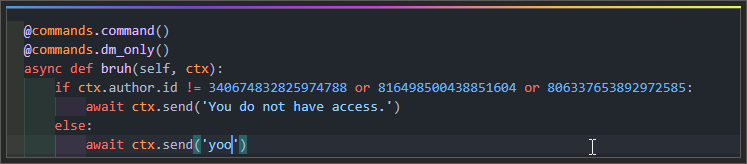
I just want a cute little femboy to please all my sexual needs, I would smash his boy pussy whusy and he would be like "Nwooo you boy cwant jwust boy cum in my boy pwussie sussie boy whussie", then I would be all like "YEEEEEEAH😎😎😎😎", then, when we are doing 69 (funny number big chungus), he would fart in my face accidentally, but then it wouldn...
 fossil goblet
Why doesn't my button command works?
urban sphinx
urban sphinx
https://bruh.today/ඞඞඞඞඞ
uh why isnt this working?
fossil goblet
fossil goblet
Why doesn't my button command works?
It worked yester day
jade tartan
Can i use https://paste.pythondiscord.com/ instead?
jade tartan
jade tartan
dense swallow
Discord has character limits..
Yeah thats why i asked
fossil goblet
fossil goblet
It worked yester day
anyone
dense swallow
urban sphinx
https://bruh.today/ඞඞඞඞඞ
Instead of @commands.dm_only try @commands.guild_only()
dense swallow
jade tartan
https://paste.pythondiscord.com/zoyasupabo.py
Any error?
Use ctx.send not client.send
jade tartan
dense swallow
Any error?
    member = discord.utils.get(message.guild.members, name='Male'
                                                           ^^^^^^
SyntaxError: invalid syntax. Perhaps you forgot a comma?```did that
 tawdry perch
fossil goblet
Why doesn't my button command works?
tawdry perch
fossil goblet
Why doesn't my button command works?
that is quite a hard question, there are so many possibilities.. Instead you could share the code and tell what exactly may not be working or the part you expect not to be ran.
urban sphinx
no workie
dense swallow
Hmm
dense swallow
jade tartan
```File "C:\Users\thoma\Documents\discord.py\bot.py", line 48
member = disco...
This gets a member named male lmao
jade tartan
oops
fossil goblet
tawdry perch
that is quite a hard question, there are so many possibilities.. Instead you cou...
@bot.command()
async def button(ctx):
    await ctx.send("Buttons!", components=[Button(label="Button", custom_id="button1")])
    interaction = await bot.wait_for(
        "button_click", check=lambda inter: inter.custom_id == "button1"
    )
    await interaction.send(content="Button Clicked")
from discord_components import Button, Select, SelectOption, ComponentsBot, ButtonStyle
from discord_components import DiscordComponents
from discord.ext.commands import Bot
Here's the code
fossil goblet
??
fleet axle
so import this
from discord_components import DiscordComponents```Ok but how would you do the Unicode thing?
dense swallow
Put \ infront of any emoji
jade tartan
ohh so i wouldnt need that? so then get the emoji when the embed is send
fossil goblet
Than you get this \👍not 👍
dense swallow
fossil goblet
Than you get this \👍not 👍
Yes
jade tartan
fossil goblet
or try to use `:tada:`
never heard of that but okay
dense swallow
dense swallow
No, it's like an easy method for copying emojis.. rather than typing their names
.
fossil goblet
jade tartan
never heard of that but okay
If you type :tada: It changes to 🎉
jade tartan
member = discord.utils.get(message.guild.members, name='/Female'
🤞
RIght?
:male:
fossil goblet
fleet axle
so import this
```from discord_components import Button, Select, SelectOption, ...
That's all?
fleet axle
yep
fossil goblet
jade tartan
\:male:
There is no emogi named male
fleet axle
it will work and u need to add wait a min
fossil goblet
fleet axle
yep
Hmm but I want to use DiscordComponents(bot)
fossil goblet
:male_sign:
fleet axle
fossil goblet
Hmm but I want to use `DiscordComponents(bot)`
yess u need to add this in @quaint axle.event
jade tartan
yes i know
fossil goblet
jade tartan
yes i know
Kk
fossil goblet
fleet axle
yess u need to add this in <@!78923588530343936>.event
Ohh you pinged a person
fleet axle
fossil goblet
Ohh you pinged a person
yeah lol
fossil goblet
\♂️ here is it
fossil goblet
you need \ infront of emogi
fossil goblet
Like for example
await ctx.send(":male_sign:") is same with
await ctx.send("♂️")
fossil goblet
fleet axle
yess u need to add this in <@!78923588530343936>.event
and no import???
jade tartan
this whole time i was using this
member = discord.utils.get(message.guild.members, name='/:Female:',
fossil goblet
hmm
fleet axle
fossil goblet
and no import???
you need to import these things
from discord_components import Button, Select, SelectOption, ComponentsBot, ButtonStyle
from discord_components import DiscordComponents
jade tartan
i have dyslexic sometimes
fossil goblet
Your friends name is ♂️???
I don't know if it will work
fossil goblet
fleet axle
you need to import these things
from discord_components import Button, Select, ...
Okay thank you
jade tartan
umm my code is very weird
async def embed(ctx):
    Myembed = Embed(title= f"Please pick your gender role by reacting to the emoji", color=0x24045b,
    description=f"Gender role")
    await ctx.send(":male_sign:")
await ctx.send(embed=Myembed)```its replying with
 fleet axle
fossil goblet
Okay thank you
fleet axle
fossil goblet
Okay thank you
np
fossil goblet
@client.command(pass_context=True)
async def embed(ctx):
    Myembed = discord.Embed(title= f"Please pick your gender role by reacting to the emoji", color=0x24045b,
    description=f"Gender role")
    await ctx.send(":male_sign:")
    await ctx.send(embed=Myembed)
Maybe this
I don't know if it will work
But I don't know how that command became sending Hi
jade tartan
Yeah i dont have any command with Hi
fossil goblet
Hmm
fossil goblet
maybe try Myembed = discord.Embed(title= f"Please pick your gender role by reacting to the emoji", color=0x24045b, description=f"Gender role") you need **discord.**Embed
!d discord.Embed
unkempt canyonBOT
class discord.Embed(*, colour=Embed.Empty, color=Embed.Empty, title=Embed.Empty, type='rich', url=Embed.Empty, description=Embed.Empty, timestamp=None)```
Represents a Discord embed.

len(x) Returns the total size of the embed. Useful for checking if it’s within the 6000 character limit.

bool(b) Returns whether the embed has any data set.

New in version 2.0.

Certain properties return an `EmbedProxy`, a type that acts similar to a regular [`dict`](https://docs.python.org/3/library/stdtypes.html#dict "(in Python v3.9)") except using dotted access, e.g. `embed.author.icon_url`. If the attribute is invalid or empty, then a special sentinel value is returned, [`Embed.Empty`](https://discordpy.readthedocs.io/en/master/api.html#discord.Embed.Empty "discord.Embed.Empty").

For ease of use, all parameters that expect a [`str`](https://docs.python.org/3/library/stdtypes.html#str "(in Python v3.9)") are implicitly casted to [`str`](https://docs.python.org/3/library/stdtypes.html#str "(in Python v3.9)") for you.It may work
jade tartan
or maybe i need to change my token hold on a sec
fossil goblet
orrr maybe there is error on athor commands... ||(It sometimes happens to me... only me?)||
jade tartan
let me try this first
fossil goblet
Kk
jade tartan
fossil goblet
orrr maybe there is error on athor commands... ||(It sometimes happens to me... ...
i think its just the api error
no too sure
jade tartan
fossil goblet
Good luck to you and your bot!
its simple as that

Now its doing this
 fossil goblet
@client.command(pass_context=True)
async def embed(ctx):
    Myembed = discord.Embed(title= f":male_sign: Please pick your gender role by reacting to the emoji", color=0x24045b,
    description=f"Gender role")
    await ctx.send(embed=Myembed)
Maybe like this
Just put :male_sign: in title or description. or ♂️
jade tartan
ok
 slate swan
help

 boreal ravine
slate swan
help
boreal ravine
slate swan
help
i dont see len() anywhere in that
boreal ravine
fossil goblet
```py
@client.command(pass_context=True)
async def embed(ctx):
Myembed = dis...
Why do you have/need pass_context
fossil goblet
boreal ravine
Why do you have/need `pass_context`
Well there is no need..
Just I didn't edited form the original code
I gotta go bye
boreal ravine
what u mean emoji inline
slate swan
boreal ravine
i dont see `len()` anywhere in that
and where to put it?
jade tartan
boreal ravine
what u mean emoji inline
Like let the emoji start a new line
like a new paragraph
unkempt canyonBOT
@boreal ravine :white_check_mark: Your eval job has completed with return code 0.
001 | hi
002 | ok
you dont i was asking where u used it 👀
jade tartan

 tough mirage
hello, how would I use this in cogs? ```py
@tasks.loop()
async def live_status(seconds=75):
pcount = pc()
Dis = client.get_guild(876471014043815966) #Int
    activity = discord.Activity(type=discord.ActivityType.watching, name=f'🐌 {pcount}')
    await client.change_presence(activity=activity)
    await asyncio.sleep(15)

    activity = discord.Activity(type=discord.ActivityType.watching, name=f'👥 {Dis.member_count}')
    await client.change_presence(activity=activity)
    await asyncio.sleep(15)

    activity = discord.Activity(type=discord.ActivityType.watching, name=f'NOT lowkey#0669')
    await client.change_presence(activity=activity)
    await asyncio.sleep(15)

    activity = discord.Activity(type=discord.ActivityType.watching, name=f'City of lights')
    await client.change_presence(activity=activity)
    await asyncio.sleep(15)

    activity = discord.Activity(type=discord.ActivityType.watching, name=f'')
    await client.change_presence(activity=activity)
    await asyncio.sleep(15)```
 agile thicket
{'-MnUSfSTI4t54I-8gLag': {'tagname': 'name here', 'tagvalue': 'value here'}}
I want to print only the tagvalue part
how to do that
boreal ravine
agile thicket
```{'-MnUSfSTI4t54I-8gLag': {'tagname': 'name here', 'tagvalue': 'value here'}}`...
index it
agile thicket
?
boreal ravine
tough mirage
hello, how would I use this in cogs? ```py
@tasks.loop()
async def live_...
why is seconds in the parameter part and not in the @tasks.loop() part
 urban shell
hey, so I am trying to build a bot which checks if a user has joined a particular vc, and then creates a new vc and moves the user,
this is my code so far -
async def on_voice_state_update(self, member, before, after):
        channel_id = client.get_channel(904997311283884063)
        if after.channel.id == channel_id:
            print('success')
            guild = discord.utils.find(lambda g : g.id == guild_id, client.guilds)
            a = str(message.author.name) + "'s Channel"
            await guild.create_voice_channel(name=a)
is there a better way to when u run a command it doesnt get send multiple times?
tough mirage
Traceback (most recent call last):
  File "C:\Users\bill\COLRP\status bot\main.py", line 2, in <module>
    import discord
  File "C:\Users\Administrator\AppData\Local\Programs\Python\Python310\lib\site-packages\discord\__init__.py", line 25, in <module>
    from .client import Client
  File "C:\Users\Administrator\AppData\Local\Programs\Python\Python310\lib\site-packages\discord\client.py", line 53, in <module>
    from .webhook import Webhook
  File "C:\Users\Administrator\AppData\Local\Programs\Python\Python310\lib\site-packages\discord\webhook\__init__.py", line 12, in <module>
    from .async_ import *
  File "C:\Users\Administrator\AppData\Local\Programs\Python\Python310\lib\site-packages\discord\webhook\async_.py", line 47, in <module>
    from ..channel import PartialMessageable
ImportError: cannot import name 'PartialMessageable' from 'discord.channel' (C:\Users\Administrator\AppData\Local\Programs\Python\Python310\lib\site-packages\discord\channel.py)``` what is this error?cuz everytime i do !embed which sends the emoji embed it sends 3 or 4 times
urban shell
I'm getting an Attribute Error -
if after.channel.id == channel_id: AttributeError: 'NoneType' object has no attribute 'id'
tough mirage
jade tartan
cuz everytime i do !embed which sends the emoji embed it sends 3 or 4 times
make sure the bot isnt running multiple times
jade tartan
its channel.id not channel_id @urban shell
jade tartan
tough mirage
make sure the bot isnt running multiple times
once i says bot is online i dont need to run it with the newer changes?
nvm
boreal ravine
jade tartan
is there a better way to when u run a command it doesnt get send multiple times?
you have multiple instances running
jade tartan
boreal ravine
you have multiple instances running
nvm i knew it
urban shell
jade tartan
its channel.id not channel_id <@!819929280502956043>
channel_id is just a variable that contains the id of the vc
urban shell
urban shell
hey, so I am trying to build a bot which checks if a user has joined a particula...
^ @tough mirage
 final shard
How will I delete slash commands
boreal ravine
wdym
final shard
After I remove from the code the slash still stays in the list
final shard
Will it get removed soon?
boreal ravine
yes
agile thicket
    print(result)
    print(result["-MnUSfSTI4t54I-8gLag"]["tagvalue"])```

in this code everything is fine except that unique id ```-MnUSfSTI4t54I-8gLag``` always doesnt remain same in all cases.

how can i solve this?hm
agile thicket
the id isdifferent for different data
jade tartan
await discordBot.delete_message(message) is that what makes the bot delete a message ? and also if i want it to delete after a certain time?
boreal ravine
jade tartan
```await discordBot.delete_message(message)``` is that what makes the bot delete...
!d discord.Message.delete
unkempt canyonBOT
await delete(*, delay=None)```
This function is a [*coroutine*](https://docs.python.org/3/library/asyncio-task.html#coroutine).

Deletes the message.

Your own messages could be deleted without any proper permissions. However to delete other people’s messages, you need the [`manage_messages`](https://discordpy.readthedocs.io/en/master/api.html#discord.Permissions.manage_messages "discord.Permissions.manage_messages") permission.

Changed in version 1.1: Added the new `delay` keyword-only parameter.well thats what i found on
urban shell
urban shell
hey, so I am trying to build a bot which checks if a user has joined a particula...
^ hey can someone pls help me out
agile thicket
agile thicket
```result = firebasef.get(f'/Tags/{tagname}/', '')
print(result)
print(r...
...
jade tartan

Stack Overflow
from discord.ext.commands import Bot
import secrets
from time import sleep
discordBot = Bot(command_prefix = ".")
listStrings = ['add a reaction', 'adnd']
@discordBot.event
async def on_read():...
jade tartan
urban shell
^ hey can someone pls help me out
Be patient they will when theyre free
tough mirage
tough mirage
```C:\Users\bill\COLRP\status bot>main.py
Traceback (most recent call last):
F...
how do i fix this?
agile thicket
agile thicket
```result = firebasef.get(f'/Tags/{tagname}/', '')
print(result)
print(r...
pls help
urban shell
jade tartan
Be patient they will when theyre free
😐
 tough wagon
agile thicket
```result = firebasef.get(f'/Tags/{tagname}/', '')
print(result)
print(r...
tough wagon
agile thicket
```result = firebasef.get(f'/Tags/{tagname}/', '')
print(result)
print(r...
not related to bots
agile thicket
tough wagon
not related to bots
this code snippet is from my bot code
tough wagon
but not related to bots
agile thicket
ok then where should i ask?
tough wagon
I'm not sure but as I see it is database problem, so #databases
if there aren't any channel with name related to your problem in TOPICAL CHAT/HELP category then ask in #python-discussion
tough wagon
urban shell
hey, so I am trying to build a bot which checks if a user has joined a particula...
so what is the problem?
you don't know how to move member?
urban shell
urban shell
I'm getting an Attribute Error -
` if after.channel.id == channel_id:
Attrib...
^ @tough wagon
so now I updated the code -
if after is not None and after.voice.channel.id == channel_id:
async def purge(ctx, amount=1000):
    if(not ctx.author.guild_permissions.manage_messages):
        await ctx.send('Cannot run command! Requires: ``Manage Messages``')
        return
    amount = amount+1
    if amount > 101:
        await ctx.send('I can\'t delete more than 100 messages at a time!')
    else:
        await ctx.channel.purge(limit=amount)
        await ctx.send(f'Sucessfully deleted {amount} messages!')
await delete(*, delay=None)```I'm getting yet another Attribute Error 😔 -
AttributeError: 'VoiceState' object has no attribute 'voice'
jade tartan
    await delete(*, delay=None)
                  ^
SyntaxError: invalid syntax```bruh, not after.voice.channel.id it is just after.channel.id
tough wagon
jade tartan
```@client.command(aliases=['clear'])
async def purge(ctx, amount=1000):
if(...
bruh?
jade tartan
tough wagon
bruh?
What?
 shy schooner
hi, I want to load multiple cogs in multiple folders, the img below is my directory tree
 tough wagon
if you want to delete message Successfully deleted... after some time the delete(delay=) is bad way, just do await ctx.send(..., delete_after=5)
shy schooner
but i got this error and dont know why i cant load the test cog
  File "d:\Coding\Python\Discord.py\Lenny Bot\main.py", line 180, in <module>
    client.load_extension(f"cogs.{file_name[:-3]}")
  File "C:\Users\Dell\AppData\Local\Programs\Python\Python39\lib\site-packages\discord\ext\commands\bot.py", line 618, in load_extension
    raise discord.ExtensionNotFound(name)
discord.errors.ExtensionNotFound: Extension 'cogs.test' could not be found.
Exception ignored in: <function ClientSession.__del__ at 0x0000022508726160>
 tough wagon
in send there is delete_after
tough wagon
shy schooner
but i got this error and dont know why i cant load the **test** cog
```js
File...
because you do cogs.{file_name[:-3]} it should be another_cog.{file_name[:-3]}
change folder 
shy schooner
ok tysm, my bad 🙂
tough wagon
jade tartan
```@client.command(aliases=['clear'])
async def purge(ctx, amount=1000):
if(...
and delete function works not like this. It is await message.delete(delay=SOME_DELAY)
boreal ravine
jade tartan
```@client.command(aliases=['clear'])
async def purge(ctx, amount=1000):
if(...
you dont need *
 tough wagon
show purge command code, and do you have any on_message event?
jade tartan
async def purge(ctx, amount=1000):
    if(not ctx.author.guild_permissions.manage_messages):
        await ctx.send('Cannot run command! Requires: ``Manage Messages``')
        return
    amount = amount+1
    if amount > 1000:
        await ctx.send('I can\'t delete more than 1000 messages at a time!')
    else:
        await ctx.channel.purge(limit=amount)
        await ctx.send(f'Sucessfully deleted {amount} messages!')
        await ctx.send(..., delete_after=5)
bruh?
Do not just copy and paste
you did await ctx.send(f'Sucessfully deleted {amount} messages!'), there is delete_after attr for send function, so you should do py await ctx.send(f'Sucessfully deleted {amount} messages!', delete_after=5)
tough wagon
idk maybe you have on_message event
jade tartan
tough wagon
idk maybe you have on_message event
Nope
boreal ravine
find elipsis in your code
 merry pewter
!d help
jade tartan
myEmbed = discord.Embed(title = f"Welcome {mention.member}") Is this how to mention the member?
tawdry perch
jade tartan
```myEmbed = discord.Embed(title = f"Welcome {mention.member}")``` Is this how t...
well it won't actually mention them
not sure if it will work at all
but the format to mention someone is correct
jade tartan
color=0x0ff00)

             ^
SyntaxError: unmatched ')'```share the whole embed?
jade tartan
let me see if i can fix this first
jade tartan
tawdry perch
share the whole embed?
tawdry perch
you maybe want to add ,to use multi line
 wanton cipher
jade tartan
```myEmbed = discord.Embed(title = f"Welcome {mention.member}")``` Is this how t...
wanton cipher
jade tartan
```myEmbed = discord.Embed(title = f"Welcome {mention.member}")``` Is this how t...
member.mention :) (and it won't work as a title I don't think)
jade tartan
ok yeah it wont mention the member in the embed but can it maybe do outside of the embed?
wanton cipher
jade tartan
ok yeah it wont mention the member in the embed but can it maybe do outside of t...
yes
jade tartan
wanton cipher
`member.mention` :) (and it won't work as a title I don't think)
Yeah it wont in an embed
jade tartan
wanton cipher
yes
How?
wanton cipher
jade tartan
``` description= f"You are member {guild.member_count}, \n Enjoy your stay he...
you need a comma```py
myEmbed = discord.Embed(title = f"Welcome {mention.member}", description= f"You are member {guild.member_count}, \n Enjoy your stay here and dont forget to read the await #904279966693355550", color=0x0ff00)
the same way, member.mention
jade tartan
wanton cipher
the same way, `member.mention`
Wait all above the embed by it self?
wanton cipher
jade tartan
I dont think that would work
it would, but you see, that will just cause confusion
wanton cipher
jade tartan
Wait all above the embed by it self?
as long as it knows where to get member it'll work
hence, you can do this:```py
@bot.command(name="ping")
async def ping(ctx):
mention = ctx.author.mention
await ctx.send(f"Hello {mention}")
Yeah i could but i wanted when a member joins
Itll look more fancier
On the server
wanton cipher
jade tartan
Yeah i could but i wanted when a member joins
@bot.event
async def on_member_join(member):
  await member.channel.send(f"OMG! {member.mention} just joined!")
Just that ?
wanton cipher
you can change it and add and all sorts, that's just the bare bones so you get an idea :)
jade tartan
Am sorry if am asking too much ?
But can a bot add multiple autoroles when a member joins?
wanton cipher
jade tartan
But can a bot add multiple autoroles when a member joins?
yes, also don't worry about asking too many questions, we here to help :)
boreal ravine
jade tartan
But can a bot add multiple autoroles when a member joins?
yes
lists exists for a reason
jade tartan
    await member.channel.send(f"OMG! {member.mention} just joined!")
AttributeError: 'Member' object has no attribute 'channel'```Will this even work?
ah it doesn't
wanton cipher
jade tartan
But can a bot add multiple autoroles when a member joins?
there are 2 ways, but I prefer vvv
!d discord.Member.add_roles
dense swallow
jade tartan
``` File "c:\Users\thoma\Documents\discord.py\bot.py", line 49, in on_member_joi...
Members can't have channels, whereas guild's have them
unkempt canyonBOT
await add_roles(*roles, reason=None, atomic=True)```
This function is a [*coroutine*](https://docs.python.org/3/library/asyncio-task.html#coroutine).

Gives the member a number of [`Role`](https://discordpy.readthedocs.io/en/master/api.html#discord.Role "discord.Role")s.

You must have the [`manage_roles`](https://discordpy.readthedocs.io/en/master/api.html#discord.Permissions.manage_roles "discord.Permissions.manage_roles") permission to use this, and the added [`Role`](https://discordpy.readthedocs.io/en/master/api.html#discord.Role "discord.Role")s must appear lower in the list of roles than the highest role of the member.what do you think member.channel would even be?
boreal ravine
^
tawdry perch
and no it does not exists*
boreal ravine
think about it
wanton cipher
oops, mb, lemme change it rq
tawdry perch
 .
.
jade tartan
tawdry perch
what do you think `member.channel` would even be?
Well i already have a channel for them to head first for when they join
so
unkempt canyonBOT
get_channel(id, /)```
Returns a channel or thread with the given ID.a member itself does not have a channel
jade tartan
sorry i mean when they join they only have one channel where they go and react to the message to gain full access to the server
and by that theyre giive a specified role
to see that channel
dense swallow
Reaction roles?
jade tartan
yes
dense swallow
Those are complicated stuffs.
jade tartan
Wdym its simple
dense swallow
Its using on_raw_reaction_add event
tawdry perch
dense swallow
Its using on_raw_reaction_add event
I don't think I have ever used it for reactions
jade tartan
await member.add_roles(autorole)```It's for reaction roles stuff
jade tartan
by that they will see only one channel called rules and thats where they have to react to the emoji to gain a member role
after that have react to the emoji
if that make sense
tawdry perch
dense swallow
Its using on_raw_reaction_add event
I just used this ```py
await self.bot.wait_for("reaction_add", check=check, timeout = 60)
why spoonfeed
dense swallow
Yeah that works too
wanton cipher
boreal ravine
why spoonfeed
sorry, mb
tawdry perch
but it has timeout so it technically should be only used in DMs
jade tartan
tawdry perch
but it has timeout so it technically should be only used in DMs
Well i run my server my own way so
dense swallow
I haven't worked with autorole/reaction roles.. so irdk
tawdry perch
jade tartan
Well i run my server my own way so
that was not related to it
dense swallow
u need to use the payload and smth
jade tartan
async def on_raw_reaction_add(payload):
    ourMessageID = 903210158803537970

    if ourMessageID == 903210158803537970:
        member = payload.member
        guild = member.guild

        emoji = payload.emoji.name
        if emoji == '✅':
            role = discord.utils.get(guild.roles, name="Member")
            await member.add_roles(role)

@client.event
async def on_raw_reaction_add(payload):
    if payload.member.bot:
        pass

    else:
        with open('reactrole.json') as react_file:
            data = json.load(react_file)
            for x in data:
                if x['emoji'] == payload.emoji.name:
                    role = discord.utils.get(client.get_guild(
                        payload.guild_id).roles, id=x['role_id'])

                    await payload.member.add_roles(role)
!d discord.on_raw_reaction_add
unkempt canyonBOT
discord.on_raw_reaction_add(payload)```
Called when a message has a reaction added. Unlike [`on_reaction_add()`](https://discordpy.readthedocs.io/en/master/api.html#discord.on_reaction_add "discord.on_reaction_add"), this is called regardless of the state of the internal message cache.

This requires [`Intents.reactions`](https://discordpy.readthedocs.io/en/master/api.html#discord.Intents.reactions "discord.Intents.reactions") to be enabled.And yes i have that sorted
Sorry what was the multiple auto roles?
tht ive asked about
i mean everyone has their preference in designing their own server
so
dense swallow
Autoroles means giving user role automatically when they join
tawdry perch
what is the server design related to this?
jade tartan
true yes
jade tartan
tawdry perch
what is the server design related to this?
like i mean how the server runs and how they want their custom bot do
etc
basically being ur own discord admin server
slate swan
how to make the command can be used only by the owner of the server?
How to create a decorator when used check if a user is in a list
tawdry perch
slate swan
How to create a decorator when used check if a user is in a list
Do you know how to create decorators in general?
boreal ravine
slate swan
how to make the command can be used only by the owner of the server?
!d discord.ext.commands.is_owner
slate swan
slate swan
How to create a decorator when used check if a user is in a list
you can just make a check checking if the author (id) is in the list provided
unkempt canyonBOT
@discord.ext.commands.is_owner()```
A [`check()`](https://discordpy.readthedocs.io/en/master/ext/commands/api.html#discord.ext.commands.check "discord.ext.commands.check") that checks if the person invoking this command is the owner of the bot.

This is powered by [`Bot.is_owner()`](https://discordpy.readthedocs.io/en/master/ext/commands/api.html#discord.ext.commands.Bot.is_owner "discord.ext.commands.Bot.is_owner").

This check raises a special exception, [`NotOwner`](https://discordpy.readthedocs.io/en/master/ext/commands/api.html#discord.ext.commands.NotOwner "discord.ext.commands.NotOwner") that is derived from [`CheckFailure`](https://discordpy.readthedocs.io/en/master/ext/commands/api.html#discord.ext.commands.CheckFailure "discord.ext.commands.CheckFailure").custom check
slate swan
unkempt canyon
owner of the server
tawdry perch
boreal ravine
!d discord.ext.commands.is_owner
Thats bot owner
slate swan
boreal ravine
!d discord.ext.commands.is_owner
thx
slate swan
slate swan
how to make the command can be used only by the owner of the server?
you can just get the guilds owner, and make an if statement
boreal ravine
technically if its his server it shouldnt mind
slate swan
boreal ravine
custom check
I need to create it need an example
boreal ravine
a = [656073353215344650, 512354988157173763]

def check(ctx):
  return ctx.author.id in a
👀
slate swan
slate swan
Does it works a decerator
you just use the check lmao
Ok
there, theyve already provided the check for you
merry pewter
Pls Script Invite Tracker..
unkempt canyonBOT
await invites()```
This function is a [*coroutine*](https://docs.python.org/3/library/asyncio-task.html#coroutine).
Returns a list of all active instant invites from the guild.
You must have the [`manage_guild`](https://discordpy.readthedocs.io/en/master/api.html#discord.Permissions.manage_guild "discord.Permissions.manage_guild") permission to get this information. maiden fable
!d discord.on_invite_create
unkempt canyonBOT
discord.on_invite_create(invite)```
Called when an [`Invite`](https://discordpy.readthedocs.io/en/master/api.html#discord.Invite "discord.Invite") is created. You must have the [`manage_channels`](https://discordpy.readthedocs.io/en/master/api.html#discord.Permissions.manage_channels "discord.Permissions.manage_channels") permission to receive this.

New in version 1.3.

Note

There is a rare possibility that the [`Invite.guild`](https://discordpy.readthedocs.io/en/master/api.html#discord.Invite.guild "discord.Invite.guild") and [`Invite.channel`](https://discordpy.readthedocs.io/en/master/api.html#discord.Invite.channel "discord.Invite.channel") attributes will be of [`Object`](https://discordpy.readthedocs.io/en/master/api.html#discord.Object "discord.Object") rather than the respective models.

This requires [`Intents.invites`](https://discordpy.readthedocs.io/en/master/api.html#discord.Intents.invites "discord.Intents.invites") to be enabled.!d discord.on_invite_delete
unkempt canyonBOT
discord.on_invite_delete(invite)```
Called when an [`Invite`](https://discordpy.readthedocs.io/en/master/api.html#discord.Invite "discord.Invite") is deleted. You must have the [`manage_channels`](https://discordpy.readthedocs.io/en/master/api.html#discord.Permissions.manage_channels "discord.Permissions.manage_channels") permission to receive this.

New in version 1.3.

Note

There is a rare possibility that the [`Invite.guild`](https://discordpy.readthedocs.io/en/master/api.html#discord.Invite.guild "discord.Invite.guild") and [`Invite.channel`](https://discordpy.readthedocs.io/en/master/api.html#discord.Invite.channel "discord.Invite.channel") attributes will be of [`Object`](https://discordpy.readthedocs.io/en/master/api.html#discord.Object "discord.Object") rather than the respective models.

Outside of those two attributes, the only other attribute guaranteed to be filled by the Discord gateway for this event is [`Invite.code`](https://discordpy.readthedocs.io/en/master/api.html#discord.Invite.code "discord.Invite.code").

This requires [`Intents.invites`](https://discordpy.readthedocs.io/en/master/api.html#discord.Intents.invites "discord.Intents.invites") to be enabled.Use these things @merry pewter
 spiral frigate
even I forgot how to get out of one folder to another
like I have a bot folder and a cog folder and I want to get from the cog folder to the bot folder without specifying the full path
 lament mesa
Use the relative path
spiral frigate
like I have a bot folder in it the cog and resources folders I want to get from the cog folder to the resources folder
boreal ravine
How do i get a command group?
 undone wyvern
boreal ravine
How do i get a command group?
undone wyvern
boreal ravine
How do i get a command group?
Wym "get"
unkempt canyonBOT
class discord.ext.commands.Group(*args, **kwargs)```
A class that implements a grouping protocol for commands to be executed as subcommands.

This class is a subclass of [`Command`](https://discordpy.readthedocs.io/en/master/ext/commands/api.html#discord.ext.commands.Command "discord.ext.commands.Command") and thus all options valid in [`Command`](https://discordpy.readthedocs.io/en/master/ext/commands/api.html#discord.ext.commands.Command "discord.ext.commands.Command") are valid in here as well.!d discord.ext.commands.Bot.get_cog using smth like this
unkempt canyonBOT
get_cog(name)```
Gets the cog instance requested.

If the cog is not found, `None` is returned instead.help
slate swan
../ returns to the previous folder
So if your folder structure is like
src (folder)
-> image.png  (file)
-> public (folder)
   -> data  (folder)
So if you want to access image.png from the data folder you'd need to use ../data.png
spiral frigate
  File "C:\Users\Baraban4ik\AppData\Local\Programs\Python\Python310\lib\site-packages\discord\ext\commands\core.py", line 85, in wrapped
    ret = await coro(*args, **kwargs)
  File "O:\Suzuki\cogs\utilities.py", line 75, in monetka
    await ctx.reply(f"`{choice}` да? Посмотрим... А у нас тут `{result}` Жаль! :tired_face:", file=discord.File(r'../coin-flip.gif'))
  File "C:\Users\Baraban4ik\AppData\Local\Programs\Python\Python310\lib\site-packages\discord\file.py", line 73, in __init__
    self.fp = open(fp, 'rb')
FileNotFoundError: [Errno 2] No such file or directory: '../coin-flip.gif'

The above exception was the direct cause of the following exception:

Traceback (most recent call last):
  File "C:\Users\Baraban4ik\AppData\Local\Programs\Python\Python310\lib\site-packages\discord\ext\commands\bot.py", line 939, in invoke
    await ctx.command.invoke(ctx)
  File "C:\Users\Baraban4ik\AppData\Local\Programs\Python\Python310\lib\site-packages\discord\ext\commands\core.py", line 863, in invoke
    await injected(*ctx.args, **ctx.kwargs)
  File "C:\Users\Baraban4ik\AppData\Local\Programs\Python\Python310\lib\site-packages\discord\ext\commands\core.py", line 94, in wrapped
    raise CommandInvokeError(exc) from exc
discord.ext.commands.errors.CommandInvokeError: Command raised an exception: FileNotFoundError: [Errno 2] No such file or directory: '../coin-flip.gif'
os.getcwd()```
Return a string representing the current working directory.@spiral frigate
spiral frigate
        elif isinstance(choice, str):
            if choice in ("орёл", "решка"):
                result = random.choice(["орёл", "решка"])

                if result == "орёл" and choice == "орёл":
                    await ctx.reply(f"`{choice}` да? Посмотрим... О, `{result}`! Милашка выиграла! :tada:")
                    await ctx.send(file=discord.File(r'../coin-flip.gif'))
                if result == "решка" and choice == "решка":
                    await ctx.reply(f"`{choice}` да? Посмотрим... О, `{result}`! Милашка выиграла! :tada:", file=discord.File(r'../coin-flip.gif'))
                if result != choice:
                    await ctx.reply(f"`{choice}` да? Посмотрим... А у нас тут `{result}` Жаль! :tired_face:", file=discord.File(r'../coin-flip.gif'))
            elif choice != "орёл" or "решка":
                embed = discord.Embed (
                    title = 'Команда `s~монетка`',
                    description = 'Это `монетка` ты должен выбрать сторону `орёл` или `решка`. \n Потом я бросаю монетку, и если ты выбрал `орёл`, а выпала `решка` то ты проиграл.',
                    colour = 0x694c5f
                )
                embed.add_field(name= "Использование:", value= "> `s~монетка` `(орёл/решка)`", inline= False)
                embed.add_field(name= "Параметры:", value= ">>> <> - Необязательный параметр \n () - Обязательный параметр", inline= False)
                embed.add_field(name= "Пример:", value= ">>> `s~монетка` `орёл` \n ⮩ Ты выбираешь `орёл` и я подкидываю монетку", inline= False)

                await ctx.reply(embed = embed, delete_after= 15)
code
fossil goblet
maiden fable
Can u please do `print(os.getcwd())` after importing os?
what is cwd?
spiral frigate
fossil goblet
what is cwd?
I don't know either
 dusk pumice
I think there's something when hunter says
I'm gonna try it too
fossil goblet
dusk pumice
I think there's something when hunter says
I'm gonna try it too
So what is cwd?
dusk pumice
fossil goblet
So what is cwd?
I don't know
dusk pumice
maiden fable
Bro
I got this when I did
print(os.getcwd)
<built-in function getcwd>
maiden fable
Oops, u gotta call it since it's a function
dusk pumice
maiden fable
Oops, u gotta call it since it's a function
Hmm wdym
maiden fable
Edited it, thanks for pointing it out
() after cwd
Its a function
getcwd is a function, you gotta call it
dusk pumice
Okayy
 strong matrix
Cwd = current working directory
dusk pumice
maiden fable
getcwd is a function, you gotta call it
Now I got this /home/runner/Discord Bot
maiden fable
dusk pumice
Now I got this `/home/runner/Discord Bot`
Yups
dusk pumice
maiden fable
Can u please do `print(os.getcwd())` after importing os?
So.. What can you get from cwd( = /home/runner/Discord Bot???)?
maiden fable
That's the path where your console is rn. Suppose u have a file named image.png in a folder named data, then u gotta do .data/image.png instead of just .image.png .
The second one is gonna raise a FileNotFoundError
Haha ik it's confusing
dusk pumice
maiden fable
That's the path where your console is rn. Suppose u have a file named `image.png...
hard
who can understand it. I'm not like hunter
maiden fable
For now, you can think thT it's mainly used for debugging purposes haha
dusk pumice
Okay
maiden fable
I hope you know what's debugging now
maiden fable
Phew
dusk pumice
spiral frigate
```py
elif isinstance(choice, str):
if choice in ("орёл", "р...
But he/she got no awnsers lol
maiden fable
Eh I told him to print that, he didn't sooo I can't really do anything 🤷♂️
dusk pumice
maiden fable
Eh I told him to print that, he didn't sooo I can't really do anything 🤷♂️
Okay..? ||(I think people who is good at python will understand your word.) You are hard sometimes||
slate swan
What's the command for dms to lazy to go to the api reference on mobile
maiden fable
dusk pumice
Okay..? ||(I think people who is good at python will understand your word.) You ...
Well, I just gave him the whole damn code, now I can't access his PC to write that for him haha
maiden fable
slate swan
What's the command for dms to lazy to go to the api reference on mobile
DMs to lazy....?
maiden fable
!d discord.User.send
unkempt canyonBOT
await send(content=None, *, tts=None, embed=None, embeds=None, file=None, files=None, stickers=None, delete_after=None, nonce=None, allowed_mentions=None, reference=None, mention_author=None, view=None)```
This function is a [*coroutine*](https://docs.python.org/3/library/asyncio-task.html#coroutine).

Sends a message to the destination with the content given.

The content must be a type that can convert to a string through `str(content)`. If the content is set to `None` (the default), then the `embed` parameter must be provided.

To upload a single file, the `file` parameter should be used with a single [`File`](https://discordpy.readthedocs.io/en/master/api.html#discord.File "discord.File") object. To upload multiple files, the `files` parameter should be used with a [`list`](https://docs.python.org/3/library/stdtypes.html#list "(in Python v3.9)") of [`File`](https://discordpy.readthedocs.io/en/master/api.html#discord.File "discord.File") objects. **Specifying both parameters will lead to an exception**.

To upload a single embed, the `embed` parameter should be used with a single [`Embed`](https://discordpy.readthedocs.io/en/master/api.html#discord.Embed "discord.Embed") object. To upload multiple embeds, the `embeds` parameter should be used with a [`list`](https://docs.python.org/3/library/stdtypes.html#list "(in Python v3.9)") of [`Embed`](https://discordpy.readthedocs.io/en/master/api.html#discord.Embed "discord.Embed") objects. **Specifying both parameters will lead to an exception**.Huh?
I could send stickers with bot?
maiden fable
Hm?
slate swan
maiden fable
!d discord.User.send
Thank you
maiden fable
dusk pumice
Huh?
I could send stickers with bot?
Yups
dusk pumice
Howw
dusk pumice
Thanks
maiden fable
(:
maiden fable
dusk pumice
Urr I think It's `:)`??? not `(:`??
Nahhh, for me it's (: since I am weird 😶
 maiden fable
How would I know without seeing your code 
maiden fable
It's fine
dusk pumice
Import codes:
from discord_components import Button, Select, SelectOption, ComponentsBot, ButtonStyle
from discord_components import DiscordComponents
from discord.ext.commands import Bot
The codes:
#TEST
@bot.command()
async def button(ctx):
    await ctx.send("Buttons!", components=[Button(label="Button", custom_id="button1")])
    interaction = await bot.wait_for(
        "button_click", check=lambda inter: inter.custom_id == "button1"
    )
    await interaction.send(content="Button Clicked")
NOT WORKING ):
||): is weird to me.||
maiden fable
Why not use dpy 2.0 for buttons 😐
dusk pumice
maiden fable
Why not use dpy 2.0 for buttons 😐
Huh?
Wait
My Discord.py version
1.7.3
maiden fable
Welp gtg rn. If you want, u can DM me the code and gonna reply to u ASAP. Cya
slate swan
dusk pumice
Urr I think It's `:)`??? not `(:`??
Their isnt a correct way you just say its weird because everyone reads from left to right and in a face the eyes come first
dusk pumice
slate swan
Their isnt a correct way you just say its weird because everyone reads from left...
Sorry
I didn't ment it was bad. Sorry hunter
slate swan
Nah im not saying irs bad im just saying people do it that for that reason
hello guys help
But if he likes it like that well i have no problem
dusk pumice
kk
slate swan
see i want my discord bot to get some permisiions when we are adding to a server
slate swan
dusk pumice
I didn't ment it was bad. Sorry hunter
How do i check my dpy version?
dusk pumice
slate swan
How do i check my dpy version?
Ohh wait I will send yuo my code
slate swan
dusk pumice
Ohh wait I will send yuo my code
Alr
see i want my discord bot to get some permisiions when we are adding to a server
dusk pumice
slate swan
Alr
Simple : (your value name whatever) = discord.__version__
slate swan
see i want my discord bot to get some permisiions when we are adding to a server
slate swan
dusk pumice
Simple : `(your value name whatever) = discord.__version__`
And i just run it
please help guys
slate swan
slate swan
see i want my discord bot to get some permisiions when we are adding to a server
Go to the dev portal , select your bot
Go in oauth ,select bot and select the permissions
Copy the link it generates
slate swan
slate swan
Go to the dev portal , select your bot
Go in oauth ,select bot and select the pe...
how
dusk pumice
slate swan
And i just run it
Than you ger the discord.py version in your value
slate swan
i am not getting
dusk pumice
slate swan
how
Maybe you can google it
slate swan
slate swan
i am not getting
What step?
slate swan
dusk pumice
Maybe you can google it
no
A small calculator that generates Discord OAuth invite links
slate swan
dusk pumice
Than you ger the discord.py version in your value
Ok but how do i upgrade it and whats the up to date version of dpy?
dusk pumice
slate swan
no
Blogs are more easier
slate swan
slate swan
https://discordapi.com/permissions.html
. @slate swan this was for u
when i do something in ouath
boreal ravine
slate swan
Ok but how do i upgrade it and whats the up to date version of dpy?
discord.__version__ shell or print it to display your dpy version
dusk pumice
slate swan
Ok but how do i upgrade it and whats the up to date version of dpy?
maybe cmd and just print(discord.__version__)
Upgrade : cmd with pip or anything you use
Print the discord version : print(discord.__version__)
slate swan
dusk pumice
maybe cmd and just `print(discord.__version__)`
Upgrade : cmd with `pip` or anyt...
Thx
slate swan
slate swan
. <@456226577798135808> this was for u
thanks a lot sarthak bhaiyya
Np
How to implement check in cogs
it's same as in Normal commands
Is version 1.7.3 on discord.py up to date?
It doesn't include stuff like components , threads and stuff , so no
Ok but am i up to date the other stuff are forks?
forks , or discord.py master branch
 dapper cobalt
!pypi disnake is a really great and up-to-date fork.
unkempt canyonBOT

A Python wrapper for the Discord API
slate swan
dapper cobalt
!pypi disnake is a really great and up-to-date fork.
Yeah i know but im still not going to migrant to it
Whats the difference tho?
dapper cobalt
It has the same context, too. All you have to do is change discord everywhere in your code to disnake.
slate swan
slate swan
Whats the difference tho?
Difference between , this fork and others?
slate swan
dapper cobalt
It has the same context, too. All you have to do is change `discord` everywhere ...
Thats good
dapper cobalt
I've made a few examples using it on my GitHub. https://github.com/ScopesCodez/disnake-examples

GitHub
Examples you can use whether in disnake.py (https://pypi.org/project/disnake/) or discord.py (https://pypi.org/project/discord.py/) - GitHub - ScopesCodez/disnake-examples: Examples you can use whe...
slate swan
dapper cobalt
I've made a few examples using it on my GitHub. https://github.com/ScopesCodez/d...
Big brain moves
And ill check them out
Decent repo , it's great for a person who just started with dpy
tawdry perch
dapper cobalt
I've made a few examples using it on my GitHub. https://github.com/ScopesCodez/d...
can I suggest improvements?
slate swan
pull reqs exist
slate swan
☠️ git installation issues?
tawdry perch
no, I never made pr before to @lament depot
slate swan
you can make pull reqs in visual studio code very easily
slate swan
dapper cobalt
I've made a few examples using it on my GitHub. https://github.com/ScopesCodez/d...
Copied the link for later thx
dapper cobalt
tawdry perch
can I suggest improvements?
For sure! Just open an issue, and I'll check it once home.
 kindred hedge
I assume this is an appropriate channel to ask for help with this.
How do I make specific text, in t his case "Master", "Diamond, "Platinum", have their own color, ex. Master being red, Diamond blue, and so on
 tawdry perch
dapper cobalt
For sure! Just open an issue, and I'll check it once home.
tawdry perch
dapper cobalt
For sure! Just open an issue, and I'll check it once home.
I will try to make a pr for it
urban shell
hey, is there a way to fetch the ids of the members in a particular vc
slate swan
dapper cobalt
For sure! Just open an issue, and I'll check it once home.
Should i migrate to disnake?
dapper cobalt
kindred hedge
I assume this is an appropriate channel to ask for help with this.
How do I mak...
Discord doesn't support that.
 kindred epoch
kindred hedge
I assume this is an appropriate channel to ask for help with this.
How do I mak...
kindred epoch
kindred hedge
I assume this is an appropriate channel to ask for help with this.
How do I mak...
You can't do that
dapper cobalt
Though, you can use code blocks.
kindred hedge
Oh, can I ping roles as the name of the embed instead and give those roles colours then?
slate swan
kindred hedge
Oh, can I ping roles as the name of the embed instead and give those roles colou...
you cannot ping someone in field names
Or title/author/footer
dapper cobalt
You can't ping in fields' name, embed title, nor author name.
kindred hedge
How was this done then
 dapper cobalt
slate swan
Should i migrate to disnake?
dapper cobalt
slate swan
Should i migrate to disnake?
Yes. I highly recommend that.
slate swan
kindred hedge
How was this done then
try to do it all in the description ,
kindred epoch
Bruh that's literally a role pinged
slate swan
dapper cobalt
Yes. I highly recommend that.
Thanks
kindred hedge
Oh, so the value?
slate swan
kindred hedge
How was this done then
Descriptions
dapper cobalt
kindred hedge
How was this done then
That's the embed's description.
!d discord.Embed.description
kindred hedge
oo, i see
tawdry perch
@dapper cobalt , am I allowed to use the repo. It has no license which means it is like "non copyable" aka copyright
unkempt canyonBOT
The description of the embed. This can be set during initialisation.
kindred hedge
Can you set colors in description, or is that not a thing either
dapper cobalt
tawdry perch
<@!510736807999307786> , am I allowed to use the repo. It has no license which m...
It's open for everyone.
tawdry perch
but missing license for it :/
kindred epoch
kindred hedge
Can you set colors in description, or is that not a thing either
You cannot color text in discord
dapper cobalt
kindred hedge
Can you set colors in description, or is that not a thing either
You cannot "color text" on Discord in general.
kindred epoch
Only way Is to ping the role which had the color
tawdry perch
does disnake has the same syntax as dpy?
slate swan
tawdry perch
does disnake has the same syntax as dpy?
Yeah
tawdry perch
Because I need to add ```py
except discord.Forbidden
so it would not be ```
except disnake.Forbidde
 visual island
!d discord.errors.Forbidden
unkempt canyonBOT
exception discord.Forbidden(response, message)```
Exception that’s raised for when status code 403 occurs.

Subclass of [`HTTPException`](https://discordpy.readthedocs.io/en/master/api.html#discord.HTTPException "discord.HTTPException")I thought it looks for queries everywhere on rtd.
tawdry perch
I need to be sure of the error
dapper cobalt
It has it.
slate swan
kindred hedge
I assume this is an appropriate channel to ask for help with this.
How do I mak...
you can use code blocks ```diff
- diff is red
+Diff is yellow
```ini
ini is blue
Yaml is greenish
It's simply discord.py but with a different name.
slate swan
I'm on phone so cannot check it , if it's wrong anyone pls do correct it
tawdry perch
so instead of discord I use disnake?
slate swan
Disnake can install itself as discord iirc
tawdry perch
@dapper cobalt did you install as discord?
visual island
installing disnake allows you to use discord or disnake
tawdry perch
oh good to know
dapper cobalt
tawdry perch
<@!510736807999307786> did you install as discord?
On visual studio code, you can click on the search icon on the left side panel and type "discord" in the first field and "disnake" in the second. This will switch every single discord in all your files to disnake.
tawdry perch
well I write them as discord to now confuse myself 😅
slate swan
or make an init.py and import disnake as discord
may work?
dapper cobalt
tawdry perch
well I write them as discord to now confuse myself 😅
Still works.
Someone like me would've forgotten about the import ... as ... and do
import disnake
discord = disnake
well if this is correct, then all good ```py
except disnake.Forbidden:
 twilit scarab
Why did my bot not react to the message?
async def add_reaction(reaction, message):
  msg = client.get_message(905012238727921676)
  emoji = '\N{THUMBS UP SIGN}'
  await msg.add_reaction(emoji)
TY for any help ❣️
slate swan
what's the difference between on_ready and on_connect
visual island
slate swan
what's the difference between on_ready and on_connect
on_ready is dispatched after the bot's cache is ready. While on_connect is dispatched after your bot connect to discord
visual island
twilit scarab
> Why did my bot not react to the message?
```py
async def add_reaction(reactio...
what lib are you using? Disnake? Or discord.py?
Disnake has Client.get_message while discord.py dont
 dim wing
does bot like Koya uses a website to get their nsfw pictures?
twilit scarab
visual island
Disnake has `Client.get_message` while discord.py dont
Oh okay good to know
boreal ravine
dim wing
does bot like Koya uses a website to get their nsfw pictures?
an api
visual island
?
dim wing
boreal ravine
an api
they built their own api?
boreal ravine
dim wing
they built their own api?
probably used one
dim wing
boreal ravine
probably used one
how to find some api that do that?
twilit scarab
What else could i use @visual island ?
boreal ravine
dim wing
how to find some api that do that?
google idk
visual island
twilit scarab
Oh okay good to know
you need to fetch the message in order to react to it
you need to fetch
slate swan
    if ctx.author.discord.Status == discord.Status.dnd:
    #do something```
is this not a thing?Client._connection._get_message() is read only
twilit scarab
client.fetch_message ? Can i look this up somewhere ( the available commands )
unkempt canyonBOT
class discord.Status```
Specifies a [`Member`](https://discordpy.readthedocs.io/en/master/api.html#discord.Member "discord.Member") ‘s status.could it work with ctx.author.discord.status though
visual island
no
slate swan
how would i get that
visual island
ctx.author.status
slate swan
thanks
twilit scarab
visual island
abc.Messageable.fetch_message
😵💫 whaaat
twilit scarab
visual island
`Client._connection._get_message()` is read only
I'll try it with that
slate swan
@bot.command()
async def st(ctx):
    if ctx.author.status == 'dnd':
        await ctx.send('yes')```
so this doesnt workand neither does
@bot.command()
async def st(ctx):
    if ctx.author.status == discord.Status.dnd:
await ctx.send('yes')```a GuildChannel instance is inherited from abc.Messageable. the classes that inherited GuildChannel are: TextChannel, VoiceChannel, StoreChannel, StageChannel. You can get them by doing something.channel or bot.get_channel
visual island
slate swan
and neither does
```py
@bot.command()
async def st(ctx):
if ctx.author.statu...
do you have presence intents enabled?
slate swan
yes
twilit scarab
visual island
a `GuildChannel` instance is inherited from `abc.Messageable`. the classes that ...
Oooh okay, i thought i can add the reaction just with the information of the msg id
visual island
you need the channel's ID also sadly
but anyways you can get the channel's ID from the message id by using ._connection._get_message() method
visual island
slate swan
yes
try printing ctx.author.status and see what does it print
twilit scarab
visual island
but anyways you can get the channel's ID from the message id by using `._connect...
would you say that is easier or just CiD = 'channelid' bc in this case i know the channel and the message
slate swan
visual island
try printing ctx.author.status and see what does it print
"offline"
im dnd...
visual island
you're intents are not set up correctly
slate swan
weird
ill double check that ty
can that be done manually via the source code
or do i need to go back into the developer panel
twilit scarab
slate swan
can that be done manually via the source code
dev portal
just tick the boxes
visual island
twilit scarab
would you say that is easier or just CiD = 'channelid' bc in this case i know th...
if you know the channel ID, giving it directly will be a better one. Cause old message arent cached and need to be fetched
visual island
slate swan
can that be done manually via the source code
!intents
unkempt canyonBOT
Using intents in discord.py
Intents are a feature of Discord that tells the gateway exactly which events to send your bot. By default, discord.py has all intents enabled, except for the Members and Presences intents, which are needed for events such as on_member and to get members' statuses.
To enable one of these intents, you need to first go to the Discord developer portal, then to the bot page of your bot's application. Scroll down to the Privileged Gateway Intents section, then enable the intents that you need.
Next, in your bot you need to set the intents you want to connect with in the bot's constructor using the intents keyword argument, like this:
from discord import Intents
from discord.ext import commands

intents = Intents.default()
intents.members = True

bot = commands.Bot(command_prefix="!", intents=intents)
For more info about using intents, see the discord.py docs on intents, and for general information about them, see the Discord developer documentation on intents.
visual island
both
twilit scarab
visual island
if you know the channel ID, giving it directly will be a better one. Cause old m...
ty 👍
slate swan
nevermind
i already have
intents = discord.Intents.all()
intents.members = True
bot = discord.Client(intents=intents)```that would work, but you also need to enable some intents in the developer portal
slate swan
yeah i get that
visual island
you're using discord.Client?
slate swan
what should i use..
visual island
your bot variable is currently discord.Client instance which doesnt have anything to do with commands
you can just change it to be commands.Bot
slate swan
so bot = commands.Bot(command_prefix=commands.when_mentioned_or('^')(intents=intents))
visual island
no
bot = commands.Bot(command_prefix=commands.when_mentioned_or('^'), intents=intents)
better
visual island
a loop?
slate swan
¯_(ツ)_/¯
Shard ID None is requesting privileged intents that have not been explicitly enabled in the developer portal. It is recommended to go to https://discord.com/developers/applications/ and explicitly enable the privileged intents within your application's page. If this is not possible, then consider disabling the privileged intents instead. Exception ignored in: <function _ProactorBasePipeTransport.__del__ at 0x0000000003863040>
slate swan
visual island
you haven't enabled intents in the developer portal
in the mean time, ive decided to start a command that lists a users flags (badges)
how can i define things like <PublicUserFlags value=256> and <PublicUserFlags value=64> as emojis?
twilit scarab
ah sorry client.get_message isn't working
maiden fable
dusk pumice
I didn't ment it was bad. Sorry hunter
Eh, it's fine haha. I don't really care what anyone says about me. I just tend to ignore those things
boreal ravine
slate swan
in the mean time, ive decided to start a command that lists a users flags (badge...
why use that thing
maiden fable
twilit scarab
ah sorry client.get_message isn't working
Cz there's nothing like that
boreal ravine
!d discord.Member.public_flags use this and check if a user has a certain flag
unkempt canyonBOT
property public_flags```
Equivalent to [`User.public_flags`](https://discordpy.readthedocs.io/en/master/api.html#discord.User.public_flags "discord.User.public_flags")i mean how should i define it
boreal ravine
which part
twilit scarab
maiden fable
Cz there's nothing like that
yes icy told me before but i forgot to change that
boreal ravine
i mean your just sending the member flag attr and not checking for anything
slate swan
should i just define the value?
maiden fable
twilit scarab
yes icy told me before but i forgot to change that
Ah, cool. (icy a pro tho)
slate swan
something like 256 = 
boreal ravine
 maiden fable
!d discord.PublicUserFlags
unkempt canyonBOT
class discord.PublicUserFlags```
Wraps up the Discord User Public flags.

x == y Checks if two PublicUserFlags are equal.

x != y Checks if two PublicUserFlags are not equal.

hash(x) Return the flag’s hash.

iter(x) Returns an iterator of `(name, value)` pairs. This allows it to be, for example, constructed as a dict or a list of pairs. Note that aliases are not shown.

New in version 1.4.Just use iter() to create a pair of those
slate swan
okay ty
maiden fable
iter(discord.Member.public_flags)
Just like dict.items
twilit scarab
Looks not correct for me at all 😄
msg = client.abc.Messageable.fetch_message(905012238727921676)
You need a text channel object...
!d discord.Client.get_channel
unkempt canyonBOT
get_channel(id, /)```
Returns a channel or thread with the given ID.why u using the class name to fetch it 🤨
twilit scarab
Idk, i thought it would be client.fecht_message(msgid) ?
and thats the channel ```py
channel = client.fetch_channel(686471829074083860)
msg = client.fetch_message(905012238727921676) in channel
?replace client in msg with channel
and remove in channel
twilit scarab
So ```py
channel = client.fetch_channel(686471829074083860)
msg = channel.fetch_message(905012238727921676)
yes
twilit scarab
No errorcode but the bot isn't reacting
boreal ravine
hm
slate swan
twilit scarab
Idk, i thought it would be client.fecht_message(msgid) ?
and thats the channel `...
Try using get if not use fetch so you wont call the api
unkempt canyonBOT
await fetch_channel(channel_id, /)```
This function is a [*coroutine*](https://docs.python.org/3/library/asyncio-task.html#coroutine).

Retrieves a [`abc.GuildChannel`](https://discordpy.readthedocs.io/en/master/api.html#discord.abc.GuildChannel "discord.abc.GuildChannel"), [`abc.PrivateChannel`](https://discordpy.readthedocs.io/en/master/api.html#discord.abc.PrivateChannel "discord.abc.PrivateChannel"), or [`Thread`](https://discordpy.readthedocs.io/en/master/api.html#discord.Thread "discord.Thread") with the specified ID.

Note

This method is an API call. For general usage, consider [`get_channel()`](https://discordpy.readthedocs.io/en/master/api.html#discord.Client.get_channel "discord.Client.get_channel") instead.

New in version 1.2.i did this and tested it on myself, the output was <generator object BaseFlags.__iter__ at 0x000000000EEA9E40>, im not sure what to do with this exactly
twilit scarab
slate swan
Try using ```get``` if not use ```fetch``` so you wont call the api
I did, it won't react too. But i thought client.get_message isn't available in the discord.py database?
Await is await msg.add_reaction(emoji)
slate swan
twilit scarab
I did, it won't react too. But i thought client.get_message isn't available in t...
I see
 devout iris
How can I make different colors for different console errors?
 waxen torrent
Is there any way to stop/break/cancel asyncio.sleep mid way inside an async function..?
visual island
maiden fable
Ah, cool. (icy a pro tho)
okay
visual island
waxen torrent
Is there any way to stop/break/cancel asyncio.sleep mid way inside an async func...
!d asyncio.wait_for first thing that appears to my mind
unkempt canyonBOT
coroutine asyncio.wait_for(aw, timeout)```
Wait for the *aw* [awaitable](https://docs.python.org/3/library/asyncio-task.html#asyncio-awaitables) to complete with a timeout.

If *aw* is a coroutine it is automatically scheduled as a Task.

*timeout* can either be `None` or a float or int number of seconds to wait for. If *timeout* is `None`, block until the future completes.

If a timeout occurs, it cancels the task and raises [`asyncio.TimeoutError`](https://docs.python.org/3/library/asyncio-exceptions.html#asyncio.TimeoutError "asyncio.TimeoutError").

To avoid the task [`cancellation`](https://docs.python.org/3/library/asyncio-task.html#asyncio.Task.cancel "asyncio.Task.cancel"), wrap it in [`shield()`](https://docs.python.org/3/library/asyncio-task.html#asyncio.shield "asyncio.shield").

The function will wait until the future is actually cancelled, so the total wait time may exceed the *timeout*. If an exception happens during cancellation, it is propagated...but this only works to a planned cancel
!d asyncio.Task.cancel this is probably a better way though
unkempt canyonBOT
cancel(msg=None)```
Request the Task to be cancelled.

This arranges for a [`CancelledError`](https://docs.python.org/3/library/asyncio-exceptions.html#asyncio.CancelledError "asyncio.CancelledError") exception to be thrown into the wrapped coroutine on the next cycle of the event loop.

The coroutine then has a chance to clean up or even deny the request by suppressing the exception with a [`try`](https://docs.python.org/3/reference/compound_stmts.html#try) … … `except CancelledError` … [`finally`](https://docs.python.org/3/reference/compound_stmts.html#finally) block. Therefore, unlike [`Future.cancel()`](https://docs.python.org/3/library/asyncio-future.html#asyncio.Future.cancel "asyncio.Future.cancel"), [`Task.cancel()`](https://docs.python.org/3/library/asyncio-task.html#asyncio.Task.cancel "asyncio.Task.cancel") does not guarantee that the Task will be cancelled, although suppressing cancellation completely is not common and is actively discouraged.

Changed in version 3.9: Added the `msg` parameter.

The following example illustrates how coroutines can intercept the cancellation request:Oh..Thanks will try .. 👍
visual island
devout iris
How can I make different colors for different console errors?
logging module provides different colors for warning, info, etc
dusk pumice
maiden fable
Eh, it's fine haha. I don't really care what anyone says about me. I just tend t...
But I was really sorry. Again I'm so sorry. 🙇
And bye. I gotta sleep
slate swan
ideas for a bot?
dusk pumice
8ball?
slate swan
dusk pumice
8ball?
like a fortune 8 ball?
slate swan
idk
fossil goblet
slate swan
ideas for a bot?
Showing memes?
slate swan
dusk pumice
Okay~~~
kinda cool but not fitting for my bot
slate swan
fossil goblet
Showing memes?
done it already
dusk pumice
slate swan
kinda cool but not fitting for my bot
Kk
dusk pumice
slate swan
done it already
Nice
fossil goblet
slate swan
done it already
Nice
slate swan
fossil goblet
Nice
done a search command for super cars so you can search for a supercar brand to
slate swan
yeah
dusk pumice
Haha okay. funny
slate swan
it searches a post for a keyword aka the carname
slate swan
later
slate swan
dusk pumice
Like battleship
never played the game so i dont know how to play it
maiden fable
slate swan
i did this and tested it on myself, the output was `<generator object BaseFlags....
U gotta iterate over it, that is, use a loop
maiden fable
dusk pumice
But I was really sorry. Again I'm so sorry. 🙇
And bye. I gotta sleep
Breh, no need for sorry 🤦
Just leave it, okay?
slate swan
is there a way to make command cooldowns different depending on the roles a user has?
e.g someone with the role 'booster' can use the command every 3 hours while someone with the role 'user' 6 hours
devout iris
i want to destroye bot's message in a few seconds how can i make it? i.e.
Me: !yb
Bot: "answer" (5 seconds later bot's message will be deleted)
tawdry perch
I could say so
maiden fable
slate swan
is there a way to make command cooldowns different depending on the roles a user...
Not in built into discord.py
tawdry perch
!custom-cooldown can be useful to start of by
unkempt canyonBOT
Cooldowns in discord.py
Cooldowns can be used in discord.py to rate-limit. In this example, we're using it in an on_message.
from discord.ext import commands

message_cooldown = commands.CooldownMapping.from_cooldown(1.0, 60.0, commands.BucketType.user)

@bot.event
async def on_message(message):
    bucket = message_cooldown.get_bucket(message)
    retry_after = bucket.update_rate_limit()
    if retry_after:
        await message.channel.send(f"Slow down! Try again in {retry_after} seconds.")
    else:
        await message.channel.send("Not ratelimited!")
from_cooldown takes the amount of update_rate_limit()s needed to trigger the cooldown, the time in which the cooldown is triggered, and a BucketType.
maiden fable
devout iris
i want to destroye bot's message in a few seconds how can i make it? i.e.
Me: ...
!d discord.abc.Messageable.send.delete_after
unkempt canyonBOT
Nuh-uh.
No documentation found for the requested symbol.
tawdry perch
then few check functions
maiden fable
!d discord.abc.Messageable.send
unkempt canyonBOT
await send(content=None, *, tts=None, embed=None, embeds=None, file=None, files=None, stickers=None, delete_after=None, nonce=None, allowed_mentions=None, reference=None, mention_author=None, view=None)```
This function is a [*coroutine*](https://docs.python.org/3/library/asyncio-task.html#coroutine).

Sends a message to the destination with the content given.

The content must be a type that can convert to a string through `str(content)`. If the content is set to `None` (the default), then the `embed` parameter must be provided.

To upload a single file, the `file` parameter should be used with a single [`File`](https://discordpy.readthedocs.io/en/master/api.html#discord.File "discord.File") object. To upload multiple files, the `files` parameter should be used with a [`list`](https://docs.python.org/3/library/stdtypes.html#list "(in Python v3.9)") of [`File`](https://discordpy.readthedocs.io/en/master/api.html#discord.File "discord.File") objects. **Specifying both parameters will lead to an exception**.

To upload a single embed, the `embed` parameter should be used with a single [`Embed`](https://discordpy.readthedocs.io/en/master/api.html#discord.Embed "discord.Embed") object. To upload multiple embeds, the `embeds` parameter should be used with a [`list`](https://docs.python.org/3/library/stdtypes.html#list "(in Python v3.9)") of [`Embed`](https://discordpy.readthedocs.io/en/master/api.html#discord.Embed "discord.Embed") objects. **Specifying both parameters will lead to an exception**.delete_after kwarg
tawdry perch
Hunter, have you used disnake?
maiden fable
tawdry perch
Hunter, have you used disnake?
I use that in HunAI, yes
tawdry perch
Great, does it have exactly the syntax of dpy in exceptions as well?
maiden fable
tawdry perch
Great, does it have exactly the syntax of dpy in exceptions as well?
It's a dpy fork, so yes
devout iris
unkempt canyon
i dont understand :/
tawdry perch
I just wanted to be sure about I'm making good pr to one repo```py
#dpy
discord.Forbidden
#disnake
disnake.Forbidden
send(..., delete_after=5)
maiden fable
tawdry perch
I just wanted to be sure about I'm making good pr to one repo```py
#dpy
discord....
Yups
tawdry perch
nvm, good that it's correct
devout iris
Ty
 stiff nexus
how do i make the bot calculate numbers in a command?
 stark hearth
So a calculator?
You’ll need to classify your argument as integers for examples we will use a and b
And all you need to do is a basic ctx.send with a and b combined
@client.command()
async def addition(ctx,a:int,b:int):
await ctx.send(f"{a} + {b} = {a+b}")
Sorry if my code looks weird I’m on phone
If you wanna do other operator like multiply and subtract into one command, you can do if statements
@stiff nexus
stiff nexus
stark hearth
@client.command()
async def addition(ctx,a:int,b:int):
await ctx.send(f"{a...
this only adds 2 numbers bruh
devout iris
@bot.command(pass_context= True)
async def temizle(ctx, arg):
    await ctx.channel.purge(arg)
    await ctx.send(f"{arg} tane Mesaj başarıyla Silindi".format(arg), delete_after = 5
What is wrong?
stark hearth
Ahh so multiple
stark hearth
stiff nexus
this only adds 2 numbers bruh
Use eval
I have no time but make one argument and eval it
Gtg bye
boreal ravine
devout iris
```py
@bot.command(pass_context= True)
async def temizle(ctx, arg):
await ct...
await ctx.channel.purge(arg)
you need to pass in alimitkwarg
pass_context= True
why. u dont even need this anymore.
await ctx.send(f"{arg} tane Mesaj başarıyla Silindi".format(arg), delete_after = 5
this is gonna raise an invalid syntax error also why are you usingstr.format()andf-strings? just use one anddelete_afterkwarg is supposed to be in a parentheses
devout iris
How can i make it with arg?
i.e.
Me: i!temizle 15
Bot: delete 15 message
unkempt canyonBOT
await purge(*, limit=100, check=..., before=None, after=None, around=None, oldest_first=False, bulk=True)```
This function is a [*coroutine*](https://docs.python.org/3/library/asyncio-task.html#coroutine).
Purges a list of messages that meet the criteria given by the predicate `check`. If a `check` is not provided then all messages are deleted without discrimination.
You must have the [`manage_messages`](https://discordpy.readthedocs.io/en/master/api.html#discord.Permissions.manage_messages "discord.Permissions.manage_messages") permission to delete messages even if they are your own. The [`read_message_history`](https://discordpy.readthedocs.io/en/master/api.html#discord.Permissions.read_message_history "discord.Permissions.read_message_history") permission is also needed to retrieve message history.
Examples
Deleting bot’s messages... autumn dove
I just learned that the discord.py project is ended. This is very sad news. Is there any word on forks or of a new library?
boreal ravine
disnake, hikari, py-cord, nextcord & more
autumn dove
Thank you
slate swan
can someone help me handle this error? my error processor isn't working so i'm obviously doing it wrong
Traceback (most recent call last):
snip
discord.ext.commands.errors.MissingAnyRole: You are missing at least one of the required roles: 'Server Booster' or 'Queer'

During handling of the above exception, another exception occurred:

Traceback (most recent call last):
  File "C:\Users\coolb\AppData\Local\Programs\Python\Python38\lib\site-packages\discord\ext\commands\core.py", line 71, in wrapped
    ret = await coro(*args, **kwargs)
  File "C:\Users\coolb\OneDrive\Documents\mootbot\cogs\Commands.py", line 235, in nitropartner_error
    nitropartner.reset_cooldown(ctx)
NameError: name 'nitropartner' is not defined```
    @nitropartner.error
    async def nitropartner_error(self,ctx, error):
        if isinstance(error, commands.CommandOnCooldown):
            await ctx.message.delete()
            await ctx.send(error, delete_after=5)
        if isinstance(error, commands.errors.MissingAnyRole):
            nitropartner.reset_cooldown(ctx)
            await ctx.send("Incorrect roles.")
        else:
            print("Unhandled error:",error)
this is how the command starts:
    @commands.command(name="nitropartner")
    @commands.has_any_role("Server Booster","Queer")
    @commands.cooldown(1, 10800, commands.BucketType.user)
    async def nitropartner(self,ctx,member: discord.Member=None):
hey guys, so I have been trying to retrieve the member info using this command -
member = discord.utils.get(guild.members, name="KamiKaizen")
but I was wondering if I could do the same with the member id instead of the member name
slate swan
!d discord.Guild.get_member
unkempt canyonBOT
get_member(user_id, /)```
Returns a member with the given ID.I tried guild.get_member as well, but it kept returning None
I'm sure that the id is correct
slate swan
Then the user is not in cache
urban shell
I defined guild as message.guild
slate swan
Use ...get_member(id) or await ...fetch_member(id)
slate swan
No
slate swan
slate swan
Use `...get_member(id) or await ...fetch_member(id)`
^
Not just fetch_member
Always making an API call is bad
devout iris
how can i see the channel where a command is used in console?
 quasi pawn
How to avoid @invalid-user?
 manic wing
devout iris
how can i see the channel where a command is used in console?
manic wing
devout iris
how can i see the channel where a command is used in console?
@bot.after_invoke()
async def send_channel(ctx):
print(ctx.channel)```!d discord.ext.commands.Bot.after_invoke
unkempt canyonBOT
@after_invoke```
A decorator that registers a coroutine as a post-invoke hook.

A post-invoke hook is called directly after the command is called. This makes it a useful function to clean-up database connections or any type of clean up required.

This post-invoke hook takes a sole parameter, a [`Context`](https://discordpy.readthedocs.io/en/master/ext/commands/api.html#discord.ext.commands.Context "discord.ext.commands.Context").

Note

Similar to [`before_invoke()`](https://discordpy.readthedocs.io/en/master/ext/commands/api.html#discord.ext.commands.Bot.before_invoke "discord.ext.commands.Bot.before_invoke"), this is not called unless checks and argument parsing procedures succeed. This hook is, however, **always** called regardless of the internal command callback raising an error (i.e. [`CommandInvokeError`](https://discordpy.readthedocs.io/en/master/ext/commands/api.html#discord.ext.commands.CommandInvokeError "discord.ext.commands.CommandInvokeError")). This makes it ideal for clean-up scenarios.Thx
slate swan
I'd rather use the accurate event
Then you can use like any ctx object, ctx.channel
manic wing
slate swan
Then you can use like any `ctx` object, `ctx.channel`
after_invoke accepts ctx as an arg…
slate swan
slate swan
this is how the command starts:
```py
@commands.command(name="nitropartner...
can someone help with my error handling error? (lol)
manic wing
there is no difference
devout iris
 slate swan
devout iris
slate swan
devout iris
print isnt a coro so it should not be awaited
 river hollow
hello whats wrong with this ```bot = commands.Bot(command_prefix='!')
message_id = 900079962903659123
channel = 900079092014388275
message = channel.fetch_message(message_id)
emoji = '\N{THUMBS UP SIGN}'
message.add_reaction(emoji)
bot.run('mytoken')```
i want that i start my bot and it direcly reacts to the message
 vapid trellis
river hollow
hello whats wrong with this ```bot = commands.Bot(command_prefix='!')
message_i...
vapid trellis
river hollow
hello whats wrong with this ```bot = commands.Bot(command_prefix='!')
message_i...
use bot.fetch_channel
not channel.fetch_channel
river hollow
will try it
vapid trellis
channel is just an int containing the id over here, so its not working
slate swan
Your code won't work anyways
vapid trellis
yes
river hollow
slate swan
Your code won't work anyways
why
vapid trellis
u need to keep it in a on_ready event
 steady flume
guys, help please, how to make cmd spoiler like Dank memer? when bot put puts every letter in spoiler form (||h||||e||||l||||p|| - like this) ?
river hollow
vapid trellis
u need to keep it in a on_ready event
    message = bot.fetch_channel(message_id)
    emoji = '\N{THUMBS UP SIGN}'
message.add_reaction(emoji)```Yes. I think u missed the @bot.event decorator
urban shell
hey guys, so I have been trying to retrieve the member info using this command -
member = discord.utils.get(guild.members, name="KamiKaizen")
but I was wondering if I could do the same with the member id instead of the member name
river hollow
vapid trellis
Yes. I think u missed the `@bot.event` decorator
nothing happens when i start the bot
urban shell
or is there a way to retrieve the member name if the id is known
river hollow
vapid trellis
Yes. I think u missed the `@bot.event` decorator
oh got this e 'Client.fetch_channel' was never awaited pass RuntimeWarning: Enable tracemalloc to get the object allocation traceback
as error
vapid trellis
oh sry, I forgot to say u need to await the fetch channel function. my bad
river hollow
vapid trellis
oh sry, I forgot to say u need to await the fetch channel function. my bad
async def on_ready():
    await message = bot.fetch_channel(message_id)
    emoji = '\N{THUMBS UP SIGN}'
message.add_reaction(emoji)```like this
urban shell
river hollow
```@bot.event
async def on_ready():
await message = bot.fetch_channel(messag...
no.
message = await bot.fetch_channel...
vapid trellis
yes
river hollow
will try it
discord.errors.NotFound: 404 Not Found (error code: 10003): Unknown Channel
vapid trellis
river hollow
```@bot.event
async def on_ready():
await message = bot.fetch_channel(messag...
also u need to await the message.add_reaction
urban shell
river hollow
```discord.errors.NotFound: 404 Not Found (error code: 10003): Unknown Channel``...
hmm, is the message id correct?
river hollow
urban shell
hmm, is the message id correct?
yes
river hollow
vapid trellis
also u need to await the `message.add_reaction`
ok
urban shell
river hollow
yes
can you just send me the tutorial you are following cause I've come across this same code somewhere
river hollow
urban shell
can you just send me the tutorial you are following cause I've come across this ...
i dont use a tutorial
urban shell
did you copy it from SO?
vapid trellis
urban shell
hmm, is the message id correct?
check their fetch channel line
vapid trellis
they are not trying to fetching channel, they are trying to fetch msg. we guided wrong i think
urban shell
the channel id is needed if he wants to fetch the channel
river hollow
yes
vapid trellis
yes, but they want to fetch the message and add a reaction to it
river hollow
river hollow
hello whats wrong with this ```bot = commands.Bot(command_prefix='!')
message_i...
thats why i have here channel fetch
urban shell
aight
vapid trellis
river hollow
thats why i have here channel fetch
first get the channel using its id. Then use channel.fetch_message(id)
!d discord TextChannel.fetch_message
unkempt canyonBOT
In order to work with the library and the Discord API in general, we must first create a Discord Bot account.
Creating a Bot account is a pretty straightforward process.
river hollow
so what should i add
urban shell
so try something like this -
channel = await bot.fetch_channel(channel_id) message = await channel.fetch_message(message_id)
unkempt canyonBOT
await fetch_message(id, /)```
This function is a [*coroutine*](https://docs.python.org/3/library/asyncio-task.html#coroutine).

Retrieves a single [`Message`](https://discordpy.readthedocs.io/en/master/api.html#discord.Message "discord.Message") from the destination.omg
thanks you so muck
and also thank you @vapid trellis
:)) its working
 river hollow
oh
urban shell
np
river hollow
i started with it a long time ago
urban shell
and next time try not to blindly copy the code
river hollow
and then never finsished bc no one was able to help me
river hollow
urban shell
you copied the code from Stack Overflow 💀
but this is something other
the bot send the message and then react to his own
steady flume
guys, help please, how to make cmd spoiler like Dank memer? when bot put puts every letter in spoiler form (||h||||e||||l||||p|| - like this) ?
urban shell
steady flume
guys, help please, how to make cmd ``spoiler`` like Dank memer? when bot put put...
can you send your code?
slate swan
make it write ||hello||?
vapid trellis
steady flume
guys, help please, how to make cmd ``spoiler`` like Dank memer? when bot put put...
put || before and after
urban shell
like the part where you're creating an embed or building a string
steady flume
urban shell
can you send your code?
    async def spoiler_cmd(self, ctx, text=None):
        if text is None:
            await ctx.reply("What do you want me to say?", mention_author=True)
        else:
            parsed_args = "||".join(text)
            await ctx.send(f"{parsed_args}")
doesnt work well
vapid trellis
steady flume
```py
async def spoiler_cmd(self, ctx, text=None):
if text is None:
...
ctx.reply("||What do you want me to say?||", mention_author=True) will make it spoiler
urban shell
^
urban shell
steady flume
i want that bot put || for **every letter**
Oof
vapid trellis
steady flume
i want that bot put || for **every letter**
its either I am confused or u r confused, I think I am the one confused
urban shell
so something like -
||T||||E ||||S ||||T||?
urban shell
steady flume
yes
hmm
urban shell
so you gotta split your string first
slate swan
parsed_args = "||||".join(text)
await ctx.send(f"||{parsed_args}")
something like this
slate swan
but you would have to remove the last two ||
so this is glitchy
I'm also dumb
because you'd have to make text into arguments
join takes an iterable as parameter
parsed_args = "||||".join(letter for letter in text) maybe
and if text is a sentence it will not make letters but whole words to letter 😕
steady flume
slate swan
```py
parsed_args = "||||".join(text)
await ctx.send(f"||{parsed_args}")
```
doesnt work
slate swan
no sh
What is he trying to do?send a spoiler message? ||like me||
yes, with every letter surrounded by || ||
vapid trellis
slate swan
What is he trying to do?send a spoiler message? ||like me||
no, they wanna send like this ||h||||e||||l||||p||
steady flume
slate swan
What is he trying to do?send a spoiler message? ||like me||
how to make cmd spoiler like Dank memer? when bot puts every letter in spoiler form (||h||||e||||l||||p|| - like this) ?
steady flume
    async def spoiler_cmd(self, ctx, *, text=None):
        if text is None:
            await ctx.reply("What do you want me to say?", mention_author=True)
        else:
            parsed_args = "||".join(text)
            await ctx.send(f"||{parsed_args}")
doesnt work
slate swan
So I could do
for channel in channels
Code
slate swan
slate swan
How could I get a list of every channel in a server
!d discord.Guild.channels
unkempt canyonBOT
property channels: List[GuildChannel]```
A list of channels that belongs to this guild.including voice ?
slate swan
Yes every channel possible
vapid trellis
slate swan
So I could do
for channel in channels
Code
for channel in guild.text_channels:
  #code
every channel
slate swan
steady flume
how to make cmd ``spoiler`` like Dank memer? when bot puts **every letter** in s...
Idk the only thing that comes to mind is a list and each one you put ||
steady flume
slate swan
Yes every channel possible
text_channels = len(guild.text_channels)
        voice_channels = len(guild.voice_channels)
        all_channels = text_channels + voice_channels
but its counting
steady flume
how to make cmd spoiler like Dank memer? when bot puts every letter in spoiler form (||h||||e||||l||||p|| - like this) ?
help
slate swan
channels = len(guild.channels)
vapid trellis
btw I have a question, how would I go about if I were to prevent one person from accessing my bot's commands??
Would it be efficient to go around with something like this??
@bot.event
async def on_ready():
    print("Bot Online")
    for cmd in bot.commands:
        @cmd.before_invoke()
        async def before_invoke(ctx):
            if ctx.author.id == <the user id>:
                raise "Sorry, but you are not allowed to use commands on this bot"
            else:
                pass
or is there a more efficient and faster method??
slate swan
steady flume
how to make cmd ``spoiler`` like Dank memer? when bot puts **every letter** in s...
YOUVE SAID IT IN LESS THAN 15 MIN CHILL
Thank you
slate swan
vapid trellis
btw I have a question, how would I go about if I were to prevent one person from...
Get their id and if it is just break
slate swan
vapid trellis
btw I have a question, how would I go about if I were to prevent one person from...
giving the user some kind of roles/permissions
slate swan
slate swan
giving the user some kind of roles/permissions
That one too is good for a group
vapid trellis
slate swan
giving the user some kind of roles/permissions
no I want them to not access my bot in every server. Like a banlist of the bot
but that doesnt mean I want to prevent them from talking atall
slate swan
oh mhm
slate swan
vapid trellis
no I want them to not access my bot in every server. Like a banlist of the bot
Get their id?
store their id
make a custom check
use it on every command
How could I get a list of all roles
slate swan
slate swan
How could I get a list of all roles
len
slate swan
vapid trellis
btw I have a question, how would I go about if I were to prevent one person from...
does this work?
if it works, let it be
slate swan
slate swan
```len```
I don't need that
vapid trellis
slate swan
use it on every command
is there a faster way of doing it without having to go through 28 commands?? like a before invoke
slate swan
if what you did works, let it be
vapid trellis
I have questions about the code I posted like will it work
slate swan
slate swan
I don't need that
You want to print all roles?
one smart move again
Still no
use on_message
slate swan
slate swan
Still no
Explain
vapid trellis
slate swan
if what you did works, let it be
k
slate swan
Nah id rather not
and only do process_commands() under specific circumstances
if statements
slate swan
slate swan
Nah id rather not
Then why are you asking
Just how do you get a list of all roles in a server
!d discord.Guild.roles