#discord-bots
1 messages · Page 482 of 1
 slate swan
 fleet axle
slate swan
it's a library called dislash..it adds slash commands and buttons..do some resea...
fleet axle
slate swan
it's a library called dislash..it adds slash commands and buttons..do some resea...
Ok
 patent lark
 lofty mulch
I renamed it from Setup to setup and not it suddenly works
lofty mulch
I renamed it from Setup to setup and not it suddenly works
well yeah... has to be setup
lofty mulch
I hate not capitalizing words
slate swan
    @is_mod()
    @commands.command()
    async def say(self, ctx, channel: Union[discord.TextChannel, int, str], *, text):
        if isinstance(channel, discord.TextChannel):
            await channel.send(text)
        elif isinstance(channel, int):
            channel = self.bot.get_channel(channel)
            await channel.send(text)
        else:
            await ctx.send("**That's not a valid channel.**")
async def say(self, ctx, channel: Union[discord.TextChannel, id, str], *, text): TypeError: 'NoneType' object is not callable
what could be nonetype that I called?
wait oof
nah, still
 spring flax
and get ratelimited, sure
slate swan
but ToS
slate swan
slate swan
```py
@is_mod()
@commands.command()
async def say(self, ctx, channel...
btw , discord.TextChannel would automatically convert ids and channel names to a text channel object
and how do you use the command , can show us the usage
slate swan
slate swan
btw , discord.TextChannel would automatically convert ids and channel names to a...
but just typehinting to textchannel would throw an error if it didn't succeed
I gotta do some error handling I just realized
are you aware what selfbot is?
 hasty iron
slate swan
```py
@is_mod()
@commands.command()
async def say(self, ctx, channel...
hasty iron
slate swan
```py
@is_mod()
@commands.command()
async def say(self, ctx, channel...
why id
id is a function
slate swan
why would we help with that then?
hasty iron
!d id
 unkempt canyonBOT
id(object)```
Return the “identity” of an object. This is an integer which is guaranteed to be unique and constant for this object during its lifetime. Two objects with non-overlapping lifetimes may have the same [`id()`](https://docs.python.org/3.10/library/functions.html#id "id") value.

**CPython implementation detail:** This is the address of the object in memory.

Raises an [auditing event](https://docs.python.org/3.10/library/sys.html#auditing) `builtins.id` with argument `id`.betterdiscord is not the only ToS breaking
 strong kettle
unkempt canyonBOT
strong kettle
unkempt canyonBOT
5. Do not provide or request help on projects that may break laws, breach terms of services, or are malicious or inappropriate.
slate swan
i mean , we cant
hasty iron
ok then what’s breaking tos
slate swan
too many API calls
hasty iron
what if you sleep between calls
patent lark
what here is breaking tos? i dont understand
slate swan
.
patent lark
since when is changing peoples nickname against ToS, if they wanna get ratelimited then go for it. stop making it a bigger deal than it is.
hasty iron
what the problem that you’re having
oh you want to edit everyone’s nickname
do you have anything yet?
ok
Guild.members is probably what you want it returns a list of guild members
then you can do Member.edit
patent lark
loop through guild.members and change the nickanmes
hasty iron
!d discord.Member.edit
unkempt canyonBOT
await edit(*, reason=None, **fields)```
This function is a [*coroutine*](https://docs.python.org/3/library/asyncio-task.html#coroutine).

Edits the member’s data.

Depending on the parameter passed, this requires different permissions listed below...nick kwarg
patent lark
^
for member in ctx.guild.members:
await member.edit(nick = "Ha Ha")
print("Done")``` drifting arrow
Anybody able to help me at all? it keeps saying inviter is None.
import discord, random, time, os, asyncio, sqlite3
from discord.ext import commands, tasks
from discord.ext.commands import Bot
import DiscordUtils


intents = discord.Intents.default()
intents.members = True
bot = commands.Bot(command_prefix="$", intents=intents)
tracker = DiscordUtils.InviteTracker(bot)


@bot.event
async def on_member_join(member):
    inviter = await tracker.fetch_inviter(member)
    channel = bot.get_channel(794837147068792865)
    await channel.send("Someone has joined!")
    print(f'Inviter: {inviter}')
    print("--")
 bot.run(bottoken)
that doesnt help
hasty iron
then inviter is None cuz that fetch_inviter returned None
drifting arrow
hasty iron
then `inviter` is None cuz that fetch_inviter returned None
When my friend uses the same code it works, so idk why it doesnt for me
drifting arrow
I'll just put this down and come back tomorrow with a fresh mind I guess
patent lark
👍
@bot.command()
async def nameall(ctx, *, whatever):
  for member in ctx.guild.members:
    await member.edit(nick = whatever)
print("Workz")```that ^
 abstract tundra
What should I use to code for a beginner would I use pycharm or visual studio?
patent lark
@commands.is_owner() would work
i dont know of a decorator for this, you could do something like
if ctx.author != ctx.guild.owner:
return
else:
#code here``` runic lagoon
I am confused
from dislash import slash_commands
from dislash.interactions import ActionRow, Button, ButtonStyle

    async def neko(self, ctx):
        """Neko Pictures!"""
        author = ctx.author
        result = await self.client.get_image("nekos")
        embed = discord.Embed(
            colour=author.colour,
            title=f"Neko!~"
        )
        embed.set_author(name=ctx.author.name, icon_url=ctx.author.avatar_url)
        embed.set_image(url=result.url)
        await ctx.reply(
            embed=embed,
            components = ActionRow(
                Button(style=ButtonStyle.link, label="Original", url=f"{result.url}")
                )
        )```

it shows ```     if len(components) > 5:
 TypeError: object of type 'ActionRow' has no len()```

any help?you cannot get the length of the ActionRow data type , as the error says
maybe try asking in the disnake help server
fleet axle
@slate swancan u help me in discord buttons I have a error
slate swan
also , where do you len(components)?
i dont see it in the code here
slate swan
fleet axle
<@456226577798135808>can u help me in discord buttons I have a error
i didnt quite used it , but sure
abstract tundra
``# bot.py
import os
import discord
from dotenv import load_dotenv
load_dotenv()
TOKEN = os.getenv('DISCORD_TOKEN')
client = discord.Client()
@client.event
async def on_ready():
print(f'{client.user} has connected to Discord!')
client.run(TOKEN)``
is this good for now i just started it
slate swan
!d discord.ext.commands.Bot use this instead of discord.Client
unkempt canyonBOT
class discord.ext.commands.Bot(command_prefix, help_command=<default-help-command>, description=None, **options)```
Represents a discord bot.

This class is a subclass of [`discord.Client`](https://discordpy.readthedocs.io/en/stable/api.html#discord.Client "discord.Client") and as a result anything that you can do with a [`discord.Client`](https://discordpy.readthedocs.io/en/stable/api.html#discord.Client "discord.Client") you can do with this bot.

This class also subclasses [`GroupMixin`](https://discordpy.readthedocs.io/en/stable/ext/commands/api.html#discord.ext.commands.GroupMixin "discord.ext.commands.GroupMixin") to provide the functionality to manage commands.would be helpful while making commands
abstract tundra
i need to restart anyway i found that online
fleet axle
@slate swan Okay
I have created a calculator using discord buttons everything is done but when I click on a button it says this interaction is failed. how do I fix this?
abstract tundra
can anyone send me the begging i want prefix to be !
slate swan
fleet axle
<@456226577798135808> Okay
I have created a calculator using discord buttons eve...
does any error log on your console?
fleet axle
@slate swan nope
slate swan
abstract tundra
can anyone send me the begging i want prefix to be !
from discord.ext import commands
bot = commands.Bot(command_prefix = "!")```do you have a interaction listener ?
fleet axle
Hmm can we talk tomorrow I am actually not with my pc rn
Sorry we can talk tomorrow if u can
Thankyou
patent lark
yeah
for member in ctx.guild.members:
  if member.top_role.position < ctx.me.top_role.position:
    await member.edit(nick = nick)
  else:
return```@quartz beacon
yep.
@bot.command()
@commands.has_permissions(administrator=True)
async def nameall(ctx, *, whatever):
  for member in ctx.guild.members:
    if member.top_role.position < ctx.me.top_role.position:
      await member.edit(nick = whatever)
    else:
return```where can I go?
DM me the inv
slate swan
runic lagoon
where can I go?
you can get the invite link in the pypi page , or i can dm it if you want me to
runic lagoon
slate swan
you can get the invite link in the pypi page , or i can dm it if you want me to
dm pls
slate swan
runic lagoon
dm pls
alright
patent lark
 languid jungle
https://discord.gg/TWCFcKHT
languid jungle
https://discord.gg/TWCFcKHT
sorry for sending that, i didnt know it wasnt allowed.
but thank you :3
any errors?
patent lark
patent lark
```py
@bot.command()
@commands.has_permissions(administrator=True)
async def nam...
^
you're not indenting it correctly.
 slate phoenix
you still have the indentation error you didnt change anything
patent lark
also, the bot should only be able to edit nicknames if their role is below the bots top_role anyways, so a check for it isnt needed, if its raising an exception you could just use a try-except block to catch it
abstract tundra
abstract tundra
can anyone send me the begging i want prefix to be !
anyone?
slate phoenix
post your new code
patent lark
!d discord.Intents.members do you have this?
unkempt canyonBOT
Whether guild member related events are enabled.
This corresponds to the following events...
lofty mulch
My error handler isn't working, all the errors are showing up on the terminal
Anyone could give a hand on his?
slate phoenix
abstract tundra
anyone?
from discord.ext import commands
bot = commands.Bot(command_prefix="!")
okay, so this should work
@bot.command()
async def nicknames(ctx, *, whatever):
  try:
    for member in ctx.guild.members:
      await member.edit(nick = whatever)
    print("Done")
  except Exception as e:
print(e)`````import discord
from discord.ext import commands
bot = commands.Bot(command_prefix="!")``
abstract tundra
abstract tundra
``import discord
from discord.ext import commands
bot = commands.Bot(command_pr...
this good?
slate phoenix
yes
abstract tundra
ok
lofty mulch
lofty mulch
My error handler isn't working, all the errors are showing up on the terminal
An...
@patent lark
slate phoenix
lofty mulch
My error handler isn't working, all the errors are showing up on the terminal
An...
post code
patent lark
lofty mulch
My error handler isn't working, all the errors are showing up on the terminal
An...
let me see your error handler
lofty mulch
!paste
unkempt canyonBOT
Pasting large amounts of code
If your code is too long to fit in a codeblock in discord, you can paste your code here:
https://paste.pydis.com/
After pasting your code, save it by clicking the floppy disk icon in the top right, or by typing ctrl + S. After doing that, the URL should change. Copy the URL and post it here so others can see it.
patent lark
its trying to edit users nicknames above the bots role
do this instead
@bot.command()
async def nicknames(ctx, *, whatever):
  try:
    for member in ctx.guild.members:
      await member.edit(nick = whatever)
    print("Done")
  except Exception:
pass```the function is named incorrectly
its on_command_errror
patent lark
^
slate phoenix
also make sure to add an else block so that it logs errors that are not handled
patent lark
@commands.Cog.listener()
async def OnCommandError(self, ctx, error):```

no ^

```py
@commands.Cog.listener()
async def on_command_error(self, ctx, error):```

yes ^File "C:/Users/chris/PycharmProjects/PythonDisocrdBot#1/main.py", line 7 on_start print"Up and Running!" ^ SyntaxError: invalid syntax
what is wrong?
slate phoenix
abstract tundra
``File "C:/Users/chris/PycharmProjects/PythonDisocrdBot#1/main.py", line 7
o...
post full code
abstract tundra
slate phoenix
post full code
``import discord
from discord.ext import commands
bot = commands.Bot(command_prefix="!")
@bot.event
on_start print"Up and Running!``
lofty mulch
lacking the parenthesis
patent lark
abstract tundra
``import discord
from discord.ext import commands
bot = commands.Bot(command_pr...
!d discord.on_ready
unkempt canyonBOT
discord.on_ready()```
Called when the client is done preparing the data received from Discord. Usually after login is successful and the [`Client.guilds`](https://discordpy.readthedocs.io/en/stable/api.html#discord.Client.guilds "discord.Client.guilds") and co. are filled up.

Warning

This function is not guaranteed to be the first event called. Likewise, this function is **not** guaranteed to only be called once. This library implements reconnection logic and thus will end up calling this event whenever a RESUME request fails.thats not how functions work
abstract tundra
slate phoenix
thats not how functions work
wdym?
slate phoenix
you have to put async def before on_start
patent lark
abstract tundra
wdym?
it should be this
@bot.event
async def on_ready():
print("Up and running!")```thats what it would do
abstract tundra
patent lark
it should be this
```py
@bot.event
async def on_ready():
print("Up and runnin...
tysm
patent lark
patent lark
```py
@bot.command()
async def nicknames(ctx, *, whatever):
try:
for membe...
^ ?
lofty mulch
By the way, my own on_ready function also doesn't print an output for some reason, but the bot does function normally
Should I be worried or?
patent lark
we catch the exception and pass, so it doesnt crash our program, but it could be more efficient
slate phoenix
lofty mulch
By the way, my own on_ready function also doesn't print an output for some reaso...
post the code for it
patent lark
and whats the error
lofty mulch
slate phoenix
post the code for it
print (f'{bot.user} está conectado ao Discord!')```are you also using the event decorator?
hasty iron
pep8
slate phoenix
Not the ones that are built into discord.py, for commands though you can but i wouldnt
patent lark
lofty mulch
I can't capitalize any of the functions?
!pep 8
unkempt canyonBOT
 patent lark
theres a better way
abstract tundra
``import discord
from discord.ext import commands
bot = commands.Bot(command_prefix="!")
bot.remove_command('help')
@bot.event
async def on_ready():
print("Up and running!")
@bot.command``
like this even though i didnt finish the command yet?
patent lark
commands.Bot() has a help_command kwarg, you can set this to None. bot = commands.Bot(...help_command=None...)
 soft trout
Im making a level system, how would I sort the highest level people?
patent lark
patent lark
``commands.Bot()`` has a ``help_command`` kwarg, you can set this to None. ``bot...
@abstract tundra
hmm.
slate phoenix
abstract tundra
``import discord
from discord.ext import commands
bot = commands.Bot(command_pr...
Make sure to put parenthesis after bot.command so that its @bot.command()
abstract tundra
slate phoenix
Make sure to put parenthesis after bot.command so that its `@bot.command()`
ok ty
abstract tundra
patent lark
<@!889219733877055538>
``import discord
from discord.ext import commands
bot = commands.Bot(help_command=None)
@bot.event
async def on_ready():
print("Up and running!")
@bot.command``
this?
patent lark
as far as im aware, it should be fine, we are simply looping through the members and changing the nickname, maybe you have done something wrong.
patent lark
abstract tundra
``import discord
from discord.ext import commands
bot = commands.Bot(help_comma...
yes, but add the prefix too
command_prefix = "!"
abstract tundra
where do i put that?
patent lark
in the commands.Bot, just as you had it before?
abstract tundra
ok
patent lark
bot = commands.Bot(command_prefix = "!", help_command=None)
show me your code and any errors
unkempt canyonBOT
Hey @quartz beacon!
It looks like you tried to attach a Python file - please use a code-pasting service such as https://paste.pythondiscord.com
abstract tundra
patent lark
``bot = commands.Bot(command_prefix = "!", help_command=None)``
ok ty
patent lark
unkempt canyon
Hey <@!535866091688165411>!
!paste
unkempt canyonBOT
Pasting large amounts of code
If your code is too long to fit in a codeblock in discord, you can paste your code here:
https://paste.pydis.com/
After pasting your code, save it by clicking the floppy disk icon in the top right, or by typing ctrl + S. After doing that, the URL should change. Copy the URL and post it here so others can see it.
slate phoenix
iirc you cant do member.mention in the title you can do it in the embed description though
embed.description = member.mention
patent lark
@bot.command()
async def nicknames(ctx, *, whatever):
  print(1)
  try:
    print(2)
    for member in ctx.guild.members:
      print(3)
      await member.edit(nick = whatever)
      print(4)
    print("Done")
  except Exception:
    print(5)
    pass
    ```
do this and tell me which number it stops printing ati am a begginener bc i did it then i quit i found my old bot code can you tell me if it will still work?
patent lark
i edited it ^
patent lark
abstract tundra
i am a begginener bc i did it then i quit i found my old bot code can you tell m...
sure
abstract tundra
patent lark
sure
patent lark
okay so its catching the exception
let me rewrite it
@bot.command()
async def nicknames(ctx, *, whatever):
  try:
    for member in ctx.guild.members:
      if member.top_role.position < ctx.me.top_role.position:
        print(1)
        await member.edit(nick = whatever)
    print("Done")
  except Exception:
    print(2)
pass```tell me what it prints
i am going to get food lol, ill help when im back, be back in like 3 minutes
nice
:)
soft trout
Im making a level system, how would I sort the highest level people?
 full lily
if you're using a database, it probably has a sql keyword for sorting
I mean it definitely does
full lily
yes
 brazen seal
how i can do the bot send message in another line
 slate swan
brazen seal
how i can do the bot send message in another line
slate swan
brazen seal
how i can do the bot send message in another line
'''
this is a multiline string
'''```
 river walrus
Hi, I'm re-creating (and not forking) discord.py (called Disthon) using the code form discord.py, discord.js and Sapphire framework.
I need programming experts to lend me a hand with the project. If anyone's interested in contributing, please reply to this message
 vague fable
Is it possible to build a rpg bot with discord.py? If possible, any hint of it?
 gritty flame
why not
 dawn gale
vague fable
Is it possible to build a rpg bot with discord.py? If possible, any hint of it?
dawn gale
vague fable
Is it possible to build a rpg bot with discord.py? If possible, any hint of it?
wdym
i am not a coding expert but
vague fable
Like to make a game bot
dawn gale
do u mean text based game or like
vague fable
Ya
dawn gale
a card collecter game
vague fable
Both I would say
dawn gale
is it like the ones where u choose an option of what to do
vague fable
But ya more likely to be a card adventure game
dawn gale
is it like choose a b or c
vague fable
Ya
dawn gale
well aht in iteslf is easy.
like in python normaly its just ifs elifs and elses
witha bunch of inputs
but in discord.py it works different
so i would say try to read the document of discord.py
and try convert some stuff like the inputs
idk im not an expert
i am coding noob
vague fable
Name?
dawn gale
np
if ur unsure
ask here again
coz im not a expert and i havent even read the document yet
vague fable
k
dawn gale

this is a example of one of my works
its a heads or tails game where u say 'cf h
and it does heads
thats how i take inputs for my basic games
vague fable
understandable
dawn gale
if ur really starting out
i wouldnt recommend jumping straight to a
rpg game
maybe practise some small projects. there are tutorials on youtube
ive currently made an 8 ball, heads or tails, ping, speak feature, and rock paper scissors
all very simple
vague fable
k
and one more question
which command should you use in order to make a reaction under a message sending by a bot
Long in short, how to let bot send reactions
dawn gale
the document should say that
vague fable
ik
vague fable
ty ^^
lofty mulch
Could anyone point me a viable way to make the ctx.author change an embed without making it an absolute mess?
change an embed description*
dawn gale
feel free to ping me about the most basic basiccest stuff ever coz i am stupid
like how to print in discord.py
lofty mulch
I'll make sure to, thanks dude
@patent lark Are you there?
I don't think that my reload_cog command is actually reloading it, could you give me a hand?
 steady flume
how to solve ?
 river walrus
steady flume
how to solve ?
river walrus
steady flume
how to solve ?
!code
unkempt canyonBOT
Here's how to format Python code on Discord:
```py
print('Hello world!')
```
These are backticks, not quotes. Check this out if you can't find the backtick key.
river walrus
lofty mulch
Could anyone point me a viable way to make the ctx.author change an embed withou...
Wdym
lofty mulch
I want to make an embed that can be changed according to the user's will
Thing is, I can't think of a way to piece it together without making the end product unreadable
slate swan
steady flume
how to solve ?
python 2.0?
steady flume
slate swan
python 2.0?
yes
slate swan
for 2.0 its avatar.url
slate swan
german.avatar.url
lofty mulch
river walrus
Wdym
By the way, could you give a hand on this one?
lofty mulch
lofty mulch
I don't think that my reload_cog command is actually reloading it, could you giv...
.
slate swan
member.icon_url
lofty mulch
It recognizes that I'm trying to reload the cog, but it doesn't complete the command
It's like it gets stuck halfway through it
slate swan
meh
 burnt wharf
Are there any technologies/frameworks needed to be known before learning discord.py?
 pliant gulch
You should learn OOP and async programming, then just the basics of python and you should be ready for discord.py
learn basic python before OOP and async programming* worded it wrong
 floral crypt
Hello
 sick prawn
heyya!
sick prawn

Stack Overflow
I am trying to figure out why my bot is leaving the voice channel rather than pausing the currently playing audio. Here is my code along with other code I have tried:
@commands.command(brief = "
soft trout
AttributeError: 'int' object has no attribute 'sort'
@client.command()
async def leaderboard(ctx):
    for current_user in report['users']:
      lvl=current_user['level'].sort()
      print(lvl)
I dont understand whats wrong
river walrus
lofty mulch
By the way, could you give a hand on this one?
Are you in danny's server?
sick prawn
floral crypt
Not pause
did you able to clear queue?
floral crypt
sick prawn
did you able to clear queue?
Wdym
lofty mulch
river walrus
Are you in danny's server?
Nope, could you invite me?
 formal rivet
Hello guys, I wanted to ask u for advice on the topic of programming discord bots in python.
I am coding the music bot in python using the default discordpy library, and the join command is essentially just coded as ctx.author.voice.channel.connect(). When typing !join, the bot joins immediately with a green circle and the command ctx.voice_client.is_playing returns true, although no sound is playing. I cannot leave this state with the commands ctx.voice_client.stop() or ctx.voice_client.pause(), unless I play a yt video and stop it with the aforementioned commands.
Did any of you also encounter this phenomenon? If this didn't happen to you while programming a discord bot, then that would also be greatly appreciated since that means that this state is not common and the mistake very likely lies within my setup code.
floral crypt
formal rivet
Hello guys, I wanted to ask u for advice on the topic of programming discord bot...
Same here
 wild oak
Hey can anyone help me I'm trying to make my bot join a stage and stay there
But I don't know where to start
slate swan
can i ephemeral any message
wild oak
Please help
slate swan
hi, if i have a 2 argument command (ctx, arg) if i did not get the second arg, how do i send them that they have to enter a second arg too?
floral crypt
if arg is None:
ctx.send('whatever u wanna say')
slate swan
thanks 🙂
floral crypt
i think, not sure
 reef shell
slate swan
hi, if i have a 2 argument command (ctx, arg) if i did not get the second arg, h...
reef shell
slate swan
hi, if i have a 2 argument command (ctx, arg) if i did not get the second arg, h...
!d discord.ext.Commands.MissingRequiredArguments
unkempt canyonBOT
Not in a million years.
No documentation found for the requested symbol.
slate swan
and how can i make a continous task without blocking the whole bot with time.sleep arg,
like if i want to send a person a message every hour?
reef shell
slate swan
and how can i make a continous task without blocking the whole bot with time.sle...
tasks.loop
slate swan
😹
slate swan
and it applies for every user?
like if i have an arg from 2 users at the same time
and i want to reply for them like if one sends true and other sends false, i want to reply the opposite
so it sends them the opposite every hour?
@reef shell
and if i stop the loop for someone will it continue for other ppl
reef shell
slate swan
like if i have an arg from 2 users at the same time
tasks.loops doesn't really take any user inputs
slate swan
I mean
If take the arguments eith bot.command
And then start tasks.loop
For two users
Will it send different values to them?
reef shell
explicitly say what are you trying to do
slate swan
Oky
So i am tracking a crypto
And every hour
It sends the price to the ppl who have their discord id and crypto name in database
But it can be different cryptos
For everyone
reef shell
yeah you can do that
 final iron
Im using await guild.create_role(name="Moderator", permissions=, colour=rgb_color) to create a role. I want permissions= to equal a list/tuple/whatever that holds the roles permissions like this
administrator=False,
manage_messages=True,
manage_channels=True
I just don't know how to store them
reef shell
slate swan
It sends the price to the ppl who have their discord id and crypto name in datab...
tasks.loop is conventionally starts at on_ready event and loops around .
so you can send the price to the people who subscribed for that
you don't need to kick start the loop after each command invokes
slate swan
Yea but the data is different for everyone
Like someone might track btc some might eth
So how do i do that?
reef shell
yeah that's another issue, you need to fetch data from database in the loop and do whatever you want
I'm not familiar with databases but that's the idea
slate swan
reef shell
yeah that's another issue, you need to fetch data from database in the loop and ...
And if i do it with asyncio?
patent lark
floral crypt
if arg is None:
ctx.send('whatever u wanna say')
this with their code would actually raise an error, arg is a required parameter and not a kwarg, it cannot result in None because it needs to be None by default,
async def func(ctx, arg = None)
now it can result to None if the argument is missing.
floral crypt
patent lark
this with their code would actually raise an error, ``arg`` is a required parame...
Oh ok
slate swan
So i need go modify to that?
patent lark
slate swan
So i need go modify to that?
yeah, set arg to None by default
hasty iron
reef shell
tasks.loop is conventionally starts at `on_ready` event and loops around .
so y...
you shouldn’t start it in the on_ready
slate swan
And do you know maybe the answer for my other question?
patent lark
slate swan
And do you know maybe the answer for my other question?
whats your other question
hasty iron
as the on_ready can be called multiple times
and calling start on a task more than once when it hasn’t finished leads to an error
slate swan
 reef shell
hasty iron
as the on_ready can be called multiple times
reef shell
hasty iron
as the on_ready can be called multiple times
oh i didn't know that
patent lark
!d discord.ext.commands.Bot.wait_for
unkempt canyonBOT
wait_for(event, *, check=None, timeout=None)```
This function is a [*coroutine*](https://docs.python.org/3/library/asyncio-task.html#coroutine).

Waits for a WebSocket event to be dispatched.

This could be used to wait for a user to reply to a message, or to react to a message, or to edit a message in a self-contained way.

The `timeout` parameter is passed onto [`asyncio.wait_for()`](https://docs.python.org/3/library/asyncio-task.html#asyncio.wait_for "(in Python v3.9)"). By default, it does not timeout. Note that this does propagate the [`asyncio.TimeoutError`](https://docs.python.org/3/library/asyncio-exceptions.html#asyncio.TimeoutError "(in Python v3.9)") for you in case of timeout and is provided for ease of use.

In case the event returns multiple arguments, a [`tuple`](https://docs.python.org/3/library/stdtypes.html#tuple "(in Python v3.9)") containing those arguments is returned instead. Please check the [documentation](https://discordpy.readthedocs.io/en/stable/api.html#discord-api-events) for a list of events and their parameters.

This function returns the **first event that meets the requirements**...So? How would i do it?
final iron
How would I store permissions inside a variable like administrator=True
To use when creating a role
reef shell
hasty iron
and calling start on a task more than once when it hasn’t finished leads to an e...
so what is a better way to start a task loop
slate swan
So I am updating my ping command to add an emoji but I am kinda braindead and it doesnt work@bot.command() async def ping(ctx): latency = round(bot.latency * 1000, 1) await ctx.send(f"**Pong! {latency}ms**") await bot.add_reaction(emoji)
hasty iron
reef shell
so what is a better way to start a task loop
just start it before bot.run and add a Loop.before_loop that waits until the bot is ready
slate swan
slate swan
So I am updating my ping command to add an emoji but I am kinda braindead and it...
message.add_reaction
patent lark
slate swan
So I am updating my ping command to add an emoji but I am kinda braindead and it...
this;
msg = await ctx.send("Hello")
await msg.add_reaction("emoji")
hasty iron
okay
and what are we supposed to do then
you haven’t sent anything related to your issue
slate swan
slate swan
message.add_reaction
I have talking about this message
slate swan
hasty iron
you haven’t sent anything related to your issue
Ok I will start from the beginning
I am recoding my ping command to add an emoji. Here is the code:@bot.command() async def ping(ctx): latency = round(bot.latency * 1000, 1) await ctx.send(f"**Pong! {latency}ms**") await message.add_reaction(emoji) Error: Traceback (most recent call last): File "/opt/virtualenvs/python3/lib/python3.8/site-packages/discord/ext/commands/bot.py", line 939, in invoke await ctx.command.invoke(ctx) File "/opt/virtualenvs/python3/lib/python3.8/site-packages/discord/ext/commands/core.py", line 863, in invoke await injected(*ctx.args, **ctx.kwargs) File "/opt/virtualenvs/python3/lib/python3.8/site-packages/discord/ext/commands/core.py", line 94, in wrapped raise CommandInvokeError(exc) from exc discord.ext.commands.errors.CommandInvokeError: Command raised an exception: NameError: name 'message' is not defined
hasty iron
nameerrors are the basic of bascis
slate swan
oh and here is my variable
hasty iron
if you can’t solve them yourself you should learn python
slate swan
emoji = "892256570389667870"
patent lark
slate swan
I am recoding my ping command to add an emoji. Here is the code:```@bot.command(...
you are trying to add a reaction to message, but in this case, what is message?
message is referenced one time, whats the value to this message you're trying to access?
slate swan
patent lark
you are trying to add a reaction to ``message``, but in this case, what is messa...
ahhhh so it would be message = await ctx.send(f"**Pong! {latency}ms**")??
patent lark
slate swan
I am recoding my ping command to add an emoji. Here is the code:```@bot.command(...
yeah but in this code, its undefined
yes
slate swan
@hasty iron
so basically my question was
i am receiving different hashes from people
and i put the hashes to an api
and then the api returns a number
but the hash can be different for everyone
so i want to make a loop
that starts for a person that is starting it
and send them the api returned value every hour
could u help?
patent lark
so then, you could access this message variable and use the add_reaction function
slate swan
slate swan
<@!601471494857555977>
so basically my question was
i am receiving different ha...
wrong one
why?
patent lark
hasty iron
if you can’t solve them yourself you should learn python
not very helpful? rather than being rude to one seeking help, maybe guide them? everyone starts somewhere.
slate swan
I am still getting the unknown emoji with ```emoji = ":ping_pong:id here"
@bot.command()
async def ping(ctx):
latency = round(bot.latency * 1000, 1)
message = await ctx.send(f"Pong! {latency}ms")
await message.add_reaction(emoji)```
I put "id here" because its getting deleted
reef shell
you either need to use a unicode emoji or you have to use bot.get_emoji to get and then use it to add reaction to the message
and read the docs first
slate swan
ok one moment
patent lark
if you're using a default emoji, you can simply paste the emoji itself, in the code and it would work
?
 normal oxide
Don't mind me
slate swan
hell yeah!!
patent lark
normal oxide
Don't mind me
lmao.
final iron
How would I make a parameter in a command optional?
slate swan
Thank you @patent lark I never really tried to add a reaction with a bot you were a big help
hasty iron
patent lark
not very helpful? rather than being rude to one seeking help, maybe guide them? ...
yeah people don’t start at dpy
patent lark
slate swan
Thank you <@!647261111841980418> I never really tried to add a reaction with a b...
no problem.
patent lark
hasty iron
yeah people don’t start at dpy
okay? still, no need for that type of behavior. its not that hard to point someone in the right direction .
slate swan
Not really it might be harder but teaching myself in my opinion is better than not
anyways imma go thanks again @patent lark
patent lark
final iron
How would I make a parameter in a command optional?
you can set the parameter to None by default, it would then be optional to put it without raising errors.
 lyric moat
error py @commands.command() async def calculate(ctx, operation, *nums): if operation not in ['+', '-', '*', '/'] await ctx.send('Please type a valid operation type.') var = f' {operation} '.join(nums) await ctx.send(f'{var} = {eval(var)}')
 patent lark
forgot a :
hasty iron
missing :
final iron
patent lark
you can set the parameter to ``None`` by default, it would then be optional to p...
I will test that out
hasty iron
basic python issues
hasty iron
clearly not
lyric moat
nvm i fixed it
patent lark
hasty iron
learning python should come first
okay, yeah, you should know the basics of python before getting into discord.py. but you kinda just had a whole "fuck off" attitude. sorry if im being rude, i just feel it wasnt convient.
hasty iron
ok so what should i have said
basically make a longer sentence
and it’s "nicer and friendly"
lofty mulch
Blanket
lyric moat
this works but it gives no error and would not reply
  @commands.command()
  async def calculate(ctx, operation, *nums):
      if operation not in ['+', '-', '*', '/']:
        await ctx.send('Please type a valid operation type.')
        var = f' {operation} '.join(nums)
await ctx.send(f'{var} = {eval(var)}')```there is no point writing a whole paragraph on somebody’s lack of knowledge
hasty iron
hasty iron
there is no point writing a whole paragraph on somebody’s lack of knowledge
2-3 words are enough
hasty iron
lofty mulch
Could you give me a hand?
sure, whats the issue
patent lark
lyric moat
this works but it gives no error and would not reply
```py
@commands.command()...
if this is a cog, you need to pass self
lofty mulch
hasty iron
sure, whats the issue
My ReloadCog doesn't seem to actually reload it
It freezes halfway through it
lyric moat
patent lark
if this is a cog, you need to pass self
bruh wtf i keep forgetting that
lofty mulch
And just won't do anything after that, even when I try to call it back
hasty iron
lofty mulch
My ReloadCog doesn't seem to actually reload it
code?
lofty mulch
k
 dapper cobalt
lyric moat
this works but it gives no error and would not reply
```py
@commands.command()...
dapper cobalt
lyric moat
this works but it gives no error and would not reply
```py
@commands.command()...
Because await ctx.send() is in your if statement.
lofty mulch
@commands.command(name='Recarregar', aliases=['r','re', 'reiniciar', 'reload', 'rel'])
    async def reload (self, ctx):
        if ctx.author.id == 852643106482683934:
            try:
                await ctx.message.delete()
            except:
                pass

            message = await ctx.send("Recarregando as extensões.", delete_after=10)
            for filename in os.listdir():
                self.bot.reload_extension()
            for filename in os.listdir():
                await ctx.send(f'{filename[:-3]} foi carregado!', delete_after=10)
                await ctx.send('Todas as extensões foram carregadas!', delete_after=10)
        else:
            await ctx.send('Quem é você? Mete o pé!')
you didn’t give any arguments to reload_extension
patent lark
hasty iron
there is no point writing a whole paragraph on somebody’s lack of knowledge
all it took was, "i think you should come back to this once you learn the basics of python first", rather than just a non-convient and rude attitude, i'm not trying to have any issues with you, i just think its worth pointing out that it shouldnt be a go-to to be rude when a beginner asks for help regarding something they don't have any knowledge on.
pliant gulch
You need to pass the name of the extension
!d discord.ext.commands.Bot.reload_extension
unkempt canyonBOT
reload_extension(name, *, package=None)```
Atomically reloads an extension.

This replaces the extension with the same extension, only refreshed. This is equivalent to a [`unload_extension()`](https://discordpy.readthedocs.io/en/stable/ext/commands/api.html#discord.ext.commands.Bot.unload_extension "discord.ext.commands.Bot.unload_extension") followed by a [`load_extension()`](https://discordpy.readthedocs.io/en/stable/ext/commands/api.html#discord.ext.commands.Bot.load_extension "discord.ext.commands.Bot.load_extension") except done in an atomic way. That is, if an operation fails mid-reload then the bot will roll-back to the prior working state.Well, it's a general reloader
pliant gulch
Your iterating os.listdir() just pass the names from there into reload
lofty mulch
Can I just add all of my cogs to a list and add it as an argument?
reef shell
not as an arg
reef shell
you can iterate the list
lofty mulch
Well, what's a viable option to do it?
hasty iron
patent lark
all it took was, "i think you should come back to this once you learn the basics...
exactly proving my point, you’re just making the sentence longer to seem more friendly and nicer
lyric moat
patent lark
all it took was, "i think you should come back to this once you learn the basics...
not everyone one learn python the same way 🙍🏾♂
pliant gulch
pliant gulch
Your iterating `os.listdir()` just pass the names from there into `reload`

hasty iron
hasty iron
exactly proving my point, you’re just making the sentence longer to seem more fr...
just get to the point
they lack knowledge and that’s it
and they know they do
lofty mulch
pliant gulch
Your iterating `os.listdir()` just pass the names from there into `reload`
I'll give it a try, brb
pliant gulch
pliant gulch
<:this:470903994118832130>
Your prob gonna have to do like cogs. before the actual name in some cases
Just like how you load the extensions in the first place
hasty iron
hasty iron
they lack knowledge and that’s it
but they still stubbornly burst through this
pliant gulch
But if you have a list of valid cog alr you can iterate that instead of os.listdir()
patent lark
hasty iron
and they know they do
yeah, of course, thats why they want help in the first place, but basically telling them to fuck off shouldnt be your go-to.
lyric moat
dapper cobalt
Because `await ctx.send()` is in your `if` statement.
what should i put?
lofty mulch
pliant gulch
Your prob gonna have to do like `cogs.` before the actual name in some cases
This is a specific extension created specifically for development commands, so I don't have to restart the whole bot nor litter my MainFile
hasty iron
patent lark
yeah, of course, thats why they want help in the first place, but basically tell...
so "learn python" is now an equivalent to "fuck off"?
lofty mulch
So it's already on the cog files
patent lark
hasty iron
so "learn python" is now an equivalent to "fuck off"?
no? it was your attitude in general.
dapper cobalt
I don't think blanket gave an attitude. It's just common sense, they're asking for help regarding basics of Python in an advanced section?
reef shell
lofty mulch
This is a specific extension created specifically for development commands, so I...
make a command that takes cogs filename as arg and inside the cog reload it
final iron
dapper cobalt
I don't think blanket gave an attitude. It's just common sense, they're asking f...
Discord bots are definitely not advanced
hasty iron
final iron
Discord bots are definitely not advanced
they are for beginners
reef shell
dapper cobalt
I don't think blanket gave an attitude. It's just common sense, they're asking f...
+ he was asking for help every 10 sec without actually trying
hasty iron
its a topic they should touch on when they get some knowledge first
lofty mulch
reef shell
make a command that takes cogs filename as arg and inside the cog reload it
I'll try to fix what I have first before going into different solutions
lyric moat
dapper cobalt
Because `await ctx.send()` is in your `if` statement.
what should i put?
lofty mulch
final iron
Discord bots are definitely not advanced
They def are for someone that doesn't have any sort of idea on what they're doing
I tried Discord.py before properly learning Python and it took me like 6 hours before I could get my bot online
slate swan
what
lofty mulch
I was struggling with getenv
dapper cobalt
lyric moat
what should i put?
  @commands.command()
  async def calculate(ctx, operation, *nums):
    if operation not in ['+', '-', '*', '/']:
      return await ctx.send('Please type a valid operation type.')
    var = f' {operation} '.join(nums)
    await ctx.send(f'{var} = {eval(var)}')
"un-tab".
pliant gulch
I wouldn't say discord bots are a advance topic, rather the topics it depends on are such as OOP and async programming
I don't even fully understand async programming myself yet
lyric moat
dapper cobalt
```py
@commands.command()
async def calculate(ctx, operation, *nums):
if...
error
does not even reply
hasty iron
dapper cobalt
```py
@commands.command()
async def calculate(ctx, operation, *nums):
if...
also this uh.. could be dangerous for many reasons
you shouldn’t use eval for stuff like that
especially with user input
 wispy spade
You generally should avoid eval (and it's friend exec) at all costs.
reef shell
what will happen when someone uses '/' lmao
lofty mulch
hasty iron
you shouldn’t use eval for stuff like that
What can go wrong with eval?
dapper cobalt
hasty iron
you shouldn’t use eval for stuff like that
wispy spade
lofty mulch
What can go wrong with eval?
Not much, maybe the fact that someone can delete your entire bot (or your entire system) with it for one...
reef shell
wispy spade
Not much, maybe the fact that someone can delete your entire bot (or your entire...
can get you bot's token
dapper cobalt
lofty mulch
What can go wrong with eval?
First, you didn't specify if nums is an int, so someone can simply do "!calculate @+everyone" and it will ping everyone.
lofty mulch
Imagine creating a bot that can literally delete you
patent lark
dapper cobalt
I don't think blanket gave an attitude. It's just common sense, they're asking f...
i have a lot more to say, but its better we drop it, sorry @hasty iron if i caused anything or upset you in any way, we just view it different ways.
wispy spade
reef shell
can get you bot's token
Apart from that I guess.
hasty iron
patent lark
i have a lot more to say, but its better we drop it, sorry <@!601471494857555977...
its fine
i get your point too
pliant gulch
hasty iron
especially with user input
inb4 !calculate + rm -rf $HOME
wispy spade
If you want to do calculators, maybe take a look at the MathJS API or at some math interpreter like numexpr.
patent lark
hasty iron
i get your point too
👍
dapper cobalt
patent lark
i have a lot more to say, but its better we drop it, sorry <@!601471494857555977...
Arguing over programming imo is as same as arguing over football. It's just 2 groups of people who see things differently.
I like doing
from datetime import datetime
And other might like doing
import datetime
from datetime import datetime
When they both are the same.
lofty mulch
Creating a bot that can literally delete your PC
pliant gulch
lofty mulch
This actually sounds really fun
I don't think having your home directory deleted sounds fun
lofty mulch
and leaving it at the hands of people that you barely know
pliant gulch
Well, if you use windows I don't think it would allow you to do that either way
hasty iron
if you run the bot using admin perms it will iirc
lofty mulch
pliant gulch
I don't think having your home directory deleted sounds fun
The sense of danger is the fun part
hasty iron
no
patent lark
dapper cobalt
Arguing over programming imo is as same as arguing over football. It's just 2 gr...
right.
hasty iron
but you can delete stuff
 lost lagoon
Does anyone know how i could break this up? kind of text heavy
 lofty mulch
It's like playing russian roulette, but with a discord bot
pliant gulch
more like Russian roulette but you always lose
dapper cobalt
lost lagoon
Does anyone know how i could break this up? kind of text heavy
I would go with an embed and make it organized.
hasty iron
no not really
wispy spade
lost lagoon
Does anyone know how i could break this up? kind of text heavy
You could try splitting it with newlines.
lofty mulch
lost lagoon
Does anyone know how i could break this up? kind of text heavy
""""like this
and this""""
wispy spade
Although, yeah, use an embed for those. They are cool 🙂
lost lagoon
K
patent lark
!d discord.Embed
unkempt canyonBOT
class discord.Embed(**kwargs)```
Represents a Discord embed.

`len(x)` Returns the total size of the embed. Useful for checking if it’s within the 6000 character limit.

Certain properties return an `EmbedProxy`, a type that acts similar to a regular [`dict`](https://docs.python.org/3/library/stdtypes.html#dict "(in Python v3.9)") except using dotted access, e.g. `embed.author.icon_url`. If the attribute is invalid or empty, then a special sentinel value is returned, [`Embed.Empty`](https://discordpy.readthedocs.io/en/stable/api.html#discord.Embed.Empty "discord.Embed.Empty").

For ease of use, all parameters that expect a [`str`](https://docs.python.org/3/library/stdtypes.html#str "(in Python v3.9)") are implicitly casted to [`str`](https://docs.python.org/3/library/stdtypes.html#str "(in Python v3.9)") for you.just add it and never tell anybody
living on the constant fear of randomly being deleted
 hollow agate
@client.event
async def on_message_delete(message):
    if message.guild:
        if message.author.bot:
            return
        time = datetime.now(tz=pytz.timezone('America/Tijuana'))
        formatted = time.strftime("%I:%M %p")
        msgtime = (time - message.created_at).total_seconds()
        logchannel = client.get_channel(872911089258598421)
        am = discord.AllowedMentions(
            users=False,
            roles=False,
            everyone=False,
            replied_user=False,
        )
        await logchannel.send(f'[`{formatted}`] Message by {message.author} `({message.author.id})` in {message.channel.mention} has been removed. ({round(msgtime, 2)} seconds after being sent) \n**Content**: {message.content}', allowed_mentions=am)
    else:
return``` So let's say this message exceeds the 2,000 character limit, is it possible to put the contents of the message into a .txt file if it does? If so, how can I start it?are you some kind of anime main character
lofty mulch
Nope, I'm a real person last time I checked
patent lark
interesting.
lofty mulch
hollow agate
```py
@client.event
async def on_message_delete(message):
if message.guild:
...
discord will do that automatically, iirc
hasty iron
hollow agate
```py
@client.event
async def on_message_delete(message):
if message.guild:
...
you could use a paste service for that
although idk if they have limits for lines
hollow agate
lofty mulch
discord will do that automatically, iirc
Nope, it gives me an error sadly
dapper cobalt
hollow agate
```py
@client.event
async def on_message_delete(message):
if message.guild:
...
You can make an embed and put the content in the descreption. Discord has increased the content limit in embeds' descriptions to 4064.
dapper cobalt
I knew that recently.
hasty iron
discord does that in the client
wispy spade
dapper cobalt
You can make an embed and put the content in the descreption. Discord has increa...
ooh that's nice
hasty iron
not for bots
pliant gulch
hasty iron
you could use a paste service for that
You could just do discord.File and io.StringIO
lofty mulch
discord.ext.commands.errors.ExtensionAlreadyLoaded: Extension 'Cogs.DevelopmentCmds' is already loaded.
Exception for already loaded files?
hasty iron
pliant gulch
You could just do `discord.File` and `io.StringIO`
oh right
hollow agate
Oh bet! Thank you :)
lofty mulch
What am I even doing
patent lark
🤨
lyric moat
first message o
dapper cobalt
lofty mulch
I'm actually loading it up twice
Let me spoon feed you up a little bit.
unkempt canyonBOT
Hey @dapper cobalt!
It looks like you tried to attach a Python file - please use a code-pasting service such as https://paste.pythondiscord.com
patent lark
lofty mulch
What am I even doing
it’s okay, i do stupid things too sometimes. i would lose my brain if it wasn’t in my fucking head
final iron
Can I get a little clarification on remove_roles. One of the parameters is *roles which im guessing means remove all the roles but how would I implement it?
lofty mulch
dapper cobalt
Let me spoon feed you up a little bit.
Thanks g, I'll pay you a pizza when I get rich
hasty iron
final iron
Can I get a little clarification on `remove_roles`. One of the parameters is `*r...
you can pass in an n amount of roles
n being positive above 0
final iron
I really have no idea what that means
hasty iron
basically like Member.add_roles(first_role, second_role, third_role, …, n_role)
dapper cobalt
lofty mulch
Thanks g, I'll pay you a pizza when I get rich
Too much wait.
Top.gg would've reviewed 2 bots and you wouldn't have gotten rich still.
patent lark
rip..
final iron
Is it possible to store permissions inside a variable like this
permissions = [
  administrator=True
  manage_messages=True
  ]
And use it in a context of creating a role
slate swan
Can't you just use the permissions interger
final iron
Wdym
slate swan
Like 8 is administrator right?
lofty mulch
Can't you just go
lofty mulch
@commands.command(pass_context=True
@has_permission(administrator=True)
Can't you just do this
final iron
I'm creating a role
pliant gulch
final iron
Is it possible to store permissions inside a variable like this
```py
permission...
You would create a discord.Permissions instance
By doing this as well you can pass that directly to the permissions kwarg of the role
final iron
Can I get an example or some documentation
pliant gulch
!d discord.Permissions
unkempt canyonBOT
class discord.Permissions(permissions=0, **kwargs)```
Wraps up the Discord permission value.

The properties provided are two way. You can set and retrieve individual bits using the properties as if they were regular bools. This allows you to edit permissions.

Changed in version 1.3: You can now use keyword arguments to initialize [`Permissions`](https://discordpy.readthedocs.io/en/stable/api.html#discord.Permissions "discord.Permissions") similar to [`update()`](https://discordpy.readthedocs.io/en/stable/api.html#discord.Permissions.update "discord.Permissions.update").Can I get an example on how to use this
pliant gulch
pliant gulch
You would create a `discord.Permissions` instance
Literally just this
Notice the **kwargs in the documentation
lofty mulch
May Jesus bless the guy that thought about replacing words with Ctrl Alt Enter on Vscode
pliant gulch
Weren't you saying this stuff wasn't advanced earlier, and now your asking me how to create an instance???
final iron
When I said it wasn't advanced I didn't mean that I had really good knowledge
lofty mulch
lmao
final iron
Its literally just not advanced
pliant gulch
then creating an instance should be pretty easy no?
slate swan
lol
final iron
I had no knowledge of this when I said that
lofty mulch
By the way, is this supposed to be Github?
 final iron
So am I doing this right?
        permissions = discord.Permissions(view_channels=True,
                                          manage_channels=False,
                                          manage_roles=True,
                                          manage_emojis_and_stickers=True
                                          )
And if I am doing it right would the permission default to Falseif I don't define it or will I have to define all the permissions?


 jade jolt
thats old code
patent lark
it would be await ctx.send(embed = embed)
slate swan
await ctx.send()
lost lagoon
k
jade jolt
how did he find client.say?!
lost lagoon
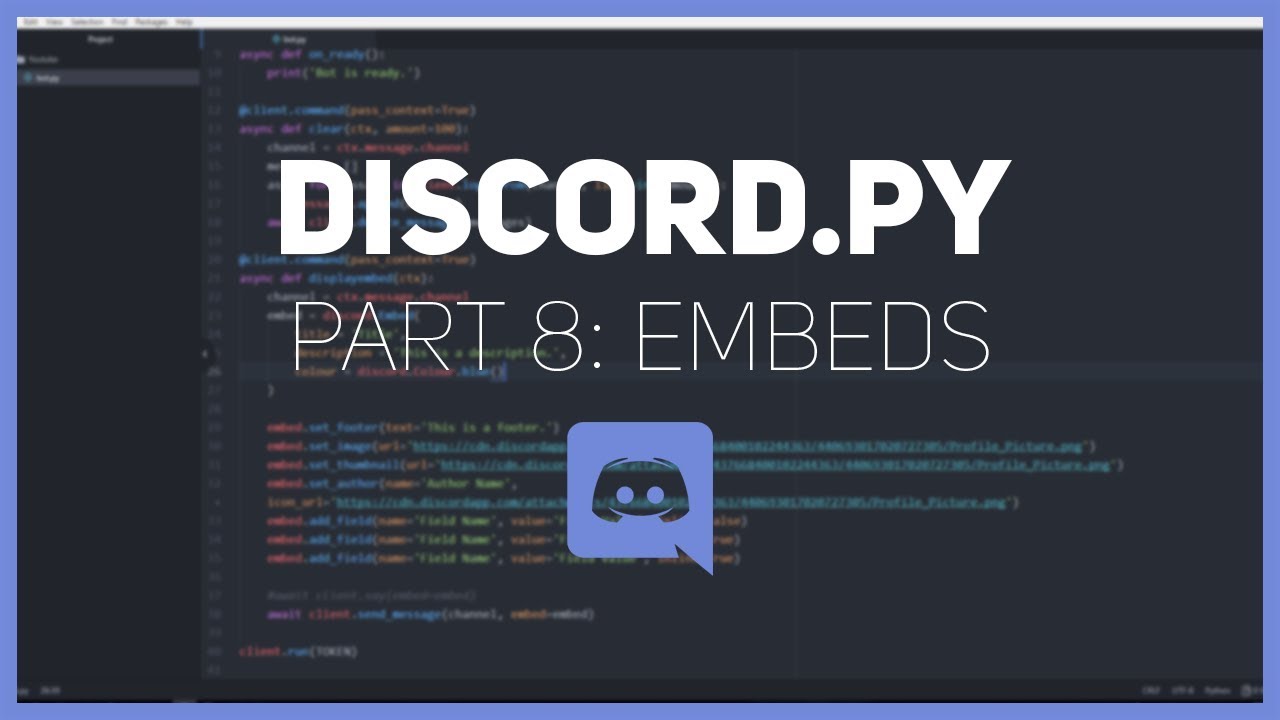
In this video, we learn how to use embeds to format our bot messages.
Join here: https://discord.gg/4Fy88WN
If you have suggestions for future video topics, leave it in the comments below.
#DiscordBot
jade jolt
my god
patent lark
dont ; copy ; code
jade jolt
dont use youtube tutorials
slate swan
thats old
jade jolt
literally just showed why
dawn gale
Like 5 whole commands
lost lagoon
does anyone know why the images wont load?
 slate swan
bad internet?
dawn gale
Is it coz old code
lost lagoon
do you know the new code for loading images?
patent lark
dawn gale
Lichrally all of my bot is YouTube tutorials
- sometimes its outdated. 2. you LEARN NOTHING BY COPYING. 3. a lot of people on youtube do not write efficient code.
jade jolt
lost lagoon
https://www.youtube.com/watch?v=XKQWxAaRgG0&t=1s
i see client.send_message wtf

thats so old
lost lagoon
im sorry
patent lark
old old
jade jolt
very
final iron
lost lagoon
https://www.youtube.com/watch?v=XKQWxAaRgG0&t=1s
He has a new tutorial if you want to follow it
lost lagoon
does anyone know the new way of loading images
 lusty swallow
yeah it just there for compatability reason. move on to client.send
lost lagoon
final iron
He has a new tutorial if you want to follow it
doesnt have one for embeds
final iron
lost lagoon
doesnt have one for embeds

Medium
Upgrade your bot’s messages and make them a little more custom using embeds!
 zinc geyser
This:
ov={
    ctx.guild.default_role: discord.PermissionOverwrite(None),
    ctx.message.author: discord.Permission(49524544)}
category = await ctx.guild.create_category(name, overwrites=ov)
Gives me this err:
-TypeError: __init__() takes 1 positional argument but 2 were given
ctx.send(embed=YOUR_EMBED)
lost lagoon
?
unkempt canyonBOT
Naw.
No documentation found for the requested symbol.
final iron
final iron
So am I doing this right?
```py
permissions = discord.Permissions(view_...
a
zinc geyser
did i spell it wrong?
patent lark
example
@bot.command()
async def test(ctx):
  embed = discord.Embed(title = "Hello", description = "Hello", colour = discord.Colour.red(), timestamp = ctx.message.created_at)
  embed.add_field(name = "Hello", value = "Hello")
  embed.set_footer(text = "Hello", icon_url = ctx.author.avatar_url)
  await ctx.send(embed = embed)```
@lost lagoonyea, its Permissions not Permission lol
lost lagoon
patent lark
example
```py
@bot.command()
async def test(ctx):
embed = discord.Embed(title...
for sending an image embed right?
this was my original
patent lark
an image would be like
embed.set_image(url = "link")
embed.set_thumbnail(url = "link")```yeah that exactly what i di
patent lark
or you could use ctx.author.avatar_url if you're trying to get a users pfp
final iron
TypeError: 'view_channels' is not a valid permission name. No idea why this is happening because it obviously is a valid permission
        permissions = discord.Permissions(view_channels=True,
                                          manage_channels=False,
                                          manage_roles=True,
                                          manage_emojis_and_stickers=True
                                          )
i want my own images
lusty swallow
final iron
TypeError: 'view_channels' is not a valid permission name. No idea why this is h...
try without s
it may or may not be view_channel
patent lark
lost lagoon
yeah that exactly what i di
let me see your code
lost lagoon
is there something wrong with the links?
patent lark
let me see your code
lost lagoon
final iron
lusty swallow
try without s
it may or may not be view_channel
Oh this is strange. Some of the permissions need an s at the end and don't
Like view_channel and manage_roles
patent lark
maybe your internet cant load the image lol.
lusty swallow
why not
final iron
lusty swallow
why not
Idk
lost lagoon
patent lark
maybe your internet cant load the image lol.
i doubt that
final iron
Its weird
Well I guess it will be a lot of trial and error
Actually the proper syntax is in the documentation
pliant gulch
You know, if you read the docs it gives you every valid permission name
patent lark
lost lagoon
https://hastebin.com/ucamudezoz.sql
hey andy, can you take a look at this? their image for the embed isnt being set and im not sure why. @pliant gulch
final iron
pliant gulch
You know, if you read the docs it gives you every valid permission name
Thats what I said
pliant gulch
patent lark
hey andy, can you take a look at this? their image for the embed isnt being set ...
Because the link is a google url
lost lagoon
pliant gulch
Because the link is a google url
oh, what link should it be?
@pliant gulch
pliant gulch
The direct link to the image
pliant gulch
no just the direct link to the image rather then a google url
lost lagoon
k
patent lark
lost lagoon
for sending an image embed right?
this is not a link to an image, thats why you have an issue
burnt wharf
pliant gulch
You should learn OOP and async programming, then just the basics of python and y...
I have an understanding of them
And I know how to express it in code. Besides them, is there anything else?
pliant gulch
Have you checked out the docs for discord.py? Are you able to read them?
After being able to read the docs that's pretty much it
There is also resources such as vco's tutorial
lost lagoon
https://images.app.goo.gl/Qta3Z8CVWPsPBD14A
would this work?
cause im not sure how to get the direct link for the image im looking for
 burnt wharf
pliant gulch
Have you checked out the docs for discord.py? Are you able to read them?
burnt wharf
pliant gulch
Have you checked out the docs for discord.py? Are you able to read them?
I’ll check it out. Thank you 👍
lost lagoon
patent lark
this is not a link to an image, thats why you have an issue
Do you know how to do this?


 round quarry
What is the manage roles permission called ?, when should I put has.permissions ()
hollow agate
round quarry
What is the manage roles permission called ?, when should I put `has.permissions...
(manage_roles=True) if I'm not mistaken
patent lark
@commands.has_permissions(manage_roles=True)
round quarry
thanks to both :P
patent lark
👍
lost lagoon
@patent lark @pliant gulch Thanks for all the help!
patent lark
no problem
lyric moat
how i make the bot owner only can use a command i tried this and it made everyone can shut down the bot
@client.command()
@commands.is_owner()
async def shutdown(ctx):
await ctx.bot.logout()```i can assure you that @commands.is_owner() only allows the bot owner to use the command.
lyric moat
patent lark
i can assure you that ``@commands.is_owner()`` only allows the bot owner to use ...
does not work tho :/
lemme try on my atl
hollow agate
@client.command()
async def removelogging(ctx, msg = None):
    if msg == None:
        await ctx.channel.send('You must actually mention a channel ID!')
    else:
        with open("data.json") as f:
            data = json.load(f)

        if msg

        data["no-log-channels"].append(msg)

        with open ("data.json", "w") as f:
            json.dump(data, f)

await ctx.channel.send('Done.')``` How can I check if the msg (channel id) is already in the data?I can make the bot say something like: There is no such role, you will have to create the role.
 steep topaz
!voiceverify
final iron
Im getting Forbidden: 403 Forbidden (error code: 50013): Missing Permissions when trying to edit a users nickname. My bot has max perms and in the roles list its the highest possible.
I used the setting where you can look at the server like people with the role can and I have permission to edit a users nickname
I'm stumped

 final iron
You don't need the star btw
final iron
Whats the error?
 solemn ocean
 final iron
Oh the bot.command() is on the wrong indentation level
It needs to be on the same level as async def
 patent lark
bro
it needs to be under it.
the command decorator and function definition do not go on the same line
final iron
Send the code
solemn ocean
 patent lark
@bot.command()
async def hey(ctx):
await ctx.send("Hi")```look at how thats indented
final iron
solemn ocean
await isn't indented properly
final iron
I'm guessing you're following a guide right
Because if you don't know proper indentation I doubt you can write something that actually works
final iron
Make sure its not an old guide
solemn ocean
alr
final iron
Im getting Forbidden: 403 Forbidden (error code: 50013): Missing Permissions when trying to change a users nickname
The bots role has perms to do it
Maybe its an intents thing but I have them all enabled
slate swan
await user.edit(nick="testy")
dapper cobalt
final iron
The bots role has perms to do it
Is the bot's top role above the user's top role?
slate swan
^^
dapper cobalt
!d asyncio.sleep
unkempt canyonBOT
coroutine asyncio.sleep(delay, result=None)```
Block for *delay* seconds.

If *result* is provided, it is returned to the caller when the coroutine completes.

`sleep()` always suspends the current task, allowing other tasks to run.

Setting the delay to 0 provides an optimized path to allow other tasks to run. This can be used by long-running functions to avoid blocking the event loop for the full duration of the function call.

Deprecated since version 3.8, removed in version 3.10: The `loop` parameter. This function has been implicitly getting the current running loop since 3.7. See [What’s New in 3.10’s Removed section](https://docs.python.org/3.10/whatsnew/3.10.html#whatsnew310-removed) for more information.

Example of coroutine displaying the current date every second for 5 seconds:Yes
I used the setting to view the server as a person with the role could and its allowed to change nicknames
 final elk
process
patent lark
!d discord.Member.is_on_mobile
unkempt canyonBOT
is_on_mobile()```
[`bool`](https://docs.python.org/3/library/functions.html#bool "(in Python v3.9)"): A helper function that determines if a member is active on a mobile device.@slate swan
slate swan
so ActivityType.is_on_mobile
slate swan
yes you can
unkempt canyonBOT
class discord.ActivityType```
Specifies the type of [`Activity`](https://discordpy.readthedocs.io/en/stable/api.html#discord.Activity "discord.Activity"). This is used to check how to interpret the activity itself. patent lark
@pliant gulch is this feature in discord.py?
pliant gulch
No its a bug on discord
patent lark
@slate swan
pliant gulch
Bug as in not intended, and cannot be done with discord.py*
patent lark
slate swan
so many bots have it tho..
discord.py doesnt support it
final iron
Snow any idea why it says im missing permissions?
patent lark
slate swan
like do not disturb or
await bot.change_presence(status = discord.Status.dnd)
slate swan
    while True:
        await bot.change_presence(status=discord.Status.idle,
            activity=discord.Activity(type=discord.ActivityType.competing,
                                      name=f",help | {len(bot.users)} Users"))
        await asyncio.sleep(3)
        await bot.change_presence(status=discord.Status.idle,
          activity=discord.Activity(type=discord.ActivityType.competing,name=f",support | {len(bot.guilds)} Guilds"))
        await asyncio.sleep(3)
``` now its just olineonline
How can I convert seconds into minutes, hours, day, week in cooldown
final iron
slate swan
How can I convert seconds into minutes, hours, day, week in cooldown
You can use exponents and do the math I think
lyric moat
How i make my bot do ship command like this?

like mostly the image
@client.command()
async def Ship(ctx, user_1 : discord.Member, user_2 : discord.Member):
    await ctx.send(f"{user_1.mention} and {user_2.mention} seem nice together")
i would use an embed
lyric moat
ima use a embed but how i make the image of user one and two?
unkempt canyonBOT

Python Imaging Library
lyric moat
But can i add like a random number to it?
 rugged tinsel
hey is it possible to make your prefix case insensitive? kinda new to coding
 valid perch
!d discord.Member.send
unkempt canyonBOT
await send(content=None, *, tts=False, embed=None, file=None, files=None, delete_after=None, nonce=None, allowed_mentions=None, reference=None, mention_author=None)```
This function is a [*coroutine*](https://docs.python.org/3/library/asyncio-task.html#coroutine).

Sends a message to the destination with the content given.

The content must be a type that can convert to a string through `str(content)`. If the content is set to `None` (the default), then the `embed` parameter must be provided.

To upload a single file, the `file` parameter should be used with a single [`File`](https://discordpy.readthedocs.io/en/stable/api.html#discord.File "discord.File") object. To upload multiple files, the `files` parameter should be used with a [`list`](https://docs.python.org/3/library/stdtypes.html#list "(in Python v3.9)") of [`File`](https://discordpy.readthedocs.io/en/stable/api.html#discord.File "discord.File") objects. **Specifying both parameters will lead to an exception**.

If the `embed` parameter is provided, it must be of type [`Embed`](https://discordpy.readthedocs.io/en/stable/api.html#discord.Embed "discord.Embed") and it must be a rich embed type.Indeed you can, although it is a little bit of diy rather then built in.
Heres an example:
https://github.com/Skelmis/DPY-Bot-Base/blob/74c72dc513df98dc503d20d1cf4ede2ea6eeb02f/bot_base/bot.py#L38
rugged tinsel
ok!
valid perch
Code?
rugged tinsel
do I just copy and paste that or do I have to type it in?
valid perch
rugged tinsel
do I just copy and paste that or do I have to type it in?
Your get prefix function should be something like that
Looks fine?
rugged tinsel
valid perch
Your get prefix function should be something like that
ok
 fleet oracle
How can I divide all the files into different folders?
 valid perch
Just put them in different folders?
 supple thorn
nuke
fleet oracle
valid perch
Just put them in different folders?
it does not stop, if I do it it does not take the files, what I say is to do the cogs but with different folders, I do not know if I make myself understood
 bitter perch
fleet oracle
How can I divide all the files into different folders?
bitter perch
fleet oracle
How can I divide all the files into different folders?
I mean you aren't grouping anything
A cog per command
fleet oracle
bitter perch
I mean you aren't grouping anything
I do not understand
you say i have to do a cogs by command?
 visual island
fleet oracle
you say i have to do a cogs by command?
visual island
fleet oracle
you say i have to do a cogs by command?
make a cog, for example class Moderation(commands.Cog): then put your kick, ban, mute in that cog
slate swan
for member in ctx.guild.members:
            if role not in member.roles:
                await member.add_roles(role)
``` how can i get how many members that iscase_insensitive doesn't make your prefix case insensitive (only command names to be insensitive) so, sure
slate swan
oh it should do like member += 1
visual island
slate swan
oh it should do like `member += 1`
len(ctx.guild.members)?
slate swan
visual island
`len(ctx.guild.members)`?
no i wanna do it for the members that didn't have the role
visual island
slate swan
oh it should do like `member += 1`
this is good then, but it will shadow the member variable you've defined in for member in ctx.guild.members:
make another variable
visual island
slate swan
so just user += 1
yeah
you cant? let me try
you can
you put your case_insensitive in the list
client = commands.Bot(command_prefix = ["HC ", "*"], case_insensitive=True)
it's fine 
slate swan
@commands.has_permissions(manage_messages = True)
async def clear(ctx, amount : int):
    await ctx.channel.purge(limit=amount)
await ctx.send(f'Melding Clearing Ferdig!')```it doesnt clear commands
cuz i have a class and i have no fucking clue how to work with classes
from discord.ext import commands

bot = discord.Client()

#discord.Intents.all()
intents = discord.Intents.default()
intents.members = True

bot = commands.Bot(command_prefix='!', intents=intents)

@bot.command()
@commands.has_permissions(manage_messages = True)
async def clear(ctx, amount : int):
    await ctx.channel.purge(limit=amount)
    await ctx.send(f'Melding Clearing Ferdig!')


class MyBot(discord.Client):

    async def on_ready(self):


        print('Logged on as', self.user)

    async def on_message(self, message):
        word_list = ['Hore', 'faen', 'Faen', 'hore', 'fitte', 'Fitte', 'fuck', 'Fuck']

        # don't respond to ourselves
        if message.author == self.user:
            return

        messageContent = message.content
        if len(messageContent) > 0:
            for word in word_list:
                if word in messageContent:
                    await message.delete()
                    word_list = ['Hore', 'faen', 'Faen', 'hore', 'Fitte', 'fitte', 'fuck', 'Fuck']

        messageattachments = message.attachments
        if len(messageattachments) > 0:
            for attachment in messageattachments:
                if attachment.filename.endswith(".dll"):
                    await message.delete()
                    await message.channel.send("Det er ikke lov med .dll filer.")
                if attachment.filename.endswith('.exe'):
                    await message.delete()
                    await message.channel.send("Det er ikke lov meg .exe filer.")
                else:
                    break

bot = MyBot()
bot.run('my discord bot token')```the whole thing
 boreal ravine
just use commands.Bot and not discord.Client
slate swan
why do you have both client and commands.Bot in the code?
slate swan
boreal ravine
just use commands.Bot and not discord.Client
if i do theres an error
Traceback (most recent call last):
File "c:\Users\walle\Desktop\Discord bot\Øbot.py", line 4, in <module>
bot = commands.Bot()
TypeError: init() missing 1 required positional argument: 'command_prefix'
i switched bot = discord.Client()to bot = commands.Bot()
drifting arrow
Guys
I require assistance
import discord, random, time, os, asyncio, sqlite3
from discord.ext import commands, tasks
from discord.ext.commands import Bot
import DiscordUtils

@bot.event
async def on_member_join(member):
    inviter = await tracker.fetch_inviter(member)
    channel = bot.get_channel(794837147068792865)
    await channel.send("Someone has joined!")
    print(f'Inviter: {inviter}')
    print("--")
``` this doesnt work for some reason help D:u got bot.run('token') right?
slate swan
any errors?
drifting arrow
inviter = await tracker.fetch_inviter(member) doesnt give me any values ;-;
 sinful marsh
Is there a built in command with discord.py that goes by the name of configure?
 vocal plover
no
lyric moat
    await ctx.send(f"{user_1.mention} and {user_2.mention} seem nice together")```
how can i turn this into an embed ?oh
slate swan
I need bot hosting
drifting arrow
@lyric moat
embed = discord.Embed()
embed.add_field(name="My Field", value=f"{user_1.mention} and {user_2.mention} seem nice together", inline="False")
await ctx.send(embed=embed)
Now fix my issue ;-;
lyric moat
drifting arrow
<@!737448363418452019>
```py
embed = discord.Embed()
embed.add_field(name="My F...
Could I add random numbers to that like example
{user_1.mention} and {user_2.mention} are in 85% love
how i do that?
 twilit adder
drifting arrow
```py
import discord, random, time, os, asyncio, sqlite3
from discord.ext import...
twilit adder
drifting arrow
```py
import discord, random, time, os, asyncio, sqlite3
from discord.ext import...
is your intents turned on?
and did you add this to your code?:
intents.all()
bot = commands.Bot(command_prefix=".", intents=intents)``` drifting arrow
twilit adder
is your intents turned on?
and did you add this to your code?:
```intents = disc...
drifting arrow
twilit adder
is your intents turned on?
and did you add this to your code?:
```intents = disc...
yes
slate swan
I need bot hosting please help me
valid perch
Theres heaps you can get online, such as vultr, digital ocean etc
Once you have a vps you can follow some tutorials for running your bot 24/7
 stiff ermine
how can i get the channel id from a message object of on_message(message) function?
pliant gulch
discord.Message instances have a channel attribute which will be the discord.TextChannel which the message was sent in, which also has an id property
stiff ermine
thnx
 vital condor
Hey guys i was wondering if i could make a discord bot from python is that possible?
I am new to python
valid perch
!d discord
unkempt canyonBOT
In order to work with the library and the Discord API in general, we must first create a Discord Bot account.
Creating a Bot account is a pretty straightforward process.
valid perch

A tutorial on how to use discord.py to create your own Discord bot in Python, written to fix the flaws of many other popular tutorials.
@vital condor
 lofty heron
hi i'm not sure how to specify the amount of seconds left in my cooldown, i've gotten the on command error event setup but idk how to make it say how much left you have to wait to run the command again
#command error handlers
@client.event
async def on_command_error(ctx, error, exc):
    if isinstance(error, commands.CommandNotFound):
        embed = discord.Embed(
            title="Error!",
            description="Command not found \n run `da!help` to see all the commands",
            colour=ctx.author.colour
        )
        await ctx.send(embed=embed)
    elif isinstance(error, CommandOnCooldown):
      await ctx.send('That command is on cooldown.')
How do I get the guild id without using ctx?
lofty heron
uh i don't think you can get it without ctx
drifting arrow
pretty sure you can
 stoic galleon
!eval
@commands.command()
async def botinfo(self, ctx):
embed = discord.Embed(title= 'Jackal',url='https://discord.com/api/oauth2/authorize?client_id=889183519501328384&permissions=8&scope=bot',icon_url= 'https://images-ext-2.discordapp.net/external/ZzS0qALknuHHH2Jxb013cnQPqTLgYxh3YFDZ0gRZG7c/%3Fsize%3D1024/https/cdn.discordapp.com/avatars/889183519501328384/b4b59d22618e50d0c4c620f61a8ff16c.png')
embed.add_field(name='Stats', value= f'Guilds {len(self.client.guilds)}\nUsers {len(self.client.users)}\nCommands {len(self.client.commands)}',inline=False)
embed.add_field(name='Infomation', value= f'Version 1.0.0\nDiscordPY 1.7.3\nPython 3.8.2',inline=False)
await ctx.send(embed=embed)
unkempt canyonBOT
@stoic galleon :x: Your eval job has completed with return code 1.
001 |   File "<string>", line 2
002 |     async def botinfo(self, ctx):
003 | IndentationError: unexpected indent
your indents bro
boreal ravine
@stoic galleon use jishaku to debug/run code
boreal ravine
drifting arrow
How do I get the guild id without using ctx?
I think I'm not sure though
stoic galleon
boreal ravine
<@830387486378164254> use jishaku to debug/run code
can i get it on repl?
drifting arrow
boreal ravine
message.guild.id
no i want just straight up the guild id lol
lofty heron
um
drifting arrow
stoic galleon
!eval
@commands.command()
async def botinfo(self, ctx):
embed...
you were missing a few '
@commands.command()
async def botinfo(self, ctx):
    embed = discord.Embed(title= 'Jackal',url='https://discord.com/api/oauth2/authorize?client_id=889183519501328384&permissions=8&scope=bot%27',icon_url= 'https://images-ext-2.discordapp.net/external/ZzS0qALknuHHH2Jxb013cnQPqTLgYxh3YFDZ0gRZG7c/%3Fsize%3D1024/https/cdn.discordapp.com/avatars/889183519501328384/b4b59d22618e50d0c4c620f61a8ff16c.png%27')
    embed.add_field(name='Stats', value= f'Guilds {len(self.client.guilds)}\nUsers {len(self.client.users)}\nCommands {len(self.client.commands)}',inline=False)
    embed.add_field(name='Infomation', value= f'Version 1.0.0\nDiscordPY 1.7.3\nPython 3.8.2',inline=False)
    await ctx.send(embed=embed)
yes
lofty heron
idk if you can without ctx kek
@commands.command()
async def guildid(self, ctx):
    await ctx.send(f'{ctx.message.guild.id}')
um idk how to do without ctx
boreal ravine
drifting arrow
no i want just straight up the guild id lol
works
 lofty heron
huh interesting
drifting arrow
I know that works..
I want to be able to do it without needing an input of any sort
boreal ravine
an input?
drifting arrow
I dont want to have to rely on events like on_message and a command
i want to be able to run some setup code
boreal ravine
I dont understand lel
drifting arrow
Before my bot 'goes online' I need to setup some stuff, like the database etc. and part of my logging is by guild_id.
and i need to grab data by server
 drifting arrow
You are missing a lot of quote marks
stoic galleon
where
 stoic galleon
 @commands.command()
    async def botinfo(self, ctx):
        embed = discord.Embed(title= '**Jackal**', url= 'https://discord.com/api/oauth2/authorize?client_id=889183519501328384&permissions=8&scope=bot', icon_url= 'https://images-ext-2.discordapp.net/external/ZzS0qALknuHHH2Jxb013cnQPqTLgYxh3YFDZ0gRZG7c/%3Fsize%3D1024/https/cdn.discordapp.com/avatars/889183519501328384/b4b59d22618e50d0c4c620f61a8ff16c.png')
        embed.add_field(name='**Stats**', value= f'**Guilds** {len(self.client.guilds)}\n**Users** {len(self.client.users)}\n**Commands** {len(self.client.commands)}',inline=False)
        embed.add_field(name='**Infomation**', value= f'**Version** 1.0.0\n**DiscordPY** 1.7.3\n**Python** 3.8.2',inline=False)
        await ctx.send(embed=embed)
idk why is looks like tha
well the idents look like tha
stoic galleon
mhm whats the error tho
drifting arrow



 drifting arrow
slate swan
drifting arrow
slate swan
dw i figured it out
slate swan
 drifting arrow
stoic galleon
mhm whats the error tho
drifting arrow
stoic galleon
mhm whats the error tho
    @commands.command()
    async def botinfo(self, ctx):
        embed = discord.Embed(title= '**Jackal**', url= 'https://discord.com/api/oauth2/authorize?client_id=889183519501328384&permissions=8&scope=bot')
        embed.set_thumbnail(url="https://images-ext-2.discordapp.net/external/ZzS0qALknuHHH2Jxb013cnQPqTLgYxh3YFDZ0gRZG7c/%3Fsize%3D1024/https/cdn.discordapp.com/avatars/889183519501328384/b4b59d22618e50d0c4c620f61a8ff16c.png")
        embed.add_field(name='**Stats**', value= f'**Guilds** {len(self.client.guilds)}\n**Users** {len(self.client.users)}\n**Commands** {len(self.client.commands)}',inline=False)
        embed.add_field(name='**Infomation**', value= f'**Version** 1.0.0\n**DiscordPY** 1.7.3\n**Python** 3.8.2',inline=False)
        await ctx.send(embed=embed)

Was this what you wanted @stoic galleon ?
lyric moat
why it keeps saying this when i add invites.py in cog

 stark hearth
praw for importing reddit post was great for me, but i want to move to asyncpraw. i having a hard time with that.
from discord.ext import commands
import discord
import asyncpraw

    @commands.command()
    async def meme(self, ctx):

        reddit = asyncpraw.Reddit(
            client_id="stuff",
            client_secret="stuff",
            user_agent="stuff",
            )

        subreddit = reddit.subreddit("dankmemes")
        all_subs = []

        for submission in subreddit.top(limit = 100):
            all_subs.append(submission)

        random_sub = random.choice(all_subs)

        name = random_sub.title

        embed = discord.Embed(title = name)

        embed.set_image(url = random_sub.url)
        await ctx.send(embed = embed)
error
RuntimeWarning: coroutine 'SubredditHelper.__call__' was never awaited self._context.run(self._callback, *self._args) RuntimeWarning: Enable tracemalloc to get the object allocation traceback
drifting arrow
lyric moat
why it keeps saying this when i add ``invites.py`` in cog
uhh what's the code?
lyric moat
import discord
import DiscordUtils
from discord.ext import commands

# Requires: pip install DiscordUtils


class Invites(commands.Cog):
    def __init__(self, bot):
        self.bot = bot
        self.tracker = DiscordUtils.InviteTracker(bot)

    @commands.Cog.listener()
    async def on_ready(self):
        await self.tracker.cache_invites()

    @commands.Cog.listener()
    async def on_invite_create(self, invite):
        await self.tracker.update_invite_cache(invite)

    @commands.Cog.listener()
    async def on_guild_join(self, guild):
        await self.tracker.update_guild_cache(guild)

    @commands.Cog.listener()
    async def on_invite_delete(self, invite):
        await self.tracker.remove_invite_cache(invite)

    @commands.Cog.listener()
    async def on_guild_remove(self, guild):
        await self.tracker.remove_guild_cache(guild)

    @commands.Cog.listener()
    async def on_member_join(self, member):
        inviter = await self.tracker.fetch_inviter(member)  # inviter is the member who invited
        data = await self.bot.invites.find(inviter.id)
        if data is None:
            data = {"_id": inviter.id, "count": 0, "userInvited": []}

        data["count"] += 1
        data["usersInvited"].append(member.id)
        await self.bot.invites.upsert(data)

        channel = discord.utils.get(member.guild.text_channels, name="recording")
        embed = discord.Embed(
            title=f"Welcome {member.display_name}",
            description=f"Invited by: {inviter.mention}\nInvites: {data['count']}",
            timestamp=member.joined_at
        )
        embed.set_thumbnail(url=member.avatar_url)
        embed.set_footer(text=member.guild.name, icon_url=member.guild.icon_url)
await channel.send(embed=embed)```uhh one of your lines needs an await before the thing
stoic galleon
o yea
valid perch
lyric moat
why it keeps saying this when i add ``invites.py`` in cog
Its Invites, zcapital I
drifting arrow
lyric moat
```py
import discord
import DiscordUtils
from discord.ext import commands
# Req...
first of all. i feel like this is basically what I want to do. some code to track whenever a person joins using invites right?
drifting arrow
valid perch
Its `Invites`, zcapital I
no. class names can be capitalized
stark hearth
drifting arrow
uhh one of your lines needs an `await` before the thing
ahhh ok ty