#discord-bots
1 messages · Page 474 of 1
 slate swan
 sick talon
slate swan
Am allowed to talk about makin a nuke bot here ?
sick talon
slate swan
Am allowed to talk about makin a nuke bot here ?
no I guess...
slate swan
:/
 drifting arrow
Basically. You can either do:
try:
  #ban the user
except:
  await ctx.send("Couldn't find him.")
or..
search the discord guild for the member.
 rugged tinsel
i got an indentation error
slate swan
Damn i have no fuckin clue bout any of this
drifting arrow
rugged tinsel
i got an indentation error
then fix it. you must've copied and pasted wrong.
 fleet oracle
drifting arrow
Basically. You can either do:
```py
try:
#ban the user
except:
await ctx.sen...
fleet oracle
drifting arrow
Basically. You can either do:
```py
try:
#ban the user
except:
await ctx.sen...
not what i was doing in the code?
ohhh, wait
drifting arrow
@fleet oracle your code only checks if they didn't mention a user. Nothing about whether the user exists to begin with.
fleet oracle
ohhh
drifting arrow
you can always wrap your code in a for loop
fleet oracle
this?
        elif reason == None:
            try:
                em2 = discord.Embed(description=f'{member.mention} ha sido baneado.', color=discord.Color.red())
                await member.ban()
                await ctx.send(embed=em2)
            except:
await ctx.send('No Found')``` @commands.command()
@commands.is_owner()
async def banuser(self, ctx, member : discord.Member):
for check in ctx.guild.members:
if check.mention == member.mention:
#do the bans here
pass
else:
#couldnt find him sir.
pass
oh that did not indent properly lol
I'm using a cog so you may need to fix the indents up.
fleet oracle
hmm
drifting arrow
the for loop simply grabs all members in the discord and cycles through them.
the first line of the if statement simply compares the member in discord with the member you wish to ban
Also for your roles thing where you're trying to only limit to staff.
you can use this:
@commands.has_any_role('bot','Bot','Owner')
So only those with the specified role can use it.
Remember it's case sensitive
So bot is not the same as BOT
And any time you're working with bans or kicks, I recommend having the bot create a log somewhere. So if you make a mistake you can fix it.
 verbal scaffold
how could i get my bots name in code?
slate swan
!d discord.Client.user
 unkempt canyonBOT
user```
Represents the connected client. `None` if not logged in.and use .name
verbal scaffold
okay thank you
 maiden fable
@verbal scaffold or if u r using it in a command, then u can do ctx.me.name
fleet oracle
drifting arrow
And any time you're working with bans or kicks, I recommend having the bot creat...
And how can I do that when the bot does not have permission to ban someone with more roles, send another message saying so?
 ocean leaf
can anyone please help me with this error please?

i just put 1
and it said index out of range
 verbal scaffold
im trying to use add_roles but i don't know i should get the roles
drifting arrow
fleet oracle
And how can I do that when the bot does not have permission to ban someone with ...
if the bot doesnt have perms it wont ban
rugged tinsel
i got an atribute problem now sorry i've only used python for a day haha
drifting arrow
ocean leaf
That's a youtube thing. We don't help with youtube stuff as youtube has made it against their TOS to do discord bot stuff
drifting arrow
ocean leaf
But also if it's saying out of range. try and do search_results[0]
fleet oracle
drifting arrow
if the bot doesnt have perms it wont ban
But is there a way that can be done so that if the user who executes the command is of a lower role than the mentioned person, but the role of the bot is above, it cannot ban it?
drifting arrow
I assume it has something to do with the hierarchy or something
rugged tinsel
i should of tagged you on my last message but i got an atribute error on this
drifting arrow
in what part? did you remember to indent properly? i'm using cogs so @commands.command() might be @raven peak
slate swan
how do i have my bot play songs in call
drifting arrow
slate swan
how do i have my bot play songs in call
Against tos, cant help
Well specifically. It could break rules or a tos so people wont help
rugged tinsel
@commands.command part it said attributeerror command object has no attribute
slate swan
According to YouTube's ToS:
You are not allowed to: access, reproduce, download, distribute, transmit, broadcast, display, sell, license, alter, modify or otherwise use any part of the Service or any Content except: (a) as expressly authorized by the Service; or (b) with prior written permission from YouTube and, if applicable, the respective rights holders;
What does this mean?
Rythm developers has used, and is using the free YouTube API (or service) for commercial purposes. In short terms: the developers created Rythm Premium, charging money from people who use the bot, which has the free YouTube API intergrated into it.
So, who's wrong?
Nobody. Rythm's developers are awesome people who make Discord better, and YouTube's just enforcing their ToS, which is exactly what they should do. By enforcing the ToS, YouTube's making the whole platform better, while minimizing losses.
All the best to Rythm's developer and staff team and I hope to hear updates about the new service soon!
(this was copy pasted)
rugged tinsel
i cant type
drifting arrow
rugged tinsel
@commands.command part it said attributeerror command object has no attribute
you're not using cogs. so change @commands.command() to @raven peak or @client.command() whichever you referenced here: bot = commands.Bot(intents=intents,command_prefix = '$')
rugged tinsel
alright, thanks
drifting arrow
or here bot.run(bottoken)
slate swan
drifting arrow
Against tos, cant help
in short the paying part was against tos not the playing
drifting arrow
whatever that first word is, is your main 'bot' command.
drifting arrow
@slate swan TL;DR this is why we cant have nice things
slate swan
i mean all it was is you cant sell whats given for free
drifting arrow
I dread the days when i finally get a job on fiverr and some snot nosed kid asks me to make him a bot to play music ;-;
 spiral rune
hello i want to program in python so i joined this server
drifting arrow
spiral rune
hello i want to program in python so i joined this server
Welcome. This particular channel is for those who want to make discord bots.
How much coding experience do you have?
I'm only asking because depending on experience I may offer you something else to get started before trying to make a bot.
spiral rune
but i have no termnal it on shows only IDLE python manuals and manuals i dont see terminal anywhere
spiral rune
drifting arrow
Welcome. This particular channel is for those who want to make discord bots.
How...
i have no experience
i have only learnt html
drifting arrow
No coding experience at all? Dang man that's harsh.
Well I recommend getting the basics down first before trying to make a discord bot. Some decent websites to learn are the following:
https://automatetheboringstuff.com/
https://www.py4e.com/
https://mybinder.org/v2/gh/saumikn/py4e-exercises/HEAD
https://www.freecodecamp.org/
All free. all good.
drifting arrow
I also recommend downloading a code editor. such as visual studio or the highly recommended, visual studio code.
spiral rune
drifting arrow
I also recommend downloading a code editor. such as visual studio or the highly ...
what is this?
spiral rune
sorry but i 0 experience
drifting arrow
They highlight syntax and even let you run your code
 spiral rune
drifting arrow
better
spiral rune
drifting arrow
better
hacker man text
spiral rune
drifting arrow
🤔 might upload all my discord bot code to my website
what is yourwebsite name?
drifting arrow
yes indeed. hackermen text. except what you see on the tv is all garbage
drifting arrow
spiral rune
what is yourwebsite name?
No. it's a shit website. dont go
spiral rune
drifting arrow
yes indeed. hackermen text. except what you see on the tv is all garbage
i dont watch tv my mother disabled it like 4 years ago
drifting arrow
I spent all of 10 minutes making it and it's not even done lol.
drifting arrow
spiral rune
i dont watch tv my mother disabled it like 4 years ago
a pirates life is for ye then.
I haven't uploaded any code to my website so it wont help
spiral rune
drifting arrow
a pirates life is for ye then.
I haven't uploaded any code to my website so it ...
i like pirats tho
drifting arrow
Hhmm guess i should complete my website
spiral rune
yes pls becoz i want to learn python
drifting arrow
lul. I started like a month ago sir. idk if u want to learn off me
spiral rune
and when i grow big i might apply for google
spiral rune
drifting arrow
lul. I started like a month ago sir. idk if u want to learn off me
yes i want to learn python (m not ssir m boy)
drifting arrow
Go learn from those websites
maiden fable
spiral rune
yes i want to learn python (m not ssir m boy)
!resources u can also take a look at this!
unkempt canyonBOT
Resources
The Resources page on our website contains a list of hand-selected learning resources that we regularly recommend to both beginners and experts.
https://pythondiscord.com/resources
spiral rune
thank you mr hunter 😃
ocean leaf
drifting arrow
But also if it's saying out of range. try and do search_results[0]
yes i tried but same error :(
drifting arrow
ocean leaf
yes i tried but same error :(
Dang
 wild pasture
can bots interact with others bots (clicking buttons)?
drifting arrow
@ocean leaf whats your imports?
maiden fable
wild pasture
can bots interact with others bots (clicking buttons)?
No
 maiden fable
Dont use pymogo
ocean leaf
maiden fable
Dont use pymogo
y?
maiden fable
Use motor. Pymongo is blocking
ocean leaf
maiden fable
Use motor. Pymongo is blocking
what is it blocking?
maiden fable
!blocking
unkempt canyonBOT
Why do we need asynchronous programming?
Imagine that you're coding a Discord bot and every time somebody uses a command, you need to get some information from a database. But there's a catch: the database servers are acting up today and take a whole 10 seconds to respond. If you do not use asynchronous methods, your whole bot will stop running until it gets a response from the database. How do you fix this? Asynchronous programming.
What is asynchronous programming?
An asynchronous program utilises the async and await keywords. An asynchronous program pauses what it's doing and does something else whilst it waits for some third-party service to complete whatever it's supposed to do. Any code within an async context manager or function marked with the await keyword indicates to Python, that whilst this operation is being completed, it can do something else. For example:
import discord

# Bunch of bot code

async def ping(ctx):
    await ctx.send("Pong!")
What does the term "blocking" mean?
A blocking operation is wherever you do something without awaiting it. This tells Python that this step must be completed before it can do anything else. Common examples of blocking operations, as simple as they may seem, include: outputting text, adding two numbers and appending an item onto a list. Most common Python libraries have an asynchronous version available to use in asynchronous contexts.
async libraries
The standard async library - asyncio
Asynchronous web requests - aiohttp
Talking to PostgreSQL asynchronously - asyncpg
MongoDB interactions asynchronously - motor
Check out this list for even more!
 stark hearth
it needs to be discord.Embed
maiden fable
stark hearth
it needs to be `discord.Embed`
Not necessarily
What if they did from discord import Embed?
stark hearth
maiden fable
Not necessarily
What if they did `from discord import Embed`?
true
drifting arrow
I am just figuring this shit out gimme a second
@commands.command()
    async def youtube(self, ctx, *, search):
        query_string = parse.urlencode({'search_query': search})
        html_content = request.urlopen(f'https://www.youtube.com/results?search_query={search}')
        print(html_content)

        search_results = html_content.read().decode()
        print(search_results)
```heres where im at lola whole bunch o mess
ocean leaf
drifting arrow
```py
@commands.command()
async def youtube(self, ctx, *, search):
q...
ok
slate swan
can someone tag raw_reaction here
drifting arrow
What part of the results are you looking for?
slate swan
r!tag raw_reaction
maiden fable
slate swan
can someone tag raw_reaction here
!d discord.on_raw_reaction_add
unkempt canyonBOT
discord.on_raw_reaction_add(payload)```
Called when a message has a reaction added. Unlike [`on_reaction_add()`](https://discordpy.readthedocs.io/en/stable/api.html#discord.on_reaction_add "discord.on_reaction_add"), this is called regardless of the state of the internal message cache.

This requires [`Intents.reactions`](https://discordpy.readthedocs.io/en/stable/api.html#discord.Intents.reactions "discord.Intents.reactions") to be enabled.!d discord.on_raw_reaction_remove
unkempt canyonBOT
discord.on_raw_reaction_remove(payload)```
Called when a message has a reaction removed. Unlike [`on_reaction_remove()`](https://discordpy.readthedocs.io/en/stable/api.html#discord.on_reaction_remove "discord.on_reaction_remove"), this is called regardless of the state of the internal message cache.
This requires [`Intents.reactions`](https://discordpy.readthedocs.io/en/stable/api.html#discord.Intents.reactions "discord.Intents.reactions") to be enabled. crude crater
stark hearth
it needs to be `discord.Embed`
crude crater
stark hearth
it needs to be `discord.Embed`
Instead of just “Embed”?
drifting arrow
oh lord
stark hearth
crude crater
Instead of just “Embed”?
yeah
drifting arrow
doubt any of this will work
stark hearth
unless if you did from discord import Embed
@crude crater
if that does not work remove the incline
maiden fable
stark hearth
if that does not work remove the `incline`
Incline?
stark hearth
maiden fable
Incline?
like the incline = True in each field
maiden fable
@crude crater instead of making those aliases, set case_insensitive=Truein the bot constructor
drifting arrow
Oh
maiden fable
stark hearth
like the incline = True in each field
inline*
stark hearth
maiden fable
inline*
oh lol my bad
maiden fable
Haha
drifting arrow
@crude crater ```py
@commands.command(aliases=["SERVERINFO", "Serverinfo", "Serverinformation", "SERVERINFORMATION", "serverinformation"])
async def serverinfo(self,ctx):
embed = discord.Embed() # any kwargs you want here
#embed = Embed(title="Server information",
#colour=ctx.guild.owner.colour,
#timestamp=datetime.utcnow())
#embed.set_thumbnail(url=ctx.guild.icon_url)
fields = [("ID", ctx.guild.id, True),
("Owner", ctx.guild.owner, True),
("Region", ctx.guild.region, True),
("Created at", ctx.guild.created_at.strftime("%m/%d/%Y %H:%M:%S"), True),
("Members", len(ctx.guild.members), True),
("Humans", len(list(filter(lambda m: not m.bot, ctx.guild.members))), True),
("Bots", len(list(filter(lambda m: m.bot, ctx.guild.members))), True),
("Text channels", len(ctx.guild.text_channels), True),
("Voice channels", len(ctx.guild.voice_channels), True),
("Categories", len(ctx.guild.categories), True),
("Roles", len(ctx.guild.roles), True),
("\u200b", "\u200b", True)]
for name, value, inline in fields:
embed.add_field(name=name, value=value, inline=inline)
await ctx.send(embed=embed)
learn something new every day
 heavy radish
H
stark hearth
maiden fable
inline*
@commands.command(aliases=["SERVERINFO", "Serverinfo", "Serverinformation", "SERVERINFORMATION", "serverinformation"])
    async def serverinfo(self,ctx):
        embed = discord.Embed(title="Server information",
                      colour=ctx.guild.owner.colour,
                      timestamp=datetime.utcnow())

        embed.set_thumbnail(url=ctx.guild.icon_url)

        fields = [("ID", ctx.guild.id, True),
                  ("Owner", ctx.guild.owner, True),
                  ("Region", ctx.guild.region, True),
                  ("Created at", ctx.guild.created_at.strftime("%m/%d/%Y %H:%M:%S")),
                  ("Members", len(ctx.guild.members), True),
                  ("Humans", len(list(filter(lambda m: not m.bot, ctx.guild.members)))),
                  ("Bots", len(list(filter(lambda m: m.bot, ctx.guild.members)))),
                  ("Text channels", len(ctx.guild.text_channels)),
                  ("Voice channels", len(ctx.guild.voice_channels)),
                  ("Categories", len(ctx.guild.categories)),
                  ("Roles", len(ctx.guild.roles)),
                  ("\u200b", "\u200b")]
        for name, value, inline in fields:
            embed.add_field(name=name, value=value)

        await ctx.send(embed=embed)
so like this @crude crater
maiden fable
stark hearth
```py
@commands.command(aliases=["SERVERINFO", "Serverinfo", "Serverinformation"...
No lmao
crude crater
maiden fable
<@700830338204696651> instead of making those aliases, set `case_insensitive=Tru...
I did, it doesn’t work for me lmfao
maiden fable
Why do u have embed = discord.Embed()?
stark hearth
maiden fable
Why do u have embed = discord.Embed()?
i edited that just now lol
heavy radish
Hello. What is a platform where I can host my BOT?
maiden fable
crude crater
I did, it doesn’t work for me lmfao
What the. What's yr dpy version?
maiden fable
heavy radish
Hello. What is a platform where I can host my BOT?
Vps
stark hearth
drifting arrow
<@!700830338204696651> ```py
@commands.command(aliases=["SERVERINFO", "Serverinf...
i just copied it from this guy and just removed inline
heavy radish
Which stands for?
stark hearth
then i just realized lol
heavy radish
Which stands for?
crude crater
maiden fable
What the. What's yr dpy version?
I think 2.9 if I’m not mistaken I’ll have to check tomorrow but it’s the latest one
drifting arrow
Define the discird.embed as a new object then you fill it out and yeet it onto the screen
crude crater
maiden fable
Vps
Replit
Don’t buy a VPS to host your bot? It cost money and there’s no need
maiden fable
crude crater
I think 2.9 if I’m not mistaken I’ll have to check tomorrow but it’s the latest ...
2.9....?
The latest one is 2.0 bro
crude crater
Make a “keep_alive” folder on Replit
drifting arrow
crude crater
Don’t buy a VPS to host your bot? It cost money and there’s no need
Then how would you recommend I host my bot? 🤔
crude crater
maiden fable
The latest one is 2.0 bro
Then that one lol
crude crater
drifting arrow
Then how would you recommend I host my bot? 🤔
I can send you the code when I get on my PC tomorrow
stark hearth
lastest is 1.7.3
heavy radish
I use Replit. But how do I make it official. Like my BOT is always online. Will Replit sustain when I'm making the BOT public?
maiden fable
crude crater
Then that one lol
I don't think so... Dpy has ceased development and it's available only through git
drifting arrow
crude crater
I can send you the code when I get on my PC tomorrow
plez do. coz i want to have my bot online always lol
stark hearth
maiden fable
I don't think so... Dpy has ceased development and it's available only through g...
yeah
crude crater
Don’t pay for shit when you can do it for free
heavy radish
crude crater
Don’t pay for shit when you can do it for free
Hm
crude crater
Use “Replit” and UptimeRobot
heavy radish
drifting arrow
plez do. coz i want to have my bot online always lol
Would you like the code?
stark hearth
crude crater
Don’t pay for shit when you can do it for free
heroku is one of a great free hosting clouds
 lone aurora
    @commands.command()
    async def disconnect(self,ctx):
        await ctx.voice_client.disconnect()

    @commands.command()
    async def play(self,ctx,url):
        ctx.voice_client.stop()
        FFMPEG_OPTIONS = {'before_options': '-reconnect 1 -reconnect_streamed 1 -reconnect_delay_max 5', 'options': '-vn'}
        YDL_OPTIONS = {'format':"bestaudio"}
        vc = ctx.voice_client

        with youtube_dl.YoutubeDL(YDL_OPTIONS) as ydl:
            info = ydl.extract_info(url, download=False)
            url2 = info['formats'][0]['url']
            source = await discord.FFmpegOpusAudio.from_probe(url2, **FFMPEG_OPTIONS)
            vc.play(source)```

I want to make it so that if the song title isn't a URL then the bot will search the titleif its code to keep my bot online always, sure
crude crater
stark hearth
heroku is one of a great free hosting clouds
UptimeRobot is better no offense
lone aurora
stark hearth
heroku is one of a great free hosting clouds
heroku pretty ez to setup too ._.
heavy radish
drifting arrow
if its code to keep my bot online always, sure
I'll DM it to you. You use Replit right?
crude crater
 drifting arrow
No. idk what replit is lol
crude crater
And I can check when they’re on or offline on my phone
drifting arrow
dm it to me and explain what replit is
maiden fable
drifting arrow
No. idk what replit is lol

replit
Replit is a simple yet powerful online IDE, Editor, Compiler, Interpreter, and REPL. Code, compile, run, and host in 50+ programming languages.
heavy radish
drifting arrow
No. idk what replit is lol
So how do u code?
crude crater
So all my bots are online rn
drifting arrow
on my pc? like a normal human
stark hearth
crude crater
UptimeRobot is better no offense
im assuming that you use web server with flask?
lone aurora
lone aurora
```py
@commands.command()
async def disconnect(self,ctx):
await ...
anyone? ._.
crude crater
drifting arrow
dm it to me and explain what replit is
It’s where you write code
heavy radish
drifting arrow
on my pc? like a normal human
So VSC?
crude crater
But it’s a website
heavy radish
Replit is a website where you can code. It's like VSC but online
unkempt canyonBOT
Per Python Discord's Rule 5, we are unable to assist with questions related to youtube-dl, pytube, or other YouTube video downloaders as their usage violates YouTube's Terms of Service.
For reference, this usage is covered by the following clauses in YouTube's TOS, as of 2021-03-17:
The following restrictions apply to your use of the Service. You are not allowed to:

1. access, reproduce, download, distribute, transmit, broadcast, display, sell, license, alter, modify or otherwise use any part of the Service or any Content except: (a) as specifically permitted by the Service;  (b) with prior written permission from YouTube and, if applicable, the respective rights holders; or (c) as permitted by applicable law;

3. access the Service using any automated means (such as robots, botnets or scrapers) except: (a) in the case of public search engines, in accordance with YouTube’s robots.txt file; (b) with YouTube’s prior written permission; or (c) as permitted by applicable law;

9. use the Service to view or listen to Content other than for personal, non-commercial use (for example, you may not publicly screen videos or stream music from the Service)
Exactly
maiden fable
heavy radish
So how do u code?
I code on Notepad and IDLE
crude crater
I’ll send it to you tomorrow @drifting arrow
heavy radish
Wth
drifting arrow
Ty
maiden fable
heavy radish
Wth
I have made bots with IDLE
drifting arrow
maiden fable
I code on Notepad and IDLE
notepad++ right? right?
heavy radish
Ohh
maiden fable
drifting arrow
notepad++ right? *right*?
No....?
drifting arrow
just plain notepad?!
lone aurora
 spring flax
!ytdl
spring flax
!ytdl
so um i cant use this code?
heavy radish
@drifting arrow I'll send the replit code for always online
maiden fable
drifting arrow
just plain notepad?!
and IDLE too
spring flax
lone aurora
so um i cant use this code?
It breaks YouTube ToS, so I suggest not. And you can't help for that here.
heavy radish
You have that on Replit
lone aurora
spring flax
It breaks YouTube ToS, so I suggest not. And you can't help for that here.
i see, thanks for letting me know
maiden fable
drifting arrow
idk if I could code without syntax highlighting. lol
IDLE has the best syntax highlighting and also highlights the area of problem while debugging
drifting arrow
heavy radish
You have that on Replit
i know i know. i'm reading your stuff. im talking to others lol.
heavy radish
Oh lol. 10 convos at once
drifting arrow
😄
 valid galleon
how can i make a custom prefix command with mongodb? ive tried to do this for hours and cant figure it out
drifting arrow
So. Question. if you can't use a database, how would you store your data for the long term? 🤔
maiden fable
drifting arrow
So. Question. if you can't use a database, how would you store your data for the...
JSON Files
drifting arrow
it's what I was thinking lol
valid galleon
drifting arrow
So. Question. if you can't use a database, how would you store your data for the...
json, but it isnt recommended tho
valid galleon
valid galleon
how can i make a custom prefix command with mongodb? ive tried to do this for ho...
pls help
stark hearth
lone aurora
```py
@commands.command()
async def disconnect(self,ctx):
await ...
i was thinking that you can make a variable like result and you can do this https://www.youtube.com/results?search_query={result}
then you can make result as your title
im not good with this kind of stuff but thats my idea
drifting arrow
@valid galleon why do you want 2 prefixes anyway?
valid galleon
drifting arrow
<@!577751099554136064> why do you want 2 prefixes anyway?
i meant per server prefixes, so each server can have their preferred prefix
 bleak fulcrum
Im trying to play a long-ish mp3 with
vc.play(discord.FFmpegPCMAudio(executable="C:/ffmpeg/bin/ffmpeg.exe", source=file_name))
any idea why its quitting in the middle?
it plays about half the mp3 and then it stops broadcasting voice?
I tried DRM free music, it seems like FFmpehPCMAudio or play from voice connect quits after a certain time?
drifting arrow
valid galleon
i meant per server prefixes, so each server can have their preferred prefix
Quick google and I found this on stackoverflow:
with open('prefix.json', 'r') as f:
    prefixList = json.load(f)

async def getPrefix(bot, message):
    return prefixList.get(str(message.guild.id), "Enter a default prefix here")

Stack Overflow
I'm creating a discord bot in python using discord.py library.
My problem is that I can't have prefix case insensitive.
Is there any way to make it case insensitive or have multiple prefixes?
I have
stark hearth
stark hearth
im not good with this kind of stuff but thats my idea
@lone aurora
valid galleon
drifting arrow
Quick google and I found this on stackoverflow:
```py
with open('prefix.json', '...
i want to use mongodb, not json files
stark hearth
drifting arrow
https://stackoverflow.com/questions/57153365/how-to-set-multiple-prefixes-or-mak...
thats using json files
lone aurora
stark hearth
<@!638357000312455168>
ic ic
well i dont wanna take my chances at getting banned or anything so ig that ill leave it here ._.
drifting arrow
stark hearth
thats using json files
change code to be a database or non-permanent solution. create a list/dict.
lone aurora
plus i didnt even code it myself, so i still need to understand before i modify it (that is if i do it)..
stark hearth
drifting arrow
json files are just dicts anyway
yeah
valid galleon
mongodb does use bson, so i'll try to convert the code...
drifting arrow
and when you load a db you get a list of dicts. so same method, just change json to be database
Since I dont have a database to mess with and idk if python has an inbuilt database for me to use, I can't example whip up some sample code.
stark hearth
lone aurora
well i dont wanna take my chances at getting banned or anything so ig that ill l...
damn, i would help ya, its just i am not somewhat familar with FFMPEG or YOUTUBE_DL
spring flax
stark hearth
i was thinking that you can make a variable like `result` and you can do this `h...
as it violates yt tos, i dont think you should be helping.
!ytdl
unkempt canyonBOT
Per Python Discord's Rule 5, we are unable to assist with questions related to youtube-dl, pytube, or other YouTube video downloaders as their usage violates YouTube's Terms of Service.
For reference, this usage is covered by the following clauses in YouTube's TOS, as of 2021-03-17:
The following restrictions apply to your use of the Service. You are not allowed to:

1. access, reproduce, download, distribute, transmit, broadcast, display, sell, license, alter, modify or otherwise use any part of the Service or any Content except: (a) as specifically permitted by the Service;  (b) with prior written permission from YouTube and, if applicable, the respective rights holders; or (c) as permitted by applicable law;

3. access the Service using any automated means (such as robots, botnets or scrapers) except: (a) in the case of public search engines, in accordance with YouTube’s robots.txt file; (b) with YouTube’s prior written permission; or (c) as permitted by applicable law;

9. use the Service to view or listen to Content other than for personal, non-commercial use (for example, you may not publicly screen videos or stream music from the Service)
any clue about what to do if i would want to link it to spotify?
drifting arrow
@lone aurora just use youtubes and spotifys api.
stark hearth
spring flax
as it violates yt tos, i dont think you should be helping.
as i said, i am not the best with ytdl and thats just a theory i made
stark hearth
spring flax
as it violates yt tos, i dont think you should be helping.
also yeah i realized
drifting arrow
hhmm
stark hearth
lone aurora
any clue about what to do if i would want to link it to spotify?
https://open.spotify.com/embed/track/{track_id}
ignore me
i was think of something else lol
stark hearth
lone aurora
any clue about what to do if i would want to link it to spotify?
with research, i think you can use spotipy to link it https://github.com/plamere/spotipy
GitHub
A light weight Python library for the Spotify Web API - GitHub - plamere/spotipy: A light weight Python library for the Spotify Web API
 bitter perch
Pretty sure that's blocking
maiden fable
Yes
slate swan
if its for a music bot , use lavalink
sick talon
How to change the shape of the avatar of a user using pillow ?
ocean leaf
please help

 little ether
ocean leaf
please help
little ether
ocean leaf
please help
its icon_url not icon.url iirc
ocean leaf
little ether
its `icon_url` not `icon.url` iirc
thats what i wrote
 little ether
ocean leaf
thats what i wrote
little ether
ocean leaf
thats what i wrote
icon_url, not icon.url
little ether
ocean leaf
thanks
np
 fathom hound
is there any way to change an embed's color after it is initialized?
maiden fable
fathom hound
is there any way to change an embed's color after it is initialized?
embed.color = something
Try doing this, if this doesn't work, then no way
spring flax
fathom hound
is there any way to change an embed's color after it is initialized?
edit it?
!d discord.Message.edit
unkempt canyonBOT
await edit(**fields)```
This function is a [*coroutine*](https://docs.python.org/3/library/asyncio-task.html#coroutine).

Edits the message.

The content must be able to be transformed into a string via `str(content)`.

Changed in version 1.3: The `suppress` keyword-only parameter was added.oh no no, thats what i meant; editing the embed instance
i was scrounging for a method() that does it in the docs to no avail lol, ty a lot
spring flax
yeah for example
embed=discord.Embed(description="Example", color=discord.Color.green())``` urban grotto
anyone knows how to fix this
spring flax
urban grotto
anyone knows how to fix this
code and error please
 maiden fable
Bruh
 visual yarrow
Do you have something to report to the moderators?
urban grotto
visual yarrow
Do you have something to report to the moderators?
hey mod can you help me
maiden fable

spring flax
Wow
visual yarrow
urban grotto
hey mod can you help me
This is not an appropriate reason to ping the mods. Ping the mods if something requires their attention, like if someone is behaving badly.
urban grotto
visual yarrow
This is not an appropriate reason to ping the mods. Ping the mods if something r...
ok i idk
@signal grove can you help me
spring flax
bruh
maiden fable
Dude
spring flax
just ask your question and be patient
maiden fable
Don't ping randoms please
spring flax
and have you read the error?
slate swan
@urban grotto Do you have python installed?
heavy radish
What is the error?
@bot.command(description="Unmutes a specified user")
@commands.has_permissions(manage_messages=True)
async def unmute(ctx, member: discord.Member):
  mutedRole = discord.utils.get(ctx.guild.roles, name="Muted")

  await member.remove_role(mutedRole)
  await ctx.send(f"Unmuted {member.mention}")
  await member.send(f"You were unmuted in the server {ctx.guild.name}!!")

 visual island
remove_roles()
 mighty kindle
from discord.ext import commands


class Utility(commands.Cog):
    def __init__(self, bot):
        self.bot = bot

    bot.sniped_messages = {}
    @commands.Cog.listener()
    async def on_message_delete(self, message):
        if message.attachments:
            bob = message.attachments[0]
            bot.sniped_messages[message.channel.id] = (bob.proxy_url, message.content, message.author, message.channel.name, message.created_at)
        else:
            bot.sniped_messages[message.channel.id] = (message.content,message.author, message.channel.name, message.created_at)

    @commands.command(name = "snipe", aliases=['s'])
    async def snipe(self, ctx):
        try:
            bob_proxy_url, contents,author, channel_name, time = bot.sniped_messages[ctx.channel.id]
        except:
            contents,author, channel_name, time = bot.sniped_messages[ctx.channel.id]
        try:
            embed = discord.Embed(description=contents , color=discord.Color.purple(), timestamp=time)
            embed.set_image(url=bob_proxy_url)
            embed.set_author(name=f"{author.name}#{author.discriminator}", icon_url=author.avatar_url)
            embed.set_footer(text=f"Deleted in : #{channel_name}")
            await ctx.channel.send(embed=embed)
        except:
            embed = discord.Embed(description=contents , color=discord.Color.purple(), timestamp=time)
            embed.set_author(name=f"{author.name}#{author.discriminator}", icon_url=author.avatar_url)
            embed.set_footer(text=f"Deleted in : #{channel_name}")
            await ctx.channel.send(embed=embed)

def setup(bot):
  bot.add_cog(Utility(bot))```

Hello, I am getting `bot is not defined` error.File "/home/runner/ModX/cogs/Utility.py", line 9, in Utility
self.bot.sniped_messages = {}
NameError: name 'self' is not defined
This is when I tried self.bot instead of bot
 reef shell
I'm not sure but try this inside the init:
self.bot.sniped_message = {}
reef shell
np
 supple storm
i want to make a leaderboard so what will i do
 boreal ravine
supple storm
i want to make a leaderboard so what will i do
boreal ravine
supple storm
i want to make a leaderboard so what will i do
u need to import python first
supple storm
wut
boreal ravine
yes
drifting arrow
supple storm
i want to make a leaderboard so what will i do
Oh boy. assuming you're ready to start coding. You first need to figure out how you want to save the data. Will it be long term or short term (short being for as long as the bot is running, once it goes offline the data resets)?
Long term, in a file? in a database?
How will you display it?
supple storm
drifting arrow
Oh boy. assuming you're ready to start coding. You first need to figure out how ...
mysql
drifting arrow
nice
well sql returns a list of dicts
Then figure out how you want to display the data
in an embed? send via pm? send a file?
@heavy radish Soz. Help point unavailable. please seek medical attention.
supple storm
yea i'm developing a discord bot
drifting arrow
Yes i figured that part.
I am helping you brainstorm how to build your leaderboard.
supple storm
lol
heavy radish
drifting arrow
<@!653043905775796274> Soz. Help point unavailable. please seek medical attentio...
Lol, I was testing my code. Wrong server
boreal ravine
drifting arrow
why is your prefix >?
???
heavy radish
Why not?
boreal ravine
wuts the problem lol
supple storm
drifting arrow
why is your prefix >?
give me a link about that could u??
boreal ravine
supple storm
give me a link about that could u??
wut
drifting arrow
supple storm
give me a link about that could u??
?
drifting arrow
heavy radish
Why not?
Most servers just use a - or . or $ or !
boreal ravine
mfw
drifting arrow
something normal. but this.. this.. crime against nature is using >
boreal ravine
drifting arrow
something normal. but this.. this.. crime against nature is using >
??? dont start drama bro
drifting arrow
lol
heavy radish
I currently use: !, ??, ., !!, $, $$. Its only a demo test BOT. The main one has ??
boreal ravine
._.
drifting arrow
im not relax
heavy radish
boreal ravine
??? dont start drama bro
Its all good
drifting arrow
heavy radish
I currently use: `!`, `??`, `.`, `!!`, `$`, `$$`. Its only a demo test BOT. The ...
see. this is normal. normal people stuff.
drifting arrow
i'm calling you a crime against nature with your prefix set to >
heavy radish
Man, IDC
drifting arrow
😭
heavy radish
Its easy for me to use
heavy radish
Yo
drifting arrow
did code work
drifting arrow
nice
drifting arrow
I can send you a bunch of my example embs if you want?
unkempt canyonBOT
class discord.Embed(**kwargs)```
Represents a Discord embed.

`len(x)` Returns the total size of the embed. Useful for checking if it’s within the 6000 character limit.

Certain properties return an `EmbedProxy`, a type that acts similar to a regular [`dict`](https://docs.python.org/3/library/stdtypes.html#dict "(in Python v3.9)") except using dotted access, e.g. `embed.author.icon_url`. If the attribute is invalid or empty, then a special sentinel value is returned, [`Embed.Empty`](https://discordpy.readthedocs.io/en/stable/api.html#discord.Embed.Empty "discord.Embed.Empty").

For ease of use, all parameters that expect a [`str`](https://docs.python.org/3/library/stdtypes.html#str "(in Python v3.9)") are implicitly casted to [`str`](https://docs.python.org/3/library/stdtypes.html#str "(in Python v3.9)") for you.Lol
I have that sorted
Cause It needs to be from a particular BOT
drifting arrow
Well it's great to have some code to reference that does something sorta like what you want.
drifting arrow
since idk what else to do right now i mostly just sit in this discord waiting for some code to pop up and fix it and save it
drifting arrow
Not really lol
heavy radish
F
drifting arrow
I can do things but not thangs
heavy radish
Do u know how to read embeds?
 cyan bay
! timer
cyan bay
cyan bay
! timer
nvr mind lol
heavy radish
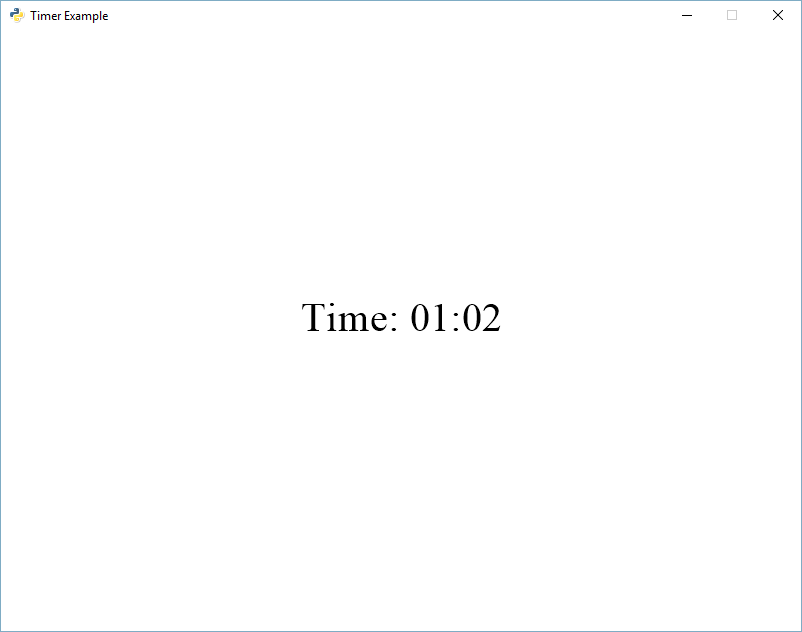
!d timer
 cyan bay
oh
drifting arrow
like, what's inside of them?
heavy radish
Hm
cyan bay
ty
heavy radish
drifting arrow
like, what's inside of them?
Like basic game stuff
drifting arrow
or just display them?
cyan bay
!d timer 360
heavy radish
So lets says. Inside the embed it says Perfect. I then want to mute the person spamming
supple storm
hey can u help me about mysql
cyan bay
!d timer 3600
 stark bobcat
is anyone having this problem
 heavy radish
Not really
boreal ravine
stark bobcat
is anyone having this problem
"no such file: main.py"
heavy radish
Show us code
boreal ravine
heavy radish
So lets says. Inside the embed it says `Perfect`. I then want to mute the person...
then?
stark bobcat
ok
import discord
from discord.ext import tasks, commands
import os

TOKEN = os.getenv("TOKEN")

bot = commands.Bot(command_prefix='m!', help_command=None,intents = discord.Intents.all())

@bot.command()
async def load(ctx, extension):
    bot.load_extension(f'cogs.{extension}')

@bot.command()
async def unload(ctx, extension):
    bot.unload_extension(f'cogs.{extension}')

for filename in os.listdir('cogs'):
    if filename.endswith('.py'):
        bot.load_extension(f'cogs.{filename[:-3]}')


bot.run(TOKEN)```Can I dm? I need to like visualise it
stark bobcat
in cogs
drifting arrow
heavy radish
Can I dm? I need to like visualise it
Sure
stark bobcat
import discord
from discord.ext import commands

class Start(commands.Cog):

    def __init__(self, bot):
        self.bot = bot

    @commands.Cog.listener()
    async def on_message(self, ctx):
      if ctx.guild is None and not ctx.author.bot:
        print(ctx.content)
        print(ctx.author)

        embed = discord.Embed(title="Confirm Mail creation",description="This system is used for reporting bugs,reports concerning to the moderators.",color=0x3DFD1E)

msg=await ctx.author.send(embed=embed)```cogs ^^
boreal ravine
stark bobcat
```py
import discord
from discord.ext import commands
class Start(commands.Cog)...
where the setup func
heavy radish
Actually, I'll open a help channel and both of u can help
stark bobcat
one min
heavy radish
I don't want to chose
heavy radish
oki
 boreal ravine
hm
stark bobcat

stark bobcat
slate swan
read the error...
i did
stark bobcat
slate swan
rename your bot file to `main.py`
oh
but can i do it with bot.py
instead of main.py
slate swan
stark bobcat
but can i do it with bot.py
not in replit
stark bobcat
slate swan
not in replit
oh
slate swan
you can do that generally tho
slate swan
no idea , i never used it
and dont recommend using it as well
slate swan
any one type race with me??
spring flax
slate swan
any one type race with me??
not the channel for that.
slate swan
come
boreal ravine
it says logs is not defined but i defined it already (in a cog). Any clue??
from discord.ext import commands
import random
import discord
from datetime import datetime
import aiohttp #imports

class Extra(commands.Cog):

    def __init__(self, client):
      self.client = client #the cog

    async def logs(self, ctx): #the func
        channel = self.client.get_channel(884344435670925362)
        embed=discord.Embed(color=discord.Color.random())
        embed.add_field(name='Member', value=f'`{ctx.author.name}#{ctx.author.discriminator}` | `{ctx.author.id}`', inline=False)
        embed.add_field(name='Command', value=f'`{ctx.command.name}`', inline=False)
        embed.timestamp=datetime.utcnow()
        await channel.send(embed=embed)

    @commands.command(help='Ships you with a member!') #ignore this command
    async def ship(self, ctx, bride: discord.Member, groom: discord.Member):
      love = random.randint(0, 100)
      print(love)

      await logs(self, ctx) # the func
That is off-topic. I suggest reading the channel description of this channel.
slate swan
okok
spring flax
boreal ravine
it says logs is not defined but i defined it already (in a cog). Any clue??
```p...
define logs above defining the cog.
slate swan
soory very much
 grim mango
plz someone gimme useful cmd codes
spring flax
grim mango
plz someone gimme useful cmd codes
We can help you if you have any issues
grim mango
spring flax
We can help you if you have any issues
yes i do have
spring flax
We aren't going to be giving you the code for it (spoonfeeding)
spring flax
Alright what is the error?
grim mango
spring flax
Alright what is the error?
the error is ban kick cmds doesn't work
spring flax
code?
grim mango
wait
spring flax
!d discord.Member.kick
unkempt canyonBOT
await kick(*, reason=None)```
This function is a [*coroutine*](https://docs.python.org/3/library/asyncio-task.html#coroutine).

Kicks this member. Equivalent to [`Guild.kick()`](https://discordpy.readthedocs.io/en/stable/api.html#discord.Guild.kick "discord.Guild.kick").!d discord.Member.ban
unkempt canyonBOT
await ban(**kwargs)```
This function is a [*coroutine*](https://docs.python.org/3/library/asyncio-task.html#coroutine).

Bans this member. Equivalent to [`Guild.ban()`](https://discordpy.readthedocs.io/en/stable/api.html#discord.Guild.ban "discord.Guild.ban").You'd have to use these references if you're not sure how to do it
spring flax
grim mango
but not udertsand
Which part?
grim mango
unkempt canyon
these things
spring flax
for kick,
define member as a member object
and then do member.kick()
slate swan
grim mango
these things
discord.Member is your member instance which you want to kick/ban
spring flax
you can use a reason kwarg for it
grim mango
& another thing is permission missing error msg doesn't appear
ocean leaf
 slate swan
do you have a error handler? @grim mango
grim mango
slate swan
do you have a error handler? <@!841603649964081172>
like what?
ocean leaf
i imported the cogs correctly ig
 slate swan
ocean leaf
i imported the cogs correctly ig
slate swan
ocean leaf
i imported the cogs correctly ig
show the cog
slate swan
grim mango
like what?
on_command_error event
ocean leaf
 ocean leaf
slate swan
show the cog
ocean leaf
slate swan
show the cog
here it is
slate swan
ocean leaf
wrong indentations
grim mango
slate swan
on_command_error event
yes
ocean leaf
slate swan
wrong indentations
means? i didnt understand
slate swan
grim mango
yes
add ```py
raise error``` to it to get errors in your console
ocean leaf
reef shell
indent porperly
can you tell me which line of the cog is having problem
slate swan
ocean leaf
means? i didnt understand
!indent
unkempt canyonBOT
Indentation
Indentation is leading whitespace (spaces and tabs) at the beginning of a line of code. In the case of Python, they are used to determine the grouping of statements.
Spaces should be preferred over tabs. To be clear, this is in reference to the character itself, not the keys on a keyboard. Your editor/IDE should be configured to insert spaces when the TAB key is pressed. The amount of spaces should be a multiple of 4, except optionally in the case of continuation lines.
Example
def foo():
    bar = 'baz'  # indented one level
    if bar == 'baz':
        print('ham')  # indented two levels
    return bar  # indented one level
The first line is not indented. The next two lines are indented to be inside of the function definition. They will only run when the function is called. The fourth line is indented to be inside the if statement, and will only run if the if statement evaluates to True. The fifth and last line is like the 2nd and 3rd and will always run when the function is called. It effectively closes the if statement above as no more lines can be inside the if statement below that line.
Indentation is used after:
1. Compound statements (eg. if, while, for, try, with, def, class, and their counterparts)
2. Continuation lines
More Info
1. Indentation style guide
2. Tabs or Spaces?
3. Official docs on indentation
slate swan
your command functions should be parallel to the init func in simple words
ocean leaf
slate swan
your command functions should be parallel to the init func in simple words
oh
i think it is parallal
slate swan
It's not
ocean leaf
i don't understand where it is not parallal
reef shell
you need to learn basic python syntax before making bots
slate swan
Otherwise you wouldn't have gotten the indent error
ocean leaf
slate swan
Otherwise you wouldn't have gotten the indent error
maybe any other problem?
boreal ravine
spring flax
define logs above defining the cog.
thanks I tried it earlier but I changed my mind. 👍
slate swan
ocean leaf
maybe any other problem?
No, it's not any other problem
ocean leaf
slate swan
No, it's not any other problem
i can't understand where it is not parallal
slate swan
Do you know what parallel means
reef shell
your commands part should be inside the class , not inside the __init__()
slate swan
^
ocean leaf
reef shell
your commands part should be inside the class , not inside the `__init__`()
ohhhh
reef shell
i don't know man, it's very basic thing
ocean leaf
i AM SOO DUMB
ocean leaf
reef shell
i don't know man, it's very basic thing
i didnt understand sorry for disturbing
reef shell
ocean leaf
i didnt understand sorry for disturbing
it's fine
 lucid stream
em.add_field(name='Total Users', value=len(client.users)) client is not defined im in cogs how do i define client i mean this is how my cogs start ```
class advance(commands.Cog):
def __init__(self, bot):
    self.bot = bot
``` i tried defining it above the class the code executes but i dont get the appropriate output
 valid perch
You reference self.bot
Also, please.
https://vcokltfre.dev/tips/clientbot/

Remember: naming is important. When creating a Bot you should name it 'bot', and when making a Client you should name it 'client'. Please follow naming conventions.
Since its a class variable, you need to use self to access it
lucid stream
oh
rugged tinsel
what should I put into my discord bot? My bot is just for games
lucid stream
oki so i have to put like self.bot=commands.bot()
lucid stream
yea oki
rugged tinsel
rugged tinsel
what should I put into my discord bot? My bot is just for games
idk much about python but i feel like my bot only has a few commands
 hasty iron
make chess
valid perch
Make whatever you want
rugged tinsel
great idea, chess is nice
valid perch
tictactoe is likely easier
drifting arrow
rugged tinsel
idk much about python but i feel like my bot only has a few commands
starts of with a few.. then
 rugged tinsel
drifting arrow
starts of with a few.. then
rugged tinsel
drifting arrow
starts of with a few.. then
when u made the fun facts part, did u have to type the fun facts 1 by 1?
drifting arrow
The hard part was actually figuring it all out
hasty iron
when you save fun facts (command), does it save it to the same file?
drifting arrow
I kept getting errors after errors
rugged tinsel
oh hahaha
drifting arrow
Yes @hasty iron
 pliant raven
hello how can i add to a list from discord? i also want to be able to del that item from the list
drifting arrow
Well maybe I will in future
pliant raven
pliant raven
hello how can i add to a list from discord? i also want to be able to del that i...
using python
drifting arrow
tbh not really @hasty iron
hasty iron
pliant raven
hello how can i add to a list from discord? i also want to be able to del that i...
add a list from discord?
drifting arrow
i'd have to do the same methods regardless. all i'd be changing is where the data is stored.
hasty iron
thats not true
pliant raven
hasty iron
add a list from discord?
so i have a python list, and i want to add values to it from a discord command
hasty iron
saving stuff locally has alot of issues to it
pliant raven
i also want to display that list as a field value in an embed
drifting arrow
mmm yes it is.
I'd still need to pull the data from the database. sort through it to make it coherent. then be able to update the database everytime.
hasty iron
pliant raven
so i have a python list, and i want to add values to it from a discord command
okay, so when somebody calls that command just call append or whatever method you want of that list
drifting arrow
I dont want to store stuff online 😛
stark bobcat
hlo
hasty iron
then use sqlite
drifting arrow
Maybe I will in future. point is, i'd have the same sized script regardless.
stark bobcat
 drifting arrow
I'd still need a function to pull the data. a save function to save the data. a function to display the data. etc etc.
stark bobcat
i was following this tutorial
https://www.youtube.com/watch?v=hWF8lZLdAg0&t=112s

NOTE: Do not share your Discord token with anyone.
0:00 - Intro
0:12 - Creating Procfile
0:28 - Generating requirements.txt
1:09 - Creating Heroku app
1:23 - Linking Github repo to Heroku app
1:40 - Configuring the Heroku app
2:18 - Deploying the app
2:38 - Turning on the app
3:02 - Showcasing auto-deploy on commit
This guide on my Github: htt...
stark bobcat
hasty iron
dont use heroku pls
i don't have money
drifting arrow
Essentially making the same program except using a database instead of a json file. @hasty iron
hasty iron
ok, self host
stark bobcat
hasty iron
ok, self host
i want my bot to be online 24/7
hasty iron
drifting arrow
Essentially making the same program except using a database instead of a json fi...
okay, that still means a database is going to be better than your current method
drifting arrow
stark bobcat
i want my bot to be online 24/7
Leave computer on 24/7 😉
hasty iron
stark bobcat
i want my bot to be online 24/7
get money
stark bobcat
hasty iron
get money
how
stark bobcat
drifting arrow
Leave computer on 24/7 😉

stark bobcat
hasty iron
work
i'm 13
hasty iron
and you could get a free one year trial on google cloud
drifting arrow
@hasty iron tbh a json file achieves the same thing as a database. Im not storing massive amounts of data
stark bobcat
need cc
hasty iron
then dont host
 slender stirrup
you can use heroku
stark bobcat
sed
hasty iron
no you cant use heroku
stark bobcat
but can u tell me how to fix
stark bobcat
hasty iron
no you cant use heroku
lots of people use it
hasty iron
ok so what
stark bobcat
(:
slender stirrup
why he dont use it
stark bobcat
i use it
hasty iron
because its not for discord bots
slender stirrup
i didn't read all messages
hasty iron
anyways, this isn't heroku support
stark bobcat
slender stirrup
i didn't read all messages
 drifting arrow
stark bobcat
drifting arrow
stark bobcat
push failed.
stark bobcat
drifting arrow
push failed.
how can i fix
drifting arrow
¯_(ツ)_/¯
stark bobcat
hm
drifting arrow
Oh
hasty iron
just fix it
drifting arrow
looks like your pyxel version is wrong in your requirements.txt
pliant raven
hasty iron
add a list from discord?
sorry im still learning discord.py, and im not sure how to append the message to the list, because i obviously dont want the full message just the part after the command
stark bobcat
drifting arrow
looks like your pyxel version is wrong in your requirements.txt
how to fix
drifting arrow
you're saying 1.0.1 when you want something else. use a different number in the list it gave you
hasty iron
pliant raven
sorry im still learning discord.py, and im not sure how to append the message to...
use a command with an argument, and add that argument to the list
stark bobcat
drifting arrow
you're saying 1.0.1 when you want something else. use a different number in the ...
wym
pliant raven
oh ok
hasty iron
something like
@bot.command()
async def command(ctx, stuff):
  your_list.append(stuff)
but be careful of local/global scopes
pliant raven
 drifting arrow
stark bobcat
drifting arrow
stark bobcat
see all those numbers? just change your pyxel = 1.0.1 to something else.
choose a number in the list of numbers they told you
drifting arrow
Good girl
drifting arrow
Cool. read your errors in future
hasty iron
you should do the latest version imo
or not even specify one (which will get the latest)
drifting arrow
true. But sometimes the latest version changes code that you use to something else.
while the latest is better..
Sometimes you are happy with your program being held together with glue and duct tape
and sometimes wd40..
stark bobcat
is 1.1.0 or 1.4.3 latest version
drifting arrow
stark bobcat
@stark bobcat whats the biggest number you see in that list of numbers?
stark bobcat
drifting arrow
<@!852467533823213568> whats the biggest number you see in that list of numbers?
1.4.3
drifting arrow
alright. we count up when versioning our applications
stark bobcat
ohh
drifting arrow
so assuming we start at 0
stark bobcat
ok i 'll do 1.4.3
stark bobcat
drifting arrow
so assuming we start at 0
ok
pliant raven
now that its added, when i bring up the embed it displays the brackets[] and the quotation marks''
drifting arrow
pliant raven
now that its added, when i bring up the embed it displays the brackets[] and the...
Can you send your code?
pliant raven
ok
 pliant raven
 stark bobcat
sed
pliant raven
pliant raven
is there a way to convert list to string?
drifting arrow
emebed.add_field(name="Field", value=list(random_list))
ok let me try that
pliant raven
nope
drifting arrow
output?
drifting arrow
why did it take you so long to finally say that? lol
 slate nymph
i have added my bot to the server now how do i install discord.py?
pliant raven
drifting arrow
why did it take you so long to finally say that? lol
i was reading through errors
sorry lmao
it was just a typo
when i was editing my code i accidenally added a letter
and now i have to wait a while
before it works
because im sending too many requests

so yeah here is what is happening
@drifting arrow sorry for the ping
drifting arrow
@pliant raven ```py
embed.add_field(name="Field1", value='\n'.join(random_list))
!paste
unkempt canyonBOT
Pasting large amounts of code
If your code is too long to fit in a codeblock in discord, you can paste your code here:
https://paste.pydis.com/
After pasting your code, save it by clicking the floppy disk icon in the top right, or by typing ctrl + S. After doing that, the URL should change. Copy the URL and post it here so others can see it.
rugged tinsel
slate nymph
i have added my bot to the server now how do i install discord.py?
go to repl.it then create a python project
put ur code there
pliant raven
 slate nymph
yeah but i want it to execute in vs code
pliant raven
im not sure why i get this error
rugged tinsel
pliant raven
whats this
pliant raven
ill just send code
rugged tinsel
read the error go to the line then see the prob
 stark bobcat
sed
pliant raven
now there is an issue
rugged tinsel
may i see the um numbers
pliant raven
):
rugged tinsel
/ lines
stark bobcat
):
pliant raven
like the errors?
rugged tinsel
no the lines
pliant raven
oh ok
rugged tinsel
line number
drifting arrow
@commands.command()
async def printlist(self,ctx):
embed = discord.Embed()
random_list = ['Hello','World','This','Is','A','List']
embed.add_field(name="Field1", value='\n'.join(random_list))
await ctx.send(embed=embed)
```works for me pliant raven
yeah i have dont worry
drifting arrow
good
rugged tinsel
idk python 😦 i would help if i knew
stark bobcat
okay ):
drifting arrow
@client.command()
async def printlist(ctx):
    embed = discord.Embed(title="Embed", colour=discord.Colour.blue())
    random_list = ['Hello','World','This','Is','A','List']
    embed.add_field(name="Field1", value='\n'.join(random_list))
    await ctx.send(embed=embed)
``` this works for me. idk why not for you. drifting arrow
We arent heroku support
stark bobcat
drifting arrow
We arent heroku support
sed
slate nymph
now that i have installed discord.py how do i import the module in python prject?
pliant raven
finally, thanks so much for all your help @drifting arrow
drifting arrow
wot
slate nymph
i tried import discord but there is no module found it says
drifting arrow
Nobody tell him.
rugged tinsel
slate nymph
i tried import discord but there is no module found it says
bruhhh
drifting arrow
you didnt install?
slate nymph
i did
drifting arrow
did you do pip install discord.py?
slate nymph
yep
drifting arrow
are you using visual studio code?
slate nymph
yes
drifting arrow
what have you tried?
slate nymph
import discord
drifting arrow
seems correct.
drifting arrow
lol no need.
slate nymph
why?
rugged tinsel
then try again
drifting arrow
he just has to fix his imports
slate nymph
bruh?
rugged tinsel
it will work 🙂
slate nymph
my pc is new
drifting arrow
and where his packages are stored
slate nymph
i mean if i write import discord a brown line is marked on discord
drifting arrow
brown?
never seen a brown line. are you colorblind? or is this a feature i dont know about?
drifting arrow
red to him might be brown.
slate nymph
no brub
drifting arrow
usually red, yes. but he might see red as brown
slate nymph
iits brown fr
drifting arrow
never seen brown before
slate nymph
i m on mobile
rugged tinsel
yea maybe he's color blind
hasty iron
maybe using a theme?
rugged tinsel
slate nymph
i m on mobile
mobile? never heard of a person that uses mobile
drifting arrow
hasty iron
maybe using a theme?
maybe.
but I've never known a theme to change colors of the errors
at least not one that makes sense.
slate nymph
i ll show u
rugged tinsel
maybe he's just colorblind
slate nymph
just wait
rugged tinsel
ok
hasty iron
we still dont know anything, and you're assuming they're colorblind
slate swan
i mean , different themes have different color options
drifting arrow
so far it's the best one that fits
slate nymph
its brown fr
drifting arrow
stop being logical and sense making. you're making us seem silly
hasty iron
slate nymph
its brown fr
whats the error you're getting
 rugged tinsel
bruh
drifting arrow
 rugged tinsel
@drifting arrow look
hasty iron
ok drop it
rugged tinsel
tht's so weird bro
hasty iron
slate nymph
did you make sure to install it
drifting arrow
Alright uhh. mouse over the word "discord" and tell us what the error is
rugged tinsel
never heard of that
hasty iron
did you install discord.py?
slate nymph
yes!
rugged tinsel
never seen that while i was coding
hasty iron
if so, just reload your vsc window
slate swan
and is python added to path?
drifting arrow
out of curiosity.. do other imports work?
rugged tinsel
oh yeah gnomesslayer idk how to make the tictactoe game then i searched in google the error but all the ones i clicked didnt work
slate nymph
no
drifting arrow
So no imports work at all? then it's your visual studio, it's not pointing to your python stuff
drifting arrow
LEL
slate nymph
rugged tinsel
also i use repl.it thingy
it requires heavy network connection
slate nymph
not me
slate nymph
you dont have to install stuffs in replit
rugged tinsel
ye
slate nymph
thats an advantage but it hella lags
 surreal dust
just hoping sushi wins
rugged tinsel
im trying to code tictactoe game but idk how i searched in google and the videos and links i clicked didnt work
hasty iron
how about you try to make it without the help of youtube
 quasi pawn
How do I add a counter e.g. Suggestion #1, #2, #3... ?
spring flax
rugged tinsel
im trying to code tictactoe game but idk how i searched in google and the videos...
using a discord lib?
 dapper cobalt
quasi pawn
How do I add a counter `e.g. Suggestion #1, #2, #3...` ?
dapper cobalt
quasi pawn
How do I add a counter `e.g. Suggestion #1, #2, #3...` ?
Counter of what? A list?
 warm terrace

like the song is playing (in general)
how do i queue it ? there was a command shown here yesterday and i forgot about it
something with get and something
any idea tho?
warm terrace
yeah, but i need to queue the song if the song is already playing
warm terrace
 vagrant brook
Basically a list with append and pop
vagrant brook
Basically a list with append and pop
o
wait, what does pop mean again ?
but how do i check the condition if another song is playing ?
warm terrace
hasty iron
you have alot of options
which is the simplest one tho ?
hasty iron
well
most people use an asyncio.Queue
its pretty simple to use too
!d asyncio.Queue
unkempt canyonBOT
class asyncio.Queue(maxsize=0)```
A first in, first out (FIFO) queue.

If *maxsize* is less than or equal to zero, the queue size is infinite. If it is an integer greater than `0`, then `await put()` blocks when the queue reaches *maxsize* until an item is removed by [`get()`](https://docs.python.org/3.10/library/asyncio-queue.html#asyncio.Queue.get "asyncio.Queue.get").

Unlike the standard library threading [`queue`](https://docs.python.org/3.10/library/queue.html#module-queue "queue: A synchronized queue class."), the size of the queue is always known and can be returned by calling the [`qsize()`](https://docs.python.org/3.10/library/asyncio-queue.html#asyncio.Queue.qsize "asyncio.Queue.qsize") method.

This class is [not thread safe](https://docs.python.org/3.10/library/asyncio-dev.html#asyncio-multithreading). hasty iron
class MyCog(commands.Cog):
  def __init__(self, bot: commands.Bot):
    self.bot = bot
    self.queues: Dict[int, asyncio.Queue] = {}

  @commands.command()
  async def queue(self, ctx, url):
    queue = self.queues.get(ctx.guild.id)
    if not queue:
      self.queues[ctx.guild.id] = queue = asyncio.Queue()

    # grab the song or whatever

    await queue.put(whatever_you_want)
actually you can just do queue = self.queues.setdefault(ctx.guild.id, asyncio.Queue())
and ofc when you reload the cog, the queue dict is going to reset
if you dont want this, rather than self.queues inside this cog, you can do it in your main file and set it as a bot variable like bot.queues = {}
and then there you can do self.bot.queues
warm terrace
ok...... i will try to do this in some time and then show what i did a bit later coz rn i gotta do something else, but thankss
slate swan
You can make discord bot from python ?
unkempt canyonBOT
is_playing()```
Indicates if we’re currently playing audio.use this too
dapper cobalt
slate swan
You can make discord bot from python ?
No. Only in Java.
stares at the server's name and the channel's name
slate swan
How to make something like this?
 spring flax
slate swan
How to make something like this?
spring flax
slate swan
How to make something like this?
you can use dislash ig
maiden fable
Or disnake if u want a whole wrapper haha
hasty iron
*if you want another bad dpy fork
slate swan
It's not bad
hasty iron
sure
slate swan
It's better than the most
slate swan
spring flax
you can use dislash ig
so its just slash command that implements that or what?
maiden fable
slate swan
so its just slash command that implements that or what?
User Commands
Oh wait
Message Commands*
My bad
maiden fable
Yes. The backend is the same
spring flax
and there is member/user commands and message commands
slate swan
Is there a Documentation for how to implement the context menu commands?
  File "/home/container/discord/ext/commands/bot.py", line 939, in invoke
    await ctx.command.invoke(ctx)
  File "/home/container/discord/ext/commands/core.py", line 863, in invoke
    await injected(*ctx.args, **ctx.kwargs)
  File "/home/container/discord/ext/commands/core.py", line 94, in wrapped
    raise CommandInvokeError(exc) from exc
discord.ext.commands.errors.CommandInvokeError: Command raised an exception: Forbidden: 403 Forbidden (error code: 50013): Missing Permissions``` im making a ban command and getting this tracebackit has ban perms
and so do i
slate swan
slate swan
Is there a Documentation for how to implement the context menu commands?
nvm
 bitter depot
The bot can't ban anyone who's above the bot in the role hierarchy / member list @slate swan
slate swan
ooh ty
 hoary gust
Someone tell me what is this

 slate swan
 little thicket
help
slate swan
little thicket
do you have your token in the env
slate swan
slate swan
do you have your token in the env
yes he
in the save environment
i am with him he is screensharing @slate swan
i see the issue
my secret is connected to the $hello command
and the yt video your following sucks btw
slate swan
slate swan
my secret is connected to the $hello command
ohk
the free code camp one
its a bad way to start
its not practical
whai
 valid niche
huh curious 2 pictures side by side of very bad examples
using heroku and using replit for discord bots
very curious
slate swan
slate swan
whai
import discord
import os
from discord.ext import commands

client = commands.Bot(command_prefix='s!')

@client.event
async def on_message(message):
    if message.author == client.user:
        return

@client.command
async def hello(ctx):
    await ctx.send("Hello! How can I help you? here are some more commands, s!inspire. To know more visit")

my_secret = os.environ["TOKEN"]
client.run(my_secret)```use this code
little thicket
thnx
maiden fable
slate swan
```py
import discord
import os
from discord.ext import commands
client = comman...
The command won't work. Bet a nitro haha
slate swan
imma try rq
slate swan
maiden fable
The command won't work. Bet a nitro haha
whay
slate swan
slate swan
imma try rq
import requests
maiden fable
slate swan
whay
await bot.process_commands(message)
slate swan
maiden fable
`await bot.process_commands(message)`
it still worked
 rapid pebble
Lol
hoary gust
Help
maiden fable
Hm?
hoary gust
  File "main.py", line 62, in <module>
    client.ipc.start()
  File "/opt/virtualenvs/python3/lib/python3.8/site-packages/discord/ext/ipc/server.py", line 262, in start
    self.loop.run_until_complete(self.start(self._multicast_server, self.multicast_port))
  File "/usr/lib/python3.8/asyncio/base_events.py", line 616, in run_until_complete
    return future.result()
  File "/opt/virtualenvs/python3/lib/python3.8/site-packages/discord/ext/ipc/server.py", line 249, in start
    await site.start()
  File "/opt/virtualenvs/python3/lib/python3.8/site-packages/aiohttp/web_runner.py", line 121, in start
    self._server = await loop.create_server(
  File "/usr/lib/python3.8/asyncio/base_events.py", line 1463, in create_server
    raise OSError(err.errno, 'error while attempting '
OSError: [Errno 99] error while attempting to bind on address ('::1', 20000, 0, 0): cannot assign requested address```Seems like something else is running on that address
hoary gust
I am not trying to connect to that address@maiden fable
 jolly glacier
hoary gust
```Traceback (most recent call last):
File "main.py", line 62, in <module>
...
jolly glacier
hoary gust
```Traceback (most recent call last):
File "main.py", line 62, in <module>
...
I think your on the wrong port?
hoary gust
It should be 127.0.0.1:5000 like localhost
maiden fable
Hmm
hoary gust
I just did app.run()
So it should connect to that port atleast
But no it's connecting to 20000
But why
jolly glacier
hoary gust
So it should connect to that port atleast
Yeah it should, unless there is something we’re missing out
You should be able to set a port using a special line?
jolly glacier
What software are you using?
jolly glacier
Wdym?
hoary gust
I mean are u asking about the lib or os
jolly glacier
Are you using an IDE or a text editor?
hoary gust
I am using repl
hoary gust
Yes
jolly glacier
Ok i use same, I’m gonna take a screenshot of your name, then i will @ you later when i figure out the problem
hoary gust
Ok
jolly glacier
Do you have the Source code?
slate swan

jolly glacier
slate swan
<:KryptonWave:865209007643820072>
?
hoary gust
@jolly glacier yes I have the source code
slate swan
jolly glacier
?
Just saying hello  ¯_(ツ)_/¯
 grim oar

slate swan

maiden fable
slate swan
<:KryptonWave:865209007643820072>
Hi
jolly glacier
hoary gust
<@666623583937757196> yes I have the source code
Can i have a screenshot so i can figure out a fix? You can DM or post the screenshot here!
hoary gust
jolly glacier
Can i have a screenshot so i can figure out a fix? You can DM or post the screen...
Well I gave the error
jolly glacier
hoary gust
Well I gave the error
I’ve got no clue what is causing the error because i cannot see the source of the problem through an error message, anyway I’ve not my own discord bot so if your scared I’m going to take it… I’m not?
One fix you can try is make repl.it use port 5000 because every other port is blocked on there system for security reasons. There is a lot of help for that kinda stuff on stackoverflow?
hoary gust
Ok lemme try
jolly glacier
Are you still trying to workout the port issue?
 jagged hamlet
Exception ignored in: <function _ProactorBasePipeTransport.__del__ at 0x00000291ABFDFE50>
Traceback (most recent call last):
  File "C:\Program Files\Python39\lib\asyncio\proactor_events.py", line 116, in __del__
    self.close()
  File "C:\Program Files\Python39\lib\asyncio\proactor_events.py", line 108, in close
    self._loop.call_soon(self._call_connection_lost, None)
  File "C:\Program Files\Python39\lib\asyncio\base_events.py", line 746, in call_soon
    self._check_closed()
  File "C:\Program Files\Python39\lib\asyncio\base_events.py", line 510, in _check_closed
    raise RuntimeError('Event loop is closed')
RuntimeError: Event loop is closed
I'm getting this exception, but it's not very helpful - the traceback doesn't touch on any of my files, or even any d.py library files for that matter. Could someone help me decode it please?
jolly glacier
jagged hamlet
```py
Exception ignored in: <function _ProactorBasePipeTransport.__del__ at 0x00...
What software are you using? An IDE or Text Editor?
*You might need to close your event loop?
hoary gust
@jolly glacier still getting the same error
jolly glacier
Hmmm
hasty iron
jagged hamlet
```py
Exception ignored in: <function _ProactorBasePipeTransport.__del__ at 0x00...
does this happen when you close the bot
also this is a windows issue
jolly glacier
Sometimes
hoary gust
Man this port issue in dashboard sucks
hasty iron
so, blame it on windows for being bad
jolly glacier
hasty iron
so, blame it on windows for being bad
Well, you have a point 😄
hoary gust
What is better linux or windows?