#discord-bots
1 messages · Page 375 of 1
 sinful galleon

 fast osprey
Detecting the system message is probably the least unreliable but will silently break if any of the above things become not true
 merry cliff
looks liek it is just listening for the boost message
sinful galleon
Okay I'll try that out 

 sinful galleon
thanks 

 shy eagle
k
 opal vortex
 drifting arrow
use aiosqlite?
drifting arrow
use aiosqlite?
asqlite better from Rapptz
 scarlet tiger
opal vortex
asqlite better from Rapptz
scarlet tiger
opal vortex
asqlite better from Rapptz
None is better than the other, use any
 nocturne elk
@bot.command(name="dm", description="Send a direct message to all server members.")
async def dm(ctx, *, message: str):
failed_dms = []
for member in ctx.guild.members:
try:
await member.send(message)
print(f"Sent DM to {member.name}.")
except discord.Forbidden:
print(f"Couldn't DM {member.name}: Forbidden (User may have DMs disabled).")
failed_dms.append(member.name)
except discord.HTTPException as e:
print(f"Failed to DM {member.name}: HTTPException ({e})")
failed_dms.append(member.name)
except Exception as e:
print(f"Failed to DM {member.name}: {e}")
failed_dms.append(member.name)
if failed_dms:
failed_list = ", ".join(failed_dms)
print(f"Failed to send DM to: {failed_list}")
await ctx.send(f"Failed to send DM to: {failed_list}")
else:
await ctx.send("Successfully sent DM to all members!")```
not giving any problmes but also not sending messages any idea why? fierce ridge
so guys i have a slash command but i want response in a specific channel
await interaction.response.send_message(embed=embed)
instead of this i want the response in specific channel
how do i do that
if i do channel = bot.get_channel(636399538650742795)
do i do await interaction.response.channel.send_message?
 wanton current
fierce ridge
if i do channel = bot.get_channel(636399538650742795)
wanton current
fierce ridge
if i do channel = bot.get_channel(636399538650742795)
you can do that, but you also need to respond to the interaction
fierce ridge
ok
how do i do that ill just send command sent
@wanton current
how do i do that? can u gimme sample command or smthing
wanton current
channel = bot.get_channel(id)
await channel.send()
await interaction.response.send_message()
thx
fierce ridge
@bot.tree.command(name="gay?", description="Who is gay?")
@app_commands.describe(account = "who is the gayest")
@app_commands.choices(account = [
    discord.app_commands.Choice(name = "McApple?",value = 1),
    discord.app_commands.Choice(name = "Kuro?", value = 2)
])
async def say(interction: discord.Interaction, account: app_commands.Choice[int]):
    if account == 1:
        await interction.response.send_message("he is not gay")
    if account == 2:
        await interction.response.send_message("He is GAYYYYYYYY")

welp @wanton current
any1?
 hearty basalt
dank memer ahh command
 vapid parcel
Is it against ToS to list all the servers your Bot uses? I am meaning like Privacy wise.
What I mean is list all the servers my bot is in.
Publicly^
I am pretty sure it breaks the Privacy of discord, but I have no clue, so thats why I am asking here.
 fringe wharf
anyone know why im getting this error: Extension ' ' raised an error: ImportError: cannot import name 'app_commands' from 'discord' ...
im using rapptz fork fyi
vapid parcel
fringe wharf
anyone know why im getting this error: Extension ' ' raised an error: ImportErro...
What version of dpy are you using?
fringe wharf
vapid parcel
What version of dpy are you using?
2
vapid parcel
run
pip show discord.py
Version: 2.4.0
just need this line ^
You will run the command in your IDE terminal.
 mighty pilot
hearty basalt
dank memer ahh command
mighty pilot
hearty basalt
dank memer ahh command
💀💀🙏
fringe wharf
vapid parcel
run
`pip show discord.py`
it is 2.4.0
 faint sapphire
fringe wharf
it is 2.4.0
faint sapphire
fringe wharf
it is 2.4.0
british identified

 vapid parcel
So why couldn't they just have changed what interaction_metadata is doing to what interaction does?
so we don't have to change literally everything 😭
its kinda annoying imo
opal vortex
vapid parcel
yep
opal vortex
vapid parcel
its kinda annoying imo
discord fucks everything up ikr
vapid parcel
Yeee
and idek why they did it bro 😭
I am confused on the update ngl
Like for interaction_metadata
 hushed galleon
thats usually what happens in order to maintain backwards compatibility, adding and deprecating instead of changing existing schema
 timber dragon
Neither discord nor dpy can just randomly remove fields and change types, that would break people's code for no reason
 rapid loom
faint sapphire
rapid loom
faint sapphire
hi, Im trying get back into bot dev after 2 years, to improve a hiring process, Im not easily able to spend a ton of time catching up and testing along the way,
-do you guys know some open source bots I can work off of,
-or how I could find ppl to hire to help me catch up more effectively
 hot stump
faint sapphire
hi, Im trying get back into bot dev after 2 years, to improve a hiring process, ...
hot stump
faint sapphire
hi, Im trying get back into bot dev after 2 years, to improve a hiring process, ...
u last coded in 2022?
faint sapphire
hot stump
u last coded in 2022?
yh, the api changed a bit since, I dont think I can rely on my previous bot as much
hot stump
faint sapphire
yh, the api changed a bit since, I dont think I can rely on my previous bot as m...
the best way is to run the bot u had, try to check whats new and change ur old bot to that new changes and learning on the way. bcs it's ur code u will spend more time learning new stuff instead of trying to run things ur not familiar with.
and there was no major updates since 2022 so it's not so bad
for discord.py devs:
how do i allow commands to be ran when user installed?
but without using the app_commands format - using the @BOT.tree.command format?
merry cliff
hot stump
for discord.py devs:
how do i allow commands to be ran when user installed?
but ...
same thing heres an examplepy @bot.tree.command(description='probably my ping', name='ping') @app_commands.allowed_installs(guilds=True, users=True) @app_commands.allowed_contexts(guilds=True, dms=True, private_channels=True) async def _ping(interaction: discord.Interaction): latency = round(bot.latency*1000, 2) await interaction.response.send_message("Pong!") msg = await interaction.original_response() await msg.edit(content=f"Pong! My ping is `{latency} ms`") print(f'Ping: `{latency} ms`') print(interaction.guild.id)
since you are still making an app command it still applies
hot stump
merry cliff
same thing heres an example```py
@bot.tree.command(description='probably my ping...
AttributeError: module 'discord.app_commands' has no attribute 'allowed_installs'
@BOT.tree.command(name="info", description="See info and stats about the bot!")
@app_commands.allowed_installs(guilds=True, users=True)
@app_commands.allowed_contexts(guilds=True, dms=True, private_channels=True)
async def info(interaction: discord.Interaction):
Update your discord.py
hot stump
merry cliff
Update your discord.py
even with 2.4V installed it doesn't work, same error
 patent hull
can you do pip freeze please
you maybe have some 3rd party lib installed that uses the same discord namespace
because in discord.py 2.4+ there should be no errors with user apps
hot stump
patent hull
can you do pip freeze please
bruh
turns out it didnt update even when i added -U
patent hull

 devout pine
Does anyone do paid work
merry cliff
devout pine
Does anyone do paid work
!rule paid
merry cliff
Yeah why
 wary shore
what should i use for things i want to happen once?
fast osprey
Typically an asyncio task, which can use wait_until_ready if it relies on cache
 radiant bough
is it possible to get the id of a user who ran slash command (in some other bot)
 upbeat otter
no
radiant bough
upbeat otter
no
Some other way to find out who invoked that command?
 midnight oracle
devout pine
Does anyone do paid work
midnight oracle
devout pine
Does anyone do paid work
what do you need?
wanton current
💀 _ _
faint sapphire
https://paste.pythondiscord.com/ATKQ
removed the python logic, just contains the api refs I was using 2 years ago.
any of these got deprecated/replaced since?
hushed galleon
faint sapphire
https://paste.pythondiscord.com/ATKQ
removed the python logic, just contains the...
seems mostly fine, i noticed a couple issues
- awaiting
bot.get_user()isn't allowed and requires the members intent to turn on dpy's member cache channel.history()returns an asynchronous iterator, so you need anasync forlist comprehension if you want to flatten it into a list
if you're migrating from 1.7.3 to 2.0+, you should definitely see the migration guide
https://discordpy.readthedocs.io/en/stable/migrating.html
and if you want an example of using cogs/extensions, application commands with multi-language support, and message components, here's me shilling my bot :)
https://github.com/thegamecracks/theticketbot
but also you can check out these guides and the docs on application commands if you want to rewrite your commands with them:
https://fallendeity.github.io/discord.py-masterclass/slash-commands/
https://about.abstractumbra.dev/discord.py/2023/01/30/app-command-examples.html
https://discordpy.readthedocs.io/en/stable/interactions/api.html#decorators
faint sapphire
wow thanks, thats packed
fierce ridge
@bot.tree.command(name="gay?", description="Who is gay?")
@app_commands.describe(account = "who is the gayest")
@app_commands.choices(account = [
    discord.app_commands.Choice(name = "McApple?",value = 1),
    discord.app_commands.Choice(name = "Kuro?", value = 2)
])
async def say(interction: discord.Interaction, account: app_commands.Choice[int]):
    if account == 1:
        await interction.response.send_message("he is not gay")
    if account == 2:
        await interction.response.send_message("He is GAYYYYYYYY")
some1 help
it says application did not respond
 fast musk
Need to swap the values
In seriousness, which option are you choosing where it doesn't respond?
iirc can't users also put in a custom value? You don't send a response if the value is not 1 or 2
disregard. It returns a choice. So you need account.value And because each of those checks failed it never sends a response
fast osprey
You should also probably get in the habit of debugging things first
Seeing if you get into this callback at all and what the value of account is will probably help you solve this
 lucid ember
   async for entry in guild.audit_logs(limit=None,action=discord.AuditLogAction.member_disconnect):

        day = f"{entry.created_at.astimezone(tz=pytz.timezone('Asia/Jerusalem')).day}"
        month = f"{entry.created_at.astimezone(tz=pytz.timezone('Asia/Jerusalem')).month}"
        date = f"{entry.created_at.astimezone(tz=pytz.timezone('Asia/Jerusalem'))}"

        if entry.user.id in moderators:
            if day != wantedDay:
                None

            elif day == wantedDay and month == wantedMonth:
                amountOfDisconnects += entry.extra.count
                print(f"Action: Disconnects\nModerator: {entry.user}\nAmount: {amountOfDisconnects}\nDate: {date}\n---------------------------------")


    async for entry in guild.audit_logs(limit=None,action=discord.AuditLogAction.member_move):

        day = f"{entry.created_at.astimezone(tz=pytz.timezone('Asia/Jerusalem')).day}"
        month = f"{entry.created_at.astimezone(tz=pytz.timezone('Asia/Jerusalem')).month}"
        date = f"{entry.created_at.astimezone(tz=pytz.timezone('Asia/Jerusalem'))}"

        if entry.user.id in moderators:
            if day != wantedDay:
                None

            elif day == wantedDay and month == wantedMonth:
                amountOfMoves += entry.extra.count
                print(f"Action: Move Member\nModerator: {entry.user}\nAmount: {entry.extra.count}\nDate: {date}\n---------------------------------")

    print('test')```

Hey, after the bot finishes to print the "Move Member" logs, it just stops to work(which means that the "print" line at the end of the code does not work)
 icy magnet
async def embed(ctx):
embed = nextcord.Embed(title="Test", color=0x00ff00)
embed.add_field(name="Test", value="", inline=False)
await ctx.send(f' ', ephemeral=True)
await ctx.send(embed=embed, view=view)```
I want to make it separate like this: ( Apollo Bot ) so noone can see it was sent using slash
 icy magnet
?
hearty basalt
i jus realised it's ctx mb lmao
icy magnet
ye it is
wanton current
You should be using interaction
 icy magnet
wanton current
You should be using interaction
icy magnet
wanton current
You should be using interaction
can u transform my code?
hearty basalt
thats why i immediately said send it to the interaction channel without even reading the code xd
wanton current
icy magnet
can u transform my code?
no
icy magnet
i dont rly understand
 toxic breach
@bot.slash_command(name="embed", description="Your description goes here")
async def embed(interaction: nextcord.Interaction):
  embed = nextcord.Embed(title="Test", color=0x00ff00)
  embed.add_field(name="Test", value="", inline=False)
  await interaction.response.send_message(f'Done', ephemeral=True)
await interaction.channel.send(embed=embed, view=view)```why would you send it twice
hearty basalt
i mean he's sending 'done' and then the actual embed
toxic breach
twice? the first is the ephemeral message which is the verification message and the await interaction.channel.send is to send the embed into the interaction channel 
hearty basalt
and the done is ephemeral so it's exactly like the apollo screenshot
wanton current
i guess
icy magnet
toxic breach
```py
@bot.slash_command(name="embed", description="Your description goes here")...
                                                     ^^^^
NameError: name 'view' is not defined

The above exception was the direct cause of the following exception:

nextcord.errors.ApplicationInvokeError: Command raised an exception: NameError: name 'view' is not defined```i mean it says it right there, you didn't define a view
 mild token
How some bot have custom command feature can someone guide me how they do it?
hearty basalt
mild token
How some bot have custom command feature can someone guide me how they do it?
wym 'custom command feature'
mild token
hearty basalt
wym 'custom command feature'
Means command to make command
Example
!create_cc hello
Now hello is also a command and i can invoke it with
!hello
What is user installed command how it works
vapid parcel
mild token
Means command to make command
Example
!create_cc hello
Now hello is also a comm...
Thats related to databases and stuff man. You have to have custom handlers.
That is nothing to do with discord.py or discord api.
Thats because they made something custom and made it work with their bot.
Those custom commands are simple things, not really commands. So its not anything "special" I guess. You can probably find an example on github if you really needed one!
 slate swan
Hi guys, i was trying to make a key redem bot but when i started to debug it i got this errors. How do i fix them i am kinda new.


 shrewd apex
slate swan
shrewd apex
slate swan
for when a customer whant to redeem what they have bought
fast osprey
And what are they buying
 full lily
@shrewd apexYo i kinda love the website linked in your bio. I love how reactive it is and how it looks in general. What technologies did you use to write it?
(sorry OT for this channel. OOps)
lucid ember
   async for entry in guild.audit_logs(limit=None,action=discord.AuditLogAction.member_disconnect):

        day = f"{entry.created_at.astimezone(tz=pytz.timezone('Asia/Jerusalem')).day}"
        month = f"{entry.created_at.astimezone(tz=pytz.timezone('Asia/Jerusalem')).month}"
        date = f"{entry.created_at.astimezone(tz=pytz.timezone('Asia/Jerusalem'))}"

        if entry.user.id in moderators:
            if day != wantedDay:
                None

            elif day == wantedDay and month == wantedMonth:
                amountOfDisconnects += entry.extra.count
                print(f"Action: Disconnects\nModerator: {entry.user}\nAmount: {amountOfDisconnects}\nDate: {date}\n---------------------------------")


    async for entry in guild.audit_logs(limit=None,action=discord.AuditLogAction.member_move):

        day = f"{entry.created_at.astimezone(tz=pytz.timezone('Asia/Jerusalem')).day}"
        month = f"{entry.created_at.astimezone(tz=pytz.timezone('Asia/Jerusalem')).month}"
        date = f"{entry.created_at.astimezone(tz=pytz.timezone('Asia/Jerusalem'))}"

        if entry.user.id in moderators:
            if day != wantedDay:
                None

            elif day == wantedDay and month == wantedMonth:
                amountOfMoves += entry.extra.count
                print(f"Action: Move Member\nModerator: {entry.user}\nAmount: {entry.extra.count}\nDate: {date}\n---------------------------------")

    print('test')```

Hey, after the bot finishes to print the "Move Member" logs, it just stops to work(which means that the "print" line at the end of the code does not work)
 fervent surge
whats the most popular library atm? discord.py still?
merry cliff
I think so, but it shouldn't really matter so long as it works
vapid parcel
@sick birch
Sorry for the ping, but I did a little rework on my discord.py template, you want to take a look at it?

GitHub
This is a discord.py template for cogs and sub commands! - RejectModderss/Discord.py-Template
vapid parcel
you can use on_timeout
 sick birch
vapid parcel
<@432643355634171905>
Sorry for the ping, but I did a little rework on my disc...
sick birch
vapid parcel
<@432643355634171905>
Sorry for the ping, but I did a little rework on my disc...
if it works for you, great
i don't try to make a one size fits all template, just too hard to do
vapid parcel
sick birch
i don't try to make a one size fits all template, just too hard to do
Just wondering what you thought of it. That would be hard of lol.
sick birch
i dont think what i think of it will be useful to you
what matters is if it makes your workflow more efficient
midnight oracle
vapid parcel
you can use `on_timeout`
That's what I'm doing
vapid parcel
midnight oracle
That's what I'm doing
Well we can't help unless we see code.
!paste
 unkempt canyonBOT
Pasting large amounts of code
If your code is too long to fit in a codeblock in Discord, you can paste your code here:
https://paste.pythondiscord.com/
After pasting your code, save it by clicking the Paste! button in the bottom left, or by pressing CTRL + S. After doing that, you will be navigated to the new paste's page. Copy the URL and post it here so others can see it.
midnight oracle
But neither passing the interaction to the view via argument or using self.interaction without passing it as an argument
In the first case I get a NoneType
midnight oracle
unkempt canyon
When I arrive home I ping u
vapid parcel
@midnight oracle why not just on timeout just disable buttons?
instead of sending a message or something..?
It will make life easier imo.
lucid ember
Hey,
I have a for loop in my code and the bot ignores anything that is written after that loops finishes
Can someone help me solve that issue?
upbeat otter
lucid ember
Hey,
I have a for loop in my code and the bot ignores anything that is written a...
It's probably stuck in that loop forever. share that part of the code here
lucid ember
    async for entry in guild.audit_logs(limit=None,action=discord.AuditLogAction.member_move):

        day = f"{entry.created_at.astimezone(tz=pytz.timezone('Asia/Jerusalem')).day}"
        month = f"{entry.created_at.astimezone(tz=pytz.timezone('Asia/Jerusalem')).month}"
        date = f"{entry.created_at.astimezone(tz=pytz.timezone('Asia/Jerusalem'))}"

        if entry.user.id in moderators:
            if day != wantedDay:
                None

            elif day == wantedDay and month == wantedMonth:
                amountOfMoves += entry.extra.count
                print(f"Action: Move Member\nModerator: {entry.user}\nAmount: {entry.extra.count}\nDate: {date}\n---------------------------------")
This is the code, it runs as expected but anything after that gets ignored.
 opal vortex
 red sparrow
yes don't use on_message use slash commands from cogs.
red sparrow
opal vortex
yes don't use ``on_message`` use slash commands from cogs.
how do i do that
opal vortex
and inherit from commands.Bot
 opal vortex
red sparrow
opal vortex
red sparrow
a full example discord bot.
strip out the cog code you do not need.
Also it's better than message.content based bots as discord really loves to permanently break those.
red sparrow
opal vortex
strip out the cog code you do not need.
if i want to keep it has a prefix command?
opal vortex
I would instead suggest migrating to slash instead of prefix
slash has the added benefits where the discord client could inform the user with docs on how to use the commands as well
removing the need for a website page or github free docs page that has the usage information for each command.
faint sapphire
noticed weird stuff,
Im using using a bot in two servers,
when I added a command, it wasnt syncing to the second server.
I was considering applying whatever they were talking ab https://stackoverflow.com/questions/75136546/slash-commands-not-syncing-to-specific-guilds-in-discord-py
I first tried adding
await bot.wait_until_ready()
and the issue was fixed.
is that a reliable solution globally?
hushed galleon
faint sapphire
noticed weird stuff,
Im using using a bot in two servers,
when I added a command...
if it was synced globally, very often restarting your discord client fixes it, or Ctrl+R reloading it
faint sapphire
ight thanks
 proven plover
How i can make discord bot with py
slate swan
mostly not
lucid ember
How can I check for Timeout entries in the audit log?
slate swan
!d discord.Guild.audit_logs
unkempt canyonBOT
async for ... in audit_logs(*, limit=100, before=..., after=..., oldest_first=..., user=..., action=...)```
Returns an [asynchronous iterator](https://docs.python.org/3/glossary.html#term-asynchronous-iterator) that enables receiving the guild’s audit logs.

You must have [`view_audit_log`](https://discordpy.readthedocs.io/en/latest/api.html#discord.Permissions.view_audit_log) to do this.

Examples

Getting the first 100 entries:

```py
async for entry in guild.audit_logs(limit=100):
    print(f'{entry.user} did {entry.action} to {entry.target}')
```...!d discord.AuditLogAction.member_update # check for that to be the action
unkempt canyonBOT
A member has updated. This triggers in the following situations:
• A nickname was changed
• They were server muted or deafened (or it was undo’d)
When this is the action, the type of target is the Member, User, or Object who got updated.
Possible attributes for AuditLogDiff...
slate swan
Then get the audit log diff, and there you have the differences if the user has been timed out or not
mild token
vapid parcel
Thats related to databases and stuff man. You have to have custom handlers.
Just they simply checking on_message event?
opal vortex
so like should I move these exception handlers down a bit more to shorten my codebase a little bit?

since if there is an error loading the cogs, might as well make them a one that aborts the program as they would need changes then anyways to fix their loading issue.
😅
opal vortex
lol someone tried sending invite and got yeeted instantly.
icy magnet
@bot.slash_command(name="help", description="See all avaiable bot commands")
async def help(ctx):
with open('config.json') as f:
config = json.load(f)
bot_invite_link = config['bot_invite_link']
embed = nextcord.Embed(title="Command List", color=0x00ff00)
button1 = nextcord.ui.Button(style=nextcord.ButtonStyle.blurple, label="〡 Developer", emoji="🧑💻")
button2 = nextcord.ui.Button(style="link", url=bot_invite_link, label="〡 Invite Me", emoji="🧷")
view = nextcord.ui.View()
view.add_item(button1)
view.add_item(button2)
embed.add_field(name="", value="```ping, help, purge, embed```", inline=False)
embed.set_footer(text="Made by: 479u", icon_url="https://cdn3.emoji.gg/emojis/4205-orange-discord-pfp.png")
await ctx.send(embed=embed, view=view)
dev = await bot.wait_for("button_click", timeout=10)
if dev.custom_id == "button2":
await ctx.message.send("Bot Developer: `479u`", ephemeral=True)```
it doesnt send message when button2 clicked. please help me delicate canopy
where i can find a good site to learn how to make a bot?
srry if is the wrong place to ask
midnight oracle
vapid parcel
<@457318022357712906> why not just on timeout just disable buttons?
Cuz it's a RPS game, and if there's a timeout the user needs to know that the other player never played
opal vortex
icy magnet
```py
@bot.slash_command(name="help", description="See all avaiable bot commands...
there is a default help command that you can customize
 midnight oracle
vapid parcel
<@457318022357712906> why not just on timeout just disable buttons?
midnight oracle
vapid parcel
<@457318022357712906> why not just on timeout just disable buttons?
I can access the interaction in the whole View class but inside of the on_timeout I cannot. I say so cuz I'm constantly editing the embed to change the message depending on battle results or user's turn
But I cannot change the embed when the time goes out
Not even calling a function outside the timeout function
fierce ridge
fast osprey
You should also probably get in the habit of debugging things first
Bro I asked a silly question cuz I'm new to bot dev
I don't understand
midnight oracle
icy magnet
wym?
Add this to your code
@bot.remove_command("help")
If the problem is with the default help command as that guy said
That will remove it
midnight oracle
Add it in the main file, after the on_ready
midnight oracle
:)
icy magnet
  File "c:\Users\Radek\Desktop\Pliki\Python\Discord Bot\main.py", line 16, in <module>
    @bot.remove_command("help")
     ^^^^^^^^^^^^^^^^^^
AttributeError: 'Client' object has no attribute 'remove_command'. Did you mean: 'message_command'?```@midnight oracle
red sparrow
I coded my first ever bot for a Hockey simulation league


 sturdy egret
Hey all, i need some help. Im trying to get a channel id from a webhook, which i have done successfully but then i need to send a message to that channel id. And it never works, if anyone can help me i can offer a cash reward
vapid parcel
So, I have a good idea, but I need help with something it involved SKUs, but I don't see where in the API where I can remove people from the SKU?
unkempt canyonBOT
Pasting large amounts of code
If your code is too long to fit in a codeblock in Discord, you can paste your code here:
https://paste.pythondiscord.com/
After pasting your code, save it by clicking the Paste! button in the bottom left, or by pressing CTRL + S. After doing that, you will be navigated to the new paste's page. Copy the URL and post it here so others can see it.
icy magnet
import nextcord
from nextcord.ext import commands
import datetime
import asyncio
import json

bot = commands.Bot(intents=nextcord.Intents.all())

@bot.event
async def on_ready():
    print(f'We have logged in as {bot.user}')
    while True:
        await update_status()
        await asyncio.sleep(10)

async def update_status():
    current_time = datetime.datetime.now().strftime("%H:%M")
    await bot.change_presence(status=nextcord.Status.dnd, activity=nextcord.Activity(type=nextcord.ActivityType.listening, name=f"It is: {current_time}"))

@bot.slash_command(name="help", description="See all avaiable bot commands")
async def help(ctx):
    with open('config.json') as f:
        config = json.load(f)
    bot_invite_link = config['bot_invite_link']

    embed = nextcord.Embed(title="Command List", color=0x00ff00)
    button1 = nextcord.ui.Button(style=nextcord.ButtonStyle.blurple, label="〡 Developer", emoji=":technologist:")
    button2 = nextcord.ui.Button(style="link", url=bot_invite_link, label="〡 Invite Me", emoji=":safety_pin:")
    view = nextcord.ui.View()
    view.add_item(button1)
    view.add_item(button2)

    embed.add_field(name="", value="ping, help, purge, embed", inline=False)
    embed.set_footer(text="Made by: 479u", icon_url="https://cdn3.emoji.gg/emojis/4205-orange-discord-pfp.png")
    await ctx.send(embed=embed, view=view)
    dev = await bot.wait_for("button_click", timeout=100)
    if dev.custom_id == "button2":
        await ctx.response.send_message("Bot Developer: `479u`", ephemeral=True)

@bot.slash_command(name="ping", description="Check bot's ping")
async def ping(ctx):
    await ctx.send(f'My ping is: `{round (bot.latency * 1000)} ms!`', ephemeral=True)

@bot.slash_command(name="purge", description="Purge messages on the channel.")
async def purge(ctx, number: int):
    messages = await ctx.channel.history(limit=number + 1).flatten()
    await ctx.channel.delete_messages(messages)
await ctx.send(f'Successfully purged {number} messages.', ephemeral=True)```@midnight oracle
vapid parcel
Why nextcord...?
midnight oracle
vapid parcel
So, I have a good idea, but I need help with something it involved SKUs, but I d...
Wdym?
midnight oracle
icy magnet
```py
import nextcord
from nextcord.ext import commands
import datetime
import a...
Ooh, you're using nextcore
icy magnet
vapid parcel
Why nextcord...?
why not?
icy magnet
midnight oracle
Ooh, you're using nextcore
yes
vapid parcel
we have a create_entitlement but we don't have a delete_entitlement? that is the issue I am running into.
vapid parcel
icy magnet
why not?
I am pretty sure nextcord is really out of date...
icy magnet
vapid parcel
I am pretty sure nextcord is really out of date...
is there anything up to date
nextcord is easeir
many people said
 midnight oracle
icy magnet
```py
import nextcord
from nextcord.ext import commands
import datetime
import a...
midnight oracle
icy magnet
```py
import nextcord
from nextcord.ext import commands
import datetime
import a...
Just above the the @bot.slash_command(name = "help") put bot.remove_command("help")
vapid parcel
icy magnet
is there anything up to date
Yes, use discord.py or something or you can use pycord. Those 2 are really up to date.
The 2 that are up to date are dpy and pycord.
scarlet tiger
icy magnet
many people said
If you don't want to use discord.py you can use py-cord, the guide is good and updated.
vapid parcel
 vapid parcel
icy magnet
is pycord easier than discord.py?
vapid parcel
icy magnet
is pycord easier than discord.py?
You can't use the word "easier" its more of a preference.
vapid parcel
Its all based on skill level and stuff like that.
 quick gust
Pycord is a fork of dpy
vapid parcel
You will have to read docs to learn that.
quick gust
dpy is the original
scarlet tiger
icy magnet
what are differents
I think that in Pycord it is easier to create slash commands
vapid parcel
quick gust
dpy is the original
We all know this 😭
quick gust
I'm telling that to @icy magnet who clearly asked.
scarlet tiger
@icy magnet
Pycord Guide is a complete guide for Pycord. Learn how to create Discord Bots today!
vapid parcel
scarlet tiger
I think that in Pycord it is easier to create slash commands
@commands.hybrid_command
@bot.hybrid_command
hybrid just better 
 midnight oracle
vapid parcel
we have a `create_entitlement` but we don't have a `delete_entitlement`? that is...
midnight oracle
vapid parcel
we have a `create_entitlement` but we don't have a `delete_entitlement`? that is...
What about with roles or webhooks to detect when an entitlement has to expire
scarlet tiger
vapid parcel
hybrid just better <:shrug:1174145391478980768>
It's the same thing, only in Pycord it's @bot.bridge_command
vapid parcel
scarlet tiger
It's the same thing, only in Pycord it's `@bot.bridge_command`
So how is it "easier"?
You stated it was "easier"?
 red palm
scarlet tiger
It's the same thing, only in Pycord it's `@bot.bridge_command`
red palm
scarlet tiger
It's the same thing, only in Pycord it's `@bot.bridge_command`
it may be easier to you but maybe it isnt to @icy magnet
scarlet tiger
vapid parcel
So how is it "easier"?
And I'm not talking about hybrid commands, I'm talking about application commands
vapid parcel
You stated "slash commands"
that could be anything
    @app_commands.command(name="purge")
    @app_commands.guild_only()
    @app_commands.checks.has_permissions(manage_messages=True)
    @app_commands.checks.bot_has_permissions(manage_messages=True)
    @app_commands.describe(
        amount="Please give an amount between 1 and 100.",
        reason="Please give a reason.",
        member="Please mention a member.",
    )
    async def purge(```

simple application command.

Seems simple imo 😭Make sure you uninstall the other library
icy magnet
scarlet tiger
Make sure you uninstall the other library
okay
scarlet tiger
vapid parcel
```py
@app_commands.command(name="purge")
@app_commands.guild_only()
...
I think it is easier
@bot.slash_command(name=..., description=...)
But it's subjective
red palm
scarlet tiger
I think it is easier
`@bot.slash_command(name=..., description=...)`
But it's ...
 scarlet tiger
red palm
https://tenor.com/view/its-just-so-much-more-efficient-easier-efficient-better-i...
scarlet tiger
red palm
https://tenor.com/view/its-just-so-much-more-efficient-easier-efficient-better-i...

vapid parcel
Even tho its the same thing its SO much better 
icy magnet
import discord

bot = discord.Bot()

@bot.event
async def on_ready():
    print(f'{bot.user} has connected to Discord!')

class MyView(discord.ui.View):
    @discord.ui.button(label="Click me!", style=discord.ButtonStyle.link, emoji="😎", url="https://discordapp.com")
    async def button_callback(interaction):
        await interaction.response.send_message("You clicked the button!", ephemeral=True)

@bot.slash_command()
async def button(ctx):
await ctx.respond("This is a button!", view=MyView()) ```Traceback (most recent call last):
File "c:\Users\Radek\Desktop\Pliki\Python\Discord Bot\main.py", line 9, in <module>
class MyView(discord.ui.View):
^^^^^^^^^^^^^^^^^^^^^^^^^^^^^^
File "c:\Users\Radek\Desktop\Pliki\Python\Discord Bot\main.py", line 10, in MyView
@discord.ui.button(label="Click me!", style=discord.ButtonStyle.link, emoji="😎", url="https://discordapp.com")
^^^^^^^^^^^^^^^^^^^^^^^^^^^^^^^^^^^^^^^^^^^^^^^^^^^^^^^^^^^^^^^^^^^^^^^^^^^^^^^^^^^^^^^^^^^^^^^^^^^^^^^^^^^^^^
TypeError: button() got an unexpected keyword argument 'url'
why url doesnt work? it worked in nextcord 💀
vapid parcel
icy magnet
```py
import discord
bot = discord.Bot()
@bot.event
async def on_ready():
...
First off, please do interaction: discord.Interaction, buttion: discord.ui.Button
unless pycord is different with that
icy magnet
ye
icy magnet
vapid parcel
First off, please do `interaction: discord.Interaction, buttion: discord.ui.Butt...
where?
vapid parcel
await interaction.response.send_message("You clicked the button!", ephemeral=True)```so like this^^
vapid parcel
Because thats how you properly do interaction and button
I spelled button wrong in that code hold up
icy magnet
ye i fixed it
vapid parcel
yeah mb

 vapid parcel
yeah looking into it
icy magnet
alr ty
vapid parcel

You should be able to do URL
Wait for a pycord person to respond maybe idk
Thats weird tbh
 vapid parcel
im doing something different in my code. You can do it how you want.
icy magnet
okay
icy magnet
icy magnet
```py
import discord
bot = discord.Bot()
@bot.event
async def on_ready():
...
someone help?
vapid parcel
@icy magnet
icy magnet
ye?
vapid parcel
is discord.ui.LinkButton a thing?
icy magnet
 icy magnet
im basing on this example
 vapid parcel
Yeah idk thats weird
patent hull
icy magnet
im basing on this example
button decorator doesnt allow links
you must instate a discord.ui.Button() manually
midnight oracle
@vapid parcel
 restive flint
Why tf are pre-made commands not working?
Like on_ready or on_message
Intents are enabled
wanton current
good question
restive flint
Am I doing it wrong?
wanton current
probably
fast osprey
"Not working" isn't descriptive, and those two lines of code don't really tell us anything
wanton current
fast osprey
"Not working" isn't descriptive, and those two lines of code don't really tell u...
^
fast osprey
You're going to need to post code and actual errors and tracebacks
restive flint
Arguement of type builtin gunction or method is not iterable
fast osprey
code
traceback
 timber dragon
winkey + shift + s btw
toxic breach
a
 heady cave
icy magnet
im basing on this example
heady cave
icy magnet
im basing on this example
What tutorial ?
 rain hedge
how would I set up the callback for a button?
toxic breach
restive flint
@bot.event
async def on_message(message):
if message.author == bot.user:
return
if "mrb" in message.content:
await message.channel.send("sana da mrb")``` harsh orbit
how to check if a message author is bot?
faint sapphire
toxic breach
```py
@bot.event
async def on_message(message):
if message.author == bot.use...
@harsh orbit
faint sapphire
harsh orbit
I want to check if its any bot
@client.event
async def on_message(message):
if message.author.bot:
return
apparently that
harsh orbit
worked, thx
I'm adding await bot.process_commands(message) and still the commands not working
upbeat otter
harsh orbit
I'm adding `await bot.process_commands(message)` and still the commands not work...
where are you putting it
harsh orbit
in the end of it
upbeat otter
the on_message event?
 haughty summit
Good night
Have anyone used discord.py-self? The experiment is about being able to scrappe data from a server where I havent deployed a bot
upbeat otter
haughty summit
Have anyone used discord.py-self? The experiment is about being able to scrappe ...
self botting is against the discord TOS, we cannot help with your issue
upbeat otter
harsh orbit
should I?
can you show your on_message event (updated)
harsh orbit
!paste
unkempt canyonBOT
Pasting large amounts of code
If your code is too long to fit in a codeblock in Discord, you can paste your code here:
https://paste.pythondiscord.com/
After pasting your code, save it by clicking the Paste! button in the bottom left, or by pressing CTRL + S. After doing that, you will be navigated to the new paste's page. Copy the URL and post it here so others can see it.
drifting arrow
I need some fresh pair of eyes. Ones untainted by terrible code..
What's different between these 2 classes to cause the issue?


The first class (Automatic_leaderboard) loads as it should..
<class 'leaderboard_auto.Automatic_Leaderboard'>
leaderboard_auto
./plugins\leaderboard\leaderboard_auto.py
But then the 2nd class (Leaderboard_Commands) doesn't load..
<class 'discord.ext.commands.bot.Bot'>
leaderboard_commands
./plugins\leaderboard\leaderboard_commands.py
but if I were to change the leaderboards command class to something else
it'd work D:
Correction. It only works when I change the class to class Automatic_LeaderboardB(GroupCog, name="automatic_leaderboardb"):
fast osprey
The error you posted is because you're trying to instantiate something that subclasses bot without declaring a command prefix
drifting arrow
fast osprey
The error you posted is because you're trying to instantiate something that subc...
You misunderstood
merry cliff
drifting arrow
The first class (Automatic_leaderboard) loads as it should..
```
<class 'leader...
are they running at the same time? could be some weird interaction there
drifting arrow
dw I figured it out
merry cliff
ok
 tiny creek
Can bots created by users be added to this channel?
merry cliff
no
drifting arrow
tiny creek
Can bots created by users be added to this channel?
No. The bot has to be invited to this server and then the bot has to have permissions to view this channel.
Usually only server owners and admins can invite bots to the server
tiny creek
Okay
 zinc gust
Alright, im owning a community server and im trying to code a tool that sends a certain message to someone's friend by using its token. But, im always getting some api errors. Can someone help me or maybe send me a working code that dmall friend ?
hearty basalt
zinc gust
Alright, im owning a community server and im trying to code a tool that sends a ...
token?
 ornate bluff
which channel do I go to for just general help?
 restive skiff
nvm
zinc gust
upbeat otter
zinc gust
Alright, im owning a community server and im trying to code a tool that sends a ...
why can't you use the id of the person?
zinc gust
upbeat otter
why can't you use the id of the person?
cuz if you have 300 friend it'll be so slow
but nvm i did it
but better like
it even dms people that u dmed but arent ur friend
 twilit grotto
!rule 5
unkempt canyonBOT
5. Do not provide or request help on projects that may violate terms of service, or that may be deemed inappropriate, malicious, or illegal.
vapid parcel
Traceback (most recent call last):
  File "/usr/local/lib/python3.11/dist-packages/discord/shard.py", line 164, in worker
    await self.ws.poll_event()
  File "/usr/local/lib/python3.11/dist-packages/discord/gateway.py", line 625, in poll_event
    await self.received_message(msg.data)
  File "/usr/local/lib/python3.11/dist-packages/discord/gateway.py", line 533, in received_message
    await self.send_as_json(beat)
  File "/usr/local/lib/python3.11/dist-packages/discord/gateway.py", line 661, in send_as_json
    await self.send(utils._to_json(data))
  File "/usr/local/lib/python3.11/dist-packages/discord/gateway.py", line 657, in send
    await self.socket.send_str(data)
  File "/usr/local/lib/python3.11/dist-packages/aiohttp/client_ws.py", line 165, in send_str
    await self._writer.send(data, binary=False, compress=compress)
  File "/usr/local/lib/python3.11/dist-packages/aiohttp/http_websocket.py", line 729, in send
    await self._send_frame(message, WSMsgType.TEXT, compress)
  File "/usr/local/lib/python3.11/dist-packages/aiohttp/http_websocket.py", line 675, in _send_frame
    self._write(header + mask + message)
  File "/usr/local/lib/python3.11/dist-packages/aiohttp/http_websocket.py", line 702, in _write
    raise ConnectionResetError("Cannot write to closing transport")
ConnectionResetError: Cannot write to closing transport```Is this just a shard error?
or is this something that I can fix?
 glad marsh
is this a good layout?
 vapid parcel
Very confused on this error, never seen it and have no clue on how to fix it?
alr nvm I fixed it lmao
simple mistake on my end.
opal vortex
glad marsh
is this a good layout?
for me I have database in root of bot folder and have all of the bot code inside of a parent "package" directory.
__main__.py inside of it as well for the main executable part of it as well.
 sharp hazel
where the cogs should be registered, in the on_ready or setup_hook??
opal vortex
sharp hazel
where the cogs should be registered, in the on_ready or setup_hook??
neither
sharp hazel
glad marsh
is this a good layout?
its nice, but i recomend to self host a database with mysql or smthing. and try to find a space inside your code for the two files you made in utils, and with a project this small i don't think its necessary
sharp hazel
opal vortex
neither
then, where?
opal vortex
you can register cogs when you create instance of client and before you call client.start(token)
sharp hazel
opal vortex
you can register cogs when you create instance of ``client`` and before you call...
okey! thanks.
opal vortex
my bot's __init__.py:
async def run_bot():
    activity: Activity = await get_activity()
    client: Bot = Bot(
        command_prefix=[],
        help_command=None,
        description='',
        activity=discord.Streaming(
            name=activity.ActivityName,
            url=activity.ActivityUrl),
        intents=discord.Intents.default(),
        pm_help=False)
    await client.load_extension(f'DiscordBot.cogs')
    token: DiscordToken = await get_discordtoken()
    if token is not None:
        await client.start(token.Token)
    else:
        print('No token specified.')


def bot_main():
    # in case there is leaks lets
    # tell the interpreter to clean
    # them up.
    gc.enable()
    try:
        asyncio.run(run_bot())
    except KeyboardInterrupt:
        pass
    except asyncio.CancelledError:
        pass
    except discord.errors.GatewayNotFound:
        print('The Gateway was not found. API Downtime?')
    except discord.errors.LoginFailure:
        print('Invalid token specified.')
    except Exception as ex:
        traceback.print_exception(ex)
As you can see here I don't have to subclass Bot.
import asyncio
import gc
import traceback

import discord
from discord.ext.commands import Bot
``` (the imports)okey, i have the class of the instance bot in client.py:
import discord
from discord.ext import commands

from rbot.cogs import Cogs


class Client(commands.Bot):

    def __init__(self) -> None:
        super().__init__(
            command_prefix="?", intents=discord.Intents.all(), help_command=None
        )

    async def setup_hook(self) -> None:
        await Cogs(self).register()
you can get away with doing what I did instead.
sharp hazel
and then i start up the bot in a main.py:
from rbot.client import Client

if __name__ == "__main__":
    Client().run("...")
i know, but isn't much more clean to separe the two files like i did?
opal vortex
sharp hazel
i know, but isn't much more clean to separe the two files like i did?
no, it's actually easier doing like how I did it.
sharp hazel
opal vortex
no, it's actually easier doing like how I did it.
yeah but speaking in readability terms
opal vortex
my __main__.py:
"""
Discord Bot entrypoint.
"""
from . import bot_main


if __name__ == '__main__':
    bot_main()
mine is readable still 😅
sharp hazel
opal vortex
my ``__main__.py``:
```py
"""
Discord Bot entrypoint.
"""
from . import bot_main...
you can just call it main.py
opal vortex
sharp hazel
you can just call it main.py
no you can't not if you want the package itself to be runnable with py -m DiscordBot
__main__.py is a special file that python considers for runnable "packages".
sharp hazel
opal vortex
``__main__.py`` is a special file that python considers for runnable "packages".
i know. but still, my bot isn't a package
opal vortex
ye but like
I prefer running them as packages
😅
as then it would be less files in source root.
sharp hazel
well, going to the point. it would be better to make a async main function and add the cogs there?
upbeat otter
sharp hazel
well, going to the point. it would be better to make a async main function and a...
well yeah you have to add them in an async function
either if youre loading them as extensions or cogs doesn't matter
glad marsh
opal vortex
for me I have database in root of bot folder and have all of the bot code inside...
Thanks for the response, I'll do some modifications
glad marsh
sharp hazel
its nice, but i recomend to self host a database with mysql or smthing. and try ...
👌 appreciate it
scarlet tiger
sharp hazel
well, going to the point. it would be better to make a async main function and a...
It doesn't have to be async, it can be a normal function. Extensions/Cogs are added before the bot is ready to respond to commands.
opal vortex
yep
and besides I put all my events inside of my cog's __init__.py file as well too.
And have all cog code and classes in that file as well.
Also because why not because all of that code is less than 1.5k lines anyways
😅
glad marsh
If you wouldn't mind, can you send a pic of your files
The directories
If it's not confidential
scarlet tiger
opal vortex
and besides I put all my events inside of my cog's ``__init__.py`` file as well ...
is a good way, in my case I have a folder called Events and there I have the different events 😅
glad marsh
scarlet tiger
is a good way, in my case I have a folder called Events and there I have the dif...
Is it a cog?
scarlet tiger
glad marsh
Is it a cog?
yep
 glad marsh
What do you have in members thing
scarlet tiger
glad marsh
What do you have in members thing
events related to the members of the different servers.
scarlet tiger
glad marsh
When you say events what do you mean exactly
for example this
this event is triggered automatically when a new member joins the server
 scarlet tiger
glad marsh
What library do you use?
scarlet tiger
glad marsh
What library do you use?
py-cord
scarlet tiger
glad marsh
Do you know what hybrid commands are
yes, but I don't use them much because I prefer to work with application commands directly
scarlet tiger
glad marsh
I wanted to use them but disnake does have it
I didn't know before that other libraries existed, I simply searched for alternatives to discord.py and the first thing I found was py-cord
glad marsh
scarlet tiger
I didn't know before that other libraries existed, I simply searched for alterna...
Why does no one use discord.py
wanton current
it's still the second most popular discord bot library
glad marsh
wanton current
it's still the second most popular discord bot library
What's the first one?
wanton current
discord.js
glad marsh
wanton current
discord.js
Oh
wanton current
it was discontinued for 6 months
wanton current
[2021-8-28] Danny stops dpy development: https://gist.github.com/Rapptz/4a2f62751b9600a31a0d3c78100287f1
[2022-3-06] Danny starts dpy development again, after announcement of v10: https://gist.github.com/Rapptz/c4324f17a80c94776832430007ad40e6
[2022-3-14] Danny reworks async stuff, breaking changes for all! https://gist.github.com/Rapptz/6706e1c8f23ac27c98cee4dd985c8120
[2022-8-18] Danny releases discord.py 2.0, officially supporting slash commands and other modern discord features #381965829857738772 message
scarlet tiger
glad marsh
Why does no one use discord.py
The problem is that I started working on a discord bot when discord.py was no longer receiving updates and I had a lot of problems.
But I think now discord.py is receiving updates again.
glad marsh
scarlet tiger
The problem is that I started working on a discord bot when discord.py was no lo...
I see
When did you start creating bots?
wanton current
glad marsh
Quite a long time ago
That's the reason of py-cord, disnake, nexcord, all the forks, etc.
glad marsh
wanton current
That's the reason of py-cord, disnake, nexcord, all the forks, etc.
Yeah makes sense
I still don't understand why disnake doesn't have hybrid commands 😭😭
wanton current
¯_(ツ)_/¯
opal vortex
glad marsh
I still don't understand why disnake doesn't have hybrid commands 😭😭
because hybrid commands are a pain in the ass to maintain
scarlet tiger
glad marsh
I still don't understand why disnake doesn't have hybrid commands 😭😭
back to discord.py or another library 😢
opal vortex
also slash commands better hecause self docs from discord.
opal vortex
ye
glad marsh
wanton current
¯\_(ツ)_/¯
If you don't mind me asking, what library do you use and when did you start programming discord bots?
opal vortex
until they added full slash support.
glad marsh
scarlet tiger
back to discord.py or another library 😢
Maybe I've only used disnake so far
My friend recommended it when I got interested
wanton current
when did you get interested?
opal vortex
tbh
glad marsh
Around march
opal vortex
I should update to 2.4.0 but like
glad marsh
Like 3-4 months ago
glad marsh
I've made some basic bots but it had so many mistakes 💀, I had multiple database files
Never knew you had to use one 😭
When I was told everything started to make sense
scarlet tiger
glad marsh
My friend recommended it when I got interested
discord.py and its forks are the same, there are only some details that change. For example in py-cord the application commands are made different from discord.py.
wanton current
opal vortex
I don't know how well my bot would work with 2.4.0 though
should work without changing anything
opal vortex
wanton current
should work without changing anything
true, besides I mostly use interaction.client or message.interaction.client
glad marsh
wanton current
each file is just its own database
Yeah, I was told to use one dB and have several tables
opal vortex
😅
wanton current
glad marsh
Yeah, I was told to use one dB and have several tables
yeah, that's usually what you do
wanton current
opal vortex
true, besides I mostly use ``interaction.client`` or ``message.interaction.clien...
yeah
glad marsh
scarlet tiger
discord.py and its forks are the same, there are only some details that change. ...
I see
opal vortex
actually
it seems I only use interaction.client but store message that was right clicked so when the callback on a select menu message gets called.
so then I could delete that specific message and do stuffs with them (add roles)
glad marsh
I have a question, how do you guys store bot sent messages for later use
opal vortex
glad marsh
I have a question, how do you guys store bot sent messages for later use
well that is the thing
I would store only the message id
not content
for privacy reasons ofc
glad marsh
And how would you tell the bot to go back to that message using only the id
opal vortex
glad marsh
And how would you tell the bot to go back to that message using only the id
simple
make a find the message with the id via api
glad marsh
Can you make a mini example
opal vortex
also would need to store the channel id that the message id was from as well in db
so such a request is possible
glad marsh
opal vortex
also would need to store the channel id that the message id was from as well in ...
Oh, so you'd store a message Id and channel I'd
opal vortex
glad marsh
Oh, so you'd store a message Id and channel I'd
yes
glad marsh
Then use those things to make a message link
opal vortex
discord.utils.find can be used to find a channel and message by id.
glad marsh
I see
opal vortex
so first use it to find the channel based on stored id
and then message based on it's stored id from the fetched channel
glad marsh
Can you do ctx.channel.id or ctx.message.id as well
opal vortex
obtaining from interaction instance I think is better
because for some things ctx is not available
vapid parcel
opal vortex
because hybrid commands are a pain in the ass to maintain
If you don't mind me asking, what makes you think that?
Maintain as in the wrapper side or the user?
faint sapphire
nah bro, gpt is too useful 💀
 merry cliff
large nuts 🤨
faint sapphire
well I did provide a simple class for doing 1 selector,
but it wasnt even working properly
merry cliff
surely disable the button after its clicked
faint sapphire
merry cliff
large nuts 🤨
dont u feel exposed having so many accounts linked XD
faint sapphire
merry cliff
surely disable the button after its clicked
ah yh u right
act, simply delete the interaction or something
merry cliff
faint sapphire
dont u feel exposed having so many accounts linked XD
dont rlly post on them so it doesn't rlly matter
merry cliff
faint sapphire
act, simply delete the interaction or something
you can set the Button.disabled property to True
vapid parcel
merry cliff
you can set the `Button.disabled` property to True
Just make a BaseView. So you don't have to repeat this over n over in buttons or select menus!
merry cliff
smart
merry cliff
faint sapphire
act, simply delete the interaction or something
before and after instead of deleting

 vapid parcel
Also, how do bots that are "economy" based not do a register command?
or like a start command or sum?
faint sapphire
merry cliff
before and after instead of deleting
thanks
vapid parcel
How do you get added to the db without doing something related to that? You would need a register command would you not?
Because your queries would be reated to select or update
related*
merry cliff
vapid parcel
How do you get added to the db without doing something related to that? You woul...
maybe the first time you earn money it checks if the user is in the db
and then does setup if not
merry cliff
probably handle it in a func that all/most of the commands use to access the db
vapid parcel
Is there a better practice I can do instead of doing a manual check in each command?
merry cliff
def get_user_data_from_db(user_id):
    try:
        ...
    except whatever error it is:
        make a new user account
``` or somethinginstead of putting the check in each command
vapid parcel
Well yes id still have to put that function/check in the command ya know?
I made a class called economy and it has all functions so I don't have to repeat functions like that
so yes I can do that lol. But just wanted to see if there was a better way to do it..
merry cliff
have an entry for every possible username/id on discord XD
vapid parcel
😭
merry cliff
so there is no need to handle account creation if they are all created
merry cliff
frfr
faint sapphire
nah bro I gotta get that 4o subscription
it can mess up yeah, but all I do then, is ask it to detail things properly, then with just mentioning what the solution is likely to be, it corrects it perfectly
scarlet tiger
faint sapphire
it can mess up yeah, but all I do then, is ask it to detail things properly, the...
If you only use AI to solve problems you will never improve as a programmer.
faint sapphire
scarlet tiger
If you only use AI to solve problems you will never improve as a programmer.
I do tho, bc it doesnt work to just rely on its code 100%,
perfect compromise, it explains things in detail so u notice what specifically is causing the issue. pointing out the specifics allows it suggest fixes
u learn along the process, the api stuff
faint sapphire
blindly from scratch, not cause I didnt memorise the api methods
logic in programming is not what holds back progress, just the api stuff is
 main holly
!paste
opal vortex
vapid parcel
Maintain as in the wrapper side or the user?
both
vapid parcel
opal vortex
both
Idk abt the user side, I've only ever used hybrid, pretty easy, only thing I can say that could be annoying would possibly be error handling because sometimes hybrid has specific errors. So you gotta do special shit for it. But other than that, it's pretty easy imo.
I like it cuz of customization ig
What I mean by customization is for people who use the bot, they can control more if you do more with the coding ig.
Now idk abt the wrapper side, i bet it's a pain for the wrapper yes.
 iron gyro
what is he using to make the bot like that , i mean is it buttons or something? and is it possible to do that in python cuz that isnt in python its in js

heres the video if you dont understand by what i mean

In this video, you will learn how to create/implement a tic tac toe game for your bot. This is my first time doing creative editing please be lenient with me 😂
Official repo for discord-tictactoe: https://github.com/utarwyn/discord-tictactoe
Links
Source Code: https://github.com/limxuan/djs-typescript-handler
Github: https://github.com/limxuan...
 swift siren
what's the meaning of this , I have yet to change any of my user apps which were all working fine , then out of random I get this and none of my application commands would register
3|main | Traceback (most recent call last):
3|main | File "/usr/local/lib/python3.10/dist-packages/discord/client.py", line 449, in _run_event
3|main | await coro(*args, **kwargs)
3|main | File "/root/lavish http/main.py", line 55, in on_ready
3|main | await tree.sync()
3|main | File "/usr/local/lib/python3.10/dist-packages/discord/app_commands/tree.py", line 1125, in sync
3|main | payload = [command.to_dict(self) for command in commands]
3|main | File "/usr/local/lib/python3.10/dist-packages/discord/app_commands/tree.py", line 1125, in <listcomp>
3|main | payload = [command.to_dict(self) for command in commands]
3|main | File "/usr/local/lib/python3.10/dist-packages/discord/app_commands/commands.py", line 1755, in to_dict
3|main | base['contexts'] = tree.allowed_contexts._merge_to_array(self.allowed_contexts)
3|main | File "/usr/local/lib/python3.10/dist-packages/discord/app_commands/installs.py", line 158, in _merge_to_array
3|main | result = self.merge(other) if other is not None else self
3|main | File "/usr/local/lib/python3.10/dist-packages/discord/app_commands/installs.py", line 149, in merge
3|main | guild = self._guild if other._guild is None else other._guild
3|main | AttributeError: 'AppCommandContext' object has no attribute '_guild'. Did you mean: 'guild'?
slate swan
iron gyro
what is he using to make the bot like that , i mean is it buttons or something? ...
yes it is, they both use the same API (Discord's API), so what one can do, the other can as well
iron gyro
is he using buttons?
slate swan
yes
iron gyro
i see , and can we do it using the discord lib only or do we have to use the commands ext
timber dragon
swift siren
what's the meaning of this , I have yet to change any of my user apps which were...
You're supoosed to use discord.app_commands.AppCommandContext not from the discord namespace
opal vortex
swift siren
what's the meaning of this , I have yet to change any of my user apps which were...
bruh you should not be syncing the tree in on_ready
either do a single cog and sync in setup() inside of that cog, or sync in setup_hook.
personally I like the single cog and inside of setup() so then you can avoid using setup_hook as much as possible.
mild token
can i send custom animated emoji through webhook with bot and use the emoji if bot is not present in that server?
glad marsh
except commands.MissingRequiredArgument(duration, reason):
            await ctx.send(embed=error_embed('Please specify a user.'))```

Is this how you define parameters for an error?

this is disnake btwi think you can, but you have to make a webhook

for the channel you want to use
but i doubt there's a way to call the bot without it being in the server
you'd have to trigger the bot elsewere
mild token
glad marsh
you'd have to trigger the bot elsewere
I mean to use emoji which isn't in bot server can I use them??
glad marsh
mild token
I mean to use emoji which isn't in bot server can I use them??
What
I don't understand could you maybe rephrase
upbeat otter
mild token
I mean to use emoji which isn't in bot server can I use them??
yes you can
timber dragon
Yes if the everyone role has permission to
timber dragon
opal vortex
personally I like the single cog and inside of ``setup()`` so then you can avoid...
??? Why would you try and avoid setup_hook
Please don't tell people to avoid basic OOP
Syncing in the setup is weird too
You should sync after all extensions are loaded and not automatic at all
timber dragon
maybe print the result of that checkUser
swift siren
@opal vortex @timber dragon thanks you for both suggestions but I was able to figure it out myself
once again thanks you
opal vortex
timber dragon
??? Why would you try and avoid setup_hook
Please don't tell people to avoid ba...
when you want to NOT subclass bot so you can have it in a single function that starts the bot instead and makes the code far more simpler to maintain.
timber dragon
no?
opal vortex
Also because I only need 1 cog so for me putting it inside of setup() is ok.
faint sapphire
is using miru to make select & button menus still a thing?
Im trying to do something slightly complex, and cant figure out how to disable the menu is some events.
it seems simpler with miru
 vocal laurel
faint sapphire
is using miru to make select & button menus still a thing?
Im trying to do somet...
vocal laurel
faint sapphire
is using miru to make select & button menus still a thing?
Im trying to do somet...
send over code please
mild token
glad marsh
I don't understand could you maybe rephrase
suppose i have a nitro and and i added some other animated emoji which isnt present in the server where my bot is since i am using webhook can webhook send the same emoji?
faint sapphire
used a pycord guide and gpt.
not super versed in OOP but I understand how the thread goes.
version 1:
https://paste.pythondiscord.com/CRDQ
version 2 where I tried to make the fix:
https://paste.pythondiscord.com/ZHPA
goals:
-
when the green button is in the "confirm" state, if they click cancel, the UI gets deleted.
-
when the green button is in the "are you sure?" state, if they click cancel, it remains enabled as it switched back to "confirm", because 3 options are still selected.
3)once the click "are you sure?", the UI gets deleted.
glad marsh
mild token
suppose i have a nitro and and i added some other animated emoji which isnt pres...
I actually have no idea
Try
scarlet tiger
faint sapphire
used a pycord guide and gpt.
not super versed in OOP but I understand how the th...
That's not Pycord
is discord.py
Pycord handles interactions a little differently
faint sapphire
scarlet tiger
That's not Pycord
idk what u mean, I said I used a pycord guide
https://guide.pycord.dev/interactions/ui-components/dropdowns#disabling-select-menus
Learn all about implementing Select Menus or Dropdowns in your Discord Bot with Pycord.
scarlet tiger
faint sapphire
idk what u mean, I said I used a pycord guide
https://guide.pycord.dev/interacti...
Why do you use the Pycord guide and use discord.py?
🤔
faint sapphire
dont understand, isnt that python 😭
idk what pycord is
some framework?
man im so cooked
scarlet tiger
faint sapphire
idk what pycord is
It is another library to make Discord bots
😅
It is the same as discord.py in many ways but some details change
faint sapphire
all the other guides on yt, are too basic for what im tryna do
scarlet tiger
faint sapphire
all the other guides on yt, are too basic for what im tryna do
then go to pycord
 echo ingot

YouTube
Looking to create a discord bot in Python? Well then, this series is for you. In it I'll be taking you through how to create a fully functioning discord bot.
slate swan
That's from 3 years ago, so don't look at this guide
slate swan
opal vortex
2not 3
Jan 22nd 2021 is 3 years ago
If a content creator starts a series on Jan 22nd 2021 they likely won't update the library version (didn't bother looking at this horrendous series) hence the content will highly likely be from 2021 and stay there
 chilly pumice
import discord
from discord.ext import commands

orders_channel_id = 1134409324819660840
price = 10

bot = commands.Bot(command_prefix="!", intents=discord.Intents.all())

@bot.event
async def on_ready():
    print("online")
    try:
        synced = await bot.tree.sync()
        print(f"Synced {len(synced)} commands")
    except Exception as e:
        print(e)

@bot.tree.command(name="help", description="Displays help information.")
async def help_command(interaction: discord.Interaction):
    await interaction.response.send_message("This is the help command.")
why does slash command not working?
patent hull
1st) dont sync in on_ready
2nd) What do you mean by "not working"
 tender bobcat
3rd) DId you remember to run the bot
midnight oracle
chilly pumice
```py
import discord
from discord.ext import commands
orders_channel_id = 11344...
error message?
lucid ember
@bot.command()
async def srls(ctx):
    await ctx.message.delete()

    guild = bot.get_guild(ctx.guild.id)

    for role in guild.roles:
        if role.name == 'Members' or role.name == '@everyone':
            None
        else:
            print(f"Role Name: {role.name}\nMembers: {role.members}")```
Any idea why some of the roles print as an empty list?maybe nobody has that role?
 tribal pivot
Hi all! Help is needed. I reinstalled Windows, installed Python and the libraries I needed, but the bot doesn’t want to start... The terminal window appears for a couple of seconds and then just closes. There are no errors in the code, I checked it several times.
 dusky pine
tribal pivot
Hi all! Help is needed. I reinstalled Windows, installed Python and the librarie...
dusky pine
tribal pivot
Hi all! Help is needed. I reinstalled Windows, installed Python and the librarie...
open up a terminal and run it by the command
as in, open cmd in the folder and enter py bot.py
it'll show you the error if there is
tribal pivot
dusky pine
it'll show you the error if there is
Already tried it, no errors
dusky pine
could you show your code?
tender bobcat
By any chance you forgot to run the bot (ye, Ik it sound stupid but it might happen for anyone
tribal pivot
tender bobcat
By any chance you forgot to run the bot (ye, Ik it sound stupid but it might hap...
I'm trying to start it, but there's no response

 north kiln
show ur code
tender bobcat
tribal pivot
I'm trying to start it, but there's no response
But what's your code
What I'm saying is you might forgot to put bot.run(TOKEN)
tribal pivot
tender bobcat
What I'm saying is you might forgot to put `bot.run(TOKEN)`
There is a token, I even updated it
tender bobcat
Well, don't ping me (as stated by my username
tribal pivot
!paste
unkempt canyonBOT
Pasting large amounts of code
If your code is too long to fit in a codeblock in Discord, you can paste your code here:
https://paste.pythondiscord.com/
After pasting your code, save it by clicking the Paste! button in the bottom left, or by pressing CTRL + S. After doing that, you will be navigated to the new paste's page. Copy the URL and post it here so others can see it.
tribal pivot
Here is the bot code
https://paste.pythondiscord.com/CU7Q
tender bobcat
!rule 5
unkempt canyonBOT
5. Do not provide or request help on projects that may violate terms of service, or that may be deemed inappropriate, malicious, or illegal.
dusky pine
!ytdl
unkempt canyonBOT
Our youtube-dl, or equivalents, policy
Per Python Discord's Rule 5, we are unable to assist with questions related to youtube-dl, pytube, or other YouTube video downloaders, as their usage violates YouTube's Terms of Service.
For reference, this usage is covered by the following clauses in YouTube's TOS, as of 2021-03-17:
The following restrictions apply to your use of the Service. You are not allowed to:

1. access, reproduce, download, distribute, transmit, broadcast, display, sell, license, alter, modify or otherwise use any part of the Service or any Content except: (a) as specifically permitted by the Service;  (b) with prior written permission from YouTube and, if applicable, the respective rights holders; or (c) as permitted by applicable law;

3. access the Service using any automated means (such as robots, botnets or scrapers) except: (a) in the case of public search engines, in accordance with YouTube’s robots.txt file; (b) with YouTube’s prior written permission; or (c) as permitted by applicable law;

9. use the Service to view or listen to Content other than for personal, non-commercial use (for example, you may not publicly screen videos or stream music from the Service)
Not the case
 hearty matrix
I'm making a radio bot for discord on the Disnake library and I need to check every 30 seconds whether anyone else is in the voice channel besides the bot, if not, the bot exits
The code I wrote does not work, please help
import disnake
from disnake.ext import commands, tasks
from database.sql import add_to_db, select_from_db

class Always(commands.Cog):
    def __init__(self, bot):
        self.bot = bot

    def cog_unload(self):
        self.loop.cancel()

    @tasks.loop(seconds=30)
    async def loop(self, ctx):
        print("loop")
        guild = ctx.guild

        add_to_db(guild.id, "off")

        if select_from_db(guild.id) == "on": pass
        elif select_from_db(guild.id) == "off":
            voice_channel = guild.voice_client
            print(voice_channel)
            print(voice_channel.channel.members)
            if voice_channel and len(voice_channel.channel.members) == 1:
                await voice_channel.disconnect()
def setup(bot):
    bot.add_cog(Always(bot))
explain, what does "doesnt work" mean
hearty matrix
quick gust
explain, what does "doesnt work" mean
it doesn't do a check and basically doesn't perform a function
quick gust
so youre saying it doesnt do anything under elif select_from_db(guild.id) == "off":?
chilly pumice
midnight oracle
error message?
no error
but the command not showing when I write
/help
hearty matrix
quick gust
so youre saying it doesnt do anything under `elif select_from_db(guild.id) == "o...
If the database is On then nothing, but I have it set to Off and it should perform the check
quick gust
youll need to show the add_to_db and select_from_db functions. Also suggest printing what select_from_db returns
chilly pumice
import discord
from discord.ext import commands

orders_channel_id = 1134409324819660840
price = 10

bot = commands.Bot(command_prefix="!", intents=discord.Intents.all())

@bot.event
async def on_ready():
    print("online")
    try:
        synced = await bot.tree.sync()
        print(f"Synced {len(synced)} commands")
    except Exception as e:
        print(e)

@bot.tree.command(name="help", description="Displays help information.")
async def help_command(interaction: discord.Interaction):
    await interaction.response.send_message("This is the help command.")
why does slash command not working?
hearty matrix
quick gust
youll need to show the `add_to_db` and `select_from_db` functions. Also suggest ...
At the very beginning of the function there is print("loop") which is also not executed
quick gust
Oh I see, you aren't starting the loop
hearty matrix
how to start?
hearty matrix
TypeError: Always.loop() missing 1 required positional argument: 'ctx'
hearty matrix
How then do I get id, voice_client, channel.members?
quick gust
you'll need to figure out how to get the guilds without ctx
one way can be storing the IDs
quick gust
hearty matrix
How then do I get id, voice_client, channel.members?
you only really need guild
hearty matrix
quick gust
you only really need `guild`
ye
hearty matrix
Understood, thanks
tender bobcat
hearty matrix
I'm making a radio bot for discord on the Disnake library and I need to check ev...
When did you start the loop?
 quiet drift
    discord.Bot(command_prefix="*", activity=activity, status=discord.Status.online)
    ^^^^^^^^^^^
AttributeError: module 'discord' has no attribute 'Bot'```help
patent hull
error is self explanatory
 bright cliff
patent hull
error is self explanatory
bright cliff
patent hull
error is self explanatory
Error: You did not read the error
red sparrow
p
 cedar rain
Traceback (most recent call last):
  File "/usr/local/lib/python3.10/dist-packages/discord/client.py", line 667, in connect
    await self.ws.poll_event()
  File "/usr/local/lib/python3.10/dist-packages/discord/gateway.py", line 648, in poll_event
    raise ConnectionClosed(self.socket, shard_id=self.shard_id, code=code) from None
discord.errors.ConnectionClosed: Shard ID None WebSocket closed with 1000```I get this error and at first its a small reconnection time but the time keeps increasing to a point its an issue
any fixes for this?
hushed galleon
cedar rain
I get this error and at first its a small reconnection time but the time keeps i...
are there any other messages besides the reconnect and that traceback?
cedar rain
hushed galleon
are there any other messages besides the reconnect and that traceback?
nope
hushed galleon
my only guess is perhaps your event loop was blocked so it wasnt able to maintain the websocket heartbeat, but normally you'd see a message saying as such
what logging configuration are you using?
cedar rain
hushed galleon
what logging configuration are you using?
i am using prints not logging,
hushed galleon
but you have a custom logging configuration don't you? ERROR:discord.client:Attempting a reconnect in 944.16s would imply at least basicConfig was used
cedar rain
hushed galleon
but you have a custom logging configuration don't you? `ERROR:discord.client:Att...
wait i know
my friend changed a part of the code to logging
let me check
hushed galleon
blocked event loop would trigger a level WARNING log, so at bare minimum your logging config should have its level= set to that
cedar rain
logging.basicConfig(level=logging.ERROR)
hushed galleon
though i would recommend allowing discord.py to use its default logging setup with level INFO instead, e.g. ```py
discord.utils.setup_logging()
await bot.start()
or, if using bot.run():
bot.run("token", root_logger=True)```
as a bonus you get prettier, colored logs
once you can see INFO logs, wait until you start getting those reconnects and see if there are other messages that show up
cedar rain
hushed galleon
once you can see INFO logs, wait until you start getting those reconnects and se...
alright i will try this and contact you if needed
thanks for your help
WARNING:discord.gateway:Shard ID None heartbeat blocked for more than 10 seconds.
Loop thread traceback (most recent call last):
  File "/root/Desktop/Mewtwobot/Mewtwobot/mewtwo-bot1.3 - VPS.py", line 340, in fetch_data
    return all_data
  File "/usr/lib/python3.10/json/__init.py", line 346, in loads
    return _default_decoder.decode(s)
  File "/usr/lib/python3.10/json/decoder.py", line 341, in decode
    return obj
  File "/usr/lib/python3.10/json/decoder.py", line 356, in raw_decode
return obj, end```Loop thread traceback (most recent call last):
File "/root/Desktop/Mewtwo_bot/Mewtwo_bot/mewtwo-bot1.3 - VPS.py", line 2910, in <module>
loop.run_forever()
File "/usr/lib/python3.10/asyncio/base_events.py", line 603, in run_forever
self._run_once()
File "/usr/lib/python3.10/asyncio/base_events.py", line 1909, in _run_once
handle._run()
File "/usr/lib/python3.10/asyncio/events.py", line 80, in _run
self._context.run(self._callback, self._args)
File "/root/Desktop/Mewtwo_bot/Mewtwo_bot/mewtwo-bot1.3 - VPS.py", line 1749, in send_data
if meets_filter_conditions(entry, filters, last_sent_message_time):
File "/root/Desktop/Mewtwo_bot/Mewtwo_bot/mewtwo-bot1.3 - VPS.py", line 1853, in meets_filter_conditions
return False
File "/usr/lib/python3.10/_strptime.py", line 579, in _strptime_datetime
return cls(args)
File "/usr/lib/python3.10/_strptime.py", line 555, in _strptime
return (year, month, day,
File "/usr/lib/python3.10/_strptime.py", line 28, in _getlang
return locale.getlocale(locale.LC_TIME)
File "/usr/lib/python3.10/locale.py", line 603, in getlocale
return _parse_localename(localename)
@hushed galleon
hushed galleon
well there you go, fetch_data and send_data are likely blocking your event loop
hushed galleon
is it that huge that JSON cant decode it in 20 seconds?
or are you using a non-async library like requests?
cedar rain
hushed galleon
or are you using a non-async library like requests?
no i am using asynchronous libs
but its kinda huge
like lets say 50K * 10 lines long
all times
hushed galleon
in that case you'll probably need to handle your processing in another thread
!d asyncio.to_thread for example
unkempt canyonBOT
coroutine asyncio.to_thread(func, /, *args, **kwargs)```
Asynchronously run function *func* in a separate thread.

Any \*args and \*\*kwargs supplied for this function are directly passed to *func*. Also, the current [`contextvars.Context`](https://docs.python.org/3/library/contextvars.html#contextvars.Context) is propagated, allowing context variables from the event loop thread to be accessed in the separate thread.

Return a coroutine that can be awaited to get the eventual result of *func*.

This coroutine function is primarily intended to be used for executing IO-bound functions/methods that would otherwise block the event loop if they were run in the main thread. For example:well, given the json module is pure-python you might also want to use a faster json library like orjson
!pypi orjson
unkempt canyonBOT

Fast, correct Python JSON library supporting dataclasses, datetimes, and numpy
Released on <t:1718321637:D>.
cedar rain
hushed galleon
well, given the json module is pure-python you might also want to use a faster j...
giving this a try
 limber jolt
Yo idk If this falls In the Discord bots but i made a Webhook sender and Its pretty cool
I used a data Input to send what I typed
 blazing beacon
good job /srs
iron gyro
quiet drift
```line 36, in <module>
discord.Bot(command_prefix="*", activity=activity, s...
try
import discord
from discord.ext import commands

bot = commands.Bot(...)
if you dont wanna use the extension then you can use the code below but you wont be able to use command prefix
import discord
bot = discord.Client(...)
 boreal sigil
@hushed galleon what is wrong with this?
 wanton current
invalid string
boreal sigil
which part is incorrect?
wanton current
should be title=f"{} {}" not title={}" "{}
boreal sigil
yeah
but what what if I want the user mention at the start?
so eg:
@boreal sigil rolled a 8
boreal sigil
wanton current
should be `title=f"{} {}"` not `title={}" "{}`
ohhk
quick gust
It should still be what willi said
boreal sigil
ok
wanton current
your editor should tell you this if you hover over the red line
unexpected token or smth
 wanton current
try it
blazing beacon
error would be helpful
boreal sigil
there aint an error
wanton current
boreal sigil
it didnt work
explain why it doesn't work because this is not helpful
boreal sigil
it just sends this: {ctx.author.mention} rolled a {rollnum}
when I do ?roll <number>
it doesnt actually replace {ctx.author.mention} and {rollnum} with the actual stuff
blazing beacon
you cant mention in embed titles I think
boreal sigil
ok
quick gust
boreal sigil
it doesnt actually replace {ctx.author.mention} and {rollnum} with the actual st...
It didn't replace rollnum either?
boreal sigil
quick gust
It didn't replace rollnum either?
nope
quick gust
send ss
boreal sigil
it was probs author.mention screwing it up
quick gust
Mayb
iron gyro
yo somebody help #1257366636953079818
 lean juniper
what is the purpose of @bot.event (they are decorators) are they like comments?
wanton current
to register a callback for a specific event
lean juniper
oh so when i create a function under the decorator it will be registered as an event
 dim pond
Bros I just created a bot but when I ran it my bots hosting went down 😂 now they are saying that it will approximately take 12h
iron gyro
deos somebody know an alternate for interaction.response.edit_message
dim pond
Wait
async def on_interaction(self, interaction: discord.Interaction):
    initial_message = await interaction.response.send_message("Initial message")  # Send initial message
    # Perform some actions or wait for user input (if applicable)
    await asyncio.sleep(5)  # Simulate some processing time

    # Edit the initially sent message
await interaction.channel.edit_message(initial_message.id, content="Edited message")```And this for dynamic updates
async def on_interaction(self, interaction: discord.Interaction):
    await interaction.response.send_message("Initial message")
    # Perform some actions or wait for user input
    await asyncio.sleep(10)  # Simulate some processing time

    # Send a new message with updated content
await interaction.channel.send("Updated message")```@wanton current so trying to make a coinflip cmd which:
- when command is ran sends an embed gif of a coinflip animation
- if its heads sends the heads embed (with heads image)
- if its tails sends the tails embed (with tails image).
Ive done 2 and 3, and theyre fine, but 1 doesnt want to work, and causes errors. How can I do this properly!?


btw this was all done using one of my friends code and some knowledge
also I want it to keep the flipping animation for 3 secs, then change it for heads/tails
quick gust
there's a lot wrong with your code
wanton current
check ur indentation
wanton current
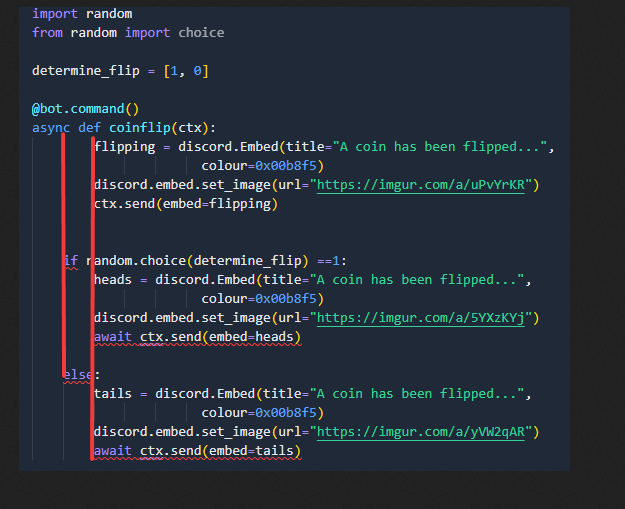 cedar rain
@hushed galleon changed to orjson to pull data but the issue persists
WARNING:discord.gateway:Can't keep up, shard ID None websocket is 54.9s behind.
boreal sigil
wanton current
https://i.itswilli.dev/faUYMyKRhB.png
fixed?
 wanton current
yes
boreal sigil
lovely
praying it works
so
no.
AttributeError: module 'discord' has no attribute 'embed'
btw how does one make it so that the embed 'flipping' gets deleted after 3s and then the heads/tails gets sent?
wanton current
boreal sigil
`AttributeError: module 'discord' has no attribute 'embed'`
btw how does one mak...
big E
also tails.set_image instead
hushed galleon
cedar rain
<@153551102443257856> changed to orjson to pull data but the issue persists
W...
then yeah, have your blocking functions run in a thread using asyncio.to_thread() or similar
wanton current
boreal sigil
so change embed for tails/heads/flipping?
yes
you need to refer to that specific, and discord.embed is a file /discord/embed.py
cedar rain
hushed galleon
then yeah, have your blocking functions run in a thread using `asyncio.to_thread...
could i send you the code so that you may review it
wanton current
if you have your embed
tails = discord.Embed()
tails is an instance of discord.Embed.
Then we call the .set_image() method on that instance:
tails.set_image(url="")
if you can send it in this channel sure
!paste
unkempt canyonBOT
Pasting large amounts of code
If your code is too long to fit in a codeblock in Discord, you can paste your code here:
https://paste.pythondiscord.com/
After pasting your code, save it by clicking the Paste! button in the bottom left, or by pressing CTRL + S. After doing that, you will be navigated to the new paste's page. Copy the URL and post it here so others can see it.
boreal sigil
wanton current
if you have your embed
```py
tails = discord.Embed()
```
`tails` is an instance ...
ok also
i was using imgur links but they dont work in the embed - never load.
how can I use local files instead?
this doesnt work.

 cedar rain
hushed galleon
!paste
cedar rain
hushed galleon
!paste
400
Highlighted text exceeds size limit (512 kB)
wanton current
file = discord.File(fp="/path/to/my/file.png", filename="file.png")
embed = discord.Embed()
embed.set_image(url="attachment://file.png")

await ctx.send(embed=embed, file=file)
Hey @ʙᴀɴᴅɪᴛ!
It looks like you tried to attach a Python file - please use a code-pasting service such as https://paste.pythondiscord.com/
boreal sigil
wanton current
```py
file = discord.File(fp="/path/to/my/file.png", filename="file.png")
embed ...
alright
hushed galleon
cedar rain
Hey @ʙᴀɴᴅɪᴛ!
It looks like you tried to attach a Python file - please use a code...
can you try to cut down the file? e.g. removing unrelated commands
cedar rain
hushed galleon
can you try to cut down the file? e.g. removing unrelated commands
its 3000 line long
boreal sigil
wanton current
```py
file = discord.File(fp="/path/to/my/file.png", filename="file.png")
embed ...
next, how does one make it so that the embed 'flipping' gets deleted after 3s and then the heads/tails gets sent?
boreal sigil
cedar rain
its 3000 line long
0.0
hushed galleon
boreal sigil
i was using imgur links but they dont work in the embed - never load.
how can I ...
for imgur you need to use the raw image links, e.g. https://i.imgur.com/MS6KS6w.gif instead of https://imgur.com/a/uPvYrKR
wanton current
boreal sigil
next, how does one make it so that the embed 'flipping' gets deleted after 3s an...
do you want to delete and send, or edit?
boreal sigil
hushed galleon
for imgur you need to use the raw image links, e.g. <https://i.imgur.com/MS6KS6w...
ohhhhh
ill do that instead ty lmao
boreal sigil
wanton current
do you want to delete and send, or edit?
edit ideally
wanton current
then do
msg = await ctx.send()

# and then
await msg.edit()
@cedar rain please delete your webhook (including in discord) so others cant use it
cedar rain
hushed galleon
<@353105924048814080> please delete your webhook (including in discord) so other...
there are some stuffs i am not very comfortable sharing, this code was written by multiple people so i dont even know where some stuffs are thats why it would be very helpfull if i can share this in private
boreal sigil
hushed galleon
for imgur you need to use the raw image links, e.g. <https://i.imgur.com/MS6KS6w...
still doesnt work

ohhh
the a/
cedar rain
hushed galleon
<@353105924048814080> please delete your webhook (including in discord) so other...
anyways if u have it please review it
deleting webhook should not be an issue

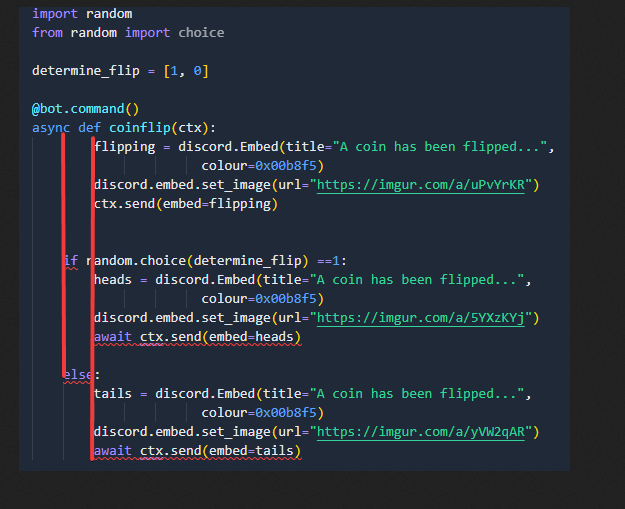
 hushed galleon
boreal sigil
still doesnt work
hushed galleon
boreal sigil
still doesnt work
tacking on .png isn't enough, the image name itself might be different from the post link too
boreal sigil
hushed galleon
tacking on .png isn't enough, the image name itself might be different from the ...
yeah probs realised that
hushed galleon
can you right click the image and copy the image link directly?
cedar rain
@hushed galleon can you suggest some changes?
boreal sigil
what do you want to do in python?
 cosmic solstice
Just learning
Idk my major is in business
And i want to develop sth and learn sth new
And i heard python is easy
boreal sigil
wanton current
then do
```py
msg = await ctx.send()
# and then
await msg.edit()
```
HTTPException: 400 Bad Request (error code: 50006): Cannot send an empty message

i missed the point didnt i
wanton current
yes
hushed galleon
cedar rain
<@153551102443257856> can you suggest some changes?
there is indeed a lot of code, would highly recommend refactoring and grouping functionality into separate files so it's easier to navigate through it
no obvious indication of where it's blocking though
boreal sigil
do i change msg for flipping?
wanton current
you're supposed to do it to your first ctx.send
and then in your if/else you do edit instead of send
wanton current
cosmic solstice
How can i start learning Python
https://docs.python.org/3/tutorial/ (official tutorial)
http://python.swaroopch.com/ (useful book)
https://automatetheboringstuff.com/ (for complete beginners to programming)
http://greenteapress.com/wp/think-python-2e/ (another decent book)
See also:
http://www.codeabbey.com/ (exercises for beginners)
https://realpython.com/ (good articles on specific topics)
https://learnxinyminutes.com/docs/python3/ (cheatsheet)
cedar rain
hushed galleon
there is indeed a lot of code, would highly recommend refactoring and grouping f...
will be a long day i guess
cosmic solstice
wanton current
https://docs.python.org/3/tutorial/ (official tutorial)
http://python.swaroopch....
Thanks i will take a look
boreal sigil
wanton current
and then in your if/else you do edit instead of send
do I change the ctx.send(embed=flipping) for msg = await ctx.send()
cosmic solstice
So you are an python profitional? @wanton current
boreal sigil
cosmic solstice
Thanks i will take a look
If you want a certain thing, read the docs for it. the docs are the most important thing out there
wanton current
boreal sigil
do I change the ` ctx.send(embed=flipping)` for ` msg = await ctx.send()`
yes
boreal sigil
alright
wanton current
cosmic solstice
So you are an python profitional? <@263602820496883712>
professional or proficient?
boreal sigil
that was my new issue
 meager fable
@client.tree.command(name = "shutdown", description = "Shuts down the bot.")
async def shutdown(interaction: discord.Interaction):
  await interaction.response.send_message("Shutting down the bot!")
  await client.close()
does anyone know what's wrong with this? The console said that the command is synced but it doesn't appear in my server
boreal sigil
wanton current
yes
so this?
edit: no. didnt work and got HTTPException: 400 Bad Request (error code: 50006): Cannot send an empty message
 cosmic solstice
wanton current
professional or proficient?
cosmic solstice
wanton current
professional or proficient?
Professional *
wanton current
cosmic solstice
Professional *
not really no, depending on what your definition of professional is
wanton current
boreal sigil
so this?
edit: no. didnt work and got `HTTPException: 400 Bad Request (error co...
you need to specify what do edit, so in this case .edit(embed=heads)
hushed galleon
cedar rain
there are some stuffs i am not very comfortable sharing, this code was written b...
its easier to get help from others if you can publicly share relevant portions of your code, and possibly include an overview of what the bot does and how your functions are used
boreal sigil
wanton current
you need to specify what do edit, so in this case `.edit(embed=heads)`
ahhhhhh ok
hushed galleon
meager fable
```py
@client.tree.command(name = "shutdown", description = "Shuts down the bot....
does it show up if you restart or Ctrl+R reload your discord application? there's a long standing bug with users not seeing new slash commands
cosmic solstice
wanton current
not really no, depending on what your definition of professional is
You are learning python for what is it your major IT or new skill?
wanton current
i've just been programming for fun for 4 years
meager fable
hushed galleon
does it show up if you restart or Ctrl+R reload your discord application? there'...
oh
that actually worked
thank you!
cosmic solstice
wanton current
i've just been programming for fun for 4 years
WOW
How did u start?
wanton current
wanted to make a discord bot lol
cosmic solstice
This is yours?
wanton current
what is
cosmic solstice
The bot
cedar rain
hushed galleon
its easier to get help from others if you can publicly share relevant portions o...
thing is it was working fine for months before i srarted getting this issue just a few weeks ago
wanton current
which one
cosmic solstice
The one we are talking in rn
wanton current
are we talking in a discord bot
cosmic solstice
This chat and group
hushed galleon
meager fable
```py
@client.tree.command(name = "shutdown", description = "Shuts down the bot....
also dont forget to put some owner check in this command and/or sync it to a private server so other people cant shutdown your bot
meager fable
hushed galleon
also dont forget to put some owner check in this command and/or sync it to a pri...
oh yeah for sure
I was just testing things
cedar rain
cedar rain
thing is it was working fine for months before i srarted getting this issue just...
it worked for 2-3 days without any issue but it wont just work for 6 hrs straight now
cosmic solstice
wanton current
are we talking in a discord bot
Yeah it gave me that we are in Discord-bots
meager fable
broo dpy is a lot easier than djs 😭
wanton current
not mine though
wanton current
meager fable
broo dpy is a lot easier than djs 😭
d.js just seems like a thin api request wrapper
hushed galleon
cedar rain
thing is it was working fine for months before i srarted getting this issue just...
was that around the same time your peer added the basicConfig logging? it could be that it was always an issue, but the error messages werent being logged
meager fable
wanton current
d.js just seems like a thin api request wrapper
djs feels like a whole obstacle course
cosmic solstice
wanton current
yeah, it's a channel
Oh ok, excuse me im new to discord groups and channels🙂
cedar rain
hushed galleon
was that around the same time your peer added the basicConfig logging? it could ...
perhaps that might have been the case
wanton current
cosmic solstice
Oh ok, excuse me im new to discord groups and channels🙂
it's ok
wanton current
meager fable
djs feels like a whole obstacle course
yeah i've tried it
meager fable
I got mislead by articles saying djs is easier 😔
wanton current
depends on who you ask ¯_(ツ)_/¯
meager fable
I guess, people who has more experience with js will probably choose djs
wanton current
yeah that's only natural
 spring rampart
is developing a simple discord bot with python like a multiple weeks or multiple days kinda thing??
wanton current
depends on what you consider simple and how much experience you have
meager fable
and what you plan to do
spring rampart
i dont have much experience making discord bots but im alright at python
meager fable
it can take anywhere from a few hours to months
meager fable
spring rampart
i dont have much experience making discord bots but im alright at python
you should be fine then
spring rampart
a simple discord bot for me i jus mean like a ban system and like a very simple moderation system basically
wanton current
shouldn't be very hard then
wanton current
you can always ask for help here or in the server of the library you're using :)
wanton current
That's fine as long as you're enthusiastic about the thing you're making imo
spring rampart
mhm mhm
meager fable
I still can't believe I can make buttons this easily
meager fable
Traceback (most recent call last):
  File "c:\Users\Arcangel\Desktop\discord-bot\main.py", line 11, in <module>
    class MyModal(ui.modal, title = "Verification"):
TypeError: module() takes at most 2 arguments (4 given)
why am I getting this error when my code is like this
class MyModal(ui.modal, title = "Verification"):
  ConfirmationOfEnrolment = ui.TextInput(label = "Please upload your Confirmation of Enrolment screenshot to imgur and paste the link into the field. Rest assured that we will not share this information with anyone and will remain between us admins.", placeholder = "URL", style = discord.TextStyle.short)
  discordUsername = ui.TextInput(label = "Please input your discord username.", placeholder = "Username", style = discord.TextStyle.short)
the arguments for MyModal are only two
slate swan
Modal
meager fable
why does it say I gave it 4
meager fable
class MyModal(ui.Modal, title = "Verification"):
  ConfirmationOfEnrolment = ui.TextInput(label = "Paste your imgur link here.", placeholder = "URL", style = discord.TextStyle.short)
  discordUsername = ui.TextInput(label = "Please input your discord username.", placeholder = "Username", style = discord.TextStyle.short)
  channel = discord.Client.get_channel(1256951516745437187)
am I using discord.Client.get_channel() right? I have the id inputted in the arguments but it says that it needs an id
limber jolt
meager fable
```py
class MyModal(ui.Modal, title = "Verification"):
ConfirmationOfEnrolment...
Whats this?
meager fable
I want to send the answer of the modal to a separate channel