#discord-bots
1 messages · Page 306 of 1
 left mantle
 young dagger
Is it time to remove discriminator from my code? embed.set_author(name=f"Case {case_id} • ban • {user.name}#{user.discriminator}", icon_url=avatar_url)
 slate swan
iirc you can just use {user}
It'll remove the discriminator from people that migrated to the new username system
There are still users out there that have a discriminator
young dagger
slate swan
There are still users out there that have a discriminator
How do we deal with those?
slate swan
As well as bots but your command probably isn't relevant for them
slate swan
young dagger
How do we deal with those?
Just use {user}, discord.py does it for you
young dagger
slate swan
Just use `{user}`, discord.py does it for you
And replace this with {member}? embed = discord.Embed(title=f"{member.name}#{member.discriminator}'s Logs
slate swan
Yeah
young dagger
slate swan
Yeah
What if I use {message.author.name}#{message.author.discriminator}
embed.set_author(name=f"Message Deleted • {author}", icon_url=avatar_url)
NameError: name 'author' is not defined```So I can't use {author}
slate swan
But you can use message.author 
young dagger
True
young dagger
slate swan
But you can use `message.author` <a:smart:802351508648624220>
print(message.author)
beerhunter#0
For some reason it includes the discriminator
slate swan
Latest version?
young dagger
message.author.name works 🤔
 unkempt canyonBOT
discord/user.py lines 101 to 104
def __str__(self) -> str:
    if self.discriminator == '0':
        return self.name
return f'{self.name}#{self.discriminator}'```Since it has the code that does it for you
So make sure you're running the latest version
!pypi discord.py
unkempt canyonBOT

A Python wrapper for the Discord API
slate swan
That version
young dagger
slate swan
That version
blitzcrank@server1:~$ python3 -c "import discord; print(discord.__version__)" 2.1.1
young dagger
slate swan
`python3 -m pip install -U discord.py`
Can't I just use pip install --upgrade discord.py
Installing collected packages: discord.py Attempting uninstall: discord.py Found existing installation: discord.py 2.1.1 Uninstalling discord.py-2.1.1: Successfully uninstalled discord.py-2.1.1 Successfully installed discord.py-2.3.2
 gilded cedar
so i have one task on nextcord i'm hosting the bot but for some reason 10 to 23 hours after activating the bot it gives me error of RuntimeError: task is already launched and is not completed. what is the cause?
 turbid condor
Can u tell what the task is exactly doing?
As for the error it seems your task is relaunching while the previous one is still going on
gilded cedar
turbid condor
Can u tell what the task is exactly doing?
I got a status change task. every 10 mins the status changes
turbid condor
Can u tell where u are running this loop?
gilded cedar
you want me the actual code i guess?
turbid condor
gilded cedar
you want me the actual code i guess?
For now i want to know the event in which you are running this loop
gilded cedar
"on_ready" event
turbid condor
Hmm that might be the issue
slate swan
young dagger
Can't I just use `pip install --upgrade discord.py`
!dashm
unkempt canyonBOT
Install packages with `python -m pip`
When trying to install a package via pip, it's recommended to invoke pip as a module: python -m pip install your_package.
Why would we use python -m pip instead of pip?
Invoking pip as a module ensures you know which pip you're using. This is helpful if you have multiple Python versions. You always know which Python version you're installing packages to.
Note
The exact python command you invoke can vary. It may be python3 or py, ensure it's correct for your system.
turbid condor
Since on_ready can fire many times
slate swan
Start your task in setup_hook
turbid condor
slate swan
Start your task in `setup_hook`
Nextcord doesn't have setup_hook
turbid condor
Didn't found it so far
The safest option for now i guess should be using on_cog_load method
If he has cogs
Otherwise he might need a command to start the task
 naive briar
turbid condor
Since on_ready can fire many times
naive briar
turbid condor
Since on_ready can fire many times
Just check if it was executed before 🤷
turbid condor
This works too
 wary mica
I made a reaction role system but when I complete it and react to the message, I don't get the role.
What did I do wrong?

Otherwise I can give the file if you don't recognize it
young dagger
!paste
unkempt canyonBOT
Pasting large amounts of code
If your code is too long to fit in a codeblock in Discord, you can paste your code here:
https://paste.pythondiscord.com/
After pasting your code, save it by clicking the Paste! button in the bottom left, or by pressing CTRL + S. After doing that, you will be navigated to the new paste's page. Copy the URL and post it here so others can see it.
naive briar
wary mica
I made a reaction role system but when I complete it and react to the message, I...
I can barely read anything in the screenshot
 shrewd fjord
wary mica
https://paste.pythondiscord.com/73CQ
shrewd fjord
wary mica
https://paste.pythondiscord.com/73CQ
if payload.message_id in setup_data: line 87
this line and this line
        "channel": channel,
        "embed": embed,
        "roles": roles
    }``` line 60
looks like you aint even puttin message id in the dictif emoji in setup_data[payload.message_id]["roles"]:
role = setup_data[payload.message_id]["roles"][emoji]
you using channel id as key not message id
use payload.channel_id instead
wary mica
shrewd fjord
`if payload.message_id in setup_data:` line 87
this line and this line
```setup...
Can you tell me which line that is?
And where I have to change something
shrewd fjord
wary mica
Can you tell me which line that is?
edited
shrewd fjord
shrewd fjord
use payload.channel_id instead
here you need to change
wary mica
So instead payload.message_id => payload.channel_id in Line 87 and 60 ?
wary mica
shrewd fjord
here you need to change
Or do I have to replace Message with Channel on Line 87, 60 and the other one above?
slate swan
how can I get the voice channel where the bot is located?
shrewd fjord
wary mica
So instead `payload.message_id` => `payload.channel_id` in Line 87 and 60 ?
only in line 87
shrewd fjord
shrewd fjord
```py
if emoji in setup_data[payload.message_id]["roles"]:
role = se...
as well as here
wary mica
        if emoji in setup_data[payload.channel_id]["roles"]:
            role = setup_data[payload.message_id]["roles"][emoji]
            await member.add_roles(role)
Really?
wary mica
shrewd fjord
only in line 87
Is that correct or also with role?
slate swan
slate swan
how can I get the voice channel where the bot is located?
!d discord.ext.commands.Context.voice_client
unkempt canyonBOT
property voice_client```
A shortcut to [`Guild.voice_client`](https://discordpy.readthedocs.io/en/latest/api.html#discord.Guild.voice_client), if applicable.!d discord.VoiceClient.channel
unkempt canyonBOT
The voice channel connected to.
slate swan
slate swan
!d discord.ext.commands.Context.voice_client
if interaction?
!d discord.Interaction.guild
unkempt canyonBOT
property guild```
The guild the interaction was sent from.!d discord.Guild.voice_client
unkempt canyonBOT
property voice_client```
Returns the [`VoiceProtocol`](https://discordpy.readthedocs.io/en/latest/api.html#discord.VoiceProtocol) associated with this guild, if any.Sometimes searching yourself may be useful
oh, it’s work with guild?
just I used ctx.voice_client in command
but it didn't work with interaction
thanks!
wary mica
wary mica
```py
if emoji in setup_data[payload.channel_id]["roles"]:
r...
@shrewd fjord
shrewd fjord
wary mica
Is that correct or also with role?
also role = .... use channel id there too
wary mica
shrewd fjord
also role = .... use channel id there too
So I have to first message and then channel ?
wary mica
shrewd fjord
also role = .... use channel id there too
Can you change the code, I did all that but it still doesn't work
shrewd fjord
wary mica
Can you change the code, I did all that but it still doesn't work
i aint gonna spoonfeed, whats your current code
wary mica
shrewd fjord
i aint gonna spoonfeed, whats your current code
I have role = ... channel id and above that the message id, also with Remove
 vale wing
wary mica
I made a reaction role system but when I complete it and react to the message, I...
vale wing
wary mica
I made a reaction role system but when I complete it and react to the message, I...
Aw man you should get a computer asap, trust me, relief you're going to feel after switching from mobile coding is indescribable
vale wing
shrewd fjord
i aint gonna spoonfeed, whats your current code
Spoonfeed you say
vale wing
vale wing
Aw man you should get a computer asap, trust me, relief you're going to feel aft...
Mobile coding got no intellisense (autocomplete), errors detection, is ugly and makes it problematic to work with several files
wary mica
vale wing
Aw man you should get a computer asap, trust me, relief you're going to feel aft...
I'll probably do the same soon, but with this mistake a computer won't do much for me
vale wing
With computer it will be easier to understand
Anyways where is your initial problem message
wary mica
Ok but I know what the problem is and that is with the message id and channel id
vale wing
Nvm found it
slate swan
how can i add a thubnail to my embed?
vale wing
To add a role, you first need to get the Role object via its ID
role = guild.get_role(role_id)
Only then add it
await member.add_roles(role)
!d discord.Embed.set_thumbnail
unkempt canyonBOT
set_thumbnail(*, url)```
Sets the thumbnail for the embed content.

This function returns the class instance to allow for fluent-style chaining.

Changed in version 1.4: Passing `None` removes the thumbnail.There are no error messages but the reaction role just doesn't work and it should be the problem with the channel id or message ud
vale wing
vale wing
To add a role, you first need to get the Role object via its ID
```py
role = gui...
@wary mica
slate swan
vale wing
!d discord.Embed.set_thumbnail

 vale wing
You must enclose this into quotes, and that's keyword-only arg fyi
wary mica
vale wing
<@960971037347033189>
https://paste.pythondiscord.com/73CQ
Can you otherwise enter these changes for me?
I lost overview, sorry 😞
 vale wing
My name contains "spoon feeder" but uh I'm not really one
vale wing
slate swan
It's keyword-only I already told you
slate swan
ok so what do i do
vale wing
set_thumbnail(url="whatever")
vale wing
vale wing
My name contains "spoon feeder" but uh I'm not really one
Ok screw that I am
vale wing
wary mica
https://paste.pythondiscord.com/73CQ
Can you otherwise enter these changes for ...
Add this to line #80 and give me the output
print(setup_data[payload.message_id]["roles"], emoji)
Which ones
wary mica
vale wing
Add this to line #80 and give me the output
```py
print(setup_data[payload.messa...
Traceback (most recent call last):
  File "/data/user/0/ru.iiec.pydroid3/files/accomp_files/iiec_run/iiec_run.py", line 31, in <module>
    start(fakepyfile,mainpyfile)
  File "/data/user/0/ru.iiec.pydroid3/files/accomp_files/iiec_run/iiec_run.py", line 30, in start
    exec(open(mainpyfile).read(),  __main__.__dict__)
  File "<string>", line 85
    if emoji in setup_data[payload.message_id]["roles"]:
IndentationError: unexpected indent

[Program finished]
Indent it correctly
slate swan
i have a ticket system that makes you select a ticket category and you can select support or application. if u select a support it sends in the support ticket channel an embed but in the application channel it wont
but i made it to send it
vale wing
slate swan
i have a ticket system that makes you select a ticket category and you can selec...
I have no idea what the issue is
slate swan
want me to send u the code?
vale wing
There are many reasons code doesn't get run and I can't tell without the code lol
vale wing
slate swan
want me to send u the code?
Absolutely
 slate swan
yeah
vale wing
!indents
unkempt canyonBOT
Indentation
Indentation is leading whitespace (spaces and tabs) at the beginning of a line of code. In the case of Python, they are used to determine the grouping of statements.
Spaces should be preferred over tabs. To be clear, this is in reference to the character itself, not the keys on a keyboard. Your editor/IDE should be configured to insert spaces when the TAB key is pressed. The amount of spaces should be a multiple of 4, except optionally in the case of continuation lines.
Example
def foo():
    bar = 'baz'  # indented one level
    if bar == 'baz':
        print('ham')  # indented two levels
    return bar  # indented one level
The first line is not indented. The next two lines are indented to be inside of the function definition. They will only run when the function is called. The fourth line is indented to be inside the if statement, and will only run if the if statement evaluates to True. The fifth and last line is like the 2nd and 3rd and will always run when the function is called. It effectively closes the if statement above as no more lines can be inside the if statement below that line.
Indentation is used after:
1. Compound statements (eg. if, while, for, try, with, def, class, and their counterparts)
2. Continuation lines
More Info
1. Indentation style guide
2. Tabs or Spaces?
3. Official docs on indentation
slate swan
i know how to use indents
vale wing
slate swan
yeah
Well it's outside of your function
Just put it inside
What code editor do you use
slate swan
replit
vale wing
What device do you have
slate swan
pc
wary mica
vale wing
Indent it correctly
If I do it, the error occurs
vale wing
- Install python interpreter: https://python.org/downloads. When installing, put the
Add Python to PATHcheckmark on - Install Visual Studio Code (can install PyCharm Community but its interface might be overwhelming for beginners)
@slate swan ^
slate swan
vale wing
1. Install python interpreter: https://python.org/downloads. **When installing, ...
i have them all
vale wing
Trust me your coding experience is going to be much better
vale wing
slate swan
i have them all
Then use them
slate swan
i prefer replit for a lot of reasons
vale wing
Replit is absolute garbage for code editing
slate swan
like secrets
vale wing
You make .env file and place all secrets there
slate swan
vale wing
Replit is absolute garbage for code editing
a lot of people using replit rn in this server
vale wing
In pycharm you can just make run config
slate swan
i use replit only for bots
vale wing
slate swan
a lot of people using replit rn in this server
That's not a smart decision
slate swan
i use vs code for anything else
vale wing
The only good thing about replit is you can use some language without installing whole environment for it
vale wing
slate swan
i use vs code for anything else
Use it for bots too
Don't tell me you're hosting them with replit
slate swan
vale wing
Don't tell me you're hosting them with replit
i know replit is bad for hosting
but i got no money for other platforms
vale wing
slate swan
i did
You sure you did?
vale wing
Nah imma go play accordion 🤗
slate swan

 glad cradle
vale wing
Nah imma go play accordion 🤗
glad cradle
vale wing
Nah imma go play accordion 🤗
record it
vale wing
Got 4 pages of Cherney etude (I hate it) to learn
wary mica
wary mica
https://paste.pythondiscord.com/73CQ
Can you otherwise enter these changes for ...
Can't you edit that and fix the error?
I would like to test it with more than 1-2 reactions but that won't do me any good if it doesn't work.
glad cradle
vale wing
Got 4 pages of Cherney etude (I hate it) to learn
glhf
slate swan
vale wing
Got 4 pages of Cherney etude (I hate it) to learn
how can i write like a line in an embed like this
cool

slate swan
slate swan
how can i write like a line in an embed like `this`
like you just did?
vale wing
glad cradle
glhf
And like 8 tertial scalar complexes (I hate them too)
slate swan
just add backticks around text
glad cradle
slate swan
how can i write like a line in an embed like `this`
!e
print((
"hi this is a really long"
" text but separated in"
" multiple lines... but remember to"
" put some spaces otherwise the text"
" will all show up without spaces"))
@glad cradle :white_check_mark: Your 3.11 eval job has completed with return code 0.
hi this is a really long text but separated in multiple lines... but remember to put some spaces otherwise the text will all show up without spaces
I'm not gonna check your PR today probably sorry
glad cradle
vale wing
But anyways that's offtopic
nah 
slate swan
fire the project manager
glad cradle
i can fire you
vale wing
Who's gonna make goofy ahh promotional videos after I get fired?
Still can't believe this is my most ever viewed video 😭 https://youtu.be/0XHI50itJuA

Invite Bobux Bot: https://discord.com/application-directory/841991913258745876
#шалушай #memes #cat #welivewelovewelie
#fun #live #funny #comedy #lol #fun #meme #trending #memes #subscriber #shortstiktok #funnyvideos #comedy #memes #comedyvideos #lmao #laugh
shrewd fjord
bros pros
 quick brook
slate swan
How can I host a bot 24/7 for free?
quick brook
slate swan
How can I host a bot 24/7 for free?
you can't
quick brook
slate swan
How can I host a bot 24/7 for free?
Please make sure you read this fully
When you look for hosting your bot, you might be tempted to use free services or providers that claim to support hosting discord bots (eg PebbleHost and others). Do not use them. Why? Let me explain.
Free hosts and tiers always have drawbacks - The point of a free tier or a host is to get the user to use their product, and upgrade for all of the good features. Hosts such as replit (see ?tag replit for more info) use shared cpus, oftentimes will run into ratelimits, and have "gotchas" that make you tempted to upgrade to their paid tiers. They also literally remove all control out of how you run your bot. Think about it: Hosts need to make money somehow in order to either break even or gain profit. So naturally they will tempt you into upgrading in order to do that. This is basic economics and quite literally how businesses run.
If you are still looking for a host after reading this, then you have some options. And here are them:
-
Pay up - Pay up and use a VPS provider. My pick is Heznter, but see
?tag vpsfor the full list (if you are on the Python discord server, then see!hostingfor your options). More than likely if you are not an eligible HS or college student, this is your option. -
Self Host - If you are able to self host your own server, then go for it. This is really the only "free" way if you already pay for your electricity bill and have the equipment to do so. Raspberry Pis oftentimes are great for this.
-
GitHub Student Developer Pack - IF you are a enrolled student in an HS or college (you will need to either provide an valid student ID or proof of education of your HS or college), then you may apply for this deal. More info about this can be found here. The deal offers $200 free credits on DigitalOcean for 1 year, so if you are a student and need to host your bot, go for it.
 normal jasper
Hi, I have two discord bots ( 2 python scripts in a folder ), Is it possible for me to run both of them, by executing only one of them? Like I want to run the first bot, and it executes the second bots script and runs that one too
quick brook
normal jasper
Hi, I have two discord bots ( 2 python scripts in a folder ), Is it possible fo...
just use a proc manager like systemd
normal jasper
quick brook
just use a proc manager like systemd
I tried doing
os.system('python main2.py')
when running the first bot
but it doesnt work since the first one stops working
quick brook
normal jasper
I tried doing
```py
os.system('python main2.py')
```
dont do that
you can't run two bots with one script FYI
normal jasper
quick brook
you can't run two bots with one script FYI
I know, there are two scripts, I need them to be executed in different shells
but I only want to start one
and it starts the other one automaticcly
quick brook
normal jasper
and it starts the other one automaticcly
nope doesn't work that way
that's why we have something called process managers. systemd is what you will find across most linux distros
normal jasper
there is no way?
quick brook
normal jasper
there is no way?
yes no way
slate swan

quick brook
that's why systemd exists.... to manage processes. there is even one for windows iirc
 sick birch
normal jasper
Hi, I have two discord bots ( 2 python scripts in a folder ), Is it possible fo...
sick birch
normal jasper
Hi, I have two discord bots ( 2 python scripts in a folder ), Is it possible fo...
docker compose
I use it to spin up multiple containers at once, ie a discord bot, Postgres database, web dashboard all at once
It can also show you logs from all containers
slate swan
sick birch
I use it to spin up multiple containers at once, ie a discord bot, Postgres data...
Is the Docker compose config public?
Or its private project
sick birch
slate swan
Is the Docker compose config public?
Mine isn't , but @unkempt canyon spins up like 5 services with docker compose
!src
unkempt canyonBOT

Bot's GitHub Repository
Repository
sick birch
Bot, web, snekbox, Redis, and some other I can't think off the top of my head
slate swan
Okay ill check it out
quick brook
no
sick birch
Yes, though not recommended
Actually hrmm
It would only get registered after you call the command
So it probably wouldn't work the way you expect it to
Can you give us more context?
What exactly are you trying to make?
quick brook
PK?
sick birch
You will probably want a list/set of "registered users"
In each on_message you'd check if the user who sent that message is in that list/set of registered users
If they are, delete their message, and replace it with the message from the webhook
quick brook
PluralKit?
sounds extremely simliar to what pk does
the way pluralkit handles it is just to sub out the message from the system with their current alter
it's all webhooks believe it or not
left mantle
just made ping command, anyone know why its outputting NaN? ```py
@commands.command(name="ping")
async def ping(self, ctx):
embed = discord.Embed(title="Pong! :ping_pong:",description=f"{client.latency * 1000} ms")
await ctx.reply(embed=embed)
https://github.com/Rapptz/discord.py/blob/master/discord/client.py#L323-L330
Source code should explain
unkempt canyonBOT
discord/client.py lines 323 to 330
@property
def latency(self) -> float:
""":class:`float`: Measures latency between a HEARTBEAT and a HEARTBEAT_ACK in seconds.
This could be referred to as the Discord WebSocket protocol latency.
"""
ws = self.ws
return float('nan') if not ws else ws.latency```thanks 👍
quick brook
np
 vocal laurel
unkempt canyon
`discord/client.py` lines 323 to 330
```py
@property
def latency(self) -> float:...
vocal laurel
unkempt canyon
`discord/client.py` lines 323 to 330
```py
@property
def latency(self) -> float:...
Where can I find this in the source code of the bot?
!source
unkempt canyonBOT
Bot's GitHub Repository
Repository
quick brook
r danny?
vocal laurel
No no I mean how it shows the code in discord instead of pressing the link
quick brook
vocal laurel
No no I mean how it shows the code in discord instead of pressing the link
No clue how. You'll probably want to check the GitHub for the Python discord bot for that
glad cradle
vocal laurel
No no I mean how it shows the code in discord instead of pressing the link
should be this file https://github.com/python-discord/bot/blob/main/bot/exts/info/code_snippets.py

GitHub
The community bot for the Python Discord community - python-discord/bot
vocal laurel
quick brook
No clue how. You'll probably want to check the GitHub for the Python discord bot...
Being trying to look for it
vocal laurel
glad cradle
should be this file https://github.com/python-discord/bot/blob/main/bot/exts/inf...
Oh ye Ty
unkempt canyonBOT
bot/exts/info/code_snippets.py line 81
async def _fetch_github_snippet(```Uh what..
naive briar
vocal laurel
Uh what..
GitHub
The community bot for the Python Discord community - python-discord/bot
vocal laurel
Why won’t it show snippet??
vale wing
Too long
 grim echo
vocal laurel
No no I mean how it shows the code in discord instead of pressing the link
grim echo
vocal laurel
No no I mean how it shows the code in discord instead of pressing the link
Wrapping your text with ```````
slate swan
hay i need a helo
grim echo
grim echo
Wrapping your text with ```````
three of them
slate swan
  File "c:\Users\Prasa\Downloads\discord-bot\main.py", line 38, in <module>
    bot = discord.Bot(command_prefix="*", activity=activity, status=discord.Status.online)
          ^^^^^^^^^^^
AttributeError: module 'discord' has no attribute 'Bot'
PS C:\Users\Prasa\Downloads\discord-bot> ```any one help please
@elfin island
grim echo
slate swan
any one help please
reinstall discord module
slate swan
grim echo
reinstall discord module
did then also
grim echo
slate swan
did then also
in the right directory?
slate swan
hm
slate swan
grim echo
in the right directory?
help plese
in line no 38 bot = discord.Bot(command_prefix="*", activity=activity, status=discord.Status.online)
naive briar
slate swan
```Traceback (most recent call last):
File "c:\Users\Prasa\Downloads\discord-b...
If you're using discord.py, there's no such thing as discord.Bot, only discord.ext.commands.Bot
!d discord.ext.commands.Bot
unkempt canyonBOT
class discord.ext.commands.Bot(command_prefix, *, help_command=<default-help-command>, tree_cls=<class 'discord.app_commands.tree.CommandTree'>, description=None, intents, **options)```
Represents a Discord bot.
This class is a subclass of [`discord.Client`](https://discordpy.readthedocs.io/en/latest/api.html#discord.Client) and as a result anything that you can do with a [`discord.Client`](https://discordpy.readthedocs.io/en/latest/api.html#discord.Client) you can do with this bot.
This class also subclasses [`GroupMixin`](https://discordpy.readthedocs.io/en/latest/ext/commands/api.html#discord.ext.commands.GroupMixin) to provide the functionality to manage commands.
Unlike [`discord.Client`](https://discordpy.readthedocs.io/en/latest/api.html#discord.Client), this class does not require manually setting a [`CommandTree`](https://discordpy.readthedocs.io/en/latest/interactions/api.html#discord.app_commands.CommandTree) and is automatically set upon instantiating the class.
async with x Asynchronously initialises the bot and automatically cleans up.
New in version 2.0. upbeat otter
slate swan
in line no 38 ```bot = discord.Bot(command_prefix="*", activity=activity, status...
upbeat otter
slate swan
in line no 38 ```bot = discord.Bot(command_prefix="*", activity=activity, status...
You're mixing py-cord with discord.py
If you are trying to use py-cord (ew). Run pip uninstall discord.py in the terminal
If you are trying to use discord.py. Run pip uninstall py-cord in the terminal
You'll have issues since they both use the same namespace
 digital sleet
How would one control a discord bot with subscriptions as in if it was in a guild and the subscription ran out would stop working
 dim trellis
!e
unkempt canyonBOT
Missing required argument
code
 Command Help
!eval [python_version] <code, ...>
Can also use: e
Run Python code and get the results.
This command supports multiple lines of code, including formatted code blocks. Code can be re-evaluated by editing the original message within 10 seconds and clicking the reaction that subsequently appears.
The starting working directory /home, is a writeable temporary file system. Files created, excluding names with leading underscores, will be uploaded in the response.
If multiple codeblocks are in a message, all of them will be joined and evaluated, ignoring the text outside them.
Currently only 3.11 version is supported.
We've done our best to make this sandboxed, but do let us know if you manage to find an issue with it!
dim trellis
!e @bot.command()
async def ban(ctx, member: discord.Member, *, reason=None):
if ctx.author.guild_permissions.ban_members:
await member.ban(reason=reason)
await ctx.send(f'{member.display_name} has been banned.')
else:
await ctx.send("You don't have permission to ban members.")
unkempt canyonBOT
@dim trellis :x: Your 3.11 eval job has completed with return code 1.
001 | Traceback (most recent call last):
002 |   File "/home/main.py", line 1, in <module>
003 |     @bot.command()
004 |      ^^^
005 | NameError: name 'bot' is not defined
 left dew
anyone know why this sometimes wont remove the appended user?
users_oncooldown = []
        if interaction_1st.user.id in users_oncooldown:
            await interaction_1st.response.send_message(content=f"**Slow Down! You're on cooldown.**", ephemeral=True)
            return
        else:
            users_oncooldown.append(interaction_1st.user.id)  ```
```py
          try:
            users_oncooldown.remove(interaction_1st.user.id)
          except ValueError:
pass```you know commands.cooldown exists right
And you can set it to be on a per-user basis
left dew
quick brook
you know commands.cooldown exists right
how do i use that
 final iron
!d discord.ext.commands.cooldown
unkempt canyonBOT
@discord.ext.commands.cooldown(rate, per, type=discord.ext.commands.BucketType.default)```
A decorator that adds a cooldown to a [`Command`](https://discordpy.readthedocs.io/en/latest/ext/commands/api.html#discord.ext.commands.Command)

A cooldown allows a command to only be used a specific amount of times in a specific time frame. These cooldowns can be based either on a per-guild, per-channel, per-user, per-role or global basis. Denoted by the third argument of `type` which must be of enum type [`BucketType`](https://discordpy.readthedocs.io/en/latest/ext/commands/api.html#discord.ext.commands.BucketType).

If a cooldown is triggered, then [`CommandOnCooldown`](https://discordpy.readthedocs.io/en/latest/ext/commands/api.html#discord.ext.commands.CommandOnCooldown) is triggered in [`on_command_error()`](https://discordpy.readthedocs.io/en/latest/ext/commands/api.html#discord.discord.ext.commands.on_command_error) and the local error handler.

A command can only have a single cooldown.oh i see
 graceful ermine
Hey, I'm trying to see how I can fetch a message ID can anyone could help me and see what I am doing wrong in my code?
    @app_commands.command(name="start-giveaway", description="starts a giveaway")
    @app_commands.checks.has_permissions(manage_guild=True)
    async def giveaway(self, interaction: discord.Interaction, title: str, description: str, hour: int):


        embed = discord.Embed(
            title=title,
            description=description
        )

        embed.set_author(name=f"Started by {interaction.user.mention}", icon_url=interaction.user.avatar.url)


        embed.add_field(name="Ends at:", value=f"<t:{hour*60}:r> ")
        embed.set_footer(text= f"ends at {hour} hours from now!")


        message = await interaction.response.send_message(embed=embed)


        message2 = await interaction.channel.fetch_message(message)

        await message2.add_reaction(emoji=":tada:")


        await asyncio.sleep(hour*60)


        new_message = await interaction.channel.fetch_message(message.id)


        users = await new_message.reactions[0].users().flatten()

        users.pop(users.index(self.bot.user))


        winner = random.choice(users)


        await interaction.response.send_message(f"Congratulations {winner.mention} of winning the {title} {description} giveaway!!")
interaction.response.send_message do not return the sent message
And if you're using discord.py, reaction.users().flatten() is not a thing anymore
graceful ermine
naive briar
And if you're using `discord.py`, `reaction.users().flatten()` is not a thing an...
Ohhh, in this case I should get rid of .flatten()?
unkempt canyonBOT
async for ... in users(*, limit=None, after=None)```
Returns an [asynchronous iterator](https://docs.python.org/3/glossary.html#term-asynchronous-iterator) representing the users that have reacted to the message.

The `after` parameter must represent a member and meet the [`abc.Snowflake`](https://discordpy.readthedocs.io/en/latest/api.html#discord.abc.Snowflake) abc.

Changed in version 2.0: `limit` and `after` parameters are now keyword-only.

Examples

Usage...!d discord.Interaction.original_response use this to get the message
unkempt canyonBOT
await original_response()```
This function is a [*coroutine*](https://docs.python.org/3/library/asyncio-task.html#coroutine).

Fetches the original interaction response message associated with the interaction.

If the interaction response was a newly created message (i.e. through [`InteractionResponse.send_message()`](https://discordpy.readthedocs.io/en/latest/interactions/api.html#discord.InteractionResponse.send_message) or [`InteractionResponse.defer()`](https://discordpy.readthedocs.io/en/latest/interactions/api.html#discord.InteractionResponse.defer), where `thinking` is `True`) then this returns the message that was sent using that response. Otherwise, this returns the message that triggered the interaction (i.e. through a component).

Repeated calls to this will return a cached value.what do you mean by "do not return the sent message" i'm kinda confused
naive briar
graceful ermine
what do you mean by "do not return the sent message" i'm kinda confused
I mean "interaction.response.send_message do not return the sent message"
It's written in plain English
graceful ermine
Oh, sorry, I misread it
 hushed galleon
if you want the message sent by your response, use the Interaction.original_response() method
oops im blind spooky already said that
graceful ermine
hushed galleon
if you want the message sent by your response, use the `Interaction.original_res...
for which line of code?
hushed galleon
just after calling send_message(), you can use original_response() to get the message object
graceful ermine
so like this message = await interaction.response.send_message(interaction.original_response())
@hushed galleon
hushed galleon
i mean on the next line, not as an argument to send_message()
graceful ermine
Oh sorry
hushed galleon
don't forget to await it too
graceful ermine
I'm aware
graceful ermine
hushed galleon
don't forget to await it too
but why can't I do it like this? ```py
message = await interaction.response.send_message(embed=embed)
message2 = await interaction.channel.fetch_message(message)```
its a limitation of the discord API, they dont give you any message data when you send a message so you're forced to make a second request if you want it
https://discord.com/developers/docs/interactions/receiving-and-responding#create-interaction-response
graceful ermine
hushed galleon
its a limitation of the discord API, they dont give you any message data when yo...
So how can I do the other way without the interaction.original_response?
I'm confused by "do not return the sent message"
hushed galleon
they likely meant that send_message() returns None, which isn't all that useful to you
graceful ermine
hushed galleon
they likely meant that `send_message()` returns None, which isn't all that usefu...
Okay, so then do I just turn interaction.original_response into a varible?
like, messages2 = interaction.original_response?
hushed galleon
er sure, call the function and await it so it returns an InteractionMessage object, then you can assign it and add your reaction
graceful ermine
Ok
graceful ermine
hushed galleon
er sure, call the function and await it so it returns an InteractionMessage obje...

I have this error now for some reasom, I never used interaction.original_response() before
hushed galleon
can you paste the full traceback?
graceful ermine
  File "C:\Users\berka\AppData\Local\Programs\Python\Python311\Lib\site-packages\discord\app_commands\commands.py", line 827, in _do_call
    return await self._callback(self.binding, interaction, **params)  # type: ignore
           ^^^^^^^^^^^^^^^^^^^^^^^^^^^^^^^^^^^^^^^^^^^^^^^^^^^^^^^^^
  File "C:\Users\berka\Desktop\New folder (2)\cogs\giveaway.py", line 49, in giveaway
    message2 = await interaction.channel.fetch_message(message)
               ^^^^^^^^^^^^^^^^^^^^^^^^^^^^^^^^^^^^^^^^^^^^^^^^
  File "C:\Users\berka\AppData\Local\Programs\Python\Python311\Lib\site-packages\discord\abc.py", line 1624, in fetch_message
    data = await self._state.http.get_message(channel.id, id)
           ^^^^^^^^^^^^^^^^^^^^^^^^^^^^^^^^^^^^^^^^^^^^^^^^^^
  File "C:\Users\berka\AppData\Local\Programs\Python\Python311\Lib\site-packages\discord\http.py", line 745, in request
    raise HTTPException(response, data)
discord.errors.HTTPException: 400 Bad Request (error code: 50035): Invalid Form Body
In message_id: Value "<InteractionMessage id=1155937234344755332 channel=<TextChannel id=1066505917929111587 name='〖📄〗rules' position=4 nsfw=False news=False category_id=1066505917929111585> type=<MessageType.chat_input_command: 20> author=<Member id=1155904972123287653 name='Stellar Utilities' global_name=None bot=True nick=None guild=<Guild id=1066505915584495618 name='Eagle Defense Sys (Dev Environment)' shard_id=0 chunked=True member_count=12>> flags=<MessageFlags value=0>>" is not snowflake.```you don't need to fetch the message again, original_response() already returns an InteractionMessage object
hushed galleon
unkempt canyon
its explained in the documentation here too
graceful ermine
hushed galleon
its explained in the documentation here too
It works now, but how could I fix this error? Traceback (most recent call last): File "C:\Users\berka\AppData\Local\Programs\Python\Python311\Lib\site-packages\discord\app_commands\commands.py", line 827, in _do_call return await self._callback(self.binding, interaction, **params) # type: ignore ^^^^^^^^^^^^^^^^^^^^^^^^^^^^^^^^^^^^^^^^^^^^^^^^^^^^^^^^^ File "C:\Users\berka\Desktop\New folder (2)\cogs\giveaway.py", line 43, in giveaway users = await message.reactions[0].users().flatten() ~~~~~~~~~~~~~~~~~^^^ IndexError: list index out of range
        await interaction.response.send_message(embed=embed)

        message = await interaction.original_response()

        await message.add_reaction("🎉")

        await asyncio.sleep(hour*60)

users = await message.reactions[0].users()```oh right i missed that in your initial snippet
original_response() gives you a message from the API rather than the real-time gateway, which won't update as your bot receives reaction events
you can either find the message in Client.cached_messages (and also make sure you have messages and reactions intents enabled for said events to be received), or you can re-fetch the message
as per the docs original_response() will return the same message object if you call it again, so in this case it would be appropriate to use channel.fetch_message()
graceful ermine
hushed galleon
original_response() gives you a message from the API rather than the real-time g...
Yeah I already have intents.message_content = True enabled
graceful ermine
@hushed galleon Hey, I have used interaction.channel.fetch_message() and I have been going into the same last error Traceback (most recent call last): File "C:\Users\berka\AppData\Local\Programs\Python\Python311\Lib\site-packages\discord\app_commands\commands.py", line 827, in _do_call return await self._callback(self.binding, interaction, **params) # type: ignore ^^^^^^^^^^^^^^^^^^^^^^^^^^^^^^^^^^^^^^^^^^^^^^^^^^^^^^^^^ File "C:\Users\berka\Desktop\New folder (2)\cogs\giveaway.py", line 57, in giveaway await interaction.channel.fetch_message(message) File "C:\Users\berka\AppData\Local\Programs\Python\Python311\Lib\site-packages\discord\abc.py", line 1624, in fetch_message data = await self._state.http.get_message(channel.id, id) ^^^^^^^^^^^^^^^^^^^^^^^^^^^^^^^^^^^^^^^^^^^^^^^^^^ File "C:\Users\berka\AppData\Local\Programs\Python\Python311\Lib\site-packages\discord\http.py", line 745, in request raise HTTPException(response, data) discord.errors.HTTPException: 400 Bad Request (error code: 50035): Invalid Form Body In message_id: Value "<InteractionMessage id=1155953522697838642 channel=<TextChannel id=1066505917929111587 name='〖📄〗rules' position=4 nsfw=False news=False category_id=1066505917929111585> type=<MessageType.chat_input_command: 20> author=<Member id=1155904972123287653 name='Stellar Utilities' global_name=None bot=True nick=None guild=<Guild id=1066505915584495618 name='Eagle Defense Sys (Dev Environment)' shard_id=0 chunked=True member_count=12>> flags=<MessageFlags value=0>>" is not snowflake.
    @app_commands.command(name="start-giveaway", description="starts a giveaway")
    @app_commands.checks.has_permissions(manage_guild=True)
    async def giveaway(self, interaction: discord.Interaction, title: str, description: str, hour: int):


        embed = discord.Embed(
            title=title,
            description=description
        )

        embed.set_author(name=f"Started by {interaction.user.mention}", icon_url=interaction.user.avatar.url)


        embed.add_field(name="Ends at:", value=f"<t:{hour*60}:r> ")
        embed.set_footer(text= f"ends at {hour} hours from now!")


        await interaction.response.send_message(embed=embed)


        message = await interaction.original_response()


        await message.add_reaction("🎉")


        await asyncio.sleep(6)


        await interaction.channel.fetch_message(message)

        users = await message.reactions[0].users()

        users.pop(users.index(self.bot.user))


        winner = random.choice(users)
 shrewd apex
!d discord.TextChannel.fetch_message
unkempt canyonBOT
await fetch_message(id, /)```
This function is a [*coroutine*](https://docs.python.org/3/library/asyncio-task.html#coroutine).

Retrieves a single [`Message`](https://discordpy.readthedocs.io/en/latest/api.html#discord.Message) from the destination.why you need to fetch message when you already have it?
graceful ermine
slate swan
why you need to fetch message when you already have it?
because I get a index error
which is something like this
Traceback (most recent call last):
  File "C:\Users\berka\AppData\Local\Programs\Python\Python311\Lib\site-packages\discord\app_commands\commands.py", line 827, in _do_call
    return await self._callback(self.binding, interaction, **params)  # type: ignore
           ^^^^^^^^^^^^^^^^^^^^^^^^^^^^^^^^^^^^^^^^^^^^^^^^^^^^^^^^^
  File "C:\Users\berka\Desktop\New folder (2)\cogs\giveaway.py", line 59, in giveaway
    async for user in message.reactions[0].users():
                      ~~~~~~~~~~~~~~~~~^^^
IndexError: list index out of range

The above exception was the direct cause of the following exception:

Traceback (most recent call last):
  File "C:\Users\berka\AppData\Local\Programs\Python\Python311\Lib\site-packages\discord\app_commands\tree.py", line 1248, in _call
    await command._invoke_with_namespace(interaction, namespace)
  File "C:\Users\berka\AppData\Local\Programs\Python\Python311\Lib\site-packages\discord\app_commands\commands.py", line 853, in _invoke_with_namespace
    return await self._do_call(interaction, transformed_values)
           ^^^^^^^^^^^^^^^^^^^^^^^^^^^^^^^^^^^^^^^^^^^^^^^^^^^^
  File "C:\Users\berka\AppData\Local\Programs\Python\Python311\Lib\site-packages\discord\app_commands\commands.py", line 846, in _do_call
    raise CommandInvokeError(self, e) from e
discord.app_commands.errors.CommandInvokeError: Command 'start-giveaway' raised an exception: IndexError: list index out of range
it means there are no reactions?
graceful ermine
slate swan
it means there are no reactions?
Yeah, I'm aware, I don't know why it says that when I reacted
I was trying to code it where the program doesn't pick the bot when picking random users
for the giveaway
 lunar vine
i need HELP
class UserIdentificationView(View):
    def __init__(self, timeout=180):
        super().__init__(timeout=timeout)

    @Button(label="Sender", style=ButtonStyle.gray)
    async def sender_button(self, button, interaction):
        member = interaction.user
        await interaction.response.edit_message(
            content=f"User Identification\nSender: {member.mention}; Receiver: Blank"
        )

    @Button(label="Receiver", style=ButtonStyle.gray)
    async def receiver_button(self, button, interaction):
        member = interaction.user
        await interaction.response.edit_message(
            content=f"User Identification\nSender: Blank; Receiver: {member.mention}"
        )```

member = interaction.user
AttributeError: 'Button' object has no attribute 'user'@sick birch ^
unkempt canyonBOT
examples/views/confirm.py lines 29 to 30
@discord.ui.button(label='Confirm', style=discord.ButtonStyle.green)
async def confirm(self, interaction: discord.Interaction, button: discord.ui.Button):``` buoyant quail
Your button is interaction object and interaction is button object
buoyant quail
Your button is interaction object and interaction is button object
srry that was my old code before i updated it one sec
class UserIdentificationView(View):
    def __init__(self, timeout=999):
        super().__init__(timeout=timeout)

    @discord.ui.button(label="Sender", style=discord.ButtonStyle.gray)
    async def sender_button(self, button:discord.ui.Button, interaction):
        member = interaction.user
        await interaction.message.edit(
            content=f"User Identification\nSender:{member.mention} Receiver: Blank"
        )

    @discord.ui.button(label="Receiver", style=discord.ButtonStyle.gray)
    async def receiver_button(self, button:discord.ui.Button, interaction):
        member = interaction.user
        await interaction.message.edit(
            content=f"User Identification\nSender: Blank; Receiver: {member.mention}"
)``` @buoyant quaili have button:discord.ui.Button
lunar vine
then what do i do here
buoyant quail
change the order of arguments
lunar vine
i try 
let me see if it work
omg it worked nice but i have an issue sadly
it wont go into the embed! why is it ontop of it @buoyant quail
 buoyant quail
?
I don't see any embeds in the code you provided
buoyant quail
lunar vine
```python
class UserIdentificationView(View):
def __init__(self, timeout=999...
.
lunar vine
            identification_embed = discord.Embed(
            title="User Identification",
            color=0xff00b3
            )
            identification_embed.add_field(name="Sender:", value="Blank")
            identification_embed.add_field(name="Receiver:", value="Blank")
            user_identification_view = UserIdentificationView()
            message = await interaction.channel.send(embed=identification_embed, view=user_identification_view)
sorry it just said the error was on that part so i didnt know
this is line 218-225
that was line 32-48
buoyant quail
You have both values as Blank here
Why would something else be there
lunar vine
lunar vine
it wont go into the embed! why is it ontop of it <@656919778572632094>
its blank atm, but when they press which one they are, two ppl will press ofc it changes to their username like it is supposed to..
buoyant quail
Then change not the content but the embed
lunar vine
thats the sentence for this
lunar vine
buoyant quail
Then change not the content but the embed
whats*
buoyant quail
        member = interaction.user
        await interaction.message.edit(
            content=f"User Identification\nSender:{member.mention} Receiver: Blank"
        )
You are editing the message. Not the embed.
lunar vine
ya! im asking for what to use instead of content! sir !
buoyant quail
you can use the same and edit only a field inside it
or yes, a separate one
lunar vine
buoyant quail
you can use the same and edit only a field inside it
or yes, a separate one
how to use the same with only a feild
field.edit?
buoyant quail
~~```py
embed.fields[0].value = "new value"
hmm
it looks it actually doesn't work like this
embed.set_field_at(0, name="new name", value="new value")
here is the correct version
graceful ermine
class giveaway(commands.Cog):
    def __init__(self, bot: commands.Bot):
        self.bot = bot


class button(discord.ui.View):
        def __init__(self):
            super().__init__(timeout=None)

@discord.ui.Button(label="Join", style= discord.ButtonStyle.blurple)
async def regen(self, button: discord.ui.Button, interaction: discord.Interaction):
    ...


    @app_commands.command(name="start-giveaway", description="starts a giveaway")
    #@app_commands.checks.has_permissions(manage_guild=True)
    async def giveaway(self, interaction: discord.Interaction, title: str, description: str, hour: int, role: Optional[discord.Role] = None):

        ETA = int(time.time() + hour*3600)


        embed = discord.Embed(
            title=title,
            description=description
        )

        embed.set_author(name=f"Started by {interaction.user.mention}", icon_url=interaction.user.avatar.url)


        view = button()


        embed.add_field(name="Ends at:", value=f" <t:{ETA}:R> ")
        embed.set_footer(text= f"ends at {hour} hours from now!")


        await interaction.response.send_message(embed=embed, view=view)


        await asyncio.sleep(12)


        users = []
        async for user in view:
            users.append(user)

        users = [user for user in users if user != self.bot.user]

        winner = random.choice(users)
        response_message = f"Congratulations {winner.mention} on winning the {title} {description} giveaway!!"


        if role:
            await user.add_roles(role)


        await interaction.followup.send(response_message)


async def setup(bot):
await bot.add_cog(giveaway(bot)) ```How could I code it where it picks someone random to win a giveaway from pressing a button?
final iron
Why is there so much spacing
Holy shit
Your indentation is also cooked
You need to fix that
final iron
graceful ermine
How could I code it where it picks someone random to win a giveaway from pressin...
winner = random.choice(joined_users)
You've already done it
Are you actually just asking how to create a button?
vocal laurel
grim echo
Wrapping your text with ```````
Yes Ik how to do it but how did the bot detect the GitHub lines and show it here also why won’t it work when I try it [here](#discord-bots message)
lunar vine
buoyant quail
```py
embed.set_field_at(0, name="new name", value="new value")
```
zir?
whats 0, whats the numbers signling
maybe ill just debug over wnd over and figure it out or give docs
@buoyant quail u said place this at content= or message.edit
graceful ermine
final iron
Are you actually just asking how to create a button?
No, asking how to pick someone random that pressed the button
lunar vine
graceful ermine
No, asking how to pick someone random that pressed the button
he told u how
final iron
graceful ermine
No, asking how to pick someone random that pressed the button
You've done it before
graceful ermine
final iron
```py
winner = random.choice(joined_users)
```
But joined_users isn't defined I'll just use user
final iron
Obviously
It's sample code
You've done it before, why are you asking how to do it lmao
graceful ermine
final iron
You've done it before, why are you asking how to do it lmao
idk, I thought you would need to add more shit lol
lunar vine
graceful ermine
idk, I thought you would need to add more shit lol
what exactly is the code not doing
looks like it should work perfectly whats the issue exactly @graceful ermine
graceful ermine
lunar vine
looks like it should work perfectly whats the issue exactly <@106584707425344320...
haven't test it out, there is no issue exactly
lunar vine
so you didn't test out your code, but came to ask for help..
 mighty pilot
Bruh
lunar vine
test it out and lmk
graceful ermine
lunar vine
so you didn't test out your code, but came to ask for help..
I have, just needed to change reaction to button
lunar vine
what reaction
mighty pilot
The Main difference between reaction giveaways and button giveaways is that you can't check the reactions on the message, you can alternatively store it in a list... like you are currently with that code
lunar vine
can you point to me where reactions are mentioned in the code
lunar vine
i see
mighty pilot
Funny stuff though. Code works fine still wants help
lunar vine
lol, it's all good, atleast he learned something
graceful ermine
lunar vine
lol, it's all good, atleast he learned something
Button doesn't work
  File "C:\Users\berka\AppData\Local\Programs\Python\Python311\Lib\site-packages\discord\app_commands\commands.py", line 827, in _do_call
    return await self._callback(self.binding, interaction, **params)  # type: ignore
           ^^^^^^^^^^^^^^^^^^^^^^^^^^^^^^^^^^^^^^^^^^^^^^^^^^^^^^^^^
  File "C:\Users\berka\Desktop\New folder (2)\cogs\giveaway.py", line 70, in giveaway
    async for user in view:
TypeError: 'async for' requires an object with __aiter__ method, got button

The above exception was the direct cause of the following exception:

Traceback (most recent call last):
  File "C:\Users\berka\AppData\Local\Programs\Python\Python311\Lib\site-packages\discord\app_commands\tree.py", line 1248, in _call
    await command._invoke_with_namespace(interaction, namespace)
  File "C:\Users\berka\AppData\Local\Programs\Python\Python311\Lib\site-packages\discord\app_commands\commands.py", line 853, in _invoke_with_namespace
    return await self._do_call(interaction, transformed_values)
           ^^^^^^^^^^^^^^^^^^^^^^^^^^^^^^^^^^^^^^^^^^^^^^^^^^^^
  File "C:\Users\berka\AppData\Local\Programs\Python\Python311\Lib\site-packages\discord\app_commands\commands.py", line 842, in _do_call
    raise CommandInvokeError(self, e) from e
discord.app_commands.errors.CommandInvokeError: Command 'start-giveaway' raised an exception: TypeError: 'async for' requires an object with __aiter__ method, got button```Fix your formatting
There's no reason it should take 2 screens worth of text
Makes it very difficult to read
lunar vine
lemme see
graceful ermine
class button(discord.ui.View):
    def __init__(self):
        super().__init__(timeout=None)


    @discord.ui.button(label="Join", style= discord.ButtonStyle.blurple)
    async def regen(self, button: discord.ui.Button, interaction: discord.Interaction):
            ...


class giveaway(commands.Cog):
    def __init__(self, bot: commands.Bot):
        self.bot = bot

    @app_commands.command(name="start-giveaway", description="starts a giveaway")
    @app_commands.checks.has_permissions(manage_guild=True)
    async def giveaway(self, interaction: discord.Interaction, title: str, description: str, hour: int, role: Optional[discord.Role] = None):

        ETA = int(time.time() + hour*3600)


        embed = discord.Embed(
            title=title,
            description=description
        )
        embed.set_author(name=f"Started by {interaction.user.mention}", icon_url=interaction.user.avatar.url)
        view = button()
        embed.add_field(name="Ends at:", value=f" <t:{ETA}:R> ")
        embed.set_footer(text= f"ends at {hour} hours from now!")
        await interaction.response.send_message(embed=embed, view=view)
        await asyncio.sleep(12)


        users = []
        async for user in view:
            users.append(user)

        users = [user for user in users if user != self.bot.user]

        winner = random.choice(users)
        response_message = f"Congratulations {winner.mention} on winning the {title} {description} giveaway!!"
        if role:
            await user.add_roles(role)
        await interaction.followup.send(response_message)

async def setup(bot):
await bot.add_cog(giveaway(bot)) ```Also, you cannot just iterate over a Button
view is not a list of users
It is your button instance
lunar vine
no way
final iron
:/
final iron
Honestly, this reeks of a copied tutorial
Originally designed for reactions, then adjusted for buttons
lunar vine
cough gpt
graceful ermine
I have been working on this bot for the past 6 hours
final iron
lunar vine
**cough** gpt
Nah GPT follows proper naming conventions
mighty pilot
You need to send your user list into the view and append it there when the button is pushed
final iron
Like pep8 etc
final iron
That would just be iterating over an empty list
graceful ermine
lunar vine
**cough** gpt
you could assume me using "gpt" but that's fine lol
lunar vine
final iron
That would just be iterating over an empty list
i thought the list was the users who tapped the button
final iron
lunar vine
i thought the list was the users who tapped the button
users = [] just an empty list
mighty pilot
lunar vine
i thought the list was the users who tapped the button
That's the goal but he never passed the empty list into the view to be appended upon interaction
lunar vine
oh
mighty pilot
I wish I had a good example for this, I'm in the middle of upgrading my giveaway bot but I'm going much more complex
mighty pilot
graceful ermine
```py
class button(discord.ui.View):
def __init__(self):
super().__i...
Whats that if role: supposed to accomplish
graceful ermine
mighty pilot
Whats that `if role:` supposed to accomplish
it's supposed to see if the reward is a role in discord
and if it's not then it could skip that line of code
mighty pilot
Well you're gonna want to add that to winner not user once you figure out how you're managing the list of members who entered
graceful ermine
mighty pilot
Don't need a for loop
honestly you're right all of those loops were for eariler
graceful ermine
mighty pilot
Yup
I'm getting this error
  File "C:\Users\berka\AppData\Local\Programs\Python\Python311\Lib\site-packages\discord\app_commands\commands.py", line 827, in _do_call
    return await self._callback(self.binding, interaction, **params)  # type: ignore
           ^^^^^^^^^^^^^^^^^^^^^^^^^^^^^^^^^^^^^^^^^^^^^^^^^^^^^^^^^
  File "C:\Users\berka\Desktop\New folder (2)\cogs\giveaway.py", line 61, in giveaway
    response_message = f"Congratulations {winner.mention} on winning the ```{title} {description}``` giveaway!!"
                                          ^^^^^^^^^^^^^^
AttributeError: 'list' object has no attribute 'mention'

The above exception was the direct cause of the following exception:

Traceback (most recent call last):
  File "C:\Users\berka\AppData\Local\Programs\Python\Python311\Lib\site-packages\discord\app_commands\tree.py", line 1248, in _call
    await command._invoke_with_namespace(interaction, namespace)
  File "C:\Users\berka\AppData\Local\Programs\Python\Python311\Lib\site-packages\discord\app_commands\commands.py", line 853, in _invoke_with_namespace
    return await self._do_call(interaction, transformed_values)
           ^^^^^^^^^^^^^^^^^^^^^^^^^^^^^^^^^^^^^^^^^^^^^^^^^^^^
  File "C:\Users\berka\AppData\Local\Programs\Python\Python311\Lib\site-packages\discord\app_commands\commands.py", line 846, in _do_call
    raise CommandInvokeError(self, e) from e
discord.app_commands.errors.CommandInvokeError: Command 'start-giveaway' raised an exception: AttributeError: 'list' object has no attribute 'mention'
I'm getting this error because it seems like the button isn't storing the user id
class button(discord.ui.View):
def __init__(self):
super().__init__(timeout=None)
@discord.ui.button(label="Join", style= discord.ButtonStyle.blurple)
async def regen(self, interaction: discord.Interaction, button: discord.ui.Button):
await interaction.response.send_message("You have joined the giveaway goodluck!")
users = [interaction.user]
users.append(users)
class giveaway(commands.Cog):
def __init__(self, bot: commands.Bot):
self.bot = bot
@app_commands.command(name="start-giveaway", description="starts a giveaway")
@app_commands.checks.has_permissions(manage_guild=True)
async def giveaway(self, interaction: discord.Interaction, title: str, description: str, hour: int, role: Optional[discord.Role] = None):
ETA = int(time.time() + hour*3600)
embed = discord.Embed(
title=title,
description=description
)
embed.set_author(name=f"Started by {interaction.user.mention}", icon_url=interaction.user.avatar.url)
view = button()
embed.add_field(name="Ends at:", value=f" <t:{ETA}:R> ")
embed.set_footer(text= f"ends at {hour} hours from now!")
await interaction.response.send_message(embed=embed, view=view)
await asyncio.sleep(12)
users = []
users.append(users)
users = [user for user in users]
winner = random.choice(users)
response_message = f"Congratulations {winner.mention} on winning the {title} {description} giveaway!!"
if role:
await winner.add_roles(role)
await interaction.followup.send(response_message)``` pliant jay
I have code for making google search's in a discord bot what site would I use for this?

(replace example.com)
graceful ermine
pliant jay
I have code for making google search's in a discord bot what site would I use fo...
You could use google's API
pliant jay
graceful ermine
You could use google's API
were do I find that?
mighty pilot
graceful ermine
I'm getting this error
```Traceback (most recent call last):
File "C:\Users\...
You're getting this error because you're trying to mention your list object. That's like typing @main crag on discord
graceful ermine
I don't know if this is the right one

Google Cloud
Build, manage, and secure APIs—for any use case, environment, or scale. Google Cloud's API management solution to operate APIs with high performance.
pliant jay
graceful ermine
I think this one https://cloud.google.com/apigee?utm_source=google&utm_medium=cp...
Thanks I'll try that
mighty pilot
mighty pilot
You're getting this error because you're trying to mention your list object. Tha...
My b on that mention idk why your name popped up when I used []
I meant @[]
graceful ermine
mighty pilot
I meant `@[]`
Yeah I already know that, just having issues from the button end

for some reason the button isn't storing the user
mighty pilot
What you need to do is forget about for loops, move your users list up to the top and when you declare the view=button() make it view=button(users) then get your button ready to expect that list. Then in your callback you want to do something along the lines of users.append(interaction.user.id) if you're trying to store an ID
graceful ermine
mighty pilot
What you need to do is forget about for loops, move your `users` list up to the ...
Oh, makes sense now
mighty pilot
graceful ermine
Oh, makes sense now
This is a very basic version of what you need to do with the button, only this sets a value true or false where you need to append a list
https://github.com/Rapptz/discord.py/blob/master/examples/views/confirm.py
GitHub
An API wrapper for Discord written in Python. Contribute to Rapptz/discord.py development by creating an account on GitHub.
And you need to pass that list into the view __init__
pliant jay
graceful ermine
I think this one https://cloud.google.com/apigee?utm_source=google&utm_medium=cp...
Hey, how do I use this, I'm kinda confused lol
final iron
pliant jay
Hey, how do I use this, I'm kinda confused lol
It has nothing to do with what you want
He just sent some random shit for some reason
final iron
It's a tool to manage APIs, literally nothing to do with what you want
pliant jay
what should I use?
final iron
https://developers.google.com/custom-search/v1/overview
if you're trying to make google searchs i'd use this

Google for Developers
pliant jay
final iron
https://developers.google.com/custom-search/v1/overview
if you're trying to make...
that works in python correct?
pliant jay
okay that you
final iron
https://www.geeksforgeeks.org/performing-google-search-using-python-code/
This is an example I found online
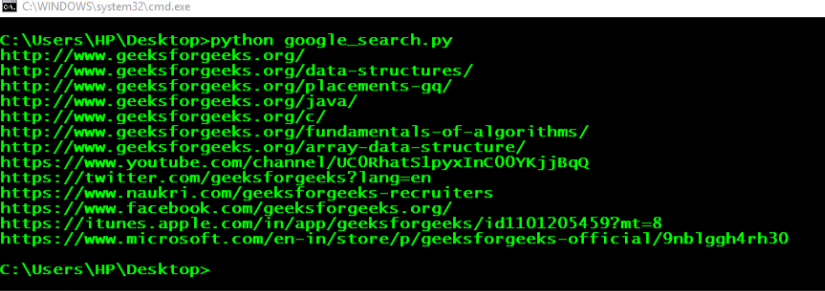
GeeksforGeeks
A Computer Science portal for geeks. It contains well written, well thought and well explained computer science and programming articles, quizzes and practice/competitive programming/company interview Questions.
Seems easier
graceful ermine
mighty pilot
This is a very basic version of what you need to do with the button, only this s...
What am I doing wrong?
    def __init__(self, users):
        super().__init__(timeout=None)
        self.users = users

    @discord.ui.button(label="Join", style= discord.ButtonStyle.blurple)
    async def regen(self, interaction: discord.Interaction, button: discord.ui.Button):
        await interaction.response.send_message("You have joined the giveaway goodluck!")

        user2 = [self.users]
        user2.append(self.users)


class giveaway(commands.Cog):
    def __init__(self, bot: commands.Bot):
        self.bot = bot

    @app_commands.command(name="start-giveaway", description="starts a giveaway")
    @app_commands.checks.has_permissions(manage_guild=True)
    async def giveaway(self, interaction: discord.Interaction, title: str, description: str, hour: int, role: Optional[discord.Role] = None):

        users = []
        users.append(users)

        users2 = [user for user in users]

        ETA = int(time.time() + hour*3600)

        embed = discord.Embed(
            title=title,
            description=description
        )
        embed.set_author(name=f"Started by {interaction.user.mention}", icon_url=interaction.user.avatar.url)
        view = button(users2)
        embed.add_field(name="Ends at:", value=f" <t:{ETA}:R> ")
        embed.set_footer(text= f"ends at {hour} hour(s) from now!")
        await interaction.response.send_message(embed=embed, view=view)
        await asyncio.sleep(12)


        winner = random.choice(users2)
        response_message = f"Congratulations {winner.mention} on winning the {title} {description}giveaway!!"
        if role:
            await winner.add_roles(role)
await interaction.followup.send(response_message)``` users = []
users.append(users)
???
graceful ermine
final iron
```py
        users = []
        users.append(users)
```
I already tried that
final iron
Great, and that's part of the issue
mighty pilot
You're appending the list with itself
mighty pilot
mighty pilot
What you need to do is forget about for loops, move your `users` list up to the ...
Reread
pliant jay
final iron
https://www.geeksforgeeks.org/performing-google-search-using-python-code/
This i...
For this do you know what I should put in here?
 final iron
If you're following that tutorial you'd be using a separate library, not aiohttp
pliant jay
final iron
If you're following that tutorial you'd be using a separate library, not aiohttp
ohh okay
BeautifulSoup?
final iron
Did you read the tutorial
final iron
Okay, and did it tell you to use BeautifulSoup?
pliant jay
yes
final iron
So...
pliant jay
so yes
final iron
Good
graceful ermine
mighty pilot
What you need to do is forget about for loops, move your `users` list up to the ...
at this point I don't know how to solve this problem now, I can't append the list and when I append the list and try to store the interaction.user.id it gives me an error
nvm
I got it
 naive swan
def write_char(data):
 with open("config.json", "w") as f:
       json.dump(data, f, indent=4)


@bot.command()
async def промпт(ctx, *, args):
 try:
    with open("config.json") as personality:
        data = json.load(personality)
        temp = data["context"]
        y = {"discord_name": f"{ctx.author.name}", "personality": f"{args}"}
        temp.append(y)

    write_char(data)
    await ctx.send("Сработало")
 except Exception as e:
    await ctx.send(f"Нихуя: {e}")
this code doesn't work, for some reason. im not getting any response from the bot, or any errors in the console.
turbid condor
naive swan
```py
def write_char(data):
with open("config.json", "w") as f:
json.dum...
Other are working?
naive swan
turbid condor
Other are working?
ye, rest of the code works
turbid condor
Do you have an error handler?
naive swan
yes? i guess
turbid condor
I mean the on_command_error event
naive swan
oh, nope
unkempt canyonBOT
Pasting large amounts of code
If your code is too long to fit in a codeblock in Discord, you can paste your code here:
https://paste.pythondiscord.com/
After pasting your code, save it by clicking the Paste! button in the bottom left, or by pressing CTRL + S. After doing that, you will be navigated to the new paste's page. Copy the URL and post it here so others can see it.
turbid condor
Or you can try using print statements to see at which point the code stops working
turbid condor
naive swan
https://paste.pythondiscord.com/WYLQ
The command is not working because of on_message event
Change @bot.event decorator above it to @bot.listen()
naive swan
still not getting any errors 🤔
naive briar
naive swan
```py
def write_char(data):
with open("config.json", "w") as f:
json.dum...
What doesn't work exactly?
naive swan
naive briar
What `doesn't work` exactly?
i actually don't know. as i said before, I'm not getting any errors.
naive briar
You don't know what doesn't work? I can't help if I don't know what the problem is
naive swan
you see, i'm trying to edit json file through a discord command, but that just simply doesn't work. i'm not getting any errors, so i don't think i can debug it in any way.
unkempt canyonBOT
Discord Message Content Intent
The Discord gateway only dispatches events you subscribe to, which you can configure by using "intents."
The message content intent is what determines if an app will receive the actual content of newly created messages. Without this intent, discord.py won't be able to detect prefix commands, so prefix commands won't respond.
Privileged intents, such as message content, have to be explicitly enabled from the Discord Developer Portal in addition to being enabled in the code:
intents = discord.Intents.default() # create a default Intents instance
intents.message_content = True # enable message content intents

bot = commands.Bot(command_prefix="!", intents=intents) # actually pass it into the constructor
For more information on intents, see /tag intents. If prefix commands are still not working, see /tag on-message-event.
naive swan
command still doesn't work, and still no errors
naive briar
Did you enable the intent?
shrewd fjord
naive swan
command still doesn't work, and still no errors
enable intents in code as well as in dev portal
!on-message-event
unkempt canyonBOT
The discord.py `on_message` event
Registering the on_message event with @bot.event will override the default behavior of the event. This may cause prefix commands to stop working, because they rely on the default on_message event handler.
Instead, use @bot.listen to add a listener. Listeners get added alongside the default on_message handler which allows you to have multiple handlers for the same event. This means prefix commands can still be invoked as usual. Here's an example:
@bot.listen()
async def on_message(message):
    ...  # do stuff here

# Or...

@bot.listen('on_message')
async def message_listener(message):
    ...  # do stuff here
You can also tell discord.py to process the message for commands as usual at the end of the on_message handler with bot.process_commands(). However, this method isn't recommended as it does not allow you to add multiple on_message handlers.
If your prefix commands are still not working, it may be because you haven't enabled the message_content intent. See /tag message_content for more info.
shrewd fjord
dem
turbid condor
unkempt canyon
You need the message_content intent inorder for the commands to work and read this too
And if after this the bot still doesn't respond then check your bot permissions
 idle lantern
how to get ids for slash command that gets changed very often? and are probably different in every server?
slate swan
idle lantern
how to get ids for slash command that gets changed very often? and are probably ...
!d discord.app_commands.CommandTree.fetch_commands This will return a list of AppCommand objects that each have an id attribute
unkempt canyonBOT
await fetch_commands(*, guild=None)```
This function is a [*coroutine*](https://docs.python.org/3/library/asyncio-task.html#coroutine).

Fetches the application’s current commands.

If no guild is passed then global commands are fetched, otherwise the guild’s commands are fetched instead.

Note

This includes context menu commands.if for whatever reason you're syncing your commands very frequently (which you probably shouldn't be doing, but that's another discussion) then the sync method will also return your list of AppCommands
idle lantern
slate swan
if for whatever reason you're syncing your commands very frequently (which you p...
im only syncing them at the time of bot loading is that bad practice?
slate swan
I believe you only need to sync them when the command's signature (name, set of arguments etc) changes, but not when it's callback changes
so ideally you'd have a text-based command that can be used to manually sync them when needed
idle lantern
but i would also need to restart the bot in order to change or update things right? so that basically resyncs them each time doesnt it?
idle lantern
slate swan
!d discord.app_commands.CommandTree.fetch_commands This will return a list of `A...
thanks for this btw
 meager rock
idle lantern
but i would also need to restart the bot in order to change or update things rig...
meager rock
idle lantern
but i would also need to restart the bot in order to change or update things rig...
You can use cogs to hot reload the data during runtime
And have a command that syncs your commands on demand
 civic schooner
hey, so i'm using mocks to manipulate my bot in certain ways. however, mock isn't garbage collected.
this is leading to memory leaks, and i operate a big bot - so it is an issue.
i don't know if there's any way to move mocks to garbage collection, because right now it is keeping references to the mock objects
here's my implementation: https://pastebin.com/iwCuW651
any ideas?
Pastebin
Pastebin.com is the number one paste tool since 2002. Pastebin is a website where you can store text online for a set period of time.


 carmine viper
I am converting my discord bot over from ctx commands to slash commands. Having an issue getting my reaction emojis to work, can someone point me to the right place in the discord.py library to read up on this? Below is an image of the code being used with ctx commands, just kind of stumped on this.
 slate swan
!d discord.Interaction.original_response
unkempt canyonBOT
await original_response()```
This function is a [*coroutine*](https://docs.python.org/3/library/asyncio-task.html#coroutine).

Fetches the original interaction response message associated with the interaction.

If the interaction response was a newly created message (i.e. through [`InteractionResponse.send_message()`](https://discordpy.readthedocs.io/en/latest/interactions/api.html#discord.InteractionResponse.send_message) or [`InteractionResponse.defer()`](https://discordpy.readthedocs.io/en/latest/interactions/api.html#discord.InteractionResponse.defer), where `thinking` is `True`) then this returns the message that was sent using that response. Otherwise, this returns the message that triggered the interaction (i.e. through a component).

Repeated calls to this will return a cached value.And you'll get an interaction message that you can react to
carmine viper
Going through the docs, I ended up finding this (image attached) but it still isn't working. I will probably come back to this later, thanks for the info.

Here's where I was finding this info
 slate swan
carmine viper
Going through the docs, I ended up finding this (image attached) but it still is...
slate swan
carmine viper
Going through the docs, I ended up finding this (image attached) but it still is...
You need class instance
Not just a class name
How it is supposed to know what interaction you talking about
carmine viper
I am just a bit confused because it is inside of the function. Maybe I need more coffee. lol

Appreciate the responses, I will be doing more reading today. This bot was working fine what I was using ctx commands, the slash commands are new to me but something I want to impliment.
I may just use buttons since I can get those to work, was trying to stay as close to the original as possible, which had the reaction emojis.
shrewd fjord
carmine viper
Appreciate the responses, I will be doing more reading today. This bot was work...
!d discord.Interaction.original_response
unkempt canyonBOT
await original_response()```
This function is a [*coroutine*](https://docs.python.org/3/library/asyncio-task.html#coroutine).

Fetches the original interaction response message associated with the interaction.

If the interaction response was a newly created message (i.e. through [`InteractionResponse.send_message()`](https://discordpy.readthedocs.io/en/latest/interactions/api.html#discord.InteractionResponse.send_message) or [`InteractionResponse.defer()`](https://discordpy.readthedocs.io/en/latest/interactions/api.html#discord.InteractionResponse.defer), where `thinking` is `True`) then this returns the message that was sent using that response. Otherwise, this returns the message that triggered the interaction (i.e. through a component).

Repeated calls to this will return a cached value.hmm
slate swan
talking to @carmine viper
shrewd fjord
why the code smells like gpt 
carmine viper
shrewd fjord
why the code smells like gpt <:FR_sus:1053259665229746176>
Because I have been trying to learn how to code by using GPT, i'm old and need any assistance I can find.
shrewd fjord

carmine viper
That's the typical response I get from this community when asking questions, lol. Which is why I am trying to use AI as a teacher.
Appreciate the pointers guys, I won't take up anymore of your time.
shrewd fjord
oh wait chatgpt dont know anything about dpy interaction yet, its old 💀
 onyx elk
slate swan
talking to <@290020410764820480>
onyx elk
slate swan
talking to <@290020410764820480>
hiiii
onyx elk
carmine viper
That's the typical response I get from this community when asking questions, lol...
i can teach you dpy im not good but i can code bots
carmine viper
onyx elk
i can teach you dpy im not good but i can code bots
Appreciate that Alf, I think I have it figured out now, I am just going to use buttons.
 austere vale
    @nextcord.slash_command(description="Bans a user. Please specify the reason and the number of seconds of their message history that you want deleted. The minimum is 0 and the maximum is 604800 (7 days).")
    @application_checks.has_permissions(ban_members=True)
    async def ban(self, interaction, user: nextcord.User, *, reason=None, delete_message_seconds=None):
        try:
            await user.send(f"You have been banned from the server `{user.guild}` because of: \n `{reason}`.")
            await interaction.send(f"I have DMed {user.mention} that they have been banned for: `{reason}`")
        except Exception:
            await interaction.send("Failed to DM the user, oh well.")
        await interaction.guild.ban(user=user, reason=reason, delete_message_seconds=delete_message_seconds)
        embed = nextcord.Embed(
            title="Banned User",
            description=f"I have successfully banned `{user}` \n Reason: `{reason}` \n Number of seconds of their message history deleted: {delete_message_seconds}",
            color=0xFD9FA1,
        )
        await interaction.send(embed=embed)
Could someone please help me with this error?
0|main  | Ignoring exception in on_interaction
0|main  | Traceback (most recent call last):
0|main  |   File "/usr/local/lib/python3.8/dist-packages/nextcord/client.py", line 512, in _run_event
0|main  |     await coro(*args, **kwargs)
0|main  |   File "/usr/local/lib/python3.8/dist-packages/nextcord/client.py", line 2023, in on_interaction
0|main  |     await self.process_application_commands(interaction)
0|main  |   File "/usr/local/lib/python3.8/dist-packages/nextcord/client.py", line 2064, in process_application_commands
0|main  |     if app_cmd.is_interaction_valid(interaction):
0|main  |   File "/usr/local/lib/python3.8/dist-packages/nextcord/application_command.py", line 2380, in is_interaction_valid
0|main  |     return _recursive_subcommand_check(data, our_payload)  # type: ignore
0|main  |   File "/usr/local/lib/python3.8/dist-packages/nextcord/application_command.py", line 2295, in _recursive_subcommand_check
0|main  |     return _option_check(inter_options, cmd_options)
0|main  |   File "/usr/local/lib/python3.8/dist-packages/nextcord/application_command.py", line 2344, in _option_check
0|main  |     for (
0|main  | ValueError: too many values to unpack (expected 2)
Bans a user. Please specify the reason and the number of seconds of their message history that you want deleted. The minimum is 0 and the maximum is 604800 (7 days).
austere vale
Oh, is the description too long?
quick brook
isn't that too long?
austere vale
Ok let me try to change it. im not sure what the limit is on that
glad cradle
iirc it's 100
quick brook
austere vale
Ok let me try to change it. im not sure what the limit is on that
the other thing is you can just replace the desc with something like "Ban a user". and then the option desc are like for reason, "Reason for banning said user" and the time would be a str that you parse (use something like parsedatetime)
austere vale
Oh i see. okay that seemed to fix it, thank you
quick brook
np
austere vale
actually, how would i go about setting an option description?
quick brook
austere vale
actually, how would i go about setting an option description?
did you read the docs or examples
austere vale
i dont think that there is an example here
 quick brook
austere vale
i dont think that there is an example here
quick brook
austere vale
i dont think that there is an example here
if you read the slash command example it's there
austere vale
Oh i missed that. thanks so much
quick brook
np
quick brook
y
lunar vine
@buoyant quail u here?
can someone tell me where to put python embed.set_field_at(0, name="new name", value="new value") bc this code shud be effecting the embed, so the embed is below the code, but if i put it above it; the view wont be defined..
class UserIdentificationView(View):
    def __init__(self, timeout=999):
        super().__init__(timeout=timeout)

    @discord.ui.button(label="Sender", style=discord.ButtonStyle.gray)
    async def sender_button(self, interaction, button:discord.ui.Button):
        member = interaction.user
        await interaction.message.edit(
            content=f"User Identification\nSender:{member.mention} Receiver: Blank"
        )

    @discord.ui.button(label="Receiver", style=discord.ButtonStyle.gray)
    async def receiver_button(self, interaction, button:discord.ui.Button):
        member = interaction.user
        await interaction.message.edit(
            content=f"User Identification\nSender: Blank; Receiver: {member.mention}"
)```@quick brook
quick brook
lunar vine
<@454357482102587393>
dont ping me for help if you are that desperate for it
lunar vine
this server isnt real
everyone here is an ai generated person with an ai generated personality
i refuse to change my mind
quick brook
lunar vine
everyone here is an ai generated person with an ai generated personality
we are all people with our own lives here
lunar vine
clearly i was being sarcastic
quick brook
lunar vine
i refuse to change my mind
if you refuse to change your mind, then don't expect help from me
lunar vine
proof ^
slate swan
lunar vine
everyone here is an ai generated person with an ai generated personality
I agree
lunar vine
slate swan
I agree
can u help tho 🤔
lunar vine
aaaa
final iron
lunar vine
can someone tell me where to put ```python
embed.set_field_at(0, name="new name"...
Share the entire code
lunar vine
oki!
im honestly scared of getting verbally tarnished but one moment
ill put it on the paste bin for this server
@final iron ^^^^^^
final iron
lunar vine
https://paste.pythondiscord.com/JY3A
You could just create a class variable with the data, so it can be accessed anywhere inside the class
quick brook
you know interaction checks exists right
lunar vine
quick brook
you know interaction checks exists right
they wants to respond the picosecond im getting help
she*
lunar vine
quick brook
you know interaction checks exists right
whats the doc
lunar vine
final iron
You could just create a class variable with the data, so it can be accessed anyw...
do i do this or use an 'interaction check' like that person said
final iron
lunar vine
do i do this or use an 'interaction check' like that person said
Interaction check is a separate thing
lunar vine
i did it by doing this;
class UserIdentificationView(View):
    def __init__(self, timeout=999):
        super().__init__(timeout=timeout)

    @discord.ui.button(label="Sender", style=discord.ButtonStyle.gray)
    async def sender_button(self, interaction, button:discord.ui.Button):
        member = interaction.user
        embed = interaction.message.embeds[0]
        embed.set_field_at(0, name="Sender", value=member.mention)
        await interaction.message.edit(embed=embed)

    @discord.ui.button(label="Receiver", style=discord.ButtonStyle.gray)
    async def receiver_button(self, interaction, button:discord.ui.Button):
        member = interaction.user
        embed = interaction.message.embeds[0]
        embed.set_field_at(1, name="Receiver", value=member.mention)
await interaction.message.edit(embed=embed)```So what are you trying to achieve
lunar vine
quick brook
So what are you trying to achieve
wdym
anyway i used python embed = interaction.message.embeds[0] after looking thru and doing sum research
quick brook
lunar vine
wdym
In simple terms, describe the ideal output and goal of your question
lunar vine
quick brook
In simple terms, describe the ideal output and goal of your question
before it would edit it as;
receiver:@lunar vine sender: blank
embed was here
so i just fixed it so now it does this

👍 it works now, it just says my name twice cuz i pressed da button twice (both buttons)
quick brook
Ok
slate swan
import requests
import json
import time

# Configure your e621 API settings
e621_base_url = "https://e621.net/posts.json"
api_key = "e621 api key here"  # Get your API key from e621

# Specify the tags you want to search for
tags = "paws"

# Configure your Discord webhook URL
discord_webhook_url = "url here"

# Define the request headers
headers = {
    "e621 user here": "YourAppName/1.0 (by YourUsername)",
    "Authorization": f"Basic {api_key}",
}

# Create a query string with the specified tags
query_string = f"tags={tags}"

while True:
    # Make a request to the e621 API
    response = requests.get(f"{e621_base_url}?{query_string}", headers=headers)

    # Check if the request was successful
    if response.status_code == 200:
        # Parse the JSON response
        data = json.loads(response.text)

        # Extract and send the posts to the Discord webhook
        for post in data:
            post_url = f"https://e621.net/posts/{post['id']}"
            image_url = post["file"]["url"]

            # Create a payload for the Discord webhook
            discord_payload = {
                "content": f"New e621 post with tags: {tags}\n{post_url}",
                "embeds": [{"image": {"url": image_url}}],
            }

            # Send the payload to the Discord webhook
            response = requests.post(discord_webhook_url, json=discord_payload)

            # Check if the webhook request was successful
            if response.status_code == 204:
                print(f"Posted e621 image to Discord: {image_url}")
            else:
                print(f"Failed to post e621 image to Discord: {response.status_code}")
    else:
        print(f"Failed to fetch e621 posts: {response.status_code}")

    # Sleep for 5 seconds before the next iteration
    time.sleep(5)
don’t judge i’m still learning (somewhat ai generated 😭)

i can’t figure that out
quick brook
slate swan
```py
import requests
import json
import time
# Configure your e621 API setting...
Don't 👏 use 👏 requests: 👏
And your code is blocking
Use __A__iohttp
__A__iohttp is an __a__synchronous HTTP Client/Server for Python. Best suited for __a__sync projects like discord.py. Documentation
Blocking
Libraries like requests and urllib can block the event loop for a period of time (until the request is finished/timed out).
The bot will not respond to anything (commands, etc).
Example
async with aiohttp.ClientSession() as cs:
    async with cs.get('https://httpbin.org/json') as res:
        # usually the status code (res.status) -
        # - is checked before calling these
        # and optionally also the content type (res.content_type)

        # bytes? ---
        # data = await res.read()
        # text? (html, etc) ---
        # data = await res.text()
        # json? ---
        # in this case it's json
        data = await res.json()
        # data is a python dict{} here
        author = data['slideshow']['author']
        print(author)
What does “blocking” mean?
https://discordpy.readthedocs.io/en/latest/faq.html#what-does-blocking-mean
quick brook
slate swan
gonna figure smth out with aiohttp
Well u have to
Np
Also fastapi has a section that explains async concurrency extremely well. Same concept applies to dpy but the code for the fastapi docs is ofc for FastAPI : https://fastapi.tiangolo.com/async/

FastAPI framework, high performance, easy to learn, fast to code, ready for production
Also ChatGPT is complete ass for learning dpy. Since the data is from 2021
slate swan
i used writesonic for help, kinda sucks but up to date
sick birch
quick brook
Also fastapi has a section that explains async concurrency extremely well. Same ...
This guide is great but the emojis and the examples 😭
mighty pilot
It's probably my favorite thing when people ask some ai thing how to make something in d.py and wonder why it doesn't work. They're alright at some simple coding but imo garbage at complex stuff
slate swan
import aiohttp
import json
import asyncio

# Configure your e621 API settings
e621_base_url = "https://e621.net/posts.json"
api_key = "api key"  # Get your API key from e621

# Specify the tags you want to search for
tags = "paws"

# Configure your Discord webhook URL
discord_webhook_url = "the url"

# Define the request headers
headers = {
    "User-Agent": "YourAppName/1.0 (by YourUsername)",
    "Authorization": f"Basic {api_key}",
}

async def fetch_e621_posts():
    while True:
        # Create a query string with the specified tags
        query_string = f"tags={tags}"

        async with aiohttp.ClientSession(headers=headers) as session:
            # Make a request to the e621 API
            async with session.get(f"{e621_base_url}?{query_string}") as response:
                if response.status == 200:
                    # Parse the JSON response
                    data = await response.json()

                    # Extract and send the posts to the Discord webhook
                    for post in data['posts']:
                        post_url = f"https://e621.net/posts/{post['id']}"
                        image_url = post["file"]["url"]

                        # Create a payload for the Discord webhook
                        discord_payload = {
                            "content": f"New e621 post with tags: {tags}\n{post_url}",
                            "embeds": [{"image": {"url": image_url}}],
                        }

                        # Send the payload to the Discord webhook
                        async with session.post(discord_webhook_url, data=discord_payload) as webhook_response:
                            if webhook_response.status == 204:
                                print(f"Posted e621 image to Discord: {image_url}")
                            else:
                                print(f"Failed to post e621 image to Discord: {webhook_response.status}")
                else:
                    print(f"Failed to fetch e621 posts: {response.status}")

        # Sleep for 5 seconds before the next iteration
        await asyncio.sleep(5)

if __name__ == "__main__":
    loop = asyncio.get_event_loop()
    loop.run_until_complete(fetch_e621_posts())
is this any better (still erroring x3)
mighty pilot
What's the error say
slate swan
 mighty pilot
That seems like a problem connecting to that sites api
Did you input an api key towards the top of your code there or are you trying to run it as you pasted it here
slate swan
slate swan
i put the api key username etc
& app name
mighty pilot
Well this one's out of my comfort zone  if it was some problem with d.py I'd be of better assistance. Maybe someone else will pop in with more knowledge or you could open a #1035199133436354600 channel
 golden portal
tbh 403 just means it's forbidden, could be your auth
slate swan
it was the headers part causing that error, onto the next error!
quick brook
slate swan
i used writesonic for help, kinda sucks but up to date
I rather spend 2 hours teaching people dpy than having people consulting AI for help. Yes I actually taught someone the basics of dpy in person (and I will make a free workshop and post slides)
slate swan
christ
 slate swan
what about 400
quick brook
slate swan
what about 400
Those are HTTP codes

HTTP response status codes indicate whether a specific HTTP request has been successfully completed.
Responses are grouped in five classes:
slate swan
i think this has something to do with console being blown up
 quick brook
slate swan
i think this has something to do with console being blown up
quick brook
slate swan
i think this has something to do with console being blown up
Also probably with replit more than likely
Replit uses shared IPs which lead to heavy ratelimits. Just locally develop on your own machine (or GH codespaces)
Or by using NixOS or Vagrant or Docker
Gonna be making an NixOS config for dpy development soon sooooooo
quick brook
slate swan
python is gonna be the end of me
Gonna have to determine what stuff to remove. Thus, I strongly recommend you to develop locally. Gonna be a lot easier and at the very least you aren't running GCC and compiling python w/ C headers
GCC 13.2.1
slate swan
can i run with vsc?
quick brook
slate swan
can i run with vsc?
https://code.visualstudio.com/docs/languages/python if you need a guide

Learn about Visual Studio Code as a Python IDE (code completion, debugging, linting).
Feel free to reach out to me if you need help (just state that you are from the Python server and explicitly provide all of the materials and questions you need help with)
Better yet would be to ask your questions on the dpy server
slate swan
400 and 429 error on vsc 😋
slate swan
quick brook
Feel free to reach out to me if you need help (just state that you are from the ...
after many struggles i got it to work, thanks for your help! 🙏
 coral mirage
Hello, I have a question. How I can connect Discord Bot with GS. That way I can use Google Sheet as a database. Those anyone knows the steps?
sick birch
coral mirage
Hello, I have a question. How I can connect Discord Bot with GS. That way I can ...
Google sheets is not a database
coral mirage
sick birch
Google sheets is not a database
I know, but I want to used as one. It's possible?
sick birch
Probably. Though not recommended at all
If you like the tabular format, use an SQL database. Even SQLite will be millions of times faster and easier to work with
coral mirage
I know, I use those db, but I wanted to do a favor to a mate.
It's just a google sheet that members can store rss and their information from a game.
coral mirage
sick birch
Probably. Though not recommended at all
If you like the tabular format, use an S...
He wanted as google sheets.
sick birch
Yeah, it's possible. Google sheets does have an API
coral mirage
I tried eveyhting, but I can't connect for a reason it keeps saying it doesn't have enough scopes. I authorize all scopes and still nothing.
coral mirage
sick birch
Yeah, it's possible. Google sheets does have an API
Do you what could be the problem?
I created new credentials and tried the whole process again
sick birch
Does it say what scopes are missing?
coral mirage
no, my code says it's missing scopes.
final iron
coral mirage
I tried eveyhting, but I can't connect for a reason it keeps saying it doesn't h...
Have you shared the spreadsheet to the account that's accessing it?
coral mirage
final iron
Have you shared the spreadsheet to the account that's accessing it?
Yes
.json
final iron
coral mirage
Yes
What scopes are you using?
coral mirage
 coral mirage
final iron
What scopes are you using?
coral mirage
final iron
What scopes are you using?
This ones
its as server account
when creating credentials
I share the email as well from credentials.json
final iron
coral mirage
when creating credentials
Show that file
coral mirage
sick birch
Does it say what scopes are missing?
Error connecting to Google Sheets: {'code': 403, 'message': 'Request had insufficient authentication scopes.', 'errors': [{'message': 'Insufficient Permission', 'domain': 'global', 'reason': 'insufficientPermissions'}], 'status': 'PERMISSION_DENIED', 'details': [{'@type': 'type.googleapis.com/google.rpc.ErrorInfo', 'reason': 'ACCESS_TOKEN_SCOPE_INSUFFICIENT', 'domain': 'googleapis.com', 'metadata': {'service': 'drive.googleapis.com', 'method': 'google.apps.drive.v3.DriveFiles.List'}}]}
coral mirage
final iron
Show that file

I can show you my code to maybe is wrong.
However I dont think so
final iron
coral mirage
I can show you my code to maybe is wrong.
Sure let me see it
I'm going to bed, but just confirm you created the service account properly

Google for Developers
Here's a page from google on it
coral mirage
final iron
I'm going to bed, but just confirm you created the service account properly
Roger, Thanks brother.
final iron
coral mirage
https://paste.pythondiscord.com/LSFQ
In your scopes try adding https://www.googleapis.com/auth/spreadsheets
I'm also using a different library though
quick brook
coral mirage
I know, I use those db, but I wanted to do a favor to a mate.
It's just a goog...
Just go the proper way and use a db
Even if it's for your friend, I strongly recommend storing your data using SQL instead of gsheets. With gsheets, you will very quickly run into ratelimits and use the uses of your API key extremely quickly
I see no reason why not to use SQLite or Postgres in this case
coral mirage
quick brook
I see no reason why not to use SQLite or Postgres in this case
Yeah I was thinking of doing that. I been breaking my head for the last 3 days.
Ima use sqlite in this case. However, I learn and I'm learnign something new with gs and python.
quick brook
coral mirage
Yeah I was thinking of doing that. I been breaking my head for the last 3 days....
Would recommend just using asqlite or aiosqlite and getting started with those instead
coral mirage
quick brook
Would recommend just using asqlite or aiosqlite and getting started with those i...
why? are they better then SQL?
quick brook
Bc with gs, you aren't really learning anything new
coral mirage
MYSQL
quick brook
coral mirage
why? are they better then SQL?
They are SQLite drivers for python
quick brook
coral mirage
MYSQL
Yea MySQL is questionable
coral mirage
quick brook
They are SQLite drivers for python
I use SQLite.
I'll check those 2 tho.
quick brook
coral mirage
I use SQLite.
Stdlib? Bc that one is blocking
sick birch
coral mirage
I use SQLite.
SQLite is the database engine
asqlite and aiosqlite are Python libraries that allow you to communicate with an underlying SQLite database
 faint rapids
How can I host a discord bot online forever?
quick brook
faint rapids
How can I host a discord bot online forever?
Simple answer is u can't
coral mirage
faint rapids
How can I host a discord bot online forever?
rent one for 1 dollar a month lol
I use
sparkedhost.com
faint rapids
Is it free?
coral mirage
nop, but is super cheap.
quick brook
coral mirage
I use
sparkedhost.com
Even that host is known to be sus
My pick goes to Henzter
coral mirage
quick brook
My pick goes to Henzter
is that expensive?
coral mirage
sick birch
SQLite is the database engine
asqlite and aiosqlite are Python libraries that al...
OOH!
I need to learn those asap. To avoid blocks response.
but for my partner I'll use SQLite for him since is super light.
sick birch
coral mirage
OOH!
I need to learn those asap. To avoid blocks response.
Not much to learn. You're still using SQL that you're familiar with. You pretty much just stick await in front of the statements
coral mirage
sick birch
Not much to learn. You're still using SQL that you're familiar with. You pretty ...
lol, ok that was a quick learning.
sick birch
Also wrt hosts - DO's kubernetes is cheap (especially if you're a student) and you can run bots, web sites, pretty much anything
coral mirage
Alright guys thanks for you'll help! Have a goodnight !
I mean sparked has been good for me for over a year. I only pay 2 dollars.
quick brook
Gn. I pay $20 for mine since I'm running other software on my server as well
naive briar
slate swan
if so is it implemented w/ d.py?
!d discord.Member.status this?
unkempt canyonBOT
property status```
The member’s overall status. If the value is unknown, then it will be a [`str`](https://docs.python.org/3/library/stdtypes.html#str) instead.
slate swan
mhh yeah
 formal basin
async def check_exists(self,key):
      redis = await aioredis.create_redis_pool('redis://zagzag:password@redis-11943.c56.east-us.azure.cloud.redislabs.com/11747462')
      exists = await redis.exists(key)
      redis.close()
      await redis.wait_closed()
      return exists```

aioredis has no atribute to create_redis_pool!pip aioredis
unkempt canyonBOT
asyncio (PEP 3156) Redis support
shrewd fjord
unkempt canyonBOT
docs/examples/commands.py lines 17 to 29
async def redis_pool():
    # Redis client bound to pool of connections (auto-reconnecting).
    redis = aioredis.from_url(
        "redis://localhost", encoding="utf-8", decode_responses=True
    )
    await redis.set("my-key", "value")
    val = await redis.get("my-key")
    print(val)


if __name__ == "__main__":
    asyncio.run(main())
asyncio.run(redis_pool())```check this folder out too https://github.com/aio-libs-abandoned/aioredis-py/tree/19be499015a8cf32580e937cbfd711fd48489eca/docs/examples
GitHub
asyncio (PEP 3156) Redis support. Contribute to aio-libs-abandoned/aioredis-py development by creating an account on GitHub.
 haughty quest
Anyone know what the circled symbol is? Specifically its unicode, but just a name would help me find it in the unicode charts. Been striking out for a while.
 vocal laurel
 topaz steppe
how I can get the message in dm of the bot
topaz steppe
how I can get the message in dm of the bot
Make a modmail
If you search it up there is a vid on how to do it
vocal laurel
haughty quest
Anyone know what the circled symbol is? Specifically its unicode, but just a nam...
Idk the emoji but I got the symbol
╰
Wait nvm
 dreamy dune
haughty quest
Anyone know what the circled symbol is? Specifically its unicode, but just a nam...
dreamy dune
haughty quest
Anyone know what the circled symbol is? Specifically its unicode, but just a nam...
Copy it?
I made my own emoji for it
naive briar
haughty quest
Anyone know what the circled symbol is? Specifically its unicode, but just a nam...
You can copy it and use the !charinfo command in this server to get its unicode
!charinfo └
unkempt canyonBOT
Character Info
\u2514 : BOX DRAWINGS LIGHT UP AND RIGHT - └
meager rock
big L
shrewd fjord
3 big L
 cinder horizon
@bot.event
async def on_ready():
    for filename in os.listdir('./cogs'):
      if filename.endswith('.py'):
        await bot.load_extension(f'cogs.{filename[:-3]}')
        print(f'Loaded {filename[:-3]}')
error that m gettin
RuntimeWarning: coroutine 'BotBase.add_cog' was never awaited
final iron
cinder horizon
```py
@bot.event
async def on_ready():
for filename in os.listdir('./cogs'):...
You shouldn’t be loading cogs in your on_ready
You should be doing it in setup_hook
shrewd fjord
cinder horizon
```py
@bot.event
async def on_ready():
for filename in os.listdir('./cogs'):...
check your setup function in the extension
!d discord.ext.commands.Bot.add_cog
unkempt canyonBOT
await add_cog(cog, /, *, override=False, guild=..., guilds=...)```
This function is a [*coroutine*](https://docs.python.org/3/library/asyncio-task.html#coroutine).

Adds a “cog” to the bot.

A cog is a class that has its own event listeners and commands.

If the cog is a [`app_commands.Group`](https://discordpy.readthedocs.io/en/latest/interactions/api.html#discord.app_commands.Group) then it is added to the bot’s [`CommandTree`](https://discordpy.readthedocs.io/en/latest/interactions/api.html#discord.app_commands.CommandTree) as well.

Note

Exceptions raised inside a [`Cog`](https://discordpy.readthedocs.io/en/latest/ext/commands/api.html#discord.ext.commands.Cog)’s [`cog_load()`](https://discordpy.readthedocs.io/en/latest/ext/commands/api.html#discord.ext.commands.Cog.cog_load) method will be propagated to the caller...its coro
faint rapids
I want to learn discord bot in python. How can I start?
hushed galleon
faint rapids
I want to learn discord bot in python. How can I start?
if you want to use discord.py for your bot, check out their documentation and read the examples
others have more links they can provide, but there are a bunch of infamously outdated stackoverflow and youtube resources because discord.py has went through major changes recently
it's a pretty large library so start off with simple bots and gradually build up, and also if you're not too familiar with python, the most helpful thing to understand is object oriented programming since discord.py makes a lot of use of objects and methods (you can learn from the official python tutorial, find reputable youtube channels, or ask around for more links or books to read)
see also this gist on learning discord.py
 gaunt marsh
hello
i have a problem with running my instapy bot
i have this msg
FileNotFoundError: [WinError 3] Le chemin d’accès spécifié est introuvable: 'C:\Users
\AppData\Local\Temp\tmpqowlut3o'
final iron
gaunt marsh
hello
i have a problem with running my instapy bot
i have this msg
FileNotFoundE...
Is that the entire traceback?
gaunt marsh
Workspace in use: "C:/Users/Ahmed/InstaPy"
OOOOOOOOOOOOOOOOOOOOOOOOOOOOOOOOOOOOOOOOOOOOOOOOOOOOOO
INFO [2023-09-27 14:30:10] [faresgraphics] Session started!
oooooooooooooooooooooooooooooooooooooooooooooooooooooo
INFO [2023-09-27 14:30:10] [faresgraphics] -- Connection Checklist [1/2] (Internet Connection Status)
WARNING [2023-09-27 14:30:11] [faresgraphics] - Internet Connection Status: error
...........................................................................................................................
CRITICAL [2023-09-27 14:30:11] [faresgraphics] Unable to login to Instagram! You will find more information in the logs above.
'''''''''''''''''''''''''''''''''''''''''''''''''''''''''''''''''''''''''''''''''''''''''''''''''''''''''''''''''''''''''''
INFO [2023-09-27 14:32:52] [faresgraphics] Sessional Live Report:
|> No any statistics to show
Unable to remove profile specific paths.
Traceback (most recent call last):
File "C:\Users\Ahmed\AppData\Local\Programs\Python\Python311\Lib\site-packages\selenium\webdriver\firefox\webdriver.py", line 217, in quit
rmtree(self.profile.path)
File "C:\Users\Ahmed\AppData\Local\Programs\Python\Python311\Lib\shutil.py", line 759, in rmtree
return _rmtree_unsafe(path, onerror)
^^^^^^^^^^^^^^^^^^^^^^^^^^^^^
File "C:\Users\Ahmed\AppData\Local\Programs\Python\Python311\Lib\shutil.py", line 603, in _rmtree_unsafe
onerror(os.scandir, path, sys.exc_info())
File "C:\Users\Ahmed\AppData\Local\Programs\Python\Python311\Lib\shutil.py", line 600, in _rmtree_unsafe
with os.scandir(path) as scandir_it:
^^^^^^^^^^^^^^^^
FileNotFoundError: [WinError 3] Le chemin d’accès spécifié est introuvable: 'C:\Users\Ahmed\AppData\Local\Temp\tmpqowlut3o'
final iron
gaunt marsh
Workspace in use: "C:/Users/Ahmed/InstaPy"
OOOOOOOOOOOOOOOOOOOOOOOOOOOOOOOOOOOOO...
What does this have to do with discord bots?
slate swan
gaunt marsh
Workspace in use: "C:/Users/Ahmed/InstaPy"
OOOOOOOOOOOOOOOOOOOOOOOOOOOOOOOOOOOOO...
??
gaunt marsh
"I need assistance, that's why I didn't know where to ask the question.
final iron
gaunt marsh
"I need assistance, that's why I didn't know where to ask the question.
#1035199133436354600 This is unrelated to discord bot development
gaunt marsh
thanks
 tight obsidian
What are some popular open-source/source-available Discord bots? Other than @novel apex
Doesn't have to be in Python, but that would be preferable
slate swan
tight obsidian
What are some popular open-source/source-available Discord bots? Other than <@68...

GitHub
A monorepo for the Statsify Discord Bot. Contribute to Statsify/statsify development by creating an account on GitHub.
formal basin
shrewd fjord
https://github.com/aio-libs-abandoned/aioredis-py/blob/19be499015a8cf32580e937cb...
2023-09-27 16:03:53 ERROR    asyncio Task was destroyed but it is pending!
task: <Task pending name='discord.py: on_message' coro=<Client._run_event() done, defined at /Users/zagzag/Library/Python/3.9/lib/python/site-packages/discord/client.py:433> wait_for=<Future pending cb=[<TaskWakeupMethWrapper object at 0x104ca7490>()]>>
@shrewd fjord
async def check_exists(self, key):

    # Redis client bound to pool of connections (auto-reconnecting).
      redis = aioredis.from_url(
        "redis://default:password@redis-11943.c56.east-us.azure.cloud.redislabs.com:11943", encoding="utf-8", decode_responses=True
    )

      val = await redis.exists(key)
      return val
key = f'antibadwords:{message.guild.id}'
               exists = await self.check_exists(key)
               if exists:
with this error too @shrewd fjord
2023-09-27 16:25:50 ERROR    discord.client Ignoring exception in on_message
Traceback (most recent call last):
  File "/Users/zagzag/Library/Python/3.9/lib/python/site-packages/discord/client.py", line 441, in _run_event
    await coro(*args, **kwargs)
  File "/Users/zagzag/vscode/zagzag/cog-folder/auto-mod.py", line 145, in badwordsp
    exists = await self.check_exists(key)
  File "/Users/zagzag/vscode/zagzag/cog-folder/auto-mod.py", line 42, in check_exists
    val = await redis.exists(key)
  File "/Users/zagzag/Library/Python/3.9/lib/python/site-packages/aioredis/client.py", line 1082, in execute_command
    conn = self.connection or await pool.get_connection(command_name, **options)
  File "/Users/zagzag/Library/Python/3.9/lib/python/site-packages/aioredis/connection.py", line 1416, in get_connection
    await connection.connect()
  File "/Users/zagzag/Library/Python/3.9/lib/python/site-packages/aioredis/connection.py", line 703, in connect
    await self.on_connect()
  File "/Users/zagzag/Library/Python/3.9/lib/python/site-packages/aioredis/connection.py", line 770, in on_connect
    auth_response = await self.read_response()
RuntimeError: coroutine ignored GeneratorExit
you connect to database each function call?
formal basin
slate swan
you connect to database each function call?
Yeah
slate swan
so optimized
sick birch
We can't help unless we know what you need help with
 fleet nymph
i coded a bot
and i got this message "discord.errors.PrivilegedIntentsRequired: Shard ID None is requesting privileged intents that have not been explicitly enabled in the developer portal. It is recommended to go to https://discord.com/developers/applications/ and explicitly enable the privileged intents within your application's page. If this is not possible, then consider disabling the privileged intents instead."
but i gave it admin so this shouldnt appear right?
final iron
fleet nymph
and i got this message "discord.errors.PrivilegedIntentsRequired: Shard ID None ...
Read it
lmao
You’ve enabled an intent in your code that wasn’t enabled in the dashboard
fleet nymph
it has admin
 rapid knoll
how do you get the user of a commands.Context (ctx)?
formal basin
formal basin
<@1027529657249169600>
```py
async def check_exists(self, key):
# R...
does anyone know or atleast know with aiohttp
final iron
Intents are different from permissions
Literally read the error, and follow what it says
final iron
rapid knoll
how do you get the user of a commands.Context (ctx)?
!d discord.ext.commands.Context.author
unkempt canyonBOT
Union[User, Member]: Returns the author associated with this context’s command. Shorthand for Message.author
fleet nymph
final iron
Literally read the error, and follow what it says
i read it but i didnt know what intenses were
i thought its another word for permissions
final iron
fleet nymph
i read it but i didnt know what intenses were
Follow the instructions, enable the intents you need
fleet nymph
but thanks though
 obsidian fable
is there any way to prevent buttons from expiring?
naive briar
Buttons don't expire
obsidian fable
naive briar
Buttons don't `expire`
but the interaction fails, is there any way to handle that?
naive briar
That happens when you don't respond to the button's interaction
obsidian fable
the button works, but it doesnt after some time
slate swan
maybe you set timeout to view
naive briar
Did you set its timeout? Because discord.py will not handle its interaction once it timeouted
obsidian fable
I dont think I did
naive briar
!d discord.ui.View
unkempt canyonBOT
class discord.ui.View(*, timeout=180.0)```
Represents a UI view.

This object must be inherited to create a UI within Discord.

New in version 2.0.The default timeout is 180 seconds
obsidian fable
I only did view = ui.View()
slate swan
then it will work for 3 minutes
obsidian fable
can I make it last forever?
naive briar
Set it to none
slate swan
set timeout to None
obsidian fable
let me see
quick brook
slate swan
https://github.com/Statsify/statsify
That's djs. It's not helpful in the context of dpy
slate swan
quick brook
That's djs. It's not helpful in the context of dpy
if only you read the message
Doesn't have to be in Python, but that would be preferable
quick brook
K
quick brook
tight obsidian
What are some popular open-source/source-available Discord bots? Other than <@68...
https://github.com/poketwo/poketwo
This is my pick

GitHub
A Discord bot. Contribute to poketwo/poketwo development by creating an account on GitHub.
slate swan
quick brook
K
hard to say sorry isnt it
quick brook
K
glad cradle
LMFAO
quick brook
Didn't have to repeat that when I already saw it
shrewd apex
sigh
glad cradle
asher hi
shrewd apex
sup
shrewd fjord
su gey
haughty quest
naive briar
You can copy it and use the `!charinfo` command in this server to get its unicod...
I can’t copy it since it’s from an image, it doesn’t appear to look like a big L, is it an alternate version or something?
quick brook
haughty quest
I can’t copy it since it’s from an image, it doesn’t appear to look like a big L...
do you have the emoji for it?
haughty quest
quick brook
do you have the emoji for it?
Nope, just that image
quick brook
haughty quest
Nope, just that image
then gl. just start with googling it up (it's an ascii branch or something)
haughty quest
quick brook
then gl. just start with googling it up (it's an ascii branch or something)
Thanks, came here after about an hour of scouring the Unicode pages for it. Was hoping someone had the random knowledge already but I’m not surprised they don’t.
quick brook
haughty quest
Thanks, came here after about an hour of scouring the Unicode pages for it. Was ...
np
more than likely it's a custom image they uploaded for an emoji
sick birch
?
young dagger
Nvm
 snow coral
hey! how would i put text up here?
 sick birch
snow coral
hey! how would i put text up here?
sick birch
snow coral
hey! how would i put text up here?
that's the "author" field of embeds
snow coral
sick birch
that's the "author" field of embeds
thanks
quick brook
snow coral
hey! how would i put text up here?
https://media.discordapp.net/attachments/381963689470984203/1014330043507408896/unknown-2.png

For future reference
 lunar vine
quick brook
https://media.discordapp.net/attachments/381963689470984203/1014330043507408896/...
lunar vine
quick brook
https://media.discordapp.net/attachments/381963689470984203/1014330043507408896/...
😋
anyone know the thing to wait_for a button being pressed b4 moving onto da next part of da code?
if so just reply to this msg bc im going 2 bed ill respond tmrw
final iron
lunar vine
anyone know the thing to wait_for a button being pressed b4 moving onto da next ...
What library are you using
I hate the whole button wait_for implementation
It's so stupid
Doesn't make sense
turbid condor
Can't u use the interaction response for that should be better
formal basin
slate swan
you connect to database each function call?
How would I connect only once?
async def check_exists(self, key):


         async with self.bot.redis.client() as redis2:
           val = await redis2.exists(key)
           return val
``` Here is the code for everytime the func is tiggered it connectshow can I only connect once
shrewd apex
make a connection pool reuse that
quick brook
Make a connection pool
glad cradle

quick brook
 silk bobcat
import discord
from discord.ext import commands

# Bot instance
bot = commands.Bot(command_prefix='!')

# Define your intents
intents = discord.Intents.default()
intents.message_content = True  # Enable message content for commands

# Event handler
@bot.event
async def on_ready():
    print(f'Logged in as {bot.user.name}({bot.user.id})')

# Define a command
@bot.command()
async def hello(ctx):
    await ctx.send(f'Hello, {ctx.author.mention}!')

# Run bot
bot.run('token') ```i dont understand why my bot isnt running and yes i replaced token the the actual token
shrewd fjord
silk bobcat
```py
import discord
from discord.ext import commands
# Bot instance
bot = comm...
any error
silk bobcat
yes
File "C:\Users\name\OneDrive\Skrivebord\Discord.bots\bot.py", line 5, in <module>
bot = commands.Bot(command_prefix='!')
TypeError: BotBase.init() missing 1 required keyword-only argument: 'intents'
silk bobcat
shrewd fjord
any error
.
shrewd fjord
silk bobcat
File "C:\Users\name\OneDrive\Skrivebord\Discord.bots\bot.py", line 5, in <module...
read the error
!d discord.ext.commands.Bot
unkempt canyonBOT
class discord.ext.commands.Bot(command_prefix, *, help_command=<default-help-command>, tree_cls=<class 'discord.app_commands.tree.CommandTree'>, description=None, intents, **options)```
Represents a Discord bot.

This class is a subclass of [`discord.Client`](https://discordpy.readthedocs.io/en/latest/api.html#discord.Client) and as a result anything that you can do with a [`discord.Client`](https://discordpy.readthedocs.io/en/latest/api.html#discord.Client) you can do with this bot.

This class also subclasses [`GroupMixin`](https://discordpy.readthedocs.io/en/latest/ext/commands/api.html#discord.ext.commands.GroupMixin) to provide the functionality to manage commands.

Unlike [`discord.Client`](https://discordpy.readthedocs.io/en/latest/api.html#discord.Client), this class does not require manually setting a [`CommandTree`](https://discordpy.readthedocs.io/en/latest/interactions/api.html#discord.app_commands.CommandTree) and is automatically set upon instantiating the class.

async with x Asynchronously initialises the bot and automatically cleans up.

New in version 2.0.i dont get it i havent done this in long time
shrewd fjord
silk bobcat
i dont get it i havent done this in long time
!intents
unkempt canyonBOT
Using intents in discord.py
Intents are a feature of Discord that tells the gateway exactly which events to send your bot. Various features of discord.py rely on having particular intents enabled, further detailed in its documentation. Since discord.py v2.0.0, it has become mandatory for developers to explicitly define the values of these intents in their code.
There are standard and privileged intents. To use privileged intents like Presences, Server Members, and Message Content, you have to first enable them in the Discord Developer Portal. In there, go to the Bot page of your application, scroll down to the Privileged Gateway Intents section, and enable the privileged intents that you need. Standard intents can be used without any changes in the developer portal.
Afterwards in your code, you need to set the intents you want to connect with in the bot's constructor using the intents keyword argument, like this:
from discord import Intents
from discord.ext import commands

# Enable all standard intents and message content
# (prefix commands generally require message content)
intents = Intents.default()
intents.message_content = True

bot = commands.Bot(command_prefix="!", intents=intents)
For more info about using intents, see discord.py's related guide, and for general information about them, see the Discord developer documentation on intents.
 fiery girder
@bot.event
async def on_reaction_add(reaction, user):
    if not user.bot:
        try:
            db.execute('SELECT * FROM reaction_roles WHERE message_id = ?', (reaction.message.id,))
        except:
            pass
        for row in db.fetchall():
            if reaction.emoji == row[4]:
                await user.add_roles(discord.Object(row[3]))
                await user.send(f"You Have Been Given The {row[3]} Role")

@bot.event
async def on_reaction_remove(reaction, user):
    if not user.bot:
        db.execute('SELECT * FROM reaction_roles WHERE message_id = ?', (reaction.message.id,))
        for row in db.fetchall():
            if reaction.emoji == row[4]:
                await user.remove_roles(discord.Object(row[3]))
                await user.send(f"You Have Been Removed From The {row[3]} Role")
reaction Role isnt working
 noble crane
!persistent
final iron
fiery girder
```py
@bot.event
async def on_reaction_add(reaction, user):
if not user.bot:...
Why do you have bare try and excepts
Please elaborate on your problem instead of just saying "why isn't this working?" Provide a full traceback or an error report, otherwise we won't be able to help.
fiery girder
it just not detecting the reactuin
final iron
fiery girder
it just not detecting the reactuin
Remove your try and except block
fiery girder
i made try causei taught uts gonna give error if the message id not exist
just a sec i just opened my pc
final iron
Just do an if statement to check if it’s None
It shouldn’t be erroring if it doesn’t exist
fiery girder
i taught it will anyways
final iron
Taught?
mighty pilot
None is different than nothing
final iron
?
fiery girder
final iron
?
it still dont work idk whats the problem
final iron
!d discord.on_reaction_add
unkempt canyonBOT
discord.on_reaction_add(reaction, user)```
Called when a message has a reaction added to it. Similar to [`on_message_edit()`](https://discordpy.readthedocs.io/en/latest/api.html#discord.on_message_edit), if the message is not found in the internal message cache, then this event will not be called. Consider using [`on_raw_reaction_add()`](https://discordpy.readthedocs.io/en/latest/api.html#discord.on_raw_reaction_add) instead.

Note

To get the [`Message`](https://discordpy.readthedocs.io/en/latest/api.html#discord.Message) being reacted, access it via [`Reaction.message`](https://discordpy.readthedocs.io/en/latest/api.html#discord.Reaction.message).

This requires [`Intents.reactions`](https://discordpy.readthedocs.io/en/latest/api.html#discord.Intents.reactions) to be enabled.

Note

This doesn’t require [`Intents.members`](https://discordpy.readthedocs.io/en/latest/api.html#discord.Intents.members) within a guild context, but due to Discord not providing updated user information in a direct message it’s required for direct messages to receive this event. Consider using [`on_raw_reaction_add()`](https://discordpy.readthedocs.io/en/latest/api.html#discord.on_raw_reaction_add) if you need this and do not otherwise want to enable the members intent.Read the docs
fiery girder
Traceback (most recent call last):
  File "C:\Users\abbas\AppData\Local\Programs\Python\Python311\Lib\site-packages\discord\client.py", line 441, in _run_event
    await coro(*args, **kwargs)
  File "d:\Projects\Python\FedxD Manager\main.py", line 143, in on_reaction_add
    if reaction.emoji == row[4]:
                         ~~~^^^
IndexError: tuple index out of range
it gave this error but i got 4 rows in my table
fiery girder
final iron
Read the docs
i figured out that it is not with reaction but instead with the table or smth
cause i put a print command and it worked
noble crane
from discord.ext import commands
import discord
import re


class DropdownCog(commands.Cog):
    def __init__(self, bot):
        self.bot = bot

    @commands.command()
    async def dropdown(self, ctx):
        # Create a select menu
        select = discord.ui.Select(
            custom_id="dropdown_menu",
            placeholder="Select an option",
            options=[
                discord.SelectOption(label="Option 1", value="option_1"),
                discord.SelectOption(label="Option 2", value="option_2"),
                discord.SelectOption(label="Option 3", value="option_3"),
            ],
        )

        # Create a persistent view to handle the interaction
        view = discord.ui.View()
        view.add_item(select)

        # Send a message with the select menu
        message = await ctx.send("Please select an option:", view=view)

        # Define a callback function for the select menu
        async def callback(interaction):
            selected_option = interaction.data["values"][0]
            embed = None

            # Create different embeds based on the selected option
            if selected_option == "option_1":
                embed = discord.Embed(title="Option 1", description="This is Option 1's embed.")
            elif selected_option == "option_2":
                embed = discord.Embed(title="Option 2", description="This is Option 2's embed.")
            elif selected_option == "option_3":
                embed = discord.Embed(title="Option 3", description="This is Option 3's embed.")

            # Send the embed as a follow-up message with ephemeral set to True
            await interaction.response.send_message(embed=embed, ephemeral=True)

        # Set the callback for the select menu
        select.callback = callback

async def setup(bot):
    await bot.add_cog(DropdownCog(bot))
I want to make this select drop down menu work even after the bot restarts
fiery girder
db.execute('CREATE TABLE IF NOT EXISTS reaction_roles'
                '(message_id INTEGER, channel_id INTEGER, role_id INTEGER, emoji TEXT)')
Computer counting starts at 0 not 1
mighty pilot
If you're looking for row 4 you'll use [3]
mighty pilot
noble crane
```python
from discord.ext import commands
import discord
import re
class Drop...
You want persistent views
fiery girder
it still dont work
this time it gave no error
it didnt have give the print
does the bot stop caring about old messages after it is restarted?
cause i thing thats the case
noble crane
mighty pilot
You want persistent views
What do you mean
mighty pilot
noble crane
What do you mean
GitHub
An API wrapper for Discord written in Python. Contribute to Rapptz/discord.py development by creating an account on GitHub.
mighty pilot
fiery girder
it didnt have give the print
What's your code look like after you took out try and excepts
noble crane
mighty pilot
Here's an example
https://github.com/Rapptz/discord.py/blob/master/examples/vi...
Yeah i can't seem to figure it out been trying for the past 2 hours lol
mighty pilot
noble crane
Yeah i can't seem to figure it out been trying for the past 2 hours lol
To be a persistent view you need to have timeout = None and a custom ID. Then on startup you have to add the view to the bot like row 79 in that example
noble crane
noble crane
```python
from discord.ext import commands
import discord
import re
class Drop...
This is the code i have so far could you possibly add it to this
mighty pilot
noble crane
This is the code i have so far could you possibly add it to this
I cannot spoonfeed
You just have to give the view a custom ID and timeout of None then add it in your setup hook
Once you do that, it won't register a view you already have, but once you send it with those criteria it'll be persistent through restarts
noble crane
mighty pilot
I cannot spoonfeed
Ahhh man
I've been trying to do this for the past 2 hours
 reef trail
consider going to the dpy server for more help
reef trail
mighty pilot
Here's an example
https://github.com/Rapptz/discord.py/blob/master/examples/vi...
the code here is already spoon feedy enough
mighty pilot
reef trail
the code here is already spoon feedy enough
I agree. His examples are about as far as I'll go lol
reef trail
The dpy server also has a lot of tags that are pretty useful
mighty pilot
True
noble crane
Yeah i've had a look but clearly no one is helping mate
fiery girder
mighty pilot
What's your code look like after you took out try and excepts
async def on_reaction_add(reaction, user):
    if not user.bot:
        print("reaction add")
        db.execute('SELECT * FROM reaction_roles WHERE message_id = ?', (reaction.message.id,))
        for row in db.fetchall():
            if reaction.emoji == row[3]:
                await user.add_roles(discord.Object(row[2]))
                await user.send(f"You Have Been Given The {row[2]} Role")

@bot.event
async def on_reaction_remove(reaction, user):
    if not user.bot:
        print("reaction remove")
        db.execute('SELECT * FROM reaction_roles WHERE message_id = ?', (reaction.message.id,))
        for row in db.fetchall():
            if reaction.emoji == row[3]:
                await user.remove_roles(discord.Object(row[2]))
await user.send(f"You Have Been Removed From The {row[2]} Role")```Your if should be if user != user.bot
That may be the issue
fiery girder
lets test