#discord-bots
1 messages · Page 284 of 1
 crisp helm
 slate swan
Do python --version
And then set this python version to interpreter in your text editor
crisp helm
they are already the same version
slate swan
May i see what you set it to
 naive briar
Read the error, that's your answer
discord.errors.Forbidden: 403 Forbidden (error code: 50001): Missing Access
crisp helm
slate swan
And then set this python version to interpreter in your text editor
thank you it works now
 tepid dagger
naive briar
> discord.errors.Forbidden: 403 **Forbidden** (error code: 50001): **Missing Acc...
tepid dagger
naive briar
> discord.errors.Forbidden: 403 **Forbidden** (error code: 50001): **Missing Acc...
how do i give the bot access
code:
async def on_raw_reaction_add(payload):
    emoji = "👍"
    emoji_str = str(payload.emoji)
    guild = client.get_guild(payload.guild_id)
    user = guild.get_member(payload.user_id)
    if payload.message_id == int(id) and emoji_str == emoji:
        await user.add_roles(guild.get_role(int(role_id)))
Give the bot manage roles permission 🤷
naive briar
It cannot manage someone's roles if its highest role is lower than the member's highest role (role hierarchy)
tepid dagger
ohhh
 winter token
!paste
 unkempt canyonBOT
Pasting large amounts of code
If your code is too long to fit in a codeblock in Discord, you can paste your code here:
https://paste.pythondiscord.com/
After pasting your code, save it by clicking the Paste! button in the bottom left, or by pressing CTRL + S. After doing that, you will be navigated to the new paste's page. Copy the URL and post it here so others can see it.
winter token
raceback (most recent call last):
File "/home/runner/PrivateBot1/venv/lib/python3.10/site-packages/discord/client.py", line 441, in _run_event
await coro(*args, **kwargs)
File "/home/runner/PrivateBot1/cogs/utility.py", line 170, in on_message
data = collection.find_one({"_id": guild_id})
File "/home/runner/PrivateBot1/venv/lib/python3.10/site-packages/pymongo/collection.py", line 1470, in find_one
for result in cursor.limit(-1):
File "/home/runner/PrivateBot1/venv/lib/python3.10/site-packages/pymongo/cursor.py", line 1251, in next
if len(self.__data) or self._refresh():
File "/home/runner/PrivateBot1/venv/lib/python3.10/site-packages/pymongo/cursor.py", line 1142, in _refresh
self.__session = self.__collection.database.client._ensure_session()
File "/home/runner/PrivateBot1/venv/lib/python3.10/site-packages/pymongo/mongo_client.py", line 1758, in _ensure_session
return self.__start_session(True, causal_consistency=False)
File "/home/runner/PrivateBot1/venv/lib/python3.10/site-packages/pymongo/mongo_client.py", line 1703, in __start_session
self._topology._check_implicit_session_support()
File "/home/runner/PrivateBot1/venv/lib/python3.10/site-packages/pymongo/topology.py", line 538, in _check_implicit_session_support
self._check_session_support()
File "/home/runner/PrivateBot1/venv/lib/python3.10/site-packages/pymongo/topology.py", line 554, in _check_session_support
self._select_servers_loop(
File "/home/runner/PrivateBot1/venv/lib/python3.10/site-packages/pymongo/topology.py", line 238, in _select_servers_loop
raise ServerSelectionTimeoutError(
pymongo.errors.ServerSelectionTimeoutError: ac-wdsbot3-shard-00-01.lusopvo.mongodb.net:27017: connection closed,ac-wdsbot3-shard-00-02.lusopvo.mongodb.net:27017: connection closed,ac-wdsbot3-shard-00-00.lusopvo.mongodb.net:27017: connection closed, Timeout: 30s, Topology Description: <TopologyDescription id: 64d779aa7ad14e228a9e958d, topology_type: ReplicaSetNoPrimary, servers: [<ServerDescription ('ac-wdsbot3-shard-00-00.lusopvo.mongodb.net', 27017) server_type: Unknown, rtt: None, error=AutoReconnect('ac-wdsbot3-shard-00-00.lusopvo.mongodb.net:27017: connection closed')>, <ServerDescription ('ac-wdsbot3-shard-00-01.lusopvo.mongodb.net', 27017) server_type: Unknown, rtt: None, error=AutoReconnect('ac-wdsbot3-shard-00-01.lusopvo.mongodb.net:27017: connection closed')>, <ServerDescription ('ac-wdsbot3-shard-00-02.lusopvo.mongodb.net', 27017) server_type: Unknown, rtt: None, error=AutoReconnect('ac-wdsbot3-shard-00-02.lusopvo.mongodb.net:27017: connection closed')>]>``` frozen pivot
Can somebody give me more details on why voice bots are against ToS?
I want to relay some information to a person who asked me about it
 meager rock
frozen pivot
Can somebody give me more details on why voice bots are against ToS?
meager rock
frozen pivot
Can somebody give me more details on why voice bots are against ToS?
!ytdl
unkempt canyonBOT
Our youtube-dl, or equivalents, policy
Per Python Discord's Rule 5, we are unable to assist with questions related to youtube-dl, pytube, or other YouTube video downloaders, as their usage violates YouTube's Terms of Service.
For reference, this usage is covered by the following clauses in YouTube's TOS, as of 2021-03-17:
The following restrictions apply to your use of the Service. You are not allowed to:

1. access, reproduce, download, distribute, transmit, broadcast, display, sell, license, alter, modify or otherwise use any part of the Service or any Content except: (a) as specifically permitted by the Service;  (b) with prior written permission from YouTube and, if applicable, the respective rights holders; or (c) as permitted by applicable law;

3. access the Service using any automated means (such as robots, botnets or scrapers) except: (a) in the case of public search engines, in accordance with YouTube’s robots.txt file; (b) with YouTube’s prior written permission; or (c) as permitted by applicable law;

9. use the Service to view or listen to Content other than for personal, non-commercial use (for example, you may not publicly screen videos or stream music from the Service)
here's the relevant part
frozen pivot
wait what does that have to do with recording and playing voice
naive briar
frozen pivot
Can somebody give me more details on why voice bots are against ToS?
It doesn't. Who told you that?
frozen pivot
Somebody told me that it's against ToS to make a bot that you speak to and it speaks back
it was when I shared my bot video and they told me I couldn't do that
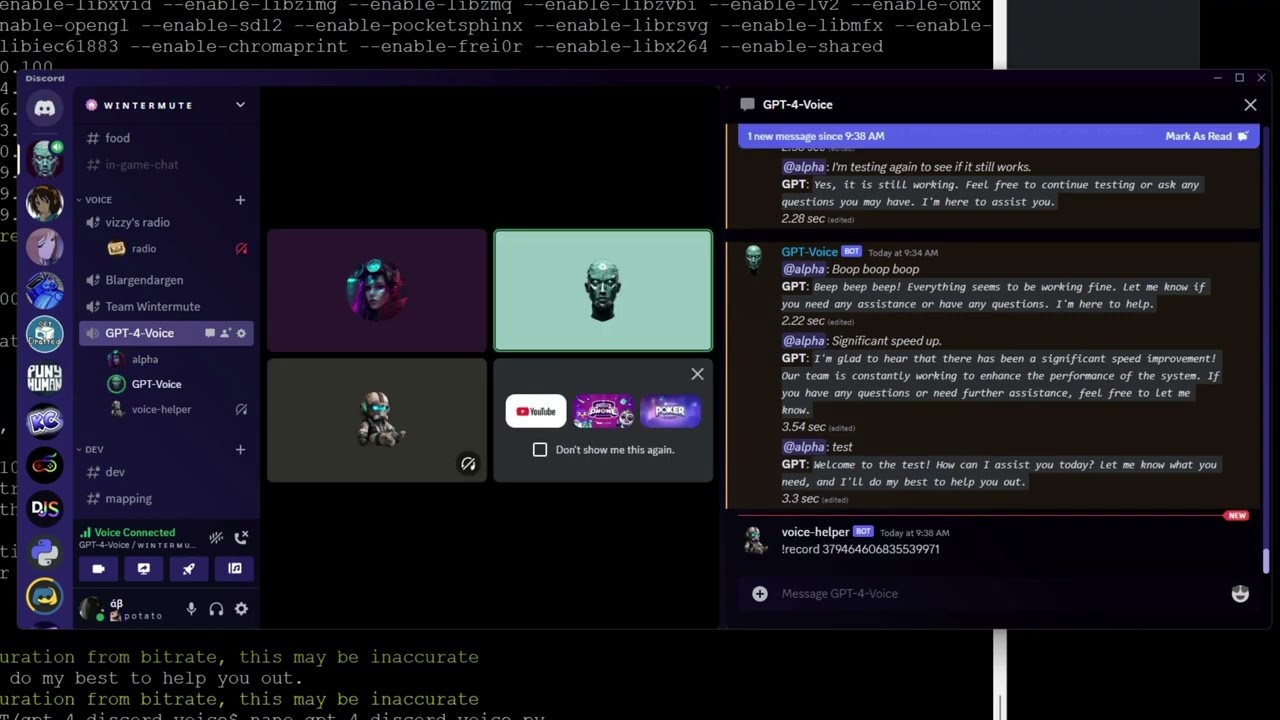
https://www.youtube.com/watch?v=XSiLbuzFt4U
 naive briar
It's only against the ToS if you're using a service that doesn't allow you to stream its voice/music, like YouTube
frozen pivot
I'm particularly curious atm because somebody reached out to me to work on a project
 final iron
frozen pivot
Somebody told me that it's against ToS to make a bot that you speak to and it sp...
final iron
frozen pivot
Somebody told me that it's against ToS to make a bot that you speak to and it sp...
It shouldn’t be
Not sure what they were talking about tbh
frozen pivot
sweet
slate swan
its only illegal when the voice provider doesnt allow to stream music publicly
like youtube, spotify etc
frozen pivot
eh, well I guess I'm in business?
 cloud dawn
frozen pivot
Somebody told me that it's against ToS to make a bot that you speak to and it sp...
cloud dawn
frozen pivot
Somebody told me that it's against ToS to make a bot that you speak to and it sp...
It is against Discords ToS
slate swan
Does anyone knows node.js here if yes please let me know i need a code fixed I really need help ASAP
cloud dawn
frozen pivot
All of it or just a part of it
Well not directly, it's just that it's illegal in a lot of places to recording someone without their knowledge. You could argue that this doesn't really apply here but we would be handing out the tools and the capability to do so.
cloud dawn
slate swan
Does anyone knows node.js here if yes please let me know i need a code fixed I r...
This is a Python server sir, but most of us know js
slate swan
slate swan
Does anyone knows node.js here if yes please let me know i need a code fixed I r...
It's a Python server
winter token
winter token
```py
raceback (most recent call last):
File "/home/runner/PrivateBot1/venv/li...
?
slate swan
Ask in a JS server 
frozen pivot
check out the discord.js server https://discord.gg/djs
winter token
will any1 help??
 mighty pilot
You could make a disclaimer that DMs people when they join the VC or something to cover your butt. Tbh though I'd steer clear of it myself 
mighty pilot
winter token
will any1 help??
I'm not familiar with mongodb but according to the traceback it looks like you're trying to use a connection that has already been closed
Kinda looks like there's a timeout of 30 seconds on it
slate swan
winter token
will any1 help??
Your issue is an issue with pymongo, so #databases or #1035199133436354600
slate swan
how to get the clicked button's custom id with the on_interaction event?
slate swan
slate swan
how to get the clicked button's custom id with the on_interaction event?
You can try retrieving it from the interaction.data attribute
of course you'll have to check that the interaction event is indeed a button press
Although take note of the warning on the docs:
This is a low level function that is not generally meant to be used. If you are working with components, consider using the callbacks associated with the View instead as it provides a nicer user experience.
 turbid condor
Can you show us the code for the Minor button
turbid condor
Cam u try printing statements in your above given code after every line
Like ```py
async def abc():
user=.....
print("Check 1")
channel=......
print("Check 2")
@hasty pike
And then run your code and see until which check your code runs
 hasty pike
It's working
But when bot goes off
And comes back on
It throws this Error
Then i have to recreate buttons
turbid condor
Oh i see
Then u are looking for persistent view

GitHub
An API wrapper for Discord written in Python. Contribute to Rapptz/discord.py development by creating an account on GitHub.
Check this out on how to create a persistent view
turbid condor
Can u show the whole class code then
hasty pike
Well
class Age(discord.ui.View):
def __init__(self):
super().__init__(timeout=None)
@discord.ui.button(emoji="", label="Adult", style=discord.ButtonStyle.secondary, custom_id='Adult')
async def Mb(self, interaction: discord.Interaction, button: discord.ui.Button) -> None:
user = interaction.user
role = interaction.guild.get_role(1125877150856253492)
role2 = interaction.guild.get_role(1125877151971946606)
if role2 in user.roles:
await interaction.response.send_message(f'You already have {role2.mention} in your roles.', ephemeral=True)
elif role not in user.roles:
await user.add_roles(role, reason="AFTER | Self Roles")
await interaction.response.send_message(f'Added {role.mention} to your roles.', ephemeral=True)
else:
await user.remove_roles(role, reason="AFTER | Self Roles")
await interaction.response.send_message(f'Removed {role.mention} from your roles.', ephemeral=True)
@discord.ui.button(emoji="", label="Minor", style=discord.ButtonStyle.secondary, custom_id='Minor')
async def Fb(self, interaction: discord.Interaction, button: discord.ui.Button) -> None:
user = interaction.user
role = interaction.guild.get_role(1125877151971946606)
role2 = interaction.guild.get_role(1125877150856253492)
if role2 in user.roles:
await interaction.response.send_message(f'You already have {role2.mention} in your roles.', ephemeral=True)
elif role not in user.roles:
await user.add_roles(role, reason="AFTER | Self Roles")
await interaction.response.send_message(f'Added {role.mention} to your roles.', ephemeral=True)
else:
await user.remove_roles(role, reason="AFTER | Self Roles")
await interaction.response.send_message(f'Removed {role.mention} from your roles.', ephemeral=True)
 turbid condor
hasty pike
self.add_view(PersistentView())
turbid condor
hasty pike
self.add_view(PersistentView())
Why did you do
self.add_view(PersistentView())
When your view is called Age??
And one more thing don't do anything in on_ready
hasty pike
It's deleting
 turbid condor
Instead use setup_hook
turbid condor
hasty pike
I didn't made bot subclass
Welp u could use @bot.event decorator but the class method looks cleaner
hasty pike
turbid condor
Welp u could use ``@bot.event`` decorator but the class method looks cleaner
For setup_hook?
turbid condor
hasty pike
<:bn_chup_rehle:1107787479777542184>
Yes
turbid condor
The reason for not using on_ready is cuz it can fire many times
hasty pike
turbid condor
The reason for not using on_ready is cuz it can fire many times
Yeah ik that's why i don't load cogs in it
turbid condor
Instead of doing async setup in on_ready, or using a task which may lead to events being called before that task runs, you can overwrite Client/Bot.setup_hook.
For example:-
class MyBot(commands.Bot):
    async def setup_hook(self):
        print("Bot is starting")
        await self.load_extension("my.extension")
https://discordpy.readthedocs.io/en/stable/ext/commands/api.html#discord.ext.commands.Bot.setup_hook
This is a general example
hasty pike
I know how subclass works i just had bit confusion with buttons
turbid condor
If you are using @bot.event then no need to pass self
Instead do bot.add_view(Age())
That should work
Tho i still prefer the class method
hasty pike
@client.event
async def setup_hook():
    await client.change_presence(activity=discord.Activity(type=discord.ActivityType.listening, name=""))
    print(f"{client.user} is shooting!")
    client.add_view(Gender())
    client.add_view(Age())
Fine now?
turbid condor
Try and see
hasty pike
turbid condor
Tho i still prefer the class method
It's just a simple for someone else
Don't want to complicate it
 vale wing
hasty pike
```py
@client.event
async def setup_hook():
await client.change_presence(act...
vale wing
hasty pike
```py
@client.event
async def setup_hook():
await client.change_presence(act...
why not use onboarding
 thin raft
vale wing
~~why not use onboarding~~
thin raft
vale wing
~~why not use onboarding~~
If I see on-boarding on a server I already know I'm going to waste 1 minute of my life
turbid condor
Welp I'll probably like to keep the option skip if i can instead of going through all that stuff
vale wing
Well I do think that channel filtering on onboarding stage is bad but ability to pick roles is quite good
Discord is just trying to kill bots
hasty pike
vale wing
Well I do think that channel filtering on onboarding stage is bad but ability to...
What if they want to change it later? Leave and join again 😂
vale wing
First went and killed all moderation bots with timeout cmd and automod
Then all buttonroles and reactionroles
Now watch discord making economy inside itself lmfao
 worthy heart
How can I make optional slash command parameters
hasty pike
worthy heart
How can I make optional slash command parameters
optional
vale wing
Won't let deez cord kill bobux bot 😡
turbid condor
worthy heart
How can I make optional slash command parameters
Assign them None value
worthy heart
it doesn't work throwing:
TypeError: parameter 'account_id' is missing a type annotation in callback 'account_page'
async def account_page(interaction: discord.Interaction, account_id=None):```There will probably be a whole game in it
vale wing
Ah yes they also added activities I forgor
I don't use them tho
Cause all friends I got are my 15 alts
turbid condor
worthy heart
it doesn't work throwing:
```TypeError: parameter 'account_id' is missing a type...
You need to tell what is account_id
Like an int or str
worthy heart
its or that or assigning it to None
vale wing
account_id: int | None = None
worthy heart
watt
vale wing
Typehint
turbid condor
vale wing
`account_id: int | None = None`
Wouldn't previous one also had worked
vale wing
Types in python just imagine
worthy heart
I mean, I knew that but I didn't know you can assign it a default value and a typehint as well
vale wing
turbid condor
Wouldn't previous one also had worked
It would work but it was incorrect
Since None isn't instance of int
turbid condor
vale wing
Ah yes they also added activities I forgor
The activity is a good thing
worthy heart
vale wing
`account_id: int | None = None`
thanks.
vale wing
turbid condor
The activity is a good thing
Maybe but I don't visit vcs
Will try them some day probably
turbid condor
And there are events which is good too
vale wing
Discord is just doing what bots used to do but embedded into interface meaning it's more convenient for users
turbid condor
Yeah I'm just waiting when discord will throw welcome cards too
mighty pilot
It's kinda the same thing Apple has been doing with the jailbreak scene. Picking the stuff they like and making it a feature
turbid condor
Will be good bye to pillow li
mighty pilot
I hope pillow stays updated if they do that lol I use it for more than welcome message
turbid condor
There are other uses too
But the most i have seen is in welcome messages or those level or profile cards
mighty pilot
I use it in a pokemon server to put a users pfp on a pic when they earn a gym badge
turbid condor
Ah server games
 shrewd fjord
thin raft
If I see on-boarding on a server I already know I'm going to waste 1 minute of m...
shrewd fjord
thin raft
If I see on-boarding on a server I already know I'm going to waste 1 minute of m...
frrr
not that stable
i think they as well also shoul remove that "island animation"
mighty pilot
Moreso rp than server games tbh
 shrewd fjord
i always waste some time staring at that animation 
turbid condor
Tbh never played these games
More of those text based rpg fan
Not the pokemon collection or battle stuff
worthy heart
lets say I have an emoji name as given parameter one
how can I add a reaction to a message which reacts with 1️⃣
Using message.add_reaction() maybe
turbid condor
worthy heart
Using `message.add_reaction()` maybe
Try and see
shrewd fjord
worthy heart
lets say I have an emoji name as given parameter `one`
how can I add a reaction...
for default emojis use unicode
just put \ before the emoji
\1️⃣
\1️⃣
worthy heart
let me see
shrewd fjord
... they changed? 💀
 worthy heart

shrewd fjord
!unicode 1️⃣
worthy heart
wa
shrewd fjord
!charinfo 1️⃣
unkempt canyonBOT
Character Info
\u0031 : DIGIT ONE - 1
\ufe0f : VARIATION SELECTOR-16 - ️
\u20e3 : COMBINING ENCLOSING KEYCAP - ⃣
Full Raw Text
\u0031\ufe0f\u20e3
shrewd fjord
worthy heart
wa
here
shrewd fjord
.add_reaction("\u0031")
shrewd fjord
hm?
shrewd fjord
worthy heart
the conversion to unicode
for some reason not working with the emoji one
it used to work before. maybe just for now google the unicodes or just use the charinfo command
worthy heart
shrewd fjord
it used to work before. maybe just for now google the unicodes or just use the c...
the thing is that it is unknown what the reaction could be
its in range
so like
going one by one and getting unicode aint nice
shrewd fjord
u are trying to make poll cmd or something?
worthy heart
a list and selection menu
shrewd fjord
worthy heart
going one by one and getting unicode aint nice
i mean for discord emoji you have to do this lol
unkempt canyonBOT
Character Info
\u0031 : DIGIT ONE - 1
\ufe0f : VARIATION SELECTOR-16 - ️
\u20e3 : COMBINING ENCLOSING KEYCAP - ⃣
\u0020 : SPACE -
\u0032 : DIGIT TWO - 2
\ufe0f : VARIATION SELECTOR-16 - ️
\u20e3 : COMBINING ENCLOSING KEYCAP - ⃣
Full Raw Text
\u0031\ufe0f\u20e3\u0020\u0032\ufe0f\u20e3
worthy heart
!charinfo 1️⃣ | 2️⃣
unkempt canyonBOT
Character Info
\u0031 : DIGIT ONE - 1
\ufe0f : VARIATION SELECTOR-16 - ️
\u20e3 : COMBINING ENCLOSING KEYCAP - ⃣
\u0020 : SPACE -
\u007c : VERTICAL LINE - |
\u0020 : SPACE -
\u0032 : DIGIT TWO - 2
\ufe0f : VARIATION SELECTOR-16 - ️
\u20e3 : COMBINING ENCLOSING KEYCAP - ⃣
Full Raw Text
\u0031\ufe0f\u20e3\u0020\u007c\u0020\u0032\ufe0f\u20e3
worthy heart
I gotta make a dict for this oof
 severe sonnet
i didn't got why this error:
ERROR    discord.ext.commands.bot Ignoring exception in command character search
Traceback (most recent call last):
  File "C:\Users\User\AppData\Local\Programs\Python\Python311\Lib\site-packages\discord\ext\commands\core.py", line 235, in wrapped
    ret = await coro(*args, **kwargs)
          ^^^^^^^^^^^^^^^^^^^^^^^^^^^
  File "c:\Users\User\Documents\GitHub\RP-Utilities\cogs\CharactersCog.py", line 74, in _character_search
    await result_menu.start(ctx)
  File "C:\Users\User\AppData\Local\Programs\Python\Python311\Lib\site-packages\discord\ext\menus\__init__.py", line 966, in start
    await super().start(ctx, channel=channel, wait=wait)
  File "C:\Users\User\AppData\Local\Programs\Python\Python311\Lib\site-packages\discord\ext\menus\__init__.py", line 706, in start
    self.message = msg = await self.send_initial_message(ctx, channel)
                         ^^^^^^^^^^^^^^^^^^^^^^^^^^^^^^^^^^^^^^^^^^^^^
  File "C:\Users\User\AppData\Local\Programs\Python\Python311\Lib\site-packages\discord\ext\menus\__init__.py", line 960, in send_initial_message
    page = await self._source.get_page(0)
           ^^^^^^^^^^^^^^^^^^^^^^^^^^^^^^
  File "C:\Users\User\AppData\Local\Programs\Python\Python311\Lib\site-packages\discord\ext\menus\__init__.py", line 1063, in get_page
    return self.entries[page_number]
           ~~~~~~~~~~~~^^^^^^^^^^^^^
IndexError: list index out of range
When a user submits a modal can I immediately send another modal?
shrewd fjord
mighty pilot
When a user submits a modal can I immediately send another modal?
yes. just inter.response.send_modal again on on_submit
mighty pilot
Sweet
 alpine oar
yo i need help with this error PS C:\Users\\Downloads\Discord Bot> & C:/Users//AppData/Local/Programs/Python/Python311/python.exe "c:/Users//Downloads/Discord Bot/Luffy0102.py" Traceback (most recent call last): File "c:\Users\\Downloads\Discord Bot\Luffy0102.py", line 8, in <module> from discord_slash import SlashCommand ModuleNotFoundError: No module named 'discord_slash' I did import the module but it still gives me this error
worthy heart
shrewd fjord
i mean for discord emoji you have to do this lol
how can I compare the emojis after the user reacted?
shrewd fjord
worthy heart
how can I compare the emojis after the user reacted?
a reaction_add role is triggered
tho i prefer using raw one
worthy heart
if str(reaction) == '\u274c':
    pass
!d discord.on_raw_reaction_add
worthy heart
this should work?
unkempt canyonBOT
discord.on_raw_reaction_add(payload)```
Called when a message has a reaction added. Unlike [`on_reaction_add()`](https://discordpy.readthedocs.io/en/latest/api.html#discord.on_reaction_add), this is called regardless of the state of the internal message cache.

This requires [`Intents.reactions`](https://discordpy.readthedocs.io/en/latest/api.html#discord.Intents.reactions) to be enabled.also i got why my database wasn't working i should had used ctx.bot.database not rpu_database.Database
worthy heart
working!
shrewd fjord
severe sonnet
also i got why my database wasn't working i should had used ctx.bot.database not...
oh nicee
shrewd fjord
worthy heart
working!
ggs
severe sonnet
btw i got a new problem that i don't know why it's happening
shrewd fjord
severe sonnet
btw i got a new problem that i don't know why it's happening
yes?
severe sonnet
severe sonnet
i didn't got why this error:
```
ERROR discord.ext.commands.bot Ignoring exce...
this one
list index out of range
i'm trying everything
changing here and there
but nothing
shrewd fjord
oh
never use discord menus kinda sucks ;-;
i rather implement mine but lemme check
mighty pilot
shrewd fjord
not sure tho ;-; if modal interaction response has send_modal method or not
I'm not sure if it'll tell me the interaction has been responded to already or not. Gonna have to try it I guess
severe sonnet
well, i can't do notihng
since i need to implement the menu
due to the character listing thing
so peoples need to navigate anyways
discord-ext-menu
 hushed galleon
seems like whatever ListPageSource you passed to your MenuPages had an empty list
 gilded cedar
did anybody have on_command_error problem while developing in nextcord?(Context: it doesnt give user error when they lack of perms)
severe sonnet
like, "[a,]" is a tuple
i don't know why it didn't worked
i have no idea what it requires
naive briar
severe sonnet
like, "[a,]" is a tuple
That's a list
severe sonnet
i see, thouht it's kinda requiring a list
i don't know why just 1 element is out of range
mighty pilot
You should print that value and see what it's actually doing
cloud dawn
naive briar
That's a list
String
naive briar

naive briar
severe sonnet
i don't know why just 1 element is out of range
What library are you using?
severe sonnet
it prints nothing
severe sonnet
naive briar
What library are you using?
discord-ext-menus
mighty pilot
If it prints nothing, then it's nothing.
severe sonnet
severe sonnet
it prints nothing
and same error
naive briar
!pypi discord-ext-menus
unkempt canyonBOT

An extension module to make reaction based menus with discord.py
shrewd fjord
severe sonnet
actually it prints something
shrewd fjord
severe sonnet
actually it prints something
and its....
mighty pilot

severe sonnet
it prints []
mighty pilot
So nothing
severe sonnet
empty list
shrewd fjord
severe sonnet
it prints []
yup nothing
severe sonnet
okay guess i can see where it goes
shrewd fjord
severe sonnet
this part:
pages = embed if pages is None else pages
It's not None, it's []
 fast jackal
how do i learn discord.py if i know python?
shrewd fjord
severe sonnet
this part:
```py
pages = embed if pages is None else pages
```
len(pages)==0
hushed galleon
naive briar
!pypi discord-ext-menus
i probably wouldnt trust that package since danny's repo states it should be only installed from there
https://github.com/Rapptz/discord-ext-menus
(discord-ext-menus==1.1 seems to be legit, but its a couple commits behind the repository)
shrewd fjord
its going to lead to indexerror
severe sonnet
like this:
pages = embed if len(pages) is 0 else pages
I liked your answer better anyways
unkempt canyonBOT
@shrewd fjord :x: Your 3.11 eval job has completed with return code 1.
001 | Traceback (most recent call last):
002 |   File "/home/main.py", line 2, in <module>
003 |     print(mylist[0])
004 |           ~~~~~~^^^
005 | IndexError: list index out of range
after using jishaku, i forgot how to eval in python bot 💀
 mighty pilot
That's a start lol now you gotta figure out why there were no results found if you entered something that you expected results for
shrewd fjord
severe sonnet
okay bingooo
Ggs
mighty pilot
At what point do I need to start worrying about sharding?
 glad cradle
discord will send you an error when that's required
error op code 4011
generally when you reach 2500 guilds you'll need to enable sharding
severe sonnet
mighty pilot
That's a start lol now you gotta figure out why there were no results found if y...
actually that is intentional
hushed galleon
https://discord.com/developers/docs/topics/gateway#sharding
i remember somewhere saying you should consider implementing it at 1-1.5k, maybe in the dpy server
hushed galleon
ah dpy docs suggest only using their auto-shard client at >1k
https://discordpy.readthedocs.io/en/stable/api.html?highlight=shard#discord.AutoShardedClient
mighty pilot
hushed galleon
<https://discord.com/developers/docs/topics/gateway#sharding>
i remember somewhe...
That's what I thought it was but couldn't remember
Won't need it anytime soon unless a lot of people suddenly want to switch level bots
severe sonnet
!e
z = [5,4,3,2,1]
x = [i for i in z]
print(x)
unkempt canyonBOT
@severe sonnet :white_check_mark: Your 3.11 eval job has completed with return code 0.
[5, 4, 3, 2, 1]
!e
z = [5,4,3,2,1]
x = [i for i in z][0]
print(x)
unkempt canyonBOT
@severe sonnet :white_check_mark: Your 3.11 eval job has completed with return code 0.
5
#bot-commands :P
severe sonnet
can i put a list into a embed field value?
or it gonna give me error?
i don't know if this worksa
emb.add_field(name="Name", value = [f"{x[name]}\n" if x is not page[4] else x[name] for x in page])
no you can't pass a list to the value kwarg, instead you can iterate over the list and append the values to a string formatting it as you want
severe sonnet
glad cradle
no you can't pass a list to the `value` kwarg, instead you can iterate over the ...
isee, what about this:
emb.add_field(name="Name", value = [f"{x[name][num]}\n" if x is not page[display-1] else x[name] for num,x in enumerate(page)])
even if it's only one item the whole thing is a list comprehension and creates a list with at least a single item
so it's still a list
glad cradle
glad cradle
what are you trying to do
^
severe sonnet
oh, and if i do this:
emb.add_field(name="Name", value = [f"{x[name]}\n" if x is not page[display-1] else x[name] for num,x in enumerate(page)][num])
i'm trying to parse every element from a dict into the value
like names
Name
char x
char y
char z
glad cradle
can you send an example of the dict
severe sonnet
{
'user_id': 12345,
'name': "char x",
'prompt_prefix': "charx",
'image_url': "image.url"
}
severe sonnet
severe sonnet
{
'user_id': 12345,
'name': "char x",
'promp...
@glad cradle
glad cradle
!e
dc = {"name": "s", "user_id": 1, "something": "other"}
print("\n".join([str(i) for i in dc.values()]))
@glad cradle :white_check_mark: Your 3.11 eval job has completed with return code 0.
001 | s
002 | 1
003 | other
you can use join to produce a string from a list
you can also make them display the key and the value
severe sonnet
glad cradle
you can also make them display the key and the value
okay help me fix if i'm doing a misstake:
emb.add_field(name="Name", value = "\n".join([str(x["name"]) for x in page]))
what dc.values() do?
i meanthe .values() thing?
glad cradle
!d dict.values
unkempt canyonBOT
values()```
Return a new view of the dictionary’s values. See the [documentation of view objects](https://docs.python.org/3/library/stdtypes.html#dict-views).

An equality comparison between one `dict.values()` view and another will always return `False`. This also applies when comparing `dict.values()` to itself:

```py
>>> d = {'a': 1}
>>> d.values() == d.values()
False
actually that's not that helpful
glad cradle
basically it returns a list of the values of the dict
glad cradle
you want only names to be displayed?
glad cradle
glad cradle
!e
```py
dc = {"name": "s", "user_id": 1, "something": "other"}
print("\n".join(...
use dict.items() instead so you also get the key
severe sonnet
the key... you mean like x["name"]?
glad cradle
!e
dc = {"name": "s"}
print(dc.items())
@glad cradle :white_check_mark: Your 3.11 eval job has completed with return code 0.
dict_items([('name', 's')])
you can iterate over this
severe sonnet
i see
glad cradle
this is basic python tbh
severe sonnet
and if i have like
dict = [{"name": "x"}, {"name": "y"}, {"name": "z"}, {"name": "w"}]
That will give an error.
vale wing
Tuple of dicts duh
glad cradle
are you sure?
cloud dawn
!e ```py
dict = {"name": "x"}, {"name": "y"}, {"name": "z"}, {"name": "w"}
@cloud dawn :warning: Your 3.11 eval job has completed with return code 0.
[No output]
btw you just iterate over it and use the same methods
cloud dawn
cursed, python prob converts it to tuple.
vale wing
But this code makes no sense + overwriting builtin + wtf that , at the end doing
glad cradle
also dict is a bad name for a variable
severe sonnet
it's just an example
cloud dawn
!e ```py
dictz = {"name": "x"}, {"name": "y"}, {"name": "z"}, {"name": "w"}
print(type(dictz))
@cloud dawn :white_check_mark: Your 3.11 eval job has completed with return code 0.
<class 'tuple'>
Yap I hate it
vale wing
Or did it split into two lines cause I'm on phone
glad cradle
I mean that's normal, python tuple packing and unpacking
severe sonnet
thought i don't know if his will work:
emb.add_field(name="Name", value = "\n".join([str(x["name"]) for x in page]))
Probably yes
glad cradle
vale wing
Or did it split into two lines cause I'm on phone
that's it (I'm from mobile too we're cursed)
vale wing
severe sonnet
thought i don't know if his will work:
```py
emb.add_field(name="Name", value = ...
Your list comp essentially does this
d = {"a": "amogus", "b": "bobux"}
ls = []
ls.append("a"["name"])
ls.append("b"["name"])
at this point I would say that you should focus on learning the basics and grasp loops, lists, dicts and tuples before proceeding
glad cradle
vale wing
Your list comp essentially does this
```py
d = {"a": "amogus", "b": "bobux"}
ls ...
I want bobux
 glad cradle
haven't started yet views are too cursed
severe sonnet
!e
data = [{"name": "x", "nick": "xen"}, {"name": "y", "nick": "yen"}, {"name": "z", "nick": "zen"}, {"name": "w", "nick": "wey"}]
print("\n".join(str(x["name"] for x in data)))
unkempt canyonBOT
@severe sonnet :white_check_mark: Your 3.11 eval job has completed with return code 0.
001 | <
002 | g
003 | e
004 | n
005 | e
006 | r
007 | a
008 | t
009 | o
010 | r
011 |
... (truncated - too many lines)
Full output: https://paste.pythondiscord.com/HXTYPR6SOYQ3VI2RJGUK6PBZXA
severe sonnet
!e
data = [{"name": "x", "nick": "xen"}, {"name": "y", "nick": "yen"}, {"name": "z", "nick": "zen"}, {"name": "w", "nick": "wey"}]
print("\n".join(str(x["name"] for x in data.values())))
unkempt canyonBOT
@severe sonnet :x: Your 3.11 eval job has completed with return code 1.
001 | Traceback (most recent call last):
002 |   File "/home/main.py", line 3, in <module>
003 |     print("\n".join(str(x["name"] for x in data.values())))
004 |                                            ^^^^^^^^^^^
005 | AttributeError: 'list' object has no attribute 'values'
Your str should enclose x["name"], not entire comp
And might want not to use dict here at all
List of tuples is just fine
severe sonnet
!e
data = [{"name": "x", "nick": "xen"}, {"name": "y", "nick": "yen"}, {"name": "z", "nick": "zen"}, {"name": "w", "nick": "wey"}]
print("\n".join(str(x["name"] for x in data.items())))
unkempt canyonBOT
@severe sonnet :x: Your 3.11 eval job has completed with return code 1.
001 | Traceback (most recent call last):
002 |   File "/home/main.py", line 3, in <module>
003 |     print("\n".join(str(x["name"] for x in data.items())))
004 |                                            ^^^^^^^^^^
005 | AttributeError: 'list' object has no attribute 'items'
like, my page thing is literally like how data i present in a nutshell
vale wing
@severe sonnet answer these questions and I will help determine you data structure
- Do you want to access nicks when you have names and vise versa?
- Do you use both names and nicks in code?
- Is there any other data besides these?
cloud dawn
severe sonnet
!e
data = [{"name": "x", "nick": "xen"}, {"name": "y", "nick": "yen"}, {"name": ...
!e ```py
dictz = {"name": "x"}, {"name": "y"}, {"name": "z"}, {"name": "w"}
print("\n".join([f"{x} {y}" for x in dictz for x, y in x.items()]))
@cloud dawn :white_check_mark: Your 3.11 eval job has completed with return code 0.
001 | name x
002 | name y
003 | name z
004 | name w
why you're so nice... views are too cursed I don't want to see that shit on bobux
severe sonnet
vale wing
<@1130268405333753857> answer these questions and I will help determine you data...
1 yes, i want to acess the name in a dict when i have nick
2. yes, both in the same dict
3. yes, there is user_id, there is prompt_prefix and image
like, i use them separated
*separatedly
names in my name field from embed
nick in my nick field from embed
same with the others
like this:
emb.add_field(name="Name", value = "\n".join([str(x["name"]) for x in page]))
emb.add_field(name="Prompt", value = [f"{x[prompt]}\n" if x is not page[display-1] else x[name] for x in page])
Make a list of objects. Best option honestly
May use dataclasses
cloud dawn
vale wing
Make a list of objects. Best option honestly
dicts are objects 🗿
severe sonnet
oh list of objects
vale wing
cloud dawn
dicts are objects 🗿
Not exactly what I meant
cloud dawn
severe sonnet
really?
!e print(dir(dict))
unkempt canyonBOT
@cloud dawn :white_check_mark: Your 3.11 eval job has completed with return code 0.
['__class__', '__class_getitem__', '__contains__', '__delattr__', '__delitem__', '__dir__', '__doc__', '__eq__', '__format__', '__ge__', '__getattribute__', '__getitem__', '__getstate__', '__gt__', '__hash__', '__init__', '__init_subclass__', '__ior__', '__iter__', '__le__', '__len__', '__lt__', '__ne__', '__new__', '__or__', '__reduce__', '__reduce_ex__', '__repr__', '__reversed__', '__ror__', '__setattr__', '__setitem__', '__sizeof__', '__str__', '__subclasshook__', 'clear', 'copy', 'fromkeys', 'get', 'items', 'keys', 'pop', 'popitem', 'setdefault', 'update', 'values']
everything in python is an object
vale wing
Custom made class objects ok
severe sonnet
okay so, since i'm using a mongodb document to append values
cloud dawn
You can also make your folder structure act like an object
severe sonnet
how i will do it
vale wing
glad cradle
why you're so nice... views are too cursed I don't want to see that shit on bobu...
Wdym they are nice 😭
severe sonnet
for my dataclass
vale wing
I wokrd hard
unkempt canyonBOT
Pasting large amounts of code
If your code is too long to fit in a codeblock in Discord, you can paste your code here:
https://paste.pythondiscord.com/
After pasting your code, save it by clicking the Paste! button in the bottom left, or by pressing CTRL + S. After doing that, you will be navigated to the new paste's page. Copy the URL and post it here so others can see it.
severe sonnet
glad cradle
vale wing
I wokrd hard
you may have made them cleaner but yeah not that bad overall
(I do shit too)
vale wing
severe sonnet
since i'm using mongodb
Mongodb is json-like db to my knowledge, it shouldn't be hard to convert it to suitable data structure, implementation is up to you
severe sonnet
i see
slate swan
!d discord.Guild.unban
unkempt canyonBOT
await unban(user, *, reason=None)```
This function is a [*coroutine*](https://docs.python.org/3/library/asyncio-task.html#coroutine).

Unbans a user from the guild.

The user must meet the [`abc.Snowflake`](https://discordpy.readthedocs.io/en/latest/api.html#discord.abc.Snowflake) abc.

You must have [`ban_members`](https://discordpy.readthedocs.io/en/latest/api.html#discord.Permissions.ban_members) to do this.okay so guys, how do i unify two tuples/lists?
if search is None:
            search_result = await ctx.bot.database.search_default_character(user_id=user, name=None, prompt_prefix=None)

        else:
            search_pivot = await ctx.bot.database.search_default_character(user_id=user, name=search, prompt_prefix=None)
            if search_pivot:
                search_result = search_pivot
            search_pivot = await ctx.bot.database.search_default_character(user_id=user, name=None, prompt_prefix=search)
            if  search_pivot and search_result[0] is None:
                search_result = search_pivot
            elif search_pivot:
                ...
What do you mean?
!e
list1 = [1, 2, 3]
list2 = [4, 5, 6]

print(list1 + list2)
@final iron :white_check_mark: Your 3.11 eval job has completed with return code 0.
[1, 2, 3, 4, 5, 6]
Is that what you meant
severe sonnet
yep
slate swan
is it possible to filter members of a guild by their presence
for example for user in guild.users: if user.presence etc == ??:
final iron
uh
final iron
slate swan
for example for user in guild.users: if user.presence etc == ??:
So discord.Member.presence doesn't exist as far as I can see
slate swan
Yeah i hadnt seen it, just wasnt sure if there was another way
final iron
slate swan
Yeah i hadnt seen it, just wasnt sure if there was another way
What do you mean by presence?
There's
!d discord.Member.status
unkempt canyonBOT
property status```
The member’s overall status. If the value is unknown, then it will be a [`str`](https://docs.python.org/3/library/stdtypes.html#str) instead.
await query_members(query=None, *, limit=5, user_ids=None, presences=False, cache=True)```
This function is a [*coroutine*](https://docs.python.org/3/library/asyncio-task.html#coroutine).

Request members of this guild whose username or nickname starts with the given query. This is a websocket operation.

New in version 1.3.You could possibly use that, but you'd have to be looping it a ton depending on what you're doing or if the server is large which isn't really a good idea
 swift siren
AttributeError: module 'httpcore' has no attribute 'CloseError'
I done updated httpcore
have no clue why i'm still encourtering this error

resolve on my own term , turns out even tho installing the packges , it still doesn't work but using python -m pip install httpcore==0.16.3 works fine
mighty pilot
are there any resources besides the api docs that explain the slash command tree a bit better? im lacking in that area of knowledge
 sick birch
mighty pilot
are there any resources besides the api docs that explain the slash command tree...
sick birch
mighty pilot
are there any resources besides the api docs that explain the slash command tree...
Not that I'm aware of, is there anything in specific you'd like to know
For the most part how the command tree works is abstracted away from you
mighty pilot
i was just looking to learn more about it in general. maybe some structure to the tree i guess
i was previously using @app_commands.command() in the main file then adding the command to the tree seperate instead of using bot.tree.command() and i didnt even realize it was wrong lmao
 cloud dawn
final iron
Is the number too large?
cloud dawn
final iron
Is the number too large?
yep
final iron
fuck
How should I "keep track" of the user then?
Names can be changed
Is it even possible or would I have to create a prefixed command?
 fading marlin
Why not use discord.User?
final iron
fading marlin
Why not use `discord.User`?
How would a user mention them in the slash command?
fading marlin
Through their ID if they're not in the guild, otherwise same as discord.Member
final iron
final iron
Why am I getting an error?
It's not possible to enter an ID though unless you do a str
Also I might be trippin but I'm getting this error
discord.app_commands.errors.CommandInvokeError: Command 'whitelist' raised an exception: OperationalError: near "user_id": syntax error
That's the command
    @app_commands.command(name="whitelist", description="Removes a user from the blacklist")
    @app_commands.checks.has_permissions(manage_messages=True)
    @app_commands.describe(user_id="ID of the user to whitelist")
    async def whitelist(self, interaction: discord.Interaction, user_id: str) -> None:
        connection = await aiosqlite.connect("SuggestionData.db")
        cursor: aiosqlite.Cursor = await connection.cursor()
        print(user_id)
        await cursor.execute(f"DELETE user_id FROM blacklisted_users WHERE user_id = ({int(user_id)})")
        await interaction.response.send_message(
            f"Successfully removed **{user_id}** from the blacklist", ephemeral=True)
        await connection.commit()
        await connection.close()
You're getting that error because you're expecting an integer. Instead of typing it as user_id: int, you would use user_id: discord.User
 dapper citrus
Making discord bot is that compl9cated?
fading marlin
Depends really
dapper citrus
Ye
final iron
dapper citrus
Making discord bot is that compl9cated?
The code isn't really complicated, there's just a lot of lines
If you go by them step by step they're pretty simple
dapper citrus
Oh
 grand kettle
a bot with a lot of commands can have like thousands of lines w/o cogs
dapper citrus
I dont know whats those @appcommand and connecti9n and await and async def
final iron
fading marlin
Through their ID if they're not in the guild, otherwise same as `discord.Member`
Oh you mean't like that
I thought you mean't something else
I'm still getting a random error though
    @app_commands.command(name="whitelist", description="Removes a user from the blacklist")
    @app_commands.describe(user="ID of the user to whitelist")
    @app_commands.checks.has_permissions(manage_messages=True)
    async def whitelist(self, interaction: discord.Interaction, user: discord.User) -> None:
        connection = await aiosqlite.connect("SuggestionData.db")
        cursor: aiosqlite.Cursor = await connection.cursor()
        print(user.id)
        await cursor.execute(f"DELETE user_id FROM blacklisted_users WHERE user_id = ({int(user.id)})")
        await interaction.response.send_message(
            f"Successfully removed **{user.id}** from the blacklist", ephemeral=True)
        await connection.commit()
        await connection.close()
discord.app_commands.errors.CommandInvokeError: Command 'whitelist' raised an exception: OperationalError: near "user_id": syntax error
grand kettle
dapper citrus
I dont know whats those @appcommand and connecti9n and await and async def
tbh you could probably get better help with that online
search like python asynchronous
dapper citrus

final iron
Is it an issue with the SQL syntax?
grand kettle
i think so
fading marlin
final iron
I'm still getting a random error though
```py
@app_commands.command(name="wh...
I don't think you're supposed to have parenthesis around the value of user_id in your SQL query. You should also sanitize them instead of using an f-string.
grand kettle
^^^
final iron
Sanitize?
final iron
fading marlin
I don't think you're supposed to have parenthesis around the value of `user_id` ...
Yeah I didn't need the parenthesis, I just had them because I had other inputs before
Like I'm aware of SQL injection but is it really a worry in this situation or is it just "best practice"?
grand kettle
both
fading marlin
For this precise and exact situation, it shouldn't be a problem. Nonetheless it's better to be safe than sorry
final iron
Yeah, yeah I'm a big preacher for good practice
grand kettle
that's true i didnt actually read the code too thorougly tbh
final iron
How would I sanitize it?
grand kettle
but it's best to get in the habit of sql sanitization regardless
https://realpython.com/prevent-python-sql-injection/ probably has something good

SQL injection attacks are one of the most common web application security risks. In this step-by-step tutorial, you'll learn how you can prevent Python SQL injection. You'll learn how to compose SQL queries with parameters, as well as how to safely execute those queries in your database.
fading marlin
Depends on the SQL language (?) that you're using. For SQLite it's SELECT * FROM foo WHERE val=?, and then you pass the value for val to the next parameter in the execute function
final iron
aiosqlite so SQLite
Oh I forgot about the (?) ngl
await cursor.execute("DELETE user_id FROM blacklisted_users WHERE user_id=?", user.id)
Like this right?
fading marlin
The value should be inside a tuple, even if you're just sending one
final iron
discord.app_commands.errors.CommandInvokeError: Command 'whitelist' raised an exception: OperationalError: near "user_id": syntax error
    @app_commands.command(name="whitelist", description="Removes a user from the blacklist")
    @app_commands.describe(user="ID of the user to whitelist")
    @app_commands.checks.has_permissions(manage_messages=True)
    async def whitelist(self, interaction: discord.Interaction, user: discord.User) -> None:
        connection = await aiosqlite.connect("SuggestionData.db")
        cursor: aiosqlite.Cursor = await connection.cursor()
        print(user.id)
        await cursor.execute("DELETE user_id FROM blacklisted_users WHERE user_id=(?)", user.id)
        await interaction.response.send_message(
            f"Successfully removed **{user.id}** from the blacklist", ephemeral=True)
        await connection.commit()
        await connection.close()
Tuple surrounding user.id, not in the query
fading marlin
It shouldn't be in between parenthesis
final iron
Still showing the error
fading marlin
Code?
final iron
await cursor.execute("DELETE user_id FROM blacklisted_users WHERE user_id=?", (user.id))
this is all I changed
fading marlin
(user.id) when evaluated becomes the same as simply user.id
final iron
So remove the brackets?
fading marlin
No, you need to add a comma to signify that you want a tuple, and not just a pair of redundant parenthesis
grand kettle
beat me to writing that
final iron
So (user.id,)?
grand kettle
i think so
fading marlin
Correct
final iron
Still throws an error 😐
    @app_commands.command(name="whitelist", description="Removes a user from the blacklist")
    @app_commands.describe(user="ID of the user to whitelist")
    @app_commands.checks.has_permissions(manage_messages=True)
    async def whitelist(self, interaction: discord.Interaction, user: discord.User) -> None:
        connection = await aiosqlite.connect("SuggestionData.db")
        cursor: aiosqlite.Cursor = await connection.cursor()
        print(user.id)
        await cursor.execute("DELETE user_id FROM blacklisted_users WHERE user_id=?", (user.id,))
        await interaction.response.send_message(
            f"Successfully removed **{user.id}** from the blacklist", ephemeral=True)
        await connection.commit()
        await connection.close()
What's the error?
final iron
await cursor.execute("DELETE user_id FROM blacklisted_users WHERE user_id=?", (user.id,))
grand kettle
wrong thing
fading marlin
The traceback please
grand kettle
also this is a stretch but chatgpt likes this query instead
DELETE FROM blacklisted_users WHERE user_id=?
if you dont have a database backup, it might be worth having one just in case before running it because i dont know sql
final iron
@fading marlin Thanks as well for trying 🫡
fading marlin
No problem
grand kettle
a lot of those probably would've ended up breaking your code anyways so best to fix them before they can
final iron
@fading marlin Could you also help me with something else?
I think it's called connection pooling
Basically I want to keep 1 connection to the database open at all times
I'll just commit the data and never close it, saves resources iirc
I did it before like a year ago on a different bot but I accidentally deleted all of the code 💀
I guess I need help creating the framework?
fading marlin
I don't think you can easily do that with aiosqlite, I'm not sure though. asqlite already has this implemented though
final iron
fading marlin
I don't think you can easily do that with aiosqlite, I'm not sure though. asqlit...
Are they both just async wrappers for SQlite3?
fading marlin
Yeah
final iron
fading marlin
Yeah
My commands.Bot instance is subclassed. If it wasn't I could easily create an open connection, I just don't know how to do it in this situation
fading marlin
Use create_pool in setup_hook or something alike, and then set the return value to an attribute of your bot
So like ```py
assuming in setup_hook
self.db = await asqlite.create_pool(...)
and then whenever you need to access your database you use ```py
async with ctx.bot.db.acquire() as connection:
    async with connection.cursor() as cursor:
        ...
Don't forget to close the pool whenever you close the bot too
 gilded harness
import discord

# Define the required intents
intents = discord.Intents.default()
intents.message_content = True

bad_words = ["fuck", "shit", "bitch"]

client = discord.Client(intents=intents)

@client.event
async def on_ready():
    print('We have logged in as {0.user}'.format(client))

@client.event
async def on_message(message):
    if message.author == client.user:
        return

    if message.content.startswith('$hello'):
        await message.channel.send('Hello!')

    # Swears function to check and delete messages containing swear words
    async def swears(user_say):
        if any(word in user_say.lower() for word in bad_words):
            response_message = await message.channel.send("Hey!, don't swear")
            await message.delete()
            await response_message.delete(delay=5)  # Delete the response message after 5 seconds

    await swears(message.content)
# Call the swears function passing the message content```Heres my code
@hot cobalt
 hot cobalt
Oh, well yeah, you already have an on_message even. I'm a little confused about why you're defining the swears function in there though 👀
gilded harness
hot cobalt
Oh, well yeah, you already have an `on_message` even. I'm a little confused abou...
swears is to moderate swears whe a user says smth
when*
and all the swears are in the list above
hot cobalt
Yes but why have you defined it in there, you may as well just not have defined a separate function when doing it like that
Defining it in a separate file or at the very least outside of the on_message to keep things clean would be the better idea
hot cobalt
If you wanted, at the very least just move it outside of the on_message, it doesn't make much sense defining it in there
gilded harness
 hot cobalt
Anyhow, that's not important at the moment
on_message already looks at every message the bot can see
gilded harness
I found out my discord bot cant see the other channel 🤦♂️
hot cobalt
So what issues are you running into where it's only looking at one channel?
Sounds like it's just a permission thing then
Give your bot the permissions it needs to see the channels you want and it should be happy
gilded harness
Yea the other channel was private
wait so you want me to make the function in a seperate python file??
 hot cobalt
Well, probably not really. For now just throw it outside of the on_message function
gilded harness
Ok got it
hot cobalt
You can worry about organising it well later, for now just keep it somewhat clean

 short steppe
gilded harness
```py
import discord
# Define the required intents
intents = discord.Intents.d...
short steppe
gilded harness
```py
import discord
# Define the required intents
intents = discord.Intents.d...
that's probably going to suffer from the standard issues with censoring words.
Also, you should be using a discord.Bot since you have commands
swift siren
dawg why not just put the file in a cog folder and load the cog extensions on start 😭
gilded harness
short steppe
that's probably going to suffer from the standard issues with censoring words.
...
Im new to this :/
hot cobalt
You should have it as a parameter to the swears function
gilded harness
Idk about any of this discord bot stuff
swift siren
the more knowledge you intake the more you know
gilded harness
hot cobalt
You should have it as a parameter to the `swears` function
Then whats the parameter gonna be for on_message if swears will have "message"?
gilded harness
swift siren
the more knowledge you intake the more you know
Thats why I'm making a discord bot
hot cobalt
gilded harness
Then whats the parameter gonna be for on_message if swears will have "message"?
It's not relevant to on_message
You just need a parameter for the swears function
gilded harness
the parameter is user_say
hot cobalt
That's one parameter yes
swift siren
gilded harness
Then whats the parameter gonna be for on_message if swears will have "message"?
on_message checks for the messages users send , it has nothing todo
hot cobalt
You need another for the message
gilded harness
swift siren
on_message checks for the messages users send , it has nothing todo
Ohhhh so on_message doesn't relate to chat moderation??
gilded harness
hot cobalt
You need another for the message
Oh
shrewd fjord
gilded harness
Sounds like gpt
gilded harness
shrewd fjord
Sounds like gpt <:ducky_drawing:912087610527207455>
How??
The whole upper chunk is the start for a discord bot
hot cobalt
Although I would probably break up the functionality a bit, I would have a dedicated function for checking if a message contains a swear word, and then act on it elsewhere. Something more like ```py
@client.event
async def on_message(message):
...
if contains_swears(message):
    # act on it here
But anyhow
You can just throw another parameter for the message and that'd work as well
gilded harness
Im new to this you're making it way more confusing than it should be
swift siren
gilded harness
Ohhhh so on_message doesn't relate to chat moderation??
i’m going to be as nice as possible , on_message clarifies in the name on message meaning that if you have set your code to look for a specific message sent by a user , the event will be triggered to its corresponding code
shrewd fjord
gilded harness
The whole upper chunk is the start for a discord bot
the commens. only gpt does that 
gilded harness
Mine functions just fine
naive briar
shrewd fjord
Sounds like gpt <:ducky_drawing:912087610527207455>
Me when I use GPT2 to generate code:
swift siren
naive briar
Me when I use GPT2 to generate code:
😭😭😭
shrewd fjord
naive briar
Me when I use GPT2 to generate code:
💀
swift siren
guys give them credit , they trying to learn python
gilded harness
swift siren
i’m going to be as nice as possible , on_message clarifies in the name **on mess...
Yea thats why I put it in on_message
naive briar
shrewd fjord
the commens. only gpt does that <:ducky:1053677731612733552>
Many new learners likes to add comments
So I kinda understand that
gilded harness
so when user has "Fuck" it will delete message and say not to swear
swift siren
gilded harness
so when user has "Fuck" it will delete message and say not to swear
you need to look at the discord api documents 😭
short steppe
shrewd fjord
but # Uppercase yo wassup
Proper English.
short steppe
swift siren
you need to look at the discord api documents 😭
not relevant
gilded harness
swift siren
you need to look at the discord api documents 😭
Whats that? I just use youtube this shit takes soo long
this swear code took me like 30 minutes
shrewd fjord
short steppe
Proper English.
;-;?
swift siren
short steppe
not relevant
it is relevant , he doesn’t know what anything in the code does
documents on the api exist for a reason 😭💀
gilded harness
I do 😡
short steppe
swift siren
it is relevant , he doesn’t know what anything in the code does
From what I can tell, they're having issues with the functions, not the discord.py stuff
shrewd fjord
gilded harness
Whats that? I just use youtube this shit takes soo long
!d discord.on_message
unkempt canyonBOT
discord.on_message(message)```
Called when a [`Message`](https://discordpy.readthedocs.io/en/latest/api.html#discord.Message) is created and sent.

This requires [`Intents.messages`](https://discordpy.readthedocs.io/en/latest/api.html#discord.Intents.messages) to be enabled.

Warning

Your bot’s own messages and private messages are sent through this event. This can lead cases of ‘recursion’ depending on how your bot was programmed. If you want the bot to not reply to itself, consider checking the user IDs. Note that [`Bot`](https://discordpy.readthedocs.io/en/latest/ext/commands/api.html#discord.ext.commands.Bot) does not have this problem.:)
swift siren
short steppe
From what I can tell, they're having issues with the functions, not the discord....
yet he’s asking questions about the whole code itself
gilded harness
The only issue I had was my bot not seeing a channel and I thought it was with my code but it was with my permissions and the channel was private
then Jack strted to tell me about organizing my function or smth
swift siren
gilded harness
The only issue I had was my bot not seeing a channel and I thought it was with m...
add exception blocks
gilded harness
and he over-complicated it so I dismissed it since it works just fine
gilded harness
swift siren
add exception blocks
Like ZeroDivisionError and stuff?
short steppe
gilded harness
Ohhhh so on_message doesn't relate to chat moderation??
on message is just a event called when there is a message. Discord.py gives you the message that was sent
swift siren
gilded harness
Like ZeroDivisionError and stuff?
no 😭😭
hot cobalt
Yeah, again, these are just suggestions, if all you want is something that works you can just roll with what you have. You can focus on making clean code later down the line
gilded harness
swift siren
no 😭😭
Bro why are you sobbing ...
gilded harness
hot cobalt
Yeah, again, these are just suggestions, if all you want is something that works...
Im just messin around and im tryna get better at my coding
bro is sobbing because im new to this .- .
This is my 3rd time making a discord bot this is the best so far.
swift siren
gilded harness
Bro why are you sobbing ...
because I find people who don’t know anything bout discord api very unintelligent even tho their a starter and it frustrates me when asking a least obvious question
hot cobalt
I'd suggest looking into some good design practices, have a peek at how other people have structured their discord bots codebase, or just their projects in general
swift siren
I mean your code looks bueno to me but rather you upload the file as a cog, looks neater n js overall easier to organize your commands
gilded harness
swift siren
because I find people who don’t know anything bout discord api very unintelligen...
Im not unintelligent nor am I a starter. also the discord bot documents is the most confusing thing to read you go to the home page and Idk what to click because there's 30 different buttons.
 short steppe
gilded harness
This is my 3rd time making a discord bot this is the best so far.
short steppe
gilded harness
This is my 3rd time making a discord bot this is the best so far.
Are you going to do slash commands?
shrewd fjord
nice
final iron
swift siren
because I find people who don’t know anything bout discord api very unintelligen...
Even advanced people make mistakes sometimes
 glad cradle
gilded harness
glad cradle
gilded harness
what you need the most is the API reference, that being said you can search using the search bar
swift siren
gilded harness
Im not unintelligent nor am I a starter. also the discord bot documents is the m...
not calling you unintelligent because atleast you’re putting in effort into asking for help
swift siren
final iron
Even advanced people make mistakes sometimes
i’m aware
spending hours trying to fix mistakes that could have been handled earlier js gives sm stress
 tight fox
this is probably a rly dumb question but i quit discord for a while and when i came back, bot.add_cog became a coroutine function, so i made an async function and added all the cogs there instead of just directly running them at the bottom of my code
except now idk how to actually run that function so none of my commands are working
async def setup(bot):
    await bot.load_extension("jishaku")
    await bot.add_cog(Command())
just add this function on an extenson file
tight fox
so i make a folder called cogs and put the setup function in it in a file called mod.py?
all my cogs are in main.py
shrewd fjord
tight fox
all my cogs are in main.py
uhm
then just add the cog normally?
in setup_hook
tight fox
what is setup_hook lol
tight fox
ooo ok ty
shrewd fjord
:)
tight fox
shrewd fjord
which is called on startup for one time only
so
@bot.event
async def setup_hook(bot):
await bot.add_cog(Command())``` should work?yes
tight fox
ok tysm
shrewd fjord
its coro btw
tight fox
oh yea await
shrewd fjord
!d discord.ext.commands.Bot.add_cog
unkempt canyonBOT
await add_cog(cog, /, *, override=False, guild=..., guilds=...)```
This function is a [*coroutine*](https://docs.python.org/3/library/asyncio-task.html#coroutine).

Adds a “cog” to the bot.

A cog is a class that has its own event listeners and commands.

If the cog is a [`app_commands.Group`](https://discordpy.readthedocs.io/en/latest/interactions/api.html#discord.app_commands.Group) then it is added to the bot’s [`CommandTree`](https://discordpy.readthedocs.io/en/latest/interactions/api.html#discord.app_commands.CommandTree) as well.

Note

Exceptions raised inside a [`Cog`](https://discordpy.readthedocs.io/en/latest/ext/commands/api.html#discord.ext.commands.Cog)’s [`cog_load()`](https://discordpy.readthedocs.io/en/latest/ext/commands/api.html#discord.ext.commands.Cog.cog_load) method will be propagated to the caller...that was kinda the whole point to begin with lol
shrewd fjord
tight fox
so
```py
@bot.event
async def setup_hook(bot):
await bot.add_cog(Command())``...
actually () it takes no parameter
isnt your bot globally defined in main.py?
tight fox
yea it is
shrewd fjord
then nice
expecting
Command() is class Command(commands.Cog): then you should be fine
tight fox
yes
shrewd fjord
tight fox
yea it is
async def setup_hook(): it takes no parameter ;-;
tight fox
yea i got it
shrewd fjord
aight
tight fox
i edited again cause thats what it was originally and the convo wouldnt make sense if i fixed it im kinda weird that way
shrewd fjord
oh alright
tight fox
tysm
shrewd fjord
np :)
tight fox
Command raised an exception: AttributeError: 'Context' object has no attribute 'trigger_typing'
is it not possible to make the bot pretend that its typing anymore?
gilded cedar
does anybody know how to handle errors in nextcord library? (in slash commands also on_command_error doesn't work on slash i think)
glad cradle
tight fox
```Command raised an exception: AttributeError: 'Context' object has no attribut...
share your code
glad cradle
gilded cedar
does anybody know how to handle errors in nextcord library? (in slash commands a...
iirc there's an event error just for slash commands
nevermind there's isn't one
 near coral
hello is anyone can help about! code theres a question how can I set code like when you join server bot will type like python bot! how to set him! for my own server?
tight fox
glad cradle
share your code
@commands.command()
    async def edit(self, ctx, *edit):
        #await ctx.trigger_typing()
        if ctx.message.author.id == 546324200177270784 or ctx.message.author.id == 710391286070509608:
            cursor.execute(str(edit[0]))
            await ctx.send("Successfully edited the database!")
            mydb.commit()
        else:
await ctx.send("You are not allowed to use this command!")```i commented it for now
i put it in case the bot lags so id actually know its doing something but its not rly necessary
near coral
guys is anyone can help about bot?
slate swan
Don't ask to ask, just ask.
near coral
ok I just need bot when you join to server I want he send direct message to you
I just cant understand it how to fix
slate swan
Fix what? You have something already
near coral
dude I acctually fix bot its gives error 404
and I alredy need bot when I join someone server he was typing welcome to example server
but its
to direct
shrewd fjord
tight fox
```Command raised an exception: AttributeError: 'Context' object has no attribut...
!d discord.TextChannel.typing
unkempt canyonBOT
async with typing()```
Returns an asynchronous context manager that allows you to send a typing indicator to the destination for an indefinite period of time, or 10 seconds if the context manager is called using `await`.

Example Usage:

```py
async with channel.typing():
    # simulate something heavy
    await asyncio.sleep(20)

await channel.send('Done!')
``` Example Usage...@shrewd fjord
shrewd fjord
yes?
tight fox
shrewd fjord
!d discord.TextChannel.typing
oo ok ty
near coral
just how to make when some people join to server its types direct to you like welcome!
to mfp! so its gives error
shrewd fjord
tight fox
oo ok ty
u can use await ctx.channel.typing() too
near coral
when I just typing to vscode
shrewd fjord
near coral
to mfp! so its gives error
provide code please
shrewd fjord
!d discord.on_member_join idk if u r talking about this
unkempt canyonBOT
discord.on_member_join(member)```
Called when a [`Member`](https://discordpy.readthedocs.io/en/latest/api.html#discord.Member) joins a [`Guild`](https://discordpy.readthedocs.io/en/latest/api.html#discord.Guild).

This requires [`Intents.members`](https://discordpy.readthedocs.io/en/latest/api.html#discord.Intents.members) to be enabled.or I gonna send here
shrewd fjord
near coral
or I gonna send here
here
unkempt canyonBOT
Pasting large amounts of code
If your code is too long to fit in a codeblock in Discord, you can paste your code here:
https://paste.pythondiscord.com/
After pasting your code, save it by clicking the Paste! button in the bottom left, or by pressing CTRL + S. After doing that, you will be navigated to the new paste's page. Copy the URL and post it here so others can see it.
shrewd fjord
^
tight fox
shrewd fjord
u can use await ctx.channel.typing() too
ye thats what im using
near coral
@shrewd fjord
shrewd fjord
near coral
<@1027529657249169600>
!paste use this please
unkempt canyonBOT
Pasting large amounts of code
If your code is too long to fit in a codeblock in Discord, you can paste your code here:
https://paste.pythondiscord.com/
After pasting your code, save it by clicking the Paste! button in the bottom left, or by pressing CTRL + S. After doing that, you will be navigated to the new paste's page. Copy the URL and post it here so others can see it.
shrewd fjord
;-;
near coral
import discord
import responses
from discord.ext import commands
from discord import app_commands
Send messages
async def send_message(message, user_message, is_private):
try:
response = responses.handle_response(user_message)
await message.author.send(response) if is_private else await message.channel.send(response)
except Exception as e:
    print(e)
def run_discord_bot():
TOKEN = 'your token'
intents = discord.Intents.default()
intents.message_content = True
client = discord.Client(intents=intents)
@client.event
async def on_ready():
    print(f'{client.user} is now running!')

@client.event
async def on_message(message):
    # Make sure bot doesn't get stuck in an infinite loop
    if message.author == client.user:
        return

    # Get data about the user
    username = str(message.author)
    user_message = str(message.content)
    channel = str(message.channel)

    # Debug printing
    print(f"{username} said: '{user_message}' ({channel})")

    # If the user message contains a '?' in front of the text, it becomes a private message
    if user_message[0] == '?':
        user_message = user_message[1:]  # [1:] Removes the '?'
        await send_message(message, user_message, is_private=True)
    else:
        await send_message(message, user_message, is_private=False)

# Remember to run your bot with your personal TOKEN
client.run(TOKEN)
@shrewd fjord
shrewd fjord
so
near coral
check it!
shrewd fjord
whats the problem
near coral
I just want make bot when a member joins my discord server he was type welcome to direct whos join server
slate swan
!code
unkempt canyonBOT
slate swan
Thanks for saving our eyes by doing that
shrewd fjord
near coral
I just want make bot when a member joins my discord server he was type welcome t...
um ;-; cant able to understand your english lol
near coral
lmao
slate swan
unkempt canyon
And you need to use this event as well as enable the members intent
That's about it
slate swan
Going in DMs won't help them in understanding your English 
shrewd fjord
near coral
dude, if someone comes to my server, I want him to write to him because he will say hello or something so he will write to him when he enters.
for
shrewd fjord
near coral
import discord
import responses
from discord.ext import commands
from discord im...
u want the bot to send dm to member when it types ? or something?
near coral
bot! bot needs to txt him !
shrewd fjord
near coral
bot! bot needs to txt him !
ok
shrewd fjord
user: Hellp
bot: hey
near coral
when someone joins server
shrewd fjord
this?
near coral
no dude if someone joins my server he will. type to you welcome to python discord
for example like that like python command bot he is here! he was typing when someone joins here
shrewd fjord
near coral
no dude if someone joins my server he will. type to you welcome to python discor...
ok i see
in DM?
near coral
ye
shrewd fjord
use on_member_join
then await member.send('ur message')
!d discord.on_member_join
unkempt canyonBOT
discord.on_member_join(member)```
Called when a [`Member`](https://discordpy.readthedocs.io/en/latest/api.html#discord.Member) joins a [`Guild`](https://discordpy.readthedocs.io/en/latest/api.html#discord.Guild).

This requires [`Intents.members`](https://discordpy.readthedocs.io/en/latest/api.html#discord.Intents.members) to be enabled.just send the error here
near coral
never mind
 shrewd apex
that profile blinded me
 viscid aurora
I'm using lightbulb for my discord bot. How do I send an error message as an ephemeral message using slash commands?
 gloomy dune
someone can help me
i got this error:
Task was destroyed but it is pending!
task: <Task pending name='discord.py: on_message' coro=<Client._run_event() done, defined at /home/runner/ShimmeringOdfasfadsldMatrix/venv/lib/python3.10/site-packages/discord/client.py:433> wait_for=<Future pending cb=[Task.task_wakeup()]>>
!traceback
unkempt canyonBOT
Traceback
Please provide the full traceback for your exception in order to help us identify your issue.
While the last line of the error message tells us what kind of error you got,
the full traceback will tell us which line, and other critical information to solve your problem.
Please avoid screenshots so we can copy and paste parts of the message.
A full traceback could look like:
Traceback (most recent call last):
  File "my_file.py", line 5, in <module>
    add_three("6")
  File "my_file.py", line 2, in add_three
    a = num + 3
        ~~~~^~~
TypeError: can only concatenate str (not "int") to str
If the traceback is long, use our pastebin.
 frosty beacon
https://github.com/Rapptz/discord.py/blob/master/examples/background_task_asyncio.py
import discord
import asyncio


class MyClient(discord.Client):
    def __init__(self, *args, **kwargs):
        super().__init__(*args, **kwargs)

    async def setup_hook(self) -> None:
        # create the background task and run it in the background
        # the created task runs in the same thread
        self.bg_task = self.loop.create_task(self.my_background_task())

    async def on_ready(self):
        print(f'Logged in as {self.user} (ID: {self.user.id})')
        print('------')

    async def my_background_task(self):
        await self.wait_until_ready()
        counter = 0
        channel = self.get_channel(1234567)  # channel ID goes here
        while not self.is_closed():
            counter += 1
            await channel.send(counter)
            await asyncio.sleep(60)  # task runs every 60 seconds


client = MyClient(intents=discord.Intents.default())
client.run('token')

GitHub
An API wrapper for Discord written in Python. Contribute to Rapptz/discord.py development by creating an account on GitHub.
frosty beacon
frosty beacon
https://github.com/Rapptz/discord.py/blob/master/examples/background_task_asynci...
is there any way to run background tasks in separate threads. Mention me when answering
slate swan
viscid aurora
I'm using lightbulb for my discord bot. How do I send an error message as an eph...
are you talking about hikari-lightbulb?
viscid aurora
slate swan
are you talking about hikari-lightbulb?
I think so?
 golden portal
frosty beacon
is there any way to run background tasks in separate threads. Mention me when an...
golden portal
frosty beacon
is there any way to run background tasks in separate threads. Mention me when an...
why in a separate thread? asyncio is for concurrency within a single thread, it's the whole point of asyncio
frosty beacon
golden portal
why in a separate thread? asyncio is for concurrency within a single thread, it'...
by running tasks in single thread effect the performance. I am running moree than 10 tasks in background.
golden portal
the only thing that "affect" performance is when you do blocking code in async, spawning multiple task doesn't affect your performance, in fact, discord.py spawns a lot of them dispatching your events
frosty beacon
ok
golden portal
asyncio isn't made for multiple thread, unless you want a terrible performance when you have multiple threads running different event loop for each thread
frosty beacon
golden portal
asyncio isn't made for multiple thread, unless you want a terrible performance w...
https://docs.python.org/3/library/asyncio-dev.html#asyncio-multithreading
I am having hard time understanding this

Python documentation
Asynchronous programming is different from classic “sequential” programming. This page lists common mistakes and traps and explains how to avoid them. Debug Mode: By default asyncio runs in product...
also asyncio.to_thread
golden portal
asyncio.to_thread is for running blocking code, but its only for sync functions, run_coroutine_threadsafe is pretty much running async function in another thread, but this is for specific use cases
frosty beacon
if i am running a blocking code inside a asyncio.task will it affect my overall performance??
golden portal
yes, you're blocking the whole event loop, just put your blocking code in asyncio.to_thread, while leaving the rest of the async outside of it
Example, ```py
async def my_background_task(self):
...
await asyncio.sleep(1)
blocking_code(argument1)
await asyncio.sleep(1)
Just wrap them in it
```py

async def my_background_task(self):
    ...
    await asyncio.sleep(1)
    await asyncio.to_thread(blocking_code, argument1)
    await asyncio.sleep(1)
thanks :p
 plucky sun
how fix ?
Traceback (most recent call last):
File "C:\Users\KokoG\AppData\Local\Packages\PythonSoftwareFoundation.Python.3.11_qbz5n2kfra8p0\LocalCache\local-packages\Python311\site-packages\discord\ext\commands\bot.py", line 947, in _load_from_module_spec
await setup(self)
TypeError: object NoneType can't be used in 'await' expression
The above exception was the direct cause of the following exception:
Traceback (most recent call last):
File "C:\Users\KokoG\AppData\Local\Packages\PythonSoftwareFoundation.Python.3.11_qbz5n2kfra8p0\LocalCache\local-packages\Python311\site-packages\discord\client.py", line 441, in _run_event
await coro(*args, **kwargs)
File "C:\Users\KokoG\OneDriveДокументи\EconomyBot\main.py", line 15, in on_ready
await bot.load_extension(f'cogs.{filename[:-3]}')
File "C:\Users\KokoG\AppData\Local\Packages\PythonSoftwareFoundation.Python.3.11_qbz5n2kfra8p0\LocalCache\local-packages\Python311\site-packages\discord\ext\commands\bot.py", line 1013, in load_extension
await self._load_from_module_spec(spec, name)
File "C:\Users\KokoG\AppData\Local\Packages\PythonSoftwareFoundation.Python.3.11_qbz5n2kfra8p0\LocalCache\local-packages\Python311\site-packages\discord\ext\commands\bot.py", line 952, in _load_from_module_spec
raise errors.ExtensionFailed(key, e) from e
discord.ext.commands.errors.ExtensionFailed: Extension 'cogs.economy'
code:
@bot.event
async def on_ready():
print(f'Logged in as {bot.user.name}')
for filename in os.listdir('./cogs'):
if filename.endswith('.py'):
await bot.load_extension(f'cogs.{filename[:-3]}')
golden portal
plucky sun
how fix ?
Traceback (most recent call last):
File "C:\Users\KokoG\AppData\Lo...
your setup function in economy.py needs to be async
plucky sun
golden portal
your setup function in economy.py needs to be async
import discord
import sqlite3
from discord.ext import commands

class economy(commands.Cog):
    def __init__(self, bot):
        self.bot = bot
        self.conn = sqlite3.connect('economy.db')
        self.cursor = self.conn.cursor()

        self.cursor.execute('''
        CREATE TABLE IF NOT EXISTS users (
            user_id INTEGER PRIMARY KEY,
            balance INTEGER DEFAULT 0
        )
        ''')
        self.conn.commit()

    @commands.command()
    async def balance(self, ctx):
        user_id = ctx.author.id
        self.cursor.execute('SELECT balance FROM users WHERE user_id = ?', (user_id,))
        result = self.cursor.fetchone()
        if result:
            await ctx.send(f'Your balance: {result[0]}')
        else:
            await ctx.send('You are not registered.')

    @commands.command()
    async def register(self, ctx):
        user_id = ctx.author.id
        self.cursor.execute('INSERT OR IGNORE INTO users (user_id) VALUES (?)', (user_id,))
        self.conn.commit()
        await ctx.send('You are now registered!')

    @commands.command()
    async def add_money(self, ctx, amount: int):
        user_id = ctx.author.id
        self.cursor.execute('UPDATE users SET balance = balance + ? WHERE user_id = ?', (amount, user_id))
        self.conn.commit()
        await ctx.send(f'Added {amount} to your balance.')

def setup(bot):
    bot.add_cog(economy(bot))
your setup function needs to be async at the bottom, same goes with your bot.add_cog, it needs to be awaited since its async
plucky sun
golden portal
your setup function needs to be async at the bottom, same goes with your bot.add...
 golden portal
plucky sun
golden portal
plucky sun
this is what i meant ```py
async def setup(bot):
await bot.add_cog(economy(bot))
you _await_ async functions to execute them, you put `async` when you define them midnight hemlock
how do we make a discord bot in the first place?
naive briar
Ask Discord
midnight hemlock
naive briar
Ask Discord
hey discord how are u
 naive briar
plucky sun
how to add slash command in?
naive briar
plucky sun
how to add slash command in?
!d discord.app_commands.command
unkempt canyonBOT
@discord.app_commands.command(*, name=..., description=..., nsfw=False, auto_locale_strings=True, extras=...)```
Creates an application command from a regular function.!d discord.ext.commands.hybrid_command or this
unkempt canyonBOT
@discord.ext.commands.hybrid_command(name=..., *, with_app_command=True, **attrs)```
A decorator that transforms a function into a [`HybridCommand`](https://discordpy.readthedocs.io/en/latest/ext/commands/api.html#discord.ext.commands.HybridCommand).
A hybrid command is one that functions both as a regular [`Command`](https://discordpy.readthedocs.io/en/latest/ext/commands/api.html#discord.ext.commands.Command) and one that is also a [`app_commands.Command`](https://discordpy.readthedocs.io/en/latest/interactions/api.html#discord.app_commands.Command).
The callback being attached to the command must be representable as an application command callback. Converters are silently converted into a [`Transformer`](https://discordpy.readthedocs.io/en/latest/interactions/api.html#discord.app_commands.Transformer) with a [`discord.AppCommandOptionType.string`](https://discordpy.readthedocs.io/en/latest/interactions/api.html#discord.AppCommandOptionType.string) type.
Checks and error handlers are dispatched and called as-if they were commands similar to [`Command`](https://discordpy.readthedocs.io/en/latest/ext/commands/api.html#discord.ext.commands.Command). This means that they take [`Context`](https://discordpy.readthedocs.io/en/latest/ext/commands/api.html#discord.ext.commands.Context) as a parameter rather than [`discord.Interaction`](https://discordpy.readthedocs.io/en/latest/interactions/api.html#discord.Interaction).
All checks added using the [`check()`](https://discordpy.readthedocs.io/en/latest/ext/commands/api.html#discord.ext.commands.check) & co. decorators are added into the function. There is no way to supply your own checks through this decorator.
New in version 2.0. river plank
    embed = discord.Embed(title="Click the Button!", description="Click the button to see a new embed with an image.")
    button = discord.ui.Button(style=discord.ButtonStyle.primary, label="Click Me!")

    view = discord.ui.View()
    view.add_item(button)

    message = await ctx.send(embed=embed, view=view)

    # Wait for the button click
    def check(interaction):
        return interaction.message == message

    interaction = await bot.wait_for("button_click", check=check)

    new_embed = discord.Embed(title="New Embed", description="Here's a new embed with an image.")
    new_embed.set_image(url="")

    await interaction.reply(embed=new_embed)
it sends the button but the interaction fails with no error in the console
naive briar
What library are you using
river plank
so sorry, its been a while since ive done discord.py so im still trying to find the lay of the land
 lost dove
river plank
```
embed = discord.Embed(title="Click the Button!", description="Click the ...
lost dove
river plank
```
embed = discord.Embed(title="Click the Button!", description="Click the ...
maybe ur not getting error bcuz on_command_error eating ur error idk
plucky sun
@naive briar Do I need to add anything else somewhere?
naive briar
river plank
discord.py?
Then there's no such events as button_click
Just set the button's callback
!d discord.ui.Button.callback
unkempt canyonBOT
await callback(interaction)```
This function is a [*coroutine*](https://docs.python.org/3/library/asyncio-task.html#coroutine).

The callback associated with this UI item.

This can be overridden by subclasses.@naive briar Do I need to add anything else somewhere?
golden portal
river plank
uh could you give an example?
class MyView(discord.ui.View):
    @discord.ui.button(style=discord.ButtonStyle.primary, label="Click Me!")
    async def button_callback(self, interaction, button):
        # When button is clicked
        new_embed = discord.Embed(...)
        await interaction.response.send_message(embed=new_embed)

# when you send them
view = MyView()
message = await ctx.send(embed=embed, view=view)
better to just subclass discord.ui.View and use the ui.button decorator
golden portal
plucky sun
<@675507024930537473> Do I need to add anything else somewhere?
nope, thats the only deco you need, and then you sync your CommandTree to discord for it to appear
river plank
golden portal
```py
class MyView(discord.ui.View):
@discord.ui.button(style=discord.Button...
damn uh thanks a ton, it worked super well, uh one last question, how can i disable the button after the new embed is sent?
cloud dawn
river plank
damn uh thanks a ton, it worked super well, uh one last question, how can i disa...
Pass an empty view
hushed galleon
i would have passed none but interesting that an empty view also works
golden portal
that would remove the button, if you wanna disable them, just set the button.disabled to True and edit the message with your view in the callback ```py
button.disabled = True
await interaction.response.edit_message(view=self)
await interaction.followup.send(embed=new_embed)
hmm perhaps edit_message() + followup would be more appropriate, in terms of only using interaction endpoints
golden portal
oh true idk why i sent a new view there
cloud dawn
hushed galleon
i would have passed none but interesting that an empty view also works
I would also do None but that's kinda what I meant lol
 lunar cape
hi @upper pelican
slate swan
lunar cape
hi <@937071829410000987>
you might want to change your name 😃
lunar cape
slate swan
you might want to change your name 😃
no
thin raft
"i need attention" 🤓
glad cradle
slate swan
you might want to change your name 😃
Evil Corp (Mr robot reference)
thin raft
glad cradle
Evil Corp (Mr robot reference)
W series
glad cradle
w
 harsh orbit
intinal_extintions = []
for filename in os.listdir("./cogs"):
  if filename.endswith(".py"):
    intinal_extintions.append("cogs." + filename[:-3])
    ```
Why it not printing any thing?Waittt
intinal_extintions = []
for filename in os.listdir("./cogs"):
  if filename.endswith(".py"):
    intinal_extintions.append("cogs." + filename[:-3])

print(intinal_extintions)
@glad cradle
@slate swan
harsh orbit
glad cradle
you should show more
I have a folder called cogs and it have a file on it ends in .py + I don't think that anything else in code are important for this thing
slate swan
harsh orbit
```py
intinal_extintions = []
for filename in os.listdir("./cogs"):
if filena...
where is this code located?
file structure?
harsh orbit
Repl it
slate swan
harsh orbit
Repl it
what file is it in ...
harsh orbit
 slate swan
the file access path matters based on the file you try to access it from
its in main.py i suppose
harsh orbit
Can you explain more?
slate swan
just os.listdir("cogs") is good
harsh orbit
Wait
slate swan
def get_extensions():
    for file in ...:
        yield file if file.endswith(".py")

for extension in get_extensions():
    # load extensions
Still not printing any thing
slate swan
harsh orbit
Still not printing any thing
first maybe print out what os.listdir returns
gloomy dune
how do i get the same button to pop into chat when the button is clicked i tried this: await ctx.invoke(bot.get_command('test'))
but the code looped and crashed
here my button:
class MyButton(discord.ui.Button):
    async def callback(self, interaction: discord.Interaction):
        await interaction.response.send_message(f"You clicked {self.label}", ephemeral=True)

class YourCustomView(discord.ui.View):
    def __init__(self, ctx, options):
        super().__init__(timeout=None)
        self.ctx = ctx
        self.options = options
        self.durum = None

        for option in options:
            self.add_item(MyButton(label=option, custom_id=option))

@bot.command()
async def test(ctx):
    options = ["Option 1", "Option 2", "Option 3"]

    view = YourCustomView(ctx, options)
    await ctx.send("Test message with buttons", view=view)
usually you'd create another view instance and send it with your message
 vestal yew
I would like to resize the image to dimensions like 512x512, 128x128. How can I do that?
@bot.command()
async def lvl(ctx):
profil = ctx.author.avatar.url
await ctx.send(f"test")
await ctx.send(profil)
@hushed galleon
hushed galleon
yes, you get 5 rows fitting up to 5 buttons or 1 select menu
hushed galleon
vestal yew
<@153551102443257856>
please dont randomly ping me but it looks like you want Asset.with_size()
!d discord.Asset.with_size
unkempt canyonBOT
with_size(size, /)```
Returns a new asset with the specified size.

Changed in version 2.0: This function will now raise [`ValueError`](https://docs.python.org/3/library/exceptions.html#ValueError) instead of `InvalidArgument`.see also https://discord.com/developers/docs/reference#image-formatting
Image size can be any power of two between 16 and 4096.
gloomy dune
hushed galleon
usually you'd create another view instance and send it with your message
i tryng like this:
@bot.command()
async def sex(ctx):
    global view
    options = ["Option 1", "Option 2", "Option 3"]  # Replace with your options
    view = YourCustomView(ctx, options)
    await ctx.send("Test message with buttons", view=view)

class MyButton(discord.ui.Button):
    async def callback(self, interaction: discord.Interaction):
        await interaction.response.send_message(f"You clicked {self.label}", ephemeral=True)
        await interaction.response.send_message(view)

class YourCustomView(discord.ui.View):
    def __init__(self, ctx, options):
        super().__init__(timeout=None)
        self.ctx = ctx
        self.options = options
        self.durum = None

        for option in options:
            self.add_item(MyButton(label=option, custom_id=option))
but i got this err:
  File "/home/runner/ShimmeringOdfasfadsldMatrix/venv/lib/python3.10/site-packages/discord/ui/view.py", line 427, in _scheduled_task
    await item.callback(interaction)
  File "main.py", line 86, in callback
    await interaction.response.send_message(view)
  File "/home/runner/ShimmeringOdfasfadsldMatrix/venv/lib/python3.10/site-packages/discord/interactions.py", line 774, in send_message
    raise InteractionResponded(self._parent)
discord.errors.InteractionResponded: This interaction has already been responded to before```that error means you cant call send_message() twice in a row, to send a view you should do it the same way as in your command
slate swan
attatch view to first response
hushed galleon
i.e. send_message(..., view=view)
severe sonnet
how do i make the bot await for a response by chat?
i'm planning to do it like when you blacklist a swearing and stuff
like when you blacklist the n word, the r word and any slur word
slate swan
!d discord.on_message
unkempt canyonBOT
discord.on_message(message)```
Called when a [`Message`](https://discordpy.readthedocs.io/en/latest/api.html#discord.Message) is created and sent.

This requires [`Intents.messages`](https://discordpy.readthedocs.io/en/latest/api.html#discord.Intents.messages) to be enabled.

Warning

Your bot’s own messages and private messages are sent through this event. This can lead cases of ‘recursion’ depending on how your bot was programmed. If you want the bot to not reply to itself, consider checking the user IDs. Note that [`Bot`](https://discordpy.readthedocs.io/en/latest/ext/commands/api.html#discord.ext.commands.Bot) does not have this problem.This is called on every message
severe sonnet
can i see an example?
viscid aurora
@lightbulb.option("coins", "The number of coins to flip.", int, default=1)
@lightbulb.command("flip", "Flip some coins.")
@lightbulb.implements(commands.SlashCommand)
async def flip(ctx: lightbulb.context.Context) -> None:
    coins = ctx.options.coins
    if coins <= 0:
        await ctx.respond("Invalid number of coins.")
        return

    flipList = []
    heads = 0
    tails = 0
    for _ in range(coins):
        flipList.append(random.choice(["Heads", "Tails"]))
        if flipList[-1] == "Heads":
            heads += 1
        else:
            tails += 1

    response = f"Flipping {coins} coins.\n"
    response += f"Flipped {heads} heads and {tails} tails.\n"
    response += f"{', '.join(flipList)}"

    if len(response) > 2000:
        response = f"Coin flip body too long.\nFlipping {coins} coins.\n Total Heads: {heads}, Total Tails: {tails}."

    await ctx.respond(response)
So I have this command using hikari-lightbulb. How would I send the "invalid number of coins." message as an ephemeral message?
 smoky patrol
I want to make a discord keyword autopinger for embeds. Like a user can set specific keywords for him. And if these keywords are found in a embed all the users that have this keyword will get a ping. How can I do this? I already have a code for a big database with keywords and a message that is sender, but with specific keywords for every user and DMs it is harder
final iron
smoky patrol
I want to make a discord keyword autopinger for embeds. Like a user can set spec...
Are you asking how to setup this in code or how to structure your DB?
smoky patrol
Both haha
final iron
So for the DB you could just have the users id as the primary key, then have a list with strings of the keywords
Have you learnt SQL syntax yet?
!d discord.on_message
unkempt canyonBOT
discord.on_message(message)```
Called when a [`Message`](https://discordpy.readthedocs.io/en/latest/api.html#discord.Message) is created and sent.

This requires [`Intents.messages`](https://discordpy.readthedocs.io/en/latest/api.html#discord.Intents.messages) to be enabled.

Warning

Your bot’s own messages and private messages are sent through this event. This can lead cases of ‘recursion’ depending on how your bot was programmed. If you want the bot to not reply to itself, consider checking the user IDs. Note that [`Bot`](https://discordpy.readthedocs.io/en/latest/ext/commands/api.html#discord.ext.commands.Bot) does not have this problem.!d discord.Message.embeds
unkempt canyonBOT
A list of embeds the message has. If Intents.message_content is not enabled this will always be an empty list unless the bot is mentioned or the message is a direct message.
final iron
What you're asking will be a bit resource intensive depending on how many messages the bot has to process
 velvet tinsel
Why is my bot erroring with a static token? I’ve inputted the correct token, updated discord.py, and also reset my token and inputted it. But it still shows, why is that?
shrewd apex
thats logs not error
velvet tinsel
Yeah log thing
Is regional issues a contributing factor? Because I’m in China atm, not sure whether or not the firewall is trying to bitch about it
velvet tinsel
But why is it happening?
final iron
I'm getting a missing access error when trying to send to a channel, is there anything I would need to enable?
 channel = interaction.guild.get_channel()
        print(type(channel))
        msg = await channel.send(content=str(self.description), delete_after=10)
        await interaction.response.send_message(f'Submitted. {msg.jump_url}!', ephemeral=True)
wdym why bro they have a internal logger which prints that to console
final iron
I'm getting discord.errors.Forbidden: 403 Forbidden (error code: 50001): Missing Access
naive briar
final iron
I'm getting a missing access error when trying to send to a channel, is there an...
The bot's permission to view and/or send messages to that channel
velvet tinsel
It times me out afterwards
naive briar
🤷
shrewd apex
final iron
```py
channel = interaction.guild.get_channel()
print(type(channel))
...
u sure ur bot is in that server? and has perms to view the channel
shrewd apex
velvet tinsel
It times me out afterwards
send a traceback
final iron
naive briar
The bot's permission to view and/or send messages to that channel
It's able
velvet tinsel
shrewd apex
wdym why bro they have a internal logger which prints that to console
I’m not really following your point
final iron
shrewd apex
u sure ur bot is in that server? and has perms to view the channel
Yup, it's been sending messages in it
velvet tinsel
shrewd apex
send a traceback
Gimme like maybe one hour I’ve just left my computer for lunch
😭
naive briar
final iron
It's able
Then the error wouldn't have been raised
 knotty ice
He’s saying is the bot visible on the channel members list and has the correct permissions to read/ and or write messages, etc
final iron
naive briar
Then the error wouldn't have been raised
It can send messages

Same channel im fetching
knotty ice
That was the other, not sure what’s wrong w/ yours 😭
final iron
knotty ice
He’s saying is the bot visible on the channel members list and has the correct p...
It's not showing on the members channel list if that matters
naive briar
Then it doesn't have access to that channel

 hushed galleon
interactions bypass the regular permissions iirc
shrewd apex
velvet tinsel
I’m not really following your point
unkempt canyonBOT
discord/client.py line 603
_log.info('logging in using static token')```Ahhh, correct channel ID specified in your code? I usually just get it from the URL of the channel itself
naive briar
hushed galleon
interactions bypass the regular permissions iirc
Ooooooo, just remembered that
final iron
hushed galleon
interactions bypass the regular permissions iirc
Oh that would do it
shrewd apex
hushed galleon
interactions bypass the regular permissions iirc
^^
hushed galleon
is it always going to send to the current channel, or to that specific channel?
if its the former you could get away with followup, if its the latter you could tell the user to re-run the command in that channel so followup works
final iron
hushed galleon
is it always going to send to the current channel, or to that specific channel?
Sends a message to that channel, then responds to the interaction with a jump url
It'll always be that 1 hardcoded channel
 cold sonnet
no way pep 8 compliance officer
shrewd fjord
viscid aurora
```py
@lightbulb.option("coins", "The number of coins to flip.", int, default=1)...
@meager rock ur friend
meager rock
viscid aurora
```py
@lightbulb.option("coins", "The number of coins to flip.", int, default=1)...
flags=hikari.MessageFlag.EPHEMERAL in the respond method
shrewd fjord
🛐
velvet tinsel
shrewd apex
send a traceback
  File "C:\Users\[___]\AppData\Local\Programs\Python\Python310\lib\site-packages\aiohttp\connector.py", line 969, in _wrap_create_connection
    return await self._loop.create_connection(*args, **kwargs)  # type: ignore  # noqa
  File "C:\Users\[___]\AppData\Local\Programs\Python\Python310\lib\asyncio\base_events.py", line 1055, in create_connection
    raise exceptions[0]
  File "C:\Users\[___]\AppData\Local\Programs\Python\Python310\lib\asyncio\base_events.py", line 1040, in create_connection
    sock = await self._connect_sock(
  File "C:\Users\[___]\AppData\Local\Programs\Python\Python310\lib\asyncio\base_events.py", line 954, in _connect_sock
    await self.sock_connect(sock, address)
  File "C:\Users\[___]\AppData\Local\Programs\Python\Python310\lib\asyncio\proactor_events.py", line 704, in sock_connect
    return await self._proactor.connect(sock, address)
  File "C:\Users\[___]\AppData\Local\Programs\Python\Python310\lib\asyncio\windows_events.py", line 812, in _poll
    value = callback(transferred, key, ov)
  File "C:\Users\[___]\AppData\Local\Programs\Python\Python310\lib\asyncio\windows_events.py", line 599, in finish_connect
    ov.getresult()
OSError: [WinError 121] The semaphore timeout period has expired```and a aiohttp.client_exceptions.ClientConnectorError with the same traceback
 spare basin
hii everyone  someone can help me ?? how to program bot advantage and disadvantage like this
 meager rock
velvet tinsel
```Traceback (most recent call last):
File "C:\Users\[___]\AppData\Local\Progr...
meager rock
velvet tinsel
```Traceback (most recent call last):
File "C:\Users\[___]\AppData\Local\Progr...
win11?
viscid aurora
meager rock
flags=hikari.MessageFlag.EPHEMERAL in the respond method
Thank you! been trying to figure this out for a week.
meager rock
it's probably your firewall or antivirus blocking websocket/http connection
velvet tinsel
meager rock
win11?
correct
velvet tinsel
meager rock
it's probably your firewall or antivirus blocking websocket/http connection
unsurprising
thanks for the help
meager rock
viscid aurora
Thank you! been trying to figure this out for a week.
Btw you can ask in hikari support for quicker support (.gg/hikari)
velvet tinsel
time to wait a week until I return to Britain
meager rock
velvet tinsel
thanks for the help
no worries
viscid aurora
meager rock
Btw you can ask in hikari support for quicker support (.gg/hikari)
wow I looked for a more specific discord, but apparently not hard enough, thanks again.
cloud dawn
velvet tinsel
time to wait a week until I return to Britain
Or get a vpn
velvet tinsel
cloud dawn
Or get a vpn
im pretty sure the internet im connected to has a firewall, so I'm gonna head home and test if the vpn works there
cloud dawn
velvet tinsel
im pretty sure the internet im connected to has a firewall, so I'm gonna head ho...
Do you need to portforward?
velvet tinsel
What’s that?
cloud dawn
velvet tinsel
What’s that?
The open a port in a firewall, if you don't need to do that you can easily use a VPN.
unkempt canyonBOT
:incoming_envelope: :ok_hand: applied timeout to @lusty sapphire until <t:1692005661:f> (10 minutes) (reason: newlines spam - sent 103 newlines).
The <@&831776746206265384> have been alerted for review.
 plain pollen
!unmute 888725207345414175
unkempt canyonBOT
:incoming_envelope: :ok_hand: pardoned infraction timeout for @lusty sapphire.
plain pollen
looks like you had too much code and it set off our antispam filter, you could upload your code to our pastebin instead though 😁
!paste
unkempt canyonBOT
Pasting large amounts of code
If your code is too long to fit in a codeblock in Discord, you can paste your code here:
https://paste.pythondiscord.com/
After pasting your code, save it by clicking the Paste! button in the bottom left, or by pressing CTRL + S. After doing that, you will be navigated to the new paste's page. Copy the URL and post it here so others can see it.
 hazy dune
Is it in someway possible to cusomize the "is thinking" message, when using ctx.typing() in slash commands?
naive briar
No
cloud dawn
That would be incredible otherwise
 urban parrot
guys
I need help cos python keeps closing my godamn channel after 1 hour
Hey you guys
I have a discord bot
and it is not assigning permissions peoperly.
lemme explain:
It's a basketball game,which I am making with discord.py
Whenyou first creates a channel, it gets a random user and "gives them the ball"/
So it disables everyone's permissions to send messages BUT this randiom user
That isnt teh problem though. Let me explain:
When the random member has dribbled, I wanna change permissions so the the other team gets a chance to move forward or something
So my expected resuklt is that, if we were 1v1ing, when I send the dribble command on one account, it disables perms on my account and gives permsto the person on the other team
My problem is that it does the latter (giving permsto the other person) but not the former (disabled the firts random membe's perms)
whats wrong
mycode:
@client.command()
async def dribbleforward(ctx,distance:int):
   user_id = ctx.author.id
   global channel
   if ctx.channel.id == created:
        async with basketballdb.execute("SELECT iduser, xpos FROM game WHERE iduser = ? ", (user_id,)) as cursor:
            curse = await cursor.fetchone()
            x = curse[1]
            if ctx.author in client.team_two:
                print("NICE!")
                new_x = x-distance
                redone = x
                x = new_x
                arrangement1[redone] = ":yellow_square:"
                arrangement1[new_x] = ":red_square:"
                rows = [arrangement1[i:i + 10] for i in range(0, len(arrangement1), 10)]
                formatted_arrangement = "\n".join([" ".join(row) for row in rows])
                await ctx.channel.send(formatted_arrangement)
                await basketballdb.execute(
                            "UPDATE game SET xpos = ? WHERE iduser = ?", (x,user_id)
                        )
                await basketballdb.commit()
                new_random_member = random.choice(client.team_one)
                await channel.set_permissions(new_random_member,send_messages=True)
                await channel.set_permissions(ctx.author,send_messages=False)

            if ctx.author in client.team_one:
                print("NICER!")
                new_x = x+distance
                blueone = x
                x= new_x
                arrangement1[blueone] = ":yellow_square:"
                arrangement1[new_x] = ":blue_square:"
                rows = [arrangement1[i:i + 10] for i in range(0, len(arrangement1), 10)]
                formatted_arrangement = "\n".join([" ".join(row) for row in rows])
                await ctx.channel.send(formatted_arrangement)
                await basketballdb.execute(
                            "UPDATE game SET xpos = ? WHERE iduser = ?", (x,user_id)
                        )