#discord-bots
1 messages · Page 235 of 1
 glad cradle
 slate swan
glad cradle
it's `commands.Bot` and `discord.Intents.all()`, remember that python is case se...
slate swan
glad cradle
it's `commands.Bot` and `discord.Intents.all()`, remember that python is case se...
is it
 opaque elk
How to put random embed colors? Im with discord.py btw
slate swan
opaque elk
How to put random embed colors? Im with discord.py btw
its just like import and sh*t
slate swan
1024 RAM and 3072 virtual memory for how many discord participants is suitable? 1000? 2000? 3000?.......
 shrewd apex
opaque elk
When the embed is sent, the embed color is sent at random
shrewd apex
opaque elk
When the embed is sent, the embed color is sent at random
!d discord.Color.random
 unkempt canyonBOT
Not in my house!
No documentation found for the requested symbol.
shrewd apex
slate swan
1024 RAM and 3072 virtual memory for how many discord participants is suitable? ...
depends on what your bot does
 neon viper
import responses


TOKEN = '(token)'

intents = discord.Intents.all()
intents.message_content = True
client = discord.Client(intents=intents)


async def send_message(message, user_message, is_private):
    try:
        response = responses.handle_response(user_message)
        await message.author.send(response) if is_private else await message.channel.send(response)
    except Exception as e:
        print(e)


def run_discord_bot():
    TOKEN = '(token)'
    client = discord.Client(intents=discord.Intents.default())
    intents = discord.Intents.default()
    intents.message_content = True

    @client.event
    async def on_ready():
        print(f'{client.user} is now running :) ')


async def on_message(message):
    if message.author == client.user:
        return


username = str(on_message.author)
user_message = str(on_message.content)
channel = str(on_message.channel)


print(f"{username} said: '{user_message}' ({channel})")


async def on_message(message):
    if user_message[0] == "%":
     user_message = user_message[1:]

     await send_message(on_message, user_message, is_private=True)
    else:
     await send_message(on_message, user_message, is_private=False)


client.run(TOKEN)```AttributeError: 'function' object has no attribute 'author'```he has an economy, a system of custom roles and more
neon viper
this keeps popping up
shrewd apex
looks gpt generated code
shrewd apex
slate swan
he has an economy, a system of custom roles and more
ig 1gb ram might not be sufficient for a large user base but it should be fine for small bots about 100 or so servers ig
it should be fine as long as u don't have much resource intensive commands
slate swan
shrewd apex
it should be fine as long as u don't have much resource intensive commands
there are only 30-50 commands in the bot, +-
shrewd apex
it mostly depends on number of concurrent users
like how many commands are being processed at a time
slate swan
shrewd apex
it mostly depends on number of concurrent users
How many concurrent uses can the bot handle with 1024mb memory?
shrewd apex
and caches if u have them or take discord.py internal caching they cache data when requesting which is stored on ram
shrewd apex
slate swan
How many concurrent uses can the bot handle with 1024mb memory?
u can test it and find out i suppose
whats ur idle ram usage?
slate swan
shrewd apex
whats ur idle ram usage?
I don't know, I just put the bot on hosting
slate swan
slate swan
I don't know, I just put the bot on hosting
That's why I choose hosting
 maiden fable
shrewd apex
!d discord.Color.random
maiden fable
shrewd apex
!d discord.Color.random
It's Colour iirc
Color is just an alias in code
shrewd apex
british english
maiden fable
Danny
shrewd apex
!d discord.Colour.random
unkempt canyonBOT
classmethod random(*, seed=None)```
A factory method that returns a [`Colour`](https://discordpy.readthedocs.io/en/latest/api.html#discord.Colour "discord.Colour") with a random hue.

Note

The random algorithm works by choosing a colour with a random hue but with maxed out saturation and value.

New in version 1.6.There
shrewd apex
🗿

 slate swan
opaque elk
When the embed is sent, the embed color is sent at random
slate swan
opaque elk
When the embed is sent, the embed color is sent at random
color=discord.Color.random()
opaque elk
slate swan
color=discord.Color.random()
This doesn’t work somehow
opaque elk
slate swan
color=discord.Color.random()
It keeps giving me the same color over and over

 slate swan
try and import random
opaque elk
slate swan
try and import random
I did
It’s at the top of my script
I just do import random?
 short silo
opaque elk
It’s at the top of my script
short silo
opaque elk
It’s at the top of my script
discord.Colour.random()
opaque elk
short silo
discord.Colour.random()
Still doesn’t
short silo
Send code
opaque elk
Sure
slate swan
opaque elk
Sure
@bot.command(name="test")
async def test(ctx):
embed = discord.Embed(title='Test', description='', color=discord.Color.random())
await ctx.send(embed=embed)
opaque elk
short silo
Send code
discord.Colour.random gives me another shade of green. But always the same
slate swan
opaque elk
discord.Colour.random gives me another shade of green. But always the same
send the code for the command
short silo
opaque elk
<@456226577798135808> <@420051474895077376>
Well, you aren't repeating the line again & again, you just initialised it with an embed and left it be. Each time you restart the bot the color will be different, but after that same
opaque elk
Wdym
short silo
    if ctx.content == '=tesaf':
        tesaf = discord.Embed(description="`Rule 10` Cooperate with staff\n\nStaff are all volunteers who want to keep this community a fun and safe place to be in. All staff have final say and has the right to enforce non written rules.",
                      colour = discord.Colour.random())
        await ctx.channel.send(embed=tesaf),
    else:
       return
Also you are using all if, better use elif so it wont go through all checks each time you run the code
short silo
 short silo
i am saying use, elif nevermind that.
just replace the 'tesaf if' with what i sent, you should be good
slate swan
@opaque elk i found the solution
opaque elk
What’s up
slate swan
opaque elk
What’s up
you need to define the embed within the if steatement
like this
if ctx.content == '=tesaf':
tesaf = discord.Embed(description="Rule 10 Cooperate with staff\n\nStaff are all volunteers who want to keep this community a fun and safe place to be in. All staff have final say and has the right to enforce non written rules.",colour = discord.Colour.random())
await ctx.channel.send(embed=tesaf),
 tall temple
please how can i make slash command cooldown ?
short silo
short silo
```py
if ctx.content == '=tesaf':
tesaf = discord.Embed(description...
@slate swan
slate swan
short silo
<@456226577798135808>
mb
slate swan
short silo
<@456226577798135808>
how do you make it look like python in discord
 slate swan
short silo
slate swan
short silo
thanks
short silo

tall temple
short silo
<:cat_dumbbob:1083698604075667466>
you wanted to answer him instead of me ig, no ?
short silo
Oh whoops
tall temple
@short silo  please how can i make slash command cooldown ?
short silo
tall temple
you wanted to answer him instead of me ig, no ?
@discord.ext.commands.cooldown(no.of times before cooldown, cooldown, discord.ext.commands.BucketType.user)```thx
tall temple
short silo
```py
@discord.ext.commands.cooldown(no.of times before cooldown, cooldown, disc...
and to get the time ( h-m ) where a slash command were used ?
short silo
tall temple
and to get the time ( `h-m` ) where a slash command were used ?
Just use the datetime module
tall temple
short silo
Just use the datetime module
i searched but it gives me date with time and seconds with
could you show how to get only hour and minute ?
@short silo
opaque elk
slate swan
you need to define the embed within the if steatement
like this
if ctx.content...
Why
That’s my only question
slate swan
opaque elk
That’s my only question
idk why but it just works try it and see if it works for you
opaque elk
lmao alright
short silo
tesaf embed has a color which you have assigned to be random.
The code runs once.
gives tesaf embed a random color and leaves it be.
your if statement triggers and just send the tesaf embed again and again.
On the other hand, when you put tesaf embed inside if statement, you initialize it again and again with a diff color
so you get a different color each time
opaque elk
class WelcomeButtonsMyView(discord.ui.View):
def init(self):
super().init
button = discord.ui.Button(label="Click to welcome the new user!", style=discord.ButtonStyle.url, url = 'server invite)
I get this -> TypeError: View.to_components() missing 1 required positional argument: 'self'
 coral flicker
The super init is missing a ()
opaque elk
coral flicker
The super init is missing a ()
With nothing inside of it? Because if so, it doesn’t solve my issue.
When I do self.add_item(button) its in dark blue like its not defined
coral flicker
I can't find much on how this is supposed to work.
But I do notice that the button = seems to be not indented far enough, it's not in the init but in the class definition
opaque elk
coral flicker
I can't find much on how this is supposed to work.

This is what I’m saying
coral flicker
Yes, these lines are unindented, they are not part of init
opaque elk
coral flicker
Yes, these lines are unindented, they are not part of init
How am I supposed to intend it right
coral flicker
Indent them the same as the super() line if you wish for it to be part of the init
coral flicker
I'm afraid I can't help much further
tall temple
        if ("http://" in info) or ("https://" in info) :
            if not os.path.exists(f"users_data/{ctx.guild.id}/invoices/{customer.id}") :
                os.mkdir(f"users_data/{ctx.guild.id}/invoices/{customer.id}")
            adt = datetime.now()
            at = adt.strftime("%H:%M")
            embed = discord.Embed(title = f". . .", description = f". . .", color = 0x2c245b)
            embed.set_footer(text = config["footer_txt"], icon_url = config['footer_img'] )

            dict = {"title" : f"{customer.name} 's invoice :", "description" : embed.description}
            with open(f'users_data/{ctx.guild.id}/invoices/{customer.id}/{str(date.today())}~{at}.json', "w") as filewname :
                sdl = "\n"
                json.dump(dict, filewname)
                filewname.write(sdl)
                filewname.close()

            await ctx.respond(embed = embed)

it's not json file, there is not the dict dictionary and there is not the minutes in the file name
can someone help me pls ?
unkempt canyonBOT
Pasting large amounts of code
If your code is too long to fit in a codeblock in Discord, you can paste your code here:
https://paste.pythondiscord.com/
After pasting your code, save it by clicking the floppy disk icon in the top right, or by typing ctrl + S. After doing that, the URL should change. Copy the URL and post it here so others can see it.
 zealous marten
tall temple
zealous marten
@paste
zealous marten
tall temple
zealous marten
@paste
?
zealous marten
tall temple
?
trying to paste a code
tall temple
oh ok
 slate swan
@client.event
async def on_member_update(before, after):
    if len(before.roles) < len(after.roles):
        new_role = next(role for role in after.roles if role not in before.roles)
        channel = client.get_channel(1073736340316885022)
        bem = discord.Embed(title=f"**__Role Added__**", description='', color=discord.Color.red())
        bem.add_field(name='', value=f"**Member:**{after.mention}")
        bem.add_field(name='', value=f"**Role Added:**{new_role.mention}")
        bem.add_field(name='', value=f"**Given by:**")
        await channel.send(embed=bem)
Can someone help me make it so it shows who it was added by
 hushed galleon
opaque elk
I get this -> TypeError: View.to_components() missing 1 required positional argu...
hushed galleon
opaque elk
I get this -> TypeError: View.to_components() missing 1 required positional argu...
not sure if you've figured it out yet, but iirc that error message means you didnt actually construct your view, i.e. ```py
class MyView(discord.ui.View):
def init(self, x, y, z):
...
Incorrect:
await ctx.send(..., view=MyView)
Correct:
await ctx.send(..., view=MyView(x, y, z))``` btw a full traceback is much more helpful than just the last line since it shows where the error occurred
opaque elk
hushed galleon
not sure if you've figured it out yet, but iirc that error message means you did...
I did but thx
tall temple
 slate swan
How’s this gonna change discord.py? https://discord.com/blog/usernames
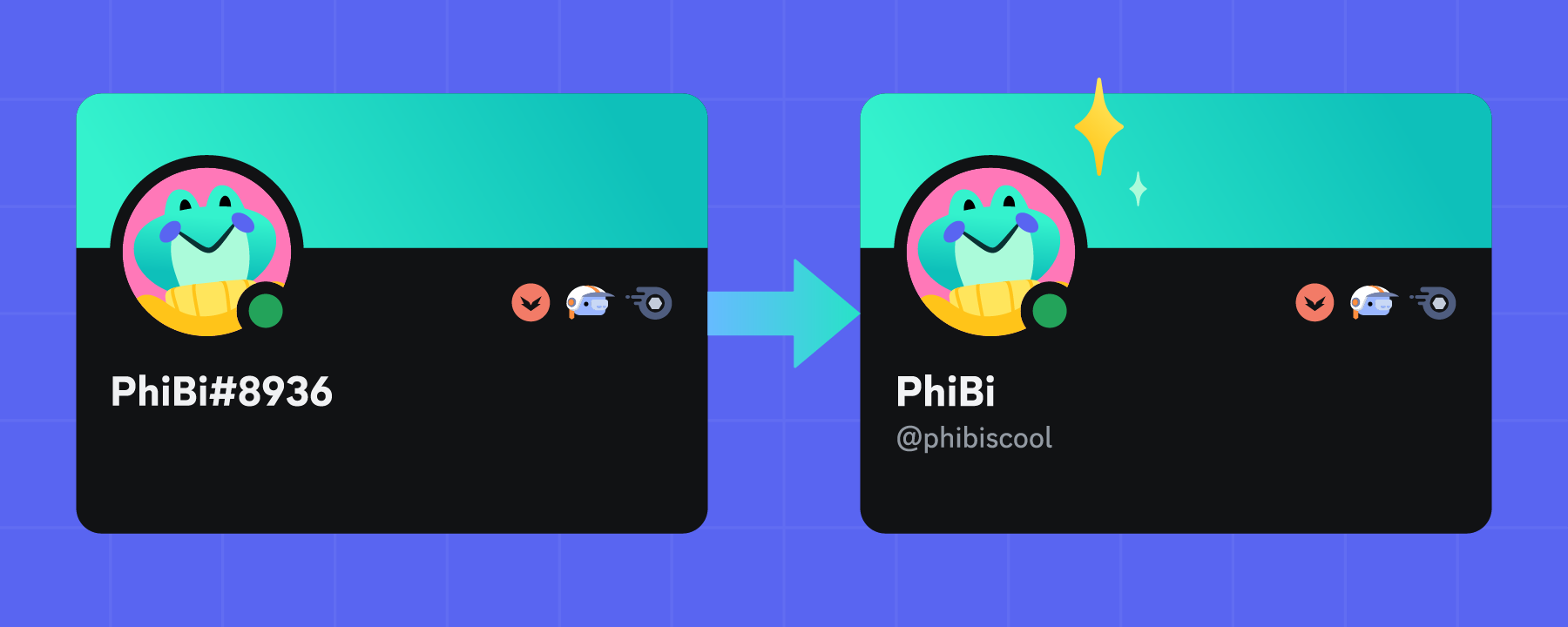
Discord usernames are changing to remove four-digit discriminators. Display Names are being added so how you appear to other users stays the same. Read on for more info.
 sick birch
slate swan
How’s this gonna change discord.py? https://discord.com/blog/usernames
sick birch
slate swan
How’s this gonna change discord.py? https://discord.com/blog/usernames
Probably not a lot
discord.User and discord.Member objects just won't have a .discriminator property
 junior birch
does anyone know what method I can use to simply send a message from a python script using pycord or discord.py to a discord channel? To be clear I just I want to run the script, call a 'hello world' function, and send it to a discord channel with no user interaction whatsoever.
 upbeat gust
junior birch
does anyone know what method I can use to simply send a message from a python sc...
upbeat gust
junior birch
does anyone know what method I can use to simply send a message from a python sc...
Does this need to be a bot?
Do you know about webhooks?
upbeat gust
slate swan
How’s this gonna change discord.py? https://discord.com/blog/usernames
ask the discord.py people lol
.gg/dpy
junior birch
upbeat gust
Do you know about webhooks?
I do. I've built a couple webhooks before. This is a different scenario. The bot will be used across multiple discord servers and each server will be receiving their own personal messages and the bot will have interactive functionality down the line. It's a weird circumstance and request but I'm trying to make it work.
upbeat gust
junior birch
I do. I've built a couple webhooks before. This is a different scenario. The bot...
junior birch
upbeat gust
https://discordpy.readthedocs.io/en/latest/faq.html#how-do-i-send-a-message-to-a...
So it does exist with discord.py! I thought pycord was a straight fork and I couldn't find it in pycords docs unless I missed it. Okay. I'm going to try discord.py instead. Thank you!
 timid spade
anyone?
 charred badge
i was wondering is there anyone that can help me understand how to implement slash commands, i'm going in circles a bit and not understanding what i'm not understanding
i'm using discord.py
sick birch
charred badge
i was wondering is there anyone that can help me understand how to implement sla...
There are a few examples in the GitHub repository that could be of use
charred badge
yeah, thats the part i keep rereading. i might just be a bit slow today or something. is this the one you are talking about? https://gist.github.com/AbstractUmbra/a9c188797ae194e592efe05fa129c57f

Gist
discord.py 2.0+ slash command info and examples. GitHub Gist: instantly share code, notes, and snippets.
from what i'm understanding (or at least what i think i understand) is i have to make a cog class, then from there feed it into a "tree" that gets uploaded so discord knows the commands and can turn it and a small explaination into a slash command in discord?
why i was kinda hoping for a back and forth for a small explaination to get me on the right path
 smoky sinew
charred badge
from what i'm understanding (or at least what i think i understand) is i have to...
smoky sinew
charred badge
from what i'm understanding (or at least what i think i understand) is i have to...
you don't need to feed anything
the app commands are added automatically, you just have to sync the tree to discord api
https://gist.github.com/mudkipdev/8cddcaed55ac99e4ec252a18bd0a42c3
this is my example, to use a cog/extension here you would just replace bot.tree.command with app_commands.command in the cog, but the syncing stuff stays the same
charred badge
ty, i'll take a look. i really appreciate it
 zealous anvil
Guys Im making a NRP game and I want to make a bot that updates year everyday at a certain time
Can anyome help with this
 vale wing
zealous anvil
Guys Im making a NRP game and I want to make a bot that updates year everyday at...
vale wing
zealous anvil
Guys Im making a NRP game and I want to make a bot that updates year everyday at...
First what is nrp
 plucky sun
How to make slash commands
smoky sinew
plucky sun
How to make slash commands
scroll up
plucky sun

async def my_command(interaction: discord.Interaction) -> None:
  await interaction.response.send_message("Hello from my command!")
 naive briar
It's replit 🤷
zealous anvil
vale wing
First what is nrp
Nation Role Play
slate swan
@client.event
async def on_member_update(before, after):
    if len(before.roles) < len(after.roles):
        new_role = next(role for role in after.roles if role not in before.roles)
        channel = client.get_channel(1073736340316885022)
        bem = discord.Embed(title=f"**__Role Added__**", description='', color=discord.Color.red())
        bem.add_field(name='', value=f"**Member:**{after.mention}")
        bem.add_field(name='', value=f"**Role Added:**{new_role.mention}")
        bem.add_field(name='', value=f"**Given by:**")
        await channel.send(embed=bem)
Can someone help me make it so it shows who it was added by
 austere prairie
maybe check in the audit log?
slate swan
how do i do this
 naive briar
Send a modal
slate swan
nextcord.errors.HTTPException: 400 Bad Request (error code: 50035): Invalid Form Body
In options.0.name: String value did not match validation regex. Command name is invalid
anyone can help?
As the error says, command option name is invalid
@bot.slash_command(name="kfc")
async def kfc(interaction:nextcord.Interaction):
await interaction.response.send_message("hello")
thats the code
bro there is no options
maybe it's another command
Doubt, you most likely have another command.
slate swan
slate swan
Doubt, you most likely have another command.
@bot.slash_command(name="check")
async def check(interaction:Interaction, ty: str=SlashOption(name="check",required=True)):
    with open("stock.json", "r") as f:
        r=json.load(f)
    if ty not in r:
        await interaction.response.send_message("Not Valid Type Of Item.",ephemeral=True)
    elif r[str(ty)] == 0:
        await interaction.response.send_message("This Item Is Not In The Stock. Please Wait Until restock.")
    else:
        with open(f"{ty}.txt", "r") as e:
            r = len(e)
print(e)```i think that's it
there is a problem here?
Stop thinking and get the right command, the traceback will tell you which command it is
ok that's it
so can anyone help me?
what's the problem with the name
?
unkempt canyonBOT
Traceback
Please provide the full traceback for your exception in order to help us identify your issue.
While the last line of the error message tells us what kind of error you got,
the full traceback will tell us which line, and other critical information to solve your problem.
Please avoid screenshots so we can copy and paste parts of the message.
A full traceback could look like:
Traceback (most recent call last):
  File "my_file.py", line 5, in <module>
    add_three("6")
  File "my_file.py", line 2, in add_three
    a = num + 3
        ~~~~^~~
TypeError: can only concatenate str (not "int") to str
If the traceback is long, use our pastebin.
vale wing
slate swan
nextcord.errors.HTTPException: 400 Bad Request (error code: 50035): Invalid Form...
That occurs on startup or calling command?
slate swan
slate swan
?
fixed
vale wing
K
slate swan
just changed the name to something weird
tall temple

 robust fulcrum
guys how can i make my programstart my discord bot on file change,its hard to restart again and agin
slate swan
Find something that does hot reloading by using a search engine
e.g. jurigged is the first result
robust fulcrum
slate swan
e.g. `jurigged` is the first result
thanks for telling
slate swan
@merry cliff
do you know how to make it show the user that added the role
@client.event
async def on_member_update(before, after):
    if len(before.roles) < len(after.roles):
        new_role = next(role for role in after.roles if role not in before.roles)
        channel = client.get_channel(1073736340316885022)
        bem = discord.Embed(title=f"**__Role Added__**", description='', color=discord.Color.red())
        bem.add_field(name='', value=f"**Member:**{after.mention}")
        bem.add_field(name='', value=f"**Role Added:**{new_role.mention}")
        bem.add_field(name='', value=f"**Given by:**")
        await channel.send(embed=bem)
Use audit logs
slate swan
slate swan
Use audit logs
how
 strong knoll
Can anybody help me with one thing
@client.command()
async def testcheck(ctx):
  channel = client.get_channel(1091360036468560003)
  date_limit = datetime.now() - timedelta(days=7)
# store the messages so that they can be reused
  messages = channel.history(after=date_limit)
  async for message in channel.history(limit=None, after=start_time, oldest_first=True):
    role = discord.utils.get(ctx.guild.roles, name="OW| Rep")
    if role not in member.roles:
        continue
    # count messages from the user
    message_count = len(discord.utils.get(messages, author=member))```


Guy said:

yeah so you want your command to accept two parameters you can do this:
```@client.command()
async def messages(ctx, role_name: str, limit_days: int):
    ...```


then you need to fetch the role by name via ```discord.utils.get```

then get the start and end date using datetime module

then you need to fetch all members from a guild and check if they have the role you want to check for if they do fetch messages from current channel and save messages count and actual member to a list

then you just display it to userPls help with this
 forest oyster
austere prairie
strong knoll
```py
@client.command()
async def testcheck(ctx):
channel = client.get_channel...
forest oyster
austere prairie
strong knoll
```py
@client.command()
async def testcheck(ctx):
channel = client.get_channel...
oh, you're that guy from last time
strong knoll
austere prairie
oh, you're that guy from last time
yes
austere prairie
you can do this in 2 ways: loop over the messages and check if the author for each message has the role or loop over the members and find the number of messages each person has
strong knoll
austere prairie
you can do this in 2 ways: loop over the messages and check if the author for ea...
man idk how to do it
strong knoll
austere prairie
you can do this in 2 ways: loop over the messages and check if the author for ea...
can you create me just this command?
austere prairie
from collections import defaultdict

@client.command()
async def messages(ctx, role: discord.Role, limit_days: int):
    # loop over each message
    messages = defaultdict(int)
    date_limit = datetime.now() - timedelta(days=limit_days)
    async for message in ctx.channel.history(after=date_limit):
        author = message.author
        if role not in author.roles:  # skip users without role
            continue
        messages[author] += 1
    # output (change to whatever you want)
    for user, message_count in messages.items():
        print(f"{user}: {message_count} messages")
thx I try it
strong knoll
austere prairie
```py
from collections import defaultdict
@client.command()
async def messages(...
btw how to get member count from like yesterday or 2 days befoer?
before*
strong knoll
austere prairie
```py
from collections import defaultdict
@client.command()
async def messages(...
Does not work due to:
Role is Longer than 1 word.
austere prairie
use quotes
strong knoll
kk
naive briar
There's a syntax for that
Like ctx, limit_days: int, *, role_name: str
Could be wrong, though
strong knoll
austere prairie
use quotes
wdym, where?
wait worked
Wait, now how to make from this so it checks from whole server?
austere prairie
loop over each channel
strong knoll
austere prairie
loop over each channel
how
robust fulcrum
guys why bmy bot is replying to its message again again again
class chatGpt(commands.Cog):
    def __init__(self, bot) -> None:
        self.bot = bot

    @commands.Cog.listener("on_message")
    async def on_message(self, message) -> None:
        if message.author.bot or message.author == self.bot.user:
            pass
        if message.channel.id == 1103681728331124736:
            await message.channel.send("hi")
!or
unkempt canyonBOT
The or-gotcha
When checking if something is equal to one thing or another, you might think that this is possible:
# Incorrect...
if favorite_fruit == 'grapefruit' or 'lemon':
    print("That's a weird favorite fruit to have.")
While this makes sense in English, it may not behave the way you would expect. In Python, you should have complete instructions on both sides of the logical operator.
So, if you want to check if something is equal to one thing or another, there are two common ways:
# Like this...
if favorite_fruit == 'grapefruit' or favorite_fruit == 'lemon':
    print("That's a weird favorite fruit to have.")

# ...or like this.
if favorite_fruit in ('grapefruit', 'lemon'):
    print("That's a weird favorite fruit to have.")
oh wait
nvm
pass doesn't do anything and continue with the rest of the function, use return to end the function immediately instead
strong knoll
austere prairie
`pass` doesn't do anything and continue with the rest of the function, use `retu...
How to loop over each channel?
naive briar
!d pass
unkempt canyonBOT
7.4. The pass statement
pass_stmt ::=  "pass"
``` [`pass`](https://docs.python.org/3/reference/simple_stmts.html#pass) is a null operation — when it is executed, nothing happens. It is useful as a placeholder when a statement is required syntactically, but no code needs to be executed, for example:

```py
def f(arg): pass    # a function that does nothing (yet)

class C: pass       # a class with no methods (yet)
oh ,it worked ,thanks
naive briar
strong knoll
How to loop over each channel?
For in loop 🤷
austere prairie
strong knoll
How to loop over each channel?
for channel in ctx.guild.channels:
    async for message in channel.history(after=date_limit):
        ...
thanks
strong knoll
austere prairie
```py
for channel in ctx.guild.channels:
async for message in channel.histor...
Guild is the bot name? like client/bot
naive briar
No, guild is guild
austere prairie
guild is a discord server
naive briar
!d discord.ext.commands.Context.guild
unkempt canyonBOT
Returns the guild associated with this context’s command. None if not available.
strong knoll
ah kk
austere prairie
it's just called guild in dpy
strong knoll
austere prairie
it's just called guild in dpy
@client.command()
async def testcheck(ctx, role_name: str, limit_days: int):
    # store role and messages for later
    role = discord.utils.get(ctx.guild.roles, name=role_name)
    # loop over each message
    messages = defaultdict(int)
    date_limit = datetime.now() - timedelta(days=limit_days)
    for channel in ctx.guild.channels:
      async for message in channel.history(after=date_limit):
          author = message.author
          if role not in author.roles:  # skip users without role
              continue
          messages[author] += 1
    # output (change to whatever you want)
    for user, message_count in messages.items():
      ctx.send(f"{user}: {message_count} messages")
this my code
After running I get:
RuntimeWarning: Enable tracemalloc to get the object allocation traceback
how do i access audit logs to find the name of people that add roles
strong knoll
naive briar
The error should already tell you that
no can you tell me
strong knoll
austere prairie
it's just called guild in dpy
AttributeError: 'CategoryChannel' object has no attribute 'history'
naive briar
strong knoll
no can you tell me
!e
async def send(): ...

send()
@naive briar :white_check_mark: Your 3.11 eval job has completed with return code 0.
001 | /home/main.py:3: RuntimeWarning: coroutine 'send' was never awaited
002 |   send()
003 | RuntimeWarning: Enable tracemalloc to get the object allocation traceback
yeah repaired
slate swan
slate swan
how do i access audit logs to find the name of people that add roles
!d discord.Guild.audit_logs
unkempt canyonBOT
async for ... in audit_logs(*, limit=100, before=..., after=..., oldest_first=..., user=..., action=...)```
Returns an [asynchronous iterator](https://docs.python.org/3/glossary.html#term-asynchronous-iterator "(in Python v3.11)") that enables receiving the guild’s audit logs.

You must have [`view_audit_log`](https://discordpy.readthedocs.io/en/latest/api.html#discord.Permissions.view_audit_log "discord.Permissions.view_audit_log") to do this.

Examples

Getting the first 100 entries:

```py
async for entry in guild.audit_logs(limit=100):
    print(f'{entry.user} did {entry.action} to {entry.target}')
```...but now this help
forest oyster
slate swan
slate swan
!d discord.Guild.audit_logs
thanks
strong knoll
nvm@austere prairie
 vocal snow
Where is author defined?
It needs to be a discord.Member object, discord.User objects are not bound to a Guild
strong knoll
vocal snow
Where is author defined?
They search for it by role.
vocal snow
!d discord.Message.author
unkempt canyonBOT
vocal snow
^ could be why you're getting a User instead of a Member
strong knoll
strong knoll
```py
@client.command()
async def testcheck(ctx, role_name: str, limit_days: int...
@quartz beacon
!e
from datetime import datetime, timedelta
from collections import defaultdict
import discord
from discord.ext import commands
import tracemalloc
tracemalloc.start()
@client.command()
async def testcheck(ctx, role_name: str, limit_days: int):
# store role and messages for later
role = discord.utils.get(ctx.guild.roles, name=role_name)
# loop over each message
messages = defaultdict(int)
date_limit = datetime.utcnow() - timedelta(days=limit_days)
for channel in ctx.guild.channels:
async for message in channel.history(after=date_limit):
author = message.author
if role not in author.roles: # skip users without role
continue
messages[author] += 1
# output
for user, message_count in messages.items():
await ctx.send(f"{user}: {message_count} messages")
unkempt canyonBOT
@strong knoll :x: Your 3.11 eval job has completed with return code 1.
001 | Traceback (most recent call last):
002 |   File "/home/main.py", line 3, in <module>
003 |     import discord
004 | ModuleNotFoundError: No module named 'discord'
Add it as a docstring: ```py
@bot.command()
async def hello(ctx, name):
"""Say hello to a user""" # <- this
await ctx.send(f"Hello, {name}")
Custom help commands in discord.py
To learn more about how to create custom help commands in discord.py by subclassing the help command, please see this tutorial by Stella#2000
austere prairie
Using dpy's built in method for making custom help commands is better
🤷
Unfortunately no
You might be able to find the source code for @unkempt canyon 's help command though
!src help
unkempt canyonBOT
Help Command
An interactive instance for the bot help command.
Source Code
bot/exts/info/help.py:167
austere prairie
Ok that might be too complicated lol
Maybe lancebot has a simpler one?
.src help
#sir-lancebot-playground message That's probably worse lmao
It doesn't even use HelpCommand
 polar scroll
@client.command()
@has_permissions(kick_members=True)
async def kick(ctx,member: discord.Member, *, reason=None):
await member.kick(reason=reason)
await ctx.send(f'User {member} has been kicked')
@kick.error
async def kick_error(ctx,error):
if isinstance(error,commands.MissingPermissions):
await ctx.send("You dont have permisson to kick people!")
its not kicking people, also, it doesnt show any erros
@quartz beacon
smoky sinew
polar scroll
@client.command()
@has_permissions(kick_members=True)
async def kick(ctx,member:...
else:
    raise error
add this to your error handler
you also want to check if the user has permissions to kick the user ```py
if ctx.author.top_role > member.top_role:
...
its weird cuz my bot has admin perms and is above every other role, except owners
smoky sinew
add the line to your error handler because it's probably silencing errors
polar scroll
okay, give me a minute
polar scroll
smoky sinew
add the line to your error handler because it's probably silencing errors
it still doesnt show anything 
smoky sinew
do you have any other error handlers?
 polar scroll
smoky sinew
do you have any other error handlers?
polar scroll
smoky sinew
do you have any other error handlers?

unkempt canyonBOT
Pasting large amounts of code
If your code is too long to fit in a codeblock in Discord, you can paste your code here:
https://paste.pythondiscord.com/
After pasting your code, save it by clicking the floppy disk icon in the top right, or by typing ctrl + S. After doing that, the URL should change. Copy the URL and post it here so others can see it.
polar scroll
smoky sinew
can you send your whole bot code
smoky sinew
@client.event
async def on_message(message):
    if message.content == "die":
        await message.delete()
        await message.channel.send("Dont send that again, please.")

    await client.process_commands(message)
add this to your on_message event
https://pypi.org/project/profanity-check/
also i recommend this for a filter
 polar scroll
do you mean
await client.process?
smoky sinew
polar scroll
do you mean
await client.process?
no
polar scroll
smoky sinew
no
it worked, can you explain why did you use that line of code?
smoky sinew
because you are overriding the default message event which processed commands for you
 ornate crater
someone please help me cooldown code
polar scroll
smoky sinew
because you are overriding the default message event which processed commands fo...
im new to discord.py. Cant i just make all my commands inside a single @client.command?
smoky sinew
no
polar scroll
Ive seen people switching to Nextcord instead of using discord.py, is it worthy?
slate swan
polar scroll
Ive seen people switching to Nextcord instead of using discord.py, is it worthy?
i am personally using nextcord for over a year now and i enjoy it a lot
polar scroll
slate swan
i am personally using nextcord for over a year now and i enjoy it a lot
as a beginner, would u suggest me discord.py or nextcord?
slate swan
polar scroll
as a beginner, would u suggest me discord.py or nextcord?
i would go with nextcord since it is easier for me
polar scroll
slate swan
i would go with nextcord since it is easier for me
do u have any tutorials that i could follow?
smoky sinew
polar scroll
as a beginner, would u suggest me discord.py or nextcord?
disnake or hikari 👍
glad cradle
smoky sinew
disnake or hikari 👍
hikari for a beginner? brooo
smoky sinew
glad cradle
hikari for a beginner? brooo
yes!!
slate swan

polar scroll

tall temple
        if ("http://" in info) or ("https://" in info) :
            if not os.path.exists(f"users_data/{ctx.guild.id}/invoices/{customer.id}") :
                os.mkdir(f"users_data/{ctx.guild.id}/invoices/{customer.id}")
            adt = datetime.now()
            at = adt.strftime("%H:%M")
            embed = discord.Embed(title = f". . .", description = f". . .", color = 0x2c245b)
            embed.set_footer(text = config["footer_txt"], icon_url = config['footer_img'] )

            dict = {"title" : f"{customer.name} 's invoice :", "description" : embed.description}
            with open(f'users_data/{ctx.guild.id}/invoices/{customer.id}/{str(date.today())}~{at}.json', "w") as filewname :
                sdl = "\n"
                json.dump(dict, filewname)
                filewname.write(sdl)
                filewname.close()

            await ctx.respond(embed = embed)
cool random code 
smoky sinew
the latest version on pypi, no
GitHub
Summary
Because the soundboard is strongly connected to voice channel effects, I decided to include soundboard related things also in this PR.
This PR adds following:
New event VOICE_CHANNEL_EFFEC...
there is this PR
pip install git+https://github.com/Puncher1/discord.py@soundboard_vc_effects
you can install it with this command
https://github.com/discord/discord-api-docs/pull/6025
discord.py's api reference is generated automatically with code:
https://github.com/Rapptz/discord.py/pull/9349/files
 deep mirage
is it against discord tos to read only with a selfbot?
 merry cliff
Yes
neon viper
how can i fix these two underlined brackets
 smoky sinew
neon viper
how can i fix these two underlined brackets
smoky sinew
neon viper
how can i fix these two underlined brackets
none of this code makes sense
neon viper
now. ?
 neon viper
get rid of those red lines under brackets
smoky sinew
what are you making though
smoky sinew
so reloading an extension
@bot.command()
async def reload(ctx: commands.Context, extension: str) -> None:
    await bot.reload_extension(extension)
    await ctx.message.add_reaction("✅")
just use something like this
shrewd apex
!d discord.Attachment
unkempt canyonBOT
class discord.Attachment```
Represents an attachment from Discord.

str(x) Returns the URL of the attachment.

x == y Checks if the attachment is equal to another attachment.

x != y Checks if the attachment is not equal to another attachment.

hash(x) Returns the hash of the attachment.

Changed in version 1.7: Attachment can now be casted to [`str`](https://docs.python.org/3/library/stdtypes.html#str "(in Python v3.11)") and is hashable.type-hint the argument with discord.Attachment
 crimson kettle
thank you ❤️
opaque elk
How can I use "in my code?
I want to have the text "
But this character is already used to design where there is textx
 fading marlin
You can add a backslash before the quotes
unkempt canyonBOT
class discord.Webhook```
Represents an asynchronous Discord webhook.

Webhooks are a form to send messages to channels in Discord without a bot user or authentication.

There are two main ways to use Webhooks. The first is through the ones received by the library such as [`Guild.webhooks()`](https://discordpy.readthedocs.io/en/latest/api.html#discord.Guild.webhooks "discord.Guild.webhooks"), [`TextChannel.webhooks()`](https://discordpy.readthedocs.io/en/latest/api.html#discord.TextChannel.webhooks "discord.TextChannel.webhooks"), [`VoiceChannel.webhooks()`](https://discordpy.readthedocs.io/en/latest/api.html#discord.VoiceChannel.webhooks "discord.VoiceChannel.webhooks") and [`ForumChannel.webhooks()`](https://discordpy.readthedocs.io/en/latest/api.html#discord.ForumChannel.webhooks "discord.ForumChannel.webhooks"). The ones received by the library will automatically be bound using the library’s internal HTTP session.

The second form involves creating a webhook object manually using the [`from_url()`](https://discordpy.readthedocs.io/en/latest/api.html#discord.Webhook.from_url "discord.Webhook.from_url") or [`partial()`](https://discordpy.readthedocs.io/en/latest/api.html#discord.Webhook.partial "discord.Webhook.partial") classmethods.

For example, creating a webhook from a URL and using [aiohttp](https://docs.aiohttp.org/en/stable/index.html "(in aiohttp v3.8)"):"hello\""
# or
'hello"'
 spice carbon
is this the best way to default a color to all of the embeds sent by my bot?
class Context(commands.Context["Utopify"]):
    async def send(
        self,
        content: t.Optional[str] = None,
        *,
        embed: t.Optional[discord.Embed] = None,
        **attrs: object,
    ) -> discord.Message:
        if embed is not None and embed.colour is None:
            embed.colour = ... # some color
        return await super().send(content, embed=embed, **attrs)
why
just make it a constant
or if you want to do what i did merge discord.Embed and Context.send together lol
spice carbon
smoky sinew
just make it a constant
i would need to import this constant across so many files that it just starts to be annoying
smoky sinew
spice carbon
is this the best way to default a color to all of the embeds sent by my bot?
```...
i don't see why you need the ["Utopify"] part here, str | None is just an Optional, attrs would be a dict of str to object
spice carbon
smoky sinew
i don't see why you need the `["Utopify"]` part here, `str | None` is just an Op...
just typehinting stuff. it is not related to my question
but thanks for calling out the str | None, it was autocompleted by vscode 😅
smoky sinew
i just have a method in my context class named Context.embed which also sets the default embed color
but the rest looks fine to me
spice carbon
you are using discord.SyncWebhook, and as the name says, it is a sync webhook. you should not be awaiting a sync operation. I would recommend you to switch to discord.Webhook, as it is async and meant to be used with discord.py methods/listeners
another solution that i would not recommend to you is just remove this await before webhook.send
!d discord.Webhook
unkempt canyonBOT
class discord.Webhook```
Represents an asynchronous Discord webhook.
Webhooks are a form to send messages to channels in Discord without a bot user or authentication.
There are two main ways to use Webhooks. The first is through the ones received by the library such as [`Guild.webhooks()`](https://discordpy.readthedocs.io/en/latest/api.html#discord.Guild.webhooks "discord.Guild.webhooks"), [`TextChannel.webhooks()`](https://discordpy.readthedocs.io/en/latest/api.html#discord.TextChannel.webhooks "discord.TextChannel.webhooks"), [`VoiceChannel.webhooks()`](https://discordpy.readthedocs.io/en/latest/api.html#discord.VoiceChannel.webhooks "discord.VoiceChannel.webhooks") and [`ForumChannel.webhooks()`](https://discordpy.readthedocs.io/en/latest/api.html#discord.ForumChannel.webhooks "discord.ForumChannel.webhooks"). The ones received by the library will automatically be bound using the library’s internal HTTP session.
The second form involves creating a webhook object manually using the [`from_url()`](https://discordpy.readthedocs.io/en/latest/api.html#discord.Webhook.from_url "discord.Webhook.from_url") or [`partial()`](https://discordpy.readthedocs.io/en/latest/api.html#discord.Webhook.partial "discord.Webhook.partial") classmethods.
For example, creating a webhook from a URL and using [aiohttp](https://docs.aiohttp.org/en/stable/index.html "(in aiohttp v3.8)"): twilit grotto
opaque elk
I want to have the text `"`
twilit grotto
opaque elk
I want to have the text `"`
escape them, for example
text = "hello \"name\""
```should worktry it and see
opaque elk
twilit grotto
or instead of that you could do
```
text = 'hello "name"'
```
Oh true ty
What part of an embed is this?

Its like bold but not bold at the same time
hushed galleon
opaque elk
What part of an embed is this?
im late again, but thats the author field
opaque elk
hushed galleon
im late again, but thats the author field
The author is shown way smaller tho
This isnt my real intro btw
opaque elk
hushed galleon
all of it is the description
Doesn’t look like the description’s font tho
 versed creek
extensions must have a setup function to register the cog iirc
how do I add it these setup functions for extensions?
 hushed galleon
opaque elk
Doesn’t look like the description’s font tho
hushed galleon
opaque elk
Doesn’t look like the description’s font tho
looks like markdown formatted text
opaque elk
hushed galleon
looks like markdown formatted text
How to do that
smoky sinew
versed creek
extensions must have a setup function to register the cog iirc
how do I add it t...
free bot hosting
can you run ls
hushed galleon
opaque elk
How to do that
opaque elk
hushed galleon
<https://support.discord.com/hc/en-us/articles/210298617-Markdown-Text-101-Chat-...
Which markdown
smoky sinew
i don't think that's formatted
 lean willow
i'm new so i've been looking through some tutorials & docs, but everything I've attempted hasn't worked and keeps just me more confused and down more rabbit holes. At this point I don't know what I have and haven't tried. . .
I have a block of code that basically works with this line
if reaction.emoji == '✅':
I would like it so the person running the command can use their own custom emoji in the server with the emoji's ID in the command so it does something like this
if reaction.emoji == emoji_id:
smoky sinew
lean willow
i'm new so i've been looking through some tutorials & docs, but everything I've ...
<:emoji_name:emoji_id>
lean willow
so i can the user do the like
!command emoji_name emoji_id and that would work?
well. . . having
async def roll2(ctx, emoji_name, emoji_id, channel: discord.TextChannel, id_ : int=None, x=1):
and the
if reaction.emoji == <:emoji_name:emoji_id> :
is not working ^^;
Since I want the user to be able to input there own emoji in when they run the command. I know how to make it match a custom emoji of my own choice within the code.
smoky sinew
lean willow
so i can the user do the like
`!command emoji_name emoji_id` and that would work...
you should just use the discord.Emoji converter
@commands.command()
async def command(self, ctx: commands.Context, emoji: discord.PartialEmoji) -> None:
    # save the partial emoji as a string to the database
then fetch that from the database in your reaction event
smoky sinew
lean willow
well. . . having
`async def roll2(ctx, emoji_name, emoji_id, channel: discord.T...
this needs to be a string btw
hushed galleon
opaque elk
Which markdown

oh and underline+bold yourself
hey wait a minute isnt markdown support in embeds different on mobile
lean willow
smoky sinew
```py
@commands.command()
async def command(self, ctx: commands.Context, emoji: ...
Thank you so much! This gave me what I needed. It is now working how I needed it to!
hushed galleon
hushed galleon
hey wait a minute isnt markdown support in embeds different on mobile
that top part might actually be an author field, but i cant check cause my tablet's been left off for like two months
i always keep a test embed around as reference for markdown compatibility
 slate swan

 past widget
has anyone gotten live streams working with a music bot?
smoky sinew
past widget
has anyone gotten live streams working with a music bot?
discord bots cannot share video
past widget
smoky sinew
discord bots cannot share video
well audio
smoky sinew
live streams of what though
the only thing music bots do is send audio packets and those packets can contain anything
sick birch
!rule 5 maybe
unkempt canyonBOT
5. Do not provide or request help on projects that may violate terms of service, or that may be deemed inappropriate, malicious, or illegal.
smoky sinew
still that depends on the library you're using, discord.py does not do anything by default
past widget
well thats the thing im not sure its possible with what im using
unkempt canyonBOT
Our youtube-dl, or equivalents, policy
Per Python Discord's Rule 5, we are unable to assist with questions related to youtube-dl, pytube, or other YouTube video downloaders, as their usage violates YouTube's Terms of Service.
For reference, this usage is covered by the following clauses in YouTube's TOS, as of 2021-03-17:
The following restrictions apply to your use of the Service. You are not allowed to:

1. access, reproduce, download, distribute, transmit, broadcast, display, sell, license, alter, modify or otherwise use any part of the Service or any Content except: (a) as specifically permitted by the Service;  (b) with prior written permission from YouTube and, if applicable, the respective rights holders; or (c) as permitted by applicable law;

3. access the Service using any automated means (such as robots, botnets or scrapers) except: (a) in the case of public search engines, in accordance with YouTube’s robots.txt file; (b) with YouTube’s prior written permission; or (c) as permitted by applicable law;

9. use the Service to view or listen to Content other than for personal, non-commercial use (for example, you may not publicly screen videos or stream music from the Service)
I put create_thread(name=…, type=channelintro.type.public_thread) and it says object has no attribute 'public_thread'
smoky sinew
opaque elk
I put create_thread(name=…, type=channelintro.type.public_thread) and it says ob...
what is channelintro
type (
Optional[ChannelType]) – The type of thread to create. If a message is passed then this parameter is ignored, as a thread created with a message is always a public thread. By default this creates a private thread if this is None.
the type is ChannelType
opaque elk
smoky sinew
what is channelintro
My embed
smoky sinew
why would you do embed.type.public_thread
sick birch
opaque elk
Like created via my embed
So the message containing the embed, not the embed itself
embed = discord.Embed(...)
message = await ctx.send(embed=embed)
await message.create_thread(...)
 sick birch
opaque elk
What should my thread type be?
sick birch
opaque elk
What should my thread type be?
What do you mean by "thread type"?
opaque elk
I got it dw
I found a doc to help me
I was asking for type=discord.ChannelType.public_thread
Nvm it doesn’t work
I look so stupid now 
it said -> TypeError: PartialMessage.create_thread() got an unexpected keyword argument 'type'
       await ctx.delete()
       intromessage = await channelintro.send(embed=embedintro)
       threadintro = await intromessage.create_thread(name=ctx.author.name, slowmode_delay=0, auto_archive_duration=4320, type=discord.ChannelType.public_thread)
       await threadintro.send(ctx.author.mention, embed=embedintro,)
    else:
return```Yeah there aren't really different "types" of thread
opaque elk
I basically want it to be shown on the message ->
 sick birch
Yeah all threads created on messages do that
opaque elk
So I just dont include any type at all?
smoky sinew
opaque elk
I basically want it to be shown on the message ->
if you want to do this, you send the message and then use Message.create_thread AFTER it's already sent, not the other way around
Message.create_thread already makes it public too
opaque elk

slate swan
I keep getting this error even though its the right bot and right channel
await self.get_channel(int(1079585905305714808)).send(embed=embed)
AttributeError: 'NoneType' object has no attribute 'send'
smoky sinew
slate swan
I keep getting this error even though its the right bot and right channel
await ...
because the channel isn't in your cache
async def try_channel(self, channel_id: int, /) -> Optional[Union[discord.abc.GuildChannel, discord.Thread, discord.abc.PrivateChannel]]:
    return self.get_channel(channel_id) or await self.fetch_channel(channel_id)
add a method like this to your bot class
slate swan
alr
smoky sinew
then use it with: ```py
channel = await self.try_channel(1079585905305714808)
await channel.send(embed=embed)
you need to import from typing import Optional, Union too
slate swan
File "c:\Users\Mateo\Desktop\rbxflip\main.py", line 102, in try_channel
    return self.get_channel(channel_id) or await self.fetch_channel(channel_id)
  File "C:\Users\Mateo\AppData\Local\Programs\Python\Python310\lib\site-packages\discord\client.py", line 2559, in fetch_channel
    data = await self.http.get_channel(channel_id)
  File "C:\Users\Mateo\AppData\Local\Programs\Python\Python310\lib\site-packages\discord\http.py", line 604, in request
    if not self._global_over.is_set():
AttributeError: '_MissingSentinel' object has no attribute 'is_set'```you're trying to run the code before the bot has started
slate swan
smoky sinew
you're trying to run the code before the bot has started
Fixed it thank you
smoky sinew
slate swan
Fixed it thank you
the get_channel issue was probably happening in the first place because the bot cache was not populated
hence get_channel would always return none
slate swan
bro a very strange bug is happening with me
i use await inter.send but it doesn't send the embed nor does it give an error
but still updates the database
but it was able to send an ephurmel msg
error fixed sry :P
merry cliff
oke
tall temple
        if ("http://" in info) or ("https://" in info) :
            if not os.path.exists(f"users_data/{ctx.guild.id}/invoices/{customer.id}") :
                os.mkdir(f"users_data/{ctx.guild.id}/invoices/{customer.id}")
            adt = datetime.now()
            at = adt.strftime("%H:%M")
            embed = discord.Embed(title = f". . .", description = f". . .", color = 0x2c245b)
            embed.set_footer(text = config["footer_txt"], icon_url = config['footer_img'] )

            dict = {"title" : f"{customer.name} 's invoice :", "description" : embed.description}
            with open(f'users_data/{ctx.guild.id}/invoices/{customer.id}/{str(date.today())}~{at}.json', "w") as filewname :
                sdl = "\n"
                json.dump(dict, filewname)
                filewname.write(sdl)
                filewname.close()

            await ctx.respond(embed = embed)

it's not json file, there is not the dict dictionary and there is not the minutes in the file nameit's not json file, there is not the dict dictionary and there is not the minutes in the file name
can someone help me pls ?...
slate swan
Does anyone know how discord sends voice messages, like the http request data etc. I wanna try to send a voice message thru my computer using the api
 meager chasm
slate swan
Does anyone know how discord sends voice messages, like the http request data et...
meager chasm
slate swan
Does anyone know how discord sends voice messages, like the http request data et...
Do you mean through a voice channel?
slate swan
meager chasm
Do you mean through a voice channel?
No like the new mobile feature
meager chasm
I'm not aware of it but it will be in the discord api docs if it's available for usage
slate swan
So i've looked through the docstrings, but I'm confused... what's the difference between these?
class Bot(commands.Bot):
class Bot(discord.Client):
class Bot(commands.AutoShardedBot):
they inherit different classes?
outside of your custom Bot definition, commands.Bot inherits discord.Client and commands.AutoShardedBot inherits commands.Bot, and thats so those classes can add their own functionality on top of each other, like command processing and automatic guild sharding
slate swan
I cant seem to figure out how to send a voice message, the main difference i see between a normal audio file and a voice message is that in the attachments part the voice message has the following args: "duration_secs" and "waveform" and the flags of the message is 1 << 13 which cant be set
 formal basin
I have a warn command using json I I want to say if the user has 3 warnings then a 10 minute mute my variable is warns_amt
twilit grotto
formal basin
I have a warn command using json I I want to say if the user has 3 warnings then...
provide code, not just a variable name lmao
formal basin
Ok
formal basin
formal basin
I have a warn command using json I I want to say if the user has 3 warnings then...
py```
@client.tree.command(name="warnings", description="check how many warnings someone has")
async def warnings(interaction: discord.Interaction, user: discord.Member = None):
if user == None:
users = interaction.author
users = await get_warns_data()
await open_account(user)
warns_amt = users[str(user.id)]["warns"]
em = discord.Embed(title = f"{user.name}'s warnings", color = discord.Color.yellow())
em.add_field(name = "warnings",value = warns_amt)
await interaction.response.send_message(embed = em)
@client.tree.command(name="warn", description="warn someone (moderator only)")
@commands.has_permissions(manage_messages=True)
async def warn(interaction: discord.Interaction, user: discord.User):
await open_account(user)
users = await get_warns_data()
await open_account(user)
warns = 1
await interaction.response.send_message(f"{user.mention} has been warned. {user.mention} now has {warns_amt} warnings")
users[str(user.id)]["warns"] += warns
with open("warndata.json","w") as f:
json.dump(users,f)
async def open_account(user):
users = await get_warns_data()
if str(user.id) in users:
return False
else:
users[str(user.id)] = {}
users[str(user.id)]["warns"] = 0
with open("warndata.json","w") as f:
json.dump(users,f)
return True
async def get_warns_data():
with open("warndata.json","r") as f:
users = json.load(f)
return users
whats the problem with it
formal basin
twilit grotto
whats the problem with it
theres no problem i just want to make it so when a user has 3 warnings then mute them
hushed galleon
dunno about that error but please reset your token if you havent already
 fierce crag
slate swan
i am using python anywhere to host my discord bot
fierce crag
slate swan
i am using python anywhere to host my discord bot
I've gone ahead and deleted your screenshot, due to it leaking your discord bot token. It'd be best to reset it, you can do so by heading to your discord developer portal, navigating to your Bot page, and hitting the Reset Token button.
formal basin
formal basin
I have a warn command using json I I want to say if the user has 3 warnings then...
Anyone
 formal basin
polar scroll
how do i ping the user that just joined?
formal basin
polar scroll
how do i ping the user that just joined?
{member.mention}
tall temple
tall temple
```py
if ("http://" in info) or ("https://" in info) :
if no...
god damn pls help i'm waiting for like 3d and no one wants to answer wth
polar scroll
formal basin
{member.mention}
channel.send(f"welcome" {member.mention})?
naive briar
No
formal basin
polar scroll
channel.send(f"welcome" {member.mention})?
Correct
but with " at end
and await at start
polar scroll
yeah yeah, how do i delete that message a few seconds later?
naive briar
!d discord.TextChannel.send
unkempt canyonBOT
await send(content=None, *, tts=False, embed=None, embeds=None, file=None, files=None, stickers=None, delete_after=None, nonce=None, allowed_mentions=None, reference=None, ...)```
This function is a [*coroutine*](https://docs.python.org/3/library/asyncio-task.html#coroutine).

Sends a message to the destination with the content given.

The content must be a type that can convert to a string through `str(content)`. If the content is set to `None` (the default), then the `embed` parameter must be provided.

To upload a single file, the `file` parameter should be used with a single [`File`](https://discordpy.readthedocs.io/en/latest/api.html#discord.File "discord.File") object. To upload multiple files, the `files` parameter should be used with a [`list`](https://docs.python.org/3/library/stdtypes.html#list "(in Python v3.11)") of [`File`](https://discordpy.readthedocs.io/en/latest/api.html#discord.File "discord.File") objects. **Specifying both parameters will lead to an exception**.

To upload a single embed, the `embed` parameter should be used with a single [`Embed`](https://discordpy.readthedocs.io/en/latest/api.html#discord.Embed "discord.Embed") object. To upload multiple embeds, the `embeds` parameter should be used with a [`list`](https://docs.python.org/3/library/stdtypes.html#list "(in Python v3.11)") of [`Embed`](https://discordpy.readthedocs.io/en/latest/api.html#discord.Embed "discord.Embed") objects. **Specifying both parameters will lead to an exception**.how many secs?
naive briar
The delete_after argument
polar scroll
formal basin
how many secs?
5? i think its good
formal basin
ok
1 sec let me give example
await channel.send(f"welcome {member.mention}", delete_after=5)
formal basin
formal basin
```await channel.send(f"welcome {member.mention}", delete_after=5)```
@polar scroll
formal basin
np
polar scroll
naive briar
The `delete_after` argument
thanks for the help too
formal basin
polar scroll
thanks for the help too
If you want to change the secs you change the number after delete_after
 formal basin
I have a warn command using json I I want to say if the user has 3 warnings then...
formal basin
formal basin
I have a warn command using json I I want to say if the user has 3 warnings then...
Anyone?
polar scroll
oh also, how do i use a custom server emoji on my message?
vocal snow
formal basin
Anyone?
In your warn command just use an if statement to check the amount of warns
formal basin
vocal snow
In your warn command just use an if statement to check the amount of warns
in an event or command?
naive briar
What event would it be in
!e how hard can it be
warns_count = 3

if warns_count == 3:
    print("uwu")
@naive briar :white_check_mark: Your 3.11 eval job has completed with return code 0.
uwu
idk
vocal snow
If you're not good with if statements, I would strongly suggest you practice those first because that's pretty basic python which you'll require to know
formal basin
vocal snow
If you're not good with if statements, I would strongly suggest you practice tho...
do i put it in a command like idk
vocal snow
I'm sure you can figure it out
Do you want to timeout the user as soon as they get 3 warns?
Do you want to timeout all users with 3 warns periodically?
formal basin
vocal snow
Do you want to timeout the user as soon as they get 3 warns?
yes
vocal snow
Where in your code are you adding to the amount of warns?
formal basin
vocal snow
Where in your code are you adding to the amount of warns?
@commands.has_permissions(manage_messages=True)
async def warn(interaction: discord.Interaction, user: discord.User):
  await open_account(user)


  users = await get_warns_data()
  await open_account(user)


  warns = 1

  await interaction.response.send_message(f"{user.mention} has been warned. {user.mention} now has {warns_amt} warnings")

  users[str(user.id)]["warns"] += warns

  with open("warndata.json","w") as f:
json.dump(users,f)```How would you access the number of warns the user has and store it in a variable?
formal basin
json
vocal snow
Yes, but in your python code how would you get the number of warns
vocal snow
Yes
formal basin
ok thanks
polar scroll
oh also, how do i use a custom server emoji on my message?
like, the bot sends
"hi  "
"
vocal snow
<:name:id> or <a:name:id> if animated iirc
You could also use Client.get_emoji with the id
polar scroll
vocal snow
You could also use Client.get_emoji with the id
example?
@client.get_emoji?
vocal snow
Why would it be a decorator
polar scroll
 no idea
await channel.send(f"welcome {member.mention} <a:name:id> ", delete_after=5) something like this?
vocal snow
Yes, except you use the emoji name and emoji id
polar scroll
alr alr
formal basin
formal basin
ok thanks
runtimewarning: coroutine 'Member.timeout' was never awaited interaction.user.timeout(duration)RuntimeWarning: Enable tracemalloc to get the object allocation traceback
formal basin
vocal snow
Yes, except you use the emoji name and emoji id
  File "/home/runner/zag/venv/lib/python3.10/site-packages/discord/app_commands/commands.py", line 842, in _do_call
    return await self._callback(interaction, **params)  # type: ignore
  File "main.py", line 102, in warn
    await interaction.user.timeout(duration)
  File "/home/runner/zag/venv/lib/python3.10/site-packages/discord/member.py", line 1005, in timeout
    await self.edit(timed_out_until=timed_out_until, reason=reason)
  File "/home/runner/zag/venv/lib/python3.10/site-packages/discord/member.py", line 906, in edit
    data = await http.edit_member(guild_id, self.id, reason=reason, **payload)
  File "/home/runner/zag/venv/lib/python3.10/site-packages/discord/http.py", line 738, in request
    raise Forbidden(response, data)
discord.errors.Forbidden: 403 Forbidden (error code: 50013): Missing Permissions

The above exception was the direct cause of the following exception:

Traceback (most recent call last):
  File "/home/runner/zag/venv/lib/python3.10/site-packages/discord/app_commands/tree.py", line 1248, in _call
    await command._invoke_with_namespace(interaction, namespace)
  File "/home/runner/zag/venv/lib/python3.10/site-packages/discord/app_commands/commands.py", line 867, in _invoke_with_namespace
    return await self._do_call(interaction, transformed_values)
  File "/home/runner/zag/venv/lib/python3.10/site-packages/discord/app_commands/commands.py", line 860, in _do_call
    raise CommandInvokeError(self, e) from e
discord.app_commands.errors.CommandInvokeError: Command 'warn' raised an exception: Forbidden: 403 Forbidden (error code: 50013): Missing Permissions
172.31.128.1 - - [05/May/2023 16:39:27] "HEAD / HTTP/1.1" 200 -
it has admin
vocal snow
The bot's top role needs to be higher than the member's top tole
formal basin
it is
vocal snow
And the member should not be the server owner
formal basin
yeah it isn’t
formal basin
vocal snow
And the member should not be the server owner
it isn’t
formal basin
formal basin
```Traceback (most recent call last):
File "/home/runner/zag/venv/lib/python3....
can someone help
formal basin
formal basin
```Traceback (most recent call last):
File "/home/runner/zag/venv/lib/python3....
i dont understand it has everything
Anyone?
 unkempt mauve
Code: https://paste.pythondiscord.com/remineyope
Issue: Interaction is failing
 slow fog
 thin tartan
how to create bots?
thin tartan
how to create bots?
wouldn't you consider searching that on google
better than asking it here
 reef gazelle
thin tartan
how to create bots?
reef gazelle
thin tartan
how to create bots?
https://discordpy.readthedocs.io/en/stable/
Goodluck fam
polar scroll
ive been trying to install discord-py-slash-command but it isnt working
anyone know why?
hushed galleon
polar scroll
ive been trying to install discord-py-slash-command but it isnt working
although the outdated discord-py-slash-command package still exists on pypi, so im not sure what you mean by "not working"
polar scroll
hushed galleon
https://canary.discord.com/channels/267624335836053506/343944376055103488/108958...
can i still have the simplicity of creating slash commands using that lib?
as i meant, is it as easier?
hushed galleon
i cant say whether interactions.py is easier than discord.py, but i can say that discord.py lacks first-party guides for slash commands - the best you can get is a few third-party guides, API reference, and a couple examples
https://gist.github.com/Ash-02014/b6f57065f394b54f43666037ade38d32
https://discordpy.readthedocs.io/en/stable/interactions/api.html
https://github.com/Rapptz/discord.py/tree/v2.2.3/examples/app_commands
oh and asking us
polar scroll
ive seen people recommend me use nextcord over discord.py, any thoughts on it?
hushed galleon
havent really used nextcord so i cant say one is better, but for general information nextcord is a fork of discord.py, which like most other forks started before discord.py came back to life with their own syntax of writing slash commands (if you see app_commands, that's discord.py), so nextcord and dpy have different ways of writing slash commands
polar scroll

i find discord.py slash commands so complicated, thought ive found the light when i saw discord-py-slash-command
hushed galleon
personally i have no issues with the app_commands syntax and i appreciate how discord.py kept app commands isolated from the original Client/Bot implementations - no extra methods like Bot.sync_application_commands() or Client.bulk_overwrite_global_commands(), almost all of it is either part of app_commands or a method of CommandTree
polar scroll
is there any yt videos explaining on a better way?
hushed galleon
the best you can get is a few third-party guides, API reference, and a couple examples
discord.py has had plenty of major changes so external sources, especially youtube videos, are only getting more out of date
perhaps you'd find it easier to learn interactions.py instead, but that being said discord.py (and to some degree its forks like disnake) are a lot more commonly discussed in this server
you might be talking about a discord-managed webhook triggered from an announcement channel in another server
slate swan
It's when a server follows an announcement channel of another server
Discord sends the published message from one server to the server that is following it, you can't add that yourself in your bot or similar
Simply means it's a message coming from another server
  File "/home/runner/bot/venv/lib/python3.10/site-packages/jishaku/features/invocation.py", line 168, in jsk_debug
    await alt_ctx.command.invoke(alt_ctx)
  File "/home/runner/bot/venv/lib/python3.10/site-packages/discord/ext/commands/core.py", line 1623, in invoke
    await self.prepare(ctx)
  File "/home/runner/bot/venv/lib/python3.10/site-packages/discord/ext/commands/core.py", line 919, in prepare
    if not await self.can_run(ctx):
  File "/home/runner/bot/venv/lib/python3.10/site-packages/discord/ext/commands/core.py", line 1280, in can_run
    return await discord.utils.async_all(predicate(ctx) for predicate in predicates)
  File "/home/runner/bot/venv/lib/python3.10/site-packages/discord/utils.py", line 700, in async_all
    elem = await elem
  File "/home/runner/bot/cogs/events.py", line 30, in predicate
    async with ctx.bot.db.cursor() as cursor:
AttributeError: 'AutoShardedBot' object has no attribute 'db'```Someone help?
reef gazelle
polar scroll
ive seen people recommend me use nextcord over discord.py, any thoughts on it?
I don’t know if it has it but heard some people use Disnake i believe it’s called
slate swan
slate swan
Someone help?
?
reef gazelle
slate swan
?
#1035199133436354600 - Tag for Discord Bots
Go into more detail and what have u tried already
Is it happening on bot run, when command executed or something specific
 cedar flame
I have the following code to mute members in discord using discord py but it doesn't work, it just creates the role Muted but doesn't give it to the user. I have enbaled Manage_permissions and asked ChatGPT but he stills just backpedaling on me there, any help please.
@bot.command()
@commands.has_permissions(manage_roles=True)
async def mute(ctx, member: discord.Member, duration: int, *, reason=None):
    muted_role = discord.utils.get(ctx.guild.roles, name="Muted")
    if not muted_role:
        muted_role = await ctx.guild.create_role(name="Muted", color=discord.Color.dark_grey())
        for channel in ctx.guild.channels:
            await channel.set_permissions(muted_role, send_messages=False)
    embed = discord.Embed(name="Mute", description=f"**``You have been muted in {ctx.guild.name}``**", color=discord.Color.red())
    embed.add_field(name="Reason", value=reason, inline=False)
    embed.set_footer(text=f"Mute issued by {ctx.author.name}.")
    await member.add_roles(muted_role, reason=reason)
    await member.send(embed=embed)
    await ctx.send(f"**``✅ Success``**\n🔇 {member.mention} has been muted for {duration} seconds!")
    await asyncio.sleep(duration)
    await member.remove_roles(muted_role)
Consider using the built-in timeout feature instead of a Muted role
cedar flame
slate swan
Consider using the built-in timeout feature instead of a Muted role
but I wanna use muted, why it doesn't work.
vocal snow
cedar flame
I have the following code to mute members in discord using discord py but it doe...
Do you have any error handlers? Have you setup logging?
cedar flame
vocal snow
Do you have any error handlers? Have you setup logging?
I don't have any error
I tested the command !mute {member} {duration} {reason}, but it just creates the role and it doesn't give it to the member
vocal snow
And you don't have on_command_error or any other error handlers?
slate swan
cedar flame
but I wanna use muted, why it doesn't work.
Then you're making things much more difficult for yourself for little reason.
Try adding in a few print statements and find the line of code that is potentially causing an error.
vocal snow
Is the member's top role higher than or equal to the bot's top role?
Is the member the server owner?
And do you have logging set up
cedar flame
vocal snow
Is the member's top role higher than or equal to the bot's top role?
the bot's role is higher than the member
the member is just a basic member
slate swan
cedar flame
the member is just a basic member
name= is not a kwarg for discord.Embed
You probably want title=
cedar flame
slate swan
`name=` is not a kwarg for `discord.Embed`
you mean title
cedar flame
slate swan
`name=` is not a kwarg for `discord.Embed`
finally it works, thanks man
polar scroll
hushed galleon
personally i have no issues with the app_commands syntax and i appreciate how di...
so i went ahead and watched a tutorial on yt, the guy put his sync command inside on_ready. I heard that it can get your bot banned due to rate limiting, is that still a thing?
 mighty pilot
using d.py, can i disable a button for only the person who pushed it and allow others to also push it?
hushed galleon
polar scroll
so i went ahead and watched a tutorial on yt, the guy put his sync command insid...
ive heard and echoed yes to that, but from what i understand rereading the API documentation, its only if your bot creates a new command rather than editing an existing one
https://discord.com/developers/docs/interactions/application-commands#registering-a-command
https://discord.com/developers/docs/interactions/application-commands#bulk-overwrite-global-application-commands
hushed galleon
mighty pilot
using d.py, can i disable a button for only the person who pushed it and allow o...
the disabled effect is globally visible so no, you'd have to check the user during interaction_check() to prevent it
polar scroll
hushed galleon
ive heard and echoed yes to that, but from what i understand rereading the API d...
so this is ok?
 mighty pilot
hushed galleon
the disabled effect is globally visible so no, you'd have to check the user duri...
mighty pilot
hushed galleon
the disabled effect is globally visible so no, you'd have to check the user duri...
thats what i thought but decided it was worth asking
hushed galleon
polar scroll
so this is ok?
personally i prefer using a text command to trigger the synchronization manually, at least from the perspective of bandwidth you'll save your bot some pointless API requests
 cold sonnet
polar scroll
so this is ok?
cold sonnet
polar scroll
so this is ok?
no it's not ok
hushed galleon
btw you mistyped interaction, it should be discord.Interaction rather than discord.Integration
mighty pilot
hushed galleon
personally i prefer using a text command to trigger the synchronization manually...
this is what i do as well. i just make a /ping command and build it into that
polar scroll
hushed galleon
personally i prefer using a text command to trigger the synchronization manually...
so could i sync it on_message?
cold sonnet
set your activity and status in the Bot constructor
polar scroll
hushed galleon
btw you mistyped interaction, it should be discord.Interaction rather than disco...
weird, i just noticed that but the bot works fine 
cold sonnet
man does everything on_ready 😭
polar scroll
cold sonnet
man does everything on_ready 😭
im a beginner, what can i say 
slate swan
anyone have a send gen bot like
/key (amount) (gives amount of keys from a example.txt and removes what it sent from the example.txt)
polar scroll
cold sonnet
set your activity and status in the Bot constructor
where, how
cold sonnet
bot = commands.Bot(activity=discord.Game("Project Alicization"), status=discord.Status.do_not_disturb)
and the remaining kwargs that go in there
polar scroll
OH
polar scroll
hushed galleon
personally i prefer using a text command to trigger the synchronization manually...
like this? in a text trigger?
 reef gazelle
Is it acceptable practice to run postgresql on the same box as the bot ?
I got some ideas for fun bots just to practice python but want to get used to postgres
 terse orchid
heya, anyone know how would I set a variable equal to fetch_user()? best I've got is defining it in an async function, making it a global variable and running that function on_ready() but I can't use that variable outside of functions this way
hushed galleon
polar scroll
like this? in a text trigger?
see the repository for command examples
https://github.com/Rapptz/discord.py/blob/v2.2.3/examples/basic_bot.py
with this approach the only other thing you'll need is @commands.is_owner() to make sure other people cant run your sync command
https://discordpy.readthedocs.io/en/latest/ext/commands/api.html#discord.ext.commands.is_owner
 hushed galleon
reef gazelle
Is it acceptable practice to run postgresql on the same box as the bot ?
I got ...
hushed galleon
reef gazelle
Is it acceptable practice to run postgresql on the same box as the bot ?
I got ...
if it suits your needs (e.g. availability, data persistency, resource consumption) then go ahead
reef gazelle
Cheers 👌🏻
slate swan
anyone have a send gen bot like
/key (amount) (gives amount of keys from a example.txt and removes what it sent from the example.txt)
hushed galleon
terse orchid
heya, anyone know how would I set a variable equal to fetch_user()? best I've go...
you could store it as a bot var and access it that way py @bot.event async def setup_hook(): bot.my_user = await bot.fetch_user(1234) though iirc fetch_user() wont dynamically update as your bot receives update events for them, and whatever you're doing with it might have a better solution
 earnest swift
Does anyone know how to fix WARNING discord.ext commands message content privilege is disable commands may not work properly even though its on
And then when i send a command the bot won’t respond
slate swan
Show code
 scenic pike
Any who have invite tracker bot and can give me source?
smoky sinew
scenic pike
Any who have invite tracker bot and can give me source?
all you need to do is detect when a member joins, and see which invite went up in uses
then reward the user that created that invite
scenic pike
smoky sinew
all you need to do is detect when a member joins, and see which invite went up i...
I haven't worked much on the on_member_join event, so I don't really know how it works
smoky sinew
it's just a function that you create with a member argument
!d discord.on_member_join
unkempt canyonBOT
discord.on_member_join(member)```
Called when a [`Member`](https://discordpy.readthedocs.io/en/latest/api.html#discord.Member "discord.Member") joins a [`Guild`](https://discordpy.readthedocs.io/en/latest/api.html#discord.Guild "discord.Guild").

This requires [`Intents.members`](https://discordpy.readthedocs.io/en/latest/api.html#discord.Intents.members "discord.Intents.members") to be enabled.'import discord
from discord.ext import commands
intents = discord.Intents.default()
intents.members = True
client = commands.Bot(command_prefix="!", intents=intents, case_insensitive=True)
@client.event
async def on_ready():
print("Ready to run the bot open discord.com and now your abhle to create your own new commands!!")
@client.command
async def hello(ctx):
await ctx.send("Hello There!")
smoky sinew
earnest swift
'import discord
from discord.ext import commands
intents = discord.Intents.defa...
you don't have the intent enabled though
the intent is message_content
earnest swift
smoky sinew
you don't have the intent enabled though

 smoky sinew
earnest swift
smoky sinew
earnest swift
you have to enable it in your code too
don't use that, that will require verifying all of your intents later and it's not generally recommended to enable intents you don't need
slate swan
earnest swift
'import discord
from discord.ext import commands
intents = discord.Intents.defa...
And where is the part where you enable the message content intent
earnest swift
smoky sinew
don't use that, that will require verifying all of your intents later and it's n...
So then what do i ise
Use*
earnest swift
slate swan
And where is the part where you enable the message content intent
Wdym
smoky sinew
just enable it you already enabled the members intent idk what you mean
slate swan
!intents
unkempt canyonBOT
Using intents in discord.py
Intents are a feature of Discord that tells the gateway exactly which events to send your bot. Various features of discord.py rely on having particular intents enabled, further detailed in its documentation. Since discord.py v2.0.0, it has become mandatory for developers to explicitly define the values of these intents in their code.
There are standard and privileged intents. To use privileged intents like Presences, Server Members, and Message Content, you have to first enable them in the Discord Developer Portal. In there, go to the Bot page of your application, scroll down to the Privileged Gateway Intents section, and enable the privileged intents that you need. Standard intents can be used without any changes in the developer portal.
Afterwards in your code, you need to set the intents you want to connect with in the bot's constructor using the intents keyword argument, like this:
from discord import Intents
from discord.ext import commands

# Enable all standard intents and message content
# (prefix commands generally require message content)
intents = Intents.default()
intents.message_content = True

bot = commands.Bot(command_prefix="!", intents=intents)
For more info about using intents, see discord.py's related guide, and for general information about them, see the Discord developer documentation on intents.
slate swan
Look at the example
smoky sinew
server muted how
earnest swift
2023-05-05 22:26:04 INFO discord.client logging in using static token
2023-05-05 22:26:05 INFO discord.gateway Shard ID None has connected to Gateway (Session ID: 08c2e7d99f7f2fdcafce65ace341969c).
Ready to run the bot open discord.com and now your abhle to create your own new commands!!
2023-05-05 22:26:34 ERROR discord.ext.commands.bot Ignoring exception in command None
discord.ext.commands.errors.CommandNotFound: Command "hello" is not found
this is the error it gives now
smoky sinew
Ready to run the bot open discord.com and now your abhle to create your own new commands!!
use guild.me.voice to get this object
why would the admin be careless what if they just wanted to mute the bot it's the same result either way
earnest swift
smoky sinew
> Ready to run the bot open discord.com and now your abhle to create your own ne...
?
slate swan
earnest swift
2023-05-05 22:26:04 INFO discord.client logging in using static token
2023-0...
You are missing ()
In client.command
earnest swift
slate swan
You are missing ()
omg thank u it works now
smoky sinew
so? if they didn't mute it it would be playing overnight either way
yes 👍
just have an afk check
earnest swift
!embed
smoky sinew
like if no activity happens for an hour send a message with a button prompt to continue playing
what is self.voice_client
is this just pseudocode
i think it would get annoying for the users after a while, personally i would just implement the afk check idea with a default time out of like 1 hour
and i would count "activity" as anyone joining or leaving the channel, or maybe someone in the voice channel talking in a text channel actually
yeah
yes
maybe don't leave the channel, but just pause the music while the bot is muted
and staying in the channel does not use up any resources especially since the bot is already defeaned
i would still recommend having some sort of activity check though
 runic zealot
hey! i have a problem... i start to the project with a friend but... we dont understand.... please help!
 smoky sinew
runic zealot
hey! i have a problem... i start to the project with a friend but... we dont und...
smoky sinew
runic zealot
hey! i have a problem... i start to the project with a friend but... we dont und...
!intents
unkempt canyonBOT
Using intents in discord.py
Intents are a feature of Discord that tells the gateway exactly which events to send your bot. Various features of discord.py rely on having particular intents enabled, further detailed in its documentation. Since discord.py v2.0.0, it has become mandatory for developers to explicitly define the values of these intents in their code.
There are standard and privileged intents. To use privileged intents like Presences, Server Members, and Message Content, you have to first enable them in the Discord Developer Portal. In there, go to the Bot page of your application, scroll down to the Privileged Gateway Intents section, and enable the privileged intents that you need. Standard intents can be used without any changes in the developer portal.
Afterwards in your code, you need to set the intents you want to connect with in the bot's constructor using the intents keyword argument, like this:
from discord import Intents
from discord.ext import commands

# Enable all standard intents and message content
# (prefix commands generally require message content)
intents = Intents.default()
intents.message_content = True

bot = commands.Bot(command_prefix="!", intents=intents)
For more info about using intents, see discord.py's related guide, and for general information about them, see the Discord developer documentation on intents.
smoky sinew
btw this is not what a discord token looks like
 runic zealot
smoky sinew
btw this is not what a discord token looks like
runic zealot
smoky sinew
btw this is not what a discord token looks like
yes i have a hide my token
but this a line ten
smoky sinew
runic zealot
yes i have a hide my token
that looks to be your client secret
not your token
runic zealot
Yes... But what is the problem of that (with the right token it doesn’t work)
runic zealot
what "what" ?
runic zealot
smoky sinew
what 💀
even with the modifications it does not work:')
 smoky sinew
you removed import discord?
and you can't have a bot and client running together
so remove the class MyClient and client = ... parts
and replace client.run with bot.run
runic zealot
ho okay
runic zealot
smoky sinew
and replace `client.run` with `bot.run`
I changed my bot but it doesn’t work (I change my code because I didn’t understand you’re still changing sorry mdr)
 smoky sinew
runic zealot
I changed my bot but it doesn’t work (I change my code because I didn’t understa...
smoky sinew
runic zealot
I changed my bot but it doesn’t work (I change my code because I didn’t understa...
import commands does not exist
smoky sinew
runic zealot
even with the modifications it does not work:')
just go back to this for now
you'll need to remove all the stuff that mentions client
 rugged shadow
looks like curry... i wouldn't..
earnest swift
anyone know how to do a discord embed
sick birch
earnest swift
anyone know how to do a discord embed
!d discord.Embed
unkempt canyonBOT
class discord.Embed(*, colour=None, color=None, title=None, type='rich', url=None, description=None, timestamp=None)```
Represents a Discord embed.

len(x) Returns the total size of the embed. Useful for checking if it’s within the 6000 character limit.

bool(b) Returns whether the embed has any data set.

New in version 2.0.

x == y Checks if two embeds are equal.

New in version 2.0...Oh man I don't miss browsing in this channel
 thin trout
how can i rename a user on voice state update?
smoky sinew
thin trout
how can i rename a user on voice state update?
!d discord.Member.edit
unkempt canyonBOT
await edit(*, nick=..., mute=..., deafen=..., suppress=..., roles=..., voice_channel=..., timed_out_until=..., bypass_verification=..., reason=None)```
This function is a [*coroutine*](https://docs.python.org/3/library/asyncio-task.html#coroutine).

Edits the member’s data.

Depending on the parameter passed, this requires different permissions listed below...from discord.ext import commands
as far as i remember this is what it was
 fading mist
how do i send a message to a webhook?
sick birch
fading mist
how do i send a message to a webhook?
!d discord.Webhook.send
unkempt canyonBOT
await send(content=..., *, username=..., avatar_url=..., tts=False, ephemeral=False, file=..., files=..., embed=..., embeds=..., allowed_mentions=..., view=..., thread=..., ...)```
This function is a [*coroutine*](https://docs.python.org/3/library/asyncio-task.html#coroutine).

Sends a message using the webhook.

The content must be a type that can convert to a string through `str(content)`.

To upload a single file, the `file` parameter should be used with a single [`File`](https://discordpy.readthedocs.io/en/latest/api.html#discord.File "discord.File") object.

If the `embed` parameter is provided, it must be of type [`Embed`](https://discordpy.readthedocs.io/en/latest/api.html#discord.Embed "discord.Embed") and it must be a rich embed type. You cannot mix the `embed` parameter with the `embeds` parameter, which must be a [`list`](https://docs.python.org/3/library/stdtypes.html#list "(in Python v3.11)") of [`Embed`](https://discordpy.readthedocs.io/en/latest/api.html#discord.Embed "discord.Embed") objects to send.

Changed in version 2.0: This function will now raise [`ValueError`](https://docs.python.org/3/library/exceptions.html#ValueError "(in Python v3.11)") instead of `InvalidArgument`.anyone have a send gen bot like
/key (amount) (gives amount of keys from a example.txt and removes what it sent from the example.txt)
formal basin
formal basin
```Traceback (most recent call last):
File "/home/runner/zag/venv/lib/python3....
can anyone help me?
formal basin
formal basin
can anyone help me?
@client.tree.command(name="warn", description="warn someone (moderator only)")
@commands.has_permissions(manage_messages=True)
async def warn(interaction: discord.Interaction, user: discord.User):
  await open_account(user)


  users = await get_warns_data()
  await open_account(user)

  warns_amt = users[str(user.id)]["warns"]

  warns = 1

  await interaction.response.send_message(f"{user.mention} has been warned. {user.mention} now has {warns_amt} warnings")

  duration = datetime.timedelta(hours=1)
  serverlog = client.get_channel(993925329901068391)
  embed = discord.Embed(title="User muted", description=f" {interaction.user.mention} has been muted. Reason: Got 3 warnings. Mute duration: 10 minutes", color=discord.Color.blue())

  if warns_amt == 3:
    await interaction.user.timeout(duration)
    await serverlog.send(embed=embed)

  users[str(user.id)]["warns"] += warns


  with open("warndata.json","w") as f:
    json.dump(users,f)


async def open_account(user):

  users = await get_warns_data()

  if str(user.id) in users:
    return False
  else:
      users[str(user.id)] = {}
      users[str(user.id)]["warns"] = 0

  with open("warndata.json","w") as f:
    json.dump(users,f)

  return True

async def get_warns_data():
      with open("warndata.json","r") as f:
           users = json.load(f)

      return users
  File "/home/runner/zag/venv/lib/python3.10/site-packages/discord/app_commands/commands.py", line 842, in _do_call
    return await self._callback(interaction, **params)  # type: ignore
  File "main.py", line 105, in warn
    await interaction.user.timeout(duration)
  File "/home/runner/zag/venv/lib/python3.10/site-packages/discord/member.py", line 1005, in timeout
    await self.edit(timed_out_until=timed_out_until, reason=reason)
  File "/home/runner/zag/venv/lib/python3.10/site-packages/discord/member.py", line 906, in edit
    data = await http.edit_member(guild_id, self.id, reason=reason, **payload)
  File "/home/runner/zag/venv/lib/python3.10/site-packages/discord/http.py", line 738, in request
    raise Forbidden(response, data)
discord.errors.Forbidden: 403 Forbidden (error code: 50013): Missing Permissions

The above exception was the direct cause of the following exception:

Traceback (most recent call last):
  File "/home/runner/zag/venv/lib/python3.10/site-packages/discord/app_commands/tree.py", line 1248, in _call
    await command._invoke_with_namespace(interaction, namespace)
  File "/home/runner/zag/venv/lib/python3.10/site-packages/discord/app_commands/commands.py", line 867, in _invoke_with_namespace
    return await self._do_call(interaction, transformed_values)
  File "/home/runner/zag/venv/lib/python3.10/site-packages/discord/app_commands/commands.py", line 860, in _do_call
    raise CommandInvokeError(self, e) from e
discord.app_commands.errors.CommandInvokeError: Command 'warn' raised an exception: Forbidden: 403 Forbidden (error code: 50013): Missing Permissions
it has admin\
and the role is the highest
vale wing
formal basin
and the role is the highest
Can you timeout that user via UI
formal basin
yes
vale wing
🧐
Oh wait you are trying to timeout command caller lmao
interaction.user is yourself
formal basin
i thought interaction.author is myself
vale wing
It's an alias
vale wing
Yeah but you need to timeout target user not yourself. The target user is command argument - user
And yeah you need to typehint it as discord.Member instead of discord.User
unkempt canyonBOT
class discord.Member```
Represents a Discord member to a [`Guild`](https://discordpy.readthedocs.io/en/latest/api.html#discord.Guild "discord.Guild").

This implements a lot of the functionality of [`User`](https://discordpy.readthedocs.io/en/latest/api.html#discord.User "discord.User").

x == y Checks if two members are equal. Note that this works with [`User`](https://discordpy.readthedocs.io/en/latest/api.html#discord.User "discord.User") instances too.

x != y Checks if two members are not equal. Note that this works with [`User`](https://discordpy.readthedocs.io/en/latest/api.html#discord.User "discord.User") instances too.

hash(x) Returns the member’s hash.

str(x) Returns the member’s name with the discriminator.how to use @app_commands.checks.has_any_role() in ctx
vale wing
You mean text command?
slate swan
i know it works with slash commands but how to make it work with ctx?
unkempt canyonBOT
@discord.ext.commands.has_any_role(*items)```
A [`check()`](https://discordpy.readthedocs.io/en/latest/ext/commands/api.html#discord.ext.commands.check "discord.ext.commands.check") that is added that checks if the member invoking the command has **any** of the roles specified. This means that if they have one out of the three roles specified, then this check will return `True`.

Similar to [`has_role()`](https://discordpy.readthedocs.io/en/latest/ext/commands/api.html#discord.ext.commands.has_role "discord.ext.commands.has_role"), the names or IDs passed in must be exact.

This check raises one of two special exceptions, [`MissingAnyRole`](https://discordpy.readthedocs.io/en/latest/ext/commands/api.html#discord.ext.commands.MissingAnyRole "discord.ext.commands.MissingAnyRole") if the user is missing all roles, or [`NoPrivateMessage`](https://discordpy.readthedocs.io/en/latest/ext/commands/api.html#discord.ext.commands.NoPrivateMessage "discord.ext.commands.NoPrivateMessage") if it is used in a private message. Both inherit from [`CheckFailure`](https://discordpy.readthedocs.io/en/latest/ext/commands/api.html#discord.ext.commands.CheckFailure "discord.ext.commands.CheckFailure").

Changed in version 1.1: Raise [`MissingAnyRole`](https://discordpy.readthedocs.io/en/latest/ext/commands/api.html#discord.ext.commands.MissingAnyRole "discord.ext.commands.MissingAnyRole") or [`NoPrivateMessage`](https://discordpy.readthedocs.io/en/latest/ext/commands/api.html#discord.ext.commands.NoPrivateMessage "discord.ext.commands.NoPrivateMessage") instead of generic [`CheckFailure`](https://discordpy.readthedocs.io/en/latest/ext/commands/api.html#discord.ext.commands.CheckFailure "discord.ext.commands.CheckFailure")kk ty
@bot.command()
@discord.ext.commands.has_any_role(Role Id)
async def test(ctx,name=None):
like that?
vale wing
Yeah except you wanna import commands
from discord.ext import commands

@commands.has_any_role(...)
async def stuff(ctx: commands.Context):
...```kk
formal basin
yo the docs don’t show how discord.Member is used
slate swan
!d discord.Member
formal basin
bro im reading the docs rn
unkempt canyonBOT
class discord.Member```
Represents a Discord member to a [`Guild`](https://discordpy.readthedocs.io/en/latest/api.html#discord.Guild "discord.Guild").

This implements a lot of the functionality of [`User`](https://discordpy.readthedocs.io/en/latest/api.html#discord.User "discord.User").

x == y Checks if two members are equal. Note that this works with [`User`](https://discordpy.readthedocs.io/en/latest/api.html#discord.User "discord.User") instances too.

x != y Checks if two members are not equal. Note that this works with [`User`](https://discordpy.readthedocs.io/en/latest/api.html#discord.User "discord.User") instances too.

hash(x) Returns the member’s hash.

str(x) Returns the member’s name with the discriminator.its here
formal basin
how is it used?
formal basin
like ctx.(used)
vale wing
formal basin
like ctx.(used)
You need to lookup Context docs then
formal basin
ok
formal basin
vale wing
You need to lookup `Context` docs then
that only shows author but i can’t use author
i cant find anything to replace user
slate swan
know how to fix?
 formal basin
your intention is off
slate swan
 formal basin
no like your indent is wrong
slate swan
what does that even mean
unkempt canyonBOT
Positional vs. keyword arguments
Functions can take two different kinds of arguments. A positional argument is just the object itself. A keyword argument is a name assigned to an object.
Example
>>> print('Hello', 'world!', sep=', ')
Hello, world!
The first two strings 'Hello' and world!' are positional arguments.
The sep=', ' is a keyword argument.
Note
A keyword argument can be passed positionally in some cases.
def sum(a, b=1):
    return a + b

sum(1, b=5)
sum(1, 5) # same as above
Somtimes this is forced, in the case of the pow() function.
The reverse is also true:
>>> def foo(a, b):
...     print(a, b)
...
>>> foo(a=1, b=2)
1 2
>>> foo(b=1, a=2)
2 1
More info
• Keyword only arguments
• Positional only arguments
• /tag param-arg (Parameters vs. Arguments)
slate swan
thats almost nothing the same as my code
vocal snow
In this case, the intents kwarg expects an instance of discord.Intents
formal basin
bot = commands.Bot(command_prefix='!', intents=Intents.all())
slate swan
do i have to change from bot to client?
 slate swan
formal basin
```bot = commands.Bot(command_prefix='!', intents=Intents.all())```
slate swan
formal basin
```bot = commands.Bot(command_prefix='!', intents=Intents.all())```
ok ty
 formal basin
show me your imports
slate swan
 formal basin
all of them
slate swan
thats all of them
formal basin
wait what
slate swan
?
formal basin
so you dont have import discord?
slate swan
formal basin
so you dont have import discord?
i have
slate swan
ok all good
formal basin
vale wing
You need to lookup `Context` docs then
that doesn’t work either
what could i use
i can’t use user author member
slate swan
how to make amount for that

like +gen random 10 (gens 10 random)
tried to add x -=1 and that sh1t but ig i did it wrong
formal basin
!e print("random.randit(1-100)")
unkempt canyonBOT
@formal basin :white_check_mark: Your 3.11 eval job has completed with return code 0.
random.randit(1-100)
!e priny(random.randit(1-100))
unkempt canyonBOT
@formal basin :x: Your 3.11 eval job has completed with return code 1.
001 | Traceback (most recent call last):
002 |   File "/home/main.py", line 1, in <module>
003 |     priny(random.randit(1-100))
004 |     ^^^^^
005 | NameError: name 'priny' is not defined. Did you mean: 'print'?
!e print(random.randit(1-100))
unkempt canyonBOT
@formal basin :x: Your 3.11 eval job has completed with return code 1.
001 | Traceback (most recent call last):
002 |   File "/home/main.py", line 1, in <module>
003 |     print(random.randit(1-100))
004 |           ^^^^^^
005 | NameError: name 'random' is not defined
!e print(random.randit(1-100))
unkempt canyonBOT
@formal basin :x: Your 3.11 eval job has completed with return code 1.
001 | Traceback (most recent call last):
002 |   File "/home/main.py", line 1, in <module>
003 |     print(random.randit(1-100))
004 |           ^^^^^^
005 | NameError: name 'random' is not defined
#bot-commands
formal basin
im helping
!e from random import randint
!e ```from random import randint
print(random.randit(1-100))```
slate swan
slate swan
like +gen random 10 (gens 10 random)
!d random.sample
unkempt canyonBOT
random.sample(population, k, *, counts=None)```
Return a *k* length list of unique elements chosen from the population sequence. Used for random sampling without replacement.

Returns a new list containing elements from the population while leaving the original population unchanged. The resulting list is in selection order so that all sub-slices will also be valid random samples. This allows raffle winners (the sample) to be partitioned into grand prize and second place winners (the subslices).

Members of the population need not be [hashable](https://docs.python.org/3/glossary.html#term-hashable) or unique. If the population contains repeats, then each occurrence is a possible selection in the sample.!e print(random.sample)
slate swan
!e ```py
import random
#Generate 5 random numbers between 10 and 30
randomlist = random.sample(range(10, 30), 5)
print(randomlist)
@slate swan :white_check_mark: Your 3.11 eval job has completed with return code 0.
[10, 19, 11, 13, 26]
what can i use?
slate swan
formal basin
what can i use?
What do you need and why you can't use those
formal basin
slate swan
What do you need and why you can't use those
@client.tree.command(name="warnings", description="check how many warnings someone has")
async def warnings(interaction: discord.Interaction, user: discord.Member = None):

  if user == None:
    users = interaction.author

  users = await get_warns_data()
  await open_account(user)


  warns_amt = users[str(user.id)]["warns"]

  em = discord.Embed(title = f"{user.name}'s warnings", color = discord.Color.yellow())
  em.add_field(name = "warnings",value = warns_amt)
  await interaction.response.send_message(embed = em)

@client.tree.command(name="warn", description="warn someone (moderator only)")
@commands.has_permissions(manage_messages=True)
async def warn(interaction: discord.Interaction, user: discord.User):
  await open_account(user)


  users = await get_warns_data()
  await open_account(user)

  warns_amt = users[str(user.id)]["warns"]

  warns = 1

  await interaction.response.send_message(f"{user.mention} has been warned. {user.mention} now has {warns_amt} warnings")

  duration = datetime.timedelta(hours=1)
  serverlog = client.get_channel(993925329901068391)
  embed = discord.Embed(title="User muted", description=f" {interaction.user.mention} has been muted. Reason: Got 3 warnings. Mute duration: 10 minutes", color=discord.Color.blue())

  if warns_amt == 3:
    await interaction.member.timeout(duration)
    await serverlog.send(embed=embed)

  users[str(user.id)]["warns"] += warns


  with open("warndata.json","w") as f:
    json.dump(users,f)


async def open_account(user):

  users = await get_warns_data()

  if str(user.id) in users:
    return False
  else:
      users[str(user.id)] = {}
      users[str(user.id)]["warns"] = 0

  with open("warndata.json","w") as f:
    json.dump(users,f)

  return True

async def get_warns_data():
      with open("warndata.json","r") as f:
           users = json.load(f)

return users```code
slate swan
slate swan
!e ```py
import random
#Generate 5 random numbers between 10 and 30
randomlist =...
not numbers
slate swan
slate swan
not numbers
This is just an example
how can i print (number) of random acc
example from random.txt
formal basin
its an example
slate swan
i know
slate swan
formal basin
```
@client.tree.command(name="warnings", description="check how many warnings s...
And what is wrong with it
Except you are using json as database
formal basin
slate swan
Except you are using json as database
its for 1 server
formal basin
slate swan
And what is wrong with it
await interaction.member.timeout(duration)
what do i replace member with
slate swan
Well you named your varriables so you got lost
You pass in to the command parameter
Called user
slate swan
So who you want to timeout
If there is no user passed
Should be required for a warn command
formal basin
when someone's variable = 3
    await interaction.member.timeout(duration)
await serverlog.send(embed=embed)```i said who not when
vocal snow
there is no interaction.member
formal basin
slate swan
i said who not when
the person with 3 warnings
formal basin
vocal snow
there is no `interaction.member`
i know that is why im asking what i replace
vocal snow
formal basin
i know that is why im asking what i replace
how are you accepting the user to timeout from the command?
slate swan
If you are warning user it always will be user who has 3 warns or more
user.timeout(...)
idk if it's awaitable
vocal snow
it's an api call so probably
formal basin
no but user is my myself
vocal snow
no it isn't
slate swan
formal basin
no but user is my myself
not interaction.user just user
How can i use more than one files in cog
formal basin
formal basin
```Traceback (most recent call last):
File "/home/runner/zag/venv/lib/python3....
i get this error if i do user
formal basin
slate swan
not interaction.user just user
really?
slate swan
Bot doesn't have permissions to timeout
formal basin
ohhhh i see
formal basin
slate swan
Bot doesn't have permissions to timeout
no because interaction.user is myself
slate swan
formal basin
ohhhh i see
Told you that varriable names change so much
It gets confusing at some point
formal basin
it has admin
slate swan
│   config.py
│   main.py
│
├───cogs
│   │   button.py
│   │   comm.py```

how can i add button to the cog i have done comm sucessfully but dont know how to use anotherIs the bot role higher in hierarchy than person you trying to warn
formal basin
slate swan
Is the bot role higher in hierarchy than person you trying to warn
ok i got it it was user instead of interaction.user
formal basin
slate swan
Is the bot role higher in hierarchy than person you trying to warn
Thanks for you help @slate swan and @vocal snow
slate swan
slate swan
```
│ config.py
│ main.py
│
├───cogs
│ │ button.py
│ │ comm.py```
h...
You are trying to use button in what file
is anyone else making a ecnomy bot
slate swan
slate swan
You are trying to use button in what file
here is my button.py file
import discord
from discord.ext import commands
from discord.ui import View, Button
from main import MyBot

class Prompt(View):
    def __init__(self):
        super().__init__()

    @Button(label="Yes", style=discord.ButtonStyle.success)
    async def yes(self, interaction: discord.Interaction, button: discord.ui.Button):
        await interaction.response.send_message('You like nothing')
        self.stop()

    @Button(label='No', style=discord.ButtonStyle.danger)
    async def no(self, interaction: discord.Interaction, button: discord.ui.Button):
        await interaction.response.send_message('You don\'t like nothing')
        self.stop()

    @commands.command()
    async def mybutton(self, ctx):
        view = Prompt()
        view.add_item(Button(label='Invite', url='https://discord.com/channels/1098629989794066483/1098855234698231818'))
        await ctx.send("Do You Like Nothing", view=view)

async def setup(bot: MyBot):
bot.add_cog(Prompt(bot))```Yes I am bobux bot project manager
Bobux gud
slate swan
vale wing
Bobux gud
what bobux
vale wing
formal basin
ok i got it it was user instead of interaction.user
that's what i told you but ok
vale wing
Robux bad
slate swan
slate swan
is anyone else making a ecnomy bot
no, it's very unique and barely a few bots have such features /s
vale wing
We generate bobux
slate swan
glad cradle
a discord Bot to generate robux
bruh does dat even work
glad cradle
I'm joking
slate swan
ah its a good game
slate swan
slate swan
is anyone else making a ecnomy bot
?
glad cradle
slate swan
is anyone else making a ecnomy bot
why you're asking
slate swan
idk we can make together in a server so its fun and you get feedback etc
vale wing
slate swan
idk we can make together in a server so its fun and you get feedback etc
We could do cross-promotion if you have a bot
vale wing
glad cradle
honestly bobux is full of inflation
1.2 gonna have stock prices
slate swan
vale wing
We could do cross-promotion if you have a bot
no is your bot already developed
and verified
glad cradle
vale wing
1.2 gonna have stock prices
what are them?
vale wing
Dynamic prices
glad cradle
vale wing
200+ servers
Still far from Sharding
vale wing
Yes
glad cradle
vale wing
Dynamic prices
cool
vale wing
glad cradle
Still far from Sharding
You seen roadmap?
glad cradle
glad cradle
Still far from Sharding
and clusters
glad cradle
ah yeah that thing
yeah I've seen it
@vale wing I want to work on an announcement and changelog command, i can provide details in bobux's server
since discord now supports markdown :))
vale wing
Mm I typically do that but we will see
vale wing
glad cradle
since discord now supports markdown \:))
They added it and removed
glad cradle
it's to reach all the users and not only the users in the support server
vale wing
At least a couple days ago it didn't work
glad cradle
vale wing
They added it and removed
it's rolled out again
vale wing
bruh moment
glad cradle
in some guilds
vale wing
I personally didn't find any
vale wing
You want to make a command for announcements and changelog
slate swan
hey!
so i want to make a command that add users to admin (which allows them to use bot commands) so when i add i want it to write data in 3 json files
can someone help me?
vocal snow
glad cradle
since discord now supports markdown \:))
inb4 they put it behind a paywall
 raw quail
import json
import discord
from discord.ext import commands
from discord.ui import Button
from discord.commands import Option, slash_command

class collection(commands.Cog):


    def __init__(self, bot):
        self.bot = bot


    def collection_name_autocomplete(self: discord.AutocompleteContext):
        with open('collection_name_autocomplete.json','r') as of:
            collection_name_data = json.load(of)
        return collection_name_data.keys()


    @slash_command(name='collection', description='Check collection information from A and B and C')
    async def collection(
        self,
        ctx: discord.ApplicationContext.defer,
        collection: Option(
            str,
            'Specify the collection slug',
            autocomplete=collection_name_autocomplete
        )
    ):

        await ctx.defer()

        '''            handle autocomplete            '''
        with open('collection_name_autocomplete.json','r') as of:
            collection_name_data = json.load(of)
        if collection in collection_name_data:
            collection = collection_name_data[collection]
Does slash_commands require new commands to be entered in the latest version of the discord.py module? I tried typing app_commands but it says module not found of AutocompleteContext and ApplicationContext
vocal snow
which library are you using?
raw quail
discord.py and pycord
 brazen raft
You should probably just stick with discord.py
slate swan
raw quail
```
import json
import discord
from discord.ext import commands
from discord.ui ...
TYSM!!!!
slate swan
vocal snow
which library are you using?
from discord.ext import commands
import discord
vocal snow
slate swan
`from discord.ext import commands`
`import discord`
that question was meant for zygmunt, but what issue are you facing?
slate swan
vocal snow
that question was meant for zygmunt, but what issue are you facing?
oh my bad
raw quail
haha
slate swan
so like
i want to make a command that writes data into json file passed by the user
vocal snow
ok, I'm assuming you're using discord.py
slate swan
yep
vocal snow
do you want slash commands or normal text commands?
slate swan
slash
vocal snow
ok, do you know how to make those or would you like a guide for that?
slate swan
vocal snow
ok, do you know how to make those or would you like a guide for that?
i know how to make a slash command but idk the way to write data that is passed by the user
slate swan
yep
vocal snow
Ok, so your question is how to write that string to a JSON file?
slate swan
vocal snow
Ok, so your question is how to write that string to a JSON file?
yeap


why do i get did not respond
and my terminal doesnt show up any kindof error
 vocal snow
ok, we don't help with Boost Bots here
automating user accounts goes under selfbotting which discord doesn't allow
slate swan
vocal snow
ok, we don't help with Boost Bots here
ayo dw its my old bot token
my id got disabled and i am not logged in desktop
website i mean*
slate swan
vocal snow
automating user accounts goes under selfbotting which discord doesn't allow
this is like a vouch bo
it collects the review of the user
and store in json
when an user asks for profile it prints data from json
@vocal snow clear?
vocal snow
so what's the purpose of those?

I don't think we can help with this project here, but you can ask a Mod to confirm
slate swan
vocal snow
so what's the purpose of those?
cpoied from my old bots

but was disaster
@fierce crag
@vocal snow can u atleast tell me how to makea restart command
like i made one but it doesnt notify that it restarted
@bot.slash_command(guild_ids=[config["guildID"]], name="restart", description="restarts The Bot.") async def restart_bot(ctx): if ctx.author.id not in config["ownerID"]: return await ctx.send(embed = discord.Embed(title = "**Missing Permission**", description = "You must be an owner to use this command!", color = 0xc80000)) else: await ctx.defer() await ctx.send('Restarting bot...') time.sleep(1) await ctx.send("Bot restarted!") os.execv(sys.executable, ['python'] + sys.argv) await ctx.send('Bot has been restarted.')
shrewd apex
its cause the command was interrupted what you can do is send a message on starting or store the state that you have restarted in a db and look for that during startup to notify
 vivid axle
can anyone help,
this is my code
class Mod:

  def check_hierarchy(self):
    def predicate(ctx: commands.Context, member:discord.Member):
          return not ((ctx.author.top_role.position <= member.top_role.position and ctx.author.id != ctx.guild.owner_id) or ctx.guild.me.top_role <= member.top_role or (member.id == ctx.guild.owner_id and ctx.author.id != member.id))
    return commands.check(predicate)

@commands.command()
    @commands.has_permissions(manage_nicknames=True)
    @commands.bot_has_permissions(manage_nicknames=True)
    @blacklist()
    @Mod().check_hierarchy()
    async def nick(self, ctx:commands.Context, member: discord.Member, *, nickname: str=None):
        await member.edit(nick=nickname)
        return await u.send_success(ctx, f"Changed nickname of {member} to {nickname}")
its returning this TypeError: Mod.check_hierarchy.<locals>.predicate() missing 1 required positional argument: 'member'
how can i fix
i only send the command and the mod clas btw
plee help
slate swan
how to make a tree.event
formal basin
slate swan
how to make a tree.event
What the heck is that?
slate swan
formal basin
What the heck is that?
async def slash2(interaction: discord.Interaction):
        if isinstance(error, commands.CommandOnCooldown):
            em = discord.Embed(title=f"Cooldown!",description=f"Try again in {error.retry_after:.2f}s.",color=0x9208ea,timestamp = datetime.utcnow())
await interaction.response.send_message(embed=em)```im tryna make this work somehow
formal basin
That looks like a command
formal basin
slate swan
```@tree.event
async def slash2(interaction: discord.Interaction):
if i...
Is that supposed to be a command?
raw quail
import discord
from discord import app_commands
from discord.ext import commands

class Test(commands.Cog):
  def __init__(self, bot: commands.Bot):
    self.bot = bot

  @app_commands.command(name="test1")
  async def my_command(self, interaction: discord.Interaction):
    await interaction.response.send_message("Hello from test !", ephemeral=True)

  @commands.hybrid_command(name='ping')
  async def ping_command(self, ctx: commands.Context):
    await ctx.send('hello')

async def setup(bot: commands.Bot):
  await bot.add_cog(Test(bot))
i am trying to practice use slash command but it doesn't work.. should i apply something on homepage when i want to use slash commands? (i already checked application.commands when i generate URL) also hybrid command is working with only command_prefix=! not slash.
slate swan
formal basin
Is that supposed to be a command?
no
its a event
oh shh im dumb
async def on_command_error (ctx, error):
        if isinstance(error, commands.CommandOnCooldown):
            em = discord.Embed(title=f"Cooldown!",description=f"Try again in {error.retry_after:.2f}s.",color=0x9208ea,timestamp = datetime.utcnow())
await ctx.send(embed=em)```i wanna turn this into a tree event
or thing to work with tree commands any help?
vivid axle
raw quail
```
import discord
from discord import app_commands
from discord.ext import comm...
try doing @commands.hybrid_command(name='ping',with_app_command=True)
raw quail
vivid axle
try doing @commands.hybrid_command(name='ping',with_app_command=True)
The slash command function itself doesn't work. Perhaps i need to apply for something on the homepage to use the slash command. Before creating the bot invitation url, I gave and created applicaiton.command and administrator privileges, but I do not have permission to use the command.
vivid axle
Hmm
vivid axle
raw quail
The slash command function itself doesn't work. Perhaps i need to apply for some...
You don’t have to apply for anything I don’t think