#discord-bots
1 messages · Page 234 of 1
 median sand
 smoky sinew
try running it
median sand
smoky sinew
try running it
This is the error im getting now
  File "C:\Users\Mitchell\AppData\Local\Programs\Python\Python311\Lib\site-packages\discord\app_commands\commands.py", line 842, in _do_call
    return await self._callback(interaction, **params)  # type: ignore
           ^^^^^^^^^^^^^^^^^^^^^^^^^^^^^^^^^^^^^^^^^^^
  File "c:\Users\Mitchell\Desktop\APX\Discord-Bot\APX-Bots\DnD-Bot\DnD-Bot.py", line 388, in item
    embed.set_footer(item_url)
TypeError: Embed.set_footer() takes 1 positional argument but 2 were given

The above exception was the direct cause of the following exception:

Traceback (most recent call last):
  File "C:\Users\Mitchell\AppData\Local\Programs\Python\Python311\Lib\site-packages\discord\app_commands\tree.py", line 1248, in _call
    await command._invoke_with_namespace(interaction, namespace)
  File "C:\Users\Mitchell\AppData\Local\Programs\Python\Python311\Lib\site-packages\discord\app_commands\commands.py", line 867, in _invoke_with_namespace
    return await self._do_call(interaction, transformed_values)
           ^^^^^^^^^^^^^^^^^^^^^^^^^^^^^^^^^^^^^^^^^^^^^^^^^^^^
  File "C:\Users\Mitchell\AppData\Local\Programs\Python\Python311\Lib\site-packages\discord\app_commands\commands.py", line 856, in _do_call
    raise CommandInvokeError(self, e) from e
discord.app_commands.errors.CommandInvokeError: Command 'item' raised an exception: TypeError: Embed.set_footer() takes 1 positional argument but 2 were given```ohh thats to do with my Embed.set_footer()
smoky sinew
also why set instead of tuple?
smoky sinew
you're using {} in your item_types variable
median sand
up to this point i've been self learning
smoky sinew
{} defines a dictionary or set, () defines a tuple, [] defines a list
median sand
Oooohh
smoky sinew
empty set would be created with set()
median sand
it was like that because it was working
# Define the Item Types
item_types = [
        "Adventuring Gear",
        "Armor and Shields",
        "Trinkets",
        "Weapons",
        "Firearms",
        "Explosives",
        "Wondrous items",
        "Currency",
        "Poisons",
        "Tools",
        "Siege Equipment"
]``` Is this beter?set dictionary and list are mutable which means you can change the original variable, changing a tuple would create a new tuple
smoky sinew
median sand
```py
# Define the Item Types
item_types = [
"Adventuring Gear",
...
why is the ] on the last line?
median sand
so a dictionary or set cant be edited?
smoky sinew
no set, dictionary, and list CAN be edited
median sand
OOOOO
smoky sinew
tuple can technically be edited too, but it just creates a new one instead of modifying the original one
median sand
okay so i want a tuple then
smoky sinew
that would probably work the best
then once you restart your bot, you should have the command autocomplete working
 vocal snow
median sand
okay so i want a tuple then
vocal snow
median sand
okay so i want a tuple then
isnt mudkip so smart
smoky sinew
resyncing isn't necessary since it's still a string
median sand
Ahh okay, it works now ❤️ ty. Now gotta see how it can be broken
smoky sinew
it shouldn't break, since using Literal in a command handles errors for you i think
it will raise an exception though
median sand
Its more so the item_name: str that will brake my code
smoky sinew
how would it break it?
median sand
im scapeing info from a site. Just gotta make it so if you request info that isn't there you will get a message rather than crashing the bot
Hehe im so happy this is all working. Been coding for nearly 9 hours

 median sand
So now my dnd Info bot is 100% working.... what other features to add
smoky sinew
you should get wakatime it's fun
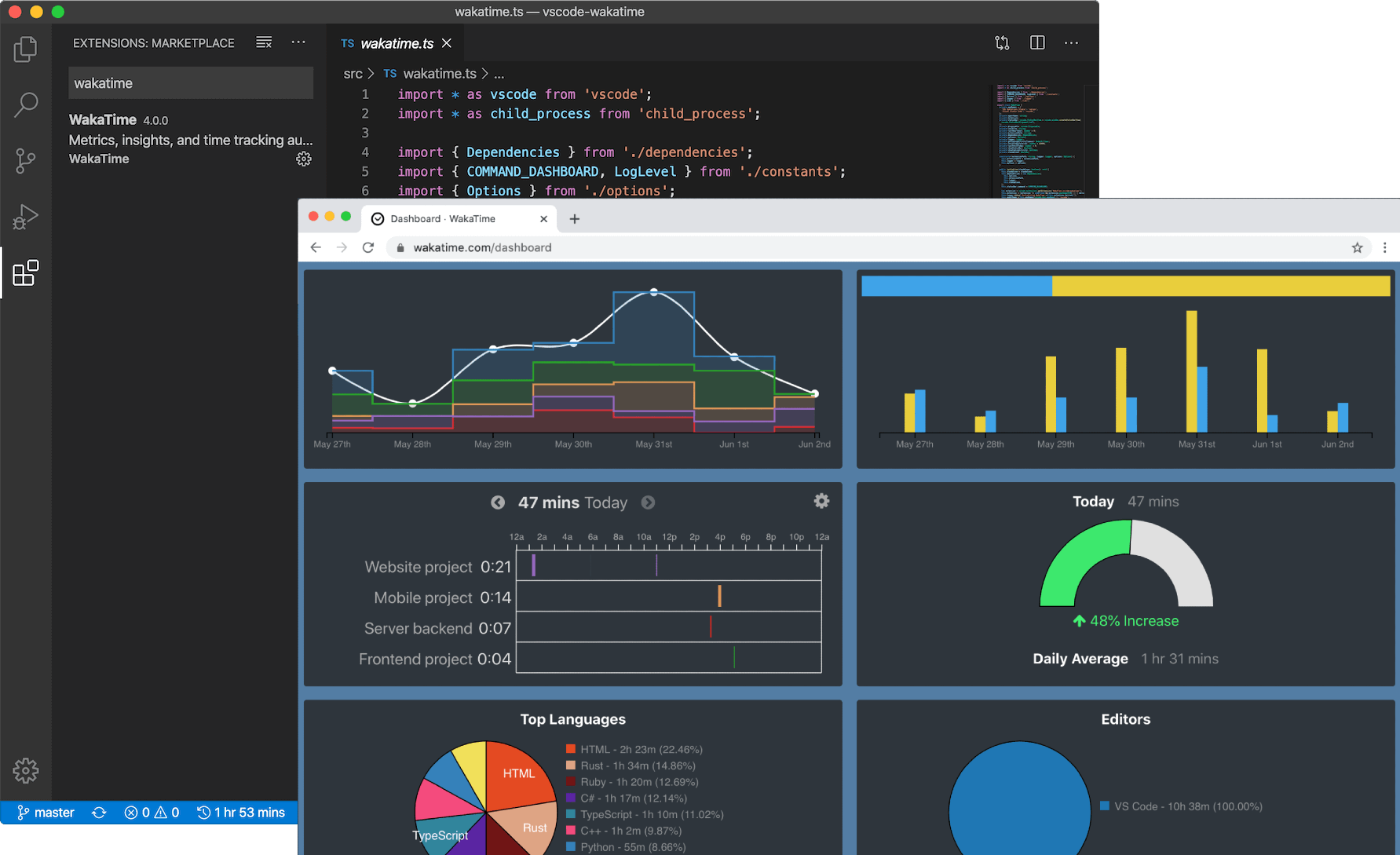
you just download a plugin in your ide/code editor
median sand
What is it?
smoky sinew
tracks your coding time across languages, editors, different computers, etc
median sand
Ahh I dont code enough to warrant it. I will just have random spurs of wanting to make another bot. I'm only making bots for my personal use atm, although i could put this dnd bot out in the wild
median sand
commands_dict = {
    'help': 'Displays all commands available for use.',
    'roll': 'Rolls dice in the given format.',
    'feat': 'Allows you to search for a D&D 5e feat.',
    'spell': 'Allows you to search for a D&D 5e spell.',
    'item': 'Allows you to search for a D&D 5e item.',
    'condition': 'Allows you to search for a D&D 5e condition.',
    'toggle_ephemeral': 'Allows you to toggle if your messages are sent back to you as ephemeral or not. (default: on)'
}``` the current commands my bot hasall done today 😳
wait lies
coded some last night too
i think spell was the only one i did last night
median sand
smoky sinew
maybe open source it too so other people can use the code
can i make the red line from typing.Literal[*item_types] its annoying me
median sand
Ohh i mioght have done it? item_type: typing.Literal(*item_types)
median sand
yeah no it didnt
smoky sinew
that would mean you're instantiating Literal
median sand
and i updated yesterday edit: (lies i remember going to but forgetting)
median sand
smoky sinew
also what python version are you using?
And im using discord.py-2.2.3
I'm on Python 3.11.1 and updating to Python 3.11.3 now
median sand
Yeah just gonna leave it while it's being nice to me
 maiden fable
smoky sinew
maiden fable
smoky sinew
My graphs would be all the way up ||but in procrastination||
median sand
Can anyone think of another feature to add to a dnd info bot?
smoky sinew
they are usually even higher
it's just that i was working in an editor that doesn't support wakatime
also i don't play dnd
but maybe look at some other bots for inspiration
maybe dice rolls
median sand
smoky sinew
maybe dice rolls
commands_dict = {
    'help': 'Displays all commands available for use.',
    'roll': 'Rolls dice in the given format.',
    'feat': 'Allows you to search for a D&D 5e feat.',
    'spell': 'Allows you to search for a D&D 5e spell.',
    'item': 'Allows you to search for a D&D 5e item.',
    'condition': 'Allows you to search for a D&D 5e condition.',
    'toggle_ephemeral': 'Allows you to toggle if your messages are sent back to you as ephemeral or not. (default: on)'
}```

Already got them ❤️some of the bots have really complicated dice roll commands it seems
https://top.gg/bot/792843392664993833 this looks like an advanced bot maybe
median sand
yeah i just have a basic one. can roll a max of 500d100, anything over 50 dice will sort the outcome. and bolds the max rolls
 humble lark
async def leaderboard(ctx):
    try:
        conn = sqlite3.connect('neo_gold.db')
        c = conn.cursor()
        c.execute('SELECT username, balance FROM users ORDER BY balance DESC LIMIT 10')
        leaders = c.fetchall()
        conn.close()

        embed = discord.Embed(title="leaderboard", description="", color=discord.Color.gold())
        for i, (username, balance) in enumerate(leaders):
            embed.add_field(name=f"{i+1}. {username}", value=f"Balance: {balance} NeoGold", inline=False)
        await ctx.send(embed=embed)
    except Exception as e:
        print(f"Error: {e}")
        await ctx.send("An error occurred while executing the command.")

bot.run('xxx')``` slate swan
Invalid token?
humble lark
Oh um
median sand
❤️
humble lark
Lemme reset it xd
smoky sinew
median sand
yeah i just have a basic one. can roll a max of 500d100, anything over 50 dice w...
no idea what that means but 👍
humble lark
median sand
❤️
Thanks bro
median sand
smoky sinew
no idea what that means but 👍
My bot can roll 500 dice that have 100 sides each
smoky sinew
that's uh a lot of dice
median sand
Yeah haha
a friend tried rolling like 10000000 dice and broke it so had to set a limit
humble lark
This error after I reset my token and placed it in after bot.run
median sand
no ' '
smoky sinew
!e 1250**1250
median sand
i think i have my token in aconfig file
smoky sinew
!e print(1250**1250)
 unkempt canyonBOT
@smoky sinew :white_check_mark: Your 3.11 eval job has completed with return code 0.
1372512347176872881754911048858325294346440139601790740946260580337423773949808421331799065646914670479009358491984907248656098646740042379549485243787723930892360686001861282326082930891311639745072747136949759394596946002432833960673289547620545981919140200577691541302788226137337605775416288134583333533666018003065765021525834009094044449658449398413096074931854610883389986518748205644009931262716777505698310587005503836439828438521912734598502948572591862263049237380916979048148409042994776934356348362179892754316776594693649117935051588354053068239219305812330628262906520540026139383394457967187709763996622379655712458550999615989832909184107980755552145524993348012825854324641889108397533076136470715988627508778215282847481365994654035752946753253352272397487228356647276888490950065484559256259504889972925010879759041638711245105183593413967229651310642402751541022131218733502849655787972263764393690397920454162231370097175783583802556441711763773439820567662132001834482834329467
... (truncated - too long)
Full output: https://paste.pythondiscord.com/unonetocug.txt?noredirect
median sand
Yeah but discord wont take them all
smoky sinew
you could even do what python discord does and upload the full number online
or split it into separate messages if it's not exceeding the limit by too much
median sand
ehh i could but i dont think anyone needs to roll more than 500d100
smoky sinew
true lol
humble lark
Wha shu I du?
smoky sinew
your token is still visible here https://replit.com/@An***r5/Vo***St
humble lark
Boi wt-
smoky sinew

 naive briar
Are you trying to leak their token or something
humble lark
I did reset it but this repl is public so what should I do bout this bruu
smoky sinew
naive briar
Are you trying to leak their token or something
their token is accessible with like two clicks so
naive briar
And that's why you should cut your replit name off before posting an image of it
 humble lark
Ooh
median sand
smoky sinew
their token is accessible with like two clicks so
Could calling the token from a config stop it from being seen on repel?
smoky sinew
i think replit hides .env file but then you need to load the .env file into an actual environment variables
 fiery hare
whats wrong?
 smoky sinew
fiery hare
whats wrong?
smoky sinew
fiery hare
whats wrong?
!traceback
unkempt canyonBOT
Traceback
Please provide the full traceback for your exception in order to help us identify your issue.
While the last line of the error message tells us what kind of error you got,
the full traceback will tell us which line, and other critical information to solve your problem.
Please avoid screenshots so we can copy and paste parts of the message.
A full traceback could look like:
Traceback (most recent call last):
  File "my_file.py", line 5, in <module>
    add_three("6")
  File "my_file.py", line 2, in add_three
    a = num + 3
        ~~~~^~~
TypeError: can only concatenate str (not "int") to str
If the traceback is long, use our pastebin.
 smoky sinew
fiery hare
my traceback look like this
smoky sinew
fiery hare
my traceback look like this
that's still not your complete traceback
 vale wing
Why you keep eating traceback
smoky sinew
TypeError: can only concatenate str (not "int") to str
this is where it ENDS

 smoky sinew
so what did you need help with
fiery hare
to make warn command
smoky sinew
it looks like you already made it
fiery hare
here's full code


 smoky sinew
did you just include your token?
and you censored your username
you should probably reset that now
fiery hare
smoky sinew
did you just include your token?
yes
smoky sinew

fiery hare
reseted token
 jovial cape
Reset token rn
jovial cape
fiery hare
reseted token
Good girl
fiery hare
but is something wrong with code
smoky sinew
the thing that's wrong is you have two warn commands
the error message told you that
fiery hare
first command is to warn and another to display them
slate swan
Then don't have 2 commands with the same name
smoky sinew
then just change the name
slate swan
Rename one to something more meaningful
 smoky sinew
fiery hare
whats wrong again....
smoky sinew
fiery hare
whats wrong again....
it seems there's an exception in the command warn
hope that helps
fiery hare
exception?
smoky sinew
an error
fiery hare
oh
humble lark
What's the problem of this code?
``1`@bot.command(name='leaderboard')
async def leaderboard(ctx):
try:
conn = sqlite3.connect('neo_gold.db')
c = conn.cursor()
c.execute('SELECT username, balance FROM users ORDER BY balance DESC LIMIT 10')
leaders = c.fetchall()
conn.close()
    embed = discord.Embed(title="leaderboard", description="", color=discord.Color.gold())
    for i, (username, balance) in enumerate(leaders):
        embed.add_field(name=f"{i+1}. {username}", value=f"Balance: {balance} NeoGold", inline=False)
    await ctx.send(embed=embed)
except Exception as e:
    print(f"Error: {e}")
    await ctx.send("An error occurred while executing the command.")
bot.run('tokkah')```
slate swan
You tell us, considering you get some traceback and error
unkempt canyonBOT
humble lark
slate swan
You tell us, considering you get some traceback and error
Errror: no such table: users
slate swan
There you go, you don't have a users table in your database
 humble lark
vocal snow
did you make a users table
humble lark
vocal snow
did you make a users table
Yessir
vocal snow
that's.... a json file
 slate swan
Then you still don't have a users table
humble lark
humble lark
How.. I do have, I even sent the ss
slate swan
As already said, that's JSON
humble lark
slate swan
As already said, that's JSON
I renamed it to py
slate swan
You're using a SQL database in your code
slate swan
Doesn't matter
humble lark
slate swan
You're using a SQL database in your code
Yep
slate swan
Do you even know what SQL databases are?
humble lark
Nope, I'm a beginner to py 💀
slate swan
Then how come you're using SQL syntax without SQL databases
humble lark
My friend said me to
slate swan
Then ask your friend how to setup the SQL database properly
humble lark
Oh okay
Thank you, Sir.
Can anyone else tell me? My friend never replies xd (busy)
 meager chasm
Learn SQL
SQLBolt provides a set of interactive lessons and exercises to help you learn SQL
slate swan
And that would fit better in #databases
 edgy timber
Hi there, wonder if anyone is able to help me overcome an issue with regards to privileged message content intent (which I've enabled). My code looks like this:
import discord
from discord.ext import commands
import requests
from bs4 import BeautifulSoup

# Set the intents that your bot requires
intents = discord.Intents.default()
intents.members = True
intents.messages = True # Add this line to enable the "Message Content" intent

# Initialize the Bot object with the intents parameter
client = commands.Bot(command_prefix='!', intents=intents)

@client.event
async def on_ready():
    print('Bot is ready.')

@client.event
async def on_message(message):
    if message.content.startswith('!help'):
        search_term = message.content.split(' ')[1]
        index_url = 'https://www.armageddon.org/help/index.php'
        response = requests.get(index_url)
        if response.status_code == 200:
            soup = BeautifulSoup(response.content, 'html.parser')
            # Extract all the links from the index page
            links = soup.find_all('a')
            # Filter the links to only include those pointing to helpfile pages
            help_links = [link['href'] for link in links if link.get('href') and 'help/view' in link['href']]
            # Extract the search terms from the helpfile URLs
            search_terms = [link.split('/')[-1] for link in help_links]
            if search_term in search_terms:
                url = f'https://www.armageddon.org/help/view/{search_term}'
                response = requests.get(url)
                if response.status_code == 200:
                    soup = BeautifulSoup(response.content, 'html.parser')
                    text = soup.find('div', {'class': 'content'}).text
                    await message.channel.send(text)
                else:
                    await message.channel.send('Could not find the requested documentation.')
            else:
                await message.channel.send('Invalid search term. Use !help <search_term> to look up a helpfile.')
        else:
            await message.channel.send('Could not retrieve the index page.')

client.run('your-bot-token-here')
Do you mean that I'd need to adjust to: intents.message_content = True ?
smoky sinew
edgy timber
Do you mean that I'd need to adjust to: intents.message_content = True ?
yes
also consider switching to discord.ext.commands
median sand
I'm having an issue with my code and was wondering if i could possible get some help?
edgy timber
smoky sinew
yes
I might have to - I don't think this is scraping the data properly, sadly.
smoky sinew
median sand
I'm having an issue with my code and was wondering if i could possible get some ...
yes
lmao im in class right now but i'll stil help
 mighty sun
Hello, I would like to put spaces when he gives me numbers when he recopied in the channel in question, example: The price is 1000000, I would like him to write the price is 1,000,000, can you help me? (I want to specify that this is not an official slft bot, it is for personal training.
item = {
'seller': self.__expr['seller'].search(item_string).group()[2:-2],
'name': self.__expr['item'].search(item_string).group()[6:-4].lower(),
'qty': int(self.__expr['qty'].search(item_string).group()[2:-1]),
'price': int(self.__expr['price'].search(item_string).group()[2:-3].replace(' ', ''))
median sand
smoky sinew
yes
The code chunk is to big ;-;
meager chasm
!paste
unkempt canyonBOT
Pasting large amounts of code
If your code is too long to fit in a codeblock in Discord, you can paste your code here:
https://paste.pythondiscord.com/
After pasting your code, save it by clicking the floppy disk icon in the top right, or by typing ctrl + S. After doing that, the URL should change. Copy the URL and post it here so others can see it.
median sand
here is the full code for the command im having an issue with: https://paste.pythondiscord.com/mivejofayu
Specifically the [*item_types] in the line
async def item(interaction: discord.Interaction, item_type: typing.Literal[*item_types], item_name: str):
The error is Unpacked arguments cannot be used in type argument lists Pylance. Now i can run this fine on my pc but once i use my hosting service to run the bot 24/7 i get this error
SyntaxError: invalid syntax
File "DnD-Bot.py", line 354
async def item(interaction: discord.Interaction, item_type: typing.Literal[*item_types], item_name: str):
^
smoky sinew
mighty sun
Hello, I would like to put spaces when he gives me numbers when he recopied in t...
!e x = 100000; print(f"{x:,}")
unkempt canyonBOT
@smoky sinew :white_check_mark: Your 3.11 eval job has completed with return code 0.
100,000
hosting service?
mighty sun
@smoky sinew can I contact you privately please? it would be nice because it's complicated for me
median sand
smoky sinew
hosting service?
Yeah im hosting my discord bots through Railway
smoky sinew
ah
smoky sinew
mighty sun
<@998070081709932654> can I contact you privately please? it would be nice becau...
no my dms are closed
i have a discord server though
 mighty sun
I would like him to write for example: 650 000 and 799 999
smoky sinew
smoky sinew
!e x = 100000; print(f"{x:,}")
this?
mighty sun
smoky sinew
huh
I would like him to separate in an intelligent way for example 10 = 10, 100 = 100, 1000 = 1.000, 10000 = 10.000 etc..
slate swan
And that is, yet again, the message above
mighty sun
Can I send you my piece of code here ?
smoky sinew
mighty sun
I would like him to separate in an intelligent way for example 10 = 10, 100 = 10...
see that dude
i've already told you how to do it
slate swan
smoky sinew
!e x = 100000; print(f"{x:,}")
Python code isn't language relevant
smoky sinew
if you want to use dots instead of commas then i think you could just do .replace(",", ".") since i don't think f-strings support that
mighty sun
I have this as a code, it is never the same numbers that I copy, 'price': int(self.__expr['price'].search(item_string).group()[2:-3].replace(' ', ''))
smoky sinew
mighty sun
I have this as a code, it is never the same numbers that I copy, 'price': int(s...
you don't need that
smoky sinew
smoky sinew
!e x = 100000; print(f"{x:,}")
see this
mighty sun
yes but your example is only for 100000 for example ? it is not valid for 1000000000 if ?
slate swan
It is for all, that's how python works
median sand
x = your input
slate swan
x can be whatever you want, it's not relevant
smoky sinew
mighty sun
yes but your example is only for 100000 for example ? it is not valid for 100000...
it is valid
mighty sun
 smoky sinew
!e x = 1000**1000; print(f"{x:,}")
unkempt canyonBOT
@smoky sinew :white_check_mark: Your 3.11 eval job has completed with return code 0.
1,000,000,000,000,000,000,000,000,000,000,000,000,000,000,000,000,000,000,000,000,000,000,000,000,000,000,000,000,000,000,000,000,000,000,000,000,000,000,000,000,000,000,000,000,000,000,000,000,000,000,000,000,000,000,000,000,000,000,000,000,000,000,000,000,000,000,000,000,000,000,000,000,000,000,000,000,000,000,000,000,000,000,000,000,000,000,000,000,000,000,000,000,000,000,000,000,000,000,000,000,000,000,000,000,000,000,000,000,000,000,000,000,000,000,000,000,000,000,000,000,000,000,000,000,000,000,000,000,000,000,000,000,000,000,000,000,000,000,000,000,000,000,000,000,000,000,000,000,000,000,000,000,000,000,000,000,000,000,000,000,000,000,000,000,000,000,000,000,000,000,000,000,000,000,000,000,000,000,000,000,000,000,000,000,000,000,000,000,000,000,000,000,000,000,000,000,000,000,000,000,000,000,000,000,000,000,000,000,000,000,000,000,000,000,000,000,000,000,000,000,000,000,000,000,000,000,000,000,000,000,000,000,000,000,000,000,000,000,000,000,000,000,000,000,000,000,000,000,000,00
... (truncated - too long)
Full output: https://paste.pythondiscord.com/iwuqomugix.txt?noredirect
smoky sinew
valid
mighty sun
 smoky sinew
mighty sun
smoky sinew
mighty sun
stop using that
slate swan
As already said, stop using replace and use format strings
The code to use is in front of your eyes
mighty sun
ok i testing
mighty sun
but does that mean I have to change all my code? or just remove ".replace"?
smoky sinew
mighty sun
but does that mean I have to change all my code? or just remove ".replace"?
just put self.__expr["price"] in an f-string
and then use .replace(",", ".") at the end
smoky sinew
smoky sinew
<@456226577798135808> also i like your blog
do you use a pre-made theme or did u make it urself
slate swan
Used https://github.com/timlrx/tailwind-nextjs-starter-blog as starting point and edited it over time
 echo mural
I really like Xithrius' theme
 tall temple
Please how can i add discord.Option choices as file names and if idk how many files is in the folder ?
something like that (i know this code is wrong) :
def addchoice(filename, ctx, choices) :
    folder = pathlib.Path(f"users_data/{ctx.guild.id}")
    for filename in folder.iterdir() :
        if filename.is_file() :
            choices.append("name")

@bot.slash_command(name = "makeinvoice", description = "CMD used to make a new invoice for a customer")
async def setfee(ctx,   customer : discord.Option(discord.Member, "Select here the customer", required = True),
                        cost : discord.Option(int or float, 'Write Here The transaction cost (without including extra fees !)', required = True),
                        paymentmethod : discord.Option(str, 'Select Here The Payment Method used by customer', choices = addchoice(), required = True)) :


    await ctx.respond("noice")
@smoky sinew like this? xD sorry xD I'm not sure I understood ahah
 median sand
Help Requested 😳
here is the full code for the command im having an issue with: https://paste.pythondiscord.com/mivejofayu
Specifically the [item_types] in the line
async def item(interaction: discord.Interaction, item_type: typing.Literal[item_types], item_name: str):
The error is Unpacked arguments cannot be used in type argument lists Pylance. Now i can run this fine on my pc but once i use my hosting service to run the bot 24/7 i get this error
SyntaxError: invalid syntax
File "DnD-Bot.py", line 354
async def item(interaction: discord.Interaction, item_type: typing.Literal[*item_types], item_name: str):
^
mighty sun
it's me soul I understand I'm French it's complicated for me even to explain my problem 😦 @slate swan
slate swan
Language barrier is not the issue
Your understanding of Python seem to be more of a barrier
echo mural
google translate exits bro lol
slate swan
You'll end up with something like
'price': f"{int(...):,}"
just this? but I have to change everything else then?
 median sand
Fill in the ...
mighty sun
I don't have an actual number, it's just random...
median sand
Bruh has the x = 1000**1000 in his code
median sand
'price': f"{int(int(self.__expr['price'].search(item_string).group()[2:-3]):,}"
mighty sun
I also have this, isn't it rather here that I should modify?
 slate swan
No
You seem to be lacking fundamental knowledge of Python to be honest, may be worth checking out https://www.pythondiscord.com/resources/
We're a large, friendly community focused around the Python programming language. Our community is open to those who wish to learn the language, as well as those looking to help others.
median sand
Use ChatGPT xD
slate swan
ChatGPT sucks and rule 10 is a thing
Definitely wouldn't recommend anyone on using it
median sand
rule 10?
vocal snow
!rule 10
vocal snow
For obvious reasons
 slate swan
Why int(int())?
mighty sun
oh fuck xD
 median sand
🫡
 slate swan
That is something else in your code that would fail either way
When you used .search(item_string) it returned None, so what you're searching for is most likely inexistent
median sand
slate swan
When you used `.search(item_string)` it returned `None`, so what you're searchin...
@mighty sun
mighty sun
@median sand look, I don't have a specific item, it's random from what I have selected, it's never the same price
 median sand
okay and how does your code get the number in the first place
mighty sun
median sand
okay and how does your code get the number in the first place
he copies it in a personal channel that belongs to me
median sand
slate swan
ChatGPT sucks and rule 10 is a thing
I normally use ChatGPT when im stuck. Pluss im bad at reading error outputs so it helps me with that too
tall temple
Please how can i add discord.Option choices as file names and if idk how many files is in the folder
something like that (i know this code is wrong) :
def addchoice(filename, ctx, choices) :
    folder = pathlib.Path(f"users_data/{ctx.guild.id}")
    for filename in folder.iterdir() :
        if filename.is_file() :
            choices.append("name")

@bot.slash_command(name = "makeinvoice", description = "CMD used to make a new invoice for a customer")
async def setfee(ctx,   customer : discord.Option(discord.Member, "Select here the customer", required = True),
                        cost : discord.Option(int or float, 'Write Here The transaction cost (without including extra fees !)', required = True),
                        paymentmethod : discord.Option(str, 'Select Here The Payment Method used by customer', choices = addchoice(), required = True)) :


    await ctx.respond("noice")
'he'?
mighty sun
my bot
median sand
mighty sun
my bot
So your bot copies the numbers from a channel?
mighty sun
it copies all what I ask him to sort by the selling price of an object, for example I want him to sort all the bags that are on sale at less than 1000000 of euro (this is an example) so it means that the number can be for example 1, or 10 000 or 15804942 or 6728399 but I would like him to write it like this: 15 804 942 or 15.804.942
@median sand
median sand
mighty sun
it copies all what I ask him to sort by the selling price of an object, for exam...
And its the code
'price': int(self.__expr['price'].search(item_string).group()[2:-3])" doing that yeah?

 slate swan
That is very well against Discord's ToS && Developer Policy
mighty sun
@median sand error....
 median sand
so with 'price': int(self.__expr['price'].search(item_string).group()[2:-3]) Do you get any errors?
@mighty sun
mighty sun
i test 🙂
Ignoring exception in on_message
Traceback (most recent call last):
  File "/home/container/.local/lib/python3.11/site-packages/discord/client.py", line 301, in _run_event
    await coro(*args, **kwargs)
  File "/home/container/relay.py", line 82, in on_message
    await self.__handle_auction(message)
  File "/home/container/relay.py", line 117, in __handle_auction
    'price': int(self.__expr['price'].search(item_string).group()[2:-3])
                 ^^^^^^^^^^^^^^^^^^^^^^^^^^^^^^^^^^^^^^^^^^^^^^
AttributeError: 'NoneType' object has no attribute 'group'
Can I send you my code in private message?
median sand
That is an error with another part of your code that
Its cant find whatever it's looking for
'NoneType' object has no attribute 'group'```.search(item_string).group()```whatever you are trying to find with .search isn't there
@mighty sun. And sorry but im not on for much longer its 1am atm
mighty sun
ow ok 😦
median sand
did you make this code or copy it from somewhere else?
median sand
mighty sun
I created it with a friend
Ahh okay, I would reach out to your friend about the .search and try and see what its trying to look for
mighty sun
look
median sand
Once it can find what its looking for py 'price': f"{int(self.__expr['price'].search(item_string).group()[2:-3]):,}" should work correctly
mighty sun
second party :
median sand
!paste
unkempt canyonBOT
Pasting large amounts of code
If your code is too long to fit in a codeblock in Discord, you can paste your code here:
https://paste.pythondiscord.com/
After pasting your code, save it by clicking the floppy disk icon in the top right, or by typing ctrl + S. After doing that, the URL should change. Copy the URL and post it here so others can see it.
mighty sun
oh yesso rry
median sand
unkempt canyon
@mighty sun just dont include and tokens
mighty sun
wait ok bro
 idle lantern
Is this site down or dead forever? https://tutorial.vcokltfre.dev/
mighty sun
https://paste.pythondiscord.com/kedofibovi @median sand
idle lantern
Nvm
mighty sun
yes @median sand
mighty sun
idle lantern
Nvm
pourquoi tu insulte frérot mdr
median sand
mighty sun
yes <@447702505254682624>
Okay just going to look over it
mighty sun
median sand
Okay just going to look over it
okay, thank you very much, it's nice bro
idle lantern
mighty sun
pourquoi tu insulte frérot mdr
What
 placid skiff
Hi guys, i have a command that has to remove all the roles from an user and add them a specified role, so i used this:
await member.edit(roles=[virusRole])
But it returns me Missing Permission. The bot role is above the member role but the member has the Nitro role, maybe that is the cause? any solution?
median sand
mighty sun
okay, thank you very much, it's nice bro
Ignoring exception in on_message
Traceback (most recent call last):
  File "/home/container/.local/lib/python3.11/site-packages/discord/client.py", line 301, in _run_event
    await coro(*args, **kwargs)
  File "/home/container/relay.py", line 82, in on_message
    await self.__handle_auction(message)
  File "/home/container/relay.py", line 117, in __handle_auction
    'price': int(self.__expr['price'].search(item_string).group()[2:-3])
                 ^^^^^^^^^^^^^^^^^^^^^^^^^^^^^^^^^^^^^^^^^^^^^^
AttributeError: 'NoneType' object has no attribute 'group'
https://paste.pythondiscord.com/kedofibovi.py
So the error message you're getting states that the search for the 'price' attribute in the 'item_string' variable returned a None object. Therefore, calling the group() method on it resulted in an AttributeError.
mighty sun
slate swan
nvm = nevermind
oh damn sorry in French "nvm" means "Fuck your mothers" xD haha sorry xD
median sand
I've looked over the code but im only ever self learned how to code sorry. Some of the code i dont fully understand. I would reach out to your friend who helped you code it
mighty sun
median sand
I've looked over the code but im only ever self learned how to code sorry. Some ...
ok m'y friend, it doesn't matter, so much, thank you so much for taking the time for me
slate swan
mighty sun
oh damn sorry in French "nvm" means "Fuck your mothers" xD haha sorry xD
A t is missing
mighty sun
xD 🙂
placid skiff
placid skiff
Hi guys, i have a command that has to remove all the roles from an user and add ...
Someone?
vocal snow
placid skiff
Hi guys, i have a command that has to remove all the roles from an user and add ...
you can check if guild.me.top_role > member.top_role
placid skiff
The result is True
vocal snow
does the bot have Manage Members permission?
vocal snow
is the member the owner of the server?
placid skiff
nope
tall temple

async def Choices(ctx : discord.AutocompleteContext):
    folder = pathlib.Path(f"users_data/{ctx.interaction.guild.id}")
    filename =  folder.iterdir()
    return [file for file in filename if file.is_file()]
could you help me pls ?
 marble whale
how do we send an Hidden button message in discord py with a embed
slate swan
Pass ephemeral=True to your interaction response
marble whale
slate swan
Pass `ephemeral=True` to your interaction response
No i mean the button will be hidden
is this possible
slate swan
The entire message can be 'hidden' to other users other than the user who executed the command
marble whale
How
slate swan
slate swan
Pass `ephemeral=True` to your interaction response
Literally
marble whale
Answer = ability(p2id)
                Answer.message = await ctx.send(view=Answer,ephemeral=True)
like this
ability is where i create button class
naive briar
Context?
slate swan
If it's an interaction response, yes
E.g. slash commands, select menus, etc.
Normal prefix command cannot send ephemeral messages
 short silo
uh, just saw, thanks !
naive briar
tall temple
could you help me pls ?
!traceback
unkempt canyonBOT
Traceback
Please provide the full traceback for your exception in order to help us identify your issue.
While the last line of the error message tells us what kind of error you got,
the full traceback will tell us which line, and other critical information to solve your problem.
Please avoid screenshots so we can copy and paste parts of the message.
A full traceback could look like:
Traceback (most recent call last):
  File "my_file.py", line 5, in <module>
    add_three("6")
  File "my_file.py", line 2, in add_three
    a = num + 3
        ~~~~^~~
TypeError: can only concatenate str (not "int") to str
If the traceback is long, use our pastebin.
marble whale
slate swan
If it's an interaction response, yes
no its not an Slash command message , i just wanna send the buttons hidden.
slate swan
Then it's not possible
naive briar
DMs exists 🤷
mighty sun
@median sand 🙂 Ignoring exception in on_message
Traceback (most recent call last):
File "/home/container/.local/lib/python3.11/site-packages/discord/client.py", line 301, in _run_event
await coro(*args, **kwargs)
File "/home/container/relay.py", line 94, in on_message
'price': int(self.__expr['price'].search(item_string).group()[2:-3])
^^^^^^^^^^^^^^^^^^^^^^^^^^^^^^^^^^^^^^^^^^^^^^^^^^^^^^^^^^^
ValueError: invalid literal for int() with base 10: '800 000 '
I found the error of earlier, now it marks me that ahah
slate swan
Replace white spaces from your number with nothing
mighty sun
where ?
mighty sun
i don't understand ^^
The error "ValueError: invalid literal for int() with base 10: '800 000'" means that Python cannot convert the string "800 000" into an integer, because the int() method cannot understand spaces. So you have to remove the spaces from the string before converting it to an integer. To do this, you can use the replace() method to replace the spaces with an empty string:
slate swan
You have
int(...)
you need
int(....replace(" ", ""))
mighty sun
ahhhhhh
slate swan
mighty sun
The error "ValueError: invalid literal for int() with base 10: '800 000'" means ...
And you got that from?
mighty sun
it's ok ?
 slate swan
Try it and see
slate swan
Because you have to use what we've been telling you for hours
mighty sun
 slate swan
'price': f"{int(...):,}"
don't understand xD
i have
'price': int(self.__expr['price'].search(item_string).group()[2:-3].replace(' ', ''))
slate swan
You have
'price': int(...)
you need
'price': f"{int(...):,}"
i need ```py
'price': f"{int(self.__expr['price'].search(item_string).group()[2:-3].replace(' ', '')):,}" ?
Try it and see
jovial cape
I need ideas for a discord bot
mighty sun
error @slate swan
Ignoring exception in on_message
Traceback (most recent call last):
File "/home/container/.local/lib/python3.11/site-packages/discord/client.py", line 301, in _run_event
await coro(*args, **kwargs)
File "/home/container/relay.py", line 97, in on_message
unit_price = item['price'] / item['qty']
~~^
TypeError: unsupported operand type(s) for /: 'str' and 'int'
slate swan
You can't do maths on a string
jovial cape
mighty sun
Ignoring exception in on_message
Traceback (most recent call last):
File "/hom...
Code?
slate swan
Since price is now a string
You can't make a division over a string
Where do you send your message
mighty sun
I send it to my discord room
mighty sun
slate swan
The `... vend monster egg...` message
'monster egg': (51200000 / 64) +2,
        item = {
            'seller': self.__expr['seller'].search(item_string).group()[2:-2],
            'name': self.__expr['item'].search(item_string).group()[6:-4].lower(),
            'qty': int(self.__expr['qty'].search(item_string).group()[2:-1]),
            'price': f"{int(self.__expr['price'].search(item_string).group()[2:-3].replace(' ', '')):,}"
        }

        unit_price = item['price'] / item['qty']


        affordable = (item['name'] in self.maximum_unit_prices.keys()) and (self.maximum_unit_prices[item['name']] >= unit_price)

        channel = self.get_channel(self.__destination_channels[int(not affordable)])


        await channel.send(f"**{affordable and '<@&' + self.__role_id+ '> ' or ''} {item['seller']} vend {item['name']} x{item['qty']} pour : {item['price']}✸**")

    def get_channel(self, id):
        return discord.utils.get(self.get_all_channels(), id=int(id))
Right so
Edit that code
'price': f"{int(self.__expr['price'].search(item_string).group()[2:-3].replace(' ', '')):,}"
back to
'price': int(self.__expr['price'].search(item_string).group()[2:-3].replace(' ', ''))
i copy paste here ? ```py
'price': int(self.__expr['price'].search(item_string).group()[2:-3].replace(' ', ''))
it's ok
item = {
            'seller': self.__expr['seller'].search(item_string).group()[2:-2],
            'name': self.__expr['item'].search(item_string).group()[6:-4].lower(),
            'qty': int(self.__expr['qty'].search(item_string).group()[2:-1]),
            'price': int(self.__expr['price'].search(item_string).group()[2:-3].replace(' ', ''))
        }

        unit_price = item['price'] / item['qty']


        affordable = (item['name'] in self.maximum_unit_prices.keys()) and (self.maximum_unit_prices[item['name']] >= unit_price)

        channel = self.get_channel(self.__destination_channels[int(not affordable)])


        await channel.send(f"**{affordable and '<@&' + self.__role_id+ '> ' or ''} {item['seller']} vend {item['name']} x{item['qty']} pour : {item['price']}✸**")

    def get_channel(self, id):
        return discord.utils.get(self.get_all_channels(), id=int(id))
And edit in your .send() call here at the bottom to
f"... pour : {item['price']:,}..."
don't understand :/
slate swan
Just edit at the bottom
await channel.send(f"**{affordable and '<@&' + self.__role_id+ '> ' or ''} {item['seller']} vend {item['name']} x{item['qty']} pour : {item['price']:,}✸**")
 gilded cedar
ChatGPT is pretty useless to me while fixing the code the goal is make ban command work with both slash and normal command prefix need a solution can you help me?
The code
@client.hybrid_command()
async def ban(ctx, member: Union[discord.Member, int] = None, *, reason=None):
    if isinstance(member, discord.Member):
        await member.ban(reason=reason)
        await ctx.send(f"Banned {member} Reasoning:{reason}")
    elif member is None or isinstance(member, int):
        try:
            member = await client.fetch_user(member)
            await ctx.guild.ban(member, reason=reason)
            await ctx.send(f"Banned {member} Reasoning:{reason}")
        except discord.NotFound:
            await ctx.send("User not found.")
Error i get..
TypeError: unsupported types given inside typing.Union[discord.member.Member, int]
slate swan
gilded cedar
ChatGPT is pretty useless to me while fixing the code the goal is make ban comma...
Just type hint it to discord.Member - member: discord.Member
No need of an union
gilded cedar
i put union because when you check the code it actually allows you to ban both user or using member id
mighty sun
@slate swan ```py
await channel.send(f"{affordable and '<@&' + self.__role_id+ '> ' or ''} {item['seller']} vend {item['name']} x{item['qty']} pour : {item['price']:,}✸")
Again, try it and see
gilded cedar
you gotta be kidding me?
slate swan
Slash command parameters have one specific type
mighty sun
YEAHHHH
I LOVE YOU BRO thank you verry much omg..
@slate swan Amazing, thank you bro, < 3

 meager orchid
Hi guys, I don't want to disrupt the bot. But I want to add new commands and other features. What should I do? Create 2 bots and make it technical, and then transfer the code to the main bot. Or there are some other ways?
unkempt canyonBOT
await load_extension(name, *, package=None)```
This function is a [*coroutine*](https://docs.python.org/3/library/asyncio-task.html#coroutine).

Loads an extension.

An extension is a python module that contains commands, cogs, or listeners.

An extension must have a global function, `setup` defined as the entry point on what to do when the extension is loaded. This entry point must have a single argument, the `bot`.

Changed in version 2.0: This method is now a [coroutine](https://docs.python.org/3/glossary.html#term-coroutine "(in Python v3.11)").!d discord.ext.commands.Cog
unkempt canyonBOT
class discord.ext.commands.Cog(*args, **kwargs)```
The base class that all cogs must inherit from.

A cog is a collection of commands, listeners, and optional state to help group commands together. More information on them can be found on the [Cogs](https://discordpy.readthedocs.io/en/latest/ext/commands/cogs.html#ext-commands-cogs) page.

When inheriting from this class, the options shown in [`CogMeta`](https://discordpy.readthedocs.io/en/latest/ext/commands/api.html#discord.ext.commands.CogMeta "discord.ext.commands.CogMeta") are equally valid here.I use cogs as it is. But when I make public commands, they may be noticed on some server and try to use them, and it may not be ready and break thereby the member will break something. Are there any other options besides cog?
gilded cedar
why discord.py not allow you use Union in their hybrid commands?
slate swan
meager orchid
I use cogs as it is. But when I make public commands, they may be noticed on som...
use a beta bot ... or make those commands with an is_owner check while testing
you can also use debugging tools like jishaku to test stuff
slate swan
gilded cedar
why discord.py not allow you use Union in their hybrid commands?
that's not a discord.py limitation
discord handles the argument type, and they dont allow unions
if you want you can make your own transformer ( note that it will just be a string input on discord end)
meager orchid
slate swan
use a beta bot ... or make those commands with an is_owner check while testing
I'm thinking of a separate bot, all right. Thanks for the advice.
gilded cedar
slate swan
that's not a discord.py limitation
discord handles the argument type, and they d...
Darn it discord.py
fiery hare
!intents
vale wing
Haven't asked stuff here in a while but yeah maybe someone can help resolving this idiotic case
So my hosting provider recently got ddosed (or something, they had servers disconnected from internet but running), now I am able to connect to the server via SSH and it can interact with web like do pings to google and send http requests to github. However some weird stuff happens
- When running any bot it throws "errno 104 connection reset by peer" although it works fine from PC
- When doing
ping google.comit produces duplicated packets pretty often - When just logging in via SSH I get this
Failed to connect to https://changelogs.ubuntu.com/meta-release-lts. Check your Internet connection or proxy settings
What can the issue be? Is it provider smoking grass or they misconfigured network?
 sullen shoal
meager orchid
Hi guys, I don't want to disrupt the bot. But I want to add new commands and oth...
sullen shoal
meager orchid
Hi guys, I don't want to disrupt the bot. But I want to add new commands and oth...
Looks like you want a testing instance of your bot. If you have a public, the public release shall remain stable. To counter this issue, have a separate bot where you don't register the commands globally but only to some where you test the commands. I handle this issue by having config-dev.yml and config.yml, where the latter is for the production instance; I first open config-dev.yml and catch FileNotFoundError in case it's not found.
vale wing
Actually I am gonna write a simple bot with logging enabled and give more verbose output
Maybe that helps identify the issue
sullen shoal
If it wasn't an issue before, but after a disastrous network attack, you are having networking issues, you probably should consider contacting customer support of your provider
vale wing
Oh pip doesn't work
vale wing
sullen shoal
If it wasn't an issue before, but after a disastrous network attack, you are hav...
Do you think I haven't done that already
No response
sullen shoal
well, I don't think this is an issue from your side if it was working fine before and you are ensured that you made no changes to your network configurations
vale wing
Yeah probably
Maybe those "connection reset by peer" errors are because of their key network nodes undergoing maintenance
They actually reset connection and not the target server
K I will just wait for another day 💀
 swift acorn
Does anyone know how I can ask for a user as an input in a slash command
@bot.tree.command(name="addmod")
@app_commands.describe(mod_to_add = "Please enter the ID of the moderator you want to add.")
async def addmod(interaction: discord.Interaction, mod_to_add: str):
    moderators.append(str(mod_to_add))
    added_mod = bot.fetch_user(int(mod_to_add))
    await interaction.response.send_message(f"{added_mod.name} has been added as a moderator and will now get his activity monitored!")
Also because the .name doesn't seem to be an attribute even tho everywhere I look it says it is, so I just wanna get the user directly
 valid shadow
short silo
valid shadow
short silo
async def validate(ctx):
    ctx:discord.Interaction=ctx.interaction
    return ctx.user.id == 420051474895077376
So, this is a custom decorator, it triggers CheckFailure if false is returned, is there any way to send that it failed at this particular function ?
if say, i have multiple of these in place
 thin raft
return ctx.user.id == 420051474895077376
short silo
thin raft
return ctx.user.id == 420051474895077376
-_-
thin raft
wdym by failed at this particular function?¿
short silo
thin raft
wdym by failed at this particular function?¿
say there are validate 1 and validate 2. The prompt passed validate 1 but failed 2 and triggered CheckFailure. Is there any way to know, it failed at 2 not 1
thin raft
what's CheckFailure?
short silo
!d discord.ext.commands.check
unkempt canyonBOT
@discord.ext.commands.check(predicate)```
A decorator that adds a check to the [`Command`](https://discordpy.readthedocs.io/en/latest/ext/commands/api.html#discord.ext.commands.Command "discord.ext.commands.Command") or its subclasses. These checks could be accessed via [`Command.checks`](https://discordpy.readthedocs.io/en/latest/ext/commands/api.html#discord.ext.commands.Command.checks "discord.ext.commands.Command.checks").

These checks should be predicates that take in a single parameter taking a [`Context`](https://discordpy.readthedocs.io/en/latest/ext/commands/api.html#discord.ext.commands.Context "discord.ext.commands.Context"). If the check returns a `False`-like value then during invocation a [`CheckFailure`](https://discordpy.readthedocs.io/en/latest/ext/commands/api.html#discord.ext.commands.CheckFailure "discord.ext.commands.CheckFailure") exception is raised and sent to the [`on_command_error()`](https://discordpy.readthedocs.io/en/latest/ext/commands/api.html#discord.discord.ext.commands.on_command_error "discord.discord.ext.commands.on_command_error") event.

If an exception should be thrown in the predicate then it should be a subclass of [`CommandError`](https://discordpy.readthedocs.io/en/latest/ext/commands/api.html#discord.ext.commands.CommandError "discord.ext.commands.CommandError"). Any exception not subclassed from it will be propagated while those subclassed will be sent to [`on_command_error()`](https://discordpy.readthedocs.io/en/latest/ext/commands/api.html#discord.discord.ext.commands.on_command_error "discord.discord.ext.commands.on_command_error").maybe
 short silo
 thin raft
you can use check_any
slate swan
Hello so I'm not good at discord bots so I do have an api that returns like this
[
    {
        "id": 5,
        "title": "ده بوست تجريبي لل api",
        "slug": "api",
        "content": "ازيكم يا خولات",
        "mainimage": "127.0.0.1:8000/media/files/Screenshot_20230502_232355_Chrome.jpg",
        "image1": "127.0.0.1:8000/media/files/Screenshot_20230502_232355_Chrome.jpg",
        "image2": "127.0.0.1:8000/media/files/Screenshot_20230502_232355_Chrome.jpg",
        "image3": "127.0.0.1:8000/media/files/Screenshot_20230502_232355_Chrome.jpg",
        "file": "127.0.0.1:8000/media/files/Screenshot_20230502_232355_Chrome.jpg",
        "version": "1.8 - 1.8.9",
        "xnumber": "x512",
        "category": "bedrock",
        "discord_id": "692057512463302728",
        "date_added": "2023-05-02T20:29:07.167007Z",
        "author": 1,
        "likes": [
            1
        ]
    },
]
so i want to create comand that gets the post by the id so any one can help me it will make my day😊
And also how to get the other information
smoky sinew
slate swan
Hello so I'm not good at discord bots so I do have an api that returns like this...
just get [0]["id"]?? how is this related to discord bots
slate swan
smoky sinew
just get `[0]["id"]`?? how is this related to discord bots
It's a api from my django api
So this is how it looks like in the api
 smoky sinew
ok???
slate swan
smoky sinew
just get `[0]["id"]`?? how is this related to discord bots
And I've created this code and it doesn't work
@bot.command()
async def get_post(ctx, id):
  url = "https://myapi/posts/api?format=api"
  response = requests.get(url)
  data = json.loads(response.text)
  for post in data:
    if ['id'] == id:
      title = post['title']
      slug = post['slug']
      content = post['content']
      mainimage = post['mainimage']
      image1 = post['image1']
      image2 = post['image2']
      image3 = post['image3']
      file = post['file']
      version = post['version']
      xnumber = post['xnumber']
      category = post['category']
      discord_id = post['discord_id']
      date_added = post['date_added']
      author = post['author']
      likes = post['likes']
      await ctx.send(f"post title: {title} \n post content: {content} \n post image: \n {mainimage}")
    else:
      await ctx.send("no posts with that number")
      print("no posts wit this number")
So can you fix the code for me if it has any problems
I can get the api in 2 formats json and api

@smoky sinew
smoky sinew
slate swan
And I've created this code and it doesn't work
```py
@bot.command()
async def ...
if ["id"] == id is not valid python code
it should be if post["id"] == id: and also rename id to something else because it's a built-in python function
short silo
{'value': '1103075300360867860', 'type': 11, 'name': 'file'}
How could i get an attachment from value ?
i am using ctx.data.get
smoky sinew
what is ctx.data.get
slate swan
smoky sinew
it should be `if post["id"] == id:` and also rename id to something else because...
So I changed it put still not getting any thing
smoky sinew
what is your new code
 cloud dawn
!paste
slate swan
smoky sinew
what is your new code
@bot.command()
async def get_post(ctx, postid):
  url = "https://myapi.com/posts/api?format=json"
  response = requests.get(url)
  data = json.loads(response.text)
  for post in data:
    if ['id'] == postid:
      title = post['title']
      slug = post['slug']
      content = post['content']
      mainimage = post['mainimage']
      image1 = post['image1']
      image2 = post['image2']
      image3 = post['image3']
      file = post['file']
      version = post['version']
      xnumber = post['xnumber']
      category = post['category']
      discord_id = post['discord_id']
      date_added = post['date_added']
      author = post['author']
      likes = post['likes']
      await ctx.send(f"post title: {title} \n post content: {content} \n post image: \n {mainimage}")
    else:
      await ctx.send("no posts with that number")
      print("no posts wit this number")
pls how can i delete a part of a list item like :
all my list items contain .json and i want to delete it
smoky sinew
slate swan
```py
@bot.command()
async def get_post(ctx, postid):
url = "https://myapi.co...
that's still not what i told you to do
re-read my original comment
smoky sinew
if post["id"] == id: you didn't read this part then
smoky sinew
no you didn't
smoky sinew
slate swan
```py
@bot.command()
async def get_post(ctx, postid):
url = "https://myapi.co...
not in this code at least
slate swan
smoky sinew
not in this code at least
This is my new code
@bot.command()
async def get_post(ctx, postid):
  url = "https://my-api.com/posts/api?format=json"
  response = requests.get(url)
  data = json.loads(response.text)
  for post in data:
    if post['id'] == postid:
      title = post['title']
      slug = post['slug']
      content = post['content']
      mainimage = post['mainimage']
      image1 = post['image1']
      image2 = post['image2']
      image3 = post['image3']
      file = post['file']
      version = post['version']
      xnumber = post['xnumber']
      category = post['category']
      discord_id = post['discord_id']
      date_added = post['date_added']
      author = post['author']
      likes = post['likes']
      await ctx.send(f"post title: {title} \n post content: {content} \n post image: \n {mainimage}")
    else:
      print(data)
      print(post)
      await ctx.send("no posts with that number")
      print("no posts wit this number")
why didn't you post that the first time then?
can you print data?
what's not working about it
smoky sinew
slate swan
Get from the data a specific one using the id
?? what's the non-working part
oh your postid needs to be an int
slate swan
The if and for loop
smoky sinew
also that still doesn't help
slate swan
Yp
slate swan
Okay wait
Ya it works but how can I do the if outside the for loop because its giving me the other post that not equal the post_id
@smoky sinew
 thin trout
i can't import app_commands from discord, does someone know why?
im using the last version of discord
Name: discord
Version: 2.2.2
Summary: A mirror package for discord.py. Please install that instead.
Home-page: https://github.com/Rapptz/discord.py
Author: Rapptz
Author-email:
License: UNKNOWN
Location: C:\Users\syuvi\AppData\Local\Programs\Python\Python311\Lib\site-packages
Requires: discord.py
Required-by:```Traceback (most recent call last): File "c:\Users\syuvi\Desktop\CyberYuvi\main.py", line 252, in <module> tree = app_commands.CommandTree(bot) ^^^^^^^^^^^^^^^^^^^^^^^^^^^^^ File "C:\Users\syuvi\AppData\Local\Programs\Python\Python311\Lib\site-packages\discord\app_commands\tree.py", line 132, in __init__ raise ClientException('This client already has an associated command tree.') discord.errors.ClientException: This client already has an associated command tree.
smoky sinew
slate swan
Ya it works but how can I do the if outside the for loop because its giving me t...
?
smoky sinew
thin trout
`Traceback (most recent call last):
File "c:\Users\syuvi\Desktop\CyberYuvi\mai...
you shouldn't instantiate the tree yourself, use bot.tree instead
slate swan
smoky sinew
?
Ya I forgot that I can use break 😂
smoky sinew
you shouldn't need that?
thin trout
smoky sinew
you shouldn't instantiate the tree yourself, use `bot.tree` instead
dosn't work anyway
smoky sinew
thin trout
dosn't work anyway
it should, have you synced your tree?
doesn't work doesn't tell anything
thin trout
smoky sinew
it should, have you synced your tree?
i have to sync it manually?
smoky sinew
like, does it raise an error? does the slash command not show? does the command error when you run it?
thin trout
smoky sinew
yes
oh ok, how can i do?
smoky sinew
@commands.is_owner()
@bot.command()
async def sync(ctx: commands.Context) -> None:
    await bot.tree.sync()
    await ctx.send("Synced tree.")
include something like this
tall temple
pls how can i delete a part of a list item like :
all my list items contain .json and i want to delete it
smoky sinew
tall temple
pls how can i delete a part of a list item like :
all my list items contain .js...
what does this have to do with discord.py
to delete a dictionary key you can do del dictionary_name[key]
tall temple
smoky sinew
to delete a dictionary key you can do `del dictionary_name[key]`
noo
i want to delete a part of a list item
smoky sinew
what is a part of a list item
tall temple
like a list item is named idk.json and i want to let it become idk and remove the ".json"
 tall temple
smoky sinew
why
tall temple
smoky sinew
why
2 sec
huh, there is a problem :
async def Choices(ctx : discord.AutocompleteContext):
    fileslist = os.listdir(f'users_data/{ctx.interaction.guild.id}')
    for file in fileslist :
        str(file).replace(".json", "")
    return str(file)

@bot.slash_command(name = "makeinvoice", description = "CMD used to make a new invoice for a customer")
async def setfee(ctx,   customer : discord.Option(discord.Member, "Select here the customer", required = True),
                        cost : discord.Option(int or float, 'Write Here The transaction cost (without including extra fees !)', required = True),
                        paymentmethod : discord.Option(str, 'Select Here The Payment Method used by customer', autocomplete = Choices, required = True)) :

    await ctx.respond("noice")```
 thin trout
nevermide
short silo
short silo
```
{'value': '1103075300360867860', 'type': 11, 'name': 'file'}
```
How could ...
@smoky sinew well, it basically gives you all the input values as a value,name pair
For an attachment, it gave me this value
So i am wondering, how i could access it from a custom decorator
smoky sinew
tall temple
huh, there is a problem :
```py
async def Choices(ctx : discord.AutocompleteCont...
i'm not even sure what any of that code means
int or float?
smoky sinew
thin trout
is there a way that the bot can run a command by himself?
!d discord.ext.commands.Bot.invoke
unkempt canyonBOT
await invoke(ctx, /)```
This function is a [*coroutine*](https://docs.python.org/3/library/asyncio-task.html#coroutine).

Invokes the command given under the invocation context and handles all the internal event dispatch mechanisms.

Changed in version 2.0: `ctx` parameter is now positional-only.from a custom decorator?
tall temple
smoky sinew
i'm not even sure what any of that code means
i found nvm
short silo
smoky sinew
from a custom decorator?
Yes
tall temple
thanks
short silo
!d discord.ext.commands.check
unkempt canyonBOT
@discord.ext.commands.check(predicate)```
A decorator that adds a check to the [`Command`](https://discordpy.readthedocs.io/en/latest/ext/commands/api.html#discord.ext.commands.Command "discord.ext.commands.Command") or its subclasses. These checks could be accessed via [`Command.checks`](https://discordpy.readthedocs.io/en/latest/ext/commands/api.html#discord.ext.commands.Command.checks "discord.ext.commands.Command.checks").

These checks should be predicates that take in a single parameter taking a [`Context`](https://discordpy.readthedocs.io/en/latest/ext/commands/api.html#discord.ext.commands.Context "discord.ext.commands.Context"). If the check returns a `False`-like value then during invocation a [`CheckFailure`](https://discordpy.readthedocs.io/en/latest/ext/commands/api.html#discord.ext.commands.CheckFailure "discord.ext.commands.CheckFailure") exception is raised and sent to the [`on_command_error()`](https://discordpy.readthedocs.io/en/latest/ext/commands/api.html#discord.discord.ext.commands.on_command_error "discord.discord.ext.commands.on_command_error") event.

If an exception should be thrown in the predicate then it should be a subclass of [`CommandError`](https://discordpy.readthedocs.io/en/latest/ext/commands/api.html#discord.ext.commands.CommandError "discord.ext.commands.CommandError"). Any exception not subclassed from it will be propagated while those subclassed will be sent to [`on_command_error()`](https://discordpy.readthedocs.io/en/latest/ext/commands/api.html#discord.discord.ext.commands.on_command_error "discord.discord.ext.commands.on_command_error").@smoky sinew
short silo
I need to get the attachment
{'value': '1103075300360867860', 'type': 11, 'name': 'file'}
How could i get an attachment from value ?
smoky sinew
what is the attachment
like what actually is it, is it an argument or something
in that case couldn't you just do it in the command itself
short silo
smoky sinew
in that case couldn't you just do it in the command itself
I want to make it neater and easier to handle issues and modify in the future.
short silo
smoky sinew
you could just do `return len(ctx.message.attachments) > 0`
Doesn't work.
smoky sinew
what does that mean
short silo
Well, it's a slash command, there is no message
smoky sinew
why wouldn't there be
also, you would be using app_commands.check in a slash command
which uses interaction, not context
short silo
smoky sinew
also, you would be using `app_commands.check` in a slash command
Hmm, ahem
short silo
smoky sinew
also, you would be using `app_commands.check` in a slash command
Could you link the documentation ?
smoky sinew
here you would do return len(interaction.message.attachments) > 0, and the only time an interaction would have a message was if you right click a message to run the command (context menu command) or run it with a slash command
short silo

smoky sinew
but it's an app command check anyway so

 fading linden
im not sure if this question fits here but
is it better to get vps hosting or a bot hosting if i want to make my bot public?
 marsh swan
Is there a discord.api out there that would allow a bot to run a text based game in like a "frame" in the channel so the channel doesn't have to be spammed with input/input from the bot and players?
 merry cliff
fading linden
im not sure if this question fits here but
is it better to get vps hosting or a ...
merry cliff
fading linden
im not sure if this question fits here but
is it better to get vps hosting or a ...
wdym by a "bot hosting"
smoky sinew
fading linden
im not sure if this question fits here but
is it better to get vps hosting or a ...
use one from a trusted VPS
smoky sinew
marsh swan
Is there a discord.api out there that would allow a bot to run a text based game...
a thread?
!d discord.TextChannel.create_thread
unkempt canyonBOT
await create_thread(*, name, message=None, auto_archive_duration=..., type=None, reason=None, invitable=True, slowmode_delay=None)```
This function is a [*coroutine*](https://docs.python.org/3/library/asyncio-task.html#coroutine).
Creates a thread in this text channel.
To create a public thread, you must have [`create_public_threads`](https://discordpy.readthedocs.io/en/latest/api.html#discord.Permissions.create_public_threads "discord.Permissions.create_public_threads"). For a private thread, [`create_private_threads`](https://discordpy.readthedocs.io/en/latest/api.html#discord.Permissions.create_private_threads "discord.Permissions.create_private_threads") is needed instead.
New in version 2.0. sly hamlet
So when I am purging the chat once it's done I have it send a message after but I believe it is taking too long for it to purge the chat for it to send the message after because I am getting this application did not respond. Is there a way to fix this?
@app_commands.command(name='purge',
                           description="Will delete messages.")
    @app_commands.checks.has_permissions(manage_messages=True)
    async def purge(self, interaction: discord.Interaction, limit: int):
            await interaction.channel.purge(limit=limit)
            em = discord.Embed(color=0x7289da)
            em.add_field(name=f'Purge', value='Cleared by {}'.format(interaction.user.mention))
            em.set_footer(text="Echo discord bot")
            await interaction.response.send_message(embed=em)
just defer it
await interaction.response.defer() before you purge
and replace response.send_message with followup.send
or actually you could just send the embed before you purge
sly hamlet
Then wouldn't be embed. Get purged before somebody got to read it
unkempt canyonBOT
await purge(*, limit=100, check=..., before=None, after=None, around=None, oldest_first=None, bulk=True, reason=None)```
This function is a [*coroutine*](https://docs.python.org/3/library/asyncio-task.html#coroutine).

Purges a list of messages that meet the criteria given by the predicate `check`. If a `check` is not provided then all messages are deleted without discrimination.

You must have [`manage_messages`](https://discordpy.readthedocs.io/en/latest/api.html#discord.Permissions.manage_messages "discord.Permissions.manage_messages") to delete messages even if they are your own. Having [`read_message_history`](https://discordpy.readthedocs.io/en/latest/api.html#discord.Permissions.read_message_history "discord.Permissions.read_message_history") is also needed to retrieve message history.

Changed in version 2.0: The `reason` keyword-only parameter was added.

Examples

Deleting bot’s messages...see the before=... argument
slate swan
I have a question can a discord bot shere screen to a video ? @smoky sinew
smoky sinew
no
 opaque elk
My welcome message as a button role that can be interacted only once. Although, the interaction is quite long to do and multiple people have time to click on it. This makes the interaction to reply more than once. Is there a way to stop that from happening?
sullen shoal
opaque elk
My welcome message as a button role that can be interacted only once. Although, ...
so your button is only supposed to be clicked by one person in its lifetime?
opaque elk
sullen shoal
so your button is only supposed to be clicked by one person in its lifetime?
No, the interaction is taking a while and while it’s thinking, everyone can click it. So now 5-6 people click it everytime before the interaction responds and it’s overwhelming the whole chat
sullen shoal
opaque elk
No, the interaction is taking a while and while it’s thinking, everyone can clic...
so there are two things that you can do to ensure nobody else gets to click on that button on a per-guild basis before the last interaction is finished. First is that, as soon as somebody clicks the button, you edit the message and disable the button, which alone should resolve the issue in most cases, however, in addition to this, you can have a queue where only one user from a guild is added, this can be a dict where the key is the guild id and the value is the user id whose request is currently pending.
You check the list before disabling the button to ensure that only one person is making the request, and remove the guild record once the request is complete.
 feral sinew
hey, if i wanted to add a global AppCommandError handler to my bot, what would be the right way to do it?
previously i used the on_command_error listener but that doesn't seem to work with app commands or so i think?
 hushed galleon
feral sinew
hey, if i wanted to add a global AppCommandError handler to my bot, what would b...
hushed galleon
feral sinew
hey, if i wanted to add a global AppCommandError handler to my bot, what would b...
afaik the only option is to override the global handler, CommandTree.on_error (see also the @tree.error decorator)
feral sinew
oki! I'll look into it thanks!
hushed galleon
oh there's the command-specific @error deco too
feral sinew
yeah I saw that too but thats specific to each command not globally
to be specific i need a global error handler for cooldown errors so yeah
median sand
Help Requested 😳
here is the full code for the command I'm having an issue with: https://paste.pythondiscord.com/mivejofayu
Specifically the [*item_types] in the line:```
```py
async def item(interaction: discord.Interaction, item_type: typing.Literal[*item_types], item_name: str):
The error is Unpacked arguments cannot be used in type argument lists Pylance.
I can run this fine on my pc but once I use my hosting service to run the bot 24/7 I get this error
SyntaxError: invalid syntax
File "DnD-Bot.py", line 354
async def item(interaction: discord.Interaction, item_type: typing.Literal[*item_types], item_name: str):
^
The hosting service i use is called Railway
hushed galleon
median sand
Help Requested 😳
here is the full code for the command I'm having an issue wi...
this is more related to #type-hinting, but i would guess that unpacking within the subscript [] operator is only valid syntax in python 3.11
slate swan
can someone please help me with this cogs must derive from cog error

 slate swan
slate swan
slate swan
yea, i don't get it😭
i'm not experienced much in python
e.g. your cog class isn't like
class MyCog(commands.Cog):
              # ^
and where would i put this?
Where your cog is
In that case your ban cog doesn't have (commands.Cog) like your other cogs
so it would go here?

Compare the first lines of your ban cog and the first lines of your other cogs
Also, cogs are not meant to be one file per command, a cog is a category that contains multiple commands
ah
slate swan
slate swan
Compare the first lines of your ban cog and the first lines of your other cogs
just looked at one of them and it's class spotify(commands.Cog): def __init__(self, bot: commands.AutoShardedBot): self.bot = bot
Correct, and your ban cog doesn't look like the same
so do i copy that but change the spotify to the file name like mod?
Your ban cog is probably something like
class ban():
  def __init__(self, bot: commands.AutoShardedBot):
    # ...
And the commands.Cog is missing in the parentheses
i might've fixed it hold on
it's not doing the action or sending a message, i might be forgetting something
slate swan
slate swan
And the `commands.Cog` is missing in the parentheses
i fixed it!
 timid spade
what is the recommended method to make buttons stay active even after bot restart
i am using custom_id and an on_interaction event but i think its not the right method
naive briar
There's nothing wrong with that method
But add_view is easier
!d discord.Client.add_view
unkempt canyonBOT
add_view(view, *, message_id=None)```
Registers a [`View`](https://discordpy.readthedocs.io/en/latest/interactions/api.html#discord.ui.View "discord.ui.View") for persistent listening.

This method should be used for when a view is comprised of components that last longer than the lifecycle of the program.

New in version 2.0.is it possible to get total server member count of a guild?
vocal snow
slate swan
is it possible to get total server member count of a guild?
!d discord.Guild.member_count
unkempt canyonBOT
property member_count```
Returns the member count if available.

Warning

Due to a Discord limitation, in order for this attribute to remain up-to-date and accurate, it requires [`Intents.members`](https://discordpy.readthedocs.io/en/latest/api.html#discord.Intents.members "discord.Intents.members") to be specified.

Changed in version 2.0: Now returns an `Optional[int]`.is it possible to get total member count from discord widget?
smoky sinew
!d discord.Widget.members
unkempt canyonBOT
The online members in the guild. Offline members do not appear in the widget.
Note
Due to a Discord limitation, if this data is available the users will be “anonymized” with linear IDs and discriminator information being incorrect. Likewise, the number of members retrieved is capped.
slate swan
slate swan
And the `commands.Cog` is missing in the parentheses
i'm havin the problem again😅
i have no clue what i did wrong this time, i copied the same way i did it
smoky sinew
slate swan
i have no clue what i did wrong this time, i copied the same way i did it
what does your code look like
why is your ban command a new cog
slate swan
want me to screenshot or ?
smoky sinew
!code
unkempt canyonBOT
slate swan
`import discord, json, button_paginator as pg
from discord.ext import commands
from discord.utils import format_dt
from discord.ui import View, Button, Select
from utility import Emotes, Colours
class mod(commands.Cog):
def init(self, bot: commands.AutoShardedBot):
self.bot = bot
@commands.command()
@commands.has_permissions(ban_members = True)
@commands.cooldown(1, 3, commands.BucketType.user)
async def ban(self, ctx, user: discord.Member = None, *, reason: str = "No reason given") -> None:
if user == None:
return await ctx.reply("which idiot do i ban")
if user == ctx.author:
return await ctx.reply("you cant ban yourself, dumb bitch")
if user.top_role.position == ctx.me.top_role.position:
embed=discord.Embed(color=0x2f3136, description=f" {ctx.author.mention}: Move my role higher than the target, then try again.")
return await ctx.send(embed=embed)
elif user.top_role.position > ctx.me.top_role.position:
embed=discord.Embed(color=0x2f3136, description=f" {ctx.author.mention}: That users role is higher than mine.")
return await ctx.send(embed=embed)
elif user.top_role.position == ctx.author.top_role.position:
embed=discord.Embed(color=0x2f3136, description=f" {ctx.author.mention}: You can't ban someome with the same role as you.")
return await ctx.send(embed=embed)
elif user.top_role.position > ctx.author.top_role.position:
embed=discord.Embed(color=0x2f3136, description=f" {ctx.author.mention}: You can't ban someone who is higher than you.")
return await ctx.send(embed=embed)
else:
await user.ban(reason=f"{ctx.message.author.name}#{ctx.message.author.discriminator} // "+ reason, delete_message_days=7)
await ctx.reply("👍", mention_author=False)
embed=discord.Embed(color=0x2f3136, description=f"you have been banned in {ctx.guild.name}.\nreason: \n{reason}")
await user.send(embed=embed)
class Moderation(commands.Cog):
def init(self, bot):
self.bot = bot
@commands.command(aliases=["c", "clear", "purge"])
@commands.has_guild_permissions(manage_messages=True)
async def purge(self, ctx, amount: int) -> None:
async with ctx.typing():
purged_messages = await ctx.channel.purge(limit=amount+1)
embed = discord.Embed(description=f" {ctx.author.mention}: deleted {len(purged_messages)-1} messages.", color=0x2f3136)
await ctx.channel.send(embed=embed, delete_after=3)
@commands.command()
@commands.has_permissions(ban_members=True)
@commands.guild_only()
async def unban(self, ctx, userID, *, reason: str = "No reason given") -> None:
user = discord.Object(id=userID)
await ctx.guild.unban(user, reason=f"{ctx.message.author.name}#{ctx.message.author.discriminator} // " + reason)
await ctx.reply(":thumbsup:", mention_author=False)
async def setup(bot):
await bot.add_cog(mod(bot))`
purge works, but it's just the ban and unban now.
but the purge only works if i say ?clear then the amount, so i cant do ?purge
smoky sinew
your commands aren't intended to be in the cog
slate swan
ah
smoky sinew
and why do you have a mod and moderation cog
slate swan
i have no clue where the moderation came from
so do i make these commands into different files?
smoky sinew
slate swan
so do i make these commands into different files?
no
put multiple commands in one file
a file is called an extension
slate swan
okay
 magic whale
i am trying to pass a message argument to the callback of a select menu but i don't know how to do it can someone help me out plz
slate swan


i fixed that i realized it just now haha
As the error says, you don't have a setup function
i'm back here now😭

Your ban cog still doesn't have commands.Cog in its parentheses
i fixed that now it's unban😬
`import discord, json, button_paginator as pg
from discord.ext import commands
from discord.utils import format_dt
from discord.ui import View, Button, Select
from utility import Emotes, Colours
class unban(commands.Cog):
def init(self, bot: commands.AutoShardedBot):
self.bot = bot
@commands.command()
@commands.has_permissions(ban_members=True)
@commands.guild_only()
async def unban(self, ctx, userID, *, reason: str = "No reason given") -> None:
user = discord.Object(id=userID)
await ctx.guild.unban(user, reason=f"{ctx.message.author.name}#{ctx.message.author.discriminator} // " + reason)
await ctx.reply(":thumbsup:", mention_author=False)
async def setup(bot) -> None:
await bot.add_cog(unban(bot))`
i have commands.Cogs
That one seems to have indentation issues
where?
Well first send code correctly
!code
unkempt canyonBOT
slate swan
`import discord, json, button_paginator as pg
from discord.ext import commands
from discord.utils import format_dt
from discord.ui import View, Button, Select
from utility import Emotes, Colours
class unban(commands.Cog):
def init(self, bot: commands.AutoShardedBot):
self.bot = bot
@commands.command()
@commands.has_permissions(ban_members=True)
@commands.guild_only()
async def unban(self, ctx, userID, *, reason: str = "No reason given") -> None:
user = discord.Object(id=userID)
await ctx.guild.unban(user, reason=f"{ctx.message.author.name}#{ctx.message.author.discriminator} // " + reason)
await ctx.reply(":thumbsup:", mention_author=False)
async def setup(bot) -> None:
await bot.add_cog(unban(bot))`
Still not properly formatted
oh
from discord.ext import commands
from discord.utils import format_dt
from discord.ui import View, Button, Select
from utility import Emotes, Colours

class unban(commands.Cog):
    def __init__(self, bot: commands.AutoShardedBot):
        self.bot = bot

@commands.command()
@commands.has_permissions(ban_members=True)
@commands.guild_only()
async def unban(self, ctx, userID, *, reason: str = "No reason given") -> None:
        user = discord.Object(id=userID)
        await ctx.guild.unban(user, reason=f"{ctx.message.author.name}#{ctx.message.author.discriminator} // " + reason)
        await ctx.reply(":thumbsup:", mention_author=False)
async def setup(bot) -> None:
await bot.add_cog(unban(bot))```there my bad haha
Missing the py but not that big, the error you get would be useful as well
slate swan
slate swan
Missing the `py` but not that big, the error you get would be useful as well
now it's saying it's the cogs.purge
i didnt even touch the code


the bot and purge where flipped, now it's back to unban.


@slate swan any idea why?
vocal snow
which traceback are you getting right now?
slate swan

 vocal snow
does unban subclass commands.Cog?
slate swan
do you need the code?
vocal snow
no, just the answer to that question
if it doesn't inherit from commands.Cog, then you need to make it do so
slate swan
vocal snow
does `unban` subclass `commands.Cog`?
i cannot lie, explain in english terms because i'm not smart at all this is my 2nd day learning py😬
vocal snow
I would really recommend you take some time to go through python basics first
Inheritance is when one class inherits the attributes of another; ```py
class A:
x = 1
class B(A):
...
B.x # this is valid
in this case, B inherits from A
similary, your unban class needs to inherit from commands.Cog
slate swan
so your talking about this? class unban(commands.Cog):
vocal snow
yes
slate swan
yea i have that
vocal snow
not according to the traceback
see line 19 in unban.py
do you have any other variables called unban that could be overriding the class?
slate swan
maybe, does await bot.add_cog(unban(bot)) count?
vocal snow
that's the line that's raising the error...
unkempt canyonBOT
Pasting large amounts of code
If your code is too long to fit in a codeblock in Discord, you can paste your code here:
https://paste.pythondiscord.com/
After pasting your code, save it by clicking the floppy disk icon in the top right, or by typing ctrl + S. After doing that, the URL should change. Copy the URL and post it here so others can see it.
slate swan
 upbeat gust
your command isnt indented
slate swan
where?
magic whale
async def ItemsMenu(interaction , message):


    with open("./Details/CategoryDetails.json" , "r") as file:
        all_items = json.load(file)

    for item in all_items:
        if interaction.data['values'][0] in item.values():
            selected_item = item
        else:
            continue


    subitems = selected_item['SubItems']

    options = []
    for item in subitems:
        options.append(discord.SelectOption(label=item['Name'] , emoji=item['Emoji'] , value=f":coin: {item['Coins']} Coins"))

    select = discord.ui.Select(placeholder="Select The Item You Want..." , options=options , min_values=1 , max_values=1)

    view = discord.ui.View()
    view.add_item(select)

    await message.edit(content=f"**Select Any Of The Following Items...**" , view=view)
hello everyone. when i run this as callback of another select menu. the menu that appears shows interaction failed message even when the user has not interacted with it yet
how do i solve it?
naive briar
Respond to the interaction 🤷
timid spade
in this code
in second last like where you can see the move_to function is used, its working like this but when i put that function above the for loop, the for loop does not gets executed.
probably the move_to caused an on_voice_state_upadte event.
any way to fix that?
private_channel = {}
team_channel = {}
@client.event
async def on_voice_state_update(member: discord.Member, before:discord.VoiceState, after:discord.VoiceState):

if after.channel.id == 1102849922660847657:
                temp_category = await after.channel.guild.create_category(name=possible_channel_name)
                text_temp_channel = await temp_category.create_text_channel(name="text")
                temp_channel = await temp_category.create_voice_channel(name="voice")


                for role in after.channel.category.changed_roles:
                    overwrites = after.channel.category.overwrites_for(role)
                    await temp_channel.set_permissions(role, overwrite=overwrites)
                    await temp_category.set_permissions(role, overwrite=overwrites)
                    await text_temp_channel.set_permissions(role, overwrite=overwrites)

                await member.move_to(temp_channel)
                team_channel[member.id] = temp_channel.id
 uneven imp
How do I make a discord bot
 strong knoll
Hey guys,
How to check how many messages someone sent in past for example 7 days?
using discord.py
magic whale
naive briar
Respond to the interaction 🤷
but i don't want to respond to it
 silent ermine
uneven imp
How do I make a discord bot
silent ermine
uneven imp
How do I make a discord bot
A learning guide for the discord.py bot framework written by members of our community.
naive briar
magic whale
but i don't want to respond to it
Why
silent ermine
actually that is outdated I think
slate swan
uneven imp
How do I make a discord bot
slate swan

i want the bot to respond to the message
but when i type it in a channel it doesnt work
You need to enable the message content intent
slate swan
slate swan
You need to enable the message content intent
i already did that on the discord developer portal
And client.send_message is pre 1.0 code, so not useable anymore - not sure how you came up with that
slate swan
slate swan
i already did that on the discord developer portal
Well you need to enable it in code as well 
slate swan
slate swan
And `client.send_message` is pre 1.0 code, so not useable anymore - not sure how...
stackoverflow
slate swan
slate swan
Well you need to enable it in code as well <a:smart:802351508648624220>
how
!intents
unkempt canyonBOT
Using intents in discord.py
Intents are a feature of Discord that tells the gateway exactly which events to send your bot. Various features of discord.py rely on having particular intents enabled, further detailed in its documentation. Since discord.py v2.0.0, it has become mandatory for developers to explicitly define the values of these intents in their code.
There are standard and privileged intents. To use privileged intents like Presences, Server Members, and Message Content, you have to first enable them in the Discord Developer Portal. In there, go to the Bot page of your application, scroll down to the Privileged Gateway Intents section, and enable the privileged intents that you need. Standard intents can be used without any changes in the developer portal.
Afterwards in your code, you need to set the intents you want to connect with in the bot's constructor using the intents keyword argument, like this:
from discord import Intents
from discord.ext import commands

# Enable all standard intents and message content
# (prefix commands generally require message content)
intents = Intents.default()
intents.message_content = True

bot = commands.Bot(command_prefix="!", intents=intents)
For more info about using intents, see discord.py's related guide, and for general information about them, see the Discord developer documentation on intents.
slate swan
slate swan
And `client.send_message` is pre 1.0 code, so not useable anymore - not sure how...
what should i use instead
await message.channel.send("content")
az thx
@slate swan

Why did you define the client twice?
i add it but doesnt work
ooooooh
Also defined client twice and bot once
Either you use client, or you use bot. No point on using both
Also consider using bot and not client
ok
slate swan
slate swan
Also consider using bot and not client
the tutorial i watched used client
Then the tutorial is probably shit
sad
You usually go for bot as what people tend to do with discord.py works with bot and not client
Also everything client has, bot has it as well
yes but instead of @client.event
what do i put
@bot.event?
it makes sense
slate swan


Server is not used in Discord, guild is
okay
So you will never see server in your code but always guild
Also consider reading the documentation for such things
i dont know why but the site always crash on my computer
Then at least don't use 6 years old tutorials 
 proven pendant
nvm
slate swan
How can I make two slash command trees? one for global, one for a specific guild?
 shrewd apex
slate swan
How can I make two slash command trees? one for global, one for a specific guild...
shrewd apex
slate swan
How can I make two slash command trees? one for global, one for a specific guild...
if u need some guild specific commands u could pass guild id to the decorator
so it syncs only to that guild
slate swan
shrewd apex
so it syncs only to that guild
so then the sync function syncs both guild and global. i see. ty!
shrewd apex
mhm
shrewd apex
slate swan
so then the sync function syncs both guild and global. i see. ty!
which command is it tho 👀
slate swan
I assume ur asking because of the help command
 shrewd apex
slate swan
I assume ur asking because of the `help` command
shrewd apex
slate swan
I assume ur asking because of the `help` command
ur help command is guild specific 
slate swan
go figure  then i'd have to make 2 variables from my db then. 1 for
 my guild. and 1 for all_other guilds.
otherwise the command wouldn't work in another guild.
shrewd apex
slate swan
otherwise the command wouldn't work in another guild.
not sure whats ur intent here
cuz usually i have a seperate admin cog for my owner or admin guild specific commands which dont reflect in help command or other guilds
and since permissions are set only admins in the guild can see them
slate swan
shrewd apex
not sure whats ur intent here
hmmm ok. I made what I wanted and i'm just trying further learn OOP a little more at this point.
assuming they're under a class right? u'd make a cog for each tier in your guild(mod, admin, owner, etc) and then a cog for other guilds.
now would the class module be like
class OwnerSlashCommands(app_commands.Group)
then in the setup,
bot.add_cog(OwnerSlashCommands(bot)) just like any other cog?
or do i just put slash commands under a group decorator?
@app_commands.guild_only()
class OwnerCommands(app_commands.Group, name="Owner"):
not tier wise i can set permissions in the decorator itself so i don't need different cogs or groups
magic whale
naive briar
Why
because i am editing the previous message as response so i don't want to send an actual response
shrewd apex
!d disnake.ext.commands.slash_command
unkempt canyonBOT
@disnake.ext.commands.slash_command(*, name=None, description=None, dm_permission=None, default_member_permissions=None, nsfw=None, options=None, guild_ids=None, connectors=None, ...)```
A decorator that builds a slash command.!d discord.app_commands.command
unkempt canyonBOT
@discord.app_commands.command(*, name=..., description=..., nsfw=False, auto_locale_strings=True, extras=...)```
Creates an application command from a regular function.oh right, u use disnake 💀
magic whale
async def ItemsMenu(interaction , message):


    with open("./Details/CategoryDetails.json" , "r") as file:
        all_items = json.load(file)

    for item in all_items:
        if interaction.data['values'][0] in item.values():
            selected_item = item
        else:
            continue


    subitems = selected_item['SubItems']

    options = []
    for item in subitems:
        options.append(discord.SelectOption(label=item['Name'] , emoji=item['Emoji'] , value=f":coin: {item['Coins']} Coins"))

    select = discord.ui.Select(placeholder="Select The Item You Want..." , options=options , min_values=1 , max_values=1)

    view = discord.ui.View()
    view.add_item(select)

    await message.edit(content=f"**Select Any Of The Following Items...**" , view=view)
hello everyone. when i run this as callback of another select menu. the menu that appears shows interaction failed message even when the user has not interacted with it yet
shrewd apex
slate swan
oh right, u use disnake 💀
u can stack the guild only and default permission decorators 
discord.py interaction implementation is weird only advantage of discord.py is mostly the hybrid command system
magic whale
shrewd apex
discord.py interaction implementation is weird only advantage of discord.py is m...
u telling me it?
shrewd apex
no
slate swan
yeahh I noticed 🤣
so
@app_commands.guild_only()
@app_commands.default_permissions()
mhm
magic whale
shrewd apex
no
ok
slate swan
ty!
shrewd apex
magic whale
```
async def ItemsMenu(interaction , message):
with open("./Detai...
ok so callback takes only a single param
thats the interaction
so remove message
magic whale
shrewd apex
ok so callback takes only a single param
i am passing the message because i need to edit a previous message in the callback
slate swan
I believe u'd need it all in the callback then iirc
shrewd apex
now few other stuff u need to take notice of is
json is sync dosent work well discord bots
also ur not getting an error that means u dont have an error handler setup or ur doing something really wrong
also u can use interaction to send a message instead of the message object which doesn't really exist
shrewd apex
magic whale
i am passing the message because i need to edit a previous message in the callba...
ur not passing anything in the callback ur only receiving discord internally handles the call backs passing arguments into it
magic whale
shrewd apex
ur not passing anything in the callback ur only receiving discord internally han...
async def ItemsMenu(interaction , message):
    await interaction.response.defer()

    with open("./Details/CategoryDetails.json" , "r") as file:
        all_items = json.load(file)

    for item in all_items:
        if interaction.data['values'][0] in item.values():
            selected_item = item
        else:
            continue


    subitems = selected_item['SubItems']

    options = []
    for item in subitems:
        options.append(discord.SelectOption(label=item['Name'] , emoji=item['Emoji'] , value=f":coin: {item['Coins']} Coins"))

    select = discord.ui.Select(placeholder="Select The Item You Want..." , options=options , min_values=1 , max_values=1)

    previous_button = discord.ui.Button(label="Previous <<" , style=discord.ButtonStyle.green)
    previous_button.callback = partial(reverse_to_categoriesmenu, message=message)

    view = discord.ui.View()
    view.add_item(select)
    view.add_item(previous_button)

    await message.edit(content=f"**Select Any Of The Following Items...**" , view=view)


async def CategoriesMenu(message):
    with open("./Details/CategoryDetails.json" , "r") as file:
        all_items = json.load(file)

    options = []
    for item in all_items:
        options.append(discord.SelectOption(label=item['Name'] , emoji=item['Emoji']))

    select = discord.ui.Select(placeholder="Select The Category You Want..." , options=options , min_values=1 , max_values=1)
    select.callback = partial(ItemsMenu, message=message)

    view = discord.ui.View()
    view.add_item(select)

    await message.edit(content=f"**Select Any Of The Following Categories...**" , view=view)


async def reverse_to_categoriesmenu(interaction, message):
    await CategoriesMenu(message)
usually when i talk about discord here i mean the library
magic whale
this is how i am doing it completely
shrewd apex
bro subclass views that code is a mess
also u cant pass message
as i said
!d discord.Interaction.original_response
unkempt canyonBOT
await original_response()```
This function is a [*coroutine*](https://docs.python.org/3/library/asyncio-task.html#coroutine).

Fetches the original interaction response message associated with the interaction.

If the interaction response was a newly created message (i.e. through [`InteractionResponse.send_message()`](https://discordpy.readthedocs.io/en/latest/interactions/api.html#discord.InteractionResponse.send_message "discord.InteractionResponse.send_message") or [`InteractionResponse.defer()`](https://discordpy.readthedocs.io/en/latest/interactions/api.html#discord.InteractionResponse.defer "discord.InteractionResponse.defer"), where `thinking` is `True`) then this returns the message that was sent using that response. Otherwise, this returns the message that triggered the interaction (i.e. through a component).

Repeated calls to this will return a cached value.use this to get the message if u want to but its uneeded
!d discord.Interaction.edit_original_response
unkempt canyonBOT
await edit_original_response(*, content=..., embeds=..., embed=..., attachments=..., view=..., allowed_mentions=None)```
This function is a [*coroutine*](https://docs.python.org/3/library/asyncio-task.html#coroutine).

Edits the original interaction response message.

This is a lower level interface to [`InteractionMessage.edit()`](https://discordpy.readthedocs.io/en/latest/interactions/api.html#discord.InteractionMessage.edit "discord.InteractionMessage.edit") in case you do not want to fetch the message and save an HTTP request.

This method is also the only way to edit the original message if the message sent was ephemeral.how do i use it?
shrewd apex
unkempt canyon

magic whale
shrewd apex
bro subclass views that code is a mess
it is a mess because the bot i am trying to build involves repetition so i have buttons that start the process from backwords again. i don't know any other way of doing it
magic whale
shrewd apex
there are always ways
then tell me some other way of doing it.
shrewd apex
classes or oop
magic whale
the only one i could find is the one above
shrewd apex
it allows u to reuse ur code
magic whale
shrewd apex
classes or oop
setting callbacks in oop will be even more mess i tried with it
shrewd apex
nah lol
slate swan
not if u make it's own view subclasses
shrewd apex
^^
u have to be able to structure ur code properly
otherwise principles like dry solid kiss yagni wouldn't exist
vocal snow
shrewd apex
otherwise principles like dry solid kiss yagni wouldn't exist
what is dry solid kiss yagni
shrewd apex
design principles
magic whale
slate swan
not if u make it's own view subclasses
i also have to add button to the view and make the button start the process from some other point. that is what is making it difficult
slate swan
something like this before I switched to decorators worked ok based on the list I used.. Just putting them in a view class would make it a lot easier to work with though
class View(discord.ui.View):
    def __init__(self, var1, var2, timeout=180.0,button=discord.ui.Button):
        super().__init__(timeout=timeout)
            label = var1
            button_style = discord.ButtonStyle.green
            button = discord.ui.Button(label=label, style=button_style)
            for i, name in enumerate(var2):
                async def acallback(interaction: discord.Interaction, button=button):
                    ...
                    pass
            button.callback = acallback
 neon viper
when i try to open up my discord bot it just gives me no output and the bot literally refuses to work```import discord
import responses
TOKEN = '(token)'
async def send_message(message, user_message, is_private):
try:
response = responses.handle_response(user_message)
await message.author.send(response) if is_private else await message.channel.send(response)
except Exception as e:
print(e)
def run_discord_bot():
TOKEN = '(token)'
client = discord.Client(intents=discord.Intents.default())
intents = discord.Intents.default()
intents.message_content = True
@client.event
async def on_ready():
    print(f'{client.user} is now running :) ')
client = discord.Client(intents=discord.Intents.default())
async def on_message(message):
if message.author == client.user:
return
username = str(message.author)
user_message = str(message.content)
channel = str(message.channel)

print(f"{username} said: '{user_message}' ({channel})")


if user_message[0] == "%":
    user_message = user_message[1:]
    await send_message(message, user_message, is_private=True)
else:
    await send_message(message, user_message, is_private=False)


client.run(TOKEN)```
did you write this?
cause this code makes no sense you define client two times

and you run your bot inside on_message
Which will never get called in the first place
Also missing intents
strong knoll
Anyone here is Discord.py expert?
neon viper
slate swan
Also missing intents
added those rn and still doesnt work
slate swan
strong knoll
Anyone here is Discord.py expert?
Don't ask to ask, just ask
slate swan
neon viper
added those rn and still doesnt work
Because there's a lot wrong
slate swan
strong knoll
Anyone here is Discord.py expert?
Ask your Python question, not if you can ask or if there's an expert who can help
neon viper
slate swan
did you write this?
it's from a yt video, made it just for fun
slate swan
neon viper
it's from a yt video, made it just for fun
read the docs link i sent there is quickstart example
neon viper
alr alr
slate swan
neon viper
alr alr
and try to see what you did wrong and how is it done in the guide
strong knoll
slate swan
Ask your Python question, not if you can ask or if there's an expert who can hel...
I need a command, that will count messages for the role and limit of days, after running this command, and will say who had the highest in the server for past limit of days
Example:
.messages Member 7D
It will display people with Role "Member" and how many messages they sent for past 7 days.
BobXx#2945 - 285 Messages
MatxXD#4463 - 195 Messages```and what did you try so far?
strong knoll
slate swan
and what did you try so far?
uhh:
@client.command()
async def testcheck(ctx):
  channel = client.get_channel(1091360036468560003)
  date_limit = datetime.now() - timedelta(days=7)
# store the messages so that they can be reused
  messages = channel.history(after=date_limit)
  async for message in channel.history(limit=None, after=start_time, oldest_first=True):
    role = discord.utils.get(ctx.guild.roles, name="OW| Rep")
    if role not in member.roles:
        continue
    # count messages from the user
message_count = len(discord.utils.get(messages, author=member))```this thing
slate swan
yeah so you want your command to accept two parameters you can do this:
@client.command()
async def messages(ctx, role_name: str, limit_days: int):
    ...
then you need to fetch the role by name via discord.utils.get
then get the start and end date using datetime module
then you need to fetch all members from a guild and check if they have the role you want to check for if they do fetch messages from current channel and save messages count and actual member to a list
then you just display it to user
Type hint the role to a role object
That way you don't need to use utils.get and you can use the command with role name, ID or mention
ah yes you can use RoleConverter
strong knoll
slate swan
ah yes you can use RoleConverter
I still don't understand how I should combine it.
@client.command()
async def testcheck(ctx, role: discord.Role, limit_days: int):
  channel = client.get_channel(1091360036468560003)
  date_limit = datetime.now() - timedelta(days=7)
# store the messages so that they can be reused
  messages = channel.history(after=date_limit)
  async for message in channel.history(limit=None, after=start_time, oldest_first=True):
    if role not in member.roles:
        continue
    # count messages from the user
message_count = len(discord.utils.get(messages, author=member))```Where to put the Role Converter,
strong knoll
Like I did now?
slate swan
Then you can remove utils.get
strong knoll
Changed it.
slate swan
!d discord.ext.commands.RoleConverter
unkempt canyonBOT
class discord.ext.commands.RoleConverter(*args, **kwargs)```
Converts to a [`Role`](https://discordpy.readthedocs.io/en/latest/api.html#discord.Role "discord.Role").

All lookups are via the local guild. If in a DM context, the converter raises [`NoPrivateMessage`](https://discordpy.readthedocs.io/en/latest/ext/commands/api.html#discord.ext.commands.NoPrivateMessage "discord.ext.commands.NoPrivateMessage") exception.

The lookup strategy is as follows (in order)...Delete: role = discord.utils.get(ctx.guild.roles, name="OW| Rep")?
slate swan
but when you annotate parameter with discord.Role it should run this converter automatically
neon viper
     user_message = user_message[1:]

     await send_message(on_message, user_message, is_private=True)
else:
     await send_message(on_message, user_message, is_private=False)
how can i fix this
vocal snow
fix what
slate swan
neon viper
how can i fix this
how can you fix what
strong knoll
strong knoll
Delete: `` role = discord.utils.get(ctx.guild.roles, name="OW| Rep")``?
delete this?
neon viper
slate swan
how can you fix what
this is underlined in red
slate swan
strong knoll
delete this?
yes you already get role object from converter
vocal snow
neon viper
this is underlined in red
that could be for a multitude of reasons, none of which we can tell you without more info
strong knoll
slate swan
yes you already get role object from converter
@client.command()
async def testcheck(ctx, role: discord.Role, limit_days: int):
  channel = client.get_channel(1091360036468560003)
  date_limit = datetime.now() - timedelta(days=7)
# store the messages so that they can be reused
  messages = channel.history(after=date_limit)
  async for message in channel.history(limit=None, after=start_time, oldest_first=True):
    if role not in member.roles:
        continue
    # count messages from the user
    message_count = len(discord.utils.get(messages, author=member))```

Now I am left with thisFile "/home/nuglator/Desktop/discord bot/bot.py", line 46
await send_message(on_message, user_message, is_private=False)
^^^^^^^^^^^^^^^^^^^^^^^^^^^^^^^^^^^^^^^^^^^^^^^^^^^^^^^^^^^^^^
SyntaxError: 'await' outside function
slate swan
await can be only used in async functions
unkempt canyonBOT
Concurrency in Python
Python provides the ability to run multiple tasks and coroutines simultaneously with the use of the asyncio library, which is included in the Python standard library.
This works by running these coroutines in an event loop, where the context of the running coroutine switches periodically to allow all other coroutines to run, thus giving the appearance of running at the same time. This is different to using threads or processes in that all code runs in the main process and thread, although it is possible to run coroutines in other threads.
To call an async function we can either await it, or run it in an event loop which we get from asyncio.
To create a coroutine that can be used with asyncio we need to define a function using the async keyword:
async def main():
    await something_awaitable()
Which means we can call await something_awaitable() directly from within the function. If this were a non-async function, it would raise the exception SyntaxError: 'await' outside async function
To run the top level async function from outside the event loop we need to use asyncio.run(), like this:
import asyncio

async def main():
    await something_awaitable()

asyncio.run(main())
Note that in the asyncio.run(), where we appear to be calling main(), this does not execute the code in main. Rather, it creates and returns a new coroutine object (i.e main() is not main()) which is then handled and run by the event loop via asyncio.run().
To learn more about asyncio and its use, see the asyncio documentation.
strong knoll
strong knoll
```py
@client.command()
async def testcheck(ctx, role: discord.Role, limit_days:...
this?
slate swan
strong knoll
this?
follow steps in the guide i sent
slate swan
slate swan
yeah so you want your command to accept two parameters you can do this:
```py
@c...
.
neon viper
slate swan
await can be only used in async functions
what should i do here...
slate swan
neon viper
what should i do here...
i dont know what you are trying to do
swift acorn
Hey guys, how do I check if a Member object has a certain permission in the server?
slate swan
swift acorn
Hey guys, how do I check if a Member object has a certain permission in the serv...
!D discord.Member.guild_permissions
unkempt canyonBOT
property guild_permissions```
Returns the member’s guild permissions.

This only takes into consideration the guild permissions and not most of the implied permissions or any of the channel permission overwrites. For 100% accurate permission calculation, please use [`abc.GuildChannel.permissions_for()`](https://discordpy.readthedocs.io/en/latest/api.html#discord.abc.GuildChannel.permissions_for "discord.abc.GuildChannel.permissions_for").

This does take into consideration guild ownership, the administrator implication, and whether the member is timed out.

Changed in version 2.0: Member timeouts are taken into consideration.when if you send a message with "%" as a first character the bot will dm you
slate swan
neon viper
when if you send a message with "%" as a first character the bot will dm you
so this is inside on_message event?
neon viper
no
slate swan
so where is it
swift acorn
slate swan
!D discord.Member.guild_permissions
Thank you! 
slate swan
cause i belive you want it inside on_message
slate swan
swift acorn
Thank you! <:TT_02Heart:702150866857099356>
👍
neon viper
slate swan
cause i belive you want it inside on_message
ill try it
shrewd apex
where u want it tho 👀
swift acorn
slate swan
👍
Sorry, how do I check if their permissions have administrator in them?
slate swan
!D discord.Permissions.administrator
unkempt canyonBOT
Returns True if a user is an administrator. This role overrides all other permissions.
This also bypasses all channel-specific overrides.
swift acorn
gotcha tysm
slate swan
guild_permissions already gives you Permissions object
swift acorn
so I just need to do it like
user.guild_permissions.administrator
?
swift acorn

neon viper
import responses


TOKEN = '(token)'

intents = discord.Intents.all()
intents.message_content = True
client = discord.Client(intents=intents)


async def send_message(message, user_message, is_private):
    try:
        response = responses.handle_response(user_message)
        await message.author.send(response) if is_private else await message.channel.send(response)
    except Exception as e:
        print(e)


def run_discord_bot():
    TOKEN = '(token)'
    client = discord.Client(intents=discord.Intents.default())
    intents = discord.Intents.default()
    intents.message_content = True

    @client.event
    async def on_ready():
        print(f'{client.user} is now running :) ')


async def on_message(message):
    if message.author == client.user:
        return

username = str(on_message.author)
user_message = str(on_message.content)
channel = str(on_message.channel)

print(f"{username} said: '{user_message}' ({channel})")


async def on_message(message):
    if user_message[0] == "%":
     user_message = user_message[1:]

     await send_message(on_message, user_message, is_private=True)
    else:
     await send_message(on_message, user_message, is_private=False)


client.run(TOKEN)```i got another error username = str(on_message.author) AttributeError: 'function' object has no attribute 'author'
 light violet
sampler:Optional[app_commands.Choice(name="Option 2", value="1")] sampler is an arg,how do i add a list of options to choose under it
there are more args too
similar
swift acorn
Hey so I'm getting an error that's saying two arguments are being given to embed.set_thumbnail when I do this
embed.set_thumbnail(mod_to_check.avatar)
Mod to check is a member object
It's also doing the same thing with embed.set_footer even tho I'm just giving it a single string
vocal snow
swift acorn
Hey so I'm getting an error that's saying two arguments are being given to embed...
!d discord.Embed.set_thumbnail
unkempt canyonBOT
set_thumbnail(*, url)```
Sets the thumbnail for the embed content.

This function returns the class instance to allow for fluent-style chaining.

Changed in version 1.4: Passing `None` removes the thumbnail.^ url is a keyword only argument
 crisp creek
Hey, I am building a discord bot connected with gpt. Since i have always been coding in js, do i need to switch to python when using gpt / building with huggingface? If yes, for windows, which ide is best? been using vscode? Please help a noob out 🥲
swift acorn
So I put a star and then the url?
slate swan
swift acorn
So I put a star and then the url?
no you say url=myurl
unkempt canyonBOT
Positional vs. keyword arguments
Functions can take two different kinds of arguments. A positional argument is just the object itself. A keyword argument is a name assigned to an object.
Example
>>> print('Hello', 'world!', sep=', ')
Hello, world!
The first two strings 'Hello' and world!' are positional arguments.
The sep=', ' is a keyword argument.
Note
A keyword argument can be passed positionally in some cases.
def sum(a, b=1):
    return a + b

sum(1, b=5)
sum(1, 5) # same as above
Somtimes this is forced, in the case of the pow() function.
The reverse is also true:
>>> def foo(a, b):
...     print(a, b)
...
>>> foo(a=1, b=2)
1 2
>>> foo(b=1, a=2)
2 1
More info
• Keyword only arguments
• Positional only arguments
• /tag param-arg (Parameters vs. Arguments)
swift acorn
slate swan
no you say url=myurl
oh gotcha
and for footer I think it was text=blahblah
Right?
unkempt canyonBOT
set_footer(*, text=None, icon_url=None)```
Sets the footer for the embed content.

This function returns the class instance to allow for fluent-style chaining.its key word only as well
 crisp creek
Hey, I am building a discord bot connected with gpt. Since i have always been co...
crisp creek
crisp creek
Hey, I am building a discord bot connected with gpt. Since i have always been co...
Ik this probably aint the best channel, but tried on the general. new to python, currently using vs code after creating venv. would love some experienced advice from yall
slate swan
crisp creek
Hey, I am building a discord bot connected with gpt. Since i have always been co...
use whatever ide you want there are not better or worse ides i personally use vs code
may be interesting for your bots out there
https://support-dev.discord.com/hc/en-us/articles/13667755828631
Developers
⚠️ Note: Stay tuned here, in the Change Log, and on the Discord Developers server api-announcements channel, for additional information regarding when and how the migration of application (app) nam...
hushed galleon
crisp creek
Hey, I am building a discord bot connected with gpt. Since i have always been co...
if by "building with huggingface" you mean using their REST API, you can use whatever language that supports making http requests
slate swan
Is this correct so far
 neon viper
r/screenshotsarehard
slate swan
neon viper
r/screenshotsarehard
What
neon viper
im just saying that screenshot of your screen or text would be easier to read
